#networking
1 messages · Page 82 of 1
 topaz patrol
 dull mirage
So if I understand it right. There is no way to make them mesh unless I have a controller?
topaz patrol
Generally "mesh" means wireless backhaul
dull mirage
Yup, thats why i am asking what can i do if i have a wired one
topaz patrol
Roaming between APs is determined by the clients ¯_(ツ)_/¯
dull mirage
So just leave it and not bother with enabling mesh? Seems a bit off
I mean it aint that bad, but since they claim to have that function i figured why not utilize it... If it gives any benefits
topaz patrol
dull mirage
I mean it aint that bad, but since they claim to have that function i figured wh...
I don't think they do
I can't find anything to say that those APs have "mesh" capability
dull mirage
topaz patrol
I don't think they do
 topaz patrol
lol nevermind. On the box but not the product page
dull mirage
I mean there is a "sort" od mention.. But not much said. And the overly simple manual does not help.

 worn gate
That's fair, the raspi was basically just gonna run a nas
The mini pc would just be whatever I can get my hands on at my school's surplus, which is generally hp stuff
 stoic vortex
any mtu fragmentation happening?
 pseudo blade
I'd personally spend about the same amount on a used office PC and some extra RAM and flash storage
Mini PC also works
10th gen dell Optiplexes will take 128GB RAM, up to 8 cores and multiple NVMe SSDs, PCIe card slots...
It's actually what my workplace gives us for testing stuff
pseudo blade

Tom's Hardware
Are your files going to be safer with Synology hard drives?
 frosty stone
pseudo blade
https://www.tomshardware.com/pc-components/nas/synology-requires-self-branded-dr...
frosty stone
pseudo blade
https://www.tomshardware.com/pc-components/nas/synology-requires-self-branded-dr...
Can this company please just die already
 proud coyote
Ohh yeah please man. Synology is such a $H!T company. Who do they think they are? Apple? At this point, somebody gotta create a good system that runs on TrueNAS Scale or the like and make it easy to maintain for people. Or, recommend to the HexOS developers to create systems that compete with Synology, as sort of an extra revenue stream
topaz patrol
pseudo blade
https://www.tomshardware.com/pc-components/nas/synology-requires-self-branded-dr...
Did NetApp acquire Synology?
 thin hedge
proud coyote
Ohh yeah please man. Synology is such a $H!T company. Who do they think they are...
thin hedge
proud coyote
Ohh yeah please man. Synology is such a $H!T company. Who do they think they are...
Yee please
proud coyote
thin hedge
Yee please
Like I am gonna give every person a hard time for getting a Synology box, and have been for ever since I knew what Synology is
thin hedge
It’s so shit, I have an old synology that doesn’t boot
proud coyote
Ohh RIP. Well it's so integrated, you will never be able to repair it
thin hedge
proud coyote
Ohh RIP. Well it's so integrated, you will never be able to repair it
I got it for free. So lol
I tried looking if anyone installled Linux onto it
proud coyote
Hahaha
Might be possible honestly
Might be that not everything works as expected, but a lot will probably work
 opal pagoda
thin hedge
It’s so shit, I have an old synology that doesn’t boot
opal pagoda
thin hedge
It’s so shit, I have an old synology that doesn’t boot
probably affected with that bug that killed embeded intel cpus over time
dull mirage
topaz patrol
I can't find anything to say that those APs have "mesh" capability
Turns out we are both blind
https://media.depstr.eu/u/iqaWGX.png

 shut wharf
Hey, just wondering if someone could help me out please?
I am renovating a 7 Bed hotel and the people in charge want smart Tvs and fast wifi throughout the building.
I've done a rough diagram of everything and how it would be wired up, i just don't know what network switches to get they Don't need to be Poe, but i need a decently fast link between the two switches so it doesn't become a bottleneck.
Up to 18 people can stay in the building at once so there's a lot of phones/laptops etc.
(any advice is much appriciated)
 worn gate
Something like a Ubiquiti Pro 24 would probably be just fine
between the two switches you should be able to run port aggregation aswell, to get 2gb between them I believe take this from someone who is in school studying networking, and not someone who has really any experience actually doing it outside of school
shut wharf
its much appreciated, im a Carpenter by trade whilst im a little tech savvy this is out of my leauge
worn gate
I assume they have someone else who would actually come in and set this all up?
shut wharf
you would think that... but no its now my job
worn gate
I wish you the best of luck, charge a lot ig
shut wharf
thank you! yepp i will do
worn gate
enjoy, its definitely a rabbit hole, most of my experience is using cisco equipment, but thats probably way to expensive for this
shut wharf
yeah. to be honest i have a really tight budget for it. so its finding everything at the right price whilst still doing what i need
shut wharf
tbh 900 quid is my budget
for everything including cctv stuff
ive figured out everything else just trying to find the right switch since theres so many
worn gate
unless I am missing something, there is no reason you need two switches, a longer ethernet cable is cheaper then a switch, especially because this doesn't sound very big
and would free up a decent bit of budget for cctv
still probably not enough budget, but some
shut wharf
problem is more so running the cables up in the walls as we dont have anywhere to really run all the cables hense wanting another switch
its a 4 story building thats 100 years old
worn gate
shut wharf
problem is more so running the cables up in the walls as we dont have anywhere t...
so this renovation isn't going down to the studs, or whatever it may be called there?
shut wharf
well it did yes we took it back to brick, but we found out about all this stuff after we reboarded all the walls on the ground floor which is where the router is, and its easier to run just 2 cables up to another switch
honesttly this job is just a mess of them adding things on that we needed to be told about at the very start
im just trying to make do with what i got
worn gate
shut wharf
honesttly this job is just a mess of them adding things on that we needed to be ...
this sounds about right for renos lol, realistically, whatever you give them for a network won't be enough im sure
shut wharf
oh i know makes you feel anybetter the bought a residential router yk one that can handle 4 people and a couple other electronics
i think its got 1gb/s uplink somin along those lines
 forest stream
anyone have recommendations for good brands of ethernet cables? looking for 100ft indoor in particular
 twin pier
forest stream
anyone have recommendations for good brands of ethernet cables? looking for 100f...
twin pier
forest stream
anyone have recommendations for good brands of ethernet cables? looking for 100f...
because I'm lazy I often just go to amazon and get cable matters or monoprice or something
As long as it's not copper clad aluminum it should be the same deal
 regal plover
I'm currently using TP-Link OneMesh with some repeaters, hoping to get better internet speeds throughout my home. My internet plan is faster than what I'm getting — I noticed that the Ethernet ports on the repeaters are limited to 100 Mbps, not Gigabit (1 Gbps).
Even on Wi-Fi, the speeds are about the same (around 100 Mbps).
If I upgrade to better repeaters (with Gigabit ports and better Wi-Fi), do you think I'll be able to get closer to my full internet speed? I know I probably won’t get 100% of it, but I’d like to get as close as possible i am paying for 600 down and 20 up i get 80 down and 20 up.
i cant run ethernet yet soon maybe middle of next year this is for now i have 2 optiplex and my gaming pc connected to the repeater if i need faster speed i will connect a raspi 4b 8gb ram to my router directly and run what i need on there like my vpn
 wooden fiber
What do you guys think of my mockup home server build? This is what I have drawn up so far
 twin pier
personally I just use OOB management instead of having a keyboard and display at the rack, I think that stuff is expensive?
topaz patrol
Yeah that's a waste of space + power imo
worn gate
update, im just incredibly stupid in many ways, I was downloading the IOSv appliance off of GNS3's website, which does require a vm, but you can also specify what hardware you want and legally acquire the files for just that hardware and software version
 blazing karma
Bless supplier discount, got this flex XG for 101$ shipped

 long scarab
thought this was interesting enough to share
https://coveryourtracks.eff.org

See how trackers view your browser
 sly compass
I need a router for a site, need vpn and i have two ports open. I have a RB760iGS mikrotik hex s on another site. I like it. Should i pick that one or something else?
pseudo blade
sly compass
I need a router for a site, need vpn and i have two ports open. I have a RB760iG...
Want anything new from it for existing one doesn't offer? The deal with the hEX S is that the CPU's not capable of full firewall+NAT functionality at gigabit, you have to use fasttrack, nor is it capable of VPN at that speed
OTOH, if you don't care, well... why not.
You might want to look at the hEX Refresh though
sly compass
pseudo blade
Want anything new from it for existing one doesn't offer? The deal with the hEX ...
It’s a special kind of place. Static ip only 10/10mbit. But we got open ports. Really i like to run something like crowdsec so docker
pseudo blade
sly compass
It’s a special kind of place. Static ip only 10/10mbit. But we got open ports. R...
Hex S can't do containers
The ARM64 devices can, but honestly it's to my understanding that it kinda sucks
I tried to get it to work when they announced it and it was a noncompliant mess
opal pagoda
sly compass
It’s a special kind of place. Static ip only 10/10mbit. But we got open ports. R...
do you have servers onsite?
pseudo blade
If not, and your needs are slight, use a Pi or whatever
Leave the router duties to the router, everything else...
Well I've coerced Mikrotik devices into many horrible things but I wouldn't rush to recommend that you do any of what I did lol
Made a highly restricted data API for an Android app using Mikrotik RouterOS script and DNS :p
Customer wanted specific information you can't otherwise grant without admin permissions, OK guess I'll do something truly horrible
opal pagoda
yikes
pseudo blade
If I'd had MIPS/MMIPS containers I'd just have written a really tiny proxy or webserver
But no, and no suitable devices existed and this thing goes in vehicles so I can't make them install them a ton of shit just for that soooooo...
opal pagoda
pseudo blade
But no, and no suitable devices existed and this thing goes in vehicles so I can...
smart fog with esp32's
pseudo blade
No
I was tempted to add an ESP8266/32 but I couldn't justify the complexity nor regulatory certification for adding more shit to the box
No smart fog/whatever needed, it'd have done nothing I needed
opal pagoda
you couldnt do a raspi or a mini pc in a box?
pseudo blade
Absolutely not
opal pagoda
interesting requirements
pseudo blade
¯_(ツ)_/¯
sly compass
pseudo blade
Hex S can't do containers
I usually have but this site is especially small and yes/no but nothing to run stuff. But maybe in the future. I know kind of disappointed in hex s
sly compass
pseudo blade
Leave the router duties to the router, everything else...
Yes i should
pseudo blade
It'd have been nice but yeah they excluded all MIPS/MMIPS routers
sly compass
Is hex refresh better?
pseudo blade
Well for one it's ARM
pseudo blade
But it's not ARM64
opal pagoda

The ultimate heavy-duty home lab router with USB 3.0, 1G and 2.5G Ethernet and a 10G SFP+ cage. You can mount four of these new routers in a single 1U rackmount space! Unprecedented processing power in such a small form factor.
why not use this
pseudo blade
sly compass
More power
Actually no
And it supports containers
But very limited memory
pseudo blade
opal pagoda
https://mikrotik.com/product/rb5009ug_s_in
Well it's pricy and overkill for one
sly compass
Well weird refresh is cheaper
sly compass
opal pagoda
https://mikrotik.com/product/rb5009ug_s_in
I have another site and this is probably what i get, honestly i could just get two of those but meh
opal pagoda
pseudo blade
Well it's pricy and overkill for one
yea i am kinda desensitised to hardware costs
pseudo blade
I'm still figuring out what I want for my lab soon, apparently I'm finally getting FTTP and can go gigabit, hopefully multigigabit at the end of this year
I'm using a hEX as my primary router
A very gross hack for my modem and WiFi where they're both the same device but the hEX does routing
It'll do 200mbps without fast path, and gigabit with it, at cost of few nice things for firewalling
pseudo blade
sly compass
More power
800mhz MIPS isn't fast by most standards
pseudo blade
pseudo blade
I'm still figuring out what I want for my lab soon, apparently I'm finally getti...
Unfortunately, routers that can do 2.5gbe LAN and WAN with ideally at least two ports at that speed for LAN, with good firmware and a reasonable price is far, far too many things to ask yet
Heck they're a challenging find at any price
opal pagoda
pseudo blade
Heck they're a challenging find at any price
that is why many enthusiasts use opnsense/pfsense
 lone crane
ye
wooden fiber
topaz patrol
Yeah that's a waste of space + power imo
Explain why you think it is a waste of space + power
lone crane
probs screen and keyboard
opal pagoda
wooden fiber
Explain why you think it is a waste of space + power
well you havent speced anything out and it very well could be old gen server stuff which is very power hungry
lone crane
that too
opal pagoda
that firewall will cost a arm and a kidney as well
wooden fiber
opal pagoda
well you havent speced anything out and it very well could be old gen server stu...
my "servers" (NAS) don't utilize that much power
lone crane
wooden fiber
my "servers" (NAS) don't utilize that much power
specs
wooden fiber
opal pagoda
that firewall will cost a arm and a kidney as well
You do know that you can buy decent hardware for cheap, and load different software on it
wooden fiber
lone crane
specs
Here you go, https://pcpartpicker.com/list/NB9KGJ
I am also swapping out the case for a server chassis
opal pagoda
wooden fiber
my "servers" (NAS) don't utilize that much power
i do know that my DC takes about 6kw
 wooden fiber
And the estimated wattage is if it is running full power non-stop, that is how pcpartpicker evaluates, but my NAS runs at 1-5% utilization 99% of the time
opal pagoda
wooden fiber
You do know that you can buy decent hardware for cheap, and load different softw...
well sure but with ips and ML malvare detection will require something like fortigate vm and fortisandbox which also cost like a arm and a leg
i am not aware of open source IPS with ML malvare detection
wooden fiber
opal pagoda
i am not aware of open source IPS with ML malvare detection
https://suricata.io/
Here you go, they are well known in the cyber security industry
sly compass
pseudo blade
800mhz MIPS isn't fast by most standards
I know, at my homelab i have an 8700k @ 4.9Ghz and 1080ti and it barely keep up as router when i do 10gbit.
But on these sites there where little traffic
lone crane
wooden fiber
Here you go, https://pcpartpicker.com/list/NB9KGJ
Due to the 9900x being dual ccd and also just amds design it's not really that efficient
sly compass
opal pagoda
i do know that my DC takes about 6kw
What draws 6kw?
opal pagoda
sly compass
What draws 6kw?
4x servers, 1x netapp 2x nexus 9k 2x forti 200f 2x forti 100f, 2x cisco 48y4c, 2x sip gw and cooling for it
wooden fiber
opal pagoda
4x servers, 1x netapp 2x nexus 9k 2x forti 200f 2x forti 100f, 2x cisco 48y4c, 2...
Sounds a little overkill, no?
opal pagoda
wooden fiber
Sounds a little overkill, no?
its for prod, not at my house
sly compass
Nice, fortinet with backdoors found each day 😅
wooden fiber
opal pagoda
its for prod, not at my house
Mine is for at my house and is being stored in my bedroom
sly compass
I don’t trust fortinet a bit
lone crane
wooden fiber
Mine is for at my house and is being stored in my bedroom
What do you do that needs a dedicated firewall?
opal pagoda
sly compass
Nice, fortinet with backdoors found each day 😅
better it be found and disclosed compared to found and undisclosed
sly compass
opal pagoda
better it be found and disclosed compared to found and undisclosed
Yes most companies find stuff and report but fortinet just let others find it

The Hacker News
Fortinet warns attackers used symlink exploits to retain access post-patch, prompting urgent FortiOS updates and SSL-VPN mitigations.

The Hacker News
Fortinet patches CVE-2024-48887, a 9.3 CVSS FortiSwitch flaw, urging quick upgrades to avoid attacks.

The Hacker News
Suspected Chinese hacking group #UNC3886 linked to zero-day exploitation in Fortinet FortiOS, targeting governments entities and large organization
I don’t need to say more
opal pagoda
sly compass
I don’t need to say more
i am not affected by any of those
wooden fiber
lone crane
What do you do that needs a dedicated firewall?
for one, I get malware attacks from my family's devices relatively frequent and my mother works in the health care industry, so she accesses important medical data. And I take my network security seriously
lone crane
Have you tried to teach them not to get malware
Modern equipment is genuinely good at not getting hacked unless you are dumb
sly compass
lone crane
Modern equipment is genuinely good at not getting hacked unless you are dumb
Im dumb so i need the best idiot proof stuff 
lone crane
I mean clicking on malware links
sly compass

The Hacker News
A 13,000-router MikroTik botnet bypasses SPF protections on 20,000 domains, fueling malware, DDoS, and phishing.
opal pagoda
wooden fiber
for one, I get malware attacks from my family's devices relatively frequent and ...
i would hope that she has a corporate device that corporate IT takes care of
wooden fiber
lone crane
Have you tried to teach them not to get malware
Yes I have, it doesn't work by explaining to my dad. Also what is stopping malware from jumping from device to device
lone crane
Like my asus router automatically blocks known malware sites
wooden fiber
opal pagoda
i would hope that she has a corporate device that corporate IT takes care of
yes
lone crane
wooden fiber
Yes I have, it doesn't work by explaining to my dad. Also what is stopping malwa...
Just make a dedicated subnet for him
Eh vlan
opal pagoda
wooden fiber
yes
then whats the problem, its up to them to defend the castle
if properly designed you should have 0 influence of security on that device
lone crane
Tbh unless he requires access to anything at home like a server just make a dedicated vlan for him
opal pagoda
lone crane
Tbh unless he requires access to anything at home like a server just make a dedi...
you could make a vlan and allow ports on FW for access to just the stuff he needs
lone crane
Eh true
wooden fiber
And my router blocks the majority of the malicious attacks but there is only a certain amount of blocking that a router can do
lone crane
A firewall will not block malware
Well for that device and up to how it's configured will not block malware from jumping
opal pagoda
lone crane
A firewall will not block malware
not true in entiety
yesterday i did fortinet fast track where it was task to do exactly that
lone crane
Eh I'm not expirenced enough to speak much on this
opal pagoda
in challenge section first i had to breach the network and compromise the machine

then defend the network against the attack
 lone crane
opal pagoda
then defend the network against the attack
lone crane
opal pagoda
then defend the network against the attack
wouldn't all network traffic need to go trough the firewall
wooden fiber
lone crane
A firewall will not block malware
Yes it would with software IPS/IDS like Zeek, Suricata, Snort, and Wazah and others like them
opal pagoda
lone crane
wouldn't all network traffic need to go trough the firewall
best case yes, in most cases it is between two subnets/vlans
sly compass
lone crane
A firewall will not block malware
Idk if i already posted this. But this was super weird. 24hours of just trying

 cunning lion
Aren't most Home based NAS's running off of ARM or lowend X86_64 CPUS?
 silent flax
cunning lion
Aren't most Home based NAS's running off of ARM or lowend X86_64 CPUS?
silent flax
cunning lion
Aren't most Home based NAS's running off of ARM or lowend X86_64 CPUS?
if you mean QNAP and Synology, then yes
cunning lion
Who was the BIG name in NAs's about 10 years or so ago?
silent flax
those run Realtek SoC usually, then usually the step up is J4000 series Atoms
cunning lion
The one that begins with D
silent flax
cunning lion
Who was the BIG name in NAs's about 10 years or so ago?
it as always Synology and QNAP
you probably mean D-Link, but meh, not a big name
then the step up from J4000 series atoms is the N100/N300 based NASes or Ryzen embedded ones
cunning lion
It was another "backup" or something
silent flax
but by the time we reach Ryzen CPUs, we talk about $1000+ units
silent flax
cunning lion
It was another "backup" or something
Drobo ? was never big, just mac centric
cunning lion
yeah that name
I kept running into ads a plenty for Drobo and the one place I was working with was using it a lot
Mac being it was likely why
GeekBeat was it and yeah
opal pagoda
cunning lion
Aren't most Home based NAS's running off of ARM or lowend X86_64 CPUS?
Drobos are mostly DAS so no real cpus in them
lone crane
well if it has a RJ45 port its a NAS
but you really do not need any real cpu to run a NAS
people mostly just have issues with mixing server and NAS
opal pagoda
lone crane
well if it has a RJ45 port its a NAS
not all rj45 are ethernet, some are console ports, some are sensor ports
lone crane
ok you got me there
RJ45 NETWORKING port
but its always nice to have a ok cpu in a NAS but when buying a off the shelf NAS from synology or something you are mostly buying suftware and a backplane
opal pagoda
lone crane
well if it has a RJ45 port its a NAS
do you know what a drobo is?
3 of them were nas, other were DAS
as in basicaly a external drive
 lone crane
thunderbolt i like but USB meh
xd https://www.reddit.com/r/DataHoarder/comments/1433ddy/drobo_is_officially_done_as_the_company_moves/

Reddit
Explore this post and more from the DataHoarder community
cunning lion
Yeah last time I heard about Drobo was mid 2010s really lol
 wet wigeon
so im gonna hook up my server to 10gbe, im just wondering which NIC i should get
either sfp or rj45 doesnt matter
was considering those intel cards but i've heard some reliability issues
twin pier
get an rj45 one if youre gonna use ethernet, sfp if youre gonna use sfp
depends on what ends you have on your switch, technically sfp might be cheaper but if you then need to buy an rj45 transciever that erases the cost savings
long scarab
got a new sicso switch :3
 wet wigeon
twin pier
depends on what ends you have on your switch, technically sfp might be cheaper b...
wet wigeon
twin pier
depends on what ends you have on your switch, technically sfp might be cheaper b...
i already have a rj45 transceiver that i use for my desktop to free up one of my 2.5gbps ports on my switch but i can repurpose it
i also have a free sfp port on my router so it doesn't really matter
twin pier
you could try the sfp nic
wet wigeon
ill check prices
twin pier
yeah probably just buy whatever's cheaper
 full oak
Sicso what an original name
silent flax
cunning lion
Yeah last time I heard about Drobo was mid 2010s really lol
they bankrupted post-covid
pseudo blade
Seems they couldn't get stuff made for literal years for one reason or another
It was a shit time to be selling stuff with semiconductors in it, a company I worked for basically had to pivot from hardware to SaaS and apps to answer new customers
frosty stone
long scarab
got a new sicso switch :3
When you make an order over the phone...
twin pier
 opal pagoda
wet wigeon
so im gonna hook up my server to 10gbe, im just wondering which NIC i should get...
opal pagoda
wet wigeon
so im gonna hook up my server to 10gbe, im just wondering which NIC i should get...
If you can use sfp+ use it as it uses significantly less power than 10g base t (Rj45)
Especially if you are whithin 5m so you can use passive DAC cabling
wet wigeon
opal pagoda
If you can use sfp+ use it as it uses significantly less power than 10g base t ...
Yeah I saw this, looks pretty good from my end
 opal pagoda
wet wigeon
Yeah I saw this, looks pretty good from my end
opal pagoda
wet wigeon
Yeah I saw this, looks pretty good from my end
get mellanox connectx 3 or 4
that chipset is old and inefficient, it is also clearly refurbished and soldered onto a new pcb
topaz patrol
 Omada controller clustering
 wet wigeon
opal pagoda
that chipset is old and inefficient, it is also clearly refurbished and soldere...
wet wigeon
opal pagoda
that chipset is old and inefficient, it is also clearly refurbished and soldere...
that isnt really a concern
opal pagoda
topaz patrol
<:patwow:718369341531226132> Omada controller clustering
Does this require a hw controller?
topaz patrol
opal pagoda
Does this require a hw controller?
I believe it’s software controller only
Currently we’re running 3 seperate controllers so it’ll be interesting to see how they cluster
Each instance of the controller usually starts going bad over a couple hundred devices. Hopefully clustering removes that problem
opal pagoda
topaz patrol
Each instance of the controller usually starts going bad over a couple hundred d...
Does it matter what kind of device it is? Router, switch ap
topaz patrol
opal pagoda
Does it matter what kind of device it is? Router, switch ap
What do you mean?
I’ve never had a controller of just APs or just Gateways before haha
opal pagoda
topaz patrol
What do you mean?
I guess 100 switches would be easier to manage vs 100 ap's
topaz patrol
Likely, yes. I would assume if you used their built in RADIUS it’d be harder for the controller too
opal pagoda
Yup
topaz patrol
I’m not really sure who their built in RADIUS is for… seems weird to me
 crisp thorn
ip route add default via 10.20.40.1 dev wg0 table wgtable
ip rule add from 10.20.40.3 lookup wgtable
is this possible on windows?
 peak cloak
crisp thorn
```
ip route add default via 10.20.40.1 dev wg0 table wgtable
ip rule add from 1...
peak cloak
crisp thorn
```
ip route add default via 10.20.40.1 dev wg0 table wgtable
ip rule add from 1...
probobly

Reference article for the route command, which modifies and displays entries in the local IP routing table.
crisp thorn
peak cloak
probobly
route is not capable of that
pseudo blade
crisp thorn
```
ip route add default via 10.20.40.1 dev wg0 table wgtable
ip rule add from 1...
I don't think you can do VRF on Windows
The miscomprehensions I'm seeing online around that are comical actually
So I'm saying "no", "the mere concept is beyond the comprehension of Microsoft sysadmins"
silent flax
opal pagoda
get mellanox connectx 3 or 4
plus i think there aren't even drivers for the X520 in W11. ConnectX-3 has them
pseudo blade
Reddit indicates the x520 works on W11 if you use the Intel Ethernet Adapter Complete Driver pack or W10 drivers
lone crane
ITS BACK IN STOCK HOLY SHIY
 topaz patrol
How does ubiquiti manage to be so shit at logistics?
frosty stone
I mean it is an excuse
Have you seen the shortages of things?
And how much of a gamble it can be to just order a bunch of something all at once at one fixed price right now?
topaz patrol
frosty stone
Have you seen the shortages of things?
This is very much an ongoing thing
topaz patrol
No other networking vendor has such massive supply issues
Except for maybe Cambium’s vapourware


 clear igloo
lone crane
only took like 3 months
clear igloo
lone crane
only took like 3 months
DELAYED!
😛
lone crane
they claim it will only take 3 days

 weary marsh
hey guys
I have a huawei fast 5364 (i think) router but when I connect in to my main router through wan port it mostly doesn’t work
How to fix?
I have a slightly older one that always work though
Maybe firmware but I’m not sure the new one will work with old firmware
And how to merge the two lans into one?
pseudo blade
weary marsh
I have a huawei fast 5364 (i think) router but when I connect in to my main rout...
Likely Sagemcom, not Huawei
pseudo blade
weary marsh
And how to merge the two lans into one?
The firmware on them's frankly e-waste and I don't trust them to keep state.
Anyways the way to do what you ask (I presume you just want it to do WiFi for you where there's not much signal) is as follows:
-
Log into the web UI of the Sagemcom router. Give it a static IP from the network of your "main" router and exclude it from DHCP range on your main router so you can manage it later.
-
Disable DHCP for LAN on the Sagemcom router, possibly under a "LAN" config category. [This step is very important as otherwise your devices may lose internet connectivity.]
-
Connect your main router's LAN port to the Sagemcom's LAN port, rather than its WAN port. This will bridge the two networks together into one.
If you have questions about any of this, ask in #1027757333117415424
Please note that you won't get any nice functionality like WiFi Fast Transition (Roaming between Access Points without dropouts and other flakiness).
Buying actual access points or an Ethernet-backed Mesh Router setup would work a lot better but if money's tight what can you do, eh?
weary marsh
Thanks
 long oyster
can someone tell me why a file that is 7.7gb takes faster to download than a file thats 4.4??
 ornate jungle
long oyster
can someone tell me why a file that is 7.7gb takes faster to download than a fil...
ornate jungle
long oyster
can someone tell me why a file that is 7.7gb takes faster to download than a fil...
Depends on the source server that's delivering the file to your computer... and everything else that could impact networking.
twin pier
the 7.7 gb file downloaded at a faster rate than the 4.4 one, obviously
as for why, who knows without more info
long oyster
ornate jungle
Depends on the source server that's delivering the file to your computer... and ...
thanks
long oyster
ornate jungle
Depends on the source server that's delivering the file to your computer... and ...
ik that the speed could also be drastically impacted based on where youre downloading to, for example a file would download slower on a hdd than a ssd
twin pier
can also be impacted by random things in the middle of the line, such as connection stability
long oyster
yh
pseudo blade
long oyster
can someone tell me why a file that is 7.7gb takes faster to download than a fil...
Can someone tell me why a 7.7 kilometer drive was faster than a 4.4 kilometer one?
long oyster
dawg what
long oyster
pseudo blade
*Can someone tell me why a 7.7 kilometer drive was faster than a 4.4 kilometer o...
sorry that i dont speak in freedom units per hamburger💔🥀
twin pier
Can someone tell me why a 7.7 mile drive was faster than a 4.4 mile one?
long oyster
bro
topaz patrol
long oyster
sorry that i dont speak in freedom units per hamburger💔🥀
Kilometers are in SI...
twin pier
oh wait you said dont
that doesnt make any sense then because the original thing was km
bro uses yards to measure distance
long oyster
im did predictioned
long oyster
twin pier
that doesnt make any sense then because the original thing was km
no the origional question was gigabytes
twin pier
pseudo blade
*Can someone tell me why a 7.7 kilometer drive was faster than a 4.4 kilometer o...
i mean this
twin pier
thats the one you replied to though
long oyster
im confused now
pseudo blade
long oyster
sorry that i dont speak in freedom units per hamburger💔🥀
I don't speak stupid either so I guess we're at an impasse
Oh well
long oyster
Fr
 meager vine
I'm trying to use my phone as my internet connection through a charging cable. When I plug it in, it seems to connect, and the wired connection icon shows up. But when I try to actually use the internet through the cable, it doesn't work.
If I try connecting without the cable just using Wi-Fi it also doesn’t work, even though the phone is charging.
However, if I completely unplug the phone and only use it as a hotspot, then it works. But doing that drains my battery really fast because the hotspot makes the phone heat up a lot.
pseudo blade
meager vine
I'm trying to use my phone as my internet connection through a charging cable. W...
I've found that certain phones just do that over RNDIS unfortunately, including some of the recent Samsung Galaxy S series models. Annoyed me a lot when I moved from my Note 9 to several newer handsets and consistently found that it basically didn't work without multiple retries.
 stuck grove
How do i check NIC compatibility with truenas?
I have the following NIC, and apparently it isn't compatible since it isn't showing up,
https://www.amazon.com/10Gtek-E10G41BTDAG1P5-Ethernet-Converged-X520-DA1/dp/B01LZRSQM9

10Gtek controller
SFP+ Direct Attach Copper/SFP+
SFP+ Direct Attached/LC Fiber Cable Twin Axial Cabling up to 10 m
Single Port
● Broad OS support
● Optimized for Intel`g Architecture
● Low latency Ethernet
● Leadership in virtual system scalability with Flexible, Por...
the NIC works perfectly fine on my windows machine, so ik the nic itself works
pseudo blade
stuck grove
How do i check NIC compatibility with truenas?
- Identify the chipset used by your card.
- Determine how/if support is present in the underlying OS (Core=FreeBSD,Scale=Linux)
- Build/load a relevant driver if your issue isn't simpler, like a misconfiguration.
stuck grove
How would i go about identifying a misconfiguration?
pseudo blade
Depends on the operating system, but it'll involve system logs either way.
Can't skip step 2 lol
stuck grove
It's truenas scale
Looks like it should be compatible with linux
How would i got about loading the driver?
lone crane
stuck grove
How would i got about loading the driver?
does it show up in lspci
stuck grove
yes
stuck grove
i just realized i'm a dumbass, the UDM SE POE+ ports are only gigabit
topaz patrol
lol
lone crane
one thing i have seen with a lot of things like this at least heard is that its kinda just 10gig only
lower it aint gonna do
lone crane
stuck grove
i just realized i'm a dumbass, the UDM SE POE+ ports are only gigabit
wait are you doing rj45 on the sfp+ port for the server
stuck grove
no
lone crane
the sfp+ ports on the UDM is 10gig
stuck grove
10g fiber link from the UDM SE to a 10g/2.5g switch, then truenas machine to the 10g port on the 10g/2.5g switch
lone crane
me so happe, me do 10gig too
 lone crane
stuck grove
10g fiber link from the UDM SE to a 10g/2.5g switch, then truenas machine to the...
lone crane
stuck grove
10g fiber link from the UDM SE to a 10g/2.5g switch, then truenas machine to the...
does the switch have internet
stuck grove
what
lone crane
the 2.5/10g switch
topaz patrol
I think that message may have got lost in translation
stuck grove
truenas box is working fine at 10GbE, (ignore UI thinking it's proxmox, it's schizo)

and yes, the rack 10g/2.5g switch has internet
lone crane
me thinking is gone now, ok so what is having issues
is it just the 10gig sfp+ intel card not showing up in the network tab in truenas scale
stuck grove
Just me being a dumbass thinking my link from the UDM SE to my desktop was 2.5g, but it was actually 1g
lone crane
and also no worke
lone crane
stuck grove
Just me being a dumbass thinking my link from the UDM SE to my desktop was 2.5g,...
aaa ok
stuck grove
so when i saw 1g i thought "oh the truenas box must only be running 1g"
lone crane
my little UCG box has 4 2.5 ports and 2 sfp+ with a rj45 10gig port :3
stuck grove
looks like my next purchase will be a pro max 16 poe
lone crane
sounds like a iphone
lone crane
i should grab a ubiquiti AP in the near future so i get to test the 2.5gig PoE+ port on the UCG-fiber
lone crane
stuck grove
but it has 2.5g PoE ports, and 2 10g SFP+ ports
etherlighting
it can even do layer 3 shit
stuck grove
https://store.ui.com/us/en/category/all-switching/products/usw-pro-xg-10-poe
holy shit, 10 10GbE PoE+++ ports

Ubiquiti Store
1U, professional-grade 10-port, Layer 3 Etherlighting™ PoE+++ switch with (10) 10 GbE and (2) 10G SFP+ ports.
topaz patrol
stuck grove
https://store.ui.com/us/en/category/all-switching/products/usw-pro-xg-10-poe
hol...
Those babies would run nice and toasty
stuck grove
yeah defo shoulda been 40g SFP28 ports
stuck grove
topaz patrol
Those babies would run nice and toasty
that's what the active cooling is for
pseudo blade
stuck grove
Just me being a dumbass thinking my link from the UDM SE to my desktop was 2.5g,...
Heads up: not all old 10 gig equipment will do 2.5
stuck grove
that's the UDM SE's problem
lone crane
stuck grove
yeah defo shoulda been 40g SFP28 ports
dat qsfp+
stuck grove
lone crane
dat qsfp+
oh i'm dumb, 25g is SFP28
lone crane
wonder why they did not name it sfp25
stuck grove
28 pins i'd imagine
pseudo blade
stuck grove
Just me being a dumbass thinking my link from the UDM SE to my desktop was 2.5g,...
I have checked for you - X520 won't do it
I didn't think so
But there you go
stuck grove
Doesn't matter anyways, that's the UDM SE's problem
it has full fat 10GbE to the UDM SE, then the UDM SE connects to the office switch, then the office switch connects to my PC
wet wigeon
got myself a connectx-3 dual port card
and a aqc113 card for my desktop
10gbps networking time
unifi my beloved
 lone crane
my stuff will look like that soon enough
topaz patrol
Lol mine looks stupid
 gaunt sparrow
wet wigeon
unifi my beloved
gaunt sparrow
wet wigeon
unifi my beloved
is this network simulation?
twin pier
gaunt sparrow
is this network simulation?
that's the automatic map generated by unifi controller

 rocky badge
lol unifi finally figured it out

So nice it uses LLDP from other devices now as well
stuck grove
Can i add more drives to an existing truenas pool without erasing the data of the drives in that pool
like i have a pool with 1 drive in it, but i’m getting two more identical drives that i want to add to that pool, with 1 being redundant, so raidz1, can i do that without wiping the data on the one drive
or do i need to move the data off of it temporarily, then put it back once i’ve updated the pool
 violet kiln
lone crane
if im getting anything it will be hard wired
violet kiln
lone crane
if im getting anything it will be hard wired
my sonos are mostly hardwired, they still get upset though
have 24 speakers i think
 tight pecan
stuck grove
or do i need to move the data off of it temporarily, then put it back once i’ve ...
tight pecan
stuck grove
or do i need to move the data off of it temporarily, then put it back once i’ve ...
This
lone crane
stuck grove
or do i need to move the data off of it temporarily, then put it back once i’ve ...
Vdev
Well one drive pools is no good for a reason
Soo yes da move it is but then later on after that vdev
 cinder plank
I'm getting FTTP, so far I've been limited by the vdsl line speed, but now I'm going to be artificially limited. How does this work?
I think it is going to use pppoe and from what I understand the limiting is done on the client end (on my router) but the limit speed is negotiated as part of the pppoe handshake. Is this accurate?
topaz patrol
cinder plank
I'm getting FTTP, so far I've been limited by the vdsl line speed, but now I'm g...
No
Well kind of, but not really.
cinder plank
topaz patrol
Well kind of, but not really.
Please can you explain how the limit works on the client side?
topaz patrol
cinder plank
wdym?
The rate limiting is done on your ISPs equipment (at the head end)
cinder plank
topaz patrol
The rate limiting is done on your ISPs equipment (at the head end)
how does the limiting occur? where are packets dropped?
topaz patrol
That would depend on the service providers network. They may police the traffic, they may shape the traffic
In the end, it’s (mostly) all the same to you
cinder plank
Simplistically how does this work... How does my computer know how fast to output the 1's and 0's so they all get to where they are going?
topaz patrol
cinder plank
Simplistically how does this work... How does my computer know how fast to outpu...
Simplistically, it’s magic :p
I don’t have the knowledge to properly answer your question, and I’m not exactly sure what you want to know
topaz patrol
cinder plank
Simplistically how does this work... How does my computer know how fast to outpu...
This is “built in” to TCP
As far as your computer is concerned, your internet connection cannot physically go any faster
Same situation as with xDSL
 shadow bluff
cinder plank
Simplistically how does this work... How does my computer know how fast to outpu...
shadow bluff
cinder plank
Simplistically how does this work... How does my computer know how fast to outpu...
many instances it depends entirely upon your computer hardware. your computer doesnt actually know how fast it is going, it knows how fast it can go though
perhaps what you meant by "fast" here is process time?
cinder plank
From my understanding the limiting was done on the client side equipment, but could also be enforced by the isp equipment ("head end") (but non always since it would add additional hardware cost). I'm thinking that the pppoe communicates to the router the Service Plan speed then the router is in charge of telling the devices on the network to stop and start or retry sending packets in a manner that allows it to smoothly communicate on the WAN side at the agreed appon speed.
What I am trying to understand is if the pppoe config could be modified after the setup handshake to trick the router into operating at a faster speed (to test if the ISP implements "head end" speed enforcement).
shadow bluff
cinder plank
From my understanding the limiting was done on the client side equipment, but co...
no it cannot, pppoe is done on the ISP side instead. the only thing that a client does is entering credentials > handshake > authentication > connect
if your isp has limit your bandwidth to 1gb via your pppoe credentials, you cannot change any configuration remotely if at all
except if your isp uses some janky router lmao
topaz patrol
cinder plank
From my understanding the limiting was done on the client side equipment, but co...
Ideally you should implement some form of QoS, as most ISPs will just police traffic.
And no, you are not going to get around this
cinder plank
shadow bluff
no it cannot, pppoe is done on the ISP side instead. the only thing that a clien...
I don't mean the ISP configured setup. I mean that once the router recives the config then that is stored somewhere in memeory for it to reference, this is what i am talking about modifying (obviously it isn't supposed to be modified/modifiable)
topaz patrol
Your router does not receive any config
shadow bluff
^
topaz patrol
(Ignoring CWMP)
shadow bluff
the only thing that a client side router does is... route..
with the config that you gave it to...
topaz patrol
shadow bluff
the only thing that a client side router does is... route..
Not even most of the time! Just NAT
shadow bluff
topaz patrol
Not even most of the time! Just NAT
this ^
cinder plank
So is the limiting on a per packet basis... I.e. the router send a packet out to the ISP, if it gets a response that the packet made it it knows to go faster and if it doesn't make it it knows to slow down?
shadow bluff
uh, it is on bandwidth basis is the term youre probably looking for
say your port is capable of pushing 10gbps, but your isp limits your port to only push 500mbps, you'll be bound only to that speed and if you try going further, port will just throttle
cinder plank
shadow bluff
say your port is capable of pushing 10gbps, but your isp limits your port to onl...
and that throttling is only ever done on the head-end? I.e. the router is always trying to send packets at 10gbps?
shadow bluff
if you try to go beyond your limit, ISP has port security in place to not allow it
shadow bluff
cinder plank
and that throttling is only ever done on the head-end? I.e. the router is always...
throthling is always done on the head-end, yes.
and home router would almost never reach 10gb lol
what you do instead is receive/send whatever packet you try to pull, at the limit your isp gives you
essentially client side does not have control to how fast can they send
EXCEPT! if you have your own isp service
which is practically impossible

cinder plank
shadow bluff
if you try to go beyond your limit, ISP has port security in place to not allow ...
how isn't it always in a stat of trying to go faster than 500mbs?
shadow bluff
meaning?
cinder plank
you said "if" you try to go beyond your limit the head-end throttles. But if the limit is imposed by said throttling why isn't it always throttling (since it is always limited to 500mbs)?
shadow bluff
cinder plank
you said "if" you try to go beyond your limit the head-end throttles. But if the...
because your ports are open up until 500mbps
that is literally just the answer
cinder plank
shadow bluff
because your ports are open up until 500mbps
I don't understand how there is an in-between state where the link is used at 500mbs or less while not throttling? i.e.
state a: nothing is being sent the port is open and there is no throttling.
state b: i am sending a packets (they are being sent out by my router as fast as the hardware can handle i.e. 10gbps 🤞 ) but the isp then throttles the link (drops some packets?) to keep it at 500mbps.
shadow bluff
cinder plank
I don't understand how there is an in-between state where the link is used at 50...
they dont "drop" packets, they just limit how fast it goes in/out
packets inbound or outbound are still controlled by your ISP
stuck grove
lone crane
Well one drive pools is no good for a reason
only had one drive, so not much choice
cinder plank
shadow bluff
they dont "drop" packets, they just limit how fast it goes in/out
I would like to understand more about that, But first I still don't understand how there is an in-between state of not throttling but also not faster than 500mbps? Does my question make sense?
gaunt sparrow
twin pier
that's the automatic map generated by unifi controller
ohh got it, i thought it was some kind of network simulation toll
shadow bluff
cinder plank
I would like to understand more about that, But first I still don't understand h...
speed limit imposed by your isp is just a port security rules. what it essentially does it not let you go beyond say 500mbps. the policy which are imposed to your port doesnt really do any in-between state
it is done on the port itself
what you are essentially doing with your ISP is just.... routing packets
any policy/rules imposed to your ISP configuration does not copy to the clients as your are directly using PPPoE credentials
except for maybe iptv VLAN, but that doesnt really change anything about your port policy either
in-between state you refer here is routing/switching protocols instead, and has nothing to do with your speed limit
stuck grove
basically anytime you want to send anything anywhere, everything between you and them has a quick argument trying to figure out what everything supports
So your ISP tells your computer "hey, i only support 500mbps"
So your computer only sends 500mbps
cinder plank
shadow bluff
speed limit imposed by your isp is just a port security rules. what it essential...
essentially does it not let you go beyond say 500mbps
please can you explain "not let" in terms of how this occours from the routers perspective?
shadow bluff
cinder plank
> essentially does it not let you go beyond say 500mbps
please can you explain "...
your router sends packets > port says "yo only 500mbps road is open man, this the best you got" > packets goes through multi layer switch > ISP router > internet > back > same process
assume youre in traffic, with 10 available lanes, but only 5 is open
thats essentially it
cinder plank
shadow bluff
your router sends packets > port says "yo only 500mbps road is open man, this th...
Ok, That ""yo only 500mbps road is open man, this the best you got"" is what I was refering to as the configuration communicated to the router
shadow bluff
cinder plank
Ok, That ""yo only 500mbps road is open man, this the best you got"" is what I w...
ah, well technically they dont communicate to say this
rather the switch just limits the speed you can go through it like a roadblocks with cops at the end
cinder plank
shadow bluff
ah, well technically they dont communicate to say this
That logic doesn't computer... They say something without communicating??
shadow bluff
cinder plank
That logic doesn't computer... They say something without communicating??
well they dont say anything at all about speed limit even lol
what a computer can do is test maximum speed theyre getting and it ends there
any port security configuration on ISP side is not known on the client side
cinder plank
shadow bluff
what a computer can do is test maximum speed theyre getting and it ends there
so instead of
Q:"whats the limit?" - A:"the limit is 500mbps?", Ok from now on i'll only send at 500mbps
it is tries 100mbps - A:"status Okay", tries 400mbsp - A: "status Okay", tries 500mbsp - A: "status Okay", tries 600mbsp - A: "status Error", Ok from now on i'll only send at 500mbps
or is it more like tries 400mbsp - packet received by recipient, tries 500mbsp - packet received by recipient, tries 600mbsp - packet not received by recipient, Ok from now on i'll only send at 500mbps
pseudo blade
cinder plank
Simplistically how does this work... How does my computer know how fast to outpu...
It doesn't, but software can send data and then wait and see if the data is received correctly, and after how long
shadow bluff
cinder plank
so instead of
Q:"whats the limit?" - A:"the limit is 500mbps?", Ok from now on ...
no, more like "ill try to move data as fast as i can up to my speed limit, oh wait i can only throw 500mbps, crap" and it just keeps sending at that rate lol
it doesnt just stay at 500mbps when it figures out it can only do that much
imagine this,
your ethernet can do 2.5gb from your pc, your home router can too, so your link speed is 2gbps
HOWEVER,
your internet speed is limited to 500mbps
does it actually transmit 2.5gb or only 500mbps?
stuck grove
it'll try 2.5gbps, realize packets are getting lost, and reduce speed till there's no packet losses
cinder plank
From what you've said it 'tests' the max speed so.
It I guess that means. It transmits at 2.5g untill packets are dropped and then dial back un-till they arent (resulting in it running at 500mbps)?
cinder plank
stuck grove
it'll try 2.5gbps, realize packets are getting lost, and reduce speed till there...
ye
cinder plank
shadow bluff
they dont "drop" packets, they just limit how fast it goes in/out
back to this, how does this limit occur? (without dropping packets)
cinder plank
is the loss of packets only established at the software level. I.e. If I have a dumb 1 way tcp socket will it just continue at 2.5g and hammer the ISP (which will drop 4/5 of the packets)
shadow bluff
cinder plank
is the loss of packets only established at the software level. I.e. If I have a ...

Reddit
Explore this post and more from the explainlikeimfive community
have a read
 amber urchin
Started playing around with Vyos. This is pretty nuts.
lone crane
sooo i am getting my UCG fiber tommorow but kinda forgot to grab a pcie sfp+ card so i can actually do 10 gig, anyways anyone tried ouit the cx311a
cinder plank
shadow bluff
https://www.reddit.com/r/explainlikeimfive/comments/4x90we/eli5how_do_isps_contr...
I've already read that... I doesn't really explain anything. "the provider has configured their communicating equipment to not allow more bandwidth throughput"... obviously
 spring mason
Anyone know of a smaller unmanaged switch that can take poe/+/++ and output poe/+/++? Wanna throw one in a 10 inch rack as a pseudo power splitter/surge protector
lone crane
ubiquiti
lone crane
spring mason
Anyone know of a smaller unmanaged switch that can take poe/+/++ and output poe/...
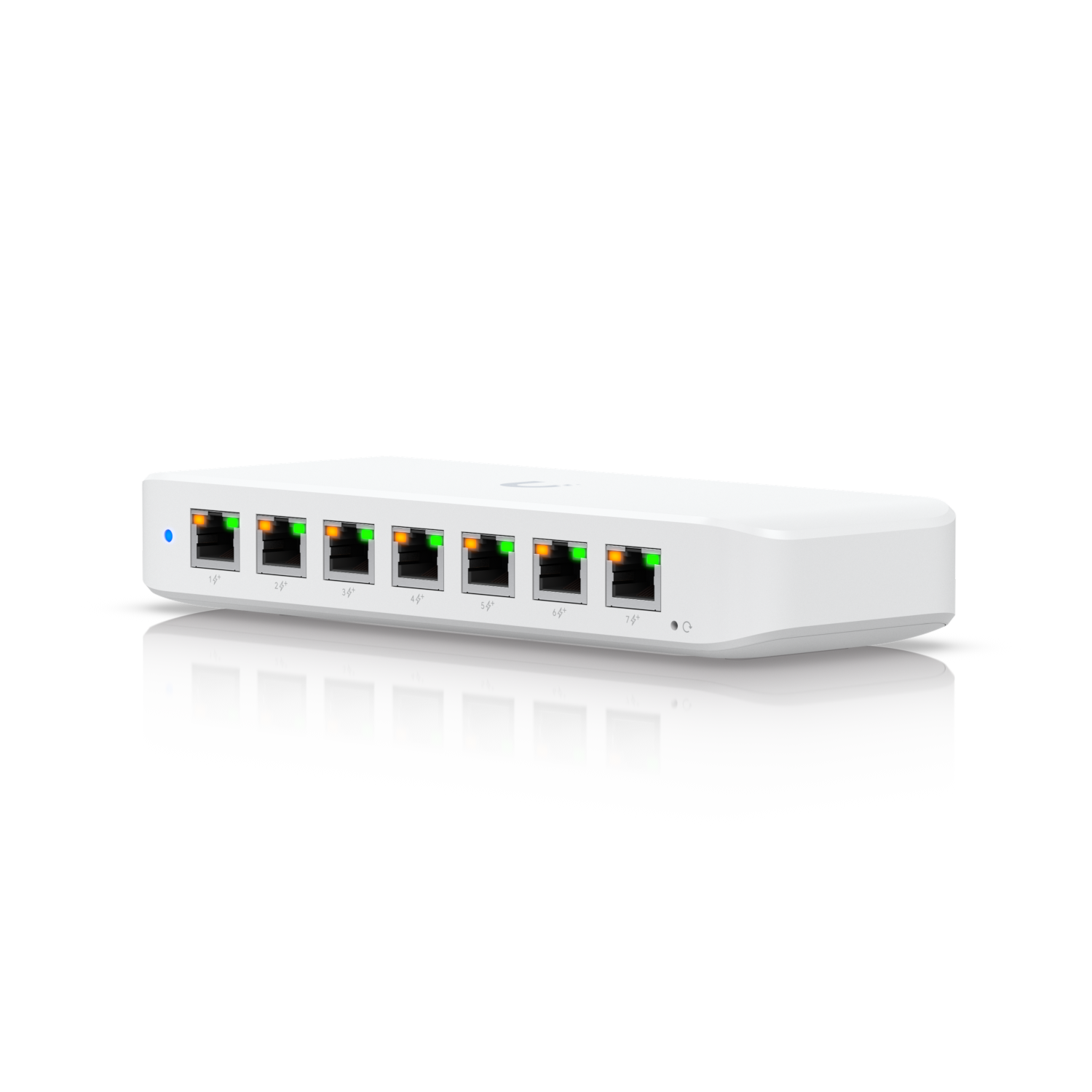
Ubiquiti Store
A compact, Layer 2, 8-port GbE PoE switch with versatile mounting options.
can do PoE+
 clear igloo

5-Port PoE Passthrough Gigabit Switch with 1-Port PoE++ In and 4-Port PoE+ Out.
POE++ in and POE+ out
lone crane
that too
lone crane
ok soo i am renting in a apartment and i am wanting to do some fun things like setting up my own VPN and hosting some stuff, but the issue is that since i am renting and due to how the apartment is i do not have control over the modem, i am now getting a UCG-FIBER and wanting to also settup some vlans and such but anyways, i heard something i might be able to do is ask them to put my own switch on the DMZ soo i am wondering if doing DMZ is the right move or try and get em to setup a shit ton of ports
 nimble sable
does anyone know if any pixel phones do 320mhz?
opal pagoda
lone crane
ok soo i am renting in a apartment and i am wanting to do some fun things like s...
easiest solution is to get a vps and route all traffic through it, you will get a static ip as a bonus
dmz solution is implemented if they have multiple ip's
lone crane
ew having to pay monthly stuff
opal pagoda
lone crane
ew having to pay monthly stuff
i dont pay for mine
lone crane
how
opal pagoda
lone crane
how
sell your soul a lil
 lone crane
o boy
WELLLLLL i do have a offsite server with tailscale that i can port forward on
anyways look what i made
 lone crane
WELLLLLL i do have a offsite server with tailscale that i can port forward on
lone crane
lone crane
WELLLLLL i do have a offsite server with tailscale that i can port forward on
just not sure how to route port traffic to it
opal pagoda
lone crane
anyways look what i made
did you mean this kind of dmz?
i use this instead of bridge mode (bc of iptv and phone)
 lone crane
no clue what kinda the ISP modem uses
but if i understand it, DMZ means it is for the most part out of the network and then the switch having to do all of the firewalling
but it means i can port forward and all that without needing to fuck with the modem
opal pagoda
lone crane
but if i understand it, DMZ means it is for the most part out of the network and...
basically how it works with my router is if it doesent know what port goes to which ip it forwards it to dmz host which is a tplink omada router
twin pier
There's too much history to read but I think I see what you're asking
If you send too many packets they get dropped, so its up to the protocol to figure out how fast it can go. Usually something to the tune of limiting how many packets can be in flight at once, and lowering speed if packets start getting dropped
this was supposed to reply to @cinder plank idk why it didn't
It is always a game of estimating how fast you cna go before bouncing off the limit and dropping packets
And the actual limiting happens by just configuring certain hardware in the chain to have bandwidth limits, you can even do this on a lot of consumer routers/switches
putting a bandwidth limit on a switch (afaik always) just means it'll drop packets beyond the set rate
cinder plank
twin pier
<https://www.reddit.com/r/explainlikeimfive/comments/4qyhw4/comment/d4x1tvd/?utm...
the limit compliance is part of tcp which is inherently part of the internet, makes sense. that does add a bit more understanding thx.
 mental rose
my opnsense router is crashing, anyone able to help me diagnose?
it seems to be dropping an IPv6 packet in the log right before it crashes
it tells me fatal trap 12: page fault while in kernel mode
 glad glacier
@lone crane need some help here transferring the file from one computer to another
With an ethernet cable
glad glacier
twin pier
And the actual limiting happens by just configuring certain hardware in the chai...
Could you help me with this predicament
shadow bluff
cinder plank
I've already read that... I doesn't really explain anything. "the provider has ...
the explanation is just that isp controls your speed by enforcing port security rules
theres really nothing much else to it
if they have QoS, it'll delay for a bit,
if they have a buffer, it'll send the excess packet later,
or if you try going further than your speed anyway, packets gets dropped
theres no "hi am computer how much is your speed?" "hey am router, can only go 500mbps"
ornate jungle
cinder plank
That logic doesn't computer... They say something without communicating??
It's not a "configuration" in the traditional sense, rather, it's not something that you, the customer, would ever have access to under normal circumstances. I only know how it works for North American DOCSIS cable modems, but more or less there's a transparent handshake between the Cable Modem and ISP's CMTS at the headend, or sometimes out in the field at the Fiber to Coax Node. https://superuser.com/questions/1813612/how-isp-limits-the-speeds

Super User
Technically I can enjoy the maximum internet data speed, but ISP will only allowed the set limit, how does ISP does that? And how does it do it for both uplink and downlink?
Does it set max limit ...
It's a combination of an encrypted "secret" handshake and Quality of Service levels. These QoS levels effectively tell the Cable Modem (and all equipment between your modem and the Headend where the CMTS lives) that Subscriber X is only paying for Speed Y therefor Bandwidth Limit Z applies to all traffic between Cable Modem MAC address and Headend.
topaz patrol
ornate jungle
It's not a "configuration" in the traditional sense, rather, it's not something ...
For us Aussies it does not at all work like this :p
ornate jungle
Yee, updated my statement, cause there's never ever one way to do anything. DAMN STANDARDS.
https://xkcd.com/927

Fortunately, the charging one has been solved now that we've all standardized on mini-USB. Or is it micro-USB? Shit.
 molten geyser
My dad pays $10 for like 20 Mb internet. I pay for my own faster plan.
Our current setup works except randomly his internet access will go down (local network, i.e. wifi, stays up).
We each have a modem but I hooked this up to split the coax.
I'm guessing there's interference causing his connection to Comcast to fail.
Just looking for solutions to keep his Internet up.
(I like separate internet plans, keeps my data/network/services separate from my theirs).
 topaz patrol
ornate jungle
It's not a "configuration" in the traditional sense, rather, it's not something ...
topaz patrol
ornate jungle
It's not a "configuration" in the traditional sense, rather, it's not something ...
It probably worked like that for Telstra and Optus Cable back in the day, but HFC nbn access doesn't at all work that way. Lots of funky semi-custom stuff
ornate jungle
molten geyser
My dad pays $10 for like 20 Mb internet. I pay for my own faster plan.
Our curr...
If you're both on Comcast using Cable Modems, I would contact Comcast to check the RF signal levels being delivered to each modem. Or you could try removing the splitter and connecting each of your modems to the incoming cable line, one at a time, to see if the issue goes away.
ornate jungle
molten geyser
My dad pays $10 for like 20 Mb internet. I pay for my own faster plan.
Our curr...
Also note: different Cable Modems (rather, different DOCSIS specification versions) are error correct better (or worse) than other models, so if you have different modem models, keep that in mind.

 twin pier
You know I'm still wondering whether its for M.2 or mini pcie
 fervent brook

10Gbe PCI-E NIC with 82599EN(X520-DA1) Controller, 10Gb Single Port SFP+ PCI-E Network Card, GiGaPlus 10Gbps PCI Express Ethernet LAN Adapter, Supports Windows/Windows Server/VMware
15 used, but it's SFP...
The only SFP I have is 1Gb
Also, I don't have anything over 1Gb anyway
 random siren
ornate jungle
Yee, updated my statement, cause there's never ever one way to do anything. _DAM...
random siren
ornate jungle
Yee, updated my statement, cause there's never ever one way to do anything. _DAM...
me hearing another frontend library is supposedly better and i should stop using what is established
silent flax
ornate jungle
Also note: different Cable Modems (rather, different DOCSIS specification versio...
also too strong signal for a modem can be dropping connection too. That happened to me, when the tech person came to check my cable connectivity for gigabit, he said that my connection drops were due way too strong signal, he put in a 3dB attuenator if i remember correctly
frosty stone
fervent brook
https://c.media-amazon.com/images/I/61VKNsr2giL._AC_SL1500_.jpg
Oh so it's for m.2, nice
twin pier
It might not be, I'm getting a feeling for some reason
frosty stone
twin pier
It might not be, I'm getting a feeling for some reason
Hmmm I think you're wrong
clear igloo
nimble sable
does anyone know if any pixel phones do 320mhz?
Yes they do
nimble sable
clear igloo
Yes they do
So is just mine that's not working?
opal pagoda
fervent brook
That non-twisted length is making me puke...
Is it 10g?
clear igloo
nimble sable
So is just mine that's not working?
Do you have 320MHz enabled on the AP on 6GHz?
Do you have the AP set to WPA3 only?
nimble sable
clear igloo
Do you have 320MHz enabled on the AP on 6GHz?
Do you have the AP set to WPA3 onl...
Yes and yes
Pixel 8 pro even says is connected at 320
clear igloo
What pixel phone?
nimble sable
But it isn't
clear igloo
Only the 9 does 320MHz
The 8 is 160 only
If you're using WiFi man it shows the max not the current (it's stupid)
nimble sable
clear igloo
Only the 9 does 320MHz
Aah, that was my question. Oh really, ok. That actually explains everything then. It does seem to do 4096qam though so that's something
clear igloo
Yah, idk why they can't show a current and max supported but it only shows the max supported by the SSID
Yes, I do remember reading the 8 does 4096 qam
nimble sable
Ok awesome that answers my questions then. Ty
I tried contacting Google and they kept telling me it can but I was seeing a lot of ppl online saying it can't. The 9 and 9pro can do 320mhz for sure?
Another question: what is supposed to be the advantage of MLO without any of the other features of wifi7 (like AFC)? Cuz even dongknows says it's "more of a marketing ploy at this point" but like, theoretically it's supposed to work like combining the bands right? Why wouldn't I get speeds that are both put together?
 thorny osprey
is openwrt better or immortalwrt better for higher speed and lower ping? Im using a archer ax23
clear igloo
nimble sable
Another question: what is supposed to be the advantage of MLO without any of the...
It's pretty early, the Pixel 9 doesn't even handle it right, always defaults to 5GHz even when that and 6GHz are connected and only uses one of the two
clear igloo
nimble sable
I tried contacting Google and they kept telling me it can but I was seeing a lot...
Yup, works with my WiFi 7 AP on 320MHz 🙂
and I know because AP reports it PLUS the speed boost verifies
nimble sable
clear igloo
It's pretty early, the Pixel 9 doesn't even handle it right, always defaults to ...
sounds like the behaviour im seeing on 8pro, even though wifiman says its connected to both the speed is basically only one of them, interesting. So it's an implementation issue? like if i continue with this AP and maybe in the future at some point get a phone that does MLO shd actually be betteR?
nimble sable
clear igloo
and I know because AP reports it PLUS the speed boost verifies
aw sweet!
clear igloo
nimble sable
sounds like the behaviour im seeing on 8pro, even though wifiman says its connec...
Yah, 100% implementation issue
 violet spear
opal pagoda
violet spear
opal pagoda
Did anyone else have wierd snmp trap issue with fortigates where traps are sent via wrong interface, in my case wan interfaces when using loopback for mgmt
On several other locations where loopback isnt used issue is not present
peak cloak
violet spear
Is nat enabled on the to link
violet spear
no
lone crane
i can do this now

 humble ridge
Hey guys i need advice.
I need a vdsl2 modem/modemrouter for my family. My budget is around 120 dollars (i can't type the dollar sign). We got a 2 story building (ground floor and first floor) and we have only 1 rj-45 conecting the floors and its only cat 5e - 1 gigabit.
I need a vdsl2 modem since i live in a village and we have only rj-11 avilable at our house. I would prefer a modemrouter, that supports some mesh system, so that i can hook up an AP in the second floor, but just modem would be also fine and then I would buy some mesh system probably from tp-link (don't include the mesh system in the price, i will buy that later anyway). Also i live Czechia so something avalible here or in Germany.
Thanks for help
Filip
 red dirge
topaz patrol
humble ridge
Hey guys i need advice.
I need a vdsl2 modem/modemrouter for my family. My budg...
red dirge
topaz patrol
humble ridge
Hey guys i need advice.
I need a vdsl2 modem/modemrouter for my family. My budg...
TP-Link has Deco mesh systems with a built in xDSL modem
X20-DSL and X50-DSL
frosty stone
humble ridge
Hey guys i need advice.
I need a vdsl2 modem/modemrouter for my family. My budg...
Just use whatever the ISP provides.
With DSL you ain't going to benefit from anything else
topaz patrol
frosty stone
Just use whatever the ISP provides.
With DSL you ain't going to benefit from any...
If they provide one for free*
frosty stone
If the wifi on it ain't good enough, disable the built in and use a 3rd party AP on each floor
frosty stone
topaz patrol
If they provide one for free*
It better fucking be for DSL lmao
topaz patrol
frosty stone
It better fucking be for DSL lmao

sly compass
Found a Edgerouter X sfp and needed 3 different lan. What absolute shitshow to setup
peak cloak
sly compass
Found a Edgerouter X sfp and needed 3 different lan. What absolute shitshow to s...
Huh?
I've always liked the edge routers although they don't get updated anymore
silent flax
frosty stone
Just use whatever the ISP provides.
With DSL you ain't going to benefit from any...
and too often it is the only VDSL modem that works. I had an ASUS VDSL router, but i simply couldn't configure it for Orange Slovakia even if i entered everything correctly
silent flax
sly compass
Found a Edgerouter X sfp and needed 3 different lan. What absolute shitshow to s...
flash OpenWRT maybe ?
thorny osprey
what kind of optimisation should I do in openwrt to increase speeds to outside country servers and decrease latency?
lone crane
pray
sly compass
silent flax
flash OpenWRT maybe ?
Ah is that possible?
silent flax
sly compass
Ah is that possible?
i think i flashed my ER-X SFP to it, but not 100% sure
sly compass
peak cloak
I've always liked the edge routers although they don't get updated anymore
Nah pfsense/opnsense, mikrotik ddwrt all just so damn much easier. I probably setup 100th of routers this was the worse with absolute least futures
silent flax
(i don't have it here right now)
silent flax
sly compass
Nah pfsense/opnsense, mikrotik ddwrt all just so damn much easier. I probably se...
the original firmware has most of the features, but 99% of them are hidden behind the weird tree configuration system and sometimes even behind the command line UI. Hated it too
silent flax
sly compass
Ah is that possible?
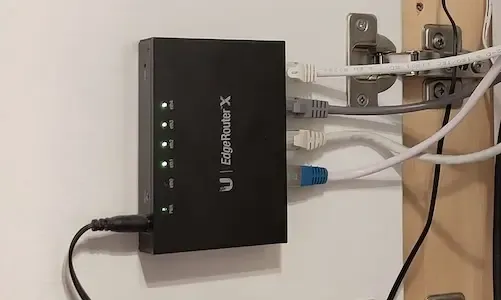
Random Notes
sly compass
Might do that, i really want some geoblocking. Other than that i got it as i wanted
sly compass
silent flax
the original firmware has most of the features, but 99% of them are hidden behin...
No adding geoblock doesn’t exist. Also same in mikrotik the memory is to little to add a ton of ip list for blocking
But mikrotik lets you add usb if you want more storage
silent flax
maybe such features. i meant general features like OpenVPN client was paint to set up, but possible
sly compass
Really? I want wireguard, i have rspi2 as my wireguard now
It’s far away and that site only got 5/5mbit
It’s for surveillance, fire alarm and our heating/cooling system
silent flax
wireguard didn't exist when i was using my ER-X SFP, so no idea if current firmware even have it
something like this image from google

you had to translate the configuration file into the crazy settings they had in the tree structure
nimble sable
can someone explain why my internet speed consistently drops by 40% when i turn this fan on?
 lone crane
nimble sable
can someone explain why my internet speed consistently drops by 40% when i turn ...
lone crane
nimble sable
can someone explain why my internet speed consistently drops by 40% when i turn ...
i would imagine power line ethernet?
anyways a large fan like that makes a lot of inductance so if its powerline then that is why
nimble sable
lone crane
anyways a large fan like that makes a lot of inductance so if its powerline then...
no wifi
and yea wifi is finicky at the best of times but a FAN?
lone crane
yea
again inductance
its like a wifi jammer
its not meant to do this so that fan might be faulty
but maybe not im not too big into this
humble ridge
topaz patrol
X20-DSL and X50-DSL
Could you recommend something cheaper, in my country these go for around 160$
topaz patrol
humble ridge
Could you recommend something cheaper, in my country these go for around 160$
You will not find a cheaper modem + mesh system
humble ridge
topaz patrol
You will not find a cheaper modem + mesh system
I was thinking tp link archer vr2100, but I don't know how good it is
topaz patrol
You would need to look at either NetComm (which almost certainly isn’t available there) or some sort of Chinesium unfortunately
topaz patrol
humble ridge
I was thinking tp link archer vr2100, but I don't know how good it is
Good for…. Wifi? Or just as a modem?
humble ridge
both, it's a modem that does wifi too
topaz patrol
I would think that you would find lots of $10-50 FritzBoxes over there if you can purchase from Germany
I assume your VDSL2/+ service is only 100Mbps?
humble ridge
we have only 100, but vdsl2 supports up to 300 i think
topaz patrol
Yeah okay
nimble sable
lone crane
again inductance
oh that does make sense then, it's a cheapass fan meant for like stadiums and shit so i can see how it would not have too much in the way of protecting against stuff like this, just didn't know that was a thing
pseudo blade
nimble sable
can someone explain why my internet speed consistently drops by 40% when i turn ...
You don't happen to have a particularly nice AP, do you?
Or just an ISP special
nimble sable
pseudo blade
You don't happen to have a particularly nice AP, do you?
I've been trying to decide between eap783 and eap773 actually, rn testing 773. So yes really nice AP
pseudo blade
Ok it'll apparently do RF scanning
Perform a scan, move the fan over near it, scan again
nimble sable
oooh u know what good point yea! i did the scan without the fan on
pseudo blade
If there's no difference, you likely have a coincidence
nimble sable
EAP783 has 2 extra antennas which i'm told makes a difference, i can't see how it could possibly. and honestly i have a very small apartment my main issue with 773 is how FAST the 6ghz drops off
pseudo blade
6ghz penetration is garbage
nimble sable
pseudo blade
6ghz penetration is garbage
FR, i swear my WAX630e was better though but that could just me misremembering
pseudo blade
Don't expect much
nimble sable
pseudo blade
Don't expect much
i want 1Gbps in the bathroom damn it! 😛
pseudo blade
6ghz I treat as line-of-sight or near-line-of-sight
nimble sable
pseudo blade
6ghz I treat as line-of-sight or near-line-of-sight
oh dang really? hmm so actually better to buy 2 cheaper ones rather than one expensive one?
stuck grove
line of sight, or maybe through a sheet of paper
stuck grove
if you can’t punch through it with your fist 6ghz probably ain’t going through it well
pseudo blade
But walls it doesn't like much
stuck grove
drywall should be fine-ish, brick is a no-go though
pseudo blade
Well yes
nimble sable
still not sure if EAP783 is worth the extra $500 for me though, thats a LOT Of money that could go toward a new client device
am coming from WAX630e
pseudo blade
nimble sable
oh dang really? hmm so actually better to buy 2 cheaper ones rather than one exp...
I haven't looked at the difference but if you're buying a higher end model for penetration on 6ghz rather than peak speed I'd get two for two areas instead
stuck grove
6ghz is better off with lower transmit power, more APs
pseudo blade
That advice works for any band
nimble sable
pseudo blade
I haven't looked at the difference but if you're buying a higher end model for p...
yea im good on peak speed outside of "omg look how fast!" i think
stuck grove
True, more important the higher the frequency though
pseudo blade
Actually more the other way as lower frequency propagates more
nimble sable
stuck grove
6ghz is better off with lower transmit power, more APs
what about 2x2 vs 4x4? wtf does that extra 2 antennas do? cuz it sure isn't extra bandwidth
pseudo blade
It's throughput
But it's niche outside of MU-MIMO
Not many 4x4 devices you see
So no 4x4 speeds for most
nimble sable
assuming all 2x2 devices. Ive tried like connecting 2 laptops and i NEVER see both totals exceeding the total of single
so like 1 laptop: 1.5Gbps, 2 laptops 750 and 750, not 1.5 and 1
pseudo blade
Unless you have two WiFi 6/6e devices capable of MU-MIMO you are unlikely to see benefit and even then it's kinda hard to pull off
nimble sable
pseudo blade
Unless you have two WiFi 6/6e devices capable of MU-MIMO you are unlikely to see...
so it does work? is it just finky? how do you pull it off?
nimble sable
so outside of mumimo which i can neverr get to work, a "stronger" AP with 2 extra antennas...won't make enough ofa. difference to me rt? keeping in mind i have a small apartment with lots of walls and im only 1 person
nimble sable
pseudo blade
I think there's an LTT video on it I didn't mind
oh really?n let me see if i can find it ty
https://www.youtube.com/watch?v=cKTbNRTmzhY ? this one?
The first 200 people who head to https://brilliant.org/techquickie/ will get 20% off their annual premium subscription of Brilliant.
Is the MU-MIMO feature many router manufacturers mention really just snake oil?
Thanks to Joel Crane for your help with this video! Check out his blog at http://www.potatofi.com/
Buy Gaming Router
On Amazon (Pai...
pseudo blade
Maybe
I thought LS did it but perhaps my memory's unreliable lol
Watched a bit of that one just then and it seems very good at explaining it
So it's probably this one
nimble sable
thanks, if you do find another one let me know
pseudo blade
It's like 3AM for me so I probably won't dig further right now lol
nimble sable
hold up... "my-mo" no "mee-mo"?
pseudo blade
But I think you're equipped enough to make your own decisions anyways
nimble sable
"moo mee moh" is so fun to say though
pseudo blade
Potahtoe
 lean palm
nimble sable
hold up... "my-mo" no "mee-mo"?
lean palm
nimble sable
hold up... "my-mo" no "mee-mo"?
M-you-my-moe
 thick minnow
Hi, I have some career-related questions about becoming a Network Engineer. Do network engineers also have to handle the cybersecurity aspects of a company, or is their role limited to managing hardware? Or is it a combination of both hardware and software tasks, such as setting up DHCP and DNS servers?
It would be really helpful if someone could guide me from start to finish on what the role involves and how to get started. 😅
topaz patrol
thick minnow
Hi, I have some career-related questions about becoming a Network Engineer. Do n...
That would vary greatly between companies, and roles in those companies
thick minnow
topaz patrol
That would vary greatly between companies, and roles in those companies
Oh, I see! So would you say that network engineering is a good career path overall? My current tech stack involves a lot of coding, but long-term, that's not something I want to stick with. I’ve developed a strong interest in networking and I’m considering it as an alternative.
I'm currently a fresher, but I do have some solid projects and freelance work on my resume. Would it be a good idea to start with the CCNA certification at this stage?
topaz patrol
I'm not a network engineer 🙂
If you enjoy networking, I say go for it! You can also choose to do something different down the road
Learning the CCNA material is a great idea, but I'd argue the actual exam is of dubious value
lone crane
i actually just do it irl and its fun
as in i fuck around with networking myself on my free time from school
thick minnow
topaz patrol
I'm not a network engineer 🙂
If you enjoy networking, I say go for it! You ca...
thats what im thinking
lone crane
right now starting on 10 gig and some better networking stuff
thick minnow
topaz patrol
Learning the CCNA material is a great idea, but I'd argue the actual exam is of ...
yea but without the test its anc certifications i dont think any company is hiring me
lone crane
trying to also setup ngnix
topaz patrol
thick minnow
thats what im thinking
Do what makes you happy!!! :)
lone crane
also doing ACLs and plan on trying active directory soon
thick minnow
lone crane
as in i fuck around with networking myself on my free time from school
i do it with my old laptop sometimes and sometimes at college xD
lone crane
i got a GOOD deal for some used computer stuff from a business that was upgrading
going to see what IPS/IDS stuff is and then try and use it
i would rec just getting some used 50$ desktop or workstation pc anything from 6th gen to 11th gen for quick sync or better
home assistant is so fun to fuck with
i have now connected my roomba to it
nimble sable
topaz patrol
Learning the CCNA material is a great idea, but I'd argue the actual exam is of ...
the certification itself not worth it?
 snow kernel
Anyone need a T1 modem?


 void sparrow
topaz patrol
Learning the CCNA material is a great idea, but I'd argue the actual exam is of ...
void sparrow
topaz patrol
Learning the CCNA material is a great idea, but I'd argue the actual exam is of ...
I’m doing my ccna certification rn (via school) and tbh, it’s very weirdly made, I already had network skills/knowledge due to me messing around and finding out and the certification is something
thin hedge
lone crane
i got a GOOD deal for some used computer stuff from a business that was upgradin...
Stop talking gah
That was a GOOD deal indeed
mental rose
you guys have opnsense hardware recommendations?
tight pecan
mental rose
you guys have opnsense hardware recommendations?
If it's a 1Gbit link or slower, then you can use pretty much anything that's not e-waste
My actual recommendation for home use would be something with low power draw. No need for anything fancy or powerful for an opnsense box, unless you have >1Gbit plans in your area
pseudo blade
thick minnow
Hi, I have some career-related questions about becoming a Network Engineer. Do n...
The smaller the company, the more hats you must wear
I dealt with a large American ISP you've definitely heard of and the guy I spoke to seemed surprised I worked on more than just TLS certificates in my job
mental rose
tight pecan
If it's a 1Gbit link or slower, then you can use pretty much anything that's not...
I have two N305 boxes but they're crashing
So I wanted to get recommendations for systems that are known good
tight pecan
mental rose
I have two N305 boxes but they're crashing
Crashing due to faulty hardware or...?
Opnsense runs fine on a large variety of systems. You can grab some random throwaway office pc, toss in a boot ssd with opnsense, and it'll likely work
mental rose
tight pecan
Crashing due to faulty hardware or...?
I'm not completely sure why! I made a troubleshooting post in this server
My best guess is due to traffic shaping but I'm not sure of that
topaz patrol
snow kernel
Anyone need a T1 modem?
Not a modem! :p
 sacred sail
Hey guys, a noob question. Does speed (Mbps for example) consumes on how much data (like GB) you have?
shadow bluff
sacred sail
Hey guys, a noob question. Does speed (Mbps for example) consumes on how much da...
in general you only use measurements like Mbps, MB/s, Gbps, GB/s to describe speed/transfer/throughput. Data consumption is only imposed upon what you use to load whatever that relates to the net
for example, you wanna check how fast your internet speed is. say you get 100mbps after testing, whatever and how much packet is sent/received to reach that peak speed is what you consume
sacred sail
shadow bluff
for example, you wanna check how fast your internet speed is. say you get 100mbp...
Oh, thanks for the explanation
sacred sail
shadow bluff
for example, you wanna check how fast your internet speed is. say you get 100mbp...
But what about ethernet? Does it least consume than WiFi?
snow kernel
topaz patrol
Not a modem! :p
I assure you it is a MOdulator/DEModulator
topaz patrol
snow kernel
I assure you it is a MOdulator/DEModulator
It’s a CSU DSU
Not technically a modem :)
nimble sable
can someone explain why, with all else being the same: 6ghz RSSI goes from -50 to -75dBm after turning on MLO?
snow kernel
topaz patrol
It’s a CSU DSU
Ok yes it is that but most won't know what that is. I also have a CS32 unit I pulled recently at home 😉
In reality most won't know what T1 is either
twin pier
sacred sail
Hey guys, a noob question. Does speed (Mbps for example) consumes on how much da...
Yes, Mbps (rate) multiplied by time downloading (at that speed) gives you the data usage
If you download at 100 megabits per second, for 8 seconds, that is 800 megabits downloaded which equals 100 MB
nimble sable
sacred sail
But what about ethernet? Does it least consume than WiFi?
In general ethernet is faster and more stable than wifi. that is in general, these days wifi is catching up to ethernet speeds but mostly you are able to not only consume faster with wired vs wireless but you might have a more stable connection as well (faster for longer etc). How MUCH you can consume might depend on other factors not related to this like your Internet provider might set a limit on how much. If you watch the same youtube video over wifi or wired, your consumption won't be different (unless you change the video quality you're watching) but you might have a better time or be able to watch better quality with ethernet if you don't have excellent wifi, this might LEAD to more consumption because say with wifi you can only do 720p video but with wired your connection is more stable and faster so you do 4K ...4k is more data than 720p video
shadow bluff
sacred sail
But what about ethernet? Does it least consume than WiFi?
they will probably consume about the same
difference that can be seen from ethernet and wifi is only means of connection
what you consume would be similar if not the same via any means
considering that question here is if it least consume vs ethernet, in perfect circumstances, its a no
clear igloo
There is no probably
Same file size will ALWAYS consume the same amount of data over any medium. The only difference is how fast it's received but the amount consumed will be the same
shadow bluff
what i said, but yes lol
twin pier
(this is just how rate and time works, same deal with i.e. kph and km travelled)
tight pecan
clear igloo
There is no probably
Same file size will ALWAYS consume the same amount of data ...
Assuming 0 overhead that is. If you use VPNs, proxies, or the various tunneling protocols, it technically takes more bandwidth than what the file size dictates due to additional data added onto the header of each packet or due to encryption
The overhead is generally miniscule anyways, so not a big deal either way
Anyway, ethernet vs wifi generally does not affect total bandwidth consumption, only speeds.
If your wifi setup is so bad that it keeps dropping packets, then that's a separate issue
clear igloo
tight pecan
Assuming 0 overhead that is. If you use VPNs, proxies, or the various tunneling ...
Well yah, ignoring overhead from protocols I should have clarified that but if you want to be REALLY pedantic we could count the preamble and whatnot 😛
lone crane
10gig time

But first some cooling

Welp the fan makes it not fit, let's see if it can do passive
amber urchin
lone crane
Welp the fan makes it not fit, let's see if it can do passive
I just run a case with a side intake or zip tie a fan pointed toward the card and it seems to be sufficient.
lone crane
i am testing it out real quick and at least at like 4gig transfer or so its realy cold
i just feel the heatsink
going to try and transfer something MASSIVE
lone crane
ITS DOING 10gi YAAAAA
 lone crane
but only got like 300MB read write when not cached since i am only doing 2 vedevs with 6 spinning rusters
lone crane
no fan and the NIC is doing GOOD
 silent flax
lone crane
10gig time
silent flax
lone crane
10gig time
i use the same card in my server i think
lone crane
yeah its really common
silent flax
ConnectX-3 to be precise
silent flax
lone crane
yeah its really common
😛

look at total 😄 , even better is that they sent a 3m cable instead of the 1 meter one
lone crane
mine did cost as much as that without the discounts
silent flax
well this was last July
long scarab
Okay so I'm playing around with VoIP, got a phone number and stuff, and a VoIP phone is on the way... but how do I actually use it without it costing a shitload of money?
ornate jungle
long scarab
Okay so I'm playing around with VoIP, got a phone number and stuff, and a VoIP p...
You place a minimal number of phone calls and ensure you're using a super cheap VoIP provider?
long scarab
ornate jungle
You place a minimal number of phone calls and ensure you're using a super cheap ...
The thing is, I don't know of any super cheap VoIP providers or how to set any of it up. This is entirely new to me
Found this tho
https://voip.ms/pricing#improved_communications_container
 kind shuttle
any prosumer out there actually got their internet provided to run fiber to the Ubiquiti Cloud Gateway Fiber? Got it b/c i plan on geting FiOS to run their fiber right to it. Currious if anyone has done it yet here.
peak cloak
kind shuttle
any prosumer out there actually got their internet provided to run fiber to the...
They won't
It's gpon
Their ont is painfree though, just plug the Ethernet in
No messing with those all in one gateways
At least that's how it was for us like 4 years ago
There are hacky ways to try to bypass it but imo it's just not worth it. The speed is basically still the same
lone crane
I do not think he wants to do it for speed
 glass depot
ah
 vagrant condor
lone crane
I do not think he wants to do it for speed
vagrant condor
lone crane
I do not think he wants to do it for speed
i see you are here too, could you possibly help me set up the 4 16tb seagate drives as a RAID 5 NAS?
lone crane
Why not raidz
vagrant condor
what is raidz?
lone crane
What NAS os did you plan to use
vagrant condor
well im a complete noob so, im not sure
as long as it pops up as a storage drive on the network and is easy to set up and maintain
i think the mini pc also has at least 1 spot for an m.2 as well
imma check and see
the current solution for backing up stuff is dropbox, which is fine for like jpegs and spreadsheets, but im the media guy and i record videos that need to be backed up, and with our 100mbit internet, it takes way too long to upload to dropbox so i need some local storage for backing up to. and the ethernet here is probably fine, the old switch and router was gigabit and it got upgraded so i assume its at least still gigabit
but ill have to check the lil asus pn40 minipc to see if i can even use it
the internet here is also extremely unstable, i sometimes struggle to open google
ok so the mini pc has 4xusb3.1, gigabit lan and supports an m.2 internally and a 2.5inch ssd too
yikes it only has 4gb of ram doe
vagrant condor
lone crane
What NAS os did you plan to use
what the ideal RAM and CPU config for a small nas like this?
lone crane
vagrant condor
what the ideal RAM and CPU config for a small nas like this?
cpu does not matter ram up to what file system with zfs its like 1GB per 1TB usable or smn
vagrant condor
ok it has 4gb but it has an open slot for another stick
lone crane
Just get a off the shelf NAS og get any normal desktop computer
silent flax
vagrant condor
what the ideal RAM and CPU config for a small nas like this?
just don't use ZFS, use something like EXT4 and mdraid if you want raid and literally anything will do, even 15 year old lowend parts
file storage and access doesn't require any CPU performance, certainly not at gigabit speeds
hell, those off the shelf cheapo NAS systems use dual or quadcore ARM CPUs at 1-1.5GHz
opal pagoda
kind shuttle
any prosumer out there actually got their internet provided to run fiber to the...
you can buy apc sc patch cable and coupler and run your cable wherever you want
crisp thorn
what is the cheapest router that can be flashed with openwrt with 1Gb/s ports
currently I have TL-wr841N but not only does it not have 1gbs ports it also refuses to connect to wifi after some time and requires a restart
long scarab

 serene nest
I’ve just moved and pulled out a long forgotten Sophos AP55. You need a subscription and it’s EOL, so that’s a non-starter, anybody have a good open-source solution for APs?
serene nest
https://forum.openwrt.org/t/howto-installing-openwrt-on-sophos-ap-55-and-ap-100/171914/6
looks like the answer is openwrt for APs in general

OpenWrt Forum
Indeed. With stock firmware, these APs work exclusively with Sophos's centralized management software. So once they go out of support with Sophos, they are pretty much useless, unless some alternate firmware is installed to unshackle them from centralized management...
 cedar escarp
I am thinking about building a Plex media server for my music library so I can stream to my phone (I buy a lot of music directly from artists as opposed to subscribing to a streaming platform). I don't have really any experience with networking, is this a silly thing to try and do with minimal experience/knowledge? Anyone know a good place to start researching?
opal pagoda
cedar escarp
I am thinking about building a Plex media server for my music library so I can s...
with plex you dont really need to worry about networking setup as it gets automatically configured
cedar escarp
opal pagoda
with plex you dont really need to worry about networking setup as it gets automa...
Cool, is there a better place here to ask about it? I wasn't really sure
As you can tell, I don't know a lot 😅
opal pagoda
cedar escarp
Cool, is there a better place here to ask about it? I wasn't really sure
do you have any other needs other than plex?
file storage, home assistant, pihole etc..
cedar escarp
opal pagoda
do you have any other needs other than plex?
file storage, home assistant, pihol...
Not really, file storage maybe? But no home assistant, nothing really, it's mostly just so I can stream my music library remotely on my phone
I'd rather set up a server like this and continue buying music directly from artists than subscribe to a streaming service
I actually don't know what a pihole is
opal pagoda
do you already have some hardware that you can dedicate to run 24/7 or would you be buying new hardware
opal pagoda
cedar escarp
I actually don't know what a pihole is
ad blocking dns
cedar escarp
I have an old laptop (lenovo y50) that I don't know if it'd be suitable for this
I'd also be okay buying something if that's the proper way to do things
the laptop has an HDD so I'd probably have to get an external SSD to really be safe
opal pagoda
cedar escarp
the laptop has an HDD so I'd probably have to get an external SSD to really be s...
you can also remove original hdd and put ssd in its place
are you familiar with linux or would you prefer windows setup?
windows setup: https://www.reddit.com/r/PleX/comments/m9gt84/the_ultimate_plex_guide_part_1_starting_plex_with/

Reddit
Explore this post and more from the PleX community
cedar escarp
opal pagoda
are you familiar with linux or would you prefer windows setup?
windows setup: ht...
I am not familiar with Linux, but is it the kind of thing where learning about this would be better long-term? Or am I better off just sticking with what I know?
opal pagoda
linux is generally more suited for 24/7 operation
pseudo blade
Most notably, once you learn Linux administration you're going to be able to support services for a very long time
Performing updates is much less annoying in particular
No matter what OS you're running, please make sure you actually do updates...
cedar escarp
Yeah I can see right away how this guide has to specify windows 10, already I know that at some point there's gonna be an issue moving over to 11
pseudo blade
Yep, Windows 10 is unfortunately not a secure choice without patches, meanwhile the same hardware W11 won't support will probably be supported under Ubuntu or Debian or the like beyond the usable lifespan of the hardware
I hear Linux is likely removing support for the 486+586 soon, meaning that users with servers from the late 80s and early 90s may only have... 5 to 10 years to upgrade to something more modern?
 untold idol
can anyone recommend a modem router combo thats pretty cheap?
also i live out in the country side for context and the fastest speed we can get is 1 Gig but im not even on that plan
topaz patrol
untold idol
can anyone recommend a modem router combo thats pretty cheap?
Do you need a modem? And what kind of modem?
untold idol
i need both modem and router i have my console and gaming pc hooked up by ethernet but also need wifi for my tv and phone
and via my ISP Sparklight requires customers to use a DOCSIS 3.1 or higher Modem
@topaz patrol ^
topaz patrol
untold idol
and via my ISP Sparklight requires customers to use a DOCSIS 3.1 or higher Modem
Do you currently use the equipment Sparklight provides?
untold idol
topaz patrol
Do you currently use the equipment Sparklight provides?
ya but i hate it
topaz patrol
I would recommend using your own router, but continuing to use their equipment as a modem
untold idol
all i have is a modem router combo i was thinking about getting this https://www.amazon.com/NETGEAR-Nighthawk-Cable-Modem-Router/dp/B07SHK2241 but im not sure if its good or not idk anything about networking

The Nighthawk X4s AC3200 Wi-Fi DOCSIS 3.1 cable modem router with 32x8 channel bonding delivers up to 3.2 Gbps Wi-Fi speeds even during peak hours. Security : Customized free URL to set up personal FTP server.
i just want to stop renting it
topaz patrol
Oh you're renting it lol
untold idol
ya
topaz patrol
When looking for a combo unit, I'd recommend ensuring it can be used later on as just a router
Also I hope it's not $802 where you are lmao
 untold idol
lol no for me it shows $135
pseudo blade
$800 lol
topaz patrol
I have a feeling there is no way to set any of those LAN ports as WAN in the future
pseudo blade
I'd consider just using a decidicated modem and an ethernet router just for how many options it gives you, but if you're dead set on a combo...
untold idol
i just want both a modem and router i use both ethernet and wifi if the non combo is better/cheaper then i can go that route im flexible
topaz patrol
topaz patrol
When looking for a combo unit, I'd recommend ensuring it can be used later on as...
I am saying this because when you move, and/or get fibre, you want it to not be useless to you
pseudo blade
It won't be cheaper but it will let you buy a nicer router and keep it
untold idol
ya like i said i live out in the country and the fastest speed we can get is 1 gig
topaz patrol
And if you want upgraded WiFi in the future, you won't also need to buy a new modem :)
Someone tell Bilal to piss off
 pseudo blade
Otherwise yes the Nighthawk will probably work
But me personally I'd find a compatible basic modem, anything but Intel Puma chipsets.
Then get a solid gigabit router with WiFi 6
I like Mikrotik, some like Ubiquiti's options like the Dream Router, if you want Netgear stuff like the Nighthawks or whatever consumer model feel free to do so but don't tell me or I'll be sad :P
I kinda want to know what people think of the BPI-WiFi6 as a really cheap option as it looks compelling for the $
Sucks to be American as I have no idea if anything makes sense for the price for you right now, you might just have to take what you can get while it's still in stock!
twin pier
pseudo blade
Sucks to be American as I have no idea if anything makes sense for the price for...
dont worry we can join them in nothing being reasonably priced soon
untold idol
pseudo blade
I like Mikrotik, some like Ubiquiti's options like the Dream Router, if you want...
so your saying get something like this https://www.amazon.com/Hitron-Approved-Comcast-Spectrum-Ethernet/dp/B0981553MT?ref_=ast_sto_dp&th=1 to pair it up with this? https://www.amazon.com/MikroTik-hAP-ax3-US-Version/dp/B0BW9G97BR?crid=16ACASHR37Q38&dib=eyJ2IjoiMSJ9.rhYWqJ_1k0xjtcRD26xJBkEvkqYDew-NuZTjUiAX8vsxUteBcqFn6DjmP5JNa_-Iiq-Ubk2EaxC9gmsno-cuZutpHbE05NXwEOnQ_4ubpXPzjpz86Wky44bE31eas3ut0J8X3Em7FoRI_YB144HrLiYD4q7piQWXuYxsczF__lEoeODpbgsJSa6sllcSAxV90y3zBLWUrPm31KOGEcGGIAJhiXu6ymf13HXxALMFhsk.n6YvxpKSPNiT5Y32-t0-UM9aeZ05eJ_aJKNrnqqIbBA&dib_tag=se&keywords=mikrotik+router+wifi+6&qid=1745911620&sprefix=MikroTik+router%2Caps%2C190&sr=8-1

If you're looking for the best possible speeds available today, look no further than the Hitron CODA docis3.1 cable modem. These computer networking modems can reach download speeds of up to 10x faster than DOCSIS 3.0, making them perfect for streaming HD video, gaming and more. They also come wi...

Our top-of-the-line AX home access point. With all the processing power and speed your household might ever need. Gen 6 wireless, 2.5 Gigabit Ethernet, PoE, WPA3, and more!
pseudo blade
The modem is an Intel Puma 6, so no
topaz patrol
Keep in mind if you don't want to have a bit of a play around the 'Tik probably isn't the best thing for you
untold idol
welll idk what modem to get
https://www.amazon.com/ARRIS-SURFboard-SB8200-RB-Approved-Spectrum/dp/B07M8BNVSD?s=electronics&sr=1-4 what about this?

The SURFboard SB8200 is compatible with major U.S. cable internet providers including Cox, Spectrum, Xfinity and others. It's approved for cable internet speed plans up to 1 Gbps. Check your cable ISP website to confirm compatibility.
topaz patrol
Hello there, old HFC NTD!
untold idol
lol shows you how much i know about networking 😛
topaz patrol
No, it's just a legacy version of modem that is used on the nbn access network in Australia
untold idol
what modem do you recommend then
topaz patrol
I have no clue about cable modems :)
topaz patrol
topaz patrol
I have no clue about cable modems :)
:)
untold idol
lolll
topaz patrol
untold idol
https://www.amazon.com/ARRIS-SURFboard-SB8200-RB-Approved-Spectrum/dp/B07M8BNVSD...
This should be more than fine
untold idol
are TP-Link good?
topaz patrol
If your expectations are appropriate, yes
untold idol
what expectations should i have?
topaz patrol
That none of their consumer products are going to be anywhere near as capable as a 'Tik, but are also going to be much easier to configure.
TP-Link would be my choice for 99% of people, however I am sure many in here would disagree
untold idol
only reason i asked is i saw the TP-Link TL-WA30001 wirless access point was on sale and so i was thinking maybe pair it up with the modem and switch and everything comes out to be $187 US Dollars
topaz patrol
You will still need a gateway/router (something to do NAT)
untold idol
okay
untold idol
ya i see a tik for $62
topaz patrol
You won't want a hex lite though
topaz patrol
topaz patrol
Or a TP-Link ER605 for about the same
Idk, they're about $80 AUD
untold idol
Mikrotik hEX RB750Gr3 is $62 US dollars
topaz patrol
Here's a demo for the 'Tik's web interface https://demo.mt.lv/webfig
No password
Might be a bit scary 🙂
untold idol
lol ya i have no idea what alot of this means
topaz patrol
Yeah I don't think the 'Tik is right for you, unless you want to learn and play
untold idol
have no need to learn and play really i dont do much other than play video games stream movies and stream all my sports on my tv
i mean sounds more like i should get a modem and then this? TP-Link Festa FR365
topaz patrol
I would look at an er706w if the festa interests you
topaz patrol
topaz patrol
I would look at an er706w if the festa interests you
What the Omada UI looks like
 untold idol
whats omada
topaz patrol
TP-Link's small business/prosumer product line
topaz patrol
That would also work
Keep in mind it's not really WiFi 7, only WiFi 6 (which is fine, just don't buy it because you think it's WiFi 7)
untold idol
lol no it was cheaper option thats why i saw it
so getting the Arris SB8200-RB modem with that router and should be good?
topaz patrol
Yep
untold idol
okay thanks
 pearl lantern
As an Idea for a video: In Spain we just had this massive blackout that lasted for 8+ hours. When we got power back, even though we had wifi, my router had no connection and when pinging my DNS server (the one I'm assigned to) i was getting "Destination net Unreachable". It would be interesting as a video to showcase how ISPs and Servers have to get back up and running after such an interruption in service and the challenges starting the IT infrastructure from scratch has
pseudo blade
pearl lantern
As an Idea for a video: In Spain we just had this massive blackout that lasted f...
Well it depends on what infrastructure they have and what resiliency they've built in. Some infrastructure's built to maintain functionality without grid power for prolonged periods of time using batteries and even generators.
Others are less reliable than your home router because their goal was to save money only.
frosty stone
pearl lantern
As an Idea for a video: In Spain we just had this massive blackout that lasted f...
Only 8 hours? Who cheaped out on the power backups?
frosty stone
Our fiber exchanges have battery backups and generators
Data centers also have battery backups and generators
As long as there is fuel, there is Internet
Of course you have to have your own backup power to make use of that
Downtime is for the broke
pearl lantern
frosty stone
Only 8 hours? Who cheaped out on the power backups?
I think no one expected it to go for that long. There was 0 cell coverage not because towers lost power (which they did because I could see my local cell tower stop blinking every now and then), but because ISPs server's were overloaded apparently (and I guess that would only happen if they lost part of the infrastructure due to power loss)
pearl lantern
frosty stone
As long as there is fuel, there is Internet
That is what I expected, but even after we got power back, wifi was insanely unreliable and cell coverage was non-existant (every 2-3h you would get like 50 messages at once and 1min later loose coverage again)
frosty stone
massive L for Spain
twin pier
pearl lantern
As an Idea for a video: In Spain we just had this massive blackout that lasted f...
I'm pretty sure there isn't a whole lot you'd have to do on the networking side. Maybe start back up servers that lost power perhaps, but its not like the electric grid where you have to carefully reattach parts of the grid and bring up generators from scratch manually. I would think its basically all automatic
opal pagoda
twin pier
I'm pretty sure there isn't a whole lot you'd have to do on the networking side....
we have giant generators (couple of MW) just to provide power to compressors and power to control systems
 shrewd robin
this is probably isnt the best place to ask, but is there a website/calculator to calculate the read/write performance of different storage raid configuration?
lone crane
Up to so many factors
Unless you have 25gig or something do not worry about it
Also iops vs raw throughput
I like just going with raidz
@shrewd robin
shrewd robin
lone crane
I like just going with raidz
yea, all i wanna do is just to see the approximate performance for learning purposes only
lone crane
I do not have any websites in my head
shrewd robin
my current nas has only 2x4tb drive configured in raid1 (mdadm), and im about to use zfs soon
lone crane
1gig or 10gig
shrewd robin
but you know, as a data hoarder, 4tb isnt big lel.
 lone crane
2 good HDDs should do 2.5g
shrewd robin
laptop + 10g converter is hella expensive, maybe one day ill just build a pc with 10g card next time so i can play around with L2ARC
shrewd robin
lone crane
2 good HDDs should do 2.5g
aint the best NAS drives from toshiba n300. But they can easily max out at 250MB
lone crane
but with 2 drives, raid z1 or mirror
if you need more storage expand the raidz pool or make another vdev for the mirror
shrewd robin
lone crane
if you need more storage expand the raidz pool or make another vdev for the mirr...
maybe in the future, ill expand from 2 drives to 4 drives with a couple of cache drives
it's ok, I found a okayish website to sorta estimate the performance of each different raid. https://www.gigacalculator.com/calculators/raid-calculator.php

www.gigacalculator.com
Online RAID calculator: calculate RAID capacity, disk space utilization, cost per usable terabyte, I/O efficiency (read/write operations per second) and other crucial metrics. ➤ Supports all commonly used RAID levels: RAID 0, RAID 1, RAID 4, RAID 5, RAID 6, RAID 10, RAID 50, RAID 60 and others!
shrewd robin
lone crane
if you need more storage expand the raidz pool or make another vdev for the mirr...
with 4 hdd, I think ill either go with raidz2 or stripped mirror
 vernal whale
kind shuttle
peak cloak
They won't
vernal whale
kind shuttle
peak cloak
They won't
Even if i opt'ed for their business level service? I'm still going to try.
peak cloak
kind shuttle
Even if i opt'ed for their business level service? I'm still going to try.
Maybe business, but theres really no benefit to it in my opinion
Just more money
opal pagoda
kind shuttle
Even if i opt'ed for their business level service? I'm still going to try.
as i said if you really want to relocate fiber you can get contractor to do it by running a apc-sc simplex fiber to wherever you want
or run it yourself
peak cloak
opal pagoda
as i said if you really want to relocate fiber you can get contractor to do it b...
they are trying to get fiber to the router, which verizon doesn't do
at least for home
opal pagoda
peak cloak
they are trying to get fiber to the router, which verizon doesn't do
yes i understand but fiber is easily extended
peak cloak
ah yeah
thier ONT isn't really a big deal, none of that all in one bs
fiber in, ethernet out
opal pagoda
all you need is these 2
female to female adapter:
https://www.fs.com/de-en/products/76106.html?attribute=26072&id=2461147
and whatever lenght patch cable
https://www.fs.com/de-en/products/41922.html?attribute=103140&id=3690239

FS.com
SC/APC to SC/APC Simplex OS2 Single Mode Fiber Optic Adapter/Coupler with Flange (10pcs/Pack), Product Specification:Connector Type - SC-SC, Body Style - Simplex, Polish Type - APC, Fiber Mode - OS2 9/125μm, Insertion Loss - ≤0.2dB, Durability - 1000 times

FS.com
30m (98ft) Fiber Patch Cable, 1 Fiber, SC APC Simplex to SC APC Simplex, Single Mode (OS2), Riser (OFNR), 2.0mm, Tight-Buffered, Yellow, Product Specification:Connector A - SC APC Simplex, Connector B - SC APC Simplex, Fiber Count - 1 Fiber, Fiber Grade - G.657.A1 (Compatible with G.652.D), Fiber Mode - OS2 9/125μm, Wavelength - 1310/1550nm
kind shuttle
opal pagoda
as i said if you really want to relocate fiber you can get contractor to do it b...
The home plan has the fiber line terminating at their provided ONT and then copper to their home consumer router. In the move to Uni equipment I just want the fiber all the way to my equipment and not covert to copper. You think FiOS if getting the business plan still wouldn't bring the fiber to my own equipment (IE the Uni Cloud Gateway Fiber) ?
opal pagoda
kind shuttle
The home plan has the fiber line terminating at their provided ONT and then copp...
You will need to use an ont anyway, either sfp pluggable formfactor or dedicated box
kind shuttle
opal pagoda
You will need to use an ont anyway, either sfp pluggable formfactor or dedicated...
ever seen a provider use an ONT that has SFP/fiber out instead of copper? I'm mainly interested in avoiding copper for the WAN line
amber urchin
kind shuttle
ever seen a provider use an ONT that has SFP/fiber out instead of copper? I'm ma...
You need to have a > 3M/10FT 'WAN line'?
kind shuttle
amber urchin
You need to have a > 3M/10FT 'WAN line'?
The connection from the ONT to their routers is currently may 12ft copper. Since I'll using my own router now I'm placing it close to the incoming ONT so it should only need maybe 5-6ft of fiber. I do not mind using the provider's ONT. I'm just being a nerd and insisting on fiber to my new router.
kind shuttle
opal pagoda
You will need to use an ont anyway, either sfp pluggable formfactor or dedicated...
I opened my provider box and the ONT they are currently using has no fiber/SFP out option I can find. I doubt they will do anything for me under a consumer account but I'm hopeing I could get the ONT upgraded to one that has fiber out options if I go to a business account.
amber urchin
kind shuttle
The connection from the ONT to their routers is currently may 12ft copper. Since...
I mean, I get it. I'm in the middle of rolling out a 16 hdd NAS in a full tower case, so I understand wanting to do things the hard way because it's there. As long as you know there's no reason for it other than just wanting the 'cables' to look the same.
kind shuttle
amber urchin
I mean, I get it. I'm in the middle of rolling out a 16 hdd NAS in a full tower...
I want the lightspeed lightency literally. Even though it's impossible to perceive the difference of a 10g copper connection.
peak cloak
kind shuttle
I want the lightspeed lightency literally. Even though it's impossible to percei...
Technically copper is faster than fiber
amber urchin
If anything, the copper is quicker because you're not converting to light then back and dealing with the fact that light is not the speed of light in a vacuum while in a cable.
kind shuttle
Thanks all. This has helped me understand a bit. Even if I can get them to change it to SFP so i can change it to whatever I want over time. I'll let everyone know how it goes with FiOS.
twin pier
yeah latency of copper is lower than fiber unless you're running something too far for copper to reach
opal pagoda
twin pier
yeah latency of copper is lower than fiber unless you're running something too f...
Even then signal travels slower on fiber than copper or RF
twin pier
sometimes the latency of adding relays/switches in between on copper can overcome it
when you could just send a single fiber line for a few km
opal pagoda
twin pier
sometimes the latency of adding relays/switches in between on copper can overcom...

I climbed the AT&T Long Lines network to discover the secrets of this cold war infrastructure. All filming was done with permission from the site owners, please don't trespass on your local tower. See all sides of every story and broaden your perspective at https://ground.news/AtomicFrontier. Subscribe this month to receive 40% off unlimited ac...


 stuck grove
opal pagoda
Even then signal travels slower on fiber than copper or RF
stuck grove
opal pagoda
Even then signal travels slower on fiber than copper or RF
RF is used when you need the lowest latency possible
Albeit with line of sight
fervent brook
Is it possible to connect RF devices by running a cable between the antenna ports?
lone crane
fervent brook
Is it possible to connect RF devices by running a cable between the antenna port...
fire
na its too much
its MEANT to NOT be directly connected
fervent brook
Too many Tx watts for the Rx circuits?
opal pagoda
fervent brook
Is it possible to connect RF devices by running a cable between the antenna port...
That is essentially what powerline does
Modulate a rf signal onto ac power lines
pseudo blade
fervent brook
Is it possible to connect RF devices by running a cable between the antenna port...
Yes, you can do that in certain circumstances using an attenuator
gaunt sparrow
anyone here?
fervent brook
gaunt sparrow
anyone here?
No
pseudo blade
gaunt sparrow
anyone here?
Nobody is here. Go away.
clear igloo
pseudo blade
Nobody is here. Go away.
New server, who dis?
lone crane
gaunt sparrow
anyone here?
why would i be, such a boring place.
 fast moth
Hello, i'm trying to expand my current wi-fi coverage using DECO X50 modules, i configured them to be setup ass acces points instead of router mode but they alwasy create a new wi-fi network instead of expanding the existing one, any help?
opal pagoda
fast moth
Hello, i'm trying to expand my current wi-fi coverage using DECO X50 modules, i ...
you configure one for ap and then add other decos to that one

if you configure them all as ap then there is no mesh functionality
8 steps tell you how to add an additional unit to your TP-Link Deco network via select model number and location for the new unit.
 main hazel
stuck grove
Albeit with line of sight
main hazel
stuck grove
Albeit with line of sight
and the minimal size of a complete frame of data can be transferred in the availeble bandwidth ofc since if the latency is only light speed if a complete unit of dat that makes sense takes longer than the latency difference with another mediom your still ending up with anything usefull later , not so much an issue with analog transmission more so with digital... 🙂
also you prolly have seen this series and the wold of academic youtubers dishing it out 🙂 https://www.youtube.com/watch?v=bHIhgxav9LY&t=36s

The misconception is that electrons carry potential energy around a complete conducting loop, transferring their energy to the load. This video was sponsored by Caséta by Lutron. Learn more at https://Lutron.com/veritasium
Further analysis of the large circuit is available here: https://ve42.co/bigcircuit
Special thanks to Dr Geraint Lewis fo...
long scarab
main hazel
https://www.youtube.com/watch?v=O-WCZ8PkrK0
https://www.youtube.com/watch?v=VQso...
can you like... clean up the embeds please
main hazel
they should add tabbed content into markdown 😛
topaz patrol
main hazel
they should add tabbed content into markdown 😛
No, stupid idea :)
main hazel
hehe , i guess your also gonna inform me why ? or do i have to find it myself 😄