#networking
1 messages · Page 75 of 1
 thick minnow
thick minnow
thick minnow
I figured he was using all 3 at once, maybe I misunderstood
 pseudo blade
You can use three networks with one routing table, but no nobody was talking about that
 naive nest
These are just two that I haven't turned off yet
I need to install my other access points first
 thorny osprey
i live in bangladesh thats y
naive nest
But they're all on the same channels, so might be causing issues
thorny osprey
do u kno how to overclock 1?
pseudo blade
thorny osprey
do u kno how to overclock 1?
Somewhat, but again: It isn't necessary. Offloads are where improvements are, it makes no sense to overclock this platform and I will not waste my time talking you through it so don't ask me again.
thorny osprey
pseudo blade
Somewhat, but again: It isn't necessary. Offloads are where improvements are, it...
ik its not but i still want to tell my friend i overclocked my roter
if i could oc my fridge i would
pseudo blade
Cringe
thorny osprey
can i overclock my archer ax23
pseudo blade
Probably not
thorny osprey
aw
y not
guys how do i overclock a MT7621
how do i see my current core clock
tf driver got him 800 mbps in wireless?

its jst immortalwrt

 wind stream
should i use RJ45 or SFP
 peak cloak
wind stream
should i use RJ45 or SFP
peak cloak
wind stream
should i use RJ45 or SFP
depends on usecase
 silent flax
IoT in general, routers are a lot better than IoT, but easier attack surface i guess
personally my recommendation is to delegate Wireless to a separate device, then you can have no issues with networking even with HW Offload enabled, and then WiFi will be solved by a completely separate device, that one can be upgraded/replaced based on requirements. But that's me
pseudo blade
silent flax
IoT in general, routers are a lot better than IoT, but easier attack surface i g...
"Routers are a lot better than IoT"
lol what
 clear igloo
in terms of security
pseudo blade
It depends on the software they run. Exclusively.
Also: Routers are IoT devices by most definitions
silent flax
pseudo blade
"Routers are a lot better than IoT"
lol what
i talk about the small IoT devices which either don't get any updates ever, or if they do, they are often left abandoned by the manufacturer within a year or two.
Meanwhile many routers get at least minimal updates for 2-3 years in my experience
and then there are crazy outliers like RT-N66U

bought mine in 2012, 12 years later it still is getting some fixes
 topaz patrol
silent flax
and then there are crazy outliers like RT-N66U
topaz patrol
silent flax
and then there are crazy outliers like RT-N66U
Then there’s Dlink

Vendor offers 20% discount on new model, but not patches
 coarse rapids
New apartment, 8 wall sockets for rj-45, 4 finished cables, 4 cables with no plug. Easiest way to test which wall sockets connect to the finished cables and which one?

 ornate jungle
coarse rapids
New apartment, 8 wall sockets for rj-45, 4 finished cables, 4 cables with no plu...
ornate jungle
coarse rapids
New apartment, 8 wall sockets for rj-45, 4 finished cables, 4 cables with no plu...
The MicroScanner™ PoE Tester provides cabling technicians with simple POE verification and displays cable diagnostics, connection speeds and PoE power. See more.


 peak cloak
coarse rapids
New apartment, 8 wall sockets for rj-45, 4 finished cables, 4 cables with no plu...
peak cloak
coarse rapids
New apartment, 8 wall sockets for rj-45, 4 finished cables, 4 cables with no plu...
one of these
 ornate jungle
peak cloak
https://www.homedepot.com/p/Klein-Tools-Tone-and-Probe-Tester-and-Wire-Tracer-Se...
ornate jungle
peak cloak
https://www.homedepot.com/p/Klein-Tools-Tone-and-Probe-Tester-and-Wire-Tracer-Se...
Oh sick - Home Depot Canada has jack all for network cable testers - nice to see they carry Klein Tools and Fluke Networks stuff in the USA.
coarse rapids
So plug one end into socket, other into cable on the other end, no result if not connected on both ends?
peak cloak
coarse rapids
So plug one end into socket, other into cable on the other end, no result if not...
that's one way
the way I like to do it is connect one end to the big tool and put it in tone mode
then use the probe to find the wire that is emitting tones
very useful when trying to find a wire in a bundle
coarse rapids
Oh so the probe can detect when holding close?
peak cloak
can also be used on any cable that has two wires via the adapter
ornate jungle
peak cloak
then use the probe to find the wire that is emitting tones
Same way we do it at work - it's great for when only one end of a network cable has an RJ-45 jack on it too, since you don't need to properly terminate the wire until you know it's the right one.
peak cloak
coarse rapids
Oh so the probe can detect when holding close?
yeah you'll hear it very clearly when touching the probe to the wire
peak cloak

The Tone & Probe Test and Trace Kit provides simple toning and tracing of non-energized wire.
nice
peak cloak
ornate jungle
Same way we do it at work - it's great for when only one end of a network cable ...
yeah I'm sure there's more advanced ones as well with multiple tones for multiple wires
thorny osprey
guys uhh where is archer ax23? I selected da target system subtarget right


GitHub
Contribute to padavanonly/immortalwrt development by creating an account on GitHub.
thorny osprey
wat does dis mean
 thorny osprey
how do i turn on OFDMA , MU MIMO on my tp link archer ax23 running openwrt? my router does support them but i dont see the options in da wireless page
topaz patrol
thorny osprey
how do i turn on OFDMA , MU MIMO on my tp link archer ax23 running openwrt? my r...
Those features most likely haven't been implemented yet
thorny osprey
topaz patrol
Those features most likely haven't been implemented yet
bruh
topaz patrol
thorny osprey
bruh
You're the one using stupid third party firmware
thorny osprey
topaz patrol
You're the one using stupid third party firmware
tru but i thought something liek openwrt would support it
topaz patrol
No lol
 opal pagoda
thorny osprey
tru but i thought something liek openwrt would support it
opal pagoda
thorny osprey
tru but i thought something liek openwrt would support it
you are free to implement it if you want
 thorn delta
ornate jungle
Oh sick - Home Depot Canada has jack all for network cable testers - nice to see...
thorn delta
ornate jungle
Oh sick - Home Depot Canada has jack all for network cable testers - nice to see...
I'm late but they do carry some klein network tools and testers at the Canadian home depot location near me
Nothing super fancy, a few versions of the scout, a couple models of toners, crimp tools, ect
Usually the other low voltage / electrical suppliers around town will carry Fluke stuff
thorny osprey
opal pagoda
you are free to implement it if you want
HOW
opal pagoda
thorny osprey
HOW
https://www.wiisfi.com/
read this, learn to code, write code and make a pull request on github
maybe also some official IEEE 802.11 documetation
thorny osprey
opal pagoda
https://www.wiisfi.com/
read this, learn to code, write code and make a pull re...
 thorny osprey
how much mbps should i be better from my archer ax23 on my laptop? (intel AX200 on laptop)
thorny osprey
where the hell do i find the stock firmware image for my archer ax23
mine is a US but tp link only has EU
????
topaz patrol
lol
 topaz patrol
thorny osprey
where the hell do i find the stock firmware image for my archer ax23
topaz patrol
thorny osprey
where the hell do i find the stock firmware image for my archer ax23
Use the firmware you backed up
thorny osprey
topaz patrol
Use the firmware you backed up
the only thing i backed up is dis

(this was the only backup option in stock firmware)
topaz patrol
lol
topaz patrol
What version is yours
thorny osprey
topaz patrol
What version is yours
1.2
it got bricked
wat is da right firmware mannnnnnnn

this is the link where i downloaded the V1 firmware
the V1.2 on dis site doesnt even exist
theres a bd site (Im from bd) but there isnt a "firmware" section in the support page of it
 topaz patrol
What version is your hardware
ornate jungle
thorny osprey
the V1.2 on dis site doesnt even exist
TP-Link is stupid. If you browse their site as "Worldwide / English" (instead of a specific country) it will usually display more information about their products, including the firmware files.
https://www.tp-link.com/en/support/download/archer-ax23/#Firmware
thorny osprey
ornate jungle
TP-Link is stupid. If you browse their site as "Worldwide / English" (instead of...
this firmware is EU tho
ornate jungle
Yup, I realize that. Since they made this confusion, you'll want to contact them to find out what firmware version you need if you're not willing to risk using what might be the wrong firmware.
This is why I cannot recommend TP-Link routers. Netgear, ASUS, or Ubiquiti are love, are life. ❤️
thorny osprey
dis gud enough
 thorny osprey
ornate jungle
This is why I cannot recommend TP-Link routers. Netgear, ASUS, or Ubiquiti are l...
thorny osprey
ornate jungle
This is why I cannot recommend TP-Link routers. Netgear, ASUS, or Ubiquiti are l...
wouldve been gone for a netgear WAX202 but it wasnt available in my area at dat time
 floral plinth
all the games crash when I play on 5g wifi but when I play on 2.4 Ghz it's fine. Any Idea how this issue can be fixed?
thorny osprey
man
 topaz patrol
ornate jungle
This is why I cannot recommend TP-Link routers. Netgear, ASUS, or Ubiquiti are l...
topaz patrol
ornate jungle
This is why I cannot recommend TP-Link routers. Netgear, ASUS, or Ubiquiti are l...
Omada and Aginet are great (for the price) but the rest of their stuff is pretty garbage
Especially when people are getting charged like $179 for those Archer AX1800 units
floral plinth
why do Games disconnect my 5 GHZ wifi
 lean palm
There could be so many things
What games? On what game system? Router model? Troubleshooting you have already tried?
floral plinth
lean palm
What games? On what game system? Router model? Troubleshooting you have already ...
All the games.
PC and I tried all the games 2.4 they work
I can surf the web on 5ghz watch videos on it and stuff the moment I launch a game on it
It disconnects
Games will only disconnect my pc’s wifi it will be fine everywhere else
 fluid pumice
Can you name the games you tried it with?
can you answer his other questions?
floral plinth
Black ops6, Fortnite and squad
Troubleshooting method I have tried is just launching the game with 2.4 ghz and i mid game trying to switch the internet connection to 5 ghz but it didn’t connect.
I tried installing drivers for my network card intel axe 200
It came built in my motherboard
@lean palm
lean palm
and what router/wifi access point?
floral plinth
lean palm
and what router/wifi access point?
TG3482ER3 from Roger’s
topaz patrol
floral plinth
TG3482ER3 from Roger’s
 floral plinth
lol
floral plinth
floral plinth
TG3482ER3 from Roger’s
@lean palm
floral plinth
any Idea whats wrong?
 craggy kernel
floral plinth
craggy kernel
floral plinth
@lean palm any update?
lean palm
Hey sorry im not on discord that often
Have you tried somthing like a phone hotspot
trying to see if its your wifi card or your router
floral plinth
lean palm
Hey sorry im not on discord that often
I tried phone hotspot didn't work
floral plinth
lean palm
Hey sorry im not on discord that often
Where else can we talk about this?
I got a new network card I need to install it
topaz patrol
floral plinth
Where else can we talk about this?
Don’t be surprised if someone doesn’t want to offer any support outside this channel 🙂
floral plinth
I understand
lean palm
floral plinth
I tried phone hotspot didn't work
Got it. I would try a different network card
especially since you have another one
floral plinth
The question is why does 2.4 ghz works fine
I can also download from 5ghz
The card I have install in built in wifi module of the motherboard
thorny osprey
is dis gud wireless speed?
 thick minnow
very gud
thorny osprey
turning MU MIMO off and on in immortalwrt does nothing wtf
lean palm
well nothing that benifits single device speed
it helps when multiple devices are connected
my wifi go brr lol

not the fastest but good enough for the bedroom
 hollow axle
Is that too the Internet? Local?
topaz patrol
hollow axle
Is that too the Internet? Local?
It’s local
 lilac ether
So, my plan:
- Get 100G ConnectX-4 (MCX416A-CCAT) and MikroTik CRS354-48P-4S+2Q+RM
- Run fiber downstairs to rack
- Profit?
opal pagoda
lilac ether
So, my plan:
1. Get 100G ConnectX-4 (MCX416A-CCAT) and MikroTik CRS354-48P-4S+...
usecase?
lilac ether
opal pagoda
usecase?
My bro an I are often playing games the other doesn't yet own and we wanna join quicker 😛
Mostly just for shits and gigs cause I've not deployed 40/100g before and I need a new 48p switch anyway
 past moss
anyone experienced with MOCA?
topaz patrol
past moss
anyone experienced with MOCA?

 autumn dome
Can anyone recommend a windows VPS, i cannot find any reputable information online
ornate jungle
autumn dome
Can anyone recommend a windows VPS, i cannot find any reputable information onli...
 pine onyx
someone tell me if im dumb or lost, but i do a speedtest and get 290 mb download and 40 mb upload, i try to download an update on steam and i am barely getting 1 mb, i am lost
 random siren
try clearing steamcache and/or changing download region
pine onyx
random siren
try clearing steamcache and/or changing download region
i already did, changed nothing
 unborn sluice
What percent is it
unborn sluice
pine onyx
i already did, changed nothing
Did you check for process.
Steam appears to slow down download when writing to disk
pine onyx
unborn sluice
Did you check for process.
Steam appears to slow down download when writing to ...
its only using 35% of disk
unborn sluice
In task manager?
pine onyx
yes
opal pagoda
pine onyx
its only using 35% of disk
what is your cpu usage?
steam downloads and unpacks at the same time
if game update is highly compressed it will affect download speed
pine onyx
opal pagoda
what is your cpu usage?
20-25%
ok, no clue now, its just jumping from 20 to 5, back to 20, will idle at like 25 for a little, then start playing leap frog again
ornate jungle
pine onyx
someone tell me if im dumb or lost, but i do a speedtest and get 290 mb download...
Post a screenshot of the steam download graph after it's been updating a game for a few minutes.
pine onyx
ornate jungle
Post a screenshot of the steam download graph after it's been updating a game fo...
i am somehow now getting 50 MB download, i am no longer complaining, no clue what i did
 mild notch
to fully support our 4 Gbps internet connection. Right now, we are using Deco X60 in access point mode, but I’m considering a more efficient, wired LAN setup with a multi-gigabit switch to maximize the bandwidth.
pseudo blade
mild notch
to fully support our 4 Gbps internet connection. Right now, we are using Deco X6...
Guess you'd better decide how much money to burn for how little gain, or if you're content with a significant portion of the throughput being wired-only and not available to any individual wireless network.
The X60 is... to my understanding... a decidedly mediocre product.
No dedicated wireless backhaul and gigabit-only ethernet interfaces
pseudo blade
Some are better than others but no backhaul is an unacceptable (and overly common) cost optimisation for me
mild notch
pseudo blade
Guess you'd better decide how much money to burn for how little gain, or if you'...
That’s a fair point, and I’m trying to weigh the costs against the benefits. For context, the Deco units we’re using now were from before we upgraded to 4 Gbps—they worked fine when we had a lower-speed connection. My main priority now is to maximize wired throughput for specific devices while ensuring stable wireless performance for the rest. If you have any suggestions for optimizing this setup without overspending, I’d really appreciate your input!
pseudo blade
mild notch
That’s a fair point, and I’m trying to weigh the costs against the benefits. For...
Have to know what you're willing to spend and if any existing equipment is reusable
Plus of course priorities
Like is there only one computer that really needs 4 gigabit, one room, several rooms...
mild notch
Like 2 rooms max that need the 4 gigabit
pseudo blade
I guess I should ask if your router is 4 gigabit capable
And if it has multiple usable interfaces
mild notch
yes but only one port so that’s why I need a switch
 pseudo blade
Yeah alright
10 gigabit twisted pair switches tend to cost more than 10 gigabit SFP switches, but it's doable
mild notch
XGS-PON it uses
pseudo blade
Yep but I assume that WAN port can't be configured for LAN use
If it can that is probably helpful
mild notch
No in Netherlands we use the wan for the incoming internet
mild notch
to our XGS-PON
pseudo blade
Yes
mild notch
If it’s easier I can get a router too doesn’t matter
pseudo blade
It'd cost you extra
Anyways how many devices do you really want 4 gigabit speeds for, remember they need to actually have interfaces capable of it or it's moot
mild notch
I think really just one 4 gigabit because my sister doesn’t really need it
I only need it because I download big files
pseudo blade
Then just use the 10 gig port for yourself and buy a 2.5 gigabit or gigabit switch for the others (perhaps just that existing gigabit one you mentioned before unless they've been buying 2.5 gigabit ethernet devices?)
Saves you a ton of money
5 gigabit switches are basically unicorns so you'd probably end up buying 10 gigabit switches which cost a fortune in base-t
And if your family decides they want faster than 2.5 gigabit later so be it, then you can blow money on a 10 gigabit switch and the market's had more time to mature on consumer offerings
5/8 port 2.5 gigabit switches have gotten pretty affordable recently
I'm seeing generic 4/5/8 port 2.5 gigabit switches on Amazon for $50USD up
But faster is comfortably 10x the price
mild notch
Oké can you give me a good 2.5 switch for my family then?
opal pagoda
what is your budget?
mild notch
For the switch idk max 80 euro is that good?
opal pagoda
mild notch
For the switch idk max 80 euro is that good?
these are cheap and good for a unmanaged switch

you will need one of these to connect to your router
 opal pagoda
mild notch
Is internet to sfp better?
opal pagoda
mild notch
Is internet to sfp better?
it would be best if your router had sfp+ port on it but this module wont sacrafice any speed. Only downside is price and power consumption
be careful to order a 10g capable module as 2.5g and 1g modules look the same
mild notch
opal pagoda
it would be best if your router had sfp+ port on it but this module wont sacrafi...
Ooh you want me to put it in the 10 gb lan
Uhm thing is I need 4 gigabit on my pc so I need that one
pseudo blade
mild notch
Is internet to sfp better?
You have a 2.5 gigabit port on your router, the SFP port would allow the 2.5 gigabit ports to share the 4 gigabit bandwidth upstream rather than just 2.5
There's a second SFP port and that one would feed your computer in that scenario
The question would be "Is that a benefit worth purchasing this equipment"
mild notch
Ooh yes it is
Thanks
I need to download high size files for my server so I need that speed ty
pseudo blade
Scenario 1:
10 gigabit port > you
2.5 gigabit port > Switch (other people)
Scenario 2:
10 gigabit port > SFP+ switch serving all users (second 10 gigabit port to you, other 2.5 gigabit ports to others)
mild notch
2 best right ?
pseudo blade
The only time the scenarios differ is if several people on the 2.5 gigabit ports are collectively using more than 2.5 gigabits of bandwidth at any given time
The first scenario is cheaper and does not require the SFP+ modules, which tend to run hot and are not especially reliable when improperly cooled
The second scenario gives the 2.5 gigabit users a slightly larger bandwidth pool
mild notch
Oké uhm I need to find a cooling solution then Ty
pseudo blade
I guess
pseudo blade
mild notch
Oké uhm I need to find a cooling solution then Ty
If they only have gigabit network cards/computers they will not benefit
mild notch
No my sister has a 2.5 gigabit
And I am planning to buy a decent pc for my mom to do her financial stuff etc
pseudo blade
Anyone else likely to benefit or compete for bandwidth?
mild notch
pseudo blade
Anyone else likely to benefit or compete for bandwidth?
No only me and my sister
pseudo blade
Financial stuff generally won't care about multigig :P
mild notch
Nope
pseudo blade
So it'd likely be more reliable to just use the 2.5 gig port for an uplink and don't bother with SFP+ in this case
If I were able to get those speeds I'd be sorely tempted to buy one of these but they do cost notably more at about $200USD https://mikrotik.com/product/crs304_4xg_in

Compact, powerful, and ready to simplify your 10 Gigabit network setups with 4x10G Ethernet ports ready to use out-of-the-box. No extra modules needed!
But utterly wasted on anyone who's not doing very bandwidth intensive tasks
mild notch
Uhm I am from Netherlands
pseudo blade
I'm sure you're capable of converting currencies yourself if you're really curious
I'm not recommending this product to you
silent flax
mild notch
some factory got a discount price on random color RJ45 plugs 😄
pseudo blade
It's a bit of a box of parts isn't it
Three speeds of data ports
It does make sense to colour code them in that case
And 10 gig ports are pricy
mild notch
It’s just from my internet provider
pseudo blade
We know
silent flax
pseudo blade
Three speeds of data ports
10G WAN is orange
10G LAN is blue
2.5G LAN and RJ11 is green
1G LAN is yellow
while color coding is nice, probably not required at this level
pseudo blade
It's the kind of product you see when you cost-optimise >2.5 gigabit internet connection routers
silent flax
also they wasted precious electronics on WPS button 😄
pseudo blade
Ugh please no don't tell me what internet should cost
Take pity on this poor Australian
mild notch
Sorry
pseudo blade
I jest, don't worry
mild notch
8 gigabit is 80 that’s big
silent flax
i pay 38 euros for 1000/50 docsis with tv here, i could have 1000/300 (or 500? not sure, haven't checked for some time), but meh, moving between ISPs is so annoying
mild notch
silent flax
i pay 38 euros for 1000/50 docsis with tv here, i could have 1000/300 (or 500? n...
I do it every 2 years
Saves a lot of money
opal pagoda
pseudo blade
Ugh please no don't tell me what internet should cost
we pay 30
doesent matter if its 10mbps vdsl or 4gbps fiber
mild notch
opal pagoda
we pay 30
doesent matter if its 10mbps vdsl or 4gbps fiber
That’s crazy
pseudo blade
I'm paying $94 a month for 50mbps down, 20 up
pseudo blade
56 euros
silent flax
not here, i can sign up with same contract as new users. But i use their internet TV solution and share it with my mom, so it would be annoying to set up all the apps again
pseudo blade
Faster plans cost a lot more but they won't sell me them so it's kinda moot
Faster than gigabit is not available at retail regardless of network location
mild notch
I had one place really bad connection at that point we wanted to get starlink
pseudo blade
Apparently we might see multi gigabit soon. I fear to learn what it'll cost
mild notch
But we moved so now we have 4 gigabit
silent flax
i only get 2 wired internet options here, but i suspect way too many people in US would be happy to even have an option of having an option
pseudo blade
That's on GPON/XGPON for the people who can get gigabit
So no technical reason, just greed
mild notch
No I actually need it and got it for cheap
silent flax
so yeah, 1000/500 with fixed IPv4 would set me back 40 euros monthly. Without fixed IPv4 it would be 32 euros.


 opal pagoda
silent flax
so yeah, 1000/500 with fixed IPv4 would set me back 40 euros monthly. Without fi...
opal pagoda
silent flax
so yeah, 1000/500 with fixed IPv4 would set me back 40 euros monthly. Without fi...
hopefully i will get fiber in 2 years (fiber expansion project)
pseudo blade
They're trenching in fiber in the park over the road in an active project, but go-live is September 2025
But yeah the prices for data aren't changing so you only get to benefit from it if you pay more
Cost comes from daring to want upload speeds because Australia is backwards
 opal pagoda
pseudo blade
Cost comes from daring to want upload speeds because Australia is backwards
opal pagoda
pseudo blade
Cost comes from daring to want upload speeds because Australia is backwards
you dont want to know pricing of DIA
clear igloo
AT&T: 5gig symmetrical - $250/month (residential)
GFiber: 20gig symmetrical - $250/month (residential)
opal pagoda
clear igloo
AT&T: 5gig symmetrical - $250/month (residential)
GFiber: 20gig symmetrical - $2...
20 gig?
are they using sfp28?
pseudo blade
Look the point here is that it's stupidly expensive and shouldn't be, not a competition on which service is most stupidly priced
clear igloo
opal pagoda
20 gig?
are they using sfp28?
Yup, some new Nokia GPON 25g sfp
pseudo blade
Like sure I'd pay $250 a month if I wanted 20 gigabit because that's insanely stupid
Run a datacenter in my house I guess
clear igloo
pseudo blade
Look the point here is that it's stupidly expensive and shouldn't be, not a comp...
Exactly, I don't even know what I'd do with 20gig, lol
Steam caps out at about 2.5G for me because of the CPU not speed limits
pseudo blade
Yeah I'd need an RoI of some sort to consider a service like that
opal pagoda
clear igloo
Yup, some new Nokia GPON 25g sfp
neet
utilisation on that is probably so low lmao
just like utilisation of most of my access layer switches to ag
clear igloo
Yah, I'm waiting for it to roll out more, I'm just curious to see it in production mostly
pseudo blade
I wouldn't get it from web browsing or my dayjob, which does use a lot of bandwidth but we're talking like 400GB/month, nothing that'd benefit from that
 pseudo blade
My work-paid home internet budget is $250/mo USD
clear igloo
Damn, that's nice
pseudo blade
It is
clear igloo
I used to get $100/month for internet because I'm in a critical group
Then execs said "nah, everyone gets $35/month instead, no special treatment"
pseudo blade
Yeah I'm not entirely sure why it's so high
clear igloo
Still better than nothing though
pseudo blade
I'm not complaining though
opal pagoda
pseudo blade
Yeah I'm not entirely sure why it's so high
🇦🇺
clear igloo
opal pagoda
🇦🇺
Shouldn't that be upside down? 😛
pseudo blade
opal pagoda
🇦🇺
I'm paying stupid money but they're not yet at the point of trying to charge $400/month AUD for VDSL services and that's all they'll sell me right now
Don't give them any ideas
clear igloo
$400/month WITH 500GB data cap 😄
pseudo blade
Look that's pretty much the only dumb idea in networking that hasn't stuck around here
Data caps for residential internet services are not common
opal pagoda
clear igloo
$400/month WITH 500GB data cap 😄
cgnat with no ipv6 address too
pseudo blade
Honestly I'd just find a datacenter they peer with and tunnel my own in if I had that sort of desire to spend and the offerings were that petty
I ran mobile broadband for home use for a while because NBN was so price uncompetitive
opal pagoda
pseudo blade
I ran mobile broadband for home use for a while because NBN was so price uncompe...
i refuse to only use that
even though on average it has higher bandwidth it also has high variablity especialy in the evening
pseudo blade
Until I lived in this house and worked this job I consistently got very lucky with mobile speeds
I basically had a tower to myself in one place because I was next to an industrial area with one and they cleared off in the afternoons and weren't big users ever
400mbps down 40 up in 2018 and it basically stayed put
This house is barely phone call territory though despite being only a few km away
The problem is this job just uses too much data to make that possible anymore even if I rigged up a yagi pointing in
opal pagoda
well i have LOS to two towers
pseudo blade
Telstra also flat out killed their biggest data plan, you can't buy 400GB data SIM plans now
Only 80GB for slightly less money or a fixed-address limited availability 5G plan
opal pagoda
even though population density isnt that large here it is still very noticable due to isp-s pushing 4g home routers with bandwidth caps
opal pagoda
pseudo blade
The problem is this job just uses too much data to make that possible anymore ev...
i have gifted a mimo yagi to my friend that lives in the valley with no los to tower
his speed has incresed by 3-5x which isnt half bad
pseudo blade
Yeah they're a really great option if you can't get anything else
 pseudo blade
When I did agricultural networking stuff we'd go 5-10km away to the property line closest to the tower, pair of yagis and relay that back over WiFi
Nothing to 50-100mbps was pretty sick and we weren't using very impressive modems
opal pagoda
i have sniped them for 10% of msrp from marketplace, they were in original packaging too
pseudo blade
Oh nice
Most people don't know what to do with them I guess
Or they plug them into a modem with rubbish OEM pigtails and don't aim them right and wonder why performance sucks
opal pagoda
pseudo blade
Or they plug them into a modem with rubbish OEM pigtails and don't aim them righ...
yea performace would be so much higher if outdoor modem was used with 0.5 - 1m cables . stock they had come with 10 meter cable on them
pseudo blade
10 meters of the thinnest and cheapest coax they could find :P
opal pagoda
not bottom of the barrel stuff but not premium thick stuff either
thorn delta
opal pagoda
neet
utilisation on that is probably so low lmao
just like utilisation of most o...
I have to imagine the jump between XGS-PON and 25G PON will result in basically 0 increased actual usage and all that effort of putting in 25G PON linecards will purely be so the ISP can claim they're over twice as fast as the competition. It's exhausting
pseudo blade
Well the reason you'd bother is for congestion management
But unless everyone jumps to >100mbps streaming options it's probably not an immediate crisis for an ISP because congestion is not likely
thorn delta
When I saw 25G PON as a standard I was kinda wondering if it would be used more to feed 5G small cells without driving up the amount of strands they're using
pseudo blade
Well the max split per fiber for both is apparently 128 subscribers
thorn delta
Yeah, I'd mean compared to running an individual BiDi strand to each small cell pole/site
pseudo blade
Oh
I get you
...At the point where you're running fiber for that purpose would it really make sense?
opal pagoda
thorn delta
When I saw 25G PON as a standard I was kinda wondering if it would be used more ...
dont you have to connect them to baseband controller with fiber anyway?
pseudo blade
Well you would be
I think the real scenario for near-term use of it would be for feeding corporate towers and stuff
thorn delta
The only OSP fibre I deal with are greenfield and rural, but I could imagine wanting to make efficient use of strands if running new cables is difficult, or you already have PON deployed and you want to tap into it without a lot of extra headaches. MDUs and so on would be nifty too
pseudo blade
Where the number of people is large but maybe not so much money on the line per tenant that they'd bother getting their own fiber in if they had other options
Or uh they're too cheap to do it and they should be paying for a dedicated line anyways but don't
What is a thousand people not being able to work if it costs us several thousand dollars a month!? :P
I had a customer at work with 4k people hanging off a single gigabit interface for an office in a cheaper country, ~10kUSD/year per employee
Stupid, stupid, they're still not that cheap, a day's outage is a minimum of $110k of wages
opal pagoda
thorn delta
The only OSP fibre I deal with are greenfield and rural, but I could imagine wan...
i belive they deploy ftth here like this
dedicated fiber from house to outdoor isp rack with mostly passive stuff in it , then fiber from isp rack to their central (which is where i belive olt is)
because i have seen that i can rent a fiber strand from house to that outdoor isp box (price is 9e per month)
thorn delta
Yeah, most PON deployments are like that around here. We have strands from our customers to the nearest passive cabinet, patch them into a splitter, which then goes back to the headend site with the OLT/switch/router/transport/ect
pseudo blade
Yeah and that's why you would never design a PON network to actually use the max number of connections per strand by default (or anywhere close)
opal pagoda
pseudo blade
Yeah and that's why you would never design a PON network to actually use the max...
yup
fiber strands are cheap af
install is expensive
topaz patrol
pseudo blade
Telstra also flat out killed their biggest data plan, you can't buy 400GB data S...
I’m still on a grandfathered unlimited plan :P
thick minnow
Current state of my home network
 silent flax
thick minnow
Current state of my home network
silent flax
thick minnow
Current state of my home network
you really need one of these

 waxen scroll
@rocky badge
 silent flax
@clear igloo to be fair, i did something similar for my KVMs - but even then i simply printed out a text document and cut the paper 😄
clear igloo
silent flax
<@291198741862416384> to be fair, i did something similar for my KVMs - but even...
Nice! Yup cheap and simple 🙂
opal pagoda
silent flax
<@291198741862416384> to be fair, i did something similar for my KVMs - but even...
better than using one of these
who tf designed them to use alphabet keyboard layout
 silent flax
opal pagoda
better than using one of these
who tf designed them to use alphabet keyboard la...
silent flax
opal pagoda
better than using one of these
who tf designed them to use alphabet keyboard la...
it's the same thing, except one works through the phone and other with builtin keyboard (not commenting on layout)
thick minnow
They’re kinda expensive for what they are imo
thick minnow
Yeah exactly
opal pagoda
silent flax
it's the same thing, except one works through the phone and other with builtin k...
it is the same printer inside
user interface on the other hand....
silent flax
PT-P300BT
opal pagoda
thick minnow
Also it takes 6 AAA batteries and doesn’t come with a power supply
ah yes you had reminded me to change batteries on mine
thick minnow
Pen and tape works fine for me
silent flax
thick minnow
Also it takes 6 AAA batteries and doesn’t come with a power supply
you can get a power supply for like 12 euros on top of it

12.9 euros was the adapter
thick minnow
Too much for how much im gonna actually use it
silent flax
you will label cables, wall sockets, stuff over time
but ok, still, the "print from word on paper" looks professional enough
opal pagoda
silent flax
becouse making it rechargable is too expenisve
silent flax
opal pagoda
becouse making it rechargable is too expenisve
get rechargeable AA bateries then ? 😄
opal pagoda
those are 1.2v compared to 1.5
 small glade
Testing some networking hardware for a small lan party coming soon has made me create the most cursed thing known to man: the double-nested nat

Basically will be doing just a regular nested NAT setup for the lan party (at the place where it will be held, there is a local network that i don't want to deal with as it will be my first time touching it on the day of the party, don't want issues but at the same time for convenience i want the lan party machines to have some access to the internet so nested NAT was the best solution IMO) but the double nested nat is just so i can test with various configurations of the "upstream" network without screwing with my home network. The LAN party router will be assigning addresses in the 192.168.69.0/24 range which shouldn't overlap with any common networking hardware's ip range
 unkempt stag
Hey yall. Im in the market for a surveillance nvr system for the outside of my parents house. Still doing research into what's out there but I'm debating whether to piecemeal a setup or buy something entirely out of box. 10-12 cameras
lean palm
unkempt stag
Hey yall. Im in the market for a surveillance nvr system for the outside of my p...
Look in to unifi protect
opal pagoda
unify stuff is vendor locked
lean palm
its dead simple and decently powerful
lean palm
opal pagoda
unify stuff is vendor locked
nope its not
you can add 3rd party cameras to unifi nvrs
and you can stream unifi cameras outside to another nvr
its no more vendor locked than an all in one 8 camera package from amazon
opal pagoda
ah it was added to early access 4 months ago
unkempt stag
Ooooh ok
lean palm
opal pagoda
ah it was added to early access 4 months ago
now public release too iirc
I recently switched to BlueIris and Axis cameras
opal pagoda
i just use dahuas
lean palm
yikes
gotta love the CCP then lol
hikvision and dahua are notorious for having terrible data security processes and being linked to the chinese government
opal pagoda
they are on isolated vlan without internet access anyway
unkempt stag
lean palm
I recently switched to BlueIris and Axis cameras
Which brand of nvr do you have them hooked up to?
opal pagoda
and from fw logs they dont even try accessing the internet
lean palm
unkempt stag
Which brand of nvr do you have them hooked up to?
Its running on a dedicated computer (blueiris is the software)
unkempt stag
Ohh
lean palm
with a 8 core processor and 1650 gpu
unkempt stag
Gotcha. That's an option too. I have old hardware lying around that I can probably repurpose to become a dedicated machine for this
lean palm
opal pagoda
and from fw logs they dont even try accessing the internet
gotcha, still have issues with the human rights/labor practices.
opal pagoda
lean palm
gotcha, still have issues with the human rights/labor practices.
everything that you cannot visit production facility suffers from that
unkempt stag
I could also get away with unifi nvr + a bunch of cheap amazon poe cameras
lean palm
unkempt stag
Gotcha. That's an option too. I have old hardware lying around that I can probab...
the one thing to remember is x86 hardware uses significantly more power than a dedicated arm chip found in dedicated NVRs
lean palm
unkempt stag
I could also get away with unifi nvr + a bunch of cheap amazon poe cameras
look at used AXIS cameras on eBay tbh
you can get really good cameras for cheap
AXIS is used in many high security enviroments such as government offices and airports
and you can get 1080p cameras from them used for about $40 a pop
unkempt stag
lean palm
the one thing to remember is x86 hardware uses significantly more power than a d...
What's the concern?
lean palm
unkempt stag
What's the concern?
I know some places electricity is super expensive
unkempt stag
lean palm
and you can get 1080p cameras from them used for about $40 a pop
Ip rated? Honestly thats pretty good
opal pagoda
super cool security system that i saw in datacenter is radar
lean palm
Product support for AXIS M3027-PVE Network Camera. Where applicable: find software, firmware, manuals, datasheets, technical specifications and other resources here.
this camera from axis can be found for around $80 used, has built in night vision, and is ip66 rated
also its a 360 panoramic-super cool
unkempt stag
lean palm
I know some places electricity is super expensive
Ohhh. I don't think it'll be that much of a concern but I should do the math on how much itll affect my bill. It should just be the same cost as having another machine plugged in all day
lean palm
if you were going for all axis cameras, id ditch the unifi nvr and build your own
yup
then id check out blue iris
lean palm
lean palm
https://www.axis.com/products/axis-m3027-pve/support#technical-specifications
screenshot of the camera in my office

ignore the watermark- building a new camera server right now so I'm moving the license around
unkempt stag
Oh huhh
silent flax
unkempt stag
Hey yall. Im in the market for a surveillance nvr system for the outside of my p...
just to be sure, check legal framework of your state/country first. It might not be legal, or might require bunch of legal stuff to set up a surveilance system. For example in my country, if i record anything outside of my house and i create a recording, i need to register the surveilance system and have a data project etc
opal pagoda
gdpr stuff
unkempt stag
silent flax
just to be sure, check legal framework of your state/country first. It might not...
Fair point. Ill do so!
I dont think its an issue but point take
lean palm
silent flax
just to be sure, check legal framework of your state/country first. It might not...
yikes
whats on my property I own is mine to record when I want imo
silent flax
lean palm
whats on my property I own is mine to record when I want imo
The issue is when your camera records anything outside your property. The road in front of your house is not your property. Neither is neighbors property across the street when you record entrance to your garage.
That is when you get into the legally grey (US) or complicated (EU) situation
ornate jungle
silent flax
The issue is when your camera records anything outside your property. The road i...
Glad it's legal to record public property where I live - makes installing a camera system relatively easy.
 cunning lion
Here's the highest i have ever personally seen on any of my personal devices

This is on cellular at that
 keen urchin
silent flax
The issue is when your camera records anything outside your property. The road i...
keen urchin
silent flax
The issue is when your camera records anything outside your property. The road i...
It is a public area though
topaz patrol
At work we were just advised to put up signs in the public areas that are covered by cameras
keen urchin
In Victoria you can't record anything "private". Other than that, if it's publicly visible, you're good
topaz patrol
topaz patrol
At work we were just advised to put up signs in the public areas that are covere...
It looks like this wouldn't apply in a residential setting though according to the OAIC
 silent flax
which in the end is why i said "check your local regulations". Because there is a huge difference between live view and recording, and between various countries/states. In my country for example i can have a live camera view with no problem without any additional paperwork, once recording of public space comes into play, even for personal protection (like recording of my parking spot), then boom, i need to do all the necessary legal stuff.
For example if i am recording any area outside of the interior or space outside of my fence (like the mentioned parking spot, flower garden in front of the fence), then in my country we need to do all stuff required by data protection law, which is:
- camera sign at monitored space, with information about me if someone wants to contact me
- max 14 days storage
- not allowed to provide recordings to anyone else with exception of police & relevant organizations
- you can only record the relevant area and not everything you can record; ie you should record only your parking spot at most with nearby spots; you can't record the whole street
- secure your recordings
- you need to create a security project if one can view the recordings over internet
So yeah, it is more hassle than it is worth due data protection 😄
or just yolo it and be ready to be hit with 3-60k euro fine
 rocky badge
waxen scroll
<@236237361703288842>
rocky badge
waxen scroll
<@236237361703288842>
Rip
pseudo blade
waxen scroll
<@236237361703288842>


 mystic latch
pseudo blade
mystic latch
pseudo blade
Damn, that's really old android. Like before 10?
silent flax
mystic latch
Damn, that's really old android. Like before 10?
more like kitkat (4.x) ?
or even 3.0

4.x had those contorls
 cinder sapphire
is there a way I can use a VPN while caddy is active? mine seems to use port 443, preventing caddy from starting properly
pseudo blade
mystic latch
Damn, that's really old android. Like before 10?
Looks like kitkat/4 to me based on design language
It's the old "Holo" UI
 radiant shell
so i might have gone a bit over the top in my home lab in terms of compute and networking after some recent purchases.........who i am kidding there is no such things as over the top......... Only 1x 5900x 1x i9-11900 and 3x i9-13900H's..........
all on MCLAG 10GB Links
opal pagoda
radiant shell
so i might have gone a bit over the top in my home lab in terms of compute and n...
Sell excess capacity to cover the power bill
radiant shell
opal pagoda
Sell excess capacity to cover the power bill
thats a lot of effort.... they will be sitting pretty much idle so yes, i am expecting power usage but im in the middle redoing my entire homelab so at the moment i have everything but in a couple months time the i9-11900 pc will be deprecated and the 5900x may be aswell depending on how the i9-13900H's go
 fervent brook
 clear igloo
radiant shell
all on MCLAG 10GB Links
clear igloo
radiant shell
all on MCLAG 10GB Links
25GbE? 😛
radiant shell
clear igloo
25GbE? 😛
i did think about it but the NICs just arent at a great price point here in aus + switching etc
clear igloo
Ah, down under prices are a tad high for sure
radiant shell
eBay market just isnt the same here unfortunately
clear igloo
yah, that's a shame 😦
thorny osprey
is Tenda RX9 Pro good?
 blissful gulch
hey guys im trying to connect a voip mobile to a cordless handset and recieve calls on both, i can make phone calls on the voip phone and the handest but can recieve calls, it is such a nieche thing to try setting up idk if anyone can help
pseudo blade
thorny osprey
is Tenda RX9 Pro good?
Well the brand isn't on the list of ones I'd rush out to buy and the first thing I find when I look it up on their website is that it's EOL (Which is appalling on a WiFi 6 device)
CPU is 1.6Ghz Dual-Core (Can't see what type but probably ARM Cortex-A53) it'll outdo what you had (MT7621 880mhz -MIPS 1004KC) by a bit over double.
So uh... I wouldn't buy a router that's already out of support after maybe 2 years at best and I'd reconsider any purchase from that vendor with that knowledge alone
thorny osprey
pseudo blade
Well the brand isn't on the list of ones I'd rush out to buy and the first thing...
im not buying it but my friend is
pseudo blade
Facts are the same
thorny osprey
pseudo blade
Well the brand isn't on the list of ones I'd rush out to buy and the first thing...
soooo should he buy it
because other wifi 6 routers r very expensive
dang tho da cpu is fast
pseudo blade
I already answered that and my answer was no
silent flax
radiant shell
so i might have gone a bit over the top in my home lab in terms of compute and n...
not sure that would count as overkill. My non-desktop stuff is:
2950x
3900x
2 systems E5-2699v3
three Sandy Bridge systems
😄
 dense osprey
blissful gulch
hey guys im trying to connect a voip mobile to a cordless handset and recieve ca...
dense osprey
blissful gulch
hey guys im trying to connect a voip mobile to a cordless handset and recieve ca...
Hi there, are the phones using different extensions? Are they in the same huntgroup.
 mossy stump
Updated my router turned my old I to an aimesh for down stairs. New is a RT-BE88U and I gotta say... it's the king of ports for the price.
 amber urchin
25gig is fun. If only I had a better drive setup. I only get around 4 unless it's in the cache, then I can pull around 16-18. Server specs are X99 Taichi, Xeon E5-2697A V4 16c, 256GB (8x32gb) 2133 ECC. Just four 7200rpm 4TB drives. I have two more, but then I'd have no spares and that doesn't work for me.
 pseudo blade
mossy stump
Updated my router turned my old I to an aimesh for down stairs. New is a RT-BE8...
pseudo blade
mossy stump
Updated my router turned my old I to an aimesh for down stairs. New is a RT-BE8...
Pricy, but a refreshing lack of compromising on the wired ports that goes a long way towarsd justifying that price tag. Shame about the lack of 6ghz though.
opal pagoda
amber urchin
25gig is fun. If only I had a better drive setup. I only get around 4 unless i...
are you running rdma?
if no maybe look into it
pseudo blade
I doubt it makes a huge difference when running four 7200RPM spinning disks :P
mossy stump
pseudo blade
Pricy, but a refreshing lack of compromising on the wired ports that goes a long...
Honestly my only devices that have the option to use 6ghz are my zfold 6, and future new motherboard but I'll be running wired 2.5 gig for that.
opal pagoda
pseudo blade
I doubt it makes a huge difference when running *four 7200RPM spinning disks* :P
tru tru
didnt see that
small glade
small glade
Basically will be doing just a regular nested NAT setup for the lan party (at th...
Lan party actually happened this was fun for sure

 opal pagoda
i had upgraded my pc and ofc old hardware goes to server duties.
i have bought this extremely cheap case (24 euro) quality is honestly speaking great but it lacks in the "space for discs" department
what i have thought about doing is making a 3d printed "extension" that has all the 2.5 and 3.5 caddies that i need, they would be accessible from the side.
is this a good idea or a bad one?
ideavisualiser500 (paint)
 opal pagoda
small glade
Lan party actually happened this was fun for sure
opal pagoda
small glade
Lan party actually happened this was fun for sure
nice, few years back we had lan party with friends but we all had desktops
transport was a challenge but it was fun
topaz patrol
lean palm
hikvision and dahua are notorious for having terrible data security processes an...
You could say the same of everything
The NSA installs backdoors in Cisco gear! Don’t buy it!
lean palm
id much rather that my data if it has to go anywhere go to my government, not one that I dont like
of course I'd like it to go no where
mossy stump
Governments don't need back doors if that is where you reside. They can come in and simply take whatever they want and figure out charges later as long as they have a suspicion. Some places even less. But avoiding China manufactured if reasonable is a good idea.
amber urchin
opal pagoda
are you running rdma?
Just a basic samba share. TrueNAS ZFS pool consisting of two raid 1 VDEVs.
thorny osprey
how is my bro getting dis much on a inferior router on wifi 5

where as im in a superior router with wifi 6 is not even getting over 500 mbps download
i have the higher internet package aswell
aint no way the more pricer router is slower than the cheaper router
my bro got da ax15 and i have da ax23
radiant shell
thorny osprey
how is my bro getting dis much on a inferior router on wifi 5
there is many variables that affect wifi speeds not just wifi 6 is always better than wifi 5, for example the channel width 40mhz vs 80 mhz, Channel selection/channel utilization, the client device capabilities + many more variables
radiant shell
thorny osprey
where as im in a superior router with wifi 6 is not even getting over 500 mbps d...
this sounds like the AP is only set to 40mhz channel width as that the speed i would expect to see
radiant shell
thorny osprey
how is my bro getting dis much on a inferior router on wifi 5
i can also see in the images that its connected via wifi 6 not 5
opal pagoda
thorny osprey
aint no way the more pricer router is slower than the cheaper router
both sides matter, what are the specs of the endpoint?
 young slate
So my isp internet plan Is 500 mbps with 5 ping wouldn’t lowering the internet plan to 250 mbps make the modem have to deal with lower speeds and that would result in lower ping?
opal pagoda
young slate
So my isp internet plan Is 500 mbps with 5 ping wouldn’t lowering the internet p...
nah
at idile it doesent matter at all, at high load bufferbloat has most impact
https://www.waveform.com/tools/bufferbloat
Waveform
Is bufferbloat causing issues with your internet connection? Run this test to find out.


 upper geyser
can someone help me with my internet I just bought a wifi extender for my pc now its working slow and stuff

I just ran that new test at the top right now
opal pagoda
Extenders are trash, maybe you could run Ethernet cable to your extender and put it in ap mode
thorny osprey
opal pagoda
both sides matter, what are the specs of the endpoint?
The client device? mine is intel ax200 but idk his
thorny osprey
radiant shell
there is many variables that affect wifi speeds not just wifi 6 is always better...
Using 80mhz doe
Also channel set to auto
My device has a intel ax200 ion tjink das bad but idk
Also i found out dat his router has a 1.5ghz 3 core cpu
Mine has a 880mhz 2 core cpu
Y da hell is mine more expensivd
 lean nebula
any extender between you and your router roughly halves the bandwidth you get from the net AFAIK, it's probably not as bad with multiband, but it will be slower assuming the speed didn't already fall due to signal strength
also, I wish I could have faster than 100/10 wired; the only faster way in this building would be 5G and that would cost double or triple what I'm paying now
young slate
opal pagoda
nah
at idile it doesent matter at all, at high load bufferbloat has most impact
...
So is it better at high loads?
 timber bay
any recommendations for cheap 10gig cards ?
opal pagoda
timber bay
any recommendations for cheap 10gig cards ?
sfp+ or rj45?
timber bay
I honestly have no clue lol, havent really touched networking.
The idea is to have a 1gig connection between the PC -> Router and Server -> Router, but a 10 gig between PC -> Server
The server is running TrueNAS if that matters
PC Windows 11 and soon macOS (hackintosh)
but im not aware of any cards that would support macOS
I got recommended these but seems a bit too cheap for 10 gig

Tho the reviews are fine and seem legit
opal pagoda
timber bay
I honestly have no clue lol, havent really touched networking.
The idea is to ...
get one of this
https://www.aliexpress.com/item/1005006833959295.html
two of these
https://www.ebay.com/itm/387322595907
and two of these
https://www.ebay.com/itm/396009113923

eBay
Find many great new & used options and get the best deals for Mellanox MCX311A-XCAT CX311A ConnectX-3 EN 10G Ethernet 10GbE SFP Network Card at the best online prices at eBay! Free shipping for many products!

eBay
Find many great new & used options and get the best deals for Mellanox 10G SFP+ 1M Passive DAC Copper Twinax Cable MCP2104-X001B at the best online prices at eBay! Free shipping for many products!
timber bay
@topaz basin
opal pagoda
timber bay
I got recommended these but seems a bit too cheap for 10 gig
they are fine but connectx 2 cards are really old and as such they consume lots of power and only have pcie 2.0
 topaz basin
connectx-3 is better if you can find them for a good price yes
timber bay
and i assume id just have to plug the switch into my router
opal pagoda
timber bay
and i assume id just have to plug the switch into my router
yup, it is much easier setup with a switch
timber bay
so that would be the 1g
timber bay
opal pagoda
yup, it is much easier setup with a switch
more expensive though 😅
opal pagoda
timber bay
more expensive though 😅
if you just want speed then get two of these https://www.ebay.com/itm/404502812001 and a qsfp cable

eBay
We keep our promises that we will provide you with the best solution within 24 hours.
timber bay
To be fair, why do i even want 10 gig, future proofing is nice, sure, but i only have 2 HDDs in raid 1, even 1gig is enough for those lol
topaz basin
Trust me, in the future you will be wanting 10 gig
opal pagoda
topaz basin
Trust me, in the future you will be wanting 10 gig
and will be wanting a switch
topaz basin
Especially since the cost isn’t much more than 2.5
opal pagoda
timber bay
To be fair, why do i even want 10 gig, future proofing is nice, sure, but i only...
do you have a motherboard with 2.5g ethernet?
timber bay
opal pagoda
get one of this
https://www.aliexpress.com/item/1005006833959295.html
two of the...
am i blind or arent the sfp+ ports 2.5g ?
topaz basin
If you’re not transferring files much then 1 gig is probably fine but there will be random times where you’d wish you had 10 gig
timber bay
opal pagoda
do you have a motherboard with 2.5g ethernet?
no, everything built in is 1gig
i dont have anything thats faster than that atm
opal pagoda
timber bay
am i blind or arent the sfp+ ports 2.5g ?
no sfp is 1.25g, sfp+ is 10g, qsfp is just 4x sfp+ so 40g, sfp28 is 25g and qsfp28 is 100g
timber bay
god
topaz basin
opal pagoda
and will be wanting a switch
I’m eventually going to get there in my setup lol
Looking at a brocade icx7250
Power draw isn’t really a concern for me
timber bay
I do want an insane home server, but thats like at the bottom of my life priority list atm
currently have an e5-2690v2 with some aliexpress board
opal pagoda
timber bay
I do want an insane home server, but thats like at the bottom of my life priorit...
then get just a 2x connectx 3 cards and a single sfp+ cable, when you can then get a switch and another sfp+ cable
topaz basin
I just upgraded from a 2x E5405 server to a Gold 6150
timber bay
Good for a start, but nothing good in general
thorny osprey
Wait
Hol on
Y does my router get 450 mbps wireless CLOSEST range but in ethernet i get 920 mbps on my tp link ax23
But my frend gets 600 plus wireless but idk abt his ethernet on his ax15
My side of device (client device) is very good too
Is it because his router has better cpu? If it was then wouldnt it affect my wireless performance too?
80mhz channel witdh
5ghz band
opal pagoda
check if endpoint is using mimo and what mimo it is using
 cinder plank
I got myself a ICX7150-C12P but I am having issues with just the management port connected, I updated the firmware and factory reset the config. I'm running the router mode.
This issue is that the switch responds to the arp who is 192.168.1.1 request before the real network router/gateway does which causes devices on the the network to fail to communicate to the real gateway at 192.168.1.1. The dynamically assigned management ip is 192.168.1.226.
What am I missing, how do I prevent it from responding to who is 192.168.1.1?
 latent jolt
Can some one help me with my packet loss issue im running 35 ping average but also have extremely high packet loss and i cant diagnose the issue
topaz patrol
latent jolt
Can some one help me with my packet loss issue im running 35 ping average but al...
Are you using WiFi?
latent jolt
im using Ethernet
hop 1 is 50% pl and my hop 14 is 90% pl
i dont really understand what these mean sadly
 low pond
Hop to where
 gray elbow
latent jolt
im using Ethernet
gray elbow
latent jolt
im using Ethernet
from your phone?
latent jolt
gray elbow
from your phone?
my pc
latent jolt
low pond
Hop to where
idk
gray elbow
does the ethernet come from your phone or router
latent jolt
gray elbow
does the ethernet come from your phone or router
router
gray elbow
oh
topaz patrol
latent jolt
idk
Send a screenshot
silent flax
topaz basin
connectx-3 is better if you can find them for a good price yes
me when i maxed out my stupid aliexpress game coupon skills 😄
 silent flax
cinder plank
I got myself a ICX7150-C12P but I am having issues with just the management port...
silent flax
cinder plank
I got myself a ICX7150-C12P but I am having issues with just the management port...
isn't the usual job to either connect it directly via cable just to one PC and reconfigure the management port to another network first ? That is what i do with normal routers when they overlap with the upstream router IP range. Or have it on separate cable & network if management port is dedicated
amber urchin
silent flax
me when i maxed out my stupid aliexpress game coupon skills 😄
Nice. My ConnectX-3 ran me $22 with a pair of transceivers. My pair of ConnectX-4s ran me $26 each. The SFP+ DAC was $19 but the SFP28 DAC was $48; both 3M.
silent flax
amber urchin
Nice. My ConnectX-3 ran me $22 with a pair of transceivers. My pair of Connect...
ironically they also sent me a 3m cable instead of the 1m one, but i am not going to complain
latent jolt
topaz patrol
Send a screenshot
 amber urchin
I'd like to get a switch with at least four 25gig ports and like six standard 1gig copper ports, but they're not exactly common.
latent jolt
latent jolt
and this is sadly the best ive seen the chart usually everything is red
amber urchin
Found a neat Cisco unit but it's not exactly a desk switch so I'd need to put it somewhere the sound wouldn't be a problem.
cinder plank
silent flax
isn't the usual job to either connect it directly via cable just to one PC and r...
The management ip is fine (192.168.1.226). The issue is that it is responding with its mac to who is 192.168.1.1 and I don't understand why, or how to change it. 192.168.1.1 isn't it's ip, it is like an arp proxy issue, but arp-proxy is disabled
clear igloo
amber urchin
Found a neat Cisco unit but it's not exactly a desk switch so I'd need to put it...
What switch?
clear igloo
amber urchin
I'd like to get a switch with at least four 25gig ports and like six standard 1g...
If you don't need PoE you could go with this:
https://www.servethehome.com/qnap-qsw-m5216-1t-16-port-desktop-25gbe-switch/
And just get some 1g copper SFPs

In what might be the coolest SMB switch release this month, the QNAP QSW-M5216-1T is a 16-port 25GbE switch with a bonus 10Gbase-T port
amber urchin
N9K-C9348GC-FXP
clear igloo
Ah yup, that's definitely not quiet 🙂
amber urchin
Price is pretty good tho. Found 'em below 200.
clear igloo
o.O wow, that's really good
Surpirsed they're going for that low on ebay already but they are going EoL at some point but still in support
amber urchin
I probably should have gotten one since the more common price is like $300.
clear igloo
Still, that's really good
New price is like 10x that 😛
amber urchin
Yeah but as you said, EoL is soon.
clear igloo
But EoL announcement and end of software support is at least 2-3 years after that
Plus if you're not putting it on the internet directly you're good
amber urchin
Not sure what their announcement was - but they already have made some apparently.
clear igloo
It's still orderable so not EoS even
Might have pushed the EoL date out, I'll have to check later
Plus it's got 2x 40/100GbE ports which can breakout to 10/25Gb ports too so you have a total of 12 25Gbe ports with 2x breakout cables off those QSFP ports
amber urchin
Yeah. It is a heck of a switch.
clear igloo
Yup, and at only about 200w of power average that's really nice
clear igloo
amber urchin
Yeah but as you said, EoL is soon.
So, I did some checking, EoS/EoL dates aren't announced yet
 deft mist
is there any hope
 young slate
opal pagoda
nah
at idile it doesent matter at all, at high load bufferbloat has most impact
...
young slate
opal pagoda
nah
at idile it doesent matter at all, at high load bufferbloat has most impact
...
So is it better at high loads?
topaz basin
silent flax
me when i maxed out my stupid aliexpress game coupon skills 😄
oh hell yeah put me on
opal pagoda
young slate
So is it better at high loads?
do a test and find out
 wheat solstice
Me and a friend are thinking of buying one of these and putting some router OS on it (opnsense, pfsense, or something). Anyone got any recommendations of something better or any useful information before we hit the buy button? 😄
silent flax
wheat solstice
Me and a friend are thinking of buying one of these and putting some router OS o...
probably the same HW as https://www.youtube.com/watch?v=AKUTzjA1grE

This fanless server has EVERYTHING. Inside is an Intel Atom C3758, 4x SFP+ 10GbE, 2.5GbE, SSD slots, and external HDD connections. We show you how you can make this an awesome pfSense or OPNsense appliance or NAS/ virtualization host for something like Proxmox VE or TrueNAS and save $1000 or more doing it.
STH Main Site Article: https://www.ser...
just different chasis and rotated otther way around
wheat solstice
yea, C3758, very similar
silent flax
no, i mean literally the same thing

vs yours

same PCB, just different chasis and internal PSU
so the review above is probably valid for what you look at too
and text article https://www.servethehome.com/the-everything-fanless-home-server-firewall-router-and-nas-appliance-qotom-qnap-teamgroup/

This fanless server might have everything including an Intel Atom C3758, 4x SFP+ 10GbE, 2.5GbE, SSD slots, and external HDD connections
wheat solstice
Thanks, seems like a good choice then, was mostly doing a "Am I buying a crap thing when there's a better thing for the same price" check, seems like it's about as good as it gets 🙂
 brave yarrow
hi
i've got a new isp and router and i have this problem where when i try to download anything, the wifi stops on my pc
it doesn't happen on my phone tho and it reaches about 700 mbps
but on my pc it barely pushes 200
silent flax
wheat solstice
Thanks, seems like a good choice then, was mostly doing a "Am I buying a crap th...
https://www.youtube.com/watch?v=dx2bo__naP0 actually 😄 & https://www.servethehome.com/everything-homelab-node-goes-1u-rackmount-qotom-intel-review/

We test the 1U version of the fanless Everything homelab node to find a $300 8-core system with 4x 10G ports, 5x 2.5GbE ports, and SATA JBOD expansion. This makes a great pfSense, OPNsense, Proxmox VE, Debian, Linux, TrueNAS, Ubuntu, or other box. One can even customize it with ECC memory and multiple drives. With an 8-core Intel Atom C3758R it ...
mossy stump
amber urchin
I'd like to get a switch with at least four 25gig ports and like six standard 1g...
I found the closest out there and bought it that I could get my hands on. RT-BE88U. 4 2.5 gig ports, 4 1 gig ports 1 10 gig port, and 1 SFP port capable of 10 gig.
For a consumer switch.
mossy stump
brave yarrow
it doesn't happen on my phone tho and it reaches about 700 mbps
What is the wifi adapter on your PC? For isntance, my Fold 6 pulls about 300 megabit almost 400 wireless, my Wireless evo laptop that is wifi 7 pulls just over 900 megabit closer to my 1 gig provider speed.
mossy stump
silent flax
https://www.youtube.com/watch?v=dx2bo__naP0 actually 😄 & <https://www.servetheh...
That's a neat device, and probably more capable than the Asus I recommended... unless you want Wifi as well. 50 bucks more to add Wifi and otherwise similar capabilities is nice. Plus you can add an SFP, do network virtualization, AND run that SFP to a 10 gig dumb switch for a lot more devices if needed. 🙂 (though if you have a ton of heavy users the 2 gig of ram on the Asus unit might become an issue.,... according to windell.
silent flax
mossy stump
That's a neat device, and probably more capable than the Asus I recommended... u...
Azelphur was asking about that exact device, i just linked a review of it as while it is identical internally to previous device review i linked to him, it has active cooling and internal PSU, which might or might not make him change his decision
opal pagoda
 upbeat ember
how do you change the defult dns server on a netgear ex3700?
upbeat ember
how do you change the defult dns server on a netgear ex3700?
this thing?
 upbeat ember
yeah
opal pagoda
you need to change it on main router
opal pagoda
dns server is advertised through dhcp
upbeat ember
but ubiquiti is kinda buggy for some reason
i reset it numerous times
but it refuses to change the server
peak cloak
refuses to change on your computer
upbeat ember
and i have a raspberry pi running raspap
peak cloak
or on the router setting
upbeat ember
and it works perfectly fine
upbeat ember
peak cloak
refuses to change on your computer
no, it doesnt work on any device in the home
peak cloak
what ubiquiti device
upbeat ember
dream machine pro
peak cloak
upbeat ember
dream machine pro
where are you changing this setting
it needs to be changed under your dhcp server setting, not global router settings
upbeat ember
the dns section
peak cloak
 peak cloak
upbeat ember
the dns section
peak cloak
upbeat ember
the dns section
ah, so yeah that's wrong
peak cloak
yeah since you are changing what dns server you are advertizing via dhcp, not what your router itself uses
upbeat ember
im gonna try it right now
peak cloak
you can have different subnets with different dhcp advertisements with different settings, that's the advantage of a more advanced router
upbeat ember
ok so it didnt give off a bunch of errors like last time so thats good
and it works
upbeat ember
peak cloak
you can have different subnets with different dhcp advertisements with different...
ahhh, thats why the dns section doesnt work
i was installing pihole on all my devices
i have like 100 devices that run a web browser around my house
peak cloak
damn how
upbeat ember
i have a mansion
and we have these tablet things around everywhere
for home assistant
peak cloak
ah smart home makes sense
pseudo blade
Former boss of mine used to brag about having so many smart lights and other devices in his (ugly) quasi-mansion of a house that he couldn't add more within the Z-wave device limit of 232.
A brag of his was that after a power outage it'd take half an hour before he could use his lights due to wireless protocol noise and mesh communication weirdness.
Sounds like hell to me but I'm more the loaded shotgun and own firmware type bar a Tuya power meter I haven't gotten around to trying that with
upbeat ember
pseudo blade
Former boss of mine used to brag about having so many smart lights and other dev...
all of my devices all must be under one criteria - controlled through wifi, and not wifi band, through my home network
pseudo blade
Good
upbeat ember
so i have no limits
upbeat ember
but i like to limit it
pseudo blade
What do you mean
upbeat ember
pseudo blade
Not WiFi band?
like it makes its own network and i have to control it through bluetooth
i have had a lot of devices that do that
opal pagoda
thats zigbee
pseudo blade
Ok that's a little gross
peak cloak
yeah that's gross
pseudo blade
I prefer pure WiFi and segmentation where I really want a smart device
upbeat ember
yeah
opal pagoda
pseudo blade
I prefer pure WiFi and segmentation where I really want a smart device
hardwire everything!
upbeat ember
thats why my only requirements is quality and connects to my house wifi
pseudo blade
opal pagoda
hardwire everything!
When I get around to security it all will be
peak cloak
zwave seems fine
pseudo blade
It's kinda shit
opal pagoda
peak cloak
zwave seems fine
seems fine for normal people with 10 or under devices
pseudo blade
The mesh sounds like a better idea than it is
upbeat ember
pseudo blade
When I get around to security it all will be
if it goes to security, i force everything to be ethernet and no wifi network is even hidden
peak cloak
opal pagoda
seems fine for normal people with 10 or under devices
huh, I though it was better then zigbee
opal pagoda
peak cloak
huh, I though it was better then zigbee
it is more standardised but at the end same shit diffrent label
peak cloak
havn't really messed with iot stuff, seems overkill for everything to be connected to wifi
pseudo blade
Both are super low bandwidth but Z-wave is slower at 100kbps
upbeat ember
peak cloak
havn't really messed with iot stuff, seems overkill for everything to be connect...
its really handy
it is overkill, but very useful
for everything to be simple, everything must also be complicated
thats how i like to think about it
peak cloak
using the zwave and zigbee stuff seems like a way to filter out products that require internet connection
and all that cloud bs
pseudo blade
peak cloak
havn't really messed with iot stuff, seems overkill for everything to be connect...
Overkill? Depends on if you demand flexibility, you'll probably have complete WiFi coverage in your home, readily used standard, no bullshit gateways...
pseudo blade
peak cloak
using the zwave and zigbee stuff seems like a way to filter out products that re...
Isolated subnet
The gateways for such protocols often expect internet unless you bully them into working with home assistant
peak cloak
pseudo blade
Isolated subnet
yeah but some won't work without it
upbeat ember
for me, zigbee doesnt really work because my neighborhood is really friendly and we all have a band to transfer files and securely send text messages using ntfy but that band just so happens to interfere with zigbee so it doesnt even work anyways
so for me, i am kinda forced to not use zigbee
pseudo blade
Plus with those protocols if faced with contention your option is to pound sand
pseudo blade
peak cloak
yeah but some won't work without it
Don't use 'em, write your own firmware or use open kit :P
If it's too hard, prefer to do without. Manual lightswitches aren't that much of a burden :P
opal pagoda
pseudo blade
If it's too hard, prefer to do without. Manual lightswitches aren't that much of...
i just optimise energy usage and that just requires controlling high draw devices
dont care bout anything else
pseudo blade
Yeah the devices I have that are networked on firmware I don't have full control over are for that reason
Aircons and a power meter I use for calculating tax writeoff for my home office
Rather hard to get custom firmware on the aircons you see :P
But I have a way to get them talking to my server only
opal pagoda
pseudo blade
Aircons and a power meter I use for calculating tax writeoff for my home office
i interface with a solar inverter over modbus tcp and that exposes inverter itself and power meter
pseudo blade
Sounds sick
I want to do something similar but RoI on solar isn't really there for my use case
 opal pagoda
i have made automation that tracks water heater runtime over last 48 hours and turns it on when excess capacity is avalibile, if it doesent hit target runtime (series of cloudy days) it automaticaly turns on to compensate during the cheapest tariff avalibile
pseudo blade
$200USD/quarter lol and it's half connection fees, and feedin is 7c/kWhr AUD
opal pagoda
pseudo blade
$200USD/quarter lol and it's half connection fees, and feedin is 7c/kWhr AUD
yea in au and cali you really need a battery
pseudo blade
Battery RoI for me would be over a decade
Unless I went offgrid completely connection fees just kinda rain on that parade with my comparatively modest power usage
opal pagoda
pseudo blade
Battery RoI for me would be over a decade
there is a neet project on github that enables use of old ev battery for home energy storage with regular inverters
pseudo blade
Unless I do it just for the green cred, which I am sorely tempted to do
Australia's "old EV battery" supply isn't crash hot
opal pagoda
GitHub
This revolutionary software enables EV battery packs to be easily reused for stationary storage in combination with solar inverters - dalathegreat/Battery-Emulator
pseudo blade
It's also very frowned upon by our regulators as a fire hazard unless I convinced an actual electrician to vet it
All for <5kWhr/day
opal pagoda
pseudo blade
Battery RoI for me would be over a decade
my roi of solar system is 5-6 years lmao (40% off from gvmt, net metering that isnt that bad)
pseudo blade
If I had net metering I'd have already put the max I could on the roof, 36c/kW would be madness
opal pagoda
pseudo blade
If I had net metering I'd have already put the max I could on the roof, 36c/kW w...
well net metering here is done wierdly but i wont complain bc they will make it worse
 pseudo blade
Net metering died off because our national grid looks like this
 opal pagoda
does australia even have pumped hydro storage?
pseudo blade
Nowhere near enough and adding more is apparently a political issue now for reasons I won't discuss here
Light blue

Sub zero is storage
Here, have too much relevant data https://explore.openelectricity.org.au/energy/nem/?range=7d&interval=5m&view=discrete-time&group=Detailed
An Open Platform for National Electricity Market Data
opal pagoda
would be funny to just produce mad amount of hydrogen or amonia during the overproduction times
pseudo blade
It was considered for export to Japan made using coal gassification but not via electrolysis for... some reason or another that might involve the minerals council... but likely also due to cost-benefit not lining up as hydrogen storage kinda sucks
opal pagoda
pseudo blade
It was considered for export to Japan made using coal gassification but not via ...
thats dumb
pseudo blade
Indeed. Anyways yeah I'd consider a networked solar setup and inverter for the tech cred but the financials and grid makeup make it more of a tech/eco/self-sufficient cred decision than a practical one
 tame estuary
Anyone know how to setup the UDM to use my lancache-DNS to route to my lancache? they are on two different VLANs. I have tried changing the DNS in multiple different locations and it doesnt seem to affect anything at all
topaz patrol
tame estuary
Anyone know how to setup the UDM to use my lancache-DNS to route to my lancache?...
After changing the DNS server, did you flush the DNS of the devices?
tame estuary
topaz patrol
After changing the DNS server, did you flush the DNS of the devices?
yes
I can get it to route correctly if I set it in windows, But I cant get it to work within the UDM
topaz patrol
tame estuary
I can get it to route correctly if I set it in windows, But I cant get it to wor...
As in you want the DNS setting to automatically go to all devices?
tame estuary
Yes. Similar to how LTT set it up for the whalelan. I just already have a UDM-Pro and would like to get it to work on that (and not have to use PFsense/OPNsense)
theres just no documentation online and I have tried setting the DNS in multiple different locations within the UDM
topaz patrol
Settings > Network
Select the network, then there should be a spot to set the dns servers
Then you will have to renew the DHCP leases of all the devices so they pick up the new DNS settings
Don’t have any UBNT to give any better advice sorry
opal pagoda
peak cloak
@tame estuary reffer to this regarding your issue
Sounds like same problem
rocky badge
@clear igloo @waxen scroll I need/want to redo all of my VPN solutions lol 🤣
Need to redo site to sites, currently it is a mixture of IPSec, ZeroTier, and WireGuard all over the place.
As for remote client access there is none anymore. Ngl idk if I really need to bring this back....
I would love to standardize on something like ZeroTier for all of the sites.
BGP between each ZeroTier node at each site to find networks and paths to the network.
OSPF between the ZeroTier node to the local site router from BGP paths it found. Even better if it can be its own thing so its not reliant on a server that is shared. Or make "network services" server its own thing at each site to provide DNS & DHCP at each site along with new VPN capabilities.
And then I'd love to implement another DNS recursor and maybe move authoritative DNS to something like Route53 so that way there's at least a resolver online even if the local ones are down.
opal pagoda
rocky badge
I would love to standardize on something like ZeroTier for all of the sites.
BGP...
Have you heard od headscale?
Essentially self hosted tailscale head server
tame estuary
opal pagoda
<@404054558206197771> reffer to this regarding your issue
suprisingly yes
thanks!
thorny osprey
my friend is getting this much on steam on his archer AX15 but

im getting dis much on steam on archer AX23

both using ethernet
same ISP
I have superior package
 lavish hollow
distance? walls? lots of other signals blasting around?
thorny osprey
lavish hollow
distance? walls? lots of other signals blasting around?
ethernet.
lavish hollow
cables? nic set to 100mbit?
thorny osprey
lavish hollow
cables? nic set to 100mbit?
nop
speedtest shows 920mbps
fast.com shows 470 mbps
lavish hollow
you're not guaranteed certain speeds especially from a busy cdn like steam
 unkempt finch
fuck i have to get in a celing and run cat 6 today
thorny osprey
lavish hollow
you're not guaranteed certain speeds especially from a busy cdn like steam
how abt my frend on da other ss
lavish hollow
I can test my connection right now and max out my 2.5gbe nic but only get 40-50MB/s from steam
how about my friend on the other screenshot
thorny osprey
thorny osprey
my friend is getting this much on steam on his archer AX15 but
wat abt for him
hes still gettings 900 mbps ;-;
lavish hollow
are you using the same servers for steam? do you live in the same area
welcome to external networks, it's not like an internal network ( lan) where you can control more factors and don't have to share as much
thorny osprey
lavish hollow
are you using the same servers for steam? do you live in the same area
same area
dunno same servers or not
 thorny osprey
lavish hollow
even different neighborhoods in the same city can have different speeds
thorny osprey
lavish hollow
even different neighborhoods in the same city can have different speeds
same block
lavish hollow
you can check settings -> download

it's likely just steam servers and nothing ISP related
is it even the same game you're downloading?
thorny osprey
lavish hollow
is it even the same game you're downloading?
may not be
he didnt kno wat game he is downloading
thorny osprey
lavish hollow
you can check settings -> download
THANKS
WAYY BETTER

@lavish hollow do u kno how to change servers in epic games?
lavish hollow
there isn't an option in the settings for that
thorny osprey
lavish hollow
there isn't an option in the settings for that
aw
is there a way to make my router look for singapore servers instead of indian idk
 lone charm
maybe a vpn on whatever system you use?
 fleet field
Is this good speeds for Wi-Fi?

 gloomy torrent
Hey, I'm looking into installing a network switch in my apartment. however we only have 1 Ethernet cable that comes from the living room (room 1) and connects the main router to a 5G router (in bridge) that's in my room (room 3) and has a single RJ45 port. I want to be able to connect more things using cable, like my PC/docked notebook and other stuff in the room like my rapberry pi. Can I safely put a switch in here and from it connect the bridged secondary router without compromising the current quality of my network (speeds and wtc)?
here's the current situation:

here's what I'm considering doing:

also, are these any good?
 thorny osprey
fleet field
Is this good speeds for Wi-Fi?
thorny osprey
fleet field
Is this good speeds for Wi-Fi?
on 2.4Ghz?
opal pagoda
gloomy torrent
Hey, I'm looking into installing a network switch in my apartment. however we on...
how do you leverage 2 wan connections?
fleet field
thorny osprey
on 2.4Ghz?
Idk?
gloomy torrent
opal pagoda
how do you leverage 2 wan connections?
wdym?
the 2nd isp router is on bridge mode with the first
opal pagoda
so just a access point?
gloomy torrent
yep
opal pagoda
then it is fine
fleet field
thorny osprey
on 2.4Ghz?
How much would it increase if I had Ethernet?
opal pagoda
gloomy torrent
also, are these any good?
they are just basic unmanaged switch, nothing more nothing less
top one is 100mbps and is manufactured ewaste, bottom one is ok
gloomy torrent
opal pagoda
they are just basic unmanaged switch, nothing more nothing less
top one is 100mb...
that one is a 5 port, should i get the 8 port one?
just for future proofing....
opal pagoda
sure its probably only 5$ more
thorny osprey
fleet field
How much would it increase if I had Ethernet?
should get max of ur package
fleet field
Should I have this on auto negotiation or 1 gb?
 mossy stump
fleet field
Is this good speeds for Wi-Fi?
mossy stump
fleet field
Is this good speeds for Wi-Fi?
That completely depends on your provider and connection type.
mossy stump
For instance... I can run a test and post results here from my laptop but it's in my office, next to a wifi 7 ish router (RT-BE88U) and I pull over 800 megabit wifi off of my 1 gig connection. I'll test again once my connection is upgraded to 2 gig (don't get me started on stupid upgrade policies from my provider.)
opal pagoda
mossy stump
For instance... I can run a test and post results here from my laptop but it's ...
this is not correct testing methodology. i would reccomend running iperf server on a wired device and then test wifi device pointing to this server
when you are traversing wan you are relying on factors you cannot control such as isp utilisation in your area and speedtest server load
 quaint siren
Kind of a weird thing.
By ISP, I should be getting 200Mbps down and whatever Mbps up which is through 5G cellular.
If let the ISP router connect to 5G cellular bands, I'll get massive speeds as like 200Mbps but if that goes on any longer, ISP router would just lose connection to the cellular tower (ISP sees no issue here) and I have to deselect the 5G cellular bands and use the LTE/4G bands so I get lower speeds.
Is that ISP cutting me out from the cellular or it's router issue?
mossy stump
quaint siren
Kind of a weird thing.
By ISP, I should be getting 200Mbps down and whatever Mbp...
Sounds like demand based throttling.
mossy stump
opal pagoda
this is not correct testing methodology. i would reccomend running iperf server ...
You are correct. But when I'm responding to someoen else's speed test dot net results I'll respond with like data and try to explain. 😉
mossy stump
fleet field
Is this good speeds for Wi-Fi?
Rocky we need to understand a bit more about your setup. For raw wireless speed I would not call that good but your distance to wifi, connection speeds, wifi type, and all of that apply as well as the device settings. Can you expand more on that?
fleet field
mossy stump
Rocky we need to understand a bit more about your setup. For raw wireless spee...
I’m on Wi-Fi the router is directly below me downstairs. Idk the WiFi’s type
mossy stump
ok so that means we can't really say if that is good or bad. As an example on a wifi 5ghz with wifi 7 options from my wired system to my wireless laptop I pull about 582 megabit. around 65 megabytes a second. when I go to my provider I pull around 965 megabit. Or arond 100 megabytes a second. But there are a TON of variables that don't match.

I'll post wired and wireless numbers once I get upgraded to 2 gig internet. 😉
 twin sphinx
Installed my new PoE doorbell today and I love it


 fleet field
mossy stump
ok so that means we can't really say if that is good or bad. As an example on a...
fleet field
mossy stump
ok so that means we can't really say if that is good or bad. As an example on a...
How much do u think my speed will increase if I get Ethernet?
mossy stump
Honestly it might not boost by much at all. Due to the ISP and what you're paying for.
topaz patrol
fleet field
I’m on Wi-Fi the router is directly below me downstairs. Idk the WiFi’s type
If you’re in a multi level building, and your WiFi router has external antennas, you may have luck pointing half of them parallel to the floor, and the other half perpendicular to the floor.
fleet field
topaz patrol
If you’re in a multi level building, and your WiFi router has external antennas,...
It doesn’t have any antennas
fleet field
mossy stump
Honestly it might not boost by much at all. Due to the ISP and what you're pay...
What’s isp? And would it decrease my ping? I have like 13 ping in speed test but in Fortnite I get like around 30
mossy stump
Ao speedrest is to a local host. Going wired is less latency than wifi and your connection won't fluctuate as much. If you can unobtrusively run a cable do it.
thick minnow
is powerline viable, dad won't install new ethernet ports
the house is ~25 years old, 2 story + basement
peak cloak
thick minnow
is powerline viable, dad won't install new ethernet ports
the house is ~25 years...
Depends
Depends on the electrical circuits
thick minnow
how so
topaz patrol
Wifi is usually a better option than powerline
thick minnow
wifi in my basement corner is annoying so I switched to ethernet but running the 100ft cable through 2 doors (50ft was just barely too short) they're wearing out now
topaz patrol
By WiFi I mean a mesh system with dedicated wireless backhaul
thick minnow
would that replace my router
I don't think it's a range issue I think there's just too many obstructions between my garage and the basement
topaz patrol
thick minnow
I don't think it's a range issue I think there's just too many obstructions betw...
Which is essentially a range issue
fleet field
Which do I plug Ethernet cord into?
 topaz patrol
thick minnow
would that replace my router
topaz patrol
thick minnow
would that replace my router
If you want
thick minnow
then I'd have to convince dad to (let me) replace the router, which I doubt he'll bother with
topaz patrol
Were you going to pay for it?
fleet field
fleet field
Which do I plug Ethernet cord into?
@mossy stump
thick minnow
topaz patrol
Were you going to pay for it?
yeah, but he's lazy even though he likes to say "it's my house"
I asked him which outlets are on what circuits and lets just say I didn't get an answer
mossy stump
fleet field
Which do I plug Ethernet cord into?
I'd look for a port marked LAN. and not replace anything already plugged in. Sadly my knowledge of home routers is limited to the ones I've owned/used and that isn't one. 🙂
 copper ginkgo
can someone help me understand this trueNAS scale error? started happening after i updated from 22.12 to 24.10

 high needle
Anyone know of any 4 port ish 2.5 gigabit switches with a 10 gigabit sfp uplink that aren't from a random Chinese brand
And/or does anyone have experience with the Chinese ones if they're reliable or constantly need rebooting?
I don't mind spending a little more than the Chinese ones the only issue is that stuff like the tp link ones that are almost £100 don't have the sfp uplink
mossy stump
Price range?
high needle
Which would be nice since I have a 10 gigabit link to my nas and a 2.5 gigabit wifi 7 point so would be nice to be able to saturate 2.5 on my desktop and still have bandwidth for WiFi devices to use the nas
mossy stump
Nope sorry. I have an Asus that does all of that and more and is a wifi ap.
But it's 350 us.
high needle
I am fine with the Chinese ones if anyone here can confirm if they're rock solid and not unreliable af
high needle
mossy stump
Nope sorry. I have an Asus that does all of that and more and is a wifi ap.
Right yeah unifi setup here so wildly different beast
mossy stump
Yea
high needle
Wifi ap is separate from router hence just need a switch
opal pagoda
high needle
I am fine with the Chinese ones if anyone here can confirm if they're rock solid...
Yea i belive @silent flax has it
Either way they are cheap af so no big loss even if it dies
silent flax
high needle
I am fine with the Chinese ones if anyone here can confirm if they're rock solid...
i have the 8+1-port one running for a year now https://www.aliexpress.com/item/1005005979888507.html
two 4+2 and 8+1 https://www.aliexpress.com/item/1005005931222439.html running for 11 months.
All of them run 24/7
high needle
opal pagoda
Yea i belive <@216257714416910337> has it
Either way they are cheap af so no bi...
Less the loss of if it dies and more the I dont want to deal with constant complaints if it drops out and needs a reboot
Ive managed to get everything rock solid networking wise after getting rid of (some) flaky ISP hubs and adding extra hardwired APs to solve signal issues at the far depths of the property id rather not introduce a weak point, not having to deal with "the wifi isnt working" every few weeks is bliss
high needle
silent flax
i have the 8+1-port one running for a year now <https://www.aliexpress.com/item/...
Hmm cool, no packet loss/crashes to report I guess?
I dont strictly need the 10 gigabit uplink but would be nice to be able to take advantage of the 10 gigabit link to my NAS and not have the entire uplink saturated by one client
I know unifi has the 10gb flex which would be ideal but no sfp slots means im gonna have to pay for a 10 gigabit rj45 sfp for the router instead of a direct dac cable link which will add to what is a fairly expensive switch already
amber urchin
I just have my desktop and NAS directly attached to eachother. Both having separate gigabit (full house x.x.1.1/24) and 25 gigabit (point to point x.x.0.1/30) connections.
I mean, technically, I also have a 10 gigabit connection between both and a machine I put proxmox on to mess around with.
silent flax
high needle
Hmm cool, no packet loss/crashes to report I guess?
i have not had any issues. Tons of these were reviewed by servethehome, they are all built on same pair of realtek chips (8+1 and 5+1 ones) or single realtek chip (4+2 ones)
high needle
amber urchin
I just have my desktop and NAS directly attached to eachother. Both having sepa...
Yeah mine goes through main router, the annoyance is I need access to it across the entire house
I have my gaming pc in my room but also have a laptop I use around the house and a dell micro in the garage for when im working on electronics projects out there
Also do some PC work out there so being able to copy hard drive images/isos to and from nas at a gigabit is handy
amber urchin
I can access my NAS at gigabit/wireless from anywhere in the house over that ip range/subnet and at 25gig from the desktop via a different ip/subnet
The only rule saying you can only have one network is that you're out of PCIE slots.
Well - and I suppose USB ports
high needle
Hmm yeah I think I get it but seems like a bit of a hassle
I deal with IT 8 hours a day I would really just rather the "it just works" way personally lol
amber urchin
It does just work with two. lol
I mean you need to manually configure the IPs on the point to point connection since there's no DHCP server.
high needle
Yeah fairs
Guess it might be an interesting option for having high bandwidth to one device (I have a spare 10gb port on the NIC in my server) but means running an extra cable for me unfortunately
Which is easier said than done
amber urchin
Yeah, mine are only a few feet apart (or inches in the case of the NAS and proxmox box)
high needle
Ahhhh right, yeah all the server stuff is contained in a closet for me lol
And yeah my rooms on another floor and garage is very far apart
Have cat6a run to both
(I did consider fiber for the garage run but deemed it overkill)
Plus first external DIY cable install I dont think fiber cable would have survived lol
silent flax
high needle
Guess it might be an interesting option for having high bandwidth to one device ...
personally i have a ConnectX-3 in server, optical to the china 8+1 router, which then gives 2.5 links to everything else in the house.
high needle
Ah cool, x520-da2 here, think it might be end of support tho
silent flax
high needle
Ah cool, x520-da2 here, think it might be end of support tho
for Linux it is fine, for Windows i don't know which old 10gbe are supported. Probably only connectx-3 from the cheap ones
thick minnow
thick minnow
I asked him which outlets are on what circuits and lets just say I didn't get an...
update; the basement is on a different circuit than my garage, no signal went through
I connected a laptop on the same floor and it worked so it's not the device or network
the basement has a different circuit breaker
or maybe it is?
100ft crumbled up ethernet cable vs powerline


 frosty oracle
hello I'm behind CGNAT, what are my choices to port forward?
opal pagoda
frosty oracle
hello I'm behind CGNAT, what are my choices to port forward?
what do you want to host?
amber urchin
I have a feeling I probably have the craziest NAS of just 8TB of rust on the planet. I really need to upgrade my drive situation. I'd like to get a SAS HBA and double the number of 4TB drives to 8. This is the one with the 25 gig.
 opal pagoda
amber urchin
I have a feeling I probably have the craziest NAS of just 8TB of rust on the pla...
opal pagoda
amber urchin
I have a feeling I probably have the craziest NAS of just 8TB of rust on the pla...
I have a 9207-8i and it is a decent card for the money, if you need sas 12 then get lsi 9300
amber urchin
9211-8i is what I have in my watchlist.
 carmine moss
tbh for a lsi 9300-8i they are cheap like under 60 with cables
tho depends on the type of cables your chassis uses or case as some cables yeah are a bit more but for 45ish you can get a bare card
cinder plank
I got myself a ICX7150-C12P but I am having issues with just the management port connected, I updated the firmware and factory reset the config. I'm running the router mode.
This issue is that the switch responds to the arp who is 192.168.1.1 request before the real network router/gateway does which causes devices on the the network to fail to communicate to the real gateway at 192.168.1.1. The dynamically assigned management ip is working at 192.168.1.226. So it shouldn't respond to who is 192.168.1.1 at all.
What am I missing, how do I prevent it from responding to who is 192.168.1.1?
peak cloak
cinder plank
I got myself a ICX7150-C12P but I am having issues with just the management port...
I don't think your issue is arp and this is an ab problem
are you trying to connect to the managment UI
cinder plank
peak cloak
are you trying to connect to the managment UI
The ui and telnet etc are all working fine. It's had an ip at 192.168.1.226
 cinder plank
peak cloak
I don't think your issue is arp and this is an ab problem
cinder plank
peak cloak
I don't think your issue is arp and this is an ab problem
This is a wireshark capture. The sony device fails to talk to the router Arcadyan and thus the Internet because the ruckus jumps in with its mac and messes it all up
 fickle trench
hey! i'm trying to get my home pc set up for windows remote desktop (win11 pro). i've done this at work using the eero app, since that's what we had already been using. at home, i have a tp-link AXE16000 Quad-Band Wi-Fi 6E Router using a tp-link deco axe5400 mesh system. my pc is hardwired to the mesh point that is in my room.
i set up remote desktop on windows just like i did at work, enabling rdp through the firewall, configuring an rdp port that's not default, and i'm running into issues with the port forwarding and ip addresses. when i do ipconfig in cmd, it pulls up an ip address that says is not in the same subnet when i am trying to add a port forwarding reservation.
i'm happy to give more details where applicable and where i can, but i am a little lost. some resources have said to set my device to a static ip address, but that just breaks connectivity with the ethernet and it defaults to wi-fi. any help is greatly appreciated!
peak cloak
fickle trench
hey! i'm trying to get my home pc set up for windows remote desktop (win11 pro)....
sounds like you have a double nat problem
and you should not be port forwarding rdp
use a vpn or something, but raw rdp should never be exposed
 hollow ginkgo
Sorry to give a random ask but; how the hell do I find the IP of my switch?
it's a pair of HP Procurve 1810G-24 J9450A that I got from a junkyard. The manual says to give it a factory reset using a button and then plug it into a PC; then you assign the PC 192.168.2.XXX where XXX isn't 10, and you assign a subnet mask of 255.255.255.0, before connecting to the switch's management interface at 192.168.2.10 and play from there. Visually, it all seems to work, but I can't connect to 192.168.2.10 at all. I've tried a couple of nmaps and nothing shows up. do yall have any ideas? Both of these units behave the same, and they appear to function. They work as switches, I just can't connect to the management interface. Sadly, there is no serial/console port, apart from an internal JTAG that I don't have a header for.
radiant shell
hollow ginkgo
Sorry to give a random ask but; how the hell do I find the IP of my switch?
it'...
when you are setting your ip and nmaping are you using a direct connection to the switch with no other connections, they will normally pickup dhcp if you provide it with a connection to your current router
hollow ginkgo
I had disconnected everything else, yes
solved! it turns out that the manual does not state the factory reset procedure, which involves two paperclips and several minutes
after doing a factory reset, it worked as expected
radiant shell
Good to hear
fickle trench
peak cloak
sounds like you have a double nat problem
i'm not very experienced in networking, but i think i understand this part. what do you recommend that i do to get this to work? do i have to have a vpn active at all times that i want rdp to be available? i know my network setup makes this a bit more complicated, but i unfortunately can't change it at all. i don't know much about rdp security or anything, so this is greatly appreciated!
opal pagoda
amber urchin
9211-8i is what I have in my watchlist.
That card is pcie2.0 btw
amber urchin
opal pagoda
That card is pcie2.0 btw
yes, 8 lanes of it. Plenty enough bandwidth for 8 hard drives. Likely a minor bottleneck for 8 SSDs though.
 pulsar thorn
Whoops, forgot to close Wireshark lol https://i.jcksn.rip/PKpAQ.png
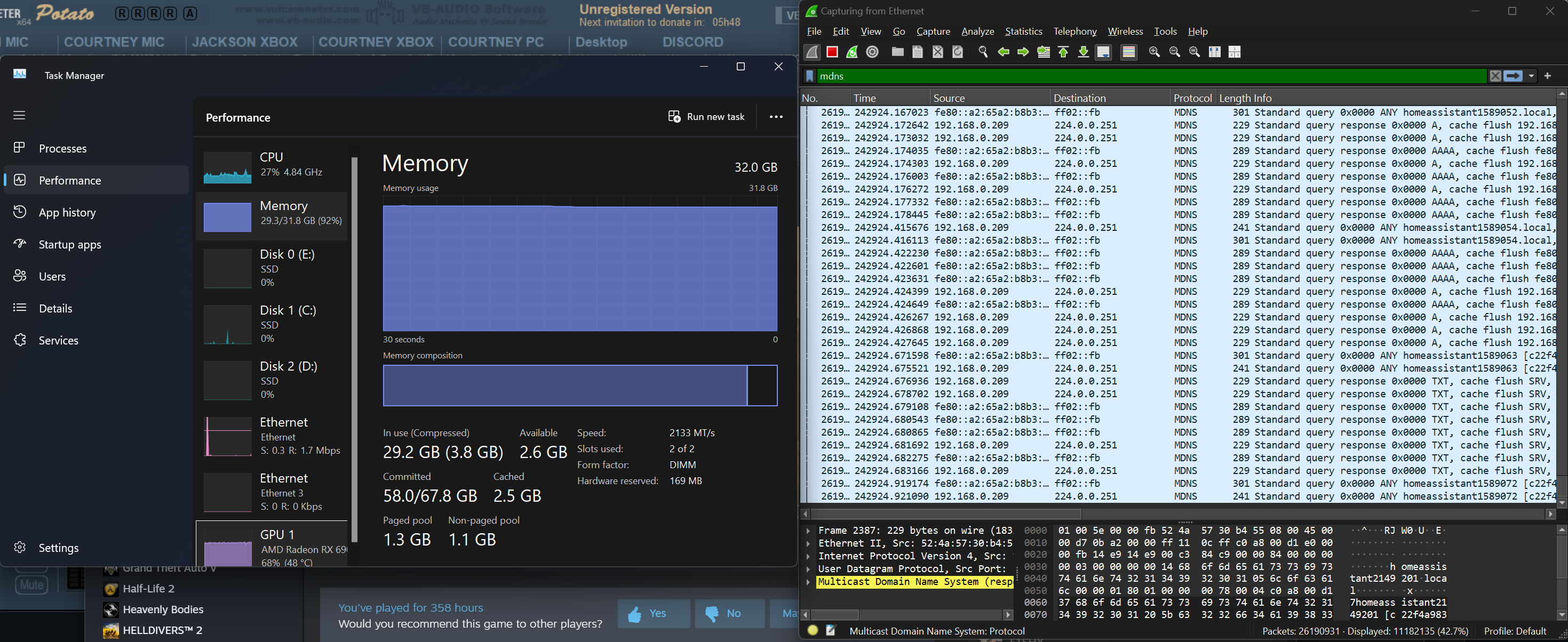
 silent flax
opal pagoda
That card is pcie2.0 btw
silent flax
opal pagoda
That card is pcie2.0 btw
i had my first LSI issues over the holidays. I was away and the controller "lost" 2 disks. Reboot didn't help. Full power down and power on did bring the drives back, zero problem on drive side. Maybe my card is giving up after 6+ years ? Or just had a bad day 😄
peak cloak
fickle trench
i'm not very experienced in networking, but i think i understand this part. what...
I would use tailscale so you can access your computer from anywhere
opal pagoda
amber urchin
yes, 8 lanes of it. Plenty enough bandwidth for 8 hard drives. Likely a minor ...
Sure if you have lanes to spare
amber urchin
opal pagoda
Sure if you have lanes to spare
It is a bit tight on my X99 board as it does limit me to just one of the HBAs, but I can get by.
It's not like I could run two HBAs if they were gen 3 four lane anyway since lanes aren't the only limitations. Physical slots and how/if the slot can be bifurcated are.
cinder plank
cinder plank
This is a wireshark capture. The sony device fails to talk to the router Arcadya...
@peak cloak what do you reckon the issue is?
peak cloak
cinder plank
<@222482269829332992> what do you reckon the issue is?
I'm not too familiar with low level stuff like this, so honestly idk
opal pagoda
amber urchin
It is a bit tight on my X99 board as it does limit me to just one of the HBAs, b...
ok, x99 has plenty of lines but in my case i value lanes alot since consumer chips tipicaly have 16 + chipset lanes and i like to run really fast network cards
amber urchin
opal pagoda
ok, x99 has plenty of lines but in my case i value lanes alot since consumer chi...
yeah, I wouldn't try to nas/lab off a consumer socket myself because I like to do silly because I can stuff like the 25gig network, 16 cores and 256gb of ram for just four 4tb hdds. lol
cinder plank
peak cloak
I'm not too familiar with low level stuff like this, so honestly idk
Ok. I'll see if anyone else has any ideas. Thx.
.
.
I got myself a ICX7150-C12P but I am having issues with just the management port connected, I updated the firmware and factory reset the config. I'm running the router mode.
This issue is that the switch responds to the arp who is 192.168.1.1 request before the real network router/gateway does which causes devices on the the network to fail to communicate to the real gateway at 192.168.1.1. The dynamically assigned management ip is working at 192.168.1.226. So it shouldn't respond to who is 192.168.1.1 at all.
What am I missing, how do I prevent it from responding to who is 192.168.1.1?
This is a wireshark capture. The sony device fails to talk to the router Arcadyan and thus the Internet because the ruckus jumps in with its mac and messes it all up.

 tribal sequoia
is proxy arp enabled or something?
yeah that sounds like proxy arp
the question is why, is the default vlan on the switch perhaps isolating devices?
@cinder plank
cinder plank
tribal sequoia
is proxy arp enabled or something?
I have tested with it disabled and it didn't seem to fix the issue.
cinder plank
tribal sequoia
the question is why, is the default vlan on the switch perhaps isolating devices...
wdym? Atm, the only thing connected on the switch is its management port
tribal sequoia
nothing, but proxy arp would be the only reason i could possibly think for it to reply to arp
pm me the config it has
cinder plank
tribal sequoia
pm me the config it has
done.
cinder plank
I'm also having a second go at disabling proxy-arp, with a full reboot
It didn't fix it
cinder plank
tribal sequoia
nothing, but proxy arp would be the only reason i could possibly think for it to...
what are the other enable features? telnet@ICX7150-C12 Router>show ip Global Settings ttl: 64, arp-age: 10, bootp-relay-max-hops: 4 router-id : 0.0.0.0 enabled : UDP-Broadcast-Forwarding Source-Route Load-Sharing RARP VSRP arp-port-move-syslog disabled: Route-Only Directed-Broadcast-Forwarding BGP4 IRDP Proxy-ARP RIP OSPF VRRP VRRP-Extended ICMP-Redirect add-host-route-first telnet@ICX7150-C12 Router> would they cause any issues?
tribal sequoia
not that i'm aware of
cinder plank
tribal sequoia
not that i'm aware of
There is the route map stuff since it is in router mode. Would any of this have anything to do with it? ```telnet@ICX7150-C12 Router#show ip route
Total number of IP routes: 2
Type Codes - B:BGP D:Connected O:OSPF R:RIP S:Static; Cost - Dist/Metric
BGP Codes - i:iBGP e:eBGP
OSPF Codes - i:Inter Area 1:External Type 1 2:External Type 2
STATIC Codes - v:Inter-VRF
Destination Gateway Port Cost Type Uptime
1 0.0.0.0/0 192.168.1.1 e mgmt1 254/1 S 19m36s
2 192.168.1.0/24 DIRECT e mgmt1 0/0 D 19m56s
telnet@ICX7150-C12 Router#