#networking
1 messages · Page 70 of 1
 pseudo blade
 long scarab
The DHCP server is an ISP assigned shitbox
pseudo blade
That sucks, check the config anyways
 quaint siren
Hm, Have to look at wifi6 routers since I realized that Quest 2 does not support wifi7
long scarab
No MAC filter
pseudo blade
Possibly a bad NIC then
long scarab
Which end
pseudo blade
Or cable
pseudo blade
long scarab
Which end
How could I tell lol, troubleshoot it
long scarab
Cable's good, my FLUKE tester certified it
long scarab
pseudo blade
Buy a cheap PCIe NIC then
Ahh, yeah that's an issue, I use an ITX build
pseudo blade
If APIPA works ethernet link detect works
long scarab
pseudo blade
Or try changing ports
I tried changing ports and VLANs, even assigning a trunk to it
I have a feeling that Windows hates me, because WiFi works
pseudo blade
long scarab
Ahh, yeah that's an issue, I use an ITX build
I uh can't fix that for you
could use an m.2 or USB one but USB ones kinda suck generally
Or try to do enough testing for a warranty if it's truly dead
Or make peace with WiFi and use it forever
pseudo blade
quaint siren
Hm, Have to look at wifi6 routers since I realized that Quest 2 does not support...
It'd still work as a 2x2 WiFi 6 router
long scarab
pseudo blade
Or try to do enough testing for a warranty if it's truly dead
Or make peace with...
Uhhh, direct connection works. Probably the FIRST thing I should've tried. User error, how classic
 pseudo blade
Looks like you should troubleshoot your switch
long scarab
It's just weird because everything else can connect, soo
Probably looking at a VLAN misconfig
mmmm okay so the switch called out my cable but not the actual certifier

 low gate
Stupid question so feel free to tell me "don't even think about it" , but my AM4 build only has Gigabit Ethernet, but it does have USB 3.2 Gen 2 (10Gbps). I pay for a 1.5Gbps package but only have access to 1Gbps given my ethernet bottleneck. Would a 2.5Gbe USB adapter on those ports net me the 1.5Gbps I pay for?

Bell Gigahub is great btw

Right in the middle of peaktime in a 70 unit apt building, rocking 1.2Gbps on wifi
Up until now I've just left the other 500mbps to other clients on my network, but it's just me + my partner and I want my games faster lol
quaint siren
low gate
Stupid question so feel free to tell me "don't even think about it" , but my AM4...
It can net you that 1.5Gbps yes but are you actually getting the full 1.5Gbps or up to?
 low gate
quaint siren
It can net you that 1.5Gbps yes but are you actually getting the full 1.5Gbps or...
low gate
quaint siren
It can net you that 1.5Gbps yes but are you actually getting the full 1.5Gbps or...
They actually overprevision quite a bit, just hit 1.87Gbps from the modems testpage, hits a server about 200km away

I pay for 1.5 down 1 up lol
quaint siren
Yea go for it
low gate
Sweet tyty. Something TypeC on a type-a adapter would be fine or should I go for something that's straight type-a ?
Type-C would be a nice to have for my launch steamdeck lol
 opal pagoda
low gate
Bell Gigahub is great btw
opal pagoda
low gate
Bell Gigahub is great btw
does it have 2.5g ethernet ports?
opal pagoda
low gate
Sweet tyty. Something TypeC on a type-a adapter would be fine or should I go for...
same thing tbh
if you have type c ports on your pc sure
 karmic marten
low gate
old screenshot
karmic marten
low gate
old screenshot
The fucc? What phone, what AP?
 silent flax
low gate
Stupid question so feel free to tell me "don't even think about it" , but my AM4...
silent flax
low gate
Stupid question so feel free to tell me "don't even think about it" , but my AM4...
there are also PCIe cards you can buy
quaint siren
Got the router, and I'm setting up some channels so it doesn't overlap or do weird stuff while I have ISP one also connected, if it's outside the ISP router channels, I can choose whatever channel?
 orchid shell
https://discord.com/channels/375436620578684930/1294852081701752993 can someone help me
 valid quiver
I ordered parts to build a little zimablade NAS :3 dipping my toes into homelab stuff.
low gate
opal pagoda
does it have 2.5g ethernet ports?
Yup Bell Gigahub has a 2.5Gbe port
low gate
karmic marten
The fucc? What phone, what AP?
Pixel 7 Pro, stock Bell Gigahub https://cdn.mobilesyrup.com/wp-content/uploads/2023/03/Bell-giga-hub-header-scaled.jpg
 karmic marten
Cheaper than a u 7 pro?
low gate
opal pagoda
same thing tbh
if you have type c ports on your pc sure
No type C on the computer, just type-A, good ol AM4 didn't have it yet
low gate
silent flax
there are also PCIe cards you can buy
No can do, mITX build
 opal pagoda
low gate
No can do, mITX build
opal pagoda
low gate
No can do, mITX build
let me introduce a pro gamer move
 low gate
Only 1 NVMe slot
opal pagoda
do you have a wifi slot free (m.2 key e)
low gate
Nope it's populated and shielded
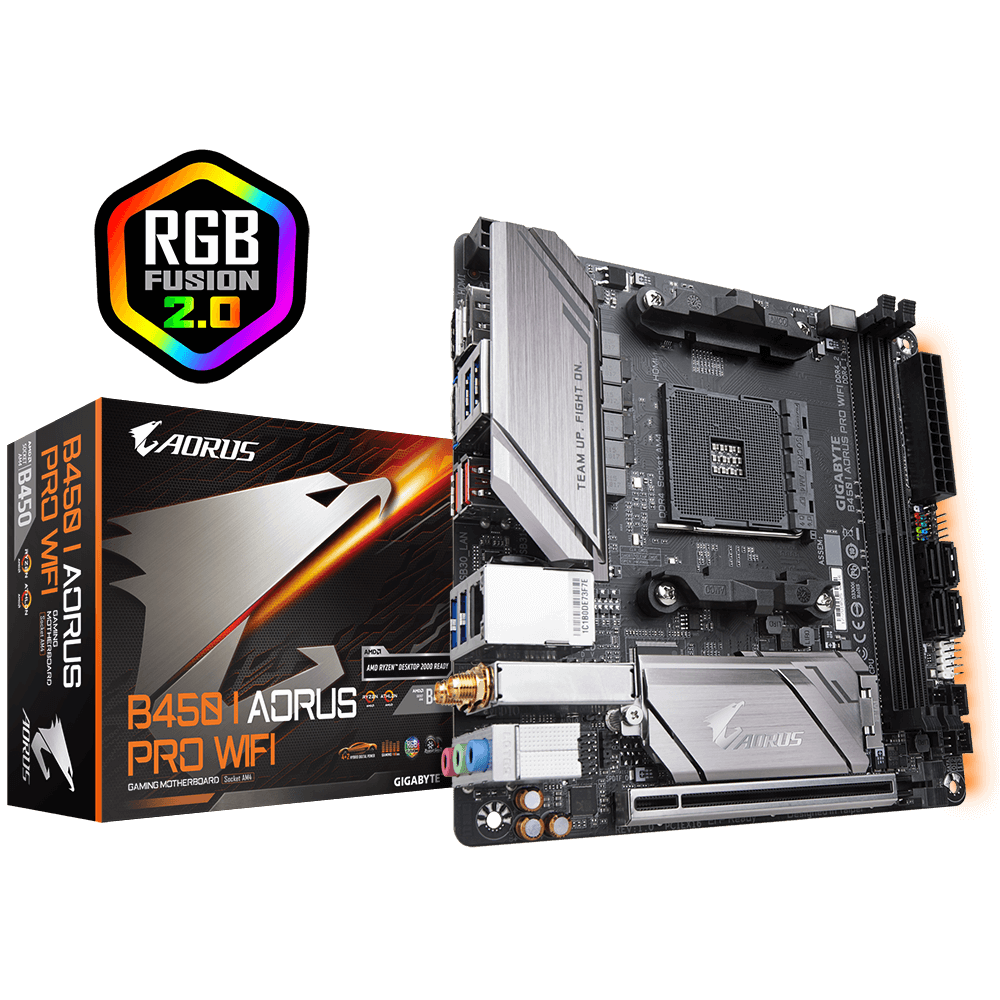
GIGABYTE
Lasting Quality from GIGABYTE.GIGABYTE Ultra Durable™ motherboards bring together a unique blend of features and technologies that offer users the absolute ...
opal pagoda
well then
usb A is trully the only option
low gate
Sux that mITX boards held their value so well, there's a few available with 2.5Gbe but I'm not spending $200+ on a board for a dead platform 😂
low gate
Eh I needed to fit in my carryon for LTX lol
I fly out from Ontario for them, looking forward to WhaleLAN'25
opal pagoda
i belive that proper case could be made that is even smaller with matx
opal pagoda
low gate
I fly out from Ontario for them, looking forward to WhaleLAN'25
what case is that?
low gate
InWin A1 plus, I don't believe it can be smaller lol

Board goes full top to bottom of the case, PSU in the front
3080 with a 5800x for reference, PBO enabled but locked down to 110w, it'll saturate the AIO at 120w
opal pagoda
low gate
3080 with a 5800x for reference, PBO enabled but locked down to 110w, it'll satu...
maybe air cooling would be better
low gate
Eh default TDP for the 5800x is 105w, I'm just stopping the mobo from going ham
opal pagoda
low gate
Eh default TDP for the 5800x is 105w, I'm just stopping the mobo from going ham
try fliping the fan on the aio to suck in cool air from the back
low gate
Would be too much positive pressure, there's 2x 120mm Noctua in the bottom as intake

Solution was this old HDD to have the blow-through of the card go directly to exhaust
opal pagoda
3d print airflow guides haha
low gate
I've considered it 😂 Would be nice to have something along the bottom to ram the intake air directly into the gpu
opal pagoda
where is the psu exausting?
low gate
Out the side above that fan
also intaking that pass-through air from the gpu lol
Case has better thermals than the Fractal Focus G it replaced 😛
silent flax
low gate
https://www.gigabyte.com/ca/Motherboard/B450-I-AORUS-PRO-WIFI-rev-10#kf
you can replace it btw
if i remember correctly
on the full atx version, if you open that shell, it looks like this
 low gate
Ironically the wifi is faster than the ethernet, I connect to my wifi and get ~1200mbps lol
low gate
opal pagoda
let me introduce a pro gamer move
this wouldn't fit tho, that AIO would interfeer, it goes right up against the IO shield
riser cable?
opal pagoda
low gate
this wouldn't fit tho, that AIO would interfeer, it goes right up against the IO...
they are made in various form factors
low gate
Do right angle adapters exist for that formfactor? If it's longer than the included it's not gonna fit lol
opal pagoda
this is 10g
 low gate
Still too tall
silent flax
but in any case, yes, USB is the easiest opption. using e key wifi NIC is second option for you, if you don't mind removing the wifi module
 silent flax
opal pagoda
5gbe
silent flax
opal pagoda
5gbe
he needs e-key if he doesn't remove his NVMe drive
low gate
ngl I'm open to it, I don't use the wifi and the board is limited on USB ports, plus eww usb ethernet
 silent flax
you can even see the screw from the back of the board here at bottom of the wifi module

you unscrew 2 screws from the rear of the board, it all comes out and will show you an A/E key wifi M.2 slot
low gate
Think I can yank that entire wifi antenna assembly and just put a riser out the case?
silent flax
 low gate
full atx looks like this reportedly
 low gate
opal pagoda
low gate
opal pagoda
w/o those antennas mounted I can just magnet this to the back of the case
silent flax
low gate
full atx looks like this reportedly
same with mATX
it's literally just 2 screws from the bottom of the motherboard, you unscrew them, that releases the cage, then you have access to the slot
 low gate
but can I remove these? Would like to passthrough that riser to the back and have no other places to do so
 silent flax
low gate
but can I remove these? Would like to passthrough that riser to the back and hav...
silent flax
low gate
but can I remove these? Would like to passthrough that riser to the back and hav...
yes
low gate
mITX no empty PCI slots obv, no other openings to get ethernet in
opal pagoda
would be real cool if nvidia added melanox card to their gaming gpu-s so you get 10, 25 or even 100 gbe straight out of the gpu
low gate
Reminds me of my old ATI all in wonder card
silent flax
low gate
but can I remove these? Would like to passthrough that riser to the back and hav...
under the plastic cover at top of the card, you got the other end of those cables. and you can unscrew the golden wifi connectors just by unscrewing it, as long as you hold the assembly with a plier or something, so it is not turning around
low gate
opal pagoda
would be real cool if nvidia added melanox card to their gaming gpu-s so you get...
GPU, TV tuner and controller hub all in one, bring back multifunctional GPUs lol
 silent flax
low gate
but can I remove these? Would like to passthrough that riser to the back and hav...
silent flax
low gate
but can I remove these? Would like to passthrough that riser to the back and hav...
often it even remove the whole assembly in one https://www.youtube.com/watch?v=V4DUIlJYBRc

Thanks for checking out this video. I thought it would be cool to spend a little time on replacing an M.2 wireless card for you. Most SFF wireless solutions are M.2 Key A+E and can easily be swapped out. The same goes for many PCIe Wi-Fi adapters, ATX boards with built-in Wi-Fi, and laptops. Laptops might be a bit harder because dismantling them...
silent flax
just figure out how will you put the connector to be accessible, i did something with an old Z77 ITX board and i just didn't install the rear I/O shield, and the ethernet connector was then just dangling from the back of the system. If you got an unused PCI bracket in the case, you can use that too
but i guess you don't have that
 low gate
opal pagoda
low gate
opal pagoda
I've got a stack of harddrive magnets, planning on just magneting the ethernet adapter to the back tbh
bleh I keep replying instead of quoting
silent flax
low gate
I've got a stack of harddrive magnets, planning on just magneting the ethernet a...
for example you could remove that shield above PCI-e slots, that will give you a hole to get the cable out
 low gate
-squint- do those 2 cables detach from the adapter? Just put them directly out the antenna holes lol
 silent flax
low gate
silent flax
low gate
yes, but i have doubts if they will get through the hole. That wifi antenna hole isn't that big
low gate
I'm open to widening them, I have the bit for my drill
IO shield isn't built into the board
 low gate
beauty yeah looks like that'd work
silent flax
there is one with Intel if you want that https://www.aliexpress.com/item/1005007273213520.html
but i think in 2.5 gigabit space, realtek has less issues than intel 😄
low gate
Yeah I'll stick realtek 😛 ty I'll get that ordered
silent flax
i recommend looking around if there are different designs
(i just linked the first i found)
low gate
yolo send it

Less than I'd spend on a usb adapter lmao
idk as a gamer I've just never trusted USB ethernet adapters, something about using USB for ping-sensitive content just doesn't feel right, asking for consistency problems
orchid shell
https://discord.com/channels/375436620578684930/1294852081701752993 can anyone with ethernet experience help me, I've gotten the kit we used to make the cable, i used a diagnostic tester on the cable, i just need to know if the cable is messed up
quaint siren
Top one is new router, bottom is isp one. Is this overlapping fine?
 karmic marten
quaint siren
Top one is new router, bottom is isp one. Is this overlapping fine?
karmic marten
quaint siren
Top one is new router, bottom is isp one. Is this overlapping fine?
if you can move either one, its better if it's not overlapping, as this is interference
 tight pecan
quaint siren
Top one is new router, bottom is isp one. Is this overlapping fine?
tight pecan
quaint siren
Top one is new router, bottom is isp one. Is this overlapping fine?
There is no reason not to just move one of them to a different channel seeing that there's basically nothing else that would interfere
quaint siren
Can't do anything about ISP router since as far as access, I can only restart it, change wifi password or other stuff.
Hm okay, I had the same overlapping on 2.4GHz, I changed the channels and not there's small overlapping on 7 and 8 and for 5GHz I can't tell yet since higher channels all are DFS channels
low gate
quaint siren
Can't do anything about ISP router since as far as access, I can only restart it...
"and other stuff" usually contains channels, even on the shit-tier 2wire modem in the 2000s we could change channels
if you remember these, remember to take your multivitimin
 quaint siren
low gate
"and other stuff" usually contains channels, even on the shit-tier 2wire modem i...
quaint siren
low gate
"and other stuff" usually contains channels, even on the shit-tier 2wire modem i...
Other stuff mean changing user password, wifi password and modem's band widths since it's 5G modem/router.
There's admin and user accounts, I only have access to User account and I've asked ISP about if they would let me into Admin account, they said no
low gate
quaint siren
Other stuff mean changing user password, wifi password and modem's band widths s...
Dang I feel for you then. Maybe hit them up and ask them to remote in to change it, ISP can access that admin account from their end
Shoutout to Bell Canada for being the dankest ISP in the world
low gate
low gate
old screenshot
image link ded but I run 1.4Gbps on modems inbuilt wifi lmao

Here we have /home with full Admin access
 quaint siren
I did call them and asked what channel did their 5GHz use, they only said "We use all the non DFS channels" and left me at that since before asking that, they already twisted my arm over having second router in network since it goes against the contract
low gate
That's anticonsumer practice and would be tossed in court, yikes. What ISP just curious?
quaint siren
EU ISP called Telia
And they also happen to have biggest monopoly here, so I can't to much about it
 empty flower
I made my isp turn off the wifi radios of their isp router. Since they won’t give me access to the interface whatsoever they don’t get to broadcast wifi. Owning your own wireless router or switches, I think is a must. Theirs no reason to let a isp dictate what you do on your LAN or even see your devices. IPv4 and NAT is nice for privacy something native IPv6 lacks. No reason to allow incoming access to all devices. I’d probably use nat66 for ipv6 just to segment the devices from WAN.
pseudo blade
low gate
Here we have /home with full Admin access
"Full admin access" is a higher bar for me ngl
empty flower
Lol when user admin/admin has less functionality then support/support
pseudo blade
Fake Admin for Unimportant Important people
tight pecan
quaint siren
And they also happen to have biggest monopoly here, so I can't to much about it
Time to whip out some aluminum foil and just wrap their router antennas with it
empty flower
Most antenna on routers are only used for 5-6Ghz the 2.4ghz typically is internal as a large trace on the board.
Blocking signals could actually fry the radios.
opal pagoda
mhm new toy arrived
 opal pagoda
 vale night
Yeah that is an arduino
vale night
Yeah that is an arduino
sure 
 clear igloo
opal pagoda
sure <:thonk:717979132549660693>
clear igloo
opal pagoda
sure <:thonk:717979132549660693>
Looks more like a slice of pie 😛
opal pagoda
clear igloo
Looks more like a slice of pie 😛
pie made out of sas
now to reformat wierd ahh formated netapp ssd's
 thick minnow
empty flower
Lol when user admin/admin has less functionality then support/support
thick minnow
empty flower
Lol when user admin/admin has less functionality then support/support
I hate when user admin and support admin are both needed
 visual narwhal
Can someone help me i am trying to portfoward my minecraft server but idk what to put into those 2 blurred spaces and is the protocol even right?

 brazen dirge
Internal host would be the IP of the device which is running the server. External host could be your public ip tho I don’t know why u would need to specify that
What router are u using?
visual narwhal
brazen dirge
Internal host would be the IP of the device which is running the server. Externa...
DNA

this one
visual narwhal
brazen dirge
Internal host would be the IP of the device which is running the server. Externa...
but i think it works now ty
brazen dirge
What do u get when you press on the service menu?
brazen dirge
visual narwhal
but i think it works now ty
Oh alr, np. Port forwarding isn’t as scary as it seems. Most stuff can be found online or using chatGPT
visual narwhal
nvrm it doesn't connect
visual narwhal
brazen dirge
Oh alr, np. Port forwarding isn’t as scary as it seems. Most stuff can be found ...
i have done it before but this is sooo different
visual narwhal
brazen dirge
What’s the error message
it just says it can't connect mc doesn't give error codes
brazen dirge
Are u using the default launcher?
brazen dirge
So you are using the curse forge launcher then?
brazen dirge
Right, the error code is in the log file but that shouldn’t be needed
Did u try connecting to the internal ip directly?
visual narwhal
my brother has his own internet and he is trying to connect
i think i can connect my self
brazen dirge
Could u try that so we can determine if that’s the issue?
 brazen dirge
On what is the server
visual narwhal
? its on my pc
brazen dirge
I recently had an issue where my NAS would connect to the wrong public ip
brazen dirge
visual narwhal
? its on my pc
Local hosted then? Did u join via localhost:25565 or using the internal ip?
visual narwhal
i can connect trough this also my self this is the one that my friends will join trough but the portfowarding is wrong or smh
 visual narwhal
brazen dirge
Local hosted then? Did u join via localhost:25565 or using the internal ip?
visual narwhal
brazen dirge
Local hosted then? Did u join via localhost:25565 or using the internal ip?
i can also connect trough that but the problem is others can't because that is my local not public
brazen dirge
I know
So u can connect through ur own domain which I assume is directly pointed to ur Ip and port. Correct?
 brazen dirge
Do you have a terminal installed?
visual narwhal
 visual narwhal
brazen dirge
Do you have a terminal installed?
visual narwhal
brazen dirge
Do you have a terminal installed?
what is that?
brazen dirge
It's an application which runs command lines
visual narwhal
windows default ???
brazen dirge
but given that you can succesfully connect to your server using ur domain, it should work
brazen dirge
what is the domain pointed to?
visual narwhal
the port fowarding is still wrong ik thats the problem
visual narwhal
brazen dirge
what is the domain pointed to?
my ipv4 i think
visual narwhal
visual narwhal
it automaticly puts the right one into it because this app
visual narwhal
visual narwhal
Can someone help me i am trying to portfoward my minecraft server but idk what t...
lets look back into the portfoward tab does this look right to you? and which ip is going to be external and which internal
brazen dirge
the domain should point to: xxx.xxx.xx.xxx:25565
xxx.xxx.xx.xxx is your public ip
which u can get by running curl ifconfig.me in the Windows Terminal (if you're on windows 11)
visual narwhal
idk what to do
 brazen dirge
which u can get by running `curl ifconfig.me` in the Windows Terminal (if you're...
brazen dirge
brazen dirge
which u can get by running `curl ifconfig.me` in the Windows Terminal (if you're...
please run this command
visual narwhal
brazen dirge
please run this command
yes it doesnt give ip or anything
it gave a super long thing now
numbers and letters with : : : : :
brazen dirge
that's ur public ipv6 address probably
brazen dirge
try this one: curl -4 ifconfig.me
visual narwhal
it gave ipv4
brazen dirge
does this match the ip u gave in the port forward and domain?
visual narwhal
same one that i can find at whatsmyip
visual narwhal
brazen dirge
does this match the ip u gave in the port forward and domain?
yes
but which one should it be in port foward internal or external?
brazen dirge
Ik, that's good. Sometimes those online sites don't work depending on ur isp and firewall. So ifconfig.me is a safer way to figure it out
brazen dirge
visual narwhal
but which one should it be in port foward internal or external?
the internal one should point towards ur PCs IP
which should be sth like 192.168.1.xxx
brazen dirge
That's my guess
oh wait
can you please go back
to the port forward
can you leave the external host empty?
 brazen dirge
what other port forwarding options are there? Could u send a screenshot?
Under service
visual narwhal
WHERE SERVICE?!

Games & Applications didn't have mc just like steam client and server and stuff
brazen dirge
 visual narwhal
now my brother connected trough his own pc and own internet after i used the :25565 after external
brazen dirge
did that work?
visual narwhal
 visual narwhal
brazen dirge
did that work?
visual narwhal
brazen dirge
did that work?
yes i think wait a sec
it doesn't even have external rn and he can play WTF?!
brazen dirge
yeah that's how it should be working this is expected behaviour
visual narwhal
okay i think it works well enough now imma go take a shower
brazen dirge
is ur domain not pointed to your public ipv4 with :25565
visual narwhal
brazen dirge
yeah that's how it should be working this is expected behaviour
but why didnt work before?
visual narwhal
brazen dirge
is ur domain not pointed to your public ipv4 with :25565
wdym? in the domain site or port forward
brazen dirge
domain site
brazen dirge
visual narwhal
now my brother connected trough his own pc and own internet after i used the :25...
oh wait yeah u did. I missread
visual narwhal
brazen dirge
oh wait yeah u did. I missread
no
it doesnt have that it didnt work
the 25565 i put was in the portforward external
brazen dirge
yes that's right
visual narwhal
but it cleared it self because it said invalid but now the server works
visual narwhal
yes ty for help bye
 hexed wedge
hey can anyone help me with networking issues?
i get abysmal speeds to what i should be getting ( i am on wifi ) i get about 1/8th of what i should be getting normally(200 mbit down) i am not really that close to the router ughh what can i do about this
empty flower
hexed wedge
i get abysmal speeds to what i should be getting ( i am on wifi ) i get about 1/...
Highly depends a on your router type, and the settings wifi is configured to, and the wireless radio frequency’s your using.
-Is their congestion from neighbours?
-Do you own a wireless mesh network or a single router?
-Is the router yours or an isp’s? Are you able to configure the wireless router yourself or does it require hand holding or an isp support to do it for you?
-Have you determined that the wireless is not to blame; does it work at full speeds over Ethernet LAN?
-Are speeds all over the place when you do multiple speedtest.net tests? Wireless vs wired.
-Is their other devices on your network currently downloading?
-If the isp provides a modem/router have you attempted to make a direct connection by Lan to determine if the degradation of speed isn’t due to line or isp issues?
These are the questions you need before anyone can help.
hexed wedge
empty flower
Highly depends a on your router type, and the settings wifi is configured to, an...
-a bit like 6-7 networks i've tried isolating it
-single router
-mine yes i have been able to configure it
-yes ethernet is fine (full speed)
-they are all over the place with wireless , consistant with wired
-no
-yes i ahve tried to make a direct connections, its fine
empty flower
Ok so follow up question, are you connecting to 2.4ghz,5ghz,6ghz?
hexed wedge
2,4/5
empty flower
Okay assuming 2.4ghz is the most congested of the the spectrum only having 11 channels. Have you tried connecting to 5ghz only or does it combine the ssid name as one wifi network. I would recommend keeping them as separate networks.
hexed wedge
yes they are one ssid, i combined them after testing cause the 5ghz wouldnt connect
so it was kinda pointless to have them seperate
like right now its on the 2.4ghz band
empty flower
5ghz is going to have less range then 2.4ghz, but will have more bandwidth available due in part to it not being as congested. If their is 6-7 2.4ghz networks I’m not surprised your getting less speed from a distance.
I would focus on getting 5ghz working because in a congested area that is the best option, and if it works you could pair it with another router that has wireless bridge or compatible mesh (usually specific to the same brand of router) then you can extend the range of the wifi for 5ghz.
hexed wedge
uhhh i dont have any money for that :(
empty flower
Then I would suggest placing the router within the centre of your home or near that so the range is equally spread out across your home and not butt up against the corner of a wall passing the wifi into your neighbours house.
hexed wedge
it is on the center of the home yeah
empty flower
If the router has a power transmission setting for broadcasting the wifi then I would also set it to maximum. Channel wise I would use a wifi spectrum analyzer on your computer over wifi to see what networks are using what channels and choose the least congested.
If your router has a setting for airtime fairness I would disable that as it lower the speeds farther you are away from the router
hexed wedge
i did all that already
with my phone
(which gets much better speeds , like 180 mbit/down)
empty flower
Yeah then congestion is the crux of the issue. Unfortunately I can’t really suggest much more because your neighbours networks are configured in such a way that it is causing too much interference. If they all turned their router transmitter power down you’d be peachy, but you’d probably be told off if you asked them.
 topaz patrol
Yikes
 thick minnow
topaz patrol
Yikes
thick minnow
topaz patrol
Yikes
I'm sorry that is a usage charge?
topaz patrol
It's colocation so slightly different - but not too different
thick minnow
okay that makes a bit more sense
topaz patrol
Does it though? Fucking crazy price
thick minnow
I would hope it includes me using their top of the line server
and that they have fibre internet
that is triple redundant
I would expect an amazing web management console too
thick minnow
topaz patrol
Does it though? Fucking crazy price
I expect the WORLD for that crazy ass monthly price
topaz patrol
It includes the half rack + 1500w DC + a cross connect down the hall
thick minnow
cross connect?
topaz patrol
Cable going between two customers in a network facility
thick minnow
Wait I'm limited to only 1500w from their PDU?
topaz patrol
Correct, you can order more but that's all we'd need
tight pecan
topaz patrol
Yikes
Half a rack aint worth that much wtf
empty flower
Jesus that’s a spicy quote
Out of curiosity is the rack high compute or just a lot of storage?
tight pecan
empty flower
Out of curiosity is the rack high compute or just a lot of storage?
Neither. Seems to just be rack space, power, and a xc
Kinda wild
empty flower
I guess it’s all about location.. because just half a rack of space for 5k monthly is wild.
tight pecan
Better have remote hands included at least 😂
empty flower
If it was me the datacentre better be EMP proof, lol but it’s likely on behalf of a company that will throw money at the wall.
thick minnow
empty flower
If it was me the datacentre better be EMP proof, lol but it’s likely on behalf o...
they need to be act of god proof for that kinda pricing
topaz patrol
empty flower
Out of curiosity is the rack high compute or just a lot of storage?
Just space and power
pseudo blade
 mint ember
is that a good switch to buy?
mint ember
is that a good switch to buy?
What use case and for what price?
opal pagoda
thick minnow
cross connect?
More common name for that is "meet me room"
topaz patrol
opal pagoda
More common name for that is "meet me room"
Lol there’s only one room of IT in the building 😆
 cunning lion
https://www.amazon.com/TP-Link-Archer-TX55E-Bluetooth-Ultra-Low/dp/B0B1NRGDQ4 MIGHT need to replace mine from 2012 since it is only giving me 85mbps instead of the 400 I should be getting here

TP-Link AX3000 Wi-Fi 6 Bluetooth 5.2 PCIe Adapter - High Performance for High Demands. The very latest WiFi standard, Wi-Fi 6, provides extreme speed, ultra-low latency,and uninterrupted connectivity so you enjoy faster downloads, smoother streaming, and more immersive gaming. Wi-Fi 6 comes with ...
I assume the 2 antenna I have will work fine for the new card to bring them out from behind the system?
I have 2 of this style of antenna basically right now

Theya re from 2012 or so so no idea if they would still be any good for a new wifi setup
 sweet sentinel
my ethernet port on my computer only supports speeds up to 100 mbps, and i have 600 mbps wifi speeds. Should i switch to ethernet for better latency but less internet speeds or use wifi?
 ornate jungle
sweet sentinel
my ethernet port on my computer only supports speeds up to 100 mbps, and i have ...
ornate jungle
sweet sentinel
my ethernet port on my computer only supports speeds up to 100 mbps, and i have ...
How old is your computer? I haven't run into a desktop computer without a 1000mbit (gigabit) RJ-45 network jack in at least 15 years... so it should be capable of achieving faster speeds than 100mbit. List the full make + model of motherboard, or the make and model of computer if it's a rpe-built system.
mint ember
mainly scientific data transfers so big microscopes that put out lots of data
mint ember
pseudo blade
What use case and for what price?
.
pseudo blade
What's lots?
It's just a gigabit switch
mint ember
it’s integrated into the network so those are workstations
for workstations
the microscopes have their own LWL connection that goes through the house into the patch field
tight pecan
mint ember
it’s integrated into the network so those are workstations
The answer they're looking for is something related to bandwidth or the size of data you need to transfer over the network
mint ember
tight pecan
The answer they're looking for is something related to bandwidth or the size of ...
bandwith would not be the issue if the docs are right
tight pecan
mint ember
bandwith would not be the issue if the docs are right
And what exactly are you looking for?
You still haven't given any concrete details about what you need from a switch, so we can't really tell you whether it works for you. "Lots of data" is pretty subjective
mint ember
i more like want to know, is it reliable, practical to use etc
tight pecan
I mean, it's a switch geared towards the enterprise market, so it should be pretty reliable. Practicality is something that's up to you and what you need to do with it
It'll be loud as hell, but that's just enterprise switches in general
pseudo blade
I think that if a gigabit access switch is all you want it probably doesn't need all the features listed and you could probably go fairly cheap... but I have no idea what you planned to pay for this thing because I asked and you didn't say
 spark torrent
Is plugging 2 PCs into a 10GbE switch the same thing as if I plugged them both into the same router which had 2 GbE ports? I want my main PC and server PC to both use 10GbE but the new router I'm looking at only has 1 10GbE so I was just going to use a switch but I don't know if I should worry about less because then I'd have both PCs going through the same cable or "pipe" to the actual router
Cause as it is right now they are both just plugged directly into my router with no switch
 peak cloak
spark torrent
Is plugging 2 PCs into a 10GbE switch the same thing as if I plugged them both i...
peak cloak
spark torrent
Is plugging 2 PCs into a 10GbE switch the same thing as if I plugged them both i...
As long as it's in the same subnet or L2 domain it'll get switched on the switch and not go to router
 tribal sequoia
mint ember
https://dent.dev/wp-content/uploads/sites/93/2021/09/1G-Access-Ethernet-Switch-H...
tribal sequoia
mint ember
https://dent.dev/wp-content/uploads/sites/93/2021/09/1G-Access-Ethernet-Switch-H...
as far as switching capacity goes it's pretty "low end" in that regard.
but it's just a 1gb access switch, so why wouldn't it be?
tribal sequoia
peak cloak
As long as it's in the same subnet or L2 domain it'll get switched on the switch...
I mean, in this day and age there are firewall configurations that can block communication and force the firewall to be the only thing that can ARP reply and you setup a policy on the firewall to allow the access you want. But generally (and almost certainly) in this case, it will be locally switched between ports without hitting the firewall 😄
 harsh siren
ahh, finaly
 spark torrent
peak cloak
As long as it's in the same subnet or L2 domain it'll get switched on the switch...
spark torrent
peak cloak
As long as it's in the same subnet or L2 domain it'll get switched on the switch...
What do you mean? Like instead of say both my PCs being busses taking a 2 lane run into the switch and then getting jammed taking a 1 lane run to my router the switch manages the traffic and sorts it out so it’s all 1 set of information or 1 big bus going full speed to my router but the 1 bus has all the information from both my PCs? (If that analogy made sense or if I’m understanding it correctly lol)
This is the switch I’m looking at

Also I don’t suppose anyone here has the NETGEAR Orbi 970 Wi-Fi Mesh System?
I contacted support about a question I had but 2 different support agents gave me 2 different answers so I didn’t know if maybe someone here had the system or knew the answer
peak cloak
spark torrent
What do you mean? Like instead of say both my PCs being busses taking a 2 lane r...
So the way it works is that your traffic will only go to the router if the IP address if the destination is outside of the local subnet, aka on L2
 long scarab
This thing horrifies me
spark torrent
peak cloak
So the way it works is that your traffic will only go to the router if the IP ad...
I want the switch for 10GbE for fast connection between my main PC and server PC but most of the traffic is outside my local network
peak cloak
A switch (there are exceptions with L3 switches, which technically do route to avoid the bottle neck of going to the router if there are vlans) works on Mac addresses
peak cloak
spark torrent
I want the switch for 10GbE for fast connection between my main PC and server PC...
Yes it will work, the traffic is between server and main
It's on the same subnet probably assuming a basic home network
spark torrent
But like if I’m playing a game and streaming from my main PC and say my uncle is streaming a movie from my Plex server neither are going to be bottlenecked because the 2 PCs have to leave the switch and go to the router through 1 Ethernet cable right
peak cloak
Networking works on a packet basis, so a packet that is going to the Internet would need to go through the router since the destination IP is out of the local network, the router handles that. If a packet destination is on the same subnet it will go directly without going to router
spark torrent
(I get paranoid about things)
peak cloak
spark torrent
But like if I’m playing a game and streaming from my main PC and say my uncle is...
No, as long as Uncle is connected to the switch, not router
spark torrent
Uncle is at his house
peak cloak
Streaming as in twitch?
spark torrent
Twitch, YouTube, etc. Yeah
99% of the traffic of my server PC and main PC is going to be outside the switch and need to go through the router so given that right now they each have their own full Ethernet cable would hooking them up to the switch causing 2 PCs traffic going through 1 Ethernet cable to the router cause a bottleneck
peak cloak
spark torrent
99% of the traffic of my server PC and main PC is going to be outside the switch...
If it works fine now both going to router, it will work with switch
Bandwidth is like pipe size
spark torrent
peak cloak
If it works fine now both going to router, it will work with switch
Ok lol
peak cloak
Assuming internet connection is 1 gig
spark torrent
peak cloak
Bandwidth is like pipe size
Yeah that’s why I wasn’t sure because right now both PCs have their own “pipe”/ethernet cable but if I put them behind a switch then both PCs now have 1 pipe to get to router
spark torrent
peak cloak
Assuming internet connection is 1 gig
I have 1Gig Fiber right now
peak cloak
spark torrent
Yeah that’s why I wasn’t sure because right now both PCs have their own “pipe”/e...
Yeah but each pipe is getting restricted by your 1gig internet connection anyway
So 1gig link restriction between switch and router won't matter
spark torrent
I want 10GbE so my PCs can talk to each other at 10GbE and I know that once it goes to my router it’s then limited to whatever my router/internet plan is but wanted to make sure there wasn’t any bottleneck getting to my router now that there would be a switch which like I said brought 2 PCs with their own pipe down to both PCs sharing 1 pipe
empty flower
peak cloak
So the way it works is that your traffic will only go to the router if the IP ad...
Unless something is broken and your getting martian packets.
 nimble shadow
Anyone know of any battery backups that I should look into to do 2-4 weeks of battery backup
topaz patrol
What are you wanting to run for 2-4 weeks
nimble shadow
topaz patrol
What are you wanting to run for 2-4 weeks
CCTV system the customer wants it for that long
Trust me Ik it’s extremely over kill
But they are willing to pay lmao
topaz patrol
That'd be a multi-kWh battery system
Do the NVR and switch/s have a direct DC input?
nimble shadow
The whole rack would be powered off the ups including nvr switches and internet stuff
topaz patrol
UPS + a generator unless they want to spend over $30k
nimble shadow
Generator won’t rly work for this job it’s for a big company and they want something that’s just gonna work no maintenance or anything needed
topaz patrol
And the rack is all AC?
You'd need a 150kWh+ battery plus inverters ($100k+)
These 5x20kWh batteries I've seen put in come to about $100k AUD after installation

You need to tell your client that it's not feasible without a generator at their budget lmao
pseudo blade
nimble shadow
Generator won’t rly work for this job it’s for a big company and they want somet...
UPSes also need maintenance
They need batteries and servicing
Even if you got solar, batteries and an inverter you'd still need to maintain the panels, batteries, inverter
topaz patrol
A generator is just sooo much easier and cheaper
nimble shadow
topaz patrol
These 5x20kWh batteries I've seen put in come to about $100k AUD after installat...
Beyond overkill lol
Also I’m not dealing with that crazy of sensitive stuff but generators do not produce clean power 100% of the time
topaz patrol
nimble shadow
Beyond overkill lol
With that single unit you still wouldn't get the desired 2-4 weeks of operation (assuming ~200w load)
topaz patrol
nimble shadow
Also I’m not dealing with that crazy of sensitive stuff but generators do not pr...
A quality UPS and pure sine wave inverter solve that issue
opal pagoda
nimble shadow
Also I’m not dealing with that crazy of sensitive stuff but generators do not pr...
Shitty generators produce noisy power
You would still need to get a double conversion ups to clean it up completely and prevent brownouts
To corectly size this system you would first need to measure actual power consumption
 short quarry

TweakTown
AMD has unveiled the Pensando Pollara 400, a 400 Gbps Ultra Ethernet network interface card that is designed to support the growing AI demand.
opal pagoda
short quarry
https://www.tweaktown.com/news/101087/amd-reveals-worlds-first-ultra-ethernet-40...
amd is entering network space?
did they aquire some company or just greenfield project
short quarry
Idk
tribal sequoia
nimble shadow
Also I’m not dealing with that crazy of sensitive stuff but generators do not pr...
UPS's solve the power quality man lol
they are designed to input dogshit power in an event you need a generator nowadays and output clean power
or you can have a big inverter inbetween it
 thorn delta
nimble shadow
Anyone know of any battery backups that I should look into to do 2-4 weeks of ba...
thorn delta
nimble shadow
Anyone know of any battery backups that I should look into to do 2-4 weeks of ba...
That might not be too crazy, I have to spec my solar-powered tower sites for like 2 weeks of runtime before hitting 50% battery to survive overcast weeks and less sun in the winter
clear igloo
opal pagoda
amd is entering network space?
They bought Pensando a couple years ago I believe
thorn delta
You really have to optimize your consumption down to the watt, CCTV might not be too bad... But you're talking a fair amount of battery. Adding solar could help too, and it's passive/no moving parts.
Inverter losses are a pain too, so even better if you can keep things on DC
opal pagoda
tribal sequoia
or you can have a big inverter inbetween it
Literally what double conversion ups does
Line interactive (cheap consumer units) just pass through dirty power untill it passes a threshold and then they switch to battery
tribal sequoia
it's just ac -dc -> dc -> ac isn't it?
looking at the conversion that's how it looks anyways
Listen here, i setup the network gear, i don't get to spec out and configure datacenter grade ups basically ever lol
i did know that a UPS isn't going to allow dirty power at least
opal pagoda
tribal sequoia
Listen here, i setup the network gear, i don't get to spec out and configure dat...
You don't have to spec out idf ups?
I only really put in ups for power conditioning reasons and not blackouts as power is ultra reliable due to 3x separate hv transmission lines to supply us
And dual huge af generators (couple of megawatts each)
 violet spear
this should work right as a shared network pool for VMs and containers between two nodes?
 empty flower
violet spear
this should work right as a shared network pool for VMs and containers between t...
empty flower
violet spear
this should work right as a shared network pool for VMs and containers between t...
Technically it should. But any connection issues you might encounter with a vpn tunnel could take your resources offline shared between nodes. Is this with proxmox or something else?
empty flower
Ah. Site2site failure could corrupt your files so backing up regularly might be required.
I’d recommend something like ceph for file sharing between sites to prevent this.
Ceph mirrors your storage content between sites. It’s expensive storage wise but better then relying on a network.
Normally ceph requires 3 nodes for high availability, but you can get away with 2. Just if a site goes down you won’t be able to continue to use your storage on either nodes until it comes back online.
violet spear
I see, thanks
 grizzled orbit
Looking to do some local file storage on my network (think photos, plex, documents, etc.) what is the best way to go about this? Is there some way to backup photos from all my families devices to this server automatically?
empty flower
grizzled orbit
Looking to do some local file storage on my network (think photos, plex, documen...
Depends on the type of phone ios/android. Theirs Nextcloud (ios/android), owncloud (ios/android), photosync (ios/?), most NAS / samba (smb) related apps can do automatic photo backup.
Samba is probably the least involved and since it seems like you want network storage typically smb is what is used.
 tepid patio
grizzled orbit
Looking to do some local file storage on my network (think photos, plex, documen...
tepid patio
grizzled orbit
Looking to do some local file storage on my network (think photos, plex, documen...
immich
they have both android and ios clients
atleast thats what i use for my photos
 lost lily
empty flower
Depends on the type of phone ios/android. Theirs Nextcloud (ios/android), ownclo...
lost lily
empty flower
Depends on the type of phone ios/android. Theirs Nextcloud (ios/android), ownclo...
remember that NFS has a windows client too, and it's not that involved
tribal sequoia
opal pagoda
You don't have to spec out idf ups?
I honestly don't, no. I mean I'm not clueless on them. But our sales guys are damn decent for getting the right power there.
 marsh tundra
i hope whoever invented VLSM dies
we classful subnetting up in here
subnets should be multiples of 8
none of that /30 or /27 shit
clear igloo
lol, you mad bro?
I'll take a few /31s 😛
And then I'll take my /48 and subnet it into some /72s and /96s 😄
empty flower
lost lily
remember that NFS has a windows client too, and it's not that involved
NFS is fine, but only if you don’t want encryption end 2 end
 empty flower
Guess it depends on how many addresses you need.
 lost lily
i mean given you can't even advertise something smaller than /24
empty flower
For p2p transit it allows two useable ip addresses for each end of the connection on /30. The other two are for network address and broadcast address. For lan you likely won’t have a issue for wan it depends on your isp if they filter it out.
tepid patio
my docker speedtest site cant handle 10 gigabit
for reference eth3 on the unraid server is a direct bridge straight to the windows pc... so it SHOULD be 10 gigabit
 jagged marsh
is using opera gx that bad? i havent had any bad things with it
tepid patio
its just becasuse the sm manager is annoying asf...
its built on chromium afaik so its just as functional as everything else
tribal sequoia
Your cpu looked to be maxing out during download tbh
 twin star
jagged marsh
is using opera gx that bad? i havent had any bad things with it
twin star
jagged marsh
is using opera gx that bad? i havent had any bad things with it
A. Spyware iirc
B. AI (if you don't like it)
C. OperaGX uses Chromium, and Chromium is a RAM hog
pseudo blade
tepid patio
my docker speedtest site cant handle 10 gigabit
You can see two threads maxing out during the download. Possible reasons include:
- Application has poor threading support.
- Server maxing core on interrupts for the NICs.
- Firewall interrupts not multithreaded properly (old kernel?)
- Whatever network type configured in Docker has the same issues as above
You'd have to look at what's actually consuming the CPU when you do that and experiment with replacing stuff
tepid patio
i updated the os to 6.12.13 and pinned the docker to all threads and also fixed my zfs arc cache config
not sure which of those fixed it
but im getting full 10 gig now
pseudo blade
I doubt it'd be ZFS
tepid patio
ill try removing the c cpu pinning config
yeah it was that
or wait maybe not
i put the all thread pinning back on its still maxing out the 2 threads
must be a limitation of the container 🤷
silent flax
tepid patio
must be a limitation of the container 🤷
check if you don't have CPU limitations applied, you can set quotas https://docs.docker.com/engine/containers/resource_constraints/#cpu

 solemn otter
Anyone know anything about mail servers. Im not the best with webservers. hoping there is just an os that does it lol any help would be appreciated
peak cloak
solemn otter
Anyone know anything about mail servers. Im not the best with webservers. hoping...
dealing with mail is a pain
recommend to just not
solemn otter
Fair enough the autism in me would want it lol 🤣
peak cloak
solemn otter
Fair enough the autism in me would want it lol 🤣
want to use it for personal type mail?
solemn otter
just for like steam and exct so we can all use the account
peak cloak
solemn otter
just for like steam and exct so we can all use the account
I mean, for that just share the password via bitwarden or something
peak cloak
oh yeah I forgot steam doesn't suport OTP
solemn otter
yh
peak cloak
solemn otter
yh
I would just an email forwarding service
forward email to multiple addresses. Much simplier then setting up server
solemn otter
idk i would prefer it and plus i would like an email for reporting if that makes sense
idk but if its so much effort ill just leave it lol
peak cloak
solemn otter
idk but if its so much effort ill just leave it lol
receiving email shouldn't be too bad. You can setup something like https://www.iredmail.org/
iRedMail - Free, Open Source Mail Server Solution
this is assuming your ISP doesn't block SMTP
sending email is hell
solemn otter
They dont that im aware off
tepid patio
does anyone have any tips or good software for cleaning up a network drive
ive got 13tb of data, most of it is redundant but i dont have time to sort through all of it. is there a tool that makes this easy
solemn otter
tepid patio
does anyone have any tips or good software for cleaning up a network drive
rm -rf /
solemn otter
id just make a new NAS 🤣
tepid patio
i would too but theres 3 dollars in my bank account 😭
solemn otter
i have 2.50 in savings my car broke down and i had to pay a shi ton of money 🤣
 tepid patio
apparently theres 3.7tb of duplicate files!
god bless!
ohhhh because once files are copied out of radarr and into plex they arent deleted
well i can fix that
solemn otter
how do i set up a network boot? my laptop is ssd is dyin and i would like to test it lol
tepid patio
do have a nic capable of pxe
also what are you tring to accomplish with network booting? do you want to boot windows off the network? because ive tried that its nearly impossible with consumer stuff (unless i was doing it wrong)
tepid patio
so my process when i tried to do this was: pxe server runnning on a windows vm using tinypxe (i think) that would boot a ipxe iso with a config file that would point to a iscsi lun running on my unraid server
i could get as far as the windows install screen then ran into a bunch of driver issues where the drive wouldnt show up
i dont think i tried linux though
you could look into it
solemn otter
https://www.youtube.com/watch?v=NAOOZ48BqbY
this ltt says something ab it

Thanks to KIOXIA for sponsoring this video! You can check out their CD8 Enterprise drives at: https://americas.kioxia.com/en-us/business/ssd/data-center-ssd.html?utm_source=YouTube&utm_medium=LinusTechTips&utm_campaign=data+center+ssds
Booting all your computers off of one server sounds like a great idea, right? In theory, yes. In practice, tho...
solemn otter
tepid patio
oh this is a new video
oh yeh lol 🤣
tepid patio
also i have a 2tb raid 0 array on 4 500gb ssds, this is connected to my gaming pc directly with 10gigabit and it SUCKED.
i had a 1tb iscsi drive connected to windows with my steam library and it was unsusable
solemn otter
my laptop is only for when im in my loft/server room and dont fancy bringing up a monitor
tepid patio
i dont think booting off the network would be any beter unless you have data center level hardware
tepid patio
solemn otter
my laptop is only for when im in my loft/server room and dont fancy bringing up ...
you wanna network boot on a laptop???
solemn otter
yeh
solemn otter
nah
tepid patio
unless you have atleast 10 gigabit its not worth your time tbh
solemn otter
its just up there on ethernet
tepid patio
what are you trying to accomplish by booting over the network
if its a laptop i dont see the point
solemn otter
tepid patio
what are you trying to accomplish by booting over the network
autism and cba buying a new drive
solemn otter
multiple
but my laptop is for when i am doing maintence on the servers and i dont want to climb pack down to my pc
tepid patio
you could get a pikvm
solemn otter
i have a pi too
 tepid patio
solemn otter
but my laptop is for when i am doing maintence on the servers and i dont want to...
tepid patio
solemn otter
but my laptop is for when i am doing maintence on the servers and i dont want to...
also cant you just rdp
solemn otter
somethings im not allowed to have rdp enabled for GDPR and other privacy things
solemn otter
yh uk sucks
tepid patio
i work for a cmmc 2.0 compliant company and we have rdp on all the machines 😭 if you secure it right theres no security issues
just put duo 2fa for all the machines and youre certified
theres more to it that that but yknow
solemn otter
well one of the people i work w is a school and they dont let us do it beacuse of there policys like everytime they wanna do a system update someone from there trust comes and does it 😭
tepid patio
unfortunate
solemn otter
i charge them for it tho so more moneh for me lol
tepid patio
im still in highschool and ive bypassed the school network so many times they hate me and the IT overlord yells at me saying theyll get their funding cut if i dont stop fucking around
he hates me lmao 😭 but like do your job jesus
solemn otter
im in school my self lol. and my school doesnt trust me at all to the point were i have all my accounts locked and cant acsess anything
they hate me
 solemn otter
i got in there cloudflare account once 🤣 i was debating redirecting to one of my sites lol
tepid patio
i got one of my websites unblocked on the entirety of the school network
bypassed the content filtering
i pass my plex server through with cloudflare tunnels to the school computers with the unblocked domain
my friends just watch movies in class now
solemn otter
I Want one but i dont need it as my school has there Users as
Admin
#schoolname#1234!
so secure 🤣
tepid patio
the password for the school gamin computer is username Science password science
i put rdp on it
solemn otter
My school stills uses windows server 2008 r2
i know this cuz they left the server room open once in a fire drill got suspended for 2 weeks lol
🤣
opal pagoda
solemn otter
They dont that im aware off
you can use cloudflare email routing
it will recieve mail from a custom domain and forward it to your emails (you have to verify each mail you send to)
or you can use a worker to do custom stuff with it
 wheat dome
Mikrotik > Ubiquiti
 ornate jungle
 glad oar
Is this good?
glad oar
Is this good?
400mbps down is more than enough for most daily tasks people use the internet for.
 tall birch
can someone help me spec a NAS server solution? i was looking at getting an old netapp DS4246 Expansion Jbod or 2 from ebay, and putting some nice drives in it and running it useing trueNAS scale. what sort of server should i do? What kind of money would I be looking at to do this (I have absolutely no idea). Also is this the right channel
pseudo blade
glad oar
Is this good?
Are you on WiFi perhaps? 400mbps or so is about the best you can get on a good 802.11AC/WiFi 5 access point or router with moderate distance.
glad oar
pseudo blade
Are you on WiFi perhaps? 400mbps or so is about the best you can get on a good 8...
I'm on WiFi, I'm using the banana Pi (Whatever the 6th one is called)
I can't get it on 6 GhZ though
opal pagoda
tall birch
can someone help me spec a NAS server solution? i was looking at getting an old ...
Will you mount this equipment in a rack?
Do you already have some hardware at home that you could use?
tall birch
Not really and yes I would like to rack mount
pseudo blade
tall birch
can someone help me spec a NAS server solution? i was looking at getting an old ...
No offence but you're asking this question from the wrong perspective to get useful answers (XY problem).
Help us help you:
- expected storage
- expected speed
- expected spend, roughly.
- reliability objectives (RAID etc.)
- what you'd be using it for, in abstract terms if needed. Does this data matter? Home or business? Features like iSCSI, SMB?
- If you're not getting one of your expectations which one matters least?
tall birch
pseudo blade
No offence but you're asking this question from the wrong perspective to get use...
- storage: 150-200tb to start, scaleble
- speed: 50 gigabit/s
- spend: this i have no idea, this is what i need
- reliability: high availability, raid (hardware prefered, software ok) (idk what level, that depends on the price change per level)
- Data matters, its would be a bulk storage NAS for the following:
- Mass data
- Netboot one of my laptops
- Store mass games (30tb)
- I have no idea what iSCSI or SMB or any of those are or which I need
I was looking at getting an old NetApp jbod from ebay as i had mentioned and then drives and some server to work with it.
pseudo blade
Alrighty, big boy specs but doesn't really make sense
tall birch
pseudo blade
Alrighty, big boy specs but doesn't really make sense
why not?
pseudo blade
50gbps is a lot for games and netbooting unless you're trying to mimic the last LTT video
tall birch
pseudo blade
50gbps is a lot for games and netbooting unless you're trying to mimic the last ...
haha, a little, i looked at it and found there setup decent, might actualy not need that fast tbh, as i think my wifi will be the slow point here
pseudo blade
It's a great way to spend a lot of money without necessarily making something good. Do heed the warnings in that video and note that they're using flash, expensive flash
tall birch
pseudo blade
It's a great way to spend a lot of money without necessarily making something go...
what is flash even
pseudo blade
It's also not very practical to get speeds like that from a home array with that much storage
pseudo blade
tall birch
what is flash even
SSDs
tall birch
what, i was looking at the one where they put 20tb hdd from baracuda in a server
which was pretty fast
pseudo blade
They're slow at random reads
tall birch
Yea, thats true, k idk, what is even the price for something like that, idd asume around 3k?
i rly have no idea
pseudo blade
It's part of why 50gbps as a target is ludicrous
tall birch
makes sense
pseudo blade
Yeah no not $3k
pseudo blade
Go look up what the 20TB disks cost each
tall birch
pseudo blade
Yeah no not $3k
oh yea that makes sense, i just looked up teh cost of the rack, thats like 3k by itself
pseudo blade
Then factor in buying enough for redundantly meeting your capacity, then factor in that you've bought maybe 2k IOPS (if you were streaming non-random content off these disks you might get 20gbps... but in random workloads like games it'd be a slim fraction of that) and without extra cost will get performance that is a fraction of what you'd get from a cheap SSD and you're trying to boot off it while also exposing games etc.
My recommendation for you: buy a few large HDDs for your gaming PC for its library and look at options for tiered SSD storage for it, like 2TB maybe, perhaps storage spaces if on Windows. Price goes down if you go for 12TB or so HDDs. Could also build/buy a NAS with this functionality and directly attach it to your computer with an ex-server copper NIC... but yeah don't netboot off it, performance will be somewhat random
Lazy non-automatic option for a gaming PC is to just move the games to the SSD when you want them (or even save all that storage money and redownload them from Steam etc)
tall birch
yea, i might do that, or for now i could by this:
like a 4 or 8 tb drive for my pc for most of those games
a hdd for the stuff a rairly use
and a 2 or so tb drive to upgrade my laptop
pseudo blade
That's more sensible
It'd also not be a big waste of money, plus no networked storage headaches
tall birch
i do want netboot and network storage but mabey at a later date
pseudo blade
If you needed to share the games, do it with an SMB share from the PC with the hard drives, but don't expect miracles over WiFi
tall birch
or, just an idea, i will only ever use netboot when not using my pc, could i netbook off that pc while im not using it
pseudo blade
Use Parsec or something so you can benefit from the desktop's performance, or set up an SMB share to the laptop and keep the OS locally installed on a small SSD
Faffing with netboot will suck for no practical benefit
It's really easy to share folders from your computer over the network as long as it stays on
tall birch
k, just a question, would i be able to do the following using my pc and laptop:
have os on the laptop, but use the PC's file system as the main files
utilise the PC's gpu and cpu to cloud compute from the laptop (which has no gpu)
share mass data to a cheap nas that would sit beside the pc
im thinking like a small nas with like a core i3 and no gpu and some mass storage for a nas
tall birch
makes sense, does that occur with the free tier
pseudo blade
You can use it free
tall birch
pseudo blade
Not a NAS
why not, a rly cheap one for the mass storage
pseudo blade
NAS = storage, will not help with gaming
If you have the gaming PC already with a GPU and you also want the benefit of that anyways, it answers that problem
tall birch
pseudo blade
NAS = storage, will not help with gaming
yes, games on the pc, and then the nas for creative projects, and for games im not playing for a while
pseudo blade
Sure
tall birch
what cpu should i get? an i5 what gen would be not to old
pseudo blade
Is it serving stuff mostly over WiFi?
tall birch
yes
pseudo blade
Anything will do
tall birch
and ethernet to the router
tall birch
pseudo blade
*Anything will do*
so should i get a celetron 1400e lol, like what should i do
pseudo blade
That might be pushing it but it'd probably still do gigabit lol
pseudo blade
I'd go with something more modern than the Celeron from 2008 for a new project
tall birch
like what
pseudo blade
Eh I have second-gen i5 desktops that will saturate gigabit plus without much of an issue if we're just talking 8-16TB of mechanical disks over WiFi now
It's not hard, consumer NASes use modern celerons, ARM CPUs, doesn't matter at those speeds
tall birch
K, yea so like if I take a 7th gen i3 that good enough?
pseudo blade
Sure
8th gen with 4 cores is probably not more expensive by now so if you're looking for growth later I'd go for that, like Docker, other stuff than just serving content to a laptop and desktop without specialised or high end networking equipment
 lavish ingot
Hi Everyone, I've just got a quick question
Is there anyone who has the latest firmware for a Cisco ASA5505x Firewall?
I need the newest version including ASDM if possible, running into an issue with ASDM and the asa only doing TLSv1...
opal pagoda
lavish ingot
Is there anyone who has the latest firmware for a Cisco ASA5505x Firewall?
this old thing?
 opal pagoda
tall birch
what, i was looking at the one where they put 20tb hdd from baracuda in a server
opal pagoda
tall birch
what, i was looking at the one where they put 20tb hdd from baracuda in a server
high capacity drives are all SMR
and those are really bad at write speeds
lavish ingot
Yeah nevermind
Just got it running the old beast
Had to do with Java security not enabling tlsv1 out of the box
And no worries the thing is only used for testing and education purposes
Just learning moet networking stuff as a junior netops Armin
Admin*
tall birch
opal pagoda
high capacity drives are all SMR
and those are really bad at write speeds
What case should I use (cheap) for this? I’m on an micro atx board and was thinking abt a rack if you can get them cheap, else you need a cheap case with at least 3 drive bays (ssd boot plus a raid setup)
opal pagoda
https://www.amazon.com/dp/B0CQZS7KN5?psc=1
this case looks promising

[Cooling Performance] This pc case comes with 4 cooling fans ( 3x 140mm on front, 1x 120mm on rear. No led light) and even easier to keep cool with the space and flexibility to mount max 7 cooling fans. Support 360mm radiators on front & Top if remove these 4 Detachable hard drive cages. [Mesh Fr...
as for server chassis you arent getting one cheap
maybe if you get a HPE proliant G8
but most of them use 2.5 inch caddies in front
 shut tide
Looking for a 6 or 8 bay DAS, with USB3.2 type c connection. Have some HDDs I would like to populate it with, going for under $300 if possible. Please reply if you have any personal recommendations. THX 
silent flax
tall birch
What case should I use (cheap) for this? I’m on an micro atx board and was think...
there are cheap rackmount cases, but they are often really... bad
65GBP in not super cheap, but cheap-ish
tall birch
opal pagoda
https://www.amazon.com/dp/B0CQZS7KN5?psc=1
this case looks promising
where i am that case is $400
so nope
tall birch
any other idea
 hexed sedge
What case would y’all recommend to run a home lab
 ruby willow
hexed sedge
What case would y’all recommend to run a home lab
ruby willow
hexed sedge
What case would y’all recommend to run a home lab
Big ass table, preferably with multiple ethernet ports
As a work bench I mean
opal pagoda
tall birch
where i am that case is $400
Maybe if you told us your region we could find something better
 keen lark
here's a little brain twister:
I'm migrating to Hetzner's DNS servers because their API is supported by dnscontrol and obviously have to create the zones i'm migrating over there before i switch the NS-Records in my domain registry. Since the registry requires the zone to exist on the target server for it to work...
but what stops any other Hetzner customer to use their account and create a zone for a domain i own?
it's not like i have my own dedicated nameservers
in fact i've accidently tried to create a zone for a domain i didn't have access to before and got an error because somebody else already created the zone
although in that particular case the domain was actually pointing to the Hetzner DNS servers, i'm not sure if that is of any relevance though
so i believe that i could easily get in anyone's way to migrate their domains to this specific DNS provider by creating zones for domains i don't own
which is probably why they only give you 15 zones at the start and have to contact their support to raise the limit with a good reason
 young slate
Is a coax cable good for gaming?
tall birch
opal pagoda
Maybe if you told us your region we could find something better
Canada
 unborn sluice
young slate
Is a coax cable good for gaming?
unborn sluice
young slate
Is a coax cable good for gaming?

 torn perch
young slate
Is a coax cable good for gaming?
torn perch
young slate
Is a coax cable good for gaming?
if you can fit a pc in it, maybe...
young slate
unborn sluice
<a:Aware:1119768888943587428>
Wydm
young slate
torn perch
if you can fit a pc in it, maybe...
Moca splitter
 mystic latch
young slate
Moca splitter
mystic latch
young slate
Moca splitter
Then it depends on the specific adapters, but generally it's quite good.
Basically a drop-in replacement for normal ethernet wiring
young slate
Wich one should i buy
mystic latch
I use these
https://www.amazon.com/gp/product/B08MQG6T61

Get a reliable, super-fast connection between your router and access point without running wires! This easy-to-use coaxial to Ethernet adapter uses your home's existing coax wires to create a wired Ethernet backbone with speeds up to 1 Gbps. Enjoy reliable, higher speeds for 4K HD streaming, lag-...
mystic latch
Good Moca adapters aren't cheap
mystic latch
If you can manage it, yea
mystic latch
I was assuming you had coax in your walls already
mystic latch
Then yea, a long ethernet cable is way cheaper lol
young slate
Ok
 wet flax
Hello everyone,
I'd like to know what I'm doing wrong, I've blocked the ports on my server with ufw
But when I connect with Wireguard, the connection goes through while port XXX is not open, what is this sorcery?
Status: active
Logging: on (low)
Default: deny (incoming), allow (outgoing), deny (routed)
New profiles: skip

To                         Action      From
--                         ------      ----
443                        ALLOW IN    Anywhere
80                         ALLOW IN    Anywhere
Do you guys recommend a managed switch or unmanaged
opal pagoda
hexed sedge
Do you guys recommend a managed switch or unmanaged
Depends on use case and operator/admin skill level
hexed sedge
opal pagoda
Depends on use case and operator/admin skill level
Okay
 sage prism
Hey everyone. If my internet provider has no private ipv4 for me, are there any tunneling providers which tunnel ipv4 to my ipv6?
topaz patrol
sage prism
Hey everyone. If my internet provider has no private ipv4 for me, are there any ...
What is your issue that needs to be resolved?
sage prism
topaz patrol
What is your issue that needs to be resolved?
I'm moving in a few months and I'm hosting some services at home for some friends and for myself (home assistant stuff etc.)
i want to keep it being able to reach that using a simple IPv4. The new provider would be using DS-Lite though, so no private IPv4 for me to forward ports etc.
topaz patrol
You’ve got your terminology a bit mixed up but I can’t blame you :)
The simplest solution would be a reverse proxy like Cloudflare Zero Trust, or a VPN like Tailscale/Zero Tier
violet spear
for cross-site/cross-AS LAN
what is preffered? L3 VPN like wireguard with VXLAN
or just use an L2 VPN, like softether?

 opal pagoda
violet spear
for cross-site/cross-AS LAN
what is preffered? L3 VPN like wireguard with VXLAN...
opal pagoda
violet spear
for cross-site/cross-AS LAN
what is preffered? L3 VPN like wireguard with VXLAN...
I wouldnt strech l2 over vpn when l3 connectivity is enough
Wireguard, IPsec, dmvpn are all good options
 vast saddle

lol. My networking setup.
The ONT is on the bottom. My router connects to the ONT via a 2.5G Ethernet cable. Then I got a 10 gig CAT6 cable from the router to my laptop.
I finally got fiber internet last year and it’s like miles better than the coax I had earlier
 latent lion
violet spear
opal pagoda
I wouldnt strech l2 over vpn when l3 connectivity is enough
Wireguard, IPsec, d...
latent lion
violet spear
opal pagoda
I wouldnt strech l2 over vpn when l3 connectivity is enough
Wireguard, IPsec, d...
i see, was looking at this use case and thought it'd be fun to try https://access.redhat.com/webassets/avalon/d/Red_Hat_Enterprise_Linux-9-Configuring_and_managing_networking-en-US/images/f0ed0f273b7b4b9f8ed9ab229efc49fd/vxlan-tunnel.png
 opal pagoda
but why?
silent flax
opal pagoda
I wouldnt strech l2 over vpn when l3 connectivity is enough
Wireguard, IPsec, d...
i do it in a very stupid way, but only because i only need HTTP services + one SSH tunnel - so from the server inside my home network i SSH to my VPS and do remote port forwarding - this way i publish the HTTP services i need at localhost of VPS under vrious ports. Then i have NGINX reverse proxies to those localhost ports.
Plus after SSH-ing to the VPS, i can SSH into the server in home network, which allows me to tunnel different services if really needed.
violet spear
opal pagoda
but why?
so if i live migrate a vm and container from one node to another, network will just work
pseudo blade
violet spear
so if i live migrate a vm and container from one node to another, network will j...
Ehh, it's not quite that seamless
It's OK but not perfect on a purely local network
It's better to solve the container problem at a higher level, with Kubernetes and/or an active-active configuration
 acoustic atlas
Yall ever seen a firewall with a second wan IP that’s just pointing to the local address of the firewall?
 gleaming pike
i'm looking to upgrade my wifi to a mesh setup and have it boiled down to two acer routers that are simmilar price but i'm pretty sure the cheaper one is better, can someone confirm? Acer connect Vero w6m (69€) vs Acer wave 7 (99€)
i will upgrade all my family laptops to a wifi 7 card as well
wet flax
Hi guys,
I'm trying to set up a DHCP server with docker compose except that port 68 is already in use on my host but I can't turn it off otherwise it cuts off my internet, has anyone managed to do this?
gleaming pike
The wave 7 not having tri simulanious seems kinda weird
gleaming pike
wet flax
Hi guys,
I'm trying to set up a DHCP server with docker compose except that po...
No idea, but this seems like a question a LLM can help along with rather well, not trying to be an ass
pseudo blade
wet flax
Hi guys,
I'm trying to set up a DHCP server with docker compose except that po...
MACVLAN networking
pseudo blade
gleaming pike
No idea, but this seems like a question a LLM can help along with rather well, n...
Congrats, you came across as one - a search engine would at least less likely to suggest the equivalent of putting glue on pizza
opal pagoda
W
just formated a netapp ssd

interesting that people had difficulties formating same model of ssd but it works (samsung pm1635)
deacent performance considering it is connected to sas 6gb/s controller and controller is connected to x4 pcie slot through chipset

 dull laurel
Hello, anyone with experience with low tier mesh solutions? I'd buy one for a friend and cannot decide if I should go with tplink deco m4 or Xiaomi mi ax3000 or something else...
opal pagoda
dull laurel
Hello, anyone with experience with low tier mesh solutions? I'd buy one for a fr...
Tp link deco is decent system
dull laurel
thank you very much
tall birch
yo, i think im gonna set up pihole and unbound on for myself to do dns hosting and add blocking. what pi should i use for this?
 plain siren
tall birch
yo, i think im gonna set up pihole and unbound on for myself to do dns hosting ...
plain siren
tall birch
yo, i think im gonna set up pihole and unbound on for myself to do dns hosting ...
Run it on a pi zero 2 W or pi zero W
make it super cheap
tall birch
sounds good
what cable would i use to plug that into my router tho
since it dosnt have a ethernet port
tall birch
not fast, i would prefer wired so that its as fast as it can be
plain siren
its a DNS Server.
tall birch
exactly
plain siren
you can run it on a potato
no really though a full sized raspi for only pi hole would cost you. if you really wanna do that find a 4b for cheap
tall birch
yes... donst there still need to be a decently fast network connection so that its as fast as it can be
tall birch
plain siren
no really though a full sized raspi for only pi hole would cost you. if you real...
do you think a 3b+ would work?
plain siren
Yes very much so
tall birch
k, ill get that then
plain siren
but honestly it runs on a pi zero and is very happy
a 3B+ would run an entire school lol
tall birch
fair, im asking for this for a prenset anyway, and the price is like 10 bucks diffrence
plain siren
attach an 18650 battery to the pi zero and you can throw it around
and say "I GOT YOUR INTERNET"
tall birch
haha, i meant im asking for this as a gift for me, my parents asked me what i want
but that would be hella funny
also how much storage does this thing need?
plain siren
tall birch
also how much storage does this thing need?
16 or 32G
 vernal whale
what is the min amount of ram for a pc
vernal whale
vernal whale
what is the min amount of ram for a pc
@plain siren
vernal whale
huh?
plain siren
If it was linux, you could say 256MB
plain siren
4G Technical
8G Bare Minimum
16G the real Minimum
vernal whale
plain siren
4G Technical
8G Bare Minimum
16G the real Minimum
Thanks bro
can u accept my friend req
i sent
plain siren
I dont do DMs with people I havent ever talked to before.
plain siren
It may say this but

 plain siren
ive been here before. a long time ago

im amazed the public chat was never nuked

Although too bad for the support chat, I had stuff i wanted to find in there. Shouldve been archived
vernal whale
@plain siren
topaz patrol
plain siren
Although too bad for the support chat, I had stuff i wanted to find in there. S...
I'd say it is, just not publicly
pseudo blade
dull laurel
Hello, anyone with experience with low tier mesh solutions? I'd buy one for a fr...
Dedicated backhaul radio or do not bother
Some cheap TP-Link decos are dual-chain, shared-radio and I've been asked to look at them - no point, not much you can do for them if you want speed
 somber igloo
tplink

I've had so much crap from tplink die on me or just give weird behaviour that I've given up entirely on them as a brand, you couldn't pay me to use their kit
dull laurel
pseudo blade
Dedicated backhaul radio or do not bother
The max they 'll do is streaming (probably not even 4k).. no gaming, no NAS etc so the main point is to have around 50 Mbps everywhere in the house
pseudo blade
dull laurel
The max they 'll do is streaming (probably not even 4k).. no gaming, no NAS etc ...
Yeah they still suck, latency is unreliable for calls, wouldn't buy one for my grandmother. Find one with backhaul in budget or just get a better single router/AP.
topaz patrol
somber igloo
I've had *so* much crap from tplink die on me or just give weird behaviour that ...
Honestly most of their stuff is pretty good
It's just the real cheap shit
opal pagoda
topaz patrol
It's just the real cheap shit
Yup i use er605 and it is great
Load balancing works better than on fortigates
topaz patrol
Yeah I prefer the Omada gear to UBNT
We even have a TP-Link GPON and it's going great
opal pagoda
I havent tried their other stuff like Omada ap or omada switches
 silk trench
i wanted to start using my VR headset wirelessly with airlink, but i have the issue that even if i connect my PC to ethernet with a powerline adapter, i will still be forced to use 2.4 gzh as my router is behind a couple of walls. is there a way to make my PC create it's own localized 5ghz network from it's antenna while it takes the internet connection from the ethernet port?
i know there are mini routers that have that functionality like the GLiNET beryl but i would prefer to save that money if possible.
silk trench
somber igloo
>tplink
<:YuckChamp:988848835767980082>
TPlink is not even close to the level of shit AVM can pull
idk if their stuff gets to america but they're a german brand and i swear they are the worst commercially recognized networking equipment manufacturer
silk trench
silk trench
i wanted to start using my VR headset wirelessly with airlink, but i have the is...
and yes i know pc hotspot is a thing but i have no idea about it's reliability, speed, stability
peak cloak
plain siren
ive been here before. a long time ago
You're back
plain siren
peak cloak
You're back
Indeed I am
pseudo blade
opal pagoda
Yup i use er605 and it is great
Load balancing works better than on fortigates
There's a lot less to do wrong on a budget ethernet router than a budget mesh WiFi router kit
Hell some of those really cheap mesh WiFi routers are better if you just leave the satellites in the box
 vocal tundra
I found a big security bug with Floatplane. Can someone from Floatplane or LTT get in contact or call me on Discord. Not sure who i can tag here. Thank you.
opal pagoda
vocal tundra
I found a big security bug with Floatplane. Can someone from Floatplane or LTT g...
prolly would be good idea to contact them through this
vocal tundra
opal pagoda
https://www.floatplane.com/support
thank you so much. i've sent a message via that form.
 buoyant dust
silk trench
and yes i know pc hotspot is a thing but i have no idea about it's reliability, ...
buoyant dust
silk trench
and yes i know pc hotspot is a thing but i have no idea about it's reliability, ...
death stranding
look its a cat8 cable
 silk trench
buoyant dust
death stranding
silk trench
buoyant dust
death stranding

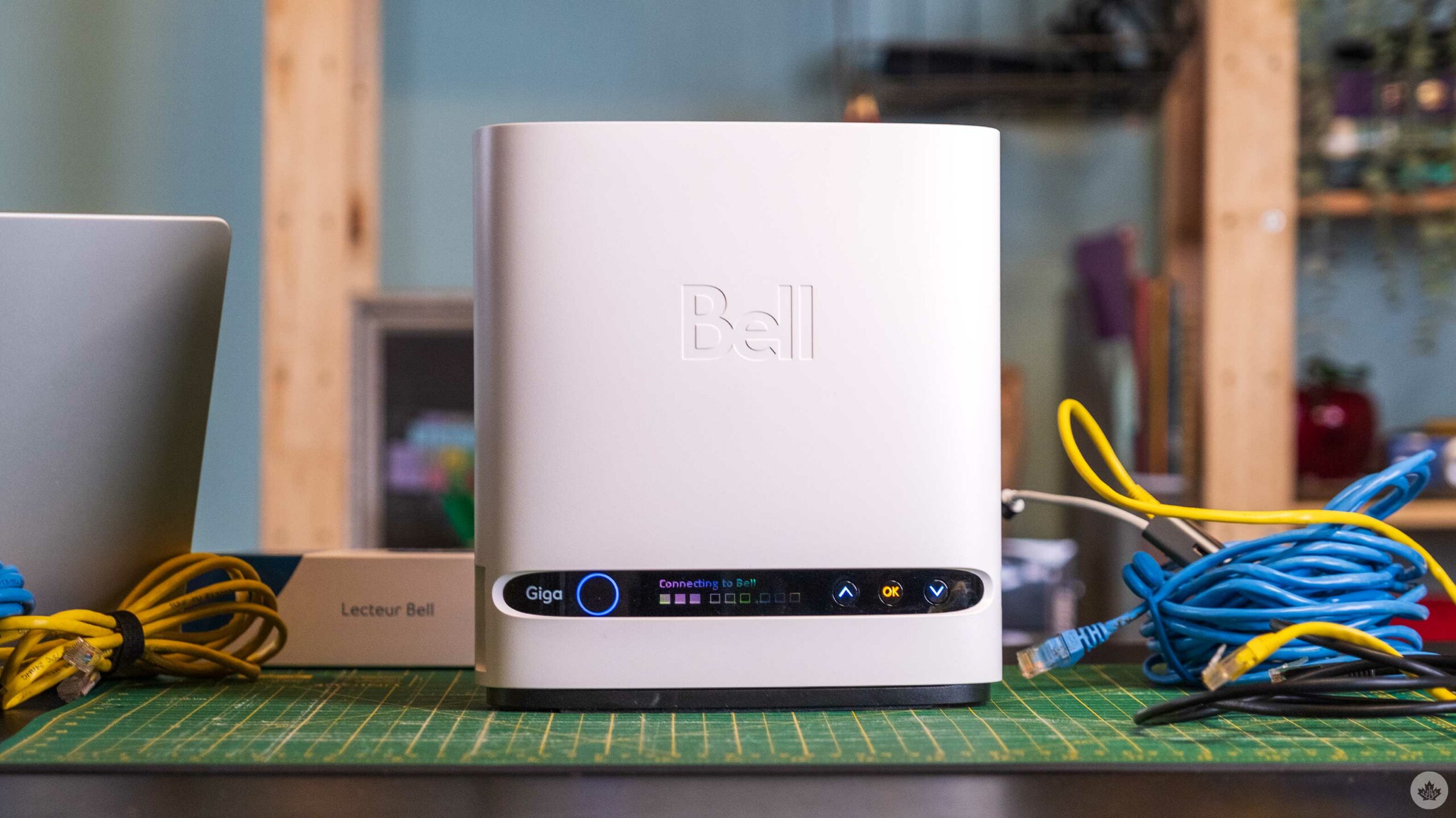
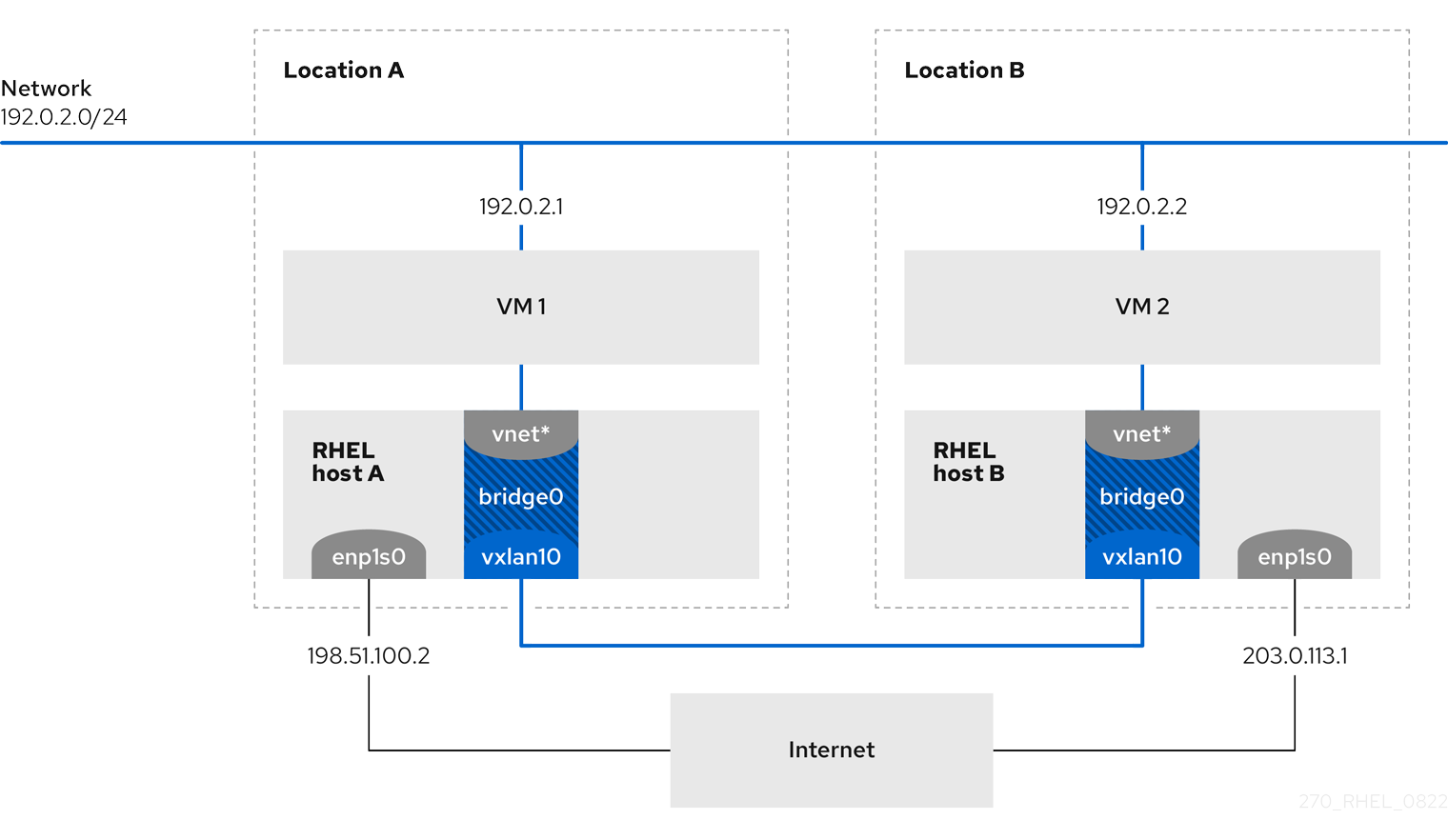
 atomic raven
Hi, quick question, Can there be any bottlenecks in my networking if I'm using my router as a hub to plug my Poe cable from the antenna and take it onto the poe i plugged in to go to my computer on the other side?
I get 38-ish mb down and 15-20-ish up but my ping is horrendously bad.
Thx!
P.S, my another question is, should I buy a switch and just put my antenna cable in there and my pc cable as well b4 taking it out for the router?
topaz patrol
pseudo blade
There's a lot less to do wrong on a budget ethernet router than a budget mesh Wi...
All el cheapo mesh systems (and plenty of expensive ones) will suck, no matter the brand
silk trench
Ok so the hotspot from the PC works but it's locked at 20 mhz despite my wifi card supporting the 802 AX or whatever it's called
 rocky badge
@clear igloo @waxen scroll I wish I had the front to rear fans for this Nexus
 waxen scroll
Those are expensive
They charge a fortune for power supplies and they take 150 days to ship
I had a coworker that ordered the wrong airflow on 30 switches. Fixing that mistake sucked
Pain in the ass when network aisles need a different airflow than top of rack
 waxen mauve
I hope this is the right chat for this question.
We are struggling to have wired network where we live so we're looking at getting a 4g router (we live in the UK btw if that matters at all)
What is the best 4g router for give or take less than £100?
currently have the TP-Link Archer M500 and we get about 10-20mbps download 10mbps upload but the issue is, it decides to turn off every now and then (there were quite a few reviews on amazon about this issue happening yet it was still bought...)
We need something that has at least 2 ethernet ports and reliability, considering it's 4G, speeds like 70mbps max would be desirable lol
Any help towards getting more reliable internet for now would be really appreciated <3
 frank inlet
just learn Proxmox and you're good to go 
 celest salmon
guys confirm (or not) if I am right.When person transfer information , and place it on website he needs to create a public key, and private key and digital sign for data is created with GnuPG using the private key. Relying client (package manager or browser) checks if user's private key correspond (in some facts) with public key to confirm his ownership over data. And if data was changed due hijack(from for example repo or website), the both keys are not able to decrypt data OR decrypted hash doesn't correspond to current ( because it changed after hijack attack changed any data). And relying client refuse to import the data. And in another case , it refuses to do it when certificate is not valid,because certificate confirms the ownership over the public key
confirm pls
 umbral meadow
Am I right in thinking fiber cable can handle 100 to 400 gb or more all it depends on is transceiver
You use at ends
peak cloak
umbral meadow
Am I right in thinking fiber cable can handle 100 to 400 gb or more all it depen...
transceiver and type of fiber
clear igloo
multimode fiber is peetering out at around 400Gbps and that's all MPO cable right now and not duplex, plus you're still hamstrung to distances of a few hundred meters
single mode fiber OS2 can do near infinite speeds at up to 500km+ depending on the optics all in duplex fibers for the most part. There are MPO version of single mode but they seem to be pretty rare usage and tend to be 500m or less. Whereas duplex single mode optics are 2 or 10km by default and go up from there with more power consumption
peak cloak
clear igloo
multimode fiber is peetering out at around 400Gbps and that's all MPO cable righ...
There's some sort of physical limit on OS2, not sure where it would be
umbral meadow
Can qsfp56 be turned into qsfp28
Or would i need a qsfp56 switch
Ik both can do 100gbs but qsfp56 can do 200
solemn otter
frank inlet
just learn Proxmox and you're good to go <:sweet_smug:1284554266379292742>
i use proxmox
umbral meadow
Is there a diff between using a nice with 200gb qsfp56 and 100gb qsfp56
Like if I got a 100gb qsfp56 switch and a 200gb qsfp56 nic I'm assuming it'd just lower itself to 100?
@peak cloak just cus ur helpful srry if u no like tag
clear igloo
umbral meadow
Like if I got a 100gb qsfp56 switch and a 200gb qsfp56 nic I'm assuming it'd jus...
optics in most cases are fixed rates
What you CAN do however is breakout say a 100g optic into 4x25g interfaces
umbral meadow
So if its a 100 gb qsfp56 switch can't be qsfp56 200 card got it
But rnt most 100 gb switches sfp28
Not qsfp56
Cus was gonna do some mellanox infiband 100gb qsfp56 nics
umbral meadow
clear igloo
optics in most cases are fixed rates
What you CAN do however is breakout say a 1...
Also does that apply to making 1 qsfp56 200 gb to 2 qsfp56 100 gbs
Maybe i should just use intel qsfp28 or add in my own nvidia qsfp28 nics for that but then they r pcie 3 vs 4 oof
umbral meadow
Apparently qsfp56 transceiver can work in qsfp28 ports just at 100gbs vs 200?
topaz patrol
umbral meadow
Apparently qsfp56 transceiver can work in qsfp28 ports just at 100gbs vs 200?
Just make sure the qsfp56 pluggable can operate at 100gbps mode
Just ask the vendor if it'll work 😉
topaz patrol
wdym "the cable"?
pseudo blade
Had to read that twice lol
umbral meadow
Transceiver I'm kearning
pseudo blade
The glass isn't particularly concerned what you do lol
topaz patrol
All good it's early and I thought it was me
umbral meadow
https://www.fs.com/products/166188.html?now_cid=1367 i take it smthjng like this for connecting to qsfp28

FS.com
7m (23ft) NVIDIA InfiniBand MCA7J50-H007R Compatible 200G HDR QSFP56 to 2 x 100G QSFP56 Active Direct Attach Copper Breakout Cable for QM8790/8700 Switches and ConnectX-6 HCA, Product Specification:NVIDIA InfiniBand Compatible - MCA7J50-H007R, Vendor Name - FS, Form Factor - QSFP56 to 2x QSFP56, Max Data Rate - 200Gbps, Cable Length - 7m (23ft),...
Or i guess just a single cable that can do 100 and 200
topaz patrol
Oh DAC
umbral meadow
Idk I'm looking for a cable to connect to a qsfp28 switch so it can connect to home network
Mellanox 200gb qsfp56 cards in servers connect to qsfp28 switch which is connected to rest of my stuff
(Waiting on ubiquiti to make a qsfp28 switch in future I hope)
https://www.fs.com/products/115385.html could also use dis and connect dis to my current ubiquiti setup

FS.com
FS 48-port Fully Managed Pro Switch (S5860-48SC) features 48× 10Gb SFP+ ports with 8× 100Gb SFP28 uplinks, stacking technology and Broadcom chip, providing optimized solutions for large-scale campus network aggregations or small and medium-sized network cores.
umbral meadow
https://www.fs.com/products/135676.html?attribute=32376&id=3833297 i guess maybe dis
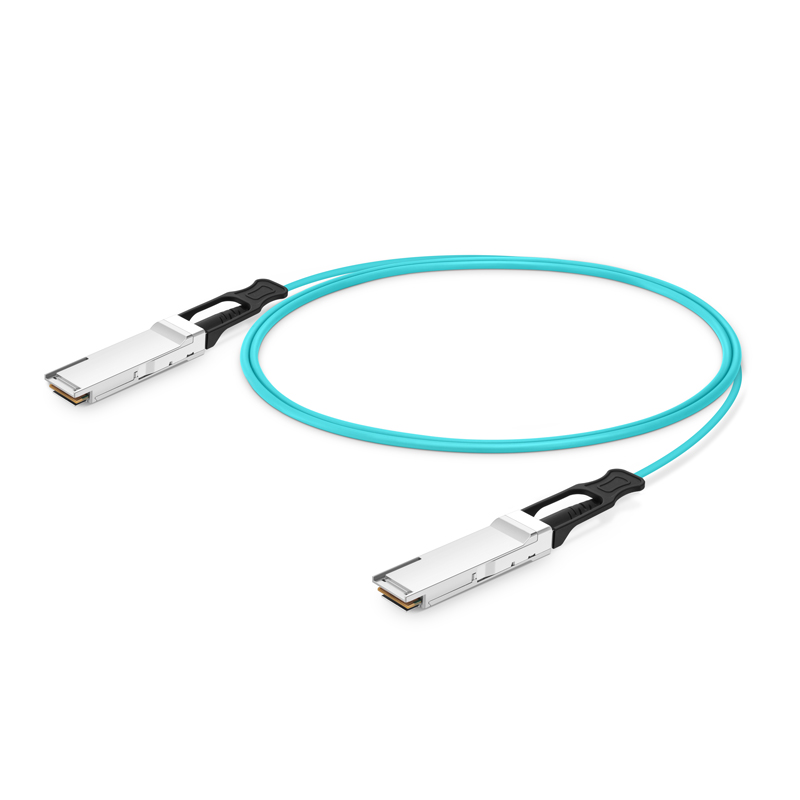
FS.com
3m (10ft) NVIDIA InfiniBand MFS1S00-V003E Compatible 200G HDR QSFP56 Active Optical Cable for QM8790/8700 Switches and ConnectX-6 HCA, Product Specification:NVIDIA InfiniBand Compatible - MFS1S00-V003E , Vendor Name - FS , Connector Type - QSFP56 to QSFP56 , Max Data Rate - 200Gbps , Minimum Bend Radius - 30mm , Cable Length - 3m (10ft)
Tho for rack ones prob a dac
Networking confusing lol
opal pagoda
umbral meadow
Am I right in thinking fiber cable can handle 100 to 400 gb or more all it depen...
lots
you can use dwdm to get 64 lines of up to 400g at the moment (2 fibers one for tx one for rx)
https://www.fs.com/products/166004.html
https://www.fs.com/products/147091.html?attribute=40088&id=660304
it is going to cost you tho...

FS.com
64 Channels DWDM Mux Demux, Super C-band 75GHz 1528.87-1566.62nm, with Monitor Port, 5.8dB Typical IL, LC/UPC, Dual Fiber, 1U Rack Mount, Product Specification:Wavelength - 64 Channels 191.3625-196.0875THz (1528.87-1566.62nm), Channel Spacing - 75GHz, Channel Passband - ±31.5GHz, Insertion Loss - ≤6.5dB, 5.8dB Typical, Insertion Loss @ 1% Mo...

FS.com
Generic Compatible CFP2 DCO 200G/400G DWDM Tunable Coherent 80km DOM Duplex LC/UPC SMF Optical Transceiver Module for Transmission, Product Specification:Part Number - DWDM-400CFP2-DCO , Vendor Name - FS , Form Factor - CFP2, Max Data Rate - 200/300/400Gbps, Grid Spacing - 50GHz/75GHz/100GHz (200G)75GHZ/100GHz(400G), Frequency Range - 19...
 low egret
Can I talk about help for ping issues?
Since that's a network thing?
opal pagoda
umbral meadow
https://www.fs.com/products/115385.html could also use dis and connect dis to my...
yea
it will be separatly managed and you might need to learn some new cli and read a manual but it is doable
but that switch is 100g and your gear is 200
umbral meadow
@opal pagoda is most qsfp56 cables able to run 100gb too
I've heard a lot of modern docs and dacs can
opal pagoda
that is active optical cable
umbral meadow
Aka qsfp56 to qsfp28 port
opal pagoda
umbral meadow
Aka qsfp56 to qsfp28 port
i would get 100g cables now and if upgrade is needed when upgrading the switch upgrade the cables
opal pagoda
cables are also 1/4 the price of 200g cables
ruby willow
Server
opal pagoda
umbral meadow
The 100gb qsfp56 fits in qsfp28 100 gb right
you are mixing data rates and ports
qsfp56 is 200g and 28 is 100g
but otherwise QSFP56 is backwards compatible to QSFP28
https://forums.servethehome.com/index.php?threads/how-to-connect-200gbe-qsfp56-dpu-to-100gbe-qsfp28-based-network.36862/
ServeTheHome Forums
Hi everyone,
We recently bought an NVIDIA ARM Devkit with the BlueField 2 DPU, and I am trying to connect it into the rest of our network (once it arrives). The rest of our network is based on QSFP28 100GbE with a 32 * 100GbE switch at its core.
What would the best way be to connect the DPUs...
umbral meadow
Qsfp56 can do 100gb too which is what newer infibans r using
opal pagoda
it can also do 40g if using old qsfp+ cables and switches
umbral meadow
https://www.fs.com/products/168436.html?attribute=104301&id=3746352 ye this to https://www.fs.com/products/115385.html to rest of ubiquiti stuff

FS.com
NVIDIA Mellanox MCX653106A-ECAT ConnectX®-6 InfiniBand & Ethernet Adapter Card 100GbE/HDR100/EDR, Dual-Port QSFP56, PCIe 4.0 x 16, Tall Bracket, Product Specification:Brand - Nvidia, Technology - VPI, Port - Dual, RoHS Compliant - Yes, Max Speed - HDR and 100Gb/s , Host Interface - PCIe 4.0x16
FS.com
FS 48-port Fully Managed Pro Switch (S5860-48SC) features 48× 10Gb SFP+ ports with 8× 100Gb SFP28 uplinks, stacking technology and Broadcom chip, providing optimized solutions for large-scale campus network aggregations or small and medium-sized network cores.
opal pagoda
umbral meadow
https://www.fs.com/products/168436.html?attribute=104301&id=3746352 ye this to h...
scroll down and you will see arhitecture examples
and cards you linked arent 200g, they are 2x 100g
 umbral meadow
Ik they r 100 u reccomended going to 100 cards as switch is 100 qsfp28 and card is 100 qsfp56
opal pagoda
going higher is going to increse price exponentialy
what is the usecase for this anyway?
umbral meadow
Multiple servers and nas with nvme 2.5 drives it's overkill but I can afford it, also wym going higher qsfp28 and qsfp56 are both able to do 100gb
opal pagoda
umbral meadow
Multiple servers and nas with nvme 2.5 drives it's overkill but I can afford it,...
higher than 100g
opal pagoda
umbral meadow
Multiple servers and nas with nvme 2.5 drives it's overkill but I can afford it,...
i belive you will be just fine with 25g
solemn otter
Does anyone have a good free email SMTP Server?
opal pagoda
solemn otter
Does anyone have a good free email SMTP Server?
let me warn you
dont
opal pagoda
internal one?
solemn otter
i just need one so i can send mail for email activation and product codes
 main hazel
setting one up takes atleas year to get the domain to not be blocked by mailfilters so
opal pagoda
solemn otter
i just need one so i can send mail for email activation and product codes
so you just want a custom email for reciving mails?
cloudflare email routing
solemn otter
sending
opal pagoda
nope
solemn otter
it HAS to be SMTP
opal pagoda
good luck and stay sane lmao
main hazel
smtp is not authenticated you can use any
solemn otter
 main hazel
umbral meadow
main hazel
umbral meadow
I found my solution using mellanox cards with 1 x qsfp56 port which can just use a qsfp28 cable to connect them to qsfp28 switch
I assume the mellanox cards can connect to any qsfp28 based switch not need8ng a specific one like the one fs links
plain siren
solemn otter
i just need one so i can send mail for email activation and product codes
Use Amazon SES?
topaz patrol
Amazon SES…
solemn otter
is it free?
 autumn fossil
would a used brocade 10U router be overkill for a small business?
umbral meadow
So uplink ports on a switch is for switch to switch downlink is for switch to pc etc
Right
Or is downlink switch to pc and uplinks switch to internet
solemn otter
i hate life
opal pagoda
autumn fossil
would a used brocade 10U router be overkill for a small business?
yes
power consumption alone would be insane
umbral meadow
So uplink ports on a switch is for switch to switch downlink is for switch to pc etc? Or is downlink switch to pc and uplinks switch to internet @opal pagoda
autumn fossil
opal pagoda
yes
power is almost free here its .08 cents per KW
got a DL580 in the garage currently for a plex server, gonna reconfigure it as a NAS
opal pagoda
umbral meadow
So uplink ports on a switch is for switch to switch downlink is for switch to pc...
nowadays it doesent matter
they are configurable same way as any port on a switch
opal pagoda
autumn fossil
power is almost free here its .08 cents per KW

top one

bottom one

are you still ok with this?
umbral meadow
Even if it doesn't matter now which is which martin
opal pagoda
umbral meadow
Even if it doesn't matter now which is which martin
in the tipical access or leaf switch configuration they would be connected to the aggregation or core layer
autumn fossil
opal pagoda
are you still ok with this?
Hmm maybe not. i know last night i pulled 12 of them and about 9 cards worth of cables
ill let the small business know they should look at some prosumer gear like ubiquity
opal pagoda
 umbral meadow

FS.com
SC9405, 5-Slot 4U Ethernet L3 Enterprise Chassis Switch Unloaded, Support Stacking, Broadcom Chip, Product Specification:Number of Line Card Slots - 3, MTBF - >200,000 Hours, Number of Engine Slots - 2, Dimensions (HxWxD) - 6.9''x17.4''x17.8'' (175x442x451mm), Max. 100G Ports - 24, Switching Capacity - 4.8 Tbps
Might use dis den with its line modules
opal pagoda
autumn fossil
ill let the small business know they should look at some prosumer gear like ubiq...
i wouldnt use ubiquiti in any business enviroment
autumn fossil
they need a router capable of single mode LC connections
opal pagoda
10g?
autumn fossil
25
opal pagoda
just router or a firewall?
autumn fossil
router
opal pagoda
https://mikrotik.com/product/ccr2004_1g_12s_2xs
or you can do your routing on a l3 switch like nexus

The Connectivity Router - your best companion when it comes to SFP, SFP+ and SFP28 management! 1, 10 and 25 Gbps ports in a single device to make your life easier.
autumn fossil
looks like an excellent solution thank you
topaz patrol
solemn otter
is it free?
There is a free tier
topaz patrol
opal pagoda
https://mikrotik.com/product/ccr2004_1g_12s_2xs
or you can do your routing on a ...
Super solid, seems to go fine with full table bgp
umbral meadow
https://www.fs.com/products/149848.html?now_cid=3079 i think this would be a nice switch to use with the modules
FS.com
SC9405, 5-Slot 4U Ethernet L3 Enterprise Chassis Switch Unloaded, Support Stacking, Broadcom Chip, Product Specification:Number of Line Card Slots - 3, MTBF - >200,000 Hours, Number of Engine Slots - 2, Dimensions (HxWxD) - 6.9''x17.4''x17.8'' (175x442x451mm), Max. 100G Ports - 24, Switching Capacity - 4.8 Tbps
Until ubiquiti makes their own qsfp28 switch
Been debating mixing a opnsense machine and ubiquiti
Tho idk if i should just use ubiquitis
opal pagoda
why are you scared of mixing vendors
network equipment is preatty interchangable
umbral meadow
For homelab is there something better then ubiquiti
umbral meadow
Might use opnsense router and ubiquiti switches ap and cameras
umbral meadow
Is there better security cameras doe hmm
opal pagoda
fyi using ubiquiti cameras locks you into their ecosystem
umbral meadow
I could do ruckus and opnsense
 mental birch
autumn fossil
power is almost free here its .08 cents per KW
mental birch
autumn fossil
power is almost free here its .08 cents per KW
0.08 cents is too much it's around 0.05 where i live
umbral meadow
Opnsense with ubiquiti switches n cameras and aps seems best option
topaz patrol
Ewie ubnt
umbral meadow
?
topaz patrol
They’re just such a missed opportunity in my mind
Ubiquiti devices could be absolutely amazing if they put in just a little more effort to have the product polished
umbral meadow
Id say their cameras and switches etc r good just not router n firewall
topaz patrol
No support for third party NVRs, quite shitty quality for the price, and UBNT has quite a short lifecycle for most products
umbral meadow
@topaz patrol Do u know if plugging in a device that doesn't use poe to a poe port have bad times
Or is it safe
topaz patrol
umbral meadow
<@468560894352162846> Do u know if plugging in a device that doesn't use poe to ...
As long as the switch isn't passive 24/48v, or configured in passive mode, it is safe
pseudo blade
umbral meadow
<@468560894352162846> Do u know if plugging in a device that doesn't use poe to ...
Devices SHOULD tolerate it as they should have magnetics that isolate the port from the device (no direct connection from cable to chips). Like most computers don't care even if there is voltage being transmitted, only the cheapest junk doesn't have them.
Primary risk is to 24v etc. passive PoE devices getting 48V.
Like if it kills a device that isn't PoE... get a refund because it's defective.
That said I don't like tempting fate and giving devices voltages they didn't ask for.
umbral meadow

FS.com
AP-N755, Cloud Managed Wi-Fi 7 802.11be 24.436Gbps Indoor Access Point, Seamless Roaming & 4 × 4 MU-MIMO Five Radios, Manageable via Airware, Controller or Standalone (Without PoE Injector), Product Specification:Wired Interfaces - 1x 100M/1000M/2.5G/5G/10GBase-T Ethernetport, 1x 1000M/2.5G/5G/10GBase-T Ethernet port , 1x 10G SFP+ port, 1x 10/10...
2.4 4 x 4 5 4 x 4 5 4 x 4 6 4 x 4
Nice
They r a thousand each doe
I could use fs stuff but it's prob not as streamlined
opal pagoda
umbral meadow
They r a thousand each doe
enterprise wap has a enterprise price
topaz patrol
Since when does FS make everything
opal pagoda
it requires a wireless controller too that costs 5k
opal pagoda
topaz patrol
Since when does FS make everything
they take a oem product and whitelabel it
easy to get huge product line