#networking
1 messages · Page 62 of 1
 quartz plinth
 burnt badge
It has a web portal. When you login it has an option for the mode
quartz plinth
Ok, thanks for the help!!!!
burnt badge
No problem
 sly compass
Why do i only get 30-40mbit through my vpn on 5G (no vpn up to 300mbit). But on wifi and on my laptop i get 100mbit+
I doesn’t really matter for me it’s just weird
 agile torrent
what vpn? My best guess, the carrier doesnt have the bandwith between your tower and the vpn server
sly compass
agile torrent
what vpn? My best guess, the carrier doesnt have the bandwith between your tower...
My own vpn
agile torrent
same ISP on cellular and wifi?
also which port are you using? the carrier might be just giving you a cap on the typical vpn ports, same as just slowing down p2p
sly compass
agile torrent
same ISP on cellular and wifi?
On one wifi. Like i tried multiple
sly compass
agile torrent
also which port are you using? the carrier might be just giving you a cap on the...
Like 5920
I also used other ports
agile torrent
tcp/udp?
sly compass
agile torrent
tcp/udp?
udp only, same with all vpn i think
sly compass
 tribal sequoia
what kind of vpn?
tribal sequoia
what kind of vpn?
Wireguard and openvpn
Idk wireguard claim to be the fastest. Openvpn and wireguard has always been same performance to me
 haughty sigil
hey hey, is anyone here familiar with installing a Sharepoint Server on premise ?
i tried to install it once but got a bunch of critical errors and things being very slow/broken
 pseudo blade
sly compass
Idk wireguard claim to be the fastest. Openvpn and wireguard has always been sam...
pseudo blade
sly compass
Idk wireguard claim to be the fastest. Openvpn and wireguard has always been sam...
OpenVPN can sometimes leverage hardware cryptography acceleration and wireguard can't, but chacha20/Wireguard is faster than AES otherwise.
 nova glacier
sly compass
Why do i only get 30-40mbit through my vpn on 5G (no vpn up to 300mbit). But on ...
nova glacier
sly compass
Why do i only get 30-40mbit through my vpn on 5G (no vpn up to 300mbit). But on ...
You have a much higher chance of hitting a point of congestion when a VPN is used. The route will be something like this:
Phone -> cell infra -> internet exchange (IX) -> your VPN's ISP -> your VPN -> your VPN's ISP -> IX -> speedtest server ISP -> speedtest server. At least 4 additional hops are required. This is assuming your cell provider, your VPN's ISP, and the speedtest server all peer at the same IX. Decent chance that's true, but it's not guaranteed. Traceroute can give you an idea of what the routing actually is.
 covert solstice
pls man whoever knows anything about network i need help
ive spent the past 5 hours trying to fix this
woke up and the ethernet wasnt working it showed to internet, and on my mobo it was still lighting up i tried loadd of troubleshooting options with cmd changing the drivers and everything, nothing wokred, i came to the conclusion that it was my ethernet cable, 2 hours later im back with a new ethernet cable, and this one wont work either, and when i try to troubleshoot it says youre connected using a virtual adapter which we cant tes
covert solstice
@frosty grotto
 frosty grotto
Thought you meant social networking. I have no clue what to do if it is more complex than plugging a cable in
covert solstice
gulp
covert solstice
unable to contact dhcp server
 opal pagoda
covert solstice
woke up and the ethernet wasnt working it showed to internet, and on my mobo it ...
opal pagoda
covert solstice
woke up and the ethernet wasnt working it showed to internet, and on my mobo it ...
What do you get under ethernet properties?
 deft pasture
anyone here running opnsense? I need some help with port forwarding. I've confirmed that my rules are correct but i might be missing something considering what im forwarding to. I want all 443 traffic to go to my nginx proxy manager on port 4443 and for whatever reason it's just not opening. Mind you this worked when i was using my isp gateway but now nothing.


 gusty coral
Hello everyone, I need help with this video: https://youtu.be/zPmqbtKwtgw
So my question is this, is it possible to use that video as a Unity Game Server? Just like their multiplay? If so, how can I do it and if there's a tutorial then I'd much appreciate if you can direct me to it!

Thanks to Pulseway for sponsoring this video! Try Pulseway for free to start monitoring and managing your server or PC, and get 20% off for a limited time at https://lmg.gg/Ktd7Z
Buy Seagate Ironwolf Pro 12TB on Amazon: https://geni.us/Wy83I
Buy Kingston 2.5" SSD: https://geni.us/yaklqN
Buy Windows 10: https://geni.us/NaKvY
Buy 5.25 to 3.5"...
 vocal quiver
Hello everyone, did I understand this correctly?
How does a switch learn what mac-address belong to who?
When someone sends a ping command to another computer connected to the switch, it'll send a broadcast request to all machines using ARP, asking who's ip-address this belongs to? Then the machine with the right ip-address will respond back with their mac-address, so the switch can store and remember who that machine is for the next time.
haughty sigil
The ARP requests happen on their own without having to ping anything, the switch is automatically going to send them I believe
pseudo blade
vocal quiver
Hello everyone, did I understand this correctly?
**How does a switch learn wha...
Keep in mind that every ethernet frame contains the source MAC address, so you can capture MACs from any device that sends a packet via the switch, including broadcasts which go to everyone. That can simply be combined with the source interface ID.
Therefore: The moment a switch captures a frame from a device it knows where it is relative to itself.
pseudo blade
gusty coral
Hello everyone, I need help with this video: https://youtu.be/zPmqbtKwtgw
So my ...
Depends on the game, look for instructions from the specfic title. If they offer a Windows server... yes. Follow their instructions.
gusty coral
pseudo blade
Depends on the game, look for instructions from the specfic title. If they offer...
Example being any sort of 3D FPS or Parkour
pseudo blade
You'd have to look it up for that game
gusty coral
pseudo blade
You'd have to look it up for that game
What exactly do I have to search?
 high jasper
streaming network in a box with network function virtualization, virtual network functions
 silent flax
gusty coral
Hello everyone, I need help with this video: https://youtu.be/zPmqbtKwtgw
So my ...
silent flax
gusty coral
Hello everyone, I need help with this video: https://youtu.be/zPmqbtKwtgw
So my ...
if i understand it correctly, you are doing your own game ? Then server is also going to be your own, you need to develop it yourself.
gusty coral
silent flax
if i understand it correctly, you are doing your own game ? Then server is also ...
I'm making my own game yes
But I'm trying to figure out how to make my own server just like multiplay but instead of registering on unity and cloud it, I want to make it on my own server pc than on cloud
silent flax
gusty coral
I'm making my own game yes
But I'm trying to figure out how to make my own serve...
well, that is going to be a tough topic... https://dev.to/ibmdeveloper/multiplayer-server-basics-ep-1-creating-a-multiplayer-game-server-5aed here is an example with Unity game and Node.js websocket backend - but it only explains the connection part of it. The rest is up to you, to handle stuff starting from things like position updating, collision handling and so on. That is all on you

DEV Community
So as many of you know, I have been working in game development for many years (almost 10) and it is...
but from HW standpoint, if you do your own game, it is completely up to you to figure out what software and hardware demands are there. It could be a normal computer, and then yes, any computer will do
here is how it works in Quake 3 for example https://fabiensanglard.net/quake3/network.php
 fallow wing
Hey people
I need networking advice
I'm not quite sure how to achieve what I wanna achieve :
I'd like for player connections to be directed to the VPS, so I make my DNS redirect my domain for the VPS address, that much, I know how to do
I know I can make a VPN as a gateway to a subnet, I did it as an experiment by setting up proton VPN on my router
But now, what softwares should I use to get the incoming player connections in the VPS, encapsulate them and redirect them to my public subnet, then to my game servers ?

(long double arrow is VPN)
 tight pecan
Assuming that the VPS is on Linux, you can use iptables to forward incoming packets to the game server across the VPN
Both openvpn and wireguard support running commands when a connection is established/lost, which you can use to modify iptables.
fallow wing
tight pecan
Assuming that the VPS is on Linux, you can use iptables to forward incoming pack...
Debian 12
so like, I can open the VPS' ports and make redirections to do :
publicIP:GAMEport -> VPN -> GAMEserverIP:GAMEport
right ?
tight pecan
Yep, that sounds about right
 tight pecan
There's plenty of resources online that should get you there. Just remember to also set net.ipv4.ip_forward = 1 on sysctl.conf if applicable
fallow wing
tight pecan
There's plenty of resources online that should get you there. Just remember to a...
yeah, I was looking through those but...
how to say- there's TOO MUCH info, idk what lead to follow
I don't have enough knowledge to discern what's good, what's relevant, what's not ideal...etc
tight pecan
fallow wing
yeah, I was looking through those but...
how to say- there's TOO MUCH info, idk ...
We can start with what you've got. What VPN client/server are you running?
fallow wing
tight pecan
We can start with what you've got. What VPN client/server are you running?
I don't have one- yet
I was looking to every aspects of the solution I want to apply before installing anything
tight pecan
Oh we're at that stage. You've got plenty of options then. There are solutions such as Zerotier, Tailscale, or even the barebones stuff that openvpn and wireguard provide
fallow wing
I can put wireguard on my OPNsense, put no address on the interface I want the servers to be accessed on and make the VPN a gateway of the interface
then on the VPS, at the other end, I make the port redirects
tight pecan
Are you not able to install VPN clients on your servers that you want to forward traffic to?
I guess that might be a bit of a roundabout way rather than handling it within opnsense, but it's up to you on how you want to do it
On OPNSense's side, you can use GRE between your VPS and it to encapsulate packets and forward them to the backend servers
It gets a bit more complicated though
fallow wing
I could but why would I do that when I can just make the VPN the subnet's gateway and make it act like a regular router gateway
only one thing to do on one machine
considering I want to have anywhere from 6 to 12 game servers that will be either on VMs or containers, the VPN being an "offset" gateway sounds like a much better deal
fallow wing
tight pecan
On OPNSense's side, you can use GRE between your VPS and it to encapsulate packe...
I don't know nearly enough about networking yet to know of all that is possible lol
I entered IT course this school year, I just happen to have significantly more hands on experience and practice than your regular joe out of pure curiosity
but classes are horrendously slow and I learn nothing at my apprenticeship, hence why I've started this personal student project
would you like to know more about the project ?
tight pecan
GRE tunneling is pretty common, so you should be able to find plenty of articles for it.
fallow wing
to get a better picture of what I want to achieve, that is
fallow wing
tight pecan
GRE tunneling is pretty common, so you should be able to find plenty of articles...
I never heard of it before lol
despite having been around PCs and networking for a few years now

tight pecan
Haha yeah you don't really hear much about it until you get into ddos protection, at least that's where I started hearing about it more
fallow wing
oh, that's part of why I wanted to VPN my server through a VPS
to get the DC's DDoS protection without having to set it up myself
tight pecan
https://www.zenarmor.com/docs/network-security-tutorials/how-to-set-up-gre-tunnel-between-opnsense-and-linux Seems to be a decent guide that covers a lot of the bases
tight pecan
fallow wing
oh, that's part of why I wanted to VPN my server through a VPS
to get the DC's D...
That's exactly when a lot of people start hearing about GRE tunnels 😂
They have some service that they want to protect behind a network that has ddos filtering or at least a larger network port
fallow wing
tight pecan
<https://www.zenarmor.com/docs/network-security-tutorials/how-to-set-up-gre-tunn...
huh
will have a look once back home then
thanks
fallow wing
tight pecan
They have some service that they want to protect behind a network that has ddos ...
I also did this to avoid exposing my home IP
I mean, it's not foolproof, of course, but that's not as simple as checking where the domain redirects to anymore
tight pecan
Yeah, having a VPS in front to act as a proxy is definitely leagues better than just exposing your home IP
Just a fun reminder: Make sure you check for fragmentation after you successfully setup the tunnel. GRE requires some extra information and forgetting to set MTU down to 1420-ish will result in fragmentation
fallow wing
tight pecan
Just a fun reminder: Make sure you check for fragmentation after you successfull...
I don't know what is MTU yet lol
I assume that has to do with the data/packet transmission rate or something ?
tight pecan
It's the amount of data that can be stuffed into a packet
Iirc GRE requires 24 bytes for its header
Generally it's 1500 bytes. CF has a wonderful article on it https://www.cloudflare.com/learning/network-layer/what-is-mtu/
fallow wing
hmmmm I definitely have to read more CF docs
tight pecan
CF in general is a good resource for networking info. I almost always find an article from them when researching on different networking topics
fallow wing
@tight pecan
in any case, thanks for the tips !
definitely leads I'll explore to deploy my networking for the public facing part of my infrastructure
if you wanna know what I'm working on ||check bio||

tight pecan
Looks like a fun personal project. Was debating on doing that myself, but my home network isn't the greatest 🙃
fallow wing
tight pecan
Looks like a fun personal project. Was debating on doing that myself, but my hom...
thankfully I have excellent internet and good ping with the DC, got enough to buy and build the machine and a decent network stack to work on
tight pecan
Lucky lol. I'm stuck with good ol' DOCSIS 3.0 upload speeds, a whopping 35Mbit/s
fallow wing
EW
tight pecan
City isn't interested in laying fiber rn, so I'm SOL
fallow wing
tight pecan
City isn't interested in laying fiber rn, so I'm SOL
yikes
hopefully for you it'll get there eventually!
preferably sooner than later
agile torrent
tight pecan
Lucky lol. I'm stuck with good ol' DOCSIS 3.0 upload speeds, a whopping 35Mbit/s
that brings back memories from 2012(ish)
opal pagoda
tight pecan
Lucky lol. I'm stuck with good ol' DOCSIS 3.0 upload speeds, a whopping 35Mbit/s
still better than adsl 
tight pecan
Better than Starlink. My friend has it and he gets really inconsistent latency to anything 😂
opal pagoda
4g is better than starlink if you have line of sight to the tower
 deft imp
since we dont have a security hardware channel i am gonna ask here and in tech support.
any of you guys use reolink or ubiquity cameras?
Ubiquiti G5 Bullet - 2K HD PoE cam is on sale atm fpr 115 each. thinking bout getting that.
but wondering what i all need and how good they are. basically i want to zoom in and be able to check how my store is doing and also see what products / clothes are currently put up so i can figure out what is missing without having to call
also would you guys recommend POE over powerlan /
opal pagoda
If you get ubiquiti cameras you are locked in to their ecosystem
deft imp
thats fine. same with reolink. its not for home but for the store
4 stores atm and i just want to hook it up and be sure they work. no more restarting the cameras so they work again. just want shit to work
 peak cloak
deft imp
thats fine. same with reolink. its not for home but for the store
peak cloak
deft imp
thats fine. same with reolink. its not for home but for the store
with reolink not really
not sure how it is with unifi but I'd assume so
but with reolink there's some issues with the rtsp streaming
I have some of their cameras it likes to freeze up every couple of seconds or so
agile torrent
How is the job market in the US? I got my third contract option in the past few weeks to set up PXE boot or something trivial remotely, by a T1 maybe T2 from feeling...
A bunch of mid to senior got fired or something? It is weird...
 astral spire
they've been doing a ton of layoffs but contracting market has been hot, so i guess the demand is still there but they're trying to lower wages or something
 sand tide
Can I use a raspberry pi as a wireless bridge?
deft imp
peak cloak
but with reolink there's some issues with the rtsp streaming
Ok you saved me there
So no reolink
But even if it freezes for a few seconds , you wouldn’t recommend their solution? @peak cloak
peak cloak
deft imp
But even if it freezes for a few seconds , you wouldn’t recommend their solution...
if this is for a store, I would go for a proper NVR solution with POE powered cameras, as for what brands not sure, I heard unifi is meh in comparison to others in the market, but then again I don't know much about this
deft imp
Well everyone says reolink
peak cloak
I don't see that
deft imp
Not yet fully
peak cloak
peak cloak
have you looked at Hikvision
one thing may be a problem is that it's chinese
@deft imp overall going in for a unifi solution I don't think would be a bad choice
would need to get thier NVR as well
and if you don't have one, a POE switch
agile torrent
sand tide
Can I use a raspberry pi as a wireless bridge?
yes, easiest setup would be just to put openwrt on it.
sand tide
agile torrent
yes, easiest setup would be just to put openwrt on it.
already done that, but I can't figure out the right configuration
agile torrent
okay so what you would like it to do? Just plain and simple
and I'll help you through
sand tide
I have a netgear router. I can't replace it with openwrt or I would have. I have a raspberry pi 4b running openwrt. I have a unifi flex mini. I would like to wirelessly connect the pi to the router, and use the pi's ethernet port to connect the flex mini (and all devices attached to it) to the internet provided by the netgear router
deft imp
peak cloak
one thing may be a problem is that it's chinese
Well so is reolink I think.
Thanks tho
 steel rock
Does anyone know how to read an LCB Register?
 rough basin
What do I need to know for setting up an at home server to host things
 unborn sluice
"Do I want to go into this rabbit hole"
 fierce kiln
rough basin
What do I need to know for setting up an at home server to host things
fierce kiln
rough basin
What do I need to know for setting up an at home server to host things
Make sure it's hardwired to your network over Ethernet, preferably a higher bandwidth port on your router if available, for OS, don't go windows. Ubuntu is a good start but it can all depend on the application and what you want to host
rough basin
fierce kiln
Make sure it's hardwired to your network over Ethernet, preferably a higher band...
Makes sense, hardware wise what do people typically go for. I notice some people use an old pc, or they buy a cabinet and put racks in it (thats as far as my knowledge goes)
fierce kiln
rough basin
Makes sense, hardware wise what do people typically go for. I notice some people...
If you just want a basic home server an old optiplex is a great place to start, if you want rackmount it can get expensive fast. If you have an older PC kicking around you can use that
rough basin
Well I was wanting to host stuff on it, since I figured in the long run it'd be cheaper than going through a vps/dedi service like contabo or ovh/do.
fierce kiln
rough basin
Well I was wanting to host stuff on it, since I figured in the long run it'd be ...
Host what? It depends on what you intend to host
rough basin
Websites, backend apis, maybe some ai models.
fierce kiln
For ai models you need a lot of GPU, everything else is pretty light
rough basin
Not looking for anything too fancy to start out just something that will give me a path to expansion.
rough basin
I see
Now what if I later wanted to expand into a dedicated cabinet/rack what kind of stuff would go into that?
 ornate jungle
fierce kiln
Old optiplex is good
ornate jungle
fierce kiln
Old optiplex is good
Can confirm @rough basin. eBay is a good place if you're outside Canada. If you're in Canada, DFS runs https://www.dellrefurbished.ca/ where you can snag some pretty sick deals if you keep an eye on the site.
 opal pagoda
rough basin
What do I need to know for setting up an at home server to host things
opal pagoda
rough basin
What do I need to know for setting up an at home server to host things
How to google stuff
rough basin
opal pagoda
How to google stuff
Googling only gets you so much smartass
rough basin
ornate jungle
Can confirm <@957347862314905610>. eBay is a good place if you're outside Canada...
Thanks 👍
ornate jungle
rough basin
Thanks 👍
Welcome. I'm partial to the Mini / Micro PC's you find in doctor's / insurance offices. I've had both Dell and HP models. They're absolutely not expandable, but are great when you're limited for space or don't want noise.
 rough basin
I see, yea I was just looking for something to host some projects on while they are still small. Once they grew and started brining in revenue I could think about expanding to a better system.
I pay out the ass at vps providers like contabo and ovh
ornate jungle
rough basin
I pay out the ass at vps providers like contabo and ovh
This is also why I justified spending $150 ish on a mini PC. Divide the cost over 24 months and it's cheaper than any VPS would cost me in CAD. I mostly just use it as a glorified game server for now, but it's paid for itself.
rough basin
 Yea, I think so far i've spent 160$ (usd) over the last 6 months alone
 meager ginkgo
rough basin
What do I need to know for setting up an at home server to host things
meager ginkgo
rough basin
What do I need to know for setting up an at home server to host things
I’d recommend going for the Proxmox OS on a mini PC. It’s a VM/Container hypervisor and allows you to run multiple things in VMs/LXCs.
I got an HP Elitedesk 800 G5 Mini with an i5-9500T for about $150
 clear igloo
meager ginkgo
I’d recommend going for the Proxmox OS on a mini PC. It’s a VM/Container hypervi...
clear igloo
meager ginkgo
I’d recommend going for the Proxmox OS on a mini PC. It’s a VM/Container hypervi...
But then Broadcom stonks no go up!!!
/s
meager ginkgo
theoretically I could fit a much larger server, but then noise and cooling is a concern 😛

 frosty dock
meager ginkgo
theoretically I could fit a much larger server, but then noise and cooling is a ...
frosty dock
meager ginkgo
theoretically I could fit a much larger server, but then noise and cooling is a ...
Looking clean
meager ginkgo
frosty dock
Looking clean
Thanks. The cables need some work but I couldn’t find the length I needed for slimrun cables.
So it’ll do for now
frosty dock
Ye cable length are always a problem for this type of builds
meager ginkgo
The UniFi switch is part of the issue I think. If the ports were similar style to the patch panel it wouldn’t be an issue haha
Got the switch for free though from Auvik soooo haha
clear igloo
meager ginkgo
theoretically I could fit a much larger server, but then noise and cooling is a ...
Cooling is always a pain 😦
meager ginkgo
clear igloo
Cooling is always a pain 😦
Yeah.. my gear is in a small closet with no vents or anything. So I just try to keep stuff to a minimum if I can
clear igloo
ooof, yah that's even worse
 clear igloo
Nice, yah I've got a bath fan in my network closet to pull heat out
Right now about 600 watts of heat to disspiate 😦
It works though, average temp in summer is about 80F in the room
 frosty stone
meager ginkgo
The UniFi switch is part of the issue I think. If the ports were similar style t...
frosty stone
meager ginkgo
The UniFi switch is part of the issue I think. If the ports were similar style t...
Well you know the rules, gotta get a 48 port and have a patch above and below it now 
opal pagoda
meager ginkgo
theoretically I could fit a much larger server, but then noise and cooling is a ...
Please follow your urge to have multiple 48u racks in your bedroom
fallow wing
I have a singular 12U rack and I barely managed to find space for it bruh
I can't go higher because I'm using the top as a side desk
A shelf really
 south blade
Anyone know networking stuff in Docker? :/
Can't get this VPN setup and qbittorrent to use it, have separate compose files while examples seem to have both services in the same compose file, so not sure if network_mode: doesn't work if it's not in the same compose file.
Trying to start qbittorrent it gives me this error "service "qbittorrent" depends on undefined service piawireguard: invalid compose project"
 west vortex
Cabinet is finally 90% done. Future works for it will be a 2U NAS (either custom, or 2x 1U Unifi NAS or a 2U Unifi NAS Pro if they ever make these), and then a second UDM-SE for shadow mode HA.
 west vortex
south blade
Can't get this VPN setup and qbittorrent to use it, have separate compose files ...
west vortex
south blade
Can't get this VPN setup and qbittorrent to use it, have separate compose files ...
Are you using a separate VPN container and qBt container?
silent flax
ornate jungle
Welcome. I'm partial to the Mini / Micro PC's you find in doctor's / insurance o...
not expandable ? M.2 to PCI-e Riser to PCI-E card (possibly with external power supply if needed 😄 )
i just wish they weren't so expensive for reasonable ones, i would use one as router with extra NIC via M.2 slot
ornate jungle
silent flax
not expandable ? M.2 to PCI-e Riser to PCI-E card (possibly with external power ...
Okay I mean, anything is expandable if you have enough time / money / resources. But I meant if someone wanted to internally add a GPU for Machine Learning computational stuff as OP was asking for. Can't easily do that in the same chassis, m.2 to PCIe adapter or not. 🤣
silent flax
like
600G6 with i3-10100T, 16GB RAM, 250GB SSD is 295 euros.
600G5 with i3-9100T, 8GB RAM, 250GB SSD is 255 euros
405G6 with 4650GE, 8GB RAM, 250GB SSD is 280 euros
None of the i5-6500T machines here for something more reasonable, like up to 150 euros. And i ain't buying from ebay with crazy shipping 😄
(6th gen at least because power usage decrease combined with M.2 support)
ornate jungle
silent flax
like
600G6 with i3-10100T, 16GB RAM, 250GB SSD is 295 euros.
600G5 with i3-9100T...
Yee, this is why I wait until DellRefurbished.ca has a crazy sale. Then I can snag an i5 with at least 8GB ram and 256GB SSD for under $250 CAD, taxes and shipping included. Sometimes under $200, but that's rare.
silent flax
ornate jungle
Yee, this is why I wait until DellRefurbished.ca has a crazy sale. Then I can sn...
dell doesn't sell in my country, and official refurbs are even more expensive
like yeah, i see an Eliteesk 800 G3 with i5-6500T, 8GB RAM, 250GB SSD to be fair; and it comes with 2 year warranty for 157 euros
i still hate it so much that i226v cards refuse to work in my z77 itx mobo
south blade
west vortex
Are you using a separate VPN container and qBt container?
._. yes? as in separate compose.yml? I'm still pretty new, just got stuff running as I needed and don't mess with them much.
Edit: Yeah I'm wrong about what I was saying, seems Dockge does work as you'd expect, I have been making separate containers for each thing...I haven't done it yet so not sure what it's gonna look like but I will start trying to put everything back together adding to one container.
west vortex
I don't use Dockge. I prefer Portainer, despite everyone who is a docker elitist saying otherwise. Anyway, there is a qbt image that you can run that has a wireguard vpn built into it. Much easier than trying to work with the docker network imho
west vortex
south blade
Edit: Yeah I'm wrong about what I was saying, seems Dockge does work as you'd e...
services: qbittorrent: container_name: qbittorrent hostname: qbittorrent.internal image: ghcr.io/hotio/qbittorrent ports: - "9090:9090" environment: - PUID=1000 - PGID=1000 - UMASK=002 - TZ=US/New_York - VPN_ENABLED=true - VPN_CONF=wg0 - VPN_PROVIDER=proton - VPN_AUTO_PORT_FORWARD=false - VPN_HEALTHCHECK_ENABLED=false - VPN_LAN_NETWORK=10.0.0.0/24 - WEBUI_PORTS=9090/tcp,9090/udp volumes: - /home/pi/qbt:/config - /home/pi/Downloads:/downloads - /media/plexmedia:/plex cap_add: - NET_ADMIN sysctls: - net.ipv4.conf.all.src_valid_mark=1 - net.ipv6.conf.all.disable_ipv6=1
This is the compose I use for it
Adjust your ports and volumes how you need them
I do believe this only will work with proton and pia as well
ProtonVPN is amazing
south blade
west vortex
ProtonVPN is amazing
I keep meaning to look into other VPNs, been with PIA for a long time, probably 10 years :/
west vortex
PIA works with that container
south blade
Someone else mentioned Hotio's qbittorrent in another Homelab discord but coming back in from chopping wood I was thinking...wouldn't I want everything ARR behind a VPN too?
west vortex
No. Only the things that download. I use qbt hotio with VPN and SABnzbd with a VPN
you can just create two different wireguard configs for each of them
with protonvpn, I can use 10 different connections on one account
south blade
Hotio's PIA compose has very different settings it seems, and doesn't seem like a complete example. LOL
west vortex
south blade
Hotio's PIA compose has very different settings it seems, and doesn't seem like ...
It's just a template, you add the environment variables directly to the compose of the main container for qbt and then add the networking vars to the same compose after your directory options
thats why I posted my compose for it so you could see that structure
south blade
  qbittorrent:
    container_name: qbittorrent
    hostname: qbittorrent.internal
    image: ghcr.io/hotio/qbittorrent
    ports:
      - "8080:8080"
    environment:
      - PUID=1000
      - PGID=1000
      - UMASK=002
      - TZ=America/Chicago
      - WEBUI_PORTS=8080/tcp,8080/udp
      - VPN_ENABLED=true
      - VPN_CONF=wg0
      - VPN_PROVIDER=pia
      - VPN_LAN_NETWORK=192.168.1.0/24
      - VPN_LAN_LEAK_ENABLED=false
      - VPN_EXPOSE_PORTS_ON_LAN
      - VPN_AUTO_PORT_FORWARD=true
      - VPN_AUTO_PORT_FORWARD_TO_PORTS=
      - VPN_KEEP_LOCAL_DNS=false
      - VPN_FIREWALL_TYPE=auto
      - VPN_HEALTHCHECK_ENABLED=true
      - VPN_PIA_USER=
      - VPN_PIA_PASS=
      - VPN_PIA_PREFERRED_REGION=us_south_west
      - VPN_PIA_DIP_TOKEN=no
      - VPN_PIA_PORT_FORWARD_PERSIST=false
      - PRIVOXY_ENABLED=false
      - UNBOUND_ENABLED=false
    volumes:
      - /home/sryously/stacks/qbittorrent/config:/config
      - /embymedia/Torrents/Downloads:/downloads
    cap_add:
      - NET_ADMIN
    sysctls:
      - net.ipv4.conf.all.src_valid_mark=1
      - net.ipv6.conf.all.disable_ipv6=1
    devices:
      - /dev/net/tun:/dev/net/tun
I don't know about this ports and WEBUI_PORTS Edit: Hmmm, I launched it anyways, it works but I thought it'd see my downloads from the old qbittorrent? :/ Also expected save location to show up as shown in volumes but it's showing something else
west vortex
Looks like you did it right. As for torrent history... maybe? Depends on how you config'd the other container. You may lose the torrent history but the files should still be there as long as you mapped them correctly
fallow wing
@tight pecan hey there
Think you could teach me how to do what I want to achieve ?
I stare at documentation without absorbing any information and other people aren't exactly... helpful...
sly compass
Why does it do this? I refresh the site and then it work. Having dns issues as it is 😅
 quaint siren
ISP installed 5G outdoor router, Zyxel NR7103 and one thing I'm noticing, besides the speeds is that as soon as there's actual traffic on network, network just crashes
and I was thinking that I could check the router's logs but it's been loading for 30 minutes now

is there any other way to get to the logs?
tight pecan
fallow wing
<@144291471682568203> hey there
Think you could teach me how to do what I want t...
https://www.zenarmor.com/docs/network-security-tutorials/how-to-set-up-gre-tunnel-between-opnsense-and-linux This is as straightforward as it gets
If I were to help you it'd literally be just me regurgitating each step on that guide
fallow wing
tight pecan
If I were to help you it'd literally be just me regurgitating each step on that ...
Oh right, I forgot about this link
My bad
Wasn't really tuned in like I should have yesterday
tight pecan
sly compass
Why does it do this? I refresh the site and then it work. Having dns issues as i...
Doesn't really give me much info to work with, but the site gives you more data on each query if you scroll down. Maybe you can check that out and see what areas are failing
Maybe the mobile site is a bit different.
 green marlin
sly compass
Why does it do this? I refresh the site and then it work. Having dns issues as i...
green marlin
sly compass
Why does it do this? I refresh the site and then it work. Having dns issues as i...
What are you using for DNS?
sly compass
green marlin
What are you using for DNS?
Im trying to isolate it so for now just cloudflare
Unbound on opnsense
using dns over tls
sly compass
tight pecan
Doesn't really give me much info to work with, but the site gives you more data...
It’s a bit random what fails, tried a bunch of settings in unbound on opnsense
tight pecan
sly compass
It’s a bit random what fails, tried a bunch of settings in unbound on opnsense
Are there warnings or errors on Unbound?
 viscid abyss
configuring a milrotik on a network already active with a tplink. replacing tp link after config. im on my switch with mikrotik config dhcp to 192.168.1.0/24 and 10.0.0.0/24 my current network uses 192.168.0.0/24
will this work
please to god help lol
tight pecan
viscid abyss
configuring a milrotik on a network already active with a tplink. replacing tp l...
As long as your clients don't have static configs, then yeah it should be fine
 tough plaza
Can anyone help me on how a wireless network adapter works?
 fallow coral
If I'm hosting a game server, I can connect my "server" device to a different access point (that is connected to my main router), and that firewall on the external access point would be good enough for preventing malicious attacks on the main network right?
south blade
west vortex
Looks like you did it right. As for torrent history... maybe? Depends on how you...
You wouldn't happen to know what a PIA region should look like, would you? If I leave it blank it connect to random ones, but if I pick what I think would be Texas, us_south_west, it will start up the container, error, and shut it down.
west vortex
south blade
You wouldn't happen to know what a PIA region should look like, would you? If I...
I'm not familiar with the PIA config, just Proton
west vortex
fallow coral
If I'm hosting a game server, I can connect my "server" device to a different ac...
That's not how it works. The router is the firewall, that's it. Access points on the same network don't affect that.
south blade
Don't know why this is but the whole US PIA list has Port Forwarding showing up as 'False' and for some reason I can't connect to them because of that. Tried to connect to Ontario, cn_ontario/cn_ontario-so and it works fine. So is it something I need to change in settings, I don't know.
 west vortex
Idk but they can help in the mrhotio server
 smoky cradle
wonder if anyone else uses opera gx in server 2019
 finite mango
I'm using a unifi udm pro SE has anyone had experience setting up business service Ip's I have 5 static ips coming and they told me to get ready in an email to give techs the information

Im sure the tech won't wanna touch my gear
opal pagoda
finite mango
I'm using a unifi udm pro SE has anyone had experience setting up business servi...
What do you want to achieve with multiple ip-s?
finite mango
webserver, media server personal and guests
comes with 5 doesnt mean i need to use all 5
opal pagoda
If udm pro se doesn't support multiple ip-s you can always put unmanaged switch (or vlan) and assign static ip on each server
finite mango
it does support
i just asked who has experience
wanted to know if any issues or problems come with it
tight pecan
finite mango
I'm using a unifi udm pro SE has anyone had experience setting up business servi...
Seems like they just gave you a subnet to work with. As long as you set the proper subnet mask and gateway it should be pretty easy to work with. Haven't worked with the UDM Pro yet but it should handle it just fine
finite mango
Just hope tech doesnt freak out when he see's im not gonna use the actiontec lol
tight pecan
They won't. If you're using business IPs then they're usually pretty used to seeing customers having their own equipment
finite mango
I still can't believe they changed my appointment thinking i need a fibre drop when i already have home internet lol
Im sure im 3g fibre is just fine
tight pecan
A dedicated fiber line is preferrable for business applications
tight pecan
Perhaps they thought you would want redundant lines?
Or maybe they just didn't know you already had a line 😂
finite mango
same company they should lol
i called them out on it and they said sorry nothig they can do
i have to now wait an extra 2 weeks
instead of tomorrow
tight pecan
Damn, they really screwed you over with that one. Not too long of a wait though
finite mango
actually i been trying to do this since march first time was they wouldnt honor online price
wanted to charge me an extra 12 bucks a month
so i was pissed canceled appointment
did it online instead and yesterday i got email from aecon asking it i have pets and will i be home to drop fibre
tight pecan
I wonder if they would've just dropped a second fiber line even if they saw that you already had one
Having redundant lines is cool
finite mango
wouldnt be free for sure
tight pecan
Most definitely not
finite mango
But yeah moral to story with them is they asked if i had any question feel free to reply .. I did and no replies to my 6 replies i sent
 tender lantern
Can someone explain this behaviour? Is my isp router dying?

For more context im getting tv stuttering, slow website loading
In games packet lost 100% for like 3 seconds, sometimes my wifi connection on my phone dies and then it says its the wrong password and can't connect, forgetting the network and readding with the exact same password works for a couple hours.
Being a isp router I can't really do much other that resetting to factory wich didn't fix the issue and made me lose all my static leases and ports config.
Contract is 500mbps down 200 up
Could this be a corrupted memory of the router or just a bad fiber on my isp
(Europe PDO Fiber to home)
 low pond
tender lantern
Could this be a corrupted memory of the router or just a bad fiber on my isp
(Eu...
low pond
tender lantern
Could this be a corrupted memory of the router or just a bad fiber on my isp
(Eu...
Which box is it
Is this some LGI company or UPC or what else
I don't think bad fiber can still allow bad connection on your wlan only side, that's just odd.. seriously just sounds like a bad router somehow
tribal sequoia
Better than when my old att gateway died.
i would get 100% packet loss to my gateway and it didn't work at all
tender lantern
low pond
Which box is it
"MEO Fiber Gateway" its the box name
 steady yacht
God dam my wifi 6 network sucks

When compared to my non wifi 6 network

This is a good reminder why to not buy cheap routers
 indigo monolith
how cheap was your router
tribal sequoia
i just have some wifi 6 eero's and i get like 400/400 on them
the 6e's are marginally faster, like 500/500
indigo monolith
i have
probs one of the worst internet. i got 235.36/52.56 but im far away
i wonder how much is at my PC with it being very close to the router and it has an additional ethernet cable which gives me probs 10 more gbps or some less maybs
if i even have a Cat6A ethernet cables which i did not know since my parents bought some ethernet cables for about 30$
at my school i got 'round 300/100
 manic crystal
I get good speeds somewhat with at&t fiber optic. I'm running off from a wifi-6 motherboard.
 opal pagoda
steady yacht
God dam my wifi 6 network sucks
opal pagoda
steady yacht
God dam my wifi 6 network sucks
reminder that 2.4ghz wifi can be branded as wifi 6
 rich ruin
What Ubiquiti Gear would i need to run a 2.5 gig internet connection for a handful of devices? I'm currently using a fiber modem from Frontier and an Asus GT-AC5300
tight pecan
rich ruin
What Ubiquiti Gear would i need to run a 2.5 gig internet connection for a handf...
https://store.ui.com/us/en?category=all-switching&filter=25-gbe Prob any of those
Pro Max 16 looks good if it really is just a handful of devices that you want on the switch
Otherwise there's the Pro Max 24 or the Enterprise 8 depending on how many ports you want
You prob want to get the 5G variant of the router https://en.avm.de/products/fritzbox/fritzbox-6850-5g/
And would also double check on any hidden terms on that unlimited plan
Mobile carriers are notorious for capping speeds after a certain amount of data consumption, even under "unlimited" plans
LTE isn't going to give you the 1Gbps down
Well, it won't give you much of anything unless you have a tower nearby
Like direct line of sight kind of thing depending on how far you are
Internet via mobile networks up to 300 Mbit/s
They even state the theoretical maximums
Not sure if LTE is what you want for something that is "good for the future"
If it fits your needs then just get the LTE one
opal pagoda
Look what bands you have available in your location on cellmapper
I have 4 cells covering my location which enables 4x4 mimo with carrier aggregation
For 2 cells cat 6 or cat7 lte modem is good enough, if you have more you can get cat16 modem
This router has a cat4 lte modem inside which doesn't support carrier aggregation
Wouldn't recommend
Yea but you can just look at website map
Magic
Jk, lets say one band supports up to 150mbps but there are 4 available, you can effectively sum up available bandwidth of all bands

But that is just max it all depends on how loaded tower is
Just select your carrier and if you want 3g 4g or 5g
well you can always download the app and contribute your own data
i have also used network signal guru, it has more user friendly interface
one more thing about carrier aggregation, for it to work it has to be on the same eNB controller
usually single tower = one eNB
but in cities it might be diffrent as transmitters can be connected to same eNB with fiber idk the exact distance limit
here is what triple carrier aggregation looks like (netmonster app)
 south blade
Anyone know Gluetun and Docker? I don't know what I'm doing wrong.
opal pagoda
what is your budget?
would you like outdoor mounted one or just a indoor unit?
issue with that is that long antenna wires are bad. shorter the better
outdoor unit, mount it on antena mast, run ethernet cable to inside (shielded would be recommended) https://mikrotik.com/product/atl18#fndtn-specifications
indoor unit, can be connected to external antennas if needed https://mikrotik.com/product/chateaulte18_ax
if you just have 2 bands available for CA then this is good option for 100$ https://mikrotik.com/product/hap_ax_lite_lte6

The best home AP just got even better. Generation 6 version of the Chateau LTE18. Much faster wireless, improved CPU, and now – with 2.5 Gigabit Ethernet!
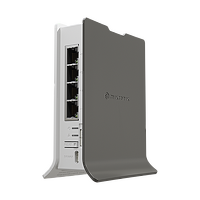
Our most affordable LTE home access point - tiny, fast, and strong enough to harvest the power of RouterOS v7!

An advanced technology level (ATL) LTE solution with wide range MIMO 4x4 antennas for fast and stable connectivity in rural and urban areas. Make the most of your mobile coverage!
if you want more features than chinese zte or huawei lte routers they are great
low pond
Isn't this enough?
 opal pagoda
Mikrotik is Latvian company and supports eu bands unless otherwise stated (if us is in the name it is for north America)
 trail imp
can some one help me im trying to do a port forward on a eir router but idk what im at (For farming sim 22 sever )
silent flax
trail imp
can some one help me im trying to do a port forward on a eir router but idk what...
first you need to find out if you even have publicly accessible IPv4. You might be behind NAT, or IPv6 DS-Lite etc, where your router is not directly on the internet
agile torrent
looks like somewhere between my server and my isp the connection is capped at 1Gb/s
Annoying...
 low pond
Try multi socket if possible
Maybe you can squeeze more
agile torrent
will try at the next download, my connection is 2.5Gb/s the server is on a 10 Gb/s link to the xchange so at least 200MB/s should be possible
low pond
Ye, it can be a soft limitation and most likely on the server side itself, for example the web server can be configured to a certain bandwidth per connection or whatever.
If it's in the middle, maybe it can actually be the links either on the server or ISP side but that's unlikely I'd assume
agile torrent
well I control the server so i'll definitely check out the config
low pond
Oo fun
You can test bandwidth anyway then using iperf3 and put a number of sockets and see if you can saturate the links, I'd do this first even
agile torrent
i'll definitely do that, also will check the route between the server and me, it might take a slight detour to Germany for whatever reason... (would not be the first time Deutche screwing me over)
agile torrent
yep when I see Frankfurt in the route, something just dies inside me
low pond
Ye you can run mtrs anyways and see if it's going direct via some peerings hopefully
agile torrent
yeah a few weeks ago they routed for whatever reason ALL the traffic to Germany and back to here. That was an experience...
there is 3 peering xchange in this city and nope, DT decided to put a Frankfurt in the midle of their traffic. For everything, traffic from exch1 to exch2? To HELL Frankfurt first!
low pond
Hah
Where are you then? And your 10G link is from dtag itself or?
Oh sorry yours is 2.5.
Server is on 10 ah got it
agile torrent
Budapest and yeah the server is in a DT datacenter and i am on a 2.5Gb/s DT line in the office in the same city, like 2-3 miles from the datacenter.
low pond
O o f okay yeah that detour routing is crap than.
That physically should basically add no latency at all in long haul
agile torrent
If it would not be such a hassle to get my id checked for entry etc I would just bike over there, but on weekends it's a whole mess getting allowed inside.
now ****ing what... sigh And it's not even monday...
 low pond
Woah
I mean yeah sftp by the looks of that is anyways just single socket
I'd benchmark a few using parallel and see
Yeah, I get it being routed elsewhere is not appropriate at all. Best case it'd be nice if it was within the city but eh
The thing is much worse routing even happens, really you don't have it the worse 😛
How much latency is that anyway?
agile torrent
around an extra 80ms
I am usually concerned when google is in the double digits.
from the smack in the middle of Europe
 tight pecan
low pond
How is it *that* bad, wait why
tight pecan
low pond
How is it *that* bad, wait why
An extra 80ms due to getting poor routes is horrible
I hate it when that happens to me too. Sometimes they'll just route me across different states just to get back to a service that's supposed to be nearby 😂

 agile torrent
tight pecan
I hate it when that happens to me too. Sometimes they'll just route me across di...
agile torrent
tight pecan
I hate it when that happens to me too. Sometimes they'll just route me across di...
I am getting routed to like 3 country away when the distance between the 2 machine is like 2-3 miles...
agile torrent
nope, they can't do anything because the routing is made by DT Germany... not DT Hungary 😄
agile torrent
you know it's kind of funny how the words DTAG and routing can instill fear across cultures...
low pond
agile torrent
I am getting routed to like 3 country away when the distance between the 2 machi...
Are you being totally backhauled?? That's what this seems like
What's your geo like of your IP?
low pond
agile torrent
nvm google is so quick tho
tight pecan
low pond
Are you being totally backhauled?? That's what this seems like
Nah DTAG has horrible routes because they refuse to peer
By refuse I mean they charge exorbitant amounts
So most networks don't peer directly with them
low pond
ah yea. partially aware that dtag really taxes their peering on others
When i was in EU tho lol i was behind a dtag carrier in austria, it seemed mostly ok. Some things had more latency than expected but eh wasn't the worst. maybe because where i reside, it's 120ms+ to European hubs 😂 used to this rather
low pond
low pond
When i was in EU tho lol i was behind a dtag carrier in austria, it seemed mostl...
And at least in their case, they seemed to have local routes, were on the IXP in their city and everything,.
tight pecan
IXP is prob cheaper for them to use than DTAG
low pond
It's dtag's own brand itself tho 😛 called Magenta there
They also used some other Transit at least from what bgp's told
Wasn't single only Dtag
 low pond
eh, they are the pioneers of still running copper everywhere so 😂 no respect still
agile torrent
low pond
eh, they are the pioneers of still running copper everywhere so 😂 no respect st...
that is so on brand of them... 😄
tight pecan
You're prob fine for most services. DTAG isn't too hard to get to, it just happens to be bad on the off chance that the folks running a service you're trying to access might not be on the right network
Like if they're singlehomed to a network that has to go through a lot of hops to get to dtag
agile torrent
nonono
I have a server in a DTAG datacenter 2-3 miles away and internet from them, and they are routing the traffic between me and my server through Germany 😄
low pond
tight pecan
You're prob fine for most services. DTAG isn't too hard to get to, it just happe...
right, most proper networks already take the efforts to reach dtag right. it's like it's their responsibility. :/
low pond
agile torrent
I have a server in a DTAG datacenter 2-3 miles away and internet from them, and ...
This just seems stupid and ignorant tho. didn't knew they can get away with such incompetence, intentional or not
tight pecan
agile torrent
I have a server in a DTAG datacenter 2-3 miles away and internet from them, and ...
Is your home internet also dtag?
agile torrent
yup
tight pecan
Yikes
agile torrent
now you understand why I am baffled and pissed at the same time 😄
they usually pull something like this every 2-3 months, then ppl start to complain, and it wil be good for a few months again
tight pecan
I'm pretty sure I've heard about that same issue before too 🤣
tribal sequoia
tight pecan
An extra 80ms due to getting poor routes is horrible
you can real time watch the AS's being used change when you have poor routed latency and it returns to normal more often than not
i just had a client have horrendous latency to their datacenter for a few hours and then it returned to normal, a swing of 30 ms -> 130 ms
tight pecan
Yup. You can use mtr (WinMTR if you're on windows) to see what's going on. Smokeping is fun for when you have a server that you need to monitor latency on
fierce kiln
Me waiting for google fiber to come to Albuquerque
Stuck with 400mbps max and 30+ ping to nearest data center
low pond
fierce kiln
Stuck with 400mbps max and 30+ ping to nearest data center
And who is this with? Curious
agile torrent
Huh, got an email from my ISP after downloading ~10TB in 24 hours.
It boils down to
"your traffic was unusually high compared to recent months, if you have no idea why here are links to a few antivirus to check your devices"
opal pagoda
agile torrent
Huh, got an email from my ISP after downloading ~10TB in 24 hours.
It boils down...
tbh that is great for 99.9% of people
agile torrent
yeah I was surprised, that is kind of decent of them to do...
opal pagoda
did you saturate a 1g link for 24h or do you have multi gigabit connection
agile torrent
2.5Gb/s and using the 2.5Gb/s port on the modem.
sly compass
Ah the internet that know everything. Unbound dns, or any dns software for that matter. Having multiple dns resolvers seem to slow down the lookups for me. How is this possible? Shouldn’t it just try the first one possible two and see which one is fastest? Or how does it work? Is it really beneficial to have more or less? Thinking privacy to not just speed?
opal pagoda
sly compass
Ah the internet that know everything. Unbound dns, or any dns software for that ...
dns failover is broken on windows anyway
low pond
Fun
Yeah iOS, and windows can take in 30 DNS servers if you provided it, but I guess it's better to leave it at the standard of two
low pond
agile torrent
Huh, got an email from my ISP after downloading ~10TB in 24 hours.
It boils down...
Hey at least they didn't threaten you to slow down 😂
Plus, if it's traffic to that local server there it's very inexpensive, frankly their issue of routing it to the moon and back
opal pagoda
low pond
Hey at least they didn't threaten you to slow down 😂
"sorry new CoD dropped"
low pond
yes
agile torrent
low pond
Hey at least they didn't threaten you to slow down 😂
I am not sure they are legally allowed...
low pond
US ISPs would probably love to find a way anyway
clear igloo
opal pagoda
"sorry new CoD dropped"
CoD minor update* 😛
agile torrent
low pond
US ISPs would probably love to find a way anyway
Yeah it is so weird, to have data caps, just the concept is strange even... I pay for this bandwith if whether I saturate it 0-24 is up to me.
low pond
Maybe your case yeah, you do you've said it's work or something yea? If it's DIA like then you should be able to use everything
It's somewhat still understandable in cases of residential plans I guess. Back in my home country, they don't hide much but have it written that it's all limited to 3.3T as that's the "fup"
agile torrent
the 10Gb link is commercial, the 2.5Gb/s is residential
I just checked the contract, they slow you down after 400TB, from 10Gb/s to 2Gb/s
clear igloo
low pond
Gfiber is sweet at least
Still waiting for google fiber in my neighborhood 😦
I want that 20gig eventually (kidding, kind of)
What's sad is 20Gb fiber from google is the same price as AT&T 5gig fiber -.-
$250/month
low pond
agile torrent
the 10Gb link is commercial, the 2.5Gb/s is residential
Lol no way then they might have a fup at some point
low pond
clear igloo
What's sad is 20Gb fiber from google is the same price as AT&T 5gig fiber -.-
$2...
Woah
Didn't knew google was doing a 20 also
Isn't there some other ISP in the US that was doing 50 also? I forgot the name, around 1k p/m
Ziply seems it
 crisp thorn
agile torrent
Huh, got an email from my ISP after downloading ~10TB in 24 hours.
It boils down...
crisp thorn
agile torrent
Huh, got an email from my ISP after downloading ~10TB in 24 hours.
It boils down...
thats weird they monitor your usage
 grim nimbus
Hi y'all! I hope I am in the right place with my question. I will soon have 2 gb/s internet. I was wondering what kind of router would you recommend buying? I don't want to use the one provided by the ISP. Also, do you recommend 2 gb/s, or 1gb/s would be enough for daily use? I barely do any gaming. At the moment I have waaaayyyy less bandwith. Thank you 🙂
agile torrent
Well, for basic daily use (multiple netflix streams etc) even 300Mb/s is enough if it is stable and low latency
clear igloo
low pond
Woah
Didn't knew google was doing a 20 also
Isn't there some other ISP in the ...
They're rolling it out slowly this year I believe but yah
 polar osprey
Completely new to this stuff, but im experimenting with a VM now, to figure out how to set up a server with truenas and plex down the line.
Does truenas and plex have to run within an operating system? If so, what is recommended?
low pond
polar osprey
Completely new to this stuff, but im experimenting with a VM now, to figure out ...
Plex yeah definitely needs a OS to be run on, as for truenas that on its own is a OS. There's two main varients, one that's based on bsd other Linux. Not sure what the community generally runs nowadays but they both work hopefully
low pond
clear igloo
They're rolling it out slowly this year I believe but yah
What kinda client interface will the 20 be delivered in? I suppose it's not a pon or?
clear igloo
low pond
What kinda client interface will the 20 be delivered in? I suppose it's not a po...
Yah, 25G PON from Nokia
https://fiber.google.com/gfiber-labs/20gig/

You can use a custom router that Google helped design or use your own with an SFP28 port
opal pagoda
clear igloo
What's sad is 20Gb fiber from google is the same price as AT&T 5gig fiber -.-
$2...
haha
meanwhile we pay about 2k euros per month for 200mbps
clear igloo
opal pagoda
haha
meanwhile we pay about 2k euros per month for 200mbps
damn!!
I thought you all had like 400Gb internet for a few pence or something 😛
opal pagoda
clear igloo
I thought you all had like 400Gb internet for a few pence or something 😛
even that price is with 80% "discount"
clear igloo
Home internet or business?
opal pagoda
business ofc
clear igloo
phew, I thought that was home internet for a moment
opal pagoda
 tight pecan
opal pagoda
tight pecan
opal pagoda
You might as well get a fiber line to the nearest DC tbh 😂
If there is one close enough
agile torrent
opal pagoda
That is not business pricing that is dedicated pricing IMO.
opal pagoda
agile torrent
That is not business pricing that is dedicated pricing IMO.
yes it is DIA
low pond
That price is hideous even for DIA
Where is this
Actual transit costs are way cheaper, but I know you can't directly compare that versus a service delivered to your place but even then.
8k eur p/m for 200mbit iis not a modern price for even dia
fierce kiln
low pond
And who is this with? Curious
Sparklight cable, only other wired provider is CenturyLink which is limited to a max 40mbps over DSL
rich ruin
I'm interested in upgrading from a standard Router/Fiber Modem to a Ubiquiti setup but don't really know what's good/necessary or what the process is like setting up a 2.5gb home network using Ubiquiti gear. I did some research and this is what I think will work for me. A Dream Machine Special Edition, G4 Bullet and a U6 Pro. From what I understand, I would need to use the 10gb LAN port with an adapter to get 2.5gb on my gaming PC. Would that work? Also, how difficult would it be to setup a simple home network using Unifi? All the videos I've found look pretty complicated.
fierce kiln
rich ruin
I'm interested in upgrading from a standard Router/Fiber Modem to a Ubiquiti set...
You need a router, UDM spec edition is fine. An AP, I would recommend U7 pro to future proof, and preferably a poe switch with 2.5gbps ports. You don't need an adapter to get 2.5gbps to your PC from a 10gig port
Note for the u7 pro that it needs to be poe+ powered
https://store.ui.com/us/en/pro/category/all-switching/products/usw-pro-max-16-poe

Ubiquiti Store
A 16-port, Layer 3 Etherlighting™ switch with 2.5 GbE, PoE++ output, and versatile mounting options.
rich ruin
fierce kiln
You need a router, UDM spec edition is fine. An AP, I would recommend U7 pro to ...
The UDM SE has 3.5gbps routing, I don't need the U7 Pro, I don't want/need to spend 280$ on a switch to get 2.5 gig for my PC when I can use the 10gbps LAN port on the UDM SE with an adapter, and yes I do need an adapter.
fierce kiln
Alr, UDM SE with sfp+to rj45 adapter
opal pagoda
low pond
Actual transit costs are way cheaper, but I know you can't directly compare that...
yea it sucks hard
 small glade
Wifi 6 with a 160mhz channel is honestly impressive, pretty much maxing out my gigabit connection lol.
fierce kiln
I'm the idiot on wifi 7 with 320mhz with only a 400mbps connection, hey, multi-gigabit local speeds tho
agile torrent
I'm the idiot who is refusing to use wifi out of principle 😄
fierce kiln
I would run ethernet through the walls though working in the attic is a pain. Exposed insulation sucks
and house was built before ethernet was commonplace to run, so the only run in the house is from my router to a U7 pro about 80 feet away
(it took 6 hours to run)
agile torrent
I get it, it's just wifi here is horribly congested, and wifi 6/7 hella expensive.
fierce kiln
6e isnt bad, though 7 is expensive. you in an apartment?
agile torrent
mhm 10 floor 2 by 2
fierce kiln
yipee
I can take insane advantage of 6ghz because I'm the only person nearby that has it
agile torrent
 fierce kiln
eh, isn't too worth it because the best isp only does a max 500mbps link
agile torrent
I think we will totally skip these wifi generations here in mid Europe like we mostly skipped 3G with cellular
small glade
agile torrent
I get it, it's just wifi here is horribly congested, and wifi 6/7 hella expensiv...
wifi 6 is cheap at this point, i got my 2 AX53s for 60 euros a piece
6e hardware is like nonexistant here in latvia tho
fierce kiln
dang, I am not ready to live in Europe
agile torrent
small glade
wifi 6 is cheap at this point, i got my 2 AX53s for 60 euros a piece
we might have shit wifi, but have 2.5Gb/s wired internet for 30$
fierce kiln
I wish
agile torrent
sorry wrong reply :/
small glade
i have gigabit, symmetrical with no CgNAT so can self host without issues for about that price
fierce kiln
maybe I should just move to a city with google fiber
i'm ok with 400mbit down but 30mbit up sucks
especially if you try to stream jellyfin remote


 hasty coyote

I got send this device and ask what it is. Can anyone help me? Thanks a lot in advance:D
small glade
small glade
<:Trollface:488803907829760031>
And then I can also get like this over 5g on my phone (but only if you are lucky to be in a place with great signal and low load)
 fierce kiln

 fierce kiln
small glade
And then I can also get like this over 5g on my phone (but only if you are lucky...
fierce kiln
small glade
And then I can also get like this over 5g on my phone (but only if you are lucky...
bro literally has faster 5g than my home internet
low pond
fierce kiln
bro literally has faster 5g than my home internet
5G in many places can be achievable till 1.2Gbit iirc even I once got that
Obviously it was more than ideal conditions, it's achievable tho. Not just theoretical
fierce kiln
in my area we have 5g, but its barely even deserving of the name 5g, often 4g is faster
low pond
Yeah, it can't be magically faster. With a more advanced protocol there is actually way more things that have to be in simple words "fine tuned" for the best performance
It's more complicated, and it's why in many cases you see 5G performing worse than LTE or so
small glade
low pond
5G in many places can be achievable till 1.2Gbit iirc even I once got that
This is sub6 5g tho btw. (memewave is a pipe dream, it's a good thing Latvian and EU in general carriers didn't try to acutlly implement it)
Also operating in NSA mode iirc.
opal pagoda
small glade
This is sub6 5g tho btw. (memewave is a pipe dream, it's a good thing Latvian an...
aka 4g++
small glade
I agree that NSA mode is 4g++, but standalone sub6 5g is real 5g and the realest of 5g not a logistically non-implementable pipe dream aka mmwave
opal pagoda
yes also if operating at higher cat levels there is little to no diffrence between lte and 5g nsa
low pond
small glade
This is sub6 5g tho btw. (memewave is a pipe dream, it's a good thing Latvian an...
I'm pretty sure my place doesn't use mmwave anyway, it was just NSA 5g
Just 100mhz via that, and some better modulation can give even a gigabit
small glade
sub 6 can be both NSA and SA. I would be surprised if NSA got a gigabit of real world throughput
 fierce kiln
probably not gonna be a great experience scrolling in bed. But that may be a good thing to stop you from doomscrolling
what total bandwidth are you paying for?
opal pagoda
 trim topaz
Are these good results?
trim topaz
Are these good results?
i smell vdsl
low pond
small glade
sub 6 can be both NSA and SA. I would be surprised if NSA got a gigabit of real ...
Out of the many many tests I do in various places for fun, it usually is around 500~ I'd say. The places where it's near a gigabit is almost always empty, with no load perhaps
silent flax
agile torrent
I think we will totally skip these wifi generations here in mid Europe like we m...
you don't skip it, just lag behind, cause mostly comes down to what ISPs give out. UPC here for example gives a Wifi 6E DOCSIS cable router only with the gigabit service
fierce kiln
ISP router 🤮
south blade
Guys, my Suncomm SE06 Pro 5G modem/router isn't that great of a router...is there some way to use my OPNsense box to handle DHCP and everything else that comes with it? The OPNsense box is not connected in any way, I would like to get internet from the modem but otherwise just act as an AP, would that be possible?


This is under Static IP

It has an option to disable DHCP, so I would think there should be some way to set this up for another device to handle DHCP...
fierce kiln
In most routers, you can select the IP of a DHCP server, though I don't see it here
silent flax
fierce kiln
ISP router 🤮
well, majority of people do use those, and often you HAVE to use it, even if you put your own router behind it. Modem mode is often gone with introduction of IPv6 and various IPv4 over IPv6 modes
fierce kiln
L ISPs
south blade
fierce kiln
In most routers, you can select the IP of a DHCP server, though I don't see it h...
😩
quaint siren
so I have PFsense running on Virtualbox with 2 network adapters, 1 is set to Bridged and 2 is set to internal.
PFSense's LAN IP is on internal and I cannot get into the router outside the Virtualbox machines. If I'd set my PC's DNS to the PFsense's IP, would that work?
agile torrent
silent flax
you don't skip it, just lag behind, cause mostly comes down to what ISPs give ou...
not just that, but we lag behind so much that it is more economical to skip a generation mostly. Like 2G->lil bit 3G but by the time it would have decent coverage it was cheaper to just build LTE towers
small glade
continuing latvian internet testing, heres RTU campus wifi. 20mhz 802.11ac

And the 5g on campus.
 low pond
small glade
And the 5g on campus.
low pond
small glade
And the 5g on campus.
Lte* says there
tribal sequoia
small glade
I agree that NSA mode is 4g++, but standalone sub6 5g is real 5g and the realest...
Many large cities here have implemented mm wave 5g with 1000's of cells per city
small glade
low pond
Lte* says there
It says that for 5g NSA
small glade
tribal sequoia
Many large cities here have implemented mm wave 5g with 1000's of cells per city
mmwave is a bad solution to a nonexistant problem
low pond
small glade
It says that for 5g NSA
You sure about it? My devices always have showed 5G (both system, and speedtest) under NSA also.
small glade
I think it might be Samsungs power saving then, it only connects up over 5g once there is a significant load, and speed test brands the network as what the phone was connected to at the start of the test rather than during the test.
opal pagoda
small glade
I think it might be Samsungs power saving then, it only connects up over 5g once...
idk if there is any power savings if connected to 5g nsa vs just lte
small glade
Yeah idk either but samsun does it
Basically 5g with greyed out box=5g NSA available but not linked. If it was a solid white box with black 5g written on it, only then is it truly connected over 5g
 opal pagoda
shows 5g
radio access lte
deployment type 5g NSA

*3001#12345#*
number you have to dial to get this
low pond
opal pagoda
>shows 5g
>radio access lte
>deployment type 5g NSA
That menu is heavily confusing
Apple did a great job at that
It's just simpler with apps like net monster in android, is more clear and works
low pond
opal pagoda
>shows 5g
>radio access lte
>deployment type 5g NSA
And I forgot but there's like 5 different cases where your phone can technically show 5G even if it's utilizing LTE or something, it's some standard of some sort
It has different meanings let me see if I have that document or whatever
low pond

It could very well be 2) in the list where it may show 5G, but you practically only have LTE connectivity. It's just that the site has "5g" connectivity
opal pagoda
low pond
It could very well be 2) in the list where it may show 5G, but you practically o...
I call that fakeG
Imo only SA or mmwawe count
Other than that is just marketing
low pond
Wouldn't call it fake. It all depends down to the configuration, if done right, it can push all the bits. We only do NSA here too and I get very optimal performance in decent coverage
sly compass
I setup Technitium DNS Server and i got this, also when i look at releases it seems to end at 2018 so i guess its old? Any thing other that works just like it but newer? Pihole is also a no for me. I need dns over tls

 low pond
Your 23 mbit might be better if it ain't broken dtag(tm)
south blade
Better question for networking? I'm trying to setup nginx-proxy-manager on Docker, but I can't start it as adguardhome is using port 443. I'm actually not using adguardhome at the moment as I've got other issues, can't change DNS on my modem, but don't want to get rid of it yet for if/when I figure something out for the DNS stuff.
 nimble shadow
If a server has 2 cpus on the same motherboard is it possible it make it run 2 different applications? Example - one running a nas and the other running a game server
pseudo blade
nimble shadow
If a server has 2 cpus on the same motherboard is it possible it make it run 2 d...
You can do that with a single core, you don't need multiple sockets for that lol
It's a bit like asking if you need two CPUs to run Chrome and VLC at the same time
 thick minnow
anyone else experiencing issues where nordvpn dedicated ip is so much slower than the public servers
and the fact that it makes my internet not work completly.
fierce kiln
nimble shadow
If a server has 2 cpus on the same motherboard is it possible it make it run 2 d...
you can do that with containers or vms easily
unraid has great support for vms
you can pass whatever amount of cores you want to each vm
nimble shadow
Bet
 cerulean pulsar
Anyone familiar with using Traefik to rewrite the URL for a backend app? I'm struggling with the right docker labels to use. This is what I have but the redirect doesn't work, it just takes me to the base URL for some reason:
-traefik.http.middlewares.test-redirect.redirectregex.replacement: 'https://$${1}/index.php/apps/openidconnect/config'```
Goal is to send `https://mydomain.com/.well-known/openid-configuration` to `https://mydomain.com/index.php/apps/openidconnect/config` warm kayak
anyone have anything to say about ziply fiber Portland, USA area
also what would a good modem be or should i invest in a 5g switch
low pond
warm kayak
also what would a good modem be or should i invest in a 5g switch
What's even a 5G switch 🤔
warm kayak
low pond
What's even a 5G switch 🤔
i have no idea how to set up 5g internet nor equipment needed to get full use outa it
low pond
Ziply has multiple plans iirc with even 10G and stuff
Do you want a anything more than say 1g or whatever
warm kayak
low pond
Do you want a anything more than say 1g or whatever
i want the 5gb plan
but i also wanna make sure my equipment can handle 5gb
low pond
Their subreddit is active af btw, and even is looked by their technical employees themselves. Very neat. You can also consider asking them to see other customers setups
warm kayak
and check reliability i have camcost right now
warm kayak
low pond
Their subreddit is active af btw, *and* even is looked by their technical employ...
im not a big redditer
i get lost quickly lol
low pond
warm kayak
and it looks like the provided modem only goes to 2.5g
I think it can do till 10
rich ruin
Would a 5gb or 10gb RJ45 NIC need to use lanes from the CPU?
Also what RJ45 NIC should I get for 5 gig internet?
 fathom oriole
anyone here able to help a dummy with some DNS Stuff?
fierce kiln
rich ruin
Would a 5gb or 10gb RJ45 NIC need to use lanes from the CPU?
the higher the speed, the higher the benefit in latency from using cpu pcie lanes, though it's not much. It does matter with a gpu though not with a nic. Any slot would work through the chipset
fierce kiln
fathom oriole
anyone here able to help a dummy with some DNS Stuff?
what kind of dns stuff
fathom oriole
i'm setting trying to get a subdomain setup to point at my home server. I've set up cloudflare and nginx proxy manager to do a reverse proxy but the address isnt resolving
fierce kiln
are you trying to access your home server outside of LAN?
fathom oriole
yes
fierce kiln
are your ports forwarded?
fathom oriole
yep, i added 80 and 443 forwarding to my unifi router and pointed them at the appropriate ports of the proxy manager
fierce kiln
are you trying to access it with a dynamic dns like noip?
fathom oriole
my understanding is the proxy manager updates the DNS record in Cloudflare, but maybe im mistaken
fierce kiln
I'm not sure changing it in a proxy server is enough. Noip is a great site for getting your own domain name to point at your router, they offer a free-forever domain name
and if it only changes it in cloudflare your computer may be finding an outdated IP unless it's specifically using cloudflare as a dns server
fathom oriole
I bought the domains on porkbun. right now when i type the address cloud.domain.com it redirects to domain.com and that I dont currently have set to go anywhere so it says server not found
fierce kiln
is the domain pointing to the right outside IP address?
fathom oriole
yes it is. just double checked. public ip is same as what is in the A record in Cloudflare DNS
fierce kiln
try entering it as <cloud>.<domain>.com:<port>
fathom oriole
cloud.domain.com:80 gives a cloudflare SSL handshake failed page (error 525)
fierce kiln
why are you using a proxy anyway?
fathom oriole
it was recommended on the truenas discord
fierce kiln
huh, I only use ddns to point to my home jellyfin
fathom oriole
does it need to run over https?
fierce kiln
if you want it to yes
 fathom oriole
fierce kiln
if you want it to yes
fathom oriole
fierce kiln
if you want it to yes
what do you use to run your home server?
small glade
5G NSA on LU campus, this time during an event where there's like 500 more people than usual here.

Look at this place, and the network doesn't seem to even be flinching

We've come a long way in 6 years since the incident when a massive gathering for Latvian independence day fireworks browned out the network in most of the Riga center so hard that even emergency calls had trouble going through. (although that was a really large amount of people)
small glade
Yeah and for those doubting it's actually 5g NR due to speed test saying lte, here is Samsungs built in network debugger reporting it's connected to 5g band 78
 opal pagoda
small glade
Yeah and for those doubting it's actually 5g NR due to speed test saying lte, he...
opal pagoda
small glade
Yeah and for those doubting it's actually 5g NR due to speed test saying lte, he...
It is just saying volte which wasn't updated to say vo5g
In reality it is just voice over data just like vowifi is voice over wifi
pseudo blade
It's all voip with SIM-based identity
sly compass
fierce kiln
why are you using a proxy anyway?
Absolutely need a proxy, it’s so unsafe and not to. Also very convenient if you want to add more services later
sly compass
 blazing karma
If you do, have you encoutered this issue?
blazing karma
If you do, have you encoutered this issue?
I can check but i don’t think so
sly compass
fathom oriole
yes it is. just double checked. public ip is same as what is in the A record in ...
And you asked to get an public ip and not behind cgnat?
low pond
small glade
Yeah and for those doubting it's actually 5g NR due to speed test saying lte, he...
To be sure you should do the speedtest, and while it's running, come back to this menu
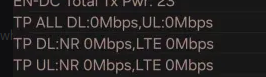
Then, monitor those values live
low pond
small glade
We've come a long way in 6 years since the incident when a massive gathering for...
And yeah usually carriers prepare for big events and arrange accordingly. things like portable cell towers on trucks and whatnot should be deployed
sly compass
small glade
Yeah and for those doubting it's actually 5g NR due to speed test saying lte, he...
How did you check this? What app?
blazing karma
sly compass
I can check but i don’t think so
Do let me know, currently after migrating config from 23.7.1 to 24.1 i cant reload WAN manually and I have to unplug my ONT for OPNSense to manually redial
low pond
blazing karma
Do let me know, currently after migrating config from 23.7.1 to 24.1 i cant relo...
Hah interesting we've talked before, see dm 😳
warm kayak
Xfinity sucks
 lofty vault
is this the right place to ask for networking help or should i put it in #1027757333117415424 ?
sly compass
blazing karma
Do let me know, currently after migrating config from 23.7.1 to 24.1 i cant relo...
I have pretty limited logging, but nothing for now. I even update from 24.1.7.pkg to 24.1.7_4.pkg. I was in the other day just. Been a lot of updates lately
Thought i would see anything but no, nothing to report
lofty vault
i currently have my PC (essentially) plugged directly into an ONT. should i use a router in between the two?
clear igloo
lofty vault
i currently have my PC (essentially) plugged directly into an ONT. should i use ...
Yes, ONT doesn't act as a firewall or anything so you're directly exposing your PC to the internet
and I'd sooner trust a sifter to stop the flow of water before I trusted Microsoft's firewall to stop attacks
 wraith tapir
Hey guys, I’m from the UK so this may be a bit different compared to other countries. In a couple weeks I will be receiving fibre optic 2gb, and the optic wire will be installed into my living room but my Unifi setup is in a room under my stairs, which is in the middle of my house. Is there a good way to get some sort of Ethernet cable into that room
A lot of houses in the UK have a grey box on the outside which copper wire for old fibre would go through, and my setup now is a master socket and another socket connecting to each other and then on that other socket going into my Unifi
I thought about laying an Ethernet down under my carpet onto the other side of my living room where an Ethernet port was
But a carpet + installation of it would be ridiculous
 serene prawn
Do you own a cordless drill?
wraith tapir
serene prawn
Do you own a cordless drill?
Yeah
serene prawn
wraith tapir
Yeah
Your cable routing possibilities are endless. 😈
wraith tapir
serene prawn
Your cable routing possibilities are endless. 😈
I guess so, but I’m not too good with that stuff haha. I also noticed I don’t have a 2GB switch, and on Unifi I can’t find a switch that all the ports are 2.5GB, it seems that only 25% of them are and the rest are GBe
wraith tapir
I would also need a dream machine pro as my dream machine doesn’t have 2.5GB ports, then I’d need a pro max 16 (preferably with PoE)
I’m going to have to buy it all slowly, as it’s a lot of money
opal pagoda
wraith tapir
I’m going to have to buy it all slowly, as it’s a lot of money
Take this opportunity to leave ubiquiti world
wraith tapir
opal pagoda
Take this opportunity to leave ubiquiti world
It’s so simple, not any other alternatives that are that cheaper
The things that I want, Unifi had it the cheapest
peak cloak
wraith tapir
It’s so simple, not any other alternatives that are that cheaper
tplink omada?
wraith tapir
Not sure, I added everything up and it came out to be just under £1000
opal pagoda
wraith tapir
It’s so simple, not any other alternatives that are that cheaper
you don't have to remove everything at once, networking uses industry standards apart from some proprietary routing protocols which can be replaced by industry standard alternative
i would suggest starting with your router, you could try opnsense and hardware costs ~150$ for a firewall appliance that has 5 2.5g ports
i belive you can run unify controller as a service in opnsense
for switch you can go used ebay route with something like dell S4820T (around 400$ 48port 10g) or CRS326-4C+20G+2Q+RM for 1k 20port 2.5g or MikroTik CRS310-8G+2S+IN for 220$ (8x 2.5g+10g)
if you dont need so many 2.5g ports https://www.servethehome.com/mega-2-5gbe-switch-guide-update-with-21-new-models-added/

In our new Mega 2.5GbE Switch Round-up 2024 edition, we cover 21 new switches. New options have more ports, PoE+, management, and more
wraith tapir
opal pagoda
you don't have to remove everything at once, networking uses industry standards ...
I was going to slowly upgrade, I need 24 Ethernet ports
The pro max 16 and the dream machine SE looks pretty good together
I would want 2.5GB for 6 ports, 2 of those PoE
sly compass
Finally bought an Zyxel XS1930-10-ZZ0101F 10gbit ready house now, whoop whoop
south blade
Hey, I just flashed OPNsense to USB and popped it in, currently have 23.something. it says login as root to continue live mode or as installer to start the installation. Use the default or previously imported root password....I'm trying all the passwords and it's not working...
Nevermind! 'opnsense' is the password, don't remember it ever being that for default.
 low egret
How do I set up a WPA virtual network
rich ruin
Would a 10Gtek 10GBase-T SFP+ to RJ-45 Transceiver work with a Ubiquiti Dream Machine?
opal pagoda
rich ruin
Would a 10Gtek 10GBase-T SFP+ to RJ-45 Transceiver work with a Ubiquiti Dream Ma...
As far as i know ubiquiti doesn't vendor lock sfp ports
agile torrent
Huh, rclone is a LOT faster than the browser version of file upload into google drive
Getting 220MB/s vs 30MB/s in a browser
 sage crow
Looking for a 10 gig router solution for my whole network. Would this be appropriate or do I just need to expect to spend 10 gig money to get something less power hungry and quieter

eBay
1U Firewall Router Server 6x 10GBE E3-1270 v3 8GB RAM X10SLH-N6-ST031 2x PSUConfiguration:Motherboard: X10SLH-N6-ST031CPU: 1x E3-1270V3 SR151 3.50GHz 4CMemory: 8GB DDR3 RAM KIT (2x8GB EDIMM)Hard Drives: NoneControllers:- 1x AOM-TPM-9655V O.B- 1x Onboard SATA ControllerOB NIC: 6x 10GB Ethernet RJ45 Copper Ports Onboard Plus additional 2x 1GB Eth...
The reason I ask is cause I’d say being a 1u server it’s LOAD ASF. And being an old Xeon it’ll probably idle around 150w+
Tried setting up my Lenovo thinkcentre with the AliExpress x540-t2 I had verified working on windows and Linux. And it wouldn’t assign a lan IP to the nic if I didn’t have it behind another router. Absolutely no idea why that was happening and just gave up out of frustration
 quasi orbit
sage crow
Looking for a 10 gig router solution for my whole network. Would this be appropr...
quasi orbit
sage crow
Looking for a 10 gig router solution for my whole network. Would this be appropr...
I just ended up getting a mikrotik and calling it a day with 8000 symmetrical
It takes a lot of compute to route 10gbps traffic
sage crow
Wym
I have a home server and a 10 gig switch and I pull around 7.5 gig throughput rn transferring files. Just wanted a more powerful router for the future
 drowsy fossil
router is for your internet traffic, lan traffic generally doesnt hit the router
 weak sequoia
I'm thinking about building a diy WiFi 7 AP from an Orange Pi 5 Plus and some WiFi 7 M.2 network card, e.g. Intel BE200 and some antenna.
Intel
Intel® Wi-Fi 7 BE200 - Ordering and trade compliance information inclusive of change notifications, material declarations, ordering codes and trade compliance information.
Is it a bad idea? Does this have a chance of working in any usable way?
drowsy fossil
be careful with which version of the intel thing you get, the ngw variants wont be compatible with the orangepi
and its questionable if the non ngw variant works
 grim rose
im running into an issue with one of my machines, for some reason no matter what i do, my download speed is capped at 25mbps. updated all drivers, bought a new antenna for my wifi card and nothing else i can think of outside the anti virus could possibly be throtlling my speed. anyone have any ideas?
 bronze swift
Guys what’s some reasons that a tp link POE switch can fail? It’s also been under a year. It happened about 2hrs ago when I noticed that all of my cameras stopped working, but the switch has normal lights, but no internet access at all, it doesn’t even show up when I plug it into my pc.
bronze swift
I also realized that I plug it in from the switch to the PC, the pc has no lights
However, the lights are solid green on the switch even when there’s nothing plugged in, & after reboot
fierce kiln
grim rose
im running into an issue with one of my machines, for some reason no matter what...
What version of wifi is it on?
ornate jungle
grim rose
im running into an issue with one of my machines, for some reason no matter what...
Specs? What WiFi card is installed? Or if the WiFi is built into the motherboard, what motherboard? Are you connected to the 2.4GHz or 5GHz network band? How far away from the WiFi access point is this device? What other devices do you have in the home? What speeds do they receive? How are you testing speeds?
silent flax
weak sequoia
I'm thinking about building a diy WiFi 7 AP from an Orange Pi 5 Plus and some Wi...
i think AX200 and newer Intel cards won't do AP over anything else but 2.4GHz. So no 5GHz AP
 clever comet
I watched LTT's De-Google Your Life - Part 1 video recently and have since set up a different DNS on my laptop. Now I can't easily access other computers on my Wi-Fi network through their hostnames anymore though, which makes sense as our router's DNS is what was able to change local hostnames into IP addresses. (Like acescomputer.kpn would turn into something like 192.168.29.34 (just picked some random numbers for the last 2 bytes))
Is it possible for me to use a DNS that won't sell my data (I don't know if KPN, which is our ISP, even does that or uses Google's DNS somewhere down the line. Better safe than sorry though.) while still easily letting me access webservers I'm hosting on another computer through a domain name like acescomputer.kpn?
 lilac ether
clever comet
I watched LTT's De-Google Your Life - Part 1 video recently and have since set u...
lilac ether
clever comet
I watched LTT's De-Google Your Life - Part 1 video recently and have since set u...
As they said in the video you can change your router's upstream DNS, but that will apply it for the whole network.
Windows allows you to set two DNS servers (E.g. 9.9.9.9, 192.168.X.Y) but it will only use the second if it can't talk to the first at all, not if the first can't resolve it.
If you really want to use separate DNS only on your laptop, the easiest solution would be to add the webservers to your laptop's hosts file. It's very manual, and it's not the most wise idea, but it's the only solution short of setting up a DNS server such as a PiHole that will solve your problem.
Setting up a DNS server is not a bad idea, but it's kinda overkill if you only access the webservers from a single computer.
frosty stone
clever comet
I watched LTT's De-Google Your Life - Part 1 video recently and have since set u...
Set the upstream DNS in your router instead of doing it per device
 high needle
Looking for server advice, currently run a hp z620 with esxi as a server for running various services (including truenas). Im planning to replace this and build something with 8-12tb of REDUNDANT raid 5/6 storage. My question is, what server would you guys recommend for this? I do have rack mounting facilities but not for a server that needs rails so would probs have to go the tower route. PSU redundancy isnt important I only need the hard disk redundancy as I plan to use this as a huge storage vault for backups of footage from holidays/events/computers etc, films, music etc, plus im going to have a fair number of virtual machines running alongside so RAM is desirable. Have a budget of around £500 and dont care if its new, refurbished or just used and needing a good clean.
Was looking at poweredge T630 but they still seem to be quite expensive
The HP microservers look awesome but I dont think theyll have the CPU grunt as theyre mainly dual cores with a select few having 4 cores
Want to go a little bit newer than ivy/sandy bridge which is what ive got atm and also a xeon L series would be nice to lower power consumption a bit
opal pagoda
high needle
Looking for server advice, currently run a hp z620 with esxi as a server for run...
what kind of rack is able to ear mount but not rail mount?
does it just have the front rail and no back rail?
high needle
opal pagoda
does it just have the front rail and no back rail?
^this
Its only a little floor standing one I have a patch panel and a udm pro in
And maybe a switch at a later date
Its only a residential setup for the household, I work in IT and just like having the server there to play with and also provide network storage etc between my desktop/laptop
Also pretty sure tower servers are designed to be much quieter than their rack mount counterparts, which is important since where its going to be is not soundproofed, there is a wall there but it cannot be screaming 24/7
silent flax
high needle
The HP microservers look awesome but I dont think theyll have the CPU grunt as t...
the G8 microservers you could put in any up to 65W TDP LGA1155 CPU. But we talk about Ivy Bridge tops, which is very, very old. Newer ones are Ryzens, but expensive.
so something like Xeon E3-1265L v2 did work in it. but again, very old, over a decade by now
high needle
Yeah I was hoping for like a v4 for the slightly better power efficency
And just cause the hardware is a bit newer
Currently have 2x e5-2640s (v1)
But I dont really need ALL of the processing power
I could probs get by just about with 1x e5-2640 tbh, so like a single later e5 which is a bit quicker would be nice
Main thing I need is the hard drive bays ideally
And also an x16 slot for a gpu
 sage prism
Good day everyone, i am looking for some cheapish 4G modem (m2 m-key) (for europe) which has something above CAT 6, any ideas by any chance?
opal pagoda
high needle
Main thing I need is the hard drive bays ideally
Best thing for hdd bays is external jbod
But most of them are rack mounted
Maybe you can upgrade to a actual rack and open up more options, just make sure it has enough depth
high needle
I did consider a proper rack but its too big, its a small cupboard
Just with a vented door
JBOD is probs overkill, unless I was using lots of low capacity SAS drives I guess
I already have 1x 4tb WD red plus, I plan to add 2 or 3 more in a raid 5
Nice thing about having one drive slightly older is (in theroy) it should be the first one to go giving plenty of time for a drive swap
opal pagoda
high needle
I did consider a proper rack but its too big, its a small cupboard
Want is your length restriction?
I know of few short ear moutable servers
high needle
About 26-27 inches but I do only have front rails
And the rack isnt really designed to handle having stuff stick out that far
I did have one with front+rear rails but I found it too big to go in the cupboard so had to get this small 12u one

Its one of these so nothing special
Currently I have enough space to the left of it for a full size tower hence the idea of having a tower server
opal pagoda
You could put a sff pc in there
high needle
I did debate that actually, I have one of those usff optiplexes that would fit on a shelf nicely
But its only an i3, would need more cpu grunt ideally
opal pagoda
Or if density is important then cluster of tiny mini micro 1l pcs
high needle
Like an i5 quad core minimum
Id still have to figure out storage tho
Those little usff pcs can only take a little 2 1/2 inch drive
Yeah I have an optiplex 3050 lying about but again only an i3 7100t iirc
opal pagoda
high needle
Those little usff pcs can only take a little 2 1/2 inch drive
Yes that is true but some have a pcie slot which can be populated by a hba with external sas connectors

Use my code HARDWAREHAVEN to get $5 off your delicious, high protein Magic Spoon cereal by clicking this link: https://sponsr.is/magicspoon_hardwarehaven
► Want to support the channel and unlock some perks in the process?
Become a RAID member on Patreon or YouTube!
🔓 Patreon: https://www.patreon.com/hardwarehaven
🔓 YouTube: https://www.youtube...
high needle
External SAS is a thing?
Oh so it is.... I guess that isnt a bad idea
Can you chain external sas to multiple systems?
I guess I could just have a big enclosure then just have an army of mini pcs which sorta work like those hp blade servers
I have been debating moving off of esxi to proxmox and iirc that can also handle distributing vms across pcs
opal pagoda
high needle
Can you chain external sas to multiple systems?
How do you think all jbod disk shelfs connect to the servers
high needle
I always assumed it was all iscsi
I guess that could work though and allows me to just add more pcs if more processing power is needed, and have them all link to a single JBOD thats not really something id considered
Or even just a single mini pc, just it would have to be a quad core at least I dont think dual core would cut it for running vms
opal pagoda
Keep in mind jbod is truly just a bunch of disks and isnt a file server
high needle
Yeah ofc would need software to make it work
And a hardware controller
Or well probs mainly just a hardware controller, then I guess it would show as a drive?
Then can point proxmox etc to it to store its vms
opal pagoda
I would suggest having one sff as it has multiple pcie slots (hba+10g network card) at least
high needle
Yeah 10 gigabit would be nice for the future, especially cause my router already has a 10 gig port
And we have cat 6/6a ran everywhere
high needle
Okay update on this: I ended up giving the middle finger to power efficency and going for a poweredge t430 :P
Well.... only ish actually cause the cpus are 10w lower tdp than in my current hp despite being 50% faster, but there was one for a good price online so couldnt turn it down
Plus it has 64gb ram instead of the 32 I currently have so gives me a bit more breathing room (im right up against the 32gb my server has atm with vms)
Plus the dells have idrac which should come in quite handy so I dont have to go downstairs every time I need to reboot it because the esxi web interface died
opal pagoda
high needle
Plus the dells have idrac which should come in quite handy so I dont have to go ...
btw this exists
 high needle
Oooh that looks cool
Tho I hate the tuya stuff cause iirc it has to go through their api
No local access, kinda annoying since everything else on my HA is local access
I got a good price on the t430 though so pretty happy with it, shouldnt be too noisy either theyre meant to be fairly quiet compared to their rack mount counterparts
opal pagoda
high needle
Tho I hate the tuya stuff cause iirc it has to go through their api
you could make esphome powered one
silent flax
high needle
Tho I hate the tuya stuff cause iirc it has to go through their api
there is zigbee version
not all features, but zigbee
silent flax
high needle
Oooh that looks cool
https://www.aliexpress.com/item/1005006090821609.html last two in the list of options

(haven't tested it tho, i got the tuya ones before these even existed)
but they say: "1. "Tuya PRO Zigbee" Card should work with Tuya Zigbee Hub, NOT support Zigbee2mqtt.", so who knows
high needle
Oh okay I do have a zigbee hub so thats possible, not a tuya one though
silent flax
personally i don't mind the Tuya one, as Home Assistant has a working integration now, and i would need internet anyway to power it remotely, and locally i can just press the normal button 😄
agile torrent
opal pagoda
btw this exists
Is that a bogstandard esp32 on a PCI-e card?
opal pagoda
agile torrent
Is that a bogstandard esp32 on a PCI-e card?
close, it is a tuya iot thingamabob which you cant reprogram with tasmota or esphome
agile torrent
yeah right... "can't"
opal pagoda
agile torrent
yeah right... "can't"
i looked on tasmota docs and it turns out some are tasmota flashable but i dont know what exact model it is
https://tasmota.github.io/docs/TuyaMCU-Devices/#configuration
Documentation (Wiki) for Tasmota
agile torrent
opal pagoda
i looked on tasmota docs and it turns out some are tasmota flashable but i dont ...
all of them this is a standard esp32
you can buy them for a $ or less, if you have a pogo pin adapter you dont even have to solder anything
something like this

Tindie
ESP32 in circuit programmer for ESP-WROOM-32 modules
opal pagoda
agile torrent
https://www.tindie.com/products/petl/esp32-wroom-pogo-pin-programmer-board/
https://solution.tuya.com/hardware
only a few of them are esp based
Tuya Smart - Hardware Selection Center provides customers with application cases of IoT, IoT-related communication modules, PCBA, development boards, chips and other components, price quotes, parameters, specifications, datasheets, design references and other information, find smart product solutions in the Tuya Smart Solutions Center.
agile torrent
yeah but im talking about the pc card a little above
i could probably reprogram the rest though
but being able to reprogram a chip is kinda wortless w/o the sw to put in place
opal pagoda
agile torrent
but being able to reprogram a chip is kinda wortless w/o the sw to put in place
it isnt some big brain software
when api is called digital output = 0
agile torrent
lol so a "smart relay" basically?
opal pagoda
essentialy
pcie is just used for power as far as i know
and it has temp sensor and fan outputs
nothing complicated
agile torrent
who knows, it might be communicating on the pcie port getting data directly and sending it to china
would no be surprised one bit
opal pagoda
i would just be surprised how they made that sub 20cent micro controller communicate over pcie
 steel mason
Hey All! I just got the FriendlyElec CM3588 NAS. I am a mechanical engineer with limited experience in coding. I'm trying to get the NAS up and going. Made some great progress yesterday including resetting my password... Unfortunately, my password is no longer working today. (I KNOW! I'm a complete idiot, write my password down, use something easy, etc... I Know! I'm sorry, sorry sorry!) But I'm here now, I think easiest option is factory reboot the unit. There are about 5 buttons on the unit. Any sequence to factory reboot? (PS, I'm in a bit over my head and partially got this as a learning experience in addition to saving money on cloud services.) Thanks so much in advance!!
fierce kiln
I was today years old when I realized I could host my own UniFi cloud console
 ripe hatch
Are Omada routers any good?
Deciding what I need for an install of 3 EAP670s
Do I need a router and hardware controller for those to work together?
opal pagoda
ripe hatch
Are Omada routers any good?
You don't need a omada router for omada ap's to work
For omada ap's you need:
A controller (either hardware or just run it in a docker)
Poe switch
Ap
I have recently bought an er605 router so if you have any questions regarding that i can help you
sly compass
Im looking at getting a 5G router. It’s not important or anything. Mostly gonna use it for testing. Either way it seems to be expensive. Looking at 5G modules + adapter. Any recommendations?
 reef siren
I have a ProRaid Enclosure on a Windows PC and i can get 150mb/s plugged in as expected, but over the network i only get 37mb/s max. ethernet or wifi (which was getting the same up/down when testing) doesnt matter. what can i do to hit the 150mb/s?
 drowsy sand
reef siren
I have a ProRaid Enclosure on a Windows PC and i can get 150mb/s plugged in as e...
drowsy sand
reef siren
I have a ProRaid Enclosure on a Windows PC and i can get 150mb/s plugged in as e...
Eating pizza :P
reef siren
Also i need a good Networking card, i dont know why windows is so incapable of doing bluetooth over usb. is there a good pcie bluetooth card i could get instead? my USB one works the first time and then never again, and blue screens if i unplug it
ripe hatch
opal pagoda
I have recently bought an er605 router so if you have any questions regarding th...
Does the er605 have a controller built in?
ripe hatch
reef siren
Also i need a good Networking card, i dont know why windows is so incapable of d...
Ngl I use the Asus USB BT dongle and it works flawlessly.
pseudo blade
ripe hatch
Does the er605 have a controller built in?
No. You can manage it locally though if it's not managed by a controller.
ripe hatch
pseudo blade
No. You can manage it locally though if it's not managed by a controller.
I’ll probably end up getting a controller then. The install is residential but I’m not gonna be there all the time and I don’t have a pc there where I can run docker constantly.
opal pagoda
ripe hatch
Does the er605 have a controller built in?
no
opal pagoda
ripe hatch
I’ll probably end up getting a controller then. The install is residential but I...
for the price of the controller you could buy a mini pc
one of those lenovo tiny systems
ripe hatch
opal pagoda
for the price of the controller you could buy a mini pc
Controller would be more reliable
I’m not gonna be there 50% of the time
 torn geode
I have a cable here. My fluke intelitone pro 200 says the wires are all good in the cablemap. But when i do the network test it constantly says its dissconnected

 thorn yew
Ok, so I have an issue I need help with. Does anyone here know Zyxel switches well?
I have a Zyxel GS1910-24 switch that I am trying to use with my Google Wifi setup. According to Google's own help page, to use the switch with hard-wired google wifi points, I have to disable STP and enable BPDU Flooding.
I cannot find the BPDU Flooding on this switch.
I work in IT, I have looked at multiple switch interfaces, and by far Zyxel's has to be the most confusing.
I have attached some pics of the STP settings (Which took me a while to find).


I tried disabling STP on all the ports (Left-most checkbox on pic 3) and the whole network grinds to a halt.
I'm assuming this is because of a network storm, caused by the following loop:
Google Wifi Router > Switch > Google Wifi Wired Point > Google Wifi Wireless Point > Google Wifi Router
Any ideas what i am looking for?
Here's the Google Support article about adding a Switch to Google Wifi: https://support.google.com/googlenest/answer/7215624?sjid=2904242901489336767-NC#zippy=

I have tried searching this on the internet, and all I get is newer Zyxel switches, and one article about disabling STP on this exact switch. Nothing about BPDU Forwarding/Flooding.
opal pagoda
just send it and see if you get a broadcast storm
nova glacier
thorn yew
I have tried searching this on the internet, and all I get is newer Zyxel switch...
Forwarding should be the default behavior when the switch has its own STP disabled
thorn yew
opal pagoda
just send it and see if you get a broadcast storm
Tried that. didn't work originally.
Weirdly though, I turned on loop protection on logging only, and then disabled STP, and it works perfectly.
Weirdest thing ever.
nova glacier
thorn yew
Weirdly though, I turned on loop protection on logging only, and then disabled S...
The switch probably detected and blocked the loop before the Google WiFi router could do so itself. There is RSTP to handle situations like that automatically but Google WiFi doesn't support it
thorn yew
Yeah, but STP is disabled on the switch now, and loop protection is set on logging only. It shouldn't block anything at all.
It should be identical to when I had STP disabled, and yet when I just had STP disabled with loop protection disabled, the system would not work and I ended up with a network storm.
I effectively do not have loop protection on at all right now, I just have it set to log.
And yet now it's working perfectly, and it is seeing the Wi-Fi node as a wired connection and it previously was not.
It's just really weird.
nova glacier
I tried looking at the docs for that switch, but that's gotta be one of worst documented devices I've seen in a while. Could just be some bug
thorn yew
Yeah, that's what I was finding out. Also the interface is not very self-explanatory at all.
Also, there's no general "turn off STP" button. If you see in my pictures above, you have to uncheck it for EVERY PORT.
It's so idiotically stupid.
opal pagoda
thorn yew
It's so idiotically stupid.
does it have console interface?
i preffer to set switches up with console as everything is visible and just copy paste configs
no searching trough menus
thorn yew
Only via a direct serial port connection. As in 9 pin d-sub serial.
The only PC I have that still has a serial port on it is a Windows 95 laptop that I've kept around for pajama Sam and Freddy fish.
 smoky verge
hey I have a question I was given a router and I was wondering how exactly I set it up

like where do I plug it in at?
fierce kiln
smoky verge
like where do I plug it in at?
Plug the ethernet cable from your modem into the yellow ethernet port on the router, then go to the router web-server, instructions are typically on the bottom of the router, and you can go through a setup wizard
thorn yew
smoky verge
There's an app that walks you through it.
I believe it's called "Linksys Smart"
sly compass
smoky verge
hey I have a question I was given a router and I was wondering how exactly I set...
You figured it out yet? 😅
 flat wagon
mtik's flagship router 
 low pond
Is it?
ripe hatch
Ended up not going Omada since family thought the APs were ugly
Ended up sticking with TPLink tho with a Deco mesh system
Rock solid so far
 rocky badge
thorn yew
Only via a direct serial port connection. As in 9 pin d-sub serial.
rocky badge
thorn yew
Only via a direct serial port connection. As in 9 pin d-sub serial.

The Sabrent (CB-FTDI) USB to Serial converter is the perfect solution for transferring data from a PDA or digital camera. The USB to DB9 provides a connection between an available USB port and the more traditional RS-232 serial port found on many devices. This adapter is designed for connections...
pseudo blade
low pond
Is it?
Well... no, there's a 100 gigabit one for nearly triple the price
low pond
Yeah
thorn yew
rocky badge
https://www.amazon.com/Sabrent-Serial-Adapter-Chipset-CB-FTDI/dp/B006AA04K0/
Yeah, I had one of those. Apparently it died...
When I first was trying to troubleshoot the network, I didn't know the switch was managed until I looked it up online. It needed to be reset, as I was not finding it on the network (It was originally on a different IP). There is unfortunately no reset button. I had to reset it through Serial. I ended up loading version 0.9 of PuTTY onto the Windows 95/ME Laptop to get into it.

Don't worry, it's not pure Windows ME. It's the custom ISO that's out there that's a combination of the best 98, ME, and 2000 features. It runs much better than ME alone.
ripe hatch
Why is Windows implementation of WiFi 6e so bad?
My pc has decided it is incapable of connecting to the 5ghz and 2.4ghz bands
 fervent brook
一九二・一六八・一・一番
Am I doingthis right?
low pond
thorn yew
When I first was trying to troubleshoot the network, I didn't know the switch wa...
darn, sweet system
sly compass
flat wagon
mtik's flagship router <a:asthmaattack:749137357155991583>
Nice 👌 Thought four ten gig is pretty weak
Just bought one of these for my homelab, 10gigabit through out the network now 😎

The XS1930 10G Multi-Gig smart managed series is designed for current and future network needs, offering agile expansion and high-speed capabilities for businesses, including servers, WiFi 6/6E APs, and IoT devices requiring speeds beyond gigabit standards. The new XS1930 series features copper ports supporting speeds of 100M/1G/2.5G/5G/10G, mak...
fierce kiln
ripe hatch
Why is Windows implementation of WiFi 6e so bad?
Windows implementations of standards in general is lacking
One of the main reasons that I use Linux
 primal canyon
this is a kinda off-topic question but is anyone here good with switches
sly compass
primal canyon
this is a kinda off-topic question but is anyone here good with switches
You gonna buy the wrong one 🥸
primal canyon
no its more a college question LOLLL
ripe hatch
primal canyon
this is a kinda off-topic question but is anyone here good with switches
Got the Ethernet with da switch 🗣️🗣️🗣️🔥🔥🔥
warm kayak
fuck yea
 low pond
oo, what ISP?
warm kayak
Ziply
warm kayak
low pond
what routers they gave?
i need to request a new one already but its the zyxel one for now
low pond
Ahh I see
 sinful socket
warm kayak
fuck yea
sinful socket
warm kayak
fuck yea
jesus
 glass jay
warm kayak
fuck yea
glass jay
warm kayak
fuck yea
holy mother of god
and i thought i was ballin at 926 mbps
btw is this the chat for asking bout firewalls and ports and network safety
flat wagon
sly compass
Nice 👌 Thought four ten gig is pretty weak
eh, that's what 10gig switches are for. i got 10gig switches from mtik too
sly compass
flat wagon
eh, that's what 10gig switches are for. i got 10gig switches from mtik too
Sfp+ ports? Did you see the router i ordered? Zyxel XS1930-10-ZZ0101F

Equipped with 8 Multi-Gigabit ports and additional 2 SFP+ uplink ports.
Every copper port supports network speed of 100M/1G/2.5G/5G/10G.t
Industry-first 5-color LED for every port speed.
Smart fan design delivers near silent operation.
NebulaFlex gives you the flexibility to switch between standalone and our license-free Nebula cloud manag...
Honestly don’t know why i haven’t seen any reviews or mentions of it. Looks great
If it be closer to 400eu i say it would lead the market and make 10gbit affordable enough that people might just upgrade when they need to
thick minnow
any idea if i can wol my gaming rig via my NAS? running freenas
 abstract lynx
I'm a noob at TrueNAS, anyone willing to help me with getting my data pool remounted so I can fix it?
My system is : Minis Forms NAB5 with a YottaMaster 5 bay DAS connected via USB C 10 GBit. (I know I shouldn't use USB, but it's what I have) When I woke up yesterday my Data pool was gone. When I use the CLI to try to import the pool (Can't see the pool in the GUI) I get this: https://i.imgur.com/wSMfKsD.png
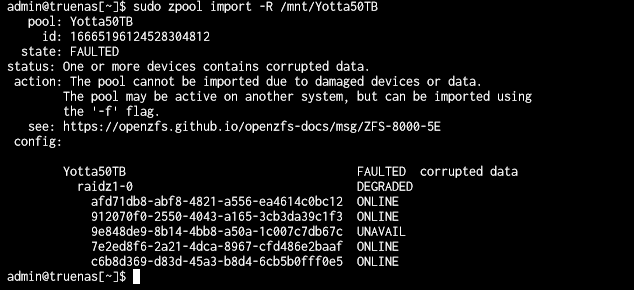 sage crow
Are Realtek nics still really bad on opnsense? Cause really the only 4 port 2.5g nics I can find for less then $70 are realtek. For some reason all I can find for Intel are 1 gig i225 and i226 nics
But none of them are 4 port just 1 and 2 port
 modest crypt
abstract lynx
I'm a noob at TrueNAS, anyone willing to help me with getting my data pool remou...
modest crypt
abstract lynx
I'm a noob at TrueNAS, anyone willing to help me with getting my data pool remou...
did you already try the -f flag
it also looks like you're missing a drive
did one die?
abstract lynx
modest crypt
did you already try the -f flag
Ya, I tried the -f flag, no go. I'm not 100% is the drive died, but I want to replace it and resilver the new one. But have no idea how to since I can't import the degraded pool.
modest crypt
what's the output of -f?
did you manually export the pool, or was it not in your truenas when you checked today?
abstract lynx
I did not manually export. I work up , and it was gone. I did get some error alerts in the night, but I was asleep then.
Here's the command with -f:
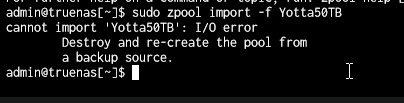
So I'm guessing I need to recreate the pool first. but how do I do that if I can't import the degraded pool?
modest crypt
I just started using trunas a few days ago, and I got the same error on one of my pools and couldn’t get it working after a few hours of trying stuff, so I had to wipe and recreate the pool. However, you may find better luck than me
I would try the truenas discord too if you don’t get anything useful here
The killer was exporting the pool for me, you can’t run scrubs and stuff on exported pools
abstract lynx
ugh, looks like I'm going to lose 8TB of 'Linux' ISOs....
abstract lynx
yup, that's why I was hoping to resilver the new drive, but I can't get to that step unless I can import the pool. At least that how I think it should work.
abstract lynx
I'm going to pull it out and run SpinRite 6.1 on it, but that will take a few days....
abstract lynx
I'll try that
abstract lynx
fine so far, but only been using it for a few days. Then this happened.
This is the guide I fallowed to set everything up. He's been running the same setup for a few months, no issues.
https://www.youtube.com/watch?v=rNp4jlzdSg8&t=316s

Setting up all of your TrueNAS Scale apps for the first time doesn't have to be hard! I recently setup my new server...and TrueNAS has come a lonnnnng way since the FreeNAS days. Setup was simple, but I did need some help along the way. Follow this video to help save time and get all of your services up and running in under 2 hours.
Disclaimer:...
bbl have an appointment, I'll let you know what I find
sudo smartctl -i /dev/[sdb-e] came back with no errors and all availible
 modest crypt
maybe try plugging it into a different linux machine and mounting it? idk
blazing karma
My oven is simply better 
 meager ginkgo
blazing karma
My oven is simply better <:Ok:1011233494611005570>
meager ginkgo
blazing karma
My oven is simply better <:Ok:1011233494611005570>
Our whirlpool oven resets itself when connected to our UnIFi network lol
glass jay
Does anyone use wireguard/wireguard-easy?
pseudo blade
glass jay
Does anyone use wireguard/wireguard-easy?
I do.
That said: Just ask your questions rather than requesting that people first confirm they know about something specific or you'll miss out on answers. If nobody actually knows, the result is no different, just faster and wastes less time.
glass jay
my bad
sooo im tryna connect my laptop wg to my pc's wg-easy server, but i dont think im configuring the settings right
ive opened port 51820 on my router
  wg-easy:
    image: ghcr.io/wg-easy/wg-easy
    container_name: wg-easy
    environment:
      - LANG=en
      - WG_HOST=<my external static ip>

      # Optional:
      - PASSWORD=<pw>
      - PORT=51821
      - WG_PORT=51820
      - WG_DEFAULT_ADDRESS=192.168.0.x
      # - WG_DEFAULT_DNS=1.1.1.1
      # - WG_MTU=1420
      # - WG_ALLOWED_IPS=192.168.15.0/24, 10.0.1.0/24
      - WG_ALLOWED_IPS=192.168.0.105
      - WG_PERSISTENT_KEEPALIVE=25
      # - WG_PRE_UP=echo "Pre Up" > /etc/wireguard/pre-up.txt
      # - WG_POST_UP=echo "Post Up" > /etc/wireguard/post-up.txt
      # - WG_PRE_DOWN=echo "Pre Down" > /etc/wireguard/pre-down.txt
      # - WG_POST_DOWN=echo "Post Down" > /etc/wireguard/post-down.txt
      - UI_TRAFFIC_STATS=true
      # - UI_CHART_TYPE=0 # (0 Charts disabled, 1 # Line chart, 2 # Area chart, 3 # Bar chart)
    volumes:
      - ~/.wg-easy:/etc/wireguard
    ports:
      - "51820:51820/udp"
      - "51821:51821/tcp"
    restart: unless-stopped
    cap_add:
      - NET_ADMIN
      - SYS_MODULE
    sysctls:
      - net.ipv4.ip_forward=1
- net.ipv4.conf.all.src_valid_mark=1```192.168.0.105 is the internal ip of the wg server system
the router is accessed through 192.168.0.1, but everytime i try to conenct from my laptop it shows this


does this mean its connected or are these error messages
pseudo blade
glass jay
my bad
sooo im tryna connect my laptop wg to my pc's wg-easy server, but i dont ...
Allowed IPs is 192.168.0.105, you're connecting from 192.168.0.1 or something NATed to look like it does
Based on the IP I wouldn't be stunned if it was misconfigured NAT
sly compass
Worked with Sophos firewall, honestly. I don’t see why people like? Old software, pretty clunky. No dns over tls/https support. Dhcp pool can’t bind any ip so they retain them. Have to be outside that pool/zone. Firewall is pretty much like most firewalls. They just made it more complicated with less options 🙄
Also vpn support sucks, give me wireguard. Why do i have to use sophos own software? That really is openvpn. Hate. My rant for today 😅
glass jay
pseudo blade
Based on the IP I wouldn't be stunned if it was misconfigured NAT
how does that usually happen? if possible, how is it supposed to be fixed?
glass jay
pseudo blade
Allowed IPs is 192.168.0.105, you're connecting from 192.168.0.1 or something NA...
how would i connect to my vpn assuming my network changes often considering im on a laptop?
is there like a device id option instead of the ip?
pseudo blade
glass jay
how would i connect to my vpn assuming my network changes often considering im o...
- Usually this happens when you configure an unnecessary masquerade rule between your LAN networks/on traffic outbound, but fail to ensure that traffic is exclusively to your "outbound" interface.
- Allow from everywhere instead of one IP. 0.0.0.0/0
blazing karma
tfw ive just bought a new u6 mesh and saw that u7 outdoor is due for release at june 17th 
guess im gonna be selling this u6 mesh for upgrades afterwards
silent flax
meanwhile people with Ubiquity switches... https://fxtwitter.com/adamjezek98/status/1756328742777950692 😄

Playing snake on @Ubiquiti Etherlighting switch.
Most expensive gaming console I own. Game selection is pretty limited due to the poor resolution. They went overkill on ethernet connectivity but forgot about other ports, I can't even plug in my gamepad. But it has RGB. 9/10
blazing karma
cant wait to get another 24 pro max to do this
sly compass
blazing karma
cant wait to get another 24 pro max to do this <:LULE:888968000609353789>
I buy one but, 2.5g is to slow. Bought an 10gbit switch.
Might upgrade to an Enterprise 48 PoE when my 1 gig netgear 48 poe switch dies
Wait they actually got the EnterpriseXG 24 which is 10gbit rj45 + sfp28. That would be awesome, already bought a 10gbit switch though. This one is also to pricey
Is this alright? 😄
https://www.senetic.co.uk/product/XS1930-10-ZZ0101F
Zyxel XS1930-10, 8-port Multi-Gigabit Smart Managed Switch with 2 SFP+ Uplink XS1930-10-ZZ0101F - Price (ex VAT): £364.70. Promotion only with us!
blazing karma
sly compass
I buy one but, 2.5g is to slow. Bought an 10gbit switch.
Might upgrade to an Ent...
Currently I use a SFP to 10G converter to connect my Hasivo switch to serve any 10G stuff I have (Which is just two 10G on my Proxmox box)
Not efficient I know but the hasivo only has rj45 ports which is unlucky
And the only other 2.5G stuff I have is just 2 u7 pro and my pc
Rest is All 1g/100m or WiFi only
So i don’t really see a need for a enterprise xg from unifi, might get the aggregation next tho cuz i like using sfp+ dac
And using that as my core before the pro max 24 sounds good
sly compass
blazing karma
Currently I use a SFP to 10G converter to connect my Hasivo switch to serve any ...
You mean sfp+? I run my opnsense on my proxmox so it gets 10gbit wan rj45 (not paying for it yet
blazing karma
sly compass
You mean sfp+? I run my opnsense on my proxmox so it gets 10gbit wan rj45 (not p...
SFP+ to 10GBe to my hasivo, my main router is the UDM SE

 cunning lion
This is my secondary desktop on the otherside of the house which is partly why I am thinking of picking up at least 3 Powerline adapters and 2 ubiquity mesh adapters for the house

That is with the Netgear mesh extender in place between me and the router
 regal wasp
Hello networking chat, im trying to figure out how to use more of my wifi because we have lots of extra download thats not being used
 cunning lion
Pretty sure they throttle from the router to your device
Your router maybe receiving the higher amount but pretty sure the plan dictates that you receive only about 300mbps
regal wasp
cunning lion
Your router maybe receiving the higher amount but pretty sure the plan dictates ...
Dang
Then why dont they limit the speeds to 300?
cunning lion
Why don't you test by plugging a cable directly into the moden itself
AKa if you have a laptop or desktop you can plug directly in to test that
To double check if its the router or modem itself slowing you down to 300mbps
regal wasp
cunning lion
AKa if you have a laptop or desktop you can plug directly in to test that
Ive got an xbox
cunning lion
That would work as you could run speedtest.net from the built in edge browser
If its an xbox one or newer
 cunning lion
Should be good then
Limited-time deal: TP-Link Powerline Ethernet Adapter Starter Kit - AV1000 Gigabit Port, Plug&Play, Ethernet Over Power, Nano Size, Ideal for Smart TV, Online Gaming, Wired Connection Only (TL-PA7017 KIT) https://a.co/d/7ncGrl6 hmm MIGHT have to give this a go and I can always add things on such as the ubiquity wifi devices and a 2000mbps for the router side while these go between the router and ubiquity device. But to start with I can run this on my desktop in the room across the house from the router

TL-PA7017 KIT uses HomePlug AV2 technology to extend your wired internet. With Gigabit Ethernet port, it ensures high speed wired connection, providing data transmissions of up to 1000Mbps and allowing smooth transmission of Ultra HD video streaming. This makes the TL-PA7017 KIT the perfect home ...
thick minnow
regal wasp
Hello networking chat, im trying to figure out how to use more of my wifi becaus...
Your internet fast af
🤩
cunning lion
Basically the second set of P's in this picture
regal wasp
thick minnow
Your internet fast af
I know but we cant utilize it


 regal wasp
thick minnow
(4g home Wi-Fi)
regal wasp
thick minnow
(4g home Wi-Fi)
Ive got spectrum bundled with cable but i eant to utilize all this extra download speed
thick minnow
regal wasp
Ive got spectrum bundled with cable but i eant to utilize all this extra downloa...
My upload is double my dowload for some reason
regal wasp
thick minnow
My upload is double my dowload for some reason
Lmao
regal wasp
My wifi speed from where im sitting (my desk)
 thick minnow
1 sim for my work laptop and router
2 sims for my iot network (2 providers)
1 sim for my main internet
1 sim my phone
Internet connectivity is super important to me
Everything but phone is unlimited data
cunning lion
Looking at a 2000mbps at least for the router side of the powerline section for this with the 2nd ps can be 1000mbps to each wifi adapter
thick minnow
