#networking
1 messages · Page 61 of 1
 opal pagoda
 mild turtle
opal pagoda
what is your budget?
mild turtle
opal pagoda
what is your budget?
Entirely depends. Probably about £100 maybe a bit more.
 edgy tundra
I am on my pc getting a measly 100mbps download speed When it used to download at gigabit speeds. I have changed speed and duplex to 1gbps but it still does not work and on my ethernet properties it says it is at 100mbps i fixed it before by resettiong my pc but i dont want to do it again is there a quiucker fix

 opal pagoda
edgy tundra
I am on my pc getting a measly 100mbps download speed When it used to download a...
opal pagoda
edgy tundra
I am on my pc getting a measly 100mbps download speed When it used to download a...
broken cable most likely
opal pagoda
mild turtle
Entirely depends. Probably about £100 maybe a bit more.
https://www.amazon.co.uk/TP-Link-Deco-X50-AI-Driven-HomeShield/dp/B09QMPGXRF
deco single units are ok routers, if you want to tinker with your router get something that can be flashed or comes with openwrt like glinet

TP-Link Deco X50 features higher Wi-Fi speeds, larger device capacity, and nearly no lag with broader HE160 channel bandwidth. This creates seamless coverage with clearer, stronger whole home Wi-Fi. Deco X50 integrates the Dual-band Wi-Fi with high-tech Wi-Fi 6 technology, providing multiple simu...
 long pecan
I desperately need a new server. it only has a 10/100 NIC, it's enough for most things (even if large transfers take a while) but I can't stream music from it at the same time as transferring files
I did buy a gigabit network card for it but it wouldn't accept it, it shows up in the config but wouldn't actually do anything with it
 lone sun
Can anybody tell me what exactly is the difference between the radio MAC address vs the ethernet and wifi mac addresses? What is the purpose of the radio MAC address? Apparently, wireless access points don't just have an ethernet and wifi MAC, but also a "radio" MAC address. When you type in "iwconfig" into a linux/ubuntu machine, or "netsh wlan show interfaces" into a windows machine, it pulls up a MAC address, but its clearly not the ethernet or wifi one.
opal pagoda
long pecan
I desperately need a new server. it only has a 10/100 NIC, it's enough for most ...
tell us more about your server hardware, software and what nic did you install
long pecan
opal pagoda
tell us more about your server hardware, software and what nic did you install
its a raspberry pi 3B with a sata SSD plugged in over USB thats stuck to my wall with blu-tac
i tried plugging in a Ugreen USB ethernet card but it showed up in my OMV config and was showing activity on my switch but wouldnt actually connect
opal pagoda
tbh you cant do anything about it
internally ethernet port is connected to usb2.0 hub so total bandwidth will always be 500mbps max theoretical
you could do a bandwidth limit of 90mbps for file transfer and that will leave some wiggle room for steam
long pecan
yeah, i know. but 480mbps > 100mbps
opal pagoda
long pecan
yeah, i know. but 480mbps > 100mbps
480mbps = 100mbps + 380 leftover for ssd
long pecan
hm fair

 thick minnow
Is it a good idea to pay for a second smaller internet connection through a different mobile carrier incse main one goes down?
My router has the ability to do that
I use the same one as my phone for my current and only connection
 pseudo blade
Depends on your situation and budget.
What you have to ask yourself is if the cost is justified by the potential impact reduction or not.

 thick fulcrum
I need to order a 300m durm of cat 6utp for a job, its going to be used for PoE, what colour do i get? Red as its got power on it?
 peak cloak
thick fulcrum
I need to order a 300m durm of cat 6utp for a job, its going to be used for PoE,...
peak cloak
thick fulcrum
I need to order a 300m durm of cat 6utp for a job, its going to be used for PoE,...
if it's active POE it doesn't matter, the switch and device communicate before sending power
thick fulcrum
its going to be powering onsite PABX handsets
 main hazel
okay i was trying to setup 1.1.1.1 on my new router (fritzbox), aswell as DNS over TLS, the router requirres me to enter a fully qualified domain for the DNS servers... , and i entered one.one.one.one. wich is the fully qualified domain name for 1.1.1.1 as far as i can tell however the router does not accept this, does 1.1.1.1 have another domain i can possibly try?
main hazel
nvm found the problem, apparently the creators of fritzbox os have no clue what a fully qualified domain name is (dispite specificallty asking for it) wich is weird because you would expect manufacturers of routers to know something about their field ... :S :((
thick fulcrum
dont worry, front end developers dont 🙂
main hazel
one.one.one.one
``` the unqualified version works where the ```
one.one.one.one.
``` fully qualified domainname does noti would load balance across them
bonding even if you are willing to tinker with openmptcp router
 quiet vortex
Hey, can someone help me, I am looking for a similar utility to the Dante virtual sound card where you can route sound channels to different channels, or something that just routes, but with networking so I can for instance route 1 ethernet to another ethernet port though my pc
(I am wanting to route a USB 4g modem to my internal network)
 crisp thorn
thick minnow
Is it a good idea to pay for a second smaller internet connection through a diff...
crisp thorn
thick minnow
Is it a good idea to pay for a second smaller internet connection through a diff...
usually no
since operators often share towers especially in hard to access areas, so you end up with exactly the same signal
 drowsy fossil
quiet vortex
Hey, can someone help me, I am looking for a similar utility to the Dante virtua...
drowsy fossil
quiet vortex
Hey, can someone help me, I am looking for a similar utility to the Dante virtua...
If you dont otherwise have internet on your internal network, you can use the windows network bridge (if your 4g provider TOS approves)
but if your internal network has another internet connection, that will be a bad time
opal pagoda
drowsy fossil
If you dont otherwise have internet on your internal network, you can use the wi...
having multiple gateways isnt a problem
problem would be if ip conflict and dual dhcp server would occur
 feral gust
Anyone know of anything that can switch 120volt ac lights like via zigbee or zwave?

 thorn delta
feral gust
Anyone know of anything that can switch 120volt ac lights like via zigbee or zwa...
thorn delta
feral gust
Anyone know of anything that can switch 120volt ac lights like via zigbee or zwa...
Any zigbee lightswitch should do it, you could do multiple of the small ones or one larger one like this, you'd want the "4CH 85-250V" version
https://www.aliexpress.com/item/1005005655319174.html
iirc they use pretty standard bulbs, so you could convert it to LED, even low voltage LED bulbs, if you wanted
 empty furnace
guys is PC wifi speed supposed to be slower than phone?
im in the same area while running wifi speed test and the phone is significantly faster like nearly 3x
and my games have been bugging out because of the lag that i have right now, it only recent started i would say 2 weeks ago
feral gust
thorn delta
Any zigbee lightswitch should do it, you could do multiple of the small ones or ...
Ok cool! It's actually just a bunch of lightbulb sockets wired up to a bus bar
That's how they used to do them apparently, just switching 120v ac from the box and then wired the lights in after
feral gust
thorn delta
Any zigbee lightswitch should do it, you could do multiple of the small ones or ...
Page not found
quiet vortex
drowsy fossil
If you dont otherwise have internet on your internal network, you can use the wi...
Usally the bridge makes the connection really slow for me, is there a way to fix that and also by that do you mean using the bridge connections feture?
drowsy fossil
Yes, not that im aware of, yes
drowsy fossil
you probably could run a router os in a vm and it might be faster?
ive only used bridge so idk
quiet vortex
Can the router os acces all the ports?
drowsy fossil
no but you should be able to passthrough the usb device
quiet vortex
As in passthough the usb to the os and the ethernet?
drowsy fossil
yep
drowsy fossil
Proxmox or mikrotik routeros
quiet vortex
hmm
after further research mikrotik costs a ton i think it'd be cheaper to buy a router/modem with 4g sim capability or a usb port for a modem usb
ty for showing me that tho
I will stick to slow af windows bridge
(it dosent even work :dead:)
 willow relic

 pseudo blade
It sure does attach storage to your network
 west vortex
I'm kinda lost on how to get my Pi-Hole to recognize hostnames instead of IP addresses on my network for my devices. Only some of them show up and it's mostly Apple stuff and a few dumb IoT things, but a lot of devices still just only show their IP in the webUI. I have my network setup to distribute out the pi-holes as the DNS servers to the devices, and the pi-holes are then routed to use my gateway (UDM-SE) as their DNS, and the UDM-SE is set to use both 8.8.8.8 and 1.1.1.1 as it's DNS. I also have conditional forwarding set to use 10.0.0.0/24 and I have my domain set as well (which is just .localdomain). The UDM-SE is the DHCP server.
 fallow wing
hey people, got a question for y'all
- as so of you may know, I'm making a server that will run proxmox so I'd like to get a dual SFP+ card on it but I'm not sure which one (and preferably cheap), thus I've been looking amazon listings like 10Gtek, H!Fiber, NICGIGA, etc...
- what I've gathered is that X510 good but can be troublesome here and there for 'reasons', X710 is the plague and must be avoided, that one broadcom controller is barely used so not much reviews on it, there is practically no realtek chipset for dual SFP+ (plus they are apparently hit or miss with their designs), also some connectx-3 listings on ebay are looking interesting but most of them are likely to be hardware locked for servers unless I find a 1st party card
- trying to go for the best value I could set for, preferably below 100€, max 120€, all those card fits that criteria but now I'm deciding depending on reliability, avoiding driver issues or possible "finnicky-ness"
any input on the matter I could give some thought about ?
 mighty wind
Its not Proxmox but I have a Mellanox MCX312B-XCCT in my Synology NAS that has never given me trouble. I got mine off ebay for 116 USD. I have seen the same and some other Mellanox cards recommended before.
drowsy fossil
you might want to look into qsfp+ pigtails as another option
opal pagoda
fallow wing
hey people, got a question for y'all
- as so of you may know, I'm making a serve...
You can disable "hardware lock" with a piece of tape
thick fulcrum
you want 2 ports, or happy to go 1/2 duplex, and get a 2 port SFP to copper adapter?
main hazel
a question i actually have had for a longer time, back when i did my ccna, (acient history) , 100mbit was the default for ages at that point, maybe 1gbit connections were just new or planned , anyway, if you did your network setup really well , used switches , not hubs , and a good switch at that, and there wasnt to much trafick on the switch, you could pull a file over ftp, from another pc, and get speeds of ~7MB/s , wich was considered the maximum real world speed for 100mbit, for 10mbit (oax or ethernet) this was ~700kb... now my router has finally cought up in speed to what was the norm fror lan back when.... and can do 100mbit down, however i get speeds upto 10MB , ive seen 11MB/s (but that might be artifacting for how the calculation is done) i know the theoretical speed for 100mbit is 11MB , but this would mean that we now get theoretical speeds on our modem, or what happened ? , as far as i know were mostly still doing tcp/ip connections i think and they have overhead so ???? or did we change how we measure speed from payload , (actual usefull data transferred) to every bit that comes over the wire... (would be like a weightlifter including his own weight in his performances , since he has to lift that to) , or ? i hope its not the latter , as it seems to be the case all around and i would hope that where isp's might fall victim to "boosting speed numbers" i would hope the manufacturors of the equipment doesnt... ???
thick fulcrum
So, why are your download speeds 10MB/s on a port that supports 100MiB?
I highly recommend having a read over https://www.nbnco.com.au - this is the national wholesale broadband provider in Australia, and answers LOTS of questions about speeds. Its regulator the ACCC also has a short version here: https://www.accc.gov.au/consumers/telecommunications-and-internet/broadband-speeds

Evolving Australia’s digital backbone to meet the ever-changing needs of people across the country.

Australian Competition and Consumer Commission
Advertised home broadband speeds must be accurate. Our guidance helps providers give accurate and helpful information about broadband speeds.
fallow wing
opal pagoda
You can disable "hardware lock" with a piece of tape
In the end, I think I'm gonna go with the X520-DA2, I just wanted to ask one last time just to be sure I didn't miss any other options
 modern cairn
Anyone frm India here? Where can I buy a laptop wifi card from here?
fallow wing
modern cairn
Anyone frm India here? Where can I buy a laptop wifi card from here?
Does India have eBay or something similar ?
modern cairn
We hv Amazon but the stuff there is too expensive fr a broke college kid like me
modern cairn
fallow wing
Does India have eBay or something similar ?
No ebay though
fallow wing
mighty wind
Its not Proxmox but I have a Mellanox MCX312B-XCCT in my Synology NAS that has n...
Looking into cards here and there, will look at these too
fallow wing
drowsy fossil
you might want to look into qsfp+ pigtails as another option
Hmmmmmm
fallow wing
thick fulcrum
you want 2 ports, or happy to go 1/2 duplex, and get a 2 port SFP to copper adap...
Two SFP+ ports
thick fulcrum
Good luck 🙂
Maybe a used synology one?
fallow wing
thick fulcrum
Good luck 🙂
Maybe a used synology one?
Hmmmm nah I found a couple candidates already
 blazing karma
Gotta love the ubiquiti tax


 cunning lion
Here is what I am bloody thinking to solve my crappy networking issues here. Get about 2-3 powerline adapters and a mesh network that can use the powerline adapters as a backhaul so that I get full speed from every access point instead of doing my current mesh extender that rebroadcasts the wifi signal and cuts data in half
I can't do moca becuase there isn't any optical cable ran here aka people before us didn't have cable or satilite
If I can find powerline adapters with a built in 2-3 ethernet ports even better so I can add a switch for where I want a wire ran
Giant metal furnace in the middle of the house is screwing up my wifi signals badly
Trying to remote into any of my pcs is a very poor expenrince and what is preventing me from fully enjoying my 2 "gaming" pc's
I can't really run my own cables in this "rented" space
 cerulean pulsar
Hey all, I've got an Unifi UDM Pro acting as the firewall and the dhcp server for my network. I'm trying to set up a PXE server so my plan was to set up a specific vlan/network where the UDMP would act as a dhcp relay (only for that network) to send requests to another dhcp server (in that same network) where I can customize what I need for the PXE server. Such as downloading specific images based on architecture, etc. Now my question is, am I overlooking any potential dhcp/network problems assuming this configuration is just for that one network?
cunning lion
Looking for recommendations for hardware
thorn delta
cunning lion
Here is what I am bloody thinking to solve my crappy networking issues here. Get...
Powerline may not give you much better speeds than wireless backhaul. Definitely buy the powerline adapters from somewhere with an generous return policy. A WiFi 6E mesh system may help since it's going to be cleaner and have wide enough channels to get better speeds.
opal pagoda
cunning lion
Here is what I am bloody thinking to solve my crappy networking issues here. Get...
Tplink has deco with powerlink backhoul if you want all in one device
But remember that if you use multiple powerline adapters they act essentially like hubs so they aren't the best
cunning lion
thorn delta
Powerline may not give you much better speeds than wireless backhaul. Definitely...
Amazon certainly does
cunning lion
opal pagoda
But remember that if you use multiple powerline adapters they act essentially li...
I was thinking no more then 3
1 at the router/moden and 2 other rooms
west vortex
blazing karma
Gotta love the ubiquiti tax
Feeling it here too haha
 blazing karma
Mine is OPNSense at the heart
Ubiquiti cannot handle PPPoE well
Altho my connection is only 1 gig
opal pagoda
west vortex
Feeling it here too haha
get some blanking panels
west vortex
opal pagoda
get some blanking panels
Yeah getting a few soon, but only for spots I know wont be taken up by something soon
opal pagoda
west vortex
Yeah getting a few soon, but only for spots I know wont be taken up by something...
blanking panels we use are clip on and dont require being screwed in
so no bigie when needing to install something
west vortex
I have rack studs so it's easy, I just don't like doing something twice if I can avoid it.
opal pagoda
west vortex
I have rack studs so it's easy, I just don't like doing something twice if I can...
i dont get why people hate regular cage nuts
i can install and remove them by hand without issues
west vortex
I have plump fingers
Also, I like how the rack studs can hold the equipment for me a bit while I get one on
 grand portal
hey all, I'm looking to replace my ISPs router (it's just consistent and port forwarding is appauling!) something around £100mark maybe a bit over
anyone have any thoughts or advice for me?
at the moment, I'm looking something like ASUS RT-AX58U V2 AX3000 or TP-Link Archer AX72 AX5400
mighty wind
 waxen scroll
My 14 night cruise
waxen scroll
My 14 night cruise
I hated having to service those ship networks. Worst one was a ship we were bringing back from COVIG mothball and when I plugged in I fount out the first person to setup the network didn't know what a vlan was.
cisco 3850s with no vlans, routing, or QoS
only upside that was not the guests network, or the important stuff
main hazel
thick fulcrum
So, why are your download speeds 10MB/s on a port that supports 100MiB?
ive setup my local lan as a 100mbit for testing now, and using a faster connection to pull with and the host im pulling data from can server it from nvme so tthe bottleneck should be the 100mbit connection, and as expected i get76mbit , for a http connection (more overhead than an ftp connection),
ive read the links you gave , but thats not the issue realy , my question was , -simplified- how come we have 2 different measures for 100mbit speed, one can do 11MByte a second over 100mbit , the other -and the one im used to - can only do 7MByte over (different connection but same rated speed) 100mbit.
im not mad about it , id rather have 11MB then 7MB , but how on earth do they manage to send nearly the theoretical maxumum for 100mbyte over the wire , not including package and network overhead :S

 agile torrent
When you set up an ssh tunnel/port tunnel over an ssh hop, because it is easier than convince the local IT to give you an open port to a different Ip...
on the other hand it is kinda stable for now, but these things happen only on weekends right?
The IT is sorta kinda wanna help, but the paperwork would put Vogons to shame
opal pagoda
agile torrent
When you set up an ssh tunnel/port tunnel over an ssh hop, because it is easier ...
we dont allow ssh at all
you want ssh?- connect to a admin vm via vpn
agile torrent
this is our machine, located on site on an isolated vlan, we NEED external connection for getting measurements out/remote connections.
opal pagoda
agile torrent
this is our machine, located on site on an isolated vlan, we NEED external conne...
for vendors like that we supply a ras vm
for non admin traffic firewall rule request needs filling out
agile torrent
yeah well we don't have to or even want to have any traffic into their intranet
i was thinking just putting down an LTE gateway, but they not allowing it on premises, cause that could be a way into their infra
I failt to see how but this is what it is
 tall pagoda
 west vortex
tall pagoda
west vortex
tall pagoda
ick, I hate those punch downs
 hearty lily
I just picked up a synology nas wanted to see what I may have to do if I get 2 drives for it now and want to upgrade to the full 4 later? I want to just get largest drives I can but don't want it to screw with me in the future.
 sly compass
I don't understand, i have multiple fqdn, the ones internally doesn't work for Firefox or Firefox nightly. Works great in Edge, Chrome and ios/safari/firefox etc
 rocky badge
waxen scroll
<@236237361703288842>
rocky badge
waxen scroll
<@236237361703288842>
nice
 glossy gate
wanting to acquire a gigabit switch for my bedroom, at around $15-20 does brand/model really matter at all?
 sullen shuttle
glossy gate
wanting to acquire a gigabit switch for my bedroom, at around $15-20 does brand/...
sullen shuttle
glossy gate
wanting to acquire a gigabit switch for my bedroom, at around $15-20 does brand/...
Probably not, just aim for something that reviews well. I am running cheap Netgear switches throughout my home network and have had zero issues.
glossy gate
Thought so, but I'm nowhere near a networking expert myself so figured it'd be easier to ask
sullen shuttle
I'm not either, just know what I managed to build for myself when I decided to go wired. I am actually running my modem to a google wifi mesh router, then out to a switch, that runs to other switches for the connection points around my home. I have two other mesh points to handle all of the wifi devices. I upgraded to Phillips Hue last year and run the bridge through a hardwire on one of the mesh nodes. It works really well for me.
Have a switch in each bedroom, as well as a dedicated one for the living room, and my office. It's probably overkill, but we have had 4 people in the same house playing on a locally hosted server running two different games, as well as players connecting from their homes, and no lag.
I have the 8 port Netgear GS208 for my living room, and it's five port little brother for most of the end points. These are unmanaged and very easy to work with.
 polar cedar
sly compass
I don't understand, i have multiple fqdn, the ones internally doesn't work for F...
polar cedar
sly compass
I don't understand, i have multiple fqdn, the ones internally doesn't work for F...
Look in Firefox settings for the private DNS/DNS over https and turn it off to use local DNS/system DNS settings. May solve your problem
 compact hill
Trying to find a tool that ltt reviewed a while back but I'm not sure which channel it was on. The tool let field techs ssh to and configure network devices while in the field without having to learn cli commands. Anyone remember that review/tool?
 clear igloo
compact hill
Trying to find a tool that ltt reviewed a while back but I'm not sure which chan...
clear igloo
compact hill
Trying to find a tool that ltt reviewed a while back but I'm not sure which chan...
You're not going to find such a tool, there are massive companies out there that struggle to manage a handful of vendor CLI syntax, nobody is going to cover all vendors. Heck, some vendors struggle with GUIs that cover their own products 🤣
The closest to what you talk about is netool.io and that doesn't bypass CLI commands, just lets you remote in from your phone/computer
opal pagoda
clear igloo
You're not going to find such a tool, there are massive companies out there that...
he should use magic of chatgpt™️
clear igloo
opal pagoda
he should use magic of chatgpt™️
I just used the magic of google "LTT network tool review" and looked at the first result 😛
easier answers, lol
opal pagoda
clear igloo
I just used the magic of google "LTT network tool review" and looked at the firs...
i ment for universal cli knowlege 
clear igloo
OH! lol
 rocky pecan
guys where should i buy replacement drive caddys for a dell power edge 620
opal pagoda
rocky pecan
guys where should i buy replacement drive caddys for a dell power edge 620
ebay
rocky pecan
ok
 compact glen
would it be dumb to run Zenarmor and NextDNS on opnsense firewall?
clear igloo
not really, no
 ashen cloak
I am hosting librespeed docker container at home which is publicly accessable.
My network speed is 600/600mbps.
My friends network speed is 900/900-ish.
Somehow my friend only gets about 30/600 on my speedtest server. (expectation was around 600/600)
When we both do a speedtest at speedtest.net, we both get our supposed speed.
is this an issue with residential ip to residential ip networking?
Connecting locally to the speedtest will get me gigabit speeds both directions.
I have to add, from other remote locations it is sometimes a good connection. Just don't know why the speed sucks between my friend and I.
crisp thorn
ashen cloak
I have to add, from other remote locations it is sometimes a good connection. Ju...
try a different tcp congestion protocol
or use multiple connections for the speed test or udp
ashen cloak
crisp thorn
try a different tcp congestion protocol
I don't even know what that is.
It doesn't seem to be my home network, nor his home network.
It sounds like it's something with our ISP's having a rather slow connection or low priority traffic.
Another friend which has a different ISP gets full speed to my server.
compact hill
clear igloo
I just used the magic of google "LTT network tool review" and looked at the firs...
heck yea, here it is: https://www.youtube.com/watch?v=EHbitD6or2w

Thanks to Secretlab for sponsoring today's video! Check them out at https://lmg.gg/secretlab
Jake is here to show off something a bit different -- Networking tools! With the ability to troubleshoot and diagnose connection issues in a small, battery-powered package, this could be the ultimate package for the IT manager on the go.
Check out the...
crisp thorn
ashen cloak
I don't even know what that is.
It doesn't seem to be my home network, nor his h...
you probably have different routing between those friends
and one of those routes can be really congested, change your tcp congestion protocol on server device and check if it helps
 tribal sequoia
ashen cloak
I am hosting librespeed docker container at home which is publicly accessable.
M...
tribal sequoia
ashen cloak
I am hosting librespeed docker container at home which is publicly accessable.
M...
reeks of ISP routing issue 😄
opal pagoda
ashen cloak
I am hosting librespeed docker container at home which is publicly accessable.
M...
same isp or diffrent isp?
ashen cloak
opal pagoda
same isp or diffrent isp?
Different ISP.
The easiest way for me is probably to get a cheap vps with gigabit connection and have incoming traffic through that vm or something like that.
Or Cloudflare or something
opal pagoda
ashen cloak
Or Cloudflare or something
you could try tailscale first
basically a p2p vpn
 crimson ermine
hey yall would it be a good idea to get a older thin client for a babys first server type of thing? running ethernet outside of the living room with the router is a bit difficult in my apartment, otherwise wouldve bunkered a older tower in some corner
 tight pecan
Gotta make do with what you've got. You could maybe try using a powerline adapter to make use of your electrical circuitry, but that will highly depend on how your electrical wiring is set up.
opal pagoda
crimson ermine
hey yall would it be a good idea to get a older thin client for a babys first se...
you could also get a nuc or a tiny mini micro system
my home server is zotac ci320 nano with couple of external 3tb hdds connected to it
opal pagoda
crimson ermine
are you using USB for the drives?
yup 2x of 3tb segate Backup Plus Hub
and it runs all of the home server duties just fine with just 4gb of ram and a low power 4 core
(nas, home assistant, plex, tailscale, pihole, duplicati, cloudflared)
 crimson ermine
ill take a look thanks!
 fierce kiln
yo is there an easy way to host a vpn on a raspberry pi that is actually fast? (not tailscale). I have a 400mbps down 30mbps up link at home
(with a nighthawk wifi 7 router + ubiquiti U7 pro for extra coverage)
peak cloak
fierce kiln
yo is there an easy way to host a vpn on a raspberry pi that is actually fast? (...
you can use wireguard
pivpn makes it easy
peak cloak
huh, it's no longer maintained as of 2 weeks ago https://github.com/pivpn/pivpn/releases/tag/v4.6.0

GitHub
Hi everyone,
It's time to say goodbye.
This is the final official release of PiVPN.
I inherited this project from @0-kaladin and @redfast00, who moved on with their lives. I maintained it as my...
sly compass
Where can i find 5-8 port 10gbit switch that is managed and doesn’t cost an arm and a leg? Found a reasonable price unmanaged one. But i want to compare and i mostly want it for vlan. Not a most but is nice to have
ashen cloak
You can probably find some used gear on market places which only cost an arm.
sly compass
ashen cloak
You can probably find some used gear on market places which only cost an arm.
Impossible
pseudo blade
sly compass
Where can i find 5-8 port 10gbit switch that is managed and doesn’t cost an arm ...
10 gigabit, small, managed, inexpensive and new (and let me guess: base-T). Don't ask for too little eh?
I hope US$300 is inexpensive: https://store.ui.com/us/en/collections/unifi-switching-utility-10-gbps-ethernet

Ubiquiti Store
A compact, 5-port, Layer 2 switch that supports 10 GbE speeds and can be powered with PoE or a 5V USB-C adapter.
sly compass
pseudo blade
10 gigabit, small, managed, inexpensive and *new* (and let me guess: base-T). Do...
Unifi 🤢 But hey that’s actually a good option
fallow wing
Hey chat
Question for y'all
I want to host gameservers
It's gonna have an end point in a datacenter that will be VPN'd into the local network of the servers
Reverse proxy after the VPN and before the servers, good/bad idea ? Should I be concerned about a significant increase in latency ? Or just let it loose with simple port redirects ?
 frigid roost
what should i use to sync photos from my iphone to my file server?
pseudo blade
fallow wing
Hey chat
Question for y'all
I want to host gameservers
It's gonna have an end po...
You'll get extra latency and DDoS traffic will be routed via your VPN to what I presume is your house
Not a ton you can do about that with that architecture, it's the price you pay for not having to pay exorbitant cloud compute fees
For a web server done that way you'd put all your caching in the cloud but game servers usually can't really do request caching like that
fallow wing
pseudo blade
You'll get extra latency and DDoS traffic will be routed via your VPN to what I ...
I mean, I'm hosting that VPS at OVH and they're supposed to have excellent DDoS protection so I'm betting on their past history of dealing with DDoS attacks and barely slowing down services to save my own machines from being bombed to heck and back
pseudo blade
fallow wing
I mean, I'm hosting that VPS at OVH and they're supposed to have excellent DDoS ...
It must be explicitly enabled and supports a specific (and small) list of games. It also seems to only be offered for their dedicated gaming server products.
OVHcloud
fallow wing
pseudo blade
It must be explicitly enabled and supports a specific (and small) list of games....
Hm, weird
I'm pretty sure I saw that as a by default option when I rented my VPSes
pseudo blade
There is a generic DDoS protection offer
fallow wing
pseudo blade
There is a generic DDoS protection offer
Ah that must be it then
 mystic latch
frigid roost
what should i use to sync photos from my iphone to my file server?
mystic latch
frigid roost
what should i use to sync photos from my iphone to my file server?
What OS is your file server running?
frigid roost
mystic latch
What OS is your file server running?
currently running windows server 2008 but i want to move to open media vault
mystic latch
I can super recommend immich as a google photos-like service. It's really fantastic. It can be installed with docker.
Has a solid mobile app, too.
frigid roost
mystic latch
I can _super_ recommend immich as a google photos-like service. It's really fant...
also can you explain what a docker is?
frigid roost
frigid roost
also can you explain what a docker is?
i see ppl talking about it but idk what it means
(idk much about networking or servers)
frigid roost
mystic latch
I can _super_ recommend immich as a google photos-like service. It's really fant...
does immich run in the background
or do i need to actually open the app on my phone if i want to backup photos
mystic latch
Woo that's a whole big thing.
So it basically puts a service/app in a container that's almost like a stripped down operating system. Using containers helps a lot with not worrying about making sure you have all the dependency stuff worked out, it's handled for you.
mystic latch
frigid roost
or do i need to actually open the app on my phone if i want to backup photos
I'm not 100% sure with iOS, but I believe it runs in the background. It definitely works on android.
frigid roost
mystic latch
I'm not 100% sure with iOS, but I believe it runs in the background. It definite...
gotcha
i know apple is picky with what can and can't run in the background
fierce kiln
apple is picky about literally anything that is third party
frigid roost
yep
fierce kiln
if I walked into a server room and saw rack pros I would slap the IT tech in the face
mystic latch
frigid roost
gotcha
You can ask in immich's discord server and get a for sure answer
frigid roost
will immich work with open media vault?
mystic latch
Oh nvm, here we go, it works:
https://immich.app/docs/features/automatic-backup/#ios
A guide on how the foreground and background automatic backup works.
mystic latch
frigid roost
will immich work with open media vault?
I'm not super familiar with OMV, but IIRC you can do docker containers on it
frigid roost
mystic latch
I'm not super familiar with OMV, but IIRC you can do docker containers on it
so i run immich in a docker container?
mystic latch
Correct
Yea, it has a docker compose plugin
https://wiki.omv-extras.org/doku.php?id=omv7:omv7_plugins:docker_compose
mystic latch
frigid roost
so i run immich in a docker container?
You'd set up the service and run it on OMV, then you install and connect the app to your server.
frigid roost
mystic latch
You'd set up the service and run it on OMV, then you install and connect the app...
i see
do you think it's worth going from an hdd to a sata ssd for the boot drive
on my file server
fierce kiln
frigid roost
do you think it's worth going from an hdd to a sata ssd for the boot drive
depends on whether your data changes alot, if you often do many file operations you could benefit from an ssd
frigid roost
fierce kiln
depends on whether your data changes alot, if you often do many file operations ...
it's going to be backing photos from my phone and then photos that i take with my camera
fierce kiln
how often and how much do you back up?
frigid roost
fierce kiln
how often and how much do you back up?
depends
don't really have a number off the top of my head
fierce kiln
if its just a few photos it doesn't matter, but if it's multiple GB's per backup you could benefit from an nvme drive
frigid roost
fierce kiln
if its just a few photos it doesn't matter, but if it's multiple GB's per backup...
it's in the gigs
fierce kiln
how often? like once every 2 weeks?
frigid roost
uh
1-2 times a month
depends if im out shooting or not
i was quite busy when i was shooting photos for my robotics team last month
fierce kiln
alright, you could benefit, but don't overdo it. a pcie gen 3 drive is plenty
make sure it has a dram cache
frigid roost
fierce kiln
alright, you could benefit, but don't overdo it. a pcie gen 3 drive is plenty
only issue is that there's no m.2 slot
on the motherboard
it's that ancient
fierce kiln
oh, you could get a pcie add in card that gives you some slots
mystic latch
frigid roost
do you think it's worth going from an hdd to a sata ssd for the boot drive
In addition to what sneakyboa put, I'd get a SATA SSD for your docker apps. Will help them run smoothly. Then you'd use the HDDs for mass storage.
Not sure how OMV handles that though. It probably puts the apps on the boot drive.
opal pagoda
mystic latch
I'm not super familiar with OMV, but IIRC you can do docker containers on it
It is just debian os with nas features, if it works on debian it works on omv
thick minnow
why dont they cool a pc in a car with a radiator driving down the road
would make a good vid
mystic latch
opal pagoda
It is just debian os with nas features, if it works on debian it works on omv
Yea, was more thinking of having an integrated GUI option.
As they're inexperienced with servers and whatnot
opal pagoda
mystic latch
Yea, was more thinking of having an integrated GUI option.
You can
https://youtu.be/UWlrodHF1EE

Head to https://squarespace.com/hardwarehaven to save 10% off your first purchase of a website or domain using code hardwarehaven
Things I Used In This Video (Affiliate Links):
► ZimaBoard - https://amzn.to/3BnhPRO
► 2.5" 2TB WD Drives - https://amzn.to/41nDlkE
Music (in order):
"CRENSHAW VI...
mystic latch
mystic latch
Yea, it has a docker compose plugin
https://wiki.omv-extras.org/doku.php?id=omv7...
Well they have a docker plugin I showed here
fierce kiln
thick minnow
why dont they cool a pc in a car with a radiator driving down the road
use the car rad for pc cooling? ultimate gaming minivan when
frigid roost
mystic latch
In addition to what sneakyboa put, I'd get a SATA SSD for your docker apps. Will...
if i were to upgrade to a sata later how would i move the os over?
frigid roost
opal pagoda
You can
https://youtu.be/UWlrodHF1EE
what other options are out there?
yay hdds arrived
 mystic latch
frigid roost
if i were to upgrade to a sata later how would i move the os over?
mystic latch
frigid roost
if i were to upgrade to a sata later how would i move the os over?
If the drives are the same size or the SSD is larger, you could use clonezilla to just clone it over and disconnect your old drive. Might have to tweak bios boot settings.
frigid roost
mystic latch
If the drives are the same size or the SSD is larger, you could use clonezilla t...
one more thing
im not sure where to actually put the sata ssd inside the file server
i could take out the optical drive and use the sata cable from that for the ssd
other than that idk where else i could put it
fierce kiln
or you can pull a linus and double sided tape it to somewhere in the case
frigid roost
fierce kiln
or you can pull a linus and double sided tape it to somewhere in the case
(there's no room in the case)
i can't even stick my hand in it
mystic latch
Perhaps get a bigger case from the resale market?
frigid roost
mystic latch
Perhaps get a bigger case from the resale market?
i'll see if i can 3d print a mount
fierce kiln
I love it when Mr___C said "Its printing time" and printed all over the place
frigid roost
@mystic latch bit of an issue i boot into windows on my file server and the keyboard and mouse are not being detected
it works in the bios though
is there anyway to format the hdd without going into the windows settings
frigid roost
fierce kiln
I would boot to a live Linux usb
bit of an issue
it gave me an ip address to remotely connect to the file server
but it isn't working
fierce kiln
Are you trying to fix it remotely?
frigid roost
fierce kiln
Are you trying to fix it remotely?
no
 ancient forge
hey guys, i have a question, i want to get wifi all over in my house its about 3000.sq feet and i wonder if 2 Asus XT8 and a main router (Asus ROG Rapture GT-AX6000) would be able to cut it?
sly compass
Always nice to see 🤤
 hearty lily
Hey looking to see if somebody could help me set up my synology nas. For some reason when I made my user account and tried to log in it kicked me out and didn't like my ip.
hearty lily
Wait did I screw up I got a 923+ can I not run plex on it?
clear igloo
hearty lily
Wait did I screw up I got a 923+ can I not run plex on it?
You can but no transcodes due to the lack of CPU power or ability to add a GPU
hearty lily
clear igloo
You can but no transcodes due to the lack of CPU power or ability to add a GPU
Ok i did get a comment on reddit about setting up a raspberry pi to do the transcoding. Does that make sense?
mystic latch
hearty lily
Ok i did get a comment on reddit about setting up a raspberry pi to do the trans...
Transcoding is poor on a rasberry pi, even on the latest version. Intel CPUs are best if you don't want to have a dGPU as you can use quick sync for transcoding.
hearty lily
mystic latch
Transcoding is poor on a rasberry pi, even on the latest version. Intel CPUs are...
I guess what devices would I be giving up the ability to watch the content on without having the nas transcode or am I better to get a different model that can transcode?
mystic latch
That's dependent on the source file and device you're trying to watch on.
For example, Roku can't do h265, so if you had any videos that were that they'd have to transcode.
Devices that can handle almost any format are things like the nvidia shield and fire tv
I think the only thing they can't handle is AV1, which is very rarely used right now.
 torpid sun
if i use an Ethernet cable in my pc,
is there any advantages between using a high profile (8-9 arm) router or a regular (2-3 arm) router ?
fierce kiln
ancient forge
hey guys, i have a question, i want to get wifi all over in my house its about 3...
depends on the layout of the house and the locations of the routers/ap's, though 2 can cut it for that size
If you can, route an ethernet cable between the two for optimal reliability/speed/latency
fierce kiln
torpid sun
if i use an Ethernet cable in my pc,
is there any advantages between using a hi...
if its connected over ethernet, wifi antennas don't matter
torpid sun
alr. 👍
fierce kiln
all you want to know is the networking interface on both ends, the lowest standard wins. If your mobo/nic is gigabit and your router is 2.5 gig you will only get gigabit
torpid sun
so, bigger capacity router does matter but only if my cable capable to use that amount of speed... right ?
fierce kiln
lets have a quick rundown. Having multi-gigabit connections over ethernet doesn't neccesarily mean higher internet speeds. you will have to check with your isp about that. But let's say that your router is capable of a throughput of 2.5 gigabit over ethernet, your motherboard is capable of a throughput of gigabit, and your cable is cat6 (10gig for 100 meters). you will experience a max speed of 1 gigabit because your motherboard is bottlenecking it. though for most home internet setups gigabit is plenty.
hearty lily
mystic latch
Devices that can handle almost any format are things like the nvidia shield and ...
Ok I would likely be streaming to my laptop when I'm away for work or would be going to my Sony tv at home which has plex built in apparently (hasn't downloaded it yet to it)
fierce kiln
hearty lily
Ok I would likely be streaming to my laptop when I'm away for work or would be g...
on my media server I pre-transcode where all the media contained is transcoded by the rtx 3070 in my gaming pc to h.264 with nvenc. it works on most devices
I have heard that apple devices are particular about what codec you use tho
and storing raw .mkv's will gobble up your storage very quickly
hearty lily
If I purchased plex does that mean they would do this for me? What does the purchase version of plex change?
fierce kiln
transcoding is generally done on-the-fly meaning that videos are transcoded as they are streamed
this is true of most media server platforms
 hasty coyote
Question: I am currently looking for viable solutions to establish a reliable network at a camping site for a maximum of a few days. I have the problem that mobile network is very weak and hear we are not allowed to strengthen the signal using a repeater because we are basically creating our own small network which might interfere with the regular ones and because the network carriers own the frequency bands it’s prohibited. One idea is using Starlink and then creating a local wlan mesh. Do you guys have any recommendations on products, setup and what else to look out for ? It should be able to handle quite some traffic and be robust so there is no downtime and cover as much space as possible. I know that star link could be a bottleneck and choke point. Thanks a lot in advance for your feedback.
fierce kiln
hasty coyote
Question: I am currently looking for viable solutions to establish a reliable ne...
barring laying your own fiber optic cable to the nearest isp, starlink is your best option. for meshing it, it might take a lot of nodes so coverage will be an ordeal.
if possible, you could try to aggregate multiple starlink connections together if you have multiple starlink dishes/subscriptions
for the nodes themselves you could get a ubiquiti ac mesh pro 5-pack for about 1k
they will do about 2000 sq ft of range
thorn delta
hasty coyote
Question: I am currently looking for viable solutions to establish a reliable ne...
Using an LTE modem with an external, directional antenna can really help
It won't cause interference like a booster, but will only benefit that one device with the attached antenna
At our camp / cottage property, I can't even send a text message from my phone with the signal available. With my Mikrotik LTE modem and a small directional panel antenna, I get a pretty solid 5 Mbps, despite being 30km away and the tower not having been updated in over 10 years.
It would really depend on how many people are using it and what they're using it for. If your area's starlink coverage isn't overloaded, a single one should be more than enough for people hanging out, streaming music, flipping through social media, ect. WiFi 6 has worked quite a bit better outdoors than WiFi 5/ac in my experience, the cheap TP-Link EAP610-Outdoor APs can be setup standalone and have some pretty decent coverage
fierce kiln
the other issue would be power. If there isn't power at the site you'll have to run it off a generator or power station (preferably one with clean power output)
thorn delta
For sure. Starlink was drawing around 60W iirc when I last looked into it, if power consumption is more of a concern than raw speed, LTE modems are typically under 5-10W for the peplink and mikrotik ones I've used
You can get PoE injectors and starlink adapters that allow them to run on 12VDC, which will save the standby draw and inverter inefficiencies
fierce kiln
if you're going the have a lot of AP's route, perhaps just a giant poe switch would do the job for all of it. one ac cable to rule them all
hasty coyote
Thanks a lot for the help. I guess Power will be no problem just internet.
hasty coyote
thorn delta
It would really depend on how many people are using it and what they're using it...
Is it possible to use this AP without the Omada Hardware Controller ?
thorn delta
hasty coyote
Is it possible to use this AP without the Omada Hardware Controller ?
Yes, you can just log into it from a computer or probably the android/ios app and configure an SSID/password
You lose some features, like seamless roaming between APs, but for basic setups like that it's going to be fine
Devices will still roam, the APs just don't help them out
hasty coyote
I already own a UniFi Express and poe switch. Are the routers comparable in terms of performance/price or "too expansive for what you get"?
Like for example this one: https://store.ui.com/us/en/pro/category/all-wifi/products/u6-mesh

Ubiquiti Store
Sleek, indoor/outdoor WiFi 6 AP with 6 spatial streams designed for mesh applications.
fierce kiln
hasty coyote
Like for example this one: https://store.ui.com/us/en/pro/category/all-wifi/prod...
generally mesh nodes are lower range but I can still expect similar speeds provided they are connected over poe and not just wifi mesh. If you want minimal downtime you mainly just need to worry about the starlink.
hasty coyote
fierce kiln
generally mesh nodes are lower range but I can still expect similar speeds provi...
Okay I see. I think the TP-Link has better coverage. The Ubiquiti is only advertised with 140qm which seems a bit low.
And because the TP-Link works standalone I think it is the better choice ^^
fierce kiln
ubiquiti tends to be conservative with their range estimates, I am pushing about 2500 sq ft out of an advertized 1500 sq ft AP at my house
and you can use ubiquiti AP's standalone, the U7 Pro I have at my house has nothing else connected to manage it
frigid roost
what are some free self hosted photo backup solutions that auto backup the photos from your phone
the ones i've looked at are either not free
or don't do auto backups
fierce kiln
Ltt did a vid on a nas card and I think he talked about a solution you're looking for
 fierce jacinth
Does anyone here know what the domain of the default unifi radius server is
Been struggling to configure wpa3-enterprise connections on my android phone and linux machines
 half meteor
frigid roost
what are some free self hosted photo backup solutions that auto backup the photo...
half meteor
frigid roost
what are some free self hosted photo backup solutions that auto backup the photo...
Personally I love using Immich if you are willing to keep VERY good backups
it is under active development so use at your own risk but the mobile apps are very consistent with backup and I havent had any issues running it on my cluster so far
The machine learning is definitely worse than google photos but it does a pretty good job of it for running locally

GitHub
High performance self-hosted photo and video management solution. - immich-app/immich
pseudo blade
hasty coyote
Question: I am currently looking for viable solutions to establish a reliable ne...
What kind of camp are we taking?
I'd use cellular with a directional antenna (yagi/dish) aimed your best nearby tower with as much height as you can give it. If it's weak but reachable on phones it should work well and maybe even a dipole setup would work with reduced but superior performance vs. Phones.
You can get WiFi APs like Mikrotik's OmniTik and cover something like a 200 meter line-of-sight radius for calls, bit less for data.
Depending on your expectations and environment you can spend quite a lot of money on this.
 amber elbow
If anyone is building a pc. Im open for recieving donations on this laptop replacement
https://discord.com/channels/375436620578684930/1232354050616590377
sly compass
half meteor
https://github.com/immich-app/immich
Im planning on setting it up for my girlfriend so she won’t lose her photos. I just tested it on casa os but im gonna deploy it for real now…
half meteor
sly compass
Im planning on setting it up for my girlfriend so she won’t lose her photos. I j...
I'm definitely very happy with it, but I would absolutely reccommend backing up your postgress often and keeping another location for the photos, should be reasonably easy to automate the db backup and the photos are just a volume which you could mount a redundant storage device to
fierce kiln
fierce jacinth
Does anyone here know what the domain of the default unifi radius server is
UniFi devices generally don't have a web server for management. You generally use the unifi site manager if you have a cloud gateway or cloud key. You access it at unifi.ui.com and use your account
frigid roost
fierce kiln
Ltt did a vid on a nas card and I think he talked about a solution you're lookin...
could you send me a link to the video?
i couldn't find it
frigid roost
half meteor
Personally I love using Immich if you are willing to keep VERY good backups
any other alternatives?
half meteor
frigid roost
any other alternatives?
there's a nextcloud photo backup service which is also pretty popular but personally I dont like the organisation. Definitely look into those. Personally I have yet to lose any actual photos with immich, but when I was updating and didnt read the update log I had to reimport all the stored photos cause I wiped the database by accident
frigid roost
got another question, so im self hosting a vpn so i can access my server when im not on my local network, my only issue is when i try and access the files on my server from my iphone via the files app sometimes it keeps loading and nothing happens
i've gotten it to work twice yesterday but that's it
fierce kiln
network drives on ios/macos have been bugged for years
fierce kiln
frigid roost
could you send me a link to the video?

Check out Supermicro’s AMD powered Petascale Storage Servers at the links below:
1U: https://lmg.gg/supermicropetascaleserver1u
2U: https://lmg.gg/supermicropetascaleserver2u
If you are tired for paying for Cloud Storage like Google Drive or ICloud? Then we found the NAS Device for you! This tiny computer is so small it can fit in your pocket a...
frigid roost
fierce kiln
network drives on ios/macos have been bugged for years
it works on my mac fine
funny enough i had issues on my pc
fierce jacinth
fierce kiln
UniFi devices generally don't have a web server for management. You generally us...
Ye, I have a udm pro which runs a freeradius server internally for its default radius group, I just can't find documentation anywhere on what that group's domain is
Apparently it should be the domain of the cert
 earnest depot
Hey, i am currently setting up a unifi controller on my docker host. If I adopt my AP, it doesn't work an my Controller logs contain following entries:
:0 TCP candidates not supported yet :0 Permanent error code on channel bind request: 403 - Forbidden IP :0 Permanent error code on channel bind request: 403 - Forbidden IP :0 All TURN channel bindings failed
Any idea, why it is?
opal pagoda
I just attended my first fortinet fast track with labs
labs were great, i got fortigate, fortiloger and fortigate isfw along with one win pc connected via lan and another from outside the lan
i got 4 hours 30 min to play with them along with configuration tasks
would recommend 10/10
frigid roost
getting nextcloud setup
but im having some issues
nc: getaddrinfo for host "nextcloud-aio-fulltextsearch" port 9200: Name does not resolve
i keep on getting this
 fickle latch
can you use a cat6 patch cable as a lan cable
west vortex
Yes
fickle latch
thank you
fierce kiln
if it can fit in an rj45 port, it works
mighty wind
challenge accepted
opal pagoda
fierce kiln
if it can fit in an rj45 port, it works
sticks in a rj11 👽
 brisk ledge
Heya is there a relatively easy way of accessing a remote network over vpn but without changing the device im wanting to change directly?
Story: my aunt has some smart home stuff i Set up, they have issues with it and id just connect to it from my home and just give them f. E. A Pi3 that would allow me remote access.
Only issue is, either im missing something or im just uncreative.
One idea i do have, would be to be like
My Server as a wireguard Server, and the pi3 id gave them Set up so it just connects to my wireguard Server automatically, this way i dont need them to Set up pf on their side.
Is there a way i now can get out of my pi3 at their place and connect this way, or would i actually need to have that pi3 Set up as a wg server with them having pf the wg Port of the Pi3?
Im not really deep into these scetchy ways of avoiding work for them (which would obv also work for more dubious activities).
Best thing is, their smart home server does come with tailscale in it... But explaining a tech noob how to enable, connect their acc and invite me to it is quite hard...
opal pagoda
brisk ledge
Heya is there a relatively easy way of accessing a remote network over vpn but w...
I would just install teamviewer on their pc and have them read the connection pass
after that i would setup a tailscale either on their home server or win pc as a subnet router
brisk ledge
opal pagoda
I would just install teamviewer on their pc and have them read the connection pa...
Easy solution i actually didnt think of lol...
Ye i will try and get them to setup and give me anydesk, didnt use it in a long time (anydesk over Team viewer cause i just know i liked it more)
Thanks for the idea lol
opal pagoda
yea i just used teamviewer as example. i have also used google remote desktop and it is real nice
brisk ledge
Google remote Desktop? Sounds cool
It can Set itself up via ssh? Daym.
- i dont have any usecase for it, but its cool that it can
ancient forge
fierce kiln
If you can, route an ethernet cable between the two for optimal reliability/spee...
i have routed the ethernet cables throughout the house but i heard that asus mesh network isnt good/their software isnt good
What are the best plug in mesh networks in the budget of like 125-300$ and have a few ethernet (2-3) ports on the mesh router
or should i buy multiple asus routers and use their AiMesh feature?
pseudo blade
brisk ledge
Best thing is, their smart home server does come with tailscale in it... But exp...
Is it just linux you can get at a shell for? If so how about SSH certificate-based auth to that server and tunneling to it? Set that up and you can take your Pi away
brisk ledge
That would require me to have access to it in the first place without actually visiting them
pseudo blade
Didn't you say your Pi's already there?
If not... do that over Anydesk or something from a computer
brisk ledge
Nope, that was one idea of how to get any access there, but now the idea of anydesk on their Laptop + setting up tailscale in the Server is easier.
fierce kiln
ancient forge
What are the best plug in mesh networks in the budget of like 125-300$ and have ...
Nest wifi pro is on a big sale recently and I've heard great things about them. Though I don't think they have ethernet on the points. Typically mesh systems expect you to go wifi only and are even mostly designed for using wifi instead of ethernet for the mesh point connections.
 true arch
hello, i recently saw this video of The PC Security Channel about how to "stop" windows from spying on you by entering a few domains into the host file located in C:\Windows\System32\drivers\etc. Im just wondering, is it safe to do this and will this break anything that i might be using on a dialy basis? Is there anything i should be aware of/watch out for before doing this?
Thanks!
These are the entries:
127.0.0.1 localhost
::1 localhost
127.0.0.1 data.microsoft.com
127.0.0.1 msftconnecttest.com
127.0.0.1 azureedge.net
127.0.0.1 activity.windows.com
127.0.0.1 bingapis.com
127.0.0.1 msedge.net
127.0.0.1 assets.msn.com
127.0.0.1 scorecardresearch.com
127.0.0.1 edge.microsoft.com
127.0.0.1 data.msn.com
 atomic talon
true arch
hello, i recently saw this video of ``The PC Security Channel`` about how to "st...
atomic talon
true arch
hello, i recently saw this video of ``The PC Security Channel`` about how to "st...
do you understand what 127.0.0.1 is? 🙂 this should not break anything at all, if you add those urls. but you might have a small change that windows update does not work but not sure which DNS its using.
oh one google search further;
if its one of these urls; its blocked for your windows updates;
https://learn.microsoft.com/en-us/windows-server/administration/windows-server-update-services/deploy/2-configure-wsus#211-configure-your-firewall-to-allow-your-first-wsus-server-to-connect-to-microsoft-domains-on-the-internet

Windows Server Update Services (WSUS) topic - Configure WSUS is step two in a four-step process for deploying WSUS.
true arch
do you understand what 127.0.0.1 is?
isnt it a reroute back to your system?
if its one of these urls; its blocked for your windows updates;
wati so if im understanding this right, as long as the URLs in this link arent included windows updates should work fine right?
atomic talon
exactly
At least windows update would work.
if anything else would not work I cannot guarantee, not even sure what would break
there are allot of these DNS blocker lists out there.
true arch
i see
well in the video he only mentioned that edge wouldnt show like the news page and other buttons on the "new tab page" (itll basically just show a blank page with the search bar at the top). I dont use edge anyway so i dont rlly care about that... but other than that he didnt mention anything so im assuming this is all just telemetry and tracking
hearty lily
ancient forge
What are the best plug in mesh networks in the budget of like 125-300$ and have ...
I have tp link deco units and they work well for me
ancient forge
hearty lily
I have tp link deco units and they work well for me
how big is your home?
hearty lily
About 1500 square feet although packaging says it can do 5500sqft
ancient forge
my home is about 3000-3500 square feet and its on 2 floors, im planning on getting a main router on one part of the home and it would cover the kitchen, living room, and a bedroom. and then stick the 2 mesh aps on the 2nd floor
hearty lily
My place is a bungalow so I can't help you then much for that
ancient forge
okey
opal pagoda
ancient forge
my home is about 3000-3500 square feet and its on 2 floors, im planning on getti...
if you are able to have a wired backhoul for deco it is much better
hasty coyote
Does anyone know if Ubiquiti supports multiple ISP connections out of the box/is it easy to set up? Like one primary connection and one backup connection.
Thanks a lot in advance for you help 🙂
 digital tartan
Depends on the device - I've got a UDM SE here with 2 connections and took me about 10 mins to get the basics working
agile torrent
opal pagoda
sticks in a rj11 👽
technically it COULD work, you have to do some nightmare fuel cabling but it could....
thorn delta
agile torrent
technically it COULD work, you have to do some nightmare fuel cabling but it cou...
I remember checking out a business customer's office that was complaining about their wifi not working. They didn't use our router / wifi APs, but they were a good customer so I checked it out anyway. Turns out they must have had some cable made to use the network jacks with an analog phone, but they reused the cable for their wifi and didn't put it together that it was causing a problem


their actual router connected to our service was a 20 year old linksys, which was also the cause of their speed issues since it wasn't really rated above 5 Mbps of internet and they were on a 75 Mbps plan
Good times..
agile torrent
ohh yeah, last week (please don't judge me) I had to put 2x RJ45 on a single cat5E cable ends.
everyone else was like "The hell is that monstrosity"
but it works, and no one had to crawl under the floor for a good 100 feet so... ¯_(ツ)_/¯
Having to see this after a 10 hour workday though....

We need no cable finder our makita can find them without help...
bonus points for the electricians nailing the fire alarm tube dead center a year before
thorn delta
Nailed it
agile torrent
no idea how they did not even nick a single wire inside. The guests of the hotel were surprisingly calm considering we just killed like 10 rooms door access...
opal pagoda
agile torrent
Having to see this after a 10 hour workday though....
tight fit
drowsy fossil
agile torrent
ohh yeah, last week (please don't judge me) I had to put 2x RJ45 on a single cat...
As long as you also put 2 on the other end lol
 magic owl
i need help getting my WireGuard VPN configured, i believe i have the router configured properly, the server configured properly and the client; upon trying to activate the connection i get error "No such host is known" on client end
i figured it out 😁
okay so, i got it connected but there's no data exchanges happening. client is sending data but no data is being received
looking at logs, client is trying to initiate handshake with IP ending in 111, timing out every time
waxen scroll
agile torrent
We need no cable finder our makita can find them without help...
I'm a Milwaukee guy
frigid roost
how would i get around restrictions on my school wifi basically i want to use discord and instagram while at school but unfortunately it’s blocked
i’ve tried using a vpn (it used to work) now it doesn’t
and cellular data service is terrible within a 1/2 mile radius around my school
waxen scroll
Host a vpn on port 80 or 443, TCP
Assuming they didn't block those and use a proxy for 80/443
 broken hearth
New to networking, I have a folder named "photos" on one of my local drives in PC. This folder has sub folders like, Family, Friends, Office, etc., and these have many subfolders and so on.. I want to share this "Photos" parent folder to my home network and let everyone (who can connect to my home network using their android mobiles and the android TV) to view the files (read-only). What is the best method of sharing, what apps to use for this process? Any YT video would be appreciated.
frigid roost
waxen scroll
Assuming they didn't block those and use a proxy for 80/443
i think those ports might be blocked
i think proton vpn used those ports
tribal sequoia
broken hearth
New to networking, I have a folder named "photos" on one of my local drives in P...
There's plenty of smb file share apps for android, and if you share the folder and setup a username/password for access that should be all you need to do
sharing on LAN with no username/password is essentially no longer supported by windows in that fashion
broken hearth
tribal sequoia
sharing on LAN with no username/password is essentially no longer supported by w...
I shared a folder from PC, used CX-File explorer in android and I could access it anonymously without entering username or password.?
tribal sequoia
doesn't seem right
i had a hell of a time creating an anonymous accessible share
microsoft killed off anonymous fileshare in like windows 10 2004
maybe they changed something back, what version of windows is this win11?
at least, not without actual tinkering to get it to work, simply "sharing" a folder is definitely not enough in my experiences
agile torrent
waxen scroll
Host a vpn on port 80 or 443, TCP
or use port 53, or as a last resort what I did just use vpn over dns 😄
I did that a couple of times as a red team guy to exfil some data
also did a fully functional vpn on it but just as a techdemo and to avoid paying on international flights 😄
tribal sequoia
sneaky, you're the reason i only allow actual application identified port 53 lol
agile torrent
tribal sequoia
sneaky, you're the reason i only allow actual application identified port 53 lol
too bad these days no one really wants to pay for "real" tests, just so they can get a checkbox filled :/
I really want to do a no holds barred pentest, but no one is willing lol
agile torrent
tribal sequoia
sneaky, you're the reason i only allow actual application identified port 53 lol
do you allow icmp though? I used ping as well to exfil data lol 😄
 cursive sandal
Can anyone recommend a home & pro property security system/company that actually allows me to control more than ADT’s insanely limited & dumb Command panel? Had Vivint; liked them but things got very strange.
agile torrent
cursive sandal
Can anyone recommend a home & pro property security system/company that actually...

define "strange"
cursive sandal
They became entirely unresponsive regarding billing
waxen scroll
cursive sandal
Can anyone recommend a home & pro property security system/company that actually...
Elk products. I use M1G but they have a new panel to explore too
Obviously it's hard mode, it's not going to be pretty like consumer friendly solutions
You can get it to work with home assistant
 plush vale
Got to love a mini-pc with a monster NIC 😎😎
 opal pagoda
plush vale
Got to love a mini-pc with a monster NIC 😎😎
opal pagoda
plush vale
Got to love a mini-pc with a monster NIC 😎😎
when the
f12
fierce kiln
bruh I wish I had fiber in my area
 acoustic atlas
I’ve got a real weird network based question if anyone’s down for it
 low pond
opal pagoda
when the
f12
low pond
opal pagoda
when the
f12
No? 10Gb residential offering is not ultra rare in quite a few places around the globe now
 willow hinge
Is opnsense plug and play (other then setting up input/output ports)?
thick fulcrum

??

now my question is, do DNS matter when your running a server for overall speed (vultr)?
tribal sequoia
i don't even know what you're actually asking
 shrewd robin
I mostly deal with cable networking. And I'm here trying to understand some practices for wireless network. In WiFi, you can set the main WiFi and guest WiFi from the same WiFi router. Does having a guest network means you can set whatever rules like ACL?
thick fulcrum
tribal sequoia
i don't even know what you're actually asking
if your running a website, would a faster DNS help with sending outbound traffic, or is it already hand shaken and DNS is only useful for traffic initialized within the server? E.g., using a browser to download the latest version of an offline installer?
guest network can have its own rules, but depending on those rules, you might need a more power use friendly interface
west vortex
DNS is only used for looking up hostnames to IP addresses. It wont impact anything other than that.
agile torrent
low pond
No? 10Gb residential offering is not ultra rare in quite a few places around the...
i've only got 2.5 gig :/
plush vale
fierce kiln
bruh I wish I had fiber in my area
it's a game changer. we went from 80mbps to 8000mbps in 2 months.
pseudo blade
thick fulcrum
if your running a website, would a faster DNS help with sending outbound traffic...
No, unless you're going out of your way to do reverse DNS lookup on all clients before serving them (don't).
A normal HTTP server doesn't care about DNS whatsoever except for reverse proxy destinations, which it will have cached for it.
If what I said doesn't make sense to you, just take "No" as your answer as it is a pretty safe assumption.
agile torrent
That depends, what he means under faster outbound. So if the lookup from the client side is slow it would make the user experience slower and it could be noticed. So the website loading in would be faster, but not because of higher speeds, just less initial waiting. But 99% of the time you just leave DNS alone if it is working, because chances it's going to stop working out of spite
pseudo blade
agile torrent
That depends, what he means under faster outbound. So if the lookup from the cli...
They said "If you're running a website, would faster DNS help with sending outbound traffic"
So no, not really.
tribal sequoia
that would affect the client's experience but not be related at all to the server
so yeah, what they said, no, not at all
 livid edge
Has anybody heard of this company/website? It looks too good to be true

centropower
Gigabit Poe switch conforms to IEEE802.3af/at standards. 10 ports switch with each 10/100/1000Base-TX ports. Circuit protection prevents power interference between ports Remote power feeding up to 100m PoE switch support CCTV,desktop size and wall-mount design Read before buy: please connect all PoE port with PoE power
I need somebody to verify the authenticity of it please
 nimble mirage
whats yall internet speed?
brisk ledge
250mbit down 60 up. Ftth
Slow and expensive, typical in germany.
 void bolt
brisk ledge
250mbit down 60 up. Ftth
Slow and expensive, typical in germany.
void bolt
brisk ledge
250mbit down 60 up. Ftth
Slow and expensive, typical in germany.
1000mbit down 50up, also in germany :D
brisk ledge
void bolt
1000mbit down 50up, also in germany :D
Tho most likely 2-3x the price
Im paying 30 Euros
void bolt
brisk ledge
Tho most likely 2-3x the price
like 50 euros lol
brisk ledge
Like actually not like "first 6 months"
void bolt
could be 60 im unsure
brisk ledge
void bolt
like 50 euros lol
Would be kinda fine i guess
My Provider even stopped delivering gbit for 0 reason. Best i could get is synchronous 300mbit, so up and down.
For 50 Euros...
If latency wouldnt be an issue i could get ~500mbit lte for 50 Euros aprox... (highly theoredical value, its lte...)
void bolt
brisk ledge
My Provider even stopped delivering gbit for 0 reason. Best i could get is synch...
which isp are you on?
brisk ledge
A local one
Prefer not to say lol
I can say tho, theres no way of me getting back to DSL or Cable.
void bolt
oof
void bolt
yeah its understandable
brisk ledge
Ftth is just nice to have.
void bolt
which confuses me is that most isp's dont offer much with ftth
brisk ledge
Other than one odd outtage (Google Services worked, nothing else) the Provider also is very reliable... Kabel Deutschland aka Vodafone we had before was extremely Bad in terms of how often we had outtages.
brisk ledge
void bolt
which confuses me is that most isp's dont offer much with ftth
Another thing. The whole avaliable bandwith in germany is just laughable...
Just scale it up, like actually. Gbit for everyone, and also allow something like 2.5gbit wan.
I dont see much benefit in gbit for me. I would Switch to a lot more tho. Or at least synchronous gbit in reasonable price.
I also wouldnt care if i cant always use it. Just get rid of the Limits...
Even if i mostly have like 500 and at Max gbit. Why not?
fierce kiln
brisk ledge
I also wouldnt care if i cant always use it. Just get rid of the Limits...
Even...
If there were no bandwidth limits, servers would be overrun as the bandwidth needs to be paid for somehow
brisk ledge
Gbit for everyone really isnt an issue...
Im talking consumer.
Also, plan Limits are not technical Limits.
Here in germany you can have whole cities running on 20gbit total and stuff like that... Just because they want to save money, same with vdsl, so they could save going ftth and continue using dsl as a dead end.
Here is no such thing as future poofing in terms of Internet.
fierce kiln
I mean the best possible Internet in my area is 500mbit cable at 30mbit up
brisk ledge
Also funny, same thing on mobile, most Plans are 25mbit. The discount ones.
25mbit and limited data obv.
Only the 3 big are fast, Vodafone 300mbit, Telecom and o2 might be 500.
On Lte. - and the discount Providers also often advertise with 5g use. Wow. 0 benefit.
fierce kiln
Me waiting for google fiber Albuquerque
 brisk ledge
I also thaught of lte fallback for me home via a second sim card of my Main Vodafone Plan, but thing is... They dont allow pf. Not at all.
fierce kiln
L
brisk ledge
Using lte for anything other than mobile is just a pain here.
fierce kiln
I mean 5g just came to my area and it's a game changer
brisk ledge
They say "yea All incomming traffic is blocked to save battery use and data use on your plan".
A. Its my thing, if i want open ports give me them.
B. Router is not battery powered.
C. Data use is laughably little for Port Scanners and random Internet noise if i only open certain ports on their end.
But that would have to be an Option on their end. Allow me to open f. E. Port 12345 on their Firewall before it goes to my Router.
This would fix every issue they have...
opal pagoda
brisk ledge
I also thaught of lte fallback for me home via a second sim card of my Main Voda...
No, it is something even more evil
Cgnat
Just use cloudflared to punch trough for non data transfer duties or tailscale for max performance
brisk ledge
opal pagoda
Just use cloudflared to punch trough for non data transfer duties or tailscale f...
Unsure if storj would work through it for example
 hazy magnet
My brother has been having troubles with his tv connecting to internet. It’s a DNS error code on an LG OLED. I haven’t tried any router settings just the basics. Any ideas
opal pagoda
brisk ledge
Unsure if storj would work through it for example
What do you want to host?
brisk ledge
opal pagoda
What do you want to host?
Storj would be one of the Main things id like to keep up.
I dont really host anything else public. Minecraft Servers at Max or the tandoor server - but both wouldnt really matter at all on a fallback connection.
The rest i use is all over Vpn aka basically no issue. Alltho id like to use wireguard > PF.
 warm bramble
hello
what is the average duration to learn Nmapping?
low pond
brisk ledge
Storj would be one of the Main things id like to keep up.
Seems like they can work with dynamic if not static, but then require you to setup dyndns at the least
But yeah, ports need to be forwarded regardless I guess
low pond
brisk ledge
250mbit down 60 up. Ftth
Slow and expensive, typical in germany.
Yeah even Austria seems to have some of that DNA, when we were at a Airbnb it was still some kind of a docsis connection. Somewhere 250/50 setup going there. Suprise surprise it's the DTAG brand that does it, some other Austrian ISP was already offering fiber in the same building
 signal sluice
Hey guys, so I followed the below tutorial to freshen up my skills while I job hunt and I was wondering what other fun or useful things I could do now that I have these 2 VMs set up to freshen up my skills or expand my skillset.
https://youtu.be/MHsI8hJmggI?si=9irAGs3d6GYhutUb

🔒 Hands-On Cybersecurity Course + INTERNSHIP 🔒
https://joshmadakor.tech/cyber
🖥️ Transform Yourself and Break into IT in ~3 Months with my Hands-On Practical Course! 🖥
https://coursecareers.com/explore/it/ref/18242/
Oracle VirtualBox: https://www.virtualbox.org/wiki/Downloads
Server 2019 ISO: https://www...
If you don't wanna watch the video, it's basically a tutorial on how to create a server VM that acts as a domain controller and DHCP server for a VM that acts as a client machine.
The server is also set up in a way to give the client access to the internet.
 spark torrent
Why are screenshots of speedtests not allowed lol
signal sluice
Maybe to prevent bragging about high speeds? idk lol
waxen scroll
spark torrent
Why are screenshots of speedtests not allowed lol
because they have no conversation value and too many people would do drive by posts
they post a screenshot then say nothing and log off
spark torrent
Couldn't some do the same thing via chat though?
It just seems like a random thing thats not that big of a deal but whatever I guess
low pond
spark torrent
It just seems like a random thing thats not that big of a deal but whatever I gu...
Exactly, it isn't a big deal. It's not like something the mods even warn people or something for, just a adviced loose rule. People come here and post speedtests nothing happens 😛
At least would be nice if you said the technology being used, say ok this is this PON or that cable or whatever
signal sluice
signal sluice
Hey guys, so I followed the below tutorial to freshen up my skills while I job h...
Also just want to clarify, not a complete noob, just out of practice with some free time.
brisk ledge
low pond
Seems like they can work with dynamic if not static, but then require you to set...
The issue is Port forwarding towards my Hardware.
The rest is 0 issue, i just need the connection from the internet to my Hardware, that wont work
At least not with my lte fallback idea.
So i dont really have a use for lte fallback connectivity and thus i just leave it.
thick minnow
what sfp equipped router with wan would you reccomend for a homelab?
pseudo blade
thick minnow
what sfp equipped router with wan would you reccomend for a homelab?
How many SFPs? Any other features?
opal pagoda
thick minnow
what sfp equipped router with wan would you reccomend for a homelab?
most likely mikrotik L009UiGS-RM
but all depends on your requirements
 scarlet wadi

ATT got me like ^
I don’t know why it’s so hard to check their damn configuration on our business modem. I’m getting no talky between copper and lasers.
 thick minnow
pseudo blade
How many SFPs? Any other features?
thick minnow
pseudo blade
How many SFPs? Any other features?
maybe just 2, ill hook it up to a switch which would have more sfp ports
 ivory egret
Hello, trying to find a simple range WiFI extender for a family members house. Whilst I recommended mesh they don't want to spend too much. Can anyone recommend an extender that does not require it creating its own SSID?
pseudo blade
ivory egret
Hello, trying to find a simple range WiFI extender for a family members house. ...
They're all crap and make things worse, if you can't buy a pair with roaming try to relocate the current one
ivory egret
pseudo blade
They're all crap and make things worse, if you can't buy a pair with roaming try...
Noted, if i get them to purchase a mesh system are there any favourites out there?
opal pagoda
ivory egret
Noted, if i get them to purchase a mesh system are there any favourites out ther...
tplink deco units are deacent
ivory egret
opal pagoda
tplink deco units are deacent
Okay thanks. Theres quite a few out there
sly compass
I don’t understand why i get this. I do have trouble with dns sometimes breaks and does timeout and is slower than usual. I use opnsense

 fierce kiln
sly compass
I don’t understand why i get this. I do have trouble with dns sometimes breaks a...
fierce kiln
sly compass
I don’t understand why i get this. I do have trouble with dns sometimes breaks a...
Are you running your own DNS server, like a pihole?
sly compass
fierce kiln
Are you running your own DNS server, like a pihole?
nope just DoT on opnsense
 livid aspen
I just saw the LLT video on water cooling their server room.
And I really hope they have an automatic water shutoff for on the cooler for a mass leak.
And reduant water spill sensors, temperature/ humidity sensors with email/text alerts.
 solemn otter
someone explain docker to me as a new network engineer who is abi slow / stupid
drowsy fossil
you know what a reverse proxy is?
fierce kiln
livid aspen
I just saw the LLT video on water cooling their server room.
And I really hope ...
Probably not
fierce kiln
sly compass
nope just DoT on opnsense
Try changing your DNS server to something like cloud flare or google (1.1.1.1, 8.8.8.8)
fierce kiln
solemn otter
someone explain docker to me as a new network engineer who is abi slow / stupid
Docker is like a vm in that it runs a machine inside your machine, but it's not fully self contained in that it doesn't have to fully emulate the os being run. This allows it to be really fast and not deal with the problems of emulation (partitioning stuff) The .dockerfile is a blueprint to create that container
opal pagoda
livid aspen
I just saw the LLT video on water cooling their server room.
And I really hope ...
Press x to doubt
They do not follow common dc design aspects
We have better designed idf rooms than than their dc
opal pagoda
solemn otter
someone explain docker to me as a new network engineer who is abi slow / stupid
It is like vm but kernel is shared
sly compass
fierce kiln
Try changing your DNS server to something like cloud flare or google (1.1.1.1, 8...
Yes dns over tls
 blazing karma
at wits end here but anyone know if LAN VLAN setup will be affected by the hardawre connected on the other end of the devices?
currently my setup is like
opnsense - pro max 24 poe - hasivo 5 port 2,5g managed switch - lenovo pc , and I have tag 1337 for my trusted network
i have set pro max 24 poe as default and allow all vlan traffic, my hasivo switch port 5 is connected to my pro max 24 and is tagged, port 4 is connected to my lenovo pc, which i have the config set to untagged for port 4 and set accept frame type to untagged vlan only, my lenovo pc has obtained IPs from my DHCP server and got all the gateway/dns all correct but
internet just wont work, i have 1337 vlan tag with my wifi ppsk setup as well, but my phone connected to this vlan works just fine, anyone has any idea on why
thick minnow
Hey can someone help me with something weird?
im using a T-mobile sim card on a verizon 5g router, im doing this because the verizon router tricks the simcard into using the mobile data plan instead of the hotspot plan, (i assume it uses 64ttl but i never bothered to figure out why, dont look a gift shark in the mouth i guess) One Ethernet device gets Full speeds, the other one gets 60kbs up and down sometimes less (the same speed something limited by hotspot speed gets on T-Mobile) What the hell is happening?
and its not something with the device itself, ive used another device and it got 60kbs as well
thick minnow
thick minnow
Hey can someone help me with something weird?
im using a T-mobile sim card on a...
Try disabling NAT forwarding on the router. It could be T-Mobile detecting two devices on the router.
I could be wrong, we don't have hotspot restrictions here so I've never had to deal with this but this would be the first thing I'd try.
pseudo blade
Try disabling NAT forwarding lol what?
thick minnow
I dont have the NAT forwarding option* on my router at all
pseudo blade
Trust me, you do
thick minnow
i know i have it, just not the option to disable it
pseudo blade
Anyways an actual fix assuming the Verizon router's as limited as most is to stick another router behind it and do NAT again, set TTL
thick minnow
i had another router
with Openwrt installed but it only got 60kbs
so any devices on that router would, predictably, get 60kbs
and then i bricked the router...
pseudo blade
You'd have to remove the other devices behind router one if only one can get full speed
thick minnow
But i need my jellyfin!
Oh
Well
id still rather have one and other devices than one with full speed and no other devices
pseudo blade
Or just get a another, better modem and set it up to pretend that it's a phone
thick minnow
Im broker than dirt
pseudo blade
thick minnow
id still rather have one and other devices than one with full speed and no other...
I literally did not say you needed to do that, and even clarified
thick minnow
i thought you told me to tell you to remove the other devices so that one can get full speed
i mustve read it wrong, Sorry?
pseudo blade
You read part of it.
pseudo blade
The whole point of putting a second router in would be to hide other devices from the first one
thick minnow
Right, thats why i had the second router in the first place
pseudo blade
Ergo: don't not hide
thick minnow
well
i have no words
it also acted as a switch, i only had two ethernet ports
and i liked to tinker with openwrt
and it was fun having it be complicated and janky
Installing a Wireguard vpn to my second router connected to another router used as a modem thats using a janky setup with simcards and APNs and not being able to get a IPv4 address was very fun.
Call me a sinner if you dare, but girls just want to have fun 👩
 sly compass
Can someone explain this?
 opal pagoda
rest in rip
 tribal sequoia
sly compass
Can someone explain this?
tribal sequoia
sly compass
Can someone explain this?
Result Message: No RPKI origin validation between resolver and auth, or a default route is pointed to destination AS
Description: Check if RPKI origin validation is enabled between resolver and authority DNS.
pseudo blade
opal pagoda
rest in rip
Beats a RAID 0 in the same configuration
quiet vortex
agile torrent
🤤
agile torrent
opal pagoda
rest in rip
I mean raid0 would be a lot worse, but more entertaining for us
cunning lion
Hmm would ubiquity as wifi+powerline adapters as backhaul work?
Unable to run wires in this rental place and there is no coaxial here so I am kind of stuck using powerlines as backhaul
agile torrent
cunning lion
Hmm would ubiquity as wifi+powerline adapters as backhaul work?
well define "work"
100mbps sure, 200mbps probably, 400mbps unlikely, 1000mbps impossible
but that is only my experience with powerline adapters (multiple rentals)
opal pagoda
agile torrent
I mean raid0 would be a lot worse, but more entertaining for us
i mean how should i replace the drive in the applience without user replacable drives
our intergrator/var opened up a ticket with forti and we will see
- sligt inconvience of 850km
agile torrent
our accountant nuked the sim card contracts in our gsm gateways... 50 hours of overtime in a single week lol. I am like a honorable truck driver as of now
opal pagoda
agile torrent
our accountant nuked the sim card contracts in our gsm gateways... 50 hours of o...
how?
agile torrent
cancelled the phone contracts for ppl (changing carriers) and the gsm gateway data sims (should not supposed to even touch those)
opal pagoda
why couldnt operator reactiavte the sim cards remotely?
agile torrent
Poor Nagios was sensing sms/email/push alerts to everyone in the team like there is no tomorrow 😄
Nope not after the contract is cancelled, or they just did not feel to
opal pagoda
hmm
here they would reactivate the same cards in a instant
opal pagoda
agile torrent
Nope not after the contract is cancelled, or they just did not feel to
do you have KAM or do you reach out to regular support
opal pagoda
well atleast you got paid to clean it up
agile torrent
you know the fun things is yeah, but because we were running around like headless chicken all of our metrics got busted 😄
cunning lion
agile torrent
100mbps sure, 200mbps probably, 400mbps unlikely, 1000mbps impossible
Doubt I need a gig transfer speed just enough to handle my 5g home internet and streaming between devices really
agile torrent
for that sure it will most likely work, be warned though the speed advertised on the powerline adapters usually is the speed of the powerline network
cunning lion
Think powerline has 2.5gb connections now?
For adapter to adapter connection that is
agile torrent
yeah so if you have a pair of 2.5gig that in a lab can sustain a 2.5gig link, if you have 4 on the same power they can sustain 2x1.25 or 100mbs/and 2.5gbps on the other pair etc
but 2.5 is the total maximum bandwith for all powerline adapters since they share the same wires/frequency
cunning lion
Basically powerline from the t-mobile 5g router to 1-2 ubiquity hotspots
agile torrent
they are good for that
cunning lion
Is the plan I am thinking since having a single net gear mesh extender isn't properly covering the place and there is a giant metal furnace in the middle of the hallway causing issues
cunning lion
agile torrent
they are good for that
Yeah which is why I was thinking about it since we rent and thus can't pull ethernet
Place is newer aka 2019 so the powerlines should be up to snuff for this
opal pagoda
cunning lion
Place is newer aka 2019 so the powerlines should be up to snuff for this
it is a shame that new homes arent built with wired networking
opal pagoda
cunning lion
Place is newer aka 2019 so the powerlines should be up to snuff for this
if you have coax you could run moca and get much higher speeds
 steady yacht
i think i got a good deal on this 10gig card
 cunning lion
opal pagoda
if you have coax you could run moca and get much higher speeds
cunning lion
opal pagoda
if you have coax you could run moca and get much higher speeds
Nope no coaxial in the place either so I am pretty much stuck with using powerline for a wired connection around the place or stuck using wifi with a giant metal furnace splitting the place down the middle
cunning lion
opal pagoda
it is a shame that new homes arent built with wired networking
My last place was built in 2014-215 with 100mb to each room
 radiant bone
Anyone have experience with Google Mesh? Swapped over to it after my router got fried in a storm last night. It's severely limiting my desktop speed
cunning lion
Basically cat 5e cable per 2 rooms
radiant bone
Before this, I had Modem > Router & from router, split into different cables to different parts of the house. That was it.
cunning lion
Basically the cat 5e was split into 2 100mb boxes
radiant bone
Now I have Modem > 1st google mesh pod > Passed through to a switch > Split into different cables. I'd say the switch is what's slowing me down but the other desktop that's in the same room as the modem is still getting nearly 400mbps download. I'm getting barely 90. Wherein I used to also get nearly 400 as well before the google mesh
 fresh bane
Anybody here use SimpleWall?
 restive kelp
opal pagoda
it is a shame that new homes arent built with wired networking
restive kelp
opal pagoda
it is a shame that new homes arent built with wired networking
I'm renting a home from the 60s and they had a lot of "networking"
2200sqf and the place had nine coax jacks
all just coming from external wall drops
ended up punching a new hole in the wall to get the internet line to a central location, then put a new wall drop coming up from a crawspace to get internet in the office, then replaced one of the coax drops with an rj45 drop so I at least have internet in two places
cunning lion
Basically a setup like this. R=Router/Modem P=Powerline U=Ubiquity
 cunning lion
restive kelp
2200sqf and the place had *nine* coax jacks
cunning lion
restive kelp
2200sqf and the place had *nine* coax jacks
Back then it would have been Cable/Atenna for the whole house hence the coax to each room
1 Giant outside house atenna for all the rooms
restive kelp
yeah there's a little antenna post on the northeast corner
I'm eventually gonna replace all the drops with ethernet but I need exterior-rated cables
cunning lion
In your case the Coax spiltters MIGHT need replacing for ones capable of MOCA
If you want to go that route
In my case I don't have anything ran expect for powerlines
restive kelp
yeah I'm just gonna replace the drops with rj45 heads. MOCA would be okay, but I'd rather run cat
cunning lion
I can't run cat here
restive kelp
I'm not sure if I'm allowed to
cunning lion
So I am pretty much stuck with powerline as I am renting
restive kelp
but as long as they don't notice then I can do whatever
cunning lion
HOA or renting your place?
cunning lion
They check around here
restive kelp
ahh, yeah they apparently do drive-bys for things like, lawn maintenance and general upkeep
if I left a junker car on the grass they'd probably notice
cunning lion
Or if you need to repaint your place they would say something
restive kelp
yeah, I do have to repaint a couple spots inside from when we ran the line to my office
but I can always say it was a moving mistake
cunning lion
That was just a quick Mockup I did on my tablet of the setup I would need for here
restive kelp
this was one I did a while back

blue lines are where I want to rin ethernet to existing drops, circles are where it goes up or down a floor, and purple are the cameras
cunning lion
Since mine is all moveable I don't need a very detailed setup like that
What Ubiquity devices should I look at for a 2 device mesh network? and coule I get one that allows for usage of my current Wifi network?
restive kelp
they do have stuff like the U6-Mesh if you already have a router
cunning lion
I would be supplying the ubiquity devices with ethernet over the powerlines so that they don't add hops to the setup
I currently have a netgear mesh extender that works with my current router/modem combo but it adds a hop to the wifi setup and doesn't cover everything I need it to here
Modem/router is a Wifi 6 device from T-Mobile
restive kelp
honestly, if you're not totally against it, you could just run super long ethernet cables from a router/switch to remove hops
I did that for a bit until my puppy tried eating it
cunning lion
NETGEAR WiFi 6 Mesh Range Extender (EAX12) - Add up to 1,200 sq. ft. and 15+ Devices with AX1600 Dual-Band Wireless Signal Booster & Repeater (up to 1.6Gbps Speed), WPA3 Security, Smart Roaming https://a.co/d/9bnSxur

When you need a simple way to extend your existing WiFi so it covers your entire home, turn to the NETGEAR 4-stream WiFi 6 Mesh Extender (EAX12). Compatible with both current and previous generation routers, the EAX12 creates a powerful WiFi 6 mesh network that reaches every corner of your house....
Not with the animals here
restive kelp
you could also just get a long-range AP, depending on the size
cunning lion
That is my current mesh extender
restive kelp
I have a standard U6-Pro and it covers 2200sqf just fine
 burnt badge
It’s a misnomer. Extenders aren’t mesh
cunning lion
This one meshes with the current network fine
It broadcasts the same exact ssid and password as the modem/router compared to everything else which adds another ssid into the mix
basically this one rebroadcasts the same network as the router
burnt badge
Weird
restive kelp
I don't honestly know much about the difference between a mesh and extra APs
I've only ever run one, and then my dad had a mesh Google system until he dumped it for Unifi stuff
cunning lion
compared to running wires to a new AP/Mesh node
Yeah I am looking at Unifi/Ubiquity stuff myself or at least 2 devices
with powerline as the backhaul between the nodes
If I can basically add to my current wifi network that would be best instead of having to setup a brand new one
restive kelp
I'm currently running a UDM-SE and a U6-Pro for my rental house
cunning lion
I have an older netgear mesh extender here that is wifi 5 aka ac instead of ax that didn't work with my wifi 6 router from t-mobile hence me needing to get a new one @burnt badge
Yeah Netgear mesh works with any wifi networks unline Tp-link which has their Onemesh tech
@burnt badge says this right on the product description which sounds like a mesh network to me

Unlike a standard repeater/extender
burnt badge
I believe ya. Just weird they called it an extender then
cunning lion
Netgear doesn't lock their mesh behind just their devices
unlike Tp-link and their onemesh devices
basically use netgear mesh devices to turn any wifi into a mesh network
ubiquity and unifi are the same company right?
cunning lion
restive kelp
I have a standard U6-Pro and it covers 2200sqf just fine
My problem is that I have a GIANT metal furnace in the middle of the house here that pretty much blocks wifi from one side of the house or the other hence the 2 nodes required
restive kelp
ahhhhh, yeah that's an issue
cunning lion
Exactly why I picked the mesh extender up in the first place but it isn't quite reching where I need it to
let alone if I want to be on that part of the house outside
If I get 3 2.5GB powerline adapters that would net each node 1.25gb which should be plenty of speeds with my 5G home internet and between devices if I am remoting from one device to another on the network
Or get 1 2.5gb adapter for the router side and 2 1gb adapters for the node side
I assume the ubiquity stuff can be powered from the wall socket like normal and don't require POE?
Or would I need to budget for POE enjectors?
restive kelp
looks like most of them require POE
well you could actually get something like this https://store.ui.com/us/en/pro/category/all-wifi/products/u6-extender

Ubiquiti Store
Easy-to-deploy WiFi 6 coverage extender that fits a standard wall outlet.
just plugs into a standard wall outlet and extends what you already have
and if you have a hard time getting around the furnace you could just position them around corners of the area, but it's a bit pricier at $150
cunning lion
I have done that wirh my current one which has a direct line of site down the hallway to the router/modem
restive kelp
that extender shouldn't have an issue through walls unless they're like, lead-lined or something
cunning lion
but it isn't extending it far enough to the other side of the house let alone outside the other side of the house
restive kelp
yeah in that case you could always just get more of them
it might be the least-invasive method
dunno how many you have but if you put say, 3 or 4 of them in various corners it might extend enough
cunning lion
But that is adding extra nodes/hops to the wifi network hence wanting to switch to a wired backhaul
restive kelp
hmmm
cunning lion
and since I can't run ethernet powerline is my only option really for backhaul
restive kelp
yeah moving to wired without being invasive is a bit harder
cunning lion
if I had coax I would go MOCA but no coax so MOCA is out
restive kelp
as far as i can tell, the UI stuff like the in-wall stuff would require injectors, and I'm not even sure if they can get the SSID without having a hardline connection
cunning lion
If that U6 extender had powerline onboard it would be great lol
restive kelp
most injectors are used for when you have an ethernet connection already in-place but it's not POE, like an older/cheaper router
lol yeah
cunning lion
Powerline would give me ethernet but no POE
restive kelp
honestly, the best bet in my very non-professional opinion, use extenders and just accept the extra hops, or run a few long ethernet cables and staple/tape them to the ceiling to avoid pets
staples are super non-invasive and can be removed/painted over easily, tape would probably honestly be worse since it'll leave a residue or even peel paint
cunning lion
Ok looks like I can snag Powerline+POE devices
restive kelp
ye that would work too
cunning lion
UGH looks like I can't find any 2.5GB powerline with POE onboard just older 1GB ones
looks like POE injectors are like $15 so $30 for 2 of those aka one per ubiquiti device
POE on the 1Gb would be fine since I would need a non POE for the router side anyways and that would be the 2.5(0?)GB one
 hoary token
Would VPN stuff technically go here?
radiant bone
Is anyone able to help with a mesh issue? No one seems to have the answer
radiant bone
Old setup
Coax to modem
Modem to router
Router had 4 ports (3 used)
All 3 wired connections were great, worked fine.
<Cue storm last night>
Router is no longer accepting an internet signal from Modem
Troubleshoot connection and find that it's the port on the router that is no longer working. ISP suggests swapping out modems regardless. Did so, set it up, still no internet. (Connecting to modem still gave internet just fine)
Go back out to pick up a new router.
Get google nest mesh wifi pro
Use same cables, hook up the nest
New setup
Coax to modem
Modem to 1st primary nest pod
Pass through to switch (Has 4 ports)
Use 3 ports and reconnect the same 3 devices
Set up remaining 2 nest pod things
Wifi works great, good coverage, good speed 👍
Computer downstairs in the same room as the primary pod? Good speed.
TV in the next room over? Good speed as well. No issues.
My personal desktop across the house? Throttled down to 60-80mbps
Computer now suddenly shows my speed is limited at 100mbps.
I cannot figure out if this is a setting or bug or what.
cunning lion
cables fried from storm?
try replacing the cable from your pc with a different one
@radiant bone
sounds like lightniing may have fried something in the setup weither its a cable or your NIC we need to test a different cable first
may have fried a set or 2 of the twisted pair of wires in the ethernet that allows for 1gb and thus limiting you to that 100mb instead
if the cable swap doesn't work then it may have fried part of your NIC then and you may need to purchase a replacement PCI nic instead
 eager musk
Hey guys! I’m looking for some help. My WiFi on my newly built system isn’t showing up. The WiFi is available on all my other devices. But my pc doesn’t show availability to connect to the WiFi. The motherboard I have is a TUF GAMING b650e WIFI board and the Ethernet works fine, but WiFi is what I need. Any help would be appreciated and I’m available to call
burnt badge
Are you saying you don’t see your WiFi network or you can’t see any WiFi networks?
If you can’t see any networks you’re probably missing the drivers
eager musk
I just downloaded the drivers directly from the ASUS website and I can’t see any networks
I don’t see ANY networks
I don’t even see anything relating to WIFI in my device manager
burnt badge
Oh. Maybe it’s disabled the the bios then
 burnt badge
Hmm. Can you show me device manager?
 eager musk
 burnt badge
Bunch of others missing too, probably need to install the chipset drivers too
Ya windows couldn’t find the driver automatically is all
eager musk
where can i fidn my chipset drivers
burnt badge
Lemme find a link
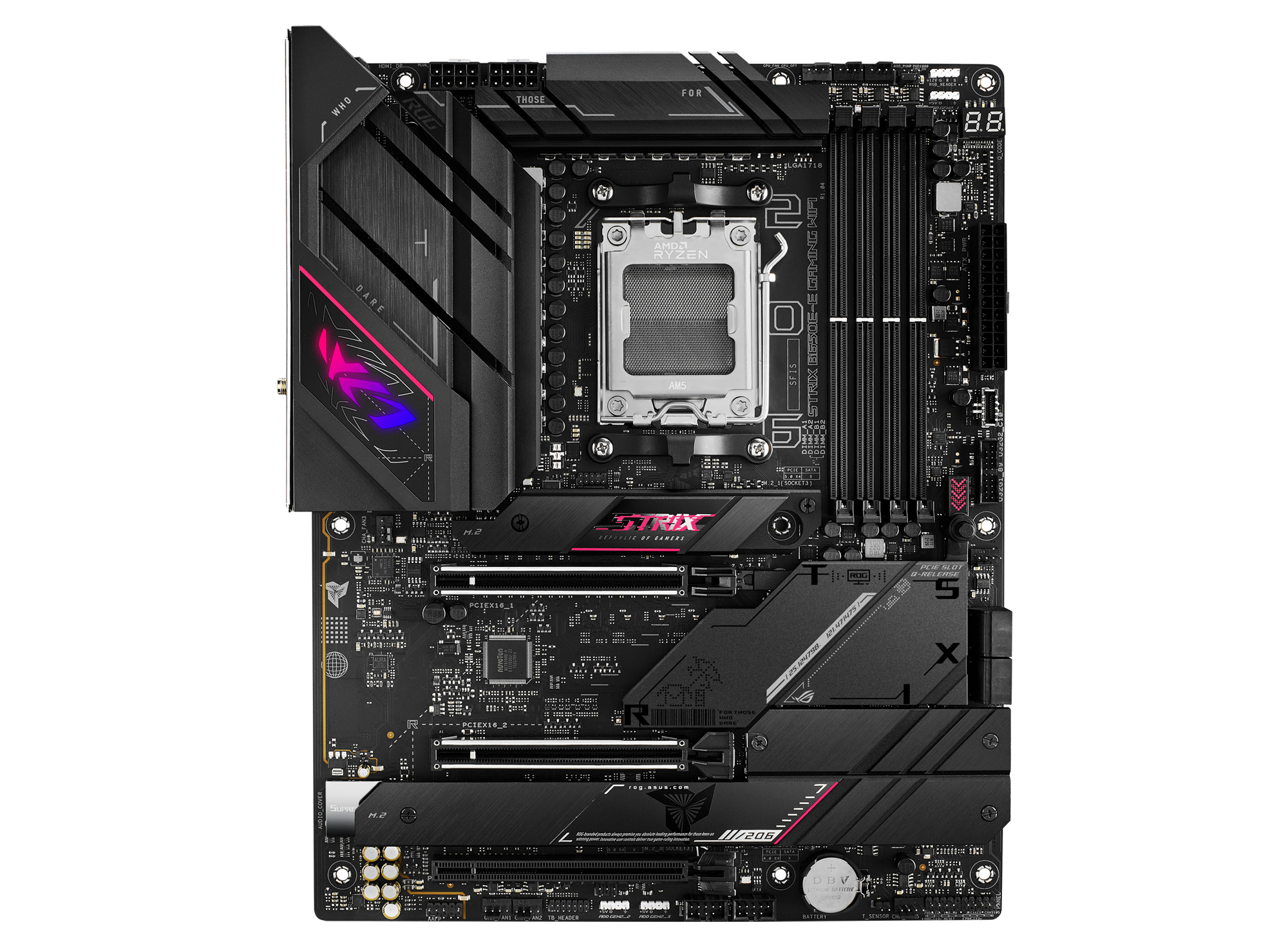
@ROG
The ROG Strix B650E-E Gaming WiFi is a future-ready B-series beast, featuring 16 + 2 power stages, hyperspeed DDR5 memory, and next-gen PCIe® 5.0 connectivity. It features four M.2 slots with heatsinks, USB 3.2 Gen 2x2 support, WiFi 6E, AI Cooling II, AI Networking, Two-Way AI Noise Cancelation, and Aura Sync RGB lighting.
eager musk
i have a tuf gaming not strix
burnt badge
Oops
TUF GAMING B650-E WIFI is equipped with outstanding features, including 6-layer PCB design, DDR5, PCIe 5.0 M.2 support, Realtek 2.5Gb Ethernet, rear USB 10Gbps Type-C®, front USB 2
 burnt badge
Not sure why the WiFi ones didn’t just work, but usually it’s a zip file that has driver folders in it. You can bypass the installer and tell device manager to look at that folder
cunning lion
did device manager change at least?
 cunning lion
Yeah it did got rid of most of the other devices
eager musk
BEFORE ^
 burnt badge
Getting there 😎
eager musk
i hope so, this is so annoying LOL
burnt badge
So the WiFi drivers was it is zip file?
eager musk

i ran asussetup and nothing happened
cmd just popped up and then went away, i havnt restarted my pc YET
cunning lion
try restarting first
burnt badge
Ya. I’ll jump on a call with you to show you how to install em manually if restart doesn’t work
eager musk
ok w
cunning lion
WOW ok ASUS no need to push winrar that hard
under drivers for that motherboard

I would honestly suggest 7zip over winrar
eager musk
still nothing :/
cunning lion
@burnt badge sounds like you are up
burnt badge
On a call with em
cunning lion
k
burnt badge
Lmao
@months square is it was wild. Tried forcing the drivers in, nope. Thought maybe windows is just borked, no thumbstick though. Saw the a newer bios fixes some WiFi stuff and thought maybe armory crate could install the bios, but tried installing the drivers from there and it worked.
After the 37 minute long armory crate install
eager musk
shit was a headache but he is a genius'
thick minnow
Is it possible to setup a dhcp relay server in between two network interfaces? Say for example the relay server is connected to lan and wlan. Is it possible to forward dhcp request from client connected to lan, to another dhcp server on wlan?
 silent flax
cunning lion
WOW ok ASUS no need to push winrar that hard
silent flax
cunning lion
WOW ok ASUS no need to push winrar that hard
i do have a WinRAR license 😛
(as a home user)
waxen scroll
@clear igloo
clear igloo
waxen scroll
<@291198741862416384>
I did nothing!
waxen scroll
 clear igloo
lol, yup, I saw those
waxen scroll
Scared to know the cost
clear igloo
Probably about $400
waxen scroll
Looks like ~360
waxen scroll
I use a Corsair over ear thing
I don't like ear plugs because it sounds weird when I talk
tribal sequoia
thick minnow
Is it possible to setup a dhcp relay server in between two network interfaces? S...
dhcp relay is to relay to a centralized dhcp server mostly, so like you have 5 vlans and you "relay" all dhcp requests with dhcp relay to it by setting up the relay on your switches so they know where to send it
relay is used so you don't NEED to have your dhcp server connected to multiple lans
 green marlin
waxen scroll
green marlin
waxen scroll
What’s worse is they tout enterprise security, but then the security field of the datasheet mentions it only accepts encrypted… images? And you can’t run custom OS?
I myself homebrew my headphones, much like a 3DS
clear igloo
green marlin
What’s worse is they tout enterprise security, but then the security field of th...
You mean signed images that are trusted so someone can't accidentally load malicious firmware? Of course you can't run custom firmware, lol
green marlin
They’re HEADPHONES
clear igloo
And? they're not for you, you as an end user aren't buying them
green marlin
I dont see the justification of touting security against something not actively exploited
clear igloo
So you shouldn't react until you've been attacked? You shouldn't put preventative measures in place?
thick minnow
tribal sequoia
dhcp relay is to relay to a centralized dhcp server mostly, so like you have 5 v...
I get it, but could it help me to achieve what I mentioned in my original post?
green marlin
There are no active exploits posted for headphones by CISA, I’m not an end user I’m the Cisco partner who has to resell these things
tribal sequoia
thick minnow
I get it, but could it help me to achieve what I mentioned in my original post?
it's unclear what you're actually trying to do
i see 2 dhcp servers and you want to relay one lan to another dhcp server, why nto just have a dhcp server on each lan? makes no sense
waxen scroll
I dont trust CISA and you shouldnt either
Of course they're not going to publish warnings on non-public exploits. It hinders their hackers from using it
waxen scroll
green marlin
There are no active exploits posted for headphones by CISA, I’m not an end user ...
How do you feel about their licensing these days? 😛
I love paying almost double the quoted cost once the license is applied.
green marlin
We’ve pretty much stopped selling Cisco at my shop, all Fortigates now
I heard it’s hellish with licensing
waxen scroll
We're staring at arista right now. Not sure what'll come of it
I got a good laugh demoing them because you almost cant tell its not NX-OS
thick minnow
tribal sequoia
i see 2 dhcp servers and you want to relay one lan to another dhcp server, why n...
Bit hard to explain here. I'll try my best. My constraint here is the device connected to the Lan network must be reachable by wireless network but they slightly out of range from the wifi access point. So i'm thinking of setting up a dhcp relay server on the device with the strongest wifi signal and relay dhcp request for the rest of the devices to dhcp server on the wifi network.
tribal sequoia
use a firewall/router for this
you're trying to use dhcp and dual nics as a way for 2 devices to talk on a network with multiple lans when you don't have to do that at all. It also shows a fundamental misunderstanding of how networking works/is used. Who cares if one device cannot connect to wireless if it's wired, you use a firewall/router to have the 2 networks talk to each other via policies/connected or static routes/acls you don't need to "relay" dhcp requests from the device with the "best signal" the AP itself will have a controller setup where you can configure a dhcp relay address that will relay those requests
cunning lion
burnt badge
@months square is it was wild. Tried forcing the drivers in, nope. Thought maybe...
LOL sounds like a ride
burnt badge
Mannnn lol
tribal sequoia
cisco licensing is and always has been super expensive and trash
gotta pay to use encryption, gotta pay to get basic throughput on an entry level router that already costs 5k
 swift creek
Would a i5-4690K be good for a 2.5 gbps opnsense router?
Looking to get rid of my isp router and want a pretty speedy local network for my nas and a potential media server and so on
 deep karma
Hey everyone got a old 2015 super micro server im very new to servers my question rn is that the server to my knowledge has a SAS card installed and should also run SATA 3 devices but somehow it wont boot of of the SAS card
 cursive mortar
Hey, I'm building a small homelab and looking for server racks. I need something that is 12U or smaller. The cheaper the better. I just want to be able to attach wheels to it. I came across this ebay listing: https://www.ebay.com/itm/166098072802
Do you guys think this item is worth it or overpriced?

eBay
It can be wall-mounted or free-standing, is the perfect choice for limited space and maximizes your available space. VEVOR 6U Wall Mount Network Server Rack Cabinet Enclosure 15.5" Deep Door Lock. VEVOR 12U Wall Mount Network Server Rack Cabinet Enclosure 15.5" Deep Door Lock.
burnt badge
Seems cheap to me
fierce kiln
cursive mortar
Hey, I'm building a small homelab and looking for server racks. I need something...
Have you looked at getting 2 UniFi tooless mini racks and using the included stacking hardware?
fierce kiln
deep karma
Hey everyone got a old 2015 super micro server im very new to servers my questio...
I am not sure you can boot off of sas, try booting on one of the mobo sata ports
 meager ginkgo
cursive mortar
Hey, I'm building a small homelab and looking for server racks. I need something...
meager ginkgo
cursive mortar
Hey, I'm building a small homelab and looking for server racks. I need something...
I have that exact rack in the 18U version, it’s great for the price.
opal pagoda
deep karma
Hey everyone got a old 2015 super micro server im very new to servers my questio...
Sas card is probably a raid card
thick minnow
Hi all, im trying to access hpe 560 ap web gui but im out of luck. With little bit of google search it suggests to use sslv3 to access it. I have also read that sslv3 has a security issue regarding a poodle attack. Is there a way to access it without making wrong moves ( im connected to companies public network (internert->switch->poe injector->ap->laptop)
mystic latch
Don't think any browser will connect to a site using sslv3 anymore. Your best bet is probably using a reverse proxy like ngnix proxy manager to sit in front of that AP gui
I would look into managing that AP via CLI though, you can probably accomplish what you want that way
agile torrent
well i'm screwed, never buy unify ap's. The hell is this app mania?
on the flip side they make decent frisbee
peak cloak
unifi works great if you have a controller
deep karma
opal pagoda
Sas card is probably a raid card
So i got it working rn over the RAID card i forgot to assign the drives to the controller itsself
 steel rock
Has anyone here ever messed with an Intel QuickAssist card? I recently got my hands on an 8970 and I’m wondering if there’s something dumb I can do with it
burnt badge
No, but I think L1 techs have some videos on it
agile torrent
peak cloak
unifi works great if you have a controller
take a wild guess what i don't have 😄
 rotund haven
anyone here have experience with openvpn?
peak cloak
agile torrent
take a wild guess what i don't have 😄
Me neither, the one unifi switch is annoying
Only have one AP, a tplink omada one, but that has a webui
agile torrent
rotund haven
anyone here have experience with openvpn?
yeah, what do you need?
as in using it as a client, setting up the server/certificates?
rotund haven
agile torrent
yeah, what do you need?
lone sun
🤔 In order to use a Windows 11 virtual machine in Oracle VM, do I still need to enable TPM in the host machine, the actual PC's bios? It keeps saying my PC doesn't meet the requirements when trying to install.
agile torrent
do you NEED tpm or just want a windows 11 vm?
lone sun
agile torrent
do you NEED tpm or just want a windows 11 vm?
Just a windows 11 vm. I figured out how to bypass that requirement though with this link. Some shit I had to do in the registry. https://www.tomshardware.com/how-to/bypass-windows-11-tpm-requirement#:~:text=How to Bypass Windows 11's TPM Requirement Using Registry Hacks
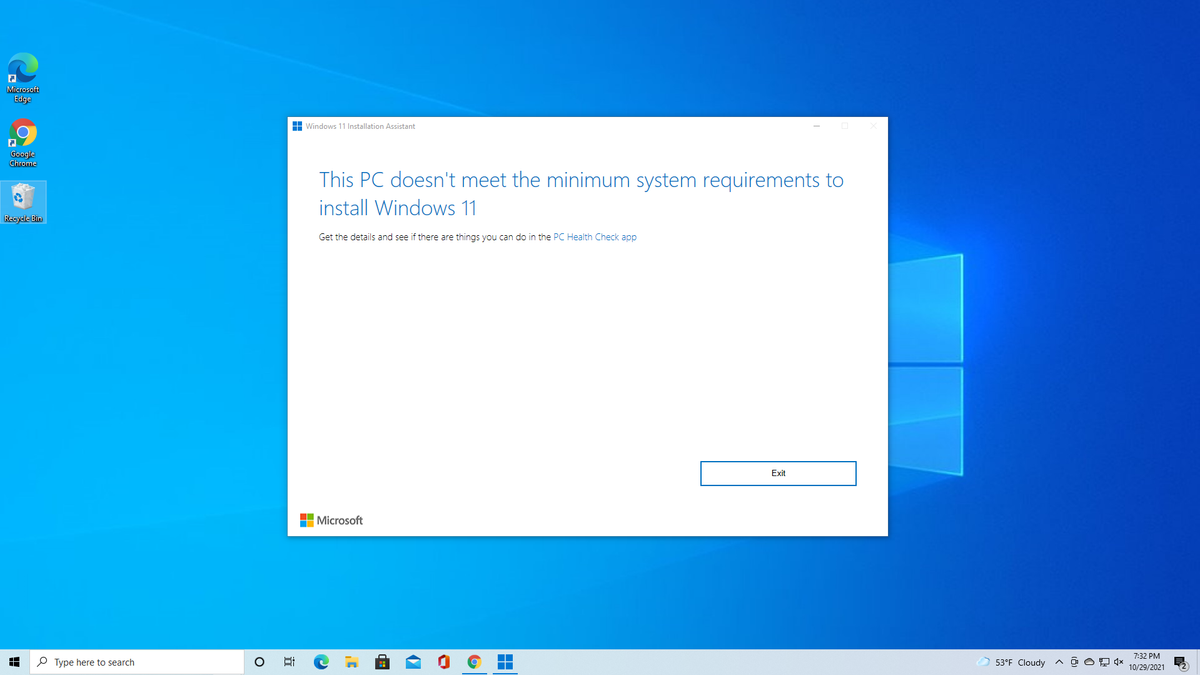
Tom's Hardware
Use simple utilities to install Windows 11 on any PC.
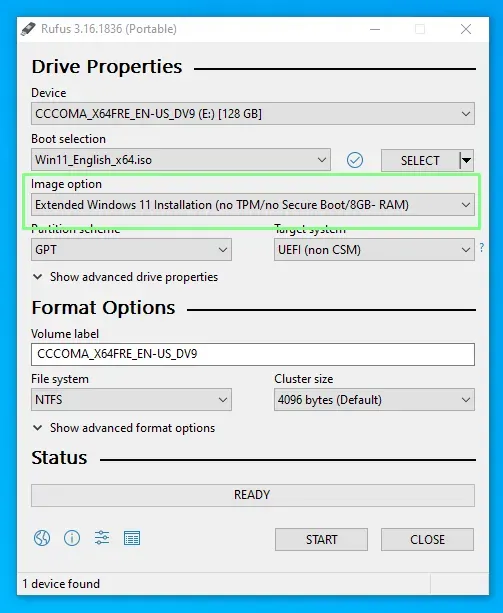
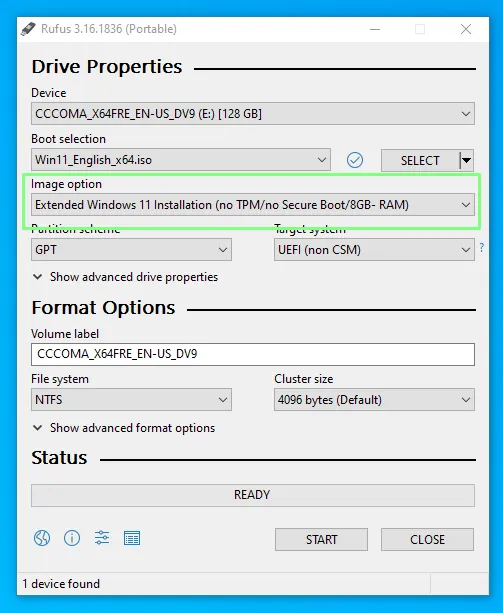 lone sun
😅 Well I'm sure I won't be able to just slither my way around TPM if I was actually trying to install Windows 11 on the actual machine itself.
That day hasn't come yet thankfully.
lone sun
agile torrent
https://cdn.mos.cms.futurecdn.net/eRGWVPyCELgWPuUittPtWm-970-80.png.webp
🙂 Well I might just burn me one onto a stick since windows 10 will be coming to an end next year anyway.
sadly 😔
agile torrent
I am still not sure how to feel about that, since my pc doesnt have TPM
lone sun
Not sure mines does either.
lone sun
agile torrent
I am still not sure how to feel about that, since my pc doesnt have TPM
Well, I have a Gigabyte X570 Auros Master. I do remember seeing something like FTPM, so I guess it does.
agile torrent
GIGABYTE
Lasting Quality from GIGABYTE.GIGABYTE Ultra Durable™ motherboards bring together a unique blend of features and technologies that offer users the absolute ...
To be fair it is "long lasting" and "ultra durable"
lone sun
agile torrent
https://www.gigabyte.com/Motherboard/GA-P67-DS3-B3-rev-10#ov
I'd check in the bios. Not sure it'd tell you if it does here. I do see something about a "TPM Connector" though. If it'll say that much, then you might be in luck.
agile torrent
except you can't find it anywhere 😄
lone sun
Or check the manual maybe?
agile torrent
latest drivers are from 2013 😄
sooo let's just say it's rather old
I think I will just fully move to chromeos
lone sun
agile torrent
sooo let's just say it's rather old
What CPU do you have? AMD?
agile torrent
i7 3770
lone sun
Oh wait its intel. Damn.
If it was an AMD motherboard, your CPU may come with FTPM which is basically the CPU handling that function and is basically TPM 2.0.
Mines supports FTPM, so I'm in luck. I'm sure Intel has something akin to it though.
lone sun
agile torrent
i7 3770
However, if you go to your motherboards manual, it does come with a TPM connector. Maybe you can buy a TPM chip and connect it to it?
Mines has a connector too, but since its AMD, I can just have the CPU handle it.
agile torrent
can't find it anywhere and if i could It would probably more sane to update something with tpm in it 😄
but tbh this pc just works, and at this point I am really interested how long I can keep it working 😄
lone sun
agile torrent
but tbh this pc just works, and at this point I am really interested how long I ...
I see there are TPM 2.0 chips you can get off Amazon. Looks like you just have to make sure its one that fits a Gigabyte motherboard, not 100% sure. Maybe someone in #1027757333117415424 or #1106613567966429224 channels can tell you. I'm not that Adept at A+/hardware stuff. 🙂
Or on the Linus web forum even.
But at least your motherboard has a "TPM header" port on it like mines, according to the manual.
 dreamy jolt
My latest project at work…3 buildings, one network, and Fortilink switch management over Ubiquiti UBB


 burnt badge
UI and fortigate work together?
tribal sequoia
careful with 40F and conserve mode 😄
i generally don't even sell them because of it
tribal sequoia
burnt badge
UI and fortigate work together?
sure why wouldn't it
if you want to use fortilink though you need to use fortilink p2p mode on downstream switches that are on the other side of the bridge
dreamy jolt
burnt badge
UI and fortigate work together?
Yep, what @tribal sequoia said...p2p config on the switch ports for both ends of the bridge:
config switch physical-port
edit port11
set fortilink-p2p enable
end
Works like a charm...only pain point is the UBB lives now in Fortilink VLAN world, and I am still trying to figure out how to get it to talk to the Main LAN so my CloudKey+ can manage it. If someone has figured that one out, I'm all ears
burnt badge
Interesting
dreamy jolt
tribal sequoia
careful with 40F and conserve mode 😄
Is it bad that I've now worked with Fortinet now for 4 years and I've never heard of conserve mode? lol Just looked it up, may try this https://community.fortinet.com/t5/FortiGate/Technical-Tip-Free-up-memory-to-avoid-conserve-mode/ta-p/241415
how to free up memory to avoid FortiGate entering conserve mode when its resources are highly utilized.ScopeFortiOS.Solution FortiGate goes into a conserve mode state as a self-protection mechanism when system memory is highly utilized and reaches a specific threshold. When FortiGate enters conserve...
dreamy jolt
burnt badge
Interesting
Initially was going to do a wireless bridge essentially meshing two FortiAP's like 432F's or something....but the client already has all Ubiquiti that we are yanking, replacing with Fortinet...so did research, seems alot of people are using UBB's along with Fortinet
tribal sequoia
dreamy jolt
Is it bad that I've now worked with Fortinet now for 4 years and I've never hear...
maybe not using some of the features that will get you there 😄
dreamy jolt
tribal sequoia
maybe not using some of the features that will get you there 😄
Ha true..basically the client has 9 sites..this being a smaller one of them. The other sites I've spec'd out FG100F's and 60F's....but do have a few FWF40F's for a couple small buildings
Only thing fancy on this site we are talking about is IPSec site to site tunnel for server access at the main site and to allow for RADIUS authentication on the Wifi
Otherwise, pretty standard network
 quartz plinth
Howdy, got a question and i'm not fully sure if this chat is the right one
I'm making my setup in my bedroom and have an ethernet switch, but i'm looking to also get a router posssibly? I want to play around wirelessly and with a decent connection to my oculus quest 2
Thing is, i'm not fully sure about how to go around with that. I'm not savvy on routers and modems and such, so I can't tell the difference between a router that needs fiber optics to work, and router which will work as soon as you plug in an ethernet cable coming from the main house router
Could honestly use all the help I can get 😅
burnt badge
I’m not sure I understand the question. I think what you’re looking for is a switch and an access point
quartz plinth
Maybe? My understanding of tech stops at computers, so I got no clue.
burnt badge
Switch lets you use more devices in your network. Router makes a network. Access point is like a wireless switch.
To over simplify it
quartz plinth
Maybe? What would be better to connect between a laptop and a vr headset for 5ghz?
over*
burnt badge
I’m not sure how wireless VR works. If it’s over your network then it’d be ideal to have your laptop hardwired
quartz plinth
burnt badge
I’m not sure how wireless VR works. If it’s over your network then it’d be ideal...
If you mean that it is connected to the network by ethernet, it is.
burnt badge
Ya
That’s good. Then yeah if you got a switch for your room with an access point that’d be good.
Or you can get a router and put it in AP mode
quartz plinth
AP mode?
burnt badge
Access point
quartz plinth
oh, i see
burnt badge
Basically makes it work like a switch and access point. It won’t do any routing
quartz plinth
so, essentially it's just an extension of the main router, just like the switch
burnt badge
Ya
quartz plinth
but with wifi access points, i see
any suggestions on some decent ones that work on the 5ghz and 2.4 ghz bandwith?
burnt badge
What headset do you have?
quartz plinth
Meta Quest 2 - 64gb edition
burnt badge
Looks like it supports WiFi 6
tribal sequoia
dreamy jolt
Ha true..basically the client has 9 sites..this being a smaller one of them. The...
Try to spec out disk models in the future
burnt badge

The growing number of connected personal and IoT devices has led to an overall increase in network density that is pushing the limits of the current WiFi standard. RT-AX1800S is a 2x2 dual-band WiFi router that provides 80MHz bandwidth and 1024-QAM for dramatically faster wireless connections, gr...
tribal sequoia
they're useful because if you don't really NEED to log to disk you can setup file/wan acceleration on them
burnt badge
And throw it in AP mode. It gives you some more ports for your room too
tribal sequoia
that' would be the 61F the 71F the 81F