#networking
1 messages · Page 60 of 1
 somber bear
 worthy stag
this high speed stuff is usually meant for many clients, not single fast clients
did you manage to set the MTU?
somber bear
I set the MTU to 9k based on what google said, and i get 9.9gbps on iperf3
worthy stag
try iperf(2) with the -P option
somber bear
I heard these cards realistically do like 25gbps, I honestly don't even need the speed to be that fast but they where 60 bucks including the cable. cheaper than alot of 10g eth stuff
trying iperf2 now
worthy stag
whats the output of ethtool <intf> ?
I have a feeling they are only linking at 10Gbps

 somber bear
I tried forcing 40 and it did not work before, I cant figure out the proper way to get them to switch over
worthy stag
I know the cx3s are a bit more difficult to deal with because of driver support
somber bear
I appreciate the time btw
somber bear
Makes sense, the software suite nvidia has is not very refined from what i can see
worthy stag
well the cx3s are quite old
even the 4s are old
try ethtool -s eth2 speed 40000 autoneg off
somber bear
7s are out, 3s are ancient
somber bear
is 56 just another jump in speed, or is it different in functionality
worthy stag
speed jump
maybe try 40 first though
just noticed 56 isnt under "advertised speeds"
56G in this format only works in the mellanox ecosystem
somber bear
 worthy stag
set it on both sides
somber bear
 somber bear
yeah
worthy stag
why does it say Port: FIBRE lol
somber bear
i have zero clue tbj
somber bear
it contradicts itself
I am not certain what brand it is, i got it in an ebay bundle, i can link the bundle but idk if that is allowed here
worthy stag
yeah idk
probably fine
but also, probably either your DAC is busted or driver support is not there
weird that one lane works though
somber bear
Yeah thats what has been tripping me up, since one lane works like a charm\
worthy stag
if you really want to do 40gig properly, you should get a switch for it too
something like the SX6036
can probably get them for like $300
or go full 100G ;)
1-2k for a used SN2700 right now
somber bear
100G would be great, gotta cut down that ingest time for video once every 3 moths from like 30 mins to 30 seconds
somber bear
100g is just realistic enough cost wise it can be justified, unlike 400
worthy stag
in a few years 400G will be kinda affordable, just like 100G right now
heck, even 200G is not craaazy right now
somber bear
gotta love the crazy depreciation of server gear
worthy stag
its because these companies are upgrading like crazy
and you can pick up their shit for insane prices
you just dont get the stuff that companies value: support
somber bear
I think my gameplan is to screw with drivers, then maybe another cable
Thats why I stopped in here, support!
worthy stag
if you have more planned clients, it might make sense to get a 40G switch
you can flip it again for a similar price once you are done
those are already at the tail end of the hockey stick
somber bear
Realistically, ill have the server, my pc and in the future another storage server. A switch with 3 or 4 40g+ and a bunch of 2.5 would be the dream
 silent flax
worthy stag
in a few years 400G will be kinda affordable, just like 100G right now
silent flax
worthy stag
in a few years 400G will be kinda affordable, just like 100G right now
but also mostly pointless. No one is going to do all NVMe high capacity NAS at home which would require those speeds, even sequential PCIe speed is going to be fine with 100 gigabit network
worthy stag
silent flax
but also mostly pointless. No one is going to do all NVMe high capacity NAS at h...
yeah ik
but at the point where 400G is affordable, all the 100G stuff is going to be completely EOL and not supported anymore in drivers
silent flax
and for your typical spinning rust, even 10 gigabit is an overkill
2.5G is about the right speed for spinners
worthy stag
cx3 is going out the door right now
somber bear
silent flax
but also mostly pointless. No one is going to do all NVMe high capacity NAS at h...
10g is about all i can realistically justify a purpose for now, anything else is for the fun of it

 opal pagoda
somber bear
it contradicts itself
opal pagoda
somber bear
it contradicts itself
someone did a little trolling within dac flash
silent flax
somber bear
10g is about all i can realistically justify a purpose for now, anything else is...
i put 10G in my server so it can serve multiple 2.5G clients at once, that's about what i can justify 🙂
somber bear
silent flax
i put 10G in my server so it can serve multiple 2.5G clients at once, that's abo...
Yeah absolutely
somber bear
opal pagoda
someone did a little trolling within dac flash
Can that dac be my problem?
worthy stag
yeah
opal pagoda
somber bear
Can that dac be my problem?
it was probably attempt of flashing dac cable to work with that particular nic
and someone selected wrong firmware
somber bear
opal pagoda
it was probably attempt of flashing dac cable to work with that particular nic
a...
I forgot about the dac being programmed at all
opal pagoda
somber bear
I forgot about the dac being programmed at all
you can get melanox programmed cables from fs.com
but i dont belive melanox cards care too much about brand of cables
opal pagoda
we use cisco cables and transcievers everywhere and it all works
somber bear
cisco on ebay or mellanox on fs seem to be around that 24-26 mark for 0.5m
opal pagoda
why qsfp28?
worthy stag
for 100G
opal pagoda
do you have 100g cards
worthy stag
yes
opal pagoda
well ok then
https://www.ebay.com/itm/324232999874
16$ for original melanox cable

eBay
Find many great new & used options and get the best deals for Mellanox MC2207130-002 40Gb/56Gb Ethernet/Infiniband FDR 2M QSFP+ Cable DAC VPI at the best online prices at eBay! Free shipping for many products!
somber bear
free shipping too
opal pagoda
for me not so much free
 somber bear
International shipping is quite expensive
worthy stag
are you in europe?
opal pagoda
yea that is why i dont order stuff from us
silent flax
somber bear
Yeah absolutely
i mean i spent some amount on networking, but still:
X540-T2 for 25 euros
8x2.5 + 1x10 switch + 10GBe SFP+ RJ45 DAC for 98 euros
4x2.5 + 2x10 & 8x2.5 + 1x10 switches for total of 76 euros
one more 8x2.5 + 1x10 switch for 48 euros
That is a total expense of 247 euros for networking gear except the 2.5Gbe NICs for my various other computers.
But then 247 euros would barely get me a single 8x10Gbe switch, which would cover only one corner of my house, so... 😄
worthy stag
opal pagoda
yea that is why i dont order stuff from us
unfortunately a lot of enterprise stuff is so much cheaper there that it still makes sense
opal pagoda
worthy stag
unfortunately a lot of enterprise stuff is so much cheaper there that it still m...
eh
it is about the same
but stuff like mini pc-s are so cheap on us ebay
worthy stag
these are the DACs I bought https://www.ebay.com/itm/125549953332

eBay
This Direct Attach Copper is compliant with IEEE 802.3, SFF-8665, and QSFP28 MSA. Tested in Targeted Switches for Superior Performance, Quality, and Reliability.
had a friend visiting from the US so it fit well
and its under the legal carrying limit so all good there 👀
somber bear
silent flax
i mean i spent some amount on networking, but still:
X540-T2 for 25 euros
8x2.5...
250 is still way less than a ubi switch would be
opal pagoda
worthy stag
and its under the legal carrying limit so all good there 👀
what is the limit?
opal pagoda
noted.
worthy stag
but you can't split a single $900 item between two people unfortunately
i mean you can carry more than $450 in goods, you just pay import tax on anything over the limit
but thats only personal travel
if you ship it, theres no lower limit afaik (so you always pay import)
somber bear
Is there anything thats more expensive in the us when it comes to computers and networking?
worthy stag
i dont think so
opal pagoda
worthy stag
but thats only personal travel
is there a diffrence between personal and business travel limits?
worthy stag
uhhhh I think that $450 carry allowance is only personal
you wouldnt be carrying stuff like that for business reasons anyways
its a good question
I think businesses dont get any leeway
opal pagoda
probably doesent apply for personal items that you would carry, that would go in the 450$
somber bear
Heres a good question, if im ordering one cable, is it worth getting a second and bonding? I have never bonded two ports before
worthy stag
a business wont really be sending goods with private individuals on commercial flight though
normally they will just use a shipping service
worthy stag
somber bear
Heres a good question, if im ordering one cable, is it worth getting a second an...
are you realistically going to max the one cable?
opal pagoda
somber bear
Heres a good question, if im ordering one cable, is it worth getting a second an...
its simple, just make a portchanel with lacp link aggregation
all links must be same speed doe
somber bear
worthy stag
are you realistically going to max the one cable?
theoretically i should be able to
worthy stag
are you talking about the 40G cable
somber bear
yes
gen 4x4 nvme, realistically i doubt ill see the 7400 or whatever is on the packages
worthy stag
in your position, i'd be happy if I get the single 40G connection to work 😂
but yeah go for it, if you want to bond them
somber bear
loool id be ecstatic to get the 40 working
opal pagoda
worthy stag
a business wont really be sending goods with private individuals on commercial f...
idk we sometimes carry small stuff like transcievers
but if you look at price of them from cisco you overshoot that limit in 1-2 transcievers
worthy stag
you carry that stuff internationally?
opal pagoda
well it is inside eea
worthy stag
then you dont have a problem
its only when you cross a trade boundary
within the EU its chill
somber bear
travel between countries is alot more chill when US is not involved it seems
worthy stag
jesus why is my link so slow all of a sudden ._.
after all this talk I went to go test my stuff
I think I broke something
opal pagoda
somber bear
travel between countries is alot more chill when US is not involved it seems
us joining eu when?
somber bear
Lol US can't even stay joined to itself
I tried to update this card with MST, and mst cant even see the card now
worthy stag
okay wtf... my throughput decreases when I increase my MTU
the switch has MTU 9216 enabled
something is being weird, this used to work fine
somber bear
worthy stag
something is being weird, this used to work fine
The game of life right there
so, yesterday it didnt give me this issue, but today if i go mst start, it then unloads on its own immediately . if i try to run status it just says they are not started yet
 worthy stag
ayo 😂
 somber bear
Getting beat by a x3
 somber bear
Thats much better
opal pagoda
worthy stag
and it beats the single lane speed
are you running infiniband mode or ethernet mode?
opal pagoda
it is going to a switch?
worthy stag
well through a switch, yeah
opal pagoda
cisco or something else?
somber bear
you too are at a quarter of your intended speed
worthy stag
there is something extremely weird happening with these MTUs
somber bear
my light googling led me to find 9000 being the recommended size for large pages
opal pagoda
what does the switch side say about that link?
worthy stag
its linked at 100G
and mtu 9216 on the switch
but when I increase the MTU on the client I get very strange results
opal pagoda
how are you testing the speed?
worthy stag
iperf2 with multiple threads
opal pagoda
from where to where?
worthy stag
two servers on the same switch
even tried with a third
i mean, with enough threads I hit the link speed
 opal pagoda
maybe other link is at fault
worthy stag
the ethernet frames are being fragmented somewhere and i dont know why
doesnt make sense that MTU 1500 does better than 9k
I think it may just be time to restart some of these
and update
opal pagoda
worthy stag
SN2700
melanox switches are suprisingly cheap on ebay, is there a catch with them? (licensing)
worthy stag
opal pagoda
melanox switches are suprisingly cheap on ebay, is there a catch with them? (lic...
not really
just a lot of supply, so thats why
very power efficient too
50W realistic idle
I saw an SN3700 (200G QSFP56) for $1800 on ebay
opal pagoda
are terminal commands simmilar to cisco?
worthy stag
yeah im using onyx, which is very similar to cisco from what i've heard
havent used cisco CLI myself
also has a nice web UI, not that you should use it so much 👀
opal pagoda
i use cisco cli exclusivly at work
worthy stag
well, onyx should feel quite familiar then
once you log in, you do
$ enable
$ config terminal
you have a bunch of show commands
int eth 1/1 for example to select an interface
shutdown and no shutdown to disable/enable
module-type qsfp-split-4 to set split mode
etc
opal pagoda
yea looks really simmilar to cisco cli
worthy stag
and you have nice config management
you first apply your changes but they dont get saved until you run a save command
so if you fuck something up, just unplug and it reverts to the last saved config
opal pagoda
yea same as cisco, nothing gets saved until wr mem command is issued
worthy stag
opal pagoda
yea same as cisco, nothing gets saved until wr mem command is issued
yep
gonna head off now, if you have any questions about the SN2700 later you can shoot me a message if I miss it here
 rocky badge
worthy stag
so if you fuck something up, just unplug and it reverts to the last saved config
rocky badge
worthy stag
so if you fuck something up, just unplug and it reverts to the last saved config
rollback timer 😉
 prime hill
worthy stag
so if you fuck something up, just unplug and it reverts to the last saved config
prime hill
worthy stag
so if you fuck something up, just unplug and it reverts to the last saved config
NixOS has that, too. It's called NixOS.
 sly compass
That's not really possible, also heat isn't a issue. But power consumption sucks ofc
worthy stag
is your stuff in a server rack?
worthy stag
sly compass
That's not really possible, also heat isn't a issue. But power consumption sucks...
why isn't it possible?
sly compass
worthy stag
is your stuff in a server rack?
hehe if you call a old rusty metal pins a rack yea sure.
Its not possible because incoming wan is rj45 10gbe and then all my cables is built in cat6/cat6a. Have to rebuild the walls
Possible could drag a fiber through it if able to pull the old cat6 cable
But that lot of work for nothing
worthy stag
would probably be a better long-term solution, but yeah its a project
could be fun tho :)
something im thinking of trying at my place
worthy stag
prime hill
NixOS has that, too. It's called NixOS.
yeah, I've heard a lot of good things about nixos from friends and online. Definitely thinking of switching to it
will at least try it out soon
worthy stag
sly compass
hehe if you call a old rusty metal pins a rack yea sure.
Its not possible becaus...
how many of the servers/clients are in the same area vs have to be connected through a wall cable?
sly compass
worthy stag
how many of the servers/clients are in the same area vs have to be connected thr...
Well my router is runing proxmox and opnsense. From there it goes around the house (multi rj45 ports) and get 10gbe. Then opnsense also has lan for a switch in the clouset with poe. Doors, cameras and lights. Lots of poe. Then AP is spread out. Also using POE
worthy stag
i see
yeah rj45 10gb is going to be a sensible solution (at least for now)
I assumed something more like a TOR deployment
sly compass
What i could of done is run sfp to the switch. But not sure if it had it or not
I run lots of sfp and started to run some fiber at work. But its still lots of cat cables
worthy stag

so depending on how expensive power is
might make sense
where I live, 1W 24/7 costs about 3 euros per year
so 2-5W per port means 4-10W per 10 gig connection => 12-30 euros per year PER CABLE
20 of those can pretty well cost you 600 euros per year
prime hill
worthy stag
yeah, I've heard a lot of good things about nixos from friends and online. Defin...
I would recommend starting with someone else's config and tweaking it a bit, and then building your own. I made the mistake of starting from scratch.
So now I'm consistently lacking things that should just be there.
worthy stag
prime hill
I would recommend starting with someone else's config and tweaking it a bit, and...
are there good starter "vanilla" configs online?
most of my friends customize their stuff so heavily and I don't really want to inherit that
prime hill
There are plenty.
If you're looking to manage routers, you may have to build that yourself. But it's not too hard.
worthy stag
nah, just a normal desktop config with KDE 6 + wayland
prime hill
By the way, that's super doable. Choose whatever host in your network every device is guaranteed to be able to connect to as the "blessed" mirror. It doesn't have to be managed by NixOS (and probably shouldn't until you set up some sort of bootstrapped rollback system; you don't want to lose connection to that host)
prime hill
worthy stag
nah, just a normal desktop config with KDE 6 + wayland
Oh, yeah. There are plenty. Search GitHub or something
By the way, you can declare your KDE or whatever configuration inside Nix with home-manager
silent flax
worthy stag
where I live, 1W 24/7 costs about 3 euros per year
does 1kWh cost over 30 cents there ?
silent flax
cause 1W 24/7 is 8.76kWh per year, so to get to 3 euros you need to have over 0.34e/kWh rate
worthy stag
yep

just found a graph online
i didnt see the prices as bad as 58
but this is approximately how bad it is
silent flax
ah yeah, the benefits of dropping nuclear and going coal /s 😄
worthy stag
yeah, pretty stupid to be honest
against nuclear, but not against importing nuclear energy from france
gotta love german politics
silent flax
ours is 0,159886€/kWh including 20% VAT + fixed monthly fee of 7.3 euros per "delivery point" (apartment/house)
silent flax
Slovakia
but then 24/7 powered cable connections are rather limited (ISP router -> my router, my router -> switches and one of switches -> server); most devices are usually powered off, i think then the power usage is not as significant. Plus nearly all are just 1/2.5G connections, which are also lower in power
that is with the most typical tarrif, there are other ones, but they are for other use cases
like DD1 has higher kWh rate (0.178125e/kWh), but the fixed cost is only 3.384 euros per month.
DD3 has different rates for night (0.126886e/kWh) and day (0.167566e/kWh) and even higher monthly fixed cost (10.5114 euros).
The rest are for electric heating or solar households
 foggy rivet
In Michigan mine is ~$0.17/Kwh
worthy stag
sly compass
That's not really possible, also heat isn't a issue. But power consumption sucks...
lol, just came across this: https://www.reddit.com/r/homelab/s/4TulgljvG8
Reddit
Explore this post and more from the homelab community
sly compass
worthy stag
where I live, 1W 24/7 costs about 3 euros per year
Wtf has to be 0.3eu/kwh that’s the price here most expensive month of the year. That’s expensive from what it was. Today it’s like 0.05eu/kwh
 modern cairn
i got a great productivity laptop last year, it is a Lenovo legion 5 pro with an AMD ryzen 7745hx and a 4070. however ive been facing an issue of sh*t wifi because of its realtek 8852CE wifi 6e adapter and have been wanting to upgrade. does anyone know hwo good intel wifi chips work with AMD laptops? i know intel makes the best wifi cards around but dont know about the interoperability between them
i was looking at the Intel Wi-Fi 7 BE200 chip. its wifi 7(i dont need wifi 7 but somehow its cheaper than even the wifi 6/6e cards i can find on amazon like Intel Wi-Fi 6E AX211)
the only reason im hesitant to buy is that im not sure if the wifi card will behave well with an AMD cpu, ive heard stories of them being firmware blocked and stuff. im not entirely sure of that hence wanted to be confirm
 carmine crescent
This turned into a power channel
opal pagoda
carmine crescent
This turned into a power channel
Power efficiency of datacenter equipment is very important
And cost of power directly affects operating costs
sly compass
opal pagoda
And cost of power directly affects operating costs
And that’s why datacenters are built where electricity is cheap and reliable
sly compass
worthy stag
so depending on how expensive power is
Since we talking max 10 ports it’s actually not even worth the extra cost to run new cables, or even buy different hardware.
carmine crescent
opal pagoda
Power efficiency of datacenter equipment is very important
thats very very true
silent flax
worthy stag
lol, just came across this: https://www.reddit.com/r/homelab/s/4TulgljvG8
that is not really power consumption issue and more like "we put a power hungry chip on board and put the smallest heatsink possible on it, cooling is not our problem" situation.
It's just bad design, just like the "heatsink" on a 1030 2GB GDDR5 i got 🙂

and yes, this is Gigabite as well, they just don't give a damn about cooling things properly
i mean look at that orange heatsink, that is not even the half of worst PCI-E based X540-T2 heatsinks

 blazing karma
Anyone knows why some clients in VLAN network takes a while to actually communicate and get internet?
For some reason some devices on my network with PPSK/VLAN or LAN/VLAN takes like 5-10 minutes before an internet connection is established
And sometimes the internet just straight up doesn’t work
And I have to connect to the regular non VLAN SSID to establish internet
 vernal oak
I thought of something in my data thing that I hadn't previously thought of.
My solution for truly protecting the data, was to have 2 drives that were stored, in a pelican case, in a safe, that were updated periodically.
What I failed to realize is that standard pelican foam could fry a drive.
I'd have to get specific antistatic foam
 pseudo blade
vernal oak
I thought of something in my data thing that I hadn't previously thought of.
My...
pseudo blade
vernal oak
I thought of something in my data thing that I hadn't previously thought of.
My...
It's really not a big concern
 light harbor
what’s the best deal you guys got on your WiFi plan?
I’ll go first 10 dollars a month for wifi
 topaz cosmos
hey guys, my network always struggles with p2p connections. when im trying to play games where a person is hosting the server/lobby it fails 99% of the time
is there some kind of solution i could do that involves a vpn maybe? like maybe if the network sees it's from a server and doesn't see past the vpn it would work?
i'm on an apartment network so i can't go into the router settings or anything like that, but the error it gives me when i try to connect to people is "nat traversal process failed"
but i can play online games with dedicated servers no issue
 low pond
topaz cosmos
i'm on an apartment network so i can't go into the router settings or anything l...
low pond
topaz cosmos
i'm on an apartment network so i can't go into the router settings or anything l...
Maybe UPnP is disabled, that's why it's complaining that
 lilac shoal
If I'm experiencing bufferbloat even while connected via ethernet directly to my modem, bypassing my router, does that mean it's out of my control?
 clear igloo
lilac shoal
If I'm experiencing bufferbloat even while connected via ethernet directly to my...
clear igloo
lilac shoal
If I'm experiencing bufferbloat even while connected via ethernet directly to my...
what model modem?
lilac shoal
clear igloo
what model modem?
Nighthawk CM2000
clear igloo
lilac shoal
Nighthawk CM2000
ok, not a DOCSIS modem with a Puma 6 or Puma 7 chipset then so yes it's likely outside your control then
lilac shoal

I guess it's not too bad
just trying to figure out why certain games feel super laggy despite relatively low average ping
clear igloo
Yah, and that's generally latency with download or upload going at the same time, without it it's much less (23ms in your case which is great)
It's possibly down to the game server and your ISP having sub-optimal paths to their data center, especially if it's inconsistent across various games
lilac shoal
Been off and on trying to figure out what's wrong for years but coming to the conclusion I just gotta move
clear igloo
I can't remember how CS is hosted these days if you can even select servers
lilac shoal
Had no issues when I lived 30 miles away and had fios instead of xfinity
clear igloo
yah, fiber tends to be much better too for latency
lilac shoal
New York is bad for me, virginia is fine, both report 20ms average
clear igloo
interesting
lilac shoal
Chicago is decent for me, Georgia is unplayable, both report 35ms
In cs2 you can't select specific servers, just set a maxping
clear igloo
got it
lilac shoal
So if i set 25 it's a coinflip if I get NY or VA
In csgo changing my client side interp variables helped a ton but those settings are gone in cs2
 calm vapor
Hello People, i am currently trying to get a cat7 cabel upwards from my router to my bedroom but the head of the cable is a little to big so i cant go trough what can i do ? I cant really get the head off the cabel and the put i back on
lilac shoal
Georgia servers are consistently extremely laggy for me in any game despite net graphs saying 35ms, no loss, no real jitter 
clear igloo
lilac shoal
Georgia servers are consistently extremely laggy for me in any game despite net...
Yah, I suspect something is messed up with xfinity =/
opal pagoda
calm vapor
Hello People, i am currently trying to get a cat7 cabel upwards from my router t...
I would snip the head off and reterminate it with another rj45 plug or a keystone
clear igloo
or embiggen the hole if you can just a bit
opal pagoda
Keystone might be easier as it is less finecky
opal pagoda
clear igloo
or embiggen the hole if you can just a bit
Yea true
opal pagoda
lilac shoal
Georgia servers are consistently extremely laggy for me in any game despite net...
Maybe you are perfect candidate for that lag reducing vpn
lilac shoal
opal pagoda
Maybe you are perfect candidate for that lag reducing vpn
I've tried a couple of em, no real change
 fierce jay
One message removed from a suspended account.
carmine crescent
No but I'll learn
fierce jay
One message removed from a suspended account.
 polar timber
I have a problem with OPNsense: when my ISP modem restarts/public IP on it changes, OPNsense loses connection and can't find the new wan IP automatically. I can get a connection after I manually use the reload button on "interfaces -> overview", and then it finds the new wan/public IP. How could I make it to get the new IP automatically?
fierce jay
One message removed from a suspended account.
One message removed from a suspended account.
polar timber
My IP changes like every week or something like that, I dont know if I can get static IP from my ISP. I just used the restarting as example because every restart the IP changes 😄
 fierce jay
One message removed from a suspended account.
opal pagoda
fierce jay
One message removed from a suspended account.
...which is just lazy. If you're not willing to do the work to solve your problem, why should we?
fierce jay
One message removed from a suspended account.
 thorn delta
There's a reason why "don't ask to ask" as a site exists, and it's not to be rude. If you throw the question out there, you're way more likely to get help. If someone knows opensense, it doesn't mean they know about the feature you're having problems with. If you're trying to setup wireguard or something like that, it generally works the same on non-opensense routers/ect.
opal pagoda
Whut the hell is going on
 thorn delta
You are the one
opal pagoda
Looks like tracert fixed itself
 polar timber
fierce jay
One message removed from a suspended account.
polar timber
fierce jay
One message removed from a suspended account.
I shortened it to just 60 seconds and it gets the new IP pretty fast, but do these really short lease times on WAN affect the usage of network? I did some short testing and it didn't seem to affect anything.
fierce jay
polar timber
I shortened it to just 60 seconds and it gets the new IP pretty fast, but do the...
One message removed from a suspended account.
polar timber
fierce jay
One message removed from a suspended account.
The external/public IP changing is an ISP thing for sure.
I have ZTE 5G CPE MC7010 modem from ISP (so 5G) that is in bridged mode. Its connected to computer that's running Proxmod and OPNsense inside it. I have Intel I350-T2 NIC on it.
fierce jay
One message removed from a suspended account.
One message removed from a suspended account.
polar timber
Yeah I know, but I would like to make OPNsense to renew the WAN DHCP lease when the monitor detects that its offline so it could get the new IP.
fierce jay
One message removed from a suspended account.
One message removed from a suspended account.
One message removed from a suspended account.
One message removed from a suspended account.
polar timber
I made a script now that runs every minute that pings 8.8.8.8 and then 8.8.4.4 and if those fail, it just reloads the WAN and it gets the new IP. I think that will work good enought 😄
fierce jay
One message removed from a suspended account.
One message removed from a suspended account.
One message removed from a suspended account.
polar timber
😄 soon getting fiber, hopefully I dont need that then anymore
but thank you for helping 🙂👍
 proud rain
sup people, anyone familiar with hosting ubiquiti network app themselves? I got some questions regarding only using Ubi APs without a Ubi GW or controller/feature locks etc
 thick minnow
Hello
Uhh who knows how to make NextCloud that is on truenas scale can be accessible outside of home network
I use the truenas scale and download the NextCloud plugin in it. But now I need help on how to use the NextCloud outside the network and I'm not expecting to use port forwarding since I already have vm on truenas with docker ( portainer and nginx ) also on duckdns.. help really needed.
thick minnow
hey uhhhhh im shopping for a wifi access point.
i don't really know where to start
I need detailed logging so i can keep track of my roommates usage and charge them properly (one of them is an unemployed layabout who currently uses 65 - 70% of the bandwidth each month which is impressive since i easily use 1 - 2 TB a month myself. how an unemployed person manages to pay for all the downloads required to outpace me is beyond me, but i'm tired of paying the whole bill myslef annd intend to collect usage based "dues" since it's fucking expensive.
I'd also prefer one with an app for quick/ out of home managment
I also need more than one lan port
this last one is a want not a need but id prefer something classy and stealth like my current google wifi instead of some agro gamery thing with a huge footprint
any suggestions?
price range is under 200 usd
 peak cloak
thick minnow
hey uhhhhh im shopping for a wifi access point.
i don't really know where to st...
peak cloak
thick minnow
hey uhhhhh im shopping for a wifi access point.
i don't really know where to st...
look into tp-link omaga
pseudo blade
Omada
peak cloak
ah yeah
 fallow wing
Ok guys
Lil bit of help here
The internet hasn't been that useful on this :
I want to run proxmox as my server's hypervisor, I'd like to eventually get a dual SFP+ NIC (maybe even earlier than the other possible upgrades) but I can't decide which controller card I want
What I know : avoid Intel's X770, Realtek basically has no controller for that class of card and Broadcom doesn't have enough documented in use review on forums
Any advice on that subject ?
opal pagoda
fallow wing
Ok guys
Lil bit of help here
The internet hasn't been that useful on this :
I wa...
mellanox connectx-3?
fallow wing
opal pagoda
mellanox connectx-3?
I can find that on eBay I assume ?
Issue is, price
Depends on how much it is
opal pagoda
30$?
opal pagoda
fallow wing
I can find that on eBay I assume ?
https://www.ebay.com/itm/296209480459
even better card, its sfp28
but since it is dell you might have to mask off one pcie pin
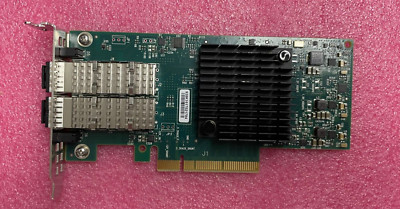
eBay
Find many great new & used options and get the best deals for CX4121C 20NJD Dell Connectx-4 Lx Dual-Ports SFP+ 25Gbps Gigabit Ethernet PCI-E 3 at the best online prices at eBay! Free shipping for many products!
fallow wing
opal pagoda
30$?
Wait what ? It's that cheap ?
And it won't have any of the issues reported for Intel's and broadcom's NICs ?
fallow wing
opal pagoda
https://www.ebay.com/itm/296209480459
even better card, its sfp28
but since it i...
I just need SFP+
opal pagoda
melanox stuff has always been good
they were bought by nvidia so support is on nvidia site
just dont get connectx 2 or older as that is old stuff and drivers arent incuded in distros anymore
fallow wing
Hmmmm

eBay
Les meilleures offres pour HP Mellanox ConnectX-3 546SFP+ Dual-Port 10GbE Adapter 790314-001 779793-B21 FP sont sur eBay ✓ Comparez les prix et les spécificités des produits neufs et d'occasion ✓ Pleins d'articles en livraison gratuite!
60€ with shipping
Think I'll have issues if it's HP made ?
Because I'm building a fully custom machine

eBay
Les meilleures offres pour Mellanox ConnectX-4 Lx EN 25GbE Dual Port - MCX4121A-ACAT sont sur eBay ✓ Comparez les prix et les spécificités des produits neufs et d'occasion ✓ Pleins d'articles en livraison gratuite!
95€ with shipping
I might consider that one if I can afford it, provided it doesn't causes any issues to plug DACs in there to link with SFP+ ports on the other end
opal pagoda
fallow wing
Think I'll have issues if it's HP made ?
https://youtu.be/bEd3NbJFBc8
vendor specific cards often spew out stuff onto smbus which can cause problems but you can disable that with tape

► Want to support the channel and unlock some perks in the process?
Become a RAID member on Patreon or YouTube!
🔓 Patreon: https://www.patreon.com/hardwarehaven
🔓 YouTube: https://www.youtube.com/channel/UCgdTVe88YVSrOZ9qKumhULQ/join
► Checkout items I used (affiliate links):
🛍️ 10Gb NIC: https://ebay.us/TsRacs
-------------------------------...
fallow wing
opal pagoda
melanox stuff has always been good
they were bought by nvidia so support is on n...
It's for a proxmox install, will I encounter issues if I plug that in there ?
opal pagoda
I personally havent used them but i was looking at them earlier today
fallow wing
opal pagoda
https://youtu.be/bEd3NbJFBc8
vendor specific cards often spew out stuff onto smb...
Bruh, 1st party cards in both connectx3 and connectx4 are the same price
About 90-100€
@opal pagoda but, for X3 and X4, the drivers should be preinstalled in linux distros, yeah ?
Or at least, will it automatically recognize the new part and auto download the drivers ?
silent flax
opal pagoda
https://www.ebay.com/itm/296209480459
even better card, its sfp28
but since it i...
ewwwww

 cunning lion
sighs this is normal for the other side of my house even with a mesh extender between me and the router

 patent plume
Hello friends... I have a problem with my home network because the walls are very thick and when I connect a device nearby nothing happens, but since I enter one of the rooms, the signal is lost or disconnected... What can you recommend to fix this problem? I was planning to make a mesh, but the signal is not going to help me.
cunning lion
Wired is pretty much your only option I would say
Also I saw a first today the line that shows speed actually went backwards on the upload test
patent plume
cunning lion
Wired is pretty much your only option I would say
But i can still using some extenders for the wifi?
And connect a switch for some devices that really needs ethernet
 drowsy fossil
if you are getting nothing at all, you need to wire in a wifi device, and your wifi needs to support wired backhaul
cunning lion
Something like a ubiquity setup sounds like it maybe needed in your situation @patent plume
 primal forge
Back Story: I think my original ISP (from at least 1.5 years ago) shipped me a duplicate internet modem and EERO wifi extenders. When i canceled services, I shipped back all the equipment in use, and successfully closed my account. and now I somehow still have some equipment. I'm moving, and I signed up for a new ISP. I told the new ISP I have my own modem.
Question: is there any possibility where "my" modem "notifies/pings" the old ISP or something?
 west vortex
Not unless they have their own custom firmware on it, and even then... I doubt they care. Maybe it's compatible with OpenWRT and you can flash that on it and never have to worry again.
primal forge
Thanks. I'll look into OpenWRT.
it's a somewhat major ISP, so id bet they do.. but I'm not sure.
 sly lark
Anyone know how i can connect a network extender or something to my wifi and have the extender output a wep connection from my router's wpa/wpa2 connection?
sly lark
@ me answer please
 torn perch
Hi, I have a brand new usw 48 poe connected to the UXG pro gateway. I don’t see the option to adopt, The switch is showing as another device.
I need help adopting it. I cannot ssh with root/ubnt but says access denied. Tried resetting the switch, same issue. Any help is appreciated
torn perch
All good, used ubnt/ubnt and used set-inform to adopt
 latent hare
Ok so Wifi mesh units what are the best units, im running unifi at present but its a pain the the arse to manage
Im looking at the TPlink EAP655-Wall
https://www.mwave.com.au/product/tplink-eap655wall-ax3000-wall-plate-wifi-6-access-point-ac68518
opal pagoda
latent hare
Ok so Wifi mesh units what are the best units, im running unifi at present but i...
You want poe powered mesh device?
 lost lily
okay, say i have a QSFP28 port, and i use a breakout cable to get 4 SFP28 ports
2 of them will be used at 25Gbps speeds, while the other 2 will be connected to a downlink switch
that has 2 SFP+ ports
would that work?
latent hare
opal pagoda
You want poe powered mesh device?
Yeah I have wired the house and I'm already running a 24 port GB POE switch
opal pagoda
latent hare
Yeah I have wired the house and I'm already running a 24 port GB POE switch
Then you dont want or need mesh functionality, you just need 802.11r
clear igloo
lost lily
would that work?
No, you cannot (afaik) downspeed breakout ports like that
They're 25gb only in this case
lost lily
hmm that'll be an issue then
clear igloo
You would need a QSFP (40g) breakout for 10g
lost lily
because as far as i know (which is not much), QSFP ports are just four SFP ports in a trenchcoat (and the same for SFP+, 28, 56, etc)
clear igloo
Correct, they're four lanes but they're fixed speeds
So breakout is taking those lanes and making them individual interfaces
There are a select few optics which can do mixed rate but not many
lost lily
okay, so that may be a problem, because i already have the downlink switch
clear igloo
and it's always an x or y situation with those even
lost lily
yeah yeah
clear igloo
How many QSFP ports do you have available?
You could drop in a second 40g optic and breakout that for 10g
 distant grotto
lost lily
okay, so that may be a problem, because i already have the downlink switch
distant grotto
lost lily
okay, so that may be a problem, because i already have the downlink switch
How many ports does your HBA have? And which HBA are you using?
lost lily
HBA? you mean for storage?
lost lily
oh, i was gonna plug them into connectx 4 sfp28
on all the machines, they're fairly cheap
and the downlink switch will mainly be used for random crap
i wanna hardwire as many IoT/crap devices as i can
distant grotto
Ok this makes sense, bleh yeah I run something similar with old 40gb gear but 10gb breakouts actually work. 25gb switch links aren’t really common
lost lily
lost lily
and the downlink switch will mainly be used for random crap
and its a juniper ex3300 we already have, my gf got it on ebay for 80 bucks a few years back
the 48 port
distant grotto
Oh it is a 10gb uplink yeah grosssss. 4 QSFP28 ports just isn’t enough. I think you can find discarded mellanox ethernet switches for cheap these days because the entire connectx-4 generation has a hardware defect that makes it unsuitable for extended enterprise use
lost lily
ohh
well 4 QSFP28 ports is plenty for our homelab ahahah
like the NICs are super cheap, and they're what i was gonna use anyway

i actually plan to build an opnsense router with one of these
distant grotto
Yeah they have a hardware buffer defect and drop packets like a sieve
lost lily
i do have 25Gbps service to my house, but i heard peering is horrible
and besides, i'm not paying that much
symmetrical 10Gbps is only 30€/mo
compared to gigabit at 25€/mo
and i'm not using the ISP trash, i'll just chuck the transceiver in my router, so to future proof i'll make an SFP28 router since it should fallback to SFP+ anyway
opal pagoda
distant grotto
HBA aka nic
hba is host bus adapter and not a network interface card
why do you think this is same
distant grotto
opal pagoda
hba is host bus adapter and not a network interface card
why do you think this i...
Brain broken after years of exotic networks. We refer to all add in cards as HBAs because of weird legacy reasons
Well probably because it identifies things as a replaceable part where as nic tends to refer to the board embedded stuff so that breaking means you have to swap the whole box
opal pagoda
distant grotto
Brain broken after years of exotic networks. We refer to all add in cards as HBA...
i see how hba could be confused with nic as FC use sfp modules
distant grotto
opal pagoda
i see how hba could be confused with nic as FC use sfp modules
FC is still a NIC :^)
Same with SAS
But you also have HBAs that provide breakout NUMA topologies which are again sort of a network though you stretch the definition a bit.
One of the older machines I had had 2 HBAs that split the RX/TX parts of the network stack physically. I guess those are also technically NICs
opal pagoda
distant grotto
FC is still a NIC :^)
storage area networks are wierd stuff
lost lily
lost lily
because as far as i know (which is not much), QSFP ports are just four SFP ports...
also, like i don't really need QSFP28, essentially all the ports would be split into SFP28
it's just that the switch is really efficient and quiet
like if i got an old mellanox switch on ebay, i don't want my server room to become an airport
because it's absolutely not insulated
opal pagoda
there is nothing stopping you from moding diffrent fans in it
lost lily
i guess so, yeah
but then it's gotta be like pretty cheap, because thats all added costs
what the hell thats 500 bucks

okay i'll eat my words
opal pagoda
i wouldnt get one maxed out with qsfp ports
lost lily
okay, there is a LOT of QSFP+ stuff for really cheap
stuff like this

but i'm kinda icky and want SFP28
distant grotto
FDR infiniband wont work like you want
opal pagoda
lost lily
but i'm kinda icky and want SFP28
https://www.ebay.com/itm/324743370816
one thing
they are loud

eBay
Find many great new & used options and get the best deals for Cisco Nexus N9K-C93180YC-EX 9300 48-Port 1/10G/25G SFP+W / LAN_ENTERPRISE at the best online prices at eBay! Free shipping for many products!
prolly the loudest thing in my dc
lost lily
yeah 1200 bucks is out of my league
opal pagoda
doesent help that there are 2 of em
lost lily
like 7-800 bucks of the original idea (CRS504-4XQ-IN) is the max max i'm willing to spend
opal pagoda
lost lily
like 7-800 bucks of the original idea (CRS504-4XQ-IN) is the max max i'm willing...
https://www.ebay.com/itm/335291161581
4x sfp28 2x qsfp28

eBay
Device fans are reverse airflow (back to front). At CIT Electronics, we are proud of the service and quality of the products we provide. The item is in excellent, new condition with no wear. The item includes original accessories.
and bunch of gigabit ethernet ports
nxos is a bit diffrent from typical cisco ios but it is fine
lost lily
why are ciscos so cheap
 distant grotto
lost lily
i assume i need EDR
distant grotto
lost lily
i assume i need EDR
You need Ethernet. Infiniband is not what you want and these switches are not interchangeable
lost lily
oh i didnt even pay attention to that
rocky badge
@clear igloo multicast is like 15% of my network lol
clear igloo
Needs more broadcast
 boreal elm
so I was looking in the documentation of FRP on github https://github.com/fatedier/frp and it looks like port ranges aren't a thing, anyone know if there is something similar to FRP with port ranges???
GitHub
A fast reverse proxy to help you expose a local server behind a NAT or firewall to the internet. - fatedier/frp
 waxen scroll
opal pagoda
it isnt yet but i expect end of sale soon
waxen scroll
opal pagoda
it isnt yet but i expect end of sale soon
better hope its licensed
 twin iron
While this isn’t full on network nerd wizardry it is jank enough that maybe even Linus would appreciate it

 waxen scroll
@rocky badge what about anycast
twin iron
Check out how my work network is setup the issue is that the IT guys are all just family members who barely know how to install windows

It works but crashes constantly and is a jumbled mess
Luckily I just cook lol
twin iron
lol the bare minimum
you cant really tell but im almost certain that there are patchpanels in the upper right where all the blue goes to
but there are two patch panels and I think one switch although can't confirm the switch
opal pagoda
waxen scroll
better hope its licensed
yea also power consumption of 150-200w 👽
clear igloo
waxen scroll
better hope its licensed
Honor based licence bb 😄
(for home stuff, lol)
blazing karma
anyone here knows why printer is not pingable cross VLANs?
currently have a canon e470 on vlan 40 (iot vlan) but weirdly enough i cant ping it cross VLAN
but other devices on different vlans all will work and pingable
gateway is pingable, and i can ping it within the same vlan
but cross VLAN is not except gateway and other devices connected via PPSK
 tribal ether
what happens if I don't use EEC memory for a nas
 unborn sluice
waxen scroll
unborn sluice
waxen scroll
That was fast
 uncut pendant

waxen scroll
@clear igloo but muh required license callhome
clear igloo
waxen scroll
<@291198741862416384> but muh required license callhome
Call who? 😛
waxen scroll
Muh $25k per switch license
Those switches need to use a license server, I don't think you can just apply a license and be good. That's what they make us do anyway
waxen scroll
Which I'm not sure a cheap eBay switch is going to have
clear igloo
But then you get log messages that it's honor based 😦
waxen scroll

clear igloo
Yup, NXOS is all honor based still. You get log messages at bootup if you don't have a valid license and that's about it
I've got a couple 9508s still without licenses 10 years later 😄
waxen scroll
I need to get off ACI
My auditor of all people was making fun of how hard networking got with ACI
clear igloo
Yah, auditors are the big issue with licenses, lol
waxen scroll
He was confused how the hell to audit us because he's used to nxos
No, PCI
They are trying to prove that you're actually following your own standards
clear igloo
yah
waxen scroll
When I started talking about slow GUI actions and JSON being the alternative he was like 
It makes me laugh that for every change I have to consider if GUI or writing JSON is faster
They're both slow until you have to do more than 10 actions
opal pagoda
clear igloo
I've got a couple 9508s still without licenses 10 years later 😄
that is one big switch
opal pagoda
blazing karma
anyone here knows why printer is not pingable cross VLANs?
you have to have some kind of route between vlans if you want to access it
thick minnow
how do we feel about synology home wifi routers?
it's between https://www.synology.com/en-us/products/WRX560
and killing my bank account in the uniFI ecosystem

Fast and secure Wi-Fi 6 mesh router for home
distant grotto
Pretty sure they’ve had a bunch of security issues in the past
 digital tartan
hasn't every brand tho?
thick minnow
distant grotto
Pretty sure they’ve had a bunch of security issues in the past
scary, but like also dlink 92000 nas devices with hardcoded backdoor explotable with simple http get req
so like who can you trust security wise?
i don't trust linksys / cisco
dlink
distant grotto
OpenBSD and yourself
thick minnow
so roll my own gateway and get a "dumb" ap for it?
that sounds like more work and money than i currently want to invest
id like to do it at some point, but i'd need to build a small pc for gateway/firewall bits and buy an ap and then learn the ins and outs of managing it
rn i just NEED a replacement for my ancient google wifi that can't meet the speeds im paying for and doesn't have the managment and logging capabilities i need to isolate and bill my flatmates
idk ill look into synology's security issues before i buy
 oblique zinc
thick minnow
it's between https://www.synology.com/en-us/products/WRX560
and killing my bank ...
oblique zinc
thick minnow
it's between https://www.synology.com/en-us/products/WRX560
and killing my bank ...
looks cool
better than sky
where u have to watch yt in 144p
tribal ether
i was looking for a gpu that can do encoding for jellyfin is this a good option https://pcpartpicker.com/product/vrYRsY/asrock-low-profile-arc-a380-6-gb-video-card-a380-lp-6g

ASRock Low Profile Arc A380 6 GB Video Card (A380 LP 6G)
tribal ether
are any of these on an apu

 amber lark
tribal ether
are any of these on an apu
amber lark
tribal ether
are any of these on an apu
Quick sync is any Intel cpu with integrated graphics
Nvenc is any nvidia gpu that's modern
I think the AMF is amds onboard gpu encoder
Idk about the last one
tribal ether
amber lark
I think the AMF is amds onboard gpu encoder
thank you, how does this build look?
Part List - AMD Ryzen 5 4600G, Jonsbo N1 Mini ITX Desktop
Its for storage, jellyfin, minecraft, and home assistant
might have more things for, i'm not sure yet, haven't had a nas before
 kind field
amber lark
Idk about the last one
kind field
amber lark
Idk about the last one
It's Intel's hardware encoder/decoder API that they made for GMA originally, years before QuickSync, which is dedicated to their hardware only unlike VA-API.
amber lark
kind field
It's Intel's hardware encoder/decoder API that they made for GMA originally, yea...
thanks!
kind field
No prob, and for any further referencing of it...
https://en.wikipedia.org/wiki/Video_Acceleration_API
Video Acceleration API (VA-API) is an open source application programming interface that allows applications such as VLC media player or GStreamer to use hardware video acceleration capabilities, usually provided by the graphics processing unit (GPU). It is implemented by the free and open-source library libva, combined with a hardware-specific ...
There ya go.
 proven terrace
Hello, if i needed a recommendation for some cheap Hardware to run a minecraft server would i ask that here?
thick minnow
tribal ether
are any of these on an apu
id start with an intel cpu i think most newer ones have qsv built in which will be great for jellyfin and handbrake
an arc gpu might be helpful too but try without and see if it's a needed expense
it seems to me(an idiot) that intel's encode / decode asics are better than nvidia and amd
those harddrives are expensive as hecc but a good choice from what i've been hearing (even though i don't trust a seagate one bit) and using optane is a very good choice imo
thick minnow
Is it important to have a second internet connection when you are going to set up a few servers in your house that will be accessed from outside the house?
The home one is abit inconsistent
0.1mb is how fast it is
 wanton garnet
I'm having a very strange problem with my Internet connection that I can't figure out for the life of me. My mobo ethernet allways used to work fine with windows 10, but after I wiped the os, and tried running Linux for a server the Internet just didn't work. It detected the ethernet cable but it said no internet acces. So I switched back to windows 10 and I'm now having the exact same problem. It's detecting the home network to some small extent because i was able to run crafty (a minecraft server remote managment software) and connect to it from another conputer on the network but it was very slow and bearly worked. I tried using a sperate ethernet adapter and wifi adapter and it worked fined so it's just the motherboard eathernet port that's having these issues. I have also tried looking for and installing drivers, even though when I first installed windows it worked without needing me to look for any drivers for it. So I'm completely lost now and have no idea what to do so I would very greatly appreciate any advice
 thick minnow
Maybe an old driver was used originally and never updated or something?
Not exactly sure as all I use is prebuilts and don’t change hardware or software a lot
tribal ether
thick minnow
id start with an intel cpu i think most newer ones have qsv built in which will ...
with the current case (which I think is pretty lol) I only with have one PCI slot so arc isn't much of a choice so I'll have to change cases because of the network adapter. I'll look into Intel but I personally never used an Intel CPU before
and the hard drives are one of the cheapest 20tb currently
blazing karma
opal pagoda
you have to have some kind of route between vlans if you want to access it
how do i do that
im still kinda bad at understanding static routes
and also anyone know if ps5 is bad with vlans? i cant place my brothers ps5 behind vlan without it losing internet connection 
opal pagoda
blazing karma
and also anyone know if ps5 is bad with vlans? i cant place my brothers ps5 behi...
first you need to know that vlans are layer 2 concepts essentially isolating networks while sharing some common connections (trunks), this is done by taging the packet. it is common practise to not use vlan 1 as that is default port vlan. vlan 1 is tipically black holed. in your case lets say you have pc on vlan 100, ps5 on vlan 110, printer on vlan 40.
uplink on your managed switch should be set to trunk and have those vlans allowed
tribal ether
tribal ether
with the current case (which I think is pretty lol) I only with have one PCI slo...
I have learned that you should probably use eec memory, and no motherboard that size supports eec and other features I need, so I have to get a bigger case, anyone know any nas cases that actually look good?
waxen scroll
wanton garnet
You need to determine if it assigned you an IP, gateway and DNS servers. Could be that DHCP is not working.
tribal ether
maybe the jonsbo N4 will work?
 opal pagoda
blazing karma
and also anyone know if ps5 is bad with vlans? i cant place my brothers ps5 behi...
opal pagoda
blazing karma
and also anyone know if ps5 is bad with vlans? i cant place my brothers ps5 behi...
second you need to know how to subnet. for your network i would recommend that you use 10.0.0.0/8 for your whole network.
reserve second octet for fun things outside your network that may be joined to your network with site to site vpn.
third octet is where you should subnet your vlans. example: use 10.0.100.0/24 for pc, 10.0.110.0/24 for ps5, 10.0.40.0/24 for iot
those subnets will have to be assigned to vlans. enable dhcp on that too as setting up static ip on each device is pain
Third: firewall rules - there are 2 types, edge and zone, zone is communication between vlans and edge is access to the internet, you can either do alot here or do little to nothing all depending on your usecase.
tribal ether
the case isnt on pcpartpicker so i have to manually check everything
 pearl atlas
How does everyone feel about the Ugreen Nasync? Is there any info about using it detached from the internet?
wanton garnet
waxen scroll
You need to determine if it assigned you an IP, gateway and DNS servers. Could b...
would that still be the case even though when i use a simple usb to ethernet adapter everything works completely fine
 tribal ether
Part List - Intel Core i3-8100
with this case and mobo, I'll have EEC memory, an igpu but the option to upgrade to dedicated gpu, i can now double my ram in the future
 blazing mantle
what’s a starter router for like 100 bucks
for some info i have 1 gig of wifi but the isp’s provided router is literally dog shit
thick minnow
tribal ether
I have learned that you should probably use eec memory, and no motherboard that ...
https://www.fractal-design.com/products/cases/node/node-804/black/ is my plan for my jellyfin server

 uneven socket
im trying to set up a nighthawk mesh system with a router and 2 satellites with an existing nighthawk router. is there a way I can set the router up to be an access point but keep the satellites the way they are? I just want to use ethernet from one of the satellites without cutting the wifi to the rest of the house which is what happened when we tried this about an hour ago by ourselves
 tender lantern
Anyone has a galaxy watch? So I want to reserve an IP for my watch with static lease, I disconnected Bluetooth and forgot the network, added manually and disabled random mac adress, however the mac adress shown on my router doesn't match with the one show in the settings
sly compass
tender lantern
Anyone has a galaxy watch? So I want to reserve an IP for my watch with static l...
Idk how android works, but ios has an unique mac adress for each wifi. It shouldn’t change that often
 crystal oriole
opal pagoda
second you need to know how to subnet. for your network i would recommend that y...
crystal oriole
opal pagoda
second you need to know how to subnet. for your network i would recommend that y...
I am a bit late here but isnt 10.0.0.0/8 a bit to wide for this usecase (not that it really matters) but why not just use 192.168.0.0/16 instead- you still have plenty of room there..
tender lantern
sly compass
Idk how android works, but ios has an unique mac adress for each wifi. It should...
I know I already disabled random mac on my sisters iphone most of the devices are working with the IP that I signed to the mac.
On wearos tho because it connects to wifis that are syncing with the phone u dont even have to type the password for the network however if u turn off Bluetooth and forget the network while adding it in advanced u can disable random mac adress and it connects just fine I just can't comprend how is the mac adress still not the one thats stated in the system info
sly compass
tender lantern
I know I already disabled random mac on my sisters iphone most of the devices ar...
Sounds like a firmware issue on the watch. Try a reboot 😅
tender lantern
Ok I just figured it out and its so dumb
Theres a hidden save button below the random mac adress toggle
I was taking screenshots
Dont have pc on me to record with scrcpy and I was centering it and there it was
blazing karma
opal pagoda
first you need to know that vlans are layer 2 concepts essentially isolating net...
Already have all of that done
The problem is some devices that’s connected to vlan doesn’t work with internet
Eg my brothers PS5
Wired wireless both doesn’t work with my media vlan
blazing karma
opal pagoda
second you need to know how to subnet. for your network i would recommend that y...
And I already have my all the vlans subnet figured out
10.20.x.x for all of them
Rules are currently all to all permitted except my guest VLAN on OPNSense

Just devices take a few to figure out it has internet
But some doesn’t know at all until I dump them back on I tagged
*untagged
opal pagoda
crystal oriole
I am a bit late here but isnt 10.0.0.0/8 a bit to wide for this usecase (not tha...
Yes you can but it doesn't matter one bit except that it is quicker to write 10.0.0.0/8 address than the alternative
crystal oriole
Yeah true
west vortex
Looking at this to rackmount my Pi's but also looking to see if anyone else has experience with a better 1U option if there even is one.

UCTRONICS Front Removable 1U Rack Mount for Raspberry Pi, with 4 Mounting Brackets for Raspberry Pi 5, 4B, 3B+/3B, and Other B Models
opal pagoda
west vortex
https://a.co/d/iTnPL26
Looking at this to rackmount my Pi's but also looking to...
how many ras pi-es?
i would probably just print it https://www.thingiverse.com/thing:4125055

Thingiverse
A bracket to mount the Raspberry Pi 4 or 5 in a standard 19-inch server rack. This will fit 6 RPi 4/5 units using Power Over Ethernet (PoE) in a 1U space for a very simple and tidy cluster solution. I use the official PoE hat with the RPi 4 put out by the Raspberry Pi Foundation that normally sells for $20. I am still waiting for the official Po...
west vortex
opal pagoda
how many ras pi-es?
I only have 2 right now. I might get 2 more for funsies. Also, I don't own a 3D printer right now
 robust chasm
Does anyone have any recommendations for an affordable consumer router that has long term software support, Wifi 6E, and an enterprise level of customization? (power over Ethernet would also be nice but not needed)
This would also be used at home
opal pagoda
robust chasm
Does anyone have any recommendations for an affordable consumer router that has ...
Wdym by affordable? Put a dollar amount to that
sly compass
Meh not fast enough drivers here, should get some better drives :S
10gbit not even close 😄

 cedar sapphire
https://twitter.com/attrc/status/1778845719882842356 - Happy Friday from us at Volexity 🙂
Our team's technical breakdown of exploitation of the Palo Alto 0day. Patch and remediate ASAP!
#DFIR #infosec
 Twitter
·
Twitter
·
 charred cliff
Is anyone aware of an M.2 WiFi 7 card that's CPU-agnostic? I haven't been able to find any online. I currently have an old Intel laptop, but I'm saving for an AMD Framework, so I was hoping I could buy a card now, use it, then swap it into the new one.
drowsy fossil
afaik the only ones that are cpu specific are the ngw ones
add -ngw to your search and anything should work in theory
 willow relic
Q: any recommendations for switching my wifi to a shitload of APs without swapping out the router? I want strong coverage throughout the house including basement and garage, ideally I'd prefer if i could just keep my current router, disable the wifi on it, and send all the traffic back over 4 or 5 PoE APs to keep things simple. I'm not sure what requires controllers or its own specific router or if there's any simple solutions.
peak cloak
willow relic
Q: any recommendations for switching my wifi to a shitload of APs without swappi...
don't need to change router, a controller will be preferable to allow better wifi roaming
I like the tplink omada series
how big is your space that you need 4-5 APs
I've been running on only 1, although if it's a brick wall construction that really reduces wifi penetration
willow relic
peak cloak
how big is your space that you need 4-5 APs
big enough. 4 would likely be good enough, i just want everywhere to be very robust signal. One for the front and back, one for the basement, and one for detatched garage. So if i went this route, can i just do the little omada controller with 2 ports and send it out to a poe switch and toss up a bunch of APs?
peak cloak
willow relic
big enough. 4 would likely be good enough, i just want everywhere to be very rob...
yeah, although not in the way you described. The controller just needs to be on the network
peak cloak
so Router -> Switch -> (Everything else, AP, Controller, etc.)
as long as it's on the same L2 network
willow relic
any preferred APs on the omada series or any i should avoid in your opinion?
peak cloak
idk of any, just look at what your requirements are. You def don't need any of high density solutions

 sinful ice
when someone downloads something, everyone connected to the switch gets no connection, should i just replace the unmanaged switch with a managed one
silent flax
watching a video about "home surveilance system", it is ironic how different legislative limitations are between US and EU 😄
US: You can record public spaces with some minor limitations.
My country in EU: If you doing recording, you can't record without a security project and camera being registered in a registry, same applies to publicly accessible indoor places (workplace etc). Really only place you can record with no problems are indoors where there is no expectation of recording other people.
i was thinking about doing it (which would meant PoE etc), but meh, at the cost of all the legal hoops i would have to jump over, not worth it.
 onyx walrus
hey does anyone know how to disable their vpn from router or in some way i cant just change it immediately after? to be specific, my router is the Virgin Plus (brand) Valerie model, or in other words this one : https://www.virginplus.ca/en/support/internet/interactive-guides.html

We're here to help! Get the answers to your questions about home internet and your modem.
opal pagoda
sinful ice
when someone downloads something, everyone connected to the switch gets no conne...
um what
managed/unmanaged switch doesent matter in your case
 strong garden
i have just got a new isp provided router and it has a usable usb port for printer or a usb drive for a file sharing server but i wanna use both the features at the same time so will i be able to use a usb hub to use both the features at the same time ?
pseudo blade
strong garden
i have just got a new isp provided router and it has a usable usb port for print...
"Probably"
thick minnow
does anyone know any cheap mobile routers that can be used without sim (as repeater for iphone) and also support monitor mode
opal pagoda
thick minnow
does anyone know any cheap mobile routers that can be used without sim (as repea...
Look at glinet mobile/travel routers
 edgy tundra
I recently moved house and have kept my same internet package and router. I live more rural and my ping has doubled. I am using virgin media hub 5 with a net booster and in counter strike i am getting 40 ping while my opponents get below 10. Is there anything i can do to lower my ping? My speeds are fine it is just my ping. I have tried tcp optimizer and using a different DNS.
 obtuse cypress
So you're on cellular?
 ornate jungle
edgy tundra
I recently moved house and have kept my same internet package and router. I live...
ornate jungle
edgy tundra
I recently moved house and have kept my same internet package and router. I live...
No idea what a "net booster" is, but aside from tweaking DNS, there's not much you can do to decrease ping on your own. Switching to Fiber from DOCSIS would be one way, if Fiber is available. (Looks like the media hub 5 uses DOCSIS technology - not inherently bad per se, but pings around 30-60 ms are "normal" for most DOCSIS connections I've used.) https://www.virginmedia.com/broadband/existing-customer-deals/hub
Virgin Media's Hub 3, Hub 4 and Hub 5 give customers fantastic WiFi connections all year round. Thinking of upgrading your existing router? Learn more here.
edgy tundra
ornate jungle
No idea what a "net booster" is, but aside from tweaking DNS, there's not much y...
when i said net booster i meant a pod my bad
ornate jungle
Ah, so you're on WiFi too. Connect via hardwired Ethernet then re-test the connection. Even if this isn't fesible long-term, it will at least help narrow down where the increased latency is coming from.
edgy tundra
ornate jungle
Ah, so you're on WiFi too. Connect via hardwired Ethernet then re-test the conne...
i am wired into the pod is that still bad
ornate jungle
edgy tundra
i am wired into the pod is that still bad
The pod is wireless to the modem right? ...
edgy tundra
pretty sure
ornate jungle
Bypass ALL wireless links within your control, then re-test. Network troubleshooting is 95% trial and error via process of elimination, and 5% DNS. No, wait - it's always DNS. 😄
edgy tundra
my parents definitely wont let me route a ethernet cable through my house
edgy tundra
ornate jungle
Bypass ALL wireless links within your control, then re-test. Network troubleshoo...
i tried dns and lowered it a bit but thats the best ive been able to do
are there any devices that wont need me to run a ethernet cable through my house?
ornate jungle
You can try PowerLine AV adapters, but those are largely dependent on your home's electrical wiring, so if you buy any, ensure the store you buy from allows returns if they don't work.
https://www.youtube.com/watch?v=ywQeJCa3jl8

Thanks to Away for supporting Techquickie! Go to https://www.awaytravel.com/techquickie and use the promo code techquickie to get $20 off your order!
Powerline Ethernet uses your home's existing wiring to transmit network data! How does it work, and could it be the right choice for your home network?
Techquickie Merch Store: https://www.design...
edgy tundra
alright tysm man ill give it a shot
cunning lion
MOCA adapters are a thing as well if you have coaxial in your place for satellite or cable. Would need to double check that any splitters in the house are the right range for MOCA tho
thick minnow
Wired is best I learned that from using a single wireless link to rest of my network
 hearty lily
Want to discuss with somebody how to set up a nas system looking to build one for my house and have backups of phone computer ect on it anyone available to talk me through it. Do I need windows for it or is this a Linux thing
thick minnow
why does my connection constantly turn off when I use a specific router or switch but works when I just use the wire giving me internet in the first place I live with a Chinese guy and I pay him for the internet, I know hes not touching the wire or messing with my connection, and I have four things I need plugged in in my room ps5 my pc and the router/switch
it also hates vrchat when I launch that game my connection immidetly drops
its super specific and I've never had this happen to me until I moved into this place im in.
its been happening for 3 years now and I'm sick of it and have no idea what the hell is up with the modem/router
the modem is in his part of the house by the way so I cant look at it
I feel like someone's DDOSing me or something
I'm thinking of just buying a $100 router

no clue if this would even fix the problem I'm having
if it helps any I'm using a really long wire that goes from the basement to my room
also sorry if questions like this arent supposed to be in this chat but you guys out of anybody I can think of might know whats going on here cause I sure as heck don't.
 mild turtle
Need some hub suggestions. We finally got Fibre in December but the hub supplied by the ISP I believe we've been having nothing but issues with it. Online there are loads of people complaining about the device, a lot of them sharing same/similar issues to what we're having. My brother keeps complaining about a sort of latency issue. He says his ping on Discord shoots high and gets packet loss will be anywhere from 75% to 100% and he'll cutout and people can't hear him. Has also complained about issues with in game things as well. When the hub is reset that he says resolves all the problems. Apparently the internet has cut out for periods of time as well, but I've been asleep when these have happened. I've tried speaking to the ISP but they're customer support seemed to be based somewhere in Asia and don't understand a single thing you're telling them. The moment you go off their script you've lost them. I've had someone out and to be honest while he was somewhat helpful in other areas he was kinda useless. I explained the situation before but he didn't seem to know what I was going on about. Perhaps I'll get suggested otherwise but I think the hub itself is the problem. ?
 silver thicket
define "goes off" @thick minnow ? can you ping 1.1.1.1 for example when its off
try ping the router as well - not sure what OS your on - but presume youll be getting your IP from DHCP from the router so you should be able to find its IP using ipconfig / ifconfig / ip a [linux]
thick minnow
silver thicket
define "goes off" <@456226577798135808> ? can you ping 1.1.1.1 for example when...
I'll be playing a game I alt tab and this thing turns to a circle

i click it and it goes back on
it goes on and off 9-10 times if not more a day
thick minnow
silver thicket
define "goes off" <@456226577798135808> ? can you ping 1.1.1.1 for example when...
no clue how to do that tbf
silver thicket
ping is a command you run at a terminal and it sends data to the remote computer at the address you specify and that computer sends some data back. kind of like... hey you there 1.1.1.1 and it sends back a yeah i'm here. by measuring how long it takes for the data to come back you can work out latency etc. If you open your command prompt on Windows (presuming your on Windows from the icon) you can type in ping 1.1.1.1 and press enter and youll see whats going on.
~/dev
❯ ping 1.1.1.1
PING 1.1.1.1 (1.1.1.1): 56 data bytes
64 bytes from 1.1.1.1: icmp_seq=0 ttl=57 time=7.350 ms
64 bytes from 1.1.1.1: icmp_seq=1 ttl=57 time=33.992 ms
64 bytes from 1.1.1.1: icmp_seq=2 ttl=57 time=13.717 ms
64 bytes from 1.1.1.1: icmp_seq=3 ttl=57 time=11.427 ms
64 bytes from 1.1.1.1: icmp_seq=4 ttl=57 time=10.876 ms
64 bytes from 1.1.1.1: icmp_seq=5 ttl=57 time=17.335 ms
^C
--- 1.1.1.1 ping statistics ---
6 packets transmitted, 6 packets received, 0.0% packet loss
round-trip min/avg/max/stddev = 7.350/15.783/33.992/8.683 ms
im on a mac but it same thing
1.1.1.1 is the address of a server on the internet (cloudflare, but that doesnt really matter)
you need to work out, if its the connection between your PC and the router in the neighbours room thats dropping or the connection between the internet and the neighbours router
so if you can ping the neighbours router, but not something on the internet (so cloudflare for example) then its likely to be the neighbours internet provider.
i wouldnt go and sink money into buying a router as you don't know whats up at this stage. it could be the cable? can you get neighbours wifi password and see if you can connect via wifi and see if the problem goes away

 zealous ocean
So can I add my own route to a securew2 eduroam network, in other words to a dorm network where u need login credentials
silver thicket
command prompt on windows 11 .... youll see it in the start menu
thick minnow
silver thicket
i wouldnt go and sink money into buying a router as you don't know whats up at t...
i mean, I did make the cable
silver thicket
well theres your problem 😛
silver thicket
is that in spec lol i can't think your all old school units
thick minnow
its random wire my dad was going to strip for copper
its probably a mix of cat 4-5 wire
should I just buy a new wire?
one I didnt wire myself?
silver thicket
cat6e max length is 100m
your like 121m ... can you put a switch half way down the run or something
thick minnow
silver thicket
your like 121m ... can you put a switch half way down the run or something
oh yeah, I could. I got one laying around
silver thicket
id definately get some shielded cable though and make sure you terminate it properly - if its a one off just buy a premade cable if you ccan
clear igloo
The max length for any RJ45 cable for ethernet is 100m, regardless of what kind of cat cable it is (5, 6, 6a, etc) although higher gens can do faster speeds at that distance limitation
It's down to signal integrity limitations of an ethernet port and other stuff
thick minnow
silver thicket
id definately get some shielded cable though and make sure you terminate it prop...
I can I got money for it
clear igloo
but yah it could "work" beyond that but basically it's super hit or miss as OP is seeing 🙂
thick minnow
the wires are put together with hot glue
it has no sheilding at all its spit in 5 different places with diferent tape and methods to cover the spliced parts
silver thicket
lmao
clear igloo
Oh, well in that case it's even worse than a proper cable, lol
thick minnow
its a mcgivered wire
silver thicket
im wanting photos
clear igloo
yup, photos 😄
opal pagoda
clear igloo
The max length for any RJ45 cable for ethernet is 100m, regardless of what kind ...
officially yes
unofficially we have some ap-s at 120m
clear igloo
opal pagoda
officially yes
unofficially we have some ap-s at 120m
yah, your mileage will vary a ton after 100m 🙂
clear igloo
Using TERA connectors?
silver thicket
120m run between 3 floors though, thats a hell of a run (i think...) - must be a huge house?
opal pagoda
clear igloo
Using TERA connectors?
nah
opal pagoda
silver thicket
120m run between 3 floors though, thats a hell of a run (i think...) - must be a...
more like big warehouse
clear igloo
opal pagoda
nah
for shame, you are not in ISO spec 😛
silver thicket
isnt a typical room like 6m
silent flax
but 100 meters is for a single cable. one can add a switch inbetween
silver thicket
6m in height i mean for a house
clear igloo
nah, usually floor to ceiling is 10ft roughly so maybe 3.5m to 4m at the high end
silver thicket
maybe sammy is in a skyscraper 😄
opal pagoda
clear igloo
for shame, you are not in ISO spec 😛
i dont know single switch that takes tera connectors
clear igloo
opal pagoda
i dont know single switch that takes tera connectors
yah, I don't think they exist
silver thicket
i suppose i could google but as lazy... whats a tera connecctor
opal pagoda
i dont know if GG45 switch even exists
clear igloo
silver thicket
i suppose i could google but as lazy... whats a tera connecctor
It was a new connector that was supposed to come with Cat7 cables but the spec never got fully ratified by TIA/EIA so it kind of just faded into limbo
silver thicket
btw appologise for typos mbp keyboard seems to be dieing on me... butterfly... sigh...
clear igloo
 silver thicket
thanks
opal pagoda
clear igloo
for shame, you are not in ISO spec 😛
trust me cat7 usage is one of the first things i asked about since it is in our standard...
thick minnow


 opal pagoda
yikes
thick minnow
It's really bad.
silver thicket
i thought you were pulling our legs 😄
opal pagoda
wuth the hell happened hear
 silver thicket
jesus... well there is your problem!
clear igloo
opal pagoda
trust me cat7 usage is one of the first things i asked about since it is in our ...
Yah, I mean provided it's quality cable it's fine 🙂
silver thicket
how you have got 100mbit ethernet over that
im amazed over 120m run
your going to see a world of difference if you get a decent cable in, is the internet crawling at the moment?
thick minnow
Would buying a long wire that's not like that help?
silver thicket
id bet a pint of beer thats your problem
opal pagoda
clear igloo
Yah, I mean provided it's quality cable it's fine 🙂

Datwyler IT Infra
Electrically and mechanically superior quality Cat.7 data cable with PUR sheath - exceeds the requirements of ISO/IEC 11801, IEC 61156-5, EN 50173-1 and…
clear igloo
thick minnow
Would buying a long wire that's not like that help?
10,000% it would help for sure
clear igloo
opal pagoda
https://itinfra.datwyler.com/en/copper-networks/copper-cables/cu-7002-4p-industr...
I would say that's up to par 😄
thick minnow
 silver thicket
i mean could you try connect to wifi... that might be easier than running a long cabble
thick minnow
I'd need a wifi adapter lol
opal pagoda
clear igloo
I would say that's up to par 😄
i am currently discussing order for 10km of it so yea
thick minnow
They're 10 bucks so that's ez
silver thicket
homeplugs are good too
clear igloo
opal pagoda
i am currently discussing order for 10km of it so yea
Just a bit, very cool
silver thicket
well until you get noisy appliances... things like tumbedryers sometimes knock out homeplug
clear igloo
powerline is very hit or miss, yah
silver thicket
got to be better than that cable though surely
opal pagoda
clear igloo
Just a bit, very cool
what is interesting is that they sell you the "cable" and then copper in that cable by weight
i was so confused at first
thick minnow
Wait I remember hearing about a thing that can send connection through the plug on the wall
clear igloo
opal pagoda
what is interesting is that they sell you the "cable" and then copper in that ca...
That's odd but I guess if it works for them as a business that's cool
silver thicket
thats what i mean.. homeplug
clear igloo
thick minnow
Wait I remember hearing about a thing that can send connection through the plug ...
yah, powerline is the proper term
clear igloo
lol, all good it gets you to the same results 🙂
opal pagoda
silver thicket
sorry @ proper term 😛
maybe homeplug is regional uk wording
clear igloo
Just be careful of marketing that will say like 500Mbps max speed and put 100Mbps ethernet ports on either side so you'll never get more than 100Mbps throughput
silver thicket
i was just about to say ive exposed myself as a brit but then remembered i got uk in my handle ha
one thing i have always wondered with powerline 😉 adapters... can you mix and match vendors
i presume they all have to be the same speed
(or do they negiotiate to the slowest or something like that)
clear igloo
Same vendor on both sides is needed for encryption and whatnot I believe
and pairing varies between vendors too I'm sure
opal pagoda
and if possible get moca adapter instead of powerline
silver thicket
not heard of moca
opal pagoda
silver thicket
not heard of moca
american houses are full of coax.
it uses that
clear igloo
MoCA varies by region since coax usage depends on region
thick minnow

Description Features HIGH SPEED CAT6 ETHERNET CABLE - Our GearIT Cat 6 Ethernet Cable supports up to 550Mhz bandwidth max data transfer rate. It is suitable for extra long network cable needs such as ethernet for routers, laptops, computers, modems, gaming consoles (i.e PS4/PS5/Xbox One/Xbox 360)...
silver thicket
ah ok - i guess originally for chucking tv into every room
thick minnow
would this wire work ?
clear igloo
thick minnow
https://www.amazon.ca/GearIT-Outdoor-Ethernet-Copper-Direct/dp/B08P2TJ227/ref=sr...
boooo!!!! hiss, cca is the most evil cable ever
brittle and prone to breakage to start with
thick minnow
huh wot why
thick minnow

KUNOVA (TM) Ethernet Cable Cat6 200ft Blue, Network Cable Wire Cat 6 Ethernet Patch Cable Cord, Internet Cable with Snagless RJ45 Connectors - 200 Feet Blue
opal pagoda
thick minnow
huh wot why
aluminium is brittile
silver thicket
its alumium with copper coating
thick minnow
what bout this one
opal pagoda
thick minnow
https://www.amazon.ca/Ethernet-Network-Internet-Snagless-Connectors/dp/B0749Y3JT...
if you are in canada get them from https://www.infinitecables.com/

Infinite Cables
North American supplier of Audio/Video Cables, Networking Cables, Fiber Cables, UPS Batteries, Security Cameras and more. Servicing the needs of IT products and the average home user for over a decade.
opal pagoda
silver thicket
crimping rj45 connectors isnt much fun
terminating them in a keystone is much easier and often tooless
silver thicket
i cant thing what the tool is called for keystones
idc? insertion tool or something
opal pagoda
most modern keystone modules are toolless
opal pagoda
silver thicket
i not seem them
 silver thicket
fancy
it even shows you the colour code! i hated that... esp... as there is 2 variants from what i remember
thick minnow
opal pagoda
wotz this thing lol
clear igloo
@thick minnow I'd look at this:
https://www.amazon.ca/Abireiv-Resistant-Waterproof-Buried-able-Compatible/dp/B09M5VQWF4?th=1
Bit more money but pure copper at least

Abireiv Cat6 Outdoor Ethernet Cable 200ft,Outdoor Shielded Grounded UV Resistant Waterproof Buried-able Network Cord Compatible for Ca6/Cat5/Cat5e,for Game,Router,LAN,TV
thick minnow
$54 is a lot for a cable but if it works it works
clear igloo
yah, most of them were like $95 or more which was insane
silver thicket
you sure wifi not going to work?
thick minnow
silver thicket
you sure wifi not going to work?
wifi sucks
im on third floor modem is in basement
clear igloo
yah, distance to the router it might be worse than the cable used now, lol
silver thicket
120m of cable though it must be a hell of a run...
you sure you going to be able to route it all easily?
clear igloo
If it's already run and not stabled nor nailed down anywhere just tie the new one to the old and pull 😄
clear igloo
lol
silver thicket
or.... good excuse to get your own fibre to premises line dropped straight into your bedroom 😄
sharing your network with the neighbour isnt great really from a security perspective
opal pagoda
well fiber costs bout the same
 silver thicket
noo i was meaning own dedicated line from the telco
rather than going down to the neighbours room and using the neighbours internet provider
opal pagoda
 opal pagoda
thick minnow
lol my connection is COAX
opal pagoda
thick minnow
lol my connection is COAX
do you have coax in your room?
thick minnow
its better then DSL thats for sure
thick minnow
opal pagoda
do you have coax in your room?
the coax goes to modem
everything else is wifi or ethernet
silver thicket
doxsis or whatever its called (virgin over here use it)
 long thistle
thick minnow
i can get gigabit for $150 a month
long thistle
thick minnow
i can get gigabit for $150 a month
US lmao
silver thicket
see look at what coming in here and asking about your internet problem has caused, your looking at new houses now 😄
thick minnow
 silver thicket
ouch... thats pricey
thick minnow
it's canada what u expect lol
opal pagoda
thick minnow
wait untill you see this (price in chf)
 thick minnow
opal pagoda
wait untill you see this (price in chf)
thick minnow
opal pagoda
wait untill you see this (price in chf)
;-;
silver thicket
45 squid a month... you need move to the UK sammy 😛
10gbit! for 39.95 chf... i dont know what the conversion is hang on
long thistle
thick minnow
symmetrical
 silver thicket
damn its 10x as fast and cheaper 😦 i need move switzerland
sammy me and you are moving 😄
1000mb for 16 bucks a month?
long thistle
yup
opal pagoda
silver thicket
10gbit! for 39.95 chf... i dont know what the conversion is hang on
tbh everything is about 1:1 nowadays
usd, euro, chf, pounds
silver thicket
we need 1x uber currency... oh wait hasnt that been tried before 😛
thick minnow
long thistle
symmetrical
dies
opal pagoda
silver thicket
we need 1x uber currency... oh wait hasnt that been tried before 😛
eurodollars when
silver thicket
bitcoin 😄
opal pagoda
bitcoin but printed on paper
silver thicket
mining coins on a hp deskjet
thick minnow
oo I wanna buy an office
silver thicket
see i was trying to talk you out of buying the expensive cable, but now we are definately into real estate
get the cable 😛
thick minnow
had to zoom out far for it all to fit

i got a lot of files I have to scan and put into folders or a storage area
ive had these files since 2016 and they're turning to dust I gotta scan them
i have them sitting in a binder from my past and its turning brown from age
most of them are extremely important files too
silver thicket
going paperless is definately good, just make sure you keep some form of backup in place
thick minnow
(my debts and CRA stuff)
silver thicket
backblaze has saved my ass a lot recently
opal pagoda
silver thicket
going paperless is definately good, just make sure you keep some form of backup ...
meanwhile i see people doing this
print document,
look at document,
place the docuent in the convinietly placed shredder next to the printer
thick minnow
I'm just going to reprint the files in paper form
They wont degrade if they're stored properly instead of sitting on my desk in a binder
silver thicket
the wont degrade at all if they were digital
thick minnow
hahaha
silver thicket
meh ive probably got some bias, i had so much stuff, then lost it because of life, and now ive got clothes, laptop, ipad and phone and thats it. and its such a nice feeling not having stuff everywhere
sure i miss all my books etc.. but ive got them on kindle etc.. now
thick minnow
ohh with the file folders I can make ''debt'' folder ''cra'' folder ''misc'' folder ''bills'' folder
etc I could do that on pc but I dont trust that for some reason
silver thicket
your running Windows thats a good a reason as any not to trust the pc !
silver thicket
im about 160k in debt so dont take financial advise from me
thick minnow
mortgage?
silver thicket
yeah i bought a house then a month later the wife said she was having an affair and left and my head fell off.. so i walked away.. house got sold at auction for practically nothing
silver thicket
meh it was a long time ago
thick minnow
ick I'm downing a bottle of gin rn hahaha
silver thicket
id just say dont let things snowball and end up like i have,... if you can sort it out whilst its manageable then thats probably the best thing
thick minnow
burns my throat
zealous ocean
So um
opal pagoda
thick minnow
im 10-14g in debt
student debt?
thick minnow
nah its bills
opal pagoda
yikes
opal pagoda
must be some expensive water
silver thicket
water == gin. 😛
zealous ocean
Can some help whit ssh OpenWrt?
silver thicket
you got me wanting some now
thick minnow
I owe TELUS 2k I owe SaskTel 1k I owe sask power 1.2 k I owe the water company $600 I owe acess communications $678
silver thicket
what help do you need Kelp?
thick minnow
i can go on and on I owe EVERYTHING money
silver thicket
write to them and try and do like a payment plan
thick minnow
my moms debt got loaded onto me too
silver thicket
i dont know if its like over here but they end up selling off the debt to other firms
thick minnow
why me? who knows.
zealous ocean
silver thicket
what help do you need Kelp?
I do telnet [ip] and I ge this
 silver thicket
that worked in my favour... 100k owe to company a... they sell to company b the debt for say 50k... then company b sell to company c for 25k etc..
so you can end up negiotiating it down with company c, as they only paid 25k
thick minnow
I cant imagine being in one figure of debt
silver thicket
but you got to wait it out
thick minnow
i owe 10-14 grand most
silver thicket
your telnetting on to an ssh port Kelp
you need to use a ssh client (Putty if your on Winblows)
not sure if openwrt has telnet running - try port 21 - ssh is port 22
but you dont want to use telnet really these days anyway as its unencrypted and insecure, try and get in the habbit of using ssh if you can
opal pagoda
silver thicket
but you dont want to use telnet really these days anyway as its unencrypted and ...
and if possible private/public keys for auth in addition to password
silver thicket
you know i was really thinking i was going to have to get this mbp keyboard replaced but coming in here tonight and hammering it seems to have broken it into submission 😄
zealous ocean
Oh ye I just figured out that I have a ssh client
I didn't figured it out but now I know
zealous ocean
silver thicket
not sure if openwrt has telnet running - try port 21 - ssh is port 22
Well it was 22 now its 23
zealous ocean
U good
silver thicket
as long as youve got sorted thats the main thing
zealous ocean
So um ye that thing I won't to do won't work biacas I don't have Internet
And I need to do it so it will work
So the network I want to connect the router to has securew2 eduroam security in other words a user and password protection
opal pagoda
zealous ocean
So the network I want to connect the router to has securew2 eduroam security in ...

Super User
I have a Pi baked with OpenWRT, which I want to connect to the Eduroam network of our university. Is there a way, I can connect to Eduroam and get OpenWRT to submit the username and password so it ...
opal pagoda
zealous ocean
Ngl nothing fucking works no joke
what hardware do you have running openwrt?
zealous ocean
To link archer c6 (eu v2)
opal pagoda
zealous ocean
To link archer c6 (eu v2)
do you have root cert file of your school/college on it?
zealous ocean
opal pagoda
do you have root cert file of your school/college on it?
What u mean?
Ye dint worry the router is broken now
 opal pagoda
slovenia™️
zealous ocean
To lazy to change my pc to English
opal pagoda
are you connecting to eduroam wifi or eduroam wired (in a dorm)?
zealous ocean
Wired
opal pagoda
the configs i posted were for wifi
for wired you need to configure ca root certificate, radius server, eap algorythm and username/password
zealous ocean
Can I just change this?
 hearty lily
any1 reccomend a prebuilt nas for someone starting out
 fading shore
What would be better, one machine setup as router+firewall+media server/nas or one machine for router+firewall and a dedicated media server?
distant grotto
we made a mistake with 200gbe networking
can't tell you the number of times I've found a bottleneck in my stack over the last 2 years that comes down to everyone poorly doing 200gbe, mix of 25x4, 25x8, 50x2, 50x4, 100x2, 200x1 standards all talking over switches that generally want 50x4 but some did 100x1 with extended 200x1 support if you talk the magical side channel bits
I guess 800gbe isn't going to be complete hell, aside from the latency hit
pseudo blade
hearty lily
any1 reccomend a prebuilt nas for someone starting out
Synology's stuff is pretty nice
QNAP is a bit cheaper and different, but some people don't like them (I personally find them to work fairly well, just make sure you don't allow them to expose themselves to the internet via UPnP, much like the Synology's).
sly compass
I looking at NAS in the future, i either buy one that can do minimum 7gbit raw speed at least 10gbit cache. But that means lot of money for the storage i want. Minimum 20tb. Ofc redundant storage.
So at that price i might as well go synology but yea. Getting my network to be perfect before hand is priority over nas right now
 waxen mauve
heya, can someone smarter help me out here, i've got a VPN on, does that disconnect my ethernet use?

my cable is plugged in to my pc and router, i then occasionally get ethernet icon and other times wifi icon, is this common with VPN usage or should i do something about it like different cable / is my gigabit connection dying
opal pagoda
are you full tunneling or split tunneling?
waxen mauve
i'm afraid I dont know
i'm using Norton VPN (my dad pays big bucks for norton so it comes with a free VPN)
opal pagoda
then its probably full tunnel
opal pagoda
it should
split tunneling is when just portion of traffic is tunneled, tipically remote resources and normal internet traffic goes to destination without going trough vpn
waxen mauve
thanks <3
opal pagoda
waxen mauve
my cable is plugged in to my pc and router, i then occasionally get ethernet ico...
is traffic going trough tho?
what windows shows isnt what is important
waxen mauve
opal pagoda
is traffic going trough tho?
i mean i'm able to do things with my vpn, for vpn required reasons
it just says i'm only connected via wifi
opal pagoda
that is fine
mild turtle
Can someone educate me on how I pick a good router?
opal pagoda
mild turtle
Can someone educate me on how I pick a good router?
first what tier do you want
home, soho, enterprise
mild turtle
opal pagoda
first what tier do you want
home, soho, enterprise
At home.
I need something that can handle several devices, 1G download, 2.4-5ghz, blah blah. I know I can just go buy any old piece of shit but I'd prefer to make an informed choice. I'm not sure how I go about researching the subject. I know bare basics about networking but further than that I know nothing.