#networking
1 messages · Page 57 of 1
 meager ginkgo
 sweet ridge
both cat 5 and cat 6 should be able to do gigabit
meager ginkgo
It’s your router’s specifications.
sweet ridge
but your router only supports 100 mbps
 balmy narwhal
wtf
meager ginkgo
You need to upgrade your router to something that can support higher speeds than 100mbps
balmy narwhal
Why on the box is support more
meager ginkgo
balmy narwhal
Why on the box is support more
It’s all marketing
balmy narwhal
Very sad
sweet ridge
the AC750 part?
meager ginkgo
That’s in a lab and not actual throughput
AC4000 as an example is wifi 5 AC and “5000mbps” but in reality can probably only achieve 400mbps in the real world
balmy narwhal
So I need to buy a router with gigabit?
meager ginkgo
balmy narwhal
So I need to buy a router with gigabit?
Yes, shouldn’t be too expensive
sweet ridge
pretty much
balmy narwhal
Okey thank you
meager ginkgo
I’d go for a wifi 6 router or WiFi AX
That’ll give you the best wifi experience for your internet speeds, wifi 6E and all that won’t really give you a performance improvement
balmy narwhal
Cuz I use my cable to fiber straight to my computer right now
meager ginkgo
balmy narwhal
Cuz I use my cable to fiber straight to my computer right now
Yeah… you need a router for your fiber
shouldn’t be plugging direct into the computer
It’s a security issue
balmy narwhal
Yes I know but I have no choice when my router is really BS
meager ginkgo
balmy narwhal
Yes I know but I have no choice when my router is really BS
Deal with the 100mbps speeds for now and then when you can - upgrade your router
I’d rather deal with usable but slower speeds than have my PC on the public internet without a router’s firewall
balmy narwhal
Do you have any router for recommendations?
meager ginkgo
balmy narwhal
Do you have any router for recommendations?
What country are you in?
balmy narwhal
Sweden
meager ginkgo
How much are you looking to spend? A reasonable budget is probably around $100 USD for a decent router minimum
 balmy narwhal
I don’t
meager ginkgo
What sites do y’all use there to shop?
meager ginkgo
ASUS is my #1 for consumer routers
I use Ubiquiti personally but I’m a prosumer and need some more advanced stuff
 meager ginkgo
balmy narwhal
Can you find me that is abit more cheaper?
meager ginkgo
balmy narwhal
Can you find me that is abit more cheaper?
Look into the RT-AX55 or RT-AX1800S if you have those
meager ginkgo
balmy narwhal
That should be fine for your speed
see if there’s any more that have better speed ratings for slightly more (or similar price)
TP-Link is fine for the most part too
If they have one with better speed for less than the ASUS
if you can find something above AX1800 (AX3000, AX5400 etc) that’ll make it more futureproof for higher internet speeds if you ever upgrade
balmy narwhal
I don’t why but only I find for asus router is over 120$
Only tp link that have the low price
Ok thank you for the help
One more thing
meager ginkgo
TP-Link should work, I’d recommend AX1800 minimum.
balmy narwhal
Can 2.4ghz run over 100mps?
meager ginkgo
balmy narwhal
Can 2.4ghz run over 100mps?
It can but it’s way easier to achieve over that with 5ghz
a lot of 2.4ghz clients (devices that connect to router) don’t have great wifi antennas that can reach over 100mbps
balmy narwhal
Because my grandparent phone can receive 5ghz WiFi only 2.4 GHz
meager ginkgo
Yeah.. that’s a device issue. They’ll likely need a new device for faster speeds
meager ginkgo
No problem
balmy narwhal
Because I have been emailing the provider for like two weeks now about the Internet program
Speed*
meager ginkgo
Yeah haha. That’s not an ISP issue - it’s your own hardware’s fault
balmy narwhal
Like I use 2 router one is the tplink another one is from the provider but like the provider router 5g wifi is working fine but 2.4 and normal cable is not fine at all
So basically I can say that we have a outdated hardware right?
meager ginkgo
Your provider is fiber right?
Does the fiber go into their own router? Or does it go into a device that converts the fiber to Ethernet that then goes into a router device?
also known as an ONT
balmy narwhal
Is fiber
So is fiber cable to fibre, router and then ethernet cable to the normal router
meager ginkgo
So the fiber goes directly into the internet provider’s router correct?
balmy narwhal
But like I don’t know how long have to have this, but I can tell already after talking to you is that the hardware is really old
balmy narwhal
meager ginkgo
So the fiber goes directly into the internet provider’s router correct?
Yes
meager ginkgo
I don’t think the ISP would give you incapable equipment if you have fiber optic service. You just need to replace your own router and you should be good. Make sure you put the ISP’s router into bridge mode so everything works properly.
balmy narwhal
Aha ok
Thanks you for the advice on
Can I dm you if I need more help in the future?
meager ginkgo
balmy narwhal
Can I dm you if I need more help in the future?
I’d prefer if you just ping me here.. keeps everything organized and people can look back for info if they need to 🙂
balmy narwhal
Okey thank you
 balmy narwhal
@meager ginkgo I want to ask one more thing if I keep using the router that max speed is 100/100 and the another router that is WiFi6, and my internet speed is 250/100 will that be a problem? Like is steal each other to speed
 silent flax
meager ginkgo
I use Ubiquiti personally but I’m a prosumer and need some more advanced stuff
silent flax
meager ginkgo
I use Ubiquiti personally but I’m a prosumer and need some more advanced stuff
talking about Ubiquiti https://arstechnica.com/information-technology/2024/02/doj-turns-tables-on-russian-hackers-uses-their-malware-to-wipe-out-botnet/ (and yes, i know, default passwords)

Ars Technica
Feds once again fix up compromised retail routers under court order.
 thorn delta
silent flax
talking about Ubiquiti https://arstechnica.com/information-technology/2024/02/do...
thorn delta
silent flax
talking about Ubiquiti https://arstechnica.com/information-technology/2024/02/do...
Exposing the management access to the whole internet is a really bad idea on any brand of router or firewall. Like, most of the nasty CVEs that come out are unexploitable from the internet if you keep your management whitelisted to your LAN or VPN. It's just such an unnecessary risk.
Combining that with default creds.. Lol.
silent flax
and yeah, vmware is pretty much dead in 3-4 years maximum.

at that price increase, you might as well eat the cost of migration to another platform
 olive kindle
silent flax
and yeah, vmware is pretty much dead in 3-4 years maximum.
olive kindle
silent flax
and yeah, vmware is pretty much dead in 3-4 years maximum.
Doesn't apply to bigger customers tho. Migration, training, etc is more expensive in comparison in such cases.
So I think it's just getting way, way, way less prominent in the IT landscape
silent flax
anyway, waiting for my last cheapo 2.5Gbe switch for my home network, now the only gigabit things in my home are all the computers (except three) and the WAN port on my "router". But hey, it is better to be future proof 😄
 opal pagoda
silent flax
anyway, waiting for my last cheapo 2.5Gbe switch for my home network, now the on...
opal pagoda
silent flax
anyway, waiting for my last cheapo 2.5Gbe switch for my home network, now the on...
now you need to run 10gbe spine


 low pond
Lol listening on [::] ?? That's probably v6
Can you try putting ::1 instead of 127.0.0.1
 obtuse tinsel
Ok
 wind current
just found out all of the Ethernet ports on my router are dead except the modem input
could openwrt fix it?
not uncommon it seems
I'll replace the router eventually

 thick minnow
obtuse tinsel
does anyone know why this is not working?
thick minnow
obtuse tinsel
does anyone know why this is not working?
maybe they need your actual ip address for some reason. Try using that one
obtuse tinsel
**BTW
**i went in my ipconfig in cmd and used every IPV4
none worked
obtuse tinsel
thick minnow
maybe they need your actual ip address for some reason. Try using that one
ill try this
thick minnow
obtuse tinsel
ill try this
Maybe capitalize the B in bedrocktool. Who knows that might help
obtuse tinsel
i put that it didnt give me a name to put lol
thick minnow
obtuse tinsel
i put that it didnt give me a name to put lol
oh maybe you have to open that port on your computer? Like maybe the firewall is blocking it
 obtuse tinsel
thick minnow
oh maybe you have to open that port on your computer? Like maybe the firewall is...
obtuse tinsel
thick minnow
oh maybe you have to open that port on your computer? Like maybe the firewall is...
how do i do that
thick minnow
obtuse tinsel
how do i do that

How-To Geek
Firewalls keep your PC safe, but they can also get in the way.
thick minnow
obtuse tinsel
how do i do that
Just make an inboud and outbound rule for that port. See if that works
obtuse tinsel
did the port thing gunna try loading in now
still not working
i tried
3 diff ips

i even tried typing "localhost"
thick minnow
obtuse tinsel
i tried
3 diff ips
okay well I think the 127... ip address and the port and stuff are correct. Probably an issue with the tool you;'re using to make the world. I don't know anything about making a minecraft server
obtuse tinsel
so what i'm trying to do is download it from a realm
with a world downloader tool
silent flax
opal pagoda
now you need to run 10gbe spine
that would require me to buy four 10gbe RJ45 DACs, which would be like 150 euros, nearly as much as i paid for the routers themselves
 hearty lily
Could be a stupid question on my deco unit it says ipv6 but what does that mean
opal pagoda
silent flax
that would require me to buy four 10gbe RJ45 DACs, which would be like 150 euros...
Or you could run fiber trough your conduits and use transcievers
thick minnow
hearty lily
Could be a stupid question on my deco unit it says ipv6 but what does that mean
probably means that the router supports ipv6, which isn't very relevant to us normal people. It stands for internet protocol version 6, and it's a standard that defines computer addresses on the internet and how to route traffic. It's a lot neater than IPv4. Would be cool if we all used it. But making that transition is pretty hard I guess.
silent flax
if you mean this, it is literally just enabling IPv6
 hearty lily
Would this make it faster internet or just more security of the device?
Was trying to get better speed but now changing isp for that going from 180 mbps to 1 gig
opal pagoda
hearty lily
Would this make it faster internet or just more security of the device?
Some isp give ipv6 block you can use for devices on your lan, it eliminates NAT and cgNAT problems
But people are reluctant to use it since addresses are long af and not easily remembered
 rocky badge
@meager ginkgo @hollow marlin I want something like UniFi for work that isn't UniFi 😩
We are about to redo our networking and its gonna be a pain in the ass
 random cobalt
what's wrong with unifi? :/
 quasi orbit
rocky badge
<@390856614942474241> <@462711605063450628> I want something like UniFi for work...
quasi orbit
rocky badge
<@390856614942474241> <@462711605063450628> I want something like UniFi for work...
mikrotik?
opal pagoda
random cobalt
what's wrong with unifi? :/
lots
random cobalt
😐
opal pagoda
random cobalt
😐
availability and supply issues
no dual psu options (rps exists but its only for failover, switch cant boot only on rps)
backplane can crash which takes whole switch down
random cobalt
oh, I don't use their switches and junk. Their APs are nice. 🙂
opal pagoda
random cobalt
oh, I don't use their switches and junk. Their APs are nice. 🙂
wifi is fine but still affected by availability
random cobalt
yeah
opal pagoda
and if you host controller in docker you will be in buggy mess
random cobalt
runs in an app just fine for me
opal pagoda
and uisp is also fine but they are stubborn and use passive poe for some reason instead of standard poe
random cobalt
frying wrong devices with passive PoE means more sales of new devices!
low pond
rocky badge
<@390856614942474241> <@462711605063450628> I want something like UniFi for work...
o-omada...?
silent flax
opal pagoda
But people are reluctant to use it since addresses are long af and not easily re...
the really big issue with IPv6 for LAN is the whole other associated mess, which makes for example local DNS such a pain, because ISP will push through RA their own IPv6 DNS, which by default take precedence over your local IPv4 DNS, so RIP your custom hostnames in dnsmasq etc
opal pagoda
silent flax
the really big issue with IPv6 for LAN is the whole other associated mess, which...
couldnt you block that with acl?
silent flax
opal pagoda
couldnt you block that with acl?
not with the stupid ISPs we got here, as if i want IPv6, i have to "pass through" the ISP router stuff, because while their router receives /56, they only give out /64 and that can't be divided to smaller parts.
opal pagoda
could you also just buy a domain name, create bunch of subdomains, then make aaaa records for all your local stuff
local device will request ip from dns, and connect to it, outside devices will be firewalled off so they cant access local servers
silent flax
technically that is what i did. blocked IPv6 on my router side, using servicename.local.my.tld for services via nginxproxymanager, servicename.home.my.tld for when i need to reach stuff outside nginx proxy, and whatever i need to reach via internet is just tunneled to the VPS i have running outside
opal pagoda
silent flax
technically that is what i did. blocked IPv6 on my router side, using servicenam...
do you have any issues with services like netflix not working since you are connecting via datacenter ip?
silent flax
opal pagoda
do you have any issues with services like netflix not working since you are conn...
eh ?
i dont' understand. I meant that for example if i want to reach my Plex install, i go to https://plex.my.tld, which is then proxied via tunnel to http://plex.home.my.tld:32400 inside my home network. Everything i access from inside my home network just uses normal ISP connection
opal pagoda
ah
opal pagoda
silent flax
i dont' understand. I meant that for example if i want to reach my Plex install,...
so traffic flow is : plex server > your router > vpn tunnel> vps> vpn tunnel > your router > plex client ?
silent flax
if i access it from outside, it is Plex Client -> Nginx @ VPS -> tunnel -> my router -> Plex Server @ local network
i mean you would need to know my login/password/2fa to access my plex server
opal pagoda
i just do funny and abuse cloudflared tunnels to access my plex 
silent flax
i mean i think all i got tunneled outside is plex, home assistant and SSH to one of my servers i can access only via localhost on the VPS, as i really only need this access when visiting mom or possibly from work if i forgot something at home
and through that SSH login i can tunnel anything else if i need it - remote desktop or VNC
opal pagoda
silent flax
i mean i think all i got tunneled outside is plex, home assistant and SSH to one...
I use combination of cloudflared tunnels (plex and home assistant) and then tailscale for everything else
wind current
wind current
just found out all of the Ethernet ports on my router are dead except the modem ...
how does a hardware failure like this even happen lmfao
i wonder if i killed the ethernet controller
 sleek escarp
Could I overclock a switch to be 2.5gb
 clear igloo
No, you cannot overclock an ASIC like that
 old raptor
hey guys, i have a quick question.
My current house network is set up with a router that can output 2.4Ghz (call it A for right now) and 5Ghz (call it B). We have an EERO thing plugged into the router that extends the dominant EERO unit connection to 2 other suboordinate EERO's in the house. These EERO's use Signal A. Most of the devices use the EERO's mesh network to connect to the router better, including my computer (which is plugged in the EERO directly into the unit for better speeds).
One EERO is on the first floor of the house, while the 2nd is on the second floor in an area where it only has 1 wall between the dominant EERO and itself.
Anything on Signal A can't connect to any device on Signal B, like a printer for example. I cannot print from my devices, which are on Signal A, since the printer itself is on Signal B.
I know you can "combine" the two Signals by changing their SSID to the same name and having it be the same password. Most of the devices connected are stationary, except for a laptop and phones/ipads.
We have Gigabit internet speed, and the only device that seems to get it would be the main office computer, which is plugged directly into the router since it's right next to it.
My personal computer is connected to Signal A, which gets me roughly 370Mbps-800Mbps. Keep in mind it's connected to that EERO mesh so it needs to go to the main unit that's plugged in the router.
Should we keep our network the same, since it works, or should I change the SSID of Signal B to match Signal A? Would that affect any of the speeds I have?
I can answer any questions you have, just @ me please.
old raptor
also we currently use WPA2 personal, i saw an option to change it to WPA3.. should i do that? or just leave it at WPA2. we have old devices that can connect to the network, so I'm going to assume it will break if i change it
clear igloo
WPA3 is not backwards compatible (nor WPA2 with WPA for that matter), any devices that don't support it will not be able to connect
old raptor
but in terms with changing the SSID, how would that affect everything
clear igloo
Honestly I'm not familiar with eero but I don't think Signal A is 2.4GHz only as you described, 2.4GHz maxes out at 400Mbps theoretical speeds and in real world is much lower
old raptor
interesting
the eero is a gigabit "mesh" network, so theoretically it should nearly reach gigabit speeds
clear igloo
But only on 5GHz
old raptor
right... that's odd
clear igloo
Yah, now if you're connected via ethernet to one of the pucks then that would explain it
old raptor
that would make sense
i connected to one of the sub eero's and my speeds went from 300 to nearly 800+
clear igloo
since the backhaul is over 5GHz
old raptor
should i still change the 5ghz SSID to the same SSID as the 2.4, though?
clear igloo
Now as far as changing the SSID, I would see if you can instead make a single SSID and broadcast on both bands instead
Doing it with two different SSIDs named the same can be weird
And then enable band steering, devices will prefer 5GHz (speed) but also can drop to 2.4GHz (slower but further range) if needed and roaming between pucks should be about the same
old raptor
this is what i currently see
what is the smart connect, is that what you're talking about?
 clear igloo
Ah, Smart Connect is their name for band steering
So if you set them to the same SSID then in theory it will do what I mentioned before.
old raptor
oh gotcha, this smart connect will only affect stuff moving around? what about stationary stuff
yeah, but how will it affect anything? would i see a negative response?
i tried to describe the layout of the house
clear igloo
So Smart Connect will attempt to tell clients "Hey I see you can talk to 5GHz signal, connect to that first"
old raptor
go on
clear igloo
And the clients, regardless, will go to 5GHz for speed, but if they can't get good signal will still fall back to 2.4GHz instead
So if you name them the same then clients regardless of stationary or movement will prefer the speedier bands if they support it and if not will still connect without issue
old raptor
hmm
clear igloo
and of course make sure the password is the same on each one 🙂
clear igloo
Yah, and if you notice issues then you can change the 5GHz back to a different name to keep them seperate but that would be a shame if that was the case
 clear igloo
I would leave them at default
clear igloo
old raptor
The eero didn’t like me changing the 5ghz SSID lol
that's dumb 😦
but good to know at least
old raptor
Wait it’s back lol
clear igloo
lol, nice!
old raptor
Let me test my speeds after the firmware update
ok i made sure that smart connect was enabled
i restarted the eero network just in case, i'm geting speeds of nearly 500Mbps
mainly 460
uploads of nearly 750 lol
yeah i guess it did work out
clear igloo
Nice, the higher upload is a bit odd though, lol
clear igloo
Fair but still a bit off, might change after a bit though as channels change and whatnot
old raptor
Right
hearty lily
I'm looking to potentially install a nas at my house I've seen the ltt on using an old computer to do it. Should I go that route or get a pre-built personal nas from a store. If that route can you give some suggestions
 open tartan
hearty lily
I'm looking to potentially install a nas at my house I've seen the ltt on using ...
open tartan
hearty lily
I'm looking to potentially install a nas at my house I've seen the ltt on using ...
if you know how to set an old computer up as a nas go for it but if you dont want to tinker with it a bunch i would go with a pre built
 pseudo blade
hearty lily
I'm looking to potentially install a nas at my house I've seen the ltt on using ...
pseudo blade
hearty lily
I'm looking to potentially install a nas at my house I've seen the ltt on using ...
You'll pay more for prebuilt and have less control, but it's simpler and often more compact than a tower case. Up to you to decide what matters most.
opal pagoda
First define your storage requirements and will you be running additional services on your nas
 dreamy whale
We have a Nexus 93180YC-FX-24 and I was wondering if I can get a generic FS 10GBASE-LRM module and use it on the switch?
clear igloo
dreamy whale
We have a Nexus 93180YC-FX-24 and I was wondering if I can get a generic FS 10GB...
provided it's programmed for Cisco it should work just fine
thick minnow
So I found a powerline solution, it looks pretty solid but I just want someone else's opinion on these
https://www.amazon.ae/dp/B089DKK2K7/ref=twister_B089HDTXBY?_encoding=UTF8&th=1

HomePlug AV2 standard compliant, high-speed data transfer rates of up to 1000Mbps, supports all your online needs.Gigabit port provides secure wired networks for desktops, smart TVs or games consoles.Plug and play, no configuration requiredPatented Power-Saving Mode automatically reduces power co...
pseudo blade
thick minnow
So I found a powerline solution, it looks pretty solid but I just want someone e...
They all kinda suck as a product category, you can do better with WiFi more often than not.
 fervent brook
thick minnow
So I found a powerline solution, it looks pretty solid but I just want someone e...
fervent brook
thick minnow
So I found a powerline solution, it looks pretty solid but I just want someone e...
AV2 is ooooollllldddd
thick minnow
is there a newer generation
thick minnow
pseudo blade
They all kinda suck as a product category, you can do better with WiFi more ofte...
I can't make do with wifi
it's the main reason I'm turning to powerline
fervent brook
thick minnow
I can't make do with wifi
it's the main reason I'm turning to powerline
What about Moca?
open tartan
I run a Minecraft server off.of this disaster

10/100 switch on a Ethernet over power line adapter
thick minnow
fervent brook
What about Moca?
I dont have TV cabling to where I want to run powerline
I do have an ethernet wire running here, but that's for calling only
I know I can use BaseTx but I dont have the skills to get the wires lined up
fervent brook
thick minnow
I know I can use BaseTx but I dont have the skills to get the wires lined up
If you would run the cabling for basetx...why not just use moca?
thick minnow
fervent brook
If you would run the cabling for basetx...why not just use moca?
as in, the cables are already in the wall
and MoCA depends on cable TV right? I dont have cable TV to where I want to use powerline
fervent brook
Anyway, what is your use case? Quake Tournaments?
thick minnow
just general use
I do game, stream and attend meetings so low latency is up there on the priority list
fervent brook
thick minnow
and MoCA depends on cable TV right? I dont have cable TV to where I want to use ...
Moca uses RG6 cable... just the cable...not cable TV service
thick minnow
fervent brook
Moca uses RG6 cable... just the cable...not cable TV service
I know
but the cables
ARE IN THE WALLS
im not putting another cable in them
fervent brook
Powerline should be fine as long as you're fine with half-duplex and dividing the speed of your powrline speed your number of devices
thick minnow
also it goes vertically up and then across so that's going to be annoying to run a cable to
thick minnow
fervent brook
Powerline should be fine as long as you're fine with half-duplex and dividing th...
grand total of one device
my pc
fervent brook
Then it should be totally fine
thick minnow
alr thanks
fervent brook
thick minnow
im not putting another cable in them
You don't have to put the cables in the wall
open tartan
fervent brook
Powerline should be fine as long as you're fine with half-duplex and dividing th...
Power line is pretty damn good lol
fervent brook
open tartan
Power line is pretty damn good lol
I know. I just don't want them to hook up like 16 pics and wonder why everything is so slow
open tartan
That's fair lol
fervent brook
Iirc. Only one direction can go at a time and each node can only send when all others are not sending. So basically ye old ethernet. But probably with collision avoidance instead of detection
I hate this keyboard
I turned off autocorrect and suggestions. But it still will flat out replace a manually typed out word just because it doesn't know that word...
open tartan
fervent brook
Iirc. Only one direction can go at a time and each node can only send when all o...
Yea
It works meh for what I use it for but my parents won't let me run Ethernet so it's the best I got for my server
thick minnow
fervent brook
I know. I just don't want them to hook up like 16 pics and wonder why everything...
pics? you mean nodes or PCs
fervent brook
Iirc, it's only nodes, since all traffic only needs to move in that fashion when it uses the powerline. Two PCs connected to a switch outside of the powerline network doesn't have the restrictions of the powerline network
So, if he puts a router in his room, and connects that to the powerline. It would be less daunting than having a powerline device for each of his devices
 icy quest
Looking into wanting to buy a layer 3 24 port switch
would cisco or ubiquti be better?
I like UB UI, but i hear Cisco is better for setting stuff up
clear igloo
That's like asking if you want apples or oranges for doing something
they have vastly different pricing structures and feature sets
What is your goal with a L3 switch?
Do you have familiarity with Cisco CLI syntax?
icy quest
clear igloo
Do you have familiarity with Cisco CLI syntax?
I dont no
icy quest
clear igloo
That's like asking if you want apples or oranges for doing something
they have v...
its simply going to be routing traffic from my router to anything connected to the switch
Sorry I shouldve given more specifics
clear igloo
icy quest
its simply going to be routing traffic from my router to anything connected to t...
Keep it simple, stick with something basic and that you have familiarity with
icy quest
it will be sitting in a home lab
icy quest
clear igloo
Keep it simple, stick with something basic and that you have familiarity with
? so go with the cisco one or?
or keep looking?
clear igloo
Cisco has a VAST line of switches, are you looking to drop $10K+ on a new enterprise switch?
A few hundred on a small business switch from Cisco?
If you have familiarity with Unifi and don't need a vast array of features, why not stick with it?
Cisco/Juniper/etc. are primarily focused on enterprises and while they have small business lines they're usually the red headed stepchild with little love thrown that way.
Unifi/TP-Link/Mikrotik focus on SMB and home market and thus have prices to match
icy quest
clear igloo
Cisco has a VAST line of switches, are you looking to drop $10K+ on a new enterp...
yeah i like their UI, but i wasnt sure if im missing out
the cheapest L3 switch was around 400 ish
clear igloo
Check out Mikrotik as well
Omada (TP-Link) has some L3 capable switches but I'm not sure on management of those
icy quest
I'll go ahead and take a look
thanks man
opal pagoda
icy quest
its simply going to be routing traffic from my router to anything connected to t...
I don't think that you know the difference between l2 and l3 switches and for non enterprise application you don't need l3 functionality
icy quest
opal pagoda
I don't think that you know the difference between l2 and l3 switches and for no...
i do
i need a l3 switch
opal pagoda
icy quest
i do
i need a l3 switch
Will you be doing inter vlan routing on switch itself?
icy quest
opal pagoda
Will you be doing inter vlan routing on switch itself?
yes
lol
thats why i need it
 waxen scroll
clear igloo
Cisco has a VAST line of switches, are you looking to drop $10K+ on a new enterp...
waxen scroll
clear igloo
Cisco has a VAST line of switches, are you looking to drop $10K+ on a new enterp...
try 40k after licensing and maintenance
Yes folks, for a 48 port switch. They've lost their minds
@rocky badge
To LIKE, or not to LIKE, that is the question.
Is it nobler to endure algorithmic indifference,
Or take action with a simple click and SUBSCRIBE?
To LIKE! To SUBSCRIBE!
That is the key.
waxen scroll
icy quest
? so go with the cisco one or?
Lets shop!

@clear igloo send my commission payment to the usual account
pseudo blade
https://www.servethehome.com/vmware-vcsp-customers-seeing-10x-or-more-cost-increases-under-broadcom/

We discuss how some VMware customers are facing 10x or more cost increases under Broadcom with smaller MSPs hit particularly hard
pseudo blade
Not exactly surprising but damn must suck to be a vmware customer right now
Your yearly costs just became monthly
 fierce jay
One message removed from a suspended account.
pseudo blade
What's "decent"?
If you're a consumer maybe aliexpress's offerings will suffice for you
 trim ledge
how do i open the ports on my network for a steam server
i use spectrum if that helps
 ornate jungle
trim ledge
how do i open the ports on my network for a steam server
ornate jungle
trim ledge
how do i open the ports on my network for a steam server
Sign in to your Spectrum account for the easiest way to view and pay your bill, watch TV, manage your account and more.
 vast temple
question is there a way to create two separate "partitions" on a hard drive in TruNAS Core so i can have an 8TB drive split into two 4TB partitions so i can have the 16 TB (three 4TB drives and one 8TB drive) in a Raid z1 array?
clear igloo
waxen scroll
<@291198741862416384> send my commission payment to the usual account
Check on the way 😛
opal pagoda
ornate jungle
Port Forwarding. https://www.spectrum.net/support/internet/advanced-wifi-advance...
it is so wierd that they put it in "advanced wifi settings"
 south walrus
Wot happened to the gaming lan room setup
I seen one video
But can not see the next part
silent flax
Unraid seen Broadcom and decided they want in too https://www.servethehome.com/unraid-moves-to-annual-subscription-pricing-model/

Unraid is moving to an annual subscription pricing model in order to access updates for new users to the platform
 clear robin
Ethernet is wired like this, is this supposed to be 4 pin or what

 haughty seal
silent flax
Unraid seen Broadcom and decided they want in too https://www.servethehome.com/u...
haughty seal
silent flax
Unraid seen Broadcom and decided they want in too https://www.servethehome.com/u...
lifetime license isn't sustainable for them. Remains to be seen how they implement it. They're going the pfsense route but with better community right now.
 vernal wind
random question -- what is a "normal" amount of bad packets to be received on a switch interface? I do not perceive network degradation. According to my switch I have a seemingly super high volume of bad packets received on the interface my Wireless AP uplinks to, and the interface my pfsense router is connected to
more setup context:
||the switch is a TP-Link managed switch (TL-SG1024DE), the wifi AP is a ubiquiti unifi U6+ on a POE injector, and the pfsense router is running on an old optiplex currently. all cat 5e. I have not done a ton of troubeshooting on the wifi side, but on the router, I know that this behavior has happened across different cables, and I think it's happened with different physical NICs too (currently a realtek rtl add-in nic)||
port stats info from my switch's web UI. port 1 is the pfsense, port 4 is the wap

that's such a high percentage that you would assume I'd perceive it... right?
maybe a "bad packet" isn't what it sounds like here? 
the manual states that this is the count of Error packets (as opposed to discards, which is different right?).
 topaz basalt
I'm looking for a budget-friendly Wi-Fi router with dual-WAN failover. Can somebody please suggest one?
vernal wind
vernal wind
the manual states that this is the count of Error packets (as opposed to discard...
and then this. they could be jumbo frames but I have no clue where to start trying to identify this as the cause....
 vernal wind
https://community.tp-link.com/en/business/forum/topic/83046?replyId=212476
update, i think that this feature is actually just useless, i think that tp-link firmware is counting any tagged packet as both good and bad, just like jumbo frames. meaning all of my cross vlan traffic and all wireless traffic period is going to be bad on the counter.
lmfao + dead inside
vernal wind
topaz basalt
I'm looking for a budget-friendly Wi-Fi router with dual-WAN failover. Can someb...
what is "budget" to you 😄
waxen scroll
vernal wind
what is "budget" to you 😄
probably not cradlepoint
ornate jungle
clear robin
Ethernet is wired like this, is this supposed to be 4 pin or what
Proper Ethernet should be 4x twisted pairs = 8 wires total. Looks like the 2x ports on that wall plate were wired with a single twisted pair, likely for POTS phone usage.
 rough basin
Now I know this might sound crazy, but how would I run my own vps from home? I am more curious about what kind of hardware/software I would need. Also if you guys have any article recommendations on how to setup the networking on such a thing please let me know
low pond
rough basin
Now I know this might sound crazy, but how would I run my own vps from home? I a...
Just a computer that can run 24/7 essentially
Then run a VM on it. If you want proper public connectivity, you might need to see if you can have a static IP
pseudo blade
rough basin
Now I know this might sound crazy, but how would I run my own vps from home? I a...
Depends on your needs and budget, I use office PCs with added RAM and storage for my homelab stuff as none of it's important enough to need fancy server hardware
I get lab licenses for Server 2022 > Put Hyper-V on and the rest is a cakewalk
If I didn't get free $6000 licenses for my lab I'd use Proxmox, KVM with Cockpit or Docker/Kubernetes
If you don't need VMs you can run stuff directly on the "server", just install Linux or whatever you want
That image doesn't show 10/100, jhon
open tartan
coulda sworn 4 pins was 10/100
pseudo blade
That's two
open tartan
oh
pseudo blade
So likely telephony
open tartan
im having a brain fart lol
wait no that would be 10/100 because there are 2 wires going to each jack
pseudo blade
I mean at that point count all the wires in your street and keep adding zeroes
pseudo blade
Ah, but you are wrong
open tartan
what is it then
pseudo blade
For telephones, the pair is energised
open tartan
ah
im used to there being 2 pairs in telephones
one for power and the other for voice
thats how my house is wired up
pseudo blade
2 pairs offers two lines, and no one pair doesn't do power only
open tartan
thats how its set up in my house its really weird
there are pairs from the phone lines just hooked to a 48v power supply in our basement
silent flax
haughty seal
lifetime license isn't sustainable for them. Remains to be seen how they impleme...
issue is, "subscription system" is slowly becoming unsustainable for the consumers. And most likely something like Unraid might be one of the very first things on the chopping block when deciding where to save money
pseudo blade
Can't get infinite growth if the people buying your software aren't experiencing it too
opal pagoda
silent flax
Unraid seen Broadcom and decided they want in too https://www.servethehome.com/u...
unraid rest in rip
 spark karma
Hey yall. I'm new to networking. Anyways I've setup my own router using opnsense. I need to connect my laptop to the routers network so I can file share. Currently I have a vpn setup on my laptop that connects to my router. It's able to ping the gateway and my unraid server (on the lan) but cant ping other computers. Really I just want to talk to my unraid server but on my windows laptop (with vpn) when I turn on network discovery nothing shows up. So is there a way to get my laptop on an external network to get onto the routers network to do smb? Or any other solution would be amazing. Sorry for the long paragraph
opal pagoda
spark karma
Hey yall. I'm new to networking. Anyways I've setup my own router using opnsense...
draw a network layout, doesent have to be anything fancy
spark karma
Sounds good. Give me a min
opal pagoda
👍
spark karma
Alright I think this is right but I'm new so...
 opal pagoda
are you pluging devices directly into router?
spark karma
The lan devices are all connected via ethernet to router. The laptop is on a wifi network that isn't from the router
I'm pretty sure I have the firewall rule for the openvpn network to communicate with the lan network
Like I can ping only the unraid server and not the other ones
opal pagoda
from i can see there is 2 issues
devices not being able to see echoder
and vpn
did you create a transparent bridge on opnsense or did you put all of the lans on diffrent subnet
spark karma
I don't think I have a bridge. Dunno how to do that lol. And the Lans are all on the same subnet
opal pagoda
spark karma
I don't think I have a bridge. Dunno how to do that lol. And the Lans are all on...
 tribal sequoia
are you only checking ping? like, you checked rdp or whatever else you are trying to do as well yes?
is that what he's using? fuck i'm not versed in this shit, that seems like it would add all the interfaces into a software switch of some sort?
spark karma
tribal sequoia
are you only checking ping? like, you checked rdp or whatever else you are tryin...
I only did pinging.
The vpn uses udp
opal pagoda
here is what i belive is happening
all of ports on your router have been set on diffrent lans (if there was managed switch we would call that vlans) and they might have same subnet but there is no routing between them, even if there was routing you cant have that, put each lan port on diffrent subnet and have routing between them or use lan bridge as suggested
tribal sequoia
^^ that sounds likely
if a lan bridge means that it makes the ports a software/hardware switch configuration on the router
spark karma
Yuh u think I need to setup the routing table?
tribal sequoia
and you dont have that, then probably yes
opal pagoda
tribal sequoia
if a lan bridge means that it makes the ports a software/hardware switch configu...
lan bridge basically makes those ports into a switch
spark karma
Is it safe? Like that like port forwarding or something
tribal sequoia
that's not what he's saying
basically right now you have 3 ports setup on 3 lans
but they are not accessible to each other due to the configuration you have done
opal pagoda
spark karma
Is it safe? Like that like port forwarding or something
if you want a hardware way just get a switch and have single wan and single lan port on router
tribal sequoia
^^
spark karma
I do have a switch tho
tribal sequoia
router -> switch -> 3 devices?
opal pagoda
no switch in drawing
spark karma
I forgot to add that whoops
Mb.
tribal sequoia
i that how it is right now?
tribal sequoia
much important
opal pagoda
are all of your devices getting ip?
opal pagoda
no dhcp server
spark karma
It's on but I don't have dynamic for the three computers. I have dynamic for range 10-255
opal pagoda
i wouldnt have static ip-s on devices, i would rather have dhcp reservation
tribal sequoia
for a home setup absolutely, it makes it easier to change things
opal pagoda
tribal sequoia
for a home setup absolutely, it makes it easier to change things
only reason we use some static ip-s is to delegate the configuration to other people 
tribal sequoia
go into your dhcp server settings and set them by mac address
then set the devices to dynamic and they'll reconnect and get a lease
spark karma
Thanks for the help! Imma try setting up routing tables
tribal sequoia
pretty sure static mappings are reservations, so you were inadvertently using reservations
what's in the routing table right now
should probably ask yourself that question first, directly connected routes in most devices should just be functional barring an acl in place
spark karma
Absolutely nothing lmao.
spark karma
Well ok u mean status it has some routing that was automatically made but I can make sense of it
Give me a sec. I'll send pic
tribal sequoia
also you hid your internal interfaces and ip's but showed your external in the last pic
just uh, remove that picture
 remote frost
Hint: Nice 119. at the beginning of your IP, next time be more careful in you even censored it in the first „screenshots“
spark karma
tribal sequoia
just uh, remove that picture
Whoops
tribal sequoia
dis why snipping is better to use than taking a picture with phone as well
spark karma
I'll have to change it now again I guess
tribal sequoia
i don't think anyone gives a damn lol
at least i hope they wouldnt, but hey i guess you never know
rough basin
pseudo blade
Depends on your needs and budget, I use office PCs with added RAM and storage fo...
I was honestly just planning on hosting some websites and services. Just paying out the ass from a provider seems not worth it when I can just get my own hardware and have the ability to upgrade it for cheap and only pay an internet and electric bill lol
 umbral dove
i'm trying to setup QoS for rainbow6 cause i get terrible packet loss and jitter but i have no idea what i put for destination port and don't know how much i should transfer, can someone help me?
 random cobalt
QoS features on consumer devices are generally useless
pseudo blade
Features on consumer routers are generally useless.
They can be trusted to NAT, forward packets and broadcast an AP with an SSID... usually.
haughty seal
silent flax
issue is, "subscription system" is slowly becoming unsustainable for the consume...
And if Unraid continues their current model, they may be on the chopping block.
TrueNAS is the main competitor and frankly it's kinda a mess by comparison.
 viscid shell
So I just plugged ethernet into my pc for the first time ever, And my ping is still the same. The cord length is 75' because its all i have at the moment, and its CAT 6.
pseudo blade
viscid shell
So I just plugged ethernet into my pc for the first time ever, And my ping is st...
Yeah switching to ethernet is for stability and throughput primarily, a good WiFi connection on quiet spectrum will have similar latency.
If your latency is consistently poor, it'd most likely be either your remote server being far away or a routing issue/limitation, neither of which you have much control over.
viscid shell
pseudo blade
Yeah switching to ethernet is for stability and throughput primarily, a good WiF...
oh okay, well on spectrum
viscid shell
pseudo blade
If your latency is consistently poor, it'd most likely be either your remote ser...
I wouldnt say its not stable I just am wanting better ping on games
pseudo blade
Play on closer servers/ones that peer better with your ISP.
You have little else as far as options.
I had a badly behaved peering connection at my ISP I worked around with a VPN but on average you'll get worse results with a VPN than leaving it alone.
 fallen grove
Hey does anyone here have any knowledge on Ubiquiti products? (Specifically their aps, poe++ switches, etc)
pseudo blade
Yes.
pseudo blade
fallen grove
Hey does anyone here have any knowledge on Ubiquiti products? (Specifically thei...
In future: save everyone the extra time and ask your question. Don't ask if people know, as it prevents people who might know enough generally from helping you.
 fallen grove
My bad all I wanted to know was if there were alternative ways to power three U7 Pro aps without having to buy a expensive ass Ubiquiti Poe++ switch
pseudo blade
You can use injectors if you're OK with that.
fallen grove
pseudo blade
You can use injectors if you're OK with that.
What does an injector do? I’m very new to all this networking stuff as you can tell 😅
pseudo blade
Takes a regular ethernet connection, makes it PoE.
fallen grove
Ah gotcha so it’s like the $30 adapter thingy they sell
meager ginkgo
fallen grove
My bad all I wanted to know was if there were alternative ways to power three U7...
It would probably be around the same cost for 3 PoE+ injectors as it would for a 5 port PoE+ switch
pseudo blade
Plugs into the wall with cables between your switch and the AP.
fallen grove
meager ginkgo
It would probably be around the same cost for 3 PoE+ injectors as it would for a...
Good to know cause cost is kinda becoming a problem with this project lmfao
pseudo blade
Yeah alternatively something like the Switch Lite 8 PoE could be a cleaner option at a not much greater cost, though I'm sure cheaper low port PoE+ options probably exist.
meager ginkgo
fallen grove
Good to know cause cost is kinda becoming a problem with this project lmfao
You can sometimes find huge switches on eBay for cheap, worth a look
fallen grove
meager ginkgo
You can sometimes find huge switches on eBay for cheap, worth a look
Gotcha but wouldn’t that also come with a slight risk of receiving a broken product?
meager ginkgo
fallen grove
Gotcha but wouldn’t that also come with a slight risk of receiving a broken prod...
Not really, eBay has a money back guarantee.
Just make sure you buy from a seller with good reviews
pseudo blade
Hm, actually for the Lite 8 and those AP's... you run the risk of hitting the power limit because the U7's can apparently pull 21 watts each and it delivers 51 total. Not enough for 3 U7 Pro's, only two.
In that case... probably PoE+ injectors are your best bet for price if you want new.
fallen grove
Alright thank you Meagus and Blue I appreciate the help
meager ginkgo
One more thing is to make sure you double check the model # on eBay if you go that route @fallen grove
sometimes they incorrectly put the wrong model number. Always check photos

eBay
This was used for a POE switch device for my home. Internet. No longer have this setup and is not needed anymore. That is why I'm selling this.
fallen grove
Thats normally what I do cause some ppl just don't like putting the right info when selling stuff
meager ginkgo
meager ginkgo
https://www.ebay.com/itm/235371046215
This is the best deal I’ve seen from a quick search
You may be able to find something cheaper though
pseudo blade
If the box is correct it'll do 30W/port, 80W total which is enough
meager ginkgo
I wasn’t aware ASUS made network switches lol
pseudo blade
They do, but they're not a brand I'd use for a business of any real size
fallen grove
pseudo blade
If the box is correct it'll do 30W/port, 80W total which is enough
That def would work and is wayyy cheaper than some of the previous recommendations i've been given
 trail imp
I can't connect to my Internet thought lan the pc is running windows xp
 mystic latch
trail imp
I can't connect to my Internet thought lan the pc is running windows xp
mystic latch
trail imp
I can't connect to my Internet thought lan the pc is running windows xp
OOO boy. Don't connect a XP machine to the internet.
trail imp
@mystic latch why
mystic latch
XP is ridiculously out of date and really unsupported. The machine could get popped by random drive by download malware because the browsers you can use are all out of date.
trail imp
@mystic latch How do I update it to Windows 10
mystic latch
I have no idea if there's a path to do XP -> 10 directly. Best bet is to get a win 10 installer, wipe the drive and install 10 after saving anything you want to keep to an external drive
 gusty pier
Does a device that connects to my router via Ethernet and gets that connection and makes it into a wifi signal acting like a wifi extender?
meager ginkgo
gusty pier
Does a device that connects to my router via Ethernet and gets that connection a...
That would be an AP
Wireless Access Point
a wifi extender extends a wireless connection via wireless, no Ethernet typically.
You can of course use a wifi extender to extend a network via Ethernet but then it’s basically a wireless access point which at that point why not just buy the dedicated product?
 cerulean pulsar
Has anyone here used LXCs on proxmox? I added a new virtual bridge to that LXC since I need a third interface (it has two other interfaces already both on dhcp) but for some reason is not getting a dhcp address. Running ip a from the lxc shows the interface but no IP and logs under journalctl show no dhcp requests for that new interface. Does the lxc need to be restarted? Is there a way to force the request? Or what else could be wrong? The DHCP server is a unifi dream machine pro fw.
 graceful pendant
how do i change my ipv4 adress manually?
mystic latch
graceful pendant
how do i change my ipv4 adress manually?
Doing it in your router in DHCP is generally the better way to go. You can also change it locally on the pc, but that can easily hit issues.
graceful pendant
mystic latch
Doing it in your router in DHCP is generally the better way to go. You can also ...
i did it on my pc
because i don't have access to my router
mystic latch
Well you might encounter IP conflict issues down the line because the router might assign the IP you're using to another device.
graceful pendant
mystic latch
Well you might encounter IP conflict issues down the line because the router mig...
no router in the system
just my computer and ip camera connected directly
mystic latch
Oh then that's a different story.
pseudo blade
mystic latch
I have no idea if there's a path to do XP -> 10 directly. Best bet is to get a w...
Most XP era machines have little path to upgrade to Windows 10 because era-appropriate hardware is abysmal by modern standards.
Heck I have had XP era machines which can't run or install modern Ubuntu or Debian.
Debian's installer doesn't work on less than 512MB RAM (realistically 1GB or it misbehaves) even though once installed and booted it's fine on a fraction of that.
mystic latch
pseudo blade
Most XP era machines have little path to upgrade to Windows 10 because era-appro...
Ah yea, forgot to ask the specs of said machine. Welp, good luck to that fellow!
silent flax
pseudo blade
Most XP era machines have little path to upgrade to Windows 10 because era-appro...
XP era computers were the reason Vista compatible sticker existed
 fickle lily
hello people . I got pi hole and i plan to do local dns to make my homelabe ip which is 192.168.1.110 also i want to make Nginx Proxy Manager to do proxies for services i am hosting to my server . Anyhelp would be noice . thanks
haughty seal
Would help to explain where you need help
fickle lily
so pihole works but when ever i visit home.local which is my localDNS domain it doesnt work . i tried nslookup for that domain and i got this ```Server: pi.hole
Address: 192.168.1.110
Name: home.local``` idk why my localDNS is not working
wow . i got pi.hole working for some reason
 sand tide
Hey, would a ubiquiti flex mini switch work standalone?
 feral agate
so at late at night my internet is 100+ mb but around this time it is 70 mb is a reasion for that. or is it just that their is alot of people useing my isp
and is their a way i can get it to go faster
 boreal pike
feral agate
so at late at night my internet is 100+ mb but around this time it is 70 mb is a...
boreal pike
feral agate
so at late at night my internet is 100+ mb but around this time it is 70 mb is a...
Upgrade your ISP service and router/modem
 frosty stone
changing plan isn't going to do shit, the node they're connected to is overloaded at peak times
changing ISP entirely may help if another has better equipment/less customers locally
 unborn sluice
live somewhere else
opal pagoda
unborn sluice
live somewhere else
best tip tbh
silent flax
friendly reminder that if you have weird networking speeds, always check your cables 😄
I had weird speeds when connecting to my server from a 2.5G enabled hosts through a 2.5/10G china switch to 10G X540-T2 host with a OMV VM:

i tried every software configuration option, zero help...
replaced the cable from switch to the server
 opal pagoda
Really weird bandwidth, i would guess that 100mbps would be limit if cable was broken
 analog sonnet
Im thinking of switching my gateway and modem in my house currently, I was going to get the ubiquiti dream machine for a gateway, but what about a docsis modem? I know ubiquiti makes one but its rather pricy for a modem.
 sterile galleon
So I'm in the process of planning my home network, we've recently been informed by an ISP that they're going to be bringing 2.5gbps speed to my area, so thought now is the best time to get prepared for it (I'm currently on 30mbps max speed). With so much networking equipment + brands I'm not too sure where to begin.
I think I'll need the following:
-Router
-Switch
-2 APs (upstairs + downstairs)
-Patch cables
-ISP will be providing the Modem
Use cases:
-Online gaming, max of 2 Xbox consoles + 1 pc on at a time
- 4k video streaming on max of 4 devices at a time.
- Many IoT devices
- Large file downloads for work
- 6 people living in the house
Ideally I think I'd like Wifi 6e, as there are a lot of wifi networks around my house, living on a housing estate. I don't want to spend an absurd amount on it, just enough that it will do it's job well. I'm living in the UK for reference, any help at all would be much appreciated! 😄
 gilded ingot

 Bye bye
 opal pagoda
sterile galleon
So I'm in the process of planning my home network, we've recently been informed ...
opal pagoda
sterile galleon
So I'm in the process of planning my home network, we've recently been informed ...
how many ports do you need/want and how many of them 2.5g
do you have ethernet ran trougought your home?
do you currently have some equipment on hand?
and ofc what is your budget
 dry brook
sterile galleon
So I'm in the process of planning my home network, we've recently been informed ...
dry brook
sterile galleon
So I'm in the process of planning my home network, we've recently been informed ...
I agree with @opal pagoda . Have a fixed budget and try not to go beyond that. Once you get into the weeds of networking you can never stop spending time AND money on “improving” it.
silent flax
opal pagoda
Really weird bandwidth, i would guess that 100mbps would be limit if cable was b...
that is what confused me as well. I guess it might have been not a broken cable, but rather broken shielding or something
sterile galleon
opal pagoda
how many ports do you need/want and how many of them 2.5g
do you have ethernet r...
I'd want a minimum of 4x 2.5gbps ports.
No ethernet in home, I'll only be installing it in rooms where its needed. (1 in the office and 1 for each AP)
I do have a mikrotik cloud router switch that a friend gave me, never used it though. Not sure if I'd be able to use it for 2.5gbps.
Budget wise I'd say below £500 if possible. Not really familiar on network equipment prices.
opal pagoda
sterile galleon
I'd want a minimum of 4x 2.5gbps ports.
No ethernet in home, I'll only be inst...
could you provide exact model of the switch, mikrotik makes lots of crs line switches
sterile galleon
opal pagoda
could you provide exact model of the switch, mikrotik makes lots of crs line swi...
Believe it is this: MikroTik Cloud Router Switch CRS326-24G-2S+RM
opal pagoda
ok, you can use that with a new setup
RB5009UG+S+IN
that switch
for 2.5g devices get this or any simmilar looking one as they are all the same ( @silent flax has it) https://www.aliexpress.com/item/1005005931222439.html
you will also need dac sfp+ cables to connect router to crs and crs to that 2.5g switch 30$ for 2, another option is fiber and transcievers if they are more than 5m apart bit more pricy
silent flax
just a note, i didn't use SFP+ with the Hisource switches, but it will probably work with any SFP+ module as all these switches use same realtek chips
silent flax
yeah, just saying i used 10Gbe SFP+ DAC with a different china switch 🙂
opal pagoda
yea just find the one that is cheapest for region
silent flax
but if you go for aliexpress, just wait till it drops in a deal. i think next one is happening in first week of march (they have something going on in merge boss game which ends on 7th march 😄 )
sterile galleon
opal pagoda
ok, you can use that with a new setup
RB5009UG+S+IN
that switch
for 2.5g devices...
Thank you, what router would you recommend?
opal pagoda
RB5009UG+S+IN is router
sterile galleon
Ahh cheers missed that bit
opal pagoda
sterile galleon
Ahh cheers missed that bit
do you have a home server that you can run docker container on? (omada controller)
sterile galleon
opal pagoda
do you have a home server that you can run docker container on? (omada controlle...
I don't but wouldn't be an issue to set one up
opal pagoda
sterile galleon
I don't but wouldn't be an issue to set one up
so choice for wifi is
2x standalone ap-s
something with a controller like tplink omada, benafit is fast roaming between and managment of ap-s
sterile galleon
opal pagoda
so choice for wifi is
2x standalone ap-s
something with a controller like tplin...
I was looking at some tplink aps so might go with them
opal pagoda
sterile galleon
I was looking at some tplink aps so might go with them
also rn wifi 7 is just released and not many ap-s are available so many things are "comming soon"
 sterile galleon
opal pagoda
also rn wifi 7 is just released and not many ap-s are available so many things a...
sterile galleon
opal pagoda
also rn wifi 7 is just released and not many ap-s are available so many things a...
Yeah saw quite a bit on it, not sure if I'll need wifi 7, but if it's not too much of an increase in price, might as well get it.
opal pagoda
another option is having something like TP-Link Deco X50 in ap mode but i dont know if that also disables fast roaming
haughty seal
opal pagoda
Really weird bandwidth, i would guess that 100mbps would be limit if cable was b...
Could be error correction forcing retries?
haughty seal
opal pagoda
also rn wifi 7 is just released and not many ap-s are available so many things a...
wifi 7 isn't finalized. The standard won't be finalized until the end of 2024 likely. Avoid wifi7 hardware until then.
clear igloo
haughty seal
wifi 7 isn't finalized. The standard won't be finalized until the end of 2024 li...
It's basically finalized but not ratified officially but the WiFi alliance already has WiFi 7 certification process and certified devices out
 shell flume
silent flax
friendly reminder that if you have weird networking speeds, always check your ca...
shell flume
silent flax
friendly reminder that if you have weird networking speeds, always check your ca...
I just upgraded my setup to 2.5 using a china switch (KeepLINK) and its been choppy. ill get 300MB/s then it will slow to 20-30MB/s then back up to 300MB/s afer a few seconds. Im copying to and from SSDs on both ends so im wonderinng if the cache is filling up.
clear igloo
It's scheduled for final ratification in May, not end of the year now btw
https://www.techtarget.com/searchnetworking/feature/Wi-Fi-7-development-grows-but-adoption-interest-lags

Networking
IEEE hasn't ratified the 802.11be, or Wi-Fi 7, standard, but people are already discussing its promises and challenges. Read more about Wi-Fi 7 development.
https://www.wi-fi.org/product-finder-results?sort_by=certified&sort_order=desc&certifications=1652
For anyone curious what's certified for WiFi 7 so far
silent flax
haughty seal
Could be error correction forcing retries?
no idea, as i said, i replaced the cable and it works fine now
silent flax
shell flume
I just upgraded my setup to 2.5 using a china switch (KeepLINK) and its been cho...
i would run iperf -t 0 -c server.ip on one side, iperf -s on other side. While i get some minor errors after changing the cable, running it for a minite i see 2.24-2.33Gbps, no drops to low speeds. This way you find out if the issue is in the networking gear or the storage subsystem
in 3 minutes
 silent flax
clear igloo
It's scheduled for final ratification in May, not end of the year now btw
https:...
silent flax
clear igloo
It's scheduled for final ratification in May, not end of the year now btw
https:...
nothing beats the horrible slow adoption of WPA3
pseudo blade
People just aren't buying new equipment fast enough to justify mandating WPA3 and the rollout of WiFi 7
 blazing karma
Anyone here has any recommendations for China switches with 2.5g port with Poe? Preferably L2/L2+
Haven’t found a suitable one so far, and if no one has any recommendations it’s gonna Unifi pro max 24 Poe
haughty seal
blazing karma
Anyone here has any recommendations for China switches with 2.5g port with Poe? ...
I take a dim view on Unifi honestly. Overpriced hardware and crappy software in my experience.
Maybe look at Mikrotik or something
I've been using trendnet 2.5G L2 switches with decent luck. I don't have iperf numbers handy atm.
blazing karma
need 24 port
and poe++ for eap785/u6e
its either unifi or omada but omada only tops out at l2+ with 24 ports
and no poe++, whereas unifi pro max 24 poe has all
*omada has 2.5g + poe++ but no l3 and only tops out at l2+
TL-SG3428XPP-M2 / SG3218XP-M2
l3 not needed strictly but the prices i can get is similar so might as well
and i also have unifi cameras + ckg2+ so it'll work decent tgt
 hoary yoke
Convert an Old Router Into a WiFi Extender
is that a good thing to do?
I'm planning to get a new router so i can have better connection in my room
hoary yoke
So i just put the ethernet cable in it and disable the DHC and it's all done right?
 nimble shadow
this might be a dumb question but if i have a layer 2 poe switch plugged into a layer 3 switch, the L3 switch wont be able to see IPs from things that is plugged into the L2 switch?
so if a L3 switch is handling IPs and routing them and doing its thing and i have a L2 POE switch plugged into that L3 switch could that L3 switch still track and do its thing with things plugged into that L2 POE switch
pseudo blade
nimble shadow
this might be a dumb question but if i have a layer 2 poe switch plugged into a ...
ARP will show connected IPs but you can't directly manage anything on the L2 switch from the L3 one beyond at an IP level.
nimble shadow
not sure if that makes much sense little past 2 am
pseudo blade
Everythings on "a port"
nimble shadow
pseudo blade
ARP will show connected IPs but you can't directly manage anything on the L2 swi...
hmmm ok so bascially the L3 switch becomes just a L2 switch when things are actually plugged into me L2 POE switch? bascially ??
pseudo blade
Is the L2 switch managed?
nimble shadow
yes i think so lemme see
pseudo blade
If it is you can get most of the same effects but you will have to do L3 duties on the L3 switch
If you want more detail than that you'll have to be more specific on the switches and your goals
nimble shadow
true
i dont have a certain thing in mind but i was just thinking about it and wanted to know lmao
im soon gonna be setting up a little network for my family just gonna use all unifi stuff and i was gonna play with it ofc and just explore the unifi world as i learn more and more with networking
and this is just one of the things that came across my mind
thank you tho o7 @pseudo blade
opal pagoda
hoary yoke
So i just put the ethernet cable in it and disable the DHC and it's all done rig...
Yes, but you have to plug uplink into lan Port, some routers also have factory ap mode
hoary yoke
opal pagoda
Yes, but you have to plug uplink into lan Port, some routers also have factory a...
Okay that should not be hard enough thanks
 lavish plank
why did I get packet loos in Discord, up to 10%...
What can be a issue?
random cobalt
@lavish plank how are you connected to the internet?
 outer basalt
Ok so im trying to port forward a pc I have and I cant find it in my router because the ipv4 is 24.xxxxxx how do I get it to be a 192.xxxx
mystic latch
outer basalt
Ok so im trying to port forward a pc I have and I cant find it in my router beca...
The address of your PC is 24.xxx?
outer basalt
mystic latch
The address of your PC is 24.xxx?
the ipv4 is yes
 viral apex
Can someone pls explain to me in further detail what networking is and how it work? I have no clue what it is but I’m super interested
mystic latch
outer basalt
the ipv4 is yes
Where are you getting that from? The network info in windows or somewhere else?
outer basalt
mystic latch
Where are you getting that from? The network info in windows or somewhere else?
ipconfig in the cmd
outer basalt
 peak cloak
what is the computer connected to?
peak cloak
what is the computer connected to?
Network switch thats connected to the router
peak cloak
can you show the whole ipconfig output?
outer basalt
peak cloak
can you show the whole ipconfig output?
May I dm it to you?
peak cloak
outer basalt
May I dm it to you?
sure
peak cloak
@mystic latch very puzzling, seems like normal Modem -> Router -> Switch config except for one rouge device that seems to have a global IP (24.x.x.x), and can communicate to internet just fine. It's connected to same switch as everything else. Other PC on the switch has normal 192.168.x.x IP. Router is generic home router.
no clue what might be causing it
just doesn't seem possible
lavish plank
random cobalt
<@201776389265817600> how are you connected to the internet?
Cable, FritzBox 6690
I think I have a bad upstream connection. When I read my DOCSIS parameters
silent flax
peak cloak
<@369312159257198593> very puzzling, seems like normal Modem -> Router -> Switch...
DMZ setting in the router ?
or a port dedicated for IPTV connection, that also sometimes happens, like Port 4 being weird multicast IPTV, i wouldn't be surprised if some ISP just did public IPv4 to solve some IPTV issue they had 😄

AVM Deutschland
Eine DMZ (Demilitarized Zone) bezeichnet ein spezielles Netzwerk, auf das sowohl aus dem Internet als auch aus dem lokalen Netzwerk (LAN) zugegriffen werden kann. Der Zugriff aus der DMZ auf das LAN wird dabei von einer Firewall vollständig verhindert. Durch dieses Konzept können Serverdienste (z.B. E-Mail-Server) in der DMZ sowohl für das Inter...
they call it "exposed host" 😄
mystic latch
peak cloak
just doesn't seem possible
what the shit
I would hazard a guess that maybe it's something with the switch?
peak cloak
silent flax
DMZ setting in the router ?
Nope it's off
peak cloak
mystic latch
I would hazard a guess that maybe it's something with the switch?
Switch is apparently a generic one, at first I thought there was something with vlans
mystic latch
Yea that's where my mind was
peak cloak
Even switched the ports of the computers
 crystal oriole
spontaneous question - you are looking on the correct network interaface in ipconfig ?
and dont have a static ip configured?
peak cloak
crystal oriole
spontaneous question - you are looking on the correct network interaface in ipco...
Yep there was only one interface
 marble plover
I've noticed there are plenty of super cheap 5g cards model T99W175 for sale (people take them out from latest laptops when they want to put in another SSD). In my area fiber connection is ridiculously expensive (2k€ installation fee and then 20€ a month) but I have excellent 5G coverage and most of the ISPs starts offering 5G without data caps. Do you have any ideas how could I build some router with that T99W175 5G card? USB adapter probably won't work with this card, or will it? So perhaps some kind of raspbery pi style micro computer with pci-e support and then run open wrt on it?
opal pagoda
viral apex
Can someone pls explain to me in further detail what networking is and how it wo...
just a bunch of rocks we tricked into doing math and then use that math to communicate with echoder
 agile torrent
opal pagoda
just a bunch of rocks we tricked into doing math and then use that math to commu...
agile torrent
opal pagoda
just a bunch of rocks we tricked into doing math and then use that math to commu...
if by tricked you mean we beat them into submission then yeah
opal pagoda
agile torrent
if by tricked you mean we beat them into submission then yeah
beaten, purified, melted, dipped in acid, cut
yea
clear igloo
opal pagoda
beaten, purified, melted, dipped in acid, cut
yea
and zapped with electricity to make light 😄
light that blinks really really really really fast
opal pagoda
clear igloo
and zapped with electricity to make light 😄
first it gets a nice tan from EUV machine
opal pagoda
clear igloo
light that blinks really really really really fast
and that light gets put in a tube made from nearly the same material as chip to transport it hundreds of kilometer away to another magic rock
sleek escarp
So I'm setting up opnsense
And can I plug it in into my lan
Like will it set my current network to medem mode or am I safe
I wanna have internet while I configure it
But don't want to bork the network
agile torrent
nah by default it will be a dhcp client
silent flax
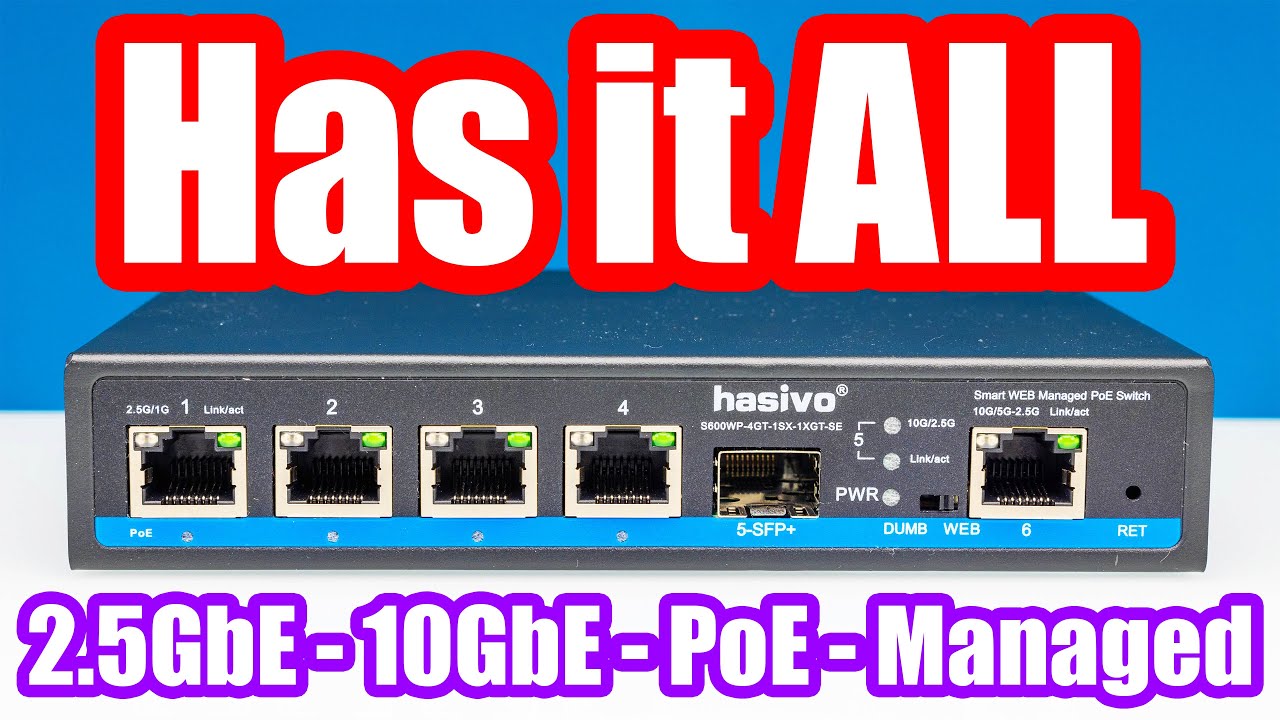
This fanless and cheap mini switch has it all. 2.5GbE, 10Gbase-T, SFP+, management, and PoE. With just about every feature that we have seen folks ask for in comments.
STH Main Site Article: https://www.servethehome.com/the-most-feature-packed-2-5gbe-and-10gbe-mini-switch-to-date-hasivo-s600wp-4gt-1sx-1xgt-se-review/
STH Top 5 Weekly Newsletter...
opal pagoda
silent flax
https://www.youtube.com/watch?v=OUSTGLL51m0
looks good, how much is it?
silent flax
links in the video description
i think it was like $90 for non-POE
or around 100 euros
opal pagoda

 silent flax
well the +20%
viral apex
lol
 onyx sun
I have a probably very basic problem
I cannot adopt a switch
I just keep getting this

this is post factory reset
agile torrent
you sure? Does it use the reset button as well for factory reset?
onyx sun
I poked a safety pin into the reset button and held for 10 seconds until the light started flashing
(technically I used a sim removal tool but it doesn't matter)
agile torrent
the **** is this?
How to install and set up Flex Mini; Set up your USW-Flex-Mini for the first time.
onyx sun
yes
agile torrent
 onyx sun
I may be an idiot
onyx sun
you know what might be wrong tho? plz plz plz plz
the document just says plug it in
there's this as well
agile torrent
okay you have the light on the switch?
Steady White
Factory defaults, waiting for adoption.
onyx sun
yes
agile torrent
what i would try is to stop the phone app and reinstall it clearing any cache etc
onyx sun
I'm using the pc app
I already uninstalled it
reinstalled it, restarted my pc
"have you tried turning it off and on again?" yes "is it plugged in" yes 😭 😭
 ashen zealot
What should I do if I can ping my DHCP server (router) but I cannot receive an address?
pseudo blade
ashen zealot
What should I do if I can ping my DHCP server (router) but I cannot receive an a...
Troubleshoot the DHCP server and client and ensure you're on the same network segment.
mystic latch
onyx sun
"have you tried turning it off and on again?" yes "is it plugged in" yes 😭 😭
You can try manual adoption via ssh. This is about an AP, but should work the same for a switch
https://lazyadmin.nl/home-network/unifi-set-inform/
Use Set-Inform to set the correct URL to adopt your Unifi Access point.
agile torrent
pseudo blade
Troubleshoot the DHCP server and client and ensure you're on the same network se...
I mean he can ping it, so I would assume.
DHCP server is running?
Is there a fix ip set anywhere on the system?
Get wireshark/tcpdump and see what's going on, probbaly that is the fastest way
 main tartan
onyx sun
"have you tried turning it off and on again?" yes "is it plugged in" yes 😭 😭
main tartan
onyx sun
"have you tried turning it off and on again?" yes "is it plugged in" yes 😭 😭
have you restarted your router? Restarting my UDR often fixes the adoption issues of my APs for me.
ashen zealot
agile torrent
I mean he can ping it, so I would assume.
DHCP server is running?
Is there a f...
Fixed it, turns out I put the wrong number in the wrong field
silent flax
finished upgrading to 2.5gbe switches, now i just need to buy some more 2.5gbe NICs and figure out what to do with my old gigabit equipment
tribal sequoia
mystic latch
You can try manual adoption via ssh. This is about an AP, but should work the sa...
you can use dhcp to hand out the set-inform url btw
option 43
alternatively, and for us at my job the better method, we setup dns to direct unifi dns name to the proper ip of our controller
random cobalt
just redirecting unifi ?
tribal sequoia
dhcp option gets overriden on our controller because they have a global override enabled
yeah put in your dns for unifi to hit your controllers ip
random cobalt
I supose the default url is http://unifi:8080/inform ?
tribal sequoia
it is indeed
nother mind blower if you've never done it on a unifi switch
ssh into the switch, then ssh into 127.0.0.1
voila... real cli
as in ios clone cli
random cobalt
you probably should have taught me this like 3 years ago. you know how many times I've had to find devices in dhcp leases and ssh and set-inform...
tribal sequoia
no worries buddy, i didn't know shit about them til i had to adopt a bunch of devices because the "cheaper" clients we have like to use unifi stuff
i lament how i can't find the shit i need in the bullshit cli, and a dude told me i can ssh into localhost and get a real cli
random cobalt
I resell unifi stuff. I always test it of course. I've had to set-inform probably 800 times
tribal sequoia
Use Set-Inform to set the correct URL to adopt your Unifi Access point.
sorry, that is not at all what i meant to link, that shit who cares

Using the Unifi DHCP Option 43, you can set up your Ubiquiti Unifi devices to automatically connect to your cloud controller. Getting this set up saves you tons of time and allows you to remotely manage your networks!
need to convert the ip into hex
This shows how the hex differs for ubiquiti vs cisco on a fortigate, if it's kind of like wuat when looking at the other
Description This article describes the format for DHCP option 43 to specify while the FortiGate is configured as DHCP server. Related documents. RFC 2132: DHCP Options and BOOTP Vendor Extensions (rfc-editor.org) Configuring DHCP Option 43 (cisco.com) UniFi - Layer 3 Adoption for Remote UniFi Netw...
ashen zealot

 torn geode
Looking at buying a defective us-8-150w. And fixing it.
Online i see a lot of people have psu issues. I could fix it if it is the problem.
But the sneller says the leds are on. But weaker than a working one.
And its not visable in the network.
Any idea what could be the issue??
mystic latch
tribal sequoia
you can use dhcp to hand out the set-inform url btw
Makes sense. I use 138 for omada. But that also assumes the router presents that option. Consumer wifi routers aren't always gonna have it.
silent flax
https://www.techradar.com/pro/broadcom-is-selling-even-more-vmware-assets-end-compute-unit-set-for-billion-dollar-deal someone paid $3.8B for VMware Fusion/Workstation/Player etc

TechRadar
Broadcom strikes a deal with KKR
Broadcom, which bought VMware in November 2023, is selling the EUC portion to KKR, a private equity firm that already owns cyber security firm Barracuda Networks, as well as Cloudera and BMC. The alleged figure for the purchase is $3.8bn.
mystic latch
Ubiquiti EdgeRouters are a big target

Ars Technica
Six years on, routers remain a favorite post for concealing malicious activities.
silent flax
mystic latch
Ubiquiti EdgeRouters are a big target
https://arstechnica.com/security/2024/02/...
default passwords tho. that is target for any brand
my ER-X sits in a box... together with my gigabit switches and old 802.11n routers
 tough leaf
Heyo guys, would someone mind explaining the OSI models layers in simple terms, i know its
Application - inteface between user and network
presentation - translates data into a readable format by user
session - maintains and terminates sessions
transport - providing communication
network - routing data
data link - establishing link between nodes on network
physical - actual transmission of data
i have a moc tmrw and the scariest parts are OSI model, TCP/IP model and protocols
waxen scroll
ashen zealot
oh baby. but almost nobody does this IRL. its all a few big VLANs
if anything its:
Wired Users
Wireless Users
Printers / IoT
@clear igloo da?
clear igloo
waxen scroll
<@291198741862416384> da?
vlan are devil!!!! 🤣
waxen scroll
is that guy still posting?
waxen scroll
clear igloo
Guest users
nah, thats tunneled.
clear igloo
waxen scroll
is that guy still posting?
no clue, lol
waxen scroll
guests users should not have space in your LAN. it should be tunneled
we can argue about nuances but in a branch site, even campus, you'll only have a few large VLANs and they arent segmented by function
clear igloo
yup
waxen scroll
@ashen zealot tell your professor you talked to two pros and your screenshot is wrong
waxen scroll
tough leaf
Heyo guys, would someone mind explaining the OSI models layers in simple terms, ...
hi. look at a wireshark capture of a packet. it tells you all you need to know
all of those layers are in the capture except physical is a grey area but you already know what that is
waxen scroll
clear igloo
Someone does, but they're evil
I wanna work there
maybe they'll buy my place when the other fails
tough leaf
waxen scroll
hi. look at a wireshark capture of a packet. it tells you all you need to know
wireshark capture of a packet?
 hollow marlin
waxen scroll
<@526915270799917056> tell your professor you talked to two pros and your screen...
hollow marlin
waxen scroll
<@526915270799917056> tell your professor you talked to two pros and your screen...
The prof apparently needs to emphasize that subnetting different subnet lengths sequentially is also evil
ashen zealot
waxen scroll
<@526915270799917056> tell your professor you talked to two pros and your screen...
He’s the only teacher left in the state and the subject is getting dissolved after the end of this year
The spreadsheet was just a way of teaching
 stiff steeple
idle question: would an onboard killer NIC be stable for a proxmox server?
 crisp thorn
is there someone good with routing here
I want to use a specific NIC with my docker container but it never goes the way I want it to
even if I bind docker to the nic ip it will never respond, it is only acessible through default interface,127.0.0.1 and the docker bridge ip, if I dont specify ip just port
agile torrent
can't you just specify the nic's ip during setup?
so like 1.2.3.4:80:80/tcp?
as a TEST and if it is safe you can try 0.0.0.0
pseudo blade
crisp thorn
even if I bind docker to the nic ip it will never respond, it is only acessible ...
Look into MACVLAN/IPVLAN
agile torrent
and do a tcpdump, so you can see where is the problem
pseudo blade
You can't bind it to your host's IP, if you just want to expose a service use -p port:port or EXPOSE
agile torrent
yeah didnt saw that he tried to bind it directly to that ip, need my morning cofee, can you share with us the whole line you are using for that container?
 glacial kelp
We have in Switzerland a IPS that gives 25Gbit Fiber for privat Persons. I want to try it but i only have a Unifi DMP. I think PFSense cant handle 25Gbit even if the Hardware can do it. Some of you have experience with this? With Router/Firewall should i take?
silent flax
usually ISPs giving out such fast internet provide hardware at least for the router level
for example an ISP here which sells 10 gigabit has this drawing, and pretty sure at least the mikrotik and ASUS router can be bought from them

(ok checked, you get the first mikrotik device within the price, and rest is "recommended")
glacial kelp
They sell a Mikrotik with hte 25Gbit but they say Mikrotik can only do about 16Gbit. Fortigate or Cisco is to expensive. Mb i try buidling my OPNsens and own hardware.
crisp thorn
pseudo blade
Look into MACVLAN/IPVLAN
that wont work
I need the docker container accessible through a chosen interface directly
not make it another address on the same subnet
pseudo blade
Uh... That would make it accessible directly through a chosen interface.
It would also be on a different address.
If you don't want that and want to expose ports on a given IP used by the host: Use port bindings or EXPOSE.
-Like I said to do, immediately afterwards.
pseudo blade
silent flax
for example an ISP here which sells 10 gigabit has this drawing, and pretty sure...
Yeah layer 3 switching is the way to go for high speeds
crisp thorn
pseudo blade
If you don't want that and want to expose ports on a given IP used by the host: ...
cant do that
because I want another interface..
I have eth0, enp2s0,enp3s0,...
if I just use ports in docker then it works only through eth0,127.0.0.1, and the docker bridge
if I specify enp2s0:port:port then I can access it only through the docker bridge, cant connect to the docker from anywhere with enp2s0
if I use ipvlan then it gets another IP and I still cant access the container through enp2s0 from outside, I would have to forward all traffic
hollow marlin
@clear igloo @waxen scroll @rocky badge Here is a good read: https://www.reddit.com/r/FiberOptics/comments/1b2ex7x/i_ingested_about_a_millimeter_of_fiber_optic/
clear igloo
hollow marlin
<@291198741862416384> <@186123993412141057> <@236237361703288842> Here is a good...
what did I just read 🤣
Dude at some fiber optic cables, what the hell
crisp thorn
I created a new network for the docker container and gave it a static IP I guess I just need to make routing for it to go through enp2s0 outbound, any help?
sudo iptables -t nat -I POSTROUTING -p all -s 172.69.0.0/16 -j SNAT --to-source 10.41.0.2
didnt work, I dont have internet access
172.69.0.0/16 is subnet of docker container
10.41.0.2 is enp2s0
hollow marlin
clear igloo
what did I just read 🤣
Dude at some fiber optic cables, what the hell
I'm lost for words. Working with fiber, they repeated non-stop that if you even touch exposed strands, straight to the ER unless you want risk it making it to your heart or making a clot
clear igloo
hollow marlin
I'm lost for words. Working with fiber, they repeated non-stop that if you even ...
yikes, lol
waxen scroll
hollow marlin
I'm lost for words. Working with fiber, they repeated non-stop that if you even ...
first ive heard of that
hollow marlin
waxen scroll
first ive heard of that
Yeah it's a big deal. Small enough to enter your bloodstream and do a lot of damage. Worst case is it makes it to your heart. Best case is you have glass stuck in your for the rest of your life
If you every walk by a splicing trailer, you'll probably see warnings about no food/drinks nearby because of it
agile torrent
same with working hydraulic fluid under pressure like pistons. If you feel like something just stabbed you like a metal shaving/needle etc ER right away or you are going to lose that limb
agile torrent
hollow marlin
<@291198741862416384> <@186123993412141057> <@236237361703288842> Here is a good...
Probably not an issue, but I would avoid excavators and backhoes for a while. Jesus...
 prisma edge
hollow marlin
<@291198741862416384> <@186123993412141057> <@236237361703288842> Here is a good...
prisma edge
hollow marlin
<@291198741862416384> <@186123993412141057> <@236237361703288842> Here is a good...
Oh my goodness... this is just ridiculous...
rocky badge
hollow marlin
<@291198741862416384> <@186123993412141057> <@236237361703288842> Here is a good...
oh my god lmfao
 steep stirrup
hollow marlin
<@291198741862416384> <@186123993412141057> <@236237361703288842> Here is a good...
steep stirrup
hollow marlin
<@291198741862416384> <@186123993412141057> <@236237361703288842> Here is a good...
Oh my fucking god
this is one step removed from literally eating glass
low pond
hollow marlin
<@291198741862416384> <@186123993412141057> <@236237361703288842> Here is a good...
Someone took the "You need fiber in your diet" too seriously
agile torrent
steep stirrup
this is one step removed from literally eating glass
tbh glass is not even THIS bad...
 broken hearth
My ISP provided internet speed is 150 Mbps, anyway to set it to 50 Mbps at router level instead of limiting at connected devices level? Archer A6 router
agile torrent
okay so you want to limit it to 50Mbps maximum for each client, or you just want to gimp your link speed for some testing purposes?
broken hearth
agile torrent
okay so you want to limit it to 50Mbps maximum for each client, or you just want...
Yes exactly, I want to test whether 50 Mbps is enough for my usage, if not test it at 75, etc. Current ISP plans are starting at 100 Mbps only, so I am looking at this way
If 50 ot 75 is enough, I will switch ISP as they have increased prices
agile torrent
well what I would do is, install openwrt on it, set one or 2 ports to a separate vlan with the wifi and rate limit traffic to that vlan
because I'm gonna be honest I don't think there is a global rate limit on the wan side in any tplink router
except maybe for guest wifi networks
broken hearth
agile torrent
well what I would do is, install openwrt on it, set one or 2 ports to a separate...
Okay, I will try this. I am looking to install OpenWRT soon
broken hearth
agile torrent
well what I would do is, install openwrt on it, set one or 2 ports to a separate...
I set this option to 50 Mbps and ran speed test in the 3 connected devices, none of them crossed 50 Mbps, so did I get it?
 agile torrent
no, that is on per device basis
so if you have a laptop and a phone both can use that speed that you set there
so the total would be 100Mbps
broken hearth
oh okay, got it
blazing karma
preorderd the pro max 24 poe from unifi
hopefully it serves me well in the long term 
opal pagoda
blazing karma
preorderd the pro max 24 poe from unifi
preordering hardware is dumb, no reviews
frosty stone
opal pagoda
preordering hardware is dumb, no reviews
because it's just an improvement of a previous product with an additional feature?
this is ubiquiti, not some random thing lol
opal pagoda
frosty stone
because it's just an improvement of a previous product with an additional featur...
sure, totaly not compleatly reinginered with new possible issues
frosty stone
yeah... because they're totally going to make a big deal out of a product and then fuck up the launch
agile torrent
frosty stone
yeah... because they're totally going to make a big deal out of a product and th...
uhm, yeah about that...
opal pagoda
preordering is just a bad practise
 ebon sphinx
Good evening.
I have a vpn that gives me access to the internet, could someone help me share it to my phone?
I've tried using connectfy, but no adapter appears, and even in the network sharing centre nothing appears.

 blazing karma
opal pagoda
preordering is just a bad practise
blazing karma
opal pagoda
preordering is just a bad practise
Then find me an alternative option with 2.5g + poe++ with l2+/l3 lol
China is no go so
No go as in nothing available
opal pagoda
blazing karma
Then find me an alternative option with 2.5g + poe++ with l2+/l3 lol

FS.com
S3200-8MG4S-U, 8-Port Ethernet L2+ Managed PoE++ Switch, 8 x 100M/1000M/2.5G Multi-Gigabit RJ45, with 4 x 10Gb SFP+ Uplinks, Product Specification:Ports - 8x 100/1000M/2.5GBASE-T4x 10Gb SFP+, PoE Standard - IEEE 802.3af/at/bt (Power Limits≤45W), Switching Capacity - 120 Gbps, Input Range - 100-240VAC, Forwarding Rate - 89.28 Mpps, Max. Power Con...

FS.com
S5860-24MG-U, 24-Port Ethernet L3 PoE++ Switch, 24 x 5GBASE-T/Multi-Gigabit Ports, with 4 x 25Gb SFP28 Uplinks, Support Stacking, Broadcom Chip, Product Specification:Ports - 24x 100M/1000M/2.5G/5GBase-T | 4x 10G/25G SFP28, Switch Chip - BCM56170, Switching Capacity - 440 Gbps, DRAM - 1GB, Forwarding Rate - 327 Mpps, Jumbo Frame - 9216
agile torrent
ebon sphinx
Good evening.
I have a vpn that gives me access to the internet, could someone h...
is it win10?
cause wifi hotspot sharing ethernet/vpn is a built in functionality now
rocky badge
@hollow marlin @waxen scroll I redid our networking racks at work
 waxen scroll
thats not a school is it?
waxen scroll
are you working for an "MSP" for stage?
rocky badge
waxen scroll
are you working for an "MSP" for stage?
no we're a full production company
this is our racks we use ourselves
waxen scroll
yeah but are you doing your own shows or are people paying you to set up the tech for their own stuff
rocky badge
Oh this is our own shows
waxen scroll
interesting
rocky badge
Audio, lighting, and video all over IP
waxen scroll
what are they paying lighting pros there?
rocky badge
front of the racks
 rocky badge
waxen scroll
what are they paying lighting pros there?
rocky badge
waxen scroll
what are they paying lighting pros there?
depends but my company pays $300-500/day for a show
waxen scroll
so like $30/hr non-stable
waxen scroll
that was the going rate when I was doing it years ago
rocky badge
gonna be building out a new RF rack soon
We got some new Axient stuff

Shure Axient Digital Wireless Microphone System delivers world-class sound for the most critical broadcasts and live sound events. Learn more today.
I eventually want 2 switches in the RF racks for redundant audio over IP
waxen scroll
I was driving into the city once and accidently passed the shure headquarters lol
nice looking building
rocky badge
oh nice loll

but I love IP stuff lol
Running it all to a network switch and having it work across the network
waxen scroll
If I could get steady pay thats close to neteng salary I would almost quit right now and go back to stage
its just more fun
rocky badge
you prob could with a bigger company

Here's the network I am currently trying to get to lol
Where its fully redundant
rocky badge
that's why the core can stack or mc-lag
waxen scroll
oh?
rocky badge
Yeah
I am not relying on STP lol

those switches are interesting bc its 12x 10GbE RJ45 and 12x SFP+
So the idea is all of our racks have copper uplink options and the ones that definitely will need fiber options also have fiber but can do both

And then switches look like this lol
That way I can have a core switch die, a path to the cores die, etc. and as long as the cores don't lose their connection between them and you don't lose both uplinks on a rack ur fine
this is just a shit ton of cables though lol
Bc if a rack has 2 switches that's 4 links
I've thought about CWDM, and that should be fine bc if you lose both cables then somethings major fucked?
frosty stone
rocky badge
front of the racks
you have passed the test

except that one non-ethercon
blazing karma
opal pagoda
https://www.fs.com/de-en/products/157457.html
https://www.fs.com/de-en/products/...
And it’s doubly expensive, nty
 shrewd robin
i have a laptop and a server in my house and upgraded both with a new 2.5g nic, can i test both connectivity with a crossover cable? (my 2.5g switch is not arrived yet)
can they ping each other tho
opal pagoda
shrewd robin
i have a laptop and a server in my house and upgraded both with a new 2.5g nic, ...
you dont need a crosover cable, just connect em and manually configure ip
shrewd robin
opal pagoda
you dont need a crosover cable, just connect em and manually configure ip
aight, good to hear
opal pagoda
shrewd robin
aight, good to hear
Auto MDI-X goes brr
agile torrent
opal pagoda
you dont need a crosover cable, just connect em and manually configure ip
To be fair if you have a crossover on hand it would work, but you don't need it. These days NIC's will just figure it out. Which is great
opal pagoda
yea
it just isnt needed, you can even use it as a regular cable
agile torrent
Which is kinda fun, I started my IT career after the whole "no need for crossover" was the default, but I still find them and just use them without a care in the world.
I wonder what will be the crossover cable equivalent from 20 years from now. That you will learn but never use in practice. Maybe ipv4?
opal pagoda
agile torrent
Which is kinda fun, I started my IT career after the whole "no need for crossove...
now only on fiber you need to take care of tx and rx fibers (on duplex connectors) but you can just use bidi without care in the world about it
 hearty canyon
agile torrent
I wonder what will be the crossover cable equivalent from 20 years from now. Tha...
hearty canyon
agile torrent
I wonder what will be the crossover cable equivalent from 20 years from now. Tha...
Hopefully it will be all the USB-C incompatibility junk we’re dealing with these days
agile torrent
well as long as you only expect usb 2.0 speed and 5V 500mA on a connector that you can plug in both ways you can't really miss your mark
other than that you need to make a truth table for each cable
rocky badge
frosty stone
you have passed the test
Ethercon within the rack isn't necessary
And those are DMX out of a sACN node
 waxen scroll
it is? that looks tiny
rocky badge
bigger than any AP I've had
rocky badge
13W 😄
 rocky badge
waxen scroll
is that wire a cat 6?
rocky badge
waxen scroll
is that wire a cat 6?
yeah its CAT6
gaffed to the ceiling

only gigabit connected to its 5gbps port
 high flume
guys just want to ask. we just recently got fibre connection to our house. but the wifi range of the router they gave us sucks, it only work for the room that is directly beside the new router and nowhere else. i was thinking if i could use our old router to extend the wifi ? also i dont think my old router worked for fibre connection. im not sure about the difference but i was told that not all routers can handle fibre connection or something like that
 digital comet
What's the best way to run outdoor cat6 cable when you arent' allowed to trench the ~3ft (~1.5m) minimum to avoid frost problems?
thick minnow
I needz help with a homework problem I don't understand subnetting like at all
opal pagoda
rocky badge
are you using embeded wireless controller
opal pagoda
rocky badge
C9800 WLC
smol one or big and chunky one
rocky badge
VM
opal pagoda
how much is loicense for that
rocky badge
None
waxen scroll
@rocky badge
rocky badge
@waxen scroll
waxen scroll

@clear igloo @hollow marlin I like to refer to cyber security as cybersecuritas because it's all paper pushing and basically 90%+ of the field is like that. They try selling normies who don't belong in IT on cyber.
hearty canyon
high flume
guys just want to ask. we just recently got fibre connection to our house. but t...
You don’t want to extend your wifi but replace it. Disable the wifi on the new router, change the old router into access point mode (disabling any routing bits of it) and plug it into the LAN on the new router.
Details will depend on your hardware so guiding over chat would be difficult but googling “use router as wifi access point” should get you a guide
Cleaning up the most jank power distribution in a rack ever, feels good man

It was literally an extension cord plugged into a wall power splitter (with a switch on it!) and a ground defeat
 rocky badge
waxen scroll
rocky badge
waxen scroll
damn
 long pecan
Does anyone know whether SCP is reliable enough for migrating servers or routine backups or should I be using a dedicated tool?
waxen scroll
long pecan
Does anyone know whether SCP is reliable enough for migrating servers or routine...
My Cisco ACI controllers use SCP for remote backup and it seems fine
silent flax
waxen scroll
"motivation to study is 0". In IT ? Well, that sounds like a future McDonalds employee (no offense). I mean as a software developer even in just last 20 years so much has changed, and same applies to similar extent to networking/cybersecurity.
I remember how back in early '00s the typical big ussue was SQL injection and only select few ever heard of DoS or god forbid DDoS.
silent flax
hearty canyon
It was literally an extension cord plugged into a wall power splitter (with a sw...
it is an extension cord for UPS. I got one too 😄 . The rest i don't comment
 waxen scroll
I think networking is hard enough let alone cyber that if you don't have passion to begin with you're screwed trying to start in that career
Most jobs out there don't change. The methods from 1999 can still be applied today so average people can take it and run with it. IT is brutal with change 💁
silent flax
actually they do change, just no in such rapid pace
like 20 years ago someone in small furniture manufacturing company most likely did cutting & other stuff manually. Now they just program CNC machines even in small businesses.
Or in agriculture, while they still use same type of mechanisms, they are more complex. i mean compare tractor interiors from ľé years ago vs new tractors 😄
waxen scroll
True
silent flax
or something like inventory management - 20-30 years ago it was mostly paper, now it is mostly software
people doing this stuff had to learn to use computers, to use software etc
like sure, it is not "something new every 1-3 years" pace, but everything changes
waxen scroll
The next iteration of IT is now learn to code. I remember when you didn't need to know anything about code. It's just ramping up now, especially in network and lots of people aren't prepared.
silent flax
that guy mentality reminds me of the old doctors in my country, who refused to learn new stuff and still used the obsolete processes which they learned 40 years ago
waxen scroll
I still think it's insane that we're going to see all this custom stuff at every large company that random people made and others have to support versus buying a product that is no code and a vendor supports. Might not end well, but that's how things are going
clear igloo
Hey guys, I made a code
It does all inventory and routing
Ok bye!!
silent flax
waxen scroll
I still think it's insane that we're going to see all this custom stuff at every...
every no code solution i seen required code in the end 🙂
waxen scroll
Hah
silent flax

guess what "getContentPart" in that picture is... yep, a Java method
and the other "no code" part 😄

like you code, just not by typing text, but by drag & droping the same constructs
clear igloo
waxen scroll
Also security issues in code
What?!?! You mean my generic chatgpt code isn't secure?? 
silent flax
and let's not even talk about all the "AI will remove need for software developers" hype. Do these people live in real world ? If i fed AI the inputs a typical software developer gets, instead of Minecraft we would get a non-functioning minesweeper.
waxen scroll
From my experience automation is getting to be important but not enough IT people can code. A large company might hire a group of 2-4. They get slammed trying to automate as much as they can. They have 0 time for new projects or fixing/editing old ones. The staff that do the networking bits don't understand python or ansible and can't just be like "fine, I'll fix it myself"
silent flax
waxen scroll
From my experience automation is getting to be important but not enough IT peopl...
nobody sane understands Ansible 😄
waxen scroll
It doesn't click for me. I use python because I feel like I have more control to ask the machine exactly what I want
I have not spent a lot of time trying to learn ansible
clear igloo
Yah, I need to try and learn ansible at some point
silent flax
ansible is fine-ish as long as you stay in the minimal functionality it provides normally. Once you want something more complex, you have to bend it so much it might as look as infinite symbol
the ansible script i seen at work, which takes two CSV's as input and fills up the keycloak rights database with the contents was so stupidly complicated, felt like a super wrong tool for the job
waxen scroll
I don't do traditional automation either, which is what ansible is supposed to be good for. I write tools that are for speeding up my work as an engineer who adds/changes/removes from the network. If I had to write operational stuff I might use ansible
My biggest script is a migration tool which uses a mix of local csv, API calls, SSH sessions and hard coded JSON to spit out up to 8 CSVs, device backups and warnings. 2000 lines. It migrates Nexus to ACI
Saved us at minimum 8 months of non stop writing configs
Converts a whole data center in 60 seconds (due to ssh delays) if you want to
My place loves vlans anywhere so when you get to a vm host it can be 1000s of API calls
Imagine doing that by hand
clear igloo
:shudder:
waxen scroll
My colleague was seriously going to do that too until I took over the project
clear igloo
Yup, that sounds about right
waxen scroll
We just have 20 more switches to migrate. Thank god
clear igloo
Nice!
hearty canyon
silent flax
it is an extension cord for UPS. I got one too 😄 . The rest i don't comment
I’d love a PDU but haven’t seen any show up on yahoo that aren’t either full rack height or expensive as hell
waxen scroll

Our factory specializes in power strips socket production, we provide product customization services for various outlets and extension cord,If you have any problem, please contact us any time
hearty canyon
I’m not in the US unfortunately
So instead we get people charging $100 for what amounts to a rack mount power strip
opal pagoda
hearty canyon
So instead we get people charging $100 for what amounts to a rack mount power st...
we use rack mounted power strips as a regular power strips
it is much easier to have a single thing to order and use everywhere
they are like 25-35 euro
hearty canyon
Because Japan is in its own little regulatory world full of 100V gear, any power stuff that is remotely niche ends up overpriced or unavailable . Even that $100 rack mount power strip on Amazon has a review saying that the specs are out in conflict with their stated regulatory approval
opal pagoda
hearty canyon
Because Japan is in its own little regulatory world full of 100V gear, any power...
oh rip
japan's grid is messed up in many diffrent ways
hearty canyon
Yeah, sad times.
At least Yahoo Auctions is full of other weird obscure toys to distract me
 bitter lichen

 fiery elbow
Can someone ghelp me troubleshoot a vlan? Adding a 3rd VLAN to my network. Running OPNsense, managed switch, and a unifi AP. Wanting to create a Guest network vlan. interface is created and assigned in OPNsense with a vlan id of 65, running a DHCP server. Switch is trunked for the vlan on to the AP and to the Modem. Network and SSID created on AP. Tagged for 65. Exact same setup as one of my vlans that works. Getting an APIPA address when trying to get an IP. Can't see what would be preventing DHCP from working
 undone cloud
can someone explain what preferred band does in simplest ter,s

^and would it fix my inconsisten wifi connection that constantly makes my games' pings freeze all the time
waxen scroll
fiery elbow
Can someone ghelp me troubleshoot a vlan? Adding a 3rd VLAN to my network. Runni...
How about a basic test of getting a client connected with a static IP and checking that the gateway pings and the Internet works
 ember basin
what can i do with moure interfaces available in opnsense? i could always attach switches to the lan so idk if i want to use the extra ports like i would on a switch/off the shelf router
pseudo blade
Your question makes little sense
"What can I do with more interfaces" "use them"
Depending on the switch some features may not be possible or may have limited performance
If you have VLAN support, you can use VLANs
tribal sequoia
undone cloud
can someone explain what preferred band does in simplest ter,s
Would be called band steering on the AP side, you're telling your client to prefer the 5 ghz ssid if available, or the 5 ghz radio connection on the same ssid if both radios are available.
not sure it would fix anything to do with what you're saying, if you can actually notice your computer swapping between 2.4 ghz and 5 ghz, you'd solve that by decreasing 2.4 ghz radio power and slightly increasing 5 ghz power most likely
ember basin
pseudo blade
"What can I do with more interfaces" *"use them"*
is lagg not useful in a different way?
fiery elbow
waxen scroll
How about a basic test of getting a client connected with a static IP and checki...
Thanks for the response. I had tried that and was getting no response from the gateway. Ended up switching the parent interface and switching it back and voila the link came up and DHCP started working. No explanation 😅
ember basin
or are laggs themselves not useful for a home user?
idk i found a guide that describes them but im unsure what they even do
i guess i could combine it with a little 4g router if i wanted something like that?
ember basin
if i have a lot of separation via multiple routers, are vlans going to just make it more confusing?
or are they entirely separate
tribal sequoia
you don't have to use vlans on separate ports
can just put all of them as subinterfaces on a single port if you wanted to
the way lags work are not as useful for home users honestly, you're better off upgrading the singular link to something faster
only way you're saturating lags would be with more sessions
there's some special circumstances where some hypervisor virtual switches can make use of them properly, however.
pseudo blade
ember basin
if i have a lot of separation via multiple routers, are vlans going to just make...
VLANs make network separation possible on a single switch
For example I have two VLANs for my server exposing two networks with a single connection to my router, plus another two networks facing my home and WAN
-I needed to keep a VM on my server separate from the other ones
If you're doing separation by adding more routers you're probably better off with a better router with VLAN support instead
 frosty niche
My WiFi isn't working but Ethernet seems to work occasionally does anyone know how to fix it?
pseudo blade
undone cloud
tribal sequoia
Would be called band steering on the AP side, you're telling your client to pref...
i think i found the fix and understand why, i was changing another setting to 6ghz, and i don’t think my wifi can handle that, causing games to constantly freeze up. I changed it to 5, and everything stopped freezing and my ping stopped spiking to the thousands.
i think my internet or whatever just wasn’t powerful enough to output a 6ghz connection
tribal sequoia
Not really about power if you were setting 6 GHz
You would need a tri-band router
 humble kraken
Can someone help me with my new pc
My problem is that my dual WiFi 6E antennas aren’t popping up on my pc
I also need help installing my WiFi drivers
I need some1 to help me figure out my situation
 sonic notch
I need a decent portable Wi-Fi setup for cheap to replace my current portable setup. Would Unifi be worth?
Specifically, I'm considering these:
https://store.ui.com/us/en/pro/category/all-unifi-cloud-gateways/products/ucg-ultra
https://store.ui.com/us/en/pro/category/all-wifi/products/u7-pro

Ubiquiti Store United States
Powerful and compact multi-WAN UniFi Cloud Gateway with a full suite of advanced routing and security features.

Ubiquiti Store United States
Ceiling-mounted WiFi 7 AP with 6 spatial streams and 6 GHz support for interference-free WiFi in demanding, large-scale environments.
As of right now, I have some Wi-Fi 6E devices, 1 Wi-Fi 7 device, 2 Wi-Fi 6 devices, 1 that uses 802.11a, and a few that use Wi-Fi 4 on 2.4 GHz. My intended area as of right now is going to be a single bedroom, but this may expand to a medium-sized apartment
There may also be a time where my backhaul needs to be Wi-Fi instead of gigabit ethernet
opal pagoda
sonic notch
Specifically, I'm considering these:
https://store.ui.com/us/en/pro/category/all...
not very portable imo
get this and call it a day
https://www.gl-inet.com/products/gl-mt3000/
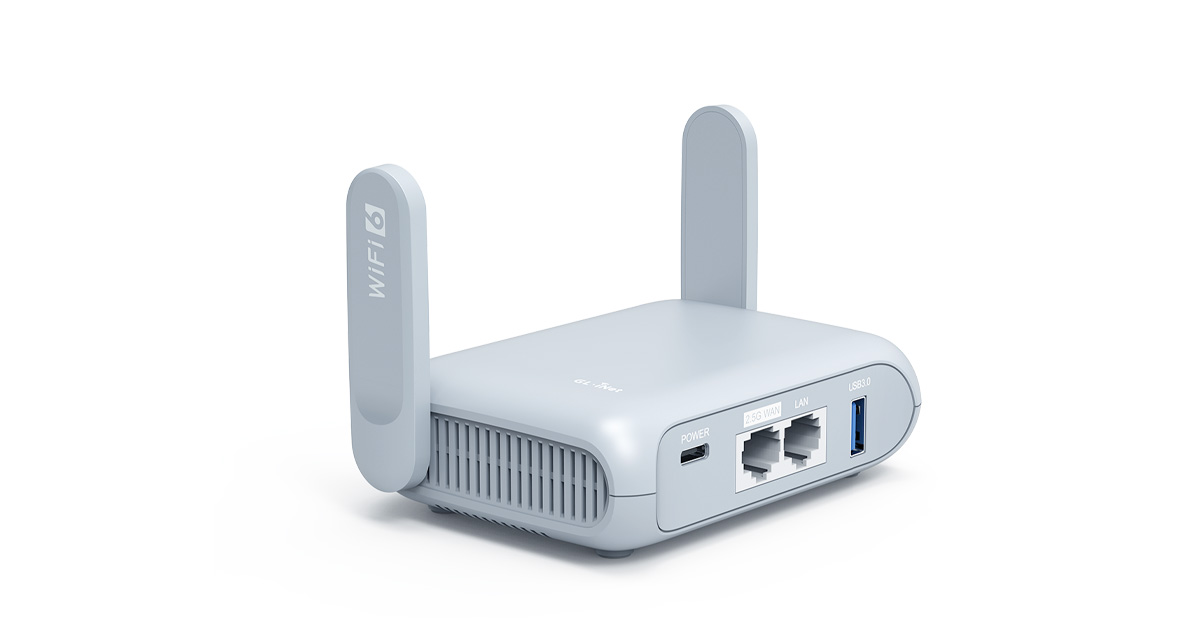
Beryl AX (GL-MT3000) is an OpenWrt multi-gigabit Wi-Fi 6 wireless router for frequent travelers and remote workforces to protect their digital assets and footprints online.
sonic notch
Wifi 6 is a non-starter unfortunately
meager ginkgo
opal pagoda
not very portable imo
get this and call it a day
https://www.gl-inet.com/product...
Or go for the UniFi Express IMO
Why do you need WiFi 6E or 7 for a portable setup?
sonic notch
opal pagoda
not very portable imo
get this and call it a day
https://www.gl-inet.com/product...
By portable I mean easily movable
I move between places relatively frequently