#networking
1 messages · Page 50 of 1
 clear igloo
 thick minnow
just bump the damned number. You afraid of scaring people off by selling wifi 25 routers supporting wifi 5 clients?
clear igloo
haha, exactly
thick minnow
and maybe cool the pace somewhat. Nobody will want to upgrade to a new wifi 6e router, if you go around telling people wifi 7 is just around the corner. I mean, What if they just wait?!?
clear igloo
We need 30Gbps over wifi man!!
Looking at the roadmap though it seems after 7 drops it will cool down and 8 isn't slated for ratification until 2028 or later
 prime summit
I have 1gbps but wanting to upgrade to 2gbps
Currently have an orbi rbr50 with two satellites
thick minnow
prime summit
I have 1gbps but wanting to upgrade to 2gbps
NETGEAR Nighthawk Tri-Band WiFi 7 Router (RS700S) - BE19000 Wireless Speed (Up to 19Gbps) - Coverage up to 3,500 sq. ft., 200 Devices - 10 Gig Internet Port – 1-Year Armor Subscription Included https://a.co/d/9gMRtIk

Spearheading the WiFi 7 revolution with cutting-edge technology and unimaginable power, the Nighthawk RS700 harnesses the power of WiFi 7 to unleash speeds up to 19Gbps. With 320MHz channels and multi-link operation, you now experience lower latency and dramatically enhanced WiFi performance. Lev...
19 Gbps peak throughput on all frequencies (not per client) but still it may keep up with a 2 Gbps uplink
But at $700 it ought to provide back rubs too - sheesh
prime summit
thick minnow
But at $700 it ought to provide back rubs too - sheesh
I need mesh for coverage
thick minnow
WiFi 7 range is actually far greater than, so read up, maybe you don’t
 mystic latch
thick minnow
But at $700 it ought to provide back rubs too - sheesh
mystic latch
thick minnow
But at $700 it ought to provide back rubs too - sheesh
Could do a proper prosumer network setup for that much with almost certainly better coverage. Though not Wifi 7
thick minnow
https://www.eero.com/?gclid= erro does mesh WiFi 7
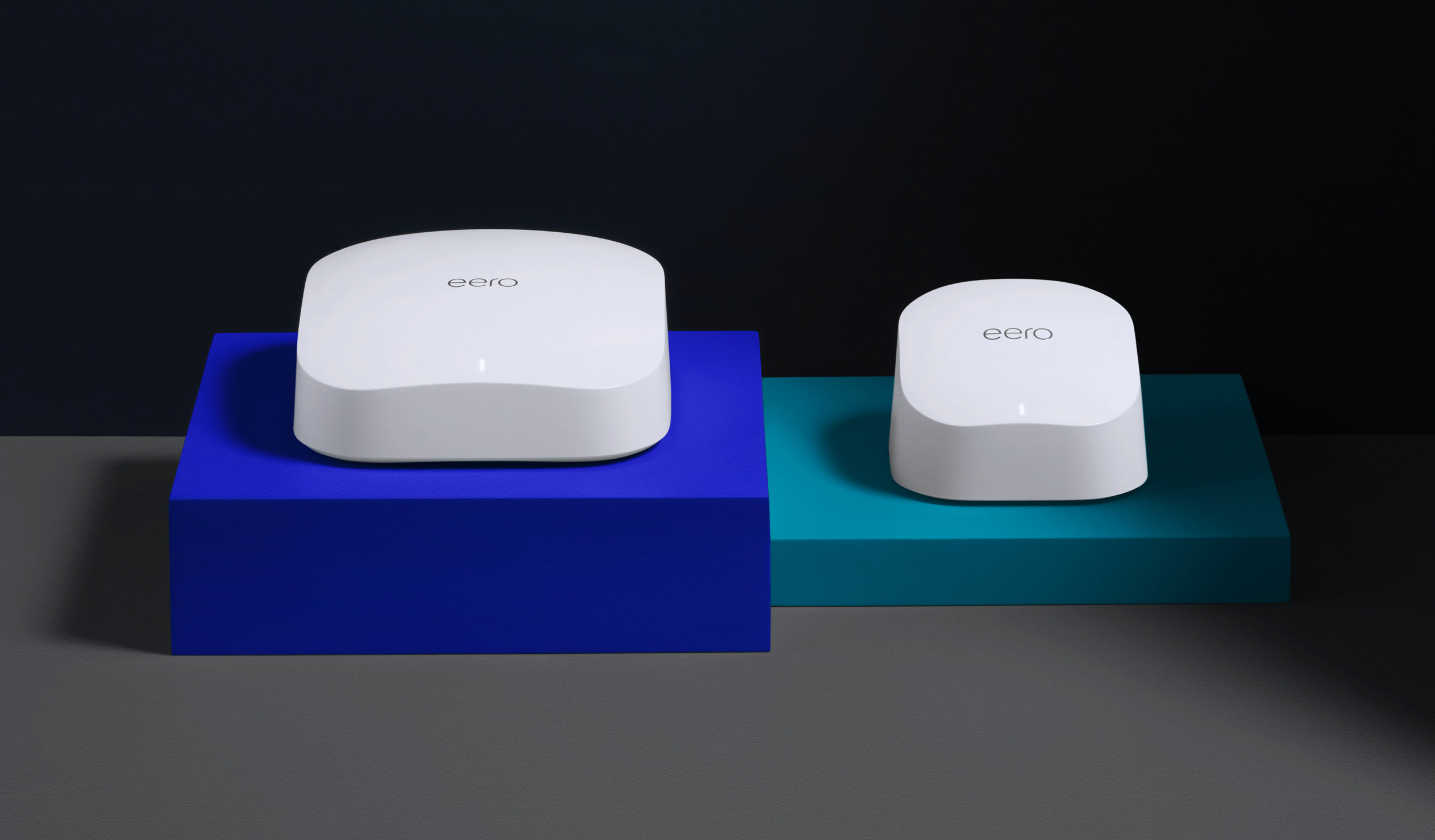
eero is the world’s first home WiFi system. A set of three eeros covers the typical home. They work in perfect unison to deliver hyper-fast, super-stable WiFi to every square foot. It’s simple to set up. Easy to manage. And gets better over time with new features and improved performance. Stream video, get work done, or swipe right in any room —...
DuckDuckGo FTW
 mild pelican
https://www.target.com/p/x9-performance-rgb-backlit-mechanical-usb-keyboard-for-pc/-/A-86102033#lnk=sametab wtf were they thinking with the media keys
Read reviews and buy X9 Performance RGB BackLit Mechanical USB Keyboard for PC at Target. Choose from contactless Same Day Delivery, Drive Up and more.
the media keys would make the space bar hard to use
oops wrong chat
 wintry pike
If I have a firepower/sf, i should place them behind asr/isr to mitigate arp poisoning is, what I understand?
 thorn karma
I'm debating on getting a Gaming router for a lower latency in game such as valorant
The use of it would mostly be Ethernet , and not wifi, i dont use wifi on my deskstop ,only for mobile at the moment , and i would like to know if they make such a big difference over the regular ips router on ethernet speeds and latency
Im looking at MSI Radix axe6600(350$) and ax6600 (160$) , and also the Asus rog GT ax6000(230$) and the AXpro11000(410$) , i saw they have gaming features to reduce latency , but im not so sure how they works if they are paid features or included , if its worth spending that much if it doesnt have that much impact for my use
I mainly stream and play competitively ranked and esport , mostly valorant for now , i mostly have 2 devices connected to my internet , my pc and phone , i also have a TV modem im not really using at the moment 
 peak cloak
thorn karma
I'm debating on getting a Gaming router for a lower latency in game such as valo...
peak cloak
thorn karma
I'm debating on getting a Gaming router for a lower latency in game such as valo...
Gaming router is waste of money
a cheap 60 dollar router such as a mtik and ethernet will get you basically everything
thorn karma
peak cloak
Gaming router is waste of money
Fair enough, why would you argue for that reason?
thorn karma
peak cloak
a cheap 60 dollar router such as a mtik and ethernet will get you basically eve...
I see, that's fair enough
peak cloak
thorn karma
Fair enough, why would you argue for that reason?
gaming is just marketing and there's nothing really that special about them
thorn karma
do you have a recommendation for a router?
just need one for ethernet tbh
peak cloak
thorn karma
do you have a recommendation for a router?
just need one for ethernet tbh
at home I use an ER605
thorn karma
peak cloak
gaming is just marketing and there's nothing really that special about them
fair, what about the low ping/latency provided, that's the only thing I kept about it, cus I don't really care if it's a gaming router and rgb, just the low latency and faster connection to game servers
peak cloak
what's wrong with current router?
thorn karma
peak cloak
at home I use an ER605
thank you
peak cloak
thorn karma
fair, what about the low ping/latency provided, that's the only thing I kept abo...
low latency and faster connection to game servers
a router contributes next to nothing latency wise
and routing is out of your control, that's on the ISPs end
thorn karma
peak cloak
what's wrong with current router?
I think I have a little issue with ethernet and the latency with the servers 🤔
thorn karma
peak cloak
and routing is out of your control, that's on the ISPs end
oh, fair, thank you 🤔

peak cloak
thorn karma
I think I have a little issue with ethernet and the latency with the servers 🤔
if current router with ethernet has issues I doubt a new router will help
thorn karma
I get it now, thank you for sharing your knowledge
thorn karma
peak cloak
if current router with ethernet has issues I doubt a new router will help
I mean, it's not that big of an issue, I'm at like 90-95% of the rated speed by ethernet
it would just be a latency more about
but as you said it's on the ips end
which is understandable 
peak cloak
if you really want to check you can plug into modem directly
bypass router and see what happens
thorn karma
🤔
well I'm plugged by ethernet, direction to my internet provider modem, I just feel like the in game ping could be lower
but you made your point which is arguably right, so I understand why now
peak cloak
thorn karma
well I'm plugged by ethernet, direction to my internet provider modem, I just fe...
it's probobly an all-in-one router/modem combo
thorn karma
thank you for your help, helps a lot
thorn karma
peak cloak
it's probobly an all-in-one router/modem combo
think so, yeah
peak cloak
yeah adding another router would create more issues if anything
unless the ISP eqipment is really bad
thorn karma
understandable and logic
thorn karma
peak cloak
unless the ISP eqipment is really bad
it's decent, tbh it works correctly and is fine on its own
my older one, from my previous isp provider was worst, but this one is decent
peak cloak
then maybe putting it into bypass mode and adding another would maybe help, but most of the time it will just be a waste of money
thorn karma
so I'mma stick to it, and see how it goes on the long term
peak cloak
thorn karma
it's decent, tbh it works correctly and is fine on its own
yeah there is no need to change anything

 wintry pike
I'm getting a tik
 pseudo blade
Tiny 'Tik or Big 'Tik?
 rocky badge
@peak cloak @hollow marlin Preparing stuff for new apartment network 

Too lazy to do VLANs for it
clear igloo
wintry pike
If I have a firepower/sf, i should place them behind asr/isr to mitigate arp poi...
why put it behind instead of in front of the WAN?
wintry pike
clear igloo
why put it behind instead of in front of the WAN?
Others said it'll go through a vrrp (due to LB/VIP) and most ISPs don't honor ARP requests of that sort
 opal pagoda
rocky badge
<@222482269829332992> <@462711605063450628> Preparing stuff for new apartment ne...
opal pagoda
rocky badge
<@222482269829332992> <@462711605063450628> Preparing stuff for new apartment ne...
Needs DMZ
mystic latch
So I set up a wireguard tunnel between opnsense and my phone, along with a mullvad tunnel on opnsense, with the intent on accessing homelab when away from home and also using said mullvad tunnel for general internet traffic. I did up the rules to allow my phone to access my server in my dmz vlan. However, and this is the part that confuses me, when I create a rule on the phone wg interface and set the destination to my dmz vlan, traffic gets routed out my mullvad tunnel and doesn't go directly to dmz. If I set the destination to any it routes how I want it to internally.
Any ideas as to why setting allow dest to dmz would make it go out mullvad?
rocky badge
Time to play around with instant on!

 clever moat
Where I can enable ipv6 in my router or how to add ipv6 wan ?
peak cloak
clever moat
Where I can enable ipv6 in my router or how to add ipv6 wan ?
ISP needs to support it
as well as router
clever moat
And is in my abilities to check it ? When I go to any web it uses IPv6 from now on and i didn’t enable anything
peak cloak
if you are using v6, then it supports it
clever moat
Why it doesn’t have any wan connection though
peak cloak
wdym
 peak cloak
just to confirm when you do something like ping 2001:4860:4860::8888 it works?
clever moat
Do I need to use it on computer ? Currently on phone… any online way ?
peak cloak
no, unless you're on android you can use termux
if you're on phone you could be getting v6 through celluar provider
clever moat
This is some online ping test
 clever moat
peak cloak
if you're on phone you could be getting v6 through celluar provider
clever moat
peak cloak
if you're on phone you could be getting v6 through celluar provider
I have cellular disabled
peak cloak
clever moat
This is some online ping test
yeah no that doesn't help
that uses their servers to ping
clever moat
I thought so, I noticed on some pages with ip it started showing me some IPv6 addresses and from then on i noticed I have IPv6 access
I tested on some IPv6 test page
peak cloak
could be some weird router GUI bug with how it handles PPPoE
clever moat
I noticed I have exactly same ipv4 and IPv6 no matter if I have only cellular or only Wi-Fi which look glitchy
clever moat
peak cloak
could be some weird router GUI bug with how it handles PPPoE
So it might have the IPv6 connection just it doesn’t show any ?
peak cloak
yes
clever moat
Firmware update might be a possible solution if there is one
I tried rebooting which didn’t help so I will try look for the firmware
Nah not even a firmware upgrade
Nvm might be some glitch tho IPv6 has all ports and etc. open right ?
 cosmic steeple
if i want to learn how to build and run a home 2 gig in basement rack. 3 story house. what course should i learn and what gear should i get 5k budget Christmas's gift
 devout pebble
hi there i a ma having this problem just a few second ago where the etherenet/lan just randomly not working i've tried replugging and unplugging it and ir still doesn't work it was fine working for a week now and it just gone i used diagnostic its not plugged in properly or might be broken and i already tried multiple different cables and still no fix
pseudo blade
devout pebble
hi there i a ma having this problem just a few second ago where the etherenet/la...
devout pebble
Ok
pseudo blade
cosmic steeple
if i want to learn how to build and run a home 2 gig in basement rack. 3 story h...
What course? I'd say it depends on what you'd like to do later. Everyone seems to want to hire Cisco certified though.
Gear... I'd say on that budget you'd be spending a chunk on getting proper wiring done for roof-mounted APs and ethernet ports and then put WiFi 6e in everywhere. Expecting a homelab in that budget or just a nice router, APs and fast internet everywhere?
cosmic steeple
Fast, Internet everywhere currently running axe1000 +ap
cosmic steeple
I would say remotely control, all my computers block off websites for the teen. Admin work to make sure I know how to troubleshoot stability.
mystic latch
That's a few different domains. sysadmin + net admin mostly
peak cloak
cosmic steeple
I would say remotely control, all my computers block off websites for the teen. ...
all my computers block off websites for the teen
like filtering? that basically impossible unless you are able to control every computer itself
mystic latch
peak cloak
> all my computers block off websites for the teen
like filtering? that basicall...
Mostly dependent on said teen's drive to find work-arounds. The main thing that'd be hard to deal with is DoH. Can block lookups to the most popular ones.
But a VPN makes all that moot
cosmic steeple
I am able to dominate whatever happens on the computer and the teen is not computer literate.
 hollow marlin
cosmic steeple
I am able to dominate whatever happens on the computer and the teen is not compu...
hollow marlin
cosmic steeple
I am able to dominate whatever happens on the computer and the teen is not compu...
You sound like an excellent parent. I'd suggest diverting that time to the kid and actually teaching them to be literate.
cosmic steeple
I’m not a parent it’s for my home systems and my 11-year-old brother. Protection against malware and other sites. I could never get them to read he’s kind of a person that shuts down. When I was in school, I had an entire class that taught me computer stuff but they don’t have that for his generation.
rocky badge
@clear igloo I wonder if I can trust my dad to swap out optics 
clear igloo
Ummmm, that's a tough question, lol
rocky badge
He installed the APC network card
clear igloo
Well then that might not be bad
rocky badge
and he can follow instructions
clear igloo
that's key, haha
10g optics or 1g?
Provided he can get the lever release it shouldn't be an issue
rocky badge
10g
https://www.fs.com/products/11555.html
https://www.fs.com/products/40192.html?attribute=713&id=1787039

FS.com
FS Cisco SFP-10G-LR compatible SFP+ optical transceiver supports up to 10km link lengths over LC duplex SMF fibre at a wavelength of 1310nm.

FS.com
FS offers 2m LC-LC UPC duplex OS2 single mode (9/125μm) fiber patch cord with G.657.A1 bend-insensitive fibers for 1G/10G/40G/100G/400G fiber-optic connections.
clear igloo
oh fs optics, those are simple to fiddle with 😄
clear igloo
first party cisco 10g are a pita sometimes as the release lever can get stuck, I usually have a second 10g optic I use to pop the lever open if that makes snese
rocky badge
oh yeah I have those
I wish I ran SMF to my room instead of MMF
but its not hard to pull more
clear igloo
lol, only 400g limit 😦
rocky badge
What if I just pull MPO
rocky badge

FS.com
20m (66ft) MTP®-12 (Female) to MTP®-12 (Female) OS2 Single Mode Elite Trunk Cable, 12 Fibers, Type A, Plenum (OFNP), Yellow, Product Specification:Connector A - US Conec MTP® Female (Pinless) , Connector B - US Conec MTP® Female (Pinless) , Fiber Mode - OS2 9/125μm SM , Wavelength - 1310/1550nm , Glass Fiber - Corning SMF-28® Ultra...
clear igloo
I would only do MPO if you go multimode, single mode is LC for the most part
rocky badge

FS.com
Global distributor of MTP® Cassette, buy 12 Fibers MTP® Male to LC/UPC Duplex, 0.35dB IL, Polarity AF Pair Flipped, Single Mode OS2 MPO/MTP® Cassette from FS.COM !
clear igloo
or do that, lol
rocky badge

Neutrik
Assembled, rugged and lightweight 12-channel mobile field cable, excellent cable retention due to aramid yarn, black PUR outer jacket, available in single (APC) and multi mode (PC).The opticalCON MTP® cable connector accommodates 12 optical fibers (multimode PC or single mode APC) based on conventional and pro ...
We are probably doing this for work
 clear igloo
Video?
rocky badge
Mainly IP
but I wanna carry 2x IP connections and then we can have whatever else
@clear igloo Geez
why are sfp-10g-lr modules on ebay more expensive than buying new from fs
clear igloo
because, logic and not everyone knows fs maybe?
 rocky badge
@clear igloo AWS will charge for all ipv4
mystic latch
cosmic steeple
I’m not a parent it’s for my home systems and my 11-year-old brother. Protection...
adguard home has a parental blocking thing and malware blocking built-in. Would have to force all dns in the network to use it, which needs a non-basic router OS like pfsense or opnsense
It can also enforce safe search in these search engines
 opal pagoda
clear igloo
Honestly most SM optics are LC
opal pagoda
clear igloo
Honestly most SM optics are LC
duplex yes, simplex ones are often sc
hollow marlin
opal pagoda
duplex yes, simplex ones are often sc
SM BiDi that use SC are aging out. Most are LC nowadays
 twin sphinx
Recommendations for the best external WOL platform? I have one of the simple tools for the internal network at home but I need something I can use remote
peak cloak
twin sphinx
Recommendations for the best external WOL platform? I have one of the simple too...
What you need is a local server, can be as simple as another computer or pi on your local network connected to the Internet to send the magic packet
pseudo blade
This looks interesting: https://mikrotik.com/product/crs310_8g_2s_in

MikroTik makes networking hardware and software, which is used in nearly all countries of the world. Our mission is to make existing Internet technologies faster, more powerful and affordable to wider range of users.
2.5 gigabit, SFP+, USB, L3 offload, enough CPU for gigabit NAT...
I think the price is a tad high for just using it as a switch but I can see some cool ways you could use it in niche scenarios
 keen urchin
hooray! 10gig
 keen urchin
rocky badge
why are sfp-10g-lr modules on ebay more expensive than buying new from fs <:KEK:...
keen urchin
rocky badge
why are sfp-10g-lr modules on ebay more expensive than buying new from fs <:KEK:...
ikr?!
 fervent brook
lol, i did support chat with linksys to find a copy of a router firmware because it wasn't on the site and the guy said "it's not on the site". Oh, thanks
 hollow axle
pseudo blade
This looks interesting: https://mikrotik.com/product/crs310_8g_2s_in
hollow axle
pseudo blade
This looks interesting: https://mikrotik.com/product/crs310_8g_2s_in
STH didn't like that https://www.servethehome.com/mikrotik-crs310-8g-2s-in-review-8-port-2-5gbe-and-2-port-10gbe-switch/2/

We have longed for the MikroTik CRS310-8G+2S+IN switch for years, now we review this Marvell-powered 2.5GbE switch with MikroTik management
 strong sky
I have a question regarding running an ethernet cable between adjacent rooms. It is possible for me to get a short CAT 6 ethernet cable, cut off the male ends, shorten the cable and connect it between two RJ 45 keystones so that I can run it through a wall rather than fishing it behind the wall? I have no need for hundreds of feet of cable
thick minnow
You may be surprised to learn a number of off-the-shelf ethernet wall plates use rj45 connections on the back, for the cable coming from the wall.
strong sky
Im assuming you mean something like this?

So I would essentially need a coupler? @thick minnow
fervent brook
or just punch two holes in the wall and throw the cable through
strong sky
Eh I know I could do that but I like to keep everything looking tidy
pseudo blade
hollow axle
STH didn't like that https://www.servethehome.com/mikrotik-crs310-8g-2s-in-revie...
That doesn't strike me as negative at all. It's not a router and has very specific limitations.
I guess the last page does suggest they should switch to more price-competitive parts for what it offers as a switch but that's not contrary to what I said
The deal is that you're buying this (but it's 2 CPU cores)

There are MUCH cheaper gigabit ARM routers.
There are cheaper 2.5 gig switches
I don't know of much with L3 offload, gigabit routing with USB, 2.5gbe switching in that form factor as one unit.
I think the big killer is this though

No NAT offload is a huge bummer because that means the 1.3gbps link to the CPU must handle it all
Oh I just noticed it's actually in the matrix already and looking at it by switch chip was unnecessary lol
hollow axle
Yeah, if you ONLY use it as a switch or as a media converter, it's fine
thick minnow
strong sky
So I would essentially need a coupler? <@456226577798135808>
the outlet IS a coupler. So you plug a cable into the back, and mount it. The user plugs their computer into the front.
 knotty plover
If that 6 means WiFi 6, then my phone is using WiFi 5, does it mean my phone doesn't support WiFi 6?

 clear igloo
 keen urchin
knotty plover
If that 6 means WiFi 6, then my phone is using WiFi 5, does it mean my phone doe...
keen urchin
knotty plover
If that 6 means WiFi 6, then my phone is using WiFi 5, does it mean my phone doe...
or you could just look up the specs of your phone
knotty plover
yes, it's Wi-Fi 5 Max 400Mb/s
however on local network file moving it barely goes over 200Mb/s next to the router
clear igloo
knotty plover
however on local network file moving it barely goes over 200Mb/s next to the rou...
That's about right for WiFi 5
Your phone likely has a 1x1 antenna so that makes sense it's only reporting a max of 433Mbps
Or your router only supports 1x1 but if it supports WiFi 6 then that's less likely
 worn viper
How bad is using port forwarding for wol
 rough moat
just curious if anyone has ever been able to make Wireless Wake On Lan work?
 livid aspen
It seems like the home grade routers are mostly trash. Like missing basic functions.
opal pagoda
livid aspen
It seems like the home grade routers are mostly trash. Like missing basic functi...
Flash openwrt on it and get those basic features back and then some more
livid aspen
opal pagoda
Flash openwrt on it and get those basic features back and then some more
I think that’s a little above my mom’s ability to use.
pseudo blade
worn viper
How bad is using port forwarding for wol
Security or actually getting it to work:
For security... How bad is anyone knowing your MAC and IP being able to turn your computer on? It's precisely that bad or not bad.
As far as getting it to actually work: Go have a look at the Wikipedia page for Wake-on-LAN and you'll see a nice list of pitfalls and how to deal with several of them.
It's usually just less annoying to have an always-on host on the network to handle it for you.
 hollow axle
"5G"
opal pagoda
i would rather have one of these
https://mikrotik.com/product/hap_ax3
https://mikrotik.com/product/l009uigs_2haxd_in
https://mikrotik.com/product/hap_ax2
pseudo blade
Be wary on the L009 if integrated high-performance WiFi is an expectation, it has 2.4ghz only, though WiFi 6.
But yeah consumer-grade routers: can't go back to them
And the L009's pretty cool as something with SFP, gigabit ethernet, decent routing and WiFi for cheap
RB4011 needs a worthy SFP+WiFi successor
thick minnow
Is sfp generally just kinda plug and play like ethernet or is there a lot of nuance to it
 drowsy fossil
its slightly more annoying since theres often vendor locks, but as long as you avoid the brands that do vendor locking you should be good
thick minnow
drowsy fossil
its slightly more annoying since theres often vendor locks, but as long as you a...
So like vendor locking to what extent/end?
drowsy fossil
cisco switches will only accept cisco sfp modules
but mikrotik devices will accept whatever
for example
thick minnow
So if I just get like any old generic sfp device they should accept any other sfp transceiver
drowsy fossil
generic 🤨
but yes
thick minnow
drowsy fossil
generic 🤨
but yes
Well I just meant like any other sfp card/switch but looking on Amazon there appears to be a market of like generic brand 2.5/10gb switches
drowsy fossil
yea those are unlikely to lock stuff
there are special sfp modules, and an sfp+ module has a good chance of not working in a sfp device
but a 1 gig module in a 1 gig port should be fine
and a 1 gig module in a 10 gig port too
thick minnow
Do direct attach cables have any limits either?
drowsy fossil
same story as above, but generic switches shouldnt be vendor locked
thick minnow
Thank you for the help 🙏
opal pagoda
drowsy fossil
cisco switches will only accept cisco sfp modules
they will work but they are fussy abt it
# no errdisable detect cause gbic-invalid```idk if that command is avalibile on every ios device
pseudo blade
Can't be taking Cisco's tasty, tasty markup without at least a bit of a fight
hollow axle
It's not that bad
Once you buy enough Cisco, it gets cheaper than generic sometimes, we get 66.7% off and Cisco DAC cables are cheaper than generic.. also, Cisco FC optics actually work in netapp/qlogic too so give them some credit
opal pagoda
hollow axle
Once you buy enough Cisco, it gets cheaper than generic sometimes, we get 66.7% ...
yea
i belive we pay around 1/3 of msrp
fervent brook
hey guys! I found a router that is compatible with Alexa and Google!
rocky badge
@clear igloo

 clear igloo
rocky badge
<@291198741862416384>
clear igloo
rocky badge
<@291198741862416384>
get that latency lower!
 slate dust
This room only for discussing network hardware?
 frosty stone
 slate dust
Right then.
Suggestions on who to talk to or where I could go to get help on making this all work together? Modem -> Switch -> Router / Server / Server
 slate dust
I am stuck on IP addresses and subnetting.
I know that there are default subnet addresses and classless subnet addresses.
Can I set one set of devices on IP 10.1.1.25 with the subnet 255.224.0.0 and the same IP with 10.1.1.25 on subnet 255.255.255.0 on a different device?
How do I set it up so that all of one type of device, say security camera's, are on one network but can't see each other or other users?
I am so lost 😦
mystic latch
Start at the bottom. Why do modem -> switch and not modem -> router?
slate dust
My house is odd atm. I have ISP Modem -> router -> extender -> Switch and from the switch, Router 2, Server, Server & RaspberryPi.
The goal is to statically assign an IP address to each and every physical device in my home, including all mobile devices.
peak cloak
slate dust
How do I set it up so that all of one type of device, say security camera's, are...
That requires more specialized hardware that can do client isolation
peak cloak
slate dust
The goal is to statically assign an IP address to each and every physical device...
Why, static IPs are pain
slate dust
To learn. I want to get into IT from my current position.
The Switch is a Lenovo CEO128TB Layer-3 Managed Switch.
peak cloak
Well that won't really help, no one would assign IPs all statically in industry
To client devices
slate dust
But learning how to do it will help.
mystic latch
So preventing intra-VLAN communication can be done at your router, but it's dependent on what router OS you're using.
slate dust
and I like the control.
peak cloak
mystic latch
So preventing intra-VLAN communication can be done at your router, but it's depe...
Well intersubnet can be done at router level
Not within L2 domain
slate dust
I appreciate ya'lls input. Thank you. I have spent the last 2ish weeks learning about CIDR and reading RFC documents but am still overwhelmed.
peak cloak
slate dust
Can I set one set of devices on IP 10.1.1.25 with the subnet 255.224.0.0 and th...
You want all devices on the L2 domain to have the same subnet mask
slate dust
and watching youtube videos and they tell you how to do some of the things but not how to do the practical things.
peak cloak
Yeah that comes with experimenting, I learnt everything myself
slate dust
Awesome! That's what I'm trying to do 😉
peak cloak
I would look into vlans and seperate subnets if you want control
Would not advise doing all statics
slate dust
Aren't static IPs attached directly to a device MAC address the most secure inside a private network?
peak cloak
What you can do are static DHCP lease, so a devices has the same ip
peak cloak
slate dust
Aren't static IPs attached directly to a device MAC address the most secure insi...
Wdym?
slate dust
To prevent hackers, snoopers etc.
peak cloak
No, statically assigning won't do anything to stop a MITM
that's done at higher levels with encryption
mystic latch
Hackers & snoopers have to get on your network in the first place. That's most likely gonna be via a sketchy download.
Gotta think realistically about your threat model. People aren't gonna get in your network from the internet at large just because they feel like it.
mystic latch
Can create a dedicated vlan just for said server and set up rules to prevent someone from getting anywhere else.
slate dust
We also host lots of people sometimes so I need to be able to have 2 different guest networks.
peak cloak
slate dust
We also host lots of people sometimes so I need to be able to have 2 different g...
Why 2? I get having a separate guest one
slate dust
Guest Friends & Family (elevated), Guests Randoms (dumb)
We host various gaming tournaments and have 20+ people here sometimes.
D&D, Magic the Gathering, Warhammer, etc...
peak cloak
Makes more sense, but that is only worthwhile if you have different firewall rules for each subnet
peak cloak
Well basically every router has firewall functions and that would make sense
That's what I did,
slate dust
I have everything mapped out in a spread sheet, I have all the ports and devices labeled.
peak cloak
Because you need filter where it routes between vlans
slate dust
I need to now figure out how to give everything an IP address and then how to make it so some can see into some but not others, still yet be able to force some traffic through a VPN or the Pi-Hole but make both optional on some devices.
peak cloak
Could also just get a firewall device as those are basically routers with good filtering controls
peak cloak
slate dust
I need to now figure out how to give everything an IP address and then how to ma...
Yes, so I would just do DHCP and vlans
slate dust
Networks: Management, Pi-Hole, VPN, Security Cameras, Home Users, Work, TVs, Guest Net1, Guest Net2, Media Server, Game Servers, Steam Backup, Files Backup and a General Files Storage server.
peak cloak
Also keep in mind that all this can be a pita sometimes, which is why I keep my network simple
And do network experimenting separate
slate dust
Ha! This is the separate network.
I have 2 ISPs right now.
This one is specifically to learn on and how to build and set all this up.
mystic latch
Trying to give static leases for everything will just cause headaches, especially for guests. Android & iOS do MAC randomization, I think windows does it by default now too?
Nvm, looks like one has to enable it for windows
slate dust
Still, mac randomization makes things more difficult for static huh.
mystic latch
It can be disabled, but that's a device by device thing
slate dust
I do need some devices to be static, such as the media and games servers.
I am absolutely grateful for ya'lls in put. Thank you. 😉
I have everything mapped out in a spread sheet and ready to go, things just need actual addresses heh
peak cloak
slate dust
I do need some devices to be static, such as the media and games servers.
That's where static DHCP leases come in
mystic latch
Yea, I do static leases for my personal stuff, but don't expect to be able to do it for visitors
peak cloak
Yeah I only do static leases for stuff like printers and server
slate dust
For instance, is it possible to put say the VPN on its own IP address but make it so that the Acquisitions and Media server always have to use the VPN but home users don't?
peak cloak
Everything else including personal is dynamic DHCP
peak cloak
slate dust
For instance, is it possible to put say the VPN on its own IP address but make i...
Yes, put in separate server vlan/subnet
In router setup the VPN
mystic latch
slate dust
For instance, is it possible to put say the VPN on its own IP address but make i...
What router OS are you using?
slate dust
peak cloak
You want all devices on the L2 domain to have the same subnet mask
My original question, can I put VPN on 10.1.1.25 255.224.0.0 and the cameras on IP with 10.1.1.25 on subnet 255.255.255.0?
peak cloak
slate dust
My original question, can I put VPN on 10.1.1.25 255.224.0.0 and the cameras on ...
I forget subneting specifics but I think you are going too deep. What you want are seperate L2 domains
So 2 seperate vlans, and just do a /24
slate dust
Ah see, that's the thing, I don't just want it to work, i want to know the how and why of it.
slate dust
What happens when two departments merge or 2 companies? and they have the same ip addressing scheme? can they just change up the subnets?
Company A has 10.1.1.25 255.224.0.0 and COmpany B has 10.1.1.25 255.255.255.0
Company C buys them. What do?
mystic latch
Has to be deconflicted
slate dust
Each company has 1000s of devices on thos IP ranges.
The separate subnets should be 2 different networks yeah? think, street level and basement level?
Same place, different height?
peak cloak
Also fyi if you something like 10.1.1.25 255.255.255.0 like you said before it's actually 10.1.1.X meaning x can be anything
Which is why I like CIDR notation more
mystic latch
Really depends if they're sharing a router or not. If they are, then pretty sure the network guys are gonna be mighty busy
slate dust
Busy how?
peak cloak
peak cloak
Also fyi if you something like 10.1.1.25 255.255.255.0 like you said before it's...
Well not anything but first bit 0 is network address, and last which would be 255 is broadcast address. Everything else is free game.
slate dust
😉
Essentially, I could put each network on it's own class A and be done with it yeah? Network 1 = 10.1.1.0, Network 2, 11.1.1.0, Network 3, 12.1.1.0, etc..
mystic latch
slate dust
Busy how?
I mean like gone into before, 1 IP = 1 MAC address. So if there's some shared IP space then it has to be figured out
slate dust
Aye, I'm just trying to figure out how this all works out when 2 pieces of hardware have the same IP address but are on completely different subnets.
mystic latch
I guess I would ask why you want 2 different devices to have the same IP
IP conflicts can easily happen on a network when 2 devices want to use the same one. Causes both to have traffic issues
slate dust
Compan A has devices on network 10.1.1.0 /12 and Company B has devices on network 10.1.1.0 /18. Company C buys both Company A & Company B. Each Company has at least 3,258 devices assigned to an IP address. Do they need to change IP addressing schemes on one or both of the companies? Can a Switch or Router figure out the difference between the 2 networks based on the subnet?
peak cloak
slate dust
Essentially, I could put each network on it's own class A and be done with it ye...
Throw classes away, no one uses them anymore
And you need to use an IP range that is reserved for private use
peak cloak
slate dust
Aye, I'm just trying to figure out how this all works out when 2 pieces of hardw...
Doesn't matter, still an IP conflict as long you can route between the 2 subnets
If you can't, ex 192.168.1.1 on one home router and also same on house next door, doesn't matter since you can not route between them
mystic latch
MAC addresses come into play after a certain level, and devices ask how to find another based on a response for an IP from the router, which they get a MAC in return. I'm not off am I @peak cloak?
peak cloak
mystic latch
MAC addresses come into play after a certain level, and devices ask how to find ...
Yeah it's at Layer 2
IPs are Layer 3
mystic latch
Right, so when 2 devices share an IP, other devices don't know where to actually send traffic
peak cloak
mystic latch
MAC addresses come into play after a certain level, and devices ask how to find ...
I don't remember how it works exactly but it's not from router
Devices themselves broadcast advertisements
mystic latch
Yea I'm not a network dude by profession
peak cloak
Yeah me neither
slate dust
mystic latch
Yea I'm not a network dude by profession
Me thrither?
mystic latch
lol
mystic latch
mystic latch
Right, so when 2 devices share an IP, other devices don't know where to actually...
I just remember mostly along the lines of this when it comes to IPs
peak cloak
If you want to read more about how IP resolution works https://en.m.wikipedia.org/wiki/Address_Resolution_Protocol
The Address Resolution Protocol (ARP) is a communication protocol used for discovering the link layer address, such as a MAC address, associated with a given internet layer address, typically an IPv4 address. This mapping is a critical function in the Internet protocol suite. ARP was defined in 1982 by RFC 826, which is Internet Standard STD 37....
slate dust
Fun story, I passed the CCNA exams 10+ years ago. I forgot most of it 😦
peak cloak
This is only for L2, at L3 you would advertise subnets themselves between routers using bgp or similar protocols or set it statically with static routes
mystic latch
Yea very perishable skillset if one doesn't use it regularly
hollow axle
slate dust
Compan A has devices on network 10.1.1.0 /12 and Company B has devices on networ...
If you move to PVLANS, it COULD be done but EVERYONE would hate it......
hollow axle
Basically every device is on its own private vlan
peak cloak
hollow axle
Basically every device is on its own private vlan
Ah so what they do for Android v6 clients
mystic latch
I wish google weren't such fucks when it came to DHCPv6
peak cloak
So stupid how Android still doesn't support DHCPv6
slate dust
I have not even started on IPV6 or DHCPv6. I'm stuck in v4 learning.
mystic latch
peak cloak
So stupid how Android still doesn't support DHCPv6
An issue got opened for this over a goddamned decade ago.
Still just sitting there
hollow axle
peak cloak
Ah so what they do for Android v6 clients
But more intense. Basically every packet has to go through the control plane regardless so subnets really don't matter
peak cloak
And people wonder why v6 is taking so long when vendors need to implement such backwards solutions to things that shouldn't be problems
slate dust
hollow axle
But more intense. Basically every packet has to go through the control plane re...
That sounds slow and unproductive.
hollow axle
It's super secure though
slate dust
You had me at secure.
peak cloak
I mean that's basically just like client isolation right?
Devices can't talk between each other without going to router/network device
hollow axle
Unless permitted to, correct
slate dust
Behind my switch & router I can use whatever IP address I want for the most part though right? as long as its not 0.x.x.x, 127.x.x.x or 255.x.x.x?
mystic latch
One needs to balance security and their own time. How much time do you want to futz with things just for security? Don't get me wrong, security good, but it's on a scale like other things. Too much and a load of time is spent on just security
hollow axle
slate dust
Behind my switch & router I can use whatever IP address I want for the most part...
Do you want to use the Internet?
peak cloak
slate dust
Behind my switch & router I can use whatever IP address I want for the most part...
No
slate dust
hollow axle
Do you want to use the Internet?
Some devices yes, some no.
peak cloak
Only IP addresses reserved for private use
slate dust
I don't want my security system accessible to or from the internet.
or my steam backup server.
peak cloak
Then use firewall
slate dust
WHich is a backup of the backups.
peak cloak
Plz don't use global IPs for internal use
mystic latch
slate dust
I don't want my security system accessible to or from the internet.
A regular router with a firewall prevents this
hollow axle
You SHOULD only use the RFC 1918 ranges
peak cloak
slate dust
WHich is a backup of the backups.
No, how would it fail open?
slate dust
Fail open?
slate dust
hollow axle
You SHOULD only use the RFC 1918 ranges
I have that paper saved.
hollow axle
If you use 8.8.8.x, you will have a bad day
peak cloak
slate dust
Fail open?
You're saying firewall is a backup
mystic latch
peak cloak
Plz don't use global IPs for internal use
Fun story, had a client that used public IPs for their internal network. Got assigned the range forever ago and they just refused to let go of it.
peak cloak
How would the firewall fail to access the Internet
peak cloak
mystic latch
Fun story, had a client that used public IPs for their internal network. Got ass...
I mean that kinda normal
It's fine if the range is assigned to you
College uses global IPs for dorm Ethernet
slate dust
For sanity's sake though, stay within in the pre-determined private IP ranges.
mystic latch
peak cloak
College uses global IPs for dorm Ethernet
Oh fun
hollow axle
We had some people use ips in a /24 that we own in an internal network, that was a pain
Well, more a waste
peak cloak
mystic latch
Oh fun
Still firewalled to Internet, but I can rdp from anywhere on campus
hollow axle
If you can RDP from campus, it's on the internet
peak cloak
No ?
hollow axle
Rule #1, everything is accessible from the Internet if someone else can get to it
slate dust
RDP?
mystic latch
slate dust
For sanity's sake though, stay within in the pre-determined private IP ranges.
Yes. Start simple. Then you can build on that
slate dust
My notes.
 peak cloak
hollow axle
Rule #1, everything is accessible from the Internet if someone else can get to i...
peak cloak
hollow axle
Rule #1, everything is accessible from the Internet if someone else can get to i...
I'm not worried, plus I had 2fa. Now I just got a better laptop and sold desktop so it's no longer an issue
Also by that logic, basically almost everything is public
mystic latch
:chad_yes:
mystic latch
mystic latch
I guess I would ask why you want 2 different devices to have the same IP
But back to this @slate dust
peak cloak
slate dust
My notes.
Also the whole thing about .1 being gateway, etc. is not true in all cases
First bit is network address, last bit is broadcast
Just so happens in a /24, it's 0 and 255
And gateway can be whatever address
Just so happens it's common to have it at .1
slate dust
peak cloak
Also the whole thing about .1 being gateway, etc. is not true in all cases
Thank you! I was wondering about that, when say an IP address goes from 192.168.50.60 - 192.168.50.75, the next range would start .76 and be the same as the broadcast yeah?
hollow axle
peak cloak
Also by that logic, basically almost everything is public
Yes. From a IT SEC point of view.. that is true
hollow axle
slate dust
Thank you! I was wondering about that, when say an IP address goes from 192.168....
None would start at 60
slate dust
mystic latch
But back to this <@363589289671524354>
Company A has devices on IP range 10.1.1.0 to 10.1.1.100 on subnet 255.0.0.0 and Company B has devices on the same range but has the subnet 255.255.255.0 both have different subnets and Company C buys them and wants them all to talk to each other, does the separate subnets keep Ca and Cb from having to change their IP addressing schemes?
I think I have answered this question.
peak cloak
slate dust
Thank you! I was wondering about that, when say an IP address goes from 192.168....
No, broadcast and network address are different. If broadcast is let's say at .16 then next network would be at .17
Not sure if those are real irl just a example
hollow axle
The best approach would be to keep the 2 separate
mystic latch
slate dust
I think I have answered this question.
I didn't realize that was your own justification since you ended in a question lol
slate dust
mystic latch
I didn't realize that was your own justification since you ended in a question l...
Ha.
peak cloak
hollow axle
Yes. From a IT SEC point of view.. that is true
Yeah makes sense, someone can run proxy, etc but it wouldn't be directly accessible with IP for example
slate dust
Thank you.
hollow axle
You can 100% keep them separated and talk via NAT
slate dust
NAT?
peak cloak
hollow axle
There is no way to integrate them without re-IPing
Read an interesting post about bank acquisitions and how the systems stay separate for a long time and the intricacies of combining them
slate dust
Network Attached Telementry?
hollow axle
Network address translation
slate dust
I took a guess.
hollow axle
How your router translates your traffic to the outside world
peak cloak
peak cloak
Read an interesting post about bank acquisitions and how the systems stay separa...
And all sorts of custom integrations need to be made
Which soundrd really similar to the bandaid, NAT
slate dust
peak cloak
Read an interesting post about bank acquisitions and how the systems stay separa...
DM me the title? I am interested.
peak cloak
slate dust
DM me the title? I am interested.
Was on hacker news a while back, I'll see if I can find it
slate dust
With my Layer 3 switch though, i can do so much more than give single addresses to single devices yeah? I can combine and separate at will with access control lists yeah?
and VLANs?
hollow axle
No, acls just are allow/deny
slate dust
Oh, it's a managed Layer 3 switch.
hollow axle
What kind of switch?
slate dust
So it has router capabilities built in, I think.
Lenovo CE0128TB
Software features Lenovo Campus Networking OS (Campus NOS):
Layer 2 switching, Layer 3 switching, virtual local area networks (VLANs), VLAN tagging,
spanning tree protocol (STP), link aggregation (trunk) groups (LAGs), link dependency, quality of
service (QoS), stacking, IPv4/IPv6 management, IPv4/IPv6 routing, IPv4/IPv6 virtual router
redundancy protocol (VRRP), IPv4/IPv6 policy-based routing (PBR), IPv4/IPv6 protocol
independent multicast (PIM).
peak cloak
slate dust
DM me the title? I am interested.

Bits about Money
The structural reasons why banks sometimes behave bizarrely in interactions with customers, like forgetting things which customers tell them.
slate dust
Thank you.
I have been doing customer service for the past 30+ years, I want to move out of having to regularly talk to people so I'm going with IT since I already kind of enjoy and get it.
hollow axle
It's a switch, don't expect more from that
slate dust
I was expecting to be able to create static routes between devices on my network.
peak cloak
You won't need static routes
slate dust
I don't need anything, I want to.
peak cloak
If every vlan is "made" at one router
hollow axle
Not with that switch most likely anyways
slate dust
I thought Vlans were made on the Layer 3 switch.
peak cloak
No
hollow axle
I didn't know if you had gotten your hands on like a nexus 9k or something
slate dust
I don't know what that is 😉
hollow axle
$$$
slate dust
Oh, Ha, hi, I'm poor people.
It was the cheapest layer 3 managed switch I could find new.
For learning.
peak cloak
slate dust
I thought Vlans were made on the Layer 3 switch.
Ok so basically vlans are basically little flags which tell network devices what "highway/line" it's one
Switches often are used to untag vlans for end devices
So pluging in a device on that port will make it on vlan 12 for example
slate dust
Yeah!
peak cloak
On the switch you would have a trunk port with every vlan tagged which goes to router
hollow axle

Cisco
Based on the Cisco Cloud Scale technology the Cisco Nexus 9300-FX3 Series is the latest generation of access switches. Building on the successful Nexus 9300-FX series, the platform supports cost-effective cloud-scale deployments, an increased number of endpoints, and is capable of wire-rate security and telemetry. The platform is built on modern...
That's a switch that that can act as a router
peak cloak
In router you would have virtual interfaces, (implementation specific) that would basically be the gateways for your devices
hollow axle
That Lenovo is more designed to handle losing a link
peak cloak
Also how devices would route between vlans, (through router)
Can also run services like dhcp
hollow axle
At my 9-5 we use 93180YC-FXs as routers all the time. Mostly for BGP ect
slate dust
Static DHCP is a thing though?
Whereby "Devices in this category only get these IPs?"
hollow axle
A router with static route with have a long list of x.x.x.x/y via y.y.y.y
hollow axle
slate dust
Static DHCP is a thing though?
Dhcp reservations
slate dust
Added to the notebook.
peak cloak
Basically, this MAC addresses gets this IP
hollow axle
slate dust
Whereby "Devices in this category only get these IPs?"

Specifies the Dynamic Host Configuration Protocol (DHCP) Extensions for Network Access Protection (NAP), which is designed to reduce the
peak cloak
Usually just a button in router make device static
hollow axle
There's ALL sorts of stuff you can do
You can even give one IP, that is on a restricted network then after a health check, move it to the normal network
It's a can of worms
slate dust
mmmm tasty wrigglys
WOuld it be possible to make it so that my main PC is able to access and see everyone and everything, but only certain devices would be able to see me?
peak cloak
Yes
slate dust
Neat.
I don't want to do that, having 1 pc atttached to all the things sounds like a bad idea.
having the option to do so though, is cool.
slate dust
Ha.
peak cloak
slate dust
Neat.
At least in the vyatta based OS I used there's 4 traffic types: new, established, related, invalid
So you can drop new connections to PC subnet
But allow PC new to rest
Also found this image which can help understand vlans
 hollow axle
VLAN per port, scrub
Weve got some ports with over a hundred..
We stopped counting at that point
slate dust
Right now I have 14 different networks that I would like to set up. Management, Pi Hole, VPN, Security, Home Users, Work, TVs, Guest Net A, Guest Net B, Media Server, Game Servers, Steam Back up, Files Backup and other.
slate dust
I would like to make it so that some have to go through the VPN & Pi Hole, some don't, some can see each other, some can see each other and everyone else on that network, and some are isolated to only 1 or 2 users.
Do I separate them with IPs / Subnets + Vlans and ACLs?

 peak cloak
slate dust
I would like to make it so that some have to go through the VPN & Pi Hole, some ...
peak cloak
slate dust
I would like to make it so that some have to go through the VPN & Pi Hole, some ...
Per device or per vlan?
slate dust
Yes.
peak cloak
Per device would be a huge pita
slate dust
Some per device, some per vlan.
For instance, the Steam Link is 1 device, I may add more things like it, but I only want it to be able to see the internet and allow only 1 device at a time to connect.
peak cloak
I would figure out device categories and do per vlan, then it's pretty simple
hollow axle
rocky badge
<@462711605063450628>
Are 10.10.1.3/4 HA nodes?
rocky badge
no
hollow axle
Why are you getting the same routes from both then?
rocky badge
They both can route to it
  1    <1 ms    <1 ms    <1 ms  router.apartment.ryois.net [10.110.0.1]
  2    41 ms    43 ms    41 ms  router.as64512.bgp.ryois.net [10.10.1.1]
  3    83 ms    84 ms    86 ms  10.10.1.4
  4    82 ms    83 ms    83 ms  unifi.redacted.com [10.13.20.20]
  1    <1 ms    <1 ms    <1 ms  router.apartment.ryois.net [10.110.0.1]
  2    44 ms    43 ms    43 ms  router.as64514.bgp.ryois.net [10.10.1.4]
  3    45 ms    43 ms    43 ms  unifi.redacted.com [10.13.20.20]
So just dual path?
rocky badge
Yes
hollow axle
Didn't know if you were ringing it
I saw as in there and once you start dealing with that sort of thing, you start dealing with architectures where it could get INTERESTING
rocky badge
I love how my friend just lets me have full remote access of his router 🤣
hollow axle
I don't even think my router can do BGP.
I think my switch can but not going there (3750x with IP Services license)
slate dust
That's a CIsco switch yeah?
 slate dust
Neat!
rocky badge
hollow axle
I think my switch can but not going there (3750x with IP Services license)
My switch can but I don't wanna lol
C3850 with ip services
slate dust
So many terms and acronyms to learn.
hollow axle
BGP is one of those voodoo things for me
 slate dust
That is pretty
rocky badge
Apartment is gonna be similar but a 24 port version of that switch instead of 48
slate dust
rocky badge
Also, what am I looking at?
rocky badge
Cisco Catalyst 3850-48P
Fortinet FortiGate 40F
rocky badge
A router/ngfw
slate dust
NGFW?
rocky badge
next gen firewall
slate dust
My apologies, I am still learning.
hollow axle
Yeah, those were more expensive... I only paid like $175 and the network module can out of the scrap pile at work
rocky badge
NGFWs can do more just stateful firewalls
IP reputation, IPS/IDS, application control/DPI, email, etc.
slate dust
Right now, I am aware of the word firewall, I know how it applies to vehicles and I've disabled and created rules inside of software firewalls, but still am not exactly what they are or how they operate.
hollow axle
I was originally planning on a ubiquity switch so I got too short of a wall rack aadly
rocky badge
hollow axle
Yeah, those were more expensive... I only paid like $175 and the network module ...
That C3850 was like $115 and NM-2-10G was $110
hollow axle
Ha
rocky badge
the 40F was $485.61
slate dust
Also, not necessarily looking for an explanation at this juncture, as I am sure in my CCNA studies, I'll learn.
rocky badge
the 40F at home was brand new bought from a vendor
hollow axle
Firewalls will do as much or as little as you ask them to
rocky badge
but the 40F I got for my apartment was used on ebay for $240
hollow axle
It all depends on your network architecture
rocky badge
 rocky badge
I am trying out Instant On AP at apartment
but home is just unifi APs bc I don't wanna spend more on wireless LMFAO
slate dust
rocky badge
That Catalyst, is it a layer 3 managed switch?
rocky badge
hollow axle
I thought fortinet was all about the subscription
Yeah some features aren't available 😦
rocky badge
slate dust
That Catalyst, is it a layer 3 managed switch?
Yea
hollow axle
Depends on the license
slate dust
Whoa! Great price!
rocky badge
cisco uh
slate dust
I paid $185 for the lenovo one I have.
rocky badge
doesn't really check
hollow axle
Mine came with ip services for some reason which was a suprise
rocky badge
"right to use"
hollow axle
slate dust
Question: Purpose of a patch panel?
hollow axle
Make it clean
rocky badge
termination for drops
slate dust
I have my switch going direcly to my other devices.
peak cloak
slate dust
Question: Purpose of a patch panel?
termintating long runs
hollow axle
Home runs suck
peak cloak
also punchdown > crimping
rocky badge
My drops at home don't actually terminate in that rack
slate dust
For the looks then?
slate dust
I am confused.
hollow axle
Structure cable isn't designed to move like patch cables
rocky badge
the drops terminate in a smaller 4U rack that I don't care about lol
 hollow axle
Patch cables are stranded copper
peak cloak
slate dust
I am confused.
Reddit
Explore this post and more from the networking community
hollow axle
Cable from a box are solid
slate dust
Oh, I did that but in Excel.
rocky badge
@peak cloak I wish I did stuff differently when I was running cable in the house
hollow axle
When I run a new drop in my house, it goes to the patch panel. It doesn't HAVE to get patched in.
slate dust
All the ports are labeled and clearly dictate which cable goes to which port on which device.
peak cloak
slate dust
All the ports are labeled and clearly dictate which cable goes to which port on ...
yeah but that's not the only reason
peak cloak
rocky badge
<@222482269829332992> I wish I did stuff differently when I was running cable in...
my stuff is not perfect either, have 2 sub-switches
rocky badge
- I wish I pulled more CAT6 to my room I only did one because my tought was "I have fiber running to my room"
- I wish I pulled SMF to my room instead of OM3 MMF
hollow axle
The aimesh node in my office gets patched to the main router in the living room which wouldn't have been possible if I had put plugs on them
slate dust
 hollow axle
rocky badge
1) I wish I pulled more CAT6 to my room I only did one because my tought was "I ...
hollow axle
rocky badge
1) I wish I pulled more CAT6 to my room I only did one because my tought was "I ...
You hate yourself?
slate dust
I have also labeled the cables and noted which network each one belongs to.
rocky badge
Yeah having documentation in the computer is nice but having stuff labeled on the patch panel is nice
hollow axle
Noone WANTs SMF
 peak cloak
hollow axle
Noone WANTs SMF
peak cloak
hollow axle
Noone WANTs SMF
isn't single mode more popular now
rocky badge
the cabling is meh difference at this size
hollow axle
Single mode is FAR more fussy though and FS optics don't count
Not in the enterprise
slate dust
rocky badge
Yeah having documentation in the computer is nice but having stuff labeled on th...
So mostly for looks.
rocky badge
I don't need other optics
slate dust
Appearance, visual perception of information.
rocky badge
Work I am pushing to go SMF when we replace optics/fiber
peak cloak
slate dust
So mostly for looks.
not really, if you you read through the reddit post comments there's a bunch of other reasons
rocky badge
get rid of MMF
hollow axle
It depends where it is too
And how many
Someone told my team that one of our new site was going to be all single mode everywhere, so I told them that we needed 384 of https://www.cdw.com/product/cisco-sfp-transceiver-module-fibre-channel/4913711?enkwrd=DS-SFP-FC32G-lw
They about-faced their no-mmf stance really quick
rocky badge
We never install MMF at clients because so much stuff doesn't work over MMF for us
hollow axle
If it is only a few going between like a dmarc and a closet, meh
hollow marlin
rocky badge
My friend and I moved our VPN routing to BGP
BGP 💚
rocky badge
Plus SMF is just so much easier
hollow axle
But people blanket making statements about smf being better isn't always correct
rocky badge
hollow marlin
BGP 💚
I want to do OSPF from a SVI on the switch for networks for roommates at apartment
hollow axle
If someone wants to tell me that I HAVE to spend an extra $22,650 PER OPTIC because it's "better", we make them pay the Delta 🤓
We don't even get to the discounted prices because it end quickly
hollow marlin
rocky badge
I want to do OSPF from a SVI on the switch for networks for roommates at apartme...
That'll work just fine. Also enable multipath if the latency is similar across both VPNs for the ECMP
hollow axle
How does that load balance? Round Robbin per conversation?
pseudo blade
hollow axle
But people blanket making statements about smf being better isn't always correct
Generally I suggest not being ripped off
rocky badge
hollow marlin
That'll work just fine. Also enable multipath if the latency is similar across b...
nah one way is way slower
pseudo blade
It's like the small business server quotes asking for a thousand bucks for low-capacity 2.5" hard drives
Like no, buy an enterprise SSD from a reputable vendor for less money
rocky badge
I'd pay good money to have a a /30 or /29 from my ISP lol @hollow marlin
I could HA pair a 40F for prod home network and then have some rando router for the lab. BGP the lab & prod for access.
hollow axle
pseudo blade
It's like the small business server quotes asking for a thousand bucks for low-c...
We are building a Datacenter and I have like 40 cabinets of servers going in and the GC tried to tell me the new standard for the enterprise is SMF. I told them that was cute.
rocky badge
Separate everything entirely
pseudo blade
Beats having to rip up all your MMF later
hollow axle
They also said that someone had said 3.5kw/cab and I told them they were getting 10kw/cab so have fun
rocky badge
pseudo blade
Beats having to rip up all your MMF later
That's what I'm having to do rn at work
pseudo blade
As said, if you're paying $22k for non-exotic optics you are being taken for a ride
hollow axle
It's within a Datacenter cabling, people shouldn't lump that with structured cabling
hollow axle
Cisco 100gb single mode optics list around 25k I think
peak cloak
idk much but seems pretty damn high compared to others which list around 1k?
rocky badge
you're never paying list!
if you buy cisco at list you're doing something horribly wrong lol
hollow axle
slate dust
Huh. Port Based Authentication? What!?
pseudo blade
And I'm sure they have a script to book a cruise every time someone buys one of those
hollow axle
Even at 60% off it's 10k
rocky badge
SFP-10G-LR lists for $4,882... we can get them for like $160 from our vendor 😏
slate dust
I am so close to turning on my equipment and assigning IPs and creating some VMs
hollow axle
So yeah, mmf for the win
rocky badge
And we don't even buy much Cisco to start with...lol we don't deploy Cisco a whole lot
hollow axle
The 100g-LR is a CWDM which can introduce a ton of other challenges
rocky badge
I just like keeping Cisco to myself in our network 😄
hollow axle
We have to buy oem if we can
pseudo blade
Sounds like a policy that works well for you if you're getting list prices
hollow axle
We get huge discounts 🤓
rocky badge
We sell netgear m4250 for most deployments we do. Only big ones I spec cat9k
but that's bc its AVoIP :P
pseudo blade
A friend of mine's gotten big into AV recently for his business
rocky badge
I don't trust Aruba for AVoIP so that throws HPE out
I don't trust UniFi for AVoIP anything so that throws Ubiquiti out
Juniper is probably ok but never really tried it
pseudo blade
Ah, so you use TP-link and Tenda :P
rocky badge
So that leaves netgear m4250/m4350 and Cisco
hollow axle
AVoIP?
rocky badge
AV over IP
rocky badge
pseudo blade
A friend of mine's gotten big into AV recently for his business
oh nice, its a good space
Lots of money to be made
hollow axle
Av vendors LOVE those Netgears
pseudo blade
Stadium+big event work
rocky badge
and then charge those yearly service contracts
hollow axle
Idk why
rocky badge

rocky badge
hollow axle
Av vendors LOVE those Netgears
- stupid easy to configure out of the box
- the price is good
- they have features people want
hollow axle
For us, dual power is a 100% must have so they sold us Netgears and put in ATSs that cost more than we could have gotten cat9300s for
Supposedly "designed for AV" or some rubbish
IP packets are IP packets
rocky badge
Yeah because they have all of the config out of the box
IGMP is configured correctly out of the box
Multicast traffic is a big part of AVoIP
pseudo blade
hollow axle
IP packets are IP packets
They are until you need consistency for a key application
rocky badge
You need IGMP correctly configured to manage it esp across a bigger network where you need queriers and such
hollow axle
Could like a Cat9300 do that if they configured it right?
rocky badge
They also have AVB capability and PTP

The 24 port PoE+ with 4x SFP+ we typically deploy is ~$1400 for us
hollow axle
That's just a bit less than a C9300-24H-E would run us
And cats never ever die. Maybe Netgears have gotten better but I am still jaded from back in the day when they were hot garbage
rocky badge
hollow axle
That's just a bit less than a C9300-24H-E would run us
with uplink module?
hollow axle
That's like 500
rocky badge
@hollow marlin I wanna get into more complex networking stuff at work 😄 right now the most "exciting" thing on our network is just VRRP routers lol
but this network is so interesting to design because I have to maintain independence if we have to split the racks but we also like it all being "one" network lol
hollow axle
The room has 2 8x11 walls the 2 5x8 walls and a couple smaller ones
VRRP is awesome to learn!
rocky badge
At uni we have an AV closet between 2 classrooms
2 rooms AVoIP stuff go into that
Then for some buildings all of them are connected to the main telecomm rooms which allow the entire building's AV to be networked
hollow axle
That's 8 screens by 11 screens. All are 55"
rocky badge
and since its just Crestron NVX or AMX NMX content can be routed between rooms
Same for audio since its just Dante
rocky badge
yes
slate dust
Hello again.
Question:
Can I get a quick pros and cons of each design?

Does it matter?
pseudo blade
slate dust
Can I get a quick pros and cons of each design?
Well right off the bat I can tell you that several of your defined ranges are impossible with your stated subnet masks.
The CIDRs are also wrong
slate dust
I am using classless subnets for the IP ranges.
pseudo blade
So is everyone I can name this century, but your subnet masks and CIDR ranges remain incorrect
slate dust
So they won't work?
hollow axle
Correct
pseudo blade
You look to be mixing up /12 and /20, using IP addresses outside the defined ranges, forgetting to specify the actual network address for your CIDR notation
hollow axle
Use normal subnets, some OSs don't like invalid subnets
pseudo blade
Using "255" as a broadcast even when your network is smaller than one byte and starts at zero
It won't be your broadcast address, the address at the end of the network will be
hollow axle
Step 1) determine the maximum number of devices per subnet
/23s probably aren't needed
pseudo blade
We can't even say that, we don't know anything about the requirements
slate dust
A, 30, B, 1, C, 120, D, 64, E, 64, F, 128, G, 117, H 1030?, I, 128, J, 128, K, 4, L, 1, M, 1, N, 1
hollow axle
You need 1000 devices?
pseudo blade
But I can say that your design is broken, and you need to figure out your actual requirements if you want us to say anything useful beyond "it won't work"
pseudo blade
Well I can assure you that your specified design is indeed "fun"
slate dust
30 on A, 1 on B, 120 on C, 64 on D, 64 on E, 128 on F, 117 on G, 1000+ on H, 128 on I, 128 on J, 4 on K, 1 on each of L, M and N
hollow axle
M is setup for 511 devices
hollow axle
Topic of firewalls, has anyone else noticed how awesome the new SRXs look?
 coarse kraken
Hi i have Zlt X21 CPE bought new. When first time i used it both 2.4ghz and 5ghz wifi popped up on my devices 2 mobiles 1 laptop. but now after restarting it don't show 5ghz wifi on any device. I tried changing channel bandwidth and all but can't see 5ghz wifi.
 fallow tangle
We got a new Pioner Xumo TV and it wont let me disable sale of ads, it just errors every time. I am trying to set up a DMZ rule and the only thing it makes vulnerable it that TV correct? which I am fine with, isolate it
I am still learning so sorry if this is a dumb question
Aparently my router only has DMZ host, I am not sure if that is cosndiered secure enough
hollow marlin
hollow axle
Topic of firewalls, has anyone else noticed how awesome the new SRXs look?
I mentioned them when they were announced and they're my color. I actually just got a quote back and the SRX1600 starts at $10k
 tiny granite
hey everyone! I've been here for a while, I mostly lurk but I'm having an issue I hope someone can help me with. I used to have Optimum's router and I knew it was junk as evidenced by me having to restart it almost every day. Finally three years ago I bought an R7000 (AC1900) router from ebay. It worked great and I didn't have to restart for about 2-1/2 yrs. I was finally out of restart hell! I had to restart it once or twice but no big deal. I know that can happen on occasion. Well fast forward until the past 2-4 months and I'm back to having to restart the router every 1-2 days. I did some research and I read it can overheat so I put a mini fan next to it using the usb port for power. It was good for maybe a week or two. Then it just went right back to where I was w/ Optimum's crappy router so much so that I eventually added an outlet switch so I don't have to actually unplug it because I'm having to restart it so damn much. I know routers can get overloaded. I stream tv with firesticks, my son is a gamer. We have phones, a tablet, I have ring cameras, I have a google mini w/ 6 smart bulbs. Between the two of us we are online about 12 hrs-16 hours/day. (24 hours if you count phones because I use a white noise video to sleep. Do I have to buy a $49,000 router? HOW do I stop this? I'm at my witts end. I want to be able to wake up and look at the internet without having to get up to restart the router almost every day. HELP!!!
pseudo blade
tiny granite
hey everyone! I've been here for a while, I mostly lurk but I'm having an issue ...
Well I guess my first answer is that these questions should go in #1027757333117415424 as it sounds like a lot of troubleshooting may be involved.
It could be a software issue rather than thermal, which might explain your lack of success with your fans.Perhaps you should check if your issues started at the time of a software update or if an upgrade is available.
I hate how awful consumer-grade routers tend to be on the software side and tend to use enterprise-grade equipment instead - Love my Mikrotik stuff, highly reliable and consistent once configured - though they are idiosyncratic and tend to scare novices due to having a lot of options in a lot of places. They also tend to be a bit late to the party on new technologies.
Some people here really like Unifi gear for their ease of use and polished interface though my experiences with their WiFi APs working with phones and Microsoft Surfaces have been... inconsistent.
peak cloak
^ I've had no issues with tp-link's omada hardware
I have both thier router and AP and both have been 24/7 with no issues
not as advanced, but pretty easy to configrure
tiny granite
pseudo blade
Well I guess my first answer is that these questions should go in <#102775733311...
oooh sorry!! I saw tech support and thought it could go here.. I will keep that in mind for next time. 🙂 Makes sense that it should be in tech support.
Now that you mention it, it should have an update.. let me check that first. I never did update it since I got it....
Thanks for the info everyone.
 silent flax
on one side i like the prices of these chinese 2.5Gbe switches with 1-2 10Gbe SFP+ ports. On other side the only computer in my home with support for more than 1Gbe is... the 2018 Mac Mini with 10Gbe 😄. I guess i will skip 2.5Gbe switches
pseudo blade
I'm in no rush, my work lab's all one hypervisor serving itself and internet speeds out here don't exceed 100mbps
 waxen scroll
pseudo blade
I'm in no rush, my work lab's all one hypervisor serving itself and internet spe...
waxen scroll
pseudo blade
I'm in no rush, my work lab's all one hypervisor serving itself and internet spe...
muh ubiquiti
silent flax
pseudo blade
I'm in no rush, my work lab's all one hypervisor serving itself and internet spe...
my internet is only 500mbps as well, i would love faster NAS speeds for random copying, but can't be bothered to pay hundreds of euros for 10gbe switches
 fast sky
can i get an open nat type without accessing my router settings? like is there a recommended vpn?
fervent brook

I probably paid too much. it's only dual band and it's not 6e
I'm literally holding a 5 year old router that is designated "MR9000"...these names are confusing
pseudo blade
I recommend going by the specs rather than the model number
fervent brook
it'd be kinda hard to make routers by the specs without having really complex model numbers
pseudo blade
Uh no, I mean that you have to do research rather than looking for the bigger number.
fervent brook
pseudo blade
Uh no, I mean that *you have to do research rather than looking for the bigger n...
of course. I was just saying the naming is weird
I have an e(a) 6900, 7500, 8350 and those make sense in their featureset mostly
 strong mantle
Hello everyone..
We are willing to provide a wifi network for 45 devices in a Classroom...
Shall i choose a 3 pack mesh router (closely placed) or 3 separate router to manage the 45 devices simultaneously?
fervent brook
are you asking if you should use a mesh solution, or just manually assign devices?
if you're willing to overlap 2.4ghz, I'd use 5 routers. how many high freq 5.0 channels are available in your area?
then again, if all the APs have line of sight, you can rely on 5.0
do they make dual 5ghz APs with no 2.4?
how many total devices? how many at the same time?
how many different rooms?
pseudo blade
strong mantle
Hello everyone..
We are willing to provide a wifi network for 45 devices in a C...
If they're closely placed you're not going to get a benefit from a mesh system, mesh systems shine for coverage extension, not capacity extension (if anything they just waste spectrum you could be using for more capacity).
If it's a nice open room a ceiling-mounted AP will most likely do a great job.
strong mantle
fervent brook
then again, if all the APs have line of sight, you can rely on 5.0
All will be in LOS
1 room, 45 different device
strong mantle
pseudo blade
If they're closely placed you're not going to get a benefit from a mesh system, ...
Shall I use mesh router in AP mode then?
fervent brook
strong mantle
All will be in LOS
1 room, 45 different device
LOS? 45 people all using devices at once?
peak cloak
strong mantle
Shall I use mesh router in AP mode then?
you should only have 1 router, which will be behind modem
you can do in AP mode, but at that point might as well just buy a good AP
fervent brook
peak cloak
you can do in AP mode, but at that point might as well just buy a good AP
unless you buy your equipment at Goodwill
strong mantle
fervent brook
unless you buy your equipment at Goodwill
Actually someone bought a 3 piece mesh set already...
So I'm thinking to turn the other two as ap
strong mantle
fervent brook
LOS? 45 people all using devices at once?
Big classroom...
They'll all use at once in class break
strong mantle
peak cloak
is this part of a school?
They provided LAN connection only
And may pay for our router
fervent brook
just buy a bunch of random routers from goodwill and plug every one into the wired lan and see what happens
silent flax
well, i wanted to test the cheapo 10Gbe NIC in my desktop... but X540 has no WIndows 11 drivers anymore 😄 . Will have to put it into one of my servers later, can't be bothered to test it today
silent flax
(well, tested it in a Windows 10 desktop after all, vs a Mac mini with 10Gbe, did work)
fervent brook
how many gigabits are in a "GBe"?
silent flax
sorry
strong mantle
fervent brook
just buy a bunch of random routers from goodwill and plug every one into the wir...
There is only few of them tho
fervent brook
Oh, I thought each student got one
thick minnow
hi.
out of curiosity, is this channel for actual network networking, or social /professional connections networking?
fervent brook
thick minnow
hi.
out of curiosity, is this channel for actual network networking, or social /...
"For all your networking equipment needs".
Phrasing!
knotty plover
What is the easiest way to make a game think I'm in Paris and connect to those servers?
Currently, I share a VPN from PC to console so that happens
I want to not use VPN, still make the game think I'm in Paris
Specifically for Consoles BTW
 polar timber
Hi! I would like to build my own pfSense/opnSense router. I have been looking for some fairly cheap 2 port 1gb NIC for that and I would like to hear some recommendations for that. My budget for that would be ~50€ (can be cheaper if there are options). Also, if you can suggest some shops (European ones) where I could get NICs quite cheaply, used or new. Thanks in advance, I'm quite new to this stuff and I'm now building my first router. 😄
clear igloo
polar timber
Hi! I would like to build my own pfSense/opnSense router. I have been looking fo...
Look for Intel 82576 chip based NICs. You can definitely find dual ports for around 30 to 40 on Amazon but depends on country too I guess. If there are local shops definitely search around but try to stick to Intel stuff for best compatibility with pfsense in my experience
Intel I350-T2 or I350-T4 would be good
polar timber
Alright, thank you! I will start looking for those 👍
opal pagoda
knotty plover
I want to not use VPN, still make the game think I'm in Paris
either vpn or proxy
dont know of any other methods ||except from moving to that location  ||
||
knotty plover
opal pagoda
either vpn or proxy
dont know of any other methods ||except from moving to that ...
Haha, Proxy doesn't work, I'd like to have main connection so ping is lower
 ashen nexus
So i got the nothing phone 2 the kb/s drops all the way to 30 and goes back up to 120 kb/s
or sometims drops down as far as 0.70kb/s
the signal strength says it's excellent and it's full
So maybe someone knows a bit more about this?
 long pecan
K so I have a 50GB ZIP file in iCloud which is in the process of being downloaded to my phone, I want to extract it onto my NAS (OMV on a pi)
What would be the best way to do it? Extract the file locally and upload the folder, or move the zip to the server and extract it there?
I’m gonna leave it going overnight so time isn’t really an issue, but what’s generally the best way to do that?
pseudo blade
long pecan
K so I have a 50GB ZIP file in iCloud which is in the process of being downloade...
Move then extract on the server via a command to the server
long pecan
pseudo blade
Move then extract on the server via a command to the server
I did think about that, idk how to tho
long pecan
No I know, I meant the command to extract
pseudo blade
OMV's debian, use unzip
long pecan
pseudo blade
OMV's debian, use `unzip`
Thanks! 😅
long pecan
pseudo blade
OMV's debian, use `unzip`
Syntax I’m guessing is just
unzip <zip file> <output path>
pseudo blade
unzip <file> -d <destination if not same>
long pecan
pseudo blade
unzip <file> -d <destination if not same>
Cheers!
What does the -d flag do out of interest
pseudo blade
Destination, optional
long pecan
Ah ok, tyy
pseudo blade
No problem, you can consult the man page if you need more answers
 glass spoke
Hey in where I leave there a ISP offering 10gbe fiber TV for 99€ /month. What do you think, because it is xgxpon I can't connect it directly to my network gear so it needs to go through the isps all in one ont router that thankfully had bridge mode.
Is it whort it?
peak cloak
glass spoke
Hey in where I leave there a ISP offering 10gbe fiber TV for 99€ /month. What do...
Do you need 10 gig? Most don't, I don't even have 1 gig
Depends what you think is worth the cost
glass spoke
Ya that's true but I only consired it because all other offers aren't symmetrical current I have 500dw/100up
And I am a computer science student, so
The real question is, can a unifi udm pro handle 10gig, from what I can see not very well.
Anything else that you can recommend. Maybe custom built opsense??
peak cloak
glass spoke
The real question is, can a unifi udm pro handle 10gig, from what I can see not ...
It prob can, just not with IDS/IPS
hollow marlin
@clear igloo @waxen scroll @rocky badge
Optical transport cross connects - 18 simple steps
 clear igloo
hollow marlin
<@291198741862416384> <@186123993412141057> <@236237361703288842>
Optical trans...
clear igloo
hollow marlin
<@291198741862416384> <@186123993412141057> <@236237361703288842>
Optical trans...
18 simple steps
network engineers HATE him!!
waxen scroll
you messed up one of those arrows
hollow marlin
That was provided by the vendor
hollow marlin
waxen scroll
you need an attenuator on there
Are you referring to this port? I believe there is an inline attenuator is goes through
 rocky badge
hollow marlin
<@291198741862416384> <@186123993412141057> <@236237361703288842>
Optical trans...
rocky badge
hollow marlin
<@291198741862416384> <@186123993412141057> <@236237361703288842>
Optical trans...
lmao
waxen scroll
I'm trolling you to keep looking at the thing until your eyes pop
silent flax
long pecan
I did think about that, idk how to tho
there is also this (not sure if it is from extras or in standard packages)

then you can enable it and open ui, and you get a command line via web browser
silent flax
glass spoke
The real question is, can a unifi udm pro handle 10gig, from what I can see not ...
most things can't handle 10Gbe, but you don't have to. If the slower alternatives aren't cheaper enough and you still get higher speeds, then why not. I mean if the 500/100 is 50 euros, but your hardware is capable of using 3000/3000 (for example), then the 10gbe symetrical is still worth it
rocky badge
glass spoke
The real question is, can a unifi udm pro handle 10gig, from what I can see not ...
Line rate it can
No IPS/IDS
but I've seen people put 9.5Gbps through it NAT
silent flax
meanwhile i am here looking at my 500/30 cable internet and wondering if i should go with 1000/500 with static IPv4 for 41 euros monthly (without static IPv4 it is 33 euros) - it would save me a 6 euro VPS tho
 limpid turtle
silent flax
meanwhile i am here looking at my 500/30 cable internet and wondering if i shoul...
limpid turtle
silent flax
meanwhile i am here looking at my 500/30 cable internet and wondering if i shoul...
sounds like a pretty good deal to me. just recently switched from cable to fiber. its night/day difference. Comcast to ATT fiber in the US
thick minnow
someones trying to get me to run
netsh wlan show interfaces | find “BSSID”.
does that reveal any personal/dangerous info
limpid turtle
thick minnow
someones trying to get me to run
netsh wlan show interfaces | find “BSSID”.
d...
run it first then see what it gives, then give him the info if it doesnt look personal
silent flax
thick minnow
someones trying to get me to run
netsh wlan show interfaces | find “BSSID”.
d...
it shows you the mac address of your wifi
thick minnow
silent flax
it shows you the mac address of your wifi
can someone do something bad to you with your mac address
silent flax

Do you have trouble connecting to Wi-Fi and need to know how to fix it? Check out the video below to learn how to set up a BSSID and how it can help troubleshoot your Wi-Fi.The following article will teach you how to find the BSSID of your wireless network,…
ssid is the textual name of the wifi network, bssid is the technical address the network
it is visible via scan of wifi networks anyway
it will simply tell the other person if you are connected to a wifi, and if you are, then to what wifi. but unless he knows the BSSID of your local wifi networks, doubt it will tell him much
peak cloak
thick minnow
can someone do something bad to you with your mac address
Nothing much, who's asking
Can tell what type of device it is
peak cloak
silent flax
ssid is the textual name of the wifi network, bssid is the technical address the...
BSIID is the id of the base station
Basically the mac address of Access point I believe
 flint crag
how does ip bans work on dynamic ips
glass spoke
silent flax
meanwhile i am here looking at my 500/30 cable internet and wondering if i shoul...
For me it's 70€ for 500/100 fiber, TV and 3 sim cards
I think the prices are pretty good.
It's a ipv4 static by default, we can enable for free ipv6
silent flax
glass spoke
For me it's 70€ for 500/100 fiber, TV and 3 sim cards
technically this is for 1000/300, then 1000/500 + IPv4 + static IPv4. The upgrade from 100/300 to 1000/500 might not worth the 10 euros tho, in that case it would be 30.03 euros for 1000/300 with static IPv4.
On one side having a static IPv4 would mean i could drop my 6 euro VPS and use my hardware at home for web server etc - a spare Ivy Bridge or X99 system will handily beat the poor 1 core, 1GB RAM, 25GB storage VPS i have. On other side i would have to really read the fineprint on IPS rules, if they even allow it for home connections.
In your case it still comes down to deciding if you can actually use that bandwidth for something, and if you can live with that fee.

 opal pagoda
flint crag
how does ip bans work on dynamic ips
opal pagoda
flint crag
how does ip bans work on dynamic ips
they dont
silent flax
but also truly dynamic IP is a rarity these days. most customers are behind a CGNAT on IPv4 and have semi-fixed IPv6 (if they got IPv6)
glass spoke
For now I m sticking with my current plan and maybe they will offer free upgrade to 1000/500
And when I have time I will write a small guide with all the configuration needed to use personal gear with meo and have tv and the landline(voip) work with MEO Portugal.
silent flax
my janky USB NIC on my "router" is finally getting replaced by still janky solution, but which is a "real" network card at least (the case i have used doesn't have a PCIe slot opening, so i had to use mPCIe it had and there is a hole to pass through those two cables (the hole was originally intended for USB cables... it's complicate). can't wait for the delivery on monday 😛

 static moat
silent flax
my janky USB NIC on my "router" is finally getting replaced by still janky solut...
static moat
silent flax
my janky USB NIC on my "router" is finally getting replaced by still janky solut...
is that a wifi connector to a ethernet adapter? 😁
silent flax
no, it is an mPCIe ethernet adapter
but yes, mPCIe and M.2 key A/E is mostly used for WiFi
but not exclusively
static moat
ofc not exclusively buit that is what imgetting at
silent flax
you can get ethernet cards, SATA controllers for those slots
static moat
that is where i know that connector from
silent flax
static moat
that is where i know that connector from
to be precise - this is the system it goes into. the wifi card is removed, it goes there. the usb cables which go out of the case are now connected via adapter to the internal USB3 header, and that is the holw ehre i will pull the cables throug, so the ethernet port side will be outside. Not ideal, but better than an USB NIC 😄

reusing very old HW for a router, why not. Kinda OP router, but oh well 😄
(i5-3470, Z77 ITX mobo, 16GB RAM, 250GB+250GB+1050GB storage, running OpenWRT and docker on it)
pseudo blade
I assume the red piece is an M.2 slot adapter?
silent flax
yes, but there is no opening at back of the case
also the case is very low (low profile devices wouldn't fit). internally looks like this

i just put it in there cause i don't really have use for that slot (would have to solve a riser somehow to make it usable otherwise), and the storage drive is even more useless 😄
cause that is XP941 250GB, which is a PCIe AHCI drive. Not NVMe, nor SATA, so can't put it in any USB boxes. Also pre-Z97 boards can't boot from it either
it runs OpenWRT, plus few docker containers (HA, Guacamole, NGINX Proxy Manager, Mosquitto, Heimdall, few downloaders, portainer, ntfy), still got way too much RAM unused (13.4GB), CPU barely does anything (<5-10% at peak) and storage is more than enough
just that NIC is the last piece of puzzle which is missing, and then i can call it done. Sure, it uses around 29-30W at idle from the wall, but on other side it is overkill enough to host enough of 24/7 software and be a router at same time
opal pagoda
silent flax
just that NIC is the last piece of puzzle which is missing, and then i can call ...
what cpu are you using?
silent flax
opal pagoda
what cpu are you using?
as i said above, i5-3470. pictures and specs few posts above 🙂
opal pagoda
silent flax
as i said above, i5-3470. pictures and specs few posts above 🙂
im blind
opal pagoda
silent flax
as i said above, i5-3470. pictures and specs few posts above 🙂
what is avalibile height of the case? probally not enough to fit half height pcie card
silent flax
i mean, is it ideal choice ? no. But at same time, the board is a part i had since 2011 or 2012, CPU was a cheap part i bought some years ago (the board was with 3570K, but that is too OP for this use case), SSDs were from various previous builds between 2014 and 2017, case was from a build i did for mom around 2011. only RAM is relatively new, from Ali 😄
silent flax
opal pagoda
what is avalibile height of the case? probally not enough to fit half height pci...
 opal pagoda
yea i see, not even pcie slots are cut out
silent flax
to be precise, 6.5cm from the bottom of the I/O cutout to the top of the case
opal pagoda
if i made a router it would probably be based in one of those sff pc-s from hp, dell or fujitsu
silent flax
so technically low profile could fit barely, but no cutout means no card. as i mentioned the cutout above I/O shield for the USB front panel cables is my best way to do this, as i don't want to spend money on case if i can just reuse old HW, even if it is going to be a janky solution
yea, but outside of this NIC and a laptop DVD to SATA SSD adapter, i had literally every part in storage, so 🤷♂️
opal pagoda
silent flax
yea, but outside of this NIC and a laptop DVD to SATA SSD adapter, i had literal...
for home server i use even more limiting platform (nuc-alike) and storage is external
tho i do have a open mini pcie slot for future shenanigans like coral ai accelerator
silent flax
mPCIe or M.2 ?
cause that thing above exists in all for factors. Even crazier versions, like this quad realtek gigabit M.2 2280.... thing

or a M.2 2280 to 10Gbe RJ45 😄

(or if ribbon cable is not your thing)

or dual gigabit SFP

china is full of weird M.2 to ethernet adapters
pseudo blade
opal pagoda
yea i see, not even pcie slots are cut out
Advanced Biscuit Tin with Integrated PSU :P
But it does look very compact
Ideal for a router-like device as long as it's getting enough air
Oh I see fan cutout on the left, vents on right
 silent flax
pseudo blade
Oh I see fan cutout on the left, vents on right
silent flax
pseudo blade
Oh I see fan cutout on the left, vents on right
the CPU cooler pulls in air from top, the side fan pulls it out
pseudo blade
Yeah I went up and saw in another photo
opal pagoda
silent flax
mPCIe or M.2 ?
mpcie
silent flax
opal pagoda
mpcie
yeah, then you can use the one i bought 😄
opal pagoda
silent flax
yeah, then you can use the one i bought 😄
nah i wont be using it for routing
silent flax
but yeah, at inaudible fan speeds the CPU is idling at 46C, and more or less never does more than idling 😄
(46C being the hottest cores)
there was one single peak to mid-60C in last week or so, i think i was rebooting, so it did some work to start up all the docker containers for few seconds
 opal pagoda
silent flax
yeah, then you can use the one i bought 😄
opal pagoda
silent flax
yeah, then you can use the one i bought 😄
yea but where do i put cable?
 silent flax
opal pagoda
yea but where do i put cable? <:KEKW:670048864052445204>
silent flax
opal pagoda
yea but where do i put cable? <:KEKW:670048864052445204>
drill. or custom top
the classic 🙂
 opal pagoda
silent flax
drill. or custom top
opal pagoda
silent flax
drill. or custom top
originally i ment to put a 2x sata controller there and print custom bottom for it that has hdd cages and a fan for them but i found a deal on externals so no mods were neccesary
silent flax
or to stay in topic
 opal pagoda
silent flax
or to stay in topic
opal pagoda
silent flax
or to stay in topic
cpu power consumption doe 💀
 silent flax
opal pagoda
cpu power consumption doe 💀
silent flax
opal pagoda
cpu power consumption doe 💀
both my i5-3470 router and 2950x server usually stay bellow 5% of CPU usage 🤷♂️
opal pagoda
silent flax
both my i5-3470 router and 2950x server usually stay bellow 5% of CPU usage 🤷♂...
i am running multiple containers and cpu is really low power
 pseudo blade
You generally don't want to be maxing the CPU on your router ever
Getting close is a recipe for latency problems
silent flax
pseudo blade
You generally don't want to be maxing the CPU on your router ever
who says anything about maxing out. All i say that it barely does anything, at all. even with few docker containers running
pseudo blade
This is why Cisco kindly provided turnips to run their router OS on in SME
pseudo blade
silent flax
who says anything about maxing out. All i say that it barely does anything, at a...
You were saying you were around 5%. I said that going very high is bad news. Not sure what you're suggesting.
I didn't say you were maxing out your CPU, certainly.
pseudo blade
opal pagoda
cpu power consumption doe 💀
Yeah my work hypervisor (Dell Optiplex 7090) sits around 30 watts and while that beats the pants off a HPE Proliant or the like it's not as efficient as a low-power CPU like that
opal pagoda
pseudo blade
Yeah my work hypervisor (Dell Optiplex 7090) sits around 30 watts and while that...
for what i need my home server for that low power cpu is perfect, only thing that i would swap is 4gb ram for 8gb stick
but it needs to be ddr3l
pseudo blade
I got offered an ML350 Gen10 for AUD$1000 (like $660 USD) today but I already have a Gen9 I don't use I got for free
silent flax
i have a jetway mini PC like this with N2930, that was my router before this. Sure, it sits at 10W, but it has it's limitations
 pseudo blade
And that Optiplex, that has 80GB RAM and like 40GB free
opal pagoda
pseudo blade
And that Optiplex, that has 80GB RAM and like 40GB free
optiplexes are op
pseudo blade
So it makes no sense to not stick everything I want on that
silent flax
the biggest limitation was the storage aspect of it; it has mSATA, for which any reasonable capacity is stupidly expensive (i ain't paying 100 euros for a 500GB mSATA SSD)
opal pagoda
pseudo blade
So it makes no sense to not stick everything I want on that
i know a guy who has so many hp sff in a cluster
like atleast 20
silent flax
sometimes you have to wonder about aliexpress 😄
 pseudo blade
Looks like a pretty typical router board to me
silent flax
yeah, but still 🙂
pseudo blade
2 modems, M.2 storage, I think that's a switch chip on there for the ethernet ports
No heatsink so gigabit probably

 pseudo blade
The most recent one yes probably
The one above that looks to have some Marvell chip I bet is a switch
Hard to tell from the pic exactly
silent flax
the green board has:
2 Intel WGI210AT Gigabit Card, supports network wake-up, PXE function
2x Intel WGI210IS Gigabit Fiber Card
opal pagoda
silent flax
the green board has:
> 2 Intel WGI210AT Gigabit Card, supports network wake-up, ...
yea one port on the left is "wan" others are run of switch chip
silent flax
top down picture is not helping much either
 pseudo blade
opal pagoda
i know a guy who has so many hp sff in a cluster
like atleast 20
pseudo blade
opal pagoda
i know a guy who has so many hp sff in a cluster
like atleast 20
It scales to 128GB RAM, 2 NVMe SSDs plus disks, and 8 cores in a homelab is enough for anything
pseudo blade
opal pagoda
yea one port on the left is "wan" others are run of switch chip
Usually they're nice enough to expose the switch's management so you can do whatever with the individual ports anyways but yes clearly aimed at WAN on the individual port
opal pagoda
pseudo blade
It scales to 128GB RAM, 2 NVMe SSDs plus disks, and 8 cores in a homelab is enou...
if i had higher network speeds maybe i would be able to use that
pseudo blade
That's running... 9 VMs right now
opal pagoda
pseudo blade
That's running... 9 VMs right now
do you expose any services to public?
pseudo blade
2 Windows 11, Server 2022, Red Hat 9, Ubuntu, 4 custom work Linux thing
Not presently but I might later
Only got it last week
opal pagoda
i use cloudflared to tunnel home assistant and some other things to public
cgnat things
pseudo blade
Might put a MC server on for some friends, move a few bots on to it. Nothing I couldn't have done on a Pi 4 honestly but this is right here
opal pagoda
i have a vps to do that
pseudo blade
I have VPSes for stuff I intend for the general public to get at, two t3.nano's
But cloud providers charge too much for decent CPU and memory and this is right here
opal pagoda
pseudo blade
But cloud providers charge too much for decent CPU and memory and this is right ...
i still have always free oracle arm instance
based af
opal pagoda
pseudo blade
I don't trust Oracle
i trust them only to run mc server and shitposting bot
pseudo blade
I hear their free tier is super generous but I despise the company's software licensing (and legal) arms too much to trust their cloud
opal pagoda
pseudo blade
I hear their free tier is super generous but I despise the company's software li...
i wouldnt put any personal information on there
pseudo blade
I refuse to use Azure for myself since being ripped off on pricing once and trying to contact their support over it
Google and Amazon are both much more reachable
opal pagoda
i would probably use hetzner
pseudo blade
Not ideal for Australian use
opal pagoda
yea but for europe its ideal