#networking
1 messages · Page 48 of 1
 rocky badge
Or actually send Dante/artnet/sACN over the wifi
If it’s the latter, do NOT. Those protocols do not like WiFi/high latency/latency deviation
But to send WiFi down and then convert to Ethernet you’re looking at a p2p wireless bridge
 narrow onyx
I have a problem with ethernet right now where once I put the cable in, it shows no internet. My PCIe GbE controller is up to date. Wifi wirelessly works fine. Thanks


 peak latch
rocky badge
Do you want control over the stuff
peak latch
rocky badge
Do you want control over the stuff
??? It’s just an internet connection. A laptop plugged into Ethernet for network access and then also connected to a projector to display to an audience
rocky badge
Ok if it’s just an internet connection then that’s fine
narrow onyx
Ethernet says no internet. Drivers are up to date. Any solutions?


 vocal pilot
Looking for a good router that fits my budget of $24 😅
These 2 fits my budget, so can anyone help me which one to get, or if you have any suggestions.
https://www.tp-link.com/in/home-networking/wifi-router/archer-c60/
Or
https://www.tp-link.com/in/home-networking/wifi-router/archer-c64/
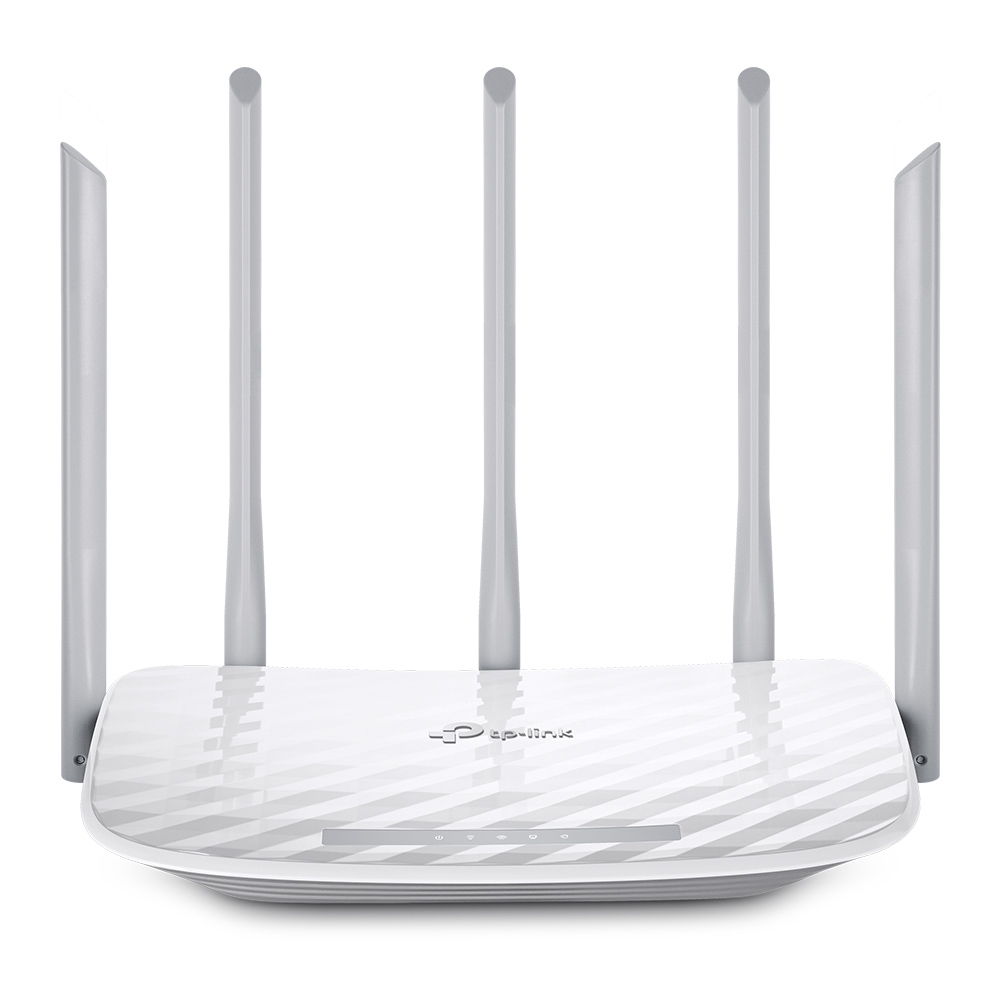
Advanced AC WiFi unleashes the full potential of all your wireless devices, providing good performance for daily use and video streaming.

Archer C64, with 4 external antennas and gigabit port, delivers WiFI to every corner of your home, so you enjoy smooth video streaming and gaming.
 bright sedge
idm a maybe bc i have the best internet plan i can get, only money i can spend is to make the speeds i pay for consistent and high
 astral holly
So I’m currently trying to replace my AP (1gbps) with my server.
It’s got WIFI 6 connectivity and I have room for a 4 port 2.5gbs PCIE card.
I wanna reduce latency by removing a switch from the chain.
It’s the middle point between internet and the ap downstairs
 clear igloo
astral holly
So I’m currently trying to replace my AP (1gbps) with my server.
It’s got WIFI...
clear igloo
astral holly
So I’m currently trying to replace my AP (1gbps) with my server.
It’s got WIFI...
Does your WiFi 6 card support AP mode?
A switch adds a couple nanoseconds worth of latency, it's pointless to remove it and do CPU based switching with a NIC card like that
astral holly
clear igloo
Does your WiFi 6 card support AP mode?
A switch adds a couple nanoseconds worth ...
Yes. I’m just trying to remove bottlenecks from my network. You’re saying a 2.5gb switch would be better? Even though it’s another device?
clear igloo
Yes, 100%, otherwise your server is going to do switching in CPU and that WILL add noticable latency
astral holly
clear igloo
Yes, 100%, otherwise your server is going to do switching in CPU and that WILL a...
I see Currently the config is modem > AP > dns server (ran by AP) > client.
The dns server is connected to the network via the AP.
I basically have my router doubling as a switch
clear igloo
That's a combo unit, it's got a switch ASIC inside
astral holly
clear igloo
That's a combo unit, it's got a switch ASIC inside
I mean my AP. The fios router/modem is just feeding internet in another room. I have my AP in my room which is connecting the dns server
Is there a way to buy a standalone hardware asic and add it in my server via PCIE Or something?
astral holly
Oh and also. Does the ASUS ax92u support any third party firmware? Like dd-WRT?
clear igloo
astral holly
Is there a way to buy a standalone hardware asic and add it in my server via PCI...
No, that's not how that works at all
It's high added complexity for near zero benefit
clear igloo
astral holly
Oh and also. Does the ASUS ax92u support any third party firmware? Like dd-WRT?
Couldn't tell you, you'd have to google model + third party firmware or something to see if anything pops up
 obtuse nimbus
so me and my family are moving into a new house soon and we want a wifi mesh system that supports speeds up to one gig for the cheapest price. Does anyone have a good system?
(also forgot to mention, maybe wifi 6 if possible)
 keen urchin
obtuse nimbus
(also forgot to mention, maybe wifi 6 if possible)
keen urchin
obtuse nimbus
(also forgot to mention, maybe wifi 6 if possible)
You absolutely want wifi6

 pseudo blade
Ah, RB5009. You have the one with the all-port bidirectional PoE config I see.
 nimble sable
clear igloo
Does your WiFi 6 card support AP mode?
A switch adds a couple nanoseconds worth ...
nimble sable
clear igloo
Does your WiFi 6 card support AP mode?
A switch adds a couple nanoseconds worth ...
what does add noticable latency? aside from Wifi?
clear igloo
nimble sable
what *does* add noticable latency? aside from Wifi?
processing time (punt to CPU), interference, retransmissions, buffering (QoS) or buffering from oversubscribed interface and distance
nimble sable
has anyone used Tp-link's Omada APs? I'm trying to find out if i need a controller. with unifi and netgear i can find a list of features that are usable without controller and features that need controller but i can't seem to for tp-link. Aside from the obvious (deployment to multiple devices is easier etc and remote access) is there anything i'll be missing if i use standalone mode? or are there no actual feature differences and the only difference is that controller can change setting on many devices and sync them up?
 feral agate
My internet is being super weird rn so i normaly get 100 ish upand down and randomly it will be at 100 then 0
 long scarab
the cable going to the raspberry pi hurts my soul
keen urchin
pseudo blade
Ah, RB5009. You have the one with the all-port bidirectional PoE config I see.
not my picture, I just ordered one - I wanted something I could use with my 10gbswitch
pseudo blade
keen urchin
not my picture, I just ordered one - I wanted something I could use with my 10gb...
Router on a stick?
Otherwise probably not that helpful for you.
keen urchin
hmmm? Why not that helpful
pseudo blade
It has precisely one 10 gigabit interface
keen urchin
My internet is only gig, and it's only internal stuff on 10gig, and I don't really NEED it
pseudo blade
Well in that case you don't need 10 gig to the router lol
Can't use 10 gig to the router
keen urchin
yes, but this way I can route between VLANs as well
pseudo blade
-On a stick :P
keen urchin
I didn't need 10gig at all 😄
but the switch was priced very agressively at $0
and I decided it was FINALLY time to build my network at home properly with vlans.
keen urchin
absolutely isn't - it just limits the throughput between vlans
which... is still a LOT more than 1gb
pseudo blade
No chance your free switch has L3 capabilities?
 pseudo blade
I'd do inter-vlan on that and leave the Tik for DHCP+internet+misc network services
But I guess not doing that's highly viable
keen urchin
nah the VLANs are cameras, iot, servers+desktops
pseudo blade
Oh cool so you could use 100mbps :P
keen urchin
yes, literally 😄
pseudo blade
Very nice free switch though, even if it probably conned you into going overkill on the router
keen urchin
yeah but the point is that this is for the next probably 5-10 years. I have a solid base to do whatever now.
pseudo blade
Yeah fair, Mikrotik support their stuff for basically forever
It'll likely be useless to you long before they kill support
keen urchin
I was initially looking at an N5000 intel type system with opnsense or something, but the mikrotik was a value for money that's hard to beat
especially with a reasonably priced rackmount kit
pseudo blade
I guess the difference is that you can stick a bunch of RAM in a router PC and run a few VMs on it
keen urchin
NO!
pseudo blade
Mikrotik's container support is... immature
keen urchin
"lol doing some container stuff" "lol oops broke the router, now there's no internet, sorry family"
like... that was fine when I was young, but these days I want reliability
 blazing karma
Time to prep for the 48 port 1gb switch after this 
 keen urchin
blazing karma
Time to prep for the 48 port 1gb switch after this <:Ok:1011233494611005570>
keen urchin
blazing karma
Time to prep for the 48 port 1gb switch after this <:Ok:1011233494611005570>
that is many ports
pseudo blade
keen urchin
"lol doing some container stuff" "lol oops broke the router, now there's no inte...
I'm not big on routers in hypervisors for SOHO or even SME networks because redundancy is rarely considered
keen urchin
pseudo blade
I'm not big on routers in hypervisors for SOHO or even SME networks because redu...
exactly
pseudo blade
But it's different when you know why a router in a VM sucks so you can make it not suck
keen urchin
yeah, like if you're skint, or hacking shit up, A+ go for it
but I also want to be able to break shit without stopping other things working
pseudo blade
Not even, but you want it replicated and highly available if you do it
keen urchin
High availability is overrated. Odds are you'll have more problems with that than you would with seperate components
(when you're talking about DIY home level stuff)
pseudo blade
Certainly not a problem for me lol
keen urchin
... and even on prem stuff, a lot of the time it's shit
pseudo blade
But as said I don't do it where others can/might screw with it or if converging it doesn't make sense
keen urchin
but yeah the thing is for tech people, it tends to favour their specialties, and stuff they can easily get/use
pseudo blade
Yeah special clever shit only you understand is not for production with other employees
But yeah I have a router in the cloud I need for stuff and code running on local routers I don't expect to have constant internet connectivity but need extra logic in regardless
keen urchin
also I got burned by my server CPU going slowly dead over a month or more and just increasingly frequently locking up
ended up replacing the motherboard first, then the CPU. ah well.
keen urchin
yeah that's my point
pseudo blade
Same problem can happen with router hardware too
keen urchin
waiting for a unifi 8 port poe switch and an AC WAP to be decommissioned to add those to the setup
pseudo blade
Wish I had people discarding decent network gear lol
keen urchin
haha, yeah this is more changing vendor than discarding as such
pseudo blade
Shop in front is still clinging desperately to their Catalyst 2950
pseudo blade
Router's an 887va I think
For NBN VDSL, which it's a bit sorry at handling
A Steam download running at 40mbps was enough for it to stop serving other clients until it stopped
keen urchin
lol
pseudo blade
The correct location for that hardware is a museum, or a skip
keen urchin
I'm on gig NBN FTTP, I'm currently just using google wifi because I decided I didn't care and I didn't want to have a complex home network setup.
Obviously I have given up on that.
pseudo blade
lol
If only NBN's higher speed plans weren't cripplingly expensive so we can pretend FTTN wasn't a bad idea
keen urchin
but I have a suspicion the google router is limiting my top end throughput slightly! zomg
omg, 1000/50 is fine, but 1000/400? oh yeah fuck you
1000/1000? LOL "business plan"
pseudo blade
1000/50 is a stupid, spiteful config to sell
1000/400 was once supposed to be the standard for a consumer offering
keen urchin
it's hilarious because my VDSL was 100/40
pseudo blade
Remember: only businesses need high-speed uploads, that's why social media and game streaming doesn't exist
keen urchin
exactly
and certainly, there's NO way that people don't use high speed uploads because they don't want to pay for them and/or can't access them
and that doesn't affect the market AT ALL
pseudo blade
I'd use them if they didn't cost a kidney a month
keen urchin
I'm with launtel, so if I need to I can crank it to 400 up for the day, but IIRC it's like 2.5x the price vs 1000/50
which is completely nonsensical
it's not like you're saving ... money ... or .. internet... or ... anything. The services you're putting to support it are symmetric, at least to some degree.
pseudo blade
Close to, especially because residential customers use less upload on average anyways
keen urchin
"oh no I want a one way internet pipe please"
pseudo blade
GPON's something like 2.5/1
keen urchin
"Give me one of those 10/1 ethernet adapters"
 fallen bay
hey everyone, I´m looking into buying a home surveilence system for our small farm.
I already have a managed POE Allied Telesis 8 port switch and I want to have a system with about 3 cameras that are controlled by whatever software on my homeserver and store tehir footage on my homeserver, idealy they only record actual footage on my server when there is movement in the video so they dont just fill up my storage with useless footage. I dont want any of those things that auto upload everything into some kind of cloud storage or whatever. I want it to be local only. It´s nice if that selfhosted software allows some kind of online connection with push notifications to phones etc but having everything stored local only without sending data to some 3rd party in china is my priority for now.
If anyone has some recomendations on what software to use to controll the cameras and which outdor poe cameras to use I´d be really happy to hear from you
 frail swift
Hi, I really don't get this, can somebody help me understand please?
In a Homelab setup, why does one need a managed switch, when they are using a seperate router that manages the DHCP VLAN etc.?
 peak cloak
frail swift
Hi, I really don't get this, can somebody help me understand please?
In a Home...
peak cloak
frail swift
Hi, I really don't get this, can somebody help me understand please?
In a Home...
a managed switch is needed if you want to have multiple VLANS on a single switch
it's kinda hard to explain via text

the packets get tagged on the trunk port
and untagged on the access ports, but you can lets say keep it tagged if it's going to a server or similar and want to access other vlans
or for example an AP, where you may have a managament VLAN
frail swift
peak cloak
a managed switch is needed if you want to have multiple VLANS on a single switch
but what you're telling is a comparison between a managed vs unmanaged switch, no? I'm designing a network that I'd like to implement soon, but I'm still in the learning phase.
I only had a router and multiple 4-8 port dumb switched until now. If I lift the cheap WIFI router from the equation, I'd need a firewall and a managed switch, as well as ...something acting as the DHCP server?
This is what I have in mind

Which device should be serving the DHCP?
peak cloak
frail swift
Which device should be serving the DHCP?
DHCP is a service on a server. A switch doesn't do that
Basically every router/firewall can serve a DHCP server
frail swift
So maybe if I give that task to my DNS server, it would be okay (so just using PiHole's DHCP settings)
Routers, yes sure, but I won't be having/needing a router in this network no? A wifi router is a combination of Firewall-AP-DHCP anyways?
peak cloak
frail swift
So maybe if I give that task to my DNS server, it would be okay (so just using P...
usually a firewall is a router on a technical aspect
it just does basic routing + NAT
and not even basic routing sometimes more advanced stuff like BGP
frail swift
thanks mate it made it clearer 👍
 quaint siren
So I have networking homework to do in Cisco Packet Tracer.
I have set up a router, switch, 6pcs (1 laptop) and 3 servers.
Each server has its own thing to do, first being DHCP server, 2nd is DNS and 3rd is WEB server.
Problem is that I was provided a guide to follow but few lines confuses me.
Add A entry for WEB server, i.e. when the client enters the URL "website URL" in the Web Browser of the computer, the web page offered by the server is opened. Test operation.
Also add records for DNS and DHCP server in such a way that they are in the subdomain of "website URL". Take a screenshot of the records and test the client on the machine using the ping command (pings by name) and add a screenshot of them as well.
Add a DNS record that would create an alias for "website url" so that when the user enters "website URL" as URL, the web page provided by the WEB server is also opened.
The "add A entry for Web server", I don't see a way to do an entry other than on DNS server
 thick minnow
DNS A records are what you put in DNS config files
you assign a hostname to an IPv4 or IPv6 address
 hollow marlin
peak cloak
DHCP is a service on a server. A switch doesn't do that
hollow marlin
peak cloak
DHCP is a service on a server. A switch doesn't do that
Most enterprise managed switches can perform DHCP server functions. I'd still let the router/firewall handle it though
quaint siren
Ye so problem is that I did add the hostname to an IPv4 address and I couldn't get the website to open on one of the PCs
 meager ginkgo
fallen bay
If anyone has some recomendations on what software to use to controll the camera...
meager ginkgo
fallen bay
If anyone has some recomendations on what software to use to controll the camera...
Frigate is a pretty good AI NVR
Scrypted NVR is another good option if you care deeply about the UI, but they charge quarterly I believe
 waxen scroll
hollow marlin
Most enterprise managed switches can perform DHCP server functions. I'd still le...
waxen scroll
hollow marlin
Most enterprise managed switches can perform DHCP server functions. I'd still le...
nope. def would let windows or bluecat do it
or (insert server here)
hollow marlin
waxen scroll
nope. def would let windows or bluecat do it
I was just referring to that instance. DHCP-relay and a server is the proper way
rocky badge
@hollow marlin @peak cloak I am trying to use an EC2 instance as a public IP for a VM behind NAT that I can't port forward with. I'm trying to use iptables but its not forwarding correctly. Any ideas?
hollow marlin
rocky badge
<@462711605063450628> <@222482269829332992> I am trying to use an EC2 instance a...
Assuming there is a tunnel from the VM to the instance? Also, can you confirm that the distro you are using is actually using iptables? We have production severs running a mix of distros and during upgrades, it was a PIA with changes in what process handled routing. Ex iptables and nftables running simultaneously
 hollow axle
Iptables is super fussy
hollow axle
rocky badge
<@462711605063450628> <@222482269829332992> I am trying to use an EC2 instance a...
Are you trying to proxy to another ec2? Or are you using it like a cloud gateway?
 shrewd zenith
my home network consisits of the primary router connected to a secondary router with a different SSID that is beiung used as a switch, every 18 hours or so its connection to the internet just decided to crap out until i unplug the WAN port on it for 30 seconds, anyone know whats going on here
rocky badge
hollow marlin
Assuming there is a tunnel from the VM to the instance? Also, can you confirm th...
@hollow axle
I have a VM behind NAT that I can't get out of and an EC2 instance with 2 network interfaces, 2 Elastic IPs (one to each), and each Elastic IP has an internal IP on the EC2 instance. These two have a WireGuard connection between them and that's all working fine.
I want to use the second Elastic IP/internal IP from the EC2 instance to route all traffic to the VM while preserving source IP. Basically use the EC2's public IP as the IP for the VM behind NAT.
Security groups are fine in AWS and the EC2 instance can see traffic hitting the IP but it ends there, its not going through the WG tunnel or hitting the VM.
 mossy slate
is there a huge difference between a CAT5e and a CAT7 ethernet cable?
should i really upgrade to a cat7?
clear igloo
mossy slate
should i really upgrade to a cat7?
No, you shouldn't upgrade to a standard that requires a new connector that isn't compatible with RJ45 ends
shrewd zenith
depends if your use case would benefit from the higher speeds or not
clear igloo
Cat6a is fine if you need 10g up to 100m, otherwise 5e is plenty
shrewd zenith
clear igloo
No, you shouldn't upgrade to a standard that requires a new connector that isn't...
Depends if the cable is terminated with GG45 or TERA. GG45 is backward comparable TERA isnt AFAIK
clear igloo
shrewd zenith
Depends if the cable is terminated with GG45 or TERA. GG45 is backward comparabl...
Interesting, I forgot GG45 was part of the ISO spec
I always remember TERA as part of it though
hollow marlin
rocky badge
<@414831368061845515>
I have a VM behind NAT that I can't get out of and an EC2...
As I am not familiar AWS, do you have a diagram for the design?
@clear igloo @waxen scroll Also
- PingPlotter is a tool that creates more problems than it fixes
- Engineers that only provide a traceroute regarding an issue and confidently say there is an issue at hop X while not knowing how to understand a trace should have their pay reallocated to me for the amount of time I spend to explain how traceroutes work and request more details

clear igloo
hollow marlin
<@291198741862416384> <@186123993412141057> Also
1. PingPlotter is a tool that c...
Agreed 1000% 😄
@hollow marlin I'm seeing latency at hop X, can you fix pl0x 😛
I saw traceroute stop there so help?????
hollow marlin
There is latency and loss at hop 8 and it's impacting traffic to this destination
Ok, well there is no increase in latency or packet loss to the destination sooooo....
clear igloo
When you learn the basics and then regress but know words
hollow marlin
To top if off, the "issue at hop X" is 3 hops outside our network within one of our transit providers
clear igloo
haha, that must be extra fun to explain to them
hollow marlin
Sadly, it's one of our largest customer who is also a regional SP which we provide transit for
This is not the first similar conversation either
waxen scroll
clear igloo
<@462711605063450628> Have you gotten rid of all your RSA keys yet :>
We're in the middle
clear igloo
waxen scroll
We're in the middle
Qulays is starting to complain about them now for SSH =/
hollow marlin
clear igloo
<@462711605063450628> Have you gotten rid of all your RSA keys yet :>
Wait, what's going now with the keys!?!?
clear igloo
hollow marlin
Wait, what's going now with the keys!?!?
Qualys hates RSA now 😦
hollow marlin
I guess I am not familiar with Qualys
clear igloo
Ah, it's a security compliance scanner thing
It's a pain in my rear end dealing with financial customers 😦
hollow marlin
I see that via google. What's their proposed replacement?
hollow marlin
Oh great! I was thinking recently that I need more acronyms to learn and add to the pile 😆
clear igloo
Haha, yah, nothing like some more acronyms
hollow marlin
Well I know we should have another PCI audit shortly. Curious if they pick up the few remaining devices not using AAA
pseudo blade
clear igloo
ecdsa or eddsa
Pff
 long oxide
Hi there peeps.
I'm in a time of great need. What's the best alternative for RadminVPN or Hamachi to use on both Windows and Android (Linux in the future) systems? I need to have access to my files and gaming servers from my phone occasionally. (I'm using Radmin and Hamachi for others to join btw)
pseudo blade
pseudo blade
Pff
Why don't I just use Simon or Speck
Get it over and done with
After all what if Quantum computers suddenly become good and factor my keys tomorrow
pseudo blade
long oxide
Hi there peeps.
I'm in a time of great need. What's the best alternative for Ra...
Wireguard.
-Oh wait you said others at the end
Ehh... still Wireguard.
Or OpenVPN w/ UDP if you really can't manage IPs yourself though it's slower and heavier
long oxide
I can run Hamachi and Radmin alongside, some people won't be switching.
I simply need the access to my PC, files and consoles remotely without having to set up dedicated public IP which is an immense pain in the bottom with my ISP
pseudo blade
No public IP?
long oxide
pseudo blade
Or OpenVPN w/ UDP if you really can't manage IPs yourself though it's slower and...
I'll learn, I love that stuff regardless
pseudo blade
Get the cheapest possible VPS and use that to expose your desired services with port forwarding and a VPN tunnel back to your server, or use IPv6+DNS
long oxide
pseudo blade
No public IP?
Nope, hence why I'm using Radmin and Hamachi in the first place. It's just annoying to always set up my laptop when I'm on the go as those programs don't have Android versions
pseudo blade
Now I'm thinking of it you may also like Tailscale's free option
Up to 100 devices free and tolerant of your situation
But a VPS handling a port forward will just allow people to directly connect if security from the internet is not the concern and ease of use for them is one
 shrewd robin
long oxide
Nope, hence why I'm using Radmin and Hamachi in the first place. It's just annoy...
shrewd robin
long oxide
Nope, hence why I'm using Radmin and Hamachi in the first place. It's just annoy...
Man for some reason, I had a terrible experience with this
I mean hamachi
long oxide
Okay, I'll look into all the options you mentioned, thanks a lot. Networking isn't something I do often, so I'm quite a newbie in that regard, making your suggestions that much more useful 👍
pseudo blade
Try Tailscale first probably
long oxide
shrewd robin
Man for some reason, I had a terrible experience with this
Yeah, those programs are spotty. Some people can't get one or the other to work, which is why I have 2 like a moron
shrewd robin
long oxide
Okay, I'll look into all the options you mentioned, thanks a lot. Networking isn...
Btw I’m using Tailscale now and it works really great
Easy to install l
Easy to deal with
long oxide
What's the ping on it?
shrewd robin
Android and iOS support it very well
pseudo blade
long oxide
What's the ping on it?
It's direct between peers with a negotiating server
So basically just the ping between you and them
shrewd robin
pseudo blade
So basically just the ping between you and them
Yeah
long oxide
Damn, that sounds awesome
shrewd robin
And the latency isn’t low either
pseudo blade
-Isn't high, you mean
shrewd robin
Oh my bad
shrewd robin
long oxide
Damn, that sounds awesome
U can watch this https://youtu.be/Kzyolu9yn0E?si=j-GXhmkZv-LfOn_K
Tailscale VPN - WireGuard was never so easy as this Zero Config VPN service! It magically connects all your servers, laptops, and phones to your own virtual private network. I'll walk you through the setup and let's explore how the network protocol works. #Tailscale #WireGuard #VPN
Tailscale: https://tailscale.com
Documentation: https://tailsca...
long oxide
That's absolutely perfect, and with no more than 37 peeps it seems I can have the free version
long oxide
shrewd robin
U can watch this https://youtu.be/Kzyolu9yn0E?si=j-GXhmkZv-LfOn_K
Lovely, thanks
shrewd robin
The condition is that you can only do that freely with the free subscription
pseudo blade
37's a lot for everyone to be connecting in via a VPN lol
shrewd robin
pseudo blade
37's a lot for everyone to be connecting in via a VPN lol
Ikr
Why do you have that many devices to begin with lol. I don’t mean to be rude but what are you doing with those
pseudo blade
Especially as they'll be sharing an account to keep in that 3 user limit
obtuse nimbus
whats the best cheapest wifi mesh router, wifi 6, for about 4500 sqft?
 opal pagoda
obtuse nimbus
whats the best cheapest wifi mesh router, wifi 6, for about 4500 sqft?
opal pagoda
obtuse nimbus
whats the best cheapest wifi mesh router, wifi 6, for about 4500 sqft?
you dont have wired ethernet in that building?
obtuse nimbus
We're currently building and we just want a good cheap wifi 6 mesh system for our devices that don't have Ethernet. (Phones, watches, TV's etc.)
also forgot to mention, we are wiring ethernet in the house
 mystic latch
If you're still in the build process, there's not much reason to cheap out on having normal APs. Which would use the ethernet you're currently wiring.
As the saying goes, you can pick only 2; good, cheap, fast
keen urchin
also doesn't lock you into mesh
thick minnow
I have a PC and I'm trying to copy files from a laptop. I shared a folder in my PC and it was working yesterday. The laptop connected to the network and the PC was showing up in the network. I could access the shared folder to copy files. Today it's no longer working. The laptop cannot see the shared folder. What is wrong?
thick minnow
I just figured it out. I was connecting the PC with "public network". Now that I switched to "private" the file sharing is working
meager ginkgo
obtuse nimbus
We're currently building and we just want a good cheap wifi 6 mesh system for ou...
You should use wireless access points instead of a mesh system in this situation.

Google Docs
DIY Smart Home Pre Wire Guide My personal take on a smart home’s prewire. Late 2023
Some wiring you should consider also ^
meager ginkgo
 fickle lily
is cloudflare tunnel alright?
fickle lily
is cloudflare tunnel alright?
Yes, if you have a domain you can use
 shy wagon
Any chance theres a Unifi expert in here?
We're having a weird issue with a bunch of APs that keep dropping offline
obtuse nimbus
meager ginkgo
You should use wireless access points instead of a mesh system in this situation...
Yea, I want to, but all the wifi 6 access points are to expensive. Unless you could find one?
meager ginkgo
obtuse nimbus
Yea, I want to, but all the wifi 6 access points are to expensive. Unless you co...
What internet speed are you getting?
obtuse nimbus
Gig
meager ginkgo
U6-Pro by Ubiquiti is a good overall option
If you go super cheap you’re not gonna get anywhere close to gig, bad range, and have issues overall
obtuse nimbus
How much of those should we get?
meager ginkgo
obtuse nimbus
How much of those should we get?
How big is the property?
obtuse nimbus
I wanna say it's around 4500 aqft
meager ginkgo
how many levels?
obtuse nimbus
Sqft*
meager ginkgo
Hard to say without seeing a floor plan
obtuse nimbus
2 stories, but it's just one bonus room upstairs. So we don't really need it upstairs
meager ginkgo
I’d probably atleast do 2 minimum for that big square feet
ideally you probably want 3-5 for that square feet (and if you want outdoor spaces covered)
meager ginkgo
No problem. Just keep in mind, you’re gonna have to spend a decent bit if you want all the networking hooked up
Most of the stuff should last atleast 5-7 years though so think of it as an investment
obtuse nimbus
My parents are really old school. We have a router that's about 11 years old and it still does gig speeds so they don't wanna change. But they just want a wifi that will cover the whole house.
meager ginkgo
Can always slowly add APs and other devices also, just make sure the wiring is there
obtuse nimbus
So it's gonna be hard to tell them that it's an investment
meager ginkgo
obtuse nimbus
My parents are really old school. We have a router that's about 11 years old and...
Fair enough. I had a similar situation with my parents
obtuse nimbus
Lol. But I'll still try to convince them. Thanks for the help!
obtuse nimbus
meager ginkgo
U6-Pro by Ubiquiti is a good overall option
What about the u6+? It's got the same range as the u6 pro and it's about $30 bucks cheaper
meager ginkgo
Speed wise I think the U6 Pro will get you much closer to that gig throughout
obtuse nimbus
Ah alright. Thanks
meager ginkgo
Maybe if you go outdoor APs, you can go U6+ as those areas will have low traffic
obtuse nimbus
I don't think we're gonna have outdoor aps. But thanks still!
meager ginkgo
👍
opal pagoda
fickle lily
gcnat bypass ?
what for?
 hallow junco
Newsletter Referral Rewards
opal pagoda
hallow junco
lol https://zimacube.zimaboard.com
if its priced deacenty it looks good
 lavish relic
hallow junco
lol https://zimacube.zimaboard.com
lavish relic
hallow junco
lol https://zimacube.zimaboard.com
that looks pretty nice ngl
hollow axle
Big it depends on price there, their SBCs are expensive
hallow junco
I don't think it will be as open and accessible as people would want. They used proprietary cables on the blade. More fancy packaging and marketing, than anything imo
but yeah it "looks good"
opal pagoda
hallow junco
I don't think it will be as open and accessible as people would want. They used...
you mean external sata power cable?
hallow junco
I think so the sata/power. Non standard connectors = not good
opal pagoda
hallow junco
I think so the sata/power. Non standard connectors = not good
Name a standard connector that they could have used
And it isnt really proprietary as you can buy connector and crimp a cable yourself
Like i crimped a sata power connector for my server, cable was expensive on ebay, bought molex microfit 3.0 2x3 connector and crimp it to a sata cable i cut off a old psu
hallow junco
opal pagoda
Name a standard connector that they could have used
SATA + molex or whatever for power
not fusing the two into some proprietary crud
opal pagoda
hallow junco
SATA + molex or whatever for power
space constraint doe
hallow junco
opal pagoda
space constraint doe
but when you need a new cable and cant just pick a standard one out of your supplies or from a store... then welcome to proprietary hell
peak cloak
hallow junco
SATA + molex or whatever for power
Sata + sata power isn't proprietary?
And molex sucks
opal pagoda
hallow junco
not fusing the two into some proprietary crud
this is preatty standard on embeded devices as its quicker to plug/unplug devices
 peak cloak
Yeah it's pretty common
 zinc python
 shrewd zenith
i want to turn a secondary router into a switch and have wifi on a seperate SSID.
the operation modes make it sound like it will be on the same SSID
is this functionality possible? i have TP link archer c6

 calm vapor
hello guys, so i have at home a network with 400 mb download speed i only get 30 mb at my pc. i use devolo dlan 200 avplus 3x but i want to upgrade but is it worth it?
NIEUW
pseudo blade
calm vapor
hello guys, so i have at home a network with 400 mb download speed i only get 30...
Yeah you'll never hit theoretical speeds on homeplug/powerline ethernet. You'd likely be better off with (in order of effectiveness):
- Running ethernet to the computer from the router.
- MoCA (if available)
- Mesh router kit
- If in WiFi range usable by other devices: a high-end WiFi NIC or repeater acting as a bridge only (not repeating a WiFi signal)
- WiFi repeater, multi-band.
- A higher end Powerline kit (may not improve results)
peak cloak
shrewd zenith
i want to turn a secondary router into a switch and have wifi on a **seperate** ...
Yes you can have more than 1 AP with same ssid
shrewd zenith
peak cloak
Yes you can have more than 1 AP with same ssid
Yeah that's not what I asked
I need them to be on separate SSIDs while still being a switch. Without DHCP or any other functionality as it's messing with the primary router
 ionic tendon
Yeah should be fine - just set it to AP mode and configure DHCP off, connect lan port on primary to lan port on secondary then configure SSID as desired
 random tangle
does anyone know why my upload speed is much more faster than my download speed, and why my download speed keeps fluctuating.
On my phone i get 100+ mbps download speed but on my pc it goes from 20 to 10 to the decimals such as 0.3 mbps
But my upload speed has stayed the same
opal pagoda
random tangle
On my phone i get 100+ mbps download speed but on my pc it goes from 20 to 10 to...
wired or wifi?
ionic tendon
As above, WiFi or wired is the main question here. If wired, change the cable / check the cable for any possible interference i.e. running near high draw power lines etc
random tangle
opal pagoda
wired or wifi?
its wifi
random tangle
ionic tendon
As above, WiFi or wired is the main question here. If wired, change the cable / ...
What about wifi
ionic tendon
If it's WiFi then need to look at signal strength / link speeds in your connection
How far from the router / access point? where are the antenna positioned?
 rocky raptor
I'm looking to make an upgrade to my internet speeds, my current router is still wifi4 and has a maximum speed of 300mbps. I'm thinking a wifi6 router but I have a maximum budget of $42. Can someone help me? I'm very confused. (Ping me when reply)
rocky raptor
rocky raptor
I'm looking to make an upgrade to my internet speeds, my current router is still...
I forgot to mention, on average I get a download speed of 8 megabits per second
opal pagoda
rocky raptor
I'm looking to make an upgrade to my internet speeds, my current router is still...
Do you have range issues or something else?
rocky raptor
opal pagoda
Do you have range issues or something else?
No not much, I'm mostly looking for a cheap upgrade
I'm looking at a Tenda AX1500
Currently my router is a tplink N300 I believe
opal pagoda
At that price priority would be gigabit ports, wifi5 or 6 and last is openwrt compatibility
rocky raptor
What is openwrt?
opal pagoda
Open source firmware
rocky raptor
I see
I'm looking at this https://a.co/d/4EkojbW for $30 it seems well

RX2 Pro is a gigabit Wi-Fi 6 router designed for home users rate of up to 1501Mbps (2.4GHz: 300Mbps, 5GHz: 1201Mbps). RX2 Pro is equipped with high-performance FEMs and 5 external 6dBi high-gain antennas. More devices can be connected to the internet simultaneously with lower lag, and the transmi...
thick minnow
any good nics for pfsense, 2.5 gig with 2 ports? am stuck on realtek rn..
rocky raptor
rocky raptor
I'm looking at this https://a.co/d/4EkojbW for $30 it seems well
Not truly sure but I'm in need of better internet so bad rn
 mint flint
would there be any reason as to why i get ping spikes over my wifi, but not my ethernet?https://cdn.discordapp.com/attachments/381193840159358976/1161410493299314708/image.png?ex=653832cf&is=6525bdcf&hm=e5a292c69b171bb8c8a5e306d6e2549c5b1acfc03285ab4ce09d6946f1d1ff3a&
Image
 opal pagoda
mint flint
would there be any reason as to why i get ping spikes over my wifi, but not my e...
opal pagoda
mint flint
would there be any reason as to why i get ping spikes over my wifi, but not my e...
interference like microwaves, other wifi networks or bluetooth
waxen scroll
@clear igloo I hate when Cisco can offer retakes at no cost but they only choose to do so once a year and are terrible at announcing it so by the time you see it there is a week left. 1 retake should be standard when the tests are $400
clear igloo
waxen scroll
<@291198741862416384> I hate when Cisco can offer retakes at no cost but they on...
Yup, agreed
random tangle
ionic tendon
How far from the router / access point? where are the antenna positioned?
Its about 2 rooms away
random tangle
opal pagoda
also it matters what wifi card is in the pc
I have an antenna in it
opal pagoda
waxen scroll
<@291198741862416384> I hate when Cisco can offer retakes at no cost but they on...
How do they announce it?
waxen scroll
opal pagoda
How do they announce it?
just happened to find a linkedin post
opal pagoda
waxen scroll
just happened to find a linkedin post
do they always post it on linkedin?
 unkempt garden
Heya, I am looking at getting a new router. I am using a Asus RT-N66U N900 from 2012, and while reliable and great, my gigabit etnernet is limited at about 140-150 mbps because of it. Are there any routers right now out there that are affordable but can also support the speeds I'm looking for, that also has a good security interface like Asus?
 leaden escarp
If I'm on the upper floor and wifi has trouble reaching, would I need an extender, repeater or an access point
 long thistle
can I set two wifi networks on one mikrotik mesh system (~25 APs)?
pseudo blade
You have to use a virtual AP
long thistle
can I do this in capsman?
long thistle
pseudo blade
Create a slave configuration
ok, thanks
thick minnow
should i use a power line adapter
pseudo blade
thick minnow
should i use a power line adapter
Should I use a hammer?
Without context your question is difficult to answer.
 round arrow
pseudo blade
*Should I use a hammer?*
round arrow
pseudo blade
*Should I use a hammer?*

 prime summit
Hey, atat sent me a new modem as the last one was 7 years old and giving me issues. It's a BGW 320, and it has a sfp port on it. The fiber comes in but then is converted to ONT, but I was wondering if I could just run straight fiber with the sfp port rather than using ont
It didn't come with any kind of transceiver, as I believe you need it for fiber connection
It comes in like this

Box outside that also makes a fiber connection once it reaches the house, converts into that black cable you see in the pic there
peak cloak
prime summit
Hey, atat sent me a new modem as the last one was 7 years old and giving me issu...
no
you need to use ONT iirc
prime summit
peak cloak
you need to use ONT iirc
Im assuming I only use ont because of this current install? from what I heard with newer installs they use the sfp port
that box is really annoying as it falls off the wall all of the time, would rather have it out of the equation.. im expecting it will cost as a tech would probaly have to come out and do it
peak cloak
maybe I'm not understanding correctly, the current AT&T router has an sfp port?
prime summit
peak cloak
maybe I'm not understanding correctly, the current AT&T router has an sfp port?
Yes
 peak cloak
Guess you can try, I know you can't just plug into any ole network device without complex workarounds
but if it's an AT&T router can try
can check the manual as well
rocky badge

DSL Reports
Forum discussion: What if I told you that the whole 802.1x authentication is enforced at ONT level and is not necessary to get online? In corporate networks it's the switch that communicates with AAA server, receives and processes 802.1x frames and enables or disables
prime summit
rocky badge
https://www.dslreports.com/forum/r33442912-AT-T-Fiber-Bye-bye-802-1x-you-will-no...
So this is saying that it wouldn't be required?
rocky badge
idk just showing what i found
prime summit
peak cloak
Guess you can try, I know you can't just plug into any ole network device withou...
I may start with giving a call and see if they can do it that way. I know for sure they dont want you screwing with it
And the modem was suppose to come with the adapter to plug fiber in but they didn't include it. I believe they packaged it knowing who it was going to since the other equipment not included is things I already have from the first install
 shell viper
It's amazing how shitty isp provided hardware is when you make your own openwrt router
fickle lily
opal pagoda
what for?
simple web server
opal pagoda
fickle lily
simple web server
reverse proxy or cloudflared
that would do it
if you are the only one using it then tailscale is simplest
 plush vale
Upgraded the fibre line recently and after a few support calls, it's now running at full tilt - think this should do me for the next few years at least 🤣🤣
 fickle lily
opal pagoda
reverse proxy or cloudflared
fickle lily
opal pagoda
reverse proxy or cloudflared
yes did try it now and it seems to work
waxen scroll
@hollow marlin doing arista labs right now
they ripped off most of the cisco CLI lol
apart from a few "make sure you change the homework" items, you could pretty much buy these and your NOC should be able to figure it out
@rocky badge
*****Jump Host for Arista Test Drive*****
*****************************************


==========Main Menu==========

Please select from the following options:
1. Reset All Devices to Base ATD (reset)
2. Layer 2 Leaf-Spine Lab (l2ls) - Site 1 Only
3. Layer 3 Leaf-Spine Lab (l3ls) - Site 1 Only
4. VXLAN Static Flood List Lab (vxlan) - Site 1 Only
5. CloudVision Portal Lab (cvp) - Site 1 Only
6. CVP lab for Studios L3LS/EVPN (studiosl3ls)


97. Additional Labs (labs)
98. SSH to Devices (ssh)
99. Exit LabVM (quit/exit) - CTRL + c

What would you like to do?: 1
Starting deployment for Data-Center-Labs - reset lab...
hollow marlin
waxen scroll
they ripped off most of the cisco CLI lol
That's what I heard. Curious how close it is compared to Adtran's AOS, the champion of "you can copy but change the answers slightly".
If you dropped into AOS and no one told you, it would take a few mins before you realized something is not right if at all
waxen scroll
@clear igloo come with me... and you'll see... a little spark... of pure Arista-ation
clear igloo
waxen scroll
<@291198741862416384> come with me... and you'll see... a little spark... of pur...
yuck, and deal with CVP's failures?
I perfer good telemetry collection 😛
 clear igloo
You've had quite a few, lol
waxen scroll
enough for lawyers to talk to lawyers
clear igloo
Did you consider you're using it wrong?
Perhaps you stood them at a 47 degree angle to a neutron star?
waxen scroll
one of my RFOs was sunspots
all of you new people here think i'm joking but vendors do use that excuse
clear igloo
Yup
clear igloo
waxen scroll
all of you new people here think i'm joking but vendors do use that excuse
or background cosmic radiation causing bit flips, lol
waxen scroll
but MUH ECC ram
 heady crypt
Quick question on some networking equipment. I am trying to help out a church with a large facility. Right now they use 3 different wifi routers for internet through the building. My question is what kind of system would you guys recommend that has large range and is strong enough to even work in a concrete/metal building?
clear igloo
dedicated APs to a switch and single router without wifi
heady crypt
Ok thanks @clear igloo
long scarab
got these from aliexpress for $0.19, gonna test these ugly things later tonight


ignore hand lol
heady crypt
So @clear igloo according to what you said something like a Ubiquiti Networks Unifi Access Point and switches would work?
clear igloo
heady crypt
So <@291198741862416384> according to what you said something like a Ubiquiti Ne...
yup
heady crypt
Ok cool, I will get them to order it since it falls in our budget, appreciate it
heady crypt
I am having them order this, Hope it's enough to cover the building which is large.
 peak cloak
heady crypt
I am having them order this, Hope it's enough to cover the building which is lar...
peak cloak
heady crypt
I am having them order this, Hope it's enough to cover the building which is lar...
just curious why you are doing 2 switches?
heady crypt
@peak cloak Cause in the sanctuary there is only one line run and it already has a router with 2 computers attached
peak cloak
yeah that makes sense
heady crypt
And the lines were run long ago before everything was sealed so I have no way to run another. It's a large old church
lol I say old it was built in the 80's
heady crypt
They are just complaining that wifi doesn't work everywhere and there are 2 many passwords
I by no means really know that much about networking, but I know more then most the other people there. I am just trying to help them
I just hope this will do what they need cause they don't have a bunch of money and I would hate to buy the wrong stuff
peak cloak
heady crypt
I just hope this will do what they need cause they don't have a bunch of money a...
it will, although do you already have a unifi controller?
heady crypt
Um that would be a no probably I thought the 16 port switch did that
I was just gonna use a PC for it
peak cloak
heady crypt
I was just gonna use a PC for it
you can self host it
just want to make sure you're aware
idk unifi specifies but iirc machines like the dream machine have it
heady crypt
I watched the setup video he kept saying about a PC being hooked to it
peak cloak
but that may their cloud gateway
peak cloak
heady crypt
I watched the setup video he kept saying about a PC being hooked to it
link?
@rocky badge you know this stuff more
heady crypt
I don't mind hooking up a computer to it and having it run it, I just need to make sure I have them order all the right parts
peak cloak
heady crypt
I don't mind hooking up a computer to it and having it run it, I just need to ma...
would basically need act as a server
the main thing isn't the switch but the APs that need the controller
heady crypt
Hmm all the guy said we would need in the video to setup is a non - wifi router and then the switches. The maintance room doesn't have room for a server setup plus it get's hot in there
peak cloak
heady crypt
Hmm all the guy said we would need in the video to setup is a non - wifi router ...
by server I mean computer, it can a small NUC or something
heady crypt
Hmm need to find a way to do this without a computer then. Again the room is very small
peak cloak
You can also use something like this https://store.ui.com/us/en/pro/category/all-cloud-keys-gateways/products/unifi-cloudkey-plus

Ubiquiti Store United States
Compact UniFi Console used to run the UniFi software suite.
this technically is a computer
heady crypt
Hmm wonder how you would hook that into the switch then
peak cloak
normally, just ethernet
heady crypt
So the modem doesn't go into it, it just hooks to the switch?
peak cloak
also I belive you can use an off-prem cloud controller, but it requires a complex setup for adopting the network devices (APs,Switch)
peak cloak
heady crypt
So the modem doesn't go into it, it just hooks to the switch?
yeah, it's just one port. It's basically just a network device/server
heady crypt
Thanks for all the info @peak cloak after the email I just got I told them maybe they should find someone else to do it. I appreciate you trying to help though
 storm oracle
Looking for fastest ethernet cable that is outdoor rated for under 40 usd
peak cloak
storm oracle
Looking for fastest ethernet cable that is outdoor rated for under 40 usd
what speeds, if it's gig just get cat 6a outdoor
 dense sphinx
When i do a speed test or something in task manager it shows network being used 10-15% but when i go to play valorant for example it sits at 0% what is going on? how can i fix this
peak cloak
dense sphinx
When i do a speed test or something in task manager it shows network being used ...
games don't use much bandwidth
dense sphinx
peak cloak
games don't use much bandwidth
ping sits at like 200 ms so idk why its happening
peak cloak
ping != bandwidth
dense sphinx
happens like once a month around this time and lasts for the rest of the month
dense sphinx
peak cloak
ping != bandwidth
?
long scarab
long scarab
got these from aliexpress for $0.19, gonna test these ugly things later tonight
Update: They look cool
 opal pagoda
long scarab
got these from aliexpress for $0.19, gonna test these ugly things later tonight
opal pagoda
long scarab
got these from aliexpress for $0.19, gonna test these ugly things later tonight
0.19 per piece?
only thing that i find annoying with cheap rj45 is thin blades not penetrating insulation on the pairs
long scarab
opal pagoda
0.19 per piece?
per bag
opal pagoda
seesh
 brisk ledge
I heavily dislike These kinds of rj45 pieces alltogether lol
 queen bay
i got a question
my wifi is 200 Mbps and i got a 600Mbps power line and im getting 3Mbps in my PC

TP-Link TL-PA4010KIT Powerline AV500 Adapter Kit
this is the one i have
where am i wrong?
mystic latch
Powerline is a shot in the dark for speed. Totally dependent on wiring in your place and if the 2 nodes are on different breakers.
clear igloo
Plus that powerline kit could only ever hit (at best) 100Mbps
hollow marlin
@clear igloo @waxen scroll As someone who owned a Wrangler/Gladiator in hyper-green/high-velocity, I am liking the color scheme on the new lineup that Juniper just announced
 pseudo blade
 hot flax
can a motherboard cause low internet speed or problems in general
hot flax
can a motherboard cause low internet speed or problems in general
Sure, especially if you're using the onboard controller.
I'd be looking at drivers or external causes before I ran off to replace it/grab another NIC though, as while certainly possible it's also not that likely to be a hardware issue. Worst case if it was an issue with the onboard controller you can likely add a PCIe NIC for pretty cheap.
plush vale
queen bay
my wifi is 200 Mbps and i got a 600Mbps power line and im getting 3Mbps in my PC
powerline adapters are like playing the lottery. one in a million works as advertised, everyone else wastes their money.
 fallow wing
anyone knows of routers (not switches !) with 1 or 2 SFP ports and 4 to 8 2.5G ports on which I can flash a router OS of our choice ?
because closest I could find is "just" 6 2.5G ports and that's it
(I probably don't know where to look tbh)
hot flax
pseudo blade
Sure, especially if you're using the onboard controller.
I'd be looking at drive...
how do i go about checking if its a driver issue or something like that
clear igloo
hollow marlin
<@291198741862416384> <@186123993412141057> As someone who owned a Wrangler/Glad...
pretty colors 😄
brisk ledge
fallow wing
anyone knows of routers (not switches !) with 1 or 2 SFP ports and 4 to 8 2.5G p...
I bet mikrotik has something like that
But with their Router OS...
fallow wing
brisk ledge
I bet mikrotik has something like that
I had a look at their stuff earlier, couldn't find something that had more than one 2.5
brisk ledge
Btw, why exactly a Router with that? Normally you dont use much Router ports at all and use dedicated Switches.
fallow wing
brisk ledge
Btw, why exactly a Router with that? Normally you dont use much Router ports at ...
Wanted to know if that existed and if I could "save" on getting only one package instead of two devices
brisk ledge
fallow wing
Wanted to know if that existed and if I could "save" on getting only one package...
Def wont save.
fallow wing
brisk ledge
Def wont save.
Well, I don't even think it exists but I've seen interesting AliExpress router PCs, maybe I'll find "the right one"

fallow wing
brisk ledge
You could build one yourself.
Imagine the power consumption lol
brisk ledge
Plus Softwareswitching sucks
brisk ledge
fallow wing
Imagine the power consumption lol
Will be very high anyways for a Router with your config.
fallow wing
brisk ledge
For a lot of money lol
Ehhhhh depends
I can get 4 port 2.5G NIC cards for 100€
If I can get a Mobo with 4 slots, I get two of those, two SFP+ cards, that'll work out
brisk ledge
Yea sure
fallow wing
But if I can get a dedicated machine that's purpose built for that, I'd prefer it
round arrow
What is the use case of a cloud key?
clear igloo
round arrow
What is the use case of a cloud key?
Device configuration
hollow marlin
clear igloo
Device configuration
I briefly watched the Cloud Key Enterprise on Short Circuit and quit watching once I read the comment that it was $5K...... $5K!!!!!!
clear igloo
hollow marlin
I briefly watched the Cloud Key Enterprise on Short Circuit and quit watching on...
Yup, that's just stupid
round arrow
I was thinking the little one he had in his hand lol. Not the 5 k one hahah seems overkill for home lab use
clear igloo
Same thing, one just has "beefier" hardware to handle more devices at once
hollow marlin
round arrow
I was thinking the little one he had in his hand lol. Not the 5 k one hahah seem...
It's overkill for enterprises. If you are at the scale that it targets, you will have server infrastructure in place that can instead be used to run the cloud key in a VM. Basically it's a dedicated bare-metal server running cloud key without any redundancy.
round arrow
hollow marlin
It's overkill for enterprises. If you are at the scale that it targets, you will...
Aww, new subject to learn about. Set up a VM
As a cloud key
 jaunty talon
@hollow marlin time will tell if those SRX's are green ;) ACX7100-(48L/32C) for instance is not black/superdark grey :D It's just grey like everything else from Juniper!
But I do need to get a pair of 4700:s once they start selling (November), it's a nice upgrade for my 4600:s :)
hollow marlin
jaunty talon
<@462711605063450628> time will tell if those SRX's are green ;) ACX7100-(48L/32...
Yeah you need to go to the image library to see the true colors (not sure why they are different from datasheets).
Unlike the ACX7ks, they are grey in the library. The new SRXes appear to be accurate though
jaunty talon
Nice :)
hollow marlin
jaunty talon
But I do need to get a pair of 4700:s once they start selling (November), it's a...
As a SP, most our gear is MX with the only SRXes being the branch series for CPEs. SRX1500+ is outside our requirements.
That said, the SRX1600 has the potential of filling a gap as a decent edge router with it's RIB/FIB capacity. If they can be aggressive with the price
jaunty talon
Yep, they look good. Also love the linerate MACsec :)
we only do NAT+routing in ours, no L4-7 stuff
hollow marlin
Same, no NGFW features for us either.
clear igloo
You need decryption on all TLS1.3!!!!
reeeee
😛
jaunty talon
haha
clear igloo
Take your 400Gb interfaces and get you down to 50 meg throughput 😄
storm oracle
peak cloak
what speeds, if it's gig just get cat 6a outdoor
Yea it's ab 2 but I only need 1 gig
 iron cradle
Alright I just upgraded my internet but the port forwarding I use for an MC server broke because both my router and modem had port forwarding and they just would not work together or I just could not figure out how. So what I did it fix it is I switched my Router to access point mode and use the modem for routing IPs and that fixed the issue for the MC server, but now my network has segmented into 2 different networks (I think because I have two ethernet switches) and has broken one of the software I use since both devices have to be on the same network. I am at a lost on how to fix this.
peak cloak
iron cradle
Alright I just upgraded my internet but the port forwarding I use for an MC serv...
if router is in AP mode and the modem is also acting as the router, and there are no other routers (switch is not a router) then it should all be one network
I would need more specifics such as IPs of the devices that you say don't work anymore
iron cradle
peak cloak
if router is in AP mode and the modem is also acting as the router, and there ar...
nvm I was an idiot. I reboot the other device and its working, sorry for taking up your time
 fervent brook

 empty aspen
I have a few questions. I just moved my setup to the basement, and moved the wifi hotspot down there, and its literally 2 feet from my wifi card's antenna. I just did a wifi speet test with ethernet connected and over wifi, and somehow my ethernet speed is 100mbps slower than wifi on download, but about 150mbps faster on upload. Can someone explain this? I'm so confused. I thought ethernet was supposed to be faster than wifi. the screenshot with 808mbps download is over wifi, and the other one is using a cat6 ethernet cable my friend gave me.


 ocean pivot
empty aspen
I have a few questions. I just moved my setup to the basement, and moved the wif...
ocean pivot
empty aspen
I have a few questions. I just moved my setup to the basement, and moved the wif...
WiFi is unstable
pseudo blade
fervent brook
https://media.discordapp.net/attachments/694971678618419340/1164702990452666500/...
Ah, SwitchOS. Not that compelling vs. its RouterOS cousins but definitely usable for small homelab/playing around/PoE for a few (24v!!!) access points, and for $5.50 you can't complain too much, can you? Even has an SFP port on the rear.
It'll do VLANs and stuff
fervent brook
The box says to upgrade to RouterOS, but that might be a typo
pseudo blade
Nope, for that you need the hEX PoE or CRS switches, they cut the flash to 128k on that one
 still flax
Is this the place to ask about NAS?
Looking to build or buy a NAS that is solid state only. Premade solutions are 500 quid and up, without any storage. Never heard of Asustore - is their software any good? Would also be okay with spinning my own solution, but can't find any small form factor boards (or refurbished office PCs) that have 3 or more NVME slots...
Apart from the SSD only, low energy usage would be a requirement, since I'm in Europe and energy is...ouch.
opal pagoda
still flax
Looking to build or buy a NAS that is solid state only. Premade solutions are 50...
do you have 10 gigabit networking at home?
if no then nvme requirement is overkill
are you planning to run some other services on the same box as nas?
still flax
opal pagoda
do you have 10 gigabit networking at home?
if no then nvme requirement is overki...
Wanna do streaming as well, but SSD is mostly for long term stability. The difference in price over mechanical drives is so minimal right now, and I just had one of my old drives dying. The old NAS is about 11 years old now, out of capacity, out of speed, and drives beginning to fail, so I wanted to go SSD.
Streaming meaning 2-3 media streamsof HD video at max.
opal pagoda
still flax
Streaming meaning 2-3 media streamsof HD video at max.
plex?
opal pagoda
or jellyfin
still flax
dunno yet, depends on the hardware
I mean, I could just get a WD Cloud thingy and throw two Samsung 870 EVO in there instead of HDDs
would be about 700 €for a 4 TB raid 1 solution
opal pagoda
since you said its hard to find sff boards with lots of m.2 slots
is there a reason you want a super compact build?
still flax
Was thinking about mounting it behind the TV with a VESA capable case, but that's just an idea.
I haven't found any "cheap-ish" motherboards with more than 2 NVME slots
I would use a refurbished Optiplex if it was okay on energy efficiency, but they all have zero to 1 NVME slot..
And if I'm going sata, I could just go WD Cloud (see above)
opal pagoda
still flax
I haven't found any "cheap-ish" motherboards with more than 2 NVME slots
you know you can adapt pcie slot to m.2 with really cheap adapter
opal pagoda
still flax
oh wow, they are cheap...
if motherboard supports bifurcation you can put 4 m.2 drives in one 16x slot with passive adapter
still flax
Now the question is, does an HP Prodesk 400 motherboard do that 😄
opal pagoda
still flax
Now the question is, does an HP Prodesk 400 motherboard do that 😄
what generation?
still flax
looking at greenpanda.de
the Prodesk are too small
They've got Elitedesk 800 G3 with Core i5 6500 for 150€
Elitedesk 800 G2 with i5 6600 for 135€
opal pagoda
too much
still flax
and Fujitsu Esprimo D757 with i5 6500
145€as well
they're all refurbished and include Win10 home licenses
I think it's pretty good for what you get, especially since it's all done in Germany, not China.
and no delivery fee, basically
opal pagoda
still flax
and no delivery fee, basically
15e delivery, shipped from germany
 opal pagoda
still flax
even with the smalles SSD it gives me 112 €
opal pagoda
still flax
even with the smalles SSD it gives me 112 €
bro just buy barebones and get a new ssd somewhere else, same with ram
 opal pagoda
configurator is where the money is made for people who dont know how to install a stick of ram
still flax
it lets you select "no SSD", but not "no RAM"
opal pagoda
i would leave it on "select"
if price updates and it lets you order its valid order
just check first if it fits your needs for m.2 slots
opal pagoda
16x pcie
2x 1x pcie
no m.2 slots to be found
 still flax
let me calculate that real quick
M700 - let's say around 65 - 100€
2x adaptar card - 22€
8 GB RAM DDR4 - 25€
2x 4TB NVME - 260 €
SATA SSD for windows, about 30 €
opal pagoda
still flax
SATA SSD for windows, about 30 €
you plan on running windows on it?
still flax
or whatever OS
need a drive for it
so that's like 450 € or so
WB MyCloud Ex2 with 12 TB (so 6 TB in RAID 1) is 380€atm
and prolly cheaper to run energywise
Hm, gotta think about that
opal pagoda
still flax
and prolly cheaper to run energywise
if you specified sata ssd we can go cheaper
still flax
yeah, it'd be like 250 for 2x 4TB, the 65-100 for the system, 25€for the RAM, 25 for OS drive = 400
or a little bit less
maybe get a good deal on the SSDs...
Crucial has 4 TB for 205 rn
opal pagoda
still flax
Crucial has 4 TB for 205 rn
idk if this is pricing error or legit price
but it would be kinda perfect for you
1x m.2, 2x sata ports

 clear sphinx
Yo can anyone help me with some port forwarding issues on my asus router?
I have my dms open if anyone can help\
blazing karma
This is a test from a remote machine with 10GB-LR-SR transceiver connected
Is this speed normal or should I be expecting more 
 pseudo blade
blazing karma
This is a test from a remote machine with 10GB-LR-SR transceiver connected
Is t...
pseudo blade
blazing karma
This is a test from a remote machine with 10GB-LR-SR transceiver connected
Is t...
By "remote" do you mean tunneled traffic or just "a different computer on the same network"?
blazing karma
E5 2680 v4 and i7 3820
blazing karma
Doing from the i7 3820 to E5 2680 v4 averages about 3.59
But E5 2680 v4 to i7 3820 is about 5.75
pseudo blade
Iperf3 doesn't implement multithreading? Bloody hell
You'll need to use iperf2 and 4 connections
blazing karma
Okay so this sounds like a multithreading issue from iperf3 side?
pseudo blade
Yeah that's my suspicion
 shrewd zenith
I have an old router that I'm trying to turn into an AP. Is this still possible if the old router doesn't have a WAN port?
opal pagoda
shrewd zenith
I have an old router that I'm trying to turn into an AP. Is this still possible ...
yes, you need to disable dhcp on it and connect it via lan ports
clear igloo
And you don't want to connect it via the WAN port without disabling NAT
shrewd zenith
opal pagoda
yes, you need to disable dhcp on it and connect it via lan ports
Interesting story to that, whenever I disable the DHCP on it it becomes inaccessible. Even used nmap and it couldn't find any local ip addresses.
opal pagoda
you might need to manually assign it a ip adress
shrewd zenith
I manually assigned an ip address just now and it still won't go to the page
peak cloak
shrewd zenith
I manually assigned an ip address just now and it still won't go to the page
The IP address would need to be within your networks range
And not conflict with anything else
shrewd zenith
peak cloak
The IP address would need to be within your networks range
Yeah the range was 1-254
I did 100
All the existing devices were between 1-10
Checked using wifiman, I'm now sat here hoping 100 isn't a reserved one? 😂
 steel grove
I'm connected to my router (192.168.50.1), which is connected to my modem+router device (192.168.1.170). I used the traceroute command, and it gave me results I don't understand.
- Why does 192.168.1.170 respond when I put 192.168.1.1 as the destination?
- Why is the response time for 192.168.1.170 so long when I put 192.168.1.1 as the destination?
- Why is my router (192.168.50.1) not listed as a hop when I put 192.168.1.170 as the destination?

 ashen hawk
steel grove
I'm connected to my router (192.168.50.1), which is connected to my modem+router...
ashen hawk
steel grove
I'm connected to my router (192.168.50.1), which is connected to my modem+router...
NAT over NAT
steel grove
ashen hawk
NAT over NAT
Could you elaborate
ashen hawk
steel grove
Could you elaborate
Network loop from multiple routes. This configuration is not exactly recommended. Try setting the modem to bridge and only use one router.
 mighty light
how do i get through this? its the bell home hub 3000

is there any way to bypass this without actually typing in the password
 ornate jungle
mighty light
how do i get through this? its the bell home hub 3000
ornate jungle
mighty light
how do i get through this? its the bell home hub 3000
According to Bell's website, the default administrator password is "admin" unless you changed it. If that doesn't work, contact your ISP for help. (Breaking passwords violates Terms of Service, so we can't help there.)
clear sphinx
So i am running a vm (windows server 2022) and in that Vm i am running game servers (Minecraft, Valheim, ark, ETC) but no one outside of my network can connect, i dont know if it is the vm or just my router port fowarding not working, I have attached a image of my port forwardig , i attached ipconfig, is there a way to fix it, or is there a way to tell if it is an router or synology vm issue, please, my whole group of friends is depending on this.

 steel grove
ashen hawk
Network loop from multiple routes. This configuration is not exactly recommended...
steel grove
ashen hawk
Network loop from multiple routes. This configuration is not exactly recommended...
Why would NAT over NAT cause that weird behavior when I use traceroute?
prime summit
peak cloak
Guess you can try, I know you can't just plug into any ole network device withou...
update, I was able to get a tech out and they did it for free. Took old fiber box and replaced with a wall jack (just holds fiber connection from outside). On the phone they kept wanting me to use ont but I complained about their crap job of leaving so much cable slack in the old fiber box that it kept falling off the wall. They would have charged $100 if it wasn’t their fault
 runic copper
hey guys i have a https://service-provider.tp-link.com/vdsl/vx420-g2h/v1.1/ router from my previous ISP i am using it as my router for my current ISP but i noticed that my upload speed is capped at 5mbps while my current isp said that i should be getting 20mbps, I have done some googling and found out that this router have its upload speed capped at 5mbps, i would like to install openwrt in it to bypass the cap is that possible?
WiFi 6 Modem Router with VoIP
ashen hawk
steel grove
Why would NAT over NAT cause that weird behavior when I use traceroute?
Tracert can give multiple routes and skip hops in that scenario. NAT over NAT can hide outbound IP sometimes
 south mesa
I was wondering if you all had any recommendations for a Wi-Fi extender as I do not have ethernet where I need it and the Wi-Fi signal has dropped the 2.4 GHz. Thanks!
 visual tangle
south mesa
I was wondering if you all had any recommendations for a Wi-Fi extender as I do ...
visual tangle
south mesa
I was wondering if you all had any recommendations for a Wi-Fi extender as I do ...
Do you have to do wifi extender or can you run a wire to an AP?
If you can use an AP and broadcast the same network this is the best option.
If no, what hardware are you currently using?
south mesa
Unfortunately I am on another floor and we never wired up the ethernet to that floor. We have Xfinity XFI so we have an xFi gateway. Doing some basic research. It looks like the only thing I could use is xFI pods. Is that correct?
opal pagoda
south mesa
Unfortunately I am on another floor and we never wired up the ethernet to that f...
do you have coax in your walls?, if you do you could use moca adapters to hard wire in a AP
south mesa
opal pagoda
do you have coax in your walls?, if you do you could use moca adapters to hard w...
We do, I don't know if it is wired up. If it is would that be better than the xFI pods?
 dusk wave
south mesa
We do, I don't know if it is wired up. If it is would that be better than the xF...
dusk wave
south mesa
We do, I don't know if it is wired up. If it is would that be better than the xF...
yes because the xfi pods are also wireless wifi extenders although they broadcast the same SSID, but the best solution to your problem would be MoCA adpaters to an AP.
south mesa
dusk wave
yes because the xfi pods are also wireless wifi extenders although they broadcas...
Ok. Thanks any you would recommend?
dusk wave
south mesa
Ok. Thanks any you would recommend?
ScreenBeam Starter Kit off of amazon
south mesa
Thx
dusk wave
south mesa
Ok. Thanks any you would recommend?
They should already come with coxial splitters if not I would highly recommend getting one if Xfinity has the internet coming thorugh coax
south mesa
K. Thx.
dusk wave
south mesa
K. Thx.
No problem anytime, I know about the xfi pods bc I also have them and they suck
south mesa
Ah. They are that bad. Will try to convince my family.
dusk wave
south mesa
Ah. They are that bad. Will try to convince my family.
Sounds good dude good luck!
south mesa
Thanks!
 burnt dagger
how can one pc in my network have internet access but no one els in my network can connect.
there are other people wired in and its not working for them.
wifi is down too
dusk wave
dhcp maybe
burnt dagger
what is dhcp
dusk wave
Its what assigns devices Ip adresses
burnt dagger
my modem is saythere is no internet but im able to use it
maybe my internet provider has done something wokey
dusk wave
possibly its normal for that to happen if that is the case
burnt dagger
lol idk how this is posible for only my computer to have internet lol
opal pagoda
burnt dagger
lol idk how this is posible for only my computer to have internet lol
when in doubt restart everything
 cosmic steeple
Hello, i am looking for some help
i have a axe1100
ethernet on my main pc is not working not connected
PORT 1 pc in other room working fine
port 2- on the main pc, not working, showing up "no internet"
port 3 ps5 working fine
all cables working and switched in all deceives port connect to pc main no internet
noob ip messing at some point in the main pc can be the culprit. Wi-Fi networking "fine"(patch lose and burst) firmware updated
 lilac coyote
hey i need help with a VPN, Nord spesifically, It cant connect, i tried TCP and obfuscated and its not working
cosmic steeple
disconnected ap installed when ip messing to isolate the variables ( problems started)
visual tangle
cosmic steeple
disconnected ap installed when ip messing to isolate the variables ( problems st...
Did you setup anything custom on the main PC in terms of IP / Ethernet connections?
What about on the router?
 rose glade
Hey does anyone know if I can just plug an Ethernet cable into my Google fiber router
It has an Ethernet looking port on the bottom but idk if that would work
opal pagoda
rose glade
Hey does anyone know if I can just plug an Ethernet cable into my Google fiber r...
is it really a router or is it just an ont?
rose glade
No idea
What’s the difference
opal pagoda
rose glade
No idea
What’s the difference
when in doubt take a photo of it
rose glade
Fair enough
opal pagoda
that is google wifi mesh
gray port with symbol <-> is for lan
you can connect pc/tv/anything to it
rose glade
Alr cool, thanks!
(Deleted just in case of info bc I don’t know jack-shit abt networking)
 wet grotto
Is there a floatplane vod out on today’s video interested to see what lit on fire
 frosty stone
no
frosty stone
if the enterprise cloud key is any indication, I'd expect them in future switches
rocky badge
frosty stone
if the enterprise cloud key is any indication, I'd expect them in future switche...
@wet grotto They used to do redundant hot swappable PSUs
then they switched to their shitty RPS "redundant PSUs"
The RPS unit provides DC power over a 24 pin ATX connector (propreitary signaling)
but only after it establishes a serial connection to the device, aka if the internal PSU dies and the switch reboots the RPS "redundant PSU" will not cold boot a device
Of course all at the stupidly high price they sell RPS units and cables
The USW Leaf had 2 internal non hot swap PSUs

and the really old stuff had hot swap PSUs

With ability to DC power
opal pagoda
rocky badge
then they switched to their shitty RPS "redundant PSUs"
i personally like mikrotik way of doing it
power in (some models have internal psu some have just dc jack) and then ability to be powered of poe
rocky badge
I'd just rather have 2 hot swap PSUs
i don't care about poe powered unless its a switch sitting at my desk
opal pagoda
rocky badge
I'd just rather have 2 hot swap PSUs
CRS305-1G-4S+IN
2 dc jacks + poe
triple redundant

 opal pagoda
rocky badge
opal pagoda
rocky badge
every power input
dual psu+ poe in+ 2 pin terminal+ dc jack

 opal pagoda
would be nice if standard way of delivering 48v to the computer equipment existed
bc then ups technology would be so simple
rocky badge
I mean, DC is pretty universal
and UPS tech is already simple
its DC inside with the battery and some have DC leads
they just have inverters and chargers to take AC to DC or vice versa lol
 hexed drum
Hello, i'm trying to enable https with my self hosted rpi4, does anyone knows how to enable it? I tried a lot of things but nothing works at the end
wet grotto
rocky badge
<@308178766083915776> They used to do redundant hot swappable PSUs
I don’t think even if they added redundant psus I am using their stuff. I just don’t like the idea of needing a controller to configure these I know there are others who do this stupid shit too but goddamnit its not hard give me a console port and a management port and let me configure with cli
peak cloak
hexed drum
Hello, i'm trying to enable https with my self hosted rpi4, does anyone knows ho...
Do you have a domain name
Easiest way imo is to create a certificate is using let's encrypt dns challenge
hexed drum
@peak cloak yes, mscholz.dev, the link : https://strapi.mscholz.dev (bought from namecheap)
peak cloak
so yeah, what I do is run acme.sh using let's encrypt server to isssue wildcard domain cert
not sure if it supports namecheap if you are using them for DNS, I use cloudflare for nameservers
hexed drum
peak cloak
not sure if it supports namecheap if you are using them for DNS, I use cloudflar...
i'm linking cloudflare, that's great because i wanted to use it for preventing ddos my connection, so after i linked my namecheap dns with cloudflare, what do i have to do?
thick minnow
anyone hear about pfsense no longer offering plus licenses for free homelab use?
clear igloo
thick minnow
anyone hear about pfsense no longer offering plus licenses for free homelab use?
That's been the rumor and "coming soon" for years now
Is there a new article on it?
thick minnow
clear igloo
That's been the rumor and "coming soon" for years now

Its on the site but click it takes you to the subscription page
 clear igloo
Oh, that's the subscription, there is a different place for the upgrade
interesting
because it's supposed to be $129/year when it does happen
thick minnow
and apparently someone on reddit emailed them and got told you cannot use plus without paying now
clear igloo
I just got a key from them like 3 days ago =/
thick minnow
 clear igloo
wow, that's dumb
thick minnow
They havent revoked me yet so heres to hoping I dont have to rip this thing out of production randomly some day
 clear igloo
Yah I would surley hope they don't revoke past licenses, that would be horrible
rocky badge
@hollow marlin @waxen scroll
Looking for feedback on this design and ways to configure it

Would you use STP to failover links (ex from Monitor World 1 to both Cores) or something like LACP?
Anything obvious standing out wrong/bad/?
waxen scroll
I'm on vacation and not in a good position to look over it but generally you want to remove spanning tree as much as possible and that means mlag/vpc between distribution and access
MLAG is only relevant on the distribution switches. Your other stuff only needs to support port channel
mystic latch
clear igloo
Yah I would surley hope they don't revoke past licenses, that would be horrible
Given netgate's repeated shitty behavior in the past, I wouldn't be surprised in the least if they did this.
pseudo blade
Yet to hear a compelling reason to not ignore Netgate's products forever in favour of the wealth of alternatives available to me
 crude escarp

9to5Google
Google Fiber previously said that it wanted to eventually offer 100 Gig internet, and it will soon have residential 20 Gig + Wi-Fi 7...
hollow marlin
rocky badge
Would you use STP to failover links (ex from Monitor World 1 to both Cores) or s...
You do not need to rely on STP and LACP wouldn't be possible in that scenario without MC-LAG which I doubt they support.
- Add L3 link between core routers with a routing protocol
- Interfaces from core routers facing the core switches should be L3 and VRRP
- Rest can stay as is
It's essentially a L2 spine and leaf design with the caveat of no load-balancing
rocky badge
Yeah figured out STP.
The cores can stack, but no MC-LAG
I don't care about load balancing, only full link redundancy
rocky badge
hollow marlin
You do not need to rely on STP and LACP wouldn't be possible in that scenario wi...
Can you explain points 1 & 2?
Layer 3 on switches is still fairly new for me
hollow marlin
rocky badge
The cores can stack, but no MC-LAG
Now that I look at it a bit closer, yeah you would need to stack the switches with a lag to each leaf to do what I recommended. Otherwise STP will break VRRP and be a headache
hollow marlin
rocky badge
Can you explain points 1 & 2?
1 - A L3 link between the two routers with OSPF/BGP would allow for redundancy upstream
2 - VRRP on the interfaces facing the core would allow for redundancy downstream. AKA redundancy gateways (but VRRP requires L2 connectivity between the two which would result in a loop in this topology)
rocky badge
hmmm
I'm gonna VRRP the routers
what if I stack the core and then setup LACP on the core and the access layers
would that work?
the cores would be one logical thing and LACP would work??
hollow marlin
Yeah that is what I was referring to
rocky badge
Okay cool
bc the reason I chose those as my core switches
is the 12 RJ45 are 10GbE and then 12 SFP+
bc not all the time will we be using fiber to uplink access switches to the core
So the idea is we have enough 10GbE to link everything if we use CAT6A cables and then SFP+ for fiber on racks that need/will need fiber


and then the actual switches have this
hollow marlin
That would work just fine then
rocky badge
and then the racks that will never use fiber

Cool!
I want full network redundancy for this that's instant to failover
We push at minimum 2Gbps constantly through the network
Can get up to 6Gbps
None of it can drop lol
Dante (networked audio)
NDI (networked video)
sACN (networked lighting)
hollow marlin
rocky badge
I want full network redundancy for this that's instant to failover
Redundancy is easy, instant is not lol
rocky badge
Yeah...
I mean, Dante always sends out of 2 interfaces to 2 networks simultaneously
So as long as one of those paths can always reach between devices Dante is fine
NDI isn't used for show critical stuff, mainly just video multi views across FOH, backstage, etc.
sACN...is lights lol. The lights will hold last packet but its not fun
hollow marlin
A link other than to or on the core routers, failover with <100ms. Other wise you would have to see if VRRP fast intervals are supported as most default to 3 missed PDUs at 1s intervals
hollow marlin
rocky badge
I mean, Dante always sends out of 2 interfaces to 2 networks simultaneously
Oh yeah, it's multicast right?
rocky badge
Yeah
WELL
KINDA ish lol
Dante by default is unicast audio data with multicast clocking and discovery
but you can configure multicast audio flows
hollow marlin
Gatcha. You would need to consider too how it would handle receiving it's own MC on the second interface as well.
Is each interface it's own L3 interface, Dante that is.
rocky badge
Yes

in this example, HY-144D-SRC #3 gets primary from SW RIVAGE 1-1 and secondary from SW RIVAGE 1-2
primary will have an IP of 10.217.101.x
secondary will use an IP in the APIPA space
if primary link gets cut, it will communicate over secondary link
every other Dante device will have this as well
hollow marlin
Can those switches stack?
rocky badge
 rocky badge
hollow marlin
Can those switches stack?
rocky badge
hollow marlin
Can those switches stack?
not at the access layer
M4250 (access layer) series switches can't stack
M4350 (core layer) stack with Virtual Chassis stacking
hollow marlin
Does both the core/access switches support L3 along with either OSPF/BGP?

 hollow marlin
Only RIP, ewwww
rocky badge
Yeah 😦

how cute is that switch though
glad I found it bc I am not stuffing a switch full of SFP+ to RJ45
As to why I want RJ45 10GbE...stuff within 10ft of each other backstage doesn't need fiber
hollow marlin
Most, even enterprise, switches can't handle more than half the interface count being SFP-T+ because of power
rocky badge
Yeahhh
power hungry and heat
Since they're half width you can connect 2 like this

so my core layer will only be 1U
hollow marlin
Oh nice. I wish more vendors adopted that
rocky badge
which is nice bc I don't want the core network rack being too big
1U UPS, 1U of switches, 2U of router
and then I will have a panel with all of the connections
similar to this
 hollow marlin
Do those panels also have keys for fiber?
rocky badge
yup
 hollow marlin
Well there you go lol
rocky badge
works with LC or opticalCON

This is "Duo" aka 2 LC lol
the back

Duo can also carry power, designed for SMPTE fiber cameras
rocky badge
hollow marlin
Do those panels also have keys for fiber?
They are expensive though 😩
CAT6A passthru one

the quad fiber one is like $110, the duo isn't any cheaper either its like $100
the MTP 12 is like $200 🥴
hollow marlin
The MTP one would be nice. A single run to each pair of switches would keep it simple
But....also a SPOF
rocky badge
YOU'RE SO REAL
but yeah
Any fiber we're ordering is going on a reel anyways, so its not like its that much more of a pain to roll out and roll up
hollow marlin
If you are getting reels, you can get a carrier or hell a pipe and some buckets and pull them all at once
hollow marlin
Ohhh
 hollow marlin
So everything in the diagram is pretty much going to be mobile?
rocky badge
yup...
AND the scarier part...parts can split up and be independent
I have some ideas for tackling that too...
hollow marlin
In that case I see why you want the racks to be compact
rocky badge
rocky badge
I have some ideas for tackling that too...
My idea for this is to have a trunk port on each switch and have the ability to throw a router with VLANs on it
but I know which parts are usually separated and what they need
Each hand drawn box is a rack (for reference)
 hollow marlin
Yeah you should be able to use a template config no problem.
rocky badge
Typically 1 & 3 are always together
I will have a router that can travel with them to provide DHCP and NAT services
2 can go out on its own so I will have another router
if you have racks 4 or 5 you typically also have racks 1 & 3
6 & 7 should be able to also work independently
but for a regular show where we do audio, lighting, and video we will have everything connected as shown here
hollow marlin
rocky badge
if you have racks 4 or 5 you typically also have racks 1 & 3
For each pair of switches you can probably look for 2 RU ears also to make moving them easier
hollow marlin
Oh that's right lol
rocky badge
@hollow marlin TIL Dante with a primary secondary setup will auto assign IPs in the range of 172.31.*.* on the secondary network with no DHCP
because primary network will use APIPA like normal
and ranges can't overlap
hollow marlin
What happens during a failover? Does the secondary keep using the 172 address?
rocky badge
yes
rocky badge
hollow marlin
What happens during a failover? Does the secondary keep using the 172 address?
If it changed IP addresses during failover that adds time during the failover
which isn't ideal
Dante relies on a clock leader, lose the leader you don't have audio aka all devices Mute
and it can take a few seconds after the clock leader coming back up to have all devices unmute and in an ok state
Dante redundancy is fully transparent and instant since it always transmits and receives on both interfaces
hollow marlin
I wasn't sure if there was a preempt timer as how does a remote endpoint continue to receive traffic source from another subnet
rocky badge
Dante won't traverse subnets
hollow marlin
rocky badge
Dante redundancy is fully transparent and instant since it always transmits and ...
Well that solves it
rocky badge
WITHOUT dante domain manager which will do allow that
hollow marlin
I assumed so since APIPA stops routing regardless
rocky badge
Dante is sensitive to network though lol
hollow marlin
Audio/video and clocks seem to be toooo sensitive lol. What is the target failover time?
rocky badge
Device latency setting
150usec with one switch
250usec with 3 switches (hops)
500usec with 5 switches
anything above the device's setting is bad
our network typically does around 330usec with devices set to 500usec
so anything above 500usec will cause a warning
hollow marlin
So a .5ms jitter would cause havoc????
rocky badge
it will cause a warning yeah
realistically anything above 10ms will cause a device to mute though
but devices will be mad if they get packets outside of their setting
hollow marlin
rocky badge
but devices will be mad if they get packets outside of their setting
And I thought HF trading was bad enough
rocky badge
Yeahhh AVoIP is very picky
hollow marlin
I prefer to stick to the SP field where I can actually view the difference in timestamps in a PCAP to troubleshoot an issue (<1ms)
Sounds like a nightmare to tshoot some issues
rocky badge
I'm curious now to see what it would look like lol
but our switches have igmp stuff so its not as easy to just capture all packets with my laptop
and i'm lazy lol

 hollow marlin
Does it mention when the PPS or packet size is for a flow?
rocky badge
that's what I'm trying to find
1. Be sure to use non-blocking layer-2 gigabit switches. To check whether all the ports are capable of simultaneous gigabit transfer (whether the switch is non-blocking), determine whether the switching capacity is at least 1 Gbps × the number of ports × 2 (for in and out). When there are not many audio channels, transfer speeds of 100 Mbps may also be able to be used, but to construct a more stable system, you should always use a switch that supports gigabit transfers. Also, please be aware that some low-cost switches that support gigabit transfers may have insufficient packet forwarding capabilities. Packet forwarding rate (throughput) is measured in packets per second (pps). A sufficient forwarding rate is 1.4 Mpps per port (gigabit). This is equivalent to a forwarding rate for the entire switch of 1.4 Mpps × the number of ports.
so basically...don't use a shitty switch lol
hollow marlin
Most modern switches are non-blocking, even cheap ones and if there is an ASIC, it will be line rate. Unless you're Unifi and that one "enterprise" switch that had a FP capacity half that of all interfaces
rocky badge
hollow marlin
Most modern switches are non-blocking, even cheap ones and if there is an ASIC, ...
WHAT
frosty stone
I'd love to see a switch that's got all ethercon on the front and has powercon for power, just for the lols
rocky badge

Luminex GigaCore switches are fully validated in real-world applications with major AV-industry brands for different protocols. All switches come pre-configured out of the box, no IT knowledge needed.
rocky badge
frosty stone
I'd love to see a switch that's got all ethercon on the front and has powercon f...

no true1 or powercon
but typically you just have that or L14-30 or similar twist lock into the rack
frosty stone
needs redundant supplies with powercon for me to be satisfied 
I need to be able to rip it out of the rack and swing it around above my head holding the power cables
rocky badge
but tbh all of our switches we just have ethercon patch panels in front of it lol
because ethercon switches have shit density
frosty stone
yeah, that would be the better way to do things lol


 frosty stone
side note not related to networking at all.... can we please go back to monitors with power supplies in them and nomal C13 plugs, fuck ya fucking power bricks, monitors don't need to be stupidly thin. let me cable manage shit properly >:O
rocky badge
lol yeah
 rotund sable
Hello, long story short I was asked if it was possible for me to install an intranet on behalf of a small non-profit organization (I would be paid living wage freelance). Based on what I know and what my friend (who has a degree in IT) said this sounds like way more than I can chew at the moment. I have no degree or certification in networking/intranet, and my background training is in marketing and admin. So does anyone know any good small IT companies in the Vancouver area who I could recommend to them instead?
Also if my friend and I are wrong about understanding the scope of this ask and it's doable LMK. But otherwise quality Vancouver IT companies would be appreciated. Pings for replies, thanks. (If there is a better channel for this please LMK)
keen urchin
finally! I win
 keen urchin
frosty stone
side note not related to networking at all.... can we please go back to monitors...
keen urchin
frosty stone
side note not related to networking at all.... can we please go back to monitors...
higher end monitors TEND to not have seperate power bricks
keen urchin
rotund sable
Hello, long story short I was asked if it was possible for me to install an intr...
"install an intranet" is pretty ill defined - typically intranet is talking about an internal website, is this a hardware network deployment, or a system they need?
rotund sable
keen urchin
"install an intranet" is pretty ill defined - typically intranet is talking abou...
i assumed hardware network and internal internet system. that being said, good to know it's ill defined and can mean other things because I got very confused given my background and what they know me for. I will ask and confirm. thank you very much!
 tardy root
rocky badge
tardy root
rocky badge
Blob i understant this probably happened agers ago but what kind of Event was this for?
clear igloo
@mystic latch and @thick minnow
https://www.netgate.com/blog/addressing-changes-to-pfsense-plus-homelab
So current installs still work (for now)

Today, we are announcing that the Home+Lab version of pfSense Plus is no longer available for free download.
mystic latch
clear igloo
<@369312159257198593> and <@456226577798135808>
https://www.netgate.com/blog/ad...
Just you wait! lol
clear igloo
Haha, yes
thick minnow
So I am going to be ripping the server out at some point then

Guess it's a good thing I bought that serial cable for it
steel grove
Can anyone confirm this?

 peak cloak
steel grove
Can anyone confirm this?
peak cloak
steel grove
Can anyone confirm this?
It's not really correct
steel grove
peak cloak
It's not really correct
What do you mean by not really?
peak cloak
steel grove
What do you mean by not really?
- P2P by nature will expose IP
- The apps listed are not all p2p and/or have various modes
- Having IP isn't a big deal
steel grove
peak cloak
1) P2P by nature will expose IP
2) The apps listed are not all p2p and/or have v...
What about Microsoft teams?
 peak cloak
Teams is complex

Learn how Teams uses Office 365 flows in various topologies, as well as unique Team flows used for peer-to-peer media communication.
steel grove
Thank you
opal pagoda
steel grove
What about Microsoft teams?
who tf are you talking to on teams that isnt your coworker or a student
 drowsy fossil
Vendors, not that they can't figure out our publics by checking the signature logs
 fallen nova
I need network switch buying advice
having cat6 wired up to a couple of the rooms in the house
and having a lot a smart home stuff installed that need their own hubs
opal pagoda
fallen nova
I need network switch buying advice
having cat6 wired up to a couple of the room...
budget?
how many ports?
managed or unmanaged?
poe?
any special requests like higher than gigabit speeds, sfp+ ports
 lavish plank
Where can I get multiple Proxy IPs, I can use in JDownloader to bypass IP restrictions/limits?
Currently I use NordVPN but this is slow af... ~100KB/s
 sharp yarrow
opal pagoda
who tf are you talking to on teams that isnt your coworker or a student
sharp yarrow
opal pagoda
who tf are you talking to on teams that isnt your coworker or a student
student will try to grab professors ip
pseudo blade
Oh no... imagine that
Imagine all the destruction one could do by knowing the scary 32/128-bit number
I could like... tell you the number or someshit
Or uh... access services you have exposed to the internet, much like the bots already scanning the internet already do (If you have a public IP, which you very well may not and then I get to see nothing at all because of a CGNAT)
I could even use Maxmind's useless GeoIP database to incorrectly determine your location
 worthy coral
Anyone have ideas for Cisco home lab projects? I’m trying to figure out what I could lab with these.

A note, the bottom one is somewhat crippled. An electrical surge made it unable to power on, I opened it up and unplugged the PoE circuitry and now it boots (without PoE functionality) Top switch does have working PoE.
fallen nova
opal pagoda
budget?
how many ports?
managed or unmanaged?
poe?
any special requests like hig...
i honestly dont know how much i should be spending on this. probably need around 5 ports. i have no clue wether i'd want something managed or unmanaged and the other stuff you ask i probs don't need either since i dont know what they are except for gigabit speeds (which i dont have access to anyway)
keen urchin
worthy coral
Anyone have ideas for Cisco home lab projects? I’m trying to figure out what I c...
You could start a museum 😄
oh yeah. Given it's entirely unnecessary, $82 seems like a good price
 worthy coral
keen urchin
You could start a museum 😄
worthy coral
keen urchin
You could start a museum 😄
Oh, lol. I guess it is old (picked from work when they decommissioned them)
keen urchin
I spent $800 on a free switch 😄
 keen urchin
Look if I went around only buying things I needed, I'd have a lot more money and a lot less stuff.
 loud mauve
Hey Guys, im thinking about buying a NAS. I dont need lots of storage or 2,5G/10G. I would use it for photos, videos, music, movies, texts, etc. Do you have any recommendations or things i shoud pay attention to? (sorry if my english is bad)
keen urchin
It doesn't sound like.you need a lot of storage either?
loud mauve
i thought maybe 8TB
keen urchin
I'd probably get something off the shelf that suits your needs.
loud mauve
futureprooving
loud mauve
keen urchin
I'd probably get something off the shelf that suits your needs.
okay
Are there reliable brands?
keen urchin
Basically... You can get all excited but unless you're a tech person, you probably just want it to be easy to use and do the basics
loud mauve
okay. i dont want it to be connected to the router/internet. how do I do that?
can i just use a simple networking card via PCIe?
keen urchin
Uhhh why would you not want that
keen urchin
If you want to do that, just get a USB hard drive
loud mauve
i got two systems in my setup