#networking
1 messages · Page 46 of 1
 peak cloak
 alpine leaf
yes
peak cloak
^ Ethernet in, wifi out?
alpine leaf
yes exactly
@peak cloak do you mean ping the main router or the AP im connected to rn
peak cloak
Main router
Could ping AP as well to test wifi connection
But main router will check connectivity to your Internet gateway basically
Although there is a possibility it completely bugs out and doesn't respond to pings either
alpine leaf
peak cloak
Main router
gotcha, ill give it a try
8 im pretty sure
idk specifics but 4 floors
there is definitely overlap but not enough overlap that an AP feels redundant
gimme a minute let me try to find specifics, its been a long time and im not the one who set it all up
main router:
Huawei 5G CPE Pro H112-370 WiFi 6
https://www.router-switch.com/huawei-5g-cpe-pro-h112-370.html
APs:
LAPN300 Wireless-N300 Access Point with PoE
https://www.linksys.com/ca/lapn300-business-access-point-wireless-wi-fi-single-band-2.4ghz-n300-with-poe/LAPN300.html

Linksys: CA
Learn how the N300 Wireless Access Point with PoE offers fast and secure extended wireless coverage to your business network. Shop now.
i dont know about the switch and cant check at the moment
alpine leaf
the router is broadcasting its own wifi, its own ssid acting as its own AP
0 lost packets, average 3ms
pinged a very far AP, nothing lost, took longer of course but yeah
i guess ill try pinging when it eventually acts up and see what happens, is there another test i can do in the meantime?
 cosmic steeple
I did an access points a while back and noticed that one game called smite is experiencing rubber band lagging. Now that I think about it, I’m not sure the Ethernet that is directly connected between the router and the PC is working or showing up at all.
 wide marsh
We connected to the internet!

 drowsy fossil
looks like vista to me 😬
 wary isle


 mighty wind
but still conveniently easy to throw out the window
 pseudo blade
cosmic steeple
I did an access points a while back and noticed that one game called smite is ex...
pseudo blade
cosmic steeple
I did an access points a while back and noticed that one game called smite is ex...
Apparently Smite's just really prone to it.
You could try disabling WiFi and see if it impacts your latency at all, but it probably won't unless you're a long way from the access point.
You could also look at if it's a problem with your computer, other running software or the game itself.
 jaunty sparrow
Yo guys
.
I am getting the error
Can't connect to this network one
On my laptop
This is the 3rd time that i got this error
Since opening the laptop in the last 4 days
And as always it's the same s*it
When everything is working
But the laptop is bugging out
So any fixes or should I watch an hr of yt vids just to find out that the wifi problem automatically and magically fixed itself
wide marsh
 frosty stone
why would you connect that to the internet
frosty stone
why would you connect that to the internet
I just found my old laptop and I wanna do some stuff with it
Nope it’s Vista
pseudo blade
jaunty sparrow
So any fixes or should I watch an hr of yt vids just to find out that the wifi p...
You might like #1027757333117415424 for this sort of thing, we don't really do support stuff here, rather hardware and some more specific questions.
 long thistle
any possibility to remotely access BIOS?
motherboard is B550 Aorus Elite V2 and NIC is Mellanox ConnectX-3 Pro
is there any e.g. expansion card that I could use to not only WOL, but also to enter the BIOS? or I need some IPKVM switch? or is there some cheaper option?
long thistle
drowsy fossil
pikvm is what I bought, works well.

Steel case for the Raspberry Pi 4 with PiKVM HAT, including display, cooling fan and mounting material
will this be enough? is it just upgrade kit?
drowsy fossil
thats just a case
long thistle
I already have RPi
drowsy fossil

GitHub
Open and inexpensive DIY IP-KVM based on Raspberry Pi - GitHub - pikvm/pikvm: Open and inexpensive DIY IP-KVM based on Raspberry Pi
theres a pi hat for it as far as I understand?
if you dont have a pi4, you cant control the computer
only see the screen and turn it on if you have the hat
drowsy fossil
drowsy fossil
https://github.com/pikvm/pikvm
but there are instructions at this link to make it
I have always meant to install cloudflare tunnels to mine, but ive never ended up doing it
long thistle
drowsy fossil
if you dont have a pi4, you cant control the computer
i have a pi4 (4 gig i believe)
drowsy fossil
sweet, yea the instructions are on the github
its pretty cheap, tho the AIO unit is very very nice
i paid like $250 for it and 100% worth
 opal pagoda
drowsy fossil
one problem is its in high demand so its out of stock most places i can find
opal pagoda
drowsy fossil
one problem is its in high demand so its out of stock most places i can find
its getting better
drowsy fossil
no i mean the pikvm
opal pagoda
ah
long thistle
drowsy fossil
one problem is its in high demand so its out of stock most places i can find
available at link in the documentation
opal pagoda
long thistle
available at link in the documentation
there is also BliKVM
and that one is avalibile in pcie slot form
long thistle
opal pagoda
there is also BliKVM
and that one is avalibile in pcie slot form
this could be more suitable for us I think
there will be no need to run rpi
drowsy fossil
well the blikvm uses a raspi too
long thistle
I mean external rpi
opal pagoda
long thistle
there will be no need to run rpi
it still needs raspi but it uses compute module and not regular one
nvm, there are versions of it that still fit in pcie slot and use regular 4b ras pi
long thistle
opal pagoda
it still needs raspi but it uses compute module and not regular one
but does it need Pro version of CPU or sth like that?
opal pagoda
long thistle
but does it need Pro version of CPU or sth like that?
no, think of it as a monitor, keyboard and mouse but over network
long thistle
but can it do WOL?
opal pagoda
long thistle
but can it do WOL?
it can "press the power button"
drowsy fossil
it wouldnt WOL, usually they get wired into the power button physically
opal pagoda
yes
long thistle
ok, thanks
opal pagoda
long thistle
ok, thanks

The BliKVM PCIe lets you put a computer in your computer so you can control it from any computer.
Currently it's only for sale via AliExpress: https://www.aliexpress.com/item/3256804386522898.html
My other Pi-based KVM videos:
- TinyPilot and PiKVM v3: https://www.youtube.com/watch?v=TIrkEr2AeDY
- BliKVM: https://www.youtube.com/watch?v=3...
long thistle
I wonder if there are any of them in EU
because I have to take it with EU VAT invoice
as it's not available in my country
opal pagoda
long thistle
because I have to take it with EU VAT invoice
then you are probably stuck with pikvm https://www.welectron.com/navi.php?qs=PiKVM
PiKVM: Raspberry Pi 4 Modell B (4 GB RAM) - Raspberry Pi 4 Modell B (2 GB RAM) - Raspberry Pi 4 Modell B (8 GB RAM) - PiKVM V4 Plus - PiKVM V3 Preassembled
https://www.welectron.com/PiKVM-v33-HAT_1
this one if you already have the pi

IP-KVM Board for the Raspberry Pi 4
long thistle
opal pagoda
https://www.welectron.com/PiKVM-v33-HAT_1
this one if you already have the pi
ok, thank you
jaunty sparrow
pseudo blade
You might like <#1027757333117415424> for this sort of thing, we don't really do...
K np
 leaden kraken
What’s a good router for a college 2 floor 5 person cottage?
 gloomy pier
leaden kraken
What’s a good router for a college 2 floor 5 person cottage?
gloomy pier
leaden kraken
What’s a good router for a college 2 floor 5 person cottage?
how many square feet/meters?
gloomy pier
also helps if you have a general budget and/or any specific requirements, like if you're fine with something that is wifi 5 vs wifi 6 vs wifi 6e. wifi 5 is outdated at this point but its still generally fine if you wanna get something cheap (does up to 450 Mbps on most models, on 2.4 ghz and 5.4 ghz...it's likely going to be congested though if you live somewhere with a bunch of other people nearby). wifi6 you get ~700 Mbps.
i would strongly recommend getting something that has** at least wifi6** - it's more secure, supports more devices, less congested.
wifi6E is pretty much exactly the same thing as wifi6 in every way -- both support 802.11ax, max 1200Mbps bandwidth per stream x 8 spatial streams, etc. only difference is 6E also has the 6GHz wireless band to use (aside from the 2.4 and 5GHz wifi 6 has). 6E is more expensive but the performance is performance is best, though tbh in many situations most people won't even notice a difference.
this is a pretty solid tp-link wifi 6 router, it's on sale for 60 bucks right now on amazon
https://www.amazon.com/TP-Link-Wireless-AX1500-Wifi-Router/dp/B07ZSDR49S/
there's also the more powerful versions of this same router::
https://www.amazon.com/TP-Link-WiFi-AX3000-Smart-Router/dp/B09G5W9R6R/ - my friend has this router, it's great, it's 108 bucks, on sale from 130. might be a bit overkill though, you could easily get the first one and then if you needed to, could always add some additional repeaters that would act as signal boosters and places to jack in ethernet ports if you wanted

Wi-fi 6 router AX1500 Wi-Fi 6 delivers a huge boost in speed and total capacity. Get on the latest WiFi technology to wipe out all the annoying slowdown, and enjoy the future network that loads faster and connects more. The latest 1024-QAM and higher symbol rate work to boost speeds for newer dev...

The product is multiple voltage compatible, that voltage arrange is 100-240V.
 marsh pond
Hey, so I am trying to improve the wifi at my house. I currently have xfinity 1gbs internet, and I have the nighthawk cm1100 modem, and the nighthawk ac1750 smart wifi router. my house has a cat6 eithernet cable running from near the modem to a room on the other side of my house. So I think if I buy the tp link eap610 access point (two of them) and have one by my modem, and one in the room on the other side of the house, I should be set. But, is the router that I have (it doesn't supprt wifi 6) good enough? Is there something else that I am overlooking? Are there flat out other better ideas than what I am thinking about? thanks.
or, if TP link isn't the best, could I buy this? plug the router into the modem, and the two access points into the router?

 frigid sphinx
I did omada and like it..
not their router tho I rolled my own with a j4125 based minipc from china (get a n300 or something)
 limber ibex
👋 Hey everyone! I'm nearing the final stages of completing a residential infrastructure project that's been years in the making. My home is wired for 10Gbps Ethernet, extending from my centralized server room in the basement to multiple endpoints, including bedrooms, triple workstations, living areas, a dedicated home theater, and yes, even bathrooms. 😁
Initially, I envisioned an omnipotent IP KVM solution to virtualize resources across these locations. However, fast forward to 2023, I've discovered that existing IP KVM solutions are not just cost-prohibitive but also lacking in feature compatibility with my setup. 😖
What I'm specifically looking for are KVM solutions that can operate over 10Gbps copper (no fiber) and support up to 12 client nodes. In terms of graphical fidelity, I have stringent requirements:
For gaming: At least one endpoint needs to support 3440x1440 @ 120Hz, as well as standard 4K with HDR10+ capabilities.
For work: Dual 4K displays @ 60Hz are essential.
I'm intrigued to hear any insights or experiences you may have for implementing KVMs that offer discrete GPU access, particularly in a high-bandwidth, multi-endpoint environment. Cheers! 🤓
limber ibex
To contain all my OSs, mine, wife's. Then many regular VMs / containers
but focusing on the top requirements, a windows VM with a dedicated GPU. I know PIKVM exists and it's super cheap in comparison, but I'm looking into nearly zero latency, direct pixel x pixel translation with HDR10+, and high res and fps
 ebon wasp
And why do you want your PC's be VMs on a cluster and not be locally placed?
limber ibex
because I have a server room at my house, built it so I can have them all in one place, actively AC cooled and dust free. Also results on cleaner, cable free terminals 🙂
I think I saw that one, but can't remember 😅 - So time to re-watch
I was watching a while ago and seems like Linus and I had basically the same ideas for our houses 😆
he might be way more extreme tho
ebon wasp
I wouldn't say so, amount of endpoints etc sounds really similar
As an current VDI engineer at a hospital, just doing stuff local saves you so much headaches
limber ibex
true 😅 - That's how its been most of my life. The other reason besides the cooled and clean env for my hardware, and clean wiring on terminals, it the hability to use an OS on several locations on the house, for example the gamming windows VM, on the theather, on my gaming office, living room, bathroom? anywhere. Same as work, take it anywhere you please... that's golden 🪙
even remotely, out of home, at least for work, would be so nice, and secure!
ebon wasp
Well in my use cases, where I want the same things as you, O365 has been good enough 😛
altough I don't want to game everywhere 😛
limber ibex
fair enough
ebon wasp
But good luck, at least it's a nice project to keep busy.
IIRC LevelOne has some really nice fiber and copper KVMs
But they are one of the best for the usecase of Mars, because of the quality.
And quality tends to cost money
limber ibex
yep, that's what I was afraid 😢
 thick minnow
Is this a good place to ask about virtualhere like USB forwarding for help
limber ibex
Gosh.. just talked with Blackbox, they create these types of solutions, almost what I need, not 120hz.. but still, the solution cost around 46K 👀💸
 cunning lion
UGH!!!! I have had ZERO issues doing this on Windows 10 and earlier so why THE FUCK is Windows 11 being a pain in my rear fucking end over this

Trying to bridge my ethernet and wifi connections together so I can pass internet over the ethernet port to another device
bangs head against the desk UGH!!!!

WHAT THE FUCK have you changed this time Microsoft?
I guess I can see if this works

Apparently not fully as my TV isn't getting an internet connection.

The stupid thing won't let me enable wifi either
The crossover cable was giving me something and a standard cat5 cable is giving me nothing
UGH FINALLY got things bridged
Once I disabled network sharing it worked. Even tho I enabled it because it wasn't working before
cunning lion
So things are working fine for now MINUS the fact that I can't enable wifi on the tv for some reason and that the wifi connection in that part of the house is garbage BUT I am working on getting a wifi mesh extender to help mitigate that issue
https://www.amazon.com/dp/B09D8X8VSV this is curently sitting on my list since my old AC1200 one will NOT work with my t-mobile 5g home internet router

TP-Link AX1500 WiFi Extender Internet Booster(RE500X), WiFi 6 Range Extender Covers up to 1500 sq.ft and 25 Devices,Dual Band up to 1.5Gbps Speed, AP Mode w/Gigabit Port, APP Setup.
So I need a new one
Think I just need this to go into the living room to extend to the bedroom on that side of the house
Having a GIANT metal furnace in the middle of the hallway does NOT help the wifi in the slightest
Current one that doesn't work

https://www.amazon.com/NETGEAR-WiFi-Range-Extender-EAX12/dp/B099GLVBGP I know this one would work perfectly as I have the wifi 5/AC version

When you need a simple way to extend your existing WiFi so it covers your entire home, turn to the NETGEAR 4-stream WiFi 6 Mesh Extender (EAX12). Compatible with both current and previous generation routers, the EAX12 creates a powerful WiFi 6 mesh network that reaches every corner of your house....
BUT it's $80 compared to the other one which is only $55 ($65 with a $10 coupon)
BUT I don't know if that one will work as a mesh extender tho
without having to have other onemesh products
Think I will go with the Netgear mesh extender since I know I don't need a netgear router for it to work unlike the TP-Link one which seems to require a tp-link onemesh capable router to function as a mesh extender
 high needle
Hiya looking for some advice,
In the process of upgrading stuff in house, and as we have FTTP now am looking at a quicker router.
At the same time we also want CCTV cameras preferably one with an app.
Ubiquiti stuff seems really appealing, however its also expensive (UDM SE configd with 1x long range AP and 3x of their cheapest PoE cameras comes out to £700), wondering if there is a cheaper alternative or if ubiquiti is the way to go?
Its a residential setup, speed wise our broadband is 500 symmetrical which could be upgraded to gigabit symmetrical, so needs to be something that can route gigabit symmetrical (doesnt need to be this speed over wifi though).
Are there any cheaper alternatives, or is the ubiquiti stuff really good/well supported and I should just suck up the expensive entry cost. Any input would be greatly appreciated.
UDM pro is a bit more resaonable, but it has no PoE, and by the time I factor in a PoE switch it comes out to SE money anyways
I dont care about going used but the ubiquiti stuff is really hard to find used
Or when it does appear has so little difference from new prices its not worth it (at least for anything remotely current)
cunning lion
Yeah ubiquiti is more "Pro" level gear hence the price tag
high needle
Yeah im just not sure if its a bit overkill, I am interested in playing with VLANs though as im going to be hosting a few things from home so would be nice to have publicly facing stuff separated
I dont really need the 10gbit of the UDM pro/se
The dream router would be PERFECT but its got a weak CPU that can only route 700mbps
So it doesnt feel very future proof, a UDR with the old all in one UDM cpu would be ideal idk why ubiquiti chose a weaker CPU for the UDR
cunning lion
No idea honestly and I have ZERO idea about any of this
high needle
(Also I assume with protect and the threat detection that 700mbps will be even lower)
Yeah thats fair im trying to figure it out myself, im not too fussed about the camera/networking stuff being one thing but it would be nice if both have a decently polished interface
And anything that requires streaming to a server is a no no
*cloud server
peak cloak
high needle
Hiya looking for some advice,
In the process of upgrading stuff in house, and a...
tplink omada has some cheaper APs
high needle
peak cloak
tplink omada has some cheaper APs
Ok the omada stuff has like a cloud controller box
I assume this is like equivalent to a cloud key right?
peak cloak
high needle
I assume this is like equivalent to a cloud key right?
somewhat
high needle
I see yeah this seems way more in budget
Especially the router safestream gigabit VPN router is like under £100
I only need VLAN support and at least gigabit routing for now im gonna install 10 gig cable but wait for the equipment to become cheaper
Would need a seperate camera system though, do you know of any decent ones
Ideally PoE IP cameras + some sort of NVR
Dont really want recurring cloud subscriptions would much rather have local storage
peak cloak
high needle
Especially the router safestream gigabit VPN router is like under £100
that doesn't have fancy features like inspection iirc
high needle
What would I be looking at to get that?
leaden kraken
gloomy pier
also helps if you have a general budget and/or any specific requirements, like i...
Im in a 645 sq ft cottage
 dull minnow
hello
can somone help me please
im probly not in right spot , i need help with cyber atack
peak cloak
ok and? what do you want us to do
dull minnow
advice on what to do or to handle it
peak cloak
well I don't know what the situation is
dull minnow
ther in my network ,bois, pc , phone, bin atacking me for 2 years
leaden kraken
gloomy pier
also helps if you have a general budget and/or any specific requirements, like i...
Also the budget is aroujd $100 so $108 is pretty good since we’re splitting it among 5 people
 still nebula
I don't need super indepth stuff right now because:
A: I'm too tired and just will head to bed soon™️ for work in the morning tommrow and
B: I don't have everything set up for it yet but having said that.
I now have fiber in my house, it got set up today but I want to make "official" I want it to be hard wired into my PC. So can I just get a thing of ethernet to plug into one of the switches of the router/modem (again, when I have the stuff and the engery to really get into it. I'll take a picure of the current set up) and then run that from router/modem into the port on my motherboard?
Just ye or na for now.
Should also say that the current plan is 1 gig and motherboard I have is Aorus X670E which has a 10 gig port so I think it'll be fine. Feel free to ping if I don't respond because I'll most likely be in bed and will read in the morning.
cunning lion
I have money hitting my bank tomorrow so I will be purchasing the netgear wesh extender then as well
I have a very weak signal in the bedroom on the otherside of the house
having a GIANT metal furnace in the middle of the hallway between the bedroom and router does NOT help in the slightest
 analog sonnet
Do you need a ubiquti gateway console like a dream machine for example to mesh ubiquti aps? or as long as I have a unifi managed switch and a seperate router?
frosty stone
pretty sure you'd need a cloud key or anything that can function as a cloud key (UDR/UDM or running the software on something else)
iirc there's also their actual cloud version of the controller, but I wouldn't recommend that... because, well... cloud. outside of your network 
frosty stone
hence the "or running the software on something else"
 drifting marlin
I have a M1 mac that I to write code, sadly it only has 8GB ram.
I also have a Windows PC with a 5600X and 32GB of RAM
I would like to use my Windows PC to host docker images that I can connect the apps that I write on my mac.
I have 2 options in mind:
1st. Install docker on Windows, install WSL and ssh into the WSL instance and connect my apps using the IP of my PC.
2nd. Create an Ubuntu box on VirtualBox/VMWare Player, install docker, attach it to the network, and SSH and connect my apps there?
2nd one seems like its the best option, but would love to get some of yalls thoughts on this.
frosty stone
drifting marlin
I have a M1 mac that I to write code, sadly it only has 8GB ram.
I also have a W...
I'd use WSL
peak cloak
analog sonnet
Do you need a ubiquti gateway console like a dream machine for example to mesh u...
technically you don't need it
you just have multiple APs with same SSID and password, and have roaming
pseudo blade
drifting marlin
I have a M1 mac that I to write code, sadly it only has 8GB ram.
I also have a W...
Apparently the former is possible with WSL2 and Docker Desktop, though you'll have to ensure sshd is started when you need it. If you want to pursue the latter consider using Hyper-V to host your VM instead, though it requires you to have a Windows Pro license.
analog sonnet
peak cloak
you just have multiple APs with same SSID and password, and have roaming
and they would all show up as one if they had the same SSID?
peak cloak
analog sonnet
and they would all show up as one if they had the same SSID?
yes, that's how roaming works
peak cloak
drowsy fossil
if they support roaming, yes
afaik most client devices do
it's not dependent on AP
drowsy fossil
no the aps also need to support it
drowsy fossil
at work i have aps that refuse to roam with different brands, and they will hold on to the client until they drop connection from range
windows even sees the 2 ssids with the same name as different networks
peak cloak
interesting, could be a matter of them not fully implementing wifi spec like I see so many doing with ipv6 . I've seen roaming done with just standard routers
drowsy fossil
peak cloak
interesting, could be a matter of them not fully implementing wifi spec like I s...
there are 3 different wifi roaming standards
802.11 k, v, and r
if the AP refuses to use V or R, just K, the client will stay where they are currently connected until you hit the minimum signal strength
peak cloak
drowsy fossil
there are 3 different wifi roaming standards
802.11 k, v, and r
if the AP refuse...
yes but from what I remember they aren't needed persay to work. Could be wrong. And those iirc aren't really different types of roaming, just different protocols to help with roaming
drowsy fossil
k is literally just signal strength
v and r allow clients to disconnect from one ap and connect to another
if you support none, the client can get very confused
the client wont know which is closer, so it may connect to a random one
peak cloak
drowsy fossil
the client wont know which is closer, so it may connect to a random one
Signal strength no?
drowsy fossil
🤷 the client cant know the true signal strength until it is connected
it can estimate it based on the power, but thats super inprecise and doesnt account for interference
also fyi, a client can also roam itself without input from the aps
its real disruptive since the client has to reauth
but thats what wifi extenders rely on
analog sonnet
peak cloak
yes, that's how roaming works
but they can’t be different aps? Or ex I could have a Ubiquiti and netgear?
peak cloak
drowsy fossil
also fyi, a client can also roam itself without input from the aps
its real disr...
Yeah that's what I was talking about
drowsy fossil
peak cloak
Yeah that's what I was talking about
basically everyone has abandoned that since its really awful for the end user
 zenith vigil
I'm planning on making and an home server and camera system, and wanted to get some recommendations for a router to hook it to the internet (please @ me or reply to this)
Preferably under $200
opal pagoda
zenith vigil
I'm planning on making and an home server and camera system, and wanted to get s...
what features would you like? what speeds do you get from isp?
zenith vigil
i was hoping to get a gigabit plan
opal pagoda
do you have/plan multi gigabit connection between nas and your pc?
zenith vigil
yea most likely
i was going to have a game server with it aswell
i dont know very much about networking, so sorry if i get confused
 meager ginkgo
zenith vigil
Preferably under $200
meager ginkgo
zenith vigil
Preferably under $200
I think your only options for that price point would be Opnsense/Pfsense (on a self built router pc.) If you don't need a multi gig connection you could probably go with something like the TP-Link ER605.
Do you need wifi on the router?
opal pagoda
just add on a multi gig switch
meager ginkgo
Wouldn't that bring him above the $200 price point?
zenith vigil
I was planning on buying a switch anyway
opal pagoda
they can be had for under 70$ for a unmanaged unit
meager ginkgo
opal pagoda
they can be had for under 70$ for a unmanaged unit
Ah, it's been a while since I've checked pricing on that multi gig stuff, good to know.
zenith vigil
meager ginkgo
Do you need wifi on the router?
No I don't
meager ginkgo
zenith vigil
No I don't
TP-Link ER605 comes in under $80 and is a pretty well rounded option, otherwise I'd probably go Opnsense.
Saves you some money for a switch
zenith vigil
ok thanks
 meager ginkgo
I can't believe the G4 Doorbell Pro has been in stock for how long it has been
seems like the Ubiquiti supply chain is clearing up a little bit
zenith vigil
does anyone know of a indepth guide on putting together a server with a chassis?
opal pagoda
meager ginkgo
seems like the Ubiquiti supply chain is clearing up a little bit
same as raspberry pi supply chain
opal pagoda
zenith vigil
does anyone know of a indepth guide on putting together a server with a chassis?
wdym chassis?
zenith vigil
an empty server box
meager ginkgo
zenith vigil
does anyone know of a indepth guide on putting together a server with a chassis?
for opnsense, or just a general server?
opal pagoda
zenith vigil
an empty server box
you understand any pc can be a server
you dont need to buy server specific case
zenith vigil
for a game server and maybe virtualization
zenith vigil
opal pagoda
you understand any pc can be a server
you dont need to buy server specific case
true
meager ginkgo
I have a Lenovo Thinkcentre Tiny pc as my server lol
opal pagoda
zenith vigil
for a game server and maybe virtualization
tiny mini micro systems are great for that
zenith vigil
oh ok
meager ginkgo
 opal pagoda
meager ginkgo
I have a Lenovo Thinkcentre Tiny pc as my server lol
opal pagoda
meager ginkgo
I have a Lenovo Thinkcentre Tiny pc as my server lol
i have this with 2 4tb external drives as server
https://www.zotac.com/product/mini_pcs/ci320-nano

ZOTAC
Enjoy quiet computing in a palm-sized form factor with the ZOTAC ZBOX CI320 nano series mini-PC. The ZOTAC ZBOX CI320 nano series mini-PC features a special passive-cooled chassis that eliminates cooling fans to create zero noise for a peaceful silent computing experience. A powerful Intel Celeron quad-core processor provides the ZOTAC ZBOX CI32...
meager ginkgo
opal pagoda
i have this with 2 4tb external drives as server
https://www.zotac.com/product/m...
nice
zenith vigil
i was gonna put together a pc that has 64 gigs of ram and a high-ish core count amd
meager ginkgo
zenith vigil
i was gonna put together a pc that has 64 gigs of ram and a high-ish core count ...
How much virtualization are you planning on?
I virtualize a good amount of things with 32gb ram and still have plenty left over
opal pagoda
zenith vigil
i was gonna put together a pc that has 64 gigs of ram and a high-ish core count ...

We take a 35W 1L PC from HP and do three levels of customization. We have a base low-cost option for upgrades. We have a Tier 1 upgrade package with 2.5GbE, fast PCIe Gen4 NVMe storage, and 64GB of memory. We then go all the way to a Tier 2 upgrade package with 10Gbase-T, 8TB of NVMe with ZFS, and even 96GB of memory. We then swap from Windows 1...
zenith vigil
i was gonna make a few VM's for the different game servers
meager ginkgo

eBay
Find many great new & used options and get the best deals for Lenovo ThinkCentre M715q Desktop AMD Ryzen 3Pro 2200GE, 32GB DDR4 1TB HDD at the best online prices at eBay! Free shipping for many products!
this is what I got, except with a 1tb ssd
zenith vigil
not sure if thats a viable option tho
meager ginkgo
zenith vigil
i was gonna make a few VM's for the different game servers
what games?
some games don't need a ton of ram
zenith vigil
a few modded minecraft servers, and some for random games
meager ginkgo
Minecraft is a resource hog especially if hosting a good amount of people and/or mods. So yeah 32gb+ is probably recommended
zenith vigil
yea
opal pagoda
meager ginkgo
Minecraft is a resource hog especially if hosting a good amount of people and/or...
mc needs high single thread performance and even then if its low player count it doesn't matter that much
i tried running it on ampere altra vps and it ran just fine with multiple people
zenith vigil
how many mods did it have?
opal pagoda
i did vanilla with paper
zenith vigil
modded is whole lot more resource intensive
opal pagoda
zenith vigil
modded is whole lot more resource intensive
worst case scenario you get another mini pc thats dedicated to running that mc server
opal pagoda
zenith vigil
was going to do multiple
all the same modpack?
zenith vigil
no different modpacks for each server
 fierce jay
opal pagoda
https://www.youtube.com/watch?v=HylKpDmwaFA
fierce jay
opal pagoda
https://www.youtube.com/watch?v=HylKpDmwaFA
One message removed from a suspended account.
opal pagoda
fierce jay
One message removed from a suspended account.
perfect at the time
 humble jolt
what is good nas
 high needle
Hiya back with another question :P,
Im moving my stuff hosted in the cloud to my home instance, but want a proxy between them (as I dont really want my public net connection exposed for everyone), I have a cheap VPS that used to be where everything is hosted, im changing that to a proxy.
My question is what is the best way to proxy? I used to have an nginx instance which was a reverse proxy as there was (and will be) many services on one server.
My current plan is to have nginx on the VPS to proxy certain ports to the same ports on my home net, the only problem with this is that it involves opening a lot of ports on my home network (not ideal).
Is there a way I can make the VPS have access to my servers hosted at home without someone being able to use the home servers IP to access them? Hopefully this makes sense
Need to proxy a mixture of TCP, UDP etc
Some TCP streams HTTP/HTTPS others not
Something like a tunnel between the exposed VPS and my home server would be nice, would a VPN be best for this?
The VPS is very cheap, 1 core, 1gb ram etc, but its running ubuntu server so has little overheads
Its not particularly high bandwidth or high usage, just needs to be stable
high needle
That sounds pretty ideal actually!
Will have to read through and try set that up
I assume wireguard is easyish on cpu?
I only have 1 CPU core and its a shared virtual server too, but its only job will literally be wireguard routing
And maybe a DNS server too
And thoughput doesnt have to be amazing, the amount of requests it gets isnt even in 1 second
Probably more like a few requests every 30 seconds to a minute
And theyre at most a few megabytes
Occasionally might have a file download but these are unlikely to be more than a gig
The server at home is much more powerful, 2x6 core xeons, so that will handle the grunt of actually running said services, databases etc
 onyx star
Anyone in here have a nighthawk ax12 or similar that could throw some advice my way?
I recently upgraded my internet to 1200mbps cause it was only 10 dollars more a month. I had to upgrade my Modem which is now a Arris s33. I also upgraded my router which is the Nighhawk ax12. I was under the impression I could plug into this router and get my multi gig speeds I pay for but its turning out to be harder to accomplish than I thought. Is there a certain config where I can have multi gig connection going into the router. And back out of the router into my pc?
peak cloak
onyx star
I recently upgraded my internet to 1200mbps cause it was only 10 dollars more a ...
it only has one multigig port so it's not possible
unless the wan port is also multigig? hard time understanding the specifications
pseudo blade
WAN port is gig-only according to datasheet
onyx star
I have seen it both way in the forums as well. Some people say yeah its fine you can connect multi gig others say wan port is 1 gig only its really confusing
peak cloak
so stupid
pseudo blade
You can config the multigig port as WAN but that leaves you with gig max from any client
onyx star
I guess I just dont understand the point of "Offering" multigig if it only can go one way lol
onyx star
pseudo blade
It's really common with consumer routers
Do you know anything about this port aggregation bs they are talking about? I have never heard of it
pseudo blade
I know of it but good luck - you need a switch with LACP to do it and you're still only getting 1gbps per connection
onyx star
pseudo blade
I know of it but good luck - you need a switch with LACP to do it and you're sti...
Got it. I'm totally stumped on what router to get then. Its really hard to find one for me for some reason.
frosty stone
onyx star
I recently upgraded my internet to 1200mbps cause it was only 10 dollars more a ...
getting 1gig+ internet connection and then using basic ass consumer tier hardware
peak cloak
onyx star
Do you know anything about this port aggregation bs they are talking about? I ha...
port aggreg is just a gimmick at a consumer level imo
single connection speed is still limited to highest link
but what it does is combine 2 physical ethernet links into 1, kind of
onyx star
peak cloak
port aggreg is just a gimmick at a consumer level imo
Got it
drowsy fossil
peak cloak
single connection speed is still limited to highest link
There is however very little that actually just uses a single connection
pseudo blade
RB5009 can do it up to 2.5gbps to one client - but that's not consumer and still not without compromise
peak cloak
drowsy fossil
There is however very little that actually just uses a single connection
pretty sure downloads are all single connection
torrent no
drowsy fossil
peak cloak
pretty sure downloads are all single connection
Steam
pseudo blade
Steam can use multiple I think
peak cloak
still, isn't link aggreg based on mac hashing, so it isn't even per connection but per client
frosty stone
frosty stone
> getting 1gig+ internet connection and then using basic ass consumer tier hardw...
jeez, you can buy a whole UDM-PRO for less than the nighthawk
pseudo blade
Depends on algorithm, and not an insurmountable limitation
peak cloak
there's this, no wifi, and only sfp+, no copper multigig https://www.amazon.com/TP-Link-ER8411-Enterprise-Integrated-Protection/dp/B0BK9T1P5F?th=1

Omada VPN Router with 10G Ports
pseudo blade
The RB5009 has copper multigig, but only for one port plus sfp
Other than that... you kinda have to build one to get it done right lol
drowsy fossil
peak cloak
still, isn't link aggreg based on mac hashing, so it isn't even per connection b...
Lacp will only allow something like ftp (original protocol) to run at 1 link
Most other protocols aren't that limited for mass transfer
peak cloak

QNAP QHora-301W Wi-Fi 6 IEEE 802.11ax Ethernet Wireless Router
pseudo blade
Oh there is qnap
pseudo blade
A friend of mine really likes his
onyx star
I guess I didn't realize how far behind the consumer market is
I shop for a new router/modem like once every 5 years so I'm pretty out of touch with all this
pseudo blade
I'm... not so fond of them myself considering QNAP's less than perfect security history, also feel they're a bit limited but tbf my definition of limited probably does not match yours
onyx star
I heard TPlink was having some issues regarding that as well sharing user data?
My setup is pretty simple. I have 1200mbps coming in. Two pc's to hardwire to multigig. Wifi is good cause I have one firestick and everyone here has phones. But I dont really need the best wifi performance ever I dont really care.
Like all this triband shit. Not really concerned about it
peak cloak
no clue about tplink consumer, I have their omada line router and AP and it's pretty solid
pseudo blade
Two PC's need multigig... get a dual-multigig router and a multigig switch
onyx star
I guess my biggest hurdle is I dont really have anywhere to reference to make an informed purchase
Wish there was like a ProjectFarm for networking lol
peak cloak
onyx star
Wish there was like a ProjectFarm for networking lol

YouTube
The official ServeTheHome.com YouTube channel. From time to time we will have videos that are part of our reviews posted here.
kind of
onyx star
I forgot about serve the home. I'll have to revisit this site thanks a lot
high needle
Yeah perfect
Been configuring it, got everything configred correctly however struggling to get it working,
Found an article that says to use netcat to test, however weirdly when I run netcat on the serrver it starts outputting garbage to the terminal?
I thought it was port scanners, but even if I limit the port forward in the VPS firewall to just packets from my IP it still outputs garbage even though I havent even run the command on the other end to send anything yet?
And if I send anything it doesnt work so I guess the error is non-wireguard related
And it just gets to the point where the fonts get screwed until I reboot

client side


VPS end
Only thing I HAVENT followed is the DMZ, I wanna avoid DMZ really as im pretty sure it will stop applications that require UPnP (P2P games etc) from working
But I have manually set a listening port on the client side and forwarded it on the router to substitute but it still doesnt work (otherwise wireguard automatically assigns a listening port anyways)
I have included address in the config but it doesnt show up here for some reason, have double checked my public keys they are the right way around
 upbeat lotus
https://discord.com/channels/375436620578684930/1147614479782260736 not sure if yall can help me here
thick minnow

We take a look at 9x sub $100 2.5GbE and SFP+ 10GbE switch options and find one model produced by at least two vendors to be disruptive. We also have fanless PoE+ options, options with just 2.5GbE. The best part is that these switches range from about $50 to $100 making them relatively affordable.
STH Ultimate 2.5GbE Switch Buyer's Guide: https...
 slender thorn
i want to move my truenas core setup to a different computer, can i just move the OS disk together with the two drives i have in a raid 1 array to the new computer or do i have to set up an OS and new array and migrate the data over my network?
thick minnow
Hello, i have question about opnsense. Can i use A usb wireless adapter as AP
opal pagoda
thick minnow
Hello, i have question about opnsense. Can i use A usb wireless adapter as AP
some are supported, but i wouldnt recommend it since it tipically doesent support many devices and many basic features
i would just get a access point or a router in ap mode
thick minnow
opal pagoda
i would just get a access point or a router in ap mode
Thy for the tip i will get AP for wireless wife
opal pagoda
thick minnow
Thy for the tip i will get AP for wireless wife
i too want a wireless wife 
 silent flax
thick minnow
https://youtu.be/IdLWAwxU0ds?si=-oOrLkl_8fW2O-K- nice
silent flax
thick minnow
https://youtu.be/IdLWAwxU0ds?si=-oOrLkl_8fW2O-K- nice
too bad in Europe those prices skyrocket, with both VAT and often prices from resellers (or the wait time from China)
 obsidian cedar
whats the best way to find the fastest internet speed in my area?
im in the UK and our plan is current about 30-50mb down
high needle
obsidian cedar
im in the UK and our plan is current about 30-50mb down
Depends what area youre in, sounds like youre on FTTC, so unless you can get FTTP you probably wont get much faster
The main FTTP provider is openreach but they dont cover all areas, sometimes you can find altnets that do
Either that or if you have virgin media in your area (cable internet) thats normally faster
thick minnow
high needle
The main FTTP provider is openreach but they dont cover all areas, sometimes you...
Openreach have horrible coverage for FTTP they are massivly beghind their targets for rollimng out the network
VM02 is planning to start rolling out FTTP soon so that will be interesting
high needle
I know were on cityfibre currently
Openreach just give us the vauge promise of "before 2026" :P
We got a last minute discount from BT when our contract ended to try keep us
I think even when openreach roll out im sticking with cf, openreaches upload speeds are abysmal
On a 900mbps package you only get 100 meg up and that gets even worse if you go for a cheaper tier
thick minnow
i Think it was those guys who moved into the town over from me recently
I know they offered symetric 900
hoping they come here
high needle
Yeah I mean im paying for 500 and get 550/550
Way better than our FTTC line from openreach (25mbps down and 6 up)
thick minnow
I have VM upto gigabit for a crazy price with horrible uploads or 16/3mbit from openreach here
high needle

Upload is a bit slow probs because server is uploading
Yeah cityfibre are really cheap
When I was shopping arond one isp said an equivalent plan on openreach would be an extra £10
Cause the line rental costs more
thick minnow
I mean we were on telewest before virgin here lol
high needle
Haha yeah, overall cityfibre have been good but they did cut through our openreach cable when they were laying the cable
Got home one day and our cable was just lying on the path and they had to call openreach out :P
Heard quite a few bad reviews about them but my experience has been nothing but good so far
Well apart from vodafone, god awful ISP weve ditched them now
They kept saying FTTP wasnt available and I kept arguing it was, as soon as we switched they got an appointment the next day support dont have a clue what theyre doing
Plus we managed to wiggle out as they fucked up our order so badly it doesnt even show we have broadband
And weve called support multiple times and each one doesnt have a clue what to do they just say they will call back in x amount of days then dont
thick minnow
I have question so i installed PFsense and afteri reached the private ip adress for the pfsense side the internet stops working. can someone please help me?
 brittle notch
I've currently only got broadband. and I am running on wireless to my pc and it has about 50mbps when I'm two floors up from the router. Would an ethernet cable increase the overall speed?
frosty stone
is your actual internet connection greater than 50mbps?
an ethernet cable, if done properly, will allow you to use all the speed available
 clear igloo
thick minnow
I have question so i installed PFsense and afteri reached the private ip adress ...
clear igloo
thick minnow
I have question so i installed PFsense and afteri reached the private ip adress ...
Did you setup NAT?
Does pfSense get an IP address from your ISP?
Default route out?
frosty stone
(put into very simple terms)
thick minnow
clear igloo
Did you setup NAT?
Does pfSense get an IP address from your ISP?
Default route o...
1: I dont thing so
2:yes you mean Local like 192.168.1.1?
3: What is this?
opal pagoda
thick minnow
2:yes you mean Local like 192.168.1.1?
no, external ip
 lament kiln
Anyone have any opinions on the TP-Link Easy Smart switches? Looking at either an 8 or 16 port one for the house. Either the TL-SG108E or the TL-SG116E
lament kiln
thick minnow
I have question so i installed PFsense and afteri reached the private ip adress ...
When you login to the web gui, do you have an external IP? (WAN)
 thick minnow
opal pagoda
no, external ip
thick minnow
opal pagoda
no, external ip
Ahh yeah he pfsense get from the modem public ip
thick minnow
lament kiln
When you login to the web gui, do you have an external IP? (WAN)
The problem is I get local IP from pfsense but I can't reach the GUI
When I setup the GUI it works and then after 10min it stops working
lament kiln
What are you running it on?
thick minnow
On a Laptop
lament kiln
Why?... you need two ethernet ports
thick minnow
I know so I buy a USB to lan adapter
lament kiln
That could be contributing to your issue.
thick minnow
Oh really cant I use this adapter?
lament kiln
A laptop is really not a good use for pfsense
thick minnow
lament kiln
A laptop is really not a good use for pfsense
Hmm what kinda software can use for like a laptop then Pfsense?
thick minnow
Alright thy for the tip. So I will try this one when I'm home and let you know if it works?
lament kiln
Go for it
frigid sphinx
lament kiln
Anyone have any opinions on the TP-Link Easy Smart switches? Looking at either a...
I did omada tplink stuff recently I've been pretty happy with it.
that's built on the smartswitches (the 2210P poe switch is what I'm using with it
I should get a few more and replace the unmanaged switches.
but I kinda want to get a 2.5/10G core switch.. even tho it's ridiculous 😉
lament kiln
Problem is I have no need for PoE on anything, so that rules out a lot of options for me.
mighty wind
Has anyone used the Netgear Nighthawk mobile hotspots like the M1 or M5. Im looking for something to have in an onsite job trailer and those seem like the more affordable units that have connections for remote antennas we can run to the outside of the container. We were looking at Cradlepoint before but it may be nice to be able to grab it and bring it on site if we are not at the trailer for long periods of time.
opal pagoda
mighty wind
Has anyone used the Netgear Nighthawk mobile hotspots like the M1 or M5. Im look...
is that trailer mostly stationary or often moved?
are you in remote areas where there is low signal?
mighty wind
opal pagoda
are you in remote areas where there is low signal?
Its a stationary trailer. Right now the signal with all the carriers isn't the best as the area is under development and the site will eventually have its own distributed cell sites closer to finish but by then we will have the hard lines and wifi up.
opal pagoda
mighty wind
Its a stationary trailer. Right now the signal with all the carriers isn't the b...
are you able to install pole mount on a trailer?
mighty wind
Yes we were looking at a pole mount antenna for whatever gateway or maybe a magnetic one since it is hurricane season here still and we may need to bring a mast down
opal pagoda
mighty wind
Yes we were looking at a pole mount antenna for whatever gateway or maybe a magn...
this might be a great option for you https://mikrotik.com/product/sxt_lte6_kit_us
you would also need a access point for the indoors and possibly a outdoor one if you have a need for it

MikroTik makes networking hardware and software, which is used in nearly all countries of the world. Our mission is to make existing Internet technologies faster, more powerful and affordable to wider range of users.
mighty wind
That may be a good option. Might also be nice if I ever get stuck working on ships again as signal outside the port buildings usually sucks. and I could put that on a lighting mast on the ships deck.
might need somethign with an IPX5 for that though
opal pagoda
mighty wind
might need somethign with an IPX5 for that though
its ip54
 mighty wind
that should be fine inland with normal weather here on our trailer. On thi ships we have to be a bit more careful due to salt water spray and regular pressure washing.
opal pagoda
mighty wind
that should be fine inland with normal weather here on our trailer. On thi ships...
i dont know of any other outdoor lte modem that has higher ip rating and salt spray resistance
you could throw a plastic bag over it so salt spray doesent directly hit it but thats about it
mighty wind
True
 dreamy whale
Anyone here ever used Cisco Aironet access points? Seem to be very cheap on eBay. 18-19€ including shipping. Those listings are missing the power supply and the mounting bracket but someone has made a 3D printable version of it so I'd only need to find the power supply
 round arrow
Anyone here willing to walk me through some basic be networking upgrades ? I’m getting 2 gig fiber installed next month. I need to set up a mesh? Network. I own a duplex and provide the internet for both sides, I’d like to boost the other sides internet and perhaps give them a hard line if possible. It’s family so it didn’t need to be fully industrial grade. I’ve been looking at the net gear solutions, but wanted to see if anyone had expertise with them or something better
peak cloak
round arrow
Anyone here willing to walk me through some basic be networking upgrades ? I’m g...
What you need is Ethernet
Mesh won't help much, but it depends, could be better depending on the system used and placement
But it won't get you 2gig wifi
clear igloo
dreamy whale
Anyone here ever used Cisco Aironet access points? Seem to be very cheap on eBay...
Unless they support and are in autonomous mode you'll need a separate controller too
dreamy whale
Controller?
clear igloo
The APs, by default, are in lightweight mode, you need a controller to push configurations to them and without one being in autonomous mode or a dedicated controller they won't work
dreamy whale
You mean the console cable?
clear igloo
No, a controller like the AIR-CT2504
clear igloo
but if you get one AP that's already flashed to autonomous mode you can forego the dedicated controller
round arrow
peak cloak
What you need is Ethernet
I have Ethernet wired on my side. No one in the rental cares much about the speed of the internet so WiFi is okay for them, I don’t have the money to rewrite the house just yet, though eventually that is my goal
dreamy whale
clear igloo
but if you get one AP that's already flashed to autonomous mode you can forego t...
Any clue if this AP would support just plugging it directly to a router?
clear igloo
dreamy whale
Any clue if this AP would support just plugging it directly to a router?
Nope, they don't work in that manner
Either one is in autonomous mode and you use that as the controller or you get a separate controller box for it. They aren't plug and play
peak cloak
ideally you would run ethernet to wifi access points. If you have multiple units, you could put something like one of these in each unit ideally https://www.tp-link.com/us/business-networking/ceiling-mount-access-point/eap235-wall/
peak cloak
round arrow
I have Ethernet wired on my side. No one in the rental cares much about the spe...
^
dreamy whale
clear igloo
Nope, they don't work in that manner
Either one is in autonomous mode and you us...
What I ment is that do you think it would be possible to put it into autonomous mode from the console?
clear igloo
dreamy whale
What I ment is that do you think it would be possible to put it into autonomous ...
Oh, yes, in that case 100%
meager ginkgo
round arrow
I have Ethernet wired on my side. No one in the rental cares much about the spe...
You could look into MoCA adapters, it just uses the coax tv / internet lines in your home
clear igloo
Although I would just see if you can buy an AP already flashed to autonomous mode
round arrow
meager ginkgo
You could look into MoCA adapters, it just uses the coax tv / internet lines in ...
Okay, that I can do. I could also, potentially run a cat 6 POE line through my basement.
dreamy whale
So there's no issues with me buying an AIR-LAP1142N-E-K9
meager ginkgo
round arrow
Okay, that I can do. I could also, potentially run a cat 6 POE line through my b...

eBay
Find many great new & used options and get the best deals for 2-pack Frontier FCA252 MoCa 2.5 Ethernet Network Adapter Black Brand New at the best online prices at eBay! Free shipping for many products!
should be able to get full 2.5gig throughput over them
clear igloo
dreamy whale
So there's no issues with me buying an AIR-LAP1142N-E-K9
Oh, THAT AP
In that case, no that doesn't support autonomous mode afaik 😦
clear igloo
dreamy whale
How about AIR-CAP2602I-E-K9?
Yup, that will work
round arrow
meager ginkgo
https://www.ebay.com/itm/295909142904
That’s perfect!
dreamy whale
I can't get more than 40Mbps from it.
meager ginkgo
round arrow
That’s perfect!
Amazon also has them but they are ridiciously overpriced there lol
meager ginkgo
round arrow
That’s perfect!
Do you know where all your coax cables go atm?
You may need to connect some stuff together for the adapters to work properly
peak cloak
- add a moca filter on the coax going in, if it's connected to provider's network
meager ginkgo
^
A lot of newer installs already have that, so i'd recommend snapping a picture of the cable setup and sending it here before buying anything related to that
 rocky badge
@clear igloo I kinda want a new router for my dorm
clear igloo
rocky badge
<@291198741862416384> I kinda want a new router for my dorm
didn't you get one recently or something?
rocky badge
clear igloo
didn't you get one recently or something?
I've considered getting a Fortigate 60E
clear igloo
rocky badge
I've considered getting a Fortigate 60E
Why not 91G? 😛
rocky badge
bc 60E is like $120 on ebay
clear igloo
oh, lol
rocky badge
@clear igloo https://www.ebay.com/itm/195931088454

eBay
Find many great new & used options and get the best deals for Cisco WS-C3850-48F - 48 Ports PoE - Fully Managed Ethernet Switch at the best online prices at eBay! Free shipping for many products!
I want but idk if its fake
bc that's a hella good deal
clear igloo
hard to say but either a scam or stolen
oh, actually that's about the right price based on other sales for that model
dreamy whale
AAHHH why is PoE such a mess
peak cloak
is it? active POE is pretty easy, although passive POE yes is a mess
dreamy whale
The issue is I have no clue which ones are compatible
Looking for a PoE injector but one costs as much or more as the AP I'm trying to get it for
I doubt my router support PoE
clear igloo
You just need PoE+ (af/at) compatible
dreamy whale
Only cheap ones are 10/100 and a barrel jack supply seems to cost more fsr
peak cloak
dreamy whale
I doubt my router support PoE
get a poe switch, those have active poe
dreamy whale
The reason I got my current router is cause I don't want a switch
I have an ASA-5506X as a router
dreamy whale
Extra cables and extra hardware making a mess
peak cloak
but multiple poe injectors aren't a mess?
dreamy whale
One single injector
clear igloo

PoE Injector Adapter, PoE+ Injector 30W 10/100/1000Mbps IEEE 802.3af/at Compliant, Up to 100 Meters (325 Feet)
dreamy whale
We don't have Amazon here
dreamy whale
I don't need more than one
dreamy whale
peak cloak
I thought you were getting multiple APs
Nah, and if I would, those would be in different places
And a PoE injector is easy to hide
peak cloak
I mean, you would usually inject the POE near your centeral network location, which is where you would put a switch..
not near the AP
dreamy whale
https://www.jimms.fi/fi/Product/Show/156275/u-poe-af/ubiquiti-802-3af-poe-injector-48v-0-5a-valkoinen
Man this costs as much as the damn AP
dreamy whale
peak cloak
I mean, you would usually inject the POE near your centeral network location, wh...
I don't want to have alot of stuff where my "central network location" is as it's a very visible spot in my living room
dreamy whale
clear igloo
Yup, that will work
Hold up, I was reading Cisco documentation and I understand that only SAP ones support autonomous and CAP doesn't
Ohhhhhhhhhhh
Wait, I think I misunderstood

 gritty trellis
Any recomendations for an affordable 100 ft ethernet cable, it's for my desktop.
meager ginkgo
gritty trellis
Any recomendations for an affordable 100 ft ethernet cable, it's for my desktop.
Monoprice: https://www.monoprice.com/product?p_id=11391
Monoprice™Cat6 7ft Orange Patch CableUTP, 24AWG, 550MHz, Pure Bare Copper, Snagless RJ45, Flexboot Series Ethernet CableMonoprice™ FLEXBOOT™ Series of cables feature a thinner cable
gritty trellis
Thank you.
still nebula
still nebula
I don't need super indepth stuff right now because:
A: I'm too tired and just w...
Okay I'm back. It looks like there's only one port that comes off of the modem for eithernet which then can go into a 5 gig or 2.4 gig port on the router.
Have it in the 2.4 one right now because smart devices use the 2.4 band for communication.
Would a simple splitter be acceptable for getting both 2.4 and 5 up and running?
I do plan to hardline it to my PC but this is for the rest of the family as well.


Or would buying a better router be in the cards for a simpler solution. As the old one did 2.5 and 5 without multiple ports.
Granted. I would still need a splitter to run one from the modem to the PC
Feel free to ping me like last time as I'll be getting off to go to bed.
 south blade
HELP, my old Ubiquiti AP is showing as open even though it's set to WPA2 (only Open or that available on this old thing)
I was simply trying to adjust channel width/transmit power, wtf? I've restarted 3 times now.
I've only got 2 neighbors within 500 feet though, but still I'm trying to get it back to secure mode.
I just tried to set it to Open, SAVE, reconnect, set it to WPA2, SAVE, and reconnect, it still says open.
meager ginkgo
still nebula
Okay I'm back. It looks like there's only one port that comes off of the modem ...
the 2.5gig and 5gig port will make 0 difference on your Eero. Connect an ethernet cable into the other ethernet port on the eero and then connect that to your pc.
I think you're confusing 2.5gig / 5gig with 2.4ghz and 5ghz
You need to check the eero app if the wifi is broadcasting in 2.4ghz & 5ghz. It likely is.
still nebula
meager ginkgo
the 2.5gig and 5gig port will make 0 difference on your Eero. Connect an etherne...
I will not assume anything, so Q: The current plan I have is 1 gig, but there is a plan for 2 gigs which the family might get. I assume that the 2.5 port as it is able to accept 2.5 gigs, is also capable of outputting 2.5 as well. At which point I could simply get an ethernet cable capable of handling those speeds to plug into the port on my PC.
Motherboard I have is Aorus X670E which has a 10 gig port built into it so that shouldn't be a bottle neck.
meager ginkgo
Yes that is correct
still nebula
Alrighty, just need a place to find ethernet cable now, I assume sites like newegg also sells that. As well as amazon and the like, I'll have to see if any local places also sell it. Now it's just a matter of making the run from where it's located right now, to my room.
Thank you for your help Blue.
Now to just do research on ethernet cables, type, do measurements for length. But that will be done later. Need to sleep
thick minnow
lament kiln
Go for it
Hello, about yesterday's day I installed PROXMOX and then I made a VM for Pfsense
It works perfectly
lament kiln
I wasn't saying use proxmox to run pfsense lol
thick minnow
But when I Visit the GUI it always stops working but when I restart and works perfectly without visiting the GUI
lament kiln
A laptop, straight up, is not the ideal computer to run pfsense
thick minnow
lament kiln
I wasn't saying use proxmox to run pfsense lol
What should I do then
lament kiln
Get an desktop form factor computer to run it
Either way, the GUI should not stop responding. Something is happening that it doesn't like.
thick minnow
Yeah but is there any pfsense alternatives to run on laptop
thick minnow
lament kiln
Get an desktop form factor computer to run it
I don't have space
thick minnow
lament kiln
Either way, the GUI should not stop responding. Something is happening that it d...
So my PC is not too far from my Switch to plug it on lan so what I do to access the GUI directly from the TV I know it's sound wired
 blazing karma
Verdict, 2x EAP670 or 1x U6E?
Currently already have one EAP670 at my parents, but I plan to either add another EAP670 on the second story for better signal since it doesn't cover the second floor very well. But can a single U6E handle that? If it can I plan to just sell the EAP670 off and just run off a single U6e, and since I'm upgrading to the 15 Pro when it comes out, figure that it might be able to be utilized
Or should I just skip 6E entirely and wait for 7?
 hard arch
interferance go brrrrrr
 opal pagoda
hard arch
interferance go brrrrrr
opal pagoda
hard arch
interferance go brrrrrr
this is how you get PoE
 distant heart
https://a.co/d/3q7sWqI
i have this tool and it only mentions pass thru rj45 connectors, will it work with standard connectors or will i need to buy a separate tool? thanks
nvm found the answer deep in a description, it doesnt
opal pagoda
distant heart
<https://a.co/d/3q7sWqI>
~~i have this tool and it only mentions pass thru rj45 ...
i would still try to crimp standard connectors
there shouldnt be any reason why it wouldnt crimp standard ones as the blade that cuts excess wires will just cut nothing as length of standard 8p8c and passtrough 8p8c is the same
pseudo blade
hard arch
interferance go brrrrrr
Just buy a flexible conduit
dreamy whale
Having connection issues with my 4G modem and was thinking about buying one of those tube shaped omidirectional antennas but no clue if that would work. I checked the modem settings to see the signal strength but these values don't really mean anything to me. It could be that the tower I'm connected to is just busy and that's why it's not working, and if that's the case, an antenna won't help
 dreamy whale
Ideally, your signal strength should be no lower than -90. The best connection you can hope for is around -50dBm.
Oh fuck, mine is -103dBm
pseudo blade
dreamy whale
Having connection issues with my 4G modem and was thinking about buying one of t...
Look really those values aren't ideal but are also pretty usable, especially with 4 carrier aggregation.
If you want better performance you can use a tube antenna and it may perform better but it will be outperformed by a directional antenna aimed correctly and with appropriate height over obstructions between you and the tower.
To really tell you need to look at the signal values immediately pre and post dropout - perhaps it's bursts of interference raising the noise floor, perhaps the modem doesn't handle an unreliable carrier well - both can be helped a bit by improving signal strength with an antenna but it may not be the only issue.
Keep in mind that consumer 4G is a shared best-effort medium and can't guarantee any specific amount of performance.
I'm currently getting near identical signal values with 2CA CAT6 and getting a very stable 30mbps, often up to about 90mbps before sunrise. (Near zero contention)
dreamy whale
Directional could work yeah, but can't rise it higher as I live in an apartment.


 tall pagoda
FYI:
T-Mobile Netherlands and their subsidiaries Ben, Simpel and Tele2 have changed name today to Odido B.V.
and is no longer part of Telekom.de
 low pond
Hi
I am using libvirtd here
I essentially want working v6 with a port forwarded via v4.. the host is just my laptop actually. So I get a local v4 from the router, and a unique v6.
I know it's possible to somehow use "routed" method to forward it over to the VM, but again i dont know the right configs for that
The v6 isn't very very important, just would be nice to have
For the v4 however, I wanna forward RDP port so I can access this VM from public, anyone has a idea what config would I be using for that?
 static moat
Will you have internet access if you directly connect 1 device to your modem, with no router?
Both modem and WAN have dynamic IP
opal pagoda
dreamy whale
Directional could work yeah, but can't rise it higher as I live in an apartment.
can you see the tower?
you can see tower locations with help of cellmapper
opal pagoda
static moat
Will you have internet access if you directly connect 1 device to your modem, wi...
you can but i wouldnt since you have all of the ports exposed since there is no firewall apart from windows one
still nebula
still nebula
I will not assume anything, so Q: The current plan I have is 1 gig, but there is...
Wait I had a thought while at work today.
I can plug into alterne port on the router, but I'd be limited to what ever speed the port the router is connected to the modem to, right? So if the modem is plugged into the router by the 1 gig port, I'm not suddenly going to get 2 gigs just because I plug into the 2 gig port.
Asking about this as might go from a 1 gig plan to a 2 gig plan.
static moat
opal pagoda
you can but i wouldnt since you have all of the ports exposed since there is no ...
yep thanks
i won't im just asking from a theoretical standpoint
opal pagoda
static moat
i won't im just asking from a theoretical standpoint
then yes, in the past where households had single computers it was kinda common to just plug that computer into the modem
static moat
opal pagoda
then yes, in the past where households had single computers it was kinda common ...
yeah i thought so
static moat
opal pagoda
then yes, in the past where households had single computers it was kinda common ...
Have you ever played/heard of the game 'Welcome to the game'
opal pagoda
no
static moat
About searching the dark web
basically in the first game you only have a modem
no router
and a computer
opal pagoda
static moat
About searching the dark web
 static moat
so thats where i got the idea that it might be possible
opal pagoda
deepweb = web pages not indexed by search engines
darkweb = tor accessible sites
static moat
opal pagoda
deepweb = web pages not indexed by search engines
darkweb = tor accessible sites
yes so i mean dark web
thats literally the game
static moat
opal pagoda
deepweb = web pages not indexed by search engines
darkweb = tor accessible sites
The aim is to find parts of a key to allow you into the shadow web to find a red room

Welcome to the Game is a creepy horror/puzzle game that takes you into the world of the Deep Web. Explore the Deep Web with the sole purpose of trying to find a Red Room, an online service / website that allows you to see and participate in interactive torture and murder.
opal pagoda
static moat
yes so i mean dark web
developers are confused since in their description they say deepweb
static moat
opal pagoda
developers are confused since in their description they say deepweb
yeah its dark web. I already knew deepweb is basic stuff. Like your gmail inbox is the deep web for example
Its a great game the sequel is even better
Markiplier did many streams trying to beat it but untimately failed
its a great game
opal pagoda
i never liked horror games
static moat

We're diving back into the DEEP WEB to uncover the truth of Welcome to the game!
Subscribe Today! ► http://bit.ly/Markiplier
Go DEEP ► http://store.steampowered.com/app/720250/Welcome_to_the_Game_II/
Check Out My WEBSITE!! ► https://markiplier.com/
Awesome Games Playlist ► https://www.youtube.com/playlist?list=PL3tRBEVW0hiDAf0LeFLFH8S83JWBjvt...
static moat
opal pagoda
developers are confused since in their description they say deepweb
would the dark web also be deep web material?
since its not indexed
like how a square is a rectangle but not every rectangle is a square type deal
so the entire dark web also counts as the deep web technically since its not indexed?
opal pagoda
static moat
so the entire dark web also counts as the deep web technically since its not ind...
depends how you look at it
dreamy whale
opal pagoda
can you see the tower?
- it's behind an other building
- there's a marina in between so it's a semi long distance away so I can't really see it even if I walk to the other side of the building
dreamy whale
opal pagoda
you can see tower locations with help of cellmapper
I know where it is
 ashen cloak
tall pagoda
FYI:
T-Mobile Netherlands and their subsidiaries Ben, Simpel and Tele2 have chan...
ashen cloak
tall pagoda
FYI:
T-Mobile Netherlands and their subsidiaries Ben, Simpel and Tele2 have chan...
We already call it Odildo lol
tall pagoda
ashen cloak
We already call it Odildo lol
Not only you. Me too
Are they selling these phones?
(Ericofon)
 tall pagoda
ashen cloak
We already call it Odildo lol
tall pagoda
ashen cloak
We already call it Odildo lol
Although my SIM card information still says Tele2 NL

 crisp thorn
#1148719127888932975 message
anyone lol
this is so weird
ashen cloak
tall pagoda
Although my SIM card information still says Tele2 NL
Probably hard-coded in the sim
 fervent brook
looks like my phone uses at least some form of wifi 6. so I'm gonna deploy the "new" router just for my phone
 weary siren
Hey I created a new cloud server on hetzner with just a IPv6 address because I wanted to try it out. I don't know much about networking with IPv6 and my current problem is that when I try to ssh into the server it says port 22 is unreachable. I don't have a firewall currently and ufw is disabled.
Anyone know something that I might be missing or something that I need todo?
@mystic latch

Is it possible that my own network doesn't support ipv6? Again I don't know much about IPv6 yet
 peak cloak
weary siren
Hey I created a new cloud server on hetzner with just a IPv6 address because I w...
peak cloak
weary siren
Hey I created a new cloud server on hetzner with just a IPv6 address because I w...
Do you have v6 service
peak cloak
weary siren
I used one but I think my provider doesn't support ipv6 I used this site
That would be the issue
weary siren
Yeah I thought so
So that's a bummer but thanks for the help
I will just buy the IPv4 then
fervent brook

100mbps seems a bit low for ax...I wonder if ineed "smart connect" on for my phone to use dual mode

this is acceptable...
 last urchin
Hey 🙂 Can anyone recommend a tool, or any guides, on how to track down DNS queries on Windows?
I am running Pihole on my network & it's occasionally rate limiting my desktop PC because it's flooding queries. I can see in the log that there are a ton of queries to a domain I do not recognise, which also appears to be in my domain blocklist... so I think whatever app is querying it is refusing to accept it's unknown and just spamming the hell out of DNS until it gets an answer or gets blocked.
I've googled the domain and it suggests it's Fitbit related but I've never owned a Fitbit device, nor used any of their apps... I've managed to so far open up Wireshark and immediately after starting a trace, I can see an absolute ton of queries to this domain... but I cannot seem to workout from the output which EXE is requesting it. Not sure if Wireshark just doesn't gather that granular level of detail or if I'm not using it correctly, so any tips or guides would be greatly appreciated! 🙂
 last urchin
Thanks, I'll look into it! 🙂
 covert sentinel
Hey all, I got a work from home job and im getting packloss apparently, I'm connected via ethernet to my xfinity router, I've rebooted my internet multiple times, Xfinity also reset the gateway twice but its still giving me that error and i'm not sure how to fix it
 south blade
Hey, I'm with T-Mobile and am waiting on a aftermarket modem/router, question is, how would I use my OPNsense box along side it?
Right now I've got the original modem hooked up to the OPNsense box and a router/AP for device to connect through that.
pseudo blade
covert sentinel
Hey all, I got a work from home job and im getting packloss apparently, I'm conn...
Probably a firewall config/binding problem on your computer. Restart and if it persists check if disabling your firewall makes a difference (and if so re-enable it and find what it binds to)
 long pecan
Ok so you guys know all the PS5 router memes? Well I’ve just thought of an idea
I should build a router inside a PS5 shell
So people come over and be like “where’s the router”. Then I point to the PS5 and they’re like “haha very funny but where’s the router”
pseudo blade
Why would anyone visiting care where your router is?
clear igloo
pseudo blade
Why would anyone visiting care where your router is?
This. I mean I've had people ask for the wifi password but literally nobody has ever asked the question "where is your router" as though it's a mysterious object or something
covert sentinel
pseudo blade
Probably a firewall config/binding problem on your computer. Restart and if it p...
Sick ill ch eck firewall, ill come update if it worked or not in a bit lool
 silver siren
hello i have a dumb question and i want to know if you guys can help me
basically
i connected an ethernet cable to my pc, and for some reason it doesnt have connection

but using the same repeater, same cable an all i could connect a notebook with the cable
i tried reinstalling drivers, restarting the network, different cables and nothing worked
and now im asking here, i have no idea on anything very electronic so i hope you guys can help a dumbass like me
silver siren
nevermind it works now
covert sentinel
pseudo blade
Probably a firewall config/binding problem on your computer. Restart and if it p...
Hey i just tried disabling firewall and its still saying packet loss, I'm not sure what u mean by "bind", How can i check for that?
 vocal laurel
even tho i have rlly fast ethernet and a samsung 990 pro all my downloads are still slow asf?
currently getting 5MB/s on dayz and way for gigabit internet
 hollow marlin
Leased line rarely changes the answer. Plenty of people here are experienced with Cisco, just ask.
 reef sorrel
covert sentinel
Hey i just tried disabling firewall and its still saying packet loss, I'm not su...
reef sorrel
covert sentinel
Hey i just tried disabling firewall and its still saying packet loss, I'm not su...
From what I'm reading it looks like your local router has ICMP response disabled. It shouldn't impact any remote desktop connections video calls, etc. if you can ping google, facebook, etc. and browse the internet then everything is probably fine. You can also check your packet loss using something like the cloudflare speed test which uses real traffic and not ICMP.
covert sentinel
reef sorrel
From what I'm reading it looks like your local router has ICMP response disabled...
ah okay, The company has its own speed test i had to DL and get it to pass
otherwise i cant work there lol
 stiff steeple
gah, i'm so tired of this shit. I still can't get a vps tunnel to nginx proxy to nextcloud to work
 waxen scroll
hollow marlin
Leased line rarely changes the answer. Plenty of people here are experienced wit...
waxen scroll
hollow marlin
Leased line rarely changes the answer. Plenty of people here are experienced wit...
Who is using leased lines anymore?
Leased lines were dead when I started my career
 smoky girder
are you able to just use whatever subnet mask with your ip as long as it has enough subnets and hosts
clear igloo
smoky girder
are you able to just use whatever subnet mask with your ip as long as it has eno...
That makes no sense the way you've worded that
You can subnet any network however you like provided you follow the rules of biggest subnet first
IE: you can't take say 192.168.0.0 and go
192.168.0.0/25
192.168.0.128/23
etc
Edit: You could do 192.168.0.0/25, 192.168.0.128/25, 192.168.1.0/24, etc because you're still good on boundaries and then subnet the /25 further if you wanted
clear igloo
waxen scroll
Who is using leased lines anymore?
Juan probably does, typing up a long paragraph about how you're wrong, you're damn wrong 😛
smoky girder
clear igloo
That makes no sense the way you've worded that
You can subnet any network howeve...
oki
hollow marlin
waxen scroll
Who is using leased lines anymore?
The legacy definition for leased lines, yeah they're long gone. I was assuming they used the term as most do instead of referring it to a dedicated/EPL/EVPL/DIA, etc.
waxen scroll
hollow marlin
The legacy definition for leased lines, yeah they're long gone. I was assuming t...
muh dark fiber ciena ring
 marsh tundra
i've been around networking a lil too much lately i think
 clear igloo
Not even Cat5e, smh
hollow marlin
waxen scroll
muh dark fiber ciena ring
Ciena 🤮 ... I need to dig through their terrible docs soon to figure out configs for SR-TE
 onyx vessel
Anyone willing to get me an assist on NGINX Proxy Manager in a docker? Its freaking out about "Internal Server Error" when trying to gen a SSL cert for the proxy itself
thick minnow
hey I have a question, My steam downloads used to run at 100 mega bytes per second now it runs at 30 and it likes to drop from 30 to 0 and spike all of the time. can someone help
I did NOT change my internet plan at all
 faint kite
Hey guys, I am a designer, here is my stuff
https://www.behance.net/gallery/156434335/Altrole-DnD-Platform-UXUI
Would love to collaborate to some of ya on projects
 long pecan
is there a reason im getting better ping on wifi?

note: my ethernet isnt connected to the router, but its connected to a wifi extender, but the wifi should also be connected to that
theyre both on the same SSID so its hard to tell which one its using
clear igloo
Becasuse ethernet to wifi extender is an extra hop == more latency compared to pc direct to wifi
It's still wireless either way you slice it
pseudo blade
Wireless vs. Wireless + extender
long pecan
clear igloo
Becasuse ethernet to wifi extender is an extra hop == more latency compared to p...
even then, its still going through the extender even when connected to wifi?
clear igloo
long pecan
even then, its still going through the extender even when connected to wifi?
Are you sure it's connected to the extender's wifi network?
In that case not sure but latency can fluctuate a tad that's normal even between tests
long pecan
id assume so? theyre both on the same SSID so theres no real way to tell. i dont see why it would be connecting to the router on the other side of the house when theres an AP 2 meters away
clear igloo
Yah, it shouldn't but I've seen stuff lock onto things further away and refuse to let go
It's possible the extender is adding latency just converting the ethernet signal back to wireless but hard to say. Honestly the latency in those tests is pretty consistent regardless and great either way imo
long pecan
eh. tbh anything under 20ms is fine for me, reliability is the main reason for using ethernet tbh. so it should help with that at least, even if ping is a bit higher
peak cloak
long pecan
eh. tbh anything under 20ms is fine for me, reliability is the main reason for u...
there is negligable reliability difference since they are both going over wifi anyway
ethernet is only reliable if going end-to-end with ethernet, with no wifi intermediary
long pecan
peak cloak
there is negligable reliability difference since they are both going over wifi a...
well the router is always gonna ensure the AP has a good signal, and connecting to that over ethernet is gonna be better than fighting for wifi over every other device
or thats my theory anyway 🤣
peak cloak
long pecan
well the router is always gonna ensure the AP has a good signal, and connecting ...
eh, still on the shared wifi freqency space
maybe in theory only slightly, depends on the channels used I guess
long pecan
eh either way, i spent 8.99 on that eithernet cable and im too lazy to return it
pseudo blade
clear igloo
Yah, it shouldn't but I've seen stuff lock onto things further away and refuse t...
It will always add latency by definition, though it doesn't need to be much. There are some shockingly bad repeaters out there and bridging isn't free. Based on the stability otherwise I'd say this one probably fits in that group.
clear igloo
pseudo blade
It will always add latency by definition, though it doesn't need to be much. The...
Yah that's what I was trying to get at although probably did a poor job of articulating it 🙂

 exotic briar
I am looking to get some CAT 7 cables for my home lab, and i am wondering what the best brand is that I can order off of Amazon for a reasonable price.
clear igloo
exotic briar
I am looking to get some CAT 7 cables for my home lab, and i am wondering what t...
Why not quality Cat6a instead? Monoprice, Cable Matters, are a couple good ones.
Cat7 offers nothing but requires TERA connectors not 8p8c to meet spec
Monoprice also has the slim cables for extra sexy home lab 😄
exotic briar
clear igloo
Why not quality Cat6a instead? Monoprice, Cable Matters, are a couple good ones....
So there's no difference between CAT 6A and 7 that would make a difference I need to worry about?
clear igloo
exotic briar
So there's no difference between CAT 6A and 7 that would make a difference I nee...
Nothing, Cat7 isn't even a TIA/EIA standard (electrical specs)
Cat7 was supposed to improve/reduce crosstalk and whatnot but only got ISO certified and was going to use a new connector type but never got fully certified. Cables are out there which would technically meet the spec but doesn't offer any improvement over Cat6a cable that would be noticable in the real world
exotic briar
clear igloo
Monoprice also has the slim cables for extra sexy home lab 😄
Are you talking about the SlimRun CAT 6A?
clear igloo
Yup, those are super nice
exotic briar
clear igloo
Yup, those are super nice
Are the locking clips good on these ones? The ones I bought before from a different brand broke after hardly being used
clear igloo
exotic briar
Are the locking clips good on these ones? The ones I bought before from a differ...
Yah, they're pretty study from what I've used them for and they don't seem to get stiff over time too like others I've used
 loud forum
The WiFi is meh where I have my bedroom in the loft and the router/modem is on the other side of the house. If I were to power line a Ethernet connection and plug that into a WiFi, would I have any problems?
meager ginkgo
exotic briar
Are you talking about the SlimRun CAT 6A?
+1 for the slimrun CAT6A- they are so much cleaner
meager ginkgo
loud forum
The WiFi is meh where I have my bedroom in the loft and the router/modem is on t...
Powerline generally is a bad solution
it depends on a ton of factors and performs best when both sides are on the same circuit
Now if you have a coax port by both the router and your bedroom, you can use MoCA adapters
that’ll give you up to 2.5gbps throughput
and is miles more reliable 😛
 loud forum
Ok so I would need two of those things. One at the source, another at the destination and plug #2 into the standalone wifi?
meager ginkgo
loud forum
Ok so I would need two of those things. One at the source, another at the desti...
Yes, also you can save a ton of $$ by buying them new from eBay
One adapter plugs into Ethernet into the router, and then into the coax wall port. Otherwise the Ethernet plugs into your computer and then into the coax wall port.

eBay
Find many great new & used options and get the best deals for LOT OF 2 / BRAND NEW FRONTIER FCA252 MoCa 2.5 Ethernet Network Adapter Free Ship at the best online prices at eBay! Free shipping for many products!
loud forum
Sounds good. I will check it out
meager ginkgo
loud forum
Sounds good. I will check it out
It’d be a good idea before buying the MoCA adapters to check out how your coax is wired and make sure it’s all connected together. Generally the location (if you’re in a home) is outside by your electric meter.
it will probably have the local cable ISPs name on the box on the house
loud forum
yeah I know where the box is. Might have to get a tester or something
meager ginkgo
GROWORD Coaxial Pocket Toner Pocket Continuity Tester(Tracer) and Toner with Light&Buzzer Voltage Toner and Barrel Connector Bundle for Testing Coax Cable, RG6, RG59, CATV Wire Tracer https://a.co/d/15esShR

GROWORD Pocket Continuity Tester(Tracer)and Toner,With Light&Buzzer,Voltage Toner and Barrel Connector Bundle For Testing Coax Cable,RG6,RG59,CATV
exotic briar
meager ginkgo
+1 for the slimrun CAT6A- they are so much cleaner
yeah already got a 5 pack
pretty decent price
fierce jay
One message removed from a suspended account.
One message removed from a suspended account.
One message removed from a suspended account.
rocky badge
waxen scroll
https://www.reddit.com/r/sysadmin/comments/16dr7a7/so_a_lady_calls_today/
OMG lol
hollow marlin
waxen scroll
https://www.reddit.com/r/sysadmin/comments/16dr7a7/so_a_lady_calls_today/
I learned a long time ago to never say anything concrete and instead have them proved otherwise. Most time I lose any respect for their technical skills if they start off with "it's not X" or " I have this issue and it's definitely Y"
clear igloo
hollow marlin
I learned a long time ago to never say anything concrete and instead have them p...
Unless they blame DNS 😛
low pond
Anyone interested in making my Ipv6 libvirt work let me know 😔 I have been searching for too long I don't know how to make this work
Basic TLDR: I have a VM in my laptop, I want ipv6 working in the VM
 leaden quail
clear igloo
Unless they blame DNS 😛
leaden quail
clear igloo
Unless they blame DNS 😛

There is a solution to DNS... it is called DOH!
DNS over HTTP / RFC 8484
leaden quail
low pond
Anyone interested in making my Ipv6 libvirt work let me know 😔 I have been sear...
you leaving out square brackets around the IPv6 address when using virsh?
are you using KVM with libvirt or something else? is the networking set to bridge mode or something else?
long thistle
Is it possible to setup logging to a WiFi with a captive portal that will use Microsoft OAuth for authentication?
if yes, how?
peak cloak
long thistle
Is it possible to setup logging to a WiFi with a captive portal that will use Mi...
I believe so
Vendor specific though
peak cloak
long thistle
MikroTik
I don't think they natively support that
I think it's only radius
long thistle
peak cloak
I don't think they natively support that

GitHub
FreeRADIUS OAuth2 (OpenID Connect) using rlm_perl. Contribute to jimdigriz/freeradius-oauth2-perl development by creating an account on GitHub.
I found something
and if I understand correctly, this should do the job
peak cloak
long thistle
https://wiki.mikrotik.com/wiki/Manual:Wireless_PEAP_client_with_FreeRADIUS
yeah, but that's just a bridge
@long thistle are you using Azure AD?
long thistle
peak cloak
<@657981660041838633> are you using Azure AD?
yes
peak cloak
long thistle
yes
you could install windows server with Network Policy Server
which will act as a radius server, intead of having to do workarounds around oauth
peak cloak
long thistle
https://mum.mikrotik.com/presentations/EU18/presentation_5159_1523293520.pdf
well that's enterprise authentication, which is something different than captive portal
long thistle
peak cloak
well that's enterprise authentication, which is something different than captive...
I see
long thistle
peak cloak
well that's enterprise authentication, which is something different than captive...
so what would be a better solution?
peak cloak
long thistle
so what would be a better solution?
depends on your requirements. wpa enterprise is technically more secure
long thistle
peak cloak
depends on your requirements. wpa enterprise is technically more secure
I need it to authenticate ~850 students and 100 other school employees while connecting to a school WiFi
so no one from outside should be able to have access to the internet
and especially lan
peak cloak
Wpa enterprise sounds like the way to go
I don't fully understand it, never deployed it myself, but I know there are some things with certificates
my school uses wpa enterprise, you log in with sso creds
long thistle
peak cloak
Wpa enterprise sounds like the way to go
I need it to do this the way that connecting to the wifi will be fast and simple (= using org MS accounts)
long thistle
peak cloak
my school uses wpa enterprise, you log in with sso creds
I see an option to add users in NPS
but is it possible to integrate it with existing ms accounts?
peak cloak
ms accounts or aad accounts?
long thistle
peak cloak
ms accounts or aad accounts?
ms accounts
Microsoft 365, Office 365, Azure, or Dynamics CRM Online subscribers already use Azure AD because each Microsoft 365, Office 365, Azure, and Dynamics CRM Online tenant is automatically an Azure AD tenant. You can immediately start managing access to integrated cloud applications.
idk I'll ask admin tomorrow
but I'm 100% these are org accounts with school's domain
peak cloak
those are aad accounts pretty sure then
long thistle
e.g. user@%%%.poznan.pl
peak cloak
long thistle
but is it possible to integrate it with existing ms accounts?
havn't really worked much windows server, but I think you have to setup azure ad sync
long thistle
peak cloak
havn't really worked much windows server, but I think you have to setup azure ad...
ok I'll see on VM
crisp thorn
whats the real point of making the wifi accept accounts tho
students will share anyways
peak cloak
crisp thorn
students will share anyways
ehh, not when the creds give full access to everything including grades, email, classroom, etc.
no point in sharing if your account allows same level of access
low pond
leaden quail
are you using KVM with libvirt or something else? is the networking set to brid...
Something like this. I don't even know what mode should I use, NAT... "Routed". I can't do bridge as this is a wireless adapter
leaden quail
you can still do bridge networking with a wireless connection
that will put the VM directly on the wireless network and then they will just pull an IP from any IPv6 capable DHCP server on the network
low pond
leaden quail
you can still do bridge networking with a wireless connection
wanna tell how? when I did just a simple bridge config, it alerted me saying it can't work or something
I found some Libvirt docs which specfically talks about WiFi / Laptop use case. But, there's a confusion in it
https://libvirt.org/formatnetwork.html#ipv6-nat-based-network
Yes here, I am unsure about a config here mainly...
libvirt, virtualization, virtualization API
Mainly it's this <ip family="ipv6" address="fdXX:XXXX:XXXX:NNNN::" prefix="64"/>
what do I exactly put in here and from where? I don't get it
leaden quail
low pond
Mainly it's this ` <ip family="ipv6" address="fdXX:XXXX:XXXX:NNNN::" prefix="64"...
That is for NAT mode which greatly limits what you can do
There should be a /etc/libvirt/qemu directory that contains the XML files defining your VMs
What I use is this:
https://libvirt.org/formatnetwork.html#using-an-existing-host-bridge
libvirt, virtualization, virtualization API
How you create an existing host bridge to your wireless interface depends on which distribution you are running
fervent brook
I'm doing a survey for Cox Internet and there was a question asking me to rate my WiFi coverage...and then another asking me to rate how secure my home network is...
wtf do they have to do with my ISP?
i made thise mess of wires and routers and switch...they didnt do shit
opal pagoda
fervent brook
I'm doing a survey for Cox Internet and there was a question asking me to rate m...
thats probably used to sell range extenders
fervent brook
i think they also offer a service where someone comes in your house and installs wireless stuff...or just one overpriced routermodem
when they offered to me i declined

now it wants me to estimate how many devices i have that use the internet...
pseudo blade
fervent brook
I'm doing a survey for Cox Internet and there was a question asking me to rate m...
Between 1 and 10, please rate the security of your doors and windows.
Please estimate how many dogs you have within range of your WiFi network.
fervent brook
I put 4...just to seem normal
fervent brook
pseudo blade
*Between 1 and 10, please rate the security of your doors and windows.*
*Please ...
"On a scale from 1 to 10, please rate how satisfied you are with your DHCP reservations"
pseudo blade
In the field below, please identify the best time for our technicians to uninstall your television.
fervent brook
"Why"
"I really wish I made my PC 101, but it's 104 for some reason and at this point it's too late and i just feel like it would be more of a bother to change it"
pseudo blade
lol
I just reserved whatever IP they got from DHCP the first time and stuck a DNS record on it
fervent brook
Ever limit your DHCP pool size and then fill in all your unused pool slots with reservations with the MAC address 00:00:00:00:00:nn, where nn is the number of the IP address.
pseudo blade
No, I always want to ensure I have available leases and that doesn't do anything for me.
fervent brook

CNA People Explaining why that wouldn't actually work
i live by myself...so if something needs a lease...i should probably know about it ahead of time
drowsy fossil
you could have your dhcp range be set to a single IP and firewall off that IP?
or a small block and do the same
 green dawn
fellas, anyone got a minute to help me out with wifi stuff?
basically, i live in a rural area and have no access to reliable internet connection, so i am forced to use them inhome wi-fi connections from mobile providers. i have two separate providers with two separate wifi signals. i got a mini pci for wifi, the smol guy that plugs into my mb, as well as a usb adapter thats plugged into my case. i want to know of a way to connect the two wifis and merge them into one. i tried the bridge connection in windows but it doesnt seem like its working.
drowsy fossil
bridge will not do what you want it to, its more for making your pc be a router for something else
if you want to use multiple internet connections simultaneously, you need a router to do that for you and there are many options
1 is paid services online that just do that who i forget the name of but they can be found on google
green dawn
ohhh, damn i thought bridge did the trick but maybe i was doing it qwrong. theres speedify, but yeah it is paid, which sux. i thought there would be a free option lol
ok i ended up getting speedify, there were no other options
opal pagoda
green dawn
ok i ended up getting speedify, there were no other options
there is but none are as convinient as speedify
https://www.openmptcprouter.com/
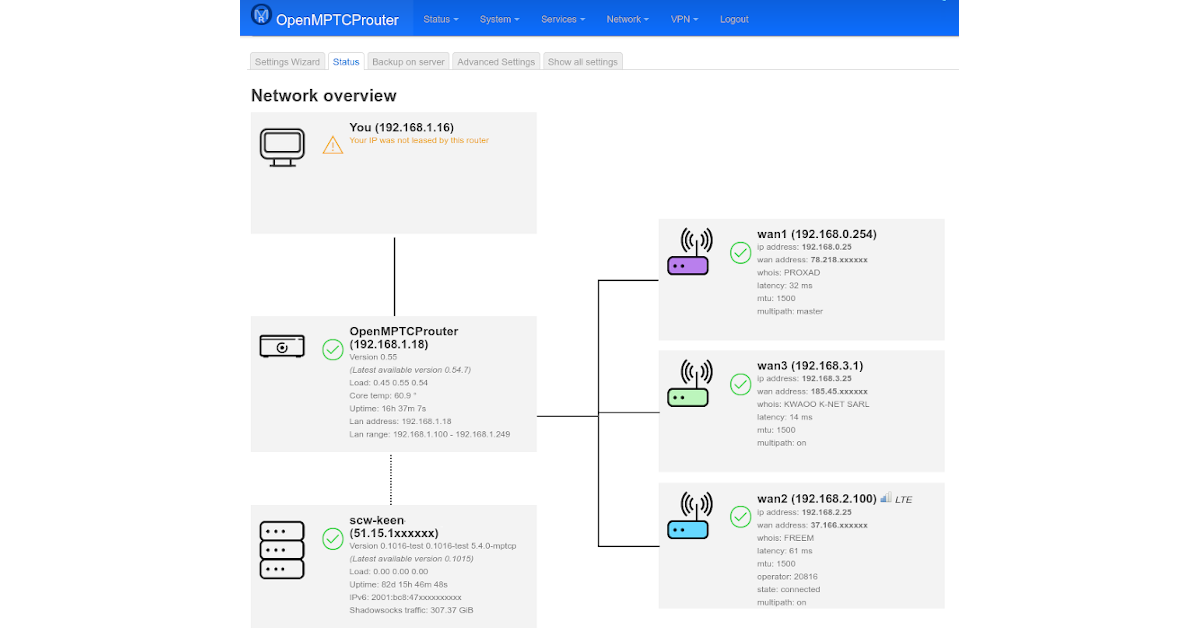
OpenMPTCProuter
 icy spade
Anyone know cable this is / what that connector on the left is
 leaden quail
what is it connected to?
It looks a little like a Lucent Connector for fiber so I'm going to guess this is a fiber to copper transceiver
clear igloo
I'm thinking TERA connector maybe
 wintry osprey
Hello i have a weird question, I'm planning to connect a 2.4ghz controller to my android TV and ethernet at the same time. Will the TV drop one connection? Or can i use ethernet and the 2.4ghz controller together? I know that my Android TV does not support dual band wifi.
 mystic latch
wintry osprey
Hello i have a weird question, I'm planning to connect a 2.4ghz controller to my...
mystic latch
wintry osprey
Hello i have a weird question, I'm planning to connect a 2.4ghz controller to my...
What's a 2.4ghz controller in this scenario?
mystic latch
It has an ethernet port?
Or do you mean wifi
Kinda depends on the controller and its capabilities
wintry osprey
I mean I wanna know if would be able to connect that wireless controller to my TV and use ethernet in the TV at the same time
mystic latch
Ah I see. The controller doesn't have a usb dongle to pair with?
wintry osprey
The controller uses one of those usb thingies
Yeah it has one of those things like those wireless mice
mystic latch
Then those are separate deals, you'll be able to use ethernet & the controller at the same time
wintry osprey
Even if my TV does not have dual band wifi right?
mystic latch
If the android tv is doing internet through ethernet there shouldn't be any kind of interference
wintry osprey
Cool! That's exactly my plan, using the internet through the ethernet. Thank you for clearing this up.
mystic latch
Np
south blade
I want to make an outdoor enclosure for my modem/router, but how do I find antennas that can go outside of an enclosure? I see a lot of what they call N-type bulkhead plugs with SMA connectors I could swap the stock antennas with, but what do I put on this connector? 😛
pseudo blade
N-type antennas and cables, or an adapter back to SMA for an SMA antenna
south blade
but the antennas, where do I find them that are meant to go outside?
The ones I'm seeing just look like what's already on the modem
pseudo blade
Networking supply companies, here in Aus I might use a reseller like wisp.net, cellink, duxtel
Your country will have similar
south blade
This is what I want to recreate, except gonna have 8 antennas, 4 for LTE/5G, 4 for WiFi
 pseudo blade
Sure, if your router supports it. Generally you'd use a board aimed at that use case for space, performance and regulatory reasons.
icy spade
leaden quail
what is it connected to?
its in my college dorm. i need it to connect to eithernet. its like a pigtail to eithernet thing
peak cloak
icy spade
its in my college dorm. i need it to connect to eithernet. its like a pigtail to...
show what it plugs into?

 peak cloak
icy spade
looks something like this
peak cloak
icy spade
looks something like this
looks ancient, but possibily TERA? not sure
icy spade
peak cloak
looks ancient, but possibily TERA? not sure
getting basiclly gigabit from it
peak cloak
icy spade
getting basiclly gigabit from it
yeah tera was designed for high speed
icy spade
950 down 920 down
south blade
pseudo blade
Sure, if your router supports it. Generally you'd use a board aimed at that use ...
You can buy boards to DIY a modem/router?!?
icy spade
its like cat 7 right?
peak cloak
technically the cat 7 spec only allows TERA connectors, not 8p8c
pseudo blade
south blade
You can buy boards to DIY a modem/router?!?
Absolutely, all sorts. I use Mikrotik's RBM33G a lot, but there's a ton of different ones out there for different performance and price points, running various operating systems and with differring module support.
There's the Banana Pi router boards for the more hobbyist type and you can run various operating systems on that
 drowsy reef
yo how would i bypass my schools internet restrictions? a VPN used to work but now the wifi disconnects from my laptop entirely everytime i turn it on. Does anyone know how they are doing this or how i could get past it?
frosty stone
yep, just ignore everything you've already been told
drowsy reef
😅
 tame cave
there is something wrong with my network ... could even be a bad router...need proper diag
I Just need to confirm something
2 routers S and H
Internet is connected to WAN port of S.
A LAN port from S is connected to the WAN port of H
My pc is connected to H
From my pc H is at 193.168.0.1, and S is at 192.168.0.1
Both S and H have their DHCP servers on.
internet works fine
but when I access 192.168.0.1 (S) sometimes the connection seems bad. Is the network good or is it a miracle it's working ?
peak cloak
tame cave
I Just need to confirm something
2 routers S and H
Internet is connected to WAN ...
it's kinda bad practice to do what you are, especially since the IPs of the routers are the same
you should only have one NATing router
if you need extra wifi coverage use access points
covert sentinel
bro does anyone know about xfinitys port fowarding? I did port fowarding to my desktop but the ports are still closed
i changed my computer to IPV4 and its still not working


 peak cloak
covert sentinel
bro does anyone know about xfinitys port fowarding? I did port fowarding to my d...
peak cloak
covert sentinel
bro does anyone know about xfinitys port fowarding? I did port fowarding to my d...
how do you know it's closed. And what about windows firewall?
icy spade
on which part
opal pagoda
icy spade
on which part
on the left connector
covert sentinel
peak cloak
how do you know it's closed. And what about windows firewall?
I'm using https://www.yougetsignal.com/tools/open-ports/ and its saying its closed, I've allowed port through firewall
Port checker is a utility used to identify your external IP address and detect open ports on your connection. This tool is useful for finding out if your port forwarding is setup correctly or if your server applications are being blocked by a firewall.
I have xfinity and its a headache to port foward
icy spade
opal pagoda
on the left connector
not really the right one says "CFN" and "5e"
peak cloak
covert sentinel
I'm using https://www.yougetsignal.com/tools/open-ports/ and its saying its clos...
anything running on that port?
does it work locally?
mystic latch
covert sentinel
bro does anyone know about xfinitys port fowarding? I did port fowarding to my d...
Does your router have a public or private IP as its WAN?
i.e. does the IP start with 10.x.x.x., 192.168.x.x or 172.16-31.x.x?
covert sentinel
peak cloak
anything running on that port?
Yes, its for a dedicated server for a game, how can i test if it works locally? If i host in game i can invite people from steam and they can join, but when i host the dedicated it just doesnt work
covert sentinel
mystic latch
Does your router have a public or private IP as its WAN?
How can i check this? In CMD doing ipconfig it shows 10.0.x.x, on google its 24.xxx.
mystic latch
Can you log into your router's webUI?
peak cloak
covert sentinel
Yes, its for a dedicated server for a game, how can i test if it works locally? ...
use another computer on the same wifi/network
to connect using the server's local IP address
covert sentinel
Nope it's saying it isnt responding
covert sentinel
mystic latch
Can you log into your router's webUI?
They only have an app now sadly, but i can look there
peak cloak
covert sentinel
Nope it's saying it isnt responding
then it's not a port forwarding issue
at router level
do you have multiple routers by any chance?
covert sentinel
I do have a TPLink that i used to connect my quest 2 to my PC but it's not plugged into the xfinity router rn because i dont play VR much
mystic latch
Is the port the server is running on tcp or udp?
You can use a basic powershell port scanner from another machine to see if the port is actually open on your desktop
https://www.infosecmatter.com/port-scanner-in-powershell-tcp-udp-ps1/
You just use the appropriate script depending if its tcp or udp

Introducing port-scan-tcp.ps1 and port-scan-udp.ps1 network port scanners written in PowerShell to find open, closed or filtered ports on remote hosts.
opal pagoda
covert sentinel
How can i check this? In CMD doing ipconfig it shows 10.0.x.x, on google its 24....
you may be behind cgnat
pseudo blade
opal pagoda
you may be behind cgnat
Impossible to tell that way lol, that's just their local NAT they're seeing from ipconfig
opal pagoda
pseudo blade
Impossible to tell that way lol, that's just their local NAT they're seeing from...
yes i know but his issues could be bc of cgnat
mystic latch
Yea, that's why I asked about the IP reported for WAN by the router
south blade
Question, modem/router antennas, can the device burn if turned on without antennas? Can I try a 10 foot SMA extension cable I have rolling around on my LTE/5G modem? I only have one I tried on something, don't remember what I got it for.
peak cloak
south blade
Question, modem/router antennas, can the device burn if turned on without antenn...
radio in general, yes
although routers/modems may have protections
ik I turned on my R/C radio without antanae and it broke
 cursive granite
hey, I THINK this counts as networking, but is there any way to edit which widgets are on your PFsense dashboard without being in the dashboard view? 'cause I added a widget and it broke the dashboard view
peak cloak
cursive granite
hey, I THINK this counts as networking, but is there any way to edit which widge...
Probably via the text config
Dashboard is defined somewhere
cursive granite
peak cloak
Dashboard is defined somewhere
Thanks, managed to find a way into other parts of the web interface (couldn't use any drop downs at the top) and found the config change history, so I was able to roll back the dashboard change 😛 would have been sad if I lost my dashboard, I love watching all the graphs and stuff. And finally have ad blocker/ anti-virus set up in router now as well 😄
The Pi Hole vid showing up in LTT TV inspired me to give that another go 😄
mystic latch
cursive granite
The Pi Hole vid showing up in LTT TV inspired me to give that another go 😄
Here are some great lists for it
https://firebog.net/
Pi-hole compatible blocklists for you to have a more enjoyable online presence
cursive granite
mystic latch
Here are some great lists for it
https://firebog.net/
there's already a bunch of stuff built into the PFsense plugin I'm running 😉
covert sentinel
it's working now so i guess it was the game, started fresh, clean install of the game + server and its good
 crimson mica
opal pagoda
you may be behind cgnat
crimson mica
opal pagoda
you may be behind cgnat
xfinity doesn't do cgnat
 long scarab
cloudflare community is so toxic lmao

 long scarab
ugh, tryna get my friends google site on a subdomain of my domain is a pain
like it's theirname.domain.tld
googles like alright cool, you can do that after you verify you own the domain or subdomain
we verify it, and we assign it to their google site. now it wants us to add www to a cname record like www.domain.tld but that simply will not do
i tried www.theirname.domain.tld
without proxy, http returns google's 404 page
with proxy, both http and https return an invalid response
thanks google, ya really make things easy and convenient
 reef pebble
Stupid question. But lightning fried my modem (literally struck the electricity pole in front of my house) but i have a spare router. Can I convert DSL somehow to go in the WAN port? Im desperate at this point
opal pagoda
reef pebble
Stupid question. But lightning fried my modem (literally struck the electricity ...
modem is owned by isp, when my modem got killed isp replaced it within a day
reef pebble
opal pagoda
modem is owned by isp, when my modem got killed isp replaced it within a day
got a new one, had to buy it and i want to unalive myself
wifi works for a minute, then not for 30 minutes
i think my dsl got fried somewhat
 runic plinth
My ISP has just announced 10 Gbps internet for residential for 100 euros
hollow marlin
@clear igloo @waxen scroll First batch of the $2m order of Juniper gear just arrived. New toys to play with 
 lucid siren
runic plinth
My ISP has just announced 10 Gbps internet for residential for 100 euros
lucid siren
runic plinth
My ISP has just announced 10 Gbps internet for residential for 100 euros
lol 10g for 100 bucks hahaha, if you use more than 500mbps u cost them money
peak cloak
lucid siren
lol 10g for 100 bucks hahaha, if you use more than 500mbps u cost them money
Most residential customer aren't using really more than 100mbps average
It's mainly just burst
opal pagoda
runic plinth
My ISP has just announced 10 Gbps internet for residential for 100 euros
is kidney a valid payment option for fiber install?
lucid siren
peak cloak
Most residential customer aren't using really more than 100mbps average
yeah hahahahah
peak cloak
@hollow marlin optimum has 8gig now in my area
lucid siren
95% xD
hollow marlin
waxen scroll
ASR9k... NCS... lets go
All our recent customer peers seem to be using NCS. However, MXes are still king 
hollow marlin
peak cloak
<@462711605063450628> optimum has 8gig now in my area
That's the first I heard of that provider
peak cloak
hollow marlin
That's the first I heard of that provider
Really? They are owned by Altice now
The 2 big ones here are optimum and Verizon
Really the only 2
hollow marlin
peak cloak
Really? They are owned by Altice now
I do not know how I never heard them before as they up there in coverage/size
reef pebble
got a new modem after my old one got fried, but it seems to be much shittier even though its newer, i move even a room and even though it has signal it has "no internet"

im wondering if this level of noise is bad? google tells very different levels and most articles seem to be ai generated
oh i just discovered that when i disable 5ghz, my wifi doesnt work anymore. meaning that my wifi is for some reason only 5ghz, even though i only have 100mbps speed
nvm shit doesnt work anymore
god i love networking
you turn on a switch and your entire house collapses
lucid siren
sounds like a good ol loop
mystic latch
Interesting. Just got a client that uses publicly routable IPs for their internal network. They've apparently owned the /24 since before IANA existed.
Or at least before they assigned private IP ranges.
peak cloak
mystic latch
Interesting. Just got a client that uses publicly routable IPs for their interna...
That's what my uni does at least for certain applicantions like dorm internet
mystic latch
Cool. I wonder what kind of challenges there are managing a network like that compared to using the standard private ranges
peak cloak
mystic latch
Cool. I wonder what kind of challenges there are managing a network like that co...
don't see how it's any different
just a different IP range, firewall is all the same, just no NAT
runic plinth
opal pagoda
is kidney a valid payment option for fiber install?
lol, instalation is free with a 24 month contract, you pay 100 euro monthly and includes 200 tv channels, android tv box, 10Gigs router and landline. Speed is 10 Gbps symmetric.
hollow marlin
mystic latch
Or at least before they assigned private IP ranges.
Assuming it's a 192.x.x.x/24? If so, the obligatory not all 192.x.x.x subnets are private
 desert heath
What a good remote desktop app for a andriod phone on a home network?
I don't need to cast desktop to my phone, just to control pc while on couch.
peak cloak
desert heath
What a good remote desktop app for a andriod phone on a home network?
I don't ...
Windows rdp

Remote Desktop allows you to connect to remote PCs and apps.
thick minnow
what has changed between now and like 2009 that would make a modern computer unable to even ping an older system
drowsy fossil
thats likely not the problem
if both are able to get internet, then pinging each other may be a firewall issue
desert heath
peak cloak
https://play.google.com/store/apps/details?id=com.microsoft.rdc.androidx
Thank you
peak cloak
thick minnow
what has changed between now and like 2009 that would make a modern computer una...
windows disables ping by default fyi
mystic latch
hollow marlin
Assuming it's a 192.x.x.x/24? If so, the obligatory not all 192.x.x.x subnets ar...
Yes, I know. Which is why i mentioned it in the first place.
 narrow dagger
Does anyone know how to disable TLS or decrypt HTTP protocols from a TLS protocol packet
 upbeat dome
hi i got a question. if my pc wanted to talk to the phone, would the packet path be sw1 -> sw2 -> phone OR sw1 ->router -> sw1 -> sw2 -> phone? thanks
 opal pagoda
upbeat dome
hi i got a question. if my pc wanted to talk to the phone, would the packet path...
opal pagoda
upbeat dome
hi i got a question. if my pc wanted to talk to the phone, would the packet path...
sw1 -> sw2 -> phone if pc knows the mac adress of phone
thick minnow
I’m having trouble getting cell signal in my apartment
Is there anything I can use to get better signal in my apartment?
icy spade
Hey anyone know what this port is? Its some sort of networking port that can be adapted to a standard ethernet port with this adapter.
Someone said it might be TERA but I'm not sure as I havent found an image of a tera connector that looks quite like that

 icy spade
thick minnow
Is there anything I can use to get better signal in my apartment?
icy spade
thick minnow
Is there anything I can use to get better signal in my apartment?
You might be able to look into ethernet to cell tower type boosters
https://www.verizon.com/products/verizon-lte-network-extender/
some thing like that not really sure tho

Verizon
The Verizon LTE Network Extender enhances existing LTE coverage in your home or office and supports up to 16 users. Get it today at Verizon.
thick minnow
At&t sadly is my provider