#networking
1 messages · Page 42 of 1
 ionic gorge
 rocky badge
802.1X Port authentication with multiple host
Multi host as soon as the AP is authorized the port is authorized and allows all other MACs through
ionic gorge
multiple host? switch 1 is still going to have to have open 2,3,4,5,6
oh, thats a thing?
so how does that work in practise, the mac of client is bundled inside the mac of the ap?
 mint venture
Anyone knows if you can install and run proxmox through a WiFi instead of ethernet for the installation and web console
 grand ermine
web console sure
 plucky pollen
So me and my dad tried to test it with a 20€ Amazon device. It did make a tone when you connect both parts of it directly, but we went through all the cables (yes we probably unplugged our neighbour's internet) and it didn't show any one as matching, even the one which we know our cable internet is going through (disconnecting it made our internet stop working). What could be the cause of this? Did we possibly do something wrong? Should we try again with a different testing device?
 peak cloak
mint venture
Anyone knows if you can install and run proxmox through a WiFi instead of ethern...
peak cloak
mint venture
Anyone knows if you can install and run proxmox through a WiFi instead of ethern...
yes
although wdym by install?
 quasi bramble
anyone know of a switch or router with at least 2 2.5gbps (wan + 1 lan) for under $100 canadian?
mint venture
@peak cloak I installed proxmox via a usb drive on my pc but since my pc uses WiFi adapter I couldn't log into the web console from another pc or anything like that
peak cloak
mint venture
<@222482269829332992> I installed proxmox via a usb drive on my pc but since my...
oh yeah so you will need to setup wifi via the cli
mint venture
How do I do that?
peak cloak
and the default proxmox networking setup won't work since you can't have multiple macs on an wifi client iirc
mint venture
Oh so how should I make it work?
mint venture
Thanks
Is it possible to set up another router and than connect the desktop via Eth cable to that router ?
peak cloak
mint venture
Is it possible to set up another router and than connect the desktop via Eth ca...
a wifi bridge? yes
mint venture
Yes like connect the router in my room to the main router wirelessly and then use an ethernet cable from my router to pc
quasi bramble
mint venture
Yes like connect the router in my room to the main router wirelessly and then us...
In theory yes, not all routers support it in their stock firmware though so you may need to look into custom firmware like ddwrt, openwrt, or tomato depending on what router model you have
mint venture
I see thanks
 distant pond
how to set up local DoH on adguard?
 turbid scroll
rip
 slender rune
I ran nextcloud sync on a large folder in my surface pro and it duplicated the folder on my PC
now im out of storage space
what's the correct setup for nextcloud sync so that i only have one copy of the folder stored locally?
plz help

I have a downloads folder and a nextcloud/downloads folder in my user folder
figured it out. I needed to uncheck downloads from the folders in my /nextcloud sync
plucky pollen
plucky pollen
So me and my dad tried to test it with a 20€ Amazon device. It did make a tone w...
Any ideas?
 low pond
exchange building?
peak cloak
plucky pollen
So me and my dad tried to test it with a 20€ Amazon device. It did make a tone w...
coax are well shielded sometimes you need to be right into the core piece to hear it
what device did you use
 opal pagoda
plucky pollen
Any ideas?
opal pagoda
plucky pollen
Any ideas?
take photo of that "20$ amazon device"
 opal pagoda
did you test that it works on known good coax?
plucky pollen
We didn't have the right adapters to use it with our coax cables iirc, but as I said it did work when connecting the pieces together directly. When we tested the line that we know our cable internet goes through, it did not work however.
 coarse dagger
If I understand correctly, Issue: Potential user unplugs AP cable and plugs in their laptop Solution: Don't give them access; door access control, cabinet lock, ethernet ends that unlock w/ tool.
slender rune
No, I mistakenly had the folder set twice in 2 locations
 cinder sapphire
explain why my downloads are always limited to 10mb/s. i should be getting up to 30-40 since im paying for 500mbps

like i get downloading smth will obviously limit my speed on the test
but im saying that speed regardless doesnt match what im getting
 kind pivot
I can't read well on my phone but don't mix up b and B
1MB = 8Mb @cinder sapphire
cinder sapphire
i know the difference. but 278 Mb doesnt equal 10MB
kind pivot
True, but then it depends on the server
Try downloading a known game on steam like cs:go
cinder sapphire
its the same everywhere, xbox, steam, epic, etc
kind pivot
What's your storage?
kind pivot
Oh btw use ublock not AdBlock 😉
cinder sapphire
bet
kind pivot
cinder sapphire
this is a recent issue so its not my storage
I mean your storage could have a recent issue
It's quick to check, just run a quick test
I know it sounds stupid and it's probably useless but when troubleshooting it's always better to check everything
cinder sapphire
how would i check a sabrent drive?
kind pivot
Idk, hdtune test for example
Or maybe just copy something from another drive to this one
Because speedtest works fine
If it says 280 consistently then you have around 280, there are no shady business between them and ISP
So it's probably their server that has a problem or your write speeds or cpu decompression speed or smth
cinder sapphire
kind pivot
Because speedtest works fine
If it says 280 consistently then you have around 28...
this is under stress and i normally hit 500mbps so thats normal. what isnt normal is the lack of speed from any download
and its not my drive it would seem so far
test isnt done yet so ill see
kind pivot
Ok
Also try to download cs:go on steam too, with this one it will be a certainty that this is not their server
And open up a task manager to look at CPU usage and network speed while doing do (and not doing it too)
Because as I said if you get 500 on speedtest it's not your internet connection that has a problem
Oh and alternatively you can also try other speedtest websites
cinder sapphire
booth ookla and google say 500+
test is almost done

so its just an xbox thing then?
 kind pivot
Yeah this doesn't hit cache size but whatever, I think that if the cache is saturated on this drive you'll go down to at least 600MB/s
So no problem with the drive and it's not filled
kind pivot
cinder sapphire
so its just an xbox thing then?
That was the first thing I told you 
Servers aren't always up to the task yeah
cinder sapphire
its been pretty consistent lately
kind pivot
Being someone that manages servers and didn't sleep at all last night cuz some were down believe me it happens
cinder sapphire
for a company that runs their own server hosting you'd think theirs would be up to the task...
kind pivot
Or they have a fixed amount of bandwidth and lately everyone is using it cuz Forza 5 or idk
cinder sapphire
i guess? but the only releases soon are starfield and exoprimal. ive seen smth like this happen when fallout 76 released but not this consistent over the last 3 months
it happens on epic too, but that makes more sense since they don't focus on server bandwidth as much
kind pivot
Yeah but anyway it's just their fault
peak cloak
kind pivot
Yeah but anyway it's just their fault
Well not always
Could also be congested network
 worldly spindle
does anyone know which one is the better router between:
ASUS RT-AX86U Pro AX5700
ASUS ROG Rapture GT-AX6000
ASUS RT AXE7800 Tri-band WiFi 6E
those are the options that are available in my area & at a price that I can afford
opal pagoda
worldly spindle
does anyone know which one is the better router between:
**ASUS RT-AX86U Pro AX5...
do you have higher than gigabit internet from your isp?
worldly spindle
I'm currently at a 1gp internet plan, but I chose routers with 2.5 gpbs incase I might want to upgrade
mainly looking for something decent for gaming but also comes with better range than my current router, too many deadzones
my ISP's old router had better wifi range than what I'm currently using 😂 so I'm in need of an upgrade
opal pagoda
worldly spindle
my ISP's old router had better wifi range than what I'm currently using 😂 so I...
you know that you dont need a new router if you want better range
worldly spindle
opal pagoda
you know that you dont need a new router if you want better range
well what would you recommend me do?
opal pagoda
worldly spindle
well what would you recommend me do?
if you just want better wifi coverage get a access point and mount it where you have deadspots
worldly spindle
I know that'll definitely help, but my router is old enough that I thought of upgrading it first then check to see if I still need more range, then I'd get an access point
 clear igloo
I would honestly get a firewall/router and then dedicated APs
 sage magnet
Is there any way for me to test the coaxial cable coming into my house?
I scheduled an installation with Cox, I received an e-mail saying that it is on-hold without updates, but I didn't have the time during the day to call them.
I start grad school tomorrow and I had orientation all day Wednesday through Friday.
I set up the Motorola combined modem\router in my room and couldn't get anywhere.
I actually currently have CenturyLink, but they said they need to tear a big hole in the neighbor's hedge to get me the full 140 Mbps, while we had 300 Mbps out in the country, and Cox offers 500 Mbps for the same price.
I wasted hours with 3 different Cox employees.
The first one took longer and longer to respond and Cox disconnected me when she hadn't written anything in 30 minutes.
I gave the second one all of the information I gave the first, he asked for it again, and then I believe that he activated the modem, but didn't say so, just "Have an excellent rest of your day."
It still didn't work, so I went through everything all over again, and he said that the modem that already showed up as activated on Cox's site was now activated--but still didn't work.
I connected it in the living room and figured that I needed to run a long ethernet cable throughout the rental, just like I did back in the country, but it only got 29 Mbps, not the 32 Mbps that I got through CenturyLink.
I tried to increase this.
Cox had a page saying to power cycle the modem\router and then disable the firewall.
That didn't do anything, but I disabled the VPN, and it hasn't worked since.
Windows keeps telling me that I need to log in and then it tells me to activate the modem, but I can never complete the process, the pages won't load.
I needed to connect to CenturyLink to enable the VPN, but as soon as I switched back to Cox it wouldn't load the pages again.
I reset the network settings twice, but it didn't change anything.
I swapped the ethernet and coaxial cables without any effect.
How do I make this work?! 🙂
I bought a Motorola MG7700 Modem WiFi Router Combo.
 visual tangle
sage magnet
Is there any way for me to test the coaxial cable coming into my house?
I schedu...
visual tangle
sage magnet
Is there any way for me to test the coaxial cable coming into my house?
I schedu...
Have you check the coax cable entering your domicile to the modem?
Are all connections tight?
Do the splitters, if they have directionality, appear oriented correctly? Are there a large number of splitters (each one has signal attenuation usually)?
In my experience a not insignificant amount of issues with cable modems in the past is that the connection to the incoming coax is bad and that's why my cable modem is not able to connect.
sage magnet
visual tangle
Have you check the coax cable entering your domicile to the modem?
Are all conne...
I replaced it without effect.
All connections are tight.
I didn't find any splitters or I would have plugged the modem\router into the cable on the other side.
visual tangle
That's not really a response to my suggestion.
My suggestion is examining, to the extent physically possible, every connection between the coax coming into your building coming to your modem.
Unless you are in a single family home with a single coax cable to a single jack there are going to be multiple cables to examine.
sage magnet
There is a box on the side of the house and a jack on the inside of the far wall.
visual tangle
Were the connections in the box good and tight as well?
If you undo the wall plate, is that connection good?
If yes... And your cable ISP cannot reach your modem (they should be able to tell you this over the phone) then you may have:
- a modem incompatibility issue if bringing your own.
- a defective modem.
- a problem with the connection to the house from the cable company (these sometimes happen due to tree damage, or a work order to remove/end cable service to the dwelling you're in or an adjacent one but someone screwing up the work order).
[1-3 listed in no particular order of likelihood.]
sage magnet
How do I open the box?
visual tangle
Usually there is a screw or a socket that is needed. Do they have it secured differently?
If there's a lock on it, I'd wait for my provider.
sage magnet
They said that they activated my modem when I had a green downstream light, but no upstream, and when I plugged into the living room I had both arrows and they were blue, so wherever the splitter is, I don't think the cable going into my room is any good.
From what I have read, it takes days of dealing with one IT employee after another until they finally agree to send someone, and they probably want to charge you.
visual tangle
If you find the splitter you can swap the cables, see if that helps.
sage magnet
If I find the splitter I can connect to the cable coming from the residential box.
visual tangle
Well, sometimes you'll need a female-female plug, but yes, if you already have one, great.
https://www.homedepot.com/p/IDEAL-F-Series-Coaxial-Cable-Female-Adapters-2-Pack-85-071/204063261
Something like this let's you remove a splitter.
But, when you have the modem in the one room it works?
sage magnet
It worked until I disabled the VPN. Now Windows keeps saying that I need to login, Cox keeps saying that I need to activate my modem, and I can never complete it because the pages don't load.
visual tangle
And if you hard reset the modem to factory defaults so that whatever settings you changed revert?
sage magnet
I never changed anything with the modem\router, the VPN is on the laptop.
visual tangle
(Keep in mind, "activating a modem" is basically registering its unique identification into a table and saying "this device is acceptable to connect to our network".)
sage magnet
Yes, which the second employee did, but the third did it again, and Cox keeps telling me to redo it.
visual tangle
Okay...
So, if you run in CMD with admin: ipconfig /all
Do you have an IPV4 address populated?
i.e. Do you see a network?
By what mechanism is Cox telling you to reactivate?
For traffic to stop functioning when you change your VPN, that sounds like it may be on your laptop's end.
I think you mentioned your modem is also a wireless access point and router, if you turn your phone to airplane mode and connect to your network via WiFi does your phone have access to the internet?
(i.e. Is this a nothing works problem or just not this device works problem?)
sage magnet
It works okay with CenturyLink, it is just half-power without putting a big hole in the neighbor's hedge.
visual tangle
Well, CenturyLink and Cox are two separate ISPs, no?
So what does CenturyLink working have to do with Cox working or not?
I'm confused.
(Also, I guess I'm confused as to what kind of ISP needs a large hole through a neighbor's hedge unless it is line of sight, but that's another matter.)
sage magnet
The installer said the phone box is inside the hedge.
 rapid kayak
Rogers is the Comcast of Canada
Enjoy.
visual tangle
Okay, so the problem is in order to access the box to make modifications/upgrades they you need to cut a hole in the hedge.
Fair enough.
Would an upgrade benefit your neighbor too?
Maybe they'd be okay with so temporary hedge ugliness for better service.
sage magnet
I would rather have 500 mbps with Cox than 140 with CenturyLink.
visual tangle
So... Then back to my questions about what does or does not work with Cox and limiting the problem space?
sage magnet
I am trying to figure out why it completely stopped working when I disabled my VPN.
visual tangle
Your response to me asking if the Cox issue was a problem for all devices vs just your laptop was ~"CenturyLink works".
Not sure how that helps you...
If that's not what you want...
sage magnet
Cox doesn't do me any good if I cannot make it work and I don't know that I have the time during grad school to fight this.
visual tangle
Problem solving 101:
Define your problem space, eliminate variables.
Right now you claim Cox does not work with VPN disabled and that the Cox is now stating a modem that was working needs to be activated again...
That's a very broad problem space.
sage magnet
Claim, eh? Thanks for the vote of confidence.
By the way, I want Google Fiber--and a quadrillion dollars.
visual tangle
You've listed multiple different symptoms with multiple different possible causes.
I've asked you to look into a few different things based on your described symptoms to narrow down to a root cause.
My apologies.
Good luck.
sage magnet
I uninstalled the VPN and pulled up Discord on my phone. I will go through your messages one by one, but since I cannot use Discord on a laptop without Internet, I will send photographs of everything.
Yay you.

This is what I get as soon as I desable CenturyLink wifi.
visual tangle
Okay, what does the middle option do?
 visual tangle
According to you, your modem is activated.
But, if I read your messages correctly (I may not have) it sounded like you had this working in one room during the first phase of activation, then moved it the modem to your living room.
Since then it has prompted you for activation.
sage magnet
It never worked in my bedroom, but they activated it twice.
visual tangle
Okay, so it worked once in the living room, until turning off the VPN.
Are you currently connected to the modem via WiFi or Ethernet?
sage magnet
Ethernet.
visual tangle
Good, that's usually better for troubleshooting.
 visual tangle
Hmm
sage magnet
It is like I don't have enough of a connection to establish a connection.
visual tangle
CMD with admin:
ipconfig /all
This will return what your laptop sees itself connected to network wise.
And I believe the address you want is the gateway address.
Using that IP in your browser should bring you to your modem's login page.
From there you should be able to get actual status info out of the modem (there will be some sort of username and password that maybe you configured before or default).
sage magnet
 visual tangle
Rather than this dummy page that you keep getting forwarded to.
 visual tangle
192.168.0.1 is the address you want.
Wait, that's what it gives you when you try that IP?
sage magnet
Right. That is usually it, but some devices insist on being special.
When I told it to reconnect.
visual tangle
(Also, pretty clear evidence that Cox is full of BS if they're telling you the device is registered... But whatever...)
sage magnet
 visual tangle
Ah. Okay.
sage magnet
I don't think there is anything private on these screens..
visual tangle
I mean, don't show the passwords, you're fine.
sage magnet
From what I have read, tier 1 techs read a script and don't know what they are doing.
visual tangle
Okay, so you need to ask someone at Cox what MAC address they have registered for your modem and confirm that it is the one you have displayed on the modem.
I assume the number on this page matches the address printed on your device (bottom or back)?
Also, you don't need to send a screenshot, but may be worth looking at the advanced options to see if your device software has a status page where it gives you any upload and download info, and if there are any firewall or VPN settings.
sage magnet
This is what Cox shows back on my desktop. I don't know if anyone can do anything with my serial number, but I am a careful man:

None of the options seem to do anything useful.
visual tangle
Neither shows you the MAC address?
Does the serial number match the one on your device?
(Don't need to send screenshots of serial number, just double check that their info is right.)
sage magnet
If I click on anything it says:

There aren't any checkboxes or anything to select a device--and only one device.
ionic gorge
Does a managed switch require a vlan tag since it has an ip address?
sage magnet
That depends. What do those words mean? 🙂
[Responses like that got me banned from TechSupport or something--without warning]
visual tangle
sage magnet
There aren't any checkboxes or anything to select a device--and only one device.
Right, so their online portal is halfway useless.
You unfortunately need to talk to someone at Cox who actually has the wherewithal and capability to confirm what device they have listed on your account.
sage magnet
That serial number that I blurred is my MAC address.
visual tangle
Okay, so then the way I would handle this is to call them, ask them to remove the current device, and re-add it.
I would consider a factory reset of the device, if you have not already done so, beforehand, just in case any settings you may have changed may be causing your headache.
sage magnet
I didn't change any settings, but I will reset it regardless.
visual tangle
My experience with ISPs in dealing with them for about 23 years now is that I need to know how this stuff works better than they do until I get to tier 3 or 4.
sage magnet
So, someone entered the wrong number, and wasted my entire day?
visual tangle
Because tier 1 or 2 don't actually know how anything works, and are following a script.
sage magnet
...and that script doesn't include any problems.
visual tangle
sage magnet
So, someone entered the wrong number, and wasted my entire day?
Well, something about how they entered it does not seem to be working, yes.
Look, telecoms have chosen a race to the bottom approach.
They mostly hire out a call center in India and say: read this.
And that is T1 / T2 support.
sage magnet
I keep reading that life is vastly better when Google Fiber is available.
visual tangle
I've had decent experiences with Verizon FiOS and Starry.
So far it's okay with Astound (RCN).
I've had multiple really craptadtic experiences with Comcast that have probably reduced my total life expectancy.
sage magnet
We only have Verizon in my area, but not my neighborhood.
I was using my phone's hotspot until CenturyLink connected and it is much better, but not nearly as good as we had in the country.
visual tangle
Ameritech and AT&T U-verse were middle of the road.
And AOL was a farse...
But, that just dates me.
sage magnet
I always wondered about sending out fake AOL discs with viruses on them.
visual tangle
But, to answer your question, yes, you're going to have to handle the person who answers the call, tell them exactly what you want them to do, and basically steer them any time they try to have you do the next thing on the script.
If you feel like you're going around in a circle, ask to escalate to someone who is more comfortable with your request.
sage magnet
Bank of America sold 1,597 rural branches to Washington Federal, which didn't have 1,600 branches at the time.
Mom and Dad spent a week transferring over their accounts to the new owners and then changed over to Chase because Washington doesn't do transfers after business hours or provide any support.
Dad passed away the next week and Mom blamed the stress from changing over all of their accounts twice.
visual tangle
Oh, and ask them to wait for you to confirm that whatever they say they did actually worked
sage magnet
Absolutely.
The third time I was trying to verify before responding, but they disconnected.
visual tangle
Also, mention it's your third time calling, you are still having issues, and would like to escalate.
Sometimes you can skip to a better tech.
sage magnet
When they said "I'll need the Model and brand of cable modem, MAC address, and Serial number" I sent a picture and apparently they messed up that.
This will be the fourth!
However, hopefully if they just put the correct number in the correct place this will actually work, so I will have them send my information back to me.
You know, since this connects at all I wonder if there is still a worse problem.
visual tangle
Possibly, but get past this one first.
sage magnet
"Hi! Nice to meet you (sending you virtual high fives), I understand that you are seeking assistance, No need to worry, you've reached one of Cox's top tier agents..."
visual tangle
@ me if you need me.
I'm doing some indoor cycling.
sage magnet
Don't the cool kids call that "Spinning?"
I asked "Exactly what is your tier?" and apparently this is a complicated question.
"Sure, I'm your support representative that handles your billing and technician support assistance."
That did not answer my question.
sage magnet
Once that I wasted hours of my life with five different Cox representatives and several hours trying to make it work on my own, one told me to call 912, and after half an hour I was finally able to set up the modem on my end.
My 500 mbps connection tested at 512.
 radiant bone
I think this would fit in this chat?
My internet comes in from the wall via a Coax cable that plugs into the modem.
From there, that's connected to the router via a CAT5 cable.
Router connects to the family computer in the same room via a CAT5 cable
(This means I can't really move the router around much without running a new ethernet cable)
Router also connects to my personal computer, upstairs and across the entire house. (Again with CAT5)
Wi-fi signal is generally good through-out the house, but my room suffers connection.
They didn't run it centrally and opted to put this all in 1 corner of the house.
Is there any way I can strengthen the signal for the wifi?
Is it possible/plausible to get faster speeds by replacing any cabling?
Current router is a TP-Link AC4000 (Archer A20)
https://www.amazon.com/TP-Link-AC4000-Smart-WiFi-Router/dp/B084HLB7LJ

This is what I get using my wired connection on my personal computer across the house. Not the best but it works for gaming. The issue comes in when using my phone or if someone's on a laptop in here trying to join me in-game. They stutter and lag really bad. The latency is insane, making anything more than a very simple co-op game, pretty much impossible.

And this is what I get via my phone (Pixel 6 Pro)
Unfortunately I don't have the laptop here at the moment to show how abysmal the speed is on that.
But for instance, "Stardew Valley". A game me and my better half like to play together at times. Is a rather simple game but when she's in here on the laptop there is a good 3-4 seconds of delay between what we're doing cause of her connection. Hell, it often drops connection completely and her laptop says there's no Wi-fi at all cause it has such a hard time detecting it.

 pseudo blade
In order:
Returns 0.0.0.0 or :: as the result
Returns an error refusing to resolve the record for policy reasons
Returns an error saying the domain doesn't exist.
Returns 0.0.0.0/:: again
Returns whatever you tell it to
distant pond
which one is the best?
 bold drum
Well that was fun. My HBA cooked itself. The server was none too pleased.
pseudo blade
Guess the next one gets a fan
pseudo blade
distant pond
which one is the best?
Honestly whichever works for you? Leave it be unless another setting gives you a desired effect
distant pond
okay ty
visual tangle
sage magnet
Once that I wasted hours of my life with five different Cox representatives and ...
Well glad it's working.
Isn't it amazing just how much of a hassle they make it for you to get there though?
Like, I'm paying you for a service, all I'm asking is that you deliver what I'm paying you for.
visual tangle
sage magnet
Don't the cool kids call that "Spinning?"
Not quite.
I have a smart trainer that has internal gearing that matches that of my road bike.
I use that paired with Zwift to do virtual rides.
Spinning is usually more a tempo and heart rate question. In my case I have virtual ascents and descents where the bike will add resistance on climbs and lower resistance, actually to the point of driving the "wheel" when going down hill.
visual tangle
radiant bone
I think this would fit in this chat?
My internet comes in from the wall via a ...
It sounds like you have a fair amount of CAT5 running through the walls.
Depending on where all you have places to plugin the best recommendation I can give you is adding a second access point (AP), either more centralized or on the other side of the house.
The device you use can either be a dedicated AP or a wireless AP / switch (like your current TP-Link device) configured in AP mode.
Doing this should allow you to have much better coverage all while using the same wireless network ID.
radiant bone
visual tangle
It sounds like you have a fair amount of CAT5 running through the walls.
Dependi...
I was sorta hoping to avoid that as I didn't want a 2nd point that I'd have to manually switch my devices over to. Entryway to the house is near the 1st point and it's far enough to weaken the signal, but still close enough I feel as though wireless devices wouldn't let go and continue to stay latched onto the 1st.
I haven't looked at routers in a long time. And sadly not really seeing much info regarding specs when it comes to the range. Is there any way to check that sort of thing when comparing routers? I can get it maybe...10-12 ft closer to where I need it but ideally I'd love if I could just have a bigger, more powerful signal/range
visual tangle
radiant bone
I was sorta hoping to avoid that as I didn't want a 2nd point that I'd have to m...
If you use it in access point mode it should not require manual switching.
It should be automatic to whichever has the strongest signal.
You would have one wireless network with multiple access points, not separate networks.
If you look back to 04/25/2023 I provided a lot of resources about wireless signal ranges, attenuation, etc.
 thick minnow
How bad are these?
 thick minnow
im gonna call my isp and yell at them, those numbers shouldnt be below 25
makes sense im only getting 1/5th out of the speeds im paying for
thick minnow
apparently my ISP is not notified when the ISP they buy bandwidth from is doing infrastructure upgrades, apparently the door to door salesman for another ISP knows more than my ISP 
kind pivot
Pretty sure that thanks to Linus price of epyc stuff on ebay will skyrocket
pseudo blade
I doubt it
 worthy valve
I am at the limit of my dogshit isp gateway/router/modem

Can't wait to swap this out for a WAG-D20
 little schooner
I have performance issues with intervlan routing using a bare metal pfsense 2.7.0 box with two i226 Intel NIC ports. One NIC port is assigned as the WAN interface and the other is assigned as the LAN interface.
The LAN interface has 5 VLANs on its interface (Router on a stick mode). I have an ISP that is providing us with 1gbps down/up. Whenever I do download/upload speed tests, upload speed gets pinned to 142-145 mbps. This traffic comes from VLAN 100 and goes out to the WAN.
When I remove all VLANs from the LAN interface and only have it as a simple WAN+single network LAN setup, I get the full download and upload speeds again.
If I were to dedicate the VLANs to their own interface ports (one per VLAN) would this resolve my PFsense performance issue while still being able to firewall traffic?
 hollow marlin
worthy valve
I am at the limit of my dogshit isp gateway/router/modem
hollow marlin
worthy valve
I am at the limit of my dogshit isp gateway/router/modem
What's the actual problem?
worthy valve
I don't have a 10gig port
I have sfp+ going into my PC, switch and router but I am limited by the wan port on my ISP router that I have to use until I bypass completely
clear igloo
I'm asssuming this is AT&T for your ISP? If so what's the point if you're still rate limited at 5Gbps anyway?
hollow marlin
When I hear "dogshit", not having a particular interface does not mean it is so
 eternal glacier
I have a problem. I just got 300 ^ and 300 v internet installed today. The issue is that I have my computer plugged into the switch (via cat 5e port in the wall) and i am only getting 94 ^ and 94 v. I've tested it with a cable that works perfectly fine for my brother's computer (he is getting 300 ^ and 300 v) and my motherboard is gig speed, can anyone help?
clear igloo
What switch? Sounds like that is limited to 100Mbps or your cable is damaged
eternal glacier
clear igloo
What switch? Sounds like that is limited to 100Mbps or your cable is damaged
some tp link one
 carmine moss
give the model number of it tp link makes a lot of different ones
clear igloo
yah, saying "a tp link" is like a mechanic asking what model car and you saying "a red one"
and you're not going through any powerline stuff are you?
 carmine moss
you probably have a damaged cable as the switch is gigabit rated
eternal glacier
The problem with that is that I tried my brothers cable did not work either, but that same cable that gave me 94 on my computer gave him 300 on his
clear igloo
What's the layout, roughly?
PC > Switch > Router?
Does your brothers PC go through the same layout?
eternal glacier
clear igloo
What's the layout, roughly?
PC > Switch > Router?
Does your brothers PC go throu...
Router > switch > pc
clear igloo
Check in your network card settings and make sure it's set to auto negotiate and not 100Mbps
eternal glacier
clear igloo
Check in your network card settings and make sure it's set to auto negotiate and...
It's my mobo
The asrock b450 pro4
Gig speed lan port
carmine moss
so is your brother on the switch also or is he on a different port in the router?
clear igloo
But port speed can be manually set by accident, make sure it's not set manually to 100Mbps
eternal glacier
 eternal glacier
clear igloo
But port speed can be manually set by accident, make sure it's not set manually ...
eternal glacier
clear igloo
But port speed can be manually set by accident, make sure it's not set manually ...
Where could i check that?
eternal glacier
carmine moss
so is your brother on the switch also or is he on a different port in the router...
He is plugged into the switch as mine
FYI all my drivers are updated
ANND my pc is getting 280 ^ and 140 v on wifi
clear igloo
Control Panel > Network & Sharing Center > Change Adapter Settings > Right click on the NIC > Properties > Configure > Advanced
Speed & Duplex is what you're looking for in there
eternal glacier
What is nic
 clear igloo
Was it set to Auto?
eternal glacier
Yea
clear igloo
Try setting to 1.0Gbps, IF it disconnects you set it back to Auto
carmine moss
so the mobo you have has a realtek rtl8111h nic and looking that up seems like other people have had trouble with that moddel on their motherboard
eternal glacier
Gig is still giving me 94
clear igloo
You don't have any "gaming" prioritzation, packet prioritization software installed on your machine do you?
eternal glacier
clear igloo
You don't have any "gaming" prioritzation, packet prioritization software instal...
No
eternal glacier
carmine moss
so the mobo you have has a realtek rtl8111h nic and looking that up seems like o...
Any fixes?
clear igloo
If setting to 1.0Gbps manually didn't kick you off the net then it's negotiating fine link wise so something Windows or software related is likely to blame
eternal glacier
clear igloo
If setting to 1.0Gbps manually didn't kick you off the net then it's negotiating...
Im still runnin fine on gig
eternal glacier
carmine moss
so the mobo you have has a realtek rtl8111h nic and looking that up seems like o...
My mobo was updated about 3 months ago
carmine moss
try reinstalling the lan driver from the asrock website
eternal glacier
carmine moss
try reinstalling the lan driver from the asrock website
Will do
im not that good at finding drivers
if you could help that would be nice
carmine moss
you have the b450 pro4 right
eternal glacier
carmine moss
you have the b450 pro4 right
b450m pro4
carmine moss
Supports AMD AM4 Socket Ryzen™ 2000, 3000, 4000 G-Series, 5000 and 5000 G-Series Desktop Processors; Supports DDR4 3200+ (OC); 2 PCIe 3.0 x16, 4 PCIe 2.0 x1; AMD Quad CrossFireX™; Graphics Output: HDMI, Display Port, D-Sub; 7.1 CH HD Audio (Realtek ALC892 Audio Codec), ELNA Audio Caps; 6 SATA3, 1 Ultra M.2 (PCIe Gen3 x4), 1 M.2 (PCIe Gen3 x2 & S...
eternal glacier
so update the mobo?
carmine moss
it should be the realtek lan driver the global download
eternal glacier
so this one?
 carmine moss
yeah try that as those are the drivers for your network card
 carmine moss
yep
 carmine moss
i would check if you have something installed that is messing with the speed tho the realtek nic's are know to have problems
eternal glacier
any programs in specific?
carmine moss
have you used some driver updator or optimizor as those are bad
or things that say they optimize your internet
also vpn software could limit speed. tho if you don't have any of those things the easy option is get a pci-e nic that is using a intel chip
eternal glacier
carmine moss
also vpn software could limit speed. tho if you don't have any of those things t...
I already have a 1000 mbs wifi card in my 16x slot
carmine moss
it's only pci-e x1 you need for a nic to be gigabit
 carmine moss
it should work in that yeah
eternal glacier
how abt the pcie 3
carmine moss
it should work an any of the pcie ports
eternal glacier

TP-Link 10/100/1000Mbps Gigabit Ethernet PCI Express Network Card (TG-3468), PCIE Network Adapter, Network Card, Ethernet Card for PC, Win10/11 supported
how about this card?
carmine moss
i would get one that says it has a intel chip as that is also a realtek one
eternal glacier
any reccomendations?
carmine moss
just lok up intel nic and get one with good reviews when buying it on amazon
tho check that the chip on it is made by intel
eternal glacier

Product Code: 82576-2T-X1(1G Gigabit Ethernet Converged Network) Vertical Segment: Server # of Ports: Dual RJ45 Port Speed & Slot Width: 5 GT/s, x1 Lane System Interface Type: PCIe v2.1 (5GT/s) Cable Medium: Copper Cabling Type: Category-5 up to 100m Bracket Height: Low Profile and Full Heigh...
carmine moss
this is a newer card then the one you linked https://www.amazon.com/1000Mbps-Gigabit-Ethernet-Controller-Converged/dp/B01LYSK23E/

10/100/1000Mbps Gigabit Ethernet PCI Express NIC Network Card | with Intel I210 Chip | Ethernet Server Converged Network Adapter | Single RJ45 Port | PCI Express 2.1 X1 | Compare to Intel I210-T1
eternal glacier
alright
I just wanna run a few more tests to see if my xbox is having the same issues, then ill prob just order that one
thanks for your time btw
I'm probably gonna head to Walmart or Best Buy and see what they have there but I will make sure to get a Intel based nic
 fallow tangle
Found the most useful tool ever https://broadbandmap.fcc.gov/
It’s an internet and cell data map run by the FCC with speeds, cables, everything
fallow tangle
Anyways while I am here I am looking to run ethernet in "my" house, I have a T3200 rn, I plan on putting a wifi 6e router upstairs when I run it with cat5e, do I need to upgrade to a different model, internet is 100 down 52 up , DSl for now (as that's the best available for my area). Do I need a network switch or can I just run the Ethernet from the modem combo into the wall and use the router as a switch? on a side note, does the T3200 auto update or do I need to go run 5 years worth of security patches?
 wild wren
fallow tangle
Found the most useful tool ever https://broadbandmap.fcc.gov/
It’s an internet a...
wild wren
fallow tangle
Found the most useful tool ever https://broadbandmap.fcc.gov/
It’s an internet a...
That isn't fully updated because my ISP isn't even on the map...
Actually 2 ISP's that i'm able to use/have are not on that map
fallow tangle
wild wren
That isn't fully updated because my ISP isn't even on the map...
Dec 31, 2022 (Last Updated: 7/12/23)
also its US only
fallow tangle
wild wren
Well these providers have been available since 2009 and the other 2019
¯_(ツ)_/¯
blame the gov ig


Submitting an availability challenge on the new National Broadband Map using a mobile browser.
wild wren
Lol it's alright, I live in the boonies not like I have any good options anyway
The best option we have is T-Mobile 5G Home Internet and it isn't available because too many people are on it
The other option is, a fiber option, but not fiber to the home, and so many people are on the switch or whatever it's called that packets will drop
 rough dove
Thoughts on this card? https://www.amazon.com/dp/B0B4VH4G1C?tag=realgear0b-20&linkCode=ogi&th=1&psc=1

TP-Link WiFi 6E AXE5400 PCIe WiFi Card for Desktop PC (Archer TXE72E), Bluetooth 5.3, WPA3, 802.11axe Tri Band Wireless Adapter with MU-MIMO, OFDMA, Ultra-Low Latency, Supports Windows 11, 10 (64bit)
visual tangle
fallow tangle
Found the most useful tool ever https://broadbandmap.fcc.gov/
It’s an internet a...
Unfortunately it is not completely accurate.
I've had to submit corrections.
The place my spouse and I bought had full duplex 1200 Mbps listed from one of the providers on the map...
It was not true at all.
 placid igloo
anybody want to help me configure my cisco 2611xm?
pseudo blade
placid igloo
anybody want to help me configure my cisco 2611xm?
- You're much better off asking for assistance by saying what you actually want to achieve with it.
- That thing's a relic, don't expect miracles

Frankly I'd personally consider it to be too old to bother with
carmine moss
Yeah it's only useful to learn ccna on as a homelab not as a daily device
clear igloo
That 2611 was ancient when I got my CCNA 10 years ago, lol
thick minnow
What is this junk ?

 delicate glen
 nice
nice

 strong axle
delicate glen
<:hmm:1108899071487381614> nice
strong axle
delicate glen
<:hmm:1108899071487381614> nice
dayum
@delicate glenCheck on your pc with ipconfig again
so that its not a admin panel error
delicate glen
I have fixed it manually setting the address
 worldly crystal
For those who have worked with moca adapters I have a question about setup. I have a splitter running a cable into the adapter and one into the modem. For the Ethernet cable on the adapter, does that plug into the modem or the router
eternal glacier
I have a question
If the nic that I just ordered was labled as 10/100/1000, will the nic be able to run a 300 mbs or will it either be 100 mbs or 1000 mbs
peak cloak
eternal glacier
If the nic that I just ordered was labled as 10/100/1000, will the nic be able t...
If both sides support 1000Base-T it will negotiate to that link speed, which is the max that specific link, but the actual bandwidth over the link can be lower
peak cloak
worldly crystal
For those who have worked with moca adapters I have a question about setup. I ha...
Router
Only should be one cable out of modem at a typical home setup
Which goes into router
eternal glacier
peak cloak
If both sides support 1000Base-T it will negotiate to that link speed, which is ...
So yes or no?
peak cloak
eternal glacier
So yes or no?
Nic itself will only run on either 100 or 1000
That's link speed
These days everything should be gig link
eternal glacier
So it won't run 300 mbs?
peak cloak
Look that I posted above, if you only have 300mbps server it will work fine. Think of link speed like a pipe, a larger pipe can always carry less water
But not vice-versa
worldly crystal
I did a closed loop test so I know the adapters work, but they won't seem to find each other in separate locations. The end point should work as it used to have a cable box plugged in, but does that necessarily mean it'll work for moca or do I need some kind of additional filter
peak cloak
I'm not an expert on moca but you should have a moca filter on coax going into your house so it doesn't go to others, and I think you need moca compatible splitters
worldly crystal
There's not much I can do about what comes into the house, but there was a splitter included in the box. I'm using that to split between the modem and the adapter
Obviously there's some issue with the cabling somewhere but I'm not sure where. I'm just fairly certain the coax cable still works at the end point
peak cloak
worldly crystal
There's not much I can do about what comes into the house, but there was a split...
yeah there are other splitters somewhere else that also would need to support moca
worldly crystal
I know where the coax comes into the house so I could check that, but besides that I'm not sure what other splitters there might be
hollow marlin
@clear igloo @waxen scroll Looks like I am going to finally be able to implement SR/SRv6...well at least on a small segment of our network
clear igloo
hollow marlin
<@291198741862416384> <@186123993412141057> Looks like I am going to finally be ...
Nice!
 waxen scroll
I gave up on v6 for now. our switches are WAY too unstable and I just cant afford to introduce another protocol
hollow marlin
Yeah I am going to be doing a deeper dive in SRv6. I'm familiar with the basics but I need to make sure it's not going to cause havoc with some of our platforms on older code
 pallid dome
Hello, does anyone know of a device that is the size of those stick size PC’s and has Ethernet on both ends, preferably something that is a dedicated device for VPN. Basically I want to plug Ethernet into it and then give out a VPN’d Ethernet connection.
peak cloak
pallid dome
Hello, does anyone know of a device that is the size of those stick size PC’s an...
what you basically need is a tiny router with VPN capability, never used this so I can't say how good it is https://store.gl-inet.com/collections/brume-2-gl-mt2500-mt2500a-security-gateway/products/brume-2-gl-mt2500-vpn-security-gateway

GL.iNet
Brume 2 is a lightweight and powerful VPN Gateway that runs on OpenWrt v21.02 operating system. It is compactly designed to host a VPN server at home, or run SD-WAN (Site-to-Site) for small and medium-sized enterprises. Product Description: Runs on OpenWrt 21.02: Brume 2 runs fast VPN speed which allows you to access y
although at price you could just get a router
like this one https://mikrotik.com/product/RB750Gr3

MikroTik makes networking hardware and software, which is used in nearly all countries of the world. Our mission is to make existing Internet technologies faster, more powerful and affordable to wider range of users.
pallid dome
peak cloak
like this one https://mikrotik.com/product/RB750Gr3
Yeah I was looking for something smaller, again like the form factor of those intel compute sticks but that first one looks perfect, thanks 🙏
 rose glade
This is my company’s server+nas. It is in a basement where you get 0 cell signal. Yes, that is a rack mount server being used as a desk. Yes, I hate it with every ounce of my being.


 waxen scroll
Quit and work at a fortune 500
opal pagoda
rose glade
This is my company’s server+nas. It is in a basement where you get 0 cell signal...
needs cable managment and it will be good to go
 meager ginkgo
 fleet gate
I have a very simple question lol
fleet gate
I have a very simple question lol
Just ask here and someone will respond
thick minnow
don't ask if you can ask. Just ask your question. If someone can help you, great
peak cloak
rose glade
This is my company’s server+nas. It is in a basement where you get 0 cell signal...
and I thought my company was jank
peak cloak
we had tower servers on a plastic shelf about to break in half
it has since been replaced
rose glade
Lmao
They plan on moving it
But their plan is to literally move it to the next room over, which is possibly worse
It’s a horrible dusty basement
And by dusty I mean dusty
rose glade
waxen scroll
Quit and work at a fortune 500
I don’t really have that option rn
thick minnow
Guys is there a way to boost my wifi speeds for free? (preferably on my pc). I got really low speeds, more of upload.
 opal pagoda
thick minnow
Guys is there a way to boost my wifi speeds for free? (preferably on my pc). I g...
opal pagoda
thick minnow
Guys is there a way to boost my wifi speeds for free? (preferably on my pc). I g...
there is
 thick minnow
opal pagoda
there is
thick minnow
opal pagoda
there is
I have that
thick minnow
peak cloak
what is your internet plan
Wdym? like who I'm with?
peak cloak
thick minnow
Wdym? like who I'm with?
what you pay for
opal pagoda
thick minnow
I have that
its simple as connect one end to router and other to pc
thick minnow
peak cloak
what you pay for
Oh im not sure my dad does it lol, I'm only 14  but something around 50 pretty sure
peak cloak
if it's DSL, then that sounds about right
rose glade
Really the best way to boost speeds is to upgrade plans. 100mbps plans are rather cheap nowadays, you’ll want to check upload though
peak cloak
thick minnow
is there a way to check?
look at the modem
thick minnow
rose glade
Really the best way to boost speeds is to upgrade plans. 100mbps plans are rathe...
okkk
peak cloak
and the cable coming in
thick minnow
Ok
peak cloak
but there isn't much you can do unless you pay more
thick minnow
thats toughh
rose glade
Actually what I said depends on what country you live in
thick minnow
rose glade
Actually what I said depends on what country you live in
Yeah I'm from Canada
plucky pollen
thick minnow
Oh im not sure my dad does it lol, I'm only 14 <a:CryMore:815829206621224970> bu...
If you aren't directly next to the router, getting 41 on a 50 plan is in no way unusual
The upload being much lower is just part of your internet plan
thick minnow
plucky pollen
If you aren't directly next to the router, getting 41 on a 50 plan is in no way ...
My router is like in a the room beside me
thick minnow
plucky pollen
The upload being much lower is just part of your internet plan
got it
plucky pollen
Yeah like through a wall?
thick minnow
plucky pollen
Yeah like through a wall?
yes
plucky pollen
Yeah it's pretty normal
thick minnow
Alrighty
thick minnow
rose glade
I don’t know much about Canadian internet
Rip
For the Canadians, I am with bell
plucky pollen
rose glade
Really the best way to boost speeds is to upgrade plans. 100mbps plans are rathe...
^
radiant bone
visual tangle
If you use it in access point mode it should not require manual switching.
It sh...
That's what everyone says should happen in practice. But the reality I've experience and from what I hear from others is, the devices constantly latch on to the first signal and are stubborn about jumping to another signal.
(As also stated in Techquickie)
https://www.youtube.com/watch?v=WW4wT7gob7s
Honestly it's not that big of a place, but since I can't afford to re-wire the place with higher quality cabling and/or set up a mesh kit? I'd rather just get a good quality router for gaming that has better range than my current TP-Link AC4000 (Archer 20).
Problem is I can't find reliable info on router ranges... hell, most product pages don't even list the range.
visual tangle
peak cloak
we had tower servers on a plastic shelf about to break in half
The server or the shelf?
Jank unclear, need more specifics.
visual tangle
radiant bone
Problem is I can't find reliable info on router ranges... hell, most product pag...
The problem is range is highly subjective.
Geometry of the rooms, materials of the walls, etc. all have very large impacts on range.
So, anything I advertise is... probably just something people are going to get pissed off at me about when it doesn't work as advertised in location X.
peak cloak
visual tangle
The server or the shelf?
Jank unclear, need more specifics.
the shelf, it bending heavily
peak cloak
radiant bone
That's what everyone says should happen in practice. But the reality I've experi...
range is also dependent on client device, Tx is only as good as Rx kinda
 paper hare
Does anyone know any routers that have quad core and less than 200 quid?
My poor old asus router is dying with its two cores 😪
 icy barn
Wifi 5 or wired 100mbps?
plucky pollen
Wdym
peak cloak
paper hare
Does anyone know any routers that have quad core and less than 200 quid?
Why the need for more cores
Just need a device with more performance
peak cloak
icy barn
Wifi 5 or wired 100mbps?
Test and see
icy barn
Oh I meant would it be better to game on which config?
plucky pollen
Wired is always better
But wdym by wired 100 mbps
Do you just mean ur internet plan is 100m or do you mean a 100m ethernet connection
icy barn
My wired port is only 100 the gigabit port is used for a switch at the other side of the house
ISP provided router 😂
peak cloak
plucky pollen
Wired is always better
Well if it's only 100 you could technically get more bandwidth over wifi
peak cloak
icy barn
My wired port is only 100 the gigabit port is used for a switch at the other sid...
Get a gigabit nic
plucky pollen
peak cloak
Well if it's only 100 you could technically get more bandwidth over wifi
Yes, that's why I asked if they mean 100 mbps ethernet, but there's zero reason to use that in 2023
since gigabit is so cheap
icy barn
I’m thinking of just adding a switch at that gigabit port to split
peak cloak
icy barn
I’m thinking of just adding a switch at that gigabit port to split
How would that help?
icy barn
One of the ports is gigabit so have that connect to new switch then connect the existing cable to the switch and move the cable in 100 to the switch
paper hare
peak cloak
Why the need for more cores
I got an asus router that has both cores maxing out when two or more devices are just watching something
So if i was gonna upgrade to a wifi 6 router, I would want more cores?
peak cloak
paper hare
I got an asus router that has both cores maxing out when two or more devices are...
Number of cores doesn't really matter
You just need a more powerful router, not something with more cores
Something capable of the bandwidth


 south blade
Anyone ever use a PC fan to cool a modem/router with power over USB/USB-C? Trying to wire an HP FAN that has green/blue for data and yellow/black for power (Google images), to USB-C which looks like power should be black and red, but it's not coming on.
Trying to see if adding cooling to the TMHI 5G modem would help potential overheating it's likely doing.
kind pivot
If you want to dumbly power UP a fan with hacks like that you need a DC fan and not a pwm one
So that you can control speed through voltage
Usually fans start spinning at 5V and go up to 12V at full speed
If it's pwm it's switching between 12V and 0V at a certain frequency and the higher it is the faster it spins
paper hare
peak cloak
Something capable of the bandwidth
I got a gigabit package from my ISP, and the router is capable of 1600Mbps (Asus RT-AC86U). It has a dual core and the bandwidth is higher than the ISP, so would I just have to find a router with a lot higher bandwith like 5400Mbps?
opal pagoda
south blade
Anyone ever use a PC fan to cool a modem/router with power over USB/USB-C? Tryi...
i personally just cut off a end of a worn micro usb cable and solder it directly to fan wires
peak cloak
paper hare
I got a gigabit package from my ISP, and the router is capable of 1600Mbps (Asus...
That number is probably not max throughput, just marketing junk (maximum wifi bandwidth on all bands)
 long thistle
Can I use M.2 -> PCIe x4 adapter to use it for my NIC?
I mean
Will it work just like normal full-size PCIe slot?
thick minnow
can i have multiple routers from same company, using same wireless settings ? i mean SSID and Password + Encryption, and they will work as one large covered area ?
long thistle
thick minnow
can i have multiple routers from same company, using same wireless settings ? i ...
you'll need WDS Bridge feature on each of them
if you mean to connect them together wirelessly
 dreamy whale
What do y'all think of this plan?

The powerline is on the same breaker and the rooms are next to each other so the run is very short
long thistle
dreamy whale
What do y'all think of this plan?
PLC will be bottleneck for the switch behind the end devices
dreamy whale
Do you think I could still get 600ish Mbps?
thick minnow
long thistle
if you mean to connect them together wirelessly
no i connect all of them with ethernet cable to their port 1 so it works like AP
i hope it will work 😄
and i guess if the wifi details are all the same devices will switch to better signal aka closer AP ?
long thistle
dreamy whale
Do you think I could still get 600ish Mbps?
I don't think so
 drowsy fossil
thick minnow
and i guess if the wifi details are all the same devices will switch to better s...
drowsy fossil
thick minnow
and i guess if the wifi details are all the same devices will switch to better s...
they will not automatically switch, the client will connect to whatever has the best signal as soon as it sees, and it will only switch off once that signal gets too weak
there are special 802.11 features that enable roaming, but they arent common on things called routers
long thistle
dreamy whale
Do you think I could still get 600ish Mbps?
you'll get about 50 Mbps at best
long thistle
drowsy fossil
there are significantly faster powerline devices these days
but still
it won't be anywhere near 600 Mbps
thick minnow
drowsy fossil
they will not automatically switch, the client will connect to whatever has the ...
specially not common on devices such from year 2014
drowsy fossil
if its called a router, it probably doesnt have any of the 802.11 roaming extensions
thats usually reserved for AP's
thick minnow
its called modem router (Annex B) 😄
long thistle
drowsy fossil
you can get a solid half gig
wouldn't be better if he'd go with some 5 GHz mesh and then connected switch to one of APs, especially in American house with paper-thick walls?
drowsy fossil
probably, but powerline is cheaper and only barely slower
thick minnow
i have xDSL connection... if i pay for 50/5 plan.. is there a logical explanation why i only get 30/5 ? (there is provider with 100/20 i was wondering what bandwidth i would get there...)
drowsy fossil
the further you are from the ISP, the lower your speed is with dsl, may also want to call them to make sure its working properly
dreamy whale
long thistle
wouldn't be better if he'd go with some 5 GHz mesh and then connected switch to ...
I live in Finland. It gets -25°C in the winter so we have thick wall
thick minnow
yea im in the same boat atm trying to find a mesh system that will be good enough for my house, due to it's thick brick walls and the fact it's a long house im stuck between a rock and a hard place on 2 different mesh systems
drowsy fossil
can highly recommend running wires to each ap, it works
thick minnow
that would be annoying, my house isn't square it's more of a rectangle
drowsy fossil
you will however generally have a better time with wireless mesh than powerline
thick minnow
i mean i was gonna wire one of the mesh nodes together anyway but the 3rd one would have to wireless
drowsy fossil
ye and thats fine, you will definetly have to play with the exact location and rotation of the second and 3rd ones to get the best signal tho
thick minnow
im stuck between the TP deco X20 2 pack or TP link s7 3 pack, both are on sale
but i feel like 2 wouldn't be enough even if they are wifi 6
drowsy fossil
tbh you can get shockingly good coverage with just 2 or even just 1
thick minnow
my house is like 1200 - 1300 square feet which to most houses that mesh is targeted in is small but having barely no internet in my kitchen and garden is a pain
drowsy fossil
another thing to consider is the mesh devices often have really fancy directional antennas
thick minnow
oof not the ones im looking at
drowsy fossil
so you can often get better coverage with a single mesh ap than a classical insectoid
drowsy fossil
thick minnow
oof not the ones im looking at
nah i mean if it has antennas poking out, its not fancy
the fancy stuff you cant see the antennas
thick minnow
yea my friend recommended me something earlier but i don't have 700 dollars to spend
peak cloak
thick minnow
can i have multiple routers from same company, using same wireless settings ? i ...
yes
although you want only 1 router
other can be Access Point
that way it's the L2 network
thick minnow
hmm i think i answered my own problem
peak cloak
dreamy whale
What do y'all think of this plan?
I assume modem is also router right?
drowsy fossil
https://www.cisco.com/c/en/us/products/collateral/wireless/business-100-series-access-points/business-access-point-ds.html
this dood is highly rated, and its a relatively long range unit for around $130
pretty sure it is mesh supported

Cisco
Cisco Business Wi-Fi 6 Access Points and Mesh Extenders offer a simple-to-deploy, flexible, and reliable wireless solution designed to empower small business to communicate and collaborate like never before.
thick minnow
like they say better to not cut too short or you will have more problems
peak cloak
dreamy whale
What do y'all think of this plan?
and I wouldn't reccomend a raspberry pi as a firewall
thick minnow
i'll probably go with the S7 AC1900 as i want wifi in my garden
i get about 1.5 down and 0.4 up when im in my garden
even if i just get 50 up and down i'd be happy, if anything this just to shut up people in the house when they complain about having no wifi
dreamy whale
peak cloak
and I wouldn't reccomend a raspberry pi as a firewall
A modem is a modem. Firewall acts as router in this case
drowsy fossil
how much does a dream router cost in your region 🤷
i suspect you could get alot more out of a single udr than you might think
peak cloak
dreamy whale
A modem is a modem. Firewall acts as router in this case
yeah I wouldn't reccomend the pi
I often ask since people say modem but they mean modem/router combo
drowsy fossil
a raspberry pi is barely enough to be a dns server, and it can handle being a dhcp server for a relatively small network
actual routing? nah
dreamy whale
Well then I don't really have a choice than to use the really old modem as a router as well
Which will be a security vulnerability
drowsy fossil
you can throw the dns and dhcp server on the pi to speed things up slightly
peak cloak
dreamy whale
Well then I don't really have a choice than to use the really old modem as a rou...
why not get a router?
dreamy whale
Power consumption
peak cloak
A dedicated router doesn't consume much power
you can get like a HEX
not a fan of routerOS but it's descent enough
HEX consumes 10 W max
dreamy whale
Also money is an issue
The power consumption is an issue cause of not having much money
peak cloak
fair, although the HEX is pretty cheap
dreamy whale
Not "using stuff I have lying around" cheap
 raw wind
Dumb question, if I configured router A to pass IP through to router B, would I be unable to access router A's settings?
peak cloak
raw wind
Dumb question, if I configured router A to pass IP through to router B, would I ...
are you talking about a modem/router in bridge mode?
 gaunt aurora
I want to introduce y'all to CSYA Hacks! It's a free virtual hacakthon opportunity for high school students. It is ran by the Computer Science Youth of America, a student-ran 501(c)(3) non-profit organization. This year's theme is healthcare and you have a shot at winning from a prize pool of over $100k. It will run from July 29th-31st, so register ASAP at csyahacks.devpost.com
raw wind
peak cloak
are you talking about a modem/router in bridge mode?
ATT gateway, so not technically bridge mode since that's not an option, just "IP passthrough"
peak cloak
raw wind
ATT gateway, so not technically bridge mode since that's not an option, just "IP...
ah yeah, so it depends (I don't have experience with ATT internet), in theory it should be possible if the IP and subnet of Router A and B don't conflict
and depending on how router B does routing
raw wind
peak cloak
ah yeah, so it depends (I don't have experience with ATT internet), in theory it...
That would probably be it actually...
Let me double check and change it over
 opaque cargo
looking for suggestions on cisco switches that are gigabit, fanless, sfp port is a plus and ios cli for a home lab. I know, I know, im looking for the "holygrail" of switches but my search continues only because the only thing I can find on this is 5 year old forum posts.
kind pivot
Why specifically Cisco, to learn CCNA? @opaque cargo
opaque cargo
@kind pivot yes to learn CCNA and to use Cisco in my home lab that way I can become more familiar with the CLI on a daily basis
pseudo blade
opaque cargo
looking for suggestions on cisco switches that are gigabit, fanless, sfp port is...
What's your budget and how many ports do you require?
clear igloo
opaque cargo
<@196748032815923200> yes to learn CCNA and to use Cisco in my home lab that wa...
If you just want to learn the CLI pickup a ISR4K, Cat 3850, etc. for anything basic and advanced
Or even just do EVE-NG or CML
pseudo blade
Is an ISR4k fanless?
+1 for EVE-NG or CML
idk, I look at physical Cisco stuff and go "I can fill a lab for what that would cost me" and use something else, the affordable stuff is generally museum pieces.
ISPs here in Australia mostly have PoI speeds <10 gigabit ($6 a megabit and then you pay for NNI ports on top lol) so frankly Cisco's finest are not really necessary for industry :P
Please enjoy the wholesale prices, which are not NNI inclusive
 hollow marlin
pseudo blade
idk, I look at physical Cisco stuff and go "I can fill a lab for what that would...
hollow marlin
pseudo blade
idk, I look at physical Cisco stuff and go "I can fill a lab for what that would...
Virtual lab is the only way. Physical labs to have their hardware/electricity costs, but the larger issue is scale as you can only lab so much to get a full picture on a handful of equipment.
pseudo blade
I agree
I'd much rather this than chuck a grand or two at an ISR4k and have a homelab of precisely one router
 hollow marlin
Yep. Just purchase a single year, download the images and toss them in EVE.
eternal glacier
Finally after 5 years of waiting, fiber was installed yesterday and I can't believe my eyes.

The 1000 mbs ^ and the 1000 mbs v tempted me, but this is honestly enough.
 gleaming hearth
hey yall, i just switched isps and have a 2 gigabit plan but my mobo's lan only goes up to 1 gigabit
is there any good 2/2.5 gigabit network cards i should go for?
i found a lot on amazon but i don't know which ones are reliable
eternal glacier
gleaming hearth
hey yall, i just switched isps and have a 2 gigabit plan but my mobo's lan only ...
I just ordered a gig speed one from 10gtek on amazon, and it should be arriving in about an hour. They also have a 2.5 Gig card available, so I'll let you know my thoughts on the one I got.
gleaming hearth
alrighty
eternal glacier

10/100/1000Mbps Gigabit Ethernet PCI Express NIC Network Card | with Intel I210 Chip | Ethernet Server Converged Network Adapter | Single RJ45 Port | PCI Express 2.1 X1 | Compare to Intel I210-T1
This is the one i got
gleaming hearth
34 usd for the i210 and 18.99 for the 2.5G model
eternal glacier
Ah, that's it. It's a reaTek rj-45 port instead of a intel rj-45
eternal glacier
gleaming hearth
ive heard people have more problems on realtek
Just look up "2.5 gig intel nic" on amazon
Intel chips are really reliable
gleaming hearth
for some reason i'm only really finding gigabit nics
or 2.5 gig that are expensive
eternal glacier
Ltt did a vid on one
gleaming hearth
I only found thishttps://a.co/d/6BFQifh

NETELY PCIE 2.5Gbps Ethernet Adapter for Windows 10 11 64bit and Windows Server 2019 2022 Desktop PCs, PCIE Network Adapter, PCIE NIC Card, Intel I225V Network Controller (I225-T1)
its intel and not overly expensive like the other listings
eternal glacier
Well if I was gonna get a 2.5 gig nic, that would probably be the one
Good reviews
Not insanely expensive
eternal glacier
gleaming hearth
for some reason i'm only really finding gigabit nics

Get iFixit's NEW Mahi Driver Kit today at https://www.ifixit.com/linus
Add Honey for FREE and start saving today at https://joinhoney.com/ltt
Thanks, Honey for sponsoring!
Linus explains the advantage of 2.5Gb networking over gigabit- even if your ISP is still the bottleneck.
Buy 2.5Gb PCIe Network Adapters:
On Amazon (PAID LINK): https://gen...
gleaming hearth
alright thanks
i found a i225-v network card here and just bought it
brand/company doesn't really matter right
the chip is the most important?
and seller being reliable ofc
eternal glacier
Sorry for the late response
As long as it is an intel based chip, it should be really reliable
peak cloak

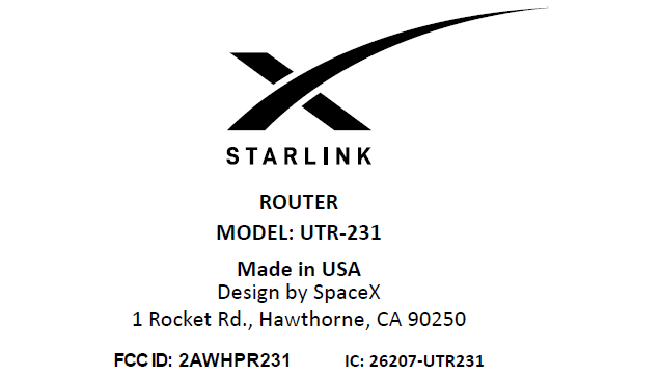
SpaceX is preparing a new 802.11ax WiFi router.
Modelname: UTR-231.
They may bring back built-in Ethernet ports (according to FCC, there are 2-3 LAN ports). Goodbye, external Eth adapter, then.
#spacex #starlink #router
 Twitter
·
Twitter
·

 crimson mica
Whats ur budget?
 analog sonnet
cant remember...in poe budjeting is it recommended that you leave 10% or 20% of the budjet left over?
south blade
I tried this, by what Google images says, yellow to red, black to black, should be powering the fan but I get nothing.
opal pagoda
get separate router and access points
crimson mica
How far you need the wifi to reach(house/apartment sq ft).Need wifi 6/6e?
 winged spruce
hey question how can i fix my ping i get a stable ping while but then sometimes it goes high randomly
plucky pollen
Are you using wifi
 safe vessel
Are there any cons for using SFP+ Switch/NICs? I haven't needed anything besides 1Gb until now, just because I want to run a few NDI from a few machines to a server using OBS.
Also to have a server for large file sharing.
drowsy fossil
if you need to go back and forth its rather expensive
safe vessel
I have three ISP and have to use Speedify or Peplink Speedfusion, lol. Probably a bad idea then.
Very rural
drowsy fossil
🤷 that shouldnt be a problem?
just need to be aware of all of the devices you are plugging in
safe vessel
Internet comming from three other small 1gb switches, all going to three other PCs.
drowsy fossil
as long as all 3 pcs have sfp, theres no problem
or just swap 1 switch at a time
safe vessel
Three 1Gb NIC in each pc already.
Any Windows compatibility issues or network conflicts?
drowsy fossil
windows cant tell the difference
drowsy fossil
there are compatibility issues with specific chips but that shouldnt be too hard to avoid
intel and melanox work great on windows
and yea it doesnt matter if the connector is rj45 or sfp, the issues are the same regardless (for the chips that have issues)
safe vessel
Cisco, Brocade, NetApp, Dell, Arista, Juniper. Anything good/bad out there?
drowsy fossil
ah big money switches
be aware that some of those brand suppport 3rd party sfp modules and some dont
you sure you cant go cheaper for example mikrotik or netgear
analog sonnet
anyone not been able to install ubuquiti unfi? its kinda pissing me off, ive got the latest version of java download but its saying I need Java 11, but saying it found a java version on my pc...I downloaded 11 but it still wont work.
 safe vessel
Yeah, I just had someone tell me to check ebay for switches that companies have used and dumped due to upgrading.
drowsy fossil
🤷 it just requires a bit more research
definetly avoid netapp tho imo unless you get a real good deal, they tend to be very proprietary everything
safe vessel
Thanks for the help. I think a couple hundred bucks may be worth the time that I might spend on those from ebay. 😆
drowsy fossil
well how much do you need?
mikrotik is often cheaper tho ive more been researching 100g generation stuff recently
safe vessel
analog sonnet
anyone not been able to install ubuquiti unfi? its kinda pissing me off, ive got...
Did you check for other java versions that might need uninstalled and reboot the pc? I remember Java always being a pain when I worked corporate years ago.
 warm salmon
Is CCA sufficient for PoE(+)? Or do you really need CU Ethernet cables?
pseudo blade
warm salmon
Is CCA sufficient for PoE(+)? Or do you really need CU Ethernet cables?
Most network administrators won't even consider CCA for plain data cabling due to its many caveats. Not actually legal for cabling here in Australia for many use cases.
If you're asking if it'll work instead of if it's a good idea... it'll depend on current draw, run length, wire gauge and cable quality.
You can get away with a fair bit of bullshit if the runs aren't too long and needed current is low.
clear igloo
warm salmon
Is CCA sufficient for PoE(+)? Or do you really need CU Ethernet cables?
I mean if you want to create an insulator then it's fine?
 reef geyser
Hey, so I have a small homelab with 2 servers and 1 laptop (which I use has my main PC). Should I go for 10 Gbps or 2.5 Gbps LAN?
warm salmon
pseudo blade
Most network administrators won't even consider CCA for plain data cabling due t...
Yea I just read some stuff about it having many downsides, and not being legal in some places, I’ll go with CU. Thank you for help
warm salmon
reef geyser
Hey, so I have a small homelab with 2 servers and 1 laptop (which I use has my m...
Depends on your needs, other bottlenecks and your budget.
I doubt you really need 10GE, but maybe if you’re a video editor or move around large files for fun.
You’ve to make sure your 2 servers and laptop can handle 10GE Ethernet and file transfers, if you only have gigabit Ethernet cards and a gigabit internet connection, you’ll have to get some better network cards first. Or maybe your CPU’s or drives can’t even handle those speeds.
If the price difference between cat 5e/6 (1GE) and cat 6a/7 (10GE) isn’t too big, and you’re planning on utilizing the extra speed from time to time, or want the other benefits from S/FTP (more shielding), you might as well.
reef geyser
warm salmon
Depends on your needs, other bottlenecks and your budget.
I doubt you really ne...
So right now, I'm using Gigabit Ethernet for all the networking, I don't often edit videos, but I would want to edit it from my network storage instead of my PC, since I'm using more and more storage on it.
Right now, I have 3 Raid-Z1 500 GB HDDs, but when I'll switch to higher speed, I'll probably upgrade it to 2 TB Mirror HDDs.
I often use VMs for testing purposes, or just for services that needs another OS to run on
Do I have to get SSDs instead of HDDs? Can laptops handle 10 GbE (mine has got Thunderbolt if it helps)?
Would SFP+ be better than RJ45 for my usage?
warm salmon
reef geyser
So right now, I'm using Gigabit Ethernet for all the networking, I don't often e...
I don’t know much about NAS or server hardware, but I if I were you I would look into what your current bottlenecks are, it’s either the Ethernet speed, the HDD’s, your server CPU, or your laptop
SFP+ is just expensive and something that’s only useful in datacenter in my option
Unless you need the 500-600 meters SFP offers, instead of max 100m RJ45 does
reef geyser
I'm using CAT. 6 RJ45 cables for all my Gigabit network, I heard that it's possible to make a 10 GbE network with those but only in short distances (I only got 3-5 meters cables, so I think It's good)
So the bottleneck is more about the switch and the cards, they are at 1 Gbps
warm salmon
I would just look at how much 2.5 (or 5 if it’s around the same price) would cost and how much 10 would cost
And make a decision on that
10gbe is still relatively new and hella expensive
10gbe switches can easily cost 200-300 euros, for basic models
(But don’t get me wrong, I’m currently in the process of putting 10gbe in my own house)
reef geyser
warm salmon
I would just look at how much 2.5 (or 5 if it’s around the same price) would cos...
I found a QNAP switch for 200€ with 2x 10 Gbps ports and 4x 2.5 Gbps, and a Microtik switch with 4x 10Gbps (but SFP+) ports and 1x Gbps port for 134€.
2.5 Gbps cards are usually around 25€, and 10 Gbps cards are around 100€
Which do you think is the best? I don't really know what to go for
reef geyser
reef geyser
I found a QNAP switch for 200€ with 2x 10 Gbps ports and 4x 2.5 Gbps, and a Micr...
And SFP+ to RJ45 adapters are also expensive
warm salmon
The microfilm switch will require 4 10gbe rj45 modules
warm salmon
reef geyser
And SFP+ to RJ45 adapters are also expensive
Exactly lol
warm salmon
reef geyser
I found a QNAP switch for 200€ with 2x 10 Gbps ports and 4x 2.5 Gbps, and a Micr...
If you want 10gbe you’ll at least need a switch that can connect all of them to 10gbe
So at least 3 10gbe ports
Or you use 1 less often
But I would look at your needs, if you really need it or not 🤷🏼♂️
And maybe look at eBay for second hand switches
reef geyser
I would at least need 1 adapter for my laptop
reef geyser
warm salmon
And maybe look at eBay for second hand switches
I will look at it, thanks
warm salmon
reef geyser
I would at least need 1 adapter for my laptop
And for your server(s)
Idk if they already have 2.5/10gbe network cards
reef geyser
warm salmon
And for your server(s)
No, I can buy a SFP+ card instead of RJ45
but for laptop, it's not possible
 rocky badge
all of our fiber is multimode rn
clear igloo
rocky badge
all of our fiber is multimode rn
Yah, the only thing for why MM is more expensive is they don't sell well so the company is charging more or producing fewer so it costs them more
clear igloo
or at least that's all I can think of that's making any sense, lol
 paper plaza
Speakin' of fibre, does anyone have a contact at Infinite Cables? I never got a response back on an inquiry to sales@
thick minnow
Question
How do I change my routers default login ip
I’m trying to chanit on opnsense
I need to change it from 192.168.1.1
 fierce crown
Do you want to change the IP address of the router, or the IP range for all devices on the network?
thick minnow
I have two routers on the network
Both will have the same remote login address
I think
fierce crown
"To set the LAN IP, go to Interfaces ‣ [LAN], set “IPv4 Configuration Type” to “Static”, and under “Static IPv4 configuration”, set “IPv4 address” to 192.168.1.1 and the subnet dropdown to “24”. Then click Save."
So within the "Interfaces>LAN" section, basically.
thick minnow
Ill tell you if it works
Im setting up my own router downstairs
Internet keeps going out
fierce crown
Yup nice catch, can't have two devices with the same IP, especially routers!
thick minnow
Yeah
peak cloak
thick minnow
I have two routers on the network
Make sure only one is doing NAT if you want to avoid problems
The one that is connected to modem
thick minnow
peak cloak
The one that is connected to modem
Both of them are connected to the modem
With a independent switch
peak cloak
thick minnow
Both of them are connected to the modem
Are you sure modem is not also a router
peak cloak
Nope
thick minnow
💀
peak cloak
Access point spits out wifi, a home routers main purpose is NAT, to map the 1 public IP you get to your LAN
peak cloak
Your setup wouldn't work unless ISP really messed up on their end (by providing more than 1 IP) or it's a modem/router combo
clear igloo
Unless you're behind CGNAT and your ISP is handing out multiple private IPs per account but even that's unlikely
peak cloak
Most home wifi routers can act as an AP
peak cloak
Instead of plugging into wan port, plug into lan
Just turn off DHCP
And make IP within your subnet, but something that's not .1 and won't conflict
thick minnow
Oh man how did I get a certification in networking
Granted it was like 4/5 years ago
Let me think about this for a minute
Oh god I forgot the admin password for the router login
I’ll just return everything where it was
fierce crown
hahaha this is a whole experience
 carmine quartz
Who can help me i have a problem with my pfsense i have opend the ports in pfsense for my servers i can connect using the local ip address but i cant connect using the public ip and the server is running my vriend can connect and the ports are open how can i fix this issue
clear igloo
carmine quartz
Who can help me i have a problem with my pfsense i have opend the ports in pfsen...
You don't connect using your public IP when on the local network
Unless you enable hairpinning but you don't need to. Forwarding works, just connect via the LAN
carmine quartz
is this the reason why my bungeecord setup cant work the proxy is on a server offside and the game servers are here internaly
clear igloo
most likely, yah
carmine quartz
and if i enable hairpinning that it wil work and i can connect using external ip if i opend the ports
clear igloo
In theory, yes it should work
Under System > Advanced > Firewall & NAT
Check the boxes for:
Enable automatic outbound NAT for Reflection
Enable NAT Reflection for 1:1 NAT
NAT Reflection mode for port forwards - Set this to Pure NAT if not already
carmine quartz
Okey thx for the explenation this was a problem i walked into for 2 weeks nou this was real helpfull
carmine quartz
it worked perfect the page loadend instand and the servers are online for my with my external ip
clear igloo
Awesome 😄
dreamy whale
I got a ZTE MF289F today and my plan was to set it to bridging mode and use my ASA 5506-X as a router. I have my ASA configuration below with what feels like something that I should hide hidden with a string of #. GigabitEthernet1/4 to GigabitEthernet1/7 are just replaced with a // ... just to make the text file more readable, those are the same as 1/3 and 1/8. I set my laptop's IP to be 192.168.69.100 and connected it to GigabitEthernet1/2. I get a connection to the router but I can't connect to the internet.
I hope someone here would have the know-how to help in this situation.
clear igloo
dreamy whale
I got a ZTE MF289F today and my plan was to set it to bridging mode and use my A...
When you do "show route" (or show ip route) I forget if the ASA takes different command for that. Do you have a default route going out the WAN?
clear igloo
Ah, that might do it 😄
dreamy whale
Now I gotta setup a DHCP server so my WAP will actually work as intended
Damn my WAP sucks
With a cable I'm getting 192Mbps down and 48Mbps up. Over WiFi I'm getting 40Mbps down and 48.5Mbps up
 median shore
Hi folks, I'm in the market for a new router primarily so I can play games from a room that doesn't have easy access to run an ethernet cable. Obv the best solution is to use an ethernet cable, but I am renting my apartment and as such can't afford to run a cable through my apartment to my home office.
A couple of pointed questions I have:
- Are mesh routers worth it/ is there any significant additional latency incurred by having a mesh network (my apt is around 1k sqft, so this looks like it might be a bit overkill)?
- What features should I be looking for (from my research, maybe Wifi 6 + tuneable QOS, but I'm not really sure what impacts "gaming" performance other than the pure latency overhead of having a wireless connection)?
opal pagoda
median shore
Hi folks, I'm in the market for a new router primarily so I can play games from ...
best way would be MoCa if you have coax in your house
second best would be powerline
then comes varous wifi mesh solutions
- this video applies to you https://www.youtube.com/watch?v=b0vy1VzFbf8

Save 90% on your first 4 months of Freshbooks at https://www.freshbooks.com/techtips
Try SimpleMDM FREE for 30 days on unlimited devices at https://lmg.gg/SimpleMDMSept
Colton's WiFi is just like his work ethic: it SUCKS! How can we solve this problem? Ethernet? Maybe, but why worry about running new cables when he's got plenty in his walls. M...
then after you use MoCa/powerline to get ethernet to your room you can get access point or router in ap mode and a switch to improve wifi coverage around your room
thick minnow
Much agreed. I never consistently got more than 75 Mbps over ethernet-over-powerline adapters. Moca should be much more consistent, and error free.
plucky pollen
I got 15 mbps literally in the same room
opal pagoda
plucky pollen
I got 15 mbps literally in the same room
could be bad quality wiring or 2 outlets are connected to diffrent breakers so signal need to go from room to breaker box and back
plucky pollen
Yeah idk i never got any better than that
opal pagoda
hm
it could be bad adapter
kind pivot
25-50m cable and just lay it on the floor
 fair coral
anyone know of low-cost 2.5GbE managed switches, ideally say $100 or less?
i have a bunch of TP-Link unmanaged 2.5GbE switches and they've been great, but i'm beginning to do things that need VLANs :(
clear igloo
Unless you get STUPID lucky on ebay? None exist that I know of unless I missed one on Serve The Home's roundup
Cheapest I see is a Hasivo S600W-5GT-SE which is about $125 on AliExpress

We test 15+ fanless 2.5GbE switches to see which are the top picks, which have cool features, and which ones are simply overpriced
fair coral
clear igloo
https://www.servethehome.com/the-ultimate-cheap-2-5gbe-switch-mega-round-up-qnap...
i found that on Taobao for 555 CNY: https://item.taobao.com/item.htm?id=725287574980

not sure how much i can trust this tbh.. altho reviews seem OK
 cosmic estuary
 cosmic estuary
fair coral
anyone know of low-cost 2.5GbE managed switches, ideally say $100 or less?
cosmic estuary
fair coral
anyone know of low-cost 2.5GbE managed switches, ideally say $100 or less?
I've forgotten what low-cost even looks like. I work mostly with Cisco and Check Point gear 😝
clear igloo
cosmic estuary
I've forgotten what low-cost even looks like. I work mostly with Cisco and Check...
I heard you want to look at this model. You'll need a smart license for that 😛
cosmic estuary
Oof, don't get me started... We borrowed one of their Industrial Compute units loaded up with CyberVision software and licenses to scan and map our manufacturing enviroment. The tech is cool. The tech is damned cool. It saw every PLC, who it was communicating with, vulnerabilities, unsafe coding practises... everything.
... and then I get a sneaking suspicion. We never discussed price, they wanted us to have a look first.
... because the first shot of Heroin is always free....
clear igloo
cosmic estuary
... and then I get a sneaking suspicion. We never discussed price, they wanted u...
Haha, yah
Some of that stuff is wicked cool but then you see the price and it's just like "do I REALLY REALLY need it?"
cosmic estuary
We got the price and landed on "We really REALLY don't" :p
clear igloo
I really wish we would actually simplify the license stuff at the very least, it's so freaking complicated sometimes. Let alone look at decent prices for stuff
cosmic estuary
We could hire two full-time security analysts for the annual cost of monitoring 650 devices :p
clear igloo
cosmic estuary
We could hire two full-time security analysts for the annual cost of monitoring ...
yikes! was that with discount too or just base price?
cosmic estuary
That was with discount. The only way you ever pay base price for Cisco is if both Cisco and your vendor truly hates you. Being a nobody they never heard of before gets you close to 50% off :p
clear igloo
Yah, nobody pays base price, lol
It's like 30% discount minimum if you're super hated but if you talk to a VAR then the discount gets better, lol
cosmic estuary
To be fair, they have gotten a bit better with their licensing. After all, they're not the gods they once were, they do feel HPE Aruba breathing down their necks.
So now they're merely very expensive, not extortionate.
clear igloo
Yah, there are a lot of companies breathing down their necks these days. Licensing has definitely gotten better but the smart stuff is still irritating depending on what you're looking at
I'm just glad I'm not sales most of the time 
cosmic estuary
I'm fairly happy just being an operations monkey. I've spent the last five weeks in hell, covering the Operations Manager role while he had a much-needed vacation.
And I pretty much just laugh loudly when the slavetraders call and want to recruit me for a Service Delivery Manager type role. Man, that is the ultimate masochist position.
Being under fire from everyone. The customer, the account manager, all the project managers, the consultants... Trying to consolidate that mess.
clear igloo
Yah, lol, sales gets a bad rap but managing all that crap that some of the customer delivery managers have to face is just shudder
cosmic estuary
To be fair, half the shit they face is because sales got creative and overpromised.
clear igloo
Oh 1000% true
cosmic estuary
Got an interesting discussion coming up... trying to get the customer to go for a license upgrade.
clear igloo
ooof, those usually aren't any fun best case and worst case they're a nightmare
cosmic estuary
The features they and the seller discussed are at the very core of Cisco DNA, the AI insight and enforcement stuff, but when it came bid time they wanted the price down and went for DNA Essentials :p
So, they've basically got an expensive monitoring box that does nice wifi maps.
clear igloo
That sounds very familiar
cosmic estuary
Now they want the stuff they discussed but didn't buy 😂
clear igloo
Reminds me of some of the sales people I'm working with. They booked some engagements without accounting for scoping them (you know, actually getting requirements for testing) and then scream when things don't get done in the time they scoped
cosmic estuary
And of course, the customers CIO isn't a complete idiot. "So, you guys want us to pay you more for features that make your life easier? Why? We're already paying you to deliver <service requirements>, seems like you should be the one eating this!". Well, he's not entirely wrong.
clear igloo
yup, that sounds about right and to the CIO's point they aren't completely wrong as you said
Should have scoped it better to begin with 😛
cosmic estuary
Our current sales weenie is pissed at the entire thing. He's one of the sensible ones. He never promises stuff without talking to the techs first, but he inherited this mess from the previous fly-by-night sales jockey.
You know the type, new company every two to three years as they've burnt all bridges and pulled all the moves they can, so they gotta move on to a new company and repeat...
clear igloo
Yup, I know a few of those people
Or they get fired up the corporate ladder if everyone else isn't lucky enough -.-
cosmic estuary
We call it the military advancement strategy. Promoted to a position where you can no longer cause damange :p
clear igloo
Oh there's always a way to cause damage, it's just a different kind of damage, hahaha
cosmic estuary
We don't have many of those where I work, but holy hell there's a lot of Peter Principle going around.
People who got promoted one step too far, and instead of being the competent lower level managers they were they're now completely ineffectual middle managers...
clear igloo
Yah, usually the problem sorts itself out but every once in a while they crop up.
On a different note, at least your customer's CIO isn't trying to manage the architecture of a new data center putting their bias into everything to benefit one vendor over another. Especially in a large company where they have no business meddling that far down
cosmic estuary
We've got a sort of strange dynamic there. We're the customers partner and they trust our recommendations fully. All they demand is that we don't have vendor bias either. They don't care what it says on the box or what the details of the solution is. They have a budget, they have a set of goals they want to reach, and they trust us to reach it for them.
They have two criteria that override price: Security and interoperability.
Stuff has to play together, and it has to be safe.
clear igloo
Yah, having a budget and finding the best solution to fit in that box reasonably well is perfectly cool. Trying to shoehorn in a solution that doesn't fit and then changing requirements to advantage one vendor over another really grinds my gears
It needs to work and work well for the given requirements in practice not just on a data sheet or from a sales person's word 😛
cosmic estuary
It's like Prophet Sebastian says, never buy a product based on future promises, buy on what it actually does today :p
And seeing is believing. Many sales peoples hopes and dreams have been crushed in a Proof of Concept run 😄
clear igloo
cosmic estuary
And seeing is believing. Many sales peoples hopes and dreams have been crushed i...
You don't need no PoC, just trust me bro!
cosmic estuary
Heh... yeah, that's the sort of talk that gets the customers purchasing manager looking for his chicken wire and trawl weights :p
ionic gorge
Does windows change anything else other than gateway, subnet, dns and dhcp server when switching from static and dhcp? I have two PC's for testing, one static IP and can connect to a site to site vpn, the other with static ip does not, switch it to dhcp it works. Windows firewall off. Any other hidden changes to look for?
cosmic estuary
DNS suffix perhaps?
radiant bone
So I got a second TP-Link router (Archer C54) to connect up in my room. Used the tether App to set it up as a 2nd access point. It's connected directly to my other router down across the house. But now my speed on my computer is stuck around 90MB per second or so instead of what it was, which was 350+
Connected via a Cat6 Cable, so not sure why it's limiting my speed so hard
cosmic estuary
@ionic gorge Since the VPN is site to site, I assume there's nothing on the actual computers? Then it's just a matter of communication between the subnets. If the gateway and mask is correct you should be getting IP traffic. Try pinging a known host on the other side by its IP address (provided it does reply to ping requests). That should get you one step closer in troubleshooting.
Also, check if Windows marked the connections public or private.
cosmic estuary
radiant bone
So I got a second TP-Link router (Archer C54) to connect up in my room. Used the...
The Archer C54 only has 100mbit wired networking. You're getting the expected speeds.
radiant bone
Yup....fell for the marketing on the box. Fuckin damnit.
 cosmic estuary
I had to read the spec sheet twice to make sure I was reading it right. Who makes an AC router with 100mbit ports? Scummy marketing indeed.
I hope you bought it somewhere with a decent return policy?
radiant bone
Local Walmart. I live in TN and there's not many places to buy electronics around here. Most people still think computers are the devils creation.
cosmic estuary
Well, then you should at least be able to get your money back and get something fit for purpose.
radiant bone
Yeah, just have to sort through them. Find what's available at my store, then look up the ACTUAL product page cause Walmarts page isn't displaying the speed of the ports...
cosmic estuary
Even on their own site TP-link tried pulling a fast one. The screenshots say "FastEthernet" which is another word for 10/100 but is likely to fool some users. Have to open the hardware specs at the bottom for actual numbers.
radiant bone
Setup:
Wall -> Modem -> Router (All located across the house)
Family computer is located in same room as Modem and Router.
Cat5e ethernet cable from Router -> Across house to my room -> Into computer
Wifi sucks up there. So best option is to add an access point.
Thus Cat5e cable will be run into a router in this room instead of back of computer.
That being said, can anyone tell me the differences between these 2?
https://www.tp-link.com/us/home-networking/wifi-router/archer-ax1800/#overview
https://www.tp-link.com/us/home-networking/wifi-router/archer-a9/#overview
Just need one that won't throttle the connection to my computer when I reconnect it via another short ethernet cable. But that also gives off good wifi so that GF can game on laptop in the same room.
fair coral
cosmic estuary
I've forgotten what low-cost even looks like. I work mostly with Cisco and Check...
definitely not gonna spend that much for my home network
i mostly deal with Arista and Cisco at work
ionic gorge
@cosmic estuary thanks for the reply. I can't ping anything the other side. But can on any other pc. Vpn is on my main network which is private. Unless windows someone can filter the vpn traffic to public?
 tacit mantle
My surface won't connect to my internet. I have a hidden network. On every device I try it connects and has internet but for my surface when it connects it still says connected without internet. On my router Iogin it says it's connected but nothings going through the surface. Any ideas?
 pallid dome
How do the web portals on routers know what devices are routers and which ones aren’t? Do they only utilize the MAC and TTL for that? I’m using a VPN anyway so TTL is out of the question. I changed my MAC but I don’t know for sure if it’s not detected anymore. I live in an apartment with shared internet, but they don’t want us connecting our own routers for some security reason. Pretty sure everyone in this entire building is all on one LAN, so ironically this would be more secure.
cosmic estuary
Your own router would give you NAT and some additional security, yes, but for every end user doing it right there's some idiot plugging to one of the LAN ports instead of the WAN port. That causes all sorts of problems with additional DHCP servers etc.
If you have a spare PC, I'd do a pfSense box or something between you and the shared network. Unless someone really went looking they wouldn't spot it as a router.
Whereas with a regular router you'd find them with a simple port scan, checking MAC vendor data.
pseudo blade
pallid dome
How do the web portals on routers know what devices are routers and which ones a...
Generally they don't. Some providers do check TTLs but you can hide that easily by incrementing it with a firewall rule. If anyone's using MAC OUI's to detect routers that's news to me - sounds difficult or impossible to me to do properly.
You can't see the MAC of any device behind a router, it's lost when routing occurs.
-Well I say that but IPv6 uses it now to make your address.
ionic gorge
@cosmic estuary thanks for the message for support. It was a routing table issue. Seemed to have changed it's default nic to route down. Working now
 bright sedge
what is the best mainstream router on the market? im looking for smt that can cover 1500m/sq with good speeds.
around 75-100 devices
clear igloo
bright sedge
around 75-100 devices
You want at least 1 or 2 dedicated APs, Unifi, Meraki Go, Aruba InstaOn, TP-Link Omada all come to mind as having capable APs
bright sedge
I thought stuff like the Omada were made for businesses
I’m just tryna supply my house with consistent, good speeds
Basic stuff like gaming, streaming, downloads and office work
Only issue is the amount of devices
clear igloo
If you're going to have 75 to 100 wireless devices you need something that's not a pile of junk that can handle that many clients
Most of your Asus/TP-Link/etc all in one router/switch/AP models choke to death when nearing 30 devices on wifi
bright sedge
I can probably sort through all the devices and remove excess stuff
clear igloo
A dedicated AP is much better anyway, larger coverage area and whatnot and all those I listed don't have per-month licenses or anything
bright sedge
Can I not just buy smt that connects many different devices like washing machines, fridges, CCTV cameras then use that device to connect to the router
So then it is only listed as 1 device
clear igloo
Why? Why not buy a single dedicated AP that connects to a router that can handle everything properly?
If you need multiple APs a Omada or Unifi can handle seamless roaming too
bright sedge
Rn I’m using my ISP router and I’m getting 20mbp up and down
clear igloo
An EAP670 is about $150 or a EAP610 is about $85
Either of those would crush the requirements you have
bright sedge
Do they have mesh capabilities
clear igloo
Within the same AP, yes
But a single AP doesn't need that, with multiple you roam between them seamlessly with the same network ID
ISP Router > PoE injector or power to wall > AP
Setup the same SSID (wireless network) name and password on the AP
Disable wifi on your ISP router
Done
bright sedge
Ty I’ll order the EAP670
clear igloo
Yah, that would be an amazing improvement from what you have and is pretty simple to setup 🙂
bright sedge
btw this is kinda off topic but what is the difference between a home router and a gaming router
clear igloo
One is a router and one is a router that has the word "gamer" in the name and a higher pricetag because of that
bright sedge
Ah
clear igloo
Yah it's all marketing junk
bright sedge
Bc I noticed the EAP690 has ax11000 in its name and it reminder me of the ‘gaming’ router
clear igloo
Ah, the AX11000 is part of the marketing
It can, in theory, do 11Gbps of combined wireless throughput across all bands in perfect condition
clear igloo
Pretty much at that pricepoint yes
There is WifI 6E but unless you have 6E capable devices and want to drop around $500 for one it's not really worth it right now
bright sedge
What is the product name for tp links wifi 6e
clear igloo
EAP690E
tacit mantle
Damn nobody acknowledged my help question
opal pagoda
tacit mantle
Damn nobody acknowledged my help question
this isnt tech support
tacit mantle
But it's networking
And it's network related..logic?
It's OK if you don't know either
pallid dome
cosmic estuary
Whereas with a regular router you'd find them with a simple port scan, checking ...
So surely changing my MAC will stop it from being detected? And since all the connected devices are going through a VPN, they would not be detected?
pseudo blade
pallid dome
So surely changing my MAC will stop it from being detected? And since all the co...
MAC is basically irrelevant, though a full tunnel via a VPN will mask the devices behind it, no TTL mangling required.
 hollow axle
pallid dome
How do the web portals on routers know what devices are routers and which ones a...
hollow axle
pallid dome
How do the web portals on routers know what devices are routers and which ones a...
A lot know what the the router that they connect back to are. So if you aren't there router, your are a client. (Hint, you are a client and you aren't going to win)
hollow axle
clear igloo
Most of your Asus/TP-Link/etc all in one router/switch/AP models choke to death ...
Depends on the device, I have an RT-AX86U with an AX58U wired aimesh node that handles 58-60 devices fine. Admittedly, ~70% are IoT on 2.4ghz and all high performance are either wired through a catalyst or on 5ghz but saying "all consumer network if junk" is a bit over generalized
clear igloo
hollow axle
Depends on the device, I have an RT-AX86U with an AX58U wired aimesh node that h...
"Most of"
I didn't say every consumer router was junk, I'm sure some newer ones might handle things better but I gave up on trying that long ago especially since most of them never get firmware updates long term nor (in my experience) are nearly as reliable long term
Is that client count on a SINGLE RT unit?
I just don't see the point for most tech minded people to bother though since a single dedicated AP can usually crush what a general AIO unit could handle, under load especially.
hollow axle
The main router routes all that load. The aimesh node only services like 13 clients
Iot can be good or bad too depending on the technology
clear igloo
I'm not talking handling LAN > WAN NAT load, that's super simple these days to handle and track for most consumer devices even, I'm talking number of wireless clients and placing a load on a single AIO unit over wifi over long periods of time
IOT is thankfully low traffic, unless it's part of a botnet or doing something else malicious 😛
hollow axle
Higher-end consumer network gear works. I do enterprise architecture in my 9-5 and don't want to deal with it when I get home. COULD I build a checkpoint/Cisco stack for my home? Absolutely. Would it run well without a team managing it? Nope
The concern about updating is why I usually recommend Asus merlin
 pastel lodge
Hi guys, i'm having some questions and problems due my network. Is really my network or i'ts just the S.O? I mean, in games no problems but is in youtube and google search that crowds super fast
hollow axle
What do you have?
pastel lodge
I got 600MB/s in download and upload
hollow axle
It's never your bandwidth
hollow axle
ISP supplied router?
pastel lodge
Yes, it's from the official company
hollow axle
What carrier?
pastel lodge
Here in spain we got a lot of companies and suppliers
Company : MasMovil | Supplier : Yoigo
hollow axle
#1 don't use cat7
pastel lodge
I don't got other cable
hollow axle
Get a standard cable and try that
pastel lodge
I mean, I only got that one and the problem is that sometimes here in spain the prices are up in the sky, and my router is like 10 metre of me so I'm using an extensor
hollow axle
Order a different cable, cat6 is plenty fine. The extension could be causing problems
Or the cat7 could be causing an issue
Cat6 is good to 100 meters
pastel lodge
What if I try with Cat 6A?
hollow axle
Why do you want to waste money?
pastel lodge
I don't want to waste, but I need the maximum performance that I just bought.
hollow axle
You are talking about 600mbps, not 10gb
pastel lodge
I mean, i want the full 600Mbp/s
But sometimes i think that I just have like 100 or 120mbps, so it's like i'm wasting my money with a service
The service that has 600mbps when i'm receiving 100 or 120
So I pay like 50/60€ each month.. So i'm wasting my money truly faster
hollow axle
Cat6 can run 10gig to 50meters.
You are talking about spending 2x the cost for a stiff ugly cable
Cat7 is a shielding cable that sometimes doesn't always seat properly in sockets. Using an extension doesn't help either
clear igloo
Cat7 requires TERA connectors to be "in spec" but should be avoided anyway as you mentioned already
 crude escarp

 pseudo blade
Depends on your setup and needs
There are scenarios that could be used for that you could get something cheaper for
rocky badge
@clear igloo
 pseudo blade
Free shipping on a UPS, eh?
rocky badge
Probably included in the product price
pseudo blade
Can't be cheap considering their stupid weight
clear igloo
That's not bad, someone's either selling at a loss or has super cheap shipping rates

 clear igloo
lol
rocky badge
it went through on paypal tho
pseudo blade
I'm surprised lithium ion isn't more common just considering the cost of shipping SLA's repeatedly
rocky badge
My university post office is gonna kill me
plucky pollen
clear igloo
Cat7 requires TERA connectors to be "in spec" but should be avoided anyway as yo...
I have Cat7 cable with a normal 8P8C connector and it works perfectly fine. Isn't Cat7 literally just a better version of Cat6? And it doesn't seem that expensive. I highly doubt that this is an issue with the cable, unless it's improperly built. Ive literally used these coiled up and they still work perfectly fine. It's probably a problem with the ISP or maybe the wiring in / into the house.
clear igloo
plucky pollen
I have Cat7 cable with a normal 8P8C connector and it works perfectly fine. Isn'...
Not really no, Cat7 never got TIA/EIA certified so the only spec it lives under is ISO which calls for TERA connectors. It can use 8p8c but isn't "in spec"
Cat7 offers no real advantage aside MAYBE some shielding over Cat6a
rocky badge
@clear igloo if my parents ask me about the UPS I'm gonna say "work was upgrading their UPSes and bossman sold me this for cheap"

bright sedge
asking for a friend but what would be better;
an AX11000 router or a 2 pack mesh Deco x95 (ax7800)
pallid dome
pseudo blade
MAC is basically irrelevant, though a full tunnel via a VPN will mask the device...
Yeah I don’t care about the TTL since I’m using VPN so that won’t even be visible
pallid dome
hollow axle
A lot know what the the router that they connect back to are. So if you aren't ...
I heard if I change the MAC it’ll look just like any other client like a phone or other appliance
Depending on the MAC ofc