#networking
1 messages · Page 38 of 1
 thick minnow
It is, but it's also great for a home lab where you just want to mess with things simply.
But yeah if you want ddos "protection" it's called a cloudflare tunnel. B cause it'll hit cloudflare and let them handle the ddos.
 urban sluice
I should really stop being bored..


 marsh pond
Hey, so I need some help. I’m my garage is my man cave or whatever you wanna call it. Wi-Fi isn’t great out here and the wife doesn’t like an Ethernet cord running thru the entire house. Any tips? I’m willing to spend a little money but don’t wanna have to spend loads. Thanks.
 granite zodiac
You could make explore powerline ethernet
 meager ginkgo
marsh pond
Hey, so I need some help. I’m my garage is my man cave or whatever you wanna cal...
meager ginkgo
marsh pond
Hey, so I need some help. I’m my garage is my man cave or whatever you wanna cal...
Powerline like bionic said or MoCA if you have cable tv line in the Garage
marsh pond
Okay, I can google/YouTube those things. I don’t think I have a cable line in the garage, unfortunately
meager ginkgo
marsh pond
Okay, I can google/YouTube those things. I don’t think I have a cable line in th...
Do you know where the utility boxes are on the side of your house?
marsh pond
Yes I do
meager ginkgo
By the garage by chance?
marsh pond
Meh, not super close but could be further lol
 marsh pond
?
 meager ginkgo
That looks like an AC Disconnect
marsh pond
 meager ginkgo
Yeah there you go
Do you know what your internet connection type is?
and how close are those cables to your garage?
marsh pond
Xfinity is who I have. It’s not too far. If I had to run a cable it would have to go across my driveway though
meager ginkgo
Hmm. If you're willing to do that you can run a coax cable from that splitter to the garage and backfeed ethernet on the same coax cable that goes to your modem.
Don't know how different that'd be to ethernet though.
marsh pond
Oh, and then just have another modem/router in the garage?
meager ginkgo
You just use a switch if you only need wired connections (or buy a wireless access point and switch for wifi + hardwired)
do you have a picture of the other splitter that appears to be down there?

I don't think the one you took a picture of is active at the moment
marsh pond
 meager ginkgo
So I think this is your incoming line from Comcast
 marsh pond
I’m not an expert, and the previous home owner had dish, so there are a lot of random coax wires places ha
marsh pond
meager ginkgo
So I think this is your incoming line from Comcast
Ok cool.
So just split that?
meager ginkgo
marsh pond
So just split that?
it's a little bit more complicated than that haha
do you need wifi out there.. or just ethernet?
WiFi will bring up the total cost
marsh pond
I have a modem/router just collecting dust in my garage. But I could live with just Ethernet so I could plug that into my pc
meager ginkgo
marsh pond
I have a modem/router just collecting dust in my garage. But I could live with j...
Alright yeah. Let me make a more detailed comment below this one, one sec.
 meager ginkgo
You would need:
2 of these: https://www.amazon.com/Antronix-MMC1002H-B-Splitter-Frontier-Formerly/dp/B07PRYS8YZ/ (or similar)
2 MoCA Adapters, I recommend the FCA252 off of eBay new: https://www.ebay.com/itm/175732781258
1 MoCA Filter: https://www.amazon.com/SNLP-1GCW-Filter-Eliminate-Multi-Room-Interference/dp/B07SLD9QPH/

Antronix’s MoCA 2.0 splitters deliver new and expanded function. The MMC1000-B series of splitters has optimized MoCA 2.0 performance in the 975-1675 MHz band for compatibility with MoCA products, and for optimal data rates for video sharing, multi-room DVR service, video conferencing, and ...

eBay
Find many great new & used options and get the best deals for LOT OF 2 / BRAND NEW FRONTIER FCA252 MoCa 2.5 Ethernet Network Adapter Free Ship at the best online prices at eBay! Free shipping for many products!

Important!!! This listing is for 1(one) filter. Prevents interference between subscriber homes that use MoCA technology Enhances MoCA signal level within the subscriber home Built-in Surge Withstand 6kV B3 Combo Wave Built-in weather seal perfect for indoor and outdoor applications 5-1002 MHz Ban...
Do you care about how clean it looks? You did mention it was a garage
marsh pond
Awesome!! Much appreciated
meager ginkgo
If you don't have a coax outlet in the garage you're gonna need to run a coax cable into there as well
marsh pond
The only think I care about looks wise is how it gets to the garage. Since the wife would probably care. But once it gets into the garage, all good.
meager ginkgo
marsh pond
The only think I care about looks wise is how it gets to the garage. Since the w...
You could always bury it and have it come up into the garage
They have direct burial cables
You'd want a Direct Burial RG6 coax cable (of how many ever ft you need) for that case 🙂
marsh pond
Okay yeah. I could probably do that 👍👍
meager ginkgo
marsh pond
Okay yeah. I could probably do that 👍👍
Sweet. Let me write up a comment on how to connect everything up for ya
marsh pond
Awesome!
meager ginkgo
First you'd go to the incoming line on the outside of the house (which I think is the left cable on that coupler) and connect that left cable to the "IN" of one of the splitters. Then you'd connect the modem line and your new line to the OUTs
After that, you want to connect a short coax cable from the jack/cable your modem connects to, to the IN of the second splitter. Then hook up your modem to the one of the out connections of that splitter.
Then hook up one of the MoCA adapters to your router via ethernet (and power cable) and connect another short coax cable from the moca adapter to the other out port on the splitter you just installed.
Back in the garage now, (after you run the new coax cable to the garage) simply hook up the coax to the moca adapter and the ethernet to your PC. You may have to setup the MoCA adapters but instructions can be found online.
That's pretty much it.. it sounds complicated but it really isn't once you have the equipment in hand haha
marsh pond
That’s it? 😂😂. Jk. Awesome! Well this sounds like a fun project
meager ginkgo
If you have any questions, feel free to ask.. I know it can sound complicated 😂
marsh pond
You do this kind of stuff for work?? You seem to know your stuff ha
meager ginkgo
marsh pond
That’s it? 😂😂. Jk. Awesome! Well this sounds like a fun project
MoCA is pretty neat. If you have any other unused coax outlets you can buy additional adapters and convert them to ethernet also 🙂
meager ginkgo
marsh pond
You do this kind of stuff for work?? You seem to know your stuff ha
Nope haha. Just have done lots of research 👀
I'm also a nerd so that helps a bit I suppose 😂
meager ginkgo
Your total cost should be under $200.
I'd avoid buying MoCA adapters from Amazon also. They're super overpriced there..
Oh I forgot to mention what to do with the MoCA Filter..
marsh pond
Cool, definitely reasonable! A Wi-Fi extender from xfinity was over $100 and who knows how much that would suck ha
meager ginkgo
marsh pond
Cool, definitely reasonable! A Wi-Fi extender from xfinity was over $100 and who...
Yeah WiFi extenders typically make things worse than make things better haha
meager ginkgo
meager ginkgo
Oh I forgot to mention what to do with the MoCA Filter..
All you gotta do with this is connect the incoming cable from XFINITY to this and connect it to the IN of the splitter outside
it's only a filter
Helps secure your network by preventing your network going into other people's homes
marsh pond
Okay solid! Definitely helpful
marsh pond
meager ginkgo
Helps secure your network by preventing your network going into other people's h...
Well well well, looks like I do have a coax cable in the garage ha. Never even noticed ha. Only lived here for 5 years 😂
 meager ginkgo
I don’t think it’s as big as a issue with modern adapters but I’d still recommend a filter
Otherwise it can potentially go back on the DOCSIS network
 long scarab
So when I'm making Ethernet cables does it matter what end piece I put on, like does it matter what category plug?
They all have 8 pins
thick minnow
The plastic and metal ends aren’t rated, only the cables. The higher the rating, though, the less variation in test results will be acceptable. I stopped making my own cables after cat5. Much easier these days to purchase inexpensive premade cat 6 cables of various lengths, and just use the right one.
The testing devices can be more expensive, unless work pays for it.
long scarab
I made a cable tester with an Arduino, a breadboard, and a handful of LEDs, but it's not too professional. Basically just a continuity tester.
 peak cloak
reddit
2,111 votes and 138 comments so far on Reddit
peak cloak
long scarab
So when I'm making Ethernet cables does it matter what end piece I put on, like ...
kinda?
some category have thicker wires and won't fit
plus if it's a shielded cable you need a shielded connector for it to be considered a shielded cable
long scarab
I just have some basic Cat6e
thick minnow
cat7A
 winter sparrow
Hey guys, I moved into a new house with fiber internet and cat5e wired to most rooms. Looks like: Fiber>ONT>Switch>Cat5e (in walls)>wall jacks.
On moving in I set up my PC in the office, ethernet to the wall jack. I also set up my wireless router with ethernet to the jack in its room. And for a month, this worked great.
Then last week I tried adding another router (rookie mistake?) in yet another room exclusively for a Ring camera. This did not work and also kicked my office PC (any anything not going through the router) to fail to get an IP address. I've tried power cycling every device involved (at the same time even). Any ideas how I can go back to how it was? From what I can tell in researching this problem, my original setup shouldn't have been possible I guess?
 carmine moss
so you should have your router before the switch .and put the new router in acces point mode for just having wifi. as i guess that's why you need it
winter sparrow
It's not really feasible to put the router before the switch in this case, since the fiber enters the house in the basement and that's where the switch is as well. I'm less worried about the 2nd router for now since I really just want internet back to my office PC. Is there a way to configure things to work this way? Or perhaps put some kind of wired router between the ONT and switch, then leave everything downstream as is?
carmine moss
so the thing you only want 1 router in a house. and for wifi you use acces points. you can configure the second router into ap mode and that might work to fix it
but you really should have your router before the switch in any case. and then access points after it for wifi or routers in access point mode
winter sparrow
Okay, thank you!
peak cloak
winter sparrow
It's not really feasible to put the router before the switch in this case, since...
Basically the router needs to terminate your internet connection kind of, since you only get one ipv4 address
You can't have 2 without having 2 public IPs
winter sparrow
Just makes me wonder how it was all working before? My router has some settings for IPv6 but I'm not learned enough to know how that functions.
 cedar cloak
can any of y'all good folk verify everything is OK with my xfinity signals since i recently moved my XB8 modem into my office, the drop is on a wall in the living room, theres also another coax outlet that runs literally to my office outside (so i connected the drop coax outlet to the other outlet in the living room with a cable, and connected the modem in the office) and wanted to make sure my signals are OK given temps too ive seen it go to -9.8~ https://i.imgur.com/TD4xG1L.png
 peak cloak
winter sparrow
Just makes me wonder how it was all working before? My router has some settings ...
peak cloak
winter sparrow
Just makes me wonder how it was all working before? My router has some settings ...
if you only had one router connected to the switch it would work just fine
if you mean in another house, then the Modem/ONT may have been a combo unit with a router built in
 pseudo blade
https://liliputing.com/n1-pro-is-a-compact-pc-or-server-with-ryzen-5-5500u-and-four-storage-devices/
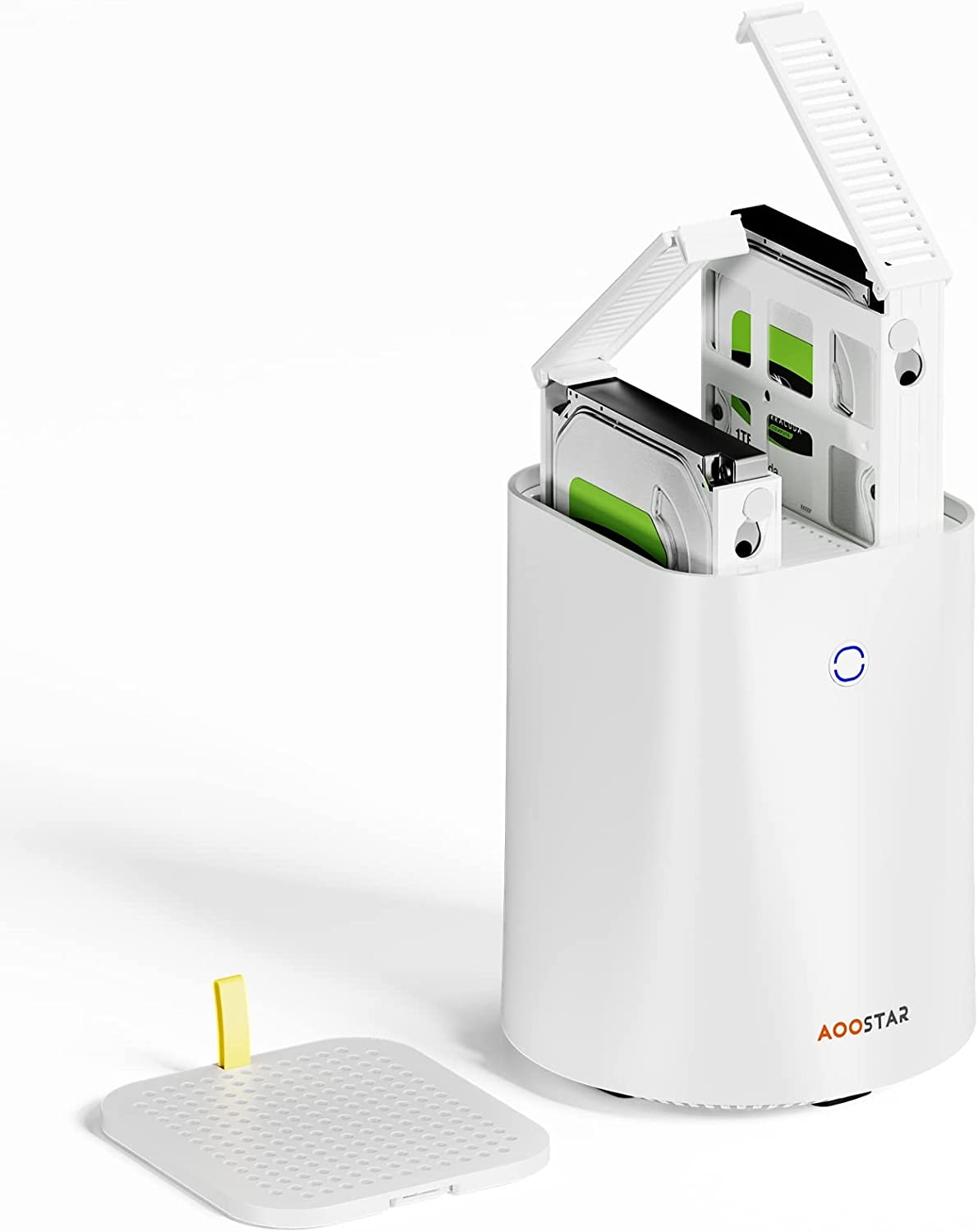
N1 Pro is a compact PC (or server) with Ryzen 5 5500U and four storage devices
long scarab
pseudo blade
https://liliputing.com/n1-pro-is-a-compact-pc-or-server-with-ryzen-5-5500u-and-f...
I seen the embed image and first thing that came to mind was some futuristic ink cartridge
pseudo blade
Just looks a bit like a common home router but it has nvme storage, 3.5" HDD support and a few other goodies
Built-in wireless wouldn't make for a great router by itself but it's otherwise pretty cool
 rose gazelle
Hi, dumb question: does my internet speed affect data transfer rates to NAS? I.e. if my internet is 75 Mbps, is that the limit of the transfer rate?
 mortal epoch
rose gazelle
Hi, dumb question: does my internet speed affect data transfer rates to NAS? I.e...
mortal epoch
rose gazelle
Hi, dumb question: does my internet speed affect data transfer rates to NAS? I.e...
Depends.
If your using outside of your network the most you can do is 75Mbps.
Local it will use what ever is free in your network.
rose gazelle
Ah thanks! I am planning to do local transfers (for the most part)
mortal epoch
Lets say:
So I have got 1gbps in my local network
100mbps down and 30 up (Internet speeds)
From one PC to the NAS or Phone or local device in the same WIFI or ETH it can do up to 1gbps
From outside of your network the max it will do is: 100 upload from the remote side and 30 download from the remote side.
(it will very from device to device and what there max speeds are and so on as well just to let you know)
If I have a 1gbps local network but my NAS is on a local network for 100mbps it will only do the 100mbps
rose gazelle
So if I have a gigabit capable router and cat 6a cables installed, I'll be able to get the full gigabit speed at home assuming the hard drives in the NAS can match it, correct?
mortal epoch
rose gazelle
So if I have a gigabit capable router and cat 6a cables installed, I'll be able ...
Yes it will very on the hardware and software settings, I would say network settings and so on.
rose gazelle
Got it. Thanks for the explanation!
mortal epoch
Like my NAS on my 1gbps pulls a max of around 500mbps local, But i would say that's because of the RAM and CPU and so on in it is very low specs.
Hello I'm wondering is anyone able to help me with pfsense?
I have got a private subnet made and allowed it to get internet as it said in a video (That has worked before on a normal nic to nic), But the issue I'm having is I'm trying to create a network from WAN -> VPN -> private subnet LAN.
I'm stuck on how to allow the internet from WG0 to LAN as there's no internet on it.
 clear igloo
There should be an auto rule created on pfsense when you enable wireguard to allow traffic from WG to LAN
mortal epoch
I'm not to sure why but it's not working
clear igloo
This rule exists right?

 clear igloo
Hmmm, that should have auto populated which is needed to allow WG traffic to access anything
I remember having issues at first where I setup my tunnel as 10.0.1.1/32 and all the clients as .2, .3, .4 /32 as well and realized I needed WG to be 10.0.1.1/24 (or whatever subnet mask) but the clients stay as /32 hosts
mortal epoch
It connects to the WG Server
clear igloo
OH, I misread that, so pfSense is the WG client connecting to another WG server
mortal epoch
But there's no internet from the WG to LANUSB
LANUSB is my priavte IPv4 subnet
Yes it goes Ubuntu Server -> WG Server on it -> pfsense as the client -> Then LANUSB is the private subnet for my network to use so I can use ports as I'm behinad a cgnat
But I can't get WG to LANUSB
clear igloo
Can pfsense act as a WG client? I don't even see that option
 waxen saddle
Has anyone heard of a router that can port forward to a device based on MAC address?
mortal epoch
clear igloo
This rule exists right?
 waxen saddle
So if the IP changes, the port forward rule automatically changes to the correct IP?
mortal epoch
I have not myself, You might be better off doing static IP's.
You can set up Static IP's from the router side sometimes to force that device to keep it based off of the MAC address.
or
you can set each device to a static IP on main client side.
waxen saddle
I’m working with another person on this server who has a 100% ISP controlled router and is trying to get the ISP to port forward. They sent everything to the ISP (including MAC) except for an LAN IP address. If I were the ISP, I’d just look up the IP associated with the MAC, set the forwarding, and the next time the computer reboots, everything breaks.
mortal epoch
What OS are you using?
Also did they enable the port forwarding from the ISP's side??
waxen saddle
They are on Windows and have no idea if the ISP has forwarded yet. I’m advanced enough that I can easily double and triple-NAT. Just wondering if some things networking-wise had changed.
mortal epoch
Did you:
1: Open the port in Windows
2: Open it for the IP address on your router
Is there anything else that could be blocking your network port?
waxen saddle
Usually Windows won’t block the port if the program is running. (It’s a minecraft server).
mortal epoch
Port 25565
waxen saddle
Right
mortal epoch
So did a firewall application pop up when you started the MC server?
I'm going to guess not
waxen saddle
No idea. Lol.
mortal epoch
So your best bet open up a port from with in windows it's self from the firewall
Can you access the MC server from a local PC?
Up to you but I find it easier to talk then type
waxen saddle
No idea. It’s another person on this server.
mortal epoch
Did you want to call?
waxen saddle
Naw. Useless to call me. I’ve been self hosting minecraft servers for like, 10 years.
The biggest problem for this person is the ISP controlled router. They have 0 access to the router. #public-chat
mortal epoch
0 access?
waxen saddle
Zero access to the router, correct.
mortal epoch
waxen saddle
Naw. Useless to call me. I’ve been self hosting minecraft servers for like, 10 y...
First test to see if from the local IP to local IP if the MC Server can be joined, If not then open it from the Firewall.
That's the first thing.
I have run Minecraft Servers for awhile as well and delt with windows.
Really lunix/ubunutu is your better option for running Minecraft Servers as windows often comes along with issues when trying to run anything imporant.
waxen saddle
I don’t have any say or jurisdiction over their environment.
mortal epoch
waxen saddle
Zero access to the router, correct.
You would think there's a username/password with it that they can access it with.
mortal epoch
mortal epoch
First test to see if from the local IP to local IP if the MC Server can be joine...
I highly recommend doing this first
waxen saddle
Not if the ISP provided the router and locks the end user out
mortal epoch
That's not fair
peak cloak
waxen saddle
I’m working with another person on this server who has a 100% ISP controlled rou...
Don't port forward then, use a tunneling service
 icy oracle
Which port must you close on a firewall to prevent users from browsing the Internet?
 dusty wyvern
Anyone here familiar with OPNSense and Multiple WANs??
Currently have two ISPs, WAN(IP:123.123.123.123) & WAN2(156.156.156.156)
Server(192.168.1.201) is firewall ruled for the output gateway of WAN
PC(192.168.1.252) is firewall rules for the output gateway of WAN2
OPNSense updates a domain A record based on the IP of WAN
When PC tries to access droptips.domain.com that's hosted on WAN, it gets a connection timed out.
PC is also unable to ping the public WAN address, connection timeouts. 100% packet loss.
How can i get the clients on WAN2 to connect to WAN?
Please ping if screenshots are needed for anything, also please @ me in replies. Cross Posted in multiple discords
pseudo blade
dusty wyvern
Anyone here familiar with OPNSense and Multiple WANs??
Currently have two ISPs,...
Without your config frankly who knows what's up, but is your goal for the two networks to not be able to talk to eachother directly? Basically have your router act as two routers?
If not just set up split horizon DNS for droptips.domain.com and target the server's local IP.
thick minnow
dusty wyvern
Anyone here familiar with OPNSense and Multiple WANs??
Currently have two ISPs,...
 thick minnow
pseudo blade
Without your config frankly who knows what's up, but is your goal for the two ne...
thick minnow
pseudo blade
Without your config frankly who knows what's up, but is your goal for the two ne...
and yeah this is it. generally multiwan runs as failover not round robin.
it isnt a bond
 golden solstice
The idea of adding any HDD and writing to it is good tho, but TBH if you have huge HDDs you might never endup using the other ones except if parity is configured, personally I just use ZFS, recently I've created a pool natively on 6.12 RC6 and is working surprisingly fine
 stoic lichen
Hi guys, I am looking for home router/AP that provides Wifi6E, 2.5Gbit Lan with at least 2 non-WAN ports of this speed and ideally all ports being PoE. Is that something that actually exists, or do I want too much? Also since LTT doesn't do reveiws and comparisons of recent routers, do you have any outlet where I could go for rewievs for these? All tips appreciated.
pseudo blade
stoic lichen
Hi guys, I am looking for home router/AP that provides Wifi6E, 2.5Gbit Lan with ...
Yeah that's a tall ask in one box, is your existing modem 2.5gbps?
stoic lichen
pseudo blade
Yeah that's a tall ask in one box, is your existing modem 2.5gbps?
Yeah, I was assured by my new ISP that the modem they will provide will have that. Although I would like to have 2.5gbps 2x for local network as well, that's why I stated that
pseudo blade
Have a look at the Asus GT AXE16000. And come back when that's too expensive and we'll talk compromises :P
stoic lichen
So far I wasn't able to find any router with PoE mostly
pseudo blade
You might have to stick your own injectors on whatever you pick
stoic lichen
Expensive yes, but more importantly ugly 😄
Hmm, own injectors? I didn't realize that's a thing, I should look that up!
pseudo blade
Of course you can get PoE injectors that aren't part of a router or switch
I've got 7 in a box right next to me
stoic lichen
I'm not much of network HW expert sadly, so I had no clue. The issue I see with these is ... they take up extra space 😄
pseudo blade
Ok, so you want... "Not ugly", PoE, 3x 2.5 gigabit, WiFi 6E, compact and presumably less than $1000...
Well I'm afraid you're shit out of luck :P
Pick something to compromise on and come back later
I can do pretty much all any combination if you remove two asks
stoic lichen
I guess I will have to skip on the PoE part for sure, since I can't see any options that have it
And that would mean I can live with 1 high speed port because it would require another box anyways
And I'm guessing that pure switches with PoE are much easier to come by
pseudo blade
Of course, though 2.5gbe + PoE doesn't come cheap yet
stoic lichen
Yeah, I see that. I'm currently looking at TP-Link TL-SG3210XHP-M2, looks alright. Annoying that it's rack type, but I could make that work with a bit of extra cabling to different room
There are probably better options, this is what I found at quick glance
NETGEAR MS108EUP or Ubiquiti USW-Enterprise-8-PoE look like solid options as well
pseudo blade
Ubiquiti USW-Enterprise-8-PoE Definitely a popular pick - pretty rare on this side of the pond and they get scalped a bit
stoic lichen
Which side of pond would that be? I'm EU based.
pseudo blade
I'm from Australia and they're retailling for 50% over RRP after currency conversion
pseudo blade
About $100 less but if you're including taxes that probably adds up
stoic lichen
Yeah, that's with taxes
pseudo blade
This looks kinda neat though it'd be dumb for home use https://eu.store.ui.com/eu/en/collections/unifi-dream-wall/products/udw

Ubiquiti Store
Wall-mountable UniFi Gateway Console with a built-in security gateway, high-speed access point, network video recorder, and PoE switch.
All-in-one for an office/rich person's toy
stoic lichen
@pseudo bladeSo assuming I skip the PoE requirements with at least one 2.5gbps port for the switch, would you have any suggestions for that?
Or some place I can go for reviews?
pseudo blade
You could do this + an AP https://mikrotik.com/product/rb5009upr_s_in

MikroTik makes networking hardware and software, which is used in nearly all countries of the world. Our mission is to make existing Internet technologies faster, more powerful and affordable to wider range of users.
You could just get an old-ish (6th gen plus) MicroATX PC and put in a dual 2.5gbe NIC and three WiFi cards for 2.4 and 5 and 6ghz
stoic lichen
ehhhh
I'm thinking more about that Netgear switch with some normal Router/AP, because that will have way smaller footprint and probably also power consumption
pseudo blade
The problem with most consumer and prosumer routers is they give you one 2.5gbe port
 drowsy fossil
stoic lichen
I'm thinking more about that Netgear switch with some normal Router/AP, because ...
drowsy fossil
stoic lichen
I'm thinking more about that Netgear switch with some normal Router/AP, because ...
There are devices like the Lenovo tiniest that are smaller than 1u and you can throw a quad port nic on them
stoic lichen
yeah that would be okay since I would have to use a switch along it anyway for the PoE stuff
stoic lichen
stoic lichen
yeah that would be okay since I would have to use a switch along it anyway for t...
As long as it has the WAN 2.5gb as well
pseudo blade
You'd put it in
Something like this https://www.amazon.com.au/Gigabit-Ethernet-Express-Network-Controller/dp/B07XJ8CMQX

Provides two 2. 5 Gigabit Ethernet connectivity to Mac Pro towers and Windows PCs. Simple way to add or expand 2. 5 Gigabit Ethernet connectivity to any compatible computer. It is suitable for multiple market segments and emerging applications, such as desktop, mobile, workstation, server, commun...
stoic lichen
I do have one of those .. P360? lenovo PCs at home, it's still bigger than typical home router and I'm pretty sure that it doesn't have space inside for any expansion. And the total cost would still go higher than what I linked above I'm pretty sure
While it all sounds like a fun project and all, I'm looking for something that is already premade, because this would end up as a big mess
pseudo blade
Sorry, it's just not a thing yet
stoic lichen
Even just 6E with two 2.5gbps lans?
Because that is what it basically boiled down to
The Dream wall you showed me would be perfect if it was half the size/ports etc
pseudo blade
Yeah nothing like that's available from Ubiquti, Mikrotik or consumer products yet, and enterprise is 10-gig and not really focused on cramming everything into one box/cheapness
stoic lichen
I am surprised
I guess gigabit LAN would be the way to go for now then with upgrading down the road, although that's a tad disappointing 😄
pseudo blade
Here's everything but WiFi 6e (And uh... a case and antennas) https://wiki.banana-pi.org/Banana_Pi_BPI-R3
 fallow wing
does anyone know of a good 2.5G RJ45/USB-C adapter they could recommend me ?
preferrably in EU/FR so I don't have to pay insane shipping and import fees
drowsy fossil
fallow wing
does anyone know of a good 2.5G RJ45/USB-C adapter they could recommend me ?
pre...
Framework adapter lol
fallow wing
drowsy fossil
Framework adapter lol
bruh I wished but it'd cover my miniDP port on my laptop
plus the cable would weight on it and hinge on the USB C connector
though I found two good ones
which one do you reckon I should pick ?
https://amzn.eu/d/fmTrlqu
https://amzn.eu/d/2FIgoQd

Numéro de modèle : A8316

Cet adaptateur USB-C vers Ethernet 2,5 Gbit/s offre n débit 2,5 fois plus rapide* pour une connexion à la fois fiable et stable. Quelle que soit votre activité (jeux vidéo, streaming de films, visioconférences, etc.), vous profitez d'un accessoire performant. Léger et compact, cet adaptateur peut...
drowsy fossil
Personally prefer to go name brand but I haven't used either
fallow wing
drowsy fossil
Personally prefer to go name brand but I haven't used either
Anker and Belkin are both name brands though
fallow wing
drowsy fossil
Nah only Belkin now
I've got a guy saying the exact opposite
belkin is trash, I'd trust anker more he says
on another server that is
pseudo blade
fallow wing
I've got a guy saying the exact opposite
belkin is trash, I'd trust anker more h...
It'd be in relation to the eufy thing semi-recently
drowsy fossil
Not only did they not fix this problem for a very long time, they lied about it even when they knew it was a problem
 pseudo blade
Though that wouldn't be much of a concern for a USB to ethernet adapter
drowsy fossil
Well it shouldn't be a concern for a local NVR system either...
carmine moss
check for one that says what nic it uses or just get a cheap one that seems decent
stoic lichen
Agree, quite unrelated products, I wouldn't worry too much about that
Also having a problem like this doesn't mean it's not a name brand 😄
carmine moss
look at startech or ugreen and thhe normal networking brands
fallow wing
carmine moss
look at startech or ugreen and thhe normal networking brands
For some reason I've been unable to find a StarTech one
At least on Amazon FR
And UGreen's were all 1G only
Though they have 3 different models listed for some reason
carmine moss
fallow wing
For some reason I've been unable to find a StarTech one
At least on Amazon FR
An...
this is a startech 2.5gb one https://www.amazon.fr/Adaptateur-USB-vers-Ethernet-Gigabit/dp/B07Z177Y2D/

Ajoutez un accès réseau de 2 5 GbE à votre ordinateur portable en utilisant un port USB-C disponible Cet adaptateur réseau USB 3 0 Type-C vers Gigabit vous donne un accès réseau Ethernet filaire Connexions réseau 2 5 Gigabit puissantes Idéal pour le bureau ou la maison l'adaptateur réseau prend e...
thick minnow
who is a hacker here or an expert on hacking other ppl? i need help

is this link sus?
fallow wing
carmine moss
this is a startech 2.5gb one https://www.amazon.fr/Adaptateur-USB-vers-Ethernet-...
and it is 60% pricier than the other two

 feral agate
i have been haveing problems with my internet so when i first tested it it got like 100 up and 300 down but now i am geting like 20 up and 100 down and i am not sure what to do
 oak inlet
call your ISP?
feral agate
oak inlet
call your ISP?
i dont think it them bc we just upgraded like 1 week ago
oak inlet
you'd be surprised
oak inlet
I mean, it doesn't hurt to contact them. short of restarting your router and modem (if you have one) you'll need their assistance anyway
dusty wyvern
pseudo blade
Without your config frankly who knows what's up, but is your goal for the two ne...
Would you like any screenshots?
 thorny osprey
Can i not connect a 2nd router to my primary router through ethernet?
If so why does it keep "connecting" ???
 peak cloak
thorny osprey
Can i not connect a 2nd router to my primary router through ethernet?
If so why...
peak cloak
thorny osprey
Can i not connect a 2nd router to my primary router through ethernet?
If so why...
- You don't really want to do this since then you get double-NAT and 2 seperate L2 networks. I assume you want to extend wifi range, which in that case you want an Access Point. You may be able to turn your router into one
- It's because it's expecting a PPPoE connection, which your primary router does not provide. You would need to set this to DHCP
thorny osprey
peak cloak
1) You don't really want to do this since then you get double-NAT and 2 seperate...
no just another router
the two router is extremely near me lol
what would happen if i get double nat and 2 seperate L2 network
peak cloak
thorny osprey
what would happen if i get double nat and 2 seperate L2 network
port forwarding is annoying, and stuff like cast to TV, and other services similar to that won't work across the 2 networks
thorny osprey
peak cloak
port forwarding is annoying, and stuff like cast to TV, and other services simil...
it shows connected

but no internet connection from the 2nd router
what but it has bytes transfer
So why is it saying No internet in the system tray wifi??

wait nvm there is internet if i disconnect the ethernet connected to my primary router
speed is shit (30 down and 40 up) whereas primary is 90 down 90 up
how to fix this bad internet
for 2nd router
why does it show 866 mbps link speed

the speed is as same as ethernet on primary router
90 and 90
why is link speed 866 wtf
 uncut hound
thorny osprey
why does it show 866 mbps link speed
uncut hound
thorny osprey
why does it show 866 mbps link speed
I'm gonna go on a limb here and say the 866 is just between ur device and the router itself?
Oof sorry for the ping
peak cloak
thorny osprey
why does it show 866 mbps link speed
that's link speed, max speed over your link, but not to internet
and for wifi it's theoredical
thorny osprey
peak cloak
that's link speed, max speed over your link, but not to internet
can i get over 100 mbps internet speed if i get a gigabit router?
i mean if i directly connect my pc to the ONU modem i get over 500 mbps but thats not secure and only one device can connect to it
peak cloak
depends on your ISP connection
peak cloak
thorny osprey
can i get over 100 mbps internet speed if i get a gigabit router?
yes
if your ISP connection is > 100mbps
and the router can route at >100mbps
thorny osprey
peak cloak
depends on your ISP connection
i have a 60 mbps pack but i get 90 up and 90 down
also my router's ethernet ports are limited to 100 mbps
 pale ridge
thorny osprey
i mean if i directly connect my pc to the ONU modem i get over 500 mbps but that...
pale ridge
thorny osprey
i mean if i directly connect my pc to the ONU modem i get over 500 mbps but that...
bit of a nuanced answer but it depends on the chipset in the device along with the ethernet adaptor used. There are also other factors which come into play (are you applying Shaping outbound on an asymetic link?)
dusty wyvern
pseudo blade
Without your config frankly who knows what's up, but is your goal for the two ne...
I can ping from WAN to WAN2. I just can't do WAN2 to WAN
pale ridge
what does that even mean? You have 2 SFP ports make 1 copper and 1 fibre probably multimode. Never heard of a 2.5G fibre model them come in 1G/10G/25G/40G/100G blah
TBH i am not certain why you would not just use copper unless there is some specific requirement for fibre (Distance, capacity?)
pseudo blade
pale ridge
what does that even mean? You have 2 SFP ports make 1 copper and 1 fibre probabl...
2.5 gigabit SFP's a thing now, mostly for more consumer-ish products
FS only stocks ethernet ones but I can find at least one other place offering singlemode transceivers at that speed
pale ridge
TIL
SMF over short distance is going to need attenuation
you plug 2 SMF SPF into each other over a short distance and you are going to burn them out right fast
 rain patrol
Is it possible to configure docker to use my local dns server which is on the same IP?
 hollow marlin
pale ridge
you plug 2 SMF SPF into each other over a short distance and you are going to bu...
hollow marlin
pale ridge
you plug 2 SMF SPF into each other over a short distance and you are going to bu...
Most vendors can handle back-to-back Rx levels up to 20km and many up to 40km. The risk of burning them out is slim
 manic gorge
I bought a X520-DA1 10G nic for my PC but I cannot get it to work on windows 11. Any ideas? I've tried several different drivers.
pseudo blade
pale ridge
SMF over short distance is going to need attenuation
Depends on the ratings of the optics, and if it's a really short distance you'd use ethernet anyways. Found multimode ones too anyways.
 fleet horizon
Hi guys is pulseway only available for businessess or can i use it for free for personal use?
peak cloak
fleet horizon
Hi guys is pulseway only available for businessess or can i use it for free for ...
not free
meager ginkgo
@marsh pond hey, wanted to see if you got MoCA working 🙂
marsh pond
meager ginkgo
<@297061370275430401> hey, wanted to see if you got MoCA working 🙂
Hey, I am getting the last part for my PC build this week and I am hoping to have all that done, then I’m gonna try and get on the MoCA project ha. But thanks for checking in!!
meager ginkgo
marsh pond
Hey, I am getting the last part for my PC build this week and I am hoping to hav...
Cool, just wanted to make sure you were good! 👍
marsh pond
I’ll most likely have some follow up questions haha
meager ginkgo
All good, feel free to ask here / ping anytime 🙂
 vestal lodge
You could always just ask your question.
 gloomy cobalt
vestal lodge
You could always just ask your question.
gloomy cobalt
vestal lodge
You could always just ask your question.
sorry
do you have any cisco certification?
vestal lodge
I personally don't, but again, just ask your question, someone knowledgeable will answer
pseudo blade
gloomy cobalt
is there anyone know well about networking ?
I know well about networking but I'm not sending you my bloody resume so you can decide if you want to ask the question you should have led with unless you're paying
Go hire an engineer if you want only fully qualified answers from certified people.

 round timber
Can anyone tell me what the big difference between the ROG Rapture GT-AXE16000, and the ROG Rapture GT-AX11000 PRO, besides the price.
thick minnow
Really? Graphics card questions in the Networking chat room?
Never mind, it’s a Wi-Fi card
I wasn’t aware of any ROG networking cards. Sorry
The 16000 supports Wi-Fi 6e, the 11000 only supports Wi-Fi 6.
So, Wi-Fi 6e adds the 6 GHz band, which can speed up connections, but only for devices that also su-port Wi-Fi 6e. Those are rare. And Wi-Fi 7 is already on the horizon, so maybe you want to future proof, or wait until you have devices that need 6e or 7 to upgrade beyond the 11000
Upgrading is always a gamble. Do I bite NOW? Or wait until XXX is released and widely supported.
 waxen scroll
pseudo blade
Go hire an engineer if you want only fully qualified answers from certified peop...
waxen scroll
pseudo blade
Go hire an engineer if you want only fully qualified answers from certified peop...
I need at least $300/hr to get out of bed
@clear igloo is it ethical to use a BCS team to answer randoms quesitons and then charge for it?
 cold forge
waxen scroll
I need at least $300/hr to get out of bed
cold forge
waxen scroll
I need at least $300/hr to get out of bed
Salary or contract work?
 lethal charm
Regular degular wifi router recommendation? pretty much just want the cheapest thing possible that can adequately server my 300mbps download, pass through like 2 walls and 20 feet, and works
 rustic mortar
I don’t know if this question is meant for this channel but I disconnected during my game due to my WiFi “going out” but it didn’t as my wifi works on my phone and other computer yet my pc doesn’t sense any WiFi or my Ethernet (i have a WiFi adapter too) any fixes?
pseudo blade
Don't use LR optics for home use because short range is bad for them due to the transmit power and you'd want an attenuator to use them, singlemode and multimode use different sizes of fiber optic core too.
long scarab
I've done my research on T568 wiring, and I'm getting mixed signals
I'm not sure if I should use T568A or T568B
 broken depot
why does it say that my download speed is 100 mbs but if I lets say download something from steam it only downloads at 10 mbs
 alpine geyser
broken depot
why does it say that my download speed is 100 mbs but if I lets say download som...
alpine geyser
broken depot
why does it say that my download speed is 100 mbs but if I lets say download som...
It could be a number of reasons. The load on the download server. If in the US, throttling?
Are you on WiFi ? Is it a crappy router?
Did you install the chipset drivers?
Somebody hogging the internet?
Do you live in an apartment complex with improper wiring, like one line per building?
Router settings?
broken depot
well now it is more complex since internet is shared
but it was same when I was living alone with just my using internet
I also noticed a trend, download speed I can see on internet is always 10 times more than actual download speed
right now I am using some bad wifi and it says 10 mbps on speed tests but actual max download speed seems to be 1 mbps
before I had 100 mbps on sites and it was downloading at 10 mbps
so does download speed just represent 10 times size of actual download speed?
because this has been same trought few internet providers and locations
it is same trend
alpine geyser
That is weird
broken depot
it doesnt hapeen for you?
files and things download same speed as you see download speed on okla?
alpine geyser
Yeah. But my internet is crappy anyways. I only recently started getting advertised speed when Comcast gave me a ‘free’ upgrade
pseudo blade
broken depot
why does it say that my download speed is 100 mbs but if I lets say download som...
I'm almost certain you're mixing up your bits and bytes, and your steam downloads are running at about 10 megabytes/second
Download speeds are measured in bits/second, which are 1/8th of a byte.
Steam displays in bytes/second by default
broken depot
thats must be the case
but why even use bits
all files are in bytes bits are irrelavent
pseudo blade
Network interfaces have been defined in bits since the beginning.
pseudo blade
No?
broken depot
most will just download stuff and thats the only reason they want to know it
unless you actually do something with networks then bits arent needed
pseudo blade
Perhaps so. But the fact users don't care about gigabytes doesn't mean we're going to start defining throughput in Netflix seasons/hour
It's the standard. You can trivially convert it to be defined however you prefer to understand.
clear igloo
broken depot
all files are in bytes bits are irrelavent
Data is transmitted in bits (1 or 0)
Data is stored in bytes
pseudo blade
Well it's also stored in bits and addressed in sectors made of bytes made of bits :P
clear igloo
True, logically the smallest unit of addressable storage is a byte but it's stored in bits
would have been a better way to put it originally 😛
clear igloo
pseudo blade
Well it's also stored in bits and addressed in sectors made of bytes made of bit...
but how many libraries of congress per millibar can I store per fortnite?
pseudo blade
I don't know, I don't perform well under pressure...
How many kilosmartphones do I need to store 50 petafortnites?
 slow pivot
And /technically/ data is transmitted via symbols, not bits.
peak cloak
long scarab
I've done my research on T568 wiring, and I'm getting mixed signals
I'm not sure...
doesn't really matter as long you use the same
I just use B
pseudo blade
slow pivot
And /technically/ data is transmitted via symbols, not bits.
Basically everything's serial so the symbols are bits
I'm baud of this
pseudo blade
Just not LR optics unless you live in a house the size of most towns
In which case I am happy to provide consultant advice at good rates, Mr. Ellison.
If it's less than 100 meters I'd just use copper honestly
So we're talking like 2 meters then
Get a DAC cable
It's the typical approach for doing that and I haven't heard of them getting particularly hot unlike the base-t ones
No problems.
 fading trail
I made a support ticket if anyone has a moment to check it out
hollow marlin
pseudo blade
Don't use LR optics for home use because short range is bad for them due to the ...
10/20km LR optics are fine 99.999% of the time at short ranges. Well within their Rx thresholds
clear igloo
hollow marlin
10/20km LR optics are fine 99.999% of the time at short ranges. Well within thei...
Yup, speaking from experience 🙂
pseudo blade
I've heard they're quite tolerant, but you'd still be mad to use one where you could instead use DAC
 visual tangle
Did @gloomy cobalt ever ask their question?
thick minnow
that whole discussion was just silly
visual tangle
It was.
Still interested in what the question was that they thought their approach to asking was a good one.
 vapid fog
In my house I have no in-wall ethernet but I've been wanting to get off wifi for a while. My house is about 20 years old and does have 4 pin telephone lines. After watching the new video I was wondering if I could use those anyway for a slower connection. It would probably be better than the wifi from the other side of the house.
visual tangle
Based on the video, probably yes.
But, the caveat being, you would need to make sure you confirm that the ports are wired as needed.
Oh, wait, do you mean 4-pin telephone lines with normal telephone connectors?
Because if yes, you're also going to need to splice a cable from that to RJ45.
Which... is a pain in the ass.
So, my question would be, are the telephone wires stapled? How are they run?
You might be able to use them as a basis for pulling new wires.
 sharp sparrow
Way better to run cat6 alongside those telephone runs instead of trying to use them as poor-man's ethernet.
visual tangle
sharp sparrow
Way better to run cat6 alongside those telephone runs instead of trying to use t...
Pretty much.
I was thinking about the rewiring the end points if lazy route.
My house being a 201 7 has this low grade (cheapest I've ever seen in terms of quality) CAT5e wired to the phone jacks which are all RJ45 jacks for VoIP phones.
So, theoretically, if @vapid fog stuff has similar then they might be able to cheat for some things without it necessarily being a terrible hassle.
(What I'm getting at here should not at all be taken as best practice. This is me spit balling off the beaten path.)
sharp sparrow
If the pairs aren't twisted, if the overall cable has no shielding, etc, then it could be quite problematic. Assuming they didn't just use cat5e/cat6 in the first place.
visual tangle
sharp sparrow
If the pairs aren't twisted, if the overall cable has no shielding, etc, then it...
Yeah, if this is 4-pin telephone outlets, I believe those are analog and are not a twisted pair.
I made a wrongful jump here assuming the house is wired same as mine.
Old copper 4-pin just goes to a single copper phone cable that provided power and the communication.
sharp sparrow
mmhmm. Typical phone line cable intended for use with rj11 ain't gonna cut it
vapid fog
After taking apart the cover it does seem that the cables, at the very least, are not twisted. Although interestingly, there are 4 cables coming out of the casing, and not going to the connector but that are folded back on themselves.
visual tangle
Well, yeah, our house is RJ11 pinout using some dirt cheap CAT5e as the wire.
Not to mention, the way they're connected is a mess too, I'd have to split the wires and re-end them.
(We just recently bought the place and had the electrician run CAT6a to our office, workout room, all our access points, and our utility room for future expansion.)
visual tangle
vapid fog
After taking apart the cover it does seem that the cables, at the very least, ar...
Have a picture?
I don't currently have one of the collection point on my phone, but here's what the back of one of our phone jacks looks like:

 vapid fog


Apologies for all the gross cobwebs
BTW my house also has those TV cables with the round connectors. I kind figured they weren't good for much.
visual tangle
Well, actually, you could possibly do MOCA over the copper coax for the TVs, but I think there's something about isolating from outside due to security, not 100% sure on this.
But yeah, interesting, it looks like you have RJ11 jack, but your pinout method is very different to mine and that cable is not at all twisted.
thorny osprey
what?

 visual tangle
thorny osprey
what?
visual tangle
thorny osprey
what?
Looks like you're into ephemeral ports.
Not sure if something will play nice with that.
thorny osprey
visual tangle
Looks like you're into ephemeral ports.
Not sure if something will play nice wit...
what is ephemeral ports?
idk just trying to port forward roblox's port
vapid fog
Thanks for all the help @visual tangle, it sounds like I might have to do some more research. I'm on a high school robotics team with some great mentors so I'll talk to them too.
visual tangle
https://en.m.wikipedia.org/wiki/Ephemeral_port
In my experience it is a range of ports that various OSes use for internal communication and temporary connections.
An ephemeral port is a communications endpoint (port) of a transport layer protocol of the Internet protocol suite that is used for only a short period of time for the duration of a communication session. Such short-lived ports are allocated automatically within a predefined range of port numbers by the IP stack software of a computer operating ...
thorny osprey
ok not reading allat
visual tangle
I think for Windows and AIX it's in the 5x,xxx range where it starts.
thorny osprey
wdym im too dumb
visual tangle
It's been a while since I've had to deal with an issue with it on other unix systems, so I don't remember if Ubuntu or RHEL has them.
Think of it as a range of ports that are reserved and out of bounds for most external routing to take place on.
Your number, 6x,xxx too big.
thorny osprey
websites say roblox desktop port is 49152-65535
visual tangle
vapid fog
Thanks for all the help <@198312785992613888>, it sounds like I might have to do...
Not endorsing the site, have not read through it, but looks promising as a place for you to start the over coax research, if you're so inclined:
https://www.zdnet.com/home-and-office/networking/nexuslink-g-hn-wave-2-kit-review/

ZDNET
Review: NexusLink's G.HN Wave 2 kit offers a slick way to repurpose your untethered coaxial cables to provide fast, reliable wired connectivity in your home.
thorny osprey
guys best routers under 50$?
Dm me their names i gtg rn lol
visual tangle
thorny osprey
websites say roblox desktop port is 49152-65535
What site?
That is a range of ports, not a single port.
pseudo blade
You don't need to port-forward Roblox.
You just need to not block outbound traffic on that port range.
 long scarab
 uneven moon
Mice had a feast
uneven moon
Mice had a feast
rip
 livid tartan
Is there a way a can access my computer on a cellphone network?
pseudo blade
livid tartan
Is there a way a can access my computer on a cellphone network?
Yes - set up a VPN tunnel from your computer to a router with a public IP and port-forward, for just a few people services like tailscale/LogMeIn Hamachi though it sucks now
livid tartan
But to connect I have to also use the VPN and not only the server. I need it to be easy from the user side. :/
I'll try and see how that works. I haven't try hamachi in a while.
pseudo blade
livid tartan
But to connect I have to also use the VPN and not only the server. I need it to ...
You can make it so only the server needs to use the VPN - port-forward your services from the VPN server's public IP to your server's IP in the tunnel.
fallow wing
Note : I put down pfSense because it's the only one I've looked into yet, idk if that's what I'll end up using, I also found out about OPNsense so idk, it's not a stopped choice just yet, I've got plenty of time
and yes, the switch is managed, I just don't know what I plan to do with that capability just yet either
 tepid abyss
Does anyone know if I can limit a network to one specific application?
I usually stream via my phones network but other games like to "hijack" it and if its a competitve game I start to lag due to my stream
fallow wing
tepid abyss
Does anyone know if I can limit a network to one specific application?
I usually...
I don't think so because first of all phone networks will depend on current traffic anyway and you'd have to do deep in the core of your phone's OS which is just messy unless you know your way around whatever phone's PS you have
If it's an apple don't even think about it
tepid abyss
fallow wing
I don't think so because first of all phone networks will depend on current traf...
Well I have 2 network connections on my pc, one is my cable the other my phone. There is no way to limit "Network 3" for example to just one application?
fallow wing
tepid abyss
Well I have 2 network connections on my pc, one is my cable the other my phone. ...
Sorry I got nothing on that
tepid abyss
Does anyone else know?
 shy wagon
Is there a trick to setting nginx proxy manager up to forward traffic to containers on the same host?
I get 502 errors after setting up services
fading trail
So I got a quick question, am I buying eithernet net cord for our router is there a specific type I need? The only kind I see is cat6
meager ginkgo
fading trail
So I got a quick question, am I buying eithernet net cord for our router is ther...
CAT6 is perfectly fine
fading trail
Appreciate it
round timber
thick minnow
Upgrading is always a gamble. Do I bite NOW? Or wait until XXX is released and w...
Well what do you think?
thick minnow
I already have a WiFi6 router that works fine. Our phones support WiFi 6e, but not any of our computers. I’m not planning to upgrade WIfi until a need for better speeds becomes necessary. So I choose to wait until 7 comes out, gets widely supported, and all the early adopters have worked through the teething pains, and all the reviewers can tell us why upgrading might improve anything.
 tribal raven
I'm going to need a new wireless router, I don't have anything that is wifi6 yet, is there a consensus on the "best" coverage routers?
tribal raven
yeah 2 floors, wood/drywall/plaster
tribal raven
yes, but can't do moca
also i'd have to fish wires out from walls, prev owners had snipped all the coax cables
I'm going with https://www.amazon.com/gp/product/B09DRJKZW9/, seems to be the current favorite that doesn't break the bank

Break free from limitations with strong, reliable, and fast WiFi in every corner of your home. From the top floor down to the basement, the Orbi Tri-band Mesh WiFi 6 System brings you higher performance & simultaneous WiFi streaming, gaming & browsing on more devices. This system includes NETGEAR...
 rocky badge
@meager ginkgo @peak cloak So much networked audio
 meager ginkgo
rocky badge
<@390856614942474241> <@222482269829332992> So much networked audio
meager ginkgo
rocky badge
<@390856614942474241> <@222482269829332992> So much networked audio
damn
 shrewd oak
I got a tesltra smart modem gen 2 and everytime we turn it one after trying to fix it with something the led shows its trying to connect to internet but can't and I've tried a bunch of things but I'm not waiting another week for a technician to come so can someone please help me I'm sick of live TV (I'm in Australia BTW)
Ping me if reply
visual tangle
shrewd oak
I got a tesltra smart modem gen 2 and everytime we turn it one after trying to f...
If you call your ISP will they do any remote diagnosis to see if they can reach your modem?
pseudo blade
I actually have a Smart Modem Gen 2 on my desk, but that's way too vague for me to offer any sort of real help
Fixed with something?
The LEDs say it can't connect to the internet?
pseudo blade
shrewd oak
I got a tesltra smart modem gen 2 and everytime we turn it one after trying to f...
Which of the five main types of NBN connection is it? Or is it ADSL in a legacy area? Which of the router's 3 types of WAN are you using? What did you actually do to try to fix the modem? Are you using it with a Telstra service upstream?
I just use mine as a spare 4G modem and AP honestly
 plucky pollen
these two seem to be the same product, right?
https://www.aliexpress.com/item/1005005180998417.html?aff_fcid=f2a383d9d7d44531802018165ab8b9c6-1686416381219-05704-_DBOIipx
https://www.amazon.com.be/-/en/KingnovyPC-Firewall-Appliance-i5-1235U-Ethernet/dp/B0BS93NFKN?language=en_GB&th=1

KingnovyPC Firewall Micro i3 1215U 6 Ports i226 2.5G LAN Fanless 8GB + 128GB Gigabit Ethernet AES-NI VPN Openwrt Barebone Router
thick minnow
the amazon one is sold by the maker, and cheaper than the same specs in aliexpress
plucky pollen
yeah
it seems like its not shipped outside of Belgium tho
even though I'm fairly close to Belgium
nvm I found it on German amazon
sometimes its really hard to find something on amazon
plucky pollen
if I put a wireless card in this, could I use it to host a wifi network?
pseudo blade
plucky pollen
if I put a wireless card in this, could I use it to host a wifi network?
You can, but there's a caveat - you'll only have one WiFi band at a time with one card. You could add more adapters with USB to get extra bands yeah most of those kinda suck
If most of your stuff can do 5ghz you could do that and put a 2.4ghz USB WiFi adapter in to handle what can't, for example.
plucky pollen
so should I connect a separate access point instead?
pseudo blade
You'd continue using DSL? Well yes you'll need a DSL modem.
plucky pollen
pseudo blade
You'd continue using DSL? Well yes you'll need a DSL modem.
yeah there is no other internet connection here currently
pseudo blade
If your current one's acceptable just put it in bridge mode
plucky pollen
its a rented ISP router combo, I would prefer a non-rented one that I just own
pseudo blade
V/DSL Modem-router combos you can put in bridge mode are cheaper than just buying modems usually
plucky pollen
I see
pseudo blade
I hope for your sake your modem isn't literally DSL
plucky pollen
its vdsl 2 I think
pseudo blade
Yeah that's pretty common
plucky pollen
pseudo blade
V/DSL Modem-router combos you can put in bridge mode are cheaper than just buyin...
is there any particular one that you can recommend?
pseudo blade
...Not really... I like the idea of the Proscend SFP ones though they're pricy
If I wanted VDSL again I'd just use one of the ISP routers I have kicking about in bridge mode
pseudo blade
pseudo blade
I actually have a Smart Modem Gen 2 on my desk, but that's way too vague for me ...
Probably this one actually for myself because it's lying around - no price like free
But really any will do as long as they work reliably and can do bridge mode so you can put a better router behind it.
plucky pollen
I found a used router that supports 300 mbps for 100€, is that a good deal?
actually its less than 90€ with a promotion apparently
rocky badge
@clear igloo ubiquiti redditors are something else
 pseudo blade
I'd rather modern ubnt switches than the Catalyst 2950 and ubnt cameras over the garbage SD dome cameras somehow full of bugs used by the shop in front
I'd say a 2950 is good for propping up wobbly table legs or holding doors open but in reality it's too big and unwieldy
It's 2023, pops! We can move to gigabit now!
Accidentally made an iTunes backup to your network profile and logged in on another computer? Go have lunch
waxen scroll
rocky badge
<@291198741862416384> ubiquiti redditors are something else
if you have a "C-suite" you should probably not be using ubnt
rocky badge
@waxen scroll @meager ginkgo How do I convince my boss that we need 10 gig stacking switches
or 10 gig with 25g/40g uplinks
rocky badge
waxen scroll
If the current thing works, why would they?
but our issue is that switches only have 1 uplink
if that uplink that rack loses network connection
waxen scroll
Why not put in an order for a second uplink and see if he hits approve
rocky badge
there's no where for the 2nd uplinks to go
round timber
thick minnow
I already have a WiFi6 router that works fine. Our phones support WiFi 6e, but n...
ok, thanks
 distant heart
is 6ghz useless for me if i only have 15 devices and there is next to zero interference? most WAPs are still dual band so i don't want to spend more money on 6e if it's unnecessary
peak cloak
with 6ghz you can get theoretically higher speeds
distant heart
hmm, the frequency is really close to 5.8ghz though right?
peak cloak
is that an issue?
distant heart
im thinking maybe i should wait until wifi 7 or 8, since theres a lack of options rn
fallow wing
Next week, some more hardware going live then it's just config all the way then
peak cloak
distant heart
im thinking maybe i should wait until wifi 7 or 8, since theres a lack of option...
I'm still on 5, there's really no benefit to upgrade for me
everything works just fine now
fallow wing
distant heart
im thinking maybe i should wait until wifi 7 or 8, since theres a lack of option...
Bro, wifi 7 is still in R&D rn, wifi 6 and 6E are excellent, I really don't get what you call "a lack of options" right now lmfao
distant heart
most waps are still dual band
fallow wing
distant heart
most waps are still dual band
I'm really tempted to answer with just skill issue
But there's mostly nothing you can do about it aside of stacking the cash necessary to buy a WAP with more bands then
peak cloak
distant heart
most waps are still dual band
what are you looking at, you need to look at prosumer/business products
like tp link omada
unifi
distant heart
well yeah, im trying to figure out whether its worth it
peak cloak
is there any issue with your setup right now?
distant heart
yeah those two, and also zyxel, engenius, aruba instant on
distant heart
peak cloak
is there any issue with your setup right now?
its the starlink router, so no ethernet, 802.11ac, and no wall or ceiling mount
peak cloak
ouch, yeah get ethernet
distant heart
yeah hopefully i can run ethernet to my bedroom and moca to the living rooms
fallow wing
distant heart
its the starlink router, so no ethernet, 802.11ac, and no wall or ceiling mount
That's stupid, damn
I never looked at starlink hardware but I gotta say I'm disappointed
distant heart
fallow wing
That's stupid, damn
I never looked at starlink hardware but I gotta say I'm disa...
it used to have ethernet but now it uses a proprietary connector and is wifi only lol
fallow wing
distant heart
it used to have ethernet but now it uses a proprietary connector and is wifi onl...
Fucking buffoons shooting themselves in the foot
peak cloak
fallow wing
Fucking buffoons shooting themselves in the foot
that one port is probobly like 5 bucks in manufacturing costs, the io is already there...
plucky pollen
is it normal that wifi 6e APs are much more expensive than 6?
meager ginkgo
plucky pollen
is it normal that wifi 6e APs are much more expensive than 6?
Yes
WiFi 6E APs are still pretty new and therefore reasonably expensive
distant heart
yeah same
plucky pollen
pseudo blade
You can, but there's a caveat - you'll only have one WiFi band at a time with on...
I'm just seeing that it has these things that are for antennas I believe, how does that work and would that make it better?
 shrewd oak
pseudo blade
Which of the five main types of NBN connection is it? Or is it ADSL in a legacy ...
shrewd oak
pseudo blade
Which of the five main types of NBN connection is it? Or is it ADSL in a legacy ...
i just found out there were different types of nbn when i read that anyway i ran out f data on my phone but then we just swapped the ethernet cable and it worked so yeah
plucky pollen
Any cheap 1 gig switches with a single 2.5g uplink?
pseudo blade
How many ports?
Tbh I've seen routers with that setup but not a switch now I think of it - 10 gigabit SFP+ uplinks are common and cheap but 2.5 as an uplink not so
plucky pollen
pseudo blade
How many ports?
Doesn't really matter, like 4 or more 1 gig ports
There's gotta be something that's cheaper than a full 2.5g switch right? I have several devices that don't need 2.5g
 vapid gale
Hello, I kinda need either a cheap option or like something midway. I upgraded my internet to 3gb Fiber from 1gb. Now ofc I really want the full 3gb on my PC. I use to just run a long cat 6 cable across the room to an unmanaged network switch to 2 devices(pc and AP). Is there any way i can replicate this using the 3gb?
I was looking to buy this and a Cat 7. But ofc, I'm also looking to probably change my AP to a full blown router for a better output. But is there any that can handle 3gb ethernet output? Idk if I am making sense lmao

Bell is offering 3gb of speed for the price of 1 gb lol🤣
clear igloo
yup, 100m for 10Gb with 6a
vapid gale
Yes but is there any way I can split the 3gb? Most unmanaged are 1gb speed for like 20 CAD.
Also, I'm doing this because network cards are ridiculously expensive
plucky pollen
plucky pollen
There's gotta be something that's cheaper than a full 2.5g switch right? I have ...
Or is there any way to split a 2.5g into two 1g that just go into the same switch?
I just need a way to have a 2.5g connection from a switch for 1g devices to another switch or router that's 2.5g.
vapid gale
Im also looking at this. What if I run a cat 6a from my main modem to this then use the ports here to get 3gb? Is that possible? I'm fried lol

Ah damn it. But basically, I'm definitely upgrading my Cat6 to Cat6a or 7. Then I go from there. Do you have any suggestions? Idk if I am explaining it right 😭😭😭
 worn viper
Lol I am so grateful to have fiber
 clear igloo
vapid gale
Ah damn it. But basically, I'm definitely upgrading my Cat6 to Cat6a or 7. Then ...
clear igloo
vapid gale
Ah damn it. But basically, I'm definitely upgrading my Cat6 to Cat6a or 7. Then ...
why, are your runs over 55m and needing to do 10g?
vapid gale
clear igloo
why, are your runs over 55m and needing to do 10g?
Basically, I just want to have all the speed 😅 greedy but we all need that.
 clear igloo
vapid gale
Basically, I just want to have all the speed 😅 greedy but we all need that.
clear igloo
vapid gale
Basically, I just want to have all the speed 😅 greedy but we all need that.
better cable doesn't magically add speed, unless you have a run that's over 55 meters you can do 10g all day on good Cat6 cable
Cat7 has no spec that doesn't use TERA connectors, I wouldn't touch it with a 10 foot pole
vapid gale
Is this enough? So now just either getting a network card or a new router with better output.
I have no clue. I'm with Bell Canada and live in Toronto. I have zero clue about networking. I just read manuals at this point🤣🤣🤣🤣
clear igloo
good point, if it's a cable modem then no good but if it's a fiber gateway devices (which I think it's a Bell Hub or something) then that's better since @vapid gale could just toss a couple switches off that without a need for anything else router wise
vapid gale
clear igloo
good point, if it's a cable modem then no good but if it's a fiber gateway devic...
Yes. I am fiber direct. Bell Hub 4000. It's a new upgrade and 100000% sure fiber
Ah one sec let me see
thick minnow
vapid gale
Hello, I kinda need either a cheap option or like something midway. I upgraded m...
There are no good “cheap” options. I chose the “TRENDnet 5-Port 10G Switch, 5 x 10G RJ-45 Ports” switched as my backbone.
clear igloo
looks like the Hub 4000 has 1x 10g port and 4x 1gig ports
thick minnow
The trend net I mentioned has 5 ports, each support 10/5/2.5/1/100/10
But it’s like $270 on Amazon
vapid gale
 clear igloo
Yup, that's the hub 4000 alright, the gray port is 10g and the yellow are 1g
vapid gale
clear igloo
looks like the Hub 4000 has 1x 10g port and 4x 1gig ports
Omg ur right! Should I plug my cord to the 10g one then I should be good?
clear igloo
vapid gale
Omg ur right! Should I plug my cord to the 10g one then I should be good?
yes, and then a 1g switch for more 1g ports
It appears, at least from reading, the 10g port does 2.5 at least as well
Bell's site sucks for finding info so all that's based on third party reviews 😄
vapid gale
Ahhhh! Okay cool. I'm definitely sure my motherboard doesn't support 10gb of speed so now the decision lies on either getting a new router with 10gb capabilities as well or getting a splitter, new AP, new network card.
clear igloo
agreed with this
vapid gale
Alright! Decision made then thank you @mystic latch and @clear igloo
I'll tag when I successfully make this work🤣🤣
That's pricy omggg
This is sad HAHAHA
Okay thank you. let me see if canada have these
thick minnow
1 gig is cheap because we all bought into it many years ago. 10 gig won’t get cheap until we all buy in again
Thank the early adopters who made mfgrs realize they could get into the market, and competition drives prices down
vapid gale
I wish there's like a 2 port 10gb one. literally less hassle lmao
I will literally only use this for 2 ports. 1 for PC one for AP
peak cloak
plucky pollen
Or is there any way to split a 2.5g into two 1g that just go into the same switc...
not really
 tired imp

Would I be able to access Proxmox with this setup?
PFSense would take control of both network ports, wouldnt it? 🤔

If feels like I would need a third ethernet to access Proxmox, and also for VMs on it to access the network
tired imp
Yes, manage Proxmox itself
If I give both interfaces to pfsense, I would lose access 🤔
 hollow axle
Not the MOST familiar with proxmox, professional VMware engineer though. If the LAN side has a virtual switch, it's possible
Use a virtual switch within proxmox
tired imp
It makes a lot of sense to have virtual interfaces inside proxmox, I will try it out inside a VM
hollow axle
Instead of dedicating the pfsense to lan port to pfsense, use it as an uplink from the proxmox virtual switch to the lan switch.
tired imp
cheers @hollow axle !
hollow axle
PCIE multi port nics are cheap and easy and way better than USB nics
tired imp
hollow axle
PCIE multi port nics are cheap and easy and way better than USB nics
Its a laptop 😅 I want for the network to stay alive when power goes down, and also the low energy consumption is a bonus
peak cloak
tired imp
PFSense would take control of both network ports, wouldnt it? 🤔
Depends how you set it up
tired imp
peak cloak
Depends how you set it up
will attempt to create some virtual networks, what is it called when they get their own IP from a DHCP, bridged?
peak cloak
tired imp
will attempt to create some virtual networks, what is it called when they get th...
Uh, kinda?
 obtuse dragon
tired imp
will attempt to create some virtual networks, what is it called when they get th...
obtuse dragon
tired imp
will attempt to create some virtual networks, what is it called when they get th...
No. Bridged is an interface type and doesn't have to do with ip assignment.
You should be able to use a bridge interface as a virtual interface. Simply assign it a static IP and pass it to pfsense. Then inside pfsense enable it and add the subnet to the interface.
tired imp
Why would PFsense have anything to do with this setup, isnt this a proxmox responsability? Being the interface creator/manager
rocky badge
@peak cloak @clear igloo This is only $1000 on ebay...

Load it with optics and fiber...could use it for work
obtuse dragon
tired imp
Why would PFsense have anything to do with this setup, isnt this a proxmox respo...
Depends on your pfsense setup and whether you want to restrict access to the proxmox webui. Personally I have all my network management webuis on a vlan so that's why I pass it as a separate interface to pfsense.
If you don't care about that then you should be able to just add a static IP to the pfsense lan interface inside proxmox.
 open vapor
anyone have a good router recommendation
open vapor
well i want somehting to upgrade from my R7000p
i have most things on ethernet except a kids roku and phones and a laptop
ive seen ASUS has some cool gaming feature to setup PF really easy
asus rog gt-ax6000 is a little $$
looking around 200-250
ASUS ROG Strix GS-AX5400 maybe the option at 189
but im open to suggestions as well
meager ginkgo
open vapor
asus rog gt-ax6000 is a little $$
Avoid gaming routers
they often are overpriced compared to ordinary consumer routers
open vapor
but do you get the same software features?
my issue as of late is with Destiny 2 and now Diablo 4 after an hour or two of gaming i get pinging server and siconnected
 grizzled cloud
Why would you want software features
open vapor
no issues i see on the ISP side as i get fulll 950mbps and 50 up
open vapor
grizzled cloud
Why would you want software features
some have easy to use feature for port forwarding and other things that i dont have to really tinker with
grizzled cloud
The new spectrum WiFi 6 router has a cooling fan
XD
Depends if you have spectrum for internet
meager ginkgo
open vapor
but do you get the same software features?
If you're getting disconnected that likely isn't a router issue
It's probably a ISP issue
R7000p is new enough to not have those issues lol
open vapor
so is it ISP packet loss?
meager ginkgo
Definitely a possibility
open vapor
my only option would be to swap to ATT FIber which means i lose my modem and router
meager ginkgo
What ISP do you have now?
meager ginkgo
open vapor
my only option would be to swap to ATT FIber which means i lose my modem and rou...
AT&T lets you use your own router, I have AT&T FIber lol
open vapor
Optimum (suddenlink)
meager ginkgo
You just use IP Passthrough mode
meager ginkgo
open vapor
Optimum (suddenlink)
Oh wow... definitely change over
open vapor
We use to have att and it was such a pain to do anything with passthough
this was before fiber though
meager ginkgo
Passthrough works flawlessly for me
There's some guides online that can show you the optimal settings to configure the gateway with
the AT&T router is also WiFi 6
so it's not actually that bad
open vapor
yeah i hear the BGW320 is shit for PF
meager ginkgo
PFsense?
open vapor
port forawrding devices
meager ginkgo
ah
I have a BGW210 but I know plenty of others with AT&T Fiber running port forwarding with no issues
open vapor
ok
meager ginkgo
I have ports open myself and it's fine
open vapor
we have 1gb 2gb an 5gb options
meager ginkgo
The Fiber reliability will triumph cable ISPs anyday
open vapor
the 5gb is the same price i pay now lol
meager ginkgo
I've never had a "real" outage ever.
Besides when someone decided to blow up the Internet Exchange in Nashville 😛
open vapor
no need to jump to the 5g since i dont have a router/switch to use it
meager ginkgo
open vapor
no need to jump to the 5g since i dont have a router/switch to use it
Just get 1gbit
1gbit is plenty.. the upload is awesome
Not to mention you also get unlimited data included
open vapor
2gb is what i think ill do i also will get a $200 visa card
its 10$ more and ill use that for a new router
open vapor
any recommendations on a router to use? or stick with the 7000p?
meager ginkgo
 meager ginkgo
open vapor
any recommendations on a router to use? or stick with the 7000p?
meager ginkgo
open vapor
any recommendations on a router to use? or stick with the 7000p?
Do you want your own or do you not mind using the ISP one?
I've pulled 600mbps from the AT&T BGW320 wifi
 meager ginkgo
I'd say try out the AT&T router for a bit and if not get a newer WiFi 6 router
meager ginkgo
open vapor
Nice ping for cable haha
open vapor
yeah so having these issues baffles me
meager ginkgo
Who's your mobile carrier out off curiosity
open vapor
att
meager ginkgo
AT&T gives you a discount then
if you have their wireless. I believe it's 20% or 25% off
open vapor
nice
meager ginkgo
Let me get my IP Passthrough settings pulled up
I'm using UniFi for wifi and routing personally

You want to hook up LAN from the AT&T router's 2.5gig port into WAN into your router if you decide to go that route
Then turn off the wifi networks on the AT&T
 open vapor
ok ill try the swap
im going to see if the install guy can see about optimizing the network as it is
meager ginkgo
open vapor
im going to see if the install guy can see about optimizing the network as it is
They aren't allowed to really touch the settings I don't believe
open vapor
its been 7 years i prob should buy new switches for the attic
meager ginkgo
they just get it up and running
open vapor
well ill see who i get sometimes you get good ones lol
meager ginkgo
open vapor
well ill see who i get sometimes you get good ones lol
yeah totally
My install tech refused to put an RJ45 on an ethernet cable for our wifi ap in our new house lol
also did a sloppy job so 🤷♂️

not the best work haha
open vapor
haha
i mean i have a hole in the wall from my bedroom to living room to run cables lol
4 ports on the modem/router correct?
meager ginkgo
open vapor
4 ports on the modem/router correct?
5 total but 4 LAN yes
They will install a Fiber port on your wall somewhere

like this
then that fiber cable goes directly into the BGW
here's the router you will likely get

1 5 gigabit port and 3 gigabit
open vapor
ok nice $300 card for doing online buy
also paperless brings you down to $100 monthly thats $100 in my pocket as well from the old ISP lets hope we get good service lol
meager ginkgo
Ah wait. It's 25% off your wireless bill @open vapor not your fiber haha
open vapor
hey thats also good since thats thing is pricey atm
meager ginkgo
yeah definitely
meager ginkgo
open vapor
also paperless brings you down to $100 monthly thats $100 in my pocket as well f...
We had Spectrum before AT&T and had outages every couple of weeks
1 outage in 5 years with AT&T
open vapor
yeah i just want to be able to AFK a destiny 2 farm that last longer than 2 hours lol
but i have not been able to play diablo 4 more than an hour this week because it loses connection
open vapor
meager ginkgo
My install tech refused to put an RJ45 on an ethernet cable for our wifi ap in o...
really? thats is basic stuff for them
@meager ginkgo appreciate the help
meager ginkgo
open vapor
<@390856614942474241> appreciate the help
No problem!
open vapor
might hit you up once things are going if i see any issues
thick minnow
I got problem wiht my internet for some reason
I am currently having an issue with my tp link router for some reason my internet status is "disconnected" with reason i don't even know why anybody knows how to fix it?
meager ginkgo
thick minnow
I am currently having an issue with my tp link router for some reason my interne...
Is your ISP down?
thick minnow
meager ginkgo
Is your ISP down?
My home router is fine but not the sim router
meager ginkgo
thick minnow
My home router is fine but not the sim router
It could just be that the cell network is overloaded
thick minnow
meager ginkgo
It could just be that the cell network is overloaded
on the system log it said "USER: The service status is limited."
meager ginkgo
thick minnow
on the system log it said "USER: The service status is limited."
Yeah sounds like it's either what I said or the system the cell network runs on is down
thick minnow
meager ginkgo
Yeah sounds like it's either what I said or the system the cell network runs on ...
So I should wait?
it went down at 5 am and now its 6 am
meager ginkgo
thick minnow
it went down at 5 am and now its 6 am
Maintenance maybe?
Not many are online at that time
thick minnow
meager ginkgo
Maintenance maybe?
idk I don't got mobile data to see
meager ginkgo
not sure man. It sounds like it's a carrier issue to me though
thick minnow
carrier wdym?
meager ginkgo
ISP
thick minnow
Should I wait some time?
meager ginkgo
I'd say wait an hour or so and if nothing changes contact the provider
thick minnow
meager ginkgo
I'd say wait an hour or so and if nothing changes contact the provider
Mobile data on my phone seems to be working fine
I guess I will just wait
 errant steppe
damn i'm really pushing the limits of this CPU by running a single empty SMB share
 pseudo blade
We've got a dual 6-core server serving 3-4 clients DNS, AD and small documents from a ~30GB share of mostly stale data
It permanently idles, it's silly
errant steppe
This server will eventually see some use when I finally get my damn SAS cables from Amazon, they were supposed to arrive today
Currently all my NAS stuff is done by hand on an ubuntu server box I've had running for the last few years. It's all ZFS already, so luckily I can just export/import the pools onto the truenas box
pseudo blade
When they got the server it had 3+3 drives for OS and data and I put it in a RAID1 with hot spare for both
I wasn't planning on coming back to town and knew nobody else would maintain it for them
errant steppe
Haha that sounds right, I'm in the process of buying a NAS for the office at work but luckily I'll be around if/when it breaks
Has a 3 year parts only warranty but someone still has to turn the screwdriver
pseudo blade
Seemed to work well considering I did that in 2017 or whatever and it's still ticking over and fully patched
errant steppe
Oh wow that is impressive
pseudo blade
It lost a drive in the data array so it's only a regular RAID 1 for data now
errant steppe
I tinker with my homelab too much for anything to last that long. I think the oldest OS install I have is less than 2 years old lol
pseudo blade
I'm pushing them off onto sharepoint online because I convinced them to switch from their crappy email host to M365 anyways
 slender forum
 meager ginkgo
slender forum
meager ginkgo
slender forum
Rip.
 rose glade
How long did it take to send that picture
pseudo blade
Well one would assume about an 8th of the time it'd take for them to download it.
 sage crow
slender forum
sage crow
slender forum
Yano by 1995 standards that’s pretty fast internet
 hoary wadi
Hey Guys, I am looking for a network switch that can run snap.d packages. Here are my requirements. Any suggestions would be awesome.
Managed Switch
- Minium 16 Port Gig
- A couple of 10G SPF+ ports would be a bonus
- Running on Linux
- Supports Snap.D packages
- Port Isolation
- vLans & vNets
- Individual Port Speed selection 100M or 1GB
peak cloak
hoary wadi
Hey Guys, I am looking for a network switch that can run snap.d packages. Here a...
network switch that can run snap.d packages
? why do you want a switch to run packages?
hoary wadi
Great question. I want to run MaaS as a snap.d package on my switch.
pseudo blade
A switch with 100/1000 ports that'll run Snap containers lol
plucky pollen
Anyone here have experience with point to point wireless? I'm considering it for my parents' home, I've talked about this problem before; their appartment has an elongated shape with a 40m corridor that you somehow need to get an internet connection across and they absolutely don't want to run cables. Could a point to point solution work here, and is there any particular one you can recommend? Ideally it would go directly from the router in the living room to the other side of the apartment, this would have to go through a few walls but maybe it can work since it's only 40m? Alternatively, it would go through the corridor directly, which should mostly have line of sight apart from the occasional person walking through. With the current solution they have 100 mbps in the living room but only an unreliable 5-15 mbps at the end of the corridor, even just achieving 50 mbps there would be a major achievement.
pseudo blade
MaaS wants 6.5GB of RAM and 50GB of disk for prod or 2GB&20GB for test, which is more likely if you're trying to run all your stuff on your switches
The few walls are a potential problem, depending on what they're made of
You could use point to point gear but it'd be a bit silly for your situation - Mesh APs are designed for your situation.
rocky badge
@clear igloo @meager ginkgo I am finally getting my hands on a PoE++ switch
clear igloo
rocky badge
<@291198741862416384> <@390856614942474241> I am finally getting my hands on a P...
Nice!
meager ginkgo
rocky badge
<@291198741862416384> <@390856614942474241> I am finally getting my hands on a P...
Lol, nice
plucky pollen
pseudo blade
You could use point to point gear but it'd be a bit silly for your situation - M...
Do you think they'd work better over that distance at the same price?
rocky badge
clear igloo
Nice!
Our PTZs require PoE++
clear igloo
rocky badge
Our PTZs require PoE++
Yah, that makes sense
plucky pollen
plucky pollen
Do you think they'd work better over that distance at the same price?
?
And do you have a specific recommendation for mesh?
pseudo blade
No, but I can tell you what to look for - 3 radios minimum - 1 dedicated for backhaul, 2 for 2.4/5 rebroadcasting
plucky pollen
What exactly does that mean in this context? Why do I need separate ones for 2.4 and 5?
pseudo blade
Well otherwise you can only have one usable band after backhaul and couldn't use one or the other or you have to share a radio between upstream and downstream.
Basically, it'd be slower/less usable
grizzled cloud

Need help finding the issue with my modem


Something is causing severe speed issues and I'm having issues with web requests
plucky pollen
pseudo blade
Well otherwise you can only have one usable band after backhaul and couldn't use...
tbh I am not too familiar with how mesh works and this terminology
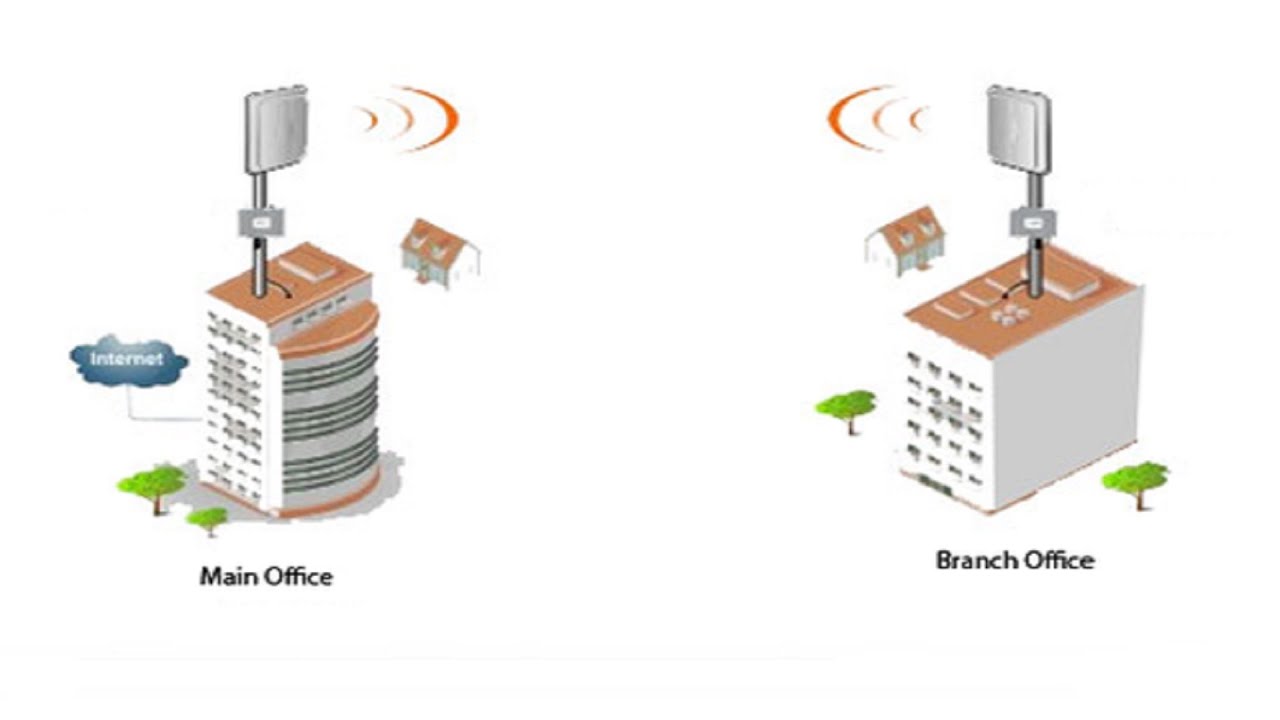
How to easily extend your WiFi up to 1.8 miles (3 km) for under $100!
UeeVii CPE71C Point to Point 5.8G 100Mbps Long Range Signal Transmission Outdoor CPE with 14DBi Antenna PoE Power Adapter
https://amzn.to/3wghADE
Test your internet speed here:
https://www.speedtest.net/
Help keep this YouTube channel sponsor-free by contributing an Amazon ...
This video and an amazon review claim that even these cheap ptp bridges can go through several walls
thick minnow
plucky pollen
This video and an amazon review claim that even these cheap ptp bridges can go t...
i mean technically
you drill the ethernet through the walls in the ptp
😉
but yeah, total ballocks.
plucky pollen
how do you know that? Ive heard from multiple sources the statement that these don't have to be line of sight when it's over short distances. They are designed to reach kilometers with line of sight, but this is about much lower distances
thick minnow
i mean, if you want stable, fast internet, just no. thats not how signals work.
there are wavelengths that can go through walls
plucky pollen
That depends on how you define fast
plucky pollen
It's a distance of about 40m, and even just 50 mbps would be fine
thick minnow
ah yes, with the stability of someone with cerebral palsy on a tightrope
instead of "UNLIMITED POWER" it would be "UNLIMITED PACKET LOSS"
youd have better luck stabilitywise grabbing a satellite dish and trying to mess with relay satellites and see which one has bad security and use that(Disclaimer: this is a joke, and probably illegal in most countries, though it would be an INTERESTING experiment)
plucky pollen
I mean have you tried it or are you just predicting that it won't work?
thick minnow
i have tried it memeing with coworkers, and no it doesnt work.
plucky pollen
I'm gonna try if it does go through walls, but if not that's not a big deal
thick minnow
hardware is all going to be different
and while it may work for you, its also going to be a joke in terms of speed/stability
after a 2 second google search this is KIND of what you are looking at
basically the reason it wont work is the same reason you cant see the sun through drywall.
to put it in an extremely simplified way
plucky pollen
even normal 5 ghz can go through a few walls (tho not as far as needed in this context) so it seems possible to me that a directed device that doesn't just send in all directions could do it. As I said, I'm gonna try it, and if it doesn't work, I have to do it differently and use the line of sight in the corridor
thick minnow
plucky pollen
even normal 5 ghz can go through a few walls (tho not as far as needed in this c...
ptp generally runs at 60ghz
it does NOT go through walls well.
plucky pollen
This seems to be 5.8 Ghz (?)


The guy in the video said something similar


Maybe the one you used was 60 ghz but they aren't all that high of a frequency

In this video, I demonstrate how the Ubiquiti NanoStation loco M900 can create a wireless bridge with no line of sight. I use a pair of loco M900's to beam Internet through the forest as well as directly through my house.
Equipment used in this video (some are affiliate):
https://kit.co/crosstalk/no-line-of-sight-ptp-wireless
Simple PTP Wire...
There are even 900 mhz ones that he uses here
rocky badge
@meager ginkgo I want my ISP to gimme ipv6
meager ginkgo
I do too haha
plucky pollen

TP-Link
Could I use a device like this to receive a wifi signal from an AP over short distance and then from there continue to other devices over ethernet cables?
On a similar product someone said that they could only connect one device to it and not a switch with several devices so I was wondering if that's different with this one
If you're familiar with what I said previously about my problem: the idea would be to go from the router to this via wifi (short distance, good signal with 5ghz) and this thing being right next to and connected to the sending part of a point to point along a corridor, and then the receiver of the point to point would be comnect to an AP / switch
(not to scale)
 rose glade
I’ve been seeing advertisements for Xfinity 10G internet, I’m assuming that this is in comparison to 2.4 and 5G internet. Would there be any logical improvement in switching to this? (My guess is no, based on the fact that the shorter the wavelength, the less distance it can travel, and my router is on the opposite side of my house)
Alr then
Yeah, I had figured that it was 10gb but I just wanted to make sure
visual tangle
rose glade
I’ve been seeing advertisements for Xfinity 10G internet, I’m assuming that this...
https://www.xfinity.com/10g
It's apparently a marketing push on their latest backbone. Speeds are still limited to 1200 Mbps and far from full duplex.
It's a bunch of marketing BS.
Read the fine print.
Xfinity
The Xfinity 10G Network is here. What is 10G? The next generation of fast internet speeds and a reliable connection that grows stronger every day.

The Xfinity 10G network and its misleading ads are causing a lot of confusion since Xfinity launched it with a barrage of ads touting fast Internet speeds and an array of offers. Those hoping for absurdly fast Internet speed upgrades will be disapointed to hear the “10G network” is simply an Xfinity branding exercise that […]
 cedar cobalt
10G is not real, or necessary today for residential use.
cedar cobalt
The issue is more around the claims of reliability. I'd rather have a slower speed connection (say 1gig) and know it is available and stable.
I made my career in the telecom industry and I can tell you that there is a mental hamster wheel that says the number must be bigger or we will fail. It needs to stop.
visual tangle
I'd just be really happy with 300/300.
Reliable with solid download and upload.
Admittedly 300 is a bit overkill. But when my spouse and I are both WFH, streaming, on our work VPNs, and on Teams conferences anything slower than 75 bogs down a bit.
Now... That said, we had the office wired in CAT6a internally. I plan to be able to photo and video edit off the NAS and watch whatever movies we have stored off the NAS as well.
But that's more future proofing than sane for now.
My biggest frustration right now is the low speed uploads on cable ISPs. We backup to the cloud and I upload a number of images to a blog and the slow uploads are frustrating.
rose glade
I have Google Fiber, and I pay for the 1 gig but I only really get 100 or so, but its fine because it's reliable
 bold viper
Just out of curiosity I found this
Is this harmful to the network switch
pseudo blade
bold viper
Just out of curiosity I found this
Is this harmful to the network switch
Harmful?
No.
But it'll be rendered temporarily inoperable fairly swiftly by broadcast traffic.

Switches that aren't the cheapest and crappiest money can buy will often implement Spanning-Tree Protocol, designed to detect and disable direct and indirect loops.
pseudo blade
Tbh I guess it depends on your definition of harm. It'd definitely be disruptive and would annoy the heck out of users and admins
 lime osprey
bold viper
Just out of curiosity I found this
Is this harmful to the network switch
lime osprey
bold viper
Just out of curiosity I found this
Is this harmful to the network switch
Giga WiFi
He says animetically
fallow wing
I'm trying to make sense of my laptop's bandwidth now being much much much more often 1G than 2.5G even though I manually set every single port from the router to my machine to 2500mbps full duplex and disabled the built-in 1GbE port and it's making me go crazy rn
Anyone got a clue at what I should look out for ?
peak cloak
cedar cobalt
10G is not real, or necessary today for residential use.
10g is very real
peak cloak
rose glade
I have Google Fiber, and I pay for the 1 gig but I only really get 100 or so, bu...
Sounds like an issue on your end
Sounds suspiciously like you are using a Ethernet cable that only goes up to 100/100
clear igloo
peak cloak
10g is very real
Me: We need 10g at home
Mom: We have 10g at home!
10g at home: 10meg 😄
fallow wing

visual tangle
peak cloak
10g is very real
Aside from maybe a lot of torrenting, explain a use case for 10gbps to the home (that does not include professional work).
Yes, theoretically someone who edits video has an argument for 10gbps to the home... But that's a very small subset of people.
(And I mean professionally edits or animates for a living.)
pseudo blade
clear igloo
Me: We need 10g at home
Mom: We have 10g at home!
10g at home: 10meg 😄
We're still going to have to agree to disagree - I don't think any fair home user will consistently saturate 1 or multi-gig pipes but it'd be nice for software/game downloads and 10 meg sucks for it.
My mother wouldn't care but any gamer or IT person will find themselves waiting around a lot.
clear igloo
pseudo blade
We're still going to have to agree to disagree - I don't think any fair home use...
haha, I was joking 😛
At least today there definitely isn't much use/need for gig+ pipes for probably 98% of home users
cedar cobalt
peak cloak
10g is very real
I didn't say it wasn't real, I said it is not a real use application for home users. Even heavy home users.
cedar cobalt
visual tangle
Yes, theoretically someone who edits video has an argument for 10gbps to the hom...
Evenm this subset have a larger problem. Unless they are buying a 10G CIRCUIT to the destination, the Internet will likeley not provide for 10G flows to a residential location.
peak cloak
visual tangle
Aside from maybe a lot of torrenting, explain a use case for 10gbps to the home ...
I mean yeah it's not very practical, I don't even have gig
300/300 is usually good enough except for the occasional heavy download/upload
visual tangle
cedar cobalt
Evenm this subset have a larger problem. Unless they are buying a 10G CIRCUIT to...
Exactly, almost nothing actually serves at a rate that will saturate that much bandwidth, unless you have something dedicated to do so.
So, then it is always a question of how many parralel things I have going on.
visual tangle
peak cloak
300/300 is usually good enough except for the occasional heavy download/upload
US ISPs are a pain in the ass.
I think I'm on 1200 Mbps down so that I can get 35 Mbps up.
And as someone who uploads 25+ MB images to a photo blog, or occasionally a YouTube video, and twice daily pushes a cloud backup (only matters on days I'm backing up music, video, or images) the upload bottleneck is a pain.
I really miss full duplex at even 200/200.
cedar cobalt
visual tangle
And as someone who uploads 25+ MB images to a photo blog, or occasionally a YouT...
In some locations, the big guys are just horrible and don't really care. If you can find an alternative that is more local/regional, you might have better luck.
visual tangle
cedar cobalt
In some locations, the big guys are just horrible and don't really care. If you ...
I literally moved 3 miles as the crow flies and out of a Starry / Comcast to a Comcast / Astound (RCN) location.
I went from 200/200 on Starry to 1200/35 on Astound.
Hopefully the municipality owned fiber project will pick up again.
I think Comcast's offering here is 1200/25 at its best.
pseudo blade
peak cloak
I mean yeah it's not very practical, I don't even have gig
Multigig still isn't practical for home use, true - hardware support still sucks for consumer gear
visual tangle
pseudo blade
Multigig still isn't practical for home use, true - hardware support still sucks...
2.5 gig is getting pretty affordable.
And a not insignificant devices will support 2.5 Gbps and 1.x Gbps on wifi at this point.
So, multigig within the home if you have a Plex server with multiple 4k endpoints or other bandwidth intense situation it can make sense in the home.
To the home it's meaningless, nothing saturates it.
pseudo blade
visual tangle
2.5 gig is getting pretty affordable.
And a not insignificant devices will suppo...
The NICs are getting affordable, the routers still suck ass
peak cloak
visual tangle
US ISPs are a pain in the ass.
I think I'm on 1200 Mbps down so that I can get 3...
that's just cable, I'm in the US too
rose glade
peak cloak
Sounds suspiciously like you are using a Ethernet cable that only goes up to 100...
Well the problem is that I’m not using an Ethernet cable, because for some reason my room doesn’t have any ports, and I refuse to run a cable to the other end of the house
rose glade
visual tangle
I think Comcast's offering here is 1200/25 at its best.
How is that even possible? Offering a 25 up seems so benign, are they just banking on people going “ooh 1.2GB that’s so cool!” and not realizing the upload speed? Or is it just an issue with their infrastructure?
 dull mirage
The "antenna" is mikrotik sxtsq 5 ac
peak cloak
rose glade
How is that even possible? Offering a 25 up seems so benign, are they just banki...
infastruture too, dociss is limited
visual tangle
rose glade
How is that even possible? Offering a 25 up seems so benign, are they just banki...
They don't advertise upload. It's a pain to find it.
They also advertise at a rate of roughly 100-200 mbps download per household member.
So 1.2 Gbps down is really meant for a family of 5 or 6 with all their streaming!
visual tangle
peak cloak
that's just cable, I'm in the US too
Yes, but fiber and other options are a lot less ubiquitous than cable.
drowsy fossil
att is working hard to get their paws wherever they can
visual tangle
In the past 13 years I've lived in the metro areas of Chicago, Detroit, Philadelphia, Jacksonville, and Boston at 8 different addresses.
Only 1 of the 8 had Verizon Fios as an option.
And 1 of 8 had Starry (a few years after I moved in).
rose glade
Imagine multiple people trying to backup literally anything
rose glade
visual tangle
In the past 13 years I've lived in the metro areas of Chicago, Detroit, Philadel...
That’s pretty bad, in the last few places I’ve lived it’s all been acceptable, but nothing all that great
visual tangle
rose glade
That’s pretty bad, in the last few places I’ve lived it’s all been acceptable, b...
I've never had down issues, but only Verizon Fios and Starry were Full Duplex. And that's 4-5 out of those 13 years.
(I could go further back, but it gets worse.)
cedar cobalt
rose glade
That sounds horrible
Really just depends on their usage. If they are browsing or just watching video, this is fine. If they are video conferencing, or uploading content... not so much. 🫠
Full-duplex Internet connectivity is just not very common for residential services.
visual tangle
cedar cobalt
Full-duplex Internet connectivity is just not very common for residential servic...
The problem isn't that things are asymmetrical per se, it's how asymmetrical they are.
I would say for people who do some WFH you probably want around 15 Mbps up minimum (as opposed to the 5 Mbps that is common with cable).
For multiple people and/or power users around 50 Mbps up would probably be solid.
So, like, sell a 400/50 plan or whatever.
rocky badge
I want my ISP's 10 gig plan but its 100% useless lol
visual tangle
For shits and giggles, all my results since 2012.
cedar cobalt
visual tangle
The problem isn't that things are asymmetrical per se, it's how asymmetrical the...
Agreed. Good point.
plucky pollen
rose glade
How is that even possible? Offering a 25 up seems so benign, are they just banki...
Cable generally has bad upload compared to the download. Here in Germany there's a 1000 down 50 up cable option
Without the asymmetry, such high speeds wouldn't be possible afaik
unless you have fibre
cedar cobalt
In DOCSIS systems, there is a spectrum trade-off for up and download. More spectrum given to down limits the up.
fiber delivery using PON also has some asymmetric limitations, but they are much tighter and not a real issue.
hollow marlin
rocky badge
I want my ISP's 10 gig plan but its 100% useless lol
We provide 3x10G transport for a regional SP and netflow is showing around ~3.5-4k flows and I know their base plan is 500/200mbps. Aggregate usage is just under 20gbps at peak. 1.5k average resi customers are struggling to make use of 10G with day-to-day traffic
rocky badge

cedar cobalt
hollow marlin
We provide 3x10G transport for a regional SP and netflow is showing around ~3.5-...
Assuming this is a LAG, the maximum flow size will never reach 10G anyway. The nature of LAG prohibits a flow larger than any ONE of the member links. Actually any flow will always be marginally smaller than any one link due to overhead.
rocky badge

Yeah home network isn't using much lol
10 gig would only help peak downloads even assuming
- the remote end can give me 10g
- my ISP's peer/connections can handle 10g
hollow marlin
cedar cobalt
Assuming this is a LAG, the maximum flow size will never reach 10G anyway. The n...
Not a LAG, ECMP, but same concepts. Nor is any single link breaking 7gbps
@rocky badge Next wave of 100G equipment should be in shortly along side two of our IX peer's 100G circuits. Going to have some new toys to play with soon
rocky badge
ooh nice
@hollow marlin @clear igloo I want to upgrade home network but its not worth it
hollow marlin
I'm still rocking my two hAP AC2s. Only two devices are hardwired, rest on WIFI. No incentive for me to upgrade
cold forge
I have 2Gb/s symmetrical. It’s nice
clear igloo
rocky badge
<@462711605063450628> <@291198741862416384> I want to upgrade home network but i...
Do it anyway!!
50G host ports all the things 😄
rocky badge
bruh
sage crow
Just send it
dull mirage
I am upgrading my router and i need help...
The "Antena" MikroTik SXTsq 5 ac (not sure) but it should be Isp AP
that goes to the router via Poe Cable and was previusly plugged in into ethernet port of the modem/router (Some Asus)
Now we got a new one and i am unsure what mode should be the router set to Wireless router mode, Acces point or Media Bridge
 grand stratus
is 10gbit always over SFP, or can you do 10gig over cat6/7 ?
clear igloo
grand stratus
is 10gbit always over SFP, or can you do 10gig over cat6/7 ?
You can do 10G over Cat6/6a, yes
grand stratus
clear igloo
You can do 10G over Cat6/6a, yes
so, if i got a level3 10g switch, 10g card in my machine, 10g card in my NAS... it can work with the cat6a cables that i already have running all over my house?
clear igloo
If you have a 10g copper ports in the switch, yes up to 100m
You can get 10g copper SFP+ modules too but they're usually limited to 30m or more expensive ones (~$80 each) are around 80m
grand stratus
clear igloo
If you have a 10g copper ports in the switch, yes up to 100m
no run is longer than 25m, and yes, the switch is 48 port rj45 + 4 sfp+
clear igloo
then yes, you're good
grand stratus
(ex-business switch being sold for super cheap)
i was looking to go 2.5gbit, because my pc is already 2.5gbit... but.. it would cost less to get a 10g switch and 2 10g cards, than it would cost to get a single 2.5g switch
clear igloo
yup, that's about right
cold forge
I'm running all SFP+ except for 1 run that was already in place and I didn't want to redo, and servers with onboard RJ45 10GbE only
thick minnow
clear igloo
You can get 10g copper SFP+ modules too but they're usually limited to 30m or mo...
Nah, 10 gbe SPFs work fine. The cheap ones are crap, but the $90+ ones run fine here. We use 10Gbe rj45 and fiber SPFs in all our production switch’s. No issues with speed
Make sure you have a reputable supplier though. Many fakes exist, both with SFPs and cat6 cables
thick minnow
30 Mbit per second? That’s not kosher
I found this on FS.COM. $20 for a (supposedly) Cisco 10 Gbe TP SFP. It’s a good deal if it’s true, but it seems unlikely to me.
10GBASE-SR SFP+ 850nm 300m DOM Duplex LC MMF Optical Transceiver Module
clear igloo
They're third party optics with compatible eeprom programmed in
thick minnow
They go for $40-50 on Amazon, so I’d be surprised if they were real Cisco products
Amazon will charge more for popular stuff, but rarely that much more
clear igloo
They're not first party optics, they're compatible with all vendors gear provided you program them, you can even buy a programmer for generic versions they sell to program as needed
thick minnow
Reminder of the old adage “you get what you pay for”
grand stratus
thick minnow
Reminder of the old adage “you get what you pay for”
"good things come to those who wait, but shit turns up immediately" is my favourite one 😄
peak cloak
grand stratus
is 10gbit always over SFP, or can you do 10gig over cat6/7 ?
Technically you can do 10gig over cat5
If it's short enough
thick minnow
grand stratus
"good things come to those who wait, but shit turns up immediately" is my favour...
One former employer had a guy who “forgot” to do his scheduled change off hours, tried to sneak it in at 10am. Of course it went badly, and his weak attempts to cover his tracks were obvious
I admit to being a bit of “A cowboy”, but I’m not that stupid
If he’d admitted what he’d done, instead of editing his .bash_history file, he would have been fine
But no, he thought he was smarter than everyone else. Fatal flaw. There’s always someone smarter than you
cold forge
thick minnow
But no, he thought he was smarter than everyone else. Fatal flaw. There’s always...
my problem is finding them! And then them having time to teach me 
thick minnow
At any large corp, you’ll never know who is better than others until they save your a** some day. Again, experience matters
I am on 30+ person troubleshooting calls every week. It’s not that hard to figure out who is thinking and who is assuming the nearest thing they don’t understand MUST be at fault
Firewalls and the Network are frequently blamed for everything
cold forge
thick minnow
At any large corp, you’ll never know who is better than others until they save y...
well, I'm the only Systems Engineer on my team, so... nobody, sadly
thick minnow
The perfect job does not exist, unless maybe you’re uberrich
 pseudo helm

 cold forge
@pseudo helm just state your problem instead of just saying “help”
plucky pollen
My ISP seems to have updated the firmware on their router, now it finally has an option to use a guest network lol
Is it a good idea to use WPA2 on my guest network (for better compatibility) instead of WPA3 which I use on my private network
apparently it still doesnt let me change the dns server tho
visual tangle
plucky pollen
Is it a good idea to use WPA2 on my guest network (for better compatibility) ins...

Root Nation
WPA3 is a new way to encrypt data transmitted over a wireless network. But do you actually need it? And what are the differences?
It depends.
You're going to have to weigh the benefits and costs and make your own judgment about how you want to run your network.
plucky pollen
I know that WPA3 is more secure, but I was thinking that it shouldn't be a risk to my security if I use WPA2 instead on the guest network only, right
visual tangle
How often are you going to have people on the guest network?
dull mirage
dull mirage
I am upgrading my router and i need help...
The "Antena" MikroTik SXTsq 5 ac (n...
Anyone?
visual tangle
Personally, my spouse and I just segregate our guest network and have a guess password for it.