#networking
1 messages · Page 32 of 1
 opaque birch
 thick minnow
I installed Youtube Enhancer plugin in Chrome. It gives a whole row of controls, and except for embedded ads, which you can just skip over, I never see youtube ads.
I also use the EFF's Privacy Badger plugin. That's a tracking cookie smart blocker. Not actually doing anything to specifically block anyone's ads, just identifies and blocks tracking cookies, which seems to have the fortunate side effect of blocking ads anyway.
 devout scaffold
Mullvad is the only one I'd trust now, aside from Cloudflare
Cloudflare WARP is pretty good for reducing latency if your ISP peers with them
 versed nebula
I'm using Bell ftth
devout scaffold
grab a traceroute to 1.1.1.1
versed nebula
how do I do this ?
devout scaffold
on windows, open a command prompt and run tracert 1.1.1.1
on linux, open a terminal and run traceroute 1.1.1.1 or mtr 1.1.1.1
versed nebula
and I paste here?
devout scaffold
if you want to, yes
versed nebula
or what do I have to look for?
devout scaffold
just check to see how many hops you get
versed nebula
9
devout scaffold
I get 8
versed nebula
whats your isp ?
devout scaffold
virgin media / liberty global
versed nebula
.us ?
devout scaffold
UK
devout scaffold
versed nebula
why would you only trust mullvad ?
because they don't ask for your email address
it's the only true privacy-oriented VPN on the market
 grim basalt
My network went down because of my modem throwing a tantrum. I'm running opnsense which is freebsd on bare metal
It's currently dropping connection from my router, yes I restarted it
versed nebula
@devout scaffold do you get captchas sometimes?
devout scaffold
Now and again but they’re not that big of a deal
grim basalt
I also found out why I can't block ads on my chrome cast, it uses Googles dns server so it bypasses my dns and for some reason squid doesn't affect it, I think someone else told me why
versed nebula
devout scaffold
Now and again but they’re not that big of a deal
yeah well mullvad can't be installed on my streaming device to connect to my iptv 😦
devout scaffold
I think that’s going to be a common theme among providers
Unless fire sticks support OpenVPN or WireGuard natively
Haven’t checked myself so I wouldn’t know
versed nebula
i guess it comes down to protonVPN
devout scaffold
Proton isn’t bad
versed nebula
yeah
it's just expensive monthly
$10 vs $5 for 24 months
@devout scaffold NordVPN is not a good choice ?
devout scaffold
Not in my opinion
 meager ginkgo
versed nebula
damn, this is getting complicated
meager ginkgo
versed nebula
damn, this is getting complicated
some IPTV player apps have VPN functionality built in which you can use to access your VPN
If you have an Android TV/Fire Stick device you can always sideload the Mullvad APK via Downloader aswell
versed nebula
doesn't seem to work anymore with mullvad
 winter lark
hey anyone know how to set up a website redirect on a single device? i want to make it so when i type youtube it forwards it to like google classroom
 lucid siren
grim basalt
I also found out why I can't block ads on my chrome cast, it uses Googles dns se...
lucid siren
grim basalt
I also found out why I can't block ads on my chrome cast, it uses Googles dns se...
you could nat their dns to your address
or just straight up route it to you lol
 sage crow
Tbh I’m into gaming so I just buy vpns for ddos protection
I personally like OVH game servers for that
 peak cloak
winter lark
hey anyone know how to set up a website redirect on a single device? i want to m...
peak cloak
winter lark
hey anyone know how to set up a website redirect on a single device? i want to m...
wdym by "redirect on a single device"
peak cloak
sage crow
I personally like OVH game servers for that
OVH ddos protection won't help you if it's originating from the OVH network
keep that in mind
lucid siren
go use path or cosmic, and/or more difficult something like gsl or voxillity(they cant hold the big ones tho)
skiddies are going all ways to try to get you down
this is a normal router, 10g is normal traffic

this one has path in front of it
 sage crow
peak cloak
OVH ddos protection won't help you if it's originating from the OVH network
sage crow
peak cloak
OVH ddos protection won't help you if it's originating from the OVH network
Their are ways to patch that
lucid siren
sage crow
Their are ways to patch that
theres a whole business around taking down people
they try over and over
sage crow
Their are several lol
winter lark
peak cloak
wdym by "redirect on a single device"
like a computer, cuz i didnt want to do it like for an actual website
sage crow
But I use my server for gaming
So…it never goes down cause people “ddosing” on games don’t spend loads of time and money to mess with it
winter lark
cuz when i googled it it was like people forwarding business links and not like websites in general
lucid siren
sage crow
Their are several lol
lol, speaking of which... i just got that one lol
 sage crow
Lol I get attacked all the time but it’s all filtered so I never get a substancial attack plus it’s all layer 4 traffic so
I use a program I made called data Daisy to monitor the traffic
 lucid siren
sage crow
Lol I get attacked all the time but it’s all filtered so I never get a substanci...
lucid siren
sage crow
Lol I get attacked all the time but it’s all filtered so I never get a substanci...
the funniest is if they threaten you and want you to pay to blocklist your ips in their "botnet"
alternative to ddos protection service: build your own ddos protection lol
peak cloak
sage crow
Their are ways to patch that
how?
peak cloak
winter lark
like a computer, cuz i didnt want to do it like for an actual website
you could prob make a simple chrome extension to do that
sage crow
lucid siren
the funniest is if they threaten you and want you to pay to blocklist your ips i...
Idk never went down, I’ve devised my firewall around OVHs game firewall option and the VAC mitigation system
peak cloak
what the intended usecase?
sage crow
peak cloak
how?
Block all OVHs ip ranges from the hardware firewall except the ip ranges used for VAC those server will never be rooted for using in ddos attacks
lucid siren
sage crow
Idk never went down, I’ve devised my firewall around OVHs game firewall option a...
went down a bit when they did 200g attacks as i only have 2*100g
lucid siren
sage crow
Block all OVHs ip ranges from the hardware firewall except the ip ranges used fo...
well, wont help you if they just oversaturate that sucker
sage crow
No I mean my server personally has never been down
lucid siren
happened to some folks i know
sage crow
If the traffic is being blocked before it reaches the server it will
As I’m using a dual ip routing approach with open vpn
3 IPs 1 for connection to the vpn, one handling tcp traffic and 1 handling UDP traffic where as I only use my vpn for gaming I can block all tcp traffic to the udp ip that connect to game servers
lucid siren
sage crow
If the traffic is being blocked before it reaches the server it will
i dont know if its still like that, but a few years ago they only had 100g to their fw subdistro switches that handles those blocks
grim basalt
lucid siren
or just straight up route it to you lol
i just give up for now
sage crow
Nearly all UDP traffic is handled by the VAC system it would have to be several million packets per second coming into the server to saturate the CPU processing power
As I drop all traffic with iptables and accept what’s needed for gaming. So everything that connect is already established. And something trying to connect can’t u less I first connect to it
sage crow
Everything would be filtered through input drop
Yes I do
But you can’t block all traffic with the hardware firewall lol you wouldn’t be able to connect to anything
You have to do it with iptables so it can actually be processed at input before it’s dropped
So I block all tcp traffic to the udp IP everyone in my game will see via the hardware firewall
And udp traffic is handled entirely by the vac system so I don’t even bother with it
lucid siren
some skiddo on discord yesterday
 sage crow
Mainly because they get filtered and that’s all that’s left
lucid siren
the most dangerous type is the type of skiddo that knows a bit
but still is a skiddo
sage crow
No I Defo have lol. The other day my server was hit with an attack reaching nearly 6 billion total packets in the time span of 1 minute
But it was all blocked at the input chain
sage crow
The only time I ever went down was when I was attacked from another OVH IP and then I found a way to properly patch it
lucid siren
most of my important stuff can drop in the Bpps
sage crow
Tbh tho the attacks are much bigger then 10mbps
But with Data Daisy I measure traffic that successfully gets into the server
lucid siren
the biggest ive seen was 432gbit/s
sage crow
Could’ve been somewhat vpn traffic but it showed to be 10mbps ish
lucid siren
that one hurt quite a bit
sage crow
When I’m reality the unfiltered traffic was probably several hundreds of gigabits
lucid siren
ovh is quite good for ddos prot
sadly they dont really treat internal as bad
so they can still oversaturate stuff
sage crow
I would say for their support and fast deploy time probably the best for gaming and stuff
Like I said block all ip ranges except the VAC ip ranges
Block all OVH ip ranges* from the hardware firewall so it is dropped before it even is processed by your server
lucid siren
didnt use them for some years, my experiance was pretty bad back then
lucid siren
sage crow
Block all OVH ip ranges* from the hardware firewall so it is dropped before it e...
and also add 100UP so you get less brute force
lol
sage crow
My iptables handle that
As I said I block everything and accept what’s needed for connection
lucid siren
yeah thats quite easy if you dont need to listen for any inbound conn's
sage crow
The only reason I would need to is if I were running a service where others had to connect
lucid siren
i wrote xdp flows that fingerprint gameserver traffic....
sage crow
It being a VPN I can use the game firewall on the connection IP and no open ports on the udp IP will ever be exposed
If that makes sense
lucid siren
i mean yeah, ips not being specifically affilated makes stuff easier
sage crow
Way easier
Especially if your route different traffic to different IPs on the interface
1 IP for connection the the server 1 to handle tcp traffic and 1 for udp
sage crow
I’ve never been nullrouted and I know I’ve had some really big attacks back in the day. But like I said if the traffic can’t reach you it can’t affect you never seen a udp flood take down my server but tcp back in the day before I implemented this firewall would
lucid siren
since when u using ovh?
sage crow
Canada
lucid siren
ahhhh thats why
sage crow
And the US and UK some
lucid siren
mine were mostly france
horrible mitigation
nullroute if you get attacked over and over
lucid siren
i mean, even tcpshield switched away from them
sage crow
Wtf is that
lucid siren
they do ddos proxy for minecraft
lucid siren
they now use voxillity
lucid siren
sage crow
I know apex hosting is a big one for Minecraft and they still use OVH
yeah and they go down if you attack them
xD
sage crow
They don’t know how to set them up properly 🤔
Theirs ways around mostly everything if you dig deep enough
lucid siren
mostly issue is internal ovh traffic
lucid siren
at a compromise tho
sage crow
Not rlly
lucid siren
block all ovh ips is kinda harsh
but yeah, the way i do i now is i have pni with most of the ddos sources lol
sage crow
Not unless you’re expecting to connect to another server for some reason
lucid siren
if they go down, ok, shure, who cares lol
sage crow
You will still be connected to the vac IPs for mitigation
Me personally when it comes to competitive gaming I refuse to compromise so I pull out all possible options to level the playing field with skids
lucid siren
sent you a pm btw
sage crow
Gotcha
devout scaffold
lucid siren
go use path or cosmic, and/or more difficult something like gsl or voxillity(the...
we don't bring up the 4-lettered company here
they are no longer worthy of free marketing after the recent stunts they've been pulling

cosmic is great though, mitigated 700Gbit/s just a few hours ago for us with zero impact
devout scaffold
sage crow
I use a program I made called data Daisy to monitor the traffic
it's usually better to use something like netdata rather than a tool
sage crow
Its a tool I made specifically for monitoring layer 4 traffic so idk how you come to that conclusion
Path is just money hungry I'd never use them
devout scaffold
sage crow
Path is just money hungry I'd never use them
wouldn't say money hungry, they give away boxes for basically free half the time
devout scaffold
sage crow
Its a tool I made specifically for monitoring layer 4 traffic so idk how you com...
well, quite simple actually - netdata is made for monitoring nodes and is a fairly common and trusted application for it
sage crow
I'm monitoring just basic vps lol
 rocky hawk
I've just spent four hours debugging an UDM Pro going down every ~3 minutes. The culprit was a an aggregation switch plugged into another aggregation switch :/ Once you plug one into the other the entire unifi network randomly restarts all the hardware
the issue only presents itself if there is some machine plugged into the switch
am I doing something stupid? are you not allowed to plug a layer 2 switch into another layer 2 switch?
thick minnow
quick question, should I harden ssh connection with 2fa via yubikey, or is that overkill if I'm already following best practice with a shared key, disabled root login, and a different ssh port entirely
also, am I missing any of the things I need to do to ssh
devout scaffold
rocky hawk
am I doing something stupid? are you not allowed to plug a layer 2 switch into a...
could probably ask this in the ubiquiti discord
devout scaffold
thick minnow
quick question, should I harden ssh connection with 2fa via yubikey, or is that ...
disabling root is snakeoil imo, you're still going to be escalating with sudo
but I suppose it does somewhat harden security if the user isn't generic
thick minnow
that's why I'm asking about yubikey, even sudo could have 2fa
devout scaffold
but yeah, definitely overkill unless you absolutely need that security
thick minnow
mmmmmmmmm
devout scaffold
SSH keys will be just fine, really
thick minnow
I definitely don't need the security, but I already have one on hand
devout scaffold
yeah same
thick minnow
I'm definitely not going balls to the wall and getting an hsm tho
devout scaffold
adding yubikey's into my SSH workflow will just make me want to die more 🙃
thick minnow
that's... true
but I already had to deal with it once to log into my account with an encrypted drive as my home, so it's not like I'm entirely unfamiliar, it'd just be putting in the time to do it
devout scaffold
up to you in that case
I personally wouldn't want to do it, just adds more hassle to what should be a simple thing
then again, I did have that mentality about SSH keys until I finally moved over to using them
thick minnow
I'll just bite the bullet, may as well deal with it once than to regret it later
devout scaffold
that's true yeah
thick minnow
plus what's bothersome to me is bothersome to someone else trying to get in
 junior rune
im so
peak cloak
devout scaffold
disabling root is snakeoil imo, you're still going to be escalating with sudo
Root login via ssh should always be disabled
I think that's what's they are taking about
@thick minnow
thick minnow
thank you thank you
I'mma just fuckin send it and see how many different things I can secure
might make the port 42069 for fun tho
 pseudo blade
Changing the SSH port doesn't really do much, a lot of scanners now will still find you. Using SSH keys, not having unnecessary users with SSH access matters more and patching your system are far more important.
 timber kestrel
Who here knows how to set up a custom remote VPN on macOS so that I can SSH from there
pseudo blade
I mean changing the SSH port doesn't cause harm, just don't be like the too many people who will stick their stuff online with a shit password and password-auth because they think changing the port made them secure.
pseudo blade
timber kestrel
Who here knows how to set up a custom remote VPN on macOS so that I can SSH from...
Why does it need to be custom?
My suggestion is to look up WireGuard either way.
timber kestrel
pseudo blade
Why does it need to be custom?
My suggestion is to look up WireGuard either way.
Because Cisco AnyConnect keeps crapping out
If I need to connect to: anyconnect.uconn.edu/split and I have a username and password I would like to be automatically entered if possible, how would I go about doing that?
pseudo blade
Add it to your keyring
timber kestrel
pseudo blade
Add it to your keyring
How would I establish the connection to begin with without using Cisco AnyConnect?
timber kestrel
Nope. I'm a student that needs access to the HPC on their network that I SSH into, and the Cisco app is trash
pseudo blade
Yeah not certain they'll love you adding your own remote access tools to their cluster
Ask if they offer any alternatives, else deal with it
sage crow
pseudo blade
Changing the SSH port doesn't really do much, a lot of scanners now will still f...
Just blacklist all connections and whitelist your connection or a proxy you can connect through. Simple
I’d never disable root login but it doesn’t really matter when no one can connect to the port in the first place lol
 knotty plover
Hi I'm trying to make a Double VPN with 2 VPS servers:
1- Clients connect to the VPS 1 with open vpn, and vps 1 forwards traffic to vps 2 with open vpn.
2- Clients are connected to VPS 1 but are using VPS 2 internet
3- VPS 1 Can only use OpenVPN Protocol to connect to VPS2
can anyone help with that?
we tried doing this by wire guard before, but it didn't work as that protocol is banned in VPS 1, so OpenVPN is the only way currently
pseudo blade
sage crow
I’d never disable root login but it doesn’t really matter when no one can connec...
Which is great until you do what a former employer of mine did and accidentally expose it on the internet later.
Defence in depth!
pseudo blade
Oh just a boneheaded firewall change made in a rush.
sage crow
Ahh
That’s why I always make a save file and have it load from cron on reboots and never mess w the firewall again
Simple
The less time I can focus on having to retype firewall edits the better
pseudo blade
What's worse was in that case it was actually a RouterOS VM which he hadn't patched for the big winbox bugs
pseudo blade
But yeah patch your shit and do defence in layers
sage crow
Oh yea
 shadow trout
Any Ethernet experts in here?
 crystal oriole
 shadow trout
Ahhh good call.
I have an office with my router. I have a bedroom that will have a switch that will only really be running an AppleTV, a PC, and an Xbox. If I had to guess, I’m thinking there’s 150ft between the 2 rooms once tucking the cable through the walls and against the floorboards is all said and done. I only have 1 GB/s download 50 MB/s upload internet service. What would yall recommend I purchase for ethernet cord? Only thing I know is to avoid CCA cables and get solid copper.
Brand recommendations? What Cat? Is cat 7 and cat 8 is overkill? Do certain cats work better at that length?
Certain gauges that I should avoid?
Oh my bad, I’m trying to connect the two rooms with one long Ethernet cable. I prolly should’ve stated that
 drowsy fossil
id say up to you, but cat 5e is all you will technically need, and especially if its not gonna be a huge pain to install or remove.
personally i like cat6 for everything but for just 3 devices that you probably arent using more than 1 at a time youll be fine with just gigabit
its a different story if its a huge pain to replace the cable, put the best you can afford if its gonna be impossible to remove
cat6a is as high as id go in that case tho, cat7 is janky and cat8 is very expensive and hard to handle
shadow trout
I don’t think I’m gonna need much interference shielding on the cable because it’s just a home. Is that what makes cat 7 and cat8 hard to handle, the extra shielding?
drowsy fossil
larger conductors, more shielding, they are physically stiffer
shadow trout
And was I correct to say I should definitely get solid copper and not CCA?
drowsy fossil
meh as long as it meets standard youll be fine
also afaik you cant meet standard above cat6 without shielding
shadow trout
Are there any brands that you’d recommend?
drowsy fossil
also that is the limit of 5e, if you expect to upgrade your internet service you may want to get cat6 anyways
drowsy fossil
shadow trout
Are there any brands that you’d recommend?
a cables a cable, for that length i make my own, tho i was provided the equipment by my work so for you it may be cheaper to get it predone
shadow trout
There’s a chance that someday I’ll get 1 gb up 1gb down fiber but I really don’t see us ever getting anything more than that out where I live. Does that change anything?
Plus I’ll prolly be in a different house by then lol
drowsy fossil
shadow trout
There’s a chance that someday I’ll get 1 gb up 1gb down fiber but I really don’t...
nope, but fiber frequently can get upgraded without replacing cables, so if you have 1/1 as an option, 5/5 is probably already possible
again tho how much time to replace the cable would you say?
shadow trout
I mean it shouldn’t be too bad. 30 minutes of crawling under the house and getting a little dirty
drowsy fossil
wow cat8 is alot cheaper than when i last checked for random sketchy amazon brands
if $30 is worth 30 minutes of your time potentially, might as well get cat8, otherwise meh
shadow trout
Okay cool ill keep that in mind. Another noob question. Does UTP vs FTP vs STP matter in my case?
I just loosely read that that has to do with shielding? Again not sure I need interference shielding, but I’m guess UTP will be thinner and easier to wire through walls
I could be way off on that. I’m sort of talking out my ass
drowsy fossil
well you cant get utp cat 8, and stp (for you) = ftp
shielded is recommended for when you are running anywhere near anything including power cables that are often in walls
shadow trout
Makes sense.
drowsy fossil
but at my work we run on a budget, we are cat5e utp everywhere and we have no problemos
shadow trout
Aight I think I’ve gotten all the info I need. I appreciate it. Anything else you think I should keep an eye out for?
drowsy fossil
id be more worried about the switch on the other end, if you dont have something to power it, you may want to get a poe switch
shadow trout
I think I meant to say splitter but said switch
It’s just like a tp-link 5 port thing
But it’s powered
So one Ethernet coming in the bedroom and 3/4 ethernets going out to my devices
drowsy fossil
yep, just make sure you have an outlet for it
shadow trout
Gotcha. Thanks my friend. I appreciate your help.
drowsy fossil
👍 glhf
shadow trout
@drowsy fossil
Ethernet Cable 100 ft, Cat 8 Ethernet Cable, Support Cat7/Cat5/Cat5e/Cat6/Cat6e Standards, High Speed 40Gbps 2000Mhz F/FTP LAN Wires with RJ45 Gold Plated Connector for Modem, Router, PC, Gaming, Xbox https://a.co/d/bWlp8ZG

Ethernet Cable 100 ft, Cat 8 Ethernet Cable, Support Cat7/Cat5/Cat5e/Cat6/Cat6e Standards, High Speed 40Gbps 2000Mhz F/FTP LAN Wires with RJ45 Gold Plated Connector for Modem, Router, PC, Gaming, Xbox
Anything about this screaming avoid?
drowsy fossil
Didn't you say 150 feet?
shadow trout
Yea lol i just measured and i can get away with 100
 opal pagoda
- hella expensive
- it defo isnt cat 8 and anything above cat6a doesent matter
drowsy fossil
opal pagoda
1. hella expensive
2. it defo isnt cat 8 and anything above cat6a doesent matter
Nah it's probably cat8, cat8 is actually a pretty weak standard, most cat6a passes cat 8
shadow trout
I thought it looked pretty heavy duty and the connectors seemed solid. Granted I’m looking at a picture and that means nothing. That’s the game we play on Amazon right?
opal pagoda
i hate buying pre terminated cables, they all are overpriced and crimping ethernet cable is super easy
drowsy fossil
Yep but a crimper is more expensive, and terminating shielded is actually quite challenging to do both properly and in a pretty manner
shadow trout
Yea I thought about doing it myself. I’m confident I could. But for this current project, I just want to buy a preterminated one
Don’t mind paying a little extra
drowsy fossil
Still highly recommend just going cat6
shadow trout
Aight lemme show you this other one
drowsy fossil
Half the price and you won't notice
opal pagoda
drowsy fossil
Still highly recommend just going cat6
yup
shadow trout
Monoprice Cat6A Ethernet Patch Cable - 100 Feet - White | Network Internet Cord - RJ45, 550Mhz, STP, Pure Bare Copper Wire, 10G, 26AWG https://a.co/d/gcOityk

Save the time and hassle of building Ethernet cables by using fixed-length STP Cat6A Ethernet Network Cables from Monoprice! Monoprice Ethernet cables are made of 100% pure bare copper wire, as opposed to copper clad aluminum (CCA) wire, and are therefore fully compliant with UL Code 444 and Nati...
Keep in mind I’m going under a crawl space thatll be somewhat exposed. That’s why I thought the other one looked good with its outdoor “claims”
opal pagoda
shadow trout
Keep in mind I’m going under a crawl space thatll be somewhat exposed. That’s wh...
outdoor only really means uv resistant
shadow trout
Word, yea this will be completely under the house not in the sun
drowsy fossil
shadow trout
Monoprice Cat6A Ethernet Patch Cable - 100 Feet - White | Network Internet Cord ...
Besides the boot being one of the annoying kind it's probably gonna be exactly the same
shadow trout
What’s the boot
opal pagoda
shadow trout
What’s the boot
 shadow trout
Yea I hate these ones too
opal pagoda
nothing a razor blade cant fix 
drowsy fossil
Yup
shadow trout
That’s another thing i gotta keep in mind tho. The easiest boot that I can squeeze through small wall holes
drowsy fossil
I would be shocked if that monoprice couldn't pass cat 8
shadow trout
Yea I think that’s prolly the one I’ll get. Especially since ive actually heard of monoprice. Unlike Dbillionda or whatever that other brand was
opal pagoda
shadow trout
That’s another thing i gotta keep in mind tho. The easiest boot that I can squee...
if you are running it in the walls why dont you get a wall plate for it and then run unterminated cable?
shadow trout
Honestly
I’m lazy
Monoprice Cat6A Ethernet Patch Cable - 100 feet - Blue | Zeroboot, RJ45, Stranded, 550Mhz, STP, Pure Bare Copper Wire, 10G, 26AWG - Entegrade Series https://a.co/d/2EWZdoh

Save the time and hassle of building Ethernet cables by using fixed-length STP Cat6A Ethernet Network Cables from Monoprice! The ZERO boot series of Ethernet cables are designed for IT and data center professionals who prefer interconnect cables without the covers that protect the plug retaining ...
I will do it right with wall plates and everything in the future. Right now I just wanna get a wire in there so that the room is livable.
@drowsy fossil does this one have the better boot?
Sameish wire I think
drowsy fossil
Looks like it
I will say boot doesn't matter unless you are unplugging it tho so I wouldn't really worry about it
shadow trout
Gotcha
opal pagoda
shadow trout
<@126850798666645504> does this one have the better boot?
it isnt "boot" , just strain relief
boots protects the clip when you are pulling cable so you dont snap the clip
personally i like this type
 shadow trout
I think I can prolly protect the clip with a little electrical tape while I pull through
@opal pagoda
Maybe idk. I’ll prolly break the clip tomorrow and immediately regret it
 worthy dune
could someone help me rq
thick minnow

I am trying to do Direct WAN Connection
What do I plug it in
this?

this?

or this?

Reason I am doing this is to get an open nat type
but I dont have access to my router
peak cloak
thick minnow
I am trying to do Direct WAN Connection
What do I plug it in
none
you need a router NATing in order for internet to work
you could technically plug connection directly to PC, but if you want other devices to work you need a NATing router
 fallen totem
i have gigabit ethernet so i want to be able to have those speeds behind a firewall as well. the netgate sg-2100 publishes that it can achieve ~1000, but i want to shop/build a similar spec 'generic firewall appliance' could achieve that kind of performance. anyone have any thoughts or resources i can look into?
peak cloak
peak cloak
that looks like the router
also I would highly recommend to not mess with with someone's network setup
thick minnow
so I do not have a modem?
Can I run adapt Ethernet to a phone line and run Ethernet signal over phone lines?
The plan is to have my pc on one end, router on another end, and adapt from Ethernet to phone line on both sides
Will this work?
There’s existing phone cabling in the walls
peak cloak
thick minnow
so I do not have a modem?
you do, somewhere
thick minnow
Somewhere
peak cloak
thick minnow
Can I run adapt Ethernet to a phone line and run Ethernet signal over phone line...
technically yes you can
there are 2 ways
look at the cable itself, how many wires are there
thick minnow
Where would I find my modem
peak cloak
if there are 4, you're in luck, you can run 100Base-T directly on it
if not, it can get expensive since you would adapters
peak cloak
thick minnow
Where would I find my modem
why do you need it?
sage crow
I think he's referring to gaming @peak cloak
peak cloak
sage crow
I think he's referring to gaming <@222482269829332992>
yes ik
sage crow
open/moderate
thick minnow
but cant I just connect my computer to my modem and receive a moderate or open thing
peak cloak
technically yes, as there would be no NAT
you need NAT to have multiple devices serviced by one internet connection
sage crow
Obviously he doesn't know the exact terminology you don't have to put em down about it just educate em
peak cloak
and if this isn't your equipment you shouldn't be messing with it
but to find the modem you would need to just trace the cable
see where it leads from the router
sage crow
I doesn't seem to be in the picture
thick minnow
cant I just plug it into my pc with ethernet
peak cloak
you can, but no one else would have internet access
thick minnow
what if theres 2 wan ports
peak cloak
still no
thick minnow
really?
peak cloak
usually only one is activated
since you would need to pay for 2 lines
for residential you only get one public IP
sometimes none b/c CGNAT
sage crow
yea 2 wans is useless unless you have 2 seperate connections
thick minnow
so how am I able to have a moderate or open nat connection without access to the router?
thick minnow
they deem its too dangerous tho
thick minnow
I might have to do that
and forget about playing cod as having a strict nat type is horrendous when trying to play multiplayer zombies
sage crow
Technically speaking you could do a double nat connection
 hollow marlin
thick minnow
they deem its too dangerous tho
hollow marlin
thick minnow
they deem its too dangerous tho
Well who is "they" that are in control of the router?
thick minnow
hollow marlin
Well who is "they" that are in control of the router?
parents (fbi)
sage crow
Buy a secondary repeater/wired router that supports port forwarding and port forward on it
thick minnow
but wouldnt I have to pay a monthly fee to keep the internet up?
peak cloak
sage crow
Buy a secondary repeater/wired router that supports port forwarding and port for...
that won't do anything
double NAT is just like layers
you are still restricted by the first NAT
peak cloak
thick minnow
parents (fbi)
well there is some risk with port forwarding so they are correct
sage crow
Ah yea got wrapped up nvm
peak cloak
especially to a untrusted computer
thick minnow
peak cloak
well there is some risk with port forwarding so they are correct
ye but all I need is UPnP
sage crow
Sounds like its probably to a gaming console lol
sage crow
I don't see an xbox/ps being infected lol
thick minnow
peak cloak
there is a reason I and many network admins disable UPnP
2070 super, i7-10700 🤓
hollow marlin
peak cloak
there is a reason I and many network admins disable UPnP
That and most NOS' have it disabled by default. As it should be
thick minnow
Its insecure but I have full faith in myself believing nothing bad will happen
sage crow
That's where you'd be wrong
 keen mountain
can I plug a router into a network switch? i want to use port forwarding for a server I’m working on and wondering if that’d work
sage crow
If someone gained access to it they'd gain access to your entire network and could compromise any amount of online data you guys have
peak cloak
keen mountain
can I plug a router into a network switch? i want to use port forwarding for a s...
yes? but it also depends on the network and what you want to do
thick minnow
how can i get faster network speeds to my room? i get 300mbps right now but i tried powerline adapter and it was slower
thick minnow
sage crow
If someone gained access to it they'd gain access to your entire network and cou...
but who 🦉 would do that
well its either that or DMZ or direct wan connection
keen mountain
peak cloak
yes? but it also depends on the network and what you want to do
port forwarding for an MC server
sage crow
If you're gonna use port forwarding at least setup a VLAN for said device so they can't access your network
thick minnow
and UPnP is way saver than DMZ or direct wan connection
peak cloak
not really
sage crow
DO NOT USE DMZ
peak cloak
UPnP is just automatic port forwarding
thick minnow
sage crow
DO NOT USE DMZ
Then I UPnP it is 😭
peak cloak
keen mountain
port forwarding for an MC server
yeah but I don't understand your network.
Is it:
Main Router -> Switch -> Router
sage crow
Setup a VLAN to whatever routes connection to your PC then port forward and you'd be much safer online @thick minnow
keen mountain
peak cloak
yeah but I don't understand your network.
Is it:
```Main Router -> Switch -> Rou...
That’d be the setup
peak cloak
keen mountain
That’d be the setup
you would need to port forward on both routers
I don't understand why you would put a second router
keen mountain
I don’t have access to the first router
peak cloak
well then it won't work. NAT works in layers, if you only port forward on the inner layer then it does nothing
thick minnow
sage crow
Setup a VLAN to whatever routes connection to your PC then port forward and you'...
Does setting up a vlan need access to the router
peak cloak
thick minnow
Does setting up a vlan need access to the router
yes, and switches
peak cloak
sage crow
Just buy a switch
would still need router access
sage crow
Not with a repeater
peak cloak
to setup a subnet
thick minnow
isnt this a switch
 keen mountain
yes
peak cloak
yes
keen mountain
holy image quality
peak cloak
sage crow
Not with a repeater
?
sage crow
A repeater router with VLAN functionality I have one
I have 3 seperate VLANS on each port connecting to the router
peak cloak
what the hell is a repeater router
sage crow
its a router
that has repeater functionality
it can connect to your main router wirelessly and act as a router/access point/ range extender
thick minnow
keen mountain
holy image quality
screenshot of snapchat snap
peak cloak
that completely nullifies the benifits of vlan + firewall
sage crow

An upgraded version of Slate (GL-AR750S-Ext). Using Slate Plus (GL-A1300) privacy pocket router, travelers can secure their Internet connection anywhere.
peak cloak
anyone in that subnet can still access rest of network
thick minnow
sage crow
https://www.gl-inet.com/products/gl-a1300/
that looks like a toy
sage crow
and still wouldn't be capable of accessing the main network
peak cloak
sage crow
and still wouldn't be capable of accessing the main network
yes you would. Unless you explictly put firewall rules blocking it
and you would have double NAT
sage crow
That's exactly what I do lol
peak cloak
it's just pointless
sage crow
It's not lol
peak cloak
and not a good solution
sage crow
For me it is, works flawlessly
peak cloak
may "work" for you but I feel like you don't even know what a vlan really is
sage crow
It lets you seperate your network into smaller segments aka If i want each port on my router to be a different virtual network I can
sage crow
I don't think you're understanding what I'm saying lol
peak cloak
a VLAN allows for multiple subnets over one physical interface. I think your setup is just a bunch of NATed subnets
peak cloak
sage crow
I don't think you're understanding what I'm saying lol
no I'm not really
sage crow
It's not a bunch of nated subnets its virtual lans. It's a function you can add to the router. It allows me to separate my routers network from my repeaters network
Has options for it in the web interface lol
peak cloak
just curious show what is says
sage crow
I'm not at home 🫠
But basically I set up a VLAN on the WAN port of the GL.iNet router and configure the VLAN to only allow traffic to and from the main router.
Then I set up additional VLANs on the LAN ports of the GL.iNet router and configure the VLANs to only allow traffic to and from specific devices I have plugged into the 2 other Lan ports @peak cloak
 agile thicket
Through tangled wires, and beeping sounds,
The machines communicate in boundless rounds.
An intricate dance, invisible code,
An IT network ready to explode.
From server rooms, to cloud computing,
Information travels, it's always moving.
Network engineers, their fingers blazing,
Designing a system, always amazing.
Data packets, streaming so fast,
From coast to coast, it's built to last.
Cybersecurity, firewalls in place,
IT networking, a digital space.
So much to do, and so much to see,
A vast new world of possibility.
From software to hardware, to internet speed,
IT networking is all we need.
We rely on it more than we know,
When we bank, when we shop, when we show.
Behind it all, the network is there,
An invisible force, we have to care.
So let us marvel, and let us praise,
The wonders of IT networks every day.
For the way it has transformed our lives,
The power of IT networking, truly thrives.
A poem in honour of the thing I love most in life ❤️
 plain mason
🥲
 elder vine
Looks like something that should appear on the remaster for the Linus tech tips Christmas album 😅

 clear igloo
shadow trout
Will these things slow down Ethernet speed at all?
clear igloo
shadow trout
Will these things slow down Ethernet speed at all?
Nope
drowsy fossil
^ ditto
clear igloo
Provided you're not going over 100m in total 🙂
shadow trout
Shit
drowsy fossil
That's over 300 feet, you'll be fine
shadow trout
Oh meters haha
So @drowsy fossil remember how yesterday I first said 150ft and then changed to 100ft
clear igloo
Haha, yah, ethernet is the one I know in meters more than feet off hand so I default to that, lol
shadow trout
I ordered the 100ft. Then I changed how I wanted to layout my room and 100ft will get me to the room but not to where I want my desk. So id be fine using on of these to get me around to the other side of the room?
drowsy fossil
Yep
shadow trout
Aight cool. Appreciate it.
drowsy fossil
If you are exiting a wall, i can recommend a wall plate for that
shadow trout
Yea sure. Hit me with it
clear igloo
That would hurt a bit no?
shadow trout
Lol
drowsy fossil
Oh I worded that poorly, i just recommend using a wall plate
shadow trout
Im down for any recommendation from people who are smarter than me on the subject
Oh lol. Okay yea I’m gonna put one in eventually
I might even have some in my garage somewhere
clear igloo
Anything that has enough squares for the number of runs is fine
X Ethernet wall plate single gang (1 outlet width) and color. You can usually pick them up for a few bucks each from home depot or other hardware stores
shadow trout
Okay cool. Ill keep this in mind.
drowsy fossil
Make sure it's a keystone coupler tho not just a jack
clear igloo
Ah, yes, keystone wall plate is what my brain stalled on
QoS isn't working right to get the signals through
drowsy fossil

Cat6 keystone coupler connects two Cat6 cables together while minimizing cross talk signal issues. This coupler is for KEYSTONE JACK use (snaps into a keystone jack)
shadow trout
Okay cool. Yea I was worried when I only saw them in like 30 packs. Ill bookmark that 5 pack. Appreciate it.
I’ll be back for more help in the not so distant future when I ask help on potentially redoing my whole wifi set up. I wanna get rid of my synology and maybe do the linus special with separate router, switch, and access points (ubiquity prolly)
I’m a little ways away from that tho
I only call that the Linus special because that one video is where I learned about it. I’m aware people did that long before him.
shadow trout
If I’m joining one 100ft cat6A with like a 50 ft cat6 using one of the above connectors, Will that mess anything up?
@clear igloo @drowsy fossil
clear igloo
shadow trout
If I’m joining one 100ft cat6A with like a 50 ft cat6 using one of the above con...
nope, will be fine
shadow trout
Aight cool. Wasn’t sure if going from a 6 to a 6a would cause some sort of packet issues
clear igloo
nah, the only possible issue would be you're starting to get near the length limit for 10Gb/s over Cat6 which is ~50 meters (150 feet) but if you're doing 1 gig you're golden
shadow trout
Gotcha. Yea that makes sense. I kinda live in the boonies. I count my blessings that I’m even able to get 1gig.
pseudo blade
shadow trout
I ordered the 100ft. Then I changed how I wanted to layout my room and 100ft wil...
Even if you did want to go over 100M, products exist to make it possible... https://mikrotik.com/product/gper

MikroTik makes networking hardware and software, which is used in nearly all countries of the world. Our mission is to make existing Internet technologies faster, more powerful and affordable to wider range of users.
It's one I can always remember the name of because it sounds like "Jeeper/cheaper"
Though anyone doing a 1.5km twisted-pair ethernet run with these is nuts IMO, just run fiber at that point
Beats nothing though
drowsy fossil
Fiber can't pass Poe, and being able to remotely power cycle all of your networking gear is amazingly valuable
drowsy fossil
pseudo blade
Even if you did want to go over 100M, products exist to make it possible... http...
1.5km sure, but just 200m? I want one of these
 edgy kite
Hey fellars, wondering if there was any way to announce a /27 or so over GRE?
 plucky pollen
is an i3-2100 usable for a NAS or a router, or will it significantly limit performance? let's say it only has to deliver 1 gigabit in both cases
currently living alone, so not too many clients
(feel free to ping)
also, why are 2.5 gig switches so much more expensive than 1 gig switches?
clear igloo
plucky pollen
also, why are 2.5 gig switches so much more expensive than 1 gig switches?
NBase-T is much newer therefor more $$$
plucky pollen
hmm i see
knotty plover
Does it matter on a mobile network?
 pseudo blade
plucky pollen
is an i3-2100 usable for a NAS or a router, or will it significantly limit perfo...
pseudo blade
plucky pollen
is an i3-2100 usable for a NAS or a router, or will it significantly limit perfo...
Gigabit's pretty easy, multi-gigabit is harder. The i3-2100's not too dissimilar to a modern Celeron of the type you might see in one of those aliexpress PC routers and does pretty well there.
I've done gigabit routing and SMB on worse hardware without issue.
plucky pollen
how would it compare to a typical gigabit ISP router?
pseudo blade
Much faster than your typical ARM offering in an ISP router.
Less power efficient though.
plucky pollen
i see
if I have both the 2100 and a more powerful CPU and I want to build both a NAS system and a router, which one should I use the more powerful CPU in?
pseudo blade
Depends on what else you're putting in, protocols and what you deem important.
If you have a better CPU I'd consider combining their roles into one device, though make sure you're not binding fileservers on your internet-facing IP.
Probably the i3-2100 could also do that tbh
Once you start talking wirespeed VPNs you'd want better hardware perhaps but at that point you're well outside the scope of what an ISP router was going to offer you
plucky pollen
do you think i could do the combined nas + router (with vpn) with something like a i7-3770
also how would you even combine them
cuz thats basically the fastest compatible with the same socket
plucky pollen
plucky pollen
also how would you even combine them
I was thinking OPNsense for router, TrueNAS for NAS, can you run them at the same time?
drowsy fossil
proxmox should handle that no problemo
plucky pollen
so that lets me run both OS?
there is pricing on their website, can it be used for free?
drowsy fossil
yep, you pay if you want support and automatic updates
shadow trout
So it looks like there’s a bout a 15 foot section where I’ll need to send my ethernet cable down the siding of my house. Its at a part of my house that gets maybe 1-2 hrs of sunlight a day. Should I get some sort of cable runner to protect it from UV damage?
I mean I’m only really looking for this to be a solution for a few years so if you tell me the cable should be good for that period of time, I’m not too worried about it
 carmine ridge
aghhh
I've been trying to set up port forwarding for hours now, my friend still cannot join my terraria server.
I even enabled DMZ, yes I did set static IP, yes, Windows Firewall has exceptions for port 7777 TCP/UDP
clear igloo
Are you behind CG-NAT?
carmine ridge
How can I check that
clear igloo
On your router check what your WAN IP is and then google "what is my ipv4 address"
If they don't match then you're SOL for port forwarding
or you setup a VPN like Tailscale so your friend can connect to the local server
drowsy fossil
cloudflare tunnels >>>
carmine ridge
clear igloo
On your router check what your WAN IP is and then google "what is my ipv4 addres...
Yes, different.
A shame then
clear igloo
drowsy fossil
cloudflare tunnels >>>
or that, yah
any VPN that doesn't need port forwarding basically 😄
carmine ridge
drowsy fossil
cloudflare tunnels >>>
Elaborate
peak cloak
carmine ridge
Elaborate
it allows you to forward a port to the external world
drowsy fossil
https://developers.cloudflare.com/cloudflare-one/applications/non-http/arbitrary-tcp/
heres the docs, there are probably better tutorials available

Cloudflare Access provides a mechanism for end users to authenticate with their single sign-on (SSO) provider and connect to resources over arbitrary …
its free for up to 50 users practically
drowsy fossil
🤷 tailscale is probably easier but both sides need to set it up
peak cloak
or like ngrok
peak cloak
drowsy fossil
🤷 tailscale is probably easier but both sides need to set it up
well tailscale recently released funnel
can currently only expose ports 443, 8443 and 10000
drowsy fossil
interesting
carmine ridge
I can use one of those ports for terraria then?
Preferably 8443 or 10000?
carmine ridge
Tailscale funnel worked thanks
drowsy fossil
nice!
edgy kite
carmine ridge
Tailscale funnel worked thanks
I know you found a solution but there is also https://playit.gg for other ports. And more games.
 honest pine
I have a question do Someone know why it takes for me so long to load any websites but I have a ping of 10 and 0 Package Loss and a download from 100
I tried restart internet and resetting it and same problem
I also tried Cellular and same problem on pc and phone
And YouTube will allways try to playback in 360P
And has freezes
 kind smelt
honest pine
I have a question do Someone know why it takes for me so long to load any websit...
kind smelt
honest pine
I have a question do Someone know why it takes for me so long to load any websit...
i’m definitely not right but change your dns and possibly your browser if you using it for youtube
 neat whale
If I'm having peer-peer conection issues, should I force master mode on Gigabit Master Slave Mode? The issues are with people joining me.
neat whale
I'm also noticing sporadic download speeds. It'll sometimes freeze while speed testing. That and its lower than the upload (500/500 Fiber, direct, dedicated line to house from data center, PON [passive optical network]) 494.44 upload, 503.70 download. No ones using the internet but me, and I'm not downloading anything that would take that much of my speed. Not watching youtube, or streaming any video. Just casual web browsing, but not while I did the test.
pseudo blade
neat whale
If I'm having peer-peer conection issues, should I force master mode on Gigabit ...
Where are you setting this? I'm not sure what you mean by that setting.
If it's interface-level I can't see how it's have much of anything to do with peer-to-peer problems
neat whale
Peer to peer in NeosVR. Social VR Platform that (currently at least) relies on peer to peer connections, as there are no servers in a data center to host it.
pseudo blade
I don't need you to explain what p2p is, but have no idea what you're talking about with "Gigabit Master Slave Mode"
Is it in your router? A driver? Some other software?
The closest thing I can think of hasn't been a problem since Auto-MDIX became a thing.
-And that's part of the standard for G-baseT
neat whale
pseudo blade
Is it in your router? A driver? Some other software?
It's in my computers ethernet driver settings
I have an intel gigabit ethernet adapter that came with the motherboard.
pseudo blade
neat whale
It's in my computers ethernet driver settings
Well then I'd say that setting has basically zero chance of being relevant for solving your stated concerns.
Being that you're on a PON, the variation could be network contention.
PON and dedicated line are antonyms
 torpid jay
Hey I was just wondering, I have pretty good internet but I noticed that when I do a speed test I noticed that wired or not, all the results are pretty much the same, negligently faster when cable. Is using a cable really useful than in my case?
For gaming and what not
plucky pollen
I think it's supposed to help with consistency and latency
and of course if you get farther away from your AP the wifi speed will decrease
 mystic gazelle
Hey guys, hope everyone is well. So I kinda have a basic newbie question even though some might consider my network quite sophisticated. I have a pfsense box and then my router, switch, qnap nas connected etc.. when I access my devices locally its always on HTTP and not HTTPS. My questions are is this normal? should I get a ssl certifcate installed? so it says 'secured HTTPS' when i access it locally.
My qnap from outside has a cert installed with LetsEncrypt but lets say i access it locally on like 10.27.27.5 for example, it will say 'this is unsecure are you sure you want to continue'. Can someone give me some clarification on this please, it always confuses me, thanks very much in advance! 🙂
peak cloak
mystic gazelle
Hey guys, hope everyone is well. So I kinda have a basic newbie question even th...
I normally don't bother with getting https for all my local devices. As for qnap the certificate is tied to an address and/or domain name. I don't know how you obtained that cert, but it defiantly won't reference 10.27.27.5 since that is a private reserved IP. You would need to do split horizon dns and access your qnap by domain name which is in the certificate or use the DNS challenge and make that domain resolve to the local IPs
for example google's cert has subject

and a bunch of others
 mystic gazelle
peak cloak
I normally don't bother with getting https for all my local devices. As for qnap...
mystic gazelle
peak cloak
I normally don't bother with getting https for all my local devices. As for qnap...
Thank you for your response. Right I see so it's sort of more effort then its worth for setting this up locally? So i could need to setup and install a cert which is tied to 10.27.27.5 and because im accessing it all locally its kind of useless? From the outside i access it with like myqnap123.qnapcloud.com and I can get in with my credentials. Correct me if im wrong and if you have any good articles/resources on this that would be fantastic. Thanks very much!
peak cloak
mystic gazelle
Thank you for your response. Right I see so it's sort of more effort then its wo...
thing is you can't have a cert with 10.27.27.5 iirc, since that's not a globally unique IP
you need to setup DNS for it internally
mystic gazelle
I see, so in my case something like this? https://www.youtube.com/watch?v=zgrrrwDpyZc
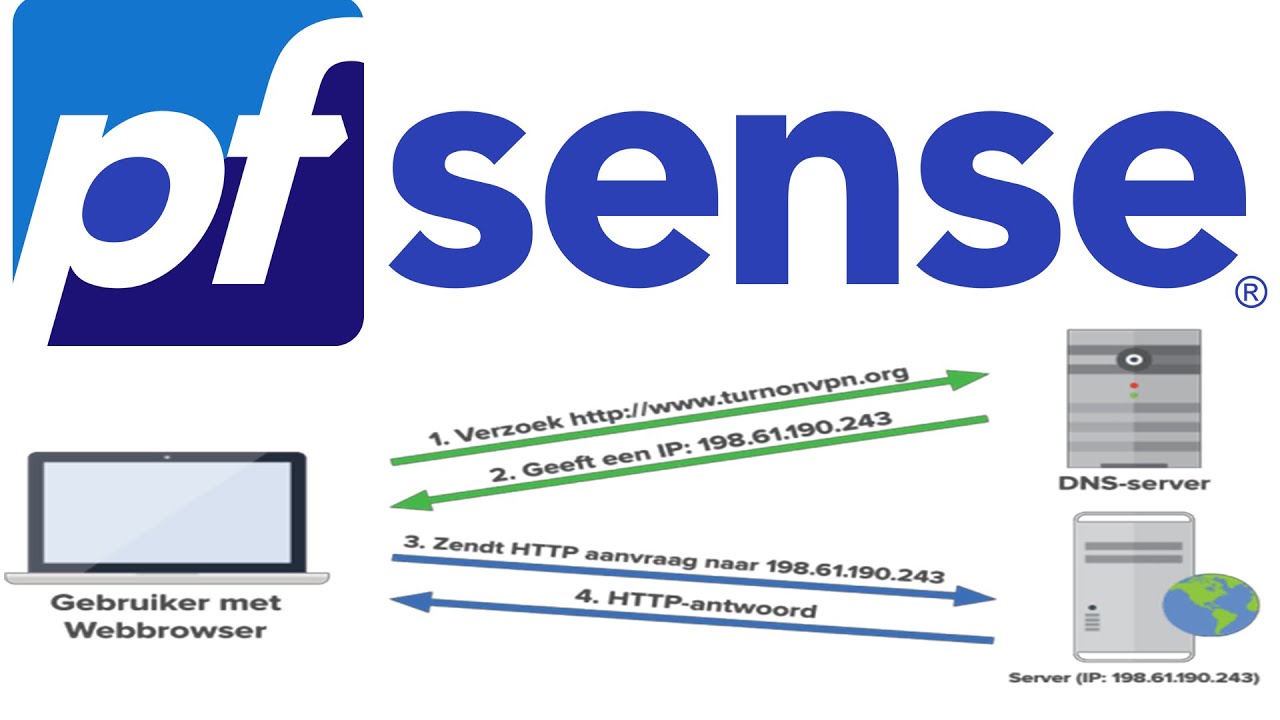
In this video I will explain how DNS works in combination with the open source firewall solution named PfSense.
So that I can tie certifcates to 10.27.27.1 10.27.27.2 10.27.27.3 etc for my local devices

How-To Geek
Running your own DNS server is a great way to accelerate your network’s responsiveness, reduce your reliance on public infrastructure, and benefit from extra functionality like hostname routing. Here’s how to set up a DNS server on a Linux machine using Dnsmasq.
mystic gazelle
peak cloak
thing is you can't have a cert with 10.27.27.5 iirc, since that's not a globally...
Yeah cus its one I made up to access my devices locally through pfsense
 glacial linden
peak cloak
or like ngrok
glacial linden
peak cloak
or like ngrok
playit gg also worked quite well
nvm someone suggested it already...
glacial linden
mystic gazelle
So that I can tie certifcates to 10.27.27.1 10.27.27.2 10.27.27.3 etc for my loc...
you want https certificates for domains that resolve to local IPs?
mystic gazelle
glacial linden
you want https certificates for domains that resolve to local IPs?
yeah well for example i access my router lets say on 10.27.27.2, i want a https certificate on that
so the page doesn't say "hey this is unsecure"
the only domain thats setup to resolve to local ip is my qnap cloud but they have their own setup application for that
drowsy fossil
what you may need is a reverse proxy
but you will not be able to get a globally valid cert for an ip address
glacial linden
mystic gazelle
yeah well for example i access my router lets say on 10.27.27.2, i want a https ...
You'd have to point all of them to a publically accessible server first, then issue a certificate from say letsencrypt... For that you can use playit or ngrok or anything that is publically accessible via IP. Once certificates are issued, then you can change the IP to which that domain points to.
So first point yourdomain.example.com to the ipv4 of say your playit.gg TCP tunnel 123.45.67.89, then do letsencrypt cert on that ip, once that's done you can then change the IP it points to
That's the only way I know of, there might be something easier/simpler to follow
drowsy fossil
cloudflare tunnels handles the certificates for you, but still need a domain not an ip
glacial linden
drowsy fossil
cloudflare tunnels handles the certificates for you, but still need a domain not...
is it free to use? cloudflare tunnels?
I do have a cloudflare domain for my own website and fun project stuff
drowsy fossil
yep
if you want authentication theres a 50 user max
and you can only set up so many before they start charging
glacial linden
mystic gazelle
so the page doesn't say "hey this is unsecure"
Also, it's a lot of trouble if all you'll do is access the website yourself locally...
mystic gazelle
i see, i have a domain on cloudflare which is tied to dynamic dns on my pfsense but idk what the f it does if that makes ense
yeah it seems its a lot of work
drowsy fossil
with tunnels tho you only need a device like a raspberry pi, and once its set up, you just need to give whatever you want to add a subdomain and ip address and itll start working
drowsy fossil
mystic gazelle
i see, i have a domain on cloudflare which is tied to dynamic dns on my pfsense ...
i can recommend against dynamic dns unless you are serious as it is associating your home ip with your domain
mystic gazelle
ok so through cloud flare i can use tunnels to link these local ips for https certs
drowsy fossil
yep
cloudflare will automatically httpsify your connection
mystic gazelle
drowsy fossil
i can recommend against dynamic dns unless you are serious as it is associating ...
that is true it literally is linked to my actual ip
drowsy fossil
yes thats not recommended
mystic gazelle
drowsy fossil
yep
cloudflare will automatically httpsify your connection
nice ill check it out thanks people @glacial linden @drowsy fossil
drowsy fossil

 drowsy fossil
yep
drowsy fossil
it took me a few hours on a saturday to get it fully set up and working, recommend setting up access first, personally use google authentication, but the default is pin sent to email
mystic gazelle
I see yeah sure, so setup the cloudflare zero trust
drowsy fossil
yep, try to go to my website and youll see what it says
uptime.carmonben.com for example
mystic gazelle
wow holy shi
legit
so basically what @glacial linden and yourself were describing, cloudflare does it essentially for you behind the scenes.
drowsy fossil
yep
mystic gazelle
mate thank you very much, I'm setting it up now seems very straightforward. I do have a domain which I'd like to just have as a personal portfolio page or soemthing and that domain is on cloudflare but i dont think itll interfere with zero trust tunnels cus thats seperate
drowsy fossil
yep you just need to add subdomains
mystic gazelle
this is awesome it seems too good to be true xD
out of interest what does uptime.carmonben.com link to if you dont mind disclosing
drowsy fossil
i host uptime kuma on my pi
itll send me a notification if my website is down or dns breaks
 mystic gazelle
nice! thats neat
 hearty portal
so I need some help with networking related things should i ask those questions here?
or make a tech support ticket?
drowsy fossil
ask the question and we will send you away if its the wrong spot
hearty portal
drowsy fossil
ask the question and we will send you away if its the wrong spot
ok so we have an edgemax system that we are running with 3 providers all being load balanced out to our clients. The problem with this is that it causes havoc with things like gaming. So I have been trying to find a way to give specific ips an exception to the load balancing and i found this article. https://community.ui.com/questions/Load-balancing-how-to-make-an-exception-rule/fbc01249-46b4-456c-be7a-0369f5d0f37a problem is I get back the error in the image. any help would be great and feel free to @ me so I can see it
 peak cloak
glacial linden
You'd have to point all of them to a publically accessible server first, then is...
peak cloak
glacial linden
You'd have to point all of them to a publically accessible server first, then is...
you don't need a public server for valid HTTPs certs @mystic gazelle
and you wouldn't want your router public
drowsy fossil
hearty portal
ok so we have an edgemax system that we are running with 3 providers all being l...
im afraid thats pretty system specific, you are better off asking for help on a more specialized forum
drowsy fossil
peak cloak
you don't need a public server for valid HTTPs certs <@152136911752790016>
no but you do need a domain, you cant get valid certs for ip addresses
hearty portal
drowsy fossil
im afraid thats pretty system specific, you are better off asking for help on a ...
ok will do. just wasnt sure if someone here would understand it better and know an answer
drowsy fossil
yep sometimes you can get lucky, but you are better off also asking on a more focused forum
peak cloak
drowsy fossil
no but you do need a domain, you cant get valid certs for ip addresses
Yes, although that domain does not need to actually point to the device
drowsy fossil
yep
peak cloak
By using cf you are basically going to their servers and back which imo is dumb
drowsy fossil
at work we have the internal domain publicly redirected to our website
internally it accesses resources
i think thats probably pretty common
peak cloak
drowsy fossil
at work we have the internal domain publicly redirected to our website
internall...
Yeah split horizon DNS
drowsy fossil
peak cloak
By using cf you are basically going to their servers and back which imo is dumb
sure but setting up a service like traefik is pretty decently harder
peak cloak
Why would you need traefik
drowsy fossil
the ips themselves dont support certs, so you need a reverse proxy
the easiest locally hosted reverse proxy that im aware of is traefik
drowsy fossil
ive never seen a single consumer router support https certs?
peak cloak
Well basic consumer no, but pfsense has to support it
drowsy fossil
thats true
but you would still need to set up a domain with dns services, and host that dns server somewhere
and then you need to deal with updating the cert yourself
peak cloak
Yeah, although you can automate it
drowsy fossil
yep
you know what else automatically updates certs, and requires less than 10 minutes of configuration to fully set up and automate https?
😛
mystic gazelle
peak cloak
you don't need a public server for valid HTTPs certs <@152136911752790016>
ahh okay
man getting it set up on pfsense is a bit difficult following this guide
as it runs freebsd
trying to pkg install cloudflared
peak cloak
drowsy fossil
yep
you know what else automatically updates certs, and requires less than 10 mi...
Yes, but I hate the whole concept of :
Oh just tunnel to cloudflare
For something as simple as just https certs
mystic gazelle
drowsy fossil
use another device
how come?
peak cloak
Local , not even public to the internet
mystic gazelle
peak cloak
For something as simple as just https certs
local https certs seem difficult to setup though
peak cloak
mystic gazelle
local https certs seem difficult to setup though
They really aren't, I should write a guide someday
drowsy fossil
mystic gazelle
how come?
generally recommended to set up as few internet connected services on your firewall as possible
cloudflare should sit inside your firewall
glacial linden
mystic gazelle
so basically what <@286125400508203008> and yourself were describing, cloudflare...
Nice to know + awesome! 😄
I was setting up Tailscale DERP server which acts up a bit if LetsEncrypt certs aren't used so that's why I went with that whole process. Plus, all visitors on that website need to know the direct IP instead of a proxy server for best ping and speeds for the relay to work.
For websites and other stuff, the way you used is easier, faster and much better 😌
glacial linden
peak cloak
They really aren't, I should write a guide someday
yup that'd be great too
mystic gazelle
peak cloak
They really aren't, I should write a guide someday
Please do i'd be interested definitely, cant really find useful guides online
@drowsy fossil how would cloudflare sit inside pfsense i know thats a dumb question but
drowsy fossil
the idea is it should be on your lan
cloudflared sets up a secure tunnel connection to cloudflares closest server directly, and it has access to any ip on your lan that you add
mystic gazelle
drowsy fossil
cloudflared sets up a secure tunnel connection to cloudflares closest server dir...
I see, so the devices that are attached to my pfsense that ive added static dhcp ips for
drowsy fossil
for example
mystic gazelle
cus atm its my modem to my pfsense and then router
drowsy fossil
hmmmm
glacial linden
drowsy fossil
cloudflared sets up a secure tunnel connection to cloudflares closest server dir...
Are secure tunnels and HTTPS Proxy servers different? I used cloudflare's proxy to protect root server privacy but was getting ~150ms ping atleast, and data transfer speeds that were much slower. This was for Tailscale DERP server so might've been because of that... Without proxy, ping is ~14ms
drowsy fossil
🤷 no clue
also be aware that ping can be different from how long it takes to get a website..
mystic gazelle
NOTE: Remember to create a backup before you proceed!
like for example my pfsense is 10.27.27.1, route 10.27.27.2 etc. i want all of them to go through cloudflare tunnels
man im taking in this networking wisdom love it
confused af but still
just so that they have https certs
mystic gazelle
peak cloak
They really aren't, I should write a guide someday
THE PEOPLE WANT THE GUIDE NOW
peak cloak
I wish I had the time
mystic gazelle
sudo dump presentmoney /brain/networking/httpsshit1 /home
tunnels makes it easy but i love to know how to do it the "proper" or most securest way
drowsy fossil
physically separate device from the router, or at least a vm is recommended
drowsy fossil
you can run it on your nas probably
mystic gazelle
yeah maybe ill start with that first
drowsy fossil
anything the nas can ping, cloudflared will be able to tunnel
mystic gazelle
instead of the central point (pfsense) sort of
drowsy fossil
think of cloudflared like a computer that accesses the webpage, then encrypts it, sends it to cloudflares closest server, then the server adds https and makes it available
mystic gazelle
right
so it kinda needs to sit at the front of the chain or closer to the front
from where the coaxial comes into my house if that makes sense..
drowsy fossil
nope
drowsy fossil
it can sit anywhere that can access the internet
mystic gazelle
right yeah the first point is the pfsense
right now tho getting it installed is giving me some os version error
trying to get around that
drowsy fossil
yep but the pfsense is critical infrastructure
you want only the absolute necessities running on it
mystic gazelle
correct
drowsy fossil
cloudflared can run on anything, windows, mac, linux, so you should find your least loaded always on device and run it on that
mystic gazelle
which does happen to be my nas
or my tplink router but i dont think that can run it
i think the tplink will be the easiest to tunnel
drowsy fossil
the hardest part is getting the tunnel installed, once its installed, you can add as many tunnels as you want
each one can be set up in minutes
mystic gazelle
right, actually i know pfsense has a package called acme which deals with certs
i only looked at installing cloudflared on pfsense cus i was searching up on how to install it
drowsy fossil
if you want certs on pfsense itself, set it up properly, cloudflared really shoud not go on your firewall itself
mystic gazelle
ok got it, im looking at a guide now pfSense - How install an SSL/TLS Certificate
mate thank you so much for your time @drowsy fossil
i damn appreciate it i love this stuff
im a junior dev but like networking
drowsy fossil
if you want it to work with the tplink tho youll need something like haproxy
drowsy fossil
you can but dont run the tunnel itself on the router
mystic gazelle
oh no just the http login page
so as you say it goes off to tunnels and secures it
right so on my tplink, under LAN i can set the static ip to the one from cloudflare tunnels
drowsy fossil
red is insecure connections, blue is secure connections

if the nas and pc can access the internet, and the tunnel is running on the nas, this is what connections you would have
mystic gazelle
I see
so most of it is secure but a lot of the connections will be unsecure from the nas
to and from
drowsy fossil
yep
whatever device is running the tunnels will have the insecure connections coming from it, and your firewall being the source of those connections is kinda sketch imo
mystic gazelle
right
for my router this is not the right thing

cus thats dns default locations
i should be in tunnels
where would you suggest to run the tunnels? im starting with installing ssl on pfsense properly atm
drowsy fossil
im not sure what you are doing, but you should have to do nothing on your router or firewall
drowsy fossil
mystic gazelle
where would you suggest to run the tunnels? im starting with installing ssl on p...
thats not strictly nescessary for tunnels
and i suggest running tunnels on the nas or any other always on linux box you have
mystic gazelle
ok I see, im just basically trying to avoid this page by having proper certs self signed or otherwise
 drowsy fossil
yep
mystic gazelle
but i see what you mean by having it on your router or pfsense
drowsy fossil
this page is those red connections
drowsy fossil
drowsy fossil
red is insecure connections, blue is secure connections
cloudflared is seeing that page but choosing to ignore it
mystic gazelle
isn't it securing it? with a cert or however tunnels work
drowsy fossil
virtualization 🌈
drowsy fossil
vm on the qnap sounds the easiest
mystic gazelle
or a raspberry pi
drowsy fossil
yep, thats where my tunnel lives
mystic gazelle
what do you run it on btw? also my router is in AP mode and not wireless mode in wireless mode etheres a lot more options
gotcha!
drowsy fossil
my pi is poe powered too so i can remotely power cycle it
mystic gazelle
nice
drowsy fossil
mystic gazelle
what do you run it on btw? also my router is in AP mode and not wireless mode in...
so you are using it as a switch+ap combo unit with the router disabled
mystic gazelle
yeah so its just in AP mode and connected to a small switch for ethernet connections
would you say its better off in full router mode?
cus theres a tonne of more options i get in router mode
and there's nothing stopping me having the switch anyway
drowsy fossil
mystic gazelle
would you say its better off in full router mode?
unlikely
let pfsense route
drowsy fossil
bigger part is nat
if your router is natting, you would have double nat issues which are un fun
mystic gazelle
right gotcha that actually makes a tonne of sense, i kinda knew that in the back of my head there would be double issues going on, if the router is trying to do its thing and then pfsense doing the same
but yeah NAT would be issue
just setting up cert on pfsense
peak cloak
mystic gazelle
would you say its better off in full router mode?
Then you'll have double NAT
You only one router NATing
You technically can have 2 fully routing routers (only 1 NATing) with 2 separate subnets but that requires setting up routes
mystic gazelle
hmm extra things
man ive never learned so much about networking then just talking on chats like this
normally i google around watch tutorials
drowsy fossil
tutorials are good
mystic gazelle
yeah i was just in the middle of one but they skipped the part of mentioning some good certificate authorities to sign the certs, lets encrypt openssl are a few i know of so trying to get a cert atm
 clear igloo
Best PoE 😄
drowsy fossil
802.3ded standard
 kind meadow


Anybody know anything about this .nirf .nitz ransomware??
All my files are encrypted
drowsy fossil
if the virus hasnt been removed, power the computer off asap
kind meadow
I dont have any backup
crystal oriole
oofe.
kind meadow
1.0.1.7 update for the last of us 💀
Theres no way for me to pay them because i live in iran
I agree but a 70$ game cost more than you think in my country's currency
Unfortunately buying the game is not an option for me because of my country's restrictions
I agree 100%
Lmao I don't even know why i went to that website
I mean theres a couple totally safe iranian websites for downloading pirated games that I've been using for YEARS
mystic gazelle
kind meadow
damn thats rough
kind meadow
Now i have to format all my drives
I will be safe after formatting all my drives right??
mystic gazelle
if they are ssd's secure wipe them and if theyre hard drives run a zero wipe over them could take a few hours though
kind meadow
I have two m.2 nvmes and 1 hard drive
mystic gazelle
depending on how sophisticated it was other components could be infected but take power off immediately and thoroughly clear each device separately and build the PC again. thats waht id do
drowsy fossil
it will keep encrypting as long as the virus is there
starting from the most visible, if you turn off the computer, sometimes you can have some files escape being encrypted
kind meadow
mystic gazelle
depending on how sophisticated it was other components could be infected but tak...
God damn rebuild the whole pc whaat
mystic gazelle
this stuff can even corrupt your bios, reflash your bios. that's me personally i wouldnt take any chances
yeah depends how important them things were really
idk
kind meadow
Should i move my important corrupted files to an external hard drive in case i could decrypt them later ? Or is that dangerous
plucky pollen
did you do an antivirus scan on it?
kind meadow
plucky pollen
did you do an antivirus scan on it?
Yea i did
Foun the virus itself but doesn't matter cuz my files are already encrypted
plucky pollen
i meant before running it
kind meadow
Right
plucky pollen
i wouldnt run exes from a fishy website without doing an av scan
and ofc backup ur important files
mystic gazelle
true
kind meadow
plucky pollen
i wouldnt run exes from a fishy website without doing an av scan
The thing is
Any antivirus takes game crack files as a virus
So i have to turn my antivirus off before copying the crack files 😑
mystic gazelle
its just not worth imo
kind meadow
So my bios is ok or do i flash the bios anyway
plucky pollen
well ig in that case ur bound to get a virus
kind meadow
plucky pollen
well ig in that case ur bound to get a virus
Exactly
Yes, but sometimes i have to use a vpn
I mean i cant pay steam with my currency
The banks are not international
I don't know how to explain my english is like 3rd grade
I could buy giftcards
Only way is i get paid with dollars not rials
A dollar is equivalent to 52000 rials
LMAO
mystic gazelle
i feel your pain bro, i have a friend here in the UK we went uni together, hes from iran everytime he goes the amount of censoring and restrictions is outrageous, he uses vpns all the time there but some dont even work
kind meadow
mystic gazelle
i feel your pain bro, i have a friend here in the UK we went uni together, hes f...
Thanks man
Yea its pretty rough
shit Im using a vpn RIGHT NOW
I worked for 2 years to buy a gpu
Got the thing for 27 MILLION
I sold my 1050ti and ps4 so i can pay for that gpu
mystic gazelle
man i know it can be tough, is there possibility to move to the west
thats what my forefathers and etc did ages ago thats why im fortunate to be here
but at the same time its miserable and depressing
kind meadow
mystic gazelle
thats what my forefathers and etc did ages ago thats why im fortunate to be here
Not really theres not a genuine way
So many people move with smuggler's
And that costs a lot of money too
And theres even a chance of death
People get sick and die half way
But i know a dude who moved to germany 15 years ago and now is living with a family
I mean you have to leave everything behind
0 money fresh start
Like you won the gulag
mystic gazelle
kind meadow
Not really theres not a genuine way
So many people move with smuggler's
And tha...
yeah that happens its really depressing 😦
man this thread has gone deep
it isnt any better here tbf late stage capitalism, global recession, mental health issues are on the rise, drug addictions oh what a world we live in anyway back to networking
its worser in other poorer parts of the world of course but the phycological warfare we are fighting in the west is tough, i guess we're fighting a different kind of battle
kind meadow
mystic gazelle
yeah that happens its really depressing 😦
man this thread has gone deep
it isn...
Yea anyway weather seems to be warming up
kind meadow
mystic gazelle
its worser in other poorer parts of the world of course but the phycological war...
True
mystic gazelle
yeah getting into summer, but not like it used to be idek global warming ?
somedays i cant get out of bed in the morning, but in the middle east you have adults working their asses off for a dime to get by
mental health is less of a issue its more survival i guess?
kind meadow
mystic gazelle
yeah getting into summer, but not like it used to be idek global warming ?
I heard north pole ices are melting
mystic gazelle
i said back to networking and immediately go down this path lol
kind meadow
mystic gazelle
mental health is less of a issue its more survival i guess?
Its the survival that causes the mental health issues
mystic gazelle
yeah its a vicious cycle
thats why a lot turn to misusing substances
lets not start on the opioid crisis
mystic gazelle
i dont blame you im not judging
kind meadow

So
1 I cant plug anything into my pc and be sure its not infected
2 theres no way to decrypt my files without the tool that the virus is trying to sell me
So the best i can do is just format all my drives
Is this even related to networking idk lmao
Gotcha
Thank you everyone and sorry i wasted your time
You didn't need to hear my sad stories
 rocky badge
@clear igloo @hollow marlin Any ideas on Extreme switches to show tx byte count that is greater than 9999999999???
 hollow marlin
rocky badge
<@291198741862416384> <@462711605063450628> Any ideas on Extreme switches to sho...
hollow marlin
rocky badge
<@291198741862416384> <@462711605063450628> Any ideas on Extreme switches to sho...
I would sure hope it's tracking 64bit counters in memory, 10GB of traffic is nothing
rocky badge
….I hope too…
 hard arch
heh
 pseudo blade
rocky badge
<@291198741862416384> <@462711605063450628> Any ideas on Extreme switches to sho...
pseudo blade
rocky badge
<@291198741862416384> <@462711605063450628> Any ideas on Extreme switches to sho...
Is it just the width of your terminal?
rocky badge
nope
thick minnow
Any good router and modem combos for xfinity? It needs to be able to do 1gig max 200$
 wind glade
hard arch
heh
wind glade
hard arch
heh
The shortest delay time you can get with ethernet cable
You cant make it faster
 livid aspen
hard arch
heh
livid aspen
hard arch
heh
ethernet seed
 hot basin
thick minnow
Any good router and modem combos for xfinity? It needs to be able to do 1gig max...
hot basin
thick minnow
Any good router and modem combos for xfinity? It needs to be able to do 1gig max...
Do you care which brand it’s from? Motorola has a good deal on combos less then $200 at micro center
 rocky badge
hollow marlin
I would sure hope it's tracking 64bit counters in memory, 10GB of traffic is not...
rocky badge
hollow marlin
I would sure hope it's tracking 64bit counters in memory, 10GB of traffic is not...
@pseudo blade Oh you have to include wide to show 64 bit counters
pseudo blade
That'll do it
rocky badge

 velvet jolt
Anybody know why my friend cannot join my game in satisfactory if I enabled ipv6 in my router?
Shouldnt it use ipv4 if not available?
thick minnow
hot basin
Do you care which brand it’s from? Motorola has a good deal on combos less then ...
no, any brands are fine

 icy bone
Wondering if anyone could tell me if this Powerline Ethernet stepper has AC passthrough on both adapters or just the one? The pictures and description are a little unclear?

TP-Link TL-WPA7617 KIT is AC1200 dual band Wi-Fi (867Mbps on 5GHz & 300Mbps on 2.4GHz) Powerline Kit allows streaming, gaming, emailing, browsing and posting on your wireless devices, throughout your home brings internet to any area with a power outlet using your home’s electrical wiring. Without...
 faint bronze
One
icy bone
Damn it. We have so few sockets in his house!
 frank thistle
Hi, if i wanted to connect a second Wireless Access Point to my main router, how do i connect them both together using the internet cable? Main routers LAN to second Wireless Access Points LAN or main routers LAN to the second Wireless Access Points LAN ports?
frank thistle
Like whitch One is better? LAN to internet port or LAN to LAN?
peak cloak
frank thistle
Hi, if i wanted to connect a second Wireless Access Point to my main router, how...
Uhh?
An AP will usually only have 1 port
You do LAN to that one port
frank thistle
peak cloak
You do LAN to that one port
do i need to put my second wireless access point to bridge mode if i connect my main router to my second wireless access point LAN to WAN, but my second wireless access point is with a different SSID and password
peak cloak
frank thistle
do i need to put my second wireless access point to bridge mode if i connect my ...
if it's an AP it's already bridging, if it's a router then yeah it's need to be in bridge
and it doesn't need to be a different SSID
frank thistle
peak cloak
and it doesn't need to be a different SSID
Well i have my main router and a second router that has it's own SSID and is connected to the main router like this;
Main router LAN - Second router/ Wireless Access Point WAN
rocky badge
@clear igloo bruh
 clear igloo
uhhh, sounds like you need to do the needful
 nimble sable
Question; is mu-mimo real or not? Literally Netgear told me it's not. OR to be more precise: CAN i use multiple devices to divide up the outgoing spatial streams within on band or does this require multiple bands (like 5G_low and 5G_high).
drowsy fossil
what?
nimble sable
e.g: my wifi AP has 4x4 5Ghz (only one band). At 80Mhz that's 600Mbps per stream. I can get 1200Mbps speed on one device that's 2x2. CAN I simulteneously get ANOTHER 1200Mbps on ANOTHER device that's also 2x2 using the same 80mhz band?
drowsy fossil
well you wont get 1200 on one device thats 2x2
nimble sable
drowsy fossil
well you wont get 1200 on one device thats 2x2
I did
drowsy fossil
measured or phy?
nimble sable
iperf3
drowsy fossil
are the antennas touching?
are you sure its limited to 600mbps per stream?
nimble sable
802.11ax is 600Mbps per stream, yea, at least on 80mhz channels
160mhz is dicey AF, even the iphone i tried had issues cuz i tried to force it into DFS channels
drowsy fossil
i must be misremembering things
nimble sable
eh, regardless doesn't matter
my question though, is that, can i make use of the other 2x2 streams at the same time?
i asked around, because mine wasn't doing that, and i was told that in order to do that i'd have to have a seperate band for the other 2x2 (e.g. the APs that have 5g_low and 5g_high)
drowsy fossil
nimble sable
my question though, is that, can i make use of the other 2x2 streams at the same...
you should be able to, but thats not what mumimo is for
with mumimo say you have 4 2x2 devices connected to a 2x2 ap, without mimo you have i think its over 30% overhead for just coordinating the devices to prevent collisions even with perfect transmission, mumimo drops the overhead extremely significantly, probably just about able to get gigabit over a 1200m phy
nimble sable
drowsy fossil
with mumimo say you have 4 2x2 devices connected to a 2x2 ap, without mimo you ...
ok but say you have 2 2x2 devices connected to a 4x4 AP...? reality seems to be that for some reason both devices share the 2 spatial streams even though there's another 2 empty ones right there does MUMIMO not mean the ability to use the other 2?
if not, why even do 4x4 APs?
drowsy fossil
yea mumimo is something else
the software may keep the devices together to save power?
nimble sable
what even is the point of 4x4 then? literally nothing can do 4x4 in regular everyday devices
drowsy fossil
or it reserves it for a different ssid?
drowsy fossil
nimble sable
what even is the point of 4x4 then? literally nothing can do 4x4 in regular ever...
also is it on a 2.5g port?
nimble sable
oh yea i get 2.3Gbps on 6ghz no issues
drowsy fossil
interesting
yea ive never run that sort of experiment, and usually when they talk about max speeds they talk about having hundreds of devices connected
nimble sable
drowsy fossil
interesting
yea ive never run that sort of experiment, and usually when they tal...
far as i can tell it is impossible to ever reach that speeds regardless of what is happening
drowsy fossil
what device?
nimble sable
currently, WAX630e (netgear) and pixel7pro
i did the testing when i had a p7pro and a p6 with me
drowsy fossil
datasheet reading time ffor me
hmm
well it says it has ofdma and mumimo
but it doesnt say it has mu-ofdma
ooooh there it is
it only has 2 6g radios, how were you making sure they were using 5g and not 6g?
nimble sable
drowsy fossil
it only has 2 6g radios, how were you making sure they were using 5g and not 6g?
by turning off the 5g, lol
i think i found something
One thing to note – the streams are spatial, which means if two devices are close to each other, they still have to share the same stream
drowsy fossil
thats true yea this is a puck style device not with separate antennas