#networking
1 messages · Page 29 of 1
 magic arrow
 clear igloo
That I'm not sure sadly 😦
 pseudo blade
Could just run the downloadable software one in the interim
 rocky badge
@clear igloo lolllll https://store.ui.com/products/ck-enterprise-ea?variant=40433701027929

Ubiquiti Inc.
 weak horizon
rocky badge
<@291198741862416384> lolllll https://store.ui.com/products/ck-enterprise-ea?var...
weak horizon
rocky badge
<@291198741862416384> lolllll https://store.ui.com/products/ck-enterprise-ea?var...
they put that in EA but we can't get Protect for RPI, docker, or vm
 waxen scroll
weak horizon
they put that in EA but we can't get Protect for RPI, docker, or vm
waxen scroll
weak horizon
they put that in EA but we can't get Protect for RPI, docker, or vm
still waiting on spine switch
pseudo blade
weak horizon
they put that in EA but we can't get Protect for RPI, docker, or vm
Why would they when they can sell a device for it?
 knotty plover
Hi, show me a way to Route a VPS 1 to VPS 2 and connect to VPS #2 through OpenVPN
VPS 1 can connect to VPS #2
I can connect to VPS #1 Only
I wanna route myself to VPS 1, and VPS 1 to VPS #2 Linux
I couldn't find anything in Github, please help, everything is banned here
 uncut gorge
do u guys talk about wifi here
clear igloo
no, wifi is the devil!
 primal ice
heh
 potent radish
knotty plover
I couldn't find anything in Github, please help, everything is banned here
potent radish
knotty plover
I couldn't find anything in Github, please help, everything is banned here
i can help with wireguard
i had a lot of problems with openvpn for some reason
knotty plover
potent radish
i can help with wireguard
i had a lot of problems with openvpn for some reason
Is it possible to route the way I mentioned?
VPS #1 to VPS #2 and I connect to VPS 2 though VPS 1?
potent radish
yea
i did it a lot of times when i had network issues
knotty plover
Is there a Github project or something I can refer to use?
potent radish
you need to check /proc/sys/net/ipv4/ip_forward
on one that will be forwarding connection
knotty plover
potent radish
you need to check `/proc/sys/net/ipv4/ip_forward`
Yes, I currently did it with V2RAY
But V2RAY isn't fast enough, that's why I need a better VPN
So I put the IP of main server in connection and this happens
knotty plover
potent radish
you need to check `/proc/sys/net/ipv4/ip_forward`
I used this for that

by replacing my IP, but for V2Ray
potent radish
iptables -A FORWARD -i wlp5s0 -o enp6s3 -j ACCEPT; iptables -A FORWARD -i enp6s3 -j ACCEPT; iptables -t nat -A POSTROUTING -o wlp5s0 -j MASQUERADE;
This is command that i was using
It forwards network connection from wlp5s0 to enp6s3
you propably want to change it from
knotty plover
potent radish
iptables -A FORWARD -i wlp5s0 -o enp6s3 -j ACCEPT; iptables -A FORWARD -i enp6s3...
Oh yes
Now if I install Wireguard on VPS#2
how to edit config to put VPS1 IP
and connect through this?
potent radish
you can do it with any vpn
knotty plover
potent radish
you can do it with any vpn
I have OpenVPN installed
I tried editing the oVPN and change IP in that, and it didn't work
do you know how to do it?
potent radish
for wireguard i prefer this script https://github.com/angristan/wireguard-install

GitHub
WireGuard VPN installer for Linux servers. Contribute to angristan/wireguard-install development by creating an account on GitHub.
knotty plover
potent radish
for wireguard i prefer this script https://github.com/angristan/wireguard-insta...
thanks
Can I have this while OpenVPN is installed too?
potent radish
this script will create config in home directory
knotty plover
but the important part is how to change the config to connect through VPS 1
as for V2Ray, I change server address in confige
but it didn't work for OpenVPN

I edited this IP in OVPN file and thought it may work, but it doesn't
not sure how wiregaurd works
 peak cloak
knotty plover
but the important part is how to change the config to connect through VPS 1
peak cloak
knotty plover
but the important part is how to change the config to connect through VPS 1
your tunnel can terminate on vps1
potent radish
[Interface]
PrivateKey = never share this
Address = address of device
DNS = dns servers

[Peer]
PublicKey = never share this
PresharedKey = never share this
Endpoint = ip of server
AllowedIPs = 10.66.66.0/24 (addresses that you want to be able to connect to)
what do you mean
knotty plover
potent radish
```toml
[Interface]
PrivateKey = never share this
Address = address of device
DN...
thanks
knotty plover
peak cloak
for internet traffic
I routed the VPS #1 traffic to VPS #2 , how do I make it work with Open VPN (installed on VPS #2)
that's my question actually
as editing Ovpn file didn't help
peak cloak
knotty plover
I routed the VPS #1 traffic to VPS #2 , how do I make it work with Open VPN (ins...
you just setup routing
potent radish
potent radish
```toml
[Interface]
PrivateKey = never share this
Address = address of device
DN...
this how config should look like
on last line you can change ip to allow only vpn traffic (so server will use own connection for everything instead of vpn)
peak cloak
you can make a seprate tunnel between vps 1 and 2, and just set next-hop
knotty plover
peak cloak
you just setup routing
I don't need to install openVPN on server 1 too right?
peak cloak
it depends, best way is to setup a tunnel between them imo. There are many different ways to do what you want
knotty plover
potent radish
this how config should look like
on last line you can change ip to allow only vp...
Oh I see, thanks
knotty plover
peak cloak
it depends, best way is to setup a tunnel between them imo. There are many diffe...
can you send me a link or tutorial? because I'm not pro in network stuff
peak cloak
knotty plover
can you send me a link or tutorial? because I'm not pro in network stuff
I don't really have anything to reference, this is just coming from the knowledge I have
knotty plover
peak cloak
I don't really have anything to reference, this is just coming from the knowledg...
I see, the country I live in has banned all VPNs and external IPs, but VPS data centers can connect to VPN
currently 99% of People use V2Ray, but that's not good enough TBH
so I'm trying to do that but with another VPN
potent radish
you should be able to just connect your second vps to vpn with changed config to use it only for vpn conneection
knotty plover
potent radish
you should be able to just connect your second vps to vpn with changed config to...
actually lets call it VPS 1 = Internal - VPS 2 = EU External
so 1 can connect to 2
My Internet can't
I need to connect to 2 through 1
which VPN is the best for this? Wiregaurd?
OpenVPN is better for me but I don't know what I should do, it's installed on VPS 2 already
VPS 1 is routing traffic to VPS 2
peak cloak
knotty plover
which VPN is the best for this? Wiregaurd?
you can use whatever
I'm trying to make a diagram rn
potent radish
oh so you want to have all traffic forwarded to vpn 2
knotty plover
peak cloak
you can use whatever
so I have OpenVPN ready already on VPS 2
and traffic is routing from VPS 1 to 2
How to make it work with Open VPN?
in V2ray I just change IP address (in client) to VPS 1 and it works
knotty plover
potent radish
oh so you want to have all traffic forwarded to vpn 2
Yes
potent radish
potent radish
iptables -A FORWARD -i wlp5s0 -o enp6s3 -j ACCEPT; iptables -A FORWARD -i enp6s3...
you can use this script if you have working vpns
wlp replace with connection to vpn2 and enp replace with connection with your devices
knotty plover
potent radish
you can use this script if you have working vpns
in Which VPS?
let me ask this:
Should I install VPNs on VPS 1 too?
Right now I have them on Server 2 only (External)
knotty plover
potent radish
wlp replace with connection to vpn2 and enp replace with connection with your de...
oh I see
knotty plover
knotty plover
I used this for that
what about this one that I already used?
Should I disable it?
potent radish
Ok so
What is used for connection 1 and what is used for connection 2 now?
 knotty plover
potent radish
Ok so
What is used for connection 1 and what is used for connection 2 now?
knotty plover
potent radish
Ok so
What is used for connection 1 and what is used for connection 2 now?
Connection 1 is my Internal VPS
Connection 2 is the Hetzner VPS
and I (Client) use internets that can only work with VPS1
If you help me to make this work with all VPNs, I will forever appreciate you.
potent radish
You need to setup working vpn between VPS2 and VPS1 and between VPS1 and Client
What systems are on VPSs
knotty plover
potent radish
You need to setup working vpn between VPS2 and VPS1 and between VPS1 and Clien...
So for example:
Connect VPS 1 to 2 and I connect to VPS 1
For example with Open VPN
And make that route VPS1 traffic to VPN (which is VPS 2)
But I'm not sure how haha
This is exactly my question
 potent radish
yea
do you have any working vpn rn?
knotty plover
potent radish
yea
do you have any working vpn rn?
Do you mean on the VPSs?
Or for myself?
I do have
for myself, it's a bit slow but I'm using it to configure these servers
knotty plover
potent radish
It have static ip?
I think so, the server IP is the same all the time, but internet, I don't know
how do I check that?
potent radish
no need
vps usually have static ip
so run this
curl -O https://raw.githubusercontent.com/angristan/wireguard-install/master/wireguard-install.sh
chmod +x wireguard-install.sh
./wireguard-install.sh


 knotty plover
potent radish
so run this
```
curl -O https://raw.githubusercontent.com/angristan/wireguard-in...
knotty plover
potent radish
so run this
```
curl -O https://raw.githubusercontent.com/angristan/wireguard-in...
IPv4
potent radish
it shows 10.66.66.1 or something different?
knotty plover
yes this
knotty plover
potent radish
change it to 10.2.2.1
I did this, and port? isn't important much?
64413
potent radish
change it to something random and not share it here
it shouldn't be any used port
knotty plover
Ok
potent radish
This is a list of TCP and UDP port numbers used by protocols for operation of network applications.
The Transmission Control Protocol (TCP) and the User Datagram Protocol (UDP) only need one port for duplex, bidirectional traffic. They usually use port numbers that match the services of the corresponding TCP or UDP implementation, if they exist....
you can use anything that is not on this list without any problems
 knotty plover
Ok finished installing
potent radish
it will allow client to connect to any ip avaliable to server
knotty plover
what to do to this?
 potent radish
select all or click ok and then restart them
knotty plover
Ok I see client name now
potent radish
vps1
potent radish
10.2.2.11 (so it will have more 1s than vps2)
knotty plover
potent radish
10.2.2.11 (so it will have more 1s than vps2)
ok 10.2.2.11 it is
Took screenshot of it and QR code
potent radish
it will create file
knotty plover
yes, I download it for the VPS1?
potent radish
Lets leave that for now
knotty plover
 knotty plover
potent radish
Lets leave that for now
knotty plover
potent radish
Lets leave that for now
Ok
potent radish
Now do the same with vps1
knotty plover
If Github isn't banned there, let me try it
potent radish
potent radish
Now do the same with vps1
but with 10.1.1.1 as ipv4 and 10.1.1.2 as client
potent radish
knotty plover
If Github isn't banned there, let me try it
this is script so you can just download it from server and upload on vps1
knotty plover
potent radish
this is script so you can just download it from server and upload on vps1
Oh I see, let me try normal way first
potent radish
ok
knotty plover
potent radish
ok
Funny even putty or WinSCP can't work while I'm connected to VPN here, I should go off VPN and install it there
Or I can use console
Fixed it, now I can
was a port issue
knotty plover
potent radish
ok
worked normally, so 10.1.1.1 and 10.1.1.2
knotty plover
potent radish
this is script so you can just download it from server and upload on vps1
Finished, what to do now?

 Why does Shield TV now try to use hard coded google DNS
clear igloo
Why does Shield TV now try to use hard coded google DNS
clear igloo
Interesting, good question
potent radish
knotty plover
Finished, what to do now?
now copy config file from vps2 to vps1 into /etc/wireguard/wg1.conf
knotty plover
potent radish
now copy config file from vps2 to vps1 into /etc/wireguard/wg1.conf
there is a wg0.conf
in VPS1
should I leave that be
potent radish
wg0.conf is server configuration
leave it
knotty plover
potent radish
wg0.conf is server configuration
leave it
Ok, ready
 knotty plover
done
potent radish
then on vps1 run systemctl start wg-quick@wg1
have you already ran it?
if not stop
i have no idea how it will work on double server
rocky badge
@clear igloo Apparently Shields do it even with DHCP
the only time it doesn't use hardcoded DNS is when you configure static IP on the Shield
knotty plover
potent radish
i have no idea how it will work on double server
the server stucked
I have to restart it
potent radish
stop
it didn't stucked
i just made mistake
hmmm
so it lost normal connection to wan after connecting to vpn
knotty plover
potent radish
so it lost normal connection to wan after connecting to vpn
I think so
potent radish
ok time for plan B
systemctl disable --now wg-quick@wg0 on vps2
and run wireguard script again on VPS1
knotty plover
 potent radish
OHHHH
I finnaly found something we and i need later
PersistentKeepalive =
knotty plover
did it on VPS 2, so run the same thing on VPS 1 as before?
clear igloo
rocky badge
<@291198741862416384> Apparently Shields do it even with DHCP
weird, as fallback or primary?
rocky badge
Just in general
knotty plover
potent radish
we will make vps2 client in vps1 network
what
potent radish
VPS2 will be connected to VPS1 in same way as client but it will act as router
run wireguard-install script on vps1 and add new client
knotty plover
potent radish
VPS2 will be connected to VPS1 in same way as client but it will act as router
Can I connect to VPS1 later and get VPS 2 internet this way? that's what I need
knotty plover
potent radish
run wireguard-install script on vps1 and add new client
The last part?
I did add a new user, what to do with it?
I think VPS 1 should be a client of VPS 2 and I should be the client of VPS 1 so I can use VPS 2 traffic
that's what we need
potent radish
Ok i'm back
VPS1 will act like switch and VPS2 will be router
potent radish
knotty plover
The last part?
install config file on VPS2 as /etc/wireguard/wg2.conf
knotty plover
potent radish
install config file on VPS2 as /etc/wireguard/wg2.conf
Ok
knotty plover
potent radish
install config file on VPS2 as /etc/wireguard/wg2.conf
Done

what's next?
knotty plover
potent radish
what is ip of this config?
yes
 potent radish
add PersistentKeepalive = 25 to wg2.conf that is on vps2
knotty plover
potent radish
add `PersistentKeepalive = 25` to wg2.conf that is on vps2
How do I add it to conf?
editing file? where do I put it?
potent radish
edit file
add it in new line
knotty plover
after interface or peer?
potent radish
[Interface]
Address = 10.0.44.3/32
ListenPort = 51820
PrivateKey = WN+bvd3PCWs5Pk3bvl7abWR0c1L6PCWKYRX56mjVYGo=
DNS = 1.1.1.1

[Peer]
Endpoint = public-server1.example-vpn.tld:51820
PublicKey = q/+jwmL5tNuYSB3z+t9Caj00Pc1YQ8zf+uNPu/UE1wE=
AllowedIPs = 10.0.44.1/24
PersistentKeepalive = 25
example from https://github.com/pirate/wireguard-docs/blob/master/example-full/home-server/wg0.conf
under AllowedIPs
knotty plover
Ok done
potent radish
edit allowedIPs to
AllowedIPs = 10.1.1.0/24
so it will not lose network connection
knotty plover
in wg2?
potent radish
yea
knotty plover
Ok done
potent radish
and now you can safely do systemctl start wg-quick@wg2 on VPS2
knotty plover
VPS2? last time we did it on VPS1?
potent radish
(note: start will start service only now)
potent radish
knotty plover
VPS2? last time we did it on VPS1?
yea on vps2
on the vps where you added wg2
knotty plover
Ok
potent radish
you still can run commands?
do ip a
it should show wg2 interface
then ping 10.1.1.1
it should ping server
 potent radish
no it worked correctly but you copied on VPS2
it started so dont worry about that
ip a shows wg2?
 potent radish
no need to cover those
those are local from vpn
knotty plover
ok haha
potent radish
ping 10.1.1.1
knotty plover
doesn't work
potent radish
hmm
knotty plover
maybe need a reboot on both servers?
knotty plover
potent radish
`ping 10.1.1.1`
10.1.1.3 ain't it?
potent radish
do systemctl status wg-quick@wg0 on VPS1
knotty plover
knotty plover
10.1.1.3 ain't it?
surely not
 potent radish
now server ping itself
knotty plover
potent radish
do `systemctl status wg-quick@wg0` on VPS1
it shows too many things
potent radish
then do ip a | grep wg on VPS1
potent radish
knotty plover
it shows too many things
Active?
knotty plover
potent radish
Active?
yes
potent radish
good

 potent radish
try to run ping 10.1.1.3 on VPS1
knotty plover
knotty plover
is this ok? ip a | grep wg
potent radish
knotty plover
is this ok? ip a | grep wg
ye

 potent radish
i think i know the problem
knotty plover
what is that
potent radish
does Endpoint in wg2.conf start with 10.?
knotty plover
potent radish
does Endpoint in wg2.conf start with `10.`?
No, it starts with the IP of my VPS 1
 knotty plover
potent radish
does Endpoint in wg2.conf start with `10.`?
knotty plover
potent radish
does Endpoint in wg2.conf start with `10.`?
there's one thing though, before all of these, I did route the traffic on VPS 1 to VPS 2 with the command I showed you
Should we fix that?
with this command

it was for V2ray
potent radish
ipconfig --list
knotty plover
potent radish
`ipconfig --list`
VPS 1?
potent radish
knotty plover
VPS 1?
Yea
knotty plover
potent radish
Yea
 potent radish
*iptables
knotty plover
 potent radish
systemctl stop wg-quick@wg0 && iptables --flush && systemctl start wg-quick@wg0
knotty plover
is it fine?
potent radish
potent radish
`systemctl stop wg-quick@wg0 && iptables --flush && systemctl start wg-quick@wg0...
VPS1
and ipconfig --list on vps2
knotty plover
potent radish
`systemctl stop wg-quick@wg0 && iptables --flush && systemctl start wg-quick@wg0...
done
knotty plover
potent radish
and `ipconfig --list` on vps2
iptables --list you mean?
potent radish
knotty plover
iptables --list you mean?
yea
knotty plover
 potent radish
knotty plover
potent radish
knotty plover
systemctl stop wg-quick@wg2 && iptables --flush && systemctl start wg-quick@wg2
on vps2
knotty plover
done
knotty plover
potent radish
on vps2
what next?
potent radish
check can you ping normal vps1 address from vps2 console
knotty plover
potent radish
check can you ping normal vps1 address from vps2 console
yes, and it's pretty good ping to EU lol, no VPN goes under 100ms here
 potent radish
check can you ping 10.1.1.1 from vps2
knotty plover
doesn't work
knotty plover
potent radish
do you have firewall enabled?
Servers are naked, I mean, I didn't install anything on them
 potent radish
run ufw status
knotty plover
 potent radish
install nmap on vps2
knotty plover
shouldn't we remove it before we do again as first we tried different thing?
potent radish
wdym
knotty plover
potent radish
install nmap on vps2
what is the command
potent radish
sudo apt install nmap
knotty plover
potent radish
wdym
I mean, first we installed as server on both, doesn't that affect now
knotty plover
potent radish
sudo apt install nmap
done
potent radish
knotty plover
I mean, first we installed as server on both, doesn't that affect now
server and client are bassicaly same thing but config is different
wg0 is server config
we disabled it so it will not break anything
knotty plover
so what could be the issue that server 2 can't connect to 1?
potent radish
knotty plover
done
nmap -v -T3 -p (wireguard port) (vps1 ip)
knotty plover
maybe this protocol
potent radish
potent radish
nmap -v -T3 -p (wireguard port) (vps1 ip)
this will check is port open
knotty plover
potent radish
nmap -v -T3 -p (wireguard port) (vps1 ip)
port of vps 1 client right?
can you show me an example
potent radish
port that you selected while configuring vps1
one that is in /etc/wireguard/wg0.conf on vps1
one that is in /etc/wireguard/wg2.conf on vps2
they should be the same
potent radish
huh
knotty plover
potent radish
huh
oh wait, you mean the user and VPN server? or port for both servers?
they are the same for wg0 and wg2
no worries
potent radish
alifhlefh
Ok lets do this
rm /etc/wireguard/wg0.conf on vps2
rm /etc/wireguard/wg1.conf on vps1
this will remove old config
knotty plover
potent radish
nmap -v -T3 -p (wireguard port) (vps1 ip)
and how do I, do this? it gives me error
knotty plover
potent radish
alifhlefh
Ok lets do this
`rm /etc/wireguard/wg0.conf` on vps2
`rm /etc/wireguar...
so installing again, and using same port for both servers?
potent radish
knotty plover
and how do I, do this? it gives me error
it should look like nmap -v -T3 -p 80 192.168.1.1
instead of 80 put wireguard port
instead of 192...1 put your vps1 ip
knotty plover
potent radish
it should look like `nmap -v -T3 -p 80 192.168.1.1`
instead of 80 put wireguard ...
and I run it on VPS2?
potent radish
knotty plover
so installing again, and using same port for both servers?
no
removing old config
potent radish
knotty plover
and I run it on VPS2?
yea
knotty plover
potent radish
it should look like `nmap -v -T3 -p 80 192.168.1.1`
instead of 80 put wireguard ...
I did this
 knotty plover
potent radish
no
removing old config
knotty plover
potent radish
no
removing old config
should I still remove them?
potent radish
knotty plover
I did this
it should show little table where it shows state
 potent radish
knotty plover
should I still remove them?
potent radish
knotty plover
should I still remove them?
yea
this will remove server from vps2 and client config from vps1
we will not use them anymore
knotty plover
 potent radish
since only server will be vps1
potent radish
knotty plover
something is wrong
do your vps provider have something about security/firewall on their page?
or port forwarding
knotty plover
potent radish
we will not use them anymore
done
knotty plover
potent radish
do your vps provider have something about security/firewall on their page?
or po...
Hetzner no, but the other one since its in the same country, maybe they banned something
as I said, they can connect to VPN, but many things are filtered yet
that's why I was trying for OpenVPN as that works fine so far but I don't know how to do that
wiregaurd?
not sure
Can I test it in my phone? I have an ISP which has same restrictions as VPS1
so if this connects to VPS 2 Wiregaurd
it means VPS 1 can too, if not, so no
potent radish
https://docs.hetzner.com/robot/dedicated-server/firewall/ does this apply to vps1?
knotty plover
potent radish
https://docs.hetzner.com/robot/dedicated-server/firewall/ does this apply to vps...
Not sure, as we can't buy directly from them, some companies buy these for us, so maybe they have this enabled maybe not
but as it works with OpenVPN, V2ray, I may guess it doesn't have firewall enabled
since I used similar ports and they worked
potent radish
use the same port that you used on openvpn
knotty plover
oh wait, maybe the port I'm using is used by V2ray or OpenVPN
knotty plover
potent radish
use the same port that you used on openvpn
is that fine?
potent radish
as long as you will not use openvpn
knotty plover
right now it's off
knotty plover
potent radish
use the same port that you used on openvpn
do I put it in config and save?
potent radish
put it in wg0 and save
then systemctl restart wg-quick@wg0
knotty plover
in VPS2 right?
knotty plover
potent radish
in vps1
it has too many sections with this port
should I change them all?
potent radish
knotty plover
should I change them all?
It should be in ListenPort
knotty plover
potent radish
put it in wg0 and save
then `systemctl restart wg-quick@wg0`
done
knotty plover
potent radish
wg0 = vps1
wg2 = vps2
done
maybe all we need is to restart both servers
potent radish
ping 10.1.1.3
on vps2
knotty plover
it's fine
potent radish
10.1.1.1?
knotty plover
potent radish
ping 10.1.1.3
on vps2
 potent radish
and now 10.1.1.1
knotty plover
potent radish
10.1.1.1?
Not working 😓😭
potent radish
have you changed port in wg2?
knotty plover
potent radish
have you changed port in wg2?
yes
should I uninstall both and install again? but IDK if that's gonna help
potent radish
it may be best solution rn
knotty plover
potent radish
it may be best solution rn
yeah, so I run the install command, uninstall, install again, in VPS 1 make a user, add it to VPS 2
and the things we've done in between OMG
potent radish
knotty plover
yeah, so I run the install command, uninstall, install again, in VPS 1 make a us...
this should do the work
this time use
10.66.66.1 on vps1
10.66.66.2 on vps2 (client)
knotty plover
potent radish
this should do the work
this time use
10.66.66.1 on vps1
10.66.66.2 on vps2 (cli...
Done, now I take wg client from VPS 1 to VPS 2 right?
knotty plover
knotty plover
Done, now I take wg client from VPS 1 to VPS 2 right?
and rename to wg1?
I did this so far
I found the reason of the issue, they banned wireguard in VPS 1
I was trying to connect to it from my ADSL ISP (the same as VPS 1 with the same filtering) and it didn't connect
however it did connect to VPS 1
so, if I can connect VPS 1 to VPS 2 with OpenVPN (as it works with ISP and VPS1)
is that possible?
I connect to VPS 1 through wireguard, and VPS 1 connects and routes to VPS2 with OpenVPN
my OpenVPN is ready, I know how to connect to it in linux, but I don't know how to route the traffic to VPS 2
This place just feels like a prison, very hard to get out, can't stay in...
 knotty plover
 lavish hollow
I got my Bell 3/3 line installed 🎉
lavish hollow
I got my Bell 3/3 line installed 🎉
Huh, I'm after 3mb/s
lavish hollow
when I first moved into this house 5/1 DSL was about the best I could get
knotty plover
lavish hollow
when I first moved into this house 5/1 DSL was about the best I could get
at least you can get this now, here even if you get 1Gb/s everything is banned and it's useless
my 5G Connection can go usually around 70 upload and 500 download but it can not connect to any VPN, pretty useless and everything is banned

 brittle drift
What might have caused this problem? Sometimes the diagnostics just says DNS server not available.


I switched DNS server to quad9 and it seems to be solved
 grand musk
Hi all.
So recently I gathered some old hardware in my house and built together a computer.
I want to make it a FTP server, but my public IP address is also a dynamic one. My router do support DMZ, would it be a good idea to arrange my FTP server to DMZ?
Will the firewall within server works?
There will be no confidential information inside, just some old files that I do not want to keep in my computer anymore.
pseudo blade
Don't use DMZ mode on a consumer router, ever
It just exposes every port on that computer to the internet
Unlike a DMZ in an enterprise network, there is no isolation between that computer and other computers on your network so the SMB/SSH/etc you just exposed to the internet by mistake can now be used to attack other computers on your network
Public FTP (actual FTP) isn't really a great idea but if you insist... just do a port-forward for FTP and only FTP and set up something like fail2ban to detect people trying to exploit it
If you don't need the world to access the FTP server consider a VPN instead
grand musk
I have had issue with setting up in OpenMediaVault, everything works okay until I start doing port forwarding
FileZilla keeps giving me the Server Refused to Connect blah blah blah
pseudo blade
Ah, I've used OMV before for a work thing. I think it was just Debian/ubuntu underneath
Did you try FTP from another local computer first?
grand musk
Local transfer was perfectly fine
pseudo blade
Ok, so if you google "my ip", does it match what's on your router for the public IP? (Use another service if you're dual-stack with ipv6)
grand musk
It is same, but it just changes few days ago
it was XX.XX.28.XX
now its XX.XX.206.XX
pseudo blade
The first two numbers are more relevant for cgnat, if the first one's 100 on the router's management interface
Because that would mean a CGNAT and your port-forwarding attempts doomed
grand musk
Oh, so does that mean I need to find other methods to make my FTP server accessible from outer internet
pseudo blade
Not if that isn't the case
It's probably a bad port-forward config on your router unless your server has a firewall rule to block outside the local subnet
Oh the other possible cause is if your ISP blocks the FTP port - rare but it does happen
grand musk
What about DDNS ? Another solution I could find in the Internet
pseudo blade
DDNS isn't going to help if your port forward isn't working
grand musk
Ahh
pseudo blade
DDNS just gives you way to find the current public IP
grand musk
I did try that before. No-IP asks me to try forwarding 80 port, but no matter what method I tried No-IP reports "Failed"
pseudo blade
Either you're port-forwarding wrong, didn't put a service on port 80 to detect or you're behind a CGNAT then
grand musk
Welp, tough luck for me
 opal pagoda
has anyone used https://ipfabric.io/
i may have to write some python scripts for it and if you have some docs apart from official ones i would appreciate it if you send them to me either in channel or dm

IP Fabric Network Assurance platform will help you automate network operations and prevent outages. Discover, Verify, Document & Visualize...
 karmic beacon
grand musk
Oh, so does that mean I need to find other methods to make my FTP server accessi...
karmic beacon
grand musk
Oh, so does that mean I need to find other methods to make my FTP server accessi...
first of all be very careful about making something like this publicly available, second of all you can get a VPS and then VPN your FTP server to that VPS and then port forward on that VPS to your FTP server or just VPN into the VPS to access it
 sage crow
A lot of Vs in that sentence
potent radish
grand musk
Oh, so does that mean I need to find other methods to make my FTP server accessi...
You can use sftp that is SSH module
It's not fast but it is already working on most linux vps
You can connect to it using ftp file manager, changing port to ssh port and SSH key/user/password
For something faster you can install vpn like wireguard and change config to use vpn only to access vpn hosts
This one is secure and fast but you will need static ip or domain (that will be automatically updated)
Third option may be hamachi
Vpn mesh that will allow you to make virtual network from max 5 devices
If this is cgnat, hamachi may be best option
grand musk
Thanks for the advice 🙏
peak cloak
potent radish
You can use sftp that is SSH module
It's not fast but it is already working on m...
@grand musk I would recommend tailscale over hamachi
 neat whale
Anyone know of a good WiFi 6 router that won't poop its pants and fail to give any devices internet? Currently our RAX43 Netgear nighthawk is having severe issues. Now we're having to reboot it every 2 hours.
I know it's not our provider. The connection through the modem is good, and rebooting the router fixes it.
pseudo blade
...Not really, sorry, I've heard and seen that Ubiquiti's Wifi 6 stuff can give pretty mixed results and I've yet to actually test much else bar the WiFi 6 ISP routers included with internet plans here (those work quite well actually but obviously aren't ideal for anyone who wants much control/people who aren't with that ISP)
If I get a new laptop with better than AC wireless to appreciate it, I might buy one of Mikrotik's AX routers so I can see if they're much good
 drowsy fossil
neat whale
I know it's not our provider. The connection through the modem is good, and re...
drowsy fossil
neat whale
I know it's not our provider. The connection through the modem is good, and re...
updated firmware?
pseudo blade
neat whale
Anyone know of a good WiFi 6 router that won't poop its pants and fail to give ...
Do you know if it's the WiFi part that's the issue or is it a network/router problem (can you still see other devices on the network?)
neat whale
pseudo blade
Do you know if it's the WiFi part that's the issue or is it a network/router pro...
I can stay connected. But no internet. And it pooped its pants again. Using my data.
But is there a point in buying a newer nighthawk?
I now consider this an emergency because it keeps going down, which makes it severely unreliable. I'm also hosting a server on my old rig. It can't host when there's no internet
Like I want to get a newer nighthawk router and see if that works. I like Wi-Fi 6 and really don't want to go back to WiFi 5
I have a backup one but it CANNOT be the permanent one as it is being used as a smart device bridge. It defeats the entire purpose of offloading if I'm just gonna connect to that one for regular daily usage.
primal ice
neat whale
I can stay connected. But no internet. And it pooped its pants again. Using my d...
try changing the dns
primal ice
its saying it lost connection to what ever dns server its using. change it to google or cloudflare 8.8.8.8 and or 1.1.1.1
in the router if that was not clear.
neat whale
I know
pseudo blade
I'd say the WiFi on it's fine then, could set it up as an AP and get a better wired router?
neat whale
I'll use Google as it's the fastest.
neat whale
pseudo blade
I'd say the WiFi on it's fine then, could set it up as an AP and get a better wi...
That's the issue. The nighthawk is for smart phones and other non smart home things. (Smart home like smart plugs, cameras, lights, speakers, etc)
primal ice
a dedicated ap would be better for that. but meh, each their own.
neat whale
Changing the DNS didn't appear to fix it.
primal ice
might have to restart it for it to actually update, but not sure.
neat whale
I don't get how I'm able to ping a DNS server, and it's letting Brave Browser Ads through. I'm really confused.
Oh maybe it did!
primal ice
I personally quit using consumer networking gear 8 years ago, built my own router box and started using dedicated APs cause of all the limitations and just general overpriced consumer garbage.
drowsy fossil
Who sells aps faster and cheaper than the "consumer garbage"
Specifically looking for wifi 6e capable stuff
 marsh oracle
Do you fellas (and felettes) happen to know a website or service that has an updated list/database of botnet IP adresses.
I would like to use those to prevent attacks from such botnets in advance by just silently dropping packets from such networks.
would be nice if that list was in CIDR notation too
pseudo blade
drowsy fossil
Who sells aps faster and cheaper than the "consumer garbage"
I don't think cheaper 6e is a thing yet I'm afraid, especially business-grade. Ubiquiti/TP-Link Omada?
drowsy fossil
I found a nice 3600 consumer ap for 90 and I can't find anything even close on the enterprise side
Unifi is $100 for u6
Tplink charges 180 lol
pseudo blade
It's not really established enough to have competitive pricing for business/enterprise-grade gear yet I don't think
drowsy fossil
Yep
pseudo blade
You could try getting openwrt on a consumer router I guess
But you'd need drivers for the radios
drowsy fossil
That's the idea
Openwrt has a pretty long list already
OpenWrt Wiki
Table of Hardware: Ideal for OpenWrt + 802.11ax supported In order to list devices you'll have the best experience with, here we filter for devices that... * are either 'Available' (are commercially available, i.e. you can buy them today) or 'unknown'
drowsy fossil
I'm still pissed at our vendor at work
"Oh yeah you know how we've been quoting you these quad band wifi 6 aps for $150 with a 3 year contract?
Well they are $750 now"
"But hey the dual band aps are $150 we can just swap the quotes over to them"
What jokers
 ocean pivot
I was surprised, my ISP gave me an actually decent router
 void flicker
Is it possible have two Veeam servers on different sites and the server would share the same configuration and determine the fastest link for the machine to replicate?

 pseudo blade
void flicker
Is it possible have two Veeam servers on different sites and the server would sh...
pseudo blade
void flicker
Is it possible have two Veeam servers on different sites and the server would sh...
You didn't draw your datastores in, but is your goal to have a datastore local to each Veeam server, then have it pick the closest datastore based off available throughput?
void flicker
pseudo blade
You didn't draw your datastores in, but is your goal to have a datastore local t...
Exactly..
pseudo blade
If so... what do you make of this scenario?
 void flicker
People also recommended me to use Wan accelerators
Never used em but people told me that they're specifically built for this purpose.
pseudo blade
The answer I'm seeing repeatedly is that you're not going to be able to create an active-active setup you can automatically fail over for because data integrity in that scenario's not possible to guarantee.
 finite lagoon
hi guys. i bought a vds. but they dont have windows . i decided install windows 10 , but i need bootable windows 10 direct link . this man is installing with directlink https://www.youtube.com/watch?v=6FdfvboTnDI&t=25s .
but i dont trust them that's why i decided creating. if its possible i want do that.

How to Install Windows 10/7 , Windows server 12/16/19/22 on linode vps
copy and paste this keyword to list console
Dowload FILE TEXT COMMAND
https://www.mediafire.com/file/hn1624x8yz1haer/command.txt/file
-WINDOWS SERVER 2012
wget -O- --no-check-certificate http://drive.muavps.net/windows/Windows2012r2.gz | gunzip | dd of=/dev/sda
USER:administr...
pseudo blade
finite lagoon
hi guys. i bought a vds. but they dont have windows . i decided install windows ...
Which host did you buy your VPS from? Do they allow you to upload bootable ISOs and mount them on the server?
finite lagoon
pseudo blade
Which host did you buy your VPS from? Do they allow you to upload bootable ISOs ...
yes they let me . (linode)
pseudo blade
I'd say following the video above would be foolish yes
linode Then upload a Windows ISO. You can download one from Microsoft's website if you open Chrome/edge's devtools and set your user agent to linux/mac/ios https://www.microsoft.com/en-au/software-download/windows10ISO
Of course the usual disclaimers apply: Windows 10/11 are not ideal server operating systems, you are likely to run into EULA compliance problems, Windows Server is what Microsoft wants you to use... And of course Linux will consume less of the server's resources and is worth learning to use.
finite lagoon
pseudo blade
Of course the usual disclaimers apply: Windows 10/11 are not ideal server operat...
its impossible for me 😦 but u are right
drowsy fossil
https://www.servethehome.com/mikrotik-crs510-8xs-2xq-in-25gbe-and-100gbe-switch-announced-marvell-prestera/
Heck yea this is exactly what i needed!
now anyone got a lead on relatively cheap n-base t tranceivers that support 10,5,2.5, and 1g?

The MikroTik CRS510-8XS-2XQ-IN is the company's new sub $1000 25GbE and 100GbE switch that runs at under 45W
 sharp sparrow
drowsy fossil
https://www.servethehome.com/mikrotik-crs510-8xs-2xq-in-25gbe-and-100gbe-switch-...
sharp sparrow
drowsy fossil
https://www.servethehome.com/mikrotik-crs510-8xs-2xq-in-25gbe-and-100gbe-switch-...
Mikrotik sells them.
drowsy fossil
Yeah that's what I was planning on getting i was just wondering if there were cheaper alternatives
sharp sparrow
You're looking at a thousand dollar switch and complaining about $65 transceivers? :p
drowsy fossil
I mean yes?
Dropping from 65 to 50 saves $60
120 to fill the switch
If I can't get anything cheaper, it may be more economical for me to get 1 10g, 1 qsfp to SFP, and the crs504, as well as a separate switch for 1g/2.5g
I solidly don't mind spending the same amount and getting a full on RJ45 2.5g switch separately
sharp sparrow
I would definitely just connect to a dedicated n-base-t switch with 10/25g, myself.
 tropic blaze
best network switch with minimum of 5 ports (1in 4 out) and 2.5Gbps bandwidth?
sharp sparrow
but that is also my personal preference
tropic blaze
tropic blaze
best network switch with minimum of 5 ports (1in 4 out) and 2.5Gbps bandwidth?
been eyeing the Netgear MS105 but i'm not sure it's the best options (i'm a noob)
clear igloo
drowsy fossil
If I can't get anything cheaper, it may be more economical for me to get 1 10g, ...
Wait, why buy a switch with 25G ports if you're going to toss n-baseT in there?
 hollow marlin
drowsy fossil
If I can't get anything cheaper, it may be more economical for me to get 1 10g, ...
hollow marlin
drowsy fossil
If I can't get anything cheaper, it may be more economical for me to get 1 10g, ...
If you're just looking for multigig with a 10G or two, why even bother with the 504/510?
sharp sparrow
Especially with how cheap 10G SFP+ is.
drowsy fossil
i need exactly 2 qsfp28 ports
drowsy fossil
hollow marlin
If you're just looking for multigig with a 10G or two, why even bother with the ...
got a better option with dual 100g?
and i specifically need qsfp28 so that it can work with the intel cwdm4 singlemode modules that are pennies on ebay
aight i found a decent deal on ebay for the mikrotik adapters
hollow marlin
drowsy fossil
got a better option with dual 100g?
For 100G, Mikrotik is the best price you'll get. But what could you possible need 100G for?
drowsy fossil
need? lol
i want my storage outside my computer to be faster than the stuff inside it
neat whale
primal ice
I personally quit using consumer networking gear 8 years ago, built my own route...
So the DNS change worked for a night and half a day. Now it's down again.
 high needle
Anyone here with vodafone business actually had success getting pppoe details from them?
Trying to do that currently after taking out a broadband plan, vodafones website says I can use my own kit but support doesnt have a clue and after 3 days of waiting after a "support ticket" had been issued (havent received any confirmation of said ticket) I call in, sit on hold for 20 mins only to be told no one is available
Has anyone successfully connected the included THG3000 to a fake pppoe server or something to get the details?
Currently running a double NAT just to have internet which is far from ideal
hollow marlin
drowsy fossil
need? lol
i *want* my storage outside my computer to be faster than the stuff in...
Ok...and how many devices outside your PC are you expecting to make use of even a fraction of it?
neat whale
neat whale
So the DNS change worked for a night and half a day. Now it's down again.
Router says in logs [Internet disconnected] Thursday, March 16, 2023 13:14:41
[WLAN access rejected: incorrect security] from MAC address 7e:6b:f3:14:20:23; Thursday Mar 16 2023 12:13:43
peak cloak
that I would think is a device trying to access wifi with wrong password/parameters
neat whale
I also notice one of neighbors is persistent in pirating our internet.
Tenda wireless N router
What the heck...
drowsy fossil
hollow marlin
Ok...and how many devices outside your PC are you expecting to make use of even ...
0
neat whale
Intel corporate is in a laptop but that doesn't divulge enough details.
hollow marlin
drowsy fossil
0
And back to the original topic, why then is saving $60 a concern when already spending $1000+ for no discernable benefit?
drowsy fossil
i mean
having access to the storage when my pc is off is a benefit
hollow marlin
Well you don't need 100G and spend $1k+ just for access
drowsy fossil
well the storage in my pc becomes unavailable when i turn my pc off
to keep it available, it needs to be in a separate pc
to prevent it from slowing down it needs fast access
hollow marlin
"fast access" is relative to actual use or expected use. 10G is more than enough 99.9% of the time. You do you, though. I just don't see justification to spend over a grand for no benefit
pseudo blade
(I mean remote full-speed access to NVMe disks with low latency is pretty cool)
drowsy fossil
^
the big problem is the disks actually arent nvme, they are those hyper inconvenient iodrives
they are about as fast as basic nvmes tho so they need serious bandwidth to run
pseudo blade
Well they don't need it to run, just to saturate them 😛
But what's the point of PCIe storage if you don't
drowsy fossil
no to operate the drives normally you need serious pcie bandwidth
i tried using 3 of them on a pcie expander connected via 3.0x4 to the host and its pain
pseudo blade
Well I assume you're setting them up to use via iSCSI
drowsy fossil
nah
pseudo blade
Oh?
drowsy fossil
rdma with smb
pseudo blade
Oh that's fine
drowsy fossil
i mean i will have multiple hosts accessing it at the same time, im only spending the cashola to make my pc fast
lavish hollow
with the new 3/3 fiber connection what I'm wanting now is something 10gbe wan capable and at least two 10gbe lan ports, the rest could be 2.5/1
pseudo blade
What are you doing that needs that kind of IO for SMB though, I thought you were booting off it - media work?
lavish hollow
only have a 2.5gbit onboard this one PC right now plugged into the ont/modems 10gbit port
drowsy fossil
pseudo blade
What are you doing that needs that kind of IO for SMB though, I thought you were...
nope just meming tbh
the bigger thing is wiring up the house for singlemode, and the cheapest option is the intel qsfp28s
(cheapest option faster than 10g)
because 10g is definetly overdone
pseudo blade
10 gig's cheap with dac+used server nics
drowsy fossil
yep but if you want singlemode? prices skyrocket
mmf isnt that expensive but the singlemode tranceivers were scary last i checked
also getting something that supports rdma is aloooot easier on 100g
welp seems the 510 is oos everywhere so i have more time to think
drowsy fossil
yea tbh my setup would probably be cheaper with 2 switches, 1 for fast 1 for slow
definetly prefer the idea of using a single switch...
rocky badge
Does anyone have an idea on how to do this with PowerDNS Recursor?
I have home.ryois.me which I want to resolve externally with 1.1.1.1,1.0.0.1 but I want stuff under it xxxx.home.ryois.me to be resolved by 172.20.220.2 my PowerDN Authoritative.
 craggy basin
Hi does anyone know how I can fix my Internet?
My mobo supports 2.5gb lan.
Troubleshooted... and tried the ethernet in a laptop = i got 1gb speeds which is great.
My desktop does not give me those speeds and capped around 150.
peak cloak
craggy basin
Hi does anyone know how I can fix my Internet?
My mobo supports 2.5gb lan.
Tro...
Same cable?
craggy basin
correct!
so i dont know do i have a problem with my drivers, network settings or is the LAN damaged in my mobo
craggy basin
this?
 craggy basin
i am so confused because
ookla web browser = 1gb
ookla desktop app = 180 mb
samknowsrealspeed = 145 mb
i dont know what to go of by
peak cloak
If browser shows gig, I would trust that
craggy basin
craggy basin
i am so confused because
ookla web browser = 1gb
ookla desktop app = 180 mb
s...
my friend used sam, he's getting 600mb with his
peak cloak
Idk why desktop would be slower , maybe something with power
peak cloak
craggy basin
my friend used sam, he's getting 600mb with his
Never heard of it
craggy basin
it's my ISP recommended to test internet speed
peak cloak
What about https://speed.cloudflare.com/

Test your Internet connection. Check your network performance with our Internet speed test. Powered by Cloudflare's global edge network.


 craggy basin
i was getting this error on ipv6 tried troubleshooting it but would not go away

oh fudge
peak cloak
craggy basin
i was getting this error on ipv6 tried troubleshooting it but would not go away
The "no internet access"m?
craggy basin
yeah
peak cloak
That's not an issue
craggy basin
the table is running directly from my ethernet to loft
which is all cat 6 cable, i have the tplink archer c6 1200 gigibit router, connected to my pc through that ethernet port
i have also tried removing it from the router and direct cable into the computer
pseudo blade
So you tried bypassing the TP-Link already? In that case my biggest suspicion would be the cable being connected, but marginal. Can you try plugging a device directly into the ISP router with a shorter cable?
 gusty lava
I am having trouble with my network setup with a Raspberry Pi 4 Model B and 2 Netgear Nighthawk M2 routers. When I connect only one router, I am able to access the internet and network without any problems. However, when I connect both routers, they both disconnect and do not function properly. The IP address logs show differences in the network configuration when I have one or two routers connected.
File contains the ip ad output with my 3 scenarios:
I don't really know what I should do. The Nighthawks are connected through usb*
Also good to mention, a few days ago it worked and the interface names started with "enx". But since maybe 2 days this happens...
pseudo blade
gusty lava
I am having trouble with my network setup with a Raspberry Pi 4 Model B and 2 Ne...
Looks like both RNDIS interfaces are being given the same MAC address, which could have interesting consequences.
gusty lava
But both routers got different MAC addresses
1: CC-40-D0-BC-42-53
2: CC-40-D0-BC-7C-38
pseudo blade
Oh you tampered with the logs, explains the zeroes
pseudo blade
Well that log says differently than the MACs above
gusty lava
sec
pseudo blade
Are you perhaps looking at the router's macs and not the one on the Pi's interfaces?
 gusty lava
Those are the macs ids which are written inside the routers:

 pseudo blade
Yeah that's not what I'm talking about
gusty lava
the ethernet macs?
pseudo blade
Those eth interfaces screenshotted are (assumedly) the ones created by the rndis driver - the OUI is qualcomm so I'd believe it
If you can I'd ditch it for ethernet connections for performance and reliability reasons
gusty lava
not really possible atm, eth is getting used by something else which has to be eth
the pi is basically a connection bonding device
pseudo blade
Is this a router?
Yep, I'd grab a cheap managed switch and route+balance on a stick
Bypass all the RNDIS driver bullshit
gusty lava
 pseudo blade
Yeah I get it
But something like this and ditching the Pi or a small switch with the Pi on a stick (meaning the nighthawks feed in on a vlan and your streaming box feeds out to the switch on another via one ethernet port on the Pi) just tends to work better https://www.gl-inet.com/products/gl-sft1200/

A minimalist VPN encrypted travel router, protecting personal information and network data against vulnerable Public Wi-Fi.
gusty lava
okay, thanks, its just weird that it happened out of nowhere
pseudo blade
You can probably make it work again if you can figure your way around the driver seemingly not really planning for you to connect multiple
Either roll back to what you were running before or find a config option somewhere if present
gusty lava
okay, thank you
craggy basin
pseudo blade
So you tried bypassing the TP-Link already? In that case my biggest suspicion wo...
correct i did bypass that.
But I plugged the same exact cable into the laptop and it was recieving 900 mb+ download
so i dont understand why it would be the wiire
pseudo blade
Interesting. I'd try changing NIC settings or drivers until something sticks then
sage crow
I'd defo go with one of gl-inets better routers such as the slate plus or ax they're much faster and have newer firmware
but good choice of router either way
pseudo blade
Tbh I just went and picked one at random I sort of know and it didn't sound like WiFi was critical for their goal but yeah
pseudo blade
sage crow
I'd defo go with one of gl-inets better routers such as the slate plus or ax the...
Do they not keep the openwrt versions up to date on them? That's kind of a big deal
sage crow
If it's an older router after so long they stop supporting it like the discontinue routers you can still buy off of third party websites don't get firmware updates
pseudo blade
Yeah that's normal but at that point they'd take it off their website or label it surely
craggy basin
pseudo blade
Interesting. I'd try changing NIC settings or drivers until something sticks the...
have tried changing drivers still nothing 😦
this could not be happening if ive set up my router as a repeater or anything right?
pseudo blade
If you're doing a second NAT and the CPU's awful (your second router does look mediocre) that'd explain the 250mbps if bypassing it did not make a difference as you said
250mbps is about what I get on sub-ghz mips unless I use acceleration/optimisations
sage crow
Yea just cause it has a 1gbps port doesn't always mean its capable of that especially if your running a vpn on the router
pseudo blade
sage crow
I'd defo go with one of gl-inets better routers such as the slate plus or ax the...
I use mostly Mikrotik stuff - I bought this router 4 years and 11 months ago, basically everything they've made in a decade and several things that weren't will run the latest release

It'll probably be E-Waste before it loses support - though they clearly do not love their mips/mmips stuff anymore and that flash won't last forever
I just want an RBM33G replacement with an ARM CPU so I can run container - NVMe support and plenty of spare memory, utterly pointless on stock firmware
rocky badge
@peak cloak I changed my DNS stack lol


 lean pebble
Hey guys how can I configure "dns over https" on pfsense?
I have my own adguard home server that I want to use as "dns over https" but can't find how to configure it.
I had mikrotik hex-s and it was pretty easy there.
 faint bronze
Do you have a domain name and a status IP address?
faint bronze
lean pebble
Hey guys how can I configure "dns over https" on pfsense?
I have my own adguard ...
If you want to build DOH you need to first get DNS working and HTTPS. If you need to get HTTPS working you need both a domain name and public internet facing IP address.
You would first set up the public facing IP and DNS then you would use something like certbot and let's encrypt to get a ssl cert. Then you set up your DOH proxy and configure the https to forward the correct traffic to the DOH proxy.
lean pebble
faint bronze
If you want to build DOH you need to first get DNS working and HTTPS. If you nee...
I have already DOH working with adguard home self hosted but the issue is with pfsense that I cannot find the right way to implement it
I just switched from mikrotik hex-s to mini-pc that runs pfsense and now I cannot find the place to configure DOH on pfsense .
lean pebble
@faint bronze
Step one 1:
Replacing my mikrotik hex-s with my new mini-pc that runs pfsense - Done
Step 2:
Configuring tailscale and all the devices that needs to have static IPs - Done
Step 3:
Configuring myadguard home that hosted on my dedicted server in DC as DOH / DOT / DOQ on my pfsense - not working.
Still trying to figure out how to do it.
On my old mikrotik hex-s I configured DOH / DOT in 1 minute was soo simple compared to this pfsense.
My adgaurd home already configured and running using it on my phone as DOH.
sage crow
pseudo blade
*I just want an RBM33G replacement with an ARM CPU so I can run container - NVMe...
I’m now using a Lenovo think centre as my home router. Much more powerful then any of todays home router and has wayy more ram cpu and storage upgradability. Plus they can be gotten for dumb cheap on eBay. Granted it was a little bit of a pain to setup and secure cause I’m using Ubuntu but still not too bad
I was gonna use something even more powerful like a thinkstation but couldn’t find one for as cheap. Might see if I can find one to turn into a nas
 waxen saddle
I’m curious why anyone wants encrypted DNS
waxen saddle
That’s a firewall that literally doesn’t do anything.
peak cloak
waxen saddle
I’m curious why anyone wants encrypted DNS
It gets around DNS based blocking
Also privacy
faint bronze
peak cloak
Also privacy
It just shared your DNS records with one company who might share it or might not, but also aggravates your DNS records with others (if large enough), but also timing attacks are possible, so it isn't private against the nation that the DOH server is in. So private from your ISP and other ISP's but kinda. Companies will buy and sell information they get. It just moves your chain of trust.
waxen saddle
I was inspired to find a list of well-known DoH and added that to my domain block list.
 neon dragon
does anyone know how i can speed up my download speed on epic games?
clear igloo
neon dragon
does anyone know how i can speed up my download speed on epic games?
Pay more money to ISP
neon dragon
clear igloo
Pay more money to ISP
what is ISP?
clear igloo
internet provider
neon dragon
it should be 100mbps but i only get like 5-10
clear igloo
Epic shows downloads in bytes
Internet is sold/advertised/etc. in bits
8 bits in 1 byte
10MB/s in Epic is about 80Mbps
neon dragon
i get 7 MB/s on epic and 10Mpbs on speed test in my browser
clear igloo
Is the speedtest being run while nothing else is happening on the network?
neon dragon
clear igloo
Is the speedtest being run while nothing else is happening on the network?
i forgot i had epic still downloading 💀
i now get 66 mbps on speedtest.net but the epic games download speed is still 7MB/s
clear igloo
And you're sure you pay for 100Mbps from the internet provider? Or is that just your link speed to the router?
neon dragon
yes im sure
clear igloo
what kind of service? DSL? Cable? 4g/5g? fiber?
peak cloak
Wifi?
clear igloo
Nah, that's far too slow for a drive
neon dragon
clear igloo
what kind of service? DSL? Cable? 4g/5g? fiber?
where can i see that?
peak cloak
Show a picture of back of modem
clear igloo
How does the internet come into your home/apartment/etc?
Or make/model of the router/modem

 clear igloo
ah, DSL, that's what I suspected
I would call your internet provider and complain but I suspect it's a distance thing.
DSL speeds can vary depending on how far you are from the node, further from the node gives you lower speeds. It could be a line quality issue (damage somewhere causing degraded performance) but they'll have to come out and check for that stuff
clear igloo
Yup, hopefully they can fix it without too much fuss 🙂
 nova igloo
Why a 59$ Mikrotik HEX is much powerful than a 99$ rb2011il-rm?
pseudo blade
waxen saddle
I’m curious why anyone wants encrypted DNS
Australian government requires ISPs by law to retain DNS queries for some years with inappropriate safeguards for requesting access which we have news articles about being exploited to stalk people
https://www.itnews.com.au/news/gov-to-close-long-running-telco-metadata-loophole-591136
(This does not actually completely resolve the problem if you read between the lines)

As such encrypting outbound DNS is nothing less than due dilligence in my opinion
pseudo blade
nova igloo
Why a 59$ Mikrotik HEX is much powerful than a 99$ rb2011il-rm?
The RB2011 is much older and pre-dates the hEX's SoC, physically larger and has more components.
It's also just an awful buy for those reasons.
nova igloo
Is they trying to kill their own product lines?
pseudo blade
No, they just offer both older and newer products in different categories.
The RB2011 has long been replaced by RB3011, then the RB4011 and RB5009.
But say... if you built a fleet of them and just want new ones to replace broken ones... (consider upgrading your fleet, but still it's nice)
 shrewd zenith
working on helping someone upgrade their networking, their internet comes in via DSL, can you just get converters to WAN port as thats what most routers seem to accept these days?
it might be coax
peak cloak
shrewd zenith
working on helping someone upgrade their networking, their internet comes in via...
That's what a modem is for
You would need to also see what ISP supports
shrewd zenith
peak cloak
That's what a modem is for
hmm, usually modems are built in with "routers" nowadays no?
what do you mean by this?
peak cloak
shrewd zenith
hmm, usually modems are built in with "routers" nowadays no?
Not really
ISPs often provide customers with modem/router combo units
But most routers you buy are just wireless routers
If it's coax you would most likely need a DOCISS modem, what version of DOCISS depends on the network the ISP has
And my previous ISP had an approved list of models
Current ISP uses fiber so they provide a ONT for fiber to terminate to and provides Ethernet output which goes to my router
shrewd zenith
peak cloak
But most routers you buy are just wireless routers
ah right that makes sense thank you :>
What do if DSL?
it also seems very annoying to find just a modem on its own
peak cloak
shrewd zenith
What do if DSL?
You can get a dsl modem, keep in mind there are different versions of dsl.
The current modem/router may have a bridge mode where it effectively acts as a modem, doing no routing
shrewd zenith
could i then just plug an ethernet cable between the bridged modem/router to the WAN port on the new one?
peak cloak
Whether it's bridged or not it should work for just internet access
Problem is, if it's not bridged then you have a double NAT situation which is not desirable
pseudo blade
shrewd zenith
it also seems very annoying to find just a modem on its own
These are cool https://www.proscend.com/en/category/DSL-SFP-Modem.html

Proscend Communications Inc.
PROSCEND is Taiwan high-quality DSL SFP Modem manufacturer and DSL SFP Modem supplier Proscend Communications Inc. was founded in 1999 and is located at the Hsinchu Science Park, a well-known high-tech park in Taiwan. Our mission is to design, develop, manufacture, and market innovative broadband products of networking. since 1999.
 magic owl
i need some help joining a domain i made, my computer finds the domain, asks for my domain account info and when i give it the information, it says it couldnt find the domain
 glass glacier
magic owl
i need some help joining a domain i made, my computer finds the domain, asks for...
glass glacier
magic owl
i need some help joining a domain i made, my computer finds the domain, asks for...
What do you get for a NSLOOKUP result for the domain name from the client?
glass glacier
magic owl
i need some help joining a domain i made, my computer finds the domain, asks for...
You can also lookup against the LDAP SRV record that should have been created for the domain: https://learn.microsoft.com/en-us/troubleshoot/windows-server/networking/verify-srv-dns-records-have-been-created#method-3-use-nslookup

Describes how to verify Service Location (SRV) locator resource records for a domain controller after you install the Active Directory directory service.
magic owl
glass glacier
What do you get for a NSLOOKUP result for the domain name from the client?
no response from the server
 fallen totem
Hi, noob here. Do I have to have a unifi controller to run unifi APs? If not, what is the benefits of running a controller?
rocky badge
fallen totem
Hi, noob here. Do I have to have a unifi controller to run unifi APs? If not, wh...
the controller does not need to always be on after configuring the APs with a controller
The benefit of the controller being on are: captive portal, stat/system logging, alerts, and remote management
I know there is a standalone AP mode that you can configure with the app but I'm not sure if that's still enabled or not...
Seems like it is
glass glacier
magic owl
no response from the server
That's probably your issue then. What are you using as the DNS server on the client?
magic owl
both computers have all the same IPv4 information other than IP of course
DNS server, subnet mask, gateway
magic owl
@glass glacier
glass glacier
magic owl
both computers have all the same IPv4 information other than IP of course
You should be using your domain controller as your DNS server
magic owl
so how do i do that
glass glacier
Enabling the AD DS role automatically sets up the DNS role, so just change your DNS settings to use the IP address of the domain controller as the DNS server.
If you haven't already, you should setup the DNS forwarders in Windows Server DNS
magic owl
glass glacier
Enabling the AD DS role automatically sets up the DNS role, so just change your ...
so set the domain controller's IP as the alternate DNS server on the client?
this is my first time setting up a server if you couldnt tell
glass glacier
Both the server/s and the client should have only one DNS server - the domain controller IP
If you add another AD connected DNS server (or another domain controller), you can use that as a secondary DNS server
magic owl
in my setup, my server is my domain controller
pseudo blade
AD uses DNS to tell your computers where everything is, including itself. If your computers are looking anywhere else for DNS information that won't work.
glass glacier
Yep, if you only have one domain controller it needs to refer to itself for DNS.
pseudo blade
If you set it as the alternate DNS server, that means accessing your Active Directory will only work when the other DNS server is unavailable
-Hardly ideal
Or if round-robin about half the time but we won't go into that
glass glacier
When I home-lab I usually setup Hyper-V with two DCs
pseudo blade
Definitely should in production, and in homelabs where you can spare the memory for it
glass glacier
My current home-lab is a two node S2D setup
I still need to try out MSLab at some point: https://github.com/microsoft/MSLab
GitHub
Azure Stack HCI, Windows 10 and Windows Server rapid lab deployment scripts - GitHub - microsoft/MSLab: Azure Stack HCI, Windows 10 and Windows Server rapid lab deployment scripts
pseudo blade
Yeah not really convinced on Azure Stack HCI after they took away free Hyper-V
Hypervisors aren't that hard to run and $15/core/month isn't really compelling compared to just using KVM and a frontend
(And if I'm doing that, why not switch a few more things off Windows)
glass glacier
I work in education where licensing wise it makes more sense to use Hyper-V on Windows Server Datacenter than it does VMware.
pseudo blade
Yeah there's that
But then I'd run Datacenter and Hyper-V rather than Azure Stack HCI
I'm not big on VMware for the same reason
glass glacier
They fixed that recently. As long as you have Software Assurance through your Volume Licensing you get Azure Stack HCI rights.
They of course announced that right after I setup a manual two-node S2D cluster...
pseudo blade
When I did MSP stuff I think one client had SA
glass glacier
https://learn.microsoft.com/en-us/azure-stack/hci/concepts/azure-hybrid-benefit-hci?tabs=azureportal
Learn about Azure Hybrid Benefit for Azure Stack HCI.
pseudo blade
*had*
glass glacier
Yeah, most smaller places don't use volume licensing. If anything they just use CSP.
rocky badge
@peak cloak 😐 why must our AV network infrastructure be separate with no connection into the main network 😩
not even a fiber path exists between the two networks
pseudo blade
I work in different spaces now usually which might have an AD server but little else that really needs Windows, and most of them would use AzureAD/google's alternative I presently forget the name of instead
pseudo blade
There's no need for it unless you're learning AD or something dependent on it
glass glacier
I absolutely love Azure AD and Intune.
rocky badge
saml & oidc
pseudo blade
Considering pretty much everyone in a business needs Office/gsuite anyways why run a local directory server
 glass glacier
I actually played with Intune way back in 2014...
 glass glacier
Join the Microsoft 365 Developer Program to develop Microsoft 365 solutions independent of your production environment.
glass glacier
It is supposed to be just for development, so your milage may vary...
pseudo blade
Having a Visual Studio enterprise subscription was awesome for testing Microsoft stuff
rocky badge
I've got one through my university...but of course can't do any Azure AD stuff under their tenant :P
pseudo blade
Yeah AzureAD's kinda worthless under the primary tenant unless you have admin under it
Which you won't
rocky badge
yeah defo no lol
rocky badge
You can disable it
glass glacier
Do you have Azure for Students and if so are you able to create a new AAD tenant under that subscription?
 rocky badge
403 yeah I can't create one with my acct
rocky badge
I wonder if I'm even allowed to join another tenant as a guest
glass glacier
I'm in Microsoft's tenant as a guest 🙂
I'd be very surprised if they prevented you from joining other tenants as a guest, that is kind of how SharePoint/OneDrive sharing works
pseudo blade
You'd definitely be able to
It's mostly managed on the other tenant
The only problem is that you'll be paying for services you use yourself
glass glacier
See what you have access to here: https://azureforeducation.microsoft.com/devtools
rocky badge
That's just another student subscription
glass glacier
There's three different types of edu subscriptions, each with different available offerings
 cerulean glade
i love australia 🫶

 rocky badge
glass glacier
See what you have access to here: https://azureforeducation.microsoft.com/devtoo...
rocky badge
glass glacier
See what you have access to here: https://azureforeducation.microsoft.com/devtoo...
that just brings me back to azure portal student lol
With all the same stuff I have before
What I really want is VMware vmap licenses access 😩
glass glacier
I took CTE classes in high school that participated in VMware's IT Academy, so I could get free licenses that way
rocky badge
I love how every student is just in a an OU "Students"
pseudo blade
It makes sense, does it not?
rocky badge
Yeah its gotta be a fat OU though lol
pseudo blade
cerulean glade
i love australia 🫶
4G, yes? it depends on a ton of factors, some of which you can even improve a bit
Modem category, carrier choice if it's fixed and not tethering, antenna and tower choice.
Oh and congestion for sure, I get about 50/25 right now but more like 90/40 at night on this cat6 modem, or 200/40 with a cat18 phone at night
rocky badge
I wonder how angry Crestron NVX would be with routed multicast.... 🤔
rocky badge
Yeah
drowsy fossil
Run a different cable that can be adapted to Ethernet and do that
You can also get another eero as close to the first while still getting an Ethernet cable to your pc
glass glacier
You could run fiber to your PC
rocky badge
Is it actually more than 328ft?
drowsy fossil
And you can easily triple that using 2 Poe switches and injectors if you are opposed to fiber
 lusty hearth
cerulean glade
i love australia 🫶
lusty hearth
cerulean glade
i love australia 🫶
do better
 pseudo blade
Now now, we aren't having a slowness competition here
pseudo blade
I have a traffic shaper, I can go as slow as I want

 clear igloo
Not bad, probably 802.11n (WiFi 4) maybe
If wired, still not bad for something that old
sage crow
That's nuts I've got a 2011 HP g56 that barely pulls 150mbit/s
Granted the wifi card and ethernet port aren't that great I'd say if i used the USB port for internet it would be much faster
rocky badge
@clear igloo @peak cloak Ubiquiti may, from time to time and at its sole option, provide patches, bug fixes, corrections, updates, upgrades, support and maintenance releases or other modifications to the Software, including certain External Software, which items shall be deemed part of the Software and External Software hereunder. YOU HEREBY CONSENT TO ANY SUCH AUTOMATIC UPDATES. These may be automatically installed without providing any additional notice to You or receiving Your additional consent. If You do not consent, Your remedy is to stop using the Software. Notwithstanding the foregoing, Ubiquiti withholds the right to require You to install any patches, bug fixes, corrections, updates, upgrades, support and maintenance releases or other modifications in order to access and use the Software.
peak cloak
lol
rocky badge
THE SOFTWARE MAY BE SUBJECT TO AUTOMATIC SOFTWARE UPDATES, AS DESCRIBED FURTHER IN SECTION III, AND YOU ALSO HEREBY CONSENT TO SUCH UPDATES. If You do not agree to such updates, You are not permitted to, and You must not, download, install, access or use the Software.
peak cloak
also, they upgraded APs here to wifi 6
rocky badge
Residential network here got a speed boost
most places get 200/200 now which is a 2x from 100/100
sometimes I see more than 200 (300...400...500) upload
peak cloak
 rocky badge
400Mbps to netflix
peak cloak
@rocky badge do you guys have spectrum u ?
rocky badge
no
peak cloak
ah, was wondering because for some reason when I watch anything on it, it has terrible quality
was trying to watch the f1 race today
 thick minnow
so i hahve a wirelesssss interrnet booster that i uusse to rrun ethernet to my pc is it woorth getting a wirelesss wifi adappeter???
here aarre ym speeds
 rocky badge
@peak cloak https://i.ryois.me/1HiGoEfXjL.png

I am getting way more than 200 bruh
I hope this isn't just for spring break
Because the company did maintenance on the network over spring break
thick minnow
rocky badge
<@222482269829332992> https://i.ryois.me/1HiGoEfXjL.png
whatt game??
rocky badge
Metro 2033 lol
thick minnow
nice
 glacial stone
Finally got my Alienware x17 with 1Gbps Ethernet!

 fiery grail
hi all!
was wondering if I can pick someones brain. I just have some general questions and if someone can kind of point me in the right direction so I can start googling and studying the right things.
What I want to do is purchase fibre from a provider. and redistribute it my self.
I just dont really understand the networking side of all this.
I found out who owns the fibre. The company I confirmed does sell wave lengths (leased line?)
I just dont really understand what to do in terms of routing/switching.
Am I suppose to have my own router/switch at the office?
Is a leased line already have internet access?
thanks in advance
glacial stone
fiery grail
hi all!
was wondering if I can pick someones brain. I just have some general que...
I would recommend looking into study guides for the CompTIA Network+ exam and the Cisco CCNA exam, all study material surrounding those two exams will cover everything you need 😄
pseudo blade
fiery grail
hi all!
was wondering if I can pick someones brain. I just have some general que...
You really need people trained to design and administer this or to go look into getting qualified yourself.
A network+ or CCNA is not adequate though the CCNA would help you understand why. (To sum it up... CCNA is aimed at small and medium enterprises for their internal infrastructure more than a service provider context, Network+ more at network technicians and system administrators.)
I might be able to help you a bit more if you can tell me the speed and scale of the network you intend to build. Is this for 50 people, 5 thousand, 5 million? Is this covering a street, a town, a country? How do you plan to distribute connectivity to homes or businesses?
Answering those questions will help you understand a lot of what you'd need to build.
thick minnow
If you can find someone who already did what you want to do, talk to them about how they got started. Becoming an ISP may sound interesting, but the paperwork and regulations can make the experience a good bit less so.
I have no doubt you can search and find some community of local ISPs that all compete with cable/DSL/wireless behemoths
peak cloak
fiery grail
hi all!
was wondering if I can pick someones brain. I just have some general que...
Yeah you need to hire someone skilled or learn. Also keep in mind just purchasing the fiber does not mean you get internet access. That can be just dark fiber or a wavelength of the fiber. You still need to arrange for and pay for internet connectivity at an exchange etc. It gets very complicated very quickly
hollow marlin
peak cloak
Yeah you need to hire someone skilled or learn. Also keep in mind just purchasin...
It gets very complicated and expensive very quickly
clear igloo
hollow marlin
It gets very complicated **and expensive** very quickly
What do you mean? I can't just plug up a simple unmanaged switch to this SFP port and give internet to everyone?!?!
😄
hollow marlin
clear igloo
What do you mean? I can't just plug up a simple unmanaged switch to this SFP por...
*FCC enters chat 
waxen scroll
hollow marlin
It gets very complicated **and expensive** very quickly
my company pays at least 200k in salary, bonus and other benefits like health just for one network engineer
forget the gear, the STAFF man
thick minnow
my company pays closer to 100-150k/yr for sr wan engineers. architects make more.
hollow marlin
waxen scroll
forget the gear, the STAFF man
Hardware is the cheapest part. Majority of the cost is staff, infra. maintenance and regulations and licensing, etc.
drowsy fossil
go to your dns provider, click on them and click delete?
 hallow forge
So I plugged a router into a ethernet plug at my school and setup a connection but when I try to connect to it the connection gets refused and when I try to put a password it says it's wrong even when it's the right password, anyone got an idea?
drowsy fossil
gonna want to be talking to your IT or your teacher before doing that stuff
hallow forge
I don't think they would like me setting up a connection called L Scholl
drowsy fossil
so dont do it?
drowsy fossil
if that was done intentionally, its likely against your education code or charter to get around the restrictions
marsh oracle
I just looked at amazons AWS IPv4 prefix list, and damn do they have a lot of IPv4 adresses,
Amazon even owns the whole 3.0.0.0/8 block, wtf
I'm seeing a lot of intrusion attempts from Amazon AWS on my mailserver, so I'll just block the whole network
drowsy fossil
be warned, that will stop a bunch of valid emails :/
sharp sparrow
Indeed. Outright blocking vast swathes of the internet is rarely a good call
clear igloo
I have/had a ton of AWS stuff hammering my firewall but all from the same source port so I just blocked that upstream/drop it without logging. Might be good to see if it's all the same source port
 wind mango
marsh oracle
I'm seeing a lot of intrusion attempts from Amazon AWS on my mailserver, so I'll...
wind mango
marsh oracle
I'm seeing a lot of intrusion attempts from Amazon AWS on my mailserver, so I'll...
I would just write restrictions for the subnet clocks to prevent them from getting sent
But if you want to get into some high tier networking and virtualizaion
OpenStack if you have the hardware is just like AWS a fair bit
even on the Networking side of things
 gilded ice
anyone know how to see outgoing http requests from an andorid phone?
does it have to be plugged into a computer
pseudo blade
gilded ice
anyone know how to see outgoing http requests from an andorid phone?
You'd need root, to control the browser sending the HTTP/S requests, or control of a router upstream of the phone. If you took the latter approach, to see HTTPS requests you would additionally need a HTTPS MITM proxy upstream of the phone and to install a personal root CA on the phone.
It's a bit of a pain in the neck, on purpose.
gilded ice
So use an emulator?
pseudo blade
That'd be the easiest way if it's an app, you can use Wireshark on the outbound interface
You'd still need the CA certificate doing it that way for HTTPS
gilded ice
I've also seen I can make the computer a "vpn" so then log traffic through that. But it's still encrypted so less useful
pseudo blade
You'd still need the https proxy and CA, yes
That would let you decrypt the https traffic, and controlling the VPN means its encryption is irrelevant to you.
 vast shard
glacial stone
Finally got my Alienware x17 with 1Gbps Ethernet!
vast shard
glacial stone
Finally got my Alienware x17 with 1Gbps Ethernet!
I also have 1Gbps Ethernet for many years but on Fast.com mine only said 380 to a little over 400, only because I need to get better Modem that actually output stable 1Gbps. Modem I have is 10 years old. Router I got is second best.
peak cloak
gilded ice
anyone know how to see outgoing http requests from an andorid phone?

HTTP is used by almost all Android apps to request data, load content, and send changes to backend servers. If you can see and edit these…
 thorny osprey
hello
ive recently directly connected the ONU modem to my pc
and the speedtest results were wayy faster than the router ethernet
why?
i have a neatgear router Netgear R6120 Wireless AC1200
is it possible to get the speed of direct connection from ONU for a router ethernet connection?
peak cloak
thorny osprey
hello
ive recently directly connected the ONU modem to my pc
and the speedtest r...
How fast are talking?
thorny osprey
peak cloak
How fast are talking?
router: 90 MBPS
ONU modem : 700-800 MBPS
peak cloak
It being at 90 sounds like it could possibly be a cable issue
thorny osprey
peak cloak
It being at 90 sounds like it could possibly be a cable issue
but the same cable is doing 700-800 connected to the ONU
thorny osprey
peak cloak
What about the cable from onu to router
90
thorny osprey
peak cloak
Try using that cable
too short :(
peak cloak
Do you have a laptop
thorny osprey
peak cloak
Do you have a laptop
yes
im using that laptop
problem is tthat its like 2 KG and it has 5 cables connected to it
peak cloak
How about this, show a picture of the end of connector of the cable between router and onu
But I think that cable is the issue
That router should be able to handle those speeds
thorny osprey

please don't ask about the mess
the grey one is connected ONU to router
the white is router to laptop (ethernet)
if i use the white ethernet cable as ONU To laptop the speed is 700-800
so i don't assume it is a cable problem but you prob know more than me
peak cloak
I would need a more detailed picture of connector so I can see the wires inside
drowsy fossil
you may need to reset the netgear or update it
cable wise the issue would potentially be from the netgear to the pc
thorny osprey
peak cloak
I would need a more detailed picture of connector so I can see the wires inside
i use my mom's mobile for picture (i dont have my own) but she just took it and she's using it
so it may take a while for me to send a picture
thorny osprey
drowsy fossil
you may need to reset the netgear or update it
no updates
reset? like the reset button?
peak cloak
drowsy fossil
cable wise the issue would potentially be from the netgear to the pc
They used the cable from Netgear to PC, switched it over to onu and got >100
So it's not that cable
drowsy fossil
ok then the other cable from the onu to the netgear
peak cloak
And they can't test the other cable since it's too short
drowsy fossil
still could be the problem :/
thorny osprey
ok so i just checked the model of the router and it seems that the ethernet post is limited to 100
wtf
drowsy fossil
welp there it is
clear igloo
Yup, even AC stuff can have 100meg ports 😄
Isn't saving a few pennies fun! (for the manufacturer)
peak cloak
clear igloo
Yup, even AC stuff can have 100meg ports 😄
Wtf
I didn't bother checking the model because it was ac
clear igloo
yah, I'm surprised but not 100% surprised
peak cloak
But there it is, 100
thorny osprey
i wana kms
 clear igloo
rip
thorny osprey
can anyone recommend me a good router with 1000 mbps ethernet port?
and its cheap? >100$ lol
thorny osprey
bangladesh
drowsy fossil
that may be rough
thorny osprey
i found one that is like 65$
 clear igloo
Looks solid for the price
thorny osprey
but 65$ is still a hefty price in bangladesh (6340TK)
anyway i know now what is the problem and what is the solution
thanks yall who helped
more questions
is speedtest browser site more reliable and accurate or the desktop one?
hello?
clear igloo
Eh, it depends
I've had better luck with the PC app over the browser but when you're pushing over gigabit then the desk app is pretty much the way to go, otherwise they're about the same
thorny osprey
why are the results so different?
also it feels like my internet is struggling to upload images that is like 1.90 MB in discord
 clear igloo
Interesting, I've not seen that before
thorny osprey
clear igloo
Interesting, I've not seen that before
it wasn't like this before
drowsy fossil
the consistently fastest speedtest I get is on speed.cloudflare.com, tho fast.com has been faster every once in a while
thorny osprey
 drowsy fossil
check the peaks
mine says 600 but peaks over 700
thats the cool thing about the cloudflare test, you can see those results down below
 thorny osprey
where can i see peaks?
 thorny osprey
 drowsy fossil
see in your 1mb download test the points are all over the place? you should be able to hover over it and see what it was able to peak at
thorny osprey
60 down and 70 up
drowsy fossil
yup
it also gives you a good idea of the stability of the connection
thorny osprey
i need a new router 
still why is desktop speedtest showing like this?
it never showed it like this

ok so
i get 90 on the website
but i pay for 60 mbps
but if i connect to ONU then its 700 to 800
will it be the same if i had a router with 1000 mbps ethernet port?
opal pagoda
they might be throttling on the router itself and maybe you can exploit that with your own router
thorny osprey
no my router ethernet is 100 mbps limited
opal pagoda
thorny osprey
no my router ethernet is 100 mbps limited
is onu gigabit?
thorny osprey
opal pagoda
is onu gigabit?
it seems so
i got 700 to 800 mbps with direct connection (ONU with pc)
opal pagoda
thorny osprey
it seems so
i got 700 to 800 mbps with direct connection (ONU with pc)
i would personally upgrade router to gigabit one
thorny osprey
would i get 700 to 800 MBPS like i do with the ONU? even tho i only pay for 60 mbps
 thorny osprey
https://www.startech.com.bd/tenda-ac21-2033mbps-dual-band-gigabit-router
is this good? (40$)

Star Tech & Engineering Ltd
Buy Tenda AC21 2033mbps AC2100 Dual Band Gigabit Wireless Router at best price in Bangladesh, Order online or visit your nearest Star Tech branch.
opal pagoda
are you currently using isp provided router?
thorny osprey
opal pagoda
are you currently using isp provided router?
no
https://www.startech.com.bd/totolink-a3002ru-router
this one is 33$ i think

Star Tech & Engineering Ltd
Buy Totolink A3002RU AC1200 Wireless Dual Band Gigabit Router at competitive price in Bangladesh. Order online or visit your nearest Star Tech branch
https://www.startech.com.bd/netgear-rax40-ax3000-nighthawk-ax4-router
i do want this tho (140$) lmao

Star Tech & Engineering Ltd
Buy Netgear RAX40 AX3000 Nighthawk AX4 4-Stream WiFi 6 Router at competitive price in Bangladesh. Order online or visit your nearest Star Tech branch
pseudo blade
thorny osprey
https://www.startech.com.bd/totolink-a3002ru-router
this one is 33$ i think
Price is low so I looked into it - gigabit's not likely, 660mhz single core MIPS leaves little room for such things
Like it has gigabit switch ports sure, but no guts to run them especially if you're using WiFi.

 chilly axle
Pretty good
 viral oasis
yall are lucky am stuck with 50mbps
 haughty lagoon
College wifi https://i.imgur.com/q6WVP1v.png
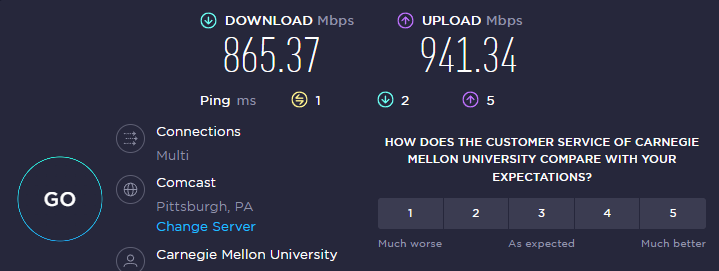


 thick minnow
if it's wifi, gotta be 6e
pseudo blade
thorny osprey
https://www.startech.com.bd/tenda-ac21-2033mbps-dual-band-gigabit-router
is this...
Nobody seems to know what's really in this one. Vendor claims "1ghz CPU with 500mhz coprocessor, dual-core design" which leads me to believe it actually only has a single primary core and an unrelated coprocessor for something else they're conflating for marketing - better than the Totolink, but not exactly good.
Could be a HMP SoC but I doubt it
 magic shadow
My Ethernet cable isn’t working today, nothing physically happened to it but it’s not connecting to my computer even tho it’s plugged in
thick minnow
the little hook thingie, yeah sometimes they get weak on cheaper cables. Woah be you if it broke off
drowsy fossil
thick minnow
if it's wifi, gotta be 6e
regular wifi 6 and ac with wide channels are also capable of that sort of speed
pseudo blade
thick minnow
the little hook thingie, yeah sometimes they get weak on cheaper cables. Woah be...
Woe be upon you indeed
 gloomy flicker
Is it possible to use a wifi repeater that's connected to the wifi and output wired connection through the ethernet port?
drowsy fossil
Yes
gilded ice
peak cloak
https://httptoolkit.com/blog/inspect-any-android-apps-http/
LIFE SAVER
i wasted so much time yesterday using charles and proxies
your solution worked and was effortless