#networking
1 messages · Page 21 of 1
 carmine moss
 cyan vapor
Thanks
Cudy AX3000 Wireless WiFi 6 PCIe Card for PC, Bluetooth 5.0, 2402Mbps+574Mbps, AX200 Module, Bluetooth 5.0/4.2/4.0, 802.11ax/ac/a/b/g/n, Windows 10 64-bit Only, WE3000S https://amzn.eu/d/ghEbe4z

Cudy AX3000 Wireless WiFi 6 PCIe Card for PC, Bluetooth 5.0, 2402Mbps+574Mbps, AX200 Module, Bluetooth 5.0/4.2/4.0, 802.11ax/ac/a/b/g/n, Windows 10 64-bit Only, WE3000S
Will they go in the right way on my pc
Or this one TP-LINK AX3000 Wi-Fi 6 Bluetooth 5.2 PCI Express Adapter with Two Antennas, Intel AX200, PCIe Network Interface Card for Desktop, Low-Profile Bracket Included ( Archer TX3000E) https://amzn.eu/d/5wL9Tx6

Archer TX3000E.Founded in 1996, TP-Link is a global provider of reliable networking devices and accessories, involved in all aspects of everyday life.With a proven heritage of stability, performance and value, TP-Link has curated a portfolio of products that meet the networking needs of all indiv...
cyan vapor
What’s the difference
cyan vapor
The one I sent through said AX
cyan vapor
cyan vapor
Or this one TP-LINK AX3000 Wi-Fi 6 Bluetooth 5.2 PCI Express Adapter with Two An...
^
 peak cloak
Yeah that's ax
Was pointing out that if his card was N that's probably responsible for slower speeds
 opal pagoda
cyan vapor
Is there a way to find out if it’s N
opal pagoda
cyan vapor
Is there a way to find out if it’s N
go to this path in control panel

then right click on wifi one and click status


 hallow hull
@peak cloak Hey I was lurking and I need a new card is this a good one?
https://www.asus.com/networking-iot-servers/adapters/all-series/pce-ax58bt/

ASUS Global

 turbid phoenix
man this monitor got me fucked up brah
i hate how its so conveniently in the MIDDLE of it
 sacred ocean
turbid phoenix
i hate how its so conveniently in the MIDDLE of it
sacred ocean
turbid phoenix
i hate how its so conveniently in the MIDDLE of it
what's wrong with it?
 cobalt turtle
what are some good routers i can find for around 50 usd?
sacred ocean
turbid phoenix
one (1) singular dead pixel
can you rma it?
sacred ocean
cobalt turtle
what are some good routers i can find for around 50 usd?
The tp-link ac1200 has pretty good specs for the price
but tp link is a little flaky imo
turbid phoenix
sacred ocean
can you rma it?
cba
sacred ocean
sounds like a you problem then
cobalt turtle
sacred ocean
The tp-link ac1200 has pretty good specs for the price
can it support 12 devices though
sacred ocean
you'd struggle to find a router/access point that can't
cobalt turtle
ale
hallow hull
Can someone explain to me what the difference between a tp link router is and a bt router and how does the monthly stuff work with a tp link router (May be a stupid question sorry if it is)
peak cloak
hallow hull
Can someone explain to me what the difference between a tp link router is and a ...
monthly stuff? as in the internet service cost?
hallow hull
Yeah
cyan vapor
turbid phoenix
one (1) singular dead pixel
Where
My one?
Anyway, should I get a new a NIC or?
turbid phoenix
cyan vapor
Where
my monitor.
cyan vapor
well I posted a picture from my phone so it could have been identified
Anyway, should i change NIC?
peak cloak
hallow hull
Yeah
the monthly charge is for internet service. They need to pay for infrastructure to get the wiring to your house, paying upper tier ISPs for IP transit/peering, and more. All your home router does is connect all your devices and interface with your ISPs connection. A lot of the time you need some sort of ISP equipment, usually a modem/ONT to take the signal whether it's cable (DOCISS) or like fiber which will provide authentication, and other things, and covert it to an ethernet connection a home router can use. It's very popular nowadays for ISPs to combine the modem/CPE and router together which I'm not a fan of.
 gloomy pier
hallow hull
Can someone explain to me what the difference between a tp link router is and a ...
gloomy pier
hallow hull
Can someone explain to me what the difference between a tp link router is and a ...
by BT router are you referring to "british telecom", the UK ISP when you mention the "BT riouter" vs the tp link router?
hallow hull
gloomy pier
by BT router are you referring to "british telecom", the UK ISP when you mention...
Ye
hallow hull
peak cloak
the monthly charge is for internet service. They need to pay for infrastructure ...
That is confusing
Let me kinda rephrase the question:
What's the difference between the tp-link router and the router box an ISP gives you?
And if you buy a tp-link router do you need an ISP still and how does it all work?
cyan vapor
Should I get this Ubit WiFi Card, Three-Band 3000Mbps WiFi 6 AX3000 PCIe WiFi Card with Bluetooth 5.2, Wireless Adapter with MU-MIMO,OFDMA,Ultra-Low Latency, Supports Windows 10/11 (64bit) only https://amzn.eu/d/gBhLBLy

Ubit WiFi Card, Three-Band 3000Mbps WiFi 6 AX3000 PCIe WiFi Card with Bluetooth 5.2, Wireless Adapter with MU-MIMO,OFDMA,Ultra-Low Latency, Supports Windows 10/11 (64bit) only
gloomy pier
hallow hull
Let me kinda rephrase the question:
What's the difference between the tp-link r...
basically you are almost always going to be getting an utterly shit device from your ISP if you allow them to strongarm you into simply accepting whatever device they tell you is for your service. im not sure how it works in the UK regarding this aspect of it, but i would imagine that you have at least similar (probably better tbh) consumer protection policies in the UK than we do, and here in america if you know what kind of plan you are signing up for, it's pretty easy to get the right cable modem and router for your home setup.
also, here in the US every ISP i've ever used or heard of, has charged those of us who wanted to install it ourselves (as the 'technicians' they send out are hit or miss, at best, and often totally incompetent) , a fee for "self-installation" which is the "nicer version" of only like $30 USD versus $75+ USD for them to come in and plug a few cables in. there's also the monthly charge that every ISP I have known charges for the equipment they want to toss your way. usually it's like 5-10 bucks a month, which doesn't sound like much especially at the beginning but it adds up fast and if the equipment sucks you'll be glad to get a better product
gloomy pier
cyan vapor
Should I get this Ubit WiFi Card, Three-Band 3000Mbps WiFi 6 AX3000 PCIe WiFi Ca...
this is the wifi card that i got - https://www.amazon.com/GIGABYTE-GC-WBAX210-802-11ax-Bluetooth-Expansion/dp/B091HTG6DQ/ - it was a little bit more than some of the other options for similar pci cards but i thought it was worth it. has really good bluetooth built in, much better than what was built into the motherboard previously

Intel WI-FI 6E AX210 module built-in Dedicated spectrum in 6GHz band for maximum speed and ultra-low latencies Support dual-stream Wireless in the 2.4GHz, 5GHz and 6GHz bands IEEE 802.11.acR2+ax compliant High speed wireless connection up to 2400Mbps Fully qualified BLUETOOTH 5.2 MU-MIMO TX/RX Pa...
cyan vapor
So my ISP (also BT) only gives me a max of 51 because of my area. Is that over kill or will I still benefit from it
peak cloak
hallow hull
Let me kinda rephrase the question:
What's the difference between the tp-link r...
It depends on if the ISP equipment is just a router or a router/modem
gloomy pier
i should mention, if you dont have a router that's going to take advantage of the speed of wifi 6e, might be better to get a cheaper router and upgrade later, but i rarely use wifi so im biased
gloomy pier
cyan vapor
So my ISP (also BT) only gives me a max of 51 because of my area. Is that over k...
max of 51? you mean 51 megabits per second download?
cyan vapor
Yes
cyan vapor
On my pc and only on my PC. In my room on my phone it’s about 48, and on my play station 42 and on my laptop 48 but on my pc it’s like 7
so I assume it’s the NIC
gloomy pier
yeah that's not really that fast, it's still considered broadband depending on your upload as well. you'll get the best speeds using ethernet cables
the NIC is the network interface card that's inside your PC
this owould be a problem with either the router or/and the modem
cyan vapor
The BT guys came out today and said there’s nothing wrong with the router
Which is true as it works ok on my other device although still has its issues
gloomy pier
well i am guessing you are getting these speed issues when you are connected via wifi?
cyan vapor
There’s no way for me to route Ethernet. I brought those power like plugs but only got 28mpbs which is no higher then my current solution (plugging Ethernet into a netgear wifi booster)
Yes so 7 on wifi directly from pc to the router (which has a BT disc)
And 28 connected through Ethernet to a wifi booster
gloomy pier
cyan vapor
There’s no way for me to route Ethernet. I brought those power like plugs but on...
did they give you some device that is strictly wireless only?
cyan vapor
The BT disc is wireless only and should not be used with Ethernet. The netgear booster I believe is able to be used as Ethernet as well
NETGEAR WiFi Booster Range Extender | WiFi Extender Booster | WiFi Repeater Internet Booster | Covers up to 1200 sq ft and 20 devices | AC1200 (EX6120) https://amzn.eu/d/8nhF2CT

NETGEAR WiFi Booster Range Extender | WiFi Extender Booster | WiFi Repeater Internet Booster | Covers up to 1200 sq ft and 20 devices | AC1200 (EX6120)
Netgear booster for reference
gloomy pier
okay yeah if your netgear device is a router it'll have a few different plugs on the back, there will be a power plug, then you will have one all the way to the left or the right that is labeled "WAN" then you will have a bunch labeled LAN 1 / LAN2/ LAN3 etc. and potentially a USB plug of some sort on the back
cyan vapor
The router is the BT device
gloomy pier
okay so it is a combo device then
cyan vapor
 gloomy pier
alright thats what ive been wondering this whole time haha
cyan vapor
The netgear device is just a wifi extender
gloomy pier
yeah, can you show me a photo of the ports on that BT device?
like the plugs that aer available on it?
cyan vapor
Yes

So esrlier I got these power line adapters and plugged in Ethernet into the gig Ethernet port and then into the adapter which ran it through the earth cable and then connected it to my pc which made no difference
I’m wondering whether or not to get a new wifi card for my pc
gloomy pier
just for reference this what a cable modem and router setup
looks like
cyan vapor
We basically just have a router which has a cable coming from outside provided by the ISP
Atm (although it’s turned off) I use this booster to boost the wifi signal and then connect it to my pc
gloomy pier
cyan vapor
yeah so if that's the only device that you have other than that network wifi extender thing you showed me, then that's either a router/modem combo or whatever is going on in the uk doesnt require a modem because you have the cable already coming from some kind of prewired setup
gloomy pier
into the black bt box right?
cyan vapor
Yea
cyan vapor
Which is pretty standard in the UK however because of my area it’s shite
gloomy pier
or rather i think the ymbol for WAN is different, it's been so long haha
okay, that clears it up then
 gloomy pier
yeah those are probably just wireless signal repeaters
 gloomy pier
ah okay, broadband/WAN same thing
cyan vapor
It goes into a master switch
gloomy pier
i think you are susing some kind of DSL type service not american style cable internet
like VDSL or something, judging by the speeds
especially as i think british telecom is phasing out all their old POTS (plain old telephone system/traditional copper coaxial pair network) relatively soon
cyan vapor
And then outside. Regardless going back on track. All my other devices run at the max speed they can with my ISP in my room. Apart from my PC. And idk how to fix it.
I’ve tried the power line adapters.
No luck
Now do I get a new card?
 gloomy pier
yeah, basically the main difference that getting your own router would be, is that you would have much more control over stuff like your wireless network and your privacy/security
cyan vapor
Right
Idk if we have that option if I’m honest because what lines would it connect to
gloomy pier
that's something that you would have to figure out if its wortrh it to you or not. are you trying to plug in your PC via ethernet?
cyan vapor
No. There’s no way of getting Ethernet to my room. The only way (powerline adapters) did not work
The power line adapters use the earth cable to transmit the Ethernet signals. Linus had a video on it a few years back
gloomy pier
do you not have access to cat 5e/cat6 cables? you can get one and plug it into one of those 4 empty yellow plugs you showed on the BT box
gloomy pier
internet over the power lines is going to be hit or miss in my experience, i dont blame you for not wanting to have some gaudy huge cable snaked through your house or whatever.. if it's not possible to do it through a crawlspace or if you arent interested in say, snaking it around door frames and along the edges of the wall to hide it, it could be annoying
cyan vapor
Mhm. Plus it’s my parents house. Can’t imagine they’ll be too pleased
gloomy pier
like it took a 50 foot lone cat6e ethernet cable (one of those ones that lay completely flat) and was able to basically staple it flush to the base boards along the floor and then around the edge of the door frame into the spare bedroom in my place, took a little bit, looks good
yeah i was right it looks like you are using the BT smart hub 2 (and i guess it came with a single separate 'disc')?
cyan vapor
Yeah so you can get a max of 3 and we have 3 so.
gloomy pier
looks like it's an ADSL connection, the discs are meant to provide some kind of mesh connectivity
cyan vapor
Mhm
The engineer told me to turn off the netgear extender as it causes interference
But then my wifi on my pc was unusable
So I really don’t know what to do
gloomy pier
yeah the netgear extender would be running interference. did they not ever set up the wifi itself from the bt disc router?
that router, almost certainly will have a sticker of some kind on it with the admin login and password and an address, typically something like 192.168.0.1 or 192.168.1.1 or .2.1 etc
and usually some temporary login/pw like admin 123456
cyan vapor
I do have something with a login but where do I access that?
The engineer today turned off the automatic channel switching because we have a disc in the kitchen which constantly gets interference from appliances and sends back a message to the router to switch channels which causes temporary outages
gloomy pier
yeah he probably switched it from 2.4 ghz to 5ghz
cyan vapor
He made it so that even if the channel is occupied it wouldn’t look for a new one
gloomy pier
as microwave ovens run in the 2.30-2.33/2.35 ghz spectrum, cordless phones and certain TVs/remotes run on the 2.4 ghz
cyan vapor
Mhm
gloomy pier
yeah, in order to do that he would've had to have logged into the router itself, did he bring a laptop with him or something?
cyan vapor
He had some company phone
gloomy pier
all you would need to do is to basically put that bt device somewhere near any computer or laptop you can put next to it with an ethernet plug
cyan vapor
and used our sticker with the stuff on it
gloomy pier
then plug the ethernet cable into the LAN1 port in the side of the BT disc thing, and then the other end into your PC or laptop
cyan vapor
Mhm
gloomy pier
yeah then you would just open up a browser window and go to that address, log in
once you have that logged in though you'll be able to see every device that's accessing the network
in a nice graphical setting anyway
cyan vapor
Found it. Just gonna get the password
gloomy pier
word, good stuff, i gotta go to the grocery store
cyan vapor
One question
gloomy pier
ill be back later but, make sure when you run any speed tests that you have wifi disabled when you are using etherenet and vice versa
sure, shoot
cyan vapor
If you were me, what would you do to better the pc wifi performance as that’s the only device I’m having issue with?
A new card or just leave it
gloomy pier
honestly its kind of hard to say because if the max speed is 51 mbps, that's unfortunately pretty slow, and having fluctuations between speeds is pretty common, which sucks because a difference of 5 mbps from a 51 mbps max is a decent size dloss.
also im not sure but i do thhink the little repeater/expander box you bought that plugs into the outlet and gives you an ethernet jack (the one with the antennas that'll connect via wifi to your existing wifi network) is at least 100mbps capable, if its the one im thinking of
more than happy to help you figure it out when i get back, could also be congested channels that you would change in the control panel, there's an app you can use to test to see what channels are in use by your neighbors if you live in a densely popualated area
cyan vapor
Thank you so much for your help
 thick minnow
peak cloak
You want something that's at least AC
thick minnow
peak cloak
You want something that's at least AC
oh speaking of AC, how expensive are APs? mine only goes up to N and I only have one device capable of AC, everything else is B/G or N
I'd need it to have at least 2 radios and 3 SSIDs, one for WEP legacy and 2 for main
I live in the absolute middle of nowhere so I'm not worried about someone guessing the WEP key, I'd notice if someone was sitting outside
hallow hull
gloomy pier
basically you are almost always going to be getting an utterly shit device from ...
Ty
 earnest orchid
can i use https://www.amazon.com/QNAP-QNA-T310G1S-Thunderbolt-Adaptor-Single-Port/dp/B07KTLP44W/ by using a usb c 3.2 gen 2x2 port?

Single port Thunderbolt3 to single port 10GbE SFP+ adapter, bus powered. Operating Temperature & Relative Humidity - 100M CAT 6A: 35°, 50M CAT 6A: 40°, 5~95% (non-condensing) available models: ● Windows devices: The driver for the Aquantia AQC100 is required to use the QNA-T310G1S>● Mac devices: ...
opal pagoda
earnest orchid
can i use https://www.amazon.com/QNAP-QNA-T310G1S-Thunderbolt-Adaptor-Single-Por...
no, that device is thunderbolt 3
 rocky badge
It’s hard to find USB 10 gig adapters
opal pagoda
i know 5gigabit ones exist but they are flakey
2.5g ones work fine doe
rocky badge
Mainly because a lot of “usb 3” ports out there are like 10 gig, so accounting for usb overhead is 6 gig. USB latency is also higher…that doesn’t even start to account for how manufacturers are linking a usb controller.
Plus you don’t want a single 10g connection over-saturating the root controller
Thunderbolt mitigates this because it’s a pcie 4 lane connection dedicated to that port
peak cloak
thick minnow
oh speaking of AC, how expensive are APs? mine only goes up to N and I only have...
Not that expensive
Ax aka wifi 6 are even more expensive

EAP225 supports both 802.3af PoE and passive PoE power supply, can be either powered by a PoE switch or the provided PoE adapter, making deployment effortless and flexible. Maximum wireless transmission rates are the physical rates derived from IEEE Standard 802.11 specifications. Range and cover...
This is the one I have
 main tartan
Hi there, since a few months I've been running two U6 Mesh access points from Ubiquiti. And I would like to combine that with one of their Unifi routers. I was thinking of buying the UniFi Dream Router, but I've read mixed opinions about it. Is there anyone here that has that router and could share some of their experiences?
 tropic lintel
thick minnow
I'd need it to have at least 2 radios and 3 SSIDs, one for WEP legacy and 2 for ...
tropic lintel
thick minnow
I'd need it to have at least 2 radios and 3 SSIDs, one for WEP legacy and 2 for ...
i have the ax3000(eap650) from tplink, and it's pretty nice. i get great speed and coverage, then run a range extender to help out the rest of the way.
 pseudo blade
They're fine if they're decent and have two radios so they can rebroadcast on a different frequency.
"Range extenders" seemingly rarely do though.
main tartan
Welp, I just ordered the Unifi Dream Router.
If I end up hating it, I'll just return it.
 broken jetty
I've been compiling a list of things I need to wire my house with ethernet, and I've decided to go with fs.com for as much as possible. Unfortunately, it doesn't seem like I can buy less than 1000ft of ethernet (which is far, far more than I need) without buying patch cables, which don't seem like they're intended to be used like that. Would it be OK to buy long patch cables (they sell up to 50ft) and cut them when needed to fit keystones, or should I find another seller?
opal pagoda
pseudo blade
"Range extenders" seemingly rarely do though.
or you can get "range extender" and run a ethernet cable to it or powerline
opal pagoda
broken jetty
I've been compiling a list of things I need to wire my house with ethernet, and ...
problem with patch cables is that they are stranded cables and not solid
also here i can buy 100 meters of cat6a cable or by the length
broken jetty
What's the difference between stranded and solid?
opal pagoda
also dont buy cca cables (copper clad aluminium)
broken jetty
Are those just lower-quality?
The one I have my eye on is this one
https://www.fs.com/uk/products/70595.html

FS.com
Buy high quality RJ45 Ethernet network cable - Best Cat 6 patch cable snagless booted unshielded (UTP), Gigabit blue-0.9m from patch lead supplier - FS.COM.
opal pagoda
broken jetty
Are those just lower-quality?
yes, and they are more likely to break when you are running it
also dont get 26awg cable, they are also pain to terminate
broken jetty
What's the difference between various AWG ratings?
I know they're a measure of wire thickness, but that's about it.
opal pagoda
broken jetty
What's the difference between various AWG ratings?
I know they're a measure of ...
maybe its just my specific connectors that you crimp on but the teeth dont puncture insulation properly on thin cables
 peak cloak
opal pagoda
or you can get "range extender" and run a ethernet cable to it or powerline
peak cloak
opal pagoda
or you can get "range extender" and run a ethernet cable to it or powerline
That's just another access point
broken jetty
FS do seem to sell solid patch cables, would this one be suitable?
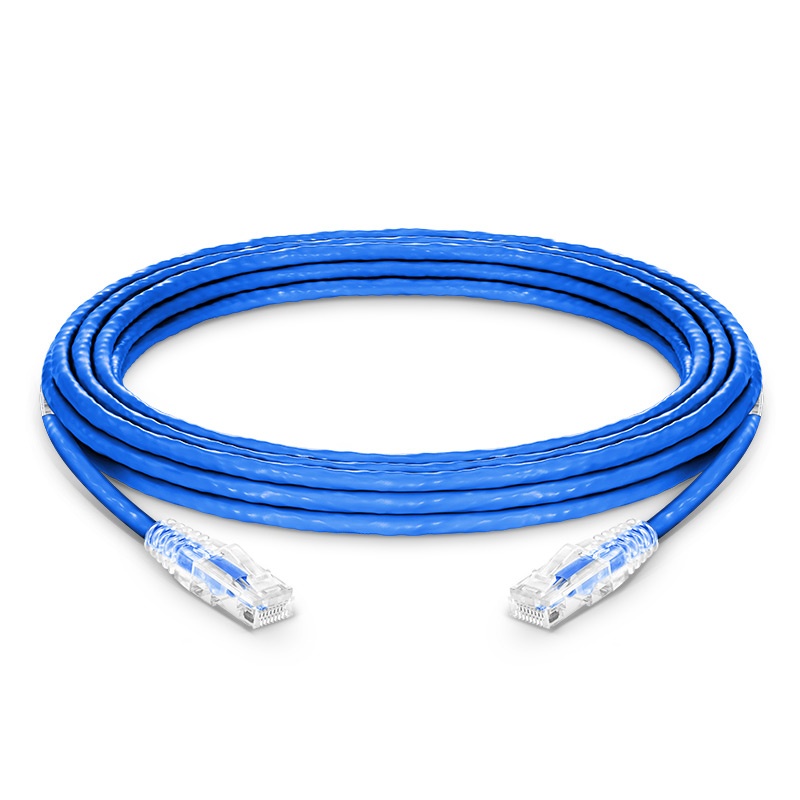
FS.com
25ft (7.6m) Cat6 Snagless Unshielded (UTP) PVC CMP Ethernet Network Patch Cable, Blue, Product Specification:Cable Type - Cat6 Snagless, Shielding Type - Unshielded (U/UTP), Cable Jacket - PVC CMP, Length - 25ft (7.6m) (Including Plugs), Data Rate Support - 1000Base-T and Maximum to 10GBase-T, Maximum (Tested) Frequency - 550MHz
opal pagoda
peak cloak
That's just another access point
tbh its funny that routers and range extenders are cheaper than actual access points
 waxen scroll
They're priced for business use
peak cloak
opal pagoda
tbh its funny that routers and range extenders are cheaper than actual access po...
You can get a basic AP for under 50 bucks
opal pagoda
peak cloak
You can get a basic AP for under 50 bucks
i have a 20 euro router that i put into access point mode
for garage
thick minnow
peak cloak
Not that expensive
i wonder if it would even be worth upgrading. we have terrible internet, at most only 5mbit so i use my phone on my pc but i'd like the higher speeds for accessing local things such as my VM box and my NAS
currently my wifi tops out at 150mbit according to iperf
150 down, about 20 - 40 up
though the upload is probably dependant on the device
2.4 and 5GHz performance is the same so i just run 2.4, there's only one more AP in the house (isp provided) on the complete opposite end of the band and there's no other wifi networks in range
also, what VPN should i use to bypass stream saver? getting tired of youtube getting throttled to 1.5mbit, VPN used to get around it but rarely does anymore
opal pagoda
stream saver?
 astral creek
We are building a shed, and we are running Power and Ethernet down to it. We only have 300Mbps Internet, and we want to run both of those cables together in the same conduit. Is it really that bad to run them together? I know it is not ideal, but at most we are going to have an Amazon Alexa at the other end.
waxen scroll
It's against building codes
astral creek
We are not worried about that...
opal pagoda
astral creek
We are building a shed, and we are running Power and Ethernet down to it. We onl...
run fiber and use media converter on both ends
astral creek
opal pagoda
run fiber and use media converter on both ends
okay. thank you
thick minnow
opal pagoda
stream saver?
something AT&T does, they throttle youtube and other streaming services to 1.5mbit despite me having 120 down with "4g"
its obnoxious
pseudo blade
Wireguard is nice
Can be pretty fast too even without hardware acceleration unlike some other VPNs
opal pagoda
pseudo blade
Wireguard is nice
yes but some services like netflix block ip adresses comming from datacenters
pseudo blade
Haven't had issues myself but if you did you could link back to your home if it has fast internet
opal pagoda
pseudo blade
Haven't had issues myself but if you did you could link back to your home if it ...
you run your own vpn on vps?
pseudo blade
I do
But not really for netflix and the like
For my little business thing
Wireguard's amazingly easy to run that way, just take Ubuntu or whatever, enable ip forwarding, install the tools, generate a keypair for both sides, stick the local private and remote public keys in a config and tell both sides in their configs what to send where and your client where the server is then restart Wireguard. Like any online service do your port forwarding if needed obviously.
thick minnow
i just want a vpn that will let me watch youtube without letting my isp know i am
thick minnow
for me i care bc AT&T throttles youtube to 1.5mbit
vpn used to bypass it but it no longer does
peak cloak
thick minnow
for me i care bc AT&T throttles youtube to 1.5mbit
Weird, is that home internet or mobile
thick minnow
mobile, my home internet struggles to even hit 1mbit bc ADSL
i use mobile on my pc and home for everything else
 meager ginkgo
thick minnow
for me i care bc AT&T throttles youtube to 1.5mbit
meager ginkgo
thick minnow
for me i care bc AT&T throttles youtube to 1.5mbit
T-Mobile does the same thing
You have to manually enable 4K UHD video on the line
thick minnow
we told AT&T to disable stream saver
they never didi looked up how, it says you can in the app
the option does not exist
thick minnow
its gotten to the point where i'll start downloading everything i wanna watch
im tired of my shit buffering for 20 seconds and playing for 5
 solemn cove
Hey guys, I have a question.
I have a 1gb home network.
I want to connect two computers through 2.5gb ethernet (integrated NICs) but my router and switch are both 1gb.
Do I have any cheap options?
 faint bronze
Connect them directly and set up static routes.
 forest steppe
Yo guys, Glasswire lifetime licenses will no longer be available on Steam. They’re subscription-only now so this is the last chance to grab a lifetime key if you’re interested. Steam’s Glasswire keys are “legacy licenses” that provide lifetime access to future minor/major upgrades. https://store.steampowered.com/news/app/355000/view/3641756303024773121?l=english

GlassWire licenses can still be purchased directly
 near dove

 keen urchin
near dove
keen urchin
near dove
Thanks 😊
 silk crystal
Yo why doesnt my ethernet light up? This happend after i fixed my ram
 digital wren
solemn cove
Hey guys, I have a question.
I have a 1gb home network.
I want to connect two...
digital wren
solemn cove
Hey guys, I have a question.
I have a 1gb home network.
I want to connect two...
what are you transferring over the network that's large file sized?
cuz plex and related viodeo viewing and such doesn't need much bandwidth
solemn cove
digital wren
what are you transferring over the network that's large file sized?
Lots of RAR files and server backup images
digital wren
so as mentioned: Direct ethernet with static IPs set on both ends to talk
or buy a 2.5g switch
(but the first needs a second ethernet for your internet)
solemn cove
digital wren
(but the first needs a second ethernet for your internet)
So, and just to make sure I have this right:
I could install a second, 2.5gb NIC in each, then direct run a cable, set each to connect to static IP of other machine, and we're gold?
 dreamy whale
Any idea if chromecasts work when in different networks? My subnet mask is 255.255.255.224(/27) so my tablet might be in network 192.168.69.64 while the chromecast is in 192.168.69.96
peak cloak
solemn cove
So, and just to make sure I have this right:
I could install a second, 2.5gb NI...
Yeah basically, you would set a static IP on the new interface. Something like 192.168.60.2/24 and 192.168.60.3/24
peak cloak
dreamy whale
Any idea if chromecasts work when in different networks? My subnet mask is 255.2...
No Chromecast does not work across different networks
dreamy whale
Ah fug
peak cloak
Description This article describes how to allow traffic from client device to Chromecast and vice versa. Solution Chromecast uses a set of protocols including DIAL, mDNS, SSDP and HTTP. This usually works well on the same subnet, however when using different subnets and a FortiGate, the traffic wil...
You can make it work though
dreamy whale
Ah sick. I have an 8 port "router" which doesn't support switching
So I must have each port as a seperate network
peak cloak
dreamy whale
Ah sick. I have an 8 port "router" which doesn't support switching
I mean it's just strictly a router...
 unborn sluice
it is a router without the double quotes
dreamy whale
unborn sluice
it is a router without the double quotes
It's a firewall I use as a router
dreamy whale
peak cloak
I mean it's just strictly a router...
Nope, it's actually a firewall
broken jetty
I've been compiling a shopping list for wiring my house with ethernet, and I've decided to use fs.com wherever possible (so that I don't have to worry about accidentally buying something awful), but they only sell non-patch cables in 1000ft boxes, which is far, far more than I need. Would it be a terrible idea to buy these cables instead? https://www.fs.com/uk/products/151696.html?attribute=36283&id=622822
I've checked, and they are solid cables, even though they are patch.

FS.com
75ft (22.9m) Cat6 Snagless Unshielded (UTP) PVC CMP Ethernet Network Patch Cable, Blue, Product Specification:Cable Type - Cat6 Snagless, Shielding Type - Unshielded (U/UTP), Cable Jacket - PVC CMP, Length - 75ft (22.9m) (Including Plugs), Data Rate Support - 1000Base-T and Maximum to 10GBase-T, Maximum (Tested) Frequency - 550MHz
opal pagoda
thick minnow
mobile, my home internet struggles to even hit 1mbit bc ADSL
didnt you say you have 4g?
peak cloak
broken jetty
I've been compiling a shopping list for wiring my house with ethernet, and I've ...
How much do you need? 500ft?

trueCABLE
Shop our exclusive line of trueCABLE Cat5e, Cat6, and Cat6A Ethernet cables. Available in bulk lengths of 500ft and 1000ft with EZ Pull Boxes or Reels.
True cable is good
broken jetty
peak cloak
How much do you need? 500ft?
I don’t know, but I’m only making four or five runs and my house is tiny.
I’m still looking for the plans 😄
peak cloak
I just bought a 500ft box and it lasted for a couple of years while I added runes
broken jetty
The company you recommended doesn’t ship to the UK, which is also why I didn’t go with the infamous Infinite Cables.
opal pagoda
broken jetty
The company you recommended doesn’t ship to the UK, which is also why I didn’t g...
https://www.cablemonkey.co.uk/cat6a-cable/90010-cat6a-uftp-lszh-b2ca-solid-cable.html
they offer this cable at 100m reel
Cat6a U/FTP LSZH B2ca Solid Cable | CCS | CPR Rated Products
digital wren
solemn cove
So, and just to make sure I have this right:
I could install a second, 2.5gb NI...
Or do the cheap way and add a 1g nic and use the 1g for internet
 crisp tiger
does anyone know why my download speed ramps up very slowly and / or how to fix it? Like it starts at about 1mb/s and then slowly goes faster. I've just moved to a new place and had to install 5G home broadband, because the subscription I used to have was over the copper network which has recently been shut down for good. It only happens on my PC, and not on my phone. It's especially annoying for small updates that are only a few hundred mb
thick minnow
phone networks tend to skew to favor small short packets, like single web requests. To do longer, high speed things requires allocating more radio frequencies. Cable modems do this too, they start out with one channel, then if needed, try to get more to increase bandwidth.
also, anytime you use radio frequencies, wifi, 4G/5G, you have to deal with competition, shared and limited bandwidth. Your speeds can change any time, based on other users usage
 quiet bolt
I'm running a proxmox server and I'm trying to setup a GRE tunnel to get some IPs and I keep getting the same error:
unsupported address method 'gre'
I've checked and GRE is enabled as a kernel module
and it works if I add the tunnel via ip tunnel
Just not in /etc/network/interfaces
 signal thistle
Anyone know of how I can use a phone's regular data for hotspotting?
PDAnet doesn't seem to work with the likes of the steam deck and my ipad
But if someone knows how I can have another device connected via PDAnet that then makes a hotspot then that would work.
thick minnow
You might want to look into netplan. I know Ubuntu uses it, and it supports GRE tunnels out of the box.
opal pagoda
signal thistle
Anyone know of how I can use a phone's regular data for hotspotting?
PDAnet doe...
what is pdanet?
signal thistle
thick minnow
You might want to look into netplan. I know Ubuntu uses it, and it supports GRE ...
Could you explain as to how it works?
thick minnow
just google netplan gre tunnel
signal thistle
opal pagoda
what is pdanet?
Mobile phone hotspot but with it not being seen as a hotspot
thick minnow
you create an /etc/netplan/whatever file, defining your network
signal thistle
thick minnow
just google netplan gre tunnel
Roger that works good for me
opal pagoda
signal thistle
Mobile phone hotspot but with it not being seen as a hotspot
does your phone provider block regular hotspots or something?
thick minnow
don't leave what ubuntu puts in the /'etc/netplan in there. create a new file, and delete the old one, so you don't lose your changes
thick minnow
signal thistle
Mobile phone hotspot but with it not being seen as a hotspot
most us cell phone companies charge extra to allow hotspots
peak cloak
thick minnow
You might want to look into netplan. I know Ubuntu uses it, and it supports GRE ...
no, you don't want to use netplan on debian, especially on proxmox
it's just offloading the problem instead of fixing it
signal thistle
opal pagoda
does your phone provider block regular hotspots or something?
Yes and even if they did I would not be getting unlimited data like I do normally while not on hotspot
opal pagoda
thick minnow
most us cell phone companies charge extra to allow hotspots
im lucky they dont care here
thick minnow
Debian doesn't use netplan, Ubuntu does
signal thistle
thick minnow
Debian doesn't use netplan, Ubuntu does
I tried Googling netplan gre tunnel but I'm seeing troubleshooting threads.
I'm wanting to learn more about it, is there a website I could check out to learn more?
thick minnow
I like netplan, because it works. Unlike RHEL's /etc/sysconfig/network-interfaces/ifcfg* files, or debian's /etc/network/interfaces file. That stuff is so fragile
can I post links here?
peak cloak
thick minnow
Debian doesn't use netplan, Ubuntu does
yes..., and proxmox is debian
thick minnow
ah, never used it. good to know
signal thistle
I remember in windows you could forward a wifi connection to be shared via a port and vise versa.
So something that I could run PDAnet on and then forward the internet data stream that would work as well
thick minnow
I use LXC on my ubuntu servers. Harder to setup, but works well, and completely customizable
signal thistle
thick minnow
can I post links here?
I think you can. I posted some amazon links here before
signal thistle
thick minnow
I use LXC on my ubuntu servers. Harder to setup, but works well, and completely ...
LXC?
thick minnow
LXC is the original container package. Docker, LXD, all the rest came after LXC
opal pagoda
signal thistle
I remember in windows you could forward a wifi connection to be shared via a por...
yea
 peak cloak
yeah I use LXC too, just through proxmox
thick minnow
https://netplan.io/examples#connecting-an-ip-tunnel documents using "a tunnel" and https://netplan.io/reference#properties-for-device-type-tunnels documents all t he options for netplan's tunnels section.
Examples
Reference
One of the most confusing parts of LXC is that the LXD package, which Ubuntu developed afterards, and seems fairly unique to Ubuntu, the main command is "lxc". This is NOT LXC, this is LXD. LXC commands all start with "lxc-*" like "lxc-create", "lxc-attach", "lxc-start"
Netplan really makes networking easier. You create a YAML file that defines your config. My LXC server has an ethernet interface an bridge br0 connected to the ethernet interface, so my containers can be on the raw ethernet, peers of the host, rather than NAT'd children.
network:
version: 2
renderer: networkd
ethernets:
enp0s5:
dhcp4: false
dhcp6: false
bridges:
br0:
interfaces:
- enp0s5
dhcp4: false
dhcp6: true
addresses:
- 192.168.1.22/24
routes:
- to: default
via: 192.168.1.1
nameservers:
addresses: [192.168.1.1]
search: [example.com]
LXC and docker create their own bridges automatically, so I can choose to run containers inside the host, or outside the host, kind of like VMs.
signal thistle
thick minnow
Netplan really makes networking easier. You create a YAML file that defines you...
Oh, why thank you very much for this. I'll definitely look into it


 forest vector
https://www.thingiverse.com/thing:5515370 I found this. Looks cool :)

If you have an old ATX computer case and power supply lying around, why not use it to expand the storage of your main PC? Turn it into a DAS! (Direct-Attached Storage)
This design mounts 4 disk racks in the space that would normally be occupied by the motherboard, with each rack supporting 4x 3.5" disks, for a total of 16 disks.
SFF-8088 cables...
thick minnow
I no longer understand the desire to "collect physical things", like tera/peta bytes of video/audio files. I lost everything to a house fire 9 years ago, and no longer care about "things" like that anymore. They don't matter. People, pets, and relationships matter far more than things.
experiences too
waxen scroll
Agree. No point to a nas
How often are you really going to watch old content. Never
Or stream it
pseudo blade
Each to their own. Some stuff disappears from the internet and I can't get it back later. I don't keep enough to warrant a NAS for archive though.
waxen scroll
I didn't say you can't have a few TB of local
pseudo blade
If I had a few terabytes I probably would build a NAS
 real flower
has anyone here user eero pro 6 wifi AP's with pfsense? I can't seem to get it to work right.
i have the basic pfsense setup to have it work properly as a normal router. i just need to get the wifi AP's hooked up.
opal pagoda
forest vector
https://www.thingiverse.com/thing:5515370 I found this. Looks cool :)
so basically a disk shelf
 fervent sail
I can’t keep a tally of how many time DNS screws me
 clear igloo
fervent sail
I can’t keep a tally of how many time DNS screws me
clear igloo
fervent sail
I can’t keep a tally of how many time DNS screws me
You mean the network 😛
It's never DNS /s
fervent sail
It was DNS
My ISP Provided smart tv box thing stoped working yesterday I can’t figure out why, I called them they can’t figure it out, they just called me back I told them I have a custom DNS server(Pi hole) they said try to change it back, I did and after a restart of the whole rack it’s working fine, I can hear the tech say before they hung up “it’s the customer’s DNS”
clear igloo
lol
fervent sail
And then I reflash the pi but my laptop can’t reach the internet it pings 1.1.1.1 but DNS just won’t resolve, I should’ve noticed a lit-up wireguard icon in the toolbar and the 10+ms latency on the terminal, I run nslookup it kept going to the pi but I told it not to, I click around in settings and there it is what’s under my home wireguard profile it’s a big green dot with the word connected right next to it, and yes that wireguard profile forces client DNS through the pi that’s why it isn’t working, turn that off and it’s fixed now
Maybe it's isnt DNS I just need a bit more sleep
carmine moss
Stupid isp TV boxes yep hate them so much I need to bridge mine to the wan port for it to work on a different router then the isp one
 bold bone
Can someone recommend me a wifi card not too expensive good speeds
i dont know jack about them
opal pagoda
bold bone
Can someone recommend me a wifi card not too expensive good speeds
budget, important features, bluetooth, wifi 5 or 6 or 6e?
bold bone
opal pagoda
budget, important features, bluetooth, wifi 5 or 6 or 6e?
stupid question but whats the difference between them? and my budget is like $40 maximum
opal pagoda
bold bone
stupid question but whats the difference between them? and my budget is like $40...
https://pcpartpicker.com/product/z44BD3/gigabyte-gc-wbax200-pcie-x1-80211abgnacax-wi-fi-adapter-gc-wbax200
well do you want a usb one or internal
the one i sent is pretty good, its wifi 6 capable and its has intel card on it so its reliable

Gigabyte GC-WBAX200 802.11a/b/g/n/ac/ax PCIe x1 Wi-Fi Adapter (GC-WBAX200)
waxen scroll
clear igloo
You mean the network 😛
stop it. you're done. leave please
clear igloo
waxen scroll
stop it. you're done. leave please
No, the DNS broke the network, I saw it!!
waxen scroll

pseudo blade
Let's just go back to serial terminals
clear igloo
and classful addressing and RIPv1
pseudo blade
Nah, there's only like 3 machines on the internet, static routing is fine
waxen scroll
nerd
waxen scroll
@rocky badge im trying to get my company to buy 200 extreme switches
I need cheap managed OOB
clear igloo
Just do ACI for OOB mgmt 😄
clear igloo
Yup, it's stupid
rocky badge
waxen scroll
<@236237361703288842> im trying to get my company to buy 200 extreme switches
lol
waxen scroll
@clear igloo sales would probably rage if I ordered C9300 for datacenter
clear igloo
C9200, go cheap 😄
clear igloo
lol, 100g management 😄
thick minnow
i do 10gbps at my house to the internet and it is an interesting experience. it anything ever uses the full link its frightening
 fallen grove
Hey is the tp link sg1024s 24 port gigabyte switch worth it for a newer home network switch
 tall zodiac
What in the home will it be used for?
earnest orchid

MokerLink 8 port 10g SFP web managed switch
pseudo blade
earnest orchid
this good? https://www.amazon.com/dp/B0B56M7MVG?tag=pcpapi-20&linkCode=ogi&th=1&...
Never heard of them and online coverage is scarce but what's there does not fill me with confidence. Some of the reviews don't make sense and Fakespot reckons a good number aren't legitimate. Apparently they are rebadged under a few brands.
earnest orchid
pseudo blade
Never heard of them and online coverage is scarce but what's there does not fill...
ok
https://www.amazon.com/TP-Link-TL-SX3008F-Enterprise-Integrated-Protection/dp/B0973T7BGL/ this is surely good then, right?

JetStream 8-Port 10GE SFP+ L2+ Managed Switch
tall zodiac
earnest orchid
https://www.amazon.com/TP-Link-TL-SX3008F-Enterprise-Integrated-Protection/dp/B0...
I would reccomend this switch if you got a litle bit more money you could spend
https://mikrotik.com/product/crs309_1g_8s_in

MikroTik makes networking hardware and software, which is used in nearly all countries of the world. Our mission is to make existing Internet technologies faster, more powerful and affordable to wider range of users.
I personaly haven't had the best exprience with TP-link switches
peak cloak
It's TP-Link omada so it should be better
tall zodiac
peak cloak
It's TP-Link omada so it should be better
Yes, but i also dislike cloud control for my it equipment, i am a more of a fan of local controll like mikrotik and ubiquiti offer
pseudo blade
tall zodiac
I would reccomend this switch if you got a litle bit more money you could spend
...
I would also.
But as a counterpoint the TP-links are a bit cheaper and easier to find if full L3 functionality isn't important.
 lone sun
So if the loop back address isn't pinging, that means the TCP/IP software or protocol isn't working right? And if so, I was told you can then check the "network connections" page to perhaps see if the TCP/IP software is installed, or try reinstalling I guess. This is correct right?
pseudo blade
tall zodiac
Yes, but i also dislike cloud control for my it equipment, i am a more of a fan ...
You can run the controller yourself exactly like Ubiquiti offers
 bold orbit
Yo, anyone with decent MikroTik knowledge here? DM me please
pseudo blade
bold orbit
Yo, anyone with decent MikroTik knowledge here? DM me please
I do, but perhaps you could explain a little about what you're looking for?
bold orbit
pseudo blade
I do, but perhaps you could explain a little about what you're looking for?
I didn't want to ask directly here, as the channel is not meant for support purposes. It's related to the virtual interface.
pseudo blade
Sure

 static moat
peak cloak
yeah I use LXC too, just through proxmox
static moat
peak cloak
yeah I use LXC too, just through proxmox
you read my dm?
pseudo blade
 fervent brook
It's $8.49 for a quad-core gigabit router with 5ghz beamforming. I doubt you'll get much better for the price.
It's pretty old. But it's $8.49
Could be a good openwrt candidate
fervent brook
but will it be able to serve my zero bedroom apartment with one resident(me)?
pseudo blade
Trivially
fervent brook
it'll be replacing...I think it's a ea7500
pseudo blade
I would generally assume either device would work for that
fervent brook
I also have a TP-Link Archer C3000 in AP Mode
pseudo blade
Not sure why you'd bother with one person in a small space but sure
fervent brook
I wonder sometimes too, but for some reason I only get decent transfer speeds to my tablet from the second router's second 5ghz radio
pseudo blade
I'd guess congestion on one of the other frequency bands you're using.
 cinder plank
I have a nas with photos in disorganized folders. how can reorganize them without passing data over the network for every move operation? does smb support moves within the same share without network transfers?
pseudo blade
cinder plank
I have a nas with photos in disorganized folders. how can reorganize them withou...
Supported as of Sambda 4.1/SMB2 but who knows what your NAS runs. Perform the sort operation on the NAS itself if it doesn't offload properly?
cinder plank
pseudo blade
Supported as of Sambda 4.1/SMB2 but who knows what your NAS runs. Perform the so...
Its an UnRAID NAS, so i guess samba can be updated. If it can't, is there a drag-n-drop move function that can be done on the NAS or will it have to be command line?
pseudo blade
Not sure I'm afraid, I don't use UnRAID.
cinder plank
pseudo blade
Not sure I'm afraid, I don't use UnRAID.
I think it's just a headless linux distro. Do you know linux?
pseudo blade
I certainly get by enough to do what I want with it. If you want anything specific perhaps #linux is your friend.
cinder plank
unraid "server-side copy" is a good google term for me to look into it more, thanks.
waxen scroll
@clear igloo wat

Learn more about the Community College Candidates' Insight into Cisco position available at Cisco. View qualifications, responsibilities, compensation details and more!
 warped tendon
What is the basics required to start creating say, RJ45 CAT6 cables?
 waxen saddle
warped tendon
What is the basics required to start creating say, RJ45 CAT6 cables?
waxen saddle
warped tendon
What is the basics required to start creating say, RJ45 CAT6 cables?
The cables themselves or terminating the ends to make custom-length pluggable RJ45 ethernet cables?
warped tendon
Terminating.
I am guessing all I need to a crimping tool, connectors & boots if I want them. Is there anything else normally?
waxen saddle
You’ll need rj45 connectors, crimping tool, boots (for that professional touch), a stripping tool, and I use a pair of cheap flush-cutters.
The flush cutters are really handy for helping to strip away additional shielding on shielded cables, like on CAT6A cables.
Oh. And don’t forget to allow yourself plenty of practice cable and connectors. If you’re just starting out and want to make 2 cables, don’t spring for the 5-pack connectors. Maybe get at least a 10-pack.
Aside from that, if you are starting out, check out more than 1 cable making video. They’re super helpful.
My personal technique is that once I am about to place the wires in the connector, I hold the wires and cable in my left hand-poised to insert, but before i do, with my right-hand, i grab the exposed wires and give them a tiny left-right bend, and if need be, an tiny up-down bend as well, this makes the wires incredibly straight and true and super easy to insert without them going scrawly.
Hopefully that made sense. Lol
Always check, double-check, and triple check the wire order as you go. Especially after inserting. Make sure the wires are pushed all the way to the end of the connector while crimping.
For wire-order, I stick with T-568A for both ends and I’ve never ever had any issues. But some older NIC’s might. So.. adapt as needed. 🙂
warped tendon
Thank you very much for the advice, much appreciated.
waxen saddle
NP mate.
peak cloak
waxen saddle
For wire-order, I stick with T-568A for both ends and I’ve never ever had any is...
the order doesn't matter as long as it's the same on both ends
I stick with B
waxen saddle
peak cloak
the order doesn't matter as long as it's the same on both ends
The middle wires (at least the blue) is thicker as it was spec’d to carry telephone signal. I figure the NIC’s have been made to account for the thicker wire, so I always crimp to a spec. Maybe it doesn’t matter, but I like to deliver my best, according to standards. 🙂
peak cloak
waxen saddle
The middle wires (at least the blue) is thicker as it was spec’d to carry teleph...
that's the first time I heard about them being thicker
that would make sense to why the other pairs seems less twisted
but I doubt it matters for NICs
pseudo blade
The NIC isn't going to check the impedance and sound the alarm or anything
There is some pretty pathetic network cabling out there that still kinda works
waxen saddle
True. For me at least, I don’t want any questions when it comes to speed/reliability. Sure it works, but can I get 50mbit more out of the cable by making the cable well, and to spec? No idea. Never tested. But I like to imagine so. Lol
pseudo blade
Almost never unless one of your pairs has a problem and it negotiates at 100mbps
I guess if your shielding sucked/pairs weren't twisted right it'd make a difference at high speeds because the signal wouldn't be received right
So long distance 10 gigabit for example
dreamy whale
So I finally for everything to work as I wanted on the router/firewall side
But then, I realized that it doesn't fit in the networking panel
 shy spade
Can also find unmanaged switches second hand from businesses upgrading their hardware
rocky badge
peak cloak
I stick with B
B ftw
 rare thunder
Is bitdefender a dedicated or a shared VPN model?
pseudo blade
Are you asking if BitDefender runs a VPN server for every customer?
rare thunder
yes
pseudo blade
They do not.
rare thunder
What kind of tools would be required to allow people on my network to have tiktok on their phones but not allow them to steal data from other devices across the network and even minimize the amount of data that's harvested on the device itself. I expect it'd have to be a really complex set of layered security software. Linus should do a video on something like this.
shy spade
rare thunder
What kind of tools would be required to allow people on my network to have tikto...
put them on a different network
Like I know with my router which has asus-wrt just I can make a guest network and have them on that.
no access to any smart devices/nas because they are not on the same network
rare thunder
but that wouldnt stop them from milling data on the device itself
that is an effective solution for everything else
and it makes sense I will certainly look into it
shy spade
i dont know about schizophrenic levels of data security
rare thunder
I don't know much about anything of VPN or securing internet data
shy spade
I imagine the only thing would be dont use tik tok in the first place
shy spade
sort of have to pick your battles when it comes to data
rare thunder
or have like a compartmentalized physical device
thats only for TIktok Use
on a compartmentalized netowrk
shy spade
I dont understand how this would work at all like the whole way that these media platforms work is they mine your data to give you more recommendations
its by design
rare thunder
yeah but TikTok reaches across you network and steals excessive data from devices that dont have tiktok
shy spade
creating walls or whatever would just effectively defeat the purpose of the app in the first place
rare thunder
and i just dont agree with that in principle
I dont mind tiktok logging what i do in its app to make reccomendations within it's own ecosystem
shy spade
yea true
rare thunder
but from the research i've done on the subject that is indeed the case with tiktok
shy spade
yea theres nothing you can do except dont use the app Im pretty sure
rare thunder
I definitely think having a blank device with only Tiktok installed and just logging into tiktok accounts on a compartmentalize wifi router is a user friendly simplified way of solving the problem.
What router do you use?
shy spade
i have an Asus router RT-AC68U
rare thunder
can you delete and instance the networks at will? I imagine you would
shy spade
yea maybe you could create a vpn tunnel specifically for tiktok
that way its using the VPN and that not in your home network?
rare thunder
this is why I come here and nowehere else. is this excatly
shy spade
i dont know if you can specifically route app traffic
rare thunder
You'd have to build an app to contain it i think
like monitor all the traffic and log all the ports
and how much data is going through all those ports etc
and then route the traffic from those ports and launch tiktok through the app
that would be a very UX way of doing it
shy spade
this is such a niche thing I dont think this exists
rare thunder
No, i'd have to like contract someone to make it
If i tried really hard and spent a lot fo time I could probably make it but thats outside of myskillset it'd be so much easier and cost effective to outsource it
shy spade
but why
rare thunder
because a lot of users want to use tiktok on their home networks and its on the verge of being banned in the US
could be a big solution
shy spade
like if we were to draw a venn diagram of ultra schizo data security people and people who enjoy mindless tiktoks for hours on end i dont think there would be any overlap
rare thunder
that's true
shy spade
heck do they even use android/ios phones they use some kinda linux weird phone
shy spade
rare thunder
because a lot of users want to use tiktok on their home networks and its on the ...
I mean the most you gonna see out of this is a 3rd party app (or even just 1st party) that can be sideloaded
data is going to take a backseat
an android VM with tik tok installed 
rare thunder
Yeah that was the stupidest idea i started with
 rocky hawk
Hey 🙂 I'm looking to replace my girlfriend's Ubiquiti DreamRouter which unfortunately cannot handle a 1Gbit ISP connection and maxes out at 700Mbit. I need something with WiFi6 and good parental controls (scheduled internet access and remote management) for the time her kid is visiting.
I don't have any budget restrictions, I've considered netgear nighthawk RAXE300, but it locks the parental controls behind a subscription which I'm not a big fan of
 vernal sedge
rocky hawk
Hey 🙂 I'm looking to replace my girlfriend's Ubiquiti DreamRouter which unfortu...
vernal sedge
rocky hawk
Hey 🙂 I'm looking to replace my girlfriend's Ubiquiti DreamRouter which unfortu...
You could get a dream machine pro with a ubiquiti access point
rocky hawk
vernal sedge
You could get a dream machine pro with a ubiquiti access point
I have two of those setups (one with UDM Pro, one with UDM SE) at home and in my office, they are way too big. I need something smaller
It definitely has to be something smaller, preferably all-in-one. It's a tiny 48m^2 apartment and the space limited cabinet in the hallway won't be able to fit a rack-mounted UDM
vernal sedge
Ok I have used ASUS ROG Rapture GT-AXE11000 it supports 2.5g but in reality lower once you turn on parental controls that is why UDR is slower once you turn on rules
pseudo blade
rare thunder
No, i'd have to like contract someone to make it
The Wireguard app on Android will do this natively - per-app VPN tunneling.
Some other VPN apps also offer this feature.
rocky hawk
UDR is slower even when you turn off rules 😦 They have a long topic on their forum, it's 700Mbit no matter what
pseudo blade
rocky hawk
It definitely has to be something smaller, preferably all-in-one. It's a tiny 48...
Do you care about IPS and content filtering, or just time of day?
rocky hawk
I don't care about content filtering, just time of day 🙂
vernal sedge
rocky hawk
UDR is slower even when you turn off rules 😦 They have a long topic on their fo...
It is annoying it forced me to get a udm pro
rocky hawk
and remotely enabling/disabling internet access for device groups
pseudo blade
And you need gigabit over WiFi or just ethernet?
vernal sedge
rocky hawk
and remotely enabling/disabling internet access for device groups
The ASUS has a great app which allows you to do that
rocky hawk
vernal sedge
The ASUS has a great app which allows you to do that
She doesn't have a public IP address, does it work like Unifi console remote access or Netgear Access Anywhere?
vernal sedge
rocky hawk
She doesn't have a public IP address, does it work like Unifi console remote acc...
It did for me I had slightly older model
rocky hawk
I had bad experiences with Asus routers before, I've migrated to UDM Pro from ZenWifi XT8 which was super unstable
rocky hawk
vernal sedge
The ASUS has a great app which allows you to do that
but I might give it a try
pseudo blade
This will do it in one but is only WiFi 5 https://mikrotik.com/product/rb4011igs_5hacq2hnd_in
MikroTik makes networking hardware and software, which is used in nearly all countries of the world. Our mission is to make existing Internet technologies faster, more powerful and affordable to wider range of users.
Oh nvm they have a WiFi 6 one now and it's cheaper https://mikrotik.com/product/hap_ax3
MikroTik makes networking hardware and software, which is used in nearly all countries of the world. Our mission is to make existing Internet technologies faster, more powerful and affordable to wider range of users.
But it's slower - 2 chain WiFi 6 vs 4 chain WiFi 5
rocky hawk
pseudo blade
This will do it in one but is only WiFi 5 https://mikrotik.com/product/rb4011igs...
Looks interesting, but I'm not sure if she would put up with routerOS 😄
pseudo blade
Eh the app's easy unless you make it otherwise :P
rocky hawk
she's a software developer, not a network geek 😄
pseudo blade
If you make a router on a stick with dynamic routing you have only yourself to blame
rocky hawk
nevertheless thank you for suggestions, I'll read about both the Asus and that MikroTik and I'll see if there is a possibility to cram in a UDM SE + access point
pseudo blade
Probably look at the router+AP route if you want more than a UDR offers without Mikrotik or consumer junk
rocky hawk
yeah, I'm coming to terms that either I'll get her that some consumer router or I'll do a weird sideways mount of that UDM SE
thankfully I'm a software developer too, not a network engineer, so I won't cry while doing it 😉
pseudo blade
rocky hawk
yeah, I'm coming to terms that either I'll get her that some consumer router or ...
Just waiting for the person who jumps in and suggests you build your own with a pair of AX210s and OpenWRT on a NUC or similar
rocky hawk
pseudo blade
Just waiting for the person who jumps in and suggests you build your own with a ...
Yeah, I was kinda expecting that too 😄 Either that or some enterprise cisco gear
Don't get me wrong, I sometimes like overkill, I have cat7 cables in the office and a 10Gbit ISP connection at home
but I wouldn't do that to anyone who doesn't like to tinker with this stuff
pseudo blade
I want speeds that justify a setup as stupid as this one https://michael.stapelberg.ch/posts/2021-07-10-linux-25gbit-internet-router-pc-build/

Michael Stapelberg
init7 recently announced that with their FTTH fiber offering Fiber7, they will now sell and connect you with 25 Gbit/s (Fiber7-X2) or 10 Gbit/s (Fiber7-X) fiber optics, if you want more than 1 Gbit/s.
While this offer will only become available at my location late this year (or possibly later due to the supply chain shortage), I already wanted t...
Instead of any router capable of 100 megabit being sufficient
rocky hawk
I don't think 25Gbit is available from any of my local ISPs
pseudo blade
I don't think NBN Co has decided how many aircraft carriers per week that would cost yet
pseudo blade
Ah yes
 rocky hawk
we call 50Mbps 'oh, Internet's down, better call the cable company' around here 😉
(that being said I used to live in California and I remember terrible ISPs and laggy connections)
opal pagoda
rocky hawk
Here 10Gbit up/down costs ~23 USD and ~1 USD for a public IP address
what country?
rocky hawk
opal pagoda
what country?
Poland
 gusty storm
So it's like 100 PLN ? That's an incredible deal
fervent brook
Well, turns out the E8350 I got is worse than my current router. Oh well.
pseudo blade
Shouldn't be, it's almost exactly the same but with a slightly better 5ghz setup
Same CPU even
Could be broken, I guess. It was $8.50
 worthy cloak
Hey could I ask for some help with my ethernet connection ? I have not found anything about it and I've searched for months for a solution.
Ethernet disconnecting exactly after 10 mins exclusively on my pc and I also noticed that it changes from Network to Network 2 then Network again
lone sun
worthy cloak
Ethernet disconnecting exactly after 10 mins exclusively on my pc and I also not...
Do you have two ethernet cables connected at once? I don't see it can just switch unless you do.
thick minnow
worthy cloak
Ethernet disconnecting exactly after 10 mins exclusively on my pc and I also not...
you could just disable the adapter for the one not in use
lone sun
👆 What he said...or just, unplug it.
thick minnow
yeah but idk windows is strange so
it shouldn’t even try and use it if it doesn’t have a link because it wouldn’t be able to negotiate a connection
worthy cloak
thick minnow
you could just disable the adapter for the one not in use
i have 2 more but they are disabled. They are from a VPN so thats off
thick minnow
huh
worthy cloak
Could it be my ethernet port ? I thought of getting a PCI-e
lone sun
So the other network you're plugged into is disabled, and its still connecting? 😕
worthy cloak
No its not an actual network its just my VPN but the weird thing is that i do not have another network lemme show u
 green siren
You saying the VPN disconnect you and reroute another network for you to enable the VPN again?
worthy cloak
 thick minnow
o lord
worthy cloak
o yes
worthy cloak
green siren
You saying the VPN disconnect you and reroute another network for you to enable ...
No wait lemme explain clearly
So basically after every 10 minutes my Ethernet get disconnected. It goes from Network 1 to Network 2 then it goes back to Network 1
green siren
Bouncing, I see.
worthy cloak
Oh and if i connect my phone to my pc through USB and tether the wifi its completely fine it does not have disconnections
green siren
This is more like hardware configuration problem.
worthy cloak
This started randomly after a year of owning the PC
green siren
You using modem or router?
If using router, you can switch to modem direct.
The wireless would be fine, it seems how you describe it.
worthy cloak
Its a router with integrated modem ? Cant really figure it out because the guide is german
lone sun
🤔 Whats an integrated modem?
green siren
It a combo router.
peak cloak
router + modem
lone sun
ah
worthy cloak
I have no clue its a Fritzbox 7530 btw
peak cloak
common nowadays
lone sun
So, like, the type of modem you'd get from comcast? Like my XB7 modem?
worthy cloak
Has a website for the router as well
green siren
How many wire you have plugged in PC?
peak cloak
lone sun
So, like, the type of modem you'd get from comcast? Like my XB7 modem?
yes
that has a router build in as well
and switch, and access point
lone sun
ah
worthy cloak
green siren
How many wire you have plugged in PC?
3 + HDMI cable so i guess 4
green siren
I mean, the ethernet.
lone sun
@worthy cloak Well shit, if its really a legit modem+router, then you don't need the other device.
worthy cloak
Ive plugged 1 before but i removed it and added another one
I only have 1 ethernet port on my pc
worthy cloak
lone sun
<@1031745168040280126> Well shit, if its really a legit modem+router, then you d...
I have no clue what it is honestly fritzbox is really bad
peak cloak
worthy cloak
Ethernet disconnecting exactly after 10 mins exclusively on my pc and I also not...
when you ping 1.1.1.1 when it errors out what is the exact error it gives back
green siren
You can try disable it through your router, but tradeoff security.
Since VPN design to switch network to hide your actual IP.
worthy cloak
peak cloak
when you `ping 1.1.1.1` when it errors out what is the exact error it gives back
I dont remember it letter by letter but its Disconnection Interrupted ? or something similar thats all
lone sun
@worthy cloak I mean, I just kept my life simple, bought a really long Cat6 ethernet cord, and routed it down to my XB7 modem in the basement to connect it to my Xfinity Flex box. No switch, or any other middle man necessary since the modem IS the switch and access point. 👍
worthy cloak
green siren
You can try disable it through your router, but tradeoff security.
Heres the problem I went on a summer vacation for like 2 months and when I came the ethernet did not disconnect anymore but one day i just unplugged the ethernet for something and when I plugged it back in the problem started again. And I did not have a VPN then or ever i installed it like 2 weeks ago.
The problem has been going on for 9 months
green siren
Ah, I see.
Hard to do a troubleshoot without another PC test for the Ethernet cable.
worthy cloak
I use a TP link device rn but the problem also has been active before the TP link device
lone sun
So, you have a router, modem and tp link? Or is the TP Link the router you're referring to?
worthy cloak
lone sun
So, you have a router, modem and tp link? Or is the TP Link the router you're re...
No the tp link is like a wifi extender
lone sun
oh
worthy cloak
Just connects to the router a
green siren
Hard to solve this, but what I can give is check the Ethernet cable port, see if whether damage or not.
Or buy a USB port Wi-Fi adapter or PCI-E Wireless card to test stable performance.
This certain sound like, perhaps you damage the Ethernet port when you unplugged it.
lone sun
worthy cloak
No the tp link is like a wifi extender
🤷♂️ I don't see why you can't just use the router as the wifi-extender, or "access point" per se. Its what they do in enterprise environments.
worthy cloak
lone sun
🤷♂️ I don't see why you can't just use the router as the wifi-extender, or "ac...
I dont have a pcie wireless card lasknda
plus the problem started when i had the ethernet cable directly connected to my router
lone sun
The router or the modem?
green siren
They are combined.
green siren
You can try another Ethernet cable if you have extra.
worthy cloak
green siren
This certain sound like, perhaps you damage the Ethernet port when you unplugged...
I dont think I damaged it since i never disconnected it before and the problem started when the DSL broke for my whole neighbourhood
green siren
If you think DSL has problem, this is the problem to ISP.
worthy cloak
No I dont think so but I do know that somethings up with my pc
Plus my internet provider is vodafone
So thats a lost cause
green siren
You can switch to another provider, if there available in your area.
lone sun
@worthy cloak Tried restarting the modem or this here?:
 worthy cloak
lone sun
<@1031745168040280126> Tried restarting the modem or this here?:
worthy cloak
lone sun
<@1031745168040280126> Tried restarting the modem or this here?:
Tried both still didnt work ://
green siren
When you mention DSL, this is straight going ISP.
You know the cause of DSL break cause?
lone sun
@worthy cloak So do you have another device to connect those ethernet cables to, like a laptop or something? That would help rule out the PC itself.
But its sounding like your ISP screwed something up though.
worthy cloak
green siren
You know the cause of DSL break cause?
DSL breaks at about 3:30 A.M. so its not a big deal so i do not care about it that much but DSL has nothing to do with my PC getting disconnecting cus my phone has internet all the time and doesnt get interrupted
worthy cloak
lone sun
<@1031745168040280126> So do you have another device to connect those ethernet c...
Yep tried to connect an ethernet cable to my laptop and it worked fine
its only my PC
green siren
PC bouncing network, although I experienced one.
Mine not using Ethernet cable, but using USB port adapter.
worthy cloak
There should be a command that does this right ? It cant be a coincidence if its exactly after 10 minutes
green siren
The config will automatically done it by itself.
worthy cloak
For example its been disconnecting at 20:10 20:20 20:30 etc.
green siren
Every single 10 minutes.
There are one common issues, not sure if it related to you currently.
If your Wi-Fi speed is 30 mbps, and there are 5 people using the internet speed over than 30 mbps, it will cause an unstable and bouncing network because modem need to reset because of high packet.
worthy cloak
 green siren
I do fix this problem when I switch to high speed network, from 30mbps to 100mbps.
worthy cloak
ugh
green siren
70 mbps, is a lot. Doesn't related.
worthy cloak
so 9 devices wouldnt bother it right
worthy cloak
fritz box website helps with this
green siren
If the problem still occur even you optimized every device download speed, last maybe is on the PC itself.
worthy cloak
 green siren
5 GHz doesn't wall penetrate the signal.
Unless you using 5 GHz.
2.4 Ghz is penetrable wall, and signal is stable.
worthy cloak
No im using 2.4 ghz
green siren
That what I thought.
You don't have problem with signal issues.
Unless you using Windows 11.
worthy cloak
Nope I use 10
worthy cloak
And also a question since im not that experienced. Does a PCI-e card replace my current ethernet card ? or is it just an addition ?
Would I have to remove my original one or ?
green siren
You can try remove ethernet cable, and let the PCI-e do the job.
If there two network in your device, your device will likely constantly reset the network for you.
But that doesn't make sense.
worthy cloak
Okay so remove the ethernet cable and add the PCI-e ?
green siren
You can try, can't guarantee the magic.
worthy cloak
Im planning to buy one because i cant be bothered with this anymore its been going on for months
Do you have any recommendations for a PCI-e with stable network that wont affect my speed ? Amazon has some shady ones and I dont trust them honestly
green siren
Let me try to find one.
worthy cloak
Thank you a lot
green siren
Since I am not based on western country, I do can help a bit.
worthy cloak
Asked some other people about this problem and they just told me to get a PCI-e and it will fix but cant be sure of course
green siren
This is more on device problems.

Arm Your PC with Next-Gen WiFi Technology AX3000 Wi-Fi 6 Bluetooth 5.0 PCIe Adapter Next-Level Gaming Stay Immersive 1024-QAM and a 160 MHz bandwidth deliver powerful, continuous WiFi to fully unlock the potential of your Wi-Fi 6 router. Wi-Fi 6 drives your PC to peak performance so your setup ke...
I can't guarantee if it shady or not, unless you go facebook marketplace and face to face seller a deal with available PCI-E wifi card.
worthy cloak
Hmm
green siren
This is the product I can find with good reputation and solid perform.
worthy cloak

TP-LINK TL-WN781ND 150Mbps Wireless PCI Express Adapter
green siren
But quite costly.
worthy cloak
What about this one ?
carmine moss
can recomend cudy on amazon for pci-e wifi
worthy cloak
Yeah im looking for quite a lower price since my budget isnt really high right now
carmine moss
cudy is 30 a 40 for wifi 6 with an intel chip
green siren
Looks quite okay.
worthy cloak

Cudy AX5400 WiFi 6E PCIe Card, Bluetooth 5.2, AX210 Module Inside, 802.11ax/ac/a/b/g/n, Windows 10/11 64-bit
carmine moss
can't do much better speeds for that price also way better then that cheap tp link
worthy cloak
i think this one might do the job
green siren
Not so sure on this cudy one.
worthy cloak
whats up with it ?
carmine moss
this one is a nice cudy one the other one should be also good https://www.amazon.de/WE3000-Cudy-PCIe-Network-Cards/dp/B082NZYDDM/

Cudy AX5400 WiFi 6E PCIe Karte für PC, Bluetooth 5.2 PCIe Karte, Intel AX210, WiFi 6-Geschwindigkeit, 802.11ax/ac/a/b/g/n, Bluetooth 5.2/5.0/ 4.2 / 4.0, nur Windows 10 / 11 (64-bit) System
green siren
This second cudy look fine to me.
carmine moss
it's an intel chip they are really good always the other one also has an intel chip just soldered on the mainboard
wich is why it's cheaper
green siren
The quality quite decent, not sure if the manufacturer will do a good job or straight go to "How to fail working".
But the price reasonable.
carmine moss
amazon warranty is quite good also
it's better then the cheap tp link one as has actually good sppeds also the intel chip of the one with the laptop card is really cheap lone between 20 a 30 for that wifi card cudy is just a working adaper card
hard to mess up a wifi card
 full monolith
I just built my own unbound dns server with alot of cache size and a wireguard vpn to a different server with good peering to the dns server...

before that disney was loading over 2 seconds
 ebon sierra
If I have a 5 port Gigabit ethernet switch,
Will 4 outputs lose speed when all pulling at once, or all get 1 gigabit?
My Boss (No networking degree/background) claims it splits them up (250megabits to each), but I believe that 1 gigabit should go to each
peak cloak
ebon sierra
If I have a 5 port Gigabit ethernet switch,
Will 4 outputs lose speed when all ...
Depends
If everything is going upstream to a router, then yes it will need to be split up since you only have a gigabit upstream port
However you could also have devices communicate between themselves on a switch and that depends on the switch's switching capacity which varies
ebon sierra
This would go on a cart with 4 gaming rigs that can all be used for playing online games at the same time
Would you notice any significant performance loss?
ebon sierra
Also people download stuff, but since thats downstream, and not up, it should be affected
ebon sierra
Well In this room we setup in, there is a networking panel with 16 ports (unsure on speed of the ports), we take 16 PCs and give them each a port
peak cloak
But then those 16 ports go to a switch I bet
ebon sierra
Yea
peak cloak
Which may have more than a gig upstream but also maybe not
ebon sierra
I have no clue if the pcs even support gigabit
Alienware spec Non Alienware Dell PCs so they could get the cooperate prices
ebon sierra
peak cloak
But then those 16 ports go to a switch I bet
This is inside of a student union, so there is definetly a switch that it is plugged into somewhere
full monolith
ebon sierra
I have no clue if the pcs even support gigabit
Gigabit is default since like 2011 or something
My lga1155 mainboard from my first pc has full gigabit
ebon sierra
My best guess is they are gigabit
I wouldnt know why they wouldnt be
My boss thinks a Cat-5 Network splitter splits the bandwidths and such like a coax splitter
ebon sierra
Yea thats what I mean
I accidentally use them interchangeable when referring to a switch
This is what I currently have in terms of setup,
Between Server0 and 16 Port Swtich (24) is unknown

This is what I want to do
 tall zodiac
ebon sierra
tall zodiac
ebon sierra
The only thing this setup(i think) would realicticly change is latency to the server
ebon sierra
I dont know what is between the server and the switch per say
So there could already be latency loss in there
thick minnow
if i have max DSL connection my isp provides in my location should i do smth about my speed being 3.2Mbit ? (around half at max it should be 6-6.25)
pseudo blade
ebon sierra
Latency will be slightly higher but not by an amount anyone will care about, theoretically your preferred architecture reduces the bandwidth to computers on other switches but you're not planning on doing big transfers between them, right? If the upstream switch has greater than gigabit uplink speeds it will reduce total usable bandwidth for downloads locally... that's about it really.
I'm sure it'd work fine
pseudo blade
ebon sierra
If I have a 5 port Gigabit ethernet switch,
Will 4 outputs lose speed when all ...
If all 4 computers don't talk to eachother and only connect to the uplink port they will need to share its gigabit speeds, though there's no guarantee it'll be fair and neat with 250mbps per port
 candid glacier
ebon sierra
My boss thinks a Cat-5 Network splitter splits the bandwidths and such like a co...
candid glacier
ebon sierra
My boss thinks a Cat-5 Network splitter splits the bandwidths and such like a co...
Who still uses cat 5
ebon sierra
Me
candid glacier
ebon sierra
Me
Why
ebon sierra
Cause I don’t have cat 6
peak cloak
I wouldn't run 5e in the wall now, but if it's in the wall, can't really change it now
thick minnow
when my employer had a new office building built, we had them install rain gutters inside, at the top of both walls going up and down every hallway, with little bridges in the middle. We also had them build in 1" conduits, with gentle bends, connecting from the inside the gutter to each desk. It allowed us to run copper, coax, fiber, whatever we needed, which evolved quickly. It wasn't the "cheapest" option, but it was very much worth it. And it was surprisingly well camoflauged, having been painted the same color as the wall. Turns out no visitors ever noticed them.
But it was a small company (< 50) and everybody worked in a 1 or 2 person office. No cubicles.
 clear igloo
rocky badge
wtf is "Campus TV"
clear igloo
rocky badge
wtf is "Campus TV"
tv on campus 😛
meager ginkgo
peak cloak
I wouldn't run 5e in the wall now, but if it's in the wall, can't really change ...
unless you have conduit 😛
meager ginkgo
My dream house would have conduit basically everywhere
peak cloak
Had to do it after drywall
rocky badge
@hollow marlin @meager ginkgo https://i.ryois.me/OmCeO6tuDc.png  I am back to my dorm where the ISP uses a public range (DoD 11.0.0.0/8)
 shy spade
rocky badge
<@462711605063450628> <@390856614942474241> https://i.ryois.me/OmCeO6tuDc.png <:...
shy spade
rocky badge
<@462711605063450628> <@390856614942474241> https://i.ryois.me/OmCeO6tuDc.png <:...
Are you doxxing yourself
 hollow marlin
rocky badge
<@462711605063450628> <@390856614942474241> https://i.ryois.me/OmCeO6tuDc.png <:...
hollow marlin
rocky badge
<@462711605063450628> <@390856614942474241> https://i.ryois.me/OmCeO6tuDc.png <:...
All that IP space 🤮
rocky badge
It's awful lol
hollow marlin
Depending when they got the /8, they probably own it and will never let it go.
 slender patrol
hi i have a question about wifi my ping times from wifi-client to router/wired-client is always very consitant like 3ms but in the other direction from router to wifi-client the ping times are like 2s or 200ms
 ebon blade
Hey everyone, just upgraded to gigabit internet and discovered that my devices are not even hitting 400mbps on wired. If directly plugged into my modem, I'm pulling 970-ish mbps. I've got a RT-AX82U for my router and they all have gigabit ports so not sure what the issue could be. Any thoughts?
peak cloak
Router
ebon blade
ebon blade
Hey everyone, just upgraded to gigabit internet and discovered that my devices a...
Also for reference I have a S33 for my modem and the connection to my router is through the 2.5gig LAN port with a Cat6
peak cloak
Could not be able to nat that fast probably
peak cloak
Port link speed != routing speed
Some manufacturers post routing / switching speed results but most consumer ones don't
ebon blade
Not exactly sure how to remedy unless if I ran it through an external switch I guess?
peak cloak
No, you need a better router
ebon blade
Figured. Dang
ebon blade
peak cloak
Unless your modem is also a router
Nah I got a ARRIS S33 as my modem
Sucks because I bought my router in 2021 for a hefty price
ebon blade
Any recommendations that have 2.5gig LAN?
Or I guess one with enough throughput for gigabit where I can actually connect multiple computers and get gigabit on all of them?
Was looking around, think the TP-Link ER605 might do it?
peak cloak
ebon blade
Was looking around, think the TP-Link ER605 might do it?
I think so, I have that one
Keep in mind it's Ethernet only
Although I only have 300/300
ebon blade
peak cloak
Although I only have 300/300
Is it limited to 300?
Saw some reviews about that
peak cloak
ebon blade
Is it limited to 300?
No I only have 300/300 service
I saw it can do gigabit
ebon blade
Gotcha
Also yeah I'm aware it's wired. I can just use my router as an access point with one of those ports.
peak cloak
Yeah, just put it in AP mode
ebon blade
Hopefully it can handle the throughput and provide everything with gigabit
candid glacier
Does anyone know how to make a World Wide Web 2.0, because that's what I am trying to make?
peak cloak
?
 hallow junco
candid glacier
Does anyone know how to make a World Wide Web 2.0, because that's what I am tryi...
hallow junco
candid glacier
Does anyone know how to make a World Wide Web 2.0, because that's what I am tryi...
ask Tim Berners-Lee
 sand narwhal
So uh, I made an interesting discovery about my relatively new laptop. The stock wifi card supports monitor mode! Of course I've only tested this on my own wifi network, but yeah it works.
Asus Vivobook Pro 15 if anyone's curious, the one with a 3050 in it.
cobalt turtle
not gonna lie, idk if this is supposed to happen but im using a verizon broadband router and getting 23 down and 12 up even though im paying for 300 up/down
peak cloak
cobalt turtle
not gonna lie, idk if this is supposed to happen but im using a verizon broadban...
Are you on dsl still
Show a pic of router
And modem
cobalt turtle
dont have a modem im using fiber optic or whatever its called
cobalt turtle
alr gimme a se


 iron canopy
hello is it possible to have 1 desktop with WIFI to share it over Ethernet to a different one
cobalt turtle
peak cloak
It's probably the router
damn ale then
alr so ig i should just buy another 1
peak cloak
cobalt turtle
alr so ig i should just buy another 1
To verify you can plug PC directly in
To ONT
 deft canopy
Hi everyone,
Before the question, the setup:
Internet Supplier Router ---> Multiple Deco X75, around the house, working great.
Because I upgraded the bandwith, I asked my internet supplier if I could use my own (Wifi 6E) router, and they said yes, so I ordered my router.
Now they tell me I can only use that router, if I connect it to their router, but isn't that gonna nullify the abilities of my own router?
I already have an extended range network through the deco's so no benefits there.
Should I install my router connected to theirs, or just their router?
main tartan
Hi there, I've recently gotten the UniFi Dream Router. And I've been trying to portforward my Minecraft server again. But I am running into an issue. The Minecraft server is not accessible outside my local network.
This is the output of netstat -ab

This is my UniFi configuration for port forwarding.

The Dream Router is connected through Ethernet to my ISPs modem.

I have setup the port forwarding on my ISPs modem as well.


And I have temporarily disabled my windows firewall.

But for some reason my Minecraft server is still inaccessible outside my local network.

Does anyone know what the issue could be? What should I change for it to work?
Btw I have tried it with Microsoft Remote Desktop and that works fine. But I have no idea how I could debug this.
peak cloak
main tartan
Hi there, I've recently gotten the UniFi Dream Router. And I've been trying to p...
Do you have a public ip
main tartan
peak cloak
Do you have a public ip
Yes I do
peak cloak
Under interfaces, what are the first 2 octets of wan
main tartan
You mean this? 192.168?
 main tartan
Oh
peak cloak
At least not assigned to the router
I think you ISP modem is a modem/router and it's NATing
You have to put it in bridge mode
main tartan
Do I have to put the router/modem of my ISP in bridge mode?
My ISPs router doesn't support bridge mode.
What I might be able to do, after my ISP connects optic fiber internet, is directly connect the UDR to the optic fiber.
So I can leave the ISPs router/modem out of the equation.
I find it weird how it does work with Microsoft Remote Desktop though
 earnest orchid
will a x8 nic run on pcie x16 slot with x4 bandwidth?
 oblique frost
Hey, Hopefully this comes under networking.
My broadband wasn’t working last night soo I called my ISP, and they had their technician sent to have a look on the issue.
After seeing my router the technician said that its lagging? And I should probably change it. He said the lan indicator lights are on even though you don’t have a lan cable attached to the corresponding port. And apparently it’s flickering a lot and may harm the devices it’s connected to.
Is this something true?
If you want tag me soo I can attach a video of the router and you can pass your views on it.
Thanks a lot
pseudo blade
main tartan
I find it weird how it does work with Microsoft Remote Desktop though
Can't recommend enough that you set up zerotier/tailscale/your own VPN instead of exposing RDP directly to the internet - exposed RDP has long been a recipe for disaster with both a long history of vulnerabilities and accounts with weak passwords with remote login permissions.
main tartan
My main account on my pc doesn't allow remote connections, I have a remote desktop account specifically for that. And its password is over 40 characters long.
But I get your concerns.
waxen saddle
It’s not just passwords and accounts though, it’s also vulnerabilities. Changing the default port can help masquerade what the actual service is a bit, but yea, I too recommend setting up VPN.
 digital wolf
ruckus vs ubiquiti vs cisco What you choosing?
waxen scroll
for what
digital wolf
as router
waxen scroll
at a billion dollar business? cisco.
waxen scroll
ubiquiti can work at a small business but seems like they have supply issues and RMAs/Support are going to be slow. I cant speak for ruckus
pseudo blade
digital wolf
ruckus vs ubiquiti vs cisco What you choosing?
Pick what makes sense for the environment - how big, what do people already know, budget, scale, importance...
For myself I use a lot of Mikrotik stuff because it's cheap, manageable locally or remotely and because the RouterOS experience is very uniform - RouterOS devices are all pretty much offer the same but come in different shapes, port configs and performance.
It is however buggy and the API and scripting promise a lot but in practice are cumbersome and limited.
But that's for me
thick minnow
i like cisco i find it very easy to use especially cli and a lot of net engineers are very familiar with cisco tooling
even though it’s pretty pricey
 heavy solstice
Beat my speed
 thick minnow
oof
 dire osprey
good ping times though
digital wolf
What om is a black fiber cable? om2?
opal pagoda
find a writing on it
 opal pagoda
then its os2
opal pagoda
digital wolf
Ill have to swap ofc lol
why?
peak cloak
digital wolf
Ill have to swap ofc lol
no
thick minnow
Hey guys I want to buy a server to host/use it for my application. Currently using Oracle online server provider 2 core 16gb ram and it's working good. Can someone suggest which server to buy and what will. Be sufficient to start
peak cloak
digital wolf
shouldnt i be on om3/4
no, if it works there is absolutely no reason
and you shouldn't be changing anything on the ISP side
peak cloak
thick minnow
Hey guys I want to buy a server to host/use it for my application. Currently usi...
as in hardware?
 little schooner
waxen scroll
ubiquiti can work at a small business but seems like they have supply issues and...
little schooner
waxen scroll
ubiquiti can work at a small business but seems like they have supply issues and...
and when they release firmware updates to their access points, it still is a lot of issues with connection reliability on their u6 line of aps
it happens enough for me to notice and it's just awful. wifi calls would drop or YouTube will slow to a crawl and webpages stop loading
I just want something that's gonna work
thick minnow
Yes a hardware solution for which I will get static ip isp
And all the hardware and if someone can suggest software to get started that too would be helpful
opal pagoda
you will also need a ups
thick minnow
Sure
Also i am bit confused as how to setup this as there is no definitive guide
For eg if i have a windows. Server/Linux then how will I. Host those application. There are ways to host using cloud but not proper documentation what software to use how to configure et
opal pagoda
thick minnow
Also i am bit confused as how to setup this as there is no definitive guide
F...
btw how much do you spend monthly on cloud services?
thick minnow
50$ + 25$( for 1 tb storage)
peak cloak
thick minnow
Also i am bit confused as how to setup this as there is no definitive guide
F...
A basic setup will use a hypervisor like proxmox
 meager ginkgo
digital wolf
meager ginkgo
digital wolf
That is an ethernet cable, not a fiber cable
 meager ginkgo
digital wolf
meager ginkgo
digital wolf
No need to change it. That will handle plenty of speed fine
digital wolf
Im suppost get 2.5
meager ginkgo
yes that will easily do 2.5
meager ginkgo
sounds like a router issue
digital wolf
Router trash lol
meager ginkgo
all your equipment probably only has 1 gig ports
digital wolf

peak cloak
does router even have >1g interfaces
peak cloak
digital wolf
its a provider trash
then why are you blaming the fiber...
peak cloak
digital wolf
Ill have to swap ofc lol
..
digital wolf
whatever XD
pseudo blade
digital wolf
shouldnt i be on om3/4
The "M" in OM3/4 is Multi-mode, which is not capable of distances as high as single-mode fiber (OS<x>) and would be unsuitable for an ISP deployment going more than ~500 meters or less depending on speed. They use different optical core sizes so if you try to replace their single-mode with multimode fiber the result will be that your optics won't work because the light won't bounce along the cables properly. Any variant of single-mode fiber would be preferable to multi-mode if the cost of optics isn't a problem (and honestly you can get generic optics cheaply).
lol I wrote that for nothing, they left
Oh well maybe it'll help someone else unless the resident ISP-types want to weigh in on it
pseudo blade
thick minnow
Also i am bit confused as how to setup this as there is no definitive guide
F...
There's no definitive guide because what you need to do depends on what you're making, relevant security concerns and how people will need to interact with it (Oh! and budget. There's many cool cloud things that will happily eat thousands or tens of thousands of dollars a month more than necessary if you use them wrong). But I recommend looking up how to deploy your dependencies for production so they meet those requirements and determining what kinds of system resources your app will need at production scale and providing those.
Here's Spring's documentation about deploying for production anyways https://docs.spring.io/spring-boot/docs/current/reference/html/deployment.html
If you want to know how to configure operating systems that's a bit more than I can fit in a response on Discord lol
opal pagoda
pseudo blade
There's no definitive guide because what you need to do depends on what you're m...
tbh if i needed to run that i would get 3 of those tiny mini micro pc-s and put them in proxmox high avalibility cluster and possibly on 2 locations
on cloud i would run wireguard so that they have static public ip
pseudo blade
Again it's doing to depend on exactly what you're doing - A system with only a few users might run really well on a 1 gigabyte RAM low-cpu cloud instance when tuned correctly and cost less than a local cluster.
opal pagoda
yup
 opal pagoda
pseudo blade
Again it's doing to depend on exactly what you're doing - A system with only a f...
opal pagoda
pseudo blade
Again it's doing to depend on exactly what you're doing - A system with only a f...
or if its not high availability you can get away with one machine
rocky badge
They put so many APs in this place
opal pagoda
rocky badge
They put so many APs in this place
airport?
rocky badge
Dining hall at my university
pseudo blade
I find irony in putting up two giant televisions to display a one-pager on waste reduction.
rocky badge
Ikr
pseudo blade
opal pagoda
tbh if i needed to run that i would get 3 of those tiny mini micro pc-s and put ...
This is a really great solution for small businesses or branches that need local services if licensing permits
waxen scroll
pseudo blade
I find irony in putting up two giant televisions to display a one-pager on waste...
I hate places that use digital signage for menus and dont keep them static
rocky badge
They don’t even show menu on the TVs
It rotates between 2 images, that 7 waste reduction and what the station name is
pseudo blade
Went to a fast food place recently, stood back and ignored them while they asked me for my order "I'm waiting for the relevant promotion to scroll by again, it looked interesting but it's gone now"
peak cloak
rocky badge
2 APs in this pic lmfao
I can spot 8 at once
in mine
or maybe 6, don't remember
pseudo blade
8 APs in line of sight feels a bit much
pseudo blade
Mind you I think my uni had sectors, even the farm plots had pretty good wifi coverage
rocky badge
Oh yeah I get like at least 30Mbps anywhere on campus
opal pagoda
rocky badge
2 APs in this pic lmfao
there is another 

 opal pagoda
yo wtf
opal pagoda
now use double sided tape and tape a esp32 with battery running deauther under a desk or chair 
rocky badge
That 20MHz 5GHz channel is like 560Mbps PHY
waxen scroll
with all of those networks i'm SHOCKED theres no overlaps


 pseudo blade
opal pagoda
now use double sided tape and tape a esp32 with battery running deauther under a...
pseudo blade
opal pagoda
now use double sided tape and tape a esp32 with battery running deauther under a...
ESP32 won't do 5ghz
rocky badge
Each box has 16 drops
pseudo blade
It would still make a mess though