#networking
1 messages · Page 20 of 1
 static moat
ok, what if i have 2 routers in bridge mode?
could i achieve something like this with that instead?
 peak cloak
routers in bridge mode are just switches
a switch is just a bridge
with some additional features
really the whole reason for network segregation is for some security, but it's not nessicarly needed just for a game server
for like a home enviroment
static moat
nah i want to do it haha
i was told my network security is like swiss cheese by sanic
i want to sleep good at night
ok there is another thing
the router i want to install OpenWRT on has 100mbps limit
the router i got is gigabit
is there any way to have my Coax cable go into the faster router
have ethernet cables going to my other devices from that faster router
ill just draw it

the router on the left is slow router
the router on the right is fast router
i feel like this would work?
the router on the left has OpenWRT on it
or do all the devices need to be behind OpenWRT router to be 'safe'
on their own VLAN
peak cloak
ok, so there are 2 ways to do it, one is the simple dirty way, or the better way that takes slightly more work
let me draw it
peak cloak
@static moat so both setups would have the same IP configurations, however there is one crutial difference. In one config (the dirty way), router 2 has NAT enabled. This means all traffic from behind router 2 seems to originate from 192.168.0.2. The problem with this is that you would 1) need to port forward on both the main router to the IP of router 2, and port forward on router 2 to the server. Additionally you wouldn't be able to access any services from your LAN to the server devices without portforwarding, which will become messy.
In the better configuration, what you do is disable NAT. Instead on the main router you would set a static route for the subnet on the second router. Psudosyntax would be like this : 192.168.5.0/24 next-hop 192.168.0.2 . This means that your main router will know where to send traffic with that subnet as the destination. No port forwarding will be required on second router either.
On both setups you would need to setup appropriate firewall rules blocking all new traffic with a destination IP within your LAN.
 static moat
what does the 24 mean??
ah its the subnet prefix length
255.255.255.0 right?
for subnet mask
static moat
yes thats fine
to be completely honest, whist you were writing it i kind of figured out method 1 (dirty way) in my head
i had no idea method 2 though
can i ask why are you calling it 'dirty way'
peak cloak
because double NAT
and port forwarding can get messy since you would have to port forward every single thing you want to access, regardless if you want to access it on the internet, but just on LAN -> Servers
2 is a lot cleaner
NAT in general isn't great
static moat
peak cloak
and port forwarding can get messy since you would have to port forward every sin...
wdym by every single thing
oh like i wouldnt have network access to it
peak cloak
static moat
wdym by every single thing
so you want to access the shell of your server, you would need to port forward port 22
since it's behind the NAT of the second router
static moat
ok if i do clean method
can i access the files on the server pc
via network adress in file explorer
peak cloak
you set the firewall rules
there are different types of traffic, so you can just block all new connections from Server subnet -> Lan subnet
if you want, you can restrict it all together
static moat
 peak cloak
it's just a matter of configuration on openwrt
 peak cloak
yes
on the second router
that's where all the firewall rules will need to be set
on the main router all you need to do is set a static route
static moat
but i can set port forwarding and it has NAT
the second router
which means i can do method 1 without OpenWRT
peak cloak
yes
peak cloak
well, idk if you can do specific firewall rules
peak cloak
you need it for both
On both setups you would need to setup appropriate firewall rules blocking all new traffic with a destination IP within your LAN.
static moat
ah ok got you
peak cloak
on my router
 static moat
drop vs reject difference?
peak cloak
static moat
drop vs reject difference?
drop just ignore the packet
reject says back to sending that it was rejected
so the difference between lets say a timeout error and connection refused error
static moat
ah got you
with clean method
why wont i have to port forward on the second router?
peak cloak
because there is no NAT
static moat
wait i disable NAT on both routers?
peak cloak
no just on the second one
you will still need to have NAT on your main router with WAN
static moat
what does NAT do again?
peak cloak
translates 1 IP to many
peak cloak
technically it translates all outgoing packets with the WAN IP of the router
static moat
yeah i get that
peak cloak
static moat
and why do i want to disable it on the second router
so you don't need to port forward
static moat
because there is only 1 device?
or because all the devices connected anyways would have the same IP
peak cloak
no
it's because of the static route, any traffic originating or destined to that subnet, the router knows where to send it
static moat
ah ok. I read online that for VLANs if your router doesnt support it the security is useless since it will all go through teh same un-vlan recognising router
but with your 2 ways
the routers wont be prone to being hacked?
peak cloak
again, depends on how it's configured. The whole reason for network segregation right now is so if someone gets access or the ability to remotly execute code, it's isolated from LAN
static moat
yes exactly what i want
would either router be prone to brute force?
like the web ui?
peak cloak
you would need to add firewall rules to stop access to routers from servers
static moat
ok
if i install OpenWRT and get the phsyical setup done, would you be down to help me a bit with the router rules?
peak cloak
maybe, depends if I have time
static moat
i dont think i could find something like this online due to the specifics
peak cloak
peak cloak
you would need to add firewall rules to stop access to routers from servers
but still you would need some access to routers
DHCP, maybe DNS
static moat
if second router gets hacked can anythign bad happen
peak cloak
yes
static moat
oh
peak cloak
it has direct access to LAN
static moat
the second router?
peak cloak
yes
static moat
i thought the first one only did
peak cloak
it's connected to LAN
static moat
ahyeah because its not stopped by a physical switch being in a different network
peak cloak
there is a super small chance of something like this happening
static moat
even with the firewall rules
if it got hacked
the WAN adress for the second router could be changed
getting past the firewall rules for the 1st router
peak cloak
the firewall rules on the second router mean nothing if it's comprimised
it's only for packets from the subnet
peak cloak
no, because packets need to be filtered before LAN, also I don't think it can do firewall rules
static moat
oh yeah true
static moat
i guess just set a really really long password for the OpenWRT router?
and get the LOGs sent to me
wait before you go
peak cloak
static moat
i guess just set a really really long password for the OpenWRT router?
set it up so you can only access from your LAN
not Servers
static moat
if i get OpenWRT i dodnt have to do any of this
because i can probably just do the individual ports on the router VLAN thing
oh wait no because im limited by the slow router
peak cloak
you can do VLANs, but you still need firewall rules
 hollow pagoda
on my laptop my ethernet speeds are 340mbps but on my pc they are not even reaching 100mbps i tested the speeds on the same servers'
can anyone help
hollow pagoda
peak cloak
Could be the cable
tried it with 3 different cables high i saw is this
 hollow pagoda
peak cloak
What's the link speed in windows
hollow pagoda
peak cloak
What's the link speed in windows
can you explain what that means sorry
and its a 1gbps connection
or its supposed to be
hollow pagoda
how do i access that
static moat
You windows 10?
hollow pagoda
yes
hollow pagoda
ethernet connection via powerline adapters
static moat
Click on the ethernet connection, this should open up settings
hollow pagoda
alright im there
hollow pagoda
 static moat
Or 100/100 something like that
hollow pagoda
wdym
static moat
When i plugged in my docking station into laptop, then 100mbps cable into the docking station and inti network
The laptop read the speed as 1000mbps
Because the docking station ethernet port has that max speed
And it was set to that
Even though the cable was 100mbps
hollow pagoda
ok well idk my cables speed but i have a set (4 cables) of cat 6 and cat 5
all 8 cables give me the same speeds
static moat
Cat 5 is configured for 100mbps stadard
Cat5e is 1000mbps
Cat 6 is 10gbps i believe
hollow pagoda
so why am i not seeing those speeds with cat 6
static moat
Interesting thing is, when i has that setup i was talking before, even though my cable was rated at 100mbps (cat 5) it was pushing 200mbps
What is the cable plugged into
hollow pagoda
cat 6 cables from router to powerline adapter
2nd powerline adapter plugged into my pc witha cat 6 cable
static moat
Is that that thing that Linus Tech Tips youtube channel showed in one of their videos
hollow pagoda
yeah its basically wireless wired
static moat
You plug it into your walls power outlet
hollow pagoda
no
static moat
Wait, does it have any sort of UI?
hollow pagoda
what does ui mean
static moat
User Interface
Like your router you can 'login' to it
Through the default gateway
Usually by typing 193.168.0.1 into the browser
hollow pagoda
ok i am still not understanding what do you mean by it having UI
static moat
So a UI is a user interface
Something like a webpage for your router
That you can login to to manage your router settings
Have you heard of this before?
hollow pagoda
no
static moat
What would you do if you wanted to block a device from connecting to your wifi?
Ok never mind
Have you tried a different socket? Is there a different speed with a different socket?
Also where does the other end go ince it goes into the wall?
Where does it come out of the wall?
hollow pagoda
static moat
Also where does the other end go ince it goes into the wall?
idk it goes into an ethernet port in the wall which supplies the enternet i think
hollow pagoda
static moat
Where does it come out of the wall?
i dont know how to really answer that it just comes out of the wall
 meager ginkgo
hollow pagoda
i dont know how to really answer that it just comes out of the wall
meager ginkgo
hollow pagoda
i dont know how to really answer that it just comes out of the wall
have a pic?
static moat
Do you rent?
Wait what is the difference between your laptop and pc being plugged in?
hollow pagoda
static moat
Do you rent?
my parents have a mortgage
static moat
meager ginkgo
Wait are you using powerline adapters
Yes
meager ginkgo
static moat
Yes
Powerline adapters can only go so high
static moat
Yeah i said to try a different socket
meager ginkgo
Yeah, you can try a higher end powerline adapter but MoCA is the better bet
 hollow pagoda
no thats what my router is plugged into
my router is also plugged into a powerline
two things
hollow pagoda
No I have that done
My speeds are 100mbps I’m trying to improve them
Considering the power line adapters are rated for 1gbps idk why it’s showing such slow speeds
meager ginkgo
hollow pagoda
Considering the power line adapters are rated for 1gbps idk why it’s showing suc...
Powerline adapters like I said can only go so high
there's lots of other factors involved.. including wiring etc
not ethernet wiring - electrical wiring
hollow pagoda
i think i found the issue hold on
i fixed it
but it wont matter
the outlets in my room (which the powerline adapter #2 is plugged into) seem to only give me 100mbps (?)
if i put it on an extension cord and do it OUTSIDE my room
i get 300mbps w
thats really weird
 ornate jungle
Sounds pretty normal for powerline AV adapters. Difference electrical circuits will yield different results.
hollow pagoda
the farther away the powerline adapters were the weaker the ethernet connection
i plugged them into the same extentsion cord and did some stuff
now im getting 330mbps instead of 80
and 45 MB/s instead of like 10-15
hope my mom doesnt yell at me she doesnt want cables running through the house
 lilac coyote
Anyone wanna help me out?
 unborn sluice
nope
 clear igloo
well with all the information you gave us the answer is that you just need to reconfigure spanning-tree
Ask with information, don't ask to ask, plenty of people willing to help out
lilac coyote
Whats a spanning tree
Alright here's how my situation
Wifi works on my pc and sometimes on my phone
When i use ethernet on my pc the only website that works are youtbe, google
Ive tried flushing my DNS and switching to a public dns
Still doesnt work
VPN somehow works
clear igloo
That's bizarre, sounds like something on the router is mucked up. Have you tried changing your PC's local IP or doing a release/renew?
lilac coyote
And i can acess other websites with a vpn on
 pseudo blade
What router are you using?
lilac coyote
ZTE F609
pseudo blade
I did that to myself with a dumb port forwarding rule once
lilac coyote
No port forwarr settings here
pseudo blade
Was masquerading all my outbound tcp/443 traffic to a local host by mistake, yt+google worked because they use quic
lilac coyote
clear igloo
That's bizarre, sounds like something on the router is mucked up. Have you tried...
I have not done those both
clear igloo
I would give that a shot, do cmd "ipconfig" and note the first three octets of your IP, likely 192.168.something.blah
Then set a static IP by replacing blah with a different number, like 200 or something between 100 and 253
Gateway is usually 192.168.something.1
Subnet mask is 255.255.255.0
lilac coyote
Oh god
 rocky badge
@clear igloo What are they smoking https://i.ryois.me/8J5tu1Et6X.png
 lilac coyote
Wait if i do that wouldnt the wifi connection also crash
clear igloo
Basically how you set DNS servers, same thing but set a static IP, you can always roll back to dynamic by checking the other radial button
clear igloo
rocky badge
<@291198741862416384> What are they smoking https://i.ryois.me/8J5tu1Et6X.png
lol, wot, that's crazy
rocky badge
They have a "locked model" of their VOIP phone now

This phone must be assigned to a user with an active personal UniFi Talk phone number and have an Internet connection to function.
"unlocked" https://i.ryois.me/UBRkCHf8dh.png

As if UniFi Talk wasn't already a stupid joke
pseudo blade
I think I'll stick to telling people to buy used yealinks
rocky badge
UniFi Talk can't manage other phones
So if you wanted any other phone besides their models you had to just go analog
pseudo blade
I think I'll stick to decent PBX software
rocky badge
This is why I will never consider deploying anything but UniFi network
Protect is locked in garbage that doesn't support ONVIF
Talk is locked in garbage that doesn't support standard SIP phones
pseudo blade
MSP I dealt with once used 3CX, deployed it multiple times since and it hasn't screwed me over yet
rocky badge
Access is locked in garbage that isn't very secure and I would never trust Ubiquiti with physical security
rocky badge
pseudo blade
MSP I dealt with once used 3CX, deployed it multiple times since and it hasn't s...
3CX and FreePBX are nice
pseudo blade
Everywhere here has the shitty alcatel "digital" ones and after just setting up IP phones every interaction with them sucks ass
rocky badge
My university is on Cisco stuff that's nice
pseudo blade
Never touched their software so not sure
rocky badge
I've never directly administered CUCM but looking at it, it doesn't look too bad
the phones are nice
pseudo blade
Getting into the PBXes here is a pain because one company deploys almost all the business ip phones in the region and it's all alcatel/avaya, and you can't just download the management tools nor will they give me them so I just let the tech log into a networked PC to manage one during a crisis and SMB'ed it off while he was fumbling around with the utility he copied there
Imagine feeling like you have the right to gatekeep access to the ip phones management interfaces so you can charge for each new extension - no thanks
Local council - oh we just repatch the ports when people move around and accept old names
rocky badge
pseudo blade
Getting into the PBXes here is a pain because one company deploys almost all the...
Damn
I know my friend deploys 3CX in the cloud (AWS) then use a SBC that VOIP phones point to
pseudo blade
It's easy
rocky badge
Yeah
pseudo blade
Though for small setups the SBC isn't necessary
rocky badge
He just doesn’t like hosting 3CX without a static IP
And they’re usually not small setups. But not big either lol.
@clear igloo @hollow marlin lol the funny thing about having my WAN over a VLAN on my switches is they see MACs of other clients I presume are on the same layer 2 domain as me

 waxen scroll
rocky badge
<@291198741862416384> What are they smoking https://i.ryois.me/8J5tu1Et6X.png
waxen scroll
rocky badge
<@291198741862416384> What are they smoking https://i.ryois.me/8J5tu1Et6X.png
I dont see the problem?
rocky badge
It was $19
waxen scroll
maybe as a preview device
$99 does not even get noticed by a business accountant
this device by other business voip solutions is thousands of dollars
@clear igloo muh punchdown blocks to voip device box
rocky badge
waxen scroll
this device by other business voip solutions is thousands of dollars
That are actually good lol
waxen scroll
eh, sure, but those need traditional wiring... the ubnt you just move close to the device
rocky badge
the new voip phone locked/unlocked models are silly too ¯_(ツ)_/¯
waxen scroll
rocky badge
My university is on Cisco stuff that's nice
we were but now 99% of voice is on teams. we're moving outbound to teams at some point.
rocky badge
We’re not using teams lol
waxen scroll
its decent once you get over the massive UI and lack of some options
rocky badge
Well, kinda using teams. But primary video conf platform is Zoom
waxen scroll
the actual "team" part leaves a lot to be desired though
rocky badge
But we do have Teams licenses for chat and file
waxen scroll
for one off chats, meetings and voice its fine
I cant install webex anymore because it messes with my audio settings
When I have cisco meetings I have to use the browser version

I cant find anyone else with the issue either but I reproduced it on 2 laptops. It syncs the mute to all audio devices regardless if webex is running, super weird
peak cloak
Webx is wacky
waxen scroll
For example, I never use my PC speaker, I keep it muted. Normally in windows if you add more audio devices it remembers the last state. What happens is if my PC speakers are muted and I connect headphones windows will show it unmuted for a second and then go mute them.
This behavior continued until a deep uninstall of webex occurs.
Nothing triggers me more than joining a meeting and being told my headset is muted
rocky badge
The webex meeting room system quick join is interesting
The speakers play a high frequency code and the webex app hears it and prompts to join the meeting/system

Intelligent Proximity for Content Sharing
waxen scroll
I wonder how long all of their tech is going to last
everyone in big corporate is ditching for teams
MS is using azure to lock people into their office ecosystem
waxen scroll
I have not seen slack in the wild except for startups
 opal pagoda
rocky badge
I know apple uses slack internally
opal pagoda
rocky badge
I know apple uses slack internally
nzxt also uses slack
rocky badge
Teams is just so shit for chats and threads
We’re only using our teams site for university esports for the auto sharepoint site with 25TB lol
 hollow marlin
rocky badge
<@291198741862416384> <@462711605063450628> lol the funny thing about having my ...
hollow marlin
rocky badge
<@291198741862416384> <@462711605063450628> lol the funny thing about having my ...
Rule #1 in that type of design, private-VLANs or isolation is a requirement. They probably do not have any protections in place.
rocky badge
Yeah, it was the same on spectrum too
Plug the cable modem into my WAN VLAN and MACs appear in the table
Same with local fiber ISP too apparently
waxen scroll
hollow marlin
Rule #1 in that type of design, private-VLANs or isolation is a requirement. The...

my comcast seems to use the same mac for anything else in the subnet
hollow marlin
waxen scroll
my comcast seems to use the same mac for anything else in the subnet
Ewww...MAC-FF
A royal PITA to deal with

 astral panther
How do I use my phone as a WiFi card for my pc I've plugged it in but I can't find the settings
static moat
peak cloak
set it up so you can only access from your LAN
i also have a USB storage device attatched to the main router not the openWRT router. can i set OpenWRT to deny access to that usb from the server behind it?
i guess it is effectively a LAN device?
because its a network share
as in the USB path is '\\TP-ARCHER_USB\'
peak cloak
static moat
i also have a USB storage device attatched to the main router not the openWRT ro...
probobly
static moat
Ok
hollow pagoda
my router has 1 gigabit ethernet ports
if i were to plug a 10 gigabit port switch into it
and then plug my pc to the port switch
would i see 10 gigabit down?
with the right cables
peak cloak
From where to where
To the internet or subnet no
To something else on the 10gig switch yes, assuming everything along the path supports 10 gig
 fathom thistle
Ok, so I would like to extend my PCIE wifi card antennas an extra 6 ft from my pc to get around an inconvenient wall. I have read a ton and I know that my current antennas have a 2 ft LMR 100 cable which allows for the card's 2400 MHz fq. I have no idea what I should do to extend them as I cannot find any male to female lmr 100 ccable online. The connector on the card is a SMA male.
hollow pagoda
peak cloak
From where to where
idk what you mean but my router will be plugged into the network switch in a 10 gigabit port
my pc will then be plugged into the switch in a 10 gigabit port
is that how it works?
wall --> router --> switch --> pc
peak cloak
Yes, but only switch -> PC is 10 gig
peak cloak
hollow pagoda
yeah but that will work right
Yes, but you won't have 10gig to the internet
hollow pagoda
peak cloak
Yes, but you won't have 10gig to the internet
thats fine
im the only one who games in my house they dont really care about the wifi
peak cloak
What's the point of 10gig then
hollow pagoda
for me
peak cloak
Unless you have a local nas or something
hollow pagoda
no
hollow pagoda
download stuff quicker
peak cloak
From ... The internet...
peak cloak
For 10gig downloads you need 10gig service from ISP, 10gig router, 10gig all the way down
10gig on just the switch does nothing
peak cloak
That's what I've been saying
hollow pagoda
i wouldnt have known that i dont speak networking
peak cloak
10gig to like a local nas on switch will work. 10gig to anything not directly connected to switch won't
 hard oak
I'm trying to manually label and profile all my wifi-connected devices on my Eero network. I have two left that I just can't figure out. One was Recently Online, called 'Qingdao Intelligent&Precise Electronics Co.,Ltd.' and it started connecting back in November. The other just says 'Unnamed Device', currently connected but not doing anything. I genuinely have no idea what either could be. Any advice for trying to figure it out?
I did wonder whether the first could be my LG CS OLED TV, but that one's already been identified and labelled
pseudo blade
hard oak
I'm trying to manually label and profile all my wifi-connected devices on my Eer...
Quingdao ''' makes embeddable wifi modules, probably your TV. nmap service scans can be very helpful in identifying stuff when the MAC does not, or monitoring outbound traffic from that host
hard oak
hmm. There's a separate listing I've got for my LG TV already, manufacturer 'Arcadyan Corporation', hostname 'LGwebOSTV'
is it plausible that it would have two network devices my Eero is detecting?
now that I think about it... it could be my desktop PC? I barely ever turn it on these days but I might have used it briefly. And it's custom built so it has a wifi module I bought off Amazon
Oh and maybe a dumb question – should my two extra Eero extenders be using powerline ethernet adapters? I just have them plugged into mains atm
peak cloak
@hollow marlin what's the deal with fios v6? I remember you mentioned something but what's the issue exactly?
hollow marlin
They made a change to routing (putting a pause on it it seems) and I can no longer trace past the second hop
Just checked and it's still the case
peak cloak
weird, it seems I can't get a prefix either
I just upgraded / downgraded my router (depends how you look at it), and tried to get a v6
hollow marlin
I'm still getting DHCPv6 prefixes, just no routing. I recall reading somewhere that they were running into some odd issues
peak cloak
on my er-x I saw dhcp6 traffic, but there no ip assigned or something
didn't dig too deep
can't do that on ER605
rocky badge
@hollow marlin @peak cloak https://i.ryois.me/P8i4cQLANq.png

Thanks dorm ISP for not isolating discovery
rocky badge
My district didn't block MC across VLANs
they don't even block anything across VLANs/schools
Minecraft would find other LAN games at a different building
static moat
Im having trouble flashing OpenWRT to my router
Ive done all the steps
And i get to the point where i start the TFTP service wuich starts
I restart the device holding jown the reset button
And its supposed to start downloading it but doesnt
There is one bit whivh could be why though
In the instructions it says you need to set a static ip of 192.168.0.225/24
2 issues: is it meant to be .255 nit .225 and was this a mistake on whiever wrote the page? If so im unable to set my static ip as ending with .255
Secondly, this isnthe wrong subnet as the default for this device is 192.168.1.x not 192.168.0.x
Any ideas?
 lilac flame
Do you think I could hook up a NAS to a wifi range extender through the built in Ethernet slot

 static moat
Yeah it will work
Anyways, i seem to be una le to get my router into recovery mode
Its TL-MR3420 and i have no idea why
Holding th reset button, then powering on the device whilst holding the reset button, dont think it goes inti the mode at least no file request is logged on the tftp server
pseudo blade
peak cloak
I could see devices from other campuses...
The private primary school I went to had the entire state's schools on a shared network and you could reach everything from everywhere.
Mind you their IT staff also thought Linux meant hacking and expressly forbid usage of it
rocky badge
pseudo blade
The private primary school I went to had the entire state's schools on a shared ...
Mine was semi like that.
/21 for the high school, /22, /23 for other schools
They were VLANs but no firewall between them
everything could access IT office's /24 with prod servers
The only thing that was firewalled off was the cams and intercom VLAN but the IPMI for the NVR and intercom controllers are on the same VLAN as everything else and usually root/calvin
hollow marlin
rocky badge
They were VLANs but no firewall between them
This is a clear sign of the sysadmins also being responsible for the network which is not uncommon.
Many think VLANs = security on their own and disregard L3 entirely
rocky badge
hollow marlin
This is a clear sign of the sysadmins also being responsible for the network whi...
the network admin is a level 3 helpdesk tech that got promoted when the old network admin left
she gets some assistance from the IT director and sysadmin
hollow marlin
Cams and intercom most likely were not FW'd, yet just a VLAN back to the NVR/PBX
rocky badge
Maybe
waxen scroll
In big campuses I would still expect no firewalls
Only when you get to the data center would i
That's going to be true for a long time
Some places are doing NAC but still no FW after that process
 hollow marlin
rocky badge
<@462711605063450628>
hollow marlin
rocky badge
<@462711605063450628>
That patch management 
rocky badge

lilac coyote
clear igloo
Basically how you set DNS servers, same thing but set a static IP, you can alway...
Yes this doesn't work
 torpid anvil
my landlord got new wifi but need 2.4gz to use wifi lights, they only got password to 5gz connection, and forgot their wifi router login, is there way to make my own 2.4gz from 5gz connection?
peak cloak
do you have ethernet? get your own router
torpid anvil
trues might do that, too far from router to plug in
Yeah says router has 2.4gz too but wifi pass isn't working for both
 full monolith
reset it?
unborn sluice
maybe they still know the admin creds to the router?
meager ginkgo
torpid anvil
Yeah says router has 2.4gz too but wifi pass isn't working for both
you could either reset or get a cheapo wifi extender and set it to 2.4ghz only
(or make it a seperate ssid)

RE220 expands your existing Wi-Fi coverage with next generation 11AC Wi-Fi technology. It works with any standard Wi-Fi router and creates stronger dual band connections in hard-to-reach areas, allowing you to enjoy seamless wireless coverage throughout your home or office. RE220 provides APS (Ad...
something like this, you need to make sure it has dual band
rocky badge
@meager ginkgo @hollow marlin One thing I am liking about my fortigate over UDMP...it's transactional (if you enable a transaction session)
execute config-transaction start
execute config-transaction commit
execute config-transaction abort
Changes are not immediately applied which is super nice
hollow marlin
rocky badge
Changes are not immediately applied which is super nice
This is the primary reason I fell in love with Junos. commit confirmed changes your life
rocky badge
Ubiquiti be like you hit enter the command is live
Well, more of UniFi lol. And GUI not CLI
hollow marlin
Yeah that's most vendors. Junos, IOS-XR, VyOS and NXOS (I believe) are the ones I know that implemented it
 neat ledge
is there a way i can fix my iphone that’s connected to my apple watch via BT to connect to my 1.5mbps wifi without jittering 500ms?
 tidal frost
meager ginkgo
https://www.amazon.com/TP-Link-AC750-WiFi-Range-Extender/dp/B07N1WW638/
tidal frost
meager ginkgo
https://www.amazon.com/TP-Link-AC750-WiFi-Range-Extender/dp/B07N1WW638/
I own this one. Isnt the greatest thing in the world. But if your only need is the existence of a 2.4 network, its works and is cheap
I just leave my settings on it and plug it in/unplug it as needed
 odd sedge
Any one tryed mikrotik lhg lte18 kit? Is ther big Improvement over standard antenna?
 ripe coral
So I'm studying for my CCNA and starting off with doing quick subnetting. I'm using this site called "subnettingquestions.com" and this is wrong right? Its 30 hosts 8 subnets right?
 clear igloo
ripe coral
So I'm studying for my CCNA and starting off with doing quick subnetting. I'm us...
clear igloo
ripe coral
So I'm studying for my CCNA and starting off with doing quick subnetting. I'm us...
It's a poorly worded question but it's assuming 172.27.0.0 is classful and therefor a /16
ripe coral
but the mask means its a /27?
clear igloo
Oh I see, yah if you only have 172.27.0.0/27 then you're correct. If they're asking how many /27s would fit into a /16 then I see where they get 2048 from
ripe coral
that made everything even more confusing
ripe coral
clear igloo
It's a poorly worded question but it's assuming 172.27.0.0 is classful and there...
OHHHHHHHHHHH it just hit me what you meant by this
clear igloo
Yah, it's definitely a poorly worded question though but I can see both sides 🙂
ripe coral
so technically its doing the whole 172.27.0.0-172.27.255.255 or whatever the last one is
clear igloo
yah
clear igloo
I would, personally, interpret it the way you said in which case the sites answer is wrong
30 hosts and 8 subnets from the /27
ripe coral
so if its in their wording its 2048 subnets 30 hosts, but if its 172.27.0.1 it would be 8 subnets 30 hosts since its no longer classfull?
if that makes any sense
clear igloo
correct
ripe coral
have you by chance taken the CCNA?
and if so, have they asked any questions like that or is it a one off question
because knowing cisco and how their CCNAv7 course went, they definitely would do something like that
clear igloo
I took my CCNA and CCNP many years ago
I would call that question you posted not something they would ask in that manner
clear igloo
Yes
ripe coral
perfect, thank you
waxen scroll
clear igloo
I took my CCNA and CCNP many years ago
So not certified then. Got it.
clear igloo
waxen scroll
So not certified then. Got it.

clear igloo
waxen scroll
So not certified then. Got it.
Ya'll got any of them rooters on a stick?
pseudo blade
I have a double NAT on a stick
I've had a lot actually, I used one of these with a dead radio for QoS+VPN when I still lived at home and we had 3mbps NBN fixed wireless https://mikrotik.com/product/RBGrooveA-52HPnr2#fndtn-specifications

MikroTik makes networking hardware and software, which is used in nearly all countries of the world. Our mission is to make existing Internet technologies faster, more powerful and affordable to wider range of users.

 viral gulch
https://twitter.com/Oskar456/status/1541509105898164225
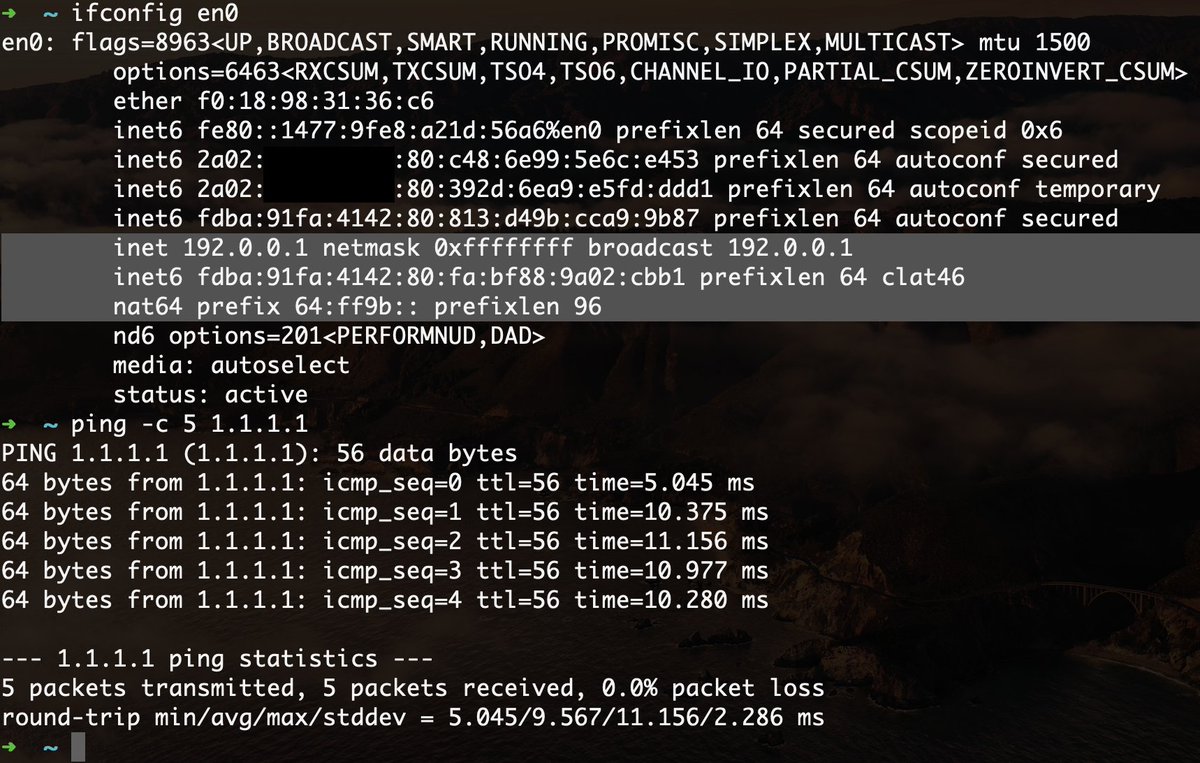
Info is really slim on this, but does anyone know if Windows has a similar 464XLAT / CLAT feature to the one in macOS / iOS?

@zajdee @Apple …and the rumours were actually true! The latest macOS has a CLAT engine baked in that gets activated by DHCP option 108 together with Pref64 RA option. #IPv6-only or IPv4-optional access networks can be finally deployed! 🥳
 Twitter
·
Twitter
·
 south blade
Hey, looking to get hostnames on LAN instead of having to type IP addresses, looking at this guide https://homenetworkguy.com/how-to/use-custom-domain-name-in-internal-network/, where he has homenetworkguy.com as hostname, do I need a .com or how does that work? Don't want to setup something online DNS thing as my TMHI is almost dead when the window is closed and raining. I've got an Ubuntu desktop running Jellyfin, Jellyseerr, xTeVe, qBittorrent, etc. don't know how it'd be best to do it but I'm imagining going to Jellyfin with like jellyfin.lanserver instead of 192.168.1.103:8097, is that possible?
clear igloo
Yes, bind is what you want for Linux based systems
Then you point everything to that and the bind system to an upstream dns server (OpenDNS, Google, etc)
I haven't used bind in a while but there are tons of guides out there for it
south blade
I've got an OPNsense box before all my network stuff, I don't see where I would do the bind stuff
clear igloo
Bind is your DNS server, it runs on your Ubuntu machine
waxen scroll
clear igloo
Bind is your DNS server, it runs on your Ubuntu machine
I would not run bind
I would run a light weight DNS forwarder
rocky badge
I've got dnsmasq (pihole) for recursive and powerdns for my authoritative DNS
waxen scroll
^ this 👏 is 👏 the 👏 way
 tidal flower
 lone sun
So this is the moca filter that came with my moca adapter. It says 5-1002mhz. Is this going to be enough? I'm only using mostly two devices in the house, my TV to stream, and my computer also via ethernet.
 lone sun
@peak cloak 🤔 Ah, I see, because I was going to replace the 1002mhz cable splitter Comcast put in with this one that goes to 2300mhz. I was told I should get it on Linus website. https://www.amazon.com/dp/B01KCY5MBU?psc=1&ref=ppx_yo2ov_dt_b_product_details

BAMF Splitters were designed by 2 highly experienced cable technicians who were frustrated by the lack of access the general public had to High Quality components for their cable setups. BAMF Splitters were built to give an improved experience for the end userVERY HIGH QUALITY, Bi-Directional, Hi...
This is the one they put in.
 lone sun
@peak cloak So I installed the Mocal Filter into the new cable splitter. The adapter powers on, I'm still getting an internet connection as before, but the adapter is still not linking with the modem. I'm sure the modem comes with moca on it since there is an option to disable it. It says its "enabled", but its not linking up with the moca adapter. 😕
south blade
._. I haven't been able to figure out Dnsmasq in OPNsense. It's enabled, Register DHCP Leases checked, Register DHCP static mappings checked. System: Settings: General> Hostname set to 'lanserver.com'. Services: DHCPv4: [LAN] > Static map of 192.168.1.103 to the Ubuntu desktop with hostname Sryously-Ubuntu-LAN (for now). So I thought sryously-ubuntu-lan.lanserver.com would be pingable now? 😛
static moat
i have finally been able to flash OpenWRT onto my router after like 6+ months. Turns out the firewall of rdomain/public networks had blocked it, as when i just had private network firewall disabled it didnt work, but with all 3 domain, private and publci network firewalls disabled i got it to finally work. i was so happy when i saw the log file filling up with info after many many hours of trying 🙂
PC none apart from 1 time was it mentioned to disable firewall, and it had to disable firewall for ALL network types, not just the private one
im so happy i got it to work
static moat
south blade
._. I haven't been able to figure out Dnsmasq in OPNsense. It's enabled, Regist...
Idk if this is relevant but many routers drop and dont respond to WAN ICMP ping requests i believe they are called
For safety reasons so people cant ping your IP and see you maybe have open ports or something
peak cloak
south blade
._. I haven't been able to figure out Dnsmasq in OPNsense. It's enabled, Regist...
do a dig of the hostname
is it nonpingable, or is there no record
 neat whale
Should I have my Jumbo Packet MTU set to 9014?
I mean so far it seems to be helping with google drive syncing.
peak cloak
you should not be using jumbo packets at all
neat whale
I don't have a choice. Its either 1514 or higher up to 9014.
peak cloak
yeah so keep it at standard
neat whale
 peak cloak
yes, ik what they are
they are meant for a datacenter setting
the packets are fragmented later
peak cloak
I don't see how using jumbo frames helps with google drive, it's just placebo porobobly
neat whale
no, cause before everything was uploading at a snails pace because google drive is trying to upload like 20 files at once.
I don't know if the jumbo frames are bunching those packets into one or not.
Already decreasing faster as most of the large files have finished uploading.
how high Jumbo Packet MTUs can data center network cards go?
I'm curious now.
hollow marlin
It's all placebo. There are other factors in play that will determine packet size regardless of what you set locally
south blade
peak cloak
do a dig of the hostname
Where do I dig from, and how? ._.
 jade canopy
So quick question If I have a third party company come out and install fiber cables into my home will a isp service my home?
Also I live in a rural area
peak cloak
south blade
Where do I dig from, and how? ._.
Just on your PC, on windows you can use nslookup
full monolith
that one gig port on my dual lan card is on fire lol
 south blade
peak cloak
Just on your PC, on windows you can use `nslookup`
south blade
peak cloak
Just on your PC, on windows you can use `nslookup`
PS C:\Users\Sryously> nslookup opnsense.lanserver.com
Server:  one.one.one.one
Address:  1.1.1.1

*** one.one.one.one can't find opnsense.lanserver.com: Non-existent domain
PS C:\Users\Sryously>

I do this right? I'm thinking if I can't even do it to the opnsense box then nothing else in the LAN will either.
peak cloak
south blade
```yml
PS C:\Users\Sryously> nslookup opnsense.lanserver.com
Server: one.one.on...
You never pointed your PC DNS server to your router
It's using 1.1.1.1
south blade
OPNsense box is using 1.1.1.1, 1.0.0.1, the box is also handling DHCP, it's repeating 1.1.1.1 and 1.0.0.1 in DHCP, change those to 192.168.1.1 in DHCP then?
peak cloak
south blade
OPNsense box is using 1.1.1.1, 1.0.0.1, the box is also handling DHCP, it's repe...
In your PC yes. Once you verify it works then you can just change the the DHCP server to tell clients to just the local DNS.
How else would it work? How would your PC know to go to opnsense?
south blade
That worked. I think I had DNS leaks when using VPN before, related to DNS settings in OPNsense, might have been a different settings page than DHCP.
 leaden musk
Hey guys I'm looking for some type of help with my internet speed. I live in the rural area of Terry, MS. There is no ISP that offers fiber, the best thing available is Hughesnet satellite internet 🤮. I have Blazing Hog which uses cell phone towers as your internet, it's a glorified cell hot spot. My son and I constantly get disconnected while gaming. Does anyone have any recommendations on better service providers or a way to make it stronger? We are hoping Starlink becomes available soon in hopes that is a better option.
south blade
leaden musk
Hey guys I'm looking for some type of help with my internet speed. I live in the...
I've got T-Mobile Home Internet, metal barndominium, if this box isn't by an open window I see maybe 2Mbps tops. Open window, semi decent location, maybe 40Mbps, open window, best direction I've seen 80Mbps. I really need to get some external antennas, but if I break this box that's like $400.
 thick minnow
south blade
```yml
PS C:\Users\Sryously> nslookup opnsense.lanserver.com
Server: one.one.on...
thick minnow
south blade
```yml
PS C:\Users\Sryously> nslookup opnsense.lanserver.com
Server: one.one.on...
why can't I get response from that server?
thick minnow
south blade
I've got T-Mobile Home Internet, metal barndominium, if this box isn't by an ope...
T-Mobile is from Taiwan?
south blade
thick minnow
why can't I get response from that server?
Cause that's on my LAN >_>
thick minnow
south blade
Cause that's on my LAN >_>
oh 🙂
it doesn't work on cmd
cmd sucks linux terminal is better than this
south blade
I've been using it all these past few days, PuTTY, KiTTY, Powershell, CMD. 😛 Whatever it takes to setup Docker stuff and get logs. LOL
thick minnow
what is install command in cmd?
south blade
I really like the look of Tabby but god damn 300MB RAM usage.
thick minnow
in linux : sudo-apt install <packages>
thick minnow
south blade
I really like the look of Tabby but god damn 300MB RAM usage.
i have 4 gb
south blade
thick minnow
i have 4 gb

thick minnow
south blade
<:KEKW:670048864052445204>

 earnest orchid
whats a decent 10 gbe switch under 200 usd?it needs to have 2 10 gbe ports and at least 5 extra ports.
opal pagoda
earnest orchid
whats a decent 10 gbe switch under 200 usd?it needs to have 2 10 gbe ports and a...
rj45 or sfp+?
pseudo blade
earnest orchid
whats a decent 10 gbe switch under 200 usd?it needs to have 2 10 gbe ports and a...
L3 capable: https://mikrotik.com/product/crs326_24g_2s_in
Cheaper and no L3: https://mikrotik.com/product/CSS326-24G-2SplusRM
Cheaper again, less ports: https://mikrotik.com/product/css610_8g_2s_in
"I want 10GBase-T": Got nothing, perhaps you might have luck trawling eBay
MikroTik makes networking hardware and software, which is used in nearly all countries of the world. Our mission is to make existing Internet technologies faster, more powerful and affordable to wider range of users.
MikroTik makes networking hardware and software, which is used in nearly all countries of the world. Our mission is to make existing Internet technologies faster, more powerful and affordable to wider range of users.
MikroTik makes networking hardware and software, which is used in nearly all countries of the world. Our mission is to make existing Internet technologies faster, more powerful and affordable to wider range of users.
QNAP has some interesting stuff that might work if you want 10Gbase-T and can move the budget a little
opal pagoda
Or he can get one of these https://mikrotik.com/product/s_rj10
MikroTik makes networking hardware and software, which is used in nearly all countries of the world. Our mission is to make existing Internet technologies faster, more powerful and affordable to wider range of users.
To convert sfp+ to 10Gbase-T
pseudo blade
They are really useful, but you wouldn't need to buy too many of those to blow the budget
From what I hear, they're also not really ideal for devices that don't have fans and most cheap switches don't, though apparently the second revision modules aren't as bad?
I'd just grab a used 10 gigabit nic and a DAC cable if possible
opal pagoda
pseudo blade
I'd just grab a used 10 gigabit nic and a DAC cable if possible
100% but when you already got cat6 or cat6a cable in the wall for the gaming pc buying it isnt that bad
ofc nas to switch would be dac or fiber
opal pagoda
earnest orchid
any
then any of ones mentioned by Meagus#9972
they have gigabit rj45 and 10 gig via sfp+
earnest orchid

Three 10GbE SFP+ unmanaged Switch
pseudo blade
It's unmanaged vs. all the ones I listed above being managed. Perhaps this doesn't matter for your use case.

 signal thistle
@fluid steeple
You can replace that 100 m. Ethernet with these two links.
Basically converting into fiber optic but over that distance you should be able to write off the cost for the benefits
I'm actually saving these links because I actually need them for my internet cuz I have to build a tower and they need a fiber. Optic cable goes up to the top so it separates the tower for my house


Gigabit Fiber Media Converter Single-Mode LC (SFP LX Transceiver Included), up to 20KM, 10/100/1000Base-Tx to 1000Base-LX
I'm also going to mention it now. Make sure that you need to adjust the intensity for the distance
I have forgotten how you do it but I believe it's that SFP connector that you slide in where you actually adjust the intensity for the distance
Is someone here in the chat? ThinksI'm full of shit. Please do correct me I would like to know if I'm wrong
hollow marlin
Yes, it's called an attenuator. You do not necessarily need to use them until you get into the 40km+ range optics. Anything less can usually recieve light levels a bit higher than what they can transmit
signal thistle
Oh so for these being 20 km I don't have to worry about it
I just remembered in LTT video. They are being to mention of being careful about intensity because then you wear out the receivers
hollow marlin
You should be fine. Just checked the rated Tx/Rx (transmit/receive) dbm to make sure they fall within the thresholds
clear igloo
I've had 10km optics on 1-2m cables for a few years with no burn out 😛
signal thistle
Oh well, thank you very much for your input. I greatly appreciate it
clear igloo
Not something I'd recommend in real life production but yah, lower power levels at lower distances help a lot
signal thistle
So would it be a good idea to lower the attenuation when it's a 100 m fiber?
clear igloo
for a 20km optic, maybe, for a shorter distance single mode optic, I wouldn't bother
signal thistle
Roger
hollow marlin
clear igloo
Not something I'd recommend in real life production but yah, lower power levels ...
But what if you do have 10km in production with 1-5m patches because your entire infrastructure is SM?? Asking for a friend  lol
lol
clear igloo
hollow marlin
But what if you do have 10km in production with 1-5m patches because your entire...
lol, then you deal with it 😄
clear igloo
signal thistle
Roger
You could get some shorter range single mode optics but honestly, gigabit ones are so cheap I wouldn't worry
signal thistle
Realistically it's unlikely for anyone to need higher than gigabit
Even me and I sell my internet to my neighbors
I have a link that's about 7 km long going into the nearby town and then shooting it up to my house so then I share it with my neighbors and they pay just a very small amount of it
hollow marlin
clear igloo
lol, then you deal with it 😄
I think we still have some 1G 10km w/1m that are easily going on the 15 year mark. As long as it's within thresholds, your golden
clear igloo
hollow marlin
I think we still have some 1G 10km w/1m that are easily going on the 15 year mar...
Yup, very true, within spec and you're good
signal thistle
Completely unrelated but I love driving through tunnels and I got the big air horn on my truck.
Just a little burp burp
clear igloo
You got any of those 500+km openzr+ optics yet @hollow marlin 😄
signal thistle
clear igloo
You got any of those 500+km openzr+ optics yet <@462711605063450628> 😄
I would definitely do not want to be playing that fiber rental xD
hollow marlin
They have 500km now?????
signal thistle
Welcome to internet backbones
clear igloo
Yah, openZR and OpenROADM can, specs are out now
I think OpenZR is 120k and OpenZR+ is 500km+ for 100G and 400G
signal thistle
The closest I would get to an internet backbone is like 77 miles
But I ain't paying for the fiber leg for that distance
clear igloo
lol, I saw some first party OpenZR optics for 400g, $120,000 list per optic
clear igloo
hollow marlin
They have 500km now?????
Spec exists BUT not sure if anyone produces them yet
signal thistle
Is that 500 km length?
 fluid steeple
signal thistle
<@570434581048590360>
You can replace that 100 m. Ethernet with these two links....
fluid steeple
signal thistle
<@570434581048590360>
You can replace that 100 m. Ethernet with these two links....
That Fiver optic is surprisingly cheaper then I thought it would be, But for now im ok with the 100 meters of cat6 as it’s running into my switch, and to be honest im pretty happy with the performance.
What you dont see in those photos i sent, is the cat6 being squished between 2bits if timber 😞, and also i dont want to put something so fragile around the cat.
As for those floors, they are the base stuff and i don’t really care about them getting ruined. If it was a complete house I would do it properly and run cable raceways.
clear igloo
Nah, OpenZR is just up to 120km
signal thistle
clear igloo
Spec exists BUT not sure if anyone produces them yet
They would certainly have reattenuators for that distance
clear igloo
signal thistle
They would certainly have reattenuators for that distance
Yah, definitely would need them I'm sure
OpenZR+ was designed to expand the application space for a coherent solution in a small form factor pluggable module. OpenZR+ can help address not only a broader range of hyperscale data center applications for higher-performance edge and regional interconnects, but also some emerging carrier transport architectures.
signal thistle
fluid steeple
That Fiver optic is surprisingly cheaper then I thought it would be, But for now...
Oof well, it's something to keep in mind at least for the future
hollow marlin
clear igloo
lol, I saw some first party OpenZR optics for 400g, $120,000 list per optic
I need to check what's on our upcoming order. Getting the final quotes for 100G upgrades across our network which we'll be replacing our 80km optics.
Juniper revoked their MX204 EOL and since we had knowledge prior to their announcement, placed a decent order in
clear igloo
hollow marlin
I need to check what's on our upcoming order. Getting the final quotes for 100G ...
Nice! Always good to have advanced EoL info 😄
fluid steeple
signal thistle
<@570434581048590360>
You can replace that 100 m. Ethernet with these two links....
I definitely did consider converting to fiber, but its not that important at the moment
signal thistle
fluid steeple
I definitely did consider converting to fiber, but its not that important at the...
I get that.
no problem
hollow marlin
clear igloo
Nice! Always good to have advanced EoL info 😄
Our new rep tried to initial quote us on almost MSRP MX304s and we told them to shove it, later getting a quote for ~3 x MX204 for the initial cost of a single MX304.
clear igloo
hollow marlin
Our new rep tried to initial quote us on almost MSRP MX304s and we told them to ...
But you need the new thing!!!!
signal thistle
Well why not have the new thing?
hollow marlin
"The new thing has improved specs, such as a $40k/year support contract"
signal thistle
I'm going to reiterate my comment xDD
signal thistle
I kind of figured when you are going about tens of thousands of dollars xD
hollow marlin
Juniper is mid-high end of cost. The MX304 I mentioned was initial quoted about $100k with all the additions. Then the $40k/year support contract. For reference, this is CHEAP for what it can do.
When you have double/triple digits amount of gear, this is where a majority of your plans cost goes to.
signal thistle
Yeah and you have to balance that with the assumption that you're not going to use up all your bandwidth
I'm kind of lucky because any loss that I have can just be written off as personal expense for my own internet because of course I take some of the bandwidth for myself
 molten cradle
Ok, got a really odd Wi-fi problem
My laptop is connecting to my house's 2.4 Ghz band on the network, while my phone is getting the 5 Ghz band
Same network SSID
My laptop has an Mediatek Wifi 6 card in it
So it's not the wifi card in it
SSID: BELL793
Protocol: Wi-Fi 4 (802.11n)
Security type: WPA2-Personal
Manufacturer: MediaTek, Inc.
Description: MediaTek Wi-Fi 6 MT7921 Wireless LAN Card
Driver version: 3.0.1.1264
Network band: 2.4 GHz
Network channel: 1
Link speed (Receive/Transmit): 300/300 (Mbps)
Link-local IPv6 address: fe80::622d:92d6:9c18:3746%14
IPv4 address: 192.168.2.125
IPv4 DNS servers: 192.168.2.1 (Unencrypted)
142.166.166.166 (Unencrypted)
Physical address (MAC): 48-E7-DA-AA-24-09
And it's already set to prefer 5G
 molten cradle
Found the problem
Bell are assholes and combined the SSIDs for 2.4 and 5G together, and they hid the toggle to seperate them in the router
And my laptop kept grabbing the 2.4 for some fucking reason
Screw you and your damn (recommended)

 real flower
I am going to be building a small pfsense (or opnsense?) nuc router at home. I found one with 4x 2.5gb ethernet ports. is that ok if they are built into the nuc or is it better to plug it into a 2.5gb switch and have everything plug into that?
also why? still learning about this.
peak cloak
molten cradle
Bell are assholes and combined the SSIDs for 2.4 and 5G together, and they hid t...
That's common practice
I do that myself , it's a matter of the laptop not being aggressive enough with switching basically
peak cloak
real flower
I am going to be building a small pfsense (or opnsense?) nuc router at home. I f...
I would say switch, since that will have a dedicated switch chip. A nuc won't have a switch chip
 real flower
peak cloak
I would say switch, since that will have a dedicated switch chip. A nuc won't ha...
real flower
peak cloak
I would say switch, since that will have a dedicated switch chip. A nuc won't ha...
Ah, so then the switch chip is the important part then? would the build in ports act like a more basic hub then?
peak cloak
real flower
Ah, so then the switch chip is the important part then? would the build in ports...
No, the switch chip would offload work from the CPU. So local lan traffic does not need to go back to CPU where it will get switched in software, but instead can be done right on hardware directly
real flower
ah alright. makes sense. would that be as critical if the whole machine would be dedicated to being the router anyways?
peak cloak
You can always get a switch later , 4 ports may be useless for multiple subnets
I usually keep a router to route since I plug everything into a switch anyway because of the amount devices I have
I recommend at least 3 ports, WAN, LAN, management
real flower
yea, still learning about subnetting. been watching videos on it. but i do want to try and make dedicated subnets for given devices (smart home stuff vs dumb devices, computers, etc)
peak cloak
Management for when you experiment with stuff like VLANs, and you lock yourself out, you can just plug into management without needing to factory reset
real flower
yea, was looking at 4 port switches. i don't have a lot that needs to connect to it yet. right now, it is mostly my wifi AP, laptop, and nas i will be building
ah, you mean a managed switch? those seemed a lot more expensive.
peak cloak
No I meant a port on router dedicated for management
But a managed switch is useful for when you want more features like VLANs
real flower
do you need a managed switch for vlans? I thought software like pfsense could handle that
peak cloak
real flower
do you need a managed switch for vlans? I thought software like pfsense could ha...
Yes
Well, depends on the desired setup
But generally yes, because the router will tag the traffic on VLANs, and the switch will untag on the specified ports
real flower
ooh. ok. so if i ever have more than say 255 devices? right now everything is on 192.168.4.0 range. i mean i don't have that many but ive been adding more smart home stuff. and would like to subnet them. being able to use x.x.5.0 range would be nice.
peak cloak
real flower
ooh. ok. so if i ever have more than say 255 devices? right now everything is on...
Well it's less about the amount and more about segregation
With the amount you can technically just make the subnet bigger
Although with more and more devices you will get a lot more broadcast traffic
real flower
so something like 192.168.1.0 with 255 networks, that is a /24 subnet right? I would do something like /16 to use the 3rd part of the IP as part of the subnet as well? from what im learning i know that would change the netmask.
for the broadcast traffic, that is the last ip on the subnet range right? or am I thinking something else.
rocky badge
why /16
real flower
man i wish i was able to take that cisco networking class in school lol
peak cloak
Don't need to learn it in school
real flower
rocky badge
why /16
honestly, no idea. still learning all this. my thought is having many devices on the network because of smart devices, and wanting to setup subnets to split things up
real flower
lol i know. im working on learning it now. part of the reason i want to set a router up
rocky badge
@peak cloak I kinda wanna play around with my router's IPAM
peak cloak
I don't even have 30 devices locally
rocky badge
 real flower
well, i was thinking of starting by splitting my 192.168.4.0 range into just 4. since i don't have that many devices yet
i have around 40 devices or so at the moment. maybe 50. plus slowly adding more. mostly things to work with home assistant
rocky badge
@peak cloak Fuck netgear for allowing their shit to auto run on channels other than 1, 6, 11
thick minnow
Anyone have a suggestion for a good gigabit wired router (no access point) to use as part of my home network?
peak cloak
thick minnow
Anyone have a suggestion for a good gigabit wired router (no access point) to u...
What features do you need
thick minnow
peak cloak
What features do you need
Gigabit routing on all ports, maybe 2.5, a friendlier web interface would be nice
I guess I'd prefer it ran like openwrt or pfsense or something
I was thinking about going on like ebay and finding some old quad core mini pc I could convert but I figured there are probably better pre-made solutions for this
neat whale
Anyone else have a net gear RAX43 nighthawk?
DHCP server is acting up again
Setting my IP as static actually fucked me more. Now the router won't talk at all.
We have fiber with MetroNet. 500/500. Separate modem/router.
neat whale
I also have use my router as DHCP server enabled. Should I disable that?
 agile leaf
faster than I thought
 neat whale
agile leaf
faster than I thought
neat whale
agile leaf
faster than I thought
What are your pronouns?
agile leaf
I don’t care
neat whale
XD
 thorn crag
Hello there
I need help for...I have D Link single antena router and living in row house ... I want to increase the area coverage of the router.... What should I buy? Another wifi router (1/2 band ) or wifi extender ... What should I do? Pls help me with it ... Thank you 🙂
 white root
Hey! I have a question about setting up a DIY NAS. I'm looking for a guide (and was hoping for an LTT video but couldn't find any) that covers what hardware and software to pick , and preferably also how to set up a 2nd installation as backup. Is this the best channel to ask? And anyone has some good leads of where I can learn about this stuff? 🙂
 faint bronze
agile leaf
faster than I thought
faint bronze
agile leaf
faster than I thought
The underlined text in this channels description states "no screenshots of speedtests"
opal pagoda
white root
Hey! I have a question about setting up a DIY NAS. I'm looking for a guide (and ...
software:
truenas core or scale
limetech unraid (paid software)
openmediavault (less resource intensive than truenas)
hardware:
really anything with good power consumption (or not if you dont care or have cheap power)
avoid raid cards, you want a hba or just plug them into mobo sata ports
if you have multi gigabit switch get a 2.5g, 5g or 10g network card (this can be added later and just use onboard gigabit ethernet for now)
Hardware Haven has nice tutorials for cheap-ish nas
https://youtu.be/jf_5FaVFnrU
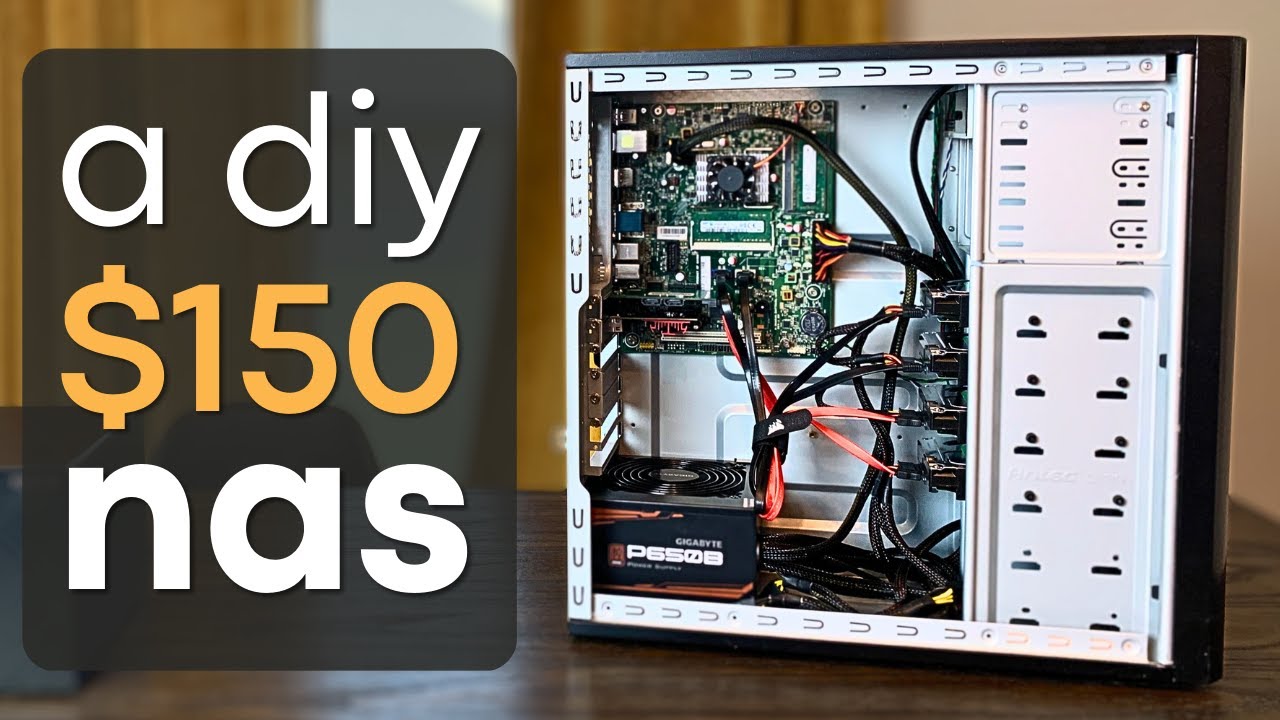
Make sure to check out the follow up video where I make some upgrades!
► https://youtu.be/i7ZPw-IuYG4
I needed a NAS, so I set out to build my own with primarily used PC components. How will it turn out? #nas #pcbuilding #homeserver
Some of the parts I used (affiliate links):
► PCIe to 4 Port Sata - https://amzn.to/3mWlChR
► PCIe to 2.5Gb NIC...
white root
Hey @opal pagoda thanks a lot! When I search for hba its for fibre, is that what you're suggesting? I don't have a fibre connection at home. And with plugging into mobo sata ports you mean: plug the hdd's for the NAS in the NAS mobo, right? Just checking 🙂 I'll go watch that video now.
opal pagoda
white root
Hey <@203950587471986688> thanks a lot! When I search for hba its for fibre, is ...
there exist 3 types of hba (hba means host bus adapter)
fc - fiber channel
external sas
and internal sas/sata
you would want internal one as fc and external ones are ment for connecting jbod
you can also get lsi raid cards with IT mode enabled for cheaper than hba card but i havent had any experience with those
white root
Alright, I need to do a lot more research before I make any decisions, that's become clear 😄 I've heard most of these terms before but I actually wanna know what I'm doing instead of following a guide.
opal pagoda
white root
Alright, I need to do a lot more research before I make any decisions, that's be...
how many hdds you plan on having?
white root
For context. I'm currently thinking of building the following, at some point this year:
- 1x 8TB, with ability to expand to 2x or even 4x 8TB
- Doesn't have to be a compact Synology case, so any old PC case will do.
- I want to be able to remote into it, so for example, quickly grab a file when I'm at my office Pc through a browser (not sure if this is easily achievable without major security risks)
- Considering a 64GB optane for fast uploading
And then I would make two copies of this machine, one for in my own home and another for in a family member's home. They would be identical in every way and act as both fast local upload and external backups.
pseudo blade
Have you ever wondered what connector they use in hell? Worry no longer, it's Hirose U.FL
opal pagoda
white root
For context. I'm currently thinking of building the following, at some point thi...
do you have multi gigabit switch and maybe an old pc on hand you can reuse
also you would want to have at least 2 drives so if one fails you dont loose data
white root
But the idea is that the data syncs between the two NASes, wouldn't that act as a proper backup?
if I also have redundant drives, I 'd have the same data 4 times
opal pagoda
white root
But the idea is that the data syncs between the two NASes, wouldn't that act as ...
first raid isnt a backup
proper backup would be: three copies of your data, two local (on different devices) and one off-site
white root
fair point
I don't have a multi gig switch, does it serve any other benefit besides a fast connection? Using just the switch that my ISP provided. Could consider a separate switch though..
opal pagoda
white root
I don't have a multi gig switch, does it serve any other benefit besides a fast ...
if you arent going multi gigabit there is no point in having a optane cache
opal pagoda
white root
I don't have a multi gig switch, does it serve any other benefit besides a fast ...
https://youtu.be/m_B8AFvguqo
Btw here is ltt vid about building a nas its a bit old but still relevant

Are expensive NAS units your only option to expand your storage reliably? I think not...
TunnelBear message: TunnelBear is the easy-to-use VPN app for mobile and desktop. Visit http://tunnelbear.com/LTT to try it free and save 10% when you sign up for unlimited TunnelBear data.
Intel link: https://linustechtips.com/main/topic/428354-intel-core...
white root
Awesome, thanks again for all the help so far! @opal pagoda I've got some homework to do on this, but I'll probably come back when my plan is shaping up.
 tribal flax
hey everyone i'm back with more server questions, many of you told me G6 and G7 servers suck so I thought instead of going with 1xG6 and 1xG7, why not just one G8? I found a nice one with 3 types of configs but I am looking at the 2x e5-2650 v2 w/128GB of ram config
it has 2x 300gb drives but I want to have my own archive so I am thinking of adding a couple of 4TB drives (eight of them :D)
any thoughts, am I going insane?
also unraid for funs
pseudo blade
An i5-12400 will roughly tie (online benchmarks even say beat) a pair of e5-2650 v2's at well under half the power consumption and can be equipped with 128GB of faster RAM at a reasonable price.
A lot of the reliability arguments go out the window when you're dealing with hardware that old. I'd still prefer a modern desktop platform - you can get ones with modular drive bays or pick up an old hba/raid card if you want hotswap storage and high capacity.
pseudo blade
tribal flax
any thoughts, am I going insane?
Is there a specific reason you want an old server?
tribal flax
Well it's cheaper than basically everythijg else on my market
Plus i want to get into servers and networking
pseudo blade
Is it cheaper than just picking up a midrange desktop CPU, RAM,PSU and a cheap case?
Because you can do pretty much everything on a desktop motherboard
pseudo blade
The novelty wore off as soon as I heated myself out of my office lol but if you're sure... a G8 is better than a G6+G7 but for the above reasons I still can't recommend it unless you're getting it basically free
 dreamy whale
So I have an ASA 5506-X that I would want to use as my home router but I'm having issues. Only Cisco device I've configured before was a Cisco Switch. I can get one port as WAN and one port as LAN but the device has 8 ports in total and I would need 6 LANs
pseudo blade
dreamy whale
So I have an ASA 5506-X that I would want to use as my home router but I'm havin...
You want 6 separate subnetworks with one physical interface on the ASA each? So what's the problem?
dreamy whale
I'm a first year student, I'm not really sure what you're saying ;-;
pseudo blade
Ok, so you have the ASA. What do you want the ports to do?
One will face the internet.
Do you want the rest to basically act as a switch?
Or all separate networks?
dreamy whale
pseudo blade
Do you want the rest to basically act as a switch?
Yup
I want to be able to connect devices directly to it
We only have 6 ports in the walls in our apartment so there's a perfect amount of ports on this
And they need to be in the same network as I must make this so that we can share material from a tablet to the TV
pseudo blade
You can only see two interfaces in the ASA itself, correct?
It's been 5 years since I've touched an ASA but I remember some routers expose the entire switch as an interface rather than pretending they're directly routed ports- is one the switch and the other the management port?
I'm guessing because you haven't told me much
peak cloak
dreamy whale
So I have an ASA 5506-X that I would want to use as my home router but I'm havin...
Does it have an internal switch?
pseudo blade
The 8 ports on the front are switched pretty certain
dreamy whale
I'm not sure. My boss just messaged me and said that if he finds the old configs, he'll send em to me as they used to use it in a similarish way
The current configuration (only set up LAN1 and LAN2 as I don't need more for testing)
 pseudo blade
Huh. They are routed on the 5506-X?
peak cloak
Idk much if anything about asa, but you may need to create t a bridge group? https://www.cisco.com/c/en/us/td/docs/security/asa/asa97/configuration/general/asa-97-general-config/interface-routed-tfw.html
Cisco
Routed and Transparent Mode Interfaces
pseudo blade
I think when I did CCNA sec course content I was shepherded to the webui pretty much immediately
dreamy whale
pseudo blade
Huh. They are routed on the 5506-X?
I didn't actually set it to route to WAN as I don't have it connected to the internet
Using the route command I could do it
pseudo blade
Mind you I did mine on a 5505
dreamy whale
pseudo blade
I think when I did CCNA sec course content I was shepherded to the webui pretty ...
WebUI?
There's a WebUI on this thing?
pseudo blade
Yes
Cisco ADSM - ah it's a utility you get to from its webserver
That's what you get for relying on my memory - Cisco's documentation is better
waxen scroll
pseudo blade
Cisco ADSM - ah it's a utility you get to from its webserver
its terrible and ASAs in general are terrible
Fortinet, checkpoint or palo pls
pseudo blade
Oh I won't disagree
There is a reason I haven't used one in five years
Mind you what I was using instead also kinda sucked
Endian - boss at the time was super big on them
Software is basically open source (Snort, OpenVPN on Linux) loosely bundled into a fairly meh webUI
The free community edition is quite old
 delicate mulch
is it normal for it to be this noisy?
 dreamy whale
Wot da band 10 doing?
dreamy whale
delicate mulch
is it normal for it to be this noisy?
Depends where
dreamy whale
In what kinda house you live in?
dreamy whale
Huh, quite noisy
delicate mulch
is the range affected too?
pseudo blade
Somewhat
delicate mulch
hmm ok thanks for the info
dreamy whale
If the house isn't massive, you could try using the 5GHz band
Or if it's a big house, a mesh system could help but those can get pricy
delicate mulch
ok, thanks 
rocky badge
@waxen scroll @peak cloak I am using ChatGPT to write my router config
so far I've given it the same parameters as my home network its 100% correct
waxen scroll

 thick star
i need help, my wifi on new pc wont work it says “the default gateway is not available” and “ethernet 2 doesn’t have a valid ip configuration
thick star
please @ me or message me if u have any idea.
 fossil moss
thick star
please @ me or message me if u have any idea.
fossil moss
thick star
please @ me or message me if u have any idea.
I'll dm you
Im pretty interestes into getting a opnsense router.
Not sure but,
Is a dedicated router opnsense faster then a asus router thats new and has only 1gb of ram?
No vpn needed, a decent firewall i do need
Config how i would have it irl
fiber cable -> to Ethernet converter -> opnsense router -> asus access point mode in aimesh
Or fiber cable -> ethernet converter -> asus router mode in aimesh mode
Currently have 2x asus AC66u which don't support cakesqm which i have heard is a most nowadays
peak cloak
fossil moss
Im pretty interestes into getting a opnsense router.
Not sure but,
Is a dedica...
no, I doubt it would be any faster, 1gbps speed is common
if you are already getting the speed that the ISP offers it won't be any faster
what's cakesqm, never heard of it
fossil moss
peak cloak
no, I doubt it would be any faster, 1gbps speed is common
1gbps download and 1gbps upload, i wonder if i can handle simulatious thats why
peak cloak
peak cloak
what's cakesqm, never heard of it
ah it's for queue
I have that stuff all turned off
fossil moss
Nods, it basically makes cpu and ram efficient.
and makes your Ethernet speeds more reliable against bufferbloat
peak cloak
bufferbloat, sigh...
most often than not, it's an ISP issue not something you can control
at least that's how it was explained, simplifying a lot
fossil moss
peak cloak
at least that's how it was explained, simplifying a lot
Oki thanks for help
 sage nebula
delicate mulch
is it normal for it to be this noisy?
sage nebula
delicate mulch
is it normal for it to be this noisy?
do you have some ac or heating thing outside the house or near yours
delicate mulch
sage nebula
do you have some ac or heating thing outside the house or near yours
AC? u mean like one of these?
 delicate mulch
u mean like central AC?
idk. i think its just cause there's like 20 networks around me
wifis
sage nebula
well just saying its possible
delicate mulch
ai, ill look into it a bit
real flower
has anyone that knows more about routers ever worked with the verizon 5g routers? The router gets the data from a 5g signal, rather than an ethernet cable. im wondering if I should forsee any issues if I make a pfsense router and connect it to the verizon router and have all my other connections connect to that.
 deft reef
my 2.4ghz band has shorter range than 5ghz. like weirdly small range. Wifi analyser shows me barely any interference in channels and my router has auto channel selection anyways
idk what is to blame here
and its annoying because I relied on the 2.4 ghz for a particular room'
pseudo blade
Perhaps an antenna isn't connected right?
deft reef
it was working fine for like 7 months
deft reef
pseudo blade
Perhaps an antenna isn't connected right?
i dont think the antenna's are detachable
pseudo blade
Had one that wasn't connected internally to the board right once
 primal sedge


 thick minnow
question: on iperf why does the client side send instead of receive? i thought it would be the other way around
have to run the "server" on my laptop to see my wifi down speed
thick minnow
and also, where would one find a cheap (under 50 usd if possible) 802.11ac AP? currently running 802.11n, 150mbit on 2.4 / 5GHz
have nothing that can use wifi 6 so its pointless. one ac device, quite a few g / n things and 3 b devices
pseudo blade
thick minnow
and also, where would one find a cheap (under 50 usd if possible) 802.11ac AP? c...
TP-Link has some stuff on Amazon, not really much you can get for that little money
thick minnow
ah, yeah idk what the pricing of wifi stuff is
if its that expensive ig i can put up with my now 14 year old AP
pseudo blade
If you want only an AP it's doable enough
 shrewd robin
thinking about upgrading my old laptop's (asus a556u, intel i7 model) WiFi card. Out of the box, it has a WiFi card that only supports 2.4ghz. Is it possible to buy a WiFi 6 card and install into it?
opal pagoda
shrewd robin
thinking about upgrading my old laptop's (asus a556u, intel i7 model) WiFi card....
yes
range might not be good due to antennas not being optimised for 5ghz
i have upgraded from 2.4ghz wifi card to ac one before and had no problems
shrewd robin
opal pagoda
yes
range might not be good due to antennas not being optimised for 5ghz
i have ...
Hmmm, maybe I should concern about the signal range then
Btw, thanks a lot
opal pagoda
shrewd robin
Hmmm, maybe I should concern about the signal range then
i had no problems when upgrading my old laptop but it could be a problem
pseudo blade
Huh, a 7th gen i7 with 2.4ghz only wireless - rough. It doesn't really cost anything to make an antenna do 2.4ghz and 5ghz, it might work, it might be terrible.
 zealous ledge
how do i set up an ethernet system or whatever its called if possible,
right now i have only cable ports and i want to get ethernet set up and ran through to my room, although i have no place for a router in my room. what would be the best options for me? the router is in the room over, should i just run a long ethernet cable through my wall?
i was getting 10 mbps download speed on wifi and i really need faster speeds
 gleaming granite
zealous ledge
how do i set up an ethernet system or whatever its called if possible,
right no...
gleaming granite
zealous ledge
how do i set up an ethernet system or whatever its called if possible,
right no...

TL-PA7017 KIT uses HomePlug AV2 technology to extend your wired internet. With Gigabit Ethernet port, it ensures high speed wired connection, providing data transmissions of up to 1000Mbps and allowing smooth transmission of Ultra HD video streaming. This makes the TL-PA7017 KIT the perfect home ...
zealous ledge
thanks
peak cloak
zealous ledge
how do i set up an ethernet system or whatever its called if possible,
right no...
best option is running ethernet in the wall
second best is moca
which is ethernet over coax
powerline in general isn't ideal
peak cloak
zealous ledge
yeah ill just run it through my wall
if that's an option that's the best option
gleaming granite
I default to powerline now - doesn't seem like most places are wired in ways that allow moca anymore. My apartment's got some sh*t telus fiber gong show where the coax should be.
peak cloak
powerline in general isn't good
static moat
peak cloak
if that's an option that's the best option
Bro i managed to get OpenWRT on the router. would you be down today, tomorrow, or sunday to help me with the settings and allowing/dropping connections?
i installed the latest version
i had to do it via TFTP server it was so annoying lol. it only wokred once i disabled all my firewalls
peak cloak
zealous ledge
alright yeah imma do that
although I would do it nicely, not just make a hole and run a cable, rather make a nice wallplace with ethernet keystone punched down
static moat
because there was different firewall setting for different network type
i.e. public/private/domain
static moat
no no, when i was installing it i had to disable firewall
for the router to get OpenWRT onto it
peak cloak
oh
static moat
because the only way to install it on this router
is for it in recovery mode to try to download the firmware over ethernet
peak cloak
yeah, because your pc needed to host a tftp server
static moat
yeah
so would you be down to help me set this up like we discussed?

i would be really really thankfull
and i think its to specific to find help online really
zealous ledge
ok so is this possible, blue star is the main modem/router. blue line is running to yellow star which would be another router that i could buy, and then that runs back through the wall to green star which is where my setup is and where i would put a network switch

or should i just do blue line straight to network switch
zealous ledge
would it help with anything?
peak cloak
in what way?
zealous ledge
faster speeds
pseudo blade
zealous ledge
ok so is this possible, blue star is the main modem/router. blue line is running...
diagrams.net is your friend
But yeah you don't need a second router in that context unless you want network separation and your first one's not good enough to handle that
static moat
static moat
so would you be down to help me set this up like we discussed?
@peak cloak doesnt have to be today. this weekend would be best for me at least. completely up to you
unless someone else can help me instead?
to set it up
static moat
pseudo blade
diagrams.net is your friend
do you know what the thing is called its like a network simulator i have seen people use to explain networking
its used for network topologies
like diagrams for them
pseudo blade
Packet Tracer probably, or GNS3
static moat
are they free?
pseudo blade
Packet tracer is free but Cisco stuff only (and a small subset at that) plus not a complete simulation, GNS3 is free and and runs real router operating systems
But unless you want to do full simulations just make a diagram
peak cloak
GNS3 you need to find your own image sources iirc
pseudo blade
Not too hard if you're only running openwrt and such
peak cloak
yeah
hollow marlin
I prefer EVE over GNS3. Community edition is free as well
 cyan dawn
Anyone else have a 30mb/s download speed and 3mb/s upload?
static moat
pseudo blade
Packet tracer is free but Cisco stuff only (and a small subset at that) plus not...
thank you
 thin topaz
Hi, my friend needs to do a port forwarding for a locally hosted server. Usually to access the router interface you'd access the default gateway like in most cases 192.168.0.1 right? Now, from ipconfig his default gateway is x.x.2.1 while trying to access that OR any other x.x.y.1 where y changes to match other subnets (255.255.255.0 mask) from Chrome or any other browser, he first receive an unsafe site message (probably because its http) and then it doesnt connect. As if you were trying to access a server that doesnt exist. He is connected to an AP, so it on a subnet, he can freely use internet without problems, but how can he access the router inferface?
peak cloak
thin topaz
Hi, my friend needs to do a port forwarding for a locally hosted server. Usually...
Unsafe site means https without a valid certificate, what's the exact error when you click proceed
 sacred ocean
Is 4x 16gb dimms + 8x 8gb dimms a valid memory configuration for the r710?
I have both cpu sockets filled
Seems like the best option would be to replace 4 of the 8gb dimms, right?
 wanton palm
hi is the Asus TUF-AX3000 V2 router a good deal for 129€ ?
or is the ASUS RT-AX68U WiFi better for 118€?
earnest orchid
https://www.amazon.com/12-Port-Gigabit-UnManaged-Multi-Gig-XGS1010-12-ZZ0101F/dp/B084MLC83G/ref=sr_1_9?keywords=10gbe+switch&link_code=qs&qid=1673082071&refinements=p_36%3A-20000&rnid=386442011&sourceid=Mozilla-search&sr=8-9 or https://www.amazon.com/QNAP-QSW-M408S-Managed-Switch-Gigabit/dp/B08DJWZ6VJ/ref=sr_1_19?keywords=10gbe%2Bswitch&link_code=qs&qid=1673082071&refinements=p_36%3A-20000&rnid=386442011&sourceid=Mozilla-search&sr=8-19&th=1 or https://www.amazon.com/Mikrotik-CSS326-24G-2S-RM-Gigabit-Ethernet/dp/B0723DT6MN/ref=pd_lpo_1?pd_rd_w=qo9ey&content-id=amzn1.sym.116f529c-aa4d-4763-b2b6-4d614ec7dc00&pf_rd_p=116f529c-aa4d-4763-b2b6-4d614ec7dc00&pf_rd_r=4BWRVT91NX1AEKF6J9FS&pd_rd_wg=beWXC&pd_rd_r=6e2de6ef-1502-40d0-a05e-4b4322e24569&pd_rd_i=B0723DT6MN&psc=1

GS1010-12 8-Port Gigabit UnManaged Multi-Gig Switch. 2 x Copper 2.5G Ports, 2 x 1/10G SFP+ Ports

QNAP QSW-M408S 12-port layer 2 managed switch. Eight 1GbE ports and four 10G SFP+ ports. Easy management with web browser.

Cloud Smart Switch 326-24G-2S+RM is SwOS powered 24 port Gigabit Ethernet switch with two SFP+ ports in 1U rackmount case that provides wire speed connectivity with several new switching features. It gives you all the basic functionality for a managed switch, plus more: allows to manage port-to-p...
pseudo blade
earnest orchid
https://www.amazon.com/12-Port-Gigabit-UnManaged-Multi-Gig-XGS1010-12-ZZ0101F/dp...
What do you want it to do? These have entirely different feature sets and port counts. One's even unmanaged while the other two are.
opal pagoda
pseudo blade
What do you want it to do? These have entirely different feature sets and port c...
hes the one that asked this and we answered
 pseudo blade
Yes, but why are we seeing these switches then? Did you pick one with 4 SFP+ ports because that had value to you? 2.5gbe because that's important? smaller switches due to size constraints?
Because if so pick based on that
Posting them without context dosen't do a ton for us
"Which one would you like to receive in the mail for free" Oh I think I'd like the CSS326 though tbh I think the CRS326 is a better product
The Zyxel is unmanaged and Amazon freaks out because I'm in a different country but if it is $159USD vs $179USD and $167USD it's cheaper and offers 2.5 gigabit ethernet ports.
If you will never need more ports and management doesn't interest you, it's probably fine
earnest orchid
pseudo blade
If you will never need more ports and management doesn't interest you, it's prob...
sure thanks
 cyan vapor
can anyone recommend me an NIC?
i've got this one in at the moment and I dont think its working all too well. In my room my laptop gets 48mbps (where I live my max is 51 😦 ) And my phone gets 50.
However, my pc gets about 7
opal pagoda
cyan vapor
can anyone recommend me an NIC?
wifi?
if you have ability to run a ethernet cable run a ethernet cable
cyan vapor
Only way I could do so is using then electrical plug socket adapters
Would you recommend that instead
opal pagoda
cyan vapor
Would you recommend that instead
what do you have currently?
wifi usb stick?
cyan vapor
I’m using a NETGEAR wifi extender and plugging it in with Ethernet however my ISP sent out an engineer and said that it could cause interference with the booster discs they provide.
Atm there is a NIC in my pc however I think there is an issue with the performance
opal pagoda
cyan vapor
I’m using a NETGEAR wifi extender and plugging it in with Ethernet however my IS...
how far away is the pc from the main router?
opal pagoda
cyan vapor
I’m using a NETGEAR wifi extender and plugging it in with Ethernet however my IS...
take a pic of that nic
cyan vapor
Not at home. This is the best I have
 opal pagoda
cyan vapor
Not at home. This is the best I have
opal pagoda
cyan vapor
Not at home. This is the best I have
do you have antennas connected at the back?
cyan vapor
Yes
In my room my laptop and phone is about 48 but pc is 6
So should I just get them electrical adapters
cyan vapor
I brought them, tried them and wifi is still shit
Do you know what network card that is

does an NIC speed depend on what pcie slot it's in
clear igloo
Not for gigabit no
cyan vapor
Could that be the reason why my internet is shit on my computer and not my laptop? Because of my NIC?
clear igloo
Possibly, what model is the card?
opal pagoda
looks like tplink special

 carmine moss
if the wifi card is old and bad get a cudy wifi ax card they cheap and use an intel chip