#networking
1 messages · Page 16 of 1
 rocky badge
 waxen scroll
thats why I passed on LG. its some custom BS right? Sony is using google
I got the A80K versus the C2
I have LG for my washer and dryer... ThinQ is a cancer
 flint nimbus
so a little of an odd question, I have this basic desktop switch, that I'm planning to connect between my server cabinet to my pc, and I can't connect the server to the internet but I still want to access the server locally (localhost over ethernet), basically my main rig would be able to connect to the server using a local IP, by its open ports, like SSH, eg 192.168.1.101:22 over ethernet, I do not want to connect the server to the internet and access it that way
the main pc is connected over wifi, so I'm wondering if that'll mess things up
waxen scroll
Unless the app needs to speak to the internet to work, probably not going to mess things up
 full monolith
Its so weird here in germany... You have places withb1 gbps and 100m away from that spot its not even 100

 opal pagoda
flint nimbus
so a little of an odd question, I have this basic desktop switch, that I'm plann...
opal pagoda
flint nimbus
so a little of an odd question, I have this basic desktop switch, that I'm plann...
set static ip on server and static ip on your pc
you dont even need a switch if you used crossover ethernet cable
https://youtu.be/NAks6qM9jlM
config would be simmilar to this setup

Sponsor message: Use AIAIAI's TMA-2 Configurator and create your own headset today: http://geni.us/WjhFJ
Get a lightning fast local network speed for less than $100!
Check out Ibuypower & MSI’s laptops featuring Intel's 7th Generation Core i7 7700K processor on Amazon: http://geni.us/SQO3f
Check out Jake's guide: https://linustechtips.com/mai...
 peak cloak
opal pagoda
you dont even need a switch if you used crossover ethernet cable
peak cloak
opal pagoda
you dont even need a switch if you used crossover ethernet cable
Don't even need one
 pseudo blade
Auto MDI-X, part of the 1000BASE-T standard and therefore available basically everywhere, including on devices that don't do gigabit

 sleek scaffold
 distant plank
everytime i brought up mine people thought I had a nintendo switch
 thick minnow
full monolith
Its so weird here in germany... You have places withb1 gbps and 100m away from t...
thick minnow
full monolith
Its so weird here in germany... You have places withb1 gbps and 100m away from t...
Probably the weak antennas they use
full monolith
yea
once i was at my dads place at the northsea and we went to the beach. I was having 5G from the netherlands and hadt faster speeds over the ocean as with the local antennas... littearly a few km away over the sea and better then the own ones
thick minnow
Its the same shit all over this shithole continent. In the UAE I consistently pulled 1gbps
thick minnow
full monolith
once i was at my dads place at the northsea and we went to the beach. I was hav...
Yeah, it's weird and it probably was T-mobile NL
DTAG is trash everywhere though.
Except the USA
That's what heavy congestion looks like in the United Arab Emirates

 thick minnow
full monolith
i was where i marked
thick minnow
full monolith
i was where i marked
Yes. Impressive how far it travels over water
thick minnow
full monolith
thats like super good conditions here in germany lmao
Same for Austria
But a gigabit is impossible on all European owned companies
full monolith
EU just fucks up shit with how much W you can use and what frequencies etc
thick minnow
Only one carrier has NR CA and its from Hong Kong
thick minnow
full monolith
EU just fucks up shit with how much W you can use and what frequencies etc
Yes
full monolith
we littearly have 6GHZ wifi but we cant use 3Ghz 5g that littearly points at the user because its sooooo baaad
full monolith
idk if thats normal for the good 5G antennas that they like point the power to the user and not everywhere
full monolith
thick minnow
Mmwave is just being ignored in Europe
yea i mean dude who even needs that no one needs 1 gbps outdoors
its so uselss

full monolith
i was shocked when i was at a like 5k people party in the middle of nowhere where i had like 2 bars 4g and still got 50mbps lmao
like there was only one tower in idk how many km distance
but the ping man
dont even wanna talk about the ping
thick minnow
N78 3500mhz in Dubai. It was 1900mbps when the place was full of people
 thick minnow
full monolith
dont even wanna talk about the ping
thick minnow
full monolith
dont even wanna talk about the ping
Lmao antenna gonna explode ong
full monolith
bro that tower was on life support i swear
thick minnow
Like it should be. All Telekom towers need to be abused
Telekom routing is horrible


 full monolith
know whats funny
thick minnow
Inside of the church (n78, 100mhz)
 full monolith
where i live i get like 300mbps download with 15 ping and i have like 6x 2100, 1800, 900, 800 frequencies
but still bad download speeds even theres alot of towers
for like not even 4k people living here
thick minnow
full monolith
where i live i get like 300mbps download with 15 ping and i have like 6x 2100, 1...
900 and 800 cannot be aggregated at the same time
thick minnow
full monolith
for like not even 4k people living here
Interesting
full monolith
yea but still our new n78 tower that is standing since like 6months doing nothing
cause of german licensing shit
thick minnow
Lmao, stupid government
full monolith
ikr
thick minnow
They're so useless for everything
full monolith
true true
 full monolith
Thats the view to the tower from my grandmas home
 thick minnow


 full monolith
thick minnow
full monolith
thick minnow
Wifi is on life support tho lmao
thick minnow
full monolith
Wifi is on life support tho lmao
Still doing 100mbps lmao
full monolith
The only tower near me doing a gigabit+
 thick minnow
 thick minnow
full monolith
The only tower near me doing a gigabit+
thick minnow
full monolith
The only tower near me doing a gigabit+
NSA?
full monolith
NR
thick minnow
Ah
full monolith
Its on a telekom building xD
thick minnow
Those are fm radio I think
 thick minnow
full monolith
Its on a telekom building xD
thick minnow
full monolith
Its on a telekom building xD
That's why it's doing more than a gig lol
 thick minnow
Damn it's huge
full monolith
Yea
thick minnow
Mine is just like 35m


 thick minnow
Huge 😳😳
full monolith
Yea lol


 thick minnow
 thick minnow
full monolith
our fm tower still has one PAL TV programm lmao
thick minnow
full monolith
our fm tower still has one PAL TV programm lmao
LMAO
full monolith
thats all towers around me

the 2 which are together are on the FM tower
Thats the one which is like 800m away from my house
 thick minnow
They look so much different than the ones here
 thick minnow
3600mhz wow 😳
thick minnow
full monolith
they dont even list lte 700mhz yet...
N28 is available all over austria
full monolith
nice here they need to change the hardware on the ground for having 700mhz available
cause like 95% of the ground hardware cant send 700mhz
thick minnow
Oof that's gonna be expensive


 broken jetty
Is it possible to have a domain that I own point to a device on my local network without using a custom DNS server?
 faint bronze
broken jetty
Is it possible to have a domain that I own point to a device on my local network...
faint bronze
broken jetty
Is it possible to have a domain that I own point to a device on my local network...
mDNS
broken jetty
mDNS would be ideal but I haven't worked out how to use it yet. I'm currently running Debian, but I would like to be able to upgrade to TrueNAS SCALE in the future when it's a bit more stable, and it doesn't support custom mDNS addresses for different applications/services
faint bronze
/etc/hosts
broken jetty
I don't want to have to manually modify the hosts file of every single device on my network.
faint bronze
Well then buy a domain name. You will not maintain a custom DNS server and a domain name only costs 20USD a year. My only other suggestions are mDNS and local DNS, but you crossed those off.
Setting up a local DNS server is not too hard.
peak cloak
broken jetty
Is it possible to have a domain that I own point to a device on my local network...
just add a record?
if your device is always 192.168.1.5 for example you can just go to your domains dns settings and add an A record
peak cloak
broken jetty
Even though it's not on the LAN?
why not?
broken jetty
I suppose I never considered it as a possibility.
peak cloak
your PC is looking up the record, it gives an IP back, it goes to that IP. It doesn't matter if it's a local IP, or a WAN IP, it will lookup the record and try to go to it.
broken jetty
Would there be a way to make it use the local IP on the local network, and some other IP if it was on the internet?
Or would that require a custom DNS server
peak cloak
broken jetty
Would there be a way to make it use the local IP on the local network, and some ...
that requires a local DNS server
broken jetty
Makes sense
 broken jetty
Interesting
Wouldn't that cause headaches with https, if the IP was different? Or would it not matter as the same server is providing the certificate?
peak cloak
shouldn't if you are using the same domain name to access
broken jetty
Well that has made my life a whole lot easier
Thank you for your help 😄
opal pagoda
faint bronze
Well then buy a domain name. You will not maintain a custom DNS server and a dom...
the big domain name dealers dont want you to know this but domain names on freenom are free
broken jetty
Question
I'm trying to set up a Caddy server with automatic https, but it fails with this error:
no valid A records found for <domain>; no valid AAAA records found for <domain>
Are they not valid because they point to a local address, or just because of DNS cache?
faint bronze
If you are trying to set up an https cert for something it needs to either have a public IP, public DNS record and port forward or set up a self signed cert.
 blissful verge
You can also use DNS-01 validation and then it doesn't need to be public at all
faint bronze
That could work too although I have not set that up.
peak cloak
broken jetty
Question
I'm trying to set up a Caddy server with automatic https, but it fails...
do a dig for the domain and make sure you get the A record
also you will need to use DNS-01 challenge for anything with a local IP
what's your setup right now?
broken jetty
I'm using Cloudflare for DNS management, and I have a Caddy webserver on my NAS that is supposed to be proxying things. I have 1.1.1.1 on my Mac, and in theory the WiFi router is supposed to use it for everything on the network, but I don't fully trust that it's doing that.
peak cloak
broken jetty
I'm using Cloudflare for DNS management, and I have a Caddy webserver on my NAS ...
what's the record pointing to right now
broken jetty
192.168.0.128
Which is the locked DHCP address of my NAS
And I can connect to it directly
peak cloak
ok, so on the machine caddy is on, use dig to see what it's getting as the record
blissful verge
The only way to get an HTTPS cert for that local address is to use a DNS-01 challenge which basically involves giving Certbot (or some other Let's Encrypt client) access to your DNS provider, in your case Cloudflare, via an API token
broken jetty
Do I need to explicitly install that? It seems unclear
thick minnow
full monolith
LMAO
broken jetty
Looks like you need to recompile it
 drowsy bronze
Hi guys, can someone help? Can I use a Ubiquiti AP with my provided ATT router without needing one of their switches? The WiFi produced from router is good enough for me on my side of the house because I mostly use hard-wired but my sister wants better strength on her side of the house
OR do I need to purchase an AP and a switch from them?
thick minnow
drowsy bronze
Hi guys, can someone help? Can I use a Ubiquiti AP with my provided ATT router w...
Just plug a Lan into the router you have now, and use PoE to power the ap
full monolith
@thick minnow 5xCA LTE Telekom
 thick minnow
Awesome, can you do a speedtest?
full monolith
Theres one infront of you xD
thick minnow
622?
full monolith
Im not on that spot anymore but i will if i go there again
thick minnow
Alright 👍
full monolith
In my city i broke my upload record today
 full monolith
In my city i broke my upload record today
full monolith
full monolith
In my city i broke my upload record today
Good english grammar right there👍
thick minnow
It's alright, I can understand it 🙂
full monolith
Yea it spiked to 200 my max without a spike was like 160
thick minnow
Awesome, was it n78 or low band?
full monolith
Low band
We dont have n78 yet
Not before they finally do shit with the new tower
thick minnow
Oh, so is there any other mid band?
full monolith
Yea max we have rn is 2100mhz
thick minnow
Oh but that's better than 10mhz
full monolith
Yea
 thick minnow
full monolith
Im indoors rn
thick minnow
full monolith
Im indoors rn
Damn, yours even shows the band
Mine just shows"5G • NSA"
thick minnow
@full monolith indoors at school
 full monolith
Nice
full monolith
thick minnow
Mine just shows"5G • NSA"
Did you download the database for your provider?
thick minnow
No, where can I do that?

 thick minnow
I can see this
 full monolith
Weird
thick minnow
It's not available for Austria
T-Mobile won't even let me send the screenshot because of their crappy routing.

 thick minnow
 modern cove
Impressive because we get free 5g unlimited data here
modern cove
Impressive because we get free 5g unlimited data here
Where is here 😕?
modern cove
India
thick minnow
You mean it's a free upgrade?
modern cove
Yes
modern cove
No
thick minnow
Since that's how plans in India used to be
modern cove
Unlimited
thick minnow
How much is it?
modern cove
thick minnow
Since that's how plans in India used to be
Yeah, but its for one year only later they will charge like that
thick minnow
Ah okay. I guess because they want to move people over to 5G, and then they want to limit their use again because congestion is a big issue in India.
modern cove
I had 50 dollar anual 4g plan of 2gb per day but i got this offer yesterday
thick minnow
Very cheap
modern cove
thick minnow
Ah okay. I guess because they want to move people over to 5G, and then they want...
Yeah they did same with 4g in 2016
thick minnow
Who knows what happens after a year. People don't like having something taken away after they've gotten used to it.
modern cove
Hmm, same happened after they gave unlimited 4g in 2016 in india for a year later they started charging but very minimal charges, but this time i m sure it will not be cheaper than existing 4g plans
 novel dome
I got really lucky with my phone plan
My girlfriend's dad has a legacy unlimited plan from before they realized that people would abuse truly unlimited data
You can't get the plan anymore but if you have an open line you can add somebody to it
So I pay $25 a month for that
thick minnow
full monolith
Which device is this?
full monolith
thick minnow
Which device is this?
you mean phone or app?
thick minnow
novel dome
My girlfriend's dad has a legacy unlimited plan from before they realized that p...
What carrier?
novel dome
Verizon
thick minnow
novel dome
Verizon
Verizon has truly unlimited
thick minnow
UK be like.

 radiant needle
At the company I work for, we were getting e-mail delivery report failed and somebody was asking why/what was SMTP 552
It turned out to be an excel file like 250MB in size lol
Then somebody else raised the question of can we possibly find out if we are able to increase max size in our outlook exchange
 ebon wasp
but but but OneDrive exist....
radiant needle
I mean, even if we could, we'd be sending out half gig attachments but no email exchange on the planet would accept it 
Also big uploads over SMTP... not exactly sure but sounds like it could even be sketchier than HTTP with no resuming
radiant needle
ebon wasp
but but but OneDrive exist....
Exactly the idea I pitched. To be honest, it could just stay on our webservers and we just send a link in the e-mail 🙂
radiant needle
thick minnow
UK be like.
At least it's Data and not
Data‡
‡Some restrictions apply results may vary
To be honest 2Mbps is like 250kB/s right?
That could be what I had with HSPA unlimited plan for like a decade up until a month ago
I actually managed to cheese it somehow because we transferred the plan ownership (fingers crossed they don't delete it by accident and it never comes back -- something that isn't really customer's problem and it shouldn't happen). The original ancient plan thankfully remained mostly intact but now I'm connecting to LTE and it's unlimited... in Ontario...
But one of the addon packages got deleted which essentially took off the price added for unlimited evenings/weekends I think. They owe me $30 about now. I have to call every time and ask them to take it off the bill
 🔫
🔫
thick minnow
radiant needle
To be honest 2Mbps is like 250kB/s right?
yes
Canada has some weird unlimited data issues.
Like they're stuck in 2013
radiant needle
Canada has weird being stuck in the past issues in general exactly
But it's not weird at all considering the sheer levels of socialism at play
And it's socialism as in just the worst possible parts of socialism with nothing good to make up for it
thick minnow
Socialism ruins everything.
radiant needle
Yeah. Well, I mean "socialism" ruins everything
Generally, it's just a code word for the society you're paying and helping is just government. Everybody else is peasant.
thick minnow
Yep, but there isn't a real version of it. That is socialism. The "real" one only exists in the heads of people who haven't grown out of the "no one can suffer" phase, so very childish.
radiant needle
Honestly though, the irony is that both individualist and collectivist utopia in their grandest uniform sense are somehow uniquely possible in terms of pure logic
In fact, they are one and the same. You reach maximum equality between all humans on the planet, you now share nothing but the relationship in itself which relates everyone to everyone else expressed through absolutely everybody. If everybody is perfectly equal, then you have nothing but a uniform collective of individuals; nothing else will be happening
thick minnow
Sounds scary. I don't ever wanna see equality.
That will result in very very horrible things.
radiant needle
But the IRL scenario is imaginably possible in the physical sense; it's only ridiculous because knowing our human nature lol:
One day everybody stops violating everybody elses' fundamental freedoms (the natural ones you're born with that can only be taken away)
Everybody does this on their own volition
No more police or government would therefore be needed to enforce these freedoms aren't violated
When you think about it, if we all decide to stop breaking these certain basic rules at the same time as a personal choice and nothing else, so long as that continues, you don't have any 'corrective actions' taking place as punishment for/prevention of somebody violating another one's freedom. So if you think about it, you managed to have some time period where the 'impossible' is achieved: no state or police entirely.
thick minnow
I think it's impossible because a few people will always fail to behave, but I do like limited government.
radiant needle
In reverse, it's ironically more impossible to have any enforcement or policing other than nil to enforce these fundamental rights and freedoms:
As mentioned, you're born with certain freedoms which can only be taken away. Unless somebody chooses to respect everybody else's same rights, the only way to make them in itself implies to violate their freedom to some minimal degree where it occurs technically.
radiant needle
thick minnow
I think it's impossible because a few people will always fail to behave, but I d...
I mean, I personally don't think we should even consider that all 7 bill plus people just randomly go Christian mode and never break another rule again. By the way, another noteworthy thing is how if you follow just the commandments given to Moses by God, you seem to end up not breaking any rule which violates those same fundamental freedoms I just mentioned. Literally all three Abrahamic religions: Judaism, Christianity, and Islam. If you follow just the most basic principles of them, you just need everybody else to start doing so as well.
thick minnow
I'm not so sure if it will work that simply, but it's complicated. The only freedom that is heavily under attack right now, is Freedom of Speech.
radiant needle
For something that gets a lot of criticisms from edgy atheistic 'Science believers' as ridiculous, it sure seems to result in the same weird natural respect of everybody around you and those fundamental freedoms. It seems to me like it leads to the very same thing people shrug off as 'not considered obviously because it's a utopian idealisation' for both sides actually. Perfect free market capitalism and communism get flaws pointed out by the opposition and their proponents patch it up with that 'obviously it's not perfect' excuse
thick minnow
I think 100% capitalism has no issues at all. It's the bits of socialism that cause the issues in it.
thick minnow
full monolith
you mean phone or app?
Phone
full monolith
thick minnow
Phone
pixel 7 pro
radiant needle
thick minnow
I'm not so sure if it will work that simply, but it's complicated. The only free...
Freedom of speech is actually something greater in disguise. It's not limited to just speech or even writing or any medium which conveys the same expressions as language. It's actually just that: freedom of expression in its pure sense. There can be an expression which affects others without their say in it:
- Yelling FIRE! in a crowded theater expresses something which the person shouting probably knows will be understood by others as there is a physical danger here. Given that self-harm is also fundamentally as bad as harm to others, they actually have no choice but to panic and run away. This can cause injuries, the fire department comes because they also received what you expressed and yet again interpreted it all the same.
In those scenarios, the only further important distinction is intent. So a relatively sensical scenario is you're in a foreign country and accidentally shout something that sounds like FIRE! but you didn't know.
Overall, why were you shouting anything in a movie theatre to begin with, let alone not knowing what exactly it could mean to everyone around you. That's where due diligence comes in: if you're in a foreign country, it makes sense that the responsibility falls on you to learn at least some few basic things... even if for the sake of knowing what not to do 
Whatever. Phat tl;dr. Yes it's silly to think that we'll ever have that utopia, but people don't realize how it parameterizes the objective every step of the way.
You can't just eliminate the government except the last person and call it a day. That's even worse to be honest because you're back to the most severe dictatorship possible lol
modern cove
Where am i
full monolith
modern cove
Where am i
mc donalds
rocky badge
@clear igloo @waxen scroll Why does this client keep putting their thermostats on the guest network
 thick minnow
radiant needle
Freedom of speech is actually something greater in disguise. It's not limited to...
thick minnow
radiant needle
Freedom of speech is actually something greater in disguise. It's not limited to...
Those are really complicated thinks to think about. I honestly do not know what to say.
radiant needle
It's not too complicated. Just takes some critical thought. It's worth paying attention to because literally everybody today arguing politics ends up being the same thing for whichever reason
One side will always 'eliminate the state' as a goal, the other will 'somehow make a state to enforce equality and then also disappear into the tovarishes somehow eventually'
thick minnow
I can't be bothered to spend too much time on politics, but I just want freedom, a limited government and 100% capitalism.
full monolith
thick minnow
I can't be bothered to spend too much time on politics, but I just want freedom,...
same👍
radiant needle
But both don't realize that they agree on certain key things: government is always implicitly expressing the same thing which is actually a government doing the opposite of what governments do
The real communist transition would actually be everybody joins it until everybody is in it if you want the process and result to be opposite of what 'conservatives' want usually. However, how is everybody joining a group vs everybody leaves at all related to the two ideals? The government getting bigger until everybody is in it just seems like it would take longer than kicking out the relatively tinier amount of people
radiant needle
thick minnow
I can't be bothered to spend too much time on politics, but I just want freedom,...
That's the thing. It's not just politics. It's mathematics and logic and sht themselves that people ignore. How is anything just short of an individualist utopia not worse than something farther from it? Today, we have like 7 billion individuals and a top <0.000000169% that some believe to be doing nefarious crap. Then literally the richest guy Elon Musk comes out and buys Twitter to slap them for whichever reason
waxen scroll
rocky badge
<@291198741862416384> <@186123993412141057> Why does this client keep putting th...
no hackers on internal network
full monolith
imagine not having a extra blocked IOT network
waxen scroll
full monolith
imagine not having a extra blocked IOT network
I would say thats a failure of blob, who manages the network
rocky badge
waxen scroll
I would say thats a failure of blob, who manages the network
I do have an IOT net for them
waxen scroll

full monolith
lol what
rocky badge
They don't use it
full monolith
bruh
rocky badge
They have mgmt, office, AV, IoT, guest
radiant needle
Imagine having a camera which sends feed to somebody that isn't you
And you have to get your video feed through that stranger. IOT. It's the future/
waxen scroll
radiant needle
Imagine having a camera which sends feed to somebody that isn't you
like that one LTT endorsed
rocky badge
They always ask "why can't I access X resource on the guest WiFi????"
or "why is my printer not working on the guest WiFi???"
full monolith

radiant needle
I mean if you want things to be on the cloud, you have no choice to some extent. Having a NAS and an internet in your house with decent upload is pretty painful
waxen scroll
rocky badge
or "why is my printer not working on the guest WiFi???"
sell them Cisco ISE
rocky badge
LOL
radiant needle
Most people have to start by realizing that NAS = just build a regular PC perhaps with maybe an extra network card. As long as you install linux and block everything inbound you're ok as even having NAS/router
rocky badge
ew combining router duties with server duties
waxen scroll
A lot of these people who do NAS just need to do a windows fileshare and forget the complication of another computer
I dont NAS anymore, its all local storage
waxen scroll
rocky badge
<@186123993412141057> My friend and I setup a S2S VPN
I did this in 2009. There were 5 of us and it ran OSPF
radiant needle
A couple months back, I tried to access HTTP interface on synology after like a decade. It said 'you need to purchase and enable this feature'. Disgusting. Back in the day, Synology was just a tiny PC with top end router equivalent hardware. It's linux + their software which honestly made it worth buying
rocky badge
 waxen scroll
rocky badge
waxen scroll
rocky badge
I should ask our Palo account person to get me a lab one for cheap
rocky badge
nice
opal pagoda
radiant needle
A couple months back, I tried to access HTTP interface on synology after like a ...
Nowadays they even lock hdds you can use (to get all the features) to their rebranded hdds
radiant needle
Also how do I enable http access on synology if I can't get into it through http? The only other things that work separately now are apps which individually install for just camera access (and it's crap in so many weird ways like not letting you scroll back past 2 days of saved videos idk why)
rocky badge
Also setup a phone system lol @waxen scroll
 radiant needle
Then one for file browser -- this one I use sometimes instead of the camera app because you can browse my arse to the same camera folder and see everything lol
But like change settings or something? Do you have to connect it to a monitor and keyboard if you don't have HTTP on NAS?
Or SSH. But I think it's also disabled lol
Wait they don't have video out either. Probably you buy it and they enable for you just like backwards camera. Pretty sure we did that and it still doesn't work. Hmm. No more synology I guess
rocky badge
waxen scroll
I did this in 2009. There were 5 of us and it ran OSPF
I don't have 5 nerdy friends I trust with VPN access to my network
radiant needle
It's better than trusting everybody with your VPN access
waxen scroll
rocky badge
I don't have 5 nerdy friends I trust with VPN access to my network
thats what a firewall is for
radiant needle
At work when I came there, I noticed they used Hamachi paid tier for the VPN. The firewall literally had to add their address every time somebody joined because they are assigned randomly 25.0.0.0
rocky badge
waxen scroll
thats what a firewall is for
Yeah I don't even trust them with anything lol
radiant needle
VPN funny enough should make no difference but Windows is unnaceptably dangerous to date just like all the decades before
In 2009 or something, I plugged my PC directly to WAN and found that things like a Chinese IP knocks on your door every week or so seemingly randomly just by going through US IPs and such (probably makes sense)
Then it attempted to do some things like open connection on MySQL port and try out a relatively recent exploit to run whatever code things like that would warrant (can't be good lol)
I had the affected version tbh because I didn't update for a while yet another thing people should know it turns out -- the firewall and any services are crucial for those brief moments your ISP support guy told you to 'unplug from router and plug it into modem where router went'
Thank goodness I had Kaspersky back when it was good lol. It blocked the connection and told me about it.
But I learned a valuable lesson that day: Internet = battlefield of information war and it's always been going on non-stop
Today, perhaps the only thing standing between half the planet and bots connecting to windows media center/accessing shares/etc is the router's NAT
radiant needle
waxen scroll
thats what a firewall is for
The firewall is there and you could say that if you're up to date, Windows might not have any significant security issues at various moments in time... but why is stuff like Windows Media Library open by default ffs. It doesn't matter how bulletproof it is. Everybody starts off being able to delete each others files if they added to media library by default.
Remote desktop is enabled still. I mean imho that kind of stuff warrants being off until you use it, not vice versa. Makes it impossible to rdp if port is closed and service is stopped.
Oh yeah remote shell is on by default. Where the f can you find a typical PC end user who needs remote shell lmao
It's really bad when you combine it with nowadays these same stupid things like IoT cameras or Samsung TVs that won't let you turn off bluetooth and Widi for some reason. I was always thinking how what if one day im browsing smart tv menu and before I click some button, a person connects and I accidentally press OK instead of disallow
full monolith
im not using a firewall i want entertainment
radiant needle
Which by the way does immediately pop up with the allow option selected first. You have no way to block anybody until they tried connecting once and you picked the third option to disallow and block.
radiant needle
full monolith
im not using a firewall i want entertainment
Picture being in China and you legally must always be behind a firewall lol. On top of that, that firewall mostly does everything except what we expect when fires are being walled off
 hollow marlin
radiant needle
But I learned a valuable lesson that day: Internet = battlefield of information ...
hollow marlin
radiant needle
But I learned a valuable lesson that day: Internet = battlefield of information ...
Yeah, that's just standard background noise at this point. Bots are constant and there is nothing that can be done about it.
But NAT is not the only thing in their way. NAT itself is not security, yet it has security like side effects and a firewall is still the primary security measure.
peak cloak
radiant needle
Today, perhaps the only thing standing between half the planet and bots connecti...
it's firewall
default firewall, Block all in
radiant needle
That's my entire point. So many things changed for the worst and it's getting insane now. How on earth is a third wifi antenna on fibre modem/router that is forced to be on normal? You can literally disable 2/3 and if you could only have that one additional seemingly piece of cake to add button to cut off power to the third, you'd have a feature of literally being unhackale through walls.
They were impossible when I had the old [insert appliance here] that didn't broadcast its own wifi that you aren't able to shut off for whichever weird reason
peak cloak
every AP broadcasts wifi...
rocky badge
peak cloak
default firewall, Block all in
unless you're Ubiquiti on the UniFi lineup 😳
peak cloak
I don't get your point
peak cloak
rocky badge
unless you're Ubiquiti on the UniFi lineup 😳
what do they do?
radiant needle
Assuming my wifi was off or my router didn't have it. If the firmware tells it to not power antenna, it's literally impossible to connect unless they are inside my house now. Big difference. And anybody needs to do that as well if they want to somehow hack my router into turning wifi back on.
rocky badge
My router doesn't do WiFi
peak cloak
neither does mine...
rocky badge
I don't want it to do WiFi
it has no WiFi hardware inside it
My router has no FCC ID
radiant needle
But now, that smart af appliance is window into LAN. This window opens up network and goes through an insanely impressive combination of layers: it goes through a wall first, then the modulation and rest up until network. My whole point is the wall part. It's literally impossible to penetrate a wall without radio
(Or battering ram)
 clear igloo
nope, you can do it with power signals
radiant needle
Now that's the highly unlikely part to the point where you shouldn't consider it. Unless you're somehow networking over power line
You have to make some interference in power line that goes through PSU without breaking it or shutting it down and results in anything significant to the data lines inside computer
rocky badge
@peak cloak @clear igloo I love DFS

My neighbors don't have shit that can use DFS channels
So much free 5GHz spectrum
radiant needle
I mean you can always DoS I guess like that. If you cut out somebody's power, you definitely denied them any and all service. Both PC and Fridge.
I love how 5G uses mostly 2.4GHz right?
5G as in cell network
peak cloak
nope
rocky badge
lol no
radiant needle
Wellp as long as it doesn't use 2.4GHz like always, it's far less harmful probably
All along, it was every wifi we had that fried your brain and did all those nefarious things people say about 'the government gonna use it on us with 5G'. 2.4GHz pretty close to microwaving water frequency and pretty sure it actually still does manage to do so. Only thing is it's not enough power to boil anybody obviously
On the other hand, people say that having wifi router beside head on night stand is definitely a bad idea lol. And they did observe something alarming in 'teens who use cellphones' as opposed to old people that don't. My friend asked me if all this WiFi everywhere is harmful and I said yes. But you can't prove it at any given instance.
peak cloak
rocky badge
its all non ionizing radiation ¯_(ツ)_/¯
radiant needle
I mean all radio is EM radiation, true, but there's one sweet spot where it also happens to be the microwave that heats up the one thing that makes up like 80% of us lmao
full monolith
 radiant needle
Ionizing is kinda misleading too. You should really be worried once that ionizing radiation did it from the inside of the nucleus. And along with it, probably the atomic numbers changed 😛
Take in how around like 6 or 7th century AD just nature on its own decided to erupt Krakatoa in such a way that it caused night time for years to the same extent a full out nuclear war is said to result in
pseudo blade
lol can you take the uninformed bad takes somewhere else?
hollow marlin
radiant needle
I mean all radio is EM radiation, true, but there's one sweet spot where it also...
omnidirectional + extremely low power. No, it's not a concern.
pseudo blade
Leave this channel for networking?
radiant needle
Right my bad. It all started from somebody saying how firewalls
and I pointed out that nobody even uses it or knows if it's on lol. Oh well, as long as everybody continues to be behind NAT, I can shut up for now
peak cloak
NAT != firewall
a simple firewall will do the same thing NAT achieves
ipv6 deployment does not incorporate NAT
pseudo blade
But my networking teachers and former companies told me ipv6 doesn't matter and therefore take no steps to configure or secure it
radiant needle
I meant NAT by default in every instance. So nothing is forwarded. To be honest, even when somebody looks up online how to forward a port to get X thing working, it's opening up as a result the same minimal window that a properly functioning default setting on a firewall with somebody doing exactly what they should means
pseudo blade
I'm surprised I haven't heard of more people leveraging improperly configured ipv6 to traverse networks
peak cloak
I honestly don't think you understand how it works
radiant needle
In other words, my whole beef is how can you justify anything about a computer which you haven't started using yet having services running and open ports already
And that's nothing so far becase in reality, you'd have to justify opening something in a firewall you received without knowing at all what's been opened for you.
I mean ultimately, you can say the firewall works and is doing what it should. It's just open in some ways you need to see for yourself in order to find out. On windows, even reading some of the default firewall rules doesn't help much because it literally makes sense nowhere in this logical plain of existence
hollow marlin
pseudo blade
I'm surprised I haven't heard of more people leveraging improperly configured ip...
It's an increasing used vector (on-net). Many, if not most vendors have v6 enabled by default and most places that do not have v6 implemented, have no filters/ACLs as a result.
peak cloak
radiant needle
I mean ultimately, you can say the firewall works and is doing what it should. I...
windows firewall != router firewall
they are seperate
2 seperate layers
radiant needle
If they both deal with connections on ports, they are at least overlapping on the same layer
But probably they are exactly covering the 3rd. No more, no less.
peak cloak
Ok, technicalities, yes they are on the same OSI Layer, but they are layered as in one is behind another
radiant needle
Lower layer you have MAC whitelist/blacklist and stuff in wifi. Anything which blocks or accepts frames and deals with macs would be second layer I think
peak cloak
nope, the specific OSI layer doesn't matter rn
but your normal router firewall is on L4
radiant needle
The one immediately below your regular firewall. I guess WiFi encryption like WPA2 and stuff would be 2nd layer involving because the rekeying and whatever is a frame. No networking is established yet I think
radiant needle
No I said anything below the layer of a firewall with ports would involve certain things. An example I came up with was mac filtering and wifi keys
Exactly my point. It's not even a 'firewall'
But that's some of the closest things to a 'firewall on a different layer' I could come up with.
Layer 1 firewall could be done I guess if the ports are actual physical ones where you block them by unplugging cable from it lol. Somebody mentioned earlier that thing where AC sockets used for transmissions can be listened or interfered with by even next door neighbor at times. You are listening on all ports lol
hollow marlin
Present was talking about security in layers. In context to NAT/FW, he's talking about:
--> Firewall ( FW - NAT ) ----> Host ( FW )
radiant needle
Anything after where TLS and stuff sits -- wherever it may be -- I don't care at all for the rest of the 'layers'. Application layer is where it truly starts to show how it's not actual perfect boundaries but also throws away everything
Nowadays, even if the application is assumed to be on some one intended place with respect to the rest of it from whatever between the kernel, through to the metal, it selectively interfaces with stuff on different layers
waxen scroll
@clear igloo vlans? who needs vlans? it's 2022
radiant needle
We might get a lot of ipv4s back and freed up soon. If it keeps going this way, maybe in just a couple of years Russia and USA will block eachother until there's no connections left between the new and old world.
clear igloo
waxen scroll
<@291198741862416384> vlans? who needs vlans? it's 2022
I ain't need no stinking VLANs!!
pseudo blade
Vlans are for nerds lol, I just buy a separate internet connection for each class of device
radiant needle
Once they do that, they can literally just rip the cables in half that go across oceans. To be honest, who needs firewalls lol
pseudo blade
All those printers must be lonely
radiant needle
Shhh. Nobody tell China that they can just literally cut off the internet. They don't realize it yet I think.
pseudo blade
Oh damn better keep that one a secret
Here I was thinking it was a distributed network of peers with globally distributed services
radiant needle
Well the government stuff to access the now western side of the metawall can be on satellites.
Satellite is awfully dangerous if monitored. You have signals geographically originating from your position. If nobody in China can use satellite internet, you can just triangulate everything and pick them up no questions asked.
Honestly, even in Canada I know we have a law that prohibits any encryption of transmissions to and from anywhere outside its border.
rocky badge
waxen scroll
<@291198741862416384> vlans? who needs vlans? it's 2022
I do funny VLANs
like 69 and 420
radiant needle
I know for a fact even HAM radio license people transmitting on longwave definitely can't encrypt anything digital
rocky badge
because I am immature
radiant needle
rocky badge
like 69 and 420
Everything is kosher so long as it's within a block meant to not be real addresses
Honestly, I don't know why people use Hamachi and crap when there's stuff like ZeroTier. The free version only allows one admin and like 25 or 50 auths but whatevs. If you really need it, it's cheap or just unauth people who aren't using it at the time.
pseudo blade
SMH I hate when I use a VLAN identifier that's in a block meant to not be a real address
radiant needle
I love it. So do you in the sense that you'd probably hate it if we hadn't reserved those
peak cloak
||Do you even know what a vlan is||
waxen scroll
rocky badge
because I am immature
i use 1337 at work when testing in prod
rocky badge
l33t VLAN
peak cloak

pseudo blade
I think Dimmskii means "no"
rocky badge
I finally reenabled my guest WiFi @peak cloak
radiant needle
It's for any network separate from the internet. You now need reserved blocks if that network is connected to internet, no?
waxen scroll
rocky badge
I finally reenabled my guest WiFi <@222482269829332992>
what are you doing to let guests control your chromecasts?
rocky badge
guest is fully isolated 😳
radiant needle
Unless you have two netrworks separately as interfaces.
waxen scroll
oof
radiant needle
You can torrent on more than one network because it uses more than one connection
rocky badge
 peak cloak
radiant needle
It's for any network separate from the internet. You now need reserved blocks if...
peak cloak
radiant needle
It's for any network separate from the internet. You now need reserved blocks if...
nope
very very wrong
radiant needle
Well I mean you could but shouldn't
rocky badge
 radiant needle
If you have a single interface visible as network you are seeing ips and packets
Oh derp bridge I guess
So no doesn't really help. You have a bridge network combining two. How would I go about not having collisions in IPs unless I am told which IPs on which networks are meant for use in that one spot exclusively?
peak cloak
you don't bridge 2 seperate networks
radiant needle
?
rocky badge
you gotta route
pseudo blade
SMH wasting all those alien broadcasts
But yeah unless you want your network to be a largely nonfunctional mess you need to route
radiant needle
In practice makes sense. Why on earth would I have two diff networks on top the same thing.
pseudo blade
A consumer probably wouldn't
For businesses it's highly desirable to have proper network isolation between groups of computers with different permissions
radiant needle
Isolated AP setting on router
I really like that feature until I have something that needs to be seen from phone or whatever lol
 frigid linden
Hey
radiant needle
That's routing right?
frigid linden
Guys I forgot my username and password for my wifi website
Do I have to reset whole router
peak cloak
radiant needle
That's routing right?
no
peak cloak
frigid linden
Do I have to reset whole router
yeah most likely
frigid linden
peak cloak
yeah most likely
How bro
peak cloak
¯_(ツ)_/¯ that's router specific
pseudo blade
frigid linden
Guys I forgot my username and password for my wifi website
It might be on a sticker underneath unless you changed it
peak cloak
usually press and hold reset button
frigid linden
Anyone has fiber?
pseudo blade
If it's not, see your router manufacturer's help website or isp
radiant needle
How do you keep track of the physical connection regardless if it's routing or network?
radiant needle
Apart from MAC. And still, you keep track of where the client MAC comes from.
radiant needle
peak cloak
that makes no sense
You have a router. Some clients on LAN, some on WiFi. How do you decide anything about routing or network based on where they are physically connected?
pseudo blade
The router/switch keeps a list of MAC addresses and their origin interface
radiant needle
Because that's what isolate ap does ultimately.
rocky badge
Layer 2's job
peak cloak
radiant needle
You have a router. Some clients on LAN, some on WiFi. How do you decide anything...
routing is just something the router does
rocky badge
aka MAC
pseudo blade
But that's not what AP isolation does
peak cloak
oh you want to go to 192.168.5.3, let me forward it to that network
that type of thing
radiant needle
rocky badge
Layer 2's job
Well thats my whole point? It's not layer 2's job because you're keeping track of which macs are on which physical connection
pseudo blade
If you're keeping track of MAC addresses, it's layer 2
peak cloak
yeah MAC is L2
rocky badge
Layer 1 doesn't involve MACs. Layer 2 does ¯_(ツ)_/¯
radiant needle
Yeah but layer 2 doesn't keep track of anything additional about where the physical connection is from for that frame. Just the mac.
There are other things
pseudo blade
Correct (for simplicity's sake)
radiant needle
Yeah so irl it's both layers and it sits between
But it's easier to see if you're the hub and all of the sudden you see just layer 2
Layer 1 is separate and completely unrelated now
Case and point: same thing with the internet. Given that you are 3 layers knee deep, you see only packets, ip, etc as it relates to the network. It's a network
Idgaf whatever
I'm done. It ultimately doesn't matter if ip conflicts
radiant needle
Does it though? I originally was asserting that also... but on the second though, nah.
I mean you have things like the router cares if you have a conflict at home.
But what if your nat is using ips that exist outside in the internet? First of all, the odds of running into it. Secondly, it's the connection that matters.
As in transport
peak cloak
yeah I don't think you understand networking
radiant needle
Honestly, can't you even have two different end-end connections on diff ports with the same IP connecting to you... only they are different machines irl
radiant needle
peak cloak
yeah I don't think you understand networking
Honestly I don't. Some of it is insanely crucial knowledge I never needed, other stuff is obscure yet I care about it for some reason (still don't understand it in the end)
rocky badge
If 1.0.0.1 exists outside of your NAT and you use 1.0.0.0/24 internally one of possible 2 things can happen:
1.0.0.0/24 is a directly connected network to your machine and your machine will route traffic for 1.0.0.1 out that interface and hit it on the local domain via ARP and then to whoever has the IP & MAC combo
1.0.0.0/24 is not a directly connected network to your machine and your machine will find a default route and send packets to the gateway which will then find on its routing table that it has 1.0.0.0/24 as a directly connected network and send it out the appropriate interface.
but say you don't use 1.0.0.0/24 internally, the router will see it doesn't have a directly connected network for it, and thus send it out of its default gateway (aka your ISP)
peak cloak
radiant needle
Derp right
DERP as in "Designated Encrypted Relay for Packets"? no
radiant needle
Or it's only same subnet mask different ips
peak cloak
radiant needle
So it actually is permitted?
can you do it? yes, should you? no
it won't work well
radiant needle
That's what I mean
Would it still maybe work one way and break the in the other?
Like I said, two inbound connections on different port with the same ip. Who cares lol
peak cloak
how is that relevant?
if it's to the same machine, that's literally what's designed to happen
radiant needle
On different machines
radiant needle
Right therein lies my lack of understanding networking
I literally use them too. Gateway subnet mask the router
Internet
And yet I don't fully even know certain differences between lan, vlan, nat, etc
Wow actually even I knew about broadcasts I just forgot lol
But if I'd kept that in mind, where would they go. That's another thing worth trying. Set IP to first address
@peak cloak We reserve more IPs within each subnet
Was it you who said you don't like how we allocated special ip blocks?
peak cloak
no? I said vlans aren't reserved
yes, first and last IP in a subnet are reserved and shouldn't be assigned to a device
first is network IP
last is broadcast IP
radiant needle
Oops
In my VPN, I can configure max broadcast and ip block separately. That's what makes it different.
You can have a router in vpn
gateway^
I'd probably get a lot out of the first page in networking for dummies. I searched messer net and found a site. The first thing is common ports. I know only a few. 80 and now 443 are useful to know. For me, also the ssh one which I still blank out on sometimes. 22 I'm pretty sure
But the real ssh port is anywhere except for the common ssh port. Everybody knows that. And yet, how it relates to the other stuff I don't know the entirety of the basics I guess you could say.
I mean I don't know the difference between VLAN and VPN or even LAN tbh. I've never used a VLAN to my knowledge.
My best guess would be that it's separate subnets inside a VPN?
If I'm wrong, idk. I can't think of anything else. Like I don't even feel like Googling it lol.
Or wait final guess: route inside nat
hollow marlin
The best intro to networking series I recommend to anyone is Network Direction Networking Fundamentals series on YouTube.
If you don't start with the basic, you'll be jumping all over the place
peak cloak
radiant needle
I mean I don't know the difference between VLAN and VPN or even LAN tbh. I've ne...
a VLAN is a way to have multiple subnets through one physical interface
radiant needle
Rght and I'm still confusing LAN and subnets
Now might be a bad time to tell you this but I manage networks
Well, on the other hand, you have every single guy that hooks up cable internet just knowing which plug the cable in the box outside screws in if the house number is marked or some other indication for which one is which
peak cloak
radiant needle
Rght and I'm still confusing LAN and subnets
Pretty sure LAN is just a type of subnet(s). It just describes what the subnet is basically
radiant needle
And already, that's a big assumption because the majority of the time, I see them trying the different ones until the tester connects in the basement
After that, it's all butter as long as you plug it in and all the lights turn on but just the last one can flash randomly. Even I understand more about the sequence, the link one for sure
Tbh, it doesn't matter if you're the cable guy and you know everything top to bottom because after that if it didn't work, you check if hooking up or disconnecting the splitter helps. I think there's a chance that only the position is wrong for cables not sure
If it didn't work, there's nothing anyone can do until they correct the typo in modem mac or serial which is probably the next likely problem :/
But sadly, I don't think they would do that. They have to get a new modem, enable it and ship to you again
radiant needle
peak cloak
Pretty sure LAN is just a type of subnet(s). It just describes what the subnet i...
I just looked up LAN and there are a number of definitions that come up. The only common thing they seem to agree upon is that it
means a network is located in some general locality that shares some of the underlying connections
something physical shared in some locality idk
It can be layer 2
peak cloak
Well 1 subnet is 1 L2 domain
radiant needle
Yeah but there's an actual definition and it's even standardized somehow
A network spanning over the same L1 and L2
But I guess it really connects some number of different physical things for instance. Like wifi and ethernet.
So a home router qualifies. Makes sense. I'm happy. Although literally nowhere has the real definition. I'm still not exactly sure of it either...
Definitely not the stuff about how many administrators are managing the network and such. That's too far ahead seemingly. Then I saw mentions of peer to peer and client/server types of LAN...
I'm recalling two things about VLAN by the way in practice:
Somebody told me how certain ISPs put you in one to save IPs or something
On the other hand, it had some benefit too. I think it was a better alternative to NAT
So right off the bat:
- I can find myself in one against my will
- They probably owe me an IP address... even a non-static one
On the other hand:
- It can be faster than NAT because it isn't NAT
radiant needle
peak cloak
Well 1 subnet is 1 L2 domain
L2 domain is the LAN
Today, LAN is defined as a single broadcast domain.
Not collision domain
 waxen saddle
LAN literally means local area network. Making it more granular removes valid applications of the term
hollow marlin
LAN has two meanings.
- Single broadcast domain
- Concept describing the portion of a network within your domain. AKA, under your control
1 is the literal definition, 2 is descriptive. Both are correct in their own context
hollow marlin
radiant needle
I'm recalling two things about VLAN by the way in practice:
Somebody told me ho...
You're still comparing unrelated concepts. Yes, VLANs can allow you to subnet larger blocks to better allocate subnets on the same interface (reduce unused IPs). But their primary use in the provider space is to prevent direct customer communication because they're independent bridge (broadcast) domains. VLANs are a logical separation of bridge domains. NAT has nothing to do with either of these points.
Again, don't jump to conclusions without having a good understanding of the concepts at each layer or you're going to keep going down these incorrect rabbit holes
 dusty sierra
In Azure I changed a disk from 128GB to 256GB which is the home drive for everyone in the active directory, but a day later it is still seen as 128GB in windows file explorer?
I tried rebooting the VM. No difference
pseudo blade
dusty sierra
In Azure I changed a disk from 128GB to 256GB which is the home drive for everyo...
You probably didn't resize the partition afterwards
dusty sierra
Hmm I don't see the partition in windows server or azure
dusty sierra
Nevermind I'm in the wrong vm
 dreamy whale
Would an HP ProCurve Wireless Access Point 420 be a good idea to get? It's only 40€ shipped. I know it's old and has 10/100 ethernet but
It's the same series as the switches (ProCurve 2524)
There are cheaper solutions but they're all PoE and I don't have a PoE power supply
Doesn't support N tho
radiant needle
pseudo blade
You probably didn't resize the partition afterwards

Expand the size of the virtual hard disks attached to a virtual machine using Azure PowerShell in the Resource Manager deployment model.
It might not be disk management as usual. It's done outside the VM.
No that's the disk itself right. Yeah then just extend the partition inside the VM using diskmgmt. I didn't know you can extend the real partition so don't use dynamic
radiant needle
hollow marlin
You're still comparing unrelated concepts. Yes, VLANs can allow you to subnet la...
Yeah I was way off.
pseudo blade
dreamy whale
Would an HP ProCurve Wireless Access Point 420 be a good idea to get? It's only ...
I wouldn't buy anything that's 802.11g for any use case in 2022, 40 euros can go much further than that.
 round mesa
I got a stupid question: my builder contracted out the wiring job for my home to a company who installed a “smart wire” which is essentially coax plus Ethernet from the breaker panel to the living room. When I first moved in, I see 4 Ethernet connections by the panel. But last night found out that none of the other rooms with those cable runs have Ethernet. All are coax. Does this mean all 4 Ethernet cables that run to my electric panel go to the same place?
Extra context, we got one year free internet when we moved in, so the ISP put in a keystone in the living room…just seemed silly that all 4 ports are there 🙄
novel dome
Anyone else having issues with their home internet connection this morning?
It seems like Spectrum is having DNS issues in multiple states
full monolith
Still only 26mbpa
 dusty sierra
pseudo blade
You probably didn't resize the partition afterwards
dusty sierra
pseudo blade
You probably didn't resize the partition afterwards
you were correct. I needed to login to the proper storage VM and resize the partition
I wish Azure would have told me so....
oh hey .... you resized this disk, but the partition is still at 128GB
would you like to resize the partition?
pfft..... maybe google would provide that efficiency
sad times ... when major companies design their systems to provide dumb error codes, where they cost $100+ to determine a solution
baby-jesus-cry 😏
peak cloak
dusty sierra
oh hey .... you resized this disk, but the partition is still at 128GB
Because that's how it works?
How would it tell you/do it for you
It's not like it has control over the OS
dusty sierra
I am very new to AD and Azure
I had no idea I had to resize the partition after resizing it in Azure
rocky badge
It’s the same as any cloud or hypervisor lol
peak cloak
dusty sierra
I had no idea I had to resize the partition after resizing it in Azure
It's not just azure, it's the same for any other hypervisor
dusty sierra
I didnt know I had to login to a VM to resize that partition
^^ hmm ok 😋
omg... I wish MS would be clearer
It seems they tailor their products to attract support $$$
😢 baby jesus cry lol
peak cloak
?
dusty sierra
ummm
well an employee quit and I was placed to replace that person, with absolutely no AD/Azure knowledge
Google is my best friend lol
 wispy merlin
I'm currently using the ISP provided modem/router gateway. The router doesn't have very many configurable options. I have one unmanaged switch and need to get another. Does it make sense to get a managed switch and plug the modem/router into that one first to have the extra options that it provides?
peak cloak
wispy merlin
I'm currently using the ISP provided modem/router gateway. The router doesn't h...
What options do you want?
wispy merlin
peak cloak
What options do you want?
VLAN would be a good start to separate my home automation stuff.
peak cloak
wispy merlin
VLAN would be a good start to separate my home automation stuff.
So a managed switch by itself can do VLANs but you still need a router to support VLANs in order to route between them with firewall and provide services like DHCP. Technically you can do that by plugging in a separate router and setup the switch a certain way, but that's more complicated
VLANs by themselves are just a way to basically be able to put multiple subnets/LANs over a single physical interface
wispy merlin
Oh ok. Does that mean if you wanted to do VLANs you'd need both, a capable router and a managed switch or if the router allows it you can get away with an unmanaged switch?
peak cloak
So what you want are multiple subnets. I can draw a diagram in a bit to explain it better
VLANs are just one way to achieve what you want
wispy merlin
What's the best way without being too complicated? I'm technical but networking is a pretty new realm for me.
peak cloak
wispy merlin
What's the best way without being too complicated? I'm technical but networking...
So first steps would be a router that supports more advanced features. One way without vlans to achieve segregation is like this

with vlans you can do something like this

and there are many other ways, more hacky ways, but this is more of a proper way to do it
But the main point I'm trying to convey is that VLANs aren't subnets/LANs
wispy merlin
Awesome, thanks. I'll save those.
How necessary is splitting this stuff up anyway? Everyone recommends it and I get the theory but not sure if it's really that necessary.
peak cloak
wispy merlin
Awesome, thanks. I'll save those.
How necessary is splitting this stuff up anyw...
is it strictly necessary? no
really the only things I separate are the cameras and guest network
and I also used to have some more separation when I hosted stuff, all the VMs are in a seperate network
wispy merlin
Ok thanks. Moral of the story is I need a router...and I still need a switch. Any recommendations on either? I don't need wifi on the router. I have enough wired APs that I actually turned the wifi off the ISP provided router.
peak cloak
hardware wise, I'm not satisfied with any of the options out there right now
personally I have the ER-X, but it has some issues with ipv6 and it's just generally older and no longer updated
there's the mikrotik HEX, which is pretty good, I just don't like RouterOS, it's very "clunky"
wispy merlin
hmm...ok. I'll browse around. What about switch? Will pretty much anything reputable do?
peak cloak
I would say stay away from Netgear
wispy merlin
That's what my current one is but it was left by the previous owner of this house and seems to be doing fine so far.
 dusky flame
is there a way to split my network so that if I download from box or dropbox, it always use connection 2. everything else that I do will stay on connection 1. not for just 1 PC on my network, but for a couple
faint bronze
1/2 correct. You only need one interface. You can tag the outgoing and incoming traffic and use a managed switch. Is that a good idea... Probably not the best idea.
dusky flame
to utilize the faster connection internet to just download from just specific sites since the main network is too slow but it's the main network that can't be altered
yep, 2
and a palo alto firewall
some changes can be made on the firewall, but connection 1 is rather fixed. if we can utilize connection 2 speed, it would be outstanding. the only way for now is a dedicated pc or wifi
i was under the impression i would have to route the 2 connection with a help of a proxy server. it would be even better if we can do it from the firewall instead
rocky badge
dusky flame
and a palo alto firewall
Policy Based Routing

1.The purpose of the article The article shows how to configure application routing to follow a specified internet path. 2.Diagram Details: There are 2 lines connecting to Palo Alto firewall and ru…
Most NGFW can do this
Since they can work on layer 7
rocky badge
@peak cloak 👀 https://i.ryois.me/1wrwqnk4P7.png
 dusky flame
Thanks, i will look into it!
 full monolith

 tall pagoda
full monolith
<:linuth:654379955043696680> <:PogChomp:541722967646928907>
tall pagoda
full monolith
<:linuth:654379955043696680> <:PogChomp:541722967646928907>
Always Printers
tall pagoda
full monolith
<:linuth:654379955043696680> <:PogChomp:541722967646928907>
My school have only 2, Eduroam and AT

Eduroam functions everywhere in Europe, it is funded by EU
full monolith
I know its like a virus all iver europe lmao
My school is so damn stoopid
... Theres like 20 networks with same name on the same channel and everything is chann 36 20mhz💀
opal pagoda
full monolith
I know its like a virus all iver europe lmao
same as wifi4eu
opal pagoda
tall pagoda
Eduroam functions everywhere in Europe, it is funded by EU
speeds aint bad either, i get 100(when its busy) and 500 when no one is using it and upload around 300
full monolith
opal pagoda
same as wifi4eu
Never saw that before
thick minnow
tall pagoda
My school have only 2, Eduroam and AT
My school has a guest network, student network and teacher network
thick minnow
tall pagoda
Eduroam functions everywhere in Europe, it is funded by EU
Funded by taxpayers that have their money stolen*
thick minnow
opal pagoda
same as wifi4eu
They probably send all your data to the EU and upload everything there is on your phone 💀
tall pagoda
opal pagoda
speeds aint bad either, i get 100(when its busy) and 500 when no one is using it...

Speedtest.net
Use Speedtest on all your devices with our free desktop and mobile apps.
clear igloo
waxen scroll
Yes <@291198741862416384> that's a thing
I know 😛
pseudo blade
tall pagoda
Eduroam functions everywhere in Europe, it is funded by EU
I think it's bigger than that, we have it in Australia
faint bronze
pseudo blade
I think it's bigger than that, we have it in Australia
On the bottom of the page that state they are funded by some EU grant thing I think... Yes it still will exist outside of the EU.
https://eduroam.org/
Also it states it is secure. I don't know if that is why they have me enable legacy renegotiate to connect, but that sounds insecure especially since it is a sign of MITM.
pseudo blade
I'm not sure what sort of mess negotiating consistent wifi is over 100+ countries and territories
But I doubt it has very high standards and is easy to update
faint bronze
High standards? No. Easy to update? Not easy according to IT at a school I know.
 sudden kayak
we have it at most schools in the US too. definitely not an EU thing, just funded by the EU for schools in Europe because that's where they get their funding...
thick minnow
sudden kayak
we have it at most schools in the US too. definitely not an EU thing, just funde...
Funded by taxpayers. Saying the EU funds it sounds like they're doing something nice.
thick minnow
My school doesn't even allow students to use wifi
But the tax money surely goes into their pockets.

They had 30mbps DSL before getting 500mbps fiber.


 full monolith
Theres indoor antennas at my moms work
 waxen scroll
Nerd

My Dad and I took a road trip to tour the 1 MW FM community tower in Crestwood, MO, serving the entire St. Louis metro area combining 10 FM radio signals into two antenna systems.
Special thanks to the Audacy engineers who allowed us to take a peek at their (very clean!) transmitter rooms and equipment!
Support me on Patreon: https://www.patre...
Enjoy
full monolith
waxen scroll
https://youtu.be/6_u8x8V4YYs
Watched both episodes already lmao
Cool stuff tbh
thick minnow
full monolith
One of the fastest cell towers in Europe probably.
full monolith
thick minnow
One of the fastest cell towers in Europe probably.
Nah theres ones with nearly 2gbits lmao
That 1gig is kinda slow for our n78
thick minnow
n78 on Magenta Telekom doesn't even reach 300mbps here.
Sometimes it gets 400mbps, but that's about it.

They think this is something 💀
A company from Hong Kong already has 5G SA and NR CA working .
full monolith
Bro someone just said the 120mbps upload is shit
My brain cant handle this Situation rn
thick minnow
full monolith
Bro someone just said the 120mbps upload is shit<:PogChomp:541722967646928907>
Probably a person that has no idea how mobile internet works.
"but I get 1000mbps up at home!!!1".
thick minnow
full monolith
My brain cant handle this Situation rn
I know, that's just so painful. How can some people be that stupid.
full monolith
yea fr
thick minnow
full monolith
he acted like yea i have more anyways you know
Oh, so totally clueless.
full monolith
yea he just said like: yea but 120 upload is a bit shit
thick minnow
I don't even bother to argue with these people... They're so stupid lol.
121mbps UL is great for 5G
full monolith
yea i mean i never get anything more then like 150-160
its rare af having more here
like no matter in what region
in germany
thick minnow
At school, it sometimes does 180mbps up, but only for 2 seconds because everyone in Austria has a speed cap. Mine is 100mbps up, so basically a 130mbps cap.
Download is capped at only 350mbps.
full monolith
okay
 onyx hawk
full monolith
onyx hawk
full monolith
What apps is that? i need it 😄
 onyx hawk
@full monolith cellmapper.net try that if this location accurate. other apps fakes. but im not sure netmoster. so im gonna find out if this exact same location 😄
@full monolith checked its fake location, you can trust cellmapper.net cuz i went celltower if this map shows true.
full monolith
onyx hawk
<@578806726506184704> cellmapper.net try that if this location accurate. other...
I know that netmonster has the database of my provider with exact Locations
I know where my towers are and ik that the app showes me the address/street name
full monolith
onyx hawk
<@578806726506184704> checked its fake location, you can trust cellmapper.net c...
I littearly can show you how accurate itnis with having the database lmao
Its not accurate if you dont have a working database from your provider
thick minnow
Cellmapper isn't that accurate
rocky badge
tall pagoda
My school have only 2, Eduroam and AT
Mu university
 waxen scroll
Wtf is eduroam
rocky badge
waxen scroll
Wtf is eduroam
RADIUS tunneling back to your home university for authentication anywhere on the eduroam network
You can connect to any institution with eduroam access with your home institution's credentials

Purpose This document details the steps for using ISE to authenticate eduroam users. Three rules cover the authentication scenarios which will be encountered: Rule 1: User is not a member of the home institution. Authentication will be proxied to eduroam RADIUS Servers. Rule 2: User is a memb...
 soft tendon
So problem with my wifi so we have 4 connections and so the normal wifi is 2.4ghz there is another with 5ghz then we have are boaster with its own 2.4ghz and a 5ghz how is there a way to make the whole house just one 5 ghz internet
tall pagoda
Eduroam isn’t just at universities. There is also at public places
Back in February this year I was at Stockholm Arlanda airport and there was also Eduroam
tall pagoda
tall pagoda
Back in February this year I was at Stockholm Arlanda airport and there was also...
 rocky badge

my university has quite a few APs
but the largest university in our state has a ton more lol https://i.ryois.me/XnMl0GjNI9.png
 thick minnow
rocky badge
https://eduroam.org/
thick minnow
rocky badge
https://eduroam.org/
Yeah great and all but my school has this ISP but students cannot use it.
thick minnow
tall pagoda
What is the speed of these weird hotspots?
tall pagoda
Sorry for ghostping, it was train WiFi instead of eduroam. I didn’t measure back then, probably empty battery
thick minnow
Ah okay
Public isn't good in most places, so I doubt this EU funded wifi stuff is good.
full monolith
thick minnow
What is the speed of these weird hotspots?
Depends on the connection used for it butnive seen speeds up to 500/500 already
In a dutch school
thick minnow
Ah okay
Maybe they're not that congested, who knows.
But I doubt that they have anything more than that.
full monolith
I also dont know if all the traffic runs over a vpn
Wouldnt be surprised if it would
thick minnow
So all the data can be sent back to Brussels /s
 south blade
How do I connect my router to the TMHI wirelessly? :/ I've got all my network hardware in the laundry room where the THMI is half the speed of what it gets in the kitchen.
rocky badge
@peak cloak I moved my desktop over to 10G locally...
Speedtests went from 880Mbps to 940Mbps
peak cloak
rocky badge
<@222482269829332992> I moved my desktop over to 10G locally...
I only have gig...
rocky badge
I guess a gigabit link between access switch -> core switch is bottlenecking
waxen scroll
peak cloak
I only have gig...
Me too. Anything more is pointless
 eternal glacier
Starlink 💪💪💪
 waxen saddle
rocky badge
Speedtests went from 880Mbps to 940Mbps
waxen saddle
rocky badge
Speedtests went from 880Mbps to 940Mbps
Read that as spreadsheets and was consumed by the question.. what kind of spreadsheets are you running? Then reality hit.
 bold bone
eternal glacier
Starlink 💪💪💪
bold bone
eternal glacier
Starlink 💪💪💪
💀
full monolith
eternal glacier
Starlink 💪💪💪
Mam thats actually bad for starlink sorry
But i mean they lack capacity amd bandwith for how many users there is
thick minnow
Okay so my school doesn't use eduroam anymore. Eduroam was 30mbps
 thick minnow
 waxen scroll
@rocky badge https://www.reddit.com/r/sysadmin/comments/zm9amg/youd_reject_these_terminations_right/

reddit
469 votes and 214 comments so far on Reddit
eternal glacier
full monolith
Mam thats actually bad for starlink sorry
Ik lmao. I was camping so it made sense
thick minnow
Starlink is still one of the best creations on earth.
rocky badge
waxen scroll
<@236237361703288842> https://www.reddit.com/r/sysadmin/comments/zm9amg/youd_rej...
bruh
 tender folio
Ive got someone telling me that wifi impacts my fps lowering it now literally every forum I’ve checked said otherwise but figured id ask here as well
peak cloak
Yeahhh no
tender folio
Lmao yeah they are dying on this hill that it does
 solemn cove
Hello all! Is there a way to enable remote desktop during Windows 11 install?
 little schooner
solemn cove
Hello all! Is there a way to enable remote desktop *during* Windows 11 install?
little schooner
solemn cove
Hello all! Is there a way to enable remote desktop *during* Windows 11 install?
would using something like a "setupcomplete.cmd" file work? https://learn.microsoft.com/en-us/windows-hardware/manufacture/desktop/add-a-custom-script-to-windows-setup?view=windows-11
that could run a command that enables remote desktop
solemn cove
Ooh, I'll take a look at that, TY xeon!
waxen saddle
tender folio
Ive got someone telling me that wifi impacts my fps lowering it now literally ev...
If the game is spinning cycles trying to communicate online, that can affect FPS - or perceived FPS. This is specific to each game though.
 azure bramble
bought a nest wifi pro.... piece of garbage
I wanted to combat bufferbloat and nope, worse than my Archer C9
peak cloak
Bufferbloat is not something you can really fix on consumer end...
Most of the time it's just a consequence of ISP queues
waxen saddle
True. But say, if someone uses the Microwave and you’re suddenly getting lag spikes on wifi… that’d be a reason to go wired.
little schooner
Dealing with a set of some wifi troubles myself. just doesn't work consistently on my galaxy s21 but everything else its like solid. Never had that kind of problem with a wire
 orchid minnow
hey question, so i got a wifi card that has an ax210 intel card in it, as was recomended i do, but at 3 to 4 bars it still has an increadibly high latency and sometimes just won't have data acces despite remaining at around 3 to 4 bars, and i have gigabit ethernet speeds in the packet, so is there anything in relation to my router that could be the problem, as i have had this issue prior on different devices, but the router is nearly new so idk how what why
thick minnow
Is it made by TP link?
 thick minnow
TP-Link is good at creating congestion and making your Wi-Fi unusable
 sonic notch
Hey, I need to do a Wi-Fi deployment for a friend who isn't tech savvy. I would go with a UDM + a few UAP 6 Lites for the ease of use but that's kinda pricy. Omada seems good, but have had 0 experience with it. Any suggestions?
sonic notch
Is Omada stupid easy to set up and configure? That's the main reason I'm leaning Unifi
Also, I already have a UDM at home, so could I use that to remotely manage APs at their house?
sonic notch
So I'd still need to self host at their place?
Alrighty, any good options for tiny computers? I can't find any reasonably priced Raspberry Pis anywhere, and having a giant Dell Optiplex or whatever in a closet isn't much of an option
I found some used gen 1 cloud keys for $60
peak cloak
sonic notch
So I'd still need to self host at their place?
Not really
You can do l3 adaption
sonic notch
peak cloak
You can do l3 adaption
So with L3 adoption, I should be able to create a new site with its own settings separate from my current setup?
peak cloak
sonic notch
So with L3 adoption, I should be able to create a new site with its own settings...
yes
sonic notch
Woo so I shouldn't need a second controller?
peak cloak
yeah, that's what we do at work for multiple sites
sonic notch
Freaking amazing
sonic notch
peak cloak
yeah, that's what we do at work for multiple sites
Any AP suggestions? I use a nanoHD at home, but don't know if it's worth splurging for 2 UAP 6 Lites or buying used APs on eBay
Sad days
peak cloak
sonic notch
Any AP suggestions? I use a nanoHD at home, but don't know if it's worth splurgi...
honestly don't know much about APs, I just use some omada one at home
sonic notch
Rn I'm looking at the AC Lite, nanoHD, and UAP 6
I imagine it matters a lot less since this is gonna be in an apartment
azure bramble
Le-sigh. DD-WRT was much slower, apparently due to lack of FOSS drivers for broadcom based chipsets
and nearly bricked it 3 times
sonic notch
Not sure if this is a good networking question, but is there a way to take my landline service, connect it to my LAN, then answer calls over Wi-Fi?
Ideally something that works on smartphones and dedicated handsets but I feel like I'm already asking for a lot lol
peak cloak
sonic notch
Not sure if this is a good networking question, but is there a way to take my la...
so VOIP
don't know much about it but I belive you want something like https://www.freepbx.org/
sonic notch
peak cloak
so VOIP
Yee except I want to use my landline service instead of a VOIP provider
peak cloak
sonic notch
Yee except I want to use my landline service instead of a VOIP provider
Yeah so with a pbx with an analog card in theory you can connect it
And then use voip to connect to pbx, so you can use on mobile phone on lan, or PC, etc
orchid minnow
thick minnow
Is it made by TP link?
no, i dont think so, its an isp suplied and manufactured for one tho
orchid minnow
https://forum.kpn.com/kennisbank-modems-145/kpn-box-12-van-specificaties-tot-instellingen-562267 this is the one i got

De KPN Box 12 van binnen tot buiten. Lees hier álles dat je wilt weten over de KPN Box 12.InhoudSpecificaties KPN Box 12 Lampjes op de KPN Box 12 KPN Box 12 resetten Inloggen webinterface KPN Box 12 Instellingen KPN Box 12 Specificaties KPN Box 12Geschikt voor ADSL2+, VDSL, VVDSL, VPLUS, GOF, GPO...
rocky badge
@peak cloak I am trying to decide what subnet I want to use for my ZeroTier subnets
peak cloak
The 172 one?
peak cloak
Usually use the 172. for vpns and stuff
rocky badge
Yeah I'm probably gonna go 172.16-31
peak cloak
Ik tailscale uses the 100.
rocky badge
I can't really do anything below 172.25 because that's Docker auto network
peak cloak
Really like tailscale, they have a soft cap on users so I can just hook up azure ad to it
hollow marlin
peak cloak
Ik tailscale uses the 100.
They natively use the 100.64/10 range?
 distant heart
til starlink router has basically no settings
just wanted to change wifi channels but nope
peak cloak
hollow marlin
They natively use the 100.64/10 range?

Tailscale
Tailscale makes it easy to connect to your network by providing you with a stable IP address for each node (a device or a server). These addresses stay the same, no matter where nodes move to in the physical world, making them easy to manage and share with non-technical users.
Yeah
rocky badge
@peak cloak
Tracing route to aws_i-02b9d88fd4f968f3a.233ccaac27eabcf0.zt.ryois.me [172.30.1.2]
over a maximum of 30 hops:
1 <1 ms <1 ms <1 ms router.home.ryois.me [10.0.20.1]
2 <1 ms <1 ms <1 ms zerotier.vm.ryois.me [10.0.10.11]
3 40 ms 36 ms 37 ms aws_i-02b9d88fd4f968f3a.233ccaac27eabcf0.zt.ryois.me [172.30.1.2]
Trace complete.
``` I'd just put a better router in behind, theirs sucks anyways.
 rustic mulch
Can tp link work on the 2nd vga slot under the 2nd m2 slot?
 pseudo blade
rustic mulch
Can tp link work on the 2nd vga slot under the 2nd m2 slot?
pseudo blade
rustic mulch
Can tp link work on the 2nd vga slot under the 2nd m2 slot?
That is a PCI Express slot and has nothing to do with VGA, TP-Link makes many things that will and will not go in that slot. Link to the actual product you want to install.
thick minnow
orchid minnow
https://forum.kpn.com/kennisbank-modems-145/kpn-box-12-van-specificaties-tot-ins...
Bruh
full monolith
this is so expensive wtf
 pseudo blade
full monolith
this is so expensive wtf
pseudo blade
full monolith
this is so expensive wtf
Can't see the problem

 full monolith
pseudo blade
Can't see the problem
full monolith
pseudo blade
Can't see the problem
i pay 40€ for 1gbps down and 50mbps up. the upload is shit but im ok with that but how is 50mbps littearly the same price
pseudo blade
I talked to someone about ADSL for $80/mo today
full monolith
bruh what
thats fucked up man
sadly my docsis modems are only 1g so i cant take use of both my lines with the max of 1100mbps i get in on both

so i keep staying on 940x2
 earnest orchid
this might sound stupid, but here we go. can i directly plug the rj45 on a nas to the pc and turn it into a das?
full monolith
idk exactly but wouldnt it work if you give the lan interface a static ip on both sides?
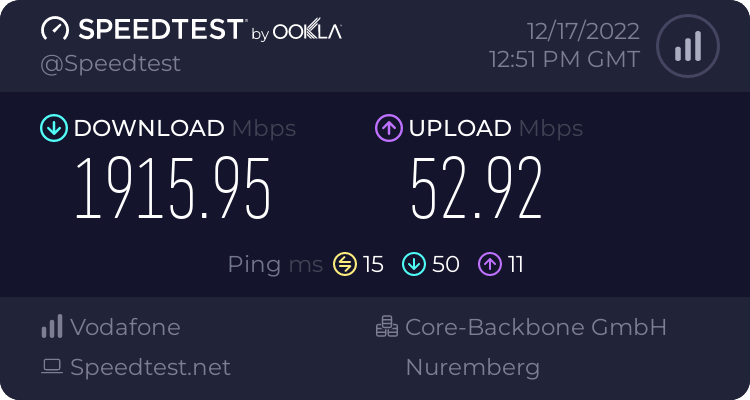
 quartz bridge
@earnest orchid You can establish a network connection with most newer NICs (as long as one of the nics has auto-crossover detection) . You'll need to assign static IPs. It'll still be a NAS (not a DAS), so you'll need to access the shares by a networked storage protocol (nfs, cifs, etc) and probably by IP address unless you do some manual DNS configurations.
earnest orchid
quartz bridge
<@797346722434777108> You can establish a network connection with most newer NIC...
so i just need a static ip and a nic, right?
quartz bridge
I mean, depending on what you are trying to do: Yes. It's possible to connect two devices directly together without a switch/router. Whether your NAS will function like you want it to without connection to the rest of the network is up in the air.
orchid minnow
thick minnow
Bruh
it was in regard to the question of if it was a tp link, i can't find more info on it other then this, and idk if it could be my problem, yes its an isp router but still, having wifi without data is something ive just not had to deal with before

screenshot to kinda give context to the issue
peak cloak
quartz bridge
I mean, depending on what you are trying to do: Yes. It's possible to connect tw...
I see no reason why it shouldn't, it's just a network connection
If it's an isp router contact thier support
orchid minnow
thick minnow
You could switch the ISP?
there the only one that provide fiber where i live, so thats not an option, but if its possible that it could be an issue related to the router id look into replacing it, but im not sure
orchid minnow
peak cloak
If it's an isp router contact thier support
there suport is useless hence the question here
thick minnow
orchid minnow
there the only one that provide fiber where i live, so thats not an option, but ...
Oh okay. Have you checked wifi congestion in your area?
orchid minnow
idk what part of the line could be creating the issue
orchid minnow
thick minnow
Oh okay. Have you checked wifi congestion in your area?
how would i do that?
thick minnow
Hmm, it's gonna be hard with that ISP provided router, but does the internet work with Lan?
orchid minnow
well the internet works with wifi usualy, it just often jumps from connected to not connected
orchid minnow
lan works, im just not able to connect it to where my pc is
but it works with my pc and all devices on lan without much of an issue
thick minnow
Oh okay, then it's wifi congestion or the router is just cheap e waste
orchid minnow
however it doesn't usualy reach anywhere near the speeds it should
thick minnow
What speeds is it supposed to reach?
Did you or anyone else get any wifi repeaters?
orchid minnow
its wifi 6 able, so it should do gigabit at a minimum but at a max of 4.8 gigabit per second
orchid minnow
thick minnow
Did you or anyone else get any wifi repeaters?
it came with 2 repeaters, but those don't really work
thick minnow
Wifi 6 won't do more than 1200mbps
And that's wifi speed which is different to what your ISP offers. Can you check your ISPs website for the plan you have?
orchid minnow
thick minnow
Wifi 6 won't do more than 1200mbps
im reading of there website, so idk anybetter
thick minnow
orchid minnow
it came with 2 repeaters, but those don't really work
Unplug then
See if it works there
orchid minnow
thick minnow
Unplug then
they are
peak cloak
orchid minnow
it was in regard to the question of if it was a tp link, i can't find more info ...
What's the issue exactly?
thick minnow
orchid minnow
im reading of there website, so idk anybetter
I doubt you have more than a 1000mbps in Europe, so check again
But make sure you actually have that plan and do a speedtest
peak cloak
Wifi connected, no internet available?
thick minnow
Close to the router, when no one is downloading.
orchid minnow
peak cloak
What's the issue exactly?
wifi stays connected but internet isn't available
orchid minnow
thick minnow
I doubt you have more than a 1000mbps in Europe, so check again
im on there gigabit plan
peak cloak
Ok, can you go into cmd and try ping 1.1.1.1
orchid minnow
peak cloak
Ok, can you go into cmd and try `ping 1.1.1.1`
cmd?
thick minnow
You should plug it in with LAN
Wi-Fi becomes unreliable and congested if too many people have wifi routers at the same time
orchid minnow
thick minnow
You should plug it in with LAN
would if i could
thick minnow
Can you get a laptop and do it, near the router?
orchid minnow
thick minnow
Can you get a laptop and do it, near the router?
idk if my laptop has an ethernet jack...
it doesn't
thick minnow
Oh okay, try disconnecting the repeaters
orchid minnow
they are
orchid minnow
thick minnow
BTW, is this issue only on your PC?
no phones too, no matter where in the house i am
i got 2 phones both have the issue
and my laptop sometimes does too, but usualy its fine
thick minnow
Interesting. The router must have something wrong with its wifi anntena.
You could also try turning the coverage down
This would reduce congestion
orchid minnow
btw i live with 7 others bi weekly so thats difficult to do
thick minnow
Could you get your own internet subscription?
orchid minnow
my stepdads 3 kids that live here bi weekly all use there phones and an 2 of them also use a console or pc that is connected wireless
orchid minnow
thick minnow
Could you get your own internet subscription?
no its limited to 1 per house, unless your on an appartment building
thick minnow
orchid minnow
my stepdads 3 kids that live here bi weekly all use there phones and an 2 of the...
Usually a router is supposed to be able to handle that
You should get a better router then. You will just plug it into the KPN or whatever the ISP is and it should work
orchid minnow
ok so it should be connected to the router from the isp not replace it?
thick minnow
Yeah since those all in one routers are often crap. They don't have to be but most are
And since you have no issues with LAN it wouldn't matter anyway
thick minnow
Keep in mind that gaming routers are a scam
They sell some without SQM 
Very gaming...
thick minnow
orchid minnow
well then i'll look into that tnx
Before you buy it though, try getting your ISP to give you a new one
T-Mobile Austria did this too, when my trash 4G router stopped working.
orchid minnow
thick minnow
Before you buy it though, try getting your ISP to give you a new one
i will contact them, if they send a new one i will replace it, and if that fixes it cool, if not i got the 2e router to put more wifi down
thick minnow
Alright
earnest orchid
https://www.amazon.com/Asustor-Lockerstor-Enterprise-Attached-Quad-Core/dp/B07Y2BJZKC/ref=sr_1_11?keywords=8%2Bbay%2Bnas&link_code=qs&qid=1671283020&sourceid=Mozilla-search&sr=8-11&th=1 or https://www.amazon.com/QNAP-TS-832PX-4G-High-Capacity-10GbE-2-5GbE/dp/B08P42JR89/ref=sr_1_5?keywords=nas%2B8%2Bbay&qid=1671281284&sr=8-5&th=1

Lockerstor 8-Bay Enterprise Nas

The quad-core 1.7GHz TS-832PX features eight 3.5-inch SATA 6GB/s drive bays, providing huge storage potential for a wide range of applications and everyday usage. With two 10GbE SFP+ and two 2.5GbE LAN ports, the TS-832PX supports next-generation networks for empowering bandwidth-demanding applic...
 fringe basin
I'm thinking of splitting my wifi router into either a custom built router with a wireless access point or just a store bought router only with WAP. What is the best place for recommendations for a good WAP? I'd like to keep the price under $500.
thick minnow
fringe basin
I'm thinking of splitting my wifi router into either a custom built router with ...
There are many wireless access points (WAPs) available on the market that can meet your budget and performance requirements. Some options to consider include:
- Ubiquiti Unifi AP AC Pro: This WAP has a range of up to 122 meters and supports the 802.11ac wireless standard, making it a good choice for high-bandwidth applications such as streaming video.
- Netgear Orbi: This WAP uses mesh technology to create a seamless, high-speed WiFi network that covers your entire home. It supports the 802.11ac wireless standard and has a range of up to 350 meters.
- TP-Link EAP225: This WAP has a range of up to 180 meters and supports the 802.11ac wireless standard. It also has a built-in security feature that helps protect your network from unauthorized access.
- Asus RT-AC66U: This WAP has a range of up to 100 meters and supports the 802.11ac wireless standard. It has a user-friendly interface and comes with advanced security features to keep your network safe.
- Linksys LAPAC2600: This WAP has a range of up to 122 meters and supports the 802.11ac wireless standard. It also has advanced security features to protect your network from threats.
It's important to note that the performance of a WAP can be affected by various factors, including the distance between the WAP and the devices connecting to it, the number of devices connected, and the presence of physical obstacles such as walls and floors. It's a good idea to consider these factors when choosing a WAP to ensure that you get the best performance for your needs.
waxen scroll
@rocky badge that sounds like a chatgpt answer
i wonder if thats why they got muted
😛
rocky badge
lol
peak cloak
Definitely
full monolith
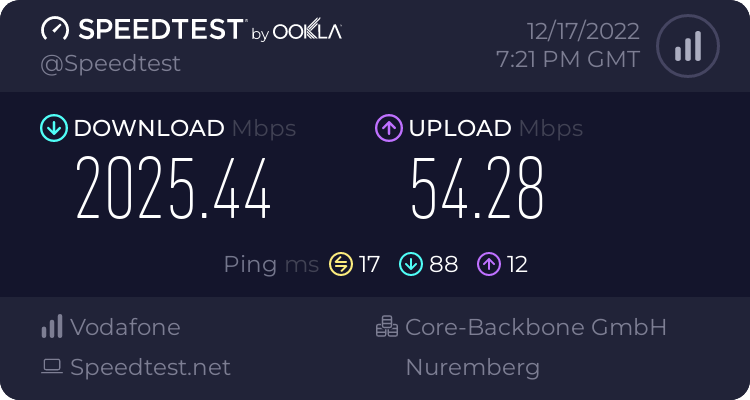 thick minnow
full monolith
https://www.speedtest.net/result/14088285437.png
thick minnow
full monolith
https://www.speedtest.net/result/14088285437.png
5G?
full monolith
yes it is. its 2 lines each 1gig down and 50 up. we dont have stuff with more upload here and my bonding is bugging around with upload so at the moment only download bonding is working.


 full monolith
i use open mptcp router for bonding
https://www.openmptcprouter.com/
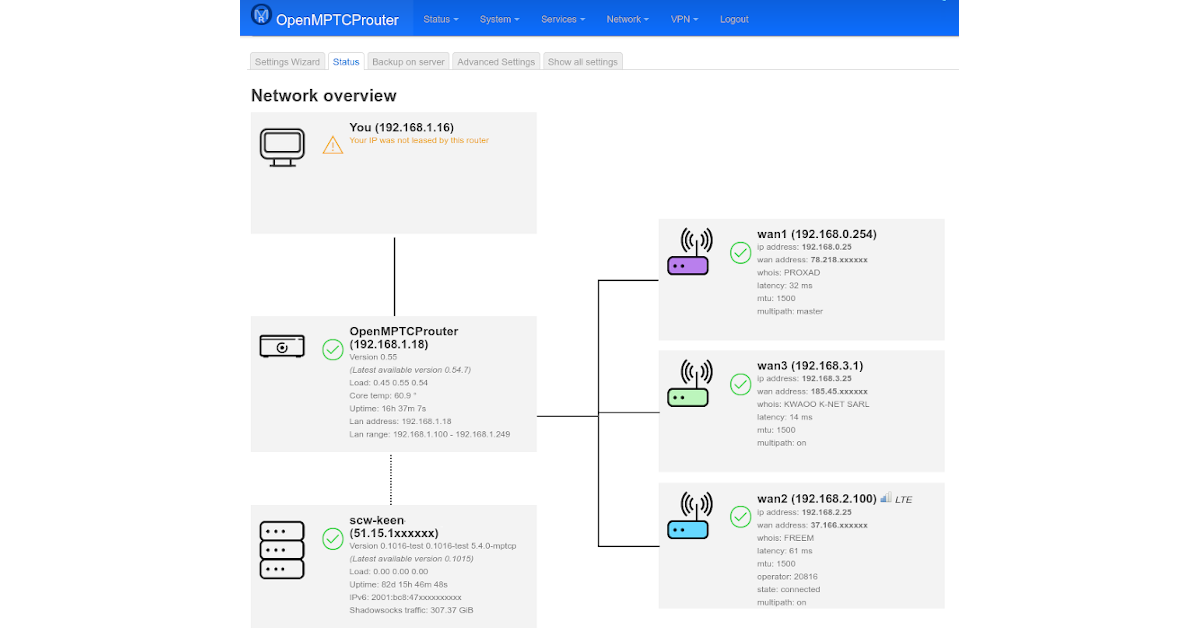
OpenMPTCProuter
thick minnow
 meager ginkgo
Does AT&T have the fiber that is capable of 25GBPS+ at your house?
meager ginkgo
thick minnow
Does AT&T have the fiber that is capable of 25GBPS+ at your house?
No.
Still on GPON with speeds up to gig
thick minnow
I think most of their fiber is capable of it, but they only sell 5gbps for now
Oh okay
thick minnow
meager ginkgo
Crazy
 limber junco
full monolith
https://www.speedtest.net/result/14088285437.png
limber junco
full monolith
https://www.speedtest.net/result/14088285437.png
crying in 1GBs Line
 full monolith
i would rather choose yours instead lol
thick minnow
limber junco
crying in 1GBs Line
Why is it Deutsche Glasfaser instead of Deutsches Glasfaser
full monolith
thick minnow
Why is it Deutsche Glasfaser instead of Deutsches Glasfaser
Because Deutsches Glasfaser would sound awfull and doesnt really make sense
limber junco
full monolith
Because Deutsches Glasfaser would sound awfull and doesnt really make sense
yep
limber junco
thick minnow
Why is it Deutsche Glasfaser instead of Deutsches Glasfaser
and i dont care what their name is, the internet is great, 1 or 2 Maintenance Days a year, and for only 90€ a Month
thick minnow
When it's alone, like "Deutsche Glasfaser" it sounds horrible. It does sound right if it were "Das Deutsche Glasfaser"
thick minnow
limber junco
and i dont care what their name is, the internet is great, 1 or 2 Maintenance Da...
That's a horrible price
limber junco
thick minnow
When it's alone, like "Deutsche Glasfaser" it sounds horrible. It does sound rig...
nope, its "Die Deutsche Glasfaser"
limber junco
thick minnow
That's a horrible price
why? Telekom/T-Mobile is so much higher in prices where i live
thick minnow
limber junco
nope, its "Die Deutsche Glasfaser"
Germans cannot even speak their own language 😭