#networking
1 messages · Page 5 of 1
 errant zealot
 peak cloak
@meager ginkgo could it be something with modem only allowing one MAC?
I doubt it
since it would done per modem I would think, not per ethernet device
 meager ginkgo
I’m not sure to be honest lol
peak cloak
you could try to factory reset router to go back to original mac?
errant zealot
peak cloak
you could try to factory reset router to go back to original mac?
I did
the red LED still lit up
 hollow marlin
They finally got back. Did you know that farting around with policies/route-maps when you have no clue what you're doing has negative side effects?
 waxen scroll
yeah its why cloudflare goes down so much
hollow marlin
They were doing a "migration" and updated their config which suddenly blockholed one of their subnets due to local-pref on Cogent's end. But instead of reviewing their changes, just pointed the finger as us.
 toxic chasm
TLDR, I want a separate VLAN to have SSH access to a bunch of cisco gear and be able to just jump onto it from my computer.
What I have rn is a USB NIC in my computer on the management network.
peak cloak
toxic chasm
TLDR, I want a separate VLAN to have SSH access to a bunch of cisco gear and be ...
what you can do is just tag the vlan on the interface to computer
then just switch between vlans
what NIC do you have
you can also just configure a router to be able to route between them
hollow marlin
Or just setup proper routing. There is no reason to have to swap VLANs just for remote mgmt
peak cloak
yeah
X Y problem
Asking about your attempted solution rather than your actual problem
errant zealot
Heyyyy uhh presentmonkey
So I tried unplugging my modem right
Yeahhhh I kinda dropped the power wire and I can't get it
 rocky badge
@peak cloak bruh some of the esports pcs got joined into the domain somehow


 clear igloo
peak cloak
<@390856614942474241> could it be something with modem only allowing one MAC?
clear igloo
peak cloak
<@390856614942474241> could it be something with modem only allowing one MAC?
This is it, you need to reboot the modem between MAC changes
rocky badge
@peak cloak Classes haven't even started at uni yet and I've already seen one AV rack room 
@clear igloo @waxen scroll The Crestron AV room for uni esports has 2 12 fiber OM3 coming into the room
and a shit ton of CAT6
waxen scroll
yes

 acoustic isle
Thats for to night

 hushed kindle
I am in need of a 2.5 gigabit pcie network card because my onboard motherboard ethernet cuts in and out sometimes and it's annoying, so I am upgrading, what's the recommended brand
peak cloak
can't go wrong with intel
 sudden kayak
i mean the answer is to RMA the motherboard, that shouldn't happen and it could indicate other problems
but yeah any intel 2.5GbE nic is fine
 tender hazel
hey @hollow marlin - do you happen to know what "tx bias current" means for an optic?
we have one active ethernet customer where the port is only linking up on one side (the tower side), the customer side links up for one second and goes down.. optic signals are great.. only thing weird is that the tx bias current for that one customer is 67 milliamps, which is three times higher than the other 20 customers on that switch
rocky badge
@peak cloak My uni forces light theme Windows
peak cloak
rip
rocky badge
 hollow marlin
tender hazel
we have one active ethernet customer where the port is only linking up on one si...
hollow marlin
tender hazel
we have one active ethernet customer where the port is only linking up on one si...
If I remember from a Ciena doc, the Tx bias is how it regulates the wavelengths. More power, the greater freq emitted. I may be butchering it.
What type of optics are they? Maybe negotiation issue?
tender hazel
bidi, 1490/1310 on one end and 1310/1490 on the other.. fs.com, 10km, SFP 1Gbps
both sides set for forced 1Gbps, so not a negotiation issue
we have to force both sides, as our switches has SFP+ ports but the customer devices have SFP ports, and so you do you have to force both ends to 1Gbps in order to work
it is only this one that is not working
given that the rx and tx light levels are very good on both ends, I'm suspecting a transceiver problem
hollow marlin
Id probably say the same. I assume the other interfaces are using the same model of optics as well?
tender hazel
yes, everything else is identical
hollow marlin
I would test in another device just to make sure but I would say it's a bad optic, especially being 3x higher
tender hazel
yeah
hollow marlin
Now I'm going to have to check and see how consistent our levels are. Our Calix AE is all 1G BiDi as well
 south crypt
here

I also had them replace everything up to my network rack
This is extremely frustrating
I might try to use wireshark to narrow down the issue
It has nothing to do with wireless im not referring to wifi at all im only talking about hardwired direct connect and even if it was i have the amplifi alien which is wifi 6
And yes i know it says up to but i already had a conversation with my rep and he said that my area is not congested what so ever and we have prioritized lines due to a contract with Comcast where i live
 glass anvil
I found a CE0128TB switch for sub-$200. Thoughts?
acoustic isle
 echo roost
thats a lot of ports
echo roost
thats a lot of ports
100plus incoming plus fiber. looks like need other rack..
 pseudo blade
glass anvil
I found a CE0128TB switch for sub-$200. Thoughts?
pseudo blade
glass anvil
I found a CE0128TB switch for sub-$200. Thoughts?
Is this for personal use? I assume so. Hardware looks fine - not premium, no redundant power -but not bad. Not familiar with the OS. CLI reference manual for CNOS looks rather cisco-ish and it and the datasheet promise some L3 features. If you just want basic access/L2 you can go cheaper but it doesn't look like that bad of a deal
 broken jetty
Are there any good UK-shipping places to buy cables from? I know LTT use Infinite Cables, but they don't, and I'm not a huge fan of buying off Amazon as there's zero quality assurance
sudden kayak
south crypt
It has nothing to do with wireless im not referring to wifi at all im only talki...
if you're talking about ethernet, that's a whole different deal. it just sounds like the amplifi is broken. try doing a factory reset and disabling QoS and any other traffic management features
sudden kayak
south crypt
also yeah that's the regular gigabit cable plan. you should be able to get 1500Mbps if your router is up to the task so it might just be that the amplifi isn't fast enough
what is the model of your modem
 thick minnow
Quick question, if my ISP is not giving my router a static IP, that means setting up a VPN server in my home is pretty much out of the question right?
 old cradle
rocky badge
<@222482269829332992> My uni forces light theme Windows
old cradle
rocky badge
<@222482269829332992> My uni forces light theme Windows
and my school doesn't allow me to access anything that has to do with the computer
clear igloo
thick minnow
Quick question, if my ISP is not giving my router a static IP, that means settin...
You can setup dynamic DNS
thick minnow
clear igloo
You can setup dynamic DNS
How much is the said service cost averagely?
clear igloo
free
thick minnow
clear igloo
free
Huh, interesting. You're talking about cloudflare right?
clear igloo
No, just a dynamic dns server such as dyndns
I can't remember if cloudflare provides dynamic dns off hand
thick minnow
clear igloo
No, just a dynamic dns server such as dyndns
Thanks for the info. I'm gonna do some reading on this stuff.
peak cloak
clear igloo
I can't remember if cloudflare provides dynamic dns off hand
you can do it through the api
@thick minnow if you want an easy solution without port forwarding you can also look into services like zerotier and tailscale. I'm personally using zerotier right now since it's easy to use
thick minnow
peak cloak
<@456226577798135808> if you want an easy solution without port forwarding you c...
Thanks for the info i'll look into that.
thick minnow
Hi chat i have usb wireless lan card it's 2.4 ghz and i want to speed up !
 peak cloak
use ethernet or get a better one
glass anvil
pseudo blade
Is this for personal use? I assume so. Hardware looks fine - not premium, no red...
Just really want some cheap 10Gbit ports.
south crypt
thick minnow
Quick question, if my ISP is not giving my router a static IP, that means settin...
Get a domain and set it up to be a dynamic IP and you can run a vpn then
 glacial linden
south crypt
Get a domain and set it up to be a dynamic IP and you can run a vpn then
glacial linden
south crypt
Get a domain and set it up to be a dynamic IP and you can run a vpn then
Not if the IPv4 address is behind CGNAT... no port is open on external ipv4
south crypt
I dont think you can request a static ip unless its a business account at least for Verizon and comcast
glacial linden
I have a similar problem.. im trying to host a server, expecting easy direct connections with IPv6. My friends only have IPv4... I tried using noip to get a free public domain but it's IPv6 mode also requires an IPv4 address, and for example minecraft prefers IPv4 over IPv6 even when both are present. Is it possible to make it IPv6 only, with some other service? Or redirect that IPv4 address to IPv6 using something like noip?
My IPv4 is behind some cursed ISP NAT that doesn't allow any incoming connections over IPv4 at times
south crypt
Just try registering with a dynamic dns service mine works great
Noip i had issues with
Not sure why
glacial linden
south crypt
Just try registering with a dynamic dns service mine works great
Dyn DNS service can only get external IPv4... behind a whole mess of NATs (my ISP is big and many people in my area share the same ext IPv4)
That ext IPv4 can't have open ports or port forwarding rules for incoming connections since I can't config any of that on routers in the middle
south crypt
Ohhhhh
glacial linden
I set it up too... IPv6 can be reached but IPv4 can't
glacial linden
I want something that can have IPv6 only... or some service that can route IPv4 to IPv6 address without adding too much latency
ik that a domain registered on Cloudflare can allow ipv4 only requests to connect to ipv6
but since I already have a big fat server that can do basically everything, I was hoping I can get a solution working for free
south crypt
@glacial linden whos your service provider?
glacial linden
south crypt
<@286125400508203008> whos your service provider?
Oh I'm not in US or Canada... Also my ISP doesn't even bother responding to such requests unless it's a proper verified business
I tried everything I could for 1 year to get them to give me a dedicated IPv4
peak cloak
glacial linden
I have a similar problem.. im trying to host a server, expecting easy direct con...
oracle free vps
free v4
or some cheap vps
glacial linden
peak cloak
oracle free vps
will it be able to route ipv4 to ipv6 for friends who dont have v6
peak cloak
glacial linden
will it be able to route ipv4 to ipv6 for friends who dont have v6
no you'll run dual stack
v4 over v6 tunnel
I think it's also possible to do v4 over v6, without tunneling, but I have no experience with it
glacial linden
oh ok... will try
pseudo blade
I can't help but wonder if you could just use NAT/port forward from the instance if the services are reachable via ipv6
glacial linden
No idea... Friends who do have IPv6, are able to directly connect without issues all the time. Then we use zerotier-one and tailscale as a noconfig vpn with their own ip subnets to connect stuff like ssh, SMB, minecraft, etc
pseudo blade
If it's nothing but HTTP/S I'd just use Cloudflare's service but I think you mentioned game hosting before if I'm not confusing you with someone else?
Yep
glacial linden
also I tried connecting to localhost minecraft server over ipv6 ::1 but it just won't connect
so even if I do get everything working, I have no idea what's wrong with minecraft
peak cloak
isn't it [::1] ?
peak cloak
yeah there is no offical v6 support for mc
peak cloak
glacial linden
Tried that too
what's the server-ip in server-properties
glacial linden
peak cloak
what's the `server-ip` in server-properties
blank
peak cloak
hmm
glacial linden
basically listen on everything on that port if im not wrong
pseudo blade
I wonder if you could use masquerading there too and just translate from v4 to v6 assuming Minecraft doesn't have any expectations on the matter
Fixing the binding would be preferable but if there's no support...
peak cloak
glacial linden
basically listen on everything on that port if im not wrong
see if it binded correctly
netstat -an
glacial linden
peak cloak
see if it binded correctly
Every IPv4 works. Every IPv6 doesn't connect. Client throws errors too, I've seen some logs
peak cloak
see if it actually bound
pseudo blade
People are saying ipv6 is supported by Minecraft
So it should be solely a binding/firewall issue
glacial linden
[14:24:54] [Render thread/INFO]: Connecting to ::1, 25565
[14:24:55] [Server Connector #7/ERROR]: Couldn't connect to server
java.nio.channels.UnsupportedAddressTypeException: null
UnsupportedAddressTypeException
it gets stuck here and doesn't give any onscreen errors... and that in logs. This is ipv6 on localhost
 rocky badge
@peak cloak @clear igloo there are so many APs here. i can see 3 from where i’m sitting
clear igloo
rocky badge
<@222482269829332992> <@291198741862416384> there are so many APs here. i can se...
more coverage!!
rocky badge
and they’re the good wifi 6 aps too
clear igloo
lol, wow


 acoustic isle
rocky badge
<@222482269829332992> <@291198741862416384> there are so many APs here. i can se...
acoustic isle
rocky badge
<@222482269829332992> <@291198741862416384> there are so many APs here. i can se...
atleast covers all sides of you
rocky badge
there are no dead spots
waxen scroll
rocky badge
there are no dead spots
At least you know your money got put to good use
waxen scroll
@rocky badge https://www.youtube.com/watch?v=OxQwumADjSE

A brief tour of Meyer Sound’s new flagship PANTHER line arrays. Shipping in February, 2022, Panther combines two long-excursion 12” woofers and 3” compression drivers with four channels of onboard Class-D powering fed from a dual (analog/Milan AVB network) input module. Designed for large-scale touring and installs, three models offer different ...

👀
rocky badge
waxen scroll
ooh
 sly lark
Uhhhh so weird thing happened at my dad’s work
And then one thing led to another and
Now we have a nas, help?


Also is this a good surge protector for gaming pc or should I keep it for the nas?
 rocky badge
@peak cloak Apparently Apogee shuts down the network jack if you try to connect to many IPs at once
 reef hill
what would be the thing that increased that 100.0 Mbps, a new motherboard, ethernet cable, or upgrading the wifi? My brother in the same house uses a wifi card and gets 30+ mb/s download speed and I use ethernet and usually get around 12 max
 pseudo blade
reef hill
what would be the thing that increased that 100.0 Mbps, a new motherboard, ether...
pseudo blade
reef hill
what would be the thing that increased that 100.0 Mbps, a new motherboard, ether...
You're likely confusing megabits with megabytes, 12MB/s*8=96mbps. Unless your computer's more than 15 years old a motherboard ethernet port is likely gigabit, so it's probably router/switch ports being 10/100mbps or a bad cable.
reef hill
my mobo has 2.5gb and i switched it to that and the speed stayed the same, i think i am confusing the two things though
but a new cable wouldnt take it above that 100mbps unless the router supported it?
pseudo blade
No
reef hill
i have a "cat6" cable but i purchased it a couple years ago
pseudo blade
But if other clients are getting 240mbps (and not 30mbps?) I'd be shocked if it had 10/100 ports
reef hill
well again he is on a wifi card upstairs and connected to the 5g wifi and when he downloads games i've seen it go up to 40mb/s download speed, so i would assume that means the ethernet should be capable of the same? or is that not how routers work
pseudo blade
It's not, but there's definitely something missing
reef hill
this is the internet i have, that should mean the ethernet ports are rated for the 400Mbps right
 pseudo blade
They would likely be gigabit
reef hill
so if the speed is set to 1.0Gbps or 2.5 and im still at 100.00 then is it more likely to be an ethernet cable problem
pseudo blade
The router model would be a more helpful way to determine that
But likely the cable
reef hill
alright i have anew cable on the way so gonna see if that works, just wanted to be sure it wasnt my motherboard at least
assuming the new cable fixes it, i would know by whether or not that 100.0 goes up correct ?


 dull owl
I just moved into a new apartment, and my internet is acting up when downloading stuff on steam. Can anyone explain why the speed is fluctuating from 6 MB/s -> 27 MB/s and then going down to 0? Thanks )
 sly lark
What happens if you unplug a nas?
 unborn sluice
Then it is not longer running
 uncut plume
Is it better to separate the 2.4 ghz and 5 ghz networks into different SSID's or should I just use one SSID?
 ripe bridge
uncut plume
Is it better to separate the 2.4 ghz and 5 ghz networks into different SSID's or...
ripe bridge
uncut plume
Is it better to separate the 2.4 ghz and 5 ghz networks into different SSID's or...
I already experimented some problem with device while having the two band on the same ssid. After getting two I never had issue again so I would say to you to separate them 
uncut plume
Okay thanks for your input
pseudo blade
uncut plume
Is it better to separate the 2.4 ghz and 5 ghz networks into different SSID's or...
98% of the time having them the same and letting devices roam works well and is a net benefit
I find people who separate the networks tend to join their devices to either a 5ghz network, move further from the AP and wonder why their experience sucks or be permanently on 2.4ghz and wonder why their experience sucks
peak cloak
rocky badge
<@222482269829332992> Apparently Apogee shuts down the network jack if you try t...
Interesting
sudden kayak
i can basically guarantee you won't do a better job manually picking the bands with separate SSIDs than your devices can when they're automatically checking signal strength multiple times every second and picking the optimal band as you move around
also the one specific exception people seem to always get hung up about is weird iot devices with buggy wifi stacks that don't like 5ghz. the solution to that is to have a separate 2.4ghz only ssid on an iot vlan which you should be doing anyway for security, because iot shit is a security nightmare
waxen scroll
I dont think you can separate bands on different SSIDs on the same APs
oh ok you mean 2 vs 5
I was thinking multiple freq in 2 or 5
sudden kayak
nah i just meant the common thing ppl do where they have an ssid for 2.4 and one for 5 because they want to manually pick the band
waxen scroll
yeah I do that too
I had devices refusing to stay on 5 a while ago and just stuck with it
sudden kayak
idk i think it's better to have specific ssids for stuff that has trouble with it, but it's gonna make the experience so much worse for things that can't switch when they should if it's manual
acoustic isle
rocky badge
<@186123993412141057>
i will have 6cat6a and 2 fibers in my room
just for multi pc use case if party or just laptops
rocky badge
peak cloak
Interesting
i hope it’s not permanent loll
rocky badge
acoustic isle
i will have 6cat6a and 2 fibers in my room
nice
south crypt
getting between 900 to 1.4 now thank you to everyone who messaged me to help me fix this complicated issue!!!
 rocky badge
@waxen scroll @clear igloo Did i tell you guys that my uni is running 2 domain controllers on aws lol
clear igloo
lol, nice
rocky badge
They have a s2s vpn back here it seems since the dcs have an internal 10.x ip
waxen scroll
that is the dumbest thing ive heard for a large campus unless they're just additions to whats already there
rocky badge
There's 4 on prem DCs
and 2 AWS
4 on prem at this site anyways, there's probably more at remote sites
 subtle estuary
reef hill
so if the speed is set to 1.0Gbps or 2.5 and im still at 100.00 then is it more ...
subtle estuary
reef hill
so if the speed is set to 1.0Gbps or 2.5 and im still at 100.00 then is it more ...
Some routers Ethernet ports can be capped at 100/100 to we hade that problem on our internet switches when we switched from 100/100 to 500/500 3 years ago so we needed to buy new ones to get till full speed otherwise it would have been capped at 100/100.
 clear igloo
block all the things 
rocky badge
they actually don't block many things
clear igloo
That's good, yah, usually just malware and nefarious stuff
rocky badge
its mainly for malware and unwanted shit
waxen scroll
rocky badge
they actually don't block many things
I would hope not. You pay for it so nothing should be censored
ripe bridge
Running DC on Cloud, are they running openLDAP or RHDS ?
If they are running a Windows ADDC 
rocky badge
Windows domain
 quartz mural
Hi, I just got a new router mesh network installed yesterday and now my desktop that is connected does not have internet. I can see the link light blinking on the switch and the computer shows it's connected. My router app shows that it's connected, but no access ??
Any suggestions?
Anything that I've done so far in command prompt gets an error because it can't connect to DHCP server
 coarse rapids
I have my own internet connection via DSL, but I also have (much slower) internet included in my rent via WAN. Would it be possible to connect both to a single router and use both connections at the same time?
rocky badge
@clear igloo 20mhz 802.11ax channels
 clear igloo
Yup, crazy to see in the wild though 😛
rocky badge
yeah
clear igloo
You know nothing is using it
rocky badge
 clear igloo
Needs more overlap 
ripe bridge
rocky badge
Windows domain
Strange choice when you know that Azure AD exist 
rocky badge
ripe bridge
Strange choice when you know that Azure AD exist <:OH_PepoShrug:6634452359674593...
they have Azure AD too
@clear igloo 😐signing up for mcgraw hill shit for school and they emailed me my password i put in
clear igloo
Yup, most of them suck but mcgraw is extra bad from what I remember
sudden kayak
mcgraw hill is abysmal yeah
waxen scroll
Nah it's Pearson that's extra bad
ripe bridge
rocky badge
they have Azure AD too
So they have 4 onprem, an Azure AD and 2 AWS instance ? Seems to be lot of useless cost
rocky badge
idk
they have lots of stuff in AWS
banner/SIS is in AWS
they’re also using AppStream for vds
broken jetty
Is it possible and/or advisable to create custom mDNS records for devices on your network that don't do it on their own? Seems like better practice than .local records in a custom DNS server
 modest mirage
rocky badge
<@291198741862416384> 😐signing up for mcgraw hill shit for school and they emai...
modest mirage
rocky badge
<@291198741862416384> 😐signing up for mcgraw hill shit for school and they emai...
what the heck, that's crazy bad lmao... it's okay to email randomly generated passwords, but passwords you manually set is just crazy
rocky badge
yeah..
modest mirage
are they also stored in plain text then? 😂
rocky badge
modest mirage
are they also stored in plain text then? 😂
i fucking hope not
modest mirage
they probably just grabbed it while you signed up and sent in an email
but in doing that they sort of store it in plain text, unless you change it again after 😂
unless they email you the new password as well that is
 crude dirge
I hate shaw
They just reset my internet so I had to do everything from the beginning
peak cloak
modest mirage
but in doing that they sort of store it in plain text, unless you change it agai...
isn't that what vtech did
modest mirage
Not sure, but there have been a fair few examples of bad practices 😛
ripe bridge
Apparently this kind of thing start to happen since Entrust breach
https://twitter.com/vxunderground/status/1561262483448512513/photo/1

Lockbit: "We're being DDoS'd because of the Entrust hack"
vx-underground: "How do you know it's because of the Entrust breach?"
Lockbit:
Likes
1875
Retweets
340

 Twitter
·
Twitter
·
 flint field
Hi Guys im trying to setup a mesh network thats is fed from PoE, but, i dont want the access points to "extend" the network through them, but rather all be connected to the same poe router (which also turn them on), but the most common mesh systems dont say anything that work like that, im looking at TP-Link Deco system, what Access points or systems should i be looking into
rocky badge
@clear igloo someone threw a pack of mayonnaise on top of the AP
clear igloo
lol, mayo slows down the waves
rocky badge
lmao
pseudo blade
flint field
Hi Guys im trying to setup a mesh network thats is fed from PoE, but, i dont wan...
You're just looking for APs with roaming then, not a mesh. What you're describing is exceedingly common for business networks. Some here like Unifi, I use Mikrotik gear as long as WiFi 4/AC is good enough for the use case and I've yet to need Wifi 6 in a design so I have no idea what I'd pick for it - budget dependent probably. But both Ubiquiti and Mikrotik offer controllers for bulk management of APs.
Perhaps the better question here: How much is your budget, how many APs do you want for it and what kind of network performance do you need?
flint field
it is for a business, i'd say arround 1.5k
So, APs with roaming should function similar to a mesh system?, but w/o the repeating wifi signals that would incur into their degradation
pseudo blade
How many APs do you need? Do they work on local servers etc. or internet-only? What internet speeds do you get?
flint field
4, internet only, 200mbps
2 per office building, 1 for each floor
(its not that big)
pseudo blade
APs with roaming don't function like a mesh network (no directly connecting to eachother for backhaul, but ethernet is better anyways), but the devices+APs collectively decide which one your devices connect to based on signal so it appears as one big network to clients
flint field
ye, having a big single network is one of the things i suggested, their current solution is a bit rudimentary and quite cumbersome for the endpoints most of the time
Since, there are no fixed stations (mostly laptops), it was requested to keep it wifi
pseudo blade
Have you picked your PoE router yet? Have a vendor you like?
I don't think a Deco makes a ton of sense for your stated layout - they're home products focused on mesh networking, with low port counts+home features
Is your existing router fit for purpose? If so you could just buy a PoE switch and retain it
flint field
pseudo blade
Have you picked your PoE router yet? Have a vendor you like?
not yet, dont really have a preference, but can also buy injectors if needed
flint field
pseudo blade
Is your existing router fit for purpose? If so you could just buy a PoE switch a...
yea, that was the plan mostly, till i encountered the mesh issue
sudden kayak
yeah "mesh" is a) a marketing term for consumer wifi systems and b) a bandaid for people who can't or don't want to run ethernet. for a business scenario you should always go with proper multi AP system with a controller for roaming. something like TP-link's omada line is what you want, or the ubuquiti system.
i don't know off the top of my head but i think cisco or aruba would be out of the budget range for a small office like that? but other people in here know more about their stuff
flint field
ye, its a small business with arround 40 people working in the office, and mostly laptops and phones
TP-Link EAP615-Wall would be a nice fit?
sudden kayak
hmm that's wifi 5, for an office environment the density/mimo improvements in wifi 6 would actually probably be pretty helpful
something like eap610 or eap660
flint field
most laptops dont have wifi 6 capabilities
in reality, most laptops dont even have AC wireless lol
sudden kayak
hmm i would still say you might want to go with wifi 6 ... they're basically the same price rn and a lot of the AC stuff is going out of production
sudden kayak
weird. either the price changed since last time i looked or I'm comparing the wrong models lol my bad
flint field
its k, im from another country so prices will vary a lot
sudden kayak
AC will definitely work fine and if its cheaper it's a solid option
flint field
so, the one i mentioned is 100$, and the one you suggested is 240$ :/
sudden kayak
that's what my house is on rn, i am actually in the process of upgrading but not because AC is too slow or anything. just because i got a good deal on a longer range AP
i would say if you can swing it, the whole omada system is more likely to be in stock rn then ubiquiti and it's pretty solid. i have a similar setup to what you're describing at my parents house... but i would say it's a solid setup for a 40-50 person office (yes it's very much overkill lmao)
flint field
im cheap on my house, so i just ran ethernet everywhere and a 25$ gigabite/Ac tp link router
flint field
ye, that's what i was getting at
sudden kayak
two omada gigabit PoE switches, an omada hardware controller, and 4 of the cheaper omada APs probably comes in under $1000 and covers what you're describing reasonably well
flint field
so, im intrigued about this Roaming AP things, and the TP-Link EAP615-Wall that has Omada seem very nice
pseudo blade
Not too familiar with TP-link Omada stuff but from what I've heard it isn't too bad on a budget
sudden kayak
seconded, yeah I'd say it is solid
flint field
owner says he is fine paying a bit extra for brands like Cisco, so im speaking witht the hardware supplier in the city to see what they have to offer
Any models i should ask about, or the TP-link stuff should be sufficient
pseudo blade
Unless you're buying refurbished good luck on that
sudden kayak
i mean, the classic line is "nobody ever got fired for buying cisco" 😆 but yeah budget wise that's gonna be a huge jump
pseudo blade
IMO Cisco's not worth it for SME
clear igloo
Well when the lead times are 300+ days
sudden kayak
yeah that too - the tp link omada stuff is in stock in a ton of places. Cisco not so much
flint field
im just gonna present the options to the owner, and explain, let him decide
clear igloo
Yah, if they're fine with year long lead times they can go enterprise, I think the shortest might be Aruba? but not 100% on that off hand
flint field
sudden kayak
yeah that too - the tp link omada stuff is in stock in a ton of places. Cisco no...
ye, they're easily available even on amazon
im a recently graduated rookie, what do you mean with long lead times?
sudden kayak
supply chain issues are crazy rn yeah cisco is kinda struggling
clear igloo
Yah
flint field
hmm, i see, since we buy from a hardware supplier/importer, we mostly buy what's in stock already
clear igloo
If you're buying in stock then that helps narrow things down
pseudo blade
sudden kayak
supply chain issues are crazy rn yeah cisco is kinda struggling
Pretty much all enterprise gear's in short supply
flint field
ye, i already run a smaller pc building services how i actually got hired, and have the stores that supply hardware already
so i just buy from there
but i guess cisco has a cheaper not so highly requested line for smaller business?
clear igloo
Their small business line is hit or miss from what I've heard
pseudo blade
Anything I've ever tried from Cisco with the word "budget" attached was crippled to the point of being worse than alternatives at a lower price point
flint field
oof
pseudo blade
The small business RVXXX routers are a joke, I remember Cisco's 700 series routers that didn't support vlans
flint field
thats awfull for a business grade gear
clear igloo
yah, the firewalls especially rv are junk
flint field
wow, i did not know that, in college we had very old, but high grade cisco gear, which we practiced with
so i guess TP-Link is a solid option for small business
flint field
For Poe Switch, what should i be looking into, i think supplier has microtik and ubiquity
pseudo blade
If the AP's need 48v be careful with those two vendors as their lower end products do 24v PoE
flint field
i guess a 90w should be more than fine for all 4 aps?
ah, i see, so there are voltage differences too aside from wattage requeriments
clear igloo
Passive vs Active POE
passive is 24v and active is 48v
pseudo blade
Passive is not always 24v
This is a very fun subject I had a lot of fun with when figuring this stuff out for Mikrotik deployments
Mode A and Mode B...
pseudo blade
Which product are you looking at?
flint field
TP-Link EAP615-Wall
pseudo blade
Anything generically referring to itself as PoE should be 48v
clear igloo
Yup
flint field
i see, so 24v is more for iot smaller things?
so if this product specifices POE power @ 13w
it should be 48v
clear igloo
24v is a niche thing more than anything
pseudo blade
af/at - 48v
flint field
yes it does say 802.3af/at PoE
pseudo blade
flint field
i see, so 24v is more for iot smaller things?
Unifi and Mikrotik APs mostly
flint field
Aight, think im gonna settle on those TP-Links, im going to research more on them to see if i can get a better deal than that wall one
pseudo blade
Sure. Hope it works out well.
flint field
thanks a lot guys <3
hollow marlin
sudden kayak
supply chain issues are crazy rn yeah cisco is kinda struggling
It's pretty bad across the board. Our Juniper orders are 12+ months out and our Ciena orders are almost pushing 18 months. It's killing business and only getting worse
sudden kayak
yeah not that cisco is any worse than other enterprise gear - but compared to that, prosumer/smb type stuff like the omada gear seems to stay in stock more
hollow marlin
@clear igloo @waxen scroll It is now set in stone. JNCIE-SP scheduled for 11/18 
 copper fiber
I'm trying to use moonligjt with a pc over wifi to a TV over ethernet
But the ethernet is not working when connected to the router instead of the modem
Help?
It worked when connected to the modem btw

 waxen scroll
An Alienware? Why.
thick minnow
does anyone know what these rings around client devices and APs mean in unifi network 7.2.92

 waxen scroll
thick minnow
does anyone know what these rings around client devices and APs mean in unifi ne...
waxen scroll
thick minnow
does anyone know what these rings around client devices and APs mean in unifi ne...
How active they are compared to others?
rocky badge
waxen scroll
An Alienware? Why.
uni has contract with dell
 hardy python
rocky badge
<@186123993412141057> <@291198741862416384>
hardy python
rocky badge
<@186123993412141057> <@291198741862416384>
What is the Alienware serving as for the server(s)?
hardy python
Oh, gotcha. That is neat. What are the specs in it?
rocky badge
hardy python
Oh, gotcha. That is neat. What are the specs in it?
i7 9700K, 2080 Ti, 64GB RAM
July we are getting new machines
hardy python
Tbf, you really don't need new machines. That is plenty enough lol.
rocky badge
We're on the 3 year update cycle
hardy python
Yeah, I figured. But still, that is above any game recommendations.
waxen scroll
OK but what lighting console do they run
rocky badge
None in there
waxen scroll
how do you have esports and no esports stage?!
rocky badge
We do but its architectural lighting
waxen scroll
lame
rocky badge
 waxen scroll
all those sponsors, tuition, and not even one moving light

 waxen scroll
I had free geek squad install once and they did that to my coax
waxen scroll
is that drywall? those stickys dont do that well over time
rocky badge
i have no clue

NDI L goes back to the PC, Cave L goes to the line arrays
there's a right channel but its linked
I wanna play around with Dante but idk
hardy python
I hate contractors and outsourced tech support :)
 hardy python
I work as end support for PC Delivery & Integrity and sometimes I will need elevated permissions for certain actions. Depending on those actions I can go to my team for authority or I have to fucking call tech support and 90% they don't know what the fuck they are doing.
I tell my SDA, I can do this shit, why the fuck do I gotta call people 😭
waxen scroll
hardy python
I work as end support for PC Delivery & Integrity and sometimes I will need elev...
thats why I filled out the form for local admin rights
hardy python
I have local admin rights. I am talking about AD and or GP permissions.
waxen scroll
sure. fill out the form
if the justification is good you'll get it
the hack to getting rights is asking in the first place. dont wait for your manager to agree. go fill out the form
rocky badge
Lol we have local admin on all of these PCs
Most of them aren't domain joined but there are some that are
hardy python
I work for Henkel, and Henkel is a German organization. So, they have a strict security infrastructure so nothing or if any info leaks out to competitors. Not sure why the applies to facilities that have no classified personal, but it is what it is. I would say at least 100 or so people have access to AD or GP.
Out of thousands to tens of thousands.
waxen scroll
Germans like efficiency. Have a good justification!
hardy python
Yeah.
waxen scroll
They can probably give you some kind of rights that allow you to do exactly what you need to do without compromising their security much
hardy python
I mean, I taught myself Windows Server 2022 and shit was easy. Made my own domain with devices on a VPN network and FTP site.
I spent well over 40+ hours learning Windows Server 2022
sudden kayak
yeah our windows domain joined machines have to request local admin for 24 hours
no permanent way unfortunately
but engineering staff get macs managed with jamf. maybe worse but at least we have root access
sudden kayak
the nice thing about my group is that i report directly to a VP so all those annoying vp approval rules i can basically just ping my boss on slack and get it taken care of in a few minutes
waxen scroll
My justification was more or less "you know all these restrictions you put in the way? What an I going to do if the network is dead and your restrictions are in the way of me consoling or patching a device?"
sudden kayak
yeah that kind of restriction should never apply to the people who actually need access to keep the network running... crazy
waxen scroll
They monitor me like crazy though so I can't do anything fun with it like unauthorized software
sudden kayak
to be fair, i have no legitimate reason to access most production stuff (we're essentially an r&d/prototyping group) but sometimes it's a lot easier than trying to replicate everything in a lab accurately
and they accept that as enough of a business justification most of the time
pseudo blade
hardy python
I work for Henkel, and Henkel is a German organization. So, they have a strict s...
Tbh 100 people with domain admin in an org is a lot, even with 10k endpoints/staff. Most 10k EP orgs bar the shit ones I'm aware of make do with maybe a dozen or so, with local admin for computer groups given away more willingly for support types. After all - how many people really need to be able to define group policy and set up DC's and network services?
Unless an employee's role involves modifying the domain, they don't need domain admin and even then there are roles to grant access to subsets
 knotty gulch
40Mbit down and 10Mbit up
modest mirage
hardy python
I hate contractors and outsourced tech support :)
you mean you don't like Dell's customer support on WhatsApp? 
hardy python
modest mirage
you mean you don't like Dell's customer support on WhatsApp? <:Kek:4123218573295...
OMFG I HATE DELL SUPPORT! NEVER WORKING FOR THEM AGAIN! I used to work as a repair tech under Dell and they were absolute shit. Somehow they managed to be dysfunctional inside and outside of tech support tasks.
hardy python
pseudo blade
Tbh 100 people with domain admin in an org is a lot, even with 10k endpoints/sta...
Not a lot of people, tbh. You are right but I would like access to make my job easier. Henkel makes domain users create a ticket before modifying AD/GP
modest mirage
hardy python
OMFG I HATE DELL SUPPORT! NEVER WORKING FOR THEM AGAIN! I used to work as a repa...
yeah, definitely not one of the companies I would ever consider working for 😂
at least their enterprise hardware is good, as long as you don't need their support - though perhaps enterprise support is less bad
sudden kayak
pseudo blade
Tbh 100 people with domain admin in an org is a lot, even with 10k endpoints/sta...
i mean that doesn't sound like they're saying 100 people with domain admin, just 100 people total with some access to domain level AD stuff. I'm sure they have only a handful of people with actual full-on domain admin
 limber river
Managed to snag an IBM System X3650 m3 and a Cisco Catalyst 4948-10GE last night from work. Anyone know if these would be worth getting up and running or is the tech just too old and power hungry to make it viable as a home storage and game server? Thinking minecraft and a few other for the kids.
 bronze fulcrum
Would a closet be a good place to put networking stuff? I plan on putting a NAS in there as well.
limber river
bronze fulcrum
Would a closet be a good place to put networking stuff? I plan on putting a NAS ...
As long as it doesn't get too hot, a closet is fine.
bronze fulcrum
limber river
As long as it doesn't get too hot, a closet is fine.
Okay good to know. The closet has Attic access so it would be easy to run cabling.
limber river
If it starts getting warm, you can always add some louvres at the top and bottom of the door to let cool air in the bottom and the hot air escape, or install a ceiling fan to vent hot air into the attic.
pseudo blade
limber river
Managed to snag an IBM System X3650 m3 and a Cisco Catalyst 4948-10GE last night...
You're probably better off finding an oldish desktop to run the Minecraft server/the like, M3 has CPUs from 2010/11, 32nm Xeons and Minecraft can't use the cores anyways
It'll suck a few hundred watts from the wall easy under a bit of load
limber river
pseudo blade
You're probably better off finding an oldish desktop to run the Minecraft server...
Thanks. I was thinking of throwing VMWare on it to run some game servers, maybe a plex server, a NAS server, etc, but I don't know what the power draw is going to end up being for it.
pseudo blade
If it's only a small Minecraft server it'll probably be fine, considering you have the server anyways you can just test it if you want to put together all you've described
NAS fileshare will likely not need much CPU at all
Plex is variable based on setup
But they'll suck more power to do the job than a small desktop and it might be fast enough if you have one of those instead
Plus LFF drive support for your NAS duties
limber river
I guess testing it only wastes an afternoon, and if I want better hardware I can always pack up the VMs and transfer them later.
 unreal valley
I am currently using the router/modem my isp has given me. It is a fiber AIO device. If I wanted to run my own website and some other devices from home, is there any way to add a pfsense box behind the router or if there is no need to. I've been told punching a bunch of holes with port forwarding isn't the best case
peak cloak
unreal valley
I am currently using the router/modem my isp has given me. It is a fiber AIO dev...
It may have a bridge mode
unreal valley
peak cloak
It may have a bridge mode
I didn't know if it was worth it from a security standpoint
If the one given by the ISP was secure enough to handle the traffic/attackers
peak cloak
unreal valley
If the one given by the ISP was secure enough to handle the traffic/attackers
Your generic home router does basically nothing
All it does is reject basically all new packets from WAN
Your default pfsense install does the same thing
End users within your network are more of a risk
thick minnow
I have an issue were my chromebook takes up all my wifi is there a way to fix it
hardy python
What are your network speeds provided from the ISP?
thick minnow
hardy python
What are your network speeds provided from the ISP?
300 mbs
 prisma flame
Hey about to set up my first patch panel and I want to double check I’m doing it right
So the Bottom set follow the bottom digram and the top follow the top? Or is this input vs output layouts?
 clear igloo
No, follow B standard for all
or A standard for all
Keep the standard the same on both ends of every cable, I prefer and see most people use B
clear igloo
No worries 🙂
Just remember the patch panel shows different order than the official standard because it's making it easy and handles mapping the pins underneath
prisma flame
I’ll double check to see what the existing wiring is
clear igloo
Other cables don't matter, just depends on how each end of that cable is terminated
prisma flame
The ends are already set up just had to redo the patch panel and didn’t think to take a photo first
clear igloo
Ah, ok, then yah double check
prisma flame
Yeah don’t want to start with a and end with b I would think
clear igloo
white orange | orange | white green | blue | white blue | green | white brown | brown is B
swap orange and green for A
thick minnow
Lurick can you fix my issue
clear igloo
dunno, depends on what you mean taking up all your bandwidth
Does just having the chromebook on cause other devices to slow to a crawl?
thick minnow
Yes
prisma flame
We had people working on the houses electrical and they kind of messed up the wring when the moved the patch panel so I’m redoing it
clear igloo
Could be any number of things from the Chromebook blasting out RF causing issues to a hardware issue causing a broadcast storm or any other number of things, hard to say
clear igloo
prisma flame
We had people working on the houses electrical and they kind of messed up the wr...
Ah, that stinks but hopefully you can knock it out quickly 🙂
Patch panel stuff can be a bit of a pain sometimes
prisma flame
Yeah it needed to be done anyways the former owners were not big on labeling and ther was missing connections
clear igloo
Yah most people don't label 😦
prisma flame
I can’t complain though becuase they had the chose to use 5e back when that was cutting edge
thick minnow
clear igloo
Does just having the chromebook on cause other devices to slow to a crawl?
Yep everything slows to a crawl
clear igloo
Yah, that's good 🙂
prisma flame
So I’m not going to need to refish lines for a bit hopefully
clear igloo
thick minnow
Yep everything slows to a crawl
Yah, could be anything sadly, likely a software issue if I had to guess
thick minnow
For chromebook
clear igloo
prisma flame
So I’m not going to need to refish lines for a bit hopefully
Yup 5e can do 2.5Gbps and short runs of 5Gbps without issue
thick minnow
What would software issue be on
clear igloo
idk, that's the issue, hard to say with software
Something is broadcasting I suspect and just gobbling up all the bandwidth locally
thick minnow
Would it be chromebook issue
clear igloo
Yah, definitely something on the chromebook
prisma flame
Yeah I don’t see our little rural area getting fiber or anything that would need more bandwith anytime soon😅
clear igloo
You never know but even then 1Gbps is plenty (for now) to the internet even if you do get it
clear igloo
Like I said, could be a software bug causing the issue
It's possible a hardware issue but unlikely if it's a new issue
thick minnow
Its new
clear igloo
Yah, likely some software bug with an updated app or something
But it's one of those things you have to uninstall and reinstall one thing at a time which takes forever
thick minnow
I mean it did get a big update when I was in Charleston a week ago
Which is when it started
clear igloo
That's likely the issue
but how to fix it that's the question, obviously a complete wipe of the chromebook and reinstall should fix it but that's usually a pain
prisma flame
 thick minnow
I did wipe it
clear igloo
prisma flame
That's A standard then
clear igloo
Yup 🙂
prisma flame
Nearly took out an eye trying to pry that sucker out course they paint over the edge of the cover
At least the wall is ok
Ok 1 down 8 to go
 peak cloak
don't you want to leave as much rubber coating on as possible
basically to leave as much twist in as you can
 rocky hawk
I was debugging connection randomly dropping when gaming the other day and found out that my GPU is cooking my network card 😄 I'm not really sure how to remedy this, since they are already as far from one another as they can be on my mobo.
either more case fans or less gaming, more work
prisma flame
peak cloak
don't you want to leave as much rubber coating on as possible
Probably, I might clean it up but it’s working and that makes me happy
I purposely left a lot of extra cable inscase I messed up so once I feel more confidant I would want to take in that slack anyways
I also have way more ports then need so I can space them out and not have to be super tight on cable management while I’m figure this out
 smoky estuary
My isps router kinda sucks (even though it has WiFi 6 and a 2.5gbe port) and I was wondering if I could use a load balancing router to handle DHCP (static local IPs are a pain in the ass to redo constantly) and mainly use it for failover by connecting my phone with an ethernet cable to a second wan port during an outage
peak cloak
smoky estuary
My isps router kinda sucks (even though it has WiFi 6 and a 2.5gbe port) and I w...
people still unironically use static IPs at home? 🤦
I mean you can. But I would get rid of the ISP router completely, unless it's a modem + router combo, which in that case, try to get it into bridge mode. You want to avoid double NAT
smoky estuary
It's a modem+router combo so I'm stuck with it and I have an AdGuard + Plex server which requires a static ip to keep it working and the devices running through it need a static IP so I can manage each client correctly in the software (I have Facebook blocked on my phone but unblocked on everything else).
I already have a WiFi 6 ap from tplink and disabled the isps provided ap built into the combo unit as the it decided it should started having the wireless connection kick random devices off and preventing certain devices from connecting
peak cloak
smoky estuary
It's a modem+router combo so I'm stuck with it and I have an AdGuard + Plex serv...
Just use long DHCP leases
My lan device IPs like never change
And if you really make sure, DHCP reservation
smoky estuary
That's what I meant by static ips, DHCP reservations
 steep stirrup
I am accessing discord through a vpn, if I turn off the VPN, discord is stuck on connecting
Ddos?
peak cloak
nah
steep stirrup
I see a lot of other people from Serbia also experienced discord issues
Most stuck on connecting, currently there are tensions in Kosovo.
If our government actually blocked discord I am moving lmfao
Disabled VPN, now it works.
Had to be some sort of attack.
 urban swan
anyone having problems using the guest portal on mist? I’m having this issue where if a client tried to connect to the guest WLAN the splash page won’t come up but at the same time the client gets limited access to the internet.
urban swan
urban swan
anyone having problems using the guest portal on mist? I’m having this issue whe...
i just upgraded from Cisco and I’m already regretting my choice of picking mist
should of went with meraki
 spring plank
Decided to find out what model my dorm wi-fi router is so I could mess around with the default settings and all and it's being detected as a MacBook Air?????
 peak cloak
spring plank
Decided to find out what model my dorm wi-fi router is so I could mess around wi...
peak cloak
spring plank
Decided to find out what model my dorm wi-fi router is so I could mess around wi...
how are you checking?
spring plank
peak cloak
how are you checking?
Fing
peak cloak
each room gets it's own router? usually it's a whole resnet wifi network
spring plank
peak cloak
each room gets it's own router? usually it's a whole resnet wifi network
Yeah pretty much. There's 10 router out in the hall, one outside every room
peak cloak
you sure? or are those just APs
spring plank
peak cloak
you sure? or are those just APs
Yeah APs
peak cloak
yeah you won't be able to mess with settings
spring plank
Now I know they are Ruckus units, atleast on my floor. But why does it show up as the Macbook air in the Fing app?
peak cloak
@sudden kayak funny thing about my dorm ethernet, I get a global IP assigned
not nated
spring plank
peak cloak
yeah you won't be able to mess with settings
Yeah lmao I tried the default user / password and obviously they've changed it. But it sorta prompted me to learn a little about networking and linux network tools
peak cloak
it has a whole controller
sudden kayak
peak cloak
<@142822791517831168> funny thing about my dorm ethernet, I get a global IP assi...
yeah that's surprisingly common lmao i think it's just cuz universities all got big blocks of IP space when the internet was young
and none of them have anything better to do with it so they just use it for individual hosts lmao
peak cloak
yeah they have a /16 and like 9 /24s
hardy python
@peak cloak what server do you use to host your domain?
rocky badge
spring plank
Decided to find out what model my dorm wi-fi router is so I could mess around wi...
probably because something’s emitting mDNS/bonjour
so Fing is seeing those services and marking it as a MacBook Air
peak cloak
hardy python
<@222482269829332992> what server do you use to host your domain?
My website?
Cloudflare pages
hardy python
Oh, okay. @peak cloak I asked because I have a website built that will be a multipurpose use. It will feature services I will provide and I am going to integrate some other networking features that will manage vpn devices and storage use. I am trying to figure out some authentication methods and security implementations to use.
I just need a domain to host it on.
spring plank
rocky badge
probably because something’s emitting mDNS/bonjour
Uhh, what's that exactly?
Also, if it matters, the router's admin page is accessed at 192.169.20.1 while the Macbook air's address is completely different 172 something something (there's like 400 devices connected on the entire network). So I had a feeling Fing was very wrong there
rocky badge
@peak cloak wifi died this morning lol
 sudden kayak
hardy python
I just need a domain to host it on.
sudden kayak
hardy python
I just need a domain to host it on.
a domain and hosting are totally different things - it sounds like you want both which you (generally) get separately
there are hosts that will also sell you a domain and there are domain registrars that will also sell you hosting but those are often not the best deals
hardy python
sudden kayak
a domain and hosting are totally different things - it sounds like you want both...
Yes, I know the difference between the two. I am referring a domain as a server in the sense because providers sell a domain for users to host their site on.
rocky badge
spring plank
Uhh, what's that exactly?
auto discovery
if the macbook is an airplay target it’s sharing its name and model number with mdns
so if fing found that, it’s going to use that data for router info
since it might be coming from the router as a repeater service
hardy python
I mean, I could host it myself but I am actively on my server that require restarts or sudden service interruptions.
Wordpress has a plan for 2.19/month for a domain and 100GB
spring plank
rocky badge
if the macbook is an airplay target it’s sharing its name and model number with ...
Oh right. Is there any way to bypass that so I could get the router info?
rocky badge
idk lol
peak cloak
hardy python
Yes, I know the difference between the two. I am referring a domain as a server ...
No? Selling domain and hosting are seperate
hardy python
peak cloak
No? Selling domain and hosting are seperate
Yes, I know that. Wordpress hosts your site on their servers and the domain is sold to the user. Sorry for any miscommunication lol.
sudden kayak
spring plank
Oh right. Is there any way to bypass that so I could get the router info?
what info are you trying to get? you're not going to be able to configure anything on the actual router
spring plank
sudden kayak
what info are you trying to get? you're not going to be able to configure anythi...
The router's model number and stuff, that's all
 sullen bloom
How do i open up ports in wmwhare pro 16???? So i can host a website in a linux vm
spring plank
peak cloak
Best you can get prob is by looking up Mac
I can't seem to get that either, since I can't pinpoint the router
Assuming you're talking about the mac address and not the MacBook
peak cloak
spring plank
I can't seem to get that either, since I can't pinpoint the router
Yes you can. It's prob the Mac of the gateway ip
Arp
spring plank
peak cloak
Yes you can. It's prob the Mac of the gateway ip
I'll look into it tomorrow. Thank you!
 wintry temple
So I have a 20 year old modem. Can it bottle neck my speeds by being a DOCSIS 2.0?
I pay for 1gig but only get 40mbs
clear igloo
I'm surprised your ISP even allows you to access their network
DOCSIS 2.0 maxed out at 40Mbps download
hardy python
LMAO! fuck no, go buy a modem lol
wintry temple
Anytime I have over 4 devices it crashes my internet and I have to reset it
Ok then anyone have a good recommendation for a modem router combo?
Under $200
meager ginkgo
wintry temple
Ok then anyone have a good recommendation for a modem router combo?
I would highly recommend NOT getting a combo device
they are usually overpriced and not good compared to separate devices
wintry temple
Yea but this is for my mother and she needs something easy to setup
Do you have any good separate devices that would get 1 gig speeds and have 4 Ethernet at 1 gig?
What about:
https://www.amazon.com/WiFi-6-Router-Gigabit-Wireless/dp/B08H8ZLKKK/ref=mp_s_a_1_3?crid=30OQG9W8LR1N9&keywords=archer+router&qid=1661375670&sprefix=archer+router%2Caps%2C156&sr=8-3
Would they be good together and be available to reach gig speeds?

Introducing the first Gigabit+ Cable Modem on the market. The SURFboard SB6190 is a DOCSIS 3.0 modem capable of download speeds up to 1.4 Gbps! That’s fast enough to download multiple HD movies in one minute! Power your home network with the SB6190 to deliver the fastest speeds and most reliable ...

TP-Link AX1800 WiFi 6 Router (Archer AX21) – Dual Band Wireless Internet Router, Gigabit Router, USB port, Works with Alexa - A Certified for Humans Device
sudden kayak
wintry temple
What about:
https://www.amazon.com/ARRIS-Surfboard-SB6190-RB-DOCSIS-Cable/dp/B0...
the sb6190 is what i have - it's perfectly functional for up to 600Mbps plan
you can get em for like $25 used though, and they're very unlikely to fail just from being old
wintry temple
Ok thx
sudden kayak
that tp link router is probably fine too, i was using the previous wifi 5 model for a while and generally they're solid for the price
wintry temple
Thx
clear igloo
sudden kayak
the sb6190 is what i have - it's perfectly functional for up to 600Mbps plan
6190 is bad
It's got the Puma6 chipset which is known for causing latency issues
If you want gigabit you're unfortunately going to have to go more with a SB8200 or something DOCSIS 3.1
sudden kayak
it's fine with more recent firmware
it's advertised as i think 900 something mbps and with more recent firmware is actually certified at 680 something
i have no issues with latency
but yeah like i said for the 600mbps plan it's fine and it's dirt cheap on the used market
wintry temple
What about the sb6190?
sudden kayak
it's an Intel chipset that has some performance issues
if you plan to upgrade to gigabit don't get it but if you're just staying on a cheaper plan, it's generally fine with current firmware/provisioning and dirt cheap
sudden kayak
ah then no - if you have the gigabit plan lurick is right, don't get the sb6190
like i was saying it does not actually get speeds up to 1gig because of the chipset issue
if you actually want to get the full provisioned 1.5Gbps on the 1.2 gig plan you'll need a docsis 3.1 modem with a 2.5GbE port
that's basically the Motorola mb8611, arris s33 or netgear 2050v
oh wait also netgear cm2000
 bronze swift
Guys quick question, let’s say I have to calculate system availability in a month and include a percentage. In that system, it can’t fail fail more than once and if it does, the mean time to repair should be 9 hours.
So in the calculations, I estimated 730 hours in a month and did the (mean time before failure)/(mean time before failure + mean time to restore)
So (730)/(730+9) = 0.9878 = 98.78% system availability right?
 exotic plume
Guys I need help with installing OpenWrt on Xiaomi Mi 4a Gigabit Edition router, I have managed to brick and unbrick the router on multiple occasions and have failed to install openwrt using hoody's guide, any help will be appreciated.
 marsh drum
Lol Riley and James working for Cisco

With the Catalyst 9100 Wi-Fi 6E Access Points, you can blast your wireless network into the future with unrivaled flexibility, tough security to keep the bad guys out, and the speed to go where no AP has gone before. See how at cisco.com/go/cat9100
pseudo blade
exotic plume
Guys I need help with installing OpenWrt on Xiaomi Mi 4a Gigabit Edition router,...
Have you opened the router up and checked the flash chip model?
exotic plume
@pseudo blade it is the international version of the gigabit edition and I have tried 3 times and I have managed to brick it all the time
pseudo blade
Yep, but have you checked which flash chip and revision it is?
knotty gulch
40Mbit down, 10Mbit up, how do you rate my internet?
 glad willow
knotty gulch
40Mbit down, 10Mbit up, how do you rate my internet?
glad willow
knotty gulch
40Mbit down, 10Mbit up, how do you rate my internet?
Pretty good, I get less than that when everyone is on the internet during the day
knotty gulch
Ok
That is shared between 7 family members in my home btw
So it actually is like 10 down and 5 up
glad willow
Oh then we run about the same when everyone is on the internet 😂
knotty gulch
Ok
 vagrant merlin
do anyone have the same issue?
so i am using a apple time capsule to expand node based network, time capsule basically is configured to create LAN, with its DHCP and NAT but connection is from main network
for some reason under some specific circumstances it freaks out, for some reason thinking that time capsule is a node or something like that, and basically cuts off lan, only way it to reboot main node
 shrewd pawn
I have been having packet loss spikes lately. The normal loss it usually 1-3% but suddenly spikes to 13-80%. Can this be fixed?
hardy python
vagrant merlin
do anyone have the same issue?
so i am using a apple time capsule to expand node...
Word of advice, do not use Apple for networking. Use Linux or Windows.
You will have more freedom if you use either.
meager ginkgo
shrewd pawn
I have been having packet loss spikes lately. The normal loss it usually 1-3% bu...
Are you on cable? (Comcast, Spectrum, Cox etc)
And if you are what modem do you have


 fallen wind
T3400?
Hmm! A 256gb SSD really is overkill for OPNSense isnt it?
i have a 128 here maybe i should swap it out? But the 256 is a fairly nice Intel S4500 and the 128 is garbo-tier
 carmine moss
fallen wind
i have a 128 here maybe i should swap it out? But the 256 is a fairly nice Intel...
carmine moss
fallen wind
i have a 128 here maybe i should swap it out? But the 256 is a fairly nice Intel...
could use the opnsens box as a nas also and use the 256gb as a boot drive with 64gb for opnsense and use the 128 as a cache drive
as using a vm for a router is nice as well you can just swap it over to another machine if the machine fails
 arctic oracle
Some progresss
 peak cloak
windows...
glacial linden
arctic oracle
Some progresss
is that win7
fallen wind
😬
carmine moss
would not run that at all.... just run proxmox or ubuntu server... or just a normal desktop linux distro
arctic oracle
Nah, it’s isolated to our home network anyway
 glad gale
Might I ask why 2008
carmine moss
still it's not gonna really learn you as it's well not in use anymore if you use windows server use a newer version you can just use the free trail even
glad gale
carmine moss
still it's not gonna really learn you as it's well not in use anymore if you use...
Lets be honest you'd host your own kms
 plucky herald
So... it's been nearly a year since this video went up: https://www.youtube.com/watch?v=9T98VsMe3oo&t=917s
I've got a friend in a similar situation, so I'm curious how that system has held up over the year...
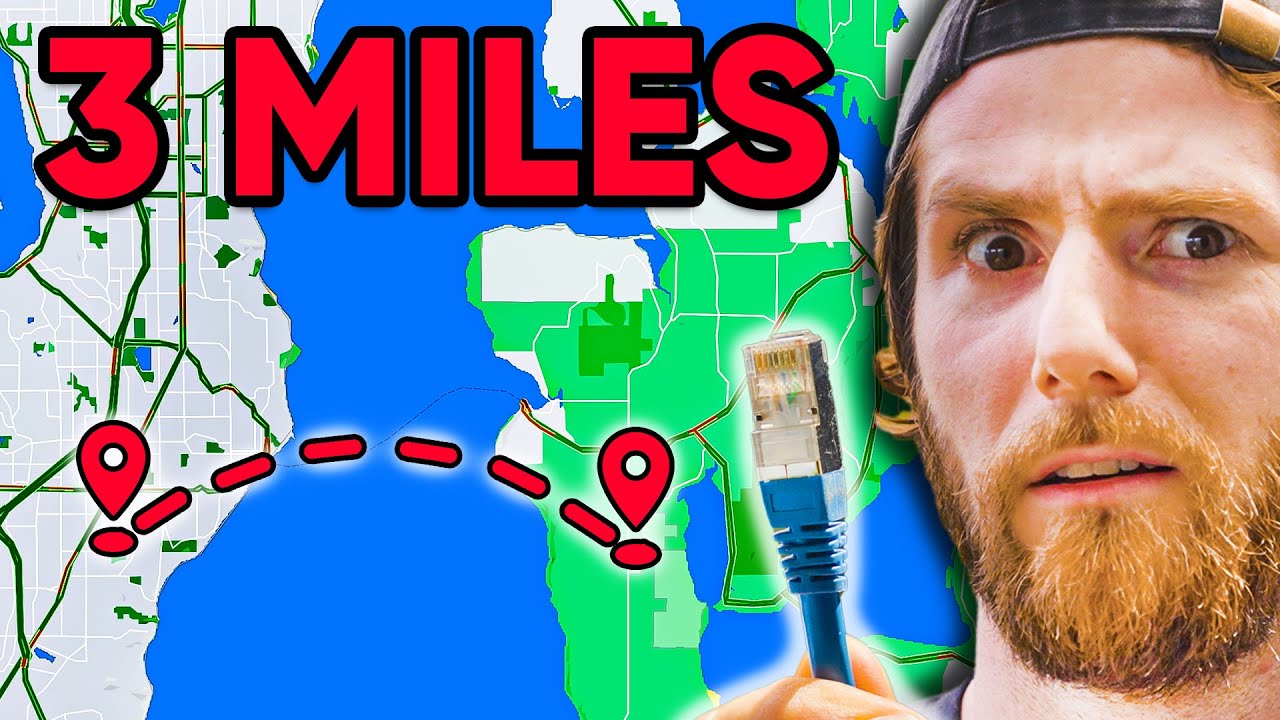
You can try your first month of KiwiCo for FREE at: http://kiwico.com/LTT
Linus' parents are building a sweet new off-the-grid cabin miles offshore of the mainland here in British Columbia, and while they've figured out power, sewage, and water, they left one thing for me: the internet.
Buy a Ubiquiti EdgeSwitch 10XP at https://lmg.gg/WJVhs
...
glad gale
 little schooner
where's the SSD??
little schooner
where's the SSD??
SD Card?
little schooner
those are still fine cause no moving parts
glad gale
Oh your problem is with mechanical?
little schooner
for boot volumes yes
I have seen at least 50 hard drives die in my work environment
also users are waiting too long
waxen scroll
Wow look who finally showed up
glad gale
Nothing is wrong with a disk boot drive
its just about having a maintenance schedule and an adequate replacement plan
pseudo blade
arctic oracle
Server 2008
I set up a server 2008 r2 vm for software compatibility testing recently
It is a genuinely painful ordeal
 pseudo blade
It took me most of the day just to apply patches, endless reboots, had to drag in wsus offline to even get the certs to patch it
glad gale
tbf windows server is shocking for pulling updates
pseudo blade
And the end result was a bloated, poorly-performing mess
glad gale
and they want to phase out wsus
pseudo blade
Wsus offline isn't actual wsus
glad gale
tell me more
pseudo blade
It just downloads patches to disk so you can copy them to your server/pc and apply them using their installer
glad gale
that should not be called wsus
pseudo blade
¯_(ツ)_/¯
pseudo blade
You could call it Purple Baconator Extreme Edition and I'd still use it if it worked
pseudo blade
But yeah - nobody should be installing 2008 r2 (or even worse, 2008) for actual work
glad gale
We've already phased out 2012, and planning the change from 2016
pseudo blade
There are nice software distributions and tools for NAS/webserver work on Linux, or just buy 2022 essentials if you're that desperate
glad gale
ew essentials
pseudo blade
Oh I'd use Linux instead any day of the week if possible
glad gale
My only projects atm are infrastructure related. And since work only do windows. It's finding the effort to read up about it in my free time
pseudo blade
Enterprise linux is pretty much more of the same but older versions
glad gale
The entire purpose of my homelab rn is just testing.
Research it, build it, scrap it, repeat.
pseudo blade
That's what a homelab should be.
pseudo blade
glad gale
Nothing is wrong with a disk boot drive
There is if time is money
Small, fast flash storage is cheap
Server 2016+ on a single mechanical drive is a useless experience even if your applications are on SSD
glad gale
Respectfully I disagree
10k new sas disk, you'd be fine.
Not that anyone would boot to a single drive.
pseudo blade
If you have 10k sas budget you can afford flash
glad gale
Realistically, you'd have 2 boot drives in a raid 1, then your apps on a separate array
pseudo blade
Raid 1 doesn't give you more iops
glad gale
It does however keep redundancy standards
pseudo blade
On a uselessly slow server
A bigger array with stripes is better but not by that much
glad gale
AH STRIPES
pseudo blade
What, do you just constrain all files and operations to the size of a single disk?
glad gale
Of course not, i was just having a laugh.
Also gotta dash, starting work soon.
Before I do go.
To clarify I'm not saying all HDDs are better than all SSDs.
Toodles
shrewd pawn
meager ginkgo
And if you are what modem do you have
Sorry for being late. No, I'm not using ethernet to connect
And my modem is the Modem-Router combo unit the isp sent. I want to switch it to a separate modem and router. But I can't find any good dsl modem. And also, the isp said to my mom to never change the modem because "the 3rd party ones cause problems". For now, I will try to use ethernet and see if that works
 fluid badger
so google drive is pretty potent when coupled with fiber
unborn sluice
fluid badger
so google drive is pretty potent when coupled with fiber
try playing 6Siege
sudden kayak
shrewd pawn
Sorry for being late. No, I'm not using ethernet to connect
And my modem is the ...
if you're on wifi, packet loss is expected
fluid badger
unborn sluice
try playing 6Siege
aight
sudden kayak
also that sounds like the isp is just trying to get you to keep paying for their modem
fluid badger
unborn sluice
try playing 6Siege
 meager ginkgo
fluid badger
meager ginkgo
fluid badger
what speed are you paying for
meager ginkgo
this was in a new construction home I went in.. lots of CAT6, speaker wire, and wall mount tv locations lol
 fluid badger
unborn sluice
try playing 6Siege
fluid badger
meager ginkgo
what speed are you paying for
fluid badger
unborn sluice
try playing 6Siege
fluid badger
meager ginkgo
what speed are you paying for
gigabit
flickering was due to fullscreen and obs not liking eachother
issues with battleye not wanting to work
 violet kiln
so...I felt like posting an update to my 5 year old LTT Storage Rankings post on the forum... I'm not super active in the community (I should change that) but I stumbled on my old post and was seriously shocked at how much has changed in just 5 years. The hardware kinda speaks to how my life has grown and things have really come together. 5 years ago I was living in my parents basement, today I'm living in a house with an amazing S/O and we have a beautiful Bernedoodle puppy 🥲 https://linustechtips.com/topic/21948-ltt-storage-rankings/?do=findComment&comment=15539601
Linus Tech Tips
if anyone has any tips/tricks for a ZFS novice i'm all ears!!


 violet kiln
honestly you'd have worse latency but better overall performance with this - https://www.rfc-editor.org/rfc/rfc2549
 sullen olive
i don't think that i care considering i got booted out of cs because i had too much packet loss
 spare eagle
My rural internet

 earnest orchid
spare eagle
My rural internet
earnest orchid
spare eagle
My rural internet
Bro where do u live
 crystal gust
spare eagle
My rural internet
crystal gust
spare eagle
My rural internet
Pfff you're lucky. In Croatia during peak tourist season on islands you can barely get 100kbit down
spare eagle
earnest orchid
Bro where do u live
Rural New Zealand
 severe topaz
how do i fix high upload latency? it was fine for years but recently for about 2 weeks now ive consistently had over 1k latency
upload latency is around 70ish but upload is over 1k more often than not
hardy python
severe topaz
how do i fix high upload latency? it was fine for years but recently for about 2...
What type of Internet Service do you have? Satellite or DSL/Cable?
thick minnow
So recently i've been getting fluxuating ping where it goes from 20ms to 3000ms every now and then which is really annoying in games, ive called up my isp multiple times and i've used different wifi adapters on my pc but it doesnt fix anything, on my phone and on other devices its not a problem however. i've tried everything i could think of and i have no idea what is going on. hopefully someone here knows a solution 😅
thick minnow
question ! best Wifi 6 router?
cant
my room is on the complete other side of the house
i was looking at powerline but i dont think its the wifi thats the issue, i think its something on my computer
i tried that already
switched from 1.1.1.1 to 8.8.8.8
in cmd?

now what

 signal valley
ipconfig/renew would just assign a new ip address with DHCP wouldn't it?
 signal valley
what brand of WI-FI card do you have?
thick minnow
signal valley
what brand of WI-FI card do you have?
tplink something lemme check
tplink archer t4u plus

still doing the weird thing
ye
i have
i know
ill download the drivers again
Do you guys think ethernet over power line would be better?
/fix this
no but reinstalling the driver seems to have fixed it!

well thanks dude @proven crown
nope
dont think they are common in europe, or atleast i havent seen any
nah we only have those in the living room
"OLD home"
my home so new they got rgb wall plugs 💪
well it seems to be working now so ye
ig ill just reinstall the driver anytime its bad
severe topaz
hardy python
What type of Internet Service do you have? Satellite or DSL/Cable?
Cable I think
If I’m honest tho idrk my mum and brother set it up but we live in the countryside so there’s no good cable wifi here for us to rlly use
broken jetty
What's a good way to have my Jellyfin (media) server available over the internet to stream movies when I'm away from home? I was planning to use Cloudflare Tunnel, but their ToS prohibits using it for video streaming
unborn sluice
Bring your media server with you
acoustic isle
thick minnow
dont think they are common in europe, or atleast i havent seen any
it was common in 2000 not in 2020😂
thick minnow
yea lmao
acoustic isle
baisicly every 30-2000 house are pretty much rebuilding now and they must been disasembled
and if use phone line you use rj45 to rj12 adapter
peak cloak
that looks like rj45 not phone
peak cloak
broken jetty
What's a good way to have my Jellyfin (media) server available over the internet...
for an easy solution tailscale or zerotier
broken jetty
unborn sluice
Bring your media server with you
I designed it to be somewhat portable, and I can easily unplug the drive and take the files with me, but taking the entire server is another matter.
waxen scroll
@hollow marlin https://ih1.redbubble.net/image.1142560311.8794/bg,f8f8f8-flat,750x,075,f-pad,750x1000,f8f8f8.u1.jpg
 acoustic isle
peak cloak
that looks like rj45 not phone
acoustic isle
peak cloak
that looks like rj45 not phone
he probly ment rj 12
glad gale
When you realise none of it is RJ, because it isnt keyed
hardy python
RJ-11 phone port
unborn sluice
phone port
thick minnow
Question: For those who used TP-Link ER605 or Similar Load Balancers, will I be able to set it to automatically switch to the ISP with a faster internet at the time?
I am planning to buy an ER605 because I have two ISPs, one is 50MBPS and one is fluctuating from 50-90, but sometimes goes down to 30
So I want our office to have the best speed possible, but as far as I have read the documents, the ER605 only allows fallover when one connection FAILS (when the Load Balancer Pings it and receives nothing back) and not via Bandwidth
this is how our office setup would look like:
(PLDT/ROYAL CABLE are both ISPs of our office)
 peak cloak
thick minnow
**Question: For those who used TP-Link ER605 or Similar Load Balancers, will I b...
peak cloak
thick minnow
**Question: For those who used TP-Link ER605 or Similar Load Balancers, will I b...
I don't think it's supposed since a router itself doesn't really know the speed. It knows the speed of a link, but not actual speeds. It would have to be doing speed tests in order for it to know. Maybe there is some router that does that, but I highly doubt that one does
I guess you could write a custom script to do it if it has an API
thick minnow
Yup, thats what I also said and have researched, so realistically, I could do code on it that checks the speed test every now and then (like 30 mins) then adjust parameters in the TP-Link website/app to change the current link but, that would be another work
thick minnow
thick minnow
**Question: For those who used TP-Link ER605 or Similar Load Balancers, will I b...
but does my topography work
gonna use the ER605 as a way to use the backup internet instead when our main internet fails
 granite jetty
hello people sorry if this isn't the place to ask, got a new ethernet cable but it just stays on "unidentified network" tried lots of things so far, the only thing that doesn't work is whenever i try ipconfig renew it just says "unable to contact your DHCP server"
rocky badge
@peak cloak thanks apogee

resnet WiFi works but wired doesn’t and it’s across the entire dorm
clear igloo
granite jetty
hello people sorry if this isn't the place to ask, got a new ethernet cable but ...
What is the cable plugged into directly?
Did this work prior with ethernet?
granite jetty
clear igloo
What is the cable plugged into directly?
Did this work prior with ethernet?
the cable is plugged from my router to my pc, previously it has worked but on a different router/cable, i don't think its something from the cable itself as the motherboard flashes as i plug it in and the router lights do blink
clear igloo
Hmmm, and your router is a router or combo unit not just a cable modem right?
granite jetty
yes its a router I'm pretty sure
clear igloo
Definitely sounds like the cable works but something on the router isn't giving an IP out
Have you done these commands from an elevated command prompt?
netsh int ip reset
netsh winsock reset
clear igloo
And did you reboot your pc after?
granite jetty
yes
clear igloo
Hmmm, interesting, yah it should just work after that and you shouldn't need to keep doing them
granite jetty
so far the only thing that doesn't work is ipconfig renew
clear igloo
Have you tried the old cable? or is it damaged and not usable?
granite jetty
the old cable isnt with me
clear igloo
That's fair, wasn't sure
granite jetty
sadly
clear igloo
Can you get to the router with wireless or another device?
granite jetty
have tried the netsh commands again and its the same thing, it tries to identify and goes back to unidentified network
yes i can my phone is connected atm so is my tv and everything else
i can even connect to it with my pc if i enable the wifi on it
clear igloo
What IP do you use to get to the router?
192.168.1.1 or 0.1? or something similar?
granite jetty
im pretty sure its the first one that i have used before
clear igloo
I'm thinking try setting a static IP on the ethernet adapter and seeing what happens, something like:
IP: 192.168.x.77
Subnet: 255.255.255.0
Gateway: 192.168.x.1
DNS: 192.168.x.1
granite jetty
as it does show up in my browser but it just says unable to connect
rocky badge
@clear igloo dhcp brokey
granite jetty
do i set via the ipv4 section?
clear igloo
granite jetty
do i set via the ipv4 section?
Yup, exactly
rocky badge
 clear igloo
rocky badge
<@291198741862416384> dhcp brokey
clear igloo
rocky badge
<@291198741862416384> dhcp brokey
yup, lol, you need new DHCP server 😄
I see they're running 17.3.x code 😄
granite jetty
is x a 0 in that case or just some number i come up with?
rocky badge
clear igloo
yup, lol, you need new DHCP server 😄
do all Cisco switches have L3 Software in the LLDP
clear igloo
granite jetty
is x a 0 in that case or just some number i come up with?
It's whatever your gateway IP address is
rocky badge
or only when running in L3 mode
clear igloo
Good question, I think it's always
rocky badge
 clear igloo
granite jetty
is x a 0 in that case or just some number i come up with?
clear igloo
granite jetty
is x a 0 in that case or just some number i come up with?
I just didn't want to tell you to use 192.168.0.1 and your router IP is 192.168.1.1 or something different
rocky badge
lol, “ResNet User Port”
clear igloo
9200 too 😄
rocky badge
yeah
granite jetty
well no difference i guess i typed something wrong but whenever i try ipconfig i cmd to check if they show up only subnet mask is there
clear igloo
Hmmm, what IP did you put in?
When you check your phone do the first three sets of numbers match?
clear igloo
Ah, then put 192.168.100.77 and 192.168.100.1
granite jetty
same thing
well something new happened
i disabled and enabled it and after that i got a notification from Windows if i want to use this connection or w/e it says whenever you connect but now it shows "network, unidentified network" and the addresses in the ipv4 section changed
clear igloo
Hmmmm, is it 169.254.x.x?
clear igloo
Interesting
granite jetty
last one are still 1
clear igloo
From a command prompt, can you do
ping 8.8.8.8
clear igloo
weird, it's like the router is talking to the PC but then not
granite jetty
yea honestly no idea what the hell is happening
clear igloo
Can you try a different port on the router?
granite jetty
yup ill try and do that
clear igloo
Yah, if that doesn't work I'm almost suspecting some weird software or hardware failure on the PC port
granite jetty
ye i dunno now it just goes back and forth between cable unplugged and unidentified
clear igloo
Yah, sounds like something is failing on the PC
You could buy a PCIe NIC if you want to go that route for about $20
peak cloak
rocky badge
<@222482269829332992> thanks apogee
Our network has been rock solid
They use Aruba for wifi
150/150 on Ethernet
I get like 100 on wifi
rocky badge
peak cloak
Our network has been rock solid
ours has except yesterday and today
granite jetty
i plugged it again now its normal and as before on unidentified, could be possible its something from the pc as in a bios option or something thats preventing the connection other than something with the port/motherboard?
clear igloo
granite jetty
i plugged it again now its normal and as before on unidentified, could be possib...
Likely something with the port on the motherboard
You could try reinstalling the nic drivers from the motherboard maker's website
Just in case before you spend any money
granite jetty
only drivers regarding Internet are realtek pci-e ethernet drivers, if thats what you mean i have tried that already
clear igloo
granite jetty
only drivers regarding Internet are realtek pci-e ethernet drivers, if thats wha...
Yah, crap, then it might be the controller, I would try with a cheap PCIe NIC then
 digital silo
Hi, I am having trouble with my laptop (Zephrus g14 2021) disconnecting from wifi every so often. I've tried to update to drivers but windows says it is up to date (don't know if I trust that). It doesn't happen to my mobile phone or desktop so I doubt it is a problem with the network its self. Is the wifi card bad? I just bought this laptop.
rocky badge
@clear igloo I love that my university doesn't firewall between devices with public IPs
clear igloo
rocky badge
<@291198741862416384> I love that my university doesn't firewall between devices...
Interesting
rocky badge
from WAN they block it
clear igloo
I guess it's easier to just protect at the endpoints that need it than students stuff
Ah, ok, that makes sense
rocky badge
but not between stuff in the LAN
acoustic isle
Some gudi gudi
 rocky badge
@clear igloo stfu sccm
 clear igloo
rocky badge
<@291198741862416384> stfu sccm
clear igloo
rocky badge
<@291198741862416384> stfu sccm
lol, I hate it 😄
acoustic isle
Mutch better
 sudden kayak
rocky badge
<@291198741862416384> stfu sccm
sudden kayak
rocky badge
<@291198741862416384> stfu sccm
wait is that your personal machine or??
peak cloak
rocky badge
<@291198741862416384> I love that my university doesn't firewall between devices...
Same
rocky badge
sudden kayak
wait is that your personal machine or??
school
peak cloak
I can rdp to my PC from anywhere on campus wifi
sudden kayak
oh ok i was thinking they somehow snapped up your personal windows machine
i haven't used windows in a while but that would be insane lol
the way the internet is meant to be set up, it really sucks how standard NAT & extremely restrictive firewalling has become
rocky badge
 sudden kayak
although i guess modern OSs make that assumption and relax security a lot so....
rocky badge
sudden kayak
wait is that your personal machine or??
i have admin on this pc tho lol
 sudden kayak
nice i guess they trust you??
rocky badge
I guess
sudden kayak
(or they did it by accident)
rocky badge
I mean, we kinda need admin on these PCs
its the esports lab
i don't remember about actual computer labs though
rocky badge
Idk if the GPOs just make it where Domain Users is a member of local Administrator or what
my issue is the labs I'm in I'd generally probably need admin (esports & computer science)
waxen scroll
sudden kayak
nice i guess they trust you??
the gaming lab being on the domain is how they're going to get crypto'd
rocky badge
the gaming lab wasn't supposed to be on the domain
but some of them got joined to the domain somehow
there's like 3 out of the 13 on the domain
waxen scroll
do they reset on reboot like deepfreeze would do?

 sudden kayak
lmao
 eternal glacier


 alpine heath
how does a dns server work? is it possible to only connect a specific app or websites through a custom dns while others dont?
 analog grove
GreatMusic you can use a local "hosts" file for that, which is checked before DNS
But not sure whether that answers your question
waxen scroll
rocky badge
<@222482269829332992>
wtf is that hostname
rocky badge
idk
waxen scroll
who uses .local
rocky badge
apogee apparently
waxen scroll
@clear igloo is mcpre a human?
rocky badge
lmao
waxen scroll
mcpre is on a ton of their images and ive always wondered
thick minnow
digital silo
Hi, I am having trouble with my laptop (Zephrus g14 2021) disconnecting from wif...
most likely wifi card is bad, but make sure that you have a good wifi mesh around your room, better buy new routers / add an extra mesh device to spread your wifi to your room
 fading gale
digital silo
Hi, I am having trouble with my laptop (Zephrus g14 2021) disconnecting from wif...
fading gale
digital silo
Hi, I am having trouble with my laptop (Zephrus g14 2021) disconnecting from wif...
Another thing to take into consideration is how many devices are attached to your WiFi. If you have a standard router, you may simply have to many devices connected. WoFo routers can only handle so many connections at once per band.
I am hoping someone can jog my memory... A while ago I saw a small wired router for like $50 advertised somewhere, but I can't remember the brand so I can't find it again. If anyone can help me figure out what I saw and where I can get it, it would be amazing! I really don't want to keep using my asus wifi router, as I have APs that do the wireless work now.

 late current


 clear igloo
Ethernet overhead
peak cloak
fading gale
I am hoping someone can jog my memory... A while ago I saw a small wired router...
Edge router?
Mikrotik hex?
 copper lintel
Anyone why is my ping so 💩 on games
sudden kayak
fading gale
I am hoping someone can jog my memory... A while ago I saw a small wired router...
yeah the ones in that price range are the edgerouter X (although i think they're having stock/supply chain problems), mikrotik hex or hex S, and tp link omada er605 iirc
i have the er605 set up for my parents with tp link APs and it's been awesome
 bronze oak
network
 south briar
hey you guys know what is a good router I can buy?
meager ginkgo
south briar
hey you guys know what is a good router I can buy?
What internet speed do you pay for?
fading gale
sudden kayak
yeah the ones in that price range are the edgerouter X (although i think they're...
I went with the 605ER, which is fine because I don't has gigabit internet atm. From the specs I saw, it only does up to 400MB/s or so, which is perfectly fine since I only has 300 down sadly. I hope it's relatively easy to set up.