#tech-chat-2
1 messages · Page 454 of 1
 dense granite
 sturdy swift
maybe mclaren too
 low sorrel
@brisk jolt what do you think about the thing with max and the journalist
low sorrel
sturdy swift
maybe mclaren too
Not like they can in the first place
 brisk jolt
low sorrel
<@1242135129866899460> what do you think about the thing with max and the journa...
brisk jolt
low sorrel
<@1242135129866899460> what do you think about the thing with max and the journa...
if someone in the room pissed me off SO hard like that I’d also do the same
sturdy swift
which if they have starts like they did here all the time every start is gonna be even more magical
low sorrel
Statistically for McLaren it's a outlier to have both drivers start the race right now
low sorrel
brisk jolt
if someone in the room pissed me off SO hard like that I’d also do the same
Perhaps if he wants to avoid awkward questions about intentionally driving into people he shouldn't intentionally drive into people
sturdy swift
actually it's a 50/50
low sorrel
sturdy swift
actually it's a 50/50
Nein
sturdy swift
they have one double dns, one dns, and a double start
brisk jolt
statistically it is impossible for aston martin to finish a grand prix without having both drivers DNF first
sturdy swift
50% start rate
low sorrel
sturdy swift
they have one double dns, one dns, and a double start
Sir how is that 50/50
That's 66/33
sturdy swift
3 cars start out of 6 chances?
low sorrel
low sorrel
Statistically for McLaren it's a outlier to have both drivers start the race ri...
Read it again
sturdy swift
you're gerrymandering
 burnt socket
ive seen computers running ddr4 2133
low sorrel
sturdy swift
you're gerrymandering
Ma'am read my name
sturdy swift
you got me there
 merry stirrup
burnt socket
ive seen computers running ddr4 2133
merry stirrup
burnt socket
ive seen computers running ddr4 2133
yeah but those are more fart than what im on now
low sorrel
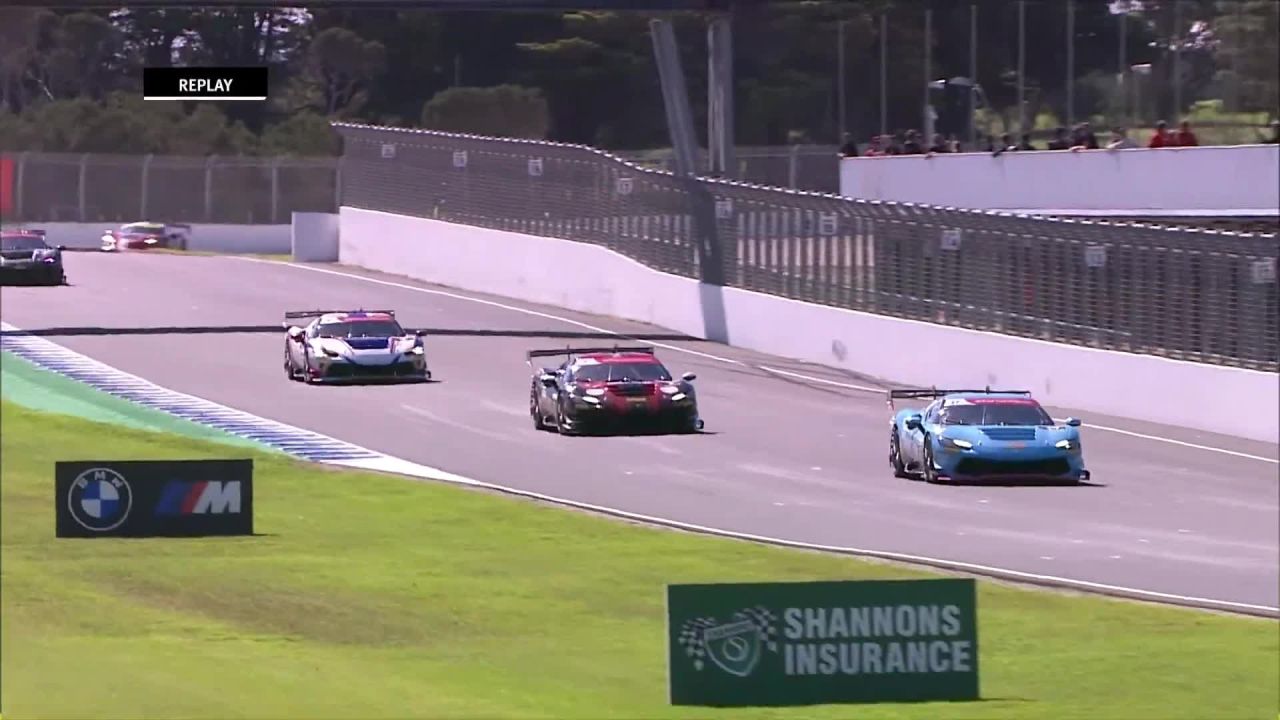
Did you see the other 3 big ass crashes today @sturdy swift @brisk jolt
https://m.youtube.com/watch?v=XQPm-tDpC_Q

Scott McLaughlin was evaluated and released after a frightening crash in Practice 2 at the Children’s of Alabama Indy Grand Prix at Barber Motorsports Park.
Watch more content from Barber weekend here: https://www.youtube.com/playlist?list=PL948kNhk-wMt6-wMJKVrna0Pg7A4j2LUT
Don't forget to subscribe now! https://www.youtube.com/INDYCAR
📆...


Dubz
merry stirrup

 turbid locust
merry stirrup
turbid locust
merry stirrup
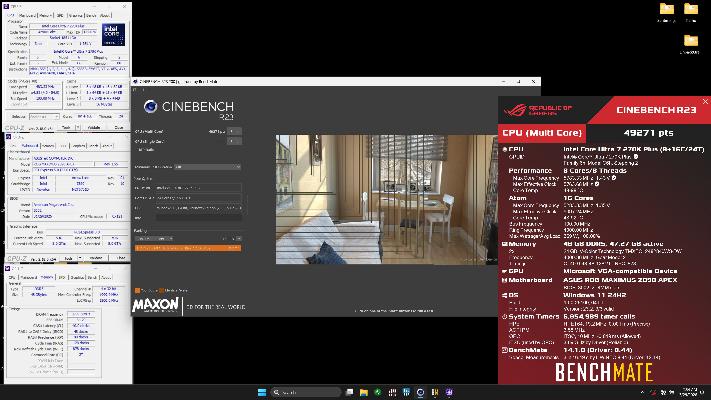
https://hwbot.org/benchmarks/cinebench_-_r23_multi_core_with_benchmate/submissions/5997878 I did this in a really cursed way
 turbid locust
merry stirrup
is this a fart os
turbid locust
merry stirrup
is this a fart os
it was one of jiacheng's old images from like 2023 iirc and I accidently let it connect to the internet once lol
merry stirrup
bro
turbid locust
its not a clean install
merry stirrup
go get 50K what is you doin
merry stirrup
are you not in the wegg server
turbid locust
I did that shit with CEP enabled LOL
turbid locust
merry stirrup
are you not in the wegg server
my fault twin
merry stirrup
you’re good 💀💀
merry stirrup
W11
turbid locust
Need to watch Skatterbencher’s ARL videos to learn how to properly OC these fuckers
cause the way I was doing it was mega cursed and I’m not even sure it was safe
 lunar gust
Someone already had this same thing about secure boot violation error I just tried everything and couldn't
sturdy swift
low sorrel
Did you see the other 3 big ass crashes today <@412051289208258560> <@1242135129...
That 2nd one is crazy
 merry stirrup
fits the shit computer
 brave panther
fair
merry stirrup
its DDR3 i dont care about it that much
its cool but not that cool yknow
i like DDR4 a considerable amount more fo sho
 civic reef
brave panther
https://tenor.com/view/jimmy-mcgill-james-morgan-mcgill-saul-goodman-better-call...
civic reef
brave panther
https://tenor.com/view/jimmy-mcgill-james-morgan-mcgill-saul-goodman-better-call...
Looks okay to me
merry stirrup
i wish i had a 4790K fr
merry stirrup
merry stirrup
i wish i had a 4790K fr
i am poor give me better puter
civic reef
If you didn't like power efficiency
merry stirrup
civic reef
Basically 8 core Haswell
and put it in my LGA 1150 socket?
merry stirrup
civic reef
If you didn't like power efficiency
140W 💀
 civic reef
Yeah
Potato potato
civic reef
merry stirrup
140W 💀
If this is what a 4690K does, I fear what you'll do with a 5960x, or any Haswell-E chip for that matter
That thing has a base TDP of 140W, and everyone knows given TDP is useless
merry stirrup
idk if the tower cooler will do anymore than like 250w
idk the chips arent super power dense maybe ill be surprised
civic reef
merry stirrup
idk if the tower cooler will do anymore than like 250w
Just ziptie more fans to it
You'll be fine
merry stirrup
bro that is including the ac pointing at it
floor unit, its like directly in front of it
civic reef
Steal someone's unit
brisk jolt
merry stirrup
idk if the tower cooler will do anymore than like 250w
take my standing fan and press the 3 button
direct air injection
burnt socket
merry stirrup
yeah but those are more fart than what im on now
well of course, said by the person running ddr5 8600
merry stirrup
burnt socket
well of course, said by the person running ddr5 8600
i can run 9133 i just don’t bother to daily
 crude ruin
Ngl I think it's a good idea to use a Radeon HD 6450 with a Ryzen 5950X
turbid locust
whatever floats your boat
burnt socket
merry stirrup
i can run 9133 i just don’t bother to daily
well yeah there's not much benefit running that fast
turbid locust
@merry stirrup funny OS installed, revisit tmr
 blazing matrix
Does anybody here have galaxy buds 4 pros? And if so do you have hissing?


 wind sand
 livid flame
We talking about useless ram overclocks again?
livid flame
We talking about useless ram overclocks again?
Yes!
 quaint gazelle
You folks know any nice alternatives to this keyboard that is slightly smaller but still has most keys

 wise bear
blazing matrix
Does anybody here have galaxy buds 4 pros? And if so do you have hissing?
wise bear
blazing matrix
Does anybody here have galaxy buds 4 pros? And if so do you have hissing?
Instead of posting across several channels have you tried, idk, googling it?
blazing matrix
I have Googlen it but im trying to look for other sources
 topaz veldt
@turbid locust

 fringe vigil
topaz veldt
<@379175754774216717>
wise bear
blazing matrix
I have Googlen it but im trying to look for other sources
fringe vigil
topaz veldt
<@379175754774216717>
wise bear
blazing matrix
I have Googlen it but im trying to look for other sources
ask ai
just because we exist doesn't mean we're going to be a credible "other source"
It's a headset, not a thesis
 cosmic gazelle
ai is pretty good at assembling a summary of product reviews
don’t ask it about ram overclocking
ask me how i know 😂
blazing matrix
Yeah but there will atleast be some variability
wise bear
So your refusal to try and fix something on your own is to pawn the situation off to someone else?
Man, you're the worst kind of person
you're the kind of person that puts nutella in the fucking fridge
you're the kind of person who uses so much black pepper you sneeze out the whole dining area
you're the kind of person to reach over the sneeze guards and physically point at the options you want
Do better.
brisk jolt
wise bear
you're the kind of person that puts nutella in the fucking fridge
the person to eat/drink something halfway, put it in the fridge, then when everybody wonders whose it is you try to gaslight them
wise bear
hey @topaz veldt you stil sellin' that 9800x3d?
If yes, how fast would you like it gone
brisk jolt
wise bear
hey <@257554812013379587> you stil sellin' that 9800x3d?
9850
wise bear
the fuck is a 9850
 shell void
9800X3D but 4% faster because it clocks 200MHz higher than a PBO'ed 9800X3D
for like $80 more
livid flame
wise bear
the fuck is a 9850
It’s 50 more than a 9800
livid flame
wise bear
If yes, how fast would you like it gone
Probably as fast as his ram speed 
 vestal timber
multiplied by the price
 snow holly

 green marsh
LOL


 steel stream
shell void
this officially marks the M1 as obsolete
steel stream
shell void
this officially marks the M1 as obsolete
taxbook pro needs an upgrade stat
shell void
it probably cant even run turbotax in safari anymore it's so old and decrepit
steel stream
what a piece of garbage
shell void
genuinely
brisk jolt
@shell void what driver r u on the 5090
shell void
i prefer my bananas so green that you have to fight the peel off
shell void
brisk jolt
<@609826649197772821> what driver r u on the 5090
595.79
brisk jolt
shell void
595.79
does 0 rpm mode work for you
steel stream
shell void
i prefer my bananas so green that you have to fight the peel off
yummy starch
shell void
brisk jolt
does 0 rpm mode work for you
yeh ive never had a problem with 0rpm mode
 steel stream
oh hey look it's me lol
shell void

brisk jolt
shell void
yeh ive never had a problem with 0rpm mode
mine absolutely refuse to enter 0 rpm mode
 edgy laurel
oh, i should watch
shell void
steel stream
have you tried asking nicely
that guy never uses his manners
steel stream
shell void
that guy never uses his manners
kids these days amiright?
brisk jolt
yk what imma just nuke the OS as a whole
 pure garnet
brisk jolt
does 0 rpm mode work for you
pure garnet
brisk jolt
does 0 rpm mode work for you
enjoy the curse bro
brisk jolt
pure garnet
enjoy the curse bro
NOOOOOOOOO
 wraith steeple
Finally! Last run is done
 topaz veldt
wise bear
hey <@257554812013379587> you stil sellin' that 9800x3d?
topaz veldt
wise bear
hey <@257554812013379587> you stil sellin' that 9800x3d?
All sold yo
brisk jolt
fuck kyoko cursed me
topaz veldt
💪
 pure garnet
 young void
But if brother michael sais its solid <:bless:1390119973585813604>
young void
But if brother michael sais its solid <:bless:1390119973585813604>
0 rpm is just most cards idle fan curve
young void
Oh i see, I thought under load it was 0, I was like oofs. My 5090 would scream
brisk jolt
pure garnet
you bought an msi product
its a GPU thing
shell void
young void
Oh i see, I thought under load it was 0, I was like oofs. My 5090 would scream
naw what they're calling "0 rpm mode" is just when your fans don't spin until you pass a certain temperature, like 50-55c usually
young void
Makes sense
shell void
pretty much every card released in the last few years has it on by default
brisk jolt
Im at 32c and like 60w
young void
Right right
 cosmic gazelle
shell void
pretty much every card released in the last few years has it on by default
cosmic gazelle
shell void
pretty much every card released in the last few years has it on by default
polaris was one of the first gens to have it on by default iirc
i believe my 3080 has it off if you turn on the oc vbios
brisk jolt
how my gpu feels after becoming rainbow puke after I just set the rgb to off:
 hoary hatch
Sold another 16gb of 2015 ddr4 for $50 on Friday
brisk jolt
 steel stream
hoary hatch
Sold another 16gb of 2015 ddr4 for $50 on Friday
steel stream
hoary hatch
Sold another 16gb of 2015 ddr4 for $50 on Friday
mr money bags over here
hoary hatch
steel stream
mr money bags over here
Gotta pay for that 270k upgrade somehow
steel stream
real
hoary hatch
I have one more kit I could sell
 meager saffron
you can thank that corperate greed when they raised the price to $350
hoary hatch
Yeah I think my prices were fair
Not complete scalping, but also not giving them away
I could sell my spare system
3800x, 1080ti, 32gb
young void
I keep getting a $4500 offer for the 5090 build tempting but not really in a rush to sell.
Especially with rebuilding costs
hoary hatch
hoary hatch
3800x, 1080ti, 32gb
$400 for a system?
meager saffron
i mean some 5090s sell for 4000...so theres that lol
pure garnet
and a 1080ti is not anywhere near that
hoary hatch
I'm pretty nostalgic for my old hardware but if I'm ever going to sell it, this is probably the best time
young void
400$ is probs fair give or take, never hurts to list higher and go down as needed
young void
meager saffron
i mean some 5090s sell for 4000...so theres that lol
I wont go below 4800 but have it up for 5000. Better priced then any of my competition
But also makes me dread having to deal hunt to make the next build
brisk jolt
finally after 4 business days of waiting IT STOPS SPINNING

WHY ARE THERE LIGHTS
FUCK! SHIT!
brisk jolt
young void
Lol, lights on the gpu or?
yes
so right now afterburner doesnt want to apply my UV profile so I saw it shot up to 111w on idle

SUCK IT KYOKO i finally got it working after an hour of pain just for zero rpm mode 😂
young void
Goobers lol ||I mean this kindly when I say it btw as a term for silly||
pure garnet
brisk jolt
SUCK IT KYOKO i finally got it working after an hour of pain just for zero rpm m...
works

time to put malware back on my pc
 young void
Never undervolted my gpu but hear good things. Done plenty of watt limiting and setting core/clocks. One day mayhaps
steel stream
pure garnet
time to put malware back on my pc
 young void
XD
pure garnet
damn walmart had a 9800x3d/9070xt prebuilt for $1600 today
brave panther
pure garnet
time to put malware back on my pc


 atomic garnet
cosmic gazelle
atomic garnet
cosmic gazelle
somebody wants to buy my 2400mhz crucial ballistix ram for 65€ so
damn thats 75 usd
 vestal granite
crucial ballstix are back in relevancy god bless america
atomic garnet
the prices rose but the roses rosed
previously i sold a 3000mhz kit for 65€ in like january
hmm
maybe i shouldnt sell my junk
hoary hatch
cosmic gazelle
how much is ebay fees
atomic garnet
btc mining h81 boards will rise?
cosmic gazelle
hoary hatch
how much is ebay fees
my final profit after everything (i purposely overcharged shipping) is roughly $70.50
hoary hatch
i got $80 cash
atomic garnet
cosmic gazelle
my final profit after everything (i purposely overcharged shipping) is roughly $...
facebook marketplace supremacy
cosmic gazelle
i also fucking hate selling on marketplace and it is a waste of my time
pure garnet
final profit after ebay buyer scams and keeps the item: $0
atomic garnet
it is but 10 dollars
cosmic gazelle
pure garnet
final profit after ebay buyer scams and keeps the item: $0
they can’t lol
atomic garnet
thats 12g of thermal paste
cosmic gazelle
no refund until the seller receives the item back and confirms
pure garnet
not if they put in a cs dispute
cosmic gazelle
nah if they do and the seller says you didn’t return it you still don’t get a refund
they can’t just keep the item
atomic garnet
shiiit junk like this sells for 83€ now?
 hoary hatch
atomic garnet
shiiit junk like this sells for 83€ now?
hoary hatch
atomic garnet
shiiit junk like this sells for 83€ now?
yes it does
cosmic gazelle
you realize ram quality is not based on rated speed big dawg
atomic garnet
ik but 83€
cosmic gazelle
crucial e die isn’t horrible afaik
atomic garnet
this isnt exactly top tier either
pure garnet
i mean 16gb of ddr4 may as well be junk but
atomic garnet
cosmic gazelle
crucial e die isn’t horrible afaik
i know cause i have them
pure garnet
the world we’re in now
cosmic gazelle
i mean you can get 2 green sticks for under 60 bucks that’ll do at least 3400
so unless you’re shooting for 4k paying that much is silly
atomic garnet
can you do 800mhz tho
cosmic gazelle
isn’t the slowest configurable ddr4 speed 2133 lol
i can do 800 on my 4790k i think
atomic garnet
cosmic gazelle
isn’t the slowest configurable ddr4 speed 2133 lol
i do not know how i achieved this
 cosmic gazelle
i mean task manager isn’t exactly the most rock solid reporting software
 devout ridge
100% has to be a misreporting dimm
atomic garnet
worked on my other pc
devout ridge
it is flat out not possible to run ddr4 at that speed
atomic garnet
cosmic gazelle
i mean task manager isn’t exactly the most rock solid reporting software
bios and hwinfo said 800mhz too
devout ridge
motherboard sucks at reporting ram speed then
atomic garnet
i mean this motherboard is a real piece of shit
cosmic gazelle
no like ddr4 does not do under 2133 as a specification
atomic garnet
its from a msi prebuilt, so it wont accept newer bios updates
one ram slot doesnt work
the cpu fan runs at 3 rpm by default
pure garnet
cosmic gazelle
no like ddr4 does not do under 2133 as a specification
1600
atomic garnet
ram shortage tip
 pure garnet
12 years ago
cosmic gazelle
you are correct i’ve just never seen that before
atomic garnet
2133 is just the jedec standard
cosmic gazelle
no 1600 is also a jedec spec apparently
pure garnet
there’s half a billion jedec standards yeah
atomic garnet
oh right
pure garnet
2133 was just the most common
atomic garnet
imagine getting sold a pc on fb marketplace and they put fucking 1600mhz ram in it
pure garnet
cosmic gazelle
you are correct i’ve just never seen that before
i only knew about it because i knew about ddr5 specs worse than 4800
atomic garnet
i have ddr3 that runs at 2400mhz
pure garnet
i mean my fx kit runs ddr3-800
atomic garnet
sheeesh as fast as my ddr4 then
a bios update later and it reported 2400mhz correctly later
prebuilt so ofc the bios update was done via software
fuck you msi
atomic garnet
pure garnet
unless you’re writing with a programmer or whatever
times get tough
but yeah shouldve said via windows
 fervent chasm
damn these prices just everyday convince me to sell
if i add up my build + my extra parts from older builds, based on ebay used prices, its around $7k
thats so much extra money
atomic garnet
i shouldnt have listened to people around me
id be rich if i never stopped hoarding tech
atomic garnet
kinda exaggerating but sorta and sorta not
i had a bunch of parts, which i decided to build in to pcs cause that would be nicer to sell
probably would gain an extra 300€ if i sold today but eh
fervent chasm
i dont game enough to even need what i have
mid build i just kinda stopped playing
so i ended up finishing it but its way overkill for how often i play
270k plus, with a 5070 or something would probably be enough
atomic garnet
ouchies
 fervent chasm
how much would that be now? 50 euro?
atomic garnet
70
fervent chasm
damn
atomic garnet
atleast i got my ddr5 before everything happened
went from a 5600 to a 7500f, brother called it pointless, guess whos laughing now
green marsh
i am kinda positively surprised at Qwen3.5-35B-A3B speed on CPU only, and on not even a very powerfull system
 atomic garnet
though cl38 ram vs cl30 was also a choice
green marsh
i mean it's not great, but for what it runs on, it is awesome 😄
(it's Mac mini 2018 with i5-8500 & 64GB DDR4-2666)
atomic garnet
ram...
 limpid tapir
heyo what now
green marsh
atomic garnet
ram...
yeah, got it for the mini at early stages of RAMpocalypse. I think it was like 140 euros total for 2x32GB DDR4-3200 SODIMM (but mini only does 2666)
got another 2x16GB kit sitting in storage (waiting for work to decommision their Intel Mac Minis)
limpid tapir
green marsh
(it's Mac mini 2018 with i5-8500 & 64GB DDR4-2666)
I was losing my shit about how it was wild that apple was selling a computer with 64gb of storage at that time but apparently its ram???
green marsh
limpid tapir
I was losing my shit about how it was wild that apple was selling a computer wit...
yeah, it's RAM. it was a 16GB RAM/256GB SSD model, but 2018 had SODIMMs, so i upgraded it to 64GB RAM
i use a 64GB SSD tho in one of my systems - i have a 15 year old SSD used as Linux boot drive for a HTPC
cosmic gazelle
wait @pure garnet i just had a genius challenge attempt thought
i’m gonna try to get the 2400g to perform better with 1 8gb stick and oc than 2 sticks and everything stock
brisk jolt
english please
cosmic gazelle
brisk jolt
english please
like comparing the fps in like cs2 or something with a max single stick ram oc and gpu oc vs everything stock but dual channel
(my second stick isn’t coming for 2 days)
steel stream
what
 fringe vigil
young void
https://tenor.com/view/you%E2%80%99re-suspect-youre-good-will-gif-24064406708260...
young void
fringe vigil
young void
https://tenor.com/view/you%E2%80%99re-suspect-youre-good-will-gif-24064406708260...
young void
I shower every other day or so
hoary hatch
young void
I shower every other day or so
I shower 1-2x a day
young void
Sometimes if sweaty thats valid or working out, or before/after a shift
steel stream
1x a day for me
young void
As long as one is clean 
low sorrel
@turbid locust @pure garnet @shell void
shell void
low sorrel
<@379175754774216717> <@438101365416263681> <@609826649197772821>
calm and controlled 
pure garnet
low sorrel
<@379175754774216717> <@438101365416263681> <@609826649197772821>
clip is nice but why so many overlays 😭
low sorrel
pure garnet
clip is nice but why so many overlays 😭
i hit alt r on accident
 devout ridge
young void
Yoooooo these sales
devout ridge
young void
Yoooooo these sales
you got a link for that top one?
young void
devout ridge
Love you Wormm
young void


 shell void
devout ridge
you got a link for that top one?
shell void
devout ridge
you got a link for that top one?
MO27U2 is still available for $599 at Newegg
young void
And 4k thats hypeee

Buy GIGABYTE 27 inch UHD 4K 240Hz with AMD FreeSync Premium Pro &, G-SYNC Compatible HDR400 USB-C KVM OLED Gaming Computer Monitor with Height adjustable, pivot, tilt and swivel stand MO27U2 with fast shipping and top-rated customer service. Once you know, you Newegg!
topaz veldt
young void
damn thats nuts
young void
Its nothing to write home but is real solid if needing an oled and not quite at the 4k tier
topaz veldt
27" 240 hz qd-oled for $431 is nice
steel stream
I approve of these prices
 nova patrol
where can i check cpu stability and that it works normally
steel stream
OCCT
 devout oxide
cinebench if you want to see peak performance and OCCT for long sustained performance
steel stream
cinebench isn't really a good stability benchmark
nova patrol
im checking occt
devout oxide
steel stream
cinebench isn't really a good stability benchmark
i thought he ment peak performance
and cinebench give you graphs to compare
nova patrol
i just wanna check if its underclocking or underperforming
devout oxide
nova patrol
i just wanna check if its underclocking or underperforming
oh then use cinebench and geekbench
you can compare that score with scores of other tests with the same cpus
 nova patrol
im doing the occt cpu test
devout oxide
12700k what
nova patrol
?
devout oxide
i7, i9, i5?
nova patrol
theres only i7
devout oxide
ok
 nova patrol
71 its not thermalthrottling
devout oxide
show me your test options
before you run it you get options to select and what now
not*
nova patrol
 nova patrol
still same

 nova patrol
yea thats what i sent
devout oxide
do you have any power limits set in the bios
nova patrol
id have to check that but i didnt do anything manually
never tried to underclock or anything
devout oxide
how high are your temps reaching
nova patrol
70-71
young void
Myte be a good time to update ones bios
devout oxide
nova patrol
70-71
it should be hitting 5 ghz at those
devout oxide
young void
Myte be a good time to update ones bios
do this and also check for any power limits on the cpu in bios
nova patrol
i cant do bios update i dont have a usb 🥀 ill check bios tho for anything weird
devout oxide
and install chipset drivers too if you havent installed them
devout oxide
nova patrol
i cant do bios update i dont have a usb 🥀 ill check bios tho for anything weir...
okay
young void
Can probs also just put the bios file on your boot drive as well but be sure you can find it in the directories, havent tried but 99% sure if doing it via bios on screen q flash
steel stream
nova patrol
i cant do bios update i dont have a usb 🥀 ill check bios tho for anything weir...
just reset bios to defaults tbh and go from there
nova patrol
yea ill try that first
young void
Clear cmos couldnt hurt either, or using the in bios reset function if applicable
nova patrol
yea ill do this and just enable xmp or should i not touch bios at all
young void
Xmp on is fine
devout oxide
xmp and resize bar are a must on any pc
nova patrol
young void
Clear cmos couldnt hurt either, or using the in bios reset function if applicabl...
i have a flashb1 thats not reset tho right
steel stream
XMP is fine
nova patrol
ok imma take out cmos and just turn on xmp
young void
If not a clear cmos button taking the battery out for 10-15 seconds clears cmos, within bios a reset to defaults option myte be available as well
nova patrol
dang its behind the gpu
steel stream
there should be a reset to defaults in your bios
young void
As brother akn mentions ❤️
 heavy spire
Power limited motherboard maybe
young void
Pro-A?
nova patrol
yea
young void
This guy?if so ill drop some "just in case" links
 heavy spire
That board should be able to deliver enough power, so probably not that 
nova patrol
young void
This guy?if so ill drop some "just in case" links
yep
young void
If clear cmos doesnt adjust or you get bored down the road, ill drop the bios location and ill snag a tut
https://www.msi.com/Motherboard/PRO-Z690-A/support

In this video, I’ll show you how to update the BIOS on the MSI PRO Z690-A (DDR4) motherboard, a popular and reliable choice for Intel 12th, 13th, and 14th Gen processors.
We’ll go through both the USB M-Flash and MSI Center methods so you can safely update to the latest BIOS version and keep your system running smoothly.
Updating your BIOS...
If you do this just let it run till you get spit into windows
nova patrol
yea still bugged
how do i check if rebar is on and can that cause it?
i treid ghe device manager and theres no large memory thing
the e cores are clocked higher than the p cores 😭
heavy spire
nova patrol
the e cores are clocked higher than the p cores 😭
How much power does the CPU use during the test?
young void
Can't garuntee but bios update myte do it, is odd though
nova patrol
heavy spire
How much power does the CPU use during the test?
135watt
 heavy spire
nova patrol
135watt
heavy spire
nova patrol
135watt
Try running single core or core cycler with a few cores, see if that makes em boost higher
Could just be Intels default power limit holding it back
nova patrol
what if i disable e cores
young void
Id update bios that'll configure watts etc first
nova patrol
heavy spire
Try running single core or core cycler with a few cores, see if that makes em bo...
this good?
 young void
And fix any old bugs depending
nova patrol
young void
Id update bios that'll configure watts etc first
i will when i get a usb stick
heavy spire
nova patrol
this good?
That works
young void
What app is that or is that bios?
nova patrol
occt
young void
Oh ok
nova patrol
heavy spire
That works
yea still same
young void
nova patrol
i will when i get a usb stick
Just note the demo i sent also includes a non USB method if you decide
nova patrol
besides e cores they boost higher
nova patrol
young void
Just note the demo i sent also includes a non USB method if you decide
wait ill check it out
heavy spire
Might be time to update bios then yeh
young void
No rush but should fix any limit, watt, volt, funkyness
I ran a 12600k, and a 14700k never had issues juicing out

If multicore enhancement is on intel goes full balls
nova patrol
its a 2021 bios btw
heavy spire
Pretty much a launch bios then
young void
Thats why im figuring, latest bios rebars auto enabled or should be as well but that'd be in advanced pcie i think been awhile
cosmic gazelle
young void
If multicore enhancement is on intel goes full balls
isnt mce just a mild overclock anyways
young void
Mce does a few things but maxes more toward the tdp yiss unless set otherwise on pl1/pl2 etc
Helps boost to ram frequency as well, kinda like AMD performance core boost/ the 5g setting it all ties together
heavy spire
More juice to feed the cores 
cosmic gazelle
on z97 multicore enhancement just made the 4790k all core boost to its single core boost
but set voltage literally .15v too high
young void
To keep things flowing hard to explain what it all does
cosmic gazelle
for reference i run 4.6ghz at 1.28v which is probably higher than it needs to be, the z97 ud5h defaults to 4.4ghz at 1.31v
heavy spire
Remember when the 8700k launched, reviews were all over the place because some boards ran MCE while others didnt
nova patrol
young void
Thats why im figuring, latest bios rebars auto enabled or should be as well but ...
should i emmidietly go to the newest or should i do 2023 or sum and then 2026 cuz i know atleast on am4 its funky
young void
Newest non beta is fine
cosmic gazelle
heavy spire
Remember when the 8700k launched, reviews were all over the place because some b...
does mce do anything on locked processors? i've wondered that before but never tried it
nova patrol
ok will do
young void
From 8/18
heavy spire
cosmic gazelle
does mce do anything on locked processors? i've wondered that before but never t...
Makes 2 of us, got no idea
young void
cosmic gazelle
does mce do anything on locked processors? i've wondered that before but never t...
Dont think theyd get that option but not 100%
heavy spire
Maybe power limits if you can use it
 vale cosmos
cosmic gazelle
does mce do anything on locked processors? i've wondered that before but never t...
vale cosmos
cosmic gazelle
does mce do anything on locked processors? i've wondered that before but never t...
i think it does and doesnt work
cosmic gazelle
it's really funny that my z97 is so overbuilt on the vrm that it's just like "give it as much voltage as humanly possible f it" on a cpu generation that used TIM
vale cosmos
mostly one of these things where it depends on how the manufacturer implemented it
i had some msi mobo that had a different OC option where I could overclock locked chips
had a 3770 at like 4.8ghz or something
cosmic gazelle
can you undervolt a locked intel cpu? that would be another interesting thing to find out
heavy spire
Good ol' eclk on locked CPUs
MSI did that up till the 12th gen iirc
12400's running at 5ghz
young void
Haven't played with a locked chip tbh, I know ill wanna dabble. so cant say
cosmic gazelle
i could totally find all these things out if i wanted to ruin my profile on the haswell system
but that sounds like a pain in the ass so it'll remain a mystery
heavy spire
I degraded my last haswell CPU hard
cosmic gazelle
i get to start my 2400g oc tomorrow
heavy spire
During its last days it could only run 4ghz stable
young void
cosmic gazelle
i could totally find all these things out if i wanted to ruin my profile on the ...
No bios profiles? To be saved*
cosmic gazelle
no there are it's just a pain when its tucked into a cabinet and i would need to take the cooler off and blegh
young void
Valid
cosmic gazelle
it's a pa120 and that thing is the bane of my existence when mounting it
but anyways i'm gonna be using a 1dpc b350m board with one stick to start off with
so i will either hit a memory ic wall or the imc wall
and i assume the memory ics i'm using arent bad enough so i'm only limited by the imc
hoping to find a stable 3466 profile
or whatever that number would be
nova patrol
i did the live update thing for chipset stuff first as he recommended and im on a black screen 🥀
young void
Hrmm wait a few minutes myte be updating
cosmic gazelle
i will also be using a bios that doesn't support zen 2 to ideally optimize microcode and stuff
because this board appears to have never been touched
young void
Not sure what step your at what time are you at in the vid? Ill check it out
young void
Could wait another few mins
nova patrol
i replugged hdmi 😭
young void
Sometimes just needs to refresh
heavy spire
PCs are weird sometimes
young void
Once bios update starts literally just hang out dont touch it
nova patrol
weird part is monitor was on but nothing came up
nova patrol
young void
Once bios update starts literally just hang out dont touch it
yep just did that
young void
It'll possible go black a few times
Wait till completely back to windows itll spit you there at the login pin screen*
Can take 5-10 minutes. It'll need to re memory train
nova patrol
3% done
young void
Myte be longer if really old, getting a sammy/drink is recommended
nova patrol
lga 1700 ddr4
cosmic gazelle
oh idk then
nova patrol
60% done
young void
cosmic gazelle
or is he not on am5
Sometimes, depends on the board/bios/cpu
My 7900x was considerably slower then my 9900x and 9950x boot times
 mild sentinel
my 3060 tells me that he want this AIO too 🤓
 young void
By a good minute on the exact same mobo and bios
cosmic gazelle
yeah i think my 9800x3d hasn't taken longer than about a minute to either train or fail to train lmao
nova patrol
its done
young void
At windows?
nova patrol
did this shit wipe my nvidia drivers iy dosent recognkse gpu anymore 😭
ok no it took time
black screened and gpu appeared magicly in task manager
should i check occt
young void
Could
young void
Could do both and compare if any change
young void
Never hurts to try stuff and see whats effected
heavy spire
nova patrol
did this shit wipe my nvidia drivers iy dosent recognkse gpu anymore 😭
Bios update can reset some stuff. Sometimes windows sees a bios update as you changing out hardware, and decides to act like its a different pc. Can also mess with other stuff like RGB and fans in general
young void
Can also effect pcie, everything really
young void
nova patrol
ITSSS BOOSTING
Enable xmp and ggs fam
nova patrol
its at 3.5 and it says 100% util but temps are at 40
heavy spire
Power usage?
young void
Only using a few cores probs
nova patrol
oh wait power usage 61 watts
heavy spire
Running corecycler?
young void
Check it under diffrent uses now that it boosts proper
Like cinebench etc with msi burner to monitor temps
Or hwinfo64 sensors
nova patrol
 nova patrol
heavy spire
Running corecycler?
nova patrol
heavy spire
Running corecycler?
no
heavy spire
young void
Or hwinfo64 sensors
OCCT has built in hwinfo sensors (or at least same setup), which is nice
young void
Or set to fixed and your value
Of threads*
-2 is good practice for the OS
Idk about occt but general core/thread use
nova patrol
ok i did 18 threads and watts still at 60
young void
How many cores ya got? UwU
young void
So 24 threads uwu
nova patrol
its 20 threads no?
heavy spire
E cores dont have HT
young void
20 you right
Either way sounds solid
Id test 3dmark or cinebench now for general range of performance now that its up to spec
young void
Forsures
nova patrol
do i go bios?
nova patrol
ill check cinebench first before bios
young void
Sures
nova patrol
cpu package powerr 80 watts
heavy spire
That is pretty low
nova patrol
do i go in bios
heavy spire
MCE on a 12700k should be fine I guess
nova patrol
mce?
young void
Yes and see if mce is on and xmp
nova patrol
ok wait
young void
Multicore enhancement though typically auto enabled
heavy spire
Could be that its running conservative intel defaults after all the 13\14th gen drama
young void
Maybe, also show a pic of your pl1 and pl2 in cpu advanced tab
Could be xmp not enabled so its not boosting higher wich is also possibles
But shall see
nova patrol
xmp was not on before and where do i find mce
heavy spire
nova patrol
xmp was not on before and where do i find mce
Tweaker \ OC tab most likely
young void
Show pic
heavy spire
Use advanced bios mode if you can
nova patrol
 heavy spire
nova patrol
heavy spire
nova patrol
Check the CPU Cooler tuning dropdown menu
nova patrol
 young void
Select performance
heavy spire
nova patrol
Try MSI Performance
young void
And voila ❤️
heavy spire
Should turn it into a more normal 12700k
young void
It'll be good yiss then just use as normal get some cinebench and 3dmarks scores/temps
nova patrol
nothing else?
nova patrol
tiny aircooler on it too
young void
Atll do
heavy spire
Might have to adjust some casefans and whatnot later on in the bios if you want it to run more quiet
heavy spire
Usually how it goes 
Most people have no idea which simple setting it is though, quite a few of em in there
Hell, most people dont even know what XMP is and if its turned on
nova patrol
heavy spire
Might have to adjust some casefans and whatnot later on in the bios if you want ...
ingames it didnt run hot but maybe cuz it didnt boost at all 😭😭
young void
Still should avg 60-70c in gaming etc
heavy spire
nova patrol
ingames it didnt run hot but maybe cuz it didnt boost at all 😭😭
Might see better performance now
If it can run 130w at 70c you should be fine
devout oxide
i got so see the good ending and im going to sleep now, goodnight yall
nova patrol
its still on 82 watts
young void
Weird what cooler?
heavy spire
nova patrol
its still on 82 watts
Got a screenshot of the frequency when running the test?
nova patrol
thermaltake something its at 53c rn
young void
Hrmm
nova patrol
heavy spire
Got a screenshot of the frequency when running the test?
3.5 on all p cores
young void
What app?
nova patrol
cinebench r23
young void
Should boost toward 5
nova patrol
yep its at 3.5 doee
young void
Check power plan im windows maybe?
nova patrol
its on balancee
nova patrol
theres no ultimate only power saving and balanced
nova patrol
young void
Turn all power limiting in windows off
what else do i turn off
young void
Gotcha
heavy spire
Sounds like its not boosting tbh, 3.5ghz is just baseclock levels
 vivid kiln
nova patrol
theres no ultimate only power saving and balanced
vivid kiln
nova patrol
theres no ultimate only power saving and balanced
It still exists, it's just hidden in Control Panel.
young void
Just thinking
nova patrol
maybe bios thing?
heavy spire
Almost as if the turbo isnt enabled
young void

Linus Tech Tips
CPU: i7-12700k Motherboard: Asus z690-a RAM: Corsair Vengeance 32GB 3600MHz PSU: Corsair rm850 GPU: Asus TUF 7900 XTX CPU Cooler: H150i ELITE CAPELLIX OS: Win 11 (fresh install yesterday), Graphics driver updated to 23.7.1 Hello, my CPU clocks don't boost at all, they stay at the base speed when ...
To throttle stop and away
nova patrol
😭
nova patrol
bios apparently has turbo boost opttion do i check if thats on
heavy spire
Could check that I guess
Supposed to be enabled by default
But you never know, bios can do weird things
Who knows, maybe you have the same issue as the guy in that thread had
young void
What is oc explore mode and show the options if you go back in, within that tab, but also run throttlestop as in that thread and show if the disable turbo box is checked
heavy spire
Maybe its enabled in bios but that box is checked in throttlestop
young void
First tab in bios
heavy spire
Maybe just search for it in the bios
nova patrol
oh bios wait
heavy spire
See if Ctrl+F works in that version of MSIs bios
nova patrol
ithought in throttlestop mb
young void
All good, just that box was curious
nova patrol
oc explore mode is set to extreme
young void
Whats the other options?
nova patrol
normal
heavy spire
Does Ctrl+F bring up the search box?
nova patrol
yep thats how i found it
heavy spire
If it does, just search for Turbo
young void
Myte also need to accept the bios advanced tab warning
 young void
This is very odd, can try*
Also click advanced and goto the cpu tab for me
Accept the oc warning*
nova patrol
there mobo and oc settinga no cpu settinga

 young void
Back on the oc tab select advanced cpu configuration, and show that screen
nova patrol
 nova patrol
😔
young void
Can go back to the main tab and try unlimited but I dont think its going to boost appropriately, (it may though)
merry stirrup
burnt socket
well yeah there's not much benefit running that fast
there is, i’m just lazy
merry stirrup
turbid locust
<@369668313208324100> funny OS installed, revisit tmr
what did you choose?
young void
In the cpu cooling option*, could also try oc explore mode normal but long shots
merry stirrup
nova patrol
what’s happening here
heavy spire
Wonder if MSI is dumb and this just locks the cores to 3.6ghz
 nova patrol
merry stirrup
what’s happening here
nova patrol
merry stirrup
what’s happening here
12700k not boosrinf
merry stirrup
is he trying to oc? i though he had a b series board lol
merry stirrup
nova patrol
12700k not boosrinf
okay more info
nova patrol
merry stirrup
is he trying to oc? i though he had a b series board lol
z690
young void
We updated his bios flops wich fixed his base clocks right on his 12700k
They where low
Butt he wont boost higher then 3.5/90w
merry stirrup
not boosting in what scenario, all core? it could just be hitting power limit
turbid locust
merry stirrup
what did you choose?
One of the Wegg W11 images
young void
merry stirrup
not boosting in what scenario, all core? it could just be hitting power limit
Occt 20 thread 60%util /cinebench
merry stirrup
pick something lighter
run a game see if normal boosts are observed then
and what’s Power during allat?
heavy spire
merry stirrup
okay more info
12700k wouldnt boost higher than 2.8ghz. Updated bios and now its running baseclocks at 3.5ghz-ish, at like 80w even with 253w limits etc. Weird stuff
merry stirrup
if z690 id reset to default and just unlock the power limits
clearly something is misconfigured
young void
Thats what we just checked (fresh updated bios)
nova patrol
still at 3.5 all p cores
young void
nova patrol
Here
nova patrol
66 watts
young void
nova patrol
And here
nova patrol
heavy spire
Wonder if MSI is dumb and this just locks the cores to 3.6ghz
do i try this
merry stirrup
idk find the cpu perf limit reason in hwinfo and see what it’s saying
should let us know how the board is behaving
nova patrol
merry stirrup
should let us know how the board is behaving
where is that exactly
merry stirrup
cause it’ll say like Vr Limit or turbo limit or etc
young void
App to install on windows*
merry stirrup
hwinfo
sensors only
find cpu performance limiters or whatever
nova patrol
no i have hwinfo but where in hwinfo
merry stirrup
i’m not at my desktop but it’s not hard to find just click around the cou section
nova patrol
gt limit yes
merry stirrup
GT limit is igpu and can be ignored
nova patrol
others no
merry stirrup
what about the rest?
merry stirrup
nova patrol
others no
all no?
 merry stirrup
hold on let me get on my desktop and see if that’s the right one, i don’t think it is
should be a slightly more detailed one
 atomic veldt
Anyone know if when i change motherboards but keep the same ssd(going from am4–>am5) i have to change anything? like will my windows still be there etc
merry stirrup
yes it will be but you should just reinstall when swapping platforms
atomic veldt
merry stirrup
yes it will be but you should just reinstall when swapping platforms
so just a fresh install?
merry stirrup
yes
atomic veldt
and how come you should? does it affect anything if i don’t
young void
Oem keys will require a new key with a diffrent mobo, the retail version gives 12 uses on diffrent boards I think
merry stirrup
if not you leave extra drivers/software you’re not using specific to the board/ and just old crap that you don’t need
atomic veldt
ah right, thanks mate
young void
Backup important saves etc and fresh install is best
atomic veldt
young void
Oem keys will require a new key with a diffrent mobo, the retail version gives 1...
alright thanks
going from a 5700x3d to a 9850x3d cant wait
young void
Thats gonna be wicked
merry stirrup
yeah so my IA limit reasons have an entire like field of things it could be @nova patrol
 atomic veldt
young void
Thats gonna be wicked
atomic veldt
young void
Thats gonna be wicked
yep i’d hope so for the price😂😂
merry stirrup
nova patrol
is there a drop down for IA?
nova patrol
merry stirrup
is there a drop down for IA?
yea im blind
merry stirrup
IA is intel architecture and it means the cores
nova patrol
all of them are no tho
merry stirrup
are you doing something atm?
merry stirrup
okay well change that
heavy spire
nova patrol
all of them are no tho
Fire up cinebench or something
merry stirrup
just do something
atomic veldt
also another quick question the motherboard i’m getting is max 8200mhz on the ram, the ram i’m getting is 8000mhz, would that cause any instability?
merry stirrup
yes
atomic veldt
should i put it down a bit?
merry stirrup
but not because of the board and because ryzen in general does not like 8000 MT/s ram
heavy spire
atomic veldt
should i put it down a bit?
I'd just run 6000 or so in 1:1
atomic veldt
merry stirrup
but not because of the board and because ryzen in general does not like 8000 MT/...
i found it on a good deal, it’s cheaper than any 6000mhz i could find
merry stirrup
you should set it to 6000 C30 specifically with FCLK set to 2000 and the UCLK div mode set to MCLK = uCLK
atomic veldt
heavy spire
I'd just run 6000 or so in 1:1
thanks
nova patrol
cinebench is on nothing so far
merry stirrup
atomic veldt
i found it on a good deal, it’s cheaper than any 6000mhz i could find
that is fine, manually change the settings
merry stirrup
nova patrol
cinebench is on nothing so far
lets see the cpu side of hwinfo
during cb
whole thing, power limit and temp and whatnot too
atomic veldt
merry stirrup
that is fine, manually change the settings
yea i had to clock my current ddr4 ram down from 3600 to 3200 for my 5700x3d it was a little unstable
merry stirrup
yeah ryzen doesnt ram oc too good
nova patrol
merry stirrup
lets see the cpu side of hwinfo
 atomic veldt
i was getting tons of errors in ooct stress test with it at 3600
merry stirrup
and this is after h updated his bios with no other changes?
young void
Right!!
merry stirrup
interesting, on an MSI board?
nova patrol
ye
young void
We changed normal cooler tuning in bios to unlimited after trying performance (just adjust pl limits from 253 on performance to 4000+ on unlimited) and xmp
merry stirrup
does your board have flashback? we can try the opposite of what we just did lol
young void
See the shenanigans flops
nova patrol
merry stirrup
does your board have flashback? we can try the opposite of what we just did lol
it had a flash button on the back
merry stirrup
young void
We changed normal cooler tuning in bios to unlimited after trying performance (j...
interesting
nova patrol
i dont have a usb tho 🥀
young void
For real, myte be degraded but that be balls
nova patrol
no boost 12700k 🥀
merry stirrup
idk degraded usually means it just will crash at stock setrtings
this just doesnt boost which makes me think something is wrong rather
try uhhh just clocking it to max pcore boost in the bios lol
merry stirrup
so 4.7 is the max pcore boost
nova patrol
heavy spire
Wonder if MSI is dumb and this just locks the cores to 3.6ghz
should i try this
nova patrol
ok
merry stirrup
come back and show us hwinfo voltages and clocks
young void
heavy spire
Wonder if MSI is dumb and this just locks the cores to 3.6ghz
Is very possible, derpier things have happened
merry stirrup
im also thinking it could be a windows thing if nothing in the bios works, maybe he has some program or power plan that sucks?
young void
We did check power saving options not sure if we went over power plans, can check as well with fresh floppa eyes
Cause im stumped
heavy spire
Balanced should be fine in most cases
merry stirrup
if its balanced and not changed otherwise yeah it should be fine
you can stop boosting instantly if this isnt set to 100% lol
 nova patrol
merry stirrup
come back and show us hwinfo voltages and clocks
nova patrol
merry stirrup
come back and show us hwinfo voltages and clocks
p-core ratio do i set that theres no max p core
nova patrol
merry stirrup
you can stop boosting instantly if this isnt set to 100% lol
i checked thats its on 100
young void
We also checked ltt forum checked throttle stop, disable boost wasn't checked
merry stirrup
nova patrol
p-core ratio do i set that theres no max p core
yes
nova patrol
do i change this first one to 4700?
 merry stirrup
pcore ratio to 47
nova patrol
ok
merry stirrup
yes type 47 into the box
young void
nova patrol
i dont think its supposed to do that
Before bios update and we started checking stuff his clocks where like this flops. For context why it peaked my curiosity
 nova patrol
ok
merry stirrup
change nothing else
young void
Here's to hoping
merry stirrup
raitio limit =/= set ratio btw my bad i coulda explained that
ratio limit is like a fused frequency limit that your chip uses for the singlecore boosts
how it says "up to 5ghz" on the box, those 2 cores set to 50 are the best in your cpu, so they get the 50 limit for 5GHz
the rest of the cores there will not ever hit 5ghz by themselves because of the fused frequency limit
heavy spire
Strange how it went from 130w at 2.8ghz on the 2021 bios, to 60-80w at 3-ish Ghz after the bios update. From bad to a different type of bad
young void
If it boost appropriately the extra wattage should come into play
Manual setting to boost to 4700 should by all means fix it but just a weird thing to be set by default by msi on not 1 but a super old and new bios
nova patrol
ok this is hella weird
merry stirrup
yeah, idk, i dont have any exp on msi past 0x129 which is why i asked if he has flashback
nova patrol
135 watt now but still 3m.5 and temps rose
merry stirrup
because i dont think anyone should be on past 0x129 on lga 1700
nova patrol
ffa
merry stirrup
nova patrol
135 watt now but still 3m.5 and temps rose
clocks?
young void
Pics
nova patrol
yes 3.5 i cant type on phone
merry stirrup
oh my bad
nova patrol
 young void
Somethings up, just idk lol
nova patrol
cinebench running
merry stirrup
yeah idk something indeed up
without physically being there, issues like this suck
pure garnet
do they have hwinfo installed
merry stirrup
yes
nova patrol
ye
pure garnet
to check the current/loadline/yada
young void
We are deep kyoko
merry stirrup
yeah idk this is like the point where the board is ignoring manually set ratios lol
young void
Right its just refusing. And I know intel loves watts and eats freq so it goes against what I know
pure garnet
i don’t see a current limit posted unless i missed it
heavy spire
Just stops at 3.5ghz
merry stirrup
pure garnet
i don’t see a current limit posted unless i missed it
on MSI unlimited
for power profile*, so there shouldn’t be any way it’s hitting a limit
nova patrol
weird how its using 135 watts at the same clocks
young void
We did our diligence
merry stirrup
idk id be using hardware info, maybe see if your vrm is throttling somehow
young void
Maybes, something its a weird one
pure garnet
the numbers line up but the board just isn’t sending enough current
1.2v @ ~100a = ~130w
nova patrol
what can cause that
merry stirrup
we don’t know is basically the tldr lol we tryna figure this out with you
pure garnet
throttling is my leading theory, or cep
merry stirrup
we’d think manually set limits or something but everything is on auto and it’s ignoring even manually set clocks
pure garnet
try disabling cep actually
merry stirrup
pure garnet
throttling is my leading theory, or cep
CEP affecting a chip this bad on stock? idk
young void
Hrmm 
merry stirrup
could be the wordt 12700K in the world and want a million amps dor stock but
heavy spire
nova patrol
weird how its using 135 watts at the same clocks
If you scroll down in OCCTs monitoring you can find your motherboard readings, should be the same as hwinfo
pure garnet
merry stirrup
CEP affecting a chip this bad on stock? idk
i remember cep halving my 12900ks perf on intel defaults if i set it up wrong
merry stirrup
interesting okay
@nova patrol find the advanced cpu section and find CEP
can probably just search it, disable it on everything
nova patrol
mobo seems fine
 nova patrol
merry stirrup
can probably just search it, disable it on everything
nova patrol
merry stirrup
can probably just search it, disable it on everything
ok wait
pure garnet
well it's not boosting
young void
Right right
pure garnet
i'd still shut cep off first and see what happens
msi might have the loadlines configured stupid so it's in mad baby mode
young void
Maybes
civic reef
pure garnet
1.2v @ ~100a = ~130w
Sometimes I forget that boards can just pull 100A and act like it's nothing
merry stirrup
pure garnet
i'd still shut cep off first and see what happens
yeah i’m not sure i didn’t use past 0x129 for these reasons
merry stirrup
civic reef
Sometimes I forget that boards can just pull 100A and act like it's nothing
my itx can do this times 4
civic reef
Oh yeah I am pulling 150 of André's finest Amperés and I am not even sweating
civic reef
merry stirrup
my itx can do this times 4
Even more dubious
merry stirrup
450w 13900Ks
nova patrol
merry stirrup
<@972368436636287066> find the advanced cpu section and find CEP
didnt change anything 😔
turbid locust
Floppa shitposting from the shower
young void
XD
pure garnet
yeah bro has casper's haunted cpu
nova patrol
can it be windows issue
pure garnet
what power plan are you on
young void
Haven't checked that other then the balanced*
nova patrol
pure garnet
what power plan are you on
balanced
pure garnet
try setting it to performance or ult performance for giggles
and see if the clocks change at all
nova patrol
i dont see those options
young void
They said it doesnt have that option earlier*? But myte be wrong options menu
pure garnet
click this
 merry stirrup
turbid locust
Floppa shitposting from the shower
merry stirrup
turbid locust
Floppa shitposting from the shower
am indeed i’m literally dripping
pure garnet
 turbid locust
merry stirrup
am indeed i’m literally dripping
turbid locust
merry stirrup
am indeed i’m literally dripping
 young void
Ulti performance
nova patrol
pure garnet
im blind
civic reef
merry stirrup
450w 13900Ks
Little low
merry stirrup
if nothing work id try flashing back to 0x129 or below at some point
nova patrol
ITS BOOSTING
civic reef
Give it a kw
nova patrol
4.7
young void
Ggs
nova patrol
😭😭😭😭
heavy spire

merry stirrup
man i even said power plan
nova patrol
no way it was that all along
merry stirrup
okay reset your bios now
young void
Now set unlimited back to performance if you get a chance lol
civic reef
How many megawatts did reactor 4 put out for a tiny amount of time before exploding? Make that your target power use
merry stirrup
enable xmp and msi extreme profile
young void
In bios on the cooler tuning*
heavy spire
Windows being windows
pure garnet
merry stirrup
man i even said power plan
yeah but the green name got it
nova patrol
cpu burning 🥹🥹🥹
merry stirrup
merry stirrup
enable xmp and msi extreme profile
then be done
young void
nova patrol
cpu burning 🥹🥹🥹
Yeah we need to re enable limits now lol on the cooler tuning profile
nova patrol
merry stirrup
then be done
msi maximum profile is on and xmp is on too
merry stirrup
nova patrol
msi maximum profile is on and xmp is on too
so are manual clocks
nova patrol
young void
Yeah we need to re enable limits now lol on the cooler tuning profile
so do i set that to the first one aka default
young void
Performance* is fine at 253 limit pl1
merry stirrup
just reset to bios and enable XMP with the extreme mode
young void
These chips are meant to hit 90c under loads
merry stirrup
then ur good
nova patrol
Can I just reset bios and just enable all the stuff i need
pure garnet
yeah
merry stirrup
yes that’s what i’m telling you to do lol
pure garnet
kaboom
 nova patrol
young void
These chips are meant to hit 90c under loads
nova patrol
young void
These chips are meant to hit 90c under loads
especially on small cooler
merry stirrup
we did a lot of random stuff may as well undo it all
nova patrol
yep
heavy spire
Funny how its a setting that works fine for most people, but is somehow broken for others
pure garnet
i spent a day fighting with audio drivers just to end up needing a different usb port
nova patrol
young void
Well gg squad
it was literallt one click away this whole time 😭
 nova patrol
one last test
merry stirrup
time to diagnose: 1 shower
nova patrol
i can finallt run the finals at 200 fps 🥹
why is my fan at full speed tho even after restart
young void
young void
Turn all power limiting in windows off
Also flopps and kyoko technicallyyyyy lol
But kyoko walked him through and I needed flops for sanity
merry stirrup
lol
heavy spire
nova patrol
why is my fan at full speed tho even after restart
Resetting bios also resets fancurves
young void
Fresh eyes team work for the dream work
merry stirrup
young void
But kyoko walked him through and I needed flops for sanity
i help in spirit yes
young void
I was stumped, I saw the functions it was breaking me
merry stirrup
kyoko my minion fr i was telling her to say that on god
pure garnet
 merry stirrup
 pure garnet
we buying asus floppa
merry stirrup
likely