#tech-chat-2
1 messages · Page 370 of 1
 pure garnet
 merry stirrup
i setup this thingymabob called romm and that was our way of testing it
 pure garnet
and then i’ll probably just keep this awhile unless something cool comes out
 shell void
depends how first gen the iPhold looks tho
the first few galaxy folds were garbanzo beans
pure garnet
i wish my case came earlier because now i’m still rocking the aluminum
and i don’t want to get it messed up
the apple logo placement still bothers me too
 low sorrel
sound note why do airpods sound like dog ass when using a mic
pure garnet
because there’s not enough bandwidth with bluetooth
low sorrel
pure garnet
because there’s not enough bandwidth with bluetooth
just give me more bandwidth easy
also why can't it just make my mic sound like ass instead of audio
 devout ridge
dw, it does both
 topaz veldt
low sorrel
just give me more bandwidth easy
topaz veldt
low sorrel
just give me more bandwidth easy
just give me more money
devout ridge
also that’s because it’s easier to compress audio on your phone then send to your airpods, than compress the mic audio from the airpods and send it to your phone
the internals of an airpod are already a work of art, don’t make them add in audio compression hardware
low sorrel
devout ridge
the internals of an airpod are already a work of art, don’t make them add in aud...
just add an m1 mac chip inside
devout ridge
the m1 mac chip is bigger than the airpod
(i pulled that out my ass, i’m very much guessing)
merry stirrup
yo mamma
low sorrel
devout ridge
the m1 mac chip is bigger than the airpod
only 120mm^2
only 11mm in each direction
 primal sail
I’m building a pc and this is what’s happening what’s happening?
merry stirrup
primal sail
I’m building a pc and this is what’s happening what’s happening?
psu is the problem
get rid of it
please
primal sail
Actually?
primal sail
4060 and it’s a 850w
merry stirrup
oh i thought that said fox dagger i wont lie not fsp dagger
never heard of it but i trust fsp more than the imaginary brand i saw
merry stirrup
idk but still yeah the psu just shuts off right away
if you have a spare one to test i would
can go through the other general troubleshooting steps tho
can try without the gpu if you have an igpu ig
primal sail
Ok
 fringe vigil

merry stirrup
lol so its a bomb

so the psu is the problem not even worth testing anything else
i knew it had that feel to it
 turbid locust
me when I attach several hundred dollars of hardware to a $65 thermonuclear bomb
merry stirrup
me wondering why the 16 people on the internet told me not to get 2 molex and sata to 8 pin adaptors when its working just fine on my rtx 3090 and dell optiplex 790
merry stirrup
dell optiplex 790 was my first gaming pc
pure garnet
2700k/1050ti is what we’re using
merry stirrup
why do you have a ksku and a dgpu
pure garnet
because my z68 board died so i bought the optiplex for less than a new board and the q65 chipset doesn’t support the igpu upgrade in the 2700k vs 2600k
so we have to use the 1050ti
merry stirrup
insane
pure garnet
it’s a w setup
primal sail
merry stirrup
lol so its a bomb
I think it might be the psu
But it still did the same thing on my old pc
Could it be the memory training?
primal sail
I’m using the psu from my old pc that Ik fs works
 young void

primal sail
Nvm I found what the issue was
I lied I don’t
it turns on gets into bios but then turns off after a bit
merry stirrup
do you have paste on the cpu
is the cooler thing peeled
is your other power supply any good
young void
I don't think he has one yet
At least that can be seen in the video, would need to see the mobo for more info
primal sail
merry stirrup
is your other power supply any good
I have paste on
The psu is good I had my old pc running today
merry stirrup
your old pc may not require as much power as your current one
it may also have lower tolerances for voltages
 edgy laurel
i'm about 10 mods into RDR2 and things are still working. about 60 more to go
fringe vigil
have you dl lennys mod loader
edgy laurel
of course, thats required for nearly every mod
fringe vigil
sc what you got so far
fringe vigil
edgy laurel
of course, thats required for nearly every mod
youre telling me lol
edgy laurel
i said I had 10 or so mods, so of course I have LML...
fringe vigil
sc what mods u got
edgy laurel
i'm working my way through this list https://drive.google.com/file/d/1G02-FFpeGEqG2_Ofv6mtRFKTgXdrwkgQ/view
Terrain Textures Overhaul is downloading now. its like 20GB and I don't have a Nexus mods premium account
fringe vigil
yeah sounds good
primal sail
merry stirrup
your old pc may not require as much power as your current one
Ok I got it to no shut down it was really dumb
But now it’s not reading that I have my ssd in it
 frozen depot
what to make off my 3600 if it's unstable if i just enable PBO on stock setting
low sorrel
 frank cypress
oh this is neat
frank cypress
oh this is neat
only thing im going to do is see if my house is there
shell void
frozen depot
what to make off my 3600 if it's unstable if i just enable PBO on stock setting
no problemo just dont use pbo
turbid locust
frozen depot
what to make off my 3600 if it's unstable if i just enable PBO on stock setting
How do you know it’s unstable
devout ridge
turbid locust
How do you know it’s unstable
it explodes when you sneeze near it
nitroglycerin style
turbid locust
baller
primal sail
How do I fix this
 shell void
devout ridge
nitroglycerin style
shell void
devout ridge
nitroglycerin style
are you a baki hanma fan?
turbid locust
I crave four loko and my car keys
shell void
understandable
primal sail
edgy laurel
Which drive are you installing Windows to? Drive 0 or 1
Partition 2
primal sail
The usb
devout ridge
shell void
are you a baki hanma fan?
no
edgy laurel
primal sail
The usb
wait. "the usb?" You mean the install USB you're running that from?
 indigo walrus
primal sail
The usb
indigo walrus
primal sail
The usb
You can't install Windows to the USB you're booting the installer from...
low sorrel
frank cypress
oh this is neat
ah looks like most of the map is based on kingsway
edgy laurel
primal sail
Partition 2 is my ssd
Thats not how that works. Close that error and take another picture of the list
Disk 0 Partition 1 and Disk 0 Partition 2 are the same physical drive
primal sail
 shell void
devout ridge
no
shell void
devout ridge
no
ah okay nitroglycerin was mentioned in that series so i was curious
 wheat void
they really ought' to include the bar graph visualization in disk management in the installer
devout ridge
one time i found an extremely detailed recipe for high purity nitroglycerin when searching for theatrical explosion effects
primal sail
primal sail
@edgy laurel
devout ridge
not quite what i was looking for
frozen depot
turbid locust
How do you know it’s unstable
random crashes in a game
then i ran prime95, lo and behold rounding error in 10 minutes
shell void
primal sail
Disk 0 is your SSD, but i am not sure why it's not allowing you to interact with Partition 2
frozen depot
also my r23 score is like 8100 which seem quite sad?
devout ridge
delete partition 1 and 2, then try again
frozen depot
i see the average are like 9000s
devout ridge
windows gets weird on occasion when you pick an existing partition
shell void
frozen depot
also my r23 score is like 8100 which seem quite sad?
did you try setting the process priority to High in Task Manager before running the test?
primal sail
shell void
Disk 0 is your SSD, but i am not sure why it's not allowing you to interact with...
That’s what I’m saying
shell void
that will negate background processes and produce higher, more consistent results
frozen depot
shell void
did you try setting the process priority to High in Task Manager before running ...
i'll try again
shell void
task manager -> details -> right click on cinebench, and set priority to High
wheat void
shell void
did you try setting the process priority to High in Task Manager before running ...
mfs run cinebench then instantly foreground like 3 other windows
edgy laurel
primal sail
Disk 0 Parition 1 and Disk 0 Partition 2 are your SSD. If you're trying to wipe that and install fresh, click both of those then click Delete. you'll be left with a single Disk 0 Unallocated Space. Select that then click INstall
primal sail
edgy laurel
Disk 0 Parition 1 and Disk 0 Partition 2 are your SSD. If you're trying to wipe ...
? Disk 0 partition 1 is my usb stick with the installer on it
devout ridge
devout ridge
one time i found an extremely detailed recipe for high purity nitroglycerin when...
the things you stumble upon researching obscure topics are concerning at times
wheat void
 devout ridge
primal sail
? Disk 0 partition 1 is my usb stick with the installer on it
devout ridge
primal sail
? Disk 0 partition 1 is my usb stick with the installer on it
It is not, it quite literally cant be
edgy laurel
primal sail
? Disk 0 partition 1 is my usb stick with the installer on it
No it isn't. Disk 1 is your USB stick.
wheat void
you fuckin blind bro
fringe vigil
lool
wheat void
stupid
devout ridge
wheat void
stupid
Entirely uncalled for
edgy laurel
Who are you calling stupid?
 low sorrel
windows installer is fine
primal sail
edgy laurel
Who are you calling stupid?
W mans
low sorrel
you just have a skill issue
devout ridge
one of the simplest installers
devout ridge
primal sail
W mans
We’re all pretty opposed to overt ad hominem
primal sail
It’s my first time downloading it I had a prebuilt and I just took the old ssd and put it in
edgy laurel
wheat void
if the installer had this interface
Shift+F10
diskmgmt.msc
frozen depot
shell void
did you try setting the process priority to High in Task Manager before running ...
So far still not great 8.3k but haven’t finished running
shell void
oh you dont have to let it run for 10 minutes xD
frozen depot
Well 8.3k
shell void
if you select this then you can set it to only run one render
 wheat void
devout ridge
one of the simplest installers
wheat void
devout ridge
one of the simplest installers
actually....calamares installers all have disk visualizations.
so if most linux distros have it, that leaves windows towards the bottom
edgy laurel
i wish a single pass was the default. would make helping others MUCH easier
wheat void
edgy laurel
Shift+F10
diskmgmt.msc
not asking for personal advice, pointing out what would improve accessibility as a whole
pure garnet
if clicking the drive with the size of your boot ssd is too complicated you probably shouldn’t be installing windows, we don’t need to bloat an installer to show pictures
low sorrel
pure garnet
if clicking the drive with the size of your boot ssd is too complicated you prob...
im not going to lie
frozen depot
shell void
if you select this then you can set it to only run one render
So my 3600 just kinda shite?
low sorrel
i may or may not have installed windows on the wrong drive once
granted i did it at 3am
devout ridge
frozen depot
So my 3600 just kinda shite?
silicon lottery was not in your favor
wheat void
I suppose its natural for people to be incapable of putting themselves in someone elses shoes
pure garnet
brother
edgy laurel
wheat void
not asking for personal advice, pointing out what would improve accessibility as...
ok bud. your idea would almost by definition lessen accessibility
wheat void
edgy laurel
ok bud. your idea would almost by definition *lessen* accessibility
thats a hot take
devout ridge
for every golden chip there’s a shit chip
pure garnet
“huh my boot drive is 2tb, should i click the 4tb one then”
low sorrel
pure garnet
“huh my boot drive is 2tb, should i click the 4tb one then”
oh no they were both the same size
wheat void
pure garnet
“huh my boot drive is 2tb, should i click the 4tb one then”
you clearly have not done much tech support
shell void
frozen depot
So my 3600 just kinda shite?
do you have hwinfo64 installed? if you do then you can monitor voltage, wattage, thermals, etcetera
youre probably thermal limited, but it's not a big deal
devout ridge
wheat void
you clearly have not done much tech support
sure…
kyoko never does tech support here, obviously
pure garnet
end users don’t reinstall windows
low sorrel
pure garnet
end users don’t reinstall windows
*end users don't reinstall windows without someone telling them to
frozen depot
shell void
do you have hwinfo64 installed? if you do then you can monitor voltage, wattage,...
Max temp 72c
low sorrel
and said person would generally walk them through it or do it themselves
shell void
if youre not thermal throttling, and you have cinebench set to high process priority then im not sure why youre only scoring 8300
frozen depot
Well idk what to think of this cpu when it’s unstable with just pbo on
At least it’s stable at stock
frozen depot
shell void
if youre not thermal throttling, and you have cinebench set to high process prio...
i ran it again and it got worse LOL
 pure garnet
low sorrel
*end users don't reinstall windows without someone telling them to
pure garnet
low sorrel
*end users don't reinstall windows without someone telling them to
a normal person is never going to reinstall windows, they'll go to a shop or more likely just buy a new computer
pure garnet
if you're in the diy/hobby computing reading should be a basic skill 
low sorrel
pure garnet
if you're in the diy/hobby computing reading should be a basic skill <:ThatsHowI...
how to read
pure garnet
abc mouse da 🐐
the irony of a calameres installer being an example of good is funny though
 livid flame
frozen depot
i ran it again and it got worse LOL
livid flame
frozen depot
i ran it again and it got worse LOL
Bios up to date?
low sorrel
I think my phone's step counter might be bugged
 frozen depot
livid flame
Bios up to date?
frozen depot
livid flame
Bios up to date?
Ya
low sorrel
low sorrel
I think my phone's step counter might be bugged
This seems like an healthy amount of steps per day
livid flame
frozen depot
Ya
What motherboard?
pure garnet
low sorrel
I think my phone's step counter might be bugged
peak exercise
frozen depot
livid flame
What motherboard?
Quite old, ASUS Prime X370 Pro
livid flame
Fair. I was expecting something with exposed VRMs and low quality chokes
frozen depot

well it's not that bad, at least got heatsink on vrm
but it isn't like that great of a board
livid flame
It’s decent enough it shouldn’t be the reason the CPU is hitting what you’d expect
What ram speed you running? 3200?
frozen depot
ya
pure garnet
have we asked if they have hwinfo open yet
frozen depot
ya
pure garnet
whats the power draw
pure garnet
yeah
frozen depot
dang it can boost up to 85w with pbo off?
shell void
the default package power limit is 88W
livid flame
Probably a lot of background apps running
pure garnet
but that'll remove any background stuff
shell void
theres usually not much difference between high and realtime, but maybe thatll work
pure garnet
134th place hwbot sub

did hwbot change their rules or was some dude out to get me
how are half of these crappy subs still up
the worst sub is funny as hell though, dude got youtube and whoever jarvis is up and running
 pure garnet
yeah you just got background stuff open then
low sorrel
@pure garnet explain the reasoning why steps tracking needs this permission
 pure garnet
pbo off 8.8k sounds normal
low sorrel
I turned this on and it fixed it
pure garnet
dude android permissions are jank as shit
frozen depot
Does pbo make that much of a difference?
pure garnet
old apps need phone perms to work
low sorrel
pure garnet
dude android permissions are jank as shit
Why does it needs alarms and reminders
pure garnet
low sorrel
Why does it needs alarms and reminders
your guess is as goodas mine
pure garnet
frozen depot
Does pbo make that much of a difference?
well yeah pbo is an overclock but i wouldn't worry about it
frozen depot
it's ok i can't get it to run stable anyway
shell void
youre still going to hit peak boost clock in most games so youre not missing out on any real world performance
frozen depot
for some game it's ok but on arknights endfield it crashed with pbo on which prompted me to run prime95 and it keep failing
frozen depot
i wouldn't put it pass my background app (quite a lot)
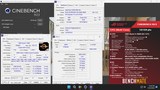
at least on realtime it was able to get 8.8k
 frozen depot
wtf
frozen depot
i was able to get 4.05ghz at 1.4v
but it isn't great for cpu i would assume so uhhhh
i tried 4.05ghz at 1.38 it was unstable
shell void
frozen depot
i was able to get 4.05ghz at 1.4v
that is frickin buns
id just run it stock and save up for a platform upgrade
turbid locust
I think benchmate is misreporting my result
Yeah that run was 1.4v
I think that chip walled at 4.3Ghz
frozen depot
shell void
id just run it stock and save up for a platform upgrade
prob don have the budget, i didn't have the budget when i built this thing, neither do i have the budget now
especially with the price of ram
i paid like what 40$ for 32gb of ram? now they're like 160
my whole system was 300$
pure garnet
if you can find a 5600x cheap id do that otherwise just use what you have
 arctic bronze
pure garnet
if you can find a 5600x cheap id do that otherwise just use what you have
arctic bronze
pure garnet
if you can find a 5600x cheap id do that otherwise just use what you have
5600x still goated ngl
frozen depot
haha my gpu is 6700xt
arctic bronze
frozen depot
haha my gpu is 6700xt
Ok?
frozen depot
but it seems if i don't run 120fps 3600 keep up just fine
if i do try it wasn't able to keep up
arctic bronze
frozen depot
if i do try it wasn't able to keep up
Turn on PBO
frozen depot
pbo was unstable
arctic bronze
How?
frozen depot
crashing
arctic bronze
No, how
frozen depot
crashing in game, rounding error in prime95
 karmic folio
Hi mee6
frozen depot
either it was abused heavily, or the it's just a bad bin
arctic bronze
frozen depot
either it was abused heavily, or the it's just a bad bin
Well its old
frozen depot
karmic folio
Hi mee6
ho polarr
karmic folio
fringe vigil
arctic bronze
karmic folio
 turbid locust


 brisk jolt
looks lit
 hoary hatch
How do you say AYW
 inner spire
turbid locust
<:chefkiss:910014616162172929>
inner spire
turbid locust
<:chefkiss:910014616162172929>
Nice board what case ?
turbid locust
hoary hatch
How do you say AYW
As You Wish
hoary hatch
I always read it as "A-I-Why" for some reason
hoary hatch
turbid locust
As You Wish
Is that actually what it stands for
turbid locust
inner spire
Nice board what case ?
 turbid locust
hoary hatch
Is that actually what it stands for
turbid locust
hoary hatch
Is that actually what it stands for
Yeah lol
inner spire
turbid locust
Nice case haha, I hafnt seen a test bench in years
turbid locust
half the stuff I own only sees a test bench lol
pure garnet
i wish for vid tables
turbid locust
REAL LMAO

 turbid locust
post code 55 perma so
z790 not be finnicky asf challenge
I sneezed putting on the contact from so now my mem channels are gone, all good
arctic bronze
shell void
your only real computer
Upgrade to amd then it will be real 😏
Real good that is
🤑
turbid locust
turbid locust
I sneezed putting on the contact from so now my mem channels are gone, all good
update: bent pin
idk how a pin is bent considering the cpu never left the socket but

 cosmic gazelle
turbid locust
idk how a pin is bent considering the cpu never left the socket but
cosmic gazelle
turbid locust
idk how a pin is bent considering the cpu never left the socket but
it was me sorry
shell void


 digital plume
lmao i love that bios
shell void
@edgy laurel have you noticed RTX VSR not working for the Wan Show stream on Floatplane?
 turbid locust
**IM THE FUCKING GOAT**
turbid locust
turbid locust
**IM THE FUCKING GOAT**
I took an Xacto knife to the socket dude
holy shit im actually hyped as fuck thats the first time ive ever "broken" something like this lol
shell void
nice dude im glad the glorious 14900k is functional
turbid locust
I think this chip just never leaves the socket now lmao
shell void
i agree, dont disturb that which neednt be disturbed
brisk jolt
this was hard to clip in
 shell void
i see a pretty copper heatsink, what cooler is that?
pure garnet
turbid locust
I think this chip just never leaves the socket now lmao
i was wondering why the contact frame got removed at all ngl
turbid locust
LF3 uses a custom contact frame mounting mechanism and I was swapping to a regular one so I can use my Thermaltake AIO
pure garnet
i forgot the lf3 did that
i'm a stock ilm lover so i've never had mem channels drop out
turbid locust
The PA120 uses the same hardware to mount, so I put the spare on the AYW that way I can hot swap between z790 and z890 with the same AIO
pure garnet
i have to tear apart my daily or buy another naut for the gskill comp
because the crappy coolmaster i have is not a high performer
 cosmic gazelle
turbid locust
**IM THE FUCKING GOAT**
cosmic gazelle
turbid locust
**IM THE FUCKING GOAT**
what exactly is happening here i’m stupid
turbid locust
I bent a pin and then fixed it
brisk jolt
explo-
edgy laurel
shell void
<@232505783592550400> have you noticed RTX VSR not working for the Wan Show stre...
damn, same here
brisk jolt

 shell void
brisk jolt
peak
shell void
brisk jolt
peak
pretty
shell void
edgy laurel
damn, same here
i wonder why it doesnt work
brisk jolt
i find it funny the 4070 fan is advertised to go up to 5300 rpm
edgy laurel
shell void
i wonder why it doesnt work
on their end, the player. F1TV used to be the same then they changed video players and it started working
shell void
tinfoil hat
are they telling their video host that the stream is 4K in order to cheat it into giving us more bitrate
so RTX VSR reads it as 4K and doesnt do anything to it
but then the interface that faces us claims it's 1080p
this seems like something that can be easily checked so i doubt it
hoary hatch
brisk jolt
<:pepoJuice:670049444539924487>
😡
turbid locust
@shell void @merry stirrup fellas, good ring freq and voltage on RPL?
disabled the 14900k down to 6 P cores and 6Ghz all core just works with a -50mv core offset
1.41v all core VID is safe enough
shell void
on raptorlake your Pcores, Ecores, and Cache/Uncore/Ring (all the same shit) all influence your Vcore Vid requests
theyre not separate so it's a balancing act
turbid locust
ah
shell void
it's a lot easier to tune in XTU because you can raise the ratios individually quickly
turbid locust
im using XTU
shell void
my method was lowering my Ecores and Cache super low on purpose, and then playing with Pcore ratio until i found a good spot
then id raise Ecore and Cache ratio at the same time equally
until i saw Vcore Vid requests go up, in which case id stop
turbid locust
E cores are gone
shell void
that makes it easier
turbid locust
gskill comp requires 6P at a 6Ghz limit no HT
shell void
just put cache low and find a good Pcore ratio, then raise cache ratio until you notice it affecting vcore requests
and then stop
once you raise the cache ratio high enough itll start demanding more vcore, in which case you stop
because raising vcore just to get cache clock is silly
it has very little benefit
turbid locust
word
shell void
for me i was using 4.5GHz Ecores and Cache for 5.7GHz Pcores
if i tried running 5GHz ring/cache it would jack up my Vcore like crazy
turbid locust
XTU says the ratio is 50x but it's running at 4.5Ghz im confused
shell void

turbid locust
i set it to 55x and full system crash kek
shell void
55x cache is absurd brother
shell void
i have noticed that sometimes values dont apply correctly in XTU
it's not flawless software but it's better than ryzen master
turbid locust
low bar lol
shell void

turbid locust
fuck it ill do it in bios
shell void
yeh fuggit try 57x Pcore and 45x Cache in bios
turbid locust
60x P core brother
shell void

turbid locust
thats the whole point
shell void
are you running cold?
devout ridge
i had to call the helpline of the manufacturer of a lighting unit i had, they genuinely couldn’t find the mount for the unit i had it was so old, dude legit told me to ratchet strap it
pure garnet
that clock tree gonna explode into a million pieces
shell void
if youre going for 60x P then you can probably do 50x cache
devout ridge
he straight up had to use the way back machine to even find a listing for it
the manufacturer help line mind you
shell void
pure garnet
that clock tree gonna explode into a million pieces
the ringbus when it's met with 1.6v:
 fringe vigil
turbid locust
fringe vigil
turbid locust
guys the VIDs never exceeded 1.41v
shell void
youre defo gonna need more than 1.41v for 6GHz with HT enabled
turbid locust
michael ffs
https://community.hwbot.org/topic/245285-gskill-world-cup-online-qualifier-2026-1502-till-2203-2026/
HWBOT Community Forums
DISCORD CHANNEL: https://discord.com/channels/662303512948113439/1466854333495906622GENERAL RULESIntel LGA1700/1851 Platforms & G.SKILL DDR5 memory (no 12th Gen allowed)RETAIL components (No ES hardware)HWBOT & G.SKILL reserve the right to reject any entryHWBOT & G.SKILL have the righ...
shell void
i understand youre just benching but it's probly gonna keep crashing if you limit voltage low
 shell void
might as well just put a voltage limit at like 1.55v so you dont clock stretch or crash
you dont care about this chip anyway
set tjmax to 115c while youre at it too
shell void
am not salty am tryna help
i dont think youre going to be able to run 6GHz allcore even with 6P and HT Off if youre locking it to 1.41v max and 95c
ive benched mine up to 115c just trying to get 5.9GHz to work
id just disable all the temp and power limits and set tjmax to 115c
turbid locust
i mean

it spiked to 1.428v while doing nothing but it stays at or just under 1.4v under multicore load
it's like 180W
shell void
do u have hdr enabled while benching? xd it's blown out
i dont think itll affect scores, it's just amusing
turbid locust
yeah it's actually my main rig through an OBS preview
shell void
o
shell void
turbid locust
i mean
dang that's doing a lot better than i expected
i guess it's time to raise ring clock
hoary hatch
Why doesn't Arctic do 5 packs of white fans
shell void
tax the whites
hoary hatch
😡
hoary hatch
shell void
tax the whites
Something something context
shell void
TAX THE WHITE ONES
turbid locust
michael bumping the ring ratio up 1x in XTU raised it 600Mhz
shell void
wha
turbid locust
4.5Ghz to 5.1Ghz
shell void
okay that i have not seen before, usually when it bugs for me it just doesnt register changes
turbid locust
but like 5.1Ghz ring is... running
turbid locust
I asked why people were even going cold for this comp and they said literally just ring on RPL and core on ARL
- imc scaling ofc
shell void
it's interesting to me that they put a clockspeed limit
turbid locust
it's Gskill's comp, they want ram focused results
shell void
ive benched up to 6.2GHz
turbid locust
ya in taiwan
pure garnet
raptor is just allowed so more than 15 people submit online scores
shell void
i imagine ycruncher records and ram oc will be dominated by nova lake if avx10 works like intel wants it to
enabling avx512 support on 52 core hybrid cpus
turbid locust
where is ring voltage in hwinfo
 arctic bronze
shell void
TAX THE WHITE ONES
arctic bronze
shell void
TAX THE WHITE ONES
I shall take this out of context 😏
shell void
tax the white ones HARD
arctic bronze
Lmao
turbid locust
shell void
uncore?
shell void
Uncore, Cache, and Ring are all treated as the same thing
turbid locust
whats safe volts
shell void
it's going to be pretty much tied to your Vcore
you can probably bench up to like 1.55v
shell void
adding a ring voltage offset will affect your vcore because like i said theyre pretty much intertwined
you dont get fine control like you do with arrow lake
cosmic gazelle
do you guys all just have 9800x3d and 14900k systems sitting side by side 😂
turbid locust
yes
shell void
i do xD
cosmic gazelle
i wish
shell void
my main pc is 9800X3D + 5090 and my 2nd PC is 14900K + Arc B580, theyre both under my desk
cosmic gazelle
what's the b580 for in the intel system
pure garnet
i have a 9800x3d and a 7800x3d system assembled and then a 265k in my closet
cosmic gazelle
like what's the primary use case
shell void
cosmic gazelle
what's the b580 for in the intel system
glorified display adapter
because the igpu can only do 4k60 over hdmi
cosmic gazelle
expensive ass display adapter lmao
pure garnet
my 6700xt in the 2nd pc is jus display out too
shell void
ive never even launched a game on it
pure garnet
disabling the igpu lets you run higher fclk
shell void
i just use it to get 4k144 to my display
 pure garnet
mac that could be a 12600k for all i know
shell void
turbid locust
flashbang bitches
pure garnet
 arctic bronze
turbid locust
kek
arctic bronze
turbid locust
kek
Say that backwards
turbid locust
fire
 arctic bronze
pure garnet
arctic bronze
pure garnet
Bitrate is nonexistent

 turbid locust
Mike will I need to up ring volts for like 53x 54x
shell void
itll probably just go up on its own if you raise it high enough
turbid locust
fire
turbid locust
52x exploded
turbid locust
shell void
what benches are you running for this gskill tourney?
Idk yet I need to look at the ones they did last year
shell void
youre gonna want to remove that 1.41v cap if you wanna keep going up :p
cosmic gazelle
i guess a 2060 is technically the cheapest gpu that can do 4k 144 so a b580 is not that much more money
turbid locust
theres no cap it just does that
cosmic gazelle
i thought 4k 144 was easier to output than it is
shell void
oh i thought you set a manual vcore limit in bios
turbid locust
naw
 shell void
pure garnet
i would buy a b580 just to support domestic gpu production
shell void
pure garnet
i would buy a b580 just to support domestic gpu production
this is literally what i did
cosmic gazelle
does b580 have dp 2.0 for lossless
shell void
i bought a b580 just to support arc half as a meme, but i use it as a display adapter so im not stuck with 4k60
i got it for $250 so whatevs
emergency gpu
cosmic gazelle
i'd love to have an a380 for a super low power consumption build but i've dealt with a driver-issue gpu before and i don't seek to again
5700 xt on release man what a shitshow
 muted crystal
Idk how to put my 5600x in💔
shell void
rdna1 and arc alchemist are the two biggest examples of horrible drivers in recent years
third being the rtx 50 series from january to march
cosmic gazelle
i plugged my 5700 xt in when i got it and started getting lower fps in rust than my rx 570
and i was like hellllll naw and got a 2070 super
shell void
muted crystal
Idk how to put my 5600x in💔
wym twin?
turbid locust
mike we're sure this is safe yeah
 shell void
im only seeing 1.401v max so it should be fine
cosmic gazelle
are you running p cores only?
turbid locust
long story
shell void
cosmic gazelle
are you running p cores only?
the conditions for the overclocking tournament are 6 p cores and hyperthreading disabled
cosmic gazelle
shell void
the conditions for the overclocking tournament are 6 p cores and hyperthreading ...
would everyone just be using the same setup or is there some diversity
shell void
it's mainly about ram which is why the cpu restrictions are in place
allowing i5s and mediocre CPUs to participate
cosmic gazelle
ah
turbid locust
+50mv ring let 52x happen, 53x was angry
muted crystal
shell void
wym twin?
Never put anything into a pc im new ash to this
shell void
if it's any consulation sugi0lover ran 6GHz and 5.3GHz ring on his 14900K
and that guy gets given unicorn samples from Asus
im surprised you were able to run 6P and 5.2R with only 1.4v
cosmic gazelle
didn't expect that to be possible lol
turbid locust
weird shit is possible when you have liquid nitrogen
shell void
muted crystal
Never put anything into a pc im new ash to this
you just drop that sumbitch in there (assuming it's in the correct orientation) and then push the lever down, it'll require some force, but if it requires extreme force then something is wrong
shell void
which motherboard do you have?
cosmic gazelle
how do you know what msinfo32 is and not what a motherboard is
shell void
okay that makes more sense
muted crystal
Idk
shell void
i was confused as to how you wouldnt know what motherboard you have if you bought it
muted crystal
Idk
 fervent chasm
where is msinfo64
muted crystal
Want me to ss msinfo32?
shell void
use this thick plastic piece as your guide for orientation

for example:

the "Socket AM4" text on that plastic piece should be in the same orientation as the "RYZEN" text on your Processor
 muted crystal
Michael could u help this is my motherboard I think

 median blade
asrock b450m/ac
shell void
i thought you were ready to drop the new cpu in right now, but if you just took that screenshot then no youre not
muted crystal
I am
Its js unopened
Opened
I haven't took it out yet I dont understand that either
median blade
turn off pc, open up side panel, (might be multiple depending on if the cooler uses the stock backplate), take off the cooler, list up the retention arm, take out cpu, put new cpu in, apply thermal paste, push down retention arm, reinstall cooler and put side panel(s) back on
turbid locust
mike I did +100mv ring offset and 53x ring and VIDs stayed the same
muted crystal
Wholesome island trying to call to help or jah
median blade
no
muted crystal
OH alr
median blade
theres plenty of guides online on how to install a cpu, just follow one of those in reverse, then follow the guide
indigo walrus
muted crystal
I haven't took it out yet I dont understand that either

You never want to cut corners on your PC’s power supply. So check out what Seasonic has to offer at: https://geni.us/vrtx
We’ve done plenty of build guides before – But now we’re taking it to the next level. Not only will you know how to build a PC, you’ll know how to build ANY PC – This is the LAST guide you’ll ever need, now upd...
brisk jolt
shit i might need to redo the paste on my 265k
all the paste seems to have just decided to go onto the contact frame
hoary hatch
Bruh 💀
 hoary hatch
Do you see the carnage
shell void
yeah that waterblock is toast
median blade
you could just get a new waterblock
shell void
id just consider it a blank pcb card
hoary hatch
I'm just allergic to jank
shell void
i wouldnt support buying a 1080Ti anyway it has no unique use cases
you can use a 3090 for windows 7 or windows 8 so it's meh
1080Ti is just for nostalgia viewbait
 harsh sail
hoary hatch
I'm just allergic to jank
harsh sail
hoary hatch
I'm just allergic to jank
maybe get a 3080 for 320 dollars
fervent chasm
Is the 1080ti still good
shell void
no
cosmic gazelle
1080 ti is fine for raster 1080p
shell void
it's EOL in terms of drivers and has no access to official support for good upscaling or framegen, plus it's only equivalent to 5 year old low end GPUs
it's glazed by kids that never used it when it was new
the cheapest GPUs that are worth a damn are RTX 2070/2080/2080Ti
hoary hatch
cosmic gazelle
1080 ti is fine for raster 1080p
Depends on games and performance expectations
fervent chasm
So my 3070ti still competitive? Yipee
shell void
certainly much better than a 1080Ti
hoary hatch
You wanna keep playing games from 2017? 1080ti is bangin
shell void
3070Ti is still fairly competent in modern AAA games due to DLSS4.5
fervent chasm
Less vram
shell void
you can run ultra performance upscaling with Preset L and have an okay time
fervent chasm
I don’t upscale I should try
shell void
or play older games and have a fantastic time at native res
cosmic gazelle
feels a little out of touch to suggest a 3070 ti needs ultra performance
fervent chasm
I run a 4090 in my daily but I gave my gf the 3070ti
shell void
cosmic gazelle
feels a little out of touch to suggest a 3070 ti needs ultra performance
i mean 1440p 320Hz monitors are like $170usd now so i dont think so
most people are using upscaling to push frames
fervent chasm
No noticeable latency?
cosmic gazelle
if you genuinely need more than 80-100fps to enjoy a single player game then i dunno what to tell you man
shell void
owning a 4090 and never trying upscaling is criminal activity
shell void
youd probably be unable to confidently distinguish dlss quality from dlaa most of the time in a blind test
it's practically free frames with the latest models
cosmic gazelle
yeah quality is pretty indistinguishable from dlaa these days
shell void
even performance looks pretty great with models M or L (dlss4.5)
cosmic gazelle
ultra performance fsr 2 take it or leave it
fervent chasm
Never had a reason to try idk
I will test frame gen to see how well it works with my Remote Desktop app though
cosmic gazelle
frame gen is still ass the last time i tried it
shell void
i can run DLAA at 4K with like 115fps too but i still use dlss because most of the visual quirks are a byproduct of the antialiasing method rather than the base image render resolution
fervent chasm
that’s why I asked about latency iirc fg adds some
shell void
like flickering on skinny lamps or foliage weirdness exist with DLAA or DLSS Performance at 4K
fervent chasm
I can only do regular fg not mfg sadly
shell void
it's just barely softer which isnt a bother if youre just playing the game
but i get 2.5x the frames
fervent chasm
What did you try it on?
shell void
i only had a one day experience with MFG when i owned a 4K 240Hz monitor for 8 hours, but it impressed me in that time
on my normal setup ive had 4K 144Hz since 2024 so only 2x framegen is viable
cosmic gazelle
fervent chasm
What did you try it on?
i've tried it on stalker and a couple other ue5 titles and i preferred it off
muted crystal
Do i do anything before unscrewing
 cosmic gazelle
not mature enough yet for my vibes
muted crystal
Wym
fervent chasm
You’re taking of the cooler right?
muted crystal
Yeag cause I got this
fervent chasm
Unplug the fan so you don’t accidentally yank it out of the header or something
 fervent chasm
U just pull
muted crystal
The circle part?
fervent chasm
Follow the cable coming out of the cooler to the motherboard where it connects to the motherboard
Grab the cable where it connects the motherboard and take it out
muted crystal
Ok done
fervent chasm
Why? Bad temps?
fervent chasm
Huh
muted crystal
Js an upgrade to upgrade
fervent chasm
Oh you upgraded the cpu and now the cooler?
 fervent chasm
Gotcha
muted crystal
Thats cpu and cooler right
fervent chasm
Yah
cosmic gazelle
damn i didn't realize the 5600 single thread is 50% better than the 1600 single thread
that's wild
fervent chasm
Is that pre applied thermal paste on the cooler I really can’t tell
 cosmic gazelle
nice pic man
muted crystal
Thanks bro

 cosmic gazelle
do you have an air compressor
fervent chasm
Yah
cosmic gazelle
wouldn't hurt to blow the dust out
fervent chasm
And yah clean out the case it can probably help with temps
frank cypress
muted crystal
Im scared to put the square thing in the clu
?
muted crystal
Cpu
fervent chasm
What square thing, the cooler?
cosmic gazelle
i feel like this is lmg secret shopping their discord server brah
muted crystal
 frank cypress
fervent chasm
What square thing, the cooler?
frank cypress
fervent chasm
What square thing, the cooler?
^
fervent chasm
cosmic gazelle
i feel like this is lmg secret shopping their discord server brah
Joined today lol
muted crystal
This thing
frank cypress
muted crystal
you take out the old one first
muted crystal
muted crystal
I did
frank cypress
ok then you put the same one in
fervent chasm
muted crystal
Should be an arrow on the cpu and on the socket you put it in
frank cypress
line up the triangle ^
muted crystal
What truangle
frank cypress
 fervent chasm
muted crystal
What truangle
fervent chasm
muted crystal
What truangle
Upper left of the socket on the mobo
muted crystal
Ohg
fervent chasm
The cpu should have one too
muted crystal
Does this look right
 muted crystal
I thought i did
fervent chasm
I think this
 edgy laurel
muted crystal
I thought i did
edgy laurel
muted crystal
I thought i did
CPU should be 90 degrees to the right
fervent chasm
How do you get such a nice photo now but not earlier
 fervent chasm
Yur
I think for the cooler you don’t want to screw all the way at once
A bit of each screw at a time
muted crystal
So slow basicaly?
fervent chasm
Just don’t put too much pressure on a single side at a time
It’s not like a huge thing to worry about
muted crystal
Oh so like quarter way one quarter way other
fervent chasm
Yah
fervent chasm
You sure you put it in the right orientation
muted crystal
Whats that mean
fervent chasm
Is it rotated the right way
 fervent chasm
Greyscale lol
muted crystal
Their screws there
Should I remove them so I put the cooler screws there
Im confused
fervent chasm
Was the old cooler in that?
 fervent chasm
Yah you probably gotta remove that
muted crystal
Do i gotta put a new cooler or does it matter it came with my cou
fervent chasm
At this point unless you got thermal paste you don’t wanna reuse the old one
muted crystal
Is thermal paste thermal compound
fervent chasm
The syringe with the gooey stuff in it
muted crystal
 fervent chasm
You can try to reuse the old cooler if you want but the new one was made for that cpu, could see worse temps on the older one
muted crystal
Oh
Ima unscrewing this styff
So I can put in the cooler
Oh no
I js ruined my pc
fervent chasm
Wdym
fervent chasm
lol
It’s the bracket that that part was screwed into
You’re fine, you just need to take off the back of the case and hold that bracket in place when you screw in the new cooler
fervent chasm
Probably some kind of adapter
low sorrel
https://videocardz.com/newz/nvidia-links-windows-11-update-kb5074109-to-gaming-artifacts-suggests-uninstall So THATS WHY I'VE BEEN GETTING FRAMEDROPS AND BLACKSCREENING RECENTLY

VideoCardz.com
NVIDIA investigates Windows 11 patch linked to game artifacts and FPS drops NVIDIA is telling some Windows 11 users to uninstall update KB5074109 after
fervent chasm
I might fall asleep not from you but just late here, the rest is pretty self explanatory, the bracket on the back you line back up with the holes and screw the new cooler into it
low sorrel
low sorrel
https://videocardz.com/newz/nvidia-links-windows-11-update-kb5074109-to-gaming-a...
actually was pissing me off when i go/get peaked and i just freeze for like 30ms
fervent chasm
Make sure there’s some kind of thermal paste, either a pre applied one on the cooler or if not add some of the one you have on the cpu, you can find a YouTube video on how to apply it
muted crystal
Daniel i dont see anyting
devout ridge
24 hours in, still rendering
frank cypress
low sorrel
https://videocardz.com/newz/nvidia-links-windows-11-update-kb5074109-to-gaming-a...
oh
y'know what, i was wondering why my roblox suddenly started struggling yesterday
fucking microslop
there's no way the 4070 would be struggling in a game the 2080ti was crushing lmao
frank cypress
devout ridge
24 hours in, **still rendering**
 median blade
frank cypress
there's no way the 4070 would be struggling in a game the 2080ti was crushing lm...
median blade
frank cypress
there's no way the 4070 would be struggling in a game the 2080ti was crushing lm...
did you ddu?
fervent chasm
frank cypress
https://tenor.com/view/hang-first-time-smiles-gif-14991372
Reminds me of the one where the guy swings around happily with the noose lol
low sorrel
frank cypress
y'know what, i was wondering why my roblox suddenly started struggling yesterday
i was getting like 400 fps on valorant when i uncapped it when i was trying to troubleshoot it and i was like why am i still lagging
fervent chasm
Idiocracy
frank cypress
median blade
did you ddu?
they all share the same drivers
fervent chasm
No that’s not it is it
low sorrel
wtf
 fervent chasm
Ridiculous 6
frank cypress
low sorrel
wtf
 fervent chasm
 devout ridge
frank cypress
https://tenor.com/view/hang-first-time-smiles-gif-14991372
devout ridge
frank cypress
https://tenor.com/view/hang-first-time-smiles-gif-14991372
Yep, first time
5:49 of video to 24+ hours of rendering, truly painful
frank cypress
devout ridge
5:49 of video to 24+ hours of rendering, truly painful
you rendering out your photoscanned room?
oh i thought you meant 3d rendering
derp
no idea how long video rendering normally takes
devout ridge
Yea, 3d rendering with photogrammetry
the main problem is it’s almost all CPU rendering
all the short steps support gpu rendering, all the big steps are cpu only
muted crystal
The 4 wholes that r connected to the cooler won't go into where its supposed to go in
frank cypress
devout ridge
the main problem is it’s almost all CPU rendering
ah yep, welcome to cpu rendering
tbh i prefer it for offline rendering anyways
muted crystal
 frank cypress
at least, i've found better results with CPU for arnold and vray
muted crystal
This thing won't connect
 analog plover
muted crystal
analog plover
muted crystal
nice
analog plover
muted crystal
This thing won't connect
carefully line it up
frank cypress
🤔
analog plover
muted crystal
I did
no bent pins?
muted crystal
Nope
frank cypress
you're making sure these are lined up, right?
 muted crystal
Yea
devout ridge
muted crystal
does the connector have 4 holes or 3
analog plover
muted crystal
Nope
Fan connectors sometimes take a little foce to pop into place. Be careful to not break any pins but dont be afraid to push a little.
frank cypress
analog plover
Fan connectors sometimes take a little foce to pop into place. Be careful to not...
^
listen to clippy
analog plover
Wait thats a 5v argb port on the mobo in the pick
muted crystal
What is that😭
frank cypress
and just to be sure.... you are plugging it into the port labelled "cpu".... right?
analog plover
argb is 3 tiny pins with one empty space
frank cypress
not that it wouldn't work on the other fan headers but
analog plover
fan headers are 3 or* 4 pins all next to each other
frank cypress
the board will usually report an error if it doesn't have anything plugged into the cpu header
 analog plover
thats a fan header
frank cypress
muted crystal
Thats not connecting
it's upside down in the photo
analog plover
flip the fan cable over
frank cypress
frank cypress
the board will usually report an error if it doesn't have anything plugged into ...
^ i'd like to reiterate on this though
better to plug it into the header specifically marked for cpu
analog plover
frank cypress
better to plug it into the header specifically marked for cpu
that one is undoubtedly the cpu header
frank cypress
idk what to say than skill issue ngl
indigo walrus
muted crystal
Rotate the plug 180 degrees so the notched part of the plug faces the keyed part of plastic sticking up from the motherboard. If that doesn't work, call someone who can give it a try.
analog plover
muted crystal
I did
you made sure the 2 lines on the fan cable are lined up with the little rectangle coming from the port?
frank cypress
frank cypress
you're making sure these are lined up, right?
^^^^^^^
it's keyed so you don't plug it in wrong
 molten iron
@topaz veldt update from last night. I made sure Xbox Game Bar and Game mode was turned on in addition to Balanced power mode in Windows. My resource monitor is saying that all the cores that are not the 3d v-cache on my 9950x3d are parked.
Okay, now i get the performance i paid for and i get the performance outside of gaming
I appreciate your help
 muted crystal
Yeah I did that it shows 4 lines where to connect
analog plover
The two bumps go around the rectangle
 analog plover
Show us how your lining it up
frank cypress
analog plover
Show us how your lining it up
take a video if necessary
tbh mate
i think you should really watch a video on how to build computers
it seems to me that you're hopping into this rather blind
analog plover
muted crystal
Wait what
The the two little bumps on the fan connector from the fan go on either side of the rectangle coming from the motherboard port
topaz veldt
molten iron
<@257554812013379587> update from last night. I made sure Xbox Game Bar and Game...
Yep that's the ticket - all good - the kinks really have been worked out
analog plover
I wish I had a mobo sitting around right now I'd show you
frank cypress
analog plover
I wish I had a mobo sitting around right now I'd show you
i mean... there has to be tons of videos on the internet showing how to do it
surely
analog plover
frank cypress
i mean... there has to be tons of videos on the internet showing how to do it
fair
muted crystal
I js tried man for some reason not working could maybe it just doesnt fit?
frank cypress
though imo, it should be.... pretty self explanatory?
muted crystal
I know what yall are saying its just not working lol
frank cypress
muted crystal
I js tried man for some reason not working could maybe it just doesnt fit?
no you're probably the issue, if it was plugged in before there's no reason for it to suddenly not fit
muted crystal
The two lines should line up with the rectangle below the pins
This is a new cooler so new thing
Wait I am cause I tried plugging in old one cant do that either lmao
analog plover
Have you tried giving it a decent amount of force?
I mean its definitely an acquired feel on if your breaking it or not but dont be afraid
muted crystal
Uh
analog plover
Just push straight down and you'll be fine
analog plover
fringe vigil
muted crystal
I got it

muted crystal
Its js a crowded space so It was hard lol
fringe vigil
What u gonna do with pc
analog plover
muted crystal
Its js a crowded space so It was hard lol
that happens a lot hehe
muted crystal
Use it lol
fringe vigil
First build? Specs?
analog plover
fringe vigil
What u gonna do with pc
drop it on a kids head duh
muted crystal
Prebuilt upgrade
fringe vigil
Oh no
fringe vigil
What’s the you n cou
analog plover
fringe vigil
Oh no
nothing wrong with a prebuilt
muted crystal
Whats you n cou mean
fringe vigil
analog plover
nothing wrong with a prebuilt
arctic bronze
analog plover
nothing wrong with a prebuilt
Depends on the prebuilt
muted crystal
Im broke ash and poor ash
fringe vigil
muted crystal
Whats you n cou mean
Sorry gpu and cpu
muted crystal
Its built by mu friend
Hes good at building
Hes js sleeping rn so hank helped alot lol and the other person
analog plover
arctic bronze
Depends on the prebuilt
sure but I've seen many people who would've been better off with a prebuilt lol
fringe vigil

arctic bronze
analog plover
sure but I've seen many people who would've been better off with a prebuilt lol
Thats why i said depends lol, there are some nice prebuilts but also some dog shit ones
fringe vigil
Hank is yours prebuilt
arctic bronze
fringe vigil
Hank is yours prebuilt
Hank
analog plover
arctic bronze
Thats why i said depends lol, there are some nice prebuilts but also some dog sh...
same goes for builds
analog plover
fringe vigil
Hank is yours prebuilt
nope, pc buidling is a large part of my job actually
fringe vigil
Fr?
arctic bronze
analog plover
nope, pc buidling is a large part of my job actually
Yeah, its easy tho
analog plover
fringe vigil
Fr?
yup
arctic bronze
Fun work
fringe vigil
Where yoy work
arctic bronze
fringe vigil
Where yoy work
At his job
analog plover
arctic bronze
Yeah, its easy tho
for the most part, still a skill worth money though.
arctic bronze
topaz veldt
job.com
This guy gets it
fringe vigil
Yeah which pc company
arctic bronze
analog plover
for the most part, still a skill worth money though.
Im not dissing you, its fun work
analog plover
Buidling for yourself and buiding for the real world are different skill sets
analog plover
fringe vigil
Yeah which pc company
Not any major prebuilt manufacturer
fringe vigil
Hank what’s your specs
analog plover
Its a local buisness
arctic bronze
fringe vigil
Yeah which pc company
The one that builds computers during company hours
analog plover
fringe vigil
Hank what’s your specs
I got like 12 rams and stuff ya know
arctic bronze
analog plover
I got like 12 rams and stuff ya know
Only 12
 analog plover
This is my PC
 arctic bronze
Why is it so orange
analog plover
Lighting
fringe vigil
He’s in mars
topaz veldt
analog plover
This is my PC
 analog plover
fringe vigil
He’s in mars
analog plover
fringe vigil
He’s in mars
dont tell my secrets
arctic bronze
Increase the blue light
fringe vigil
It’s very compact not my flavour but nice
pure garnet
what is this fan supposed to be doing
 devout ridge
emotional support
topaz veldt
analog plover
Buidling for yourself and buiding for the real world are different skill sets
I build for the ladies
analog plover
pure garnet
what is this fan supposed to be doing
It lowers GPU temps
It actually does a significant amount of work, people always try and say its useless lol. Blowing air directly on the GPU is actually a good thing belive it or not.
arctic bronze
analog plover
This is my PC
 fringe vigil
analog plover
fringe vigil
Hank what’s your specs
Ryzen 9 7950X, 64GB DDR5 6400Mt/s, 2.5tb storage, RX 9070 XT, dual sfp+ network card
analog plover
arctic bronze
That looks worse lol
fringe vigil
analog plover
Ryzen 9 7950X, 64GB DDR5 6400Mt/s, 2.5tb storage, RX 9070 XT, dual sfp+ network ...
I’m actually jealous of your ram, I’ve been trying to get 64 kit but these mf ram prices are up
analog plover
and its even more over exposed
 brittle trellis
arctic bronze
brittle trellis
arctic bronze
Not enough Noctua, needs the GPU aswell
arctic bronze
analog plover
That looks worse lol
No, now it looks like it has a filter but its better than piss filter
analog plover
fringe vigil
I’m actually jealous of your ram, I’ve been trying to get 64 kit but these mf ra...
I got it for $180 lol
fringe vigil
analog plover
I got it for $180 lol
Lucky mf
arctic bronze
brittle trellis
Not enough Noctua, needs the GPU aswell
Its hanks pc, i fixed the coloring
 muted crystal
9 #awash Ts1g4gtgag3gg3egg3v2323r2g red red 3
analog plover
arctic bronze
No, now it looks like it has a filter but its better than piss filter
That OG photo was untouched
analog plover
arctic bronze
Its hanks pc, i fixed the coloring
*ruined
arctic bronze
analog plover
*ruined
The piss filter looks awful
analog plover
You made it look like its under water
arctic bronze
And the over exposure is bc of your camera
analog plover
arctic bronze
The piss filter looks awful
again, no filter
muted crystal
Hour and a half later js to take out a cooler and cpu and replace holy im slow
arctic bronze
I cant fix that
arctic bronze
analog plover
again, no filter
It looks like a piss filter
analog plover
arctic bronze
I cant fix that
you can avoid making it 5x worse tho lol
arctic bronze
Its honestly better
analog plover
arctic bronze
It looks like a piss filter
warm lighting
That was taken on a camera from 2001 my man
arctic bronze
Thats more than just warm lighting lol
brittle trellis
Fix your white balance jeez
analog plover
brittle trellis
Fix your white balance jeez
me or the guy who "fixed" it?
brittle trellis
You obviously
arctic bronze
You took your pic in front of the sun 
analog plover
bruh that camera is a pain
analog plover
arctic bronze
You took your pic in front of the sun <:KEKW:670048864052445204>
no I didnt
I have warm lighting in my room
muted crystal
First time swapping everything lol lets see how it runs
fringe vigil
Snail
 storm hatch
lol i bought these led lightbulbs that were warm light the other day they where fr just straight orange
frank cypress
arctic bronze
Its hanks pc, i fixed the coloring
bro got the mexico filter
analog plover
look bruh I use that photo cuz everyone up until you likes it
arctic bronze
analog plover
no I didnt
All i did was color correct, nothing else, the overexposure and grittyness is bc of your camera
fringe vigil
topaz veldt
https://tenor.com/view/awkward-smile-nod-nodding-ron-swanson-parks-and-rec-gif-3...
Is 499 for the 9950x a good price
analog plover
arctic bronze
All i did was color correct, nothing else, the overexposure and grittyness is bc...
you worsened the exposre problem
arctic bronze
No i didnt lol
analog plover
fringe vigil
Is 499 for the 9950x a good price
considerably average price
frank cypress
fringe vigil
Is 499 for the 9950x a good price
do you need a 9950x jorj?
arctic bronze
It was like that from the beginning, the orange hid alot of it
fringe vigil
Yeah I do
arctic bronze

 frank cypress
fringe vigil
Yeah I do
frank cypress
fringe vigil
Yeah I do
for?
analog plover
arctic bronze
It was like that from the beginning, the orange hid alot of it
you just proved me right
frank cypress
yes im deadass
muted crystal
My pc keeps turning on and off
frank cypress
okay fair enough
analog plover
ask 20 people which they prefer and no one is saying the under water pc
muted crystal
Is it trying to adjust or is it broken
arctic bronze
analog plover
you just proved me right
Iv been saying the camera is what caused it, i just color corrected it
fringe vigil

analog plover
arctic bronze
Iv been saying the camera is what caused it, i just color corrected it
"corrected"
fringe vigil
analog plover
You tailored it to your prefernce