#tech-chat-1
1 messages · Page 449 of 1
 granite sundial
 sleek ibex
I find it interesting that Phanteks decided to use 16mm for their rigid tubing
granite sundial
at 75% theyre at the same speed most case fans max out at
also the psu fan i think is broken its so loud even with barely any load
im gonna try and return/warranty it
 rigid fjord
to reduce the need for pumps being elsewhere in the system
granite sundial
i hope scorptec customer service are good
 empty orchid
speed doesn't necessarily mean flow rate.
granite sundial
i guess it would also mean you have your highest head pressure at the gpu
sleek ibex
I would have personally made 14mm first personally since that's becoming the de facto for standard size for PMMA and other hard-line tubing

 glacial tulip
the cg530 4f is a beautiful case ngl and it’s well priced
granite sundial
my gpu is surprisingly quiet for being so small, its one of the few models where they didnt just use the same cooler on the 4090 and 4080
4080 coolers are usually way overbuilt
 livid fern
granite sundial
also the psu fan i think is broken its so loud even with barely any load
livid fern
granite sundial
also the psu fan i think is broken its so loud even with barely any load
What psu model 🙂
granite sundial
msi A850GL
livid fern
Dang thats loud
granite sundial
its only a 120mm fan
 random gyro
If i were to do it like this, without combining them, would it also be okay for a 5090?
granite sundial
it doesnt have a 0db/semi passive mode that might be why
livid fern
Its at 25-30db range at 1w already
 tidal geyser
random gyro
If i were to do it like this, without combining them, would it also be okay for ...
tidal geyser
random gyro
If i were to do it like this, without combining them, would it also be okay for ...
tbh i would do 2 different loops as you know like 600w+ aint super duper easy to cool
but if cpu first gets the cool then gpu maybe it can be good
livid fern
agl 850w IS poorly costdowned psu
tidal geyser
no wait yeah you already have a AIO 5090
livid fern
So thats why the fan is very loud/spinning fast at the beginning to cool internals basically:)
tidal geyser
anyways just put cpu rad up top if AIO or if no AIO then gpu AIO rad up top
sleek ibex
Ehhhhh dual loops are actually inefficient compared to single loops
tidal geyser
sleek ibex
Ehhhhh dual loops are actually inefficient compared to single loops
i know i know, but anyways he already has a AIO 5090
random gyro
tidal geyser
anyways just put cpu rad up top if AIO or if no AIO then gpu AIO rad up top
Aight !
 strange atlas
Will american tariff effect european countries too?
granite sundial
yeah i didnt do enough research for the psu i should have spent extra and gotten a semi-passive one
tidal geyser
sleek ibex
Ehhhhh dual loops are actually inefficient compared to single loops
i do wonder, has anyone tested with a 600w+ gpu while a like 200w cpu is going
tidal geyser
granite sundial
yeah i didnt do enough research for the psu i should have spent extra and gotten...
you mean fan stop
almost all modern even medium end psus have that now
tidal geyser
tidal geyser
you mean fan stop
eco mode, 0db mode and so on
livid fern
Agl could have used 2 higher quality FETs instead of 4 lower quality fets. The fan loudness could be lower by that but the cost would be higher so msi didnt do it
strange atlas
strange atlas
Will american tariff effect european countries too?
any idea? i want to buy a case and fans
rigid fjord
there's a bonus also with having a pump on the gpu block, especially with alphacool aio's
 hoary void
does anyone have any idea what could be wrong with my setup, there's this weird outline in white flashing on the right side of my main monitor (only on the main), but when i run the LCD conditioning test it doesnt show up. something like this (the red)

nothing like that on second screen, it just randomly started about 5 minutes ago
sleek ibex
tidal geyser
i do wonder, has anyone tested with a 600w+ gpu while a like 200w cpu is going
For a 5090 and let's say a 14900K build or so, dual 420 rads in the same loop should definitely do the trick I would imagine. Though I'm not sure what the rule of thumb for 140s are but 120mm per 100w TDP is what we use for 120s.
tidal geyser
the issue with cpus now a days is that its so hyper focus on temps
 limber nacelle
sleek ibex
For a 5090 and let's say a 14900K build or so, dual 420 rads in the same loop sh...
limber nacelle
sleek ibex
For a 5090 and let's say a 14900K build or so, dual 420 rads in the same loop sh...
(1) mo-ra
tidal geyser
as in most modern cpus have a way too high power limit
limber nacelle

tidal geyser
and just boost as high as they can
limber nacelle

random gyro
@tidal geyser this good?
 tidal geyser
why
i have so many questions
first of all, do you have a full sized desktop or mini itx thingy?

 cedar lion
Hey, I've got few questions...
- If I'm upgrading my Motherboard, RAM, & CPU (from Intel to AMD)... Is there anything I should consider before doing so? Or... is there a way of doing that properly?
- Does Windows install in my boot drive? (currently a Gen3 nvme) & if so, will I need to delete windows / old drivers?
- Also, since I currently have 1x Gen3 SSD (1TB) and 1x Gen4 SSD (2TB)(the Gen4 SSD is currently my secondary SSD storing nothing but gaming clips). Would it be worth it to swap my Gen3 SSD (1TB) for a Gen5 SSD and make that my boot drive?
 sinful cobalt
cedar lion
Hey, I've got few questions...
- If I'm upgrading my Motherboard, RAM, & CPU (f...
sinful cobalt
cedar lion
Hey, I've got few questions...
- If I'm upgrading my Motherboard, RAM, & CPU (f...
gen 5 is not worth it
empty orchid
https://www.amazon.com/gp/product/B0C8ZJKPWC
or a used Samsung Odyssey G7 27"
?
My current monitor is
https://www.amazon.com/dp/B07YGZL8XF
sinful cobalt
I recommend just doing research and watching guides till you’re confident
cedar lion
sinful cobalt
gen 5 is not worth it
Ok... my main boot drive is a Gen3 SSD lol. Would it make sense to keep that drive then?
sinful cobalt
cedar lion
Ok... my main boot drive is a Gen3 SSD lol. Would it make sense to keep that dri...
you can
 abstract wigeon
cedar lion
Hey, I've got few questions...
- If I'm upgrading my Motherboard, RAM, & CPU (f...
abstract wigeon
cedar lion
Hey, I've got few questions...
- If I'm upgrading my Motherboard, RAM, & CPU (f...
reinstall windows when changing platforms
 ripe spire
U guys know some tech devices with screens come with a coating that make them more fingerprint resistant? I think I have cleaned my MacBook screen with chemicals so much that it no longer has this protective layer, any idea how to get it back? Is there a chemical I can spread over my MacBooks screen?
abstract wigeon
ripe spire
U guys know some tech devices with screens come with a coating that make them mo...
i wouldnt clean screens with chemicals only water in future
cedar lion
sinful cobalt
you can
Ok.. does my main boot drive (or SSD or whatever) need to be empty or can I still keep everything in there?
ripe spire
abstract wigeon
i wouldnt clean screens with chemicals only water in future
Yeah cheers mate but I kinda can’t change the past now
cedar lion
I basically just wanna start all over with the exception of keeping everything thats in my secondary nvme
sinful cobalt
cedar lion
Ok.. does my main boot drive (or SSD or whatever) need to be empty or can I stil...
u can keep but fresh install is recommended
tidal geyser
ripe spire
U guys know some tech devices with screens come with a coating that make them mo...
i do not know of any macs that are touch screen
ripe spire
tidal geyser
i do not know of any macs that are touch screen
But they still have a coating on right? Bc it’s definitely lost some aspect of the screen
cedar lion
sinful cobalt
u can keep but fresh install is recommended
ok ok.. yeah I think I can do that. I've reinstalled Windows a few times in the past
tidal geyser
now ya need to do it from usb
cedar lion
can we link pcpartpicker parts in here for suggestions / recommendations?
tidal geyser
yes
random gyro
Nvm ill get this
 tidal geyser
why noctua
tidal geyser
like yeah its like the best air cooler ya can get on am5 but it costs a bit too much for what it is
random gyro
But i got money ...
ripe spire
tidal geyser
like yeah its like the best air cooler ya can get on am5 but it costs a bit too ...
Doesn’t arctic do air coolers
tidal geyser
random gyro
Heared its good
well if ya have the budget for a 9950X3D and 5090 go for it
ripe spire
random gyro
But i got money ...
Get an aio then
tidal geyser
eh
random gyro
ripe spire
Get an aio then
Complicated story
tidal geyser
are you sure the gpu tubing reaches the top
random gyro
tidal geyser
like yeah its like the best air cooler ya can get on am5 but it costs a bit too ...
Ty ! For the help , imma check ur kofe later
ripe spire
random gyro
Complicated story
Uh oh
random gyro
tidal geyser
are you sure the gpu tubing reaches the top
Thats a good question ... xD
cedar lion
Ok.. just hoping to get some opinions on if my upgrade is a solid one. Everything marked as *purchased * is already in my current build. I'm upgrading my CPU, motherboard and RAM
https://pcpartpicker.com/list/6zQJPJ
Part List - AMD Ryzen 7 7800X3D, GeForce RTX 4080, Phanteks NV5 ATX Mid Tower
my current specs I'm upgrading from...
i7-12700F
Z790-A Wifi D4
16GB DDR4
tidal geyser
cedar lion
my current specs I'm upgrading from...
i7-12700F
Z790-A Wifi D4
16GB DDR4
1440p or 4k?
cedar lion
tidal geyser
1440p or 4k?
1440p (3440x1440)
I'm also doing heavy gaming and light video editing on my PC
tidal geyser
i do wonder, why not go for the 9800X3D?
tidal geyser
wtf, i was in stock even fkn msrp 480USD for a long ish while
 random gyro
@tidal geyser should the GPU LC tubes be left or right ? Or irrelevant ? (Top mount)
tidal geyser
irrelevant on top mount
cedar lion
yeah... I've been asking around these past few days and ppl have recommended that I just stick with 7800X3D for that purpose
random gyro
tidal geyser
irrelevant on top mount
Ty
 hallow cypress
I’m changing the fans on my prebuilt computer that I got 4 years ago because they died and when I connected it to my motherboard it doesn’t power it on.


My other fans are directly connected to the psu
I only found that out after I got the fans
 hallow cypress
I’m dumb
tidal geyser
this is for optical sound, well SPDIF
 hallow cypress
I definitely don’t have that on my mb
tidal geyser
the white part tends to be black but looks the same
 tidal geyser
yeah that is spdif
hallow cypress
I don’t even have that on my motherboard
tidal geyser
it must be a chassis intrusion thingy or argb or smn for a higher end board
hallow cypress
The other fans are connected using molex cables to do motherboard
tidal geyser
hallow cypress
I don’t even have that on my motherboard
no fans for you then
hallow cypress
Psu* not mb
tidal geyser
what motherboard do you have
hallow cypress
Asus prime a520m-e
tidal geyser
you only have 2
 hallow cypress
Oh
My cpu fan is plugged into that one
And the one above the graphics card is extremely hard to get to
It’s harder than it looks
 tidal geyser
well good luck
hallow cypress
I have the biggest cpu fan in history lmao
 tidal geyser
you could also try and take out the back fan
tidal geyser
yea
hallow cypress
Just like that?

I have to replace another fan to so I’m assuming I have to daisy chain it
tidal geyser
yes
 wicked spruce
anyone here work at best buy
rigid fjord
livid fern
Agl could have used 2 higher quality FETs instead of 4 lower quality fets. The f...
wonder if they was trying to spread the load using 4 instead of 2
tidal geyser
wicked spruce
anyone here work at best buy
i do not even have a best buy in my country
 elder quarry
tidal geyser
i do not even have a best buy in my country
elder quarry
tidal geyser
i do not even have a best buy in my country
):
granite sundial
i wish the phantom spirit had more clearance in the middle so i could mount t30s
could i mount a fan on both sides on the outside instead of 1 outside and one inside
t30 is honestly just better than nf a12x25
hallow cypress
tidal geyser
yes
Thanks for the help btw
tidal geyser
np
 fresh escarp
@cyan crescentheyo when u alive, pls ping me
tidal geyser
 random gyro
My fans need 4pins on motherboard i think. I will have 10 fans. What do i need to google for , a fan hub?
tidal geyser
yea
 harsh whale
4070TiS + 7800X3D or 5070Ti with 9700X?
tidal geyser
random gyro
My fans need 4pins on motherboard i think. I will have 10 fans. What do i need t...
what fans are they
 rigid fjord
random gyro
Noctua
rigid fjord
random gyro
Noctua
well you overpaid for fans first, and either a splitter or hub
random gyro
Aight thx !
 peak knot
just remember most fan headers are one amp max
tidal geyser
noctua makes hubs
rigid fjord
random gyro
Aight thx !
i'd sooner look for a deepcool hub
rigid fjord
tidal geyser
noctua makes hubs
overpriced ones for super basic hubs
tidal geyser
tidal geyser
noctua makes hubs
well not really but they put their branding on it
peak knot
so you need to look at the amp rating on the back of the fan (normally .3A but check) and keep it under 1
random gyro
Deepcool hub, got it
random gyro
peak knot
so you need to look at the amp rating on the back of the fan (normally .3A but c...
Oh?
tidal geyser
rigid fjord
overpriced ones for super basic hubs
he has a 9950X3D and 5090 with AIO
tidal geyser
aint noctua fans under .3 most times
random gyro
I will get the hzb then
rigid fjord
random gyro
I will get the hzb then
what country?
random gyro
Austria
tidal geyser

ARCTIC Case Fan Hub Fan Controller (ACFAN00175A)
tidal geyser
i bought this one
 plush wren

peak knot
tidal geyser
aint noctua fans under .3 most times
their 140mm ppc fans are .5A
tidal geyser
o wow that is a bit
random gyro
Is thermalwright good too? Its the only one o see with 10 fans , would be mpre convinient
peak knot
 plush wren
 tidal geyser
random gyro
Is thermalwright good too? Its the only one o see with 10 fans , would be mpre c...
tidal geyser
random gyro
Is thermalwright good too? Its the only one o see with 10 fans , would be mpre c...
plenty fine
random gyro
peak knot
their 140mm ppc fans are .5A
I got those

 plush wren

rigid fjord
https://www.amazon.de/dp/B083M2VRV7/ @random gyro same as what the noctua hub does at a fraction of the cost

Beschreibung:Es wurde für Enthusiasten entwickelt, die zahlreiche Systemlüfter steuern müssenKann einen PWM-Lüfter-Header für das Motherboard erweitern, um bis zu zehn Lüfter zu unterstützen, die das Problem des Motherboard-Mangels lösen.
Unterstützt PWM-Funktion, Geschwindigkeitskontrolle, erfü...
tidal geyser
rigid fjord
https://www.amazon.de/dp/B083M2VRV7/ <@456226577798135808> same as what the noct...
i already found one
that is not amazon too and not as exposed
rigid fjord
tidal geyser
i already found one
some people have had issues with arctic's hub
tidal geyser
its even cheaper
tidal geyser
rigid fjord
some people have had issues with arctic's hub
i dono skill issue
peak knot
im surprised i recently got a new 5 1/2 digit bench multimeter that came factory calibrated and i used it to check the calibration on my 6 year old klein tools handheld DMM and its still damn near spot on
tidal geyser
worst case
 rigid fjord
tbh, best multiport fan hub made
 tidal geyser
what makes it dat
rigid fjord
i have several of these ones before they got blocked from selling in the uk
 rigid fjord
tidal geyser
what makes it dat
rigid fjord
tidal geyser
what makes it dat
deepcool as it shows in the pic, it's the fh-10
tidal geyser
im gonna do 10gig soon, soo dat fun

 solar moat
tidal geyser
im gonna do 10gig soon, soo dat fun
solar moat
tidal geyser
im gonna do 10gig soon, soo dat fun
why only 10
tidal geyser
money and i only really got HDDs
i now grabbed the UCG fiber
and i should be getting it today
 peak knot
im surprised i recently got a new 5 1/2 digit bench multimeter that came factory...
peak knot
peak knot
im surprised i recently got a new 5 1/2 digit bench multimeter that came factory...
Like it’s hard to argue with only being off .1 - .3 mV after 6 years


 cyan crescent
fresh escarp
<@1018127888614162473>heyo when u alive, pls ping me
cyan crescent
fresh escarp
<@1018127888614162473>heyo when u alive, pls ping me
?
tidal geyser
no your still dead
hallow cypress
tidal geyser
yes
thank you so much now it works. its just really loud for some reason
compared to the other ones
like its blowing out so much more air lmao
tidal geyser
go into bios and change it
fresh escarp
cyan crescent
?
im the guy who has the same fans as you do, wanted to ask a question related to them
cyan crescent
yeah
fresh escarp
cyan crescent
yeah
so u know the remote says rc/MB, i assume that means if i plug the rgb/argb cable in the motherboard, i'll be able to let's say use SignalRGB to sync all them?
harsh whale
4070TiS with 7800X3D, 48GB CL30 6000MT RAM, A+ PSU or 5070Ti with 7700X, 32GB CL38 6000MT RAM, B PSU?
cyan crescent
fresh escarp
so u know the remote says rc/MB, i assume that means if i plug the rgb/argb cabl...
yes
fresh escarp
cyan crescent
yes
very sigma, but i notice for example on aliexpress there image shows these thingies, and for the motherboard i'm looking at wanting has (2nd image), so i assume the hub won't react if i try using signalrgb?

 glacial tulip
harsh whale
4070TiS with 7800X3D, 48GB CL30 6000MT RAM, A+ PSU or 5070Ti with 7700X, 32GB CL...
glacial tulip
harsh whale
4070TiS with 7800X3D, 48GB CL30 6000MT RAM, A+ PSU or 5070Ti with 7700X, 32GB CL...
Why do you need 48gb of ram
cyan crescent
dontg now never tride it
harsh whale
glacial tulip
Why do you need 48gb of ram
Fits in my budget, doesnt cost much from 32GB, and more future proofing.
glacial tulip
harsh whale
Fits in my budget, doesnt cost much from 32GB, and more future proofing.
Future proofing for what you're gaming
rigid fjord
harsh whale
4070TiS with 7800X3D, 48GB CL30 6000MT RAM, A+ PSU or 5070Ti with 7700X, 32GB CL...
4070tis with a 7800x3d
glacial tulip
If you're playing in 1440p, i would go with the 5070ti but get ram with lower latency cl38 is too much
7800x3d isnt needed for 1440p, a 7700x will suffice
harsh whale
glacial tulip
Future proofing for what you're gaming
Future proofing in general. I'm buying the build and I wont touch/upgrade it in like 5 years
glacial tulip
harsh whale
Future proofing in general. I'm buying the build and I wont touch/upgrade it in ...
If you're doing work on the pc then go with 48gb but if you're just gaming then 32gb will be enough
harsh whale
glacial tulip
If you're playing in 1440p, i would go with the 5070ti but get ram with lower la...
They both barely fit in my budget, I cant upgrade anything on either side.
glacial tulip
Future proofing isnt something to worry abt
harsh whale
glacial tulip
Future proofing isnt something to worry abt
Its something that I will definitely worry about.
glacial tulip
Its not a real thing
harsh whale
glacial tulip
Its not a real thing
Very much is.
glacial tulip
Its not
harsh whale
glacial tulip
Its not
This has to be rage bait.
glacial tulip
No matter how powerful ur gpu or cpu is
It will be last gen
I wouldnt get a 3090 today would i
fresh escarp
i would
glacial tulip
Bad purchase
fresh escarp
why?
harsh whale
glacial tulip
No matter how powerful ur gpu or cpu is
Give up the 3rd best gaming CPU for a productivity one?
glacial tulip
harsh whale
4070TiS with 7800X3D, 48GB CL30 6000MT RAM, A+ PSU or 5070Ti with 7700X, 32GB CL...
5070ti with a 7600x and then use the money to get lower latency ram
harsh whale
glacial tulip
Bad purchase
I would def pay 500$ for a 3090
harsh whale
glacial tulip
5070ti with a 7600x and then use the money to get lower latency ram
So dont get one of the best CPUs for gaming, and downgrade the entry level CPU?
glacial tulip
harsh whale
So dont get one of the best CPUs for gaming, and downgrade the entry level CPU?
You're buying a 1440p gpu
Your cpu is not the limiting factor in that resolution
 hollow creek
7600x is not really entry level but yes getting that over 7800x3D is wild lmao
especially paired with high mid card/flagship if 3090
harsh whale
glacial tulip
Your cpu is not the limiting factor in that resolution
It still very much limiting, its not limiting at 4K.
glacial tulip
hollow creek
especially paired with high mid card/flagship if 3090
That is not how it works
Its in 1440p resolution gaming
glacial tulip
harsh whale
It still very much limiting, its not limiting at 4K.
No its not bro
hollow creek
at 1440p your cpu sort of still matters kekw
glacial tulip
hollow creek
at 1440p your cpu sort of still matters kekw
And a 7600x will suffice
tidal geyser
hollow creek
at 1440p your cpu sort of still matters kekw
yeah cmon 9800X3D and 4060
hollow creek
glacial tulip
And a 7600x will suffice
against a 3090 with 7800x3D? dont think so mate lol
glacial tulip
hollow creek
against a 3090 with 7800x3D? dont think so mate lol
Hes not getting a 3090 is he mate
hollow creek
nope but it is an option like people stated above
hollow creek
tidal geyser
yeah cmon 9800X3D and 4060
hell no
harsh whale
glacial tulip
No its not bro
Thats quite a big gap.
 hollow creek
not like that lmao
tidal geyser
harsh whale
Thats quite a big gap.
with a 4090
glacial tulip
harsh whale
Thats quite a big gap.
1440 depends on your gpu, not your cpu
At 1440p the gpu is the primary component, higher resolution frames demands more from the graphics card than the cpu, a 7600x will keep up at that resolution
It wont limit your gpu
harsh whale
tidal geyser
with a 4090
Yea, still a gap.
hollow creek
https://www.youtube.com/watch?v=FNvEEUqlB_Q
dont usually take random benchmark, but that is quite the gap lol
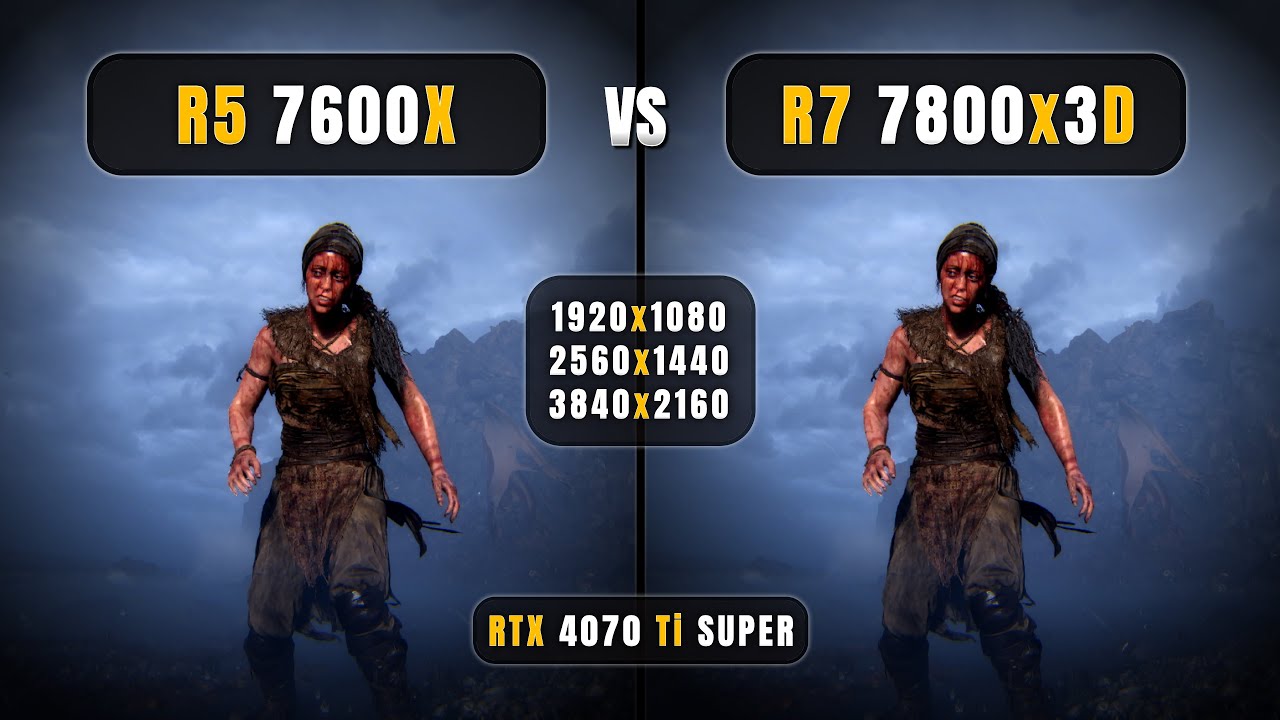
AMD Ryzen 5 7600x vs Ryzen 7 7800x3D - 1080p, 1440p, 4K - How Big is the Difference?
=======(Timestamps)=======
0:00 7600x vs 7800x3D
0:24 God Of War - 1080P
1:06 God Of War - 1440P
1:36 God Of War - 4K
2:06 Hogwarts Legacy - 1080P
2:51 Hogwarts Legacy - 1440P
3:21 Hogwarts Legacy - 4K
3:51 Ghosts Of Tsushima - 1080P
4:34 Ghosts Of Tsushima - ...
glacial tulip
hollow creek
https://www.youtube.com/watch?v=FNvEEUqlB_Q
dont usually take random benchmark, ...
There is no gap at 1440p
hollow creek
glacial tulip
There is no gap at 1440p
what is you talking about? almost all games is gapped with at least 15-30fps
harsh whale
 harsh whale
hollow creek
what is you talking about? almost all games is gapped with at least 15-30fps
harsh whale
hollow creek
what is you talking about? almost all games is gapped with at least 15-30fps
Tf are you on about
glacial tulip
Oh my god bro u cant be real
hollow creek
harsh whale
Tf are you on about
?
glacial tulip
Listen then
Spend more on your cpu and less on your gpu and enjoy your shite build
hollow creek
harsh whale
Tf are you on about
meant to be for me or?
harsh whale
glacial tulip
Spend more on your cpu and less on your gpu and enjoy your shite build
The TiS is double the price of the 7800X3D...
harsh whale
hollow creek
meant to be for me or?
No.
hollow creek
ah okie
glacial tulip
harsh whale
The TiS is double the price of the 7800X3D...
Is english your second language
hallow cypress
tidal geyser
go into bios and change it
i made a curve using fan control and now its way better, thanks again!
harsh whale
glacial tulip
Is english your second language
Shi mb, I didnt read what you said
hollow creek
glacial tulip
Oh my god bro u cant be real
have you watched the video to the end at least? 7800x3D literally gaps the 7600x by quite the mile. 7600x only matches 5800x3D lmao
glacial tulip
hollow creek
have you watched the video to the end at least? 7800x3D literally gaps the 7600x...
7800x3d is 2x the price
u cant be real man
hollow creek
harsh whale
4070TiS with 7800X3D, 48GB CL30 6000MT RAM, A+ PSU or 5070Ti with 7700X, 32GB CL...
well no shit sherlock, thats the option he gave did he not?
 glad fog

SUPPORT GAMERSNEXUS' REPORTING: Grab a Paper Launch shirt https://store.gamersnexus.net/products/paper-launch-cotton or PC building Modmat https://store.gamersnexus.net/products/large-modmat-gn15-anniversary (or one of many other items on our store).
This deep-dive investigation digs into the impact on the computer industry by volatility from fr...
hollow creek
why the hell are u suggesting a 7600x when 7800x3D is in budget range?
glacial tulip
hollow creek
well no shit sherlock, thats the option he gave did he not?
Look at the gpu gap
That is a 7700x and not a 7600x btw
glacial tulip
hollow creek
why the hell are u suggesting a 7600x when 7800x3D is in budget range?
Bc the gpu is worse?
 hollow creek
https://www.youtube.com/watch?v=DTo79-Ubi1Y, with that kind of gap, i wouldnt even consider 5070ti lmao

RTX 5070 Ti vs RTX 4070 Ti Super - Super/Duper Comparison - 1080P, 1440P, 4k, RT + DLSS 4
RTX 5080 vs RTX 4090: https://youtu.be/OLkNafHQ75s
RTX 3090 vs RTX 5080: https://youtu.be/_dQdx_Wdl7E
=======(Timestamps)=======
0:00 Unboxing Gigabyte RTX 5070 Ti
1:42 Galax RTX 4070 Ti Super
2:05 Starting with Rastarization 1080p, 1440p, 4k
2:10 Alan W...
 true stirrup
glad fog
https://www.youtube.com/watch?v=1W_mSOS1Qts
true stirrup
glad fog
https://www.youtube.com/watch?v=1W_mSOS1Qts
I should really get everything I might want to add to my PC now before it gets too bad
harsh whale
glacial tulip
Bc the gpu is worse?
Im not playing at 4K, in CPU intensive games, and most of the time, the CPU is the limiting factor in 1440p
glacial tulip
harsh whale
Im not playing at 4K, in CPU intensive games, and most of the time, the CPU is t...
"The cpu is the limiting factor in 1440p"
💔
 sonic epoch
i need a little bit of help here, im running this on an unlocked vmware

(this is after installation, i just rebooted)
glad fog
true stirrup
I should really get everything I might want to add to my PC now before it gets t...
yeah you want to do that before the bombs start dropping
harsh whale
glacial tulip
Points out one specific situation in one game
glacial tulip
harsh whale
*Points out one specific situation in one game*
Because that game is not cpu intensive
hollow creek
harsh whale
*Points out one specific situation in one game*
- extremely edged pricing with the 5070ti vs 4070ti s
glacial tulip
You pointed out games that are
Listen then, buy either of your shite builds and enjoy your wasted cash
Cant be asked to convince you to get better frames for the same amount of money (With that beautiful cl38 ram or the 48gb ram for "future proofing"
harsh whale
glacial tulip
Listen then, buy either of your shite builds and enjoy your wasted cash
I personally dont wanna downgrade everything else so I can get a slightly better GPU
true stirrup
sonic epoch
i need a little bit of help here, im running this on an unlocked vmware
Go into the recovery menu or what's it called in macs
There you should be able to reverify the installation and fix it
Source: Family friends keep giving me MacBooks to fix with this error
glacial tulip
harsh whale
I personally dont wanna downgrade everything else so I can get a slightly better...
So buy your cl38 ram or your 48gb of ram for the cpu which wont matter in the resolution u want to play
true stirrup
glad fog
yeah you want to do that before the bombs start dropping
The message you sent after this one was wild 💀
sonic epoch
true stirrup
Go into the recovery menu or what's it called in macs
There you should be able t...
i tried that, i just cannot access recovery both from load a file or CDROM
hollow creek
glacial tulip
So buy your cl38 ram or your 48gb of ram for the cpu which wont matter in the re...
on a 7600x?
#doubt
im running one myself, faster ram dont mean shit when you hit 5200mhz at cl38
sonic epoch
afk abit..
glacial tulip
hollow creek
on a 7600x?
#doubt
im running one myself, faster ram dont mean shit when you hi...
Before you reply to my messages make sure you understand what im saying
true stirrup
sonic epoch
i tried that, i just cannot access recovery both from load a file or CDROM
You tried the key combo while booting right?
harsh whale
glacial tulip
So buy your cl38 ram or your 48gb of ram for the cpu which wont matter in the re...
You want me to downgrade: SSD, RAM, PSU, CPU, Mobo. So I can get the same FPS with a fuckass CPU?
hollow creek
glacial tulip
Before you reply to my messages make sure you understand what im saying
still stands, there is no way anyone would be buying a 7600x with a 5070ti when there is 7800x3D and 4070tiS available for cheaper lmao
glacial tulip
harsh whale
You want me to downgrade: SSD, RAM, PSU, CPU, Mobo. So I can get the same FPS wi...
You didnt even mention what the mobo is you c3nt
Youre' just spouting shit to be right
If you ask for advice then dont reject it all
glacial tulip
Buy your pc
glad fog
it's the final stage of everything
glacial tulip
Actually whilst you're here can you explain why the cpu is the limiting factor in 1440p @harsh whale
strange atlas
Buying white gpu for my cousin which one is better for specs or something
-Asrock RX 9070 XT Steel Legend
-Sapphire Radeon RX 9070 XT Pure Gaming OC 16GB
hollow creek
strange atlas
Buying white gpu for my cousin which one is better for specs or something
-Asroc...
both of them is okay. tho im quite biased with sapphire, has good experience with them
harsh whale
glacial tulip
Actually whilst you're here can you explain why the cpu is the limiting factor i...
I play CPU intensive games. CPU matters to me.
glacial tulip
harsh whale
I play CPU intensive games. CPU matters to me.
Why is the cpu the limiting factor in 1440p, its a simple question
true stirrup
strange atlas
Buying white gpu for my cousin which one is better for specs or something
-Asroc...
The cheaper one
glacial tulip
Its not is it
harsh whale
glacial tulip
Why is the cpu the limiting factor in 1440p, its a simple question
Because I play CPU intensive games?
You good bro?
glacial tulip
harsh whale
Because I play CPU intensive games?
At which resolution
harsh whale
glacial tulip
At which resolution
1440p.
glacial tulip
How are games cpu intensive at 1440p
Do you know what the difference between 1440p and 1080p is for the cpu and gpu
harsh whale
glacial tulip
Do you know what the difference between 1440p and 1080p is for the cpu and gpu
Do you not know what CPU intensive games are?
glacial tulip
What games do you play
 cinder spindle
Hi games can be CPU intensive at any resolution
glacial tulip
cinder spindle
Hi games can be CPU intensive at any resolution
What is the cpu responsible for in gaming?
cinder spindle
glacial tulip
What is the cpu responsible for in gaming?
Games that use AI (like NPCs) are more likely to use more of the CPU than the GPU
Or even simulations,
glacial tulip
cinder spindle
Games that use AI (like NPCs) are more likely to use more of the CPU than the GP...
On top of ai it handles the physics game logics and a few rendering tasks right?
In 1080p, the cpu is going to be under more intense strain than 1440p
harsh whale
glacial tulip
On top of ai it handles the physics game logics and a few rendering tasks right?
Literally any comp game, and any game thats older than 2 years is CPU intensive
glacial tulip
Whats the gpu responible for in gaming?
strange atlas
true stirrup
The cheaper one
52 dollar difference but one of them is oc
glacial tulip
strange atlas
52 dollar difference but one of them is oc
Oc doesnt matter
hollow creek
strange atlas
52 dollar difference but one of them is oc
wouldnt matter to be honest, wont be seen
probably some higher memory clock and temps
harsh whale
glacial tulip
Whats the gpu responible for in gaming?
I also dont play at 4k, where the CPU wouldn't really matter.
hollow creek
you can tune it yourself using adrenaline to get same ish result
sonic epoch
true stirrup
You tried the key combo while booting right?
let me try..
glacial tulip
harsh whale
I also dont play at 4k, where the CPU wouldn't really matter.
What is the gpu responsible for in gaming?
harsh whale
glacial tulip
What is the gpu responsible for in gaming?
Rendering the frames.
glacial tulip
It renders the pixels and high resolution textures right
true stirrup
strange atlas
52 dollar difference but one of them is oc
OC basically means nothing
 charred sundial
Never bought something so fast 😍😍😍
 glacial tulip
It handles rasterization
cinder spindle
glacial tulip
In 1080p, the cpu is going to be under more intense strain than 1440p
Let’s use a civilisation game as an example. At a higher resolution, it’ll have to use more of the CPU because it’s simulating and you need that to happen at a higher resolution. Not more frames
harsh whale
glacial tulip
It renders the pixels and high resolution textures right
Sure.
true stirrup
hollow creek
you can tune it yourself using adrenaline to get same ish result
Definitely not the same
The OC version has such a mild overclock that you can instantly pass that
glacial tulip
harsh whale
Sure.
Alright, so since it is responsible for the high resolution textures, handling textures, and the shading, it will be the limiting factor in a higher resolution
cinder spindle
Or something like GTA. How do you think it can run on PCs that don’t even have dedicated GPUs?
strange atlas
true stirrup
OC basically means nothing
but like if other one is same degree and less powerfull it means it has designed to be used in those settings no
harsh whale
cinder spindle
Or something like GTA. How do you think it can run on PCs that don’t even have d...
Integrated graphics.
cinder spindle
harsh whale
Integrated graphics.
edited
hollow creek
true stirrup
Definitely not the same
The OC version has such a mild overclock that you can in...
yeah but results depends on your silicon too in a way. you can definitely go higher like you mentioned
harsh whale
glacial tulip
Alright, so since it is responsible for the high resolution textures, handling t...
Yes, still at most games the CPU will hold the GPU back.
glacial tulip
harsh whale
Yes, still at most games the CPU will hold the GPU back.
bro
i will explain this to u like u are a child
cinder spindle
GTA is full of AI, graphics are not great = using more of the CPU 🙏🙏🙏
harsh whale
glacial tulip
i will explain this to u like u are a child
Sybau at this point bro.
wicked spruce
damnnn
true stirrup
strange atlas
but like if other one is same degree and less powerfull it means it has designed...
Like the OC on the OC cards is basically nothing so just move the slider up a bit on the other card and it would probably be better than the OC version
If you are worried about cooling just compare the heatsinks between the cards and you will see they are basically the same
glacial tulip
at 1440p the gpu is more intensive than the cpu because it handles the rendering and managing high resolution textures and the cpu is focused on game logic and background tasks which dont require as much processing power, so the gpu takes on the bigger load when the resolution increases
harsh whale
I'm not buying a fuckass CPU, cheap ass ram, Gen 3 SSD, so I can get the same frames as I would with the past build
glad fog
glacial tulip
Do you know what the difference between 1440p and 1080p is for the cpu and gpu
there's still a big difference for certain games
glacial tulip
harsh whale
Sybau at this point bro.
if you want to be a greasy c3nt be one and get youre shite pc mate stop arguing with me
strange atlas
true stirrup
Like the OC on the OC cards is basically nothing so just move the slider up a bi...
okay then my main issue was cooling thank you
cinder spindle
glacial tulip
at 1440p the gpu is more intensive than the cpu because it handles the rendering...
And your source is..?
wicked spruce
sybau is crazy
glacial tulip
cinder spindle
And your source is..?
this is known information about what the gpu does
cinder spindle
glacial tulip
this is known information about what the gpu does
not really
harsh whale
glacial tulip
this is known information about what the gpu does
- "Trust me bro"
glacial tulip
harsh whale
- "Trust me bro"
you agreed with me on this information btw 😂
go and get your pc mate idc
cinder spindle
i can run cpu intensive games on my macbook at native resolution
macbooks don’t have good gpus…
wicked spruce
 tidal geyser
pain
cinder spindle
chatgpt as a source is… 💔
wicked spruce
?
harsh whale
Knowledge of agony and despair
glacial tulip
cinder spindle
chatgpt as a source is… 💔
ur not real
wicked spruce
its just true
cinder spindle
glacial tulip
ur not real
i’m AI
true stirrup
Yes 72 is right at 1440p the GPU takes over
glacial tulip
"hmmmm im wrong about this so i will ask u for a source but when the ai that pulls information from sources agrees with you i will say its a bad source"
harsh whale
true stirrup
Yes 72 is right at 1440p the GPU takes over
In GPU intensive games, at ultra. Im playing more CPU intensive games.
true stirrup
true stirrup
Yes 72 is right at 1440p the GPU takes over
But the CPU still matters just far less than the GPU
glacial tulip
harsh whale
In GPU intensive games, at ultra. Im playing more CPU intensive games.
Bro please just stop and buy whatever you want
cinder spindle
i’m just talking from my experience 🤷♂️🤷♂️🤷♂️
wicked spruce
here it is with sources
 harsh whale
glacial tulip
Bro please just stop and buy whatever you want
harsh whale
glacial tulip
Bro please just stop and buy whatever you want
Bro I already told you, sybau.
glacial tulip
harsh whale
Bro I already told you, sybau.
Enjoy your cl38 ram then c3nt
48gb of ram for roblox 💔
harsh whale
glacial tulip
48gb of ram for roblox 💔
You good bro? I said CL30 6000MT 48GB?
glacial tulip
harsh whale
You good bro? I said CL30 6000MT 48GB?
For roblox 😭 youre like 12 you arent doing any work u dont need allat 💔
harsh whale
glacial tulip
For roblox 😭 youre like 12 you arent doing any work u dont need allat 💔
Whatever makes you sleep at night.
true stirrup
glacial tulip
Enjoy your cl38 ram then c3nt
Cl38 on AM5 😬
glacial tulip
true stirrup
Cl38 on AM5 😬
I couldnt even find ram with that latency if i tried
harsh whale
glacial tulip
I couldnt even find ram with that latency if i tried

name | Lexar THOR OC DDR5 RAM 32GB Kit (2x16GB) 6000 MHz, DRAM 288-Pin UDIMM Desktop Memory, DDR5 High-Performance Gaming Computer Memory Support Intel XMP 3.0/AMD EXPO, On-die ECC, 1.35V(LD5U16G60C38LG-RGD) | Price |5599 EGP
 upper abyss
Helloo
should i rather get a Thermalright Frozen Infinity 360 aio or a Thermalright Assasin X120 Digital with 2 random Fans  ?
?
i just want a good looking cooler for somewhat cheap :,)
harsh whale
"with low latency as CL38" 💔
upper abyss
harsh whale
https://www.sigma-computer.com/item?id=7804&name=Lexar_THOR_OC_DDR5_RAM_32GB_Kit...
i prefer T-Create expert
glacial tulip
harsh whale
https://www.sigma-computer.com/item?id=7804&name=Lexar_THOR_OC_DDR5_RAM_32GB_Kit...
What is this
harsh whale
glacial tulip
What is this
My retailer.
harsh whale
wicked spruce
its egyptian i think
It is.
upper abyss
upper abyss
Helloo
should i rather get a Thermalright Frozen Infinity 360 aio or a Thermalri...
help frfr 😔
harsh whale
glacial tulip
Why did you send me sigmacomputer.com
Becuase thats where I found the ram 😭
true stirrup
I run cl38 ram but it's also 6800MT/s and I'm also on LGA1700
(Not stock XMP tho)
glacial tulip
harsh whale
It is.
انتا مصري؟
hollow creek
upper abyss
Helloo
should i rather get a Thermalright Frozen Infinity 360 aio or a Thermalri...
do you want quiet or u dont mind some noise?
harsh whale
glacial tulip
انتا مصري؟
اه
hollow creek
open for other options?
glacial tulip
true stirrup
I run cl38 ram but it's also 6800MT/s and I'm also on LGA1700
(Not stock XMP tho...
I heard that intel cpus are "destroying themselves" whats up w that
upper abyss
hollow creek
do you want quiet or u dont mind some noise?
obviously quiet would be better :o
the aio is 60 and getting fans plus the cooler is 45 so no big price difference
harsh whale
glacial tulip
I heard that intel cpus are "destroying themselves" whats up w that
I have some friends with 14th gen i7s and they are mostly fine. I personally wouldn't recommend them for gaming.
glacial tulip
Ryzen cpus have been on top for a few years
hollow creek
upper abyss
obviously quiet would be better :o
the aio is 60 and getting fans plus the cool...
uh in that case, the AIO
but then, theres always peerless assasin
check them out
true stirrup
glacial tulip
I heard that intel cpus are "destroying themselves" whats up w that
Yeah the 13700k-13900k and 14700k-14900k were degrading themselves
It was fixed with a bios update but the already damaged ones because they were used remain damaged
There were also a couple batches with oxidation issues which are unfixable but those CPUs should be really rare
upper abyss
hollow creek
uh in that case, the AIO
but then, theres always peerless assasin
check them ou...
ik but ion like how they look :c
btw do i get distilled water with the AIO?
hollow creek
what cpu are you using anyway? forgot to ask
hollow creek
upper abyss
ik but ion like how they look :c
btw do i get distilled water with the AIO?
its an aio so you dont really need to refill anything
they come with water
glacial tulip
true stirrup
Yeah the 13700k-13900k and 14700k-14900k were degrading themselves
It was fixed...
Did they give refunds or replacements
true stirrup
upper abyss
ik but ion like how they look :c
btw do i get distilled water with the AIO?
An AIO is already filled
You need liquid separately if you are doing a custom loop
harsh whale
glacial tulip
Did they give refunds or replacements
I hope so
glacial tulip
true stirrup
An AIO is already filled
You need liquid separately if you are doing a custom l...
you cant open it anyways if you do its over
true stirrup
glacial tulip
Did they give refunds or replacements
Yeah at the end they did as far as I'm aware
It was still a shitshow
upper abyss
hollow creek
what cpu are you using anyway? forgot to ask
9600x
hollow creek
glacial tulip
you cant open it anyways if you do its over
there is some aio that allows you to replace/refill water, dont remember which exactly though
glacial tulip
hollow creek
there is some aio that allows you to replace/refill water, dont remember which e...
Nut cooling
hollow creek
upper abyss
9600x
eh honestly the peerless assasin would do just fine
true stirrup
hollow creek
there is some aio that allows you to replace/refill water, dont remember which e...
CoolerMaster has a couple
hollow creek
if you want aio tho, no issue
glacial tulip
upper abyss
9600x
they dont really run hot get an aio if u want it to look cool
true stirrup
glacial tulip
Nut cooling
You seen what happened to sim's AIO?
glacial tulip
true stirrup
You seen what happened to sim's AIO?
What happened
hollow creek
true stirrup
CoolerMaster has a couple
there are some more but i just dont remember lmao
theyre from EK or sum
upper abyss
upper abyss
ik but ion like how they look :c
btw do i get distilled water with the AIO?
@hollow creek
hollow creek
upper abyss
<@544849735215742978>
like we mentioned, no water necessary
"AIO" - all in one
no refills required
glacial tulip
upper abyss
ik but ion like how they look :c
btw do i get distilled water with the AIO?
I prefer sparkling water for my builds
true stirrup
glacial tulip
What happened
It made milk
 upper abyss
hollow creek
like we mentioned, no water necessary
upper abyss
hollow creek
like we mentioned, no water necessary
nono i js said ion like the peerless assasin 😭 thats why i tagged the msg
glacial tulip
true stirrup
It made milk
what the fuck is that 😭
hollow creek
ah i see
hollow creek
upper abyss
nono i js said ion like the peerless assasin 😭 thats why i tagged the msg
then go for AIO, no problem if you dont mind the extra price
glacial tulip
this case looks so good
 glacial tulip
this case looks so good
glacial tulip
glacial tulip
this case looks so good
its the same price as a lancool 207
hollow creek
kind of reminds me of nzxt h9 but far smaller
glacial tulip
im copping this case today
true stirrup
69€... not bad at all
sonic epoch
nothing.. straight up works
upper abyss
hollow creek
then go for AIO, no problem if you dont mind the extra price
okay :o
i heard the ID-Cooling FX360 INF is very good aswell, but id change the fans on it for case fans probably :o idk if that destroys performance
sonic epoch
im just gonna reinstall it
hollow creek
upper abyss
okay :o
i heard the ID-Cooling FX360 INF is very good aswell, but id change the ...
oh i didn know ID-Cooling is available for you
if you can, DX360 Max is near the pricing of FX360 INF
you can try grabbing that
thicker radiator, big pump as well
i use the 240max for 7600x, does its job very well
true stirrup
sonic epoch
nothing.. straight up works
Holding Command + R while holding the power button to turn it on doesn't work?
sonic epoch
true stirrup
Holding Command + R while holding the power button to turn it on doesn't work?
is command + R just alt + R?
upper abyss
hollow creek
if you can, DX360 Max is near the pricing of FX360 INF
no sense, same price as LF III
hollow creek
upper abyss
no sense, same price as LF III
wait? why is it so expensive in your area lmoa
sonic epoch
its already too late, i already deleted the machine itself
hollow creek
my region the thing cost identically to FX360INF
sonic epoch
nvm it still boots up somehow on that error
true stirrup
sonic epoch
is command + R just alt + R?
It's either
⌘ + R or ALT + R
It depends on the model
upper abyss
hollow creek
my region the thing cost identically to FX360INF
dang
upper abyss
hollow creek
my region the thing cost identically to FX360INF
if im allowed to change the fans for case fans ima get the FX360INF, otherwise ill get the Frozen Infinity 360
sonic epoch
true stirrup
It's either
⌘ + R or ALT + R
It depends on the model
it did not work, i have no time to react while its booting up
hollow creek
upper abyss
if im allowed to change the fans for case fans ima get the FX360INF, otherwise i...
im sure you can do this just fine
budget will probably be more of your worry
true stirrup
sonic epoch
it did not work, i have no time to react while its booting up
Just hold it even before booting
upper abyss
hollow creek
im sure you can do this just fine
was just scared since the fans static pressure (important to cool radiator) differs hard from each fan, whats your opinion @true stirrup?
(change aio fans for case fans)
sonic epoch
true stirrup
Just hold it even before booting
i tried, its macOS 14 (which i believe is apple sillicon based??)
hollow creek
upper abyss
was just scared since the fans static pressure (important to cool radiator) diff...
well does your case fan pump less air than the AIO youre planning to get?
true stirrup
upper abyss
was just scared since the fans static pressure (important to cool radiator) diff...
Yeah doesn't matter what fans you put onto the AIO
Just that there are fans
upper abyss
hollow creek
well does your case fan pump less air than the AIO youre planning to get?
unfortunately dont know
hollow creek
eh youre gonna be just fine
upper abyss
true stirrup
Just that there are fans
oh i thought static pressure is important, guess not then
thanks
hollow creek
water is easy to cool... sort of
tidal geyser
nope
plush wren

upper abyss
hollow creek
water is easy to cool... sort of
ill get the FX360, probably better than the other one i mentioned right?
true stirrup
upper abyss
oh i thought static pressure is important, guess not then
thanks
Just make sure to have the same amount of intake as exhaust or more intake than exhaust and you will be fine
tidal geyser
you go from IHS to then the waterblock in the radiator then move that to the rad probs made of aluminum that then goes into air
hollow creek
tidal geyser
nope
in a radiator.. sort of 
cause radiate...
nvm father joke is not working
hollow creek
upper abyss
ill get the FX360, probably better than the other one i mentioned right?
itll do probably similarly, altho quiter
upper abyss
true stirrup
Just make sure to have the same amount of intake as exhaust or more intake than ...
erm its the P500C case...idk how they are arranged because some seem to be reverse, maybe you can tell me 
 glossy umbra
guys, is anyone owning a 3090 from Gigabyte?
i have the possibility to get one at 650-620 euros. Ik gigabyte is not knonw for reliability but for that price i'm willing to take the risk
hollow creek
9600x is not hard to cool at all
true stirrup
sonic epoch
i tried, its macOS 14 (which i believe is apple sillicon based??)
Looks like it's just holding the power button for MacOS 14
https://support.apple.com/guide/mac-help/macos-recovery-a-mac-apple-silicon-mchl82829c17/14.0/mac/14.0
 sonic epoch
true stirrup
Looks like it's just holding the power button for MacOS 14
<https://support.appl...
sonic epoch
true stirrup
Looks like it's just holding the power button for MacOS 14
<https://support.appl...
yeah, but its a VMware
true stirrup
Yeah that's an issue then
plush wren
 true stirrup
upper abyss
erm its the P500C case...idk how they are arranged because some seem to be rever...
true stirrup
upper abyss
erm its the P500C case...idk how they are arranged because some seem to be rever...
The case includes 4 fans
On the pictures 3 are as intake and 1 as exhaust
upper abyss
true stirrup
The case includes 4 fans
On the pictures 3 are as intake and 1 as exhaust
huhh are you sure? lemme Check
true stirrup
They are
upper abyss
better read shit next time and not be a dumbass
upper abyss
true stirrup
They are
the Pictures showed like 10 fans
upper abyss
true stirrup
Oh you mean the top ones
and bottom
strange atlas
Does QLC means it has dram
upper abyss
true stirrup
You get 4 fans and that's it
the Infinity ones at least?
true stirrup
Looks like it
true stirrup
strange atlas
Does QLC means it has dram
No it's the nand the SSD uses
upper abyss
so ima get the aio and let the aio keep the fans and get 3 extra fans, just unsure of which one...
strange atlas
true stirrup
No it's the nand the SSD uses
is it bad like tlc?
strange atlas
oooh...
tidal geyser
and cache does not matter for a TLC ssd
strange atlas
If my mobo only supports qlc what am i gonna do 😦
tidal geyser
what????
tidal geyser
strange atlas
If my mobo only supports qlc what am i gonna do 😦
it does not
 boreal vine
tidal geyser
TLC is the good stuff, QLC is the bad stuff
boreal vine
tidal geyser
TLC is the good stuff, QLC is the bad stuff
QLC ain't that bad ngl, only bad if it's a boot drive, but as a game drive it's perfectly cromulent
boreal vine
strange atlas
If my mobo only supports qlc what am i gonna do 😦
mobo does not care if your ssd uses TLC or QLC, it just sees an ssd
strange atlas
tidal geyser
it does not
I mean if its not QLC apparently its hit or miss if it works in your mobo
true stirrup
upper abyss
so ima get the aio and let the aio keep the fans and get 3 extra fans, just unsu...
I mean you don't need bottom fans so with just the AIO you are fine
strange atlas
i cant run my ssd cause of that cause it doesnt support it
boreal vine
strange atlas
I mean if its not QLC apparently its hit or miss if it works in your mobo
you got source for this?
tidal geyser
eh for extra stuff drive it can be used but the issue is that QLC even just on paper will degenerate 33% quicker
boreal vine
I've never had that issue with any of my mobo
tidal geyser
strange atlas
I mean if its not QLC apparently its hit or miss if it works in your mobo
not a thing
might just be the DoA rate on qlc or smn
boreal vine
tidal geyser
eh for extra stuff drive it can be used but the issue is that QLC even just on p...
QLC scales more with the size of the SSD itself, 2tb drives have the same if not better TBW lifespan than smaller TLC drives
upper abyss
true stirrup
Looks like it
ima get the FX360 AIO and not replace the fans...
could you recommend me some cheap infinity fans that look like the ones from the case?
strange atlas
boreal vine
you got source for this?
Sorry its QVL my mistake
boreal vine
strange atlas
Sorry its QVL my mistake
QVL means jackshit alot of the time, it's just a list that manufacturers refer to incase a customer comes in trying to blame their stuff
tidal geyser
qualified vendor list
boreal vine
atleast for anything outside the CPU ofc
tidal geyser
fun fact in too many cases with the QVL they are payed to be on on there
boreal vine
corshit did this with some obscure mobos saying that it's outside of their QVL
true stirrup
upper abyss
ima get the FX360 AIO and not replace the fans...
could you recommend me some c...
AliExpress has the exact same fans
I wouldn't be surprised if that is where the fans that come with the case came from
boreal vine
ram is ram, and ram brokey
upper abyss
true stirrup
AliExpress has the exact same fans
I wouldn't be surprised if that is where the ...
i mean yeah but shipping time is insane, these ones are from thermalright, what do you think?
https://amzn.eu/d/7elBiTw

Thermalright TL-M12-S CPU-Lüfter 120mm Gehäuselüfter ARGB, 4pin PWM-Anschluss leiser Computerlüfter mit S-FDB-Lager, Desktop-Lüfter mit seitlichem ARGB-Spiegel-Lichteffekt (TL-M12-S)
boreal vine
upper abyss
i mean yeah but shipping time is insane, these ones are from thermalright, what ...
don't get this shit btw
it's fucking ass
good if you want to fill up unused fanslots
true stirrup
upper abyss
i mean yeah but shipping time is insane, these ones are from thermalright, what ...
The shipping time is like 2 weeks
Also I really don't know much about fans so can't help a lot
I'm still using my fans that came with my case in 2009
boreal vine
but generally loud as shit and moves the equivalent of geriatric farts
upper abyss
boreal vine
don't get this shit btw
idk how trustable this mf is but someone said he replaced his arctic p12s and theyre basically the same
boreal vine
upper abyss
idk how trustable this mf is but someone said he replaced his arctic p12s and th...
p12 came in either really good or really shit versions
there's a p12 that does perform the same as this and that's the p12 3 pin edition
upper abyss
boreal vine
p12 came in either really good or really shit versions
pwm
gah dam
this is hard
true stirrup
Honestly you will already have 7 fans
You bottom ones really don't have to perform well
boreal vine
unironically? i recommend saving up a bit and getting some corsair RS 120 ARGB
upper abyss
true stirrup
Honestly you will already have 7 fans
You bottom ones really don't have to perfo...
so youre saying its fine?
can i just pick the regular ones or do i need reverse
boreal vine
 upper abyss
boreal vine
unironically? i recommend saving up a bit and getting some corsair RS 120 ARGB
upper abyss
boreal vine
unironically? i recommend saving up a bit and getting some corsair RS 120 ARGB
ye i just wanted sum cool infinity fans to match the case ones :,)
true stirrup
upper abyss
so youre saying its fine?
can i just pick the regular ones or do i need reverse
I'm saying you don't even need fans on the bottom
boreal vine
performs quite good

and not that expensive for that tier of performance in fans
it's daisy chained too
upper abyss
true stirrup
I'm saying you don't even need fans on the bottom
if i weeere to get any... would i need regular or reverse fans?
boreal vine
 true stirrup
Your choice
You can get what Eva Alfie recommended
upper abyss
boreal vine
performs quite good
yeah they look decent
boreal vine
doesn't use bullshit standards like icue
the cousin of this would be something like EK loop fan
upper abyss
boreal vine
doesn't use bullshit standards like icue
proper Infinity fans cost like 30€ each i bet?
boreal vine

 limpid current
when can we expect next AMD GPU gens? 2 years?
 distant roost
Quick question, is it safe to not have a CPU cooler when booting a pc? Like just to check to see if it goes into bios and such etc etc, no games, no stress testing just turn on. See it actually turns on then back off, I don't have an am4 cooler and might snag a bargain but I'm not sure if it's safe to boot without a cooler or if it'll just kill the CPU
limpid current
by then I will have stretched my 6900XT for 7 years
sinful cobalt
distant roost
Quick question, is it safe to not have a CPU cooler when booting a pc? Like just...
Some mobos allow you to but others will outright shut the pc down
if im not wrong
tidal geyser
distant roost
Pairing with a 5600x
that cpu comes with a cooler
distant roost
tidal geyser
that cpu comes with a cooler
Not second hand though :(
tidal geyser
get rekt
distant roost
What I'm asking is if it's actually safe to do that or if turning it on without a cooler will just make it melt and die
tidal geyser
but yes you can boot it up to see it go into bios but try and have something on top of the cpu even just a metal thingy smn
tidal geyser
distant roost
What I'm asking is if it's actually safe to do that or if turning it on without ...
unless its like 30 years old it will not do that
but still best to have something cooling it
solar moat
distant roost
What I'm asking is if it's actually safe to do that or if turning it on without ...
if you can hold hand of it its fine
and that offen easy to get post in that time unless some ddr5 platform
tidal geyser
5600x so not
distant roost
solar moat
if you can hold hand of it its fine
Hold hand of it?
distant roost
I just have a chance to get a nice mobo but it's not confirmed to work, this is the only cpu in the shop that's compatible and therefore if it works I'll take it
distant roost
solar moat
your hand with burn before cpu in any danger
Oh, yeah that makes sense now
true stirrup
distant roost
Quick question, is it safe to not have a CPU cooler when booting a pc? Like just...
Place a metal water bottle onto the CPU or something just for a post check
distant roost
true stirrup
Place a metal water bottle onto the CPU or something just for a post check
That sounds like a bad idea lol
 hoary tree

 hoary tree
hoary tree
hoary tree
Looks like nvidia did remove the hot spot sensors to hide something
glad fog
like come on what they are doing is just laziness and people will still pay 3k for that scrap of metal and silicon.
 wide tapir
Which of these drivers should I get from laptop manufacturer and which from the component manufacturer?
Intel Bluetooth Driver
Intel Management Engine Driver
Intel Serial IO Driver
Intel Wireless LAN Driver
Realtek LAN Driver
Intel Smart Sound Technology Driver
Nahimic Driver
Realtek Audio Driver
Intel MVA Driver
Realtek OED Driver
Intel Rapid Storage Technology F6 Driver
Intel Graphics Driver
NVIDIA Graphics Driver
Intel Chipset Driver
Intel HID event Filter
Intel Gaussian and Neural Accelerator
Intel Dynamic Tuning Driver
Intel IPF Driver
upper abyss
@boreal vine how are asiahorse fans? i heard its a decent Brand
 frail delta
wide tapir
Which of these drivers should I get from laptop manufacturer and which from the ...
frail delta
wide tapir
Which of these drivers should I get from laptop manufacturer and which from the ...
NVIDIA drivers from NVIDIA everything else from the laptop manufacturer
wide tapir
frail delta
NVIDIA drivers from NVIDIA everything else from the laptop manufacturer
Intel display drivers too?
frail delta
If you want
It doesn’t really matter, Windows Update will figure it out mostly okay anyway
boreal vine
upper abyss
<@391615216091267074> how are asiahorse fans? i heard its a decent Brand
They're okay, nothing to write home about
tidal geyser
tbh what i do is just let windows do its thing then i install the stuff that is angy in device manager
boreal vine
they have been making some pretty coolshit though icl
their hydrus cable is pretty cool:
 frail delta
 mighty whale
chat does "manage-bde -protectors -get C:" get my bitlocker codes
mighty whale
chat does "manage-bde -protectors -get C:" get my bitlocker codes
Log in to your Microsoft account
mighty whale
frail delta
Log in to your Microsoft account
bitlocker codes arent on my microsoft acc for some reason, they're on my laptop (my laptop doesnt need it, just tryna get it for the future)
hollow creek
mighty whale
bitlocker codes arent on my microsoft acc for some reason, they're on my laptop ...
control panel > manage bitlocker > key are there
you can also import it to microsoft account directly from there
mighty whale
thx
 keen stratus
im trying to install drivers but it keeps saying this

im sure i downloaded correct drivers
mighty whale
keen stratus
im trying to install drivers but it keeps saying this
what gpu u have
keen stratus
GTX 960
tidal geyser
I HATE packet tracer
tbh i hate most cisco shit even tho i have not really used their networking things
tidal geyser
keen stratus
im trying to install drivers but it keeps saying this
DO NOT use 576, use 566.36
keen stratus
tidal geyser
DO NOT use 576, use 566.36
oh
tidal geyser
latest nvidia drivers are as stable as the US right now
boreal vine
tidal geyser
I HATE packet tracer
it's fine, what are you trying to capture anyways? found wireshark works for most things
but it can get overloaded with shit
tidal geyser
 boreal vine
OHHH cisco's own one
keen stratus
Kk lemme try
tidal geyser
 tidal geyser
boreal vine
OHHH cisco's own one
tidal geyser
boreal vine
OHHH cisco's own one
i feel like i am in the 1980s
the amount of cli shit i have to do in a field where i am not really meant to even program this kinda stuff is insane
 dark igloo
yo
tidal geyser
dark igloo
yo
 dark igloo
tidal geyser
https://tenor.com/view/nuh-uh-meme-no-cat-no-cat-nuh-uh-nuh-uh-gif-5478596456695...
dark igloo
tidal geyser
https://tenor.com/view/nuh-uh-meme-no-cat-no-cat-nuh-uh-nuh-uh-gif-5478596456695...
 keen stratus
tidal geyser
DO NOT use 576, use 566.36
keen stratus
tidal geyser
DO NOT use 576, use 566.36
installing 566.36
tidal geyser
yay
glacial tulip
dark igloo
also why do people despise intel cpus?
they arent as good as ryzen cpus anymore
dark igloo
glacial tulip
they arent as good as ryzen cpus anymore
if i may ask how so?
glacial tulip
dark igloo
if i may ask how so?
Intel cpus are better for productive work
dark igloo
like, price:performance or just in general
glacial tulip
You'd go for ryzen cpus if you're gaming
dark igloo
glacial tulip
You'd go for ryzen cpus if you're gaming
ah
tidal geyser
glacial tulip
Intel cpus are better for productive work
nop
dark igloo
any reccomendations to pair with a 4060ti perchance?
tidal geyser
dark igloo
any reccomendations to pair with a 4060ti perchance?
anything from a 9800X3D to a 7600
all up to your budget
dark igloo
tidal geyser
anything from a 9800X3D to a 7600
thanks
glacial tulip
dark igloo
any reccomendations to pair with a 4060ti perchance?
4060ti 8gb?
dark igloo
I do doubt the website im buying has them though
tidal geyser
dark igloo
thanks
what is your budget
dark igloo
glacial tulip
4060ti 8gb?
Err lemme double check rq
tidal geyser
what country are you in
dark igloo
tidal geyser
what country are you in
saudi
glacial tulip
Did you already buy the 4060
tidal geyser
dark igloo
saudi
welp i cant do much then
dark igloo
glacial tulip
Did you already buy the 4060
im probably going to but not yet
glacial tulip
dark igloo
im probably going to but not yet
Id rather you get a 7700xt
dark igloo
Internets dogshit rn so i doubt i can actually open the website
dark igloo
glacial tulip
Id rather you get a 7700xt
why so?
tidal geyser
the kinda budget i think you are doing then 7600 and 6000MT cl30 up to 36 2x16 memory and what ever b650 motherboard you can grab or b850
boreal vine
tidal geyser
the amount of cli shit i have to do in a field where i am not really meant to ev...
Yeah cisco be like that
frail delta
tidal geyser
the amount of cli shit i have to do in a field where i am not really meant to ev...
CLI is much, much faster, at scale
tidal geyser
frail delta
CLI is much, much faster, at scale
i know i know
dark igloo
tidal geyser
the kinda budget i think you are doing then 7600 and 6000MT cl30 up to 36 2x16 m...
Im gonna be real wichu ion understand shit
glacial tulip
dark igloo
why so?
Same price but its better in general rasterization and all that
boreal vine
CLI tends to be faster when you get used to it, but there was a tool i used before? i think it's eveng
dark igloo
😭😭
tidal geyser
but me no like as big pain up my ***
glacial tulip
glacial tulip
Same price but its better in general rasterization and all that
Has an extra 4gb of v ram, better fps, and more capable for 1440p and its the same price
tidal geyser
boreal vine
CLI tends to be faster when you get used to it, but there was a tool i used befo...
you do also have the factor of modern shit is A LOT better
boreal vine
has pretty good capabilities as well if you're down for it
 boreal vine
tidal geyser
you do also have the factor of modern shit is A LOT better
boreal vine
tidal geyser
you do also have the factor of modern shit is A LOT better
you also have to remember that most people that goes into networking are fucking boomers, they are allergic to modern ui
dark igloo
glacial tulip
Same price but its better in general rasterization and all that
Ill consider so. Main problem is the website im buying it from by the name of infiniarc doesnt have any other GPU brands.
 night kiln
what is more viable for 2k gaming 3070 or i wait and save up for 3080 cuz my monitor is arriving tmr
tidal geyser
boreal vine
you also have to remember that most people that goes into networking are fucking...
oi
boreal vine
they're also the most vocal and bitchiest, but you didn't hear that from me
glacial tulip
dark igloo
Ill consider so. Main problem is the website im buying it from by the name of in...
Do you know any other websites?
dark igloo
dark igloo
Ill consider so. Main problem is the website im buying it from by the name of in...
and most other ones are a bit shady or just a pain in the ass in pricing terms
tidal geyser
i am in networking, anyways i have seen HP and DELL becoming bigger in this field
boreal vine
god forbid they have to use a modern interface
keen stratus
@tidal geyser
 upper abyss
boreal vine
They're okay, nothing to write home about
upper abyss
boreal vine
They're okay, nothing to write home about
then ig ill get them if theyre okay, basically the same price and also daisy chainable afaik https://amzn.eu/d/iA80tjr

AsiaHorse ARGB PC Lüfter 120MM Reverse Blade Gehäuselüfter 3 Stück [Unendlichkeitsspiegel] [Stumm] 1800RPM RGB Lüfter 5V3PIN ARGB und 12V4PIN PWM, 50,000 Stunden Lebensdauer AMICIPro Schwarz
frail delta
boreal vine
you also have to remember that most people that goes into networking are fucking...
I know lots of young network engineers :)
tidal geyser
keen stratus
<@577552639508873231>
are you sure its a 960
dark igloo
noon is MAD fuckin shady and geekay is just expensive
keen stratus
yes
boreal vine
shut the fuck up thomas
dark igloo
also yall fw gigabyte or asus motherboards?
tidal geyser
boreal vine
god forbid they have to use a modern interface
and ofc small scale you have ubiquiti
boreal vine
you don't exist, you're part of my schizzo apparitions
frail delta
Lots of uwu :3 network engineers
tidal geyser
dark igloo
also yall fw gigabyte or asus motherboards?
product not brand
glacial tulip
dark igloo
noon is MAD fuckin shady and geekay is just expensive
ask chatgpt to find you a website or a local retailer
boreal vine
tidal geyser
and ofc small scale you have ubiquiti
pfsense = GGez
dark igloo
tidal geyser
product not brand
ah
tidal geyser
boreal vine
pfsense = GGez
or that too
dark igloo
since ive heard in terms of customer service asus sucks
boreal vine
it's not quite packet tracer but could be used for the same stuff
dark igloo
glacial tulip
ask chatgpt to find you a website or a local retailer
ill check then
boreal vine
networking bores the shit out of me though I can't lie
wide tapir
So I should let Windows handle all drivers except graphics?
upper abyss
boreal vine
you don't exist, you're part of my schizzo apparitions
ayo if thats my case and i put an aio on top, do the bottom fans need to be reverse or regular?
 boreal vine
I'd rather play with server hardware
tidal geyser
boreal vine
I'd rather play with server hardware
yup
modern shit is just plug it in and it works
upper abyss
upper abyss
ayo if thats my case and i put an aio on top, do the bottom fans need to be reve...
i believe some of the preinstalled are reverse (idk which)
glacial tulip
upper abyss
ayo if thats my case and i put an aio on top, do the bottom fans need to be reve...
top fans should be exhaust and the bottom fans should be intake
boreal vine
upper abyss
ayo if thats my case and i put an aio on top, do the bottom fans need to be reve...
regular is fine, I hate having reverse down the bottom as stuff could get lodged in it
frail delta
Omada just needs to get BGP support sooner 💔
tidal geyser
while in packet tracer you need to do EVERYTHING
night kiln
how much of a performance difference between the 3080 and 3070
upper abyss
glacial tulip
top fans should be exhaust and the bottom fans should be intake
idk is an aio exhaust?
hollow creek
tidal geyser
the amount of cli shit i have to do in a field where i am not really meant to ev...
well meraki's lineup doesnt need you to actually enter cli, packet tracer is just there to teach network config at the very core
tidal geyser
frail delta
Omada just needs to get BGP support sooner 💔
the thingy where you can replace the isp modem?
upper abyss
like idk anything about fans
glacial tulip
upper abyss
idk is an aio exhaust?
You can set it yourself
boreal vine
@upper abyss
 boreal vine
here's my PC for example
frail delta
tidal geyser
the thingy where you can replace the isp modem?
BGP is a routing protocol
upper abyss
boreal vine
<@333904299610341381>
cute aio
wide tapir
night kiln
how much of a performance difference between the 3080 and 3070
3080 - 3070 = 10
boreal vine
the rear is a reverse fan, while the bottom is just regular
tidal geyser
frail delta
BGP is a routing protocol
used for what
frail delta
tidal geyser
used for what

Amazon Web Services, Inc.
What is Border Gateway Protocol how and why businesses use Border Gateway Protocol, and how to use Border Gateway Protocol with AWS.
boreal vine
frail delta
Omada just needs to get BGP support sooner 💔
what obama got to do w ts 🥀
tidal geyser
hollow creek
well meraki's lineup doesnt need you to actually enter cli, packet tracer is jus...
well why most shit has a gui now
night kiln
tidal geyser
big
should i wait and save up for the 3080 or just get the 3070 because my monitor is arriving tmr
tidal geyser
night kiln
should i wait and save up for the 3080 or just get the 3070 because my monitor i...
what res
upper abyss
MAN why is airflow and reverse fans so fucking complicated and weird, im tired
hollow creek
tidal geyser
well why most shit has a gui now
cisco routers would probably never have any gui at all unless they are cloud based lineup
night kiln
tidal geyser
what res
1440p
hollow creek
dont know why they do this but in some way cli config are kind of superior for manual config
but thats about it
tidal geyser
night kiln
1440p
waht are your current pc parts
frail delta
hollow creek
<:KEKW:670048864052445204> cisco routers would probably never have any gui at al...
Yes they do...
night kiln
tidal geyser
waht are your current pc parts
gtx 1650 and intel i5 10400
tidal geyser
night kiln
gtx 1650 and intel i5 10400
rip
hollow creek
frail delta
Yes they do...
they do for core routers and mpls switches? i didn know that lol
tidal geyser
wait what psu
night kiln
i know💀
 frail delta
hollow creek
they do for core routers and mpls switches? i didn know that lol
frail delta
hollow creek
they do for core routers and mpls switches? i didn know that lol
Modern ASRs and ISRs have GUIs
night kiln
boreal vine
covid pandemic ahhh pc
during the height of the gpu crisis in 2020
tidal geyser
boreal vine
covid pandemic ahhh pc
i had a 9700 and 1650
night kiln
tidal geyser
wait what psu
750
boreal vine
dawging it out witha 1650 in big 2025
tidal geyser
night kiln
750
WHAT psu as in model
tidal geyser
boreal vine
dawging it out witha 1650 in big 2025
i replaced my 1650 in 2023
went to 3060 then a few months later 7900 XTX
hollow creek
frail delta
Modern ASRs and ISRs have GUIs
interesting
night kiln
tidal geyser
WHAT psu as in model
thermaltake 750wat
tidal geyser
night kiln
thermaltake 750wat
model
frail delta
hollow creek
interesting
They have for aaaages
tidal geyser
thermaltake 750w makes me think smart or rgb or smn
frail delta
Same with JunOS
boreal vine
@night kiln if you want a cheap replacement, replace the CPU with 11400 and any gpu up to 3070 / 6700xt, you should be big chilling, your PSU is 750 which is even better
random gyro
I got a 5090 , is 2k 240hz monitor good or will anything lagg ? Sorry, giga pc noob here
hollow creek
frail delta
They have for aaaages
wait so why the hell is my juniors still trained to do CLI based configs in CCNP course lmao
random gyro
Coming from the nintendo switch xD
 frail delta
hollow creek
wait so why the hell is my juniors still trained to do CLI based configs in CCNP...
frail delta
hollow creek
wait so why the hell is my juniors still trained to do CLI based configs in CCNP...
Because CLI is much much much more efficient at scale
tidal geyser
boreal vine
<@432766015022170123> if you want a cheap replacement, replace the CPU with 1140...
a 10400 for a 11400?
frail delta
Good luck automating a GUI
boreal vine
tidal geyser
a 10400 for a 11400?
pcie 4.0 + higher boost clocks
tidal geyser
well aint most modern ones both
boreal vine
saying that, what's the motherboard @night kiln
tidal geyser
boreal vine
pcie 4.0 + higher boost clocks
well both of those is going to give what like 5% improvment or smn
tidal geyser
random gyro
I got a 5090 , is 2k 240hz monitor good or will anything lagg ? Sorry, giga pc n...
its good
night kiln
boreal vine
saying that, what's the motherboard <@432766015022170123>
thats the thing its the asrock z490 steel legend no pcie gen 4💀
tidal geyser
wat
hollow creek
thats a whole 3 generations ago lmao
boreal vine
night kiln
thats the thing its the asrock z490 steel legend no pcie gen 4💀
should have one with the right CPU
tidal geyser
tbh then i would go for any K cpu
boreal vine
some z490 is pcie 4.0 capable with bios update and 11th gen upgrade
but honestly? if you ask me, 12900k + z690 and d4 is the play for sub 300 budget 🥀
glacial tulip
random gyro
I got a 5090 , is 2k 240hz monitor good or will anything lagg ? Sorry, giga pc n...
You don’t want to play 4k?
tidal geyser
boreal vine
some z490 is pcie 4.0 capable with bios update and 11th gen upgrade
like his one
random gyro
tidal geyser
its good
Ty ! Im a sucker for fps , but dont mind 4k too much
 dapper oar
is the 4070ti good for 1440p gaming w like AAA games or does it come into issues with its 12gb vram
night kiln
is the gtx 1650 good enough for siege and nba 2k and minecraft thats all i play
boreal vine
I get so much hate for suggesting 12900k it's funny
tidal geyser
dapper oar
is the 4070ti good for 1440p gaming w like AAA games or does it come into issues...
yes but at 4k you see issues and in some rare cases at 1440p but eh again rare
tidal geyser
night kiln
is the gtx 1650 good enough for siege and nba 2k and minecraft thats all i play
good enough
tidal geyser
boreal vine
I get so much hate for suggesting 12900k it's funny
its not the best but its not horrible
ofc if possible i would go 7600 or smn if gaming but the 12900k aint bad at all
 vivid pendant
boreal vine
I get so much hate for suggesting 12900k it's funny
vivid pendant
boreal vine
I get so much hate for suggesting 12900k it's funny
Is it as much hate as I get for having a specific motherboard
glacial tulip
night kiln
is the gtx 1650 good enough for siege and nba 2k and minecraft thats all i play
i bought the 1650 in 2021 on a 500$ budget for whole pc
tidal geyser
i am 1HR into the GN video
night kiln
glacial tulip
i bought the 1650 in 2021 on a 500$ budget for whole pc
i bought a whole set for 1000 dollars in 2020 the market was crazy during shortage
tidal geyser
frail delta
Good luck automating a GUI
i have been wondering, how large scale do you have control over
as in how big of a network are you a admin of
night kiln
tidal geyser
good enough
for 1440p right?
tidal geyser
yea
frail delta
tidal geyser
as in how big of a network are you a admin of
0 because I am not at all a network admin
tidal geyser
what do you do
frail delta
Do NOT let me touch anything!
tidal geyser
is it just tickets
frail delta
:p
frail delta
tidal geyser
is it just tickets
Operations
tidal geyser
the hardware guy?
boreal vine
tidal geyser
ofc if possible i would go 7600 or smn if gaming but the 12900k aint bad at all
it matches and exceeds the 7600 it's not even funny + u get a shit ton of cores
the 12900k performs the same as a 7700x
in MC and single core
tidal geyser
in minecraft and single core
boreal vine
no lol
tidal geyser
i know multi core
night kiln
i might sell my old pc and build a mini itx build cuz i travel alot
tidal geyser
anyways yeah true, i am still on the platform train
boreal vine
 tidal geyser
night kiln
i might sell my old pc and build a mini itx build cuz i travel alot
tidal geyser
night kiln
i might sell my old pc and build a mini itx build cuz i travel alot
laptop
boreal vine
 night kiln
tidal geyser
laptop
night kiln
tidal geyser
laptop
i already have a zephyrus g14
tidal geyser
boreal vine
i do wonder, was that on windows 10 or 11
boreal vine
 frail delta
tidal geyser
anyways yeah true, i am still on the platform train
frail delta
tidal geyser
anyways yeah true, i am still on the platform train
Did someone say train?
 boreal vine
i mean don't get me wrong it does lose out

 raven scroll
Guys why is there a light on thr mobo
 upper abyss
boreal vine
upper abyss
boreal vine
i just checked again, wouldnt it make sense to get reverse ones so you have 6 intake 4 exhaust?
frail delta
The next to arrive on platform 1 goes to Leppington
boreal vine
upper abyss
i just checked again, wouldnt it make sense to get reverse ones so you have 6 in...
wdym?
4 exhaust being the top and rear and intake being bottom and front
reverse fans have nothing to do with this
it only matters aesthetically
upper abyss
boreal vine
it only matters aesthetically
ohhh, ill probably get reverse then sorry i misunderstood you
boreal vine
if you want to have the bottom showing fan side, then go get the reverse so it's pulling air from the right direction
I don't use reverse for the bottom on mysetup because I found them inconvenient
night kiln
uhh if my computer boots and has a beeping noise and then suddenly gone what does it mean
upper abyss
boreal vine
I don't use reverse for the bottom on mysetup because I found them inconvenient
the asiahorse fans have a regular and cosmiq version, idk the difference (except price)
tidal geyser
night kiln
uhh if my computer boots and has a beeping noise and then suddenly gone what doe...
bad things
night kiln
boreal vine
raven scroll
Why the light on
did you install the drivers?
tidal geyser
night kiln
does the pc work
boreal vine
upper abyss
the asiahorse fans have a regular and cosmiq version, idk the difference (except...
cosmiq has infinity side / mirror
tidal geyser
raven scroll
I’m getting display just fine
latest nvidia drivers?
boreal vine
and basically are unifan knockoffs
night kiln
tidal geyser
does the pc work
not sure i dont have monitor yet but it normally doesnt do that
tidal geyser
get a monitor
upper abyss
boreal vine
cosmiq has infinity side / mirror
the other ones do aswell
upper abyss
boreal vine
and basically are unifan knockoffs
unifans are the same price, wdym
night kiln
what gpu has the infinity mirror on it?
upper abyss
boreal vine
and basically are unifan knockoffs
basically 30 for the regular and 47 for the cosmiq (32 for uni fans)


 kindred halo
@tidal geyser I should make an SLI 1080Ti build when I have the "spare" cash
tidal geyser
no
boreal vine
upper abyss
basically 30 for the regular and 47 for the cosmiq (32 for uni fans)
personally would go for the cosmiq but icl they're shit ugly
they're at the rs120 pricing 
kindred halo
tidal geyser
no
Why not
boreal vine
upper abyss
unifans are the same price, wdym
unifans costs like 20/per fan
frail delta
kindred halo
<@577552639508873231> I should make an SLI 1080Ti build when I have the "spare" ...
Heck yeah! Buy a fidget spinner while you're at it
kindred halo
Would go funny with an 8700K or 8900K tbh
kindred halo
frail delta
Heck yeah! Buy a fidget spinner while you're at it
Mountain dew too :3c
upper abyss
boreal vine
personally would go for the cosmiq but icl they're shit ugly
dont you have basically the same ones
except for the mirror part
boreal vine
upper abyss
dont you have basically the same ones
same of which?
upper abyss
boreal vine
same of which?
asiahorse
boreal vine
I have the same fans kinda as the rs120
upper abyss
boreal vine
I have the same fans kinda as the rs120
okay kinda
boreal vine
no I do not I don't like infinity fans
kindred halo
@frail delta EVGA Z390, 8700K, 2x8GB, 2x 1080Ti (don't know if I'll get EVGA or some other company, if they're even available)
boreal vine
they look cheap personally but I know people enjoy thme 🙂
kindred halo
What else will maximise the 2017 feel that the SLI 1080Tis bring
upper abyss
boreal vine
no I do not I don't like infinity fans
in general? fair
i still dont get the difference between the 2 i sent except for the 200rpm
boreal vine
upper abyss
in general? fair
i still dont get the difference between the 2 i sent except fo...
the difference is cosmiq uses unifans like connection where you just put fans together
upper abyss
boreal vine
the difference is cosmiq uses unifans like connection where you just put fans to...
that sounds pretty not important considering the others are connectable by cables aswell
kindred halo
@frail delta Nvm I am either buying the ASUS Turbo, FE, or any other blower fan 1080 Ti
tidal geyser
top lime, top lime, top lime
frail delta
Huh
tidal geyser
top lime
frail delta
s i m
tidal geyser
top slop
frail delta
SloppyBottom ❤️
tidal geyser
anyways, no clue why that guy was pinning you like no tommorow
 junior valve
upper abyss
basically 30 for the regular and 47 for the cosmiq (32 for uni fans)
junior valve
upper abyss
basically 30 for the regular and 47 for the cosmiq (32 for uni fans)
these fans turns piss color after a year
upper abyss
junior valve
these fans turns piss color after a year
why do you think that
do you mean this brand or in general
junior valve
upper abyss
do you mean this brand or in general
the light loop version of these turned yellow for some reviewers on amazon or smt
frail delta
junior valve
these fans turns piss color after a year
Maybe don't piss on them if you don't want them to go piss colour
upper abyss
junior valve
the light loop version of these turned yellow for some reviewers on amazon or sm...
these aswell? cant read any reviews saying that for me
 junior valve
upper abyss
these aswell? cant read any reviews saying that for me
junior valve
upper abyss
these aswell? cant read any reviews saying that for me
the dual light ring one
 livid mason
Holy shit I had no clue Lenovo came in clutch like that
I can give my t460 a cellular connection?!
upper abyss
junior valve
the dual light ring one
idk which one that is
frail delta
livid mason
I can give my t460 a cellular connection?!
I would have to guess so
upper abyss
upper abyss
these aswell? cant read any reviews saying that for me
js got these now, theyre cheap anyways so what if they turn yellow 🙏
junior valve
upper abyss
idk which one that is

these ones
the led would turn yellow after a year or two
frail delta
junior valve
the led would turn yellow after a year or two
Stop pissing on them!
upper abyss
junior valve
ye i got different ones, could ofc still happen though
pretty sure this wont bother me if it happens
only thing left to order is the aio i aint that sure about yet
strange atlas
My monitors are broken also walls got lots of cracks im scared for my life
3 earthquakes back to back was bad
Im abondoning the house and probably jpb i dont care i cant live in this country anymore
 thorny saddle
Sheesh


 feral turret
Guys how big of a difference is cl30 ram vs cl36?
frail delta
feral turret
Guys how big of a difference is cl30 ram vs cl36?
It's 6 different
 steel umbra
feral turret
Guys how big of a difference is cl30 ram vs cl36?
steel umbra
feral turret
Guys how big of a difference is cl30 ram vs cl36?
not big
 latent pasture
feral turret
Guys how big of a difference is cl30 ram vs cl36?
latent pasture
feral turret
Guys how big of a difference is cl30 ram vs cl36?
for what cpu
feral turret
frail delta
It's 6 different
Damn
steel umbra
but cl30 is usually barely more expensive
feral turret
Its like 15 bucks more expensive if i want to buy cl30
steel umbra
and you have basicly guaranteed chance of getting hynix dies if you care
feral turret
latent pasture
for what cpu
Does that matter? But 7500f
tidal geyser
feral turret
Its like 15 bucks more expensive if i want to buy cl30
just go 36 then
steel umbra
feral turret
Its like 15 bucks more expensive if i want to buy cl30
yeah no
what are the prices?
tidal geyser
feral turret
Does that matter? But 7500f
.
upper abyss
How is the Valkyrie Jarn 360 ARGB in yalls opinion?
rigid fjord
upper abyss
How is the Valkyrie Jarn 360 ARGB in yalls opinion?
i'd sooner get a frozen notte from thermalright
upper abyss
rigid fjord
i'd sooner get a frozen notte from thermalright
im kinda between the notte, frozen Infinity and the fx360
feral turret
steel umbra
what are the prices?
https://pcpartpicker.com/list/qsrdfd This is my current build but idk if I should change anything some people said ssd and not sure about the powersupply but I dont see why it would be bad. What do yall think
Part List - AMD Ryzen 5 7500F, Radeon RX 7800 XT, Deepcool CG530 4F ATX Mid Tower
tidal geyser
feral turret
https://pcpartpicker.com/list/qsrdfd This is my current build but idk if I shoul...
are you in the US
feral turret
steel umbra
what are the prices?
Like 100 and 115 ish
feral turret
tidal geyser
are you in the US
No EU
tidal geyser
feral turret
https://pcpartpicker.com/list/qsrdfd This is my current build but idk if I shoul...
cooler and ssd
tidal geyser
feral turret
No EU
where
feral turret
Denmark
steel umbra
feral turret
No EU
yeah pretty sure you can get 6000cl30 at €100 or under
 grizzled frost
SSD is QLC nand
tidal geyser
list but denmark https://dk.pcpartpicker.com/list/qsrdfd
Part List - AMD Ryzen 5 7500F, Radeon RX 7800 XT, Deepcool CG530 4F ATX Mid Tower
cant even get the mobo
feral turret
steel umbra
yeah pretty sure you can get 6000cl30 at €100 or under
I can’t find any i mean I guess maybe if I wasnt going for an all white build but yeah
upper abyss
feral turret
https://pcpartpicker.com/list/qsrdfd This is my current build but idk if I shoul...
change ram to one with cl30 myb
rigid fjord
feral turret
I can’t find any i mean I guess maybe if I wasnt going for an all white build bu...
tbh, i'd primarily swap the cooler and ssd in the build
feral turret
upper abyss
change ram to one with cl30 myb
Yea thats what I was talking about before but I can Only find one thats around $15 more expensive not sure if thats worth it
feral turret
rigid fjord
tbh, i'd primarily swap the cooler and ssd in the build
I’ve heard that the cooler is good maybe I’m wrong but what ssd should i buy then?
upper abyss
upper abyss
im kinda between the notte, frozen Infinity and the fx360
@past sandal which of these would you rather get
steel umbra
feral turret
I can’t find any i mean I guess maybe if I wasnt going for an all white build bu...
is buying from germany possible
tidal geyser
feral turret
I’ve heard that the cooler is good maybe I’m wrong but what ssd should i buy the...
where
steel umbra
pretty sure denmark is north of germany right next to it
tidal geyser
feral turret
I’ve heard that the cooler is good maybe I’m wrong but what ssd should i buy the...
sn5000 or mp44l
and cooler tbh anything dual tower and in your case white
rigid fjord
upper abyss
<@128324776870674433> which of these would you rather get
the infinity tbf
rigid fjord
feral turret
I’ve heard that the cooler is good maybe I’m wrong but what ssd should i buy the...
nm710, as cheap as the p3 but tlc nand
upper abyss
rigid fjord
the infinity tbf
okay, thank you  im gonna order it now
feral turret
steel umbra
is buying from germany possible
It should be
rigid fjord
https://dk.pcpartpicker.com/list/wDJvYd barely much more than his initial build
Part List - AMD Ryzen 5 7500F, Radeon RX 7800 XT, Deepcool CG530 4F ATX Mid Tower
tidal geyser
rigid fjord
https://dk.pcpartpicker.com/list/wDJvYd barely much more than his initial build
motherboard not sure he can get, but the cooler is black
rigid fjord
mobo and cpu aren't changed from his other build
rigid fjord
tidal geyser
motherboard not sure he can get, but the cooler is black
i believe it's available in white also at the same price
feral turret
tidal geyser
motherboard not sure he can get, but the cooler is black
I can get the motherboard from a danish gaming company
Its like 1200kr which is less than $200 i believe
latent pasture
feral turret
Yea thats what I was talking about before but I can Only find one thats around $...
id highly suggest cl30
black highlight is what is usually in an xmp 6000 cl30, yellow highlight is manually tuned
tighter timings are important enough that a tuned 5200mhz ram with very low later timings can match 6000 cl30 xmp (which have looser timings bc they have to be mass produced)
u can see the same 6000mhz progress from cl40>better cl40> cl30>better cl30> tuned cl30 build up to like +22% fps overall on just improving the timings alone
tho u probably wont notice this unless u have a 4090 lol
 tidal geyser
and places that use kr
steel umbra
feral turret
It should be
https://dk.pcpartpicker.com/list/dhKCKq choose a case this is for denmark
Part List - AMD Ryzen 5 7500F, Radeon RX 7800 XT
rigid fjord
there's the frozn a410 which tbh is available in white, there's also the se214xt
steel umbra
feral turret
It should be
yeah the check out pcpartpicker germany or german sites, or store searcher such as idealo.de
latent pasture
the biggest savings could probably on the gpu
just buy the cheapest one then spraypaint the plastic shroud white with some $8 can of paint
rigid fjord
steel umbra
https://dk.pcpartpicker.com/list/dhKCKq choose a case this is for denmark
he wants an all white build
steel umbra
oh
grizzled frost
latent pasture
the biggest savings could probably on the gpu
just buy the cheapest one then spr...
you can probably return the can afterwards too
steel umbra
yeah buy from germany
you’re going to overpay in denmark likely
for a full white build
latent pasture
what country are they actually in and r there stores there that sell it cheaper
feral turret
latent pasture
the biggest savings could probably on the gpu
just buy the cheapest one then spr...
Honestly isn’t too much more. I can get a Black Dual one for like $30 cheaper so I dont think it makes a difference