I have no idea why this bug has persisted for so long. Like: here's this super popular headset, and it just so happens that running a gen 4 graphics card in a gen 4 compatible motherboard with the pcie slots not forced to run at gen 3 speeds results in persistent software issues. I'd expect more people to be making a fuss about this but it seems very few people even know it's an issue. The deckard can't come soon enough istg. Edit: turns out the grey screen glitch is not strictly a cause of my PCIE settings like it used to be. I'm beginning to think it's actually my cord starting to go
#virtual-reality
1 messages · Page 115 of 1
 gloomy crater
 rapid otter
The man in person, nice to have you here
 cosmic monolith
Would a gtx 1050 ti, a i7 and 16 gigs of ram be enough for basic low end vr?
rapid otter
Not really, at least for the graphics card
Can you tell me what CPU you have exactly @cosmic monolith ?
 dim crater
Yeah could be an i7 950
 haughty thistle
Gray screen = no tracking
Just a wild guess but maybe the USB controller has more bandwidth when the GPU is Gen3 mode, and thus you have less USB related issues?
gloomy crater
Funny you mention that, my mouse and keyboard stop working whenever I take my headset off after my screen goes grey
haughty thistle
cosmic monolith
Would a gtx 1050 ti, a i7 and 16 gigs of ram be enough for basic low end vr?
You'd wanna have more something the likes of a 1060 or more powerful. The 1050Ti can barely be considered VR ready unfortunatly. You can make it work, but expect to set the render resolution way down, and don't expect the Quest to work with that GPU either, as Quest Link & Air Link both list a 1060 as minimum requirement for it to work in the first place...
haughty thistle
gloomy crater
Funny you mention that, my mouse and keyboard stop working whenever I take my he...
Yeah, sounds like a USB issue then
rapid otter
gloomy crater
Funny you mention that, my mouse and keyboard stop working whenever I take my he...
It may be overloading your USB controller, maybe try updating your motherboard chipset
What mobo do you have ?
gloomy crater
I guess I'll try that when I get around to reinstalling my OS
gloomy crater
rapid otter
What mobo do you have ?
B550 extreme4, I don't think I've updated the bios or chipset since maybe november of 2020
rapid otter
You could try right now, it is very easy
Updating the bios can be tricky, the chipset on the other hand is just like installing Gpu drivers
gloomy crater
My chipset software install date is listed as Feb 1st of 2021, the newest version on Asrock's site is from a month later on march 9th 2021
I'll see if there's a newer one on AMD's site
Yup. from last month
rapid otter
gloomy crater
My chipset software install date is listed as Feb 1st of 2021, the newest versio...
As a general rule it's better to get them from amd themselves
You b550 USB controller should be pretty powerful but if you have a lot of devices like some USB SSD ect it can be overworked
haughty thistle
AMD USB controllers tend to not be as robust as Intel ones funny enough. I've had more USB issues since the switch to my X570 board then I ever had with my older Z370 board
rapid otter
Didn't knew that
gloomy crater
rapid otter
You b550 USB controller should be pretty powerful but if you have a lot of devic...
Currently every USB-A port on my rear IO and one of the front ports are occupied, but a few of them are just cables with nothing connected to them. There's a keyboard, a wireless mouse receiver, a micro usb cable for when the mouse dies and i have to charge it, a webcam that's off most of the time, my index which is off most of the time, and then a USBC cable for connecting my phone when I need to transfer files, and a second micro USB cable for plugging in my keypad, which goes unused when I'm not playing rhythm games.
8 occupied ports in total, only half of them are in use at any given time
rapid otter
That's good
haughty thistle
A cable with nothing plugged into the end is like plugging an antenna into the port. It can cause interference, which in turn can mess with a controller. I'd generally advise unplugging USB cables if nothing is plugged into the other end. This also applies to HDMI, DP, and other cables
rapid otter
Afaik it's not about the number is things more about the bandwidth they use
haughty thistle
rapid otter
Afaik it's not about the number is things more about the bandwidth they use
This too
rapid otter
Speaking of that make sure your index is plugged in the 3.2 ports
They are the fastest
gloomy crater
Yeah it's plugged into the only 3.2 port I have
 gentle coral
haughty thistle
A cable with nothing plugged into the end is like plugging an antenna into the p...
gentle coral
haughty thistle
A cable with nothing plugged into the end is like plugging an antenna into the p...
I agree with @haughty thistle, as the grounding and and rf isolation on most USB ports on motherboards is way below the spec of USB, as it isn't always required for many parts of the standard, (USB4 has a new standard for rf and isolation that is fully required to even call it a USB4 port (if i remembe rcorrectly)), and since most USB on motherboards share the same chip, often 4 ports per chip, if any one of those is screwed up, it will affect the other ports. This is often why charging ports are usually seperated from data ports (Even though you can power things over USB). I often recommend using a seperate USB hub with switches to handle charging. And a high end pcie USB card can be great if there is room on the motherboard.
gentle coral
@wicked ocean welcome, happy to see another open source XR and immersive tech hardwear dev in here.
 wicked ocean
:)
gentle coral
Seeing you here finally reminded me to join your discord to keep tabs on the project.
Really wish there was more open source XR projects, I've advised quite a few that never really got too far, or are great, but now somewhat screwed up due to the pandemic supply chain issues. Your project was a breath of fresh air in the scene.
 sullen linden
Question, how many Quest 2s can I run of off one Pc?
haughty thistle
Without VMs 1. With VMs, you can in theory run an infinite amount, but practically, only as many GPUs can fit in your PC
sullen linden
With this computer, can it run 10?
https://pcpartpicker.com/list/fgzF8r
haughty thistle
I only see 3 16x Slots, which would indicate a max of 3 GPUs?
Again, each VM should have it's own GPU assigned to it
gloomy crater
So I wanna get a copy of boneworks for my sister, but I wanna get it when it's on sale. Except there's no way to get sale notifications for games you already own, so I'm gonna have to just check on it from time to time I guess
Oh, I'm also off work tonight so I can finally see if unplugging all my cords and updating my chipset drivers helped with the grey screen thing on index
I just remembered something I was thinking about earlier: what are the potential risks of extended VR sessions? Is there any potential danger to going long periods of time in VR (with short breaks every so often, of course)
Like, would it be a bad idea to do an entire full playthrough of the boneworks campaign (roughly 12 hours of gameplay) in one sitting as a charity livestream incentive?
 glad sand
gloomy crater
So I wanna get a copy of boneworks for my sister, but I wanna get it when it's o...
glad sand
gloomy crater
So I wanna get a copy of boneworks for my sister, but I wanna get it when it's o...
Based on SteamDB, I'd expect it to go on sale during the summer sale for 20% off
 violet tree
does anyone know which setting would boost the quality the most without causing too much latency or lag? like whats the max I could go without noticing too much differences

and my PC is VR ready
 wise crescent
That kinda depends on how powerful your system is. "VR ready" is a pretty big window because you could basically have anything from a 1060 to a 3090 so it's hard to say.
violet tree
I have a 6600
violet tree
wym
glad sand
violet tree
does anyone know which setting would boost the quality the most without causing ...
Crank the refresh rate 📈
rapid otter
gloomy crater
So I wanna get a copy of boneworks for my sister, but I wanna get it when it's o...
Well you can actually, all you have to do is put the game in your sister's wishlist, steam send emails when there's a sale on wishlist games...
rapid otter
gloomy crater
Like, would it be a bad idea to do an entire full playthrough of the boneworks c...
I think your eyes would be dry af, your neck and your arms would certainly be quiet sore from being standing for 12 hours, especially in Boneworks where you move a lot.
gloomy crater
Hmm. I thought about as much. A person is optimally only supposed to be awake for 16 hour increments, so there would be room for hour and twenty minute long breaks every three hours, which is about my normal rate of play, just extended. That definitely wouldn't be enough time to fully recover before jumping back in after every break, but I imagine it would strain the body less
rapid otter
Yeah true, also i think the headset would get very uncomfortable
haughty thistle
Depends on the headset
rapid otter
Quest 2 cough cough
haughty thistle
I've done several 12 hour VR streams in the past. My firs tone was on an OG Vive with the rubber bands. That got uncomfrtable after only like an hour or two. Index was fine, but it really digs into my cheeks after like 2 hours.
I have only ever done a 6 hour stream on my Reverb G2, but that was fine through the entire session, with no distress to my face
rapid otter
I have yet to buy a new facial interface
Ho yeah man when it digs in the cheeks, so you flex them and it hurts even more 😬, i had to stop several times because of that
Like just stop playing
haughty thistle
I haven't done such sessions on my Vive Pro or Varjo yet, but based on my previous <2 hour sessions with those, I would expect the Vive Pro to be even more comfortable then the Reverb G2 and the Varjo to keep needing adjustments, but should be comfortable too (if set up right; the hammoc-like pad in the back really likes to dig into the skull if pulled too tight 😬 )
I wouldn't do such a session on my Quest 1 either, as the foam is rather thin on the bottom and digs into the cheeks after like 30 minutes to an hour xD
And I dunno about the CV1 or the Vive Pro 2. I'd expect eye sore from the Pro 2 (due to it's heat output from the lenses) and maybe a loss of immersion on the CV1, as I usually tend to notice SDE more the longer a session goes
Heck, I even had times where I felt like I was seeing a cross-hatch SDE pattern on the Varjo once (a headset usually known for 0 SDE)
rapid otter
It's annoying to loose immersion because of a stupid face foam 😅
haughty thistle
Oh yeah absolutely
Not just foam. It's always annoying to loose immersion due to a stupid design decision on the hardware level. Like, tak ethe Pimax HMDs for example. With the FOV easily the most immersive HMDs out there. But the strap makes the HMDs rest on your nose (they're rather heavy btw) and the rather low stereoscopic overlap kept pulling moe out of that immersion. Not to mension all sorts of rendering issues in games. ETS2 for example has tons of reflection issues the larger the FOV goes (like to the point where glass on building looks black in one eye, while the other has reflections from a wrong origin point)
Granted, ETS2 is an isolated issue to that specific game, but it was one of the few games where that extra FOV really helped
rapid otter
Yeah when driving you need a big FOV
haughty thistle
But sometimes I feel like I have Stockholm syndrom towards Pimax. The experience on their Hardware is absolutely horrible (reall,y the FOV is the only good thing I have to say about their HMDs), yet I can't help but want that FOV experience back >.<
I'm happy with my Varjo, and I probably won't buy/try a Pimax 12k, but still...
rapid otter
I know that i would trade quality of image for more FOV
Ever went to a VR arcade ? What was it like ?
haughty thistle
Nope. Arcades are very rare in germany to begin with, let alone VR ones
 strange pecan
violet tree
wym
strange pecan
violet tree
wym
my laptop is 11 years old with Intel graphics ( the one im getting is 12 with a 320m ) I'll never have a system close to vr
strange pecan
I'd probably play a lot of beat saber
 restive zodiac

Oculus Quest 2 — Advanced All-In-One Virtual Reality Headset — 128 GB with Carrying Case and Elite Strap for Enhanced Support and Comfort in VR. Oculus Quest 2 is our most advanced all-in-one VR system yet. Every detail has been engineered to make virtual worlds adapt to your movements, letting y...
Should I get this bundle
 real sandal
 sudden anchor
guys any idea wtf could be causing this rubbish

 rapid otter
sudden anchor
guys any idea wtf could be causing this rubbish
rapid otter
sudden anchor
guys any idea wtf could be causing this rubbish
Well try clicking on the steam VR little window (what's in your pic ) with your mouse or try clicking on the game window, it's a problem i have sometimes
strange pecan
Holy crap
rapid otter
Did you just try restarting ?
sudden anchor
yes this has been a long running issue
ive upgraded to a VP2 from the original vive and had nothing but problems so far
ive done all the usual stuff
steamvr purging
gpu drivers etc etc
sudden anchor
It also has a knack for doing this nasty little trick
sudden anchor
rapid otter
Is it like that all the time ?
all the time
rapid otter
Basically can't play
sudden anchor
it functions and it functions ok
but
but it has that issue i replied to
and its not exactly normal figures
rapid otter
What about in task manager, does your cpu or GPU spikes, ram full ?
sudden anchor
the 3060 gets hit pretty hard

but its still got a bit of room in it
cpu is a current gen flagship
so its just there like
rapid otter
Also check shared VRAM in task manager if you VRAM is close to being full and there's some memory being shared (more than ≈ 0.2gb that's normal)
sudden anchor
lmao fite me

im wondering if maybe just the 3060 isnt good enough?
it could make short work of my original vive but idk
vp2 is quite a step up
strange pecan
What game is it?
sudden anchor
VRchat is the main game i play
so its most noticable there
but ive seen it do it on phasmophobia too
strange pecan
My friend has a 1070 and shes never had performance issues like that, I think something might just be funkied up
sudden anchor
im even running this dam thing on the lowest res
and its still not happy
the thing is too
this is all fresh install of windows and steamvr etc etc
so like
there shouldnt be anything to mess up
sudden anchor
phasmophobia
rapid otter
Also you are running at 120hz i would recommend lowering it
strange pecan
Is phasma acting weird
sudden anchor
yes
sudden anchor
rapid otter
Also you are running at 120hz i would recommend lowering it
these are my options
 rapid otter
If you wanna see if it's a power issue lower the res by a lot, like very low, if it still lags then it's certainly software...
rapid otter
sudden anchor
these are my options
Can't you choose res and Hz independently?
strange pecan
If you turn it up does it get worse or stay the same?
rapid otter
Ok well in steam VR control panel while in game set the render res very low
sudden anchor
strange pecan
If you turn it up does it get worse or stay the same?
basically the same
sudden anchor
rapid otter
Ok well in steam VR control panel while in game set the render res very low
chief im basically looking at minecraft right now
it dont go lower 
rapid otter
Trust me and go as low as you can
 sudden anchor
yesir
sudden anchor
yes
rapid otter
Ok so you aren't having "hardware performance issues "
A 3060 can easily handle that
It's an issue with software
rapid otter
sudden anchor
guys any idea wtf could be causing this rubbish
Maybe try getting a non beta build of steam VR
sudden anchor
rapid otter
Maybe try getting a non beta build of steam VR
ill give it another try
rapid otter
All right
strange pecan
At this point I'd try to get Nvidia support
 strange pecan
What's that?
sudden anchor
display errors apprently
its alright now

its gone back to shitting itself normally
strange pecan
Woah
rapid otter
sudden anchor
at this point im thinking of just replacing the stupid gpu
It's not a GPU issue ...
rapid otter
rapid otter
Well try clicking on the steam VR little window (what's in your pic ) with your ...
Tried this ?
sudden anchor
yeep
haughty thistle
@sudden anchor do you have HAGS enabled? (Hardware Accellerated GPU Scheduling)
It can cause all sorts of issues with VR and is generally recommended to be turned off
If it's on, it may appear like it's giving better fps, when in-fact it's hurting Frametimes bigly
rapid otter
I'll take a look at it, any downside to disabling it ?
haughty thistle
Other then that, all I can say is that HTCs Vive Software is absolute garbage, and it's what made my abandon my VP2. I love my Vive Pro 1, and I wanted to love the Pro 2, but the craptastic software just made me list it for sale and move on to the Varjo...
haughty thistle
rapid otter
I'll take a look at it, any downside to disabling it ?
Other then better frame times and better frame time stability, I don't know any difference really. It may hit your CPU a little harder, but modern CPUs should be more then capable of handling GPU scheduling
sudden anchor
haughty thistle
<@219417061254758401> do you have HAGS enabled? (Hardware Accellerated GPU Sched...
noted, where do i check for this
scratch that got it
gentle coral
@sudden anchor check your USB drivers, and whole system power management as I have had this issue by having a USB setting causing it to reconnect and disconnect at a very fast rate. Making sure the priority is high enough and the system doesn't think the headset USB is a background task. Also if you gave a CPU with integrated graphics, make sure you are running steam and steamvr via dedicated graphics.
Also other software running not far enough in the background like OBS can cause this issue (especially if it is open on a second monitor). Before some tweaks and minimizing OBS while recording VR, I was at least 6ms slower with spikes every third of a second to 24ms. Also HAGS can cause issues like @haughty thistle said.
haughty thistle
Especially the point with Integrated graphics is important. With how crappy the Vive Software is (even with max Res selected, it still picks render res willy nilly depending on PC performance, so you never actually get native res, even if you specifically want it), I wouldn't be surprised if that piece of garbage also renders on iGPU and then pipes it though your dGPU into the HMD...
sudden anchor
Its a 5950X so thankfully no igpu haha
sudden anchor
gentle coral
<@219417061254758401> check your USB drivers, and whole system power management ...
ill have another look into the USB stuffs, i suspect part of the problem lays in there somewhere
its a real shame, i bought the vp2 thinking it would be worthy of carrying the vive name but so far its been terrible
theres been a few times where ive considered just putting my original vive back into service
 solid idol
I have never tried VR
But want to know if the vram on the 3090 is needed for optimal experience compared to a 10gb 3080
haughty thistle
Nah. 10GB is fine, as long as you don't want to run something like a Varjo XR-3 at max res xD
gentle coral
3090 is only useful if you want to push any of the headsets way past their normal specs (144hz normal resolution, 120hz, 150% render resolution, 90hz 200% or 300% render resolution), or run a game with extra settings (8k textures, 16k textures, pre loaded textures, ...), or VR simulation of photogrammetry based architecture (6+ GB for small buildings, 20+ GB for big ones.).
 surreal remnant
a 3060 would be sufficient for a quest 2 right?
gloomy crater
facebook: you can only play on our hardware by connecting a facebook account, which will only continue to exist if you prove that your real life identity matches the information on your profile
Also facebook: lets random no info instagram accounts message people over messenger for marketplace listings so they can run cashapp scams
 fossil coyote
surreal remnant
a 3060 would be sufficient for a quest 2 right?
fossil coyote
surreal remnant
a 3060 would be sufficient for a quest 2 right?
Yes easily. I used to VR on a 1070 with no problems.
solid idol
gloomy crater
facebook: you can only play on our hardware by connecting a facebook account, wh...
What's alternative than for that price
fossil coyote
solid idol
What's alternative than for that price
there isn't
solid idol
I’ll sign my Facebook than
fossil coyote
solid idol
I’ll sign my Facebook than
I had no issues with my Rift S.. and I have none now with my Quest 2. Considering i'm currently banned from FB for 20 days. Everything still works as it should
solid idol
I don't use Facebook that much to get banned
Don't even have it on my phone
But i still have things to purchase before i get to VR
Hopefully by than there is quest 3
haughty thistle
solid idol
What's alternative than for that price
Once you invest in a good headstrap, headphones, cable or router and a counterbalance, you're more often then not already close to the price of the Reverb G2, in which case you might as well go with that, as it'll give you a much better PCVR experience
Yeah, the base Quest 2 is way cheaper, but it's also a way worse PCVR experience. Even with a fully kitted out setup, you'll still run into more software and performance issues on the Quest then on the Reverb ('cause Quest uses video compression to send the image via USB or Wifi)
Not to mention that you actually get the full resolution with the G2, which is not the case with the Quest (SOC limitations mean that there's a hard limit as to how high the bitrate can be, and even the max 500Mbit/s can't handle near native res at a good quality)
restive zodiac
Is 1660 ti enough for vr
surreal remnant
restive zodiac
Is 1660 ti enough for vr
for older headsets sure (vive, rift), but specifically which headset are you talking about?
surreal remnant
you may run into some performance issues in some games because 1660ti only has 6gb
but i think as a whole it should be barable
bearable
surreal remnant
restive zodiac
Should I buy it even though it will mostly be plugged into my oc
if there is nothing else in your budget then sure
~50% of steamvr users are rockin a quest 2
i own a quest 2 but need a gpu replacement before i can run pcvr
i want to play half life alyx so bad
haughty thistle
restive zodiac
Should I buy it even though it will mostly be plugged into my oc
Maybe one thing to consider then is also the Reverb G2. It's MSRP may be twice the price of the Quest 2, but can be had on sale for around 450$ sometimes. Once you factor in a better headstrap, headphones, a cable or extra Wireless AP to use the Quest with a PC, you're already pretty close to that price.
You will have to turn down the render resolution on the G2 for sure, but if you upgarde you're GPU in the future, you can just up the render resolution and can go native res in the future (which is not the case on the quest. See my last message for more info on that)
Only thing of note with the Reverb G2 is that it's controllers are lacking touch sensors, meaning hand gestures in VRChat are a bit more of a hassle with those then with other VR-Systems. But in my personal experience, and the general consensus I hear in other places is that if all you ever wanna do is PCVR, then the Reverb G2V2 is the better choice (better screens, actual proper IPD adjustment, better lenses, larger FOV, native display connection, etc.)
More info on the G2 here: https://youtu.be/-66YlpcZNpI

Here is my official review of the HP Reverb G2 Version 2- HP's newest refresh of their high resolution PCVR headset. This is hands down the best clarity you can achieve for the price in the VR segment right now, with great audio, a good mic, pretty decent tracking- but of course there are still some downsides to this headset that you NEED to kno...
restive zodiac
It's looks like a good choice but it's way out of my budget
haughty thistle
Just keep in mind that the Quest 2 can't properly do PCVR out of the box. The included cable is way too short, and more often then not the home router is too crowded for Air Link and VD
restive zodiac
haughty thistle
Just keep in mind that the Quest 2 can't properly do PCVR out of the box. The in...
Will a good 3rd party type c be good enough?
haughty thistle
Yeah, should be. Just make sure that it's USB 3.0 and at least 4m in length. I've noticed that shorter cables just limit you too much in movement
surreal remnant
keep in mind the controller tracking volume on the g2 isnt great
haughty thistle
Honestly, the tracking is fine. Yeah, the volume is smaller then on the Quest, but it really isn't a big deal for like 99% of games out there
surreal remnant
haughty thistle
Honestly, the tracking is fine. Yeah, the volume is smaller then on the Quest, b...
i would have gotten a g2 if i had a good enough gpu
my radeon r7 360 is not even close to enough
haughty thistle
Yeah, that card can be hardly called PCVR ready in general
Wouldn't work with the Quest either though, as Metabook requires at least an RX400-Series card from AMD or GTX10-Series (excluding 1030 and 1050, 1050Ti) from Nvidia
But for those with an already PCVR capable rig, and who only intend on playing PCVR, the Reverb G2 is a very good option
rapid otter
Does it mean it won't work, or poorly?
haughty thistle
Supposedly doesn't work straight up: https://support.oculus.com/articles/headsets-and-accessories/oculus-link/oculus-link-compatibility
glad sand
restive zodiac
It's looks like a good choice but it's way out of my budget
Consider getting it from somewhere like r/HardwareSwap, easily found for $300
glad sand
restive zodiac
The shipping+tax would probably cost a lot
Ah gotcha, maybe check local marketplaces then (or region-specific HardwareSwap if one exists). I would highly recommend the G2 over the Quest 2 as well, for all the reasons Chickenbread listed, and bc Metabook vs SteamVR is a very one-sided choice in terms of privacy and PCVR-friendliness in my eyes
restive zodiac
glad sand
Ah gotcha, maybe check local marketplaces then (or region-specific HardwareSwap ...
It's a 200 USD difference between of them
Even a second hand one
Hmmm should I wait for ps VR 2
I have a PS5 or shouldn't I lock myself to one platform
glad sand
I think you’d get more longevity out of a Reverb G2, it’s a really great headset, one of the best for PCVR (beats Index in terms of clarity by a significant margin). The Quest 2 really is meant for standalone use, not PCVR. Don’t know a ton about the PSVR2 but it’ll probably work well with the PS5 and once that becomes outdated…well, it won’t get any better and will depreciate significantly more. Also keep in mind with secondhand there’s always room for negotiation 😉
gloomy crater
man this new beat saber update is a major pain
Mods are broken across the board, the mod loader everyone uses is completely crapped out, and nobody seems to know what the heck is going on. Even the mods over on the Beat Saber Modding Group are starting to get tired of telling people that everything is broken and nobody knows how to fix it
 oblique hare
rookie numbers/

 snow aurora
gloomy crater
Mods are broken across the board, the mod loader everyone uses is completely cra...
snow aurora
gloomy crater
Mods are broken across the board, the mod loader everyone uses is completely cra...
I know, I am waiting for Noodle and Chroma to come out but I am staying on 1.17.1 for now.
gloomy crater
Noodle and Chroma are already out for v20 and v21 on PC, it's just that nobody can use them. That is one thing I am kinda envious of quest owners for, they only have to update beat saber when they want to because the system can't do it automatically when there's mods installed, but on PC, steam will update it the instant it connects to the internet, and boom all your mods are broken until ppl find a way to fix it
Honestly, this whole situation is really confusing. v20, the OSTV update that came out last month was the last major game update, and it introduced some new mechanics and game changes, but this new update v21 is just a song pack addition. There's nothing fundamentally different about the game between v20 and v21, but for some reason despite all of the mods having been updated for v20 over the course of the last month, and them theoretically working fine on v21 because they're essentially the same, instead everything is just super broken
I'm luckily not one of the people who's completely unable to launch the game in its current state, but while I can still launch the game, I can't load mods or play any songs. The mods just don't download, and the songs load infinitely. So until this is fixed, I essentially can't play beat saber. So I've just gotta stick with the new bioshock mod update for half life alyx
Oh yeah, after updating my chipset drivers, unplugging all the unnecessary stuff from my rear IO, and elevating the cord so that the index trident cable isn't putting so much weight on the USB connector, I have yet to have that tracking issue again. I've only played a couple hours since implementing the fix, so it might come back, but for now I'm glad just having played for as long as I did without having to deal with it
haughty thistle
Meanwhile, I have written an app to back up specific Beat Saber Versions with all my mods, so I can always return to them. Still on 1.19 for that very reason
And in regards to mods: Beat Games is owned by Metabook. They make money off DLCs. If people can play better versions of their DLC songs for free, then ofc they're trying to put a barrier in the way. The game may have official custom song support on PC, but it only allows for at best similar versions to the official DLC ones...
Honestly, I was kinda expecting this kinda crap to happen after Metabook bought out the company, deliberately breaking mod support with seemingly small updates...
gentle coral
haughty thistle
And in regards to mods: Beat Games is owned by Metabook. They make money off DLC...
Can't this also be done by having the game versions installed on multiple steam drive folder on different hard drives, and disconnecting them from steam (only use the in steam offline mode, or without steam altogether).
I've done something similar for a few different software that I install using steam. But I don't remember if I have done it for a game yet.
 leaden ruin
i have used a rx 570 for a while with my rift s but its definitely not a "great" experience
no problems now ofcourse with my 3070 ti
glad sand
haughty thistle
And in regards to mods: Beat Games is owned by Metabook. They make money off DLC...
They also removed commercial licenses…for some reason. So there’s no legal way to play it in a commercial setting
wise crescent
oblique hare
rookie numbers/
Rookie numbers indeed xD

 rustic garnet
Are there any known issues with either the RTX 3060 or RX 6600/6600xt and a original Oculus Rift?
I mean like wierd driver issues or incompatibilities, performance-wise they should both be pretty ripper
oblique hare
wise crescent
Rookie numbers indeed xD
insert "What are you doing on computer" meme
the OG rift is old
prob driver issues

this is the OG rift for the VR new-comers
with a resolution of 640x800
wise crescent
I've been playing vr since 2017 so that might explain my hours
oblique hare
so im assuming its a driver issue
oblique hare
wise crescent
I've been playing vr since 2017 so that might explain my hours
i started in june 2021
i was very interested in VR before then, but never had a PC that could run it
but now I have a good PC
so i can finally play VR
wise crescent
I have like nearly 4k hours on vrchat alone I think

 rustic garnet
oblique hare
the OG rift is old
rustic garnet
oblique hare
the OG rift is old
I mean the CV1
Dk1 doesn't even have positional tracking lol
rapid otter
The dk1 was released in 2013 the cv1 was in 2015 so it's a two years gap. Also the dk wasn't made for consumers, it was a very bare bone headset aimed at developers to help with VR development
rustic garnet
yes i know but are there any issues with the CV1 and either the RTX 3060 or RX 6600/6600XT
rapid otter
oblique hare
this is the OG rift for the VR new-comers
It was to "respond" to this
Not any specific that I'm aware of, but there's just the fact there's no support for it now so you may have issues with that
rustic garnet
you mean the CV1 as a whole?
rustic garnet
honestly the way they handled that was awful
remember when cables were beraking left and right and FB just told people to basically f off?
haughty thistle
Metabook only cares about their standalone devices at this point. The PC software has only received updates for the Quest 2. Not even their Quest 1 is getting most of those features which is stupid, but I guess they want people to switch to a FB account >.>
 digital bolt
oblique hare
this is the OG rift for the VR new-comers
digital bolt
oblique hare
this is the OG rift for the VR new-comers
Didnt it also only come out with like 2 demos that u could even use with the headset lmao
 rancid kettle
As much as I love the valve index controllers it makes me so sad I can't find any gun stocks for it for pavlov and the like, they're all for quest controllers
 hushed pond
oblique hare
hushed pond
oblique hare
ah yes steamvr wack hours


somehow it says i had 15k at the time of my review
gloomy crater
rancid kettle
As much as I love the valve index controllers it makes me so sad I can't find an...
Have you looked at ProTubeVR? I'm thinking of getting one of their magtube stocks for the index controllers. They're based in Europe, and getting one into the US via themselves or their US retail partner knox labs costs upwards of $200, but they make good quality stuff so it gets my recommendation
rustic garnet
is anyone here using an RTX 3060 with a Rift CV1
haughty thistle
rustic garnet
is anyone here using an RTX 3060 with a Rift CV1
In case your question is, if it'll work well, I don't see a reason why it shouldn't work well. The 3060 is way more powerful then what I'd consider bare minimum for the HMD (which is the 1060)
rustic garnet
I'm more thinking about specific driver issues
They dropped support for the CV1 years ago after all
I know there were some issues with AMD GPUs before right?
Is the 6000 series affected?
haughty thistle
AMD driver issues were VR specific
I've played with my CV1 on my RTX 3090 no problem before, so the 3060 should be fine
Just because Metabook dropped support of the CV1 doesn't mean, it can't work with newer GPUs. Should take at least a decade before issues like that arise...
 weak bluff
Rift CV1 driver is always updated its just oculus driver after all
Unlike quest CV1 does not need software update on headset itself
The support drop is more like device and hardware specific
Rift CV1, Rift S universally share same Oculus software and CV1 even has futureproof controller with touchpad
rustic garnet
trutrutru now i just need to find a good deal on something lol
 pale orbit

 valid wasp
is it worth it to change from the rift s to the quest 2?
also where do we get prescription lenses for them?
haughty thistle
You'd not really gain any image detail, as the Quest 2 does not run at native res in PCVR. It's PCVR render resolution is closer to that of the CV1 at 1x if I recall correctly. Personally, I'd say it's not worth the switch to the Quest 2, but if you live in Europe, the Pico Neo 3 Link might be a decent option. It's basically a Quest 2, just with different software and a native display input. It can run games standalone (granted not all the same games 'cause it has it's own store), PCVR via Wifi in similar quality to the Quest 2 or, like I said, at native Resolution and refreshrate via the included cable
If you were going for the Quest 2 256GB model, then the Neo 3 Link is the same price, but it already includes everything you need for a comfortable PCVR experience (a better balanced strap, the afforementioned cable, etc.)
haughty thistle
valid wasp
also where do we get prescription lenses for them?
For prescription lenses I always recommend VR Optician. They're based in Germany and the lenses they use are high quality Zeiss Lenses. The inserts are SLA printed, so nice high quality and they are easy to install. Their support is really nice. Turns out they are VR nerds themselves xD
Pricing is on-par, if not a little cheaper then the competition (depending on your prescription)
valid wasp
i see i see.. sadly i live in brasil so we dont have any of those other ones... just HTC and meta
haughty thistle
Not even the HP Reverb G2?
valid wasp
i think ill wait for the next launch from em
nope, not that i know of
lemme see
just as import (which is like 1.1k usd)
haughty thistle

In that case, I'd honestly recommend waiting. Like I said, for PCVR, the Quest 2 isn't really an upgrade. Out of the box, it isn't really PCVR ready anyways (you'd need to either buy a long cable extra or a dedicated Wifi router)
valid wasp
does oculus link work under offline wifi routers?
haughty thistle
Plus the included strap on the Quest 2, while cheap and portable, really isn't that comfortable, so you'd want to buy a replacement strap too. At that point, you're spending way more money for not really an upgrade (other then the standalone capabilities)
valid wasp
makes sense honestly
haughty thistle
valid wasp
does oculus link work under offline wifi routers?
offline wifi routers
Wdym by that?
valid wasp
wifi, but no internet connection
just the wireless connection
thinking on getting a direct connection using hostednetwork commands
haughty thistle
Yee. Air Link and VD both function completely in your local network. They don't need an internet connection to function. A hotspot is not recommended though, due to some software jankness that comes with Hotspots...
valid wasp
so hostednetwork might be unstable
haughty thistle
Unstable and/or with high latency
haughty thistle
Yeah, probably
haughty thistle
Yeah, Project Cambria. Before Pico announced the Neo 3 Link, I was certain that Cambria is more in the pricerange of 600-800$, but now that competition is here, I think that Meta is going to try everything in their power to assert market dominance again (aka, 300$ for a device Pico just can't match or some B$ like that)
haughty thistle
It's not the first time Meta is doing some anti-competitive B$. When Microsoft announced WMR back in 2018, Meta (back then Oculus) surprise-dropped the price of the CV1 to the starting price of the WMR lineup. The CV1 being basically superior in all categories, but in resultion and roomscale. And nobody did a thing against it.
It took even HTC/Valve by surprise, as it took them a month or so (so after WMR launch) to drop the price of the Rift down to 600$, which was still 200$ above the CV1 and WMR HMDs. Likely it was the cheapest they could go without completely dropping their profit margine
valid wasp
thats very true
valve is still the one i want the most tho
sad it wont go for under 2.5k here
 fringe onyx
yo
can anyone help me out for vr im in the steam vr hub area all i see is my controllers in my face when im holding them correctly and i cant move in vr just stuck in my face
@haughty thistle can u help me?
or
@valid wasp
haughty thistle
What headset do you have?
valid wasp
@fringe onyx
 signal snow
haughty thistle
You'd not really gain any image detail, as the Quest 2 does not run at native re...
signal snow
haughty thistle
You'd not really gain any image detail, as the Quest 2 does not run at native re...
it does render in native res, you just have to set it to that native res

this is the best resolution though, since it looks pretty much the same as full native but more performance yk
 haughty thistle
Bitrate enters the chatroom
It may render at that res, and may try to encode at that res, but the limited Bitrate pretty much ensures that what comes out at that resolutions isn't really more detailed then stuff at much lower resolutions
signal snow
i run airlink on a wifi 5 router and theres no bitrate issues
looks just like how my rift s looked
sometimes the bitrate drops down but its very rare
haughty thistle
Also, just FYI: That render res you've got there in the first screenshot is not in-fact native res. It's about what the Index has in terms of render res, so on-par with the Rift S, maybe with a bit more detail, but not much...
signal snow
native or not, it looks miles more crisp than my rift s.
haughty thistle
You always loose some of that resolution through lenses, and at 1440p native, you end up with somewhere in the neighborhood of 27xx...
haughty thistle
signal snow
native or not, it looks miles more crisp than my rift s.
It has less SDE, I give you that, but in my experience running a panel at lower then native res very quickly turns into a blurry mess that makes me feel like I'm not wearing the right prescription glasses (which for me basically is a death sentence)
signal snow
yea again, i havent experienced any of that. it just looks crisp. the lenses of the quest 2 are more blurry than my rift s, but the display is very crisp. not even SDE, just more pixels. i play lots of vtol vr and pretty much could barely read the labels for buttons unless i got up close to it, same with MSFS. with the quest 2 i can read everything clearly.
if only i got more than 25fps in msfs
haughty thistle
Makes me think that the IPD descrapency on the Rift S was the more offending factor really
 olive drum
what's a good upgrade from my current VR headset? currently rocking the 1st gen Vive, looking at saving for an Index
haughty thistle
Yee. Index is probably the best all in one box VR sets you can get right now. The Index is compatible with your 1.0 Lighthouses, so you can save a bit of money by only buying the Knuckles + HMD set
Although, I do have to say that HMD wise, there are better options out there, but none are as compromise free as the Index. The Varjo Aero for example has amazing clarity, but it has no built in audio, and it's price (HMD only) is like double that of a full Index kit. The Reverb G2 on the other hand is more like a cheaper Index with better screens, but it's lacking lighthouse tracking, and the included controllers are usable but meh...
signal snow
buy a used quest 2 for 200 bucks and wait for new stuff to come out
haughty thistle
Index >> Quest 2
Yeah, the Q2 has physically higher res screens, but it's worse in pretty much every other way
signal snow
only thing the index has going for it is the knuckles
haughty thistle
The Index has better tracking, way better audio, color passthrough, a comfortable headstrap to boot, native display input, larger FOV...
I could go on, but you get the idea
signal snow
tracking sure ill give you that one, you can get the audio and headstrap for a quest, thats a gimmick, native or not quest 2 looks sharper, the larger fov really isnt that noticeable to me and i'd assume it isnt that noticeable to average person.
haughty thistle
quest 2 looks sharper
I can assure it does not
It may seem clearer due to the lower SDE, but the image looks smeary due to it not being native panel res
signal snow
the quest has an entire library of more games, standalone ability (which i thought i wouldnt use before i got it but its actually pretty nice), way more support for any sort of mods because way more people have it, wireless pcvr capability, and of course the cheap price.
haughty thistle
And regarding the strap, yeah sure you can get better straps for the Quest, but it's additional costs you have to factor in. The speaker-style audio the Index features are pretty much only available as a DIY solution for the Quest, which is like a 100$ project...
signal snow
dont call it a project it takes like 3 minutes to install
haughty thistle
DIY = you have to built it yourself
signal snow
haughty thistle
> quest 2 looks sharper
I can assure it does not
well assure someone else because it looks sharper to me and it doenst look smeary at all to me
i dont understand why you are arguing with what my own eyes see
haughty thistle
TBH I'm too tired to argue with a Questie...
 harsh niche
it doesn't look smeary to me but the blacks on the lcd are crap
if it's a combo of dark and bright things i guess it could
gloomy crater
Both quests have always looked like Garbage compared to the index for me, because no matter the hardware, the shortcomings of the quest and quest 2 on PC have absolutely ruined any positive experience I could have with it. The only reason my family members put up with running metabook headsets on PC is because they don't know how much better everything else is.
Even with my 6900XT, the quest 2 always looks like a blocky, pixely, indiscernible mess whenever I do troubleshooting for my sister. I always wondered how the heck she was okay with the way it looked, but I eventually came to realize that it's normal for her since she has no frame of reference for a 'better' VR experience. And that realization made me glad that I dipped on the quest platform as soon as they made FB accounts a requirement and started retiring the oculus name. Because otherwise I'd be just like her, completely unaware of how much better of an experience there can be
gentle coral
I really wish pimax would get their stuff together as if they fixed their software, lenses, and audio, they would be very competitive for upgrades.
Though I think the biggest thing I want is all of the companies to put a bit more effort into the ergonomics of their headsets as they could all use a bit of work. I am hopeful that the meta Cabria did their forehead pad curvature right. As they are copying the Hololens 2 design which is a great call (second most comfortable headset i have ever tried). Though if they are off by 2mm in curvature they will be screwed. Though since meta got a lot the hololens team they might have the correct curvature.
harsh niche
what’s the #1?
haughty thistle
When it comes to comfort, imo the Vive Pro 1 with the extended foam pad from the Wireless Adapter.
Although the Pimax strap looks similar, it's not even close. Likely because A. it doesn't go as far down as the Vive strap and B. it's floppy AF. The Vive strap is somewhat stiff to adjust it's angle on a purpose: so that you can adjust the angle the HMD is sitting in from. Because the Pimax strap can't do that, and because of forehead pad being at a slightly to aggressive angle, their HMDs were always sitting somewhat at an angle on my face. Kinda the same problem as those flip-up hinges found on the Vive Cosmos and lot's of WMR HMDs, except the tilt is in the opposite direction...
I personally think, when it comes to forehead rests, Varjo has done the best job. The pad on theirs is on a hinge, so it can adjust to whatever angle the users forehead is...
valid wasp
i only know the rift s so far, id honestly love to have an index tho
sadly i cant since it doesnt sell in my country lol
 lethal dune
hey guys i need help with this quest i got. So to start off things i got this quest for free on fb marketplace and the guy who gave it to me said that it wouldnt charge, so i got home and tried to charge it (its still charging now, been over an hour) and it doesnt want to charge and doesnt show the charging led. Ive already tried using different chargers/plugging it in via usb and it still doesnt want to work, does anyone know if they can help? Any advice would really help
haughty thistle
Sounds like the USB port is broken, or the main board has some major damage. It's 100% a hardware problem, so unless you're good at soldering, this one is a loss I fear...
If just the battery was dead, it would at least try to power on, but as not even the LED turns on, it must mean that it either doesn't receive the power through the USB port (can be damaged pins in the port, but also it being ripped of the PCB or similar), or it's just plainly dead (like someone fried a chip on the board or smth)
 old copper
gentle coral
harsh niche
what’s the #1?
old copper
gentle coral
harsh niche
what’s the #1?
Any of the idealens headsets. Small Chinese company. If they had a lighthouse tracked version of their 4k, i would import it instantly. The only one that I think needs more weight on the back is the 8k one. All of the reviewers I know who have tried it (uploadvr, roadtoVR) agree that it is still probably the most comfortable headset even though their first headset came out in 2016. Also you can fit a full set of open backed 60mm driver headphones on with it no problem if you want really good Audio.


Here is the roadtovr article
https://www.google.com/amp/s/www.roadtovr.com/idealens-k2-all-in-one-mobile-vr-headset-ergonomic-design-comfort/amp/

There’s been a lot of talk lately (including from yours truly), about the impressive comfort of Sony’s PlayStation VR headset, but Idealens K2, a mobile all-in-one VR headset out of China, features a promising new ergonomic approach that might be the most comfortable I’ve ever worn. The Idealens K2 is an all-in-one VR headset. It’s …
harsh niche
Interesting
gentle coral
Me and a few other people call this headstrap mount the headcrab mount.  .
.
Right now the only other headset that has this mount as an option is project northstar. I don't know if I was the one who convinced them to try this mount style but I did talk about it with the original developer of the headset before he even finished the og prototype.
Though I think one of the more recent Valve Prototypes did have a headcrab mount (based on their patents I am pretty sure they have tried it to some degree). Not to mention valve is very aware of anything that project northstar is doing.

 haughty thistle
Not to mention valve is very aware of anything that project northstar is doing
Yeah. Didn't Valve even use the displays used in the Northstar in the Index?
gentle coral
Yep, same displays (though there is a new sku of the displays that are 1000 nits that someone ordered a lot of about a year ago. (Though it needs a new display drive as the voltageis slightly different)).
Also, I think the index display board is only slightly modified from the northstar one.
Once all the parts for building a DP 2.0 display board are released, I will probably start working with on a displayboard that can handle 4 4k x 4k microdisplays at 240hz. This will require 2 DP 2.0 chips and quite the redriver and sync setup. Also the circuit routing for 80 Gb/sec will not be fun. But if I can get it right, that board would be somewhat of a good endgame for the next 8 years or so. I hope someone at SID displayweek this year has a good rgb 4k x 4k microdisplay, and a DP 2.0 chip or testing demo.
Also getting some custom length fiber optic cables will not be cheap. (Though i am possibly thinking of ignoring DP from computer to headset and do 200Gb infiniband hardware (the endpoint hardware (transceiver, data to DP conversion, power, etc) would be exspensive). But then you could use cheap easy to find fiber optic cables up to probably 250Ft. (You can actually buy fiber optic with insulated power strands (for PoE over fiber setups). I want to get the BOM (bill of materials) under 2k USD by 2027.
Though because of the optics design I might only be able to make 500 headsets a month at first (it is a mirror based reflector design not that different then project northstar, just a lot more complex.) I hope laser ablation optic finishing is scalable at that time, as that would really help speed up optics production.
 hybrid wasp
finally😍
 gloomy crater
Well that's interesting. I just upgraded my processor and lost the ability to force my pcie slots to gen 3. I guess this will be the true final test to see if fiddling my USB amassment around and updating my chipset drivers has broken me free from the clutches of the grey screen glitch on index. It's a friday night and my professor hasn't sent out any more hardware components homework so I think it's about time I start that new update to the bioshock campaign mod for half life alyx. We'll see if everything goes well
gloomy crater
Jesus, I just finished a short HLA play session after I accidentally picked up a gun I couldn't figure out how to put down, and checked my temps. My shiny new 5900X didn't even break 75 degrees, but my GPU hit 90 on the die, 100 hotspot, the highest I've ever seen it go in VR
Also the grey screen glitch didn't show up, so I'm not sure I can celebrate yet because I only played for half an hour, but compared to before when it would happen multiple times a minute, having not experienced it in like two weeks is a breath of fresh air
 rapid otter
gloomy crater
Jesus, I just finished a short HLA play session after I accidentally picked up a...
rapid otter
gloomy crater
Jesus, I just finished a short HLA play session after I accidentally picked up a...
That's no good, GPUs need to stay under 80 c especially for extended periods of time...
Could you send a picture of your card, tell me what model it is, and a pic of your PC, i believe i could help you get your temps lower
haughty thistle
gloomy crater
I realized that since hwmonitor doesn't have an average temp readout like hwinfo, that 90 degree listing is probably just a spike recorded as the max value present during a session rather than the sustained temperature. I'll play another short session after breakfast with hwinfo open instead to see what the avg temp is
sudden anchor
trying to get both eyes in steam vr view - but this black bar shows up? im needing both eyes to be shown properly as trying to record both eyes - any ideas?
 rapid otter
gloomy crater
I realized that since hwmonitor doesn't have an average temp readout like hwinfo...
rapid otter
gloomy crater
I realized that since hwmonitor doesn't have an average temp readout like hwinfo...
You should use hwinfo64 instead it has an average and is overall better
gloomy crater
I use hwmonitor normally because it cuts out a lot of the unnecessary information that hwinfo plasters all over the screen, and what other useless info it leaves in that I don't want to see, I have the ability to minimize it. hwinfo is basically 90% info I don't care about, with no way to only display what's necessary, while hwmonitor is much more streamlined. Especially when viewing the programs from the desktop viewer in steamvr, I always have a better time with hwmonitor. It just sucks that I have to use hwinfo in certain situations because hwmonitor doesn't have a temp average, which is a requirement sometimes. If hwmonitor did have one, I'd never need to use hwinfo again, because the avg readout is the only thing in that program I actually use
 formal walrus
sudden anchor
trying to get both eyes in steam vr view - but this black bar shows up? im needi...
formal walrus
sudden anchor
trying to get both eyes in steam vr view - but this black bar shows up? im needi...
I believe there is an option in the vr menu to change the video mode.
sudden anchor
formal walrus
I believe there is an option in the vr menu to change the video mode.
any idea where
rapid otter
gloomy crater
I use hwmonitor normally because it cuts out a lot of the unnecessary informatio...
True but you can just leave hwinfo64 in the background and look at your temps avg after playing...
haughty thistle
sudden anchor
trying to get both eyes in steam vr view - but this black bar shows up? im needi...
With some HMDs, particularly those with external software (like the Varjo ones), I've noticed that the raw image readout of SteamVR for one of the eyes is kinda offset, and when you select the merged view, this ends up being the result. You'd have to select one of the options without the "- left/right dominant" part (which are the merged views), in which case it should work fine? I think if you just output the left eye, you shouldn't have any problems, the right eye might be a bit offset either way...
The Vive Console has it's own mirroring window, in case you can't make the SteamVR one working with your VP2...
sudden anchor
haughty thistle
With some HMDs, particularly those with external software (like the Varjo ones),...
they all have some kind of problem except for the LEFT EYE option i believe
will the vive console mirror give me a wider FOV for my recordings do you know?
recording the left eye only through steamvr its really cramped etc
haughty thistle
I think the Vive Console Mirror would only output the raw image sent to the HMD, for either left, right or both. I don't think it has a merged view like SteamVR does. Keep in mind that SteamVR's merged view is actually a pretty lazy one, just fading the right eye into the left one with a specific offset. So what you can do is take the left and the right eye mirror, and then overlay them. Otherwise, there really isn't any other way of mirroring, outside of the game itself (SteamVR, Vive Console, etc. only got the image that will ultimatly be sent to the HMD to work with, and the small stereo-overlap of the VP2 means that everything is super skewed outwards on either eye)
sudden anchor
alrighty cheers
 jade meadow
Is the ~50$ discount for buying an official refurbished quest 2 worth it
or should I just buy new
?
glad sand
jade meadow
or should I just buy new
I’d go Reverb G2 if you have a computer
jade meadow
glad sand
I’d go Reverb G2 if you have a computer
I do not have the money
(its like 200$ more than quest 😭 )
glad sand
jade meadow
(its like 200$ more than quest 😭 )
Ah check secondhand
jade meadow
hm
what about the Reverb is better than the quest 2
I was looking forward to the not wired and on the go part of the quest but maybe the reverb is worth it
jade meadow
@glad sand ?
 upper dew
@jade meadow if you're wanting to use if on the go, absolutely get the Quest 2.
haughty thistle
Yeah, if you want just something to use with a PC, the Reverb G2 is the much better option, but if you do intend on using the Standalone features right away, then the Quest 2 is unfortuntly your only option outside of China and selected EU countries ('cause there's the Pico Neo 3 coming up, with much better PCVR capabilities then the Quest 2, but you'll be getting a Chinese device with it)
It's unfortunate that with Standalone you only really have 3 options:
- No Games and way too expensive (Vive Focus 3)
- US Government and Personal data collection for Ads (Meta Quest)
- Chinese Government and Personal data collection for Ads (Pico Neo)
 worthy heron
i just got a rift s and for some reason the screens arent turning on. it isnt giving me any errors or anything. When trying to press buttons on the controllers, I can tell that the vr environment is working because i can click on stuff, but i just cant see anything. any help is appreciated. thanks
worthy heron
also, when i try to launch a game anyways, i only get like 1 fps
the audio also works, too
haughty thistle
P. sure the Rift S has a blue indicator light on the front. Is that lighting up?
worthy heron
yes, it is
haughty thistle
If you put on the HMD, can you tell if the backlight is on? (the area through the lens should be more of a dark gray, whereas the area outside the lenses should be pitch black
worthy heron
no, the backlight isnt on
worthy heron
i got it from my friend and it was working perfectly fine on their pc...
all i did was take it home and plug it in
haughty thistle
It's probably a USB power issue then, where the port doesn't supply enough power
Oculus/Meta is known for violating the USB specs by drawing more power then allowed (at least in the configurations they're using USB in). So it might just be that if you plug the USB of the Rift S into a powered USB hub (as the only device in the hub mind you), that it may work then...
The Rift S is kinda flakey on a lot of systems, and my guess is that they just pushed their luck too far with that one...
 split bloom
worthy heron
i got it from my friend and it was working perfectly fine on their pc...
split bloom
worthy heron
i got it from my friend and it was working perfectly fine on their pc...
If you already tried changing the USB power settings try going to C:\Program Files\Oculus\Support\oculus-diagnostics and running the OculusDebugToolexe file
Try Service>Restart Oculus Service
worthy heron
could having windows 11 insider have anything to do with it?
split bloom
I had a look and apparently they haven't added support for windows 11 yet. Yeah thats probably it
worthy heron
bruh
split bloom
I've had mine for almost 3 years now but im on windows 10
split bloom
worthy heron
bruh
lol yeah you might need to reinstall
worthy heron
reinstall windows?
split bloom
yeah like install windows 10
split bloom
Im not sure about VMs that you can run in windows, I only know of virtualbox which cant do that
worthy heron
im in talks with oculus support
split bloom
Good idea, they might have some better answers
 split bloom
rip
worthy heron
going back to windows 10 isnt even an option for me
split bloom
oh why not?
worthy heron
cause i never even had it installed in the first place
i like just built this pc and installed 11 right away
split bloom
you can still install it with a bootable USB, just backup your files you want to keep first and itll wipe it during install
split bloom
haha yeah it is but gotta be done from time to time :p
split bloom
oh yeah you could if you want, might be worth looking into if you need win 11
restive zodiac
Is it risky using quest 2 with the glasses spacer alone (I use glasses) or should I try contact lens
 rugged shoal
Does anyone know how to fix the quest 2's controller problems. My left controllers joystick feels fine in my hand but while using it the joystick spasms out consistently and always moves in a separate motion downwards.
It's to the point I can't use my headset anymore

I've had the headset synced launch and have had no issue untill these couple of months.
haughty thistle
worthy heron
use a vm?
You could, but there are two problems that occur:
- Your main GPU (likely the one you want to run your VR on) will likely be taken by Windows already. A GPU can only serve one OS at a time, so you'd need to boot your PC with a seperate GPU, and hope that the other one does not get taken by Windows.
- I don't even know if GPU passthrough is possible on non-Server Versions of Windows. What I do know, is that you need Hyper-V, and thus the standard/Home Versions of Windows are already out of luck anyways...
haughty thistle
rugged shoal
Does anyone know how to fix the quest 2's controller problems. My left controlle...
Sounds like there's a loose contact on the stick, that get's shorted sometimes while you're using the stick, making it jump in one direction. I'd say you contact Metabook support about it...
oblique hare
any idea on if theres going to be a second index?
I plan on buying a Valve Index and 3 HTC Vive 3.0 Trackers
haughty thistle
For all we know, Valve is working on Valve time. They are defo working on a new HMD, likely a hybrid tracked one (capable of both lighthouse and inside-out; possibly together at the same time), standalone/WiGig 2 PCVR/Wired PCVR via modular headstraps, Verifocal Lens system, eye tracking, possibly Micro-OLED. It's all stuff from Patents. Keep in mind however that a Pantent does not equal a product. It does indicate however what a company is working on, whether it makes it into a product or not...
Who knows when this comes out, but I'd not expect an announcement within the next months...
The Project is called Deckard, likely standing for Deck Auxillary Reality Device, which was found numerous times, embedded in SteamVR releases as well as a leacked early build of the Steam Deck OS, which would indicate that Valve at least is playing around with a standalone VR system based on Deck-like hardware
 rugged lion
Best value in desktop VR right now, is Reverb G2?
restive zodiac
Holy shit after not using vr for years I tried to clip through my furniture after my super hot session lol
haughty thistle
rugged lion
Best value in desktop VR right now, is Reverb G2?
For pure PCVR, yes
Quest 2 may be cheaper, but it visual fidelity for PCVR ain't that great. Plus the G2 has a much better audio solution, and better strap out of the box
rapid otter
restive zodiac
Holy shit after not using vr for years I tried to clip through my furniture afte...

 quasi lintel
Is there any link between vr and any eye damage
haughty thistle
Not from what I know...
There are some signs of it negatively affecting the developing brain of children, and it may affect the eyes over longer exposure, if the headset isn't fitted correctly (wrong IPD may cause issues in eye convergence, as-in you go cross-eyed, and stuff like that). But if you set up the HMD properly and you are like 16+, there shouldn't be permanent negative effects. At least non that have been proven so far...
restive zodiac
Should I get contact lenses just for vr? My prescription is unstable so vrwave is not an option
haughty thistle
Personally, I found that when I'm using my glasses in VR, I'm constantly concerned about the glasses touching the lenses, preventing me from really immersing myself in VR. I've opted for Lens inserts, as my prescription is normal and doesn't change often, but if it wasn't, I'd likely be looking into contacts yeah...
restive zodiac
haughty thistle
Personally, I found that when I'm using my glasses in VR, I'm constantly concern...
I'm my case the glasses have enough distance from the lens
It's just uncomfortable
But another issue is the room temperature in my country
It can easily get over 30c
quasi lintel
When wearing goggles with glasses inserts are always recommended
restive zodiac
quasi lintel
When wearing goggles with glasses inserts are always recommended
But I can't use them because my prescription changes every few months
Spending 130 USD+ glasses/contacts price is really not a good option
glad sand
worthy heron
damn
Facebook moment 
worthy heron
so i got windows 10 installed, but the display still isnt turning on...
im back with oculus support
this time talking to someone with broken english and that takes like 5 minutes to respond every time...
harsh niche
rip
sudden anchor
Is a lower resolution with a higher refresh rate or a higher resolution with lower refresh rate better with the vive pro 2 software? im on the lowest refresh rate at 120hz and i feel like my latency is even higher than being on the higher res with lower refresh rate
haughty thistle
Render resolution is determined by Refreshrate I found. So for me, it didn't matter if I selected the lowest at 120Hz or the highest at 120Hz, the resultion was the same. Same thing with 90Hz, didn't matter the resolution I picked, Vive Console picked whatever resolution it thought was best for my Hardware, depending on whether I wanted 90Hz or 120Hz...
Latency shouldn't change between Refreshrates and resolutions
sudden anchor
haughty thistle
Latency shouldn't change between Refreshrates and resolutions
in that case its probably something to do with the dumb shit my system is pulling because on god my latency is up at around 12ms isntead of 6ish
haughty thistle
Latency or Frametimes? Where do you read that ms number from?
rapid otter
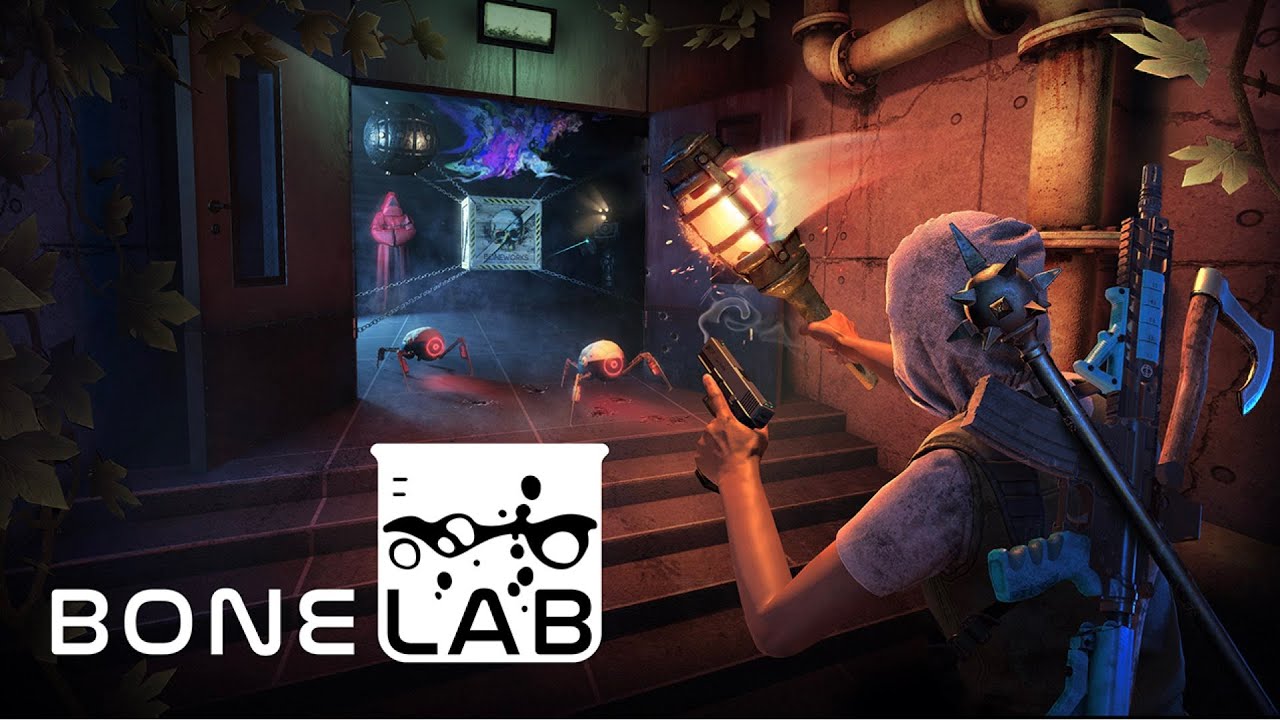
Wishlist now!
Meta Quest: https://metaque.st/3L1a9Ie
Suspected of séancing with an unknown power, you are on trial. During your execution you are called to action. Escaping death you descend into an unknown underworld lab. A series of preparatory challenges await you, but for what? Will you transcend them and discover your calling?
New game will be coming from Stress level zero (Boneworks guys)
I'm pretty excited since i loved Boneworks but i don't get too excited, if you know SLZ you know they take their time so don't expect it to come anytime soon..
It will be Quest/PC
sudden anchor
haughty thistle
Latency or Frametimes? Where do you read that ms number from?
steamvr show latency option
which is in the redzone - when its up this high it seems to cause those USB dropouts ive asked here about in the past
see the current chaos
 rapid otter
This isn't latency, it's how long each frame takes to render
The lower the number, the lower the time it takes to render a frame, meaning more fps
sudden anchor
rapid otter
The lower the number, the lower the time it takes to render a frame, meaning mor...
any ideas why a 3080 is struggling to badly at all?
rapid otter
No clue
sudden anchor
ive had to set my headset to 1180x1180 per eye or whatever the minimum in steamvr otherwise that frametime skyrockets
haughty thistle

HAGS normally causes all pink lines. This looks more like some app is keeping the GPU performance for itself, and there's barely any left for the GPU...
Like a Crypto-Miner or background cruncher...
 green crypt
also cpu and ram matter as single channel ram be bad
 formal willow
rapid otter
https://youtu.be/MJIkIHfEzJ4
formal willow
rapid otter
https://youtu.be/MJIkIHfEzJ4
so boneworks was just a tech demo?
 soft hound
sudden anchor
see the current chaos
soft hound
sudden anchor
see the current chaos
Well first off, this is in VRChat
So it depends entirely on the world and avatars
Are you seeing this in an optimized world, by yourself, in an optimized avatar?
Or is this in a world with multiple people, or a world with something like realtime lighting?
sudden anchor
soft hound
Well first off, this is in VRChat
So it depends entirely on the world and avatar...
oh this is across all vr games unfortunately
worlds & avatars in vrchat seem to have no effect
soft hound
Ah, ok
Just making sure
haughty thistle
I do have to agree with Liro though, VRC is not a good indicator for system performance
 gloomy crater
So SLZ claim that gameplay will be the same across the quest 2 and PC, I just hope that doesn't mean they neutered the game's potential to appease the metabook audience
gloomy crater
Huh. I didn't think the Q2s had it in them. After anton hand went on record saying that no mobile processor will ever be able to keep up with a PC when it came to the physics checks in H3VR, I assumed any boneworks-esque game would be completely out of the question on that platform
rapid otter
I think the engine has been rebuilt because it needed a lot of cou power, also the CPU on the quest 2 wasn't the limiting factor it was the iGPU for now so there's cou headroom. Furthermore I think that the physics could be bre-rendered sometimes...
@gloomy crater
harsh niche
A California father squared off against social media giant Facebook in small claims court Monday -- all over a defective virtual reality headset.
Lol
“We’re sorry we got caught publically being a garbage corporation, here have a new headset you should’ve gotten months ago!”
glad sand
harsh niche
https://6abc.com/amp/california-father-sues-facebook-oculus-lawsuit-small-claims...
Hopefully this helps people in this chat make an informed purchasing decision when considering VR headset options
formal willow
lmao lol heres the thing you wanted so anyway why are we in court
rapid otter
@haughty thistle Boneworks Finally runs smooth
After all this time
After yet another reinstall and countless other fixes it runs perfectly now
It runs at 80hz smooth where before i struggles at 75% res scaling even at 72 hz
harsh niche
rapid otter
After yet another reinstall and countless other fixes it runs perfectly now
do you think you know specifically what the problem was?
 untold kestrel
hey does anyone use a titan x maxwell with a newer cpu on vr, im trying to get an idea of what kind of performance increase i can get by upgrading
in vrchat btw thought i should mention
haughty thistle
VRChat is pretty CPU bound. I have no idea how the performance is now with the new PhysBones, but I'd expect Performance to be better now...
rapid otter
harsh niche
do you think you know specifically what the problem was?
No idea, i tried countless fixes with no success, since it's better after this reinstall i would get my installation had some issues, even if steam told me it was fine ...
untold kestrel
haughty thistle
VRChat is pretty CPU bound. I have no idea how the performance is now with the n...
i know just wanted a ball park because i use a e5-1650 v2 32gb ram and get about 45fps, but i dont want to buy blindly and i cant really find benchmarks that help
soft hound
untold kestrel
i know just wanted a ball park because i use a e5-1650 v2 32gb ram and get about...
Well, you can't really "benchmark" VRChat to begin with
I've played on my other PC, which interestingly enough has an E5-1650 V3, so very similar
Worked totally fine, with no issues
Though it depends entirely on the world, and avatars around you. There is 0 consistency
Don't go in expecting more than 50-60 FPS at best
And around 30-40 average
This was paired with a Vega 56, so fairly comparable GPU
If you have things like shaders off for most people, as well as graphics settings and MSAA set to low, you'll likely find yourself CPU bound
Heck, I run with everything enabled for everyone, and I'm still CPU bound, on a 5900X
untold kestrel
soft hound
Well, you can't really "benchmark" VRChat to begin with
I've played on my other ...
my main issue is with hitching a smooth 50fps is fine and i know theres not really a way to benchmark vrchat just looking for some comparisons, because i went from a rx480 to the titan x with minimal difference. just dont want to waist money, as for everything other than vr my pc is fine
soft hound
Yes, you likely aren't going to notice a difference, as it's almost certainly your CPU that's the bottleneck
The game is heavily dependent on your single-core performance, like most other games
I use fpsVR to see my GPU and CPU frametimes in-game, and usually my CPU is around 30ms, while my GPU is at 11ms
I suspect it's a similar situation for you, which is why a new GPU wouldn't do anything
untold kestrel
yes thats why i asked for comparisons with newer cpus😅
soft hound
Ah, in which case, my 5900X gets much better average framerate in VRChat than the E5-1650 V3 does
A Virtual Furence instance (a relatively heavy + active world) will get around 30 FPS on the Xeon, and 50-60 on the 5900X
(I ran them both at the same time, in the same instance, both in VR, so this data should be more or less accurate)
But yeah, check the frametimes, and see the difference between your CPU and GPU
If your GPU is only a few ms below your CPU's frametime, then a new CPU won't be a huge jump, as your GPU will quickly become the bottleneck
If the difference is big enough though, you may very well get a nice jump in average FPS
Though with an older GPU, it's likely not going to be a massive jump
untold kestrel
how can i check that, not sure how to
is it just the debug bit on the steamvr thing??
its usually around 9ms i think
untold kestrel
soft hound
Ah, in which case, my 5900X gets *much* better average framerate in VRChat than ...
that does give me confidence, that i need an upgrade, my ddr3 boi just isnt as fast as he used to be
soft hound
untold kestrel
how can i check that, not sure how to
As I said, I use a program called fpsVR
It's available on Steam, but it does cost $5, so keep that in mind
Really handy
Shows time, battery percentage, GPU and CPU temps, frame times, RAM usage, per-core usage etc.
untold kestrel
sorry i scimmed over that i was in a lol match
cool ill give it a look
@soft hound thanks a ton for the help
soft hound

untold kestrel

formal willow
untold kestrel
cool ill give it a look
I use OVR advanced settings desktop+ its free and probably does all the same things
untold kestrel
i use ovr too i dont remember seeing anything like that
untold kestrel
👌
restive zodiac

Android Central
This time, you'll be the one stepping into the Animus.
Should I be hyped or cautious?
Knowing Ubisoft I really hope that they don't mess it up...
signal snow
restive zodiac
https://www.androidcentral.com/gaming/virtual-reality/assassins-creed-nexus-leak
LMAOOO FUCK THAT

AMONG US VR
WOOOOOOOOO
YEA BABY
oblique hare
 rapid otter
😂
rugged shoal
signal snow
AMONG US VR
I just hope the game isn't a flop. Among us has lost allot of steam but it's a game I will most likely pick up
Does anyone know if green hell will get multiplayer
 junior pollen
What’s the cheapest but reliable way of getting FBT? Around $100-$200 USD
 junior pollen
Full Body Tracking (sorry didn’t clarify)
rugged shoal
Theirs no stand alone body tracking but the cheapest option is tundra trackers.
And their one of the best other than vibe trackers
junior pollen
Yea so I would probably have to drop around $300 then
I’ll look into it
Thanks
Hand tracking might me enough lol
rugged shoal
Not $300
Tundra trackers will range from $95 for a set. (I think)
They were sold out in minutes a wile ago so you'd half to research it. But the best option for hand tracking is the pulley system. It's a diy set and the cheapest way to get it.it is under 65$ for both(I think) just watch the video on how to make them from a creator

 rugged shoal
Yeah I wouldn't bet on them coming back into stock any time soon. Their high in demand.
junior pollen
Yea
 haughty thistle
junior pollen
What’s the cheapest but reliable way of getting FBT? Around $100-$200 USD
haughty thistle
junior pollen
What’s the cheapest but reliable way of getting FBT? Around $100-$200 USD
Besides Vive Trackers and Tundra Trackers, there's also the HaritoraX as an option, but it's only available in the US and Japan rn, plus they got the same problem as the Tundra Trackers, as-in the moment they get any stock, they immediately sell out...
The HaritoraX is an IMU based system, so no lighthouses needed, but it's still 300$, so it ain't cheap either...
digital bolt
rugged shoal
If anyone has this can they tell me if it's a steal for $10
i dont have it but its pretty cheap if ur interested you can try it and then if it sucks just refund it just make sure not to play more than like 2 hours
junior pollen
Is the meta quest 2 128 gig enough or 256 gig also gonna be good
digital bolt
Depends how many games u need downloaded at once and what games
harsh niche
128gb is enough
I have the 64gb one and i've never had any problems
most games are under 5gb anyways
digital bolt
Same
 static lantern
harsh niche
128gb is enough
static lantern
harsh niche
128gb is enough
Seconding this, I was hesitant when picking up the 128gb but in my experience it's been more than enough.
quasi lintel
Is there any suggestions for vr headsets for someone looking to get into VR that already has a good pc
haughty thistle
quasi lintel
Is there any suggestions for vr headsets for someone looking to get into VR that...
Define "good pc". Because the first thing to know about game performance in VR is to take all the knowledge you may have about flat gaming performance, and throwing that out of a window xD
Like, What GPU and CPU do you have?
quasi lintel
5800x and 3060ti lol
haughty thistle
Ok, that's plenty VR capable. I just wanted to make sure, 'cause a 1060 may be good for Flat gaming, but not so much for VR...
If you don't want to spend too much on a VR headset, you have two options in terms of new headsets right now: The Quest 2 and the HP Reverb G2. The latter is generally the better choice when it comes to PCVR only. It has better screens, better IPD adjustment, better audio, better comfort, better display connectivity. The Quest has the ability to run games completely without a PC though, and it has the better controllers.
The Quest may be cheaper on-paper, but out of the box, it can't even run PCVR properly, you'd need to either buy a second Wireless-AP for it, or a longer USB Type-C cable (at least 5m long). Plus it's included strap is kinda crap, so all-in-all, the Quest ends up closer to the price of the G2, at which point, the G2 handily beats it in PCVR performance...
What is generally considered the best all-in-one-box option is still the Index. It's high price of 1k USD and outdated screens may make it looks like a bad deal, but it's controllers are still the best out there and it's the cheapest, actually good option when it comes to lighthouse tracking (which is the best tracking system for VR right now)
Sorry for kinda bombarding you with options, but without knowing your budget, that's the best advice I can give ya ^^"
quasi lintel
Thanks for the information, i was looking for something in the price range of 350-650 dollars, the G2 looks good but I might wait a bit to buy. Thanks again
restive zodiac
junior pollen
Is the meta quest 2 128 gig enough or 256 gig also gonna be good
128gb is a plenty the largest game I have on mine is around 8 gb
glad sand
quasi lintel
Thanks for the information, i was looking for something in the price range of 35...
You could also do secondhand markets and you can find a Reverb G2 for the bottom end of that budget rather than in the middle where it is brand new iirc
 pale orbit
no it doesn't need trackers
harsh niche
oh nice
this seems pretty cheap then
besides the crappy controllers
hey @haughty thistle are there any massive differences between the reverb g2 v1 and v2 that you know of?
haughty thistle
Not really. I have the V1 and find it totally usable. The main differences are that the V2 has a slightly larger tracking volume for it's controllers, it comes with a cable that can be plugged in directly into an AMD motherboard (without requiring a USB-Hub in the middle) and it's facial interface splits into two parts, so that you can get closer to the lenses, without any mods.
The last one only makes a difference for people who don't wear glasses, and the new cable can be bought seperatly for owners of the V1 as well...
rapid otter
Hey CB, do you think a quest 1 (given it's rather low price) is still a good option for PCVR on a budget ?
Here they are ≈ 150€
haughty thistle
Eh...
PCVR Quality on the Quest 1 is about what you get on the CV1, but with worse controllers, worse comfort, compression artifacts and a blurry image (at least it has less SDE and less lens glare?)
And I'm sure you can get a CV1 for about the same price...
rapid otter
Ok ok
 wheat brook
Hi
I want to know what would be a good beginners bro headset.
I need a around $500aud be headset for f1 2022 and various other driving games.
I will be only be playing connected to pc.
My graphics card is a 1660ti and my processor is a Ryzen 5 2600 with 16gb of ram.
Thanks
 soft harness
2600, interesting
wheat brook
Sorry mind the mistake I’m not the best with computers and I built this a while ago
haughty thistle
The GPU is a little on the lower end for VR. If F1 2022 is similar in Graphical fidelity as in Desktop, I'd not expect that GPU to perform very well. It's porobably fine in flat, but keep in mind that VR GPU requirements are at minimum 1.5 times as high (due to the two view ports that have to be rendered individually)
Looking at MSRPs in AUD, it looks like the only option that may fit in your price range is the Quest 2 at it's lowest storage configuration. You'd have to factor in an a long enough cable though as well as a proper headstrap, at which point it'll likely exceed your budget unfortunatly...
You can have a look at the used Market. HMDs like the Rift CV1 and HTC Vive are still perfectly fine headsets. They may have a rather low resolution, but it should help with your GPU being able to keep up better (lower native res looks better then an upscaled image imo)
rapid otter
I agree with this
But the 1060 is the minimum spec for VR, and the 1660 ti is about 30% more powerful, we (idk if you do unconsciously) put all the 16xx in the same ballpark. But the 1660 tois closer to a 2060 than a 1060...
haughty thistle
I know very well that the 1660Ti is closer to the 1070, but F1 2022 is quite GPU hungry afaik, so that factors in as well
(and he specifically mentioned that game in his inquiry)
rapid otter
Well i played a bit of asseto corsa and I'd say you need a high res headset. In my quest 2 (I'm close to full res i think ?), things look very pixelated from far away. In most games everything is very close to you, not in racing games
haughty thistle
Yeah, but higher res = higher GPU load. Trust me, a 1070-class card could at max run a 1440p-class HMD (Index, Quest 1, Rift S). Defo not a Quest 2 or Reverb G2 at native res (not to mention you'd have to crank the res slider in Oculus all the way to max for native res on the Quest 2, which makes compression artifacts really come out; 500Mbit/s just aren't enough for that resolution)
rapid otter
That's for sure
haughty thistle
My little ol' XMG Laptop (with what essentially equates to a 2060 Dektop with more VRAM) struggles to run the Reverb G2 at 60% render res (which is incidentally about what the Index render res is). So yeah, that's to give you an idea where my performance numbers come from
rapid otter
I trust you and I agree, i just wanted to add my experience of VR racing games
glad sand
harsh niche
these seem pretty cheap...
There's two versions for one, also f*ck eBay check out r/HardwareSwap. Better in every way and without eBay's 15% cut :)
 thick coral
What are the major headset you would buy now
 glossy onyx
thick coral
What are the major headset you would buy now
glossy onyx
thick coral
What are the major headset you would buy now
Depends on your pc, if you got a good pc, i would go with a oculus rift s, if not, the quest 2. (Note that this is if u want to go for a cheap option)
If u got a good pc and have some money to spend, i would straight up go with a Valve index. HTC is of course also good, but in my oppinion the Index is still the best VR headset out there
thick coral
Yes i have good good computer so thank you sir
haughty thistle
Reverb G2 > Quest 2
At least when it comes to PCVR. Don't go with the Rift S. It's discontinued and is plagued by tons of issues...
@thick coral
 fleet halo
Can confirm. Loses tracking sometimes
haughty thistle
Not to mention the infimous Robo-Mic issue
thick coral
Oke
fleet halo
I never use the microphone on the Rift S
gloomy crater
But the robo mic is my favorite VR related bug. Followed closely by tracking failure related body disproportion instances, that stuff still cracks me up.
harsh niche
I had a rift s for a little while and it was garbage
it was my first headset too, without any ever previous vr experience which says a lot
also is it just me or does best saber hurt your eyes more than other games? maybe it has to do with the bright colors or flashing lights or somn idk
leaden ruin
harsh niche
I had a rift s for a little while and it was garbage
in how do you find it garbage? i have no problems with it
haughty thistle
General consensus is that the Rift S was just cobbled together by Lenovo for as cheap as possible to at least have an excuse to abandoned the PCVR market...
It was made as cheap as possible and support was essentially dropped the moment it launched. Yeah, they did RMAs and sold the thing for a while, but it never got any proper feature updates throughout it's lifespan (unlike the Quest and CV1)
leaden ruin
i still like it for now, maybe in the future i will buy reverb g2
only thing that annoys me is that sometimes it gives a black screen but i mean for the rest it works perfectly
not while playing only when reconnecting the usb
haughty thistle
You've got pretty lucky then. Out of my Friends who used to own a Rift S, all of them had some issues with it. Many had the Robo-mic issue, some have tracking issues, one guy couldn't make it work with his PC at all!
Safe to say, it's good the Rift S is gone. It was painting a bad picture of what VR could be. Now the Quest just needs to get yeeted, so PCVR can get games again...
harsh niche
The resolution was just so bad and blurry to me and the ipd adjustment was the terrible digital thing
and it was 72hz 🤮I could see the flickering
leaden ruin
80 hz
leaden ruin
never noticed any flickering
harsh niche
🤷♂️
haughty thistle
If you think 80Hz flickers, then you haven't experienced 60Hz on an original WMR headset
Dim, and flickering like crazy
harsh niche
oh god
haughty thistle
WMR can either run at 90Hz or 60Hz (although I think the Reverb G2 got rid of the 60Hz mode? It at least won't run on anything but DP1.4)
harsh niche
hey do you think if the quest 2 has an actual DisplayPort usb c thing it would be any good for pcvr?
leaden ruin
but the resolution is sometimes noticeable in games like skyrim vr
harsh niche
besides the strap
leaden ruin
but i just crank the resolution so it looks good
haughty thistle
Yeah. It's the compression that makes the Quest a worse choice for PCVR
Replacing the strap and headphones and you could have a blast with it, if it wasn't for the compression and latency
harsh niche
and honestly I don’t find the strap audio itself bad, it sounds bass-ey and clear so idk
the strap itself yeah it’s crap
even the premium one whatever it’s called isn’t that good
haughty thistle
Heh... I just found it tinny and lacking in quality, a lot
harsh niche
I shoulda gotten 3rd party
harsh niche
haughty thistle
Heh... I just found it tinny and lacking in quality, *a lot*
don’t you have like audiophile headphones and stuff lol
my expectations for sound are lower then visuals
haughty thistle
Granted, I'm used to like a 180$ Sennheiser Open-Back headset as well as like 300$ ANC headphones, but yee
harsh niche
😅
haughty thistle
Quality and spacial awareness are really bad on the Quest (the latter making a good part of the immersion btw)
When it comes to spacial awareness, the Index wins it, hands down. But even a pair of decent over-ears are miles beyond what in-ears or the Quest can offer
(that said, the Quest does beat the Rift S somehow)
harsh niche
agreed
I have a pair of 2.4ghz steelseries over the ears
the only thing that bothers me is that when I bend over they like pull forward
and if I’m moving a lot they make a squeaking noise against the side of the headset 
how’s the audio on the g2?
fleet halo
I'm pretty happy with my VR experience on the Rift S. It's not the best there is but I'm happy I bought it. Now it's time to save up some money for a RTX 3060 Ti and a new headset
||I'm pretty sure my GTX 1650 Super hates me||
digital bolt
harsh niche
how’s the audio on the g2?
iirc its really solid, i think valve worked on the g2 with hp and thats one of the things they helped with but not quite as good as index iirc
 brittle raft
how well will i be able to play games on steamvr with virtual desktop should i use that or try to find a case with usb c
gloomy crater
brittle raft
how well will i be able to play games on steamvr with virtual desktop should i u...
In certain circumstances it's actually better to use virtual desktop. A good wireless setup will be a better experience than a bad tethered setup, even without the physical connection. With that being said, you don't need to buy a whole new case with USBC to play tethered. Just a pcie card with an extra type C port will work fine.
Also, isn't the audio on the G2 literally exactly the same hardware as on the index?
haughty thistle
Yup. The G2 has the same speakers as the Index. They sound very similar to me, although the Index I feel like has a little bit more low end...
haughty thistle
brittle raft
how well will i be able to play games on steamvr with virtual desktop should i u...
You don't need a Type-C to Type-C cable. The Quest only uses USB 3.0, so a Type-C to Type-A cable works just as fine.
In regards to Virtual Desktop, it can be a better experience, but keep in mind that wireless does add latency, which shows up in the form of jello-y controller movement...
 indigo sequoia
So I haven't followed VR for some time
Is there any new headset better than the trio index/quest 2/G2?
I got two old VR headsets and kind of want to upgrade
But I'd want the generation after the three I quoted
And if there is none yet, do we have any info on upcoming ones ?
Like, idk, the quest 3?
rapid otter
Speaking of jello, i did some testing with my controllers held visible under the headset and held displayed, and it did add some of they jello, but i think it's not directly latency, i think it's motion prediction.
Controller goes to the right, motion prediction goes to the right
If you stop or change direction the time between the change being made and displayed, the controller in the headset has been displayed as going further. Once the change is sent to the PC it will flick back to the new direction.
Basically it will go too far.
I think this could be solved by doing the motion prediction on the headset ?
@haughty thistle
haughty thistle
Motion prediction is cranked to eleven on the Quest due to latency
It's basically what makes the latency not as noticable. The higher the latency, the stronger this effect...
If you don't have that sort of motion prediction on the PC, you'd get instantly sick. Trust me. If you've ever used a PoV cam before with like 50ms of latency, you couldn't even go in a circle...
haughty thistle
indigo sequoia
And if there is none yet, do we have any info on upcoming ones ?
Well... I mean... There's the Varjo Aero that is shipping right now. It's a generational leap in clarity from the G2.
Announced are also Project Cambria from Meta (which is likely not a gaming focused device), and the Pimax 12k QLED (if previous Pimax launches are anything to go by, it's a lot of hot air imo). Both are so far unknown when they release. While Pimax did announce a launch of "end of this year" for the 12k, based on an interview they did not too long ago with MRTV, I'd not expect them to launch before Summer next year...
Based on patents and leaks, we know roughly what kind of HMD Valve is working on, but no word as to what's to actually come, or when...
Out of all of those, Valve's Project sounds the most promising for us gamers, but they're working on Valve time, so good luck waiting on that...
gentle coral
Many standalone pr high end headsets might need to be pushed back a few years, as on top of the chip shortage, there is a massive wafer shortage (Silicon wafer are what most chips are made on), and also are what many future microdisplays are planning to be made on. Also camera sensors are made on wafer as well. One of the biggest wafer manufacturers said that their production line is fully booked tell 2026.
I think this might be the current holdup with the XR2 gen2 at Qualcomm.
And why many of the on silicon microdisplays have been delayed.
Valve has been working a lot on openbci Galea recently, and better wireless transmission tech, as right now it seems they want to finish that stuff before they try putting out another headset.
I also think they are waiting for some display and optic tech to become high volume production ready.
Valve's hardware division is probably the only hardware manufacturer I know of that is patient enough to wait for tech to mature and then release a device with as few overall compromises as possible in a decent price bracket. Though they always have their feet in the water of upcoming tech to make sure they can release right when they need to.
Also based off the stuff they are doing with openBCI Galea, I think they are going to wait a few years to release any more character driven VR games.
rapid otter
Thanks for the insight
Where do you find all this?
I'd like being more aware of VR "news"
indigo sequoia
@haughty thistle well I don't really care about pimax, they seem to have too many drawbacks
So there is basically nothing new already here or coming soon besides this Varjo. I'll check it out later. Thanks a lot :)
 tawdry dove
The shortage is hitting an end now, it'll probably start up again soon but for now it's pretty good
glad sand
tawdry dove
The shortage is hitting an end now, it'll probably start up again soon but for n...
Fr AMD GPUs are easily attainable for less than MSRP it’s kinda wack when I just checked this morning lol
gentle coral
Here is an article about the wafer shortage
haughty thistle
Wafer shortage isn't a new thing. If I remember correctly, it goes all the way back to 2016...
 gray lion
i like wafers
indigo sequoia
Oh wait the varjo aero is 2 grands lmao
haughty thistle
Yup.
harsh niche
wtf
I thought it was supposed to be like $600
or maybe that’s a different one
which is the one with the supposed 5k res and inside out tracking and eye tracking?
when we first saw it we were like “no way it’s gonna be that cheap”
haughty thistle
DecaGear. Turned out to be an unintentional scam. They started the whole ordeal with good intent, but as time went on, they became more and more sketchy and now they completely cancelled the project and move in the direction of NFTs and other crypto crap...
If you go to the DecaGear website, you'll first get an SSL error, and if you choose to ignore that, you get an error from your browser that the server doesn't answer lol
Nvm that. Seems like their website is back up. But point still stands. The DecaGear is not coming to market...
But yeah... There's this one former Deca employee that unveiled the whole rot underneath the curtain, and a look at the Deca subreddit reveals that most people who pre-ordered stuff from them, can't get a refund...
https://www.reddit.com/r/DecaGear/comments/r69mmh/deca_is_pretty_much_just_lies_on_top_of_lies/

reddit
60 votes and 41 comments so far on Reddit
 vast widget
What vr headset should I get for gaming?
haughty thistle
What are your PC specs and budget?
vast widget
Pc specs suck but I can upgrade
And under 1k dollars
As far as I looked I think the quest2 might be the best deal
haughty thistle
If you still need to factor in upgrades, then for that budget your only options are really on the used Market (OG Vive, Rift CV1, OG WMR) or the Quest 2 unfortunatly. Keep in mind that with the Quest 2 you do need to factor in an extra USB 3.0 cable (preferably 5m length or longer) or a dedicated Wifi access point/router
vast widget
I just don't know about how it works connected to pc
I mean as a person pretty new to vr is the quest 2 enough?
haughty thistle
The Quest 2 can run with a PC, but not really out of the box. Like you can try with your home wifi router, but I can pretty much guarantee you it's going to be absolute garbage if you have more then just your phone connected to it...
haughty thistle
vast widget
I mean as a person pretty new to vr is the quest 2 enough?
Yeah, absolutely. The Quest 2 is a pretty decent option for the average joe. There are better options for PCVR (namely the Reverb G2), but those do require a pretty beefy PC more often then not. You can get started with the Quest 2, and if you have the PC to run PCVR, you can always just grab a cable and get going with that
You don't need any fancy cable. As long as it's like 5m or something and has USB 3.0 it'll pretty much just work
Doesn't even need to be Type-C
haughty thistle
The Quest does have more latency then other headsets, but that's because for it to be able to receive a PCVR image, the rendered image needs to be compressed, then send via either USB or Wifi and then decoded on the Quest before it can be displayed. To compensate for that latency, there's quite some heavy motion compensation going on, which'll manifest as a sort-of jelly effect
vast widget
I see
haughty thistle
This is not a problem with any other headset. By the time you kit out a Quest 2 with headphones, cable and headstrap, you are getting closer to the Reverb G2 price, which already includes a best-in-class audio solution, better screens and IPD adjustment and a native display input. It is 600 bucks MSRP though, so keep that in mind
vast widget
I'll check that out ty
Well I already have jack headphones which I'd probably use instead soo I don't need the best audio
Is there any jelly effect while playing without the cable? Just from the headset
haughty thistle
Not really. The jelly effect only comes from the PCVR transmission. It's slightly worse via Wifi, but I found there's not too much of a difference between using USB and a dedicated Wifi-AP
 flat pawn
Interesting that the decagear ended up being BS even after releasing decamove
vast widget
haughty thistle
Not really. The jelly effect only comes from the PCVR transmission. It's slightl...
Is the jelly effect like really bad or barely noticable over the cable? Also on the site it said something about needing a facebook acout to PCVR, is that something I should worry about?
haughty thistle
I mean, if your Facebook account get's banned, you'll essentially have a paperweight. The thing won't function without being logged in. People have found ways of deactivating the social features and removing the accounts after-the-fact. Only problem is, if you actually fully remove your account, the Quest refuses to run any games bought in the store and also won't run PCVR via the official methods. Not really recommended. Deactivating the social features, may be great if you don't want Facebook bombardment, but it's also not really removing the account, so yeah...
Regarding to how noticable the jelly effect is:
It kinda makes the PCVR version of Beatsaber more difficult, as the Sabers tend to lag behind my actual wrist movements more often then not, and in general, movement doesn't feel as precise (like as if any tiny movement is smoothed out to an insane degree). I'd say, it's not too noticable unless you start waving your arms around in front of your face, or waving them in some precise way (aka Beat Saber and other fast-pace rhythm games)
harsh niche
haughty thistle
DecaGear. Turned out to be an unintentional scam. They started the whole ordeal ...
lol knew it was too good to be true
still sad though
rapid otter
haughty thistle
DecaGear. Turned out to be an unintentional scam. They started the whole ordeal ...
Damn kinda sad, hasn't it had been going downward for a while ?
Also the nft/crypto was kinda unexpected, i wonder what's that about...
haughty thistle
No idea. I heard about that Crypto crap their management wanted to do instead once, and never again. It was basically that one announcement, and boom: they're gone. No more refunds, no more shipments. Nothing.
There are some people who paid the full DecaMove price, returned their broken unit and payed payed postage out of their own pocket, and then never heard from Deca again...
green crypt
deca was forced to send my decamove i won from vket got it 6 months after i won it tho it sucked. and now they are prety much dead
flat pawn
They were promising so much for such a cheap price
It always seemed too good to be true and no track record
Not surprised to hear it was hot air
I thought people liked the decamove though
green crypt
eh has a static sound when on
gloomy crater
It feels weird having gone this long without doing anything in VR. I've been so busy with work and school that I haven't really had time. Next week is finals week, and the last day of class is May 9th, so I'm looking forward to having some spare time to hop in and finish the Bioshock campaign for HLA update, hopefully start my second playthrough of Boneworks, and try out all the new maps I've seen using the new note types for beat saber.
rapid otter
It will feel weird after a long time, but it'll exciting
Also if you haven't searched everywhere in your first playthrough, (i mean really spend the time to explore EVERYTHING). This second one will be very very cool, because in this one you'll know how to play and you will be able to focus on exploring more. Boneworks has sooo much hidden content, so explore everywhere and you are gonna be surprised 😁
@gloomy crater
gloomy crater
I remember things that looked like I should be able to interact with them from early in the game during my first playthrough that I just didn't know how to access at the time. Lots of bone boxes and items hidden in high places that I'll know to look for now, and other stuff like that. Plus being more familiar with the combat still hopefully result in less deaths.
rapid otter
Getting all items without knowing where they are is incredibly complicated but also very fun
If you want to spice things up you can try getting all the ammos
If you get every single one and use none you can buy the item spawn gun at the end
And everywhere you can use it to spawn items you unlocked...
 devout star
https://pcpartpicker.com/product/tLKKHx/intel-core-i5-12400-25-ghz-6-core-processor-bx8071512400 is this cpu good enough for vr gaming?

Intel Core i5-12400 2.5 GHz 6-Core Processor (BX8071512400)
Ok
Yeah I have a 3070ti I just have to buy all my parts
How better
Are you talking about the i7
So this looks good https://pcpartpicker.com/list/FCfMbK
System Builder - Intel Core i7-12700KF, GeForce RTX 3070 Ti, Corsair 4000D Airflow ATX Mid Tower
?
Did you look at the list
Yeah
 gloomy crater
Has anyone had any experience with one of these?
https://tundra-labs.com/products/12vdc-power-kit-for-head-mounted-displays

Tundra Labs
Please Select your Headset from the Dropdown Menu Items Included: One Tundra Labs SATA to DC Barrel Jack Cable Custom designed and manufactured to our exact specification Includes a pre installed inline 2A fuse A spare 2A fuse is also included One Signature edition Tundra Labs PCI Bracket Stamped Logo Black Electrophor
It's a kit from tundra labs that supposedly allows your PSU to supply the 12v HMD power from an adapter within your case that you can connect to using the PCIe slot bracket like regular rear I/O. Not having the annoying wall brick and just being able to connect my index to the back of my PC for power, displayport, and usb, all in one place would be really cool. But I wanna get some thoughts on it before I buy it. It's from tundra so I assume it'll be good quality, I've just never seen anyone mention it before
gloomy crater
So it seems tundra used to sell these on Amazon, and the listing has 7 reviews, all from people who seem genuinely pleased with it. The wall brick for my index has always been a massive pain, so a chance to get rid of it for $20 and the fact that it's from a reputable brand like Tundra gave me no reason not to buy it. I guess I'll give my thoughts on it here once it arrives.
oblique hare
Does anyone here play with Vivecraft? if so can you explain how the walk in place feature works?
Do I need 3.0 trackers to use it?
sullen linden
devout star
How much?
devout star
sullen linden
How much?
?
sullen linden
How much was the GPU
devout star
sullen linden
How much was the GPU
730$
sullen linden
Hey, so Im trying to use pcvr on my gaming laptop but I have a problem, whenever I run the steamvr performance test it tests my integrated graphics card, how do I change it to my more powerful gpu
and how do I get steamvr to recognise my headset?
haughty thistle
Can you turn off the iGPU? If you can't then I fear your laptop may not be suitable for VR 😬
Nvidia Optimus and whatever the AMD equivilant is, mess with VR on a fundamental level. You can make it work on some Laptops, but it's still very messy (with my Laptop for example the desktop just won't show with the iGPU left on and some games run on the iGPU unless I turn that off in the BIOS)
 hard compass
I remember seeing an LTT with vr gloves. Do you guys think they will take off in the near future? like how far away are we from fine motor control in a VR games
 mint jackal
I was planning to upgrade my old Oculus as it was struggling playing 8k videos for a new Quest2. When I realized that the bottleneck is my outdated GTX 980 instead :<
Any recommendations for the minimal/cheapest GPU upgrade needed without starving later ?
haughty thistle
I mean... 8k Video playback is quite a task... Generally speaking minimum for VR is the 1060 and at least 4GB of VRAM, but I think the 980 should already fulfill this criteria?
 mint jackal
RTX 3060 seems to be a good deal: decent, recent and not very expensive
 robust comet
mint jackal
RTX 3060 seems to be a good deal: decent, recent and not very expensive
robust comet
mint jackal
RTX 3060 seems to be a good deal: decent, recent and not very expensive
Yes, the RTX 3060 might be a good choice for them
I have an RTX 3060 12G and it can run VR pretty well
mint jackal
Niiice, thank you for the feedback <3
 neat imp
mint jackal
RTX 3060 seems to be a good deal: decent, recent and not very expensive
neat imp
mint jackal
RTX 3060 seems to be a good deal: decent, recent and not very expensive
do 3060ti
more performance for a little more money
harsh niche
Lmfao it finally happened to me
 gloomy crater
It's always a matter of time with those straps. my sister got one of the earlier ones, so they were even flimsier than they are now. Hers began to crack after only a couple of hours, and was completely destroyed within a week. She ended up buying a halo strap type replacement off of amazon and has been using that ever since. Dunno why she got that one or how she can stand it, there was a more traditional replacement available for the same price, and it looks super uncomfortable, but I guess she still likes it.
harsh niche
i got this one release day, i'm surprised it didn't break sooner lol
maybe it's becuase I don't use it often
haughty thistle
BoboVR to the rescue I heard
 haughty thistle

 void terrace
harsh niche
void terrace
harsh niche
I would like to but I already spent $50 on this one lol
maybe I can sell it
once I get a replacement obviously
is there a market for used vr straps?
 still shard
You should get the kiwi design strap. It's good and it has a hinge for easy removal.
harsh niche
@still shard do you have it? It looks nice but where do you think I could run the link cable so it comes off the back in the middle for the best weight distribution?
if that makes any sense
i like my cable to come off the back so when im moving it's not like tugging on one side
still shard
Yeah I have it, but I run it to the side. You could just use some cable ties to attach the tether, it works pretty well.
harsh niche
nice
@still shard how is the face pressure? my biggest problem with comfort in vr is when it presses against my face hard and dries out my eyes and gives me a headache
leaden ruin
harsh niche
<@571720214455123969> how is the face pressure? my biggest problem with comfort ...
i sometimes get a headache when i put the strap too tight but one click of the tightness wheel and its good and can play for hours
thick coral
gloomy crater
It's always a matter of time with those straps. my sister got one of the earlier...
How is it possible that every time you type you make a 5000 word essay
gloomy crater
I'm very verbose
leaden ruin
thick coral
How is it possible that every time you type you make a 5000 word essay
had to write a 1000 word document about my vacation. i just started typing and somehow without looking i was at 2000 words
if you wanna tell a story with detail it will be more words
i always like to say every detail
thick coral
How
Like from 100 to 200 is normal but a 1000! Words off
Wow
I would probaly stop typing when over the limit and try to end it
Like "i was ging to te Pool then whe went back home and i slept hard
thick coral
leaden ruin
i always like to say every detail
RESPECT
gloomy crater
My psychology and creative writing professors hated having to grade my assignments because they'd give prompts with a word requirement that I'd just ignore. I would just answer the prompt how I normally write stuff and end up with like twice the word count they wanted, cause often times that's easier than taking what I meant to say and finding a way to say it with less words
thick coral
Dont you run out off time that way
Or are youre teachers nice and let you finish after class
Or are you Just a fast riwter
thick coral
thick coral
Or are you Just a fast riwter
As you can see if i type fast i misspel
gloomy crater
These were all homework assignments. IIRC this one was my final psych essay and required at least 2 pages and 1000 words, it ended up like this

 coarse root
mint jackal
RTX 3060 seems to be a good deal: decent, recent and not very expensive
coarse root
mint jackal
RTX 3060 seems to be a good deal: decent, recent and not very expensive
How much?
coarse root
rapid otter
https://c.tenor.com/0YzwtDxPt4AAAAAM/jeremy-clarkson-sometimes-my-genius.gif



 sullen linden
anyone else hyped for the Pimax 12K?
haughty thistle
Not really. Pimax is known for over-promising and under-delivering. Besides that, it already looks like they're gonna delay it. In the interview they had with MRTV, the guy spoke about how they're still deciding on some stuff (not something you'd do half a year away from the launch)
harsh niche
Hey @leaden ruin does this happen to you too?

the little black head cup thing is just loose in these slots and falls out whenever I put it down
ah f it I’ll just glue it in
leaden ruin
nah that was someone else
 narrow kernel
Just bought a Quest 2
Fun!
I just realized my face is above average
😖
IPD of ~70
I might 3D print a spacer to nudge it closer to 69
It ain’t designed for big heads like me…my glasses are too wide to fit lmfao
haughty thistle
Regarding the IPD on the Quest 2: the screen already isn't wide enough even for the 68mm IPD setting (as-in, you can already see the edges of the screen at that setting), so nudging it even further apart prolly doesn't help in that regards
Regarding glasses though, there's a much better solution for VR: Inserts
They act like your normal vision glasses but slightly magnify the VR lenses, which slightly increase the FOV I found, and because they clip into the VR headset, you don't have the frames of your glasses getting pressed against your face by the facial foam 🙂
I can highly recommend the ones from VR Optician, as those are the ones I use (also have tried Widmo inserts before, and their quality wasn't that great for the price)
sullen linden
Hey, I sometimes host an thing where I bring my headset to an youth centre and let them play on it. I've been there 3 times already and now i'm looking for some new games that they can play. The gameplay has to be pretty short so multiple people can play.*** (around 2-6 min). ***We usually have played beatsaber and some flappy bird game.
It would be great if the game doesn't include any violence & guns.
tawdry dove
sullen linden
It would be great if the game doesn't include any violence & guns.
My only idea is superhot
sullen linden
I think we have already played superhot.
haughty thistle
Keep Talking and Nobody Explodes is always a fun title to play in a Group (one in VR, the rest with a PDF on their phone, or printed out). Dunno if it's available on Quest Standalone tho :/
Job Simulator is also a nice quick experience I usually like to demo for VR
flat pawn
sullen linden
anyone else hyped for the Pimax 12K?
Yes, very
I've had good experiences with my current pimax so I'm excited to see what new stuff they got
It's not a perfect device, there are some tradeoffs
But they're worth it, at least to me
sullen linden
They said they would compeltely get rid of the distrosion noe
 regal nexus
Has anyone run a Vive on an Unraid windows VM? I want to run my headset off of my plex server. Just wondering about usb passthough with the headset module. Thinking of using a 980 as my secondary passthrough card.
No real questions, just asking if anyone has any knowledge or tips before I spend the rest of my day troubleshooting.
haughty thistle
Isn't that what LTT did a while back? You need to passthrough an entire USB controller and GPU though, I think to make it work...
I know that when I was trying on a VM a while back with virtualized graphics that Quest Link refused to work, because I wasn't able to passthrough the entire controller...
regal nexus
Interesting, maybe I missed that video. I might try a usb card with onboard controller and throw 750ti in there for a video output primary card.
Ill check that video out
harsh niche
I’ve just started playing lone echo (no spoilers plz) and that’s the first vr game I’ve actually wanted to keep playing after a while
some parts were kinda boring like grabbing random containers but the audio is really good and the graphics are very nice too
glad sand
HP Reverb G2 is your best bet on a budget. Though it requires PC, so it really depends what you're looking for
Yeah go for a Reverb G2 then if you're on a budget, if you have more to spend the Index is a great solution as well
Ya boi Chickenbread is the best at giving out headset advice though tbh, he's tried more than I have :P
leaden ruin
glad sand
Yeah go for a Reverb G2 then if you're on a budget, if you have more to spend th...
although index is great my only upgrade option would actually only be a reverb g2 since i have quite limited space so sensors on the walls and stuff isn't a option
glad sand
leaden ruin
although index is great my only upgrade option would actually only be a reverb g...
It's a great headset, nothing wrong with that! Sounds solid for your use case
leaden ruin
yup
setting aside some money every month since i don't need a upgrade but once i reach the amount i'll buy it
 woven pebble
is it worth going to quest 2 from a vive?
leaden ruin
well quest 2 is a good headset for the price but if you are on pc i'd say if you can get a pcvr headset like the reverb g2 that would be sweet
never really saw how compression is on pc with link cable
glad sand
woven pebble
is it worth going to quest 2 from a vive?
Agreed with the other comment, go Reverb G2 if you have a PC. They're equally cheap used and can A. work with a PC properly and B. don't require Facebook to data mine your life :)
leaden ruin
luckily i made a oculus account before they needed to have you use facebook
 rich coral
leaden ruin
never really saw how compression is on pc with link cable
rich coral
leaden ruin
never really saw how compression is on pc with link cable
Unfortunately I find it quite noticeable in darker scenes
harsh niche
^
junior pollen
Is VR worth it in general?
rapid otter
Yes
It's incredible
If you can afford it i think it's a great thing
Tbh it's hard to respond to such a broad question
@junior pollen
haughty thistle
leaden ruin
luckily i made a oculus account before they **needed** to have you use facebook
Won't help you with the Quest 2, as a Facebook account is required to activate the Quest 2...
I haven't tried the Quest 2, so I can't speak for how it improved over the Quest 1, but from my knowledge of Video compression and all, I can only expect it to not fair much better then the Quest 1.
On the Quest 1 the PCVR image looks blurry, stark chroma contrasts (like red-green, blue-yellow, etc.) generally produce an ugly black smear between them, and overall luminance of the scene is heavily boosted. The last one I found most noticeable in Beat Saber before the start of a song, where the entire scene is visible as if there's sunlight coming in through blinds or something...
Regarding the blurry-ness, the Quest 2 can run at native res if you really push it in the Oculus Meta PC software, but the maximum bitrate of 500 MBit/s just flat out isn't enough for the resolution it's trying to push over the cable/wifi. You may gain luminance detail in simple scenes, but that's about it. And the key here is detail in luminance. Video compression relies on something called "Chroma subsampling" to reduce the amount of data having to be sent, and the Quest is no different. You may be sending 70% the headsets resolution in luma, but maybe 20-30% the native resolution of the colors (that's how these ugly color transitions come to be).
Especially if you're thinking about getting a higher res headset for simming or something, the Quest just isn't the right choice...
narrow kernel
haughty thistle
Regarding the IPD on the Quest 2: the screen already isn't wide enough even for ...
Oh? I mean sure if I can see the side...
I mean I just need to lens not to fuck my eyes
whatever if i see the corners...
Sucks to be me!
haughty thistle
Rather, sucks that Meta had to over-engineer a Solution that made the experience worse for everybody. Their idea was to make IPD adjustment simpler, so that the average joe would actually adjust it. But instead their solution is not only more expensive, but excludes people at the extreme ends of the IPD range and excludes anyone that falls between the IPD settings...
narrow kernel
Yeah...
sullen linden
I have 72 ipd and use the quest 2 🥺 :pepehands:
narrow kernel
sullen linden
I have 72 ipd and use the quest 2 🥺<:FbSintrist:325049795154542592> :pepehands:
And you dont get sick?
I have 70 IPD and I get sick after alittle bit
sullen linden
I dont get sick no
But i have well over 700 hours only on steamvr
Plus some on oculus pc
And some on the quest standalone
harsh niche
just gonna leave this here
