#virtual-reality
1 messages · Page 112 of 1
 lofty sundial
 weak bluff
you must be very used to motion sickness
 haughty thistle
For one I usually sit in lobbies full of Furries. I may not be one, but the groups I usually hang out with are pretty chill and optimise their avatars pretty well.
And secondly, I usually try to avoid large filled lobbies, because I don't feel comfortable with tons of people around. Besides, it just isn't fun, if you can't understand your conversation partner correctly, because of all their noise from other people in the lobby...
So 40fps is usually the lowest fps I see in VRC...
lofty sundial
weak bluff
you must be very used to motion sickness
I dont get motion sick from FPS drops funnily enough, but not using snap turning instantly makes me dizzy.
 rapid otter
haughty thistle
For one I usually sit in lobbies full of Furries. I may not be one, but the grou...
rapid otter
haughty thistle
For one I usually sit in lobbies full of Furries. I may not be one, but the grou...
I heard somewhere furries avatar take perf because they have a lot of fur so a lot of polygons to render
weak bluff
That's a poor optimization
haughty thistle
rapid otter
I heard somewhere furries avatar take perf because they have a lot of fur so a l...
There are fur shaders out there that can tank perf, but those are shaders, not Polygons. Obviously, there are black sheep in every community, but i found furries to generally optimise their avatars more often, and better then most "human/anime" avatars are... (those tend to be more over the top with shaders, dyn bones, polys, particles, etc.)
This is a group pic I have taken not too long ago. If you get up close, most of these are actually surprisingly low poly count and all the shadows are baked rather then real-time. Probably the most over-the-top is the brown one in the front who does the "> <" eyes, and even this avatar is more optimised then what I've seen in my time in the "human" avatar groups tbh...

 harsh niche
haughty thistle
For one I usually sit in lobbies full of Furries. I may not be one, but the grou...
harsh niche
haughty thistle
For one I usually sit in lobbies full of Furries. I may not be one, but the grou...
what do people do in vrchat? just sit around and talk?
i've played it like once and i just went bowling
 cloud ermine
harsh niche
what do people do in vrchat? just sit around and talk?
cloud ermine
harsh niche
what do people do in vrchat? just sit around and talk?
yea
thats about it
 green crypt
lowest fps i see is 15 in vrc that is in unfinished unoptimized maps with 80 players in medium avatars average 25 fps with 80 medium avatars
on one ccx of a 2700x so
 lone depot
should I buy a used rift s or a new quest 2? 
lone depot
lone depot
should I buy a used rift s or a new quest 2? <:Thonk:356549630474846209>
or is a rift cv1 better than the rift s? I'm not sure
green crypt
new quest 2 better than used rift s
cv1 is too hard to recomend as spare parts tho better then a rift s
 glad sand
lone depot
should I buy a used rift s or a new quest 2? <:Thonk:356549630474846209>
glad sand
lone depot
should I buy a used rift s or a new quest 2? <:Thonk:356549630474846209>
Prolly neither lol, why Oculus?
glad sand
lone depot
quest 2 with link cable is already 600aud 😋
How much is like a Vive or Index or smn as a point-of-comparison?
And yeah they’re cheap bc you’re paying with your data, that’s how the price tag is subsidized
 restive ivy
lone depot
or is a rift cv1 better than the rift s? I'm not sure
restive ivy
lone depot
or is a rift cv1 better than the rift s? I'm not sure
I personally would use the cv1 over the rift s
But the sde is pretty bad on the cv1
As it was the first consumer grade vr
lone depot
we don't have index here lol

I could get Index if I got a friend to get it for me
I saw people mentioning in this channel the Quest 2 + link has bad controller latency?
haughty thistle
lone depot
we don't have index here lol
AU and NZ have received the Index not through Steam, but through EB Games. May be worth a shot 😉
lone depot
ohhh I see. I'll have to look
How's the Vive Cosmos
?
Eb games doesn't have any index stuff. They only have the bases and they are out of stock lol
haughty thistle
The regular Vive Cosmos has really bad tracking. Both for Controllers and the HMD. The Elite does use Lighthouses, but the included Vive Wands are very basic. Pretty much only useful for Beat Saber (maybe also Legacy games) and nothing else...
lone depot
Sounds like I'd just end up being better off with a quest 2 + link at this point 
haughty thistle
It's unfortunatly the reality right now. Meta has successfully managed to deter any sort of competition in the low to mid price range by selling their hardware at a heavy loss...
The only other option is the HP Reverb G2. The HMD itself is really good (I'd almost say better then the Index, at least in resolution, weight and lenses), but the controller tracking leaves to be desired (still way better then the regular Cosmos though) and the lack of touch sensitivity on the buttons, sticks and triggers means that they're more of a chore to use in Social Applications like VRChat
lone depot
yeah I'm not really looking at playing vrc. it'd more be things like boneworks, pavlov, phasmophobia, HL:A etc
If we had index easily available in Aus I'd be heavily considering it but that's not really the case unfortunately
glad sand
lone depot
If we had index easily available in Aus I'd be heavily considering it but that's...
Maybe on the secondhand market? It's been out a while, I'm sure someone there has gotten one and is looking to sell
lone depot
Yeah that's possible
lone depot
Had a look around. there's not much if any used indexs. I can buy a full kit for 3.1k aud 🥲
 gloomy crater
If you get really lucky you might be able to find a south african logistics company owner who's willing to ship a lightly used index to you for US$600. That's what happened to me, in this very channel no less.
I'd also vouch for the reverb G2. Never used one, but serviced multiple PCs of other owners of the headset and they've voiced their enjoyment of it.
glad sand
lone depot
Had a look around. there's not much if any used indexs. I can buy a full kit for...
Try r/HardwareSwap maybe?
 sullen linden
I’m a cv1 user should I buy a used reverb g2?
Or should I buy the quest 2 for the cool vr exclusives
Well there’s only like one
Re4
glad sand
sullen linden
I’m a cv1 user should I buy a used reverb g2?
100% the Reverb over the Quest, biggest advantage imho is lack of Facebook data tracking :)
Main disadvantage to it is you need a computer but since you have a CV1 one stands to reason you have that :D
sullen linden
I don’t mind the tracking just the overall use
gloomy crater
I'd still recommend the G2 over the quest, even in that case. The WMR software can be annoying sometimes but it doesn't come close to the prep work you have to do every time you wanna play PCVR on a quest 2. That's just me tho
sullen linden
Okay thank you I was a little worried about the quest link and stuff
gloomy crater
It kinda depends on if you're gonna be using the quest 2 wirelessly or wired. If it's wired it can be annoying, wireless is a bit easier but still more annoying than just connecting to SteamVR using WMR on the G2
lone depot
How are the G2 controllers though?
weak bluff
WMR has the best plug and play
It has best compatibility straight to Windows
Very suitable for back packers
 thin briar
i dont find the quest too bad for pcvr
once you have oculus and steam vr installed its very easy
dont even need the oculus app open to launch from the headset via link cable
weak bluff
its just oculus is a 3rd party software and stability rely on microsoft
but meh oculus is still very solid software
just very poor support for rift s knowing how much Meta has been treating Quest with updates
 solemn birch
Hey I have a question so I am going to upgrade my gpu so that I can play VR and this week Nvidia is releasing the rtx 3050 with 8gb of vram and I want to know will the 3050 be good for playing VR? And will it also be good for 1080p pancake gaming?
 formal willow
yea
gloomy crater
solemn birch
Hey I have a question so I am going to upgrade my gpu so that I can play VR and ...
IIRC predicted performance lands somewhere between the 1660S and 1660ti but with 8gb of vram. So yeah that should work fine as long as you can get one for a good price
weak bluff
solemn birch
Hey I have a question so I am going to upgrade my gpu so that I can play VR and ...
its more than enough for most of the game
especially 90Hz
rapid otter
gloomy crater
IIRC predicted performance lands somewhere between the 1660S and 1660ti but with...
That's pretty weird to make a 30 series that weak, they may have bad chips to get rid off so they sell them as lower tier card, happened with cpu too ...
gloomy crater
yeah that's pretty much what happened. I'm not complaining though, 5600XT's and 1660ti's used to go for 280, and the 3050 is supposed to MSRP at 249. If it gets anywhere near that price, it'll be a nice change of pace.
weak bluff
Anyone tried air link using ethernet?
Like plugging directly quest to pc but instead of usb cable you use ethernet dongle to router or pc
haughty thistle
I dunno if the Quest would support USB to Ethernet dongles. Considering it's running Android underneath, I guess maybe? But you'd need to have a DHCP server somewhere giving the Quest an IP address, as you won't have a way of adjusting that on the Quest itself (outside of the Wifi settings that is)
weak bluff
haughty thistle
I dunno if the Quest would support USB to Ethernet dongles. Considering it's run...
Someone managed to do it with some comments successfully did with VD https://www.reddit.com/r/OculusQuest/comments/jcw14j/quest_2_supports_usb_ethernet_adapters/

reddit
372 votes and 184 comments so far on Reddit

I just wanna know how it fares
It may be a great solution to long long distance wired vr since ethernet cables can be very long and have much wider bandwidth range by spec
Oculus Link cable are not sold here and 3rd party cables keep breaking so im considering
And there is this
 haughty thistle
weak bluff
And there is this
haughty thistle
weak bluff
And there is this
I said exactly this xD
But you'd need to have a DHCP server somewhere giving the Quest an IP address
weak bluff
And i wanna know
Other experience with compatibility
I'm surprised not many tried this
The Ethernet cable is perfect for long distance streaming
Or nvm maybe buying high end router is better
haughty thistle
But it's also bulky-er then a standard USB cable. I speak from experience, so you may at least want a short extension cable to have the adapter hanging off somewhere else then it sitting right on the Quest
weak bluff
Yeah hanging is best way to reduce the hang
 dreamy nebula
buy a better wireless access point/router and use airlink
pcvr wirelessly is very cool
rapid otter
We got some new about saint and sinners
https://us9.campaign-archive.com/?u=8a7d585bd60a75dab894fa64a&id=cb205270e9

 swift panther
Would a laptop that has Ryzen 5800H and a RTX 3060 be bad for VR? only reason I am even considering it is someone would trade me a spare quest 2 and a xbox series x. thanks to anyone who can help.
harsh niche
That seems good enough but I’ve heard laptops can have problems with VR because of how some IO connects to the motherboard or somn
swift panther
I have a quest so I would be using Virtual Desktop mainly
harsh niche
Oh ok just make sure you have a solid router and preferably Ethernet connected to that router
swift panther
Definitely would have it wired ethernet and I have a mesh network of eero 6 pro, just recently seen mesh networks aren't too good for quest etc so fingers crossed
glad sand
swift panther
Would a laptop that has Ryzen 5800H and a RTX 3060 be bad for VR? only reason I ...
If it has a MUX switch should be solid if not big oof idk 50/50 shot
harsh niche
I think I have that same mesh network, maybe 5th gen tho. It works pretty good but I have my main base station thing in the room I play in
glad sand
Purely bc the I/O…I’ve got a laptop with a 3060 as well and no mux switch, doesn’t work at all with VR bc it can’t output display properly for some reason. Have another laptop with a mux switch and works as well as a desktop
swift panther
Hm all I know is it’s a ROG Strix G713QM-RS76 but I can’t find much about the laptop and or if people have tried vr with it
haughty thistle
If you can, I'd suggest turning off the integrated graphics though, as that can also cause issues in VR (more so then IO)
gloomy crater
swift panther
Hm all I know is it’s a ROG Strix G713QM-RS76 but I can’t find much about the la...
I have a G513QM with a 5900HX + 3060, and it worked about as well as you'd expect with those specs. It looked blocky and pixelated, but that's a problem with the headset itself I think, as it does that even when hooked up to a PC. I don't have another headset to test it with but I expect it would work fine, not sure how well the oculus software would work with it though, as mine was a pain to get it set up with.
For some reason, the headset in question (my sister's quest 2) always looks this way when connected to a PC. Like a youtube video recorded in the dark, it has big blocky sections and appears to run at a much lower framerate and resolution than it should. It doesn't appear to bother her, though, so I haven't tried to fix it.
haughty thistle
Those are compression artifacts you're talking about. Since the Quest doesn't have a native video in and only uses (comparetively) low bandwidth interconnects to receive the picture, it can't really be done any other way.
Artifacts are still a thing even on the Vive Wireless Adapter, and that one uses a much higher Bitrate (it's not quite as bad though)
swift panther
So would I be dumb for making the trade? I don’t play Xbox as much and honestly as dumb as it sounds I probably would mainly use it for VRChat and then some VR games here and there like phasmaphobia etc.
weak bluff
just get what you need most
swift panther
Well I know nobody will trade a pc for my XSX, and I’m very tight on money so trading is my only option and most people ditch out on me so who knows if this would fall through. But I don’t want to drive an hour to get it come home and it not even work reliable like I’m hoping.
if I was to get a pc would a 1650/1660 or even 1070/1080 be better than a laptop with a 20 or 30 series?
formal willow
no
harsh niche
yeah 3060 would be better
and later on if you want you can sell the laptop
then build a pc
formal willow
yeah but they are loud
weak bluff
that really depends on model
rapid otter
I don't think it's a big issue when playing in VR
haughty thistle
Yes and no. My XMG Lappie can get quite loud when running VR and if you're not using closed back headphones, it can be quite annoying, especially on a small room
Then there's also the issue of thermal throttling. Using desktop hardware is beneficial for VR, no doubt, but going back several generations and dropping a number of tiers probably leads to the exact opposite then what was tried to be achieved...
 stray pier
Anyone have any idea if a system with Ryzen 7 2700 and a RTX 2070 will be any good for iRacing in VR? I know that's probably an obscure game for this crowd. Lol
 granite stump
stray pier
Anyone have any idea if a system with Ryzen 7 2700 and a RTX 2070 will be any go...
granite stump
stray pier
Anyone have any idea if a system with Ryzen 7 2700 and a RTX 2070 will be any go...
itll be good, considering I can play H3VR max graphics quality at 100 fps with a 4800h and a 1660ti, youll be just fine
weak bluff
stray pier
Anyone have any idea if a system with Ryzen 7 2700 and a RTX 2070 will be any go...
I would consider better CPU if I was you since 2700 is slower than many modern 6 cores for gaming
But if you need those extra cores sure go ahead
For example ryzen 5 3600 is faster
stray pier
I can always upgrade if it's not enough, I'm mostly in it for the GPU but the 2700 is still an upgrade from my 1600.
I'm buying a used system for $900 with those specs btw
rapid otter
Seems like a good price for a 2700/2070
weak bluff
Good price
haughty thistle
Man... I hate it when companies don't put a USB port on their VR headsets. Makes me having to resort to jank like this, on an otherwise beautiful HMD...
 lofty sundial
haughty thistle
Man... I hate it when companies don't put a USB port on their VR headsets. Makes...
lofty sundial
haughty thistle
Man... I hate it when companies don't put a USB port on their VR headsets. Makes...
Whilst true, arent you also kinda to blame for buying it in the first place.
haughty thistle
lofty sundial
Whilst true, arent you also kinda to blame for buying it in the first place.
How else would I be able to get eye tracking, face tracking and a clear and sharp image of the Virtual world? It may be jank, but it's my kind of jank (may be ugly, but functional)
 young marten


 trail ember
someone explain what these are? i literally got no clue why they are showing since i dont have any controllers other than the index connected

 peak coral
I dont think they are showing. I think those would be filled in blue like the other things that are present
trail ember
ye the first one just went idle as i took the picture. i know the second one is my ps5 controller but i got no clue what the first one is
rapid otter
haughty thistle
Man... I hate it when companies don't put a USB port on their VR headsets. Makes...
Why do you need one ?
thin briar
haughty thistle
How else would I be able to get eye tracking, face tracking and a clear and shar...
@rapid otter
haughty thistle
Because of this:
 weak bluff

rapid otter
Is asked because i didn't knew face tracking required an external device
weak bluff
well depends but yeah HTC does sell external device
some upcoming headset integrate itin headset
haughty thistle
The Face Tracking Mod for VRChat currently only supports the SRanipal runtime (the software required to use the Eye Tracker in the Vive Pro Eye and the Vive Facial Tracker). So even if the HMD had Face tracking built-in, I wouldn't be able to use it ^^"
But yeah, besides the Vive Facial Tracker (which is what I'm using here), there's only really the Reverb G2 Omnicept Edition which has a face tracker built in. You'd limit yourself heavily if you only look at HMDs that have both built-in eye tracking and Face Tracking. Just going for an Eye Tracked HMD and then modding the Facial tracker onto it works like a charm (as long as you have a way of getting USB to it).
You can even use the Facial Tracker without Eye Tracking (which is kinda how it's running for me rn), so putting one on your Index is absolutely a possibility, and actually what I originally intended to do. But because of a lack of Avatars, it just layed around on a desk for like a year.
Hopefully the Varjo Eye Tracking doesn't have to wait too long to be supported ('cause the mod dev actually has a VR-2 himself)
rapid otter
Isn't modding VR chat prohibited ?
weak bluff
technically
haughty thistle
I know one too many people who've been using mods for the entire time I know them, and not one of them got even banned for it afaik. (although they did disable all the telemetry built into VRC) And it really is the only mod I installed, because if they don't do it, I shall do it myself >.>
weak bluff
i guess open_vr fsr includes that
haughty thistle
One of those friends helpmed me get started on VRC modding, and he was like "Don't worry, if you do ever get banned for modding, the first ban is only 4 days and it get's shorter from there" xD
sullen linden
is there a safe way to crack vr games?
haughty thistle
sullen linden
is there a safe way to crack vr games?
Rule 6:
Do not illegally share content. The discussion of piracy/torrenting is allowed on a broad scale, but specific discussion of DRM circumvention is not allowed. Your best bet is to link to the author's official source of the content.
weak bluff
not sharing ways to pirate but majority vr games piracy is pretty much similar to any other pc games
gloomy crater
Soooo does anyone have any recommendations for m.2 wifi adapters? Preferably able to go up to wifi 6? Doing some tests with a quest 2 again and all I have is a USB wifi dongle that keeps cutting out
weak bluff
Any wifi card with AX in its name
haughty thistle
Hotspot in general isn't recommended for Air Link and VD, because of how a Hotspot actually works, it causes quite a bit of latency, and throughput is also limited...
haughty thistle
A pretty popular Wifi card is the AX2xx series from Intel (replace xx with two digits). The one in my Laptop is an AX201, but the only time I tried VD on, it was a stuttery mess...
weak bluff
I would say experience can be much better on pc due to how terrible laptop wifi antenna is
That is to say if you get the antenna that stick outside not the 3M sticker antenna
But still not best experience and definitely not good for highest end
gloomy crater
The first one that came up when I searched 'wifi 6 m.2 adapter' was the Intel AX200 for like forty bucks. If that's an okay bet I'll probably just go with that one
haughty thistle
Yeah, should be fine
lofty sundial
sullen linden
is there a safe way to crack vr games?
A lot of things are made in unity, go figure from there. But chances are if you have to ask how to do it, you couldn't do it anyway. Google is your friend.
restive ivy
weak bluff
i guess open_vr fsr includes that
Only things that directly modify the game
Things that affect steamvr and how it renders is not prohibited
Aka modifications to openvr
There are no "safe" mods for vrchat
All can get you banned
Its just a matter of what you do with them that determines if you will be banned or not
lofty sundial
If you ever do public lobbies, you need to mod VRchat to have just a decent experience. Unless you have a crash fetish
or max shield settings

restive ivy
Also modified clients are the number 1 cause of stolen accounts
restive ivy
lofty sundial
If you ever do public lobbies, you need to mod VRchat to have just a decent expe...
Or don't go to a black cat

restive ivy
I've never been crashed there
lofty sundial
gotten a few times, or in FBT heaven.
restive ivy
The only place that I've seen crashers lately is the black cat
Tho not a single one has actually managed to crash me
Its usually only the quest users that crash
I keep my safety on normal for public lobbys
restive ivy
lofty sundial
If you ever do public lobbies, you need to mod VRchat to have just a decent expe...
Also you don't need mods to stop the crashing
VRChat
A description of the limits placed on particle systems on avatars
lofty sundial
Only way other than anti crasher will always be to not allow people to show. Else they would not still run rampant.
restive ivy
They have an official method
I linked it
Its not as easy to implement as the mod but it's a great option for those who don't want to use modified clients
weak bluff
Trying hard to join purple club
Just dont interact with gray people
Crash will be a lot less
 flat pawn
I join black cats without safety settings on all the time and I don't have a "crash fetish"
It's not as bad as you're making it sound
flat pawn
restive ivy
Also modified clients are the number 1 cause of stolen accounts
Is that true? That's interesting
haughty thistle
I just never go to public worlds lol
That's also another reason why I felt comfortable adding a Face tracking mod to the game. Can't have someone report you, that you've known for a while...
weak bluff
My go to is always green and above avatar other hidden
green crypt
When you never get crashed in public
And when you have met the Dev team also eye tracking is coming officially over osc
restive ivy
Well there is actually no method of reporting a modified client
You basically have to be cought using it by a moderator
Or using it in a game world
You can be banned instantly for that
green crypt
Well no a lot of them get reported just have to use the correct method gotten people banned before a few people already and know how to detect them in game
restive ivy
You cannot currently report them for specifically a modified client
Tho you can send a report for other reasons and they likely find the modified client whilst investigating
flat pawn
Public worlds are where you meet new people and see new things, that's why I like going to them
Sure there's plenty of idiots and children but if the lobby is just them then I'll try another one
Some cool and interesting people go to publics sometimes and I live to find those folks
weak bluff
VRChat reporting system is really loose
The most popular feature request is to report/restrict underage users and its been for a while now
But no the team does not care
green crypt
It's all on the website reports in the form used to be a direct email
 wooden parrot
hey can anyone tell me a good webcam below 50$
haughty thistle
Technically speaking, every platform you'd need to run to play VRChat (that'll be Steam and Metabook), have in their EULA that every user needs to have their own account and to create an account you need to be over 13 years of age. So in that regards, VRC is already gatekept to 13 years and up. I don't know if the guys from VRC have their own policies about this, but yeah. 13 years minimum to even download VRC...
haughty thistle
wooden parrot
hey can anyone tell me a good webcam below 50$
#build-a-pc maybe? This channel is more for VR-related stuff (not webcams)
wooden parrot
haughty thistle
<#375445211280572437> maybe? This channel is more for VR-related stuff (not webc...
ahhhhhhhhhhh my bad
restive ivy
wooden parrot
hey can anyone tell me a good webcam below 50$
The index can function as a $500 Webcam
But it uses both cameras at the same time
rapid otter
Black and white also
rapid otter
Damn
restive ivy
Mhmm
rapid otter
Idk i have no reference
haughty thistle
The cameras on the Index are 900p, but they record quite a large FOV, making the Pixel denisty quite low...

 tawdry dove
restive ivy
tawdry dove
restive ivy
Looks straight from my old 3ds
restive ivy
Here's your $500 webcam
haughty thistle
The Index passthrough cameras also have terrible low light performance (just like the 3DS)
restive ivy
Mhmm
Even in very highly lit situation its still managing to be dark
So I'm assuming it's a very small sensor
 hybrid wasp
any help? every time i launch oculus link i get bombarded with this message in the console (27/01 12:09:20.417 {!ERROR!} [xrstreaming] Frame 813 dropped due to encoder backup) but idk what to do ive looked everywere
tawdry dove
restive ivy
So I'm assuming it's a very small sensor
Resolution over being good
restive ivy
Exactly
 fathom sinew
Hey everyone I have a Windows mix reality headset. Every time I plug it in and get to the portal main area. It keeps restarting my headset. Yes, I make sure that it's in a USB 3.0 port and I've already tried uninstalling it and reinstalling it. My current system specs are a 5800X and a 3080 TI with 32 GB of RAM.
And the strange thing is it doesn't start restarting until it gets to the main portal area during set up. It didn't crash once
fathom sinew
Another thing I've noticed too is that every time It restarts my display flickers on my monitor
fathom sinew
I just updated my RTX 3080 ti GPU so it's latest driver
Currently running win 11
I am aware that this bug existed on a very old version of Windows 10, but by me being on Windows 11 that bug should no longer exists so I don't know what's causing the VR headset to restart
Every time I restart I noticed all of my monitors blacked out also
I've tried different USB 3 ports and they still have the same issue
fathom sinew
weak bluff
Do you have right version of Windows
So honestly I'm at a loss at this point
weak bluff
Windows 10 Creators Update and above
Windows 11 have known to have issues but it will work
fathom sinew
Although to be fair, the last time I did use this VR set was on Windows 10
fathom sinew
weak bluff
Windows 11 have known to have issues but it will work
Do you think this is a USB issue or maybe a display issue? The way everything is set up it's kind of hard to isolate the issue. I even tried to uninstalling the device and reinstalling everything. It never crashed once during setup. It only crashed until I got to the main VR area main VR area
fathom sinew
Well, what would you recommend so far? I've already tried going to device manager to update the driver but it says it's already up to date
fathom sinew
weak bluff
But it's also possible software issue
Do you by any chance to know what software would cause it to keep restarting every 5 to 15 seconds
lofty sundial
fathom sinew
Currently running win 11
Unrelated to your issue, just downgrade to windows 10, you're gonna have other issues.
fathom sinew
lofty sundial
Unrelated to your issue, just downgrade to windows 10, you're gonna have other i...
i havent had any other issues on win 11 besides this bug
i did manage to find this error in the event log
Faulting application name: HoloShellApp.exe

 weak bluff
Yeah sorry not many use WMR here but asking microsoft or other WMR group might help
haughty thistle
fathom sinew
Faulting application name: HoloShellApp.exe
It sounds like either the Version of the WMR portal currently shipping with Win11 is just broken (in which case, downgrading to Win10 will help), or your install of the WMR Portal is borked. I know that in Win10, you can uninstall the entire WMR runtime (including Portal and all) in the new Settings Panel under the WMR section. I'm guessing that's not too different on Win11, but I can't say for certain as I currently don't have a Win11 machine...
After Uninstalling the runtime, restart the machine and plug the HMD back in. Windows should automatically download the runtime again
 gentle coral
@fathom sinew
Hey everyone it's been a while, I might actually be back this time, and hope to have some fun projects I can share in the near future.
I wanted to let people know about a really amazing documentary shot inside of VRChat.
https://joeahunting.com/we-met-in-virtual-reality
I saw the premier at Sundance film fest a few days ago.
Once it has a larger release I definitely recommend checking it out. It is the best portrayal of vr social interactions, and the abilities vr has to connect people I have seen so far.
for the issue with WMR, a few good posts are here
https://www.reddit.com/r/WindowsMR/comments/eok4o6/wmr_keeps_restarting_faulting_application_name/
https://www.minitool.com/news/windows-11-dism-tool.html
if you haven't used DISM, and SFC I recommend looking into it and learning how to use it, it has helped me with a few weird bugs.
https://www.windowscentral.com/how-use-dism-command-line-utility-repair-windows-10-image

91mins Feature, digital film
reddit
7 votes and 5 comments so far on Reddit

MiniTool
Do you know what Windows 11 DISM is? How to use & fix the DISM command tool in a Windows 11 computer properly?

Windows Central
In this guide, we'll show you the steps to use the DISM command tool to repair the local image of Windows 10, which you can use with the System File Checker (SFC) to fix problems with your machine's installation.
@fathom sinew
Or You might have a USB driver or graphics driver issue where it downloaded one it thought was new but was actually older (I just had this happen 2 days ago with two USB chipsets, and an audio driver). I always backup my drivers in case I need to revert to an old one (happens with realtek drivers a lot from my experience).
I am still on widows 10 and have a Reverb G2
fathom sinew
haughty thistle
It sounds like either the Version of the WMR portal currently shipping with Win1...
So after running some test, I decided to pull out an old Acer laptop that has an AMD Ryzen 5 CPU with integrated Radeon Vega 8 graphics. I had to change some registry settings to enable mixed reality but it was able to boot up and play just fine. Although I'm pretty sure my refresh rate was like 20 Hertz lmao but I never once had It restart while using it for an hour and that was runing on an older version of Windows 10 and it had a much much worse end hardware so I'm pretty sure It confirms that win 11 is the issue after all The only problem is for me to downgrade to Windows 10 will be hard considering for me to do a clean install, I would lose almost all of my data and have to reinstall load over three terabytes worth of storage of games back to my system. 🤣
rapid otter
gentle coral
<@!329107982862385153>
Hey everyone it's been a while, I might actually be back...
It's nice to see you back, hoping that you stay longer than last time 😉
weak bluff
My Oculus Air Link is eating over 10-20% of my GPU which I am already heavily bottlenecked (100% GPU usage with only 20% CPU)
Anyone know if there is a way to force Air Link to use software encoder instead?
I can spare my cpu for a lot of encoding there
Specifically OVRserver eats gpu
gentle coral
rapid otter
It's nice to see you back, hoping that you stay longer than last time 😉
yep, I had some work that on a project that is still in stealth mode and had to be very careful on social platforms.
I finally have time again to do vr dev stuff as well. I think I figured out how to make one of my demos work both stand alone and in VRchat with almost the same build. Though I don't think I can get the biosensors to work in VRchat.
For now though I need to learn more of blender 3.0 and a few addons to build the worlds I need for my demo.
gloomy crater
I'm wondering where to draw the 'VR ready' line in the GTX10 series for my used parts hunts. I'm thinking probably between the 1060 6gb and 1070? I.e. anything less than a 1070 should be a no-go?
Also good to see pyconaut kicking around again
glad sand
gloomy crater
I'm wondering where to draw the 'VR ready' line in the GTX10 series for my used ...
I'd prolly go 1070 as a minimum, personally. Usually I try to use a 1080 Ti for my stuff just bc they're cheap (or used to be) for what they are 🤷♂️ ...nowadays they're pricey but they used to be $300 or less when I got one
Which is to say, maybe that'll become a viable option once people stop being interested in crypto for a bit until the next GPU launch
weak bluff
Yeah the official recommended specs are more like minimum
I have recommended specs gpu and it runs minimum settings 😐
weak bluff
Nonono its not better than 3060
Its in RTX 2060 super performance
Assuming what you mean is Quadro RTX 4000
Which btw is the very first ray tracing GPU to buy
And check price again I don't believe they are cheap and it even is a blower low power card so its not that great for gaming
haughty thistle
1060 6GB I'd say is the bare minimum for VR, but for higher res HMDs, you do kinda wanna have a better GPU then that
 fleet halo
me with a 1650 Super

formal willow
beat saber is easy to run
lofty sundial
I mean VRchat if you're on desktop runs like shit anyway if you have dynamic bones on. Even high end rigs are happy to get 30. So you can chill with scuffed setups in vrc
weak bluff
Vrc is probably the one runs from best to outright worst performance
rapid otter
gentle coral
yep, I had some work that on a project that is still in stealth mode and had to ...
So your top secret project isn't VR related ?
glad sand
A4000 yeah but anything with “Quadro” in the name ain’t gonna be Ampere
rapid otter
I don't think the gaming experience would be very good
 haughty thistle
If it has the Liquid Metal TIM, then I have the exact same Laptop (it's a Tongfeng Laptop, also sold as the XMG Neo 15). It works well for the Index and similar res HMDs, but I wouldn't go much higher res then that on this Hardware. The 2070 Max-P Laptop GPU is about as performant as an RTX 2060 Desktop but with the extra VRAM of the 2070...
glad sand
haughty thistle
If it has the Liquid Metal TIM, then I have the exact same Laptop (it's a Tongfe...
Yeah pretty sure it’s the same, tbh I think I might go for the Pelican case desktop/Index transportation setup :)
gentle coral
rapid otter
So your top secret project isn't VR related ?
Nope not currently, though it might be in the future.
 flint ridge
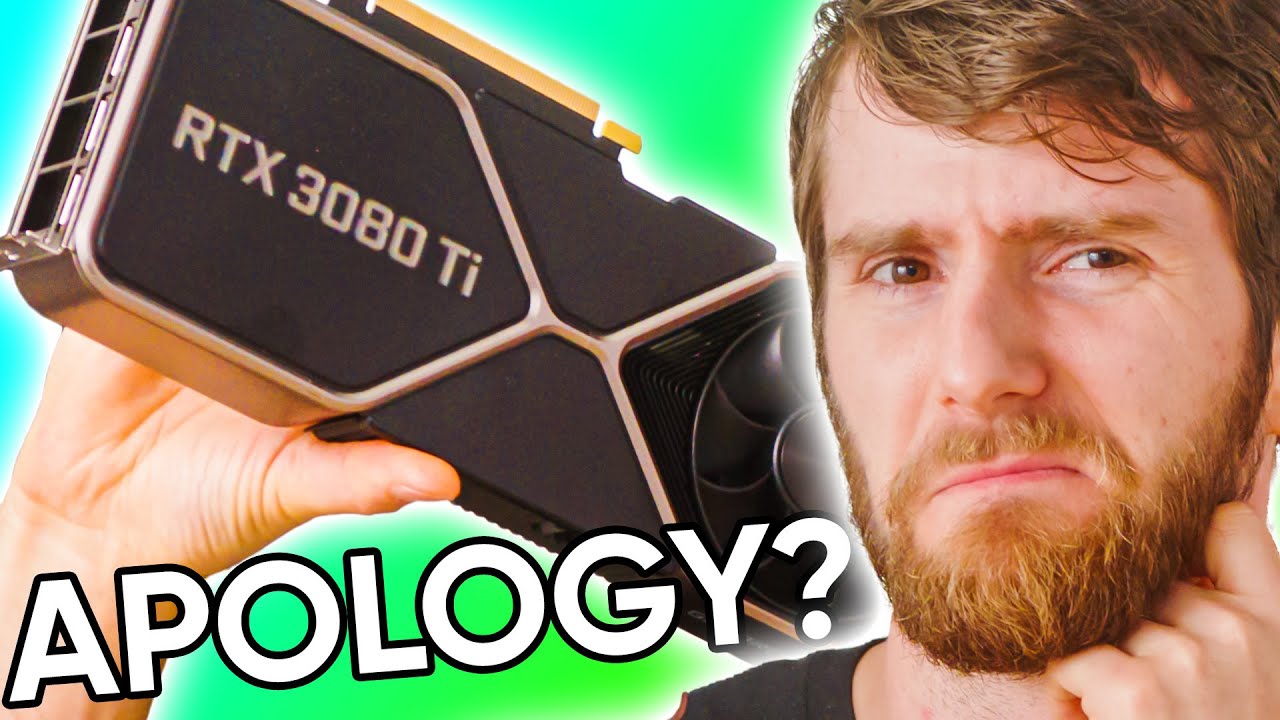
Receive a $25 credit for Ting Mobile today when you sign up at https://linus.ting.com/
Check out the Z590 AORUS Master at https://aorus.shop/LTT-Z590
Nvidia’s got interesting ideas for managing the silicon shortage, and their latest tactic is to improve supply by making the RTX 3090 obsolete. A bold move – Could it work?
Buy NVIDIA RTX 3080 T...
If you go to the end of the vid Linus talks about the cheap to expensive Vr setups. Did that ever happen
gloomy crater
I vaguely recall a video where he tries three different graphics cards in his VR rig, is that what he's talking about?
rapid otter
I played VR yesterday for the first time in a month 😁
I just had so much work and i prioritized sports over games since i didn't had much time
It felt very weird, like when you try for the first time
And of course it was on Boneworks

In this video we head into the metaverse (sort of) to see how the Facebook/Oculus/Meta Quest 2 VR headset works, from the inside out. It may be a couple years old, but it is still the most popular cordless VR headset on the market, and we need all the practice we can get for the upcoming VR boom.
Devin Coldewey’s conversation with Facebook’s...
haughty thistle
gloomy crater
I vaguely recall a video where he tries three different graphics cards in his VR...
Linus did say they want to revisit that video at some point, but I haven't seen any such videos posted yet (other then the old ones)
 rapid otter
I think it's making an average of you system, ram speed, cpu, gpu
And i guess your CPU is super powerful, (is your ram too ?) so it averages it to a good score
I don't see how it could get this results otherwise
 pastel echo
Well the actual specs are
5200 DDR5 ram
I-9 12900K (16 core)
and RTX 3080 fe
not sure why it used the intel for GPU or got the core count wrong doe
haughty thistle
The built-in SteamVR performance test doesn't take into account the more demanding graphics or higher resolution HMDs of today. It's basically stuck in the time where VR was low quality demos and the Vive was the top of the line...
gloomy crater
I feel like the superposition VR benchmark function is a better alternative to the basic steamvr performance test
green crypt
Eh would say openvr benchmark is better tho needs an hmd so
rapid otter
Asking if the specs are good is the best option
To knowledgeable people like in this server of course
haughty thistle
I'd go as far as to say that OpenVR Benchmark is the only realistic VR benchmark out there, as there's varying overhead with each HMD...
green crypt
Yeah also depends on the game a lot you plan to play also what a good rig is
haughty thistle
One thing that OVRB allows us to do is to compare how different headsets perform on the same hardware or what kind of performance increase/decrease one might be able to expect with certain hardware upgrades...
weak bluff
Is OVR Advanced Tool the thing allow me to fly in VRChat? How to use it?
green crypt
Still funny at a time the top score was a 2700x + 1080ti for the index
Not sure what place that score is now tho
haughty thistle
weak bluff
Is OVR Advanced Tool the thing allow me to fly in VRChat? How to use it?
OVR Advanced Toolkit allows you to set a Playspace offset, which combined with FBT, can make you appear to fly in VRC (even though you aren't actually). I don't quite remember what exactly all needs to be enabled, but there should be a section for Playspace and motion. In Playspace you can see your current offsets, Zero out the Y offset, adjust them manually and lock certain offset axis (for example, if you only want to move up and down, lock the X and Z offsets). In the Motion tab you should be able to activate Space grab, with which you can double press a certain bound button to move around in space. Clicking on Bindings should open up the SteamVR binding editior, where you can change the binding for the space grab function
weak bluff
I see
 sudden anchor
A friend of mine just bought a valve index, however we are having trouble getting his index setup. The lighthouses show a green status light, but nothing (headset, lighthouses or controllers) show up in steamVR. Any ideas?
gloomy crater
Is there a noticeable benefit to having Wifi 6E wireless integration on a standalone headset over regular Wifi 6? Like, if I've already bought a whole new wifi setup to prepare for something like the new Pimax headset or maybe the deckard only to realize that it's all wifi 6 not 6E, will I have to return everything and start over...?
haughty thistle
6E is utilizing a 6GHz band rather then the 5GHz band used by Wifi 5 and Wifi 6. 6GHz may not improve bandwidth that much, but it should improve the latency. 60GHz (aka WiGig) is still better for VR, but 6E is a step in the right direction. There currently isn't any headset on the market that has 6E support, nor did I hear of any Routers with 6E support yet...
haughty thistle
sudden anchor
A friend of mine just bought a valve index, however we are having trouble gettin...
Sounds like the Index just isn't detected by the PC. It requires Power, DisplayPort 1.2 and USB to be plugged in before starting SteamVR. SteamVR doesn't have hot-plug capabilities, so make sure everything is connected before starting up SteamVR
The Lighthouses will show up once the headset and/or controllers see them. They don't need/utilize the USB ports on them
gloomy crater
haughty thistle
6E is utilizing a 6GHz band rather then the 5GHz band used by Wifi 5 and Wifi 6....
Oh, okay. I only thought to ask after seeing Wifi 6E in the new Pimax 12k QLED specs and going 'oh crap'
sudden anchor
haughty thistle
The Lighthouses will show up once the headset and/or controllers see them. They ...
ive gone through the cables with him and everything is connected correctly, the lighthouses SOMETIMES show up if we plug them in via usb direct to the computer but other than that nothing
haughty thistle
Are the LEDs on the Index shining in like a Blue color?
sudden anchor
bright green
gloomy crater
but there's no picture on the displays?
haughty thistle
Bright green means that the HMD is connected and talking to SteamVR 
sudden anchor
nothing on the displays
the thing is though nothing is showing up in steamvr
we have reinstalled steamvr a few times thinking it was a bug
haughty thistle
SteamVR must be throwing errors, if it doesn't show any hardware. What error is it showing?
sudden anchor
as far as im aware no errors from steamvr itself
not even the headset not detected error
haughty thistle
That... doesn't sound right...
gloomy crater
Hmm. I've never had that issue with my index. I guess the first thing I'd try is confirming that both the USB port on the motherboard and the Displayport on the graphics card that the HMD are connected to are full speed and perfectly functional
sudden anchor
they appear to both be correct spec and functional
hes attempting to set it up with a rx 570 so I dont know if that could be a factor or not
is it possible that both lighthouses are possibly faulty?
haughty thistle
No.
Lighthouses only show up when a Device using the tracking system actually sees them. The Bluetooth is only used for Power management and firmware updates
green crypt
sudden anchor
so im stumped as all hell
Tried a system reboot already?
sudden anchor
green crypt
Tried a system reboot already?
yessir
green crypt
Check device manager if the hmd shows up
Hmd needs to show up there it's needed to get the lighthouses to show up
Could be a faulty index cable but it's probably a software failure more likely
sudden anchor
ill get him to check that tomorrow since hes gone to sleep now - what section is the index usually in under device manager?
green crypt
Just look around should be in a few spots as has multiple devices
sudden anchor
noted, alright cheers for the help
lofty sundial
sudden anchor
noted, alright cheers for the help
Granted its prob not your issue, but for future to avoid issues, if you hard power the headset down by unplugging it from power/or its teather, open SteamVR, and then plug it in. It'll not behave nicely and will require a steamVR reboot(or mine does).
Then personally for lighthouses, mine only shows up if the headset has LOS to them, moment los is broken steam shows as ''not working'' Because obviously the PC has no way to know if they are on/working.
sudden anchor
lofty sundial
Granted its prob not your issue, but for future to avoid issues, if you hard pow...
well we tried making a little sacraficial circle in the middle of his room where everything could DEFINITELY see each other but unfortunately still nothing
just waiting on him to wake up at the moment so we can see if the headset even shows up in device manager
sudden anchor
green crypt
Check device manager if the hmd shows up
it shows up as normal in device manager
audio devices show up, usb devices show up etc
no errors
sudden anchor
haughty thistle
Lighthouses only show up when a Device using the tracking system actually sees t...
update: the problem is fixed - we installed a bluetooth adaptor and everything was detected right away - the second we LITERALLY plugged the dongle in and scanned for lighthouses.
was there an update where bluetooth became a REQUIREMENT?
or was there just some weird shit going on
haughty thistle
Not as far as I'm aware...
rapid otter
I thought my quest 2 broke yesterday
I had no sounds, in standalone and with the PC
Took my earbuds to workout and noticed a very familiar sound, the boneworks OST
It had been connected to my earbuds the whole time
😤
 spring tusk
😂
haughty thistle
lol
sudden anchor
utterly bamboozled
 lyric mulch
Is it a good time to get people into VR?
weak bluff
If you are fine with what games are being offered now
If you are not satisfied with current game i say no
VR biggest problem is poor selection of good games now
To many VR is just worth as one time experience for now
haughty thistle
Far from it. Just in the affordable range where nothing comes out. Metabook has successfully managed to deter any competition daring to step too close to their price point...
Like, one headset that started shipping earlier this month is the Varjo Aero. An amazingly clear HMD. It's just that it costs 2k, with no controllers or lighthouses included...
lyric mulch
haughty thistle
Far from it. Just in the affordable range where nothing comes out. Metabook has ...
Right
Do you think that that will change anytime soon?
haughty thistle
Not this year, that's for sure. Developing a good VR headset takes time and lots of money. And right now, no company seems to be willing to make that sort of investment if Meta is just going to Cut the price of their Quest and still come out ahead (which, let#s face it, they probably will do if anyone tries to compete on a serious level)
haughty thistle
Literally nobody knows (except maybe Valve)...
lyric mulch
I don’t think that Valve knows in that case
haughty thistle
Before the acquisition of ImagineOptix by Metabook, a release of late this year seemed plausible, but now I'm not so sure...
lyric mulch
Did Valve work with them?
haughty thistle
it seems like most of Valve's Varifocal Lens Patents came from Valve working together with ImagineOptix developing this tech. We know this, as Valve literally sued them after a large third-party invested in ImagineOptix (and that third-party is likely Metabook, as they purchased them later down the line). After that case was settled out of court, Valve filed a suspicious amount of patents, mostly lens technology related
lyric mulch
Oh dear
That sounds bad
Is it possible that the deckard will be the index 2 at the same time?
haughty thistle
Yes. It's a PCVR native first HMD with standalone capabilities. Watch the videos from SadlyItsBradly for more infos. That guy is a god at scraping infos from patents, SteamVR releases, etc...
lyric mulch
That’s very cool, thanks! Hope that its release isn’t set in too far of a future!
glad sand
What’s the best Index game that you can jump in for 30 minutes (other than the Lab/Beat Saber 😉)
lyric mulch
glad sand
What’s the best Index game that you can jump in for 30 minutes (other than the L...
Vivecraft could be a contender
formal willow
boneworks has the arena its ok
 pale wagon
Hotdogs horsehoes and hand grenades is good for a 30 minutes play session
weak bluff
Its always VR hardware that evolve
Software is still bad
Its just not catching up
VR is not better with just better vr headset people need to realize this
lyric mulch
weak bluff
VR is not better with just better vr headset people need to realize this
It is, but it would be much better with better software
 lilac jewel
still debating whether to buy like a kiwi cable for direct link + charge or go VD over Air Link
not sure what y'all say if the difference is 15 USD for VD with coupon or like 20 for a 3rd party link cable
harsh niche
both
in my experience link gives better performance and quality
but vd gives more freedom
so i use vd for games where i spin around a lot like phasmophobia, and link for more performance heavy games like flight sim, or where i need better latency like in beat saber
weak bluff
If you buy a USB cable instead of type C your quest wont charge enough to play and use at same time
harsh niche
it makes it last a lot longer tho
haughty thistle
weak bluff
If you buy a USB cable instead of type C your quest wont charge enough to play a...
Not necessarily. It depends on the motherboard and the power it can supply...
weak bluff
I dont think motherboard output more than 5W on USB 3.0
You need those special active power which is in laptops
Even that is not high

0.5A x 5V is only 2.5W and 1.5A x 5V is only 7W
haughty thistle
Yeah, but that also applies to the Type-C jacks. Unless you happen to have a Thunderbolt port on your Mobo, it's likely just a Standard USB 3.1 Gen2 port with a different connector...
weak bluff
Then intel motherboard mostly have thunderbolt then
To which it can provide 15W
Idk how much AMD board provide
haughty thistle
That's not USB-PD or Thunderbolt. What I meant is that usually, Type-C ports on motherboards aren't different to other USB ports on motherboards. You're board has some extra Amps on the Type-C port, but it's by far not always the case...
weak bluff
Yeah that's what i mean
haughty thistle
And extra Amps on a single or a couple of USB-Ports isn't unheard of either. I used to have a Gigabyte board that could deliver up to 2A on 2 of it's USB ports...
weak bluff
Majority of usb c on Intel motherboard are thunderbolt
I say avoid usb cable also because i tried myself and it really charged very little
haughty thistle
My Quest usually discharges, even when using a Link cable. But it discharges not as quickly with a cable, and when I loose like 30% in a 4 hour session, there's no way I'd be running out of juice during a session...
gloomy crater
I'm only freaking out a little bit but uh I just finished checking out a little community made VR mod for portal 2 and when I quit out, my thumbs were covered in little black dots and I realized my controllers have giant areas on them where the paint or coating or whatever on the oval shaped touch pads had begun to wear away and flake off onto my fingers is that normal?
haughty thistle
I'm guessing you're talking about the Index Controllers. I've never heard of that happening to a degree that it's a noticeable difference after a single session. I've seen paint on the Index controller rub off, but it's mostly been over time and usually deligated to the plastic housing on the grip stem (not the actual grip area), the metal ring around the top plate and the little nub that holds the strap to the top of the controller...
gloomy crater
I only noticed it because it felt like there was something on my controllers, so I scraped at it to try and get it off, which I guess was me actually scraping at the coating. It's only on the touch pads themselves, I can't find any damage anywhere else
 left crescent
Hello! Stupid question - for laptop, what could be the minimum specs for a laptop to support a VR headset connection? Case and point: I'm thinking of buying an Oculus Quest 2 and I mostly wanna connect to my laptop (I know it works standalone) - a Lenovo Legion with an i7-8750H and GTX 1050 Ti (the laptop "turns" 4 in December)
haughty thistle
😬
On Desktop PCs, the 1060 6GB is usually considered bare minimum. Considering that Mobile GPUs always perform like the next tier/model down the stack, yeah... I mean, you can try, but expect having to set the resolution way way down...
weak bluff
1050Ti mobile you can beat saber barely with it
haughty thistle
Yeah but that's Beat Saber. That game can run on a Potato almost...
 oblique hill
weird question: do you prefer VR on a rug/carpet or hardwood floor?
glad sand
oblique hill
weird question: do you prefer VR on a rug/carpet or hardwood floor?
Personally I prefer carpet, that way I don’t need to wear shoes and can wear socks, so when I inevitably need to deal with the cable it’s much easier, and I’m not slipping around like on hardwood. More comfortable overall for me personally :)
 echo marlin
Hey so I'm looking in getting into VR, I now have a desktop with a Ryzen 5 3600 and a GTX 1070, what kind of space would be recommended? What kind of headset would be best for a reasonably cheap prise?
 unkempt cape
echo marlin
Hey so I'm looking in getting into VR, I now have a desktop with a Ryzen 5 3600 ...
unkempt cape
echo marlin
Hey so I'm looking in getting into VR, I now have a desktop with a Ryzen 5 3600 ...
reasonably cheap?
pastel echo
echo marlin
Hey so I'm looking in getting into VR, I now have a desktop with a Ryzen 5 3600 ...
Space can be really down to whatever you have but for me a box that is equal to (your height) x (your height / 1.5) is my minimum for an ideal experience
unkempt cape
for me i need to be able to lean or wave my arms around without hitting something
pastel echo
Your arm span unless you're abnormal is about the same as your height fun fact
unkempt cape
huh
glad sand
echo marlin
Hey so I'm looking in getting into VR, I now have a desktop with a Ryzen 5 3600 ...
Depends what you mean by “reasonably cheap” and where you’re gonna use it. If your budget is ~$300, Reverb G2. If your budget is ~$800, Valve Index. If you’re somewhere in between, maybe add Index controllers to your Reverb G2 ;)
echo marlin
glad sand
Depends what you mean by “reasonably cheap” and where you’re gonna use it. If yo...
More in the €300 range yes, I am in the Netherlands
echo marlin
pastel echo
Space can be really down to whatever you have but for me a box that is equal to ...
Wait so 24 square meters?
Damn
Wait no I stuphid, you mean like 1,85m*(1,85m/1,5=1,23m)
I still don’t have that room so I’ll have to find another room to set that up in, and a desk for my pc and monitor as well
glad sand
echo marlin
More in the €300 range yes, I am in the Netherlands
Yeah see if you can pick up a used/open box Reverb G2 or something for cheap, idk if you can get it brand new for that where you are but you can see :D
 glad sand
echo marlin
Used they go for 500 euro 😦
glad sand
echo marlin
Used they go for 500 euro 😦
Where are you looking? Check like r/HardwareSwap and r/HardwareSwapEU
And local, non-shipped marketplaces
Lots on r/HardwareSwap have gone for $300 for like...a brand new one lmao
echo marlin
Marktplaats, the Dutch equivalent to Craigslist
glad sand
Hmm...see if HardwareSwap is a good option, might be something in your region or willing to ship there
echo marlin
Yeah I’m looking but can’t find anything unfortunately, also have to keep in mind the 21% tax+8 euro handling fees that my local post service charges. That makes outside EU a lot less viable tbh
Wait no, looking at the customs site, worth between 45 euro and 700 euro means a charge is added of 2,5% of value on top of 21% tax
So that 300 usd turns into a 350 euro package
rapid otter
oblique hill
weird question: do you prefer VR on a rug/carpet or hardwood floor?
I play on something similar to cement, i prefer it because bare footed i never slip, my play session get physical...
rapid otter
echo marlin
Hey so I'm looking in getting into VR, I now have a desktop with a Ryzen 5 3600 ...
My play space is smaller than me both in length and width, but I'm very used to VR. Once you get used to it you hit things way less often you developed a sense for it...
But yeah I would consider for anyone a square of height as a minimum. Also be careful at the height, i broke a ceiling lamp 😛
tawdry dove
Eventually you get comfy enough that you can throw your phone out of your pocket onto a nearby couch with no hesitation because you just know which way you are looking

 tawny harbor
whats the best alternative to quest 2
haughty thistle
If you're fine with spending a bit more, the Reverb G2, And if you're fine with spending a lot more and mounting base stations, the Index...
sudden anchor
So my friends index is working great now but I have another confusing thing - his index and RX 570 are getting a much higher consistent framerate in vrchat than my original vive and 3060 - he doesnt go lower than 125fps and yet I can barely make it to 90 consistently
Is it normal for a 570 to wipe the floor with me?
weak bluff
possible any downgrade involved?
lower res can make a difference
vrchat also has its own quality settings
was FSR installed?
sudden anchor
not that i know of
all our steamvr settings are default
he only got vr 2 days ago and im on a fresh reinstall of windows myself so we havent really tampered with any of our vrchat or vr settings overall
haughty thistle
sudden anchor
all our steamvr settings are default
One of the defaults is Auto-Res in SteamVR, so that's likely it then...
haughty thistle
weak bluff
i haven heard of DecaGear in a while
Well... There was one of their former employees that exposed the problems Deca had internally. The Tl;dr is basically this: Don't expect the DecaGear to ever come to market...
sudden anchor
haughty thistle
One of the defaults is Auto-Res in SteamVR, so that's likely it then...
we have both of ours to auto
thatd be why?
haughty thistle
Yup. That means that your machine most likely is running the Vive at a higher render res percentage then his system is running the Index. You can't compare performance with two completely different render resolutions
lofty sundial
@sudden anchor vrchat only cares about your CPU
Dynamic bones are only rendered on 1 core, think its 4. So its all CPU performance if you dont disable them
weak bluff
lol my cpu top 20-40% here GPU is what left to play performance for me
probably because of my strong single thread performance
haughty thistle
The CPU % in Taskman is the % of usage across all threads, so it can be misleading, that when a 24-Thread Ryzen "only" has 16% usage, as it can both mean, all cores are used to 16% or 4 whole threads are under full load and cause a bottleneck...
weak bluff
nope I really set all threads visible
 sudden anchor
lofty sundial
<@219417061254758401> vrchat only cares about your CPU
sudden anchor
lofty sundial
<@219417061254758401> vrchat only cares about your CPU
if that were the case id be way ahead then no? I have a 5950X as to where he only has a 3600
it appears to be the auto resolution setting
weak bluff
gpu plays major role in VR
but VRChat is a special case when you have to suffer loading other people poorly optimized worlds and avatars
thats where the cpu choking comes from
part of it also because VRChat itself is poorly optimized as well
lofty sundial
90% of VRchat performance issues can be narrowed down to dynamic bones, ever have shit fps? turn them off and instantly x5 your fps. 
 soft hound
Not really
Dynamic bones does only compile on one core though
The biggest performance hit in VRChat is draw calls
Every material being rendered is another draw call that the CPU has to make
And with avatars showing 30+ materials at once, with 20 of them in a room...yeah
Much bigger performance hit than dynamic bones
It's why turning off avatars in a world like the Pug can make you go from 40 FPS, straight to 120, since you're not rendering all those materials
haughty thistle
I found that enabling the dynamic bone limiter increases performance is filled lobbies almost 80% of the time. It's not always the bottleneck, but it contributes a large part to it...
soft hound
Yes, it does have an effect, but just not as significant as materials
haughty thistle
Most avatars I run into that tank performance usually spam particles and dynamic bones. Besides, turning off custom shaders on people you don't know is best practice anyways, due to the prevelant crasher shaders and screenspace shaders that some people like to spam...
soft hound
I keep shaders on for everybody, but I only have animations enabled for known + trusted, with particles turned off for every rank, except friends
Seems to work fairly well
Usually hover around 30-60 FPS in 30 player lobbies
rapid otter
Your pfp background is really cool @soft hound
restive ivy
Can use dldsr in vr?
restive ivy
I might turn down my ss on steamvr I'd I can turn on dldsr
soft hound
DLDSR is not implemented into SteamVR. It won't work as of right now
Whether it is added in the future is yet to be seen
restive ivy
Maybe not at the steamvr level
It appears to be driver level
You turn it on in the control center
formal willow
would be cool but then again I ran hla on 3050 without any problems but on rift s so yeah
harsh niche
what's all of your opinions on OpenVR FSR?

GitHub
Add Image Upscaling via AMD FidelityFX SuperResolution or NVIDIA Image Scaling to SteamVR games - GitHub - fholger/openvr_fsr: Add Image Upscaling via AMD FidelityFX SuperResolution or NVIDIA Image...
gloomy crater
Question for @haughty thistle : I searched to see if anyone's asked this before but couldn't find an answer. If I recall correctly, you're the owner of a Varjo Aero. In Thrillseeker's video about the headset prior to its release, he says that there's significant visual distortion that Varjo told him is 100% a software hurtle and would be completely fixed by the time the consumer headset launched. What're your thoughts there? Is what he/they said accurate?
weak bluff
harsh niche
https://github.com/fholger/openvr_fsr
its horrible if you are already running at very low res
but good when you upscale from high already res
if you play minimum FSR makes it a lot worse
haughty thistle
gloomy crater
Question for <@!202504214163881984> : I searched to see if anyone's asked this b...
It still definetly has distortions, but it's not as bad as the distortions you'd get on a Pimax. It's also something you get used to very quickly. Just a couple of days of using it and you won't even notice them anymore...
 versed carbon
restive ivy
I don't have an rtx card on my secondary setup
versed carbon
restive ivy
I don't have an rtx card on my secondary setup
Bro has a card in his secondary setup 😭
 blissful junco
let's go, my oculus touch left controller analog stick is having horrible drift and they just told me they can RMA it a third time even though it's one year out of warranty
maybe the fourth one won't die after 3 months of use lol
gloomy crater
versed carbon
Bro has a card in his secondary setup 😭
The secondary system I use for streaming the VR stuff I do has a 5700XT in it, which was the card I used before I got a 6900XT for my actual gaming setup.
Going from 120% resolution at 90hz on my index to 200% at 120hz was a big upgrade with that purchase
 wraith rose
I just got Blade & Sorcery on Steam and whenever I try to run it (Using Quest 2 with ANKER Link Cable) I get around 2fps as soon as I open the game, but when I close it, everything is fine again. All other VR games run fine, its just this one. Any fix?
weak bluff
sounds like a performance profile or some kind of settings problem
check if you are in power saving mode or some kind of Radeon Chill mode
or performance focus windows kind of stuff
harsh niche
have you messed around with blade and sorcery settings? for me when i tried it it was very buggy and weird and needed quite some tweaking to be playable
wraith rose
harsh niche
have you messed around with blade and sorcery settings? for me when i tried it i...
Its so laggy that I cant even navigate into the settings of B&S
weak bluff
there might be possible to go around that with steam launch settings
check game specific launch settings that may help
sullen linden
I know this is gonna sound weird but is there like a camera-tracked or AI-tracked FBT?
weak bluff
camera tracking FBT exist but far from perfect
camera tracking + AprilTag exist
which accuracy is ok-ish
sullen linden
weak bluff
camera tracking + AprilTag exist
which one's better?
weak bluff
if you want best camera tracking yeah i guess AprilTag it is
most plug & play i say kinect2VR
haughty thistle
It may be on Github, but don't download this. It's one of those Applications that, when you run it, data mines your PC for Passwords and the like...
How do i know this? They uploaded a .rar file as the only file to that Repo. No dev would do this...
weak bluff
that message violated rules
haughty thistle
I also went ahead and reported the Github user. Only 2 repos, created both created today, each containing a rar file only. Likely a bot posting malicious code and using Github to seem genuine. Posting malicious code is against the ToS of GitHub as well, so yeah... Crossing lots of red lines there...
 haughty thistle
A couple of people had this before. Dunno how they fixed it. One surefire way of getting it back is by using VirtualDesktop 😉
rapid otter
And now my oculus is locked
My quest 2
I need to connect to Facebook but it doesn't work
rapid otter
@haughty thistle i've done it
Now it works
So the airlink now doesn't need to be activated every 24 hours in the beta tab once it has been once
You need to open the airlink tab in the headset
As for the Facebook logging i just changed my password and after a while it finally let me in
After 5 min my apps came back

Took me like an hour and a half
 plush current
Does anyone know if i should sell my rift s to buy a quest 2
tawdry dove
plush current
Does anyone know if i should sell my rift s to buy a quest 2
Quest 2 is better overall, so sure
Also the psvr2 is gonna be sold out forever probably
glad sand
plush current
Does anyone know if i should sell my rift s to buy a quest 2
Look at the messages above yours 😉 … I’d get something better and non-Facebook personally :)
tawdry dove
Is meta bugging rn?
plush current
I might just keep my rift s then
Dont see a point saving up a extra like 100 on top of selling my rift s just to get a small upgrade
weak bluff
i also dont have air link option
turns out it always on now
i think its like out of beta
also I got a burner meta account for 3 years now lol
harsh niche
huh?
plush current
weak bluff
turns out it always on now
Yeah they changed it
rapid otter
rapid otter
So the airlink now doesn't need to be activated every 24 hours in the beta tab o...
@weak bluff
Tho i think i would still sell the rift s of you plan of changing later, the rift value is getting down as time passes in like a year the price will be very low. Also it will be obsolete in a few years
You should look into this chat i had with CB @plush current
 neon basin
what would be a good alternative for a cv1 since they are going obsolete
glad sand
neon basin
what would be a good alternative for a cv1 since they are going obsolete
Reverb G2 is pretty good and can be found for pretty cheap here in the US anyways
neon basin
glad sand
Reverb G2 is pretty good and can be found for pretty cheap here in the US anyway...
not in EU
flint ridge
neon basin
not in EU
It depends on your specs on your pc
 sullen linden
oculus quest 2 vs reverb g2
 slow mulch
idk i have the quest 2 ive had lots of bugs with it the straps are annoying but i still love the thing and its the most easys thing to set up just plug it in fire up the oculus app the steam vr and there we go
weak bluff
G2 is more plug and play
haughty thistle
restive ivy
linux?
Yeah, SteamVR had Linux support for a while now. But it's like super jank and works with pretty much SteamVR native hardware only (so that's the OG Vive, Vive Pro 1 and Valve Index)
I wouldn't recommend going with Linux for VR as of right now...
harsh niche
^
tawdry dove
weak bluff
spec wise G2 (negligible)
The screen is way crispier
haughty thistle
Not just has the G2 a much higher resolution, all of that res is also available for PCVR applications. On the Quest 2, you're kinda limited by how fast the SOC can decode, how fast your PC can encode and the maximum bitrate you can push though the cable/Wifi stably. Safe to say, you're not getting native res in PCVR, and even when you do, it's heavily compressed due to the Quests SOC
tawdry dove
Yep
haughty thistle
Because the Quest only has a USB port. It does not have support for a native display connection. PCVR was more of an afterthought for the Quest
 wicked palm
so i gotta conect it to my mobo?
haughty thistle
As long as you connect it directly to a USB 3.0 port on your PC, you should be fine
haughty thistle
It would be recommended, but shouldn't be necessary
With the Quest your main GPU (which should be the dGPU) will render the frames into a virtual framebuffer, which is then read by an encoder (like how OBS captures your monitor output). This Encoder then compresses the heck out of that image and sends it via USB (or Wifi) to the Quest headset, where it then get's decoded again...
flint ridge
sullen linden
oculus quest 2 vs reverb g2
Needs very good pc
Why does the rx 550 say it is vr ready
formal willow
marketing
flint ridge
Cool
glad sand
Fr, I bought a “VR Ready” laptop but have had no possible way of playing VR on it…I’m sure the GPU is capable (3060) but it is not wired to display to a VR headset at all :/
sullen linden
It dosnt have a displayport?
Or an HDMI port?
If not I bet it could still do link
glad sand
sullen linden
It dosnt have a displayport?
It has Type-C, which I have tried adapting to DisplayPort with several adapters, but no matter what it gives me the “laptop: headset display disconnected” error in SteamVR
sullen linden
Damn that legitimately sucks, maybe try oculus optical fiber cable with a quest
glad sand
sullen linden
Damn that legitimately sucks, maybe try oculus optical fiber cable with a quest
Oh I don’t have a Quest (very much not a fan of Facebook 😉 ), this is with an Index
sullen linden
Ah ok
 candid spindle
Is it acceptable to ask about Google Cardboard in this chat?
sudden anchor
Anyone whos had to RMA a headset, have you ever had the store contact you requesting your base stations to assist with THIER troubleshooting? My store dealing with my RMA of my VP2 emailed me requesting me to post my base stations at my expense to assist with their troubleshooting as they have not got their own. Right now ive refused and demanded they find their own base stations since they LITERALLY SELL 2.0 stations. Has anyone else ever had the entity processing their RMA request extra technology that was NOT part of the original sale? (I bought headset only not a full kit - so base stations were not included - I would be sending my own original base stations)
To me it seems a bit outrageous that I have to send more of my own equipment at my expense because of their damaged product???
flint ridge
candid spindle
Is it acceptable to ask about Google Cardboard in this chat?
We will have to put you on the sacrifice to the zuck list but yes
gloomy crater
sudden anchor
Anyone whos had to RMA a headset, have you ever had the store contact you reques...
That's kinda cringe, especially considering they sell their own base stations. I'd expect a shop to pull one from the shelf and use it to test, then pass on a fraction of the price to the consumer as a troubleshooting fee sooner than they'd ask the consumer to ship in one of their own, that just seems ludicrous
sudden anchor
gloomy crater
That's kinda cringe, especially considering they sell their own base stations. I...
i thought so, i was wondering maybe i was just being an asshole but no
theyre just being difficult, not that it matters anyway
i yelled at them for long enough so they are just ordering a whole new headset
rapid otter
candid spindle
Is it acceptable to ask about Google Cardboard in this chat?
Yes of course it is
candid spindle
Haha sorry, I didn’t know how gatekeep-y this scene was
Is it worth it though? Like what’s it like to watch a YouTube video in VR
neon basin
flint ridge
It depends on your specs on your pc
What depends on my pc specs?
rapid otter
candid spindle
Haha sorry, I didn’t know how gatekeep-y this scene was
We are open minded, i mean in this channel, i don't hang out much in other VR server
rapid otter
candid spindle
Is it worth it though? Like what’s it like to watch a YouTube video in VR
It's still a nice product, it's fun to see what VR is like. The quality isn't great but you can still have fun. You can watch YouTube vid and share it with your friends or family.
It's really a small overview of what VR has to offer
weak bluff
we are pretty much early adopter and contributor for a technology that will boom in future
candid spindle
rapid otter
We are open minded, i mean in this channel, i don't hang out much in other VR se...
Nice to hear! A lot of tech communities can be really harsh on newcomers to a technology, or maybe I've been jaded by my years on the internet.
Do you know of any headsets that are good?
candid spindle
I have a mac and a somewhat functioning windows laptop with a i7-6700hq and 960M which aren't close to spec for VR
I think mobile VR is my only option right now
candid spindle
like tree fiddy
I mean ideally I'd get a cardboard style headset for my phone to get a taster
 sand badger
any suggestions for must have titles to show friends/family VR for the first time?
I have super hot, beat saber so far
tawdry dove
sand badger
any suggestions for must have titles to show friends/family VR for the first tim...
Maybe job simulator
rapid otter
sand badger
any suggestions for must have titles to show friends/family VR for the first tim...
If you have a quest you have to get first step/first contact can't remember wich one (one is PC one is standalone)
It teaches how to use the headset as well as basic things like launching a paper plane or playing with little cubes
Also hand physics lab is really good, it's a game with hand tracking
glad sand
sand badger
any suggestions for must have titles to show friends/family VR for the first tim...
The Lab is amazing, that would be my first choice
flint ridge
neon basin
What depends on my pc specs?
g2 has to have ahigh teir gpu
harsh niche
sand badger
any suggestions for must have titles to show friends/family VR for the first tim...
I like google earth
 oblique hare
what first step/contact is for pc?
harsh niche
I can take them to their house and in the mountains and stuff
oblique hare
where can I find google earth vr ive been wanting to check it out
oblique hare
 gentle coral
glad sand
Fr, I bought a “VR Ready” laptop but have had no possible way of playing VR on i...
gentle coral
glad sand
Fr, I bought a “VR Ready” laptop but have had no possible way of playing VR on i...
Check what ports it has, if it has a thu derbplt port, that can be used for vr (though causes some issues if it is both usb and displayport at the same time.
glad sand
gentle coral
Check what ports it has, if it has a thu derbplt port, that can be used for vr (...
It has two Thunderbolt 4 ports, I tried both the Insignia Type-C to DP adapter as well as a Cable Matters one. Both of these work perfectly on other laptops I have with Thunderbolt
gentle coral
sudden anchor
Anyone whos had to RMA a headset, have you ever had the store contact you reques...
That is absurd and probablillegal, they should use their own devices, and if it works correctly, only then should they ask for your lighthouse devices.
sudden anchor
gentle coral
That is absurd and probablillegal, they should use their own devices, and if it ...
thanks for the input, i was worried i was just being an asshole haha
gentle coral
candid spindle
Haha sorry, I didn’t know how gatekeep-y this scene was
Youtube in vr is a mixed bag (360 is fantastic, but standard 2d in vr can be a mess, youtube does not update their vr app regularly the last time I checked.
Also with Google cardboard you should let anyone who uses it know the difference between 3 dof (degree of freedom) vr , and 6 dof vr, and that if they try Google cardboard and do not like it, they should still try a full vr setup as it is very different.
(In some of the vr dev industry we actually consider Google cardboard a step backwards in vr (even when it released), because 3dof is much worse then 6dof, but most people don't know the difference. This caused a large part if the potential vr user base worldwide to not try modern vr because the got sick using vr).
Tldr- 3dof vr's wide easy accessibility has hurt 6dof vr's addoption for a massive part of the world.
gentle coral
glad sand
It has two Thunderbolt 4 ports, I tried both the Insignia Type-C to DP adapter a...
Those should definitely work if the adapter can handle displayport alternate mode, though I have yet to test my headset in my thunderbolt 4 port, so there might be an issue I don't know.
glad sand
gentle coral
Those should definitely work if the adapter can handle displayport alternate mod...
I agree, it absolutely should work....but it doesn't lmao, it also doesn't work with an eGPU for some reason? Once again all this stuff has been verified on other laptops of the same generation with the same standard of Thunderbolt 4. TLDR getting rid of the Z16 😂
gentle coral
haughty thistle
Because the Quest only has a USB port. It does not have support for a native dis...
Don't forget it isn't specifically because it is a usb port, but because facebook decided to disable the dispkayport alternative mode on their Qualcomm chip and force it to use USB 3.0 when it Could easily handle more. Facebook Kneecapped their pcvr performance on purpose to drive people to use quest 2 native apps on purpose (at this point I have almost conformation of this from oculus employees).
gentle coral
glad sand
I agree, it absolutely *should* work....but it doesn't lmao, it also doesn't wor...
I can only think of it being driver or firmware issues, (or a company lieing about their usb 4 implementation) at that point. True USB 4 / tp4 gas to meet a lot of requirements that I think some companies skirt around by claiming that no one would use multiple of the specific protocols at once. Or the headset firmware not being updated to be aware of USB 4 / tb4 implementations.
The headset side of USB and display negotiations is not very well documented let alone kept up to date on many headsets.
glad sand
gentle coral
I can only think of it being driver or firmware issues, (or a company lieing abo...
Unfortunately I updated everything on the laptop itself, and tried several operating systems (Win 10,11, Server 2019, Server 2012 R2, Manjaro) and no dice. The big thing for me is that it doesn't work with an eGPU, another Thunderbolt device 🤷♂️
gentle coral
Egpu should definitely work for the display side, but if you are doing usb and display over an egpu (quest 2 in a nvidia gpu with virtual link) over tb3 or tb4, then I have heard of weird issues.
Sometimes for vr it can be good to revert the USB or display driver to a specific version that has been shown to work (though that can be difficult if old drivers are hard to find (not already backed up). It is why I keep a backup of every driver I have ever had (I have 50+ GB golder of drivers that are usually only a few MB each). At this point i have about 250 versions of Realtek drivers (of which most suck).
I wish device drivers had a stability rating for features (like open source software releases)
glad sand
gentle coral
Egpu should definitely work for the display side, but if you are doing usb and d...
I completely understand that lol, I've got so many old drivers I have to revert to all the time lmao...but the eGPU literally does not power on in any way over Thunderbolt 🤷♂️ , so there is some wack sh*t going on with those ports. I could try RMAing it idk but rn my plan is to sell it
If it doesn't sell I'll try RMAing ig because it really is a good laptop that I like a LOT, but it just doesn't work and that sucks
gentle coral
What laptop is it?
glad sand
gentle coral
What laptop is it?
MSI Creator Z16, it's the one with the 3060, 11800H, 1600p 120Hz touchscreen
That thing was not cheap let me tell you
gentle coral
Yep that type of laptop should not be having those issues. I might know the specific problem if it was a razer laptop, a Asus zephyrus, or a gigibyte laptop as most of my vr devfriends have those. But I am unsure of the msi specific issues.
haughty thistle
gentle coral
Don't forget it isn't specifically because it is a usb port, but because faceboo...
Honestly wouldn't surprise me. Metabook makes more money if people buy standalone apps. I mean, looking at their "experiment" of Rift S vs Quest 1, you can tell that they knowingly handicapped the PCVR option massively just so people are more likely to buy the Quest and then claim it's what people want more. They basically took one of their decisions and made it look like it was the customers deciding...
rapid otter
oblique hare
what first step/contact is for pc?
They are sandbox game to discover vr
rapid otter
From oculus' SDK


A screenshot in Meta's developer documentation reveals an unannounced 'Body Tracking Support' option.
weak bluff
it could be for another headset but we will have to wait and see
the SDK can be for more than just Quest 2
and it could be an early thing for dev to try
harsh niche
rapid otter
From oculus' SDK

gloomy crater
Does steam have a cloud saving thing for VR games as well? Like, if I reinstall my OS and have to redownload all my VR games from my library, are all of my collected items in boneworks and the story progress in the workshop campaigns for half life alyx still gonna be there?
Actually, if I just started transferring over my VR games to another drive with the steam game transfer tool before reinstalling my OS, that would probably be a safer bet. At least then I wouldn't have to worry about whether or not steam will cloud save my progress or not.
 solid compass
whenever i connect my quest 2 to my pc my pc display shuts off and it wont connect
weak bluff
gloomy crater
Does steam have a cloud saving thing for VR games as well? Like, if I reinstall ...
This is individual game dependant you need to checkthe game yourself. Even if it does not autosave try manually save.
weak bluff
gloomy crater
Actually, if I just started transferring over my VR games to another drive with ...
yes
weak bluff
solid compass
whenever i connect my quest 2 to my pc my pc display shuts off and it wont conne...
graphic problem?
the log should save issues try emailing oculus support
solid compass
Yup no luck with fixing it and gpus are hard as hell to get right now
solid compass
Wym?
weak bluff
what gpu do you have
solid compass
1050ti ive run vr on it before fine
weak bluff
ok fair i used to run on that before
updated driver?
this sounds like a driver problem
glad sand
solid compass
Reinstalled
Did you try a different OS?
glad sand
solid compass
I'm using windows 11 rn
Windows 11 is jank for VR ngl
weak bluff
lol
it should be ok but it will have issues
I am a VR Windows 11 user for a year now (since insider build)
haughty thistle
One of the first Questions Varjo asked when I had issues with my HMD was whether or not I am using Win11, and when I told them I was not, they replied that they don't support it yet anyways. Neither does Oculus btw. Win11 with all of that crypto (and even stricter Telemetry) crap built in, makes it harder for software that requires hardware-level to function properly. I wouldn't be surprised if VR on Win11 would never been as stable or quick as it has been on Win10...
weak bluff
they can fix it its only a matter of time
and whether its worth their time
windows 10 compatibility is almost excellent on win11
rapid otter
gloomy crater
Does steam have a cloud saving thing for VR games as well? Like, if I reinstall ...
Regarding Boneworks i can help you save it
rapid otter
gloomy crater
Actually, if I just started transferring over my VR games to another drive with ...
It should work
gloomy crater
so essentially, It's got very little to do with VR, but I'm tryna reinstall my OS because it's super old and buggy as hell. I'm hoping it'll fix my issue where I have to force my GPU to pcie gen 3 in the bios just to stop it from randomly freezing. But I'm paranoid about losing stuff when I reinstall my OS so I'm gonna manually transfer everything I could potentially lose onto a new SSD first before doing anything to my actual OS install.
I'm also trying to decide if getting a PCIe gen 4 SSD would be worth getting over a gen 3 drive if they're the same price. The gen 3 drive is the 970 evo plus and the gen 4 drive is a random one called the Inland Premium with no reviews, but they're both $220 for a 2tb drive. I've had bad experiences installing to and running VR games off of hard drives, hence why I wanna get a new SSD to use as a games drive, as my intention was also to free up space on my C: drive
rapid otter
Pcie gen 4 drive aren't really worth it for the added cost
A 970 Evo is a great drive i think you should get it, at 220 for 2 TB it's a good deal
Running on an HDD shouldn't cause any issues, let alone bad frame rate

READ DESCRIPTION FIRST
BONEWORKS MULTIPLAYER UPDATED AUGUST 2021 HERE - https://youtu.be/KMXcO-ZOCe4
Want to enjoy the new Boneworks 1.6 update without doing the leg work? No worries because I have you covered. Here is a 100% save game file that has everything unlocked and its easy to install within MINUTES! Best thing is its compatible wit...
In this vid he shows how to get to the save file and how to save it
gloomy crater
rapid otter
Pcie gen 4 drive aren't really worth it for the added cost
That's what most people I ask say, but like I said, both the gen 3 and gen 4 drive are the same price. In fact, the gen 4 drive is actually currently $5 cheaper than the 970 evo plus. It's just not a very well known model I suppose.
gloomy crater

Inland Performance 2TB SSD PCIe Gen 4.0 NVMe 4 x4 M.2 2280 TLC 3D NAND Internal Solid State Drive, R/W Speed up to 5000MB/s and 4300MB/s, 3600 TBW
I'd send a PCPartpicker link but the only one on the site is for the version in that listing ^ with the heatsink included, which is like $30 extra
rapid otter
What's your CPU cooler ? And where is the SSD located ?
I didn't see a mention of a dram cache other than in one picture (most important part of an SSD), where one the Samsung there's a 2 gb one for sure
gloomy crater
I have an AIO, and my board is a B550 so only the top M.2 slot can achieve gen 4 speeds. Both the m.2 slots on my board have covers/heatsinks
rapid otter
Ok ok
rapid otter
gloomy crater
I'd send a PCPartpicker link but the only one on the site is for the version in ...
You won't need an heatsink then ?
gloomy crater
this is what tom's hardware has to say in their review of this specific SSD
 gloomy crater
rapid otter
You won't need an heatsink then ?
gloomy crater
rapid otter
You won't need an heatsink then ?
I assumed I wouldn't? Since the m.2 covers have thermal pads
gloomy crater
yah. According to this review, this drive costed $400 when it came out. Now it's $215 w/o the heatsink, $250 with it
rapid otter
gloomy crater
I assumed I wouldn't? Since the m.2 covers have thermal pads
And they generally don't need any, unless they are used at 100% for a long time
rapid otter
gloomy crater
yah. According to this review, this drive costed $400 when it came out. Now it's...
If it's the one in the review then it's a great deal
Make sure to check it's product code
gloomy crater
The review has a link straight to the amazon listing in it, so I'm fairly sure it's the same one as in the review. Back on the topic of VR, as I said I was hoping to fix the glitch that makes me force pcie gen 3 on my main x16 slot in order to avoid it bugging out. Specifically, I wanna fix it for stuff having to do with rebar and other gpu speed testing
So far, the gen 3 thing was the way to fix this glitch, but now I'm hoping fully reinstalling my OS will fix it without me having to do that
rapid otter
Gen 3 pcie shouldn't be an issue if you need to keep it that way
It's fast enough
Mine is pcie 3
green crypt
I really need a better CPU for vrc my 2700x is on it's last legs. Had to go to 2ccx now not 1 made FPS exist but not frame times
Might try using the other ccx then I was using and hope the 5800x3d launches soon
green crypt
1070ti
I know it's CPU limited tho
Only reason for a better GPU is more vram and rtx features
Used to get 25 FPS with 80 people medium in maps now 15 so system is degrading as hasn't been an update
It's better to only use 1 ccx tho only 4 cores 8 threads and a 5800x3d will run all cores as no funny ccx management like zen and zen+ since zen 2 and I need the best chip without a mobo swap
As have an x570 taichi
rapid otter
green crypt
Only reason for a better GPU is more vram and rtx features
Not only that, the 1070 ti is on the low end of VR performance
rapid otter
green crypt
I know it's CPU limited tho
How so ?
green crypt
Frametime analysis in a lot of cases CPU limited double the frametimes more then double
Also comparing to other people using the same CPU and people with different CPU's with similar gpu's
haughty thistle
VRchat, Quest Link/VD, Boneworks. Those are all CPU heavy things
rapid otter
Alyx is too from what I experienced
green crypt
Vr is CPU heavy but also really latency dependant 50ms Vs 100ms latency is a lot
50ms is even high 20ms is a normal amount of latency
haughty thistle
50ms is even high
Heh... Quest Link latency...
50ms can be mitigated by motion prediction, but it's not perfect (as any PCVR Beat Saber player can attest to, who's used a Quest)
green crypt
It's just really annoying but 50ms atleast is doable as long as it's stable. But 100ms is painful
If it's 20 ms and 50ms spikes it's bad
haughty thistle
Frametime and latency consistency is more important then FPS in VR
green crypt
Yeah and my chip is degrading lately giving more spikes annoying but I own it since 2018 this CPU so yeah and have had it render files before
25 FPS with a stable 20ms CPU time 10ms GPU is actually really usable for a few hours in vr
haughty thistle
Have you replaced the Thermal Paste ever since building the rig in 2018?
green crypt
Yeah swapped mobo even as bad vrm's before
haughty thistle
😬
green crypt
Well bare minimum vrm for the chip
Needed more active airflow tho and got quite high voltage
Never has hit the rated turbo speed on 1 core even so yeah
Waiting for the 5800x3d to upgrade as the cache will help for sure and want to compare it to people using 12th gen intel
As some people with 12th gen and a 2080 got 60 FPS in places where I got 25
haughty thistle
I've bit the bullet a while back going with a 5900X, as the 8700K was kinda struggling with the Vive Wireless Adapter. And yes, against popular believe, that combo works: Ryzen + Intel WiGig. You just have to disable PCIe Gen4 on the slot the card is plugged into lol
Although, once my Face Tracked avatar is ready, I might not use the Wireless Adapter all that often anymore...
green crypt
That person had a 2700x whent 5800x but died then 12th gen 12700k and the 12700k is a lot better than a 5800x in vrc
haughty thistle
🇽 to doubt
green crypt
So hoping the 5800x3d is closer to 12th gen then a 5800x for vrc
haughty thistle
Then again, VRC is very single core heavy
So a CPU with higher Single Core Performance should do better, and Intel is notoriously good at that
green crypt
Yeah also he got the openvr bench top index score on a 2700x a while ago probably got beat tho now
haughty thistle
Yeah, he probably overclocked the snot out of his gear then...
green crypt
Yeah he is really into tweaking his systems
Still want to compare it somewhat also don't want to buy a new mobo as upgraded to an x570 taichi I got really cheap
And I can put this chip back on the old board to make a system for someone who needs a system I know
rapid otter
@haughty thistle Was looking to getting myself a new gpu, my dad complained of the lag the overall pixelated image and the low graphics, same for me 😅. I thought prices went down as i wasn't paying attention but holy sh** they didn't, i even feel like they are higher. I have ≈ 600 saved but even at this price o don't find much.
What would be a good upgrade from my 2060 ?
flint ridge
rapid otter
<@202504214163881984> Was looking to getting myself a new gpu, my dad complained...
Wait for next gen of gpus or arc
rapid otter
Maybe
rapid otter
But won't they be instantly scalped like what happened with 30 series ?
green crypt
less likely and 3000 series will get cheap used also bigger upgrade for the price
glad sand
rapid otter
<@202504214163881984> Was looking to getting myself a new gpu, my dad complained...
They definitely went down from their peak but they ain’t great still lol…
Yeah the best bet is the period between the 4000 series (or whatever it’s called) announcement and when it’s for sale. That’s when prices are the lowest
haughty thistle
Lasted just under a month before this happened...
According to the forum, I should just wait until the battery drains completely, leave it an hour extra and then charge back up, for it to work again. Still RIP... 

(that's a deep crimson red LED btw)
rapid otter
I mena if no one can get a 40 series i doubt the 20/30 will get significantly cheaper
rapid otter
glad sand
Yeah the best bet is the period between the 4000 series (or whatever it’s called...
Also when the 40 will be available i don't even know if I'll still be playing VR
Will have to start working a day 😬
rapid otter
haughty thistle
Lasted just under a month before this happened...
According to the forum, I shou...
What is it ?
haughty thistle
Well... Two peeps in the forum had the same thing where the tracker would just randomly show a red led, and refuse to go out of this state until the battery dies and the internal RAM clears. Once the battery died in their cases, they were able to just recharge it and continue to use it. Unfortunately, one of those guys had said that their tracker was almost fully charged when it happened and it took over 20 hours to fully drain. Mine was 100% fully charged because I had it plugged into a Trackstrap battery when it red-lighted >.>
It won't connect via USB, won't turn on, and won't even switch to charging lights when plugged into the wall or a battery bank...
Just red and dead (for now, hopefully discharging it helps)
glad sand
rapid otter
I mena if no one can get a 40 series i doubt the 20/30 will get significantly ch...
That's why you gotta wait until the announcement, not when the cards become available for purchase 😉
Alternatively if you're in the US go to Best Buy and get a 30 series for MSRP
glad sand
rapid otter
But like maybe I'll get a laptop by then
That's fair, laptops depreciate a heck of a lot more lol
gloomy crater
rapid otter
I mena if no one can get a 40 series i doubt the 20/30 will get significantly ch...
With proof of stake coming, and reports of increased fab capacity coming online in the second half of this year, it may be wishful thinking but there's a good chance that the GPU market will at least be in a better place than it is right now by the time the next gen of cards launches
 mild canopy
 gloomy crater
which reminds me. Isn't that pimax standalone headset coming Q4 of this year?

 rapid otter
mild canopy
rapid otter
mild canopy
 rapid otter
glad sand
That's fair, laptops depreciate a heck of a lot more lol
rapid otter
glad sand
That's fair, laptops depreciate a heck of a lot more lol
It's also because i may not be able to take my big PC with me to where I'll be
pastel echo
Can't wait to see steam deck VR tests
Don't care how bad it is
Just can't wait to see it
 earnest vapor
Could I use a rift s without meta?
To play steam vr
like are there any workarounds
glad sand
What's the closest thing to Beat Saber without being Beat Saber?
rapid otter
Synth riders or rhythmatic @glad sand
I'm not really into music games so there may be more
rapid otter
pastel echo
Don't care how bad it is
I think it will be a compatibility/optimization problem more than a power one
haughty thistle
There's also Audio Trip btw
 severe kayak
pistol whip is nice too
pastel echo
rapid otter
I think it will be a compatibility/optimization problem more than a power one
All I wanna know is if I can strap the steam deck to the back of my quest 2, link in and open youtube in a virtual theatre without wanting to throw up
That just seems cool to me
rapid otter
That's oddly specific
pastel echo
It'll be my proof of concept for stand alone PC VR headsets
Or VR headsets that are PCs maybe more accurately
haughty thistle
From what I know, the Steam Deck, while capable of VR, won't give you that great of an experience. It's graphical performance is about on-par with a 1050 or 1050Ti. My current "minimum" VR GPU recommendation is a desktop 1060 and at least 4GB of VRAM...
pastel echo
I have a 3080 so I'm not too worried
I just like the idea of it
One day having the option to throw on a headset and it's your computer
Very cool
weak bluff
🙃 lol i run on 3.5GB-ish
its absolutely horrible
imagine steam deck have thunderbolt
rapid otter
weak bluff
🙃 lol i run on 3.5GB-ish
Why 3.5 ?
rapid otter
I don't get it
weak bluff
My gpu is weird
It has 3.5GB of fast VRAM
but then the rest 0.5GB VRAM is slower than the rest
And if i use that 0.5 GB VRAM my FPS drops
So basically I have 3.5GB usable for top speed and try not cross that
Its so bad Nvidia god sued for false advertising as a 4GB card with that weird config
And they lost
formal willow
970
rapid otter
Like I would understand it having 3.5 gb of VRAM Instead of 4 but having an additional 0.5 of slow one is weird
glad sand
Lol dang y’all out of the loop if you hadn’t heard of the GTX 970 debacle
 sudden root
Anyone have the problem with the oculus rift where it BSOD the computer when it boots up the software and gives the error code "Whea UNCORRECTABLE ERROR". The weird part it was working for like the last 3 years without a problem then all of a sudden BAM.
rapid otter
glad sand
Lol dang y’all out of the loop if you hadn’t heard of the GTX 970 debacle
How could I know i was 9 years old when when it came out 😓
rapid otter
sudden root
Anyone have the problem with the oculus rift where it BSOD the computer when it ...
Can you enter the software ?
sudden root
It enters, then after the home scene loads bsod
rapid otter
In settings there's an option to restart oculus softwares
It will do some kind of deep restart, it solved all the issues i had (never has this particular one)
sudden root
I’ll give it a go
sudden root
rapid otter
In settings there's an option to restart oculus softwares
Im having trouble finding it
sudden root
sudden root
Im having trouble finding it
nvm
sudden root
rapid otter
It will do some kind of deep restart, it solved all the issues i had (never has ...
Still BSOD but thanks for giving me something else to try
harsh niche
any of you know how to use firefox VR on pc?
tryna watch youtube in vr, but the dedicated youtube vr apps don't allow maximum resolution where my browser does
the desktop version of firefox has openxr or something built in but idk how to activate it
i also tried doing it on FireFoxVR on the quest 2 itself but it's not powerful enough to load and render 5k 360 video lol
weak bluff
im sure your res is limited by your headset
and the browser is not accurate
after all it can play 4K on my 1080p monitor cuz it does not know what display i have so i presume same should be on vr headset and desktop
your app is probably cranked at best you can watch
harsh niche
🤷♂️
glad sand
weak bluff
after all it can play 4K on my 1080p monitor cuz it does not know what display i...
I always do that lol YT 4K is...still worse than usual 1080p content in terms of bitrate 😶
gentle coral
harsh niche
the desktop version of firefox has openxr or something built in but idk how to a...
After trying firefox (not firefox reality), Chrome, and edge, I personally found that the webvr support in edge browser is the most stable (though it might be because i use a wmr headset most of the time). I always go to webvr events or YouTube in edge browser. To get chrome working it often takes chrome flag modification to get things stable, and I found that firefox has the worst webxr support (due to the firefox reality team being seperate, thus very fewof the firefox main team are good at webvr implementation).
As a normal browser firefox is definitely still what I would recommend, or chrome if you need the Google features. I only recommend edge for webvr. All three should be heavily modified for security and privacy in my opinion (especially for webvr content which i have seen ask for a lot of permissions that are not usually asked for (camera, mic, download, radio, Bluetooth, location, payment handling, virtual reality, etc), but the default settings of most of these browsers sometimes gloss over what they are allowing apps to access unless you set it up to ask, and not save answers (if a webvr experience gets compromised and you have default permissions because you accessed the experience before, then you could be in for an annoying time).
Also webvr implementation often breaks with some updates to browsers. Or it gets glitchy. If there wasn't privacy concerns I would share some video of my glitches in the Sundance film fest webvr platform last month (tearing, rubberbanding, massive lag, movement trails). Since I alpha test a lot of vr games I can handle it, but the issues I experienced this year would put the average vr user on the floor in a few seconds). Last year it was very smooth.
haughty thistle
For Firefox, there's a Plugin you can install to watch 360° and 180° Videos in VR. I don't think Youtube natively detects Firefox's WebXR capabilities...
And yeah, the reason these 360° Videos look so crunchy is because the 4k resolution you select is the resolution of the original Video file, which then get's stretched out all around you. We'd realistically need multiple times the resolution to get actual 4k Quality for those videos...
glad sand
Trying Assetto on my laptop rn and running into a super weird issue - the FPS is capped to half the refresh rate of the headset. If I change the refresh rate, the FPS changes to exactly half whatever the refresh rate is
Any ideas?
haughty thistle
Could be that the game can't make it for the full refreshrate and SteamVRs Throttling behavior kicks in. Could also be Oculus and their stupid always on ASW...
glad sand
haughty thistle
Could be that the game can't make it for the full refreshrate and SteamVRs Throt...
Should clarify this is with an Index, so 144Hz = 72FPS, 120Hz = 60FPS, etc.
I’ve had it work before, this is on a new laptop
haughty thistle
Yeah, Throttling Behavior has to be adjusted on a per-game basis in SteamVR for supported games. It doesn't sync either afaik...
glad sand
haughty thistle
Yeah, Throttling Behavior has to be adjusted on a per-game basis in SteamVR for ...
Appears to be the same issue in iRacing 🤔
glad sand
haughty thistle
Yeah, Throttling Behavior has to be adjusted on a per-game basis in SteamVR for ...
Ah, didn't know that was a thing that existed, thanks fam that fixed it 😂
Now the game is like…jank idk how to explain it other than textures popping in and out weirdly and the world bending
haughty thistle
glad sand
Now the game is like…jank idk how to explain it other than textures popping in a...
The world bending is likely Motion smoothing artifacts. The rest, I dunno
glad sand
haughty thistle
The world bending is likely Motion smoothing artifacts. The rest, I dunno
Thanks for all your help! I’m gonna get some rest and play with it more tomorrow :)
 teal wren
How will a Valve Index run on a 1660 super?
green crypt
teal wren
How will a Valve Index run on a 1660 super?
fine depending on game and render resolution
harsh niche
most definitely not going to get up to 144hz at full resolution on most things
haughty thistle
I'd say some lighter games should run at 100% render scale at 120Hz, but more demanding games you definetly want to turn down render res or refreshrate on that card
teal wren
haughty thistle
I'd say some lighter games should run at 100% render scale at 120Hz, but more de...
Do you think its worth buying rn?
glad sand
teal wren
Do you think its worth buying rn?
Depends how much you can get it for I'd say 😉 ...and what you wanna do with it, etc. There's a lot of factors tbh, biggest one is your personal enjoyment if you're using it for personal use exclusively
teal wren
right
harsh niche
Hey @haughty thistle about that FPS halving thing
it was happening to me on VRChat, I fixed it by limiting it in the steam launch settings but that only worked on the desktop mode
it still is halved in VR, is there anything I can do?
glad sand
harsh niche
it still is halved in VR, is there anything I can do?
What fixed it for me was the "throttling behavior" being set to auto, which I changed to fixed. Didn't know it existed until @haughty thistle pointed it out, but that seemed to do the trick for me :)
Like he said it's on a per-app basis so check that section of the SteamVR settings when you have the game open
harsh niche
wdym? there's an actual section on throttling in steamvr?
i've never seen that before
@glad sand
glad sand
harsh niche
wdym? there's an actual section on throttling in steamvr?
Yeah I didn't know about it either, but yup it's in per-application video settings or something along those lines
harsh niche
interesting
oh
oops i just realized it's probably because you have an index
i'm on a quest 
glad sand
Oop
harsh niche
rip
 glad sand
RIP indeed
weak bluff
i cant even run 100% on vr
haughty thistle
harsh niche
it still is halved in VR, is there anything I can do?
On Oculus HMDs (that is, as long as you're using the Oculus Compositor with Link/Air Link) there's a debug utility through which you can force ASW to turn off. ASW is basically Metabooks implementation of Motion Smoothing and it forces a similar Throttling behavior as the SteamVR Compositor has.
SteamVR has those two separate, whereas Metabook has it both combined into one debug setting (which annoyingly, you have to turn off every time)
This Debug utility can be found here:
[INSTALL DRIVE]:\Oculus\Support\oculus-diagnostics\OculusDebugTool.exe
In there, there's a drop-down for "Asynchronous Spacewarp" with which you can turn that off. It's Sessesion-wide with Metabook
 torpid igloo
any good recommendations on vr games (steam store) ? j got my valve kit a few months ago but haven't had much time to play it but next week i don't have school so i'll be setting it up. I also found out that the vr games that i have in my steam library are kinda outdated (only 2016/18 titles)
i only have job sim, arizona sunshine, google tilt brush and fallout vr. with some other free titles
rapid otter
I would recommend you getting Boneworks

Also you should get HLVR (half life alyx), fantastic game
Blade and sorcery if you are onto sword fighting and well sorcery
What type of games do you like in general ? @torpid igloo

Half-Life: Alyx reviewed by Dan Stapleton on PC with Valve Index.
"One of the first things that struck me when I started playing Half-Life: Alyx was the dirt under Alyx Vance's fingernails. It's a simple thing, but it's not often that you see that level of fine detail in a VR game. Usually, virtual hands are either low-detail ghostly appariti...

Boneworks reviewed by Gabriel Moss on PC with Oculus Rift S.
"What happens when you throw headcrabs, crowbars, and advanced physics puzzles into a dystopian cityscape? If the first thing that comes to mind is Half-Life 2, you're only half right. Boneworks, by developer Stress Level Zero, is a clear homage to that and several other Valve classic...
 echo quail
BatChest I LOOOVE METAVERSE
rapid otter

weak bluff
remember this? https://uploadvr.com/samsung-vr-controllers/

A set of new Samsung VR controllers have been spotted to go along with the bug-eyed headset, though it's all strictly patented.
i wonder if samsung actually planned then gave up
if this happened it could be Reverb G2 alternative
glad sand
torpid igloo
i only have job sim, arizona sunshine, google tilt brush and fallout vr. with so...
The Lab has gotten more updates and is amazing still, but I agree with the other recommendations (HL Alyx, etc.). Until You Fall is really fun, haven't seen it mentioned too often but I really like it - super easy to jump into, play for 30 minutes, and then do something else :)
Or play for a while :D
 pale orbit

We might be waiting a fair bit longer for the previously-teased System Shock 2 VR as thee developer says it's "lower priority" than other projects.
gentle coral
weak bluff
i wonder if samsung actually planned then gave up
Might be related to this
https://www.tomsguide.com/news/microsoft-hololens-3s-death-greatly-exaggerated-says-microsoft
Near the end they talk about "project Bondi" which is being developed with samsung.
Samsung is probably focusing on the Hololens type headset. I am pretty sure they want to release a competitor to whatever AR headset Apple makes, and partnering with Microsoft nd focusing on phone based processing is a good strategy to lower the development cost.
Samsung and sony have so much hidden tech research they have done, that i think both are just waiting for the right time to release stuff.
The PSVR 2 based on its specs was probably finished 2 years ago and they just spent time polishing it and waiting tell enough PS5s were available and the VR hype was high enough. The longer you wait for tech to mature and lower in manufacturing cost, and the bigger the consumer base the better. Right now was the best time to launch the PSVR2, and whenever Apple announces something, quite a few people will announce stuff around that time as well (no one wants to play their cards first, and unlike card games, wehoever holds on can change their hand after the person fist plays).
The one part of the article that is probably very true is how many people were poatched by META, if I didn't have deep issues with facebook /meta, I would probably be working there right now. I know 6 people who just went over to meta in the past 3 months from different bay area tech companies).
Though I feel sorry for many of the people mentioned in the article because the internal chaos that they wanted to leave behind at hololens team, is just as bad if not worse at meta, and all the teams there. If I didn't have to sign an nda I would go work at Meta for two weeks to just see the chaos (even if I didn't get payed). Right now Meta has the problem of way to many cooks in the kitchen, no menu, no idea what their cuisine is, a ton of hyped up costumers, and about half of their staff is probably in the wrong restaurant.
I think they have hired something like 1000+ vr related positions in the past year while not really setting up any new projects, focus teams, studios, etc.
You can hire 50 SLAM engineers and put them in a room, tell them to create a mapping algorithm, and almost nothing will happen.
Or you could get 2 people from every vr industry put them on a team, and get a good headset, and then do that 25 times, and guess what you now have 25 headset designs, all of which have issues that make them difficult to integrate into a few designs. I hate brute force hiring just to buy up talent. A efficient vr harwear team is usually about 15 people, with a lot of consultants on top of it. Once you get a decent team, buying hardwear to help development is much more valuable then getting more people.
As an example the cost of optics design for vr (you probably want two freeform optics designers at at least $500 an hour and then you should spend at least 2 million on hardwear to allow them to develop optics prototypes as efficiently as possible.

Tom's Guide
"Don't believe what you read on the Internet" says Hololens frontman
haughty thistle
Those Bruteforce hirings aren't just higher ups thinking they can push out more products that way, it's also Meta trying to prevent the competition from having talent. They seem to think, if they are the only ones with XR Engineers, then no one will dare to try and step close to their playing field. My guess is the whole reason they want to open up so many positions in Europe (and why they announced it so publicly) is to give Varjo, VRgenieers and Lynx a run for their employees. All three being based in the EU and with how easy it is for an employee to work for a company in a different EU member state, Metabook very well knew that with that announcement and enough pay, they can snatch employees from all three...
Metabook doesn't need more employees, and in-fact, it can be helpful if everyone working in a hardware development team is close by and working in the same building. So the only reasonable explanation for that EU hiring spree is to ruin the upcoming competition in Europe...
weak bluff
haughty thistle
Those Bruteforce hirings aren't just higher ups thinking they can push out more ...
sounds like Google with their open source strategy with android and chromium
this is like brain drain crime
rapid otter
gentle coral
Might be related to this
https://www.tomsguide.com/news/microsoft-hololens-3s-d...
Very interesting thanks, meta strategy makes more sense now
weak bluff
and valve is not big in employees with only 985 hired
haughty thistle
Valve believes in Quality over Quantity. All employees there may have a task assigned to them, but they are free to work on other projects as well, as long as it can benefit the company. That's why there are still on occasion updates to games like HL2 and TF2, because a Valve Employee just wanted to...
rapid otter
That's why it takes then so long to release something
They are very talented because in theory this isn't a very viable economic plan, but everything they do is so good 👍
weak bluff
people joke that to get HL3 its faster to raise your own children and make then work for Valve lol