#virtual-reality
1 messages · Page 110 of 1
 high cipher
high cipher
high cipher
Also VRCover cables have high ratings but they might be a bit more expensive than Anker
 flint ridge
Anyone think a 3050 could run low end vr
 tawdry dove
flint ridge
Anyone think a 3050 could run low end vr
tawdry dove
flint ridge
Anyone think a 3050 could run low end vr
It has the perf but the vram is kinda lacking
 burnt vault
Am I correct that playing over a cable will keep it charged, or just draining very slowly?
tawdry dove
tawdry dove
It has the perf but the vram is kinda lacking
You could run a good few
tawdry dove
burnt vault
Am I correct that playing over a cable will keep it charged, or just draining ve...
I've heard cases of it draining slowly and of it staying charged
Either way shouldn't matter as long as you start out charged
high cipher
flint ridge
Anyone think a 3050 could run low end vr
I'm on a 1070 so i'm pretty sure you are going to be ok
burnt vault
Any other benefits to a cable? I'm using a 3080.
tawdry dove
burnt vault
Any other benefits to a cable? I'm using a 3080.
Generally cable will give you higher fidelity and much lower latency unless you have a wifi 6 router
high cipher
And movies will look glorious in VR, on my old 1070 they look pretty damn amazing, let alone 3080
burnt vault
Sweeeet
tawdry dove
I would suggest using a headset that is not a quest in the future if you want to go full pcvr
The quest has to have the signal compressed before it gets sent so it's going to look inferior to any other pcvr headset, especially with a 3080
high cipher
tawdry dove
Generally cable will give you higher fidelity and much lower latency unless you ...
Got myself a wifi6 router and now airlink doesn't want to work 😄
burnt vault
I will some day, but not a fan of the current options and prices. I was using a CV1, but my buddy needs it back (was borrowing).
high cipher
burnt vault
I will some day, but not a fan of the current options and prices. I was using a ...
If you can afford it then maybe go for a Pimax one and get the price off on the upcoming Pimax REality 12k
I know they have a bit of a reputation but they would not keep innovating if they wouldn't intend to be a major player in VR
 jagged token
can you get modded beat saber on the quest 2 without it having to be plugged in?
burnt vault
Over air link or virtual desktop, yes.
tawdry dove
jagged token
can you get modded beat saber on the quest 2 without it having to be plugged in?
Yes
jagged token
burnt vault
Over air link or virtual desktop, yes.
ahh ok thanks
tawdry dove
You can download an app to mod beatsaber on quest standalone
jagged token
oh, what is it called?
 lean notch
There is the PC app called side quest
Otherwise just discord and vc file installer with BMBF installed. And the older beatsaber version of needed
 gloomy crater
Ok. What's the lowest end GPU one would consider using for decent performance in VR chat? One of my old friends from high school is doing a budget system and I agreed to help him go used marketplace shopping for GPUs, and VRC is one of his game requirements. Right now I've found a listing for a vega 56 on offerup, but I'm gonna keep looking for other stuff in the meantime just in case
 weak bluff
do you consider 40fps decent?
different people tolerate motion sickness differently
consider resolution as well
For Quest 2 at lowest Oculus settings at 40fps I got around 30-50 fps with GTX 1050Ti which I do get sick
gloomy crater
The lowest end card I've gotten usable performance on VRC out of in the past was an RX480. But I was hoping for good, not just usable
weak bluff
then you must opt like RTX 3070
gloomy crater
Funnily enough, I just traded my 3070. I do have a spare 5700XT lying around, but I have a sentimental attachment to it so I'd rather not sell it if I don't have to, even to a friend
weak bluff
then it will work just fine
 small scarab
gloomy crater
Ok. What's the lowest end GPU one would consider using for decent performance in...
small scarab
gloomy crater
Ok. What's the lowest end GPU one would consider using for decent performance in...
1660 tbh
I have the 1660 super and it's almost bare minimum of being able to have every avatar on lol
gloomy crater
Damn. He's got a $700 budget, which means he can't really spend more than $200 on a GPU. Back in the day, that would easily get him a GTX 1070, but nowadays it probably wouldn't even get him a 1050ti. I guess we'll have to either keep looking for hold out for a miracle card to pop up
 rapid otter
I think it's cool for streaming but i think it could be useful in games directly to make depth of field effects, looking at you gun the rest is blurry and looking at the rest the gun is blurry kind of thing. Also in games like Boneworks and HLVR to select an object to grab in the distance you have to align you view with your hand to the object but with eye tracking it could be done without having to physically move your head
 rustic rivet
anybody got some tips for streaming pcvr
rapid otter
gloomy crater
Damn. He's got a $700 budget, which means he can't really spend more than $200 o...
He need to spend more on the gpu even if it mean saving on other things
rapid otter
rustic rivet
anybody got some tips for streaming pcvr
Be a bit more precise
rustic rivet
Like how can I still interact with chat and play
 haughty thistle
rapid otter
I think it's cool for streaming but i think it could be useful in games directly...
haughty thistle
rapid otter
I think it's cool for streaming but i think it could be useful in games directly...
Or in Social VR applications like VRChat it could be used for a more Realistic Eye movements. Although, I did check the Varjo SDK and it looks like they're not giving precise information on how far up/down the eye lid is. It's either open or close according to their SDK :/
haughty thistle
rustic rivet
Like how can I still interact with chat and play
For chat interaction in VR I usually pop-out my Twitch chat and then pin it to my hand with OVR Toolkit. That way I can always just check my wrist to see what the Chat is up to. Since the Alert Box in the stream plays a sound anyways, I can always just check once I heard a sound to figure out what and who
rustic rivet
where is ovr toolkit
haughty thistle
OVR Toolkit is a paid VR overlay app in Stream. You can alternatively use the SteamVR Window pinning to achieve the same effect for free (although I think the window doesn't auto-hide with the SteamVR build-in window pinning)
rapid otter
haughty thistle
Or in Social VR applications like VRChat it could be used for a more Realistic E...
I guess it's limitations of the hardware, and i don't think it can pick up blinking as it's very fats
haughty thistle
The pickup frequency of the Varjo Eye Tracking on their 3rd Generation HMDs (VR-3, XR-3, Aero) is 200Hz. In comparison the Pimax Eye Tracking module runs at 118Hz (if plugged in directly into the Motherboard, as the Type-C ports on Pimax HMDs is USB 2.0 only) and the Vive Pro Eye sensor runs at 120Hz. It's not a question of whether or not it can pick up the user blinking, but more like winking/half-winks that make the eye tracking more realistic, which is what the Pro Eye does support. The Pro Eye can also pick up when you squeeze your eyes, but I think that's just some Tobii Eye Tracking magic going on there...
You can approximate winks by reading the eye tracking status for each eye, and checking if Varjo currently can track the eye or not, but where this get's tricky is when Varjo reports they eye to be in a saccade or blinking. The other statuses are pretty clear though: Eye shut, bad tracking quality and tracking
 pale orbit

Horizon Call of the Mountain, created for PlayStation’s Next-Gen VR hardware, is an upcoming brand-new adventure in the world of Horizon.
Embrace a new level of immersion in an unique experience, designed to push hardware technology, innovation, and gameplay.
Developed by Guerrilla and Firesprite.

Horizon Call of the Mountain from Guerrilla and Firesprite revealed for PS VR2
pale orbit
 haughty thistle
So the PSVR 2 is going to be the first consumer application for Foveated rendering then? I can't imagine any other application (other then ads) that Sony may had in mind with the eye tracking...
The social aspects of eye tracking are nieche and certainly not what you'd be running on a game console
tawdry dove
gloomy crater
Damn. He's got a $700 budget, which means he can't really spend more than $200 o...
Looking at ebay in my region an r9 290 might his best option
haughty thistle
200 series AMD cards aren't supported by Oculus, and probably a bit too old for VR in general :/
tawdry dove
There isn't much you can get in general
haughty thistle
True
tawdry dove
I don't think he can get anything with enough vram or recent enough at all
haughty thistle
True...
rapid otter
I think it would be better to save up and wait even if it's not fun
I love the best in class from sony's adds like they aren't competing with anyone else on this market
rapid otter
haughty thistle
The pickup frequency of the Varjo Eye Tracking on their 3rd Generation HMDs (VR-...
Yep you are right !
rapid otter
haughty thistle
So the PSVR 2 is going to be the first consumer application for Foveated renderi...
Foveated rendering is used on quest 2 in certain apps
Like onward
haughty thistle
The Quest 2 is using Fixed Foveated rendering, which can become quite apparent if you move just your eyes around. With Eye Tracking, you can do proper Foveated rendering, where only the part your eyes can see at max detail is actually rendered at native res. It's seemless and saves tons of performance
I tried the Foveated rendering on the Pimax in their "Workspace" environment (currently the only App I have that supports it), and yeah. It looks like it's rendering it at native res, but looking at a recording of the entire FOV, it becomes apparent that what I'm not looking at is quite blurry
gloomy crater
So uh, I feel kinda dumb now. I never actually asked him in the entire time we were doing this whether he actually wanted to play VRC in VR or not.
He doesn't even own a headset.
gloomy crater
I did however manage to find an R9 390 for $275 while looking around. He said me might still just get a good GPU in case he does wanna play in VR in the future, so would that card suffice? edit: I've also been told to consider a 980ti
haughty thistle
I think the oldest AMD cards to be supported by Oculus are the RX 400 cards. 300-Series isn't supported afaik. So as long as he's not intending to go with any Oculus gear, that card should be fine
 flat pawn
If a 980Ti is comparable to a 1060 or 1070 then it should be okay
tawdry dove
gloomy crater
I did however manage to find an R9 390 for $275 while looking around. He said me...
A 980ti will do fine
tawdry dove
flat pawn
If a 980Ti is comparable to a 1060 or 1070 then it should be okay
I think it's about a 1060ti
Last time I checked was over a year ago so that may have changed
rapid otter
When I get back after playing VR for a long time I can't focus my eyes properly unless i force it, and it goes away pretty quick like 10 minutes
Does it happens to you too ?
I tried into the radius and well it's strange
The atmosphere is great, it feels cold and desolated
There's a lot going on in the first hour to understand wich can be pretty complicated for new users
The controls aren't bad but they could be better 😐
What's striking is the difference between games it's always hard when coming from other games
They all have different way to reload guns, pick objects, open the inventory ect ect. All of the ways aren't bad but seing some uniformisation would be a good thing.
I always like to take my dad as and example since he doesn't play often, well when he switch to another game he kinda struggles to understand completely different controls from the ones he already took time to get ...
tawdry dove
rapid otter
Does it happens to you too ?
How long are you playing for?
After 4 hours I don't experience it at all
rapid otter
Hour and a half
flat pawn
rapid otter
They all have different way to reload guns, pick objects, open the inventory ect...
Things will naturally become more uniform once a "best" way is found, I think
And even then it will still vary depending on the type of game
There's so many more methods to do simple things in VR
vs just pressing a button
 harsh niche
Tell me if it works
I gave someone my code and they didn’t give either of us money
And I tried giving it to someone else and it said “this account has already been used” even though there’s like 5 people per month you can give it to
apparently this is a common thing… kinda scammy
 candid bluff
rapid otter
The atmosphere is great, it feels cold and desolated
candid bluff
rapid otter
The atmosphere is great, it feels cold and desolated
never understood why but games like these I always end up getting addicted too I've been playing into the radius recently and I've spent like 16 hours in the past week on the game the atmosphere and being isolated gives me this weirdly warm feeling that I don't feel anywhere else
rapid otter
Sale in saint and sinners this desolation feel is nice
Smoking cigarettes watching the empty streets of any human life is such a vibe
burnt vault
Oof, finally set up my Quest 2 just now, and Air Link doesn't work for shit with Comcast's white tower of fancy Apple-inspired BS modem router combo. Shit is likely forced onto 2.4Ghz (any way to check?) and can't be changed anymore because Comcast knows best.
 peak coral
you can get an app for your phone that scans your network. Should tell you what your wifi is broadcasting at. I dont know if your IOS/Android so I cant say what app to get. Just some sort of wifi analyzer.
burnt vault
I just got into the router, and it actually shows the Quest on 5Ghz...
So now I'm stumped as to why it ran like complete ass.
It wasn't remotely usable.
burnt vault
Is there any world where virtual desktop works better than airlink, like, significantly better?
Airlink definitely isn't working on this Xfinity modem / router combo, despite 5Ghz connection and not too much noise in the area.
If virtual desktop doesn't work, not sure if I want to do a new modem / router (would lower my monthly cost, and not be a pile of crap), or get a nice cable to link to my PC directly (they're so damn expensive though).
 thorny ferry
Modem/router rentals are both a scam and terrible. I would recommend upgrading either way
That said some people do have better results with VD and its only 20 bucks
burnt vault
Do they have a refund policy if it doesn't work for me within the first 10 minutes?
I think I will get a modem and router. I don't have any issues with mine now, but I want to get into streaming, and I suspect I'll have a better time there too.
harsh niche
burnt vault
Do they have a refund policy if it doesn't work for me within the first 10 minut...
Yes
I was just looking at some games on the oculus app on my phone and it is the same as steam
2 hours played or 2 weeks owned
burnt vault
Awesome, I'll give that a go.
If that doesn't work, I'll have to dive into the rabbit hole of modems and routers.
I confirmed I'm on 5Ghz, and PC is 5900x / 3080, with a cat 6a Ethernet connection. My only guess is it's the xfinity modem / router combo screwing me.
It really felt like a bandwidth or latency issue, as simply turning my head an inch would lag, where as if I stayed super still, Beat Saber ALMOST worked haha
gloomy crater
gloomy crater
So uh, I feel kinda dumb now. I never actually asked him in the entire time we w...
So the friend I was helping decided to just get a 5600G based system to play TF2, Minecraft, and League on while he waits for GPU prices to come down. I asked him why he suddenly decided not to buy a 980ti like we planned and he responded 'I took the money I was going to use to buy the graphics card and spent it on a Quest 2'
Which still leaves him like $100 short of even being able to buy a computer at all because he didn't know the difference in price between the two systems we had planned didn't just come down to the GPU, but the fact that the 5600G is like twice the price of the CPU we had planned. So now he has a Quest 2 and no computer : (
thorny ferry
Worth
If he enjoys vr q2 has enough games and experiences to tide him over
Speaking of does that re4 mercenaries update have a release date?
harsh niche
You can get a good router for like $150
burnt vault
I'll need a modem to go with, as I don't want to bother with renting from Comcast at all.
Open to any recommendations, as the only ones I've seen are the Nighthawk series at Costco, haven't looked into routers in forever.
 potent raptor
Hello people, I got a Rift S the other day and I'm loving it so far my only problem, not really related to the headset itself, is that my nose has a lot of pressure on it and I want to buy or find something to provide that cushioning its not me wearing the headset wrong and its not its fault its just the shape of my nose lol... any suggestions? The only "rift s nose pads" I can see online are for light leakage and the headset already has one installed, its not very helpful for comfort.
Thanks
weak bluff
you might be able to DIY a cusion for it
harsh niche
burnt vault
I'll need a modem to go with, as I don't want to bother with renting from Comcas...
Wait you have to pay for your modem?
I thought it was standard to be free
weak bluff
many ISP offer free modem dependinmg on deals
but if the included modem is not good enough then you might want to buy new one
rapid otter
harsh niche
You can get a good router for like $150
Nah for half of this you can get something good, got my Asus AX 55 for 85 bucks
rapid otter
burnt vault
I'll need a modem to go with, as I don't want to bother with renting from Comcas...
You don't need a new modem
weak bluff
I got Xiaomi router for $10 and it rocks (as long not too many people connect it at same time)
rapid otter
potent raptor
Hello people, I got a Rift S the other day and I'm loving it so far my only prob...
I had this issue before on my quest die to a nose injury, well you can get a spacer for the facial interface it will reduce the change of the nose touching (at least on q2). Also try to put the headset tight on your head ...
rapid otter
weak bluff
I got Xiaomi router for $10 and it rocks (as long not too many people connect it...
Yeah but i wanted something with a good quality and I'm very happy of it, i also needed a rather powerful set of antennas since I'm playing in a different room
potent raptor
rapid otter
I had this issue before on my quest die to a nose injury, well you can get a spa...
Tighter makes it worse for me.
I've found a makeshift solution for now
rapid otter
Which is ?
 forest falcon
Anyone there now
rapid otter
Can you elaborate pls
You can't install Skyrim VR on quest natively, only if you use a PC
@forest falcon
haughty thistle
burnt vault
Is there any world where virtual desktop works better than airlink, like, signif...
Sorry for brining up this "old" topic, but it can also often be that the Router just has too many Wifi devices connected. Since Wifi is a shared medium, your best bet is to have a dedicated router/AP just for Air Link/VD
Just in case VD doesn't fix it, I figured I should mention it ^^
forest falcon
Steam lol then
rapid otter
I don't know much about Skyrim
But i can recommend this
https://youtu.be/W2cmC4cOFNQ
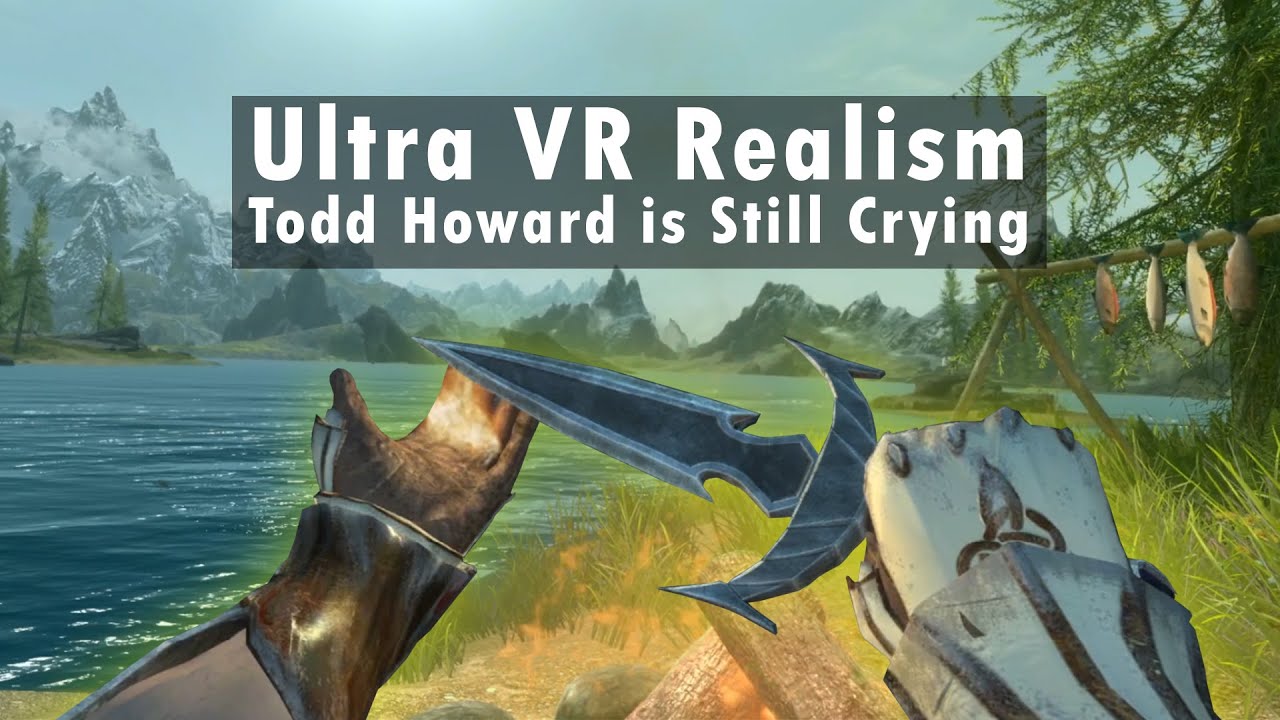
Modding Skyrim VR is almost as fun as playing Skyrim VR. And today, I have completed the most immersive Skyrim VR mod list possible. The ultimate Skyrim experience. Nay, the ultimate Elder Scrolls experience. All thanks to virtual reality, my Quest 2, and the mod nexus. Links down below. Mod list down below the links that are down below...
Mem...
 hollow verge
Does anyone know how to bind twitch chat or spotify to a controller like this:

Where you look at the palm of your hand and it appears
haughty thistle
OVR Toolkit is what I'm using. Used the pop-out chat on Twitch, bound the window with OVR Toolkit to my hand, pinned it (so that it would show, even when hiding all the other windows) and enabled the option to only show the window when looking at it from a certain angle range
hollow verge
Thx man
burnt vault
haughty thistle
Sorry for brining up this "old" topic, but it can also often be that the Router ...
It must just be too many devices, or too much noise (apartment building with only 5 other units though). Virtual Desktop was a tad better, but still unplayable.
Xfinity charges like $14 / month to rent the modem / router combo. It's a small apartment, so I don't need anything crazy, but I'm fine with spending a bit on something nice since I stream too. I could get just a router, but I'd rather do modem too so I can ditch the rental fee.
haughty thistle
Either way, you probably wanna buy a dedicated AP for Air Link/VD then... Too much noise is only really a problem if you have like tons of Mesh APs lying around all turned on....
burnt vault
None here, and very unlikely with neighbors (they're old and not techy).
I wish there was a way to isolate why it's not working, as I feel I have all the pieces. My only guess is too much activity / latency on the same device. The reality is though, I have 3 Google home minis, my phone, a tablet (off), and my PC - that doesn't seem like too much.
haughty thistle
In my home, just 2 phones, a tablet and maybe a Laptop was enough to make things unplayable on VD. And the router we use here is the top-of-the-line AVM router, so this clearly is an issue with how Wifi handles multiple devices
burnt vault
haughty thistle
In my home, just 2 phones, a tablet and maybe a Laptop was enough to make things...
Damn, so even buying a $150~ router wouldn't resolve the issue, as long as it's not dedicated?
I turned on performance metrics in VD, this is what I got.

I put the graphics on ultra just to see how it went, didn't really make a difference.
I'm not positive, but isn't that latency the culprit? 1000 / 41~ comes out to 24~, and that 41 latency was hitting as high as 50's or so.
haughty thistle
That's actually a pretty decent latency. Whenever I use VD with my dedicated router I get about 60ms latency. The latency doesn't affect the framerate much actually. With the Quest it's more of a, how much time did pass since the frame started rendering.
I think what happens is that some frames just take much longer to transfer then others due to the Router being busy with sending data to other devices, clogging up the line. If there are no other devices that could communicate with the Router, there's nothing to get in the way of the Air Link/VD video stream and you should be getting a smooth framerate
burnt vault
I wonder if I could try putting every other device on 2.4Ghz
And leaving 5 just for the Quest
Not sure if Xfinity will let me do that, since they blocked so much shit now on this new ARRIS GROUP, INC. TG4482A device.
haughty thistle
It may help, depending on how the router handles the data-streams internally...
I'm not an expert on network switching, but I can imagine that some cheaper routers and APs just have one Wifi backbone that handles all Wifi transfers, and then splits them out into 5GHz and 2.4GHz (aka not just shared medium for each frequency, but shared across all Wifi). With such a router, you're best off throwing it out the window tbh... (like those Gigabit switches who's backplane can barely handle 1GBit/s)
burnt vault
That makes sense, and I wouldn't be surprised either.
From my limited reading, I think a tri-band or dual band wifi 6 router would do the job. Tri bands have 2 5Ghz, and people have dedicated a single band just for the Quest, with it actually mattering internally.
Nothing in this house requires 5Ghz that I can think of (I'm the only power user, with a direct connection via cat 6a), so either way, as long as it actually let's me decide what's on what, and I can give a dedicated connection, it should work.
haughty thistle
I honestly don't know what kind the Fritzbox 7490 (what I currently use as a dedicated AP) and the 7590 (current main router) have internally. But yeah, like I said, just a couple devices made VD unplayable on those...
burnt vault
So much for buying this and jumping right back into it haha
My buddy was lending me his CV1 for the last year, wants it back in February - glad I got the Quest now so I can sort this before then.
I drive myself nuts over-researching tech, and a router isn't about to be an easy choice, since it seems every router in existence has a fair amount of bitching and moaning in the reviews. That's why I'm leaning towards Costco - if it gives me any trouble at all, even 6 months later, I can just return it.
They have some seemingly good deals right now too.
haughty thistle
Whatever works, works tbh
burnt vault
I hate spending north of $100 on tech when I'm not fully aware of what I'm getting.
I usually know exactly what I'm buying, networking gear is not that.
haughty thistle
I didn't really care what I used as my dedicated AP for VD. My mom just happened to upgrade the main router in our home, so what I'm currently using was basically a hand-me-down xD
Not without it's problems naturally. As it's a Router and not an AP, it always creates it's own NAT when running it in "AP mode" with own IP address space and everything. Internet Access works, but VD bitches about how the PC is "not in the same network"...
burnt vault
I don't have a ton of space physically, so the current location of the modem / router combo isn't really fit for a ton of devices in the area.
haughty thistle
You can save some money by not buying a full-on router and instead getting just an Access Point (usually, dunno the current prices on those). An Access Point is basically just the Wifi part of a router...
burnt vault
My desk is too small as it is (waiting for Ikea to have shit in stock so I can drive 3.5 hours to get it), and I have another 27'' 1440p monitor sitting in the box waiting for more desk space.
haughty thistle
APs are also usually smaller then a full router would be
But you'd have to check what works for your obviously
burnt vault
Yeah, the trial and error is real.
haughty thistle
Order on Amazon, 30 day return period goes brrr xD
burnt vault
How would an AP solve this with the current modem / router combo?
Wouldn't the AP just send the data to the same queue?
(assuming this shit modem / router combo is just one messy queue, with no priority)
haughty thistle
Nope. You'd connect your Quest to the AP, the AP then goes to the same switch your PC is connected to (be that your router). The Problem in your case is that the Wifi is clogged up, so giving the Quest it's own Wifi channel to communicate into the network should solve much of your issue
It did for me (and a number of others too)
burnt vault
Oh, so the AP is wired into the modem / router?
So single wifi AP for quest, and that signal is then wired?
haughty thistle
Basically yeah
The Router doesn't do it any other way, except with a lot more other stuff integrated (network switch for the multiple LAN ports, Modem for the ISP communication, Router for controlling network data flow, DNS for handling local names, DHCP for giving out IP addresses automatically, etc.)
haughty thistle
On another note: FOV time!
I finally got myself to buy TestHMD to properly generate actual FOV numbers for the HMDs I own. Apparently, the Varjo does offer an FOV wider then the Oculus HMDs or the Reverb G2, but it's the least tallest by far with the Vive Pro 2 being next in line.
You can see the data for yourself: https://imgur.com/a/aBD0EBi

Keep in mind that these results are for my particular faceshape and how I have set up the HMDs. I should also mention that all HMDs but the Varjo were used with Lens inserts, which, according to at least one video I've seen, can increase the FOV in some cases. I'll proof or disproof that theory once lens inserts are available for the Varjo...
peak coral
Bought the Quest 2, got it Sunday. I have since ordered the battery strap headset, the case, gotten better headphones, straps for the hand controllers, bump guards for the tops of them, and printed out a graphic to put on the front of my headset. I may have lost control.
burnt vault
I realized that my PC has an Intel AX200 wifi 6 network card, so I tried to turn my PC into a hotspot for dedicated wifi. Since the PC is connected via ethernet, I assumed it would be the same as having a dedicated side router. Worked better for AirLink and Virtual Desktop, but still completely unstable. Solid for 10-30 seconds at a time, then a complete mess once more 😦
haughty thistle
Yeah, hotspot functionality is rather messy and can often lead to more problems then running on the main router with multiple devices connected...
burnt vault
Did quite a bit of talking on a VR server today, and got a lot of advice.
It was still very suggested I get a dedicated router, specifically the RT-AX55 - https://www.amazon.com/ASUS-AX1800-WiFi-Router-RT-AX55/dp/B08J6CFM39

The ASUS RT-AX55 Dual-band WiFi 6 router delivers ultrafast WiFi speeds up to 1800 Mbps, supports both MU-MIMO and also OFDMA technique to efficiently allocate channels and communicate with multiple devices simultaneously. The router is equipped with AiProtection, ASUS's lifetime free security an...
I think I'll try getting that, and putting everything on 2.4Ghz, and the Quest on 5Ghz, just to see how things work.
Worst-case, I just end up using it as an expensive dedicated router.
 restive ivy
Will we ever get anything like hdr in vr headsets?
Would love to see a vr using qdoled
pale orbit
psvr 2 is oled and has hdr
 signal snow
i just sideloaded on my quest 2 for the first time and i put on the headset before unplugging the cord and it straight up felt like something out of cyberpunk 2077 lol, unplugging myself from the dark web.
haughty thistle
restive ivy
Will we ever get anything like hdr in vr headsets?
There were at least two HMDs announced at CES this year with HDR:
- Sony PSVR2
- Shiftall (Panasonic) MeganX
Both using some form of OLED
 wild geyser
Do you think a rtx 2070 super is good enough to play games like Bondeworks or half life alyx on medium settings?
haughty thistle
wild geyser
Do you think a rtx 2070 super is good enough to play games like Bondeworks or ha...
Depends on the HMD...
What headset you're running/want to run?
wild geyser
I'm going to get an oculus quest 2
haughty thistle
Should be fine then ^^
wild geyser
cool thank you cant wait for it 🙂
rapid otter
wild geyser
Do you think a rtx 2070 super is good enough to play games like Bondeworks or ha...
It's mostly about the resolution but it will be fine don't worry
Especially for HLVR wich runs really consistently
wild geyser
rapid otter
It's mostly about the resolution but it will be fine don't worry
ok thanks for the answer then i will get one and enjoy it👍 🙂
haughty thistle
HL:A scales the render resolution automatically based on the performance of your rig to keep a consistent framerate. You don't even have to think about adjusting the render res for that game 😉
(other games you'd have to fiddle around yourself, but the 2070 should be plenty fast for most games)
rapid otter
Ho and for Boneworks you need a good CPU, what's yours ?
rapid otter
haughty thistle
(other games you'd have to fiddle around yourself, but the 2070 should be plenty...
2070 super that's even better
wild geyser
rapid otter
Ho and for Boneworks you need a good CPU, what's yours ?
i have a 9 5900x
rapid otter
Well it's perfect
wild geyser
nice👍
rapid otter
It's pretty CPU intensive but you have one beast of a CPU
 snow steeple
Hey all - looking to buy Vive Base Station 2.0
Does anyone know why they're like always out of stock?
snow steeple
How is Boneworks? Humble bundle has it on sale.l
 gleaming grotto
Hi guys I need some help please asap

Getting this error message on wmr when using hp reverb G2 specs are i9 3080ti so that shouldn't be a problem but Google has offered no support with that error code
haughty thistle
Hmm...
I've never seen an error code like that before...
Usually it's 1-2 digits both infront and behind the dash...
It could possibly be a corrupted installation of either the WMR runtime or Windows intself, but I'm just guessing here...
haughty thistle
snow steeple
Does anyone know why they're like always out of stock?
I don't know about the US, but they're currently in-stock in Europe. Usually they come into stock ever so often and then sell out pretty quickly. You just gotta have to keep an eye on them, unfortunately. If you can't wait and need 2.0 lighthouses, HTC also sells them for about 40 bucks more retail. If all you're looking for are a pair of lighthouses for using Index controllers with like a Reverb G2 or Quest, or of Fullbody tracking, then you can just as well get HTCs 1.0 lighthouses, which are like 10 bucks cheaper then Valve's 2.0 lighthouses and work just as well. The only benefit 2.0s give you is the ability to use more then 2 lighthouses for a playspace (which in turn can give you better blindspot coverage and allows for larger playspaces)
gleaming grotto
@haughty thistle hi man yeah it's a weird code how can I fix a corrupted windows
haughty thistle
gleaming grotto
<@202504214163881984> hi man yeah it's a weird code how can I fix a corrupted wi...
By reinstalling it? I think there are some built in tools for troubleshooting, but they're not always helpful and I don't know them of the top of my head
 formal willow
snow steeple
How is Boneworks? Humble bundle has it on sale.l
formal willow
snow steeple
How is Boneworks? Humble bundle has it on sale.l
its like the best vr game
snow steeple
@haughty thistle Yeah so I have 1.0s form my OG Vive. I am fine, I am working. But was thinking of doing 3 or 4 stations for more good.
gleaming grotto
@haughty thistle do it need wmr or is there other apps I can use
haughty thistle
snow steeple
<@!202504214163881984> Yeah so I have 1.0s form my OG Vive. I am fine, I am wor...
You won't improve the tracking quality by using more then 2 lighthouses. Like I said, it helps with blind-spot elimination (like let's say you keep occluding your hip tracker while doing Fullbody), but that's really it. You'd also need to switch all your lighthouses to 2.0. Lastly, if you're using black Vive Wands, gray-logo Vive Trackers or an OG Vive, 2.0 lighthouses will not function with those
haughty thistle
gleaming grotto
<@202504214163881984> do it need wmr or is there other apps I can use
Yes. The Reverb G2 requires WMR portal to be installed and running (as that's what tracks the HMD). I think you can uninstall just the WMR runtime in the Windows settings. Try that first before attempting a full-reinstall
haughty thistle
Also, in case you're running Windows 11, that might also be the culprit. Heard a lot of issues with VR on Win11
haughty thistle
Huh...
gleaming grotto
It's very strange
haughty thistle
Did it ever work before?
gleaming grotto
First time using it tried on another oc before but it didn't meet min requirements so now a brand new pc and first time trying it
@haughty thistle
haughty thistle
Huh...
And you have everything plugged in? Power, USB (3.0) and DisplayPort (into the GPU)
gleaming grotto
Yep
Tried multiple different slots
Tried the usb into a usb port then tried without the adapter into the usb c port on the mobo
gleaming grotto
haughty thistle
Huh...
.
snow steeple
@haughty thistle I do have blind spots because of my layout and sometimes the housings lose optical sync.
I also have Index Controllers coming tomorrow
gleaming grotto
@haughty thistle
haughty thistle
gleaming grotto
<@202504214163881984>
I already said that I'm just guessing at this point. I'm not your personal troubleshooter >.>
haughty thistle
snow steeple
<@!202504214163881984> I do have blind spots because of my layout and sometimes ...
The issues with the optical sync can be fixed by using a really long 3.5mm audio cable. But I can understand why. The Index controllers are 2.0 ready. Just make sure your HMD is too. You can have different generations of Lighthouses running in the same room at the same time (once had that happen while demoing my old Vive for Sale, HMD just flew off like the trackers usually do when they loose tracking)
 bleak vapor
with an i5 6600, gtx 1660 super and 24gb of 2133mhz ram should i be able to run half-life alyx on my oculus quest 2 with a link cable decently?
 cedar kraken
I've used my Index for 85 hours and this happened
(The static, not the dark/light flashing; that's just the refresh rate and framerate doing weird stuff)
weak bluff
bleak vapor
with an i5 6600, gtx 1660 super and 24gb of 2133mhz ram should i be able to run ...
that cpu could be better but yeah it can run
pale orbit


 weak bluff
so valve are gonna release a game on Playstation first time since 2012 on PS3
pale orbit
well at least the ps5 should be easily capable of it
bleak vapor
weak bluff
that cpu could be better but yeah it can run
what downfalls could there be from the cpu not being better
weak bluff
i ran HLA on my Core i3-9100F which is faster than yours
issue is too little threads probably
i get random loading screen mid game
and no if its GPU issue my frame would drop but I got loading screen mid game instead
which btw i was not able to fully ultilize GPU as well
so I say there was some CPU bottleneck
bleak vapor
i think i have a friend with basically the same cpu as mine and he's played hl alyx, i'll go ask him
and do you think there's going to be any downfalls from using a quest 2 with a link cable?
weak bluff
it is compatible it must be software issue
bleak vapor
do you think maybe if i have the game on low settings, it could run decently?
like without the loading screen issue you have
bleak vapor
alr
weak bluff
recently I upgraded my CPU so i should conclude if its 100% CPU issue which probably is
bleak vapor
k
ig i might try upgrading my pc in a year or two if i can get a part time job by then
weak bluff
there arent that many good cpu for LGA1151v1 unfortunately so you might upgrade motherboard as well
bleak vapor
yeah, i have looked into it a little bit before
the newest component in this pc is the gpu and that's from idk 2020 in july or smt
and i think afaik i added 16gb of ram in 2020 october
the rest of the pc is from 2016
haughty thistle
cedar kraken
https://cdn.discordapp.com/attachments/721740133640044586/929173258677395456/202...
That my friend, is how a dying Index cable looks like. It's probably kinked somewhere and that's what's causing the interference.
If you're using a Pully system without extra clips on the back for strain relief, then that's probably where it kinked and if you don't have a Pully System, then it's most likely between where the cable comes out of the HMD and where it clips to the side of the headstrap (super tight bend radius if you move the headstrap up, can quickly bork an Index cable).
So like I already mentioned, the best "fix" to not make that happen again with a pully system is to add extra clips to the back of the HMD to make sure the cable has a bit of a wider bend radius (doesn't help always, the cable is still under more stress then laying on the floor, but it does already massively help).
If you're not using a pully system and the cable is borked where it comes out of the HMD, then the best way to prevent that from happening again is to just not move the strap up...
Keep in mind that any sort of kink in the cable can cause this (I've heard of people who accidentally ran over their cable with their chair and it was borked afterwards). These are just the two most common ways of how the Index cable breaks
rapid otter
snow steeple
How is Boneworks? Humble bundle has it on sale.l
My man it's so good, i love this game ❤️ ❤️ ❤️
rapid otter
cedar kraken
https://cdn.discordapp.com/attachments/721740133640044586/929173258677395456/202...
I don't know a lot about the index but it could be graphical artifacts coming from your gpu...
Did it happened after a driver update, try reinstalling or updating them
Is it overclocked, if yes then reverse it back.
The issue is certainly what CB said but why not try those easy fixes
rapid otter
candid bluff
never understood why but games like these I always end up getting addicted too I...
You have 16 hours into the radius could you help me ?
So what is the food for i don't see any hunger bar, what about the sleep i don't see it coming down ...
I am at the beginning around two hours
Thanks you
 karmic pollen
Does anyone here use an OG Frankenquest? Is it worth it? I’ve been looking at modding mine since doing any sim racing longer than 15 mins is basically impossible as it’s very uncomfortable.
Ill get a newer headset in the future but the quest still works perfectly fine for me so I don’t see a reason to replace it
rapid otter
I don't think it's worth it really
You should just get a good head strap
I use this one


Sangle de Tête pour Casque Oculus/Meta Quest 2 Remplacement de Bandeau pour Sangle Elite Oculus Quest 2 Réduisez la Pression de Tête Toucher Confortable Accessoires Oculus Quest 2
And I'm really happy about it
karmic pollen
rapid otter
I use this one
Does it work with the quest 1
haughty thistle
karmic pollen
Does it work with the quest 1
With some Velcro tape maybe. The Quest 2 has a plate to mount swappable headstraps, which the Quest 1 doesn't have. But you could probably use some industrial strength velcro and just tape the hook side onto any Quest 2 headstrap and stick it to the Quest 1 on either side...
rapid otter
There's this option but i think a quest 1 designed one will be more practical
candid bluff
rapid otter
You have 16 hours into the radius could you help me ?
So what is the food for i...
Sleep takes a while to go down and your stamina bar starts to become orange when you need to eat food
Usually I only see sleep go down after traveling super long distances
rapid otter
candid bluff
Sleep takes a while to go down and your stamina bar starts to become orange when...
Well yeah it happened thanks a lot, but only during the second mission wich was longer
Man is this game a gem, i spent half an hour cleaning my guns, organizing my loot ect
haughty thistle
I just can't have luck, can I?
First weekend with my Varjo and it decides it'd rather be a 2k Euro paperweight. It does still function, but the moment I pick it up it disconnect...
 rustic garnet
What do you guys think of boneworks?
candid bluff
rapid otter
Well yeah it happened thanks a lot, but only during the second mission wich was ...
yeah once it gets later in the game it takes super long to get around so i usually go right after tide
candid bluff
rustic garnet
What do you guys think of boneworks?
favorite vr game
rustic garnet
I think the physical body is quite the annoyance
It feels like im playing qwop sometimes fr
rustic garnet
The dev team is hella full of themselves lmao
The museum
Like yeah okay physical environment I've seen it in 2004 dawg
candid bluff
i played the story for that game like 20 times
but yeah the museum gets pretty redundant
rustic garnet
I guess the industry has moved on since 2019
gloomy crater
rustic garnet
The dev team is hella full of themselves lmao
the dev team hasn't updated the game in years
candid bluff
but when boneworks came out a lot of vr games had little to no physics
rustic garnet
But i feel like at least now a lot of games have your hands not phasing through things
And like
Lone echo
Super old game
candid bluff
gloomy crater
the dev team hasn't updated the game in years
yeah they are making a new game
rustic garnet
Climbing is in robinson the journey
rustic garnet
gloomy crater
the dev team hasn't updated the game in years
What does that have to do with anything
rapid otter
candid bluff
favorite vr game
Me too
rustic garnet
Hey are there any shoutguns later in the story
rapid otter
🫂
rapid otter
haughty thistle
I just can't have luck, can I?
First weekend with my Varjo and it decides it'd r...
Damn good luck 🤞
rapid otter
rustic garnet
I think the physical body is quite the annoyance
At first it's annoying but after it becomes so cool
candid bluff
rustic garnet
Hey are there any shoutguns later in the story
no there are mods for it
rapid otter
It was planned but never released
gloomy crater
I have a lot of both good and bad things to say about boneworks. It was really fun when I first got it, but then I played through everything the game had to offer, and basically went "That's it??" Like, I thought with all of the people talking about how great this game is online, the devs would try their hardest to keep the engagement ball rolling, but they left it in its current state for so long that getting an update at this point would be strange. Oh well, at least the soundtrack can keep me company
rustic garnet
Idgi what's the plot
rapid otter
@candid bluff do you know if i can retrieve the photos i take with the camera in into the radius
candid bluff
rustic garnet
Idgi what's the plot
in a summary the main character is a security tester for a virtual world
i dont think so i just use the steam vr screenshot
rapid otter
Base coming along well

Man cleaning weapons is so fun but it's so long i got an old shogun and getting it back to blue too a while
When I get back to the base i clean all my weapons and mags every time just to be sure
Also the quantity of WD-40 we go through is comical
At 200$ a bottle 😅
candid bluff
yeah the bottles are super costly sometimes they spawn in the village though which is nice
I haven't even put anything in my base yet other than a lighter and the cleaning kit
harsh niche
rapid otter
Base coming along well
What game is that? Boneworks?
cedar kraken
haughty thistle
That my friend, is how a dying Index cable looks like. It's probably kinked some...
Yikes.
Yeah--mine just runs along the floor.
I didn't know it was so fragile. You'd think a cable that's attached to something you wear on your head while moving around would be made much more sturdy
I'll RMA it
candid bluff
harsh niche
What game is that? Boneworks?
into the radius
harsh niche
candid bluff
into the radius
Oh never heard of it before
rustic garnet
cedar kraken
I didn't know it was so fragile. You'd think a cable that's attached to somethin...
It has a fiber optic glass in it I'm pretty sure
cedar kraken
For what?
cedar kraken
I don't think it does.
rustic garnet
Like fiber internet
cedar kraken
It's displayport+audio+USB
rustic garnet
Yeah and they carry digital data over a fiber link so what
cedar kraken
Not trying to be contrary but I'd like to see a source on that.
cedar kraken
The cable's got gold plated connectors on either end, which means if there is fiber optic there needs to be a fiber optic thingy--a laser thingy and a receiver thingy, which are both powered, not passive--on either end of the cable. I don't see any indication that such a thing is there--also it wouldn't make sense financially for them to build it that way.
rustic garnet
Dude there's a 12 volt power cable feeding straight into it
cedar kraken
That's passed through to the headset.
rustic garnet
Idk I can't find anything on it so maybe I'm wrong
Maybe it was some othee headset
cedar kraken
Yeah--either way, the cable is fragile.
It should have been designed better.
rustic garnet
Well like there's still what, 40 something pins in there?
cedar kraken
At this data rate, the wires act as transmission lines, not just wires--so it's more like RF than electrical signals
so they're more fragile
That's why SATA cables can't be bent 90 degrees, for example.
cedar kraken
If you put a kink--like a bend, instead of a gentle curve, in a SATA cable for a hard drive, it can lower your transmission rate.
rustic garnet
Fr?
cedar kraken
I think? I'd hate to give you bad info but I guess then we'd be even
rustic garnet
cedar kraken
Not trying to be contrary but I'd like to see a source on that.
haha yeah
cedar kraken
Yeah, that's what I was told but I'm not immediately seeing info on it when I Google it so pretend I didn't say it at all
🤪
 sullen linden
this is kinda epic (writing this on my quest lol)

 past tulip
My Christmas paycheque was a bit bigger than I expected (not huge, but a couple hundred more than expected), so I'm looking at finally picking up a VR headset. Is the Quest 2 still the best budget one, or is there something else I should be looking at? Looking at the $400-ish CAD range
harsh niche
past tulip
My Christmas paycheque was a bit bigger than I expected (not huge, but a couple ...
yeah for now it is
sullen linden
yea it probably is
cedar kraken
past tulip
My Christmas paycheque was a bit bigger than I expected (not huge, but a couple ...
It is, but then you're buying something form the Zucc and supporting the Facebook monster
sullen linden
true
past tulip
cedar kraken
It is, but then you're buying something form the Zucc and supporting the Faceboo...
I personally have no issues with that. Lol. When I'm not playing games, most of my free time is already spent on Facebook
cedar kraken
😓
sullen linden
ah ok so mark already has your nudes
cedar kraken
Zucc's vision for the future of VR is a dystopia.
past tulip
sullen linden
ah ok so mark already has your nudes
Sure, if I had any. Lol
sullen linden
cedar kraken
Zucc's vision for the future of VR is a dystopia.
unpopular opinion: I kinda like it
cedar kraken
I'm not gonna like chase you around and scream at you for liking Facebook; I can see both sides. They've made VR very accessible. Their product is the most competitive of all of the VR products out there right now.

still though
sullen linden
"I was human" 💀
guys I'm still inside my quest and I don't wanna get out it's 7:23 am so I guess I'm pulling an allnighter
rapid otter
candid bluff
I haven't even put anything in my base yet other than a lighter and the cleaning...
Why so you sell everything you get ?
Personally i most of the food, an i keep one of everything I could need lighter lamp ect
I prefer being safe with my supplies
haughty thistle
@cedar kraken @rustic garnet
There's actually conflicting information on whether or not the Index cable is optical. On the one hand, with the data rates and whatnot going through the cable, it would just make sense to use an optical one to reduce the weight and thickness of the cable (as all those need for shielding is a light-shield), and the flexibility of the Index cable would suggest that it is indeed optical in nature. But on the other hand the material fatigue experienced by the Index cable where it comes out of the HMD, and the way that it's usually failing would more indicate that the data is transferred electrically through the cable. Also, the PC-end of the 5m cable section is much shorter then what you'd usually find on a cable with an optical transceiver built-in.
All in all, I gave up taking sides on this debate and just calling the Index cable just that: a cable. It's certainly not that fragile as some people make it out to be, it's routing on the headset itself just isn't very healthy for it. Keeping this in mind and doing certain steps (like keeping the strap level to the main HMD body), can prolong the life of the cable significantly
Here just for comparison. On the left is the cable of the Varjos Aero (which is indeed optical) and on the right is the Index cable.
 rapid otter
haughty thistle
<@!423223055742140418> <@!418825003086118914>
There's actually conflicting info...
rapid otter
haughty thistle
<@!423223055742140418> <@!418825003086118914>
There's actually conflicting info...
Well i know one way
https://c.tenor.com/006OlTc06C4AAAAM/scissors-opening-and-closing.gif
 haughty thistle
oh no
candid bluff
rapid otter
Why so you sell everything you get ?
Yeah I have like 28k cash rn in-game and I have gas mask body armor and the helmet also an ak74u which are really the only things I bought
rapid otter
How do you organize your backpack ?
candid bluff
I keep spare mags on the bottom right and ammo boxes on the bottom left
Food is middle left and energy drinks is top left with stims being top right
Than the middle is my gas mask and loot
Sometimes when I empty a spare mag I'll put it on the bottom left but super close to the edge of the backpack
rapid otter
candid bluff
I keep spare mags on the bottom right and ammo boxes on the bottom left
You keep spare mags in the backpack ? Make are all in the pockets, i only have a pistol and a shotgun but i never need more than 5 mags tbh
candid bluff
rapid otter
You keep spare mags in the backpack ? Make are all in the pockets, i only have a...
yeah I have 6 ak mags and 5 tokarev mags for my tt-33 so I have some spare mags and I swap out when im in factory or the city
rapid otter
Ho ok i prefer having them on my vest and when I have time I refill them
candid bluff
yeah sometimes in factory or the city you don't have time to refill cause there will be full rooms of enemies
rapid otter
I'm not to that point
rapid otter
Man this is though right now, I'm in a new zone, at first i had 2 pistol boxes + 2 shogun boxes, the pistols ,with 5 mags and the shotgun full.
Well i ran out of ammo, and out off meds
I got lost in the map because i confused a building for another
Now i found a village an was able to get some sleep to recover a but of health
I'm still pretty low on ammo tho
I'm gonna try to finish the mission before the storm gets me
This game is so intense
snow steeple
rapid otter
Man this is though right now, I'm in a new zone, at first i had 2 pistol boxes +...
What game is that?
 uncut chasm
I'm still rocking an og vive.. was wondering if a quest 2 is worth it as an upgrade since the price is so inexpensive.
harsh niche
The wireless PCVR with quest is pretty nice
so if you would like that then sure give it a try
 marsh charm
So I recently got a new all-AMD laptop (Asus G15 Advantage Edition) to replace my desktop (5600X, GTX 1080Ti), when using Air Link it would allow me to raise the bitrate sliders up to 200mb/s, but on my new laptop it only allows up to 100mb/s. Router setup is the same (Asus AX5400 WiFi 6) only my Q2 uses the 5GHz band. I saw from a Reddit post that AMD graphics cards can only support up to 100mb/s on Air Link, is that true and is there any way to override that limit?
candid bluff
rapid otter
Well i ran out of ammo, and out off meds
yeah ammo and stims go fast I usually have to buy stims after every mission
I usually keep 3 on me at all times
 austere marlin
is it bad that I got my first vr headset December 15th, 2020 and I've already spent over 1,370 hours in vr?
that's more than 15% of the hours in a year
and that's just steam.
I have a quest two so while most of my time is on pc through virtual desktop, not all of it is.
sullen linden
cumjar
candid bluff
rapid otter
I'm gonna try to finish the mission before the storm gets me
so just tried to do the 5th mission and its super hard
lean notch
Bit outdated but does anyone know if this build by LTT will support an Oculus for PC VR? https://m.youtube.com/watch?v=3dEfc9LL9bQ
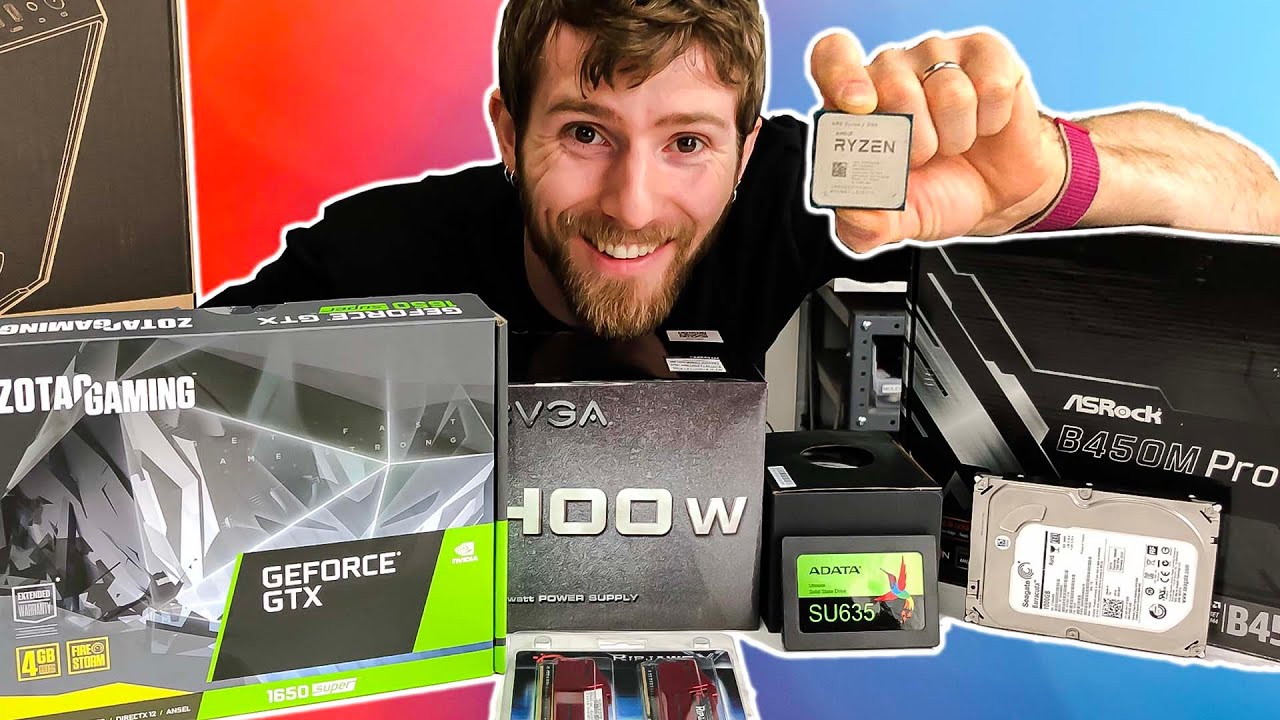
Save 10% and Free Worldwide Shipping at Ridge Wallets by using offer code LINUS at https://www.ridge.com/LINUS
Sign up for Private Internet Access VPN at https://lmg.gg/pialinus2
Building a wallet friendly Amd Ryzen 3100 based gaming rig to get you or someone you know started gaming.
Buy AMD 3100 CPU
On Amazon (PAID LINK): https://geni.us/94...
 cloud ermine
lean notch
Bit outdated but does anyone know if this build by LTT will support an Oculus fo...
cloud ermine
lean notch
Bit outdated but does anyone know if this build by LTT will support an Oculus fo...
I believe according to the minimum reqs, it should run ok but if possible you would probably want to try to find a better GPU
lean notch
Ok
 glad sand
Hey gang, got an issue with my MSI Creator Z16 laptop: Trying to use it with an Index, and it keeps giving me "Error 213 - Laptop Headset Display Disconnected." I've tried the cables on my other laptop, a Razer Blade Pro, and it works great when plugged in to the left Type-C port but gives me the same error when I use the right one. Am I just SOL? For both I'm using the same cables and adapter (Insignia Type-C to DisplayPort, got one in a hurry from Best Buy last time I needed it lol, worked fine on my other laptops tho). Would really suck if my super expensive MSI laptop is just useless for something I use all the time, false advertising since they claimed "VR Ready"...
weak bluff
lean notch
Bit outdated but does anyone know if this build by LTT will support an Oculus fo...
that gpu can make you sick but yeah there wont be compatibility issue
it does not even reach minimum requirement for anything but Rift CV1 and even that is bad to use
lean notch
Wdym sick?
weak bluff
motion sickness
rapid otter
candid bluff
yeah ammo and stims go fast I usually have to buy stims after every mission
Yeah i carried two stims but i pace the new enemy with the rifle who burst fire
I don't have anything long range expect my shotgun
But i get reload glitches with the rounds flying when I try to take them on the barrel
 west iron
anybody got any tips on a good vr headset
rapid otter
lean notch
Bit outdated but does anyone know if this build by LTT will support an Oculus fo...
First of all i this is underpowered for VR and i doubt this is supported, i know that for airlink you need a supported GPU i assume that for link it's the same
rapid otter
west iron
anybody got any tips on a good vr headset
Do you have/will have a PC ?
What's your budget ?
haughty thistle
marsh charm
So I recently got a new all-AMD laptop (Asus G15 Advantage Edition) to replace m...
I doubt there is an overwrite for that. I think Quest Link and Air Link are using GPU compute (Cuda on Nvidia, OpenCL on AMD) for the image compression to some degree, and it might be that the OpenCL one just isn't as optimized or there are bandwidth bottlenecks that made Oculus decide to introduce a limit on AMD cards...
marsh charm
haughty thistle
I doubt there is an overwrite for that. I think Quest Link and Air Link are usin...
That's a shame. I'm making do with setting it at a fixed 100mb/s for now which looks decent enough and hasn't hitched so it's not as much of an issue as I thought after playing a few hours of VRChat with it. Dynamic seems to favor a lower bitrate despite having enough bandwidth headroom.
haughty thistle
100 Mbit/s is actually the hard-limit on the Quest 1. If the PCVR resolution for the Quest 2 hasn't really changed from the Quest 1, you'll probably have about a similar experince
rapid otter
100 mbs is fine tbh
I've been using this since day one and it looks good enough
The only time you'll see it of you are really careful is in plain textures like a grey floor
Have you got the varjo working back ?
haughty thistle
rapid otter
----------------------------------------
Have you got the varjo working back ?
Nope. Tried it yesterday again, just in case it was a software fluke, but it was just as bad as the day before. Heck, it even managed to lock up my PC xD
Still waiting for a response from Varjo, which I am expecting sometime today. After all, it has been weekend the last two days in Finnland...
rapid otter
I would expect a fast answer
They need to provide a fast customer service they are meant to be very high end
haughty thistle
Yeah, absolutely. As they're usually catering to Business customers, who have actual money to make, I'd expect them to be good at support...
candid bluff
rapid otter
Yeah i carried two stims but i pace the new enemy with the rifle who burst fire
Yeah the city is filled with armored ones and there is a ghost apc that shoots explosive shells and teleports in the city also
That's where I'm stuck at right now
formal willow
anyone played Sport Mode? it looks like boneworks
rapid otter
candid bluff
Yeah the city is filled with armored ones and there is a ghost apc that shoots e...
We aren't certainly at the same city, mine has like 8 house maximum
candid bluff
the city is after the factory
rapid otter
And could you be careful not to spoil, not blaming you or anything
candid bluff
yeah
rapid otter
candid bluff
the city is after the factory
Never went there either
candid bluff
im just gonna tell you the areas get bigger and bigger
and way harder as you go on
the city should be called Kolkhoz Zarya on the map tho
rapid otter
I went here
 rapid otter
candid bluff
im just gonna tell you the areas get bigger and bigger
rapid otter
candid bluff
im just gonna tell you the areas get bigger and bigger
Get bigger in surface ?
candid bluff
yeah as you keep going the village and the route are really small the city is like both of them combined in size
rapid otter
All right
So a lot of loot
I pick up pretty much everything ATM
But i think that further I'll have to choose
candid bluff
yeah a huge amount of loot I had like 40kg in my inventory after I left
rapid otter
So i did all this because i confused those buildings
 rapid otter
candid bluff
yeah a huge amount of loot I had like 40kg in my inventory after I left
rapid otter
candid bluff
yeah a huge amount of loot I had like 40kg in my inventory after I left
I already do
But now I'll focus on more valuable items
candid bluff
yeah I try to use landmarks to find my way but you can usually tell after a bit which one is which cause the large building is brick and the smaller ones are wood
also on the village you can climb the crane and there is a loot spawn up there also
candid bluff
yeah the enemies won't stop following you either once they see you they chase
yeah the loot spawns after every tide are random and they have a chance of spawning anywhere
rapid otter
The boxes with the green led ?
candid bluff
so orange boxes gun boxes and collectables are set spawns
candid bluff
the destroyed houses in the village with the basements usually spawn orange boxes
rapid otter
Thx
candid bluff
thats usually where I find the gun cleaner also
candid bluff
yeah you want to pay attention to weight though cause its gonna matter later on
rapid otter
I pick up a lot of things
candid bluff
also I suggest if you get a full auto gun put it in full auto and fire in bursts cause for some reason its more accurate than single fire
rapid otter
But what about long range ?
candid bluff
yeah even in long range its really weird for some reason
rapid otter
I thought about getting a DMR or a sniper rifle
candid bluff
a dmr or sniper is a solid choice but im pretty sure you unlock aks at security level 3 and snipers and dmrs at security level 4
let me check actually cause I might be wrong
rapid otter
I think you are right
I don't like the fact i can't carry both
Like i still need to save space in case i wanna bring a new rifle home
candid bluff
yeah true I usually just hold it and throw it out if I have another gun already
rapid otter
You have an AK-U atm ?
candid bluff
yeah thats my main gun rn
candid bluff
yeah thats why I got it cause I kept finding ammo for it
rapid otter
I like the fact that they are a lot of different ammo types, really realistic
candid bluff
yeah I've been finding a lot of mosin ammo recently
candid bluff
yeah I've found a lot of ak mags on factory
rapid otter
And i found a Makarov but i don't wanna use it rn
candid bluff
yeah I got a tt-33 and I still use it as my main pistol but I might get the one with the 27 round mag
or an m9
rapid otter
The 27 rounds is the last one of the 9x18 ?
candid bluff
yeah its got full auto also
candid bluff
yeah having a lot of rounds is also nice cause 9x18 is everywhere
rapid otter
candid bluff
yeah having a lot of rounds is also nice cause 9x18 is everywhere
In the mink village i found some, i actually ended up with 3 ammos to 3 mags
candid bluff
yeah I might buy one of the huge boxes of 5.45 cause I have like 23k rn
candid bluff
money
rapid otter
Ho
candid bluff
cause I don't buy anything
candid bluff
yeah the artifacts are like 400 usually with some going up to the 1k range and the weather machines are around 300 with the cameras being 400 so if you just collect a bunch of those you can make almost around 2k per tide in each area
candid bluff
yeah side missions don't pay much but the story missions usually give around 2k-4k
formal willow
just leave out the starbucks and avocado toast and you will save 1000$ a month
rapid otter
candid bluff
yeah side missions don't pay much but the story missions usually give around 2k-...
Speak for you, you are like 20 hours into the radius
rapid otter
formal willow
just leave out the starbucks and avocado toast and you will save 1000$ a month
True
candid bluff
yeah a lot of running around and looting I really didn't start missions until like 4 hours in
rapid otter
Ho i started as soon as I could
The first time i went into the radius was for a mission
candid bluff
I do that now cause tide goes so fast
usually when I finish a mission now I have about a day before tide and I usually go right after tide
rapid otter
Yeah because it's so far
candid bluff
im not sure if you knew this but you can go straight to the village from the safe zone
rapid otter
Wdym ?
candid bluff
instead of having to go through the first place to get to the second place you can go straight to the second place
candid bluff
when you go to enter the first place from the safe zone take a right and walk into the fog there
rapid otter
I went there allready but it didn't changed my position
candid bluff
maybe its an unlock then cause it goes straight to the village for me
rapid otter
Like at the border it just puts a loading screen and i just reaper at the same place
candid bluff
the one on the left doesn't work for me
rapid otter
candid bluff
maybe its an unlock then cause it goes straight to the village for me
There
 candid bluff
yeah
rapid otter
You need to go in the fog on the right side ?
candid bluff
yeah
rapid otter
On the right on the montain
Even if i don't cross on the road wich was the first entry point
candid bluff
yeah
candid bluff
yeah when you go to the village you will be near a train with a way back
you end up right next to the houses and its super easy to loot then go back and sell
rapid otter
Here
 rapid otter
candid bluff
yeah when you go to the village you will be near a train with a way back
rapid otter
candid bluff
yeah when you go to the village you will be near a train with a way back
I thought the only way back was the first portal, the one when you start the game
rapid otter
rapid otter
I thought the only way back was the first portal, the one when you start the gam...
Talking about here

You helped me a lot


 rapid otter
Ho nice
You are so helpful
This game doesn't explain a lot
(It used to be worse i heard)
candid bluff
yeah you have to learn a lot on your own
rapid otter
candid bluff
You play without arms 😳😳😳
candid bluff
yeah ive had times where i cant see an enemy in the distance cause of my arms
candid bluff
yeah it does look nicer
rapid otter
You are so helpful thanks a lot my man
candid bluff
another thing
rapid otter
Yeah

 rapid otter
I knew this one
candid bluff
map has similar
candid bluff
yeah
rapid otter
🌲
candid bluff
yeah i knew something was added with the christmas update so i searched the whole base and found it
rapid otter
Anyways have a good one, gonna go...
candid bluff
alright
pale orbit

PSVR2 has now been officially confirmed and a full specs sheet has been revealed. Join Rich Leadbetter, John Linneman and Alex Battaglia for their reactions to the excellent specification, thoughts on the Horizon Call of the Mountain tease plus expectations for the software to come.
Join the DF Patreon for pristine video downloads, behind the s...
glad sand
Hey gang, got an Index and tryna use my laptop still, got a new adapter and switched OS yesterday (with only the old adapter) to Manjaro from Windows 11 then Server 2012 then Server 2019. With either adapter, things don't work. Manjaro is giving me the issue of "enable direct display mode", which I click, but it seems to do nothing as it prompts me to do that again after restarting the headset
haughty thistle
SteamVR on Linux is still an absolute mess. Think of it like gaming on Linux in general, but with the tinkering required cranked to 11...
rapid otter
I think they don't put any work on it, a very small group of people play on Linux let alone in VR
haughty thistle
For example: From what I've manage to gather so far, the amount of devices SteamVR can detect is hard limited in Linux. If you have 4 lighthouses, you can't connect any trackers, with 2 lighthouses just 2 trackers can be connected. Doesn't matter if wireless or not. On Some distros, the pairing dialog is completely non-functional (ex. Linux Mint). The Desktop view in the Dashboard is completely broken. Certain Setting Windows just don't exist on the Linux version, despite them housing critical debug options (like direct display mode). And I also seemed to have an issue with my Nvidia card, where no matter what game i threw at it, as soon as it didn't reach the refreshrate of the headset, the game would just stutter like crazy...
Oh, and of course. The only headsets which are currently fully functional in Linux are the OG Vive, Vive Pro 1 and Valve Index. So you're severely limited in terms of hardware choice...
Linux and VR are a chicken and egg problem. On the one hand, it's a niche within a niche. Because basically no one is playing VR on Linux, no one wants to put in the effort to make it good. On the other hand, no one wants to play VR on Linux, because it's an absolute dumpster fire.
rapid otter
I don't see it becoming better in the future
A friend has a PS4, he asked me about the PSVR, is it any good ?
rapid otter
haughty thistle
For example: From what I've manage to gather so far, the amount of devices Steam...
You can basically only have 2 lighthouses and 2 controllers ?
haughty thistle
rapid otter
You can basically only have 2 lighthouses and 2 controllers ?
No. With 4 lighthouses all you can get are your two main controllers. With 2 lighthouses you can additionally use 2 trackers. So what I more meant is that Fullbody tracking is not possible on Linux
rapid otter
Most of the time it's 3 trackers 2 legs and 1 hip
haughty thistle
Yup
west iron
rapid otter
Do you have/will have a PC ?
What's your budget ?
Yes I will and 500-1000
Usd
 limpid belfry
I drew the Valve index Controllers

 celest zealot
limpid belfry
I drew the Valve index Controllers
celest zealot
limpid belfry
I drew the Valve index Controllers
nailed the shading
sullen linden
whats the best virtual reality game?
 soft hound
Yes
flint ridge
sullen linden
whats the best virtual reality game?
In my opinion it is stride
candid bluff
yeah
west iron
rapid otter
<@726368457368666202>
For the headset
gloomy crater
Is there any way to get the mounting hardware for base stations without the base stations themselves?
Like, either another set of those wall brackets you screw into the wall and then screw the lighthouses onto, or a pair of those tripods I've heard some people have gotten
I have 2 base stations, and I accidentally ended up with two full sets of index cables when I bought the kit, so I can just take my base stations off the wall and bring them to another location without having to unroute all my cables, since I have an extra set at the second location. I just don't have any way to mount the lighthouses when I get to that location, just the means to power them
gloomy crater
Ayo my arms are fckn TOASTED right now. I beat Cirno's Perfect Math Class on Quantum Physics difficulty in beatsaber for the first time in like a year and I'm def gonna be feeling it tomorrow morning
lean notch
lol

 haughty thistle
gloomy crater
I have 2 base stations, and I accidentally ended up with two full sets of index ...
haughty thistle
gloomy crater
I have 2 base stations, and I accidentally ended up with two full sets of index ...
Not afaik. You can get third party wall or ceiling mounts and use those at home, and bring the ones that came with the Index on the go. Then again, you can use any sort of camera mount with the lighthouses. Just make sure they have tilt adjustment and you should be good to go
Also, if you want to use the Varjos Aero, don't upgrade to Windows 11. You're not gonna get support from them.
In general, this is a friendly reminder that Windows 11 still sucks for VR and you wanna stick to Windows 10 for now
 haughty thistle
I've been sticking to Windows 10 all this time
gloomy crater
They're gonna have to pry windows 10 from my withered hands in 2025
gloomy crater
haughty thistle
Not afaik. You can get third party wall or ceiling mounts and use those at home,...
I can't really bring the ones that came with the index with me on the go, because the plates are screwed into my walls. But if I can find adapters with the correct tripod camera mount thread for screwing on the base stations, I can just use a few extra tall tripods I guess.
 wise crescent
gloomy crater
Like, either another set of those wall brackets you screw into the wall and then...
wise crescent
gloomy crater
Like, either another set of those wall brackets you screw into the wall and then...
I have a couple of construction ceiling supports which are basically just a pole you tighten between the floor and ceiling. Then attached a pole mount to it which I then just screwed the base station on.
rapid otter
haughty thistle
I've been sticking to Windows 10 all this time
I thought it was a response to your software issues from last weekend
glad sand
Any disadvantage to going AMD from NVIDIA for VR (Index)? Only used NVIDIA with VR previously but tryna get legacy compatibility via AMD drivers :)
haughty thistle
I haven't heard of any horror stories with AMD cards and VR in a while now, so I guess you should be fine...
Can't say for certain though. The last (and only) Team Red GPU I ever had was like a passively cooled hand-me-down ATi card in my first ever PC xD
glad sand
haughty thistle
Can't say for certain though. The last (and only) Team Red GPU I ever had was li...
Lol understandable, yeah I've been on team green for quite some time, they just locked out support for Windows 8.1 specifically, even though they have full support for 7, 10, and now 11...maybe that's a bad reason to go AMD, but the stock RX 6000 series cooler fits in my fav case so that's cool too I guess :)
haughty thistle
full support for 7
Since when? I'm still running a 750Ti in my WinServer 2016 machine, and I'm stuck on some ancient driver, 'cause anything newer requires some newer WDDM driver model that Server 2016 simply doesn't support...
flint ridge
glad sand
Lol understandable, yeah I've been on team green for quite some time, they just ...
How r u going to get one
rustic garnet
You guys think these would work with CV1 Touches? https://www.kiwidesign.shop/products/q1-pro-2-pro-version-knuckle-grip-cover-for-oculus-quest-2-touch-controller?variant=39358942969969

KIWI design
oculus quest 2 accessories,oculus quest 2 controller grip, oculus quest 2 controller straps,oculus quest 2 grip,oculus quest 2 grip cover,oculus quest 2 strap,oculus quest knuckle strap,oculus quest grips,oculus quest controller grips,oculus controller grips
peak coral
I have those. They are great, but i gotta take them off when I change out my rechargeable batteries
haughty thistle
The CV1 Touch controllers have a different shape towards to the top of the casing (to accomodate for the bottom mounted tracking ring). Thus, this product probably won't work with the CV1 touch controllers, or at least not without heavy modifications
Keep in mind though, that the CV1 Touch controllers have LEDs all over the place (including the rougher plastic trip surrounding the top plate), so if you use such a product, keep in mind that you may be reducing Tracking quality
The Quest 2 Touch controllers juts have LEDs on the rings, before you ask
rustic garnet
haughty thistle
The CV1 Touch controllers have a different shape towards to the top of the casin...
Yeah but like, how far off can it be?
And it looks like some kind of rubber material anyway so it should be able to fit?
There's only two dots outside the tracking ring and i have a 3 sensor setup so i think that'll be fine
 pale wagon
there are CV1 oriented acessories that do the same thing, and as an owner of said acessory, its preferable.
pale wagon
rustic garnet
You guys think these would work with CV1 Touches? https://www.kiwidesign.shop/pr...

AMVR Touch Controller Grip Cover for Oculus Rift CV1 Anti-Throw Handle Protective Sleeve (Only Work with Rift CV1)
probably avoid amazon, but this is what I own
harsh niche
haughty thistle
> full support for 7
Since when? I'm still running a 750Ti in my WinServer 2016 ...
What do you use it for?
haughty thistle
harsh niche
What do you use it for?
Basic server tasks, that I can't be bothered for renting a V-Server for. For example, I'm running my Discord bot on it. It's also my personal NAS with adequate extra storage in there. I could take out the 750Ti and run it off the Integrated graphics, but I had it used for Floding@Home in the past and I kinda wanna dabble in splitting up Blender rendering tasks between it and my main rig...
But it's not really a topic fitted for this channel
glad sand
haughty thistle
> full support for 7
Since when? I'm still running a 750Ti in my WinServer 2016 ...
Server 2016 is based on some version of Win10, not 7, but I got a 3000 series card and 7 has drivers, 10/11 has drivers, but 8.1 is locked out for some reason even though it’s still “supported” by MS 🤷♂️
pale wagon
anyone not on 7 is more likely to be on 10 or 11 than 8.1 or 8, as well, who liked them?
but 7 still has userbase
but 8.1?
glad sand
flint ridge
How r u going to get one
Trading, I got a 3090 FE from Best Buy at an in-person drop event…would’ve gone 3080 but I was too far back in line 😭 … rn I’m debating between the 6900XT Halo edition and the 6900XT reference + $800
glad sand
pale wagon
anyone not on 7 is more likely to be on 10 or 11 than 8.1 or 8, as well, who lik...
Yeah it’s pretty annoying that they went purely by user base and not what they actually pledged to the users…just because a lot of people prefer 7 doesn’t mean you should force the people who paid good money for your product onto an older version of your product that the key doesn’t transfer to :/
harsh niche
haughty thistle
Basic server tasks, that I can't be bothered for renting a V-Server for. For exa...
Oh cool
rapid otter
@candid bluff i finally escaped !!!
I found the artifact for the mission after like and hour of search, i didn't understood how the artifact detector worked, while randomly clicking i found the first artifact and then the others.
candid bluff
yeah im on the second to last mission right now
rapid otter
On a half heart i came back all the way to the base
candid bluff
yeah I came back to the base with 1 hp on my last mission
rapid otter
candid bluff
yeah im on the second to last mission right now
So you discovered all the map ? Are they any other missions afterward ?
rapid otter
I looted so much things i had 50 kg and sold all of it for 3 k
candid bluff
last night I got around 12k from searching the city
rapid otter
Now i have 8 k waiting to get to security lv 3
candid bluff
I had like 55 kg
candid bluff
rapid otter
How can I get lv3 ?
the main story missions get you security levels
marsh charm
glad sand
Any disadvantage to going AMD from NVIDIA for VR (Index)? Only used NVIDIA with ...
Might not apply to you but I had an ASUS TUF 6900XT that would hard reboot my PC after an hour or two of VRChat or Dirt Rally 2, those are just the two games I played most at the time, likely not limited to those two. Also I recently learned that if you have a Quest 2 and plan to use Air Link, the max bit rate you are allowed is up to 100mb/s as opposed to up to 200mb/s on Nvidia cards. :/
Had to go back to a 1080Ti because of that issue. Was an awesome card otherwise.
glad sand
marsh charm
Might not apply to you but I had an ASUS TUF 6900XT that would hard reboot my PC...
That's a great point, I forgot about that limitation since NVIDIA's NVENC is more efficient than AMD's equivalent. But I'll just be using an Index, maybe a Vive on occasion...I will likely be using 4 lighthouses on an often basis though, idk if that matters at all 🤷♂️ . Thanks for your input! Was it just an issue with VR games or did it also do that with other traditional games?
marsh charm
It hard reboot when I played Death Stranding once, but it was more inconsistent than the VR games.
glad sand
marsh charm
It hard reboot when I played Death Stranding once, but it was more inconsistent ...
Wack, I wonder why...did you ever get it resolved or just switch entirely?
marsh charm
I got a replacement card straight from Asus but same problem. Still to this day dunno if it's because of the 6000 series architecture or just that particular model of 6900XT. :s
Probably just that particular model. I had a laptop with a 6800M for a short while and that was totally fine for VR.
 orchid mural
marsh charm
I got a replacement card straight from Asus but same problem. Still to this day ...
orchid mural
marsh charm
I got a replacement card straight from Asus but same problem. Still to this day ...
your pc would restart by itself?
marsh charm
Yup, I even replaced every component in the system. It was 100% the GPU.
orchid mural
Linus Tech Tips
I've been experiencing crashes on my PC. It just crashes to a black screen, any programs stop working, audio output becomes a sort of constant glitchy static noise and the fans stay on. I first noticed this over a month ago when I played GTA V for the first time on this PC. The game was getting m...
marsh charm
Once I swapped in a 1080Ti, it's been stable.
orchid mural
me and buncha others getting similar issues with the tuf 6800xt
tho it doesnt restart just gets a black screen
looks like asus qc been lacking
marsh charm
Yeah mine just hard reboots, goes through the splash screen and full process so it's been a b#*& to track down the root cause.
orchid mural
you had enough PSU wattage right?
marsh charm
Yup, 900 watts Platinum unit.
I don't have to worry about it anymore, that card has long been sold to someone else.
orchid mural
yeah I'm thinking abt doing that myself
did you find any others having the same issue?
marsh charm
Not personally no, but I haven't been looking.
Funny, my current 1080Ti is an ASUS Strix model, maybe just stay away from TUF cards. :p
 leaden ruin
ok i have been playing some asetta corsa lately in vr. now i know the game is quite old and the graphics are meh compared to nowadays graphics. does asetta corsa competizione look good in VR?
or run good with a rx 5600 xt
leaden ruin
marsh charm
Funny, my current 1080Ti is an ASUS Strix model, maybe just stay away from TUF c...
i have a rx 5600 xt asus tuf evo x3, never had problems and the card runs very good and temps usually roundabout 60C
in csgo and valorant i don't even get fanspin
weak bluff
you mean xbox kinect?
it pretty horrible if you have poor space and quite glitchy
for some its just enough
snow steeple
I finally got my Valve Index Controllers (For my Vive Pro 2)
definitely takes some getting used to since having used Vive wands since Vive 1
haughty thistle
It's ok-ish, as long as you don't turn more the like 20° either direction...
There are some that say that you can use more then 1 Kinect, but I'd say that's BS, based on how the Kinect works.
The 360 one uses a dot projector, so you'd confuse each unit which dot belongs to which unit. It doesn't break the Tracking, but it does reduce the accuracy and quality.
The model from the Xbox One uses multiple time-shifted Illuminators, to essentially simulate multiple camera angles with just one camera (similar to how Windows Hello Facial recognition works actually). Using multiple of those does break the tracking altogether, as then the camera no longer get's it's multiple illumination angles...
weak bluff
haughty thistle
There are some that say that you can use more then 1 Kinect, but I'd say that's ...
kinect2vr keep saying over and over in FAQ that you cannot use more than 1 kinect lol
rapid otter
@haughty thistle do you know who the "finger tracking" works on the quest 2 controllers, like when you touch a button ever so slightly it shows it in game, are they touch sensitive ?
haughty thistle
Yep. The controllers have touch sensitive buttons, sticks and triggers. The only input that doesn't have a touch sensitive input on the Oculus controllers is the Grip button (probably because they expect you to rest your finger on it all the time)
Same is true for the Index controllers btw
 trail ember
since google is again useless is the camera quality on the index actually 480p or is is just some setting on my end?


 trail ember
just seems like 480p 30hz
haughty thistle
Well, because the image is stretched over a resolution much larger then the 1440p res of the Index. Keep in mind that for the lens correction, a lot of res goes lost
glad sand
Hey gang, switched back to Windows 10 for VR with a Valve Index on my MSI Z16 - same issues as before, error 213 "Laptop: Headset Display Disconnected." Tried both Thunderbolt 4 ports, multiple adapters, the works. Is this laptop just a POS? I sure hope not, it was incredibly expensive lol, seems great but for some reason this just isn't working...any advice is appreciated!
rustic garnet
TB4? why
glad sand
rustic garnet
TB4? why
That’s just the port, doesn’t have MiniDP so that’s what I’m adapting from. Used both TB4 compatible and Type-C compatible adapters since I thought that might be the issue, niet
haughty thistle
Are you sure the Thunderbolt DP lanes go to the dGPU? I know it does on my XMG, but from what I know a number of laptops it's not like that.
If the laptop has like smart graphics switching between an iGPU and dGPU, it's suggested to turn off the iGPU, as it can cause all sorts of problems with VR
If you can't turn off the iGPU, or turning off the iGPU also turns off the DP lanes on the TB4 connector,s then you're sadly out of luck and your Laptop just isn't suitable for VR...
glad sand
haughty thistle
If you can't turn off the iGPU, or turning off the iGPU also turns off the DP la...
Just doing it with Device Manager? There’s no option in the BIOS like my Blade Pro with a MUX Switch unfortunately. Thankfully that trend is coming in hot in 2022 so I’m excited for that lol, but anyways
I’ll try the Device Manager thing in the morning, since I need something for an event this weekend I might go pick up an eGPU enclosure off Facebook Marketplace if that doesn’t work (and I expect it might not)
I did try NVIDIA Control Panel but that didn’t work, though I didn’t go too deep into that with program-specific settings
Also I’m boutta trade my 3090 for a 6900XT Halo edition so that’s kinda hype but also kinda sad, mixed feelings
haughty thistle
I don't think the Device Manager helps much unfortunatly. It only does a driver level deactivation :/
haughty thistle
glad sand
Also I’m boutta trade my 3090 for a 6900XT Halo edition so that’s kinda hype but...
Also, why Trade a 3090 for a 6900XT? doesn't the 3090 have an overall better performance (and more VRAM which is always good for VR)?
glad sand
haughty thistle
Also, why Trade a 3090 for a 6900XT? doesn't the 3090 have an overall better per...
Yeah, I’ve been going back and forth on it for a while, pulling the trigger on one bc of NVIDIA’s infamous Code 43 that’s been really annoying lol
Other than that the 3090 is really great, but the Halo edition card is super limited so that’s very compelling, the sheer rarity of it and the driver issues being resolved
Not gonna be surprised if it introduces more problems though, certainly still not 100% sold on it
haughty thistle
Isn't Code 43 only a problem if you wanna pipe the card into a VM, and even then it's easy to circumvent...
glad sand
The other offer (as I’m sure I said in this chat at some point since I’ve been back-and-forth between them so much) is a 6900XT reference + $800 through PayPal (so -3% fee), but the rarity of the Halo version is really something I doubt I’ll get to pick up again anytime soon, even if I haven’t really played Halo lmao
haughty thistle
Then again, I personally don't really care about how my GPU looks, as long as it doesn't look like an absolute turd (like most "gaming" GPUs)...
glad sand
haughty thistle
Isn't Code 43 only a problem if you wanna pipe the card into a VM, and even then...
Yes, but it is also a driver issue in general, the error is simply, “the device won’t start” or something along those lines. For my use case (Server 2012) it seems like AMD’s drivers are more thoroughly supported in that regard than RTX 3000 series specifically, since the Quadro cards have that particular driver but that won’t install on GeForce naturally:/
Even on the same generation, A6000 + 3090
But yeah the 3090 originally came about from Best Buy, where I waited in line 12 hours to get one at MSRP
Also as of today I installed Server 2019 on it since I had an epiphany that those drivers might work (didn’t even consider Windows Server at all until a couple weeks back, was stuck on 8.1 which super didn’t work lol)…Server 2019 is absolutely better than 10 but not, in my opinion, as good as Server 2012 R2
haughty thistle
Opinions. I never really got comfortable with the Metro UI, and why M$ figured it was a good idea to also use it on their Server OS is beyond me...
I may be running Win10 on my main rig, but I use OpenShell to get the old Win7 Start menu back. That was imo the peak of Windows and it has only been going down since then...
glad sand
haughty thistle
I may be running Win10 on my main rig, but I use OpenShell to get the old Win7 S...
Heck yeah man, I really love 8.1 since it has a lot of modern features without going too deep into the…well, what is now Windows 10, with the double menus, changing where sh*t is and making it more inconvenient every update, etc. Even Server 2019 has a ton of telemetry garbage, and yet even the Windows Audio service is set to “manual start” by default like bruh talk about a false image
And yet 8.1 has the awful image, just like Vista did, that somehow 10 doesn’t just because they changed the appearance of the start menu back to something easily marketable, “the enemy of my enemy is my friend”
Though normal 8 was pretty rough with the start menu lol they fixed a lot in 8.1
But yeah, there’s my rant…at the end of the day it kinda comes down to this for me: there were a wack ton of RTX 3090s produced, but only 117 of the Halo one. If it weren’t limited I basically wouldn’t care since I could just get one later for super cheap, but because it is limited it’s like the Cyberpunk 2077 2080 Ti (except 200 of those were made 😳 )
haughty thistle

Your choice
I'm just sayin' that Nvidia Drivers tend to be a bit more stable when it comes to VR support...
glad sand
haughty thistle
I'm just sayin' that Nvidia Drivers tend to be a bit more stable when it comes t...
Yeah absolutely, I’ve never really liked AMD’s control panel thing, I really like the NVIDIA Control Panel but absolutely despise GeForce Experience and have since 2015
At least I can never ever use it :)
But I do really like the 3090, it is a great card and now that I’ve seen Server 2019 not be a total POS I will certainly give that a shot and see how it goes (…while the guy ships me the Halo card and there’s a layover period)
wise crescent
Hmm I haven't had problems with geforce experience but then again I only use it to update my drivers
haughty thistle
wise crescent
Hmm I haven't had problems with geforce experience but then again I only use it ...
Same xD
 oak wyvern
are there any vr headset coming in a month or 2? that is from 330$ to 500$
oak wyvern
formal willow
probably not who knows
will the quest 3 coming out this year?
formal willow
I won't tell you
oak wyvern
formal willow
I won't tell you
 👍
👍
haughty thistle
oak wyvern
will the quest 3 coming out this year?
From what we know so far, it will be less like a Quest and more something focusing on Infinite office...
tawdry dove
oak wyvern
will the quest 3 coming out this year?
Also the quest 3 will probably come out more than 3 months from now
haughty thistle
tawdry dove
Also the quest 3 will probably come out more than 3 months from now
The Quest 2 is already released?
rapid otter
haughty thistle
The Quest 2 is already released?
Fake news 
haughty thistle
On another note, I was randomly looking up the supplier of the Link box included with the Varjo Aero, and that led me down a rabbit hole xD
First up, the supplier lists the exact Linkbox model used by Varjo on their website as a VirtualLink Adapter Box, meaning if your 20-Series GPU can supply the 27W of power at 12V that the BizLink adapter box supplies, you might be able to just plug in your headset directly into your GPU (despite Varjo stating otherwise on their website)...
https://www.bizlinktech.com/products/detail/1332/VirtualLink™+Interface+Adapter
VirtualLink Interface Adapter enables a legacy system to work with a VirtualLink cable by combining DisplayPort 1.4 and USB 3.1 Gen 2 from the legacy system to generate a VirtualLink host port over a Type-C connector.
Second, the supplier does list a USB 3.1 Gen2 USB-C cable on their website that seems likely to be of the same spec as the one included by Varjo (although product pictures don't match up, likely a customisation by Varjo). As the supplier lists exact specifications as to what their cable is capable off, we at least now know what spec a possible third-party cable would need to have in order to work for the Aero: https://www.bizlinktech.com/products/detail/1451/USB+3.1+Gen+2+Type-C+Active+Cable
So far, I've found 2 cables that seem to match the spec (USB 3.1 Gen2 + DP1.4), one from Club3d (seemingly by another maker) and one from Lindy (based on pictures seemingly identical to the one Varjo uses)...
The innovative USB 3.1 Gen 2 Type-C Active Cable can achieve speeds of up to 10Gbit/s and can be as long as five meters (16.4 feet) — providing far better performance than other cables.
Third, and most interestingly, I've found mentions of a VirtualLink to OCuLink cable on their website: https://www.bizlinktech.com/products/detail/1333/VirtualLink™+Cable
It's possible that this listing is a remnant from the once planned (but then cancelled) Valve Index VirtualLink adapter cable. Reason why I belive this is the case is because the Index also uses a VirtualLink connector on the PC side (although the Index does use a female end on the PC side, and the one listed by BizLink terminates with a male connector on both sides)
VirtualLink removes the need for multiple cables and simplifies setting up VR in any situation.
glad sand
Does anyone know anything about the MSI Z16? I bought one and used it for a while, but now that I’m trying to plug anything into it (Thunderbolt devices specifically) it just…doesn’t work at all
haughty thistle
Wasn't this discussed a couple of days ago and the conclusion was, that all the DP ports are connected to the iGPU and you're out of luck because of this?
VR is very picky when it comes to the Display Output and whatnot and generally don't like when the image is piped through a second GPU. If you're laptop doesn't have a MUX switch, and the DP lanes of the TB4 port aren't connected to the dGPU, it just wont work. Period.
rustic garnet
@lean notch did it work
lean notch
rustic garnet
<@863550430348574750> did it work
Did you type in /referredby in the referral channel?
rustic garnet
Ah no
 sudden anchor
With a vive pro 2, using the vive software to get 5k I set the option in there, do I need to match that resolution in SteamVR, or just set it to auto?
haughty thistle
sudden anchor
With a vive pro 2, using the vive software to get 5k I set the option in there, ...
The SteamVR render resolution slider behaves more like a super sampling from the resolution that it received from the Vive Software. So when you set it to 100% in SteamVR, that's the res it'll send to the Vive Software no matter what.
The problem with HTC's trash software is, that even if you turn off the automatic resolution, it still keeps it on, but let's you choose whether you want 90Hz or 120Hz.
Hint: not even on a stone-cold 3090 can you achieve native res due to HTC...
That's the main reason I want to get rid of my Vive Pro 2 soon...
sudden anchor
haughty thistle
The SteamVR render resolution slider behaves more like a super sampling from the...
I only bought it for Vrchat and I can get 5k 120hz on a 3060 haha, im too scared to try any of my more intensive games at full res O_O
Good to have the clarification on that though, cheers
haughty thistle
You can set it to 5k 120Hz, but keep in mind that the render resolution needs to be much higher then native, for the image to still be at native res in the center after the lens correction stuff. And that's where the Vive Software falls apart. The render res, even on my 3090, is lower on the Vive Pro 2, then on my Reverb G2, and the loss in sharpness is clearly noticable. Yeah, the VP2 has lower SDE, but if the blurry-ness keeps reminding me of my prescription (it's similar to not wearing my proper prescription), then it just isn't for me...
haughty thistle
It is needed though, as SteamVR only offers limited control over non-native Hardware, and it's needed for the drivers at least, as SteamVR only has drivers for the natively supported OG Vive, Vive Pro 1 and Index...
sudden anchor
well thats as simple as putting everything into a dam .msi or .exe for us to download
haughty thistle
You need a seperate Software for anything not natively Support. For Oculus headsets it's the Oculus Software, for WMR it's the WMR Portal and a seperate driver for SteamVR (due to the portal being UWP, it can't install the SteamVR driver on it's own), for Pimax HMDs you need PiTool and for Varjo HMDs you need Varjo Base. And this is despite the fact that both the Varjo HMDs and Pimax HMDs use SteamVR tracking
sudden anchor
but nooo we gotta download their whole thingy
haughty thistle
And again, advanced features of the HMDs can't be controlled via SteamVR. In the case of the Vive Pro 2, that'd be the Wireless Adapter for example. On Pimax the FOV settings, for Varjo the Eye Tracking, adn so on...
sudden anchor
makes sense yeah
haughty thistle
It's stupid that HTC thinks that this is what a Prosumer product looks like, but apparently they do. Just as I am done with Pimax, I'm also done with the VP2... >.>
(I even contacted support, as if it were a bug and after 2 replacement cables and months of waiting they were like "You're HMD runs within spec")
sudden anchor
i literally had to contact support today about my vp2
the thing has tracking loss and now artifacts
not a good start for the vp2
at least with my experience
and yet my original vive dev kit is still running with no issues what, like 7 years later?
i smell a lack of quality and god knows what else
haughty thistle
Sounds like a damaged cable. Good luck with their support. While it's not Pimax level bad, it does get close, with agents seemingly not even knowing the product at all (besides the name that is)
haughty thistle
Hey, my Varjo also came wit ha damaged cable. So I'm in the same boat to some degree...
sudden anchor
considering how bent up they pack the things with the vive at least
im not fucken suprised
and its not even a matter of just using shitty knock offs from around the house to replace the 3 - 1
this time they use proprietary garbage

haughty thistle
At least Varjo uses a standard cable, which funny enough I found the exact one under the Lindy brand...
Type-C to Type-C USB 3.1 Gen2 with DP1.4 Alternate Channel support and USB-C PD support for at least 27W...
Actually posted about my adventure on how I found it yesterday xD
sudden anchor
yeah at least yours uses some kind of easy to replace standard
i gaurantee a replacement cable for a 2 would be like 200 aud
or some rediculous shit
haughty thistle
And hey, Varjo being B2B only usually should have decent support...
The Pro 2 replacement cable is 110€ I think over here? Dunno how that translates to AUD...
haughty thistle

sudden anchor
do you have the XR-3?
haughty thistle
Nope. Aero
sudden anchor
ive looked at varjo a lot, whats your experience been like so far
haughty thistle
I don#t have a business, nor have I the money for a VR-3, let alone the XR-3
sudden anchor
aside from the cable
haughty thistle
Super clear, the Auto-IPD is trippy to experience, and super comfortable even for long sessions
sudden anchor
i was considering the vr-3 but went with a vp2 because cheaper
haughty thistle
Space for glasses is there, but it's not as much as you could have on like the Index with the lenses all the way out...
Yeah, the Aero is like 2000€ without tax. Currently only sold in the EU, NO, CH and NA afaik...
sudden anchor
fucks sake
we never get access to tech down here
we didnt even get the dam index
haughty thistle
Despite this, they do include power adapters for all sorts of countries including the one for Austrailia xD
sudden anchor
always have to pay some asshat a bunch of money because of "imports"
hmm yes lets sell only in these countries but still supply an aus plug
get stuffed lmao
haughty thistle
Yeah, I've heard the Australian government has some pretty high import taxes for electronics...
haughty thistle
sudden anchor
hmm yes lets sell only in these countries but still supply an aus plug
I honestly think the reason the plug is included, is because of their supplier. They get both the linkbox and power adapter in one box by their supplier, and they list all of these countries as support...
haughty thistle
I'm sure with time, Varjo will start to sell in other countries as well. Right now they sell on their own to said countries (I think not even Canada lol), and then they also have two partner stores that also sell to consumers, one being bestware in Germany (where I ordered mine) and the other being some store in the US...
If you have a business, you can get it in all sorts of countries, where Varjo has supply partners, but for consumers, availability is rather limited for now unfortunatly...
sudden anchor
hmm would you say its better to hunt down and import a vargo or RMA the VP2 and allow a new one?
haughty thistle
It's your choice honestly...
There are services that allow you to order stuff in the US, with a US shipping address and they then forward the packages to you. Dunno which of these services cater for AUS, but I'm sure there are some...
oak wyvern
Is it worth it to get a quest 2 now or wait for future vr headsets
formal willow
both
haughty thistle
The Quest is most likely not going to be replaced by whatever Project Cambria is going to be. The only HMD that may be worth waiting for is the Valve Deckard project, whenever that's going to ship...
 lilac jewel
Looking to get a Link Cable for my Quest 2. Should I bother getting a used but new link cable or buy a new 3rd party one?
Or which you recommend
 supple crater
Link is actually garbage
The benefits of link over airlink are marginal
Not worth $70
lilac jewel
supple crater
Not worth $70
Even cheap 3rd party?
supple crater
lilac jewel
Even cheap 3rd party?
If you can find something $20 usd or less maybe
gloomy crater
The Partylink cables are pretty good for how cheap they are. The person I sold my quest to when I got my index is still using the Partylink cable I included with it to this day
 terse vine
supple crater
The benefits of link over airlink are marginal
terse vine
supple crater
The benefits of link over airlink are marginal
Unless their internet can’t handle it
I use virtual desktop and it works amazing that is if your internet can handle it
supple crater
True
lilac jewel
terse vine
Unless their internet can’t handle it
I mean isn't the stream local?
the wifi can handle it but I do notice stutters
I know virtual desktop is a option but can't actually buy it without my dad's consent
and he probably will say no to that but OK to a cable maybe
haughty thistle
Yeah, but you defo want a separate router if you have more then just your phone connected to the router. And by that point you're already looking at a 50-60$ expense at minimum. Cables can be had for much cheaper
rapid otter
@candid bluff so i leveled up to lv 3, but it was so hard, i had to go in the factory but i took the wrong route, i ended up inside of it, against a lot of armored enemies. But I hadn't took any AP ammo, it was so hard to kill them. When I arrived to the objective i had 3 hearts, then i killed all the enemies, took me like 30 shotgun ammo because they weren't AP rounds.
Back to the base i got an AK 47 but i wasn't very happy of it, it wasn't very accurate, it used a ton of expensive ammos... So i got myself an OTC 33 (full auto 9x18) and an SKS with a 4x
I'm so pleased with it, it's very powerful, very precise, it doesn't use much ammo.
The handguns is a blast too, 27 rounds mag full auto, a real killing machine
candid bluff
I started to carry 2 primary guns with me a akm and a Mosin because the Mosin was suppressed with a sniper scope and the AK was for close range which really helped when there was a lot of armored enemies
rapid otter
candid bluff
I started to carry 2 primary guns with me a akm and a Mosin because the Mosin wa...
I plan on doing this too
I'm gonna save for an akm (they share the same mags) but rn I'm very broke
candid bluff
Yeah I spent a lot on the AK and the ammo around 5k on the mags gun and ammo
rapid otter
Mags too they be expensive
I got two one on my chest and one for the gun
No more
Do you know if it can restore knifes when they become used ?
rustic garnet
Is Boneworks not supposed to have haptic feedback for holstering things?
formal willow
it is so you dont need to keep looking at your inventory
rustic garnet
formal willow
it is so you dont need to keep looking at your inventory
Wdym
I'm not using the inventory menu I'm trying to put my crowbar over my shoulder and my gun under my arm
but yknow it just drops to the ground because idfk where the "holsters" are
formal willow
it has the feedback so you know when to let go
wait it doesnt
maybe there is a mod for that
lean notch
 woeful plover
!report <@!863550430348574750> advertizing
woeful plover
!report <@!863550430348574750> advertizing
Got rid of it. Thanks for telling me
flint ridge
lean notch
Got rid of it. Thanks for telling me
Did it anyways lol
rustic garnet
formal willow
wait it doesnt
So it's not just my computer bugging?
formal willow
yeah
glad sand
Could one conceivably run two Valve Indexes off a single 3090?
haughty thistle
Not really. You need a direct display connection for the Index, and the only way of running multiple SteamVR instances on the same GPU is using the Virtualization Trick shown in a recent LTT video.
glad sand
haughty thistle
Not really. You need a direct display connection for the Index, and the only way...
Yeah that’s what I was referring to 🤔
gloomy crater
A friend just asked me if there were any integrated graphics capable of running VR 😑
Inb4 RDNA2 IGPs release and this ages like milk
weak bluff
technically Windows Mixed Reality minimum requirement is an integrated graphics
which i do not recommend
which is yikes

i guess they tried to make Surface Book 1 capable of it
prob only 360 video viewing
weak bluff
gloomy crater
A friend just asked me if there were any integrated graphics capable of running ...
so technically yes if he enjoy watching videos on it at max 60Hz
a lot of compromise here
Reports of some people manage to run like cliffhouse and minecraft on UHD 620 but that is it others are choppy https://www.reddit.com/r/WindowsMR/comments/ateswv/intel_hd_620_and_steam_vr/
i feel like Microsoft tried really hard to test on Surface Book then be like yeah it runs so thats minimum
haughty thistle
Isn't that what minimum spec has become nowadays? The minimal specs you need to run it, whether it runs good is a different question...
weak bluff
But even recommended specs of vr is quite low
 yeah fair
But it's fun to try in minimum lol
haughty thistle
VR is perfectly playable on a 1060 6GB, just don't expect to run something like the Reverb G2 or Varjo Aero at native res on that card...
weak bluff
I used to run Rift CV1 minimum (GTX 1050Ti) and its sickening
rapid otter
The 1050 ti has quite a big difference to the 1060
rapid otter
 weak bluff
I need 2080Ti >:((