#virtual-reality
1 messages · Page 107 of 1
 thick escarp
Dang, all the best to you and your internet. This sucks big time.
No wonder you don't "just reinstall Boneworks"... 🤣
 rapid otter
thick escarp
No wonder you don't "just reinstall Boneworks"... 🤣
rapid otter
thick escarp
No wonder you don't "just reinstall Boneworks"... 🤣
I wanted to do it but can't lmao
In a week my dad gonna come back to france
And then I'll ask him if he can download it on my laptop and transfer it
thick escarp
rapid otter
And then I'll ask him if he can download it on my laptop and transfer it
Sounds like a good plan.
 haughty thistle
Eh. That benchmark is based on 2016 VR titles and HMDs from that period. Modern HMDs and games are much more demanding, and while the SteamVR benchmark will even mark a system with a 970 as totally VR ready, I wouldn't run VR on such a system.
Seeing your specs, you should be fine, but with some HMDs, you may need to turn down your render resolution or graphics settings in some games. It's totally playable and much more VR capable then what I'd currently consider the bare minimum for today's VR: the RTX 2060.
rapid otter
Yep
Bare bone TBH
Vr is something else, a 2060 in flat screen 1080 p is really good
But in vr it bare minimum
rapid otter
thick escarp
Sounds like a good plan.
Yeah this feature is very old actually
It was back then made to save games on CDs
So i save on a lot of little virtual cds
And a few things to do and bam the games is installed
Usually there's a few md lacking but nothing too bad
 sullen flicker
My old computer had a 960 lol
 glad sand
sullen flicker
My old computer had a 960 lol
glad sand
sullen flicker
My old computer had a 960 lol
Yeah that’s a big upgrade 😂
 violet charm
im stuck between getting a sony wh1000xm4 headphones or a quest 2 with 128gb
i got the original low price quest 2
_>
whats the difference between the newer quest 2 and the old discontuined quest 2
thick escarp
violet charm
whats the difference between the newer quest 2 and the old discontuined quest 2
There is no difference except for the amount of storage. There might be something new coming out in a month at Facebook Connect. But this is not an "upgrade". Also: Did you see that they just had a special offer where you could buy a second Quest 2 for 199$ if you already have one? So if you ever buy an upgrade, look out for one of these.
haughty thistle
violet charm
whats the difference between the newer quest 2 and the old discontuined quest 2
Other then the larger storage for the base model and a different facial interface, nothing
violet charm
haughty thistle
Other then the larger storage for the base model and a different facial interfac...
will my vrcover interface what i got for the discontuined one still work with the newer one?
haughty thistle
Yup
violet charm
awesome
haughty thistle
The "newer" model just has a different padding on the actual interface. It's otherwise exactly identical. Unless you need the extra storage, It's not really worth "upgrading"
violet charm
well i had the 64gb version but
well someone i knew a former friend stole it and pawned it :/
haughty thistle
oof
violet charm
is vrcovers interface padding worth replacing with its gel version?
rapid otter
violet charm
well someone i knew a former friend stole it and pawned it :/
Holy shit what did you do ?
 glossy ibex
well, for some reason virtual desktop wouldn't update, so i had to try air link today - ngl, i would say that it might be better than vd, other than that i cant anymore just long press oculus button to 'reset' my view as easily
thick escarp
glossy ibex
well, for some reason virtual desktop wouldn't update, so i had to try air link ...
Better in comfort or quality? I might have to give that a second try after all...
glossy ibex
thick escarp
Better in comfort or quality? I might have to give that a second try after all.....
Well, imo game (i played pavlov) looked a bit better (in terms of pure quality, and I didn't notice any kind of 'black borders' that sometimes i've had in virtual desktop - also (it might be just my imagination) but it felt, as i've had less latency than usual), and I think gameplay was overall a bit better - i didn't experience any hiccups, which happened in virtual desktop - however, the main menu of oculus vr is super, super bad.
It looks like, Air Link with bandwidth set to auto, uses more of it than VD with bandwidth set to auto.
Altho, I've got quite nice networking setup, soo... there's that.
thick escarp
I'll definitely give it a shot. I also have a decent network setup, and if Airlink benefits from that, it can't hurt to try ..
It's also a gamble between assigning GPU power to game rendering vs. stream encoding...
glossy ibex
Yeah.
I've got WIFI6 with almost no devices on 5GHz, so it works pretty well.
I was amazed tho with the fact, that almost no hiccups as there were with VD.
I've assumed, that the issues was my setup (2070 with 5 2600), but it seems that the issue was either in pavlov (which got big update recently), or with the VD.
thick escarp
Very weird. I have never had the black corners issue with VD, even when trying to get it... Last time, I tried Airlink, it was unusable, probably some configuration issue, like 3 fps and blocky af.
So I never tried to get it working properly...
glossy ibex
By black borders, I mean black screen showing for a second, when quickly turning (which I tend to do a lot).
thick escarp
Yes, I know what you mean. Tried to get that with fast head movement, but nothing...
violet charm
rapid otter
Holy shit what did you do ?
GOT POLICE INVOLVED AND THEY COULDNT find it, or recover it so i ordered the 128gb version today
rapid otter
thick escarp
It's also a gamble between assigning GPU power to game rendering vs. stream enco...
Stream encoding ?
thick escarp
rapid otter
Stream encoding ?
Encoding the video stream sent to your Quest. Afaik, this is not NVENC, but just GPU encoding in Virtual Desktop.
rapid otter
Airlink vs virtual desktop is pointless, try the two and see wich one is best, since everyone is having a different experience
thick escarp
But I can't be sure.
rapid otter
Next time you play could you check ?
thick escarp
rapid otter
Next time you play could you check ?
If it's NVENC? Sure, why?
rapid otter
In airlink it's (on turing ) NVEC encoding
thick escarp
Really? I thought they would keep away from that to free the SOC for game recording etc...
rapid otter
thick escarp
If it's NVENC? Sure, why?
Because with CB we have (mostly me cz i wanna know so bad ) what both VD and Airlink use to encode
rapid otter
thick escarp
Really? I thought they would keep away from that to free the SOC for game record...
But on newer turing you can use nvec soc on multiple recodings, it will just use more of it's power like a mini chip
thick escarp
I mean, I am sure there are ways to check, I'll find out. You could also just ask the VD developer, he's pretty cool, and French. 😁
rapid otter
thick escarp
rapid otter
I see that, but it's just "a chip", you can't make it do more encoding with just more power. At some point, it's gonna run out. And for very fast moving games, I am not sure you could do two encodings at once... The stream encoding for VR is very demanding, it's essentially 4K@90Hz, with some pretty wild and unpredictable movements. So the NVENC would probably be pretty maxed out with it. That is usually not what you record in OBS, 4K@90Hz.
rapid otter
thick escarp
I mean, I am sure there are ways to check, I'll find out. You could also just as...
When you play you can look at task manager if it says vidoe encoding it's NVENC
haughty thistle
If it says "Video Encoding" in Task manager, it doesn't necessarily mean NVENC. That graph also spikes when I encode videos in Vegas with CUDA, not NVENC.
rapid otter
Ho
Well my bad then
You always got the last word
😅
@haughty thistle in the end nvec or cuda ?
https://c.tenor.com/kuLAvCfzL9oAAAAM/kanye-guess.gif
 haughty thistle
Yup
My guess is on CUDA though, as that way they could run the same compression algorithm on both Nvidia and AMD cards (just optimised for OpenGL on AMD obviously).
Thing is, both CUDA and NVENC are Nvidia propriatary, but CUDA at least is a general purpose compute API, and thus somewhat similar in function to OpenGL, which is AMDs equivilant
They may also just be running OpenGL, no matter the card, as Nvidia cards also support OpenGL lol
rapid otter
Tho it would also make sense for them to put nvec because it will be on every nvidia gpu to come, it's more efficent, as demanding as vr is rn using nvec will save a lot of fps
Tho valid arguments CKB
thick escarp
@rapid otter Here's your answer. Yes, Virtual Desktop uses NVENC to encode the stream. It takes up roughly 1/3 of my 3070's NVENC chip for that.
 thick escarp
You can hardly see it. But the easiest way to get some info on your NVENC and NVDEC usage is to go to C:\Windows\System32
and enter in a cmd Window
nvidia-smi.exe dmon -s u
thick escarp
rapid otter
Tho a 3070 you ain't joking
I don't think the 3070 has a much more capable NVENC chip on it than older models. But I wouldn't know.
They added a lot of CUDA and tensor cores, for sure, and improved some performance, but the NVENC and NVDEC chips might actually be the exact same. Why fix what ain't broken.
rapid otter
thick escarp
I don't think the 3070 has a much more capable NVENC chip on it than older model...
Ho no just saying that it's a very good card
 gloomy crater
I'm boutta get really out there with this question but uhh. Has anyone here any experience with an obscure fan made adventure time VR game from the mid 20teens called Marceline's house?
If I recall correctly, it was a fan project made in part by a guy called Mike Inel, and I remember watching a playthrough of it on youtube YEARS ago in like high school. Back then I didn't even have a PC letalone a whole VR setup, but now that I do, I was recently reminded of the game and kinda wanna see if I can't get it working
It might have changed names since then or even gotten cancelled, and I don't expect it to work too well with modern hardware because I remember the playthrough I watched was a version that was built on a home version of Unity and was meant to be used with a Rift DK2
thick escarp
gloomy crater
It might have changed names since then or even gotten cancelled, and I don't exp...
Never heard of that game, and most other people in here probably also weren't into VR 6-7 years ago... But: A quick googling brought up the guy's Patreon page, with download links to versions of the game for Windows and OSX:
https://www.patreon.com/posts/marcelines-house-2454890
But honestly, the project seems to be dead. The best you can expect in my opinion is finding some playthrough on YouTube to enjoy.

 gloomy crater
Oh great, I'll check it out. I dug around a bit and found a gamejolt listing but the download link was dead. It appears the patreon link works though so I guess I'll spend some time messing with it a bit later
rapid otter
Is it this @gloomy crater ?
thick escarp
rapid otter
Ho no just saying that it's a very good card
Oh yeah, totally overkill for what I "normally" do on my PC. But vor VR, it is pretty spot on. I only have it because I accidentally saw it sitting in a tiny computer store around the corner here for MSRP! 🤯 I only was there to quickly get a replacement webcam for my wife...
gloomy crater
rapid otter
Is it this <@379981059627941888> ?
Yeah that's the one. It used to just be called Marceline's house and only had like one small demonstration level, and then they changed the name to be super long and added a bunch of extra content, but that was after I lost interest.
thick escarp
rapid otter
Lmao get me cheap webcam and get something for you too
They really had exactly one GPU on the shelf, it was 499€, which is really a steal.
rapid otter
Also i did a bunch of research and understood NVENC ect
gloomy crater
I got my 3070 for $620 USD in december, upgrading from an RX570. I've kinda regretted that purchase ever since because this card is super ugly, and there was literally a listing for a strix model that was the same price I didn't notice before I bought this twin edge one. Great for VR but it makes my built look like a sad orphanage with its wonky cooler design.
thick escarp
gloomy crater
I got my 3070 for $620 USD in december, upgrading from an RX570. I've kinda regr...
See, that's why my PC looked like nothing to begin with. 🤣 It's just a solid black side panel. It also doesn't matter because it's in the room next door...
Probably the cheapest case available.
gloomy crater
That's how my NAS is gonna be when I get around to building it. like twelve random salvaged laptop drives inside a dell prebuilt case from 2012.
thick escarp
gloomy crater
That's how my NAS is gonna be when I get around to building it. like twelve rand...
Oh yeah, sounds great! Then again, if you don't need the monitor output, just network connection, you can place the thing anywhere you want. Mine is in the basement, screwed to the wall next to a bunch of ugly cables.
Mind you: I am probably twice the age of most people in here. So I have kids, and a house with lots of room for tech crap. 😉
gloomy crater
It's probably gonna end up in a closet, but I'm moving house soon so I don't know where for sure it'll go. That reminds me, my office in the new house only has 7 foot ceilings so I have no idea how I'm gonna play VR in there without smacking my hands off the ceiling. I've yet to find a solution for that other than playing on my knees
thick escarp
Lots of game can be played seated, maybe that's an option? But I really like the mobility when standing...
rapid otter
So nvenc means nvidia encoder, it's the hardware optimized way to record Hevc(h265) and h264.
It's a chipset inside of the gpu, picture
.
The h means its on the gpu.
.
NVENC is standard on GT 600 and after, the following pic is from a 750 as far as i know.
. NVENC isn't available on amd, but the encoding technic is, 264 is available on all GPU's h264 and on cpus x264.
.
To sum up NVENC is just a chip that records h264, offloading the cpu or/and GPU

@haughty thistle
thick escarp
gloomy crater
It's probably gonna end up in a closet, but I'm moving house soon so I don't kno...
Oh, also: Make sure that you have ventilation in that closet in some way! It's surprising how warm even a NAS can get if stored in a small room. Doesn't need to be a lot, just an intake or exhaust fan somewhere, not completely closed up.
thick escarp
rapid otter
So nvenc means nvidia encoder, it's the hardware optimized way to record Hevc(h2...
Basically, yes. Usually, the chip can encode as well as decode (that's called NVDEC, to nobody's suprise), which is really helpful for watching videos. It is optimized to do this and only this, so it can do it very efficiently with little power use. The difference in CPU/GPU temperature when watching or encoding videos is amazing!
rapid otter
It's actually as if not even more to cool down a nas, nand and hdd's disks don't like heat.
thick escarp
And I am fairly sure Chickenbread knows this. From what he wrote before.
rapid otter
thick escarp
Basically, yes. Usually, the chip can encode as well as decode (that's called NV...
Exactly tho cpu encoding tend to look a bit better
rapid otter
thick escarp
And I am fairly sure Chickenbread knows this. From what he wrote before.
Not everything i think
thick escarp
I never wrote code for NVENC, only some CUDA stuff, but from what the API looks like, there is absolutely no reason not to use it for a project. Using CUDA or OpenMP for CPUs, you will have to use an existing library which will make things complicated for updates and blow up your executable. With NVENC, you can really just "plug in" the encoder and have your video stream encoded, no questions asked. So if people don't do it, it's probably not for a lack of optimization or because of laziness, but because they have a good reason, like the chip might not be powerful enough to handle a complicated stream, or you don't want to block it for other applications.
gloomy crater
Welp I've done a bit of testing with Marceline's House and yeah I was right. It kinda barely works with the modern SteamVR software but none of the controls work, and the map and viewmodels are displayed in such a way that I'd have to permanently look down to see anything. So in the end, I guess I'm better off trying to play the non-VR version it comes with. Bummer.
thick escarp
gloomy crater
Welp I've done a bit of testing with Marceline's House and yeah I was right. It ...
What a shame. Good on you for trying though!
rapid otter
What is it really looks sketchy 😳
gloomy crater
Uh it's kinda hard to describe really. It's like a mini adventure game that takes place inside a big cave. Like, imagine skyrim but all you have is a sword and it's only a couple quests long, all of which are really short. At least that's what I remember. I spent about ten minutes reading the documentation for finding all the secrets and they've added all these new things that I haven't seen before. New characters, levels, and an item system that wasn't there before.
gloomy crater
Ah yeah. Apparently there's also a couple NSFW easter eggs that you can't unlock until very late in the game, but I didn't see what they were. Although let's just say I've also accidentally stumbled upon some of Mike Inel's other works that aren't as tame while doing research on this game
 ivory nimbus
rapid otter
It's actually as if not even more to cool down a nas, nand and hdd's disks don't...
ivory nimbus
rapid otter
It's actually as if not even more to cool down a nas, nand and hdd's disks don't...
nand flash doesn't much trouble with heat at all
haughty thistle
rapid otter
So nvenc means nvidia encoder, it's the hardware optimized way to record Hevc(h2...
Yup. Although from what I know, H.264 is the Codec name. Regarding Codecs though, there are a number of factors that play a role, like how efficient is your encoder, how much power/time is it given per frame, bitrate, etc.
Even with the same Codec (H.264, H.265, etc.) and same Bitrate (ex. 5Mbit/s), you can have wildly different results. One example would be x264 (OBS CPU encoding) at the "fast" preset vs NVENC at the "Quality" setting. NVENC encoder chips have also gotten better over the years. While a 3080Ti for example can encode 1080p60 footage that looks better then x264 in the "fast" preset, a 1080Ti will give you a resulting footage that looks pretty decent, but isn't on the same level with otherwise the identical settings.
There are lots of variables to consider when encoding digital video and it's hard to explain a lot of these things.
While this video is about an old digital video camera, some of these aspects of encoding video are explained here with some visual comparisons: https://youtu.be/lQucivv6LIs?t=1060

Here's a piece of video history that is not well remembered for very good reasons. It's astounding how much effort Hitachi put into this for what they got out of it - but I speculate in this video as to why that was.
If anyone has an M2, get in touch! Would love to compare it.
(This video has audio issues due to air conditioning noise I couldn...
 native river

sullen flicker
Hello vr gang, I finally got pc vr working on my quest
Right now I'm playing with the default 72hz, what would you guys choose for an RTX 3060ti and a Ryzen 5 5600x?
sullen flicker
Sorry, my English isn't great
What I meant to ask was, how many hz in the oculus settings would you choose for a computer like mine
haughty thistle
I'd say 90Hz
sullen flicker
Will do
Is there any way to keep track of the frame rate on screen? I want to see what's the most stable option
haughty thistle
120Hz on the Quest 2 is apparently quite finicky and still has some issues. I don't have a Quest 2, so I can neither confirm nor deny those claims. What I can say however, is that the difference between 72Hz and 90Hz is quite noticeable, while the difference between 90Hz and 120Hz not so much (in that it only becomes apparent in a side-by-side comparison or very fast pace games like Beat Saber)
sullen flicker
Yeah I'm not going to choose 120hz
I want something that my computer is capable and doesn't have frame drops
If it's not stable it kind of makes me dizzy
haughty thistle
sullen flicker
Is there any way to keep track of the frame rate on screen? I want to see what's...
In SteamVR, if you enable developer settings, there should be a toggle to show the frametimes in VR.
For example, 60Hz = a frametime of 16.66666666... ms
sullen flicker
Okay, will try that, thank you
haughty thistle
You want to have a stable frametime, not necessarily frame rate (although they both somewhat tie into each other) ^^
The lower the frametimes, the more response the whole experience feels
 sullen flicker
haughty thistle
You want to have a stable frametime, not necessarily frame rate (although they b...
sullen flicker
haughty thistle
You want to have a stable frametime, not necessarily frame rate (although they b...
Thanks for taking your time and explaining, I'm really new at vr
haughty thistle
sullen flicker
If you end up running just SteamVR applications, I suggest turning off the automatic resolution selection in the Oculus software and tying it to a specific scaler. For example 1x for a relatively mid-range VR system like yours
sullen flicker
Yeah steam vr is what I'm doing all the time
I don't plan to use oculus store besides some cross buy games I have on my quest
rapid otter
sullen flicker
I want something that my computer is capable and doesn't have frame drops
Well i don't think your 3060ti won't keep up 120hz
 pale orbit

It is official: Tundra Tracker is now in SteamVR Beta!
Likes
205

 Twitter
·
rapid otter
Twitter
·
rapid otter
Something is coming from SLZ
(boneworks devs)
They posted a lot of things ok instagram wich they usually don't
And they tease about a teaser coming for project 4
thick escarp
But they said nothing on their Discord server, did they? Well, let's see where this is going. 😁 They do have quite a track record of innovation...
 jaunty cliff
Reality
rapid otter
@jaunty cliff this ain't the right cahnny

 rapid otter
?
 brave goblet
rapid otter
?
rapid otter
brave goblet
rapid otter
?
rapid otter
Ok just wondered what it had to do with virtual reality
 rapid otter
All right
 harsh niche
Ok
anybody know if oculus does the thing where if you need to get a new product or rma it you can pay for the new one, they ship it to you, and once you ship it to them they give the money back?
there’s a hair inside one of the lenses and I need to return it before October 13th which is 1 year of owning it
pale orbit
 rapid otter
Saw it dit didn't understand @pale orbit
pale orbit
scorpion squeezed itself in there
bugs like to squeeze in small places, more so if it had just been used and was nice and warm and damp as well
rapid otter
All right thx
 sullen linden
I’m actually disappointed by my headset, idk what I expected but this looks like crap
It only looks good if I look dead straight on
As soon as my eyes move everything looks like blurry 480p shit
And there doesn’t seem to be any settings in software either on the Quest 2
Maybe my pc is just not set to the highest settings or something
Maybe my 3090 can’t handle beat saber 
 formal willow
pale orbit
https://www.reddit.com/r/ValveIndex/comments/q0op8z/saw_this_mod_on_tiktok/
formal willow
pale orbit
https://www.reddit.com/r/ValveIndex/comments/q0op8z/saw_this_mod_on_tiktok/
yeah i dont live in texas
thick escarp
sullen linden
And there doesn’t seem to be any settings in software either on the Quest 2
What are you running? Airlink or Virtual Desktop? And on what kind of network infrastructure? I don't think the Quest 2 or your PC is the problem, but rather the link in between. You should try to have a 5GHz router that handles as little traffic as possible, and the PC connected to the same network, ideally via Gigabit ethernet cable.
thick escarp
sullen linden
I’m actually disappointed by my headset, idk what I expected but this looks like...
Here's one more idea: if the image is fine in the center but blurry everywhere else, it sounds like the vertical and horizontal eye adjustment is off. You will have to take your time to properly set the distance between your pupils and place the Quest exactly in the right place up and down. Often times, the strap over your head is not tight enough and the headset will sag down, that will create exactly this kind of problem (off center is blurry).
 flat pawn
SLZ news is exciting
 tawdry dove
sullen linden
Maybe my 3090 can’t handle beat saber <:SadgeSitWeird:855361467959345173>
tawdry dove
sullen linden
Maybe my 3090 can’t handle beat saber <:SadgeSitWeird:855361467959345173>
You have a 3090 but chose a quest 2 as a headset?
thick escarp
tawdry dove
You have a 3090 but chose a quest 2 as a headset?
Well, if VR is not their main interest but just something to try out? Or if they want a wireless experience? Sure, why not?
tawdry dove
It's just, you are already $3000+ into the set up
Why bottleneck it there
a 3090 is what you buy if you just have a budget to spend because options for far cheaper are so close in perf
thick escarp
tawdry dove
a 3090 is what you buy if you just have a budget to spend because options for fa...
Honestly, I don't want to rag on @sullen linden if they really just want to try VR for fun, I can totally understand not wanting to spend a lot on the first headset. And that 3090 can be used for many things, not just VR gaming, and will certainly have its use. However, if they cheaped out on the ethernet and wifi router, I will totally rag on them a little bit and tell them to upgrade the router and ideally get a dedicated Wifi 6 router, since it will just make everything much better and still be less than 100 bucks.
Also: I really thought about getting an Index myself, but I don't ever want to miss the lack of wires or portability on my Quest. If the Index 2 comes out and is wireless, imma jump on that like a puma! (as in smelling like one)
thick escarp
Yeah. But I don't think he's coming back. It looks like he just wanted to rant... Oh well, maybe then it's best to return the thing, but we are here to help if he wants it.
 indigo sequoia
Even with a high end router it will not be enough no? Like a direct link by cable is better ?
haughty thistle
There is a slight latency benefit of using a USB cable rather then going through Wifi, but with the latency compensation that is built into both Quest link and VD, you'll notice quite a jello-effect either way.
A dedicated display link (like every native PCVR headset has) is a much better option, but the Quest doesn't offer that
indigo sequoia
Can't we buy a cable ? I'm pretty sure I saw some
And i wasn't talking about latency but bitrate for the image
haughty thistle
The bitrate limit in all cases is determined by the SOC, which on the Quest 2 is about 500MBit/s. This is still lower then even mid-range 5GHz APs can manage to do. Doesn't matter whether you run a cable or not for that. Latency is litterally the biggest difference between the two. Although, you do have to keep in mind that with Wifi, as the distance between the AP and Quest increases, so does the latency and the bandwidth also decreases. Another factor with Wifi is that, the more devices are on the AP, the lower the maximum bandwidth each device gets. Some APs even do some crude beam forming if not too many devices are on, to increase bandwidth and reduce latency, if all devices are in a certain direction from the AP.
A USB cable has non of these issues, as long as you plug it directly into your PC as advised by Oculus/Facebook...
And no, the Quest does not have a dedicated display input. All the Quest and Quest 2 have is a USB 3.0 Type-C port. They cannot receive video data via a dedicated video link like DisplayPort or HDMI
 trail ember
how bad of an experience would i get on index with a gtx 1080 and ryzen 5 3600?
haughty thistle
Absolutely playable. I've played around with my Laptop earlier today and tried out different VR-Hardware with it, including the Index. 120Hz at 150% render resolution with only the occasional frame dip on an RTX 2070 Max-P (about the performance of an RTX 2060 desktop or GTX 1070 desktop)
trail ember
would a HTC Vive Cosmos Elite+ index controller combo work?
haughty thistle
Yeah absolutely. Although, the Vive Cosmos (Elite) has the issue with the hinge, where the lenses don't sit parallel to your eyes, so you'd get like this sharpness gradient from top to bottom. It's a common issue with those hinged halo-strap HMDs
indigo sequoia
@haughty thistle okay okay ty
I just forgot that the soc was decoding the stream of data and thought that it was just raw non-encoded data (which would be a waaaaay higher bandwidth)
And basically forgot that there was a soc at all haha
thick escarp
Then we can still switch over here, @haughty thistle ... 🤣 For everyone: Facebook servers are all unreachable, including Whatsapp, Instagram, and yes, Oculus.
I just tried (because it's evening in Germany and I don't have to work), the store is gone, but games will launch and even sync. Good to know. Then again, they did that when offline as well.
sullen linden
thick escarp
Yeah. But I don't think he's coming back. It looks like he just wanted to rant.....
I’m coming back was just asleep
The AirLink doesn’t work because I don’t have proper wifi so I was using the included USB C cable
It’s like the lens just don’t fit my face and there are no adjustment options other than how wide my eyes are?
Is it just a normal VR headset thing that you have to move your entire head not just your eyes?
thick escarp
Hm. I don't have a lot of experience with the Link setup. But the best adjustment will most likely be the strap that goes straight over your head. Shorten that so the Quest doesn't sag down. You can just move it up and down slightly and see if that improves sharpness... It sounds like it.
sullen linden
This hasn’t been a great way to get into VR 
thick escarp
sullen linden
Is it just a normal VR headset thing that you have to move your entire head not ...
Yes, kind of, you should not have to get to extreme eye angles. But you still move your eyes a little.
sullen linden
The Rift S I had for a day had better adjustability options? Software adjustments from memory. But I had a crap PC then.
thick escarp
sullen linden
This hasn’t been a great way to get into VR <:sadge:770220745590046760>
Sorry to hear that. The adjustability on the Quest is not great, but you certainly can make it work a little better...
sullen linden
Maybe when I get my mega overpriced USB C cable then it will be a bit better moving my head VS my eyes
thick escarp
Alas, this is really bad timing with time zones, since I am about to go to sleep now. Maybe someone can take over and help?
thick escarp
sullen linden
Maybe when I get my mega overpriced USB C cable then it will be a bit better mov...
No, this should not change anything. If the cable works, it works. No influence on quality.
sullen linden
I’m off to work in a minute doesn’t really seem like there is much you can do unfortunately. The shape of my head clearly doesn’t fit Facebooks idea
¯_(ツ)_/¯
thick escarp
sullen linden
I’m off to work in a minute doesn’t really seem like there is much you can do un...
I honestly think you can get this a lot better with 10 minutes of adjustments.
Of course I can't be sure, but unless you have a really weird head shape, it should not be as bad as you described.
sullen linden
There just isn’t any other than moving up down left right and they don’t solve the issue - even when I hold the headset and move it to its clearest point.
thick escarp
You know that you can adjust the lens distance inside the Headset? By just pushing the lenses to the center/outside?
There are three positions that snap in...
sullen linden
Yeah only the narrowest option is remotely close to working
The others are a definite no no
thick escarp
Oh yeah, maybe then you do just have narrow eyes and might have trouble with the headset. Maybe you can actually measure your IPD (interpupillary distance)... There are apps for that or just a ruler and a mirror...
sullen linden
Still no software IPD settings so I’m SOL
thick escarp
No, those are only present on really expensive headsets. It would mean either making the screens bigger than needed or adjusting physical positions with motors.
sullen linden
Guess I’ve wasted a few hundred dollars then. Better than buying an index and having the same issues though I guess.
thick escarp
Well, you can certainly return it, that's what ordering online and trying it out means. Or sell it used if you got it from weird channels. But before you do that, I would at least try to figure out if this is really the problem. Like, just measure your actual IPD.
sullen linden
I’ll try and figure that out today I won’t keep you awake 🙂 I’m off to work see ya 🙂 thanks for the help so far.
thick escarp
Have a good day!
pale orbit

People making jokes about the Facebook services going down make me sick. Anyone who was using an Oculus headset at the time is currently trapped in VR, and if they die there then they die in real life.
Retweets
24654
Likes
113202
Twitter
·
 edgy steeple
pale orbit
https://twitter.com/GavinDYoung/status/1445077064126799879?s=19
edgy steeple
pale orbit
https://twitter.com/GavinDYoung/status/1445077064126799879?s=19
This is a real life SAO
Truly sad

sullen linden
pale orbit
https://twitter.com/GavinDYoung/status/1445077064126799879?s=19
This could have been me
glad sand
We’ll see if VR works properly with Windows 11 once it launches tomorrow…have had a lot of issues (usually the exact same one lol) so hopefully those get resolved
thick escarp
Wow. Minutes after the server problems, articles started spewing misinformation that even gets a Google recommendation now. 🤪 I mean, I was actually pretty relieved to see that while services like WhatsApp were completely crashed, the Quest actually worked almost normally with some exceptions...

 gaunt perch
trail ember
would a HTC Vive Cosmos Elite+ index controller combo work?
gaunt perch
trail ember
would a HTC Vive Cosmos Elite+ index controller combo work?
I have a HTC Vive running on a 1050ti I get a solid 70fps
 magic condor
gaunt perch
I have a HTC Vive running on a 1050ti I get a solid 70fps
magic condor
gaunt perch
I have a HTC Vive running on a 1050ti I get a solid 70fps
in what game though?
gaunt perch
Anything really
haughty thistle
thick escarp
Wow. Minutes after the server problems, articles started spewing misinformation ...
It could be that Oculus Store purchases have to be verified with the servers every couple of days, so maybe some peeps who haven't used their Quest in a while were unable to play any of their games...
I probably will wait at least 3 months (if not a year) before switching from Windows 10 to Windows 11. I need my PC to work and not run into tons of early adopter issues...
thick escarp
haughty thistle
It could be that Oculus Store purchases have to be verified with the servers eve...
Oh, you are very right about that! Sometimes when I start up the Quest, there will be no apps showing until the internet connection is established! Not even Virtual Desktop! That would be really bad!
rapid otter
gaunt perch
Anything really
But which resolution ?
gaunt perch
1920x1080
haughty thistle
That.... is not a resolution you'll find in VR
The Vive has a physical resolution of 1080x1200 per eye, but it's not the resolution at which SteamVR renders at
haughty thistle
Eh... you'd need to see what SteamVR reports as "resolution per eye". Kinda like here with the Vive Pro 2:

The top is what the Vive Console reports as "native resolution" and at the bottom is what SteamVR actually renders. The render res is always higher then the native res due to lens correction and whatnot, there's always loss of resolution, so to combat this, they render the image at a higher res then necessary to not have an all blurry image
rapid otter
gaunt perch
Yea mine is set to 1080x1200 per eye
With a 1050 ti at this res you can't get a solid 70 fps, or in extremely simple games. (I don't even think)
haughty thistle
haughty thistle
Eh... you'd need to see what SteamVR reports as "resolution per eye". Kinda like...
I should probably mention that with the Vive Pro 2, there's currently a bug that always adjusts the render resolution based on your hardware performance, so what you see here listed as the SteamVR render res is not actually the full resolution of the Vive Pro 2 and still has a noticable blur to it (sadly)
formal willow
rapid otter
With a 1050 ti at this res you can't get a solid 70 fps, or in extremely simple ...
yeah not anything
rapid otter

Check out Brilliant. It is amazing: http://brilliant.org/lowspecgamer
I have wanted to play on Virtual Reality for years, but the equipment is so expensive! Or is it? With a Windows Mixed Reality we are going to see how far we can get for vr on gt 1030, GTX 1050 and GTX 1050 Ti.
#VirtualReality #budgetGaming #WindowsMixedReality
List of cre...
He tests 1050ti and 1030 as i remember
@formal willow @haughty thistle @thick escarp
thick escarp
Sorry, I did not catch the 1050 TI discussion... I don't think it's important anymore. We can probably agree that you might kind of get it running, but not at a great resolution or framerate...
formal willow
I can run any game at 40 fps on rift s but if I want more I have to lower the resolution
thick escarp
Okay, I have to redeem Airlink to a degree. I have no idea why it worked so horribly last time I tried, it was perfectly fine just now. Couldn't really tell if it's better or worse than Virtual Desktop in a pinch, they seem to be pretty equal. Only gripe for me is that it does not automatically downscale my desktop resolution, so I have to click things on a 4K image rendered onto a VR screen, which is... finicky.
thick escarp

A sideloadable tool called 'Oculess' lets you unlink your Facebook account from Oculus Quest.
I thought I'd share this. It impacts quite a few functions, but with e.g. ALVR, you can now make the Quest a fairly Facebook-free wireless PCVR headset with even some native games from Sidequest.
haughty thistle
Yup. But any and all Facebook Services and software stops working as well as any and all Oculus Store purchases. The Quest 2 becomes a Homebrew only machine if you do so
rapid otter
What are you playing@sullen linden
 viral sable
@here
sullen linden
rapid otter
What are you playing<@456226577798135808>
Anything, beat saber super hot job sim and more
flat pawn
How long have you had your headset
sullen linden
Couple of days
flat pawn
Over time the urge will become less and less
But never fight it
If you feel sick take the thing off
You should recover relatively quickly
Maybe 10-15 mins
Eventually the sickness will not return
Build those VR legs
sullen linden
I hope so
Cuz it’s kinda cool
But the sickness and headaches is to much
Also I think my cable is shipping from the US which is a massive problem
I probably won’t see it for like
A month
tawdry dove
I get very carsick but the first day I had my headset I played echo vr and got over the sickness almost instantly
I got lucky I guess
sullen linden
Managed to get it a bit clearer today
But the adjustments are aweful
And I’m gonna have to jam some foam around the nose or something because there is this massive gap
tawdry dove
sullen linden
And I’m gonna have to jam some foam around the nose or something because there i...
Quest 2 I'd guess?
sullen linden
Yes
tawdry dove
You can put the lenses between settings by the way
And also getting a silicon face cover for like 20 bucks or less is a wise decision
sullen linden
Yeah only physically though no software adjustments. I swear the rift S I tried had software adjustment
tawdry dove
There is software for 1-3 setting
Not 1.5 or anything
They just cut cost as hard a possible
 flint ridge
Understandable
I just can’t see myself buying any other headset because they have trapped me with RAD and Big Box
Mostly RAD
flat pawn
Varjo is prohibitively expensive
haughty thistle
Man... I wish Varjo came out with a more consumer focused HMD. Let it be priced at 1500 USD, if it doesn't require a subscription that is.
As much as I love my Vive Pro 2 with it's almost invisible SDE and comfy headstrap, the lens glare and the messy software means I don't get the experience the Hardware is capable of...
 rapid otter
tawdry dove
I get very carsick but the first day I had my headset I played echo vr and got o...
rapid otter
tawdry dove
I get very carsick but the first day I had my headset I played echo vr and got o...
It's because the locomotion makes sense, your Brian comprehend the way to move with your arm and thus doesn't make you sick
rapid otter
tawdry dove
I was in there
Damn good you survived 😅
rapid otter
haughty thistle
Man... I wish Varjo came out with a more consumer focused HMD. Let it be priced ...
Why don't they make the software better ? Like oculus made a lot of improvements
thick escarp
tawdry dove
I was in there
Damn. What did you play? Was it hard to survive? I'd rather be stuck in a rhythm game than in a rogue-like then... 😬
tawdry dove
thick escarp
Damn. What did you play? Was it hard to survive? I'd rather be stuck in a rhythm...
The walking dead saints and sinners
thick escarp
tawdry dove
The walking dead saints and sinners
Oh man. For hours. Glad to see you alive and kicking. 😁
haughty thistle
rapid otter
Why don't they make the software better ? Like oculus made a lot of improvements
Well... they actually did. The Vive Console no longer is as prone to crash SteamVR as it used to. But yeah...
There's a button in the Vive Console saying "Report Issue", which I thought was to open a Bug report, but apparently it ends up in the same support line as everything else lol
Right now I'm trying explain the support agent via E-Mail that the issue is most likely software based and not a hardware one, but...

I should probably mention that at this point I had already told them that I'm only using the cables that came in the Vive Pro 2 box and that my GPU is an RTX 3090...
rapid otter
What was your problem ?
haughty thistle
This:

And this:

Render resolution seems completely arbitrary and changes on each startup. The only variable that seemingly matters is the selected Refreshrate...
A log file, I found in the Vive Software folders, indicates a native render res of 36XX by 36XX I should probably mention...
rapid otter
haughty thistle
A log file, I found in the Vive Software folders, indicates a native render res ...
Maybe doing so last minute adjustment for some unknown reason
I think that even vive support doesn't know as much as you do
haughty thistle
Thing is, it behaves as if I had that "Automatic Resolution" toggle in the Vive software enabled and it only respected the refreshrate selection. I'll see what their answer is after I had send them proof of the software doing it's own thing, no matter the selected resolution. Right now it looks like they believe my Pro 2 cable is broken and acts funky at full res...
I did mention to them that I'd prefer to avoid a hardware replacement unless it's 100% the culprit (which I don't believe it is)
rapid otter
Maybe the automatic value is calculated, let's say 3750, but your 36xx overrides it and then you are left with 3675. Or the other way around as the log only mention 36xx
rapid otter
haughty thistle
I did mention to them that I'd prefer to avoid a hardware replacement unless it'...
By hardware you mean the cable or/and the headset ?
haughty thistle
rapid otter
By hardware you mean the cable or/and the headset ?
Yeah, cable, HMD, link box, power brick
haughty thistle
rapid otter
Maybe the automatic value is calculated, let's say 3750, but your 36xx overrides...
It did mention an exact resolution, but I only remember the first two digits, so that's why I've written 36XX
rapid otter
haughty thistle
Yeah, cable, HMD, link box, power brick
Your headset is still under guaranty ?
haughty thistle
Of course it is. The Pro 2 was released earlier this year
rapid otter
Ho yeah it was released earlier this year
had no clue
Good luck then keep me updated i wanna know actually
glad sand
rapid otter
I think that even vive support doesn't know as much as you do
Every single customer support line ever 😃
rapid otter
Basically
thick escarp
Great. I'm gonna have to rebuild my rig. I asked my employer if they have a case leftover because mine is fairly small, so neither particularly cool nor silent. And they just sent one without asking.
The question is: If I have to take out everything and remount it anyways, is it worth upgrading anything? There are three things that come to mind:
- PSU: It works for now (CX650M), but was not meant for the 3070 I have now, and an upgrade might make it more reliable and maybe even quieter.
- Motherboard: I went for a fairly cheap one (MSI B450 A Pro), and now I would love to have the M.2 slot in a less hot place, I could get rid of the Bluetooth dongle, and a B550 would have PCIe 4.0 and such.
- CPU: My CPU is probably the performance bottleneck in my system. It's a Ryzen 3600 paired to my 3070. But for GPU-intensive VR (I don't stream or record), it does not really hit its limits. This would be the most expensive upgrade, since I would probably get the motherboard as well for this upgrade.
All of these would really only be creature comforts and not "necessary" or really too noticeable in any way, so I should probably just not upgrade anything, right? It just feels weird to rebuild the PC in a new case and not change anything.
rapid otter
Pcie 4 isn't needed for now maybe in like 5 years and even
The 3600 is the problem it's a 6 c 12 th i think it may bottleneck it
Cpu don't top out like gpu do usually but you can still be bottlenecked even if the usage isn't 100%
Also what's your ram ?
thick escarp
rapid otter
The 3600 is the problem it's a 6 c 12 th i think it may bottleneck it
Oh, it's definitely the bottleneck for certain games. Maybe Boneworks, definitely something like CS:GO. But I don't play those CPU-intensive games a lot, really just VR, where the GPU is much more important. So I don't notice the bottleneck at all...
thick escarp
rapid otter
Also what's your ram ?
I have enough memory, it's 32GB at 3200Hz.
rapid otter
The cx650m is reliable as far as i know, 650 watts is way enough.
Your gpu cannot draw more than like 250w and you cpu draws 65 i think, even high end ryzen 9 draw a max of 115 or so Watts
rapid otter
thick escarp
Oh, it's definitely the bottleneck for certain games. Maybe Boneworks, definitel...
I had a r5 2600 an was really bottlenecked with my 2060
rapid otter
thick escarp
I have enough memory, it's 32GB at 3200Hz.
Was about the speed more actually but you are good
thick escarp
I know that it's all enough. I mean, it works and I don't have any problems with it. And upgrading the CPU (and motherboard while we're at it) will probably set me back like 400€. That feels a bit extensive for "actually, I don't really need it for what I do"...
rapid otter
M2 can be in hit spaces and live good, they don't produce much heat, you can always get a heatspreader to be sure
Your board is good actually no need to change unless you need to overclock
The psu doesn't make much noise it's all about cpu gpu and case fans
thick escarp
Even that would probably be a waste. There is nothing on that M.2 drive that I can't just reinstall if it crashed. All actual data is on the SSDs, and all important data is on my NAS.
rapid otter
Then why care about it ?
thick escarp
Maybe I could get a cool Noctua D15 for the CPU and make it more quiet that way?
thick escarp
rapid otter
What's your cooler ?
Already decent. It's a Coolermaster tower, but with two Noctua 120mm fans push-pull around it. But it's probably what will make the most noise in the new case. Other than that, it's all 140mm fans.
rapid otter
Ok ok
thick escarp
Oh man. I will probably just change nothing, and save the money. Still feels weird.
thick escarp
I know. But that's the most expensive change, and I probably wouldn't notice at all. 😭 Maybe I'll run some monitoring graphs on the CPU cores during some games, see if it would actually make any difference. What tool would I ideally use to plot out the CPU core usage over time?
Would something like the 5800x even run on an entry level B450 board? I mean, it will boot with the newest firmware, but I am not sure the VRMs on that board will choke the CPU and it might not actually be good for the system. I don't think I would dare putting this beast into this old board...
thick escarp
rapid otter
If a day you do anything you should change your cpu the rest is good
Ha! I just ran some monitoring. I do not need to upgrade my system. I need to upgrade my game settings. I tried spawning tons of dudes in Boneworks, a train crashing around me in Half-Life Alyx, and console spawning and fighting 10 dragons in Skyrim VR. None of my CPU cores went above 50% in any of this. Even worse, my GPU load never went above 70%, and that's including the streaming via Virtual Desktop! 🤯 So I should probably rather spend the money on some cool games instead of a CPU upgrade I really don't need. And I should play on higher settings, maybe supersampling.
rapid otter
thick escarp
Would something like the 5800x even run on an entry level B450 board? I mean, it...
Should be enough i think
rapid otter
thick escarp
Ha! I just ran some monitoring. I do **not** need to upgrade my system. I need t...
Good then
https://youtu.be/e4RG98CVJps made a new vid

.
.
.
.
.
.
.The Benelli M4 is a semi-automatic shotgun produced by Italian firearm manufacturer Benelli Armi SpA, it has been battle-proven for reliability around the world by the U.S. Marine Corps since 1998.
Chambered in 12 gauge, it feature an unique, Auto-Regulating Gas-Operated (A.R.G.O.) system making it one of the best semi automatic s...
 timber heart
what the fuck is a varjo
gloomy crater
has anyone else had this issue with the Index? I've been getting these weird instances where I'll just be playing a game and then suddenly my vision will turn completely grey (or in the case of HLA, completely orange, because that's what the game is programmed to do when you put your head in a wall or something) as though my setup is losing tracking or something. I've looked around a lot and read that in a worst case scenario, my headset cable is screwed and I've gotta pay $100 for a new one, and best case scenario, forcing my PCIe slots to run at gen 3 speeds may fix it for some reason I'm not familiar with.
sullen linden
Is this legal? If so should I do it?

pcgamer
This tool ditches the Facebook requirement, but at the cost of some key features.
Is it safe?
thick escarp
Oh yeah, it's safe. But you won't be able to use the headset the same way anymore. No Updates and no Oculus apps, including Airlink and Virtual Desktop. You are basically turning your headset into a Homebrew exclusive machine. It's cool that it's possible, but probably not recommended for "average users"... ;-)
rapid otter
gloomy crater
has anyone else had this issue with the Index? I've been getting these weird ins...
Index cables are know to fail and valve should replace it if it's still under guaranty
gloomy crater
I have a steaking suspicion it's not under warranty
gloomy crater
oof ya got me there. Grammar mistakes are a killer.
I dunno. I bought it used last year so I honestly have no idea if it's still under warranty or not
The limited warranty says it lasts one calendar year since the date of shipment, and I have no idea when that date was. Best guess I have is launch week of the headset
thick escarp
gloomy crater
The limited warranty says it lasts one calendar year since the date of shipment,...
I would also guess you are SOL... 😦 But I would first try to figure out if the problem is actually with the cable. I don't own an Index, so I don't know the errors, but if you said it looks similar to it losing tracking, then it might be a problem with the lighthouses or something else. Don't just get a new cable just in case. Maybe @haughty thistle knows how this might be traceable? I think he sports an Index?
gloomy crater
Well the first thing I'm gonna try is that thing I read, forcing my PCIe slots to gen 3. There are quite a few posts that say having gen 4 enabled can cause weird graphical glitches in loads of games, not just VR, but it's especially noticeable in there. I just have to finish this one project, save my work, and then I'll be able to power down my system to access the bios and test out if that fixed it or not.
thick escarp
Good luck! That would be the cheapest and easiest fix, and you probably have no need for PCIe 4.0 anyways right now...
gloomy crater
Okay so I couldn't really do a comprehensive multi-hour play session because 1. It's way too hot in this room right now, and 2. My controllers were almost dead
But I forced my PCIe slots to gen 3 in the bios, loaded up a random level of Half Life Alyx, which is the most annoying game that this happens in due to it being a blinding orange color instead of a flat grey. I played for about twenty minutes. Swapping and reloading weapons were what would trigger the issue most of the time, but just now when I was playing, it didn't happen at all
I even tried moving my head around and putting it in areas I don't normally, like high up and near the ground, and I didn't lose tracking once or get the grey/orange screen. I mean, I did accidentally get a battery stuck in a wall, but that was due to my controllers tracking being wonky because they were almost dead. I really hope I didn't need that battery to finish this level...
thick escarp
gloomy crater
But I forced my PCIe slots to gen 3 in the bios, loaded up a random level of Hal...
Hm. If you already moved your head a lot and saw nothing, it might not actually be the cable. And if your controller tracking got wonky but "the issue" didn't happen, it doesn't sound like it's the lighthouses either...
Anybody in here with an Index knows the "image turning bicolored" error and where it stems from?
gloomy crater
I actually remembered something while I was playing. I had this same issue way back when I first got the headset. And I solved it the same way, but then completely forgot about it because it never happened again. Then, it didn't happen again until... guess what, I cleared my CMOS recently. and by doing so, disabled that setting. Which caused the issue to come back again. I only remembered that I had to do it once before because of how difficult the option was to find in my bios
So I should've known this whole time that it was a software issue, if I had just remembered how I solved it last time (or even that I had this issue once before)
thick escarp
Nice! So it was the PCIe 4 issue? That's good to know if anybody else has this problem. Good gaming, and thanks for letting us know!
haughty thistle
That's curious... It could be that there may be some protocol issues with certain PCIe Gen3 cards when used in a PCIe Gen4 slot. Reason I'm saying this is, because there were similar issues reported with the Vive Wireless Adapter card, yet I have zero issues with my 3090 running with PCIe Gen4 and ReBar enabled...
gloomy crater
Back when I first got the headset, i.e. the first time I had this issue, I had a 5700XT. Now, I have a 3070. Both PCIe Gen 4 capable cards. Strange
haughty thistle
Intel or AMD cpu?
 soft hound
Interesting, I'm on a 5900X + 3070 with PCIe 4 and ReBAR enabled, and have never encountered that issue
gloomy crater
haughty thistle
Intel or AMD cpu?
Only ever used AMD CPUs. Back when I first got the headset, it was a 3600, now it's a 3900X.
haughty thistle
Hmm... Sounds like a Mobo issue in your case then. Or one specific board that has some design fault that causes certain problems with PCIe Gen4. But your guess is as good as mine...
gloomy crater
Hmm. Different Board as well. Back when I first got the headset, it was a B550 Steel Legend. Now it's a B550 Extreme4. So I guess an issue with ASrock boards...?
haughty thistle
Could be...
Funny how everytime I hear of someone with motherboard issues it's usually an ASrock one lol
Has to be coincidence tho...
gloomy crater
WAIT THAT DOESN'T MAKE SENSE
I just realized something. I totally forgot I had a different board back when I first had this issue. It wasn't until you mentioned it possibly being a board problem that I remembered. But then if I had fixed the issue by forcing my PCIe slots to gen 3 back then, my new board wouldn't have had that setting enabled when I built this new system. So why haven't I noticed this issue getting really bad until now?
I can only assume I just didn't think much of it so far. It was fairly normal to have intermittent game stutters when I had a quest, and I haven't really played Half Life Alyx since way back before I got the new board. So I guess the conditions for me noticing it just weren't right until now? I'm just gonna assume that's the case and leave it there.
 leaden ruin
man does anyone have really good performance in half life alyx and only have lag after 3-4 hours of playing. i have played through the story way too much by now and sometimes i just fiddle with stuff for hours. it stays perfect for 2-3 hours but sometimes it just gets all laggy when i throw something and once it lands its fine again. my temps are fine and have even monitored them, i know its not my pc components or the install of half life since i reinstalled half life and checked for missing files.
a game restart fixes it and it will work fine for a good 2-3 hours again
rapid otter
leaden ruin
man does anyone have really good performance in half life alyx and only have lag...
Me too i had this kind of problems
I never played hlvr for a while
This was due to my cpu being not powerful enough
 earnest vapor
whats the best pcvr headset right now
 high cipher
Oculus Quest 2 i'd say, bang for buck, otherwise Varjo VR if u are as rich as Linus or Pimax 5kx and 8kx or xr or whatever the last ones are
I've just got an Oculus last week and i'm very happy with it, granted my old PC can't even run No Man's Sky properly in VR but handling The Forest like a champ
Might also try some Non VR games like ETS 2 and BF V
haughty thistle
The Quest 2 is the best bang for your buck. The best option for consumer PCVR, without mixing different hardware, is still the Index though. The Index controllers still are the best option when it comes to features. Lastly, if you are willing to mix, there are plenty of more options. I generally wouldn't recommend Pimax though, because of how they treated their original Kickstarter backers, but also because of their crappy software and support. Overall, a Pimax headset is only for those who wanna tinker.
Varjo HMDs are not meant for consumer use and as such you can't buy one without being able to proof that you're purchasing it for company use. (similar to how the StarVR One ended up being sold)
I for example run a Vive Pro 2 with Index controllers and have an absolute blast with it (more so then with my Index). Although I do have to use my own headphones on it (same would apply to the Quest as well)
 signal snow
ok
this might anger some
but google earth vr
is the best vr game
ever
by far
hands down no question
leaden ruin
rapid otter
Me too i had this kind of problems
yeah now i atleast i know im not the only one
but i think i may have a suspicion what is happening
the game as i understand from someone sort of "caches" physics based stuff. after a while that cache slowly fills up and you start to lagg whenever you throw or do anything with an item
and when you restart the game it is empty again
thick escarp
signal snow
hands down no question
Yeah... That's kind of a provocative way to phrase it... But I don't think you'll get a rise out of people. It's a great experience (wouldn't call it a game), no arguing there.
 thorn fern
vr headset
 fleet halo
Hi guys. A friend of mine has a problem where her SteamVR crashes after 5-10 minutes of playing. Any idea what it could be?
 spare urchin
fleet halo
Hi guys. A friend of mine has a problem where her SteamVR crashes after 5-10 min...
spare urchin
fleet halo
Hi guys. A friend of mine has a problem where her SteamVR crashes after 5-10 min...
Crashing in all VR games or just one game?
Does it crash in non VR games?
Is stream up to date?
is their GPU driver up to date?
Is windows up to date?
rapid otter
Vr performance is something weird
I think this come from the variety of hardware there is, and from the it's age
A good exemple is my boneworks, ran like shit, got a new cpu ran better but still bad messed with a ton of settings
And for some reason it works perfectly
Same for HLVR
gloomy crater
What's a good render resolution to run a valve index on, specifically with something like a 3070 or 3070ti? Right now I have it set to 120% but would I be able to turn it up without having performance tank?
haughty thistle
I used to run my Index at 130% on my 1080Ti if I remember correctly...
Ultimately you just gotta try what works for you
 pale wagon
depends on game
but be careful, i uhh run at 200% and cant like go back
edges are to smooth for me to let go of them
gloomy crater
jesus what graphics card do you have
I ran 120% on my 5700XT and didn't bother turning it up once I got my 3070. Now I'm gonna be upgrading again (I'm selling my 3070 to a family member so they don't have to pay scalper prices) but I didn't know how high I could comfortably go with my updated hardware. I'm probably gonna end up with a 3080 now. I'll have to do some testing to see what I can get away with once I actually get the card
 wise crescent
200% is doable on a 2080ti from my experience
gloomy crater
so I should probably have no problem doing it on a 3080 then, assuming I don't run into some sort of memory bottleneck
haughty thistle
200% is perfectly playable in most games using a 3090 wink wink
Just gonna go out and say that 200% Index render res is roughly 100% Reverb G2 render res, so you may genuinely run into VRAM issues with a 10GB card...
Although, then again, the Reverb G2 is especially VRAM hungry due to the WMR compositor...
rapid otter
What is the WMR compositor ?@haughty thistle
haughty thistle
The compositor is what essentially does the final steps before sending the image to the HMD, or to the special software of the HMD. SteamVR itself is a compositor, but so is the Oculus software and the Windows Mixed Reality (WMR) software. As the Vive Console does sometimes render its own overlays on top of SteamVR, I'd consider it a compositor as well
Basically, the render pipeline is like this:

If the compositor is also the driver for the HMD (like when you run Oculus store games on an Oculus HMD), in that case, the compositor also becomes the driver, applying lens distortion and whatnot for the image to be displayed properly within the HMD
gloomy crater
haughty thistle
Just gonna go out and say that 200% Index render res is roughly 100% Reverb G2 r...
Do I hear an excuse to instead look for a 6800XT
 stoic geode
if I buy the quest 2, is it possible to download games from a laptop by using a usb-c to usb 3.0 cable?
gloomy crater
As long as you have a cable, you should be able to use sidequest to sideload games with any cable as long as it's a solid connection. Sidequest doesn't really care about cable speeds as much as oculus link itself does
In terms of regular games, you don't even need a laptop or anything to download those, just an internet connection. You download those from within the headset interface
rapid otter
haughty thistle
If the compositor is also the driver for the HMD (like when you run Oculus store...
Ok thank you 😃
thick escarp
Alright, so Lone Echo 2 just came out and is 40 bucks. I played for an hour, here's my first impression:
- It's fairly ressource hungry. Wanted to go "medium" settings on my RTX 3070.
- It looks breathtaking. Almost even more so than Alyx. Never knew Olivia was ever so slightly cross-eyed and had not completely immaculate teeth. Yes, it (well, she, there's only one human) looks very life-like.
- It's exactly like the first part. Slow burn, occasionally very funny and heart felt, there's probably some tension coming up.
If you like part 1 and have a beefy PC to run it, it absolutely gets a recommendation.
It had me literally laughing out loud several times already.
haughty thistle
I'll be waiting till it's available on Revive. I started out playing the first part on my CV1, but ended up continuing on my Vive Pro 1, because the 4m tether of the CV1 kept getting in my way. First time I had an issue with a cable in VR actually...
thick escarp
Really? In this first hour, it's probably one of the games I moved around the least. Probably because of the whole zero-gravity-mechanic, I don't feel like I can walk. I mean' I'm not on the ground in game, so that makes sense.
 pseudo owl
I know what I'm doing tonight
 rapid otter
thick escarp
Alright, so Lone Echo 2 just came out and is 40 bucks. I played for an hour, her...
rapid otter
thick escarp
Alright, so Lone Echo 2 just came out and is 40 bucks. I played for an hour, her...
Can't wait to play it tbh
I think i will replay the first one before
And then do the 2
thick escarp
Well, I only just played the first one on your recommendation a few weeks ago, when I got back into PCVR. So I jumped right into it. It's gonna be another 20GB of download though, and you are probably still working on Saints&Sinners... 🤣
Anyways, I player another 1.5 hours just now and was barely able to rip myself away. It gets into the tension a lot faster than the first one, because so much has already been established. And I really, really wanna find out what happened in the story. Oh well, gotta get some sleep first, but I will be back tomorrow.
pseudo owl
Confirmed... Lone Echo II looks AMAZING! I'm not too far in yet, but loving it so far.
earnest vapor
haughty thistle
The Quest 2 is the best bang for your buck. The best option for consumer PCVR, w...
would i sound stupid to say i may want to wait for the new valve headset
gloomy crater
Eh, the answer is kinda 50/50. On one hand, the specs we've gotten that that headset may come with when it releases have been very impressive. However, we don't have a solid idea of when that headset will release. You could very well be waiting a long time. And when it does release, it could be so expensive that it's not very obtainable for normal consumers
 obtuse badge
Does the oculus quest 2 support steam?
gloomy crater
You can play steam games on a quest 2 using oculus link or virtual desktop, but you need an actual PC to play them. Only oculus store games will play standalone on the headset
obtuse badge
thank you for that clarification
rapid otter
thick escarp
Well, I only just played the first one on your recommendation a few weeks ago, w...
I gave up saint and sinners for now, gotta wait till my internet is fixed
thick escarp
rapid otter
I gave up saint and sinners for now, gotta wait till my internet is fixed
Understandable. 😄 Lone Echo 2 is also a huge game though. Looks amazing, but those textures need some loading!
rapid otter
Ho yeah normally 20gb is long but doable
Should be fixed in a few weeks normally
Shit so bad can't even get new boneworks mods
 wise crescent
Why not?
sullen linden
My damn quest 2 link cable isnt recognised
reeee

it sees this though
i cry
i have the legit cable that cost me $120
 kindred sapphire
Not that it annoys me specifically but it is noticeable, I’m assuming my 2060 coil whine when playing BS on my Rift S is due to not having a frame rate cap?
sullen linden
coil whine just happens on any gpu when its under load
kindred sapphire
sullen linden
coil whine just happens on any gpu when its under load
Yeah so setting an fps cap theoretically could lessen/stop it?
sullen linden
yeah but then your limiting a good experiance
kindred sapphire
True + less fps is just a recipe for disorientation 😂
Gonna leave it as it is, it doesn’t bother me most of the time + much rather not have to limit lol


 tidal pendant
does a nintendo switch cable work for link?
thick escarp
Oh man, Lone Echo 2 really is something else. I just finished the game, and it literally had me in tears twice! Crying in VR, that says a lot about a game. Never happened to me before. It also had me laughing just seconds later.
It's still not a game for everyone. If you found the first instance boring, this is not for you, the gameplay is not very challenging and pretty slow paced. But the story. And the acting. Dang. If you're into that, go out and buy it!
tawdry dove
sullen linden
My damn quest 2 link cable isnt recognised
Is airlink turned off?
rapid otter
thick escarp
Oh man, Lone Echo 2 really is something else. I just finished the game, and it l...
Good to hear that you enjoyed
Tho it took you like 2 days ?
thick escarp
rapid otter
Tho it took you like 2 days ?
Well, my wife and kids are out of town, so I basically did nothing but work and Lone Echo 2... It took me about 8 hours to complete, no rushing but honestly not much sidestepping either. It felt about the same or a little longer than the first one.
rapid otter
Like a kid when the parents aren't home
When my parents are here i don't play much more
I don't enjoy playing before 5:30 pm i don't know why just being so used to if for years
thick escarp
Aren't we all just kids. Some are bigger, others are smaller. But all kids. 🤪
sullen linden
Skyrim would be awesome I think
rapid otter
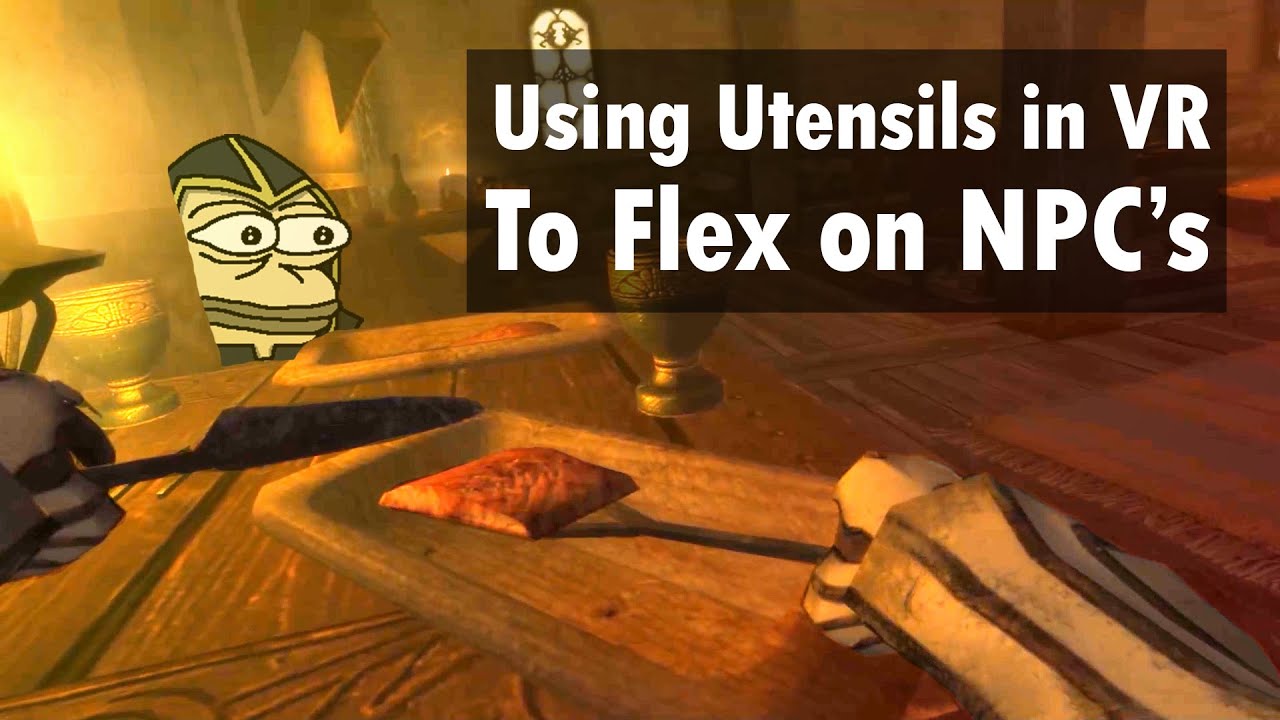
Skyrim VR mods make Skyrim VR so much more immersive. It's a shame modding is usually such a pain, because it's very worth it. But this HIGGS mod didn't even make me go through that vortex install stuff. My hands exist in virtual reality now, they collide with objects. If you ask me how to mod Skyrim VR with hand interaction, I wont be able to t...
A good vid that kinda sum up skyrim vr
@sullen linden
rapid otter
Ho crap
haughty thistle

Hello and welcome to TUESDAY NEWSDAY! Your number one resource for the entire week's worth of VR news. This week I round up the entire month of hardware releases and THERE ARE SO MANY! VR is about to go crazy with new devices. But more importantly, here is a PSA on why you shouldn't get kids into VR. A new study shows it can may actually be dama...
Oh and @rapid otter, if I remember correctly, you were interested in how the story of my VP2 issue continues, right?
Well... HTC Support still thinks a cable issue and have sent me a replacement cable. It's supposed to arrive today, so we'll see if that fixes it. I'm doubtful, but it's not like I have much saying in this lol
sullen linden
It just crashes on open
rapid otter
haughty thistle
Oh and <@!664462808993234944>, if I remember correctly, you were interested in h...
Yeah I was, i hope this fixes it, and if it doesn't well you got another cable
haughty thistle
Loooool
I just received the replacement cable, and guess what? It's missing the tag. Aka: it's 100% a DP 1.2 spec cable xD
haughty thistle
I can now say with confidence, don't use a VP1/Cosmos Cable with a Vive Pro 2, because this is gonna happen:
 haughty thistle
I dunno. I messaged them with Photos and currently waiting for a reply lol
thick escarp
If you have a large (2m by 2m, or 7' by 7') play area, check out this game that just released:
https://store.steampowered.com/app/589940/Eye_of_the_Temple/
Just came out, it's an indie developer, there is a free "First Steps" version you can try. I absolutely adore the motion mechanics, and cannot recommend this highly enough. The gameplay and story is not mindblowing, but it's really fun to play, feels pretty huge and has a very decent length for the price. Puzzle exploration stuff, very much Indiana Jones style.

What led you to this ancient mountaintop temple hidden deep in the jungle? Making your way inside is going to be tricky. You spot a blue bird that looks at you and flies away. You sense that it has something to tell you...Eye of the Temple is a VR game that lets you explore a vast and treacherous temple using your own feet. Keep your balance as ...
Price
$17.99
 dapper dragon
Getting the Virtual I/O i-Glasses setup with my DOS machine. Have to hook up the head tracker and VGA box still. Composite signal and audio works though.. 640x480 screens, circa 1995
 rapid otter
That's neat 😃
 gleaming cloud
rapid otter
pole-vaulting in boneworks
gleaming cloud
rapid otter
pole-vaulting in boneworks
love it
sullen linden
rapid otter
pole-vaulting in boneworks
That’s actually really cool!
rapid otter
A bit more 🙃
 cedar peak
@sullen linden i will respond here on certain games it will just crash my vr headset and i would need to plug my display cable back in it happen on 3 games back on the 980 but on the 3060 it happens on all the games also sorry about the ping
sullen linden
cedar peak
<@456226577798135808> i will respond here on certain games it will just crash m...
That’s... weird. I’d give DDU a shot, although I’m somewhat doubtful that drivers are the issue here. Aside from basic things like reinstalling oculus and/or Steam VR, maybe try a fresh windows install? You could always put a fresh install on a spare drive just to test if that solves it if you’re worried about losing files and whatnot
cedar peak
sullen linden
That’s... weird. I’d give DDU a shot, although I’m somewhat doubtful that driver...
i upgraded my 980 to the 3060 as i thought it was that then i thought maybe i should try upgrading my cpu as well
sullen linden
Yeh, you probably should. A 4770k is a fine CPU for most VR games in all honestly (I actually rocked an i5 4570 for VR for a little while lol), but you will almost undoubtedly see fewer framespikes and that sort of thing with a newer higher core count chip
But that still wouldn’t fix your games just not working
I’d just try DDU, some reinstalls, and worst case scenario a fresh copy of windows
 hushed pond

rapid otter
@haughty thistle can you help me please

I am stuck here
I want to cast my q2 to my phone
I knew how to on the old app
haughty thistle
Never got the "Cast to phone" feature working with my Quest...
pseudo owl
rapid otter
<@202504214163881984> can you help me please
can be hit or miss sometimes. Sometimes i get it to work first try sometimes i have to connect, close oculus app, connect again. Or while connected, inside the Q2 you go to "SHARE" and cast to phone. (i think. Trying to remember off the top of my head)
 drowsy marsh
I bought the quest 2 Yesterday But a friend of min told me that beat saber has become pay to play and the Only Way to no to pay is to mod But Can i mod the game even doe i buy it on quest store?
thick escarp
drowsy marsh
I bought the quest 2 Yesterday But a friend of min told me that beat saber has b...
Beat Saber is not pay to play. Yes, you can slightly mod it on Quest, but not all mods are possible yet. But again: it's not pay to play.
drowsy marsh
So i Can just Buy it and play all the songs i want (if there is a verison made for the song)
thick escarp
drowsy marsh
So i Can just Buy it and play all the songs i want (if there is a verison made f...
Yes and no. If you buy it, there are maybe 50 songs included that you can just play. Then there are official songs (and song packs) that you can buy for money and then play, like the new advertisement packs (e.g. recently Billie Eilish). And you can easily mod it on Quest to play all songs that the community mapped for free, the mod you want is called BMBF, and the easiest way to install it is Sidequest, either on PC or phone. That last part is against their terms of service, but I have never heard of any bans because of that. But be aware of it, and you will get a warning when starting Beat Saber that it's modded.
Very much worth it in my opinion, the community made maps are way better than most official ones, they have better flow.
drowsy marsh
thick escarp
Yes and no. If you buy it, there are maybe 50 songs included that you can just p...
Okay cool Thanks for the help
 gusty frost
thick escarp
Beat Saber is not pay to play. Yes, you can slightly mod it on Quest, but not al...
gusty frost
thick escarp
Beat Saber is not pay to play. Yes, you can slightly mod it on Quest, but not al...
Beat Saber is pay to not replay the same song a hundred times
thick escarp
gusty frost
Beat Saber is pay to not replay the same song a hundred times
Yeah... That's why I replied more thoroughly. I don't think the song packs are worth the price, maybe some are. But yes, it's moddable on Quest and will give you access to songs.
gusty frost
Don't know, maybe the imagin dragons song pack is worth it if you like it
sullen linden
Hell split is a great game for those who enjoy medieval fighting games or fighting games in general.
does anybody have any fps or fighting game recommendations? because im running out of VR games to play.
thick escarp
sullen linden
does anybody have any fps or fighting game recommendations? because im running o...
Oh man, there are tons. But we don't know what you have played already. Are you going more RPG, or roguelike/wave shooters?
sullen linden
thick escarp
Oh man, there are tons. But we don't know what you have played already. Are you ...
Roguelike and wave shooters, I like to have a little of both
Really the only fps games I have completed 100% is half life alyx and super hot, everything else is a work in progress
thick escarp
sullen linden
Roguelike and wave shooters, I like to have a little of both
Here's a short list of the ones I really like, you can check if there's an idea for you:
- Until you fall (Rogue-lite sword fighting, unrealistic but fun mechanics)
- Everslaught (fast paced slash-em-up RPG, very much Doom Eternal with an axe...)
- ...
Sorry, gotta go, maybe someone else can pick this up...
sullen linden
thick escarp
Here's a short list of the ones I really like, you can check if there's an idea ...
Alright, thank you kind sir, I shall take a look at these games when I have some time.
 rustic egret
I have some mystery HP vr headset, what is it, is it based on something else?
haughty thistle
rustic egret
I have some mystery HP vr headset, what is it, is it based on something else?
HP made 3 different VR headsets, each with a very distinct design.
The VR1000 had somewhat of a Robocop looking front and is a big standard WMR headset (nothing special other then the detachable cable)
The Reverb G1 has a fabric front and on-ear headphones. It has 2160x2160 screens, but not all that great screens and still a fixed IPD (like the VR1000)
And then there's the Reverb G2, which has 4 cameras instead of 2 and has an off-ear speaker design. It's actually a pretty good headset with even better screens and lenses then the Reverb G1, but just like any of the other WMR headsets, the hand controller tracking isn't that great...
I should mention HP only ever made WMR headsets
thick escarp
@rapid otter So, I actually did do the complete upgrade. The reason is that I was able to get a newer Ryzen chip from my workplace, so I upgraded the CPU, motherboard and PSU while I was moving to the new case. So, with the Noctua Cooler, I now basically have one entire extra PC (without a GPU...). And yes, that case is huge, but a joy to build in, looks much cleaner afterwards, and very quiet. I am happy. And my PC may actually be a tiny bit faster, not being bottlenecked by the CPU anymore.
 thick escarp
Man, this was so much easier than anticipated, Windows has come a long way. I just booted from my old hard drive with all new hardware, even an updated chipset and a different motherboard brand. It just automatically installed a couple of drivers upon boot, and all is well. Had to re-activate Windows with three clicks, but that's it. I was honestly bracing for a huge PITA all night...
gloomy crater
Yep, windows handles hardware swaps a lot better nowadays. As long as you're not swapping graphics card brands and generations, it just retools the existing software to meet the new hardware requirements.
I do have to admit, one thing it's not the greatest idea to do is to carry a windows install from one drive to another, or keep one around for longer than a few years. But however bad of an idea it is, I keep doing it soo....
I had to temporarily move a bunch of my sister's VR games onto another drive because she ran out of space to install programs on her C: drive. She has to play VR off of a 240gb external SSD since her 256gb M.2 NVME drive is full of skyrim mods now. I bought her a 1tb drive along with my new 6900XT, so that'll be here by the end of the week. I'm excited. She gets a new drive and I get a GPU that I hopefully shouldn't have to upgrade for like half a decade. Edit: Forgot to mention she's also getting my 3070 since her 5700XT is having memory problems...
haughty thistle
When I switched my HDD for a similarly sized SSD, I just copied all contents to the SSD, swapped the drive letters and rebooted. No issues with any software as far as I can tell lol
Oh, and my whole installation was just carried over from my Intel board to my current AMD system.
Windows is surprisingly flexible nowadays, but I've sworn that if I ever run into issues, that I won't hesitate to re-install...
rapid otter
thick escarp
<@!664462808993234944> So, I actually did do the complete upgrade. The reason is...
That's very cool, your boss is Linus to give so much hardware !
Which cpu / mobois in here ?
Also i love the look of the fans classic noctuas
thick escarp
rapid otter
That's very cool, your boss is Linus to give so much hardware !
Which cpu / mobo...
Well, I work for a computer software company. So they do tend to buy new CPUs and as soon as they run out of warranty, they won't have use for them anymore. And they also sometimes buy new CPUs just to check if our software will run into any problems with them. This is one of these CPUs.
I got a Ryzen 5800x, and some 3600 MHz memory from the office, as well as a Seasonic 850W power supply (which is overkill). And I bought an "Asus ROG Strix Gaming Wifi" mobo, mostly because it has fairly good VRMs on it, turned off the RGB after first boot. 😉 So, that's essentially an entirely new PC (minus the GPU and SSDs) for 120€, I couldn't resist...
rapid otter
Damn i gotta apply 🤪
The Ryzen 7 5800x is a real beast, i have his little brother the 3700x and I'm having a good time, i think you will notice the change
For 120€ that's a good deal
thick escarp
rapid otter
Damn i gotta apply 🤪
Go ahead! Maybe not our little German branch, but honestly, I am sure you can get some scraps from any computer centered company if you actually work there. Linus Media Group will certainly do that (remember those Intel Extreme Tech Upgrades, and how much company stuff was in there), and even my university work group did that. They do rely on having "replace as quickly as possible" warranty from manufacturers, since a PC not running for a couple of days costs them much more money than the actual PC. This means that as soon as the warranty runs out, they will just buy new PCs.
rapid otter
I bet amd employees don't get such deals
rapid otter
thick escarp
Go ahead! Maybe not our little German branch, but honestly, I am sure you can ge...
I think so too...
But didn't you had 3200mhz ram before ?
thick escarp
Well, the 120€ was for the motherboard. That's the only thing I bought. The CPU, case, memory, PSU I got for free. 🤣 So it's 120€ overall. I did still have the CPU cooler sitting around, so I think I paid for that a while ago.
haughty thistle
Damn' lucky
thick escarp
rapid otter
But didn't you had 3200mhz ram before ?
Oh yeah, I took nothing out of the old case except for the GPU and the SSDs. So the memory is still in there. I'll probably wait until GPU prices are normal again and then put a cheapish GPU in there for my kids to game on or something. By then, they'll be old enough. 😉
rapid otter
They will start with something good
haughty thistle
I payed like 300€ for my Asus board. It's like the Wifi-Midrange gaming board that I have. The Z370 variant was 180€, but that's inflation and chip shortage for ya...
Asus Strix X570-E Gaming if anyone's asking
thick escarp
My two older kids do actually already have a mid-range laptop that would be able to play very simple games. We got those for home schooling via video conference. 😦 Because that's where we are right now in elementary school...
rapid otter
I started with a 2007 imac with intel 4000 and 4g of ram
thick escarp
haughty thistle
Asus Strix X570-E Gaming if anyone's asking
Oh, but that's an X570 chipset, mine is still consumer (B550).
thick escarp
rapid otter
I started with a 2007 imac with intel 4000 and 4g of ram
Well, I started with a Commodore 64. No hard drive. Cassette tape for storage. Just to put that into perspective. 🤣
rapid otter
Most old used pc components to go africa or third world country, but if your companies throw recent ryzen i think they end up in sales
rapid otter
thick escarp
Well, I started with a Commodore 64. No hard drive. Cassette tape for storage. J...
Well we don't have the same age 🤪
thick escarp
To load up any "game" or any program at all, one had to insert a magnetic cassette tape, press play, and wait 30 minutes! Man, those were the days.
rapid otter
Back in the days we played games on it too
Boot camp gaming
Playing counterstrike call of duty at like 6 yo
Was fun
On my dad's leg cz i was too small
thick escarp
Well, for gaming, this is not a good choice now. But until a few months ago, my mom was still running a 2008 iMac. For her eMailing, browsing, typing, and printing, it worked perfectly fine. Only exchanged it because I couldn't update the OS anymore and Chrome wouldn't run on the old OS. That's when I thought that it's the end of the line...
thick escarp
rapid otter
My dad always used a mac
I always used a Mac. If you do Linux/Unix programming for science, and some audio/video/photo on the side, there is just nothing like macOS.
rapid otter
His mac is so cool but it's washed 😅 he has been using it 8 hours a day for 5 years so the screen is burned like a steak you buy on the side of the autobahn
thick escarp
Only started with the Windows system for my current company, since our software is mostly used on that.
rapid otter
I also want a mac for school
I have a widows laptop but it's so slooow
End up only using my phone
thick escarp
People always think the extra price on Macs is for the sleek look and status symbol. I honestly think it's mostly for the OS that doesn't cost anything and will treat you much less as a product than Windows. No ads. I love it.
But when it comes to power, especially graphics power on anything other than multimedia, Macs can't really cut it. The power I have seen on my Mac when working on e.g. Blender is just nowhere close to what I can get on a similarly priced PC. And there are no "budget" Macs. I will not buy a Mac for my kids, just because they don't need this level of display or keyboard or touchpad for what they do.
thick escarp
Yeah... That's not really that true anymore. Some things are much more finicky on macOS. If you only do what Apple think you will do, and only use Apple product, sure, it "just works" (most of the time), but so does Windows. If you do weird stuff, like we do, you will have to tinker with it, and there is much less help than for Windows. I mean, the bending is much easier for me with a lot of Linux/Unix experience than on Windows, but most cool and useful software is just more available for Windows.
haughty thistle
Dunno if anyone talked about this here before:
Varjo announced an event on Thursday and the image accompanying that announcement shows something that looks like a Varjo VR-3 or XR-3, but one with only one cable rather then the two that you'll find on the VR/XR-3
thick escarp
sullen linden
Roguelike and wave shooters, I like to have a little of both
Alright, where was I...? 😉
Half Life Alyx is more of a story game than an FPS, if you liked that a lot, you can check out
- Arizona Sunshine (Zombie shooting with a little story, more Arcade than realistic)
- Boneworks (very realistic weapon handling and a weird story)
- The Walking Dead: Saints and Sinners (Zombie shooting with a decent story)
- Skyrim VR (middle ages, sword/magic) and Fallout 4 VR (wasteland, guns) are very, very long and fun RPGs if you like that
More Rogue-likes and wave shooters would be:
- Population One (battle royale, so if you like multiplayer, there is tons of replay value)
- Gun Club VR (shooting paper cutouts)
- Hyper Dash (arcade, but fun mechanics, sliding on rails)
- Robo Recall (very funny)
- Zombieland: Headshot Fever (short bursts, so good for quick games)
What did I miss? It's easier if you tell us what games you enjoyed most so far...
rapid otter
Super hot is a very good fighting game guns and endless waves
Also gorn a cartooninsh gladiator game, it's gore with dismemberment ect but the cartoon style makes it fun
Also blade and sorcery, a realistic medieval game, with magic ... Very good game
And i can't recommend boneworks enough there are very good physics and guns, but there's also swords/mele/ hand combat. But the swords aren't the best
thick escarp
rapid otter
Super hot is a very good fighting game guns and endless waves
Superhot he already completed, he said. And Alyx. And that he liked Hell Split. So that's what I was going on...
rapid otter
Ho my bad
sullen linden
thick escarp
Alright, where was I...? 😉
Half Life Alyx is more of a story game than an FPS,...
Some of the games that I like are (some not fps or fighting games) job simulator, duck hunt, richies plank, car games in vr, and other games that I cannot remember for the life of me.
thick escarp
sullen linden
Some of the games that I like are (some not fps or fighting games) job simulator...
Man, that's basically all types of games. 🤣 I would recommend to watch a fairly recent "Best VR games of all time" type video. There, you can see a preview. And if anything sounds interesting, put it on your wishlist and wait for it to go on sale. Good strategy. 😉
sullen linden
thick escarp
Man, that's basically all types of games. 🤣 I would recommend to watch a fairly...
Alright, thanks man.
wait actually, what headset and shiz do you use?
thick escarp
sullen linden
wait actually, what headset and shiz do you use?
The suggestions I gave were all Steam. I assumed as much, because you had played Alyx. I have a Quest 2, and own some games there, but mainly play PCVR nowadays.
sullen linden
rapid otter
shiz ?
Ya I use made up words sometimes lol.
sullen linden
thick escarp
The suggestions I gave were all Steam. I assumed as much, because you had played...
Luckily I do use a vive so I could potentially get all those games. I wanted to know if you had any thoughts on the headset that I use the headset being the HTC vive pro 2
rapid otter
thick escarp
The suggestions I gave were all Steam. I assumed as much, because you had played...
Me too mostly PCVR
thick escarp
sullen linden
Luckily I do use a vive so I could potentially get all those games. I wanted to ...
I don't have a lot of experience with different headsets. But if you already have one and are not really annoyed with anything, I would say just keep using that. Certainly don't buy anything now, there are a bunch of new headsets and announcements coming up in the next weeks. Things will only get cheaper or better or both.
rapid otter
They aren't any significant/worth it upgrades from the vive pro 2
 green crypt
can get index controllers if you dont have them
sullen linden
thick escarp
I don't have a lot of experience with different headsets. But if you already hav...
Really the only thing that annoys me is that my headset crashes all the time when loading in, or I have audio issues. Its weird as fuck because there are not trends, its just random.
green crypt
most people prefer them over wands
sullen linden
sullen linden
Really the only thing that annoys me is that my headset crashes all the time whe...
Its also weird because I have a good pc, its not like I dont have the hardware.
rapid otter
sullen linden
Really the only thing that annoys me is that my headset crashes all the time whe...
Maybe ask Chickenbread if you didn't do so already. Did you contact the customer service ?
rapid otter
sullen linden
Its also weird because I have a good pc, its not like I dont have the hardware.
Specs ?
sullen linden
rapid otter
Specs ?
Ryzen 9 cpu, 32gb of ram, msi 3080, rog strix 550-f, its watercooled, it has 6 fans, and is all packed into a lian-li pro.
I am also running windows 11
rapid otter
I think i remember that win 11 has vr issues
I won't get win 11 for a while
Not worth it
sullen linden
rapid otter
I think i remember that win 11 has vr issues
I hope that bill gates gets off of his golden throne and hires some minions to fix these issues, since windows 11 is "great for gaming"
thick escarp
sullen linden
I hope that bill gates gets off of his golden throne and hires some minions to f...
Poor Bill by now has nothing to do with the company anymore. 😉 He can enjoy his golden throne in peace. 😁 But we get your point.
sullen linden
thick escarp
Poor Bill by now has nothing to do with the company anymore. 😉 He can enjoy his...
Totally forgot he resigned lol
drowsy marsh
Hey
I bought a quest 2 the other day and is looking for some games to play
I have rec room, beat saber and i have job sim and onward on my wishlist
Hit me
harsh niche
Walkabout mini golf
which is cross compatible btw
can play standalone on quest or get it on the pc oculus store both with the same purchase
 agile mortar
Is there anyone else running the win11 dev build and not being able to play with the index because it does not get tracked?
haughty thistle
Don't use pre-release software. Period.
Switch to a stable build of Windows (be it 10 or 11, your choice) and we may be able to help you.
Windows 11 in general still has so many issues that I wouldn't recommend switching to it currently anyways...
Oh... He's already gone lol...
My point still stands though
rapid otter
@haughty thistle I'm having weird issues. When i record a vid of boneworks i go in sand box and o my thing everything works nicely. (I record with nvenc) but as soon as I change my level my game lags horribly 50 ms or so the steam frame time become a big red bar
Only closing boneworks steam vr and oculus does something
It only happens with NVENC
When i open task manager i see my vram usage is 5.8 /6 and shared is 0.5 / 12, normally it never use shared mem, only when i record i does so...
Do you think it's linked ?
haughty thistle
Yeah, you might be running out of VRAM and that may be causing the issue @rapid otter
tawdry dove
drowsy marsh
Hey
I bought a quest 2 the other day and is looking for some games to play
I hav...
Echo vr is free and pretty fun
drowsy marsh
tawdry dove
Echo vr is free and pretty fun
Ill take a look when i Got Home
 thick lagoon
I already have a Quest 2, but I do not have a link cable.
Can I use a normal USB C charger with USB 3.2 support to power the device?
 spare elbow

gloomy crater
thick lagoon
Can I use a normal USB C charger with USB 3.2 support to power the device?
Power as in charge or power as in access link with
They enabled link support on regular old USB3.0 cables amidst the pandemic last year, but I've heard the experience is considerably dampened. But that doesn't mean you have to buy their $80 to access a PC over link. I used a $20 3.2 cable just fine and had no issues with it, so theoretically your cable should be good, as long as it's not one of the weird outliers where some cables just don't work for some reason
tawdry dove
thick lagoon
Can I use a normal USB C charger with USB 3.2 support to power the device?
that cable will work
rapid otter
The Jagdkommando Integral Tri-Dagger Fixed Blade Knife, was designed by Tony Marfione. The blade itself is made of 6AL-4V Titanium as well as the handle. The twisted design delivers maximum internal damage that couldn't be produced by any other puncturing weapon. Very good design even though it's hard to use practically during close fights.
M...
haughty thistle
Pretty sure that looks like a Varjo HMD. Could be mistaken though. He did say 2PM Berlin Time is the Embargo lift, which is 4 hours before "the company officialy unvails the device".
Varjos Launch event is 6PM Berlin time. So... I think Varjo Consumer HMD confimed?
https://www.youtube.com/watch?v=q7koPWHkA7U


This is the FULL MRTV REVIEW of the (Name Still Under Embargo)!
🔴 You want MORE MRTV content? Exclusive videos? The direct connection to MRTV? Become a member of the MRTV Elite! http://www.mrtvelite.com
🔴 My VR Hardware Recommendation (Europe Only):
My VR Laptop - XMG NEO 15 - Configure yours here: https://bit.ly/xmg-neo
My VR Desktop - XMG ...
 dull tide
https://media.discordapp.net/attachments/517895785782837248/900573939858825277/just_watched_DUNE_today..did_any_of_u_notice_this_too.jpg
 haughty thistle

haughty thistle
I can't belive this day has come. Varjo is finally entering the consumer market! But with a 2000$ (excl. tax) HMD 😦
https://aero.varjo.com/product/varjo-aero/

Varjo Store
With stunning edge-to-edge clarity through variable resolution aspheric lenses Varjo Aero is the best professional-grade headset ever made.
I'm sure to post my opinions about it, once I get mine in January...
thick escarp
haughty thistle
I'm sure to post my opinions about it, once I get mine in January...
Wow, you seriously ordered this? I mean, I earn decent money, but this is just waaaay out of my comfort zone for an HMD... That's some serious commitment!
haughty thistle
I literally don't have anything else to spend my money on lol
thick escarp
I see. 🤣 To me, the only slightly improved specs don't really justify ordering this before the other big companies reveal their new headsets this month. But I guess you can always just ship it back?
haughty thistle
Besides, after trying and using the Vive Pro 2, I feel like it could be my daily driver HMD, if it wasn't for the lenses. If the Varjo truly lives up to it's promises, it's everything I ever wanted from a VR HMD. This truly would be Endgame for me.
haughty thistle
thick escarp
I see. 🤣 To me, the only slightly improved specs don't really justify ordering...
It won't ship until Jan, and I can always cancel my order till then. Besides 14 days return period in the EU means I'd have plenty of time to decide once I got it in my hands...
thick escarp
haughty thistle
It won't ship until Jan, and I can always cancel my order till then. Besides 14 ...
Yeah, that's true. Definitely let us know how it holds up. The one thing I have high hopes for is the comfort. It really looks for once like there is not so much pressure on your face.
sullen linden
thick escarp
Poor Bill by now has nothing to do with the company anymore. 😉 He can enjoy his...
except own it
sullen linden
haughty thistle
Oh... He's already gone lol...
My point still stands though
stable software = out of date , use everything beta
even my whatsapp beta

I already have offline desktop use in whatsapp
hushed pond
lmao i saw the varjo requirement and it list a gpu that isnt even out
 rapid otter
haughty thistle
I literally don't have anything else to spend my money on lol
rapid otter
haughty thistle
I literally don't have anything else to spend my money on lol
Good for you, i have so much things i wanna buy
rapid otter
hushed pond
lmao i saw the varjo requirement and it list a gpu that isnt even out
It's out I'm pretty sure it's a mobile gpu
hushed pond
oh is it?
haughty thistle
Also, pretty sure samples for board partners have been in circulation for a while now, before the chip finally get's announced for Desktop use by Nvidia...
rapid otter
Is it inside out tracking ?
haughty thistle
The Varjo Aero? No it's lighthouse tracked
hushed pond
use steamvr tracking
rapid otter
RTX 2080 min but 4c and 8gb ram
haughty thistle
You don't need a lot of RAM for VR, just VRAM
rapid otter
16 is standard
For expensive pcs
The headset looks good
The res and refresh rate doesn't seem really high
haughty thistle
Quite expensive, but honestly, I wasn't expecting anything else with standard European Income and a relatively nieche product...
rapid otter
But it's meant to be well done not just big numbers
cough 8k super
haughty thistle
rapid otter
The res and refresh rate doesn't seem really high
Heh... 120Hz in VR is more of a marketing thing. Yeah, things do looks smoother, but even after having experienced the 120Hz of the Pro 2, the 144Hz of the Index and the 180Hz of the Pimax 5k Super, I don't feel like 90Hz is all that low.
And in terms of resolution, well... just look at through the lens videos. Both the Reverb G2 and Varjo VR-3/Aero beat the Pimax 8k X in sharpness and clarity funny enough. Don't get me wrong, the 8k X is nice and high res, but because of over how large of an FOV it stretches that res, it doesn't look nearly as high res as other HMDs with "lower" resolutions
Keep in mind, the Varjo has a higher res then the Vive Pro 2, and that has been so far the HMD with the lowest SDE I've tried so far...
rapid otter
Ho thanks i did knew the res was actually normal to high
I don't know about the refresh rate, i play at 72 hz
🤡
hushed pond
i hate playing at anything lower than 120hz on my index, but then again who am i to complain when i regulary play vrchat at sub 40 fps in highly crowded world

rapid otter
If i could I'd play at 120 he max res
hushed pond
i usualy go for 144hz except for vrchat
rapid otter
I can't get better hardware
https://c.tenor.com/p93000tePYcAAAAM/squidward-no-money.gif

Moneeyyyyy
thick escarp
rapid otter
Moneeyyyyy
Well... For GPUs, money is not the only problem right now. 🤣 And your CPU is pretty baller iirc?
rapid otter
thick escarp
Well... For GPUs, money is not the only problem right now. 🤣 And your CPU is pr...
And well with money you can get a gpu
thick escarp
Well... Yeah... But not at normal prices unless you are really lucky.
Actually, in Germany, the very high end GPUs like the 3080Ti and 3090 are actually available by now for MSRP at online retailers. Who knew. But lower and mid tier are still crazy.
rapid otter
thick escarp
Well... Yeah... But not at normal prices unless you are really lucky.
Actually,...
Who cares about normal price when you got money
🤑🤑🤑
flat pawn
How long until VR headsets stop marketing resolution and start marketing pixel per degree
hushed pond
how long till we get actual feature like eye and face tracking being the norm
haughty thistle
Just gonna say, Varjo has already got both of those down. They focus more on a PPD rating rather then resolution and all of their HMDs got eye tracking as standard. It's a bummer that their HMDs are so expensive though...
 viscid lark
do usb c 2.0 cables charge my quest 1 while playing through link?
hushed pond
still waiting for the days the index get some add ons for eye/face tracking/wireless
haughty thistle
viscid lark
do usb c 2.0 cables charge my quest 1 while playing through link?
Whether the Quest charges or not depends on your Motherboard.
USB 2.0 cables aren't generally recommended due to more signal noise and overall worse signal stability. If you buy a cable specifically for link, rather spend some extra and get a cable that lasts longer and gives you a better experience, then to penny pinch. You don't wanna experience what a bad signal looks like in VR...
haughty thistle
hushed pond
still waiting for the days the index get some add ons for eye/face tracking/wire...
By the looks of it, Valve would at this point probably rather release a new, more module HMD, which would then get a Wireless Adapter and whatnot. Based on what we know about Deckard, the Index is probably coming towards the end of it's lifecycle...
 pastel echo
Pretty sure the index is already being phased out in non american countries
green crypt
I just hope valve makes the wireless kit backwards compatible when they have a new hdm and finally have a wireless kit. As my only problem with the index hmd is the cable.
gloomy crater
I don't mind the cable since I don't move a lot when playing. My biggest issue with the Index is the god awful glare in my eyes at most angles
Still, I've spent a collective hundreds of dollars on prescription lenses for VR headsets, so if they could make deckard's lenses backwards compatible with the Index like Facebook did with the quest 2, that would be great
 olive vessel
Virtual reality is kool
 oak wyvern
i wanna get a vr headset what should i go with
haughty thistle
Depends on your budget, what you wanna do with it and whether you're ok with a Facebook login or not
 woeful bay
under 1000 get quest 2 but you should wait until the new headsets get released by oculus in the next few days, over 1000 get the htc vive, ofc if you have a pc
harsh niche
in the next few days?!
glossy ibex
Yeah. What? Are ya sure about that? Bcs I haven't seen any leaks or anything about that. And htc vive? Index is wayyy better imo.
 normal quartz
I heard g2’s tracking got updated how good is it rn?
 orchid birch
Really can’t wait for what Facebook has in store. If Quest 3 then I’m gonna splash some dough
haughty thistle
normal quartz
I heard g2’s tracking got updated how good is it rn?
I haven't tried it yet. HP says they improved the camera hardware (but only for the US mind you), whereas others say they got a firmware update and it improved tracking for them...
My biggest problem with the G2 controllers was not the limited tracking volume, but more the lack of touch sensitivity (which makes them somewhat problematic in games like VRChat).
You've got to decide for yourself whether the headset is worth it to you or not. Even before this update, I didn't found the G2 to be a bad headset, in fact the tracking of the HMD itself I found to be superior to that of the Oculus Quest, and the controllers good enough for most games...
pale orbit

New and improved tracking, compatibility, and visual customization
green crypt
new quest 2 if you dont care facebook or a used vive if you hate fb
oak wyvern
i wanna get the old vive but i can’t find it anywhere
haughty thistle
For under 700 there currently are only 2 options that you can buy new:
The HP Reverb G2 (600$) and the Oculus Quest 2. The latter requiring a Facebook login and is not really a native HMD (thus extra latency and compression artefacts may be visible), while the controllers of the former aren't really the best out there, but still decently usable
oak wyvern
because i wanna get the valve controllers later
green crypt
ebay or local used sites you can get a vive
haughty thistle
You can use the Index controllers with any headset really, but you'd have to sync them up with the tracking system of the HMD (which in the case of all inside-out tracked HMDs has to be done every time you put on the headset)
oak wyvern
but do u guys recommend htc or quest
green crypt
depends on the pc you have
haughty thistle
The Quest requires a Facebook login, and if you really want Index controllers, the Vive is probably a better option (like I mentioned, that syncing process isn't really the greatest thing)
oak wyvern
so i should get the quest and plug it into my pc?
green crypt
quest has native wireless tho a vive can get wireless
quest 2 is better wireless just get an access point for it
has more bandwith wireless vs wired
oak wyvern
it can go wireless on pc?
haughty thistle
green crypt
quest 2 is better wireless just get an access point for it
Not better, just more convenient. The Vive Wireless adapter offers a much improved image quality and virtually not noticable latency. The Latency compensation on the Quest can be quite noticable if you move your hands around quickly
oak wyvern
how much is the old vive?
green crypt
i meant wireless quest vs wired
haughty thistle
green crypt
has more bandwith wireless vs wired
And the bandwidth doesn't play a role in the Quest PCVR capabilities, as it's limited by the decoding capabilities of the SOC (around 500MBit/s, which is much less then both USB 3.0 and Wifi)
haughty thistle
oak wyvern
how much is the old vive?
Depends on what you can find one at. I'd say ~300 bucks for one is a decent price. The lighthouses make up the majority of the price I should mention
oak wyvern
i’ll try to find one in my country and if i don’t i’ll just order it from ebay
how’s the cosmos elite?
haughty thistle
Eh... I'd rather get a Vive Pro 1 then a Cosmos Elite. They were both sold for around the same price, but the Pro 1 has much better screens and a better headstrap...
oak wyvern
i found the cosmos elite for 330$
haughty thistle
Does that include everything? 2 lighthouses, 2 controllers & headset?
oak wyvern
yh
haughty thistle
Ok, that price is pretty good ngl
haughty thistle
Ultimatly, it's your choice. The Cosmos Elite has higher resolution screens, while the OG Vive has OLED screens and works natively with SteamVR (so no HTC bloatware required)
oak wyvern
haughty thistle
Ultimatly, it's your choice. The Cosmos Elite has higher resolution screens, whi...
how about the pro does it need bloatware
haughty thistle
The Pro 1 is like the OG Vive, not requiring any additional software besides SteamVR, whereas the Pro 2 is much like the Cosmos, in that it does require extra software from HTC to work
oak wyvern
i found the pro 1 for 200$
haughty thistle
The Pro 1 was sold as an HMD only as well, so you gotta be careful of that. Without Lighthouses, the headset will only display a gray screen, so you wanna have at least the lighthouses with the headset, or you gotta factor those in as well (around 300 for a pair of lighthouses)
oak wyvern
do you guys have any news about the decagear
earnest vapor
oak wyvern
i found the cosmos elite for 330$
oh wow
earnest vapor
oak wyvern
i found the cosmos elite for 330$
send
how is this
is the vive good in 2021
glad sand
earnest vapor
is the vive good in 2021
It is what it is, for $800 nah there are better options now but for its price it's kinda hard to beat. Only real competition at that price-point is the OG Rift (has the issue of Facebook) and the Reverb G2 (worse tracking for controllers but drastically superior displays). Tbh a good option might be Reverb G2 + Vive controllers and lighthouses that'd be pretty sick but also Vive tracking can be potentially problematic if you have highly reflective surfaces in your play area
earnest vapor
well the listing i found was for 91 dollars
but its an auction so its bound to rise a bit
wait is that listing full kit or headset
glad sand
earnest vapor
but its an auction so its bound to rise a bit
Yeah lol check the recently sold listings for the past little while and take an average
earnest vapor
glad sand
Yeah lol check the recently sold listings for the past little while and take an ...
how do i see that

what
is that including the package or just shipping and handling
there are 57 reviews
pale orbit



 glad sand
earnest vapor
how do i see that
glad sand
earnest vapor
how do i see that
That is what that seller, username "shortarmguy" with 125 combined feedback (both as a buyer and as a seller, seems he mostly is a seller, though) is asking for shipping. Those "57 reviews" are just generic eBay reviews for a product of that title or similar, and have nothing to do with that listing other than that they are likely related to the product featured in the listing. Based on the pics and description it is a full kit Vive in average condition, though with no Deluxe Audio Strap (DAS) which some people prefer but others don't. I'd expect a Vive like this (based on searching eBay for simply "htc vive" and clicking the "Sold Listings" checkbox on the left-hand side a bit further down the page) to sell for somewhere in the mid 200s + his shipping, but naturally it all comes down to the bid where either nobody cares or a ton of people get in on it and inflate the selling price higher, as bids go. No way of knowing without watching and participating if you are interested in buying that particular unit, though there is nothing special about it and that is a lot to ask for shipping based on similar listings
glad sand
earnest vapor
i mean what is the best non Facebook headset
Depends on your budget, the best all-rounder is an Index for ~$800 used. If your budget is a bit lower than that, HP Reverb G2 is solid but has some cons (worse controller tracking, though apparently there's been a recent update idk anything about that tho) and if your budget is lower than that and you don't mind the worse image quality of the Vive then it is still a decent headset it just has drawbacks especially compared to the Index which is basically the "next-gen" Vive replacement
earnest vapor
i mean i heard that the index is faulty
and if I got a used, I wouldn't have warranty
glad sand
earnest vapor
and if I got a used, I wouldn't have warranty
I have one and know someone else that does (got his used) and neither have had any issues whatsoever. They've been much better and reliable (tracking-wise) than our old Vives. What issues have you heard of?
haughty thistle
pale orbit
https://twitter.com/vr_oasis/status/1452365640933781506
Already posted about this on another discord, but I feel like Facebook is doing an early 2000s Microsoft again (Embrace, Extend, Extinguish: https://en.wikipedia.org/wiki/Embrace%2C_extend%2C_and_extinguish?wprov=sfla1).
Reason being, the images of the Quest Pro that have leaked so far look suspiciously close to the Lynx R-1...
This is supposedly the Quest Pro:

 jolly lantern
im very late to awnsering as i never check here but yes its still a good headset for 2021 speaking from experiance, sure its no index but the great thing about it is you can get into vr cheaper then a index and have a solid unit that works well plus if you so want you can indeed use the index controllers on it as htc orginaly worked with valve on the vive
the main issue you will even find with the vive is in the wands and not reading right because of the little plastic pads inside but they can be fixed with ease
earnest vapor
glad sand
I have one and know someone else that does (got his used) and neither have had a...
Like the headset heating up, screens breaking
haughty thistle
earnest vapor
Like the headset heating up, screens breaking
The screens breaking is often times because Valve is actually overclocking them. The panels are rated for 120Hz. Most will be able to run at 144Hz, but if yours can't, you'd see that pretty quickly anyways...
And the heat of the Index is nothing really. It's pretty on-par with other SteamVR HMDs like the OG Vive (and in my experience even with the Quest 1 believe it or not). There is the Vive Pro 2 though, which does run quite toasty...
The only major fault with the Index is the cable routing, which just doesn't give the cable enough space for when you move the headstrap up. As long as you avoid doing that, your cable will probably have a long life
haughty thistle
Soo... uhh... this happened today...
 sullen linden
das virtual gogglin
 burnt crypt
haughty thistle
Soo... uhh... this happened today...
burnt crypt
haughty thistle
Soo... uhh... this happened today...

hit the self destruct button
and then give me your 3090
haughty thistle
Thing that I wanted to highlight was that the flipping Vive Software decided that this gear is only suitable to run a resolution similar that to the one on the CV1 (a 5 year old headset by now btw)
Honestly, the Varjo can't come soon enough. I just wanna get away from HTCs crappy software 😫
thick escarp
haughty thistle
Honestly, the Varjo can't come soon enough. I just wanna get away from HTCs crap...
I know your experience with Pimax has been less than stellar. But have you seen that latest reveal? 😉 Maybe you should order that as well and start comparing...
haughty thistle
I have seen it and was confused as to why they are marketing industry standard lenses as "revolutionary". You see, all of Oculus's headsets use use fresnel-aspheric hybrid lenses (fresnel on one side, aspheric on the other), and based on Pimax's marketing material, their "new" lenses look to be just like that
Thats what pisses me off about Pimax. Their all about marketing mumbo-jumbo, but the actual product ends up being just what they market, and the rest is just pure garbage (or the minimum viable product)
thick escarp
Well, it's not like the lenses are bad. Glaring is a problem, but I really like the Oculus lenses... I'm just saying, for a similar price, the HMD is very comparable to what Varjo did. For me personally, the larger FOV and standalone would probably be more important than the eye tracking and foveated rendering. Luckily, I am not in the market for a headset in this price range, so I don't have to decide anyways. 😉
haughty thistle
Besides, the Pimax 12k only is slated to release late next year and given Pimax's track record, I wouldn't be surprised if that one also gets delayed by another year
thick escarp
But I am very exited as to where the industry is going. If this is now available at this price point (both Pimax and Varjo used to shoot much higher in price), I can see these features popping up in more consumer or prosumer headsets in the next couple of years. We have a bright future ahead of us!
haughty thistle
Oh, and lastly, another factor to consider is that Pimax is a Chinese company, while Varjo is a European one. I know everyone's opinion is different, but I've personally written off Chinese phones for the same reasons as I don't consider Pimax as an option anymore: all marketing, execution meh and questionable business practices on top of it all...
haughty thistle
thick escarp
But I am very exited as to where the industry is going. If this is now available...
Like I said, I don't consider the Pimax as available yet. No one outside that company had a chance to use that headset yet, and it's not even out yet.
I much prefer Varjos approach where they had independent reviews of the device out, before they themselves talked about the device
thick escarp
I probably wouldn't buy a Pimax either, heard tons of problems with the company policy. But you gotta admit that it's exciting to see announcements with these specs pop up at these price points.
haughty thistle
I feel like this whole mumbo-jumbo was just to sell their current lineup (first 3 months the 12k is only available to previous Pimax owners)
True. It's exciting to see where the tech is going. Now it's Oculus's and (at some point in the near future) Valve's Stage to take.
With Oculus, more people will get into VR, with Pimax at least some interesting tech is promised for the future and Varjo is bringing B2B quality VR to a wider audience. Oh and HTC is slimming down the form factor, even if their marketing may be a bit questionable...
thick escarp
Personally, I care way more about OLED and FOV than about eye and face tracking (which is very likely what Oculus is also gonna come up with). So I am kind of happy to see that a company is shooting that way and not see the entire industry go for "all social" VR stuff, which is just not my cup of tea.
haughty thistle
Eye tracking I do see a major benefit for: Foveated Rendering.
You get to have your high-res cake, and don't get sick from low frame rate while looking at it
That's why the Varjo lists a 3050/2060 as the minimum spec for the Aero. Using Foveated Rendering, I can imagine that it would be plenty to run that HMD...
Face tracking on the other hand... Yeah, I agree that that's for social VR only
thick escarp
Yeah, the foveated rendering is awesome. But it probably needs some major processing power and I can't see it happening standalone anytime soon. And I love standalone. The resolution of the Pimax is also a ridiculous number. If you stretch those pixels to 200° FOV, the Varjo has it easily beaten in the center of your view, no competition, it's just about "12K" sounding really big.
Well, not standalone, that's not as important. Wireless is what I love. And that's gonna be hard to do with foveated rendering. Sorry, I misphrased that.
tawdry dove
At the very least, pimax pulling out all the stops will end up forcing other companies to adopt the great features they are bringing in the future which I am looking forward to
flat pawn
The new pimax headset looks insane
I just hope that they can actually keep all those promises
hushed pond
they wont lol
they always overpromised and underdelivered
i dont see that changing anytime soon
flat pawn
Idk, I really like mine
haughty thistle
Right now my money is on Varjo. Heck, they already had their new HMD in the hands of reviewers, while Pimax's claims are just that: claims.
With their track record, I wouldn't believe a single word they say about a new product unless it is actually in the hands of reviewers.
I mean heck, they sell the 8k X as capable of running native res at 90Hz, which still is only possible with an experimental Firmware and very specific (and rather old) Nvidia driver versions. It is capable of running native res, but only at 75Hz in pretty much 99% of setups. Same kinda marketing mumbo-jumbo with the 5k Super. Sold as a 200° FOV HMD with 180Hz. That you can only have one or the other is only mentioned in a tiny footnote (and on the Amazon listing used to be completely absent)
flat pawn
They listed the multiple different refresh rates in the presentation, just not which one works with the highest fov
haughty thistle
For the 12k? I think they only showed the maximum possible resolution, FOV and refreshrate for standalone and PC wired. Meaning, it could very well be an 8k X and 5k Super 2.0, where max res and FOV are only usable at an FOV about the size of an Index with a resolution to match
We'll see once independent reviews are out. Before that, I wouldn't even consider ordering another Pimax HMD, just to swoop in that 3 month "Pimax owners only" window...
flat pawn
Seems like it can only be an upgrade over what they already offer
So I'm all about it
And it's a single headset instead of multiple
Though they did say this was a new line of products
tawdry dove
haughty thistle
For the 12k? I think they only showed the *maximum possible* resolution, FOV and...
They showed 5k and 8k for standalone and also a fov measurement below its max pc range to go with those
So it's probably the case that you have to run 5k for that 140 degree fov or whatever they stated for standalone
trail ember
is the Vive Cosmos Elite worth 1099.90€? (1 275,31 usd)
hushed pond
no
trail ember
or should i get the entire index kit for 1079€?
1 251,02 usd
would that be more worth it?
hushed pond
its more of a fact that the cosmos suck period at any price
trail ember
well i mean at this point anything is better than the cv1 i have rn
hushed pond
it use lighthouse v1 and the original vive controllers which are kinda terrible compared to the knuckles or any other controllers
i have both knuckles and original vive controller i do have first hand experience with those
hushed pond
well it is the best headset you can get right now at this price
trail ember
and is it worth it to get it for a gtx 1080?
hushed pond
well its not ideal but it work
i used to have a 1070 with my index
it wasnt too bad
worked fine for every game on med/high setting except vrchat but that fine cuz vrchat lag on any hardware lol
trail ember
so should work, is worth it and stuff?
 hollow fjord
beat saber
 rough talon
hello im just getting into vr
Im wondering what vr headset i should get that is connected to my pc
and is for steam vr
glad sand
trail ember
so should work, is worth it and stuff?
I'm personally a really big fan of my Index, the biggest thing for me is how much better of an experience it is for other people, for example, I was okay dealing with the caveats of 1st gen VR bc it is what it is, but with the Index, the experience is good enough that even people who never even bothered using my Vive even though they had access to it whenever (i.e. significant other) they never did. With the Index, she, and everyone else that has used it, genuinely gets engaged and doesn't notice the "screen door," doesn't get motion sickness, headaches, etc. that even I experienced after a couple hours of using the Vive. So, if you're asking if it is worth upgrading to over 1st gen VR, I'd say that's absolutely a yes. If you're asking if you can justify the cost of spending $1k on a VR headset, that depends on how much you think you'll use it and your personal financial situation and priorities. It also depends on what you use it for, there are cheaper headsets that can are comparable or potentially better for stuff like racing, flying, anything that doesn't require controllers, but the Index as a full package is a really great all-rounder experience with excellent tracking, controllers, etc.
fleet halo
hushed pond
worked fine for every game on med/high setting except vrchat but that fine cuz v...
AMD FSR 
It's surprisingly painless to install it
I even put it into Beat Saber and I ran it yesterday at 200% resolution with the Quality preset
 zinc sedge
I finally managed to get smooth game play in virtual desktop with my quest 2 but i do get some stutters
haughty thistle
fleet halo
AMD FSR <:linusSmirk:741333860067049572>
Not every game works with it though, and the hack also kinda violates AMDs recommendations.
For best result certain post-FX filters should be applied after FSR, which this SteamVR FSR hack can't do. Lastly, won't work for Revive.
It's a neat hack, but personally, I'd prefer proper Foveated Rendering over any form of upscaling
tawdry dove
rough talon
Im wondering what vr headset i should get that is connected to my pc
What is your budget and also pc specs can help too
rough talon
tawdry dove
What is your budget and also pc specs can help too
Budget:700 my spec is 9900k , rtx 3070 and 2x8 gb 3200 cl 16
tawdry dove
You should get an hp reverb g2
$600
Screen door is insanely low
It also just got an update to tracking
 eternal fulcrum
hey there, first time posting here and I may be interested in buying a VR Headset, what would be the best to get regardless of the price right now ? PC spec:
AMD R9 5900X
X570 Aorus Xtreme
4x8Gb 4000Mhz CL15 Trident Z Royal
3090 FE.
tawdry dove
eternal fulcrum
hey there, first time posting here and I may be interested in buying a VR Headse...
There is no truly best headset
some have huge fov and some have a really low screen door effect and others can be used wirelessly and have games streamed to them
It's personal preference really
eternal fulcrum
I'd be down with a VR headset with really low screen door effect then, FOV is important but if you have a headache within 30 minutes of playing that's not really worth it.
tawdry dove
eternal fulcrum
I'd be down with a VR headset with really low screen door effect then, FOV is im...
Is 2 grand too much?
Imo yes
eternal fulcrum
which one is it ?
I mean, my pc is overkill for what I'm doing with it anyway eh
tawdry dove
I think what I am talking about is actually a few months from releasing let me check
tawdry dove
Yeah it definitely is
It's a varjo headset
They are thousands of dollars each
They are known for being really good though
eternal fulcrum
it seems well built and you can do VR and AR ?
tawdry dove
Sorry I am trying to look at something but I am not home and reception is really bad right now
tawdry dove
They have a few out right now
eternal fulcrum
the accessory's price is quite premium too and the headset doesn't come with the base station so I have to include them both, 249 each, so it should be around, what, 2500 + 20% of taxes
3K for the whole experience isn't cheap for sure. Do you know if there was any test on it ?
tawdry dove
I think reviews came out about the newest ones already
green crypt
just get an index kit or pimax tbh can always change to the varjo or new pimax hmd when they come out
tawdry dove
I guess that is an option
Idk when the varjo headsets come out
My browser isn't working
eternal fulcrum
you can order one now but you'll have to wait 3 to 4 months before shipping so it seems to be made when you purchase it
flat pawn
How important is fov for you
tawdry dove
It was anounced 2 days ago I think so probably preorder
flat pawn
Varjo fov is on the low side isn't it
tawdry dove
It's around 120
flat pawn
A full 100 degrees less than the unreleased pimax headset
tawdry dove
I am hesitant to reccomend waiting to buy the 12k qled cause of pimax's history
tawdry dove
I think it'll be good but we don't know cause pimax is weird about this stuff
flat pawn
I'm definitely interested in the new one
As a happy pimax owner I see only improvements to the existing hmd
I can see a delay happening at the very least though
eternal fulcrum
I mean, like I said earlier to sad crouton, fov is important but if you have a headache after 30 minutes it's not worth getting a high fov with mid to high screen door effect
tawdry dove
It also could be more than 6 months away
flat pawn
It's a year away
tawdry dove
Sde is not that bad on pimax headsets
flat pawn
Pimax headsets don't have bad SDE
They pair high fov with high resolution
The problem you'll hear more about is distortion at the edges
And as far as headaches that could be due to the VR content itself
eternal fulcrum
oh yup, I remember when linus tried the pimax, is it really good dream ?
flat pawn
I think it's a headset that can be good or bad depending on the person
I have no problems with the visuals in mine at all
The distortion isn't something I can even notice unless I'm really looking for it
But ask someone else (perhaps with a different head shape?) and they may tell you about how they can't get it to be clear for the life of them
So it's hard for me to outright recommend it because I know plenty of people don't like theirs
But a lot of people do like theirs also
I can only speak to my own experience
As someone who previously used a Rift S
eternal fulcrum
yeah for sure and thanks for your info
eternal fulcrum
what would be the biggest downside of having the pimax ? what type of game would be bad for it ?
flat pawn

My glasses sitting inside it, for reference
I found that I don't even need my glasses when wearing the thing
Which is fantastic because they didn't fit well lol
Just a little contact with the lenses
eternal fulcrum
I'm glad I don't wear glasses 
flat pawn
Cool then you won't have to worry about that bit at all
Biggest downside to this?
Though it is balanced fairly well
It's still a big brick on your head
So moving your head quickly will be less comfortable
You'll feel it on your nose slightly
eternal fulcrum
so it's not that great to do an FPS on that headset ?
flat pawn
The software for it does its job but nothing fantastic
Nah, it's amazing for FPS
With the larger fov you won't need to swivel your head quite as much
And you can still shoot glances over your shoulder to check your back
tawdry dove
eternal fulcrum
so it's not that great to do an FPS on that headset ?
Have you used a vr headset before?
flat pawn
It's just that you'll feel it more than a lighter headset
I'm trying to speak as objectively as I can
eternal fulcrum
I've tried the HTC vive for a week, didn't appreciate the experience
flat pawn
What about it bothered you?
Also I didn't say so before but nice build
I have a 5800x and 6800xt
eternal fulcrum
hmmmm, hard to describe it, there was the resolution first but what I really didn't liked was the controllers
flat pawn
One important note about the pimax headsets is that the max advertised fov and max advertised refresh rate cannot be achieved simultaneously
With the full 200° diagonal fov you can reach 120hz with the 5k super
But chop the fov down to I think it was 140
Then you get the 180hz they brag about
And there's a few in-between settings for both fov and hz
eternal fulcrum
high refresh rate ftw so I'm gonna go 120Hz 5K
flat pawn
The Vive wands you likely tried are widely considered some of the worst VR controllers