#virtual-reality
1 messages · Page 98 of 1

 distant spade
 distant spade
only 2 sensors are showing up in device manager though
wait omg nvm im dumb i need to plug in 

 distant spade
I unplugged it so i could try the usb extension but forgot to plug it back in
 flat pawn

distant spade
imma see what happens now
nope still something disconnected
Im gonna change the settings for the usb controller and hubs aswell
just to see
flat pawn
Oculus software is buns
distant spade
im trying it with just the 2 sensors now
nope still disconnecting
How would i be able to know for sure thats my problem?
 chilly imp
If you have multiple USB ports and only 1 USB controller, that probably will cause stability issue with VR stuff
Usually using an USB expansion card will resolve the stability problem
chilly imp
Worth a shot though
I used to have tracking issue with my Vive Pro and Vive Trackers, switch to an USB card with dedicated chipset for each port, problem solved
distant spade
i have my headset plugged into the card now, it connects but then says it cant find the headset over and over again. I dont have drivers installed for it though so its probably not recognizing the usb card properly. theres no way ill be able to find drivers online for this thing, gonna have to dig out the driver disk, an optical drive and a sata cable.
its said connected now for a while though
ill try and play a beat saber song
my guardian position thing is all messed up.
as soon as i put it on it disconnected
nope still didnt work, i think its even worse now
 olive flume
What about using it in a kvm?
distant spade
My phone is really garbage at typing, anyways it was glit ch ING out but I disconnected the 3rd sensor and it worked.
My keyboard isn't working rn so I have to type on phone, could that be an indication of the bandwidth limitations?
 haughty thistle
Yeah, that really sounds like a bandwidth issue
haughty thistle
olive flume
What about using it in a kvm?
You could, but I'd recommend forwarding both the GPU and USB Controller to the VM, not just the HMD
 mortal briar
so if i was to use my Hp reveb g2 in my bedroom i need a 15m ish cable would i be able to use thunder bolt 3 cable ?
like have usb c display 2.0 to thunder bolt then a splinter on the other end ?
is that a thing.
is this the right place to ask about this XD
what would be really cool is if there was a way to run it over ethernet like have 4-5 cables XD would be a lot cheaper XD
haughty thistle
HTC has a 20m extension cable set for the Vive Pro. I can only guess, but it should also work with the G2. Just be aware it's quite expensive, but probably still cheaper then a Thunderbolt 3 cable and it has higher chances of working 😉
mortal briar
yeah i was going to do something like that.
you can get a better price not going through them
https://www.amazon.com/MutecPower-Active-Extension-chipsets-Booster/dp/B07MFW93B4/ref=sr_1_4?crid=EZ2MPHEVW9D4&dchild=1&keywords=15m+usb+3.0+cable&qid=1623003751&sprefix=15m+usb%2Caps%2C417&sr=8-4
https://www.amazon.com.au/CABLEDECONN-DisplayPort-32-4Gbps-Optical-Flexible/dp/B00V7NOV3Q/ref=sr_1_2?dchild=1&keywords=15m+display+1.4&qid=1623003565&s=computers&sr=1-2
hu the prices have dropped i think
Buy MutecPower 32 Feet Active USB Extension Cable 2.0 Male to Female with A Extension chipset Signal Booster - Active Extension/Repeater Cord 10 Meters / 32 Feet: USB Cables - Amazon.com ✓ FREE DELIVERY possible on eligible purchases
Fiber 8K 4K DisplayPort Cable DP 1.4 8K@60Hz 4K@144Hz High Speed 32.4Gbps Optical Fiber Slim and Flexible DP to DP Cable (15m): Cables: Amazon.com.au
so when im watching youtube vr i can't turn using the controller. is there any program that tricks the vr and says your turning ?
distant spade
haughty thistle
Yeah, that really sounds like a bandwidth issue
as soon as i closed beat saber keyboard started working and went back to headset not found so its gotta be bandwith 100%
i moved my controller slightly and keyboard stopped working
mortal briar
are they both wireless ?
 rapid otter
I just finished my HLVR play for today and I have to say that the enemies (talking about combines mostly) have great AI I remember I hid behind a door and they talked to each other about how they could find me, and they left the scene. Another time i was being silent and he couldn't hear me ... You get the point, the AI is very good it act with what you do .
mortal briar
nice
 gloomy crater
So I got my base stations re mounted in my new location, and I've even gone back through and did the room setup again while trying to fix this issue, but it's still persisting. For some reason, when I move one of my hands too far in a certain direction, the tracking for that hand goes all wonky and glitches all over the place. I only have to move the controller about half a foot outside of my normal armspan to have the tracking mess up, and it's only when I move my right arm too far to my right. I thought at first that my controller was somehow being occluded, or that it was being moved too far outside the base station's tracking range, but as far as I can tell, at least one base station can see the controller at any given moment, and the controller is staying within the advertised range of these stations. So I have no idea what the problem is
haughty thistle
My guess is that the lighthouse that fell down is broken, without the electronics noticing it. The issue probably only occurs when the controller is only seen by that one lighthouse, correct?
 haughty thistle
Both have their pros and cons.
The pros of Inside-Out tracking is that it's easy to set up and cheaper to make. The Cons are that it's not that accurate and the trackable area of the controllers is quite small.
Outside-In is everything Inside-Out is not. It's more accurate, allows for a larger tracking volume and occlusion issues can be fixed by just adding another base station.
rapid otter
Fact
haughty thistle
Yes it's more expensive, yes it needs more setup, yes it leaves weird things hanging off your wall or ceiling. But for a truly enthusiast option, I think it's not replaceable at this time. Unless we start putting tracking cameras on the controllers as well, that is. But that would probably lead to a lot lower battery life
rapid otter
But i have to say that the inside out tracking is precise enough for me, work even in the back
The IA is very good
For example if you run the controller under you arm or something the controller will keep it speed and direction until it reconnect
chilly imp
Inside out tracking works well most of the time, especially for Oculus
haughty thistle
It's a fact that, as soon as the controllers leave the camera perspective, they are only tracked based on relative movement, which isn't really all that precise. It's good enough for the general public I'd say
rapid otter
Also I can grab things on my back hips and the controller understand it works perfy
haughty thistle
One thing I noticed on Oculus is that they are more reliant on controller accuracy then playspace accuracy. What I mean by that is that when you sync up an Oculus Inside-Out tracked headset with something that is Outside-In tracked, the Outside-In devices seems to drift like crazy when moving around, while the controllers stay relatively stable. Meanwhile on WMR it's the opposite. Syncing that up with a lighthouse device seems relatively stable, but we all know how bad WMRs controller tracking is. It's not too bad, but not on the level that Oculus has got it down to
chilly imp
imagine a world that Oculus is not owned by Facebook
haughty thistle
What I'm trying to say is, your Guardian might not always be in exactly the place you originally put it down on an Oculus headset
rapid otter
Yeah but the fact you can you can set it up everywhere
I play in my living room
Or in my parents desk
gloomy crater
haughty thistle
My guess is that the lighthouse that fell down is broken, without the electronic...
Actually, this was happening before the lighthouse even fell down, and as far as I can tell both of the lighthouses can see the controller when it starts bugging out, and it's actually closer to the one that didn't fall when it happens. Like, less than 1.5m away from it
I originally thought that it just didn't like the fact that I was putting my hand outside of my defined play area, but even after defining a new play area, it still bugs out despite being very much inside the new play area
My next thought is that maybe my lighthouses are angled too far up and I need to angle them down further
haughty thistle
Maybe... It could also be that your controller is too close to the lighthouse. They have a certain minimum distance that you need to have for the tracking to work properly. What could also be IR reflections that are strong enough to mess up the tracking in that area. As an example, if I put my controller right next to my PC case, they start to jitter around due to the glass on my case reflecting the IR just enough to mess up the tracking in close proximity to the case
rapid otter
Also be careful if you have a mirror
 gusty frost
mortal briar
so if i was to use my Hp reveb g2 in my bedroom i need a 15m ish cable would i b...
gusty frost
mortal briar
so if i was to use my Hp reveb g2 in my bedroom i need a 15m ish cable would i b...
Fiber optic cable
rapid otter
I can mess up everything
haughty thistle
Mirrors don't just cause tracking issues in close proximity though
gusty frost
Active cables sometimes are trash
haughty thistle
Active repeater cables I'd say are only a viable option for up to 10m, yes. Beyond that I'd only go fibre, just because of the interference potential...
rapid otter
Fiber has kind of an unlimited range
haughty thistle
True...
I'd still recommend having your VR rig in the same room as you, just to cut down on potential interference magnets along the way
Granted, an optical cable is immune to such interference, but the converters are expensive. It's usually cheaper to just bring the rig over into your VR room
rapid otter
Depends but yeah
My house is so small i don't have wifi interference
I play where ever
@haughty thistle you plug your headset in your Graphics card output right ?
haughty thistle
DP into GPU and USB into Mobo, yes
In most cases a power outlet is also required for 12V
rapid otter
Ok ok
 rough crypt
Would love to have a VR rig 😂
rough crypt
Thats not the problem
i have both quest 1 and 2
😉
GPU's though
Luckily I have patience
gloomy crater
Oh bruh
I just put my head right in the area where my controller bugs out and looked into the mirror on my wall. Was staring directly into the lighthouse on the other side of the room through the mirror
Think that might be part of the problem... The controller is never closer than 1.5m to a lighthouse at any given moment so I don't think being too close is the issue
haughty thistle
Yeah, too close would more likely be in the cm range, not meter range. The mirror is probably what's causing the issue then
rapid otter
rapid otter
Also be careful if you have a mirror
...
 bleak night
still waiting for the pimax to ship
haughty thistle
It took Pimax 2 days to update my order as "finished" and another 2 days after that to actually ship out with a tracking link and whatnot. Just for reference ^^
bleak night
ah
 sullen linden
The mirror problem reminds me of when I moved to my new apartment and my tracking was all over the place. It was unplayable until I put some curtains over my windows.
rapid otter
Too much light
The cameras lower their sensitivity and don't see anything in your room... @sullen linden
sullen linden
I don't have cameras though
Well there are two on the index but they're not used for tracking
rapid otter
Ho my bad
 dapper folio
Looking for a good USB hub to use for Vive 3.0 tracker dongles. Any suggestions? Thank you !
chilly imp
dapper folio
Looking for a good USB hub to use for Vive 3.0 tracker dongles. Any suggestions?...
I had great experience with UGREEN product, Orico is also pretty decent
That said, the hub will be controlled by the motherboard USB chipset, which can cause stability if that chipset is overloaded
If possible, USB expansion card is the best way to go
bleak night
dapper folio
Looking for a good USB hub to use for Vive 3.0 tracker dongles. Any suggestions?...
ive found that most usb 3.0 hubs are more than enough
as its not much data being pushed
only time id say get another usb controller card is if you used an xbox one kinect... if so.. why..
psa: dont buy the damn xbox one kinect for vr
get a 1414 or 1473 360 kinect.
the xbox one sdk is god awful, and the kinect self destructs over time.
360 kinect still runs fine
haughty thistle
Well, another reason you might want to have a seperate USB controller card is for the Rift CV1 cameras. Those things eat bandwidth like it's nothing
dapper folio
Nope. Just for 3 Vive 3.0 trackers
 azure raven
How to watch YouTube in vr
 pale orbit

Accidentally breaking a motion controller or finding out your all-important headset cable has been chewed through by a pet can ruin anyone’s day, especially for a device as costly as Valve Index. Now Valve has made replacements controllers and headset tethers available for purchase. They’re pricey, but it may get you back in the game …
 lethal obsidian
$130
I mean it makes sense given it's optical but holy fuuuck
Hope I don't break my tether anytime soon
Also I was surprised to learn about a lot of people finding the controllers to be really fragile, mine have been extremely tough
 bleak night
lethal obsidian
I mean it makes sense given it's optical but holy fuuuck
bleak night
lethal obsidian
I mean it makes sense given it's optical but holy fuuuck
the pimax 6 meter optical cable is only $120 
lethal obsidian
bleak night
the pimax 6 meter optical cable is only $120 <a:DUM:828010213809324093>
damn honestly time to sell my index and get a pimax 
bleak night
i returned mine
lethal obsidian
bleak night
they let me return my index because i had 4 rmas since january
Were those QC related RMAs or because of using the index for dancing or such?
bleak night
QC
last one had a dead tether
right from the factory
and caused my pc to completely lock up due to the usb controller crashing from it
oh?
what information? the rmas?
lethal obsidian
If you've made a public reddit post or something about it before, could just link that as well
Not the RMAs themselves, just more what the issues were
bleak night
eh i dont use reddit much tbh, the issues were meh really
lethal obsidian
Cause I've seen plenty of RMA stories about the Index
lethal obsidian
Bad lenses how?
bleak night
yeah, that was my main dealbreaker
lethal obsidian
It's the biggest downside I always warn people about
bleak night
we returned the index, got a pimax 5k super
one downside....
base stations had to go back
and you cannot get them for the price of the kit
valve doesnt sell their base stations, lists it all as out of stock
except the kit
so, you are forced to buy them from HTC for $50 more per base station
lethal obsidian
Yeah, and they're hard to find secondhand
I got lucky and found my third base station locally for $150
bleak night
i wish i could get mine for that price, its slowly pushing a $200 upgrade price to a $400 upgrade price
lethal obsidian
Honestly if a proper anti-glare solution is found for the Index I'd be inclined to keep it until it dies lol
bleak night
we only have one base station since we got ours from htc
lethal obsidian
My vision is bad enough to where if I don't wear contacts or glasses, no screen door effect at all for me
🙃
bleak night
i can say the same for the quest 2, though it just looks blurry
lethal obsidian
which is how I play VR lol
bleak night
i cant even use the quest 2
we just have it and it sits there
had a beat saber injury, i uh... cant use touch controllers
severe hand cramps.. real fun

lethal obsidian
I'm thinking of buying vive controllers for beat saber
bleak night
i bought something for beat saber
lethal obsidian
The knuckle controllers angles are just too weird
I hold my hands out sideways and flick my wrists
bleak night
and im thinking of doing a review of it sorta
lethal obsidian
I look like im T-posing constantly lmao
bleak night
i do wrist acc
so my wrists move and i position my hands in the middle of the bloqs sorta
i ordered camera grips for beat saber

the idea being i screw on trackers to them and use them as sabers
should be pretty nice since its a decent saber grip
 bleak night
and if i modify it to let me use triggers, i can add a motor for haptic feedback inside the hollow handles
they come in 2 days from now, and when the pimax comes in im gonna toss my thoughts on it compared to the knuckles
since... the knuckles werent very good for beat saber.
accuracy isnt great, but it has speed going for it
but since these are essentially just saber handles, it should feel more natural
 grim falcon
Quest 2 or Valve Index
sullen linden
If money isn't a problem and you don't want to sell your soul to facebook, Index
bleak night
i wouldnt recommend the index anymore
after the 4 rmas and the index that was dead from the factory
since january
feels like newer indexes have quality control issues
sullen linden
Zero problems with mine
bleak night
lucky
2021 models have a serious plague
wonder if there was a warehouse cooling issue
cos each one i got had a sorta...
melting plastic smell
haughty thistle
There are basically 2 types of Index users: those who had only a few RMAs and have a great time with it, and those who just complain about tons of RMAs. Dunno if it's different in other regions...
Personally I still find the Index the most compelling all in one box option. Pimax just has too many issues with both Software and support for different face shapes and bad eye sight, and HTC is well... overpriced and they still cling onto their Wands. While those aren't bad necessarily, it's 2021 for god's sake...
sullen linden
I do live in Europe if that matters
haughty thistle
Same here
haughty thistle
I've read about that. One method people use for a wider interface on the Index is to buy the VRcover facial interface and not use the 2 side wedges that are included
 cursive breach
bleak night
2021 models have a serious plague
cursive breach
bleak night
2021 models have a serious plague
I only had to rma my cable, I had a bad cable and was getting rainbow pixels
some slight buzzing in my left speaker
but other than that I've had a good experience with the headset
haughty thistle
I think we should start actually tracking what kinds of issues and the amount of them based on region...
Because I have a strong suspicion that perhaps NA somehow has more issues with the Index then Europe...
You know what, I'll make a spreadsheet later where everyone can enter their issue history with the Index. Including Region and whether or not having to use a prescription, whether or not the frunk cover is used or perhaps in it's place a fan.
I think to fully understand these issues, we need to collect data, and more precise. I hope I can get as many people on board as possible (posting it on the Index Subreddit as well)
 candid bluff
bleak night
feels like newer indexes have quality control issues
candid bluff
bleak night
feels like newer indexes have quality control issues
got mine in april and so far no issues
candid bluff
bleak night
melting plastic smell
but yeah mine did have that kind of smell to it at first
haughty thistle
Alright, I just made the Spreadsheet: https://docs.google.com/spreadsheets/d/1ttcXTd7-vj9tmS36mSSe72eEMGoCNbyNNiukr9hFd60/edit?usp=sharing

Google Docs
Tabellenblatt1
Chickenbread
Past VR experiences/past VR headsets,OG Vive, Rift CV1, Vive Pro, Reverb G2, Oculus Quest
Amount of Glare,Noticable but not too bad
of Cable related RMAs,1
of HMD related RMAs,1
of Controller related RMAs,4
Need to wear Prescriptions?,Yes
Frunk Cover on / Cover ...
candid bluff
I also wear glasses with my index and haven't had any scratches
I also play a bunch of pavlov and haven't noticed any drift on the controllers

 haughty thistle
Yeah, letting a fan blow air straight onto a closed piece of plastic is gonna help much xD
flat pawn
An update on the 5k super, I'm getting real comfy with it and I'm enjoying it thoroughly except for one small oddity
Any VR overlay makes the screen turn a slightly warmer tone
Guardian boundaries, OVR wristwatch/screens, anything that isn't directly part of the application you're primarily running
As soon as one is visible the whole place tinges just slightly
Slight enough that I can live with it, minor bother
But still noticable
Anyone ever deal with anything similar?
@bleak night when you get yours can you check if yours does the same thing
bleak night
flat pawn
<@183707468977668097> when you get yours can you check if yours does the same th...
can do
setup the kvm switches for it all
flat pawn
Also be warned the mic is garbage
bleak night

 flat pawn
I am using a mod mic
bleak night
eh ive seen its not the worst
flat pawn
Idk people hate it when I switch to it lmao
bleak night
plus vrchat's mic system isnt... yknow.. top tier anyway
if its bad, il just rig up a usb mic via the bottom usb c port
flat pawn
It's like rift s quality but no worry about the horrible robot shit
How are you going to mount it?
bleak night
im planning on having vive tracker dongles on the headset itself, so il use the usb hub im putting on the bottom
biggest issue with trackers is the short range.
flat pawn
I'm talking about mounting the mic itself
bleak night
il be mounting it on the hub, which will be velcro'd to the headset
on the bottom portion
 flat pawn
I didn't even know they made little nub mics like that
bleak night
oh yeah
 zealous aurora
Hey guys does anybody know of any headphones that work with the rift s?
chilly imp
bleak night
something like this but not shitty
Best to get a modmic or something similar. That USB one in the image wil pickup literally every noise
If you want to go overkill, get Rode Wireless Go + a lav mic 
sullen linden
bleak night
wat is that
bleak night
chilly imp
Best to get a modmic or something similar. That USB one in the image wil pickup ...
not spending over $30
chilly imp
bleak night
not spending over $30
This might not be a popular option
But getting a lav mic + a 3.5mm adapter
bleak night
worst case scenario, il just make my own mic
aint got much money left over
and i still need to buy base stations
haughty thistle
Something you might be able to adept to the Pimax as well:
I'm wearing my Sennheiser GameOne headset on top of my Vive Pro. Using a a TRRS compatible DAC/ADC and an appropriate cable, I can use my audio headsets mic instead of the Vive Pro mic
bleak night
id use my arctis pros, though it has a vive pro strap
so its not gonna be easy to wear
haughty thistle
Yeah, it always depends on the headphones. The Pimax MAS is actually a bit wider then the Vive Pro headstrap
bleak night
and we have the KDMAS headphones coming for it too
haughty thistle
So while my Sennheiser pair fit no issues over the Vive, I had a bit of trouble fitting them on the Pimax, and while my Bose QC35 just barely fit on the Vive, there was no chance I'd fit them on the Pimax
bleak night
i had issues fitting my sennheisers over the quest 2
haughty thistle
How so?
haughty thistle
The Quest Headstrap is more similar to the Index in the regards that it has a straight piece going from the HMD to your back. The Vive Pro and Pimax MAS have a curve around the ears to make room for headphones. The troublesome bit is the bump where the included audio would sit. Depending on how the headphones are designed, they can sit on that bump and be lifted off the ears
haughty thistle
It's not a Question being able to fit the earcups, because they will, it's a question of whether the arc will fit
bleak night
yeah
id have to tear apart my old modmic
used it on my sennheisers for around 4 or so years
til the cable had a break in it
i can pop it open and fit it onto a usb mic
haughty thistle
Whatever suits your needs 
There's a reason why Pimax is known as a "tinkerer" brand. Because out of the box, it's almost garbage. If it wasn't for the lenses not lining up with my eyes, I probably would've replaced the MAS with a Vive DAS and and added a counterweight to it...
bleak night
im definately a tinkerer

you can see the cooling system i put together
needed 3v and 5v so i tossed a usbasp in the frunk
too bad the damn thing never lasted more than a week
haughty thistle
Well... I mean... Not like I'm not used to jank solutions...


Still need to strap a fan onto that Wireless Adapter. The little b**ch just keeps overheating and disconnecting...
bleak night
i do have photos of my jank af quest 2 setup
not the best jank images but i do know i have a better one


before i had my pc i just used my tiny laptop
ah, found it.
 haughty thistle
I actually now use a similar cable tie for my headset on the Vive Pro. The short cable I used before on the pic I posted is only a TRS capable one. So while it did solve my initial issue of the audio sucking, I was still stuck with the crappy mic. Have since switched to the TRRS cable included with the headset and tied up the slack to not have it dangle around...
haughty thistle
bleak night
Wait... is that PC powering the Quest?!
bleak night
i have a cable for the arctis pro that is around 5 inches, they sell quest 2 cables now
oh, powered? i mean.. charged yes
but for vr?
hell no
that laptop can hardly handle portal 1
i was using it for SCRCPY
so i could get video from it
haughty thistle
oh...
bleak night
had to get audio from it using a splitter, so i used the audio cables
SNDCPY did NOT work
so... i had to strap 2 auidio cables onto a 6 ft audio aplitter
making it a 12ft female to female
haughty thistle
Here's my situation on the cable tho: I can't just use any TRRS cable. It has to be 3.5 to 2.5mm TRRS and the connector can't be too wide either in order to fit into the proprietary hole (which has just a standard 2.5mm TRRS connector in it btw)

The gray one is the short one I bought from Amazon. It's nice quality but not available in a TRRS variant. The black one is the included one
bleak night
reminds me of the connector from the mic cable for my sennheisers

i have the twist in version
so it pops in and twist locks
was good quality
haughty thistle
Yeah, that's on their higher end gear. The GameOne just get's this elongated connector with a bump in it, so that it doesn't pull out as easily and also sideways pulling doesn't potentially break off the connector. Other then that, it's mostly just a standard TRRS jack inside...
I have yet to find a 2.5 to 3.5mm TRRS cable that isn't a meter long tho...
bleak night
looks similar at least
haughty thistle
Similar, but not interchangeable funny enough. My moms Momentum 2 Wireless also have that twist-lock mechanism, and that cable did not go past the bump in the hole...
haughty thistle
I already have a mic on the headset anyways. And it's a good quality mic too. So all I need is a cable that can take the mic signal out of the actual headphones.

 haughty thistle
Eh...
bleak night
this one looks like the metal cap unscrews
you could desolder and shorten it if needed be
haughty thistle
I don't have a soldering iron xD
 haughty thistle
Honestly, I'm fine with just having that tie in the cable tbh
bleak night
nod
haughty thistle
The tie sits in between the Senny and the Vive headstrap, and it's not like clattering around or anything. And for games where I do move about quickly, they are all singleplayer so the mic ain't important there anyways xD
bleak night
nod
worst case there, just use some hair ties
its what i did on the quest 2 to stop the clattering
good news, i finally got a tracking number for the pimax
haughty thistle
Or how about an unused cable tie xD
 bleak night
USPS still hasnt gotten it in th- oh wait it came from china didnt it...
should be here in a few days then i think
haughty thistle
Depends on your region. Pimax ships with Amazon from a european warehouse in the EU
bleak night
not with what our order was
we bought the KDMAS addon
so it came from china
didnt read the fine print
haughty thistle
oof
bleak night
if i just got the headset, it would have been free shipping from amazon
without the upcharge on amazon
haughty thistle
How did you add the KDMAS headphones to your order? As an upgrade from the SMAS or as a seperate add-on (there is a difference)
 haughty thistle
It's the add-on
Afaik the headset is shipped with the SMAS from your nearest amazon region (US) and the add-on is shipped from China seperatly just like any other add-on (lighthouses, controllers, longer cable etc. are all the same way btw.)
bleak night
weird, showed it all came via one package
haughty thistle
Hmm... interesting
bleak night
no amazon involvement, over here it would throw us an amazon tracking number
all via USPS, the local shipping partner
haughty thistle
I also just noticed the 5k Super doesn't offer the different headstraps like the 8k X does...
 haughty thistle
It's actually quite funny, if you buy the 8k X with the SMAS and then add the KDMAS add-on, it's much cheaper then buying the headset with the KDMAS pre-installed
 haughty thistle
Not in USD... weird...
bleak night
i think the kdmas addon was an afterthought
haughty thistle
KDMAS add-on costs 50€
haughty thistle
The price-difference in € between SMAS and KDMAS is 224€. Like I said, the add-on is 50€. And even the DMAS (which is the one with the off-ear speakers) is 189€, yet pre-installed the difference is a whopping 325€...
haughty thistle
Pretty much everytime it get's in-stock, it's sold out immediately. As if they only make like 10 per month or something...
bleak night
weird
hoping the speakers on the KDMAS are good
otherwise il have to pop em open and replace the drivers
haughty thistle
I also have yet to see a single one out of Pimax showing off the DMAS. Funny enough, the only difference between the DMAS and KDMAS is the DMAS has built-in amplifiers for that off-ear speaker design to work. Otherwise they are identical
bleak night
huh..
haughty thistle
All 3 MAS straps actually have everything in-place for all 3 different speaker designs to work. They all have positive, negative, signal and audio-ground. If you bride positive and negative, the port reverts to a normal headphone jack layout, that's how they can fit an amplifier into something that is connected via a standard TRRS jack. Yet the only speakers they sell as a drop-in upgrade are the passive KDMAS ones
haughty thistle
haughty thistle
I also have yet to see a single one out of Pimax showing off the DMAS. Funny eno...
One difference I forgot: the KDMAS has a piece of clip-on foam that is used to seal the driver with your ear.
bleak night
wonder if you could put the drivers and stuff from an index in
haughty thistle
The Index has it's amp and everything inside the main unit and the drivers passively connect to signal and ground
bleak night
yeah i saw the clips from the video
i think the KDMAS has the pads for the DMAS still
hell
wouldnt be surprised if it has all the bits for the DMAS and its just disconnected
haughty thistle
They are actually identical I found
bleak night
oh yeah?
haughty thistle
I had the SMAS audio modules removed to strip down on the bump above my ears to fit my Sennies better, and there were 4 pads behind them. Labeled +, -, (on the left one) L (on the right one) R and Gnd
Each of these pads had a straight connection to one of the pins on the TRRS jack
bleak night
huh..
haughty thistle
So technically even the DMAS is a drop-in add-on for even the SMAS. They don't offer it for some reason tho...
bleak night
yeah
no clue tbh
il be getting the 6 meter cable aswell
should make the entire setup alot better
no dumb extension cable
flat pawn
Still debating whether I should get the kdmas
bleak night
i sort of am
flat pawn
So the DMAS is not available even though that's the off-ear design
That seems like the nicest option
bleak night
im gonna be looking into that
since the build seems the same for the kdmas and dmas
so if theres a way to convert the KDMAS to DMAS
i can maybe make some kinda guide or something
il test the KDMAS without the pads too just to see
flat pawn


 quiet bear
 bleak night
really wish vrcover made a silicone cover for the pimax
flat pawn
Maybe once it gets more popular
flat pawn
I got the 15mm foam
bleak night
 flat pawn
Basically required if you wear glasses
bleak night
looks like its made for the vive pro
also oof
i didnt get that so i might invest in it
or figure out how to use the og foam as a spacer
flat pawn
When did you order the leather there
bleak night
a few days ago
using the foam is not a good idea here
sensitive skin and itchy from plain foam
flat pawn
Nice, then you should be fine
bleak night
i should i hope
flat pawn
The 5k super comes with 11mm foam only
I put it on and my glasses were touching the lenses
Pressing against, even
bleak night
the index i was barely able to use because they used fabric and not foam
flat pawn
So I got the 15mm and that was the key
I can keep my glasses on and wear it normally
 bleak night
we had to get a silicone vrcover because the foam was a bit painful
oh damn
got anything to measure the width there/
flat pawn
The width of my glasses?
bleak night
yeah
flat pawn
Sure one sec
 flat pawn
140mm
bleak night
ah
 flat pawn
65mm IPD
flat pawn
Index definitely seems less wide
flat pawn
My glasses might've actually struggled in there huh
bleak night
indeed
flat pawn
The pimax is big, just not very deep
bleak night
the index can be deep or shallow
it can have the lenses poking your eyes basically if you adjust it that way
flat pawn
Optimal fov
 flat pawn
Pretty big binoculars though right
bleak night
not really
flat pawn
At least compared to oculus
bleak night
eeeeeh
flat pawn
Oculus fov isn't great
flat pawn
Isn't it the same as rift s
bleak night
it has a higher fov
but the working fov due to glare is reduced
so its almost the same as the quest 2
if anything, reduced vertical fov
flat pawn
Pimax fov is nice, much harder for people to sneak up on you
bleak night
the fov of the pimax is the main reason i went with it
flat pawn
If your avatar has long weapons on its back you can actually see them fairly easily with a slight head turn
And if you tell people that fact it'll blow their mind
bleak night
oh that would be great for neos
flat pawn
For what
flat pawn
It's not like you need to accurately grip the weapon for systems like that
bleak night
neos is a damn nice game though, free sandboxy game
eh, not needed, but its very nice to have
flat pawn
What does your tracking info say
flat pawn
Yeah aren't you waiting on stuff
bleak night
ohhhh
pimax finally has a tracking number
buncha stuff comes in every day basically
haughty thistle
At the point where I was able to fit my glasses into the Pimax, I ended with essentially a tad more then the Index in terms of FOV, and a bunch of glare shining at me from the edges..
I guess I'm juts not made for them
bleak night
eh, already had that on the index
il have to check it out and see how it works for me
though
if it lasts at least a month before breaking
its already better
flat pawn
How many indexes did you go through
haughty thistle
Comparing the Index to the Pimax 8k X and the Vive Pro kinda left me this impression. These are not exactly how they actually looked like, more how they looked compared to one another. I ignored SDE and Godrays here, pure glare, Chromatic abberation and image sharpness (not detail)
 bleak night
flat pawn
How many indexes did you go through
bleak night
flat pawn
How many indexes did you go through
4 rmas
bleak night
the index was the white edges here
haughty thistle
The lenses flared up like that after I added a single additional layer of velcro to fit my glasses. Even the 15mm foam wasn't quite enough
flat pawn
This is so strange because I've now seen both your glasses and I think mine are the biggest

 haughty thistle
I think in my case it's just the prescription, the way my frames are constructed and the way my face is shaped combined just don't make the most VR friendliest face. Although I never had any issues with my glasses on any headset other then the Pimax ones and the Lenovo Explorer
bleak night
that was on 80% brightness too
flat pawn
For pimax you're going to want 100% brightness all the time
100% feels like standard brightness
bleak night
yeah. on the index i had to go 80% because it was causing severe glare rings
haughty thistle
Yeah, the Pimax is noticably dimmer compared to the Index and the Vive Pro. Although granted, I have my Index running at 130% brightness (still the Vive is the brightest)
bleak night
damn how dont you have the glare rings
haughty thistle
They are noticable under very rare circumstances
haughty thistle
Like the BeatSaber loading screen. But basically under any normal circumstances, not an issue at all
bleak night
and oddly 130% is default on the index..
noticed that when i first installed steamvr
and when my roomate did too
hers was default at 130
same as mine
flat pawn
Is 130 the brightest?
bleak night
iirc 200 was
flat pawn
Yo no se
bleak night
or could be 100% as comfort setting
and they found 130% was better for the index as a later test
its very weird but eh, didnt make it
pimax leather and grips come today


 flat pawn
what are these for
bleak night
beat saber
do you have it set to desktoplow
hold on

even i get around 40 fps in vrchat because i dont use it
really?
hmm
chilly imp
yeah, changing those setting barely do anything
bleak night
set the desktop res lower though
chilly imp
30-40fps is the norm in VRC
bleak night
the res for desktop doesnt need to be large anywho
chilly imp
5950x 3080 in 20+ avatar world, fps at around 30-35 as it runs out of VRAM
bleak night
i get 70 on optimized maps
chilly imp
That will depend on avatar and world you are in
bleak night
im on an overclocked watercooled 3080 too
haughty thistle
The main FPS draw in VRC are dynamic bones. Those are what most often throws the FPS way down
Even I with a 3090 and a 5900X sometimes get only like 40 fps in VRC
chilly imp
3090 is the same story
bleak night
nice
im on 3666
it shouldnt matter much
thats what i use, mines overclocked to 3666
haughty thistle
If you want more fps, I highly recommend turning on the dynamic bone limiter. It essentially turns off any dynamic bone script on any avatar that that you hit the limit. the limit works on an instance wide scale, and as 99% of avatars go beyond the default limits, you will essentially not see any dynamic bone action. But it improves framerates a lot
bleak night
also iirc vrchat is mainly cpu intensive
chilly imp
I have to limit VRCHAT to use only 4 core and no hyperthreading
actually the vram is the bottleneck
Though it got a lot better with recent update
chilly imp
haughty thistle
If you want more fps, I highly recommend turning *on* the dynamic bone limiter. ...
but then you can't cuddle fluffy nekomimi 
bleak night
haughty thistle
If you want more fps, I highly recommend turning *on* the dynamic bone limiter. ...
mine is ranked excellent
r9 5950x here
but uh
considering its a laptop
those dont have the best cooling
chilly imp
Actually 30-40fps on a 2070MaxQ is not bad, depending on world of course
bleak night
idle?
30c?
max temp?
i usually see 90c
depends on the laptop
and if speedstep- oh wait no
speedstep has to be on on laptops
or it defaults to minimum
always hated speedstep
thats my load temp
my load temp on air was 60
ciao hun
@flat pawn oh
the interface
its both..
the forehead part is 15mm
face part is 11mm..
 soft hound
haughty thistle
The main FPS draw in VRC are dynamic bones. Those are what most often throws the...
soft hound
haughty thistle
The main FPS draw in VRC are dynamic bones. Those are what most often throws the...
I find it's the draw calls from unique material slots being rendered on an avatar at once. Dynamic bones are bad, yes, but having an avatar with 80 material slots being rendered at once with a shader that has a lot of keywords, and isn't exactly optimized (like Poiyomi's older shader), drops frames a lot more. For me, I run dynamic bones without the limit, as turning them off has nearly no effect when there's lots of avatars, and therefore materials being rendered


 bleak night
maybe
bleak night
were getting a replacement6
flat pawn
you have been through hell to get a good vr setup
flat pawn
rooting for you, friend
if this works out then you're landing on a pretty neat headset

 gentle coral
bleak night
gentle coral
bleak night
On the mic discussion earlier i wanted to mention a good option similar to these. The V-Moda BoomPro.

 lethal obsidian
soft hound
What happened with it?
lethal obsidian
soft hound
What happened with it?
Not entirely sure. Left lens had a lot of buildup of something on the top of it. (and no it wasn't the glue, I was also having the glue separation problem but it wasn't bothering me and doesn't affect functionality)
Functionally it was working but I reached out to steam support to get their input
They told me to RMA and they'd send a new one lol
lethal obsidian
Yeah
I sent my support ticket at 2:30 AM PST
They responded at 2:32 with the new headset offer
soft hound
Holy moly
lethal obsidian
I took some footage with my cinema camera of it, I'll grab a frame from it when I get home tonight
soft hound
Huh, interesting
It's for that reason that I keep my old Vive laying around, in case I need to RMA the Index
lethal obsidian
I'm thinking of possibly just selling the HMD when it arrives and getting a Vive Pro 2 HMD
But
The Index' audio is just so good
soft hound
Plus the customer service for HTC is...questionable
lethal obsidian
My only complaint with the Index is the lenses
Otherwise with the current state of VR it's still top class
What I want is a headset with Oculus Lenses, Pimax FOV, and Index everything else
gentle coral
gentle coral
On the mic discussion earlier i wanted to mention a good option similar to these...
I have 5 of the boompro mics. They are about 30 dollars and have mic audio quality on par with modmics, and some lavs.
I did have issues with two of mine, one had a broken mute switch, which is fine as I leave that one always attached to one of my VR headsets.
And one might have a grounding issue, as even when not listening to anything, I pick up radio stations sometimes (or it might be a grounding issue, or driver issue in my laptop, as I only noticed it after a day of upgrading software and drivers).
I wish more vr headsets had 3.5 mm TRRS jacks on the headset. (My old ASUS WMR headset has a 3.5 mm TRRS port and I gaffer taped one of the boompro's to it. I added a 10 foot TRRS extention cable to my Reverb G2 cable, so that I could add one to that headset as well.
The problem I still have is that putting headphones on almost any VR headsets annoying, so I might design and 3d print a few headcrab mounting mechanisms (what a lot of people call the type of headstrap i show below) for all my headsets.
Headcrab mounting is considered the most comfortable by most people, but is hard to implement due to balance issues and headset rigidity when connected to a headstrap.


You can easily fit any pair of headphones UNDER this style headstrap which is so nice.
lethal obsidian
A lot of HMDs just need better mics in general
Especially if they're omitting the 3.5mm jack
gentle coral
True
lethal obsidian
Reverb G2 and Index sound fantastic
Quest 2 is good
And then there's Rift S users
Rift S aka robot simulator (Rift S is a solid headset overall tho)
gentle coral
Have not yet tested my reverb mic, I think I will at some point.
lethal obsidian
I'm gonna be using a Reverb G2 temporarily until my Index RMA comes in so
I'll report back on how that is when using it more in-depth vs. the index
I'm quite curious to see
I've only very briefly tested the G2
And not in vrchat
 pale orbit
be nice if future designs let you easily pop lenses in and out, so they could just send a replacement one, or we could buy them if out of warranty.
haughty thistle
Personally I find the god rays on the G2 much more annyoing then the glare on the Index and only because the G2 godrays don't come out the center like on other headsets, but from the outside. What I mean by that, if there's a bright spot at the edge of the FOV, there's essentially a bright stripe going from that spot all the way to the center of the lense. They even show up if that bright spot is outside of my visible FOV but still rendered on the screen.
The G2 is the only headset I've tried where godrays behave that way and I find it much more annyoing then an internal reflection, excessive glare or just plain 'ol god rays like on the Vive...
haughty thistle
lethal obsidian
It looks like some oil or sweat that has collected on the lens...
But it also looks like it seeped in between the lenses? Is that what happened?
lethal obsidian
haughty thistle
It looks like some oil or sweat that has collected on the lens...
But it also lo...
Oil/sweat has been my primary guess
The RMA is more a blessing for me though regardless, my tether cable was showing early signs of failure
I'm investing in some additional index accessories for the replacement unit to try and ensure it lasts for a very long time and stays in near-mint condition
haughty thistle
If you move the headstrap, the cable get's kinked at the point where it leaves the main HMD unit, so I'd recommend not moving that out of place
lethal obsidian
I was planning on adding a couple of additional clips for the cable
haughty thistle
Unless you have a pully system, it probably won't help. A pully system put's a lot of stress on the cable at the back.
But if you use the headset as intended with the cable on the floor, there are no amount of clips that could make the situation better I fear...
lethal obsidian
I'm considering a pulley system
But I'm only going to do it if I can find a solution that isn't going to put a severe amount of extra stress on the tether
bleak night
pimax todaaaay
sullen linden
Hope it suits your tastes
 young marten
@haughty thistle I’ve been seeing some colorful sparkles in my index. They are subtle in bright virtual environments and are more apparent on dark backgrounds. Is this signs of internal cable damage? I opened up a support ticket with steam but closed it thinking that it was solved when it didn’t show up for a bit after reseating the breakaway connector.
 haughty thistle
Sometimes the damage is internal and not visible on the outside. Let me find a picture of how my cable looked when it started showing snow...
I don't know how visible it is, but there are some weird bumps visible towards the connector
 young marten
Hmm alright, I had this part look like this since I got my index. I’ma see if getting some wires with power going through them away from this part will help. Might be bad shielding at this part. If not gonna open another ticket.

This is the wire near the breakaway
haughty thistle
The Index cable is optical in nature. The only copper strands going through the tether are for power.
So if you see these flashing dots or have pops in the audio (or possibly both), it means that there is cross talk between the optical strands. It's essentially a damage that can't be easily repaired...
young marten
Is the whole cable optical for data transfer? Like is this part optical? I know there must be a control board or something to handle the optical input and output.
 haughty thistle
I don't know about the Trident connector, but the long cable from the breakout cable to the headset is all optical. The converters are sitting inside the connector pieces
young marten
Alrighty thanks for your input. Though I'm honestly thinking of just getting them to send me another cable before my warranty is over.
haughty thistle
That's what Valve usually does if they find your problem to be cable related
You don't even have to send the broken cable in. They'd throw it away anyways
young marten
I much rather it be a bad cable then something being wrong with my pc. Parts are scarce nowadays 
haughty thistle
Yeah, just today I order a small little 40mm fan for my Wireless Adapter and immediatly got a message that they don't know when they can ship it xD
I also got refunded the money i paid for my Vive Pro 2 pre-order. They don't want to admit that they don't know when they can restock, but refunding for the time being they can...
The order is still open btw. Meaning they will probably take the money out of my account once they do have stock...
young marten
stock go brrr
gusty frost
young marten
Is the whole cable optical for data transfer? Like is this part optical? I know ...
An optical cable have to translate light pulses into bits
young marten
yeah I know just was trying to see whether or not the trident part of the cable still had the same setup as the rest of the cable.
 echo wyvern
Do I need an Oculus Link cable to play VR with my pc on my Oculus Quest
Nothing happens when I plug it in using a normal c cable
Is my 3080 ti too new for it to be recognized by Oculus as a VR ready GPU?
 glossy ibex
Do you have oculus software installed? (I know obv, but just in case)
haughty thistle
Also Type-C =/= Type-C. Some cables only support Thunderbolt. For Quest Link you want a cable that supports USB 3.0
haughty thistle
Hmm?
bleak night
lens distortion around the center
and its been an absolute nightmare
internal bluetooth doesnt work i guess
haughty thistle
Reminds me of how the Pimax made me feel like it was pulling my eyes apart lol
bleak night
looks like im looking at a 2d imahe
i spent 2 hours getting the fucker to use ONE BASE STATION
haughty thistle
The Pimax headsets don't actually have a bluetooth module for lighthouse power management. They do have 2 antennas for Index controllers and whatnot, but you need to pair them through PiTool. They aren't standard Watchmen dongles weirdly enough
haughty thistle
Wait wut?
bleak night
i seriously dont know, they refuse to pair with the headset
but with dongles, it works
but is seen as konkles
haughty thistle
I knew PiTool was an absolute dumpster fire, but this? Never had that many issues tbh
bleak night
im not a standard user
im cursed to have issues

and theres spaces galore\
one tracker paired with the headset now
ok fucking finally, both paired to the headset now
haughty thistle
The weirdest Issue by far that I had with PiTool at first the headset refused to pick up the lighthouses while my Index was plugged in and after a restart it didn't detect the Pimax until I unplugged my Index fully. Even having just the USB plugged in (not even power) was apparently enough to trip up PiTool...
bleak night
i had to switch my usb 2.0 connector to get the lighthouse to work

i still dont understand this
haughty thistle
I feel like with Pimax, you either have to had received a press kit or you have to have a very specific face and PC setup for it to work...
bleak night
all i know is, when i look around, the image warps around
a bit better when my eyes are farther away, and setting my ipd way lower
haughty thistle
Yeah, lens distortion is a thing on Pimax, and it's bad. You won't notice it after a bit of using it tho
bleak night
but i cant keep it farther til i get the new facial interface
i almost puked so far using it from the warping
haughty thistle
One thing I've tried was use some some double sided velcro (basically one side fluffy other side hooks) and stuck it in between the Pimax foam and interface. It in combination with the 15mm foam did add just barely enough space to fit my glasses, but due to how far away my eyes were from the lenses, I was essentially just seeing something akin to the off-axis IPS glow at the far outer edges of the lenses
haughty thistle
The actually visible lens area was at that point only barely larger then my Index, and honestly, I'd much rather use that then as game support on Pimax just suuuucks
haughty thistle
bleak night
the glare is better on the 5k super
Like duh'. Pimax doesn't use a double stack lens design. The benefit of that is obviously less glare, but the big downside is that at larger FOVs it's basically impossible to prevent distortions and have a good edge to edge clarity...
I do expect similar glare on the Vive Pro 2 once I get my hands on one. But since it wasn't much of a problem for me on the Index already, I don't expect it to be a big issue with the Vive either...
bleak night
i might see if i can find that vive calibration tool
see if i can get the pimax a biit better
haughty thistle
Apparently Pimax already got it pretty much as good as it gets. Their Beta units were so horrible, even Linus gave up on them xD
bleak night
im running the 144hz mode for the fov
haughty thistle
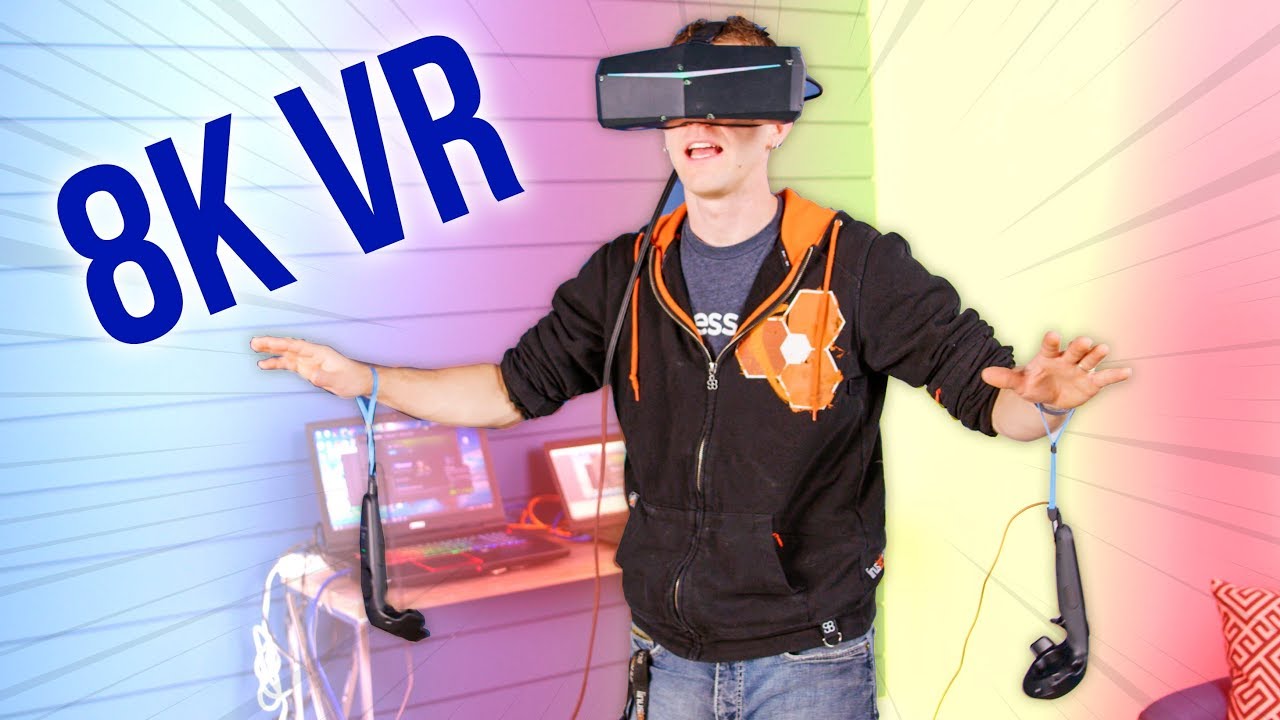
Wait... you can get an 8K VR HEADSET!? Well... sorta...
iFixit sponsor link: Get iFixit's Pro Tech Toolkit now for only $59.95 USD at http://ifixit.com/linus
Tunnelbear sponsor link: Try Tunnelbear for free, no credit card required, at https://www.tunnelbear.com/LTT
Pimax Kickstarter: http://geni.us/8nwp1fB
Buy VR-capable video cards on Amaz...
haughty thistle
120Hz is actually the highest you can go without loosing FOV on the 5k Super
haughty thistle
It depends on how it sits on your face honestly
I noticed only a slight change when going from wide to normal on my 8k X. It's just a tiny difference visually, but rendering wise it was a difference of more then 2000 pixels
But yeah, here's the list of the supported FOVs at different refreshrates:
 bleak night
yeah
bleak night
oh @haughty thistle btw
i used my glasses with the 11mm foam
no issues
though, i used it without glasses and hardly any clarity changed
gonna be getting the leather 15mm pads for hygene and junk, along with vive pro leather headstrap pads
haughty thistle
It's not like my glasses didn't fit size wise. They were just stuck on the lenses. If the Lenovo Explorer (where my glasses had slightly more room but not much more) didn't scratch my glasses, it wouldn't be that big of a problem
flat pawn
@bleak night
Change the channel on the second base station
I had the same problem
Without the ability to change it in software due to it not being an index headset you just have to manually do it
With a pin
Grab the other light house and stab the hidden button
You'll see it change channel in steamvr
The stations both ship on channel 1 and they both can't work on the same channel
You'll notice that if you only have one plugged in, it will work
And the second one won't do anything when plugging it in after
haughty thistle
Usually, the 2.0 lighthouses can detect that there are already other lighthouses running in the space and automatically adjust their channels accordingly (this is what happened when I added 2 additional lighthouses to my playspace)
I don't know how exactly this process works, but it does so without external help from something like a headset.
This does however only happen on the first startup of a lighthouse. After that it's locked into a channel and if you want to change it afterwards, then you have to manually change it's channel
bleak night
flat pawn
Change the channel on the second base station
how would i here
its set to 1 apparently
but steam throws a bluetooth error
haughty thistle
As Dream explained, there's a small hole on the back of the lighthouses. To switch channels without a SteamVR bluetooth capable device (Index or Vive), you need to get something like a pin to press the button behind that hole to switch channels manually
bleak night
haughty thistle
As Dream explained, there's a small hole on the back of the lighthouses. To swit...
oooooooh i forgot
bleak night
8300 isnt what id call old really
 toxic wasp
Ik it isnt
bleak night
but yeah
bleak night
its usually just setting a multiplier still in bios
not much has changed over the years tbh
toxic wasp
Ah, is it possible with the mb i put into #overclocking ?
bleak night
so far the pimax isnt terrible.
better in many ways and worse in a few ways than the index
still wanna get comfort mods
its comfy.. but not as comfy as id like
haughty thistle
The Quest 2 can't interpret the signals the lighthouses are emitting, so the short answer is: No, it won't.
In fact the lighthouses could potentially degrade the Quest 2 tracking as for it's cameras it just looks like a faint IR flashing occurring through the room and it could make it loose it's position or when looking at one of the lighthouses, it could confuse it with one of the controllers. While both of these cases should have been mitigated by Facebook, there's still a posibility.
 celest zodiac
i recently got an oculus quest 2 and i was wondering if there was an octopus game on it?
haughty thistle
The lighthouses don't. While they emit IR light, they don't emit a constant light. Rather they sweep to IR lasers through the room, each at a 90° to one another. This sweeping could be interpreted by the Quest as a sort of flashing light, but it's not even remotely bright enough for the Quest cameras. And they are so dim for a good reason: eye protection. You don't want a 5W laser shining into your eyes, no matter what wavelength and exposure time...
bleak night
hmmm
the kdmas isnt in yet still
@haughty thistle did you get the kdmas kit when you got the pimax?
haughty thistle
Nope. I had just the SMAS, as I intended on using my own headphones anyways
bleak night
ah
mine didnt come with the kdmas
seeing if anyone knows thw time difference for thew add-on
haughty thistle
My guess is that it's going to be shipped from China, while the actual HMD was dealt with by Amazon US
bleak night
i suppose
 leaden wadi
I have oculus
bleak night
also
the 15mm facial interface should fix a big issue with the pimax
since for some reason, the pimax has this.. warping issue. its because of the spacing
looked at pimax experience too, its great
rapid otter
Guys I played boneworks and HLVR what should I buy next
Single player
Oculus pc/steam/quest 2
Thank you
(i was thinking about star wars game, not the Vador)
haughty thistle
The only thing that annoys me about Budget Cuts is that you can easily get lost
bleak night
thats 90% of games here
haughty thistle
No, what I mean by that, there are many places in the game that look alike and running in circles will happen a lot. Also, sometimes the actual objectives aren't super clear tbh
bleak night
i mean i already do that
 tall shoal
anyone else have problems with one of the valve index base stations not working after an update?
tall shoal
is there anyway to fix it with out going there an rma?
sullen linden
I'm pretty sure there is like a way force a new update to fix but don't remember how
 weak matrix
its purely anecdotal, but the og square base stations seem far more durable and reliable than valve's hardware
haughty thistle
The 2.0s technically are less prone to failure as they have fewer points of failure in them (only 1 motor instead of 2; no seperate LED array for syncing; channel selection happens mostly automatic)
Only problem is that the single motor in the 2.0 lighthouses need to carry more weight then the two motors in the 1.0s. More load on a motor = shorter lifespan.
You also have to keep in mind that HTC has been designing hardware since forever (the first ever Android phone was made by HTC called the Dream), whereas Valve only ever has made the Steam Controller and the Steam Link box before the Index. It is very obvious they still need to learn a lot when it comes to product durability, but for their very first own adventure into VR hardware, they've done quite well.
You also have to keep in mind that both the 1.0 and 2.0 lighthouses were fully designed by Valve. HTC only ever made them under license from Valve (which is why the HTC 2.0 lighthouses are more expensive, even though they are exactly the same electronics wise)
bleak night
yet they still fuck up the tracker designed
bleak night
and yknow.. cosmos controllers.
weak matrix
oh lmao people actually bought that?
bleak night
like 5
weak matrix
least competitive product maybe ever
haughty thistle
I mean... The problem with the Cosmos is that HTC favored design over function. That Tribal Stripe design they had going on for the tracking rings are just horrible for computer vision to detect...
weak matrix
not to mention the first thing anyone considers, the price point
haughty thistle
The Cosmos had a pretty neat Idea with the swappable tracking plates. Sucks that the rest of the headset just wasn't that great...
weak matrix
even that concept wasnt executed terribly well, idea was cool though
weak matrix
people in that market would just buy a quest 2?
tall shoal
I have honestly had nothing but problems with the valve index hardware and software since I got it
weak matrix
my knuckles have been alright but i baby the fuck out of them
haughty thistle
Ultra-Sonic tracking is pretty cool when it works. Too bad it isn't as accurate. Besides, the Focus wasn't designed with hand presents in mind xD
bleak night
tall shoal
I have honestly had nothing but problems with the valve index hardware and softw...
same. 4 rmas since january.
for just the headset
weak matrix
i mean at least the RMA process is alright
bleak night
not when you get a dead headset after waiting 2 damn weeks
tall shoal
I've had the index for less than a month, and have only used it like 5 times
bleak night
if your in my position.. the 5k super isnt too bad
sullen linden
Darkie you don't happen to be from the states are you?
 bleak night
discord sucks ass
sullen linden
Ok either indexes over there are cursed or european ones are blessed lmao
bleak night
its what it feels like
sullen linden
I've had barely any problems with the two I've had
tall shoal
i think I am just dense, or I set something up wrong, or I got faulty hardware
bleak night
im thinking the 2021 stock for the usa had a QC issue
or a warehouse had an AC fuckup
sullen linden
I've RMA'd two controllers, thats it.
bleak night
wouldnt surprise me if the headsets baked themselves to death in the us
haughty thistle
I also think in general, the QC for the Displays have gone down. While in 2019 I've barely seen reports of like colorful lines appearing after a few weeks of usage, this had gone way up in 2021...
tall shoal
i am gonna hafta rma a base station
bleak night
sullen linden
I've RMA'd two controllers, thats it.
3 each here
tall shoal
which sucks
bleak night
4 times for the headset
tall shoal
because that makes my content schedule get pushed back
 haughty thistle
There could be other reasons too why US users have so many issues, whereas European users don't:
ACs aren't that common in Europe and in general European weather isn't as hot in the summer as in the southern US...
bleak night
also a gripe about the index.... the face gasket is too narrow
tall shoal
indeed
tall shoal
it makes it painful to wear glasses
weak matrix
 weak matrix
2500hours of constant abuse on the og vive, not a single problem I couldn’t easily repair
bleak night
with the 15mm facial interface, you can fit glasses, and it clears up an issue with spacing
haughty thistle
bleak night
with the 15mm facial interface, you can fit glasses, and it clears up an issue w...
*depending on the face shape
sullen linden
Index fits perfectly for me, all I have on it is a cloth vrcover for a more softer feeling
tall shoal
my glasses are to wide thats the main problem
weak matrix
i got that mf w i d e face
bleak night
i comment that because darkie mentioned the narrowness
haughty thistle
Even with the 15mm foam, my Glasses were still touching the lenses. Not as "glued on" as with the 11mm foam, but still
bleak night
which indicates a wider face shape
weak matrix
wait, what are index gaskets like?

 weak matrix
word
bleak night
but its a tad... narrow
haughty thistle
If the Index is too narrow, Pimax is the exact opposite xD
Had to push the side foam further on my face in order to not have an image of behind me on the lenses
bleak night
pimax fits perfectly here
haughty thistle
The cutouts for the glasses on the Pimax headsets just are way too big imo
weak matrix
vive gaskets are 18mm andddd
bleak night
huh.. didnt notice
weak matrix
15.5mm
bleak night
for me, the pimax has no light leakage
haughty thistle
Maybe I'm just some sort of super slim face xD
bleak night
even at the nose
haughty thistle
Yeah, I do agree with that: The nose flaps on the Index ain't do anything
bleak night
was surprised at it
haughty thistle
But then again, when actually using the headset, I don't notice it at all
weak matrix
i took them off the vive like 3 hours in and have never used them since
put a ton of pressure on my nose that should have been on my face or head
bleak night
compared to the index... i can actually hey immersed now
the glare was god awful on the index
pimax, its great
almost quest 2 like
though still there
just reduced by 70% or ao
bleak night
almost no glare on the pimax is what i mean
weak matrix
ah
bleak night
cept just at the edges of the lenses, but barely
weak matrix
do you mean while it's on your head?
weak matrix
like light reflecting around inside the HMD?
bleak night
from the screen
weak matrix
or bad lenses distorting light a bit?
haughty thistle
I returned both the 8k X and 5k Super and I'm not looking back tbh.
Everyone has a different experience I guess...
bleak night
yeah
bleak night
im going to suggest the pimax to those who have issues with the index at least, who knows, they might have a new headset to love shrug
haughty thistle
Here's how I felt about the Pimax vs Index vs Vive Pro in comparison (brightness, colors, FOV)
 bleak night
weird
weak matrix
wow that fov change is insane
bleak night
swap the index and pimax edges and you have my experience
and wider fov
way wider
im surprised how much it improved here for me
haughty thistle
Honestly, once I actually used the 8k X more, it felt more like the Index then actually having more to see. Reason being: The distortions at the edges and the glare that came from my glasses spacer mod
haughty thistle
Purple name gang? Wdym?
weak matrix
in vrchat lmao, thought that was reference material you soured yourself
bleak night
huh?