#virtual-reality
1 messages · Page 95 of 1
 ivory parrot
 pastel echo
If it's that long and over 5-6 meters just get a power splice for the cable
ivory parrot
any recs
pastel echo
I'll just link what I use
ivory parrot
my pc and headset are in dif rooms
 vocal crown
I use the official 5M oculus link cable and it works flawlessly. I really like it!
vocal crown
Apparently you can also use the stock charging cable as a link now. They did a lot of cool things, provided you have a supported GPU.
I have a 2080ti, so all works fine on my end
Laugh at me all you want, I at least have a GPU 
pastel echo
Wrong link
vocal crown
1080 is supported
Also, @pastel echo thanks for being the catalyst in making me impulse purchase this headset. I will never forgive you.
Maybe I will if it's really a lot better 😛
pastel echo
But if I'm being honest I recommend just spending 80 bucks on a router and using VD or airlink (it it's good) I don't even bother with link cable anymore
vocal crown
I have a nice networking setup at home, don't worry 😄 . Have a wifi6 5ghz wifi AP in my room, so that's not an issue.
You recommend any accessories?
I can also slide in your DMs if you want, so that we don't clog the chat up.
pastel echo
More for @ivory parrot
If sure DM me if you feel it's not necessary here, I don't mind
I also like here though
Channel doesn't get used enough
Accessories? Honestly short cables
vocal crown
Then we can stay here
pastel echo
Velcro straps for battery bank
For aux cables they make curly ones that are good for headsets when you aren't using wireless headset PC mode
vocal crown
You have experience with any VRCover facial interfaces? Would like to get a really thin one, that way I can increase the FOV
pastel echo
I had one for rift and am waiting on ordered ones to come in for quest 2
vocal crown
Also get a case. Basically spend up to 100 on accessories. Making the whole Quest 2 adventure below 450-500 euros.
pastel echo
Thought I ordered em a month ago but had never clicked confirm so just ordered em last week
ivory parrot
I need to get lens
pastel echo
Oh want a good case recommend? Check this one out
It says not for quest 2 but that refers to the included lens cover the headset fits fine
I fit so much stuff in that case on God bro
vocal crown
I already have the quest 1 case, might fit in there. So i'm not in a hurry
pastel echo
I got link cable linked above
Charger brick
Charging cable
Adapters for aux and usb c
Headless ghost
Aux cable
Usb c charging cable (short)
Battery bank
Velcro straps
Glasses spacer
Micro fiber cloth
And of course headset and controllers
I could even fit some backup AA batteries but I'm scared of them touching and decharging so I keep those in my backpack
vocal crown
Looking at:
https://eu.vrcover.com/products/controller-grips-for-oculus™-quest-2
https://eu.vrcover.com/products/halo-controller-protector-set-for-oculus-quest-2
https://eu.vrcover.com/products/facial-interface-foam-replacement-set-for-oculus™-quest-2-dark-grey-black

VR Cover EU
Non-slip protective sleeves with knuckle straps to keep the controllers safe while allowing your hands to move freely. Improve immersion and VR experience.

VR Cover EU
Designed for Oculus Quest 2 touch controllers, these halo protectors buffer against knocks and scratches, so you can play with peace of mind.

VR Cover EU
Our coloured Facial Interface & Foam accessories offer hygiene, comfort and a touch of fun. Use them in place of the stock facial gasket to upgrade the look and feel of your headset and elevate your Oculus Quest 2 experience.
I have a set of rechargeable batteries + a charger so I'm good on that front
Might as well also get a gunstock for my Onward shenanigans 
pastel echo
Well yeah
I have rechargable batteries too
It all goes in the case
All that looks fine
@vocal crown if you want free VR cover contact oculus and say you are allergic to default facial interface
vocal crown
It's fine, oculus doesnt ship to my country in the first place 😄
- its 19 euros, I think I will survive
 pale orbit
they put forward few patents for a couple need headsets a number of months ago

A newly published patent granted to Valve envisions new Index headsets that could be wireless or standalone, and include new head-mounts for improved ergonomics. Initially filed back in September, 2020, more than a year after the launch of Valve’s Index headset, a patent published today gives us a glimpse of some of Valve’s thinking about …
 haughty thistle
I mean, think about when Valve originally had shown off the Knuckles vs when they actually released... I honestly don't see the Index 2 being released this year...
haughty thistle
Here's HTC low-key confirming that a new Headset will be revealed at ViveCon. Not that we guessed so, but now it's confirmed 

 harsh niche
wasn’t there a picture of it under a cloth already?
haughty thistle
Yeah, but you couldn't really see the HMD. At Vive Con they'll officially unveil it
 sharp tinsel
Aren't they also working on full dive?
 bleak night
thought they already said vivecon before
haughty thistle
The said the date for ViveCon, but I don't remember them officially saying that they want to formally unveil their next Headset there (even though basically everyone could've guessed that)
bleak night
iirc they had the headset under the cloth with a #vivecon on the post
 toxic wasp
Really just theory here, wouldnt be diying your own vrheadset for cheap already possible? (With controllers

 iron skiff
toxic wasp
Really just theory here, wouldnt be diying your own vrheadset for cheap already ...
iron skiff
toxic wasp
Really just theory here, wouldnt be diying your own vrheadset for cheap already ...
nothing thats really good quality or durability
if you do something like that, you do it for the project, not the vr
haughty thistle
You'd also have to keep in mind that whatever dye you're using has to be transparent to IR light. You could tape over the sensors on Lighthouse tracked devices to prevent tracking issues, but how'd you know where the LEDs are on an Oculus Controller?
toxic wasp
iron skiff
nothing thats really good quality or durability
if you do something like that, y...
Well, it would be good enough to play and uh for ~100€ would introduce like a shit ton of players to vr.
Like basically a screen from an phone or something like that, cameras for controller tracking (like they do with windows mixed reality) and well then just some sort of diy controllers- that could do the job i think..
Wait
Theyre like 200€ right?
Well, not here in germany then
Here youre lucky to get the headset with controllers for 200€
Yeah but it's overkill
Like something like an 900p screen and 60hz are enough for an beginner device (atleast for me)
And that isnt too expensive to get..
Cameras exist for 5€-
Like slap an raspberry in there for tracking maybe, or something more powerful
Lenses, understandable
Enclosure woukd be mainly 3d print like most diy
And cable.. well any sort of usb c should do
Yeah true, tho you could always go to the good ol wood
haughty thistle
Oh... The question was about DIY... My bad...
There are semi-DIY solutions out there. Some people have managed to get a PSVR headset with the PS3 Move controllers and cameras working in SteamVR. Alternatively some people used like a Cardboard VR with a Nolo Tracking set for 6DOF VR. It wasn't that great, and for the price of the Nolo (100 bucks if I remember correctly) you could almost get a second hand PSVR, which already is a much better experience
toxic wasp
Wait, psvr works with steam?
haughty thistle
toxic wasp
Wait, psvr works with steam?
With some paid software and a messy setup, yes
 lethal obsidian
toxic wasp
Wait, psvr works with steam?
lethal obsidian
toxic wasp
Wait, psvr works with steam?
What is the iVRy Driver for SteamVR (PSVR Premium Edition) DLC?• It is the FULL version of the iVRy Driver for SteamVR with PSVR support.What is iVRy (PSVR Edition)?• iVRy is a Virtual Reality headset driver for SteamVR for your Sony PSVR headset.What does that mean?• Want to play PC VR* (Virtual Reality) titles without having to buy another VR ...
Price
$14.99

There's also a free version https://store.steampowered.com/app/1257790/iVRy_PSMoveService_Driver_for_SteamVR/
What is the iVRy PSMoveService Driver for SteamVR DLC?• It is a version of the PSMoveService & PSMoveSteamVRBridge software that has been customised to simplify installation and configuration for use with the iVRy Driver for SteamVR.What is PSMoveSteamVRBridge?• PSMoveSteamVRBridge is a client for PSMoveService that takes the pose and button dat...

But it's an inelegant solution to my understanding (although I am not a reliable first hand source as I've never tried it haha)
toxic wasp
Huh
Well, im afk now tho, so if we would want to continue this we would need to do so later
haughty thistle
The problem with the PSVR solution is that there's no software natively, supporting the PS Move controllers on Steam. So in most cases they emulate a Vive controller which is not great considering the Vive Wands have a touch pad and the PS Move controllers don't even have an analog-Stick
lethal obsidian
You know random side thought but I don't actually think I've ever used anything that actually uses the touch pads on my index controllers lol
haughty thistle
And this is an issue with pretty much all DIY solutions and even off-the-shelf VR Hardware that is niche with non-standard controllers. Even the Reverb G2 suffers from that
haughty thistle
lethal obsidian
You know random side thought but I don't actually think I've ever used anything ...
I have. Games that use the Vive Wand mapping in the Index controllers will do that. Used to be a lot more common then it is nowadays. Virtual Virtual Reality is actually one of those games
lethal obsidian
To be fair I also just have an extremely limited catalog of VR games at the moment
and most of the time I'm just doing VRC haha
Or beat saber
aka arm murder simulator
toxic wasp
Ams xD
 sullen linden
So I don't know if I had good or bad luck since after I odered a new index the joystick on my current right controller is failing lol
haughty thistle
Apparently HTC leaked their next HMD through the iF Design Award Page...
https://twitter.com/Thrilluwu/status/1384489845700104195?s=19
https://twitter.com/DjzGamerYoutube/status/1384490778680913923?s=19


Honestly, if this is actually it, then it looks absolutely hideous...
It also doesn't match up with previous hints posted by HTC on their Twitter. So maybe we'll actually see 2 new headsets announced at ViveCon...
pale orbit

 cursive fog
I havn't follwed oculus headsets, cuz ya know.. facebook :P But what headsets weill become unusable when Facebook says so, and are there ways around it?
cursive fog
I guess it's almost like root an android phone, since most of their headset are Qualcomm, yea?
bleak night
quest headsets are android based
cursive fog
So what about the rifts?
bleak night
rifts just use software on the pc
there is software being developed for them
support being added in openhmd
cursive fog
Noice!
haughty thistle
bleak night
support being added in openhmd
I've never heard of this...
Are they interested in only supporting the Rift S or also the original Rift CV1?
bleak night
iirc the rift s has support
and cv1 was being worked on
that or the other way around
dk2 and dk1 have support
aswell as alot of other headsets
haughty thistle
Interesting...
I decided to check their website, and this is what it says:

CV1 6DOF is experimental and Rift S so far only rotational.
The Controllers of neither headset currently can be tracked 6DOF with OpenHMD
 winter root
Would it be better to buy the new Vive trackers if I want to get into full body tracking or Tundra trackers
I only have about 300 usd I can spend every other week
And I was planning on getting 2 bay station 1.0 and nuckle contractors
And I don't know what trackers to get
And I also don't know what to get first since each of those items would be 300 or more dollars
sullen linden
If tundra delivers what they promised they seem like a better option over the vive 3.0 trackers because they require only one dongle for all 3 trackers.
And they're a bit smaller
winter root
You could also just took up Vive trackers with a $45 Tundra dongle
But they're not shipping out anymore till September
sullen linden
Has that actually been confirmed somewhere?
haughty thistle
If you value USB ports, then the Tundra Trackers with their single dongle are worth the wait alone imo.
But you are right in regards to the shipping date. The Early Bird package (of which there were only 200) ships out in July and the rest starting in September. I don't think that ordering now would guaranteed an arrival in September anymore due to the sheer amount of orders they've received
But there's more to the Tundra Trackers then meets the eye: every Kickstarter order will not just receive the Trackers but also some straps. So instead of paying 300 for the trackers plus additional for straps, you'd pay 300 and are done for
 green crypt
Shipping and tax not included on the tundra Kickstarter price
sullen linden
I doubt the tundra dongle works with vive trackers
Because why would vive still use 3 dongles if it can be done with one
haughty thistle
There are a number of reasons actually.
For one HTC sells their Trackers as single units, so includin a dongle with each Tracker seems plausible. That way each tracker can be used wirelessly out of the box.
Then there's always an R&D cost associated with each development. HTC just decided to not fix what's not broken and used the dongle that Valve had already developed for the Steam Controller and just adjusted the firmware (that's btw. also the reason why the Index controllers work better when connected to an HMD, the HW is more specific for the purpose)
And lastly, HTC probably will boast about it's smaller dongles once the Tundra ones come to market. According to Tundra Labs, their super dongles will have the perfect size to fit in the Index Frunk; aka are quite a bit bigger.
sullen linden
I totally forgot they're sold in single units lol
About the size though I don't think it matters that much because you just kinda set them somewhere so I'd say it doesn't really make a difference
haughty thistle
Just saying
 rough crypt
Anyone knows Oculus policy on dead/stuck pixels?
bleak night
besides "fuck off".... idunno
haughty thistle
Every display manufactured falls under a certain Panel Class. The lower the class number, the fewer dead/stuck pixels are allowed on the panel before it's declared a defect. The best class screens (Class 0) are only ever put into professional gear, like those thicc reference monitors that are used in the Movie industry. And even those allow slight faults in the panel without it being declared a faulty display: 1 dead/stuck pixel or up to 2 dead/stuck sub-pixels.
It only goes up from there. Class 1 (often found in more expensive screens for consumers) allow up to 3 faulty pixels or 5 faulty sub-pixels. I don't know the specifics going forward, but I know the curve is kinda exponential.
I'd guess Oculus is using rather cheap screens, so a high classing number would not be too surprising imo.
Then again, some manufactures make up their own classing in regards to how many should be acceptable to the consumer...
winter root
rough crypt
Anyone knows Oculus policy on dead/stuck pixels?
message oclous directly their team responded to me rather quickly when my controllers quit
and they replaced them and covered all shipping as well
 jagged dock
Idk if this is the right channel- but is this a good build for vr?
i5-11400, ASROCK b560 pro4, crucial ballistix 16GB 3600 CL16, mushkin pilot e, 3060ti, phantecks eclipse p400a, MSI MPGA-GF 750, and another fan or the same type that comes with the case
winter root
jagged dock
Idk if this is the right channel- but is this a good build for vr?
i5-11400, ASR...
It can really depend on what VR headset you're planning on running
jagged dock
I have the quest 2
winter root
Like for me I'm using a 6 year old laptop with the original Quest but I programmed my own connection link that doesn't use Oculus so half the processing and split between the two
winter root
jagged dock
I have the quest 2
Actually then yes you should easily be able to run that
jagged dock
Ok
winter root
As long as it has a type c port
Or if you wanted you could just go on Steam and download the VR ready test and it'll pretty much tell you
pastel echo
winter root
Like for me I'm using a 6 year old laptop with the original Quest but I programm...
You did huh?
winter root
I programmed my own interface that connects the quest to my PC directly to steam VR and I made it so it does some of the work on my VR headset but most of the work is done on my PC
I couldn't have it fully on my PC when I made it because I was running a cheap laptop
That is not VR capable
pastel echo
So you gonna make a youtube video on what sounds like the coolest shit ever
pastel echo
So you programmed or you just customized alvr or you re worked alvr on a software level
winter root
third
 gentle coral
winter root
third
gentle coral
winter root
third
That sounds very cool, you might want to propose that to alvr as an update, you could probably get paid a good amount for the code.
gentle coral
toxic wasp
Really just theory here, wouldnt be diying your own vrheadset for cheap already ...
On the topic of DIY headsets, it isery much a thing, though the group actually doing it is quite small. I have helped work on two open source headsets so far
Project northstar (leap motion AR headset)
https://github.com/leapmotion/ProjectNorthStar
Current kits can ve found here.
https://www.smart-prototyping.com/AR-VR-MR-XR
There will be a Kickstart for the most recent version soon.
And
AtmosXR (open source XR headset)
https://github.com/atmosxr/atmos-dk1
Development of atmosXR stopped a while back.

GitHub
The open-source files comprising Leap Motion's Project North Star AR Headset. - leapmotion/ProjectNorthStar
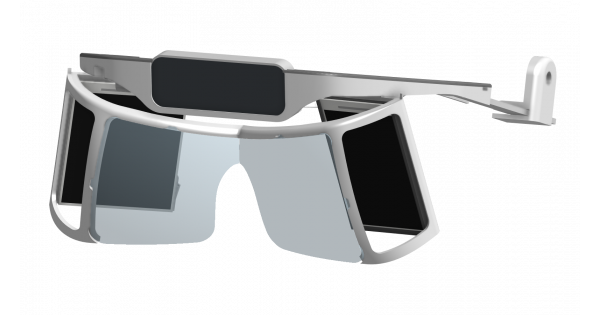
Smart Prototyping

GitHub
Atmos Dev Kit 1 Development. Contribute to atmosxr/atmos-dk1 development by creating an account on GitHub.
I can tell you that the screens and electronics for DIY headsets is more then done (the display driver board, for the project northstar headset is pretty much identical to the one the index uses (the index driver board was based on the project northstar one) (and both headsets use the same displays). You can even get better displays now for similar cost if you buy a lot.
If you put a tundra tracker or htc tracker on the headset you have near index level tracking.
The hard part is the optical assembly, and housing assembly. This is where getting close to or exceeding the index is really hard.
And doing wireless is not yet all that viable.
If you have a 3D printer, you can get pretty close to an index for about 300 dollars US (not counting the lighthouses, tracking puck, or controllers. Though be prepared for a lot more if you want good Fov and lenses.
winter root
gentle coral
That sounds very cool, you might want to propose that to alvr as an update, you ...
It's not all too stable though
toxic wasp
Hm okay, thanks for the info
 chrome bay
jagged dock
Idk if this is the right channel- but is this a good build for vr?
i5-11400, ASR...
chrome bay
jagged dock
Idk if this is the right channel- but is this a good build for vr?
i5-11400, ASR...
go with the 11400f if cheaper
 zinc timber
chrome bay
go with the 11400f if cheaper
zinc timber
chrome bay
go with the 11400f if cheaper
not in the US
gentle coral
winter root
It's not all too stable though
Keep at it, that is really cool, and a lot of people would definitely find that useful.
 scenic perch
Is an i5-4460 and a RX 580 good for VR?
I was planning to connect a Occlous Quest 2 via Oculose Link
sullen linden
Probably playable but pretty close to the bare minimum @scenic perch
Then again I have a friend who plays vr with a fx 4300 and a 1050ti but she gets like 20fps in vrchat with like no one in the world lol
haughty thistle
I found the performance of VR is somewhat proportional to the amount of Dynamic Bones and colliders there are. At least when it comes to the CPU bottleneck...
sullen linden
It does impact it quite a bit
I don't know if you watched any of the vrc dev stream but aren't they working on like "dynamic bones" of their own which run much faster and can be interacted with by others
haughty thistle
Yup
They'll be called "Physics Bones"
Quite stoked honestly as of right now to improve performance in lobbies with lots of people you either have to upgrade to a CPU with a higher IPC or you turn off Dynamic Bones.
scenic perch
sullen linden
Probably playable but pretty close to the bare minimum <@745677552273588274>
Would it be good for 1. Beat Saber 2. Super Hot, or 3. Job Simulator?
 soft hound
I mean, all 3 of those are really light games that most hardware that meets the minimum can run, so you should be fine
 flat pawn
Beat saber can become more demanding with mods and stuff and is more sensitive to frame drops but otherwise yeah
toxic wasp
Sometimes i think like, how can rendering 2 1080p screens be difficult? Then i remember, OH right- this like half of my current framerate (90ish fps)
haughty thistle
The thing is also, it's not two successive frames that have to be rendered, but two separate frames from two perspectives simultaneously and that at a refreshrate of 90Hz and up. Involve tracking and the Environment overhead, and you've got your reasons for why VR is so much harder to run. Oh and all of this with minimal latency as well
toxic wasp
Nah man, 60hz for life xD
This is surely gonna do it right? XD Ryzen 5 2600x but no turbo and 1050ti- easy right? xD
 haughty thistle
You might have to turn down the render resolution and game settings a bit, but should be doable
toxic wasp
I mean.. i would probably only play arm destruction simulator and supercold... Soo.. it actually might
haughty thistle
arm destruction simulator
lol
You mean Beat Saber aka Cube Slicing Simulator VR?
haughty thistle
I prefer CSSVR ¯_(ツ)_/¯
haughty thistle
As long as you don't use any shaders, probably
winter root
shaders dont alys work anyways
 mint anchor
ok so if i have an oculus quest 1 and it runs well and everything, is it worth it to sell it and then get the quest 2 from the money I got from selling the quest 1?
 lofty minnow
heard there's a sawcon conference abt vr in a few weeks, anyone going?
mint anchor
lofty minnow
heard there's a sawcon conference abt vr in a few weeks, anyone going?
sawcon your own nuts
gottem
pale orbit
 pastel echo
pale orbit
https://twitter.com/DecaGear/status/1385574047816159236
pastel echo
pale orbit
https://twitter.com/DecaGear/status/1385574047816159236
Imma be honest I don't get what I'm looking at
pale orbit
force feed back on the controllers trigger
pale orbit
that's what it looks like
 fluid prawn
https://www.yawvr.com/ the yaw vr 2 looks like a big improvement from the first gen yaw

yawvr
The world's most compact and affordable Virtual Reality Motion Simulator. 3DoF VR Motion Simulator for home and profession use
 signal snow
does anyone else feel like vr game developers are boring as hell
like you could make a game about teleportation, having superpowers, or any fantasy
but nah
job simulator
vrchat
superhot is cool
but thats like the only game of its kind
gentle coral
signal snow
does anyone else feel like vr game developers are boring as hell
As a vr game dev myself I totally agree. Though there are many reasons for this.
Experience, funding, cost of entry, knowledge, user testing, early hardware access, tools, optimization. All of these are big issues for VR devs.
Though there are a lot of lazy devs as well.
Also some devs like me are waiting tell hardware is a bit better as the type of immersive games I want to create would currently not run on anything under a 250k speciality computer and there is no VR headset even close to the quality I want.
There are some hidden jems on steam, but most of them are games that would work 2D just as well as in VR, and many devs design VR with 2D thought processes which severely holds back a lot of potential.
Just think about how most VR games still really have you only doing one thing at a time in such a way that it could be done with mouse and keyboard almost as fast. But you have 4 appendages in VR (head, body and two hands), that is 4x more then 2D games usually have, so why dont more VR games use those parts independently. (Beat Saber is barely more then a rhythm game until the 90 and 360 degree modes were added)(skyrim VR, fallout VR, and the like are very simple conversions to VR, without adding any real things that having full hand control could change (crafting, dual welding, stealth, blocking, etc)).
signal snow
exactly. just about every game i play feels like just a normal pc game except for the fact you are in vr. nothing more. i just wish there were games specifically meant entirely for vr, with gameplay thats simply impossible with traditional kb/m or controller.
 steel basin
in the htc vive - do the controlers conect to the headset or something else - does the headsr thave bluetooth?
 gusty frost
So the strap in the quest 2 is trash, anyone have any 3d model to make it better?
haughty thistle
steel basin
in the htc vive - do the controlers conect to the headset or something else - do...
The headset has Bluetooth, but it's used exclusively to communicate with the lighthouses. The Controllers connect via a proprietary 2.4GHz wireless solution called "Watchmen Protocol". This is a requirement for the tracking to work properly, as all the math is done on the PC and as such the raw tracking data has to be received with as little latency as possible. That's what the Watchmen Protocol achieves. There are 2 "connection slots" in each headset using the lighthouse tracking system (i.e. OG Vive, Vive Pro, Index, almost every PiMax Headset, Vive Cosmos Elite). Other methods of connection are wired, the Vive Tracker dongles, flashing a Steam Controller dongle (although both of these options require one dongle per device) and the recently announced TundraLabs "Super Wireless" dongles (which allow for either 3, 5 or 7 devices depending on what variant you choose)
TL;DR:
The Vive controllers connect to the headset through a method that is not bluetooth
winter root
Hello I just bought baystation 1.0 nose and can't figure out how to connect them I want to connect them wired I have the base station I have a power cable and I have micro USB cables
My dumb self can't seem to figure out how to connect them


And yes it says I need to activate Windows I've changed the hardware on this computer so much I don't care anymore
haughty thistle
winter root
What you have there is a so called SteamVR "Lighthouse". Each one of these units functions completely independently and doesn't need to be connected to a computer. Plugging in Power is enough to get them running.
If you have two of them, make sure each of the units can "see" each other.
Lighthouses will show up in SteamVR automatically if a device capable of using it's tracking is connected to the PC and can see the lighthouse in question. and afaik there's no other way of making them show up in SteamVR
From what I can see you're using an original Oculus Quest. In order for any lighthouse tracked device to function properly and have the right positional offsets, you'd need an additional piece of software called "OpenVR Space Calibrator" (or SpaceCal for short).
That software allows you to do a quick calibration using a controller that came with your headset and a lighthouse tracked device to sync up both tracking systems
fluid prawn
signal snow
like you could make a game about teleportation, having superpowers, or any fanta...
if you want a vr game with superpowers i recommend superfly, its quite basic atm with only a few superpowers to pick from but there is enough to keep you entertained for at least a bit its open world and has a few cars and stuff that you can go around and destroy
winter root
haughty thistle
What you have there is a so called SteamVR "Lighthouse". Each one of these units...
I set them up for them both in but neither of them seems to be showing up in Steam VR
But I can't do anymore right now I am at work
haughty thistle
winter root
I set them up for them both in but neither of them seems to be showing up in Ste...
Lighthouses will show up in SteamVR automatically if a device capable of using it's tracking is connected to the PC and can see the lighthouse in question
Haven't you read my message fully?
You only have an Oculus Quest and it's controllers connected. Of course the lighthouses won't show up. Only a device using the lighthouse tracking will cause the lighthouses to show up in SteamVR.
As the Oculus Quest is not a lighthouse tracked device, it has no way of communicating the lighthouses to SteamVR.
You'd need to have something like a Vive or one of it's controllers connected for the lighthouse to show up
winter root
I got my hands on a beta Tundra tractor with the 3D printed Shelf and it's not showing up
I can't do anything at the moment though so
sullen linden
I just got a Valve Index on Friday and Half-Life: Alyx has consumed my life.
winter root
sullen linden
I just got a Valve Index on Friday and Half-Life: Alyx has consumed my life.
i completed that game too fast
so i workshoped it
and then played with directors notes
soft hound
I played it normally, then went for the gnome achievement, then played through again with a couple of mods
pale orbit
try the bioshock mod for it when you are done as well
 gloomy crater
I played through it once normally with my old quest, then again on quest for the gnome achievement, then a third time normally after I got my index to see how differently it felt with the knuckles, and now me and my sister are playing through the bioshock mod
pastel echo
Is the Bioshock mod real good?
sullen linden
Time to see how this compares to my early model
 haughty thistle
Good luck 👍
 young marten
pog
gloomy crater
pastel echo
Is the Bioshock mod real good?
It's overall, I'd say a 40ish% faithful recreation. It's made using the original assets with permission from the creators as long as they don't reuse the original story, so for the most part it's just HLA but in the bioshock map, with some different voice overs and mechanics to work around. I haven't finished it yet, but I'm enjoying it so far. There's a weird spatial feeling because all of the assets are meant for use of a player character of greater size than Alyx's representation ingame, so all the areas look gigantic in VR, but it's not hard to pick out key areas from bioshock 1 when playing and discovering the similarities and differences is rather fun. I recommend anyone who's finished HLA and wants more to give it a shot. It's even got some good creepy/horror scenes like the original bioshock.
sullen linden
I've been getting more and more random jitter on my controllers and trarckers recently for some reason. Even adding extra 2 base stations didn't help and I'm just getting confused if it's steamvr, my vr equipment or my pc.
sullen linden
Might try to reinstall all vr usb drivers when I get home today
gentle coral
Maybe check the USB firmware drivers for the motherboard as well,that has caused me issues a few times with dangles, and I expect it could also cause issues for VR headsets and the data that it transfers over USB.
 chilly imp
This might be an odd question, but I have some problem with full body tracking. I use 3 Vive trackers + Index controllers. With VMC + Beat Saber, it tracks without any problem.
But using VRCHAT, more specifically PyPyDance world, the trackers seem to be not accurate and can mess up sometimes. Is there a solution for it?
It is more noticeable when the instance is about 20+ people
Thanks in advance
all Vive Tracker + the headset has its own dedicated USB chipset so I don't think that the bandwith problem
sullen linden
You know what I've also noticed that my tracking is worse in some worlds/instances on vrchat
chilly imp
2 days ago it was the right leg tracker, now that and the hip trackers has problem
My body just tilt to one side 
sullen linden
Oh for me the trackers might start just going all over the place
haughty thistle
I also noticed occasional tracking issues with FBT where just one tracker starts messing up. I don't really know the reason behind this, but I know it's not VRC, as the tracker messing up also shows up in the Dashboard with no game running.
Moving the dongles further away from my A/V Receiver and PC case have helped, but didn't solve the issue completely
chilly imp
haughty thistle
I also noticed occasional tracking issues with FBT where just one tracker starts...
If the tracker mess up even in Steam Home
most likely due to the USB chipset bandwidth
have this in my PC for couple of months, no tracking issue

only in VRCHAT with 20 30+ people for some reason
Though the USB ports are in vertical orientation, which some case doesn't fit
haughty thistle
Yeah, Tracking used to work a lot better for me too. I guess something in SteamVR, or maybe faulty HW in my case
rough crypt
Are there a lot of quest users here?
haughty thistle
I barely use my OG Quest. I mean, I bought it for times I'm out with friends, but since "China Wilus" that doesn't really happen anymore. And I have other options now to use if my Index breaks
flat pawn
china what
sullen linden
So far I haven't noticed anything different with the new index but I might need more time before I notice anything
 hushed elk
What do you guys thing about the Quest 2.
It seems a bit overpriced for everything. Not the headset itself though. The main reason I wanna get it is for the PC support but their dang PC link cable costs 80$. I’m trying to also get another Acer Pres XB1 monitor. Any recommendations what I should do about the quest so the amount I’m paying doesn’t go through the roof
 thick nest
hushed elk
What do you guys thing about the Quest 2.
It seems a bit overpriced for everythi...
thick nest
hushed elk
What do you guys thing about the Quest 2.
It seems a bit overpriced for everythi...
what i've never heard the term overpriced for the quest 2
usb c cables are 20 dollars on amazong
even right now im using the quest 2
its getting huge updates left and right
hushed elk
I mean the accessories seem overpriced
thick nest
you probably just need the usb c cable and the vr cover
haughty thistle
There are alternative cable options out there, but those can be hit and miss. The best option in this case is the most expensive one sadly...
thick nest
others arent nessacery and even so there isnt really a better option unless you have the patience to wait for a valve index 2 and the money
im using the stock facial interface fine it does the job youtubers over reacted on the facial interface
haughty thistle
The Quest 2 is a standalone headset first and is only a mediocre PCVR headset anyways. By the time you spend money for acessories to make it competitive in the PCVR market, you might as well get a used older Headset. A tradeoff is often in terms of the physical resolution, but you get a native signal, and often pay less then what you'd pay for a fully kitted Quest 2
thick nest
wait what
hushed elk
I think I’m just gonna hold off on the VR then
haughty thistle
The Rift CV1 (other then it's very low resolution screens and requirement for the cameras to plug into the PC) is still a much better headset then the Quest could ever hope to be imo
thick nest
no warranty old hardware slow resolution less support
thick nest
haughty thistle
The Rift CV1 (other then it's very low resolution screens and requirement for th...
huh
the cv1 isnt even compared to the quest 2
haughty thistle
I'm talking about the perspective of PCVR
sullen linden
I kinda miss my CV1
thick nest
the price difference is 100 dollars and your getting alllllooooottt more
haughty thistle
The CV1 can be had for like 200 bucks off eBay. And if all you care about is PCVR, you save money and get a better PCVR experience
thick nest
1920x1920 72-120hz finger tracking 60hz controller tracking warranty full support for the next few years pcvr and standalone support
haughty thistle
Modern headsets often trade features for higher resolutions, and it's stupid imo
haughty thistle
The only headset that didn't do that are the Index and Reverb G2
thick nest
then bascially every headset is stupid
chilly imp
Honestly, the Quest is quite an amazing device, with the updated to the Quest 2
haughty thistle
I mean, speakers in the front of the HMD? Really Facebook?
thick nest
chilly imp
Honestly, the Quest is quite an amazing device, with the updated to the Quest 2
i agree
wait what
its not in the front
chilly imp
I only switch to the Vive Pro to have better tracking and full body tracking
FB stuff aside
thick nest
also like people use their headsets without headsets anyways
the speakers are around the plastic headstrap area
thats facing your ear canals
haughty thistle
Everyone's Opinion is different, and this is mine, okay?
thick nest
ok
chilly imp
Own the original quest for about a year, amazing controllers, nice display - a lot better than older VR headset.
yes, the downside is the speakers and the build quality
But it is such a cheap VR headset anyway
thick nest
but recommending an older headset for a beginner isnt the move here ok
they probably want their headsets to live years without having to save up for a new one
haughty thistle
What if it genuinely can be better though? Like I said, the Quest 2 is only a decent PCVR headset at best.
thick nest
not just a year or 2 then get super screwed
haughty thistle
And that's with additional mods and whatnot. At that point it's alreadly like 500-600...
haughty thistle
Headstrap replacement, Good Cable, Headphones
thick nest
do you know how much i have spent on mine
exactly 330
powerbank thats it
airlink kills the need for a cable
haughty thistle
It's cheap, but it ain't great
thick nest
headstrap is fine if you know how to adjust it
chilly imp
Even with that 500-600 premium upgrade, that still 2/3 or half the price of PCVR
thick nest
who doesnt have headphones
haughty thistle
chilly imp
Even with that 500-600 premium upgrade, that still 2/3 or half the price of PCVR
If all you see as PCVR the Index and Vive Pro
thick nest
chilly imp
Even with that 500-600 premium upgrade, that still 2/3 or half the price of PCVR
also 300 dollars is way way way too much for headphones cables and a headstrap replacement
chilly imp
I wouldn't compare to an used VR headset tbh
thick nest
yeah
chilly imp
So that left the Cosmos and the G2
thick nest
i got a used headset and i regret trying vr
chilly imp
G2 tracking is not amazing, though the screen, speaker and comfort are pretty nice
haughty thistle
I started out on a clearance sale 200€ Lenovo Explorer, and if it wasn't for the issue of fitting my glasses, I would take that any day over a Quest
You could get those for even cheaper nowadays
thick nest
whats the pros of that thing
youtube vr???
i'd honestly rather use a moniter and play fps games
probably more immersive
chilly imp

haughty thistle
It's comfort out of the box is much better, it does actually render the screens at the respective resolution and because it didn' need to compress the image, also runs better
haughty thistle
It doesn't?
The Lenovo Explorer runs at 1440x1440 per eye. The same render resolution as the Quest 2 in PCVR mode
thick nest
uhhh the quest 2 runs at 1920 x 1920
haughty thistle
Go on, check what it says in the SteamVR for the rendered resolution
thick nest
if you dont get that option in oculus desktop it could be a problem with your installation
i can do 2160 x 2160 in steam vr
haughty thistle
You have to keep in mind SteamVR shows the resolution with the lens correction overhead factored in
thick nest
probably higher but i stick with that because my pc isnt that good
haughty thistle
And last I've seen, the Quest 2 shows up with a render resolution of about 1600 something at 100%
Remove the lens correction overhead and you end up at something around 1440p
thick nest
lens correction
haughty thistle
That's the resolution Oculus sends to the headset. That's what you'll see at max
flat pawn
you are both talking about pcvr right
haughty thistle
It renders at a higher resolution, but then downscales it to that same 1440p signal I alluded to earlier
Yup
thick nest
have you seen the difference of it
flat pawn
I've played beat saber on my cousin's quest 2 before
thick nest
still has the res of a valve index
flat pawn
native quest 2
no pc
and I have played beat saber on my rift s
I could barely tell any difference
isn't that the important part? how it is in practice vs on paper?
haughty thistle
Yup
chilly imp
The tracking on the Quest is quite amazing even on Expert/Expert+
thick nest
chilly imp
The tracking on the Quest is quite amazing even on Expert/Expert+
yeah i can do expert + even with a sped up song easily
flat pawn
yeah oculus tracking has always been decent
thick nest
its smooth and accurate
chilly imp
Only in extremely fast one, the Quest cannot keep track. That said, I haven't try the Quest 2 for a long time, only for like 1 2 hours
flat pawn
especially for things like beat saber where your controllers are always in full view of the tracking cameras
haughty thistle
In my experience, like I said, the Quest PCVR compression overhead can be quite massive, and especially CPU heavy titles like VRChat and Boneworks can/will struggle on systems with not as powerful CPUs. Heck, VRChat barly had playable framerates at times on Quest Link on my 8700k. Compare that to my Index or Vive Pro Wireless and both manage to get at least something above the 30s out
chilly imp
Sometimes, it all about the convenience.
Surely older WMR or PCVR can maybe deliver better experience or whatever.
But the Quest, literally turn on for 5 seconds, you are in game
No need to play around with USB stuff, light houses, cables, etc
The Vive Pro wireless adapter doesn't like Ryzen that much, so stuck with a cable is suck, especially in VRCHAT
thick nest
haughty thistle
In my experience, like I said, the Quest PCVR compression overhead can be quite ...
i have a 2600 it runs fine
haughty thistle
chilly imp
The Vive Pro wireless adapter doesn't like Ryzen that much, so stuck with a cabl...
Doesn't like Ryzen much
I feel like I'm a lucky choosen one or something. After upgrading my System from my 8700k to a 5900X the Wireless Adapter magically started working better on the Ryzen System then what it did before on the Intel platform xD
chilly imp
haughty thistle
> Doesn't like Ryzen much
I feel like I'm a lucky choosen one or something. Afte...
I ended up return the Wireless Adapter. Tested on both 3600x and 5800x
thick nest
dude i feel like a chosen one when i found out my 1660 super gets the same scores in games as a 2060
haughty thistle
Before frequent crashes which often required a restart, and now, maybe after an hour a short disconnect, but everything goes back to normal like a minute later without restarting anything
chilly imp
and now the Vive Tracker doesn't like VRCHAT in an instance with 20+ people 
haughty thistle
VRchat do be stupid sometimes
chilly imp
Using an active USB 3.0 cable help a bit
sullen linden
I still need to test if it happens now that I set up everything "fresh"
chilly imp
I used to do full body tracking with the Quest using a Kinect 2.0  sketchy but works
thick nest
as long as it works it works i guess
sullen linden
I don't know how I'm going to test it though since some days it was completely fine and others well... possessed
chilly imp
Technology is magic
It can randomly work
Or it can totally not work with the correct setup
sullen linden
Imagine full dive vr with similar problems lol
sullen linden
Sao
sullen linden
Does VRchat ever lag terribly for you guys?
pastel echo
That's everyone 😎
chilly imp
chilly imp
This might be an odd question, but I have some problem with full body tracking. ...
Just in case someone want to know
It is now a bit better after plug in the dongle into an active USB 3.0, instead of the Vive USB hub


and also with this 2 settings changed
CPU Frametime is also slightly reduced from around 25ms at peak to 21ms in PyPyDance with 20+ avatars. FPS seems to be more stable at around 80fps (5800x + 3080).
Will do more test and settings today
green crypt
chilly imp
CPU Frametime is also slightly reduced from around 25ms at peak to 21ms in PyPyD...
Just use lhun vr optimization guide then has been tested to work
https://twitter.com/DyLhun/status/1309284221173862400 vr optimization guide

 chilly imp
green crypt
Just use lhun vr optimization guide then has been tested to work
chilly imp
green crypt
Just use lhun vr optimization guide then has been tested to work
Thank you, I will test that out tonight

 haughty thistle
I already have some of these settings enabled. I'll check later what my performance is with only those vs how it is with all of them on
chilly imp
Mine shows no difference, will test with VRCHAT tonight
green crypt
Could be windows changed things in the last updates since that was found out
gentle coral
Other background apps, or devices plugged into USB ports can also introduce issues. Many motherboards (even good ones) do not always isolate the traces to each USB port all that well, this can introduce many issues, or overdrawn bandwidth somewhere else in the chain from the USB port to the CPU (the controllers aren't the only thing that matter). And software like OBS being displayed on a monitor or in background non minimized can severely affect CPU frametime in some situations.
chilly imp
I think that just VRCHAT thing
gentle coral
Also everyone comparing opinions on headsets is fun to see (although heated). I agree with @haughty thistle for many points as he is correct about the render scaling and compression making the quest 2 objectively only slightly better then an first gen WMR headset for wired PCVR (Quest 2 has better lenses, tracking, and maybe audio over some WMR headsets). Which means for low cost wired PCVR quest 2 vs used WMR is a very close race. And there are a lot of things to consider.
Standalone gives Quest 2 a lot of advantages, but if you want to do teatherless PCVR you need a good wireless router right next to your computer, which might cost more then even a good link cable.
And there are other upgrades often needed for the Quest 2 for comfort that make it edge close to Used Vive, or Reverb G2 territory.
Though then again most VR headsets are an ergonomic and functional design disaster, or close to it. This is mostly due to everyone copying the same 3 designs over and over and only changing a few things instead of learning about ergonomics and finding the design that suits their headset. The only headsets I give higher then a B in ergonomics are the Hololens 2 (A-) and the Idealens headsets (A).
VR is one of those things I recommend that people try before they buy (like a car), but that has become much harder. People should put a bit of effort into figuring out what they will benefit the most from (like a car).
Most headsets have both subjective and objective comparisons between them comfort and perceived quality are subjective (like a car), while numeric comparisons of headset stats, hardware, and software are objective (like a car).
At the end of the day the subjective matters more to the user, but it is easier to compare objective stats when you can't try out the device. Every headset has compromises and you need to find which one has the compromises that you are willing to accept (like a car).
I think people might get my point. A VR headset is a car...
Ok maybe not, but maybe think along the same lines as if you were getting a car.
chilly imp
Seems like all the setting above doesn't help
This is the tracking issue by the way, sorry for the camera angle
haughty thistle
Weird... 
haughty thistle
Maybe it's actually a CPU issue. I know it sounds weird, but hear me out:
VRchat is a notoriously CPU heavy title, especially with many people and many dynamic bones in a lobby, right? Every Lighthouse tracked device (Vive Trackers included) on communicate the raw sensor data with the PC, it is then a task of SteamVR to calculate the positions of each device.
So maybe (I'm really not sure), the thread that is supposed to calculate the positions get's bottlenecked by VRchat somehow? It's the only reason I could come up with, why it starts doing something like this (as it does look like the Vive Tracker constantly looses the lighthouse signal and mostly relies on the crappy IMU built into each tracker)
chilly imp
That can be an issue, yes. I read that from other post
Limit VRCHAT to 4 or 8 threads in Task Manager, doesn't improve anything.
CPU Frametime stays at around 24-25ms
I guess it time to abuse the tracker 3.0  that has been sitting in the drawer for 2 weeks
haughty thistle
I was lucky enough to get one of the 200 Early Bird Sets of the Tundra Tracker. Until then Tracker 2.0 time!
chilly imp
Tundra Tracker is looking pretty nice
but I tend to stay away from kick starter product
and wait for the retail unit and review
haughty thistle
That's how I handle Kickstarters usually too. But since Tundra Labs isn't like your typical Start-Up in the sense that they had been doing B2B Consulting in regards to the Lighthouse tracking system for years now, I figured it's probably a safe bet. There are already independent reviews of the DVT-1 out there and it all seems very promising
sullen linden
chilly imp
This is the tracking issue by the way, sorry for the camera angle
Hmm mine is different. Mine just slowly starts to jitter and becomes worse overtime to the point of the tracker just flying everywhere after which it usually starts to calm down back to normal
It happening is also random as hell
chilly imp
It is also random for my case, stable for a bit after doing the avatar calibration
Then it will randomly jitter
sullen linden
Mine do it while calibrating too which can be a nightmare
lofty minnow
any good vr headsets coming out this year?
 thorny ferry
Nothing groundbreaking that we have any hard info/dates on yet
 ionic socket
Does anyone know.....assuming an identical target resolution for the sake of discussion, is it more stressful on the PC to achieve the target resolution natively, or by upscaling through supersampling?
chilly imp
ionic socket
Does anyone know.....assuming an identical target resolution for the sake of dis...
any kind of up-scaling does not equivalent to running at an actual higher resolution, hence native resolution is more intensive than up-scaling
ionic socket
Thanks
haughty thistle
What vernities said. Although Super Sampling is the exact opposite, where you render the game at a higher then native resolution and then downscale it back to native
flat pawn
expensive yet basically perfect anti aliasing solution
 spark yacht
can we ask for help with the unity program in here?
spark yacht
am just trying to put the head of one of my avatar's onto another but it is more complicated than expected lol
when i try to export my girl into vrm ones its all done i just get this

it lets me save her as fbx but not vrm is the problem i need vrm to be able to use her in VseeFace
@flat pawn
spark yacht
its like a program that tracks my face and shows the avatar moving
use it to stream so when i move my avatar moves as me
similar to wakaru and a few others
in unity i just cant figure out how to save it as vrm format or any other format than unity
when i try export her in blender i get that format i want because of the plugin but yeah error


 pale orbit
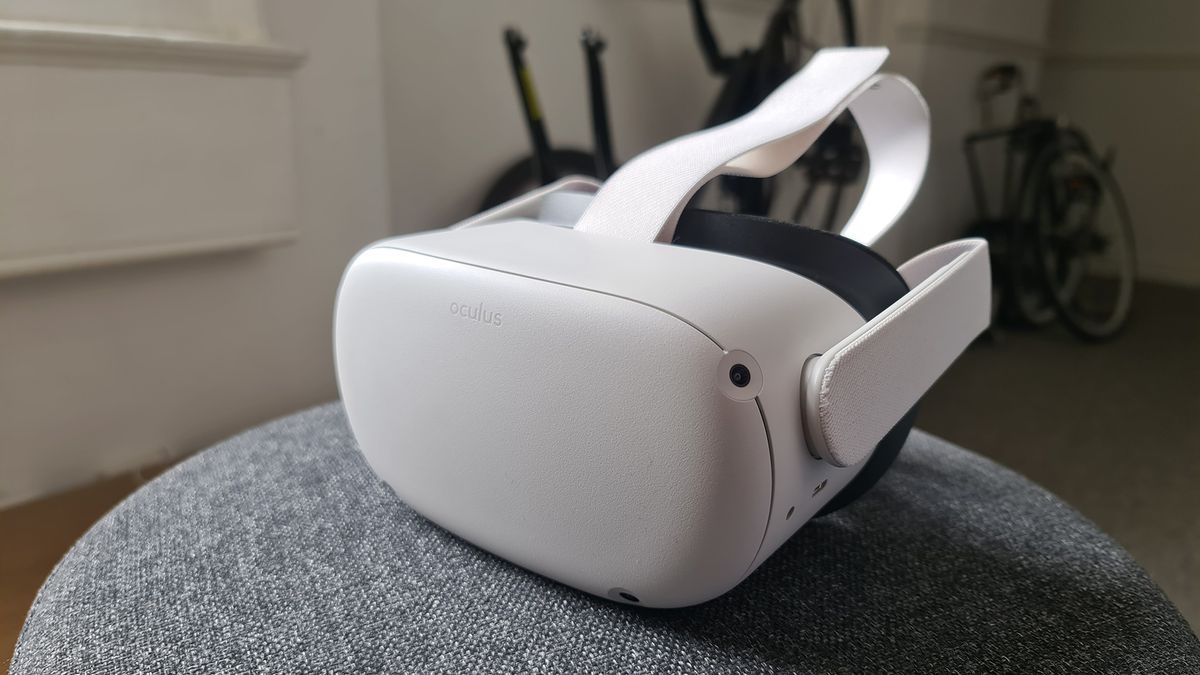
pcgamer
Is that the price of privacy?
- $500
`There is another version of the Quest 2 that isn't as discounted as the consumer version, and that's the one aimed at businesses. The actual hardware is identical, but the difference is you don't need to login in with a Facebook account in order to use it.
The price for this model? $799. There's also an annual fee of $180 that kicks in a year after purchase, which covers Oculus' business services and support, but that just muddies the waters a little. `
haughty thistle
The Quest 2 hardware actually costs more then Facebook is selling it for. Who would've though?
And the crazy part? If you don't want your data to pay for the device, you actually pay the full price of the hardware
Jokes aside, this just seems like a standard B2B offering, and if individuals actually tried to buy this, they'd probably be rejected because "YoU aRe NoT a BuiSiNeSs CuStOmEr!1eleven"
 gray reef
Probably? But chances are, if you have Index and full body tracking money, you have $60 to pick up another kit of RAM
pale orbit
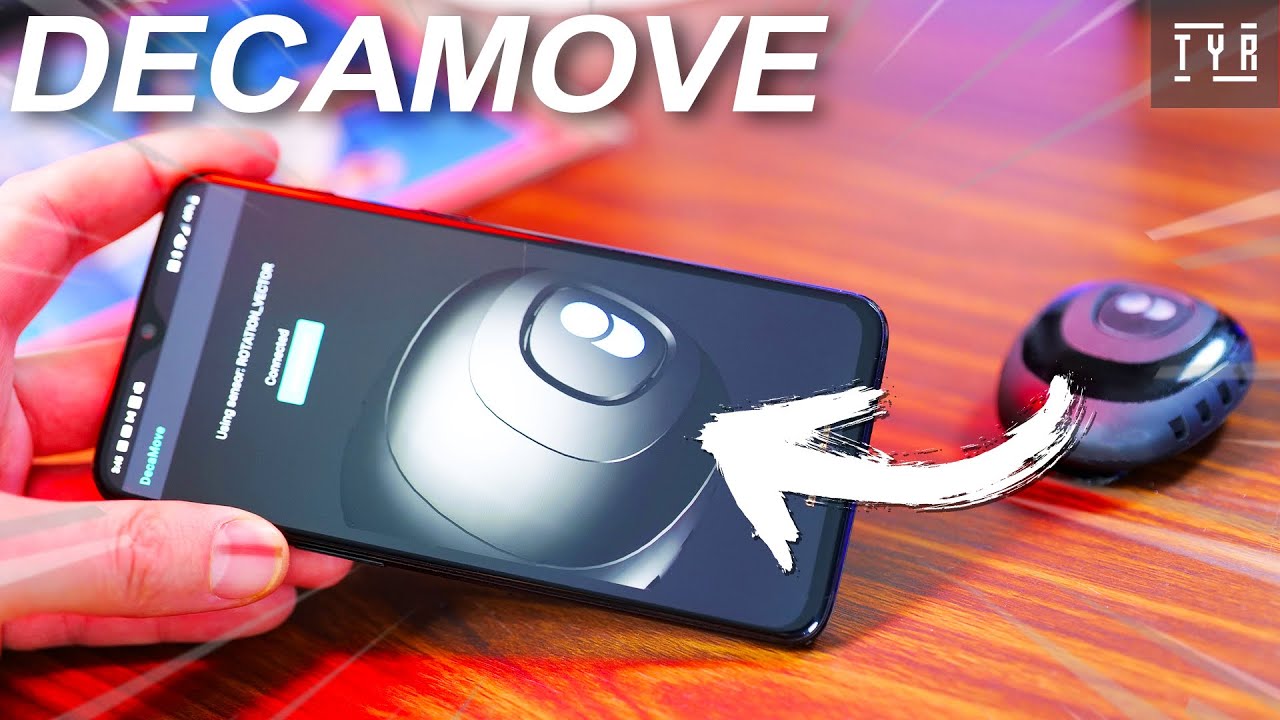
This is super exciting! Deca Today finally released something we were waiting for pretty long! The Software to use Hip tracking with your phone instead of with the $69 Deca Accessory!
How does it work? Should you rush and download it? HELL YEAH!
Let's discover it together in this video! Let's get into it!
DecaHub Beta: https://www.deca.net/d...
sullen linden
I do it just fine
haughty thistle
gray reef
_Probably?_ But chances are, if you have Index and full body tracking money, you...
If only a 16gig kit was 60$ right now...
Just as GPU prices have skyrocketed, Memory prices have also jumped quite a bit...
16GB of memory is definitely enough for any type of VR. More important are the GPU and CPU ^^
gentle coral
Yep, unless you like having 100 tabs of chrome, OBS, and a few other apps open, or ever do RAM intensive tasks on your computer 16GB is usually ok.
I always try to get 32 or 64, but I have specific use cases where I need that, almost no VR games will really see a big boost from 16 to 32 GB, though tighter timings can make a difference in some games. VRAM makes a bigger difference in most cases.
Though I would shy away from anything less then 16 if you can. 8 GB single stick of RAM was a nightmare on the low spec vr test rig me and a few devs were using.
I really need a high end VR machine soon, as only being able to develop and test on mid and low end VR machines is kind of limiting my productivity.
 indigo sequoia
haughty thistle
16GB of memory is definitely enough for any type of VR. More important are the G...
indigo sequoia
haughty thistle
16GB of memory is definitely enough for any type of VR. More important are the G...
Not "any type" of vr but most yes
flat pawn
I wonder how much I am stressing my 32gb having vrc and multiple instances of unity running at once 
never actually checked
gentle coral
Depends on how you use unity, as depending on if it is running a big operation in the background it could be using a lot.
harsh niche
Omg
Virtual desktop added 120hz support while streaming games
I wonder how much more jello-ey it will be
haughty thistle
That moment when the actually legit HTC Vive account has a mutual Discord Server with you xD
No joke, they're killing it right now with customer interaction. Whoever runs their social media needs a raise!
 thorny ferry
Zenith alpha soooooon
gentle coral
haughty thistle
That moment when the actually legit HTC Vive account has a mutual Discord Server...
HTC has both been great and clueless with VR. They are very good at the social side and dev support side sometimes and the actual HTC VR teams worldwide are really easy to work with. Its on the hardware side where HTC corporate can often screw things up (not releasing well developed headsets in some countries, not upgrading their hardware in a timely fashion, breaking some of their contracts with Valve, not developing headsets far enough). HTC has only ben relevant in BtoB in Asia for the past few years, when they pulled out of consumer stuff for the most part. They have tech that can easily compete with Oculus and had a much bigger supply chain access then Oculus (and still do). But corporate did not see VR as a good major investment for a few years, and kind of only was playing in the shallows for a few years waiting tell VR went mainstream and during that time let facebook steal the lead. I dont think it is to late for them to make a comeback, but their hesitancy to fully commit has put them much further into an underdog spot then I think they expected.
I expect the two headsets they are going to release will be very nice, and decently expensive, but the user base in the market for a new VR headset is really small because of the ease of access of the Quest 2.
HTC has people who know the VR industry inside and out and they know the market state, so I assume they have a tactic they will use to pull the people who want a new headset, or specific feature. The problem really is if their tactic will also regain the trust of old Vive users who loved that headset, and then were constantly let down by HTC for multiple years of lackluster offerings, or business offerings.
gentle coral
Also I am pretty sure that there are a few HTC VIVE and VIVE X people who watch this channel, as the employees I have interacted with are very aware of tech in general and know where to look for current discussions, and LTT is very notable in the VR device reviewer space.
Assume that Every VR hardware dev company has at least one person watching this discord. (The VR discussion space is pretty small overall still and is easy to follow. Worldwide there are about 1000 good VR specific journalist and maybe about 300 good VR forums or discussion threads that are worth looking at to do consumer VR trend analysis, and most of them are easy to analyze using term searches, or just keeping up to date on issues that the community cares about.
haughty thistle
I just hope that HTC finally listens to what consumers actually want. I know a lot of people who want a good PCVR experience for not too expensive, and there are pretty large price gaps between the Quest 2 and Reverb G2 as well as between the G2 and Valve Index. Seeing the price policy of Vive in the past, it's much more likely that a new consumer release would focus on the gap between G2 and Index, but I know a lot of people have been begging HTC to bring back something in the price bracket the OG Vive was in at the end of it's lifespan (aka between G2 and Quest 2). We'll see what HTC has in store later this month, and I'm excited to see HTC back in the game.
As small as the VR space is right now, it needs competition for mass market adoption. The smartphone didn't really took off until competition ultimately lowered prices and offered consumers options. While the Quest 2 is a step in the right direction, I don't think Facebook alone will be able to really make VR take off like Android manufacturers did with the smartphone...
soft hound
flat pawn
I wonder how much I am stressing my 32gb having vrc and multiple instances of un...
It can get pretty bad


 sullen linden
I mean the memory leak is still probably a thing
Speaking of memory I should probably clear my vrc cache

Wasn't too bad this time
 haughty thistle
VRC always tries to keep the Cache Size slightly lower then 20GB, so you can clear it as often as you want.
That's at least what I've observed...
sullen linden
Probably hasn't always been like that because I still remember clearing my cache once and it was over 50GB...
This was a long time ago though
soft hound
You can manually change the cache max size, duration, and location if you want

Default is 20GB maximum, with a 30 day lifespan
pale orbit

And here is the front. @htcvive already has them hidden on their Vivecon website. (thanks to @RtoVR and @IkumaVR) https://t.co/5qOpm12I5x
 Twitter
·
haughty thistle
Twitter
·
haughty thistle
From all the teaser gifs I saw so far of HTCs next HMD, it looks like a mixture between the Cosmos Elite, Quest 1, Reverb G2 and with this one a bit of the DecaGear as well
Interesting, how everyone is a copying each other at this point xD
gloomy crater
If I'm interested in a portable non-standalone VR setup, would I be better off looking for a 'gaming' laptop and dealing with the restrictions that come with that, or just build a VR capable SFF portable build, which would probably be much easier
I'm probably gonna be moving around a bunch for college classes soon and I don't feel like lugging around my giant PC and Valve Index. Probably just gonna get a Reverb G2 and replace my index HMD with it later, but for now I would just use it for an inside out tracked setup that doesn't require facebook. But I dunno whether to power it with a laptop or just a small PC
haughty thistle
To answer that question of yours, You have to keep in mind that with an SFF PC, you'd also have to carry around a monitor, keyboard and mouse. It is betetr for VR, if your machine doesn't thermal throttle (which gaming laptops do), but I think it's probably much better to have a laptop for mobile PCVR
gloomy crater
Heh, I actually have a way around the monitor and peripherals issue, but a concern that got brought up would be having to have an outlet nearby in order to power the PC, meanwhile most purpose-built laptops can survive a half hour VR session on a full charge with no problem if I don't have anywhere to plug into
haughty thistle
But most VR headsets require a wall plug (unless you're going standalone or with a Facebook headset that is)
gentle coral
Both SFF and laptops work really well if you know what you are doing and have easy to set up gear. I use both at events all the time, and with a nice rolling backpack, or pelican case you can transport stuff really easy.
Setting up a SFF system with a vive, monitor, tv, keyboard, mouse, camera, and folding desk. takes about 10 minutes once you get used to it, and have all the correct gear.
gentle coral
I actually will hopeful be switching my daily driver setup (that i transport between work and home, to an Index, SFF pc, 3 portable monitors, keyboard, mouse, camera, av mixing consoles, and a few accessories). I want to get it to a point where it takes less then 5 minutes to set up.
pastel echo
gentle coral
I actually will hopeful be switching my daily driver setup (that i transport bet...
I'm most interested in what portable monitors you are using but also, you bring an index to work?
 upper wren
Hi guys!, i have been thinking about getting a VR setup, but courrently i only have a 1650 Super, i3-9100f and 8gb of ram, so my question is which components should i be upgrading and which vr set should i get?
Sorry if my english is not the best, it isnt my native language
 jade nexus
I'd hold off to see what HTC announces at their conference this month
Also the other big question is how you feel about a facebook headset. If you're okay with it, it's hard to beat Quest 2.
upper wren
Actually, im quite ignorant about vr kits, i mean, i have seen ltt videos about oculus rift, htc vibe and the steam kit, but nothing more than that. Also, my plan is to upgrade between this year and the next one, so i dont have problems related to waiting for better graphics cards becoming available again or the HTC announcement you made before
so, to be honest, i would be very grateful if you can explain me more about that facebook headset, i didnt hear about it before
sullen linden
Oculus = facebook headset
jade nexus
Oculus was the plucky little startup that arguably led this wave of VR. Then Facebook bought them, and Facebook is controversial. Until recently you could try to ignore it, and use your Oculus account on your Oculus hardware, but starting with Quest 2 you have to sign in with a Facebook account.
Buuuut they still make great hardware, and they sell it at a loss, so it's artificially cheap. So if you care about the financial cost more than you care about the privacy cost or the moral implications of supporting Facebook, then it's a killer deal.
Also for Quest 2, it's a standalone headset first (playing games on its qualcomm chip), and a PC headset second (connected to your PC via usb or wifi, not the low-latency displayport connection you'd get with a typical tethered PC headset)
upper wren
Thank you so much guys, actually, facebook privacy things are not that relevant for me, so i think a Vibe 2 may be the way to go for me?, also, about my setup, which components do you think i should be upgrading first? (i3-9100f, 1650 super, 8gb Ram, 650 watts psu)
***Quest 2
upper wren
jade nexus
Also for Quest 2, it's a standalone headset first (playing games on its qualcomm...
ohh, i see...
jade nexus
I haven't stayed up to date as much on components and requirements, but my similarly-specced system (RX580 + Ryzen 3600) can handle HL:Alyx reasonably well with medium settings, so I think you'll be fine with what you have.
 upper flare
Hello, sorry to bother y'all, but I was reading this: https://forums.oculusvr.com/t5/General/Setting-up-Extended-Mode-correctly/td-p/254522, which details how to set up the Rift as an extended monitor, and I was wondering if it's possible to do the same with the Quest 2, and if anyone knows how.
 dull tide
I returned my Quest 2 but im willing to try Vr again
chilly imp
Seems like the weird tracking issue on one of my Vive Tracker is now gone
automagically fixed itself for no reason
 naive musk
how much should i spend to play half life alyx on a quest 2?
-i have a quest 2 already
- i just want to be able to play half life alyx and other PCVR games
haughty thistle
naive musk
how much should i spend to play half life alyx on a quest 2?
All you'd need is either
- a good router and perhaps Virtual Desktop
or - a decent and long USB 3.0 Type-C cable
naive musk
i don’t have a VR ready pc though
haughty thistle
Well, what are your specs then?
haughty thistle
Oh...
haughty thistle
Due to the current chip shortage, I'd actually go out of my way and say that Intel is probably a better choice, if you don't want to overspend on the CPU. Anything in the modern i5 range (10- and 11-Series chips) should be all quite good for VR.
In terms of GPU, my go-to recommendation is something with the performance of a 2060 or faster with at least 4GB of VRAM. You can go as low as 1060 performance, but I'd only recommend that for if you are on a really tight budget. (or maybe right now if it's the only thing you can find at a decent price lol)
naive musk
yeah i was looking at the 1060
haughty thistle
In terms of memory, you should target 16GB as it's the sweet spot between not too expensive and enough for pretty much all things considered gaming
haughty thistle
Usually, I'd more recommend AMD, but during the Chip shortage, Intel is just more available and cheaper funny enough
naive musk
oh i heard AMD was more cores for your buc
haughty thistle
Yup, and often faster in single core nowadays as well. But like I said, especially the higher end Ryzen chips are basically unobtainium right now...
naive musk
alright
 cyan venture
Do I get a VR headset for free in this channel?
pastel echo
Yeah just send me $400 for shipping
cyan venture
Deal
gentle coral
upper wren
Thank you so much guys, actually, facebook privacy things are not that relevant ...
I would usually recommend upgrading the GPU, then CPU, Then RAM, but considering the current near unobtainable state of everything right now, I would look for small upgrades that you can flip in a year or so for better gear once it comes down in price. 2060 GPU would be a great upgrade, as well as moving to an i5, and 16GB of RAM. I think the RAM upgrade might be the only thing you can get right now that won't be totally overpriced.
 zealous hare
is the top vr setup still a vive?
harsh niche
ram is also pretty expensive right now
32gb is like $160
it used to be maybe $120 max
jade nexus
zealous hare
is the top vr setup still a vive?
I think it's still Index, arguably. Or maybe a frankenkit with reverb g2 + index controllers
thick nest
harsh niche
it used to be maybe $120 max
thats just if you want 32gb
harsh niche
yes?
thick nest
lol
 dull slate
haughty thistle
Due to the current chip shortage, I'd actually go out of my way and say that Int...
dull slate
haughty thistle
Due to the current chip shortage, I'd actually go out of my way and say that Int...
The CPU shortage is actually clearing up somewhat, over here in Australia that
chilly imp
Wanted to upgrade to 5950x a few months ago, impossible to find
Now they have dozen of those sitting on retail shelves
haughty thistle
You're right, When I bought my 5900X a few weeks ago it was like 680€. Now it's available at a couple of retailers for 630€. Still over MSRP, but they're getting there...
German here btw 🇩🇪
 vapid depot
i ordered my quest and it should arrive in a week or two
are there any good games i should try? (other than the really popular ones like beat saber and superhot)
sullen linden
vapid depot
are there any good games i should try? (other than the really popular ones like ...
Are you planning to play standalone or through link?
sullen linden
Ah rip, don't really know what to recommend then
I'm sure there are more quest people here though who could recommend something
gentle coral
pastel echo
I'm most interested in what portable monitors you are using but also, you bring ...
I currently bring a Reverb G2 between home and work, but hope to get an index soon.
The portable monitors will probably be custom made out of panels of specific types that I need, (1 oled, 1 high refresh, and 1 color calibrated HDR display), I will probably build the housing myself to make it a bit more robust.
haughty thistle
Like a triangular monitor with each panel on one side? xD
gentle coral
Separate low profile arms for each one, connected to the side of the SFF pc. When my setup is folded up the monitors become part of the case around the PC.
Though it is also hard to consider what I will build exactly a normal SFF as it is a full eatx board with a threadripper, but the density I am going for will make it smaller then a large m ITX case. the power supply will be the most annoying part unless I can use 1U server power supplies, and a breakout board.
 rapid otter
vapid depot
are there any good games i should try? (other than the really popular ones like ...
rapid otter
vapid depot
are there any good games i should try? (other than the really popular ones like ...
Try death horizon reloaded
Is Strom land good ?
gentle coral
I wish I could use the deep m-ITX ryzen epyc board for my project, but it does not have the features I need.
rapid otter
😳
haughty thistle
gentle coral
Separate low profile arms for each one, connected to the side of the SFF pc. Wh...
One thing I've seen are super tiny PSUs that accept 12V which you put inside the PC and then use an external 12V power supply to run the computer off of
 pseudo owl
Really thinking about getting a Quest 2. Any reason to get the 256GB over the 64GB if I plan on mostly using it w/ my PC?
 candid bluff
my friend has a quest 2 64GB and has not problems if your going to download most of your games on pc most of the games on quest 2 are pretty small anyways like 5 to 6 gigs at most
haughty thistle
In today's video, we are covering more news happening in the Space of virtual Reality. First of all, I have great news for any of you using ShadowPC to play your favorite VR Games. It seems that the future is bright for shadow. There are many updates coming to games and apps on the Oculus Quest 2 that we use daily. However not all is good, Valve...
toxic wasp
harsh niche
32gb is like $160
lol, i still can get 32gb for around 120€- GSkill Aegis is key xD
 rotund loom
Has anyone any experience with MacMorpheus? If you can please @ me, I need help
I’m having trouble starting it
gentle coral
haughty thistle
One thing I've seen are super tiny PSUs that accept 12V which you put inside the...
I am thinking you are talking about the HDplex power supplies, which I definitely have thought about, but can't provide enough power as I plan to have a number of low profile adapter cards also pulling power, and the watercooling and fans will draw quite a bit as well.
Designing a portable VR dev workstation is not easy, but I move around way to much to have a regular tower (GDC especially showed me this issue as most VR devs were only able to show their game at one (maybe 2) parties or events per day usually. And I usually go to 3 or 4 events outside the main convention per day. I usually go to 20 GDC parties on top of visiting the main floor and going to talks.
Also being able to set up a good system for VR at these parties really makes it much easier as even if the game build I show is not fully optimized, I can power through some problems. I want criticisms on the actual game, not the optimization errors that unfinished games might have on a weak system. Bad story, gameplay mechanics, or style is much harder to fix then a few laggy scenes, and I want to know early if there is something wrong with the core game.
I test a lot of games and an underpowered system can make for a very bad testing environment in many situations (especially VR).
chrome bay
was playing a vr boxing game at my friends house last week and punched a hole in the wall
jade nexus
@gentle coral just catching up, you're building a portable threadripper workstation?!
I'm curious about the motherboard and case and power supply and cooling, and how small you can get them
haughty thistle
If it looks stupid but works, it ain't stupid


Sidenote: that USB adapter thingy is made out of metal and get's crazy hot during usage. I almost burned my finger when I tried to remove it after playing around with it for a bit...
jade nexus
Pretty cool, but geez that thing's big. Seems like a face tracker need only be about the size of a smartphone front-facing camera assembly?
Maybe one of the iPhone ones with IR dot projection
fluid prawn
my internet always disconnects me whenever i load up vr, has this happened to anyone else and does anyone have a possible fix?
 hushed pond
@haughty thistle does it work on vrchat
 restive ridge
Is the original Vive even worth using at all anymore
restive ridge
I mean, I own it, I just haven't used it in 2 years
sullen linden
hushed pond
<@!202504214163881984> does it work on vrchat
As far as I know only NeosVR supports it when it comes to games
 earnest vapor
hey, i was wondering what is the best vr headset for price and performance, i have a good computer so i will be looking for a pc compatible headset
haughty thistle
hushed pond
<@!202504214163881984> does it work on vrchat
There is a mod you can install to make it work in VRC. It works by injecting the tracker readout into a few SDK3 avatar parameters, which means the avatar has to support it for the tracker to work. In NEOS VR (the only game to support it officially right now) the avatar has to be also set up to use the tracker, but it's basically a checkbox that the uploader has to select and you're off to the races...
haughty thistle
earnest vapor
hey, i was wondering what is the best vr headset for price and performance, i ha...
Depends on the games you want to play and what you value more. The Reverb G2 is currently the highest resolution PCVR headset out there and probably the best option for Simulation games where you don't need the hand controllers. If you want hand presence in games, then the Index is probably still the best PCVR option out there, but it's 1k in price. The Quest 2 is a decent option if you're on a budget, but keep in mind that due to the fact that the Quest 2 is standalone first and PCVR second, that you might encounter compression artifacts and that the image will always seem soft compared to headsets with similar "native" render resolution and headsets with similar physical resolutions
pale orbit

In this video I show you all the known facts about the upcoming HTC Vive Pro 2 and Vive Focus 3 Business Edition, prices and release.
💥 Please don't forget your thumb 👍 and a subscription with 🔔!
🔗 Relevant links to the content shown
https://uploadvr.com/report-htc-vive-pro-2-focus-3
Order Quest 2 directly via Oculus: https://bit.ly/3mFTUE4
⏰ ...
haughty thistle
jade nexus
Pretty cool, but geez that thing's big. Seems like a face tracker need only be a...
In regards to the size, it does seem like it's basically a mini-Kinect in there with a bunch of electronics. I'd guess it does all of it's shape detection on.board, as it does get warm to the touch during usage. The front plate with the Vive logo on is actually metal and probably helps with the heat dissipation...
rapid otter
earnest vapor
hey, i was wondering what is the best vr headset for price and performance, i ha...
A quest 2 and a wifi 6 router will cost your around 400 $ and will give a consistent wireless pcvr...
A wireless kit from vive is 400$ alone
haughty thistle
Yeah, but it's like comparing a bag of Macadamia Nuts with a bag of Peanuts. The Vive Wireless adapter is significantly more expensive, yes, but it's also significantly better then using Virtual Desktop or Air Link. While the latter two can (and depending on how sensitive you are, even will) have noticeable latency, whereas the Latency on the Vive Wireless is basically unnoticeable (if I remember correctly less then 20ms which is even lower then what Quest Link with a cable can achieve). Besides that, the compression artifacts are borderline unnoticeable on the Vive one, whereas VD and AirLink can introduce ugly black mushy-ness around stark contrasting colors (like red and green for example).
Granted, for the average Joe, it probably isn't too significant and definitely not worth the premium, but it's also not like there aren't any reasons to get the Vive Wireless Adapter...
But when going with an Oculus headset, you also always have to keep in mind that you're giving money and your data to the same company that doesn't give a flying f*ck about customer privacy: https://signal.org/blog/the-instagram-ads-you-will-never-see/

Signal Messenger
Companies like Facebook aren’t building technology for you, they’re building technology for your data. They collect everything they can from FB, Instagram, and WhatsApp in order to sell visibility into people and their lives.This isn’t exactly a secret, but the full picture is hazy to most – diml...
indigo sequoia
Well i don't give a **** about my own privacy soooo
 hidden temple
indigo sequoia
Well i don't give a **** about my own privacy soooo
hidden temple
indigo sequoia
Well i don't give a **** about my own privacy soooo
Nice
indigo sequoia
My father (65y old) tried my vr headset, he was soooooooooooo amazed
I've never seen him like that
He was screaming like a kid with a high voice
I think I'll have to buy him a vr headset one day, but he doesn't have a real pc, quest 2 would probably be the only option since it can work standalone ....
But there is no games like flight sim or hl:a ... So hard to make a decision
gusty frost
👀
 hidden temple
So is the rift s good
haughty thistle
gusty frost
👀
What am I looking at, if I may ask?
gusty frost
haughty thistle
What am I looking at, if I may ask?
custom 3d printed strap for the quest 2
haughty thistle
Ah kk
earnest vapor
rapid otter
A quest 2 and a wifi 6 router will cost your around 400 $ and will give a consis...
I have xfinity. 600mb plan
earnest vapor
indigo sequoia
I think I'll have to buy him a vr headset one day, but he doesn't have a real pc...
Ask him, do you want one of these devices
If he says yes then teach him about what he needs
jade nexus
earnest vapor
I have xfinity. 600mb plan
It's not about your internet connection, it's about the local wifi network. You'll need a high-quality router / access point. (e.g., probably not the one from Comcast)
chilly imp
Just go with Ubiquiti
even their Amplifi lineup is pretty solid and double as a table clock
harsh niche
anybody know if it's possible to reinstall drivers for oculus audio? over link the audio is still static-y, and it's only over link so I'm thinking somehow my audio drivers got messed up or something
rapid otter
haughty thistle
But when going with an Oculus headset, you also always have to keep in mind that...
If you are on internet they already have those infos
And i don't care about these info
gentle coral
jade nexus
I'm curious about the motherboard and case and power supply and cooling, and how...
I am waiting for next gen threadripper for choosing the board and stuff, but will be using monoblock watercooling.
The case I will be building myself, as I have access to a few machine shops.
Might need to modify or build the power supply myself, as there is almost nothing similar to what I need.
gentle coral
rapid otter
If you are on internet they already have those infos
That really depends on how much you use their services and how much you modified your privacy parameters on different websites. But for the most part if you have ever used an service from Facebook, Google, Amazon, Microsoft, etc your data has been analysed by them. You can though take steps to have a second more anonomous identity online for when you don't want them to be tracking your every move, but it is hard to use an anonomous identity to do many things online, or in VR.
harsh niche
do cables for oculus link over 16ft need a booster? wondering if that's why my audio is staticy
jade nexus
iirc there are "active" cables that act as repeaters in order to cover more distance. Presumably adds latency, though I doubt much
bleak night
right knuckle rma #2
 earnest vapor
haughty thistle
But when going with an Oculus headset, you also always have to keep in mind that...
earnest vapor
haughty thistle
But when going with an Oculus headset, you also always have to keep in mind that...
Mhm
earnest vapor
jade nexus
It's not about your internet connection, it's about the local wifi network. You'...
O
haughty thistle
harsh niche
do cables for oculus link over 16ft need a booster? wondering if that's why my a...
Active extenders only boost the signal that is coming and don't add any latency. Starting with a certain cable length an extender is required for the connection to work at all. Optical cables have much less signal degradation and thus don't need extenders at these sorta lengths. That's why you'll only see extenders on copper cables...
However, USB is a digital Link, meaning it either works or it doesn't. If only audio is affected, it could very well be an issue in Windows with how it process the Link audio.
harsh niche
hm.
my friend is going to bring his cable over tomorrow which is usb a to c instead of my c to c
so if it still happens then i'll cancel my order on a new cable and... idek
i've tried everything except resetting windows because that's an enormous pain
harsh niche
about this:
it can't be my cable because after it started i got a brand new cable of the exact same type and it was still happening
it started right after the v25 update
it might be a coincidence but idk
my audio gets static-y when the audio goes more high pitched, like when i click the windows volume mixer and it makes that ding
haughty thistle
Like I said:
If only audio is affected, it could very well be an issue in Windows with how it process the Link audio
It has to be something with either how link captures the audio or with how Windows processes the audio
harsh niche
but what do I do? oculus doesn't make it easy to get individual drivers. i've manually uninstalled the audio driver and put it back using the driver tool but nothing changed, i'm out of options as far as my knowledge goes
haughty thistle
Have you checked what Windows has selected for the sampling rate? If I'm not mistaken it should be 41.5kHz or 48kHz at 16bit
harsh niche


i disabled signal enhancements because I thought that might be doing something... maybe hardware acceleration could be screwing with it too? not sure
 haughty thistle
I thought it might've been the sampling rate, as I know that miss-matched sampling rate can lead to crackling or unwanted noise, but this looks all very normal...
Maybe turn off the "Exclusive Mode" checkboxes. Sometimes applications can mess with these settings, even though you yourself can't...
harsh niche
gotcha
i'll go try now
ok a weird thing is happening
when i first got on I tried the volume slider noise thing and it was all better
so i loaded up i expect you to die and played the credits because there's lots of high pitched noise
and then it started crackling
so i exit the game and go back to the slider and then it's doing it again....
haughty thistle
That's super weird...
harsh niche
i then disabled the oculus output and re-enabled it and it went away on the slider, then over time of hitting it a bunch of times it slowly came back
this is so confusing
i thought it was fixed i was so close
going to try disabling hardware acceleration of it
and do you know if it's possible to disable that annoying noise that plays in the oculus menu?
haughty thistle
harsh niche
i then disabled the oculus output and re-enabled it and it went away on the slid...
If it was simply analog circuitry, I'd say this sounds like a faulty capacitor, but these are digital electronics...
haughty thistle
harsh niche
and do you know if it's possible to disable that annoying noise that plays in th...
Not that I know of sadly :/
harsh niche
same thing :/
starts off fine, then gets worse and worse and then peaks and stays there
i'll try my friend's cable tomorrow, if it still happens i'll just have to get my quest replaced
unfortunate
i would understand if it was constant static and didn't grow like it does... but
it does sound like they are charging up and not discharging or something idek
oh well, thanks
it's better than straight off the bat static like it used to be I get a 10 second head start now lol
haughty thistle
The thing is, as you explained it, it's only when running link, right?
It doesn't make sense why it would only affect Link, but not standalone...
Maybe if it's a grounding issue, but like... why and how?
thick nest
harsh niche
and then it started crackling
you sure thats not from the actual game
thick nest
harsh niche
i'll try my friend's cable tomorrow, if it still happens i'll just have to get m...
can you try a wireless solution
it might be your cable
harsh niche
It doesn’t happen wirelessly
I got a brand new cable of the same kind and it still happens
someone told me it might be the signal dying off but I don’t understand why it would just start at the v25 update exactly
 jagged token
Does anyone have the oculus quest 2? I have some questions before I buy one
My main questions are
- Can I plug it into the computer and stream it to discord?
- Can I get the cheaper version with 64gb of storage and use it wired with the computer and just download games to the computer or do they need to be on the headset itself?
- Is it good?
- Anything I should know before buying?
Thanks for your help everyone
harsh niche
- No, only pc games can be streamed because it’s on your pc
- No, only pc games can be played on pc and vise versa
- Yes
- Get a good link cable
@jagged token
64gb is also plenty
jagged token
Oh, my friend can like stream his vr to us in discord. He has the rift
harsh niche
Vr games are small
jagged token
Ok
harsh niche
yes because the rift doesn’t run on the quest
jagged token
So I can’t plug the quest in to the computer and then stream that feed to discord?
pastel echo
jagged token
My main questions are
1. Can I plug it into the computer and stream it to disco...
So this method sucks but you can stream from quest 2 to Facebook and then stream that Facebook stream to discord.
harsh niche
If you’re playing a PCVR game you can, but you can’t take the image from standalone oculus and stream that to your pc
jagged token
Oh my
jagged token
harsh niche
If you’re playing a PCVR game you can, but you can’t take the image from standal...
Ok
Hmm
Hard pick then but I think I would get the quest
harsh niche
cool
pastel echo
Oh better advice
jagged token
I think people did this for streaming with the hub https://www.reddit.com/r/OculusQuest/comments/jpdhym/stream_oculus_quest_2_over_to_discord/
pastel echo
Dont get a link cable, get a good router for wireless use
jagged token
I have some good mesh WiFi
pastel echo
I think mesh networks can screw it actually
Depends on your network
As long as your computer is wired to the same point your quest 2 is accessing though you should have a great time
jagged token
My computer doesn’t have Ethernet 😭
haughty thistle
Afaik some Mesh networks can significantly degrade the VD/AirLink experience, even if the connection doesn't go through the Mesh network. This does heavily depend on the way your mesh network works, but many use the 5GHz band to communicate between nodes and thus cause heavy congestion in the 5GHz band.
For the best Wireless PCVR experience on the Quest (2) you ideally want to have the entire channel band that your router is using for yourself, the PC being connected via Ethernet directly to the router and the Quest also connected directly to the router, ensuring it can only connect via 5GHz.
I'd suggest not using VD or AirLink through a mesh network as it will interfere with the connection latency and whatnot
harsh niche
yeah I tried airlink with mesh it was terrible
haughty thistle
Having a Network switch between the PC and router is fine, in fact that's how I have set up mine. But in general the "shorter" the connection and the fewer nodes involved in-between, the better.
Oh, and I should also mention you might want to disconnect any other device from the 5GHz on the router that your Quest is connected to. Having a phone or a printer hogging up Wifi bandwidth can and probably will mess with the stability and quality of the experience
jade nexus
jagged token
My computer doesn’t have Ethernet 😭
Like, doesn't even have the port?
jagged token
Well
No
It had the port but the nearest access point is in another room and if I move that wireless access point to next to the computer it doesn’t connect to the others again
Ok, well wireless streaming isn’t my biggest concern anyhow so I think it will be ok. How about can you download games like you would for the rift just to the computer and plug the quest 2 into the computer playing off the computers storage or do the games have to be on the quest
harsh niche
they have to be on the quest
your question is confusing
quest games only run on the quest
pc games only run on pc, then you use a link cable to get the vr view to your vr headset
haughty thistle
You can play PC games with the Quest, but they would run on the PC and only the image is transferred back to the Quest
lethal obsidian
You can also use virtual desktop (or airlink) to play PC games on the quest wirelessly
It requires a fairly good router though as it's running over wifi
Still the same story with it all being processed on the PC of course
haughty thistle
lethal obsidian
You can also use virtual desktop (or airlink) to play PC games on the quest wire...
We already talked about this, but in his case, it might not be the best option, considering he has a mesh network congesting wireless and his router is in another room
lethal obsidian
mb I didn't really scroll up much, just peeked in
haughty thistle
Is fine
harsh niche
yeah I tried air link yesterday with my mesh and it was unusable
my movement was like 1 whole second behind
and because if that the black borders were all over the place and my eyes weren’t lined up and it was just a mess
vd works better but is still kinda bad because of the mesh
vd is actually useable it just stutters every 5 seconds and I get worse FPS for some reason
jagged token
@harsh niche or @haughty thistle you know how on the rift it has to plug in and you download vr games to the pc?
Cause it has no onboard storage
haughty thistle
Yeah, you install the games from Steam onto your PC. The Rift is essentially a monitor with some fancy optics and some additional electronics to figure out it's position
pastel echo
@jagged token this might make it easier to understand. Pretend quest 2 has two modes
Quest mode. Onboard storage, onboard hardware, no wires
Riff mode. Plugged into PC, PC storage, PC hardware.
Oculus link is just turning your quest into a rift basically
harsh niche
@haughty thistle update
I ran home and tried my friend’s cable and it did the exact same thing
so I’ve narrowed it down to either software (drivers or something on my pc) or my quest is broken (somehow the way it processes audio from link is broken)
haughty thistle
From my limited range of knowlegde, it's most likely Windows being stupid. But ofc a faulty OS on the Quest can just as well be the cause, even if highly unlikely
harsh niche
I’ve also factory reset the quest many times but who knows how much that actually does…
 ashen grove
Is there any headset other than Pimax with high FOV?
harsh niche
fml
i've tried EVERYTHING
i have no more options but to get a new quest or just do a fresh start of windows
oculus support is garbage so i'm going to do a fresh start
one last try i'll uninstall steamvr and delete all it's files
then put it back
sometimes when i go onto my desktop alone it doesn't do the noise then i go into steam and it starts so maybe somehow it's messing something up idk
still happening
of course it is
if doing a fresh start doesn't work i am going to drop kick my computer out the window
harsh niche
oh my god
it’s still happening

this confirms it is my quest that needs to be replaced
my computer basically erased for nothing
harsh niche
no i didn't
i just let it do whatever
idek how to do that
i don't think that would do anything though
haughty thistle
ashen grove
Is there any headset other than Pimax with high FOV?
Well... There's the Index, but it's FOV isn't as much larger as other headsets.
Other then PiMax and the Index there are only more expensive B2B options:
- VRgineers XTAL
- StarVR One
At least those are the ones I can think of. In the case of the StarVR One however, it's only sold to Business customers, so good luck getting that one...
rapid otter
So I have an rtx 2060 6g a ryzen r5 2600 and 16 g ram
I use a quest 2 over air link with wifi 6 and I'm at 3 meters from my router wich only run my pc and headset.
In half life alyx I'm jumping/stuttering frames every 1-2 seconds, i doesn't happened on other games, does anyone has a fix
Thank you
pastel echo
rapid otter
So I have an rtx 2060 6g a ryzen r5 2600 and 16 g ram
I use a quest 2 over air l...
Ethernet plugged in? Other connections to router? Mesh wifi we discussed earlier?
pastel echo
harsh niche
i don't think that would do anything though
Well if the problem is newer windows / drivers than how would you expect refreshing to the same windows / drivers to change anything
 knotty ocean
got a 6700xt from a used buy, and scored a VAG 3070 FTW3, when I get it I can do some testing on airlink/VD if anyone wants and has specific tests in mind
planning on checking out HL:A first, both should be an upgrade from my 5700xt
rapid otter
pastel echo
Ethernet plugged in? Other connections to router? Mesh wifi we discussed earlier...
Ethernet and only my pc nd quest 2 on it
haughty thistle
knotty ocean
got a 6700xt from a used buy, and scored a VAG 3070 FTW3, when I get it I can do...
The OpenVR Benchmark is probably the best Application for VR Benchmarks. Every VR headset has it's own over head and whatnot, and it's the only Benchmark that actually tests on the respective headsets to include this factor
https://store.steampowered.com/app/955610/OpenVR_Benchmark/

Benchmark your VR setup - OpenVR Benchmark is the first benchmark tool for reproducibly testing your real VR performance, rendering inside of your VR headset. See if your hardware performs correctly! OpenVR Benchmark is available for free! After running the benchmark, you are presented with a score and your result is automatically submitted and ...
knotty ocean
I've got VRMARK as well I'll run
haughty thistle
VRmark, just like many other Benchmarks that are classical Flat Benchmarks, adapted with a VR rendering engine, don't account for the tracking overhead and whatnot. Oculus Home is notorious to be a performance hog on lower end machines (and I'm not talking about the overhead you get with Quest Link; This is present on the CV1 and Rift S as well), whereas WMR for example optimizes Windows for VR while it's running, which means a WMR headset is much more likely to perform better on the same system compared to a similarly specced Oculus headset.
That's why I recommend OpenVR Benchmark, as it actually runs on the headset. So the performance overhead from each HMD is automatically included, just as-if you were actually playing a VR game
Running VRmark or Superposition in VR mode gives you an idea for how things might perform, but it won't tell the whole story
harsh niche
pastel echo
Well if the problem is newer windows / drivers than how would you expect refresh...
is it possible for windows drivers to only affect link? It doesn’t happen when I’m using any other headphones attached to my computer

 pale wagon
more durable than that headass facebook elite strap aswell man
gusty frost
Absolutely
 weak falcon
anyone know what i need to do to get a dk2 to work
 autumn tangle
step one: don't?
i don't know why you want to use a dev kit, for any reason
likely, oculus doesn't support it and you'll need to find the old OVR applications
weak falcon
autumn tangle
step one: don't?
thing is im just looking if itl even work
and it was free
autumn tangle
oh, you got a free DK2?
now that's more understandable, have you tried using the current oculus software
weak falcon
tried installing it gave an error code
autumn tangle
https://forums.oculusvr.com/t5/Support/How-to-setup-Oculus-DK2-on-Windows10/td-p/609976 this thread may help you get some answer, even if it may be disappointing
Hi, I recently got a DK2 and tried to download the setup tool from Oculus page because I found this discussion (https://www.reddit.com/r/oculus/comments/4ngy53/looking_for_oculus_dk2_runtime_13/). But during setup "Headset HDMI" and "Headset USB" were not connected, only "Sensor USB" was successfull...
pastel echo
harsh niche
is it possible for windows drivers to only affect link? It doesn’t happen when I...
I guess you'll find out yourself if you replace the quest 🤣.
I know in my case the only device that can't get audio from my thunderbolt port is the quest 2 so 🤷♂️
gentle coral
If the DK2 had a slightly higher FOV, resolution, I would attach a tundra tracker to it and have a few more steam VR headsets.
Its decent if you get it for free and want to just use it as a 3dof vr headset, but if you actually want good 6dof and controllers you will quickly outgrow it.
 grand dawn
Oculus quest 2 is hands down the best vr headset on earth and if you disagree you're wrong
haughty thistle
The Quest 2 for it's price is really good, but it ain't the best out there
If you really want the best VR experience, there isn't a single answer. It always depends on what kind of games you're playing.
For Sim racing for example, I'd dare to say it's actually the PiMax 8kx closely followed by the HP Reverb G2.
For Roomscale VR experiences, it depends on what you value more. Here the Index is the best option overall, but there are specialised cases where for example the Vive Pro (Wireless Adapter compatible; Better Colors; Available with Eye Tracking) or the PiMax 5k Super (even higher Refreshrate; better FOV) can better the Index though.
bleak night
hushed pond
index
yeeeah no
im going on my 3rd rma of the index
and the lens quality has been abysmal
hushed pond
never said anything about quality
bleak night
its... not greeeat
haughty thistle
I've actually been rocking the Vive pro more often then my Index recently. But it's mostly due to the OLED screens then anything else
bleak night
considering ive had 3 rmas of the right controller and 2 and trying to rma yet again for the headset.... since january
bleak night
its been a really.. uuuuugh experiance
haughty thistle
Both my controllers are over a year old by now and still work like they just arrived
bleak night
i would. if i could get the quest 2 working with the knuckles
i would. without a doubt
hushed pond
haughty thistle
Both my controllers are over a year old by now and still work like they just arr...
one day my thumbs sensor decided it wwanted to kill itself overnight while i wasnt using it
bleak night
force sensor decided to break
haughty thistle
Dunno why so many people still have problems with their Index. Maybe they expect an intricate piece of electronics to be as sturdy as a rugged piece of construction equipment...
hushed pond
i bought my index last summer
the headset so far so good
but the controllers are just fragile
bleak night
im hoping to get a good rma for once.
haughty thistle
bleak night
i have dead pixels on my index!
Dead pixels can happen with every monitor you buy. It's just a matter of luck whether you have some or not
bleak night
they developed on mine
haughty thistle
Jup. They can even happen over time
hushed pond
the worsts is that im not even abusing them at all, i mostly play vrchat
haughty thistle
It's nothing unusual. Espescially if you run the panel out of Spec, like the Index does when running the screen brightness at over 100% or the Refreshrate at over 120Hz
bleak night
i set mine to 100% brightness
if its left at what it defaults to
140%
it makes glare so bad
haughty thistle
The refreshrate probably is the bigger offender of the two
hushed pond
for dangerous game i use my old vive wands WHICH are still working and looking like day 1 AFTER 4 YEAR FFS
bleak night
the glare on the index has been the worst thing
it feels like my glasses are dirty the entire time
every light source just casts a huge glare over the entire lens
hushed pond
i had more terrible glare on my vive than index
bleak night
quest 2 doesnt have that at all
ive been told my glare is vive level
so somehow ive been extremely unlucky twice
haughty thistle
The glare always also depends on how well the lenses are lined up with your eyes
And how clean the lenses are
bleak night
nope not here
completely clean lenses
no matter what position
its glary. horribly so
no changes in position whatsoever made any improvements
hushed pond
anything white on a not even dark background cause huge glare
at least on my vive they were fresnel ring godray
which were less noticable
bleak night
anything relatively light just causes major glare
haughty thistle
I just re-iterate: Every headset has glare. Some more, some less. The glare will show differently based on how the lenses are constructed.
In the case of the Index it will show glare at the edge of the screen (almost halo like) when looking at a bright spot.
On the Reverb G2 for example, bright spots at the outside will shine in towards the center of the FOV.
In the case of the Vive, it's similar to the Index, except it's more like concentric rings which reflect the light much more brightly then the Index does
 haughty thistle
On the Index it really has to be a dark room and you have to essentially be looking at a white spot for it to show. On the pic you just posted it's unusally bright the glare
bleak night
yeah
thats the glare no matter what i do
camera added nothing to it
its just severe
was like that on both headsets i got too
haughty thistle
I personally find the inside to outside glare like on the Index and Vive much more managable then the Outside inward glare like on the G2 and (no joke) Oculus headsets
I find it much more distracting if I see a while line suddenly, because of an icon that popped up in the corner
bleak night
over here its just super distracting
never had any glare on the quest 2 oddly enough..
like any
haughty thistle
I'm sure you had, it's just that you're used to the relatively easy glare that Oculus lenses have
 haughty thistle
And from my perspective, glare is just like the black area in your peripheral vision. After some time you get used to it and stop noticing it
bleak night
this is our quest 2, with the same camera settings
haughty thistle
bleak night
Both on the top and bottom the glare is quite clearly visible. It can't really be compared unless you're looking at the exact same subject in SteamVR
haughty thistle
How about Air Link?
haughty thistle
Understandable
bleak night
plus there is no facebook account on it
haughty thistle
bleak night
plus there is no facebook account on it
How? How are you using a Quest 2 then without a Facebook account?
bleak night
bypass
haughty thistle
Afaik that ain't possible right now
 haughty thistle
Yeah, defo
bleak night

Basti564's website | Using the Oculus Quest without an Account
This tutorial will show you how to remove you Oculus/FaceBook account from your quest
bleak night
hushed pond
<@!202504214163881984>his glare is at faulty level look at mine with the same p...
if your referring to me, her
but uh
i used that guide
worked really well
hushed pond
man i dont give a shit about gender i refer to everyone as a male by default cuz i cant be bothered to remember hundreds of people pronouns
bleak night
im unconfortable with such
so uh

its better to use they/them for those whose pronouns you dont know
but like.. idl
hushed pond
sorry but if someone someone call me they im going to be real confused and gonna think are you seriously one of those gender warriors and get a very negative judgement
bleak night
im sorry that i get depressed when referred to as a dude.
hushed pond
people call me by all kind of insult as a joke and i wont bat a eye
cuz i think its funny
anyway this isnt the place for this topic here
bleak night
i cant help yknow.. being targeted 24/7 for being trans so.... just.. yeah.
hushed pond
im cool with trans or whatever people like to be these day, but not when they shove their ideals in my face
bleak night
im cool if people respect my humanity
and to be fair. im getting others ideals shoved in my face 24/7 because im not seen as who i am.
and its painful
hushed pond
life should not be taken seriously, there no point living if your just going to be constantly offended by litteraly everything, so ignore the little stuff and turn stuff around as fun
that what i live by
bleak night
sounds depressing
hushed pond
my english isnt my native language, my point may not convey perfectly but what im trying to say is try not to care too much about what people say about you
bleak night
i try not to. but when those who care for me ignore it aswell. theres a breaking point.
all i ask is to not use he/him pronouns for me
hushed pond
i knew a few people that changed their pronoun every so often and theyre the reason i stopped caring and simply using the same pronoun for litteraly everyone
@haughty thistle do you play vrchat often?
haughty thistle
hushed pond
<@!202504214163881984> do you play vrchat often?
I play VRchat almost every day xD
haughty thistle
800 hours of playtime by now
 haughty thistle
lol
hushed pond
i started playing back in june 2017

i remember back when the old hub only had a few player and the entire game only had like 50 people on
haughty thistle
I started in November 2018. Basically when I had gotten my first VR headset, that's when I first played VRC
Mostly chilling in Open Mic Night at the time. Ah the good 'ol times
 haughty thistle
Yup
hushed pond
i was ingame when the fucking uganda knuckle world went live and the game exploded in population
i for sure remember the servers just fucking dying slowly and almost crash and unplayable at 20k population
that night was pure chaos
haughty thistle
VRC has come a long way since I started. If CVR came out back in 2018, I'm sure a lot more people would've jumped over, but the difference isn't as huge anymore, so there aren't that many reasons to switch at this point
hushed pond
remember when vr wasnt mainstream and mostly only adult played vr
good times
now i cringe everytime i hear a squeaking noise coming from quest 2 users
haughty thistle
Quest Kiddies in VRC are just as annoying as Fortnite Kiddies IRL...
hushed pond
ikr
they think they are special and "look what i am and look at my animation" like bro iv been playing this game for years i seen this shit thousant of times
sullen linden
bleak night
thats the glare i get
I just got my second index a little while ago and my glare is still like a third of yours at most
hushed pond
the worst are the one being entitled little shit thinking their quest is better than any other headset
haughty thistle
Oh, and the ones that complain about how they can't see other people's avatars on their Quest...