
#virtual-reality
1 messages · Page 92 of 1
 haughty thistle
 rustic garnet
Oh the fuck
Although if it's got the same pinout still you can just push in a regular cable and leave half the sleeve out
haughty thistle
I actually found one on Amazon that fit. I bought that cable for my Bose originally, but I later bought it in a much shorter length for my Vive Pro...
 haughty thistle
Only negative is that this cable is only 3-pin, so no mic. The headphone jack adapter in my Vive Pro doesn't seem to get enough power for the mic anyways so... ¯_(ツ)_/¯
haughty thistle
rustic garnet
What connector does the pro use on the hmd end?
The Vive Pro uses a proprietary connector for the cable going to the PC/Wireless Adapter and otherwise only has a single Type-C jack for things like the recently announced Facial Scanner or in my case headphone jack adapter
haughty thistle
A tiny one, meant for phones, but yeah. The Vive Pro does not have a headphone jack. It hopped onto that bandwagon very early...
rustic garnet
How professional...
Does pro just mean "so expensive only businesses can afford it" now or?
ahem @apple hmm
haughty thistle
The included headphones are honest to god garbage. If you ever listened to a cheap phone speaker, this is roughly how the Vive Pro sounds. It has a bit of bass, but other then that it's all treble...
haughty thistle
rustic garnet
Does pro just mean "so expensive only businesses can afford it" now or?
Other then that one mishap, the Vive Pro actually is really cheap for a prosumer headset. It got software for like ambient mode included (to feed in the mic signal through the headphones), it's OLED screens are the most accurate for all headsets officially sold to consumers (even beating out other OLED headsets like the Quest) and it's really easy to find the right settings to wear this thing for hours...
haughty thistle
rustic garnet
That kit costs like 1300 dollars doesn't it
The Pro Eye costs that much. Or the regular Pro Starter Kit + Wireless. I just got the HMD + Wireless, as I already had a full Index Kit and didn't need 6 lighthouses or Vive Wands...
rustic garnet
Wait why did you get the vive if you already had the index?
 pastel echo
rustic garnet
Wait why did you get the vive if you already had the index?
pastel echo
rustic garnet
Wait why did you get the vive if you already had the index?
Wireless I think I remember being the answer
And tbh I'm doing wireless with Quest2 so it's a bit different but wireless PCVR is freaking epic
haughty thistle
rustic garnet
Wait why did you get the vive if you already had the index?
As Dawreme already said, I got the Vive Pro for the Wireless adapter. It's battery life on a 10Ah battery sucks (only about 2-2.5h), but it's the closest one can get to a no-compromise Wireless PCVR setup right now. The Index with it's super long cable is really great for most games I play, but for VRChat, where I move around a lot, Wireless is such a nice thing to have and that's what I bought it for.
The Quest has quite a bit of compression artifacting going on, and if you look for it, you will notice the latency involved. So that was out of the question for me btw.
rustic garnet
Makes sense
haughty thistle
Besides that, I'm a VR-Collector. I might not have as large of a collection as some other collectors out there (VodooDE, TylerOne), but every headset I do buy, I buy with a purpose. I've been playing with the idea of getting a PiMax headset, but the company behind it makes it hard for me to justify the 750€ for the PiMax 5k Super...
 lofty minnow
what vr headsets are releasing this year?
 manic wind
HTC comin out with a headset
with the way Oculus goin, id be surprised if they didnt come out with a new headset lol
pimax is releasing a new one too arent they?
 pale orbit
decagear, new vive standalone
 rugged solar
by owning a oculus cv1 am i missing out
i got the whole shit brand new off fb market for $100
some bloke didnt know he needed a pc to use it
 flat pawn
..lol
rugged solar
but to which part
flat pawn
The last bit
rugged solar
yeah it was pretty funny fr
but am i missing out
like is the higher res per eye actually worth buying a new set?
flat pawn
You're getting most of the vr experience for sure
rugged solar
do newer headsets have a less obvious screen door effect?
flat pawn
The clarity would be nicer for sure, just depends on how much you value it
Yes
It's been greatly reduced in just about any newer headset
rugged solar
like for example, i like zero caliber and h3vr, those are my go-to games when im bored
when im looking at targets a good distance from me, all blurred
flat pawn
"missing out" might not be the best way of putting it but
You're at a bit of a disadvantage
Like I said, it's up to how much you value the extra features
You have great controllers and tracking already
rugged solar
if you were to give me a blunt yes or no, is the price tag on a newer set worth saying f my current one?
the features like tracking and all that dont concern me, i find that i have plenty of real estate and maneuverability with how im set up
im concerned with resolution or quality
flat pawn
If you can turn that cv1 back around for the same price you got it
Then I'd say yeah, do it
Get a newer headset
Especially if it won't kill you financially
rugged solar
stimmy coming thru..
 pastel echo
rugged solar
if you were to give me a blunt yes or no, is the price tag on a newer set worth ...
pastel echo
rugged solar
if you were to give me a blunt yes or no, is the price tag on a newer set worth ...
Is your oculus account already linked to facebook?
If so then yes you would do well to try and just buy a Quest 2 for $300 and even a router and VD to go with it for $400 and in my opinion the experience will be 4X better to match that cost
If no and you don't intend to then the rift is definitely worth waiting a while longer while other headsets and stuff come out that may be more appealing for the price
 ruby ermine
is vr even worth it?
ruby ermine
i cant get the chance to try but i know its fun somewhat, i just font know if i am gonna get the most out of it ya know?
and also what cr is better? the quest 2 or rift s? my friend recently got the rift and he says its amazing but i also hear the quest 2 is good. but its setup is annoying if you waant pc use
@flat pawn
flat pawn
If you only plan on using it with a PC then I think the rift s might be better
They're pretty similar overall
Quest 2 is technically better
ruby ermine
ok thanks
pale orbit


Wow! I just tried out the facial tracker from HTC Vive in Neos VR and I have to say it is next level! Can't wait to see this become the standard in virtual reality. https://t.co/uhOUAldpaI
Retweets
156
Likes
640
 Twitter
·
manic wind
Twitter
·
manic wind
between the rift s and the quest 2, theres really no reason to go with the rift s anymore. the quest 2 is getting a 120hz update which automatically makes it better than the rift s, though it does remain to be seen how that feature will actually be used
 hushed pond
pale orbit
https://twitter.com/NathieVR/status/1371453281881485313
hushed pond
pale orbit
https://twitter.com/NathieVR/status/1371453281881485313
no valve index support and it work only on the vive pro
kinda suck only for this reason
pale orbit

Today, I’ll share my impressions of the new HTC VIVE facial tracker on the VIVE Pro Eye and the Valve Index. All the info you need is here: Unboxing, setup & making funny faces with different avatars!
► Our VR equipment kit & tips here → https://www.amazon.com/shop/caschary (affiliate link)
► Subscribe here → https://goo.gl/bSJ6L8
Welcome to an...
it works on the index, just jankey due to how it's positioned
hushed pond
kinda suck that the eye tracking is only avaialble on a 1600$ headset
but i will definitly be looking foward for the face tracking on my index
ill be using duck tape as well
pale orbit
like she says a 3d printed mount would probably solve most of the issues
hushed pond
i dont have access to a 3d printer anywhere in my region
even if there was i woulnt bother when i can just grab some duck tape i already have
 gentle coral
Eye tracking will more then likely come to the next index, or maybe as an addon to the current one via a tobii facial interface plate, as it will be integrated with the OoenBCI stuff valve is doing.
I have still not found out if Valve is going to be releasing a new headset in the fall, or if they are just going to be releasing upgrade kits with the tobii and openbci stuff.
pale orbit
could do both, addons for the current headset and a new all in one headset
gentle coral
Though the silicon shortage is affecting the development timeline of quite a few headsets, and increasing the BOM of the current gen headsets quite a bit.
I expect the cost in parts for the Quest 2, Index, Reverb G2, have all gone up by at least 15%.
Unless they were smart enough to buy up a ton of future stock of chips they use.
hushed pond
index has been in high demand for a long time, valve can barely keep up with the demands
i dont think we will see a new index anytime soon
i will get those bci stuff one way or another even if i have to shell out for a new headset
haughty thistle
rugged solar
when im looking at targets a good distance from me, all blurred
Sounds to me like you're running your CV1 at default settings. Before shilling out for a new set, I'd recommend trying to adjust the pixel per display overwrite in the Oculus debug Utility. I found setting that value to 2 made the image significantly sharper and clearer.
It is true that with higher resolution screens, you will see more detail, but I'd argue that a good SS is more important for image clarity then a high resolution up until like 4k screens. At that point the pure resolution is enough to hide the slight blurryness and whatnot...
haughty thistle
pastel echo
If so then yes you would do well to try and just buy a Quest 2 for $300 and even...
You're missing two things in your math: comfort and audio. Both kinda suck on the Quest. Especially if you're coming from a PCVR native headset like the CV1. Adding a good pair of headphones and a proper headstrap replacement will increase the price even more. Otherwise it's a clear step down in these two areas
haughty thistle
manic wind
between the rift s and the quest 2, theres really no reason to go with the rift ...
It is not yet confirmed whether 120Hz will even make it into Quest Link and how well it'll work. Technically, Quest Link already allows for up to 500Mbit/s as a bitrate, but according to Reddit, most people can't make it past 200 without issues. We'll see how that ends up once the update drops
 agile abyss


Can't wait to test out the DecaMove by @DecaGear this week! https://t.co/ovuOPy3ss0
Twitter
·
 livid nova
im thinking of getting a quest 2 64gb
any thoughts?
haughty thistle
It's a pretty good headset for the price. Just be aware that you do have to invest more then the base price of the Quest for it to be comparable to native PCVR Headsets in regards to comfort and audio
livid nova
ye ima get the base model then if i have any issues i will get some better audio/headstraps things
maybe ill be fine with it
ruby ermine
for the rift s do i have to use my audio from the headset or can i use my headset if i plug it in the headset?
haughty thistle
The headphone-jack on the Rift S is only an output afaik. So you probably have to use the included mic, unless you go with a wireless mic (Mod-Mic wireless for example)
 dark tusk
Getting my first vr headset, quest 2, any recommendations on what i should try?
manic wind
haughty thistle
It is not yet confirmed whether 120Hz will even make it into Quest Link and how ...
i think it currently allows 90 over the link right?
ruby ermine
haughty thistle
The headphone-jack on the Rift S is only an output afaik. So you probably have t...
would i be able to use my headphones on my pc if and ear yame and talk
haughty thistle
You could use your own headphones plugged into the headset or PC. Just keep in mind that you have to manually select the output device if you're not using the built-in DAC on the HMD
ruby ermine
oh ok
haughty thistle
You could also do a desktop mirror of the audio, but it'll be delayed and it can break the immersion if your headphones don't block outside noises enough
haughty thistle
manic wind
i think it currently allows 90 over the link right?
90Hz is the current maximum on the Quest 2, yes. What I was referring to was with the Bitrate. As with rising refreshrate, you also want to either increase the bitrate or reduce the resolution to not hurt the visual fidelity. We'll see whether or not it'll be made available and what trade-offs will have to be done in order to make it work...
haughty thistle
Well... good luck finding anything in stock right now. Even the Quest 2 is apparently sold out in most places too
manic wind
haughty thistle
90Hz is the current maximum on the Quest 2, yes. What I was referring to was wit...
right, 120 may not work at all. I was asking about 90 because that is an immediate improvement over the Rift S. I think the resolution and lenses are better in the Quest 2 as well (but I think that's negligible in terms of quality difference, having owned both). was just thinking even on that basis, it's probably worth it getting the Quest 2 over the Rift S
ruby ermine
so its big but not too big
haughty thistle
manic wind
right, 120 may not work at all. I was asking about 90 because that is an immedia...
The 90/80Hz controversy was blown way out of proportions imo. You will notice a difference in a side-by-side comparison, but it's nothing that is going to bother like 99% of the users. The Quest 2 afaik uses the same lenses as the OG Quest/Rift S, so there shouldn't be any differences. The physical resolution of the screen is better, but the Quest 2 runs at a render (and encoding) resolution comparable to the Rift S, so you won't get any extra detail, just less SDE, a more blurry immage ('cause it's upscaled) and a higher performance impact ('cause it has to be compressed and send over USB/Wifi).
The main benefit that I saw with the OG Quest over the Rift S was it's physical IPD adjustment, and that is still true to some degree with the Quest 2, except that it's not as clear-cut. The Quest 2 only has 3 IPD settings, and if you're unlucky and fall directly in-between 2 settings, you're never going to have a great experience as even the "IPD hack" with slowly moving the lenses in-between 2 settings can cause noticeable distortions on the image. But I do agree, that some "IPD adjustment" is better then none
manic wind
yeah I agree about the 80 vs 90 debate
i never really noticed the lack of frames when using my Rift S. it looked good to me
i wasnt aware about the way the Quest 2 encodes its image though, thats interesting
haughty thistle
If you run standalone, the Quest 2 can run at it's native panel resolution, just not on Link/VD. This is probably because of limitations on how fast the SOC can decode the incoming image (or maybe a willing limitation on the PC side to keep the load in check? I dunno)
manic wind
so the Rift S does still remain a better choice if you are strictly using it for PC VR
I have to think the value of the standalone experience outweighs that, but it does depend on the user
haughty thistle
*If you fall in the limited range of the IPD
manic wind
right, that too.
Rift S has no IPD adjustment so if you are out of that range, it's a no go
( a big reason why i bought my Index was IPD adjustment)
i do hope they can make a standalone VR headset that is PCVR capable that rivals the Index soon 🙂 maybe that HTC..
haughty thistle
If you already have a decent PC, the Rift S beats out the Quest 2 comfort out of the box, and doesn't require any additional investments to use it with a PC. Besides that it's also easier to run, so for PCVR I'd argue that the Rift S is still a better budget option. But I know many other Enthusiasts disagree with me here "BeCaUsE StAnDaLoNe!!1elefen". If you want PCVR, I hate to say, but the Quest 2 kinda falls behind here...
haughty thistle
manic wind
i do hope they can make a standalone VR headset that is PCVR capable that rivals...
HTC did announce a standalone headset for this year. But they also said that it's not supposed to rival the Quest 2. We'll see what come out of their labs later this year. If they can make a pricepoint of let's say 600$ and make it compatible with the Vive Pro/Cosmos cable harness, it's going to be a stellar deal. Especially because you could make it a proper PCVR headset with the right cable or even the Vive Wireless Adapter
flat pawn
do you think it'll come with new controllers?
I'm not really interested in using the old wands
haughty thistle
Probably not. HTC has shown that they want to get away from the wands with the Vive Cosmos. They probably didn't see the reason to invest into developing a new controller for the lighthouse tracking system and just stuck to the wands until they don't have any more lighthouse compatible headsets
It's just a guess of mine though...
flat pawn
they want to move away from the wands but don't want to develop a new controller
you can't do both of those things at once lol
would be cool to see any other controller compete with the knuckles
maybe something with a little better build quality and a new feature or two?
manic wind
i appreciate the insight Chickenbread, I learned something new 🙂
flat pawn
better battery life?
haughty thistle
flat pawn
they want to move away from the wands but don't want to develop a new controller
They don't want to develop new lighthouse tracked controllers. Sorry if I wasn't clear enough ^^"
haughty thistle
Yup. The wands are lighthouse tracked
flat pawn
so when you say they want to move away from the wands does that mean they want to move towards inside out tracked controllers?
manic wind
i think the goal with VR now is to move away from tracking devices, and use inside out tracking
though perhaps for full room scale (large spaces) tracking is still superior?
when I used my Rift S I was surprised at how effective the inside out tracking was. I never felt like I was getting any errors with movements
flat pawn
same here
it's just that you'd need to rely on an external system if you want full body tracking
unless controllers start having cameras too? idk
haughty thistle
For the general consumer, there's no real reason to use external base stations of any kind for VR. All your hand and head movements can be measured by a set of internal sensors, including cameras.
If you want to track other parts of your body like your feet or hip, at that point, having an external vantage point with a tracking base station is kinda required. Multiple if you want to turn around
The problem with handing camera feeds is that it's a lot more resource (and power) intensive then a small little IMU. So unless we find some breakthrough energy efficient camera processor, I don't think we'll see cameras on controllers in the near future...
gentle coral
There will be many option for full body tracking in the near future, right now a decent IMU based full body tracking system is at about 1000 dollars for a 10 point tracking suit. It should go down in price pretty quickly as XR and immersion tech becomes more popular
IMU drift, and IMU sync were problems tell a few years ago, but now there is well known methods for minimizing the drift, and low latency wireless sensor communication is pretty much solved.
gentle coral
If anyone here is wondering what HTC's new standalone headset might be like, remember that this would be their third Standalone VR headset, and their second standalone 6 DOF one.
Their current issues are making their tracking better and making good controllers, as the screens, lenses, and ergonomics in their headsets are generally pretty good.
If you never heard about HTC's first two standalone headsets, the Focus, and Focus Plus, don't feel to bad, they ended up not really being advertised to consumers as they were very much business targeted headsets.
The last time I think i tried a vive focus was with the Nordictrack VR bike (buying the exercise bike comes with the Vive Focus headset).
If you wonder what a VR bike is, here is a link to an article about the Nordictrack one.
https://www.pcmag.com/news/nordictracks-vr-bike-is-a-fun-workout-if-you-dont-puke?amp=true

PCMAG
With the NordicTrack VR Bike, you strap on an HTC Vive Focus, grab the game controller-like handles, and start peddling to make your way through a game. We tried it out at CES.
rustic garnet
rugged solar
like is the higher res per eye actually worth buying a new set?
No, if you got a rift for 100 new just use that
rustic garnet
hushed pond
even if there was i woulnt bother when i can just grab some duck tape i already ...
Shapeways and similar companies exist
livid nova
did anyone hear of the omni one
its their first consumer omnidirectional treadmill
u can buy the non consumer omni on ebay but its crazy expensive cuz no one sells it
its coming out mid 2021 i cant wait even tho i cant afford one
 haughty thistle
I dunno... Someone on reddit mentioned a number of issues with their "Demo video" and how it was faked. Besides that, th actual consumer version of this treadmill is supposed to require a subscription and will only work with the Pico Neo 2 with a special firmware as shown in the video. Only the Developer version is supposed to work with standard PCVR headsets
livid nova
haughty thistle
I dunno... Someone on reddit mentioned a number of issues with their "Demo video...
its not fake cuz i know someone that used the omni pro
it was a non consumer version in arcades
livid nova
haughty thistle
I dunno... Someone on reddit mentioned a number of issues with their "Demo video...
and i think everyone can buy a dev version
livid nova
https://youtu.be/Adkvs2Qjqj0
if u have this in your city you have to try this
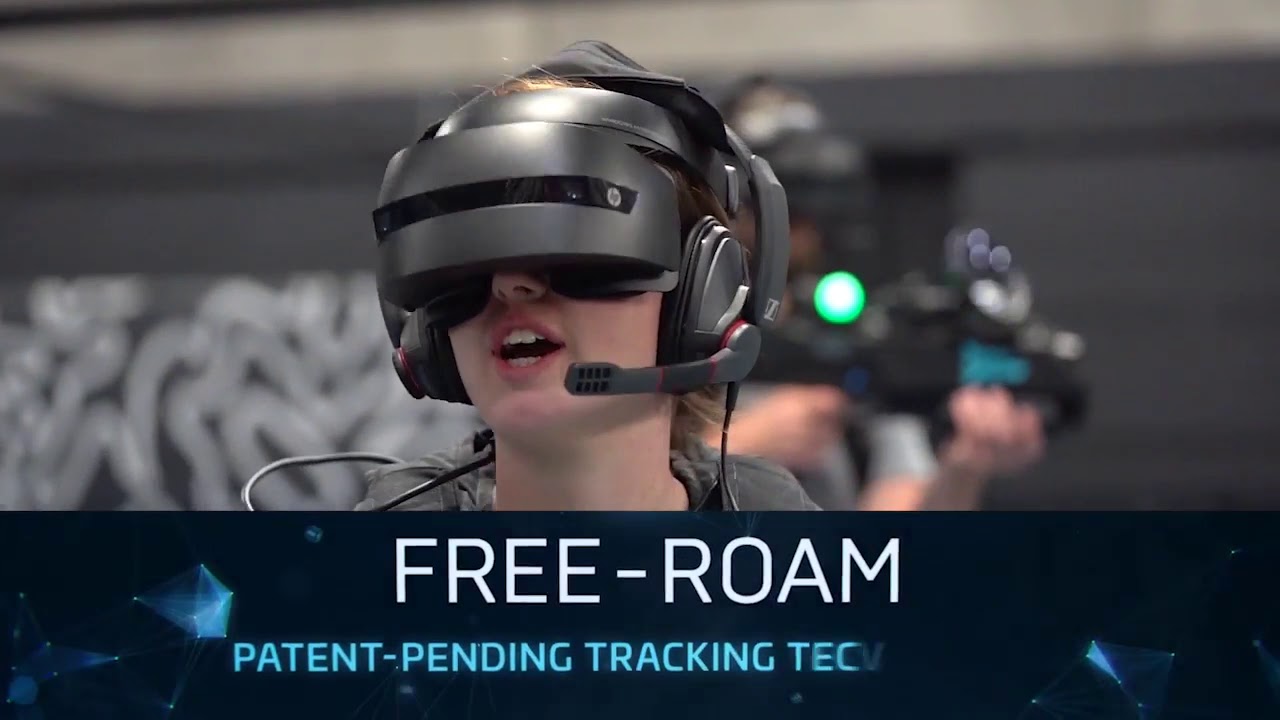
Zero Latency is a technology company that develops free-roam virtual reality systems.
For all the best in AR and VR News: http://www.uploadvr.com
More Info: https://zerolatencyvr.com/
Follow us for up-to-the-minute updates:
🎦Twitch: https://twitch.tv/UploadVR
⌨️ Discord: https://discord.gg/VNA7fWd
📘 Facebook: https://www.facebook.com/upload...
haughty thistle
There is also the Kat Walk C which is intended for home use with any PCVR headset
 sly falcon
livid nova
it was a non consumer version in arcades
sly falcon
livid nova
it was a non consumer version in arcades
those are cool, but janky af
pastel echo
haughty thistle
You're missing two things in your math: comfort and audio. Both kinda suck on th...
You're missing two things in your math, I don't have these issues coming from my rift cv1 and it was a personal opinion 🤷♂️
I like the quest 2 experience better, I like the open speaker audio better.
I like the wireless / link experience better for everything I do. And the standalone experience is pretty amazing as well
manic wind
haughty thistle
You're missing two things in your math: comfort and audio. Both kinda suck on th...
my wife has the quest 2, and the only issue she has with it is sometimes light leaks through the nose piece. i suspect some people will have wear issues, but actually its a pretty comfortable headset
as with anything, YMMV 🙂
pastel echo
manic wind
my wife has the quest 2, and the only issue she has with it is sometimes light l...
Your wife might wanna try getting a new facial interface. I think VRcover users have said they don't experience that
manic wind
yep, thats what ive recommended to her
 sturdy oak
Would this computer be good enough for vr? https://store.asus.com/us/item/202101AM090000007/A50264-ASUS-ROG-Strix-G17-(2021)-Gaming-Laptop%2C-17.3”-300Hz-IPS-Type-FHD%2C-NVIDIA-GeForce-RTX-3070%2C-AMD-Ryzen-9-5900HX%2C-16GB-DDR4%2C-1TB-PCIe-NVMe-SSD%2C-RGB-Keyboard%2C-Windows-10%2C-G713QR-ES96-Eclipse-Gray

ASUS Official Store | Free Shipping and Financing Available
CES2021 Others Other ASUS Official Store | Free Shipping and Financing Available ASUS ROG Strix G17 (2021) Gaming Laptop 17.3” 300Hz IPS Type FHD NVIDIA GeForce RTX 3070 AMD Ryzen 9 5900HX 16GB DDR4 1TB PCIe NVMe SSD RGB Keyboard Windows 10 G713QR-ES96 Eclipse Gray, NVIDIA GeForce RTX 3070 8GB GDDR6 with ROG Boost, Latest AMD Ryzen R9-5900HX Pro...
 crisp nymph
probably
sly falcon
sturdy oak
Would this computer be good enough for vr? https://store.asus.com/us/item/202101...
yeah that should work great
sturdy oak
Should I be worried for what port to put it in? Because the laptop has nVIDIA optimus so it can switch from the igpu to the gpu.
sly falcon
which headset btw
sturdy oak
No idea, but maybe a quest 2
sly falcon
if its a q2, it just plugs into the usb c port so in that case you shouldnt have to worry
sturdy oak
There’s more than one usb c,
manic wind
that laptop will be a great VR machine
sturdy oak
I just want to make sure that the gpu is going to be hooked up to the vr headset instead of the igpu
sly falcon
sturdy oak
There’s more than one usb c,
none of the usb cs are connected directly to either, so it should just use the 3070
sturdy oak
Thanks!
sly falcon
np
 gloomy crater
Beat saber messed up big time
Tons of the best art maps are wall based, and Chroma just removed their light show functionality because the beatsaber team implemented zen mode to be a vanilla replacement for it. The issue? zen mode disables obstacles
So yeah. Any wall maps you have, you now have to play them with the notes enabled because if you turn on Zen mode, the walls will disappear. Absolutely amazing problem solving beat games. great job
sly falcon
amazing -_-
gloomy crater
and the "helpers" in the PC-Help channel of the official Beat Saber Modding Group Discord range from uncaring to completely useless. I'm just in there trying to find a mod that will disable notes and bombs like the old light show mode and legit three times, OFFICIAL HELPERS FROM THE SERVER have been like 'just use zen mode'
Like, either I genuinely can't get them to understand the fact that zen mode disabling walls breaks all my maps and I need another solution, or they understand my issue and just tell me to suck it up and deal with the notes flying passed my face while I try to enjoy the art and animations
sly falcon
speaking of beat saber, how do i do custom songs again? its been so damn long that i forgot
gloomy crater
On PC, there's just a folder in the game directory that you drag and drop the song files into, and it works by default with no mods unless the song you're trying to play is dependent on certain mods, in which case those are required. On quest it's more complicated.
sly falcon
oh wait lol i see the folder, when i went to do it yesterday it wasnt there for whatever reason
manic wind
its that easy!? dang
 dapper folio
pull the trigger on index full set for $800 or wait for the next new thing
gentle coral
The Omni One looks a lot better then their old Omnidirectional treadmills, and the Kat walk C looks very nice as well. The problem for me is the tethering system can break a bit of immersion and does restrict movement a bit.but both will be great options until larger tetherless Omnidirectional treadmill systems become much cheaper. Right now I know if I wanted to build my dream Omnidirectional treadmill it would cost at least 10k just to build.
Long term a much better option will be full motion arm systems.
Like this one
https://newatlas.com/vr/holotron-virtual-rreality-haptic-exoskeleton/
Though this specific tech is still at least 5 years out from being all that viable even for an arcade. (At least at the current pace.


New Atlas
As quickly as our brains accept virtual reality once our vision and hearing are hijacked, there are plenty of people trying to extend the illusion across our other senses, moving towards a future of total physical immersion that replicates experiences across all our senses.
gentle coral
dapper folio
pull the trigger on index full set for $800 or wait for the next new thing
That sounds like a really good deal if the whole system is in really good shape, and is not one of the early index units that had problems. More then likely when the next index comes out it will only be a new headset, and the controllers and lighthouse trackers will be the same.
gloomy crater
Yeah, I bought a barely used launch unit and I'm just waiting for one of the problems they had back then to pop up
 red onyx
whats the cheapest vr hedset
livid nova

Oculus Rift S is our most advanced PC-powered gaming VR headset. Step into our best VR games with improved optics, tracking, and ergonomics.
red onyx
500bux
livid nova
u good bro
 void grove
Damn they're selling leftover Rift S stock for 300?
gloomy crater
I'm really tempted to buy a Rift S. Just, like, to have it. It was kinda the beginning and the end of Oculus' PC dedicated inside out tracked HMD series. I really don't have the money to just have hundreds-of-dollars pieces of electronics just sitting around (I say eyeing an RX570 in the corner people would easily pay $500 for right now) but maybe one day I'll have the money to just have a Rift S and OG Vive to keep around for the memories
haughty thistle
For me personally, the Rift CV1 is more of a collectors piece then the Rift S. The latter isn't really an Oculus Product at all and was hastily put to market as a stop gap until Quest Link was ready.
It's still a better option for PCVR the the Quest, but only really if you don't want to mod stuff and fit into the supported IPD range
livid nova
rift DK2
livid nova
haughty thistle
For me personally, the Rift CV1 is more of a collectors piece then the Rift S. T...
idk most people say the quest 2 is better then rift s for pcvr but idk
haughty thistle
If you have the additional Space required and don't mind the lower res screens, the CV1 is still a better purchase IMO. Yes it's older, yes it doesn't have standalone capabilities, BUT: it does have better included audio, it's controllers sit just perfectly in your hands and it can be had for cheaper then even the Rift S. And I'd argue that good SS (supersampling) is much more important then less SDE...
The Quest 2 as a PCVR headset has the opposite of SS. It upscales the image as it's only rendered at a resolution comparable to what the Index or other 1440p headsets render and then has to upscale the image to fit it's higher res screens...
 warm geyser
i got a quest 2 and was trying to use oculus link, but it keeps saying i am connected via usb2 when its a usb 3 cable
pale orbit
make sure your plugging into a usb 3+ port and not a 2.0 one
warm geyser
its plug in a 3.2 port
haughty thistle
Some cables don't play nicely with the Quest and will downgrade the connection to USB 2.0 speeds. Same goes for some USB controllers.
warm geyser
hmm i tried 3 different cables all rathed for usb3 . works a usb3 on my other devices
haughty thistle
Nope. USB 3.0 is recommended because it has a more stable connection at the speeds used by Link
THe OG Quest is indeed stuck at speeds that can be handled by USB 2.0, but the Quest 2 can run at up to 500MBit/s if your PC can handle it. 500MBit/s is well beyond the 180Mbit/s that USb 2.0 can transfer
sly falcon
it appears the knuckles have gotten way less back ordered
1st order took 2 weeks, my rma units took 2 days
warm geyser
just notice this but in ocullus it says the tranfer speed is 380 mbps but still says connected via usb 2 -_-
haughty thistle
That's weird...
pastel echo
warm geyser
just notice this but in ocullus it says the tranfer speed is 380 mbps but still ...
If you're connected through usb c try flipping the plug other way around
warm geyser
pastel echo
If you're connected through usb c try flipping the plug other way around
tried that as well
 uneven lichen
Is the HTC vive good?
 sullen linden
uneven lichen
Is the HTC vive good?
sullen linden
uneven lichen
Is the HTC vive good?
Not anymore
It was in like 2016
Get quest 2
Or somethin
lofty minnow
is quest 3 releasing this year
 pure token
I bought a Quest 2 two days ago. I've been enjoying it since. I was told to stay away from the Cosmos / Cosmos Elite because of their poor tracking. Kinda sucks because I was hoping they were good.
livid nova
lofty minnow
is quest 3 releasing this year
next
livid nova
idk but not 21
gentle coral
I am guessing fall of this year will be quest 3 or the quest 2 Pro. They want to release a headset every year (do the smartphone model).
haughty thistle
uneven lichen
Is the HTC vive good?
Depends on what you value in a VR headset. If you want something that is easily upgradable or fixable if something breaks, then the Vive is one of the best options out there. Otherwise, there are other headsets on the used Market that are better and often cheaper
uneven lichen
haughty thistle
Depends on what you value in a VR headset. If you want something that is easily ...
@sullen linden getting a hp reverb g2
haughty thistle
The G2 itself is a nice headset, but it's controllers suck even more then the Vive Wands. If you don't need the controllers good. Otherwise, I'd recommend you go with a different option...
sullen linden
@haughty thistle I have a 20,000 mAh power bank - would that work well with the quest 2?
sullen linden
uneven lichen
<@456226577798135808> getting a hp reverb g2
oh damn that's nice but the controllers suck
haughty thistle
sullen linden
<@202504214163881984> I have a 20,000 mAh power bank - would that work well with...
I don't have a Quest 2, but I guess it should work...
sullen linden
sullen linden
<@202504214163881984> I have a 20,000 mAh power bank - would that work well with...
@pastel echo
uneven lichen
@haughty thistle @sullen linden either that or an index
sullen linden
yea
uneven lichen
But
Problem with index
Is that it's like the 30 series
never gonna come back in stock is it
So that's why I'm more to reverb
Cause I can buy that from official store but can't go for index cause steam is sold out
haughty thistle
The Index is the better package tho. And I've read somewhere today that Valve has caught up quite a bit. Unlike GPUs, you can reserve a spot in the waiting line and recently that has been not much more then a couple of weeks. If you waited this long to jump into VR, I'd argue you could wait another few weeks...
 uneven lichen
haughty thistle
The Index is the better package tho. And I've read somewhere today that Valve ha...
uneven lichen
haughty thistle
The Index is the better package tho. And I've read somewhere today that Valve ha...
Also how do I get in line? Does it tell you spot? And do I have to pay right now or when it's my turn?
haughty thistle
You pay once it's your turn. Valve can't really give you an estimate beyond what it says in the store. So once you put yourself on the waiting list, there's nothing more but to wait for an Email from Valve. Once it's your turn, you have 7 days to order it.
That's at least how it has been with my Order back after release and also earlier in 2020 when the Index first was sold out...
For example, in the German Steam it gives an estimate of 2 Weeks to order
 haughty thistle
Ohh....
uneven lichen
But I'll sing up since I'm getting paid next Friday
haughty thistle
That's a problem... Valve had issues with UK boarder control ever since Brexit...
uneven lichen


Welllll
See my issue and why I want a valve but can't get one
Literally same price as hp reverb
haughty thistle
They ship European orders from the netherlands, and apparently boarder control Fees have been so large, that Valve first wants to make some sort of agreement, and all Index shipments to the UK have been halted in the meantime
haughty thistle
Not even Valve knows how long this'll take...
So the G2 might really be your only option for now...
uneven lichen
Any other £700 vr headsets?
haughty thistle
PiMax has some headsets out there too... But I haven't seen their sets with Lighthouses and Index controllers in stock in a while
Otherwise, the only remaining option I can think of is the Vive Pro. Don't get the Vive Cosmos Elite as it's not as good as the Pro...
uneven lichen
haughty thistle
Otherwise, the only remaining option I can think of is the Vive Pro. Don't get t...
Also are the controllers that bad?
Remember I'm used to quest and find index controllers weird
haughty thistle
The G2 controllers are usable, but they are only slightly better them the OG WMR controllers. In terms of Games support, they try to emulate the Oculus controllers, but more often then not, games will have issues with the button mapping. VRC is a prime example of a game not really working with the G2 controllers
rugged solar
rustic garnet
No, if you got a rift for 100 new just use that
jokes on you my old boss paid me some cash to help him with some stuff so i ordered a q2 anyways
haughty thistle
PiMax also has the Artisan, which is kinda their Index competitor btw
 haughty thistle
Remember that you need the set with lighthouses and controllers, or the Headset will only show a gray screen
haughty thistle
It's the name of the Basestation used by the SteamVR/Lighthouse Tracking system
uneven lichen
OK can I ask then
haughty thistle
You'll need them for the Index, Vive Pro, PiMax headsets
uneven lichen
Do u have links so I'm buying correct thing
agile abyss
 lofty minnow
brexit 🤡
uneven lichen
Yup
 zinc obsidian
haughty thistle
zinc obsidian
haughty thistle
1060 or equivalent GPU with at least 4 GB of VRAM and a recent CPU with 4 cores (something 4th Gen Intel or newer)
 proud lodge
whats a good game for vr on pc? I have an oculus rift s
I have an rtx 2080 and 3700x so I should be able to run mostly everything'
 proud lodge
is it free?
 rotund wave
yes
proud lodge
lemme check it out rq
rotund wave
 proud lodge
my oculus is about 20 minutes from being delivered
proud lodge
no the index is the best
proud lodge
but it is $1000
rotund wave
time to sell kidney
rotund wave
wow that a big price diff
proud lodge
ikr
proud lodge
it came out for 4-500
rotund wave
bruh
proud lodge
yeah
rotund wave
do you get full body traking
rotund wave
yeah i have a ludachrist pc
proud lodge
whats in it?
rotund wave
idk sum electronics
rotund wave
ig its good
rotund wave
what
proud lodge
I have one step up on the cpu and graphics card
other than that very similar computers
rotund wave
its like 1.5 years old
 turbid mango
me with a 1060 😐
rotund wave
and i didnt want to spend like 5k
proud lodge
ikr
rotund wave
cause my monitor is expensive enough
proud lodge
I bought my 2080 when pricing was normal
rotund wave
and keyboard
proud lodge
I built my monitor
proud lodge
I bought a broken one and swapped the panel
rotund wave
and how much did that cost
proud lodge
$200 for an $800 monitor isnt too bad
proud lodge
it was like $60 for the broken monitor and around 150 for the new panel
proud lodge
600 dollars cheaper lmao
rotund wave
oh
turbid mango
gg you spent more on a panel then i did on my entire monitor lol
rotund wave
mans still running on the cube monitor
proud lodge
I have a 4k60 panel and a 1440p 144hz monitor
rotund wave
proud lodge
I have a 4k60 panel and a 1440p 144hz monitor
how do i check mine
proud lodge
do you have nvidia?
proud lodge
right click the desktop and select nvidia control panel
rotund wave
ok
 proud lodge
nice
rotund wave
i think
proud lodge
3840x2160 is 4k
rotund wave
oh so its not 4k
rotund wave
what happened to my fps
rotund wave
acidentally put it on 24 hz
rotund wave
i have 1 tb of space :0
proud lodge
oof
rotund wave
 proud lodge
what launcher is that
rotund wave
im downloading genshin
impact
maybe cause my tv is runninh
you should also downlaod
brchat
vr
chat
 soft hound
proud lodge
technically 2k
soft hound
proud lodge
technically 2k
Technically QHD, 2048 is 2K
 spring mantle
hey im having an issue with quest link where i will most of the time get audio stutters, ive tried everything from oculus tray tool to driver updates and none of them have fixed the issue, but when i take the headset off and it's screen is off but its still sending audio over the usb the audio crackling will stop, do you think this could be a bandwidth issue since im using a usb 2.0 cable
ive been trying to fix this issue for months now
sometimes, just sometimes itll work fine
and i dont know what is making it work on those times
and i dont think its the ryzen bios issue since this is a 400 series board
please @ me if you know thanks
pale orbit

Stronger immersion with adaptive triggers, haptic feedback, finger-touch detection and more.
pastel echo
sullen linden
<@238859912971550730>
Yeah itll be good mine is that big too
sullen linden
pastel echo
Yeah itll be good mine is that big too
How much extra time does it give?
 ashen grove
Would a Ryzen 5 3600 and RX 6700XT run a Valve Index well?
flat pawn
yes
ashen grove
ok
 spark pawn
In this video I’m asking where I should put my lighthouses and showing my room
If anyone knows, screenshot the 2 corners I should because I have no idea
haughty thistle
My gut feeling tells me above the bed and above the window. It would ensure that you have enough distance to at least the lighthouse above your bed.
But if you intend on getting fullbody tracking in the future, it might be wiser to choose the other combination with one lighthouse above the door and the corner above the cloth hanger. Then you'd not have as large of a blindspot behind the bed.
Generally speaking you'd probably want the first combination I mentioned ^^
 fickle zealot
spark pawn
haughty thistle
My gut feeling tells me above the bed and above the window. It would ensure that...
fickle zealot
spark pawn
haughty thistle
My gut feeling tells me above the bed and above the window. It would ensure that...
I also use be immensely for Beat Saber lol so would that change anything
haughty thistle
spark pawn
I also use be immensely for Beat Saber lol so would that change anything
Based on your room layout, I'd say not
spark pawn
haughty thistle
Based on your room layout, I'd say not
So bed and window
Hopefully someday I can buy another base station if they ever come back in stock
pastel echo
sullen linden
How much extra time does it give?
If you already have the battery you should just try it and find out, all I know is I've never actually managed to use my quest 2 long enough that it died while my battery bank was connected
sullen linden
i get my quest tomorrow - any games you recommend other than beat sabre and onward?
pastel echo
Pavlov Shack is free to sideload and is fun as hell on Quest 2
I also enjoy Pistol Whip
and Superhot VR you can beat before the 2 hour return window is up but if you plan on sharing Quest 2 with friends and family it's worth keeping
If you have friends Eleven the table tennis game is really fun if you like ping pong, really good ping pong physics too no joke
sullen linden
pastel echo
Pavlov Shack is free to sideload and is fun as hell on Quest 2
I’m thinking of getting onward on the quest and Pavlov on my pc to play via link
pastel echo
sullen linden
I’m thinking of getting onward on the quest and Pavlov on my pc to play via link
Pavlov is free on quest you can do both
You can buy it on steam and have Pavlov shack on quest for free. That's what I do
sullen linden
Sounds cool
pale orbit

Half-Life: Alyx mod Return to Rapture from Wim Buytaert is an eight-part story that revisits the iconic world of Rapture from the original BioShock!
Wim Buytaert's Steam Creator page: https://steamcommunity.com/profiles/76561198280890582/myworkshopfiles/?appid=546560
Subscribe for the latest VR trailers & clips: https://www.youtube.com/c/VRTra...
 inner oak
game recomendations ?
 dull tide
spark pawn
dull tide
spark pawn
Do you have a iPhone? You can use magicplan to map out your room
 strange jewel
rotund wave
strange jewel
rotund wave
thats just genshin, its always like that
turbid mango
has anyone changed their quest 2 refresh rate settings while connected to a pc, and if so was performance affected? and also are you able to change it back?
pale orbit

A newly published patent granted to Valve envisions new Index headsets that could be wireless or standalone, and include new head-mounts for improved ergonomics. Initially filed back in September, 2020, more than a year after the launch of Valve’s Index headset, a patent published today gives us a glimpse of some of Valve’s thinking about …
rotund wave
one day the oasis is gona be real
 haughty thistle
Index and PiMax
The Vive Pro has the benefit of being upgradable with the Vive Wireless Adapter.
The Index has the super awesome off-ear speakers, a high refresh rate and extremely good comfort.
The PiMax headsets (5k Plus, 5k Super, 8k, 8k X) have a super wide FOV.
So all three of the high end options have their own Plusses. It just depends on what you value the most
Oh, and if you really need RGB, you could install some RGB light into the frunk of the Index 😉
livid nova
 soft harness
Whats better the oculus quest 2 or the vive pro?
soft harness
Whats better the oculus quest 2 or the vive pro?
quest 2 if u dont mind facebook
livid nova
soft harness
Are there rgb vr sets?
lmao
soft harness
livid nova
quest 2 if u dont mind facebook
Wdym facebook
haughty thistle
soft harness
Wdym facebook
The Quest 2 requires a Facebook Login
livid nova
haughty thistle
The Quest 2 requires a Facebook Login
ye
livid nova
soft harness
Whats better the oculus quest 2 or the vive pro?
also vive pro sucks tbh
if u want a vr headset ur best options are
quest 2
psvr
index
and those PiMax headsets
quest 2
wireless headset or wire
standalone
300$
psvr
300$
wired
needs ps4/5
good comfort
index
1000$
best wired headset for PCVR
needs a pc
best speakers and comfort
Pimax
good at FOV/RES/HZ
expensive
wired
uses same accesories as index
also if ur buying from PiMax use amazon
cuz there website takes 10 months to ship and amzon takes a day
flat pawn
if money was no object which pimax headset would you get
looks like the 8k one has a lower refresh rate but higher resolution
vs the opposite on the 5k models
how impactful is the difference in clarity between the 5k and 8k in practice?
haughty thistle
flat pawn
how impactful is the difference in clarity between the 5k and 8k in practice?
The 5k Plus/Super probably look sharper then the regular 8k, as the PiMax 8k runs at the same render resolution and upscales it. You have to she'll out for the 8k X to get a sharper image.
Tbh I'd prefer a smoother experience over one that is super sharp but laggy. So the 5k Super is what I'd go with from the PiMax Lineup
flat pawn
that's what I was leaning towards
I can't imagine the difference between 5k super and 8k native being life changing anyways
not as much as the huge difference in refresh rate at least
haughty thistle
livid nova
also vive pro sucks tbh
if u want a vr headset ur best options are
quest 2
psv...
Well... The included controllers are basic, but they are compatible with almost all games on Steam. Besides that you can just swap out controllers for the Index ones.
The OLED panels of the Vive Pro have some noticable benefits, like better contrast and colors. Due to its higher resolution, the Pentile matrix isn't as noticable either.
Besides that, the Vive Pro has one Ace up it's sleeve: the compatibility to the Vive Wireless Adapter. Almost Compromise-Free Wireless VR
livid nova
flat pawn
if money was no object which pimax headset would you get
5k super
haughty thistle
flat pawn
I can't imagine the difference between 5k super and 8k native being life changin...
Apparently the 5k Plus/Super have a PPD close to the Index or slightly less then that
flat pawn
convenient that the best option is far from the most expensive
livid nova
5k super cuz ur pc is not good enough for 8k
flat pawn
it isn't?
livid nova
also more then 5k is barely a differnece
flat pawn
that's an experimental feature though isn't it
haughty thistle
The thing is: PiMax marketing is BS. The PiMax 5k is like running 2 1440p screens, so not 5k. And the 8k X (the one that actually has its full resolution active) is like running 2 4k Screens. So not 8k.
The regular 8k is like running 2 1440p screens btw, so you only get the less SDE from the higher screens on that headset
flat pawn
honestly I was just more interested in the huge fov
haughty thistle
Besides that, the 5k Super is also full of BS. 180Hz only on the lowest FOV setting, but conveniently, that is not mentioned on the Website
flat pawn
if the clarity was even a little better than a rift s (which it surely is) then I'm already satisfied on that front
livid nova
haughty thistle
The thing is: PiMax marketing is BS. The PiMax 5k is like running 2 1440p screen...
2 4k is 8k isnt it?
flat pawn
what's the max refresh on the highest fov setting then?
livid nova
u can do 120hz 200fov which is good enough for me
flat pawn
for 5k+
haughty thistle
livid nova
2 4k is 8k isnt it?
8k would be 4x 4k. In an Arrangement like this:
4k 4k
4k 4k
livid nova
livid nova
u can do 120hz 200fov which is good enough for me
this is 5k super
flat pawn
super, sorry
shitty names
I was curious about max refresh on the 5k super while fov is maxed
 ashen gulch
heyho, quick question, so i have a quest and a pc and i was trying to do pcvr via virtualDesktop right, well it was super choppy, so, question is, with my hardware, which would be the most obvious bottleneck for performance? (hardware spec incoming gimme a sec to write it lol)
 drowsy basalt
ashen gulch
heyho, quick question, so i have a quest and a pc and i was trying to do pcvr vi...
drowsy basalt
ashen gulch
heyho, quick question, so i have a quest and a pc and i was trying to do pcvr vi...
are you using the oculus link cable? what gen is your usb port?
ashen gulch
so my pc spec is an i5-2500 cpu @ 3.30GHz
win10
gtx 750 Ti
8gm ram
drowsy basalt
ashen gulch
so my pc spec is an i5-2500 cpu @ 3.30GHz
win10
gtx 750 Ti
8gm ram
too weak for vr
ashen gulch
i was using virtualDesktop for wireless
yeah ik, which would be the most obvious bottleneck, or is it just everything lol
drowsy basalt
plus, wireless wont really work iirc
 burnt vault
Something wonky is going on with my setup. I just got Cable Matters 6 foot extensions cables for USB 3.0 and HDMI, hoping to extend my Oculus Rift setup, but now everything is showing as 2.0 connected, and one of my sensors isn't even showing up (no idea when that started). Am I hitting some kind of USB bandwidth limit on my mobo? If so, that's kinda BS, as I'm not really pushing it, and this is a brand new system.
 tawny narwhal
is it worth upgrading from i5 8400 to i7 8700k for vr?
burnt vault
Would I be able to plug in one of my Oculus sensors into my new monitor that has 4 USB 3 slots, if I plug the monitor USB into my USB 3.2 (5GB, I believe) port?
haughty thistle
ashen gulch
so my pc spec is an i5-2500 cpu @ 3.30GHz
win10
gtx 750 Ti
8gm ram
The choppyness you experienced in PCVR is mainly down to 2 reasons:
You GPU can't render the frames fast enoungh and your CPU probably can't encode the images for Quest Link/Virtual Desktop fast enough to send them to your Quest.
A third reason could also be your router, if it's far away or not a decent enough 5GHz router, there's a good chance it can also introduce additional stutters.
Ultimately I'd say your biggest bottleneck is the GPU followed closely by the CPU. I tried to run VR on a 750Ti before and it was basically unplayable. And that was on a headset that natively ran PCVR...
burnt vault
I thought USB 3.0 plastic was blue...just plugged a sensor into my case front port, it's registering as 3.
haughty thistle
burnt vault
Something wonky is going on with my setup. I just got Cable Matters 6 foot exten...
The CV1 sensors are known to be extremely bandwidth hungry and are very picky about cable extensions. Basically if it's not a super high quality cable, it probably will default to USB 2.0. Besides that, it is known that the CV1 sensors can sometimes even have issues with the quality of the contacts in a USB port, so trying different ports might give you better results.
To answer your question about USB coloring: According to the specification, yes. A USB 3.0 port is supposed to be colored blue, but not all manufacturers abide by this rule. Especially Case manufacturers often disregard this part of the spec to make their cases more visually appealing. The best way to find out whether or not a port supports USB 3.0 or faster speeds is to look down the connector. On the male end (cable), there should be 5 little spring-loaded contacts visible at the back of the connector. On the female side (case/PC), there should be 5 contact pads right at the front of the connector slightly recessed into the plastic
burnt vault
Makes sense on the coloring with case manufacturers.
I have everything showing as USB 3 right now, without the extender, so back to trying that again.
I got this, as it was recommended on a thread somewhere (don't recall), but it was part of a list. https://www.amazon.com/gp/product/B00CFL6ARO
Any idea if I can plug the sensor into a monitor and be fine? The monitor has 4 ports, all usb 3, and is obviously powered. I have the monitor plugged into my best (3.2) red USB port, as I was hoping the extra bandwidth would let the hub avoid issues.
Somewhat regretting going with a B550 Gaming Edge, vs something with way more USB 3 ports.
haughty thistle
Those are 2m passive cables... that could already be slightly too long. I have 2 lengths of USB 3.0 extensions here at my place: one 5m extension I originally bought for Quest link and two that are about 1.5m long. The 5m extension is an active extension and works fine for Quest Link, but refuses to connect a CV1 sensor with USB 3.0 speed. The 1.5m extensions are passive extensions and a bit flakey. They only work on very specific ports on my PC, and sometimes still revert to USB 2.0 speeds.
burnt vault
This is only for the headset, BTW.
Should have lead with that.
The sensors are using default length, just my headset needed extending.
haughty thistle
burnt vault
Any idea if I can plug the sensor into a monitor and be fine? The monitor has 4 ...
This depends on how good of a hub chip is used in your monitor. Some higher quality hubs do bundle the lower speed traffic more efficiently into a higher speed bus. But I've also seen cheaper hub chips that just bundle the traffic on the lowest denominator of the connected devices...
burnt vault
It's a $600 Dell 1440p with bells and whistles, so hopefully solid.
But there's like no spec info on the hub, saw various listings not even mentioning they had usb ports.
haughty thistle
burnt vault
The sensors are using default length, just my headset needed extending.
I've actually found that it doesn't really matter whether the CV1 HMD is connected with USB 2.0 or USB 3.0. The reason I guess why it warns you about USB Speed for the HMD is probably because of Power delivery. USB 3.0 has by spec more power to deliver, so plugging in the CV1 into a standard USB 2.0 connector might cause tracking issues as the HMD might dim the tracking LEDs to cope with less power...
burnt vault
That's what I was reading.
It's also rather common for motherboard manufacturers to seemingly surpass the 2.0 spec for power, you just can't ensure it.
So, as long as my sensors are on solid 3.0, I should be good.
I'm trying to shift things around now and optimize my port setup - I might just shift it so I plug in my 2 sensors manually each time, at the front of my case.
haughty thistle
burnt vault
So, as long as my sensors are on solid 3.0, I should be good.
as long as *2 of the sensors are on solid 3.0
burnt vault
That way they're not always plugged in, and not taking up ports.
Yeah, only have 2.
Leaving them in is nice, but not worth the hassle, and damn is VR a USB port hog lol
haughty thistle
The Oculus software recommends only having up to 2 sensors plugged into 3.0. Probably to not have a too high load on the CPU for the tracking...
haughty thistle
It's only really the CV1 that is such a USB hog. All other headsets really only need one USB port (unless you're doing FBT with Vive Trackers)
burnt vault
I've got a front and rear USB C that's not being used, which I was hoping could prove useful to solve my limited ports, but the hub I got was too short and can't reach my desk lol
That's awesome to know.
Thank god
I'm borrowing this, so it's temporary, glad to know a future setup is less demanding.
haughty thistle
The CV1 Tracking is solid and easy to understand, but man does it require a lot of hardware and cables...
burnt vault
Yeah, and like I said, going B550 wasn't giving me a lot of breathing room.
haughty thistle
I honestly prefer the Lighthouse tracking in that regards as it's base stations only need a connection to power. But the way that works is borderline black magic...
burnt vault
Luckily, this Dell monitor has ports (I didn't know that when planning my build), and has really saved my ass.
I've got my Stream Deck, Mic, and Webcam on it now.
haughty thistle
I have the USB hubs in my monitors daisy-chained. I've actually ran into bandwidth issues when I got my Stream deck and plugged it into my second monitor. After that, my webcam started acting up lol
burnt vault
Hah
That's why I'm hoping the hub being in that high bandwidth slot will help avoid potential issues.
No idea if I'm pulling that concept out of my ass, but can't hurt to try.
I don't have anything else requiring 3.2 bandwidth, so it made sense to give the hub as much breathing room as possible.
Holy shit, it worked.
Rewired everything, everything is 3.0
HUZZAH
haughty thistle
Is the hub USB 3.2 Gen 2 tho?
burnt vault
That, I don't know, seems like it would be if it has FOUR USB 3.0 ports though, you know?
Like, what's the point of 4 USB 3 ports, if you can't support even 2?
haughty thistle
Probably not then. Pretty much all hubs only have Output ports of the speed they accept as a maximum
The thing is, these hubs are designed with the expectation that you're not hitting the full bandwidth on all connected devices at once
burnt vault
It just 3.0 hub

Dell
27" QHD gaming monitor with blazing-fast IPS technology, stunning color coverage and tear-free, stutter-free gameplay in a revamped bold design.
Best Buy listing doesn't even mention the damn hub at all.
haughty thistle
Stores do be like that sometimes...
burnt vault
Yeah, that's fair.
What's the most demanding of my C920, Stream Deck XL, and Blue Yeti mic?
I find it so hard to find bandwidth information.
haughty thistle
Prolly the Stream Deck followed by the C920
burnt vault
(that's what I have plugged in now)
haughty thistle
Mic's don't really need much bandwith I've found
burnt vault
The real issue, is that I don't have a clear-cut way to know if I'm running into issues.
Short of it not working, on my end it's binary.
haughty thistle
You'll know, once the screen on your Stream Deck starts lagging, refreshing slowly or not reacting to inputs at all. That's the other issue I had, when my webcam was working fine
burnt vault
Well, either way, it looks like I've got it mostly figured out. If I do unplug the sensors, and or headset, that frees up multiple ports.
I'm still a bit unclear what's happening with my case though, as those front were 2.0 I thought for sure.
haughty thistle
Well... apparently your front ports were 3.0 then afterall
 haughty thistle
3.2 Gen1 = USB 3.0
3.2 Gen2 = USB 3.1
3.2 Gen2x2 = USB 3.2
burnt vault
Got it
So case coloring aside, I've got 2 front USB 3, and an unused C.
My rear has 2 USB 2.0, 2 USB 3.0, a USB 3.2 (the monitor hub), and an unused C gen 2
Which is awesome, because I thought I essentially had 3 USB 3.0 or higher, but I actually have 5.
A touch more, depending on how capable the monitor is, and what I plug in.
Thanks for walking me through this, appreciate it~
haughty thistle
Glad I could help ^^
 haughty thistle
Hmm... seems like the Quest is not gettingthe power it expects from a USB 3.0 connection. THat's the only explenation I could have
sullen linden
the motherboard website said it was a USB-C 3.0
haughty thistle
There ya go. You want a USB 3.0 cable. whether it has a Type-C connector on the PC end doesn't matter btw
haughty thistle
The power is probably due to your PC anyways and not due to the cable
sullen linden
so what can I do?
haughty thistle
Try a different port?
sullen linden
I only have 1 usb-c port
 sullen linden
haughty thistle
<:cbWhatever:746722567880179743>
sullen linden
haughty thistle
<:cbWhatever:746722567880179743>
should I just send the cable back and get a USB 3.0 to USB-C cable
pastel echo
sullen linden
should I just send the cable back and get a USB 3.0 to USB-C cable
If your cable isn't 3.0 nothing can be done you can try a c to a adapter with and that could work? Usually port issues though, for example my thunderbolt 3 port won't do audio for some reason
 full wave
sullen linden
should I just send the cable back and get a USB 3.0 to USB-C cable
full wave
sullen linden
should I just send the cable back and get a USB 3.0 to USB-C cable
You could try to get USB C power tester just for that, those pesky little things are useful
But USB A 3.X to USB C is good idea, from what i've heard from friends Anker ones are good
sullen linden
pastel echo
If your cable isn't 3.0 nothing can be done you can try a c to a adapter with an...
could it be in the bios
i have a usb 3.0 to usb c adapter - its still the same
pastel echo
Not for my system, wouldn't be sure about yours.
sullen linden
@pastel echo my quest visuals are quite blurry - my eyesight isnt the greatest so it could either be that or is it possibly the quest?
I can barely read some text - then again it is the same with my eyesight irl
full wave
sullen linden
<@!238859912971550730> my quest visuals are quite blurry - my eyesight isnt the...
VR is really good at bringing out even slightest wrongs in eyesight
So i'd say it's not Quest
sullen linden
A lot of things look blurry
@full wave i also have trouble casting the quest to my computer and my TV
the TV never comes up in the options on the quest app
and it never seems to pair to my brower
full wave
I don't own Quest so I can't tell how it works. I know for sure you can cast to PC to record, head something something ADB and I know you can use PCVR with it so that's there. But other than that nope, can't help you there
also check out https://vroptician.com/ or other VR prescription lenses
Prescription lens for Virtual Reality Headsets inserts allow to enjoy VR without having to wear additional glasses – more immersion and better field of view!
haughty thistle
sullen linden
<@!224591711031132161> i also have trouble casting the quest to my computer and ...
Casting on the Quest has been notoriously bad. It doesn't work in 99% of the setups...
The only way I've found that works reliably is by using the "ScrCopy" option in SideQuest. But this doesn't transfer audio, only video!
About the eyesight thingy, I do agree with amComma. Lenses in VR headsets simulate a focal distance of about 2 meters to your eyes. So if you have trouble seeing things sharply that are 1.5 - 2 meters away, you probably need prescription lenses for your VR headset. I can highly recommend the ones from VRoptician. To get your prescription (basically how bad your eyesight is), you have to go to an eye doctor unfortunately. Although some opticians also do eyesight testing in-house. But it's not something you can determine at home
sullen linden
Ah yes! I do struggle seeing that far with my normal eyes but my headset is used by many people so I don’t think lenses would be the best of ideas
full wave
haughty thistle
About the eyesight thingy, I do agree with amComma. Lenses in VR headsets simula...
In Poland you can get free eye test at glasses stores. You might want to check if you can where you live too
also @haughty thistle I like your pfp
And for me Oculus is a no-go since facebook stuff. Just, no.
haughty thistle
sullen linden
Ah yes! I do struggle seeing that far with my normal eyes but my headset is used...
You can take in and out the VRoptician lenses very easily. I know quite a few people over on reddit who do use VRO lenses in their headset and also share it with friends and familiy
Besides, you do probably want to take out the lenses every so often to clean them anyways. Just a bit of water and soap under the sink, and once they're dry, you can put them in again
sullen linden
full wave
And for me Oculus is a no-go since facebook stuff. Just, no.
Personally, I don’t mind the Facebook crap, it’s an awesome headset
full wave
sullen linden
Personally, I don’t mind the Facebook crap, it’s an awesome headset
that's valid. just personalyl iwoulnd't touch it with a stick
 thick nest
sullen linden
the TV never comes up in the options on the quest app
thick nest
sullen linden
the TV never comes up in the options on the quest app
it has to be a chromecast
also you have to be connected to the same netowrk for the PC option to show up
sullen linden
thick nest
it has to be a chromecast
i have a samsung frame TV - its meant to have it all
i found the coolest way to stream to my friends on discord
i just wirelessly cast to my browser and stream that
very cool
pastel echo
sullen linden
i just wirelessly cast to my browser and stream that
Please tell me how you did this
sullen linden
You go to oculus.com/casting
And the casting menu in the quest and press “computer”
@pastel echo
pastel echo
Thank you so much
thick nest
sullen linden
i have a samsung frame TV - its meant to have it all
I dont think that counts as a chrome cast
sullen linden
Damn
thick nest
sullen linden
And the casting menu in the quest and press “computer”
i do that all the time
sullen linden
How else can I stream my quest to the Tv?
sullen linden
I tried - it was very laggy and quality was poor
I have an old Xbox hooked up to my other TV so I opened browser in that and casted from there 🙂 @thick nest

 lone ravine
sullen linden
<@!238859912971550730> my quest visuals are quite blurry - my eyesight isnt the...
lone ravine
sullen linden
<@!238859912971550730> my quest visuals are quite blurry - my eyesight isnt the...
Have you tried adjusting the IPD?
sullen linden
lone ravine
Have you tried adjusting the IPD?
yes, its on the best one
thick nest
sullen linden
I have an old Xbox hooked up to my other TV so I opened browser in that and cast...
creativity = 1000000
sullen linden
Idk why people always complain about the quests visuals looking trash - to me, it looks astonishing really
Even pavlov shack which isn’t meant to look the best, looks awesome
 gray reef
The Q1 is fine imo, but having tried out my friend’s Q2, the increased resolution is incredible. Although I didn’t notice much of a difference in smoothness between the two headsets
I hate FB, so I won’t ever be getting a second headset, so the Q2 isn’t in my future. The decagear looks promising though. 4K resolution without FB at a reasonable price
 haughty thistle
If you intend on facing the window window that is on the wall with the drawer, I'd say the corners I've encircled green. Otherwise, I'd go with the red encircled corners
 spark pawn
The drawer is actually a computer desk
Also, one of my sensors flashes red
And there is like a whatever you call like wall heater above the spot you have in green on the desk side
Also, is it normal that there is like a kinda white light around the edges of my lenses when I wear it? My rift s doesn’t have that
spark pawn
@haughty thistle
sullen linden
@haughty thistle there’s a little smudge on my quest lense and it’s noticeable but it can’t be removed by a microfibre cloth, what else can I do?
haughty thistle
spark pawn
Also, one of my sensors flashes red
Red flashing indicates some sort of Hardware failure. Not necessarily severely enough that the devices stops functioning altogether, but definitely a hardware failure. I'd contact Steam Support for a replacement...
Having a space heater in the corner where your Lighthouse is shouldn't be a problem. Just make sure the cable doesn't sit up agains the space heater and you should be fine
haughty thistle
spark pawn
Also, is it normal that there is like a kinda white light around the edges of my...
What headset you're talking about with the white light? if it's like an internal reflection (you look at a bright spot and you see kinda like a halo at the edge of your FOV), then it's normal on the Index. But in completely dark scenes, all you should see is the bit of backlight bleed from the backlight...
haughty thistle
sullen linden
<@202504214163881984> there’s a little smudge on my quest lense and it’s noticea...
I'd try cleaning it off with a lightly wet cloth. Preferably a microfibre one. If the "smudge" still doesn't come off, it's probably more a dense patch of scratches. The latter can be fixed with Polywatch, but that permanently destroys the protective layer on the lenses and then you have to be even more careful with the lenses...
I've heard of Index users with clouded lenses a few weeks to months after they used Polywatch, due to body oils being absorbed into the lenses, or seeping in between the dual-lens assembly of the Index...
And I can only guess that there's a similar protective layer on the lenses of other headsets as well...
sullen linden
lone ravine
Have you tried adjusting the IPD?
I fixed the visual issue - it was my eyesight
I put the glasses spacer in and put my specs on - can see perfectly now, no blur, nothing
lone ravine
Oh that great news :)
 candid temple
Anyone can link me to a vr set up I can get with 1400
 carmine wharf
that can get you an index unless you also need a pc with it
 fathom ibex
Any VR devs interested in making a fps hum I'm trying to get together a team.
 fresh quiver
does the quest 2 virtual desktop jsut stream games to the headset or does it actually run them on the headset?
pastel echo
fresh quiver
does the quest 2 virtual desktop jsut stream games to the headset or does it act...
The computer runs the games
spark pawn
haughty thistle
What headset you're talking about with the white light? if it's like an internal...
Yeah I just got an index, I noticed it because I also have a rift s and I was like..... hmmmmm
 latent jetty
I plan on using the Oculus quest 2, does the Oculus link work on the usb c port on my motherboard. (My CPU doesn't have an IGPU)
fresh quiver
pastel echo
The computer runs the games
damn. is there somewhere i can see the minimum specs to run games in vr?
spark pawn
Per application
But you’d find that from the website of the headset you plan to use
Because different hardware requires different levels of specs
sullen linden
@pastel echo
Im about to install BMBF for my quest 2, will I get banned for it, are there any reports of people being banned for it?
haughty thistle
latent jetty
I plan on using the Oculus quest 2, does the Oculus link work on the usb c port ...
Quest Link runs purely through a USB 3.0 connection. The PC will run the games on your main GPU, uses the CPU to compress the image as if you're streaming to Twitch or something and then the compressed image get's send over USB to your Quest. That's why standard Type-C to Type-A cables will also work just fine (as long as they're USB 3.0)
haughty thistle
sullen linden
Im about to install BMBF for my quest 2, will I get banned for it, are there any...
There have not been any records of people getting banned for using Beat Saber mods on their Quest. Although, Facebook does seem to frown upon those who have modded Beat Saber on the Quest...
sullen linden
haughty thistle
There have not been any records of people getting banned for using Beat Saber mo...
Frown upon as in..? They personally tell you that you’re a bad person?
haughty thistle
Facebook has mentioned publicly that activating developer mode on your Quest is strictly meant for developers to test their games, not to modify existing games from the Oculus Store
sullen linden
That’s on them for allowing anyone to do it 🤣
full wave
gray reef
I hate FB, so I won’t ever be getting a second headset, so the Q2 isn’t in my fu...
Same! I hate facebook so much. And DecaGear looks really promising, I can't tell you how good it's gonna be but they definetly seem to know what they are doing (source: electronics engieneer myself)
full wave
sullen linden
I fixed the visual issue - it was my eyesight
I put the glasses spacer in and ...
Yup, VR really exposes any issues with your eyes
full wave
latent jetty
I plan on using the Oculus quest 2, does the Oculus link work on the usb c port ...
No problem as streaming is done via software, not hardware. Any USB port will work
candid temple
Dose index have eye tracking
haughty thistle
Nope. The only Eye Tracking headset sold to consumers at the moment is the Vive Pro Eye
Besides that, there are basically no games that support eye tracking as of right now
candid temple
Price diff
haughty thistle
The Vive Pro Eye is more expensive, comes with inferior controllers and garbage headphones and mic. On the upside, you can upgrade it for 390 bucks with the Wireless adapter and has OLED screens
pastel echo
One thing I think is stupid about the quest 2 having LCD screen is the bootup menu is a white logo on a black background. Always makes me think my lens have gone to shit
sullen linden
full wave
Yup, VR really exposes any issues with your eyes
Yeah, I let my girlfriend play today and she said it was all blurry, even after adjusting everything - trip to the eye doctor for her 🤣
@pastel echo a lot of people complain about onward having super slow load times and how you can be on a loading screen for 2 minutes - I’ve never had one longer than maybe 10 seconds, new update or is mine just remarkably faster?
full wave
sullen linden
<@238859912971550730> a lot of people complain about onward having super slow lo...
You're on SSD? Or maybe CPU bottleneck
sullen linden
quest 2
full wave
ah fair
sullen linden
Stand-alone
pastel echo
sullen linden
<@238859912971550730> a lot of people complain about onward having super slow lo...
Personally haven't played onward. Likely a problem with quest 1 users complaining and also optimizations post complaints being made
sullen linden
Load times are fast as hell
And I’m in love with all graphics on the quest 2
Resolution is superb
pastel echo
I freaking love Quest 2
Probably helps that my Facebook account is a dead meme that doesn't even accurately know who I am
haughty thistle
They probably do, but they don't want to reveal too much about the data they've collected...
pastel echo
Well I've blocked their tie ins to facebook business services across all actual browsers for that reason
It's able to see what I do on Firefox though so I browse that every now and again and send a couple messages on the platform so they don't think I'm a dead account
Most of Facebooks information actually comes from the Instagram identity profile they have on me which even with my face doesn't tie back to my real life identity unless they access government databases which if they do that who cares about privacy anyway they'd already have everything
ALSO ALSO If Facebook is doing a good job of navigating my blocks for their data collection they should stop reccomending I add people based off the last time they gathered real data on me via the messenger app 5 years ago. I mean damn facebook no I don't know the 2nd cousin of the delivery driver I added to my contact on accident back in 2015 who woulda thunk right?
haughty thistle
A big problem with platforms like Facebook is the Meta-Data and the shier amount of people they collect data from.
For example: if Facebook knows your phone number, they can look up who else has saved that number in their phone book and see what kind of information those people have entered. So even if you don't supply your real name, Facebook prolly knows your real name anyways if you've entered your mobile number.
Same applies to pictures, E-Mail Adresses, etc. The concept is called Big Data. No one wants to admit that they're doing it, but it's an open secret that almost every large company does it...
There's probably not a single human being in the "First World countries" that Facebook doesn't know. A single friend who uses Facebook is enough for them to know at least your name and phone number
The problem I have with Facebook over companies like Google, is that Facebook tries to actively deny this, and also disregards your privacy settings. Google at least gives you the option to opt-out...
thick nest
pastel echo
One thing I think is stupid about the quest 2 having LCD screen is the bootup me...
yeah when i got it i litterally thought it was bad or broken
but other than that ez 10/10 but i would like to see hand tracking for pcvr
sullen linden
@pastel echo do you use VR COVER?
pastel echo
sullen linden
<@238859912971550730> do you use VR COVER?
Finally some came in stock, should be getting it this week
sad I couldn't get a red one though but I got a black one so it wont look dirty
pastel echo
haughty thistle
There's probably not a single human being in the "First World countries" that Fa...
And that's why you should focus on minimizing your data leaks and keeping it contained within what is reasonable. I'm sure facebook has a database that records the name [My name] and can associate that to the people who have that name with the number I use. They also have a user profile tied to [my facebook account] and the data that comes with that including my VR usage and friends I have on there. and a separate user profile attatched to my Instagram that can track who I'm connected to that has all those 3 profiles under the same individual. But until facebook finds it profitable to put the time into connecting those dots for everyone their gonna keep making money off serving relevant ads to all those 3 individuals that I represent based off their different habits and data instead of consolidating it into just me. And when they find it profitable to do that consolidation I can tell you that not owning a quest 2 isn't gonna be the stand one needed to take to stop it. By that point you need to be off grid or a hermit to avoid something like that
sullen linden
pastel echo
Finally some came in stock, should be getting it this week
I contacted oculus and told them it was causing me skin irritation - they are sending me a VR Cover for free
pastel echo
Are you sure they aren't sending you just a replacement facial interface?
sullen linden
pastel echo
Are you sure they aren't sending you just a replacement facial interface?
Yep, they said it would be a VR cover. Why would they send a replacement if the original was causing “skin irritation” lol
pastel echo
I thought they had another type of foam pad that was a different material
Oh haha
I shoulda said my skin got irritated haha it really is just a VR Cover, oh well I don't mind sending money to the VR Cover guys
sullen linden
@pastel echo i think it’s against TOS to talk about this but oh well..
How safe would it be to download/pirate say a Super Hot APK and put it on the quest via side quest?
There’s always a chance of being banned but I’ve not seen any reports of it
pastel echo
If you were to do such a thing you would want to take your efforts to block facebook telemetry and potentially put some other limitations on your quest to remain safe
as far as "safe" Facebook has the ability to see what's on your quest and the source of such things
you make your own calls, personally I don't even mod Beat Saber on stand alone
sullen linden
@pastel echo I feel like it’d be safer to pirate a game onto my pc and run via link through steam VR
pastel echo
sullen linden
<@238859912971550730> I feel like it’d be safer to pirate a game onto my pc and ...
Si
sullen linden
@pastel echo what is the recommended cable speed for link? I’m ordering a new one soon as the one I’ve currently got doesn’t work with my pc as I only have usb-c 2.0 port (I’m getting a usb 3.0 to usb-c cable instead) and it only runs 380mbps.
I tried an adapter (usb-c to usb) and plugged it into a 3.0 port but still doesn’t make a difference. Could it be a cap on my computer or is the adapter 2.0 rated?
pastel echo
It could be all of those things
If you have a USB 3.0 port
Then you'll get USB 3.0 speeds
you're gonna need to double check that your cable, adapter, and port are usb 2.0
HOWEVER I can suggest that you should try flipping the end of the cable plugged into your adapter over
I have adapters that only do USB 3.0 when the USB-C end is oriented correctly
sullen linden
The cable is rated usb-c 3.0 to usb-c 3.0 I believe
My usb-c port is only 2.0 so it doesn’t really work
I’ll check what the adapter is rated at tonight
but it’s just a usb to usb-c
It didn’t work though when I plugged the usb into a 3.0 port so it could be the adapter
although it could be a cap on the computer
Is there anything in the bios @pastel echo that could limit it?
pastel echo
Like I said the USB-C orientation
sullen linden
I hope it’s not the orientation - one of the ends is a right angle
haughty thistle
Besides what Dawreme said, the speed at a certain point also isn't really relevant either. 180Mbit/s is all you need for Quest Link as a bottom floor, and the highest Quest Link can go is 500Mbit/s.
But as stated by me earlier, many people can't even get close to 500Mbit/s before their CPU or some other link in the chain craps out.
So 380Mbit/s is plenty enough...
sullen linden
Just looked on the website I got the adapter from - it is a 2.0
I may purchase a usb 3.0 to usb c adapter now - would that work and provide good speeds or is it a hit or miss?
@haughty thistle it won’t let me change to anything other than 72hz refresh unless I got a better cable/usb 3.0
haughty thistle
That's weird...
380Mbit/s is way above the USB 2.0 speed and north of what's required for 90Hz afaik...
sullen linden
NIMASO USB C to USB 3.0 Adapter, Both Sides 3.0 USB C Adapter Support Fast Charge,5Gbps Sync,Audio,Compatible with iPhone 12/11,Samsung Galaxy S21 Ultra S10+ S9 A70 A51 A20e,Huawei,Moto,Google Pixel https://www.amazon.co.uk/dp/B08CT363B3/ref=cm_sw_r_cp_api_fabc_8BCZYBD3J31WB6756WY8?_encoding=UTF8&psc=1
I’m going to try this - I could always just send them back if they don’t work and buy a new one
Just ordered it, I’ll try it when it arrives and report back on my findings 🙂
pastel echo
If that one doesn't work try this one
That's the one I used before I started using VD
pastel echo
I have no idea what so ever
I just know that adapter works for me perfectly. if the one you ordered doesn't work then you can try the one I linked
sullen linden
I’ll check if it’s available in the UK, thanks 🙂
haughty thistle
An Adapter stating USB 3.1 Gen2 compatibility only means that it's compatible. It depends on the devices you connect it with, whether or not that additional speed is used.
As a matter of the fact: Quest Link doesn't even use most of the USB 3.0 bandwidth, so you should be golden
sullen linden
Cheers, thank you!
 haughty thistle
I think that's just Oculus being stupid tbh
sullen linden
@haughty thistle I got all panicky earlier and i was playing some link and it was SUPER laggy and shit - turns out i had my ethereum miner running and using 100% usage haha
haughty thistle
First Video comparing the first Prototype of the Tundra Tracker to the new Vive Tracker 3.0 is out: https://youtu.be/dotEGANd2Tg

In this video I show you a review and further information about the Tundra trackers as well as a comparison to the HTC Vive Trackers 3.0.
💥 Please don't forget your thumb 👍 and a subscription with 🔔!
🔗 Relevant links to the content shown
https://www.tundratracker.com
https://www.vive.com/us/accessory/tracker3
⏰ Timestamps
00:00 intro
01:11 Siz...

 worldly lily
How would I adjust the joystick deadzone on a quest 2
 solid compass
Can i run half life alyx with a ryzen 5 3600 16gb of ram 1050ti and a quest 2?
haughty thistle
The 1050Ti will probably hold you back in terms of what resolution the game will run at, but HLA is known to run decent on hardware that isn't even considered VR ready (like the 1050Ti or 960)
solid compass
Ok I’m probably gonna run it at all low settings and 720p should that work?
haughty thistle
HLA scales the resolution the game is rendered at automatically to up to half native resolution, so you won't really have to adjust that setting. If the performance is too low, you can always adjust the setting even lower
solid compass
Ohhhhhh ok gotcha
sullen linden
@pastel echo I’m on software V26 on my quest, yet I still don’t have messenger whatsoever.. any reason why that you could think of?
 gray ruin
Quest 2
pastel echo
sullen linden
<@238859912971550730> I’m on software V26 on my quest, yet I still don’t have me...
I wouldn't know I have no interest in messenger
lofty minnow
dude i really want a pcvr headset but i dont wanna get the g2
lofty minnow
is the oculus quest 2 worth it over the rift s for pcvr?
pastel echo
Yes imo
lofty minnow
should i get it or should i wait for a new budget vr headset on the market?
pastel echo
You'll be waiting a while for something that matches the price point
Get it and return it if you're not convinced. If you wanna go crazy get a good router and learn about VD too
lofty minnow
i have a 5ghz router in my bedroom
so i think i can use vd
idk the wireless nature of the q2 and the price point are really compelling to me
gray reef
I’ve got a Q1, but from my very limited experience with my friend’s Q2, not really. I’d probably get a response from an actual Q2 owner tho
pastel echo
lofty minnow
idk the wireless nature of the q2 and the price point are really compelling to m...
You said budget, the Quest 2 is the most budget option in it's class you're gonna get for a while. The lenses are good when you are actually doing something and have you tried wireless VR before?
lofty minnow
no i've only had an index
never had a wireless headsetg
well i mean if you don't count phone 'headsets'
lol
what does 'the lenses are good when you are actually doing something ' mean
hushed pond
proly like glare or sumthing that arnt noticable when you are busy playing instaid of focusing on lense issue
lofty minnow
is it worse than on the index tho?
 pastel echo
lofty minnow
is it worse than on the index tho?
pastel echo
lofty minnow
is it worse than on the index tho?
@haughty thistle Would know I think but they can be biased when it comes to quest 2 😋
haughty thistle
lofty minnow
is it worse than on the index tho?
I've never tried a Quest 2, so I don't have a direct comparison, but in my experience, the lenses on Oculus headsets tend to be quite a bit better compared to the ones on other headsets. If I had a tier list for how good the lenses a VR company makes it's kinda like this:
- Oculus
- Valve
- HTC
- HP
n/a: PiMax, Microsoft (initial batch of WMR), Samsung
During the 2-3 weeks that I used to own a Rift S, I was quite happy with the quality of lenses, more so then on my OG Quest. But both are already really good
thick nest
sullen linden
<@238859912971550730> I’m on software V26 on my quest, yet I still don’t have me...
press on people then chat you should see messenger pop up
sullen linden
thick nest
press on people then chat you should see messenger pop up
It’s not there for me
lofty minnow
any people that own the q2 here?/
 umbral garden
I do
Lenses are fine, I don't really notice any glare or god rays (in my limited Vr experience). They do fog up a lot though
it takes quite a while for it to warm up
lofty minnow
how is the oculus link and vd experience ? @umbral garden
umbral garden
Link is fine, I guess. I've only tried it with scanner sombrero (which worked great) and assetto corsa which worked but promptly gave me motion sickness so I had to stop.
I don't have VD
Now you mention it I should charge up my q2 again. Haven't played on it for a while
pastel echo
lofty minnow
how is the oculus link and vd experience ? <@!272255337225256960>
VD is freaking great if you got a good router and ethernet, it's a definitely a mileage may vary experience though
Definitely a lot better if you have wireless headphones to go with it
lofty minnow
is 5ghz good for vd?
 acoustic gate
You also gotta look at your internet speed itself, 5ghz doesn't say a lot
lofty minnow
it's about 700-1000 mbps
soft hound
Well 5GHz in general should be enough, given you are close enough to the router. Chances are the Quest itself will cap out on the transfer speed it can handle before your router does, as long as it's a decent router, and you are close to it, with a good line of sight
lofty minnow
is the 64gb enough?
pastel echo
You guys are kinda wrong about a few things
pastel echo
acoustic gate
You also gotta look at your internet speed itself, 5ghz doesn't say a lot
@lofty minnow Internet speed is completely irrelevant. Your router can have a couple different factors to consider but the main things is
5Ghz router required
Ethernet to pc is highly reccomended
Higher bandwidth speeds are better but in theory any router that handles 866 or near it will be okay.
And yes the 64Gb quest2 is enough if you aren't buying a ton of big games or downloading a bunch of content onto it
I have the 256 and I don't think I've even used 15 yet
haughty thistle
Also of note is that Wifi 6 is just a bunch of protocol improvements and is not 6GHz, WiFi 6 still uses 5GHz.
Regular 5GHz is plenty enough for VD. As Dawreme said, any router capable of 866Mbit/s is enough. 866Mbit/s can be achieved by a ton of 5GHz capable routers and even my old FritzBox 7490 can do that...
pastel echo
Oh and if you go tp link avoid their AX routers unless you wanna jump through hoops
rustic garnet
hey gang, i just realized i still have all my oculus app installs on my hdd, but when i try to manually run the .exe files from the file explorer it quits, saying im not entitled to the game. is there any way to get the save game files and such into a new game install?
haughty thistle
Depends on the game how they save the user data. Some do it in the installation folder, but most nowadays save user data in the App Data folder
dull tide
I'd say the biggest weakness of Quest 2, other that FB, and the stock strap,... and the IPD.... Is the smaller FOV
rustic garnet
what's its fov?
rustic garnet
haughty thistle
Depends on the game how they save the user data. Some do it in the installation ...
eh ill just start over then, thankfylly i get to free up probably like a hundred gigs on my drive
haughty thistle
rustic garnet
what's its fov?
Field of View
Basically how much of your vision is covered by the headset. The larger the FOV, the more immersive VR gets
I absolutely agree with Mobius about the FOV part. It's just so much more immersive to actually have a large part of your FOV covered by the headset.
From all the headsets I own, the Index is the only one that has an actually immersive FOV with only some of my own Field of View cut off at the sides. The G2 is slightly better then the rest, but not by a significant margine. It's quite sad imo that the Industry is focusing on the wrong parts: Resolution, Refresh rate, SDE.
I do agree that all of these increase immersion as well, but nothing is as effective as a larger FOV imo
rustic garnet
i know, i was asking how many degrees it is
haughty thistle
The Quest is listed with 100° as the FOV. But the actual number always depends on how you're wearing in, how far in your eyes are on your face, etc...
100° is actually one of the smaller listed FOVs on an HMD. The OG Vive was listed with an FOV of 110°, which is actually what most HMDs have these days (G2 114°, Index 110°-130°)
The best way to know approximately the FOV that you have in your headset is by using an application called "TestHMD". It's 4 bucks on itch.io
 lone depot
Best VR for flight sims? I don't have a budget. I was looking at the G2 but just wanted to get another opinion or two :)
haughty thistle
The G2 is the best headset you can get for simulation games, as they often don't make use of the hand controllers
lone depot
yeah that's what I was thinking. thanks
sullen linden
@pastel echo could you help me quickly please
pastel echo
sullen linden
<@!238859912971550730> could you help me quickly please
Too bad my phone's been off all day but wassup?
sullen linden
pastel echo
Too bad my phone's been off all day but wassup?
It’s fine now, it wouldn’t let me put a video file on the quest by dragging it through file manager
I used sidequests file manager and it worked fine
dull tide
haughty thistle
I absolutely agree with Mobius about the FOV part. It's just so much more immers...
Yeah, I went from an index to a Q2
The Q2 was sharp enough to actually use Remote Desktop with, and watch movies, but HLA on the index can’t be beat
dull tide
Increasing resolution probably seems like a more fun, and easier challenge than FOV.
That and resolution just seems more marketable
Resolution probably getting marketed harder as they seem to be pushing VR headsets as the new mobile workstations, when what we really need is MR/AR with 6DOF
haughty thistle
Other then the used maket, you'd only get the Quest 2 in the 64GB configuration for that money
If you want some recommendations from the used Market, you'd might be able to find an original Oculus Rift CV1 for that money. While it's does require an insane amount of USB Ports, it's honestly better then the Quest 2 in all regards except resolution, lens quality and well... standalone capabilities.
Don't get me wrong the Quest 2 is a really good headset for the price. but unless you swap out the headstrap, throw in some additional headphones and a cable or router, it's never going to be as good as some other alternatives out there
64GB of storage. It's plenty enough for games
No problem ^^
 bright gulch
Thinking of buy the oculus quest 2 is that good with game selection?
gray reef
As long as you don’t mind Facebook collecting your data, Q2 is probably the best all around headset at the moment. Low cost, great specs, decent PC VR, and obviously, stand alone capabilities. I personally however couldn’t be paid to get a free one, as for a variety of reasons, I absolutely despise FB, despite my username
sullen linden
The annoying thing about consumer VR is that there's a lot of places where Oculus is your only real choice
The Index just plain isn't available in Australia, for example. Unless you wanna pay someone an insane amount for an import
gray reef
Fingers crossed for Decagear to be a smash hit 🤞
sullen linden
I'm a little pissed about the Q2 though. I bought Rift S, took a month to arrive
Then literally a week later the Q2 got announced
sullen linden
Though honestly if there was a way to use the Index Knuckles with a Rift I'd be set
gray reef
I’m pretty sure the Decagear is meant to have Knuckles-like finger tracking controllers, which is pretty great
I really hope it doesn’t flop
FB needs some competition
sullen linden
I just wish Valve could pump out more of the Index. Or hell, even a cheaper version. I'd scrap my Rift in a heartbeat for a scaled down Index. I don't need high res or high refresh rates.
 glossy cape
i bought a oculus when my laptop couldnt actually support it
sullen linden
Which one?
glossy cape
rift s
 rustic vector
I just upgraded my vive lenses to gear vr ones
Damn does that ever make a difference, its seriously mind blowing
like the lack of godrays and colors/blacks make me seriously consider using it over an index (at least for like beatsaber)
pale orbit
yea it's a shame all headsets can't just come with glass lenses as stock but I realize the problems with doing that over the existing type

Star Wars Pinball VR launches April 29 with eight amazing tables: The Mandalorian and Star Wars Classic Collectibles – two tables never released anywhere else before – are joined by six
remastered favorites, including Star Wars Episode IV: A New Hope, Star Wars Episode V: The
Empire Strikes Back, Star Wars Episode VI: Return of the Jedi, Rogue O...
rustic vector
pale orbit
yea it's a shame all headsets can't just come with glass lenses as stock but I r...
I don't really see any reason to ever use fresnel lenses over glass ones
There really is no comparison, the fresnel ones in the vive for example
they're just shit
pale orbit


I'm absolutely amazed by how simple and groundbreaking the DecaMove is for VR Locomotion. That's the way to go. I'm sold.
A little snippet of my video here :) https://t.co/rm92hArPXl
Likes
141
Twitter
·
pastel echo
Took me a minute to realize what was wrong with locomotion
Then it struck me that Ive just learned over time the muscle memory to move the joystick in ways that feel natural
haughty thistle
gray reef
I _really_ hope it doesn’t flop
The only problem that I see with the DecaGear is the price. They might be able to buy all the parts for their headset at that price, but as soon as you start to consider the logistics and manufacturing, that price get's very hard to achieve. And that is not even considering any sort of profit margin and development costs...
And even then it's not a perfect competitor, seeing that the DecaGear will not have any standalone capabilities and still costs a solid 150 bucks more
lofty minnow
haughty thistle
The only problem that I see with the DecaGear is the price. They might be able t...
maybe people don't want stand alone :/
sullen linden
@pastel echo my quest just started making a buzzing noise - I’m presuming it’s the fan
I shook and banged the back a bit and it seems to have stopped quite a bit but is still noticeable..
What do I do?
thick nest
sullen linden
<@238859912971550730> my quest just started making a buzzing noise - I’m presumi...
um dont shake it
damn why do you always get the hardest problem
sullen linden
thick nest
um dont shake it
Why? It somewhat fixed it
thick nest
you gotta give it back to support if you want it fixed
sullen linden
But my poor quest 😦
sullen linden
Not at all
sullen linden
I took it to my girlfriends house in the case, booted it up and the fan started
sullen linden
not in the first instance
I did when it started making a noise
then it stopped - kind of
thick nest
damn it might have either made the fan loose or the bearing is broken
because you cant really fix a fan without getting at it
sullen linden
I don’t see how it can just suddenly do that though @thick nest
thick nest
though it can only be that
 winged kettle
Guys, there is a 30% coupon on Oculus store, I got Virtual Desktop, Half Life Alyx in WiFi, it is just fantastic !
Rtx voice ON ? 🤣🤣🤣
thick nest
well the fan wont go that loud
@sullen linden it may have been too hot
so can you rest it then try again after 30 mins
sullen linden
thick nest
<@456226577798135808> it may have been too hot
It’s not hot at all
In a cold room
Cold start
I hadn’t used it for hours
@thick nest
thick nest
i see um it could be the fan
can you contact live support
that is they might have to ask you to give it to them for repair
sullen linden
possibly - I’ve seen many people report this and they just get a replacement @thick nest
haughty thistle
If the fan was making noises and now doesn't, there's a good chance the fan is now broken. Does it still make like a fan noise when turned on?
sullen linden
haughty thistle
If the fan was making noises and now doesn't, there's a good chance the fan is n...
Yes, I can feel the air blowing out ofnit
It sounds like a piece of plastic from a manufacturing error is just catching as it spins
haughty thistle
It might be ok, but I'd still recommend contacting Oculus Support
sullen linden
I’ll check it when I get home from my girlfriends house
but, it is spinning when ice cold - I thought it only came on when hot? @haughty thistle
haughty thistle
Nope. The XR2 is getting quite toasty under load, and running a VR Display already is quite a decent load on it's own. It is rumored that Oculus is underclocking the XR2 to keep the heat output in check (aka you're not getting the full XR2 performance on the Quest 2)
sullen linden
@haughty thistle @thick nest @pastel echo idk what’s going on today - first the fan, now two squeaky battery doors on my controllers
pastel echo
sullen linden
<@202504214163881984> <@445576143131770882> <@238859912971550730> idk what’s go...
I don't have any of these problems please consider requesting a replacement
thick nest
pastel echo
I don't have any of these problems please consider requesting a replacement
neither do i
thick nest
sullen linden
<@202504214163881984> <@445576143131770882> <@238859912971550730> idk what’s go...
requesting a replacement is the easiest fix and you should get back your quest in 2 weeks
so thats not much time considering you should get a 100% good quest model
usually you dont want to tell them that you hit it or something
rather that it started doing so
@sullen linden
so that they dont stop fixing it to put it on their user
and so that they fix it for free
sullen linden
@thick nest @pastel echo ive fixed the issues with my current one with some easy solutions but I don’t think it’ll last thst long.
I would request a replacement, but then I’d be risking getting even more faults
thick nest
well if you dont think the problem is big enough you can wait
but if you wait this will hold this against you if it becomes worst
sullen linden
I’ve got a 2 year warranty on my quest, they have to replace it considering it wasn’t my fault.. right?
thick nest
sullen linden
I’ve got a 2 year warranty on my quest, they have to replace it considering it w...
correct
at least thats what i gathered from the info you gave me
sullen linden
yeah, I just turned it on yesterday and the fan went to shit..
Even if it’s out of warranty, I’ve reported it to oculus on both Reddit and via email so technically they should still replace it
thick nest
yep