#virtual-reality
1 messages · Page 90 of 1
 sullen linden
sullen linden
sullen linden
hmm okay thats a gamebreaker for me
 harsh niche
i can't really notice it but people are different
harsh niche
i don't see why not
but you don't need it when you're playing with link
and there's only 1 usb c port anyways so
sullen linden
Yeah, it was more for beat sabre and onward at friends houses
id be a party plooper if i had to charge every 2 hours
but i wouldnt need it yet, we are in lockdown so that is sort of like a later purchase kinda thing
 thick nest
i went with link i didnt have any problems using it
im using a usb 2 a cable extended with a usb 2 extender and it works perfectly
and its just a usb cable so its hard for me to notice
 pastel echo
I use that exact cable but the red one
sullen linden
If connected to usb-c on my mobo, will it charge it whilst playing?
sullen linden
My room is only small, I am directly next to the computer
sullen linden
Even 10ft is too long for me haha
pastel echo
But if you ever want longer range these 3 items are what I have and it works great
sullen linden
does your quest stay at 100% the entire time?
pastel echo
Also allows modularity which I personally prefer over one long cable that's only for one thing
pastel echo
sullen linden
does your quest stay at 100% the entire time?
Your experience may differ but I plug into a thunderbolt 3 port and my quest battery goes up while playing
sullen linden
idk what mine is but it looks like this
pastel echo
You're Usb-c port will probably keep your battery at whatever level it is when you plug it in yea
Worst case scenario it'll probably be at least 10 hours unless you have a shitty mobo
sullen linden
I just can’t wait to get into some blade and sorcery and Pavlov haha
pastel echo
I been blade and Sorcery for 2 years it's my favorite game
sullen linden
I don’t think it’s a shitty mobo, it’s the b450-f gaming from ROG
pastel echo
Also Pavlov Shack is free and freaking epic
I don't even bother to link and launch Pavlov, shack is just too convenient
sullen linden
I feel like I want onward over Pavlov on my quest
pastel echo
Shack is free so you can have both
 mental summit
Is there way to use oculus link with a oculus quest 2 without having to use a cable
pastel echo
Pavlov is for more casual play. Onward is for more hard core epic gaymer play
pastel echo
mental summit
Is there way to use oculus link with a oculus quest 2 without having to use a ca...
Look up Virtual Desktop steamVR
sullen linden
mental summit
Is there way to use oculus link with a oculus quest 2 without having to use a ca...
Virtual desktop
sullen linden
pastel echo
Pavlov is for more casual play. Onward is for more hard core epic gaymer play
What’s Contractors like?
mental summit
Ok thanks
pastel echo
sullen linden
What’s Contractors like?
I believe contractors is supposed to be a mix of casual and wanna be try hards
sullen linden
It seems a bit intense how you can make your character roll without physically rolling
I feel like I’d throw up
sullen linden
but the walking dead looks cool
pastel echo
Regardless pavlov is the casual I just wanna pew pew pew have fun game
sullen linden
Yeah I might get that on side quest and if I like it, also get it on steam and play via link
I feel like the better graphics and custom maps would be cool
pastel echo
I own it on PC it is different for sure
I don't like cable on my head for shooters though
sullen linden
Yeah that’s true and I feel like the latency on virtual desktop is a game breaker for fps games where you have to be quick
 gloomy crater
So after changing the pcie settings in my bios from auto to gen3 last night, I just played about ten minutes of beatsaber and five minutes of another game and I've yet to encounter the grey screen glitch again. I haven't tested hla but I probably will after I figure out how to install custom maps for it, but for now I'll call this issue fixed. I'll update if I encounter it again tho
pastel echo
debating cutting a hole in my quest 2 case so I can charge it in the case
 lofty minnow
any news regarding deca gear ?
sullen linden
@pastel echo does my PC need wifi at all for virtual desktop? All it has is Ethernet.
pastel echo
sullen linden
<@238859912971550730> does my PC need wifi at all for virtual desktop? All it h...
That's actually better.
VD works like this
HMD > Router > Computer > Router > HMD
So if you have Ethernet you're actually gonna be better off because those middle steps will have less issues
sullen linden
My Ethernet is connected to a TP LINK which transmits to downstairs
I get around 65mbps connection speed but idk if it’d work or not
pastel echo
Hrmm
internet speed isn't so much the issue it's the connection speed between devices
you'll have to try it for yourself but you might need to upgrade your connection situation or get a seperate 5Ghz or WiFi 6 router if you find your set up isn't suitable
sullen linden
How do I know whether it’s wifi 6 or not?
Or 5ghz
My current router is 2.4ghz @pastel echo
Is that sufficient?
pastel echo
That will not be ideal
You will have to try it for yourself but it depends on a lot of things I can't really answer for you. you'll just have to test it
sullen linden
I dont fancy spending the £20 for virtual desktop though if it wont run because then I cant really refund it if all goes wrong
can you refund it if it doesnt work?
pastel echo
2 hours of use or 2 weeks of ownership is the refund window
and if you buy it a second time after that you are stuck with it
lofty minnow
pastel echo
and if you buy it a second time after that you are stuck with it
not true
pastel echo
lofty minnow
not true
Well it happened to me so 🤷♂️
 dull tide
Gaming rig running both VD+ Oculus software -> Ethernet to second floor -> Switch -> Router -> 5 Ghz band through a wall and a floor to Quest 2 running Half Life Layx in a moving elevator.
worst latency level indicated.
If I was using a valve index ms would probably be 3.4-4.8 as indicated through steam VR
harsh niche
that's frame time isn't it
 haughty thistle
Yep. Technically the frame times are also latency, but it isn't really comparable to latency...
harsh niche
yeah
there's frame times, then there's the latency for how long it takes for the pixels to move and for you to actually see the frame
 dry dove
 sturdy aurora
it depends how much you are willing to spend on it
it is about as much as a nice pc to buy a full suit
dull tide
its value is in direct relation to how much you're willing to pay for your free time and how much you're gonna use it
pastel echo
I interpreted the question as does the technology justify the purchase
I say wait another year or two
 pale orbit
and it depends on how much you like the effect. I have seen people praise it to high heaven, and go as low as saying it's on the level of a rumble chair once the novelty wears off.
to the point they can't even be bothered to put it on as it's to much of a hassle


Blogger Editions of #DecaMove are almost there! Are you as excited as us? Patience is bitter but its fruit is #sweet. https://t.co/t6HChAH2pV
Likes
155
 Twitter
·
Twitter
·
 gentle coral
A big issue with current haptic suits, is that very few VR experiences and games properly interface with haptic suits. And different suits work with different games.
 soft harness
Can we get a vr https://lttstore.com

 twin delta
no, they cost too much for R&D
pastel echo
twin delta
no, they cost too much for R&D
it's simple, just have VRlttstore.com redirect to sidequest but with LTT color scheme 😎
twin delta
pastel echo
it's simple, just have VRlttstore.com redirect to sidequest but with LTT color s...
Didn't think of that, though they have to be sure they are gonna sell them. And I'm not sure they will take the investment part.
pastel echo
twin delta
Didn't think of that, though they have to be sure they are gonna sell them. And ...
no no no they just straight up rob the site and re skin it
and then when side quest developers ask about it LMG just blocks them problem solved
pale orbit

Hello and welcome to TUESDAY NEWSADAY! Today we have some exciting news about a Chinese company announcing a brand new headset that will compete directly with the Quest to in AT LEAST Asia. Hopefully the headset will see an international release but either way really cool stuff. It has an XR2, high resolution displays, and an open software base....

 verbal spade
I just right hooked my monitor while in vr
harsh niche
ouch
lofty minnow
i cant imagine myself punching through a monitor while in vr
youd have to be a midget
pastel echo
Or you know punch down or have high monitors
haughty thistle
Maybe he has an Updesk
gentle coral
Or a Nvidia BFGD
 copper heron
Hey guys! Does anyone know how to fix a crash problem with my grafics card? Its not suported by oculus but i had another gpu thats older and worse then The one i have now. The old one was a 750 ti and The new one is The AMD R9 290X
lofty minnow
yes get a better gpu
sullen linden
isnt the minimum for vr like a 1070? how tf are you running on a 750
haughty thistle
1060 or equivilant in performance is what I'd call VR minimum for 1440p and 1080p headsets
4GB of VRAM are also kind of a requirement
If it isn't supported, it's probably for a reason
 green crypt
vr runs on a 750ti but you need to reduce settings by a lot can't recomend people doing it at all lowest i can recomend is the 960 or 1050 ti or the mobile 4gb 1050
haughty thistle
I know. I tried running my Lenovo Explorer years back on a 750Ti for lulz.
Even at lowest render scaling, the SteamVR Home was a lag-fest and Beat Saber ran at what felt like 30fps
sullen linden
I ran my index on a 1050ti for a while before I got my hands on a 2060s, definitely possible just not a fantastic experience
gloomy crater
lowest thing I've ever run VR on is a 4gb RX550, but it depends on the headset. Index worked with that card, quest didn't
haughty thistle
Oh, btw, many people who have issues with the Vive Wireless Adapter on Ryzen seem to have PCIe Gen4 active. I've read that at least on some troublesome boards, turning it to PCIe Gen3 can help, if anyone was wondering
gloomy crater
I switched to gen3 and it fixed my grey screen issue I'm pretty sure
 hushed pond
i ran my vive for the lolz on a core2quad q9650 and gt 1030 actualy playable on vivecraft with a average of 65 fps
 cursive fog
Any news on wirelessness for the index?
cursive fog
fair fair, but I also know I haven't been doing too well lately so I might have overlooked it
haughty thistle
Well, other then that one time where Valve said they're working on it, nothing...
For the times where I decide the extra setup and shorter playtime is worth the effort, I decided to upgrade my Vive Pro with better Audio. If you have a Vive Pro, I can only recommend doing this. Although finding a pair of Over-Ear/On-Ear Headphones that fit over the bulky head-band might be difficult, the audio you get with proper headphones is leagues ahead of what the Vive Pro ships with.
In my case my Sennheiser GameOne Headset worked just fine, but I don't think my other headphones would fit...
 crisp nymph
any thoughts on rift s vs quest 2?
I just got the rift s today, don't know which one to keep (and wither it's worth it to send the quest 2 for rma)
pastel echo
The question is just how fun is wireless to you
I love my quest 2 because it
A: works
And b: just one little shoulder strap case and ai have VR anywhere I am, I have so much fun with some of the free games on my quest I don't even bother linking it to my computer
Where as rift s which I will talk on by combining my good experiences with the original rift with my good experiences with oculus link:
Meh, good time good fun, but that tether drags on my mood too much, makes VR feel like a chore, and tethers me to this machine in my house that doesn't really move. with a gaming laptop maybe but I'd still pick quest 2 in that scenario as well
crisp nymph
emmmm I just realized the screen on the rift s is horrible, I'm probably going to send the quest 2 for rma, thanks for the advice!
dull tide
Only did the tutorial for echo VR so far but seems awesome
Just need a better headset for wuest2
dull tide
ooff. getting these errors when trying to play Steam VR
dull tide
Just saw an Oculus Quest 2 ad with Linus in it
 fluid prawn
anyone else's blade and sorcery crumble when you first spawn enemies with a bunch of mods
or is it just i have too many mods
fluid prawn
tru
i have a 3070 and a 5600x
good so its not just me
ah
i didnt know that
could you just set the slow motion to 1
or whatever is just normal speed
pastel echo
fluid prawn
anyone else's blade and sorcery crumble when you first spawn enemies with a bunc...
Yes but when the update 8.4 goes live it'll change your life
fluid prawn
ight
gentle coral
Man I can think of a few hundred VR games that would play so much better if they were optimized properly. Some games might work way betterif they were just recompiled with new DX12 ultimate, and Vulcan runtimes, and the newest steamvr gameside drivers.
pastel echo
Yet another issue with VR being absolutely CARRIED by dudes and dudettes who just happen to want to do it right now
dull tide
I feel like stand alone Vr is taking off because it’s just so hard to build a computer all at once right now
Plus AMD raised their prices on the current gen 5000 series
pastel echo
Also because it's convenient and epic as fuuuuuuq
I'll slap my quest on for a quick round of Pavlov any time over the annoyance I had with windows and my rift CV1
Plus the cable was required which is bleh
haughty thistle
I honestly never really had issues with a cable. Being wireless is nice, but I'm often so long in VR at once, that the 2-3h of battery life on pretty much all wireless VR solutions just aren't long enough. I could swap batteries, but that's again a hassle I want to avoide 
 soft hound
Mmm, the best upgrade for the Vive, worth every penny


 pastel echo
haughty thistle
I honestly never really had issues with a cable. Being wireless is nice, but I'm...
pastel echo
haughty thistle
I honestly never really had issues with a cable. Being wireless is nice, but I'm...
Is most of that time in VR chat?
dull tide


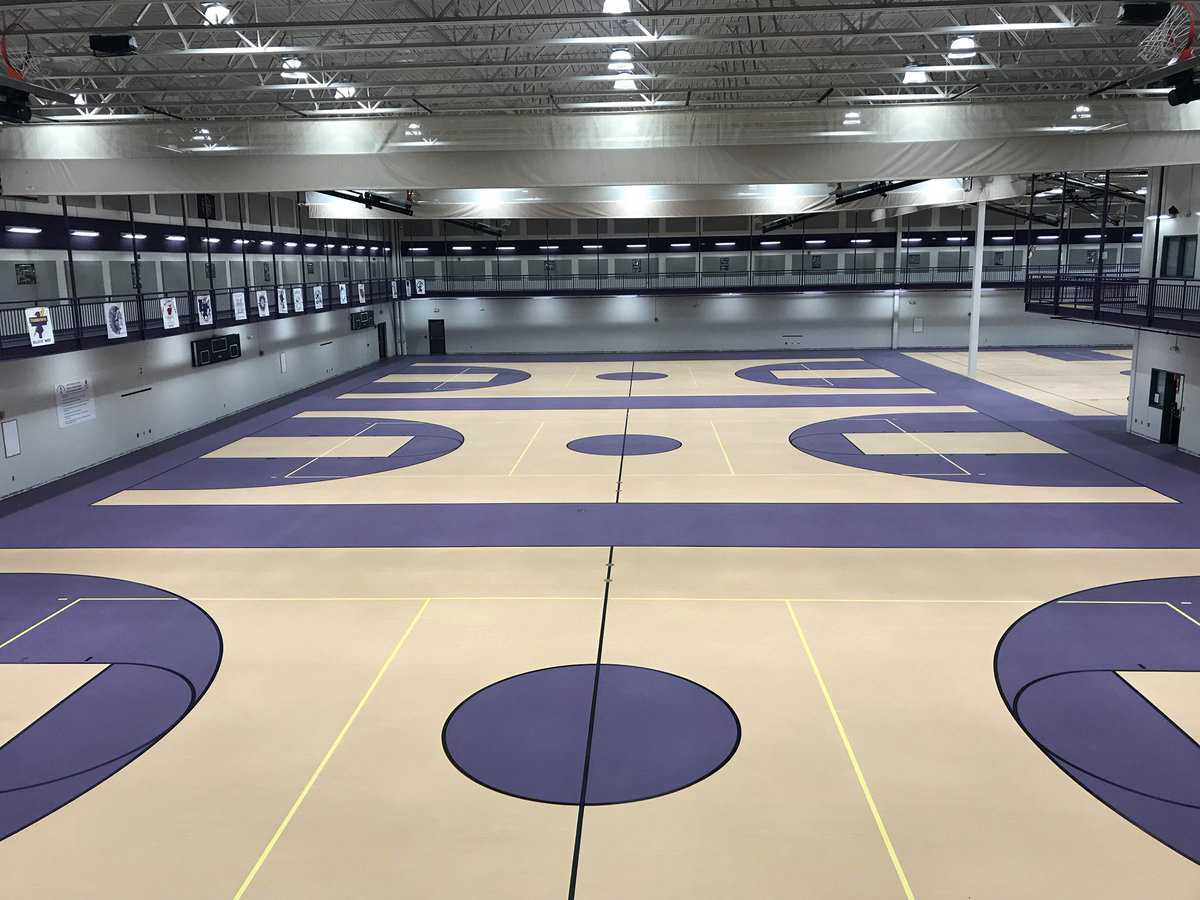

God imagine playing wireless VR in an empty basketball court
what would you need to even set up a portable network to do this.
pale orbit

A fantastic interview with the CEO of OpenBCI, the company working on Galea, a brain-computer-interface that integrates with the Valve Index!
crisp nymph
nervegear
dull tide
UPDATE: recently, a crazy guy sponsored by Intel has made a super-rig that powered 3 Vive setups. In his video you can listen to his advice on how to create a similar configuration:
some Crazy Guy
pastel echo
Can't tell if they had no idea who he was or knew EXACTLY who he was
because they aren't wrong...
gentle coral
crisp nymph
***nervegear***
Sadly not really Nervegear yet, but it's getting closer. Conor from OpenBCI is really cool, and the recent updates to their hardware and software has made using their stuff much easier and lowered the cost a lot. At the current speed of development their hardware should cost about 200 dollars US by 2023 or 2024.
If you are a VR developer right now, I recommend trying to start looking into Brainflow (the SDK that galea will use, and valves next headset will use).
https://brainflow.readthedocs.io/en/stable/index.html
They already have some game engine integration, though it is being updated a lot.
https://brainflow.readthedocs.io/en/stable/GameEngines.html
Though I would wait to get any of the hardware as a few new devices (including Galea), are coming very very soon.
since Galea, and a ton of other hardware is coming out soon, as a dev I was wondering what types of games, experiences, or game mechanics people here would be interested in seeing be developed with all of this hardware and software.
A few ideas I am planning to see if I can get working in unity.
Teleport based on looking at where you want to Teleport, and then thinking "Teleport"
Gravity gloves where you only need to do a slight hand gesture, or think "come to me" with your hand out for whatever object is in your visual focus (star wars force pull)
Summon or trigger Magic based on hand gestures (ninja arts), or body movements (Avatar the last Airbender).
Characters that react based on your gaze (looking at an inappropriate part of a person's body, or some item that character might be holding, or react to eye contact.) Would be more accurate than using head rotation.
A gun with tracking bullets that you guide with your eyes.
Arm mounted shield
Allow full Martial arts (kicks, blocks, etc)
Thought based control of body mods (Wolverine claws, cyborg arm gun)
Thought triggered (and focus sustained) super powers - invisibility, force field, mind reading (of other characters), flying, super speed, time dilation (slowing down or speeding up time).
Cognitive load indicator overlay for games, so that the headset can tell you when to get out of vr and take a break.
pale orbit

IGN
Nightdive Studios is working on a fully-playable VR mode for System Shock 2: Enhanced Edition.
harsh niche

Andrew “Boz” Bosworth, the Vice President of Facebook Reality Labs, during a Q&A session indicated that Quest 2 is likely to be updated with a 120Hz refresh rate, and touched on a number of other topics relating to VR. 120Hz Refresh Rate Likely Coming to Quest 2 Facebook originally launched Oculus Quest 2 with a …
🤔
haughty thistle
pastel echo
Is most of that time in VR chat?
VRChat, Beat Saber, HLA, Bone Works, you name it.
No matter the game, I never had issues with the cable, as long as the cable was long enough (5m can be a bit short, I'd say 6m is a must for me).
I might however be a special case as I can kinda always tell which way my PC is if there's a cable running. Nothing immersion breaking tho...
sullen linden
thats really big
 void grove
My prescription says my ipd is 55
sullen linden
void grove
My prescription says my ipd is 55
Oh god 💀 the fact the message I replied to was from 2019 haha
 acoustic gate
Lmaoooo
gentle coral
Wow, well that is more then half way back to the beginning of this channels History.
void grove
yeah, I wonder how they found it.
 clear heron
is there a program i can use to run a virtual desktop in vr
without having my monitor on...
 celest mango
Don't think so.
clear heron
reddit
7 votes and 29 comments so far on Reddit
im trying to understand what they are saying
but i can't read more than a paragraph at a time
i found this link when someone asked the same thing i asked
celest mango
That is like 6 years old bro don't think that is going to happen
harsh niche
clear heron
without having my monitor on...
😏
thick nest
harsh niche
😏
lol
harsh niche
when i use virtual desktop I have my 2 monitors off and I can only see 1 of them in the headset, so I guess it depends on your monitor model
clear heron
can i fake an output without making one of those weird dumpy plugs
can i use a remote desktop as a 2nd display
harsh niche
what headset are you using
harsh niche
m
hm
when i had my rift s and only 1 monitor i could turn the monitor off and still see my desktop
clear heron
if my monitor is off the screen is blank in vr
so if i could just make a display that has no output

Super User
Is there a way to fake a dual monitor for testing.
I have only one monitor and I have to make an application that is suitable for two monitors.
The second monitor screen should appear as a wind...
i dont have a make anyway button
oh i was in settings not control panel
it's gone
pastel echo
@clear heron

A display emulator for digital video interfaces that fits discreetly into your HDMI port.
clear heron
i mean i dont wanna buy a physical plug but may i ask what people use them for?
pastel echo
To do what you're saying
pastel echo
I guess any remote connections as well
Otherwise you'll want to abandon virtual desktop and use
Have your desktop in VR on Mac, PC, and Linux with Immersed!
clear heron
dang if i can't afford a 2nd display just use vr for 5
do i need to have my monitor on tho
pastel echo
clear heron
dang if i can't afford a 2nd display just use vr for 5
All I know is when I was asking the same question of how to have a virtualized or non real second monitor in VR I got the headless ghost for a hardware solution and immersedVR offers a software solution
pastel echo
Didn't even realize that I'm sorry bro
clear heron
np
pastel echo
When you find a solution can you bring it here though? I'm still hoping for one too
clear heron
ok
clear heron
pastel echo
When you find a solution can you bring it here though? I'm still hoping for one ...
im going to try desktop+
and also going to find a software that can fake a monitor
pastel echo
I might just buy a headless ghost for my laptop
when ever I close the screen it goes oopsie and virtual desktop just broke
clear heron
i dont know if this is real if not this could work
never seen this site dont wanna run malware
especially since you have to run it as admin
pastel echo
I can try running it in sandbox
pastel echo
clear heron
i dont know if this is real if not this could work
I can't get it to recognize is sandbox, you could try a better VM but I'm personally never touching that again
haughty thistle
Afaik it's a Windows limitation. Windows only allows for the desktop to be drawn to physically connected screens. So something like a software solution to emulate a second display isn't possible afaik
You could try connecting VD to a VM, as that will always emulate a connected screen. It won't be the same as connected directly to your main rig tho...
pastel echo
Yea I bought the headless ghost after reminding myself it exists earlier
plus it was on sale so even after shipping it was cheaper than the regular price for me
dull tide
Headless ghost? Is that just a dummy plug?
https://www.amazon.com/Headless-Display-Emulator-Headless-1920x1080-Generation/dp/B06XT1Z9TF
dull tide
When measuring for a VR HMD, do I use Near, Far, or an average of both?
haughty thistle
dull tide
When measuring for a VR HMD, do I use Near, Far, or an average of both?
Wdym? IPD or prescription?
dull tide
IPD
haughty thistle
IPD is measuring the distance between the center of both your pupils while looking straight ahead
That's why I'd recommend measuring your IPD with a mirror to align the measuring stick and reading the measurement both with one eye closed to get as accurate of a reading as possible.
I don't know exactly what they mean with "Far" and "Near". If it's the focus distance, then it's far, but if it's the bounds (inner distance/outer distance), then the average of the two...
pastel echo
dull tide
Headless ghost? Is that just a dummy plug?
https://www.amazon.com/Headless-Disp...
Unless I'm missing something the dummy plug despite stealing headless ghost marketing materials only supports 1080 up to 60Hz
Does that even actually matter now that I think about it though?
Like can't you just "overclock" any of these dummy plugs to be whatever the hell you want
assuming you can't though the headless ghost's advantage would be that it has higher refresh rate and resolution support which for using in apps like virtual desktop and bigscreen will be very nice. But yes it is just a dummy plug
haughty thistle
The thing with all these Dummy HDMI devices is that they "pretend" a certain featureset to your GPU. It simulates the same kinda EDID stuff that was discussed in a semi-recent TechQuicky video...
clear heron
people used to be able to force one on control panel but it doesn't anymore
if I ran a vm and then ran the oculus rift through that would that work?
also a wireless connection isn't out of my abilities
can I connect to a wireless display and make that act as my monitor
I wouldn't be against also using an android tablet as a monitor
but I'm not sure if it's possible
haughty thistle
clear heron
if I ran a vm and then ran the oculus rift through that would that work?
I've only ever managed to connect a Quest to a VM through Wifi through Virtual Desktop...
Using a wireless display might genuinely work tho...
 flat pawn
why does having the display off even affect VR?
I have used my computer without even touching my display before
just toss the headset on right away lol
clear heron
weird so
flat pawn
screen powered down
clear heron
flat pawn
why does having the display off even affect VR?
we wanna use the desktop in vr
flat pawn
yeah, I've done that too
clear heron
but the display must be on which sucks
flat pawn
oculus, right?
clear heron
yes
clear heron
i used spacedesk with turned my android tablet into a 2nd display (recognized by windows)
flat pawn
but rift should be able to do anything without turning on a display
clear heron
i have a rift
clear heron
so we can use the pc in vr
flat pawn
I have a single screen
no dual monitors
also my screen is a big tv
not sure if that would matter but
clear heron
@flat pawn big screen, built in, and any other vr desktop app wont work unless your monitor is on because it clones the monitor i think
so we need to have a display without one being on
haughty thistle
clear heron
but the display must be on which sucks
It doesn't necessarily. Some monitors disconnect their HDMI completely when turned off, others don't. It depends on the brand I think. I never had this behaviour on LG monitors. On Dell ones it's a mixed bag, my S2417DG did not disconnect while my U2515H does. Come to think of it, most monitors I had besides that one Dell one, never disconnected when it was turned off...
clear heron
i did kt!!
haughty thistle
Besides, what's so bad about the screen being on while in VR? you don't want your housemates seeing what you do or what?
clear heron
sent from vr
no monitor on
using spacedesk my android is a display
i set settings to 2nd display only
@pastel echo if you wanna know
a headless ghost is probably better but this is free
flat pawn
haughty thistle
Besides, what's so bad about the screen being on while in VR? you don't want you...
couldn't you just minimize the vr mirroring or disable it?
thick nest
sullen linden
is oculus quest 2 good
yep its most value at its price
lofty minnow
haughty thistle
Besides, what's so bad about the screen being on while in VR? you don't want you...
kanojo vr
bruh
harsh niche
lul
pastel echo
clear heron
<@!238859912971550730> if you wanna know
I do want to know because after our talk last night I installed space desk but could not get big screen to recognize the wireless display
That's why I never brought it up
clear heron
pastel echo
I do want to know because after our talk last night I installed space desk but c...
oh
i had to install the app
pastel echo
clear heron
i had to install the app
On Android right?
clear heron
yes
pastel echo
Weird I'll have to try it again when I'm back at home
 visual mesa
I dont like the quests.
They take a lot of trial and error to get right in PC VR.
At least from the 3 I've tried to setup on.
If you got a good PC, go for rift s.
pastel echo
visual mesa
They take a lot of trial and error to get right in PC VR.
I have not had that experience I even have my quest 2 with a magnetic cable that can do PCVR
I just slap cable on, hit enable link in settings, and boom I'm doing PCVR doesn't feel different from my rift (other than the obvious hardware differences)
harsh niche
yeah only issues i've had was stuttering weird audio, but i think that had to do with a program in the background
and sometimes when I enable link through the quest menu it goes in then immediately goes back out, but 2 seconds later it works fine so whatever
harsh niche
pastel echo
I have not had that experience I even have my quest 2 with a magnetic cable that...
wait a magnetic cable? that's cool, is it like the old macbook connectors that you could just slap on?
pastel echo
harsh niche
wait a magnetic cable? that's cool, is it like the old macbook connectors that y...
The magnetic cables only work for USB2.0 level use though, mainly I use them for charging all my devices and using BigScreen
harsh niche
ooh that's really cool
pastel echo
I have a separate better cable for USB3.0 level play and higher bit rates
harsh niche
I might get that to just charge my phone, I think 6.6 feet is too short for me
pastel echo
However unless you've customized your bit rates before you are already using link at 2.0 speeds
harsh niche
think I have my bitrate set to 350 or something
500 I can't really tell the difference and it starts getting to jello-y
dull tide
My experience with desktop replacements with VR is that it’s not quite as good as a 15” laptop, better than a phone
I’m using Firefox mobile for at least 2 days now on a bulked up quest 2
harsh niche
dull tide
My experience with desktop replacements with VR is that it’s not quite as good a...
so say if you were travelling and had to do work but you only had your phone and quest 2. you could use the quest and it would work good?
dull tide
Remoting Into a desktop, sure
But actual work? Phone works better
It’s good for a plane, but the loss of situational awareness is pretty bad
pastel echo
dull tide
I’m using Firefox mobile for at least 2 days now on a bulked up quest 2
Firefox mobile? Also bulked up?
Personally I'm not a fan of VR computing, I do it when I want a very large screen and/or want to lean back hard or lay down all together
There is something nice about laying down with a controller playing on a screen in space
pastel echo
I think they make phone holders for that too but I already have a quest 2 soooo
sullen linden
visual mesa
If you got a good PC, go for rift s.
hmmm.... i don't want to plug it into my pc everytime, i also want to travel with it a bit, the quest 2 seems better for me.
pastel echo
sullen linden
hmmm.... i don't want to plug it into my pc everytime, i also want to travel wi...
It almost surely is
The rift s is kinda dog tbh. If you're comparing quest 2 to a PCVR solution better to just go for something else
haughty thistle
I mean, you get a lot of value for your money with the Quest. At least if you don't value your privacy or personal data at all...
pastel echo
haughty thistle
I mean, you get a lot of value for your money with the Quest. At least if you do...
That's any facebook headset so irrelevant to quest vs rift s
Oh except the original rift which will be dead soon
haughty thistle
Honestly tho, if you are in for the PCVR budget market, get a used Vive or WMR headset
It's much cheaper and probably runs better on a budget gaming rig too
I mean, I got my first VR headset, a Lenovo Explorer, brand new for 200€ in a sale at the end of 2018. They probably are even cheaper now
haughty thistle
pastel echo
Oh except the original rift which will be dead soon
The OG Rift is great, but it has the same Facebook issue as the OG Quest and Rift S if you don't already have an Oculus account
But even when Oculus accounts get deprecated, Facebook can't lock you out of a physical hardware product and your purchases. You'll probably be able to continue to use your OG Oculus products even in 2023 with an Oculus Account, you're just not going to be able to purchase new games, nor will you be able to participate in Multiplayer at all...
pastel echo
haughty thistle
But even when Oculus accounts get deprecated, Facebook can't lock you out of a p...
That's fair. Another thing to mention though is that anyone who doesn't intend to take actions to protect their data probably wont care about facebook anyway. I accepted the compromise because A) headset was free B) I have to use instagram for a number of social connections
sullen linden
So I was planning on buying a second index since my current one is pretty old but I found a Note 20 ultra on sale for 800€, which one should I get?
sullen linden
Nothing really it's just that the note 20 is normally 1400€
pastel echo
It sounds like you don't need either so I'd go with whichever one you think will break or no longer work well enough for you
haughty thistle
Honestly, if you need a backup headset in case your Index breaks, having a Vive Pro with Wireless is a nice option to have 😉
sullen linden
That does sound good too but I've heard the wireless can be a pain sometimes
My friend that has it constantly has problems
haughty thistle
Can be a pain sometimes
Eh. If you count SteamVR freezing up on occasion as being a pain, then yes.
It only happens on occasion, but it does happen. Then there's the whole issues with PCIe Gen4 on Ryzen systems, the wireless link can easily break up if you look directly in the direction of the antenna and then look up and lastly you only get about 2-2.5h of battery life with a 10Ah battery bank.
The reason I put up with these issues is the same reason I keep using my Index Hardware too. Yes it has issues, but there's nothing really like it either. Yes, there's the Quest with VD, but it's just not on the same image quality and Latency levels as the Vive Wireless Adapter...
sullen linden
I see, think I'm going to get the note 20 ultra since I wouldn't buy a 1400€ phone otherwise
pastel echo
sullen linden
I see, think I'm going to get the note 20 ultra since I wouldn't buy a 1400€ pho...
I think this is a good move because it'll be easier to return if you realize you don't like it and having a real nice phone is a real nice experience
crisp nymph
sullen linden
So I was planning on buying a second index since my current one is pretty old bu...
sounds like a good deal for note 20
just check if there's any defects
at the end of the day it's still your choice
sullen linden
crisp nymph
just check if there's any defects
It's brand new
soft harness
You know what’s also brand new? This Segway to https://lttstore.com
haughty thistle
soft harness
You know what’s also brand new? This Segway to https://lttstore.com
I'm honestly surprised that no one did this joke here yet xD
soft harness
Lol
thick nest
soft harness
Lol
laugh just like when i do this segway to https://lttstore.com/ ha
pastel echo
thick nest
laugh just like when i do this segway to https://lttstore.com/ ha
Ride my segway into this Segue to https://lttstore.com/
soft harness
pastel echo
Ride my segway into this Segue to https://lttstore.com/
And I Segway your Segway to https://lttstore.com
haughty thistle
I just sit here sipping from my Water bottle lttstore.com
soft harness
thick nest
soft harness
https://lttstore.com
damn that reminds of this segway to https://lttstore.com
flat pawn

 unique thistle
Damn, I really wanted to talk about vr. But I also want to talk about https://lttstore.com/
harsh niche
😶
gloomy crater
I recently learned my lesson to not put off charging my controllers for long periods of time
I had to participate in a beatsaber competition between me and a group of friends while having wires running from my controllers, up my arms, into an extension cord, and over to the wall yesterday
flat pawn
wtf lol
haughty thistle
You know that both the Index and OG Vive have a USB port that you could've plugged a USB-Hub into?
gloomy crater
I don't have a USB hub
I did have to charge one of my controllers off of that USB port in the past mid gameplay, but on this occasion it was both controllers that were dead. I have a feeling that sitting uncharged in a box for over a year might have messed up the batteries a bit, because I've been having weird battery based controller issues for a little over a week now
Oh yeah I just remembered: I have a strange plan but I don't know how well it will work. My sister has been complaining that she doesn't like the tracking quality of the controllers for the quest 2, and I'm going to be visiting that part of the state later this week, so I was thinking about taking down my base stations and bringing my bases and controllers to her place when I go to visit so she can use them with her quest for a bit so she can decide if she wants to upgrade. I wouldn't have to unroute any of my cables because I have two extra base station packs and cables, I would just have to pull down my base stations because they're mounted with velcro
haughty thistle
The Index controllers connect wirelessly over the so called Watchmen protocol. For each Watchmen device you want to connect you have to have one Watchmen receiver connected to your PC. All SteamVR headsets have 2 built-in. Alternatively the Vive Trackers each come with one receiver and a Steam Controller receiver can be flashed to act as a Watchmen receiver
So you'd either have to take your headset with you, 2 of these dongles or you'd have to use them wired
hushed pond
haughty thistle
> Can be a pain sometimes
Eh. If you count SteamVR freezing up on occasion as be...
pcie 4.0 on 30 series gpu cause some massive tracking issue on index if your fps goes low
had to set mine to pcie 3.0
since vrchat was unplayable
gloomy crater
Huh. I don't have a set of vivetrackers, so I don't know how I would connect my controllers to her computer, running her HMD. I'm not leaving until friday so I guess I'll do some more research on the topic
haughty thistle
hushed pond
pcie 4.0 on 30 series gpu cause some massive tracking issue on index if your fp...
I was specifically talking about the Vive Wireless Adapter, which seems to have massive issues on some Ryzen Boards. A small subset of these troublesome boards can still work with the Wireless Adapter if switched over to PCIe Gen3 tho.
And besides, Gen 4 for GPUs right now is at the point where Gen3 was when it came out all those years back. So not a big loss really...
pastel echo
haughty thistle
So you'd either have to take your headset with you, 2 of these dongles or you'd ...
Wait a minute, does this mean I can use index controllers with my quest 2 though?
haughty thistle
pastel echo
Wait a minute, does this mean I can use index controllers with my quest 2 though...
You can. There's a software out there called OpenVR Space Calibrator (OVR Space Cal) that allows you to sync up the different Tracking systems in SteamVR. Usually you'd only do this with something non-Lighthouse tracked and something Lighthouse tracked, but theoretically, you could use this to sync an Oculus headset to WMR tracked controllers (why you would ever do that is beyond me, but theoretically possible)
To sync the systems you'd take one of your Oculus/WMR controllers and an Index controller and move them together in a figure 8 pattern while also rotating them around and moving them back and forth. The more unique combinations of position, rotation and speed, the better the result will be. Once you've saved your profile, you close SteamVR, turn off your Oculus/WMR controllers and then fire up SteamVR by turning on the Index Controllers.
I've only ever had this use case for my Reverb G2 and used Space Cal with Oculus only to use my Vive Trackers with my Quest, so your milage may vary, but it should work by the method I described above...
There are actually tons of Oculus users out there who are more interested in getting proper fullbody for VRC then an HMD upgrade, so they buy a pair of lighthouses and the Vive trackers and use this exact method to have fullbody on Oculus (in SteamVR ofc)
This was more common back when the CV1 was still on store shelves, but people still do this
hushed pond
you still need at least one lighthouse to use the index controllers
 crimson bone
I have technical material on an upcoming vr device of particular interest that seems to gone completely unnoticed. The date of the document is extremely recent. The document is 100% self-authenticating.
These types of documents are part of my field, which is why it is possible that it has gone unnoticed as of yet by most. It's not a LTT waterbottle or mat sell, but will get alot of views. The only thing on YT is complete speculation on the hardware
422 is the particular sexy part 😉
pastel echo
cool
crimson bone
It certainly made my work day interesting. Now I just kind of want to share it. It's pretty big news, although I'm still going through the material and just want to hand it off to someone
I just love VR and I know everyone will be excited. It's just pretty cool to find something like that and not be able that document anywhere or anyone mentioning it
pastel echo
Really wish I was you so I had the deeper level of information pertaining to this document
Having worked with some secret stuff I know what your position feels like
Having not worked with VR stuff, I also know what this just looking like words on a page feels like
crimson bone
Oh, that's really awesome! What's your current setup?
pastel echo
I don't understand your response, but if you mean VR I am using a quest 2 right now because I already sold my soul to instagram and it's nice to just pop on a headset and take it off wherever I am
crimson bone
Working with secret stuff is fun. I'm a lawyer so it's alot of what I have to do
pastel echo
Ah okay, Yeah I have no clue about anything related to law haha, but I've worked on some stuff related to autonomous planes for a defense contractor here in the states
I'm pretty sure none of what got to my hands was classified (Though a clerical error almost provided me some shtuff that I probably would have gotten in trouble with Uncle Sam for seeing) but it was some "we will sue to you heaven and hell if you document this" type stuff
crimson bone
I actually took very specialized classes on those types of technologies it's regulations and it's specialization. I was in IT way before law.
I have several friends that work for some major defense contractors. That's the information that I really want to get access too
pastel echo
Looks like I know who to talk to when I want to get back into that area 😎
"ayyy friend of Neobluelightning my good buddy who I definitely know, tell me again how your manager is hiring?"
crimson bone
ahahahhahaha. You are probably much further down that road than I am!
pastel echo
I mainly did what boiled down to system integrations and uhhh I guess you could call it web development? but the web wasn't involved really but it felt very similar to building a website but with a lot more going on. One day if my current prospects don't work out I hope to get into the mechanical or aerospace engineering side of things. EE is not really what I live for
This summer I'll be starting an asparagus farm unless catastrophes occur 
crimson bone
Let me join you, I need some sunshine one day
haughty thistle
crimson bone
external devices
Sounds like controllers that don't use the tracking built into the headset. Similar to how Lighthouse tracked controllers tie into SteamVR
Honestly, looking at this whole document, it looks like basically how the Vive worked. Except standalone?
It's a bit confusing to me tbh...
crimson bone
Not quite :3
Tis just a single figure from a much longer document! I still haven't seen any talks online about it
Wonder how long it will take the VR / games journos to uncover it. I was debating if I should send it to my favorite tech tubers, but it be a pain to find out the proper contact info for it to actually get to them
 glossy ibex
Hi, y'all. Any thoughts about 'VR Power' power bank by Rebuff Reality? (for Quest 2)
pastel echo
It's a power bank
sullen linden
glossy ibex
Hi, y'all. Any thoughts about 'VR Power' power bank by Rebuff Reality? (for Ques...
I got the trackstrap +'s from rebuff reality and the battery on one of them died within 2 weeks
haughty thistle
crimson bone
Still looks more like the Vive to me tbh, except the camera is higher up.
If 208 are all Sensors for some external tracking beam, then yeah...
Just seeing these pictures honestly doesn't tell em much ^^"
sullen linden
what do you think of the quest 2 120hz coming soon?
haughty thistle
One the one hand, great, on the other, not good.
Im always for lowering the price of entry of VR, but Facebook is making things impossible for other companies to compete...
 strange jewel
Should i get a rift s or a quest 2
 umbral garden
imo Quest 2
haughty thistle
If you want to only play PCVR and your PC isn't the greatest, the Rift S will be easier to run and will give you much better framerates
strange jewel
I have a 1660ti and ryzen 5 3600
haughty thistle
Yeah, the Rift S is probably (performance wise) the better choice...
strange jewel
Imme probally get the rift
flat pawn
Will you ever want to use the thing away from your computer
strange jewel
I might
glossy ibex
Then choose quest
 inner oak
what are some good games I can play sitting down
 rustic parcel
strange jewel
Should i get a rift s or a quest 2
rustic parcel
strange jewel
Should i get a rift s or a quest 2
You can Play PcVr games wireless with Quest so that could be a good option if you are into that
 lean ridge
inner oak
what are some good games I can play sitting down
lean ridge
inner oak
what are some good games I can play sitting down
I expect you to die, Trevor saves the universe
rustic parcel
inner oak
what are some good games I can play sitting down
If you like music, Electronauts, if you want action with a friend Keep Talking and Nobody Explodes, if you prefer story trover saves the universe, puzzles I expect you to die
inner oak
I dont have friends for vr lol
but I would love more air down games to be able to play when I'm hurting after a day at work
 rancid fiber
inner oak
what are some good games I can play sitting down
rancid fiber
inner oak
what are some good games I can play sitting down
Elite Dangerous Is a pretty nice game to relax about while sitting down. You have nice space scenery, you can explore, do combat, trade, and mine, and aswell as that theres also an active community in case if you get stuck or dont know what to do, its available on Oculus, Steam, and The frontier website.
No i dont work for frontier and no im not advertising
Just suggesting
haughty thistle
Instert generic "FDev = bad" joke...
But yeah, ED is a really nice game to just chill out. I usually only do trading (and as of recently also passenger missions), but if you're looking for a thrill, you can also do combat and headhunting, and for the Minecrafters, there's also mining in the game. Very divers with a gigantic map. I can highly recommend it (especially in VR)
inner oak
rancid fiber
Elite Dangerous Is a pretty nice game to relax about while sitting down. You hav...
elite dangerous is to hard to play on vr I trwyed hard to use my flight sticks and hit all the keybprd buttons I nedd
haughty thistle
Huh... I had 0 issues playing it in VR with my flight stick. Even an Xbox controller worked just fine for ED in VR
 olive delta
What VR SET do you guys recommend me to buy?
inner oak
I just had troubles pressing all the buttons I needed
pastel echo
olive delta
What VR SET do you guys recommend me to buy?
If you value your data privacy
Index
If you value your data privacy AND your money
Used Vive or Vive Pro
If you don't value your data privacy and want the most compelling option:
Quest 2
olive delta
I guess i'll go for the Vive then, ty
flat pawn
the vive controllers are the worst of the bunch though btw
excluding maybe WMR
don't oversimplify your decision to just privacy/money
spend a little extra on something else if you care about other certain things
do your research
gloomy crater
Personal preference, but I'd much prefer the vive controllers to the weird feeling quest 2 controllers
and you can repurpose the vive controllers as scuffed vive trackers if you ever want to replace them, which opens up the possibility of full body if you're interested in that. Again, just personal preference over the quest 2 controllers.
flat pawn
I really like my rift s/quest controllers
haughty thistle
The Vive wands might be the oldest, chunkiest and most limited controllers out there, but they are extremely compatible. Almost every game on Steam supports at least the Vive wands, while compatibility for other controllers might've been omitted...
olive delta
flat pawn
do your research
i will
flat pawn
okay good
haughty thistle
Personally, I think the Touch V2 (Rift S/OG Quest) are weight-wise pretty much one of the best Beat Saber controllers. Their rubberised surface also make them the grippiest out of my collection. But the HMDs using these controllers both are rather meh. I'd personally go with a CV1 over a Rift S or OG Quest for PCVR just because of the better controllers and more stable tracking...
But ultimately, if you want the best no-compromises, consumer PCVR experience, the Index really is the best option...
flat pawn
I would argue that index controllers have a disadvantage in vrchat in some instances
any hand animations programmed into the avatar are overwritten by finger tracking
which can ruin some things
in return you can flip people off though
haughty thistle
Honestly, VRC is the best application for the Index controllers as you can be so much more expressive with your actual finger movement. (as you mentioned, flip people off, but you can also do finger counts and whatnot)
pastel echo
flat pawn
don't oversimplify your decision to just privacy/money
What's your reccomendations?
flat pawn
one sec I'm watching the mars rover land
touchdown

depends on your needs and what you plan to do, of course
your budget etc
I'd recommend different things for different people
they already indicated that they care about their privacy and their money which suggests some options more than others but that shouldn't be the end of the decision making process
pastel echo
That wasn't really an answer to the question
But I feel the privacy thing is a very clear defining factor
If your data privacy is valuable you don't get an oculus product
That's the how it is right now
flat pawn
you asked me for a recommendation when I didn't have a ton of information to go off of
and my answer was part "depends" and part "it seems like you are already leaning towards a good option"
aka the OG vive
pastel echo
I guess we just see reccomendations as different animals
flat pawn
well
alright, if I was in their situation
I would actually just wait
I wouldn't want to get a fb device right now either for privacy reasons
but I would also value seeing what the next generation brings more than having something now
at least at higher prices
but if I wanted something now and wanted to avoid fb and didn't want to spend too much
og vive > wmr I think
what do you think?
pastel echo
That's pretty much what I was thinking. I just don't go in depth unless asked to.
flat pawn
gotcha
like cb was saying vive has pretty good compatibility
so it would work well for folks planning on upgrading at some point
pastel echo
It ranks pretty good on my tier list to this day
Used Vive - Tracking A+ | Controller B- | Gameplay A | Screen C |Upgrade Path A
rancid fiber
inner oak
elite dangerous is to hard to play on vr I trwyed hard to use my flight sticks a...
You can hit multiple buttons at once as an input
inner oak
pastel echo
If you value your data privacy
Index
If you value your data privacy AND your mon...
i have the quest 2 i love mine
inner oak
rancid fiber
You can hit multiple buttons at once as an input
but when im going from my left flight stick to press a key on the keyboard i cant find it with the vr on that well
 pulsar prawn
with my oculus rift s whenever i plug the Display-Port cable in. it connects then disconnects straight away, but then after trying for about five minutes it will connect and let me use it. Anyone know what the issue would be here?
pastel echo
inner oak
i have the quest 2 i love mine
I do too it's freaking epic
inner oak
iuse it with my pc
harsh niche
same
the only reason i don't use it a lot is just not having enough energy to get up and move around a lot or my eyes being irritated that day
pastel echo
I use big screen and just chill sometimes
gentle coral
@crimson bone Is there a link to that document you shared images of. As a VR hardware dev, and at times VR journalist, I am very interested in seeing it, and might be able to give some input on the components they are probably using.
The second image very much makes it look like it is outside in tracked, and is using the SteamVR tracking method as the 208(a-n) layout is very close to the standard sensor layout steamvr recommends.


I don't have access to the current steamvr device design refrence, but that the second image looks very similar to the early Vive dev kits.

If this is a new HTC headset it would be interesting, though the single center camera is a bit odd (this might very rough draft, and be reusing old designs as placeholders.
pastel echo
I hope that even if it's an outside in tracked headset it includes a camera for passthrough. I love passthrough it's very helpful
gentle coral
I think it would more likely have two
haughty thistle
gentle coral
I find it interesting how this sensor in the top center hasn't been highlighted on your Index pic...
 haughty thistle
pastel echo
I hope that even if it's an outside in tracked headset it includes a camera for ...
haughty thistle
pastel echo
I hope that even if it's an outside in tracked headset it includes a camera for ...
Same. Passthrough is just so much more convenient then to lift the headset off. Especially if you have to wear glasses. Too bad the passthrough on my Vive Pro doesn't work =.=
haughty thistle
gentle coral
Because it was only a front sensor pic

I mean yeah, it's not strictly speaking on the front, but it kind of is. It's just a bit more recessed sitting on the headstrap mount rather then directly next to the drink cover...
gentle coral
I am pretty sure the images i shared were from people marking up other people's photos. I know all the pics missed a few sensors
haughty thistle
gentle coral
I think it would more likely have two
And I do agree that they would more likely put in 2 cameras for stereo passthrough. I just hope they space them out further like on the Index or Quest, as that one time the passthrough did work on my Vive Pro it did give me a massive headache as the stereo mapping just didn't comply with how my brain was expecting things. It felt like I was going cross-eyed...
pastel echo
I don't think passthrough needs two cameras personally. I remember as a kid I had an RC spy rover thing that had 1 camera to a headset and it wasn't disorienting or anything
gentle coral
But were you viewing that video in VR
haughty thistle
Try and fetch a glass with one eye closed and no depth hints through neighboring objects. It's pretty hard...
pastel echo
Well it was a headset that went over both my eyes so I dunno at one point the crossover begins but why can't we just be cyclops 😎
gentle coral
Stereo helps with depth a lot especially if you want to interact with stuff
pastel echo
People be interacting with stuff on the regular with passthrough? Aight fair enough I was thinking for a wired headset it'd more just be for oh hey I'm outside my play bounds haha here's where I am and back into the vr
gentle coral
Yes you can use algorithms to get 3d depth info from a single camera and map it, but that is a lot of extra computational power compared to just putting two cameras
This is why for a long time 3D scanners always had multiple cameras
haughty thistle
What would be interesting would be a headset with stereo passthrough cameras that move with the physical IPD set for the lenses. That way the stereo visuals should match up with how the user perceives the world usually, no?
gentle coral
Yep
pastel echo
Shouts out my quest 2 for constantly making me think my hands are tiny baby hands as I clash them together by mistake
haughty thistle
gentle coral
This is why for a long time 3D scanners always had multiple cameras
Either multiple cameras or something to assist with the measurements like a laser with a known focal distance (similar to how the kinect works)
pastel echo
I wonder if we'll get a headset where I pay more and get color pass through
Using the tracking cameras is great but not having light bulbs look like the sun would be a nice feature, using my phone or PC would be even better
haughty thistle
The Index and all of Vive headsets have color passthrough already...
haughty thistle
B/W cameras are better for tracking though (as seen with the Cosmos and it's color tracking cameras)
pastel echo
Can you use a screen in pasthrough with index?
haughty thistle
The B/W cameras on the Quest and WMR headsets pick up light at a near-IR spectrum so they can pick up some visible light too. But because of them focusing on one color they work with much less light then a typical color camera
haughty thistle
pastel echo
Can you use a screen in pasthrough with index?
You can tell SteamVR to show your passthrough cameras over your gameplay by a double press of the home button
pastel echo
Okay but can you use like your computer monitor or phone while in passthrough?
gentle coral
The headset i have been trying to design would be more like soft goggles (flex connection between sides). It would calibrate to your IPD using eye tracking and a short setup process.
This would keep each side complely independent and make it fit many more people's faces.
Similar to these types of goggles

 pastel echo
Sounds like what rumors claim apple wants for apple XR end game
haughty thistle
pastel echo
Okay but can you use like your computer monitor or phone while in passthrough?
You can still open the dashboard while using the passthrough, but it's going to dim everything around it. To prevent that, you'd need to use something like OVR Toolkit
Btw. The Index cameras show up as a webcam in Windows xD
 pastel echo
That picture was all I needed, it looks like I'd be able to check my phone in VR
haughty thistle
(sorry for not sending a screenshot, but I'm currently not logged into discord on my PC)
pastel echo
Guess I need to buy an Index
haughty thistle
960x960 resolution per camera is not good enough to read your phone screen, sorry ^^"
I know this, because I tried
pastel echo
Fuuuuuuuuuuuq
I hate having to make my headset off to check my phone
One of my biggest pet peeves of vr
haughty thistle
You could mirror your phone screen onto your PC tho...
pastel echo
When I'm on PC sure
But also do you have a good free program for that? Last one so tried was vysor and was okay I guess
haughty thistle
Imagine this as an AR app. You look at your phone through the passthrough camera, but see the actual screen arguments on top, so you still see where you type, but you can also read the screen
pastel echo
Oculus could and should have some way to do something to that degree
haughty thistle
I've never had the use case of mirroring my phone screen, so sadly my answer is no :/
pastel echo
I feel like seeing my phone notifications in VR should be a feature with quest headsets
haughty thistle
It already is a thing on WMR. Set up the Windows 10 "Your Phone" app and then turn on desktop notifications in VR
pastel echo
Even then Your Phone app can't check instagram for example
haughty thistle
Any notification coming in on your phone will show up as a desktop notification in Windows and WMR then relays that into your VR headset
It's a start at least...
pastel echo
I suppose
haughty thistle
And why not just check Insta in your browser?
pastel echo
An interesting idea though more of a work around to Oculus requiring I have an app on my phone and not taking full advtantage of utilizing it
gentle coral
Once integration is better you would be able to respond to phone texts while in VR using voice to text. I know a few overlays are working on that.
pastel echo
It's even benefit them to have a feature to push phone notifications to me because then they could steal more data via that process
pastel echo
gentle coral
Once integration is better you would be able to respond to phone texts while in ...
I love it
gentle coral
Overlays will be very important in the future and there is definitely need for more high end overlays.
haughty thistle
pastel echo
It's even benefit them to have a feature to push phone notifications to me becau...
And that's exactly where the problem lies. Many people would just think Facebook is going to far and they would upset even more users, just by introducing it as an option
pastel echo
haughty thistle
And that's exactly where the problem lies. Many people would just think Facebook...
Nah the people who buy a quest 2 while thinking about that probably won't care enough
And a vast majority of real world users don't know what a data is
gentle coral
Apple will definitely have complete integration between phone, laptop, and VR. Probabky will be in their launch keynote.
haughty thistle
I know one too many people who couldn't care less about their data, yet still be extremely vigilant about what app on their phone can do what
Like to the point of
This app asked me once about reading my notifications. I uninstalled it immediately
But also being logged into Facebook, Google, Microsoft everywhere
pastel echo
Yeah I'm just saying they gotta put the Oculus by facebook app on their phone to get to that point. I just think the real world consumer backlash to optional push notifications will be minimal
In Android now at least an app can ask you for notifications only when you've indicated you want a feature that requires that access turned on
gentle coral
I definitely think Facebook will try and do it the most data grabbing way, even though there are ways of doing handoffs anonymously.
Right now I might try getting signals desktop app working as an overlay which would solve most of my issues.
haughty thistle
Let's just say that Facebook is running on a tight rope with Oculus right now. They can't afford bad decisions.
I'm pretty sure that Facebook might get banned from selling Oculus products in germany already (once the verdict on that one court case is spoken), and they can't really afford loosing all of Europe if they go any further with the spying...
gentle coral
Yep, and with not having china as a market, if India or the EU has to many more problems, facebook will have to change, as that is a massive market for Oculus.
Oculus is definitely going to have a hard time pleasing countries in the future if they keep focusing on data and privacy in the way they have been.
sullen linden
haughty thistle
Btw. The Index cameras show up as a webcam in Windows xD
I disabled that but now I can't get them to show up anymore lmao
haughty thistle
Yeah, because SteamVR accesses the Index camera as a webcam. So turning them off in Windows turns them off in SteamVR too
 iron skiff
strange jewel
Imme probally get the rift
iron skiff
strange jewel
Imme probally get the rift
dont get the rift s, you can always lower the resolution on the quest 2
and you have more room for upgradability
sullen linden
When I said I can't get the cameras to show up anymore I meant like I can't seem to get them working again
haughty thistle
iron skiff
dont get the rift s, you can always lower the resolution on the quest 2
The problem with lowering the resolution is that it has a similar affect on the image clarity as if your eyes can't properly focus on the screen (everything will start to look blurry pretty quickly)
I'd still recommend people to get a Headset that is appropriate for their Setup. That's why I personally think that it's too early for 2160x2160 screens in VR headsets, as the Hardware can barely push that many pixels (maybe a 3080 or better can, but you'd still need crazy amounts of VRAM that at least the 3080 can't supply)
Besides, the OG Rift has way better tracking then anything Inside-Out can ever hope to be. Lighthouse Tracking might be the more advanced and stable tracking system, but Outside-In in general is superior to Inside-Out in all aspects but convenience and space requirement...
haughty thistle
sullen linden
When I said I can't get the cameras to show up anymore I meant like I can't seem...
Have you tried re-installing the SteamVR USB drivers?
In SteamVR, under Devices, select "Uninstall SteamVR USB device drivers" (or something like that, can't quite remember the name)
Then unplug your Index USB and Power and restart your PC
After the Restart plug in USB then Power and fire up SteamVR
hth
sullen linden
I've had to do that a few times because steamvr sometimes doesn't allow me to connect my 3rd tracker but I still got nothing on the cameras
Not that I really need them though
haughty thistle
Huh... I sometimes have the issue where SteamVR can't pick up the camera, so what I do then is I unplug just the power adapter, wait about 10 seconds and then plug it in. While SteamVR is not running mind you
Maybe try that (if you haven't already)
umbral garden
What will happen with the oculus store if the EU decides to ban oculus from selling products?
pastel echo
Get rekt is my guess
sullen linden
umbral garden
What will happen with the oculus store if the EU decides to ban oculus from sell...
Why would they do this?
umbral garden
I don't know. They are already in the process of getting banned in germany.
 rapid wolf
Rift S vs Quest 2 for PC ONLY VR? Ignore the fact that the Quest 2 can be standalone. I have seen information that's months old mostly about pros and cons for a quest 2 over a rift s and want to know how improved the experience has gotten.
flat pawn
Rift S is more comfortable
And doesn't have a battery level to worry about
Even while plugged in the quest 2 battery drains, just slower
Quest 2 can be more comfortable but you need to buy a different strap and maybe a battery pack thing also
And as far as the resolution goes
I know the quest 2 has a higher resolution but when switching between the two it's not a huge difference
Refresh rate can be higher on the quest 2 also
Rift S microphone will take a shit after so many months of use
I use a mod mic now
@rapid wolf what do you value most?
 coral sage
i love vr
 burnt vault
Question about my VR setup:
I'm struggling to figure out where to place my 2 Oculus Rift sensors. I'm borrowing this, so I don't want to get too crazy, but if they need to be taped to the wall, so be it. I have 2 sensors with stands, can detach them if needed.

My wires unfortunately don't reach super far. I can maybe reach the middle-right shelf on that 3x3 setup on the left at the furthest left, and the right wherever since the PC is there - no extension cables, no desire to buy any since this isn't mine and I don't want to invest into it.
I'm considering just buying an Oculus Quest 2 and Beat Saber and calling it a day, as it's primarily for that (right now), as I want to use it for a workout. That said, I JUST built a new PC with a 5900x, 32GB CL16 3600Mhz RAM, 2TB nvme, great cooling, etc, but it's currently stuck with an R9 390 (8GB) until I can get a 3080, but who knows how long that'll be. I can't decide if I use this Rift for now (it's free to borrow for however long I want), get a Quest 2, or wait for my 3080 and get something nicer than can utilize the PC.
Thoughts on sensor positions / overall situation?
 idle hedge
I have an Oculus Rift, and I get by just fine by having my sensors on either side of my desk, in front of me
flat pawn
Middle right shelf for one sensor I'd say
burnt vault
Me too - I couldn't build it for about 5+ weeks with boxes in my living room with all the other parts, because me previous machine was a 7 year old laptop, and I had no CPU.
idle hedge
They're pretty great at tracking, so I'd say yeah, high is good, and as long as they're decently far apart and maybe at different angles, I'm sure you'll be fine
It's not as big a deal as it probably seems, at least from my experience
burnt vault
Can they be at different heights?
flat pawn
And somewhere near the keyboard for the other
idle hedge
Yeah, mine are
flat pawn
Yes
burnt vault
Like, top of my PC on the right, shelf on the left?
burnt vault
Isn't the piano a bit low?
And that would be like, right on my right side.
I plan to stand to the left of the keyboard.
burnt vault
Oh, so top of my PC (up front) is too far back?
burnt vault
Hopefully it'll reach, let me try now.
burnt vault
Damn, it's like 6 inches too short.
flat pawn
Another option could even be next to your mario amiibo
burnt vault
That I could do.
But that would be for the right, I assume haha
This location suuuucks, thus the cable management not being great.
Can't wait to ditch this apartment post-covid.
I could probably tape it to the side of the TV, if that works.
flat pawn
Well
flat pawn
One near mario, one near 🎹
burnt vault
I can try that.
flat pawn
Then face your window when playing
burnt vault
During setup when it shows you your screen and what not, can you just ignore that?
Since it says to look at the screen.
But my screen clearly isn't going to be my middle point, with the PC so far right.
burnt vault
Here's a further back info, just to give a better scale -

I'm trying to contain myself to the PC area, as to not take over the living room.
But I can obviously move the table back and use that open area.
flat pawn

feels like you'd have enough room to swing your sabers around if you stand to the right of the chair (as it is in this photo)
sorry for making you very short
burnt vault
Haha, it's fine, I appreciate the help.
I was hell-bent on them being equal heights, and that definitely wasn't going to work in this space.
flat pawn
it's totally fine to have them be different heights
as for going through setup you can draw your boundaries and whatnot
doesn't really matter what way you're facing because you can reset the neutral position whenever you want later
burnt vault
Makes sense, as it's just trying to keep track of you, not so much concerned with its exact position.
flat pawn
if anything the height difference gives it more info to work with
flat pawn
also cool room you got
burnt vault
Thanks, it's a VERY small apartment in Vermont, so I do as much as I can with it.
Not a lot of room in the house, but I've made it work well enough. I'd definitely do more with a more dedicated space, but that's on hold until we move.
All I really need is a 3080, and I'll be more than happy.
The old laptop had an iGPU Iris Pro 5200
flat pawn
yep, I remember talking about it a bit in the tech channels a few months ago
we were both looking at getting similar components
burnt vault
I thought so, recognized the name.
flat pawn
my build is finally done, snagged the 6800xt about a week into the new year
burnt vault
Niiiiice
flat pawn
5800x on launch day
burnt vault
Only reason I'm holding out for 3080, is I want NVENC for encoding, as I'd like to attempt streaming and content creation.
Though the 5900x x264 is pretty damn capable from my early tests.
flat pawn
yeah definitely
I mostly game but I do some light blender and unity work on occasion
5800x is a good fit for that
burnt vault
Unity ❤️
flat pawn
and the 6800xt hasn't given me any issues yet
I would have gone for a 3080 if it just had more vram
burnt vault
Got it working.
Haven't tried a game yet, but the demo stuff seemed to work well enough.
Maybe I can mount these near the ceiling for a more consistent setup at some point.
pastel echo
rapid wolf
Rift S vs Quest 2 for PC ONLY VR? Ignore the fact that the Quest 2 can be standa...
The battery thing that dream mentioned is only partially true, it depends on your usb ports. You could be anywhere from 8 hours - 80 hours - infinite hours of continuous use depending on your usb ports power output
Also the strap will vary a bit too, I like the default strap for example and would reccomend a 3d printed head cup over buying the elite strap for anyone like me lays down or leans against a wall while doing VR often
harsh niche
I get INFINITE POWAAAHH from my usb c port on my gpu
stays at 100% even while playing it for a long time
 potent marlin
Is that the real Peter Griffin?
thick nest
burnt vault
Here's a further back info, just to give a better scale -
Good job! just kinda need some form of cable management but other than that it looks amazing
burnt vault
thick nest
Good job! just kinda need some form of cable management but other than that it l...
Thanks. I agree, I just really want to move, and I don't like the idea of finalizing this setup, but I should. I want to get a new desk, and put up shelving, but that seems like a lot of material items (for a very small apartment) when I'm going to move eventually. This glass desk doesn't really help with the cable management, as it's SUPER thin, there's no hidden back area, etc.
harsh niche
potent marlin
Is that the real Peter Griffin?
yes
burnt vault
Do Tilt Brush and Beat Saber go on sale often?
I'm .2 seconds away from buying both since my setup is working now, and I think Tilt Brush will blow my girlfriend's mind.
 native forge
I need help with my quest 2, my headset has all morning for me been stuck on this USB update mode, any option I chose just loops back to that program and the LED continues to be orange, iv been looking up so much info and still can't find answers, if possible please give me some answer
 primal tapir
Can i make a new fb account just for the oculus quest 2, with no one allowed to see my account details / information
pastel echo
@primal tapir Yes but you run a higher chance of having to prove your identity to facebook
harsh niche
I wouldn’t that’s how people get banned
cookies or somethin track you and they know who you are when you make an account
sullen linden
burnt vault
Do Tilt Brush and Beat Saber go on sale often?
Don't know about tilt brush but beat saber is rarely on sale
rapid wolf
pastel echo
The battery thing that dream mentioned is only partially true, it depends on you...
I'd be using it with an MSI x570 A-Pro motherboard
sullen linden
need help picking a VR Headset
haughty thistle
sullen linden
need help picking a VR Headset
The usual questions:
Budget? Available PC specs? Willing to go with a used device?
sullen linden
1500$
2070 Super, Ryzen 7 3700x and no.
Reviews are positive for all, yet negative as well. It's hard to settle on either, since people say "quest 2 is the best" and then say the same for the Index.
sullen linden
Any pointers would be good
gentle coral
With your computer specs the index would be a much better experience for PCVR, but if you want to ever do standalone, or your playback is not very big the quest 2 is a good buy.
gentle coral
I ment playspace
sullen linden
oh yeah I get space
gentle coral
VR usually requires you to move around
Standalone means it doesn't use a external computer
sullen linden
I'd say get the index, valve has really good customer support and it's a great headset. Had mine since it released without any major issues
 topaz abyss
I have a quest 2 and I recommend using oculus link
gentle coral
Quest link is nowhere near as good as an actual index
sullen linden
Im devided by those two headsets the most
topaz abyss
gentle coral
Quest link is nowhere near as good as an actual index
its not bad
sullen linden
Index hasn't had any real upgrades, yet the oculus has
Thus for futur proofing, oculus is a better choice?
gentle coral
Thats because there has been no reason for an index upgrade
sullen linden
Yet Valve index is still an outperformer in twrms of specs
gentle coral
OCULUS Is the worst at upgrading
sullen linden
Had several people ranting how oculus quest 2 was waaay superior
gentle coral
The instant they release a new headset they stop supporting the previous one
sullen linden
Well ofc
gentle coral
Index uses tech where upgrading one part at a time is very easy
sullen linden
I see what you mean, since one part might be used somewhere else in the futur I suppose
Like the controllers, base stations or whatever
gentle coral
The way Oculus does not support previous versions is barely legal.
gentle coral
sullen linden
I see what you mean, since one part might be used somewhere else in the futur I ...
Correct
gentle coral
Maybe
sullen linden
Ive got index in my cart, but im trying to have an informed perspective before purchase
gentle coral
There will probably be next gen index units for devs later this year based on the information Gabe Newell has started to talk about.
And there is a Chinese headset that looks decent coming soon, but there is a chance that it could be terrible.
There will be a Quest 3 probably this summer.
sullen linden
Mmhm
gentle coral
Getting an index now would make the most sense as the only part you would need to upgrade in a year is the headset, while base stations and controllers will still be fine.
gentle coral
But the compression in games to push 120hz will be pretty bad
sullen linden
Sounds a bit far fetched that they'd make a new headset, given the many upgrades
gentle coral
Especially over link
Oculus is trying todo the phone model with headsets
They already said that the Quest 3 is pretty far in development
gentle coral
But wait a bit longer as this is about the time a few other people with multiple VR headsets get online in this channel. I would wait for opinions from @haughty thistle , and @thick nest.
sullen linden
Alright, thanks for your input
Ive got the index lined up, but I'd be more than willing to hear different opinions, since waiting or even considering another headset isn't necessarily an off-the-table set of options either
haughty thistle
If you care about using the HMD or parts of the set for a long time, the Index is where it's at. Valve has shown no intentions on letting go of their very modular Lighthouse Tracking system. Besides, the Index is imo the best VR set you can get right now. I might now be using the Vive Pro Wireless more then my Index HMD, but I keep using the Index controllers with it because they are so good.
In my experience Oculus has lost quite a bit in both comfort and quality since the CV1. The OG Quest was comparable to the CV1 but it was both a comfort and audio downgrade. The Rift S being a sidestep from it. The Quest 2 seems like it's more of a sidestep from the Rift S, degrading comfort for less SDE and having the standalone feature...
Honestly, for 1.5k, the Index is where your money's at, and if you can afford it (and are interested in it), why not throw in a Quest for the times you want to play standalone
sullen linden
And due to the lighthouse tracking, index supports the vive trackers out of the box if you're interested in full body tracking and the sort
haughty thistle
What I forgot to mention in my original message:
The Index uses Outside-In Tracking which is much more accurate and much harder to occlude then Inside-Out tracking. It's only downside is the installation out the lighthouses. But once installed you don't have to think about it again (like a light installed on your ceiling)
 azure tangle
@sullen linden cool pfp
gentle coral
Also with the steamvr tracking (what the index uses) there are much cheaper extra trackers coming from third parties that willallow for new controllers, and motion capture devices in the works.
sullen linden
azure tangle
<@456226577798135808> cool pfp
Thanks, I've had it for like 2+ years I think lol
azure tangle
Cool
thick nest
sullen linden
Ive got the index lined up, but I'd be more than willing to hear different opini...
well right now we've got tons of leaks for upcoming vr headsets but for them you are either waiting a couple months for a better quest 2 with no facebook or a valve index 2 but if you are thinking about buying it within a month even if i would still recommend option 1 here are the best i'd say VR headsets in the market
1- Valve index best vr headset yet features hand tracking full room scale VR and 144Hz LCD displays which dont do the best blacks unlike an OLED valve wont say the exact FOV but its quite big or bigger than the Quest 2's FOV and the big one here are the controllers those are by far the best VR controllers to exist comfort wise the valve index nailed it and in audio valve really killed it here im terms of Software you will use steamVR which is nice and easy to use and full body tracking is very easy if you are intrested in it
2-Quest 2 it has the most value and will stay for a couple months maybe a year actually this thing can do 1832 x 1920 so a higher res than the valve index and i would say reading anything this on the display is a breeze and trust me you will see a difference and its not small the quest 2 featurs full room scale vr but it doesn't track behind your back one nice feature the quest 2 is advertising right now is Hand tracking but with the cameras that are on the vr headset it self i've tried this myself its better than what people say about it but one thing is the range where the cameras don't recognize your hands anymore and i was fully able to use my pc with Immersed and type with no problem the comfort on the quest 2 is nice i wouldnt say perfect or very good but i can go hours without feeling strain but i would probably max out on 3-4 hours but then it would get uncomfortable unless you would be able to get either a VR cover or elite strap it would make it feel way better also audio for the quest 2 is good for me i don't notice anything bad about it and actually its better than my actualy headphones lol also the display is an LCD
software wise the quest 2 is very user friendly but since the quest 2 is a standalone device if you dont have a powerbank or any power source near by you will max out at 2 hours
for Link or steam vr both will need a good pc but the valve index will probably need a better pc than what you need for the quest 2 because of the refresh rate but this will probably change since the quest might get 120hz support in the next few months one nice thing about the quest 2 is Wireless link which is bascially oculus link but you can use your Router to transfer the data between your pc and quest 2 since the quest 2 has Wifi 6 if you have a Wifi 6 router you'll get a better expierence than normal wired link sadly i dont have Wi-Fi 6 but i was able to play beat saber and VRChat normally with ALVR and it worked perfectly though i do have my router very close to my pc and quest 2 and my pc is connected through Ethernet
pale orbit
the index 2 sounds like it won't come along until BCI are ready, or to put it another way they made it sound like it would be coming with it
thick nest
but for 3rd the King of resolution joins the chat the Reverb G2 but sadly i dont own one maybe @haughty thistle can help you there but here are some things i know about but cant confirm due to me not having one 1- the g2 has bad controllers im not sure what happened there with HP but i guess they thought the people who are going to buy one already have valve index controllers 2- the resolution this thing is where it shins the resolution is 2,160 × 2,160 which is by far the highest res to be on a VR headset yet of course Pimax isnt included that thing sucks and the refresh rate of the reverb g2 is 90hz which is the same refresh rate as the quest 2 thats bascially all i know about the reverb g2 but the prices for those headsets
--->1- Oculus quest 2 : Currently 300$ 2-Reverb G2 600$ 3-Valve index 1000$
but for now in my opinion the reverb isnt really that good compared to both the index and quest 2 so if your getting one just go back and see which one fits your use
thick nest
pale orbit
the index 2 sounds like it won't come along until BCI are ready, or to put it an...
but would you like to see a very nice vr headset get released after you just spent 1000$ on a VR headset
so one tip i would give you is be patient
pale orbit
that's how tech advances
thick nest
i had to wait a year to switch from PSVR (bascially way too close to phone vr but with shitty controllers)to pcvr
thick nest
pale orbit
that's how tech advances
yeah but im not saying wait years bc they are not going to stop until you get one its just going to keep advancing
but lets say you got a VR headset that is not old it doesnt really matter as long as you like it
bc if you buy a new one its just going to get old later on and your going to buy a new one
sullen linden
Mmhm, I see your point.
Thanks for the help guys, I'll most defintely look further into buying either the quest 2 or the index in the upcoming month. @haughty thistle @sullen linden @thick nest
burnt vault
For the Oculus Rift, does the rotation of the sensors matter? Like when it's on the stand, it's perfectly aligned and can move up and down vertically. If I wanted to mount it up near my ceiling off the post, does it matter if it's rotated slightly? I think it's just a ring of IR lights, but I'm not 100% sure.
thick nest
sullen linden
Thanks for the help guys, I'll most defintely look further into buying either th...
👍
thick nest
burnt vault
For the Oculus Rift, does the rotation of the sensors matter? Like when it's on ...
im not sure but usually it doesnt matter
haughty thistle
I would definitely agree with Koro on the G2. The high resolution is nice, but the comfort and build-quality is far off from the Index. It's not as cheaply built as some other HMDs I owned in the past (Rift S, Lenovo Explorer) and all things considered would beat out anything below it's price point (and maybe somewhat above taking the Vive Cosmos into consideration), if it wasn't for the controllers.
Besides that, the nice high resolution of the G2 get's a bit downplayed by the lenses. They do offer the full sharpness of the screens in the center, but the lens sharpness quickly falls off to the edges and it makes it seem like you either haven't adjusted the headset just right or the lenses are broken. Compared to all the other headsets I currently have, I'd say it's on the level if a bit better then what the CV1 (a now >4 year old headset) offered.
Next the speakers on the G2 offer very similar audio to what the Index has, if a bit less powerful in the very low end. The problem with the G2 speakers is that they opted for a cheaper mounting mechanism that requires an exactly right pressure to work and the screws like to untighten themselves. So you have to re-adjust the mounting screws ever so often to keep similar audio levels on both ears.
Ultimately, the G2 I can only really recommend to people only interested in the sharpest possible visuals without the need for hand presents at all (for example simulation games)
To be totally honest, I barely used my G2 in the past 2 months, mainly because of the lenses actually. I do stand by my word however: If you want to jump into VR, unless it's an Oculus headset, you're probably going to be able to get a long life out of it. It might not be the most recent $hizz in a few years, but it'll still work like any other headset. I know one too many people still rocking their OG Vive they bought back in 2019...
haughty thistle
burnt vault
For the Oculus Rift, does the rotation of the sensors matter? Like when it's on ...
The CV1 sensors are basically IR cameras. It won't matter tracking wise, but you have to keep in mind that their FOV is similar to a wide angle 4:3 photo camera, so if you rotate them, the tracking quality might be impacted in some areas of your playspace
aka. They have a slightly wider FOV horizontally then vertically
burnt vault
Gotcha, wouldn't have considered that, so thanks.
It's pretty easy to re-adjust the play space, safe area, etc, yeah?
I'm going to try Beat Saber a few days this week to see how well it works, but my placement is irking the hell out of me right now, so I'd like a more "permanent" position mounted higher, as on top of my PC case is prone to movement, falling over, and just not a great view.
Working with a rather small space, and limited positions, but it is working rather well.
haughty thistle
As long as the Oculus software accepts your setup as already set up once, it will allow you to just "reset the sensor tracking", which basically means, recalibrate the camera positions and re-setup of the guardian system
burnt vault
Cool
My left sensor unfortunately has a mounted TV on the wall blocking most good positions, I'm considering taping the sensor to the top of the TV, as ugly as it may be.
Any idea how strict the "within 6 feet" rule is for the sensors?
haughty thistle
The reason I said
As long as the Oculus software accepts your setup as already set up once
Is because it doesn't in my case, at least not often. It shows up the HMD, 4 cameras and the controllers, but only allows me to do a full reset for some reason. Then again, my CV1 setup is absolutely temporary every time
haughty thistle
burnt vault
Any idea how strict the "within 6 feet" rule is for the sensors?
You can just click continue if the Software complaints. As long as you don't overdo it, it's probably going to be fine
burnt vault
Awesome
I'm basically giving this a trial run, deciding if I really like it. The Rift is on loan to me more or less indefinitely, my apartment is small and doesn't have a great dedicated space (living room right now, after I move a table before play), and I'm not sure I want to invest in a quest 2 when I have a brand new PC with a 5900x, 32GB of RAM, etc (waiting on GPU, stuck with an R9 390).
Like, the Quest 2 will certainly work, be wireless, and last a bit, but it seems like a cash dump with this new PC, when I could get something a bit more dedicated later this year.
haughty thistle
Honestly, if it wasn't for the low resolution, I'd be totally happy with the CV1 as-is. Honestly, it can even hold a candle to the Index if you have 4 cameras like a maniac...
burnt vault
While I absolutely love the idea of more VR and using this PC, I think it's more or less a Beat Saber machine with the occasionally "let's try this" now and again.
So I don't need overkill, and the longer I wait, the better the experience should be.
The play space is the primary limiting factor, I really want to move and have a space for it before I invest too much.
But yeah, my experience with the Rift last night was pretty solid. Had trouble picking items up off the floor in the demo, but I adjusted my camera a bit, should be fine.
haughty thistle
What I noticed is if I put the cameras too far back on my table, they won't be able to track the floor properly or at all even. If possible, try to move the cameras further to the edge so there's not occlusion happening. Besides that, to help placing the sensors, there's a software on the Oculus Store called "Sensor Bounds". I highly recommend it if you have tracking problems anywhere in your room ^^
burnt vault
I have it on the edge of my PC case on my desk, I think it just wasn't pointed downward enough (certainly didn't look it when I inspected it today). Will I need to adjust the play area simply from adjust that angle?
Same position, just facing downward. Makes since if I have to, just not sure.
haughty thistle
Yeah, I think you have to
thick nest
thick nest
well right now we've got tons of leaks for upcoming vr headsets but for them you...
also about the quest 2 i've seen people say their FOV gets tied with what IPD setting they are using i use IPD level 3 and i can see normally even after i tried ipd setting 2
but in the end you can always get older headsets like a CV1 or HTC vive because you can get them for very cheap prices and they'll do you just fine
quest 1's are found to be for <200$ right now and that value gets wayyy better even though the standalone performance will not do VRchat or anything too heavy and run it smoothly but you can always use it like a PCVR headset you'll still get hand tracking pass through and sidequest its just that its lacks in the hardware side compared to the quest 2
haughty thistle
Honestly, in light of the Quest 2, do not get an OG Quest. seeing how Oculus handled their previous products, it's only a matter of time when it becomes a paperweight, just like that old iPhone many used to have
thick nest
tbh honest yeah but at the same time isnt that what happened with everything else
its just stupid if they dont kill older products to promote newer ones
green crypt
og quest support will start ending this year on social platforms it's just when the devs ones break support is gone
also oculus lost 2 employes who were passionate about vr
thick nest
green crypt
also oculus lost 2 employes who were passionate about vr
what do you mean
oh ok
 ocean quest
Are there any good third party Oculus 2 link cables?
crisp nymph
the anker one
harsh niche
partylink
sullen linden
Update: Bought the Index
Since there might be some resell value, and I definitely won't be complaining about it
And selling an occulus in a flooded market doesn't seem like such a viable system to go on, so there's my conclusion.
haughty thistle
Vive Trackers with lighthouses if you want it now and good
sullen linden
Vive trackers? Although I heard there's new smaller trackers for cheaper being developed
haughty thistle
If you can wait, the Tundra Trackers are probably a good alternative as they will be smaller and have a longer battery life
haughty thistle
I wouldn't say they're necessarily much cheaper. I got my Vive Trackers for approx. 100€ a piece. Likely the Price that Tundra is going to target for their Trackers (99$ a piece is rumored)
 idle citrus
the full body doesn't depend on the headset right or does it
if so I have a oculus rift s
haughty thistle
You can use the Vive Trackers with any headset. You just have to have Lighthouses for the Tracking (and if the HMD is not tracked by lighthouses, a software to synchronise both tracking systems)
idle citrus
alright thanks!
gentle coral
thick nest
its just stupid if they dont kill older products to promote newer ones
The difference is that unlike most companies who supports their devices for 3 to 5 years after they stop selling it (hardware and software), facebook stops making replacement parts the day they stop selling the device (or even earlier if they have good stock), and has no plans for decent long term software support. This is very different then stopping selling old hardware because it affects the sale of their new devices.
Stopping support early for old hardware is anti consumer, anti right to repair, lazy, and is illegal in many industries (soon maybe the EU, and in California there will probably be new laws around these issues).
Stopping selling of previous gen devices when new ones come out for the same price (when you can't lower the price of old gen devices), is a fine practice that keeps the market from getting to convoluted and keeps people from wasting a ton of money on old goods.
gentle coral
pale orbit
the index 2 sounds like it won't come along until BCI are ready, or to put it an...
The specific BCI parts that Valve will be using from OpenBCI will be available in a few months (and will work with current gen headsets). You can actually already start developing games using the software and fake data, or data from other devices that support Brainflow.
haughty thistle
Another thing about Oculus is that they keep making promises and then breaking them. Like how they said that Facebook accounts will never be required or how they said that the Touch V2 (Rift S/OG Quest controllers) will be compatible with the CV1. Neither of them ended up being true...
sullen linden
I wonder if oculus would still be alive if facebook hadn't gotten to them
gentle coral
Also the data they will be getting and selling as the headsets get better will be more and more invasive.
This is why I constantly talk with technology ethisists, and people who care about privacy, security, and transparency. We are getting to a point where technology and media can be used to change a person's opinion in a very short ammount of time. Or can be used to predict behaviors and reactions, and trigger certain emotions.
BCI and biodata will be the most valuable form of data very soon as it is directly tied to a person and when tied with other data times can tell you more about a person then even that person can understand about themselves.
Right now it is ok because much of the tech and AI's needed are still expensive or unreliable, and tech regulation is generally headed in the right direction. But it can change very quickly.
I do have to say though that current BCI, biotech, and AI are very close to being what most people would have considered Sci-fi even just 15 years ago.
As more info on the Valve - OpenBCI stuff becomes public, I will share more info here.
gentle coral
sullen linden
I wonder if oculus would still be alive if facebook hadn't gotten to them
If they got a few decent investors who did not want absurd shares of the company, they probably wouldn't have ended up being bought by Facebook. (The early team they had was fine on every front except funding for the most part).
I really think it would have been nice if LG, Sony, or Samsung bought them as the industry might be double what it currently is considering if any of those companies had released the CV1 they would probably force the others into the competition, whereas Facebook buying them made all the tech manufacturers completely write it off as dead until this past summer and put almost no effort into competition.
haughty thistle
gentle coral
I really think it would have been nice if LG, Sony, or Samsung bought them as th...
Well... now we might be in the predicament, that some companies think that there's almost zero chance to step up to Facebooks dominance
I hope someone like Sony or LG can prove me wrong, but that's the feeling I currently get...
gentle coral
Yep, right now everyone wants competition, but the few big players who can actually compete are not interested in going all in. They first wanted the industry to be proved viable, but now they waited so long that to catch up fast they will need a few billion in quick investment to have a chance.
This industry works very differently then any other tech industry as instead of gradually growing and evolving with a lot of competitors over about 20 years (phone, desktop, laptop, even biotech and BCI), it somewhat developed in the 70s through 90s as always a niche then died, and then exploded in the span of about 4 years.
The past 4 years of VR and AR sales mimic about the first 20 years of phones, laptops, and desktops.
Also the tech bottleneck for VR and AR is much grater then (phones, laptops, desktops), as much of it relies on tech sectors that have not grown all that much in terms of people or companies over their industry history. The growth and overall number of people who can design computer components and microelectronics is way bigger then the number of people in the high level display Optics, and the spacial tracking industries.
haughty thistle
Another thing I see with VR is that it has mostly been of interested to companies and Enthusiasts. The latter group being notoriously picky but not very profitable. Mass-Market interest in VR hasn't really been there until the OG Quest took off in Dec 2019 and the announcement of HLA.
The problem with the existence of the Quest 2 is that it's like trying to step up to Apple and their App Store, years after being established. It's basically impossible to take a foothold (just look at Windows Phone to understand what I mean). Enthusiasts usually aren't a target audience due to the traditionally unprofitable small amount of interested people. So the only market I really see companies go after is the B2B market. StarVR One, Varjo VR-3, VRgeneers XTAL 8K, and now companies like JVC jumping on board in the B2B VR market. But I don't see any company trying to target the consumer market any time soon.
I mean, just think of what happened to that one LG SteamVR HMD prototype. Announced in 2017 at CES and never heard from again. If I remember corretly some LG rep told a newspaper that "the market isn't large enough yet for LG to enter the market", which is basically fancy marketing speech of "We don't expect to sell enough, so we dropped the ball"
gentle coral
Also the big companies are very afraid of failure because it has happened so much in the AR and VR industry (Meta, Daquri, Google glass, all the old VR companies from the 70's through the 90's), even Magic leap is a failure in most aspects.
Many of these companies seem to be developing tech for when they think it will be viable, but are also in a situation where they are just giving facebook the marketshare so well that by the time they think it will be profitable it will be almost impossible for them to easily enter. Very few want to bite the bullet (or are able to justify it to their shareholders), that a few years of "failure" in a sector, would give them a foothold for when it becomes very profitable in 5 to 10 years.
All of these companies play it safe overall and only innovate on the small scale these days, and only break into well developed sectors.
The funny thing is that any decent consumer headset would also meet a majority of B2B needs, especially as software developers become more ubiquitous. Use B2B to develop the headset and sell it to consumers as well.
Akso on the hardware development bottleneck side, there are probably less then 10000 people worldwide who can design VR optics and a majority of them are in other optic fields or are in the AR field, or are already designing those optics for one of the current players.
I would estimate there are less than 200 free agent optic designers worldwide who could currently design decent VR optics and most of them are way too expensive for any startup, and would be put into existing product teams if they joined any big company.
haughty thistle
Seeing what kind of dumpsterfire the optics on the HP Reverb G2 are (they are usable, but somewhat defeat the point of the screens), I can totally understand what you mean with the optics.
Imagine if one of the large players, like Valve did contract work for other companies to design lenses. Not only would Valve make a nice profit, but other companies might have an easier entry into VR as they no longer have to concentrate on the optics as much. Think of something like what Karl Zeiss does for other camera lens manufacturers. Zeiss makes the actual optics and the lens manufacturer then does the mechanics, light tunnel and everything else that make up a lens.
And yes, I know that Valve helped HP on the optics, but I think Valve played more of an advisory role for the optics, rather then actually designing them as the lens design on the G2 differs quite drastically from the lens design of the Index
 digital scaffold
haughty thistle
Seeing what kind of dumpsterfire the optics on the HP Reverb G2 are (they are us...
digital scaffold
haughty thistle
Seeing what kind of dumpsterfire the optics on the HP Reverb G2 are (they are us...
Yeah. The lenses are very different compared to the index's.
thick nest
gentle coral
The difference is that unlike most companies who supports their devices for 3 to...
i see
burnt vault
Following a guide that says "BeastSaber" should be an option in the mod-assistant program, anyone know what's up?
 haughty thistle
I have "BeatSaver" selected and OneClick Installs from BeastSaber work just fine for me
burnt vault
I'll give that a try.
gentle coral
For anyone who is wonder why the optics are so hard for VR is because at the size and thickness VR headsets are, the optics need to be accurate to within a few microns to not distort the colors or soften the image to the point of blurriness, especially with high FOV headsets. And currently free-form optics are still to expensive for most headsets. AR optics are even more difficult and need to be even more accurate.
I could go into details about the math or physics requirements for good VR optics but think I would loose a lot of people very quickly as I am not that great at explaining it.
The easy thing to know is that other then Google glass or google cardboard, the optics of almost any VR or AR headset is a non trivial amount harder then almost any camera or eye glasses ever designed.
Also just to be able to test a single set of VR or AR optics can cost upwards of 10'000 dollars if you don't have your own set of machines (and having a set of machines for optics and coating manufacturing would be no less then 60,000 dollars for a set of used bottom of the barrel machines).
For those who want the complexity, here is a recent paper on the issues facing freeform optics (design, manufacturing, testing, and scalability).
https://www.osapublishing.org/optica/fulltext.cfm?uri=optica-8-2-161&id=447006
Alao metalens optics are also an interesting and relevant topic for future headsets. Here is an article from 2019.
https://www.nature.com/articles/s41377-019-0178-2#Fig4
If you understand more then 70% of the technical side of the articles you are probably in a very small group who can actually design future VR or AR optics.

In the last 10 years, freeform optics has enabled compact and high-performance imaging systems. This article begins with a brief history of freeform optics, focusing on imaging systems, including marketplace emergence. The development of this technology is motivated by the clear opportunity to enable science across a wide range of applications, ...

Light: Science & Applications
A metalens array capable of reconstructing three-dimensional (3D) images has been developed by scientists, opening the door for new applications in microlithography, sensing, and 3D imaging. Integral imaging, where light from an image is reconstructed using a two-dimensional array of microlenses, holds the promise for 3D displays. However, chrom...
harsh niche
anybody know any possible solutions to audio "static" over oculus link? it like stutters and chops and just sounds staticy at times. it's really weird, it just started happening after the latest quest update along with many other problems
haughty thistle
harsh niche
anybody know any possible solutions to audio "static" over oculus link? it like ...
I've never heard of that before tbh
It sounds like an issue with either the compression or decompression of the link tbh
 olive zinc
Question: why the hell is SteamVR so bad?
taking long ass times to load SteamVR, poor functionality, etc
I've had a smoother experience on the Epic launcher
harsh niche
mine works just fine
and nothing is worse than the epic launcher that's physically impossible
if it were to somehow happen the fabric of space and time itself would implode into itself
olive zinc
You say that but my experience has been to the contrary
I mean
I feel like SteamVR is okay if you don't have pepega internet
but also the whole launching SteamVR takes for ever too
I can hit launch VR, go make a coffee and maybe it'll be ready

that explains a lot on that front

out of the 3 solid state drives I have it wasn't on any of them
 honest kayak
I dont find any issues with my SteamVR setup
it JustWorks
infact my whole experience with the Vive has been pretty seamless
Hard Drives have no place in a gaming PC 😆
They're only good for media/data storage, and that should be on a NAS box of some description
sullen linden
olive zinc
I can hit launch VR, go make a coffee and *maybe* it'll be ready
Uhh mine's ready in about 10-15 seconds lol
I think it's something on your end
olive zinc
Possibly
Largely my issues probably stem from having pretty pepega internet
Steam just pisses me off about downloads though
Accidentally click a workshop link and get fucked as you can't cancel the download which just instantly ends your night
haughty thistle
For me it has been like others, it just works. I plug in my SteamVR headset, fire up SteamVR and I have 0 issues. It fires up in about 5-10 seconds. Then again, SteamVR automatically installed onto my C: drive, so there's that.
Oculus meanwhile takes a long while to start up from my SATA SSD (up to a few minutes actually) and it often just refuses to accept the headset
harsh niche
my steamvr gets me into it from the link home thing in like 6 seconds
also

UploadVR
Oculus Quest software v26 lets you mark your real-world couch in VR and quickly switch from room-scale to seated.
flat pawn
Rift S too?
 hushed bramble
Hello, friend has a problem with Oculus rift S.
Both tried to Google, they tried to contact support and they are not answering for two weeks.
The problem is that sensor test if failing.
and the first error in the log is:
USB connection failed via pc_hal_sensor_data_read
did anyone encounter this type of problem?
haughty thistle
Have you tried different USB ports on your PC?
hushed bramble
nope, all 3.0 and tried switching
haughty thistle
If you've already tried re-installing Oculus software, then it's probably a hardware failure and needs a replacement
thick nest
haughty thistle
If you've already tried re-installing Oculus software, then it's probably a hard...
damn sounds like bad news
sullen linden
Would this cable work?

It’s got a 5Gbps transfer speed with a 15W charge
would that keep it at full charge whilst playing or does it need to be more like 100W?
sullen linden
@haughty thistle
pastel echo
sullen linden
would that keep it at full charge whilst playing or does it need to be more like...
lol you're good with that one
gentle coral
It also depends on your computers USB Port power delivery, most compute USB ports do not supply all that much power (usually one or two ports on the back and one on your cace.
sullen linden
Yeah it doesn’t have to be long, my play space is right next to the computer
My PC has several usb 3.0 ports on both the front and the mobo
gentle coral
But not all support charging usually
gentle coral
While sending data as well?
sullen linden
Yes
gentle coral
Then you should be ok
sullen linden
I’ve transferred numerous files from my pc to phone while charging
The cable speed is sufficient yes?
5Gbps?
 haughty lava
"quack"
gentle coral
From what I have heard yes, but as 120hz support might be coming i expect that to want even faster speeds. But that also depends on if your computer has 10gb USB ports
crisp nymph
sullen linden
would that keep it at full charge whilst playing or does it need to be more like...
emmmmm that cable can not charge the quest 2 while playing iirc
sullen linden
Would I be better with a usb-c to usb-c 100w cable?
crisp nymph
if you want spend like 4× the price, go for it
otherwise the anker one will get the job done just fine
sullen linden
I found one for £20 usb-c to usb-c 10gbps 100w @crisp nymph
I’m assuming this would work just as well
 pastel echo
I believe that is the one you pulled up there but this is the one to use
the angled end is also very very nice
sullen linden
Hmm yes, is it not a bit stiff?
pastel echo
sullen linden
Hmm yes, is it not a bit stiff?
How tall are you?
Well I have somewhere to be. Anyway my opinion it's only stiff if you're planning to have 360 with that cable alone
but it's only 10ft so you can't really do 360 with it alone anyway
sullen linden
pastel echo
How tall are you?
About 5’9
But my pc is about half way up my body
On my desk
pastel echo
yeah so no 360
but as for the cable, I literally don't even feel it when I'm in VR
the somewhere to be got cancelled 😦
sullen linden
Hmm, would I need to be doing 360s really?
I could always buy a really long extension cable
thick nest
maybe a wireless solution?
sullen linden
If you're new to vr you might start doing 360's without noticing
haughty thistle
sullen linden
I found one for £20 usb-c to usb-c 10gbps 100w <@386237868466634763>
The "W" number listed on cables is only what the cable is rated to do at a maximum. The actual power delivery is dependent on your computer. 10ft (3m) is quite short. I'd recommend a total cable length of 5m (16.5ft) or longer. What I use is the 0.9m variant of the first cable you posted (the Anker one) with a 5m USB 3.0 extension from Ugreen and it works flawless for me
haughty thistle
Like I said, that fully depends on your PC
On my PC the Quest keeps draining battery at a slow rate. After a 4h play session the battery was still at ~70%...
But keep in mind that I have an OG Quest
The benefit of that extension cord I'm using is that it has an additional Micro-USB power in to boost the power going to the headset, so if you are unhappy with how much power get's delivered to the headset, you could just plug in like a phone charger in there to get better battery life
sullen linden
Oh cool!
lofty minnow
any news on deca gear?
haughty thistle
Not really. Just keep an eye out on their Twitter if you're interested: https://twitter.com/DecaGear

VR headset targeted for multiplayer gaming with facial tracking, hip based navigation and pressure sensitive controllers with all finger tracking.
Tweets
48
Followers
2481
Twitter
 pine fable
i think its still a couple of weeks away from releasse
 zinc timber
Have they even done review units yet?
pine fable
i think they sent them out but could of heard wrong
haughty thistle
They apparently have a batch of reviewer units for the DecaMove, but that's all they have ready to ship really
And even those aren't shipped out yet
sullen linden
haughty thistle
The "W" number listed on cables is only what the cable is rated to do at a maxim...
The anker is only 5Gbps, doesn’t it need to be 10?
haughty thistle
Nope. Quest Link on the OG Quest only uses about 150 MBit/s and the maximum bandwidth used on the Quest 2 is somewhere around 500 MBit/s. 5GBit/s is totally fine
sullen linden
What about when it goes to 120hz? I was told 10gbps will be optimum
haughty thistle
The general limit as to how fast of a connection the Quest will be using is based on how fast the SOC can decode the image. The XR2 is not really meant for video decoding, and it's my personal belive that Oculus is already at the edge of how far they can push the bandwidth for Link. 5Gbit/s is like 10x of what 500Mbit/s is. You're going to be fine. Trust me
sullen linden
Sweet. Could you send me a link to your extension cable please?