#virtual-reality
1 messages · Page 87 of 1
 rustic garnet
 zinc timber
the price will stop smaller companies from competing at the lower end
but smaller companies never had any chance to begin with
 haughty thistle
Subsidizing the price that much through user data is not helping in making more products. That's why Facebook has the budgets section basically for themselves
Not just smaller companies mind you
zinc timber
No, if any major tech company like microsoft, apple, google, etc. really wanted to compete at that price, they absolutely would
facebook is just the only one really going after consumer VR
haughty thistle
Microsoft wanted to establish a budget section for VR with WMR. Facebook then subsidized their CV1 at the time so hardcore, that none of Microsoft's partners could keep up and the budget WMR Headsets were dead on arrival
zinc timber
Microsoft half-assed an attempt, sure
haughty thistle
WMR was not half-assed tho
haughty thistle
They had a strong network of partners, a good first try at Inside-Out tracking
zinc timber
I don't think they've bothered updating the wmr home for quite a while
and it's not like microsoft isn't able to make their own hardware
haughty thistle
The problem was that their partners were too scared to go into the risk of customizing the reference design from Microsoft too much
Microsoft focused on the platform, rather then the hardware. You can only do so much at once
 umbral garden
facebook seems to be managing just fine.
haughty thistle
umbral garden
facebook seems to be managing just fine.
Well, by forcing competitors out of the market before they even become a threat to them...
WMR could've become a pretty nice budget section for VR, if Facebook didn't force most WMR partners to just quit the game early...
umbral garden
You said you can only do so much at once, but microsoft is a huge company, and facebook has managed to do the same. So I can't see why microsoft couldnt spend some more time to do both of the portions
zinc timber
haughty thistle
WMR could've become a pretty nice budget section for VR, if Facebook didn't forc...
by producing a superior product?
quest and rift s were clearly heads and shoulder better than wmr
wmr was cheaper, but also worse
haughty thistle
Facebook/Oculus lived through the whole development process of VR. They took years to do the I initial development on their platform. Microsoft only really started work on WMR after they stopped their partnership with Oculus year back
zinc timber
okay, so?
that doesn't excuse the fact that their product was just not as good
haughty thistle
The Rift S and Quest only came to market after WMR was already thrown out of the loop
Yes, compared to even the CV1, the WMR headsets weren't as good. But keep in mind that the CV1 used to be a 700$ product. Then Facebook just hardcore dropped the price a day after the announcement of the WMR platform and their headset pricing to be conveniently right at the starting price of most WMR headests
zinc timber
they dropped it to... $600?
haughty thistle
It was 700$ at launch, then dropped to 600$ not Long after and dropped to 400$ a day after WMR was announced
zinc timber
in 2017 rift dropped to 600 total
and companies dropping price to respond to competition is... business
haughty thistle
At 6:04 here: https://youtu.be/VCqfs6yg2XU

Windows Mixed Reality platform is here and we got our hands on an Acer headset..but can it compete with the Rift and Vive?
Receive an additional $25 credit for Ting today when you sign up at https://linus.ting.com/
Buy Rosewill METEOR XR on Newegg: http://geni.us/jbJm
Buy Rosewill METEOR XR Plus on Newegg: http://geni.us/STob1
Buy Acer Window...
I mean, yeah, responding to competition is regular business
But especially in a growing market like VR, and so conveniently timed with the price cut to match, seems kinda suspicious if you ask me. Before the CV1 launched Oculus actually had shown interest in letting other headsets on their platform, but the copyright holder of the lighthouse tracking system had a grudge on Facebook and didn't want them to have access to said tracking system. It didn't take long for Facebook to completely block hardware competition on their platform tho (shortly before the CV1 release). Only Facebook is allowed now to make hardware in the Oculus Eco-System
zinc timber
sure, it's their IP
it's fully within their rights to not want other people using it
and whaddya mean, suspicious
it was obviously a response to WMR's announcement
haughty thistle
But 400 bucks for a product that probably cost more then that to recoup development and manufacturing cost?
zinc timber
if they sell enough of 'em
they'll make the money back
besides, for a company like facebook, the goal is to get people into their ecosystem rather than sell hardware
ecosystems and subscriptions is where the $$$ is at now
rip
wonder what set the bot off there
haughty thistle
Apparently I mistyped for and autocorrect made it to w something something ore
zinc timber
ah
haughty thistle
So Quest 2 is according to Lynx, a VR startup, about 250 bucks in BOM. Include manufacturing and logistics and you're well above the 300 bucks mark
haughty thistle
They took their pricing and speculated about the additional discounts Facebook gets based on their own discounts
They said, depending on how correct they are the BOM could fluctuate between 230 and 300 bucks
The XR2 is not a cheap SOC according to them
zinc timber
I wouldn't be terribly surprised if q2 was sold at cost
haughty thistle
I could even imagine them selling the Quest 2 at a loss and recouping through software sales and user data
zinc timber
eh, doubt any loss would be significant
haughty thistle
Sony did do this with the PS3, where the entire cost was 200 bucks more then what they sold the console for intially. I don't think Facebook went quite as far, but selling something at a slight loss to scare away competition is a strategy that many consumer think might be beneficial for them, but in the long run is just anti-consumer
zinc timber
the goal is not to scare away competition
that's a useful side effect
the goal is to get a super attractive price so people will buy your software
haughty thistle
It's a little different with Intel, as they litterally had no one that could compete for a while, but it shows how technological advancements come to a standstill if there's next to no competition...
zinc timber
eh, to be fair to intel, their advancement just broke
I assume that if 10nm worked like they expected, amd would basically be relegated to consoles again
haughty thistle
At some point this all comes crashing down. But Intel sat on their asses for years before anything really happened
I don't like this kinda monopoly that is building in the budget section for VR. It makes me scared for the future of VR...
Facebook used to work on variable focal lens assemblies for VR. Now that Oculus is basically only left as a name, Varifocal technology rests as a patent by Facebook, and will probably not see the light for a lot longer then initially thought...
zinc timber
there are a ton of patents that never make it to market
haughty thistle
Verifocal technology does offer a genuine improvement to VR immersion tho. And apparently Facebook had come quite far into making it production ready. But then they abondoned what was thought to be a proper Rift CV2 prototype
zinc timber
sure, but they've been talking about it for like, three years now
it's clearly still something being developed
the last time they seem to have talked about it was at a feb 2020 conference
 gray oar
Has anyone had any issues in regards to streamlabs OBS crashing whenever i have oculus or steam VR open?
because thats the error i get
haughty thistle
Are you usin Nvenc encoding?
 harsh niche
really? do you have like solid colored floors? never once happened to me on my carpet with either my quest 2 or rift s
haughty thistle
I have a white carpet with this kinda pattern in it. The pattern is all white, but it's like different types of stitching or something? I dunno. Fact is, I never really had good luck with Inside-Out. I do get it, Inside-Out does offer benefits. But I just don't see any way of how you're supposed to be able to track an entire body just from a headset, without putting on a suit or something...
harsh niche
with smart camera placements and more cameras it would be totally possible to track behind the head and underneath the headset to the floor, but people just haven't done that yet
well not behind the head but like behind the shoulder area
almost like a tesla with those cameras on the mirrors that face backwards
but on a headset
haughty thistle
The problem with cameras is that they only have a limited FOV and resolution. You can do a lot with cameras, but one limitation they will always have is the minimum distance for them to track. Looking down sights is doable on Inside-Out tracked headsets (pretty well for the limitations of the cameras tbh), but you just never have this problem with some other solution where you're guaranteed to have a certain distance to the observer/orientation point...
That's the same reason why a macro lens can never focus on infinity and one built for focus on infinity can't have things in focus close to it...
haughty thistle
I can also totally understand why Facebook abandoned the CV1 tracking cameras. Because of their limited resolution they could only go so far with the size of a playspace. To stay competitive in that regards with the lighthouse tracking system, they had to either ditch the camera approach, increase the camera resolution significantly or, what they ended up doing, put the cameras on the headset
haughty thistle
I'm more used to speaking rather then typing, so I tend to explain more little details others often leave out...
 odd pivot
Lack of setup and doesn’t need permanent stands or drilling into walls
odd pivot
haughty thistle
I'm more used to speaking rather then typing, so I tend to explain more little d...
I’m hoping most people talk more than they type
Otherwise that’s just sad
haughty thistle
I see the benefits for the general consumer, but as an enthusiast who has no problems with base stations, I'm just not willing to permanently go into the compromises of Inside-Out Tracking
odd pivot
Yeah makes sense
But based on what you just said, from a company’s standpoint inside out is the way to go.
Also base stations damn expensive
haughty thistle
If even Valve ditches Lighthouse tracking, I'd honestly be willing to go into the enterprise market and get something like an ARTrack compatible headset. Just to keep my Outside-In Tracking xD
odd pivot
Yeah
I don’t think valve will
They also tend to target more hardcore fans
They want the best possible experience, not budget and compromises
haughty thistle
In case you don't know ARTrack is like the Enterprise hit. Designed to work in areas with many occlusions like in a car. It supports up to 32 base stations (I think?)
haughty thistle
odd pivot
I don’t think valve will
I hope so... 'Cause Valve made a statement a while back that made that kinda unclear tbh
odd pivot
Hm
Well if inside out gets better
All they need is cameras all around the headset, not just on front
That will fix the largest issue
haughty thistle
odd pivot
Why would you want in a car?
Car companies like to try out what designs in a car work and what doesn't. With VR and ARTrack they can build a dummy car, to then use a headset to look at the different designs without giving up on the accuracy needed for proper enterprise work
odd pivot
Oh I see
haughty thistle
Another issue, at least for some enterprises, is that they use VR for 3D modeling. And for that you want as accurate of a tracking system as possible. You think Lighthouse tracking with it's lasers is accurate? Then you haven't seen ARTrack. It's like 10x-20x more accurate then Lighthouse...
Inside-Out tracking is good enough for gameplay and what the casual user might do in VR. But for those who use VR to make 3D art and models, it's just not accurate enough...
This was from a german research team, that checked how accurate the (at the time) current tracking systems were. The Test was to move the controller from close to the headset, to further back and return to the original position. They used a robot to get as accurate of a ground truth as they could:
All values are measured in millimeters
And this was from a far away position to a close position and back:
harsh niche
haughty thistle
The problem with cameras is that they only have a limited FOV and resolution. Yo...
Why don't manufactures put those massive FOV cameras like on GoPros? or even those 180 degree ones they have on the gopro max
haughty thistle
Because the more area you're trying to cover through FOV, the less details it captures. And the focal problem will not be fixed by this. You'd still have the issue of much increased inaccuracy closer then the minimum focal distance of the camera
harsh niche
well then can't they just put higher pixel density cameras to go along with it?
haughty thistle
When increasing the pixel count and you keep the sensor the same size, the actual light each pixel get's is reduced. With digital image enhancements you'd end up getting more noise or latency. You could also prolong the exposure time, but it can lead to other inaccuracy like image smearing and whatnot. Last possibility is to increase the sensor size and lens, which in a headset is more counter intuitive then it helps. (makes the headset heavier and bulkier)
The light amount each pixel gets during a certain exposure time is also why I think the Cosmos tracking sucks so much. The Vive Cosmos uses all RGB cameras, where the image is 3x darker on the same exposure time then compared to a sensor with the same size and pixel count but one that only is black and white. That's the same reason both Oculus and WMR use BW cameras (mostly visible light on WMR and mostly IR on Oculus) rather the full color ones. To get a better contrast without introducing too much image noise or having to prolong the sensor exposure too much
It's basic physics. While phone cameras have gotten quite well in recent years, most of that is thanks to better and better post-processing, which again takes time aka latency
harsh niche
ic ic
and have any ones ever tried using lidar or something like how on the iphone and ipad pro use for ar?
haughty thistle
Lidar's are pretty expensive compared to cameras
And afaik the one in the iPhone and iPad Pro are both pretty low resolution ones. They would allow for shape detecting, but basically useless when you're trying to track something like a controller with individual light dots
I can see Lidars being used for hand tracking tho...
 olive zinc
Is there a tier list of recommended budget VR solutions?
I used to not care about them, but now that I play a game or two with support it's grabbing my attention
 flint monolith
depends on how strict the budget is, Oculus Quest 2 is a great option, but people are having lots of problems linking their facebook accounts and the accounts getting permbanned for no reason, a used Rift CV1 is not a bad idea, it's a physically very robust headset and is compatible with everything, the display is a bit outdated but everything else is great
olive zinc
Aight, thanks. Ill have to look around when I get off work
flint monolith
also make sure your PC can run VR unless you're going to buy the quest 2
harsh niche
your pc needs to be able to run vr + a bit more for the encoding
think the bare minimum for kinda playable vr is like a 1060 but with the q2 you would probably need something a bit stronger like a 1070ti or somethin
 flat pawn
what are your standards for kinda playable
harsh niche
I mean I have super high standards
but most other people would be fine at 85% resolution getting like 80 or so FPS in most games
for me kinda playable is 90fps at 75% res
I just can’t stand stutters or putting the resolution too low
in other news 
time for super clean lenses
 unique gust
Help
haughty thistle
Sounds like a typical issue on the Rift S. I only really looked into this way back when the issue first arose on many peoples Rift S. Back then many people were able to fix it by RMA-ing their headset. I don't know if another fix has since been found.
Have you tried all the different USB 3.0 or faster USB ports on your PC?
flat pawn
this might sound dumb but
unplug it while it's running
then reboot
then plug it back in
unique gust
haughty thistle
Sounds like a typical issue on the Rift S. I only really looked into this way ba...
Ye
zinc timber
the worst part about VR is experiencing telekinesis and then having to get up from your desk to grab stuff
 midnight snow
Anyone know if it’s possible to use a steam library on an Oculus headset?
 sleek marsh
Can somone help me with my oculus quest 2, when I try to play link my screen goes black with 3 dots just loading??
 sullen linden
do you have the oculus software installed
sullen linden
have you tried rebooting
sleek marsh
like on the headset yes i booted it
sullen linden
and the computer?
sleek marsh
yes
sullen linden
have you turned the computer off and then on again
sleek marsh
mhm
sullen linden
i had the infinite loading on rift s but rebooting fixed it
sullen linden
i just pressed the off button in windows
sullen linden
harsh niche
do restart
shutting down and turning back on doesn't do the same thing as restarting
sullen linden
contact oculus if you just got it
harsh niche
maybe try a different port if it's available
sullen linden
and that
harsh niche
and as a very very last resort you can factory reset the headset
sleek marsh
i have a good port
it says that
I tried virtual desktop
and my games were laggy for some reason
harsh niche
did you try reinstalling steamvr
sullen linden
it shouldnt as long as it isnt open
harsh niche
oh right forgot
sleek marsh
mhm
harsh niche
was thinking about virtual desktop
because you need steamvr for virtual desktop obviously
sullen linden
oculus software has a virtual desktop
sleek marsh
but when I load up a game its laggy
harsh niche
virtual desktop lets you play steamvr games wirelessly
harsh niche
yeah your games aren't going to run very well on those specs
sleek marsh
its vr readay thi
harsh niche
it's because to play pcvr on quest 2 the images are compressed then sent through the cable or virtual desktop to be decompressed
sleek marsh
but the thing is
harsh niche
and that compressing takes up resources
sleek marsh
when it streams on my computer
its good fps and quality
and no lag
but on headsset its laggy
do u know anyone thats good at vr stuf
sleek marsh
Hello
@harsh niche @sullen linden
I fixed it by Turing off my amd processor
But I get low FPS
harsh niche
turning off your integrated graphics?
olive zinc
harsh niche
think the bare minimum for kinda playable vr is like a 1060 but with the q2 you ...
Good news is, is I have a GTX 1080. I don't think driving will be too bad of an issue, or at least my friend with a 5600xt (roughly equal iirc) can drive VR titles just fine
harsh niche
oh good
sleek marsh
Can somoen help
when I turn off my amd graphics
my oculus link works
but when I play b&s its laggy cuz of that cpu I truned off
but when my amd is on then the link wont work
 gray reef
harsh niche
yeah your games aren't going to run very well on those specs
gray reef
harsh niche
yeah your games aren't going to run very well on those specs
I used a Q1 with a i5 4570 and a 2060 (while recording with GPU encoding, so performs wise effectively a 1660 ti), and it worked absolutely fine. The extra threads of the 3750h can make up for some of the extra compression on the Q2. All in all, not ideal, but certainly not bad at all
olive zinc
How's the Oculus Rift CV1?
gray reef
Are you asking me?
olive zinc
anyone
gray reef
Oh, ok lol, you said it right after I did, so I thought you were asking me
olive zinc
Rift S would also be $69 more
 distant spade
Nice
 pastel echo
olive zinc
How's the Oculus Rift CV1?
pastel echo
olive zinc
How's the Oculus Rift CV1?
Ignoring the screen it was really nice for games
Only complaint I ever had was that dealing with text not made for the nursery book of a giant you might as well be dealing with a dogs ass
The tracking was amazing when configured great, the headset was tough and light, the strap was good, the sound was nice, the default facial interface was foam but it was nice and solid, the cables were simple and compatible with extensions. I mean it just worked
 mortal briar
i have a hp reverb coming.
i was wondering if i can use display port repeaters to have the head set work in an other room about 9.81m
it would be shorter if i could just go through all objects 😛
so i would need a USB repeaters as well
the 6m im getting from the head set is for the room movement 😛
haughty thistle
mortal briar
i have a hp reverb coming.
i was wondering if i can use display port repeaters t...
As long as your DisplayPort active repeater works with DisplayPort 1.4, you should be fine. WMR is very picky when it comes to extensions tho, so you might have trouble with some that are even labelled as DP1.4 or USB 3.0. So just be aware of that
mortal briar
I'm going for these 2 dp cables
@haughty thistle do you think these will be good enough ?
haughty thistle
I don't know about the repeater
The cable should work independently, but there's no guarantee the cable works as an extension cord with the repeater...
mortal briar
Ptshh why don't you know everything I need to know :p
haughty thistle
As if I have an answer for everything :/
I might know a lot, but since I don't really have the need for extension cables I have no experience with what works and what doesn't
unique gust
WHY JUST WHY
 formal turret
😟 oh no
 acoustic gate
reason why i dont want to buy a rift s anymore
 gentle coral
I just remembered I haven't tried my 10m extention on my G2 yet, I'll test it today and see how it goes, if it works well i'll post my parts list.
gentle coral
haughty thistle
I mean, yeah, responding to competition is regular business
From my sources, I heard it was facebook making stupid demands, that made valve not want to spend the effort to help facebook use their tracking method. Facebook was never banned from using the Lighthouse tracking, they had already invested a lot into their own solution, and generally saw steam and valve as competition they did not want to work with (after facebook bought them at least), as facebook doesn't get a cut of game sales from steam games. The only reason you can play steam games easily on a Oculus headset is because steam builds the support into steamvr (at a cost to themselves).
gentle coral
I agree that outside in will be the standard for high fidelity VR for a long time. ARTTrackbased systems are really nice but stupidly expensive compared to the lighthouses (which are basically simplified lidar units). Outside in systems that aren't camera based are much faster, have lower computational overhead, and can track many more objects, more accurately at once.
The two times I have used ARTTracked headsets, they have been great, but also not noticeably better then lighthouses unless doing really exaggerated movements.
gentle coral
 broken coral
just need to buy an i7-3770
broken coral
just need to buy an i7-3770
I think going for something better or newer the a 3770 would be a good idea. A third gen ryzen, or recent i5 would probably be much better. You want at least 4 core, 8 thread, and core speed can be a slight bottleneck in a few games for running stable.
broken coral
gentle coral
I think going for something better or newer the a 3770 would be a good idea. A ...
i can't just magic a different socket type
gentle coral
Oh its an upgrade
broken coral
i7-3770 is the best for that socket i thikn
o yeah it is an upgrade
sorry that was kinda rude
edit:i meant this:
i can't just magic a different socket type
gentle coral
I thought you were building a vr rig. Yep if you need to account for motherboard, and are either saving for a GPU or VR headset, then it makes perfect sense.
Though third gen will definitely say unsupported on many benchmarks, but I have heard people have gotten it to work fine on some headsets.
gentle coral
broken coral
i can't just magic a different socket type
Thats not your fault, it's intels
 green crypt
broken coral
o yeah it is an upgrade
green crypt
broken coral
o yeah it is an upgrade
what cpu do you have atm in your board?
broken coral
green crypt
what cpu do you have atm in your board?
i5-2400
green crypt
as with vrchat if you want to play that single core matter the most but all games have diffrent needs in vr
gentle coral
@broken coral what GPU do you have
broken coral
gentle coral
<@206067005059629056> what GPU do you have
i just ordered an rx 570 two days ago i know it's not the best
atm i have a gtx 760
i couldn't really afford a better gpu
green crypt
at least it's good enough for vr a rx570 tho i know someone who used to run vr on a gtx 750ti
broken coral
green crypt
at least it's good enough for vr a rx570 tho i know someone who used to run vr o...
yeah i just bought whatever i could get for vr
at that price range
green crypt
i hope you got the 8gb version not the 4gb
gentle coral
Rx570 It should be fine for most games on a cv1, vive, early WMR, or rift s. Though some setting might be a bit low.
broken coral
green crypt
i hope you got the 8gb version not the 4gb
uhhhhhhhhhhhhhhhhhh
i did not
 serene grove
the 4gb model can struggle in some games for vr
broken coral
i'm fine with turning settings down a bit
broken coral
serene grove
the 4gb model can struggle in some games for vr
oh no
green crypt
frisk what games are you gonna play?
broken coral
green crypt
frisk what games are you gonna play?
job sim and vr chat and some other stuff
serene grove
broken coral
oh no
its still gonna b playable if u lower settings or resolutions in steam i used to use a 970 4gb and the vram greatly limited my games
but for vrc u should b okay i u use safety
green crypt
like i would not run vrchat on a rx570 4gb at all as you need the highest amount of vram you can
serene grove
green crypt
like i would not run vrchat on a rx570 4gb at all as you need the highest amount...
it can b done
with saftey settings and resolution
green crypt
yeah use a moddel that is at least medium as those are optimized
broken coral
i wouldn't play vr chat that much anyway
broken coral
or at all i don't need to play it
green crypt
yeah true the problem is tho most avatars in there are unoptimized as i make content for it
serene grove
well no u will b able to
gentle coral
It should be ok on most games if you lower the in game textures, or turn stuff down.
My VR bottleneck system is a 1060 3GB, and a i5-7400.
serene grove
green crypt
yeah true the problem is tho most avatars in there are unoptimized as i make con...
ik the feeling i make avatars but i like going ham on the meshes and animations so i am one of those optimization issues
the vram is the bottleneck
green crypt
you will be able to run it just make sure you do high optimization tho in vrc frisk
serene grove
^
broken coral
green crypt
you will be able to run it just make sure you do high optimization tho in vrc fr...
ok thanks
oh yeah i'd also play vivecraft vr minecraft mod
green crypt
i hope you have 16gb of normal ram tho as that is also pretty much a must otherwise close everthing you have open that should be good
broken coral
green crypt
i hope you have 16gb of normal ram tho as that is also pretty much a must otherw...
i currently have 8gb ..... but i think i will upgrade 2 months after i get vr]
green crypt
just close your web browser and only have steam and discord open i would say then and your game
broken coral
green crypt
just close your web browser and only have steam and discord open i would say the...
ok thanks
gentle coral
I definitely agree with turning off as much as you can in vrchat and not allowing unoptimised avatars as it will make a big difference.
I have not tested minecraft vr on my bottleneck system.
But yep upgrade regular RAM from 8 to 16 makes a absurd difference in some games, and allows for you to leave a few chrome tabs open.
sullen linden
i was playing minecraft zombies yesterday on pavlov and we got to such a high wave that there were so many bodies it lagged my computer
broken coral
i don't tend to have other tabs open when i play games other than minecraft anyway
green crypt
i would say change settings on your videocard problem is i don't have an amd guide for vr optimazation
green crypt
the guide i have is only for nvidia settings sadly
sullen linden
crashed my steam vr every single time
broken coral
i don't get how beat saber is enjoyable
 short tapir
I hired a cleaning company, just to see how it would work. It was only $100 so why not. When I came back to my Oculus rift s, the cable had been wrapped around the headset and destroyed. Now I need a new cable and it costs $80 Us
For a cable that seems a bit much
flint monolith
broken coral
i don't get how beat saber is enjoyable
same, but ive been playing it for 50 hours already and didnt get bored once
gentle coral
Unity already supports HDR ray tracing in VR, though it is almost impossible to run without foveated rendering and 4 Quadros in a 2x2 sli / sync card setup (each set of two cards is SLI rendering for a single eye). Also NASA currently is using XTAL headsets so you akso need to render at least 8k or so.
At least at NASA Ames, I got to try their first XTAL headset before they got it , as one of their VR devs came asking for some help with hand tracking before they set it up. They were running it off for a pretty normal Intel HEDT, 2x SLI Quadro system, instead of a supercomputer.
If people are confused about the 2x2 SLI sync setup I am talking about.
Here is a link to the presentation page-
https://developer.nvidia.com/gtc/2019/video/S9891
Some other cool stuff from GTC on VR over the past few years.
https://developer.nvidia.com/vrworks-gtc
Here is a few talks from 2020 about VR Ray tracing
https://developer.nvidia.com/gtc/2020/video/s22029-vid
https://www.nvidia.com/en-us/on-demand/session/gtcfall20-a21765/
Also you can already run VR ray tracing in minecraft (though it is hard).
NVIDIA Developer
Note: This video may require joining the NVIDIA Developer Program or login GTC Silicon Valley-2019 ID:S9891:Updates on Professional VRIngo Esser(NVIDIA),Jan RobertMenzel(NVIDIA)Learn how to build professional VR applications with novel hardware and software features provided by NVIDIA. We will cover the latest version of OpenGL multicast (aka VR...
NVIDIA Developer
GTC 2019 Sessions Optical Flow S91024 - NVIDIA Optical Flow SDK in Turing GPUs NVIDIA VRWorks 360 Video S91027 - How Pixvana uses NVIDIA VR Works SDK in the Cloud to Stitch 8k+ 360-degree Videos and Turn them into Interactive VR Videos for Enterprise Training Pixvana VRWoks Graphics S91047 - Vive Pro Eye Tracking and Foveated Rendering with VRS ...

NVIDIA Developer
After clicking “Watch Now” you will be prompted to login or join. WATCH NOW Click “Watch Now” to login or join the NVIDIA Developer Program. WATCH NOW Ray-Traced Virtual Reality in OmniverseJeroen Stinstra, NVIDIA | Kevin Parker, NVIDIA GTC 2020Ominverse is a new platform developed by NVIDIA to share scenes and models between different editors a...

NVIDIA
NVIDIA Omniverse is redefining collaborative workflows across enterprise verticals, with immersive extended reality revolutionizing the user experience. Features include visualizing stunning architecture, engineering, & construction designs while immersed within and around the models and virtual production with real and artificial light sources ...
gentle coral
short tapir
I hired a cleaning company, just to see how it would work. It was only $100 so w...
The cost is because it is an optical data cable which is very expensive at the lengths that a VR headset needs, and it is a custom cableon top of that due to also having a power cable and needing to be split part way down.
harsh niche
get the company to pay for it
 dense gorge
Do you guys thing playing beat saber is plausible on a r9 290x?
gentle coral
That would probably be possible as it seems about as fast as a 1060 3GB in theory, so on a rift cv1, or vive it could possibly run 90fps. Though stability might be hard on a card that old.
sleek marsh
Anyone here know why my oculus link goes black when I enable it but when I turn off my amd processor it works but low FPS
distant spade
Xeon l5640, 16gb ddr3 ram, GTX 980ti enough for vr? Looking at getting a cv1 for cheap.
 soft hound
Is the Xeon overclocked? I know the 980Ti is enough, as I've played fine on a 980
distant spade
I don't think you can OC the xeon, or atleast I can't on the board I have.
soft hound
Ah, because the max turbo for that chip is 2.8GHz from what I can see, which is far from ideal for VR
distant spade
Isn't VR more gpu intensive tho? Like, would it affect performance in a meaningful way?
soft hound
Depends on the game. For example, VRChat and Beat Saber really like CPU
distant spade
Oh, those are probably gonna be my main games :/
soft hound
But that CPU might be a bottleneck in most games regardless. It will likely hold the 980Ti back significantly
Yeah, that CPU doesn't have the single core performance for VR
distant spade
It's just for now, supposably getting a ryzen 3 2300x from someone for free once they upgrade to a ryzen 5 3600. But as of right now, my only other cpu option is an i5 2400.
soft hound
Though Beat Saber should still be playable
VRChat will struggle
I mean, the 2300X has better single core, but it's still only 4 cores 4 threads
distant spade
I can maybe look at getting a new board for cheap and seeing if I can overclock a bit.
soft hound
I wouldn't bother, the Xeon is a little dated for VR, might not be worth the investment
unique gust
How do I get my PCI-e to work
With oculus set up
broken coral
distant spade
It's just for now, supposably getting a ryzen 3 2300x from someone for free once...
i7-3770 are really cheap as another cpu
olive zinc
The 3770 is still pretty strong in older titles
The 2300x would probably be faster though
But as far as I see a 2300x does not exist
acoustic gate
It does exist, only for oems tho
sullen linden
hey i got a pc with VR ready but idk anything about VR, so what headset should i get
quest 2 ?
broken coral
sullen linden
quest 2 ?
a quest 2 is a standalone headset it isn't used with a pc
broken coral
sullen linden
hey i got a pc with VR ready but idk anything about VR, so what headset should i...
pc specs?
broken coral
rtx 3070 + ryzen 3 3700x?
broken coral
sullen linden
any options for cheaper ?
quest 2 is basically the cheapest vr headset i think
sullen linden
ok thank you~
sullen linden
ok thank you
harsh niche
vive is overpriced af
haughty thistle
Vive Cosmos and Vive Pro maybe. But the OG Vive can be had for 400$ on eBay (if you're lucky), and it's the cheapest way into the lighthouse tracking system. You get 2 1.0 Lighthouses worth 150$ each and get a headset and controller on top for just 100$ more...
harsh niche
think an og rift would be better
broken coral
harsh niche
think an og rift would be better
it's incompatible with most peoples' vrchat
haughty thistle
If your Vive cable breaks, you can just get a long HDMI, USB and barrel plug cable and you're golden. Tie them together and you got your self-made replacement cable. Good luck finding one for the CV1
The CV1 is the better headset between the two, I do agree, but if you intend on upgrading to Index hardware sooner then later, the Vive is the better option, as you can upgrade in pieces, rather then in bulk
broken coral
personally, I'm gonna get WMR or whatever headset i can find for cheap and second hand because i can't afford anything better lol
pastel echo
broken coral
a quest 2 is a standalone headset it isn't used with a pc
It's called oculus link and also you can use an app called Virtual Desktop to achieve wireless SteamVR with Quest 2
broken coral
pastel echo
It's called oculus link and also you can use an app called Virtual Desktop to ac...
i know
but they're syaing pc vr
saying*
pastel echo
Well seeing as you said "it isn't used with a PC" that wasn't clear
You can totally use the quest 2 exclusively for PCVR
broken coral
ok
pastel echo
It's actually a pretty good experience to be honest
sullen linden
broken coral
it's incompatible with most peoples' vrchat
What do you mean by this?
broken coral
sullen linden
What do you mean by this?
VRChat worlds have to be changed and converted to be used by Oculus and software. Oculus VRChat can't have some stuff, like video players.
broken coral
sullen linden
Just play it through steam?
The reason most people play with a quest is they don't have good pcs
sullen linden
What does the quest have anything to do with the rift CV1?
sullen linden
Are you mixing up the quest and the original oculus rift
broken coral
oooooo i thought they had to be made different for oculus
my bad
it's just the quest they have to be made for
sullen linden
Yeah since it requires the worlds to be more optimized
But since the original rift and rift s run off of your pc everything works
sullen linden
Contact support?
unique gust
I did sent a ticket to them today
I even done a reboot of windows
Now we wait
I hope mark zucchini steps on a lego
pastel echo
Honestly I say return the Rift-S even if it works
pastel echo
sullen linden
hey i got a pc with VR ready but idk anything about VR, so what headset should i...
Here is the breakdown from cheapest option to most expensive for the main headsets in my personal opinion
Used Rift CV1 - Tracking A | Controller A | Gameplay A | Screen C | Upgrade path D-
Oculus Quest 2 (SA/PC)- Tracking B/B | Controller A-/A- | Gameplay A+/A- | Screen B+/B-
| Upgrade Path C/B
Used Vive - Tracking A+ | Controller B- | Gameplay A | Screen C |Upgrade Path A
Reverb G2 - Tracking C | Controller C+ | Gameplay B- | Screen (S class) | Upgrade Path B |
Valve Index - Tracking A+ / S | Controller S | Gameplay A+ | Screen A | Upgrade Path A
Vive Pro (Wired/Wireless) - Tracking A | Controller B | Gameplay A/(S class) | Screen B+ | Upgrade path A/B
Vive cosmos - dog ass tracking, otherwise see above
If anyone has any thoughts on my ranking feel free to say something maybe I mixed some stuff up but in general I'd say Index if you just want PCVR and if you're not paying index money just go Quest 2 if you can accept the Facebook requirement
sullen linden
I dont mean to litterally be my name but these stats remind me of Stand stats
Eee I want the g2 but honestly I'd rather just wait till 4k screens get even better in the future
I'm afraid of snapping my cv1 cable
pastel echo
sullen linden
I dont mean to litterally be my name but these stats remind me of Stand stats
I don't watch Anime anymore but I read a lot of Manhua now and they use S class too lol, I'm becoming a koreaboo
haughty thistle
pastel echo
Here is the breakdown from cheapest option to most expensive for the main headse...
It's already pretty good, but you should also mention lens quality and comfort in there too. It does not cover the crappy rubber bands that come with the Quest/Quest 2 and it also doesn't go into how the lenses on the G2 are a rather sad point about the headset...
haughty thistle
olive zinc
How is Gameplay on the Quest 2 lower on PC vs Standalone?
Prolly because of the added cable and latency that come in Link mode
olive zinc
All I see
I imagine latency wouldn't be all that super terrible, no?
I'm strongly considering the Quest 2 right now actually
haughty thistle
Latency isn't too terrible, but if you're someone like me, you notice it right away
 delicate violet
As someone who has a quest 2 I’d say it’s worth it
haughty thistle
For me personally, the latency is a deal breaker for the Quest to be used as a PCVR main headset...
 haughty thistle
Yep. USB 3.0. and my System isn't a slouch either: i7 8700k, 32GB RAM and a 3090
olive zinc
What titles do you play?
haughty thistle
Remember, when running Quest Link that resolution gets effectively downgraded to about what you can read on the Rift S
haughty thistle
olive zinc
What titles do you play?
Beat Saber, Audio Trip and VRChat
olive zinc
Gotchya. I'm looking primarily for Superhot, Phasmohpobia and VRChat. Not as sensitive of titles as Beat Saber for sure
However, you mentioned a resolution downgrade?
delicate violet
Oh those are all on the quest nativity expect phasmohpobia
olive zinc

delicate violet
I dont know if phas. Is one on there actually but I’ve never seen it
haughty thistle
Yep. Since the image has to be compressed, there's a resolution limit as to what can be transferred. According to what I can read so far, the image clarity on Quest 2 Link is comparable to the Rift S
olive zinc

haughty thistle
And I wouldn't recommend playing VRC on the Quest. The whole experience is just way too limited to be actually usable
olive zinc
I mean, come on. If their fancy $70 cable could do uncompressed I would be convinced in that option pretty easily.
delicate violet
I thought it was fine
olive zinc
Oh yeah: Does the Q2 still have the battery time limit while plugged in?
delicate violet
Wdym?
haughty thistle
The limit on Quest Link is how fast the SOC can decode the image. That's why the OG Quest Link resolution was limited to something slightly below the CV1, and on the Quest 2 about equal to the Rift S
olive zinc
In standalone it has a battery life time before it runs out, I assume plugged in to desktop has no limit?
haughty thistle
olive zinc
In standalone it has a battery life time before it runs out, I assume plugged in...
Depends on your PC
My OG Quest (lower power draw) still drains it's battery when linked via cable. After a 4h play session it went from 100% battery down to about 60%
delicate violet
olive zinc
In standalone it has a battery life time before it runs out, I assume plugged in...
My cable can’t charge my quest very well but in theory yes
haughty thistle
I assume a Quest 2 would discharge even quicker
delicate violet
You could get the battery backup or a small battery pack
olive zinc
I've heard really good reviews of the Q2 from basically everyone who owns it so it mustn't be that huge an issue
in theory*
I was originally deciding between a used CV1 and Rift S, but eventually imho the Q2 kind of obsoleted both
delicate violet
If I play for long periods of time the battery is usually low or dead
haughty thistle
If you are fine with Facebook knowing your every move while in VR
olive zinc
I do have like a 2500 mAh USB battery pack somewhere

They'll ban me for my rampant hornyposting for sure
delicate violet
I use a small Anker one plugged into the charger
haughty thistle
VR movement data is valuable. You can't really fake your body language and Standford University has already shown that you can pretty reliably identify a person just by how they move their hands and head in VR
 thick nest
olive zinc
https://media.discordapp.net/attachments/599803743491588117/798974001547706388/1...
thick nest
olive zinc
https://media.discordapp.net/attachments/599803743491588117/798974001547706388/1...
damn this really shows how bad is psvr 😆
haughty thistle
Besides, for Advertising they know exactly whether you like an ad or not
olive zinc

Google already hears everything anyways
I can be chatting with someone in Discord, and they mention a weird, random ass topic
delicate violet
The internet always knows everything you do
olive zinc
And next time I click Google search, that random ass topic is the first suggestion
every time
delicate violet
Wait that happened to me too
pastel echo
Personal Experience: The Quest 2 is damn amazing for what it costs and what you get IF you're okay with the facebook compromise
delicate violet
I was talking to my dad about aviation headphones
In person btw
Then I get ads for them
olive zinc
pastel echo
I got so used to the CV1 cable that I legitimately can't tell I have a cable attatched to my headset when I use Quest 2 Link
delicate violet
It was weird as hell
pastel echo
I've had a few times already that I had to be Oculus 'linked' to a wall plug and it was freaking epic (how little it impacted me I mean)
pastel echo
Same but the rift cv1 cable always felt just a little annoying, it caught on things like jeans and shoes
olive zinc
Resolution downgrade is rather troublesome when tethered, but that's just another compromise
pastel echo
I don't experience that too much personally
the real issue is artifacting in dark areas
olive zinc
LCD display?
I mean hell, I can get this thing off Amazon and if I don't like it I have 30 days to return it
pastel echo
I will admit that while LCD display is annoying the 3% of the time I'm in a loading screen it's not much different sometimes better when in the actual games or content
Personally I also like that the Quest 2 has a night display mode and goes into orange mode
olive zinc
Oh, that's nifty
pastel echo
which remains active even in Oculus Link
I will admit it feels silly at first because the whole thing is light in your face but after adapting to it I've used it a few times for late night YoutubeVR usage
pastel echo
haughty thistle
It's already pretty good, but you should also mention lens quality and comfort i...
I think you're entirely right that those things are important to consider the only reason I didn't really bother putting them in is because I feel like it's up to a personal preference to consider things like comfort and the usage of aftermarket accessories or addons to solve any issues with said issues.
In my case for example I'd be outside the norm in preferring the default strap on the Quest 2 because it is comfortable while laying down. someone else might feel different.
TL:DR. Look into the stuff before you buy it, just use my grading sheet to check against the main things people might buy a headset specifically for (I know some people don't care about gaming so that G2 screen is chef's kiss mwah)
mortal briar
my hp reverb is not being detected by windows mixed reality.
i have the extra power plug in. and nothing at all
haughty thistle
mortal briar
my hp reverb is not being detected by windows mixed reality.
Try different USB Ports
mortal briar
have
mortal briar
yeah still nothing
one youtuber had to get a new cable sent to him i hope i don't don't want to wait much longer XD
haughty thistle
Many people on X570 have had issues with their USB ports and were able to fix it by using a USB hub which is then plugged into the mobo
haughty thistle
Have you tried just plugging in a USB hub between the G2 and mobo?
I have a Z370 board and had the same issue and fix on my USB 3.1 controller
So maybe it could genuinely help in your case
mortal briar
okay just plugged it in to a hub
still nothing when i plug the head set in i don't here the sound that tells you that something just got plugged in
haughty thistle
Just one more question: does the HP logo on the G2 light up?
If not then that could very well mean it's a faulty cable
Oh, and have you connected all cables? DP, USB and Power all need to be plugged in before the G2 is recognized
mortal briar
no
haughty thistle

haughty thistle
Contact HP support. Maybe they know more. That's all the troubleshooting I could assist with. Sorry ^^"
mortal briar
all good you helped 😄 i did try most of these things but its good to follow steps sometimes XD just in case you skip things XD
haughty thistle
You could also look at this: https://docs.microsoft.com/en-us/windows/mixed-reality/enthusiast-guide/reverbg2-faq

Stay up to date with commonly asked questions about using HP Reverb G2 headset with Windows Mixed Reality immersive headsets.
It was linked in the HP Reverb Subreddit, so I guess it might help, but I'm not sure 
zinc timber
mortal briar
all good you helped 😄 i did try most of these things but its good to follow ste...
Try a front panel usb port
The usb c port on my case works even though the one on my mobo doesn't
B550 gaming edge
Also make sure the cable is all the way in
olive zinc
formal turret
you could get a quest 2.....
unique gust
no im useing the ryft for vr chat
thick nest
no way
i just got a message from the local post office
they got my quest 2
i can pick it up
LETS GOOOOOOOOOO
WOOOOOOOOOOOOOOO
zinc timber
unique gust
no im useing the ryft for vr chat
then just get a quest 2 for cheaper...?
thick nest
ALMOST 3 MONTHS OF WAITING
unique gust
Both are 300$ plus the quest is worse and I need a link cabe so
thick nest
yep
thick nest
bruh
broken coral
vr sounds pog can't wait to try proper gaming vr not just google cradboard
google crapboard
 tame terrace
broken coral
tame terrace
broken coral
im so excited even though it might take me til 2021 to save up for a vr headset
after i buy an i7-3770
broken coral
 visual mesa
VR is kinda slow right now.
visual mesa
VR is kinda slow right now.
wdym
visual mesa
Bunch of new shit is gonna hit then.
broken coral
o wait i see what u mean
visual mesa
Decagear will be available, cheaper easier tracking solutions.
broken coral
i might wait thanks for saying
visual mesa
Yeeyee
mortal briar
So I got my HP reverb G2 to be detected but now I'm getting error 1-4 it's telling me to plug the USB to the fast USB 3.0 and I have.
Still not working.
I have a b550m pro 4
Right now I'm updating my Bios to see if that works just hoping the power does not go out because that would suck even more
visual mesa
Is it a brand new headset?
mortal briar
Yep
visual mesa
Like just got it new?
mortal briar
Yeah I have the 3rd power in as well
visual mesa
Hmmmmm
mortal briar
Just updated the BIOS hoping that's what was the problem
visual mesa
Not gonna say it's a definite, but I had a similar problem with my index where it was caused by a worn out cord.
But that was a year after I got the thing.
Keep trying different ports before doing anything ballsy.
Hell, even a usb 2 should work for it.
mortal briar
Ok kay
Yep still doesn't work tryed all of them even 2.0
I'm going to contact HP this is really unfair lol. While people starving in other countries
harsh niche
haughty thistle
Remember, when running Quest Link that resolution gets effectively downgraded to...
a while ago when they did the 90hz update they also updated the actual resolution that you run at
and you can crank it if you feel like getting 2 fps
haughty thistle
The important bit of information here is "Render resolution"
It's basically like the render res slider in SteamVR
It doesn't mean encoding resolution
And yeah, 3248x1648 is about what I would expect a 1440p-esque display to render for VR with the lens correction factored in and whatnot
Definitely not the native resolution of the Quest 2

 gray aurora
harsh niche
and you can crank it if you feel like getting 2 fps
gray aurora
harsh niche
and you can crank it if you feel like getting 2 fps
1.3x is the native Q2 res when using 90hz. I haven't found performance to be an issue myself. My 1070 ran it fine and my new 3060ti runs super well, I SS above native in steam now.
harsh niche
you have the 3060ti already?? dang
pastel echo
Jealous I am
unique gust
im in his streem in vr
 true axle
anybody else have any experience with the G2?
haughty thistle
Well... I got one. What's you're problem/concern?
true axle
Mine will occasionally switch audio inputs
haughty thistle
Wdym? Lit it switches from the built-in mic to some other mic and back?
true axle
no it switches from the headset audio to either my G560 or my monitors
haughty thistle
That's weird...
That shouldn't be happening. I'd suggest you contact Microsoft/HP about this, as this is also the first time I heard about this...
true axle
apparently only a few of us have this issue
olive zinc
So, how's the on board audio of the Quest 2?
 snow bough
got my new rig for vr uwu
Still waiting for the case anyway so i buuilt it into the old one xD
harsh niche
olive zinc
So, how's the on board audio of the Quest 2?
fine
nothing special
nice when i don't feel like wearing headphones
olive zinc
Aight thanks
I assume I can just use standalone headphones if I would like to?
Just pop them over the strap?
snow bough
yeah
 low crater
i am ordering my Rift today its gonna be fun when it arrives
 junior jungle
olive zinc
I assume I can just use standalone headphones if I would like to?
junior jungle
olive zinc
I assume I can just use standalone headphones if I would like to?
Warning: most headphones I own are pretty uncomfortable wearing them with the quest
olive zinc
junior jungle
Warning: most headphones I own are pretty uncomfortable wearing them with the qu...
Aight, thanks for the heads up
I was wondering if my HD58x's would work but if they don't I do not mind trying another solution if the onboard audio bothers me
It seemed like some pair of Koss headphones were very highly praised and ran at a mere $17 USD
junior jungle
So I’ve had my quest 2 since Christmas and it’s my first VR headset, My few issues are;
The way the earpiece is designed it gets In the way of headphones if you try to use them which isn’t ideal (might just be my headset though) and the soft bit that goes on your eyes, my hair sticks to and is a pain to get out and will like tickle your face. I think you can get different ones of those though so might be something to look into if your hair is even close to your face.
unique gust
I noticed that I get dizzy a sway in one place when in VR any tips?
junior jungle
Other than that it’s an awesome experience, and combined with my Anker usb C cable it works almost flawlessly with PC VR with the exception of it doesn’t carry mic audio from the quest
junior jungle
unique gust
I noticed that I get dizzy a sway in one place when in VR any tips?
I don’t want to say it but.. don’t sway?
lmao
junior jungle
Is it in all games cause I find some games the movement is a bit sickening
junior jungle
You shouldn’t get motion sick if your swaying becuase in VR it should look like you are swaying
Unless your playing a game where if you sway the camera doesn’t move with you for some reason?
I’m pretty prone to motion sickness but the only times I feel sick is in games like echo where you are jetpaxking in zero gravity which is awful and has made me fall over some times
unique gust
Its motion stick ness your brain cant the difference between RL and VR
junior jungle
Like your google search said, you should only feel it when what your seeing differs to what you are feeling
IE if you walk forward, but you still see yourself in the same place as before
But in every VR experience if you move forward your view does too
Otherwise everyone would be vomiting constantly
 spice verge
unique gust
spice verge
unique gust
the reason why i cant play vr
olive zinc
junior jungle
Other than that it’s an awesome experience, and combined with my Anker usb C cab...
What do you mean about audio?
 mortal solar
For whatever reason I get absolutely zero motion sickness when in VR
junior jungle
olive zinc
What do you mean about audio?
Probably due to the bandwidth limitations but no microphone audio from the quest goes to the PC, meaning I have to use either my headset or webcam micorophone
mortal solar
unique gust
Its motion stick ness your brain cant the difference between RL and VR
One thing that can help with motion sickness is to have a fan blowing from a direction you know, so you naturally know how you're orientated
junior jungle
It may work for you, but for myself and most people I’ve asked it didn’t so I had to setup my webcam nearby and use its microphone instead
olive zinc
olive zinc
I'll have to check up
a friend of mine has a friend at work who loves his Quest
But as long as it works in game, I'll be happy
I have a clip on condenser mic that miiiggghhhttt reach
junior jungle
I love mine don’t get me wrong, but it’s PCVR is a bit sketchy and should be seen as a possible bonus feature than an expected fundamental feature in my eyes
olive zinc
So is Virtual Desktop just an emulator?
junior jungle
olive zinc
So is Virtual Desktop just an emulator?
No it’s a wireless ‘cable’ basically
It just connects to ur pc, I haven’t tried it personally but people seem to like it
olive zinc
I see
mortal solar
It's really cool
have to fine tune settings and bit rate a bit but using my wifi 4 5ghz router I get about 40ms latency with 80mbps
at 80fps
olive zinc
I do have a 5Gz network solution as this article suggests
mortal solar
yes
and you MUST have a wired connection from your PC to your router and you MUST have a direct line of sight to your router
preferably be in the same room as your router
mortal solar
well
you don't have to have perfect line of sight
but it has to be as good as possible
for decent results
olive zinc
Through about ~4 walls or so
mortal solar
then yeah no
olive zinc
my phone still gets perfect connection, so maybe it's worth trying once or twice
mortal solar
nope
the bandwidth required
super high speeds are nessescary
it will work but latency will be greatly affected
olive zinc
Is there a way to test peak bandwidth over a wireless solution like my phone?
mortal solar
your pc near where you will be playing?
olive zinc
Yeah, within ~6 feet
mortal solar
ok
olive zinc
so link cable is probably best bet
mortal solar
is your PC wired to your router
olive zinc
yes
mortal solar
hmmm
olive zinc
over a 1 gigabit connection
mortal solar
that's fine
you can use a separate router actually Im pretty sure
So you could have another wireless router coming off of your PC
that you connect to with your quest
olive zinc
this is possiblity
mortal solar
but anytime you want to connect to the internet on solely the quest
you'd have to switch networks
olive zinc
Would a Link cable achieve the same thing, or is this exclusive to VD?
olive zinc
I would prefer a wired solution tbh, but it's cool that it can be done cordless
olive zinc
yeah it sounds neat
I just want to test pure peak bandwidth to a wireless device like a phone now
But every result is an internet speed test
mortal solar
Try going into your advanced settings
olive zinc
too bad my internet is ass
mortal solar
what phone you got
olive zinc
Galaxy A71 5G UW (Verizon)
mortal solar
ok
olive zinc
kek
olive zinc
aight
mortal solar
go to settings on the network ur connected on
olive zinc
ahh I see it
mortal solar
are you on 5ghz?
olive zinc
true
mortal solar
everytime you reopen it will update speed
olive zinc
130 mbps, still pretty mediocre
mortal solar
so if you move closer it'll be like 300mbps
right in my room I get 300mbps
that is what would be optimal
olive zinc
moving like 2 feet closer boosted it to 156 mbps
mortal solar
yep
olive zinc
Still perfectly good for my internet usage, which clocks out at a peak theoretical maximum of 6 mbps. Like I'll ever see that though.
mortal solar
ouf
olive zinc
Thanks Centurylink
According to our modem's line quality analysis we should be able to safely support ~ 15 mbps
olive zinc
With reasonable signal strength
data corruption
lost packets, the like
But Centurylink has us listed as 1 mile further from the server node than we are, over DSL that's pretty big
olive zinc
mortal solar
so if you move closer it'll be like 300mbps
I was connected to 2.5G pepega
mortal solar
pepega
olive zinc
5 GHz I hit 351 mbps sustained speed wirelessly
olive zinc
Ye
mortal solar
the speed is good
will deliver frames and bitrate necessary
but having such latency looking left and right will give you ugly black bars
olive zinc
Ahh
Wait the hell
My phone, wirelessly got 63ms ping
On an internet speed test
My wired 1gbps desktop got 105ms
harsh niche
junior jungle
Other than that it’s an awesome experience, and combined with my Anker usb C cab...
wdym? link does carry over mic audio from the quest you just have to change the input to "oculus device" or something like that
olive zinc
Why is my hardwired desktop worse in terms of internet latency than my phone
using the same internet but wireless

yeah, consistently 60-65ms vs 100-105ms
olive zinc
I'm wondering
gray aurora
olive zinc
Why is my hardwired desktop worse in terms of internet latency than my phone
Make sure the Ethernet cable is cat5e or greater
olive zinc
All cables are Cat5e, with the exception of my to-wall connection which is a short Cat6 cable
My PC is connected through a router in the basement afaik however
 pale orbit

This is the standalone VR port of id software's masterpiece Doom 3.
On Sidequest this Sunday 10th of January. https://sidequestvr.com/community/7/dr-beef
You will need og Doom 3 to play it, not BFG edition!
See www.doom3quest.com for instructions.
Credits:
By Dr_Beef // BaggyG // bummser
Android port: Beloko Games
Advanced VR Features: KozGit ...
olive zinc
So for the Oculus Link, anyone have details on the Monoprice C to C cables?
Keep your cables under the radar with a simple design, and only a splash of color, using the Monoprice Stealth Charge and Sync USB Type-C® Cable. Capable of carrying up to 5 amps
The 6 foot version can easily handle adaptive super fast charging on my phone for reference
pastel echo
For why though?
pastel echo
It says usb 2.0 so automatic no
pastel echo
I use this cable
It's pretty amazing
I have links for USBa adapter and cable extension too if desired
olive zinc
ahhhh I see
I ordered the Anker Powerline cable Oculus reccomended
I'll keep the Powerline, as I don't have a USB C port on the front panel of my case
pastel echo
That's fair, I prefer the c to c cable because I also use it to charge my quest 2 while it's in the case
And then I use an adapter if I need to use with Usb-A
Still bummed I can't buy a quest 2 elite strap with battery without paying for the stupid carrying case though
I have a case already and I love it
harsh niche
i use this one
comes with 2 velcro cable things too so really handy to situate that, i use it to bunch up my headphones cable
pastel echo
I looked at that cable, chose mine because of the lower profile angle port
I get really nervous about port stress and port damage
My phone is the first USB-C device Ive regularly used and the USB-C port is loose and trashy, probably never gonna trust another USB-C port again
Micro USB never broke on me
(Yes I'm aware that this is the opposite of everyone else's experience but phobias are not rational)
gentle coral
@AestheticVibess#3231 many people get motion sick when playing VR, here are some very common reasons.
-
Playing for to lonk while still new to VR (your first 10 hours of VR should be in gradually increasing session length starting at about 15 minutes). Getting VR legs takes time.
-
If there is high latency, low frame rate, and high frame time variability, can cause your brain will freak out from the jerky movement and visuals, and that can cause severe motion sickness.
-
Putting on over ear headphones can help a bit as it dampens your balance sensitivity which can lower the chance of balance issues, as you end up relying on visuals more.
-
If you headset is very out of focus (IPD), or too low resolution that can cause your other senses to be heightened to compensate which make you more sensitive to movement.
-
How you move in VR can severely affect your balance as there are many ways to move (teleport usually causes less motion sickness then smooth motion).
-
Fans can help a lot with understanding position.
For the conversation about using virtual desktop connection. The internet speed between the quest and the router does not matter, and the only time internet matters is between router and computer if you are doing an online VR game. What matters is the latency between your computer and the router, and the router to Quest latency and bandwidth.
I would say you want to be within 10 feet of your router, and make sure you are using the 5 Ghz band of wifi. If you can't move your main wifi / internet router, I recommend getting a second wifi router just for use with your quest (a 70 to 90 dollar wifi6 router would be best).
To set this up, plug this second router into your main one and put it in your room where you play VR (might be a long cable). Or if your computer has multiple 1Gb ports plug it into the second one and then use that.
An even cheaper option ($50ish) if you have room in your computer is to get a wifi6 add in card, and create a PC Hotspot, and connect directly to that. (Though there have been issues I have heard with getting this to work correctly, though support has been improving very quickly the past few months from what I heard).
sullen linden
When you play games that pump your adrenaline and get you more immersed, your brain will adjust
What sucks is that you will never get used to people trying to punch you,because your brain thinks everything that is happening IS happening
Like so many times I scream when someone sneaks up on me in padlov or someone stabs me
Seeing my friends die from a 9 year old with a sniper rifle changes a man
Also if you have the room for it take VR small steps in vr
even if it's a big play area
 waxen burrow
yo whats up with my cat wanting my company whenever im in vr
but then whenever im not in vr she just doesn't give a shit about me
sullen linden
waxen burrow
yo whats up with my cat wanting my company whenever im in vr
lmfao, same with my dog
waxen burrow
like I remember she kept bumping into my leg while im in VR and right as i take my headset off she looks and me and then walks out of my room
sullen linden
I swear to god I've played like mario kart in vr chat
but when Vr chat glitches and spins you in circles if fucking makes me vomit
its endless movement with my. brain trying to process somthing that I didnt expect
It's so weird
@waxen burrow I almost punched my parents robo recall
olive zinc
pastel echo
(Yes I'm aware that this is the opposite of everyone else's experience but phobi...
Weak USB C vs Strong uUSB
Because the V vs Chad meme is apparently banned here
olive zinc
pastel echo
https://www.amazon.com/dp/B08FY1VPV4?ref=ppx_pop_mob_ap_share
That cable does look pretty lit... Hell, if it works I may cancel the order for the Anker cable for it. The 90 degree bend is an attractive touch, and I think I have leftover Velcro straps / twist ties to attach the cable to the headset. Yes, I would like those links please.
I do have a Type C port on my rear Motherboard I/O that can handle 10 Gbps, USB 3.2 Gen 2
If you do link them, please @ me. I'm going to bed for now.
 azure tangle
 junior jungle
harsh niche
wdym? link does carry over mic audio from the quest you just have to change the ...
junior jungle
harsh niche
wdym? link does carry over mic audio from the quest you just have to change the ...
It doesn’t on some cables
pastel echo
olive zinc
I do have a Type C port on my rear Motherboard I/O that can handle 10 Gbps, USB ...
Jokes on you I got for USB-A when extending
Realistically if you're plugging into the back of a computer you want to find products that can help achieve 12-16 feet of cable protruding from the front of your desk
Yo
Check this out though, maybe keep the power anker cable or buy my cable twice and use this
broken coral
screw all your fancy vr im gonna go buy a virtualboy
mortal briar
so after trying to get my reverb g2 to work.
HP is sending someone in one business day me think ahh good tomorrow then. nope forgot its Friday so i have to wait 2 days, why cruel world XD :P.
so i got the head set to well work ish but windows mixed gives off error 4-1 i tried it on another PC same thing was relieved it was not my new PC.
you would think with a 1000 product there would be testing before they would ship them out.
it took me like 6hr to get someone sent out granted the person wanted me to go through every single test that i have all ready done.
and still though it can't be the usb of the device.
but i think the guy was just waiting for the people above to give Approval but ehh now i hope on Monday i get to have a go at 2k x 2k res
and play all the games 😛
haughty thistle
Saturday is not considered a business day where you live?
haughty thistle
Here in germany, while the general public is working Mon-Fri, Saturday is still a business day as postal services still work and shops have open
mortal briar
in ausie every thing is open at sat and sun but its still not business days
mortal briar
yeah it would be good if every country would be the same XD but people be people XD
well im just going to play on Samsung Odyssey plus for now XD
olive zinc
pastel echo
Jokes on you I got for USB-A when extending
USB-A would be acceptable, I have 2x 3.0 front A ports.
olive zinc

 dry dove
I may sound dumb when I say this
But
Rift S > Quest 2
Im not saying the quest 2 isnt good
But PC link is awful
thick nest
does rift s have wireless pcvr
does it have 90 hz or amazing resolution
ok it might be better with tracking but not my a large difference
does rift s have hand tracking and pass through
does it have full standalone capability with nice hardware
can you change face covers for good ones
can you adjust ipd manually
harsh niche
it does have pass through but you can’t tap the side like the quests
 lyric cedar
yeah
 gloomy crater
So I've finally been able to play Half Life Alyx again now that I have my 3070, but I keep getting this weird thing where my screen turns orange or grey for no reason and I have no either open a menu or move around to get it to go away? Also, if I make the mistake of bringing up the steamVR desktop while it's in this grey or orange state, my frame rate drops to almost nothing and I have to restart steamVR
It's like what happens when you clip your head through a wall in the game, but most of the time when it happens I'm literally standing in the middle of the open area and suddenly my vision disappears for no reason, sometimes mid fight
flat pawn
@dry dove how much have you used each?
olive zinc
Ahh, the Quest 2 only support 5 Gbps anyways
No loss plugging it into a 5 Gbps port over a 10 anyways
So getting a 10 Gbps cable just sounds like a nice bit of extra insurance
Nothing wrong with overbuilding
haughty thistle
harsh niche
it does have pass through but you can’t tap the side like the quests
Ngl the tappic mechanic on the Quest is quite bad. It always registers when I plug in or unplug a headphone jack and it only works less then half the times I try to trigger it manually. I honestly prefer the "Press home button twice" gesture over the "Double tap the headset and hope that it worked" gesture...
pastel echo
olive zinc
USB-A would be acceptable, I have 2x 3.0 front A ports.
Only issue is power but a guy like me is gonna buy all the stuff anyway because I love cables
olive zinc
Power?
pastel echo
Well depending on your usb port you'll either be charging, nothing, or decharging
olive zinc
Ahh
soft hound
Yeah, you need roughly 2A+ to keep the Quest from dying while using it
pastel echo
I got powered usb ports and thunderbolt so I'm either charging or stand still depending on the port
olive zinc
I need to consult my motherboard spec sheet then
pastel echo
You have to see what'll happen, the usb c port might even be better than the A in this regard
olive zinc
Only issue is I'm at work
Only 2 or so minutes left on break
Asus does not specify amperage on their site
x570 TUF Gaming Plus for reference
harsh niche
haughty thistle
Ngl the tappic mechanic on the Quest is quite bad. It always registers when I pl...
never once happened when i plugged anything in
 short fossil
thick nest
lets goo bois im picking up my q2 this sunday
short fossil
thick nest
lets goo bois im picking up my q2 this sunday
Nice
just remember not to mess with your FB account, otherwise they'll be after you lol
pastel echo
Man's been waiting on this quest 2 for over a month
olive zinc
Using phone to front panel, measure charging rate isn't working out
only reporting 1.6W
pastel echo
At least it'll decharge slowly
olive zinc
yeah
Which is acceptable
It's a Quest 2, which I've heard can be quite the glutton for power.
pale orbit

There are totally different experience reports coming in from the community. Some are totally fine with the Reverb G2 sweetspot while others think it is too small. I wanted to find out what's the reason and if there simply are different kind of lenses out there or if it is a matter of production variances. All the results in this video!
G2 PREO...
harsh niche
is that a battery?
was thinking about doing that on my elite strap with a little battery thing to help with the balance and neck strain
because it's front heavy, i have to keep my head level and after maybe 20 or so minutes of play my neck starts hurting or cramping up and whatnot
pastel echo
harsh niche
is that a battery?
Yes
My method is velcro wrap on battery and base strap for holding it in place and then velcro strap to hold it to the strap
in the vertical orientation I don't need the straps because it's fabric which holds the velcro
In my case I might use vertical more because my battery pack is big and heavier than the quest 2 itself so having it horizontal adds too much wobble
thick nest
short fossil
just remember not to mess with your FB account, otherwise they'll be after you l...
i already made an oculus account and i linked it to my Facebook
thick nest
pastel echo
Man's been waiting on this quest 2 for over a month
almost 2 months
i remember telling usps customer service that the mail guy could have swam here and delivered the package faster lmao
pastel echo
Ah 2 months sounds right, I knew you were waiting when I originally ordered mine
and when mine arrived in the mail
and when I got it 2 weeks later
and now you're boutta join the facebook shill data giver upper army 😎
thick nest
lmao my data is getting stolen left an right
even without a q2
we get ads about literally everything we buy or see
not even joking
everything
especially Twitter
then google ads
then facebook which is unlikely
but damn Twitter got everything on us
pastel echo
Oh not me
sullen linden
twitter got me banned for somthing they never even told me
Deadass unsure if I should be happy I'm. barnes or pissed I am
I'll just use this time to not. e controlled by others stupid opinions that are unfiltered and thought out
Anyways is the reverb g2 tracking bad?
sullen linden
pastel echo
Oh not me
what did you rate it again
I wanted to know if playing padlov,beatsaber,and all that is okay?
pastel echo
The tracking's main problem is drops and inconsistency at times
so pavlov not sure because it can have issues when approaching near the headset and around hips or such
Beatsaber will probably be just fine imo
Since I don't own a G2 and just did a bunch of research and keeping my ears open I highly reccomend searching things like "Reverb G2 tracking" or 'Reverb G2 tracking fix?' or even 'Reddit Reverb G2 tracking issues' stuff like that to look for people with your use case
Specifically that reddit search
lots of results with specific issues
@sullen linden
haughty thistle
So about Beat Saber Tracking on the G2: https://www.youtube.com/watch?v=qat6WddMuJI&t=21s
Other then that, the Tracking is probably good enough for most games, but I wouldn't recommend it for more social games like VRChat...
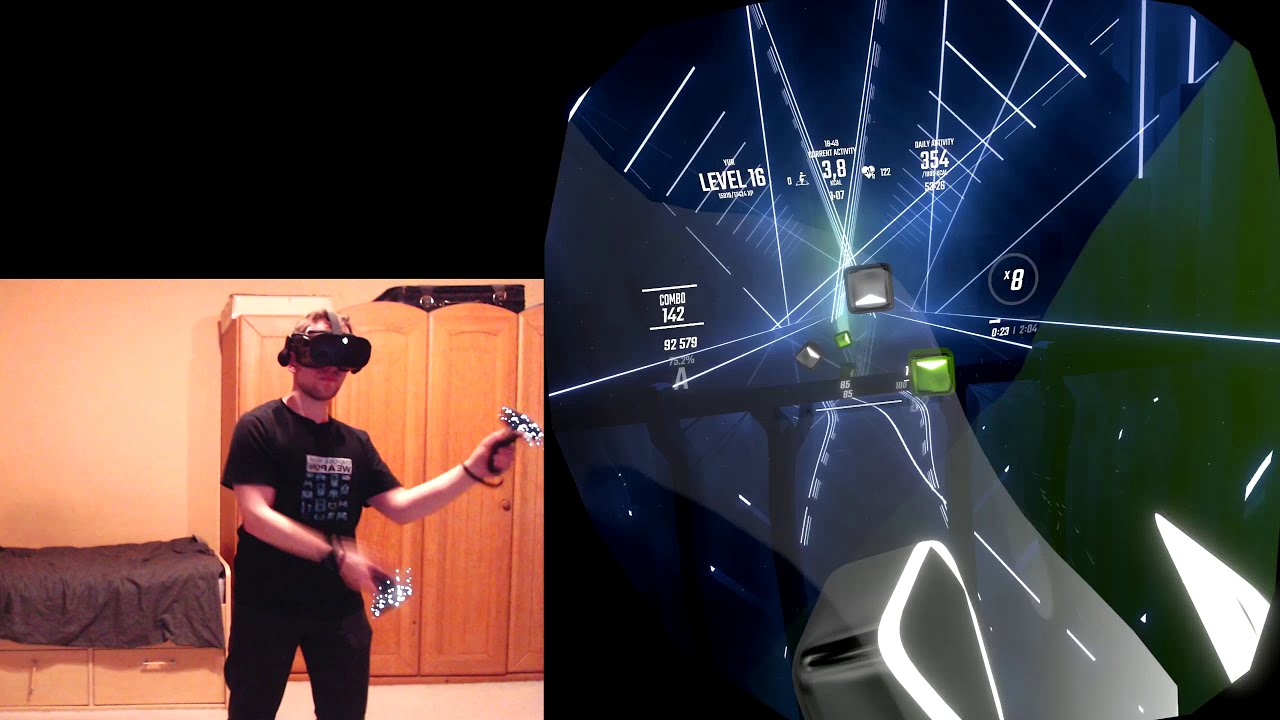
Basically, what the title says. If someone you know thinks that WMR Tracking is not good enough for Beat Saber, show them this.
The Reverb G2 I used here does have 2 extra cameras over regular WMR, but as other owners are happy to tell you, they don't improve on the Tracking Quality or Tracking Volume in the Up/Down direction. It just expands th...
pastel echo
That "good enough" is why I ranked it at C
haughty thistle
The G2 can't track the controllers anywhere near the hip, but it does try to keep track of the controllers through IMU tracking for like a second after it looses sight of them in the cameras
So reaching bethind your back or to your hip is fine, as long as you quickly pull the controller back into the camera FOV
pastel echo
Is there a reason wireless communication can't occur to give more accurate out of volume prediction
haughty thistle
IMU tracking in general is not so great. Even with the most precise sensor you can only make imperfect predictions. But the IMUs commonly used in consumer electronics just plainly aren't good enough. Just think of what happens to Vive Trackers when they loose sight of the lighthouses...
pastel echo
I'm thinking more so a level of communication that says "hey just wanted to let you know I haven't moved enough to be traveling at the speed of light in front of you, still probably just behind his back"
haughty thistle
Oculus greatly improved on IMU tracking by using AI to predict movement, but that comes at the cost of processing power. Besides, even AI can't make perfect predictions. So that's why even Oculus still needs to use cameras to keep the controllers in check. But it allows them to run the cameras at 30/25fps, compared to the 60/50fps found on WMR and Cosmos tracking systems (at least afaik)
Talking about protocols, funny enough the Watchman protocol is designed to be easy to process (for lower latency), have small packet sizes (to reduce transport lantency) and to contain all information to make the tracking work (IMU and sensor data).
Data is encoded bi-directional, each tracking packet comes with the IMU data at the front, then the time-offset for each sensor that sensed a pulse in order of pulse detection and at the end is information for when the pulse started in the internal clock and packet size. It's a highly optimised protocol. The PC then has to make sense of the data. It's impressive how much thought went into all of this...
WMR uses plain Bluetooth to transfer controller data. But it does come at a number of costs. Like for example the controller has to process it's IMU data on-board. That and the light ring are the reasons why WMR controllers are so power hungry
thick nest
pastel echo
Is there a reason wireless communication can't occur to give more accurate out o...
there is just not enough data
gloomy crater
man I NEVER get motion sick in VR but every time this stupid orange screen bug happens it makes my head hurt and I feel like I'm about to fall over even though I'm sitting down. It's honestly ruining my enjoyment but it's never happened before until just this past week
thick nest
did this happen with other vr headset
and is it for specific games
and also is your connection drivers etc all figured out
olive zinc
So IPD is the measure of how distant the lenses are on the Quest 2 correct?
I have a pupil index of 66, should I use IPD 2 or 3?
harsh niche
i measured my ipd at 63.5 but for some reason the first setting looks sharper to me
so i would say the second one
olive zinc
A lot of Rx lens inserts need you to specify the IPD of the Q2, so I'm worried if I pick the wrong one I'll be fucked
harsh niche
idk about those i don't wear glasses or have the special lenses
olive zinc
can I be you
harsh niche
lmao
harsh niche
dang
thick nest
big ooff
pastel echo
thick nest
there is just not enough data
I mean an accelerometer would be enough to inform my headset that my controllers did infact not teleport in front of me and start floating away to mars
haughty thistle
I personally would much rather recommend using the lenses from VR Optician. Much higher quality inserts and lenses, are easier to clean and actually give you the whole FOV as a sharp image (unlike the Widmo Lenses which are apparently often shaved off at the sides to keep them low-profile)
gloomy crater
aw heck. I actually fell over and broke something in my room because of this bug. I thought that it was being caused by the chair I was sitting in was occluding my headset from one or both of my base stations, so I tried playing HLA standing up and the glitch happened, my screen turned orange for like fifteen seconds, and with nowhere to base my sense of space off of, I lost my balance, fell over, and landed on this plastic bin I have. totally smashed it. I'm scared to play again tbh. I think I'll stick to beatsaber and vrchat until I can figure out why I keep getting this glitch
haughty thistle
I know that with the Vive Wireless adapter, the screens turn different colors to indicate certain error states of the wireless connection. For example, I get like a dark blue screen when an error occurs that often requires a restart of the Wireless PC software to fix, while a gray-ish blue-ish screen indicates loss of wireless connectivity to the antenna (for example when I turn face first to the antenna and look up)
Lighthouse tracked headsets show a gray screen when they loose sight of all lighthouses. But I never heard of SteamVR showing an orange screen... Seems like some sort of hardware defect if you ask me.
olive zinc
haughty thistle
I personally would much rather recommend using the lenses from VR Optician. Much...
I'll take a look, thanks