#virtual-reality
1 messages · Page 44 of 1
 weak bluff
 rustic garnet
hey also im pretty sure it's possible to add a third touch controller for a tracked object
Wait

yeah check it
 cold shard
"obviously". Yeah okay sure buddy. Given how trackers behave, it's very much not obvious that they have an IMU available.
rustic garnet
wait this is crazy does this work in steamvr
rustic garnet
cold shard
"obviously". Yeah okay sure buddy. Given how trackers behave, it's very much not...
you just said you dont have them how do you know how they act
the imu is integral (literally)
the fact that they track worse could just be due to them having less photodiode coverage
cold shard
rustic garnet
you just said you dont have them how do you know how they act
Really? You've never played vrchat and seen someone's tracker lose tracking?
cold shard
With a half decent IMU available, it's pretty simple to continue tracking during occlusion. It would be very unlikely for an occlusion event to last long enough for drift to become serious. Yet vive trackers go flying away pretty often.
They don't just "track worse" tbc, they float away forever. From an outsiders perspective that hasn't learned the internal details of vive trackers, that makes it seem like they have no IMU. I was wrong, but this is hardly obvious as you claim.
rustic garnet
jfc i dont actually care
cold shard
Noted. You're one of those.
rustic garnet
😭 ok lmao

Hello there! I noticed SteamVR currently doesn't appear to recognize Oculus VR Objects (A touch controller with different firmware) when paired. Would it be possible for SteamVR to use these as an additional tracking point?
rustic garnet
rustic garnet
this looks incredibly deprecated

theyre not even in scene view it's so deprecated
but the rings are active so it totally messes up tracking

extremely deprecated lol
rustic garnet
cold shard
Noted. You're one of those.
WAIT i just remembered doesn't each tracking puck come with it's own usb dongle?? and you usually plug them all into the back of the computer hence like six radios talking over each other in close proximity
while the controllers connect to a radio in the headset
 cold shard
What happened to not caring
rustic garnet
i remembered a lil factoid
rustic garnet
rustic garnet
extremely deprecated lol
it isn't on wayback machine either and very hard to google
 haughty thistle
rustic garnet
WAIT i just remembered doesn't each tracking puck come with it's own usb dongle?...
haughty thistle
rustic garnet
WAIT i just remembered doesn't each tracking puck come with it's own usb dongle?...
There's a lot of factors involved in making LH tracking on these dongles bad, but I can tell you from personal experience that the proximity of the dongles themselves doesn't matter. Except when you're mixing generations of dongles, then it does matter (different gen dongles want to be separated)
 rancid kestrel
Can you do wireless on the big screen 2? I don't see an option for it.
haughty thistle
Nope
These high res PCVR headsets push so much data that you just cannot make it wireless without defeating the whole point of it being high res
Plus, the Beyond is meant to be a small and lightweight headset, so putting in a battery and whatnot would also kinda defeat it's purpose too. Tho there is apparently a guy in the Bigscreen discord working on a sort-of compute puck for it? Basically a screenless Steam Deck whos only purpose it is to stream a video from a PC and display it on the Beyond and sending any USB data back. Last I've heared of that project tho, it was on a hiatus...
weak bluff
Its possible but it shouldn't be done. Winking at Index attempt.
rancid kestrel
That sounds way too high latency.
If I get that I'm going to miss the wireless...
haughty thistle
Trust me, the Beyond cable is super lightweight. It's not like the Index one which is bulky and inflexible...
 sly river
plus you can get one of those ceiling cable management things which is what I plan to do
 reef dew
My original vr had the strap pin for the top break

 indigo sequoia
haughty thistle
Trust me, the Beyond cable is super lightweight. It's not like the Index one whi...
indigo sequoia
haughty thistle
Trust me, the Beyond cable is super lightweight. It's not like the Index one whi...
Just go an index from a og vive and was finding the cable so much less bulky and inflexible haha
I really want the beyond
indigo sequoia
haughty thistle
Plus, the Beyond is meant to be a small and lightweight headset, so putting in a...
You could have the battery attached in a backpack / pocket or something idk and still have one cable that goes from there to the headset, though I would not really be interested in that anyway
rancid kestrel
haughty thistle
Trust me, the Beyond cable is super lightweight. It's not like the Index one whi...
Not that I have used an Index to compare to.
rancid kestrel
indigo sequoia
You could have the battery attached in a backpack / pocket or something idk and ...
The one I have just clips to your belt. It's super nice not having to think about the tether at all. No stepping on it, no accidentally hooking it, no twisting it up, it's so nice.
 high apex
Personally, I really like the idea of having a compute and/or battery puck you keep on your body. To me, it's all the benefits of wireless without the downsides, but I can understand why not everyone would want that setup. I just kinda wish companies were playing around with that idea more, it feels like they all wanna skip straight to the end-game, all-on-your-face headset
weak bluff
why not just skip that puck in your body
and put that box in your desk
even better, make it big since you dont have to carry in your body anymore
man what a great concept
rustic garnet
weak bluff
even better, make it big since you dont have to carry in your body anymore
the point is to not have wires man
weak bluff
Its sarcasm
 misty sand
yo my usb 3.0 ports arent working. i've tried multiple 3.0 cables and the bandwidth is 370 im trying to use my quest 2 with my pc
 thorny plume
Any thoughts on the vive focus 3?
Thinking again about moving off of my quest 2, really want something wireless as I do a lot of steamvr through my quest 2 and I hate cables
 grand cedar
Yall what vr headset is worth it now ?
some people said if I wants to do full body then get the quest pro used Or quest 3 for better graphics
haughty thistle
Focus 3 uses the same crappy lenses as the Vive Pro 2 and Vive Focus Vision. Wouldn't recommend it tbh
weak bluff
nothing from HTC is worth at its stock price
haughty thistle
nothing from HTC is worth it
at it's stock price
ftfy
The only exception are Lighthouses, but those aren't technically HTC's design
rustic garnet
thorny plume
Any thoughts on the vive focus 3?
i tried a vive focus 2 or 3 the other day the ergonomics were.. subpar imo
And the lenses felt floaty? And the sweet spot seemed small
I didn't get a lot of time though..
The tracking was a lil odd because i dont think the controllers were being tracked to where they actually were ....
thorny plume
Gotcha gotcha... interesting...
I hate that my best plan is to just roll with the quest 2 (or get the 3) and get index controllers
weak bluff
alternatives just dont have good value
rustic garnet
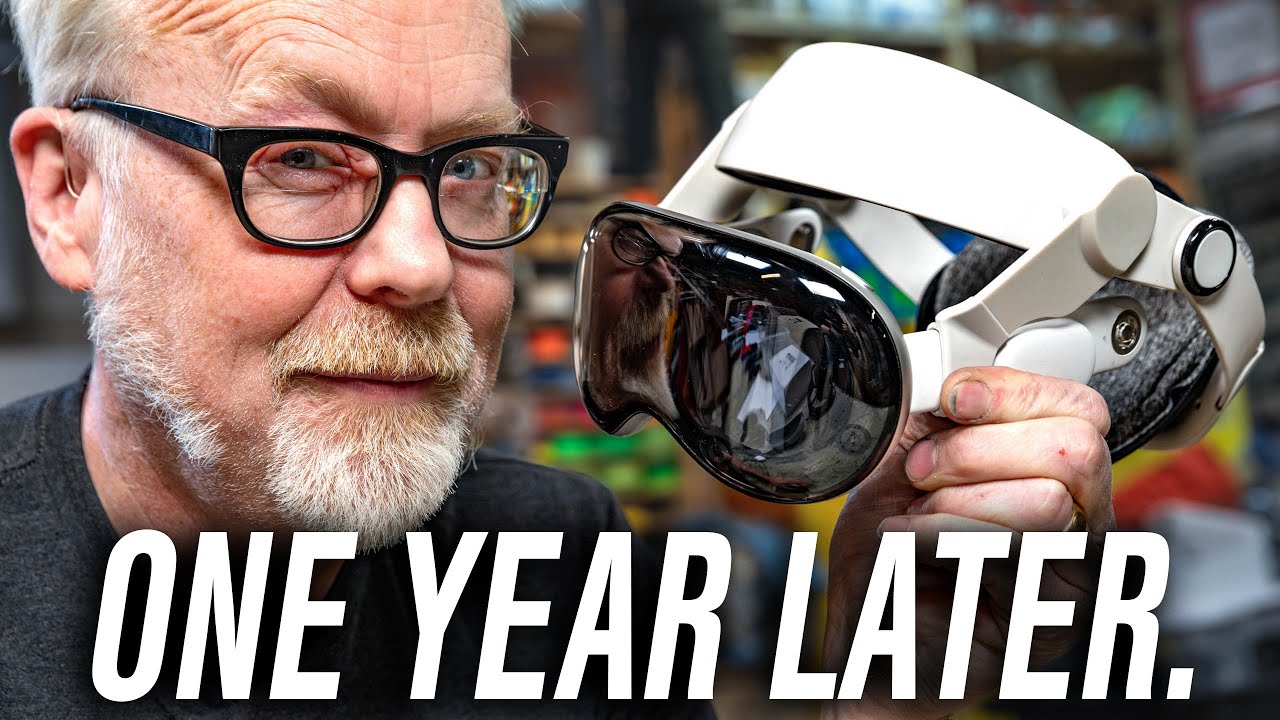
One year after the release of the Apple Vision Pro headset, Adam and Norm sit down to have a frank and honest conversation about their experiences using this device, the features they actually use on a regular basis, and what they'd like to see improved in future iterations.
Globular Cluster head strap: https://amzn.to/3Ek0cHr
Belkin headstrap...
 balmy dagger
thorny plume
I hate that my best plan is to just roll with the quest 2 (or get the 3) and get...
balmy dagger
thorny plume
I hate that my best plan is to just roll with the quest 2 (or get the 3) and get...
Late to the party here but wanted to chime in.
If you're looking for something fairly seamless you might get annoyed trying to use the Valve Index controllers with the Quest 3. It's doable but a bit of mucking around. People do it by either using their old headset connected to the pc to passthrough the controllers or they use Watchman dongles.
The standard Quest 3 controllers have come a long way. But if you're looking for the best experience at around the same price point, I'd go with the Quest Pro controllers. At one stage they were priced similarly to Index controllers. They self track using onboard cameras meaning they still function even when out of the headset’s view which the standard Quest 3 controllers don’t handle well. From what I understand, they use some form of "AI estimation" when our of view, which isn’t always reliable.
I get the feel of Index controllers and the layout is great and if that's a deal break you can get grips for the Pro controllers that make them feel/look more like Index controllers. At this point, that’s mostly for aesthetics or maybe hand protection when you smack something, but not really about core functionality.
If you're into Beat Saber, I can say the Quest 3 controllers are about 98% accurate in perfect lighting/space. They’re totally fine for casual play and slower paced games but if you’re chasing top scores or high speed competitive accuracy you'll notice some occasional micro misses. It’s minor a half step dropped at the wrong time but it will throw off perfect runs.
A Quest 3 + Virtual Desktop + Wi-Fi 7 access point is a killer combo. Even though the Quest 3 only supports Wi-Fi 6E (not 7) it still benefits heavily from 6 GHz. I’ve got mine on a Ubiquiti U7-Pro with its own dedicated SSID and disabled all other frequency bands to keep it clean.
Unless you’ve got a very specific reason to go with Vive, I’d personally steer clear for now until they find their footing again. Unfortunately (or fortunately?), that makes the Quest 3 one of the strongest standalone headsets available right now, even at almost 1.5 years old.
As for using a cable. One solution for going that way if you don't already have one is to get a VR pully system that keeps your cables up high and out of the way but they're not for everyone. PCVR experience is always going to better with a cable and a headset designed to fully integrate with the Steam ecosystem. With the perfect Q3 setup though using wireless makes this unnecessary. I have a 2080Ti so I can't bump everything to max but my latency was under 50ms and around 2400Mbps running at 90FPS.
Another option to look into is the Pico 4 Ultra. I've never used one but have read up a fair bit on them. Pro's and Con's over the Q3. Q3 has a larger store eco system for example but if you're mostly relying on Steam that won't be much of an issue. There's other considerations to look into though.
I was an early adopter of the original Vive Pro. At the time, it was a fantastic headset, easily one of the best available. Our local VR venue still runs Vive gear, and while it works, they’re still using Fresnel lenses and their software is buggy. When the owner recently (last 3-5 months) was at a conference he got to speak to HTC about the current state of their headsets and they admitted they were still having issues sorting out the software bugs which I believe is still the case but also that the reason they have stuck with Fresnel lenses was to help keep costs down.
For context, my Vive Pro cost me $2,200 back in 2018 which probably translated to about half that in the US. Perhaps slightly more.
HTC and Valve were tightly aligned early on, but once Valve went solo with the Index Vive seemed to lose its direction. They’ve since flooded the market with too many models and too much overlap, a handful of niche use cases might justify it, but overall it’s a mess to navigate.
If HTC released a headset that consolidated their best tech, fixed their software issues, and ditched Fresnel lenses, I’d buy one without hesitation. I actually tried to go back to Vive on my last upgrade, but the buggy software, on top of dated optics made it a no brainer to pass.
That's why I've kept my Quest 3 up until now. It’s not perfect, but compared to Vive’s lenses the optics are a huge leap forward and they don't have intermittent software issues like the Vive headsets do.
With that said I do have a BSB2e on order but that relies on a cable to work with PCVR.
thorny plume
balmy dagger
For context, my Vive Pro cost me $2,200 back in 2018 which probably translated t...
I super appreciate all this info!!
Context: I really really can't stand wires and with my current space constraints (+ the existence of my cat who would jump off a ledge to try and reach the cable from the ceiling) id love to avoid them and stick wireless. As for the controllers, I'm mainly after the index controllers for hand tracking, I've tried the quest 2 and 3 hand tracking and honestly was just disappointed. For VR I'm mainly in VR chat I already am using some vive trackers for FBT and latency is not a problem at all (drifting is but that's mainly a problem because openspacecalabration isn't better). I am using virtual desktop for the wireless connection as well.
The more I look into it the more I've considered my only upgrade path to REALLY be a quest 3 because of my wireless needs.
balmy dagger
Yeah. I can appreciate how much of a pain cables can be. Especially with a cat around.
Meta did really take the market with the standalone headset didn't they. I've actually never used the Index controllers but I have a couple on the way for when my BSB2 arrives in June. I must admit I have not done any VR chat. I presume it's VR avatar chat?
weak bluff
meta headsets are sold at loss and it comes with mandatory terms and conditions
and they are the only one capable of doing that
so yeah they are best value
indigo sequoia
My index has 2.3M pixels
The bigscreen beyond as 6.5M which is already so much more
And the crystal super has a mindblowing 14.7M 😮
Too bad it's litteraly impossible to run this kind of resolution in sims lmao
weak bluff
There is more to rendering than just headset resolution
For starters, not all pixels rendered will see the same when it lands in your eyes
Index does not help for the fact that it uses fresnel lens meaning the image is distorted on the display to take account to lens curving
Because of that, Valve Index have 1440 x 1600 display resolution per eye BUT it renders 2016x2240 to take account for loss of sharpness from distorted view of lens
BSB2 does not have this weakness because it is a pancake lens
Fresnel issues that requires it to render higher resolution than display resolution

(altho fixed foveated rendering does help reducing this effect)
 gloomy crater
The pixel density of VR headsets has really exploded in the past couple years. I'm worried about one day getting a headset with higher resolution than my current HMD because I really don't wanna upgrade my GPU. GPUs nowadays have given up on actually increasing raw performance in favor of adding AI features that artificially increase your FPS or resolution, except none of those features really work for VR as far as I can tell, so newer GPUs that will be able to natively push the amounts of Pixels that these new high resolution headsets are capable of are wildly expensive. I imagine I'd probably have to spend more upgrading my GPU to be able to run one of those headsets than the price of the headset itself.
weak bluff
Funny you probably going to hit DisplayPort limit before worrying about rendering that super high res
Some headset have 2 DisplayPort cable
gloomy crater
Ah, my stupidity has led me into a trap once again I am a massive idiot
Yeah, there was nothing to worry about (I would have known that if I had only taken the time to do the math before worrying about it) Playing a flatscreen game at 4k 144hz is roughly 1.2 billion pixels per second. A bigscreen beyond running at 90hz will upscale a native 1920x1920 image, which comes out to 331 million, one quarter of the pixels per second. So if anything, I should have an easier time running a bigscreen beyond on my current GPU than running cyberpunk at 4k.
indigo sequoia
weak bluff
BSB2 does not have this weakness because it is a pancake lens
It also has a higher render res though, but yeah overall less distorsion
indigo sequoia
gloomy crater
The pixel density of VR headsets has really exploded in the past couple years. I...
Yeah I considered for a moment the crystal super, but it seems impossible to run with anything else than a 5090 lmao
For your calculation you'd need to take into account render resolution, it will upscale native 1920*1920 but this won't be the render res
 trail grove
does anyone have recommendations for a quest 3 facial interface? the cloth of the stock one is getting annoying and the official silicon one is ridiculously expensive
i find the stock one comfortable but the cloth is just not good
balmy dagger
I have tried a lot of them.
I'm currently running with the newer AMVR Q3FC3.
It's pretty comfy. Works with the BOBOVR charging dock as well. The older Q3FC1 doesn't.
balmy dagger
It comes with a PU leather pad and a cotton pad and a replaceable nose pad to assist with blocking out the light. It also has 2 dials on each side for adjusting the interface in and out.
balmy dagger
I haven't had any experience with the Globular Cluster F3 but I've heard good things about it and I think it has 3 facial covers. It's also magnetic if you think you might like to switch them out frequently or if more than one person will use it consecutively.
Finally. If you want the best fit one on the market look into the Oblik facial interfaces. They're custom made to the contours of your face. I wanted to get one but they don't deliver to Australia.
I think the AMVR one will be cheaper than the Meta but the Oblik is pretty much on par but you get more for your money. I've just never tried it.
Hope this helps.
indigo sequoia
If the bigscreen beyond 2 had a slightly better display, like just 20% more pixels and, say, native 90Hz it would have been so insane
It's already so close to ticking every boxes I want, just the resolution is a tad bit on the lower side and feels a bit "old gen"
haughty thistle
Without a direct side-by-side comparison, you can't really tell a difference in pixel density between the Aero and Bigscreen, despite the Aero having a higher PPD.
30ppd is the point of diminishing returns. It's where you stop seeing the SDE. Sure, higher PPD is still better, since you can glance more details (especially in further away objects), but at that point, small differences in PPD become really unnoticable.
Plus: higher PPD = higher performance load. If you have a super high res PPD headset (like the Crystal Super or XR4) and run it at a lower resolution (say similar to a regular Crystal), it will look softer/blurrier compared to a headset which natively has that PPD
I do agree tho that it's kinda unfortunate that native doesn't run at 90Hz, but it's what's available in the uOLED market, so what canya do :/
indigo sequoia
haughty thistle
Without a direct side-by-side comparison, you can't really tell a difference in ...
Isn't the meganeX 90Hz and uloed?
And as for the ppd, I guess that in most vr games yes, but in flight sims like DCS I'm pretty sure it's useful
Also I'm the kind of guy that find 1440p blurry as heck and 1080p unusable so eh
Though, yes, it's already quite enough and yes more would be hard to run
haughty thistle
The MeganeX uses different panels. Ones that run much hotter and have a bigger requirement for cooling... something not really doable in the size of the Beyond...
With OLED the math is pretty simple:
Higher res and/or brightness = more heat output
More heat means more weight and larger size for the cooling :/
rustic garnet
Anyone got a direct comparison between the of rift and the quest 2/3 ergonomics wise mostly
the quests are significantly heavier right? (Battery and mainboard and all) and that mass is further from your neck so more leverage and moment of inertia and double and the strap is softer
seems like a triple combo to uncomfy town?
 halcyon comet
rustic garnet
Anyone got a direct comparison between the of rift and the quest 2/3 ergonomics ...
halcyon comet
rustic garnet
Anyone got a direct comparison between the of rift and the quest 2/3 ergonomics ...
Not sure about rift but the comfort of quest 2 and 3 stock strap are terrible
With 3rd party head strap it's okay, the headset itself weight about 400 grams
haughty thistle
Iirc CV1 is lighter and has at least a little bit of weight distribution
 native goblet
question for y'all folks
anyone in the EU interested in a second hand, lightly used (50-60h) Pico Neo 3 Link ?
native goblet
thorny plume
I hate that my best plan is to just roll with the quest 2 (or get the 3) and get...
you in the EU ?
thorny plume
native goblet
you in the EU ?
no

 serene stump
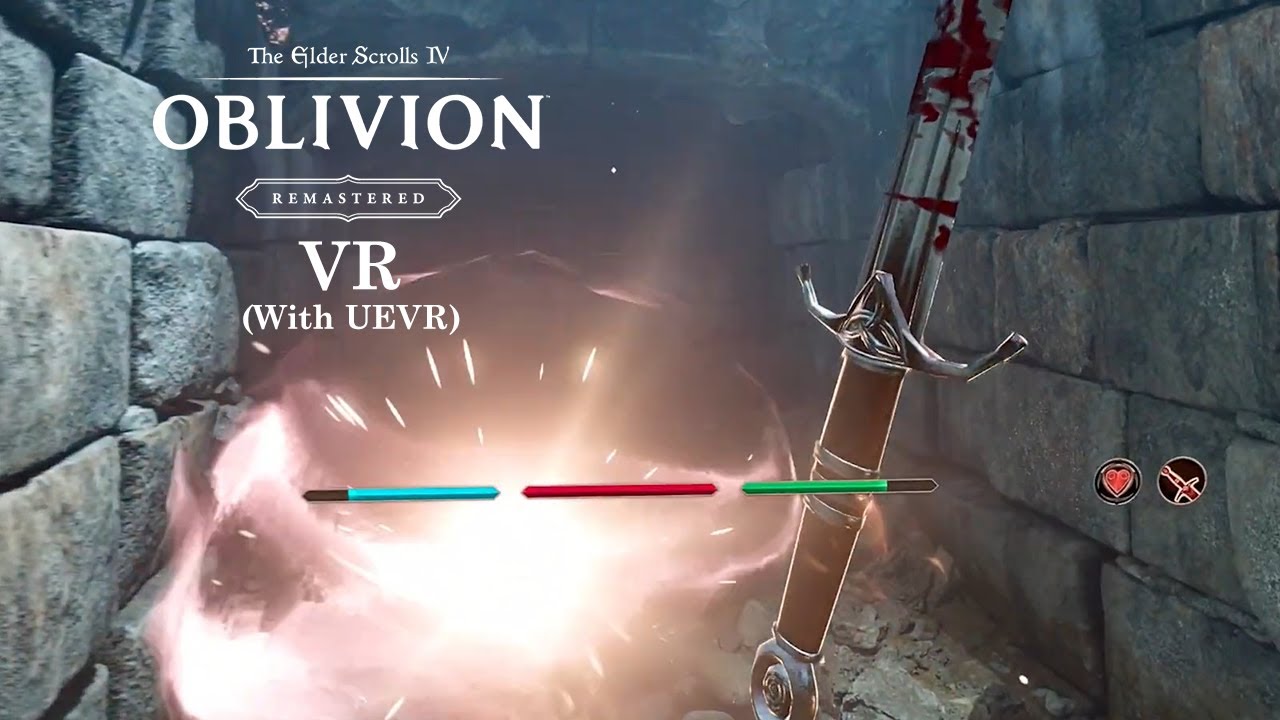
Very early tests of Oblivion Remastered in VR with UEVR and motion controls. More to come soon!
No profiles to share yet we are still figuring out the performance. Soon though!
Update: Performance Profile for running Oblivion by Keyser. This is NOT the motion control profile, just a profile for better performance in VR:
https://drive.google.com...
 flint elk
guys, 32gb of ram or 64gb of ram for vr?
 versed dock
flint elk
guys, 32gb of ram or 64gb of ram for vr?
versed dock
flint elk
guys, 32gb of ram or 64gb of ram for vr?
What kind of games are you playing?
flint elk
versed dock
What kind of games are you playing?
No Mans Sky and Half Life Alyx, Maybe more.
versed dock
flint elk
No Mans Sky and Half Life Alyx, Maybe more.
Hmm nice, what resolution is your headset? But just going off of this you'll probably be fine with 32gb
flint elk
i'm using a quest 3 with the res of 2064 x 2208
versed dock
Yeah, I'd say you're probably going to be fine with 32gb, ddr5 I'm assuming, but if you can spring 64gb it is nice. Tbh though I only have 64gb in my workstation pc, and it's overkill I'd say (lightroom and premiere pro eat up RAM)
flint elk
versed dock
Yeah, I'd say you're probably going to be fine with 32gb, ddr5 I'm assuming, but...
Thanks for the information, prob get 64 next year maybe.
gloomy crater
I do fine in VR with 32gb of DDR4, but might be upgrading to 48 or 64gb in the future because I keep running out of memory for my chrome tabs 😐
memory usage is heavily tied to the game you're running though so future releases may cause your existing amount to be stretched thin as time goes on
 real pasture
im split between getting a PSVR2 or a used CV1 in the future, which one would yall pick? SDE shouldnt be too much of an issue for me (going from q3 to my phonevr setup, i did notice it, but i was more amazed by the OLEDs rather than complained about SDE), plus my laptop barely handles my q3 anyway, i always run it at lower than native res. i also want a dedicated wired PCVR headset with OLEDs that doesnt break the bank, so thats why im split rn, and want yalls opinion
weak bluff
CV1 would be worth it - if its really cheap like $50-70
what is your laptop anyways
PSVR2 may have issues if you dont have displayport
real pasture
weak bluff
what is your laptop anyways
rtx 3050, 32gb ram and r7 4800h
real pasture
weak bluff
PSVR2 may have issues if you dont have displayport
and yeah it doesn't have a dp port
weak bluff
there is possibility the HDMI is not connected to dGPU
real pasture
when connecting anything into that port it shows up as connected to igpu, i have a fuzzy memory of this so i would need to check that again
weak bluff
does your laptop supports Nvidia Optimus?
MUX switch?
iirc you need MUX switch support to run VR via HDMI
real pasture
weak bluff
does your laptop supports Nvidia Optimus?
ill check that in 2-3h when im home and then let you know
rustic garnet
real pasture
im split between getting a PSVR2 or a used CV1 in the future, which one would ya...
if you have a laptop can you even plug in all the sensors
you need at least three usb 3 ports
rustic garnet
weak bluff
does your laptop supports Nvidia Optimus?
this too
real pasture
rustic garnet
if you have a laptop can you even plug in all the sensors
yes
3 usb a type 3.2 gen2 iirc
or one a bit slower
sly river
Anyone else with the battery bank straps for their trackers have issues with the little USB cables breaking I buy in bulk because I keep hitting them, laying on them, or stepping on them while playing games with Fbt
weak bluff
i do but majority of them are caused by 90 degrees cables cheap from China
i switched to standard non 90 deg and it remaing to be seen what will come
real pasture
weak bluff
MUX switch?
looks like no, though some people said that if a laptop has a usb-c port and you plug a display into it, its apparently connected directly to the dedicated gpu
not sure if i should trust that
weak bluff
Only if its DisplayPort-alt USB-C
You need to look if it has that spec
It's not common so unlikely
real pasture
https://kelaptop.com/en/asus-rog-strix-g15-g513ic-hn003-90nr0501-m00040
that is my laptop model btw, and this site says that i do have dp alt mode

ASUS ROG Strix G15 G513IC-HN003 | AMD Ryzen 7 4800H 2,9GHz | 15.6" 1920x1080 IPS 144Hz | 512GB SSD M.2 | 16GB DDR4-SDRAM | NVIDIA GeForce RTX 3050 4GB GDDR6 | N
 weak bluff
But there is an easy way to get out of this mess is to just buy Quest headset that does not use displayport
real pasture
weak bluff
But there is an easy way to get out of this mess is to just buy Quest headset th...
i already have a quest3, and i was looking for a pcvr type headset
weak bluff
Quest 2, quest 3s works
Oh yeah
Forgot
Yeah no in that case
I don't recommend switching to anything
real pasture
bummer
rustic garnet
real pasture
i already have a quest3, and i was looking for a pcvr type headset
why though
 brisk viper
flint elk
Thanks for the information, prob get 64 next year maybe.
brisk viper
flint elk
Thanks for the information, prob get 64 next year maybe.
even playing fairly intense vr games ive never been anywhere near maxxing out my 32gb
real pasture
rustic garnet
why though
- my laptop struggles power-wise with the native res of my q3
- i want to experience a true compression-less pcvr experience
- (in case of cv1) better tracking than q3
- OLED panels (major reason)
- (in case of psvr2) eyetracking (there are people working on it, eyetracking now somewhat works on pcvr), and adaptive triggers and other nice psvr2 features once people get them working, which doesnt seem now like a far reality
like i said, i wouldnt mind SDE that much if i could run a headset on my laptop on its native res
real pasture
brisk viper
even playing fairly intense vr games ive never been anywhere near maxxing out my...
lcvr modpack with like 150 mods: let me introduce myself
rustic garnet
real pasture
- my laptop struggles power-wise with the native res of my q3
- i want to experi...
i think i would shoot for the psvr
cv1 sensor setup is a hassle and while yeah 360 controller coverage is a nice perk im sure the psvr tracking is just fine
especially with a laptop where you cant just leave them plugged in
and youre going to want to make sure they dont move after youve done room calibration
If you already have a powerful laptop id get an inside out tracked kit just for the ability to move it alone honestly
Is it not possible to stream to the quest at a lower resolution
real pasture
rustic garnet
Is it not possible to stream to the quest at a lower resolution
yes, but i lose quality
rustic garnet
well duh
real pasture
ik
rustic garnet
The cv1 has about a fourth of the pixels
i figure if you were to drop the stream and render res to that wont compression artifacts be more or less unnoticeable anyway
real pasture
considering im sometimes running my q3 at 200 pixels horizontally and vertically more than cv1 in some scenarios though
rustic garnet
though what
the panels and optic stack in a q3 are like objectively better than the rifts
real pasture
rustic garnet
the panels and optic stack in a q3 are like objectively better than the rifts
what about contrast in dark areas
real pasture
rustic garnet
though what
-though, at which point id just get a lower res headset for the laptop, since it doesnt look like im going to upgrade to a better pc anytime soon
rustic garnet
real pasture
what about contrast in dark areas
i havent tried a q3 personally but oled headsets have mura
keep that in mind
Idk do you have the possibility to try them before buying
vr kits are surprisingly preferential
weak bluff
its better to lower rest the quest 3 than to buy lower res display
i learned this the hard way
the quest 3 high res could mean you can upgrade laptop and use same headset
so stick with it for years...?
if you really want OLED, there... arent any good choices not even upcoming quest 4 will have it
the closest you can get to deep black levels for your laptop maybe is local dimming of Quest Pro
they however dont work well when there are too many black and colours in between

 weak bluff
real pasture
- my laptop struggles power-wise with the native res of my q3
- i want to experi...
weak bluff
real pasture
- my laptop struggles power-wise with the native res of my q3
- i want to experi...
compression-less is not worth much if you have Nvidia GPU trust me i knew this when i switched Quest 2 to Rift S
unless you often go to most extreme bitrate situation
Nvidia does encoding quite well
eye tracking is quite useless if the games dont support it and most games still dont or support in limited capacity
 scenic quest
weak bluff
Nvidia does encoding quite well
scenic quest
weak bluff
Nvidia does encoding quite well
h264
amd and nvidia h265 or av1 is on par
and rx 9000 also got the upgraded h264 encoder being like 20% better then last gens
scenic quest
ofc
weak bluff
scenic quest
amd and nvidia h265 or av1 is on par
also contra to popular belief, AMD AV1 is in my opinion rubbish and overrated because of lack of B-frame in RX 7000 series, RX 9000 reviewers shows it for some reason (wtf is going on AMD???) worse than RX 7000
scenic quest
wut
weak bluff

Grab my OBS Definitive Guide course to master OBS today! http://glitch.mov/obs
I never thought I'd say it, but AMD finally has good stream quality! RX 9000 GPUs come with a new encoder engine and the H264 quality is LEAPS and BOUNDS better than past generations. But what happened to AV1?
This is probably the last encoder update video I'll make. ...
this
i believe this is software issue? because its wild
scenic quest
no the h264 encoder has just been shit
weak bluff
and its brutal to see its worse despite b-frame support
scenic quest
h265 and av1 are fine

 weak bluff
AMD is still incompetent when it comes to driver support despite meme trying to say they are getting better its still lackluster
scenic quest
well you cant say shit about general driver support while nvidia over there are making even their gtx cards shit themselves with the new drivers
scenic quest
i have done lots of vr with my 7900 xtx biggest issue i have had is with oculus being shit with the amount of time it took for them to add in h265 as something you could do with air link and then i just went virtual desktop
weak bluff
i think there is a way to force it in oculus debug tool but at that point if you have VD just use it
scenic quest
It has since before i got it but Airlink is just shit
rustic garnet
weak bluff
its talkign about AV1
is av1 even supported for quest
scenic quest
Quest 3
 proper gale
The display quality on the Vision Pro is pretty unforgettable. Wouldn't buy one, but it's worth trying out at an Apple Store.
weak bluff
rustic garnet
is av1 even supported for quest
Quest 3s and 3 only
 pale orbit

San Francisco Chronicle
Employees working on Supernatural, a subscription-based fitness app acquired by Meta for...
high apex
"subscribe now to continue reading" 
 vernal agate
Is there an extension cable for the vive wireless adapter?
haughty thistle
For which cable, the one going to the transmitter?
 neat jewel
I’m thinking of upgrading my current VR headset from the htc vive to either the valve index or the quest 3 with the valve index controllers which do you think is better for me who plays PCVR
 storm robin
I don't think Quest 3 is PCVR? Even if it was I wouldn't give them my money
 sacred perch
storm robin
I don't think Quest 3 is PCVR? Even if it was I wouldn't give them my money
sacred perch
storm robin
I don't think Quest 3 is PCVR? Even if it was I wouldn't give them my money
It can be used as a pcvr but air link is buggy and the usb c connection is iffy
weak bluff
Quest 3 for SteamVR is fine
Quest 3 is better value than Index its better in display but worse by little bit in everything else like tracking, latency, compression
if you plan to use base station devices with quest 3, the calibration may be annoying
neat jewel
So should I get the quest 3 for PCVR or stick to getting the valve index?
weak bluff
either is an upgrade
Pros and cons of getting Quest 3:
- Better screen
- Better lens
- Wireless capability
- Stock strap is bad but can be replaced
- Controller tracking is meh
- Battery powered
- Compressed video
- Worse tracking
Pros of Index:
- Better Audio
- Better comfort
- Better controller
- Good potential for mods (eye tracking addons, face tracking addons)
- Fresnel lens
- Always wired
- Outdated
there are extra cons for Quest 3 if you say use vive tracker or cknuckles is you need to calibrate headset manually for it to work with others
 little plinth
Comfort is, subjective
And as you mentioned are a cheap fix
Wired however
Is a BIG downgrade in comfort
pale orbit
valve is getting closer to releasing their new standalone headset, which will (one would hope)probably have a DP so it can be hooked up to pc natively.
rustic garnet
"closer" doesn't say anything about how close they are though
i mean i sure hope they're getting closer it would be a shame if they kept working and working and got further from releasing something ...
pale orbit
they have headsets in testers hands already, just the other week they were ramping up facial interface production
weak bluff
If your source is Gabe follower it's unreliable rumour
I still bet 99% they won't release this year
Get less copium
rustic garnet
weak bluff
If your source is Gabe follower it's unreliable rumour
fr if your source is anything but an official valve announcement it's more or less worthless considering theyve scrapped projects 90% complete in the past
Not saying they'll scrap this headset but if theyre not perfectly satisfied they will delay it more
native goblet
am happy, going to start tinkering with microelectronics soon this month !
gonna get started on a face & eye tracking apparatus for my VR headset :)
that ought to be an interesting little project, hopefully I get it done properly without too many issues
 hasty compass
weak bluff
Pros and cons of getting Quest 3:
+ Better screen
+ Better lens
+ Wireless capab...
hasty compass
weak bluff
Pros and cons of getting Quest 3:
+ Better screen
+ Better lens
+ Wireless capab...
I would say Battery powered is atleast neutral since it allows for playing without wired, its not like you can have wireless and no battery. All you need is an okay ethernet connection and the right router for about £70 and Virtual Desktop
If you get the BoboVR headset you fix both the battery solution as it comes with a magnetic and detachable battery so if you want you can buy multiple for 100% uptime and you can play with no wires
trail grove
weak bluff
Pros and cons of getting Quest 3:
+ Better screen
+ Better lens
+ Wireless capab...
About the stock stap i put a sock behind it as a cushion, battery i have a 10.000mAh powerbank in my pocket that makes it last 6 hours total, compression is only an issue with confetti if you have a router for it
About the controller tracking uhh its like 70/30 when it comes to beatsaber: mostly i have no issues but some days its really bad
Also i thought metas support would be horrible but when my facial interface broke i made a warrently claim and within 30 min i got a verification email for a new fa and they upgraded me to a silicon one without me asking lol
vernal agate
Is there an rp-sma amplifier i can use with my vive wireless adapter? I am going to be using an extension cable for the transmitter but im not sure how well the signal will be able to reach the transmitter from the wi-gig card
cold shard
vernal agate
Is there an rp-sma amplifier i can use with my vive wireless adapter? I am going...
Nothing a consumer could obtain at least
vernal agate
cold shard
Nothing a consumer could obtain at least
Not with that attitude
Im just trying to make this cable longer.
 cold shard
vernal agate
Not with that attitude
cold shard
vernal agate
Not with that attitude
PNA and/or LNAs for ISM mmWave is just the kind of thing that has been integrated into the RFSoC/RFFEs. It's not large enough of a market to justify a dedicated production-scale chip for that. If you can find one it's gonna be uber expensive and the kind of thing you have to quote a price for because they'll probably make it on-demand.
rustic garnet
vernal agate
Im just trying to make this cable longer.
how much longer?
im thinking a pcie riser could work
Thats only a 1x slot didn't they make really cheap 1x risers for mining back when that was popular
vernal agate
Like an extra 6ft. I have an extension cable already but im not sure how signal integrity is going to be upon extending it another 6ft or 10ft if i decide to use the 10ft cable
Just trying to see if there is some kind of either amplifier or repeater
 hushed storm
API cameras are now unlocked for devs on the quest 3

Forbes
After a long wait, access to the Meta Quest 3 and Quest 3S passthrough has been unlocked for developers looking to make mixed and augmented reality apps.
rancid kestrel
vernal agate
Is there an rp-sma amplifier i can use with my vive wireless adapter? I am going...
It doesn't work, I've tried it.
Well, not with an amp.
brisk viper
anyone ever had a good experience with no mans sky pcvr?
vernal agate
My vive console isnt starting. How do i fix this?
 steady coyote
Does the hp reverb g2 gen 1 cable not like the 550 and 570 chipset for amd? And will it cause driver errors, because that’s what’s happening with mine
haughty thistle
Yup, doesn’t like the AMD USB controllers. There’s two possible fixes. One is to use the Gen 2 cable and the other is to use a USB hub between the cable and the motherboard
Has to be a USB 3 hub btw
rustic garnet
How does a hub work if the root controller is the issue?
haughty thistle
No idea. Iirc the "fixed" G2 cable basically just implements a hub chip.
My guess is that the original cable is lacking what's known as a USB power-hoist (an indicator for the root controller that a connected device receives external power). Normally these show up as a USB hub. The G2 is externally powered, but the power injection point doesn't show up in the USB chain, so it's likely that the controller just freaks out and throws an error as a result...
You don't even need an externally powered hub for the G2 to work. Any proper USB 3 hub will work
rustic garnet
Ok that tracks i was thinking something power related
because a hub leaves the serial data intact
steady coyote
Also I read somewhere that if you plug it into a pc running 24h2 it completely bricks the headset. And I have two boot drives one for vr (23h2) and the one for my regular games (24h2 from my dead laptop)
 fossil siren
I accidentally auto updated to 24h2 so can't use mine 🥲
just hoping someone makes some 3rd party drivers at some point or something
haughty thistle
All WMR headsets won't work on Win11 24H2, but this is more because the drivers don't exist on that version of Windows.
It wont brick the headset. It's honestly more comparable to trying to run like a Vive Pro 2 on Linux or smth
Just roll back to 23H2 and it'll work again
steady coyote
haughty thistle
All WMR headsets won't work on Win11 24H2, but this is more because the drivers ...
Alright thanks
 wintry wolf
my controllers dont wnana like work togeher
just for some reaosn wont connect both too eachother'
one works great
disconnect it
other works great that was blue not too long ago
start up controller one again
nothing
i have tried using my wands too connect them too see if it was the controllers it wasnt
lighthouse thing
you name the easy try too fix it and ive 9/10 already done it
like can anyone please help me
if its connected too the pc it works
but if not it doesnt
haughty thistle
This likely means that they're both paired to the same dongle. Try to pair them again while the other controller is connected!
rustic garnet
haughty thistle
Just roll back to 23H2 and it'll work again
Note that you wont be able to download the wmr service from microsoft after they deprecate it
wintry wolf
haughty thistle
This likely means that they're both paired to the same dongle. Try to pair them ...
what dongle
it connects too the normal headset through my lighthouse sor something right
haughty thistle
Your headset has two dongles inside of it (assuming you have an Index, Vive, or otherwise lighthouse tracked headset)
wintry wolf
haughty thistle
This likely means that they're both paired to the same dongle. Try to pair them ...
tried that too though
wintry wolf
haughty thistle
Your headset has two dongles inside of it (assuming you have an Index, Vive, or ...
yeah

It says this too
wintry wolf
Sooo yeah and it doesn’t look like it’ll be a self fix
haughty thistle
Yeah, that sounds more like a faulty headset 😬
wintry wolf
Nah it worked yesterday
And it worked for a minute today it just kept losing the connection and then not
haughty thistle
Hardware can fail all the time
wintry wolf
Yeah but couldn’t I just fix it if it’s a simple dongle-
Or like replace it in some way or another
haughty thistle
If I'm seeing that right, you have a Cosmos Elite. In that case what you could try is remove the front plate and put it back on. Hope that it's just a loose connection
wintry wolf
Okay then lemme try gimme a second
haughty thistle
Otherwise all the LH hardware (including dongles) should be in that front plate, so if the plate itself is bad, you could try replacing just that
wintry wolf
uhhh i could see if theres even a replacment for that
If not just fucked I guess?
Cuz it didn’t work-
haughty thistle
The LH Frontplate was sold standalone as an upgrade for regular Cosmos headsets. The Elite just came with it pre-installed
Tho I'm not sure if it's still made 
rustic garnet
correction the vive line is expensive
haughty thistle
Vive (especially with their more recent hardware) has always been more expensive then the competition while offering (usually) a worse experience :/
tbf the Cosmos did bring an interesting idea to the table, and it could've become a more popular idea, if HTC didn't screw up the camera tracking so badly...
Even to this date, I still read people just wishing headset X had lighthouse tracking as an option or headset Y had camera based tracking as an option... imagine if all it took to convert those headsets was just putting on a different faceplate (and not in the hardwired manner that Varjo ended up doing for the XR-4)
steady coyote
haughty thistle
No idea. Iirc the "fixed" G2 cable basically just implements a hub chip.
My gues...
Should I get this one?

 wintry wolf
I mean I just wanna have a vr that’s pc powered that I can boot up and play my simple little vr games with-
haughty thistle
steady coyote
Should I get this one?
That is the updated cable, yeah. But you can also get a decent enough USB hub from Amazon for like 15 bucks. It'll do the trick just as well 
steady coyote
haughty thistle
That is the updated cable, yeah. But you can also get a decent enough USB hub fr...
Ok
Would it have to be 3.1 or better, or will 3.0 work
steady coyote
Nvm I looked at the spec sheet
steady coyote
haughty thistle
That is the updated cable, yeah. But you can also get a decent enough USB hub fr...
i don't know if you already answered this but here's a screenshot of my error and i did order the usb hub

 rancid charm


 haughty thistle
steady coyote
i don't know if you already answered this but here's a screenshot of my error an...
haughty thistle
steady coyote
i don't know if you already answered this but here's a screenshot of my error an...
Hmmm 
2-43 doesn't seem to be a much reported error. The only result I did find that leads anywhere is an HP support forum one where the guy was using an unsupported low-end GPU (GTX 1050Ti)
I'd still say try the hub first (as it's the cheapest option)
Tho in the meantime, what GPU do you happen to have?
brisk viper
any idea on a free virtual desktop alternative? i only need the greenscreen passthrough option that quest link and steam link lack (image)

dont have the £20 for VD at the moment but i do have £4 quest cash if theres a cheaper alternative
weak bluff
try to get referral from a friend maybe
haughty thistle
I'm only aware of Quest Link, SteamVR Link, VD and ALVR as options for PCVR on the quest. No idea if ALVR can do the green screen thing tho...
brisk viper
https://github-wiki-see.page/m/korejan/ALVR/wiki/ALXR-Client this could be interesting
im not really sure how it works but it looks like a custom ALVR pc client that runs with passthrough? i dont understand it 🤷♂️
brisk viper
got it running, no clue on passthrough though smh
steady coyote
haughty thistle
I'd still say try the hub first (as it's the cheapest option)
Tho in the meantim...
Amd rx 6600 and ryzen 5 5500
brisk viper
haughty thistle
I'm only aware of Quest Link, SteamVR Link, VD and ALVR as options for PCVR on t...
ALVR worked fine cheers
real pasture
brisk viper
got it running, no clue on passthrough though smh
there is a passthrough blend option in the streamer settings
if you are on the latest version (v20.13.0), the default lobby of alvr (before you connect) will use passthrough automatically, and then you have these options in the streamer
 steady coyote
haughty thistle
Hmmm <:_Pika_Think:939978988095418448>
2-43 doesn't seem to be a much reported ...
steady coyote
haughty thistle
Hmmm <:_Pika_Think:939978988095418448>
2-43 doesn't seem to be a much reported ...
still doing sorta the same thing

 haughty thistle

steady coyote
also it does this sometimes
 haughty thistle
Again, 2-43 is pretty much undocumented. If the hub didn't do it, then I dunno what's wrong tbh...
Fact is you do need a hub with the original G2 cable on AMD mobos (at least 500-Series and older). But given that that didn't fix it for ya, then there must be something else problematic too...
steady coyote
the mobo it a few months old
haughty thistle
Yeah, 7-14 means USB init failed. Common symptom of the OG cable on old mobos...
What order you plugged everything in (not that it should matter, but still)
What I'd normally recommend is power first, then DP then USB. Had some init fails myself when I did it a different order in the past
steady coyote
when i did the power, dp, then usb and now its showing this
 haughty thistle

Das weird...
How many displays are plugged into your GPU (besides the headset)?
steady coyote
1
steady coyote
😭
haughty thistle
- Your GPU is new enough
- You have tried the hub trick
- You are using the poweradapter
You have tried reseating the cable on the headset side..?
steady coyote
i got the gpu on xmas about a year or two ago, im switching betwen the usb hub and the usbs on the mobo, im using the stock power adapter, and ive reseated the cable on the headset a few times.
haughty thistle
USB Hub is necessary on AM4 boards
That is a known fact. Headset won't even start without one
steady coyote
it started the first few times without the hub when i got the headset
haughty thistle
Can you send a pic of the part of the cable the powerbrick plugs into?
(preferably with the powerbrick plugged in for scale)
steady coyote
 haughty thistle
Yeah... that's weird. You got the original cable.. the one that throws a tantrum with AM4 chipsets... that's weird
Do you happen to have a mobo with USB 4 ports or smth? I can't imagine you were plugging the USB into the chipset when it worked for you that one time 
steady coyote
 haughty thistle
Yeah... hmm... no, that's most certainly a chipset port. That mobo has few enough USB ports that I'm certain of that... yeah, that's weird
steady coyote
Could it be this?
 haughty thistle
Have you tried... flipping the adapter? The G2 needs USB 3, and the adapter clearly says that it only does USB 3 when plugged in a certain way...
steady coyote
When I flip it around it says “please plug into usb 3.1 Lightspeed”
Or supperspeed
haughty thistle
Ah, so it was on USB 3 already... been a while since I had to troubleshoot a G2 ^^"
steady coyote
It’s almost as stubborn as my ender 3
haughty thistle
3.0/3.1 doesn't really mean anything. Superspeed does. USB 3.x Gen1 or 5Gbps USB 😄
steady coyote
The hub is 5Gbps
haughty thistle
steady coyote
It’s almost as stubborn as my ender 3
Haha. Yeah, WMR can be a bit picky at times. But I ensure you that your experience so far is far worse then what it's supposed to be, and I really don't know why... maybe it is the cable afterall. Does it have any visual damage (especially near the headset side)
Visual damage as in any unusual bumps in the plastic or weird kinks/bends
steady coyote

 haughty thistle
Ho boy, that connector looks quite worn out 
steady coyote
i got it used
haughty thistle
I mean, yeah, the headset hasn't been in production for a while now. Where else would you get one... but I can't help but wonder why the connector is this worn out. Damage like seen in the plastic there shouldn't occour from just a few plug in&outs...
steady coyote
When I have it plugged into the motherboard without the hub I get audio but when it’s plugged into the hub I don’t
weak bluff
i got my PSVR2 today
almost instant regret

actually
i regret
the halo band is comfortable but the way it fits headset to eye is so bad
steady coyote
haughty thistle
I mean, yeah, the headset hasn't been in production for a while now. Where else ...
It does this too

 green crypt
steady coyote
It does this too
green crypt
steady coyote
It does this too
what windows version are you using if it's windows 11 version 24H2. then you should try to go to 23H2 as that is the last supported windows version for wmr it's stupid tho so yeah
steady coyote
green crypt
what windows version are you using if it's windows 11 version 24H2. then you sho...
I’m on 23h2
 green crypt
hmm yeah you could try to force wmr to reinstall maybe... tho if you get it working you for sure want to block windows from updating to 24h2 as then it just won't work at all anymore
steady coyote
how would i force reinstall
steady coyote
ive reinstalled it a few times
 neat tree
Is the Meta Quest worth buying? I was looking forward to an open-source OpenVR.
 fair spoke
I think so... I mean if don't have any other VR it's definitely a really good intro point, is cheap enough and good enough to experience most of what's available
you can hook it up to steamVR and if do development it's basically an Android device so use the Android NDK to compile stuff for it (can use Unreal engine or I imagine Unity too for targeting the headset), or can just have PC run the game and hook to the headset "PCVR" style so can be "standalone" android thing or PC powered
downside being meta/facebook integration, needing to sign in to setup etc. but that aside is fun
Guess one thing to look out for too though is extra costs for accessories (official link cable is more than it should be), rechargeable setup costs more games and whatnot but if have some cash to throw at it is worth checking out I think... I think you can use OpenXR stuff with it too but my experience with that is very limited, still though is good way to check out what's available and what's possible (play Alyx)
brisk viper
ever since i downloaded alvr i havnt been able to use steam link, any ideas?
fair spoke
Eh so the link stuff is unfortunately sort of a major pita, I haven't used alvr but anytime switching between wired and wireless streaming I've had to like kill everything VR related and try again a few times until all the settings are "right" and right combo of software to encode and stream the video without extra stuff
For quest I'm pretty sure need the fb app running for the wireless connection but is always a bit of wack a mole to get it working
My chicken scratch notes from when was messing more with remaking beat saber in unreal... There might be something on here that has a fix :D. Heh but more really check task manager and/or winky+r services.msc and see what VR processes are running and stop any unneeded
 real pasture
fair spoke
Eh so the link stuff is unfortunately sort of a major pita, I haven't used alvr ...
real pasture
fair spoke
Eh so the link stuff is unfortunately sort of a major pita, I haven't used alvr ...
if you want different settings on alvr, you can just get another instance (made extremely easy if you use the ALVR launcher app, separate from the streamer), as ALVR saves settings per-instance
no restarting steamvr needed and all your settings are kept
real pasture
brisk viper
ever since i downloaded alvr i havnt been able to use steam link, any ideas?
thats unusual, check if adb.exe and/or vrserver.exe/vrmonitor.exe is running before starting steam link (you can check that in task manager)
(adb.exe can sometimes keep running after shutting down steamvr/when steamvr crashes when using ALVR in wired mode, that causes the "infamous" error message that some port is already in use, making you unable to use steamvr with any headset.)
steady coyote
haughty thistle
Haha. Yeah, WMR can be a bit picky at times. But I ensure you that your experien...
Wmr does detect it on my grandma’s laptop just it doesn’t have a dp port
haughty thistle
Normally these errors sho up when it tries to actually init the headset, which it won't do without the DP connected
 upper prairie
Does anyone else use a Quest? I have a Quest 2 and link has been getting progressively worse and worse over the past few months. It’s to the point where I’ll need to do 30-60min of troubleshooting and restarts every time I want to connect it.
I have a good USB-3 connection, and it worked (mostly) just fine a few months ago, but now it disconnects instantly whenever link tries to launch
haughty thistle
I presume you've already tried the USB bandwidth test in the Meta Link software..?
serene stump
New VR game just dropped and specs aren't crazy https://store.steampowered.com/app/3558730/Surviving_Mars_Pioneer/

Mars is calling—will you endure its unforgiving frontier?
The Red Planet is vast, desolate, and utterly indifferent to your survival. With nothing but your wits, limited resources, and the tools at your disposal, you must carve out an existence in one of the most hostile environments imaginable.
👩🚀VR Survival Systems: Monitor esse…
Price
$17.99
upper prairie
haughty thistle
I presume you've already tried the USB bandwidth test in the Meta Link software....
Yep, shows all good when it connects
 past gust
upper prairie
I have a good USB-3 connection, and it worked (mostly) just fine a few months ag...
past gust
upper prairie
I have a good USB-3 connection, and it worked (mostly) just fine a few months ag...
I have been having the same issue, tried to get on for ghosts of tabor and it wouldn’t let me
Kind of a bummer but my quest 2 controllers are dying anyways, might go for a PSVR2 or DPVR E4
fair spoke
upper prairie
I have a good USB-3 connection, and it worked (mostly) just fine a few months ag...
Maybe double check the quest link app and drivers are up to date too there was an update a couple months ago and literally just opened it a few mins ago to see updates pushed, think if the headset gets updates but the app doesn't or vice versa can just end up with compatibility issues
upper prairie
fair spoke
Maybe double check the quest link app and drivers are up to date too there was a...
Both are apparently up to date as far as either one will show, I'll keep checking for updates. Hopefully something will come along and fix it.
VTOL VR is fun
 strange sail
weak bluff
i regret
strange sail
weak bluff
i regret
Why do you regret it? I have one and it works perfectly fine on both my ps5 and pc
weak bluff
the face fit is quite poor
the controller
while i like the feel of it
the trigger have issues
halo band what can i say
its comfortable
but its very bad for tryign to fit it into your eyes
i find it hard to position it perfect into face
strange sail
weak bluff
halo band what can i say
I have no idea what that is lol
strange sail
weak bluff
i find it hard to position it perfect into face
It's pretty easy imo 🤷
haughty thistle
past gust
Kind of a bummer but my quest 2 controllers are dying anyways, might go for a PS...
Between the PSVR2 and DPVR E4, I can guarantee you that you'll have a better time with the PSVR2 (assuming you have a compatible Bluetooth adapter)
Some people like halo bands, others hate it, I'm personally indifferent. Would recommend the Globular Cluster padding set tho, since the top strap makes the headset less likely to slip down the face ;D
trail grove
Meanwhile me who is still using the quest 3 cloth strap with a sock as a back polster
real pasture
haughty thistle
Some people like halo bands, others hate it, I'm personally indifferent. Would r...
personally i prefer halo-type straps for casual use and the default q3 headstrap when doing really intense and fast movements with the head (for example dance challenge maps in beat saber)

 gloomy crater
New headset: 😯
Pimax: 😐
 lime token
I find it funny how their latest headsets are just copies of other products, first meganex and now bigscreen
 verbal magnet
Hey guys looking at upgrading my PC for VR wanted to see if anyone had any decent recommendations today
I'm using a meta quest 3 and steam VR is not primary
I was running a Ryzen 7 5800xt
32gb of DDR4
7800xt but the 7800xt got popped into my sister's PC because her R9 380 died
So essentially I'm looking at replacing my GPU
I was thinking about putting my 7900gre into the PC and upgrading my main PC to a 7900xt, but I'm seeing I can save a few bucks if I buy the 5060ti which seems perfectly fine for what I'm doing (most demanding game being B&S) currently but I'm just getting into the VR so I'm not sure if that will change, I want to make sure I don't have to do much with it as this PC lives in my living room as a "console" and it's SFF with a 750w PSU so space is an issue
lime token
verbal magnet
Hey guys looking at upgrading my PC for VR wanted to see if anyone had any decen...
With VR on a Quest 3 I would reccomend something in the class of 9070 XT, 5070 ti, or a 4080. You can get away with 1 or 2 tiers lower if you need to, just make sure you get at least 16gb of VRAM.
verbal magnet
I don't know if it was a settings thing but when I did have the 7800xt it didn't seem like it was running well, lots of lag spikes resolution drops etc, the PC has a dedicated router as well so I don't think it was network traffic and I have gigabit fiber internet, I don't think the MQ3 can do hardwired on steam VR? If it can I haven't done it yet
lime token
I use Virtual Desktop wirelessly with a dedicated router. When I have problems I check the VD debug overlay and it can easily show me what part is having trouble, whether it's the game or my network connection
The q3 can do wired only using Quest Link
verbal magnet
I was just reading that, looks easy enough to set up
So the 5060ti wouldn't be worth buying for this guy, seems like I should hold off until more stock becomes available
I'm space limited as well, the case is a cooler master NR200 I believe
lime token
verbal magnet
So the 5060ti wouldn't be worth buying for this guy, seems like I should hold of...
Pretty much, I'm not very impressed by pretty much any cards this gen
verbal magnet
I'm not impressed with much of anything from either party and Intel I've read just doesn't do VR well
lime token

verbal magnet
My 7900gre I don't think would fit in my case but when I do VR on that system it's fantastically fine
The 7900xt I found was $675 but I believe I'm power blocked with 750w if not I'm cutting it too close for comfort
lime token
I've done worse with a 750w PS, but ya it is risky
verbal magnet
I ran a 4070 ti on a 750w PSU.... It crashed.... A lot
lime token
I ran a 4080 and a threadripper 2920x with no issues on a 750 lol
verbal magnet
That's wild you got away with that
lime token
Ya, that system lasted me a long time, I've since moved to a safer 1200w with my newest build
verbal magnet
I think I'm going to order this 7900xt my 9950x needs a better buddy than the 7900gre
Sounds posh, but for the VR system I'm going to try and pick up one of the cards you mentioned above once stock and pricing fluctuates (hopefully)
lime token
Good luck, and understandable. I'm also in the posh zone with my system.
verbal magnet
Thank you again!
haughty thistle
lime token
I find it funny how their latest headsets are just copies of other products, fir...
It all started with the Crystal, which was a copy of the Varjo Aero, then came the Crystal Super, being a copy of the XR-4 (minus the passthrough stuff)... You get the jist
weak bluff
Pimax is a company that takes latest parts and turn it into headset
like they probably use same display as the one used in Rift CV1 and Dream Air SE uses same panel as Bigscreen Beyond
the Bigscreen Beyond panel can be bought on aliexpress its the seeye model
haughty thistle
I was more talking about how they seemingly come out with very similar headsets just a month or so after a competitor launched a product with lots of hype behind it
I'm aware of the part situation and that there's not many options to begin with. It's just a lil sus that their headset announcements always come mere weeks after those of a competitor and their product somehow has a similar proposition, while offering more for less
weak bluff
release new product before old one is released
 soft gulch
Very easy to offer more for less when you skimp on totally unimportant things like QC
weak bluff
Pimax never have good track record on those
soft gulch
Exactly
native goblet
lime token
With VR on a Quest 3 I would reccomend something in the class of 9070 XT, 5070 t...
I think that's a bit overkill if the guy is on a limited budget
I don't have benchmarks on hand but I believe the B580 should land enough performance for a satisfying VR experience
and the 9060(XT) models should launch soon enough
9070XT, 9070, 5070 Ti and 5070 are all overpriced as they are right now so unless kyle can buy them comfortably, I don't think they should be the goto options here
native goblet
verbal magnet
I don't know if it was a settings thing but when I did have the 7800xt it didn't...
does your router have wifi 6 at a minimum ?
native goblet
verbal magnet
So the 5060ti wouldn't be worth buying for this guy, seems like I should hold of...
the 5060s are dumpster fires and should be avoided at all cost
if you can find 5070(Ti) or 9070(XT) at MSRP, then go for that
but even at MSRP, the 5060s are pure disappointments
they don't offer much performance above the 4060s
which themselves didn't offer any uplift over the 3060s
the only thing that significantly went up in performance on the -60 class is AI processing power for DLSS 3 then 4 and that's just for frame generation
a B580 has more punch than a 4060 and comes with 12GB VRAM
intel made major strides with their drivers and XeSS(2) is better than FSR2/3 (idk about 3.1)
if you can afford to wait and see if the 9060s are worth it and sold at decent enough price, computex is just around the corner
and maybe intel will release other battlemage GPUs with some chance
lime token
I personally don't know if the Intel GPUs support VR yet, I have reccomended that GPU to friends who are just looking for a minimum gaming rig.
I do accept that lower tier GPUs can run VR, but the Quest 3 drives a lot of pixels and you sacrifice a lot of fidelity when you use lower class cards
native goblet
lime token
I personally don't know if the Intel GPUs support VR yet, I have reccomended tha...
GPUs by default support VR, that has nothing to do with support
if it can rasterize frames, it can do VR
native goblet
well-
true
but that's an exception
they were first generation products and extremely low power
the uplift from alchemist to battlemage is huge
7600/4060 can VR
lime token

Reddit
Explore this conversation and more from the SteamVR community
native goblet
and we know the 580 has been benched above both of those
lime token
Still no support in Arc
native goblet
 lime token
Ya, though no guarantee
native goblet
but it works
lime token
With some people
native goblet
saying it doesn't support VR is just factually wrong
lime token
¯_(ツ)_/¯
native goblet
most VR games work
I'm guessing it's just a matter of driver optimization, like a lot of games needed when Alchemist released
through driver updates, some games gained upwards of 280% performance
just on the alchemist series
because it was their first dedicated graphics generation
so they needed to put work into the drivers for refining them
the B580 supports whatever it can rasterize, VR included, it's just a matter of driver optimisation
lime token
Its a good card, its just not in a state I would recommend for VR. It also needs some VR benchmarks before I would be ready to recommend it for a Quest 3 or higher
lime token

native goblet
suboptimal

moved over to a 9800X3D/9070XT combo with everything tuned
works brilliantly
maxxing out my HMD's 90Hz limit
lime token
Sorta same, I started on a 3060 for my desktop, dropped a bunch of money on a 4080 super soon after
verbal magnet
native goblet
if you can find 5070(Ti) or 9070(XT) at MSRP, then go for that
but even at MSRP,...
I found a 5070 for $550 brand new
native goblet
verbal magnet
I found a 5070 for $550 brand new
sounds good though I`d still hope you can get you hands on a better card if you can !
verbal magnet
I found a 7900xt for $675 but I don't think it will fit in my case I'm working with a max of 330mm but my 7800xt that was 304 was tight

The 5070 is 299mm so it's a hair smaller
rustic garnet
native goblet
intel made major strides with their drivers and XeSS(2) is better than FSR2/3 (i...
ai upscaling isn't applicable to vr performance
rustic garnet
native goblet
GPUs *by default* support VR, that has nothing to do with support
if it can rast...
ignorant thing to say
arc gpus straight up do not work with displayport/hdmi headsets
rustic garnet
verbal magnet
thats so pretty i love sff boxes
verbal magnet
The 5070 didn't exist, so unfortunately back to square 1
native goblet
rustic garnet
arc gpus straight up do not work with displayport/hdmi headsets
wifi vr exists
native goblet
rustic garnet
ai upscaling isn't applicable to vr performance
i mentioned it because i guess he wont just do vr bruh
gloomy crater
Well, I thought the issue I've been experiencing for a week where my computer randomly restarts for no reason while gaming was being caused by a specific flat screen game, but it just happened while playing beat saber as well so I guess there's something wrong with my PC, not any specific game 😞 Depending on whether I get an acceptance or denial message tomorrow I'm possibly going to be moving across the state for two months for a temporary job and I won't be able to take my main rig with me anyway so I'm tempted to just put together a temporary PC to play games on to avoid the restarting issue until I leave and then I can take that with me when I go and wait till I get back to troubleshoot my main PC. Even if I do that though, the temporary PC would consist of an R5 3600 and a 5700XT so even though I could bring my Reverb G2 with me, I'm not confident that setup would do VR very well
 naive pebble
quick question, highly unlikely but has anyone tested the higher end workstation grade Nvidia GPUs with steamvr? does it even work?
im talking like a100 or a6000
obviously not going to get one exclusively for that purpose but
if the cards cant serve a dual function I can't justify the cost and will probably just get multiple consumer grade GPUs instead.
and considering I could buy like 4 or 5 3090s for the same price as an a6000 it kind of seems like a bit of a silly question now.
weak bluff
naive pebble
quick question, highly unlikely but has anyone tested the higher end workstation...
We did on our university Nvidia A4000 Ampere it works like normal card
it works like normal GPU really
you have option for game ready driver or work driver
both works out
they are not good value unless you are 0.1% of scientists who need that essential features
rancid kestrel
I'm kinda curious as to what might be a decent GPU for the BigScreen 2.
 next osprey
rancid kestrel
I'm kinda curious as to what might be a decent GPU for the BigScreen 2.
next osprey
rancid kestrel
I'm kinda curious as to what might be a decent GPU for the BigScreen 2.
Best gpu you can get preferably with at minimum 16gb of vram prob
rancid kestrel
I mean, it's not like you can even buy a 5090. :V
I'd put my 4090 in my VR computer and the 3060 in my workstation but I occasionally use the 4090's grunt. .-.
rancid kestrel
How unreasonable would a 3090 Ti be?
 soft hound
I mean, I run a Pimax 8KX on a 3090 Ti just fine
That renders at 3840x3160 per eye (on the second highest FoV setting)
next osprey
rancid kestrel
How unreasonable would a 3090 Ti be?
I mean or you could get a 7900xtx
lime token
rancid kestrel
How unreasonable would a 3090 Ti be?
That's not a bad VR card, around the 4070 Ti/5070 range
 quaint beacon
rustic garnet
ai upscaling isn't applicable to vr performance
quaint beacon
rustic garnet
ai upscaling isn't applicable to vr performance
Hella late, but I'm pretty sure you could "force" frame gen on vr. I know that some applications like virtual desktop interpolates frames if there's any kind of stutter
cold shard
That's not why it isn't applicable. The kind of movement a VR camera does will create a vomit-inducing mess of artifacts. There's significant artifacts even with the much more predictable movement of a standard mouse+kb controlled camera, but at least they aren't right in your face.
weak bluff
Frame gen is easy, making it work well is hard
Its why VRChat did not implement FSR 1.0 hack because the recommended way is hard to implement and the hacky way of insertion looks bad
Adding frame gen makes it even worse
fair spoke
there is like "pose prediction" and some crazy stuff that happens with the frame generation to try and reduce latency but yea haven't heard of any like "frame gen" that I can recall:
https://developers.meta.com/horizon/blog/the-latent-power-of-prediction/
https://developers.meta.com/horizon/blog/a-vr-frames-life/
^^ some semi relevant stuff about the pose prediction
“You are defeated. Instead of shooting where I was, you should have shot where I was going to be. Muahahahaha!” -Lrrr...
This blog post will take you through a VR frame’s lifecycle, explaining the end-to-end process from frame generation to final display.
rustic garnet
cold shard
That's not why it isn't applicable. The kind of movement a VR camera does will c...
there's also the issue of doubling the render latency which considering the wireless round trip latency of a quest setup might not be too bad
upper prairie
quaint beacon
Hella late, but I'm pretty sure you *could* "force" frame gen on vr. I know that...
Quest Link does that as well with Asynchronous Space Warp. It can make games look super jittery and wobbly, even if there’s good framerate on the PC.
cold shard
Yes, they've got clever ways to help increase framerate. It just isn't AI upscaling
I guess it might also come down to how willing someone is to accept low quality as acceptable though. Some people could be fine with the artifacts and lack of clarity. ymmv ig
upper prairie
Low clarity is better than 2fps movement
rancid kestrel
Frame gen and AI smearfests don't belong anywhere near VR, especially since they don't belong in normal games.
fair spoke
cold shard
Yes, they've got clever ways to help increase framerate. It just isn't AI upscal...
I mean you can enable DLSS while using VR encoded output right? But they are separate things for sure (in terms of like pose predictions and rendering vs "AI framegen" and/or upscaling)
cold shard
fair spoke
I mean you can enable DLSS while using VR encoded output right? But they are sep...
It's not blocked by some impossible technical hurdle if that's what you're asking. VR games don't typically directly support it so it does require a mod to get it
haughty thistle
I've used DLSS both in flat games and in VR (ETS2/ATS have a mod that properly adds DLSS to the game). DLSS works a lot lot better for flat games then in VR... it makes the VR image a mushy mess, especially for distant things...
fair spoke
Eh yeah I've done limited PC vr stuff but just saying they aren't strictly "exclusive" things, not going to have DLSS happening on the headset but also nothing blocking you from enabling it PC side (for games with support)
cold shard
upper prairie
Low clarity is better than 2fps movement
It's not gonna save 2fps. To be absolutely clear we're talking about AI upscaling, not ASW or related techniques (not that those would save 2 fps either though lol).
rustic garnet
haughty thistle
I've used DLSS both in flat games and in VR (ETS2/ATS have a mod that properly a...
now im wondering is it due to the much lower angular resolution? or more because the way the camera moves and such things actually unique to vr implementations?
weak bluff
AI upscaling should be optimised for asynchronous reprojection
Frame gen rely on previous and next frame to guess frame
Asynchronous reprojection have advantage of accurate middle frame
cold shard
rustic garnet
now im wondering is it due to the much lower angular resolution? or more because...
I mean motion artifacts and lack of clarity aren't necessarily mutually exclusive issues (although I suppose artifacts would contribute to lack of clarity too). I find the artifacts make me wretch so it's why I've called them out specifically. Maybe some really great implementation have minimized the artifacts (I doubt it though), but I assume the lack of clarity is more challenging to resolve (pun intended).
haughty thistle
rustic garnet
now im wondering is it due to the much lower angular resolution? or more because...
I'd hazard to guess angular resolution mostly. If distant text is barely ledigable in VR as-is, then lowering the render res and trying to reconstruct already non-existing details certainly won't help
rancid kestrel
That's a good point. God imagine if the AI just "thought" you were moving in a different direction for a frame, that sounds like it would make you sick. The only times I've really felt sick in VR is when the image froze on a static frame and this would be worse.
rancid kestrel
Huh, I suppose with some 3D sound shenanigans you could make the controllers sound like they have Wiimote speakers.
haughty thistle
Index controllers have a type of vibration motor that is basically like a normal speaker, just with a weight instead of a membrane. So ofc it can be used as a speaker (same goes with the Switch JoyCons btw)
native goblet
verbal magnet
My VR PC is separate from my sit down and game PC
huh, I didn't know
why do you separate both like this ?
native goblet
rancid kestrel
I'm kinda curious as to what might be a decent GPU for the BigScreen 2.
literally any GPU that will do VR with other headsets
it's not like it has a drastically higher resolution screen than other VR headsets
the pico 4 ultra has a 2160² screen, the beyond 2 has 2560², it IS a chunk of extra pixels but a GPU that works with 2160 will work with 2560
wait the beyond 2 doesn't do wifi streaming ?
native goblet
rancid kestrel
How unreasonable would a 3090 Ti be?
define unreasonable
why would it be unreasonable
native goblet
lime token
That's not a bad VR card, around the 4070 Ti/5070 range
not bad at all tbh
 real pasture
native goblet
wait the beyond 2 doesn't do wifi streaming ?
real pasture
native goblet
wait the beyond 2 doesn't do wifi streaming ?
nope
native goblet
rancid kestrel
Frame gen and AI smearfests don't belong anywhere near VR, especially since they...
facts
jsut fckn optimise your games people !
that's why I love VR
that's the wall game devs hit that make them realise they suddenly need to put in the work to optimise their shit
and they realize if they keep those optimization in non-VR, the FPS goes up as well
weird how that works huh
native goblet
real pasture
nope
damn, shame
haughty thistle
tbf straming over regular wifi (5GHz/6GHz) kinda sucks. It might be good enough for your average joe, but a 1k+ headset deserves better quality then wifi...
real pasture
haughty thistle
tbf straming over regular wifi (5GHz/6GHz) kinda sucks. It might be good enough ...
unless you really hate cables
there is a reason for wireless adapters on wired-only pcvr headsets
imo there should still be an option to be tethered, and if you dont like having a cable under your feet that could easily break (or one that you would trip over), then have a wireless adapter, either as an addon or as a built-in thing
rancid kestrel
native goblet
literally any GPU that will do VR with other headsets
it's not like it has a dra...
Isn't it like, 5x the resolution of the Vive?
So ~10x the pixels.
rancid kestrel
native goblet
define unreasonable
Price to performance essentially.
I do want to play racing games.
haughty thistle
real pasture
unless you really hate cables
Still doesn't change the fact that there's better wireless alternatives to Wifi...
The problem with Wifi is that the RF bands are used by all sorts of devices and not just VR. 6GHz might not have the problem now, but it will as it get's adopted more. The problem is that VR is super latency critical, and you can't ensure consistent latency if you have other devices just randomly shouting in...
Wireless VR needs a dedicated RF channel to become competitive with wired VR. Whether that's 60GHz or in some other frequency band doesn't matter, but you can't have the frequency shared with phones, IOT and other crap...
rancid kestrel
Honestly if I was rich I would get a Faraday cage for VR.
I don't have issues with my wireless Vive.
haughty thistle
Well, Vive Wireless uses 60GHz, not 5 or 6GHz...
real pasture
haughty thistle
Still doesn't change the fact that there's better wireless alternatives to Wifi....
ah, havent seen it in that way, thanks for explaining
rancid kestrel
haughty thistle
Well, Vive Wireless uses 60GHz, not 5 or 6GHz...
Your point still stands that if other random crap uses it near enough that it will prevent VR from working.
cold shard
rancid kestrel
Your point still stands that if other random crap uses it near enough that it wi...
60GHz is line of sight highly directional mmWave. You'd need some extremely unlikely circumstances to encounter interference on all 3/4 802.11ad channels that vive wireless can use.
I doubt the 802.11ax Low Power Indoor 6GHz channels (there are 3 160MHz LPI channels in the US, though only 1 doesn't overlap with narrower standard power channels) would ever experience meaningful congestion either. Just closing a door between the client and ap is enough to make an LPI channel drop off substantially
haughty thistle
The thing about these niche channels in the 6GHz range is that they aren't global. The higher frequency channels are available in only a few countries (not to mention that the 6GHz band isn't available at all in some places). Not sure if those LPI channels are affected by the high frequency channel availability tho...
cold shard
True, 6GHz channel availability and power levels are all over the place globally. For many countries every band is considered LPI (which is mostly just the lowest UNII-5 band). I don't know at what power levels though. I can only confidently say the US/Canada LPI bands will stay very low congestion
weak bluff
With the power of openwrt there is no artificial limitation 
cold shard
Lmao. Iirc the incumbent in the US was like concert venue mics and shit, but if it's military use in other countries you may piss off people with the means to find and fine you
rancid kestrel
It sucks that wireless VR peaked with the Vive.
I'm really looking forward to trying out a new headset though.
I just don't want to wait until August.
 sterile coyote
Anyone know how to sideload on the quest after version 76?
There are 0 useful tutorials because of the security patch and none of them actually use the latest
sterile coyote
I tried using adb to see if install would pop up in the context menu but nada since sideload didn't work.


😭
I'm just trying to read my novels bro
Is it so hard to let the andriod device run andriod applications???
Any help would be appreciated.
Idek how sidequest exists if I can't do this.
real pasture
sterile coyote
I tried using adb to see if install would pop up in the context menu but nada si...
sidequest (quest version) didnt work in early days of v74 as well, the app prob got updated to work on v74
 leaden ridge
rancid kestrel
leaden ridge
rancid kestrel
Blocking ADB isn't much of a security update....
fair spoke
that is a bit of a bummer I imagine they already pushed updates for the Unreal plugins so can use their new packager/flashing tools but was nice being able to use adb and "regular android tools"/studio with it
wonder why the move away from ADB for packaging APKs though it does seem like a weird move if not moving away from Android entirely
meta horizon OS is their own "thing" but fork of some version of Android OS too, strange
pale orbit
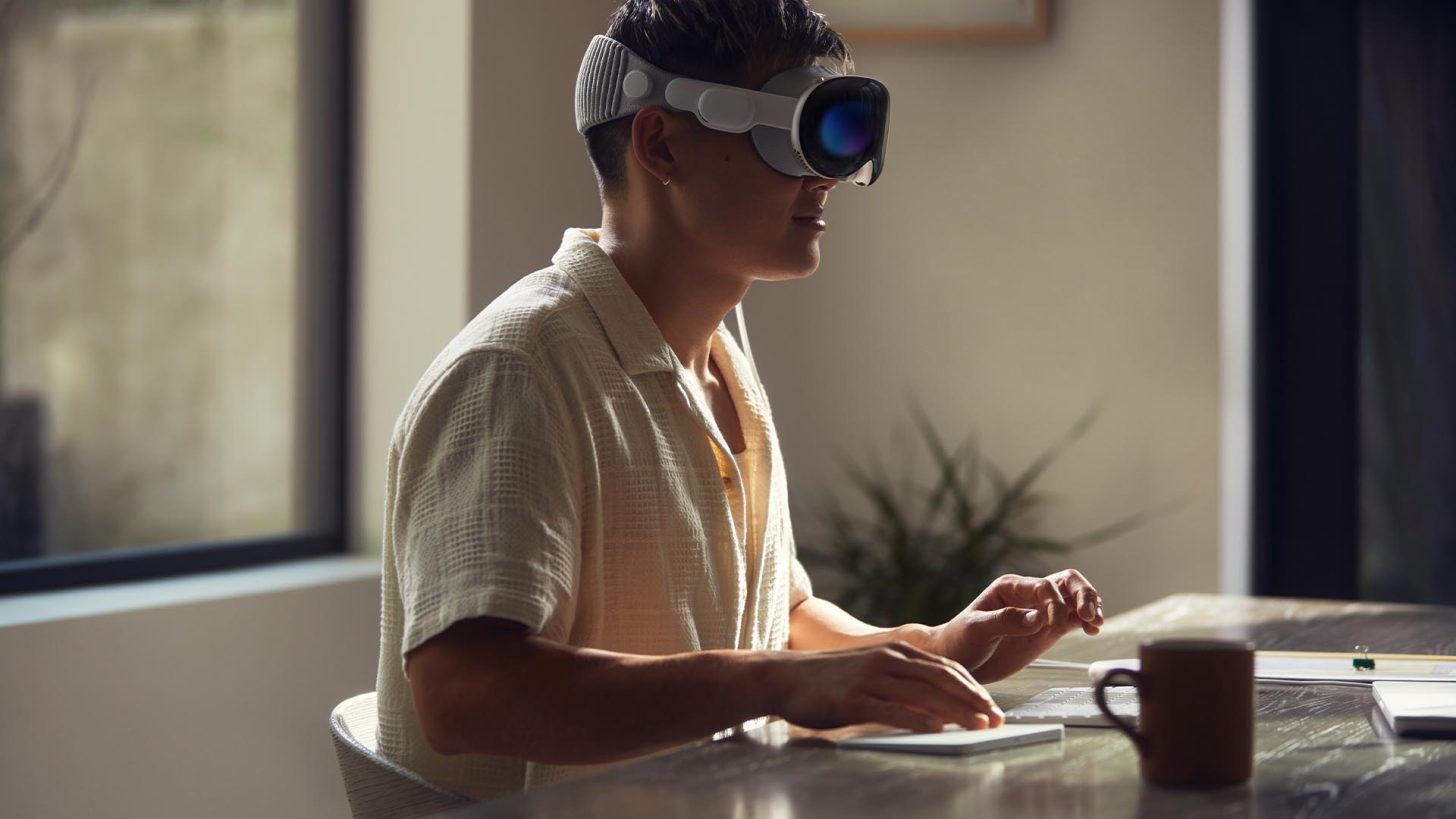
Wccftech
Several Apple Vision Pro owners are now regretting that they invested a mammoth sum to purchase the mixed-reality heatset
fair spoke
That's no surprise, I thought only reviewers and maybe some apple devs would buy it but no real market for headset at that price with the existing market of options.
rancid kestrel
No PCVR support means it's DoA as far as I'm concerned.
weak bluff
But that's not the reason why it's failed
little plinth
weak bluff
But that's not the reason why it's failed
definitely not the 3500 buckaroo 
native goblet
rancid kestrel
Isn't it like, 5x the resolution of the Vive?
vive : 1080x1200 (1296000px)
P4U : 2160x2160 (4665600px)
Bey2 : 2560x2560 (6553600px)
native goblet
rancid kestrel
Price to performance essentially.
hmmmm well we know the relative performance of the cards
depends how much they go for on you local market
native goblet
rancid kestrel
Honestly if I was rich I would get a Faraday cage for VR.
...why ?
native goblet
haughty thistle
Well, Vive Wireless uses 60GHz, not 5 or 6GHz...
oh
rancid kestrel
If I needed it to make wireless work in that hypothetical.
native goblet
yeah a sheet of paper will block 60GHz
I mean, Vive is outdated by now
with as well go with something better
imo the GOAT right now is the Pico 4 Ultra
rancid kestrel
That's why I'm getting a new headset.
native goblet
what it offers is essentially unmatched
the FBT pucks they sell alongside are ubeatable in quality/price ratio
not perfect but leaps ahead of literally everyrone else
and solid compatible DIY projects for eye/face tracking
rancid kestrel
FBT?
native goblet
full body tracking
native goblet
they sell ankle straps as base setup
and you can get the waist strap to add an extra node for improved tracking
costs 140€ to acquire, is handled by the headset so works standalone, have yet to see something with any other competitor
native goblet
rancid kestrel
I have no use for that right now.
is fine, just mentioned it en passant
I personally own one and briefly tested Q2/Q3, the 4U is head by quite a significant lead imo
but beyond that, to each their own
rancid kestrel
The quests don't interest me at all.
native goblet
rancid kestrel
The quests don't interest me at all.
what are you looking at then ?
rancid kestrel
Big screen 2.
native goblet
rancid kestrel
Big screen 2.
ah if you only do PCVR car sim then it does sound like the best option
but if you want to try literally anything else, then you're SoL
dual micro OLED makes me jealous tho
we're still "stuck" on LCD in the 4U for now
rancid kestrel
PCVR is the best why wouldn't I upgrade to something that's less than that?
I'm just sad I'm losing wireless but it's time to get a better HMD.
native goblet
rancid kestrel
PCVR is the best why wouldn't I upgrade to something that's less than that?
no no, I explicitly mentioned PCVR car sim (or any vehicle sim for that matter since I assume all vehicle sim are played in static position)
for anything PCVR not car sim, you're SoL
no controllers, no passthrough, no wireless, it's just a VR display
though it is a damn good one
wait a second
how much is the beyond 2 ?
HOLY SHIT
HOW MUCH ????
1370€
1020$
FUCK THAT
GOD DAMN
and the eye tracking version is a +180€ upsell
holy shit
geezus
for 180€ I get the hardware to DIY both eye AND face tracking for my 4 Ultra
I'd know, I'm currently doing that
little plinth
rancid kestrel
PCVR is the best why wouldn't I upgrade to something that's less than that?
you'll find yourself appreciating versatility
i love being able to bring my quest3 to vacation and still play
rancid kestrel
native goblet
no no, I explicitly mentioned PCVR ***car sim*** (or any vehicle sim for that ma...
Yeah I'm going to use index ones.
The point of it is to just be a HMD, I wouldn't expect it to come with anything else.
 peak tinsel
I know very little about VR but am interested. However, I want VR for pretty much 1 reason. Giant Screens.
Am I able to play Apex Legends in VR using say a virtual 90ft screen with a ridiculous resolution around 90k while using a keyboard and mouse?
weak bluff
Does Apex even allow that?
You need consider if anyone tried and if it is officially supported because many games despite having mods for VR the anti cheat will hate that and ban you
peak tinsel
Apex is an example. Replace Apex Legends with any other online Third or First PErson FPS/RPG Etc as well as any other Desktop Game like Oblivion or Assassin's Creed.
Diablo, Borderlands, etc...
I simply want VR to create giant screens and maybe several or like 20 or thirty. I want to be surrounded by media while being able to play desktop games with keyboard and mouse on giant screens.
The goal would be to do something like have every different series of Star Trak all playing at the same time on a different screen while still being able to play Desktop Games with Keyboard & Mouse in a VR environment. Ensuring that only the screens I directly looked at gave me audio and even then a mute and unmute option for each virtual screen would be nice.
There are so many cool things that I believe VR will be able to do and I'm not sure on what the actual capabilities are.
weak bluff
Oh so like
Play as virtual monitor
You won't get better resolution just the feel of larger screen plus you might get motion sick while doing it
rustic garnet
peak tinsel
I simply want VR to create giant screens and maybe several or like 20 or thirty....
You can but the resolution will be pretty bad
Compared to a normal sized 4k monitor or even a 1440 monitor
uneven frame pacing might also be a problem if your desktop app renders at 60 or 120 and the headset updates at 90 hz
though im sure there are software solutions to that i havent tried
rancid kestrel
Oh yeah the resolution will be awful. Think about it like this, you can have the highest pixel density screen at 20"+ or the same pixel density at like 2" on your face.
fair spoke
Meh it's not *that bad, but yes you aren't getting more pixels per inch by changing anything in the virtual environment so however high res the screens for the VR headset is an upper limit and whatever part of those screens your eyes can see is some fraction of the entire screen.
Since I have a big screen 55" TV here and nice monitor for my desktop (32" 4k 144Hz) the VR theatre or gaming on a 2d surface there doesn't have much appeal but could see if had smaller space or travelling or other cases where would be nice to use.
rustic garnet
fair spoke
Meh it's not *that bad, but yes you aren't getting more pixels per inch by chang...
it's fine for sure even on an og rift/vive you still get the "huge screen" experience for like movies or cinematic games perchance
it's just not better than say a projector and a large canvas
It's infinitely more flexible though of course
if you want a dozen different windows all around you in space you simply cant do that with real monitors
(well strictly speaking you can but it's wildly impractical)
 reef marsh
Apple Vision Pro on the Price Is Right
https://twitter.com/i/status/1922456345015705726
This is what happens when the Vision Pro shows up on The Price Is Right.

 X
·
rancid kestrel
native goblet
no no, I explicitly mentioned PCVR ***car sim*** (or any vehicle sim for that ma...
X
·
rancid kestrel
native goblet
no no, I explicitly mentioned PCVR ***car sim*** (or any vehicle sim for that ma...
Wait, why do you think this is only good for car sims?
peak tinsel
My question still has not been answered. Can I natively play desktop games in VR on a virtual screen while using a keyboard and mouse?
lime token
peak tinsel
My question still has not been answered. Can I natively play desktop games in VR...
Yes, mixed reality headsets like the Quest 3s/3 work pretty well with that
fair spoke
Yep can use whatever inputs basically VR headset is your monitor/output and acts as input for feeding head position/body tracking info as inputs but can use Xbox controller or keyboard mouse whatever if doing pcvr
With quest can hook stuff up over Bluetooth as well if using some kind of "regular controller" for games
I play some ms flight sim with hotas setup and VR for display is pretty fun but easy to lose track of where stuff is when can't see it (options for passthrough some sections of VR to see controls but prefer being fully immersed)
Tried doing some unreal engine work while in headset too but is okay for quick edits of game but if more than a real quick edit would pop out of goggles to make changes
peak tinsel
Thank you.
fair spoke
np
weak bluff
yes, not recommended tho
but because you insist
i strongly suggest buy headset with return window so you can change your mind
avoid low res headset like around 1920x1920 per eye or below at least i recommend
rancid kestrel
peak tinsel
My question still has not been answered. Can I natively play desktop games in VR...
Yeah SteamVR has a desktop mode for playing games in your headset, I've never used it though.
rustic garnet
That and virtual desktop and bigscreen and etc.
native goblet
rancid kestrel
Wait, why do you think this is only good for car sims?
No I didn't say that (or maybe I misworded, idk) I said that a tethered VR display like that was much more oriented to vehicle sims
It can't go wireless, it doesn't support anything beyond displaying something, it has nothing to go for itself besides very good resolution and micro OLED screens at a price I personally find stupid because you could get two solid standalone capable HMDs for the same price and the eye tracking version is another 180;200€/$ upsell
rancid kestrel
Standalone is worthless though.
native goblet
rancid kestrel
Standalone is worthless though.
It's not
Idk why you're stuck on the idea that it's worthless
Standalone capable means PCVR wifi capable
I am not aware of a single HMD that isn't standalone yet untethered for PCVR and includes hand controllers
If you don't move, you don't move, so it's not useful to you
But there are plenty of people who like PCVR gaming and want to be tetherless when moving around
And the only ones able to do that are standalone HMDs
And the most recent ones are incredibly capable
rancid kestrel
Is any of the Valve stuff on there and have they fixed the compression issues with trying to shove so much data down such a small pipe?
native goblet
Define "any of the valve stuff"
rancid kestrel
Alyx, The Lab, I think they have a couple of others but those are the main ones.
I don't think you can use a wheel with them either.
native goblet
And wifi 6 is enough to play high quality VR, it has more than enough bandwidth to push PC streamed VR through wifi 6
rancid kestrel
Isn't it only like 1Gb or so theoretical?
native goblet
rancid kestrel
Alyx, The Lab, I think they have a couple of others but those are the main ones.
You mean Steam games on standalone ? There's none
But name me one PC dependent HMD that's wireless with controllers and supports other things like body tracking, I'll wait
rancid kestrel
You need ~8.8Gb for raw modern VR, that's a very tall order for Wi-Fi and compression.
rancid kestrel
native goblet
You mean Steam games on standalone ? There's none
But name me one PC dependent H...
Vive.
native goblet
rancid kestrel
Isn't it only like 1Gb or so theoretical?
Been able to do a speed test on my Neo 3 Link (wifi 6) and get 700mbps online
Streaming VR from PC, Pico Connect has a slider that goes all the way up to 300mbps and I think Virtual Desktop has about the same cap
native goblet
rancid kestrel
Vive.
Isn't it standalone ? (on paper)
rancid kestrel
native goblet
Isn't it standalone ? (on paper)
Huh?
native goblet
rancid kestrel
Yeah that's going to be over a 10x compression ratio.
Unnoticeable
I used them with USB-C DPort, I saw no difference
And I have a good resolution screen and beefy PC that can get higher resolution raster than the screen does
I play games in 25XX*25XXpx and the screen is 2160x2160
rancid kestrel
I do not believe that.
native goblet
rancid kestrel
I do not believe that.
Feel free to not believe what I can get screenshots for you if I was in front of my desk
I go in steamVR, check raster resolution, it's set on 25xx*25xx and I can see the FPS when playing it through Virtual Desktop's "task manager" or directly in VRChat for example
I can get anywhere from 45 to 90FPS in VRC depending on situation and I was playing BoneWorks in 2500^2 with 90FPS
haughty thistle
You can't push very high resolutions over wifi without it turning to potato quality or having a latency too high for VR. That's a fact.
Not to mention that even at lower resolutions, the latency is technically still to high, only reason it isn't vomit simulator is because the headset does additional ATW, and as a result controller movement looks like it's moving through jelly
native goblet
Oh and btw, the 4 Ultra has wifi 7, I have a wifi 7 AP and my desktop has fiber (yes, fiber out of a network card direct to my switch which then does 2.5G to my AP)
haughty thistle
Wifi is good for the average joe wanting to have a casual chat with friends in VRC, but trying to play competitive in VR over wifi is like trying to play CS:Go on a cloud computer
native goblet
haughty thistle
You can't push very high resolutions over wifi without it turning to potato qual...
I set my streamer app to 180mbps, I don't think I'm losing a whole lot of quality and if I wanted to, I'd just push 300mbps
native goblet
haughty thistle
Wifi is good for the average joe wanting to have a casual chat with friends in V...
I get a 10-12ms latency to PC, which is barely anything
haughty thistle
Haha. 180mbps is potato quality for Quest 2/Pro resolution 
native goblet
I get bigger ping from PC to internet
native goblet
haughty thistle
Haha. 180mbps is potato quality for Quest 2/Pro resolution <:jakeKEK:95855634467...
Sorry you have bad hardware then
haughty thistle
native goblet
I get a 10-12ms latency to PC, which is barely anything
I dunno what number you were looking at, including en- and de-code your at a minimum latency floor of around 30-40ms, just from the video en- and de-code...
Hey, matter of the fact, if your happy with Wifi, that's fine. Just don't expect that everyone is happy with it
native goblet
haughty thistle
I dunno what number you were looking at, including en- and de-code your at a mi...
Virtual Desktop's "task manager" (idk what they call it in software, I forgot) has a breakdown of the latency pipeline, I just tell you what the "total" says
Slowest I've seen ever was 21ms
native goblet
And that was on Neo 3 Link (wifi 6)
native goblet
weak bluff
including encode and decode
Yes
haughty thistle
Imo, Wifi is terrible for VR, just from the fact that you have to A. compress the video feed quite heavily to not run into latency issues and B. have to deal with other devices possible screaming into your transmission trashing any sort of consistency with the latency. 6GHz might not have the congestion problem yet, but it will as more and more phones and IOT Garbage adopts it.
Imagine living in an apartment with 30 different APs around you...
native goblet
weak bluff
including encode and decode
The streamer app gives the encode time to the receiver app in the headset which gives you the decode time and it shows the full breakdown including frame raster time on PC
Just look it up mate, I'd give you screenshots but I'm 20mn away from starting an exam for my degree
rancid kestrel
That's like saying you don't notice when YouTube drops video bitrate.
weak bluff
im pretty sure 80Gbps wired is better than 180Mbps wireless ¯_(ツ)_/¯
native goblet
rancid kestrel
That's like saying you don't notice when YouTube drops video bitrate.
That's literally not saying that
VR streaming is the closest form of Live you can get, only second to seeing with your own eyes, if there's a drop in latency or anything, you'll notice dropped frames or any other sort of issues
weak bluff
thats a wild claim there
haughty thistle
Having a lightweight, and long enough cable really isn't that bad (unless you dance in VR)
native goblet
weak bluff
thats a wild claim there
You're making start to think you've never played VR before
haughty thistle
Most people only ever tried cabled VR on a quest with a cheap, thick copper cable, often not even 5m long and think that's what cables in VR just are.
I can tell you from experience that you don't notice a good VR cable, like the one from the Bigscreen...
native goblet
I've got an exam to not fuck up so I'll see you guys later, I'll send you screenshots once I'm done
weak bluff
i do wireless quest 3 all the time ¯_(ツ)_/¯
rancid kestrel
native goblet
That's literally not saying that
VR streaming is the closest form of Live you ca...
So you can't see all of the artfacting in modern YouTube that wasn't such a problem 10 years ago?
weak bluff
you can still see compression problem when you look at rain, snow, confetti, dark scenes today even at 500Mbps
rancid kestrel
Yeah but that's different than severe blocking on a simple pan.
Something that video compression shouldn't care about.
weak bluff
a sheet of aluminium foil is enough to ruin your wifi
rancid kestrel
Honestly all of the temporal components in video compression are super cool and VR just can't use them much because it needs to be as close to 0 latency as possible.
weak bluff
not sayign its a common problem
i play wireless vr from my bed around 20m away from PC
wireless wifi is quite good for my vrchat sessions
it definitely wont do it well on beat saber
haughty thistle
I used to play on a Vive Pro with a Wireless adapter, Quest 1 and Pro. I honestly prefer the wired experience, even on a Quest lol
Tho the Vive Wireless was as close to a wired experience I ever had. Still has its flaws at time with boxiness in the green channel at times, but yeah. I'd still take image quality over a cable, and even in normal images you can tell that the Quest on wifi looks softer compared to a wire...
Even the Quest looks better on wired Link somehow 
rancid kestrel
I guess since I'm using it with a Vive there are less bandwidth constraints.
weak bluff
and then there is wireless Valve Index attempt
rancid kestrel
From what I've read they had to tune that down for RF regulations?
But yeah, unfortunately the universal truth has caught up to VR.
haughty thistle
rancid kestrel
I guess since I'm using it with a Vive there are less bandwidth constraints.
Vive WA uses like 4 or 4.5 gbps for its transmission. Internally it's just a USB 3 Display link adapter, but custom made to utilize most of the available USB bandwidth
weak bluff
it seems hard to get a good wireless vr experience that is between standard wifi and wired
liek
rancid kestrel
The Vive "only" needs ~0.9Gbps.
weak bluff
in between struggles for some reason
rancid kestrel
So that makes a lot of sense.
Wait I'm off by a factor of 3.
With both numbers.
rancid kestrel
rancid kestrel
The Vive "only" needs ~0.9Gbps.
So ~2.7.
I thought I posted the bigscreen one.
~26Gbps for it.
high apex
haughty thistle
Even the Quest looks better on wired Link somehow <:linusModel:94190908358014160...
I wish that VD worked over wire, since the main things I like about it are that it's fine-tunable and you don't have to run the oculus app to use your computer
rustic garnet
native goblet
No I didn't say that (or maybe I misworded, idk) I said that a tethered VR displ...
you do know that the bigscreen is part of lighthouse/steamvr right? you can use any controllers and any accessories with it
rustic garnet
rancid kestrel
Alyx, The Lab, I think they have a couple of others but those are the main ones.
nope
rustic garnet
native goblet
Isn't it standalone ? (on paper)
Nope
native goblet
rancid kestrel
So you can't see all of the artfacting in modern YouTube that wasn't such a prob...
I watch YouTube in 1440p so not really
native goblet
rustic garnet
you do know that the bigscreen is part of lighthouse/steamvr right? you can use ...
Lighthouse ? What's that ?
rustic garnet
oml
rustic garnet
you're talking with a lot of confidence
native goblet
Why is it so shocking that someone doesn't know something
rustic garnet
Lighthouse is how the vive and index and pimax and anything else that isn't camera tracked works
and they're all intercompatible in steamvr
all of their accessories too
native goblet
Oh
Well I don't own any of those so that explains why I didn't know about them
rustic garnet
native goblet
Why is it so shocking that someone doesn't know something
Because it's literally the biggest hardware platform for vr??
native goblet
The only HMDs I ever used were Quest 2, Pico Neo 3 Link and Pico 4 Ultra
With some time on a Quest 3 for testing
native goblet
rustic garnet
Because it's literally the biggest hardware platform for vr??
Never heard of anything beyond SteamVR
And standalone environments
rustic garnet
Steamvr is lighthouse
or like
Lighthouse started steamvr and then support for everything else was added later
native goblet
Never ever heard of SteamVR called Lighthouse by anyone I ever talked to about VR
rustic garnet
Lighthouse is the specific tracking system
the hardware solution
but steamvr itself is software
Lighthouse is steamvr native though
Either way
native goblet
Again, if it's about hardware, I mentioned the hardware I ever got my hands on, if they aren't part of lighthouse then that's why I never heard of them
rancid kestrel
native goblet
I watch YouTube in 1440p so not really
A lot of content is only 1080p.
rustic garnet
Point being the bigscreen headset can be used with vive wands or index controllers and fullbody tracking pucks and even oculus controllers if you really want to
rancid kestrel
native goblet
Oh
Well I don't own any of those so that explains why I didn't know about them
It's PC, of course stuff is modular.
native goblet
rancid kestrel
It's PC, of course stuff is modular.
Most VR hardware I know about isn't
The only thing tying everything I know of is SteamVR
rancid kestrel
It's one reason why PCVR is the best.
native goblet
And that's because it can talk to separate systems at the same time
native goblet
rancid kestrel
It's one reason why PCVR is the best.
That much I agree with
But that doesn't mean standalone is useless/worthless
(if we're still on that topic from earlier)
rustic garnet
rancid kestrel
It's one reason why PCVR is the best.
exxaaaaccctly
rancid kestrel
native goblet
But that doesn't mean standalone is useless/worthless
I have no use for it, so in my view it's useless.
native goblet
rancid kestrel
I have no use for it, so in my view it's useless.
Look, my point was, I love PCVR
But when I go somewhere on vacation, it pours like crazy or I'm locked inside the house or every PC on the planet is destroyed and I can't do PCVR, bringing my HMD to play Breachers, VRC or Tabor without having to bring my whole rig, that's definitely something I can appreciate
rustic garnet
exactly
rancid kestrel
It would be funny to backpack a VR rig.
native goblet
rancid kestrel
I have no use for it, so in my view it's useless.
Exactly what I'm saying
It's not useful for you, that's alright, everyone got their own thing, but calling something straight up useless in a general fashion is just fucking stupid and completely oblivious
native goblet
rancid kestrel
It would be funny to backpack a VR rig.
Considering how far along SFF builds have been going, it's not impossible
rancid kestrel
I'd honestly rather bring a PC and a good VR setup.
little plinth
good luck bringing a pc everywhere
though on top of that you also need a power socket around
rancid kestrel
I mean, anywhere you'd be using a VR headset should accommodate a PC.
rancid kestrel
You wouldn't use a headset there, not enough space.
native goblet
rancid kestrel
I mean, anywhere you'd be using a VR headset should accommodate a PC.
No
little plinth
watching movies and sit down games lol
native goblet
rancid kestrel
You wouldn't use a headset there, not enough space.
Train could have the space by it would move too much
A mall would have more than enough space
little plinth
not all of VR are roomscales
rancid kestrel
That's just a phone.
little plinth
is a phone a 104inch screen
rancid kestrel
native goblet
Train could have the space by it would move too much
A mall would have more than...
A mall has power too.
rancid kestrel
little plinth
is a phone a 104inch screen
My phone can look larger than my TVs.
native goblet
Yeah ? Go find a place to put down your PC, a surface to put mouse keyboard and screen and an outlet to power everything, I'll wait
Meanwhile, I'll just stroll in with HMD on head and batteries in pockets
little plinth
bro is the 1in7 billion weirdo who brings a giant pc anywhere
rancid kestrel
Anywhere I'd want to play VR games I'd be able to do that.
rustic garnet
oml both of you are incredibly stubborn
native goblet
rancid kestrel
Anywhere I'd want to play VR games I'd be able to do that.
No lmao
rancid kestrel
I'm not going to be playing Beat Saber on an airplane.
native goblet
rancid kestrel
I'm not going to be playing Beat Saber on an airplane.
I'm not going to be playing any VR games tethered
rancid kestrel
To be fair I haven't for ages, but apparently the modern tethers are really good.
We will see when I get my new headset.
native goblet
A tether is still one too many
Moving around and turning on myself without risking a trip, a cable twist or a busted port, that's the way it's meant to be played
haughty thistle
native goblet
Meanwhile, I'll just stroll in with HMD on head and batteries in pockets
And get to see only a tiny fraction of what VR has to offer (because let's be real here, an overclocked smartphone still is nowhere near powerful enough to render properly immersive VR environments; it can run VR, yes, but good graphics are something else)
Hecc, even a 5090 still struggles with a lot of VR games lol
little plinth
good thing standalones can connect to pc
rancid kestrel
Alyx will probably be a whole lot nicer with the new headset.
haughty thistle
Yeah, but I'd still take a native tether over compressed USB or Wifi any day
Thank Valve & Bigscreen that options exists
native goblet
haughty thistle
Hecc, even a 5090 still struggles with a lot of VR games lol
If a 5090 struggles with a VR game, it's because it's unoptimized trash
I have a 9070XT, if anything gets me less than 90FPS in 2500x2500, I leave a negative review and tell them to optimize their shit
little plinth
it's not always optimization
rancid kestrel
The only wireless I want is one that's got a close enough bandwidth to the target so the compression hardly has to do anything so you get low latency and low data loss.
haughty thistle
native goblet
If a 5090 struggles with a VR game, it's because it's unoptimized trash
I have a...
Tell that to MSFS. The most immersive, and hella optimized, VR experience out there 
little plinth
MSFS is actually so GPU optimized your CPU is the one crying
rancid kestrel
It sounds like you don't quite understand the absolute power that VR can take.
native goblet
little plinth
it's not always optimization
It's always optimization
Alyx is the proof of that
Very few games look as good as it does and it has insane performance
rancid kestrel
I'm hoping my slowish GPU can keep up.
haughty thistle
little plinth
MSFS is actually so GPU optimized your CPU is the one crying
Ehh... even then, on a 3090 I was not able to get a decent FPS on even an Index, with a render resolution that didn't make me feel like I forgot my glasses...
rancid kestrel
It also doesn't render all that much at a time, it's designed to only let you see a small part of the world at once.
haughty thistle
native goblet
It's always optimization
Alyx is the proof of that
Very few games look as good ...
Alyx literally scales down render res if you PC is too crappy, and you prolly never noticed. I certainly didn't... until I upgraded my GPU and the game suddenly went from "eh" to actually sharp 👀
rancid kestrel
Also, does anyone else feel the hand snapping that Alyx does?
native goblet
little plinth
MSFS is actually so GPU optimized your CPU is the one crying
Then they should optimize for CPU, no reason that modern 8-24 cores are crying like this
rancid kestrel
haughty thistle
Alyx literally scales down render res if you PC is too crappy, and you prolly ne...
My headset is too low res to notice me thinks.
haughty thistle
Yeah, having a low res headset to begin with helps. Masks the render scaling too (since the reference scale is lower to begin with)
native goblet
We live in 2025, why the fuck would I gimp my experience in VR with low resolution screens ?
haughty thistle
The game targets 90fps, and it will scale down render res as far as it needs to hit that target. It will also go as high as 2x render res if you have enough resources over. And no, setting a render scale in SteamVR doesn't work, the game ignores that setting and goes with whatever 100% render res is in SteamVR
haughty thistle
native goblet
We live in 2025, why the fuck would I gimp my experience in VR with low resoluti...
Maybe because you have a potato PC? A physical lower res screen actually looks sharper then running a higher res screen at the same render res
rancid kestrel
native goblet
We live in 2025, why the fuck would I gimp my experience in VR with low resoluti...
Dude I have a Vive from before there were better headsets, there's a reason I'm upgrading.
haughty thistle
That's the whole argument that Somnium makes about their VR1, how it supposedly looks sharper then the XR4, but with the big asterisk that this only applies when running both at the same render resolution
native goblet
haughty thistle
Alyx literally scales down render res if you PC is too crappy, and you prolly ne...
I have yet to play a game besides VRC at 110% resolution that gets my GPU above 80-90%
Then again I haven't played all VR games I own lmao
I do have DCS to try out still
haughty thistle
VRC is a bad benchmark with all the unoptimized avis running around
native goblet
Gotta see what my PC gets me in it
rancid kestrel
The Bigscreen 2 was supposed to be August right?
rancid kestrel
haughty thistle
VRC is a bad benchmark with all the unoptimized avis running around
The car rental company/god?
haughty thistle
???
haughty thistle
rancid kestrel
The Bigscreen 2 was supposed to be August right?
Apparently June. They had a delay in the production of the regular BSB2, so now both the regular and 2e launch in June. August was the halo strap iirc
native goblet
haughty thistle
VRC is a bad benchmark with all the unoptimized avis running around
...that's why I'm excluding it bruh
rancid kestrel
Avis | Rent a Car
Reserve your next car rental online with Avis save. A large selection of vehicles available & with the Avis Signature Series you can travel in style.

The Orville Wiki
The Anhkana teaches that vengeance is the will of Avis. His will shall be done.— Teleya[1] Avis was the god of the Krill people as recorded in the Anhkana, the Krill holy book. Avis was the...
rancid kestrel
haughty thistle
Apparently June. They had a delay in the production of the regular BSB2, so now ...
That's the one I ordered, so August.
haughty thistle
smh. Avis is short for Avatars xD
I was gonna mention exactly what group of people are usually responsible, but apparently it's a banned word here xD
rancid kestrel
Yeah some random things are banned here for no apparent reason.
Once I got soft banned for posting a programming help question....
haughty thistle
rancid kestrel
Got to love people picking random uncommon words to turn into something vile.
Anyway.
rancid kestrel
haughty thistle
Apparently June. They had a delay in the production of the regular BSB2, so now ...
I'm excited.
haughty thistle
Same... eagerly awaiting my 2e 😄
rancid kestrel
I'm hoping I'll be able to get a 5090 in the coming months, after I've got my new job.
I'm interested to see what the eye tracking ends up being used for, just the variable rate shading stuff would be cool.
How does the FoV compare to the Vive?
haughty thistle
Apparently the BSB2 FOV is larger then the BSB1 FOV
Comparing my Beyond 1 to the Vive Pro 1, I get roughly 3° less HFOV and 16° less VFOV
Tho, tbf I have my Vive lenses as close to my face as possible, which iirc is close then what it was on the original Vive
rancid kestrel
So, a decent amount more vertically and a little bit horizontally?
I suppose that makes sense with the more square displays.
haughty thistle
No, the Bigscreen is smaller in both directions
Only a little smaller horizontal, and more so vertically. Tho, as you said, the Vive has rectangular screens (taller then wide), while the Beyond has square screens
weak bluff
BSB1 and BSB2 i bet uses exact same display
They are just harnessing more of it
Its literally this

 haughty thistle
Yup, more efficient optics allow the BSB2 to have a brighter image while still using the same panels, this has been confirmed by them
gloomy crater
I'm glad I decided to wait for more VR announcements to come before I committed to buying a BSB1. I was going to buy one in March of last year but then decided to wait and see whether Valve would finally announce their new headset or not, and because I decided to wait, I'll be getting a BSB2 instead because Valve still hasn't announced anything.
rancid kestrel
Yeah I was waiting for Valve but then the frustration of the Vive quality just hit a breaking point.
rancid kestrel
Is variable rate shading even a thing that's implemented yet?
rustic garnet
native goblet
It's always optimization
Alyx is the proof of that
Very few games look as good ...
Alyx has superb art direction but it's rendering techniques were outdated when it released
rustic garnet
native goblet
We live in 2025, why the fuck would I gimp my experience in VR with low resoluti...
To maintain framerate
its very obvious if you listen to the devs talk about it
as i said youre acting very confident for someone who evidently knows a lot less than there is to know
rustic garnet
rancid kestrel
I'm interested to see what the eye tracking ends up being used for, just the var...
maybe eye tracked foveated rendering will finally become integrated into the steamvr driver 🥳
rancid kestrel
If their hardware supports it they definitely will. (Apparently the first time I sent this it had a bad word or something‽)