#virtual-reality
1 messages · Page 42 of 1
 weak bluff
 haughty thistle
Be careful of terminology! Active USB cable means that it has some active components inside to allow for longer cable lengths (like a signal repeater or optical transceivers)
What you probably meant were these funky USB C cables with a USB-PD powerinjector specifically for Quest
I'd be cautios of those tho, since they violate all sorts of USB specs...
 brazen drum
hmm ok, thanks
the official £90 fibre cable says it supports charging but that would rely on the board
I did see the ones that add pd into the cable
what do you use?
weak bluff
the only reliable way to charge and use at same time is wireless and wall charger
 little plinth
haughty thistle
Be careful of terminology! Active USB cable means that it has some active compon...
little plinth
haughty thistle
Be careful of terminology! Active USB cable means that it has some active compon...
I have one kek
Allowed me to PD charge while using ethernet back when i still use pico wired
Though the quest is much more picky with chargers
 rustic garnet
haughty thistle
I'd be cautios of those tho, since they violate all sorts of USB specs...
rustic garnet
haughty thistle
I'd be cautios of those tho, since they violate all sorts of USB specs...
Can't you get a usb c hub with pd passthrough?
or are those only supposed to charge the host device
haughty thistle
Those only pass the PD through to the host device, yes
PD is only meant to be received by the host device in the case where also data is transmitted simultaniously. A client device is only supposed to be involved in PD communication when it only deals with PD communication...
It's honestly surprising to me that the Quest actually just shrugs off these link cables with PD injectors on them. But yeah, because it violates the spec, I'd recommend against using those cables with anything that's not a Quest headset
 rancid kestrel
In fact I use Index controllers (2.0) with my Vive (1.0).
 whole fern
rancid kestrel
In fact I use Index controllers (2.0) with my Vive (1.0).
whole fern
rancid kestrel
In fact I use Index controllers (2.0) with my Vive (1.0).
Same here
I'm considering getting one of the Refurb'd Index's that Tundra sells because they'll still work with the 1.0 vive base stations
Also the naming scheme for Vive trackers is stupid
You have like Vive Tracker->Vive Tracker(2018), Vive 3.0
rancid kestrel
I'm hoping the next Valve headset is another Index.

 graceful robin
Here's a clip of what's happening with my AnnaPro head strap.
Any ideas on what's going on? My Quest 3 I only got like 2 weeks ago. Maybe three. The annapro head strap only about half a week.
(Pls @ me or I won't see)
 real pasture
would index controllers also work with 1.0 stations?
cant find any cheap 2.0 ones so this would be huge
 gloomy crater
Welp, I finished putting together the new load order for updating all of my family members' beat saber installs. The only issue is that anyone running a WMR headset (like me) is screwed. Since my headset is built by monkeys, the controller vibration is broken on all the newer versions of beat saber and the only way to fix it is to set the OpenXR Runtime default back to WMR. This bypasses SteamVR entirely, meaning in order to make my controller vibration work again, I have to sacrifice all SteamVR features like on the fly resolution adjustment, audio mirroring adjustment, and face direction recentering
haughty thistle
real pasture
would index controllers also work with 1.0 stations?
Every lighthouse tracked device is compatible with 1.0 lighthouses. It's just that the original Vive Trackers (the ones with the matt-gray logo), black Vive Wands and the original Vive need 1.0 lighthouses, those do not work with 2.0 lighthouses
But if you have, or wanna get 1.0 lighthouses, you have to make 0 considerations regarding compatibility with them and your tracked devices...
real pasture
haughty thistle
But if you have, or wanna get 1.0 lighthouses, you have to make 0 considerations...
alr great thank you
 vestal pewter
I wish F1 24 didn't use 3D exclusively for racing. It uses a 2D screen for EVERYTHING else. That's a problem aince SteamVR seems to be unable to handle switching between 2D and 3D in quick succession. I usually do 15 lap races that take around 20-25min, so towards the end I tend to lose my focus and make more mistakes and I have to rewind more often. Sometimes I have to rewind again because I screwed up my correction, and the quicker I do the second rewind, the more likely it is for SteamVR to crash. Since F1 24 depends on SteamVR, it exits too. Is there a way to fix it or am I stuck risking lots of crashes? SteamVR has also crashed without switching dimensions a few times now
 serene stump

Thanks to Wicked Cushions for sponsoring our CES 2025 coverage! Purchase Wicked Cushions at:
AMAZON: https://lmg.gg/WickedCushionsAmazon - use code “LTT15OFF”
WC WEBSITE: https://wickedcushions.com/LTT (Special coupon waiting inside!)
Linus checks out the Pimax Crystal Super and the Shiftall MeganeX superlight 8K at CES 2025 and decides wh...
 brave wharf
What are some important things to look for in a pcie usb card? Looking for recommendations with optimally 6 ports but would settle for 4 ports. Preferably type A but type C would work as well with OTG adapters.
I’m using 2 index controllers + 4 vive 3.0 trackers + quest 3
little plinth
@proud jetty
i am absolutely sorry about the direct ping but discord is a garbage app and not letting me ping the role.
There's a crypto scam bot above.
 formal marten
Is a PPD of 33.68 decent? I am hoping I will be able to read and write code clearly.
weak bluff
that is quite decent i say and you may be able to read text in about distance from your eyes to steering wheel well
assuming fast switch LCD stripe
formal marten
And do you think a 57 degree fov is reasonable for a monitor?
weak bluff
pentile OLED maybe less so
formal marten
It is a micro oled display
weak bluff
57 for monitor? you want to use as virtual monitor?
formal marten
yes
formal marten

this is what I pre-ordered
I am hoping I am pleased with the resolution and refresh rate
downgrading from 27 inch 1440p 144hz VA panel
weak bluff
hard to say i have little know how of this
formal marten
it is about 6 years old
Basically I am just comparing the following:
VA 1440p 144hz 27 inch monitor
MicroOLED 1080p 120hz 57 degree virtual monitor
I think I will be fine with the latter
weak bluff
hard to say
formal marten
I bet they will look similar
but the 1080p will be easier to render on my gpu
and it is portable, has microphones, speakers, and dimming
it should work on my pc, ps5, and phone too
weak bluff
hard to get monitor comparison because how sharp you see virtual monitor depends on distance of virtual monitor to your eye
formal marten
you can adjust it
I will fiddle with it a bit
but at max fov the ppd is 33.68
If that is decent, I should be good.
weak bluff
formal marten
And do you think a 57 degree fov is reasonable for a monitor?
i thought you said just monitor not just glasses
that is very narrow
formal marten
I was abstracting it to just the projection
it isn't for vr games
just for displaying a virtual monitor
weak bluff
i know but still narrow
i cant give good opinion enough if it does not goes well make use of 30 day return policy
formal marten
Isn't that basically like sitting 22 inches from a 27 inch monitor?
formal marten
weak bluff
i cant give good opinion enough if it does not goes well make use of 30 day retu...
real
weak bluff
how do you measure that
when it comes to HMD, you cant just use entire field of view for monitor
actually idk if this even use 3DOF
idk i should not say why
formal marten
It has 0dof and 3dof
weak bluff
i never used this but i have seen constant witness of people trying to sell it hand after hand after using a bit
and i never found it appealing
formal marten
weak bluff
how do you measure that
23.5/(2*tan(0.995/2)) = 21.64 inches
I typically sit farther anyway.
I guess I will find out when it arrives.
I just want an affordable and portable oled gaming display.
And I intend to use it for programming
rustic garnet
 formal marten
23.5 though
weak bluff
im sorry but those glasses arent affordable it sacrifices quality for portability
formal marten
because of the width of the monitor
rustic garnet
you said 27 before but ok
weak bluff
they are the laptop of PCs
you sacrifice quality for portability i woudl say more like
formal marten
rustic garnet
you said 27 before but ok
a 16:9 27 inch monitor is 23.5 inches wide
yes
rustic garnet
right its the diagonal
formal marten
weak bluff
im sorry but those glasses arent affordable it sacrifices quality for portabilit...
More affordable than a fancy 1000+ dollar monitor
and I don't need a headset or mic
bc the glasses have both
it is only 600 bucks for all of that
rustic garnet
yeah sure but is it any good is the question
formal marten
I am curious as well
I will return them if not
but they sound wonderfully convenient
and most oled monitors are pricy anyways

I don't need a huge display or 4k res
formal marten
Gaming, programming, watching movies, discord calls
My phone or my desktop
potentially an m4 mac mini?
rustic garnet
where are you gaming that needs a portable monitor
rustic garnet
what are you gaming on when traveling
formal marten
my idea is iPhone + XREAL glasses + geforce now + dualsense
formal marten
120hz should be plenty for most games
and the latency of geforce now prevents comp play anyway
I can just plug into my desktop for that
weak bluff
keep in mind sounds good on paper, majority buyers regret
cant tell why
but majority peopel buy it regret
rustic garnet
feel like thats gonna be horrible for motion sickness
formal marten
The complaints I see are about the older models. They didn't have native 3dof or high enough fov.
rustic garnet
in like a car
formal marten
The old fov was 46
formal marten
rustic garnet
feel like thats gonna be horrible for motion sickness
VR never gave me motion sickness
weak bluff
this is giving me copium vibe but ok
formal marten
so maybe I will be alright
I am just excited by the idea
it might be good or it might be bad
rustic garnet
formal marten
VR never gave me motion sickness
not what im talking about
being in a moving car with a huge virtual monitor
with flatscreen games especially
weak bluff
when a product does not have good history, you better want to wait for reviews rather that copium and hope next revision is better
rustic garnet
being much more fast paced than vr often
rustic garnet
weak bluff
when a product does not have good history, you better want to wait for reviews r...
I mean this is the next revision
formal marten
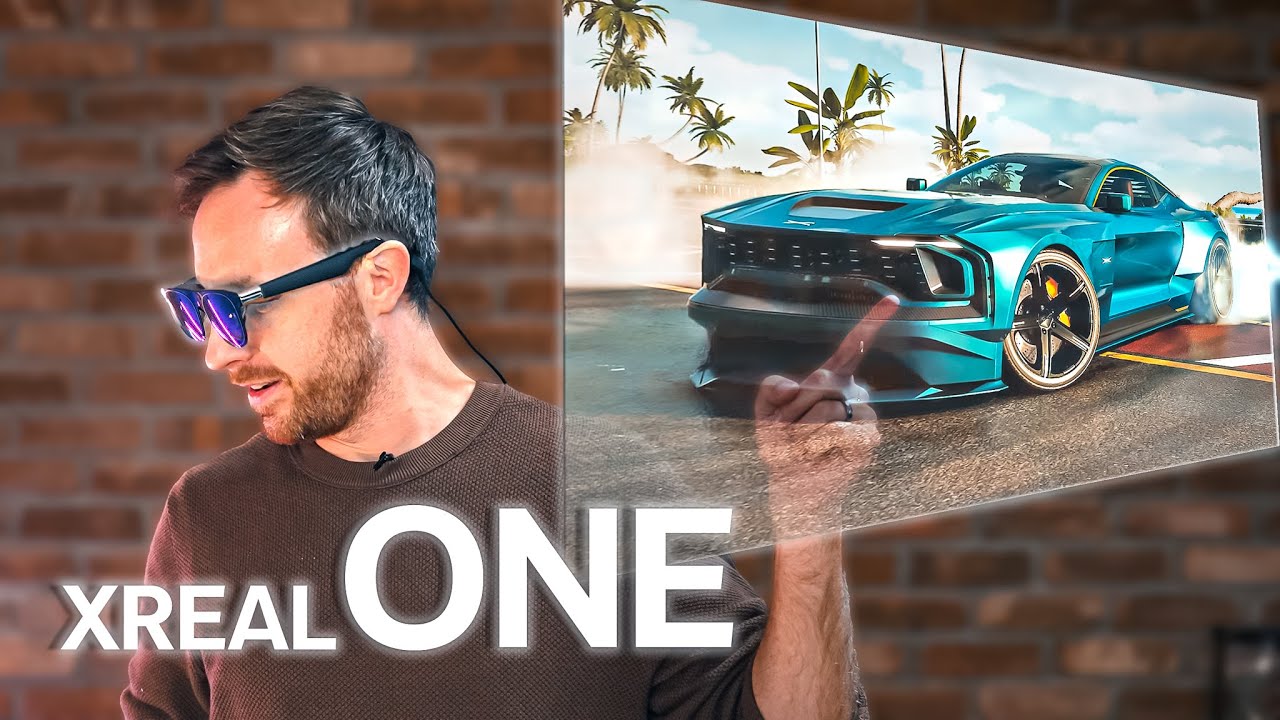
First Look at the Xreal One AR Glasses - Brighter, Slimmer, Wider FoV and all new X1 chip for Anchor Mode - the best Cinematic Glasses just got even better! ▶ https://bit.ly/3OEQZuX
This video is not sponsored, and only a preview as final software is not yet available.
Why not SUBSCRIBE? (it's free)! 😄
▶ YouTube: https://bit.ly/2UyCBGq
▶ IG...

Review of the new XREAL One AR Glasses. These glasses have a brand new custom X1 chip that adds built in settings, ultra low latency and doesn't require an external Beam adapter to anchor the display (3 DoF). They've also upgraded the audio, added better brightness, a larger field of view, distortion-free visuals and much more.
Order XREAL One ...
These are the two reviews I saw.
I wonder about the influence of their sponsorships though.
weak bluff
if you are here to convince this product is actually good, you wouldn't need to ask in first place just listen to those reviews
formal marten
I just wanted to know if 33.68 ppd is sufficient compared to what I have now.
That is all I originally asked.
I was hoping to talk to people who have tried similar products.
But I ramble when I am excited
lol
weak bluff
in VR standards its good yep if that is similar for you
HMD have different standards
also every HMD manufacturers liek to inflate their number with less useful metric
liek their FOV is it horizontal FOV or vertical FOV
vertical ofc is larger
formal marten
I think it is diagonal? not sure
weak bluff
if they don't clearly say, it becomes a yellow flag because they try to make it sound better than it is
weak bluff
its a common tactic, even good VR headsets
formal marten
that makes sense
I could rest easy if they just made a 1440p 240hz version lol
The fov is probably fine for most use
 zenith ivy
I like XRWorkout so far on my quest 3
Also, it works ok on my steamvr setup(ALVR + Pop!OS 22.04 lts + NVIDIA)
 halcyon pond
I want to play pcvr and I have a link cable but my room where the pc is, is so small that I end up barely being able to play most games. There is a router, and a lot more space downstairs and was wondering if there would be any solution to using air link and having it look good while my pc is upstairs, but playing it downstairs. The only solution I can think of is directly running an ethernet cable from the router to my pc, but that is not an option. Any ideas would be helpful, thanks.
weak bluff
there are some solutions, varies cost and quality
ok from my understanding, you want PC upstairs and play downstairs
ethernet is best solution but prefer not
You can:
- Run all wireless. Your PC connect wireless to router, then wireless to headset. Worst quality, least messy.
- Use Powerline or MoCA. You can buy powerline adapter upstairs to downstairs then connect to router with it. Expensive and results may wary depends on your house wire interferance. Expensive solution, quality not guaranteed.
halcyon pond
yeah I've got a powerline adapter for that reason and it didn't really help sadly. Thank you though
weak bluff
if you have unused TV analog plug in you wall, you can try MoCA
halcyon pond
sadly not
 brisk viper
anyone else always have issues using internet on quest apps? quest store and browser take atleast 10 minutes each to load for me but i can load up any game/other app just fine, not an internet issue. also app downloads are fast, but updates are just as slow
 tulip hatch
brisk viper
anyone else always have issues using internet on quest apps? quest store and bro...
tulip hatch
brisk viper
anyone else always have issues using internet on quest apps? quest store and bro...
there's not really good options for browsers atm on vr (look up stardust xr if you want to see a FOSS project by a friend of mine that is working to solve that issue among many others in xr/vr/ar), but the best one i found at least for the quest 3 was wolvic;
it is based on firefox and also has better extensions support for essentials like ublockorigin and privacy badger;
Definetely think browsers and the majority of the internet in general suck in vr though, especially for ensuring consistent and working implementation of vr specific content integration;
Though in fairness i also think there's a lot of problems with the monopoly on browsers in general using chromium or chrome variants;
There's also remoting into a desktop and using it's browser with a kb/m bluetooth paired to the headset, but at that point you're reducing the value that comes with spacial computing like xr into effectively a glorified monitor;
my hope is that in the future web developers when making content for xr will take it into account as a platform the same way we have responsive web design already for tablets and phones, but xr is still a relatively new and relatively small niche compared to mobile and desktop users so it will probably be a while before we see most content optimized;
Shoutout to a certain very popular nsfw website though, i tried it in vr with both wolvic and the default quest/meta browser and it seems they have some of the best searching and integration for xr content out of any website out there atm. maybe someday more of the web will follow suit;
rustic garnet
tulip hatch
there's not really good options for browsers atm on vr (look up stardust xr if y...
that was not the question
 tired kernel
is the q3 worth it coming from a og q2?
weak bluff
what do you need from q3 that q2 does not have
little plinth
The passthrough and pancake definitely makes it worth everything
I find myself using passthrough 99% of the time I'm not in a vr game
And the 3D depth of it is really good aside from the warping it's like using glasses, albeit, grainy
It's especially good when you have some jank setup that's annoying to take off and put on kek
 next osprey
weak bluff
what do you need from q3 that q2 does not have
next osprey
weak bluff
what do you need from q3 that q2 does not have
I mean if he's playing standalone its pretty worth it
weak bluff
yeah for standalone quite good upgrade
for some game, may be must to
but for PCVR, personally i dont find it worth it as i did that upgrade myself
 fading forge
Is there a quest 3 battery kit that just gives the controllers USB C ports?
 sullen linden
Is there anyway to make opensaber slightly better?
I have the 3s and don't plan to buy beatsaber yet, and its annoying to mod it
weak bluff
fading forge
Is there a quest 3 battery kit that just gives the controllers USB C ports?
alternatively you can buy usb c port AA battery and 3D printed cover with holes
like this one

 clear hull
sullen linden
Is there anyway to make opensaber slightly better?
clear hull
sullen linden
Is there anyway to make opensaber slightly better?
wait, what is open saber?
sullen linden
clear hull
wait, what is open saber?
open source version of beat saber on side quest, pretty easy to sideload there are tons of tutorials out there
just less polished than offical beatsaber
however has soo many more songs
sullen linden
np
real pasture
how common is this
 rustic garnet
why is that glass 😭
 languid berry
real pasture
how common is this
languid berry
real pasture
how common is this

Protector de lente de cámara para Oculus Meta Quest 3 accesorios, vidrio templado fino 9H, marco de aleación, antiarañazos, cubierta protectora de visualización de cámara, compatible con fundas, accesorios de lente de alta definición, color plateado
little plinth
how do people keep messing up headsets this hard
sullen linden
real pasture
how common is this
not common unless you are rough with it XD
not a meta issue
real pasture
sullen linden
not common unless you are rough with it XD
i am very rough with any electronics device lol
so ig it is common then, damn
real pasture
little plinth
how do people keep messing up headsets this hard
anger control issues
little plinth
Reddit
Explore this post and more from the PicoXR community
most cursed adapter shit ever
 weak bluff
Why does it look like it has whiskers
 runic lantern
little plinth
https://www.reddit.com/r/PicoXR/comments/1i2ouad/ok_hear_me_out/
runic lantern
little plinth
https://www.reddit.com/r/PicoXR/comments/1i2ouad/ok_hear_me_out/
what is the point of this?
ir ilumination?
 lime kestrel
little plinth
lime kestrel
little plinth
😭 100% would be broken and in trash if I was to have that setup
fading forge
Just spent the past few hours getting an Android App Store on Quest 3
only to discover WideVine blocks all video on sideloaded apps
Rip
Any APKs that work on the quest that are cool? I’ve got access to almost everything on the playstore (did the works with Fdroid and Aurora)
 tawny fiber
real pasture
how common is this
tawny fiber
real pasture
how common is this
Not common imo, i put it in a helmet compartment in my bike hitting nothing but speed bumps and it still comes out ok
Granted there's a few black scratches on the but no cracks so far
weak bluff
People with more than 12GB vram how often do you cross 12gb in vrchat public?
 soft hound
weak bluff
People with more than 12GB vram how often do you cross 12gb in vrchat public?
soft hound
weak bluff
People with more than 12GB vram how often do you cross 12gb in vrchat public?
In nearly every public lobby
That being said, I'm pushing a lot of pixels, which means I'm using more VRAM (I use an 8KX, at 3824x3160 per eye)
I also have everyone enabled shader-wise
I usually hover around 14-16GB in a 30 person instance
soft hound
What headset do you use?
weak bluff
Q3
soft hound
3080Ti will still almost certainly be perfectly fine
Your computer will just start using your RAM instead once you reach ~11GB used
I'd only say go for the 3090 if it's close price-wise to the 3080Ti, as the 12GB extra would be worth it at that point
Also, if you plan on working on avatars and worlds, 24GB is nice to have, especially when working in things like Substance Painter, which easily use 20GB+ of VRAM for a single project
weak bluff
im putting GPU in notification for new used sales
just to wait price drop and buy either
gloomy crater
I'm wondering how big of an effect this pixel war that's seemingly taking place in the PCVR HMD space at the moment is going to have on the relative performance of "average" graphics cards in the space right now. Like, right now my 6950XT does the Reverb G2's 2160^2 per eye at 90hz perfectly fine, but I'd imagine these new headsets sporting 3840^2 per eye are gonna be a totally different beast to drive.
I just don't even wanna think about potentially having to upgrade my card in the near future to accomodate whatever headset I choose to replace my G2 with. Can't get a 7000 series card because of their bad history with VR, can't get an Nvidia card because of my own personal bad history with their cards, can't get a new AMD card because apparently AMD isn't trying to compete in the high end GPU market anymore so even if I did have to upgrade my card I'd have no idea what I could even upgrade to.
weak bluff
you see
good GPU for VR only happened in the first place because Nvidia thought it would be great if VR become a selling game hence people have to buy latest GPu for this
thats why when GTX 10 series was released, Nvidia focused a lot on VR improvements in their presentation
when RTX 20 series released, they even made VirtualLink and tried to make it standard but VR didnt take off after all
since then, Nvidia realised crypto mining was more profitable so they forgot about VR
and now its AI mining
so VR is not improved like before anymore
it doesnt help that now we are hitting moores law problem hence raw performance improvement has slowed down hence Nvidia is pushing for AI enhancements and upscaling
however VR did not take off and Nvidia can just promote poorly optimised games on flat screen so VR got left behind without care
VR is missing out the AI enhancement trains
gloomy crater
I would think that the issues with AI enhancement on flat screen games would be exacerbated if they tried to bring those features to a VR platform. People can already easily tell the difference between native gameplay and frame generation being used to upscale and create frames that didn't exist before. If minor latency is enough to give people motion sickness in VR, then I'd imagine that whatever processing time frame generation needs would as well. And by upscaling native frames, it creates visually perceptible artifacts that kind of defeat the purpose of having a super high resolution display anyway if everything looks like garbage along the edges.
gloomy crater
weak bluff
it doesnt help that now we are hitting moores law problem hence raw performance ...
I'm also not happy that when faced with the wall that is moore's law, rather than continuing to develop manufacturing that makes it possible to keep the same performance but charge less money by increasing manufacturing efficiency, they instead choose to artificially inflate FPS numbers as an excuse to continue to make GPUs that they can charge more money for. In order for new products to be good value, they either have to offer the same amount of whatever it is that the previous generation offered at a cheaper price, or offer more of whatever it is at the same price as the last one. Instead they're choosing a third option of pulling more stuff out of thin air as an excuse to charge more money.
weak bluff
When you hit the raw performance wall you can no longer brute force raw performance
Hence you must compensate with smarter ways to render
Also fake frame should be a lot better in vr because of asynchronous reprojection. It's literally perfect for it.
It's VR tech that is going to carry flat screen game next
haughty thistle
Friendly reminder that the VRAM "usage" you see in tools like OVRTK and XSO are just the amount of VRAM reserved by the application. Usually the actual amount used is a lot less. So if it reads like 16gigs reserved, you'd prolly be still good if your card only had 12gigs of VRAM...
You can't read out how much VRAM is actually in-use, so the only thing that can be displayed is the amount reserved. Unless you have low-level access to the game engine ofc. Then you could collect data about the actual utilization of reserved memory (VRAM and RAM). But that would be game-specific use-cases and don't factor in VRAM usage from other applications or the driver level (like framebuffers and NVENC/NVDEC buffers)
weak bluff
I'm bidding 4070Ti 12GB in auction for this hope it's plenty enough
I probably won't win alternatively waiting for 3080ti price drop
little plinth
3080ti is only dropping when 5000 launches
Even then, it might not due to low supply
3080ti already gone through second third, maybe even forth hand most owners are probably settled with it
weak bluff
5090 gets low supply in US let alone EU
haughty thistle
I agree that 12gigs on the 5070 is kinda low for a new generation, but I'm absolutely defending my case that you don't need more then 12 gigs ofVRAM right now, even for 4k or high-res VR... People who say you'd need 20+ gigs have only ever seen the reserved VRAM amounts on a 3090 and thought that's what's actually in-use...
little plinth
10 is pushing it tbh
haughty thistle
10 I'd say is good for ultra-settings 1440p or mid-settings 4k imo
Ultra on 4k might be pushing it tho
weak bluff
I just want max my quest 3 render resolution
little plinth
Depends on game
But i use my 3080ti and regularly use 150% render res
Typical games include pavlov, blade and sorcery, and vtol vr
haughty thistle
Currently on a 3090 and genuinely considering the 5080... that is assuming it's close to 4090 speeds ofc
haughty thistle
Otherwise I'd wait another generation
weak bluff
They made 5080 spec half on purpose so rtx 5080 Ti is great value
little plinth
5070ti might be compelling, I'm waiting on benchmarks
haughty thistle
weak bluff
I doubt
Yeah. 4090 was like what? 30-40% over the 4080? Given the 50-Series seems like 20-30% over the previous generation the 5080 seems closer to a hypothetical 4080 Ti Super
haughty thistle
weak bluff
They made 5080 spec half on purpose so rtx 5080 Ti is great value
Well, if you consider "great value" to be 1500$...
Because that's absolutely what Nvidia will do. 30-40% better then the 5080 for 50% more money
weak bluff
RTX 50 series great gain are for people who play DLSS4 games and others get very small gain for dollar added
Conspiracy theory nvidia made dlss4 so people buy sponsored nvidia games
haughty thistle
MFG is just faking it for the marketing. It's basically those fake 1000Hz modes you had on TVs for a while. It's not extra performance, it's just motion smoothing
weak bluff
Lol
I remember last decade we had issue of too many frame for refresh rate so they made use of many frames to reduce latency
haughty thistle
When I first heared about Reflex 2 I though "oh neat! Nvidia makes Asynchronous Time Warp a thing now for flat games", until I figured out it's just MFG without the input lag that it would normally cause...
little plinth
Reflex 2 isn't async timewarp
Frame warp is
It's async timewarp BUT it fills the missing spot with AI (like linus said way back as a suggestion)
I mean, at least they make it sound like it
haughty thistle
I mean, the way it's done in VR is way simpler:
They just project the last frame in 3D space where it was rendered, moved by the amount your head has moved between frame render start and frame display...
No need for AI, well outside of the edges ofc
Problem is that it only affects movement input. They also did some AI filler stuff for when you click...
little plinth
Yeaaaa but at lower than say 120 you can see blackbars on fast head movement
weak bluff
Funny how we have proven tech in vr meanwhile Nvidia is running GPUs 24/7 to train DLSS for years for result that does not beat it
weak bluff
little plinth
Yeaaaa but at lower than say 120 you can see blackbars on fast head movement
I advocate to use AI to fix this
little plinth
Proven sure but works good? Nah
ASW and SSW is limited to strict 2X and is still very prone to ghosting
little plinth
weak bluff
I advocate to use AI to fix this
That's what frame warp is basically
Asynchronous reprojection, but you also fill the blackbars
Also due to screen tearing being absolutely disastrous in VR you cannot just blast a lot of FPS more than the panel can handle
weak bluff
I want filled black bar to look better at 20fps
little plinth
So if you got more than 60 fps already, turning on SSW will cap the true FPS DOWN to 60
weak bluff
<35 fps is under my stretching tolerance
weak bluff
Unless something can convince nvidia to care about vr again like idk sell more gpu then vr performance improvement will stagnate because it wont get enhancement adoptions
VR only improvement is from dying Moore's law at this point
little plinth
I don't know, PCVR is gonna stagnate forever tbh
Since PCVR is a double niche
Being into VR
AND
A good PC
Considering most people use 1650/1060 type card on steam
While yes there's technically a new vr arms race
It's on standalone
weak bluff
If valve deckard use AMD semi custom then it must be better than Steam Deck 2
And Steam Deck 2 won't release until huge performance gain happen
AMD GPU won't have much improvement until UDNA architecture
UDNA releases same time as PS6
PS6 releases in 2028
Deckard 2029 confirmed
Im coping
gloomy crater
weak bluff
When you hit the raw performance wall you can no longer brute force raw performa...
What I meant was that now that they hit that wall, they should build a staircase for other people to be able to reach that wall easier rather than attempting to climb that wall like they're doing right now.
I.e. instead of making new technology to be able to continue to sell 'new' GPUs for ever increasing amounts of money year after year, they should work on developing the existing technology now that they've reached that wall to hopefully eventually make cards that perform like a 4090 for $300
gloomy crater
weak bluff
Deckard 2029 confirmed
I don't know whether I'd like for that to be the case or not. On one hand that means that there's ample time for it to be developed into the best product it can be. But on the other hand that means it'll likely take longer for SteamOS to be turned into a consumer operating system, which with all of the people who are likely going to be migrating off of Win10 later this year when they end support and are likely going to be looking into potentially switching to Linux rather than upgrading to Win11, it would be a massive mistake for them to not have a consumer version ready for all those people to try when the time comes. And also it means that I'll be without a headset for however long it takes after my WMR headset stops working for the Deckard to come out because there just really aren't any other compelling headsets out there right now.
weak bluff
Existing technology like what i think its already perform the best
Plus, why hold back on stuff like RTX Neutral Material they are good for reducing vram usage
There is also Neutral faces, RTX Mega Geometry, RTX Neutral Radience Cache, RTX Neutral Shaders. Nothing is stopping devs from doing it. This is not up to Nvidia anymore this is up to devs.
VR games nowadays could to catch up to Nvidia dev tools if they want full harness to RTX 4090. There are smart renders that helps game run well. But why they don't run like 4090? Idk. Maybe devs wants cross compatibility with AMD GPU, maybe thry don't know how it could be improved, maybe the tool is not worth their time.
weak bluff
gloomy crater
What I meant was that now that they hit that wall, they should build a staircase...
Nvidia I believe don't build staircase for other. Rather Nvidia is just letting others carve the road and nvidia just pave it. The state of the game is dev release unoptimised game and nvidia make driver to optimise running messy roads.
Those that don't have road paved by Nvidia have full resposibiloty on how direct they make the road
next osprey
Arken age is fire
fading forge
little plinth
It's on standalone
Hot take: Valve is making a mistake using an X64 chip
But yes dedicated tethered vr headsets are dying
I say this as someone who had one for years and just upgraded to a quest 3
Wish Quest 3 had an OLED tho
weak bluff
x64 is fine I think true replacement should not be ARM
 pale orbit
and native displayport
rustic garnet
do we even know for sure they're using x86
fading forge
rustic garnet
do we even know for sure they're using x86
It’s probably easier for them
fading forge
weak bluff
x64 is fine I think true replacement should not be ARM
Idk with a battery powered device ARM is usually better with performance per watt
weak bluff
Not this again
ARM does not solve performance per watts and you are introducing many other issues
The elephant in the room is you are making arm backward compatibility with nothing. No game will be able to run Steam Deck if it was ARM.
little plinth
ISA account for 1% of power inefficiency
weak bluff
Second, ARM is not more efficient than x64. They are quite similar if you design it effectively. But the thing is x64 holds compatibility and keeps legacy support that ARM won't catch up.
little plinth
x64 could be more efficient if used properly, what takes 1 x86 asm instruct can take 5 in arm
weak bluff
Intel really could have tried if they polished Lunar Lake and they can beat efficiency even with legacy compatibility holding weight
haughty thistle
Thing is, what many people seem to have forgotten about or don't seem to realize is that Intel used to make x86 SoCs that competed with Qualcomms best offerings, and they were present in Android phones at the time. Reason they stopped was because manufacturers generally preferred Qualcomms offerings, primarily because Google required apps to have an Arm binary to be published on the Android Market, but didn't require an x86_64 binary... (so more apps were available for Arm then x86)
haughty thistle
Most people seem to think Android was always Arm native lol
haughty thistle
Motorola even did one, and Moto Smartphones were pretty popular for a while
The thing about the whole Arm vs x86 discussion boils down to availability of processors, and their engineering. The Instruction set, on a root level, does not define how efficient a CPU can or cannot be. It's just the way you talk to the CPU, how you instruct it to do things.
A CISC architecture (like x86) does have in theory the potential for the maker of the CPU to optimize specific instructions for their specific CPU design, whereas with a RISC architecture (like Arm), you have so few instructions exposed by the CPU that it's up to the software, or more precisely the compiler, to make optimal use of the available instructions.
This in theory would dictate that a CISC architecture could be make more efficient use of the CPU then a RISC one, but the need for an instruction decoder in a CISC architecture nullifies this benefit...
Tho what I do say is that x86, thanks to it's CISC architecture and decades of instruction extensions, tends to accell more at complex tasks like 3D rendering (as in a blender render for example) then Arm does...
(big emphesis on tends)
real pasture
the extra sensory II event in beat saber was amazing

 cold shard
haughty thistle
The thing about the whole Arm vs x86 discussion boils down to availability of pr...
cold shard
haughty thistle
The thing about the whole Arm vs x86 discussion boils down to availability of pr...
the comparison has been quite muddied as CPUs have evolved massively since the CISC/RISC early days. Modern CISC CPUs are nearly (but not actually) RISC CPUs in a CISC wrapper. Meanwhile the most popular RISC ISA, A64, has NEON with near universal availability. Not to mention SVE(2)/SME(2) in newer CPUs. They really be unreducing their instruction set :p
Someone mentioned earlier that 1 x86 needed 5 a64 instructions, but x86 is going to decode that instruction into several µops. If that instruction is implemented in microcode, that's gotta convert to macro-ops before also still decoding into µops. x86 vs a64 isn't something that can be gauged in a simple way like instruction count. Not even accounting for the potential of different cycle count and latency of the instructions
 hybrid furnace

I document the process of making a multiplayer-cross-platform video game that has parts that run on everything from a tiny microcontroller to a high end VR setup.
Github links:
https://github.com/cnlohr/swadge-vrchat-bridge
https://github.com/cnlohr/esp32s2_dmx512_usb
hybrid furnace
The answer is wireless but not standalone. Requiring a phone or handheld to reduce weight and increase battery life. (With optional wire to portable devices to reduce power consumption for Wi-Fi + encoding)
As for ISA it doesn't matter. It would of been more easy to use a FPGA than a ESP32 and brute forcing everything in assembly.
I'm not saying the last 10 years (coming up this march and my first headset) since the samsung gear 2 released has been the wrong direction but there was advantages to having the phones sensors and connectivity become apart of the headset.
Also I think transparent lenses vs pass-through in offering an immerisive experience is impressive but the technology exists for mobile pass-through has existed for a long time.
I don't think it was called Edge-IoT devices back then playing AltSpace.
Things were more simple like making cooling modifications so you wouldn't overheat the phone and disconnect.

Thanks to Oculus for sponsoring this video! Learn more about their new Oculus Quest 2 at http://ocul.us/Techquickie2020
#OculusPartner #OculusQuest2
Is there such a thing as a "VR-ready" processor?
Buy AMD Ryzen Threadripper CPU
On Newegg (PAID LINK): https://geni.us/iBCcj2U
On B&H (PAID LINK): https://geni.us/CoNV3n
Buy Intel CPU
On Amazon ...
whole fern
So my 1.0 base stations, red blinking light, tried the update thing where you plug the blinking one in via usb and then it went back to it
Does that bsically mean my base station is fucked?
gloomy crater
iiiiyaa. That's pretty much what happened to mine when it went. Had to buy a new one. But it was a 2.0
haughty thistle
Blinking red means hardware failure
Since lighthouses are calibrated, a self-repair is almost always out of the question :/
 lucid summit
How is the 7800xt for VR link to the quest 3
weak bluff
They run well. Driver may be questionable sometimes and sluggish encoder may cause poor quality compression but overtime should improve.
Don't expect too much vs Nvidia equivalent. The driver still needs to polish.
There is an issue going on with RX 7000 GPUs when if you run VR under 120Hz, performance will suffer
As of now, AMD is in... Terrible state. https://community.amd.com/t5/pc-drivers-software/added-latency-in-vr-affecting-every-7000-series-gpu-using-direct/td-p/720398
AMD.com
Hello everyone! I recently acquired a Radeon 7900 XTX through a friend, and upon trying to use SteamVR with my Bigscreen Beyond, found that an absurdly high amount of latency had been added to the HMD view, such that the whole scene wobbles upon any minor head movement. The Issue: SteamVR, while in...
lucid summit
ThAnks
whole fern
gloomy crater
iiiiyaa. That's pretty much what happened to mine when it went. Had to buy a new...
Yeah I wouldn't even try to do a self repair, I mean its only 1 that has it so I can still use it in A mode and I mean the 1.0s are relatively cheap on Ebay and stuff it just fuckin suuuuucks
 icy scarab
Any decent headset upgrades from the Quest 2? Looking for mainly comfortability and something to use with PC (don't care much for the standalone)
 thorny plume
icy scarab
Any decent headset upgrades from the Quest 2? Looking for mainly comfortability ...
thorny plume
icy scarab
Any decent headset upgrades from the Quest 2? Looking for mainly comfortability ...
If you're looking to use desktop in the mean time look into virtual desktop. Super useful for playing steam VR
icy scarab
thorny plume
If you're looking to use desktop in the mean time look into virtual desktop. Sup...
I use the oculous link software thats built in, and it works OK for most things. Is Virtual desktop supposed to be better?
thorny plume
icy scarab
I use the oculous link software thats built in, and it works OK for most things....
1000% better. The quest link is so bad
I know that virtual desktop now has like a competitor that's pretty good but haven't checked that out
 high apex
I remember trying steam link not long after it came out on Quest and I thought it was better than vd, and then I went back to virtual desktop and tweaked some settings and ended up having the same/slightly better experience for me personally
I don't know how much has changed since then, but if it's any similar to how it was, I would say that virtual desktop is better because it's way more configurable so you can get the most out of it for your own use case
high apex
and free, so you might as well try it before getting VD
 trail grove
I upgraded to vd for the fbt on quest 3 and man looking back its much better than steam link altho steam link feels easier to use
 wet tundra
If I have a program that can output "3d video", but does it using side by side. Is there a program I can run as a sort of translation layer to output it to my headset as something my headset uses?
also, it's not a video...so video players wont work
 civic ice
Hello guys, I have a pair of meta quest pro controllers and one (left) won't turn on even when it is charged here is an example
Good

Bad
 wet tundra
civic ice
Hello guys, I have a pair of meta quest pro controllers and one (left) won't tu...
wet tundra
civic ice
Hello guys, I have a pair of meta quest pro controllers and one (left) won't tu...
How do you know it's charged?
Is there a key combo for resetting it? Do the batteries come out easily? IS there a key combo for pairing mode? Does the main device have an option for re-connect the controler?
civic ice
wet tundra
Is there a key combo for resetting it? Do the batteries come out easily? IS ther...
Yes and I've tried all these
Won't turn on will charge
wet tundra
is it a PC based device? or is the cpu on the device itself?
pale orbit

Experience Crysis in VR with full 6DOF roomscale and motion controller support.
Crysis VR v1.0 now available: https://crysis.vrmods.eu
If you like my work and would like to say thank you, you can tip me on Ko-Fi: https://ko-fi.com/fholger
wet tundra
wet tundra
If I have a program that can output "3d video", but does it using side by side. ...
 wet tundra

 fervent dragon
so i have a small issue i have a pretty beefy system running vrchat 4080 super and currently on ryzen 9 7900x3d with 63gb of ddr5 ram i am a bit puzzled on what is causing this
 soft hound
It's VRChat, you're not going to get your max refreshrate
I'd be lucky to hit 60 FPS in a public lobby
Usually I'm around 40-50
Only time I ever see anything near 120 is when there's very few people
The 7900X3D only has 6 3D V-Cache cores, so it's to be expected that you'll see behaviour like that
My poor 5800X3D is usually around 20-35ms frame time
fervent dragon
it´s a loaner acpu i normally hae a ryzen 9 7950x3d but i´m more focused on the frame time
weak bluff
That is expected performance.
There are things you can do to improve performance
You can
- Set CPU affinity to 3D V-cache core only
- Enable ReBar
- Low down graphic settings
- Adjust resolution
- If on Quest, use Steam Link/Virtual Desktop
- Set safety settings and cap max avatar download.
There is also possibility auto resolution sets too high. You can fix this using OpenVR Dynamic Resolution https://github.com/Erimelowo/OpenVR-Dynamic-Resolution
GitHub
Lightweight OpenVR app to dynamically adjust your HMD's resolution depending on your GPU frametime, CPU frametime and VRAM. - Erimelowo/OpenVR-Dynamic-Resolution
gloomy crater
So I've read about people taking the speakers off their indexes and cleaning the contacts with alcohol to fix audio issues, would that be worth trying on a Reverb G2 since they use the same speaker design? My left speaker has only been putting out low bass tones and then sounding somewhat normal if I move the speaker around and holding it in very specific positions so I wonder if it's the contacts that need cleaned or if the actual speaker is going 😕
fervent dragon
weak bluff
You can
1. Set CPU affinity to 3D V-cache core only
2. Enable ReBar
3. Low down ...
I use process kassi to do that my settings are high in game res is 100% not auto which would make it 150 and I am using virtual desktop
weak bluff
Nothing can be done then
next osprey
weak bluff
Nothing can be done then
 weak bluff
vrchat lackluster performance
im just hoping they get VRS and eye tracking somehow working
pale orbit

The Android XR headset with Gemini has some surprisingly cool features that we'll start to see everywhere.
Head to BestBuy to get the latest VR or AR tech in-store or at https://bit.ly/3C5y9uB
MKBHD Merch: http://shop.MKBHD.com
Intro Track: J'Attends Remix by Hocus Pocus
Playlist of MKBHD Intro music: https://goo.gl/B3AWV5
~
http://twitter.c...
haughty thistle
aaaand it's an AVP clone... of course...
weak bluff
less powerful, not like there is need for more power
 spring ruin
first gen htc vive or quest 2 on a budget
weak bluff
same price? quest 2 if you are ok with it
rustic garnet
quest all the way unless you really want a foot into the lighthouse system
rancid kestrel
Does anyone know if it's possible to have a more "third person" camera for capture in Beat Saber without mods?
real pasture
rancid kestrel
Does anyone know if it's possible to have a more "third person" camera for captu...
LIV
wet tundra
haughty thistle
aaaand it's an AVP clone... of course...
Alien Vs Predator?
haughty thistle
wet tundra
Alien Vs Predator?
Äpple Vision 🅱️ro
wet tundra
Isn't every modern "VR" headset a "clone" of that thing that came out after everyone else made theirs?
real pasture

this is not the first time steamvr wrongly assumed it was running
i deleted all of its files and yet it still claims it was running
i had to relaunch steam for it to acknowledge that it wasnt indeed running
and then i get an error tellin me its unable to launch steamvr on some port
CONSISTENT BEHAVIOR BTW
this time it ofc had to reinstall itself because i deleted it
now i have to restart STEAM before i can start STEAMVR again
rancid kestrel
real pasture
LIV
LIV?
rancid kestrel
wet tundra
Isn't every modern "VR" headset a "clone" of that thing that came out after ever...
Just like Pebbles and their stupid watches?
rancid kestrel
rancid kestrel
LIV?
Huh, it has some functionality that's built into Steam now.
serene stump
Ordered FINALLY
 serene stump
hopefully it doesn't take to much longer to arrive
 serene stump
I have been playing with it a good chunk of the day
Zero headaches with the thing which is good
 minor island
Question, i have my main PC in my room a floor above my living room where i want to make a spot for an event called "VR day", was curious if i could utilize the game streaming option that steam uses to stream a vr game from my pc to my laptop, as my laptop could handle some vr games but it wouldnt have any of the mods etc that i would have on my desktop. regarding latency my house is routed with cat 5e through 1Gb switches everywhere so i wont be using wifi. and if i need to post this question somewhere else please lmk.
little plinth
Why not just stream from the pc directly if it's connected via wire anyway
minor island
is that p[ossible
rustic garnet
Which headset
 fickle estuary
who got thrill of the fight 2
minor island
rustic garnet
Which headset
sorry for late ping but valve index
rustic garnet
minor island
sorry for late ping but valve index
just carry the desktop downstairs
 reef dew
 serene stump
My PC is more then powerful enough for VR gaming so I don't know what Meta/Quest 3 is complaining about with this
 next osprey
serene stump
My PC is more then powerful enough for VR gaming so I don't know what Meta/Quest...
next osprey
serene stump
My PC is more then powerful enough for VR gaming so I don't know what Meta/Quest...
Did the same for me, doesn't actually cause any issues
Its just not properly getting ur system specs cuz meta link is a shitty app
serene stump
Yeah I figured something like that LOL
I was going to say my 5800x3d and 3070 Ti and 32gb of ram is more then plenty for VR
next osprey
serene stump
I was going to say my 5800x3d and 3070 Ti and 32gb of ram is more then plenty fo...
Iirc if you like update the app or some shit it will work properly idek
Doesnt matter tho
I have a 7600 and a 7900xt and it gave me the same thing lol
serene stump
WHY is that a fucking thing Meta?
Apparently you can NOT remove your controller from Meta Link even if its connected to the PC and NOT the headset and its acta like a link controller and thus cuases issues using it in an actual game
So yeah no way to use a controller on PCVR games without it causing issues with the headset
next osprey
serene stump
So yeah no way to use a controller on PCVR games without it causing issues with ...
?
What are you talking about
serene stump
next osprey
?

Why is there no option for me to disable the game controller for the meta link? I want to play games on my pc while using the my game controller, but the game controller overlaps and controls both Meta Link and my game. I played my game for a good day until the game controller connected to the Meta ...
Still a MAJOR issue
next osprey
I'm so confused what the issue even is
serene stump
Basically if you have a controller connected to your PC for gaming and you use Meta Link/Air Link to hook your Quest device to your PC for VR the controller will mess with the windows within the Quest headset and thus mess you up
@next osprey
Your windows will activate and resize and move random on you in your headset if you are trying ti play a game on the PC using a controller
next osprey
serene stump
Basically if you have a controller connected to your PC for gaming and you use M...
I have literally never had a situation where i have my vr headset and a controller hooked up at the same time
But ok
serene stump
I have been trying to use the Quest 3 as a "theater" basicaally for PC
serene stump
Basically play a flat PC game/emulator through the Headset
I was also trying to use it through Steam VR and yeah it wasn't liking it
next osprey
serene stump
Basically play a flat PC game/emulator through the Headset
Yes you can do that with bigscreen
serene stump
Is it in the Meta store or do I have to sideload it?
And is it a proper VR app?
with a world space as well as the windows?
next osprey
serene stump
And is it a proper VR app?
Yes
next osprey
serene stump
with a world space as well as the windows?
Yes
next osprey
serene stump
Is it in the Meta store or do I have to sideload it?
Meta store
serene stump
ok I will take a looka nd see if I can find it then
next osprey
Bigscreen vr
serene stump
ok
Hopefully it will act like Steam VR and Meta Link and allow me to throw up multiple windows example youtube and my game
or a webrowser for gamefaqs
@next osprey Bigscreen beta?
next osprey
serene stump
<@988303767097204799> Bigscreen beta?
Yes
serene stump
sighs Failing to find each other
 next osprey
Honestly skill issue atp
serene stump
At this moment I am expecting the router to not be playing nice with it even tho the Meta based Remote Desktop semi works aka I can get a picture but I can't interact with the remote desktop
Same with immersed by the way
AKA I can get a picture but thats all I get out of remote desktop usage
Network connection is set to private so that isn't the problem here
serene stump
ALVR MIGHT be doable for me at least
serene stump
and it is nothing but a blocky mess for me
sighs heavily if it isn't one issues its another for me personally
serene stump
desktop is on wifi and pretty sure its the spectrum router/modem device
next osprey
serene stump
and it is nothing but a blocky mess for me
Oh wait are you trying to do everything over airlink?
Lol
serene stump
Air/USB it doesn't matter for the controller issue as it happens with both
I currently don't have a very long cable to use for USB connection so wifi is sort of the only thing I can really use at the moment. Also USB for other things won't just work out of the box apparently either
Why am I not surprised I have to jump through hoops to get USB qorking on Android for screen hardware?
Right now I just have the short c to c cable that came with the Quest 3
Also my C port on this motherboard is int he back and limited in power output apparently
https://www.asus.com/us/motherboards-components/motherboards/tuf-gaming/tuf-gaming-b550-plus-wifi-ii/ Motherboard in question

ASUS USA
ASUS TUF Gaming motherboards distill essential elements of the latest Intel® platform and combine them with game-ready features and proven durability.

everything plugged intot he Type -C port complains about not enough power
https://www.amazon.com/INIU-16FT-Oculus-Cable-6-6ft-2-Pack/dp/B0DSPTJWNH hmm something like this should work fine I think. I have a 75W GAN charger brick already that should work fine with this setup

The INIU 16FT Oculus Link Cable, combined with the INIU (6.6ft, 2-Pack) 240W USB-C Cable, provides an enhanced virtual reality experience along with a versatile and powerful charging solution. The 16FT Oculus Link Cable offers an extended range of movement, making it perfect for immersive VR gami...
next osprey
serene stump
Also my C port on this motherboard is int he back and limited in power output ap...
Yes thats usually the case lol
Most of the time usb c doesnt run enough wattage to charge things like a headset or steam deck or whatever
Usually just slows down the battery drain
serene stump
yeah "Slow charges" basically

Still using BOBOVR’s innovative power swap design, the new battery architecture separates the discharge module from the battery pack, reducing battery pack heat. It also improves the discharge efficiency by 6% compared to the old model, and adds low-battery sound reminders and accurate battery le...
Battery strap+ extra battery+charging dock for the batteries
next osprey
Or you could just get one of the adapters that lets u charge while on usb smh
serene stump
Yeah that was the first thing I linked to LOL
next osprey
serene stump
https://www.amazon.com/INIU-16FT-Oculus-Cable-6-6ft-2-Pack/dp/B0DSPTJWNH hmm som...
You dont need 75w to charge a quest 3 lol
serene stump
As I said I already have the 75W charger here so I don't need to purchase another one
next osprey
It charges off of like 18w
next osprey
serene stump
As I said I already have the 75W charger here so I don't need to purchase anothe...
The quest 3 already includes a sufficient charger
Don't think it benefits from higher wattage bricks at all
serene stump
Can't really find that particular one at the moment lol
The "brick" I have has multiple usb ports onboard
next osprey
serene stump
Can't really find that particular one at the moment lol
You just got it 😭
serene stump
And I have already lost the brick it came with LOL
Which as I said isn't really a big deal as I have a multiple port brick I use for charging devices already
little plinth
Supposedly the quest 3 supports 45w through the bottom tri-pins
I never tried however
serene stump
Found it in the living room lol
Currently my MAIN issue is the fact that Meta decided to hijack my controller hooked to my desktop and NOT allow me to remove it from Meta/ The Headset
little plinth
Why not try steamlink
serene stump
That going to go over Wifi and not the cable?
Also Steam's In Home Streaming has been garbage next tot he likes of Moonlight+Sunshine(GFE)
little plinth
Steamlink on the quest is entirely different
Though i forgot you don't have a dedicated router so it might not work well
I use a dedicated wifi6 router so steam link has been the best one
serene stump
https://communityforums.atmeta.com/t5/Get-Help/LET-ME-DISABLE-GAME-CONTROLLER-ON-THE-META-LINK-I-WANT-TO-USE-MY/m-p/1256322 this issue basically is my MAIN problem
Why is there no option for me to disable the game controller for the meta link? I want to play games on my pc while using the my game controller, but the game controller overlaps and controls both Meta Link and my game. I played my game for a good day until the game controller connected to the Meta ...
But Meta hijacks the conmtroller for use with Link and yeah it causes MAJOR issues
I shall grab the cable+adapter first then the batteries later
little plinth
There's also the new HDMI link app
Where you can connect hdmi to the quest via hdmi to usb-c capture card
And have direct display
serene stump
Yeah that requires a USB capture card which I do not own. I have a PCI-E based capture card hooked up to my PC
$30 for the USB cable
little plinth
And yea you absolutely do not need a "link" cable
30 for a usb cable is absolutely atrocious
Any USB 3.0 cable will suffice
serene stump
Thats for the 16foot cable and the adapter for charging
little plinth
What is that in real units again, oh 5 meters
Yea still very expensive
serene stump
$10 was shipping LOL
serene stump
 little plinth
Though when i still use my old pico 4 i used to use a 10 meter Cat-7 cable for the connection kek
serene stump
lol
serene stump
Parents have been trying to find a place to move to since I moved in late last year
The only thing that C port on my mb will power with enough power is my Portable monitor
Looks like this one will hook up to my pc via Type-A which is fine
weak bluff
i wanna see how long you will use this cable before you give up and go wireless xdddd
next osprey
weak bluff
i wanna see how long you will use this cable before you give up and go wireless ...
I fw wired, smh
Wireless is fine and all but i wanna play until my eyes bleed fr
little plinth
i got a tiny sling backpack
put a 20k mAh powerbank in it
lasts longer than i can ever last
little plinth
I tried both
I'm not justifying anything
If it's truly better I'd go back to my wired setup
Being able to fully do shit in blade and sorcery and pavlov without constantly counter-rotating the cable tangle and worrying about tripping over it or stepping on it and rip the quest's usb port
And you're not limited by your PC's location
high apex
Wireless is good enough for a lot honestly
Sometimes I wish I had a perfectly crisp, uncompressed image, but as someone with a quest 2 that's just not happening unfortunately
high apex
ngl plugging in and unplugging my headset to charge while I'm wearing it is kinda a vibe, anyway
weak bluff
i was former wired but then i got tired of diagnosing and slow charging so decided to go wired + wireless
as in wireless but always charging
high apex
Same here, I've got a battery back and strap for it but it's honestly too awkward and heavy for me compared to just having it hang off the front of my face, though that might also just be my preference because I use it a lot laying down
 topaz iron
Hey guys
I currently have a Rift S headset and it's pretty out dated. I am not really happy with it's visual clarity and field of view mostly.
What is a good upgrade for me if I only play PC VR titles?
trail grove
Quest 3/3S
If you have the spare money get the 3 cuz its so much sharper than the 3s's quest 2 lenses/screens
If you hate the headstrap but dont want to buy another one 2 rubberbands and a sock will do the job
 red tartan
topaz iron
Hey guys
I currently have a Rift S headset and it's pretty out dated. I am not ...
red tartan
topaz iron
Hey guys
I currently have a Rift S headset and it's pretty out dated. I am not ...
Crystal light
serene stump
Considering wireless is a blocky mess for me I doubt I will got for it
topaz iron
trail grove
Quest 3/3S
If you have the spare money get the 3 cuz its so much sharper than th...
Is the Quest 3 noticabely better than the Rift S?
topaz iron
red tartan
Crystal light
Way too expensive, and I don't play sims
high apex
topaz iron
Is the Quest 3 noticabely better than the Rift S?
Considering that my Quest 2 was noticeably better than my Rift S when I upgraded a couple years ago, I would say definitely
topaz iron
Thanks
weak bluff
I upgraded q2 to q3 and unless you have good gpu to support it, i was disappointed improvement was miniscule, none even
trail grove
topaz iron
Is the Quest 3 noticabely better than the Rift S?
I never had a rift s but i tried a quest 2
trail grove
trail grove
If you hate the headstrap but dont want to buy another one 2 rubberbands and a s...
You thing im joking?

And i can still rest my head :P
high apex
weak bluff
I upgraded q2 to q3 and unless you have good gpu to support it, i was disappoint...
Oh I did hear that the pancake lenses aren't necessarily a complete upgrade to the fresnel lenses, do you have any thoughts about the visual artifacts? I know the overall brightness is dimmer, too, but idk if that would be much of an issue
weak bluff
Ever since i switched to nvidia, rarely
Only extreme cases of dark scene with flashing lights or snow
LCD plus compression weakness in dark places makes gradient bit less pleasant
Also fresnel lens issue is mostly from imperfect IPD and vision which you won't feel difference if you can match. This was Quest 2 and Rift S weakness due to fixed IPDs
trail grove
high apex
Oh I did hear that the pancake lenses aren't necessarily a complete upgrade to t...
About the pancake lenses
What i though was my lenses being dirty turned out to be reflections
Apart from the reflections it much better because it doesnt have the rings
But thats only really noticable if theres something bright on one side and dark on the other behind the reflection
weak bluff
Maybe that is god ray issue
For ultimate compression test, Trees Of Diaspora was the worst downgrade i had when i had my AMD card it makes image blurry like 240p
fading forge
I went from a Samsung Odyssey plus to a quest 3
The tracking is so much better it’s insane
serene stump
Native hardwware is certainly an UPGRADE from the Quest 2 to the Quest 3 BUT if you are using it as a PCVR headset then there may not be much of an upgrade on the client side
BUT it looks like I will be making a Meta Developer account just to be able to access ALVR over wire
weak bluff
I switched from rift s to quest 2 lol then i realised resolution matters too and by a lot
serene stump
Ok I have ALVR working via a wired usb connection now BUT its still block when I move around and the video is jumpy as well


Looks like I may have fixed it with some slight changes


GitHub
Stream VR games from your PC to your headset via Wi-Fi - alvr-org/ALVR
 worldly berry
hey ive been looking at the PSVR2 for PCVR, but my GPU does not have a USB-C port so apparently I need the special adapter.
Is there a reason I can't just buy one of pic related to plug the headset directly into one of the GPU's DisplayPorts?
 rustic garnet
Yes you need the psvr2 adapter from dp+usb+power to usb-c
It doesnt talk to the gpu with completely standard protocols
weak bluff
Oh yeah that absolutely does not meet requirements
VirtualLink or DP-alt 12V required
haughty thistle
iirc the PSVR2 adapter only has 5V support. It's powerbrick is only 5V and the Aero, which uses VL with 12V doesn't work on the PSVR2 adapter, but the PSVR2 works on the Aero linkbox
But yeah, you need the linkbox if you don't have a USB-C port with DP on your PC, since it's not just DP but also USB and power going over that connector
pale orbit

Build something you believe in...from a new perspective. 🥽🌎
Experience CIVILIZATION VII - VR, coming Spring 2025 to Meta Quest 3 and 3S!
► Wishlist now: https://www.meta.com/experiences/sid-meiers-civilization-vii-vr/5781689118524197/
► Visit the Game Guide for more on each leader and civ: https://2kgam.es/Civ7GameGuide
The award-winning Civil...
serene stump
Anyone having issues with their quest 3 and not being able to sign into meta with Facebook?
The quest 3 is asking me to use a code to setup again
And meta keeps saying something is wrong when I try and login
Aka quest 3 is telling me to "log back in on another device"
serene stump
bangs head agains't the wall stuck in a fucking loop

I check my facebook account and I have to change my password on it
and my facebook account is stuck in a loop of constantly forcing me to change my password as well apparently
serene stump
UGH!!! Got it on my windows desktop and not my Linux laptop or even my fucking phone
 maiden flame
hey guys sorry to bother. Does anyone have a RX 6600 + Q3 setup? i would love some recommendations on games i can play and in which settings. Thanks in advance
next osprey
maiden flame
hey guys sorry to bother. Does anyone have a RX 6600 + Q3 setup? i would love so...
6600 is a bit weak for vr but it would probably run easier stuff decently, just dont expect to be running at max rez or high settings
 formal relic
finally upgraded my rig for pc vr and not standalone metaquest
maybe get a pimax crystal in future if i get into it
maiden flame
next osprey
6600 is a bit weak for vr but it would probably run easier stuff decently, just ...
yeah i know, I just wanted some recommendations on games and stuff. Thanks for your time
maiden flame
formal relic
finally upgraded my rig for pc vr and not standalone metaquest
nice, what gpu did you get?
 next osprey
formal relic
5090 <a:sporegrox:1331095823135539241>
next osprey
formal relic
5090 <a:sporegrox:1331095823135539241>
Good luck lol
formal relic
next osprey
Good luck lol
i had it tested before shipping 
 formal relic
maiden flame
damn, congrats dude lol
formal relic
maiden flame
damn, congrats dude lol
thanks, its been a long time but its time to retire the sli 970s
next osprey
formal relic
i had it tested before shipping <:CatTrauma:1324014688417087498>
I mean


 next osprey
On the power supply too? Haha
 formal relic
next osprey
On the power supply too? Haha
formal relic
next osprey
On the power supply too? Haha
yes, on the whole build. 

ten years is long enough to wait before upgrading
next osprey
formal relic
yes, on the whole build. <a:sporegrox:1331095823135539241>
I hope u dont need it
Most gpus dont melt
Lol
Just nvidias really expensive ones
formal relic
next osprey
I hope u dont need it
 formal relic
next osprey
Just nvidias really expensive ones
formal relic
next osprey
Just nvidias really expensive ones
i just cant accept only 16gb of vram, last gen i was screwed by only 3.5gb
damn 970s
rustic garnet
next osprey
On the power supply too? Haha
what. happened
formal relic
rustic garnet
what. happened
nothing. yet
next osprey
formal relic
i just cant accept only 16gb of vram, last gen i was screwed by only 3.5gb
I mean, theres other options than nvidia at the high end, just nothing brand new ig, not that 50 series is much better than 40
formal relic
 formal relic
next osprey
I mean, theres other options than nvidia at the high end, just nothing brand new...
formal relic
next osprey
I mean, theres other options than nvidia at the high end, just nothing brand new...
i was gonna get a 4090 but they had none so they offered me an upgrade to 5090
 high apex
next osprey
Just nvidias really expensive ones
high apex
next osprey
Just nvidias really expensive ones
Only the nicest GPUs will melt, that's how you can tell you've got a crappy GPU, it works without self-destructing
 next osprey
high apex
Only the nicest GPUs will melt, that's how you can tell you've got a crappy GPU,...
next osprey
high apex
Only the nicest GPUs will melt, that's how you can tell you've got a crappy GPU,...
Lol
next osprey
formal relic
no its custom
Then who are u talking to abt testing the gpu n shit
formal relic
next osprey
Then who are u talking to abt testing the gpu n shit
you select all the components you want, then the system builder, builds it.

is that not a thing where you are?
haughty thistle
Afaik it's considered a prebuilt if you didn't put it together yourself, even if you selected all the parts...
formal relic
haughty thistle
Afaik it's considered a prebuilt if you didn't put it together yourself, even if...
sure i did that in 2014, theres no way im doing that with expensive parts.
but i aint got the time for that these days, and i was burned trying to build a 3080 build in 2020 and had to settle for consoles until now.
I would not assemble a car, maintenance is acceptable, but im not gonna accept building it.
rustic garnet
a CAR is a whole different ballpark
haughty thistle
There's nothing wrong with prebuilts 
To me, part of the fun of getting a PC is the putting it together part. But there's nothing wrong if people would rather have someone else do that for them
formal relic
haughty thistle
There's nothing wrong with prebuilts <:Shrug:652556361116286986>
i always found the savings of individual parts, not enough to justify the risk and queues
haughty thistle
tbf with scalper prices, there aren't really any savings to be had to begin with (not to mention that AIBs even play along these days)
formal relic
haughty thistle
To me, part of the fun of getting a PC is the putting it together part. But ther...
fair, i like watching builds, but for me i no longer do it.
its just a chore and i dont have the time to do it anymore.
ill upgrade a cpu, but whole units is too much
anyway back to VR
weak bluff
my biggest fun in building pc is building AND value for money 
also since im in control of what to put, i wont pay for crappy warranty or mcafee malware
next osprey
weak bluff
also since im in control of what to put, i wont pay for crappy warranty or mcafe...
Same
formal relic
haughty thistle
tbf with scalper prices, there aren't really any savings to be had to begin with...
mfw discounted 5090
im not gonna say where cause everyone will spam them. ill need them next generation
 shell minnow
hwo has avritual app for connect on pc
serene stump
Hmm wonder if there is a reason LMG doesn't really cover VR stuff
next osprey
serene stump
Hmm wonder if there is a reason LMG doesn't really cover VR stuff
They do? They just arent a vr focused channel
serene stump
Ever now and then they will cover a "new" headset but thats about it
next osprey
serene stump
Ever now and then they will cover a "new" headset but thats about it
Yeah... They are a tech channel
weak bluff
If anything LTT when they review VR they do decent coverage that average vr channel does not do
serene stump
Most of the VR coverage I have seen is either at a conference like CES or in like the AMD/Intel upgrade series aka Emily getting VR setup for her space @weak bluff haven't seen any VR outside of that coverage besides mention here or there in unrelated videos and its rare that they do mention it
Hence my first comment to begin with
Don't think I have seen a proper VR video from them since Linus was working on his home VR setup and that was well before his move to the new place
next osprey
serene stump
Don't think I have seen a proper VR video from them since Linus was working on h...
There was one like a month ago lol
Jan 11th
serene stump
As I said I don't count the CES video as full coverage just a quick look at things
next osprey
Its not a vr channel
 indigo sequoia
It doesn't need to be a vr channel
Are there any big vr games that came out recently?
rustic garnet
serene stump
Ever now and then they will cover a "new" headset but thats about it
what else is there to make videos on
steamvr tips and tricks?? cmon now
 serene stump
Overview of UEVR for example
brisk viper
3d printed adapter very cool
 serene stump
Adapter for?
I assume for a headstrap you already had that wasn't compatible with the Quest3?
formal relic
Looking forward to sitting down and getting the quest 3 all optimised for pcvr and steam vr
serene stump
Yeah ypu are going to require a BEEFY pc for PCVR with the Quest 3 thanks to the Quest 3's high resolution display
My 3070 Ti and 5800x3d aren't enough apparently
Not enough VRAM apparently
Also the higher res tends to oversaturate the USB connection as well apparently
and my router is a NOGO for wifi connection between the 3
Nvidia has decided to max their more consumer orinteed cards out at 16gb vram aka the amount that current consoles have for unified memory so yeah
@formal relic so just a heads up that its going to be a messy setup and you may6 not even be able to enjoy things fully
formal relic
serene stump
<@158319301089165313> so just a heads up that its going to be a messy setup and ...
intial test on megaton rainfall was very fun
 next osprey
serene stump
Yeah ypu are going to require a BEEFY pc for PCVR with the Quest 3 thanks to the...
next osprey
serene stump
Yeah ypu are going to require a BEEFY pc for PCVR with the Quest 3 thanks to the...
My pc works pretty damn well for vr
gloomy crater
I remember watching the facebook connect on my phone under the desk during math class in high school when they revealed the quest 2. Back when they still used the oculus name for their stuff.
If we're talking hardware age though, I now have two cousins attending school who are both younger than the valve index.
 desert atlas
rustic garnet
fun fact the quest 2 is as old now as the cv1 was when it released
desert atlas
rustic garnet
fun fact the quest 2 is as old now as the cv1 was when it released
And yet I still use my cv1 even though I have a quest 2 and 3 ☠️
Quest 3 tracking is bad for beat saber tbh
Quest 2 is ok but link is not the best
rustic garnet
gloomy crater
I remember watching the facebook connect on my phone under the desk during math ...
Soooo real me too
rustic garnet
gloomy crater
If we're talking hardware age though, I now have two cousins attending school wh...
but that's just scary
haughty thistle
CV1 tracking still remains king of the hill when it comes to Beat Saber. It's crazy to me how no other company has managed to match it's special blend of responsiveness, speed and accuracy.
Sure, Lighthouse is more accurate and matches it in max movement speed (actually outshines it in that regard), but it's nowhere near as responsive, despite it only being present on native headsets...
Standalone headsets don't have any chance to compete given their 30+ms render to photon latency (so just the time it takes for the image to be ready for display and actually being displayed to the user; iirc it's the metric that SteamVR uses for motion compensation) when connected to a PC. Sure, they'd possibly have a chance in Standalone mode, but we're talking PC performance
haughty thistle
You can tell the people that worked on the CV1 really cared for the product to be good and to succeed. Now it's just either checking off boxes on a specsheet to seem superiour then the competition or trying to make it as cheaply as possible with no care for quality 
rustic garnet
haughty thistle
CV1 tracking still remains king of the hill when it comes to Beat Saber. It's cr...
how do you mean lighthouse isn't as responsive? they both have the same 1000 hz imu and external position tracking at 30 hz right?
rustic garnet
haughty thistle
You can tell the people that worked on the CV1 really cared for the product to b...
so true though it's like apple-level of industrial design
haughty thistle
rustic garnet
how do you mean lighthouse isn't as responsive? they both have the same 1000 hz ...
1000Hz polling is only a thing on the HMD. But the thing that's more relevant in this case is processing delay. CV1 controller tracking feels more responsive then LH tracking, all else being equal (meaning CV1 controllers on a CV1 vs Knux/Vive Sticks on a CV1)
formal relic
serene stump
Not enough VRAM apparently



32gb should do the trick 😅
last time i had 3.5gb
weak bluff
GTX 970
 brisk marsh
Tried figuring this out in tech but this seems to be a more appropriate channel, Im trying to figure out some sound upgrades to my PC ao it will be able to run my Index at full resolution, as it stand right now, it can do that just not very well, and not without almost thermal throttling, I have a ryzen 5 5600 and an RTX 3060ti Im wondering what Reasonable upgrades i can make to make that happen (Like im not about go and get a 5090 or an Epyc or threadripper Processor)
rustic garnet
Check task manager (or the performance monitor of your choice) to figure out which component(s) is being utilized heaviest
Probably the gpu
I'd probably be looking at a used radeon last gen mid-high end card
rx 6800 xt or something whatchamacallit
brisk marsh
rustic garnet
Check task manager (or the performance monitor of your choice) to figure out whi...
true the GPU is the heaviest hit, however my CPU is fairly old and i thought any newer GPU would Immediately be Bottle Necked by my CPU
desert atlas
haughty thistle
CV1 tracking still remains king of the hill when it comes to Beat Saber. It's cr...
Fr my only issue with it is that any speed map over 350 bpm gets really difficult
It's perfect for tech maps though
Unless its something like the 16 bl star unwelcome school map where the tracking just dies
weak bluff
brisk marsh
true the GPU is the heaviest hit, however my CPU is fairly old and i thought any...
To balance with 5600X is to get small upgrade with GPU. I say stick with it until you upgrade entire system.
rustic garnet
brisk marsh
true the GPU is the heaviest hit, however my CPU is fairly old and i thought any...
bottle necking isn't real
brisk marsh
rustic garnet
bottle necking isn't real
Ah but of course let me just pair my Athlon 3000 with my newly bought RTX 5090, or maybe my New Intel 14900k with my Gt 710
Obviously I am joking but I'm assuming bottle necking is only really a problem in the event of one of these extremes
brisk marsh
weak bluff
To balance with 5600X is to get small upgrade with GPU. I say stick with it unti...
I'm just looking to reliable run my Index at full resolution, my set up is almost there however still not quite my GPU will idle at 78, and with a shut off limit of 83 I'm very very weary of it
So if one reasonable card upgrade can push it to do that and idle at atleast 60° I'll take it
Someone mentioned a 6800 xt so I'm looking into that
weak bluff
some games cant max out index even on 5090 its really broad to try to compare
brisk marsh
Ah, so I'm chasing an extreme that barley exists...
Well that seems about right
Well... maybe i could try hard line cooling? XD
Doubt it gets me much more than my AIO
I am joking for all intensive purposes I guess my rig is fine as it's stand for now then
rustic garnet
brisk marsh
I'm just looking to reliable run my Index at full resolution, my set up is almos...
Which games are you playing?
brisk marsh
Half life alyx, Beat Saber, Vive craft, the normal stuff
Half life alyx gives my system a run for its money but it can keep up 80% of the time
at full resolution i mean
The one that i am trying to beat is VR Chat No matter what i do it seems my computer cant handel that game
my Wifi is fine and the game plays like butter when its just me, but as asoon as 3 or more people are in Its like my card forgot it was a 30 series
Vive craft Pushes my CPU Which makes sense Because Java is a processor hungry engine
that generally gets my CPU up to 80% utilization
weak bluff
they are not hard to run except vivecraft with lots of mods
to get better picture of CPU ultilization you need to open task manager, right click graph and see logical cores

80% is overall ultilization but there could be 1 core/thread that is chokign 100%
you may have balanced or CPU maxed out without knowing
brisk marsh
weak bluff
to get better picture of CPU ultilization you need to open task manager, right c...
What would i be able to do in any case?
weak bluff
its a way to see how individual core threads are running
brisk marsh
I see, i never actually knew About that Thank you ill start benching those
weak bluff
yeah because you have 12 threads but who knows maybe 1 thread is running 100% but rest are not
brisk marsh
Would i be able to do somthing if it is just 1 thread ramping up?
weak bluff
well its more of helping understand if you are CPU or GPU limited
if both CPU and GPU runs 100% its quite balanced already, if CPU is 100% but GPU is 60% and you dont run out of VRAM then CPU upgrade woudl help
5600X and 3060Ti should be ok for all of those game and if you want upgrade im afraid best option is upgrade both or upgrade CPU with plan to update GPU later
for minecraft, try to use Sodium, Nvidium, Distant Horizons mods to improve performance
brisk marsh
weak bluff
well its more of helping understand if you are CPU or GPU limited
Just waiting for the modpack to build but i did a test with Half life alyx, Full index resolution, Full ultra, I also messed with my Fan curves on my GPU to see if i can get some thermal head room and it worked But it still seems to be almost capped and stuttering frames
And all my CPU cores are almost in perfect sync (expected that from this game never gave me CPU Trouble but its good to have it in context)
weak bluff
seems liek its running multicore well
brisk marsh
I wonder if an Over clock would do my GPU Justice
brisk marsh
But theres so much thermal head room, and during that entire game play it only peaked to like 85% Usage

(for context
GPU Temp
GPU Usage
CPU Temp
CPU Usage)
brisk marsh
ah...
I have made a critical error in my findings...
I forgot Steam VR Changes dont take effect until you actually restart Steam VR
brisk marsh
brisk marsh
But theres so much thermal head room, and during that entire game play it only p...
Which means these findings are for only Index at 200% Resolution
Loading into steam VR again I found out what True "Turning a PC into an IED" Looks like
As it finally tried to do steam VR at 500% Resolution and could not even do Steam Home stable
On the Bright side It made Really appreciate how much 200% and 500%... Really dont look any different atleast not to me, i had a choppy 50 - 70 FPS When it shouldve been 120 because VR always has Vsync and thats what my Index is set to so i had a good look at what it looks like and its not much different so turns out VR is pretty good already
I will however put that under the "Never do that again" Catagory
weak bluff
to max out index screen resolution si to render at 2016 x 2240 per eye
if you want sharper image, im afraid you need to upgrade yoru headset
 fringe zealot
Has anyone found a fix for amd GPUs, specifically the 6600 XT, that allows video players and whatnot to work in vr?
Besides going to the old like 22.5.10 driver
weak bluff
Yes. Run VRChat render mode to software render.

This should be fixed already by default but if it does not work, try DDU your drivers, reinstall drivers then try this launch option.
 gloomy crater
Unfortunately, after doing a bunch of research, it seems that the issue where Beat Saber's vibrations are totally messed up when running on WMR hardware with SteamVR as the OpenXR runtime handler is not only a known issue that has been around since version 1.30, but there's also no way to fix it outside of Beat Games themselves patching the game to fix the issue. Something they have not done, and have no intention of doing, because WMR hardware is going to be nonfunctional in ten months anyway so there's no reason to fix the game so that it works for the few people like me who still use WMR hardware until then.
 copper shuttle
Bought my Valve Index on release, it's finally starting to kick the bucket...
I don't like the latency or stutter and limitations of standalone headsets. So PCVR is my go-to.
What's the go-to headset now-a-days? I already have base stations and vive trackers.
next osprey
copper shuttle
Bought my Valve Index on release, it's finally starting to kick the bucket...
I ...
I mean, idk how good it actually is but on paper the crystal light is super good
Mabye look into that one
copper shuttle
next osprey
I mean, idk how good it actually is but on paper the crystal light is super good
General consensus is it's quite heavy. I like VRChat and that could be an issue...
next osprey
copper shuttle
General consensus is it's quite heavy. I like VRChat and that could be an issue....
Not a lot of light headsets atm
Lol
copper shuttle
Yeah but most are lighter than Pimax bricks x_x
next osprey
Its kinda like
If you want it to be light, hi rez, and high fov one of the previous switches will go out
Especially with high fov
Almost never gonna be light
copper shuttle
I just want an upgrade to my Index that looks better and works with my lighthouses and trackers, lol.
- Quest 3
- Vive Focus Vision
- Bigscreen Beyond
Seems people recommend these the most. Pluses and minuses for each. It's a pain trying to find HONEST reviews cause everyone is bloody sponsored and shills out a positive review no matter what...
little plinth
BSB has a lot of complaints iirc
A lot of tradeoffs for the small size
May be biased since i own quest 3
But wireless freedom > no compression anyday
copper shuttle
little plinth
But wireless freedom > no compression anyday
I play wired in VRChat. Need the performance.
I think I'm gonna delete BSB from my running solely for the reason of time. 4-8 weeks to ship, and then even more time if it's not correct. So far I'm looking between Quest 3 and Vive Focus Vision.
brisk marsh
copper shuttle
I just want an upgrade to my Index that looks better and works with my lighthous...
What about a beyond?
Light, Steam VR compatible, Hig res
copper shuttle
brisk marsh
What about a beyond?
Previous message, lol. 4-8 weeks, possible issues arise that are fairly common like, IPD or gasket not fitting correctly and have to send it back. More wait time. Audio is also a concern. I'm a dancer and sometimes things get sweaty. Can't wear headphones/ IEM's that long either
brisk marsh
copper shuttle
Previous message, lol. 4-8 weeks, possible issues arise that are fairly common l...
Then I'd go with what halfy uses and use a Vive pro with a a wirless adapter
Vive pro 2 i should say
copper shuttle
Who's Halfy? lol Also HTC has made newer headsets since the Vive Pro
brisk marsh
copper shuttle
Who's Halfy? lol Also HTC has made newer headsets since the Vive Pro
Half and halfy, she's a very popular VRC dancer though she is more NSFW based
little plinth
copper shuttle
I play wired in VRChat. Need the performance.
I think I'm gonna delete BSB from...
Wireless don't affect base fps
copper shuttle
Never heard of 'er 🤷
But it seems the Vive Pro 2 and Focus vision has a few differences.
Foveated rendering, is lighter, can be used without lighthouses if I ever decide to do that. Has eye tracking, hand tracking,
weak bluff
There are 2 upcoming headsets that are getting reviews soon
Meganex superlight 8k and pimax Dream air
Superlight is to few reviewers hand now
Those are big upgrade from Index. Other than that there is Bigscreen Beyond.
haughty thistle
brisk marsh
Vive pro 2 i should say
NO! Don't get a Vive Pro 2. It's a terrible headset. Worst stereo overlap of any production headset, barrel distortion, and more glare then an Index...
(and yes, I had one; the Index is a better headset)
brisk marsh
Well there coming from an index and it's clear they want somthing other than it this time
Not many headsets under there unbrealla
Well i dont belive reverb G2 was mentiond
haughty thistle
copper shuttle
Never heard of 'er 🤷
But it seems the Vive Pro 2 and Focus vision has a few di...
Not having Lighthouse support can actually be a downside if you wanna go with Fullbody tracking (which for VRChat is actually quite big thing)
Also, the "foveated rendering", not really a thing in pretty much all VR games. In pretty much all games you need to hack it in, and the list of games where you can do that is afaik in the single digits. You do got the Eye Tracking, which for VRchat is a really nice thing to have, but the Eye Tracking that Vive developed for their standalone headsets (Vive Focus 3 Eye Tracker, Vive XR Elite Full Facial trackern, and the eye tracker built into the Focus Vision) is apparently one of the worst eye tracking implementations out there. Even ETVR (a DIY solution you can mount in every headset) is apparently better suited for VRChat  (it do be better then nothing tho)
haughty thistle
brisk marsh
Well i dont belive reverb G2 was mentiond
Wouldn't recommend that anymore, as you cannot use it on Win11 24H2 and onwards. Win10 will be EOL in October (meaning no more security updates) and Win11 23H2 will follow suit next year. That headset is on borrowed time :/
From my experience there's really only a few options I can recommend to someone, and it depends obv on what they wanna do.
If you want Wireless VR, go with a Quest 3. If you want something lightweight and small, go with the Bigscreen Beyond (or Megane X Superlight, just be aware of the restrictive return policy and short cable). If you want to play seated sim games, Pimax Crystal Light is your choice.
For everything else: Quest 3 or Quest 3s.
It's the current market and the options out there unfortunatly... if the Vive Pro Eye was still made, I'd recommend that with the Wireless Adapter for VRChatters, but it hasn't been made in a while, and used prices are way too high for me to recommend it (it's a better Index with Eye Tracking basically)
copper shuttle
haughty thistle
Not having Lighthouse support can actually be a downside if you wanna go with Fu...
I ended up logging into VRChat and asking some friends who use the platform for the same reasons I do. General consensus was Meta Quest 3 is the go-to for average use. Talking with friends, just hanging out. Some users reported in fast pace games, even connected to the PC image sometimes looked...."blocky" not quite pixelated, but like there was disruption in the picture. There's also the issue of latency. While I do have a router literally in my room, it's a mesh router. 1 of 3. Plenty had it working with full body as well after some workarounds.
But for my use, they I was recommended either a vive headset (take my pick), or BigScreen Beyond since it's so light weight. I myself don't like the 4-8 week wait period, and then with so many people telling me the gasket was slightly of, their IPD was Juuuust off enough to cause annoyance and they had to send it back and wait all over again.
haughty thistle
Vive hasn't been makind decent headsets since the Vive Pro 1/Eye. And that's a hill I'm willing to die on
brisk marsh
Well there is... one more steam vr compatible high resolution option... it's not one id recommend though..
haughty thistle
I've seen their current lenses they are terrible
copper shuttle
I've only ever used the original rift, and my valve index. General consensus was I'd be fine
haughty thistle
At best the Pro 2 is a sidegrade from the Index. Worse headphones, mic, lenses and driver software, better SDE, colors and contrast, same-same comfort anmd bulkyness.
On the point of software: the Vive Console refuses to let you run the headset at native res. The Resolution toggle in the software is for the built-in scaler on the headset. With that you choose what resolution goes over the cable, but the software decides what resolution you can see at best (which is 100% render res in SteamVR), which is normally way less and as a result quite blurry. Doesn't matter if you attach the Wireless adapter, as then the headset will run at basically it's lowest possible resolution anyways (the Wireless Adapter can't do any better)
copper shuttle
I don't intend to use it wireless. PCVR all the way.
haughty thistle
I should also mention that the Wireless Adapter can be quite fiddly. You defo wanna attach a fan to it, as it will overheat and disconnect a lot. But even with a fan, the connection can be quite unstable, especially on AMD based systems. The whole thing is held together with toothpicks and ductape...
brisk marsh
PSVR2 with a PC adapter is also an option...It's still high resolution and I've heard some positive things only caveat is ive heard the controllers don't have all the haptics they do on pc as they do on PS also I can't really account how mature there software is
haughty thistle
Also, if you have a problem with dry eyes, the Pro 2 will absolutely make that worse, because of how much heat comes through the lenses. It's the hottest headset I've tried...
desert atlas
brisk marsh
PSVR2 with a PC adapter is also an option...It's still high resolution and I've ...
The other issue is bad motion smoothing that makes the tracking awful
haughty thistle
brisk marsh
PSVR2 with a PC adapter is also an option...It's still high resolution and I've ...
I keep forgetting that's an option, yeah. Love my PSVR2. Great option for Beat Saber and in general VR. The only caveat that you can't really get around is that you pretty much have to perfectly align the lenses perfectly
copper shuttle
Well realistically regarding my options....
Pimax is wayyy too bulky. I also don't like the price tag.
Quest 3 has compression and blocky image quality at times. Plus latency. Also I REALLY don't wanna support Zuck.
Vive I don't know much about, only ever had my Index which I've grown used to. There's so many damn models.
PSVR2 is dead, there's not much future there. Plus running it on PC strips some functionality.
haughty thistle
desert atlas
The other issue is bad motion smoothing that makes the tracking awful
Really? I do know that the PSVR2 controllers are incredibly picky when it comes to bluetooth adapters, and because the tracking relies on a good connection, a bad connection normally manifests as terrible tracking...
brisk marsh
I had no issues with PSVR2 well on a ps I mean never tried it on pc
brisk marsh
haughty thistle
Really? I do know that the PSVR2 controllers are incredibly picky when it comes ...
Well you could always do just the headset
copper shuttle
Big Screen Beyonds wait time and issues are too much of a dealbreaker for me. Plus no audio. Getting sweaty with headphones on is no-bueno. And constantly trying to filter IEM wires sounds like a pain...
brisk marsh
Especially if you already have a pair of index controllers
desert atlas
haughty thistle
Really? I do know that the PSVR2 controllers are incredibly picky when it comes ...
Yea the tracking gets really unusable for fast movements
haughty thistle
Boiling down a headset because "it doesn't have all the features" is like saying "I ain't buying food brand X because they don't have all the flavours in my country" (even though that brand has similar amount of flavours there as any other brand). The features the PSVR2 is missing on PC are features basically no other headset on PC has anyways. The only one that I can understand people are understandably upset over is the Eye Tracking, but that one is pretty much licensing reasons why it's not available... (blame Tobii, not Sony for restricting that)
haughty thistle
copper shuttle
Big Screen Beyonds wait time and issues are too much of a dealbreaker for me. Pl...
There is an audio-strap you can get for the Beyond btw; also improves comfort
brisk marsh
haughty thistle
Boiling down a headset because "it doesn't have all the features" is like saying...
Tobii made the eye trackers on the PSVR2? That's both suprising and yet so obvious at the same time
haughty thistle
desert atlas
Yea the tracking gets really unusable for fast movements

tbf I don't play ranked, so I'm not on the level of "Beat Saber Pros", but I had no issue playing any of the Expert+ 5bps maps in my songlist with the PSVR2 controllers...
haughty thistle
brisk marsh
Tobii made the eye trackers on the PSVR2? That's both suprising and yet so obvio...
Directly on their website is the only reference I found: https://www.tobii.com/products/integration/xr-headsets#headsets
It's funny how they removed the Reverb G2 Omnicept (because it's driver software is no longer supported by Windows), but they still list the Vive Pro Eye, which has been out of production for longer then the G2 Omnicept has been out of support xD
Let users experience Tobii in your headsets, content, and applications. Clarity, fidelity, immersion, intuition, superpowers, and insights.


 copper shuttle
I already have 4 lighthouses, index controllers, and 8 trackers.
using PSVR2 on PC I've heard of nothing but complaints. Difficulty just even getting it to work. Seen clips of streamers ltierally calling it quits out of frustration and apologizing to their chat.
As for the Beyond audio strap? Paying $1000 and then having to ALSO buy an audio strap which from reviews feels flimsy and extremely jank? Ehh...and I still am not comfortable with the return procedure. Aside from the numerous complaints I found of having to send the device back cause SOMETHING was off? I had a user in VRChat talk to me about the frustrations. Not to mention the lower FOV both vertically and horizontal.
Again I love the form factor, but it needs quicker processing/shipping, better quality control so people aren't constantly sending them back, and to have index level audio for $1000.
brisk marsh
haughty thistle
Directly on their website is the only reference I found: https://www.tobii.com/p...
Guess they've come along way from the YouTube days of "I got a device so you can tell if I look at puppies or po*n"
XD
haughty thistle
copper shuttle
I already have 4 lighthouses, index controllers, and 8 trackers.
using PSVR2 on...
The problem with the PSVR2 really is how picky the controllers are with Bluetooth. And you cannoth use the headset at all without ever touching the controller. Roomsetup (both initial and later for adjustments) requires both controllers to be connected. You cannot use the controllers wired either.
If the bluetooth adapter you use isn't liked by the controllers, you're SoL. And just because the blutooth you have is built into the mobo doesn't mean it'll work. I know that from personal experience. A cheap 10€ USB bluetooth adapter I had laying around worked better then the Broadcom Bluetooth built into my 350€ Asus mobo... That's the biggest crux imo with the PSVR2.
copper shuttle
Passing on the PSVR2
haughty thistle
As for Vive headsets, why you basically never hear of those: basically no one buys them. That's why. And no one buys them because of how bad they are. Example, here's a review of the Vive Focus Vision: https://youtu.be/yFQIJIGMkPw
It's focused on the terrible eye tracking, but it also talks about the rest of the headset. Everything in regards to lenses and screens also apply to the Pro 2, except the Pro 2 has no active ventelation, meaning the lenses get a lot hotter on there then on the Focus...

This is my review on the Vive Focus Vision VR Headset, these are all my personal experiences and opinions.
Timestamps:
00:00 - Intro (featuring BonesCollie)
00:13 - Unboxing
05:15 - How to use Base Station Tracking with Inside-Out Tracking Headsets
05:43 - Sidenotes on Personal Experience
06:15 - VRCFT ...
haughty thistle
copper shuttle
I already have 4 lighthouses, index controllers, and 8 trackers.
using PSVR2 on...
So the tl;dr then is: nothing that is on the market rn would suit your needs. Because that's the market situation: Quest, Bigscreen, Pimax and PSVR2. That's what I can recommend for purchase.
And yes, I know what I'm talking about. Been somewhat of a collector for VR gear, and have tried several more headsets then the ones I currently own...
 copper shuttle
Quest - Need better latency and to not have things compressed and looking "blocky". Also fuck Meta.
**Pimax **- Too big. In both size and price-tag.
PSVR2 - Lower res, need adapter and bluetooth adapters. Which I hear are finicky. No future there.
Bigscreen - No audio, $1000 tag, wait times, quality control and even more wait times
Meh.
haughty thistle
I mean, there's nothing stopping you from going the gamble with a Vive headset, but it's not like I haven't warned ya...
The Focus Vision is basically an upgraded Vive Pro 2, so grab that if you must...
copper shuttle
haughty thistle
As for Vive headsets, why you basically never hear of those: basically no one bu...
Review says the audio isn't bad. Mic sounds absolutely horrible though.
Dude finally figured out eye tracking. He does talk about a dedicated router though so it sounds like he's using it wireless.
He takes forever to make his point though. Should make a script before making videos, lol
haughty thistle
Wireless on the Focus Vision btw is the same thing as wireless on the Quest. Just you need Vive's own software to use the ET/FT stuff (so also Wifi)
The Focus Vision does support native DP using a special cable kit, but wasn't available at the time he made that video. The ET/FT issues are a problem with the software on the headset tho, and even with his best attempt, you still have the bug-eye problem, just not as bad ig
copper shuttle
No idea what you're talking about with ET/FT
haughty thistle
ET = Eye Tracking
FT = Face tracking
The Focus Vision doesn't have FT built in, but there is a hardware add-on you can buy, which clips into the bottom of the headset
copper shuttle
Basically my options are to gamble with Vive's latest model. For $1000.
Or deal with the glitter/snow, audio crackling/popping, and crashing on my Index. And hope that Valve finally unveils a new headset (Let alone being able to get a hold of it)
haughty thistle
Sounds like a cable issue, so replacing the cable would also be an option... that is if you're willing to spend around 100 bucks for an aging headset
brisk marsh
haughty thistle
Sounds like a cable issue, so replacing the cable would also be an option... tha...
Other than Quest and HTCs new Excu- I mean headsets All headset are really aging
Valves cooking up somthing though
its mostly likley gonna Be portable and Steam OS based
copper shuttle
Yeah but Valve time.
They could release it tomorrow, in a month, or in 5 years.
brisk marsh
True... well you know what they say about the bleeding edge
honestly Index is as good as it gets reliably right now
i mean its lasted you since launch
copper shuttle
Ideally, OLED, better FOV and resolution, hopefully the same speakers and mic. More lightweight.
brisk marsh
copper shuttle
Ideally, OLED, better FOV and resolution, hopefully the same speakers and mic. M...
Not many actually exisist the options listed are about the only ones worth considering
haughty thistle
Based on most recent information (like leaks through beta builds and whatnot) it really seems like what Valve is cooking up is just a head-mounted Steam Deck of sorts with focus on flat games, rather then VR games...
I mean, why else would there be a model for a controller be found in a SteamVR Beta with a freakin' d-pad on the left controller...
brisk marsh
haughty thistle
I mean, why else would there be a model for a controller be found in a SteamVR B...
Thats how the Prototype Vive wands looked
and the Prototype knuckles were not too different
haughty thistle
Prototype Vive wands were still just sticks with a trackpad
This new model found looked like a Quest controller clone, but rather then X/Y on the left controller it had a d-pad, and the right controller had 4 face buttons iirc. Basically Xbox/PS layout placed on Quest-looking controllers
brisk marsh
That would be a very odd controller Be like playing a switch Like 2 inches away from your face
haughty thistle
Given the possible internal name Steam Deckard (Steam Deck Augumented Reality Device), it wouldn't be too far-fetched to assume they're trying to make something that works will with the Steam Deck, or possibly has one built-in...
And since the Steam Deck can barely run PCVR as-is, I doubt that it'd be able to play proper VR standalone... (if that first assumption is correct)
brisk marsh
So its more like a Valve Vision Pro?
haughty thistle
Kindof, but more gaming focused
brisk marsh
Still dosnt seem to entirley be valve's perogative
haughty thistle
But again, it's important to state this is all speculation. I'd love to be proven wrong by Valve, but until they make a formal announcement, we won't know
brisk marsh
That is true
haughty thistle
Given recent teasers by some of the Half-Live VAs, it seems like a new HL title is in the works too, and rumors have it that it's gonna be a flat game this time. But again: rumors...
Valve being Valve, they'll probably try to time the release of that new game with whatever hardware they're cooking up...
brisk marsh
Half life alyx was a Big success against somep oeples wishes
And yet after almost 4-5 years its still really the only "AAA" VR game
haughty thistle
successful for a VR game, yes. But it didn't spark the gaming revolution Valve hoped it would. And now we're stuck with shovel-ware quest titles and basically no new games on PCVR...
brisk marsh
Sad more games like it didnt follow It really was the definition of what a VR Game should be
copper shuttle
Yeah...I crave more immersive fun games like Alyx. So many VR titles feel like a tech demo
brisk marsh
They really do
Like imagine Metro Exodus as a VR Game
But no we got metro Awakening, Not bad by any means but was a bit dissapointing, especially since they outsourced the development of it when they made a VR Game in the past
copper shuttle
I like Blade & Sorcery for it's combat.
I like VRChat for its social aspect and giving me a place to perform.
But as for actual fun games that when I'm not home and think to myself, "I can't wait to get home and play _____"
Alyx was the only one, lol
I should probably start looking into VR conversions for other flat-screen games...
copper shuttle
How long ago did you try? I've heard the opposite that there's been some strides made towards getting them running better
brisk marsh
about a year, when the Unreal VR Mod came out, Turn any unreal game into a VR Game, but all were finnicky and a number of games (Unsuprisingly) Didnt like being booted in a VR Enviroment
copper shuttle
Saw someone playing the first Crysis in VR that seemed to translate well
brisk marsh
None of the Unreal games i tried worked most of them were indie games though
copper shuttle
Also while the graphics are EXTREMELY toned down, I've seen Cyberpunk in VR. That looked hella fun
brisk marsh
Yeah but also some were just "Look around in VR" But you still have to play with a controller
copper shuttle
Only way I could do that is if it was a vehicle focused game. But I'm not one for racing games
haughty thistle
I still love Red Matter 2, but the ending was really a send off for that series
(it's also the only game that works properly on the StarVR, which is funny xD)
brisk marsh
Ive been spending the better part of 2 years in VR Game development im hoping to make a good VR game at somepoint
Actually its been more 4 - 5 years
copper shuttle
I'd be in VR playing at the moment if it wasn't for this damn stomach virus.
brisk marsh
copper shuttle
I'd be in VR playing at the moment if it wasn't for this damn stomach virus.
Augh SOunds rough
I would be but ive been playing beat saber for the past 6 hours and my arms are effectivley noodles
copper shuttle
Me and the toilet have become best friends. But I feel like death and even just getting up and running down the hall is exhausting. Guess that's what happens when you don't eat for 2 days x_x
brisk marsh
copper shuttle
Me and the toilet have become best friends. But I feel like death and even just ...
Why no eat? ты идиот
copper shuttle
Stomach virus means anything you eat? You violently spew it back out. From 1 of 2 ends.
brisk marsh
Must be bad if its lasted 2 days
copper shuttle
I'm pale and weak, lol. And absolutely freezing. It's exhausting.
brisk marsh
That... sounds like more than a stomach bug...
copper shuttle
Well it's also 20 degrees out. (-6c). I just don't have the energy to handle things properly.
brisk marsh
Ah, fair I hope you get better than
copper shuttle
Not eating means migraines. I take aspirin or excedrin to treat it and I throw it back up. I try to drink just water and either I drink too much and throw it up, or my body tries to expel it out the other end. And constantly trying to do that with no solids in my body at all is....unpleasant.
I SHOULD be in VR shaking my butt and having a good time 😑
brisk marsh
copper shuttle
I SHOULD be in VR shaking my butt and having a good time 😑
assuming you use Vive trackers?
copper shuttle
8 of 'em
copper shuttle
3 is standard. Can get away with a lot. When you dance and strip, the more trackers help.
weak bluff
full lower body slime have more details than 3x vive tracker at less accuracy
its a tradeoff issue to issue
copper shuttle
2 on my feet, 2 for knees, 1 on waist/butt, 1on chest, 2 on elbows, then my index knuckle controllers for hands. 4 lighthouses so I'm never not in view. It works quite well
weak bluff
is there any reason you want to stick with base stations
brisk marsh
Probably just ease of use
copper shuttle
My vive trackers are the most accurate I've used. Plus yeah, easy.
brisk marsh
copper shuttle
My vive trackers are the most accurate I've used. Plus yeah, easy.
Well having a headset with another tracking system would require you to not use your base stations
also if your Index controllers are fine you can practically pair them with whatever headset
copper shuttle
OpenVR and there's another program out there that seem to reliably combine the tracking
weak bluff
hekky made a tool for that just recently

Space Calibrator is a tool to allow you to use multiple vendors' devices together in SteamVR! Use full body trackers with Meta Quest / Pico VR headsets. Use Valve Index Controllers with Meta Quest / Pico VR headsets. Use Vive Ultimate Trackers with SteamVR headsets (e.g. Valve Index). Features Standard CalibrationCalibrate play spaces by moving ...
released 6 days ago
brisk marsh
What headset are you thinking then? Or still undecided?
copper shuttle
Still looking at some of 'em. I wanted to like the Vive Focus Vision (their newest) but I'm seeing a lot of negative reviews.
weak bluff
if none of the new headsets make you want to buy, there is another choice - just stick with Index for now
brisk marsh
copper shuttle
Still looking at some of 'em. I wanted to like the Vive Focus Vision (their newe...
Vive hasnt been the same since valve left them, i havent seen a single good review that wasnt sponsered by them
copper shuttle
I really need someone to make a tool that blocks and removes sponsored videos. I'm so tired of them.