#virtual-reality
1 messages · Page 16 of 1
 jolly marsh
 dull tide
Is PC foviated rendering a mainstream PC thing? Thought it was great on PS5, then went back to my quest 2 and got used to turning my entire head to bring something into focus.
 weak bluff
dull tide
Is PC foviated rendering a mainstream PC thing? Thought it was great on PS5, the...
weak bluff
dull tide
Is PC foviated rendering a mainstream PC thing? Thought it was great on PS5, the...
No since most headset lack eye tracking and it must be very low latency one
but it could be argued Quest 2 - the most popular - has fixed foveated rendering so its quite common
not the same as PS5
 little plinth
There is foveated rendering
Just a crude one
Not eye tracked
Like mentioned above
On PC also
 tawdry dove
dull tide
Is PC foviated rendering a mainstream PC thing? Thought it was great on PS5, the...
tawdry dove
dull tide
Is PC foviated rendering a mainstream PC thing? Thought it was great on PS5, the...
It's important to not the difference between fixed foveated rendering and normal foveated rendering
Fixed foveated rendering is what the quest uses where the region that is being rendered at a lower res is unmoving
Foveated rendering is what the psvr used where the region that is rendered at a lower res moves around where the eye is
 haughty thistle
FFR and DFR respectively. Foveated rendering in general defines a rendering technique in which only parts of the image are rendered at full resolution and the rest is rendered at a much lower res. FFR (or fixed Foveated Rendering) is where the full res section is static and always covers the center of the FOV and DFR (dynamic Foveated Rendering) is where the full res section is moved according to eye tracking measurements to always keep the full res section to where the user is looking.
I've tried DFR on the Varjo Aero and when it works, you don't even notice that what's in your periphery isn't even rendered at full res 👀
dull tide
Does it require special software or hardware? Or is just dependent on the headset
haughty thistle
FFR just requires the game to have a rendering pipeline that allows for a variable render resolution (which spoiler: most games don't). DFR also has that same requirement plus it also requires Eye Tracking hardware to be present in the headset as well
There are btw a very small selection of games that do FFR on PCVR as well (native too!). For example, the very crappy VR port of Hitman 3. As crappy as that port is, one way they did perf optimisation is to employ a 3-stage FFR. Center is at full res ofc, then there's a ring around that where the game is rendered at a lower res but full quality and upscaled using AMD FSR and the rest of the image is rendered at that same low resolution, not upscaled by FSR (just plane linear scaling there) and also a lot of shader effects are turned off in that third ring. Due to the lack of shader effects in the outer most FFR stage, I assume the devs never intended for that part to be ever seen in a VR headset, but it's definetly visible in my Varjo headset xD
Then there's also VRS, which stands for Variable rate shading. Quite a number of games actually support VRS, but only on Nvidia GPUs weirdly. Boneworks for example is one such title. With VRS, the shader render quality will be scaled as you get further and further away from the center of the FOV. This has the benefit that it can theoratically be even implemented with a mod into games, as all it requires is a few changes to the shader scripts and you should be golden...
That said, the performance improvements you get from VRS aren't that big. So it makes sense that Sony instead went for a system-wide DFR approach and forces developers to account for that...
little plinth
How about FFR on something like ALVR
 rancid kestrel
I'm having some really bizarre issues with Beat Saber, if anyone knows much about VR stuff and fixing Beat Saber could you give it a look: https://steamcommunity.com/app/620980/discussions/2/3817410454882419694/

Tech Specs: - HTC vive with the Wireless adapter - i7-3770K - RTX 3060 - 16GB DDR3 - Windowc 10 - Steam VR Okay so this is a really weird set of issues I've sent a couple of emails to support about with no fix, so I'm trying here since the game is unplayable now. Before the Queen pack update I had an issue where my headset would black out after ...
dull tide
Anyone using Q2/Virtual desktop for VR? Playing Pulsar Lost Galaxy and getting 32-34 FPS piloting
haughty thistle
little plinth
How about FFR on something like ALVR
Pretty sure what you're referring to is focused image compression, where the outer FOV sections get encoded at a lower res then the rest of the image. But the image is still rendered at full res to my knowledge.
Any sort of true Foveated Rendering requires Engine support afaik...
Fact is: SteamVR doesn't support it, so any PC game wanting to implement Foveated Rendering will need to do it themselves...
rancid kestrel
VRS is an interesting thing you can do with eye tracking too.
dull tide
I notice myself craving FR more in say sim games then FPS
I still want a directly connected VR HMD but damn it was nice to just walk into an open area with a laptop, wirelessly connecting to my home computer with both and just playing VR no cables
No eye tracking on Q3 right? Any news on higher bandwidth connections?
tawdry dove
dull tide
No eye tracking on Q3 right? Any news on higher bandwidth connections?
from what we can tell. the pcvr experience isn't really gonna change with quest 3
I haven't heard anything on higher bandwidth streaming
we can't know for sure until it releases though
rancid kestrel
I wish Valve could get a wireless Index going.
If I had a job I'd pay an extra $200-$300 in a heartbeat.
weak bluff
rancid kestrel
I wish Valve could get a wireless Index going.
There already is
Literally available on Steam official store
rancid kestrel
?
 rancid kestrel
Dang, once I get a job and buy a car I'm getting that and an Index.
It does look like it's third party though.
The Wi-Fi thing is a little spooky for RF reasons too.
weak bluff
It uses WiFi 6E at 6Ghz so basically no competition
rancid kestrel
Doesn't the Vive use 60GHz? I guess those are technically Wi-Fi too, 802.11ad/ay.
What's 5G at?
 sullen linden
rancid kestrel
What's 5G at?
sullen linden
rancid kestrel
What's 5G at?
Doesn’t 5G just stand for 5 Gigahertz?
Or am I crazy?
rancid kestrel
The cellular tech.
I remember it was at some crazy frequency and that's why it can't go through much of anything.
little plinth
24-47GHz
4g is between 600MHz and 2.5GHz
But that's high band 5G
Medium band 5G is around 2.4GHz too
 thorny lily
From a logical standpoint is it worth getting a quest 3 and ditching the quest 2?..
Idk the logistics so that's why I'm asking 
Also can't sleep so just the most random questions from the back of my mind want answers
weak bluff
Quest 2 still have good value ¯_(ツ)_/¯
Quest 3 upgrades are small comfort, better standalone performance and maybe AV1 decoding.
Its too little for my own upgrade
Unfortunately some more important things are not upgraded like FOV, weight, strap, display (just little upgrade), controller.
 zinc timber
quest 3 supposedly has actually usable ar passthrough
I guess meta fixed the depth sensor issue
little plinth
the big difference would be in standalone performance
and weight distribution
it would be way better to use Quest 3
the quest 3 center of gravity is closer to the head which should reduce perceived weight
thorny lily
Quest 2 is a brick on my eyes and it hurts 
Altho really it's biggest problem for me in my glasses, It presses them against my nose which is what hurts, However I can't play without em otherwise I get massive headaches and I hate contacts so don't even suggest that
I got smaller glasses, They fit fine but if the headset is even the slightest but loose it does that, I can't get it to stop either it always slowly comes loose
haughty thistle
thorny lily
Altho really it's biggest problem for me in my glasses, It presses them against ...
There are lens inserts you can buy. They essentially act like your regular glasses, but they mount directly into the headset and are about as low profile as you can get with vision correction in VR. Depending on the maker, they also do increase FOV slightly as well. I recommend the ones from VR Optician, super nice guys there, reasonable prices, high quality Zeiss lenses and all made in Germany 😄
thorny lily

little plinth
i checked vr optician before. still pretty pricy personally
and still not sure if i wanna replace my pico with q3
though biggest issue is 5-13 weeks delivery
haughty thistle
That's just... what happens with lenses made on order. When you order a set of inserts, they put in an order with Zeiss for each of your two lenses and Zeiss only makes the lenses by the order. Each person has such an individual prescription that you just cannot hold stock of anything...
little plinth
i think i'll get a frame and locally make the prescription lense on the same place i make my actual glasses
little plinth
haughty thistle
That's just... what happens with lenses made on order. When you order a set of i...
5-13 weeks is the delivery itself not the production time
 little plinth
production time is written at 5 days
 rustic garnet
haughty thistle
That's just... what happens with lenses made on order. When you order a set of i...
rustic garnet
haughty thistle
That's just... what happens with lenses made on order. When you order a set of i...
couldn't you have just simple +/- prescriptions like reading glasses
and then custom ones for people like me
haughty thistle
Price wise, at least for the product, it's honestly pretty cheap. The place I go to usually lists these prices (65€) for a set of cheap diopter only lenses without the frame, soo... yeah...
little plinth
i got both astigmatism and myopia so i can't use regular preset lenses
though the myopia+astigmastism is only on my left eye
my right eye only got the astigmatism
haughty thistle
rustic garnet
couldn't you have just simple +/- prescriptions like reading glasses
Even with diopter, there's so much variance. You'd essentially have to consider from +5 all the way to -12 in 0.25 increments...
And these were prescriptions I've seen/heard talking to other people. It may go even further then these numbers
For reading glasses, it usually doesn't matter if they're a bit out of spec, but for VR you'd want something matching your prescription...
haughty thistle
little plinth
i got both astigmatism and myopia so i can't use regular preset lenses
Astig + Myopia here as well. Tho in my case I'm within the prescription most places count into their base price, so for me it's the 65€ + shipping
rustic garnet
haughty thistle
Even with diopter, there's so much variance. You'd essentially have to consider ...
i mean, with the resolution of current hmds you don't need 2020 correction so there's some room for error in the prescription right
haughty thistle
rustic garnet
i mean, with the resolution of current hmds you don't *need* 2020 correction so ...
You will still notice, even with a headset like the Index
little plinth
my left eye is only -1sph and -1.75cyl so i too still fit in the base
but yea i see a pico 4 lense frame on my local online shop
i can probably get that and just go to a regular optic store
make the lense there
my impatient self can't fathom waiting weeks for VR lenses 💀
little plinth
ALVR foveated encoding helps so much in perf
and still looks good when playing
definitely noticable on a screenshot

my 2200G going strong 💪
thorny lily
I mean, It isn't bad but if I did that I'd wait until I finally decided if I want to buy a quest 3 or not
Cause I'm still on the fence but I will probably get it anyways
dull tide
Do the triggers on the Q2 have analog input?
haughty thistle
The triggers on the back as well as the grip ones do. But only the trigger on the back has a touch sensor...
dull tide
Was playing a game that lets me have fine effects in the throttle. Could feather it on a XBONE controller but not a q2. Jus rebated to check if it was the game
tawdry dove
the only issue with DFR is that it'll look shit on recordings if you are recording at more than like 1080p
haughty thistle
tawdry dove
the only issue with DFR is that it'll look shit on recordings if you are recordi...
It's honestly not that bad. I did record Varjo Base (which is the only native DFR Varjo app I have access to), and it wasn't too noticable honestly...
little plinth
got a lens protector, now i should worry less about fucking up the lense lel
on top of me already being super cautious
 gloomy crater
Just to clarify: there's no reason an end consumer should have to have a cord plugged into the Micro USB port on a base station for long periods of time right
I'm acting as tech support for my mom whose coworker bought an HTC Vive but one of the base stations isn't working. I'm trying to explain that no, you don't have to plug the base station into your computer, it's wireless, you only need the power cord, and it has to be pointed at your play space
 warm stirrup
Bro what those things are wireless? (Honestly asking)
haughty thistle
The Lighthouses only require power. In fact, if they have up to date firmware then the only function the micro-b port serves is for firmware recovery, not even regular firmware updating...
gloomy crater
Yeah that's what I thought. I let her know to try swapping the power cable from the working one to the non working one to see if it's a cable issue. I don't know if it's 'not working' as in it isn't even spinning up, or if it is but doesn't connect to her computer. It's possible to play with one base station until this problem gets sorted though, right?
haughty thistle
Yup. You can use just one lighthouse, but it will mean that you have to face it at all times...
If it is working and just not showing up, then a good chance is that the channels are setup wrong. With 2.0 lighthouses there's no channel indication from the outside, but there should be a tiny pinhole at the back for switching channels
rancid kestrel
Ask for a picture of it too.
 quick tartan
hi
little plinth
Oh Pavlov PC now crossplay with PSVR2 that's nice
Quest users still stuck on shack unfortunately
weak bluff

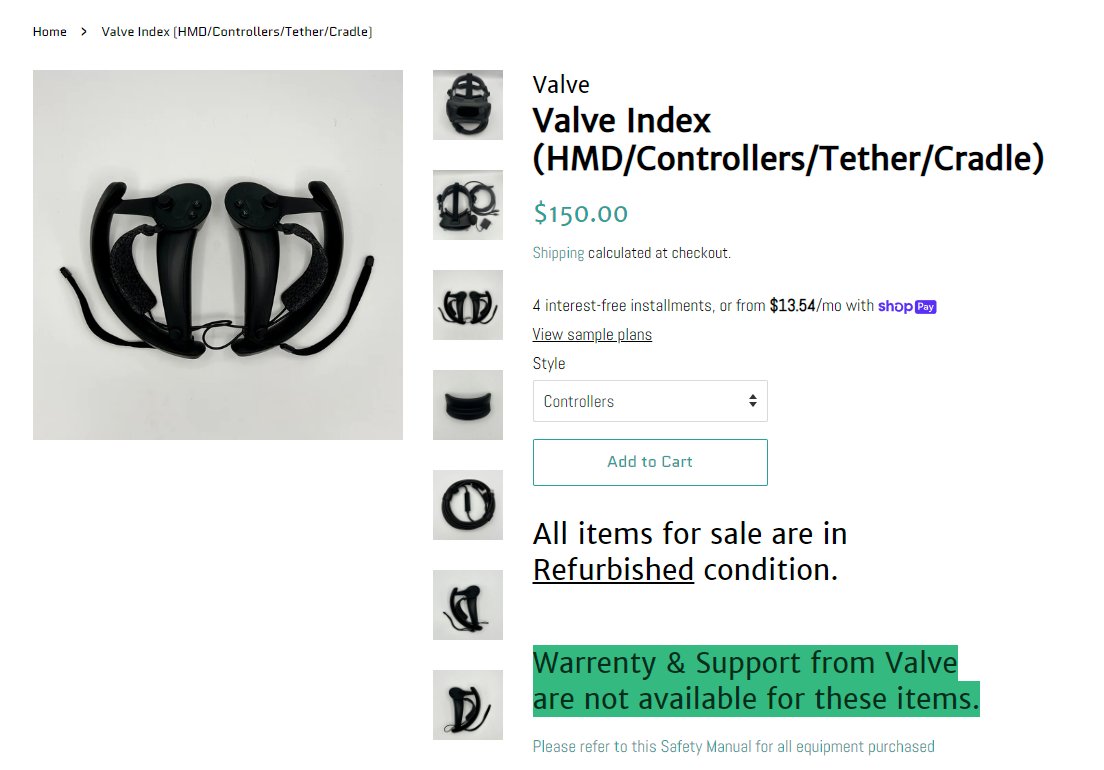
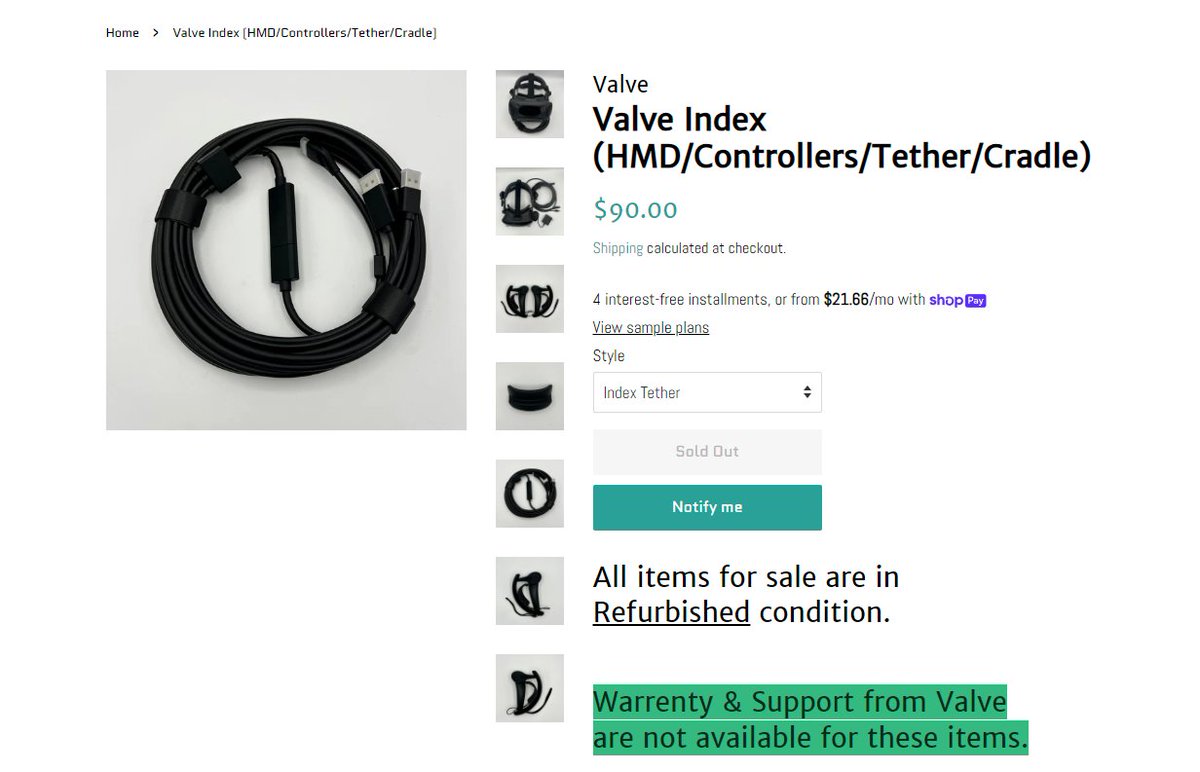
Tundra Labs is selling refurbished Valve Index items
HMD: $240
Controller Pair: $150
Tether: $90
Likes
582
Retweets
127

 Twitter
·
Twitter
·
 dull tide
Love it when you can go VR in a game where 97% of the playerbase plays it in pancake.
haughty thistle
weak bluff
https://twitter.com/SadlyItsBradley/status/1668374173360574465?t=YFgqb99xHOa0H4z...
They already sold out lol
 cosmic monolith
Can the usb C port on a gigabyte rtx 2070 super be used for the meta quest 2?
little plinth
Quest don't use virtuallink
The only thing uses it right now that is new is the PSVR2
cosmic monolith
But isnt that only for the ps5?
 strong vortex
It is. Virtuallink is DoA for PC gaming.
And iirc the Quest 2 only supports Oculus Link (either AirLink over WiFi or Link Cable via usb-c cable to a regular usb-c port, dunno about required spec/speed) and VirtualDesktop (also over wifi iirc?)
haughty thistle
Quest Link over a wire uses USB 3.0 Gen1 speeds (less then that actually, it maxes out at like 250mbps afaik)
weak bluff
cosmic monolith
Can the usb C port on a gigabyte rtx 2070 super be used for the meta quest 2?
Yes. USB C in GPU will function in normal USB mode instead of VirtualLink.
It will work the same as one in motherboard for Oculus Link
strong vortex
haughty thistle
Quest Link over a wire uses USB 3.0 Gen1 speeds (less then that actually, it max...
I wasn't sure cause I always plugged it into a 10gbps port and I use airlink 95% of the time anyway
weak bluff
So you won't get any additional advantage over the motherboard one
strong vortex
None
cosmic monolith
Well, it frees up one usb c port
Btw would having 2 rtx 2070 super cards improve performance?
cosmic monolith
weak bluff
Nope
Even with like an SLI bridge between them?
weak bluff
cosmic monolith
Even with like an SLI bridge between them?
SLI requires the game itself to support as well. No new games support that.
cosmic monolith
weak bluff
SLI requires the game itself to support as well. No new games support that.
I heard that for vr games there is software that lets each eye get rendered by its own gpu tho, wouldn’t that like almost double the fps?
weak bluff
In theory that suppose to help but to do that is very hard and complicated.
cosmic monolith
i believe nvidia has its own software for it
weak bluff
If 2 gpu each render each eye it will require both gpu to output at same time which is very difficult to time it right
How can computer make sure 2 gpu meet atsame time then export to your headset at same time
It will cost alot of latency
Its not possible
The solution of sli is 1 gpu create half frame and other gpu create other half is what SLI in theory solve
But SLI is phasing out and you dont get SLI supported games anymore
Its useless without support. You cant take advantage of it.
cosmic monolith
https://developer.nvidia.com/vrworks/graphics/vrsli i think i found it
NVIDIA Developer
VR SLI provides increased performance for virtual reality apps where multiple GPUs can be assigned a specific eye to dramatically accelerate stereo rendering. With the GPU affinity API, VR SLI allows scaling for systems with more than 2 GPUs. Hardware: Compatible with: Maxwell or more recent GPUs. (GeForce GTX 900 series and Quadro M5000 and hig...
weak bluff
That is not the same as what you described
Ah how to explain this
Its not really each GPU render 1 eye
cosmic monolith
It does say that u can assign it to specific eyes tho
weak bluff
Both GPU work by flip flop which gpu will deliver the frame using the API

Some task are actually rendering twice with same thing
Only part of the stuff are rendering differently in each gpu
cosmic monolith
Oh so the load just gets shared?
weak bluff
I cannot confirm if this is like watching 1080i resolution like
weak bluff
cosmic monolith
Oh so the load just gets shared?
Some load shared some load separated
Overall because of that the improvememt is small
Because it cannot split task completely
Some things still do twice
haughty thistle
A number of steps in the rendering pipeline are shared between both eyes, so if each eye would be handled by it's own GPU you'd loose the ability of sharing those initial steps for each eye (like setting up the scene, calculating meshes, etc.)
The performance gain would be 50% at best...
 burnt oasis
yea it seems dumb nowadays to sli for vr
i thought current gpus just weren't going to be enough until the 4090 released
turned those heavy vr games on higher res vr headsets from 50-60fps to over 100
weak bluff
I think its more CPU issue than gpu
haughty thistle
*fixed 90
V-Sync is forced on in VR and you want that...
little plinth
the headset themselves are fixed but the game themselves definitely not
burnt oasis
weak bluff
I think its more CPU issue than gpu
no the x3d chips are good enough for vr
weak bluff
That is still not enough
burnt oasis
more cache in the 8 cores would be nice though
weak bluff
Also big benefits are mostly large draw call games
Games that ask a lot of memory call
burnt oasis
is it possible for them to stack more cache?
or over 100mb of l4 on top of the 96mb l3
weak bluff
burnt oasis
is it possible for them to stack more cache?
Existing 3D V Cache has too much L3 cache actually. Its not a problem.
haughty thistle
little plinth
the headset themselves are fixed but the game themselves definitely not
Pretty much every compositor (SteamVR, Oculus Desktop, Quest OS, WMR, etc.) will force V-Sync onto applications running beneath it. You do not want screen tearing. I believe the only runtime that doesn't force V-Sync is the Pimax one, as I did experience some pretty severe tearing during my time with the 8k X and it was absolutely horrible...
burnt oasis
weak bluff
Existing 3D V Cache has too much L3 cache actually. Its not a problem.
so the cache isn't even used fully in cache heavy games? how come it beats the 13900k then
weak bluff
It beats 13900K but cache is not everything
And it still loses 13900K in game that does not need memory call as often
weak bluff
If fast memory is really that effective then server HBM2 would VRChat for hundreds of fps
Its also IPC of CPU architechture too
burnt oasis
wish there were more vr benchmarks
weak bluff
Cache no longer matter if cpu cannot call fast enough and L3 cache is less important than L2 or L1
burnt oasis
weak bluff
Its also IPC of CPU architechture too
yea ik considering it has a 20% uplift over the 5800x3d despite same cache
i was planning on going 5800x3d for the time being but idk if an a520m can handle it
burnt oasis
is a 5800x3d plus 6800xt fine on a 700-750w c tier?
weak bluff
Just bummer with PCI-e 3.0 whcih you should avoid latest GPU especially x4 and x8 lane GPU
weak bluff
burnt oasis
is a 5800x3d plus 6800xt fine on a 700-750w c tier?
It will run.
burnt oasis
doubt the pcie will bottleneck much on a last gen
well that is good to hear though
my upgrade will be much cheaper for the time being
weak bluff
Derbauer found small issue with PCIE x8 RTX 4060Ti on pcie 3.0
burnt oasis
dc about that gpu
weak bluff
Sure
burnt oasis
idk which is more important for vr tbh
since vram wise i am getting maxed out at times
burnt oasis
vram was slightly over 8000mb and my clock speeds would be at 1700mhz when it's a 6650xt
i can get 5800x3d for $279
so if i sell everything except my 6650xt i could afford a 5800x3d immediately
but dk if gpu more important
weak bluff
GPU is fine just dont worry about seeing every avatar since no one else can as well
burnt oasis
running 3864 x 1932 or something around there v
weak bluff
Your cpu will give you a lot of gain
burnt oasis
alright
weak bluff
I cant max my 6600XT with 12400F
burnt oasis
guess i'll just upgrade cpu and gpu then that build will be done with for good
 violet charm
what would you guys say is the best fitness game on quest 2?
i mean i wanna see if i can bulk or gain a cut through quest 2
zinc timber
supernatural is supposed to be pretty decent
little plinth
someone makes slimevr trackers on my area
5 trackers for $95
is it worth it
compared to
making it on my own
with my nonexistent soldering skills
looks really nice too
almost like the official ones
sullen linden
Is an rtx 2060 enough for VR?
gloomy crater
sullen linden
Is an rtx 2060 enough for VR?
Depends on the headset, but generally yes
 raw stone
Running a valve index on a gt 210 😎
warm stirrup
Running index on Intel UHD 630 😎
weak bluff
little plinth
someone makes slimevr trackers on my area
5 trackers for $95
is it worth it
What IMU?
That better be BMI160 or ICM20948
If it is MPU6050 or MPU 6500 then pass
 grizzled field
warm stirrup
Running index on Intel UHD 630 😎
grizzled field
warm stirrup
Running index on Intel UHD 630 😎
bro there's no way thats possible, but when I get my quest 2 I am absolutely plugging it into my laptop with Intel UHD 620 graphics, who knows maybe it'll bluescreen XD
weak bluff
fun fact that is Windows Mixed Reality minimum requirement
you should not run at that spec anyways
warm stirrup
grizzled field
bro there's no way thats possible, but when I get my quest 2 I am absolutely plu...
I'm just joking lol, my main machine uses uhd 630, it can run very glitchy forest vr on quest 2 at 15 fps
weak bluff
you can watch 360 videos on it
grizzled field
warm stirrup
I'm just joking lol, my main machine uses uhd 630, it can run very glitchy fores...
no joke? huh, thats not as bad as I thought it would be, I thought it would like straight up bluescreen
warm stirrup
No, it cannot do much more tho
Although its that with the resolution all the way down and all graphics settings to lowest
grizzled field
warm stirrup
Although its that with the resolution all the way down and all graphics settings...
meh thats what I'm used to daily driving a laptop with those graphics
warm stirrup
grizzled field
meh thats what I'm used to daily driving a laptop with those graphics
I feels bro
I'm upgrading this winter
to a 3070 ti
grizzled field
warm stirrup
I'm upgrading this winter
I'm building a PC sometime this fall or winter, probably a 6600 if I'm going new, but it depends on what I can find used
warm stirrup
yeah I think 6600 can be found for cheap on ebay
grizzled field
warm stirrup
yeah I think 6600 can be found for cheap on ebay
yeah and it can be found new for only 180
warm stirrup
Intels gpu is only 20 bucks more than that, pretty sure it has more performance than the 6600. although I don't know about it's vr performance
weak bluff
Intel has money. There is no need to buy to support them. Just buy what works best for you.
Or maybe you buy for that sweet AV1 with Quest 3
little plinth
weak bluff
If it is MPU6050 or MPU 6500 then pass
well damn then
because no one makes one with the other ones
eh guess i'll pass on FBT for now
weak bluff
Those are poor quality and have some failure rate but it should work if they tested
Those also have high reset rate
5-10 minutes
cosmic monolith
It it worth to get vive trackers? Or should i just stay away from fbt? (I have autism and cant deal with my legs randomly drifting off so something like slime is not an option)
weak bluff
If you can affort it sure
Alternatively try Tundra Trackers
Cheaper, smaller, longer battery
cosmic monolith
Are they good for 1.0 basestations?
weak bluff
They are compatible
haughty thistle
Anything that's tracked by lighthouses will work with 1.0 base stations. Just the OG Vive, black Vive wands and the big Vive Trackers with a gray logo won't work on 2.0 base stations
 acoustic loom
My rift s just doesn't wanna work on my pc. It passes minimum spec requirments, but i just can't get it to work. It stops everytime at the rift s sensor check for some reason that doesn't work. Tried it on my friends pc, worked just fine. I even tried ordering an usb 3.0 hub with external power because my pc only had 2.0. Still nothing.
little plinth
bruh
pavlov update 29 broke ALVR
it just crashes steamvr
the regular streaming assitant works but that shit is unplayable
 mossy bobcat
Is the Index a “don’t buy” at its age and price for PC VR gaming, is it better to grab a different headset at this point?
little plinth
There isn't really much alternative
Maybe you can get a bigscreen beyond but in total it's more pricy
weak bluff
Nothing can kill Index yet
grizzled field
little plinth
There isn't really much alternative
- cough cough * Reverb G2 * cough cough *
little plinth
isn't really in the same class
reverb G2 is more budget oriented and is tracked inside out
yes visually stunning but not exactly usually put on the same class as index
as index is a $1000 class device
more comparable to HTC vive
grizzled field
little plinth
yes visually stunning but not exactly usually put on the same class as index
I put the Reverb G2 above all other headsets
greatest headset of all time
little plinth
the G2 is like putting all your points in visuals then one or two in tracking
the index basestation tracking would be superior
they're just not the same class
not to be compared
one costs like 400 bucks
the other 1000
grizzled field
little plinth
the G2 is like putting all your points in visuals then one or two in tracking
from what I've heard your making the tracking out to be worse than it is, but basestation would be better :/
yeah $1000 for a device with worse visuals
grizzled field
little plinth
with superb audio
the Reverb has great audio as well
from what I've heard it is like on level with the Index
little plinth
the index also has better FoV and 144hz
haughty thistle
I'd say the G2 HMD is better then the Index for regular VR, but only the HMD. Controller wise you want Index controllers with that thing which all in makes it more expensive
grizzled field
little plinth
the index also has better FoV and 144hz
idk about most ppl, but I dont use my periphrial vision much, and move my head around more so I dont think FOV matters that much
haughty thistle
The FOV between the G2 and Index is minimal in practice and the 144Hz only really makes a difference in Beat Saber and other very fast pace games
grizzled field
thank you @haughty thistle
 teal wren
what is the probability of the valve index from gamestop refurbished going to work
grizzled field
acoustic loom
My rift s just doesn't wanna work on my pc. It passes minimum spec requirments, ...
what specs are your PC? The minimum doesn't actually mean it will work lol
 slate mulch
i have a tech support question on VR if anyone is able to help... #1118732320095084576
 vale verge
Anyone planning to buy the Apple vision pro next year ?
weak bluff
lol?
haughty thistle
Bruv. It may be VR hardware but it's more like a HoloLens competitor. Apple may be marketing this thing to consumers but imo this thing is a business machine only. For that price you might as well get a baller Gaming PC and a Quest Pro and you'd get a very similar experience movie watching plus you can also game...
weak bluff
But hololens sells and its for enterprise
Apple headset is for consumers and individual buyers
haughty thistle
One thing I have to give Apple credit for is trying out new ways of navigating in VR. I know that Varjo had previously dabbled in navigating using eye tracking, but their demo used the button the side of the headset to confirm selection rather then hand tracking. I do agree with the points raised by Thrillseeker that using a controller for simple UI navigation is a bit too much to ask for the average joe and using pure hand tracking is a bit janky (whether it be in a touchscreen manner like currently in Beta on the Quest or a virtual laser pointer like how it's done traditionally on Quest)...
 dark wasp
should I go for a Quest 1 or Rift (original not S)? theyre both the same price for me and I plan on using it connected to my PC if that helps
dark wasp
yeah its good condition
I've heard the quest 1 has better resolution and tracking though
haughty thistle
Resolution yes, tracking no.
The CV1 got better tracking, comfort, audio (both mic and headphone) and it has an uncompressed PCVR image
dark wasp
ok thanks
warm stirrup
It seems like sometimes you can get used CV1s for very cheap, I see some for 60 USD, should I be sceptical about those and maybe try getting one closer to 150 USD to ensure quality?
grizzled field
is it possible to mix and match VR peripherals? I mean like using a Quest with the external trackers for the Cv1, or using the Quest controllers with a Cv1 headset? There's got to be a way to do that right?
weak bluff
neither will work
rancid kestrel
You can use Index controllers with a Vive.
haughty thistle
You can only mix Lighthouse tracked devices with other tracking systems, and even with that it's a bit jank.
CV1 tracking will turn off the moment the Oculus software stops rendering to the headset or the headset leaves the tracking area for extended periods, so no. You can't use the CV1 controllers with anything else...
 cedar belfry
idk if vt counts here, buuuttt
 little plinth
right
instead of getting something like bobovr power pack
i decided to duct tape my 10000mAh power bank to the top strap
and it works fine
lel
cedar belfry
little plinth
i decided to duct tape my 10000mAh power bank to the top strap
xdddd
get like a 16 foot type c cable and use a slightly higher wattage adapter
dull tide
little plinth
the G2 is like putting all your points in visuals then one or two in tracking
Thats an interesting viewpoint. So if something is controlled via keyboard/controller/HOTAS its a great value iirc?
dull tide
I've been using virtual desktop when playing VR compatible games sitting in front of my desk using a controller or flight sim. cant put the AP in the same room as the computer so there is noticable latency.
Technically i can get a link cable but seriously thinking about putting the money into a better HMD so I can better read displays.
feels like 18 months ago lowest price on G2 was $300 USD but it seems like $400 now. Wondering if it will ever drop to $300 again
little plinth
cant compare, personally using pico 4
and readability here is awesome
they go for 300
G2 is better visually tho
but still better than a lot of hmds
dull tide
Mostly I find myself playing VR modded games
dull tide
Oh hey someone put together a list.

It's no secret that I love VR mods, throughout 2022 the amount of amazing new VR games we''ve been able to play thanks to talented VR modders is mind blowing and the mods just seem to be getting BETTER with each passing week! However, after playing every VR mod I could get my hands on I've been thinking about ranking the BEST VR mods into my own...
haughty thistle
Honestly the tracking on the G2 ain't that bad. It's mostly just the area in which the included controllers track is a bit small, but not so small that you'd notice in most VR titles. It only really becomes a problem in VRChat, but there you'd also have the issue with the lack of touch on the controller buttons...
burnt oasis
little plinth
but still better than a lot of hmds
honestly i just really want better colors and contrast most of all
like that's my number one
display is my number one
and res ofc
don't like how in skyrim vr i get close up and it looks fuzzy
need 8k textures and 16k for that quality
little plinth
I never tried any other headset but my pico looks pretty good using VD medium, HEVC 85Mbps
I can probably enable the headset Snapdragon sharpening to make it look better but it'll waste of power
dull tide
https://youtube.com/shorts/d7jt8nh4sqc?feature=share
Feet tracking in games looks sick

 pseudo valley
could someone help me downloading the oculus app? i can’t get it to install i keep getting an error and it tells me to restart my pc
 kindred spade
does anyone know if steamVR has to be on the same drive as your Windows install is?
kindred spade
is there a way I can easily move my steam install?
kindred spade
well I got a new ssd thats a bit faster than the one my steam install is on and with that all my vr games and such and just wanted to move that over to the faster ssd
rustic garnet
You can move the games separately from steamvr itself
but like ssd speed probably won't be noticeable in any games
kindred spade
oh really?
I feel that would break stuff but maybe not
its more or less for beatsaber having to load all those songs and custom emotes
it would moderatly improve that
rustic garnet
nah valve has some smart guys they figured it out
like you can move any steam game to any partition on your computer
And it just works
pseudo valley
ok good talk
burnt oasis
lol
 heavy tartan
does anyone have any recommendations for gunstocks for the quest 2?
kindred spade
hmm fair enough
gloomy crater
heavy tartan
does anyone have any recommendations for gunstocks for the quest 2?
They're expensive, but you can't go wrong with the MagTube from ProTubeVR
 neat comet
is it just me or can you in some games use sharpening and aliasing plus extreme resolutions to push the quest 2 to the limits of clarity?
weak bluff
Quest 2 quality is hammered forever by its weak chip and PCVR limited capability so no matter what you use it won't be impactful enough
haughty thistle
PCVR image compression limits the effective image resolution (aka how many unique pixels there can be in an image) plus it adds a ton of compression Artifacts...
rustic garnet
neat comet
is it just me or can you in some games use sharpening and aliasing plus extreme ...
Vr renderers have supersampled since the absolute beginning so i mean yeah
tawdry dove
I'm just surprised the quest doesn't have an FSR-like temporal image upscaler
it could really benefit
I have played vr games with fsr 2.0 (the one with the most ghosting) and it wasn't that bad really and they could tune it to work with vr pretty well
if they just turned down the temporal bias of the upscaler it would be worth it
especially if they tune it in engine or something so that the games won't do the weird fade in when you snap turn
haughty thistle
It has and it's made by Qualcomm. Only works on the Quest 2 and Quest Pro currently, but VD does have support for it
tawdry dove
haughty thistle
It has and it's made by Qualcomm. Only works on the Quest 2 and Quest Pro curren...
temporal upscaler?
haughty thistle
As long as you're not running "Godlike" res you can toggle on Snapdragon Game Super Resolution, which is their version of Temporal Upscaling
tawdry dove
haughty thistle
As long as you're not running "Godlike" res you can toggle on Snapdragon Game Su...
all I can see is that it is a one pass spatial aware upscaler unfortunately
at least it's not nearest neighbor upscaling
little plinth
haughty thistle
It has and it's made by Qualcomm. Only works on the Quest 2 and Quest Pro curren...
Pico 4 can also use the snapdragon upscaler
haughty thistle
From the description in their blog, it really sounds like FSR but from Qualcomm: https://www.qualcomm.com/news/onq/2023/04/introducing-snapdragon-game-super-resolution

Snapdragon Game Super Resolution maximizes mobile game performance and battery life.
little plinth
Thou it's better to use OXR Toolkit and use FSR
haughty thistle
little plinth
Pico 4 can also use the snapdragon upscaler
Yeah, what I meant is, that it doesn't work on older HMDs like the Quest 1 or Pico Neo 2...
tawdry dove
haughty thistle
From the description in their blog, it really sounds like FSR but from Qualcomm:...
yes it is like fsr but I want a full blown temporal upscaler is all
this is competing against fsr 1
 cerulean glade
Hello, I have HTC Vive, and I am looking to upgrade, and what I found for a not bad price is used Vive Pro 2 with the Index controllers, and Index base stations for 600 Euro, is that worth ?
haughty thistle
The Vive Pro 2 is like the worst headset sold today lol
Stay away from that hot piece of garbage
cerulean glade
so its better to wait for a new headsets to come ? I dont want to overspend money on VR, Pimax Crystal cost way too much, Bigscreen Beyond does not look much great for its money as well
and I did not see any announcement for Index 2
haughty thistle
Pimax is kinda Poo poo anyways
cerulean glade
lol so what is good ?
haughty thistle
If you want a good all in one box setup then go with an Index kit. It's still one if the least compromises option.
Other then that, you can get something like the Reverb G2 and mount a Vive tracker to it to properly use Index controllers with it
cerulean glade
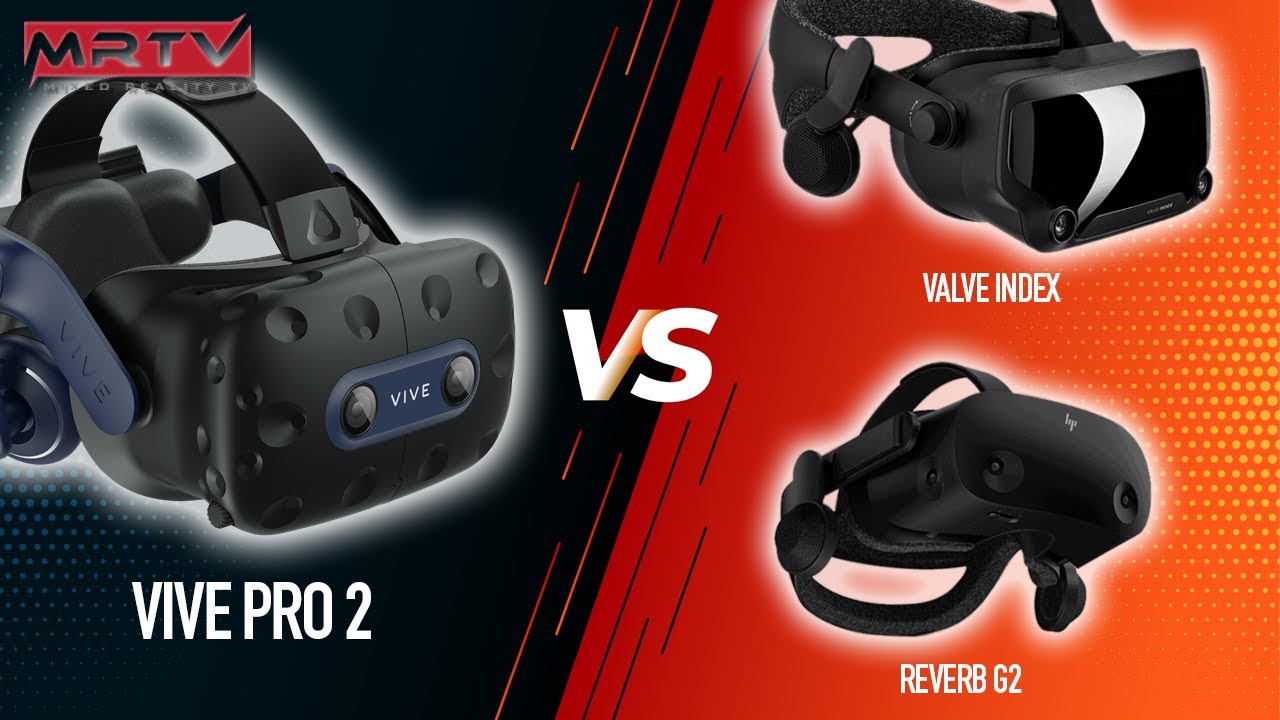
You really wanted this comparison! Vive Pro 2 vs. Reverb G2 vs. Valve Index Through-The-Lens! Who wins this comparison, the Pro 2 or still the G2? Can the Index still compete? How about god rays? We will cover all that in this video!
In-depth reviews of all headsets here: https://mrtv.co
This video is NOT sponsored. Some product links are aff...
reverb G2 looks the same as Vive pro 2
cerulean glade
haughty thistle
Pimax is kinda Poo poo anyways
then you said Pimax is poo poo and you recommend me Index ?
 haughty thistle
Bruv. With VR you can't just consider one aspect of the screen. You have to take in the device as a whole. Yes, headsets like the VP2 and Pimax Crystal got less SDE but they got a plethora of other issues. The VP2 for example got probably the worst lens glare of any VR headset period and it's software locks down the screen resolution to something atrociously low. On a 3090 about Index res. Now, that might not sound that bad, but if you consider that the image then gets upscaled from there it looks like a blurry mess.
And with Pimax, if you want to have to tinker with the thing for like hours before even getting anything usable then sure, but their software is absolute garbage, their headsets are built like fake Wish.com garbage, and their marketing is borderline brain washing. (They tried to convince Media at CES this year that it was just the reviewer who had bad eyes instead of their headset having lenses that weren't focused properly)
Not to mention, the Pimax Crystal is like 1.2kg without the cable. Plus it requires battery power which'll last you like 2 hours, despite it needing a PC to work...
TTL footage is only good enough to get a rough estimate for SDE, and that's it
cerulean glade
fair enough, but since its not my first headset, I just dont want to upgrade to old Index if you know what I mean, I have OG HTC Vive and I want to upgrade it because the resolution is just shit
and I dont like the Wive hands as well
haughty thistle
Yeah, like I mentioned, the Reverb G2 + Index Controllers is prolly the next best avenue. You already got lighthouses and a Vive you can use a Watchmen dongles for the Index Controllers.
Setting up continuous Calibration is a bit of a hassle at first, but it's literally strap a Vive Tracker to the headset, do an initial calibration by moving the headset around and press a button. After that it should just work in later sessions too...
It's unfortunate that Valve has been more toying around with Ideas and competition is more focused on standalone then PC at this point...
cerulean glade
hmm, well im not sure then, maybe I will wait for Index 2, the G2 has just small sweet spot for vision, its like headset that is crystal clear only exactly in the middle and the rest is blurred
and then it also somehow does not work with the SteamVR ?
haughty thistle
The G2 is native to WMR because of its tracking, but you can set up WMR so that it launches SteamVR with it and closes with SteamVR. It's actually the way the Vive Pro 2 works as well btw
cerulean glade
I am not much familiar with the blurs and glairs and stuff like that maybe, it seem like the HTC Vive does not have any problems like that at all ? only low resolution, but when I read YT Comments or Reddit comments about people arguing over G2 vs Pro 2, some say G2 is better some say Pro 2 is better and than its really hard to choose xD
then Meta Quest pro is just way too expensive
Bigscreen Beyond does not look like the best option neither ?
maybe its just time to not buy anything and wait ?
haughty thistle
The Pro 2 is a glare-y mess. That's what I know. The Vive Pro 1 (which uses the same lenses as the OG Vive) definitely feel a ton better. The G2 has its glare coming from the outside in, so when there's a bright object at the edge of your FOV, it creates like light strip from there to the center, instead of the usual bloom going from the bright object to the edge of the lens.
The Pancake optics of the Quest Pro and Bigscreen Beyond also aren't without faults. They have internal reflections that look like a dim ghost of the main image floating around the image at varying sizes. The Index also has these btw.
If you don't have a burning hole in your pocket then maybe I suggest you upgrade your controllers to Index ones and just wait out the main HMD. You can use Index controllers with your Vive btw
cerulean glade
yeah probably will buy controllers, but what I found here its 200€ used, not sure if its good price
haughty thistle
They should be 300€ for a new pair. I'll let you make of that what you will...
Steam Support tends to be a bit iffy with used hardware, so in case you need support, you'd want to have bought them new
cerulean glade
yea its pretty insane price for only controllers, and that Vive Hands cost just as same its even more insane
altho thanks for info!
weak bluff
Best use for vive wand is recycle them
 craggy coral
Haven’t watched anything-what’s everyone’s opinion on the quest 3
little plinth
Quest 3 > Pico 4 > Quest 2
basically
mostly just upgrades
resolution is not significantly higher
new chip, XR2 Gen 2
depth correct pass through
good purchase for anyone getting into vr
haughty thistle
weak bluff
Best use for vive wand is recycle them
Beat Saber Workouts!
or I guess some people use them for fullbody tracking...
weak bluff
100% for FBT.
Longer battery, wrappable on feet
And used ones are cheap
Combine with aliexpress dongles or DIY some
haughty thistle
craggy coral
Haven’t watched anything-what’s everyone’s opinion on the quest 3
Some nice and well needed updates for Standalone, basically the same for PCVR (same compressed PCVR image, only marginal improvements to SDE and comfort). Tho it'll possibly have worse controller tracking, in case you play high-level Beat Saber...
Fun-fact: some people say the Quest Pro controllers are supposedly really good for Beat Saber? Yeah, that ain't true bro. They fly away occassionally when playing faster levels, making them unsuitable for anything beyond the more casual Ex+ maps. The cameras just can't keep up with fast movement, like a strobed LED ring on say the Quest 2 controllers do. Quest 3 get's rid of that ring too but also the tracking cameras on the QP controllers, so it remains to be seen, but I highly doubt they'd be any better then the QP at that, probably worse...
little plinth
tracking would be horrible in low light
haughty thistle
little plinth
tracking would be horrible in low light
Quest already needs a pretty bightly lit room to track properly anyways
little plinth
IR floodlight to the rescue
thorny lily
yea I've been having that issue, I t was fine with just normal sunlight but I legit moved like.. half an inch and the entire thing had a panic attack
had to turn on all of my lights -_-
well, it's even worse now, I've setup my room in a new way for VR but i'm nowhere near my window and now behind a tv so that's fun
gonna try and find a light I can use instead of the one on my celling, also one not so bright n terrible 
little plinth
IR floodlight
your eyes can't see it
you can even turn off the lights so there would be no light bleed
that's what i use and it's tracking well even in total darkness
you can even combine it with normal light to improve tracking even more
though my particular one only turns on when it is dark so that's annoying
thorny lily
those blacklight lookin things
little plinth
blacklight is UV
thorny lily
the ones that look like blacklights, idfk what an IR Flood light is
and searching it brings up what looks like blacklights, being my question
little plinth
the same type of light used by a remote control
tawdry dove
the quest gets a buff if you have incandescent light bulbs lel
thorny lily
yea, But that's a lot of light, Which is what I don't really want
little plinth
incandescent lights are those old light bulps that look like this 💡
and they are far from bright
they however emit a lot of infrared since they heat up tungsten to generate light
more than the visible light actually
so it is buffed
as quest tracking cameras are infrared
and at the same time not bright to the human eyes
thorny lily
lightbulb is lightbulb to me
thorny lily
thorny lily
just link me one, I'm not "smart" you of all people know this
^
if it works it works thats how I view it
little plinth

Description: This IR light shines like a flashlight with night vision devices, but the light emitted by the flashlight is invisible to the naked eye. With the automatic switch-on sensor, the light only switches on when the surrounding area is dark. Intelligent, highly sensitive, energy-saving, th...
something like that

Orzero Ir Illuminator Infrared Light Compatible for Quest, Quest 2, Enhance Hand Tracking Immersive No-Light Disturbance Increase Tracking Sensitivity with Power Adapter - Black
thorny lily
tf are you supposed to plug into with the first one 
and the second one works how, I cant find anything stating how it gets power
this is why i dont do "tech" shit. i'm a fucking idiot
goin back to my corner making shitty videos
tawdry dove
little plinth
and they are far from bright
they can very much be bright
you've clearly never stood infront of a kilowatt incandescent bulb
little plinth
of course when talking about these, it's the average ones
 lament sedge
is this a good price for an oculus rift or should i just save up for a quest 2 https://www.marktplaats.nl/v/spelcomputers-en-games/virtual-reality/m1982698150-virtual-reality-set
 haughty thistle
Dayum' that's cheap! Just to be sure, ask the seller for pictures if the lenses and ask if it's in working condition
If the lenses look good and it works, then I wouldn't see why you wouldn't go for it tbh
lament sedge
ok but is it somewhere near the oulus quest 2 or is it slow or not a lot of storage?
haughty thistle
It doesn't work on its own. You plug it into a PC and that'll do all the renderibg
lament sedge
oh than i need to first save for my new pc cuz im still rocking a 780
 lament sedge
so if i would have a decent pc go for it is it good for stuff like gorrila tag to or not
and simracing
 green crypt
lament sedge
is this a good price for an oculus rift or should i just save up for a quest 2 h...
green crypt
lament sedge
is this a good price for an oculus rift or should i just save up for a quest 2 h...
Seeing you are in the Netherlands make sure to check cex out they cost a bit more but you get a warranty on it for a year
lament sedge
ok ty
haughty thistle
lament sedge
so if i would have a decent pc go for it is it good for stuff like gorrila tag t...
Yeah, it would be pretty good. Imo the CV1 still has the best controllers to ever ship for VR. Rock solid tracking (if setup correctly), mega comfortable, and runs for like months on a single AA battery...
lament sedge
Ok
 meanwhile I play 2 days on rechargeable Ni-Mh AA battery
 pseudo tartan
Quest 3
 rustic garnet
haughty thistle
Yeah, it would be pretty good. Imo the CV1 still has the best controllers to eve...
rustic garnet
haughty thistle
Yeah, it would be pretty good. Imo the CV1 still has the best controllers to eve...
What about index
haughty thistle
rustic garnet
What about index
CV1 controllers are definetly more comfortable. Tracking wise, Index does feel a bit more accurate, but at the cost of responsiveres. CV1 tracking is a bit more responsive then lighthouse
rustic garnet
oh really? Idk i haven't tried the knuckles but I've heard great things, and i mean i feel like being able to let go and have tracked fingers are both very immersive
and let's be real all the current tracking systems are good enough
Especially the outside tracked ones (only lighthouse and constellation lol) because no blind spots
do u remember the ridiculous amount of beef over the tracking quality between the og vive and rift cv1 way back in the days
Re: responsiveness is that down to the tracking or to overall system motion-to-photon time?
I remember seeing a study recently (did someone link it here?) where the cv1 had the lowest latency by far of all the headsets tested
pseudo tartan
pseudo tartan
Quest 3
Controllers are intresting. There is no tracking ring and seems to be no Camera on the controller like the quest pro.
haughty thistle
rustic garnet
Re: responsiveness is that down to the tracking or to overall system motion-to-p...
I'm not sure. What I can say is that when playing Beat Saber on my CV1 I feel like movement is much more responsive on the CV1 then when playing on my Index. Tho I do have to admit that my Vive Pro 1 with the Wireless Adapter and also the Varjo Aero feel a bit more responsive then the Index at 144Hz. Not as responsive as the CV1 tho
haughty thistle
rustic garnet
oh really? Idk i haven't tried the knuckles but I've heard great things, and i m...
Feature wise, definetly, the Index controllers win over anything else. It's just that the grip area isn't as "hand shaped" as the CV1 controllers were. Also the weight distribution was just spot on with the CV1, where it really felt like the controllers weren't even there.
Not even the Quest Pro controllers can compete there. The QP uses a very similar shape controller wise, but the top is a bit bigger with the buttons a bit further towards the sticks, then where your thumb would naturally rest (with the CV1 your thumbs would intuitively rest on the face buttons). QP controllers are also significantly heavier with a center of gravity further down in the grip, making them a bit more noticable when doing hand flicks. Not to mention that the camera on controller tracking certainly isn't perfect, and I'd argue that for fast movements it's inferior to a normal tracking ring. QP controllers really like to fly off into the distance during fast Beat Saber songs 😂
I doubt the Quest 3 controller tracking will be any better. If anything it's gonna be worse for both accuracy and responsiveness, as now your controllers are tracked by the same algo that does the hand tracking (which hint: is running at 15-30fps; depending on the lighting condition). A tracking ring allows the tracking system to strobe the tracking LEDs so that the cameras can still see indvidual dots, even when the controller is whipped around really fast. You just don't have that with cameras on the controllers or with controllers tracked by hand tracking...
little plinth
pseudo tartan
Controllers are intresting. There is no tracking ring and seems to be no Camera ...
They will track with their hand tracking algorithm
And i heard there are tracking LEDs still
Just not in a ring form
grizzled field
haughty thistle
Feature wise, definetly, the Index controllers win over anything else. It's just...
that's true the Cv1 controllers are so nice
grizzled field
what are the best Quest 2 strap replacements?
pseudo tartan
little plinth
They will track with their hand tracking algorithm
Well I suppose with the ir lights it might still be okay. But hand tracking on the controller? What about when controller is behind cameras?
weak bluff
grizzled field
what are the best Quest 2 strap replacements?
no brand aliexpress non elastic strap with turnable wheels
best price and same comfort as branded 3rd party straps
but also long shipping and tax may apply depending on where you are
grizzled field
yeah I tried buying from aliexpress took a little over a month
weak bluff
got something like this but for $10
 warm stirrup
grizzled field
what are the best Quest 2 strap replacements?
warm stirrup
grizzled field
what are the best Quest 2 strap replacements?
I spent money and did the vive deluxe audio strap
neat comet
ive achieved the virtually impossible
20/20 clarity
on a quest 2
make out the individual leaves from a mile away
and get 90fps
combined sharpening and resolution
i got rid of any jaggies
specifically kayak vr
and contractors. the methods those games allowed.
only a handful of games actually let you do that and thats what i want...... why only a handful?
clarity is the most important thing to me
i value clarity over visuals, so why only a few.
haughty thistle
Basically what you did is you discovered super sampling. That's nothing new, but you'd still make out a difference between the Quest 2 and say a Reverb G2. No compression and higher screen res do make a massive difference
weak bluff
neat comet
20/20 clarity
Not even close.

But coping is a good way to trick yourself into thinking you made a good purchase.
haughty thistle
Not even Butterscotch is 20/20 vision lol
That Experts assume to be between 60 and 100ppd, butterscotch only reaches like 50ppd
weak bluff
Unfortunately this prototype have bad FOV
haughty thistle
Varjo VR-3 goes brrrr
(center PPD is 70 with an FOV of 104h/80v)
lament sedge
Is oculus quest 1 something close to the performance of the quest 2 cuz i like the black color more and its cheaper
weak bluff
No. It is worse.
Much worse. And with cut support, performance does not matter without content.
haughty thistle
Quest 1 is EoL by the end of this year and will stop getting updates. A lot of games already don't run on it, and a number of games have already announced they'll stop working on the Quest 1 in the coming months (VRchat included)
little plinth
PCVR ftw
rancid kestrel
What are you supposed to do when you spawn in a wall?

 rancid kestrel
weak bluff
Not even close.
rancid kestrel
weak bluff
Not even close.
I'm planning on getting an Index when I can afford it, selling my Vive, getting a new VR PC and selling my current one/turning it into a server.
haughty thistle
little plinth
PCVR ftw
I the Oculus PC software still requires the PC version to be somewhat in sync with the Quest FW, then no. Not even that, as you cannot prevent the PC software from updating...
little plinth
in general
rancid kestrel
I mean, just don't use Meta stuff.
little plinth

this shit is huge
my 40mbps internet will take like
2 hours to get it
and that's the SBS one
trying to get some 3d movies to watch on VD lel
haughty thistle
I just buy the Blu-Rays like a regular person online and rip them using MakeMKV. It can easily rip a 3D Blu-Ray into different formats, including SBS 3D
little plinth
nobody here sells bluray anymore
haughty thistle
RIP
little plinth
and sure as hell not gonna buy expensive drives
haughty thistle
Amazon, MediaMarkt, etc.
I find it kinda sad that movies on physical media is dying. It's the last way to properly own a movie, but a lot of studios already aren't releasing certain ones on disc, or if they do, on in limited quality...
Like, Puss in Boots (the new one) is a native 4k HDR title, but was only released on 1080p BluRay here in 🇩🇪
rustic garnet
i fucking loved that movie
little plinth
eh owning movies gets expensive
i remember the pile of dvds
i just
use disney plus
haughty thistle
Streaming is convenient, but the quality absolutely sucks...
Not to mention that watching streaming stuff on PC is pretty much an afterthought for all platforms (but it's where I watch all my stuff <.<)
Wanna have HDR or a resolution that is not 720p? Get our TV streaming app or watch on your phone!
 pale orbit
 weak bluff
Its compressing issue again. All hail lossless videos.
rancid kestrel
Lossless video is a waste.
grizzled field
weak bluff
Not even close.
why isnt the Reverb on that comparison lol, but the quest 2 looks like its a lot better than the Rift, so that gives me high hopes
I've only ever used the Rift, and I'll be getting a Quest 2 very soon, hopefully in the next week or so
I just noticed when you google Quest 2, the first thing that comes up is the Apple vision pro XD
dull tide
haughty thistle
Amazon, MediaMarkt, etc.
I find it kinda sad that movies on physical media is dy...
I love the extras on DVD/Blu Ray but a lot of it ends on YT. Sadly they also tend to get removed from YT when you want to find it again
weak bluff
grizzled field
why isnt the Reverb on that comparison lol, but the quest 2 looks like its a lot...
because its Meta official comparison
weak bluff
Apple really don't want you to do VR
Stupid broken embed

I just learned that Apple has crippled VR so that it stops when you move more than 1,5 meters. So Apple VR is for coach potatoes. No real volumetric video possible then outside the coach zone. No table tennis, nothing that makes you move outside a small box. Super bummer. 😕
haughty thistle
Not to mention that Apple's stance on game streaming will likely mean that apps like VD have no hope of ever being approved on the AppStore...
gloomy crater
What I've learned over time with situations like this, is that if you're specifically NOT supposed to do something with a device, people will go out of their way to try and make it possible. So people buy the product in order to see whether whatever they're not supposed to do with it actually IS possible, and it usually ends one of two ways. Either 1. it turns out they did a crap job of locking down their device, and people find a way to do precisely what the manufacturer didn't want them to do with it, resulting in increased sales from people looking to do that specific thing with it (this is what I hope will happen to the PSVR2 in due time). Or 2. it turns out you actually can't do the thing they don't want you to do with it, leading to the sales of that device taking a huge dip that results in this weird graph where it sold really well when it first came out, and then just fizzled out as soon as everyone who actually needed it for its intended purpose, or were just experimenting with it, have already gotten one / gotten all their use out of it (what happened when the Switch OLED came out and people were trying to find new potential exploits). Which (if either) one ends up happening with Apple's new stuff, it'll be interesting to see, because Apple is pretty up there on my list of hated companies. Maybe even above Meta. So I'd love to see their precious 'AR Business device' turned into a quality gaming HMD just because that's not what they intended.
Dang. After reading dumb people try and defend this arbitrary restriction in the comments, I'm even more hopeful that someone finds a way to make this thing actually useful outside of Apple's pristine picture of its 'intended' use case.
haughty thistle
Apple is one of those companies I actually trust to properly secure their devices down to a T. I mean, it took years for the Checkra1n Exploit to be found, and when it was eventually found, it was already patched on the latest devices anyways making it irrelevant...
Not to mention that while Checkra1n is a hardware exploit (and thus shouldn't be fixable) Apple somehow managed to figure out a way to kernel panic the device if the exploit is being detected using the Secure Enclave (which has only been exploited on the A10). Meaning that while Checkra1n works on the iPhone X, only so if it's running iOS 13 or older...
weak bluff
so if someone jailbreak it to remove space limitation Apple might overload headset into crashing
little plinth
holy shit why are steering wheels for sims so pricy
i can get an actual car's steering wheel for less
because driving with vr controller feels so shit
and gets painful in a while
tawdry dove
little plinth
i can get an actual car's steering wheel for less
cause that's just a piece of metal
whereas sim driving wheels actually have motors to mimic spinning out and shit
some can literally rip the wheel out of your hand if you mess up bad enough
little plinth
this shit cost more than my vr headset 
though i guess i'll get some offbrand or something
tawdry dove
from what I've been told you get what you pay for when you buy a cheap wheel
it'll be better than using controllers
little plinth
a steering wheel costing as much as my pico4 is just a dumb thing
budget wheels it is
haughty thistle
little plinth
this shit cost more than my vr headset <:wazowski:821359650859122708>
Uhh... what wheels are you looking at if I may ask? Because yes, a DD steering wheel base alone costs about as much as a VR headset, but gear and belt driven wheels can be had for much cheaper. The one that I have is the Logitech G29 and it's pretty Good. You don't need a DD wheel for some casual simming xD
haughty thistle
Y'know the motors in a wheel have to be pretty powerful to provide proper force feedback. If you go any cheaper the best a wheel can offer is vibration feedback...
little plinth
ah it is with the pedals shifter and the wheel
still pretty pricy regardless tbh
considering my flight setup is a 30 bucks logitech stick
and a 20 buck webcam for headtracking before i got this VR headset
haughty thistle
Belt and gear driven wheels cheap out by using high-RPM motors and stepping them down, but they're not as responsive and not nearly as strong as a DD wheel
little plinth
haughty thistle
Y'know the motors in a wheel have to be pretty powerful to provide proper force ...
i'm definitely not gonna spend hundreds to drive virtual cars though
money can be better spent on upgrading the PC
compromises can be made i guess
haughty thistle
little plinth
considering my flight setup is a 30 bucks logitech stick
A flight stick is literally just a 20$ part with some plastics around. not even closely comparable xD
little plinth
not meant to compare them
it's more on to show how much i spend lel
the most expensive part of my flight setup is the 60 bucks F/A-18 DLC
haughty thistle
But yeah, going cheaper then a belt or gear driven wheel you end up with potentiameter based wheels, which use a spring or rubber band to recenter and only have a vibration motor as "force feedback". I've had one of those wheels back in the day and it lasted about 3-4 months before it's dead zone was about half that of the rotion range (which at 180° or 90° either way wasn't much to begin with)
little plinth
aren't there one of those wheels that simply uses the xbox controller
there isn't any force feedback but whatever works lel
haughty thistle
Thrustmaster might offer slightly cheaper belt driven wheels compared to Logitech btw
little plinth
anything is better than the fatigue galore that is using the vr controller
little plinth
haughty thistle
Thrustmaster might offer slightly cheaper belt driven wheels compared to Logitec...
fuck the prices looks even scarier
haughty thistle
little plinth
aren't there one of those wheels that simply uses the xbox controller
there isn'...
Well, internally these poti based wheels are just that. They map one of the stick axis to the poti in the back and call it a day...
little plinth
poti wheels have drift eventually
but don't the xbox controller ones uses the accelerometers on the xbox controller?
haughty thistle
But trust me, these wheels really don't give you much of a better experience then just a regular game pad. I'd even arge that you'd have a better experience with a game pad...
little plinth
using thumbstick kinda kills the VR immersion
haughty thistle
little plinth
but don't the xbox controller ones uses the accelerometers on the xbox controlle...
You mean like the Wii Wheel accessory? Never seen one like that. The wheels I've seen where either cheap poti-based, mid-range belt or gear driven or expensive DD wheels...
haughty thistle
little plinth
using thumbstick kinda kills the VR immersion
You know what breaks immersion even more? your pedal set lifting up and flying away because the spring in the pedal is stronger then what the thing weighs (a common issue on these cheap wheels)
little plinth
yeaaa i'll just stick to flight simming for now kek
haughty thistle
I don't wanna sound a gatekeeper or anything, but imo these cheapo wheels are just manufactured e-Waste...
little plinth
my PC upgrade bucket list is still quite a bit so it'll be in the back of my priority
still need a 5600 and more storage
the 2200G is an absolute torture
lel i wish my parents let me pick my own parts 5 years ago
it became an upgrade nightmare
gloomy crater
At least you were forced to get a 2200g. I made the mistake of asking r/buildapc to spec out my build in 2019 and I ended up spending way more on absolute garbage. My first build was a 2200g ($110) an RX570 4gb ($220) 2x8gb of DDR4 2666 CL19 ($115) an Asrock B450M HDV ($95) the cheapest possible case and power supply (like $70 total) and a 128gb SSD ($60). The sad part is that there were way better and more affordable parts available at the time, so I could have gotten a way better build for less money if I had done more research. Could have ended up with a 1600 12nm, and an 8gb 580.
tawdry dove
little plinth
the 2200G is an absolute torture
I had a laptop with the ryzen 3550h in it for a long time
(it's a rebranded 2200g)
that cpu sucks today
I only got rid of it last year
tawdry dove
it's on a newer processing node
gloomy crater
tawdry dove
I coulda swore it had hyperthreading
The 2400g does
little plinth
oh nvm 2200G has more L1 cache
tawdry dove
well I don't think it mattered too much in the end cause the laptop never hit max boost
I didn't feel the effects of the 3550h in gaming cause it was paired with a 1050
I also happened to get a 12400f which is basically the same as the 5600 perf wise so that's a lucky coincidence
blender was torture on that laptop
 gloomy crater
Dang, it just occurred to me that the PC my grandma uses to surf the web and do banking has a better cpu than your VR rig 
Well, lemons and lemonade and all that, once you upgrade you'll have the start of a home nas
tawdry dove
gloomy crater
Dang, it just occurred to me that the PC my grandma uses to surf the web and do ...
that pc will last her the rest of her life
kinda crazy to think about
gloomy crater
I build all of my computers with that in mind. I only recently got my PC to a state where I'm hoping to have it last me until 2030. I've actually built her 2 PC's for her, one with a 5600G and one with a 10100, but both are robust enough to do what she needs them to do for as long as she needs them to do it. Mostly for the purposes of avoiding people calling me for tech support months after I finish their build, because that takes years off my life whenever it happens
little plinth
gloomy crater
Well, lemons and lemonade and all that, once you upgrade you'll have the start o...
Selling the old 2200g to fund a 5600
Plus i don't have any spare part it'll be a waste to make one
gloomy crater
That's a preferable alternative. I'm literally gonna have to find an extra table for all of the spare PC parts i have to get rid of at the yard sales next month, and then using that money to start my bigscreen beyond fund.
tawdry dove
gloomy crater
I build all of my computers with that in mind. I only recently got my PC to a st...
does she have both or did the 5600g pc come after?
gloomy crater
tawdry dove
does she have both or did the 5600g pc come after?
She originally had an AM4 system from before I got into building them that had an older AMD CPU and GPU, then that PC stopped working (turns out its OS got corrupted) and instead of trying to fix it she asked me to build her a new one, which resulted in the 10100 system. Then two years later, she decided she wanted to keep her 10100 system inside the house, and have a different PC out in the garage where she does all her crafts and stuff because the laptop she used to keep out there got lithium pillow disease. I figured rather than her spending all that money on a brand new system, I could fix up her old AM4 system with just the parts I have on hand for free so I dug it out. Ended up taking out the CPU and GPU because they were so outdated that it was just simpler to replace them, swapped in a 5600G I had, reinstalled windows, and now that's her workshop PC.
tawdry dove
gloomy crater
She originally had an AM4 system from before I got into building them that had a...
that makes sense then
very nice of you
 opaque thunder
Hey, I've been having trouble when teleporting in Half Life Alyx. The screen seemingly teleports me, but top down, if that makes sense. The top of my view sees new information before the bottom. This isn't present in other games, and only happens when using wired Quest Link, not AirLink. Does anyone know what the problem could be?
weak bluff
That is odd. Low framerate interlaced or is your framerate good?
opaque thunder
no, my framerates good. and it doesn't have issues on airlink for whatever reason
opaque thunder
weak bluff
That is odd. Low framerate interlaced or is your framerate good?
also, i took a closer look, and there's like random black lines that appear, usually going top to bottom - only during teleporting on this one game using this one link method :/
opaque thunder
weak bluff
not happening while not teleporting?
my gpu drivers and oculus things are up to date last i checked (recently). it doesn't happen when not teleporting
could a bad usb connection be causing issues? i'm using a Onn link cable and a 6 dollar USB-C adapter i got on amazon
the connection passes the built in oculus tests though
weak bluff
Not impossible. I can only suspect drivers, encoder or cable.
opaque thunder
weak bluff
Not impossible. I can only suspect drivers, encoder or cable.
I'm gonna go through my drivers again. Also, it turns out I had the Pro versin of AMD's drivers installed, so I'm trying the regular version and seeing if that helps. Thank you very much for responding.
 barren zealot
weird question, but does anyone here have an AMD card and runs VR?
i'm debating gpu upgrades and i wanted to know if AMD finally fixed the drivers, since i remember hearing that VR on radeon cards was a bad experience
weak bluff
It works
just not so well with 7000 series
driver issue exist and there are performance issue. Crashing issue is technically fixed with band aid solutions.
barren zealot
weak bluff
driver issue exist and there are performance issue. Crashing issue is technicall...
shit. thanks for warning me.
i was considering a 6900xt if that's any better than 7000
weak bluff
that is a fine-ish card
barren zealot
guess i'll have to go with a 4070, as much as it pains me to give money to nvidia. 3070ti is a hundred bucks cheaper but 8 gigs of vram is starting to look really unsustainable
weak bluff
hmm cant tell if that is a good choice
weak bluff
3080 supply is very low and there is no good successor so yeah
AMD has good value and VRAM but driver is quite meh and we just got some driver issues fixed for VRChat after more than half a year waiting
with band aid solution software fix
barren zealot
hmm
weak bluff
the 7000 card have perofrmance issue and since launch still not fixed
haughty thistle
*performance issues in VR
It's weird tho, as with flat games, the 7000 cards each compare to about the next card down from Nvidia, but for VR their performance is equal, and sometimes worse, then the 6000 card they replaced
weak bluff
they still have high idle power issue so it would be funny but obvious they will fix that first before VR performance issue is fixed
haughty thistle
It could also be that the performance improvements they made for the 7000 cards just don't apply to stereoscopic rendering techniques 
rancid kestrel
AMD cards don't like IOMMU which is definitely a consideration for me.
little plinth
Snatched assetto corsa for VR lel
90% off for ultimate pack rn
Though all i got a shitty a gamepad rn
 wise kindle
Does anybody know where I can find a new cord for the occulus rift s that won't cost me $200
haughty thistle
That's the neat thing: you don't.
Replacement cables for the Rift S were never sold seperatly, only sent out by Meta Support when you could proof that your current cable is shot. They've since stopped sending out cables as they only ever did that for in-warrenty damage. The only way to get a "new" Rift S cable is to source one from another headset, and thus the price of a cable equals that of a used Rift S...
I believe actually towards the end of the Rift S lifespan (when they had already stopped selling the headset) they might've even started replacing broken cables with Quest headsets, because not even they had replacement parts on hand. At least I think I've heard something in that direction...
wise kindle
haughty thistle
That's the neat thing: you don't.
Replacement cables for the Rift S were never s...
Well....I really wasn't wantibg to buy another headset. I have green pixels coming through during gameplay
haughty thistle
It's the only way to get a replacement cable tho. All the 200+ USD cables you can find online are likely to be sourced from another headset anyways...
 devout trail
Yeah back when they sold it directly it was only 80 or 90 bucks for a replacement rift S cable. Bought one for in case but never used it. But they only had them on the site for maybe a year or two but still had replacement touch controllers and face guards still available. Planned obsolescence lol
haughty thistle
Wait... they did sell replacement Rift S cables? I was under the impression they only ever did that for the CV1, but not for the Rift S... Oh well, anybody can be wrong sometimes...
cedar belfry
If I buy one of these, would it be faster than using the USB3 ports on the back of my board?
I'm getting one either way, because I never have enough ports


Feature: 1. PCIE to USB3.0 Expansion: This PCIE to USB3.0 expansion card has 7 external USB3.0 ports that support concurrent operation of multiple USB3.0, USB2.0, USB1.1 devices. 2. Fast Transmission: This USB3.0 front expansion card adopts RENESAS and UPD720201+720210 master control. USB3.0 tran...
cedar belfry
cedar belfry
If I buy one of these, would it be faster than using the USB3 ports on the back ...
and also might stop ovrserver from stopping for no reason idk
Just something for Oculus to use and not take more than my non existent bandwidth on normal USB
weak bluff
Probably not. Looks too cheap to be true.
Based on number of chip on picture (only 2) and the chip used specification I have educated guess than using all of those ports will near bottleneck you

Your motherboard meanwhile is connected straight to motherboard South Bridge chipset which modern one even cheap A520 or H610 should be more than enough
And they are rated higher speed
wise kindle
devout trail
Yeah back when they sold it directly it was only 80 or 90 bucks for a replacemen...
You say you never used it...any chance you might have it for sale?
weak bluff
finding anyone selling, again because it is rare will sell for as much as buying another headset with cable
wise kindle
oh well I guess this thing just became a cool artifact of the early vr days
"holy shit is that a rift s!?"
weak bluff
rift s big reason to avoid is the rare cable issue itself
its a paperweight once cable is dead
and reports of cable getting worn is increasing
wise kindle
weak bluff
rift s big reason to avoid is the rare cable issue itself
Yes but it's simple and easy enough to use that I can do VR inside my semi truck
weak bluff
especially if you have early revision thicker cable
wise kindle
are there any other full vr models that are like the rift s that have just the one long cable without any need for the laser signal transmitters to be bolted around your room?
weak bluff
if it does not use laser signal (fiber optic) then the cable would be really thick
also Quest headsets works with copper cables
and Rift CV1 but same cable rarity issue
or buy HTC Vive headset
which to this day do have replacement cable being made and in production
devout trail
wise kindle
You say you never used it...any chance you might have it for sale?
I’m sorry I had a friend who didn’t take care of his and he bought it off me
devout trail
haughty thistle
Wait... they *did* sell replacement Rift S cables? I was under the impression th...
Yeah they sold them along with original cv1 cables too but I swear the original ones were outrageous and were 129? But yeah they were only available for maybe a year or two
weak bluff
Rift S cable is an endangered accessory
haughty thistle
wise kindle
are there any other full vr models that are like the rift s that have just the o...
There's plenty of headsets now that don't need external stations for tracking, like the Quest 2/Pro, Pico 4, Vive XR Elite... The only problem these all have in common is that none of them are native PCVR, so even when using a cable you'll get a degraded image as your PC has to compress each frame and send it over USB or Wifi to the headset...
The last native PCVR headset with inside-out tracking as it's called was the Vive Cosmos, but it's tracking absolutely sucked and is one headset to avoid.
There is also the upcoming MeganeX from ShiftAll, but at that price you might as well get a pair of lighthouses and a Bigscreen Beyond and you'd still have money left from what you would've paid for the MeganeX...
little plinth
Is blue light filter necessary for VR prescription optic
Going to make one here locally
Only like 40 bucks
haughty thistle
I usually skip it. The actually harmful blue-light wavelengths are all in the UV range which no modern display is emitting. Unless the lenses are visibly yellow, they won't have any effect in a VR headset...
weak bluff
you can also reduce blue light with night light display mode the thing that makes everything yellow-er
gloomy crater
weak bluff
you can also reduce blue light with night light display mode the thing that make...
I hate doing anything at night because every time my Windows File Viewer crashes, it turns off that night mode for a second and flashbangs me.
I didn't bother with the blue light filter on my Index lenses, but I have them on my actual glasses. As CB said, modern HMD's won't have much of an effect, whereas actual glasses you wear most of the day probably would
haughty thistle
Self toning glasses are by their very nature UV filtering, so in that case you also don't need an additional blue-light filter (even tho there are companies trying to sell you both in one for a lot of money)
tawdry dove
haughty thistle
I usually skip it. The actually harmful blue-light wavelengths are all in the UV...
What do you mean by harmful?
Like just the type that keeps you awake and causes eye strain or does it block more than that
haughty thistle
The eye strain stuff. The deep violet blue is what keeps you awake, but LCDs and OLEDs hardly emit those wavelengths either...
Again, if it's basically clear (which for example the Zeiss BlueProtect lenses are), then what they filter is UV and it won't do much for a monitor use case (like VR). If the lens is very much yellow in color, then it does filter the more blue-ish wavelengths that may or may not keep you awake, but then you'd obviously be left with a noticably yellowed image...
little plinth
which can be done without needing a lense
neat comet
anyone know why oculus asw, in any situation i might want to use it, instead makes my framerate and stability abhorrantly worse? getting a steady 75-90 turns into getting 25-40 with freezing and occasional runtime crashes. isnt it intended to make it better? keep in mind my gpu is barely being taxed nor my cpu anymore, like it cuts the fps in half, and the utilization, effectivly gimping the game
5800x and a 3070ti with 32gigs of ram.... and it cuts utilization as well as fps massively. god forbid i used older hardware. i might want to use it for say kayak mirage, which is made for intense visuals to get the most i can.... could it be the fact im using insane resolutions like rendering at 6k total and the bandwidth just cant keep up?
(yes setting encode to native panel and rendering at a crazy resolution does eliminate jaggies and make things crystal clear, in combination with good antialiasing, although not nearly as good as a native 5k headset, it clears up the noise)
neat comet
definately not mine lol, supposed to make it "smooth" all i can see is it obliterates my frametime, framerate, and would definately be cause for instant sickness if you get that. 25-40 with massive framedrops and stuttering, smearing, jittering and freezing doesnt sound to me like it does anything but more than double any framerate issues. XD
personally im fine at 65 and above no asw in games that arent competetive. not ideal, but i drive settings as far as i can push them since in the moment i wont actually be able to tell playing say a survival crafting title. blade and sorcery gets between 88 and 90 constant, turn asw on? ooooh boy im getting maybe 15 if im lucky.
little plinth
ASW limits your fps to half whatever the HMD refresh rate is
then interpolate the other half
but your issue still seem kindaa weird
ASW sucked anyway
use VD with SSW
vale verge

Peter Diamandis and Oculus Creator, Palmer Luckey, discuss Apple’s Vision Pro.
Check out Apple Vision Pro: https://youtu.be/TX9qSaGXFyg
Visit Anduril's Website: https://www.anduril.com/
Support the Wildfire XPRIZE: https://www.xprize.org/prizes/wildfire
I send weekly emails with the latest i...
 smoky iron
i have 8 nintendo controller as trackers. how can i hook them up as wired trackers
or how do i get the 7 device limit on bluetooth upgraded using a usb
weak bluff
smoky iron
i have 8 nintendo controller as trackers. how can i hook them up as wired tracke...
you don't
and did you buy 8 tracker just for that
editing 7 limit is possible in regredit but not recommended
smoky iron
weak bluff
editing 7 limit is possible in regredit but not recommended
is recommend ok
smoky iron
weak bluff
editing 7 limit is possible in regredit but not recommended
naw bro, i would have to set it to 9 if so.
smoky iron
weak bluff
editing 7 limit is possible in regredit but not recommended
also pls explain
barren zealot
smoky iron
i have 8 nintendo controller as trackers. how can i hook them up as wired tracke...
why the fuck would you use joycons for tracking
how would that even work
haughty thistle
barren zealot
how would that even work
Same way as Slime Trackers. They use mostly just the rotation data from the IMU (which is fairly accurate) and use the accelerometer for estimating the spine only. Your bones don't magically change in length, so all these trackers need to do is to figure out how much the pivot points have rotated
haughty thistle
smoky iron
also pls explain
The limit is in place as 99% of Bluetooth dongles cannot handle more then 7 device connections at a time. There are some that can (like for example the one in the Switch), but they are far and few between, so it isn't recommend turning off this limit in Windows if you don't know what you're doing and you're not 100% sure yours can handle the amount of clients...
weak bluff
switch joycon is a horrible investment for slime
at the price of 9 joycon you can get way better FBT trackers
its quite shocking for me
smoky iron
weak bluff
at the price of 9 joycon you can get way better FBT trackers
i already had them at the time'
and the problem is that all i see slimes are 2000 us dollars
smoky iron
haughty thistle
The limit is in place as 99% of Bluetooth dongles cannot handle more then 7 devi...
what would happen if i only add 2 more slots
just need 8 controllers
smoky iron
haughty thistle
The limit is in place as 99% of Bluetooth dongles cannot handle more then 7 devi...
anyways how do i change the limit
im gunna save it for later
little plinth
smoky iron
and the problem is that all i see slimes are 2000 us dollars
what kind of slime are you looking at lmao
even the official slime trackers are in the 200 range
smoky iron
little plinth
what kind of slime are you looking at lmao
how much in a pack
weak bluff
starting from $165
and there are other good alternative
like modified HTC Vive/Rift CV1 controllers
barren zealot
haughty thistle
Same way as Slime Trackers. They use mostly just the rotation data from the IMU ...
no i mean how do they make a PC talk to joycons
weak bluff
or buy from marketplace slimevr
weak bluff
barren zealot
no i mean how do they make a PC talk to joycons
SlimeVR software
barren zealot
weak bluff
SlimeVR software
huh
weak bluff
using sensors in joycon that detect rotations
barren zealot
you'd imagine these things being a brick with anything but the switch
little plinth
235 for 8
 smoky iron
im now confused within two servers
weak bluff
gyroscope and accelerometer sense rotation and based on that slapped into body estimate your body posture
little plinth
it won't be a good time
weak bluff
slimevr works by using IMU sensors to get rotation and guess your body
little plinth
i don't think joycons will give accurate tracking
smoky iron
little plinth
235 for 8
so enough for full body
weak bluff
little plinth
i don't think joycons will give accurate tracking
nope in fact it sucks at it
weak bluff
smoky iron
so enough for full body
more than enough
 smoky iron
little plinth
i don't think joycons will give accurate tracking
smoky iron
little plinth
i don't think joycons will give accurate tracking
they kinda go off to the side every time you go to steam or oculus menu
weak bluff
just 5 is enough for leg tracking without feet and 7/5+2 is minimum with feet
little plinth
not really worth it ngl
smoky iron
little plinth
this will do
are slimes even good?
little plinth
depends on the type of IMU
weak bluff
smoky iron
are slimes even good?
depends on IMU and all of them have drift issue
little plinth
but at this price point
smoky iron
💀 :Skull:
smoky iron
i have 300 dollars
little plinth
slime is basically the best for this price
smoky iron
and with the 300 i can get a valve
smoky iron
no i can sell my quest at its 600 dollar price as its mint
little plinth
no one buying a Q2 at 600 you're nuts
 little plinth
because you're not being a smart consumer
weak bluff
its not even released at $600 its released at $299 then $399 and now $299
little plinth
they dropped quest 2 128gb back to 300
little plinth
if you want fidelity upgrade you can either get the pico 4 (300) or wait for quest 3 (500)
smoky iron
anyways the joycons work
little plinth
barely
you'll find your VR body go haywire every other minute
as you need to constantly reset them
due to the drift
smoky iron
little plinth
as you need to constantly reset them
not alot. last time i got themm to work i never had it go crazy
theres no drift
smoky iron
bro am starting a arguement that gunna get me banned
little plinth
you're not going to get banned
smoky iron
that flashback a week ago
smoky iron
weak bluff
joycons is one of worst performing method of using slimevr
"joy cons are one of the worst but cheapest methods" 💀
smoky iron
weak bluff
its not even cheap
when you already have them
i already had them
2nd time i said this
little plinth
then is it really "cheapest"
weak bluff
alternative to joycons are slimevr using cheaper IMU like BMI160 for $50 at 5 trackers or $75 at 7+2
smoky iron
weak bluff
alternative to joycons are slimevr using cheaper IMU like BMI160 for $50 at 5 tr...
!
then how good are is IMUs
little plinth
weak bluff
alternative to joycons are slimevr using cheaper IMU like BMI160 for $50 at 5 tr...
how does this compare to MPU6500
weak bluff
they are mid range, reset by survey is 10-20 minutes
MPU6500 is around 10 minute reset average
the official Slime one $165 for 5 trackers reset at around 30-40 minutes
i got myself 6+2 for $55 using BMI160
weak bluff
there is no 1 single price except the highest end slimevr official ones in https://www.crowdsupply.com/slimevr/slimevr-full-body-tracker

Crowd Supply
An affordable, comfortable, wireless, 360° solution for full-body tracking in virtual reality
the reason why i got cheaper is because i made one myself
little plinth
you can also find people online making them
weak bluff
i ordered parts then made it myself and depends on where you are some parts in the world can be cheaper than others
you can also order premade made by others in slimevr marketplace
its in slimevr discord
little plinth
like i see this guy selling 6 MPU6500 trackers for 100 bucks
smoky iron
so your saying slimevr is a good brand and if i accidently hit the plastic it wont break
little plinth
already made with 3d printed casing
weak bluff
smoky iron
so your saying slimevr is a good brand and if i accidently hit the plastic it wo...
its not a brand its a open source diy project and you can buy one made officially which is teh highest quality but also priciest slimevr tracker
little plinth
where are you even getting this 2000 number from
weak bluff
hmm does not look like it
 smoky iron
little plinth
where are you even getting this 2000 number from
smoky iron
little plinth
where are you even getting this 2000 number from
this webiste i saw when i was looking at slime vr'
weak bluff
Crowd Supply
An affordable, comfortable, wireless, 360° solution for full-body tracking in virtual reality
this is a open source project meaning the instruction, design, code is free to use
smoky iron
weak bluff
look again https://www.crowdsupply.com/slimevr/slimevr-full-body-tracker#product...
💀
weak bluff
even if you dont buy you can make it yourself with manuals
little plinth
FBT is expensive
and this is the best option at this price
you can't complain
vive trackers are like 200 a pop?
smoky iron
little plinth
and this is the best option at this price
holy** your right even less than htc
weak bluff
there are many many ways to achieve FBT if you are into hacky stuff
little plinth
kinect
smoky iron
little plinth
vive trackers are like 200 a pop?
has items ever made it to the locations
little plinth
you can even do 3 kinects to achieve 360 coverage with some hacky shit
there's also one that uses printed QR codes and webcams
weak bluff
smoky iron
has items ever made it to the locations
not yet but they are about to ship
there are live updates in their server
smoky iron
when
smoky iron
what channel
little plinth
little plinth
there's also one that uses printed QR codes and webcams
but yeah both of this solution require a decent amount of room
while IMU based ones don't
little plinth
discord can do that now??
weak bluff
idk how it looks liek for those not in that server
smoky iron
dang
little plinth
 smoky iron
id buy some
little plinth
i'd probably try making my own
get some BMI160 and cardboard
a good time to learn soldering too
weak bluff
i prefer hacking htc vive wand or Rift CV1 controller as leg tracking xd
im actually not happy with my slimevr experience
probably because of my poor soldering skill and using experimental firmware
smoky iron
weak bluff
i prefer hacking htc vive wand or Rift CV1 controller as leg tracking xd
now the joycons mixed with the slimes
weak bluff
you can do that
you can even mix vive tracker and slime but you get slime disadvantages
smoky iron
now that will achieve 15 trackers
little plinth
can you like use visual based tracking like apriltag combined with slime
weak bluff
technically yes but you also get slimevr disadvantages
little plinth
sounds like a good way to increase accuracy
weak bluff
there is no official ways so you have to hack yourself
smoky iron
weak bluff
you can even mix vive tracker and slime but you get slime disadvantages
joycons , slimes and phone body tracking?
smoky iron
little plinth
how good are phone ones
they have delay depends on camera'
i have the s21 ultra 5g
weak bluff
really depends and reportedly only high end expensive ones are ok-ish, cheaper ones suck and especially iPhone is a nightmare to setup
weak bluff
i origianlly tried buying cheapest phone possible for slimevr and it did nto work so do not risk it
smoky iron
so i would have like procise tracking with my phone ,joycons. and if i get the slimes. DAMN
weak bluff
you can... but
please understand how slimevr works
using slimevr is like driving a manual car
the more you move the more drift occur
when there is too much drift liek your leg is off, you have to stand up and reset
smoky iron
ur saying if there is more trackers theres still more drift
weak bluff
last slimevr update actually have drift correction so cheap trracker got somewhat better now
smoky iron
weak bluff
last slimevr update actually have drift correction so cheap trracker got somewha...
ok so yes to slimes
weak bluff
smoky iron
ur saying if there is more trackers theres still more drift
all tracker suffer drift so more tracker creates more point of failure
smoky iron
weak bluff
all tracker suffer drift so more tracker creates more point of failure
what about phone ar
weak bluff
SlimeVR does not support that and yes it is possibel in theory but no one made a good working one yet
little plinth
there's that vest called shockwave
idk about accuracy but it would be much more convenient than strapping trackers
smoky iron
weak bluff
SlimeVR does not support that and yes it is possibel in theory but no one made a...

theres a app called visoFBT
smoky iron
little plinth
you can't combine the two easily
the apps uses ip adresses. but they are made for vr chat
little plinth
you can't combine that and slimevr
weak bluff
you can try ¯_(ツ)_/¯
smoky iron
worth the try
little plinth
ii mean if you can code
weak bluff
if it really works well then who buys slime or htc vive
zinc timber
at some point
isn't it easier just to get an externally tracked setup
smoky iron
little plinth
external tracking quality is meh
when it comes the the hand
little plinth
the vr controller handles the hand
smoky iron
the cam tracker when it tracks the hand: AAAAAUAUUGHAUG
zinc timber
little plinth
external tracking quality is meh
I mean, when you're considering like, eight joycons
little plinth
if you want external tracker don't use one that do so via body recognition
smoky iron
zinc timber
I mean, when you're considering like, eight joycons
eight joy cons woth 7 slimes testing with external tracker
 weak bluff
apriltag is probably best free solution