
#virtual-reality
1 messages · Page 9 of 1
 rustic garnet
oh if it's a laptop chip you're definitely not hitting framerate
 blissful aurora
mhm
I bought this thing few years ago, I didn't really have any plans for using it for vr back then
well, I guess I will stick with low end and standalone then
 haughty thistle
Thing is tho, Meta doesn't support the 1650 for Quest Link. So it makes sense for any Quest Link cable to just reflect that point...
blissful aurora
so it's just a matter of gpu?
haughty thistle
blissful aurora
so it's just a matter of gpu?
I mean... VRAM is also a bit thing. For VR you'd want at least 6GB, tho 8GB or more is preferable for most headsets. Once you go into the high-res territory (Reverb G2, Varjo Aero, etc.) 12GB+ is more along the lines of what you want to have. And then there's VRChat. The more the better really...
rustic garnet
I mean i played many games with a 1060 3gb on a cv1
 grizzled field
In most cases my computer honestly does surprisingly well, it's not a bad computer really, it just lacks a little on the graphics side, its got a core I7 and 12 Gigs of ram, but I do know I like VR a lot, I've played on a my one brothers Rift S, and my other's original Rift, and I can't play Rec Room regularly anymore, its just not fun compared to VR, If I were to get an external GPU like an Nvidia GeForce 3050, which you can get off Amazon for $250, would I then be able to do PCVR? Because while I want to get a Meta Quest 2 (or maybe 3 depending on when it comes out) I don't know how much you can do in the headset without link, and I'd like to play VR Roblox
 weak bluff
3050 laptop is somewhat minimum until you hit full VRAM then expect lag
3050 desktop is good enough
grizzled field
it would be 3050 PC not laptop though, cuz it would be external
weak bluff
There are hardly good 3050 deals out there
weak bluff
That is not a good price
grizzled field
oh, what would be a good one then?
weak bluff
A rx 6600 would be fastest at this price or if you have to get Nvidia a 2060 is faster
Even better find used RTX 2060 super
Or used 6600 XT
grizzled field
ok thx for your help, btw have you used the Quest 2 by itself? And is it good enough that you don't have to use a PC
weak bluff
Quest 2 performance is in completely different territory and cannot replace your PC
I use quest 2 almost exclusively for PC
If you are fine with Quest 2 exclusive content then sure
grizzled field
Can you get VR Minecraft on quest 2?
weak bluff
But if you want to play same game as in PC then Quest 2 graphic isnt a sgreta
weak bluff
grizzled field
Can you get VR Minecraft on quest 2?
There are 3rd party mod for that
Java version
Or connect to PC for either ver
Your PC must be capable ofc
grizzled field
good enough for me, I'm used to hacky workarounds
after all I managed to get Windows 11 on an Imac
 burnt oasis
i just thought of something
should they make it so that you can navigate the ui through a phone or pc app
so that you can just put the headset on and already be in the game
since i dont like putting on a headset longer than necessary
its too clunky and whatnot
 gloomy crater
Huh. Like remote starting your car
burnt oasis
gloomy crater
Huh. Like remote starting your car
sum like that
its just faster and more effective to navigate your headset through a phone or pc
gloomy crater
Just being able to launch a game from your phone immediately upon startup so that it'll be loaded when you put it on, the setup could be fairly straightforward considering most standalone systems already require a phone
burnt oasis
just has to be turned on and plugged in or wirelessly connected
gloomy crater
SteamVR already supports something similar where you can just launch a game from your desktop and it'll skip the steamvr home environment and load right into the game
burnt oasis
gloomy crater
Just being able to launch a game from your phone immediately upon startup so tha...
yea and it doesnt seem too difficult to move the UI
burnt oasis
gloomy crater
SteamVR already supports something similar where you can just launch a game from...
yep, so maybe oculus could do that with their headsets and steam vr well can do an even better integration of it
since at times there can be issues with it not launching
i would say it would be even better for games to even be able to use the kbm to move around as well
in games where you can mod it would be nicer to have that desktop mode so you dont have to constantly put a headset on for game testing
or even for game devs who are testing their games in general
 cedar belfry
What I've noticed with SteamVR not launching is actually the Oculus Dashboard being bugged out
Try killing the OVR server and Oculus Dashboard in task manager
cedar belfry
grizzled field
Can you get VR Minecraft on quest 2?
QuestCraft
It's MCXR x PojavLauncher
 warm stirrup
Has questcraft gotten better? How is it right now compared to vivecraft for pcvr
 finite yarrow
grizzled field
Can you get VR Minecraft on quest 2?
finite yarrow
grizzled field
Can you get VR Minecraft on quest 2?
I use Vivecraft, but that requires a pc
cedar belfry
warm stirrup
Has questcraft gotten better? How is it right now compared to vivecraft for pcvr
It's gotten a lot more optimised, that's for sure
grizzled field
yeah but Minecraft bedrock has an official version for VR, I was wondering if that would play natively on the quest 2
 gilded sapphire
grizzled field
yeah but Minecraft bedrock has an official version for VR, I was wondering if th...
gilded sapphire
grizzled field
yeah but Minecraft bedrock has an official version for VR, I was wondering if th...
No Java edition does
I am not aware of any bedrock VR support
Or no I guess it is bedrock
I swear it used to be Java edition
grizzled field
yeah lol, IDK if it used to be java, but the current one is bedrock
weak bluff
grizzled field
yeah but Minecraft bedrock has an official version for VR, I was wondering if th...
no official quest 2 altho a lot of feedback request it. You can play bedrock via WMR officially and even that it sucks since you play like 360 viewer you dont get to aim with controller or mine with hands.
so even if official bedrock comes out its not immersive of an experience
just play 3rd party Java
grizzled field
ok, can you aim and stuff in modded vr java?
cedar belfry
yes
cedar belfry
gilded sapphire
No Java edition does
Java has mods
Bedrock has native support - look at the sprites in the UI texture folder
Even better, look at options.txt and you'll see vr_x_property
grizzled field
cedar belfry
Java has mods
Bedrock has native support - look at the sprites in the UI texture...
honestly, sometimes mods do a better job than the official game
I'd love to see a Tinker's Construct style system in Minecraft, but I doubt its ever coming
 lime pewter
Too complicated for them
All of minecraft has kind of been “don’t need to look up how to do something, but it can be made more complicated just doesn’t have to be”
Different story for many mods
Where you kinda just get lost instead
Minecraft is basically just digital lego, lel
 flat pawn
What's the best VR overlay keyboard right now?
I haven't used oculus since the rift S and I remember that keyboard being good
And currently I use OVR toolkit and it gets the job done
How does xsoverlay keyboard compare? Or even some others?
grizzled field
Do we know when the Quest 3 is coming out yet?
warm stirrup
Quest 3 will probably come out at the end of the year, I'm assuming around Meta connect
burnt oasis
grizzled field
Do we know when the Quest 3 is coming out yet?
not sure, likely a few weeks after meta connect and is that in october?
yea so probably will be shipped out in november
i hate how conservative they are with resolutions
 hallow tree
ik you would get asked this question alot but do you get motion sick with vr
rustic garnet
In the beginning probably
But you can build a tolerance
and it depends on the app and how it implements artificial movement
haughty thistle
burnt oasis
i hate how conservative they are with resolutions
Could be a limitation of the GPU in Qualcomm SoC. I mean, think about it. Why does every single standalone headset have same res. The only outlier is the Pico 4...
haughty thistle
hallow tree
ik you would get asked this question alot but do you get motion sick with vr
Some people are really sensitive to it, and others are not. Most people who are sensitive to motion sickness can build a tolerance by being mindful of what they're doing in VR. Higher refreshrates (120Hz/144Hz) can also help with issues regarding motion sickness (which is why some people were only able to enjoy VR starting with the Index)
rustic garnet
haughty thistle
Could be a limitation of the GPU in Qualcomm SoC. I mean, think about it. Why do...
Yea probably fill rate limited
maybe not fill rate per se actually
14Gpx/s is much more than 2k² x 90 hz
haughty thistle
Yeah, Qualcomm said in their announcement of the XR2 that it could handle up to 3k x 3k per eye. My guess is that the resolution used by the Quest 2, Pro and Vive XRE just happens to be the sweet spot between game performance and resolution... Or panels of that pixel density and decent quality are just really easy to source...
burnt oasis
haughty thistle
Yeah, Qualcomm said in their announcement of the XR2 that it could handle up to ...
they could make it higher and tune it down in game
at least so pcvr users can utilize it
haughty thistle
burnt oasis
they could make it higher and tune it down in game
If the SoC is still driving the panels with image decoding? Not to mention that because of compression, the effective resolution, even in PCVR mode is still much lower then even the native res of these headsets. Yes, when the scene that is displayed is pretty simple, you will get a nice sharp and crisp image, but throw your average VR scene at it, and finer details turn into a blocky/blurry mess. That's certainly the case with the Quest 1 and Pico 4 (both official client and VD)...
 proven pumice
new toys .. curious to see how they compare to the quest pro
 grizzled field
hallow tree
ik you would get asked this question alot but do you get motion sick with vr
grizzled field
hallow tree
ik you would get asked this question alot but do you get motion sick with vr
I very much depends on the person, and I get very motion sick in cars, but have never gotten motion sick playing VR, although I have occasionally gotten so disoriented that I almost fall over lol
proven pumice
update on the vive XR... kinda meh ngl
i was hoping they'd be at least within spitting distance of the quest pro because i want Facebook to have some actual competition lmao
burnt oasis
proven pumice
i was hoping they'd be at least within spitting distance of the quest pro becaus...
bigscreen is its competition
burnt oasis
hallow tree
ik you would get asked this question alot but do you get motion sick with vr
some do, some dont. my gf pukes multiple times on airplanes, even can feel terrible on long car rides, but never has in vr
gloomy crater
So has anyone ran into any issues with the whole Quest update breaking Beat Saber thing?
It seems meta pushed an update to the PTC that completely breaks all quest mods for beat saber. If you already have them installed and your headset gets the update via the PTC, you won't be able to play the game without reinstalling the vanilla version with no mods. If you have the vanilla game and try to install mods after having gotten the update, it won't let you. The only way to stop this is by opting out of the PTC if you're already in it (which will factory reset your headset anyway) or disconnecting your headset from your internet to stop it from ever receiving the update once they push it to public. I have a few family members who have modded beat saber on Quest as the only reason they own Quests, so it's kinda freaking them all out
Right now all of them have downloaded a file manager and used it to disable the app that automatically pushes headset updates so that they can keep it connected to the internet without worrying about having this update randomly pushed to them, so I guess they're safe for now. But there are a lot of people who are probably gonna be either real unhappy that they can't play modded beat saber anymore once this update drops, or a lot of people who just are never going to let their headsets update, knowing that doing so will break mods.
proven pumice
burnt oasis
bigscreen is its competition
i mean bigscreen also doesn't actually exist yet... side by side w/ the quest pro, the vive xr is basically the same form factor, price point
pretty much same or slightly better specs on paper
i hope the software improves from these early units
 drowsy marsh
Hey
How does the oculus quest Link for pc work
becouse my friend told me that it decompresses the imagine in order to transfer the data over the link cable
gloomy crater
drowsy marsh
Hey
How does the oculus quest Link for pc work
becouse my friend told me that it...
It compresses a video signal from your PC to send it over a standard USBC cable to your headset, which is why it's so much worse than a native signal
lime pewter
proven pumice
pretty much same or slightly better specs on paper
or a lot better if we count brand as something found within the specs
drowsy marsh
gloomy crater
It compresses a video signal from your PC to send it over a standard USBC cable ...
sooo the quest 2 is one of the worst options for using vr for on native pc games that support vr
 solid fjord
quest one can do it.
gloomy crater
drowsy marsh
sooo the quest 2 is one of the worst options for using vr for on native pc games...
Saying it's the worst is a bit of a stretch. If a headset is significantly lower resolution, has worse tracking, or lacks 6 degrees of freedom, then obviously that headset will be a worse experience. I'll just put it this way: to get the same quality of experience while running a quest 2 that you'd be able to get while running a headset with native connectivity requires a massively more powerful system due to the compression eating up so much of your performance. So it's still an okay experience, but it'll pretty much always be worse than something that's native
solid fjord
^ that
drowsy marsh
gloomy crater
Saying it's the worst is a bit of a stretch. If a headset is significantly lower...
okay that makes sense
i have i5-13600kf and 3070 with 32 ddr4 ram at 3200 mhz so my system isnt the worse but also not top of the line
lime pewter
3900 is R9
solid fjord
one sec
drowsy marsh
well it either ryzen 5 3600 or ryzen 9 3900
lime pewter
ryzen 3000 hasn't aged too well honestly
warm stirrup
Should I buy a used Vive Pro 2 or a different headset that is better than regular Vive pro for like 600 or 700 or should I RMA my 3070 Ti and pay 200-300 dollars extra for a 4070 Ti and stick with buying a regular vive pro?
haughty thistle
The Vive Pro 1 is good. The Vive Pro Eye is based on the Pro 1 and is also good.
The Pro 2 is a dumbster fire nobody should be buying. The Index is cheaper and much better then the Pro 2
warm stirrup
Lmao wow I didn't think that the vive pro 2 was hated that much, why is it bad? I can get a high price but if you can find it used for cheaper what are the issues with it?
I'm not getting an index though due to most people getting durabilty problems and having to replace the parts which I dont want to deal with
On paper the vive pro 2 seems to be a lot better than the vive pro 1
haughty thistle
warm stirrup
Lmao wow I didn't think that the vive pro 2 was hated that much, why is it bad? ...
So let me give you the biggest issues with the Pro 2:
- Poor Stereo overlap means that everything kinda looks less "3D" and you notice the gap between the lenses way more often then you'd like
- The Software has an auto-res forced on, meaning that even with something like a 3090 you cannot utilize the native resolution (everything kinda seems blurry; worse in 120Hz then in 90Hz)
- The Software likes to crash itself and also likes to crash SteamVR sometimes on a whim or when changing settings
- leaving the headset plugged in with the linkbox turned on can lead to the screens overheating and breaking overnight
- a lot of heat coming from the screens directly into the eyes (the chassis was designed for relatively cool running OLEDs, not for hot, high-density, high-refreshrate LCDs)
- the lenses have a ton of glare. Think of the worst aspects of the Reverb G2 optics mixed with the worse of the CV1 optics mixed with some internal reflections from the Index. It's that bad
- the connectors of the main tether get extremely hot. In the cavity with the main tether and USB-C connector it get's so hot that if you leave a headphone jack adapter in it, it'll overheat within 30 minutes from a completely cold headset
- crappy included headphones that hurt after a while pressing onto the hears
- a not so great mic that runs at a fixed 44.1kHz, but shows up in Windows also with 48kHz (selecting 48kHz will just pitch up anything that's picked up and introduces a bunch of clacking noises)
And these are just the ones I can think of the top of my head. The tl;dr is: It's bad. Like, "Why did they release this?!" bad...
The headphone and mic point also apply to the Pro 1, but at least the Type-C is usable on that headset for a headphone jack adapter, so replacing those is pretty easy on the Pro 1. Comfort wise, the Pro 1 and Pro 2 are identical and imo it's one of the most, if not the most comfortable headstrap ever designed. Slap a VRcover faux-leather interface on it and it's just great. Better then the Index imo actually...
burnt oasis
warm stirrup
On paper the vive pro 2 seems to be a lot better than the vive pro 1
maybe look at the quest pro, bigscreen if you can afford base stations and valve knuckles, or wait for a quest 3
lime pewter
Bigscreen wont be here for quite a while tho
gloomy crater
Woah. I didn't actually know the bigscreen was like, native native. I thought it'd be like the reverb G2 where it'll "work" with the index controllers and base stations, but only after doing a bunch of janky workarounds
If the big screen can be a seemless replacement for my index hmd, I might consider getting it over waiting for deckard
warm stirrup
burnt oasis
maybe look at the quest pro, bigscreen if you can afford base stations and valve...
I'm not wanting an Oculus device, I want straight up steam VR headset cause I don't want to use other softwares on top
Bigscreen beyond would be interesting but I doubt I could afford it and also I wouldn't be able to easlily allow my family to try out VR
haughty thistle
Well, we have at least another 9 months before the mobile kid explosion is going to happen. When it does, I'd assume that public worlds (as bad as they already are) are going to be completely unbearable if they're open to mobile...
On the flip side we'll be getting a Unity Upgrade, which (hopefully) means better performance for those playing in Desktop-only or non-public instances 👍
cedar belfry
haughty thistle
On the flip side we'll be getting a Unity Upgrade, which (hopefully) means bette...
which also means updating unity vrc sdk
;-;
haughty thistle
It was always suggested to keep your SDK updated. With the VCC it's also been a lot easier (and stable) to update the SDK...
While with the old uniypackage SDKs I frequently f#ed up my projects, not had that once with the VCC...
cedar belfry
I fuck my projects up with vcc
for example, in the VRChat SDK tab, all I have is Utilities > Reload SDK and it does nothing
everything just disappears
haughty thistle
RIP
cedar belfry
don't even get me started on the VRCAvatarDescriptor thing where you autofix a texture and the Builder tab disappears
haughty thistle
Honestly I've never really tried to do anything more advanced then just change the texture on a model and upload that. So I'm probably not really a good benchmark xD
weak bluff
Community will be more separated between PC and mobile
cedar belfry
haughty thistle
Honestly I've never really tried to do anything more advanced then just change t...
I'm only editing Rusk textures, animations, expression menus, params, fx controllers... things are gonna break
cedar belfry
weak bluff
Community will be more separated between PC and mobile
Hopefully yea
weak bluff
Imagine playing VRChat on iPad
cedar belfry
It's Android rn
weak bluff
Send by Surface Pro user
weak bluff
cedar belfry
It's Android rn
Not yet in 3-4 months
cedar belfry
but still android
This is the shit that happens with fx layers and controllers... stupid animation base thingy aaaarrriorniov
 haughty thistle
weak bluff
Community will be more separated between PC and mobile
haughty thistle
weak bluff
Community will be more separated between PC and mobile
I hope they'll add the option to create instances that can't be joined on mobile. It might seem very "Elitist" of me that I only want to hang around with PC, and I'd be lying if I said that I don't know anyone nice that's only ever on Quest. But here's the thing: going on using a phone will be mostly just kids, and as an Adult, I'd want to spend my time amoungst other Adults. If I want to spend my time with kids, I'd visit the kindergarten or smth...
weak bluff
Ah well... I cant see VRChat do that ever
Rather it will be choice of uploader to purposely upload 2 version or only PC
Like Japan Street have PC only and cross compatible version
haughty thistle
weak bluff
Ah well... I cant see VRChat do that ever
Yeah, me neither. Then again, I spend most my time in F+ instances anyways. Just means that I'll soon have to avoid public instances no matter what...
cedar belfry
Yea, for me it's either F+ or Inv Only
weak bluff
Rather i expect Surface Pro or future pocket VR capable PC to be next mobile way to play VRChat
cedar belfry
Sooo with the SDK
we have
Windows
Android (quest)
I wonder if they rename it to
PC
Quest
phone
weak bluff
No they said Quest and phone are cross compatible
However for iOS will not be cross compatible with mobile and Quest (for now)
cedar belfry
Ye cuz of android
haughty thistle
I mean, Quest is already marked as "Android". I wonder if they'll just rename that one to "Mobile"
weak bluff
I dont think they marketed android? They just use it. Marketing it will require to pay license fee to Google to use the logo and trademark.
cedar belfry
APK sideloading tho
haughty thistle
That will all depend if they manage to get Android builds to work on iOS (which I doubt will ever be the case because of Apple's requirement for their own proprietary APIs). My best guess it's gonna be: PC / Mobile (Quest / Android) / Mobile (iOS)
Aka, seperate builds just for iOS devices
weak bluff
Rather VRChat might wait for Apple heatset which might bring better software compatibility
cedar belfry
haughty thistle
Aka, seperate builds *just* for iOS devices
gotta love apple and their proprietary bs
haughty thistle
weak bluff
I dont think they marketed android? They just use it. Marketing it will require ...
Unity does, and VRC just used the name in Unity, and slapped "(Quest)" onto it to indicate more clearly that that's what you use for Quest
weak bluff
Its probably reference in open source license that require to slap
haughty thistle
AOSP aka Android Open Source Project
cedar belfry
Quest headsets run Android
Apps on quest are .apk
Can also sideload apk
technically they already have it made for android
weak bluff
VRChat does not even have their game on Vive store or Pico store they really aim for as much player as possible even at cost of filling kids
cedar belfry
Because it's on Steam
weak bluff
And updating for platform that barely have users will eat budget
cedar belfry
If anyone's got a pico I'll export the VR version of VRChat for testing
haughty thistle
weak bluff
VRChat does not even have their game on Vive store or Pico store they really aim...
Because Pico Support only came with Unity 2020 or 2021. The version of Unity they're currently using literally doesn't run on Pico
And I'd assume same is true for the Vive Mobile Store (Vive XRE/Focus 3)
cedar belfry
For now, VRChat still runs on 2019.4.31f1
weak bluff
Ah shocking so maybe just maybe we will get them once unity ver is upgraded
haughty thistle
And on PC, well they're on Steam, so why support any other store that might have other SDK requirements?
haughty thistle
weak bluff
Ah shocking so maybe just maybe we will get them once unity ver is upgraded
I better hope so. Don't want Meta to have a monopoly on standalone Social VR...
Does't mean I'm gonna buy a Pico headset. All I want is options man
weak bluff
Vrchat probably want to upload on Vive store since its already on Vive desktop store and HTC is one of their investors
cedar belfry
imo VRChat should keep PC on Steam
make a universal standalone version
continue flat screen on android
and idk abt ios
weak bluff
 make a new game launcher just for VRChat
cedar belfry
SPEAKING OF
How's easy anti cheat gonna workkk
weak bluff
I mean they will be able to get away from 30% cut on VRChat plus sales
haughty thistle
One thing is for sure, I won't port my content for iOS. I literally don't have any iOS devices. The closest thing I have runs iPadOS (which I know is based on iOS, but it's actually not quite the same because source code fork)
Also, I'm lazy enough that half my stuff isn't even on Quest, so why bother...
weak bluff
I dont see VRChat separate platform to 3 with current iOS user alone unless Apple headset have so many users it suddenly caught interest
Some people said maybe VRChat was trying to move to OpenXR for cross compatibility or maybe use Kotlin
Well... Apple headset and iOS should haveshared codebase as usual with Macs
If they are separate then managing iOS and headset would be nightmare lol
haughty thistle
Same. But like I said, I also don't see any way for them to be able to use content built for Android to run on iOS. There's a reason why iOS has a seperate build option in Unity and it's not just for code compilation and packaging. Apple's Metal API is not OpelGL and well, Android compiles to OpenGL. Apple has discontinued support for OpenGL a while back. It still works on Mac, but to my knowledge not on iOS, so tough luck...
Then again, VRC has required use of their own shaders at least for avatars on Quest. So maybe they'll just swap those out with pre-compiled shaders on iOS devices (essentially just "hacking" the model to work with another API?)
weak bluff
They did say they will do it and they are hiring iOS engineers so they will do just it might take long time
But at current state new platform is the worst case
Maybe they plan to merge in future
haughty thistle
weak bluff
Well... Apple headset and iOS should haveshared codebase as usual with Macs
They already forked the codebase for iPads from the one for iPhones. The core OS is still the same, but a lot of what goes on top is not...
And iOS was a fork from macOS a log time ago
weak bluff
Or like how they kill old SDKs knowing anything runs on Android will run on iOS as well so they will force new upload to compile both iOS and Android
There will be like legacy world only Android and new SDK with both Android and iOS
And one day they will kill Android only worlds
haughty thistle
I'm not sure if that's easily doable with how Unity treats iOS building as it's own seperate thing. When you want to build a model for Quest you have to switch the whole Untiy project to target Android building, not Mobile, so yeah...
weak bluff
I hope the headset will come along with good cross compatibility
¯_(ツ)_/¯
Probably not
RealityOS something something
Also iOS is a fork of MacOS lol
haughty thistle
We'll see...
Tho, I've just checked the list of companies supporting OpenXR on the OpenXR website, and well... notice anyone particular missing?
 weak bluff
Aghhhhhhh yes... ok
Look Apple is gonna invent new "revolutionary standard" along with the headset
This is gonna be like Apple watch again
haughty thistle
I like how companies not even active directly in the XR industry are still backing OpenXR like Ericsson. Their whole business is literally just network equipment for mobile connectivity...
weak bluff
Please EU regulation force Apple on this too
Someone is gonna jailbreak the heck of it and run modded VRChat SDK on custom Linux
Too early to tell
haughty thistle
If anyone can force OpenXR on Apple I would assume it would be NIST, no?
weak bluff
Did they ever force standards on software?
Even coding language Android and iOS is separate until we got Kotlin
haughty thistle
weak bluff
Even coding language Android and iOS is separate until we got Kotlin
Kotlin is literally Java in a different flavor...
They both run on the JVM
weak bluff
I mean Flutter
Dammit flutter
If Apple make their own standard someone will make new standard cross compatible with both OpenXR and Apple one which is funny cuz that is what OpenXR for
haughty thistle
There are multiple of these types of cross-platform frameworks. But what they all do in the background is that you code in a language that compiles to both Android and iOS (like Java or .NET core), you use conditional compiler code to do platform specific calls and for the UI they use their own framework that then get's translated into a platform native one...
Technically speaking, in the background you're still doing stuff for Apples proprietary stuff, just that you don't interact with it directly...
Same applies to Unity. Your scripts are done in .NET core, for shaders they have their own language which compiles to a more native shader during the build and stuff like that...
haughty thistle
I mean... .NET core/C# and Java, while they are pretty high-level, it's not the highest you can go. That'd be something like JavaScript, Python, or if you're synical and include visual languages, also Scratch...
burnt oasis
cedar belfry
VRChat on mobile? Oh no...
cant you run vrchat through sone android app?
weak bluff
No? The closest is using Steam Link.
lime pewter
One thing is guaranteed, mobile will be locked out of certain features the same way the quest are
Probably more
 crisp marsh
haughty thistle
We'll see...
Tho, I've just checked the list of companies supporting OpenXR on t...
crisp marsh
haughty thistle
We'll see...
Tho, I've just checked the list of companies supporting OpenXR on t...
Some are missing
 ebon sigil
who else is waitin for apple to release a 6000€ vr headset that you can use to get brain damage
lime pewter
I am waiting for apple to try, and fail horribly because proprietary bs and the average mac user wouldn’t know how to use it
The amount of braindead mac users I know irl is kinda sad…
burnt oasis
lime pewter
The amount of braindead mac users I know irl is kinda sad…
nah i have faith in apple, they know this already and i bet they'll make a super easy UI that appeals to the idiots of apple
lime pewter
burnt oasis
nah i have faith in apple, they know this already and i bet they'll make a super...
And hide everything useful behind 5 thousand tabs in the name of clean
Making it terrible to use for anyone else
burnt oasis
lime pewter
And hide everything useful behind 5 thousand tabs in the name of clean
i mean my iphone isn't like that
lime pewter
That’s iphone tho
Not macOS
God I hate macOS… windows is heading that way as well tho sadly
burnt oasis
wouldn't know about mac haven't had one since 2012
lime pewter
The “everything hidden behind thousands of clicks”
 pale orbit

TechPowerUp
Industry analysts have been busy with reviews of the PlayStation VR2 headset's launch sales figures, and have concluded that the numbers are a big disappointment according to findings published in a Bloomberg article. The research firm IDC is predicting that the PS VR2 is unlikely to break above 270...
 silk holly
Why has no one is ever modeled an OG HTC Vive Nose Rest? That part is discontinued and easy to break and also easy to print 3D 
 sullen linden
Mmm virtual potatoes
grizzled field
lime pewter
God I hate macOS… windows is heading that way as well tho sadly
My bro, I feel exactly the same way. MacOS is just stupid, LETS GO LINUX
I don't know what the VR support situation is like for Linux tho..
crisp marsh
grizzled field
I don't know what the VR support situation is like for Linux tho..
Most VR applications do work under Linux but often not as well as under windows
And that is the only reason why I still have a windows is on my pc
lime pewter
Why people don't use linux: not good enough support
how to get better support for linux: have people use linux
I would go linux for the customizability of it, but too much of a hassle making everything work on linux...
you can, technically (considering how much their community has pushed open source compatibility stuff)
but I don't feel like slowing myself down for now
might have to if windows gets too dumbed down tho
I do not want Chrome OS windows edition, "work" efficiency is everything
at some point the only way to go faster is linux
lime pewter
I mean, on paper that would be MeganeX, a headset with bit more weight allowing for more features
but people have been a "bit" less positive about that one
grizzled field
so if I was to get a headset for PCVR should I go with the HP Reverb? That is what has been most suggested, and I'm working on getting my laptop up to par with what should be needed for it. It has an Intel Core I7 12 gigs of ram (which will be upgraded to 20) and I'm planning on getting a AKITIO Node Pro, eGPU enclosure and an RTX 3050 or 3060
well the quest 2 and 3 have been quite suggested but my brother had a rift S and it's already breaking, as well as him hating Meta with a passion, he says I should go with an HTC Vive, or the Reverb
haughty thistle
The Reverb G2 is a solid choice for PCVR. I would go with at least a 3060 tho if those are the two options you're deciding between
grizzled field
ok thx
I doubt I'll be playing very demanding games, and the 3060 is in very high demand, so it's like a $100 more, is 3060 vs 3050 enough of a difference to make it worth it?
haughty thistle
Oh, absolutely
You can't take flat game performance measures and apply them to VR, that's not how VR works. While you'd may be able to get around using the 3050, even not so demanding games probably won't run that well with a 3050 on the Reverb G2. Don't get me wrong, you you'd have to adjust the render resolution down on either of those two cards, but while you'd probably be able run the headset at around 80% resolution on the 3060, the 3050 I wouldn't go beyond 60%. 60% would be about Index-level of detail, but because it's not native res, not as sharp...
grizzled field
well I'm used to Rift and Rift S kind of graphics, it'd probably still be a big improvement
is the 3060 Ti as good as or better than the 3060? because it is actually in stock, but I know Nvidia has screwed up in the past with at least one of their Ti's so I'm not sure
haughty thistle
The Ti is more powerful but has less VRAM. Which one you go with purely depends on the types of games you wanna play. For VRChat you really want as much VRAM as you can get your hands on, but for something like HLA the 8GB on the Ti should be enough
grizzled field
I'll be playing Rec Room and VR Minecraft XD it doesn't need super amazing performance
I doubt I'll be playing VR chat
nevermind it looks like Rec room may actually take quite a bit of Vram
lime pewter
here I am, still running a 2080S
first upgrading my PC before I get too deep into PCVR
grizzled field
hey lucky you, I run an Intel UHD 620 XD
grizzled field
haughty thistle
The Ti is more powerful but has less VRAM. Which one you go with purely depends ...
would the Radeon RX 6650 xt be able to handle the Reverb G2?
haughty thistle
I unfortunatly don't really have any reference with AMD GPU performance. You'd want at least something with RTX 3060 performance tho
grizzled field
well its got around 3060 tier performance so
but unlike the 3060, you can actually buy one XD
haughty thistle
Well, if the 3060Ti is also available and you have the money, then why not go for that? You're already spending like 300-400$ on an eGPU enclosure anyways...
grizzled field
yeah, they are about the same price, so thats what I should probably do
 restive ivy
Let's hope this can run vrchat
 weak bluff
you probably get 30 fps unless you get good CPU
VRChat primary bottleneck is CPU
a guy had RTX 3090 and Ryzen 9 3900X only got 54 fps on Reflect on Life alone
 torn junco
so i wanna get into VR, is a quest 2 worth it? should i wait for the quest 3? or get another headset completely
restive ivy
weak bluff
a guy had RTX 3090 and Ryzen 9 3900X only got 54 fps on Reflect on Life alone
See the difference comes in when you are running absurd resolutions like I do
When you are running the likes of a varjo aero
restive ivy
torn junco
so i wanna get into VR, is a quest 2 worth it? should i wait for the quest 3? or...
Q: do you have a pc?
(One capable of vr)
weak bluff
that is fine enough
haughty thistle
restive ivy
See the difference comes in when you are running absurd resolutions like I do
Uhh... Acktschually:
I can tell you from a recent VRChat Face Tracking Meetup that my 3090 on the Varjoe Aero only managed about as many FPS as everyone else's setup with Vive Pro Eye headsets. The bottleneck for large instances (especially if a lot of avatars with tons of Animation layers are involved) really and truly is the CPU...
restive ivy
haughty thistle
Can the 3090 run every game at native res on the Varjo Aero with 90fps? No. But for VRChat it doesn't matter lol
restive ivy
Considering I didn't have enough vram to run it it before id call the gpu the bottleneck in my situation
haughty thistle
Oh yeah, in that case makes sense
restive ivy
I just wish vrchat used more cores
I know the new physbones are multithreaded but I average 2% or 3% cpu usage in vrchat
haughty thistle
The biggest problem rn is actually the animation controllers which have to be calculated in a single thread for each avatar. The problem is that you can't really rate them based on basic stats :/
weak bluff
There isnt much things vrchat can do at current state you have to rely on drugs like L3 cache to get by
lime pewter
vrchat will probably stay for a long while...
at least bare minimum for as long as the alternatives don't allow custom avatars
haughty thistle
A lot of the problems with VRChat are because of unoptimized custom avatars. So really, the only way to improve performance is either if everyone magically started to care for performance on their Avis, or if custom avatars are prohibited entirely...
lime pewter
problem with the second option is
many would likely quit or not even bother when they're forced to look as ugly as what meta was trying, lel
would be better off making a market place that requires verification or whatever
and/or proprietary avatar creation software so the game can read it together with a max size/particle limit
haughty thistle
I always find it funny when people say that Neos or CVR are so much better because of their performance. A thing they always forget is that they're comparing like a 10 people Neos or CVR lobby with a 50 people VRC one. Both games have exactly the same issue as VR, Neos is even worse actually, because of how badly optimizer the shaders are in Neos lol
lime pewter
doesn't sound like something they want to fix tho
weak bluff
They do but its just difficult to tell everyone to do something you just cannot punish terrible avis
Recently VRChat updated avatars requirement
And now theres vram estimate
My avatar went to very poor few days ago
haughty thistle
lime pewter
and/or proprietary avatar creation software so the game can read it together wit...
That would be basically the same as the current SDK. That proprietary software would be reverse-engineered and you'd end up with the same situation as now.
The problem is, you cannot rate certain performance aspects just based on stats. Yes, some you can (like the Number of Animation layers or the in VRAM size of textures), but some you can't. Having multiple mesh renderes for opjects you can toggle is Performance-weise better then to just use one mesh and scale the toggable objects. Yet, the way the current performance rating works doesn't factor in the fact you could toggle them on or off, and thus any additional mesh renderers are considered bad...
lime pewter
I don't know if I would hate or prefer it if they just did a hard cap limiting a lot of it
except for your average avatars
weak bluff
haughty thistle
That would be basically the same as the current SDK. That proprietary software w...
Yet vrchat tries rating anyways recently they have been surveying and trying to estimate based on studies so despite challenge we will get it somewhat - courtesy dev update
lime pewter
I usually don't believe estimates...
too often it is 10-20% off
and sometimes I've seen it go as far as 90% off
haughty thistle
That's why I said, the only proper way to rate performance is to simulate like a hundred instances of the avatar and read the performance impact. But how'd you do that? On the Machine the user is making the avatar on? Well, now any avatar made on a poor PC will be rated badly, even if it's amazingly well optimized (not to mention that you could just modify the SDK and tell the VRC servers that it's well optimized).
Do it on the users machine that is downloading the Avi? Well, now you get massive frame drops every time an avatar loads in.
Do it on the VR servers? Well, who's gonna pay for the massive server farm needed to run thousands of Unity instances?
lime pewter
lime pewter
I usually don't believe estimates...
too often it is 10-20% off
and sometimes I'...
"10/10 rating, but its actually 1/10"
lime pewter
haughty thistle
That's why I said, the only proper way to rate performance is to simulate like a...
There probably is a way to at least keep some form of custom avatars (which in my opinion is a requirement for any social VR, but ehh)
probably won't be too great for some tho
but to be fair, easy anticheat isn't "too great for some" either
honestly think metaverse would've been less of a joke if they went with anime style characters instead of creepy western style characters tho
haughty thistle
But you know, VRC is already offering a lot of tools. I for one hide shaders and particles for anyone who's not on my friends list, and it genuinely improved performance a lot... Unit things like the OSC Param Tools, GoGoLoco and avatar clone system became popular. Notice anything? All of these are very animation heavy. And to turn these off you'd have to block a lot of other things that can make or break an Avi (like Face Tracking).
Turns out having tons of Animation layers in Unity is really bad for performance 🙃
haughty thistle
lime pewter
*honestly think metaverse would've been less of a joke if they went with anime s...
No matter how hard you try, if it looks like a human (whether anime or not), it'll look the same as any other avatar that looks like a human.
I don't say we should all be... You know... But at least give people the option to choose whatever they like. It's VR after all and not RR (Real Reality)
lime pewter
I would almost require custom avatars in any online game
just because others can see you, and will link that avatar with who you are more so in VR
and it doesn't exactly feel great to not be able to "be who you feel like you want to be"
haughty thistle
I don't think VRChat would've gotten anywhere as close as big as it is today, if it wasn't for the fully custom avatars...
lime pewter
feel like it would've died off already...
my guess is like, 2-5% of the player base left over
but at that point its so little it might as well be dead
haughty thistle
cough Facebook Meta Horizons cough
lime pewter
lime pewter
*honestly think metaverse would've been less of a joke if they went with anime s...
this is mostly based on the almost worldwide shift away from western cartoon style character design
to either realistic or anime
haughty thistle
No matter how hard you try, realistic looking humans in games will always border on Uncanny Valley, and that makes me uncomfortable AF...
lime pewter
don't think realistic characters will work too well anyway in something like VRChat...
haughty thistle
It's virtual anyways, so why not have some fun with the avatars?
lime pewter
imagine VRChat but with ray tracing and AAA characters only
ray tracing especially on top of body tracking for hundreds in a room...
2050 technology required
lime pewter
haughty thistle
No matter how hard you try, realistic looking humans in games will always border...
have them stare deep into your soul with robotic movement
 tawdry dove
lime pewter
imagine VRChat but with ray tracing and AAA characters only
tawdry dove
lime pewter
imagine VRChat but with ray tracing and AAA characters only
Ray tracing to add even more cpu overhead if your gpu isn't already dying
weak bluff
And even more VRAM
 soft hound
restive ivy
I just wish vrchat used more cores
soft hound
restive ivy
I just wish vrchat used more cores
VRChat uses a lot of cores, not just one or a couple
It's some weird misconception people have
The game uses all 8 cores on my 5800X3D
Before EAC, I tried limiting VRChat to a single core, and was getting like, 3 FPS at most
The only major part of VRC that was ever single-threaded was dynamic bones, but they've been replaced anyways
 green crypt
a lof of things are still single treaded in vrchat but they are limiting those in safety settins like constraints are single treaded and use the main thread but they are working in makeing it be multi treaded and not on the main core for a lot of things lately
restive ivy
Okay soo why the miniscule cpu usage?
burnt oasis
would it be possible to use wii remotes and nunchucks as body trackers?
weak bluff
restive ivy
Okay soo why the miniscule cpu usage?
VRChat have divided a lot of task across the core but still have that few task that cannot be spread effectively. It is also Unity issue that VRChat cannot fix.
weak bluff
burnt oasis
would it be possible to use wii remotes and nunchucks as body trackers?
No.
In theory but no one has developed it.
And it requires to always point at sensor anyways so you need a completely new design.
 dusty quartz
Can I use my pc to render games without having to use the Oculus rift link screen
because I have my games in Meta's Unknown Sources tab
and would like to play them at good quality using my pc graphics
im new to vr so sorry if it's a low iq question
weak bluff
You mean play quest standalone games in pc or play pc games without oculus software rendering it?
dusty quartz
weak bluff
You mean play quest standalone games in pc or play pc games without oculus softw...
I would like to play games I sideloaded onto my quest 2 but use my gpu to render it
but the games I sideloaded dont show up on the oculus link rift screen
weak bluff
dusty quartz
but the games I sideloaded dont show up on the oculus link rift screen
Yeah usually you have to depend on SteamVR for that
dusty quartz
I can use steamvr to play those games?
dusty quartz
weak bluff
But you can play sideloaded games standalone
using my pc's gpu?
weak bluff
Or if you want sideloaded pcvr games use steam
dusty quartz
why does it have to be so complicated
weak bluff
Rather what you are trying is more complicated
You can already play on quest just do it
If you want to play pcvr just connect
Now you ask for standalone run on pc is very complicated
dusty quartz
i just want my gpu to render whatever is playing
weak bluff
Then play PCVR
dusty quartz
but you cant sideload right?
weak bluff
You can sideload PCVR games using SteamVR supported games
Not guaranteed same title as quest 2 games
flat pawn
There's no need to sideload with PCVR
weak bluff
well technically not called sideload yes
warm stirrup
How likely will the rumored 3k dollar price tag for the Apple VR/AR headset be a reality?
grizzled field
warm stirrup
How likely will the rumored 3k dollar price tag for the Apple VR/AR headset be a...
It's Apple I'd bet serious money it'll be something close to $3k, although it will probably be a piece of crap anyway
 kindred spade
I dont think it will be absolute junk.. it will most likely have their coveted liquid retina whatever display in there and their what I would hope their M2 or similar chip...
but yea my money is on it will only allow their own proprietary games (which is nothing at the moment) and a very high price tag 3k+
 cobalt geyser
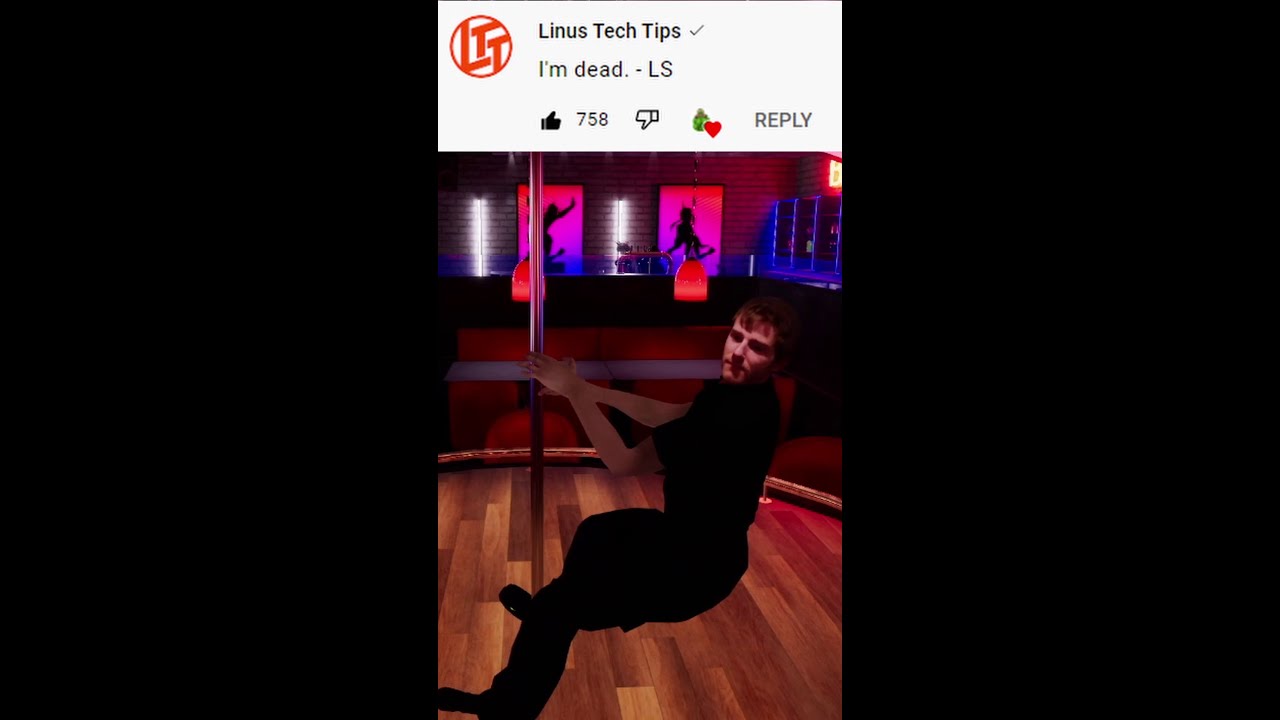
From this vid on ChrisQuitsReality's channel!
https://www.youtube.com/watch?v=Qv3rYgeahj0&t=73s
#shorts
VRChat FullBodyTracking ChrisQuitsReality Full Body Trolling in VRChat!
haughty thistle
kindred spade
I dont think it will be absolute junk.. it will most likely have their coveted l...
Wasn't the main point behind "Retina" screens that they have a sensible pixel density that makes the individual pixels no longer visible at a normal viewing distance? For a VR headset that would imply they'd have at the very least screens in there with a Varjo Aero like resolution. Considering how crap-tastic the options for screens at this pixel density are, I doubt they'd go with something like that...
Maybe they design their own panels or smth, but usually Apple just takes an existing design, modifies it with their supplier to fit their needs and use that...
On the other hand, they ofc could just slap the "Retina" brand name on it, even though it's not actually retina resolution...
 dull tide
Mad headset sounds appealing hardware wise but without a deep software catalogue I’m not holding out home
Maybe if they let us scan whole rooms with the LIDAR sensor. Like how home stagers do to recreate entire homes in VR and let you do so
restive ivy
Does 3dvcache help in vrchat?
restive ivy
burnt oasis
would it be possible to use wii remotes and nunchucks as body trackers?
Driver4vr used to let you use them for rotation tracking but you still need a kinect to get position
lime pewter
restive ivy
Does 3dvcache help in vrchat?
At least they have said it does by a lot earlier in this channel
restive ivy

Check Amazon for stock on 7950X3D: https://www.amazon.com/gp/search?ie=UTF8&tag=exoidcom-20&linkCode=ur2&linkId=3ba70afde183c3971adf4fe752b6c0db&camp=1789&creative=9325&index=pc-hardware&keywords=7950X3D
00:00 - 00:45 Intro
00:45 - 02:45 Test System
02:45 - 03:44 Beat Saber
03:45 - 04:55 Unreal Engine Demo
04:56 - 06:16 Budget Cuts
06:18 - 07:...
He shows a huge gain
But I wanna know how the 7800x3d stacks up here
Its less cores soo idk if it'd be faster for vrchat
haughty thistle
I'd assume it is, because having the app spread around multiple CCDs is worse for performance then just having less Cache...
The R9 X3Ds just aren't very good options with how badly difficult task scheduling is for the uneven cores. With the Intel chips it's at least very clear which cores are faster then others and they all have access to the same cache. This is not to say that Intel CPUs are better, just that the R9 X3Ds are probably the worst way to implement a BIGlittle-like architecture...
LTT had highlighted this exact issue with those chips in both the 7900X3D and 7950X3D review as well as the 7800X3D review...
restive ivy
Correct me if I'm wrong but on my system vrchat spreads load out decently well to all 16 cores
Not evenly spread but spread nonetheless
For this benchmark he opted to turn off the non x3d ccd and still got better frame time
Am I missing something?
Halfing the core count and still netted a better performance I understand x3d is a big deal but how can this be?
So I guess what I'm asking is with alot of avatars in the world would the 7800x3d outperform the 7950x non 3d?
weak bluff
restive ivy
For this benchmark he opted to turn off the non x3d ccd and still got better fra...
this is probably issue with core parking
ie. a software issue when PC try to detect a game and try to run all game ask on X3D CCD
its a common issue even on intel happens when you have hybrid core CPUs and try to use software to determine best core to use
weak bluff
restive ivy
Halfing the core count and still netted a better performance I understand x3d is...
this works because disabling the non-X3D cores will force PC to always use X3D cores which benefits game much more
the cache cores are just so good trying to combine with normal core and normal core on another die will cause latency and who knows unexpected low FPS due to more important task run on slower cores
there is actually solution to 7950X3D core parking problem like update firmware
Tupper made a guide here https://tupper.notion.site/The-Current-Best-PC-For-VRChat-0636cbf57062499e80f02554afda2be4#16129aed4e524b78baeea7b2eda6f75f

tupper's notion on Notion
If money is no object— what is the best PC for VRChat? How do I get the most frames?
also its because most games dont need more than 8 cores lol 8 core is the new quad core nowadays
you will see Intel caps at 8P cores on desktop and anything more is just multicore stuff brute forced by E cores
Also me running VRChat
 lime pewter
1fps?
weak bluff
1600x3200 res average like 40 in heavy lobby and 72 in moderate
also i disable everyone avatars by default
lime pewter
unplayable ig
weak bluff
i kinda manage to tolerate it usually i can play for 8 hours at best maybe 13 hours-ish
with breaks
haughty thistle
Disabling people's avatars improves performance a lot more then some people are willing to believe. Just goes to show how crappy some avatars are optimised...
I for exampleonly show shaders for people on my friends list, and use the "Show Avatar" function very sparingly. On top of that I have the Avatar hider set to a modest 10m hide distance (which I found results in the least impact on who I can see)
lime pewter
haughty thistle
I for exampleonly show shaders for people on my friends list, and use the "Show ...
feel like you would basically require a 3090-4090, lel
haughty thistle
I mean... I'm using a Varjo Aero and get by just fine with a 3090...

 quaint pike
restive ivy
But I wanna know how the 7800x3d stacks up here
quaint pike
restive ivy
But I wanna know how the 7800x3d stacks up here
from what I've seen the 7800x3d seems to be pretty much as good as the 7950x3d in most games
quaint pike
restive ivy
Correct me if I'm wrong but on my system vrchat spreads load out decently well t...
the 7950x3d and 7900x3d only use half their cores for games afaik
haughty thistle
Depends on if the AMD drivers are installed and detect the game. If you have Windows Game Mode disabled (like I have; because it actually causes issues with certain games and VR) then this game assignment either doesn't work correctly or doesn't work outright...
If all you do is game, the 7800X3D is the more sensible choice, as it performs identical to (if not better then) the much more expensive 7950X3D in games when just using the 3D V-Cache cores. The R9s only make sense if you're also doing heavy productivity like video editing and such on the same PC...
sullen linden
cobalt geyser
https://media.discordapp.net/attachments/841541165865238568/1093307371809411184/...
this is actually huge
 frozen hazel
Hey, just got the Oculus/Meta Quest 2. Do you really have to install the meta app to get it to work?
And in general, can it connect to my PC wirelessly, or will I need to connect it with a wire?
cobalt geyser
frozen hazel
Hey, just got the Oculus/Meta Quest 2. Do you really have to install the meta ap...
Yes you can use your quest 2 wirelessly with your PC, with airlink.
frozen hazel
Nice. Does it work well, as if it were wired?
haughty thistle
Only when you connect your Quest to 5GHz Wifi and have very few (preferably no) other devices on the same 5GHz band
frozen hazel
Ah, my pc doesn’t have Wifi, just ethernet
haughty thistle
Yes, your PC should be connected via LAN to your router and the Quest then over Wifi
You don't actually want to use the Wifi on your PC when using Airlink
What I was saying is that you preferably want as few devices on your routers 5GHz Wifi as possible for Airlink. the fewer devices, the better. In my instance just a tablet and a few phones were already enough to make the wireless Quest experience basically unplayable. Because of that limitation it's usually recommended to get a dedicated Wireless Access Point (which can be a router in Wifi AP mode) just for the Quest. Otherwise, you can also use a long USB 3 cable (doesn't have to be Type-C on the PC side) for regular Quest Link. It would give you about as good of an exprince as over Wifi. It would probably be a bit more stable over a wire and you can push a higher bitrate over a USB cable, tho a higher bitrate also increases the load on your CPU as it has to compress every frame sent to the Quest
lime pewter
Imagine using wifi when you live in an apartment with so much issues you can't even use bluetooth further than like 80cm away
haughty thistle
Yeah, people look at the Quest and Pico headsets and think that Wireless VR is a long solved issue...
Long story short: it is not. These headsets "cheat" by essentially just running a sorta-Twitch-stream over to the headset. It might not be as compressed as on Twitch and has as high of a latency as a Twitch stream, but it is absolutely compressed (which is visible during normal gameplay) and it is incredibly sensitive to Wifi interference (I mean, just look at the video series Linus made on his Wifi 5GHz issues at his house; and he didn't even try to play Airlink on that!)
I still think 60GHz just for very high bandwidth applications like Wireless PCVR is still the way to go, especially as it will be localized entirely within a single room, so even if all your neighbors also use the same Wireless PCVR solution, none of you will ever have to think about signal interference...
lime pewter
I mean, if you're rich enough to not live in an apartment building and instead have a giant house with no neighbours
wouldn't be using wireless for anything more than audio, mouse, keyboard, etc
displays a bit to much
 muted bolt
good budget vr headset for pc vr? nothing fancy just some shooting games
pale orbit

Run. Think. Shoot. Live... Virtually?
After a few months of waiting, its finally here!
Your favorite Half-Life re-imagining, converted to Virtual Reality!
Thanks to Ashok0 and some help from the Source VR Modding Team, Black Mesa Source is being revamped and reworked for VR.
THE MOD IS FINALLY PUBLIC!!! LINK BELOW!
burnt oasis
muted bolt
good budget vr headset for pc vr? nothing fancy just some shooting games
rift s, quest 1, quest 2, pico
haughty thistle
Wouldn't recommend the Rift S period. It just has too many issues. Instead I'd go with the Rift CV1, or OG Vive. Maybe you can also squeeze a Vive Pro 1 into the list of available options
 flint ridge
My school be like
 gloomy crater
That gives me the same vibes as
Hey chucklenuts. I'm gonna put my chrome book in the wrong slot
What dumb sunovab*tch put their chrome book in the wrong slot
frozen hazel
Heya. For the quest 2 (or possibly any headset), how can I adjust it so it's clearer? I've been having a bit of trouble really getting a clear picture for me.
weak bluff
Quest kids might see pc avatars soon
 weak bluff
frozen hazel
Heya. For the quest 2 (or possibly any headset), how can I adjust it so it's cle...
weak bluff
frozen hazel
Heya. For the quest 2 (or possibly any headset), how can I adjust it so it's cle...
You have fit issue or graphic issue?
frozen hazel
Might be fit, I haven't fully gotten it comfortably on my head.
Since in some points it is almost clear, but just under
Like, the graphics themselves are I think at their highest settings, being 60hz and I think the refresh rate was 120? I don't remember exactly what those options were for
tawdry dove
flint ridge
My school be like
I wish
that's a cracked school
my kids are gonna have some cool shit at school
flint ridge
tawdry dove
that's a cracked school
Yeah we got a grant or something that gave us like 15 refurbished units
weak bluff
frozen hazel
Might be fit, I haven't fully gotten it comfortably on my head.
Have you tried measuring your eyes then adjusting IPD?
And are you running standalone or connected to PC
warm stirrup
Bro why do schools have quest 2s? What are they using them for?
Mine only had Samsung Gear VRs but they threw them out cause they didn't have a use for them
weak bluff
Development or education
Mine has but like only several lol
And never showed in display
frozen hazel
weak bluff
Have you tried measuring your eyes then adjusting IPD?
IPD?
And this is currently standalone, I haven't had a chance to try it on my PC just yet.
frozen hazel
Ah, yeah. This one only has 3 settings, but the middle one seems to be clearest as far as I can tell
weak bluff
quest 2 have 3 presets: preset 1 is 58mm, preset 2 is 63mm, and preset 3 is 68mm
frozen hazel
Ooh I see
What part of my eyes would I measure to determine which one I'm closest to?
weak bluff
technically you can fix it between presets to get more off distance
weak bluff
frozen hazel
What part of my eyes would I measure to determine which one I'm closest to?
centre of eyes
frozen hazel
Gotcha. So the distance between both centers
weak bluff
get a ruler and you might need someone help
frozen hazel
Likely, yea,
How can I adjust it between the presets btw?
weak bluff
just use your hand to move the lens left or right
frozen hazel
I thought that's how you normally adjust it to the presets
weak bluff
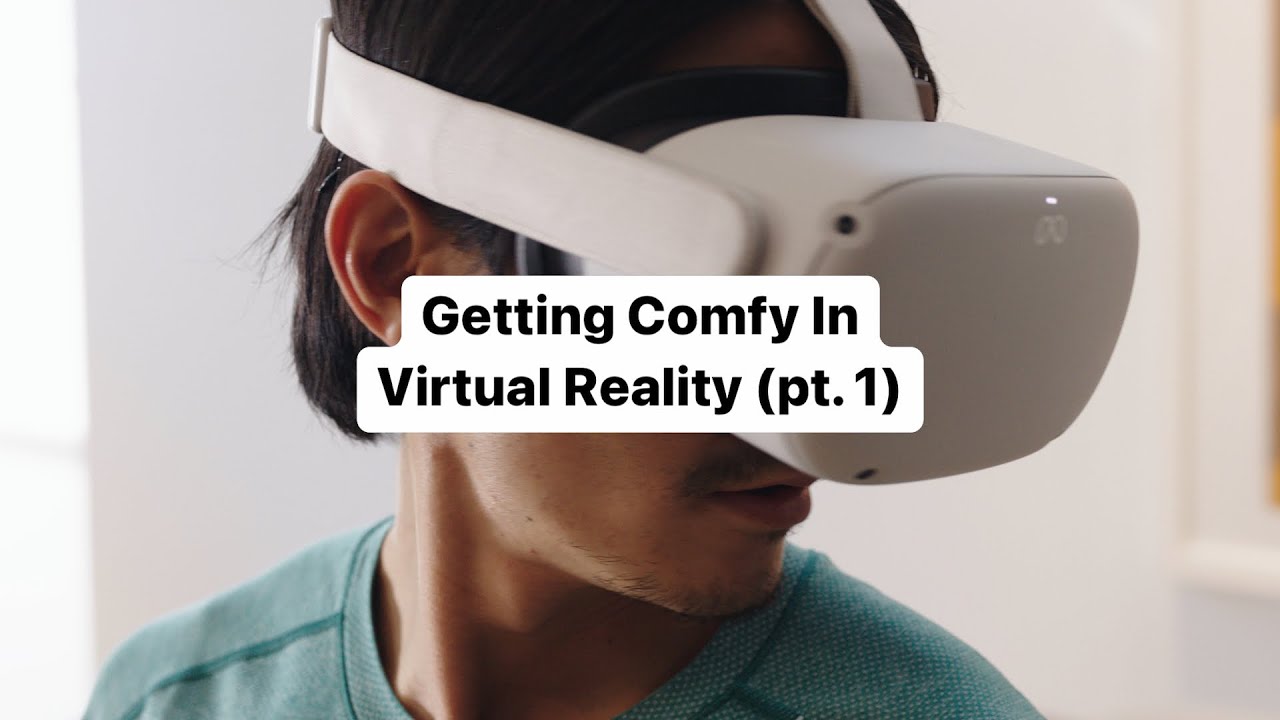
See how you can make your new Meta Quest 2 headset a comfortable experience with our quick tips!
timestamped
frozen hazel
Ty for the timestamp. Yeah, that's how I've been adjusting it. Though it only takes me to the presets rather than inbetween them
weak bluff
you have to force it half way
its not going to click you have to slightly move inbetween with force
weak bluff
software will understand but it also makes it more loose
i dont have issue until i touch my hand into it
frozen hazel
I see. I'll have to give that a try, also after measuring my eyes
Is the distance they give for the headset itself relative to the center of the lens, or the distance between the close edges? I imagine the centers
weak bluff
yes
frozen hazel
I see. I appreciate the help
lime pewter
I would quit such a place
I ain't touching anything meta/fb
blissful aurora
lime pewter
I would quit such a place
I ain't touching anything meta/fb
sorry pal, we have just 2 valve index-s
and pico headsets can suck my _____
flint ridge
blissful aurora
how many units do you have
15
blissful aurora
hmm nice
lime pewter
I am just imagining 15 meta employees staring at you through the window, lel
flint ridge
lime pewter
I would quit such a place
I ain't touching anything meta/fb
Bruh it’s a school
lime pewter
flint ridge
Bruh it’s a school
I know, I would just look for another
warm stirrup
Apparently it broke modded beat saber lmao
gloomy crater
Yeah it did
Good thing I didn't buy a quest lmao. Unfortunately my mom just bought a quest 2 and is considering returning it because she only got it to play beat saber with her friends
haughty thistle
I personally never liked playing Beat Saber on the Quest. It always felt kinda... off to me. Would much rather play Beat Saber on PC. Then again, It's thanks to the Quest & PC version of Beat Saber that I noticed the massive jello-effect that you have with a Quest running PCVR, as well as an overall lack of responsiveness with the Quest as a PCVR headset. I dunno, I just find it difficult to properly play faster Beat Saber songs on the Quest using the PCVR version.
gloomy crater
haughty thistle
I personally never liked playing Beat Saber on the Quest. It always felt kinda.....
That's pretty much the same situation I'm in, and it's the reason I can't really use inside out tracked anything seriously anymore. I started with a Quest 1 but after getting an index, using a quest or reverb G2 just feels sluggish even though it's an imperceptible delay to most people
My mom only plays Beat Saber standalone on her Quest, and it's near impossible to get her onto PC where everything is in general much simpler due to not having to sideload stuff, but I don't blame her because of how bad the PC experience is on quest
warm stirrup
haughty thistle
I personally never liked playing Beat Saber on the Quest. It always felt kinda.....
Yeah I only played beat saber on quest and my friend showed me the pcvr version, so much beter
haughty thistle
Funnily, I only have this issue with Standalone headsets like the Quest or Pico. The G2 is perfectly fine when it comes to controller tracking responsiveness for me. My guess it has to do with the massive amounts of latency that these headsets have in PCVR mode, and in order to cover that latency up, they crank the motion prediction to 11...
 neat pagoda
haughty thistle
I personally never liked playing Beat Saber on the Quest. It always felt kinda.....
neat pagoda
haughty thistle
I personally never liked playing Beat Saber on the Quest. It always felt kinda.....
With my 6700XT I had the worst experience with PCVR; it looked so much worse than the Quest version even though the settings were higher and it just felt so so awful to play
But on the Quest version it felt so nice to play. Idk!
It could be an AMD thing, but I had a Oculus approved cable and everything, it just felt awful
tawdry dove
I don't have enough experience with quest pcvr to pitch in
But my 6700xt performs just fine
grizzled field
So I still haven't decided on a headset, I'm trying to decide between the quest 2 and the HP Reverb G2, I'd prefer the quest, because I would like to be able to play standalone and not have to deal with cords, and my PC is quite up to what it needs to be for PCVR, but once I got it there I could do PCVR with the quest. My brother said tho, that I should go with an HTC Vive, or HP Reverb, because he hates Meta, and his Rift S broke, after a few months of use, and from what I've heard, in general the Reverb PCVR experience is better than the Quest 2's is, but I wouldn't be able to use it till I got my PC up to spec for that, also the quest is cheaper, so I'd save like $200, and if I liked the standalone experience I wouldn't have to spend all that money on my PC, so I don't know 😦
weak bluff
you buy what you need
¯_(ツ)_/¯
i go what fits myself best before others
i hate meta too so i use empty accoutn and exclusively use for PCVR now
there is basically nothing Meta can collect from me and playing free-to-play games and PCVR hurts meta
grizzled field
Well I'll pretty much only be playing free to play games (discluding minecraft, but thats microsoft not meta)
AKA a whole other can of ethical worms
gloomy crater
neat pagoda
But on the Quest version it felt so nice to play. Idk!
That experience is pretty normal. Because of the way that Meta takes your game output and gets it to your headset displays, it basically reduces your performance by a fraction of your overall system potential. So to simplify, imagine getting the same gameplay using a 6800XT on a quest via link that you would with a 6600XT on a native headset. It just straight up is a worse experience
weak bluff
its not just worse performance its also worse quality especially if the video has a lot of moving motion and confetti
my headset image go completely crap once i saw cherry blossoms
frozen hazel
Interesting. I'm new to all this stuff so this is good to learn. In terms of function, what is a good VR for using on PC?
Compared to one another I should clarify
weak bluff
Quest 2 I say best value but best quality well idk some people say Index and there is also Varjo Aero but ofc they are out of reach for most people
Another one that might dethrone everything else in comfort might be Bigscreen Beyond
Most SteamVR lighthouse headsets are quality in some aspect except Pimax
blissful aurora
gloomy crater
Good thing I didn't buy a quest lmao. Unfortunately my mom just bought a quest 2...
Sounds like a waste of headset
weak bluff
its actually a very common issue with Quest 2
a lot of them are probably sitting in the dust
gloomy crater
There are three other people I know who bought quest 2's, two friends and my sister. All three of them got rid of their q2's within a year of buying them. The two friends didn't have any other VR devices, but just were more interested in PC and console gaming than VR and needed the money more than they needed VR. My sister gave hers to her boyfriend as a christmas gift because I gifted her a reverb G2 that she much prefers. My mom was the only person who was genuinely happy with her quest purchase, until this update broke beat saber modding, and now she's angry. The ONE PERSON I know who was HAPPY WITH THEIR PRODUCT and Meta still found a way to piss her off
blissful aurora
weak bluff
a lot of them are probably sitting in the dust
my headset goes in cycles of being used daily, sitting in the dust and then cleaning it and using it again for weeks
frozen hazel
I see. That's all good to know. I am not a fan of Meta/Fb myself, but 3 of my friends seem to have good experiences with the Quest 2 when they play games together, so I ended up convincing my fam to get it (for the fam at least, usually used standalone).
blissful aurora
Quest 2 is a great headset overall that can do both standalone and pcvr.
frozen hazel
Can you use your computer in VR too? Like as if the headset was the monitor
blissful aurora
frozen hazel
Can you use your computer in VR too? Like as if the headset was the monitor
well technically
options are virtual desktop and Vspatial, when you are on windows
frozen hazel
Gotcha. I don't suppose any exist on Linux?
weak bluff
For VR better not use Linux if you dont like diagnosing for hours
Quest 2 can be used for PCVR but it comes with plenty of penalties and quality degradation
haughty thistle
When it comes to VR on Linux, you probably have the most streamline experience with a SteamVR native headset (which currently only includes the original Vive, Vive Pro 1 and Valve Index)
But even with those headsets, as menaced said, it's still a lot of troublshooting, and a number of things that have long been standard in VR, just aren't present in Linux builds of SteamVR. Things like Asynchronous Timewarp, Motion Smoothing, etc.
blissful aurora
weak bluff
Quest 2 can be used for PCVR but it comes with plenty of penalties and quality d...
well, if you ain't aiming for super high level, it is good enough
e.g. in my case
weak bluff
I wouldnt buy quest 2 if i solely use for PCVR
But overall the extra feature and lack of alternative when i was buying made me pick it
blissful aurora
weak bluff
I wouldnt buy quest 2 if i solely use for PCVR
I use pcvr more than standalone but I had no other choice since my pc has no displayport that other newer headsets have
frozen hazel
Display port? So for some VR, you connect it to your GPU instead of a USB cable?
weak bluff
Thats what you normally do a native headset use either HDMI or DisplayPort
USB without displayport capability are the worst kind
Like Quest 2, Pico 4, Vive XR Elite uses USB which has performance penalties and quality degradation like i said
If you want best PCVR headset avoid USB connected type unless it has displayport passthrough which is very rare
rustic garnet
blissful aurora
I use pcvr more than standalone but I had no other choice since my pc has no dis...
What computer doesn't have displayport in this day and age
A laptop?
quaint pike
I would guess ^
 rocky nymph
Even laptops have USB-DP alt mode or even thunderbolt
haughty thistle
Thunderbolt doesn't guarantee that the Laptop is good for VR with DP tho. This is because on newer Intel Laptops the Thunderbolt port comes from the chipset and the DP lanes for that port then usually come from the iGPU. Not something you'd want for VR...
frozen hazel
For vr headsets (either that use usb or the actual GPU), would a 1070ti be sufficient to run Pavlov?
weak bluff
quaint pike
There must be a way to tell it to use dgpu right
Yes and dGPU requirement is PCI-E lanes not iGPU
weak bluff
frozen hazel
For vr headsets (either that use usb or the actual GPU), would a 1070ti be suffi...
Its sufficient enough
 hallow cliff
frozen hazel
For vr headsets (either that use usb or the actual GPU), would a 1070ti be suffi...
hallow cliff
frozen hazel
For vr headsets (either that use usb or the actual GPU), would a 1070ti be suffi...
it works but low settings recommended
my buddy has a rift s and a 1050ti
pale orbit

Day #40 of working on PSVR2.
What we know now:
- needs USB-C port that can provide 12V PD, alt-DP & USB3.0, only VirtualLink ports known to provide that on PC
- video is 2-lane DP 1.4
- tracking done on headset
- headset data looks unencrypted
- PC driver technically feasible
Likes
269

 Twitter
·
Twitter
·
 tranquil girder
learning about paint
 warm stirrup
Is it better to get the vive pro 1 or the pro 1 eye?
What are the differences between the two besides eye tracking?
blissful aurora
rocky nymph
Even laptops have USB-DP alt mode or even thunderbolt
a 2020 laptop
lenovo
haughty thistle
warm stirrup
Is it better to get the vive pro 1 or the pro 1 eye?
The VPE is basically just that: a Vive Pro 1 with Eye Tracking. Outside of that, the VPE also comes with the upgraded headphone pads from the Vive Pro 2, but since those still suck, it doesn't really make a difference. A headphone jack adapter with a proper audio-headset is still recommended
 chilly sundial
Oculus quest 2 still worth it?
I have mixed opinions about vr
Not sure if I should wait for a newer quest
weak bluff
quest 2 gets you most value and best standalone quality but ok-ish PCVR
Quest 3 probably wont be a Quest 2 replacement its a higher tier so if you want that and you can wait sure
Quest 3 lite suppose to be
haughty thistle
Probably gonna get superceeded by the Quest 3 by the end of the year. From what we know so far, the Quest 3 will continue using that stupid single screen 3 IPD setting system of the Quest 2, likely even with the exact same screen. Lenses might be upgraded to pancake lenses however. May or may not be compatible with existing straps (if it is compatible, you'd need to take off any legacy strap for charging; because the Type-C port moves onto the hinge), likely more expensive, while only really being a minor upgrade...
haughty thistle
weak bluff
*Quest 3 lite suppose to be*
Isn't the Q3 lite rumored to be just a Quest 3 that doesn't ship with controllers?
weak bluff
quest 3 attempt to sell will probably more about software based on rumours
weak bluff
haughty thistle
Isn't the Q3 lite rumored to be just a Quest 3 that doesn't ship with controller...
idk
rumours after all
haughty thistle
Yeah, we've only really had leaks for the Q3 but none for the Q3l, soo... uhhh... yeah...
weak bluff
all i hear is it suppose to match quest 2 price with slightly upgraded hardware
and suppose to be in 2024 so...
i have plenty of time to enjoy quest 2
most exiting thing for me is probably just AV1 and lighter pancake
chilly sundial
Well I’ll probs get a quest 3 if it isn’t too much, I won’t mind waiting
thx guys
weak bluff
probably $400-$500 but im not Meta
haughty thistle
I've heard rumors of it possibly being up to 600$, but that was before the Quest Pro and Quest 2 price cut. So possible they revised their pricing strategy...
chilly sundial
Reasonable
weak bluff
I keep hearing and software and software, passthrough and hand tracking upgrade, no full graphic capability that suppose to be for quest 3 that is not for me
it seems to be like Meta is holding back best software feature for quest 3
but judging by their record of ruining game studios i do not trust them
 past meadow
Been using my PSVR1 for quite a while now (under/around a year with issues that were solved nearly instantaneously)
The tracking system isnt bad at all!
No idea why it's hated on so much.
Their might be better alternatives that I personally dont know of but, it works great.
Sure ya go off the frame of the camera and its annoying but im not reaching that far in vr anyway
rustic garnet
have you tried a lighthouse or constellation tracked hmd?
frozen hazel
Are VR Headsets like PCs where many are prebuilt but you can also build your own?
tawdry dove
frozen hazel
Are VR Headsets like PCs where many are prebuilt but you can also build your own...
You can buy your own base stations, your own controllers, and your own headset but that's it
You can't make your own headset, not a good one anyways
tawdry dove
They are the things that go on the wall and track the headset and controllers
Unless your headset has cameras on it that track itself
frozen hazel
I see.
tawdry dove
Then again that is a simplification too
frozen hazel
How do I learn more about specs, pros and cons of headsets so I can figure out what one to go for?
tawdry dove
frozen hazel
How do I learn more about specs, pros and cons of headsets so I can figure out w...
A good way is to figure out what you're gonna use your headset for
frozen hazel
Primarily PCVR (I think that's the term, using it for games on the PC). I don't think I have much use of it standalone, beyond non-gaming hobby applications that I probably won't use VR with.
tawdry dove
Teeing this up for chickenbread
haughty thistle
The unfortunate thing about VR headsets is that a spec sheet may give you a basic idea of what a headset might be like, but you can never go by just the spec sheet to make a purchase decision.
The best example for this is the Vive Pro 2. On paper it sounds like a fantastic headset. It practice it's one of the worst options on the market right now, with massive lens issues, the software being stupid (locking you out of native resolution among other issues), and overall heat issues...
tawdry dove
Yeah lenses are a bitch
Overlooked problem with vr (for beginners mainly)
Good thing camera lenses have been pushing the quality of glass for a long time now
haughty thistle
frozen hazel
Primarily PCVR (I think that's the term, using it for games on the PC). I don't ...
Now the question remains, what is your budget, or rather, what did you have in mind for a price bracket?
VR can basically be categorised rn into 5 discrete categories. Used (<600$ depends on the area and current offers), low end (around 300-500$), mid-range (depeding on sales and region around 500-600$), premium (1000 - 1500$) and professional (>1500$)
For used, the general recommendations are the Rift CV1, Original HTC Vive and Vive Pro 1. With the latter two it is advised to swap out the Vive wands with Index controllers, once more budget becomes available. While Vive wands are great for legacy apps and Beat Saber, they're hardly good for anything else.
For the low end, well, Meta has basically a vice grip on that market with the Quest 2, tho Pico from China is trying their had with the Pico 4. Both are standalone headsets however and come with their own considerations (like higher CPU & GPU load due to image compression, higher latency, etc.)
In the price bracket of mid-range there basically is only the HP Reverb G2 left. A perfectly good headset for PCVR, and imo a sweet spot for image quality, comfort and price. The only downside being the controllers, which aren't really great for social VR games like VRChat, but perfectly usable with some button remapping in pretty much all other titles.
For the Premium segment, there's pretty much only the Index that I can recommend. Yes, I know there's also Pimax selling kits in this price-range, but I'd never recommend any Pimax product from personal (bad) experience with them. On-paper the Index might sound worse then the G2 in all specs that differ, but the outside-in tracking with using lighthouses does allow for easier integration with Vive Trackers for fullbody tracking and the Index does come with the still best available VR controllers out there (you'd need to do some software trickery to get them working with other headsets).
The recently annmounced Bigscreen Beyond might also be a nice upgrade from the Index, if you decide on upgrading your comfort and image quality down the road.
Lastly, for professional, there are a few options, but all of them trade some percs for downsides. The Varjo Aero for example has the best image clarity out there, but at a cost of 2k for the headset only doesn't come with any audio and an only "meh" headstrap, while the XTAL 3 has a really wide an decently clear FOV, but definitely achieves these perks by going way overboard with the weight and price (8000$ for the headset only!)
frozen hazel
So to clarify
Used: (~<$600)
- Rift 1
- Orig' HTC Vive
- Vive Pro 1
For the latter 2, swap wand with Index™️ controllers for more game compatibility
Low-end: (~$300-$500)
- Meta/Quest 2
- Pico 4
Both standalone, and have higher latency and C/GPU load due to image compression
Medium end: (~$500-$600 depending on region/sales)
- HP Reverb G2
Fairly balanced headset and great for PCVR, decent image quality and comfort at a fair price, but the controllers it comes with aren't the best for certain games like VRChat, however does have button remapping which makes it very compatible for many other games.
Prem: (~$1000-1500)
-
Valve Index
Slightly worse spec-sheet than the G2, but has outside-in tracking (I may need elaboration on what that means) which is helpful for full-body tracking, and comes with considerably the best controllers available (though may need some software trickery to connect with other headsets). -
Bigscreen Beyond
Potential upgrade from the Index, better comfort and image quality.
Prof: (~>$1500)
-
Varjo Aero
Best image clarity, but a steep $2k for the headset alone. Does not come with audio, and has a meh headstrap. -
XTAL 3
Clear and Wide FOV, but $8k.
haughty thistle
frozen hazel
So to clarify
__Used__: (~<$600)
- **Rift 1**
- **Orig' HTC Vive**
- **Vive Pro...
Pretty much, yes. To elaborate on the tracking thing I mentioend with the Index:
There are three basic types of tracking on VR headsets: 3dof, Inside-Out and Outside-In.
The difference being that a 3dof headset doesn't track it's position in the room and only tracks rotational movement (aka where you're looking; but not where you are).
An Inside-Out headset has cameras on the headset (and in the case of the Quest Pro controllers, also on the controllers) to track it's position in the room based on furniture and stuff in your room. Usually this means that the controllers are tracked by little LEDs on them, and relative to the headset using the same cameras on the headset, that are also used for room tracking.
Outside-In is essentially the crown jewel of VR, as with that, you place some sort of base stations in your room based on which the headset and controllers will then track their position in the room.
The Index, Bigscreen Beyond, Vive, Varjo and XTAL headsets all use the same tracking system called "Lighthouse". This was developed by Valve and uses little boxes that act as literal lighthouses for your devices to track. These boxes only need a connection to a wall outlet and then send out continuous sweeps of IR light for the devices to triangulate their position. For lighthouse there are two versions, but the main difference is, the OG Vive requires the old lighthouses (with a flat front), while of the new lighthouses (with a curved front) you can use up to 4 for a single playspace. A minimum of 2 is recommended for roomscale.
The Rift CV1 is the only other Outside-In tracked headset, but it's using a System Oculus called "Constellation". It uses a bunch of IR LEDs on the controllers and headset, and 1-4 IR-cameras connected to your PC for tracking. It tends to be overall more responsive then lighthouse, but has some issues with tracking quality if you are too close or too far away from the cameras, and all cameras require a high-bandwidth USB 3.0 connection (generally it's recommended to use one of PCIe cards with 4 dedicated USB3 controllers just for the CV1 cameras to have the least amount of issues). In my experience, you wouldn't have too many troubles with just two cameras and a third can easily also use a USB 2 connection (even if the Oculus software then starts complaining)
frozen hazel
So for Tracking in VR,
3DOF
- Only tracks rotational movement, and not your position
Inside-Out
- Cameras on the headset track where you are via objects in your area
- Controllers might have cameras in them as well, which could mean that they use LEDs to track eachother.
Outside-In
- Uses Base Stations around your room depending on the type of headset/controllers will track them
- Considerably high-end
Lighthouse
- Uses little boxes that act as literal lighthouses, using continuous sweeps of IR for headset triangulation and tracking (is this alike Outside-In?)
- Needs only an outlet connection
- Two versions; Flat (Orig' Vive requires this) and Curved (Up to 4, min. 2).
Constellation
- Used by the Rift CV1
- Uses IR LEDs on the controller/headset and 1-4 cameras connected to your PC for tracking
- More responsive than lighthouse (This means quicker inputs, like I move and 1ms later the game moves?), but has some issues with tracking if you get too close/far from the PC Cams.
- All cameras are USB3, and it is recommended to use a PCIe USB 3.0 Card to connect them to (But putting one on USB2 isn't gonna hurt). (Will using regular USB 3.0 from the board I/O work?)
haughty thistle
Lighthouse and Constellation are both Outside-In systems I've described.
With Inside-Out it's either the controllers have IR-LEDs on them to be tracked by the cameras on the headset (pretty much all of them; aka Quest 1, Quest 2, Reverb G2, Pico 4, etc.). The sole exception being the Quest Pro controllers which also have cameras on them instead of IR-LEDs. So the Quest Pro controllers track basically the same way as the headset does. You can buy the Quest Pro controllers seperatly and use them with a Quest 2, but they're basically the same price as the headset alone, so maybe not financially sensible...
frozen hazel
So for Inside Out, the Headset has the cameras and the Controllers have IR-LEDs - apart from the Quest Pro controllers, which instead also have cameras?
haughty thistle
Yes.
frozen hazel
and Lighthouse/Constellation are different types of Outside-In. Is there a name for the default type, or is that just ordinary Base Stations?
(And are Lighthouse boxes/Constellation cameras essentially just a type of base-station?)
 fiery leaf
haughty thistle
Yes.
fiery leaf
haughty thistle
Yes.
hey chickenbread
is my specs vr ready https://nl.pcpartpicker.com/list/s37yhk
Part List - Intel Core i5-12400F, GeForce RTX 3060 12GB, Corsair 4000D Airflow ATX Mid Tower
frozen hazel
(I'm gonna go for a moment, I'll return soonish. Ty for the help)
haughty thistle
frozen hazel
(And are Lighthouse boxes/Constellation cameras essentially just a type of base-...
Yes, the Lighthouse boxes and Constellation cameras are just types of base-stations. Both tracking systems are types of outside-in tracking, there is no "generic" outside-in tracking. These are just the two systems that have been used on consumer products for PCVR. There is also the PSVR1 which also uses a type of outside-in tracking, using a stationary PS4 camera and blue colored light strips on the headset for tracking. But because the PSVR1 isn't really meant to be used on PCs, I've left it out of the discussion for simplicity sake (it's not a really good PCVR headsets anyways).
This is different from the PSVR2 btw which uses a form of inside-out tracking
haughty thistle
fiery leaf
is my specs vr ready https://nl.pcpartpicker.com/list/s37yhk
Depends on what headset you wanna use that PC with. The specs overall seem to check out, but if you intend on using this PC with a Quest or Pico headset, you might want to consider a slightly more powerful CPU. Tho granted, I haven't really payed attention to the CPU market recently at all (outside of AMDs botched 7000X3D launch lol)
fiery leaf
haughty thistle
Depends on what headset you wanna use that PC with. The specs overall seem to ch...
Quest 2
tawdry dove
haughty thistle
Depends on what headset you wanna use that PC with. The specs overall seem to ch...
12400f is plenty
fiery leaf
i might get valve controllers with it
weak bluff
fiery leaf
is my specs vr ready https://nl.pcpartpicker.com/list/s37yhk
if you play vrchat i recommend switching to 5600X/5600 and B550 if you can
frozen hazel
haughty thistle
Yes, the Lighthouse boxes and Constellation cameras are just types of base-stati...
Interesting. Nice to know.
My main goal is to get a PCVR capable headset that can play Pavlov with friends, but I would also probably use it in a game like VRChat.
I don't know if I would want full body tracking, I imagine that's a different set of hardware ontop of base stuff.
Outside-in sounds like an overall good tracking method from what I learned so far
Do PCVR capable headsets (likely ones that use a display cable) utilize the PC hardware more than its own?
weak bluff
Every headset do processing power in PC
Some do extra work on top of it like Oculus
If you want least extra processing power get native SteamVR headsets
 short lily
Steam VR just keeps stuttering, the laptop I'm using has an RTX 4070, 16GB of RAM and a Ryzen 9 7845HX processor with Radeon Graphics, I'm using VR through the Thunderbolt 4 port, I've tried basically every Thunderbolt 4 to Displayport adapter I could find with no luck, I'm starting to wonder if there's a compatibility issue between Thunderbolt 4 and PCVR headsets
Since Thunderbolt 4 hasn't been out for very long
I'm also using the Valve Index as my main headset
weak bluff
you think its a performance issue or connection issue
short lily
Connection issue
weak bluff
rather you should test all possibility
have you set graphic settings to use discrete graphic card
short lily
Yes I have
weak bluff
also no PCVR headset uses thunderbolt
i wonder if this is because USB C port is connected to chipset
short lily
The laptop doesn't have a mini displayport
weak bluff
for such high end that HDMI should be directly connected to dGPU
short lily
Although I doubt any HDMI to Displayport adapter on Amazon would work for VR
weak bluff
also you sure its thunderbolt 4? I never heard of any AMD device that uses Thunderbolt 4.
such adapter does exist you just need to find good one
 weak bluff
cant see anything that claim it has thunderbolt but ok it supports DisplayPort
via USB C
short lily
All of the laptops I've seen with the 4000 series GPU's only have Thunderbolt 4 and lacks a Mini Displayport
From what research I've done
weak bluff
Thunderbolt 4 i think is Intel exclusive for now its not possible yet or very rare
this laptop should support DisplayPort over USB C
there is no detection issue right?
short lily
Nope
weak bluff
try play while frame timing graph is on
see if it dips everytime your issue happen
if it does its a performance issue otherwise we can eliminate that issue
lime pewter
valve index controller with inside out when
lime pewter
weak bluff
you can do it soon if you can DIY it with new vive tracker
controllers is the only thing I've yet to see any inside out for being announced/sold separately from a headset (like, meta... ew)
weak bluff
then get ready to use new vive inside out tracker
tawdry dove
weak bluff
if you play vrchat i recommend switching to 5600X/5600 and B550 if you can
5600 is gonna perform the same except then they can't upgrade to 13th gen later
lime pewter
neither can, its amd, wot
rustic garnet
fiery leaf
is my specs vr ready https://nl.pcpartpicker.com/list/s37yhk
The build has a 12400
rustic garnet
tawdry dove
5600 is gonna perform the same except then they can't upgrade to 13th gen later
if there's an amd chip to get it's one of the x3d ones though
weak bluff
tawdry dove
5600 is gonna perform the same except then they can't upgrade to 13th gen later
5800X3D is a better upgrade
It outperforms 13900KS in VRChat
haughty thistle
short lily
Steam VR just keeps stuttering, the laptop I'm using has an RTX 4070, 16GB of RA...
Menaced had it pretty correct already in that TB4 isn't really a thing on AMD laptops right now, often it's a USB4 port which effectively is TB3 with less strict verification of stuff. It could very well be that the DP lanes by default get routed to your iGPU causing those stutters you're experiencing. If you have the option in the BIOS to turn off the iGPU, do that. These hybrid graphics stuff that Nvidia and AMD offer (which use the iGPU for when there isn't much GPU load requested) never played along nicely with VR, and likely never will. Unfortunately, the only way to turn off this hybrid graphics stuff is to disable the iGPU entirely, forcing everything onto the dGPU...
haughty thistle
short lily
Although I doubt any HDMI to Displayport adapter on Amazon would work for VR
HDMI to DP adapters won't work for VR. They only work for displays that internally (can) use HDMI over DP, but devices that natively use DP internally (like all VR headsets) these adapters won't work...
rustic garnet
I've never got that, why not? It's just a panel isn't it?
active adapters should give you a purely dp signal no?
lime pewter
Sounds like a TV
Which only do Hdmi (which sucks as someone with a gpu that doesn’t support 4k120 unless dp)
haughty thistle
rustic garnet
active adapters should give you a purely dp signal no?
Active adapters are hella expensive tho. They have to essentially act as an HDMI capture card and DP GPU. And these do not preserve direct display capabilities of the device that is plugged into the other end (again, because they essentially act as a capture card and generate their own signal. They only relay the EDID information; tho modified to only contain capabilities the adapter can keep up with).
That's why pretty much all HDMI to DP adapters that aren't >100$ only pack the native HDMI and DVI-D capabilities of HDMI into a DP envelope and call it a day. For most monitors it's usually fine like that anyways.
DP specific features, like multi-display mode (aka daisy-chaining), G-Sync or FreeSync on DP ports, DSC (unless the adapter is capable of HDMI 2.1), etc. will not work. And coincidentally, Direct Display Mode on DP works differently to HDMI, so any device working in that fasion (aka any VR headset) won't work with these adapters anyways.
Meta Control signals of any form are lost in the conversion as well, as HDMI has HDMI-CEC, while DP has a different system with a different protocol. Ya can't send DP signals over an HDMI port. The other way is fine (as DP has a native HDMI mode), but DP over HDMI just simply isn't a thing...
 median marten
Question regarding twitch streaming.
Setup:
5800X3D
B550
RX 6600XT
Oculus Quest 2
When I run SteamVR games using the Link cable i.e, CarX and try to stream with OBS to Twitch I lose fps and my game stutters.
Any way to optimize settings in either SteamVR or OBS to stop the stuttering from happening?
VRStream Setup:
OculusMirror-> CarX-> OBS Capture
haughty thistle
My guess is that it's because of both OBS and the Quest requiring a video stream to be encoded, that you're overloading your GPUs video encoder and that's what's causing the stuttering. Are the stutters only visible in the headset or also on stream? I'm not too familiar with what you mean by "OculusMirror" and "CarX" :/
lime pewter
haughty thistle
My guess is that it's because of both OBS and the Quest requiring a video stream...
Using vr while driving
quaint pike
haughty thistle
Active adapters are hella expensive tho. They have to essentially act as an HDMI...
So dp > hdmi is fine but not hdmi > dp?
haughty thistle
Yup. That is correct
rustic garnet
yeah bcuz dp has built in support for a hdmi alt mode
median marten
haughty thistle
My guess is that it's because of both OBS and the Quest requiring a video stream...
The stutters are visible in both the headset and the stream. OculusMirror is an app that allows you to stabilize the VR footage for others so they don't see every little head movement being made, which causes them to get motion sick
 lament portal
what’s the best budget headset
grizzled field
lament portal
what’s the best budget headset
that depends, what are you doing?
lament portal
everything
grizzled field
XD ok, well the quest 2 is a good way to go, but if your planning on doing mainly PCVR, and your computer can handle it, then I'd suggest the HP Reverb G2, or if you're ok with getting it used you could probably find a Rift fairly cheap
but from what I've heard the Rift S was kinda crap so dont go with that one
quaint pike
meta is cringe tho
rustic garnet
lament portal
what’s the best budget headset
rift cv1 second hand
for pcvr that is at least
warm stirrup
How has that game been doing? Is it actually good?
burnt oasis
warm stirrup
How has that game been doing? Is it actually good?
id say just play the vrchat version
pale orbit
 cedar belfry
burnt oasis
id say just play the vrchat version
cedar belfry
burnt oasis
id say just play the vrchat version
vrchat version is scuffed tho
cedar belfry
pale orbit
https://twitter.com/iVRy_VR/status/1645711447672999936
hmmmm, pcvr on psvr??
weak bluff
its just development update of PSVR2 to pc
 compact vault
Is there a place we can giveaway games in here? We're looking to giveaway our games
cedar belfry
compact vault
Is there a place we can giveaway games in here? We're looking to giveaway our ga...
I don't think so, but you can DM me game keys lol
 gritty portal
compact vault
Is there a place we can giveaway games in here? We're looking to giveaway our ga...
gritty portal
compact vault
Is there a place we can giveaway games in here? We're looking to giveaway our ga...
4 me? 
jk
genuinely curious whats your game?
id love to check them out
gritty portal
weak bluff
its just development update of PSVR2 to pc
if theres a steam link for your game could you send it here for me to check out !
lime pewter
sounds like a scam..
gritty portal
lime pewter
sounds like a scam..
probably not
some smaller devs do give away keys to people in hopes that theyll tell someone about the game etc etc
cedar belfry
lime pewter
sounds like a scam..
they've been on discord since 2016
frozen hazel
Could be a hijacked account worse-case. I would check the authenticity of their claims to be safe - even if it turns out it is legit.
rustic garnet
what's the game
hallow cliff
looks like its cave digger 2
they work at VRkiwi and looks like they just released the game
gritty portal
frozen hazel
Could be a hijacked account worse-case. I would check the authenticity of their ...
Think it’s fake asf
Unless they are trying to get Linus to give keys away in a vid
They’ve just joined this server
And that’s their first message
cedar belfry
the joys of making avatars for vrchat 😭
 grizzled field
cedar belfry
the joys of making avatars for vrchat 😭
grizzled field
cedar belfry
the joys of making avatars for vrchat 😭
that looks like a lot of fun XD
weak bluff

MIXED Reality News
Pico Interactive introduces a new VR headset - but not the Pico 5. Technically, the G3 is just an evolution within the series.
€399 headset
haughty thistle
It's basically a Neo 3, but without the 6dof tracking and with the Enterprise software instead of the consumer one
weak bluff
Unfortunate its not for us
haughty thistle
Don't think of this as another Quest Competitor, think of it more as an overpriced Oculus Go meant for schools...
pale orbit

VR in the 90's! Until I started looking thru my collection of old game mags, I'd forgotten that VR head gear was a thing in the mid-90's. I never tried any of these back then--I just thought of them as gimmicky. Anyone have any experience with these?
 Twitter
·
Twitter
·

 grizzled field
cedar belfry
adorable
grizzled field
cedar belfry
adorable
not gonna lie, it IS adorable XD
warm stirrup
As someone who has only made simple 3d objects like chess pieces, hour glasses, and pencils in 3ds max, is it hard to learn how to make a vrchat avatar
cedar belfry
warm stirrup
As someone who has only made simple 3d objects like chess pieces, hour glasses, ...
not my model
but it's my edit
the model name is Rusk
cedar belfry
warm stirrup
As someone who has only made simple 3d objects like chess pieces, hour glasses, ...
and yes, it's hard to model your own avatar but things like VRoid Studio exist to help. Once you read VRChat's documentation on their SDK and know a bit about Unity, it gets easier each time
 versed matrix
cedar belfry
the joys of making avatars for vrchat 😭
versed matrix
cedar belfry
the joys of making avatars for vrchat 😭
Do you have any tips? I've been thinking about getting into 3D design for a while now, and even trying to use the Blender geometry nodes to try and make something that'd automatically generate rigged models using bones and stuff.
 tiny snow
cedar belfry
tiny snow
cedar belfry
Blush is a little too bright rest it good though. Only say that cause from a distance you cant see the details really and looks like a pink neon mustache.
cedar belfry
versed matrix
Do you have any tips? I've been thinking about getting into 3D design for a whil...
Stay organised and make backups, also I've never actually modeled anything inside of Blender lol.
If you want, I can give you a few of my favourite Unity packages to help you out!
cedar belfry
tiny snow
Blush is a little too bright rest it good though. Only say that cause from a dis...
That's the post processing from the world I'm in lol, it's not that bright, thankfully
 uncut musk
cedar belfry
the joys of making avatars for vrchat 😭
uncut musk
cedar belfry
the joys of making avatars for vrchat 😭
ah, a fellow avatar creator
cedar belfry
uncut musk
ah, a fellow avatar creator
ayyyy wsg
 uncut musk
cedar belfry
ayyyy wsg
uncut musk
cedar belfry
ayyyy wsg
not much, thought I'd stop into this channel to see what all was here
Figured there would probably be a few people here that talk about vrchat or unity stuff
cedar belfry
uncut musk
Figured there would probably be a few people here that talk about vrchat or unit...
Not many, but it happens every now and again
uncut musk
ngl, one thing that I've been wanting to do for a while is make a short circuit hoodie for vrchat lmfao
cedar belfry
uncut musk
ngl, one thing that I've been wanting to do for a while is make a short circuit ...
and just make vrchat merch for ltt lol
tiny snow
cedar belfry
That's the post processing from the world I'm in lol, it's not that bright, than...
ahh ok my bad lol
cedar belfry
tiny snow
ahh ok my bad lol
you're goood
soft hound
Ah, avatar making
My favourite passtime
cedar belfry
soft hound
Ah, avatar making
My favourite passtime
"prefab-959d7aab-e578-4b39-b49c-5e8c31341d9c.vrca not found"
lol
soft hound
You have a script conflict
Hit clear in the console, then see what red errors remain, then remove what's causing them
Easy mode
cedar belfry
Was just an example
That stuff is annoying tho
soft hound
Eh
Been doing it for 5 years now
I've more or less ironed out the fixes for most issues
Things go pretty smooth for me

lime pewter
Imagine AR becoming a proper thing and AR Pokemon GO being released
 frigid gull
Thinking about upgrading from my Quest 2 to a Valve Index, anyone have any opinions on the index?
haughty thistle
lime pewter
Imagine AR becoming a proper thing and AR Pokemon GO being released
I wouldn't feel comfortable with all the cameras constantly filming in public...
kindred spade
frigid gull
Thinking about upgrading from my Quest 2 to a Valve Index, anyone have any opini...
it was an absolute game changer for me
 twin gorge
frigid gull
Thinking about upgrading from my Quest 2 to a Valve Index, anyone have any opini...
twin gorge
frigid gull
Thinking about upgrading from my Quest 2 to a Valve Index, anyone have any opini...
altho the index is still really good I think its getting slowly outdated so I wouldn’t reccomend buying one now
grizzled field
frigid gull
Thinking about upgrading from my Quest 2 to a Valve Index, anyone have any opini...
from what I've heard the Index is outdated over-priced, and prone to breaking, at this point, keep the quest 2, or if you want better graphics go with the HP Reverb G2,
rustic garnet
helpp should i buy a asus wmr headset for like 80 bucks used tomorrow
because like i already have the og rift but i really want to see some of the other options on the market and it could be really cool to have a inside out tracked headset in a really large space i think
weak bluff
rustic garnet
because like i already have the og rift but i really want to see some of the oth...
OG Rift is really good in many aspect you should keep it
weak bluff
Surely WMR is becoming rare
It used to be able to find many for cbeap nowadays you cant find it even at high rpices
Yeah sure if its in good condition
burnt oasis
warm stirrup
As someone who has only made simple 3d objects like chess pieces, hour glasses, ...
modeling is the easy part, animating is the HARD part.
burnt oasis
frigid gull
Thinking about upgrading from my Quest 2 to a Valve Index, anyone have any opini...
i wouldn't do that tbh
burnt oasis
frigid gull
Thinking about upgrading from my Quest 2 to a Valve Index, anyone have any opini...
quest pro beats it overall at the same price, also if you want to spend a bit more then big screen beyond looks promising and the most comfiest hesdset in existence, it's specs are pretty good too, it's downside is it has quest 2 fov
lime pewter
haughty thistle
I wouldn't feel comfortable with all the cameras constantly filming in public...
at some point it shouldn't need cameras tho
might not be the greatest of experiences...
instead of pass through have AR glasses actually work and at most need a depth sensor
won't be as good visually because lack of blacks
wonder what kind of brightness would be required for it to actually look fine
weak bluff
burnt oasis
quest pro beats it overall at the same price, also if you want to spend a bit mo...
there is more downsides such as non native SteamVR, no top strap, lower refresh rate, compressed PCVR streaming, low battery life controller and idk what else i missed
burnt oasis
weak bluff
there is more downsides such as non native SteamVR, no top strap, lower refresh ...
144hz for vr is unnecessary, buy a third party strap, battery life is fine, even when compressed it shits on the index visuals wise, pancake lenses, and it runs fine with airlink and link steamvr
burnt oasis
weak bluff
there is more downsides such as non native SteamVR, no top strap, lower refresh ...
if you want to argue no native steamvr, we'll the index can't play oculus games
frigid gull
burnt oasis
quest pro beats it overall at the same price, also if you want to spend a bit mo...
I'm buying used, not buying it brand new cause a 1000 dollar purchase is hard for me to justify at 17
haughty thistle
burnt oasis
if you want to argue no native steamvr, we'll the index can't play oculus games
It can. Google Revive 🙂
Revive isn't like running SteamVR on Meta headsets, as Revive basically circumvents the Oculus software entirely. It makes Oculus games think they run on Oculus hardware, while in reality they're talking directly to SteamVR
cedar belfry
burnt oasis
modeling is the easy part, animating is the HARD part.
psssst, ComboGestureExpressions exists
or u use someone else's FX layer and animations
burnt oasis
frigid gull
I'm buying used, not buying it brand new cause a 1000 dollar purchase is hard fo...
then wait for quest 3, or if you can get a used index for under $800 then that seems fine
frigid gull
burnt oasis
then wait for quest 3, or if you can get a used index for under $800 then that s...
Couple Indexes I've seen are like 500 bucks and relatively close to where I'm at
(ebay)
burnt oasis
frigid gull
Couple Indexes I've seen are like 500 bucks and relatively close to where I'm at
quest pro is $900, index is $770
burnt oasis
frigid gull
Couple Indexes I've seen are like 500 bucks and relatively close to where I'm at
does that include the controllers and base stations?
frigid gull
burnt oasis
does that include the controllers and base stations?
yep
burnt oasis
is that buy now? parts only
i don't see them that cheap
i filtered and it's no where near that
cedar belfry
I want index so badly but my parents don't want me screwing things into the walls or ceiling
frigid gull
nope, still working according to the sellers I've seen
The one I saw for 500 bucks already sold tho
I haven't checked new ebay listings
burnt oasis
frigid gull
nope, still working according to the sellers I've seen
aren't those bids
frigid gull
burnt oasis
aren't those bids
think so yeah
burnt oasis
then those don't count
frigid gull
hence why they're so cheap to start
ah
fair
sorry I don't use ebay a ton, my parents generally force me to buy through amazon

cedar belfry
frigid gull
sorry I don't use ebay a ton, my parents generally force me to buy through amazo...
ask the seller to put it in an amazon box lol
burnt oasis
also index has quality issues, so it may not last too long
just breaks if you drop it
or it falls
haughty thistle
Ehh... not really?
cedar belfry
burnt oasis
just breaks if you drop it
yea literally iphone quality
but they're sturdy enough, you'd have to try to break it
 devout trail
No quality issues on my 3 year old index. Works just as it did day 1.
haughty thistle
You're thinking of like the very early units, but that has been the case for pretty much most devices that early units tend to have more issues, which defo is the case for the Index
devout trail
Haven’t had any problems with mine. Got it back late 2019 and still a beast. My rift and rift s have given more problems than any others except my cosmos
haughty thistle
Same here. My left Index controller is from Nov'19 and still hasn't had any drifting issues whatsoever. Trigger doesn't squeak or anything either. The only issue I've had with my (almost) launch Model Index was some slight snow (for which Valve replaced the cable no problem), the left controller has lost touch on the thumb stick (no biggie tbh), and a controller failure after an intense Beat Saber session. My assumption with that last one was that the controller had a QA issue and sweat intruded the controller. Again, in all cases Valve replaced the faulty parts right away
devout trail
Yeah maybe my sticks are a little loose from use over the years. No drift. No cable issues or anything. Tried n true she be lol
Index is still probably the best of them all. I’d say I choose that over any of my other headsets 9/10 times.

 little plinth
anyone here got pico 4?
how is it
i was originally wanting a quest 2 but they're overpriced here
while pico 4s are at like 350 bucks
128GB Q2s are at 440+
so i might as well get something superior and cheaper
weak bluff
Rest in peace another Quest 1 title altho i never heard of anyone playing vrchat on quest 1 probably really really crap
 haughty thistle
I've had tried the Pico 4 but honestly wasn't that impressed. While you can work around the major weak points of the Quest (the strap & audio), both of those are fixed on the Pico 4 (the strap is non-removable with all it's wobbly mounting and there's no headphone jack; adding one with an adapter will result in massive audio latency)
The optics were also kinda wavy, the SDE was more visible then the resolution might suggest and the pancake lenses resulted in tons of visible internal reflections. If I had the choice for PCVR between the Quest 2 with some upgrades, the Pico 4 or the Reverb G2, I'd take the G2 any day. If you upgrade a Quest 2 you'd likely be in the same price range, and I guarantee you you'll have a better visual and audio experience on the G2 then you'd ever hope to have the Quest 2...
little plinth
the G2 is out of the question for me as i heard it has trash controllers tracking
and virtually no one sells it here
those who do, upsell like they wanna buy a lambo
gritty portal
weak bluff
Rest in peace another Quest 1 title altho i never heard of anyone playing vrchat...
Yeah my quest one rn is basically a pcvr only headset
Half of the games don’t even work anymore stand-alone
Quest 1 Controller durability sucks ass too
I’ve been through multiple and they all crack even tho I don’t hit walls
Right on the oculus logo strangely
haughty thistle
little plinth
the G2 is out of the question for me as i heard it has trash controllers trackin...
It's not that bad tbh
haughty thistle
little plinth
those who do, upsell like they wanna buy a lambo
Ok that's an oof :/
little plinth
The pico 4 is like the cheapest option for me rn
gloomy crater
haughty thistle
Same here. My left Index controller is from Nov'19 and still hasn't had any drif...
This experience here is what made me wish I had paid the extra $400 for a brand new index instead of getting a used launch era one for $600. My headset was plagued with issues, and I recently had to open my controller to replace my own thumb stick components and it still didn't completely fix the drifting issue. Valve refuses to touch it because I wasn't the original purchaser, even if I offer to pay for the repairs. So maybe the savings weren't worth not having that valve support in the long run
rustic garnet
did a tiny little teardown on the asus wmr headset for those who feel so inclined https://twitter.com/duckwithsandls/status/1646962156007563265


Asus windows mixed reality headset teardown thread because i couldn't find one anywhere on the internet
Twitter
·
 subtle fog
is anyone here using an HTC elite XR? I'm having controller binding issues on one set up(my partners) but not mine. Im running into this with a clean install of windows on both machines. We have matching 4090's(MSI suprim Liquid), 64GB Ram, and samsung 980Pro's. We are both on Asus ROG motherboards but hes using the 5950X and I'm using an 11900K. When I swap headset and controllers with him, he experiences the same issues. Yet his Headset and controllers on my system work fine. Im about 2 weeks from giving up on high end vr and buying a google cardboard. lol
grizzled field
little plinth
the G2 is out of the question for me as i heard it has trash controllers trackin...
from what I've heard the G2 only has bad tracking if your reaching behind you, and unless you're planning on playing a lot of bow and arrows games, that probably won't be an issue, otherwise, the tracking seems pretty solid. Everything I've heard about the Pico 4 is kinda sucky. cheapest doesn't mean best, the Quest 2 is like $200 cheaper than the G2, but I'm still considering the G2, because it seems like it might be the better buy. What are you mainly planning on playing?
also don't believe everything you hear, just cuz someone says something doesn't mean it's true, they're probably biased. Like I'll tell you AMD Graphics are better than Nvidia, when I've never really used Nvidia graphics, and the only reason I think that is because Nvidia is artificially jacking GPU prices, but I can't even prove that, and the REAL reason, is just cuz I think AMD's logo looks cool XD
 harsh niche
don't click this
little plinth
grizzled field
from what I've heard the G2 only has bad tracking if your reaching behind you, a...
of course cheapest doesn't mean best but the G2 can't do standalone and is double the price. money could be used on upgrading my pc
grizzled field
little plinth
of course cheapest doesn't mean best but the G2 can't do standalone and is doubl...
true I absolutely understand as someone who has $8 in his bank account XD
but if I were you go with the quest, even if it is more expensive
 deft horizon
I just got off VRChat
I think I need to replace my Link cable
It's just been doing weird shit lately
But then again, 2 years of heavy use and (admittedly) abuse
I'm surprised it's lasted this long.
cedar belfry
deft horizon
I think I need to replace my Link cable
my headset doesn't like the cable
sooo i use air link
deft horizon
Eh. I like having the tether to reality. Plus I don't got a big battery bank or a good enough router
cedar belfry
deft horizon
Eh. I like having the tether to reality. Plus I don't got a big battery bank or ...
Go to OculusDebugTool and set encode bitrate to 0
Also you only need a 20/40/80 channel bandwidth or better router on 5GHz
deft horizon
My router's in my living room... And there's no way my parents are gonna let me run an Ethernet cable
cedar belfry
deft horizon
My router's in my living room... And there's no way my parents are gonna let me ...
my router is in the living room as well, also spoof oculus link to meet requirements by using a WiFi to Ethernet dongle thingy but eh
because it'll be "connected" by Ethernet
What router do you have by the way? I'm using one of the ISP provided routers from XFINITY and it works fine, I believe the 5GHz channel bandwidth is 40/80
lime pewter
Tfw Isp provided is often not capable of actually getting the speeds you paid for
cedar belfry
Locally yes, actually my ISP provides more because they can't do their job right
frozen hazel
Not to sound silly but how much of my pc/steam/acc info will meta get if I connect my family Quest 2 to it?
cedar belfry
frozen hazel
Not to sound silly but how much of my pc/steam/acc info will meta get if I conne...
None, I think
SteamVR sends tracking information and crash reports
Oculus, I think sends debug from your PC for crash reports
You're pretty safe, imo, just don't do anything to violate your privacy xd
All Oculus gets from your Steam, not account, is the game you have open, which will be SteamVR
frozen hazel
I see. That’s relieving. Thanks.
cedar belfry
frozen hazel
I see. That’s relieving. Thanks.
I can't guarantee that's all they'd get, you'd have to read their privacy policies
frozen hazel
They have a privacy policy?
cedar belfry
Almost every company has one
cedar belfry
frozen hazel
They have a privacy policy?
haughty thistle
General rule of thumb: The longer the privacy policy, the more data they collect, and the deeper their collection goes...
cedar belfry
haughty thistle
General rule of thumb: The longer the privacy policy, the more data they collect...
I never thought about it thatttt wayy
hmmmm
frozen hazel
Yeah i just finished skimming both of those. It does seem to be a good bit.
Nothing I can do on steams end ofc
haughty thistle
cedar belfry
https://www.meta.com/legal/quest/privacy-policy-for-oculus-account-users/
<https...
The one you posted for Meta is only for people still hanging onto Oculus accounts. For people with Facebook or Meta accounts, these two both apply:
https://www.facebook.com/privacy/policy/
https://www.meta.com/de/en/legal/quest/privacy-policy/
Learn how we collect, use and share user data to support Facebook, Instagram, Messenger and more. Use tools to manage your privacy preferences.
cedar belfry
I still have an Oculus account
If *oculus.com ever becomes available I'm buying it
the rarest NFT LMAO
How much would their domain be worth though?
haughty thistle
I mean... Steam Privacy Policy:
 cedar belfry
oh yeah we don't talk abt steam
haughty thistle
Meta Privacy Policy:

 frozen hazel
haughty thistle
The one you posted for Meta is only for people still hanging onto Oculus account...
frozen hazel
haughty thistle
The one you posted for Meta is only for people still hanging onto Oculus account...
There is so much being taken with this one


That’s just two examples from the first image
cedar belfry
idrc what they collect abt me as long as they don't dox me 💀
frozen hazel
Extreme analogy I came up with, but if I don’t want anyone to kill me, I don’t want to let a company protect me from others by killing me themselves
cedar belfry
cedar belfry
https://www.meta.com/legal/quest/privacy-policy-for-oculus-account-users/
<https...
edited
deft horizon
Tbh I'm thinking on moving away from Meta
Thankfully I have no subscriptions running through them
Just a bunch of purchases
frozen hazel
I’m a bit iffy with their policy after trying to read all of it. It’d only be to test pcvr.
frozen hazel
frozen hazel
There is so much being taken with this one
I think I mistook this one for vr use. This I think is just for using fb/meta itself on pc
frozen hazel
cedar belfry
https://www.meta.com/legal/quest/privacy-policy-for-oculus-account-users/
<https...
(For the meta quest link on the bottom)
I think these ones are most related to pcvr, but doesn’t specify as such


 strong vortex
I don't know about the strictly speaking cheapest, but the best cheap one is probably still the Quest 2.
 fading sapphire
i use the psvr for the ps4
sullen linden
Quest 2 ❤️
 cedar belfry
sullen linden
Quest 2 ❤️
cedar belfry
sullen linden
Quest 2 ❤️
ayyyy u still got the oculus brandinggg
sullen linden
cedar belfry
ayyyy u still got the oculus brandinggg
yep. this is launch 64gb quest 2. bought it on best buy on Day 1
i never use the standlone lol. 64gb is fine
sullen linden
cedar belfry
ayyyy u still got the oculus brandinggg
wish they kept the oculus bootscreen on OG quest 2's
cedar belfry
sullen linden
wish they kept the oculus bootscreen on OG quest 2's
fastboot the OG firmware and turn off wifi immediately
then turn off automatic updates
lime pewter
cedar belfry
https://www.meta.com/legal/quest/privacy-policy-for-oculus-account-users/
<https...
What I see: "we collect everything as long as you turned on any of our software or hardware"
cedar belfry
sounds abt right
lime pewter
Entire screen, entire real life body, entire everything
talks about even collecting your posture, lel
lime pewter
they probably do
cedar belfry
then it's illegal for them to have it xdd
lime pewter
it does for example say they collect information through the camera if any function or software is enabled that uses it
aka probably also safety features to make sure you don't walk into a wall or smth
cedar belfry
lime pewter
it does for example say they collect information through the camera if any funct...
so as long as it's not AR?
lime pewter
anything that uses the cameras, so also stuff that isn't AR probs
considering they do talk about collecting information about your surroundings to give alerts when you near walls or smth similar
and if that is enabled by default...
basically always unless you manually disable it probs
it obviously isn't talking about "unless you manually disable it, we will stalk you as long as you turn on our hardware and/or software"
but...
that's what it does look like to me (and its meta, so wouldn't be surprising..)
does also say including third party software
lime pewter
cedar belfry
do stuff
what is this "stuff"
cedar belfry
stuff type of stuff
lime pewter
cedar belfry
*stuff* type of stuff
DM me the answer
gritty portal
Why are y’all scared of meta tracking your data when any apps on your phone or pc prolly track much more data than meta Lmao
lime pewter
there is a difference with tracking your browsing when you browse and recording you live without you knowing (which is what meta does which even google doesn't do in most cases)
google does obviously track where you are and such 24/7 with google maps and others
I don't care about tracking if I know when they track and what they track (not even how much, just what specifically)
I don't really own any apps on phone or PC anyway
basically just the base programs/apps + discord, telegram and one or two games in the case of PC
if only meta would instead of tracking your entire device, real life surroundings and everything else no matter the software you are using
track what actually makes even a little sense (like location when on facebook because nearby news or smth)
I really don't care about trackers, I just do when it is that far over what they actually need to improve any experience of their app
you can watch me all you want, just make it so I don't get stalked unless it is needed for seeing local news or smth
more annoying is selling your email ofc (#1 reason to have many mailboxes)
that one is hardest to avoid tho... all of them do it
just make a dumpster email account, lel