#off-topic-tech
1 messages · Page 197 of 1
 night girder
 dire igloo
Cuz it's pretty damn hard to take a good 4k panel and make it not 4K
night girder
But I dont want to pay 400 euro for a 4K monitor while I need 1440.
night girder
dire igloo
Cuz it's pretty damn hard to take a good 4k panel and make it not 4K
Whaaat? How does pixel desnity impact viewing angle brightness.
how come 4K is more energy efficient?
dire igloo
It's a great monitor, just generally overpriced and not worth its money over less expensive options
night girder

Like how ...
Seems more marketing bullshit pushing people to 4K or they spend more effort in the 4K model.
And that's why I said, why can' I have a 1440 from asus with same quality.
dire igloo
night girder
Whaaat? How does pixel desnity impact viewing angle brightness.
It's not pixel density.
It's the fact that the panels you buy from the OEM come in whatever configuration they come in.
If you want any changes made or want different characteristics, it becomes a different panel and no longer performs the same
night girder
Well, let me look into that Gigabyte.
dire igloo
What about R27qe?
night girder
Oh sorry. That one.
the gen 2 is more expensive.
gen 1 is 40* euro chedaper than asus.
dire igloo
There are plenty other good monitors below the 200€ mark.
Philips Evnia 27M2N5500 for example, 190€ in BE
night girder
seems that R27QE is 10 bit. cool.
dire igloo
Btw, what AOC monitor do you have that failed on you?
dire igloo
night girder
seems that R27QE is 10 bit. cool.
Doesn't mean much. Just smaller steps between colors.
Doesn't make them any more accurate or the dynamic range any bigger
night girder
Still. There is not much difference between the two. And that's one of them.
The other is that asus provided USB C connecitons.
has 1ms response time and Lenevo has "0.5ms" but with a catch.
asus has gsync. But I don't need that.
dire igloo
dire igloo
There are plenty other good monitors below the 200€ mark.
Philips Evnia 27M2N550...
Ignoring AOC:
VG27AQ3A, Odyssey G5 G50D
night girder
Lenovo refresh times: 0.5ms (MPRT) / 1ms (Level 4) / 2ms (Level 3) / 3ms (Level 2) / 4ms (Level 1)
But I have to look into what MPRT and levels are.
dire igloo
night girder
has 1ms response time and Lenevo has "0.5ms" but with a catch.
Neither meets any of those advertised response times
night girder
dire igloo
Btw, what AOC monitor do you have that failed on you?
27G2U - Gaming Monitor 
dire igloo
You've posted the proof yourself
*for the 1ms/0.5ms response times being marketing bullshit
dire igloo
night girder
27G2U - Gaming Monitor <:hehe:382483156542029825>
Oh damn, yeah, that's an old one
night girder
Pff.
 twin dew
Marketing response times are measured from when the pixel starts to change to measurable degree, to when it reaches the target level, for the fastest combination of levels, without caring about overshoot or stabilization.
dire igloo
night girder
But I have to look into what MPRT and levels are.
MPRT: moving picture response time
idk wtf that means tho
dire igloo
Could've sworn the AOC G2 lineup was older
night girder
It might still be. But that's when I bought it.
dire igloo
Yeah, released 2019
night girder
So could be that it was end of the line. But I did my work back then too. And it looked a good monitor on paper and reviews.
twin dew
MPTR seems to be another name for strobed backlight?
To reduce visible motion blur
night girder
And it kinda is? Just that I expected it to live longer than 4 years and you never know beforehand.
twin dew
Ah, no.
dire igloo
tbf, G2 series was quite good at the time.
24G2U was the go-to recommendation for FHD gaming and Q27G2 was a common choice for getting into QHD
But "at the time" means early/pre COVID
twin dew
GTG measures the time it takes for a pixel to transition from one shade of gray to another, usually from a mid-tone gray to another mid-tone gray. This method is widely used and often reported in monitor specifications. However, GTG response times may not always reflect the actual performance of the monitor in real-world scenarios, especially for fast-moving images.
On the other hand, MPRT measures the time it takes for a pixel to transition from one image frame to another, which is more representative of real-world performance. This method involves displaying a moving image with a black background and measuring the length of time it takes for the pixel to transition from one frame to the next while maintaining a visible image. MPRT response times are often longer than GTG response times, but they more accurately represent the actual performance of the monitor in real-world usage.
But still allows for "cheating" to get better response time.
night girder
This is ... interesting.
 dire igloo
Rule of thumb: ignore advertised response times, check professional third party reviews
twin dew
But for MSI monitors, "MPRT" is backlight strobing.
night girder
ngl, the back looks kinda sick.

I know, it's gimmicky AF. Who looks at the back of their monitor.
But I think it's because of these things, asus kinda is "gaming"
They have this design that's a bit over the top.
but looks cool.
Altough I am more inclined to go for Lenevo Legion. Asus has too much things I don't need atm. USB C, G-sync etc.
dire igloo
twin dew
But for MSI monitors, "MPRT" is backlight strobing.
I only found it under the name Anti Motion Blur, nothing that would come close to MPRT
But maybe they use that tech to cheat MPRT
night girder
Only fishy part is amazon market.
dire igloo
night girder
Altough I am more inclined to go for Lenevo Legion. Asus has too much things I d...
R27qe should work with gsync too
night girder
no.

Ah wait. I missed the note.
Cannot "officialy" work with G-sync. But works with G-sync 🤦♂️
twin dew
dire igloo
I only found it under the name Anti Motion Blur, nothing that would come close t...
From MSI site:
MPRT or Moving Picture Response Time, is a technology to reduce motion blur. Monitor with MPRT disabled the backlight during picture changes and enable backlight again after the picture had changed. This reduces the time of a frame showing on the monitor, therefore reducing “ghosting” and “blurring” effect, picturing visually smoother image while playing games. In short, MPRT is a solution to reduce “ghosting” effect effectively during gaming.
https://www.msi.com/support/technical_details/MNT_Perf_Product_Responding_Speed
Which is completely false.
night girder
 dire igloo
night girder
Only fishy part is amazon market.
dire igloo
night girder
Only fishy part is amazon market.
The vendor is x-kom if I saw that right.
They also sell directly in their online shop, iirc trusted vendors
night girder
But I don't need any G-sync. Fuck that.
never heard of x-com.

And their rating ...
 twin dew
When GtG and MPTR are different ways to measure response time.
And what MSI is talking about is that backlight strobing, black frame insertion etc. (same tech with multiple names).
twin dew
Where that backlight strobing is what is actually happening, that the backlight is turned off between frames to not show the change of pixels between states.
dire igloo
Maybe GH is whitelisted
https://geizhals.de/merchants/xkom-de
night girder
Is it me, or does this boy look chunky?
 dire igloo
night girder
Cannot "officialy" work with G-sync. But works with G-sync 🤦♂️
dire igloo
night girder
Cannot "officialy" work with G-sync. But works with G-sync 🤦♂️
Welcome to GSync Compatible shenanigans
night girder
Meanwhile I am disabling all that stuff to get stable system.
Altough with the recent DDU, I left everything default on AMD side.
twin dew
GSync Compatible just means standard VRR monitor, that has gone through Nvidias test lab, with manufacturer paying for that testing.
And has been "verified" by Nvidia that the VRR implementation is "good enough"
dire igloo
night girder
I don't want cheapest. AOC was cheapest and look where it got me.
Hence why I said "cheapest known good".
It's not the literal cheapest
And for alternatives:
GS27QA, 27M2N5500, Odyssey G5, VG27AQ3A
night girder
Cheers fireworker, will think about it.
I was sold on the Legion, but now that I see how thick it is. And it needs to fit on my tiny desk.
night girder
twin dew
And has been "verified" by Nvidia that the VRR implementation is "good enough"
Sounds like a scam.
dire igloo
twin dew
GSync Compatible just means standard VRR monitor, that has gone through Nvidias ...
Which also means that most monitors without that certification just haven't been tested.
People commonly think not being certified means it failed the test
dire igloo
night girder
I was sold on the Legion, but now that I see how thick it is. And it needs to fi...
You can also check your current monitor's profile for comparison
Plus, the R27qe stand has a flat base which allows you to put stuff on it
dire igloo
night girder
Is it me, or does this boy look chunky?
It's about 3cm more depth than 27g2u
www.displayspecifications.com/en/comparison/249e308f2e

Thinner but the legs spread out further
twin dew
dire igloo
Which also means that most monitors without that certification just haven't been...
Yeah, basically VRR monitor without GSync Compatible just means the manufacturer hasn't paid Nvidia for the testing.
dire igloo
I actually can't tell you if the R27qe's panel sits further from the back of the stand or closer to it
twin dew
To be able to use the label.
night girder
It's the ASUS ROG Strix XG27ACS I had my eye on 😉 But I confused us by linking the 4K variant before. Which was a mistake.
night girder
dire igloo
I actually can't tell you if the R27qe's panel sits further from the back of the...
I was thinking that the picture might be deceiving.
@twin dew How do you turn off AI in notepad?
 twin dew
night girder
<@994445356047810581> How do you turn off AI in notepad?
twin dew
night girder
<@994445356047810581> How do you turn off AI in notepad?
Settings button, Copilot to off at bottom.
twin dew
Inside notepad.
That way of using Group Policy is more for enterprise deployments, to disable it for everyone.
night girder
you know what fuck this. I am uninstalling every piece of crap windows pushes with AI.
And replacing it with something else.
twin dew
When doing it for yourself, that toggle inside notepad works fine.
night girder
I don't trust it.
twin dew
More annoyed that Paint doesn't have similar setting.
night girder
Don't want to have my notepad use more resources because of some derpy AI code running in the background.
night girder
Yeah, notepad++ is my go to.
but portable for now. Will install it on my system.
I love the portable notepad++ to have on a stick.
dire igloo
 dire igloo
night girder
It's the ASUS ROG Strix XG27ACS I had my eye on 😉 But I confused us by linking ...
dire igloo
night girder
It's the ASUS ROG Strix XG27ACS I had my eye on 😉 But I confused us by linking ...
Yeah, just noticed it myself, R27QE also uses that leg spreading kind of stand
night girder
 night girder
twin dew
More annoyed that Paint doesn't have similar setting.
night girder
twin dew
More annoyed that Paint doesn't have similar setting.
This pisses me off more.

Edit with Photos... ok. Designer? Edit with Paint? Edit with Clipchap? EDIT EDIT EDIT EDIT... we have 100 programs that all kidna do the same thing kinda slightly different.
twin dew
Edit with Notepad 😜
 night girder
I can't even find "designer" as a program.
night girder
twin dew
Edit with Notepad 😜
I just removed Notepad 🤣 So not possible for me.
What the hell is Designer. I can't even find it on my system
 mental oriole
Removed windows so not possible to boot
night girder
WHAAT
twin dew
night girder
What the hell is Designer. I can't even find it on my system
Another MS AI thingie as App:
https://designer.microsoft.com/

A graphic design app that helps you create professional quality social media posts, invitations, digital postcards, graphics, and more. Start with your idea and create something unique for you.
 mental oriole
It's µS AI slop
night girder
So it actually says this;
Edit with Photos.
Create with Designer (Edit with Photos)
Edit with Paint
Edit with Clipchamp.
twin dew
Don't have that Photos, as I downgraded to Photos Legacy and uninstalled the current crap version.
night girder
That's a possibility? Oh I am doing that.
twin dew
Hidden inside current Photos settings.
twin dew
No, needs to be installed via that hidden button, then that current Photos can be uninstalled normally.
night girder
Yeah, I done the install with the "hidden but not so hidden" button under settings lol.
Or you could go to Microsoft store and look up photos legacy.
twin dew
night girder
Or you could go to Microsoft store and look up photos legacy.
Wasn't possible last time, will not show up.
 twin dew
Now you just uninstall that Photos, and leave the Legacy.
night girder
Or the AI shit is baked into the OS somewhere else. And not calculated for app size.
twin dew
Might need to start the Legacy once, before the new Photos can be uninstalled.
night girder
Mhm.
twin dew
I have hazy memory that it would complain otherwise on first start and not work.
twin dew
But another MS fuck you, that you cannot get to that Photos Legacy MS Store page via any other way than that New Photos Settings page button.
night girder
Anyone brave enought o nuke edge?
For some reason, it's installed on my system again.
I though I nuked it. But I can't remember if it always gave a warning.
 twin dew
Needs to be done via specific toggle in the Windows Features selection.
twin dew
For it to stay away.
night girder
Microsoft is so anti consumer.
While trying to fool people, they are 100% doing it all for us.
twin dew
Ah, no, changed in current Windows 11 it seems.
twin dew
Yeah, not there anymore, that normal uninstall is the current way then.
I was just out of date.
I use Edge as my main browser.
 lime token
Hi
night girder
twin dew
I use Edge as my main browser.
You what?!?
 visual tree
*main browser for downloading another browser
twin dew
It's very good browser once you disable Copilot stuff with couple of simple settings.
Significantly better than Google Chrome itself in my eyes.
And just don't like current Firefox.
night girder
Hello Kitty theme. Love it.
 mental oriole
My eyes
 verbal raft

 soft bloom
night girder
Hello Kitty theme. Love it.
soft bloom
night girder
Hello Kitty theme. Love it.
more like gum overdose
I still have PyCharm plugin that replaces loading bars with cookie cat leaving rainbow trace, for no reason
mental oriole
soft bloom
wasn't Vulkan developed by AMD?
Vulkan is developed by the Khronos group.
 soft bloom
hmm
 mental oriole
Was however derived from AMD/ Dice called Mantle
night girder
night girder
https://tenor.com/view/rainbow-cat-rainbow-cat-running-gif-15514724
it's from a game afaik.
soft bloom
night girder
https://tenor.com/view/rainbow-cat-rainbow-cat-running-gif-15514724
yeah that one
gives rare occurance of color in IDE
mental oriole
AMD is a member of the khronos group though so, they probably have parts doing development for it.
soft bloom
Vulkan is intended to provide a variety of advantages over other APIs as well as over its predecessor, OpenGL. Vulkan offers lower overhead, more direct control over the GPU, and lower CPU usage.[26] Its overall concept and feature set are similar to those of Mantle. They were later adopted by Microsoft with Direct3D 12 and by Apple with Metal.
huh
verbal raft
soft bloom
kinda shame it's not supported more
AMD drivers didnt support fp8 on windows untill very recently
twin dew
verbal raft
AMD drivers didnt support fp8 on windows untill very recently
Which is in no way or form related to Windows games not using Vulkan as the primary graphics API instead of DX12.
verbal raft
twin dew
Which is in no way or form related to Windows games not using Vulkan as the prim...
i didnt say it was ?
i just said thats why there hasnt been FSR 4 on vulkan yet
twin dew
Then why did you reply to a comment lambasting that Vulkan isn't used more in games.
soft bloom
twin dew
Then why did you reply to a comment lambasting that Vulkan isn't used more in ga...
lam-what?
soft bloom
new word learned
I wasn't that harsh though.
hehe, is that why Lambert was written as harsh dude?..
twin dew
Yeah, I wasn't completely aware of the meaning either, just was something I was able to fit in when "proper" english word didn't come into mind.
soft bloom
thinking on it, 'shaming' would fit perfectly, haha
night girder
I lambast. You lambast. They lambast. We lambast.
soft bloom
well amd is known for not supporting variety of stuff, that's why nvidia leads ai market (on drivers/tools), I think?..
soft bloom
night girder
I lambast. You lambast. They lambast. We lambast.
at this point I must say "skibidi"
verbal raft
twin dew
Then why did you reply to a comment lambasting that Vulkan isn't used more in ga...
i was trying to respond to this comment #off-topic-tech message not the one after
i just ended up miss clicking on the other one
dire igloo
night girder
I lambast. You lambast. They lambast. We lambast.
When you're cooking a young sheep's meat in butter and regularly scoop the hot butter over the meat, is that lambbasting?
soft bloom
is it just me, or Discord started hiding scroll... indicator?
oh now that I wrote it is visible all the time
no, it still hides sometimes. super weird and annoying
night girder
If I enter the chatbox is dissapears.
If I hover over the chat itself, it appears.
Mouse cursor below red line = no scroll.
 soft bloom
in the lasat couple of days ai Had this weird interaction when I had to hover mouse along whole height to find it because it would show up only when mouse was directly over it, and not even just on that edge area, or chat area
soft bloom
vanilla. browser and sometimes desktop app
soft bloom
night girder
Why do I smell ||better discord|| user.
I would understand the smell of butter discord
 pure karma
night girder
Mouse cursor below red line = no scroll.
pure karma
night girder
Mouse cursor below red line = no scroll.
why do you have lightning blocked lmao
night girder
soft bloom
in the lasat couple of days ai Had this weird interaction when I had to hover mo...
hardware acceleration, you toggled that off/on?

there was developer mode but they clipped it's wings 🙁
 verbal raft
pure karma
why do you have lightning blocked lmao
verbal raft
pure karma
why do you have lightning blocked lmao
we argued too much probably
or IDK
soft bloom
night girder
Not even an option in browser
night girder
Nah browser don't need that ofc.
you just press F12 or whatever the key is for your browser to enter development mode.
night girder
windows can't even do screen management correctly 😭
Set my center screen to main monitor. Then I set display to PC only. And the main monitor jumps from center to left monitor. W-T-F.

god, mac does it so much better.
They let you just assign numbers, with 1 being obvious main display.
But whatever windows is doing, no freaking clue.
twin dew
Numbering based on GPU outputs the GPU provides, with randomization which ones numbers are first when there are multiple GPUs (can change between boots IIRC)
night girder
 twin dew
Ah, no, that changing is only if I do GPU driver upgrades, then the GPU using the updated driver will be last in the numbering, until next reboot.
As it disappeared from Windows eyes for a moment.
night girder
I don't get it.
The wrong monitor is set to number 2.
And main monitor is (regardless of what I set it too) always left.
if I set 2 or number 1 to main, doesn't matter, once I set display to PC screen. It jumps to left screen.
Something is totally off here.
twin dew
Because the GPU die has specific order for the monitor outputs, and Windows sets the numbering based on those.
night girder
You don't understasnd me.
Monitor 1 - LEFT. Monitor 2 - CENTER.
Monitor 1 SET TO MAIN + Display: PC screen only = LEFT MONITOR.
Monitor 2 SET TO MAIN + Display: PC screen only = LEFT MONITOR.
Main being the checkbox in screenshot
 twin dew
Two different things, that shortcut sets to only use Monitor 1.
Which isn't same thing as setting monitor as "Main Display", which can be done for monitor with any number.
And any unused monitors are always to right.
That aren't active.
When you re-enable one, it jumps back into previous location.
night girder
 twin dew
Yes, the behavior is stupid, but that is just how it has been for long time, as things have slowly been added.
verbal raft
pretty impressive IMO

Nanite Foliage Performance test on unreal 5.7 preview
In this scene the voxelized foliage is performing around 3x better compared to using "preserve area". The voxelized Foliage scales very nicely, the larger the scene the greater the performance difference between "preserve area" and "voxelize"
Cpu: i5 11600K
Gpu: RX 7800XT
Intro: 0:00
Performa...
night girder
twin dew
Yes, the behavior is stupid, but that is just how it has been for long time, as ...
let me check if AMD can help me out here.
twin dew

 twin dew
night girder
let me check if AMD can help me out here.
twin dew
night girder
let me check if AMD can help me out here.
No.
As this is Windows functionality.
night girder
This is so dumb.
So I can't set my center screen to one.
Unless I swap around the actual cables? While one is HMDI and the other DP?
twin dew
night girder
So I can't set my center screen to one.
Not without changing the cables.
night girder
But I have HDMI and DP. No fucking clue why it picks DP over HDMI.
Center monitor + DP cable results in 60Hz. So I swapped it with left monitor.
twin dew
That GPU internal port numbering/order.
And then whichever the GPU PCB uses for which output connector.
soft bloom
night girder
you just press F12 or whatever the key is for your browser to enter development ...
I meant hw acc not an option
night girder
So current combo is:
left + DP (because of 60Hz issue).
center + HDMI so I get 144Hz.
This is stupid. Mac let's you assign numbers.
twin dew
IIRC if I would plug in HDMI, that would become the display 1, as that HDMI port on this GPU is lower in the GPU die order over the 3 DP ports.
And every time I reconnect the three DP cables, I need to confirm they went in right order, or reorder to get the monitor numbers right.
night girder
Not for me. DP > HDMI.
twin dew
night girder
Not for me. DP > HDMI.
Like I said, depends on the exact GPU PCB.
I was just talking what MY exact GPU model would do.
night girder
Yeah, and I am just saying my GPU model does something stupid different.
twin dew
Just result of that GPU die internal output order, and how the exact GPU model PCB routes/uses those for the various connectors.
At one point long in the past, AMD and/or Windows numbered the monitors in connection order.
But that is unfortunately long gone.
night girder
I also only got one HDMI port. And 3 DP ports. Thanks Radeon or XFX.
maybe should look into why I only get 60Hz with this DP cable. I think it's 1.4 or something.
twin dew
And that refresh rate issue is most likely just from cable quality.
If the specific monitor isn't doing something stupid in its end.
night girder
Well, center monitor is AOC one. Which we know has issues.
twin dew
night girder
I also only got one HDMI port. And 3 DP ports. Thanks Radeon or XFX.
AMD GPU dies support 6 outputs, with up to 2 of them being DVI/HDMI.
night girder
But if I go into my AOC menu, and go to extra or settings.
I can see refresh rate.
I noticed that with DP cable it said 60Hz.
I noticed that when I plug in HDMI, it said 144Hz.
When DP cable was plugged in, it said 1.4 somewhere too.
But 1.4 should be able to perform better.
twin dew
And you didn't try to change that refresh rate inside Windows?
Defaults to 60Hz for me too, but can be changed to 144Hz and that works.
night girder
No, windows was outputting 144Hz to DP. Monitor received or reported 60Hz.
twin dew
One or the other was lying.
night girder
or nobody was lying and cable is crap./
twin dew
You would get no picture with 144Hz output, if the monitor tried to read that as 60Hz.
night girder
I read it was fine. That monitor can handle it.
twin dew
Which was the point that one or the other wasn't reporting correctly.
night girder
so second monitor + DP reports 60Hz.
twin dew
You could check this:
 soft bloom
verbal raft
https://www.youtube.com/watch?v=fIrdpiLRxZw
soft bloom
verbal raft
https://www.youtube.com/watch?v=fIrdpiLRxZw
nice indeed
twin dew
That G.Refresh Rate line shows the current refresh rate the GPU is actually outputting.
soft bloom
steam is at it again
restarting steam itself and it's just SHARP

 twin dew
Two of my monitors are set to 60Hz, but show that as 59.9502:
 night girder
twin dew
That G.Refresh Rate line shows the current refresh rate the GPU is actually outp...
night girder
twin dew
That G.Refresh Rate line shows the current refresh rate the GPU is actually outp...
Mhm, I am not 100% sure wtf is going on.
twin dew
If Windows and GPU driver are saying 144Hz, and the monitor says 60Hz, I would expect it to be a bug in the monitor firmware for that display value.
night girder
Yeah, I swapped it all back now.
Put windows to 144Hz. Double checked in AMD. ANd monitor (AOC one) now shows 144Hz under it's menu.
So used of pressing windows + P to enable/disable dual screen.
Because I use my left monitor also for my macbook pro, so I gotta switch.
And if my PC is going to use me left monitor as main monitor, it's going to be a pain in the butt.
Still stupid to have the order of ports match the monitors. This can so easily be fixed by letting user decide main monitor.
 glossy glacier
While displayport itself can support high refresh rates, some display controllers in monitors may only support certain rates over certain inputs
Had a Monitor once that could do HDMI@60 and DVI@144
twin dew
glossy glacier
While displayport itself can support high refresh rates, some display controller...
But that would make selecting higher refresh rate in Windows impossible.
And if forced, would make monitor not display image.
glossy glacier
Could be an BPP or RGB-mode issue
twin dew
glossy glacier
Could be an BPP or RGB-mode issue
Whatever it was, it isn't happening right now.
visual tree
I have mouth roof ulcer so I am avoiding spicy food until the ulcer is gone 🙁
Probably got it from drinking hot drink
 midnight osprey
hey guys that has been happening a lot to me today ... internet on other devices such as my phones, tablets and TV's seems fine ... I have already restarted my PC and reset network adaptor a few times?

 narrow zenith
lmao toms hardware wrote an article about a cpu i have, pretty wacky
midnight osprey
often times, like if I goto a different video on youtube it takes ages to perform a search

It’s not so bad on my phone. Still slower than normal
lol
pure karma
yea high speed plans cut out randomly so often
midnight osprey
earlier I downloaded this pretty quickly
 pure karma
and for some reasson the effects of that are much worst on mobile
midnight osprey
the odd thing is qhilst I am streaming footie on my TV with no lag my PC is struggling
pure karma
midnight osprey
earlier I downloaded this pretty quickly
i downloaded like 40 games in 2 hours one time
midnight osprey
lol
pure karma
some where 100GB+
midnight osprey
pretty sure this is an issue with Winwoes
narrow zenith
my internet usage lol
 midnight osprey
narrow zenith
my internet usage lol
midnight osprey
narrow zenith
my internet usage lol
tons of giggle bits!
narrow zenith
yes
midnight osprey
I never see upload higher than 100, lol
 midnight osprey
so then
how can internet be fine throughout my home but shite on my PC pls?
oooh, different error this time
default gateway
oops, DNS
poor memory ... only flashed up for a few seconds
glossy glacier
midnight osprey
how can internet be fine throughout my home but shite on my PC pls?
any VPN software installed/running?
Browser with DoH settings?
midnight osprey
glossy glacier
any VPN software installed/running?
Browser with DoH settings?
Express vpn running but not connected
Using Vivaldi. I don’t recall changing any settings.
 safe trench
midnight osprey
Express vpn running but not connected
safe trench
midnight osprey
Express vpn running but not connected
should probably uninstall it
unless you use it
 young canopy
midnight osprey
how can internet be fine throughout my home but shite on my PC pls?
young canopy
midnight osprey
how can internet be fine throughout my home but shite on my PC pls?
First, are you using WiFi or ethernet? Also, how is your WiFi reception. Check your antenna and the antenna sockets.
I recommend connecting an access point via ethernet, myself. That is what I've been doing since my new house has the main router too far away to hardwire.
 bronze jasper
midnight osprey
how can internet be fine throughout my home but shite on my PC pls?
bronze jasper
midnight osprey
how can internet be fine throughout my home but shite on my PC pls?
antenna, system noise interfering, bad drivers, a whole lot of insulative material between where your pc is and the wifi access point.
visual tree
When you think you know better than everyone else but you don't know a damn thing:

I can already smell his mistake from here
bronze jasper
lol Dunning Kruger strikes again
 languid gulch
visual tree
When you think you know better than everyone else but you don't know a damn thin...
languid gulch
visual tree
When you think you know better than everyone else but you don't know a damn thin...
can't wait to see that house on the news blown up from sewer gas leakage
young canopy
languid gulch
can't wait to see that house on the news blown up from sewer gas leakage
That is actually very rare because sewer gas just doesn't mix with air properly.
It's just going to stink.
Additionallly, most houses are equipped with a vent to divert most sewer gas up.
Most of Europe should be going electric. They have the capacity now.
Anyhow, it seems wayland is actually working very well on AMDGPU on Linux. It would be reasonable to think this means it works well for Intel, but nVidia may still have issues for those who choose proprietary drivers.
 uneven verge
young canopy
Anyhow, it seems wayland is actually working very well on AMDGPU on Linux. It w...
uneven verge
young canopy
Anyhow, it seems wayland is actually working very well on AMDGPU on Linux. It w...
Main reason I switched to amd lol
night girder
GN reporting 80% sold per month is AMD
think it was in the context of Intel being in trouble.

In dedication to Gordon Mah Ung. Sponsor: Hyte Y70 Touch Infinite on their site https://geni.us/Ir9vKEK
Wendell and I have talked about Gordon a lot over this year, and in honor of him as a mutual friend, we decided to bring back the topic that kicked it all off: Is Intel Actually Screwed? Last time Wendell joined, we talked about Linux benchmar...
glossy glacier
night girder
GN reporting 80% sold per month is AMD <:hehe:382483156542029825>
as tracked by their affiliate link, not total
night girder
yeah, well maybe.
they have other sources than their affiliate link, as mentioned in other videos.
glossy glacier
intel is still ahead in mobile and pre-built probably
night girder
It feels like GN is more like, we know some numbers from people, but don't want to throw them under the bus.
Because we are real journalists and protect our sources.
Not that it matters much, pretty normal for AMD to take the lead in sales for a while I guess ...
If true ofc.
What do people think of this? This is a message on a big NL vendor of hardware (megekko) it says place a review on the biggest Benelux tech website, about Asus (Tweakers), and get 25 euro cashback.
Does this feel like buying reviews? What do you all think?
 glossy glacier
DIY market knows to stay away from 13. & 14. gen, 12. gen is "too old" and the 100 and 200 series are terrible value
for Laptop and Prebuilt intel is still king
imo
languid gulch
possibly
languid gulch
young canopy
That is actually very rare because sewer gas just doesn't mix with air properly....
possibly, but also a genius like that might just saw off & plug those ugly holes in his roof
soft bloom
Bruh, gas is nice
It's cheap. We know how to effectively burn it
It adds to diversity.
Respect gas
When electricity is out, gas is pretty much the only utility left, cause blackout often disables water too
Gas brings warmth to your home
You know how many people died because they bought portable gas stoves because they lived in appartments with only eletricity and didn't properly handle them?
midnight osprey
young canopy
First, are you using WiFi or ethernet? Also, how is your WiFi reception. Check...
There has been no change in months. I think I’ll hard wire it up today though. Was driving me nuts yesterday.
midnight osprey
bronze jasper
antenna, system noise interfering, bad drivers, a whole lot of insulative materi...
I also suspect a bad driver too
glossy glacier
try uninstalling the VPN first
visual tree
https://www.reddit.com/r/robotics/comments/1nucejb/irobot_founder_and_longtime_mit_professor_rodney/

Reddit
Posted by ActivityEmotional228 - 378 votes and 121 comments
Imagine getting knocked out because a malfunctioning humanoid robot elbow-punched you lol
midnight osprey
I finally fixed my internet
ditched wifi, kinda
connected via ethernet BUT its just connected to a spare eero router, lol
soft bloom
encryption is fun
warning long video
https://www.youtube.com/watch?v=aw6J1JV_5Ec
The 8-Year Battle that Saved Encryption by Another Roof

⬣ LINKS ⬣
⬡ PATREON: https://www.patreon.com/anotherroof
⬡ CHANNEL: https://www.youtube.com/c/AnotherRoof
⬡ WEBSITE: https://anotherroof.top
⬡ SUBREDDIT: https://www.reddit.com/r/anotherroof
⬡ TWITCH: https://www.twitch.tv/anotherroof
⬣ ABOUT ⬣
Special thank you to all cryptographers who responded to answer my theoretical qu...
visual tree
Good thing I am not a network engineer because I am obsessed with computer network in general and would probably over-engineer my network like my house is a corporation
Not to mention obsession with Ubiquiti products lol
soft bloom
soft bloom
encryption is fun
*warning* long video
https://www.youtube.com/watch?v=aw6J1JV_...
reading algo names out loud is too funny
pure karma
i did consider maybe doing 10Gig between my systems but I ended up not doing it because for most things you would use that for your cpu becomes the choke post gigabit
visual tree
I was also considering 10 Gbit home network but gave up because it's too expensive and definitely overkill for my needs
 jagged snow
I wish there was more affordable 2.5gig consumer hardware
visual tree
Well, only my network cables atm support 10 Gbit (Cat 6)
pure karma
Its hard to find affordable networking stuff outside of just cables
jagged snow
it's really the sweet spot for home lan imo
pure karma
visual tree
Well, only my network cables atm support 10 Gbit (Cat 6)
Im on cat6 but they still only transfer at 1gig
visual tree
pure karma
Im on cat6 but they still only transfer at 1gig
Same here
I know something even more overkill than 10 Gbit setup - replacing Cat 6 or higher category with fiber
But that would be even more expensive and you need a fusion splicer for that
There are network switches with SFP port and ethernet ports too
night girder
Why doesn't this chat control thing want to die 😭 Voting again on it. FFS.
twin dew
I used Cat7 "wall" cabling, Cat 6a patch cables and I do have one 10Gbit/s run as fiber, because I used too small trunking and it couldn't take three runs of that Cat7.
visual tree
night girder
Why doesn't this chat control thing want to die 😭 Voting again on it. FFS.

Don't know the current status
night girder
That's old. There is new compromise that gets to vote on 13th. Thanks to the Danes it seems.
What do Danes have against privacy 😠
Also, there should be a rule. If something gets voted off the table for 1000000 million times. You can't bring it back on the table for x amount of time.
visual tree
I think sending mails to my MEP's might have worked because 1 month ago, most of the MEP's were for Chat control and now they are divided
 night girder
visual tree
I think sending mails to my MEP's might have worked because 1 month ago, most of...
night girder
visual tree
I think sending mails to my MEP's might have worked because 1 month ago, most of...
press x to doubt?
visual tree
Although I don't know how they measure MEP's opinions unless they publicly expressed their opinion
night girder
Trust me, even they don't know wtf is going on.
So far Signal, WhatsApp en Threema (not sure what that is) are threatening to leave EU market if law passes.
If whatsapp leaves, that would be funny 🤣
visual tree
At least you are on the good side of the history
 night girder
I know we are. Not sure why though.
Because they are all idiots.
But I think it's because of The Netherlands.
When Belgium is in doubt, we just do what they do.
or who gives us the biggest bag of money.
visual tree
I don't trust our MEP's. They love changing opinions all the time depending on their personal interest
night girder
Anyway, someone pointed out.
That if the law goes into practice, the purpose will be missed;
- Criminals will implement their own end-to-end encryption. Or find away around it. So still CP.
- 99.99% of the people lost end to end encryption and never do anything wrong.
I think that sums it up.
It might make some room for new chat applications with special e2e encryption.
visual tree
Imagine if some father took pictures of their daughter and shared the pictures through whatsapp with their relatives only to get a visit from the police later because AI flagged it as a child porn. I think something similar actually happened
night girder
I think it's more likely hackers will abuse the loss of E2E and starts spying on goverments more 🤣
They shooting themselves in the foot with this.
visual tree
Guess 1984 is going to become a reality if things continue this way
night girder
In the old days, when we send back letters to eachother. Imagine I make up my own language with my family. And we communicate in our own language in those letters.
When the goverment intercepts our letters, and they can't read it because it's a made up language.
They then come to my house, to arrest or fine me, because I used a langauage they can't spy on.
Is that what's the medieval equivelant of what's happening kinda? Like it makes no sense.
visual tree
Yeah, government doesn't like when they don't know what you are doing
Might as well learn Klingon only to mess with government people thinking earth has been inhabited by aliens 
And make my own alphabet
night girder
Oh right! Or Elvish from LOTR.
*EU politicians exempt themselves from this surveillance under "professional secrecy" rules.
If that's true, I give up on the EU. It's just a fucking joke.
twin dew
And how the fuck do they think that could even be done technically 🤣
night girder
DB with mac hardware from politicians.
check mac before scanning, if mac in DB not scan. if mac not in DB scan messages and throw some AI over it.
twin dew
MAC is only visible for single step.
night girder
Add software to hardware of politicians that allows to bypass it?
They can do this. It's the EU gov. They can do everything they want.
glossy glacier
night girder
It might make some room for new chat applications with special e2e encryption.
iirc it's not breaking e2e, it's scanning stuff before/after the e2e
Which would mean a dishwasher could phone home with less restrictions than somebody texting their friend/partner
night girder
glossy glacier
iirc it's not breaking e2e, it's scanning stuff before/after the e2e
Which would...
Ok.
So I have a package.
That gets scanned before it leaves my house.
When it leaves my house, it get encrypted.
Then it arrives at destination. Gets decrypted.
And scanned again?
What the fuck is the point of encryption then
The "Chat Control" proposal would mandate scanning of all private digital communications, including encrypted messages and photos. This threatens fundamental privacy rights and digital security for all EU citizens.
mental oriole
glossy glacier
iirc it's not breaking e2e, it's scanning stuff before/after the e2e
Which would...
Before it's sent, not before it's typed.
night girder
it clearly states including encryopted messages and photos.
mental oriole
If I encrypt every keystroke they cant scan my message.
night girder
How do you even check before sending? So whatsapp has to locally on my phone check if my message isn't harmful?
mental oriole
Because its already encrypted by that point.
glossy glacier
night girder
it clearly states including encryopted messages and photos.
Proper Encryption can't be scanned because it will appear like random bits
Which is just another argument why this is idiotic
night girder
If proper encryption can't be scanned, then why is Signal, Whatsapp etc worried? And threating to leave EU market.
jagged snow
Because the law aims to force those apps to do scanning themselves
glossy glacier
Because the scanning would have to be done before/after en/decrypting
jagged snow
jagged snow
Because the law aims to force those apps to do scanning themselves
Would likely be that the app has to dump raw message contents to some server before encrypting
night girder
 glossy glacier
Your package analogy sums it up
twin dew
glossy glacier
Because the scanning would have to be done before/after en/decrypting
AFAIK has always been about banning E2E, and that the scanning would be done at the middleman servers.
So do you have any source for that "scanning done at user hardware, inside app"
night girder
Letterdief is tapping out of this reality
glossy glacier
twin dew
AFAIK has always been about banning E2E, and that the scanning would be done at ...
No source, that's why I wrote "iirc"
Actually "breaking" or removing encryption would be even more moronic
 soft bloom
true but sad 🙁
funny how managers should be responsible yet want to put responsibility on engineers
 night girder
But I want to know the actual compromis. Because I read two different things here. And non of them stated facts but opinions.
- before/after e2e.
- build in backdoor into e2e for middle server.
twin dew
Making it that "app - encryption - device -> server -> device - decryption - app" isn't allowed, but only
"app - encryption - device -> server - decryption - storage - encryptioon - server -> device - decryption - app
Basically not banning encryption, but banning end to end encryption without possibility of server level snooping.
night girder
Effectively, that would mean email services, messaging apps, VPNs, company databases, file uploads on secure servers, and much more will be required to detect and report any image, link, or material related to sexual exploitation or general crime. How general it would be is up to each member state's adaptation of the regulation.
So not before and after it seems.
If I upload to a website, how can they check before if I encrypt my file.
I upload a .zip with bunch of photos. They need to make sure that the .zip I uploaded doesn't contain harmful images.
So they need to decrypt my zip no? Or disallow zips. Or encrypted uploads.
Ok, Xeet found it.
order to maintain a high level of cybersecurity and to exclude any possibility of breaking into
encrypted communication, detection in interpersonal communications services using end-to-end
encryption will be possible only prior to the transmission of content and requiring the users’
consent (one-directional client-side scanning).
twin dew
Ok.
night girder
Seems to be an official EU document. But a bit dated, few months old. (Brussels, 01 July 2025)
So the user needs to consent that we allow scanning of our messages.
Which would probably be hidden in the TOS where everyone clicks agree.
glossy glacier
"Consent"
Aka accept or stop using the app
safe trench
glossy glacier
"Consent"
Aka accept or stop using the app
trvth nvke
night girder
I think I get a hunch why Signal, Whatsapp etc are against it.
I don't think it's because of our privacy.
I think it has to do with liability and who is reponsible, a.k.a tech companies.
So EU just says; ok tech companies, from now on you are liable for CP if they are send on your platform. You have to scan it. And we will fine you if you don't.
Which is a legal nightmare for tech companies, so they rather leave the market than take on that responsibility.
Also, would it be possible to have something before and after it?
glossy glacier
Honestly, if any German mep votes in favour we should sue for not upholding our constitution
night girder
My message -> [special encryption tool] -> [whatsapp scans it but doesn't understand it] -> INTERNET -> [Friends phone] -> [What'sapp receives messages doesn't understand] -> [special encryption tool] -> decrypting message so my friend can read it?
In theory, I don't think whatsapp is liable for this. Since they did their job.
safe trench
does not fix people sending it in the first place
night girder
what? chat control wants application beforehand to scan content.
I am sure someone can come up with an app to encrypt messages and then feed it into whatsapp.
dire igloo
night girder
I think I get a hunch why Signal, Whatsapp etc are against it.
I don't think it'...
This has Article 17 written all over it
dire igloo
safe trench
does not fix people sending it in the first place
It's one more entry into the list of "police can't stop you from committing crimes, they can only catch you after the fact"
jagged snow
The only way to "backdoor" e2e is by sharing private keys
Wow, sorry
Very delayed send on that message
But wow, what a yikes
Good thing signal is open source 😄
They definitely won't try to regulate that!
night girder
That was another question on my mind, how do they enforce this to open source applications? 🤔
And who is reponsible for open source, like legally.
 gray hamlet
is there any region limit for satisfactory?
me and my friend from India cant play together. i am in UAE rn.
 umbral martenBOT

Hello there fellow Pioneer!
You're currently chatting in off-topic channels.
Please note, the entire off-topic category is reserved for not Satisfactory related chattery. To comply with your FICSIT Inc. contract, please make use of the appropriate channels in the Satisfactory category. Thank you!
Command executed by: fightorflight
bronze jasper
gray hamlet
me and my friend from India cant play together. i am in UAE rn.
you both need the same versions. connecting across countries might have general networking issues, so you might want to consider using tunnelling software. https://playit.gg/ might work. free tier should be sufficient.
 wise prairie
hey all, had some discussion in the regular chat a bit ago about hardware issues but, as a long time Intel user getting demolished by the 14900 breaking fiasco, is there a good AMD equivalent to said 14900? intel's "warranty" process seems from most reports to just not be worth dealing with, so it's time to jump ship and just get a new cpu/mobo
hopefully ram i have is still usable, probably need a new cooler too as i doubt i have the amd compatible plates still
 rustic panther
You'll have to get a new motherboard with AMD, just so you're aware
What are your current specs and what's your budget?
And what do you want to do with the computer?
jagged snow
The "closest" thing to a 14900k if you're doing productivity stuff would be a 7950x.
If you're gaming, 9800x3d
wise prairie
i went 14900kf just to get the fastest thing, "work" already requires decent 3D horsepower so being able to game on it is just a side bonus
which, sadly i feel like i've hit a creativity wall in satisfactory and haven't played it in a couple weeks so, how much that even happens we'll see
jagged snow
If you're not doing cpu heavy productivity stuff like cft, renders, large software encode, I'd buy 9800x3d
Fastest gaming chip on the market atm and still a quite competent 8 core chip for productivity stuff
wise prairie
yeah, seem about price equivalent too
jagged snow
So it's the best performing chip for anyone that doesn't need > 16 threads
wise prairie
which, i don't need threadripper insanity or anything, just a good solid machine
rustic panther
I have the 5800x3D and it's still one of the best gaming CPUs out there :V
jagged snow
I have a 7800x3d and I'm very pleased as well
rustic panther
So I can second the 9800x3D for gaming
wise prairie
until i got the 14900 i was still on an 8700k so
jagged snow
Nice
wise prairie
bit of a jump
jagged snow
Unless you need the threads, I'd get the 9800x3d then
And just to note, 600 series motherboards are your best buy on am5 right now
young canopy
bronze jasper
you both need the same versions. connecting across countries might have general...
You can also use a dirrect connect tunnel. This involves installing a VPN or other tunnel host on one side, and client for said tunneling software on the other.
This can basically make a (high latency) emulated lan for you and your friends to play on.
wise prairie
software i use most has "hint: more cores and more cache help more than clock speed" in the requirements as well, so, not thread heavy i suppose
jagged snow
Well, more cores would mean thread heavy
But 9800x3d definitely has the cache covered
That's it's entire schtick
bronze jasper
young canopy
You can also use a dirrect connect tunnel. This involves installing a VPN or ot...
yeah. thats what playit does. there is a bunch of different software to make it easier than setting up a vlan manually.
to be clear, the high latency is because of the entire internet existing between the end points, not the software
young canopy
Most tunneling software is incredibly parallel these days.
jagged snow
We're on two seperate conversations here
young canopy
bronze jasper
yeah. thats what playit does. there is a bunch of different software to make i...
Yes, absolutely, it is high latency compared to a lan. Some VPNs use a central server which will add a tiny bit more latency, but that is backbone hosted, so not much.
wise prairie
jagged snow
And just to note, 600 series motherboards are your best buy on am5 right now
is there something wrong with a 700 series board, or just cost? the intel board i bought was an MSI PRO Z790, mostly because i needed the pcie slots
jagged snow
AMD actually jumped straight from 600 to 800 series
But yeah, just cost
Otherwise they're still good boards but anything from b650 up has a very solid featureset and won't hurt your performance
And you know, if you go on newegg and search for "am5 motherboard" the top result is a 480usd x870e board
young canopy
jagged snow
AMD actually jumped straight from 600 to 800 series
More accurately, the 700 series were not sold to consumers.
jagged snow
jagged snow
And you know, if you go on newegg and search for "am5 motherboard" the top resul...
When there are competent b650 boards for under 200
wise prairie
480 is definitely past the budget but, as long as there's at least 2 x1 or higher slots outside the x16, good enough
thanks for the tips yall
young canopy
These days I would recommend a B650 or B850 or better for a micro-ATX or smaller board, and an X650 or X850 or better for a full ATX board.
Notably, if you want more than one NVM.E drive running PCI-E 5x you need the X series.
wise prairie
eh, as long as i have the system drive on 5x, nothing else i'm doing needs that much bandwidth
everything else is still just sata in the system
young canopy
BTW, the X870E is useless unless you are getting a full ATX board or intend to use multiple thunderbolt ports.
jagged snow
imo gen 4 is still more than enough for pretty much anyone
jagged snow
jagged snow
imo gen 4 is still more than enough for pretty much anyone
The benefits of going to gen 5 are pretty negligable
young canopy
jagged snow
The benefits of going to gen 5 are pretty negligable
Yes, for now, anyway. It's more about future proofing right now.
jagged snow
Yeahh
Very few drives can even saturate gen5 on sequential speeds, much less random r/w
young canopy
Gen5 is really only beneficial for GPUs and even there it is negligable unless you are talking about reducing lane count to allow more slots.
jagged snow
Yep
wise prairie
my hope in building the damn 14900 system was to have something that i could use for another 5-6 years as it is, wish i would have read all the 1 star reviews about the CPU exploding itself before i went down that road
young canopy
Even GPUs have trouble saturating it because the system memory is often not fast enough.
pure karma
wise prairie
my hope in building the damn 14900 system was to have something that i could use...
depends on the board but yea still degrade at a accelerated pace nonetheless
young canopy
Intel CPUs are very questionable right now. Honestly they produce a lot of heat to get that extra single thread performance.
Unless you get top teir, I would recommend AMD.
pure karma
young canopy
Intel CPUs are very questionable right now. Honestly they produce a lot of hea...
oposite
jagged snow
Even if you get top tier. Intel is only really competative at the low end and on mobile atm.
This is a fairly common spec sheet for a full atx b650 board

 thin trout
young canopy
Intel CPUs are very questionable right now. Honestly they produce a lot of hea...
thin trout
young canopy
Intel CPUs are very questionable right now. Honestly they produce a lot of hea...
It's not even that, they can be a bit faster at some times of execution but the cache/mem subsystem is really bad, so if that's where the limitation is then they have much less ST perf than zen5 or even zen 4.
Really AMD CPU is the baseline that shouldn't be deviated from unless you have a really good reason.
young canopy
AMD had a small issue with the voltage controller on the memory a few years back. That has long been fixed.
thin trout
young canopy
AMD had a small issue with the voltage controller on the memory a few years back...
That was only while overclocking. Often misunderstood
jagged snow
jagged snow
This is a fairly common spec sheet for a full atx b650 board
So unless you need more than one slot with 16 lanes, you're probably good
wise prairie
hm, does the 850 not support thunderbolt at all? though that'd be for audio and thunderbolt and windows never seem to really agree
young canopy
thin trout
That was only while overclocking. Often misunderstood
Exactly, and a few boards had ill advised auto-overclock settings due to lack of clarity in AMD's documentation.
young canopy
wise prairie
hm, does the 850 not support thunderbolt at all? though that'd be for audio and...
Thunderbolt can be supported by PCI-E to thunderbolt bridge on machines that don't have that.
jagged snow
wise prairie
hm, does the 850 not support thunderbolt at all? though that'd be for audio and...
What do you need thunderbolt for over regular usb-c?
thin trout
young canopy
Exactly, and a few boards had ill advised auto-overclock settings due to lack of...
I knew that they were ridiculous voltages before the news blew up, so i'm more than happy blaming the overclockers who applied +40% voltage here.
People who got it while running automatic overclocks that they didn't understand is a potentially illegal marketing and communication failure from AMD, Intel and partners.
Key point though is that systems were completely safe out of the box. That was not the case with Intel 13'th/14'th gen, where the failures happened at just as high of a rate with completely out-of-the-box and spec settings.
pure karma
thin trout
It's not even that, they can be a bit faster at some times of execution but the ...
still, i have to say im impressed the potatoe amounts of cache is still enough to handle 30+GB of ram usage gaming
the bandwith tranfer through that cache is still impressive
young canopy
One of my reasons for switching to Linux was because windows drivers are so temperamental about resource mapping.
Ironically, this was when Linux was still young and also had problems, just more managable if you knew what you were doing.
jagged snow
jagged snow
What do you need thunderbolt for over regular usb-c?
usb 3.2 gen 1 and 2 both support a lot of the features of thunderbolt now
wise prairie
jagged snow
What do you need thunderbolt for over regular usb-c?
UAD apollo, was something i considered getting to upgrade my old studio interface
but they are super finnicky in windows from everything i've read
jagged snow
Ahh, gotcha
wise prairie
my laptop 'supposedly' has thunderbolt 4 but, i sure as hell could not get one to work on it
jagged snow
Yeah, macos does seem to be a bit more plug & play with thunderbolt stuff from my experience
wise prairie
even though the devices all show up correctly in manager, the software just says no
jagged snow
Although that was all with blackmagic gear and they just really dislike windows I'm pretty sure 💀
young canopy
thin trout
I knew that they were ridiculous voltages before the news blew up, so i'm more t...
Yes, there wasa one setting that the default was on the wrong side on some boards.
It was the setting to increase the increments of the memory data bus voltages allowing them to exceed recommended limits.
This setting now has a big warning around it.
thin trout
That only involves the voltages on the memory DIMM, and the high voltage mode only enables you to then go in and set voltages over 1.43, it does not actually do anything by itself - so it's a fine default. Can't cause any harm without user intervention.
young canopy
wise prairie
my laptop 'supposedly' has thunderbolt 4 but, i sure as hell could not get one t...
Thunderbolt is very hard to get to work. You need thunderbolt cables and even then, it's not always reliable.
So many people try to just use a low end USB-C charger cable.
wise prairie
jagged snow
Although that was all with blackmagic gear and they just really dislike windows ...
i dont think UAD is much better really, most audio stuff sold just assumes by default that you're going to be on mac which is a little infuriating
so goes the audio industry though
young canopy
thin trout
That only involves the voltages on the memory DIMM, and the high voltage mode on...
It was a combination of factors, that setting, combined with the high amperage setting pushed the total wattage too high.
When used in combination with an older bios auto-settings that did not have proper safeties it could cause said problem.
This was specifically on the X570E chipset with an overclocking motherboard that had motherboard manufacturer auto-overclock modes.
Further limits were added to one particular setting to prevent this without direct manual user override. Specifically the "Motherboard limit" mode for boost was given tighter limits on said voltages and amperages.
Wait it was the X670E, I think.
thin trout
I have not heard of anything like that
Specifically the "Motherboard limit" mode for boost was given tighter limits on said voltages and amperages.
That sounds like you're talking about the asrock PBO limits but that is completely unrelated, and again it was NOT applied out of the box or in spec. It's an overclock that you had to dig in the BIOS and turn on after a warning screen. I have also discussed in here a few times about how it can't actually cause the issue that they claimed that it did
young canopy
Not ASRock specifically, this was in the AMD provided settings.
thin trout
motherboard PBO power limits are not provided by AMD and they can't cause failure even when set to arbitrary values
young canopy
It can't cause the problem anymore, because those limits were capped by AMD in both future chip revisions and BIOS revisions.
thin trout
they never have or could
young canopy
It was a period of 3 months after launch that there were problems.
Do I need to dig up the test results from both GamerNexus and LTT proving they could.
thin trout
you're mixing all of this up with people overvolting the SOC while overclocking, which caused some CPU deaths (particularly at 1.4 - 1.5v; spec was 1.05v)
i have watched every gamersnexus video going back like 7 years, they never said otherwise
young canopy
Some of the motherboards would do this specifically on their own.
thin trout
They would, if the user applied overclocks without specifying a voltage. No board ever did this out of the box or when running at spec.
young canopy
Yes, specifically, in some cases when the user applied the "automatic overclock" setting, which is pretty close to out of box.
thin trout
They've always been dangerous, especially on new platform releases. My first 8700k was killed in minutes after using that same setting.
That's why i wasn't caught by it this time around
saw people setting 1.4 - 1.5v on a 1.05v voltage, said hell no, used 1.28v max.
young canopy
Yep, me too.
I never use the automatic overclock setting
I use VERY moderate automatic overclocks.
thin trout
those failures with them have really pushed me towards a "run spec OR overclock properly" mindset indeed
the middle ground is not kind 😄
It usually gives only about 30-40% of the benefit of a manual OC, with all of the safety/stability issues - and often much worse safety/stability issues since you don't know what it's doing or why.
young canopy
I should say partially automatic instead of fully automatic.
One major ill-advised things overclockers do is turn off power-save. I understand removing the deep power-save modes that have high latency, but leave that near-zero latency one going.
Seriously, don't rig your CPU to idle-spin instead of going into the shallow C-State.
thin trout
Since 2019 AMD CPU's are fast enough that C-states actually increases performance by enabling higher boosts
young canopy
Some people don't know that still it seems. 😆
young canopy
Intel has surprisingly high C-State latency.
pure karma
young canopy
I never use the automatic overclock setting
i do but i sure as heck wouldent on something like an asus board
too crazy with it
young canopy
The only sleep setting I sometimes turn off if it's being problematic with a game is the ACPI sleep state.
That's the one that basically turns off the CPU core entirely.
Including it's cache.
I also have hyperthreading turned off because I have enough threads.
I suspect not doing this is why intel slightly edges out top end vs. top end on single thread performance in benchmarks. (Which do not reflect real world, where AMD is starting to pull ahead.)
verbal raft

Our IGN First for October is Pearl Abyss’ Crimson Desert – the open-world action-adventure set in the fantasy continent of Pywel. First up, we’ve got 11 minutes of brand new gameplay to show you, featuring a full quest as our hero Kliff is tasked with infiltrating a castle and taking down the burly boss at the centre of it.
We’ll have ...
not even UE5 lol
 rustic panther
thin trout
the middle ground is not kind 😄
It usually gives only about 30-40% of the bene...
rustic panther
thin trout
the middle ground is not kind 😄
It usually gives only about 30-40% of the bene...
My view is "just don't overclock, unless you absolutely know what you're doing"
thin trout
rustic panther
My view is "just don't overclock, unless you absolutely know what you're doing"
Yeah. We all had to start somewhere, but it's v important to know if and what you're risking by screwing around. There's a common misconception that overclocks like XMP/EXPO are absolutely safe and stable when the reality is that they're mostly just guesswork and prayers. If you set things manually, you at least know what is changed and how.
rustic panther
I mean XMP is the one thing where I'd turn it on because I bloody paid for that magic 8-ball shake dangit
Same with factory OCs on GPUs
thin trout
factory OC on gpu is different. Just a clock offset, same voltage range. The worst that they can have is instability (and i've seen that, my 1080ti had to be underclocked by 13-26mhz relative to factory OC profile to always work)
For XMP though.. instakilled a £400 cpu for me. Would have killed my 7950x3d if i let the board apply its values. The #1 cause of system stability problems and tech support tickets is XMP/EXPO's not being stable, and that's even if they're used correctly, which they're very often not (for example people buy two boxes of 2x16 kits, install both, and try to apply the EXPO profile from the 2x16 box).
It's not what it's sold as
rustic panther
Interesting, then what is XMP sold as?
thin trout
It's an automatic overclock profile that is mostly stable and mostly safe, but there is not a guarantee of either.
The only guarantee is that the memory sticks themselves can do that speed when ran solo, but nobody guarantees it for motherboard or CPU and it e.g. doesn't apply to more difficult-to-run memory configurations.
rustic panther
Since I never had any issues with instability but I'm also not getting the highest of the highest XMP speeds
I think I'm on DDR4-3600 atm
thin trout
Yeah they are pretty chill for am4 cpu's. In 2019 they got a memory controller capable of DDR4-5000 on 1DPC 1RPC configurations
so 3600 is a walk in the park and easy even with more intensive memory configurations
thin trout
most of the stability issues are actually on Intel side but that's not entirely their fault either, just the configurations that people tend to run.
the reason that people are pushing clocks that high is because it gives performance benefit, and it does so because intel is not bottlenecked by their interconnect. AMD is. There is not much point in pushing frequency on zen4/5 so people don't tend to be in the orange zone where stuff kind of works but has issues.
AMD's interconnect bottleneck means that DDR5~6200 gives near optimal overclocking performance, when currently the difficult zone is DDR5-8000 to 8600.
rustic panther
The only build that could've been was in that changeover period where DDR5 was new and insanely expensive
thin trout
yeah i remember 😄
rustic panther
thin trout
most of the stability issues are actually on Intel side but that's not entirely ...
So basically "people don't know wtf they're doing and look for the sick gainz over an actually working PC?"
(the sick gainz in question are about 3%)
thin trout
A lot of the time yeah
For example if you get best performance on DDR5-8600, then people tend to try for 8600 or 8400 or 8200 or 8000 and a lot of those fail with automatic overclocks for lack of headroom.
But if people are buying ddr5 6000 on a cpu which can do 7600 on the worst motherboard, they are very unlikely to have issues unless doing something horribly wrong
thin trout
rustic panther
(the sick gainz in question are about 3%)
you do get much higher gains than 3% for mem OC
see chart at top, that's literally just memory/interconnect OC

Satisfactory on zen 4/5 vcache CPU's gets double digit % uplift from memory overclocking on what i would call a midgame save, i have not ran proper benchmarks on my mega world yet but it's definitely much higher than that. I know because the memory traffic on sensors has increased by 4x, to the point where it's eating 50GB/s continuously from just standing in my world 😄
rustic panther
thin trout
see chart at top, that's literally just memory/interconnect OC
I am way out of the game to read this graph :V
thin trout
the rest is just context for this, like footnote exactly what timings were tested
you can see for example

factorio 30.78 UPS on spec
35.77 UPS on 6000cl30 EXPO
43.63 UPS on best OC profile
which is +42% performance from only memory/interconnect overclocking
BG3 city:
97 fps on spec
115 fps on 6000cl30 expo
134 fps on max oc
lots like that
rustic panther
thin trout
the rest is just context for this, like footnote exactly what timings were teste...
Ohhh I missed the full block of numbers
thin trout
max OC has also gotten considerably better since this time, people are running 8400memclk with 2100fclk and uclk now. Although i'm not sure if i can get it stable, i'm giving it another shot soon with new bios 😄
rustic panther
I was wondering how you could get a performance boost with lower UCLK/FCLK
You then OC the memory itself, duh
thin trout
For those, it is just synchronisation
When uclk isn't equal to fclk, there is a buffer between them. uclk comes by and drops data in the buffer. Fclk comes by later and picks it up. They don't arrive at the same time, so they can't pass data directly
with uclk=fclk you can bypass that buffer and hand over data directly so there is 3-4ns less latency
with uclk at some specific ratios to fclk like 3:2, the buffer can be slightly smaller (~1ns improvement)
rustic panther
That makes sense
But yeah I've turned into the kind of person that would only OC with one of those tools that calculates it for you because I don't care too much about manually OCing my shit
So basically, DDR5-6000 with XMP on for my next CPU upgrade :V
thin trout
i don't see the appeal for auto oc's given they only get ~30-40% of the performance gain of a manual OC, and come with similar/greater risks and setup time (e.g. stress testing)
everything that i've built recently is either spec or super tuned 😄
rustic panther
Oh yeah doing it manually would be better, but also I can't find the energy for that
thin trout
in that case, why run OC at all
pain in the ass running days of stability tests for it etc and you have to know just as much to make sure that it's not applying a dangerous voltage
rustic panther
Because I paid for the DDR4-3600 on my sticks, so I'm running them at 3600
rustic panther
I'll memtest if something goes wrong with it like I did when I had 4x8 installed and one of the sticks was slightly broken
pure karma
 wet basin
i paid for 6000 but i run 5400 lol
wet basin
i paid for 6000 but i run 5400 lol
yea im not fully stable at 6400MT/s but i also dont see a significant gain in stability until basically sub XMP off speeds and at that point the performance reduction becomes significant too so iv just grown to deal with the instanbility and avoid stuff like VR and vulkan
visual tree
Noticed my laptop keeps loosing time and thought to myself: well, it's just a simple cmos battery replacement, nothing special
Until I learned they are installing this crap in laptops...

Why not make thing simple and install a damn cmos battery socket ffs
pure karma
visual tree
Noticed my laptop keeps loosing time and thought to myself: well, it's just a si...
have you ever considered leaving auto set time on?
i noticed this on my schools computers too where they set it manually instead of setting it on auto based on the timezone and im just like..... WHY
visual tree
My time is automatic but I am recently having time issues and it's 100% cmos battery going dead since it hasn't been replaced for at least 10 years
I hate when engineers change even the simple things which have been working fine for 30 years...
And make it 5x more complicated
Nobody is selling cmos battery with wire leads here so I will have to order from Amazon.de
thin trout
Yo i got some crazy shit for yall
prior context: https://www.youtube.com/watch?v=okIpbu1tp_A
https://www.youtube.com/watch?v=8DMczBvRaR4
I just did a bit of my own research again and the results are shockingly strong
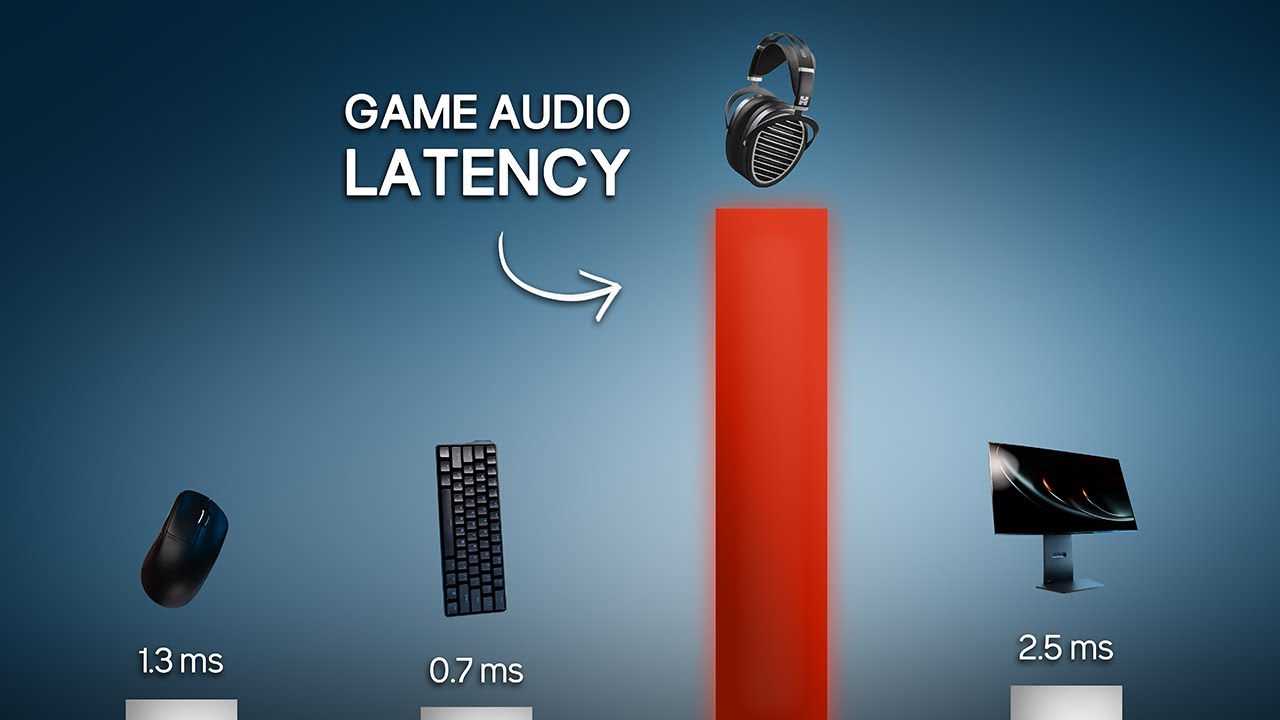
I did not expect game audio to have this much latency.
Audio devices tested/shown (affiliate links):
RME ADI-2/4 Pro SE: https://geni.us/IjnWAum
Creative Sound Blaster X4: https://geni.us/XspI
MCHOSE G9 Wireless: https://geni.us/b2BW (code TECHLESS for 3% off at mchose.store)
Hifiman Ananda Stealth: https://geni.us/jkw4
My PC (affiliate link...

If you're not sure what you're looking for, this video may not be for you - HOWEVER listen closely to how the key taps sync with the hitsounds on both operating systems.
Played this on speakers only with the same settings on each system. Honestly, I don't blame you if you don't want to install Linux just for the sweet sexy audio delay. It can b...
windows audio latency is strongly based on the sample rate of your audio device
e.g.
48khz = 76ms latency
96khz = 70ms latency
384khz = 48ms latency


this is very consistent and repeatable 💀
The mechanism, i would assume, is that some audio buffers in the windows audio system are set to buffer a specific amount of audio samples.. so doubling the sample rate of your audio output essentially makes those buffers half as long in real time
I don't think that this is a quirk of my specific audio hardware. These numbers are very good. My 48/96khz values are actually as good as i've ever seen latency reported on windows, and the 384 is dipping to levels that i've never seen before
i did not remotely expect this to be the case, i've been using 48-96khz for years because that's where it stops mattering from an audio quality perspective.
soft bloom
watching that vid on NIST post-quantum encryption
and it does go much much deeper into math, and quantum, of how these work
neat
languid gulch
stupid question time: is it possible to change explorer's icon sizes to a custom one without 3rd party software
like making the Extra Large icons bigger or smaller
safe trench
languid gulch
stupid question time: is it possible to change explorer's icon sizes to a custom...
installing linux can work
languid gulch
well yes
languid gulch
it's just one of those dumb things. i'm on an ultrawide, and i have it kinda set up to where i can do things full screen, or in a split screen 16:9 2560x1440 plus a "side thingy". but explorer on its extra large icon setting is annoyingly close to allowing 3 wide, but not quite
 winged valley
visual tree
Why not make thing simple and install a damn cmos battery socket ffs
winged valley
visual tree
Why not make thing simple and install a damn cmos battery socket ffs
Most modern laptops run cmos off the main battery. Also they do it the way shown in the pic to save z height (and/or the board doesn't have real estate for a full socket)
winged valley
visual tree
Nobody is selling cmos battery with wire leads here so I will have to order from...
You could just solder the old leads onto a new one and tape it up
mental oriole
thin trout
i did not remotely expect this to be the case, i've been using 48-96khz for year...
I go the highest possible, alway,s at least on windows, on linux Ive stuck to the defaults mainly because configuring the audio driver is a pain there :)) specially when it does not give the correct sample rates automatically.
twin dew
wise prairie
is there something wrong with a 700 series board, or just cost? the intel board...
For AMD AM5:
B650: 1x chipset, no PCIe 5.0.
B650E: 1x chipset, some PCIe 5.0.
X670: 2x chipset, no PCIe 5.0.
X670E: 2x chipset, some PCIe 5.0.
B850: 1x chipset, some PCIe 5.0
X870: 1x chipset, some PCIE 5.0, USB4 mandatory
X870E 2x chipset, some PCIe 5.0, USB4 mandatory
All using exact same Promontory 21 chipset chips.
Just daisy chained on the dual-chipset ones for more connectivity.
So you basically just buy something with the connectivity you need, ignoring the "chipset" branding.
thin trout
mental oriole
I go the highest possible, alway,s at least on windows, on linux Ive stuck to th...
Most don't have wild sample rates like 384k available though. I have it on a DAC that i bought for other features, and they put it there because snake oil. It shouldn't help unless buffer sizes are misconfigured.
mental oriole
thin trout
Most don't have wild sample rates like 384k available though. I have it on a DAC...
I have on mine but windows refuses to comply with it, did not try upping to that in linux yet.
Ive settled on 194 or whatever it is (forget the numbers)
safe trench
steam just went kaput
night girder
Thanks to your discussion, I am motivatred to look into audio on my side. Not that it matters much for this device.
Firs time I notice we can check drivers here.

And not sure if these two match in Windowss

Should be same device. I selected wrong device. They match. But settings are in two spots.
twin dew
Yes, the old one, and the new one.
That Settings app side one is few years old, that other one is about 20 years or so?
Some of the things still cannot be done in the Settings app, so that old one still remains, and the duplicate functionality hasn't been removed as that would be extra work.
night girder
Damn, same monitor, same problem it seems.
I have a dumb question.
Was reading this on reddit;
120hz / 120FPS with ULMB or benq blur reduction: vsync on: frame time is 8.3 ms.
The frame time they speak about, that the one we see software side?
twin dew
Just inverse of the refresh rate.
How long each individual frame is shown on the screen when they are switched at 120 Hz.
night girder
That's not what I asked 😒 Frame time, is calculated software side?
So if I turn backlight strobbing (hardware side) I can monitor frame rate (software side).
twin dew
No?
That "Frame time is 8.3 ms" is 1s / 120 hz
night girder
Gotcha.
twin dew
or was it the opposite.
But at 120 frames per second, each one is shown for 8.3ms.
Just inverse of FPS/Hz.
 twin dew
Yes, because it is inverse of that FPS, and the actually meaninful stat, just not the classic one.
Ah, sorry, just 1/120hz = 8.333... ms
night girder
Yeah nvm. Figured it out.
Frametime software side, is not impacted by anything hardware side it seems. I can just up my backlight strobbing and frame time stays the same.
Never messed around with backlight strobbing.
twin dew
Just turns the backlight on and off at sync with actual monitor level display updates, so the changes happen without lighting, so apparent blur is much reduced.
As the display is black while the panel changes the image.
night girder
altough I have no clue what the acual setting does yet. i can set it from 0 to 20.
But no clue, what each setting does. What the cuttoff is etc.
twin dew
What the duty cycle is basically.
Higher number, less the backlight is on, but higher it is, more probable it is that you see flicker.
night girder
I read that if the frame time is 9ms for example, strobe will lit it up for 1ms cutting off 8ms. This can reduce blur.
VERY SIMPLISTIC.
twin dew
As your eyes and brain actually start to notice the black interval, and not just the lit frames.
Seeing that as flicker.
night girder
What is a duty cycle? ms?
night girder
If I set MRB 1 it's very bright. If I set MRB 20 it gets very grey/dark.
twin dew
But basically no direct relation to those numbers.
night girder
So how can higher cause more flicker?
twin dew
Because the backlight is on for less time.
Which also causes that dimming.
But point is, depends on person when they start to notice flicker, and you might not notice it at all even at that max setting.
night girder
Let me check ingame.
twin dew
That setting is there just for tuning to personal preference.
night girder
All settings are. That's why they are settings.
twin dew
Where higher numbers theoretically cause you to see less blur, but might cause other issues like that noticeable flicker, or that too low brightness even at max settings.
night girder
Should do the alien test when I have time.
twin dew
So if refresh rate is 100Hz (for easy numbers), the interval between frame changes on the screen is 10ms.
If there is that backlight strobing, with 50% duty cycle, the backlight will be on for 5ms, off for 5ms, repeating.
Aligned so that the backlight turns off just before the panel starts to change pixels of previous frame, to the new frame.
If 25% duty cycle, off for 7.5ms, on for 2.5ms.
Longer the backlight is off, closer to the final values the panel has changed to for each pixel.
But less light will be emitted by the backlight.
And if that "off" time gets too long, some people can notice that, and see it as flicker.
Same as with too low PWM (pulse width modulation) rate for backlights.
night girder
👍
thin trout
AFAIK the flicker is more to do with the frequency of the change than anything else
duty cycle is mostly for brightness vs blur (less backlight time reduces eye tracking motion blur, but also reduces average light level)
twin dew
thin trout
AFAIK the flicker is more to do with the frequency of the change than anything e...
But duty cycle makes it more apparent.
And human brain is wired to see that kind of flicker as just the bright parts, until that system falls apart.
Where that point is person dependant.
thin trout
120hz strobing is.. not very useful. Hard on the eyes, artifacts badly if you have any deviation from perfect vsync. It's a lot more tolerable at 500hz, albeit a lot less neccesary there too.
twin dew
Movie projectors have always been about 50% duty cycle.
Basically film frame is displayed for about 50% of time, and for the other 50% time, there is shutter in the way, and the film frame is switched to the next one.
So in actuality, the canvas was lit for only 50% of the time, at 24 FPS.
Seems that has advanced over time, from original single section of each per frame, to modern ones using three blades, only one which is used to advance the frame, to split the dark sections into smaller intervals, as the mechanisms to move the frame could do it in shorter time.

Via other sources first, that was just nice short visual example.
night girder
Microsoft nuked start ms-cxh:localonly in test build 🙁
Another attempt to force users to make online account at installation of W11.
There was a time they said OOBE\BYPASSNRO was removed but I was still able to use it a month ago.
twin dew
That ready script is being removed from future builds, but using the same commands it had inside still works even in those AFAIK.
It actually just sets since registry value and then reboots.
Just three line script in C:\Windows\System32\oobe\
reg add HKLM\SOFTWARE\Microsoft\Windows\CurrentVersion\OOBE /v BypassNRO /t REG_DWORD /d 1 /f
shutdown /r /t 0```🤷♂️
I just disconnect from internet, open command prompt during installation enter that OOBE\BYPASSNRO. And go through process again.
Set up ... 2 laptops in the last 3 months with that method.
twin dew
Basically in some of the test builds, that script file isn't there anymore.
That: OOBE\BYPASSNRO just means "run C:\Windows\System32\oobe\bypassnro[.cmd]"
And that was the contents of that text file.
So when you use that "magic string", it actually sets that single registry value and reboots.
As that three line file contents of that script file show.
night girder
Microsoft’s recent Insider changes mark another incremental but consequential step toward an account‑first Windows 11 OOBE. By closing well‑known local‑account shortcuts such as BYPASSNRO and start ms‑cxh:localonly, and by ignoring registry toggles that previously restored offline paths, the company is making it harder for everyday users to avoid an MSA during setup. The company frames this as a safety and support improvement that ensures devices exit OOBE in a recoverable, fully configured state.
Yesterday at 10:12 PM - Thread starter ChatGPT
The fuck ...? Now chatGPT can start threads 
You all see the link? (I got message from bot that URL is not allowed but I still see it lol)
twin dew
Yes, still here.
So bot is somehow broken again.
glossy glacier
If you use a version with AD capabilities you can always choose "join a domain" and get a local account. (You don't actually have to join a domain)
night girder
Yeah read that too. That's for Pro. What about home edition?
glossy glacier
Home can't join AD
night girder
Another way is, make online account. Login. Make local account. Nuke online account.
glossy glacier
So only pro and "up"
night girder
glossy glacier
Home can't join AD
Exactly my point. You know Pro isn't standard right?
twin dew
glossy glacier
If you use a version with AD capabilities you can always choose "join a domain" ...
Currently don't even need to join domain, there is small "make local account instead" button still in 24H2.
For Pro and up.
night girder
Oh people will find a way around it.
glossy glacier
twin dew
Currently don't even need to join domain, there is small "make local account ins...
There is? Never noticed. Maybe it only appears without an internet connection
night girder
Nah.
twin dew
glossy glacier
There is? Never noticed. Maybe it only appears without an internet connection
Don't remember, it is very small text on lower left, with text color that is close to the background IIRC.
night girder
Why the fuck, would MS remove commands etc. low level stuff.
and then add a button that allows user to make local account. That makes no sense.
And I never seen a button.
glossy glacier
night girder
Why the fuck, would MS remove commands etc. low level stuff.
"Modernization", "cleaning code"
night girder
No.
Microsoft reason is security. Online account is more secure. That's what they claim.
twin dew
Point was that the Windows SKUs that legit allow still to use local accounts (Pro and up) have that option.
And the bypasses in Home are being removed to trigger that higher SKU functionality.
night girder
The company frames this as a safety and support improvement that ensures devices exit OOBE in a recoverable, fully configured state.
The company believes that a Microsoft account and internet connection are non-negotiable when progressing through the out of box experience (OOBE.)
twin dew
For Home users only.
glossy glacier
One advantage I can see with forced MS-accounts is that if they enable bitlocker/device encryption by default at least the recovery keys are synced.
Still, a solution to a problem they made
night girder
Yeah lets add a button to skip our non negotiable requirements.
twin dew
glossy glacier
One advantage I can see with forced MS-accounts is that if they enable bitlocker...
They do enable full disk encryption by default in Home installs.
Just don't enable integrity enforcement for boots before that MS account sync.
night girder
And nothing mentions home users only.
"We are removing known mechanisms for creating a local account in the Windows Setup experience (OOBE). While these mechanisms were often used to bypass Microsoft account setup, they also inadvertently skip critical setup screens, potentially causing users to exit OOBE with a device that is not fully configured for use. Users will need to complete OOBE with internet and a Microsoft account, to ensure device is setup correctly."
glossy glacier
lul
night girder
Normally, that article is NON AI bullshit. But you never know these days.
twin dew
Yes, but beside all the talk of MS about that has so far been just for the Home SKUs.
night girder
We will see. They tripping over there.
twin dew
They just almost never state it explicitly.
night girder
We will see.
glossy glacier
night girder
> "We are removing known mechanisms for creating a local account in the Windows ...
"we made the first boot so complicated we need to make sure the user actually complete it otherwise they might miss our ads"
night girder
It's not that I am worried. It just shows (again) what type of company it is.
night girder
glossy glacier
"we made the first boot so complicated we need to make sure the user actually co...
And it's total bullshit btw. Screens are the same. Atleast in my experience.
I've seen the same screen with local account or online account. "Do you want to use Ink?" "Can we use your soul to summon Kthulu?"
glossy glacier
not quite, the office/xbox/onedrive stuff is missing
mental oriole
night girder
> "We are removing known mechanisms for creating a local account in the Windows ...
Another reason to abandon windows.
night girder
You all read the xbox drama?
glossy glacier
mental oriole
Another reason to abandon windows.
or to keep older isos around
twin dew
I have done Windows 11 24H2, Pro and Enterprise installs, with local users, without need for anything beside clicks.
Don't remember if disconnecting internet was needed or not for that button to show up or not.
IIRC not.
 hardy compass
well I'm keeping my win10 until it breaks, then it's indeed "bye windows" 😄
night girder
Baldur. How long ago? 10 years?
twin dew
In Home, that isn't possible.
twin dew
night girder
Baldur. How long ago? 10 years?
24H2.
Few months ago latest.
night girder
I've done a few this summer, no button. No where.
And I've looked. Becuase that's what I do.
twin dew
Home or Pro?
night girder
Home.
night girder
I highly doubt it. But show me and I believe.
It just doesn't align with what MS is currently doing, at all.
glossy glacier
did pro/edu installes recently, never noticed the button. but "join domain" works when you leave network connected
home? i hope you remembered to unplug network, otherwise you are screwed
night girder
No way they add a button to Pro and meanwhile low level nuke commands/scripts/... to stop users from circumventing their data hoarding.
twin dew
Been in Pro and up always, just got removed from Home, which too had it originally in early Windows 10.
night girder
And somewhere in the back of my mind. I think I know what button you speak off.
But that told me, "nah I don't work, you need internet" or something.
twin dew
Moment, I need to find what I will use to replace VMWare Player in future...
night girder
I mean if it was true what you say, why everyone is using OOBE\BYPASSNRO
twin dew
Because most people use Home?
glossy glacier
iirc in home with network during oobe, you are screwed
no network during oobe, either you can just click "continue without network" or you first need to use oobe\bypassnro for it to show
 glossy glacier
does it work? xD
night girder
with command you get this
 twin dew
Again, anything when installing Windows 10/11 Home doesn't matter to what I have been saying about Pro and up.
twin dew
Like I said, I need to do VM Windows install.
And was going through motions to get suitable hypervisor, as I previously used VMWare Player most of the time.
Rebooting to get Hyper-V install finalized ->
night girder
oh a VM install pff Not going to bother comparing those. Apples. Oranges. Bananas?
glossy glacier
night girder
The same no?
almost, you get the option to set it up for a company, including the option for AD
night girder
glossy glacier
almost, you get the option to set it up for a company, including the option for ...
Thanks, can't remember, set up Pro 2-3 years ago.
home I do regularly. This sucks.
Like now I can't do it anymore for other people. So I have to create online accounts for them. Ugh.
glossy glacier
keep the old/current ISOs around
night girder
People just bring laptops to me and ask me to set it up for em.
They mostly want the provided OS installed on it, not something I have.
twin dew
night girder
oh a VM install pff <:hehe:382483156542029825> Not going to bother comparing tho...
And how does installing OS in VM vs. raw hardware differ for this?
night girder
I don't know ... someone is seeing a button others don't seem to have seen? I wonder what might be different 🤣
glossy glacier
i think it's mostly down to the iso
VM or bare metal matters less
twin dew
The other installs were on raw hardware.
I just don't have computer without OS right now assembled?
night girder
I googled for your button and found nothing.
twin dew
And cannot be arsed to install on new drive on any of them, as VM works as well.
night girder
I duckduckgoed for your button and also nada.
And again, the reason why it would surprise me, is that I would find it odd from MS to have this schizo stance on local accounts:
- Remove low level stuff because online MS account is NON NEGOTIABLE.
- Have a BUTTON in OBEE that let's you skip online account creation for PRO MS11. (which above was non negotiable).
twin dew
Because that has been there since when both Home and Pro and higher had it?
hardy compass
it being microsoft, it wouldn't surprise me that the button appeared only given certain humidity and if a goat was sacrifaced that day
glossy glacier
night girder
And again, the reason why it would surprise me, is that I would find it odd from...
can't piss of the many and large customers with on-premise AD
twin dew
Just installing Windows 11 Pro 23H2, and going to get 24H2 ISO, but that takes while to find and download.
glossy glacier
installing 24h2 home rn xD
twin dew
I had the consumer 24H2 ISO (Home and Pro) but seems I deleted it at some point.
The "business_editions" ISO has Pro, Enterprise, Education etc.
night girder
Haha 😄 All for science!
glossy glacier
twin dew
I had the consumer 24H2 ISO (Home and Pro) but seems I deleted it at some point....
edu is just pro-lite
night girder
I wonder how long it will take for scripts to appear on Github. That go over windows install and modify it for local installation.
I mean, I already know of a few who-we-shall-not-name scripts on there that do funny things with it.
glossy glacier
also, i want to note that i absolutely hate that windows installs updates before finishing oobe
night girder
But how? There is no internet.
glossy glacier
there is, after the network part
glossy glacier
if you have network it'll start searching and installing updates
night girder
Yeah, but that's why many pull out cable.
If you ever used DDU, even they recommend sort alike.
glossy glacier
i wanted to try the "normal" experience
home with network connected
night girder
Out of top of my head;
- Prepare drivers.
- Disconnect from internet (cable if possible)
- Boot into safe mode.
- DDU
- Restart
- Install your own prepared drivers (if there is ineternet, Windows will try install default, that's why we take out cable)>
- Maybe restart?
- plug internet in.
night girder
glossy glacier
i wanted to try the "normal" experience
home with network connected
Oh, I get you. I don't find it that weird it does that.
Microsoft vibe is already; every consumer has 1 braincell. So let's make it as easy as possible and do everything for them.
glossy glacier
i hate it because we all know how "fast" win update is
night girder
and never goes wrong.
I had issues months ago with windows update. I had to sit it over night.
Took about 10-20 hours for a silly update. Out of the box laptop.
But since I read about all the bricking, I was like "hell nah, I am not going to shut it down, I am just going to be very patient".
Beucase I was tempted to interfere and confused, there was no progress, no sounds, no CPU usage out of the ordinary, just a update stuck at certain % for HOURS.
Then it turned out, the windows update had nothing to do with the bricking of SSD's.
glossy glacier
yeah, this might take a few hours with my current slow wifi xD
twin dew
15 minutes left in download of Windows 11 Business Editions 25H2 ISO.
And found the August update of 24H2 ISO too, but will only start to download once that 25H2 is done.
23H2 Pro install is "Getting Ready", as in the part between ISO boot with file copy, and OOBE.
Slow as the VM drive image is on HDD, not SSD.
Really need to do later tests with the VM drive on SSD...
night girder
👍
twin dew
SLOW:

Hmmm... I could try to pause this VM and move the drive...
OOBE finally starting.
Ok, connected to internet and updating...
And made the mistake on renaming the computer, so another reboot.
So yeah, needed to use that "Domain Join" option, but didn't need to join a domain, when connected to Internet.
Doing another without Internet.


This on Windows 11 23H2 Pro, updated to latest during install.
Didn't allow going past this screen without Internet, used to have button to skip it.
 thin trout
twin dew
Because most people use Home?
thin trout
twin dew
Because most people use Home?
I use Pro, and my last 2 installs i couldn't continue with a local account
twin dew
That showed how to get local account, need to select that "work or school", then domain
thin trout
That screws up your user settings
twin dew
Checking 22H2 without updates.
twin dew
thin trout
That screws up your user settings
How so?
thin trout
permissions and stuff i assume
 twin dew
Only if you actually connect to a domain controller.
Basically just refers to the ability of domain controller to push stuff like group policies etc. onto any connected computer.
Based on what the admin of that domain controller sets.
visual tree
@night girder Updated status:
 dire igloo
Kinda surprised to see Austria oppose it
 cyan crescent
If my nas doesnt have a dedicated gpu but my main pc does, can i use my main pc to help stream from the nas? As in, my parents are in another state so its routed on the same local network from the nas to the pc then to my parents.
twin dew
I need to get alternative VM software...
As MS Hyper-V might be injecting newer versions of OOBE at runtime into older install images...
Because even Win 11 22H2 images didn't allow skipping network connection screen...
thin trout
twin dew
I need to get alternative VM software...
As MS Hyper-V might be injecting newer ...
That is just my experience on win 11
haven't been able to skip it since win 10
glossy glacier
night girder
the arrow just brings you back to the previous screen listing all the "advantages" an account has.
no option to skip ms account
twin dew
thin trout
That is just my experience on win 11
Yeah, I might be mixing Win10 to Win11 install on that, but want to confirm.
glossy glacier
glossy glacier
the arrow just brings you back to the previous screen listing all the "advantage...
and oobe\bypassnro does no longer work, it drops you back to the sign in screen
(NOTE: this is with home AND connected to the internet)
glossy glacier
cyan crescent
If my nas doesnt have a dedicated gpu but my main pc does, can i use my main pc ...
depends? i mean they could just transcode on the client itself
cyan crescent
My parents aren’t as tech literate as me and dont have the capacity to store movies and stuff so i would probably have to run a plex server or something on it
night girder
glossy glacier
and oobe\bypassnro does no longer work, it drops you back to the sign in screen
...
It worked 1-2 months ago.
cyan crescent
An igpu might be fine for like 1 stream but idk
night girder
But again, depends on when laptop got shipped with installation of W11.
If it was long time ago, no way the installation of W11 got updated if they sit in a box.
glossy glacier
night girder
It worked 1-2 months ago.
it still does as long as you use it BEFORE the network screen/without network
night girder
Oh right! You need to do it at beginning.
glossy glacier
cyan crescent
My parents aren’t as tech literate as me and dont have the capacity to store mov...
set up a vpn, it's like thy are home!
night girder
visual tree
<@243383537632280579> Updated status:
I have little hope friend. Maybe I am too cynical at this point for this subject.
But the fact it keeps coming back on the table means we will lose. Someone clearly wants it.
So it will be a law. Almost like in a Dicta.... 🤣 but with a few extra steps.
twin dew
Win11 21H2 installer in VirtualBox had the "I don't have internet"
Need to test the later ones.


 night girder
visual tree
"Behind every cynic is a disappointed idealist" <:hehe:382483156542029825>
night girder
visual tree
"Behind every cynic is a disappointed idealist" <:hehe:382483156542029825>
I am also an optimist.
And why I am not that worried is because I am sure there is a work-around like I said yesterday, put something in front of the aps that scan your conent.
a bit like a VPN, but then for all data on a PC?
If you feed it mumble jumble data, whatsapp and co can't really scan it. If receiver can unmumble jumble the data, they can still read it. No loss in privacy/encryption?
but that's just me dreaming out loud.
visual tree
Speaking of VPN, I need to setup VPN server in my sister's apartment so I can connect to it and trick Netflix into thinking I am in the same household
night girder
eh .. good luck.
visual tree
Unless they use other methods to determine if you are in the same household
night girder
visual tree
Noticed when she comes over and logins to Netflix on my network, Netflix will work for few weeks before they find out my sister is no longer in th same household/network
And I can access Netflix when she comes again and logins
night girder
yeah cookie or something probably with expiration date on something.
pure karma
night girder
This is how it looked if you have internet. So default out of the box.
I use refus to just delete this menu altogether and skip the win 11 req too
Just goes straight to desktop on a local account instead of that
night girder
today I found out about OOSU.
pure karma
So much nicer than going through the terminal
night girder
O&O ShutUp10++ means you have full control over which comfort functions under Windows 10 and Windows 11 you wish to use, and you decide when the passing on of your data goes too far. Using a very simple interface, you decide how Windows 10 and Windows 11 should respect your privacy by deciding which unwanted functions should be deactivated.
O&O ShutUp10++ is entirely free and does not have to be installed – it can be simply run directly and immediately on your PC. And it will not install or download retrospectively unwanted or unnecessary software, like so many other programs do these days!

So you toggle on/off settings. Might be interesting to see what is enable/disable on a system.
And if you don't trust it, if you see something enabled, you can probably disable it yourself in registry or somewhere else.
twin dew
All those on the first screen are toggles in various places in Settings app.
pure karma
I have revoreg whatever which is basically the same thing just less advanced
night girder
Funny how it's reversed. Linux just minimal setup and you add 3rd party/libraries etc.
Windows; you need 3rd party, to remove bloat etc 🤣
night girder
twin dew
All those on the first screen are toggles in various places in Settings app.
it's a long list. That's why you can press recommended somewhere and it toggles everything for the user based on recommended.
but has sweet things.
 night girder
No.
No. I know that for a fact. The app does not use the setting toggles.
It might be doing something more, registry etc.
twin dew
Point is, that it is setting things that already have toggles in Settings app.
How it sets them doesn't matter, just easier UI for things that already have same toggles.
night girder
But I had my settings pretty hardened (a lot of disabled) and those settings were off in OOSU10.
So where OOSU10 was looking at, wasn't my settings.
My point is; I turned it off in settings.
OOSU10 reported it was still enabled somewhere.

Cortana isn't even in the settings.
twin dew
Because it was depricated and removed in latest versions?
night girder
Well you said all five
twin dew
And OOSU10 is just still showing the toggles that used to exist.
night girder
So OOSU is probably doing regedit or even more aggresive.
twin dew
All that stuff is stored in the registry?
How you touch the settings storage in there doesn't matter?