
#off-topic-tech
1 messages · Page 108 of 1
 sterile plinth
I have a little issue
There are two tiny small objects on top of my monitor
(They look like dead pixels but they're physical objects)
Idk what they are, could be mosquito eggs or some shit
 night girder
looks like burned pixels
 night girder
LCD burn
 twin dew
night girder
looks like burned pixels
twin dew
night girder
looks like burned pixels
Nah, particles between the LCD layers.
twin dew
Or between the LCD and the outer glass/plastic.
night girder
I once literally had burned spots on my macbook screen
sterile plinth
And they are not between anything, I can see them protruding out of the monitor
night girder
and it was common issue for that type of screen back then.
twin dew
Ah, impact marks on the outer material.
night girder
Pixels got too hot or something and literally burned through everything.
And since then I had a little crater in my screen.
sterile plinth
twin dew
Ah, impact marks on the outer material.
Yeah my original question was how to clean them
twin dew
Well, probably you don't.
sterile plinth
I am scared a wet paper towel will damage the monitor screen
night girder
Alcohol solution?
twin dew
Paper towel, microcloth or like.
sterile plinth
twin dew
Paper towel, microcloth or like.
Dry paper towel just slides over them
twin dew
With just bit of water over most alcohols.
sterile plinth
Hmm blue alcohol would work?
twin dew
sterile plinth
Dry paper towel just slides over them
Never with dry paper.
sterile plinth
I don't think I have isopropyl At home
twin dew
Except the final gentle drying.
sterile plinth
Is blue alcohol fine
twin dew
Try with just water first.
night girder
I use alcohol to clean nails
twin dew
Try
 twin dew
night girder
Alcohol vaporates
twin dew
night girder
Alcohol vaporates
Depending on alcohol, it can damage the plastic (if not glass surfaced), or the coatings.
Water doesn't.
night girder
Never had any problems with my monitors since I use it.
sterile plinth
Um @twin dew what the actual fuck is this
 night girder
A lot of those monitor special towels are just alcohol solution 🤷♂️
twin dew
night girder
Never had any problems with my monitors since I use it.
Said "depending on alcohol".
sterile plinth
Why is it brown
sterile plinth
I told you it's mosquito eggs
twin dew
night girder
So that is just denaturated ethanol.
But again, the denaturation fluid might cause issues for some other brand.
night girder
Well you asked so we answered.
sterile plinth
Yeah thanks, my original question was if using a wet paper towel is safe
And since baldur said it's safe I went with it
twin dew
Only real possible damage with that is if you drip something into control PCB if there are buttons at the bottom of the monitor.
And that can only happen if you use way too much water really.
And most current monitors don't even have anything there.
night girder

This screen has burn mark. Litterally a little crater in the screen. Plastic/glass gone.
Happened a lot to Macbook retina screens..

Here another example.


 wanton orchid
oh many degrees : yes
night girder
That's why we pay 2K for a Macbook 
 verbal raft
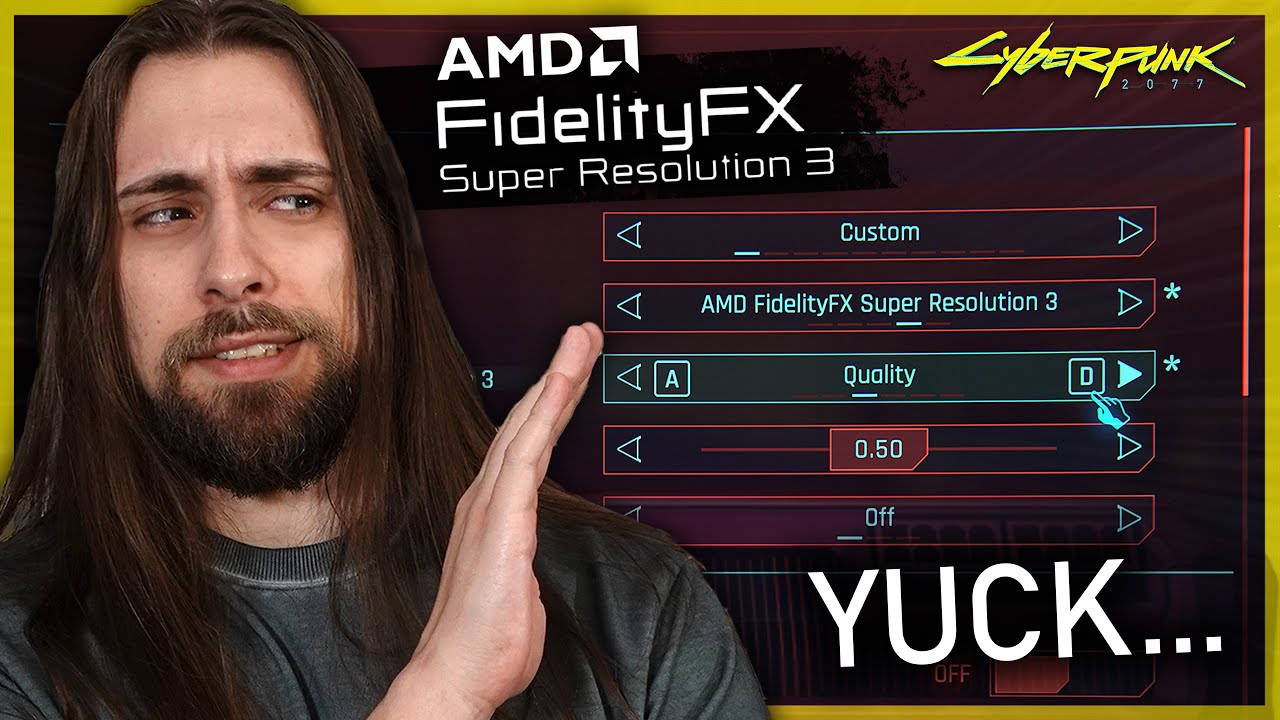
did they ever fix the FSR 3 implementation? https://www.youtube.com/watch?v=J2FMQfEiBOA
Get 30% discount with my "SKAG" code!
Windows 11 Pro ($22): https://www.gvgmall.com/gvg/SKAG1
Windows 10 Pro ($15): https://www.gvgmall.com/gvg/SKAG
Windows 10 Home ($14): https://www.gvgmall.com/gvg/SKAGH
Windows 11 Home($20): https://www.gvgmall.com/gvg/SKAG1H
Office 2019 ($46): https://www.gvgmall.com/gvg/SKAG9
Hello Dear Viewers :D
T...
i found a way to enable FSR upscaling in ark ascended and im curious to see if anyone can spot the difference between TSR and FSR both running at 58% screen percentage
twin dew
The weird stuff you have to build in Mechwarrior 5: Mercenaries for specific mission type...
 verbal raft
night girder
verbal raft
night girder
You are standing still. I notice (atleast in some games) the difference while moving.
Especially in SF, FSR and moving objects look so smeared (like falling leaves).
night girder
twin dew
The weird stuff you have to build in Mechwarrior 5: Mercenaries for specific mis...
That UI is ... questionable. Doesn't look like a game for me.
verbal raft
night girder
Especially in SF, FSR and moving objects look so smeared (like falling leaves).
in SF i find FSR at balnced to look better than TAA
twin dew
night girder
That UI is ... questionable. Doesn't look like a game for me.
Mods to give tabletop level of customization instead of the original very limited ones.
verbal raft
verbal raft
in SF i find FSR at balnced to look better than TAA
mostly because it has better image stability
night girder
Baldur, you explained once to me why in SF things look smeared for FSR.
Like the leaves falling down from the sky, they had ghost effect.
twin dew
Originally you can only switch weapons, and need to be same size and type.
 twin dew
night girder
Baldur, you explained once to me why in SF things look smeared for FSR.
twin dew
night girder
Baldur, you explained once to me why in SF things look smeared for FSR.
Anything without motion vectors will smear badly.
And in SF, lot of the GPU fakery things don't have those.
night girder
It doesn't happen for other modes.
verbal raft
the only thing i found in satisfactory that doesnt have motion vectors are reflections
twin dew
verbal raft
the only thing i found in satisfactory that doesnt have motion vectors are refle...
Belt items, machine animations.
night girder
leaves...
verbal raft
twin dew
Belt items, machine animations.
i think the added motion vectors to those in 1.0
verbal raft
night girder
And it doesn't have that problem 🤷♂️
neither does FSR at performance
night girder
But maybe it's not a FSR problem, but just SF specific.
SF is updating, I check after it.
verbal raft
or at least i cant see it
here is XESS VS FSR at 1080p performance (compression might have ruined it)
verbal raft
verbal raft
here is XESS VS FSR at 1080p performance (compression might have ruined it)
it ABSULUTLY did
even though im recording at 10000 Kbps
 willow pike
weirdly, i get much more ghosting on xess than fsr
 pure karma
night girder
pure karma
night girder
thats honestly kinda cool
willow pike
though i had to disable antialiasing and enable fsr2 for that, which is bonkers to do
verbal raft
in SF i only see ghosting with FG
night girder
streamable.com/qle0d5 That's a video. FSR / No downscalling.
 soft bloom
unless you have 1-wire setup and you just need to fuck around and find out
verbal raft
night girder
If you check the leaves that are flying around, they are very blurry
where are you because i cant find those very much if at all
in game of course
night girder
new save in the grasslands
especially at the end of the video
Arrow is velocity

Look how smeared that is.
verbal raft
they do look blury but im not sure at all that XESS would do a better job
night girder
I was mistaken. I use TSR 🙈
 jagged snow
Ooooh
verbal raft
night girder
I was mistaken. I use TSR 🙈
TSR THE WORST upscaler
night girder
Well, it's the one that doesn't do that.
And I have good FPS. No Downscalling.
Not the best FPS though, I noticed that. But I am happy with how the game looks with it.
verbal raft
im going to chect that out myself because i almost never see anything that ghosts so much
especially with FSR
night girder

 soft bloom
night girder
I was mistaken. I use TSR 🙈
soft bloom
night girder
I was mistaken. I use TSR 🙈
only if you have other options
verbal raft
i went there and i did see it with 60% but not with 100%
night girder
verbal raft
i went there and i did see it with 60% but not with 100%
mhm, well you can clearly see it in the video.
and I just took screenshot of my settings, so not sure what's going on 🤷♂️
verbal raft
wait no, i was using XESS
🤦♂️
like an absolute dumb***
now that im actually using FSR i can see it
but i wouldnt call that something that makes me want to use XESS and give up on FG
night girder
I was mistaken, like I said, I use TSR.
And I don't want to blame FSR either. Can be just SF specific. But I noticed it and it annoyed me so I switched.
verbal raft
the only thing i found that made xess look better was its fine detail reconsrtuction (1st FSR 2nd XESS)


both at 50%
 verbal raft
i think ive spent like hours looking for things that one does better than the other
but almost every time i find something that looks bad on one of them i then go to the other to see if it looks just as bad and often i keep second guessing myself in terms of which looks better
different time of day W FSR at 100%

 verbal raft
night girder
This is with TSR
verbal raft
night girder
This is with TSR
and what should i be looking at?
night girder
The shadows look fine.
The details look fine. I don't understand why it's a bad upscaler. It sure looks better than FSR.
verbal raft
turn it down to 60% and look at decently far away foliage (AKA:trees)
oh, and disable lumen

 night girder
They both look ok. But FSR looks weird with moving particles, like I showed.
verbal raft
night girder
They both look ok. But FSR looks weird with moving particles, like I showed.
so does TSR
night girder
Check, the little flies: https:// streamable.com/tdqaz0
verbal raft
didnt work
 night girder
there is a space in there, else the bot gets angry
verbal raft
got it
night girder
and just checked, TSR doesn't have it that badly.
night girder
I don't know, it's like black smears
verbal raft
but FSR does have more ghosting here
night girder

Wait ... what 😮 The bot sleeping? Or it's whitelisted. Good to know.
But yeah, that video is TSR.
 dire igloo
night girder
and just checked, TSR doesn't have it that badly.
dire igloo
night girder
and just checked, TSR doesn't have it that badly.
you just need to remove the https:// portion, lol
can be copied and pasted into the browser without issues and the bots don't detect it either
night girder
You can clearly see the little details better. In my opinion.
The little butterflies and whatnot.
night girder
dire igloo
you just need to remove the https:// portion, lol
Yeah I know, but I didn't know streamable was whitelisted.
verbal raft
i have tried it myself and seen it but for me that still doesnt out weight the extreme flickering on the trees
night girder
I don't have flickering at 100%. But I can see it being an issue.
verbal raft
at 100% the only problems you can see about an upscaler is ghosting
or bugs
like this one https://youtu.be/to2MuvbZ_zs

a bug that occures when using FSR with screen space reflections that makes the reflections extreemly grainy
dire igloo
night girder
Yeah I know, but I didn't know streamable was whitelisted.
that's not what I'm referring to anyway.
by splitting the two portions of the link, it was no longer copy-paste-able (hence why you needed to give that extra piece of clarification)
had you just removed the https:// part without putting a space in between, this wouldn't've happened
night girder
dire igloo
that's not what I'm referring to anyway.
by splitting the two portions of the li...
Oh yeah, I do that. But this time I was lazy 😂
I though they would notice
verbal raft
for which i also have a fix for https://youtu.be/Gw-MumKIbnw

this is what you have to insert into the engie.INI file:
[/Script/FFXFSR3Settings.FFXFSR3Settings]
r.FidelityFX.FSR3.UseSSRExperimentalDenoiser=true
r.FidelityFX.FSR3.CreateReactiveMask=true
verbal raft
night girder
I don't have flickering at 100%. But I can see it being an issue.
i do when looking at these trees
 night girder
I haven't noticed that.
But yeah, just play with what you feel comfortable with. That's why there are options. But most upscalers have drawbacks.
verbal raft
night girder
But yeah, just play with what you feel comfortable with. That's why there are op...
true
but i will end it with this comparison: https://youtu.be/8rLtskFJcm4

youtube compression makes it useless though
 languid gulch
got a fun one: whenever i let my monitor go to sleep, but every time it wakes back up AMD Adrenaline is open
jagged snow
Oh, my pc was doing that every time the pc itself went to sleep
I don't remember what the fix was
 alpine wharf
languid gulch
got a fun one: whenever i let my monitor go to sleep, but every time it wakes ba...
alpine wharf
languid gulch
got a fun one: whenever i let my monitor go to sleep, but every time it wakes ba...
This is a known bug for them.
languid gulch
good to know, thought it might've been my system being weird
twin dew
Rambler doing video that is only little over 7 minutes long!
https://www.youtube.com/watch?v=qY0kEB-1MIc

Patreon: https://www.patreon.com/buildzoid
AHOC Shirts: https://actually-hardcore-overclocking.creator-spring.com/
Bandcamp: https://machineforscreams.bandcamp.com/music
My FPS game: https://buildzoid.itch.io/hv-shooter
Twitch: https://www.twitch.tv/buildzoid
Twitter: https://twitter.com/Buildzoid1
Facebook: https://www.facebook.com/actuallyhar...
He also expected that the two dumbasses were installing the CPUs with MB already installed in a case and case upright...

 rustic panther
twin dew
Rambler doing video that is only little over 7 minutes long!
https://www.youtube...
rustic panther
twin dew
Rambler doing video that is only little over 7 minutes long!
https://www.youtube...
I've never even thought of mounting a CPU while the mb is vertical
Like, you'd start thinking "hmmm, the CPU doesnt stay in place, lemme rotate my case so gravity works with me" after a bit, right?
verbal raft
just an avarage day playing ark ascended....


 rapid ether
rustic panther
I've never even thought of mounting a CPU while the mb is vertical
rapid ether
rustic panther
I've never even thought of mounting a CPU while the mb is vertical
I did it maybe twice.... once with an old 80386 (they still had very sturdy and not too many pins on the underside, and no cooling system to attach so fractions of mm could kill something because of the amount of pressure the cooler applies.... and then with a, I think Pentium II or Pentium III -- there were 1-2 generations where the CPUs came on or were little logic boards that went into the mainboard...
yes, I'm old 😄
Yes, those were the times: https://en.wikipedia.org/wiki/Pentium_II
wanton orchid
rustic panther
Like, you'd start thinking "hmmm, the CPU doesnt stay in place, lemme rotate my ...
or at least maintain the cpu in place permanently by grabbing it from the frame hole
night girder
the code that keeps ark together is amazing
verbal raft
first time i got the hotspot temps over 90c
 soft bloom
I wish there wasa built into OS (UI) way to concatenate contents of files with same name from different folders in bulk
wanton orchid
twin dew
WTF
wanton orchid
one day I should really make a software with detailed synthetic performance mesurement
so one could take the data and use an application profile to accurately guess the app specific performance / scaling
jagged snow
Heh
twin dew
So someone is planning to use old system for dedi, and someone else then tries to get him to buy crappy new system?
And CPU performance both doesn't and does matter
jagged snow
Which is very interesting
twin dew
And if you wanted to make new system for SF Dedi right now, 5700X3D would probably be the cheap option...
Which would run circles around that 13500 for that.
jagged snow
The "newer is always better" rhetoric with hardware amazes me
Because often the old hardware you have is better than the new hardware you don't
wanton orchid
Baldr please dont make me regret the forward, I know for same reasons as for twitter quote it's stupid how it pulls it out of context
but so here the original topic was on selecting the right OLD system cheap stuff second hand enteprise ewaste to get
and these only use intel shit
twin dew
Ok
But somehow I don't expect 13th gen Intel to be in the enterprise ewaste category yet either.
Because usually that is 3 years old and older.
rapid ether
twin dew
Because usually that is 3 years old and older.
yepp, pats his i7-9700KF livingroom vr pc
pure karma
twin dew
But somehow I don't expect 13th gen Intel to be in the enterprise ewaste categor...
yea i think there probably still going to last even if not as long
my 13700K hassent shown a single sign of wear and i havent been on the default preset for the entire past year turns out
rapid ether
I always make my then "old" gaming PC the new home-server, that way I get about 8-10 years out of the hardware. Only the past iteration wasn't like that because I took my work PC with me when being let go 5 years ago...
twin dew
pure karma
yea i think there probably still going to last even if not as long
No, because the normal way for 3 year old systems to end up from companies to used market is because the warrant & support often runs out at that 3 year mark.
Anything newer isn't usually being sold out or otherwise gotten rid off.
So perfectly working systems are replaced to keep full warranty & support running all the time.
pure karma
honestly i dont see a problem with that if the deals are good and they arent absolutely totaled by the end of the 3 years
twin dew
pure karma
honestly i dont see a problem with that if the deals are good and they arent abs...
But point was, 13500 isn't old enough to be in that 3 year or older category.
So there shouldn't be much being sold.
Only from possible bankrupsies etc.
Launch Date Q1'23
rapid ether
you can be lucky and get an almost brand new "defective" laptop, where the user complained the webcam is kaputt while they actually had used a privacy sticker. We had that TWICE within a few months at my job... and it's not a large company
but I'm glad they're not using refurbished former leasing hardware anymore... that was... funky...
 tough owl
Dang Baldur new role
soft bloom
anyone heard of a way to cluster timeseries?
for context: some way to group together signals that go like bottom ones, regardless when they began, and the top ones (rising, or rather, not falling in this particular case). curious how many similar behvaiours are there

 stray badger
pure karma
honestly i dont see a problem with that if the deals are good and they arent abs...
stray badger
pure karma
honestly i dont see a problem with that if the deals are good and they arent abs...
Elitebook 845 g7 for like 300usd a couple of years ago. Ryzen 7 4750u + 16gb ddr4 3200
Quite happy about it
tough owl
Meanwhile I bought a thinkpad p53 with 9750h and rtx5000
With a bad screen and trackpad which I can fix for $75
stray badger
not bad not bad
tough owl
the thinkpad cost me like 480 too
stray badger
oooo really not bad
ok i thought that the rtx 5000 was ampere for some reason, still good tho
soft bloom
this was scary 🙂
and saddest thing - i have to do it again since i forgot 1 tiny important column
honestly wonder why pandas takes so much space while CSV export makes just about 9GB file

gota check their 'lowe memory' feature
Turns out there were 100 nuclear explosions of magnitude about 6 (i say it like that because it's a bit weird how data is filtered...). there was a pause from 1995, but last one is from 2017 - it was registered by 2000 seismic stations
soft bloom
soft bloom
gota check their 'lowe memory' feature
oh it's just for reading CSV. sad
languid gulch
soft bloom
Turns out there were 100 nuclear explosions of magnitude about 6 (i say it like ...
the 2017 one was NK i assume
soft bloom
languid gulch
the 2017 one was NK i assume
exactly
twin dew
A customer came in with a bent CPU and chipped substrate in one corner. Asked him how he got that much damage, he told me he forgot to put the processor while the motherboard was out of the casing and didn't want to take it out because it was a pain installing it vertically with the IO shield... Asked him why he didn't tilt the casing horizontally, told me he didn't want to scratch the casing. 1000$CAD damage not to scratch a 70$ casing. People are stupid. Good analysis.
And lot of other people also telling about their fuckups in installing CPU while case was vertical in that BuildZoid video I posted yesterday...
I've been guilty of installing a CPU vertically before, actually to be more precise, I had to change my AIO, and in the process involve having to remove the standard Intel locking mechanism, opted to be lazy and not take out the whole motherboard, I tried doing it vertically with the MB still in the case. I noticed an issue with my GPU after the install as it wasn't running at PCIE 4.0 x 16, but instead it was doing it at x 4, after days of troubleshooting, ended up finding out that I bent my CPU corner right where it was responsible for PCIE lanes, because the CPU likely moved as I was mounting it vertically. Damaged pins and CPU, had to replace both the MB and the CPU.
languid gulch
yea, there's basically nothing that saves you time or money when moving a system to do a horizontal cpu swapout
hell, it'd be cheaper to replace an entire CLC than the cpu
willow pike
i vertically installed on lga775 once, do not recommend
twin dew
Good thing you could just swap the outside parts to the latest case as the actual frame is still the same 🤣
languid gulch
oh i think it's dead dead
but yes, pretty sure it's the same chassis as every other
soft bloom
there's always an option to put pc case on something soft, like sofa or bed. noscratches.
twin dew
Or just towel or like on desk etc.
soft bloom
also never fully assemble case before first boot
languid gulch
oh hell no 🤣
asking for trouble
the only serious mistake i've made when assembling my systems was when i completely forgot to plug in CPU power & my mobo yelled at me
that stupid plug really likes to hide in the darkness
rapid ether
learned that the hard way, too.... the first mainboard where you had to screw a counter-plate to the bottom for mounting the fan... and the case of course didn't have a hole in that place. noticed after mounting and attaching the hard to reach places with cables etc.
verbal raft
all of these results had atleast 1 autosave during them so they have to be retested
twin dew
Starship IFT-6 planned for next week.
jagged snow
No earlier than Monday morning local time, correct?
twin dew
Slipped one day very recently.
So Tuesday 2024-11-19 22:00 UTC as the current targeted opening of 30 minute window.
https://www.spacex.com/launches/mission/?missionId=starship-flight-6
jagged snow
👍
verbal raft
every thing has been retested!
willow pike
jesus fuckin christ

how's raptor lake with a regular SSD faster than arrow lake with optane
verbal raft
willow pike
how's raptor lake with a regular SSD faster than arrow lake with **optane**
ask intel
they surely know
willow pike
you would hope
verbal raft
i actually find these very interesting:
lumen off 100% resolution scale
TAA 77
FXAA 77
NONE 78
TSR 63
FSR 69
XESS 67
upscaling performance at 75% (TAA for comparison)
TAA 89
TSR 79
FSR 83
XESS 78 (thats surprising)
night girder
How do you test different upscaling methods objectively?
Because, you can measure FPS gain objectively. But you cannot measure "how it looks". That's more opinion based I think? And different upscaling methods look different. So how can we test these methods?
pure karma
you dont... the end
verbal raft
night girder
Because, you can measure FPS gain objectively. But you cannot measure "how it lo...
best you can do is create side by sides with ICAT and then grab a magnifying glass
night girder
verbal raft
best you can do is create side by sides with ICAT and then grab a magnifying gla...
But what about unexpected behavior, like the flickering trees.
night girder
pure karma
you dont... the end
mhm, though so.
verbal raft
night girder
But what about unexpected behavior, like the flickering trees.
depends on your definition of unexpected behavoiur
night girder
verbal raft
depends on your definition of unexpected behavoiur
Well, TSR, the trees flicker at 60% in the distance. Other upscalers don't have that. So to me, that's unexpected behavior.
verbal raft
so things that one upscaler does but the others dont
night girder
What's the proverb? Comparing apples to oranges?
pure karma
you guys are riding on the red line of this being satis talk and not off topic
night girder
pure karma
you guys are riding on the red line of this being satis talk and not off topic
mh, that's because we had previous talk about it. But the fact remains, different upscalers, give different visual results.
People telling me that upscaler is worse than another made me think about it.
verbal raft
pure karma
you guys are riding on the red line of this being satis talk and not off topic
how would this be satis talk specificly?
night girder
Like, only thing you can say, that one upscaler gives more frames.
but at what cost.
pure karma
because you are using data colected from the game
but either way im interested in the results
night girder
pure karma
but either way im interested in the results
results?
pure karma
well id love to see a comparion of each one
night girder
lightning put in some work comparing them
but that was very quick with screenshots.
but that was purely visually. So without FPS gain in mind.
verbal raft
verbal raft
i actually find these very interesting:
lumen off 100% resolution scale
TAA 77
F...
Fps gains right here
night girder
verbal raft
did they ever fix the FSR 3 implementation? https://www.youtube.com/watch...
This video set it all off 😄
night girder
pure karma
well id love to see a comparion of each one
Me too, hence my question how do you do it properly.
verbal raft
night girder
This video set it all off 😄
no one responded to that one
pure karma
id say zoom in on something from a decent distance away with each one
night girder
Measure frames per second. And then take different visual elements and compare them; shadow, object far away, moving objects, edges, etc.
verbal raft
pure karma
id say zoom in on something from a decent distance away with each one
been there done that
pure karma
and then for a moving one maybe stand on a belt asuming a SF context
night girder
verbal raft
no one responded to that one
Well, it got me interested in the topic 🙂
night girder
pure karma
and then for a moving one maybe stand on a belt asuming a SF context
Also, how much impact do games have on the results of upscalers?
I mean, I assume it has to be implemented by the developers of the game. How much can do optimize?
pure karma
probably a decent impact
night girder
Because maybe one upscaler is really good in a particular game, but sucks in another.
pure karma
because diffrent contexes will allow something to work better
like frame generation would work like hell on something that is consistently very similar frame to frame
verbal raft
night girder
I mean, I assume it has to be implemented by the developers of the game. How muc...
judging from the amount of console commands available for FSR in SF and ark
not that much
night girder
console commands isn't the same as the actual code of implementing upscalers.
night girder
and the fact cyberpunk added FSR 3 clearly means it needs some implementation work
night girder
verbal raft
but making the upscalers look good is up to the maker of the upscaler
well, I am not so sure about that.
willow pike
fsr2, xess and dlss2 are all forms of temporal AA; they all need the same inputs and are interchangeable
like motion vectors and a depth buffer
night girder
So, motion vectors and depth buffer is provided by developers?
willow pike
yis
but once you support one, you support them all
this is also why it's a pain to mod them into games that do not already support one
night girder
and what about FSR 3?
willow pike
frame generation needs more data, hence FSR3 and DLSS frame gen not being drop-in
but the upscaling part of FSR3 is identical to FSR2
using mods you can literally swap a .dll file in a game that supports DLSS to make it use FSR2 instead
and vice versa
night girder
very handy for developers.
willow pike
microsoft is standardising this with directSR, an API that developers target, where windows then chooses the best upscaler
so; game supports directSR, your PC can do dlss, it runs the latest dlss provided by your graphics driver
one day we won't need developers to lift a finger
it doesn't have frame generation in it yet but that'll be easy
night girder
wonder how much more they can improve it
verbal raft
night girder
wonder how much more they can improve it
improve what?
night girder
upscalers/frame generation
verbal raft
night girder
upscalers/frame generation
well FSR can definitly get a BIG upgrade (AI)
DLSS: i dont know if there is room for improvment there
willow pike
FSR4 is using ML
i think DLSS has peaked already, there's only so much information to be extracted
verbal raft
willow pike
FSR4 is using ML
ye thats what i was eluding to
willow pike
DLSS ray reconstruction looks shit ass honestly, it hallucinates detail like chatgpt
verbal raft
willow pike
DLSS ray reconstruction looks shit ass honestly, it hallucinates detail like cha...
i cant try that
willow pike
reflections added that aren't already there, detail smushed out of existence
verbal raft
but i heard good things about it
willow pike
it changes the image
 gilded helm
Looks like RX 6800 non-XT deals have finally dried up in the USA, that thing was an absolute steal when it was around $340.
willow pike
shame
night girder
Looks good to me.
 verbal raft
340??!!?!?!?!??!?!
willow pike
nah
verbal raft
night girder
Looks good to me.
nvidia's showcase they are going to make it look the best it can
verbal raft
willow pike
nah
what
willow pike
cup babied out of life
night girder
willow pike
nah
oof, you right watching another video and some weird stuffis happening.

A walkthrough in "Hogwarts Legacy" with maxed out settings, Raytracing set to "Ultra", DLSS Quality + Frame Generation and improved visuals by "Ultra Plus - Ray Reconstruction - Performance and Hotfixes". 😮
Ultra+ Mod - Now with Ray Reconstruction, and function keys for Lighting Presets and toggle other features, like f.e. fog or different glob...
gilded helm
Huh. PCP just tripping, Amazon has the 6800 for $360.
willow pike
it invents super shiny reflections that should not be there
it's straight up AI hallucination bs
night girder
at the lake, you can see the lake just switching out differently
it has some sort of fog, and that just dissapears instantly. Nvm, they disable the fog 😄
Still these reflections don't look good.

it's like there is also a fog on the floor.
pure karma
that just looks like the game is trash
im scrolling trough the video and most of this dosent even seem to be primarely raytracings fault
verbal raft
night girder
Still these reflections don't look good.
keep in mind that version of RR is modded
willow pike
night girder
a few moments later it looks better:
 willow pike
really zoom in on this, it looks like AI generated images with the weird patterns out of nowhere
night girder
willow pike
really zoom in on this, it looks like AI generated images with the weird pattern...
This stuff?

When it's off.


 verbal raft
i grabbed some footage of each upscaler in SF at 60% and im going to put them into ICAT and im going to look for flaws
willow pike
even at potato quality you can see the ghosting
verbal raft
willow pike
even at potato quality you can see the ghosting
well thats why its called potato quality
verbal raft
verbal raft
i grabbed some footage of each upscaler in SF at 60% and im going to put them in...
maaan i would love it if AMD encoders didnt SUCK
willow pike
use av1
verbal raft
willow pike
use av1
i cant
stray badger
night girder
Looks good to me.
much of the reflection on the left of the puddle is entirely wrong
willow pike
ah heck
verbal raft
RX 6000
doesnt have AV1
well this way the only 1 comparison that is usable is the stationary one
willow pike
you could use CPU encoding
stray badger
cpus can encode btw
willow pike
or jack the bitrate up
verbal raft
willow pike
or jack the bitrate up
its already at 12K
willow pike
lmao
verbal raft
verbal raft
that runs at 16fps
or atleast AV1 does
willow pike
try h264 cpu
night girder
stray badger
much of the reflection on the left of the puddle is entirely wrong
That is true. I guess it's WIP
willow pike
it's over a year old
stray badger
a well done cubemap would look better
night girder
I think the idea is, that it's low effort for developer.
the ML does the work for the developer... but at what cost.
willow pike
instead of denoising raytracing then denoising TAA in DLSS, it's meant to denoise both in one step
but it clearly hallucinates detail
night girder
it made up a whole building in the reflection
willow pike
they're asking the ML to do too much
night girder
with a 🌴 sticking out of the building.
willow pike
night girder
with a 🌴 sticking out of the building.
lmao i didn't see that
night girder

I didn't notice it as first too.
But I mean, you really have to pay attention for that no?
verbal raft
willow pike
try h264 cpu
i'll try x264
willow pike
so i guess if you don't pay attention to the picture it's great
night girder
it has room for improvement for sure
verbal raft
verbal raft
i'll try x264
OH GOD ITS SO MUCH WORSE
willow pike
i fear a 5600g isn't strong enough
verbal raft
lets try with 12K bitrate
verbal raft
willow pike
i fear a 5600g isn't strong enough
dont worry it can handle it
maybe*
its better now
and it did handle it
stray badger
night girder
the palm tree also is the wrong color in the reflection
night girder
yeah, the more I look at it, the more I notice
verbal raft
verbal raft
its better now
but im not satisfied yet.. how about 22K bitrate?
stray badger
and the sky reflection seems a bit bright considering that the brighter horizon is caused by artificial lighting, the actual sky should be pretty dark
its just not good
verbal raft

 verbal raft
night girder
Also, the palm tree has cubes
verbal raft
night girder
Also, the palm tree has cubes
i think that is just the ground being un ailiased
lets try this
 verbal raft
stray badger
was rdna 2 that bad at encoding?
verbal raft
stray badger
was rdna 2 that bad at encoding?
for what i need it for there can be NO compression artifacts
stray badger
then you need to use CPU encode in smth like DNxHR
willow pike
even nvenc has compression artifacts
if you're using OBS doesn't that have a lossless mode
verbal raft
finally i think that it looks as good as what i see in game
 night girder
doesn't discord compress?
verbal raft
probably does
willow pike
use a video editor to nearest neighbour upscale it, zooming in on an area that shows off any artifacts you want to show off; this will help it endure the discord compression
verbal raft
willow pike
use a video editor to nearest neighbour upscale it, zooming in on an area that s...
at first im just going to put them in to ICAT to campare them
1st FSR loses to XESS in terms of pixelation
 night girder
don't you need the exact same image?
I find it hard to compare those two side by side
verbal raft
night girder
I find it hard to compare those two side by side
they both have grass
and were stopped
night girder
yeah, but first one looks like camera is closer to the grass
I am nitpicking, but if you want to be precise 😄
It does look like first one has more pixels.
gilded helm
Power cables between power towers would be interesting. They look awful in motion with DLSS, even when they're contrasting only against static sky.
verbal raft
night girder
yeah, but first one looks like camera is closer to the grass
these 2 are the same distance from the camera
 verbal raft
gilded helm
Power cables between power towers would be interesting. They look awful in motio...
verbal raft
gilded helm
Power cables between power towers would be interesting. They look awful in motio...
FSR almost makes them disapaer at range
gilded helm
I'd rather they were just gone altogether than the flicker in and out I see with DLSS.
night girder
what %?
verbal raft
night girder
what %?
for me its 60% for all my tests
gilded helm
Out and about, can't recall off the top of my head, but toggling performance/quality didn't seem to make a different specifically with cables.
verbal raft
gilded helm
Out and about, can't recall off the top of my head, but toggling performance/qua...
this is what they look like W FSR

but i will have better tests for this later
night girder
that waterfall in the background 😒
verbal raft
night girder
that waterfall in the background 😒
thats just how the game is
next TSR VS FSR pixelation test
gilded helm
verbal raft
this is what they look like W FSR
Pretty bad in motion too I'm guessing? Screenshots only tell half the story, even when they're good/bad.
night girder
But like here, it's way harder to spot the difference.
 verbal raft
gilded helm
Pretty bad in motion too I'm guessing? Screenshots only tell half the story, eve...
verbal raft
gilded helm
Pretty bad in motion too I'm guessing? Screenshots only tell half the story, eve...
yeah
TSR looks extremly blurry here

but less pixelated
which looks better here
 gilded helm
If Blackwell and RDNA4 end up being on TSMC N4, we all need to brace for screenshots from Nvidia and AMD showing off great upscaled performance... in cherry picked screenshots. And no 1% low or latency info.
Because that's the only way they'll be able to portray big gains. Unless die sizes go way up.
verbal raft
verbal raft
which looks better here
i vote FSR (its sharper)
night girder
gilded helm
Because that's the only way they'll be able to portray big gains. Unless die siz...
marketing
verbal raft
bigger number better
night girder
or put fancy acronyms on the box.
verbal raft
next XESS VS TSR
gilded helm
Coming up at CES, the next iteration of the Lenovo Legion 7 laptop: the Legion 7 AI X Pro XT Max GTA 6 Nvidia Geforce RTX Edition.
night girder
gilded helm
Coming up at CES, the next iteration of the Lenovo Legion 7 laptop: the Legion 7...
have my money
you had me at AI.
verbal raft
XESS has better clearity in motion and is less blury (IMO)
 gilded helm
Honestly, I would love for companies to paper launch special editions like that just to hear tech press say it.
verbal raft
next FSR VS XESS image stability test
its hard to show but XESS has some instability with the trees and the the water extractors in the back

and FSR is sharper
 night girder
verbal raft
and FSR is sharper
night girder
verbal raft
and FSR is sharper
FSR has pixelated rocks oof.
verbal raft
night girder
FSR has pixelated rocks oof.
they are oversharpened
night girder
for sure
verbal raft
night girder
for sure
FSR's sharpening pass is known to be more agressive than XESS
heres the same scene but with FSR's sharpening pass lessened

but i forgot to turn the fog off
😭
verbal raft
verbal raft
and FSR is sharper
FSR sharpening set to 0 (but it has fog)

next TSR VS XESS
willow pike
i always noticed XESS had shitass stability with lumen on
verbal raft
willow pike
i always noticed XESS had shitass stability with lumen on
i noticed the opposite

 willow pike
oh tsr is not bringing its best
verbal raft
TSR also has issues with the trees an water extractors

also has this weird effect (the random pixels in the sky)
 willow pike
the fuck
verbal raft
like XESS also has issues with these trees
 night girder
is 60% considered balanced?
verbal raft
verbal raft
like XESS also has issues with these trees
just more
night girder
or peroformance??
verbal raft
night girder
is 60% considered balanced?
in SF it is performance
willow pike
depends who you ask
night girder
Yeah, TSR doesn't look good at all at 60%.
verbal raft
other games:66% is quality 58%balanced 50%performance and i think ultra performance is 33%
night girder
btw, another good game to benchmark is RD2.
I had some fun finding the right upscaling in that game 😄
night girder
Fair, it's a good game too.
Maybe for steam sales in a month? If you really want it 🙂
Anyway, it's used a lot for benchmarking.
verbal raft
night girder
Maybe for steam sales in a month? If you really want it 🙂
im not realy into games like that
verbal raft
TSR still with these random pixels maaam
 verbal raft
same here
 verbal raft
night girder
both look pretty bad ngl
verbal raft
night girder
both look pretty bad ngl
its meant to be a stress test to see all upscalers at their worst
night girder
Yeah, fair, but still.
I don't know which I want when I look at both of them.
How noticable are the pixels zoomed out?
verbal raft
extremly
 night girder
Oh hell no.
 night girder
it's really sharp though
verbal raft
night girder
it's really sharp though
you can turn the sharpening pass off
night girder
but out of the box it is more sharp than xess
verbal raft
this is how r.fidelityFX.FSR3.sharpness 0
night girder
XESS also has more brighter spots.
verbal raft
you mean like on the pipe?

 verbal raft
could just be time of day
verbal raft
i personaly like the sharpnes

moving on
next is the shimmer test (XESS VS FSR)
accidentally selected TSR

so in terms of ghosting XESS wins by a mile (or i dont even know what artifact im looking at with FSR)

here too

these trees are more stabil with FSR

in fact everything is more stabil with FSR
next TSR VS FSR
 edgy hazel
I mean at some point we're going into the territory of pixel peeping
this is all at motion isn't it?
verbal raft
edgy hazel
this is all at motion isn't it?
the newer stuff is in motion
edgy hazel
yeah so isn't it mostly irrelevant to actual gaming?
I mean yeah for cs2 and stuff like that sure but you're not playing that with FSR/XESS/TSR
verbal raft
do you mean that because this is in motion it isnt relevent to actual gaming?
edgy hazel
half/half
night girder
verbal raft
extremly
The thing is, pixels are the difference. Look at those two.
verbal raft
night girder
The thing is, pixels are the difference. Look at those two.
maybe
night girder
From what i've seen, TSR is the weakest at 60%.
verbal raft


 night girder
XESS and FSR look alike. So I guess it's up to FPS.
verbal raft
night girder
From what i've seen, TSR is the weakest at 60%.
especially because of its halucinations
though from what ive seen FSR is sharper than TSR but has more ghosting (in motion)
night girder
I cannot handle the ghosting of FSR.
verbal raft
night girder
I cannot handle the ghosting of FSR.
your preference
night girder
And I mean that in this specific game.
Don't want to say FSR has the same issue in other games.
verbal raft
TSR VS XESS is next
night girder
I was watching other games that did the same comparison. And I didn't notice much ghosting.
verbal raft
night girder
Don't want to say FSR has the same issue in other games.
FSR 3.1 has more ghosting than previous versions but has more image stability
verbal raft
night girder
I was watching other games that did the same comparison. And I didn't notice muc...
you were probably playing a game with FSR 2.2 or FSR 3.0

 verbal raft
night girder
XESS and FSR look alike. So I guess it's up to FPS.
verbal raft
night girder
XESS and FSR look alike. So I guess it's up to FPS.
FSR runs better
verbal raft
night girder
Look how bad it is.
yeah saw it
verbal raft
night girder
DLSS is winner imo.
DLSS is the upscaling king for a reason
im going to grab some 100% and maybe 75% footage
verbal raft
night girder
https://www.youtube.com/watch?v=pMn263qVwCI
also that must be a prety old video
night girder
2 years
dire igloo
night girder
Look how bad it is.
tbf, the trustworthiness of that source is highly questionable.
fwiw, it could be another UBM guy trying to manipulate supposedly fair comparisons against AMD
night girder
i've posted selfmade videos showing ghosting with FSR.
So, I take the video more serious since I experienced it myself.
verbal raft
i can also confirm that FSR has ghosting present in certain scenarious
edgy hazel
Same but oh no a little bit of ghosting for 50fps more 😱
verbal raft
im going to have TAA in for 100% res as well
night girder
edgy hazel
Same but oh no a little bit of ghosting for 50fps more 😱
we are aware of that
but I rather have not the extra FPS and no ghosting. win-win.
edgy hazel
I assume most people are using the quality purest for a few more fps. Ghosting is a non issue there
night girder
edgy hazel
I assume most people are using the quality purest for a few more fps. Ghosting i...
other upscalers don't have it as bad
verbal raft
oooooof TAA and that power line are not friends
 night girder
and you still save more frames. Not more than FSR, but more than no upscaling.
night girder
verbal raft
oooooof TAA and that power line are not friends
what powerline? 😂
verbal raft
OMG TSR halucinates at 100%too
 night girder
I don't notice it.
 verbal raft
FSR and XESS are perfectly stabil everywhere here


 verbal raft
night girder
I don't notice it.
verbal raft
night girder
I don't notice it.
maybe has something to do with lumen
or the rare AMD driver bug
TAA and TSR arent stabil in these places:


TSR is better than TAA though
at 75% FSR is still perfectly stabil
XESS is slightly unstabil here

and here

big screenshot dump


also...

in this particular frame TSR was faster than XESS
here is what each of them ran like in the 60% setting
 stray badger
night girder
XESS in the middle.
stray badger
night girder
XESS in the middle.
imo xess wins here
twin dew

Faced with some clearance issues, we needed a printed circuit board, but with no electronics experience, how would we go about that? Well, we figured we might just be able to print our own! Here's what went into making the PCB in Episode 39 of Project Binky, and why it took so long to get that episode to you!
Find us on Twitter @badobsessionms...
The Mad
How To Not Get Self-Designed PCB
PCB prototype production services exist for a reason.
twin dew
Ryzens?
Pretty old at this point to get.
If you already own, depending on use, might be good idea to get 5700X3D to replace.
(Yes, I know you probably meant Nvidia GeForces, but you didn't specify anything specific 😜)
gilded helm
Sandy Bridge 😶🌫️
 safe trench
twin dew
Ryzens?
Pretty old at this point to get.
If you already own, depending on use, m...
safe trench
twin dew
Ryzens?
Pretty old at this point to get.
If you already own, depending on use, m...

say.
your.
name.
twin dew
Why would I?
soft bloom
i think combination of 3 phrases is just proper good

 visual tree
I like this idea but any normal scammer will immediately notice he is talking to AI https://youtu.be/RV_SdCfZ-0s?si=VTCbybrdtofGmp2y

O2 has created human-like Daisy, an AI ‘Granny’ to answer calls in real time from fraudsters, keeping them on the phone and away from customers for as long as possible.
With Daisy revealing how you’re not always speaking to the person you think you are, O2 is urging customers to remain vigilant, leave ‘scambaiting’ to the AI experts and report...
Also, scammers use different numbers and sometimes clone numbers so I am not really sure if this will help
night girder

Go to https://surfshark.com/redshirtjeff for 4 extra months of Surfshark at an unbeatable price!
The Pi 5 can now game at 4K Ultra, with Ray Tracing: ON.
Check out my blog post for the complete guide to setting up your own AMD 7000-series graphics card on a Pi:
https://www.jeffgeerling.com/blog/2024/amd-radeon-pro-w7700-running-on-raspberry-p...
Playing Doom Eternal in 4K on raspberry Pi
stray badger
i wish there were more radeon pro laptops
 ivory rampart
night girder
Look how bad it is.
ivory rampart
night girder
Look how bad it is.
thats long fixed, no?
verbal raft
ivory rampart
thats long fixed, no?
should be
verbal raft
i decided to compare FSR to TSR in ark ascended (left side is TSR right side is FSR)

and both are at 60%
safe trench
verbal raft
i decided to compare FSR to TSR in ark ascended (left side is TSR right side is ...
mission imposssible:
UNNOTICABLE COMING
verbal raft
here is the overall image
 safe trench
cannot notice anything
safe trench
twin dew
Why would I?
we have to cook|| cat gun pfp images ||
verbal raft
safe trench
cannot notice anything
in the overall it IS difficult to see but when you play the game you can see TSR flickering all over the place
safe trench
verbal raft
in the overall it IS difficult to see but when you play the game you can see TS...
oh
verbal raft
also when i start moving TSR applies a soft blur

(TSR is on the right this time)


for some reason FSR just isnt rendering those little peices of grass

and they both have this weird blocky thing around the trees

 glossy glacier
verbal raft
for some reason FSR just isnt rendering those little peices of grass
glossy glacier
verbal raft
for some reason FSR just isnt rendering those little peices of grass
I guess they get lost in the sand
verbal raft
here is the overall
 glossy glacier
verbal raft
and they both have this weird blocky thing around the trees
glossy glacier
verbal raft
and they both have this weird blocky thing around the trees
Seems like a texture issue then
verbal raft
FSR is more flickery in motion (this doesnt demonstrate it very well)

the TSR blur is strong with this one


FSR has the tieniest amount more ghosting

and i think they have about the same amount of pixelation here

the water looks pixelated with FSR
 verbal raft
at 100% they look extremly similar

except for the place where FSR doesnt render this little bit of foliage

and FSR makes the water look pixelated

but TSR still has more flickering
once again the TSR blur is real

but so is the FSR pixelation
the timing was a bit mis aligned (so i took 2 screenshots)


TSR still with its blur

and then FSR is a little pixelated
 gilded helm
HUB continues to talk about CPU limited gaming while sticking to the same limited subset of games, only throwing in a quoted GN Tweet about Stellaris. 🤦
safe trench
are 3000 series good
or are 2000 series good
just wana know the comparison
(nvidia geforces)
gilded helm
Yes.
gilded helm
Ask better questions, get better answers.
Any given 2000 or 3000 series card will run any game. Some better or worse than others.
safe trench
gilded helm
Any given 2000 or 3000 series card will run any game. Some better or worse than ...
you make google sound informiatve
gilded helm
pure karma
safe trench
are 3000 series good
or are 2000 series good
just wana know the comparison
(nvid...
none of them because none of them are going to fit in your $0.50 budget
gilded helm
Example of a better question: what's the best card for [budget] in [region] if I play [list of example games].
willow pike
a 2080 ti is faster than a 3050, therefore 2000 better
thought really you should get a radeon 7600 because it's a bigger number
glossy glacier
Xs make everything faster. This is why the XFX RX 7900 XTX is the fastes GPU to date
willow pike
ah yes of course, but then we gotta bow down to the XFX RX 580 GTS XXX
tough owl
thats my favorite gpu
gilded helm
I will be amazed if next gen GPUs launch without some sort of AI branding.
soft bloom
gilded helm
I will be amazed if next gen GPUs launch without some sort of AI branding.
honestly, i wait more for when AMD enters market of server AI-training units
(well technically they have stuff like MI200, but i didn't hear anyone being amased by it)
gilded helm
The pointless AI naming in Ryzen mobile is hopefully just an aberration, but I think it's more likely to spread.
languid gulch
i suspect we'll see it until there's some seriously bad press around the term, then it'll stop
twin dew
gilded helm
The pointless AI naming in Ryzen mobile is hopefully just an aberration, but I t...
Well, not that pointless right now.
As Win11 24H2 has some features that are only available if your CPU has 40 TOPS or higher performance NPU.
And those specific CPUs are the only AMD ones that fulfill the requirement.
dire igloo
safe trench
are 3000 series good
or are 2000 series good
just wana know the comparison
(nvid...
2070 = 3060
3060 Ti < 2080 Ti < 3070 ≈ Titan RTX
This is using 3dcenter's GPU performance comparison chart for 1080p
dire igloo
safe trench
you make google sound informiatve
If you want a better answer, you gotta be more specific with your questions.
"Is XYZ good" is a pointless question to ask without giving any info on what you consider good or bad
Aristotle discusses the Forms of Good in critical terms several times in both of his major surviving ethical works, the Eudemian and Nicomachean Ethics. Aristotle argues that Plato's Form of the Good does not apply to the physical world, for Plato does not assign "goodness" to anything in the existing world. Because Plato's Form of the Good does not explain events in the physical world, humans have no reason to believe that the Form of the Good exists and the Form of the Good thereby, is irrelevant to human ethics.
 finite ravine
gilded helm
The pointless AI naming in Ryzen mobile is hopefully just an aberration, but I t...
finite ravine
gilded helm
The pointless AI naming in Ryzen mobile is hopefully just an aberration, but I t...
I would guess we will see more of the NPU stuff we already have in Smartphone processors in "normal CPUs"...
twin dew
Microsoft mandated that computer/laptop must have 40+ TOPS NPU to be able to be "CoPilot+", and to be able to use all the 24H2 features on the "AI" front.
night girder
Baldur, I have a port on my switch, that remains powered on after turning my PC off. I though it was magic package, but I disabled it on my PC side. What else can it be? My NAS ports on the switch and my macbook port don't have this issue.
twin dew
Because your PC keeps its LAN powered with MB standby power.
Most MB don't even have setting to disable that in BIOS, it just is.
night girder
No!
twin dew
Those magic packet etc. settings are just what is allowed to wake the PC over that limited link.
night girder
PC no power = switch port powered on.
I disable magic package in BIOS. And Windows.
twin dew
And if you check, you will see that the PCs LAN port lights are also on while the PC is off.
night girder
even if MB doesn't have power, the port is on low power mode?
twin dew
MB always has power, when the PSU has power.
night girder
Like I take out the power chord of my PC, and on my switch the port is still active.
twin dew
5V standby line.
twin dew
Ok, that is then weird.
If it still has link while the PSU is fully off.
twin dew
What happens if you change the network cord to another switch port?
night girder
Let me check.
twin dew
Might stay on even without LAN cord, which would tell that the control for that LED on the switch side is broken.
Those LEDs are software controlled by the switches microcontroller/CPU.
And then that causes a LED driver to change the state.
And fault in either that LED driver, or the CPU code or like etc. can cause one to get stuck always on.
night girder
So, it also happens to other ports. But if my NAS switches off, those ports go out. And same for macbook pro. It's only with my PC it's happening atm.
I took out the chord of my PC for 20 seconds again, the port remains orange.
I will check switch side to see what's going on.
twin dew
night girder
Baldur, I have a port on my switch, that remains powered on after turning my PC ...
Normally that "turn PC off" means just shutting it down, but keeping the PSU connected, and in that case the MB still has that 5V standby power running to it.
You only specified fully that the PSU input is disabled much later.
Do the PC side LAN port light also stay on?
night girder
PC no power = switch port powered on.
night girder
twin dew
Do the PC side LAN port light also stay on?
No
twin dew
Try turning the computer on with PSU disconnected.
The MB and PSU capacitors can hold charge for long time.
night girder
Because the PC has no power 😄
twin dew
night girder
> PC no power = switch port powered on.
That was inconclusive in my head, because for most consumers, that would still have PSU on with power cable connected.
Because most just don't know that PC off isn't power disconnected.
That try to turn the computer on without PSU getting power will discharge all the stuff fast, to real off state for the MB.
Otherwise I have seen MB status lights staying on for over a minute after removing power cord while in turned off mode.
night girder
still powered on, orange. even after holding button to discharge
out of curiosity I switched the lan cable from port while PC was fully turned off. And then the light doesn't go on.
twin dew
And that changed between switch ports?
And disappears when you disconnect the LAN cable from the computer?
edgy hazel
What switch
night girder
I think my switch keeps the port active for some reason, netgear S305 if I remember correctly.
twin dew
night girder
out of curiosity I switched the lan cable from port while PC was fully turned of...
So that would point to a firmware bug in the switch.
That it doesn't properly detect the loss of link with the PC and turn the LED off.
night girder
GS308T sorry
twin dew
Until the cable is disconnected physically.
night girder
twin dew
Until the cable is disconnected physically.
Ok, will see if I can reset switch or update it.
twin dew
If it was something on the PC end, the LED would turn back on once the cable is reconnected.
night girder
I noticed it last night when I went to bed, didn't trust it, so I pulled out cable to be sure 😛
night girder
twin dew
If it was something on the PC end, the LED would turn back on once the cable is ...
Yeah, and the lan port would also have power on the PC. I would assume.
Unless power can travel through the PC lan port, without going through the led, which I don't think is possible.
twin dew
There is no power in normal LAN links.
And the LEDs are not connected to the actual link pins at all, they are purely controlled by the LAN chips on either ends via separate pins.
night girder
Have to go for now. Will keep you posted. Thanks for input Baldur 👍
night girder
twin dew
There is no power in normal LAN links.
And the LEDs are not connected to the act...
Lame.
 mental oriole
Got to love when tools to assist just fail because of shitty implementation.
Use jira to create branch, branch name too long. Refuses to truncate name...
night girder
Ok, so I am tweaking around in my switch interface. I enabled EEE mode and Auto Power Down Mode for all my ports to test it out.
Now if I power of my PC (take button back at the PC) the port switches off.
If I turn back power to PSU (back button at PC), the port switches on. So now it's clearly something my PC is keep alive and I don't know why.
I disabled magic packet and PCIE in bios.
PCIE Device Power -> Disabled
Windows side:

Overlooked one.

That was it.
I didn't expect windows to take priority over BIOS. But I think it's a race condition, Windows shuts down, tells switch to standby for package for WOL, switch receives and keeps port active.
Then PC turns off, motherboard turns off and there is no WOL active at my PC side, but my switch doesn't know that, since , my PC told my switch there is WOL (Windows).
twin dew
Yeah, on Windows side there is that one toggle on many of the LAN cards that puts the basic tech on or off.
And then various "Wake on ..." options to select which methods are supported.
Then another under that Power Management tab if Windows will react to wake signal from the card or not.
But anything under that Advanced tab is LAN driver specific.
None of it is standard Windows functionality, but drivers options that it exposes.
Damn... Didn't check the dashcams old manual, it only support 128GB SD cards as max size and I got 256GB one to replace old 64GB.
Because that 128GB size max is just weird, but it was real.
The camera correctly formatted the card, but cannot use it and just asks to format it again and again.
pure karma
happens to the best of us
soft bloom
twin dew
And if you check, you will see that the PCs LAN port lights are also on while th...
what kind of black magic that is?
night girder
twin dew
But anything under that Advanced tab is LAN driver specific.
Still, didn't expect this behavior. I assumed turning it off in BIOS takes priority over anything driver/OS side.
twin dew
That specific setting in BIOS based on the name only manages if UEFI looks for that Magic Packet and starts the computer on it.
Even if OS hasn't done anything.
But it doesn't control the full wake on lan subsystem at all.
glossy glacier
In UEFI land the OS can influence BIOS settings.
twin dew
But time to go see if doing just 128GB FAT32 partition onto the 256GB card will allow the dashcam to use it.
soft bloom
i honestly hate that Windows changes clock in bios every dam time
glossy glacier
soft bloom
i honestly hate that Windows changes clock in bios every dam time
Dualboot? Tell one OS to not do it
twin dew
soft bloom
i honestly hate that Windows changes clock in bios every dam time
Both Linux and Windows do that.
But Linux defaults to having the HW clock in UTC, and Windows in local time.
But both allow configuring to the other.
[HKEY_LOCAL_MACHINE\SYSTEM\CurrentControlSet\Control\TimeZoneInformation]
"RealTimeIsUniversal"=dword:00000001
soft bloom
glossy glacier
Dualboot? Tell one OS to not do it
Yep...
night girder
PCIE Devices Power On
[Enabled] Select this item to allow the system to be waked up by a PCIE device and
enable wake on LAN.
source: download.asrock.com/Manual/Software/AMD B650/Software_BIOS Setup Guide_English.pdf
That's all information the manual gives 😦
glossy glacier
night girder
I didn't expect windows to take priority over BIOS. But I think it's a race cond...
Windows does not tell the switch anything. It tells the NIC to stay awake for WoL. The switch just sees that something on the other end is still there and keeps the port active
soft bloom
ok turn out i should hate Ubuntu for doing that automatically. but i suport having clock in UTC, so i will choose to contniue disliking Windows for having me to re-set it's clock every time
night girder
glossy glacier
Windows does not tell the switch anything. It tells the *NIC* to stay awake for ...
No. That was NOT the case in the beginning.
I could fully power of my PC, chord and everything.
The switch port stayed active. That might have been a bug.
twin dew
glossy glacier
Windows does not tell the switch anything. It tells the *NIC* to stay awake for ...
In this case the Switch thought it had another end when the NIC was completely powered down too.
With power cord removed from the computer.
But seems that the link light in this case works by just the NIC saying "I'm going down, but will still listen, keep the light on" or something like that.
night girder
That's what I was saying...
twin dew
Yeah, just rewriting.
night girder
Thanks 😊
glossy glacier
night girder
No. That was NOT the case in the beginning.
Normally that's the case. Exceptions, like in your case, exist.
I have a mini PC that won't power down the NIC period. (As long as it has power)
night girder
I enabled EEE mode and Auto Power Down Mode for troubleshooting (switch-side), I put them back to default and it all works perfectly now. So it was the toggle "Shutdown Wake-On-Lane" I missed causing the confussion.
Maybe I am too paranoid, I don't know. Don't like ports enabled when devices powered off 😄
twin dew
But didn't work.
The camera detected the partition size correctly, but still wanted to format.
Might be doable with some extra tweaking, but I'll just use the 256GB card in Pi for now.
And have two 64GB cards in the car, and get 128GB card later.
twin dew
Got this set in 2018 with GPS and hardwiring addons: https://dashboardcamerareviews.com/mini-0906/
Would need to look at replacement at some point.
A stealthy, 2x1080p front-and-rear dash cam with above average video quality, at an accessible price. Comes with GPS, parking mode, capacitor, CPL filter.
About 100e for full set back then.
But not for sale anymore.
night girder
The thing is, I once asked a local police officer if I can use my dashcam to report infrictions. And they told me, it had little legal ground for police cases.
Maybe it has more value for court cases.
Because the main reason I want it, is because if some dumbo crashes into my car, I have more proof I did nothing wrong.
twin dew
Wanted bigger card, as that 64GB one can only store about 4 hours worth for both cameras at best quality.
twin dew
Yes.
Was mainly about being able to get specific part of long trip after the trip has ended.
Where nothing real happened but wanted something smaller.
And didn't want to stop to mark specific part as something not to be overwritten.
night girder
twin dew
Was mainly about being able to get specific part of long trip after the trip has...
So, you want it more as footage of the trip itself?
twin dew
night girder
So, you want it more as footage of the trip itself?
Yes.
The point of the second card (had crap 16GB card before as backup) is so you can switch the card if something happened.
night girder
Don't people use a Go-Pro for that because of the image quality?
twin dew
Just for something that happened during.
Not as expected before starting the trip recording.
But wasn't crash or like, where the recording would actually be needed.
And wanted after the fact recheck what had happened, but couldn't as the recording was already overwritten in one case at least etc.
Don't currently use the parking guard, as that still uses almost 0.5W of power, almost same power usage as full recording.
Even if only set to take one frame per 15 seconds always, or full speed with motion detection, or both.
The hardwiring kit has battery low monitor and cutoff, but if on, will get to that level in few days max, depending on what voltage level you set as the cutoff.
Added physical switch I can use to switch between the power delivery versions.
If the HW PSU gets full time power or just when the car is on.
night girder
0.5W doesn't sound bad
twin dew
Ah, sorry, 0.5A.
400-500mA depending on settings etc.
But that might have been the 5V amperage after the kit.
So less on the 12V side.
But when normal car batteries have 20-50Ah capacity in total, IIRC.
Edit: Ok, Go up to around 100Ah for normal car batteries, and higher for larger diesels etc.
Almost miniscule usage while the car is running, but very high for constantly on load while the car is shut down.
But with lead-acid batteries, only pretty small percentage of that is actually usable in constant use, somewhere around 25% IIRC?
And also need to keep enough charge to actually start the car too 😉
 tribal kraken
My 3D scanner (3DMakerpro Lynx) arrived and this is how about 2h self training results looks like this with 2 combined scans:


To me looks really good
jagged snow
How's the dimensional accuracy?
tribal kraken
Looking at how it picked up the cast numbers and cat logo, its less than 1mm but will do some measuring tomorrow
soft bloom
I wonder if it's worth the trouble and will actually be faster to call a process pool executor to compress and save 20MB string

 jagged snow
Certainly acceptable
verbal raft
why do i feel like this is a scam
 twin dew
Trying to get people hooked on the extras.
visual tree
tribal kraken
The caliper measure is around 145,60 mm if my eyes still serve me right?
tribal kraken
Yes
twin dew
But neither seems to have been trying to get that accurate result.
And if the mismatch is same in all directions, you can just calibrate.
visual tree
Learning how to read calipers back in elementary school paid off
twin dew
Etc.
The result doesn't need to be exact on the measurements without any work, if it can be easily made to match.
visual tree
Although it will be harder to read as your vision gets worse
night girder
verbal raft
why do i feel like this is a scam
I got that too 😂
rapid ether
visual tree
Although it will be harder to read as your vision gets worse
got my dad a digital one a few years ago for that reason 😄
visual tree
I am considering getting a digital caliper too because reading classic (vernier) calipers hurts my eyes 
twin dew
But anyways, now I got two sets of double-shot PBT keycaps \o/
To replace the original painted ABS keycaps, even when they haven't lost any of the paint yet in multiple years of use.
pure karma
verbal raft
why do i feel like this is a scam
its never free... it costs your credit card info
twin dew
"Nice"... Bought Seagate HDD from one of the retailers on Seagates own list for Finland.
And the drive has sticker saying the warranty is only valid in China.
But on other hand, the Seagate site where you can input country and serial said that the warranty was valid...
 winged valley
I bought a 16pm from one of my parts vendors bc they had one new in box for somehow cheaper than retail
New phone time
Before anyone says stolen or whatever, I thought that too but it activated just fine
So yeah idk must be a B2B thing
twin dew
And my plans for cooling the drive in the enclosure just went out of the door.
4TB drive is not full height one, only 20.20mm high and not 26.11mm high.
Which the datasheet told, but I didn't think to look.
Well, will need to place the thermal pad material between the spindle on the drive underside, and not on the top cover.
With full height drive, there would have been about 3mm gap between the top and the case, but now there is 9mm gap.
Fortunately the average operating power is only 3.7W for this lower platter count version, when it is 5.0W for the 6TB model that is the first full-height model, and 8.7W for the 8TB model
And fortunately that spindle motor is where lot of the power usage comes from directly.
Unfortunately the usable underside area is much lower than the topside area:

Different model with different sticker, but same metal part:
 twin dew
In the end, needed 3mm of Arctic TP-3 on the spindle underside, and then put 7mm of the stuff on the other side to keep the underside pressed against the outer casing.
1mm thick sheet turned over three times and then one layer removed when the 8mm stack couldn't be inserted once the drive was in position.
Time to connect it to the computer and put self-test on, and monitor drive temperatures.
And mistake.
The enclosure didn't come with any kind of USB cable, and the only USB 3.0 Full-B cable I have is very short...
No, I'm just stupid.
There was cable inside cardboard "spacer"
night girder
Asrock is going to bring PSU's on the market.
And it has optional feature to prevent voltage drop by providing 5,2V instead of 5V...
and ntc-sensors in the power cable of the GPU that can measure the temperature and shut down incase of overheating
twin dew
Couldn't easily start the SMART self test, so just went with full formatting.
Writing "only" at 37.5MB/s with spikes to little above, with 500ms average response time.
But as the important thing, the drive temperatures is still just 34C.
70C listed as the maximum operating temperature for the drive reported temperature.
No, that was for the bigger model, 65C for this one.
So the specific USB dock is significantly limiting the transfer speeds, but not enough for it to be problem in the intended usage.
Wonder if there is some kind of connection problem and it dropped to USB2 speed connection?
No, just the sync writing Windows was doing by default.
Changed the USB drive mode from Quick removal to Better performance and now writing at 186MB/s.
216MB/s now.
twin dew
Up to 41 C drive temp.
night girder
How come Quick Removal has less performance?
twin dew
Because that controls if everything is done synchronously (no data loss on removal), or if all the normal ways to make writes faster are in use, but that can lead to data loss if the drive is disconnected or loses connection in middle of a write.
night girder
I guess IO operations are throttled or something when doing quick removal? Or there is extra mechanism.
twin dew
Because people have been stupid and just take the USB drives out without using the "eject" mechanic.
So the default was changed long time ago.
jagged snow
When not using quick remove, writes are cached
So they appear to happen more quickly but they're actually cached on your machine and finished in the background
twin dew
And fed to the drive in large transactions, not in minimal steps.
twin dew
jagged snow
So they appear to happen more quickly but they're actually cached on your machin...
Not really relevant to this, when I'm doing 4TB write.
Just that synchronous with minimal steps vs. asynchronous with large transfers.
Well, almost synchronous.
Because this is just format doing full drive 0-byte-write.
So the write caching itself doesn't do much in this case.
When the one write string will take multiple hours.
Only that write size difference.
When the Quick Removal needs to do things in inefficient way to keep the amount of data in flight to minimum.
And Better Performance can just hammer the drive with as much of max size transfers it can.
Including using the drives own write caching to do continous writing, instead of those more controlled writes that cause the drive to do reseeks etc.
Not just the OS side write caching and combining.
night girder
There are so many interesting things happening with I/O that most common people don't even know. Like when you delete a file. The data is not overwritten instantly. Else it would be 2 writes. One write to overwrite it with 0. Then another write when new data is stored.
Instead the reference in the master file table is deleted (so like a pointer). And thus there is only 1 write. Since there is no reference, the data will be overwritten somewhere in the future.
And that's why you have secure erase etc. But who knows stuff like this?
twin dew
With HDDs, or SSDs without TRIM/DISCARD.
SSD with TRIM, there are garbage collection passes that actually delete the data once large enough part of the erase area is marked for TRIM.
As changing bits in one direction can be done one-by-one, in other direction only in large chunks.
Where that TRIM/DISCARD allows the OS to inform the drive that the specific LBA isn't valid data anymore and can be safely reused.
night girder
What we do for performance/optimization
jagged snow
night girder
There are so many interesting things happening with I/O that most common people ...
And that's without accounting for the lower-level firmware/software or event delving into the hardware side of things, which is just as, if not more, complex
night girder
jagged snow
And that's without accounting for the lower-level firmware/software or event del...
For sure.
jagged snow
And really a deep understanding of what's going on with the hardware is what even most people with advanced knowledge are missing
glossy glacier
Very true
jagged snow
It's a big pet peeve of mine when people that work with software try to brush away the hardware side of things and pretend they don't really matter because thier python script is platform-agnostic
glossy glacier
Oh yes. You can get quite the speed ups if you choose data structures that benefit you access patterns. But for that the programmer needs to understand how the data structure is stored/accessed
twin dew
42C, while on wooden desk in 23C room, so seems the heat transfer is good enough.
The aluminum outer case is warm to touch, but not excessively so, but it is right way around, so I cannot touch the bottom where the best heat transfer should be.
night girder
True, same with cars. A lot of people can drive and use a car, but who really knows whats going on under the hood. Especially in these days with all the new technology.
jagged snow
Modern cars require just as dep an understanding of the tech side as the mechanical side
night girder
Yes.
Take throttle for example. And this explenation:
One type has a mechanical cable to open the throttle, and the other has electrical cable.
The electrical one uses an adjustable resistor (potentiometer) on the pedal side and an electrical motor on the throttle side. By using an electrical system, you avoid the transfer of noise and vibration, and you also eliminate friction in the throttle cable.
jagged snow
Throttle-by-wire has been around for ages, thankfully
night girder
The first one, looks to me, more simple than our modern solution. Although our modern one is better, just a tiny bit more complex.
Since you have adjustable resistor at pedal side and a electrical motor on throttle side.
jagged snow
The issue is that you already need a throttle position sensor even with mechanical throttle
night girder
Just as a simple example 😉
jagged snow
And mechanical throttle is actually more prone to sticking
jagged snow
jagged snow
The issue is that you already need a throttle position sensor even with mechanic...
So really you move the throttle position sensor to the pedal instead of the throttle body and then put a closed loop actuator on the throttle body
night girder
This looks and sounds simpler. Not saying it is. But my instincts say this is much simpler 😄
 twin dew
night girder
This looks and sounds simpler. Not saying it is. But my instincts say this is mu...
twin dew
night girder
This looks and sounds simpler. Not saying it is. But my instincts say this is mu...
Only when you don't have cruise control or like etc.
And doing that kind of cable run without it causing issues isn't that easy to route etc.
night girder
twin dew
Only when you don't have cruise control or like etc.
But that's kind the point I made, PC and cars got more and more complex because we keep adding features and keep optimizing.
And other things. Like a photo camera used to be simple.
Camera Obscura


Modern day camera:
 jagged snow
night girder
But that's kind the point I made, PC and cars got more and more complex because ...
jagged snow
night girder
But that's kind the point I made, PC and cars got more and more complex because ...
Yep, more and more complex at the cost of more and more capability
night girder
For me, it's so hard to keep up with all these technologies.
jagged snow
My issues with modern vehicles is that they're adding complexity without benefitting capability
night girder
Example?
jagged snow
night girder
For me, it's so hard to keep up with all these technologies.
It's my full-time hobby and even then you can really only get a surface level understanding if you want to cover a broad selection of fields
night girder
And you have to cherry pick?
I don't assume you know every part of cars AND DSLR camera's AND PC's.
jagged snow
night girder
Example?
Digital climate controls
night girder
cherry pick = specialize.
jagged snow
night girder
I don't assume you know every part of cars AND DSLR camera's AND PC's.
I know those three fields much, much better than most
twin dew
jagged snow
Digital climate controls
Cost cutting.
night girder
Well, start naming the parts and what they do 😉
 jagged snow
twin dew
Cost cutting.
jagged snow
twin dew
Cost cutting.
But at the cost of increased complexity
And the new paradigm of more complex climate control systems really isn't neccecary and is far more expensive down teh road
twin dew
jagged snow
But at the cost of increased complexity
And the new paradigm of more complex cli...
Reduced complexity for the manufacturing line.
jagged snow
That is true
night girder
But yeah, I keep it more high level 🙂 I know what some parts are for a DSLR/Car/PC. But I am no expert.
jagged snow
night girder
Well, start naming the parts and what they do 😉
- Rear lcd
- Sensor
- Memory card
- Battery
- Integrated flash
- Mounting flange
- lens body
😉
twin dew
jagged snow
Digital climate controls
Fortunately that one got finally pushback from EU regulators.
night girder
jagged snow
1. Rear lcd
2. Sensor
3. Memory card
4. Battery
5. Integrated flash
6. Mounting ...
Haha, yeah those, but I mean every little chip etc 😄
jagged snow
Yeah, I know what you mean
I just chose to be a pedant
twin dew
IIRC any new model from next few years onwards has to have certain controls, including some of the climate control ones, back to separate controls, and cannot just be on a screen.
night girder
And the best part is, slowly there is awereness around repairability of tech. And I think they need to come up with a solution. A bicycle, someone can repair themselves probably. But to repair a laptop is different. My point is, with old technology, it was simpler and one could repair a lot themselves. Now that's no longer the case.
twin dew
With later date when everything needs to comply, including older models still being sold.
jagged snow
twin dew
IIRC any new model from next few years onwards has to have certain controls, inc...
I believe one of those was drive selector as well, right?
twin dew
Didn't pay attention, and cannot find source right now.
night girder
So while things get more and more complex, goverments are demanding those complex tech, to be repairable more easy.
jagged snow
night girder
And the best part is, slowly there is awereness around repairability of tech. An...
Yep
One of my primary life goals is to be capable on pretty much the broadest terms I can
night girder
cough cough **apple ** cough cough
twin dew
Ah, NCAP (safety testing) is having some specific ones as needing to be not on screen, in pushback to Model 3 type idiocy too.
So it wasn't regulation, just the safety testing scoring getting changed.
jagged snow
jagged snow
Yep
One of my primary life goals is to be capable on pretty much the broadest te...
And I very passionately make an effort to do taht
I have never in my life paid for someone else to repair something, even if it takes me far longer than it's worth to do it myself
night girder
jagged snow
And I very passionately make an effort to do taht
I have never in my life paid f...
you don't buy Apple macbook
twin dew
There was also some movement on that climate control etc. controls front.
jagged snow
night girder
you don't buy Apple macbook
Yes, I intentionally buy things that I know are more repairable
I still drive a 20yo vehicle
Because I'm confident enough to attempt most any repair on it
twin dew
With testing having been done on how much worse those are for safety already.
The amount of "heads down" time needed for basic actions was just horrible with those.
night girder
jagged snow
Yes, I intentionally buy things that I know are more repairable
I still drive a ...
I hope they (the law) never force you to buy a modern car.
jagged snow
I am pretty confident with working on those as well
The primary issue is that many repairs are locked behind proprietary software and hardware tools on the electrical side
Diagnosing issues is more complicated, but electrically they're still very simple compared to devices and mechanically they're rather similar
(compared to older vehicles)
jagged snow
Yep
Lots of sensors
twin dew
Not really, you need to go into 90s cars to get less for most part.
night girder
Do you know Mat Armstrong?
A Youtuber, who buys cars that are totalled. And then fixes them.
He and his dad don't do anything else than that. And when I see all the cables and technology of a stripped modern car. It's insane.
jagged snow
It is
The most important thing with cars is that they're broken down into discrete, simple systems
And it's a very useful skill to be able to isolate those
night girder
Can't find the video, he has so many lol.
But it was just one big pile of cables, cables, cables, all electronic ofc.
From one car 😂
I don't understand how they can put the cars back together, how they remember what is what.
gilded helm
It's a testament to the momentum of legacy systems that the sheer amount of electrical crap in cars hasn't pushed them to 48v just to cut the literal weight and space of wires.
twin dew
night girder
But it was just one big pile of cables, cables, cables, all electronic ofc.
And that pile is probably smaller in todays car than one from 2005-2010.
night girder
eh, I think it was from a VERY fancy car.
twin dew
night girder
eh, I think it was from a VERY fancy car.
Yeah, but move the CANBUS etc. lowered the amount of wiring significantly.
And the fancy cars in that time frame already had most of the sensor shit, outside of the semi-self-driving ones.
night girder
so, expensive car, with a lot of features, needs lots of cables.
twin dew
You would be suprised how much wiring there is already in 90s basic car.
jagged snow
twin dew
Yeah, but move the CANBUS etc. lowered the amount of wiring significantly.
And t...
Can lowered wiring requirements in a lot of ways but also led to a more distributed compute architecture which meant it really wasn't that much lower
jagged snow
twin dew
You would be suprised how much wiring there is already in 90s basic car.
Even just stereo and power locks and windows adds up to a lot
twin dew
When the main runs are size of your wrist already in some specific places.
night girder
Wiring of ENGINE of a Audi RS6 GT3