#plugin-discussion
1 messages · Page 47 of 1
 neat lake
 spark valve
 rich birch
<@269534621719330816>
rich birch
<@269534621719330816>
it wasn't the point to make it look good
lol
just was the point of you can just flip it
rich birch
At a minimum the texture of the shadow is just right
You can't just flip the building..
because the shadow has to be directed according to the graphical rules
*except budapest parliament

 rich birch
. . . .
neat lake
rich birch
At a minimum the texture of the shadow is just right
Shadow on windows not just on the building it self need to re work
Wrong reply lol
rich birch
Lol
spark valve
why do they need rework though?
it's not like we have a specific sunlight direction in the game
 rain gate
Your extremely picky.
rich birch
Because it will look inappropriate later...
Look at the lighting of the game's graphics..
spark valve
like even if the shadow changes a bit
your whole view in the game changes
people won't notice anything
the only thing that will change
it the building not breaking
when you rotate the game
rich birch
😶☕🫦
spark valve
because it will keep the direction
which I think is a way bigger more noticeable thing
than anything else
like if your building just spin around, lol
like this, if it's a rectangle shape
it would at least be rectangular in the same direction
always
neat lake
The shadow will looks weird with the terrain
 spark valve
why can I not just flip it
spark valve
spark valve
why can I not just flip it
with this building I wouldn't even notice
idk, I don't think it's something you'd notice that much when just playing the game
 orchid sorrel
maybe you wouldnt
rain gate
spark valve
idk, I don't think it's something you'd notice that much when just playing the g...
How long are u gonna ramble on for? you've been going on about it forever.
orchid sorrel
but for someone who played the game for longer it will be extremely obnoxious
shadows and sunlight very much do have a fixed direction
also, its a flip, not rotation, which makes it a poor method for most buildings
neat lake
I do understand with erin perspective, but the sun direction need to change in game like where it need to be when you rotate it
spark valve
if the game had the terrain also not change like that it would make it easier
neat lake
But i still feel weird when i rotate this 😵💫

 spark valve
here's another idea though, if you make your building on 2 layers, on one you draw the building in flat colors with no shadows, just fill it in... and then you would make your shadows on a new layer by just darkening the color... you could then just take a brush and darken it in 2 different ways
I feel like that would be a lot easier
than if you draw the shadows on... on the same layer
you then have to draw the whole thing again
 crimson basin
spark valve
it's not like we have a specific sunlight direction in the game
crimson basin
spark valve
it's not like we have a specific sunlight direction in the game
it does
neat lake
neat lake
But i still feel weird when i rotate this 😵💫
I still dont wanna do it when i make this
spark valve
I feel like just taking a brush and drawing the shadows by just darkening the color where needed
would be pretty fast
crimson basin
thats not how everyone does it
yeah it would make your gaming experience better
but its people like you and me making plugins
fixing shadows takes a lot of time and effort
which could have been used to do something else
and rotation frames also take up more plugin space which is a huge deal especially with bigger plugins
like i understand what youre trying to say
spark valve
neat lake
The shadow will looks weird with the terrain
you don't see terrain shadows that often in a city... idk i don't think it's that bad
crimson basin
but the plugins are community made. most of them arent experts
spark valve
yeah i get that
my point is
if you make buildings where rotation matters
it should have like the sides
crimson basin
why dont you try making a plugin with night animation and winter frames and rotations and then come back with a new perspective
spark valve
spark valve
if you make buildings where rotation matters
like for example... row houses
if you make a plugin for row houses, I think there it matters
with a lot of buildings if they rotate it doesn't matter really
but there are cases where it does
crimson basin
spark valve
if you make a plugin for row houses, I think there it matters
yeah i do agree but we cant force them
spark valve
like imo like 75% of things you can make it plugins don't need a rotation frame
neat lake
spark valve
I feel like just taking a brush and drawing the shadows by just darkening the co...
I have no idea how i make this without including shadows in the process
 spark valve
but corner buildings, row houses, parking lots, benches... this sorta stuff does
crimson basin
you arent gonna see a lot of row houses if we make them make rotations
crimson basin
spark valve
huh?
if people making row houses are forced to make rotation its a disincentive
spark valve
well you could theoretically make a row house a square with an X like roof
so even if it rotates
it still looks the same
crimson basin
spark valve
well you could theoretically make a row house a square with an X like roof
have no one told you about roof shadows?
because they exist too
 static pollen
neat lake
I have no idea how i make this without including shadows in the process
static pollen
neat lake
I have no idea how i make this without including shadows in the process
there is an easy way to rotate buildings without worrying about shadows,use shadow layers, (well these are buses, but i was thinking it would help if you wanted it for rather simple indonesian commercial buildings)

 spark valve
and have the game rotate it like normal
static pollen
static pollen
there is an easy way to rotate buildings without worrying about shadows,use shad...
so no need to recolor the plugin, draw the plugin without shadow, add the shadow in a layer
spark valve
but if you for example have a soviet panel building... there are a few plugins for those... but none of them have a rotation thing, so they spin around when you rotate your city
and I feel with a building like that
that's basically just a big box
it wouldn't be that hard
spark valve
but it's nice to look at your city from different directions, as well as when building to look in certain places, and as mentioned before, with most buildings them spinning is not an issue
but in some cases it is
crimson basin
spark valve
but if you for example have a soviet panel building... there are a few plugins f...
if theres few of them as it is, then there will be fewer if they have to make rotation frames
and again, plugin space
not everyone has a huge space for plugins
spark valve
all the plugins are tiny tho
crimson basin
so plugin creators have to optimise
crimson basin
spark valve
all the plugins are tiny tho
thats what you think
spark valve
like they take up like no space
neat lake
static pollen
there is an easy way to rotate buildings without worrying about shadows,use shad...
My lazy bones say nah lol
crimson basin
spark valve
like they take up like no space
youre wrong lol
what device do you play on?
spark valve
windows and android
static pollen
I'm saying it again for the 4th time but we disapproved my bridge plugin, because it was facing south, and not east as well
crimson basin
which one do you have more plugins on?
spark valve
where does theotown store plugins on pc?
crimson basin
static pollen
I'm saying it again for the 4th time but we disapproved my bridge plugin, becaus...
which way is south and which way is east now?
crimson basin
spark valve
where does theotown store plugins on pc?
in a folder
spark valve
where
crimson basin
Ptag files
 agile forumBOT
crimson basin
Ptag files
agile forumBOT
crimson basin
Ptag files
TheoTown files are located under such directories:
▪︎ Windows: C:\Users(insert username)\TheoTown
▪︎ Linux: /home/$USER/TheoTown
▪︎ MacOS: /user/TheoTown
▪︎ Android: /storage/emulated/0/Android/data/info.flowersoft.theotown.theotown/files
By default you should be in /storage/emulated/0/
Reinstalling the game for Android will delete all files, unless you decide to keep the files when prompted by uninstaller.
Alternatively, you can access the files through in-built TheoTown file manager, accessible through the in-game menu.
You can find your plugin, music, region and city files there as well as logs for debugging purposes.
static pollen
crimson basin
which way is south and which way is east now?
Yk there ''N'' in the minimap ?
crimson basin
on pc they usually have more space for p;ugins compaared to a phone
crimson basin
static pollen
Yk there ''N'' in the minimap ?
never even looked at that lmeo
people play on devices with teeny storages
and plugin space would be a huge deal to them
static pollen
now you know where are the directions in your city ;)
spark valve
I have over 500 plugins and it's only 194mb?
crimson basin
plugin mods also disapprove plugins when there are too many empty pixels at the top of the plugin
crimson basin
spark valve
I have over 500 plugins and it's only 194mb?
pc has more space like i said
for mobile users with limited space its a huge deal
spark valve
I don't think if it was 400mb for 400ish plugins it would be completely fin
spark valve
crimson basin
people have older phones
i mean even phones from years ago can have like 16gb
crimson basin
okay but
spark valve
like you would have to have like a 8 year old phone
crimson basin
lets say my tablet
spark valve
but nobody has that
neat lake
spark valve
i mean even phones from years ago can have like 16gb
Me crys with only 8gb
spark valve
that's still a lot
crimson basin
but with all the system apps out of the way its 11 gb
and then we have to account all the pre installed apps'
thats like 5 gb
spark valve
and having 400 plugins downloaded at once is a whole ton of plugins, so like 400mb for 400 plugins is still really good
crimson basin
then say i have another game, thats 1 gb
then viseos photos and other stuff would take about 3 gb
by the time it comes to theotoen theres 3 GB left
spark valve
yeah so you still have way above enough space
crimson basin
and the device needs atleast 10% free to function
neat lake
Anoying chace data
crimson basin
so literally by the time you come to theotown theres literally nothing left
spark valve
like compared to literally almost any other game in existence, being able to have hundreds of plugins for only a few megabytes is like nothing
so instead of hundreds you will have like 200 and will be just fine
idk
crimson basin
spark valve
yeah so you still have way above enough space
okay but see im talking from personal experinece here, i cant even open gallery on my tablet bacuse i am out of space. i literally have 0 games and 1 app
and literally thats it
if i installed theotown i cant install plugins
spark valve
get an sd card
crimson basin
theres no space
crimson basin
spark valve
get an sd card
thats not something everyone can so
spark valve
well older non ios tablets can I think
crimson basin
now for someone like me if i were playing on my tablet plugin space would be a huge deal
crimson basin
spark valve
well older non ios tablets can I think
its not ios
spark valve
then you should be able to have an sd card no?
crimson basin
the problem here is that you dont understand
spark valve
i really don't think having more plugins with a rotation thing would affect that many people
crimson basin
spark valve
then you should be able to have an sd card no?
not the point here, especially cause my parents dont believe in getting sd cards
spark valve
what
crimson basin
spark valve
i really don't think having more plugins with a rotation thing would affect that...
but neverthless it does
spark valve
what do you mean don't believe
what does that mean
that sounds like they have some conspiracy that sd cards don't exist, lol
crimson basin
they dont believe on spending on something like that
crimson basin
but seriously there are people who would appreciate plugins that take less space
spark valve
128gb for like 20
crimson basin
spark valve
it literally costs like a few $ max
also you should try making a plugin and speaking about making rotation frames. that way you can seee for yourself just how difficult it is
spark valve
crimson basin
also you should try making a plugin and speaking about making rotation frames. t...
sure, lul
crimson basin
fine, i challenge you
make something that fits the plugin store standards with rotation frames and night animation
oh and by plugin i also do mena the json that goes along with the building
static pollen
static pollen
there is an easy way to rotate buildings without worrying about shadows,use shad...
Eh btw theotown should had used shadows layer to make things easier 😔
Like changing colors quickly
And shadows
spark valve
crimson basin
oh and by plugin i also do mena the json that goes along with the building
idk what json
nobody told me how u make that
crimson basin
spark valve
idk what json
its a text file that tells the game what the building is
static pollen
if you want to do the quicklest without animation, etc, use pca to code in 30s
If to code roads, animation, vehicles, then json
But code yourself
crimson basin
spark valve
nobody told me how u make that
basically like this
 static pollen
If to code roads, animation, vehicles, then json
static pollen
static pollen
If to code roads, animation, vehicles, then json
and to make a plugin with boring and useless features, lua
crimson basin
if you want night animation, thats like 10 more lines
i have no clue about rotation since i never did that
static pollen
Draw ground true and ID are the most important
crimson basin
also for winter frames it would be like another 10 lines
the commas and " are annoying
i get errors when i miss one. oh and the brackets
static pollen
Missing png is one of the most boring things
crimson basin
lol
i think rotation would take around 40 ish somthing more lines?
dont think i should be doing jsons on notepad but whatever lol
crimson basin
spark valve
sure, lul
ping me when youre done, i want to see
neat lake
static pollen
Missing png is one of the most boring things
Missing " , " hard to find one
crimson basin
my longest json has almost 1000 lines
it was a painn
it had so many errors ans i didnt know what i was doing wrong

 uncut acorn
Wow such a lot of messages 😳
crimson basin
i had 5 buildings with night animation
uncut acorn
Btw...
The Battle of Jollibees is starting...
 spark valve
@crimson basin how do I import a plugin into the game, where do you throw the files, to like test it
like where do you put the png's json and stuff yk
i wanna test it
to see
cuz the theotown foler has some mpf files

 warm idol
Hi! Just sitting here and struggling with how to sort in plug-in files. And wandering to know how the load order works in TheoTown.
The problem is that I'm trying to make a separate .json file with all the categories, but TheoTown loads it after other files and throws an error "No category could be found".
spark valve
spark valve
cuz the theotown foler has some mpf files
wait I think I got it
I did it
I made a plugin
ha NOOBS
xd
EZ
damn it
why is there water under it
instead of ground
warm idol
spark valve
why is there water under it
under what?
spark valve
under my thing i made
warm idol
try to use: "draw ground": true,
 thick mural
 spark valve
I made a bench decoration, cause I searched benches and didn't find any, and idk, just first thing that came to my mind to try, xd

ah draw ground false
ig i'm dumb maybe
xd
lemme try it now
okay moment of truth
after I reload the game
do I need to reload it every time?
I actually never tried not to
epicness poggers

benches
they look really good tbh
ah I need to reorder the images

I fucked this direction
it's opposite of what it should be
almost
i'm so close
xd
the json and manifest file seem way too easy
i expected it to like be hard
but it's like making the image is the hardest
lol
the actual files are like 2minutes, lul
there

perfect

they rotate good now
yea shush, this is just a test, xd
haha
perfect
spark valve
who would have guessed it becomes actually rlly fkn hard to make it still look like a bench on a proper scale
or more proper
idk
lol
but i can't go smaller
like heck at this point i'm just glad it still even resembles a bench, xd
okay let's see
omg I can't believe it still looks really good

ignore the ones on the other side kinda, lol
okay
i got it i think
 stoic palm
Yeah they do
spark valve
ah okay
spark valve
stoic palm
Yeah they do
it worked even when they weren't now tho?
would it like be more likely to break?
crimson basin
spark valve
but i can't go smaller
benches are like 2 pixels tall
spark valve
crimson basin
benches are like 2 pixels tall
it doesn't look like a bench at pixels tall
crimson basin
yeah but realism
spark valve
and tbh there's a lot of inconsistencies in building sizes from when I was playing the game the past few days, lol
meh the size looks fine

it's alright
stoic palm
A manifest is requested for any plugin that you plan to post on the forums
spark valve
ah fair
spark valve
if I want more types of benches, does it need to be one code file?
 stoic palm
No
crimson basin
spark valve
it doesn't look like a bench at pixels tall
remember i said something that would fit the plugin store quality, as it stands i dont think it would.
crimson basin
yeah
 as are the joys of code xD
crimson basin
spark valve
and tbh there's a lot of inconsistencies in building sizes from when I was playi...
as are the joys of code xD
crimson basin
spark valve
and tbh there's a lot of inconsistencies in building sizes from when I was playi...
thats mostly because there are creators that will take
3 pixels = 1.8 m
3 pixels = 2 m
i think thats what causes that inconsistency
spark valve
i had a 5 story building be half the size of another 5 story one
crimson basin
personally i eyeball buildings like oh that seems about a head and a body xD
spark valve
and then there was one 4 story one as tall as a 6 story one
crimson basin
spark valve
i had a 5 story building be half the size of another 5 story one
different buildings have different height. a floor can go from 6 pixels tall to 12 pixels tall
depends on ceiling height
but looking scalewise, a theotown human is 3 pixels. a bench cant be taller than a human
so 2 pixels
stoic palm
Whenever most people make benches the end up with like 6 pixels
crimson basin
i think the nature pack has benches
spark valve
why is it a different color?
 crimson basin
i like those ones
crimson basin
spark valve
why is it a different color?
🤷♀️
stoic palm
spark valve
why is it a different color?
check your pngs
crimson basin
maybe you drew it in a different colour?
spark valve
i exported the file with the right color like 3x
wtf
okay lemme try again
summin is off, lol
ima just re-export all my png's
spark valve
why would you not use it?
crimson basin
theres actual drawing softwares...?
stoic palm
I mean
spark valve
photoshop is good at drawing
crimson basin
ohh
crimson basin
yeah
crimson basin
i just said ive never seen anyone use photoshop to make textures
spark valve
but I learnt photoshop, and am comfortable in the enviroment
know where stuff is
and all the tools
yk
crimson basin
yeh
id still go back to using pixly if it wasnt a pain to use bluestacks on pc to make textures lmao
i miss free cropping the canvas
crimson basin
xD
spark valve
i used to use paint.net for ages
I actually downloaded it again to do this in it, lol, cuz I remembered doing some pixel stuff in it
opened it
crimson basin
i use paint.net too now. after kulche told me to get that cause i was literally making everything harder for me
spark valve
and realised that all my like
processes i'm used to
are just different
and it was just not working for me
lol
stoic palm
Yeah when you're working with 32 pixels it doesn't really mater which you use
crimson basin
i was using pixly on bluestacks. i had to save then export to desktop everytime.
spark valve
okay 3hrs later can I pls have a working plugin
xd
most time was spent figuring the right orientation of the images and uh some other issues, but next time I can have all this faster
crimson basin
spark valve
okay 3hrs later can I pls have a working plugin
i would love to see you try an irregular building with rotation 👀
spark valve
these look exactly the same right?

they are supposed to not be
ummm
okay
lemme try export that set again
lmao
i'm tired
it's 2am
i keep making dumb mistakes
lol
so it's taking me way longer
xd
fk me
spark valve
nah
i wanna finish it now
lol
i wanna showcase my lovely, albeit slightly oversized benches
but they look nice
if i made them smaller they would look meh
and i wanted like the benches with side like hand-bars and a rest
not just a flat sitting thing
and you kinda can't rlly do that with like... 2 pixels
lol
stoic palm
Yeah that's true
crimson basin
evan are you retired from plugin making?
spark valve
it would be kinda cool if you could just reload plugins without restarting the game, lol
stoic palm
crimson basin
evan are you retired from plugin making?
Unless I just think of something really cool I want to make, yeah
crimson basin
what made you retire?
stoic palm
I ran out of things I really wanted for my game
crimson basin
oh
you had one thing i really liked
wait lemme go see what it was
mud trackss
cause i was doing something with it
spark valve
steel, wooden and brass benches, lul
 crimson basin
looks nice
spark valve
thanks :3
crimson basin
is there a version in diagonal form?
spark valve
here they are in my city

I don't think they look too huge
it's finnnneeee
like a bit, but eh, I would still use them as decoration
stoic palm
My favorite of mine was the runways
crimson basin
stoic palm
My favorite of mine was the runways
its non functional tho 😭
but they look amazing
stoic palm
Yeah but that would never be functional
crimson basin
spark valve
here they are in my city
where
crimson basin
stoic palm
Yeah but that would never be functional
because the airplanes dont have the frames?
spark valve
here
 stoic palm
Nah because the runways can't be shaped that way
crimson basin
spark valve
here
took me a while to find them

that in the right corner is also a bench xD
spark valve
haha
crimson basin
theres a normal sized bench then a huge bench just around the bend lmao
crimson basin
stoic palm
Nah because the runways can't be shaped that way
oh, it looks nice tho. I would use it if my cities were built on aesthetics
crimson basin
spark valve
for tall people
yes, its for quin
okay qnyway back to sleep with me, good luck with the plugin
okay nvm
spark valve
@crimson basin actually came up with a last possible sizedown

the one on the left
i need to fix the from behind perspective somehow tho
spark valve
better i think
 crimson basin
also bte i was told manifets files were only needed for online mode
i tgink i saw you asking somrthing about it
 spark valve
crimson basin
i tgink i saw you asking somrthing about it
spark valve
crimson basin
i tgink i saw you asking somrthing about it
yea
spark valve
spark valve
left ones are sized down from the right ones
these benches are basically like between 60-120cm off the ground
since the leg is 1 pixel and 1 pixel is the frame too
then it's somewhere midway
the thing you sit on
and then same with the lean of the bench
some 60-120cm
so prolly both around 90cm ish
that's pretty realistic at this point
and the smallest you can make more detailed benches like this
they still look great

and they are like small now
so
yay
i did it
success
let's celbrate
lul
@stoic palm do I need 3 manifests if there are 3 bench types

or do I just need 3 different codes
and one manifest
for the whole like plugin
spark valve
spark valve
they still look great
i'd argue they look even better tbh
stoic palm
Jist one for the whole plugin
 stoic palm
Yea
spark valve
and do I need to include that png within the plugin zip?
or do I just upload it to the web?
stoic palm
I believe you upload it whenever you upload the plugin as well
 stoic palm
Not to my understanding
spark valve
also uh
can you later update a plugin, change the plugin image or description text later?
like once it's uploaded
if you can still make those changes in the future
like if I would wanna add more to it, or fix something, add more to the description or change the image to a better one
if that will still be possible?
stoic palm
Yeah you can
spark valve
okay awesome
cool
i uploaded it then
how does approval work?
does someone like have to look at it and test it if it works?
thnaks for the help @stoic palm btw ❤️
spark valve
ah okay
stoic palm
The wonder of volunteers
spark valve
these stupid benches took me 5hrs btw
xddd
if I had known what I was doing
probably would have been like 1 or 2 max
but had to figure out some new things and made some mistakes
especially as I got tired, lol
stoic palm
Yeah it can take some time
stoic palm
Goodnight
spark valve
Well it won't be good, but thanks, haha
Just noticed one more thing I wanna fix on the benches, ima do that tomorrow, figured out how i can make it better by moving a fee pixels, lul
 trim blade
Is the best way to get started making a simple plugin just reading the forums?
Also, is Pixly not on the app store anymore?

 sage socket
is almost complete

 low loom
Nice
low loom
If you couldn't find it just grab an apk online
trim blade
Link? Or should I just Google?
low loom
Yeah
trim blade
Ok
rain gate
Lmafo
 trim blade

This is my first building so far, I added texture and I'm going to add texture to the AC unit. Any other criticism so far? Am I doing anything wrong?
It's going to be a little industrial building that's supposed to be an administrative office.
This is actually very fun

Me like
Now I need to add windows that don't look crappy
I want brutally honest opinions

This is my first building, but I have done pixel art before
I should make the door more visible, brb
I need to do the shadows as well
sage socket
i think it would look better without the lighter blue parts in the middle
 thick mural
 trim blade
 trim blade
sage socket
i think it would look better without the lighter blue parts in the middle
trim blade
sage socket
i think it would look better without the lighter blue parts in the middle
Ok, I'll try that
This is also a possibility, when I took out the lighter colors it looked kinda strange


 orchid sorrel
I would still give it some more contrast
and maybe remove the black parts on the roof
or at least lighten them
other than that it looks good
trim blade
When I tried lightning the pipes on the roof it kind of blended into the shadow and looked weird
trim blade
Ok, I'll do that
I'll do a more transparent color to brush that
Other than that, it's exactly what I wanted

Simply an office building for industrial developments
orchid sorrel
nice
crimson basin
kulche when do you have a new pluginj?
orchid sorrel
not anytime soon
crimson basin
:(
 midnight obsidian
Kulche when are you building another infinite storage in oni
crimson basin
rtobby when is your next plugin 👀
crimson basin
orchid sorrel
not anytime soon
i like your plugins :(
midnight obsidian
crimson basin
rtobby when is your next plugin 👀
Whenever i feel like releasing one
orchid sorrel
midnight obsidian
Kulche when are you building another infinite storage in oni
when the hydrogen vent
orchid sorrel
crimson basin
i like your plugins :(
only if I had the motivation to finish the update for suburban living
and witness the shitstorm as it gets released on the store
midnight obsidian
orchid sorrel
when the hydrogen vent
500c hydrogen my beloved
crimson basin
orchid sorrel
only if I had the motivation to finish the update for suburban living
updagte for suburban? :0
i thought it was complete
midnight obsidian
When are we getting an industrial brick plugin
trim blade
Changed the texture
 uncut acorn
thick mural
uncut acorn
thick mural
Another taste of SimCity view vibe
 neat lance
trim blade
Changed the texture
neat lance
trim blade
Changed the texture
Road plugin?
trim blade
neat lance
Road plugin?
Grass roads
spark valve
spark valve
Well it won't be good, but thanks, haha
Yup it was atrocious, I feel like absolute garbage 😭
now even worse, xd

wdym poor graphics, you try make a bench with a lean and armrests on like 3 pixels
static pollen
spark valve
they still look great
Yet it looks good
spark valve
i need to fix the bench that's from the back anyway
it's 1 pixel bigger than the other
so ig ima adjust it and resubmit, idk
plus it's not 100% parallel with the road
didn't notice yesterday
after working on it for 5hrs i was very tired at 4am, xd
ha! there!

that looks way better
or maybe even

yes this matches the other perspective perfectly I think
look

i have done it, i actually made the one from behind match it, wasn't sure that was possible on literally 2 and a half pixels basically
cause the bench is 3 pixels tall, kinda, but not rlly as one of the black pixels is part of the bar
cause that's kinda like the side, the red being up, so it's realistically like 1 and a half pixels at the front and 2 and a half pixels at the back

lul
so 90cm and 150cm, so like a bit of a taller bench, but I think at this point the discrepancy isn't that big
i started with 6 pixels then got it to 4, now 3
which is huge
spark valve
static pollen
Yet it looks good
hey btw, dunno if ur still here, but if you are, can I get an opinion?
do the wooden benches look better with
wooden supports

or metal ones

I went with the brown like before now

but uh
this is how it looks now
vs before

i think this is a big improvement, as the opposing ones are actually the same size and angle
static pollen
spark valve
or metal ones
Metal ig

 lunar snow
spark valve
or metal ones
lunar snow
spark valve
or metal ones
Remove the black outline
spark valve
lunar snow
Remove the black outline
it looks terrible without it
lunar snow
you see
it's the opposite
it looks terrible with it
also I would recommend you to make buildings as a starter
tiny things are hard to make
spark valve
it's also not an outline, it's the bench supports
lunar snow
idc it looks suck with it
also it's oversized
I mean take a look at this bench from mdk813


that's why I said it's hard to make tiny stuff
you should make buildings
uncut acorn
lunar snow
that's why I said it's hard to make tiny stuff
Well I guess mdk813 is the only person who make better tiny stuff
lunar snow
uncut acorn
Well I guess mdk813 is the only person who make better tiny stuff
No
Of course not
When the f did I even say that
I was obv using his works as an example
clearly
spark valve
idk, i don't think they look bad, and it's also a different type of bench, one with a backrest and arm rests
 uncut acorn
spark valve
idk, i don't think they look bad, and it's also a different type of bench, one w...
uncut acorn
spark valve
idk, i don't think they look bad, and it's also a different type of bench, one w...
Its nice
Of course you need some shadows though
spark valve
on the ground?
uncut acorn
Yes
spark valve
how do you do that?
like in a way that will work with different types of ground under it?
does the game work with transparency?
uncut acorn
What software do you use?
spark valve
photoshop
uncut acorn
spark valve
does the game work with transparency?
Yes the game do work in transparent
 uncut acorn
spark valve
photoshop
uncut acorn
spark valve
photoshop
Right...
thick mural
I don't know why I can only add one window color.
uncut acorn
You don't have some Pixel making software? I mean what device are you using? Phone? Or computer?
@spark valve
spark valve
uncut acorn
You don't have some Pixel making software? I mean what device are you using? Pho...
pc, you can work with pixels in photoshop tho
uncut acorn
spark valve
pc, you can work with pixels in photoshop tho
Oh
If you wanted to put shadows
You just need to place black at the right side of the ground of your plugin
Then reduce the opacity of blacky pixels into 50%
Think about the shadows


 empty night
thick mural
empty night
thick mural
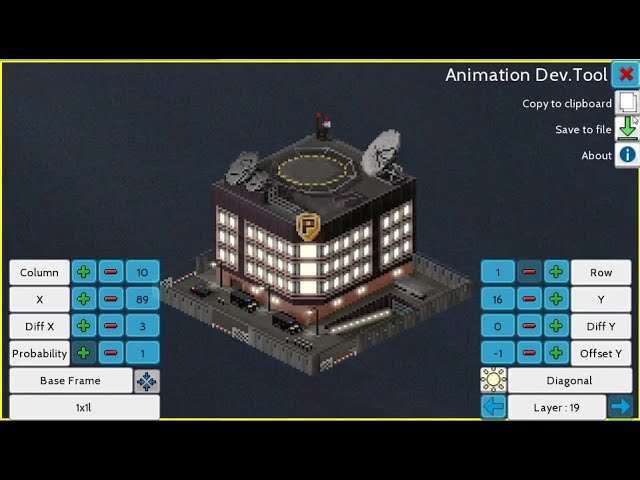
frame: (0:00)
animation: (3:53)
You should check the tutorial
lunar snow
spark valve
idk, i don't think they look bad, and it's also a different type of bench, one w...
well the plugin store moderators will have the final answer
¯_(ツ)_/¯
neat lance
spark valve
photoshop
woa
photoshop??
spark valve
yea
static pollen
lunar snow
also it's oversized
It's not
 lunar snow
my point still stands clearly
lunar snow
spark valve
yea
also I recommend you to use paint.net
spark valve
wdym
static pollen
I remember of this bench

But the plugin got error and doesn't work anymore
Yet nothing happened

 uncut acorn
spark valve
i think they look pretty good in game
uncut acorn
spark valve
i think they look pretty good in game
Yep. Looks good
There's nothing wrong yet
This is something about that why the moderators disapproved your plugin
Its because of shadows though
Every plugin needs shadows
spark valve
 spark valve
uncut acorn
Every plugin needs shadows
spark valve
uncut acorn
Every plugin needs shadows
i see
like compared to trees, buildings, roads and cars they look like a good size
with people it's like alright
but the seat is 1 pixel above ground, so it's pretty good
it's bigger mainly cause of the backrest
¯_(ツ)_/¯
i'm happy with it
took me 7hrs
lol
uncut acorn
Well yes
trim blade
I'm glad I made my little building the full width so I can use the modular buildings with it.


Huh, I can just make my own crap now with whatever size, roof decor, or functionality I want it to be, then I just use the modular building walls. 
static pollen
This yellow building next to it is...
sage socket
theotown needs to redesign them old stuff
spark valve
is there any way to find the default theotown buildings in the game files? like png's or summin
or cars
and stuff
spark valve
oh awesome
thx
cause if i wanna use a car or a tree or summin from the game in something i make, this is really useful
static pollen
btw, just some advise, white cars looks prettier and new than orange and blue ones, so may rather use the white ones, in my opinion


Google photos add a black background
spark valve
sage socket
https://forum.theotown.com/viewtopic.php?t=5659
why are the roads here 24pixels
when in the game they are 32 across
whut
i imported the image into my software and it's smaller
like this
 sage socket
huh
 spark valve
ah I figured it out
if I have a pre-,made canvas in photoshop
and import it
it's not the same size
while if I directly import the image
it's good
weird
¯_(ツ)_/¯
cool, well it's solved now
lul
rain gate
Nice start
spark valve
how do I make a road?
like what do you need to write in the code to make it function?
cause i need to make a road for my thing
if anyone knows... thanks!
spark valve
do you need to make this twice

for each road direction?
cause they have only 1 png there
orchid sorrel
what do you mean twice
spark valve
like if I need the code file twice
for the road going right and for the one left
since they only have 1 road png here

but you need 2, no?
one for each direction
I also don't understand this part really or the frames part
 spark valve
orchid sorrel
what do you mean twice
spark valve
orchid sorrel
what do you mean twice
I mean that I have 2 png files

so I need the json to reference 2, no?
lunar snow
I recommend you to do like the sample
lunar snow

 static pollen
lunar snow
static pollen
lunar snow
Where's curves
spark valve
I just wanted to try make a simple one that has 2 directions to test it out, without any joining and anything
just a straight road
lunar snow
static pollen
Where's curves
Diagonal frames replace the curves
 lunar snow
lunar snow
lunar snow
Do it like this sample
spark valve
I need all the pieces?
lunar snow
Yes
spark valve
how do I reference all of them in the code?
lunar snow
 tepid jacinth
https://forum.theotown.com/viewtopic.php?t=2964
tepid jacinth
https://forum.theotown.com/viewtopic.php?t=2964
And use the same codes provided on this site
lunar snow
spark valve
how do I reference all of them in the code?
Just follow the code in the site
 gentle prism
anyone know some university/college campus plugins aside from the ones in the plugin store? there don't seem to be many aside from the single building ones and the seobina/academia pack
crimson basin
spark valve
all the roads need to be named the same thing?
no
spark valve
why is this an error
I thought it would find the traffic lights in the game files?
 spark valve
crimson basin
no
spark valve
crimson basin
no
i figured it out
spark valve
question... can your road only have 3 frames or summin? since I only want the directional ones to be different and the rest is the same image
do I really need to have it copied over 14 times? or can it work with less frames?
spark valve
crimson basin
image tf.png
to excuse myself they had only tf.png on the website
 crimson basin
check what the ingame traffic light is called
or remove that line of code entirely
spark valve
crimson basin
check what the ingame traffic light is called
how can I check that?
wtf

why does my road look like this
what about this doesn't work

lmao
thick mural

The night scene can now be calibrated, but when the building switches to its variant, the night scene cannot change with it.
uncut acorn
thick mural
Cool
thick mural
How to solve this problem?
thick mural
What does PM mean?
uncut acorn
Private message
 thick mural
OK
thick mural
Why would you make a house into a road?
uncut acorn
And why the flank happened
 crimson basin
i cant help with roads, but that looks like some bug
spark valve
instead there are houses
lol
i have everything like on the website
it should work
@lunar snow do you know what the issue is?
crimson basin
spark valve
what about this doesn't work
do you need to use the "w" "h" cont thing?
i was under the impression that they were only needed if all the pngs were in one file
spark valve
crimson basin
do you need to use the "w" "h" cont thing?
i was under the impression that they ...
hmm
lunar snow
and make a new one like the template
crimson basin
its too much of a mess
thats why i dont like roads
i wanna make some purple roads for fun xD
crimson basin
spark valve
i did it like the template?
you should send the whole code
 crimson basin
wtf lmao
crimson basin
send the whole code
spark valve
[
{
"id":"Erins_Road",
"type":"road",
"level":1,
"speed":2.0,
"frames":
[{"bmp":"Road.png","w":32,"h":16,"count":16}],
"price":50,
"monthly price":2
}
]
spark valve
spark valve
[
{
"id":"Erins_Road",
"type":"road",
"level":1,
"speed":2.0,
...
this is the code
crimson basin
is that it?
spark valve
[
{
"id":"$testroad00",
"type":"road",
"level":1,
"speed":2.0,
"frames":[{"bmp":"road.png","w":32,"h":16,"count":16}],

"bridge frames":[{"bmp":"bridge.png","w":32,"h":48,"count":12}],
"frames per bridge":12,

"traffic lights":[{"bmp":"tf.png","w":32,"h":32,"count":4}],
"green phase":3000,
"yellow phase":500,

"price":50,
"bridge price":200,
"monthly price":2
}
]
this is the one on the website
and I am not doing bridges
and traffic lights didn't work
even if I did it like here
crimson basin
spark valve
@midnight obsidian roads 🥺
spark valve
so I see no reason why it shouldn't work
crimson basin
rtobby might be able to find the error
spark valve
who's that?
crimson basin
rtobby = the26
spark valve
i tried to redo the code

it still does weird stuff
i mean it works as a road
it's just not using the right textures
 spark valve
uncut acorn
Could you try check their road plugins in TheoTown forum
spark valve
uncut acorn
Could you try check their road plugins in TheoTown forum
how? where?
uncut acorn
TheoTown forum
forum.theotown.com
spark valve
modern art
 crimson basin
nice
spark valve
i can't figure it out 😭
i followed the instructions exactly
and it just won't work
uncut acorn
You can check a sample of road plugin found in the link
This might either help you
spark valve
that's like a super complicated long code
nothing like the one on the other page
i assume it's cause they have more road types
orchid sorrel
because you messed something up
spark valve
what?
orchid sorrel
show your code and frames
spark valve
I have all the frame
 orchid sorrel
spark valve
what?
orchid sorrel
spark valve
what?
not sure what don't you understand
spark valve
and the code
 spark valve
midnight obsidian
put all roads into one file
spark valve
midnight obsidian
put all roads into one file
nobody ever told me that, lol
orchid sorrel
you're using "road.png" in your frame definition yet your files are named Road1.png and so on
spark valve
i thought it then just auto picks the next by numbers
orchid sorrel
spark valve
nobody ever told me that, lol
you have been told at least twice, I've read the conversation
midnight obsidian
it's grabbing the "road.png", notices that the texture ends, so it grabs whatever the equivalent might be in the world texture
spark valve
spark valve
i thought it then just auto picks the next by numbers
same like with rotation
but clearly not, lol
so it needs to be a strip?
lunar snow
midnight obsidian
put all roads into one file
Yes
midnight obsidian
spark valve
so it needs to be a strip?
yep
orchid sorrel
in the exact same order it's provided on the forums
 orchid sorrel
it doesn't need to, but it makes it much clearer and easier to read
orchid sorrel
lunar snow
Literally why I sent the template
that's for diagonal roads, don't actually use this
lunar snow
right
uncut acorn
lunar snow
Literally why I sent the template
I think this is the right example
That's how road works possibly
orchid sorrel
plugin support association meeting moment
spark valve
lunar snow
Literally why I sent the template
I thought this was the pieces I needed
I didn't realise it needed to be in a line in the same file
cause rotation frames don't have to be... or can't even be? in a same file
lunar snow
I see
orchid sorrel
everything can be in a single file
spark valve
lol, better ig
 spark valve
orchid sorrel
everything can be in a single file
spark valve
orchid sorrel
everything can be in a single file
so with rotation frames I can also add a "count"
orchid sorrel
literally, you could put the entirety of your plugin in a single file and it'd work just as fine
spark valve
and have it in the same file?
orchid sorrel
"count" and other similar attributes work for every frame definition
also, show code
spark valve


thanks for helping me learn btw, then I can maybe teach others some day, yk, the cycle :p
orchid sorrel
always crop your frames as much as possible
orchid sorrel
I'm going to warn you
lunar snow
wtf so uncool😭😭
rain gate
so not hot
rain gate
that's so convenient to have omygoodness
spark valve
orchid sorrel
always crop your frames as much as possible
i left it at the 32 by 32, but yea, ima crop it
but yea
i thought that could be the issue
gonna test now
almost perfect

except for that weird dotting on the side
my texture doesn't have that
weird
trying to figure it out
orchid sorrel
it's raised by a single pixel
if you cropped your file to the maximum you might want to change the height "h" value
it should most likely be 15
spark valve
orchid sorrel
it should most likely be 15
oh that's probably the issue
yea
epic

first part of my plugin done
a border-less road
lessgooo
now the hopefully easier but way more tedious part, lol
why does it here say the 'draft' and 'title'?
 rain gate
Lmao again
 spark valve
ah i think i got it
spark valve
yes

parking spaces
ha!
or a wider road
if you wanted that ig, haha
you could theoretically use it to widen a road before an intersection too
i need to create a few more pieces for it
but it works
just gotta reorder the png's
 midnight obsidian
looks cool
spark valve
oh I see what I did wrong
ima get a headache from ordering these 8 pieces correctly into 2 sets now
lol
i did a dumb
spark valve
static pollen
Ah can i suggest you something?
sure
cool


works now from any direction
i'm making this because I didn't find any directional parallel parking on the plugin store, but if it could be used as road wideners too, lul
i'm gonna try redesign the top curve also, cause it doesn't quite look right
 spark valve
i kinda have an issue with having a 1 pixel gap here

cause in this direction, diagonals never touch

which sucks ass, lol
idk how to fix that
ima try summin
let's see
 chilly mango
yea you can exploit the fact that frames lower down on the map are drawn later
you might need to set a handle for it to align properly thouth
 spark valve
orchid sorrel
you can draw those 2 pixels outside of the frame
spark valve
orchid sorrel
you can draw those 2 pixels outside of the frame
i tried that but it shifted the whole road in game
i think I came up with an alternate method
and it doesn't work
lol
lunar snow
lunar snow
hmmm
 chilly mango
spark valve
i tried that but it shifted the whole road in game
chilly mango
spark valve
i tried that but it shifted the whole road in game
you can use a handle for that
spark valve
chilly mango
you might need to set a handle for it to align properly thouth
how would I do that?
what's a handle?
except for the gaps

it looks amazing
this took me way longer than I expected tbh, lmao
spark valve
why
lunar snow
you dont want vehicles to use your parking side as the main road do you?
spark valve
it's not a real road