#Ring Racers
1 messages · Page 7 of 1
 autumn trellis
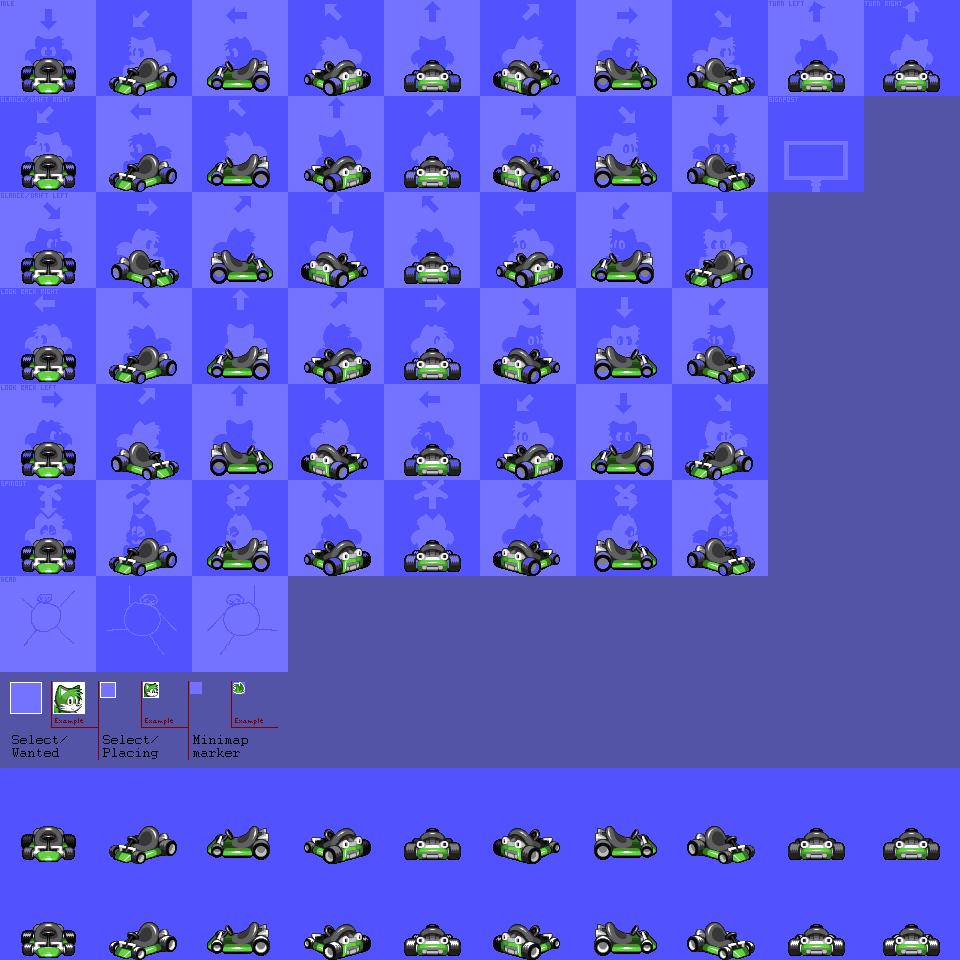
(that is, drift = glance and no double lookback rows)
i dont Need it because i can just use the larger one but itd probably be convenient and save on storage to get the smaller ones
autumn trellis
thumbup ty
 wraith trellis
trimmed down the length of some horns i thought were too long to be funny
and added new ones
i found a way better version of this video here: https://www.youtube.com/watch?v=itU5mxur6N8
if you liked this video, unlike it and go like that one instead
original description below
i couldn't find this video in good quality anywhere so i just decided to make it myself
https://www.youtube.com/watch?v=bGcuznVqKr0 for the inspiration for th...
is this too long to be a good horn
autumn trellis
its 2 seconds if you crop it and 4 for the whole thing. well within the range of Good horn
basic sprites are done. i will come back for signpost and UI once im done the others fromthisseries
 wraith trellis
wow thats fast
autumn trellis
i feel like somethings activated in me. im getting so much more done now
except for death sprites. death sprites make me stop and go Uh Oh. so im gonna go do the next guy first
its convenient for me to save all that at once because i definitely need to save the voices for all at once. my one other Definitely Happening racers and one Maybe? racer from this show are both playable in the most recent crossover game, so i have easy voice sources. but this character is not playable (on her own) so im gonna have to comb through the show i guess
wraith trellis
is there an easier way to copy over frames
its kind of fucking with my organization rn becuase i'll try to paste a group of frames and it'll place the entire group before the last frame i made and not after it
autumn trellis
oh yeah that drives me insan
wraith trellis
like if i copy this set of frames
 autumn trellis
but you just need to move your cursor one more to the right than you think is intuitive
autumn trellis
and then check to make sure!! i Literally Just did that and i still checked because it still gets me
okay wait just to make sure. you want to copy 1-8 to a new set of frames filling 9-16, right?
wraith trellis
ideally it'd do it from like 43-50
autumn trellis
so what is currently 9 will get pushed to 17
oh you want it to go all the way to the end
wraith trellis
yeah
autumn trellis
then yes click that vacant space
i think the reason it's confusing is that when you click a cel, you expect it to add to its right. because text appears to the right when you're typing
wraith trellis
yeah
autumn trellis
but the cel you click is actually the first cel that your new thing will be
so if you paste onto 1, it'll take up the very first slot. but if you click on the last one, that last one will get pushed to the end and be annoying
it hasnt become intuitive to me yet but now that ive figured it out i think i should get used to it soon
 autumn trellis
wahoo
 wraith trellis
WHY DOES IT LOOP AGAIN
autumn trellis
how do you do that organization thing?
also yeah i guess they cant fit 3 digits???? surprised me too
wraith trellis
ok wow

this is a lot fucking cleaner looking than the original version
i kind of hated drifitng with old jotaro because his head looked ugly
autumn trellis
the hat hair effect is excellent here
wraith trellis
autumn trellis
how do you do that organization thing?
shift click the start+end of the frames you want to organize and then right click the last frame and click "new tag"
autumn trellis
oh wow ic thats handy
wraith trellis
it also only loops that tag if you play the animation
autumn trellis
if id known that for mazinger z showcase i wouldnt have looped around to past 100 frames hfkjdsflhds
wraith trellis
it just occured to me that this is gonna be the frame you see when selecting jotaro on the css
 autumn trellis
im gonna have to do. a lot of chibi-ing and condensing

 tribal sorrel
wraith trellis
making asymmetrical characters is so annoying lol
tribal sorrel
wraith trellis
making asymmetrical characters is so annoying lol
this is why i make idfferent poses different layers
 wraith trellis
thats interesting
autumn trellis
every so often ill accidentally turn on some feature that makes ordinary changes affect all layers instead of just one and its very annoying
wraith trellis
@tribal sorrel heres when i tried making the brim maintain the same height on the a8
tribal sorrel
autumn trellis
every so often ill accidentally turn on some feature that makes ordinary changes...
like whar
wraith trellis
oh i know what casual koopa is talking about
it happens to me too
sometimes i'll transform part of a layer and that transformation will also happen on all other frames of that layer
tribal sorrel
that only happens if you select the layer
and like
not anything else
like you make the selection fiest, then click on the layer (the name part, which selects all frames within that layer)
autumn trellis
yeah i vaguely understand the difference of "having the layer selected" and "normal selection" but even knowing that, every so often itll accidentally happen and i wont notice for a bit
such as the case of the disappearing ponytail yesterday

 autumn trellis
i still feel like the brims a little thin? given its supposed to be about as wide as his head. i know its at an angle but even still

 wraith trellis
everyones slaving today
tribal sorrel
i think the og feels more immediately accurtae in some ways while the new one feels like the face detail is more interesting
its also more readably chibi
wraith trellis
i like the stronger contrast in the OG hair
does glance use the 45 degree or 90 degree look sprites
autumn trellis
glance is 45 degree
glance and drift share, lookback doesnt
(unless you de-share glance and drift ofc)
wraith trellis
sorry i mean lookback
whatever the one that shows up when you press the mirror button is
autumn trellis
thats 90 degree
wraith trellis
ok i dont think im able to get what i'd like for a custom lookback sprite
does anyone have any hurt sprite ideas
or lookback ideas too
ok i got an idea for lookback
@tribal sorrel @ripe lance wasnt there a template where the lookback sprites were asymmetrical and had alternating frames
i wanna have menacing signs show up when he looks back and have them shake slightly
autumn trellis
mit gave itto mea few days ago ill get it
wraith trellis
hype
wraith trellis
maybe
my plan rn is that hes gonna touch the brim of his hat like in the kakyoin fight and menacign signs shwo up
wraith trellis
autumn trellis
also i think itd be good if you could see his eyes flash in lookback
i wonder if i could pull off the flash in only 2 alternating frames
the one shitty thing is that i made jotaro really fucking wide
autumn trellis
well by "flash" i mostly just mean "you can only see his pupil because its glowing." so the animation would be really simple
wraith trellis
so when he looks aaalllll the way to the side you can only see this
 autumn trellis
admittedly its like. in my head im thinking "i really like jotaros eyes. the perpetual stoic shadow is cool and is its own aesthetic but i hope the eyes show up Somewhere"
but maybe the signpost will have that ? i assume you already have a signpost idea
autumn trellis
wraith trellis
so when he looks aaalllll the way to the side you can only see this
ah. lol
wraith trellis
im planning on making the signpost a variation of the iconic jotaro point
maybe if i cheat and like
make him use the steering sprite i can reveal more of his face
autumn trellis
this might be insane / too much work but i wonder if you could

oh ignore the second blue dot thats the cursor lol
glowing nostrils jotaro
wraith trellis
i wonder how weird it'd look if i tried to make him turn is waist so you could see more of his head
i cant really find any reference images of what im looking for online though which is annoying
do you think id just be able to like
ok i dont think thats gonna work LOL
 autumn trellis
i was gonna suggest moving the head up by sitting up straighter but i think it wouldnt work with the existing arms
i think i have managed a reasonable starting point for the nightmare hair but its gonna be A Ride making this Guy have a legible turnaround
 wraith trellis
couldnt you just pull a mickey mouse or something
autumn trellis
he kind of does do that already
but i think part of how they do that is just changing the number of hair strands between the references i have, which i cant do
i think ill be fine so long as i make the heights line up but that means i have to have this battle ~4 more times with the added handicap of preserving that
youd think itd be super intuitive to make ridiculous spiky hair given this is a Sonic fangame
autumn trellis
i get a very strong "a toothpick changes everything" feeling every time i add shading
 ripe lance
i tweaked eight beat's minimap
old - new

 wraith trellis
its really annoying when a pose seems obvious in your head but you cant get one part right
 autumn trellis
did you change it from automatic to manual super
autumn trellis
i saw there was a button to generate a minimap but i take it its not good at symmetry and such
autumn trellis
wraith trellis
its really annoying when a pose seems obvious in your head but you cant get one ...
i cant ascertain why but this Specifically is the only one where it reads more like jotaro is huge and his torso just crops off instead of being hunched over
although thinking about it i guess all his sprites have him really big compared to the ring racers cast on account of hes so curled up
wraith trellis
Yeah that's true
ripe lance
autumn trellis
did you change it from automatic to manual super
it was always manual
i just didn't spend much time cleaning it up originally
 autumn trellis
it Lives
wraith trellis
why am i doing this to myself
 autumn trellis
its the dream
i dont know how i stumbled into this i feel insane looking back on it
 ripe lance
SRB2 Message Board
It's time to hit the track as your favorite characters from Undertale: Monochromasis, and Undertale AU created by me detailing the story of Monochrome!Sans, living life before and after an attack by an extradimensional Eldritch entity.
But...
the voice acting for these characters is really funny
get down dog
tribal sorrel


 tribal sorrel
yes
wraith trellis
i kinda dont know where to put it
also making upright characters is legit so fucking easy why have i been handicapping myself all this time
autumn trellis
i feel like a character thats slightly hunched over is better
but im not strong enough to do that
or maybe not "hunched over" but like. right now my process is to make the headturnaround on its own and build the body around it
but it would be better to move the head around to fit the body
autumn trellis
wraith trellis
couldnt you just pull a mickey mouse or something
posting the most scuffed wip in the world to illustrate that it turns out i actually will do that because i guess thats how he works. fhsdjlk
 wraith trellis
 autumn trellis
might be a little extreme
i like where your heads at but to me this feels more like GOING FULL POWER HAAAAAAAAAAAAA than quiet, tense intimidation
 wraith trellis
Thanks
Idk how this happened but his head ended up looking like it's going way off to the side compared to the a5
wraith trellis
autumn trellis
i like where your heads at but to me this feels more like `GOING FULL POWER HAAA...
What do you mean by this
wraith trellis
Oh you guys aren't seeing the pupil
autumn trellis
yea thats what- and yea i did not
wraith trellis
That sucks
ripe lance
it looks too small to not be angry either
autumn trellis
i was expecting a light blue pupil
autumn trellis
arent there no canonical colors for anything
i guess maybe hes described as having green eyes once or something
wraith trellis
There are no canonical colors except for a few exceptions like jotaro having green eyes
Or dio being blonde I'm pretty sure
autumn trellis
i read the manga and didnt watch the anime but (at least as far as visuals go) my recollection of anime clips is clearer than the manga for part 3
im really tempted to make a jojo of my own once im done this current batch
autumn trellis
oh i mean "a jojo" in the broader sense of An Individual From That Series
i have a very specific idea in mind but i will not say so that i dont have to commit yet
wraith trellis
tribal sorrel
here btw
I was using Orpheus as ref prior to this
ripe lance
hey guys
autumn trellis
hey hey hey
ripe lance
uh
SRB2 Message Board
Are you ready for some fun?
Well you're in luck, because Coins Cup is all sorts of awesome!
Here's the list of tracks:
[/SPOILER]
Special thanks to the many people who helped me out with various things in the cup. Now go and have some...
i got a message that said that content got blocked by the server
okay whatever
point is I finished writing up my review for this track pack
I want to know if you guys think I'm being fair here
I am critiquing fan art after all
this is before I post it in the page itself
autumn trellis
little hard to say without having played itmyself, but if you're just asking "are these the Kinds Of Critiques that seem fair" i think its fine
i dont really agree that "airlines" are a contrasting aesthetic to the special stages, but thats not relevant to whether its Fair
ripe lance
but if you're just asking "are these the Kinds Of Critiques that seem fair" i think its fine
pretty much
oh and i forgot to mention
but i think i'm going to rate this 3/5?
if the quality were more consistent for the better i'd bump this to 4/5
5/5 i'd give to very few tracks that have been released so far
i don't know if i actually want to state this in the review
autumn trellis
i feel like the entire rating system is flawed for an MB of this scale
there are just too few ratings to go around
im pretty sure girlpack is the single most popular mod and that has 20 reviews. and thats an outlier
if a mod has something like Three reviews, then a single low review is really damning. so the variance in mindset between someone who thinks "i see an average as 3" and "i see an average as 4 or 5" has a really big impact
autumn trellis
yeah even considering that i dont think i could tell you "you should abstain from voting as a moral statement" or anything
but it is like. hrm. gives me pause
 autumn trellis
hmm. the eye makes more sense to me now, but i think its lost a little Too much intensity
thats more subjective, though
i think i would imagine something closer to this

also Wow that hand is incredible
wraith trellis
Thanks
I'm starting to wonder if this is worth pursuing LOL I'm realizing a lot of issues with it and it looks too different from his regular sprite set
I accidentally made every one of the look back sprites too short by like 4 pixels
 ripe lance
SRB2 Message Board
SRB2, but make it gayer.
If you have any suggestions for a flag or want me to edit a colour please don't hesitate to ask.

 wraith trellis
ok im trying to use the original body to the difference is less jarring


shading the body is really weird when you've been hiding part of it behind another body part
wraith trellis
mfw something looks normal from one side but the exact same silohuette on the other side looks weird as fuck


maybe the arm extends lower and im not realizing it
it does not
oh i think i know what my issue is
the a1 implies that his shoulder is positioned differently
and i didnt change it for a5
also this was bugging me yesterday so i fixed like a 3 pixel difference on the hand

@autumn trellis is this eye a good middle ground for what you were talking about
i wonder if it should be color mapped or not
autumn trellis
i think so
wraith trellis
What's that a response to
wraith trellis
tribal sorrel
here btw
Should the arm have the same silhouette on the front and back sides
autumn trellis
to "is it a good middle ground"
wraith trellis
Alright
autumn trellis
not as much progress today - hitting a lot of roadblocks on keeping proportions consistent
 ripe lance
wraith trellis
ripe lance
ripe lance
wraith trellis
ripe lance
SRB2 Message Board
Welcome to the Mega Map Jam!
Hosted by Diggle within Team Atelier's discord server.
What is this map pack all about?
Participants were tasked to make a "MEGA" styled map within a strict time constraint of 1 week.
What is a "MEGA" map?
A "MEGA"...
SRB2 Message Board
Introducing: LOG MAPS!
Hi, Mr.Logan here. Its been a long time since I've posted any kind of updates here on the MB huh? I think many of you are familiar with my previous work that I have made back when SRB2K was popular. I'm glad the enthusiasm...
autumn trellis
 ripe lance
SRB2 Message Board
a oc based map pack from some friendos lol
ray city
(fun fact this is a remake of a map i made in srb2kart but didn't managed to make public)
misty maze zone
(a preetty long 3 lap circuit, with water and a kinda functional loop)
expect...


 wraith trellis
ok
im gonna play the iconic misty maze zone
i only just registered the fact that they used the term "friendos" which is making me take psychic damage

interesting rating
 ripe lance
this is ray city
that they're critiquing
ray city is easier to navigate it's just
it has some really weird split paths
wraith trellis
ok ray city is pretty decent
ripe lance
it's not bad it's just weird
decently open with a handful of split paths that take you away from everyone else
and there's too many rings on the track
wraith trellis
 ripe lance
gif loops wrong i think
wraith trellis
yeah idk how to fix that
@tribal sorrel do you know how to fix gifs not loopign correctly when its using frames from a tag
tribal sorrel
whats your export settings
wraith trellis
 tribal sorrel
i think you have "export for twitter-yea
you do
thats what export for twitter does
wraith trellis
wow
tribal sorrel
twitter sometimes makes the last frame of gifs longer than intended
 autumn trellis
APPLAUSE
wraith trellis
guysi have a problem

i like the menacing signs being small like this but if i overlap it over his body it kind of blends in
but it also looks kind of strange with an outline
autumn trellis
whats the problem
it sounds like youve just said "i like this, and dislike any of the ways i might otherwise do it"
just have it be like this, then?
OH its like. "the sideways angles are wider and would therefore overlap"
i was gonna say "maybe add some lighter purples?" and started to do an example before looking in kart krew and seeing you already doing that lol
tribal sorrel
hmm
wraith trellis
and i was also gonna have onomatopoeia for "CRASH" or "BANG" or something when he gets hit
wraith trellis
 autumn trellis
True
tribal sorrel
thats good
wraith trellis
ok now
for the other direction
should he grab the brim with the same arm or the opposite arm
tribal sorrel
the opposite arm and earnestly you could mirror the animation and be fine
autumn trellis
i think- yeah same thing
wraith trellis
mfw i have to do less work
i think....

do the symbols look too off center
the ones on the right are 2 pixels further from the center than the ones on the left
tribal sorrel
they look fine
autumn trellis
pausing it on the sprites youd see most often


i think the left ones could move inwards a little more?
wraith trellis
thats interesting
autumn trellis
like, theres Already a large empty space in the top right of A1, but when jotaros lookback-ing the other direction that space will be filled
im mostly looking at the brim of the hat here

each sides "chunk" of symbols is a slightly slanted rectangle, and when you take it As A Whole into consideration i get the right is further away. but the bottom end is the one next to "a consistent marker for symmetry" and There left is futther
ripe lance
#514241369137741825 message
autumn trellis
i cannot wait to go back to characters who dont have Robot Lines running down their limbs
 wraith trellis
does anyone have any ideas for the hurt sprites
autumn trellis
he grits his teeth, maybe the shadow over his eyes gets a step darker
wraith trellis
yea i was thinking of doing a grimace but idk how to make it look good at this resolution
autumn trellis
wraith trellis
yea i was thinking of doing a grimace but idk how to make it look good at this r...
immediately smacking my face into the same problem
autumn trellis
basic sprites are all done
and wow i felt all the motivation just drain out of me over the last hour. maybe its time to reconsider exactly how hard i want to go on these
wraith trellis
its really annoying that im stuck on something that seems relatively simple
especially because its the final set of sprites you normally see during gameplay
autumn trellis
my first thought was to go look at juri

i didnt actually. end up doing much like this myself. but you can see the line is one pixel thick but avoids the problem of being flat
like. to throw an attempt in there
 wraith trellis
thats actually not that bad
autumn trellis
meanwhile im stuck in The Same Spot like. what im i doing
 wraith trellis
this is almost what im going for but i wanna make it look just a little more strained like hes clenching really hard
autumn trellis
throwing a few more ideas in there


 wraith trellis

i might be onto something

its weirdly difficult to shade teeth for me
how does mit do it
is this better or worse
 wraith trellis
it looked weird when i tried to make it symmetrical
unless you mean something different
tribal sorrel
im saying dont have the bottom left bit out
wraith trellis
so what just, like this?

or should there be a dark pixel to indicate the bottom of his mouth
 tribal sorrel
wraith trellis
so what just, like this?
tribal sorrel
wraith trellis
so what just, like this?
this is better
but the extreme stretch of his mouth is a little weird
wraith trellis
yeah i agree
but idk any other ways do convey a really hard clench like that in such a small space
wraith trellis
tribal sorrel
but the extreme stretch of his mouth is a little weird
is there anything you have in mind that could help
tribal sorrel
can you send it at 1x
wraith trellis
yea
tribal sorrel
will you send it at 1x
wraith trellis
 tribal sorrel
 wraith trellis

I just need the onomatopoeia now and then I only have to worry about the signposts and death sprite and whatnot
ripe lance
SRB2 Message Board
i did my best to review misty maze and the other one
analyzing freak bizarro tracks isn't as fun as i thought it'd be
wraith trellis
 ripe lance
looks good
wraith trellis
Oh
Question
The alternating frames template has 3 death sprites
But I only want to alternate between 2
Is there a way to do that
ripe lance
sure
you just go to properties.txt and get rid of C and D
or rearrange them however you want
you might find it easier to do it in post with slade though
ripe lance
uhhhh
ripe lance
i thought it was 2 unique frames only
and it's a 4 frame animation that goes frame 1 -> frame 2 -> flipped frame 1 -> frame 2
wraith trellis
Huh
ripe lance
i guess it's the same except the third frame is unique cuz asymmetry
tribal sorrel
this is so overcomplicated compared to just opening slade and putting hte frames in manually
tribal sorrel
wraith trellis
Like 12321
no
frames animate linearly and return back to the first frame when there are no more
you can have basically as many as you need (max ive done is 8)
its 10x easier to just import your frames into slade than finagle with the template
wraith trellis
Ah okay
I'm only asking because Im making jotaros death sprite static but I wanted to animate the lines shooting out of him like in heritage for the future
tribal sorrel
anyone wanna
 wraith trellis
im leaving my house in like 10 minutes for probably the whole day
autumn trellis
i will become unavailable for an unknown amount of time at an unknown but presumably soon point. so not really
for now though. signpost
im undecided on whether i should let the orange hair at the top go over the edge, because it would go A Mile over the edge and i might have to shrink it weirdly to make it not too huge
 autumn trellis
 autumn trellis
oh and the joke signs

 ripe lance
holy

 wraith trellis

death sprite in progress
i wanna make him look like hes getting singed by the kart exploding but im not sure what the best way to do it is
tribal sorrel
 ripe lance
did you find out what bothers you or are you just trucking along
tribal sorrel
trucking along
wraith trellis

drawing the chains fuckign suck

i think this is good
@tribal sorrel how would i animate the blood/lines effect

im trying to do the same thing they did in hftf when you get hit
 tribal sorrel
 autumn trellis

 tribal sorrel
this is p good
i think his face is just a little scuffed
dont forget he has a mullet
wraith trellis
yeah i agree
tribal sorrel
try to work in less AA this early
wraith trellis
i spent like 20 minutes just trying to draw a mouth over and over
tribal sorrel
use shading to block out shapes first then work in finer details
wraith trellis
heres where im at rn

 tribal sorrel
it could a little bit yea
his mullet has gone back that far in earlier panels iirc
wraith trellis
that was the main reason i wasnt emphasizing it as much
tribal sorrel
it gets ttrimmed later on for sure
i also made the arm under the hand dark again
i think it reads better in shadow

 wraith trellis
anywhere in specific


 tribal sorrel


i tried to clean up his hat a lil bit in the back and made it follow the curve of his head at the metal part
its a little wide on the right now but i think its fine
i tried making the clusters for the hair at hte back of his hat a little bolder while keeping the shapes themselves kinda wild to read as hair then some individual tufts towards the "hat" part of it catch some light from the lightsource
the dip helps it feel a little more like you're seeing the topside of it
AA for something like this is hard cus what you did isn't technically wrong but you can tell it doesn't feel like it's following the 3D shape of the hat
wraith trellis
Yeah
I was admittedly a little confused with the perspective and that culminated the most in the hat because I couldn't figure out if I wanted it to be pointed up or down
tribal sorrel
its a tough perspective
his head is very slightly tilted
and jotaros hat is already very stylized and nonsense
wraith trellis
Yeah
I am pretty proud that I got the foreshortening right because I don't do it often
tribal sorrel
yea the arm and hand look great
wraith trellis
I hope this crops easily into the wanted icon lol
wraith trellis
@tribal sorrel is there a way to not scale with nearest neightbor in aseprite
i really dont want to manually try to AA the sprite for the leaderboard icon
tribal sorrel
theres bilinear scaling
but like
you barely have to edit the leaderboard icon if you use A2 or A8
and scale that
 autumn trellis
i think the eyes are a little more triangular


 wraith trellis
@ripe lance @tribal sorrel @autumn trellis do any of you have the asymmetrical alternating lookback sprites template
becuase the one i have doesnt have the extra lookback frames
autumn trellis
isnt that the one i linked you to last time
wraith trellis
also is there any nice way to export the sprites into a spritesheet so that organizing everything isnt too bad
wraith trellis
autumn trellis
isnt that the one i linked you to last time
i dont think so
i dont think that ones got the alternating frames
autumn trellis
it definitely does
wraith trellis
i mustve downloaded the wrong one
oh my god
i just misread what each tile meant
that was my problem
lol
although just to make sure
when it specifies which direction does that mean the front sprite should be facing towards or away from it
like if it says left should the front sprite be looking to the left or right
also is glance or drift the one where the head is at a 45 degree angle
autumn trellis
its facing toward
and glance and drift share sprites
they are both 45 degrees
i think that template splits them but they're both still 45 degrees
wraith trellis
okay
autumn trellis
oh but
things like "look (direction)" are their perspective
so lookback left would have the characters' eyes on the left of the A5. and on the right for the A1
wraith trellis
how do you guys put everything onto the template
just wondering so i can do it efficiently
ripe lance
hard work
tribal sorrel
i export sprite sheets from my main work file then just paste them in
 autumn trellis
yes
wraith trellis
okay great
autumn trellis
also wow ive been using import sprite sheet a lot but i never thought to try export
you can use import spritesheet to make a really easy showcase gif but you need to remember to make a separate copy of the file and add the wheel shines to it
 autumn trellis
oh that is annoying
ripe lance
is that on all side sprites
wraith trellis
yes
autumn trellis
you should be able to just. resize canvas to make it wider, and make every single square wider by the exact same amount (which is easy because you can do a whole column at once)
autumn trellis
then you change the properties file to change what a "unit" is and you're good to go
wraith trellis
i trust super
autumn trellis
fair
wraith trellis
the squares need to be 1 pixel wider on the left and 2 pixels wider on the right
autumn trellis
oh and the offsets
ripe lance
what's the template btw
wraith trellis
this one
ripe lance
i forgot i was supposed to help smg
ok i'll get to it
@wraith trellis how wide is jotaro
actually you should go and check what his widest sprite is
wraith trellis
i already went ahead and checked
his widest sprite is 96 pixels
but you could also just take the existing template and make each square 1 pixel wider on the left and 2 pixels wider on the right
if thats possible
so that its 99 pixels wide in total
ripe lance
i can do that
wraith trellis
thanks
wraith trellis
Just to make sure
For drift left is the character looking to the left in the 5th sprite
also @ripe lance what are the wheel shine sprites tiled on
ripe lance
wraith trellis
also <@84379048121204736> what are the wheel shine sprites tiled on
what do you mean
wraith trellis
They've gotta be evenly spaced out
Right
But it's not the same 99x96 grid as the regular sprites
 ripe lance
wraith trellis
But it's not the same 99x96 grid as the regular sprites
ripe lance
wraith trellis
But it's not the same 99x96 grid as the regular sprites
it is
autumn trellis
its a little annoying that drift left/right is the same as glance even though youd think itd be reversed
because if you, the player, are holding left on your controller, your character turns their head right. which means that's actually "drift right"
wraith trellis
Ok
I'm done assembling the template.
Tomorrow I'm gonna do everything else because it's 11:00pm
And I've already been staring at my PC all day
I did make a new death and working design sprite for heavy though

I felt bad about making him violently explode into gibs when he dies
wraith trellis
i just replaced heavys death sprites with the new one


do i have to give him offsets or can i leave it at 0, 0
also what is the file name for the working design sprite
wraith trellis
what about signpost
wraith trellis
yeah
autumn trellis
if so, then its just 48 84
those are the offsets
it Seeeems like the signpost offset is always 48 79
also remember that the signpost is legally SSIGA0 not just SSIG
wraith trellis
do i have to give it like
the proper tile space
like does it have to be in a 96 by 96 image
autumn trellis
nnno, but thatll change the offsets
okay so heres what i think would help you here
first, go get the file of any signpost that you already know works
wraith trellis
yeah dont worry i just took the original signpost sprite and positioned the working design the same way
autumn trellis
dammit i cant find the thing im looking for
theres a setting that puts a convenient crosshair on the screen so you can be sure its lined up
found it. set this to "sprite"

thatll make every sprite centered on your screen, so you can just move between an existing signpost and yours to make sure its working right
wraith trellis
should i convert the working design sprite to a doom graphic
autumn trellis
i feel like itd be easier to just run it through kartmaker...?
wraith trellis
what like
make a separate template with the working design in place of the regular sprite?
autumn trellis
i dont know why you didnt include it in the original spritesheet, but failing that, then - yes just do that
wraith trellis
oh well thats because its just not in the original spritesheet
at least in the default kartmaker spritesheets
wraith trellis
yeah
autumn trellis
yeah just make a copy of the kartmaker for the working designs and steal it for the real thing
autumn trellis
well. do you want to have an soc and a lua version or are you just doing one
lua

soc
wraith trellis
its prob better to have both
what does inv color refer to

and invshade
oh i see
 autumn trellis
is this the soc or the lua
for lua you have to do the freeslots separately like tihs
 wraith trellis
thats for lua
i just grabbed supers pack and removed the other colors except world
and replaced another one with the heavy palette
autumn trellis
wh. then maybe you dont have to have them separately?? i thought i was directly told that its mandatory, but if supers pack works without it then. i guess?
wraith trellis
anyone got any rival ideas for jotaro
 autumn trellis
well. chaos control
wraith trellis
thats true
my gut instinct was to pick surge because she kind of wears the same clothes as DIO
autumn trellis
i have vague ideas of silver or whisper on account of having abilities that feel stand-y
maybe bomb lol
although i guess josuke probably has that instead
wraith trellis
he does yea
im kind of surprised josuke doesnt have blaze the cat
as killer queen
autumn trellis
this is probably not a top 3 pick but im throwing it out that jotaro has two separate encounters with living water stands
wraith trellis
fuck thats true
i was considering emerl because hes a yellow robot thing which is kind of like the world
but man i think chaos would be a good one
i do like the lineup of shadow and surge though because one of them is aloof and the other is a delinquent
autumn trellis
true
wraith trellis
both of his attack voice lines are snapping at people and when he wins he goes "Don't worry... I went easy on you."
ripe lance
wraith trellis
hope kartmaker works
are you using pk3 kartmaker
autumn trellis
im still busy being tired because it took forever to get to sleep last night but im close to finishing my next update
ripe lance
since you're using pk3 kartmaker you should be able to just copy and paste the folders into a single pk3 file
lua files go in a lua folder
wraith trellis

@ripe lance did you change the mappings for the world palette
i was going off of this

wait sorry
wrong one
this one
 wraith trellis
tribal sorrel
u forgot the white outline
wraith trellis
tribal sorrel
u forgot the white outline
yeah i know
no i deliberately tried to switch it back
wait i think i actually used the one without the white at the start

this is what the palette ive been usign wit hthe jotaro palette in place of the green looks like
 wraith trellis
fuuuckkkk
ok well
what color number was the one removed in the palette with white
wait
i think i got it
ok round 2
wraith trellis
i think i got everything working
im not confident on heavys custom palette though i feel like it could be a little bit better


 ripe lance
also i got heavy in the same race
ripe lance
wraith trellis
some base game icons do that
which
wraith trellis
for starters, tails
 ripe lance
wow i never noticed tails do it
autumn trellis
ive also been doing that
although i try to keep it only for pointed edges
like tails nose there

 wraith trellis
is there a quick way i could fix that
like just make all the offsets a few pixels lower
wraith trellis
its as low as it can get
ripe lance
damn
wraith trellis
the lowest sprite is the diagonal back sprites which touch the very bottom
ripe lance
yeah you can make the offset lower
do ctrl + r
there's several sets of vertical offsets though
i can do it for you but i don't know how low you want it
ripe lance
@wraith trellis try this
autumn trellis
how do you "clean up" audio taken from stuff with background noise?
i know its success rate Varies by nature, but is there just a program you throw it into or do you have to "do it yourself" somehow
autumn trellis
awesome thanks
tribal sorrel
before/after
ripe lance
 tribal sorrel
probably the icon name
this specifically for his icon graphic not appearing
the character would still function orherwise
ripe lance
i already fixed it on my own
it was a file position issue
the graphic for the icon was placed before the s_skin file which meant it didn't get loaded
yeah I think it looks better now
tribal sorrel
food for thought on that note when it comes to copying in files from outside slade
file structure needs to be as close to how kartmaker spits it out as possible
things need a really rigid filestructure otherwise it will fuck up in dumb ways you wont intend
my pack has every kind of resource you could upload besides maps so you can use it for reference, super did a good job organizing everything so its readable and functional
ripe lance
the same goes for how pk3 kartmaker generates pk3 files
so smg are you gonna upload your pack now
wraith trellis
yea im working on it
oh while im doing that
all of heavys voice lines work right
tribal sorrel
wraith trellis
i just replaced heavys death sprites with the new one
two things also
- you dont need all of these extra frames in the slade file, it can just be A0
2.did you set transparent color as the first white
in the aseprite file
ripe lance
i accidentally fucked up with the spikes at carnival night's position
and am at ring debt
so now I can confirm heavy's hurt lines work
tribal sorrel
lol
wraith trellis
tribal sorrel
two things also
i just made a new spriteset using kartmaker instead of trying to manually figure that out
i didnt know about the extra frames thing though
tribal sorrel
wraith trellis
i just made a new spriteset using kartmaker instead of trying to manually figure...
well wait what does that mean
i guess if u don't have index color turned on its not an issue
wraith trellis
i put the death sprites over the old ones on the template
and generated a new file with kartmaker
tribal sorrel
well
yea that would change anyrhing
wouldnt
the reason i ask is because his eyes are pink
when the first white is indexed as transparency the next brightest color is pink
wraith trellis
oh no i made them pink because thats what they were on the og sprite
tribal sorrel
the index white issue affects the kart colors too cus they use that color
ah ok
the index color thing is v easy to fix though
wraith trellis

 autumn trellis
oh big fan of that
tribal sorrel
i like the idea but is it too busy that the full series logo text is behind their name
ripe lance
particularly with heavy yea
tribal sorrel
what if they were a big smash esque silhouette series symbol instead
autumn trellis
i think the grid looks a little bare? maybe either checkerboard it more or make the indicator more distinguishable
wraith trellis
tribal sorrel
what if they were a big smash esque silhouette series symbol instead
that'd be cool
idk what id do for jojo though
 tough bluff
tribal sorrel
tough bluff
tribal sorrel
star
autumn trellis
this is your chance to usurp jan misali smg
tribal sorrel
the birthmark

 tribal sorrel
or star platinum head
ripe lance
tough bluff
does it just go on like this forever
it would be more interesting if for like after the second hairpin the elevation changed and so it would start going downhill

actually no this is flat
wrong image
 tough bluff
ripe lance
does it just go on like this forever
tough bluff
ripe lance
does it just go on like this forever
its meant to be flat
wraith trellis
tribal sorrel
what if they were a big smash esque silhouette series symbol instead
like this?
 ripe lance
looks good
i didn't know jotaro was from fatal fury
@wraith trellis can you re-export jotaro with this
wraith trellis
why
wraith trellis
did you adjust all the offsets that were 48 instead of 49
tribal sorrel
wraith trellis
like this?
yea thats fun
autumn trellis
are you gonna release this and update later with star platinum or are you doing that separately
wraith trellis
Update later with star platinum
I'll probably talk to the guy that made josuke to see if he wants to make a crazy diamond follower
So we can make them stylistically consistent
I'll probably release star platinum with ao oni
autumn trellis
i ask because theres an argument to put your pack in multicategory, then
its probably whats Intended, even. but given i think you said this is the only follower youre doing, you probably wouldnt go to MB Jail for going in the character category
wraith trellis
Oh it's not gonna be the only follower probably
Ao oni is gonna come with fuwatti as a follower for sure
autumn trellis
ic
idk how many people actually put packs with followers in multicategory given theres so many more just in the character category
wraith trellis
Technically jotaro and heavy come with custom colors soo
I think multi category is gonna be fine to upload for
tribal sorrel
autumn trellis
ic
idk how many people actually put packs with followers in multicategory given ...
me
autumn trellis
me as well
i just wonder like. if youre gonna be told "this isnt Actually multicategory" unless you somehow indicate "star platinums coming and thatll make it multicategory!"
you can ask them to move it later but thats annoying because you dont know when itll happen. so it wont be at the same time as your actual update
wraith trellis
@autumn trellis @ripe lance where do i put the soc file
ripe lance
what soc file
wraith trellis
i feel like i might as well have an soc version
and i already modified an soc file to have the custom colors
ripe lance
you put it in a folder called soc
wraith trellis
alright

theres no issues w/ this right
wait i just noticed one
ignoring the "rednmap" though its fine right
ripe lance
wraith trellis
change plant to dudt owl
autumn trellis
looks fine to me
it gets fussy about the files location so if it doesnt work when you test it then thats the first thing to check
mines starts with "ab_" at the start of the file, because i think it needs to load early? its only not "aa" because i didnt know if its order relative to "aacategory" is important, but im pretty sure its not
autumn trellis
yea
wraith trellis
alright
autumn trellis
tribal sorrel
its called ultimate vocal remover
this is astonishingly powerful
tribal sorrel
yea its really good
wraith trellis
ok
i submitted it
fingers crossed!
how long does it take normally to get accepted
ripe lance
up to a week
if a week has passed with nothing then you're free to talk with staff about it
autumn trellis
applause!!!!!!!!!!!
wraith trellis
heres the one btw with fixed offsets
feverishly refreshing every 2 minutes
related: anyone wanna play ring racers
ripe lance
for some reason my internet's gone down for a good while and I'm not sure why
wraith trellis
its been 38 minutes. COME ON ADMINS! WHATS THE HOLD UP!
autumn trellis
ideally i would like to get it done soon so that mine goes before yours. that way youll be on the top of the category when it does get approved
wraith trellis
i shouldnt have made the promo gifs had i known it would take so long
wraith trellis
autumn trellis
ideally i would like to get it done soon so that mine goes before yours. that wa...
thats very considerate and i appreciate that
autumn trellis
multicategory is a lot less active, so its not As big a deal, but even so
and the promo gifs are awesome im always in favor of promo gifs
wraith trellis
i like them i just wish i didnt make them because now im too excited and getting impatient to post it onto social media
autumn trellis
fhsljkdfjklds god id feel exactly the same if i had a social media to post them on
wraith trellis
i didnt really put effort into it but i do like the icon i made
 autumn trellis
unrelatedly its really funny when you have to cram - ooh that Is nice - when you have to cram a startcolor into a spot in the palette thats not a single color
 wraith trellis
wdym
autumn trellis

like. look a t this
this character uses Most colors in a nonrecolorable setting
so i have to cram startcolor into a pink with only three rows, bleeding into the lime greens at the end
autumn trellis
of all the last minute things to have to fix

somehow even the wacky startcolor wasnt enough and part of his hair got caught in it
but honestly i kind of like it. im inclined to leave it

...but it doesnt work with the outline for darker colors. alas
tribal sorrel
what.... color did you make the startcolor?
autumn trellis
this range

i think the hair getting caught in it is less to do with the start color and more to do with how i recolored it. one of those oranges must have been part of the Gold palette i was doing the recoloring based on
so i just hopped back to my original color version, magic wanded the hair, and put it back. nice and easy
anyway, the update is posted, so it wont obstruct smgs new pack when it goes through
tribal sorrel
why didnt you use blue
tribal sorrel
couldnt you use these then for the eye?
 ripe lance
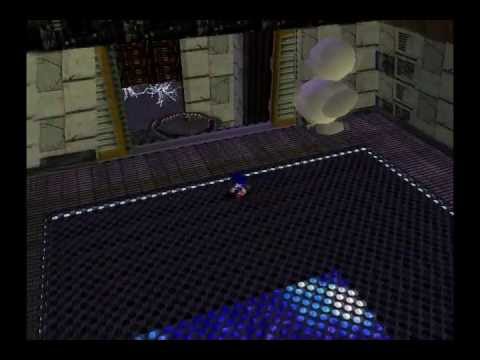
Not gonna lie, but this scared the shit out of me when I first approached it. This is footage from a playthrough I've made of Final Egg that I'm still rendering, but I literally didn't expect to find an untextured duck enemy in THIS stage, if not, at all.
[Byte] Stage : 2C75160E
(Set to 10)
[Byte] Segment : 2C751610
(Set to 2)
Thanks to Oreng...
this is what the final duck is
nobody saw that
autumn trellis
tribal sorrel
couldnt you use these then for the eye?
this is reasonable and indeed the eye probably even Does already use those but i didnt want to bother thinking about it
tribal sorrel
r we playin tonight btw i finished aerith
autumn trellis
id like that
autumn trellis
should we start, like, Now? or in an hour or so or what
ripe lance
i'm dead for the foreseeable future
tribal sorrel
i could paly in a little bit i need to eat and im putting it off
autumn trellis
i should also make sure im fed before we start a session
autumn trellis
i ate
autumn trellis
so are we still on for ring racers
wraith trellis
i am
autumn trellis
wraith trellis
tribal sorrel
is there a hornpack update
tribal sorrel
ok
servers up
i didnt turn on rich presence but everyones got hte ip in their thingy
autumn trellis
i wish i could label the IPs in the menu. its not a problem right now but itd give me peace of mind that it wont mess up later
tribal sorrel
i miss @wraith trellis
wraith trellis
I got killed in action
ripe lance
SRB2 Message Board
Just a demo of an upcoming story mode addon im making currently, this only has one map (due to it being a demo)
[Also, this includes a extra WAD file that has a soc that makes the map 4 laps.]
My idiot ass cried while making this, probably...
tough bluff
Beat me to the link 
tough bluff
this isnt too big for a hubworld, right?
autumn trellis
the very start of [surprise jojos character] is going so well the black outlines and harsh shading is a lot of fun
wraith trellis
Very excited to see what your character is
autumn trellis
me constantly fighting the urge to go "okay ive done enough its time to post Now Now Now"
ill probably have the head turnaround finished tomorrow. i dont have it in me to keep a surprise all the way until release hfslkdjf
i guess i should say One thing and thats that its not any form of kira. i know i mentioned sheer heart attack and i might do that but thats separate
wraith trellis
I have no idea what to expect
ripe lance
it's gonna be iggy
autumn trellis
hfklsdhfkls thatd be a great bit
im not crazy enough to make The Fool as a follower though
wow i forgot the fool has Wheels
autumn trellis
decided to change the order of operations on what to make when so that im not wasting time on hair that needs to be moved to account for the body
so this is the new point im declaring as "enough to get the vibe across"
 wraith trellis
Oh wow this is very impressive
autumn trellis
the shoulders are kind of fucked up rn but im very happy with the rest of it
this is not actually my favorite jojo character. thats gyro. but im really enamored with the idea of doing the epitaph hair thing for lookback

hfjsdkhfkjdls i used the same exact wording and then posted the screenshot forgetting that it was the same exact wording
surprisingly, even though pink palettes are very sparse, one of them has the red i need for the hair. so i can just have him use taffy
taffy and navy are like. the most versatile palettes. i keep coming back to them
wraith trellis
Lua script that makes the game lag on purpose so diavolo is lore accurate
autumn trellis
fhjlksdfhl
im kind of torn on his voice because asb r has his anime voice but the way he says epitaph is really boring. all his other lines are better but im really hung up on using that for his boost lines
wraith trellis
what about base all star battle
all star battle and all star battle r use different voice takes
autumn trellis
yeah but its a different VA for diavolo
thats the problem. is that original all star battle is way better for that One thing
autumn trellis
idk if anyone would notice. im not very good at differentiating voices
wraith trellis
i think if its close enough its fine
autumn trellis
probably
about the sprites themselves im also not sure what to do about his hair split thing
wraith trellis
im soo happy all star battle R has new voice lines because i finally got a good clip of jotaro saying shut the hell up
autumn trellis
you can see it jumps really far on the side profiles but i dont think i can spread them out more evenly as it is
tribal sorrel
 ripe lance
freaky
autumn trellis
i briefly considered going into lua to make doppio that spikes his stats from top left to bottom right and turns into diavolo after a lap
i might come back to that if i still think its cool after a while
ripe lance
there's already a character that randomly changes stats in random intervals
autumn trellis
last i checked there was only One which is really funny
heres a nearly empty space on the official wiki list of characters. id think it would be extremely tempting to seize the chance to stand out so much from the pack. but theres only One alternate mechanic char and Zero off chart characters
 autumn trellis
this is a joke so im not putting it in creative discussion but
 ripe lance
when people say ao oni is blue
autumn trellis
god ive been team blue because its in the name but it really does look good in purple
ripe lance
character commission i worked on, check it out here
SRB2 Message Board
Marceline The Vampire Queen has joined the race! The Flying Mythical Singing Vampire Queen
With a speed of 6,5 (I actually didn't know what to set it)
Rivals: Shadow, Blaze and lastly Jack Frost
BIG BIG Thanks to the legendary @KellyGoblin...
lol

 autumn trellis
in what way ??
ripe lance
clearly I did all the art and raked in that sweet sweet dosh
ignore who it credits at the bottom of the embed
or um on the gif itself
autumn trellis
i confess im not following this bit
ripe lance
i accidentally copy pasted the post instead of just the link
autumn trellis
ah hfksdlhflks
autumn trellis
feeling like a super genius for figuring out these legs
which are pretty mundane but its big For Me
 autumn trellis
 wraith trellis
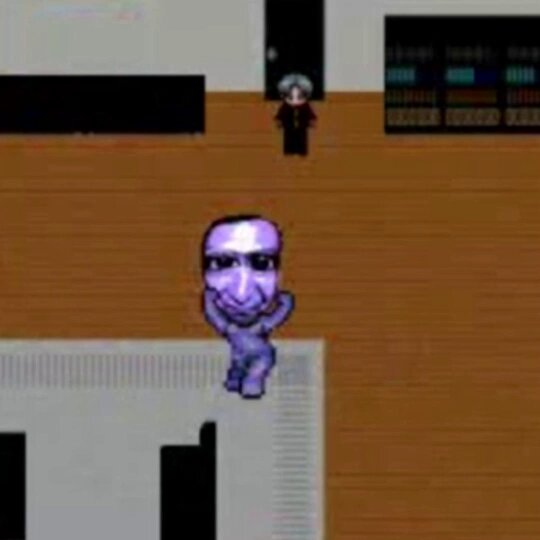
I believe I have found the origin of the famous gif of Ao Oni dancing, you can find more information about it in this thread!
💖 10.11K 🔁 1.09K
death anim idea
is it heat
autumn trellis
yes
well. hmm
this is gonna sound insane but i wonder if somethings being lost by leaning into meming ao oni. like. is it conflicting to do this and then also give them a genuinely menacing voice
wraith trellis
I will be making him do other stuff from the game in other sprites
So that should even it out with the meme factor
autumn trellis
thats a good point. and its an excellent candidate for the looping animations of death sprites