#Is it possible to inject tweaks into Apple's system apps on A12+ devices with Dopamine?

38 messages · Page 1 of 1 (latest)

steady timber
#

TL;DR:
Trying to determine whether it's possible to inject tweaks into Apple's system apps on jailbroken A12+ devices with Dopamine. They keep crashing on my iPhone 12 on iOS 16.1.2 and I'm investigating the root cause (arm64e arch of A14? iOS 16 specifically? Code-signing issue? "Protected" com.apple.* bundle ID?)

My goal is to use the Reveal and Lookin desktop apps on macOS to inspect the internal view hierarchy of Apple's iOS system apps like Apple Music, Reminders, Mail, etc.

There are several "loader" tweaks on GitHub that start the Reveal/Lookin server binary on the iOS device and inject it into the currently active app.
They work without issue on my iPad 7 on iOS 18.3 with palera1n: I am able to inpect 3rd-party apps and Apple's system apps.

However, when trying the same setup on an iPhone 12 on iOS 16.1.2 with Dopamine, Apple's system apps either crash immediately or are simply not detected by Reveal/Lookin. I've debugged multiple issues along the way but have now hit a wall:

  1. First error I encountered was: '/var/jb/Library/Application Support/RevealLoader/RevealServer' (mach-o file, but is an incompatible architecture (have 'arm64', need 'arm64e').
  2. The last version of Reveal that included a server binary with an arm64e slice was v26, released on May 19, 2020. It's old but I tried using it anyway but got a code signature invalid error.
  3. I attempted to bypass/ad-hoc sign with ldid -S <binary> and codesign -f -s - <binary> but still got the same error.
  4. If I remove the signature with ldid -r <binary>, I get an error saying the binary must at least be ad-hoc signed.
  5. Can't do anything about Reveal since it's closed source, but Lookin is open source and I managed to find an arm64e binary in the Source code.zip release of this repo.
  6. The binary in the zip is unsigned so we need to run ldid -S <binary> or codesign -f -s - <binary> and now it works! Almost. As I said above, it works perfectly on my iPad 7 on iOS 18 on any apps including Apple's apps. On the iPhone 12 on iOS 16 though, it works on 3rd-party apps, but Apple's apps simply crash. I attached a gif and some logs/explanation in this issue.

If anyone wants to try: I wrote install instructions in the README of this RevealLoader repo, but it's basically the same for Lookin (LookinRootless, LookinLoader, LookinLoader2).

Another workaround I tried is injecting the .framework or .dylib into the app:

  1. Using TrollFools to inject it in-place from the iPhone itself.
  2. Exporting the IPA, injecting the framework with Sideloadly, and reinstalling the new IPA. (requires a new bundle ID, as com.apple.* seems "protected". I get the error Attempted to install a deletable system app with incorrect install type.)

But same here, both options work fine with 3rd party apps but not with Apple's system apps, they usually crash at startup or they work normally but Reveal/Lookin don't detect anything.

steady timber
#

Is it possible to inject tweaks into Apple's system apps on A12+ devices with Dopamine?

crude night
steady timber
#

The default I think

#

And this is what TrollStore shows

#

But yeah any modified Music IPA injected with tweaks doesn't work:

  • If I try to install directly with Sideloady, it doesn't work whether I check automatic bundle ID (com.apple.Music.<random-string> isn't available or something along those lines) or uncheck it to keep com.apple.Music ( Attempted to install a deletable system app with incorrect install type.)
  • If I export the IPA with Sideloady, then install it with TrollStore, the app crashes. The problem isn't with TrollStore I think because when installing an unmodified IPA, the app doesn't crash.
torn girder
#

you're jailbroken

#

thus it doesn't imply if i'm correct

steady timber
#

One last thing I noticed is injecting the tweaks with TrollFools.
Works without issue on 3rd-party apps.
On most Apple's apps, the injecting simply fails, but not on the Apple Music app (though the app still crashes afterwards). I noticed in the logs that the TeamID is set to 0000000000, whereas there is a real value for 3rd-party apps.

steady timber
crude night
#

No reason to follow all the troll stuff if you have the freedom the jailbreak brings

torn girder
#

yeah like you can bypass all those mitigations

crude night
#

What confused me is why the framework is in application support. Is that your doing or how lookin shipped?

steady timber
#

Sure I get that, unfortunately those were workarounds I tried after the initial setup of simply installing the tweak .deb file didn't work, even though it works fine on the iPad 7 with the more recent iOS 18 on palera1n. At this point I feel like the issue might be with Dopamine?

crude night
#

Just run ldid with nothing else in the command what version does it say

steady timber
crude night
#

It’s fine on rootless jailbreaks but keep in mind that is absolutely the wrong place to put frameworks

steady timber
#

Is there a better location? Does it affect anything or it's just to be "cleaner"? I didn't write any of those tweaks but I can fork them and change it if needed

crude night
#

Is really improper. I don’t think it affects anything though

crude night
#

I was just misreading the current progresss

#

I see it’s crashing the app, can you send the crash log

steady timber
#

What's the easiest way to get the logs btw? Can I filter them with Console.app or something? Otherwise it's difficult to read through

crude night
#

yes it syncs when you plug in the device iirc

#

Otherwise upload it from the settings app on the phone or use idevicecrashreport

steady timber
#

Btw, is there a difference between ldid -S <binary> and <codesign -f -s <binary>?
How about the ldid on my Mac versus the one on my iPhone? They seem to act the same, but they don't have the same help options menu.

crude night
# steady timber There you go, sorry got busy with something else

have you seen or tried this pull
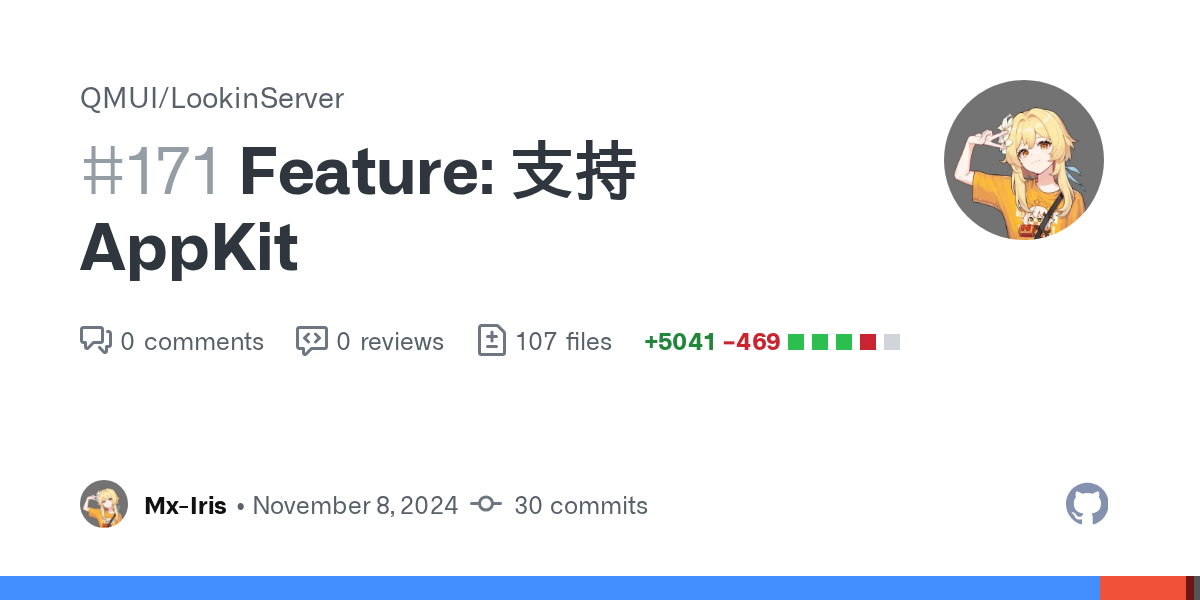
https://github.com/QMUI/LookinServer/pull/171

GitHub

看了下以往的PR都没有合,不知道会不会合我的,改动还是比较大的
AppKit不像UIKit一样每个View都是layer backing,需要手动设置。看了下Lookin是以Layer为一个Item去渲染的,不过好在较新的macOS会在底层私有管理一个layer,目前来看效果还可以,不知道较老版本的AppKit效果怎么样。
Lookin好像不支持真正的多窗口(UIKit的UIWindow严格...

steady timber
#

No I haven't but it wouldn't help anyway since I don't know how to recompile a new framework binary from the repo's source code 😕
It only has a Package.swift file and I tried a lot of commands (xcodebuild, generating a .xcodeproj) but came up empty

#

But anyway, I think I found the root cause thanks to the crash reports I shared: they all mention possible pointer authentication failure which seems directly linked to pointer authentication codes introduced with arm64e according to https://developer.apple.com/documentation/security/preparing-your-app-to-work-with-pointer-authentication

Apple Developer Documentation

Test your app against the arm64e architecture to ensure that it works seamlessly with enhanced security features.

#

I did some testing and yes: all the system apps installed by default on my iPhone 12 are arm64e. We can check their binaries with lipo -info /var/containers/Bundle/Application/<id>/<app_name>.app/<app_name>.
In comparison, all 3rd-party apps I checked are still arm64.
And final confirmation that it's not a problem with Apple apps in general, but only the major ones which are installed by default: some Apple apps installable from the App Store (for example Apple Music Classical or iTunes Remote) are still arm64 and they work perfectly fine with my tweak, without crashing

#

Conclusion: it's not possible to modify arm64e apps with tweaks, or at least not my Reveal or Lookin tweak. The only workaround I can think of is testing the tweak on an arm64 iPhone and if it works, dump the IPAs and install them on my iPhone. If it's possible and the app still work, then I should be able to inspect even those apps.

steady timber