#palera1n
1 messages · Page 35 of 1
 fiery kettle
fiery kettle
fiery kettle
So I just click start again now?
 west egret
yeah
without fakefs of course
idk if settings auto-disables it the second time around, better double check
fiery kettle
It doesn’t
Imma have to reboot my laptop
Stuck on pongOS again
Do I do the same thing?
Exit and start again
west egret
(in the case that a fix does come out, you can update your palen1x by plugging the USB drive back into Windows, deleting the palen1x file from Ventoy, and copying the new one)
fiery kettle
Let’s goooo
west egret
🍻🍻
fiery kettle
Is that it
west egret
Open palera1n app and press Install
 trail pagoda
@west egret , if I have a mac, I dont need to run the ventoy OS right?
I was reading the conversation between you and kneegerpreet
west egret
trail pagoda
<@190642477747666944> , if I have a mac, I dont need to run the ventoy OS right?
correct, palera1n-c has macOS builds
trail pagoda
west egret
correct, palera1n-c has macOS builds
If I follow these steps on https://ios.cfw.guide/installing-palera1n/, I should be able to do it "easily" right?
Its a iphone 7 ios 15.2
west egret
Yep
that's the easiest and best method
trail pagoda
I was confused by the steps when it says "checkmate!", but its just a notification message, right?
do i need to check something with checkm8 before I start?
west egret
"checkmate!" is just part of the debug logs
after that it should do the rest by itself; if it gets stuck somewhere then you may have to unplug and replug the device or quit&rerun the script (or both)
trail pagoda
okay, thanks @west egret you're awesome
west egret
no problem 👍
fiery kettle
Do I click respring now
west egret
yeah
fiery kettle
I’m in Yaay
west egret
then Sileo should show up and you can start installing tweaks
fiery kettle
Now which app do I download to hack online games 😈
west egret
idk lol you're on your own for that
west egret
reboot with the USB stick not inserted
so shutdown, remove USB, power up
Since shipping box suggested putting USB as #1 in the boot priority, if you have the USB stick inserted, it should automatically boot into palen1x, otherwise boot into Windows (if it doesn't boot into Windows then more UEFI goofing around is needed)
west egret
good
fiery kettle
Thank you baby ur my whole world
west egret
no problemo
 silent anchor
Can someone tell me why my iPhone wont dfu from iTunes mode?
 forest laurel
I have a question, how long is the time supposed to be between "Download mode device found" and "Booting" in palra1n-c?
I'm using Palen1x on an iPad Pro (1st gen) 12.9" Wifi. I always get "Timed out waiting for download mode," but unplugging/replugging the cable gets me up to "Downlosd mode device found." It's been on that step for about an hour now with no change at all.
I only ask because I'm ready to start over but don't want to do so if this step is supposed to take a long time
 solemn verge
forest laurel
I have a question, how long is the time supposed to be between "Download mode de...
solemn verge
forest laurel
I have a question, how long is the time supposed to be between "Download mode de...
on A9(X) and earlier devices if pongoOS boots and you get stuck there what you want to do is control + c and then rerun the command you just did
forest laurel
I haven't gotten as far as "Booting" though, it's on the step right before that
I did what you said though and that seems to have moved it along somewhat, no activity on the ipad but the pc has moved on to "Booting PongoOS"
thanks
 gilded scarab
Hello everyone, I put rootless from which repositories to download tweaks if they are empty, and the zebra writes that it does not support installation for this type of jailbreak?
forest laurel
shoot, got all the way through pailra1n-c, but the ipad just hangs on "Booting" in pongoos ;~;
 echo zodiac
@bronze skiff can you help, my settings are not showing any tweak preferences however tweaks aee working.
 peak bay

 molten thorn
What commands do I have to put to work palera1n if I’m on 16.1
solemn verge
molten thorn
What commands do I have to put to work palera1n if I’m on 16.1
are you using palera1n-c or “legacy” palera1n
 grave leaf
Will palera1n work on a 6th gen iPad with an A-10 processor?
solemn verge
grave leaf
Will palera1n work on a 6th gen iPad with an A-10 processor?
yes
grave leaf
solemn verge
yes
Thanks
 rough pebble
erjee@pop-os:~/palera1n$ sudo usbmuxd -f -p
[18:47:44.821][3] usbmuxd v1.1.1 starting up
[18:47:44.821][3] Using libusb 1.0.25
[18:47:44.825][2] Could not set configuration 4 for device 2-5: LIBUSB_ERROR_BUSY
[18:47:44.825][3] Initialization complete
cant seem to get palera1n working
[] Waiting for devices
[] Detected normal mode device
ERROR: No device found!
ERROR: No device found!
Hello, on 15.2!
[*] Switching device into recovery mode...
ERROR: No device found!
ERROR: No UDID specified
Usage: ideviceenterrecovery [OPTIONS] UDID
echo zodiac
Highly appreciated,
If you can help, my settings are not showing any tweak preferences, however tweaks are working.
What could be the issue?
silent anchor
how to jailbreak an X that is currently running the latest version?
echo zodiac
Which version you are on?
silent anchor
the latest one 16.3.1
 restive hearth
I am gettingthe following error:
Error: file Firmware/.trustcase does not exist, or is a directory
Does anyone know how to solve? Running on linux, iphone 7 ios 15.0
 undone laurel
west egret
undone laurel
west egret

Flash palen1x on your USB drive
 royal rapids
Will palera1n work on arm64e in the future someone knows?

I got an iphone 12 is there a way to jailbreak rn?
 summer silo
royal rapids
I got an iphone 12 is there a way to jailbreak rn?
summer silo
royal rapids
I got an iphone 12 is there a way to jailbreak rn?
not with palera1n
 west egret
royal rapids
Will palera1n work on arm64e in the future someone knows?
west egret
royal rapids
Will palera1n work on arm64e in the future someone knows?
never
 mighty gull
It says it doesn’t exists
west egret
mighty gull
type ls and post the output
mighty gull
 west egret
mighty gull
west egret
mighty gull
Looks like you cloned (downloaded) the legacy version of palera1n but tried to follow the instructions of palera1n-c. If you want to use palera1n-c, download it from the Releases page of https://github.com/palera1n/palera1n-c
GitHub
palera1n written in C. Contribute to palera1n/palera1n-c development by creating an account on GitHub.
west egret
First cd .. to change directory (cd) back to your home directory, and then rm -r palera1n to remove the palera1n folder.
mighty gull
west egret
First `cd ..` to change directory (cd) back to your home directory, and then `rm...
So how do I procede now, I clone the repository?
west egret
No, click under "Releases" and download the latest release
mighty gull
west egret
No, click under "Releases" and download the latest release
Ok , now?
west egret
Follow the rest of the guide you're using
 warped horizon
royal rapids
Will palera1n work on arm64e in the future someone knows?
warped horizon
royal rapids
Will palera1n work on arm64e in the future someone knows?
palera1n can never work on A12+ as it uses a hardware exploit that was patched in newer devices
west egret
What guide are you using?
west egret
mighty gull
iOS.cfw.guide
It most likely downloaded palera1n-c into your Downloads folder, so do cd Downloads and then type ls to see if the file you downloaded is there. ls lists all the files in the current directory
mighty gull
Ohhh
mighty gull
west egret
It most likely downloaded palera1n-c into your Downloads folder, so do `cd Downl...
Ok when I type the next command it doesn’t work
west egret
Send pic
mighty gull
 west egret
Wrong file, you need one of the ones called palera1n-linux-(something)
The one you need is most likely palera1n-linux-x86_64
mighty gull
Where?
 west egret
It's not inside the zip, you downloaded the wrong file from Github
Actually it looks like you cloned the directory again
https://github.com/palera1n/palera1n-c/releases/tag/v2.0.0-beta.4 The file is on this page

GitHub
Display an error instead of crashing when the machine has no detected USB ports.
Fix Detecting DFU mode devices that are already connected when palera1n-c is started
Make SpringBoard show non-defau...
mighty gull
Nop I clicked on realises and downloaded it
west egret
You need palera1n-linux-x86_64 but you must have clicked on "Source code (zip)"
 west egret
palera1n-linux-x86_64
mighty gull
Ok now?
west egret
Follow the rest of the guide
mighty gull
Okk
west egret
I also see some youtube tutorials open, keep in mind that palera1n-c literally came out a couple days ago and those videos are probably outdated (and not a good reference)
That might be the source of some of the confusion
only ios.cfw.guide is up to date here
west egret
The file you downloaded is only a single file
 west egret
It's only one file, and you're in the correct folder for downloads, so you can pick up ios.cfw.guide from step 5
mighty gull
west egret
It's only one file, and you're in the correct folder for downloads, so you can p...
Ok I did the procedure and my iPhone is on but I don’t see palera1n app, what should I do?
west egret
Use the command again with only -f instead of -c -f
west egret
that's fine too, just do -f only
echo zodiac
Can someone help me,
Using iphone x ios 16.3
Palera1n,
I cannot use Watusi, and settings don’t show my tweaks. 😦
mighty gull
west egret
that's fine too, just do `-f` only
Now it is stuck
west egret
Send pic
mighty gull
Of iPhone?
west egret
Both
mighty gull

 west egret
what are the palera1n logs before that point (including when it ran the first time)?
mighty gull
 west egret
force reboot the phone, quit palera1n, and run it again with -f
mighty gull
west egret
force reboot the phone, quit palera1n, and run it again with `-f`
How do I force reboot?
west egret
is this an iPhone 7?
mighty gull
6s
west egret
hold home button and sleep button until it turns on again
west egret
Nice
mighty gull
Now I clicked install
west egret
enjoy!
mighty gull
Cube, does the jailbreak gives the opportunity to install emulators?
 manic jay
mighty gull
Cube, does the jailbreak gives the opportunity to install emulators?
manic jay
mighty gull
Cube, does the jailbreak gives the opportunity to install emulators?
You can do that without jailbreak 
warped horizon
yeah but they suck without JIT
- easier if you're jailbroken since you dont have to worry about sideloading
 tiny radish
hello im noob asf how does one open the universal palera1n in a terminal?
west egret
mighty gull
Cube, does the jailbreak gives the opportunity to install emulators?
Generally speaking, sideloading apps is possible without a jailbreak, but a jailbreak can make sideloading easier.
Specifically, on 14.0-15.4.1 there's a special tool called TrollStore that lets you sideload apps that don't expire and that work while unjailbroken. So if you're 15.4.1 or below, it's the recommended means of sideloading.
If not on those versions, you have two options: play by Apple's rules, or don't. By Apple's rules, you can sideload apps on unjailbroken devices, but they have some arbitrary restrictions like no notifications, a lack of JIT compilation (which can speed things up in certain cases), and a 7-day expiration which can be extended by re-signing the app. The PC apps Sideloadly and AltStore can do this as well as the tweak Reprovision Reborn.
If you don't play by Apple's rules, you can install apps without restrictions, but they will only work while jailbroken. This is recommended unless you think you might be using the phone unjailbroken often. The tweak AppSync Unified can do this, and TrollStore also behaves like this when installed on an unsupported version.
As for emulators, Delta is a good all-purpose retro console emulator https://github.com/rileytestut/Delta Emulators exist here and there for more modern consoles, but since the iPhone 6S is getting dated, they might not run as well
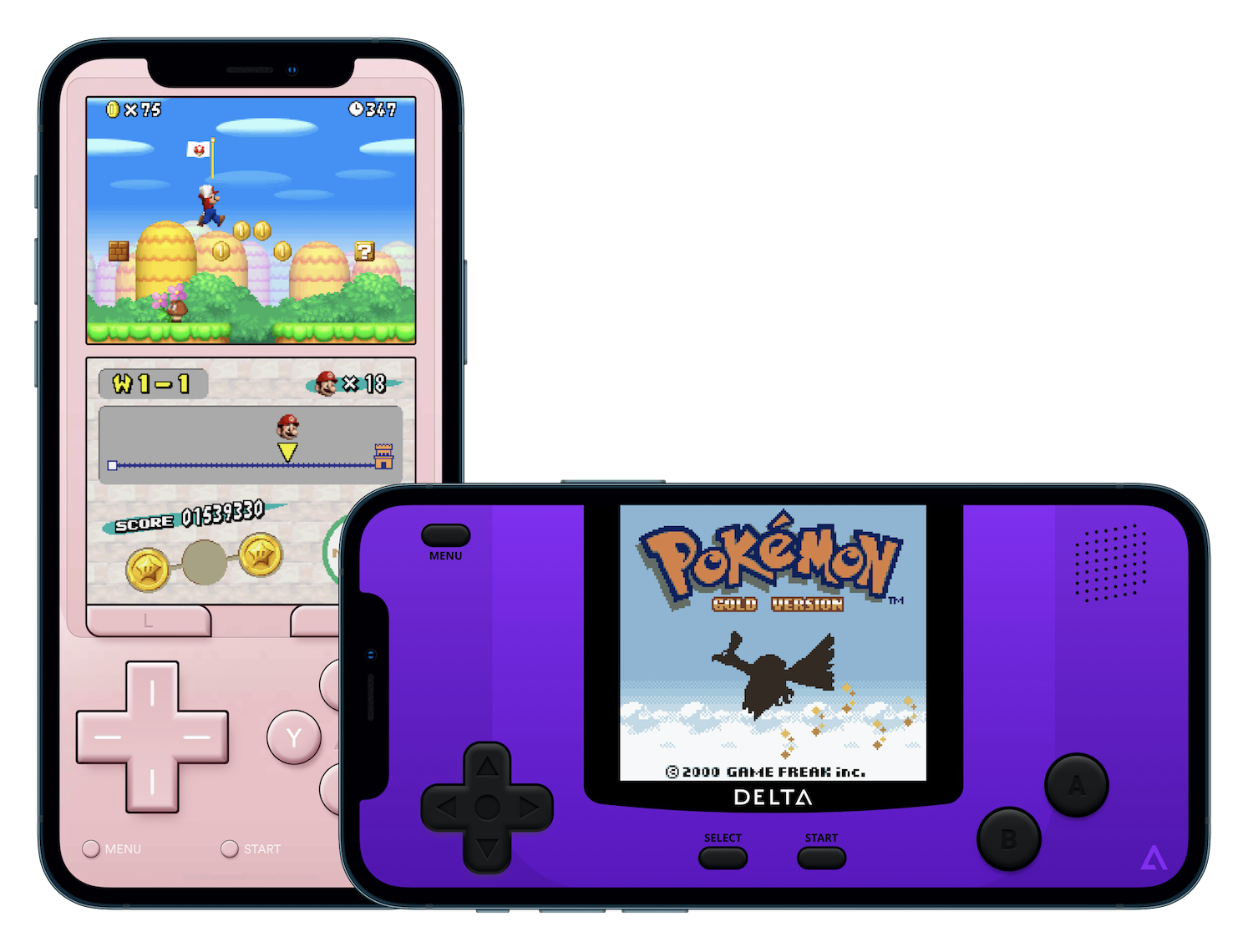
GitHub
Delta is an all-in-one classic video game emulator for non-jailbroken iOS devices. - GitHub - rileytestut/Delta: Delta is an all-in-one classic video game emulator for non-jailbroken iOS devices.
 pulsar plank
Someone can help me pls? TikTok crash after jailbreak my phone
 near furnace
delete it
 jade canyon
it only works with macOS and linux right?
 velvet flax
when the checkmate! message appears, I disconnect my iphone and replug it in and it times out
any ideas
warped horizon
jade canyon
it only works with macOS and linux right?
you can make a usb with palen1x to use on windows
jade canyon
warped horizon
you can make a usb with palen1x to use on windows
how would I go about that?
warped horizon
Flash palen1x on your USB drive
jade canyon
preciate you homie
 vapid shell
Help
vapid shell
vapid shell
Help
I fixed this and my iPad is now jailbroken the problem now is that after waiting 30sec and after the respring there is no palera1n app
I tried creating a shortcut for it but it didn't show in the app search in the shortcuts app
forest laurel
vapid shell
I tried creating a shortcut for it but it didn't show in the app search in the s...
use this link to create a shortcut to the app. It won't show up in search so you have to use the link.
https://www.icloud.com/shortcuts/8cd5f489c8854ee0ab9ee38f2e62f87d
-Open the app, hit install and let it do its thing. (You might not be able to respring yet, that's fine).
-Tap on tools, and scroll down to "openers." Use "Open Sileo."
-Now you're in Sileo. Install the packages it suggests, then install Trollhelper.
-Back to the palera1n app again. This time, open tools, scroll down, and use "Open Trollhelper."
-Use it to install TrollStore.
After you've done this, your apps should appear on the home screen.
vapid shell
Yeah I know all of this but the shortcut shows asks me to choose an app to open no Palera1n
I’ve been jailbroken before and I did all those steps
I’m rejailbreaking because my iPad restarted
Sileo opens
Filza,substitute,cr4shed and TrollStore opens
even zebra does too
I thinks Palera1n app somehow got deleted
So how do I install it again
 earnest wind
i restarted after installing palera1n, and now it wont open, i might seem dumb, which i am, but im asking why this happened
as in, palera1n and its installed things dont open
the phone boots fine
i now realise my mistake
apologies
 proper temple
Trying to jailbrake my iPhone X iOs 16.3 , running cli in my mac, no success, any suggestions what I am doing wrong ?


 silent anchor
How can I get ipa
proper temple
how can I exit recovery mode after palera1n failed
Device is successfully switching to recovery mode.
[] Waiting for device in recovery mode
[] Getting device info...
parse error: Invalid numeric literal at line 2, column 10
- Device: iPhoneX
- iOS: 16.3.1
my device name is just iPhone @tight sinew
 sharp junco
currently have an iPhone 8, ios 15.3 and PaleRa1n failed i guess midway through the install and is forever stuck on the screen saying "IOAccessoryDock9Pin: :getDPDNConfig: tristar: getAccessoryDigitalID: 0xe00002f0
 stable dome
anyone have a list of tweaks that work on palera1n rootless
 vestal dust
Ok so I have iphone 12 iOS 16.3 how do I jailbreak this. Do I have to downgrade iOS ?
warped horizon
vestal dust
Ok so I have iphone 12 iOS 16.3 how do I jailbreak this. Do I have to downgrade ...
cant jailbreak, you can downgrade to 15.6RC but you still cant jailbreak
 misty pecan
I am currently stuck on this on iPhone 8
nothing is happening and it happened before
Maybe because I am on apple silicone
but I got this error
cannot create fakefs over existing one without palerain_option_setup
sharp junco
Cant seem to turn off my device for hours, stuck in the jailbreak part where you run it on the phone after going into DFU mode and stuck now
vapid shell
vapid shell
So how do I install it again
Anyone
 thick lagoon
sharp junco
Cant seem to turn off my device for hours, stuck in the jailbreak part where you...
thick lagoon
sharp junco
Cant seem to turn off my device for hours, stuck in the jailbreak part where you...
i got same problem plz help
usb error: (iokit/common) not ready
 safe sand
hello does it work ios 16.3
I have tried again and again but it didn't work
I chose to create a fake space, but it doesn't do anything
Is there any solution
silent anchor
Lol I got palera1n to 69 server boosts
 sly moss
silent anchor
Lol I got palera1n to 69 server boosts
sly moss
silent anchor
Lol I got palera1n to 69 server boosts
get this server to 100 boost pwzz 🥺
silent anchor
sly moss
get this server to 100 boost pwzz 🥺
I can, only if you or someone turns off the bot that detects raids
Because the bot thinks it’s a join raid
west egret

silent anchor
anyone know why i can follow the guide for palera1n
it doesnt work in terminal
"command git not found"
silent anchor
i installed palera1n on ipad
and there isnt a palera1n app
should i try it agaib
 grand pagoda
I'm having trouble SSH'ing into an iOS 16.3.1 iPhone X that I just jailbroke with palera1n. Sileo says openssh is installed and everything's up to date (Zebra says the same), but my computer can't connect to it over either wifi or usb (via iproxy), it just gets connection refused or connection reset by peer. I tried palera1n > Tools > Do All, and I also tried rebooting and re-lailbreaking the device. I also tried ssh root@localhost in NewTerm 2, and got the same Connection refused.
Any suggestions?
Op, this might be something: executing /usr/sbin/sshd errors with "sshd: no hostkeys available -- exiting" - is there some setup I need to do to generate those keys?
warped horizon
grand pagoda
Op, this might be something: executing `/usr/sbin/sshd` errors with "sshd: no ho...
ssh-keygen -A
then restart sshd
grand pagoda
warped horizon
then restart sshd
It's working now, thank you!
 small flint
silent anchor
and there isnt a palera1n app
small flint
silent anchor
and there isnt a palera1n app
use the palen1x
silent anchor
where is it
 minor sparrow
Hey all, I am currently in the process of jailbreaking my iPhone 6S running iOS 15.4 using palera1n on my M1 MacBook. I have followed the guide up to the point where I enter pongoOS, however it doesn't do anything afterwards. The guide tells me to Ctrl C and rerun the command, however when doing so it just stays stuck on "waiting for devices" unsure what to do. It boots into pongoOS with the following showing: "pongoOS>". Any thoughts on where I went wrong? (EDIT: forgot to include that I am using a lightning to USB A cable)

 warm depot
hey all, is anyone available to help me jailbreak my iPhone X 15.6RC? Palera1n is being a little brat rn and idk what the issue is.
minor sparrow
warm depot
hey all, is anyone available to help me jailbreak my iPhone X 15.6RC? Palera1n i...
I'm not exactly that capable at this but maybe if both of us try to think it will work. What are you getting stuck on?
warm depot
I get to kernel after running "./palera1n -c -f" , and then it tells me to wait 10 minutes for it to copy files to fakefs, then kernel panics and my phone reboots
each time meaning i need to restore my phone
i've restored like 7 times today
minor sparrow
huh... Mine doesn't do anything like that so I'm confused :( hope u can find actual help though! Sorry
warm depot
minor sparrow
huh... Mine doesn't do anything like that so I'm confused :( hope u can find act...
wish i could help with your issue too, but i honestly have no clue:(
minor sparrow
Imma try googling to see if others had ur issue
warm depot
proper temple
Trying to jailbrake my iPhone X iOs 16.3 , running cli in my mac, no success, an...
are you using a USC-C to lightning? if so, that's your issue
you'll need a usbA to usb-c adapter
USB-C really doesnt like DFU idk why
minor sparrow
warm depot
USB-C really doesnt like DFU idk why
Ooh I know why
So for some reason it breaks if it connects, disconnects, connects, disconnects
On USB c it does that
On USB A it doesn't
warm depot
yeah hahaha i had to buy an adapter
but also
USB-C to lightning just doesnt allow dfu
 tepid plover
I have an issue where I successfully jailbreak my iPad 5th Gen and the Palera1n loader does not load
I am using palen1x

And I do have FakeFS installed

 vital marten
No, and never will.
silent anchor
Damn
vital marten
warped horizon
palera1n can never work on A12+ as it uses a hardware exploit that was patched i...
^
silent anchor
I feel dumb asking this
Is this video legit?

#palen1x #palera1njailbreak #ios15jailbreak #ios1573jailbreak
In this video I will show how to Jailbreak iOS 15.7.3 on Windows PC using Palen1x Windows USB which is a bootable USB flash drive which helps you jailbreak iPhone or iPad on supported versions. This full tutorial will help you create and set up Palera1n Windows USB. Linux or MacOS is ...
tepid plover
No it does not
These devices will not work iPad Pro (11-inch, 3rd generation)[36] (2021)
iPad Pro (12.9-inch, 5th generation)[36] (2021)
iPad Air (5th generation) (2022)
tepid plover
Yeah at this point I would recommend to stay on iOS 16.3 and save blob
Meanwhile I am hoping Burhan will update on how to jailbreak iOS 16
warm depot
wait all the tweaks i download crash as soon as i try to open them?
 hushed creek
when rootfull jb doesnt require 10gb free space? i have 32gb 6s and its almost full 😣
thats so annoying
warped horizon
hushed creek
when rootfull jb doesnt require 10gb free space? i have 32gb 6s and its almost f...
you can use bindfs which takes up 2-3gb
 sour wadi
Can I jailbreak my iPhone 6 Plus on iOS 12.5 with palera1n or is there something else I should use?
warped horizon
checkra1n, unc0ver, chimera
sour wadi
thank you
hushed creek
warped horizon
you can use bindfs which takes up 2-3gb
is there any tutorial? I tried that method but didnt work
sly moss
silent anchor
i cant install repos
Show error
sharp junco
If I used palera1n before and successfully got through once and it failed and got stuck in the command part after dfu mode “JBinits DIED” when I use palen1x would I have to restorerootfs before doing this?
west egret
sharp junco
If I used palera1n before and successfully got through once and it failed and go...
probably don't need restore rootfs, use -f and see if it boots fine
sharp junco
Okay thanks
sharp junco
I’m guessing by using palen1x I jus t have to make sure nothing is selected in options and then start it? Just getting the stuff set up to boot
 lucid ore
im trying to run palera1n-c linux-x86 on a iphone 8 15.6RC and everything works fine till it goes out of DFU mode and it says
Timed out waiting for download mode (error code: -status_exploit_timeout_error)
im running with args -c -f
sharp junco
lucid ore
im trying to run palera1n-c linux-x86 on a iphone 8 15.6RC and everything works ...
You using Linux computer or loading an OS on usb? Palen1x worked easily for me surprisingly, I found my issues were what I was using to run pailra1n.
 desert edge
any news on when or if palera1n will ever work with A12+ devices?
 brazen tangle
Is true my passcode and Touch ID won’t work on A11 device if I JB with paler1n on iOS 16
 lyric hamlet
Is there a api that I can download??
west egret
 jovial plume
Is palera1n still a tethered jb for 16gb devices?
jovial plume
Is palera1n still a tethered jb for 16gb devices?
You can use bindfs to get semi-tether and only use up 2-3GB at the cost of some tweak compatibility
west egret
brazen tangle
Is true my passcode and Touch ID won’t work on A11 device if I JB with paler1n o...
True
west egret
desert edge
any news on when or if palera1n will ever work with A12+ devices?
It will never work
jovial plume
west egret
You can use bindfs to get semi-tether and only use up 2-3GB at the cost of some ...
ah so I'll be losing 2-3 gb of my space?
jovial plume
2-3 gb is a lot for 16gb devices 😔
 serene arrow
For those currently on palera1n, how are you coping without SEP stuff like no passcode/no FaceID etc?
 dry grotto
**'Install' in palera1n app gives error Permission Denied to copy the bootstrap file.
iPad 6 (7,5) iOS 16.3 (10,5GB free) with Mac M1 USB-C-A adapter and palera1n-macos-universal.
palera1n -c -f (pulling the USB cable after CheckMate! message and Pongo loads. ~5 min to copy files to fakefs. One message that 'may' be important "Couldn't Alloc class AppleKeyStoreTest" on the iPad during a minute or so)
Boots and all seem OK. No palera1n loader icon (which I think may be normal)
palera1n -f
Now the palera1n icon appears. Open and 'Install'. States Permission Denied to copy the bootstrap file.
panic-full states roots_installed: 0 so I guess it never jailbreaked.
I tried rootful palera1n -cf , palera1n -B -f , and also rootless, as well as palen1x (Linux) with the same tests, but Install in palera1n app always error with Permission Denied.
Between tries I use palera1n --force-revert -f confirming it clean up the space after the fakefs.
(FYI I did do the same on an iPhone 7 (9,3) iOS 15.7.3 and it all worked)
warped horizon
desert edge
any news on when or if palera1n will ever work with A12+ devices?
palera1n will never work on A12+ because it uses a hardware exploit
 stark canopy
@strong ingot Hello, please unban for palera1n Discord Server
 strong ingot
appeal
 round lion
stark canopy
<@574669003755356162> Hello, please unban for palera1n Discord Server
round lion
stark canopy
<@574669003755356162> Hello, please unban for palera1n Discord Server
Dude why you be doing like this
tepid plover
Good news Burhans latest tutorial helped me with my iPad 5th Gen
 dark harbor
iPhone 8, 16.3, latest palera1n suddenly is taking forever to respring. force reboot does not work while it's attempting to respring, and the phone is unusable until the battery dies.
tldr, iphone 8 16.3 respring loop.
 waxen oriole
dark harbor
iPhone 8, 16.3, latest palera1n suddenly is taking forever to respring. ~~force ...
waxen oriole
dark harbor
iPhone 8, 16.3, latest palera1n suddenly is taking forever to respring. ~~force ...
did u install rocketbootstrap with a tweak
if u did, I fixed it by booting palera1n-c into safe mode then uninstalling the tweak and rocketbootstrap
or you could restorerootfs if its not rocketbootstrap
dark harbor
waxen oriole
did u install rocketbootstrap with a tweak
I didn't
lyric hamlet
Is there anyway I can download palera1n without a pc and use a api as my charging port don’t work and have to use apps on the phone
warped horizon
lyric hamlet
Is there anyway I can download palera1n without a pc and use a api as my chargi...
no
unless you have an android device
lyric hamlet
Then I guess my phone will never be JB oh well
 onyx stratus
I can't seem to get the new version to work. Legacy and the Pongo Version
west egret
what happens
onyx stratus
Legacy gives me this: parse error: Invalid numeric literal at line 1, column 10
Pongo boots, but no icon appears or verbose boot.
iPhone 8 Plus 16.4 fresh install
no Password.
west egret
what are your palera1n legacy arguments?
onyx stratus
./palera1n.sh --tweaks 16.4 --semi-tethered
also keeps saying gaster is missing?
but running brew install gaster doesn't bring up anything.
[*] Command ran: ./palera1n.sh --tweaks 16.4 --semi-tethered
palera1n | Version 1.4.2-main-98de23a
Made with ❤ by Nebula, Mineek, Nathan, llsc12, Ploosh, and Nick Chan
[-] gaster not installed. Press any key to install it, or press ctrl + c to cancel
Archive: gaster-Darwin.zip
inflating: gaster
[] Waiting for devices
[] Detected normal mode device
Hello, iPhone10,5 on 16.4!
[] Switching device into recovery mode...
[] Waiting for device in recovery mode
[*] Getting device info...
parse error: Invalid numeric literal at line 1, column 10
west egret
idk then, weird
onyx stratus
The parse error doesn't mean anything?
west egret
idk
 foggy haven
iPhone 8 16.2 was working fine but now today am trying to re jailbreak and it gets to the boot stage and right before it boots the device will restart .. any ideas ?
silent anchor
foggy haven
iPhone 8 16.2 was working fine but now today am trying to re jailbreak and it ge...
did you read the palera1n guide
 foggy haven
This any better ? It’s saying can’t find property rsepfirmware
 silent anchor
foggy haven
This any better ? It’s saying can’t find property rsepfirmware
silent anchor
foggy haven
This any better ? It’s saying can’t find property rsepfirmware
uh, what arguments did you run the palera1n command with
foggy haven
-tweaks , 16.2 -semi-tethered
silent anchor
have you set a passcode before on 16.2
silent anchor
btw could you turn a light on and take a photo of all of the logs on the screen?
foggy haven
Ok
silent anchor
because either that camera is being really weird and creating ghost text because there's no light, or your iphone display is having ghosting/burn-in issues and should probably be replaced
foggy haven
I stopped recording as device reboots
silent anchor
foggy haven
I stopped recording as device reboots
im not sure what the cause is; join the palera1n server
unless you did set a passcode while being on 16.2
oh they fucking removed the tag
@foggy haven join .gg/palera1n
forest laurel
unplug / replug the device, that should get it to be recognized and it should move on.
If it's recognized and it proceeds to "Booting PongoOS" but nothing happens on the device after waiting for a moment, then hard reboot and start over from scratch

 quasi notch
Does it work fine for iOS 16 iPhone X?
 teal crane
it will be buggy
make sure to reset & disable passcode just in case
Additionally, if you have an A11 device on iOS 16, it's also recommended to restore to 15.6 RC due to the aforementioned extra SEP limitations that exist with iOS 16.
i sourced it from their site
 royal yarrow
is supported iPhone 12 on 14.7,1 ???
 hybrid dagger
what do i do? its been on this part for about 20 minutes
 hybrid dagger
i dunno what happened or why cause i ended up typing all the commands and then palera1n -cf and now i am in the kernal phase
how long does booting kernal last for?
sharp junco
Pretty sure if you don’t press control + C the command thing won’t pop up, the one you seen before you put in for example on Linux “sudo palera1n -B -f” or whatever there will be a highlighted text before the “sudo “ part
hybrid dagger
I dont know whats happening. it says waiting for devices
like its restarting again

Should I start all over?
hybrid dagger
ive restarted twice now and it doesnt progress any further than booting kernel
if im at the booting kernal portion and press control c it starts all over
 languid holly
which palera1n you using
hybrid dagger
what do you mean? universal or 2.0 beta 4
languid holly
try using c
hybrid dagger
control c or just c
c didnt do anything. just say command not found. if i do control c itll start the whole thing over
hybrid dagger
yes
i did palera1n -c and it says to use -f
doing that restarted the iphone but no apps were loaded on
hybrid dagger
i got an app loaded. palera1n. i am following the online instructions now
alright i got both palera1n and sileo nightly. do i need to do -f again?
languid holly
no
languid holly
cydia still there
just isnt supported anymore
i was trying to jb my phone for pogo but it doesnt work with palera1n
languid holly
what app you tried....
hybrid dagger
the stock pogo app
hybrid dagger
oh. it loaded now
sharp junco
Anyone know any good repos for Sileo? I jailbroke my iPhone iOS 15.3 yesterday, using some apps to inject cheats into games but wanted to dive in more.
languid holly
hybrid dagger
oh. it loaded now
your saying your pogo loaded up?
hybrid dagger
yea but it has a pop up now saying the version isnt supported
languid holly
how you get it to no instant crash
languid holly
lol... i been trying for hours and you say yours stays open on palera1n
checkra1n works for my other phone but not palera1n
even on pogo website it says it only works on unc0ver and checkra1n so i dont believe you lol
hybrid dagger
idgaf what you believe
languid holly
because you first said it instant crash but when i said its because jb you say it loaded now lol
for a guy who was asking a shitload of questions...
hybrid dagger
then you go tap it over and over until it loads
languid holly
show proof lol
 languid holly
dont think your using app from app store
 hybrid dagger
apparently i cant downgrade to ios 14 so i cant do that anyways
so im chucking this phone back into the drawer i found it in
mighty gull
guys, why when i use linux on a live root it doesnt save the files?
like every time i need to reinstall palera1n files
silent anchor
my iphone se is on the restore page and i can't remember its iOS version in order to use the ./palera1n.sh command on it; how can i go on about it?
and it always fails with an error log, so i assume it's something wit htaht
 autumn egret
languid holly
autumn egret
languid holly
this only works because of vnodebypass 
 frosty vector
Will palera1n work in Ubuntu WSL2 on windows?
 candid stream
 drowsy spade
- [02/18/23 18:52:37] <Info>: Waiting for DFU mode devices
- [02/18/23 18:52:37] <Error>: Unable to open device: e00002c5 (error code: -status_open_device_error)
]
warped horizon
frosty vector
Will palera1n work in Ubuntu WSL2 on windows?
no
drowsy spade
drowsy spade
- [02/18/23 18:52:37] <Info>: Waiting for DFU mode devices
- [02/18/23 18:52:37...
any1^^?
tepid plover
Good Morning everyone it’s 11am in NYC and a heads up for Palera1x update to 1.0.7 as it does fix some bugs
tepid plover
silent anchor
One message removed from a suspended account.
One message removed from a suspended account.
warped horizon
silent anchor
One message removed from a suspended account.
palera1n will never work on A12+
west egret
silent anchor
One message removed from a suspended account.
whatever you saw is a scam
tepid plover
It’s best to stay on iOS 16.3 while still signed as their is a bug that allows jailbreaking
But the developers are waiting for the firmware to be unsigned
solemn verge
what
solemn verge
tepid plover
But the developers are waiting for the firmware to be unsigned
what is your source for this, because I can tell you right now:
- this will still not solve A12+ (they need a PAC Bypass and PPL Bypass)
- there is no guarantee the bug will release anyways (or that it's useful for jailbreaking in the first place)
- 15.6 RC is better anyways
warped horizon
tepid plover
But the developers are waiting for the firmware to be unsigned
thats not how this works at all
 copper rapids
What is palera1n
summer silo
a jailbreak
copper rapids
Is it an ios app or a computer tool?
solemn verge
it's something you run on your computer, yes
copper rapids
Oh
 topaz cargo
hi anyone have any ideas why when running palera1n when i plug my phone in, i get a warning saying "Ignoring non-arm64 device"?
 tepid plover
Try hitting Control C
 crystal void
that's gonna stop the damn program
tepid plover
I had that problem on my iPad 5th Gen but it worked when I used Palera1x
silent anchor
crystal void
it’s been hanging here for a few minutes
is it stuck?
why did you repost, and also I already replied to you with an answer after you ghost pinged me
crystal void
sorry
warped horizon
crystal void
but the ipad is already in pongoos
a9 devices have to run it twice
thats why it worked on the other person’a ipad
palen1x automatically does it
crystal void
warped horizon
a9 devices have to run it twice
welp, so do A8X devices apparently
thanks for the insight!
 rare spear
proper temple
rare spear
proper temple
I am always getting this Invalid numeric literal at line 2, column 10 when running ./palera1n.sh --tweaks 15.6 --semi-tethered
iPhone: X
iOS: 15.6
crystal void
Why is Sileo doing this? It’s not seeing any tweaks in the repos even after refreshing
 solemn verge
crystal void
Why is Sileo doing this? It’s not seeing any tweaks in the repos even after refr...
solemn verge
crystal void
Why is Sileo doing this? It’s not seeing any tweaks in the repos even after refr...
did you happen to use rootless palera1n on accident
solemn verge
proper temple
I am always getting this ` Invalid numeric literal at line 2, column 10` when ru...
could try using palera1n-c instead
crystal void
I used palerain-c though
and newterm is working
did I miss an argument when running palerain?
solemn verge
…what command did you run
crystal void
stuck palerain-c in my binaries folder, made it executable, and just ran it
no extra arguments
solemn verge
yeah that’ll do rootless palera1n
crystal void
crap
solemn verge
to rejailbreak a fakefs setup you need to do palera1n -f
solemn verge
crystal void
crap
you probably should be fine to just reboot and rejailbreak with palera1n -f
worst case scenario just do palera1n —force-revert
warped horizon
installing normal sileo works too
oh wait i just saw you ran it with no arguments
nvm
crystal void
this is what happens when you're a lazyass and don't read man pages or whatever palerain has
crystal void
solemn verge
to rejailbreak a fakefs setup you need to do palera1n -f
that does apply to palerain-c, corrent?
solemn verge
yes
crystal void
aight my iPad says booting, it's taking a while
solemn verge
legacy palera1n (palera1n.sh) uses an entirely different argument/command scheme
crystal void
that normal?
solemn verge
crystal void
aight my iPad says booting, it's taking a while
what iPad is this by chance
solemn verge
control+c and rerun palera1n -f
don’t touch the device, just do that on your computer you’re using
crystal void

I already have.. you want me to do it again a third time?

iPad still says booting
feels like it's taking too long
did I mess up by running rootless first?
proper temple
I just git cloned palera1n and want to jailbrake my iPhone X with iOS15.6
allways getting parse error: Invalid numeric literal at line 2, column 10
crystal void
what OS
also are you using palera1n-c?
@solemn verge it rebooted into an unjailbroken state
solemn verge
proper temple
I just git cloned palera1n and want to jailbrake my iPhone X with iOS15.6
allwa...
here, follow https://ios.cfw.guide/installing-palera1n
Guide to installing palera1n
velvet flax
i'm stuck on this text black and white screen, and i have waited 10-15 minutes for the fakefs. am i supposed to wait longer?
crystal void
running palerain -f again yielded the same result
 solemn verge
 plucky bobcat
please read what tab you clicked on
plucky bobcat
clicked on the linux sir
solemn verge
last I checked Windows isn’t Linux
solemn verge
A complete iOS modding guide, from stock to jailbroken.
plucky bobcat
solemn verge
last I checked Windows isn’t Linux
thank you i learned from this
crystal void
plucky bobcat
thank you i learned from this
the real answer is much deeper than that
you can run WSL so windows can be linux 🤔
solemn verge
crystal void
you can run WSL so windows *can* be linux 🤔
WSL doesn’t work
onyx stratus
proper temple
I just git cloned palera1n and want to jailbrake my iPhone X with iOS15.6
allwa...
same here
about to try wiping fresh.
iOS 16.4
crystal void
@solemn verge I've run --force-revert and now -f again, still hangs on Booting
afterwards it reboots into a non jailbroken state
solemn verge
onyx stratus
iOS 16.4
16.4b1 does not work with either palera1n version
crystal void
am I dumb? am I doing something obvious wrong?
sharp junco
There any good repos for 15.3 palera1!n? I’ve tried to get Checkl0ck but download fails.
proper temple
cant enter DFU mode again and again , runnig 15.6 on iphonex
runnig ./palera1n-macos-universal -c -f
I have used ./gaster pwn and restored 15.6 RC , my inital version was 16.3.1
solemn verge
onyx stratus
Readme said updated for 16.4
the fixes weren’t enough
 proper quarry
crystal void
proper quarry
crystal void
Garuda, you have good taste
 uneven thistle
Does anybody know where I can find out how to install palera1n jailbreak on a windows pc?
warped horizon
uneven thistle
Does anybody know where I can find out how to install palera1n jailbreak on a wi...
palen1x
uneven thistle
warped horizon
palen1x
I assume I use the i686 version of palen1x since I’m on intel?
warped horizon
no
i868 is for 32 bit cpus
amd64 is for 64bit
its just called that because amd invented 64 bit
uneven thistle
Oh lol the amd threw me off
Thank you
Any suggestions on which version of palera1n I should download? iPad mini 4 on 15.7.2
solemn verge
uneven thistle
Any suggestions on which version of palera1n I should download? iPad mini 4 on 1...
how much storage do you have free (and what capacity even is your Mini 4)
(actually are you asking about between fakefs and bindfs or?)
uneven thistle
solemn verge
how much storage do you have free (and what capacity even is your Mini 4)
It is a 32gb and I just reset so it’s fresh. And I meant which actual download. It’s showing 2.0 beta 2 beta 3 and beta 4
onyx stratus
What is this checkPlnVoltage??
solemn verge
well you obviously want the newest release
uneven thistle
solemn verge
well you obviously want the newest release
Lol ok I didn’t know if there were any bugs with it that people had issues with or not. Thanks again
onyx stratus
iOS 16.3.1 won't jailbreak either
uneven thistle
Get this error when attempting to reboot into palen1x. Formatted flash drive using Vetnoy and moved the palen1x iso file to flash drive. Reboot and get this error

*ventoy
warped horizon
turn off secure boot
solemn verge
onyx stratus
iOS 16.3.1 won't jailbreak either
what’s the issue you’re getting
uneven thistle
warped horizon
turn off secure boot
Thank you
Ok I know everyone is tired of me by now but should I do rootful or rootless? I don’t know what the difference is
solemn verge
uneven thistle
Ok I know everyone is tired of me by now but should I do rootful or rootless? I ...
look unless you’re a dev, you’re better off using rootful at this time
uneven thistle
solemn verge
look unless you’re a dev, you’re better off using rootful at this time
Perfect thank you. This isn’t like the jail breaking I did in the past. This crap is in depth lol. I kinda miss the easier days haha
 uneven rover
uneven thistle
uneven rover
uneven thistle
Ok so got everything working. Watched a couple videos. Got palera1n to run using palen1x no problem. Videos said first time using it select fakeffs then when it finishes restart the process with fakeffs off. Got hung up at the pongoos loading because my iPad is an A8 chip hit ctrl c and typed exit, then hit start again. It finished the install and restarted but no palera1n installed. Any idea what I’m doing wrong? Argument s the second install are -f -v
onyx stratus
@solemn verge goes toverbose boot, and I was getting a strange power error.
@solemn verge AppleCBL1612:checkPinVoltage
sharp junco
Managed to get Checkl0ck installed but where is it? I refreshed apps and checked settings
sharp junco
Found it sorry
silent anchor
E
 faint rampart
anyone know what to do if palera1n is stuck on download mode device found
 plush vector
I tried to jailbreak my iPhone X through palen1x and it showed some issue about timing out and now the phone isn’t showing any display and won’t register on my computer
this is so awesome
can anyone help me
west egret
plush vector
I tried to jailbreak my iPhone X through palen1x and it showed some issue about ...
try palera1n discord server
 torpid sedge
is it possible to use boot logos on palera1n?
west egret
torpid sedge
is it possible to use boot logos on palera1n?
if you recompile palera1n-c and use my really shitty modification to fb.c then maybe
 torpid sedge
west egret
if you recompile palera1n-c and use my really shitty modification to fb.c then m...
torpid sedge
west egret
if you recompile palera1n-c and use my really shitty modification to fb.c then m...
I do not have that expertise
west egret
try cloning the repository and then ./download_deps.sh and then make
if that doesn't work then cry
 spice trail
Hi does anyone know how to fix my iphone 8 ios 16.3.1 jailbroken by paler1n stuck in safe mode ?

 west egret
 prisma isle
Which one does mac download?
prisma isle
Which one does mac download?
palera1n-macos-universal
 thin jasper
hello guys, can anyone help me install palera1n? when installed on my ipad (7th ios 16.2) everything goes well, but palera1n does not appear on the work screen, only in commands and works badly, who can help? installed from ISO image (windows)
spice trail
Hi I just removed palera1n from my iphone 8 iOS 16.3.1 and wanted to install it back again but when I try installing it didn't work . It took around 30 second and said "done" but i reboot my device there was no palera1n on the screen. Does anyone know how to solve this ?
prisma isle
@west egret How to run it?
summer silo
Is there any way at all to get this to work on windows?
crystal void
west egret
if you recompile palera1n-c and use my really shitty modification to fb.c then m...
sorry to bother you my iPad Air 2 hangs on Booting after running palerain -c
any idea how to fix this? I had previously run palerain without any arguments by mistake, followed by palerain --force-revert.
since it is an A8X I am having to run palerain twice cause otherwise it gets stuck in PongoOS.
frosty vector
What should I do before jailbreaking iPhone 7+ on iOS 15.7? There is no information on cfw.guide, but on the palerain github, it says to disable passcode
 coral obsidian
does anyone have problems with emojiport?
coral obsidian
frosty vector
What should I do before jailbreaking iPhone 7+ on iOS 15.7? There is no informat...
use palera1n-c you wont need to disable passcode

 plucky bobcat
dont got a cd or dvd
crystal void
 nova obsidian
maybe you can use your phone like a usb drive just search on google
nova obsidian
maybe you can use your phone like a usb drive just search on google
no don't
you're telling this man to reformat his phone into a bootable medium
even if he manages that it's not gonna end well for the android OS
just go get a USB drive in goodwill or something, smaller ones are legit getting thrown out
 sick wing
palera work on windows ?
 tawdry orchid
crystal void
just go get a USB drive in goodwill or something, smaller ones are legit gettin...
tawdry orchid
crystal void
just go get a USB drive in goodwill or something, smaller ones are legit gettin...
isn’t micro center just giving them for free
 brave current
Can passcode be turned on again after jailbreaking with palera1n?
 heady girder
anyone facing issue where downloading unsupported tweaks will force you to restart your device and not take you into safe mode?
proper temple
wanto to force revert on my iPhone X, iOS 15.6 , but getting this error

Also I could not see the palera1n loader after doing ./palera1n-macos-universal -c -f
what you are trying to achiever ?
I am trying to jailbrake my iPhoneX, same situation 🙂
I could manage to jailbrake with ./palera1n-macos-universal -c -f but then I cant see loader app
 rancid flint
Will work on iPad 5. gen iOS 16.3.1?
solemn verge
yes
rancid flint
Here is the end.


 orchid oracle
im trying to jailbreak my iphone X on ios 15.2 with palen1x, but i been getting this error with something like "heuristic strategy failed". anyone know how to fix this? passcode is also disabled
solemn verge
rancid flint
Here is the end.
control+c and then rerun the command you just ran
crystal void
tawdry orchid
isn’t micro center just giving them for free
I dunno, I don't have micro centers where I live. I have a drawer full of them tho, how do you live without somehow receiving tons of USB's I'll never understand
west egret
prisma isle
<@190642477747666944> How to run it?
follow the guide https://ios.cfw.guide/installing-palera1n/
Guide to installing palera1n
west egret
crystal void
sorry to bother you my iPad Air 2 hangs on **Booting** after running palerain -c...
Arguments should be -c -f first time, -f only after that
crystal void
west egret
Arguments should be `-c -f` first time, `-f` only after that
I just used regular palerain isntead of palerain-c
worked perfectly
west egret
alr
proper temple
I did jailbreak with palerain, and installed sileo, but cant ssh into my device
alpine is not the default password
proper temple
orchid oracle
im trying to jailbreak my iphone X on ios 15.2 with palen1x, but i been getting ...
on my mac I jailbraked with
./palera1n-macos-universal -l
orchid oracle
proper temple
on my mac I jailbraked with
`./palera1n-macos-universal -l`
yeah but i have a windows system so i just installed palen1x on a USB drive and boot right into it to jailbreak, but apparently it dont work for me
stable dome
with the device still plugged in, hold control and press c on the computer, type exit, and click start
With a9 devices (iphone se 1), it needs you to back out of the computer program and click start again
 mortal socket
Hi. i have a problem with palera1n loader. the application does not want to download and the jailbreak installed successfully. does anyone know how to fix it?
west egret
https://ios.cfw.guide/using-odysseyn1x/ - Odysseyn1x (iOS 14- arm64)
https://ios.cfw.guide/using-palen1x/ - Palen1x (iOS 15+ arm64)
A complete iOS modding guide, from stock to jailbroken.
A complete iOS modding guide, from stock to jailbroken.
 sweet igloo
can i jail break my main device or is that to risky
sharp junco
Running palera1n on iOS 15.3, some of my apps crash that used to work before the jailbreak. Like some games and TikTok did as well
strong ingot
[[tiktok god]] will fix tiktok
 stiff treeBOT
TikTok God
The best tweak for TikTok app. The best tweak for TikTok app.
 Powered by Canister
·
west egret
stiff tree
Powered by Canister
·
west egret
stiff tree
ios 14 
west egret
sharp junco
Running palera1n on iOS 15.3, some of my apps crash that used to work before the...
These apps are most likely detecting the jailbreak and refuse to work, try /bypass in #bot-commands to look up each individual app and look for a known bypass. If the app doesn't appear in search, you can try some bypasses yourself with this guide https://hekatos.github.io/tools/
We got everything - from knives to nuclear warheads
sharp junco
west egret
These apps are most likely detecting the jailbreak and refuse to work, try `/byp...
Thank you very much 🙏🏻
sharp junco
My “Files” app does not have my “on my phone” folder, any fix?
Palera1n is also not showing up, but the Sileo is there and working
 jolly arch
For my se 2016 ,should I use Legacy or Beta
 pearl falcon
hi, i have a problem with jailbreaking my 8plus using palen1x
verbose on the phone is stuck on booting and i need to force restart for it to boot
any fixes?
nova obsidian
crystal void
you're telling this man to reformat his phone into a bootable medium
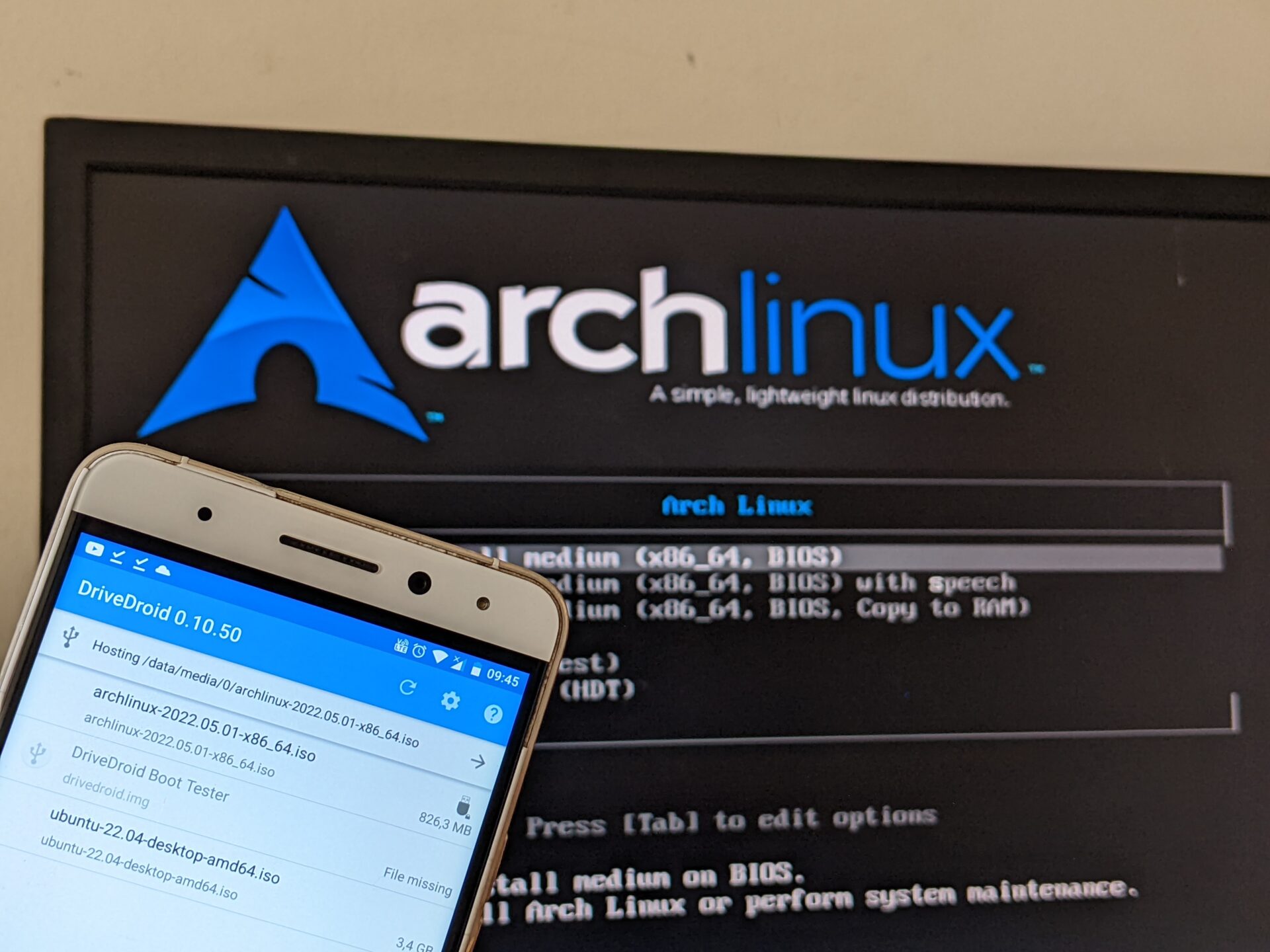
How to turn Android phone into a bootable USB drive? It may sound a little weird, but it's possible! Sometimes you want to do a clean install of Windows on
???
crystal void
nova obsidian
https://xiaomiui.net/turn-android-phone-into-a-bootable-usb-drive-26876/amp/
what the actual F
solemn verge
!t jbtypes @silent anchor
stiff treeBOT
solemn verge
!t jbtypes <@456226577798135808>
jbtypes
Types of jailbreaks:
Tethered
The device must be booted using a computer every time, otherwise it won't boot at all. This type of jailbreak is uncommon. (e.g.: redsn0w, 4039, palera1n)
Semi-tethered
The device must be jailbroken using a computer every time it's rebooted, otherwise it will boot in unjailbroken state. (e.g.: checkra1n, palera1n)
Semi-untethered
The device must be jailbroken using an app every time it's rebooted, otherwise it will boot in unjailbroken state. A computer is usually used for the initial installation, but it's not strictly necessary. (e.g.: unc0ver, Odyssey, Taurine)
Untethered
The device will stay jailbroken after a reboot, no additional action is required. This type of jailbreak is uncommon. (e.g.: Pangu9, Fugu14)
Added by nyuszika7h#0001 | Used 513 times
·
 void dune
Anyone else having problem with palera1n not installing he app?
 halcyon prawn
Hello, I’ve tried to jailbreak my iPhone X running on iOS 16.3.1 using palen1x, the palera1n jailbreak. First of all I created fakeFS, everything went according to plan and when I try to jailbreak, it stays stuck on “booting”. Any help?
crystal void
halcyon prawn
Hello, I’ve tried to jailbreak my iPhone X running on iOS 16.3.1 using palen1x, ...
same thing happened to me, apparently you have to run palerain -c -f the first time or something
what I did is I ran the regular shell version of palera1n instead of palera1n-c and that fixed the issue
halcyon prawn
crystal void
same thing happened to me, apparently you have to run palerain -c -f the first t...
Alr ty I’ll dm you cause I ain’t sure how to use the shell
crystal void
I don't know whether or not palenix has the reggo version of palera1n included
I never used the tool since I run linux on my desktop anyway
halcyon prawn
@crystal void check dms
 weary marsh
who can tell me when will we be able to jailbreak the iphone a12 which have the ios 16 update
 coarse raven
getting this error in palera1n: Timed out waiting for download mode (error code: -status_exploit_timeout_error)
Any way to change the timeout?
warped horizon
weary marsh
who can tell me when will we be able to jailbreak the iphone a12 which have the ...
we dont know
nobody does
 potent tinsel
If I were to install palerain, would I have to jailbreak my iphone 11 again if I put it into sleep mode?
Or does it only need to be done when I restart it?
sharp junco
Restart it I believe
Be careful though as I used palen1x to jailbreak, all went well, but 4 days into the jailbreak use and now my “Files” app is not working proper. “On my phone” went missing and just waiting to get home to be able to take off the jailbreak and redo it
silent anchor
Can I Jailbreak My Phone With Windows Palera1n
sharp junco
Yup go to the palera1n GitHub, and click on the original thread and scroll down to palen1x thread and follow instructions. You need a USB to run palen1x but it is fairly straightforward unless you want to use a different “Linux” OS to boot on your pc, but that requires more inputting of commands and running the terminal. But still not that hard
Or just google “palen1x” and it’s GitHub will pop up too
silent anchor
Thanks So Much
sharp junco
No problem just be sure to backup first before attempting
silent anchor
Before I Tried With Linux Terminal It Didn’t Worked
Mine Is Iphone 7 I Think It Was A11
solemn verge
potent tinsel
Or does it only need to be done when I restart it?
palera1n doesn't support the iPhone 11
solemn verge
 restive void
Could anyone link me a video on how to install the new version
restive void
Could anyone link me a video on how to install the new version
!t yt videos generally aren't good whatsoever, but here's an up to date guide on the matter - https://ios.cfw.guide/installing-palera1n
Guide to installing palera1n
stiff treeBOT
Hey @restive void, have a look at this!
yt
YouTube is typically a very poor source of information and should be avoided. Many jailbreak YouTubers promote piracy, outdated tweaks, or just flat out fake jailbreaks. Reliable sources: iOS Guide, r/jailbreak Wiki, Apple Database and The iPhone Wiki.
Added by toilet cat#8018 | Used 1,848 times
·
potent tinsel
solemn verge
palera1n doesn't support the iPhone 11
Oh, so what does the guide mean when it says that it supports A11 devices?
restive void
potent tinsel
Oh, so what does the guide mean when it says that it supports A11 devices?
iPhones with the A11 chip
restive void
solemn verge
!t yt videos generally aren't good whatsoever, but here's an up to date guide on...
Tnxs
solemn verge
potent tinsel
Oh, so what does the guide mean when it says that it supports A11 devices?
A11 or earlier devices
for reference, devices that shipped with the A11 SoC were the iPhone 8(+) and iPhone X
potent tinsel
Ah that's unfortunate, thank you for the information
 balmy lantern
hey im trying to jailbreak with the new guide and everytime it starts running i get the same error message "cannot create fakefs over existing one without palerain_option_setup" how do i fix this? regular paler1n iphone X 15.3.1
solemn verge
balmy lantern
hey im trying to jailbreak with the new guide and everytime it starts running i ...
have you already setup a fakefs? If so, just use palera1n -f
sharp junco
My files app isn’t working proper. The “on my phone” part is gone. I used palen1x to jailbreak, well@originally the command “sudo palera1n -B -f”
And it installed. Used palen1x to boot the device. How would I fix the Files app? Or just fully get rid of palera1n and reinstall?
solemn verge
sharp junco
My files app isn’t working proper. The “on my phone” part is gone. I used palen1...
using a bindfs results in a broken Files app
sharp junco
So when I remove palera1n, when reinstalling is there a way to avoid that?
solemn verge
sharp junco
So when I remove palera1n, when reinstalling is there a way to avoid that?
the only way to not have a broken Files app is if you use a fakefs
sharp junco
solemn verge
the only way to not have a broken Files app is if you use a fakefs
Oh okay well I used palen1x but when I originally booted the jailbreak I used the Linux commands “-B -f” and said fakefs was created” and got stuck in a loop by accidentally retyping same command. Then I got out the loop and used palen1x to@just boot the jailbreak. Files worked fine until 4 days into using palera1n
balmy lantern
solemn verge
have you already setup a fakefs? If so, just use palera1n -f
I don’t think so? I’m not really sure as the old method was different and I don’t remember anything about making that. All I know was clean boot loader & rootfs when you wanted to start over.
balmy lantern
Either way, simply running palera1n -f made it boot. The app gave me the option to reinstall bootstrap, but also recommended not to. So I just hit activate tweaks and Do it All.
No idea about the bindfs/fakefs
 dusky glen
Anybody know anything about tweak compatibility? Having issues with one tweak I wanted specifically, tetherme. It seems to run fine, apply all changes etc. the only issue is, I can’t access the preference bundle in the settings app to log in/activate it. It just crashes the settings app
sharp junco
How can I set my iPhone 8, ios15.3 to a palera1n fakefs with palen1x? Just trying to search it all right now but having a bit of time understanding
 soft sorrel
Having trouble jailbreaking 16.3.1
 soft sorrel
tried to downgrade ios to 15.6 as well and i got error code 1677
crystal void

Any ideas?
can someone post the default repos?
do I have to restore rootfs?
if so, how?
west egret
silent anchor
(Iphone 8 16.3.1)
You can;t
coarse raven
Getting unable to fetch some archives. Try with —fix-missing. But ssh not working unable to install any tweaks
 blazing storm
Can anyone help? So I have a problem where palera1n isn’t showing on iphone so It was showing before but then I went on TrollStore accidentally clicked rebuild icon cache so the application was no longer there so I restarted my device jailbroken again and it’s still not showing
near furnace
blazing storm
Can anyone help? So I have a problem where palera1n isn’t showing on iphone so I...
Use a shortcut to open the app, I think this will fix if it’s just the rebuild icon cache issue
 ruby agate
solemn verge
using a bindfs results in a broken Files app
ruby agate
solemn verge
using a bindfs results in a broken Files app
Yeah, idk why but im using bindfs now
After 5 times retry, it’s just disappeared
nova obsidian
crystal void
are you using rootless?
sharp junco
When I reboot my phone into jailbreak mode with pc, semitethered btw, anything specific I should do like on the palera1n app specifically?
crystal void
nova obsidian
are you using rootless?
no
coarse raven
Is there a nobetaalert for ios 15?
silent anchor
west egret
You can;t
wasnt there this tweak for ios 14.8 called fakelock or something
it just fakes a passcode but restarting removes it
am i tripping


 topaz cargo
Does anyone know how I would jailbreak my iPhone SE 2020? I was trying to do it following the guide, but I realised that my phone is actually using the arm64e architecture rather than just arm64 which is needed to jailbreak using palera1n
silent anchor
topaz cargo
Does anyone know how I would jailbreak my iPhone SE 2020? I was trying to do it ...
What iOS version
topaz cargo
silent anchor
What iOS version
15.6
silent anchor
topaz cargo
15.6
Are you on windows
topaz cargo
silent anchor
Are you on windows
I have all OS's but yeah I do
silent anchor
Do you have usb flash drive
topaz cargo
Yup
silent anchor
Can you call me on discord
topaz cargo
silent anchor
Can you call me on discord
I can in 15 minuets or so
silent anchor
topaz cargo
I can in 15 minuets or so
Okay look I’ll send you a message in discord to add me then on 15 mins call me
topaz cargo
silent anchor
Okay look I’ll send you a message in discord to add me then on 15 mins call me
Sounds good thank you
sharp junco
silent anchor
it just fakes a passcode but restarting removes it
I use Checkl0ck. Yeah if semitethered, you can reboot the phone in stock mode and bypass the whole password thing. But apparently there is a repo with a tweak to install where the power button won’t shut off the phone while in sleep mode or the part where you input your passcode or Touch ID. Just give it a search in Sileo or whatever you are using
I personally don’t tell anyone my phones semitethered, just in case by some chance they know the bypass and just reboots phone
silent anchor
its rlly unlikely someone random you meet is into jb
schmol apple exploit community
 quick ocean
What does semi threthered mean
 sacred python
Hey, how stable is palera1n? Does it crash often?
coarse raven
Rejb with palera1n -f. Device is stuck on verbose boot. I force rebooted and retried. Same results. Tips to solve?
 runic hull
I made jailbreak from palera1n it worked normally but now, whenever i connect my phone to my PC it goes to Recovery Mode, and when i try to do the verbose step again it doesn’t work, any one knows why this happens?
coarse raven
what battery percentage tweak to use with palera1n? I used half before, it's not working now
 pastel crater
I Just created the fakefs but when i load it with -f the palera1n loader does not appear after rebooting
 grave lynx
Using linux, getting a no such file directory error when entering mv ./pailra1n-linux
 cerulean slate
Mv requires two paths
pastel crater
pastel crater
I Just created the fakefs but when i load it with -f the palera1n loader does no...
Nvm fixed
dry grotto
Anyone know how to solve this? On a Mac used palera1n -c -f and and then
palera1n -f
It looks ok, until this error message. Tried palen1x as well with same result.

Bootup seems ok after the palera1n -f
 runic hull
should i uninstall and reinstall the jailbreak? when a tweaks needs to respring my phone goes on a infinite turning off loop
nova obsidian
runic hull
should i uninstall and reinstall the jailbreak? when a tweaks needs to respring ...
you need to rejailbreak with safe mod command
frosty vector
hey, when i run "sudo usbmuxd -f -p" I get invalid option 'p'
im on ubuntu 20.04, usbmuxd ver 1.1.1
west egret
silent anchor
its rlly unlikely someone random you meet is into jb
You're right that tweaks exist but I usually don't bring it up because hypothetically if someone does stealing the phone, even if they don't know about jailbreaking, rebooting the phone is something they'll probably do at some point
 ember blade
sacred python
Hey, how stable is palera1n? Does it crash often?
ember blade
sacred python
Hey, how stable is palera1n? Does it crash often?
Palera1n-c is pretty stable
summer silo
if I jailbreak on 15.6 rc with palera1n I can update to 16.3.1 then right? Do I need to completely restore my phone to keep iOS 16 or can I just do that?
I should really stop asking questions and just do it but I’m a master procrastinator
west egret
summer silo
if I jailbreak on 15.6 rc with palera1n I can update to 16.3.1 then right? Do I ...
It's true of all jailbreaks that you should fully uninstall the jailbreak before updating. If you update to 16.3.1, it's still possible to jailbreak with palera1n, but it is recommended to delayOTA to 16.1.2 instead so that your tweak injection is not broken. Also, you will be bound by the additional SEP restrictions, so an iTunes restore may be required (I'm not sure if SEP tracks whether you had a passcode before updating to iOS 16)
If you're following the delayOTA instructions it says when to jailbreak and when to restore rootFS
summer silo
I am sorry, but what is delayOTA
west egret
Guide on updating to unsigned firmwares without any blobs using Dallas profiles.
DelayOTA is a way to update OTA to unsigned iOS versions up to 90 days after they were unsigned
summer silo
thank you :)
frosty vector
Why after installing an incompatible tweak I have a gray screen and can't do anything, instead of safe mode? ios 15.7
silent anchor
hey i have a question i want to jailbreak my old phone it is an iphone 6s 32gb on ios 15.5 and now nothing happens when the logo appears on the disk icon
on my linux pc it has done 6 progress bars

 south hamlet
Hello! iPhone 6s 32gb, been like this for little over 5 minutes, and it always stops around "Port-Lighting:", any help would be appreciated 👍
Thanks
 west egret
south hamlet
Hello! iPhone 6s 32gb, been like this for little over 5 minutes, and it always s...
west egret
south hamlet
Hello! iPhone 6s 32gb, been like this for little over 5 minutes, and it always s...
Post top half of the screen too
south hamlet
Maybe this one's gonna be more readable
 west egret
I don't see anything suspicious, try force restart and jailbreak again
is this palera1n legacy or palera1n-c? and which commands did you run?
west egret
did you already run palera1n -c -f or palera1n -B -f before?

 wet spear
halcyon prawn
Hello, I’ve tried to jailbreak my iPhone X running on iOS 16.3.1 using palen1x, ...
wet spear
halcyon prawn
Hello, I’ve tried to jailbreak my iPhone X running on iOS 16.3.1 using palen1x, ...
Same here. Did you get it solved? I've now reset the device to clear the passcode information, as the page on github mentions.
west egret
south hamlet
And i ran "palera1n -f"
If this time you're only doing -f then it's strange that it's booting in verbose
south hamlet
west egret
If this time you're only doing -f then it's strange that it's booting in verbose
Nono I'm stupid it's -B -f not only -f
west egret
so you did -B -f twice or only once?
south hamlet
Twice
west egret
Force reboot and do -f only
stiff treeBOT
reboot
iPhone 8 or newer (including all notched devices, iPhone SE 2020 and newer):
- Press volume up
- Press volume down
- Press and hold the side button for 10-20 seconds until the Apple logo appears
iPhone 7:
- Press and hold the volume down and power buttons for 10-20 seconds until the Apple logo appears
iPhone 6S/SE 2016/iPad 8th or older:
- Press and hold the home and power buttons for 10-20 seconds until the Apple logo appears
Added by JTV#5846 | Used 1,214 times
·
halcyon prawn
wet spear
Same here. Did you get it solved? I've now reset the device to clear the passcod...
you can try downgrading to ios 15.6 RC which helped me
stiff treeBOT
156rc
15.6 RC1 is one of the few versions of iOS 15 still signed by Apple (and on some devices, it is the only one.) While it is still signed, we can utilize this fact for various things, such as downgrading to use OTA delay or using the SEP/BB from this version for use in futurerestore. Do note, however: this version does not and will never support TrollStore. We do not know how much longer this version will be signed.
Added by Vulpes vulpes#6590 | Used 138 times
·
south hamlet
Got the palerain icon
south hamlet
west egret
Force reboot and do -f only
I think it worked 🤔 got the icon and "Starting bootstrap proces" after hitting "Install"
west egret
It worked 👍 wait for it to finish and hit Respring
From now on only do -f; doing -B -f creates the bindfs which you shouldn't do if it's already created
 gaunt abyss
Any usb tool to jailbreak iPhone X 16.3 ?
south hamlet
west egret
From now on only do `-f`; doing `-B -f` creates the bindfs which you shouldn't ...
Pog! Worked have Sileo Nightly now
+Rep for you thanks much for helping
wet spear
I have a Macbook Air M1 with USB-C ports. Have a USB-A Lightning cable and a USB-C adapter. Can someone advise me at exactly what point I need to replug the device? It feels like unplugging and replugging when the apple logo appears, but I haven't able to complete phase 2 correctly yet - the device gets stuck on the "rebooting" verbose console screen.
south hamlet
Hey, after resprining the phone doesn't really work? Like the screen is lit a little bit
west egret
If it was working before but it got stuck during a respring, it could be due to a bad tweak
like something incompatible
south hamlet
Probably was a bad tweak do I just reset or something more complicated has to be done
With the power and hold buttons
 primal zenith
I have a question can you use Palera1n on windows using ubuntu? like what is the setup i have the usb flash drive and everything getting linux on windows without virtual machine is what im trying to figure out
west egret
south hamlet
With the power and hold buttons
Force reboot and then run palera1n with palera1n -f --safe-mode
Then you should be able to open Sileo and remove tweaks
south hamlet
Alrighty
west egret
primal zenith
I have a question can you use Palera1n on windows using ubuntu? like what is the...
https://ios.cfw.guide/using-palen1x/ palen1x is recommended
A complete iOS modding guide, from stock to jailbroken.
primal zenith
west egret
Force reboot and then run palera1n with `palera1n -f --safe-mode`
how do you add linux to windows?
primal zenith
west egret
https://ios.cfw.guide/using-palen1x/ palen1x is recommended
does it remove your windows stuff booting into linux?
from bios?
 feral sierra
Why not uninstall? Car bridge apps I pay 9.99$
south hamlet
west egret
Then you should be able to open Sileo and remove tweaks
Any exact way to find which is bad?
west egret
primal zenith
does it remove your windows stuff booting into linux?
You can live boot into the USB drive, and the computer will boot directly off the drive without replacing your Windows installation
west egret
south hamlet
Any exact way to find which is bad?
Usually it's just trial and error, but it's most likely to be the last tweak you installed
west egret
feral sierra
Why not uninstall? Car bridge apps I pay 9.99$
CarBridge requires a jailbreak
south hamlet
Works now was Prysm
primal zenith
west egret
You can live boot into the USB drive, and the computer will boot directly off th...
thank you. i just don't want to lose anything on my computer live booting from usb drive
wet spear
wet spear
Same here. Did you get it solved? I've now reset the device to clear the passcod...
I can confirm after a device reset, a clean setup, a "-f -c", then a "-f", it worked. If it still gets stuck, rinse and repeat. I'm also using a MBP Air M1 and I have to unplug the cable and reconnect as soon as the apple logo appears. 👍
primal zenith
Last question before i continue is Iphone XR compatiable?
west egret
Nope
primal zenith
Iphone Se 2020?
west egret
Also nope
west egret
 sturdy oracle
is palera1n definitely safe?
sturdy oracle
is palera1n definitely safe?
All jailbreaks carry the risk of loss of data (or even a bricked phone) but this shouldn't happen under normal circumstances. It's always recommended to make an iTunes backup before you jailbreak. More information on the front page of the guide https://ios.cfw.guide/
With that disclaimer out of the way, palera1n is quite safe, and it doesn't carry more risks than the typical jailbreak
A complete iOS modding guide, from stock to jailbroken.
silent anchor
i have a jailbroken iphone 6s with 32gb and my question is can i downgrade it to ios 9 without a shsh blob?
wet spear
After a sucessful jailbreak with palera1n-c and getting Sileo Nightly and installing openssh and newterm2, the files are there but the daemon doesn't start. Any advice?
west egret
silent anchor
i have a jailbroken iphone 6s with 32gb and my question is can i downgrade it to...
No
 kind fjord
Palera1n c Windows why not work ?
 west egret
kind fjord
Palera1n c Windows why not work ?
west egret
kind fjord
Palera1n c Windows why not work ?

 unkempt aspen
kind fjord
Palera1n c Windows why not work ?
unkempt aspen
kind fjord
Palera1n c Windows why not work ?
Palera1n on Windows? When? Where?
west egret
unkempt aspen
Palera1n on Windows? When? Where?
it's a dedicated bootable Linux USB for palera1n called palen1x
unkempt aspen
west egret
Oh it’s VM 😣
west egret
It's not a VM, it's being livebooted from a USB drive
unkempt aspen
west egret
It's not a VM, it's being livebooted from a USB drive
Cool
So, I got a problem about re-jailbreaking my device
First question: do I need to remove the jb in order to reinstall it?
west egret
unkempt aspen
First question: do I need to remove the jb in order to reinstall it?
No; the first time you jailbreak, (assuming palera1n-c), you jailbreak with palera1n -c -f (or checking “Create FakeFS” on palen1x), then after that, you jailbreak with just palera1n -f (or leaving “Create FakeFS” unchecked on palen1x). So, after a reboot, to rejailbreak, you only do the one command palera1n -f, and all your tweaks should still be on there
runic hull
so restoreROOTFS and then do the jailbreak again with FakeFS and Safe Mode, after that do the Verbose step normally to fix this this infinite power off screen whenever i need to respring tweaks?
unkempt aspen
I mean, when I did this it was something like “./palera1n.sh --tweaks 16.1.1 --semi-tethered”
-c or -f wasn’t invented yet lol
ruby agate
Any iphone x status bar tweak on palera1n?
hushed creek
ruby agate
Any iphone x status bar tweak on palera1n?
little12, gesturesxv
 young palm
I’m a bit confused on the website for palera1n, with the tethered to be specific, do I need to have my device connected to the laptop at all times to use the jailbreak?
west egret
young palm
I’m a bit confused on the website for palera1n, with the tethered to be specific...
If you install using tethered palera1n, a computer will be required to boot the device, but you can disconnect the device afterwards. Without a computer, the device will not boot.
Using semi-tethered palera1n, a computer is required to boot the device into a jailbroken state (disconnecting afterwards is OK), and if it’s booted without a computer, it’ll boot into stock iOS.
young palm
I see, when you say boot, you mean like when my phone turns off for what ever reason?
west egret
Yeah, like if the battery dies, or you hold down the button to turn it off, or the phone crashes and spontaneously reboots
young palm
And when I require it to be connected to boot, do I just connect it to my laptop that’s it or do I need to run a command?
west egret
You have to run a command
Using palera1n tethered isn’t really recommended on main devices because of possible emergency situations where you would need to use your phone
The newer palera1n-c doesn’t have any tethered modes (it’s semi-tethered only) so if you want to use the tethered version it has to be done with palera1n legacy
ruby agate
hushed creek
little12, gesturesxv
Gesturesxv has glitched on status bar
ruby agate
hushed creek
little12, gesturesxv
Little put my phone to safemode
young palm
It said done but I can’t find palera1n on the phone
west egret
young palm
It said done but I can’t find palera1n on the phone
did you end up using palera1n-c or legacy?
west egret
ah lol
using legacy sometimes the icon just doesn’t show up, if the icon doesn’t show up in a minute or so after it says Done then there’s a shortcut to do a UICache https://www.icloud.com/shortcuts/8cd5f489c8854ee0ab9ee38f2e62f87d
if the shortcut doesn’t work then join the palera1n Discord server and get help there, there are a bunch of weird issues that can cause the icon to not show up and they’re tricky to diagnose
grave lynx
On Linux can palera1n git be cloned through terminal?
young palm
When I air dropped it to my phone that I’m doing it with it opens right away thanks 😁
Do you mind if I asked what’s the command to rub if the device turned off and I’m turning it back on with my laptop?
Is sileo the jailbreak it self?
Like the equivalent of cydia?
west egret
young palm
Do you mind if I asked what’s the command to rub if the device turned off and I’...
Same command you used to jailbreak
west egret
young palm
Is sileo the jailbreak it self?
Sileo serves the same function as Cydia, they are package managers for installing tweaks (so it’s not technically correct to say Sileo is the jailbreak)
young palm
west egret
Same command you used to jailbreak
I see thanks
young palm
west egret
Sileo serves the same function as Cydia, they are package managers for installin...
Ohhhh I understand now thanks 😁😁
young palm
Is there a way to get cidya in palera1n? Because there’s a repo I can’t find it here
It’s for Pokémon go
I just wrote it but got a Pm saying I’m not allowed to say the name of it lol
 lyric helm
young palm
Is there a way to get cidya in palera1n? Because there’s a repo I can’t find it ...
lyric helm
young palm
Is there a way to get cidya in palera1n? Because there’s a repo I can’t find it ...
install cydia from repo.ironside.org.uk
young palm
lyric helm
install cydia from repo.ironside.org.uk
Thanks 😄
grave lynx
So Palera1n can't be used unless you pay for checkm8 and use that first?
silent anchor

How to fix this
there is a youtube tutorial to correctly install palera1n on ios16?
 versed rose
silent anchor
versed rose
silent anchor
Hi idid fix in the following way:
- Instead to use the binary i did download the repo
- then execute the script
- ./palera1n.sh --restorerootfs
4)./palera1n.sh --tweaks YOUR_OS_VERSION --semi-tethered - If the procedure went well but no paleran1 app appear repeat the step 3 and 4
warped horizon
grave lynx
So Palera1n can't be used unless you pay for checkm8 and use that first?
palera1n will always be free
ruby agate
Can anyone help me test this?
 silent anchor
I am getting this error please help

 west egret
silent anchor
I am getting this error please help
west egret
silent anchor
I am getting this error please help
what's showing on your phone right now?
west egret
most of the time getting stuck can be fixed by just rerunning the program or unplugging and replugging the phone without rebooting
try Ctrl+C to quit it and retry
silent anchor
west egret
what's showing on your phone right now?
Absolutely nothing
silent anchor
Should my device be in dfu when I restart again
west egret
sure
try the replug and quit+retry without rebooting the device and if it still won't pick up the device then force restart and try again from regular boot
 uneven compass
Ok so it run through the thing but on my device it seems to be stuck at sending time to device
 neat tinsel
blah really hoping i didnt screw up. i didnt make a backup. and when i rain palera1n, im sitting at the restore page now... but when i open itunes to restore, i only see "restore and update" but obvivously i dont wanna update
any thoughts?
oh nice, turning it off and on worked
did you ever solve this?
neat tinsel
lucid ore
im trying to run palera1n-c linux-x86 on a iphone 8 15.6RC and everything works ...
did you ever solve this
solution is to unplug and replug
hmm, was stuck on "booting pongos" for a while so i ctrl+c'd and re-ran palera1n but now it doesnt see the device
hmm back to the same state

at the timeout, i unplug replug
screen is showing checkrain logo + pongos prompt
just not sure how to get from here to the os booting

It doesn’t recognize the device. nvm am dumb
it worked haha
spoke too soon haha. it seemed to finish and was kernel booting and palera1n returned in the terminal without error. but then when the phone just seemed to "turn on" an wasnt jailbroken. weird stuff
didnt see the palera1n app the instructions mention
Once the device boots up, open the palera1n loader app and tap Install. After a bit of time, you'll be prompted to respring and Sileo Nightly should be on your home screen.
did i reboot it when i had suceeded 😦
😂
 lyric dragon
I cant see tweaks in my settings in palera1n
 lyric dragon
Thx
neat tinsel
shew, finally got it back to kernal booting. once this completes, i'll try the shortcut tip. thanks!
im new to jb. but i might have? i ran it with -fc the first time and now im doing -f only
will i need to do the full process with -fc?
and then go back to -f
hmmm, i dont think so. hard to know what's required. so this iphone 6 has 64 gb ram
yes, storage

so i should just do -c -f
ahhh no i didnt so im gonna back out and redo it with fc
now that i know how to get past my sticking points
thank you so much btw
ahh, then that's definitely where i was 😂
 maiden narwhal
stuck here
 neat tinsel
maiden narwhal
stuck here
neat tinsel
maiden narwhal
stuck here
not stuck, that's where youre supposed to be i think.
im there now. waiting 10 min
maiden narwhal
i’m using palen1x
 maiden narwhal
neat tinsel
not stuck, that's where youre supposed to be i think.
maiden narwhal
neat tinsel
not stuck, that's where youre supposed to be i think.
oh
i’ve redid it like 9 times when i was in #jailbreak
i’ll wait like 20m then i’ll come back if it’s still there
yes
then the tutorial said do the setup again to jailbreak
oh
oh.
ok i’ll go do that
is screen going black after jailbreak normal
iphone 6s
neat tinsel

You da best flower
yes
so now im good as long as i dont turn off the phone
in the past i used checkrain with cydia and ssl killswitch2
to proxy apps
maiden narwhal
@brave forum quick question can my phone be off while palerain app is running or do i have to leave app open
cuz my phone keeps auto sleeping
so can i turn off my phone while its running

this
^
west egret
is that phone connected to the internet?
maiden narwhal
so i gotta keep pressing the screen when it tries to sleep
maiden narwhal
west egret
is that phone connected to the internet?
is it supposed to be..?
west egret
yeah
west egret
connect to WiFi and the app should progress
maiden narwhal
alr
stiff treeBOT
Hey @heavy barn, have a look at this!
reboot
iPhone 8 or newer (including all notched devices, iPhone SE 2020 and newer):
- Press volume up
- Press volume down
- Press and hold the side button for 10-20 seconds until the Apple logo appears
iPhone 7:
- Press and hold the volume down and power buttons for 10-20 seconds until the Apple logo appears
iPhone 6S/SE 2016/iPad 8th or older:
- Press and hold the home and power buttons for 10-20 seconds until the Apple logo appears
Added by JTV#5846 | Used 1,217 times
·
 timid crystal
Having issues need some help
silent anchor
timid crystal
Having issues need some help
!t question
stiff treeBOT
Hey @timid crystal, have a look at this!
question
Please include these when asking for help:
- Device
(e.g. iPhone 12) - iOS version
(e.g. iOS 14.3) - Details on the question
Added by flower#1116 | Used 177 times
·
timid crystal
I am trying to jailbreak an iPhone 7 with 15.7.3 and I have tried to do as the page and just can’t figure out what I’m doing wrong
 deft marsh
timid crystal
I am trying to jailbreak an iPhone 7 with 15.7.3 and I have tried to do as the p...
deft marsh
timid crystal
I am trying to jailbreak an iPhone 7 with 15.7.3 and I have tried to do as the p...
What is your computer
timid crystal
Mac
deft marsh
With only usb C
timid crystal
No usb a
deft marsh
And nothing append or you can put dfu
timid crystal
I have followed all the instructions and start homebrew and went through to try to jailbreak it last night, and it just came right straight into a recovery screen and that’s it so I reloaded it with the iOS this morning
deft marsh
Ok you only put in recovery so redo it and press enter when you are at the moment where you see your phone and a cable
timid crystal
I can’t even get to where I see any thing like any of the photos
deft marsh
You can take a screen of your terminal
 rocky estuary
when trying to install palera1n on mac, im entering this:
"sudo mv ./palera1n-macos-universal /usr/local/bin/palera1n"
it responds with a usage chart

 rocky estuary
using palera1n for checkra1n on mac. entered DFU mode. returns Unable to open device: e00002c5 -status_open_device_error
timid crystal
Where can I find a step by step guide on how to do this