#palera1n
1 messages · Page 9 of 1
 slate ridge
It fucked up tips pretty much
When I try using Linux now to boot it tho it gives me kernel panics
Ok
I’ll let you know if anything happens
Should I install the pogo ipa now
Where is the legit place to download it
I have troll store I’m about to boot up
Kk
 timid plume
The link says 404 error
 slate ridge
To I just reboot to go into stock
Cuz it gave me an error trying to run it through the app
 gentle siren
Palera1n wont work on iPhone 11 right
Alright then i just wait for smth else thanks
slate ridge
@silent anchor

I did all the steps and this happend
It says when it was going that I don’t have tips installed reinstall tips and try again
If that means anything
But I will retry

@silent anchor
Yeah but it might be an error of why it’s not booting up right
Cuz I tried to install it again and it still is giving me the same error
slate ridge
Should I factory reset
Will that force me to update
Then how do I do it without tips
Is there another way
To get tips back
To make tips just work
Then try reinstalling
Cuz it could take devs weeks to get it out of there
Will it force me to update
Like if I factory reset
iPad Pro 2017
A10x
 pulsar estuary
What versions works on palra1n?
pulsar estuary
Can someone teach me how to download it??
slate ridge
K let me check
Yeah I found it
I can go to the Ipsw website for that right
And I need iTunes
?
Yeah
K the ipsw is downloading
I’ll install future store now
K so for the ipsw where is the actual firmware located
It installed a folder
And I can’t find the firmware
@silent anchor
I installed the ipsw from the website
It installed a zip file and I extracted it
And now when I click in future store to select the ipsw
I can’t find it cuz the folder is so big
@silent anchor
@silent anchor r u there
Hello
 silent anchor
don’t extract the ipsw
just keep the original .ipsw
use that with your blobs in future restore
 rare cipher
Is 15.3.1 or 15.3rc a more stable version for palera1n?
slate ridge
@silent anchor so I got tips back then I did everything again long story short it did not work I’m going to be cuz it’s 330 am for me
So I need to make sure I get this working in the morning
 unborn karma
there's --no-install, it's not a must 
slate ridge
Yeah I saw someone do a video on it it seems like he did it diffrenly then me
He put his phone in recovery then dfu
I’m using Linux he using Mac OS but the terminal was like giving him directions on what to do
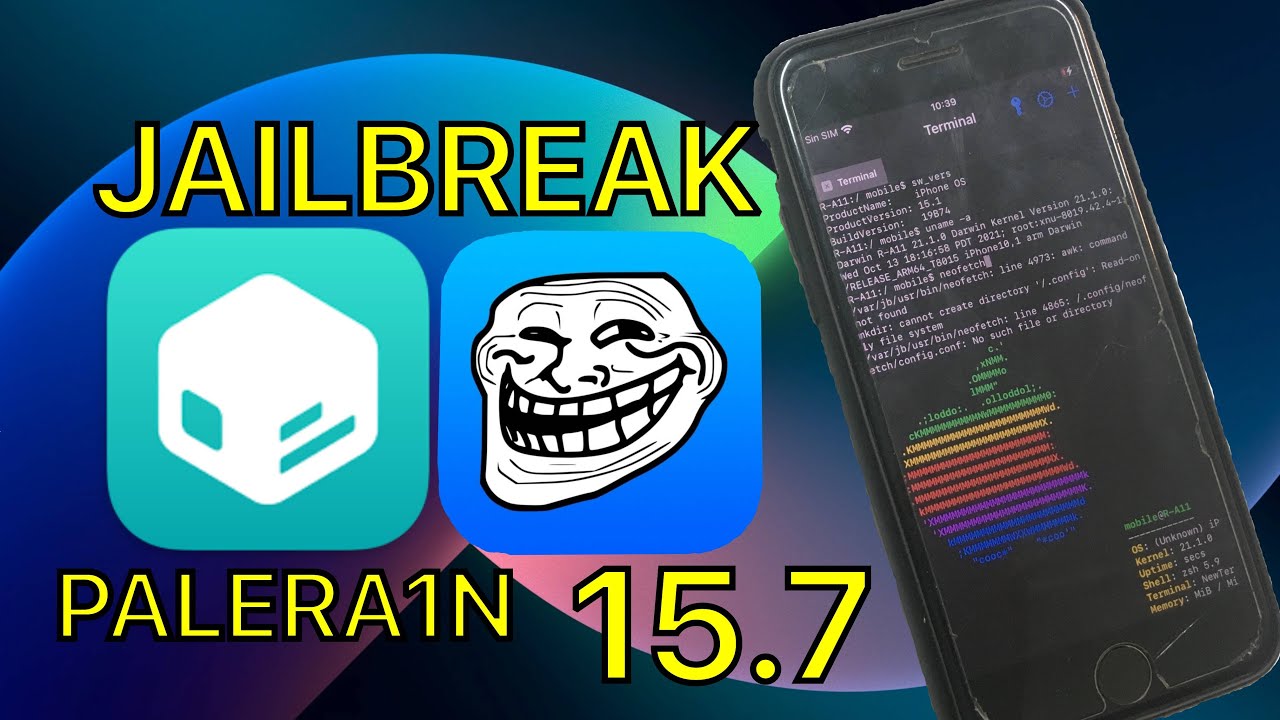
comandos:
git clone --recursive https://github.com/palera1n/palera1n && cd palera1n
./palera1n.sh
Tutorial Trollstore 15.4.1:
https://www.youtube.com/watch?v=ewA_ar0ARTE&t=1s&ab_channel=RabaApple
Pogo app:
https://nightly.link/elihwyma/Pogo/workflows/build/main/Pogo.zip
Algunas repos que podeis añadir a sileo:
Here check it out
unborn karma
--boot 
silent anchor
just read the script™️
silent anchor
unborn karma
--boot <:trolllaugh:807753675774754817>
not a thing
silent anchor
My iphone restarts before the "text should appear on the screen" text. Iphone 6s, 15.2.1 IOS
It doesn't put my device into verbose boot
 gritty tide
slate ridge
To get tips back
gritty tide
slate ridge
To get tips back
In settings do a general erase and you could either choose a backup BEFORE you used palera1n or just fully erase it. It fixes the tips app and doesn’t upgrade your iOS software
Futurerestore also works
silent anchor
if u download palera1n jb (semi theared) can u delete it after that
 haughty bone
how to fix segmentation fault
silent anchor
haughty bone
how to fix segmentation fault
reclone ur shit is corrupt
wait
are you getting that on your phone
haughty bone
palera1n stuck at runtime, I restarted my phone to try again and i get this error
silent anchor
wtf
send a screenshot
i think he means runtime as in him running the script and getting some weird error
show me how ur terminal looks
 tender sentinel
i entered my password on my iphone theres "some ascii art" and its not doing anytthing

is that normal?
 round lion
tender sentinel
i entered my password on my iphone theres "some ascii art" and its not doing any...
round lion
tender sentinel
i entered my password on my iphone theres "some ascii art" and its not doing any...
minecraft font?
round lion
tender sentinel
i entered my password on my iphone theres "some ascii art" and its not doing any...
what password did you enter?
tender sentinel
my account pass
round lion
default password = alpine
tender sentinel
not my iphone
silent anchor
round lion
default password = `alpine`
that's his PCs password
round lion
oh
round lion
oooh okay okay
tender sentinel
lol
round lion
well what happens after u put in ur pw just timeout after 120 seconds?
round lion
damn
tender sentinel
tender sentinel
timeout in 120000ms
last msg on iphone
round lion
What iphone you got?
silent anchor
just try again
tender sentinel
SE 1st gen
tender sentinel
silent anchor
just try again
will just killing this reboot my phone?
silent anchor
no
worst case you have to future restore
but your blobs have already been dumped
and its not likely anything bad will happen
silent anchor
force reboot your phone now
tender sentinel
my phone is just "dead"
got it
iphones are cringe
atleast it was easier to jb my iphone than it was to jb my android 💀
silent anchor
lmfap
tender sentinel
no joke btw
silent anchor
android rooting is a mess rn
tender sentinel
i mean ye
i cant use the macdonals app
cus my phone is rooted

same thing
sad this time no ascii art
silent anchor
ive heard rootless is broken rn
unborn karma
no, it just doesn't install pogo in tips the first time
tender sentinel
[sudo] password for panda:
Creating listening port 2222 for device port 22
address in use
hmmm
what is using 2222
let me see
gritty tide
Hey Coldi if you type the Yes, do as I say wrong without one capital letter what happens?
Yea but what happens
Does it just cancel or does it go without tweaks
Ok
Because this
Typing it wrong somewhere
tender sentinel
tender sentinel
[sudo] password for panda:
Creating listening port 2222 for device port 22
iproxy
gritty tide
tender sentinel
let me see
It’s your phone that uses 2222
tender sentinel
gritty tide
It’s your phone that uses 2222
yeah ig dunno what happened there

is it supposed to do this
what do i do now
it keeps spamming that over and over
 sharp vale
tender sentinel
sharp vale
tender sentinel
same happened to on my ipad 5th gen i closed the terminal and force rebooted the ipad and it opened into ios. please note i don't know a lot about this stuff i just did what i thought sounded logical if this is wrong please feel free to correct me.
tender sentinel
sharp vale
same happened to on my ipad 5th gen i closed the terminal and force rebooted the...
this is actually iproxy trying to make a connection btween the phone
and the pc
so later the pc can ssh into the phone and do its stuff
sharp vale
ok
sharp vale
yea same here
 icy yacht
Where i can get the ipa
silent anchor
silent anchor
if u download palera1n jb (semi theared) can u delete it after that
???
yes
you can
 willow mural
While running ./palera1n.sh --tweaks 15.0 my iphone restarts into normal OS mode after creating the ramdisk. I need to boot it into DFU again. I mean it fails afterwards (for some reason) but just wanted to know if that is expected. The phone booting into normal OS after ramdisk creation.
iPhone X running 15.0
tender sentinel
sharp vale
yea same here
fixed it
it was easy
systemctl status usbmuxd
find the main pid
replace pid with the pid u found
sudo kill PID 9
then systemctl start usbmuxd
gritty tide
willow mural
While running `./palera1n.sh --tweaks 15.0` my iphone restarts into normal OS mo...
Goto recovery mode first then dfu
@shut stone what happens if you don’t type the Yes, do as I say correctly fx. Yes, do as *i* say
 shut stone
gritty tide
<@973840094488305698> what happens if you don’t type the ``Yes, do as I say`` co...
shut stone
gritty tide
<@973840094488305698> what happens if you don’t type the ``Yes, do as I say`` co...
then tweaks wont be enabled
and ull use rootless mode
gritty tide
Does that break the preferenceloader and newterm2 and do so Sileos respring just hangs midway?
haughty bone
how to fix it
gritty tide
haughty bone
how to fix it
How to fix what?
haughty bone
 tender sentinel
systemctl status usbmuxd
find the main pid
replace pid with the pid u found
`su...
tender sentinel
tender sentinel
systemctl status usbmuxd
find the main pid
replace pid with the pid u found
`su...
.
 runic summit
haughty bone
runic summit
haughty bone
I had same thing
tender sentinel
thats how i fixed it
runic summit
Even with usbmuxd2
haughty bone
 silent anchor
shut stone
then tweaks wont be enabled
silent anchor
shut stone
then tweaks wont be enabled
why don’t you just use a basic Y/N question
tender sentinel
restart ur phone too
gritty tide
haughty bone
Unable to read it
gritty tide
silent anchor
why don’t you just use a basic Y/N question
Precautions i think
tender sentinel
silent anchor
why don’t you just use a basic Y/N question
people will blindly read and agree
 waxen oriole
@strong ingot when I rejailbreak I still have tweaks not working and this is the error
[*] Waiting for sshd to start
Error connecting to device: No such file or directory
Error connecting to device: No such file or directory
Error connecting to device: No such file or directory
Error connecting to device: No such file or directory
Error connecting to device: No such file or directory
Error connecting to device: No such file or directory
Error connecting to device: No such file or directory
Error connecting to device: No such file or directory
Error connecting to device: No such file or directory
Error connecting to device: No such file or directory
Error connecting to device: No such file or directory
Error connecting to device: No such file or directory
Error connecting to device: No such file or directory
Error connecting to device: No such file or directory
Error connecting to device: No such file or directory
Error connecting to device: No such file or directory
Error connecting to device: No such file or directory
Error connecting to device: No such file or directory
Error connecting to device: No such file or directory
Error connecting to device: No such file or directory
Error connecting to device: No such file or directory
Error connecting to device: No such file or directory
Error connecting to device: No such file or directory
Error connecting to device: No such file or directory
Error connecting to device: No such file or directory
Error connecting to device: No such file or directory
gritty tide
waxen oriole
<@574669003755356162> when I rejailbreak I still have tweaks not working and thi...
Script not working
runic summit
tender sentinel
restart ur phone too
It makes me to have two situations that can randomly happen: first is happening this again, or it says that connection is busy
waxen oriole
gritty tide
Script not working
what does that mean
gritty tide
waxen oriole
[*] Waiting for sshd to start
Error connecting to device: No such file or direct...
Update to latest palera1n
waxen oriole
mac
gritty tide
Weird
waxen oriole
imma see if something happens when i git pull
haughty bone
tender sentinel
thats how i fixed it
I have restarted ,this is my second failure
gritty tide
Then it’s up to date
gritty tide
you could try restorerootfs and do it again
waxen oriole
i just restored root fs
gritty tide
or go all in and delete the palera1n folder and get it agian
gritty tide
waxen oriole
i just restored root fs
o
waxen oriole
i just did
right now
btw u need to rebuild icon cache via trollstore to remove the jailbreak app icons after root fs
restore
k imma try again
 waxen oriole
ok imma try again
waxen oriole
k
haughty bone
 tender sentinel
haughty bone
tender sentinel
haughty bone
sudo pkill iproxy
waxen oriole
./palera1n.sh: line 346: /Users/____/palera1n/binaries/Darwin/iproxy: No such file or directory
the jailbreak stuck on verbose
this is the first time i had this issue imma try again
haughty bone
again
 silent anchor
i wanted to ask if u can remove palera1n jailbreak after doing it
Script runs fine but it shows in the end Tips is not installed and reboot.
When I delete Tips It still shows in the app store as installed and after reboot it appear back.
On opening Tips just crashed.
--restorerootfs won't help, Tips still has the same problem.
Using the latest version 1.1.1 on an SE 1sth gen, iOS 15.4.1 (no tweaks mode rootless mode)
How can I reinstall Tips?
silent anchor
silent anchor
Script runs fine but it shows in the end *Tips is not installed* and reboot.
Wh...
It doesn’t support 15.4.1 I thought…..
waxen oriole
silent anchor
It doesn’t support 15.4.1 I thought…..
it does with rootless
waxen oriole
silent anchor
Script runs fine but it shows in the end *Tips is not installed* and reboot.
Wh...
i had this issue
i fixed it by force installing a tips ipa i have with trollstore
then deleting the trollstore tips
and reinstalling tips with app store
i got tips ipa from filza i while ago
silent anchor
I don't have trollstore on the SE, could try to install it, but maybe later as I have no other option.
 shadow fractal
iPad OS entering on the terminal would be <iPad 15.3.1> or <iPadOS 15.3.1>?
 strong ingot
shadow fractal
iPad OS entering on the terminal would be <iPad 15.3.1> or <iPadOS 15.3.1>?
strong ingot
shadow fractal
iPad OS entering on the terminal would be <iPad 15.3.1> or <iPadOS 15.3.1>?
just 15.3.1
strong ingot
waxen oriole
[*] Waiting for sshd to start
Error connecting to device: No such file or direct...
huh
90% of theses issues are linux related
and i’m actually starting to get annoyed
shadow fractal
I went through the install and it said download succeeded but when I boot up and check Tips it's the default app, is it fine to just do the process again?
 wooden sable
@strong ingot what's the command that the script uses to install tweak support?
 strong ingot
wooden sable
<@574669003755356162> what's the command that the script uses to install tweak s...
strong ingot
wooden sable
<@574669003755356162> what's the command that the script uses to install tweak s...
wdym
strong ingot
haughty bone
how to fix
install libgeneral
wooden sable
strong ingot
wdym
The step that asks you to install openssh, wget and curl, the one it runs once you press enter
wooden sable
ok
strong ingot
it just copy’s over and runs preptweaks.sh
haughty bone
strong ingot
install libgeneral
not found
wooden sable
I've been trying to fix scp: Connection closed
strong ingot
haughty bone
not found
because you need to compile it
wooden sable
strong ingot
it just copy’s over and runs preptweaks.sh
alright
shadow fractal
@strong ingot is there a way to reset the process? It failed installing now whenever I put it in DFU and run Palera1n it instantly says to open tips, but when I do that tips opens and crashes as if it didn't apply
strong ingot
what do you mean it says to open tips
shadow fractal

 viscid roost
bro why is trying to put my iphone into DFU mode harder then trying to cure cancer
strong ingot
usually tips is broken in normal mode
strong ingot
viscid roost
bro why is trying to put my iphone into DFU mode harder then trying to cure canc...

are you using a usb c cable
viscid roost
na
haughty bone
strong ingot
because you need to compile it
how to fix no package ‘libusb-1.0’ found
strong ingot
it shouldn’t be that hard then
strong ingot
haughty bone
how to fix no package ‘libusb-1.0’ found
install libusb bro
haughty bone
not found
round lion
Guys what can you really do with palera1n?
strong ingot
haughty bone
not found
compile it
strong ingot
round lion
Guys what can you really do with palera1n?
use tweaks and shit
viscid roost
alright i got it into DFU mode now linux doesnt want to show my iphone 8 in DFU mode
ffs
round lion
strong ingot
use tweaks and shit
What tweaks... iOS 15> has no tweaks does it?
strong ingot
GitHub
List of supported, partially supported, and unsupported non-rootless tweaks for iOS 15. - GitHub - itsnebulalol/ios15-tweaks: List of supported, partially supported, and unsupported *non-rootless...
strong ingot
send your whole log
shadow fractal
With --debug?
strong ingot
you don’t need debug
just send your whole log
the latest in the logs folder works
shadow fractal
This was after running the clean command you said to run, which removed the created boot files

Always skips to the "Pwning device" stage even after using clean
icy yacht
There’s no way to update to 15.1 without blobs right
waxen oriole
shadow fractal
This was after running the clean command you said to run, which removed the crea...
oh i used to have that issue but it works now
shadow fractal
waxen oriole
oh i used to have that issue but it works now
I can't access tips to install it is my issue
 ember wharf
troll
strong ingot
shadow fractal
This was after running the clean command you said to run, which removed the crea...
 shadow fractal
strong ingot
shadow fractal
strong ingot
Same
strong ingot
what device is it
shadow fractal
iPad Air 2 15.3.1 - AppleDb said Palera1n is supported
ember wharf
@strong ingot Device didn't go in DFU mode, please rerun the script and try again moment
slate ridge
Ok I’m awake
Now to finish of this

I ran evreything the tips app just crashes and with this app it Just won’t run
strong ingot
ember wharf
<@574669003755356162> `Device didn't go in DFU mode, please rerun the script and...
is it not in dfu then
strong ingot
shadow fractal
iPad Air 2 15.3.1 - AppleDb said Palera1n is supported
oh uhh
are you on the latest commit
git pull
ember wharf
strong ingot
is it not in dfu then
it is not
strong ingot
ember wharf
your wiki is silly
shadow fractal
strong ingot
are you on the latest commit
Yeah
ember wharf
let me pull request brb
strong ingot
you’re silly
ember wharf
no one will read the dfu part when running the command
the monkey brain will think you should do that after the command
not before
strong ingot
shadow fractal
strong ingot
<:androidskull:887512082524803182>
I'll dm you pastebin of the logs or do you want the file itself?
strong ingot
no i saw the log you showed a screenshot
what is your uhh
device id
like iPadx,x
shadow fractal
where do you find that? In the iPad settings ?
shadow fractal
How Tf do run it? First time actually using Linux so I'm major braindead with it
strong ingot
paste that into a terminal
shadow fractal
iPad 5,3
strong ingot
ok let me check something
icy yacht
Can i update to 15.1 without blobs ?
silent anchor
i'm stuck here for 10min now
 shadow fractal
Also that command just said non existent but turns out the boot file made by Palera1n gives it lol
strong ingot
silent anchor
i'm stuck here for 10min now
are you on AMD
silent anchor
you mean my cpu or what
shadow fractal
If it helps this laptop I'm using Linux on is AMD APU
silent anchor
silent anchor
you mean my cpu or what
if so yes
strong ingot
silent anchor
if so yes
checkm8 sucks on AMD and gaster can’t be started for some reason
so
silent anchor
il try on a intel cpu
 vale scaffold
Uh, how do you update palera1n if you’ve already cloned the repo?
shadow fractal
@strong ingot Would system storage cause it? Running this twice has caused the iPad to go up to 4.36GB used in Other system data followed by 6.85 on the actual storage leaving like 1.1GB available
strong ingot
vale scaffold
Uh, how do you update palera1n if you’ve already cloned the repo?
git pull
strong ingot
shadow fractal
<@574669003755356162> Would system storage cause it? Running this twice has caus...
don’t think so
shadow fractal
I'll try on Intel
vale scaffold
strong ingot
git pull
Alright, thanks
strong ingot
curl -s https://raw.githubusercontent.com/littlebyteorg/appledb/main/osFiles/iPadOS/19x%20-%2015.x/19B5060d.json | grep "iPad5,3" @shadow fractal what’s the output of this
shadow fractal
strong ingot
`curl -s https://raw.githubusercontent.com/littlebyteorg/appledb/main/osFiles/iP...
Do I need to have the iPad connected for this in DFU?
strong ingot
no
silent anchor
i'm trying on my mac now and i've python installed but i get this weird error
 strong ingot
brew install python@3.10
shadow fractal
strong ingot
`curl -s https://raw.githubusercontent.com/littlebyteorg/appledb/main/osFiles/iP...
"iPad5,3",
"iPad5,3",
strong ingot

 shadow fractal
I'll try on Intel cpu
in case it's AMD APU being Checkm8'd
wait
lemme check smth
strong ingot
json=$(curl -s https://raw.githubusercontent.com/littlebyteorg/appledb/main/osFiles/iPadOS/19x%20-%2015.x/19B5060d.json)

sources=$(echo "$json" | binaries/Linux/jq -r '.sources')

beta_url=$(echo "$sources" | binaries/Linux/jq -r --arg deviceid "iPad5,3" '.[] | select(.type == "ota" and (.deviceMap | index($deviceid))) | .links[0].url')

echo "$beta_url"
might be something to do with libfragmentzip
strong ingot
strong ingot
```
json=$(curl -s https://raw.githubusercontent.com/littlebyteorg/appledb/main/...
what’s the output of these
strong ingot
yea
 icy yacht
As expected fake pale account shows up
 strong ingot
icy yacht
As expected fake pale account shows up
strong ingot
icy yacht
As expected fake pale account shows up
yea that’s fake
shadow fractal
strong ingot
are you on ubuntu 22.04
yea
strong ingot
ok i have no idea
shadow fractal
my luck 
shadow fractal
ota as in over the air?
strong ingot
doesn’t seem to be in the file
silent anchor
let me see
strong ingot
shadow fractal
ota as in over the air?
we use OTA firmware since it contains dev images
and that’s how palera1n works for now
strong ingot
nyu is checking
silent anchor
oh bruh theiphonewiki has ipad air/mini/pro as separate pages
got some adding to do
shadow fractal
Presume if no OTA then it's shit outta luc
silent anchor
there is one
strong ingot
there is
silent anchor
slate ridge
Can someone plz continue helping me
strong ingot
slate ridge
Can someone plz continue helping me
what’s your issue
silent anchor
strong ingot
`brew install python@3.10`
**Ede@MacBook-Pro ~ % brew install python@3.10
Updating Homebrew...
**
is this normal that it takes a long time?
strong ingot
silent anchor
**Ede@MacBook-Pro ~ % brew install python@3.10
Upda...
yeah brew is hella slow
strong ingot
what
 silent anchor
strong ingot
yeah brew is hella slow
silent anchor
strong ingot
yeah brew is hella slow
how long does it take on average?
slate ridge
But I can’t actully jailbreak
shadow fractal
silent anchor
https://updates.cdn-apple.com/2021FallSeed/patches/002-10410/CD8E4D6F-EACA-4503-...
Sorry, should I download this and if so what should I do with it?
strong ingot
silent anchor
how long does it take on average?
depends on your internet
strong ingot
slate ridge
are you booted with palera1n
silent anchor
bruh there are so many ipad pros
slate ridge
Yeah
strong ingot
tips opened
slate ridge
When I open tips it crashes
silent anchor
shadow fractal
Sorry, should I download this and if so what should I do with it?
I think there was a custom firmware option in palera1n, or just wait for it to be updated soon once I add it to appledb
strong ingot
oh
slate ridge
The jailbreak re wrote tips but it just crashed now
strong ingot
@shadow fractal to to the line where it gets the beta url and replace the echo command with the link to the zip
strong ingot
slate ridge
The jailbreak re wrote tips but it just crashed now
you aren’t booted then
can you take a video while the device is booting

 strong ingot
that’s the ramdisk
slate ridge
Is that it not booting
strong ingot
no i mean the actual boot
slate ridge
It’s just an apple logo
slate ridge
Yeah 2cnd pic
strong ingot
no i mean just that without the text
slate ridge
No
strong ingot
please run palera1n again in dfu and record you doing it
slate ridge
Kk I’ll ping you when I’m done
silent anchor
@strong ingot appledb updated
shadow fractal
the command you linked earlier?
strong ingot
no just the one to run palera1n
shadow fractal
Sorry you've lost me, do you mean go through the install of Palera1n or?
sharp vale
how long should Waiting for the ramdisk to finish booting take?
strong ingot
shadow fractal
Sorry you've lost me, do you mean go through the install of Palera1n or?
yes
strong ingot
sharp vale
how long should Waiting for the ramdisk to finish booting take?
linux or macos
sharp vale
linux
strong ingot
of course!
shadow fractal
Lmao Linux becoming the worst thing to jail with
sharp vale
yea i've noticed that
strong ingot
god i hate linux
 sacred socket
Why?
strong ingot
@sharp vale is your device on the verbose screen and did you see the ascii art
strong ingot
sacred socket
Why?
usbmuxd is awful
slate ridge
sacred socket
Oh yeah
slate ridge
@strong ingot
strong ingot
slate ridge
oh wtf it’s panicking
slate ridge
strong ingot
what ios version you on
slate ridge
15.2.1
sharp vale
yes i saw the ascii art after that it appears to fail i've tried several times
 brisk rivet
hello
strong ingot
sharp vale
yes i saw the ascii art after that it appears to fail i've tried several times
compile and install usbmuxd2
brisk rivet
i'm on ipad and this is the rror i get
./palera1n.sh: line 124: 16565 Terminated: 15 "$dir"/iproxy 2222 22 >&"$out" >> "$out"
[*] Switching device into recovery mode...
ERROR: No device found!
ERROR: No UDID specified
Usage: ideviceenterrecovery [OPTIONS] UDID
Makes a device with the supplied UDID enter recovery mode immediately.
OPTIONS:
-d, --debug enable communication debugging
-h, --help prints usage information
-v, --version prints version information
Homepage: https://libimobiledevice.org
Bug Reports: https://github.com/libimobiledevice/libimobiledevice/issues
silent anchor
Palera1n is not recommended for end users, yeah?
brisk rivet
iPad 5th gen ios 15.6.1
strong ingot
silent anchor
Palera1n is not recommended for end users, yeah?
it’s a bit complicated, definitely should only be used for a second device
sharp vale
strong ingot
compile and install usbmuxd2
i will try that but there is a package i can't find anywhere
strong ingot
sharp vale
i will try that but there is a package i can't find anywhere
google it
slate ridge
strong ingot
it’s a bit complicated, definitely should only be used for a second device
You know what I can do
strong ingot
brisk rivet
./palera1n.sh: line 124: 16565 Terminated: 15 "$dir"/iproxy 2222 22 >&"...
need the full log bro
silent anchor
strong ingot
it’s a bit complicated, definitely should only be used for a second device
What's the best and safest jailbreak for main device?
brisk rivet
okay alr
sharp vale
strong ingot
google it
i've tried
strong ingot
silent anchor
What's the best and safest jailbreak for main device?
what ios
strong ingot
sharp vale
i've tried
it’s by thimstar
slate ridge
@strong ingot plz help
strong ingot
slate ridge
You know what I can do
@shut stone are you still awake?
ipad on 15.2.1 panicking when booting
silent anchor
strong ingot
what ios
15.7 but I know that there is no jb for this version, I ask generally
strong ingot
silent anchor
15.7 but I know that there is no jb for this version, I ask generally
yea no there isn’t
sharp vale
strong ingot
it’s by thimstar
sorry i've found usbmuxd 2 but when i compile it there is a missing package
silent anchor
strong ingot
yea no there isn’t
And it is not known if any will come out soon?
strong ingot
sharp vale
sorry i've found usbmuxd 2 but when i compile it there is a missing package
install the missing packages
strong ingot
silent anchor
And it is not known if any will come out soon?
nobody knows
silent anchor
strong ingot
nobody knows
Okay, thanks for your help and sorry for bothering you here
shut stone
strong ingot
<@973840094488305698> are you still awake?
ipad on 15.2.1 panicking when booting
yes i am awake
 stiff treeBOT
@shut stone's timezone is Europe/Amsterdam 🇳🇱
It is currently 04:40 PM CEST
slate ridge
Mineek can you help me out here
sharp vale
strong ingot
install the missing packages
i've tried but i can't find it anywhere on the internet or i just don't understand how to install it. i found a github page made by thimstar for the thing i am trying to install
shut stone
slate ridge
Kernel panic
tweaks branch?
strong ingot
yes
sharp vale
sharp vale
i've tried but i can't find it anywhere on the internet or i just don't underst...
i remember now it's libgeneral i am having trouble installing
slate ridge
Can u send me instructions to it rootless
shut stone
slate ridge
Can u send me instructions to it rootless
ok first go into the palera1n folder from terminal
then
git checkout rootless
./palera1n.sh --dfu 15.2.1
( while in dfu )
slate ridge
K
slate ridge
Umm ok
sharp vale
sharp vale
i remember now it's libgeneral i am having trouble installing
i was stupid i now managed to install it sorry for waisting you're time
shut stone
edit palera1n.sh
shadow fractal
@strong ingotIs there a way to delete the old attempts? Every attempt takes up space on this, this attempt has left it with 400MB 
slate ridge
Where is tweak branch
strong ingot
shadow fractal
<@574669003755356162>Is there a way to delete the old attempts? Every attempt ta...
it… shouldn’t
shut stone
slate ridge
Where is tweak branch
u should already have it checked out
it's the default branch
slate ridge
I don’t see it
shut stone
slate ridge
I don’t see it
u arent supposed to see it
like
do
git checkout tweaks
just to be sure
slate ridge
K
slate ridge
 shut stone
./sshrd.sh 14.8
shut stone
slate ridge
yep its good already
slate ridge
K so what next
strong ingot
did you change the thing in the script
slate ridge
No
shut stone
slate ridge
K so what next
just do git pull
i commited a fix already
so just go into the terminal
slate ridge
Ok
shut stone
and do git pull
slate ridge
I did
shut stone
then run palera1n again how u ran it
shadow fractal
strong ingot
it… shouldn’t
Re-done steps, got to Pwning Device similar to last time, device booted itself with the normal Apple Logo despite Terminal stating the device was in DFU mode
slate ridge
Ok
shut stone
./palera1n.sh --tweaks 15.2.1
slate ridge
I’ll try
shut stone
and it should work this time
strong ingot
shut stone
https://github.com/palera1n/palera1n/commit/8fcee84fbe83ef1d852989155c5a81f38a67...
why was that still there
maybe nathan did it
 strong ingot
did you go into recovery then dfu
shadow fractal
yeah
brisk rivet
i'm getting this error help
shadow fractal
it said device in DFU mode then like 2 mins later booted from black to the Apple logo
strong ingot
shadow fractal
yeah
reboot and run it again
brisk rivet
shadow fractal
fuckin ios is dogshit
strong ingot
brisk rivet
i LITERALLY just told you to run it again
brisk rivet
yea still did not work i just went and reseted my ipad
shadow fractal
strong ingot
reboot and run it again
doing that means I need to re-download the repo since clean doesn't clean anything
slate ridge
Ok sileo downloaded does that mean I jailbroken
brisk rivet
unless you used the tweaks
one which is supported from ios 15.1 to ios 15.3.1
then yes
strong ingot
shadow fractal
doing that means I need to re-download the repo since clean doesn't clean anythi...
no you don’t need to clean it
slate ridge
Can I get Cydia
strong ingot
no
brisk rivet
nope
ember wharf
strong ingot
no you don’t need to clean it
wowza you’ve got a lot of problems lately
strong ingot
ember wharf
wowza you’ve got a lot of problems lately
90% of them are linux related
strong ingot
they actually are
ember wharf
L then
strong ingot
could not connect, waiting for ramdisk to boot, failed to send files
ember wharf
i am not acting hostile btw i just find it funny
strong ingot
all linux issues
ember wharf
has there actually been a successful linux boot
shadow fractal
strong ingot
no you don’t need to clean it
ran it 4 times - each time it fails to connect to device after "pwning" and then booting it
strong ingot
sounds like an AMD thing
shadow fractal
I'll try on intel
ember wharf
strong ingot
yes
it freaked out for me on the creating ramdisk part
it could not create it
troll
strong ingot
very helpful
ember wharf
indeed
slate ridge
Is there a way to run dolphin iOS
shut stone
ember wharf
indeed
troll
brisk rivet
okay it worked now
slate ridge
No but I need jit
slate ridge
ember wharf
install trollstore
I don’t want to use jit
slate ridge
U usually need to enable jit for it to work
ember wharf
and the reason you don’t want to use it is?
slate ridge
Cuz it’s long and tedious
slate ridge
I’m jailbroken on iOS 15
slate ridge
15.2.1
silent anchor
it seems like it's stuck, my phone shows a verbose boot but its showing the same lines over and over

do i need to wait or did i do something wrong
strong ingot
wait for it to reboot
silent anchor
how long does that take?
the verbose boot now stopped but still no sign that it's doing something
strong ingot
!t reboot
stiff treeBOT
strong ingot
!t reboot
reboot
iPhone 8 or newer (including all notched devices, iPhone SE 2020 and newer):
- Press volume up
- Press volume down
- Press and hold the side button for 10-20 seconds until the Apple logo appears
iPhone 7:
- Press and hold the volume down and power buttons for 10-20 seconds until the Apple logo appears
iPhone 6S/SE 2016/iPad 8th or older:
- Press and hold the home and power buttons for 10-20 seconds until the Apple logo appears
Added by JTV#5846 | Used 1,124 times
·
strong ingot
yea
silent anchor
;d
slate ridge
@strong ingot did I install the no tweaks jailbreak
Cuz evrey tweak I try does not work
strong ingot
send me a full log
strong ingot
does sileo have an icon or not
slate ridge
No
slate ridge
Lol plz tell me how
strong ingot
the pc says what to do
slate ridge
Nothing
strong ingot
show
silent anchor
it says this now, i open tips and i just see the default tips app

 strong ingot
what
silent anchor
i don't
strong ingot
oh alr
silent anchor
so that's prob the problem
silent anchor
install trollsore and rerun script?
strong ingot
install trollstore and install pogo i’ll give you a link
silent anchor
ight bet
slate ridge
@strong ingot
 strong ingot
slate ridge
<@574669003755356162>
strong ingot
slate ridge
<@574669003755356162>
can you show the command you ran
 strong ingot
slate ridge
I have selio without a icon
strong ingot
it’s supposed to be --tweaks
strong ingot
yea
slate ridge
Instead of dfu
slate ridge
Ok do I need to reclone
strong ingot
yes
slate ridge
I did not reclone it worked
But which open SSH do I install?
It gave me an error while trying to install open SSH
@strong ingot
 thin sparrow
I've just been trying to use PaleRa1n on Linux. Keep getting this error:
$ sudo ./palera1n.sh --tweaks 15.2
[sudo] password for drew:
[] Command ran: sudo ./palera1n.sh --tweaks 15.2 Archive: gaster-Linux.zip
inflating: gaster
palera1n | Version 1.1.1-tweaks-8fcee84
Written by Nebula and Mineek | Some code and ramdisk from Nathan | Loader app by Amy
!!! WARNING WARNING WARNING !!!
This flag will add tweak support BUT WILL BE TETHERED.
THIS ALSO MEANS THAT YOU'LL NEED A PC EVERY TIME TO BOOT.
THIS ONLY WORKS ON 15.0-15.3.1
DO NOT GET ANGRY AT US IF UR DEVICE IS BORKED, IT'S YOUR OWN FAULT AND WE WARNED YOU
DO YOU UNDERSTAND? TYPE 'Yes, do as I say' TO CONTINUE
Yes, do as I say
Are you REALLY sure? WE WARNED YOU!
Type 'Yes, I am sure' to continue
Yes, I am sure
[] Enabling tweaks
[*] Getting device info...
/home/drew/Downloads/palera1n/binaries/Linux/irecovery:
version GLIBC_2.33' not found (required by /home/drew/Downloads/palera1n/binaries/Linux/irecovery) /home/drew/Downloads/palera1n/binaries/Linux/irecovery: version GLIBC_2.34' not found (required by /home/drew/Downloads/palera1n/binaries/Linux/irecovery) /home/drew/Downloads/palera1n/binaries/Linux/irecovery:
version GLIBC_2.33' not found (required by /home/drew/Downloads/palera1n/binaries/Linux/irecovery) /home/drew/Downloads/palera1n/binaries/Linux/irecovery: version GLIBC_2.34' not found (required by /home/drew/Downloads/palera1n/binaries/Linux/irecovery) /home/drew/Downloads/palera1n/binaries/Linux/irecovery:
version GLIBC_2.33' not found (required by /home/drew/Downloads/palera1n/binaries/Linux/irecovery) /home/drew/Downloads/palera1n/binaries/Linux/irecovery: version GLIBC_2.34' not found (required by /home/drew/Downloads/palera1n/binaries/Linux/irecovery)
jq: error (at <stdin>:1): Cannot index number with string "firmwares"
parse error: Invalid numeric literal at line 1, column 9
And i can't decipher it.
 strong ingot
@shut stone wtf
tender sentinel
linux > *OS
i have been a non windows user for 4 years now
its the same as trying palera1n on linux 💀
 solemn verge
why not use macOS
tender sentinel
no idea
solemn verge
literally zero point to do the Linux stuff on a MacBook
silent anchor
strong ingot
https://nightly.link/elihwyma/Pogo/workflows/build/main/Pogo.zip
I've downloaded Trollstore, Run the script, loaded pogo, when i click install it says failed with -1,, are yous ure amfi is patched?
tender sentinel
wanna see a cursed image?
silent anchor
so do i needa force reboot and rerun script?
alright
do i have to uninstall pogo too?
or just restart
alright
thin sparrow
thin sparrow
$ sudo ./palera1n.sh --tweaks 15.2
[sudo] password for drew:
[*] Command ran: su...
Anybody able to tell what's gone wrong here and what I can do about it?
strong ingot
thin sparrow
Anybody able to tell what's gone wrong here and what I can do about it?
sudo add-apt-repository universe
sudo apt update

 ember wharf
@strong ingot does tiktok god work on pr
strong ingot
should
ember wharf
fuck
solemn verge
strong ingot
should
isn’t it injecting into an app
ember wharf
i should install a hackintosh
shadow fractal
Is there a recommended repo to install on Linux which contains all the needed stuff for installation?
ember wharf
no
strong ingot
it wont work
ember wharf
awesome
strong ingot
you can unsandbox tiktok ig
silent anchor
silent anchor
@strong ingot any fix for this?
ember wharf
strong ingot
you can unsandbox tiktok ig
how
nvm thats a bad idea
unsandboxing tiktok of all apps
strong ingot
silent anchor
thats weird
silent anchor
strong ingot
thats weird
do you have never seen this error before?
strong ingot
i have but it was because they werent booted with palera1n
can you take a video of you booting the device
silent anchor
a vid of my iphone or the script on the mac
strong ingot
i mean like record a video while booting so you can see the verbose boot on the device
silent anchor
il try
shadow fractal
Any reason why when putting the device into DFU mode it somehow ends up being removed with LIbusb?
 slate ridge
iPad Pro 2017
strong ingot
@silent anchor
silent anchor
I shall patch
shadow fractal
Any reason why when putting the device into DFU mode it somehow ends up being removed with LIbusb?
silent anchor
@slate ridge uhhh what inch
slate ridge
12
silent anchor
And which gen
strong ingot
wait for nathan to finish the patch
slate ridge
K
silent anchor
done patching, diffing rn
then ill upload to palera1n repo
@verbal galleon iPad7,1 and 7,2 about to be added
 verbal galleon
I thought all iPads were added already
strong ingot
diff faster /s
strong ingot
verbal galleon
I thought all iPads were added already
none of the pros
silent anchor
not the pros
verbal galleon
Oh
silent anchor
@slate ridge run git pull
slate ridge
silent anchor
<@690283843952967863> run git pull
Kk
Ok I reckoned it and it says already up to date
So I’ll try again
Hopfully it works
wooden sable
I know it's not mainly about palera1n but does anybody else get the error "su: not running setuid" when they type su in NewTerm 3 installed from palera.in repo?
shadow fractal
Anyone know of a fix for this removing my device when putting it into DFU?
 slate ridge
@strong ingot

I’m trying to add this source
But it’s saying it’s offline
Or not a real source
 obtuse obsidian
The m1 ipads arent supported for pale right?
 fathom scaffold
how to check the device for the possibility of jailbreak?
wooden sable
fathom scaffold
how to check the device for the possibility of jailbreak?
What's your device and what version?
fathom scaffold
currently i dont know, im only planning to buy new iphone
dont know what ios will be on it
but its XS
wooden sable
If you buy a new iPhone it will always come with the latest version
fathom scaffold
nah? i will not connect it to internet while activating, so it wont update
Is there any jb on XS?
wooden sable
Yes, but not for ios 15-16 I believe
fathom scaffold
ios 14? Taurine?
wooden sable
Lemme check
fathom scaffold
on A12 Bionic?
wooden sable
fathom scaffold
ios 14? Taurine?
I think it does from iOS 14 to 14.3
fathom scaffold
wooden sable
I think it does from iOS 14 to 14.3
Will it work on A12 Bionic?
fathom scaffold
ok
 thorn spire
fathom scaffold
Will it work on A12 Bionic?
thorn spire
fathom scaffold
Will it work on A12 Bionic?
Yeah taurine supports all devices 14.0-14.3
fathom scaffold
ok ill try
strong ingot
lol
shadow fractal
shadow fractal
Anyone know of a fix for this removing my device when putting it into DFU?
anyone got a clue?
strong ingot
git pull
waxen oriole
@strong ingot I keep getting this error when rejailbreaking the device boots but tweaks are broken
silent anchor

 dusty tangle
silent anchor
dusty tangle
silent anchor
the repo is "palera1n", "tweaks" is a folder inside the repo. You need to clone the entire repo and then go to the folder
waxen oriole
waxen oriole
<@574669003755356162> I keep getting this error when rejailbreaking the device b...
iPad7,5 btw
strong ingot
waxen oriole
<@574669003755356162> I keep getting this error when rejailbreaking the device b...
@shut stone postboot moment
slate ridge
I get this error now anything I try to install

Or delete
When opening substitute it said my jailbreak was out of date
@strong ingot
slate ridge
Yes
strong ingot
run ~/postboot.sh
slate ridge
Ok let me try
slate ridge
Did not work
 slate ridge
Oh
silent anchor
 slate ridge
@strong ingot it says permission denied
strong ingot
silent anchor
yeah bro its cloning
strong ingot
alpine
slate ridge
It says command not found
strong ingot
sudo bash ~/postboot.sh
strong ingot
yea
slate ridge
K thanks
shadow fractal
shadow fractal
Anyone know of a fix for this removing my device when putting it into DFU?
I'm assuming no to this question then
gritty tide
@shut stone if you do rootless with —tweaks and do the steps can that make sileo’s respring hang forever when installing preferenceloader and newterm2
silent anchor
strong ingot
i mean like record a video while booting so you can see the verbose boot on the ...
i've made a video could i send it in private dm to you?
strong ingot
sure
gritty tide
strong ingot
sure
What’s your opinion of linux before and after palera1n came out?
wooden sable
Has anyone who successfully installed palera1n with tweaks used iSH before? (It's a terminal app)
gritty tide
Just use newterm
wooden sable
I am using NewTerm
strong ingot
wooden sable
Has anyone who successfully installed palera1n with tweaks used iSH before? (It'...
uhhh
i mean
wooden sable
I'm just trying to figure out why my root password isn't working when I try to connect ssh, I do have openssh installed
strong ingot
it probably wont work
strong ingot
wooden sable
I'm just trying to figure out why my root password isn't working when I try to c...
rootless?
silent anchor
https://streamable.com/9vx872
@silent anchor nebula said i needed to ping you
 wooden sable
strong ingot
it probably wont work
wooden sable
strong ingot
it probably wont work
So I won't be able to jailbreak with tweaks using palera1n because of iSH (I removed it fully)
silent anchor
silent anchor
https://streamable.com/9vx872
<@456226577798135808> nebula said i needed to ping...
what ios
15.3.1
iphone x
strong ingot
wooden sable
So I won't be able to jailbreak with tweaks using palera1n because of iSH (I rem...
what
i thought you meant boot a device with iSH
wooden sable
strong ingot
i thought you meant boot a device with iSH
No its a different terminal
strong ingot
i know what ish is
wooden sable
Can I screenshare to you trying to ssh to my iphone?
I have no clue why the password "alpine" isn't working (I didn't change it)
silent anchor
silent anchor
what ios
is this normal on ios 15.3.1
or did i do something wrong
Not sure, i ordered a iphone x i can test on soon though
I have 15.3.1 blobs for it
you've ordered a iphonex pure to test a jb
i mean i have a lot of devices
xd
(about 50)
wooden sable
silent anchor
(about 50)
😲
silent anchor
broski is rich
when will it ship?
not sure yet, it says its coming oct 17 but its probably gonna come earlier
i hope so
did you see any other ios versions or phones with this kernel panic
@strong ingot isnt it supposed to verbose though
silent anchor
maybe the bootargs didnt set
pulsar estuary

POV ur trying to convert to Ubuntu to jailbreak
And now I can’t even go to the log in screen
Pls help!!!
silent anchor
did you create a different partition for Ubuntu
pulsar estuary
Yess
silent anchor
mhm
pulsar estuary
I will do anything to get out of this thing even to reset my pc
I can’t even reset it
strong ingot
you fucked up your bootloader
sharp vale
pogo crashes when i press tools
 dark crater
Palera1n rootless branch
Pwning
Booting device ( device is not booting)
Done
The device should boot now to ios( device not booting)
If you have ran palera1n click do all tools sections to pigo
If not , pogo should be installed to tips
Device not booted yet i forcefully booted the device
Tips app crashing
pulsar estuary
Is there anyway to reset the boot loader or something?
silent anchor
pulsar estuary
I will do anything to get out of this thing even to reset my pc
try find a Indian YouTuber who knows how to fix
pulsar estuary
strong ingot
you fucked up your bootloader
.
pulsar estuary
silent anchor
try find a Indian YouTuber who knows how to fix
Trust me I did
strong ingot
yea get a windows usb
silent anchor
Use other pc to load on usb
pulsar estuary
90% of the vid they explain in Indian and then they either do something that I can’t do or do nothing
 heady sage
strong ingot
you fucked up your bootloader
heady sage
strong ingot
you fucked up your bootloader

this is why you don’t use ubuntu’s installer
pulsar estuary
silent anchor
Use other pc to load on usb
I can’t go to the log in screen how
heady sage
use fdisk and do it yourself
 plush jetty
going to need to go to bios and make your usb as boot priority and boot ubuntu that way until you install it
pulsar estuary
My usb is f ed up it doesn’t load Ubuntu it gives me an error
dark crater
dark crater
Palera1n rootless branch
Pwning
Booting device ( device is not booting)
Done
...
 I think iphone 8 is not supported by palera1n
plush jetty
then you messed up flashing to your usb somehow
pulsar estuary
I did it with etcher
plush jetty
should've used rufus
pulsar estuary
Rufus gives me errors
plush jetty
than it's your ubuntu download, maybe your internet is just too crap to download ubuntu correctly
pulsar estuary
Wdym my internet is fast and good I never had a problem with it it goes up to 250 mbs withh the speed test thing
plush jetty
downloads can still mess up somehow, rufus shouldn't give any errors when flashing ubuntu or any iso to a usb
pulsar estuary
Does it work on pc?
plush jetty
yes
plush jetty
going to need to use another pc to reflash windows onto your usb and boot that onto your gaming laptop
pulsar estuary
So all the time I need a windows usb to use my laptop?
plush jetty
no you can flash windows back onto your laptop
 swift lava
guys quick question because I can't seem to find an answer, will this be available for A15 phones? thanks
 warped horizon
never
pulsar estuary
Thank uu all ppl just make fun and ignore
plush jetty
no only upto a10
pulsar estuary
Btw does it supports up to 15.3 or 15.5?
plush jetty
@pulsar estuary for now on before flashing a os onto your laptop try live booting it beforehand to make sure it properly boots
gritty tide
my phone is still hanging on the newterm2 step
plush jetty
@pulsar estuary tweak branch version up to 15.3 currently and rootless branch version up to 15.7

 wraith jungle
Can this jailbreak my iPhone 7 plus 15.1?
gritty tide
wraith jungle
Can this jailbreak my iPhone 7 plus 15.1?
yes
 fair osprey
Now we can use tweaks on palera1n ?
fair osprey
Finally 😀
gritty tide
well some do
not all¨
GitHub
List of supported, partially supported, and unsupported non-rootless tweaks for iOS 15. - GitHub - itsnebulalol/ios15-tweaks: List of supported, partially supported, and unsupported *non-rootless...
wraith jungle
gritty tide
yes
How can I do it
gritty tide
wraith jungle
How can I do it
use palera1n

GitHub
iOS 15.0-15.3.1 tethered checkm8 "jailbreak" (rootless is 15.0-15.7 semi-tethered, no tweaks) - GitHub - palera1n/palera1n: iOS 15.0-15.3.1 tethered checkm8 "jailbreak&am...
read EVERYTHING