
#futurerestore-help
1 messages · Page 247 of 1
 celest basalt
 short spade
Did you start futurerestore?
short spade
Is --update enabled?
celest basalt
Following the guide
short spade
So is it enabled
celest basalt
In settings turn updates off?
short spade
Yes is that on
celest basalt
I haven’t turned that on
short spade
It should why?
celest basalt
I tried on that yesterday but didn’t work
short spade
futurerestore or ipwndfu?
celest basalt
Something with Swift error?
Ipwndfu didn’t work
Rn using my 2011 15 inch Macbook
Running Catalina dosdude1 patch
short spade
You can use OCLP to go higher than Catalina
I have Monterey on my 2012 MBP 15" that way
short spade
F
celest basalt
The battery dropped to 35% while doing the future restore thing
 tranquil ermine
so, I have tried running on Windows, on Ubuntu and Ubuntu within VMware and in every case it has failed
short spade
futurerestore in Windows doesn't work
VMs don't really work
Do you have a Mac laying around or can you Hackintosh?
celest basalt
Or install Ubuntu ig
tranquil ermine
no, I don't have any Macs
short spade
F
tranquil ermine
I ran Ubuntu from USB flash drive
short spade
That probably won't work
celest basalt
Omg Divine Beast Vah Medoh took me a sec to realize lol
celest basalt
Ye that was great
tranquil ermine
short spade
That probably won't work
I am not going to buy Mac just to make futurerestore, are there any alternatives?
short spade
I believe so
tranquil ermine
I mean is there any difference between installing Ubuntu and running in Live mode?
celest basalt
Isn’t there a Windows version?
short spade
It doesn't work rn
celest basalt
Oh
short spade
You need the latest beta v226 which doesn't have a working Windows version
celest basalt
What happened to the release versions?
short spade
Ask cryptic (I think that's who it is)
celest basalt
Oh
short spade
tranquil ermine
I mean is there any difference between installing Ubuntu and running in Live mod...
I'm not sure but if it has a chance of working, why not try
celest basalt
Yeah
Tho I found future restore on Linux to be difficult cuz idk why gave errors a lot with the ipwndfu I think
short spade
Welcome to the world of jailbreaking
celest basalt
Oof
short spade
99.999% of the time you want a Mac
short spade
I moved a bunch to my basement because I started sitting on cases instead of my chair
short spade
I don't have too many, but that's because I only get new machines after all of my current machines are fixed or parted out and sold to pay for other repairs
celest basalt
I see
short spade
I spent about $100 in total on my G4
Replacement logic board was most of that but it had a busted optical drive too
celest basalt
Rip
 fair plover
Hello! Is it possible to upgrade iPhone Xr from iOS 14.4.2 to 14.7.1? I tried but futurerestore (GUI version on windows) keeps telling me that the SEP firmware is not being signed, even when I logged out of icloud, disabled my passcode and entered recovery mode.
fair plover
Ok, I'll try it on Linux, thanks!
celest basalt
Yw
 lavish rain
also be aware you lose faceid
fair plover
Even if it is only an upgrade and not a downgrade? I guess there's no tweak to re enable because it must be hardware stuff too?
tranquil ermine
as futurerestore is not working for me, can I do a fresh install of 13.5 without a futurerestore? I am currently on 13.5, but Succession didn't do a good job and I cannot set a time zone now
 valid adder
tranquil ermine
as futurerestore is not working for me, can I do a fresh install of 13.5 without...
valid adder
tranquil ermine
as futurerestore is not working for me, can I do a fresh install of 13.5 without...
the lowest you can go is 14.0 futurerestore works fine
tranquil ermine
'futurerestore works fine' - if you have a Mac, maybe, otherwise not really
tranquil ermine
what=Unable to place device into recovery mode from Normal mode or DEBUG: Waiting for device to connect in recovery mode...
fair plover
lavish rain
its because you have to use ios 15 sep which is partially incompatible
So if I were to use an bit older version (I do have other blobs like 14.5 14.6 14.7) I would be able to keep face id?
lavish rain
fair plover
So if I were to use an bit older version (I do have other blobs like 14.5 14.6 1...
no matter what you have to use ios 15 sep
so no
tranquil ermine
@valid adder , do you need any other info?
valid adder
@tranquil ermine enter recovery manually like anyone else would do
tranquil ermine
valid adder
<@!910353706531291146> enter recovery manually like anyone else would do
but from the logo I see at it is already in recovery mode, is there a special recovery mode?
we are talking about recovery mode, not DFU mode, right?
valid adder
tranquil ermine
```what=Unable to place device into recovery mode from Normal mode``` or ```DEBU...
yes recovery and you won't get this error if you are in recovery
so run it again
tranquil ermine
valid adder
so run it again
Ok, I have followed this guide from Apple: "Phone 6s or earlier: Press and hold both the Home and the top (or side) buttons at the same time. Keep holding them until you see the recovery mode screen." I see the recovery logo. I try --exit-recovery and get the same 'no device found' while lsusb shows it in the list
valid adder
I thought you were on windows
tranquil ermine
OK, I have just tried it on Windows and there is some progress
tranquil ermine
@valid adder, thank you so much, it looks like everything is working fine, I am still checking
futurerestore did not finished nicely, I received: "normal_idevice_new: can't open device with UDID ffffffffffffffffffffffffffffffff00000014", should I care about that? or should I just close it?
valid adder
don't bother caring
 simple bane
Why are there two different SHSH2 files on my noapnonce folder of all the firmwares blobs saved by tss saver 1conan site ?
 grim wren
Should be able to use either one
grim wren
What are both of them
simple bane
both shsh2 files in the folder
simple bane
Blob filename ending with cc.shsh2 <key>generator</key>
<string>0xbd34a880be0b53f3</string>
Blob filename ending with ae.shsh2 : <key>generator</key>
<string>0x1111111111111111</string>
grim wren
Yeah that's fine
You've clearly jailbroken with checkra1n/Unc0ver and taurine in the past on that version
simple bane
yea, current one is checkra1n on 13.3.1
grim wren
Just pick either one and set your generator accordingly
Wait what version are the blobs for
grim wren
Ok you should be fine then if the blobs are for 14.6
Make a device backup just in case
Sometimes jumping from below iOS 14.5 to a version higher than 14.5 can cause a bootloop
Make sure it's an iTunes backup on your pc too
Not an iCloud one
Otherwise the iCloud one will force you to update to the latest version to apply it
simple bane
if i run into a bootloop, is it possible to revert to my current 13.3.1 jb ?
lavish rain
if you have blobs
simple bane
I have 13.2 blobs. not 13.3.1
lavish rain
you can dump onboards then
short spade
simple bane
if i run into a bootloop, is it possible to revert to my current 13.3.1 jb ?
No, SEP does not support iOS 13.3.1 anymore sadly
You are restricted to iOS 14.0 minimum, unless you have an 8, 8+, or X in which case you are limited to 14.3 minimum
simple bane
its an 8+....sadly didn't save blobs for 14.3
simple bane
Ty. will itunes backup preserve my jb app data ?
lavish rain
oh yeah i forgot about sep lol
lavish rain
simple bane
Ty. will itunes backup preserve my jb app data ?
it will preserve anything left in /var
short spade
lavish rain
oh yeah i forgot about sep lol
I wish we all could
 jade nova
short spade
jade nova
short spade
Yes
Please please just ask questions directly
Don't bother asking if you can ask
Just adds more time for no benefit
 coral parrot
I’m on iOS 14.1 and iPhone 12 Pro Max and I’m jailbroken with uncover. Can I future restore or OTA update to 14.5.1? I believe I have saved blobs I’m just not sure about SAP or face unlock. Thank you in advance I really appreciate this because I love a jailbroken phone and I hate to have to update
coral parrot
I really appreciate it thank you very much👌
lavish rain
the lowest you can go to via ota is 15.1.1
coral parrot
So there’s no way for me to update on iPhone 12 Pro Max even if I have blobs?
lavish rain
well you still can, you'll just lose faceid if you go to 14.x
coral parrot
That was an accident and what that was but thank you again
I meant to say that was an accident I don’t know what that is and I thank you again
 tame gate
I was wondering if I can downgrade my ipad mini 2 to 10.3.2 I have the blobs saved for it.
 zealous bridge
tame gate
I was wondering if I can downgrade my ipad mini 2 to 10.3.2 I have the blobs sav...
zealous bridge
tame gate
I was wondering if I can downgrade my ipad mini 2 to 10.3.2 I have the blobs sav...
https://github.com/LukeZGD/iOS-OTA-Downgrader
you should be able to use this
GitHub
Downgrade/restore and jailbreak iOS devices to signed OTA firmwares - GitHub - LukeZGD/iOS-OTA-Downgrader: Downgrade/restore and jailbreak iOS devices to signed OTA firmwares
tame gate
zealous bridge
https://github.com/LukeZGD/iOS-OTA-Downgrader
you should be able to use this
Did try that but for some reason the ipad won't enter pwnd dfu mode
 kindred pine
yooo
why is futurerestore not opening

i open it and it literally doesnt do anything
 manic crow
Anyone help is 15.2b1 is still signed ?
lavish rain
think so
manic crow
lavish rain
think so
I go to lower as possible thats why i asking
Can anyone confirm soo I downgrade my device to this version asap ?
manic crow
 errant shell
Ios 15.2 is not signed
errant shell
Ios 15.2 is not signed
15.2beta1 ?
But i saw on twitter 15.2b1 still signed
manic crow
errant shell
Yea just try it
 manic crow
errant shell
Update with iTunes ig
manic crow
errant shell
Update with iTunes ig
Mmmmmmmm okk 👍😎
 supple turret
guys i have a quick question
i saved iOS 13.1.1 blobs for my iPhone 7 (9,1) with system info
they are now saved on shsh.host and when i go to download them and verify them, it says they aren't valid
is this true?
celest basalt
is true
supple turret
how are they not valid?
celest basalt
You need to save shsh2 before turning off authentication
lavish rain
supple turret
i saved iOS 13.1.1 blobs for my iPhone 7 (9,1) with system info
when did you save them?
or are they onboards?
supple turret
lavish rain
or are they onboards?
yes
saved them when 14.6 was the latest os
so i assume that's onboard
lavish rain
ehh i mean its not like you can use them anyway
 mystic axleBOT
sepbb
Currently you can restore to the following versions with the latest SEP and baseband for your device:
Devices that only support up to iOS 12 (most A7 and A8 devices excluding iPad5,1 - iPad5,4): 11.3-12.5.5
A9 and A10: 14.0-15.3
A11 devices:
- iPhone 8/8 Plus: 14.3-15.3
- iPhone X: 15.0-15.3 (restoring to 14.3-14.8.1 will break Face ID)
A12 devices and newer:
- iPhone SE (2020): 14.0-15.3
- Other devices: 15.0-15.3 (restoring to 14.0-14.8.1 will break Face ID)
For restores on devices that support iOS 15 you currently must use the latest beta version of FutureRestore, see /tag futurerestore for a link.
Added by Tanbeer#4750 | Used 499 times
·
supple turret
lavish rain
ehh i mean its not like you can use them anyway
shit i forgot about sep
ahhhhhhh
i cant downgrade?
lavish rain
not to ios 13 no
celest basalt
supple turret
they are now saved on shsh.host and when i go to download them and verify them, ...
Hey
Send me the blobs in dms
Shah.host is probably checking it with restore buildidentity
Your shsh blob is probably ota
Send it to me and i can verify
celest basalt
celest basalt
is true
Hes wrong
 jovial abyss
if im on windows what is the best way to get futurerestore working for my XS. Im assuming a VM or would i be able to use bash in windows terminal
grim wren
The only available windows futurerestore version does not work on your phone
You must obtain a Linux or macOS machine
jovial abyss
not even a vm?
grim wren
VM's might work, but the device disconnects and reconnects a lot when starting the restore and some vm programs don't handle that well
jovial abyss
ah ok. time to make a hackintosh
grim wren
If you have an amd cpu in your system you can forget it by the way
jovial abyss
i have an old laptop with an i3 so il try that
grim wren
That should work then
grim wren
Nah it's ez you just gotta set it up smh
 dapper palm
what if i have iphone 10,1 but saved all my blobs for 10,4.(MISCOFIGURATION IN TSSSAVER)... with my ecid. am i able to use them?
dapper palm
u did go to pwned state with ./ipwndfu -p
short spade
Yep
dapper palm
and that was succes
short spade
Did it say exploit successful
dapper palm
yep
dapper palm
yep...
short spade
Yeah your blobs are probably the problem
Blobs for an iPhone10,4 won't work for a 10,1
dapper palm
but im using right one.
short spade
They're saved for a 10,1?
dapper palm
im going from 15.4 to 15.1 wit h10,1 blobs
short spade
It left?
short spade
No
Once you start futurerestore let it do its thing
Get your phone in pwned DFU mode with ipwndfu
Run futurerestore with --use-pwndfu
And correct IPSW and blobs and latest SEP/baseband etc
 short spade
It is the way
dapper palm
i used ipwndfu -p
short spade
Yep
dapper palm
the guide is using ipwndfu -p --patch
short spade
Ohh yes A11 quirks
 valid adder
what does futurerestore have to do with anything in this question?
short spade
iOS 15.4->15.1
valid adder
https://github.com/hack-different/ipwndfu
you guys can follow the progress here 🙂

GitHub
Fork of axi0mX's open-source jailbreaking tool for many iOS devices for integration - GitHub - hack-different/ipwndfu: Fork of axi0mX's open-source jailbreaking tool for many iOS de...
dapper palm
one last stupid question. is it posiible to use 10,4 blob for 10,1 iphone? i have 10,1 iphone but i misconfigured tss saver so it saved my blob with my ecid for 10,4. @valid adder sry for ping...
 fervent trellis
iPad Air 4
Upgrading from 14.2 to 14.4.2 using blobs from AutoTSS
Set Generator that was in the shsh file with Dimentio
In GUI I've enabled Preserve Data
Before I pull the trigger, Baseband.
For a Wi-Fi only iPad do I set No Baseband?
fervent trellis
I set it with Dimentio but would it be worth rebooting and setting with Taurine instead?
short spade
No
Also
Do NOT use --update
It will brick your iPad
Make a local iTunes backup instead
valid adder
@dapper palm obviously its ecid locked not only that but every component is locked to the device
dapper palm
valid adder
<@!323475232545439755> obviously its ecid locked not only that but every compone...
so i can not modify it in any way and im fuck even with right ecid
 viral galleon
i keep getting a error saying the sh blobs dont match the ispw
short spade
Then your shsh blobs don't match your IPSW
viral galleon
how do i find an ipsw that matches my shsh blobs?
viral galleon
im trying to go from ios 15.2.1 to 14.8 if that makes a difference btw
viral galleon
iphone se 2
short spade
You can't
viral galleon
oh lol
valid adder
dapper palm
so i can not modify it in any way and im fuck even with right ecid
obviously not, why would apple bother having a signature based ticket system if you could just modify it...
short spade
A12+ needs a jb to set nonce
valid adder
use logic please
short spade
SE 2 is A13 so you're out of luck
dapper palm
valid adder
obviously not, why would apple bother having a signature based ticket system if ...
yep. i thought ecid is the only signature
fervent trellis
short spade
It will brick your iPad
Damn it, I wanted to be lazy XD
short spade
viral galleon
dang
Do you have 14.8 blobs?
viral galleon
short spade
Do you have 14.8 blobs?
no, how do i get those lol?
short spade
You don't
If you didn't get them while 14.8 was signed you will never get them
Unless Apple accidentally signs a bunch of iOS versions which they did do once
But that's very very unlikely so don't get your hopes up
viral galleon
oh ok
valid adder
dapper palm
yep. i thought ecid is the only signature
again that makes zero sense they only give you a ticket for a component if your device matches
viral galleon
well guess imma have to wait till an ios 15 jb comes out lol
dapper palm
shit. so i can go only to ios 14.6.. 😄 no 14.8 update lol
short spade
?
Oh
Yeah only 14.6 for ya
If you have 10,1 blobs for that
Any 10,4 blobs you can delete they won't work
fervent trellis
I'm just sad I can't update my iPhone 12 Mini to 14.4.2 because I'll lose FaceID
dapper palm
short spade
Yeah only 14.6 for ya
jep. i fucked up only 14.8
short spade
What are you on rn?
dapper palm
15.4
short spade
14.6 ain't bad then
Losing passcode/Apple Pay/Touch ID with checkra1n is annoying though
Do you have 14.3 or lower?
Go to one of those you can use Taurine/unc0ver instead
dapper palm
short spade
Do you have 14.3 or lower?
i know. but like... there is already tweak for passcode/touch id/ keychain... only apple pay will not work cuz it requires sep
fervent trellis
dapper palm
i know. but like... there is already tweak for passcode/touch id/ keychain... on...
What tweak is that?
Wouldn't mind trying that on my X
dapper palm
i like ios 15 a lot... but my iphone 8 is simply slow on ios 15
fervent trellis
short spade
Do NOT use --update
 dapper palm
fervent trellis
What tweak is that?
Wouldn't mind trying that on my X
dapper palm
fervent trellis
What tweak is that?
Wouldn't mind trying that on my X
send pm i will answer later. do not remember rn
fervent trellis
what=Device ApNonce does not match APTicket nonce
Crrrraaaaaap
dapper palm
fervent trellis
`what=Device ApNonce does not match APTicket nonce`
Crrrraaaaaap
same problem 😄
still
fervent trellis
I think I got lucky and found one I backed up on shsh.host
 grim wren
fervent trellis
`what=Device ApNonce does not match APTicket nonce`
Crrrraaaaaap
grim wren
fervent trellis
`what=Device ApNonce does not match APTicket nonce`
Crrrraaaaaap
Set your nonce
fervent trellis
I had it set in Taurine and Dimentio so it should have been set
dapper palm
finally 😄 😄
 near forge
What's the absolute easiest distro to live boot to install future-restore and all its dependencies?
dapper palm
ubuntu
fervent trellis
The first blob I tried was from AutoTSS
errant shell
near forge
What's the absolute easiest distro to live boot to install future-restore and al...
Ubuntu
fervent trellis
Status: Restore Finished
Cleaning up...
Done: restoring succeeded!
FutureRestore process ended.
HELL YEAH!
dapper palm
nice
 willow bear
@celest basalt sorry for the ping, any good trick how to put ATV3 on dfu mode xD, what i found really not helpful at all
grim wren
Plug in micro usb
Menu and down on the remote until light starts blinking
Then hold play pause until it starts blinking again
willow bear
i tried every trick still no success xD
grim wren
Is your micro usb connected to your computer
willow bear
yes
grim wren
And not say, a wall adapter
Is your remote actually paired to the device
Or is the battery flat maybe
willow bear
i see led blinking
for both trick
but no connection with mac
tried diffrent micro usb, same
grim wren
So when you press and hold menu and down
Does it do a really fast flash and go off and start blinking slowly?
willow bear
after 7sec start fast blinking
grim wren
So the remotes at least working
willow bear
yeah
grim wren
Make sure your steps are as follows
• Press and hold menu and down for around seven seconds or until rapid blinking
• Wait maybe half a second to one second
• Start holding menu and play pause button until it rapidly starts blinking again
• Let go of all buttons and it should be blinking again
But slow and you can actually see the light going on and off
Make sure your micro usb cable isn't a power only cable also
Some micro usb cables are made cheaper and just have the power cables in it without the data cables
willow bear
thanks, worked now
celest basalt
Trying to downgrade iOS version and facing the “can’t init, no device found” error
Following this tutorial:
https://gist.github.com/nyuszika7h/aac55c97f7925cddcf5ec3167f85dfe8

Gist
How to downgrade from iOS 15 to iOS 14. GitHub Gist: instantly share code, notes, and snippets.
Under A10(X)
Phone is in DFU mode from step 1 till error code
 patent mortar
Is there still a website to check SEP compatibility of target iOS versions?
I think I saw one a while ago but it was out of date
dapper palm
Another stupid question. Is it possible to update from 14.6 to 14.8.1 with otadelay? I futurerestored to 14.6 from 15.4.
Iphone 8
patent mortar
dapper palm
Another stupid question. Is it possible to update from 14.6 to 14.8.1 with otade...
Nope
You have iOS 15 SEP/BB
patent mortar
no otadelay unless it’s 15
dapper palm
patent mortar
no otadelay unless it’s 15
Shit.. so i must stay on 14.6
dapper palm
I have
But i fucked up configuration so they are with my ecid but for iphone 10,4 (gsm)


 celest basalt
Sooo does anyone know how to fix my error?
 raw aspen
celest basalt
Following this tutorial:
https://gist.github.com/nyuszika7h/aac55c97f7925cddcf5...
raw aspen
celest basalt
Following this tutorial:
https://gist.github.com/nyuszika7h/aac55c97f7925cddcf5...
do we have to have already jailbreak the phone?
 dusky trout
Hi
I need some help
I'm getting an error sayins that my SHSS its not the same IPSW name
And says that I need the right bloob, but my phone only has SHSS iPhone8,4_n69uap_15.3.1 version
I'm trying to 13.6 to 14.3
lavish rain
you need 14.3 blobs
lavish rain
well you cant go to 14.3 either
short spade
You still need 14.3 blobs
lavish rain
^
lavish rain
there are some things even jailbreaking cant accomplish
celest basalt
raw aspen
do we have to have already jailbreak the phone?
According to the tutorial no, I’m following the tutorial to downgrade so that I can jailbreak
manic crow
That 15.2b1 pop up error is headache 🥲
grim wren
Welcome to old beta's
manic crow
grim wren
Welcome to old beta's
wants to remove this pop up but they force user to push to stable ones
celest basalt
Why did you send an apple instead of just saying apple
manic crow
celest basalt
Why did you send an apple instead of just saying apple
Text replacement
grim wren
Bruh momento
 peak dagger
 south mural
I have a question about SEP so since the SEP between iOS 14.8 and iOS 15.2 is different (at least I think it is) can I just use future restore to go directly to iOS 15.2 from 14.8 or do I need to update to the latest firmware and then downgrade to iOS 15.2
Im also a complete beginner when it comes to future restore I tried downloading future restore (and all the packages associated with it) and had so many problems trying to get it to install on my Mac
Additionally I was wondering if anyone knew anything about this and if it was safe to use
 celest basalt
south mural
Im also a complete beginner when it comes to future restore I tried downloading ...
celest basalt
south mural
Im also a complete beginner when it comes to future restore I tried downloading ...
Dont update
15.2 can’t jb
south mural
I know that but I mean like when a jailbreak is available
This is a hypothetical mostly because I’ve never used future restore so when a jailbreak is a available how would I update
 hidden plover
Hi everyone, I‘ve a question and if possible somebody please help me :
iPhone 7+ in 14.5.1 and now I want to update to 14.8.1 and I‘ve blobs and I tried with Futurerestore 1.95 on mac but nothing happened and I couldn’t understand how to set baseband and sep! Thank you
 autumn moss
hidden plover
Hi everyone, I‘ve a question and if possible somebody please help me :
iPhone 7+...
autumn moss
hidden plover
Hi everyone, I‘ve a question and if possible somebody please help me :
iPhone 7+...
14.8.1 is impossible to update/downgrade to using futurerestore
there’s no available ipsw
hidden plover
autumn moss
14.8.1 is impossible to update/downgrade to using futurerestore
How about 14.8? I downloaded in ipsw.me !!
autumn moss
you can go to 14.8 fine
autumn moss
hidden plover
Hi everyone, I‘ve a question and if possible somebody please help me :
iPhone 7+...
use the beta btw
hidden plover
autumn moss
you can go to 14.8 fine
Why only in beta!?
autumn moss
because it works
mystic axleBOT
hidden plover
How to set Sep and Baseband?
autumn moss
if you just set it to latest you’re gonna be fine
you don’t need to set it unless you actually need to
hidden plover
autumn moss
if you just set it to latest you’re gonna be fine
I did but not worked!
autumn moss
hidden plover
I did but not worked!
because you didn’t use the beta
you said you used v194 correct?
hidden plover
autumn moss
you said you used v194 correct?
195
hidden plover
You mean 14.8 beta?
mystic axleBOT
Hey @hidden plover, have a look at this!
autumn moss
download it here
hidden plover
autumn moss
download it here
Ok, now I understand. The last question which one shall I download? (I mean debug or release)
autumn moss
doesn’t really matter, but Id go with debug since that gives more information
hidden plover
autumn moss
doesn’t really matter, but Id go with debug since that gives more information
Thank you
hidden plover
autumn moss
doesn’t really matter, but Id go with debug since that gives more information
Just could you please which command shall I use in terminal ?
autumn moss
celest basalt
<@!836452332387565589> has he set his nonce or bag
no clue
can they use the gui
celest basalt
Yeah but its buggy sometimes
@hidden plover have you set your nonce to the one matching the blob?
hidden plover
celest basalt
<@!944280214937170071> have you set your nonce to the one matching the blob?
No I didn’t! How?
hidden plover
iphone 7+ , 14.5.1
celest basalt
Ok, is it jailbroken? Or you can use the pwndfu option in futurerestore
hidden plover
celest basalt
Ok, is it jailbroken? Or you can use the pwndfu option in futurerestore
It’s already jailbroken
mystic axleBOT
dimentio
PoC tool for setting/getting nonce without triggering KPP/KTRR/PAC. (requires tfp0)
 Powered by Canister
·
hidden plover
celest basalt
Ok
Powered by Canister
·
hidden plover
celest basalt
Ok
I‘ got this error message:
celest basalt
Use something other thab zebra
grim wren
Epic libkernrw fail
hidden plover
grim wren
Epic libkernrw fail
I did
hidden plover
celest basalt
Use something other thab zebra
could you please help me to continue this process ?
celest basalt
do you have a mac/linux pc
hidden plover
celest basalt
do you have a mac/linux pc
mac
celest basalt
ok
use
this
to pwn your device

GitHub
This release adds persistence, i.e. your changes to the root file system will be preserved across reboots.
(You still need to run Fugu every time you reboot to enable the Jailbreak)
run
./fugu rmsigchks
when u put ur device into dfu
hidden plover
celest basalt
to pwn your device
I did and I‘ve got this message
 celest basalt
what macOS are you on?
hidden plover
macOS Mojave 10.14.1
celest basalt
type git
does it output stuff
or did a new window show
if thats so press install
hidden plover
celest basalt
type `git`
It makes a long list tutorial for this command but there is no install in same window!
celest basalt
ok so u have xcode dev tools installed already
good
now do this
download this
hidden plover
celest basalt
https://github.com/nyuszika7h/ipwndfu/archive/refs/heads/t8010.zip
I did
hidden plover
celest basalt
did you put the device into dfu
now I put my device in dfu
celest basalt
ok, extract the archive, and cd into the extracted folder
hidden plover
celest basalt
ok, extract the archive, and cd into the extracted folder
I did
hidden plover
celest basalt
`python ipwndfu -p`
I'm connected with usb and in dfu and I've got this error : No Apple device in DFU Mode 0x1227 detected after 5.00 second timeout. Exiting.
celest basalt
does it show up in finder
hidden plover
celest basalt
does it show up in finder
Mojave doesn't show in finder
hidden plover
celest basalt
try `sudo python ipwndfu -p`?
ERROR: Invalid arguments provided.
USAGE: ipwndfu [options]
Interact with an iOS device in DFU Mode.
celest basalt
did you do -p
hidden plover
celest basalt
did you do -p
yes , with copy and paste
is this ok to put my device into dfu with chechra1n (not running just into dfu)
celest basalt
type it in
celest basalt
hidden plover
is this ok to put my device into dfu with chechra1n (not running just into dfu)
yeah if checkra1n doesnt fuck it up if you stop it too late
hidden plover
celest basalt
yeah if checkra1n doesnt fuck it up if you stop it too late
I understand , yes it's on dfu
hidden plover
celest basalt
sudo python ipwndfu -p
No Apple device in DFU Mode 0x1227 detected after 5.00 second timeout. Exiting.
hidden plover
short spade
That fixed it for me
I did
hidden plover
short spade
You're using a USB-A cable too?
same error and this time I changed to another port too!
hidden plover
celest basalt
it works for me
sorry , but for me not working ! I'm so thankful that you help me!
hidden plover
celest basalt
wth
but why it's not working with FutureRestore 1.95 ?
lavish rain
195 is incredibly old
short spade
hidden plover
but why it's not working with FutureRestore 1.95 ?
You'll need to use the latest beta of v226 I believe it is
hidden plover
short spade
You'll need to use the latest beta of v226 I believe it is
v226 for which app ?
short spade
Futurerestore
In the GUI
Click Settings
Enable the beta option
Redownload futurerestore
hidden plover
short spade
Redownload futurerestore
baseband firmware is NOT being signed!
short spade
Latest baseband and SEP is enabled?
hidden plover
short spade
Latest baseband and SEP is enabled?
yes both
short spade
Alright can you screenshot it
hidden plover
short spade
Alright can you screenshot it
 lavish rain
you’re not using the beta
short spade
^^
celest basalt
What versions can A12 currently be restored to?
short spade
14.0-14.8.1 if you have blobs
But only if on 14.8 and lower
If you're on 14.8.1 and any version of 15 you're out of luck
If you mean signed, just 15.3.1
celest basalt
short spade
But only if on 14.8 and lower
😮 really? But... How much lower?
short spade
What, you think an XS is gonna run iPhone OS 2?
Or 8.4.1, one of few old iOS versions to not have a JB?
celest basalt
Lol nah. Im on 13.3 or something currently
short spade
From 13.3 you can go to 14.0-14.8.1 if you have blobs for it
You'll lose Face ID though
hidden plover
short spade
After enabling "FutureRestore Beta"
could not get BasebandFirmware path
celest basalt
short spade
You'll lose Face ID though
As long as I can get it back in later restores. I don’t care
short spade
celest basalt
As long as I can get it back in later restores. I don’t care
You can get it back by going to iOS 15
That is the only way
 stiff hazel
if you’re gonna do this, do this before 15.4+ are the only signed versions (probably a while, but still)
short spade
^^
celest basalt
Thats fine. Ty
hidden plover
short spade
Click "Download Futurerestore"
Dude, Thank you to help me! I think maybe it's better to stop my update! Thank you so much
hidden plover
celest basalt
both macos and linux
Thank you too
celest basalt
iOS 15.4 SEP breaks Face ID when downgrading to 15.3.1 or lower
On A13 and above (except iPhone SE and iPads), it's completely incompatible with 15.3.1 and lower.
celest basalt
celest basalt
**iOS 15.4 SEP breaks Face ID when downgrading to 15.3.1 or lower**
On A13 and a...
short spade
Ooh interesting
autumn moss
celest basalt
**iOS 15.4 SEP breaks Face ID when downgrading to 15.3.1 or lower**
On A13 and a...
boobs
stiff hazel
celest basalt
**iOS 15.4 SEP breaks Face ID when downgrading to 15.3.1 or lower**
On A13 and a...
note that rootfs snapshot issues (along with the other related issues to that) do not exist with 15.4 SEP for older 15.x versions
 dense hinge
is it still not available for windows to downgrade from ios 15?
short spade
No
dense hinge
😢
lavish rain
what device are you trying it on?
celest basalt
lavish rain
what device are you trying it on?
iPhone 7 (GSM)
celest basalt
lavish rain
ipwndfu has has absurdly bad success rate on A10 in the past
Well, I get the iPhone into pawned DFU mode with a good success rate. My problem is starting futurerestore then getting “can’t init no device found”
I’m not sure that’s part of ipwndfu fault or not
lavish rain
tbh i dont think there's a concrete solution for that
its either a result of usbmuxd not running or it just flat out doesnt work on ubuntu based distros
celest basalt
lavish rain
its either a result of usbmuxd not running or it just flat out doesnt work on ub...
Do you think giving Kali Linux is worth my time trying then?
lavish rain
i guess if you've tried everything its worth a shot
 reef trench
hi! I'm getting this error
[TSSR] Checking BuildIdentity 0
[TSSR] Checking BuildIdentity 1
[TSSR] Selected BuildIdentity for request
Variant: Customer Erase Install (IPSW)
This restore will erase your device data.
Device found in DFU Mode.
Getting firmware keys for: n71map
Cleaning up...
[exception]:
what=getting keys failed with error: 14745615 (failed to get FirmwareJson from Server). Are keys publicly available?
code=37814289
line=577
file=futurerestore.cpp
commit count=266:
commit sha =06137f3ba489b5ad89fa0f2a8930305e6ce7ee92:
Done: restoring failed!
celest basalt
lavish rain
i guess if you've tried everything its worth a shot
I’ll try it soon, any other OS you recommend I try it on, besides macOS
lavish rain
not really sure tbh
lavish rain
reef trench
[TSSR] Checking BuildIdentity 0
[TSSR] Checking BuildIdentity 1
[TSSR] Selected ...
are you using the beta version of futurerestore?
reef trench
lavish rain
are you using the beta version of futurerestore?
I'm using the released version
reef trench
what should i use then? and where can I get it? I was just following the instruction on a youtube video hehe
mystic axleBOT
futurerestore
futurerestore allows you to upgrade/downgrade/restore to unsigned iOS versions if you meet certain requirements.
Tutorials:
Tutorial for iOS 14/15 upgrades/downgrades
Tutorial for other versions
Video Tutorial
Links:
FutureRestore GUI
Latest stable version (194)
Latest beta version
There are currently no pre-compiled beta builds for Windows.
Added by Capt Inc#0001 | Used 544 times
·
reef trench
I'm using this one futurerestore-Linux-x86_64-RELEASE
lavish rain
what version are you trying to go to?
reef trench
13.5? hehe. that's the only blobs that I have saved T_T
mystic axleBOT
sepbb
Currently you can restore to the following versions with the latest SEP and baseband for your device:
Devices that only support up to iOS 12 (most A7 and A8 devices excluding iPad5,1 - iPad5,4): 11.3-12.5.5
A9 and A10: 14.0-15.3.1
A11 devices:
iOS 15.3.1 SEP (latest)
- iPhone 8/8 Plus: 14.3-15.3.1
- iPhone X: 15.0-15.3.1 (restoring to 14.3-14.8 will break Face ID)
iOS 15.4 SEP (beta) - iPhone 8/8 Plus: 14.3-15.3.1
- iPhone X: 15.4 (restoring to 14.3-15.3.1 will break Face ID)
A12 devices and newer:
iOS 15.3.1 SEP (latest)
- iPhone SE (2020): 14.0-15.3.1
- Other devices: 15.0-15.3 (restoring to 14.0-14.8 will break Face ID)
iOS 15.4 SEP (beta) - iPhone SE (2020): 14.0-15.3.1
- Other devices: 15.4 (restoring to 14.0-15.3.1 will break Face ID)
For restores on devices that support iOS 15 you currently must use the latest beta version of FutureRestore, see /tag futurerestore for a link.
Added by Tanbeer#4750 | Used 509 times
·
reef trench
lavish rain
SEP prevents you from going to ios 13
so there's no other way to restore my ios version? T_T
lavish rain
unfortunately not
reef trench
sad truth T_T
what does it means when it says - what=APTicket can't be used for this restore ?
valid adder
exactly what it says
grim wren
Show the full error
celest basalt
An iPhone 7 shouldn’t have problems downgrading from 15.1 to 14.8 should it?
Pre sure 14.8 is jailbreakable
If not, then 14.7
lavish rain
it shouldnt so long as you follow all the steps correctly
 tepid hornet
bruh whne i plug my ipad into my mac it says charging and not charging charging and not charging and so on pls help me.
short spade
Bad cable contact
mystic axleBOT
futurerestore
futurerestore allows you to upgrade/downgrade/restore to unsigned iOS versions if you meet certain requirements.
Tutorials:
Tutorial for iOS 14/15 upgrades/downgrades
Tutorial for other versions
Video Tutorial
Links:
FutureRestore GUI
Latest stable version (194)
Latest beta version
There are currently no pre-compiled beta builds for Windows.
Added by Capt Inc#0001 | Used 545 times
·
celest basalt
https://docs.google.com/spreadsheets/d/1Mb1UNm6g3yvdQD67M413GYSaJ4uoNhLgpkc7YKi3LBs/edit?usp=sharing

Google Docs
Sheet1
Latest SEP: iOS 15.3.1 (stable), 15.4b3 (beta)
Updated: Feb 19, 2022
All devices listed below include Plus, Mini, Pro, Pro Max versions as well.
Device,iOS 13.7 and below,iOS 14.0–14.2,iOS 14.2.1,iOS 14.3–14.8,iOS 14.8.1,iOS 15.0–15.3.1,iOS 15.4 (beta)
iPhone 6s,Incompatible,Compatible,N...
celest basalt
celest basalt
https://docs.google.com/spreadsheets/d/1Mb1UNm6g3yvdQD67M413GYSaJ4uoNhLgpkc7YKi3...
celest basalt
celest basalt
**iOS 15.4 SEP breaks Face ID when downgrading to 15.3.1 or lower**
On A13 and a...
short spade
celest basalt
https://docs.google.com/spreadsheets/d/1Mb1UNm6g3yvdQD67M413GYSaJ4uoNhLgpkc7YKi3...
You should make a note of 15.2 betas SEP too
 floral crow
I used FutureRestore GUI to update to 14.5.1 with blobs knowing it would break Face ID with this log: https://pastebin.com/VdaQepMD
Pastebin
Pastebin.com is the number one paste tool since 2002. Pastebin is a website where you can store text online for a set period of time.
Oddly, I exited recovery to find nothing happened at all
celest basalt
what fork are you using
does the device reboot when you do that
works for me
im the one who replaced the values with fugu ones
thats
uh
thats why.....
use the same pwndfu fork
thats why it reboots
its not fully implemented in the official one....
you have to or it just wont work

celest basalt
short spade
You should make a note of 15.2 betas SEP too
true but doesn't matter much unless they still leave it signed after 15.3.1 unsigned
floral crow
@celest basalt Are you able to see my post above?
celest basalt
floral crow
Oddly, I exited recovery to find nothing happened at all
nothing happened as in? went back to recovery, or black screen?
celest basalt
floral crow
I used FutureRestore GUI to update to 14.5.1 with blobs knowing it would break F...
Safari crashes when I try to open this link 
celest basalt
oh that's weird, seems like it barely even started the restore and failed early
lavish rain
i’ve been hearing that restoring to 14.x on A12+ just flat out fails
dont quote me on that though
celest basalt
yeah idk I only have A11 to test
valid adder
Because you need to patch libimg4 in ramdisk
celest basalt
This may be a dumb question. Should I remove my tweaks before attempting a restore?
short spade
Yes, restore rootFS
celest basalt
Ty
grim wren
celest basalt
This may be a dumb question. Should I remove my tweaks before attempting a resto...
You will boot loop if you don’t so it is preferable to do so yes
 strong beacon

Ios 15.4 sep breaks face id. Rip Futurerestore when a jb comes 😭
Apple is so ahead and screwing us each time. We are barely getting up from the previous no ios 15 checkra1n jb and they hit us again 🥺
https://t.co/mCNa7nAO1r
 Twitter
·
Twitter
·
If anyone planned to downgrade, you should do it now
short spade
We know
Check da pins
Also iOS 15.2b2 and iOS 15.3.1 SEP gets around this
And it's likely this wasn't with malicious intent towards us, remember 15.4 introduces Face ID w/masks
celest basalt
so im following the one tutorial provided in the /tag discord command and im running into this issue command not found: ipwndfu
mystic axleBOT
futurerestore
futurerestore allows you to upgrade/downgrade/restore to unsigned iOS versions if you meet certain requirements.
Tutorials:
Tutorial for iOS 14/15 upgrades/downgrades
Tutorial for other versions
Video Tutorial
Links:
FutureRestore GUI
Latest stable version (194)
Latest beta version
There are currently no pre-compiled beta builds for Windows.
Added by Capt Inc#0001 | Used 547 times
·
simple bane
I'm on 8+ and have saved blobs for 15.1, 2 & 3. Are these compatible with my current OS 13.3.1 wrt SEP/BB ?
My current 13.3.1 is jb
celest basalt
So I ran ipwndfu -p && ipwndfu --patch-sigchecks && ipwndfu --repair-heap and i get a warning WARNING: The script ipwndfu is installed in '/Users/user/Library/Python/3.10/bin' which is not on PATH. then when i run the ipwndfu command it says command not found. Any ideas to fix? Ty in advanced
lavish rain
simple bane
I'm on 8+ and have saved blobs for 15.1, 2 & 3. Are these compatible with my cur...
well updating to ios 15 will use ios 15 sep
so its fine
dense hinge
why is it that all of my saved blobs are marked asa n71ap even when my device is n71map?
short spade
Likely because you didn't change the board config in TSSSaver
dense hinge
i see. meaning, it cannot be used?
dense hinge
okok.. noted
short spade
It's why I save blobs for both board configs for my 6S's ECID
I don't remember exactly which it is but I have 'em for both
dense hinge
ios 15 can only downgrade to ios 14 right? cannot be downgraded to other ios version
lavish rain
correct
dense hinge
now I understand. I'm just new to this downgrading hehe
should I download the blobs? or should I just let them be on the tssaver website?
short spade
What blobs do you have so far
dense hinge
15.2 which is my current ios version eheheh
lavish rain
cant save 15.3
short spade
facepalm
simple bane
lavish rain
so its fine
Ty
dense hinge
short spade
What blobs do you have so far
I also have a 13.5 ios version blob. unfortunately, I cannot restore to that version
short spade
Sad but true
 nimble wind
What is the oldest macOS version that supports eclipsa for A9 downgrading?
celest basalt
is it possible to restore to a beta ios version?
celest basalt
i ran futurerestore. it said failed restore and my phone wont leave recovery
i can only get my phone into dfu mode
celest basalt
that is what i clicked to begin with. phone is just stuck on apple logo
short spade
Restore again?
celest basalt
"attempting data recovery" i try again when i get to a comfortable point
celest basalt
oh, i am so confused. Futurerstore said failed but after it did data recovery I am on the new ios. Does that mean it worked?
short spade
Yep
celest basalt
awesome. thanks all who helped
 potent axle
I am considering updating to 14.3 from 13.5 on a iphone se 2016 model.
I have the blobs.
I should have no problems updating to it with futurerestore at the moment right?
-> Also, how is ios 14.3 in stabilty?
As 13.5 is still running butter smooth for me
short spade
futurerestore is working fine afaik
I haven't used 14.3, but I have used 14.2 and that was fine
short spade
Would not using the FR beta cause an Failed to find matching BuildIdentity error or a different error?
 rain magnet
Anyone knows why this is happening to me? Trying to downgrade from 15.3.1 to 14.6
 valid adder
Omfg can you not
grim wren
Man’s has a hatred for futurerestore 
 sterile igloo
Hello everyone, I will pay for someone who can help me solve my problem (or tell me it is impossible)
The problem: I turned off my jailbroken iOS 14.3 (unc0ver) device, and I left it off for ~5 hours and then tried turning it on resulting in a boot loop. I am able to update to the newest iOS version using futurerestore/iTunes, but I dont want to do that.
What I've tried: I tried rebooting it using volume up - volume down - sleep buttons. I am able to put the phone in recovery mode, so I can use iTunes/futurerestore to restore it. I've tried using futurerestore to just restore the phone to the same version (iOS 14.3), and the versions of the SEP/Baseband that are signed are too new so that was unsuccessful. Tried updating to any iOS between v14.3-14.8 and that was unsuccessful due to inability to get signed SEP/Baseband.
What I want: I want to either repair/restore my OS and stay on iOS 14.3 or update to any iOS between 14.3-14.8.
What I'm confused about: Why are we saving signed .shsh files if we can't even use them without signed SEP/Baseband? Why don't we save signed SEP/Baseband files as well?
short spade
sterile igloo
Hello everyone, I will pay for someone who can help me solve my problem (or tell...
We can't save SEP and baseband blobs as that's all done on Apple's side.
No data on signing ever comes to us.
sterile igloo
does the signed SEP/Baseband ever come to us? Otherwise, how do we use it?
grim wren
short spade
We can't save SEP and baseband blobs as that's all done on Apple's side.
I thought blobs already contained shit for sep and baseband signing but we just don’t know how to use it
short spade
I remember reading in a few places that SEP/baseband is on Apple's side only
grim wren
sterile igloo
does the signed SEP/Baseband ever come to us? Otherwise, how do we use it?
We just use the latest available versions
short spade
sterile igloo
does the signed SEP/Baseband ever come to us? Otherwise, how do we use it?
Yes, once it's confirmed by Apple to be good we can use it to restore
sterile igloo
grim wren
We just use the latest available versions
I can't, I'm trying to update to iOS 14.3 and the newest SEP/Baseband are not compatible with iOS 14.3
sterile igloo
yea, I checked that option and it failed
short spade
What exact device is it?
sterile igloo
iPhone 11 Pro (iPhone 12,3 I think)
lavish rain
sterile igloo
I can't, I'm trying to update to iOS 14.3 and the newest SEP/Baseband are not co...
they are, you just have to use the futurerestore beta
but in your case you're kinda stuck since you cant set your nonce
short spade
Yeah
lavish rain
so you better hope it stayed the same after those reboots
grim wren
You could try an iCloud erase as a last resort
sterile igloo
short spade
Can you not boot the device up?
I cannot
short spade
Try iCloud erase
grim wren
How long does it take for it to reboot after you initially turn it on
sterile igloo
grim wren
You could try an iCloud erase as a last resort
use another iOS device to clean it?
grim wren
sterile igloo
use another iOS device to clean it?
iCloud.com and remotely erase
In Find My
sterile igloo
grim wren
How long does it take for it to reboot after you initially turn it on
20mins to boot, and then boot loop
sterile igloo
let me try a beta version of futurerestore and see what happens
grim wren
Try the iCloud erase first
sterile igloo
I had the correct nonce set before boot loop started tho 😭
grim wren
Every time the device starts it consumes a nonce so 
sterile igloo
whata disaster
now I'm going to lose 2 weeks+ of data since my last backup (assuming I'm even able to icloud erase)
grim wren
Welcome to not having a bootrom exploit to let you set your own nonce
Regardless of the iCloud erase working you might have to just lose data anyway
Also your confirmation that an iCloud erase is working is a progress bar appearing on the screen
sterile igloo
so setting the nonce is impossible in recovery/DFU mode? I've seen people use the libirecovery utility to write stuff into bootrom before though
lavish rain
A12+ has no usable bootrom exploit
grim wren
sterile igloo
so setting the nonce is impossible in recovery/DFU mode? I've seen people use th...
They can do that, just not write the generator
For example you can set auto-boot to true or false
But you can’t touch the generator
sterile igloo
Any chance to avoid this in the future?
lavish rain
depends on what caused it i guess
grim wren
Bad tweak?
lavish rain
did you recently install any tweaks or make any changes to the system?
sterile igloo
After changing anything, I did a few reboots
the thing that killed my phone was the turning it off for a few hours, then turning it back on
 viscid furnace
lavish rain
A12+ has no usable bootrom exploit
viscid furnace
lavish rain
A12+ has no usable bootrom exploit
A10 supremacy
sterile igloo
I wonder if I would be able to recreate this error/bug on www.corellium.com
 grim wren
Well shit
 grim wren
Why are you building it
sterile igloo
I thought only beta version of linux futurerestore supports latest Baseband/SEP (I'm on windows)
sterile igloo
lmao I just found that
 white radish
uhh
 fossil yarrow
Is it possible to restore from latest os to 14.1 with blob? (iPhone 12)
 humble musk
no
fossil yarrow
fantastic.. I'm gonna go dig a hole and die now
 fallow oracle
Hi all ! Please tell me if I can jump from 13.3 to 14.8. iPhone SE (1), unc0ver, SHSH2 available. If yes, where can I find instructions for the transition. Thank you in advance 🙂
fallow oracle
And to what version of the uncover ceiling does the iPhone SE (1)?
fallow oracle
shsh are not saved from it. Then I won't update. Thanks)
About the jail on iOS 15.0, iPhone 13 is not heard yet?
fallow oracle
Maybe there are rumors?
fallow oracle
everything is clear 😄
While I will sit without a jail on iOS 15 and save the SHSH through the blobsaver in the hope that the APNnonce will not change...
short spade
fallow oracle
While I will sit without a jail on iOS 15 and save the SHSH through the blobsave...
If you restart nonce changes
but SE 1 has checkm8 so nonce can be set without jb
fallow oracle
I'm talking about iphone 13
short spade
If you restarted your device since then
It has changed
They’re called Numbers Used Once for a reason
Once you restart a new one is generated
fallow oracle
just reboot? Didn't update or reset?
short spade
Restart device at all
Updates restart
Resets restart
Device runs out of battery turns off
And turning on changes nonce
fallow oracle
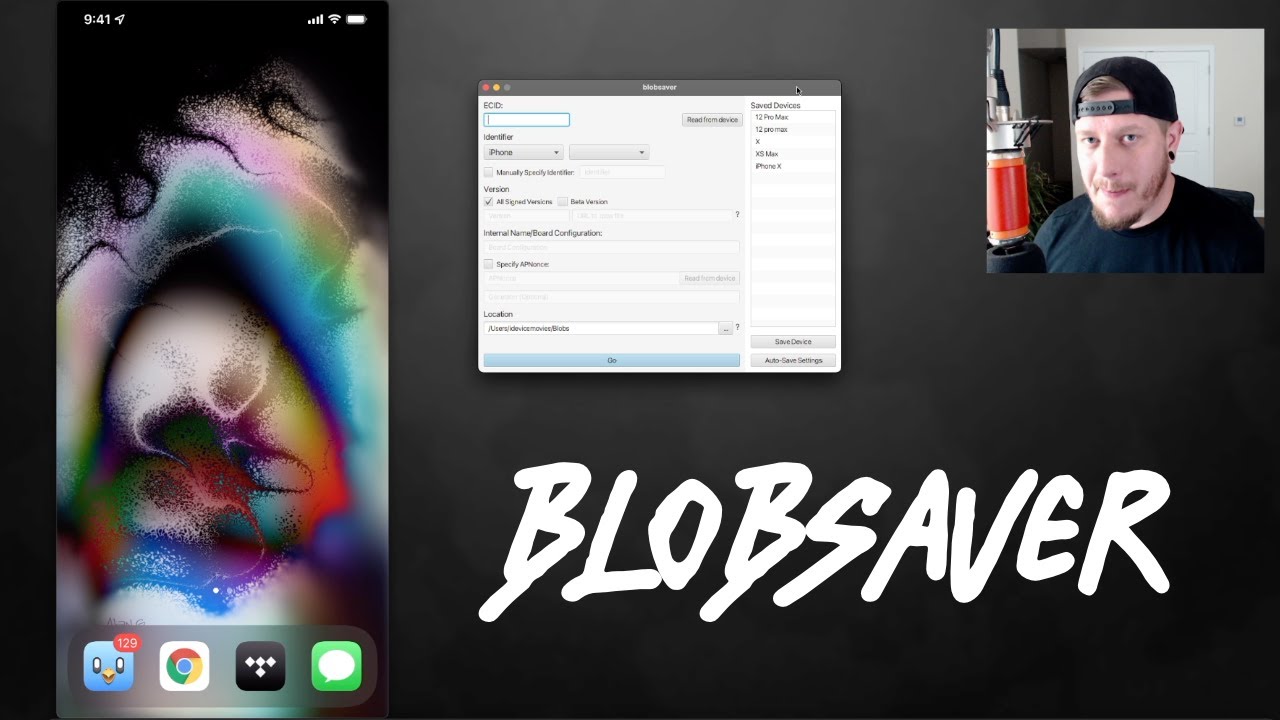
How To Save Beta iOS 15 Blobs With Blobsaver No Jailbreak / Jailbreak
https://github.com/airsquared/blobsaver/releases
https://idevicecentral.com/ios-signing-status/
JOIN MY CHANNEL https://www.youtube.com/channel/UCsNsM8GOtj55C-mQfdFOcVw/join
(GAMING) iDM PlayZ https:...
fallow oracle
doesn't it turn out to be true?
grim wren
You can always save blobs without a jailbreak
fallow oracle
understood
fallow oracle
Should I stay at 15.0 then? To wait for Jail
iPhone 13
Or would it be better on 15.1?
fallow oracle
Thanks a lot !
grim wren
Np
sterile igloo
So I'm running Ubuntu on VMWare Workstation Player, and it can't recognize my iphone in recover mode for futurerestore, why would it not recognize it? Why is it greyed out in WmWare Workstation Player?
short spade
VMs don’t work
 short spade
Ok
sterile igloo
I'm a dumbass
short spade
👍
sterile igloo
@short spade
what about this video, how did they do it?

USE THE LATEST VERSION!!
In this video you will see a full tutorial on how to properly use futurerestore in linux even with a virtual machine.
This method is for jailbroken only.
This tutorial also contains various errors encountered by the mentioned method. The purpose is that you deal with those kind of errors.
Link for Dependencies
http://ww...
valid adder
thats extremely outdated
 warm current
is there a guide for 14.8 to downgrade to 14.4.2 on an A12 without breaking face id, etc?
sterile igloo
warm current
is there a guide for 14.8 to downgrade to 14.4.2 on an A12 without breaking face...
I dont think you can downgrade without a proper SEP/Baseband
grim wren
warm current
is there a guide for 14.8 to downgrade to 14.4.2 on an A12 without breaking face...
It’s impossible to not break faceid at the moment
warm current
so best atm to stay on 14.8. ty both for replies.
 ornate spire
grim wren
Don’t follow YouTube videos as sources
ornate spire
grim wren
Don’t follow YouTube videos as sources
idm is trustworthy...
 sonic drum
sterile igloo
<@!549288850971688960>
what about this video, how did they do it?
https://www.y...
sonic drum
sterile igloo
<@!549288850971688960>
what about this video, how did they do it?
https://www.y...
ewww ubuntu... in a vm
 swift elm
It finally happened. My poor iPhone 12 mini bootlooped itself to death. So I have been trying for hours using FutureRestore to go from 14.1 -> 14.5.1 and it gets to the screen where the iPhone has the progress bar, but then stops. I know I'm gonna lose snapshots and Face ID - but do I have to manually specify the 15.3 SEP maybe? Or is 15.3 SEP the current "latest" (not the beta which breaks all the things).
Most generic error message too: "Unable to restore"
sterile igloo
swift elm
It finally happened. My poor iPhone 12 mini bootlooped itself to death. So I hav...
dang, the bootloop of death even happens to people on the altstore team?
swift elm
sterile igloo
dang, the bootloop of death even happens to people on the altstore team?
Well, surprisingly, not many of us our jailbreakers. The only reason I ever jailbroke was because of the demand for AltDaemon and then I fell in love with JBing.
sterile igloo
swift elm
Well, surprisingly, not many of us our jailbreakers. The only reason I ever jail...
❤️
altdaemon was a genius idea
swift elm
Yeah, I personally like it better than Reprovision Reborn solely because AltStore keeps all apps up to date. Reprovision is better in every other way except for updating sideloaded apps has to be done manually.
valid adder
@celest basalt please do me a favor and never speak in this channel again
I keep seeing you spread misinformation
so I will have you removed if you continue
google segfault please this has nothing to do with the issue you had
no its not
please google segfault
you just supported my argument for not knowing what you are talking about
like I said google what a segmentation fault is
I'm happy to educate you, you just didn't bother researching yet
you need to fix your false assumption before I can explain
futurerestore is free software, I volunteer my time to maintain it
also it is a beta
if you think you are entitled to bugfree software then you think the impossible exists
swift elm
My iPhone 12 mini is finished I think... I do have blobs for 14.5.1 and that doesn't work - it gets so close to finishing. Maybe I'll try 15.1 blobs next since that's likely the next to get a JB. It's like, right at the screen where it starts to (future)restore (the Apple and Progress bar) and then this happens:
FDR sending 89 bytes:
FDR Sent 89 bytes
FDR Received 105 bytes
Ctrl handshake done (ConnPort = 49204)
FDR 0x600002f5cc60 waiting for message...
DEBUG: tss_response_get_path_by_entry: No entry 'LLB' in TSS response
NOTE: Could not get LLB path from TSS data, will fetch from build identity
idevice_event_cb: device disconnected
ERROR: Unable to receive message from FDR 0x600002f5cc60 (-2). 0/2 bytes
FDR 0x600002f5cc60 terminating...
ERROR: Could not read data (-256). Aborting.
I couldn't get this far if any of my files were incorrect, right?
valid adder
which fr version did you use
and never ask support ever again without telling us what device please
swift elm
valid adder
and never ask support ever again without telling us what device please
Fixed, I mentioned it when I first posted about this earlier today but should have re-stated it.
valid adder
sorry I haven't been here in a few days
swift elm
valid adder
sorry I haven't been here in a few days
Oh, no no, it's cool. I've learned so much from reading your posts on here and reddit. FutureRestore is brilliant IMO. I'm just here to learn more about it.
And hopefully find a way to fix my issue.
But I'm mostly just curious at this point.
valid adder
I sadly don't think a14 is downgradable I have no idea why but it seems sep panics when you try to load the restore
I've seen this alot
I have a15 so can't test a14 I would have attempted a fix by now
swift elm
valid adder
I sadly don't think a14 is downgradable I have no idea why but it seems sep pani...
Ahhh, okay, so that's what's happening, the SEP panics. That makes sense. I was wondering if it was because "latest sep" was downloading the 15.4 beta SEP and I needed to manually specify 15.3. I'm futurerestoring from iOS 14.1 to 14.5.1. But iOS 15.1 shouldn't have the same SEP panic. I hope.
Also, on A12+, since the APNonce changes on specific events, can you still re-use the blobs to restore or is it a one-time deal?
valid adder
you need a jailbreak to use blobs because you can only specify your nonce generator with a jailbreak
swift elm
valid adder
you need a jailbreak to use blobs because you can only specify your nonce genera...
So as long as you can set the generator to something known (via jailbreak), the APNonce / blob can be re-used but if the install gets close to finishing and then fails, does the generator change so you can't try again?
valid adder
on a11 and lower the apnonce is the hash of the generator
on a12 and higher nonce is entangled
so its unpredictable
but with jailbreak you can extract the crypto key
for a12
then you can predict the apnonce forever
and you know which apnonce is for a generator
swift elm
valid adder
then you can predict the apnonce forever
Really interesting and cool RE work. Basically, my JB iPhone 12 mini 14.1 went into bootlooping this morning. I tried to futurerestore to 14.5.1 since I had the blobs for it but I used the "--update" flag when I shouldn't have, it made it through he whole progress bar on the phone before it restarted and went into restore mode cause "--update" borked it probably. Then I've just been trying to regular restore to 14.5.1 and I always get to that last step where the SEP panics. I wonder if my first restore changed the generator which would make the blob useless? But I don't think so because futurerestore doesn't throw a mismatch error.
I think my only option is I can wait for a futurerestore SEP fix if you ever get your hands on an A14 device since rn my generator is set and known by my jailbreak. If I futurerestore or regular update to iOS 15, my generator will be reset and my blobs will be useless until jailbreak is found (which at that point I wouldn't want to downgrade anyway).
I have a second iPhone mini 12 that's on iOS 15 that I use to test AltStore with so I'll just use that for now. Oh wait, but if the latest SEP breaks iOS 15.1 futurerestoring, I might as well update to that rn while 15.3 SEP is still being signed.
swift elm
Decided to just go straight to 15.1 since a JB is coming fo that eventually and now I can't get rid of this error Device did not disconnect. Possibly invalid iBEC. Reset device and try again - I mean that's happened plenty of times, and I reset and it fixes it - but 10 times in a row now and I get that same error. Weird. Imma just keep trying but I might just have to officially update. 😭
grim wren
You can try delayota to 15.2 and wait a while
swift elm
grim wren
You can try delayota to 15.2 and wait a while
This seems like my best bet tbh. I'm gonna miss the jailbreak community, but I do have a phone on 15.1 so I'll be back one day!

 ancient wraith
grim wren
Join the club
ancient wraith
grim wren
Join the club
I’m about to do the delayed ota method, but I feel like ima mess up and lose all my data.
grim wren
ancient wraith
I’m about to do the delayed ota method, but I feel like ima mess up and lose all...
Delayota will wipe your data at least twice so make a backup
Make one Post rootfs restore if you’re jailbroken
swift elm
Unless I... hey @valid adder - what tools do you use to RE this shit for possible SEP panic bug fixes like I'm experiencing? You don't have an A14 device, and I've got nothing but time to play around on this one since it's not my "daily" phone. I'm a dev, so where would you suggest I start on debugging this SEP issue - unless you prefer I don't try? Just seems like a fun challenge which is why I do everything in life.
Wait, futurerestore is open source correct? I can't find it's Github.
lavish rain
GitHub
A hacked up idevicerestore wrapper, which allows specifying SEP and Baseband for restoring - GitHub - m1stadev/futurerestore: A hacked up idevicerestore wrapper, which allows specifying SEP and Bas...
swift elm
lavish rain
https://github.com/m1stadev/futurerestore
Hahaah, it's literally already starred on my Github. I'm an idiot; thank you!
valid adder
@swift elm its his github but I'm the main contributor
swift elm
valid adder
<@!162573978970357761> its his github but I'm the main contributor
I’ll check out some of your commits when you’ve fixed similar problems and see if I can’t do some experimentation at some point. I’ll just leave my 12 mini as a brick for now because if I restore it - I lose the apnonce / generator my jailbreak set. And that’s my only way out of this mess. 😅
valid adder
The fix for a14 is already there meaning it’s even more broken this time
swift elm
valid adder
The fix for a14 is already there meaning it’s even more broken this time
Did you use to have an A14 device before - is that how you made the initial fix?
 distant pecan
Can i use futurerestore with windows?
swift elm
valid adder
<@!162573978970357761> no I just let the bound check reach t8101 a14
Well, that fix still works because clearly my phone is accepting the SEP and gets much farther than that in the recovery code. Gotta find where exactly it breaks and start experimenting. Something about whatever FDR communication is causes my iPhone 12 to lock up but I make it all the way to the Apple Progress bar screen so I feel like this isn't hopeless. I just have to find out how far in the code it makes it through the recovery, and guess as to why the SEP is panicking. There's a finite number of reasons at that low of a level that it would panic I feel. But maybe there's nothing that can be done if it's a fundamental issue with the SEP firmware + A14 itself.
I'm gonna have to write a bunch of output logs proabably and figure out what the 89 bytes actually are that get sent, and then figure out how it responds, cause it responds and then panics. So that's gotta tell us something.
Btw, thanks for the starting point, I can follow the code from there.
 molten panther
Hi, I'm tryna futurerestore an iPhone 7 but for some reason it keeps failing. I'm using an M1 MacBook Pro to run FutureRestore. Any clue how I could fix this?
Also where can I find failure logs?
This might be something
Or this
thanks spotlight
molten panther
valid adder
the first one tells you the issue
Wait that was the first one where I used a faulty wire lmfao, imma delete that
second one I think is the most recent attempt
celest basalt
Hey! So I'm trying to update using futurerestore. My device succesfully entered recovery mode but then it's stuck it [DEBUG] Waiting for device in recovery mode. I tried to unplug, replug, even re-launch futurerestore, but it seems unable to detect my device in recovery mode. Does someone know a workaround please? iPhone 8 iOS 14.6 checkra1n
errant shell
Did u install usbmux?
errant shell
Did you run all of the scripts from GitHub
celest basalt
was following the cfw.guide guide
errant shell
GitHub
A hacked up idevicerestore wrapper, which allows specifying SEP and Baseband for restoring - GitHub - tihmstar/futurerestore: A hacked up idevicerestore wrapper, which allows specifying SEP and Bas...
grim wren
celest basalt
nope, where can i find it?
pacman -S libusbmuxd
errant shell
Ya there I’ve never used arch btw