#futurerestore-help
1 messages · Page 237 of 1
 rain owl
 celest basalt
hey guys
im having a problem restoring my iphone 6s
its on ios 14 and im tryna get it down to 12 for fun
and Im running into this error
Getting firmware keys for: n71map
Cleaning up...
[exception]:
what=getting keys failed with error: 14745615 (failed to get FirmwareJson from Server). Are keys publicly available?
code=35913745
line=548
file=futurerestore.cpp
commit count=264:
commit sha =e5041b855e2410db680034615e4908d9287d2ef9:
Done: restoring failed!
FutureRestore process ended.
would anyone be able to help
 rich shell
does checkm8 nonce setter work on ios 15
 lavish rain
yes
lavish rain
celest basalt
Getting firmware keys for: n71map
Cleaning up...
[exception]:
what=getting keys ...
https://github.com/Cryptiiiic/ios-tools/ try running wiki-proxy in another terminal
GitHub
Python tools of varying usefulness related to iOS jailbreaking. - GitHub - Cryptiiiic/ios-tools: Python tools of varying usefulness related to iOS jailbreaking.
celest basalt
lavish rain
https://github.com/Cryptiiiic/ios-tools/ try running wiki-proxy in another termi...
by any chance is thier something that i need to do so my iphone will boot into a pwnd mode? kinda like how the iphone 8 does the same thing
rich shell
getting this with checkm8 nonce setter
 celest basalt
because i see that i need to use eclipsa main
even tho my phone is jailbroken so imma bit confused
rain owl
Im on a linux usb, but am a linux noob. How do u get linux iDevice drivers?
@grim wren
Getting cant init, no device found
 grim wren
sudo apt install usbmuxd
celest basalt
got this error now
what=assure failed
code=25690127
line=392
file=libipatcher.cpp
commit count=88+git20211025.1e855d7:
commit sha =1e855d70c84419014e363bdbcaead7b145fe3e1f:
Done: restoring failed!
rain owl
Usbmuxd is already the latest version
I think its cuz its in recovery mode
And yes using FR 2.0 test
Its detecting my iphone thats working fine but not my ipad @grim wren
rain owl
Its detecting my other ipad too, just now
They get the ‘this device isnt trusted yet message’
Then i just trust and all good
But no prompt on this ipad
grim wren
Odd
rain owl
So yea im stumped here
ok well its not detecting the same iphone when i put it into recovery mode
so clearly something is off with recovery drivers
@grim wren ?
grim wren
celest basalt
connecting to fdr client
What phone
grim wren
rain owl
<@!344291973030608897> ?
Maybe your iPad is having a hardware issue
It’s confusing me that’s for sure
celest basalt
6s
grim wren
grim wren
It’s confusing me that’s for sure
Considering that all your other devices are detected
grim wren
celest basalt
6s
Hm
celest basalt
so lost lol
grim wren
I would expect the FDR loop out of newer devices
Not the 6s
Just be patient and wait for it
It’ll break out eventually
celest basalt
i am trying to restore from 14.4 to ios 12 so it is expected
celest basalt
grim wren
It’ll break out eventually
it crashed
grim wren
SEP issue 
grim wren
You won’t be able to restore to iOS 12, unless someone figures out how to restore to unsigned SEP’s
celest basalt
ahhhhh
grim wren
We all have to use the latest SEP version which usually becomes incompatible with the versions behind it after a few updated
grim wren
celest basalt
what would be the lowest i could go too?
I think 14.0 somewhere around that area
iOS 13.x is a no go
grim wren
Np
rain owl
@grim wren it doesnt detect my iphone either
when i put it in recovery mode
so what im saying is, only when in recovery or dfu mode is when it cant get connection
really seems like a driver or dependency is missing
celest basalt
tiny questin tho
if i were to use one of these which would I use?
 grim wren
Noapnonce
celest basalt
alright thanks
grim wren
rain owl
really seems like a driver or dependency is missing
Hm
Try run futurerestore as sudo
rain owl
ill keep troubleshooting
btw
am i able to downgrade an iphone 6s from ios 15 to 14.3 w/blobs now that im on ubuntu
read something but idr if its mac only @grim wren
grim wren
Should be able to
lavish rain
a9 requires macos
rain owl
ah dam
trying a dif pc cuz couldnt get it to work
Sigh same thing. Cant get ubuntu to recognize recovery mode
Is there anyone that can help me with this
 fervent trellis
Grabbed the blobs for my iPad Air 4 off AutoTSS
For iOS 14.5.1 I have one that's in a folder with a string number and another with the folder name 'no-apnonce'
Which one do I want to use?
grim wren
No-apnonce
fervent trellis
grim wren
No-apnonce
In my blob from No-Apnonce I see Generator 0xf0b-blahblahblah do I put that in the [generator] part of the
su root -c 'dimentio [generator]' command?
And as a Wi-Fi Only iPad do I have to set No Baseband under Baseband and SEP?
grim wren
Yes
 toxic flint
Hey! Can anybody suggest a website/app, similar to ipsw.me, that will allow me to download beta versions of iOS?
 vivid flame
I am on iPadOS 14.6 (A10X device) and want to downgrade to 14.5.1 to use unc0ver. Does someone have a tutorial for futurerestore using windows? I can also use a mac if necessary
grim wren
toxic flint
Hey! Can anybody suggest a website/app, similar to ipsw.me, that will allow me t...

IPSW.dev
Download developer beta versions of Apple's iOS, iPadOS and tvOS firmware.
toxic flint
grim wren
https://ipsw.dev
Thanks! Wanted to make sure I used something trustworthy.
grim wren
Np
grim wren
vivid flame
I am on iPadOS 14.6 (A10X device) and want to downgrade to 14.5.1 to use unc0ver...
Can’t use windows, you’ll have to use a mac/Linux machine
vivid flame
I see, thanks. Would I follow the same tutorial as the iOS 15 -> 14 pinned?
vivid flame
great
 clever stratus
Hello, I am new to Futurerestore, and have seen baseband and sep firmware mentioned a lot, but have not seen a lot about backing up or restoring required files for this, and so I was hoping that someone could elaborate.
grim wren
You do not need to back up any files per day
clever stratus
grim wren
You do not need to back up any files per day
Ok, so it is not possible to downgrade baseband or sep version to make it compatible with an older version of iOS?
lavish rain
sep/bb have to be compatible or else the restore will fail
grim wren
Not currently no. Don’t know if it even will be
 molten zephyr
Do restore blobs (as the name suggests) restore your entire phone or is there a way to keep your data?
grim wren
lavish rain
sep/bb *have* to be compatible or else the restore will fail
I mean partially incompatible exists
On the SEP side that is
grim wren
molten zephyr
Do restore blobs (as the name suggests) restore your entire phone or is there a ...
Blobs are blobs (excluding factory blobs)
lavish rain
i mean its partially incompatible and partially compatible ig
molten zephyr
grim wren
Blobs are blobs (excluding factory blobs)
So I can downgrade either way
grim wren
You can use them with -u and pwndfu mode im pretty sure
celest basalt
grim wren
Blobs are blobs (excluding factory blobs)
Boooba
molten zephyr
Because you have update blobs as well
molten zephyr
grim wren
You can use them with -u and pwndfu mode im pretty sure
Yea just making sure thanks
clever stratus
grim wren
Not currently no. Don’t know if it even will be
Ok, and is it possible to update the sep or baseband to a newer version, which still isn't the latest version but is newer than the version on the device, to restore another version of iOS?
lavish rain
you have to use whatever is signed
grim wren
Yes, they just have to be compatible
You only use the latest components(sep/baseband) either way
No upgrading or downgrading(the components)
clever stratus
grim wren
No upgrading or downgrading(the components)
So I can't upgrade to a later version except the latest version?
grim wren
You can upgrade/downgrade the os. Just the components(sep/baseband) always have to be compatible/signed
clever stratus
grim wren
You can upgrade/downgrade the os. Just the components(sep/baseband) always have ...
Yeah, but is there something like the blobs for sep and baseband that I can backup and use to sign it?
grim wren
Yes and no
Yes because I’m pretty sure SEP blobs exist in the blobs you save or something, no because I don’t think people know how to use them yet
lavish rain
yeah theres not really a way to "backup" and use unsigned sep rn
grim wren
lavish rain
yeah theres not really a way to "backup" and use unsigned sep rn
Just get apples private signing key 
clever stratus
Ok, so what do the custom sep and baseband options in futurerestore do?
grim wren
No sep is for ancient devices that don’t have se
No baseband is for things like iPods and wifi only ipads
That of course, don’t have cellular
clever stratus
I saw that the sep and baseband files can be extracted from an ipsw, so I assume that using those would make the restore fail then?
grim wren
Yeah
clever stratus
Ok. Thanks!
grim wren
Np
clever stratus
As a side question, where can I find out which iOS versions are compatible with latest sep and baseband.
grim wren
This exists, but it’s a little iffy https://joshblah555.github.io/JoshTV/SEPCheckr.html
Find out if restoring is possible!
Not very up to date and sometimes incorrect
But it’s a general idea
clever stratus
Anything for newer phones?
 mystic axleBOT
sepbb
Currently you can restore to the following versions with the latest SEP and baseband for your device:
Devices that only support up to iOS 12 (most A7 and A8 devices excluding iPad5,1 - iPad5,4): 11.3-12.5.5
A9 and A10: 14.0-15.2
A11 devices:
iPhone 8/8 Plus: 14.3-15.2
iPhone X: 15.0-15.2 (restoring to 14.3-14.8.1 will break Face ID)
A12 devices and newer:
- iPhone SE (2020): 14.0-15.2
- Other devices: 15.0-15.2 (restoring to 14.0-14.8.1 will break Face ID)
For restores on devices that support iOS 15 you currently must use the latest beta version of FutureRestore, see /tag futurerestore for a link.
Added by Tanbeer#4750 | Used 410 times
·
grim wren
Or that
lavish rain
isnt there like a telegram bot to figure this out too
clever stratus
Oh cool! Thank you!
grim wren
Np
grim wren
lavish rain
isnt there like a telegram bot to figure this out too
I think so yeah
clever stratus
What does the pwned restore do?
grim wren
Pretty sure it’s just allowing use of things like restore blobs in update mode and all kinds of a crazy can of worms I don’t dare open
clever stratus
Thanks!
 serene wolf
iPhone X recommends to upgrade to ios15.0?
 short spade
What iOS version are you currently running?
rain owl
can anyone help on why futurerestore cant detect devices in recovery mode
on linux
i get 'cant init. no device found'
ive been struggling all night
mystic axleBOT
futurerestore
futurerestore allows you to upgrade/downgrade/restore to unsigned iOS versions if you meet certain requirements.
Tutorials:
Tutorial
Video Tutorial
Links:
FutureRestore GUI
Latest stable version (194)
Latest beta version
There are currently no pre-compiled beta builds for Windows.
Added by Capt Inc#0001 | Used 416 times
·
 native quail
rain owl
can anyone help on why futurerestore cant detect devices in recovery mode
native quail
rain owl
can anyone help on why futurerestore cant detect devices in recovery mode
sudo systemctl restart usbmuxd
then try again
rain owl
Had to install libirecovery, libimobiledevice -utils
Am using a usb and am bad a linux
But it identifies now
Now am having a no space problem
Cuz im running off usb
native quail
rain owl
Had to install libirecovery, libimobiledevice -utils
that is useless
you dont need those things at all
if it doesnt catch up then it is a hardware issue
try another usb port/cable
rain owl
Already tried two pcs lol
It detected now
Is extracting the ipsw in futurerestore now but taking a bit since its doing it off the flashdrive
Ive been all night at this
 cedar lodge
Finally!!!
Hi all, mates 
rain owl
got it working thru usb, took a long ass time tho lol, ty @native quail
and yea, thanks @grim wren for all the help. hurdles but thru usb linux was able to do it
on 14.1 and with all data saved somehow after like 5 failed restore attempts
serene wolf
molten zephyr
A11 can be used for checkm8 exploit
doesnt have any set nonce tool?
rain owl
Attempting to do a final thing: trying to downgrade ios 15 to 14.3 with blobs. Saw a comment on reddit from cryptic, apprently its a thing on linux?
serene wolf
emm actually, i want to upgrade 14.4 to 15.0
molten zephyr
serene wolf
emm actually, i want to upgrade 14.4 to 15.0
Sorry, wasn’t sure if you wanted to do an untethered update or downgrade. Simply install [[system info]] and set boot nonce . Hope that helps (note I have not tested this).
mystic axleBOT
pfetch
A pretty system information tool written in POSIX sh
 Powered by Canister
·
molten zephyr
Powered by Canister
·
molten zephyr
Bot is wrong
mystic axleBOT
pfetch
A pretty system information tool written in POSIX sh
Powered by Canister
·
 zealous bridge
[[System Info]]
mystic axleBOT
System Info
System information in Settings app > General > About, and other sections. Set boot-nonce, save shsh, battery info etc
 Powered by Canister
·
zealous bridge
rain owl
Attempting to do a final thing: trying to downgrade ios 15 to 14.3 with blobs. S...
Powered by Canister
·
zealous bridge
rain owl
Attempting to do a final thing: trying to downgrade ios 15 to 14.3 with blobs. S...
device??
rain owl
@zealous bridge iphone6s+
I patched ipwndfu for s8000 with a thing i found online, exploit works every now and then but cant get it past futurerestore
zealous bridge
rain owl
I patched ipwndfu for s8000 with a thing i found online, exploit works every now...
what error?
vivid flame
Just ran futurerestore to go to 14.5.1 (in progress). I just want to say that the docs pinned doesnt mention to select no base band for non cellular ipads
rain owl
Uh regarding not been able to reconnect iirc
After ibec or ibss iirc
On first attempt after pwning, it always fails a bit earlier @zealous bridge
zealous bridge
mac or linux
rain owl
@zealous bridge
zealous bridge
is libusb installed
rain owl
I believe so
zealous bridge
.
rain owl
I was getting errors before where it wouldnt detect my ipad in recovery earlier
zealous bridge
yeah most of the time you just have to try again
might be a few tries before it works
rain owl
Ive BEEN trying
rain owl
Lemme show u which patch is the one i used
rain owl
Its on usb, if i restart, everything i installed gets deleted
zealous bridge
well live usb isnt really ideal for this
rain owl

Gist
ipwndfu patch for s8000/s8003/t7000. GitHub Gist: instantly share code, notes, and snippets.
Thats the patch i used for 6s+ to work on ipwndfu
rain owl
And i DO get the ‘entered pwned dfu mode’ message
zealous bridge
cant use linux i’m afraid
yeah just entering the mode isn’t enough
you need sigpatches all that good stuff
rain owl
Ah really. Thought with this + choosing pwnedfu+ nonce thing on futurerrstore would be it
zealous bridge
mind you a hackintosh probably works
zealous bridge
rain owl
Ah really. Thought with this + choosing pwnedfu+ nonce thing on futurerrstore wo...
https://gist.github.com/nyuszika7h/aac55c97f7925cddcf5ec3167f85dfe8
this is a good guide if you need
Gist
How to downgrade from iOS 15 to iOS 14. GitHub Gist: instantly share code, notes, and snippets.
rain owl
Yea its the one i was using for reference. Dont have access to mac thoo
 uneven skiff
i wonder how long it takes to summon Tanbeer just by talking in this channel
zealous bridge
huh
uneven skiff
oh
 uneven skiff
i was part of a guild of people reporting cp servers and one of the servers got taken down the same exact moment i joined to report
bad timing ig lol
zealous bridge
damn 😂
vivid flame
How do I restore my ipad to my icloud backup? I used futurerestore to downgrade and now when I try to use the backup I took during setup it tries to force me to update to ios 15.2
grim wren
Your backup was probably taken on 15.2
vivid flame
it was taken on 14.6, but I guess thats why it doesnt work
my files are all kept on cloud so i didnt loose anything, its just a hassle to redownload and re-signin to everything
short spade
You can’t restore from an iCloud backup without updating afaik
lavish rain
there's a way to edit the backup to make it work but ymmv
vivid flame
ah, I assume it has to be a local backup
celest basalt
Ik I’m probably asking a dumb question but how would I restore to iOS 14.7.1?
On a unjailbroken iPhone 11
lavish rain
vivid flame
ah, I assume it has to be a local backup
yeah because it involved editing a plist iirc
lavish rain
celest basalt
On a unjailbroken iPhone 11
you cant
celest basalt
Ah nice
celest basalt
iOS 15.3 lol
lavish rain
oh yeah definitely not then
celest basalt
True true
 tardy dome
so i saved my blobs with blobsaver before i was jailbroken (iphone SE 2020) and when i look in the blob with a text editor, there is no generator to be found. so how do i restore with it in the future?
 manic crow
Anyone here to help me ?
 short spade
iOS device, current version?
manic crow
iPhone 8
manic crow
short spade
iOS device, current version?
Ios 15.0.1
manic crow
I knoww but i need guidance
short spade
Follow the guide
It lists everything you need
If you get errors come here
I will warn you it takes awhile to get ipwndfu to run successfully, this isn’t a quick and easy process
short spade
It’s a random success rate afaik
It took me 3 days the first time
Then 20 minutes the second
manic crow
Anyone here
I get error
The device has no langid
Any fix ?
While patch a11 rom
@zealous bridge sorry for the ping
zealous bridge
just run it again until it works
manic crow
 manic crow
zealous bridge
just run it again until it works
manic crow
zealous bridge
just run it again until it works
Means try again and again wille get success?
zealous bridge
yes
manic crow
zealous bridge
yes
My deviceget into dfu but still no langid
 modern cradle
sudo python2 ipwndfu -p
manic crow
modern cradle
sudo python2 ipwndfu -p
I write that command ?
modern cradle
manic crow
Just use sudo with this commands
manic crow
Got it
modern cradle
And then will see if exploit work or no;
 valid adder
Use fugu for a10 not ipwndfu
manic crow
valid adder
Use fugu for a10 not ipwndfu
I have a11 device pwnd but i messed up with 4 step
Getting into recovery mode
valid adder
Ipwndfu is for dfu not recovery
grim wren
ipwnrecovery
manic crow
valid adder
Ipwndfu is for dfu not recovery
That last step
For non face id device
Put your device in recovery mode.
Go back to the previous tab in FutureRestore GUI and uncheck both "Pwned Restore" and "Set Nonce".
Click "Next", and "Start FutureRestore" again.
This one
Is confusing me
valid adder
Future restore puts the device in recovery mode
It does it for you
You just can’t be in dfu
 echo widget
valid adder
Use fugu for a10 not ipwndfu
echo widget
valid adder
Use fugu for a10 not ipwndfu
Linux moment
manic crow
That dfu mode ripped my time
Any guide ?
Volume up down + power for 10 seconds
When device black volume down + power button for 5 seconds but stil didn’t dfu
celest basalt
Hi im trying to downgrade my iPhone 7 15.2 to 14.X have blobs from multiple ios 14 versions and everything but when set the nonce and after doing FR it shows the apnoce doesn’t match the apticket… what im doing wrong?
This is the command im using to set the nonce
futurerestore-x86_64-v2.0.0-test --use-pwndfu --set-nonce=0x1111111111111111 -debug
And it show is ✅ but FRsaid that apnonce doesn’t match
manic crow
Any idea what i m doing wrong ?
 celest basalt
manic crow
Any idea what i m doing wrong ?
celest basalt
manic crow
Any idea what i m doing wrong ?
You put device on recovery?
And make sure the device is trus by the pc
manic crow
celest basalt
You put device on recovery?
I put in recovery but device didn’t get detected
I m pn ubuntu
celest basalt
manic crow
I put in recovery but device didn’t get detected
Thats why it failed
manic crow
Can u check dm ples
 void rampart
hello, iphone XS trying to update to 15.1, I get "SEP firmware is NOT being signed!" and (status=94, message=This device isn't eligible for the requested build.) in windows
lavish rain
you need to use the beta version on macos or linux
void rampart
why don't we pin this?
lavish rain
trying to update
void rampart
guess beta and windows won't work either?
lavish rain
void rampart
why don't we pin this?
it is
molten zephyr
void rampart
guess beta and windows won't work either?
Boot Linux with a USB on your computer
 void rampart
thanks mate
celest basalt
i use the tutorial in the pin comment here but it wont work on my iphone 7, any one have been able to fr ios 15 to 14 iphone 7?
tardy dome
celest basalt
i use the tutorial in the pin comment here but it wont work on my iphone 7, any ...
do you have a blob?
celest basalt
tardy dome
do you have a blob?
yes
tardy dome
celest basalt
yes
that YOU saved?
celest basalt
yes
lavish rain
are you attempting on mac or linux?
tardy dome
or windows
celest basalt
im on macbook
grim wren
tardy dome
or windows
Bet
celest basalt
let me ss
Set the nonce
My blobs

Get always this error

Im using this command to set the nonce
./futurerestore-arm64-v2.0.0-test --use-pwndfu --set-nonce=0x1111111111111111 -debug
valid adder
Why tf would it be one –
celest basalt
valid adder
Why tf would it be one –
Oh thats can be
celest basalt
grim wren
That error implies you never set the nonce correctly
🤦🏻♂️🤦🏻♂️🤦🏻♂️
celest basalt
grim wren
Nice serial number
Old device to test
 celest basalt
native quail
i never had to specify nonce for my a11
celest basalt
native quail
i never had to specify nonce for my a11
This iPhone 7 is a pain lol in my case, i will give up and sell it 😂
 vale ocean
I’d like to FR to 14.8 on my XR. I have blobs. What do I lose?
 warm meteor
Oh sweet JB for 14,8
Where would I find a quick guide to update to 14.8 assuming I have blobs
zealous bridge
face id
warm meteor
Oh you lose faceid! Oh goodness me
zealous bridge
you will lose face id updating to 14.8
vale ocean
oh shit i’m updating
zealous bridge
apple pay should also be fine as long as its not biometric enabled ofc
vale ocean
so do i disable face id before i FR
warm meteor
zealous bridge
**you will lose face id updating to 14.8**
Does it break for iOS 15 too (not going to do it now but assuming a 15 jb comes out and I use my blobs)
zealous bridge
wont break for 15
guys if you’re updating you might be better off delayotaing to 14.8 and keeping everything
you don’t lose face id that way
warm meteor
Oh does delayota still work for 14.8?
I thought that only lasted like a week after it’s not signed
warm meteor
Holy hell!
I shall try that then
zealous bridge
warm meteor
I thought that only lasted like a week after it’s not signed
Its like 3-4 months
warm meteor
Oh
vale ocean
zealous bridge
guys if you’re updating you might be better off delayotaing to 14.8 and keeping ...
wait i can still delayota to 14.8?
i’ll restore rootfs in taurine then do it. thank you
zealous bridge
yes thats what futurerestore is
warm meteor
zealous bridge
Its like 3-4 months
How do you delayota? I can’t find any info about it
zealous bridge
its in announcements
celest basalt
zealous bridge
yes thats what futurerestore is
Does anything happen if I do use it to update?
 indigo kite
/tag futurerestor
celest basalt
iPhone 11 on 14.4
indigo kite
/tag futurerestore
zealous bridge
you’ll lose faceid
zealous bridge
there’s also delayed ota
celest basalt
Does that break anything?
zealous bridge
nope
tardy dome
if i update to iOS 14.8 from 14.4 (iphone SE 2020), will i be able to downgrade back to 14.5.1 in the future? i have a valid blob saved.
zealous bridge
yes but you’ll lose face id
zealous bridge
you’re fine then
zealous bridge
should do
tardy dome
thanks
tardy dome
nothing broken?
i hope so
@zealous bridge do you know why face id will be broken going from 14.8 to 14.5.1?
zealous bridge
face id firmware incomapt
tardy dome
oh
ok
im considering updating to 14.8
if coolstar is not going to update untethered
zealous bridge
14.8 jailbreak isnt untethered
zealous bridge
???
 mild mural
Anyone know when 14.8 won’t be available through delayota anymore?
zealous bridge
jan 8th
celest basalt
mild mural
Anyone know when 14.8 won’t be available through delayota anymore?
In 14 days
 young nova
So can i downgrade to the untethered version with blobs now if i jailbreak? i need help doing that
zealous bridge
yes but you lose face id
young nova
legit? Any way to preserve it?
zealous bridge
nope
young nova
dang it, thanks man
So now that I'm jailbroken, is there anything i can do with my ios like upgrading or downgrading for any reason?
zealous bridge
again yes but you lose face id
young nova
So I loose face id if i use future restore at all?
young nova
even if im on 14?
lavish rain
yes, you still have to use ios 15 sep which breaks faceid
 cedar onyx
Question. A13. Is it possible to FR 14.5 (lose Face ID) -> delay OTA to 14.8 (get the Face ID back)?
young nova
haha
lavish rain
cedar onyx
Question. A13. Is it possible to FR 14.5 (lose Face ID) -> delay OTA to 14.8 (ge...
nope
valid adder
You literally can’t delayota downgrade
cedar onyx
valid adder
You literally can’t delayota downgrade
I will rephrase
lavish rain
it wont
cedar onyx
But you are upgrading the Apple way.. why wouldn’t it fix it?
cedar onyx
Thanks
 unborn tulip
If I delayota from 13.5 to 14.8 will it break my faceid too?
cedar onyx
You can’t delayota to 14.8 from 13.5
lavish rain
yeah you can?
cedar onyx
lavish rain
yeah you can?
It says you need 14.5 to upgrade to 14.8, what am I missing is this a mistake?
 unborn tulip
lavish rain
no
unborn tulip
lavish rain
no
Ok great, wish me luck
lavish rain
cedar onyx
It says you need 14.5 to upgrade to 14.8, what am I missing is this a mistake?
thats alternate
14.8 normal works fine
lavish rain
alternatesu
cedar onyx
Ah I see that
lavish rain
its just a different way apple provided updates
unborn tulip
lavish rain
14.8 normal works fine
Does it mean anything that it says the profile is not signed though I’ve installed it?
 lavish rain
doesnt matter
 royal flint
it just means that im too broke to sign it
unborn tulip
Thank you
 river lantern
A11 not supported, huh? Tragic.
lavish rain
a11 works for futurerestore
molten zephyr
^^^best thing about it
Other than the fact that you lose your password if you are above iOS 14.3
unborn tulip
When trying to do delayota, after installing the 14.8 profile, it keeps picking up the 15.2 update instead of 14.8
royal flint
did you supervise
unborn tulip
royal flint
did you supervise
I installed the tweak and it says my device is supervised when I open settings
royal flint
reboot
 weary stone
It’s doing the same for me. I installed the profile, the supervision tweak, rebooted, and it still shows 15.2 on the update page
unborn tulip
royal flint
reboot
Rebooted a third time just to be sure, same thing
unborn tulip
royal flint
where did you get the profile from?
stuff
unborn tulip
royal flint
and what device is this?
iPhone XS
royal flint
you're sure you installed the profile? once you click on the profile, it'll say profile downloaded but you have to go into settings > general > profiles and actually install it
weary stone
unborn tulip
iPhone XS
Did you install the wrong one turns out I got the iPhone 12/13 only one without realising
Mine works now
royal flint
the only difference between iPhone 12/13 and legacy is the inclusion of iOS 15.1.1 and the iOS 15.1 profile lol, all the other profiles are the same
weary stone
Well it works now and it didn’t with that one so ¯_(ツ)_/¯
royal flint
¯_(ツ)_/¯
unborn tulip
royal flint
you're sure you installed the profile? once you click on the profile, it'll say ...
Yea I’m sure, only option is to remove profile when I click it
river lantern
lavish rain
a11 works for futurerestore
Ya but like... not the new uncover. And FR it will break face id
weary stone
I’m assuming I restore rootfs before I update right?
unborn tulip
weary stone
Did you install the wrong one turns out I got the iPhone 12/13 only one without ...
I installed the one from “all other non-legacy devices”
I did rootfs before checking for the OTA update. Would that affect it?
lavish rain
river lantern
Ya but like... not the new uncover. And FR it will break face id
well you asked in the futurerestore channel so i assumed thats what you meant
royal flint
unborn tulip
I did rootfs before checking for the OTA update. Would that affect it?
No, that's what you're supposed to do. hm
river lantern
lavish rain
well you asked in the futurerestore channel so i assumed thats what you meant
Ya ya, word. Mb
Im just only ever on this channel. FR peeps are my crew 😎
royal flint
install a different profile and see if that works
unborn tulip
royal flint
install a different profile and see if that works
I deleted and reinstalled the profile for the third time, rebooted a fourth time and now getting the 14.8 update when I check software updates. Thank you
zealous bridge
@royal flint @unborn tulip #Delayed OTA Discussion
might as well clear traffic here
royal flint
zealous bridge
<@!218455673581600770> <@632385916849094658> #Delayed OTA Discussion
wat
zealous bridge
go to that channel
manic crow
Noo i didn't have mac my laptop didn't support mac amd gpu
 hearty forge
If I have blobs can I upgrade from 14.6 to 14.7 iPhone XR?
lavish rain
yes but it will break faceid
hearty forge
Ok nvm im not gonna lol
manic crow
I manually put my device in recovery to check fR detect or not but its not detected something wromg in linux ?
zealous bridge
sudo systemctl restart usbmuxd
manic crow
zealous bridge
`sudo systemctl restart usbmuxd`
After pwnd i manually put my device in recovery ?
manic crow
zealous bridge
leave it in pwndfu sigpatches
It automatically put my device into recovery ? Bcz after pwndfu device get in black screen
 zealous bridge
yes quickly connect it to futurerestore before it times out
manic crow
Means there is no need of recovery mode in any step
manic crow
zealous bridge
futurerestore puts it in recovery mode
I didn't get in pwdfu bcz in itunes it get notified is there any option in linux ? That i m in dfu ?
I almost tried 30/40 times 😓 still no luck
zealous bridge
what i don’t understand that at all
manic crow
zealous bridge
what i don’t understand that at all
I tried this volume up / down
Then press home button till black
Immediately press volume down
Wait for 5 seconds leave power button keep holding volume down button for 10 seconds
zealous bridge
yes thats how you enter dfu
manic crow
Is this is the way to get dfu in iPhone 8
zealous bridge
yeah but its power button not home button
manic crow
I tried but my screem didnt get full black it little bit glowing
I think if i doo moree that power button gonna loose its power forever
 violet lotus
Quick question
Iam on 14.3 iph11pro if i go to 14.8 using OTA Delay method
Will it break my faceid ?!
manic crow
violet lotus
Quick question
Iam on 14.3 iph11pro if i go to 14.8 using OTA Delay method
Wil...
I think no
zealous bridge
Nope
violet lotus
Okay then why is blob necessary anymore
violet lotus
Okay now i think we all need to goto 14.8 uisng ota method
manic crow
violet lotus
Okay now i think we all need to goto 14.8 uisng ota method
Yess try unc0ver
violet lotus
It will cause any errors ?!
manic crow
Noooooooooo
rain owl
if i bought a cheap used macos laptop off of ebay (i assume they used old versions of MacOS) will it work for futurerestore?
rain owl
ive been doing that these past couple of days
but impossible to downgrade 6s from ios 15 on linux rn, tried everything
also, for future macos only stuff
for example:

eBay
Find many great new & used options and get the best deals for A1260 Apple Macbook Pro 15” Core2duo 4gb Ram 120gb Ssd at the best online prices at eBay! Free shipping for many products!
would that work
or is that too old
grim wren
What device do you have
celest basalt
I have an iphone 11
grim wren
You can not sadly
You need a jailbreak for your device to be able to downgrade
Also your faceid would break in the process
celest basalt
Thanks
 sturdy totem
so im trying to go from 14.4 to 14.8 and it says SEP firmware not being signed and idk what to do
grim wren
Use anything but windows
And use the futurerestore beta
Problem solved
Just use delayota while it’s still alive
You’ll break faceid if you futurerestore
sturdy totem
delyaota?
grim wren
You can use the inbuilt update menu to go to 14.8
mystic axleBOT
delayota
You can update (not downgrade) to unsigned iOS versions without blobs for up to 90 days by supervising your device and downloading the appropriate profile from https://dhinakg.github.io/delayed-otas.
On jailbroken devices, you can install SupervisedEnabler. If unjailbroken, you'll have to use Apple Configurator 2 or iMazing.
Note: This won't work if you futurerestored with a SEP that's newer than the version you're trying to go to.
Added by nyuszika7h#0001 | Used 441 times
·
sturdy totem
ya
rain owl
Is there a way to get the blob from your current device? Like in the redsnow days? Got this iphone on 14.4 recently and wanted it in case of a restore
14.4. Not being signed obviously but maybe there was a way to get it from the device itself?
short spade
deverser
rain owl
also 2) i know that downgrading ios15 to ios 14 breaks stuff on iphone 12 pro max, but what about updating 14.2 to 14.5.1 with blobs? will it still break stuff?
lavish rain
yes
short spade
rain owl
also 2) i know that downgrading ios15 to ios 14 breaks stuff on iphone 12 pro ma...
Yes any futurerestore with blobs not to iOS 15 breaks face id
lavish rain
14.x->14.x breaks
short spade
On face id devices
lavish rain
15.x->14.x breaks
rain owl
ah kk ty. deverser works for dumping blob on device?
rain owl
k so, ANY restore breaks then
rain owl
kk will wait to see if fugu14 gets a backport eventually to 14.2. will look into deverser. ty
is that linux
short spade
But if you have to restore you’ll lose Face ID
short spade
rain owl
is that linux
macOS script only I believe
rain owl
oh dang. its the only method?
short spade
As far as I know yes
rain owl
ooo found it for linux
GitHub
Simple macOS script to dump onboard SHSH with a valid Generator for iOS devices - GitHub - IlannM/deverser-linux: Simple macOS script to dump onboard SHSH with a valid Generator for iOS devices
from this link

reddit
87 votes and 20 comments so far on Reddit
wait, system Info does it too?
short spade
To save blobs from an iOS device for the iOS version it is currently running (regardless of whether that iOS version is currently signed), use deverser. It’s a macOS or Linux script (no Windows version sorry) that dumps onboard blobs from your device, complete with generator.
macOS version: https://github.com/MatthewPierson/deverser
Linux version:
https://github.com/IlannM/deverser-linux
Note that if you have never updated the device (e.g. it is on its factory iOS version) you will get factory blobs, which cannot be used with futurerestore. Any other saved blob will work.

GitHub
Simple macOS script to dump onboard SHSH with a valid Generator for iOS devices - GitHub - MatthewPierson/deverser: Simple macOS script to dump onboard SHSH with a valid Generator for iOS devices
GitHub
Simple macOS script to dump onboard SHSH with a valid Generator for iOS devices - GitHub - IlannM/deverser-linux: Simple macOS script to dump onboard SHSH with a valid Generator for iOS devices
rain owl
how can i identify if its factory ios blobs
short spade
No idea
short spade
I doubt 14.4 will be factory blobs
rain owl
is there a way to upload the blob to 1conan website or shshhost after
iremember u could to cydia, back in the day
short spade
Maybe idk
rain owl
kk ty for help, will test
short spade
I didn’t try with my 14.2 blob since it’s kinda useless
short spade
short spade
To save blobs from an iOS device for the iOS version it is currently running (re...
Could this be pinned maybe? I feel like not enough people know about this script and it’s quite useful
rain owl
yea seems pretty good
 final blade
Hey can someone please help me with the pwndfu stuff for my iPad
I accidentally messed up while trying to futurerestore my iPad 7 to 14.8 without realising that the latest sep doesn’t work or something
So the I found a guide where I had needed pwned dfu but haven’t been able to enter from both Linux and Mac
short spade
It just takes time
Keep trying on macOS you’ll get it eventually
Also is it a regular iPad 7th gen, no Mini or Pro etc.?
Then SEP incompatibility is not a problem for you, touch ID devices aren’t affected
final blade
It’s the wifi model
But when I tried using latest sep in futurerestore i had gotten error 92 which was something about how sometjing failed validation
Oh never mind it worked this time
Thank you very much all I had to do was renter dfu
 slender crest
im so confused guys, whats the best way to OTA update to 14.8 from my 13.5 and Im jailbroken
mystic axleBOT
delayota
You can update (not downgrade) to unsigned iOS versions without blobs for up to 90 days by supervising your device and downloading the appropriate profile from https://dhinakg.github.io/delayed-otas.
On jailbroken devices, you can install SupervisedEnabler. If unjailbroken, you'll have to use Apple Configurator 2 or iMazing.
Note: This won't work if you futurerestored with a SEP that's newer than the version you're trying to go to.
Added by nyuszika7h#0001 | Used 453 times
·
slender crest
do i use the SupervisedEnable?
lavish rain
yes
slender crest
https://dhinakg.github.io/delayed-otas. in this link, do i download it directly from my phone or to my laptop?
lavish rain
you have to install the profile on your phone
 smoky coyote
Gonna upgrade on iPhone SE 2 iOS 13.4.1 to 14.8 for unc0ver, do these settings look right?

 short spade
smoky coyote
Gonna upgrade on iPhone SE 2 iOS 13.4.1 to 14.8 for unc0ver, do these settings l...
short spade
smoky coyote
Gonna upgrade on iPhone SE 2 iOS 13.4.1 to 14.8 for unc0ver, do these settings l...
Is your phone currently jailbroken?
 obtuse pendant
Mine is
short spade
If so, restore rootFS or turn off the —update flag
You can’t use the —update flag to preserve data with a JB’d phone
slender crest
@lavish rain i installed supervisedenabler then installed OTA 14.8, but my software update still says 15.2 and not 14.8, any tips?
smoky coyote
OK thanks!
lavish rain
slender crest
<@!274692033707245570> i installed supervisedenabler then installed OTA 14.8, bu...
did you install the correct profile and reboot
slender crest
ah okay ill try to reboot
smoky coyote
short spade
You can’t use the —update flag to preserve data with a JB’d phone
So what data isnt being preserved?
exactly?
obtuse pendant
short spade
If so, restore rootFS or turn off the —update flag
So if I dont activate the preserve data i dont need to restorefs my device? and it would make a fresh install?
smoky coyote
Ah damn, is that a requirement?
obtuse pendant
awesome
short spade
Only if your phone is jailbroken
You can restore rootFS and then you can preserve data
lavish rain
you can delay ota and not lose any data
obtuse pendant
does it have to be jailbroken? cuz i just shut my phone
smoky coyote
Does rootFS mean I dont factory reset my phone? And what does it do?
obtuse pendant
or that doesnt matter?
short spade
obtuse pendant
does it have to be jailbroken? cuz i just shut my phone
Dude I ain’t talking to you right now hold your horses
obtuse pendant
smoky coyote
Does rootFS mean I dont factory reset my phone? And what does it do?
it will remove all the jailbreak stuff
obtuse pendant
short spade
Dude I ain’t talking to you right now hold your horses
Im on the same boat as him...
smoky coyote
Ok, so rootfs, keep my shit, reuse unc0ver once im done updating?
short spade
Yep
smoky coyote
thanks
short spade
obtuse pendant
Im on the same boat as him...
Where’s your question?
smoky coyote
They need an FAQ channel for future restore
obtuse pendant
same pictures and shits
obtuse pendant
but im jailbroken and ofc i dont wanna keep my stuff
i alr backed up everything so im ready for the fresh install
short spade
Enjoy
obtuse pendant
I dont need to set sep nor bb?
short spade
You have to use latest
obtuse pendant
ok so leave it on latest
ERROR: TSS request failed (status=94, message=This device isn't eligible for the requested build.)
obtuse pendant
ewl
short spade
wat does that mean
lavish rain
faceid devices restoring to 14.x will lose faceid until you update to 15.x
lavish rain
yep
short spade
Any restore on a Face ID device to something that is not iOS 15 breaks Face ID
mystic axleBOT
delayota
You can update (not downgrade) to unsigned iOS versions without blobs for up to 90 days by supervising your device and downloading the appropriate profile from https://dhinakg.github.io/delayed-otas.
On jailbroken devices, you can install SupervisedEnabler. If unjailbroken, you'll have to use Apple Configurator 2 or iMazing.
Note: This won't work if you futurerestored with a SEP that's newer than the version you're trying to go to.
Added by nyuszika7h#0001 | Used 454 times
·
short spade
No matter what iOS versions you are on and going to
lavish rain
short spade
Any restore on a Face ID device to something that is not iOS 15 breaks Face ID
yeah but you cant restore to anything lower than ios 14 anyway
short spade
Touch ID devices don’t care about this
obtuse pendant
well guess imma stay on 14.3 lol
smoky coyote
short spade
wat does that mean
Just did the restore rootFS, now I want preserve data on correct?
short spade
Yes
smoky coyote
TY
obtuse pendant
I do Roadie 😄
obtuse pendant
Owww because the gigs I want to get comes at X time and im at my house at that time, and that app is location based
so since im not close to the area, they will not give me anything from there
thats why i spoof my location 😄
smoky coyote
@short spade My phone has a plug into itunes logo, and itunes on my PC says there is a problem with the iphone that requires it to be restored.
short spade
It’s in recovery mode?
obtuse pendant
Once I get the job, i just show up and everyone happy
smoky coyote
I guess so
lavish rain
thats supposed to happen
smoky coyote
I clicked start futurestore and it sent it here
obtuse pendant
smoky coyote
<@!549288850971688960> My phone has a plug into itunes logo, and itunes on my PC...
that means its on recovery mode
smoky coyote
Future restore says checking hashes
short spade
Wait a bit
smoky coyote
and there is an exit recovery mode button
short spade
Don’t do that
smoky coyote
Just chill?
 short spade
Yep
smoky coyote
noice
obtuse pendant
smoky coyote
Just chill?
no toca, leave it 
short spade
0/10
smoky coyote
Looks like I got an iBEC error,github link, easily fixable I guess.
short spade
Bad joke poor execution
 fierce vine
i need to upgrade from 13.5 to 14.7.1 saved blobs, can some link me a video plz
short spade
Device?
fierce vine
iphone 11 pro max
lavish rain
you'll break faceid
short spade
Alright, if you upgrade you lose Face ID
Do you still need to upgrade?
There’s no way around this other than going to iOS 15
fierce vine
maybe, can u send a video link anyways
will there be a fix? or just a wait till ios 15
lavish rain
you cannot fix faceid if you futurerestore until you update to ios 15
there is a way to go to 14.8 without breaking anything though
fierce vine
mmm yea i only have 14.6, 14.7, 14.7.1, and 15.1 , 15.2 saved
face id is needed what a shame
mystic axleBOT
delayota
You can update (not downgrade) to unsigned iOS versions without blobs for up to 90 days by supervising your device and downloading the appropriate profile from https://dhinakg.github.io/delayed-otas.
On jailbroken devices, you can install SupervisedEnabler. If unjailbroken, you'll have to use Apple Configurator 2 or iMazing.
Note: This won't work if you futurerestored with a SEP that's newer than the version you're trying to go to.
Added by nyuszika7h#0001 | Used 458 times
·
short spade
In case you still want to use futurerestore:
https://www.idownloadblog.com/2021/03/08/futurerestore-guide-2-use/
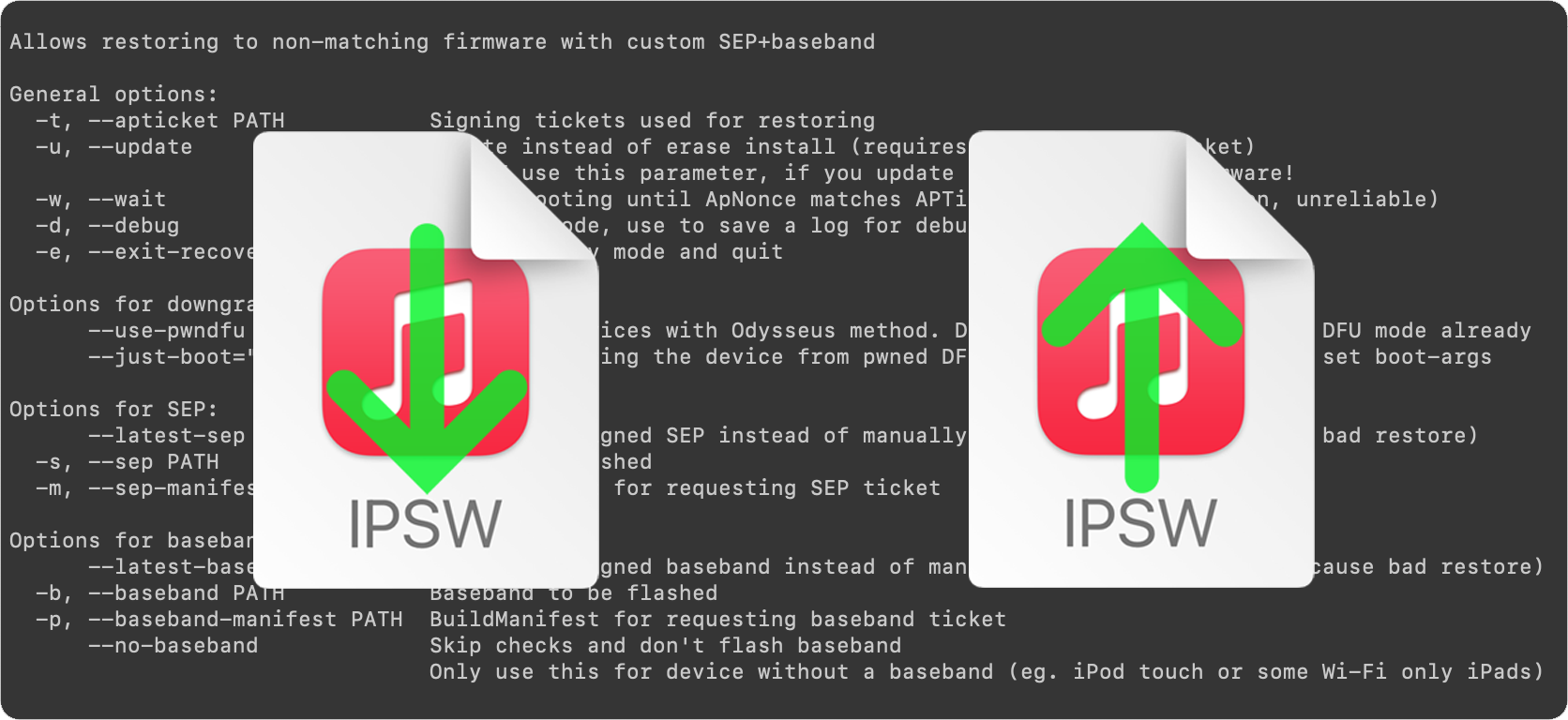
This is the second in our two-part guide on how to use futurerestore to up- or downgrade your iOS, iPadOS, or tvOS device to an unsigned firmware. After having made all necessary preparations, this guide demonstrates the actual usage of the futurerestore tool.
fierce vine
should i still update my unc0ver right? from 7.0.2 version
lavish rain
doesnt really matter
native quail
there is no point in updating if 7.0.2 is working fine
smoky coyote
@short spade Its on an inverted apple screen with attempting data recovery on it, did something mess up?
short spade
Can you take a picture?
I have not heard of this happening before
If it fails and goes back to how your device was before make a backup and disable the —update flag
smoky coyote
Yea, at this point I've resigned to just factory reset and upgrade then jailbreaking if things continue to be broken
also taking a photo is hard, ill get one of the same screen off google

This screen
 obsidian tapir
🤔
 lavish rain
smoky coyote
lavish rain
smoky coyote
thats normal
smoky coyote
lavish rain
thats normal
So, this is the intended process during a future restore?
lavish rain
occasionally that appears yeah
obsidian tapir
obsidian tapir
🤔
somebody knows what's going on over here ?
lavish rain
 smoky coyote
Ok so I'll end up on my desired iOS version at the end, or will I need to run it again?
Also that screenshot is a great tip
lavish rain
it should go through fine
smoky coyote
Noice thanks!
lavish rain
obsidian tapir
🤔
is that an external drive?
obsidian tapir
no it's my internal SSD
lavish rain
oh
its probably the characters in the file path
have the ipsw sit in D:\Documents instead
 obsidian tapir
lavish rain
have the ipsw sit in D:\Documents instead
obsidian tapir
lavish rain
have the ipsw sit in D:\Documents instead
ok I think your workaround fix the issue thanks

@lavish rain if I ticked this I will not loose my data right ?
 obsidian tapir
yes I'm updating
native quail
yeah it is going to preserve your data
obsidian tapir
smoky coyote
I'm here rn , just need to wait ig
obsidian tapir
native quail
are you futurerestoring a notched iphone?
no mine is IPhone SE 2020
native quail
oh ok
rain owl
does anyone know how to identify if blobs are factory or not? grabbed by deverser
grim wren
Send it here
rain owl
@grim wren
tsssaver and shshhost both say invalid btw. but matthew on reddit says 'they still work' to other ppl so idk
rain owl
i bought it 2nd hand, john cena said it was improbable to be on factory 14.4?
soooo factory blobs are useless?
grim wren
i think they might be sadly
well
theyre blobs
but i dont think they can be used properly yet
worth keeping either way
rain owl
yee kk ty
slender crest
was there a tweak that tells me which sources on cydia i dont use so would prompt me to delete the sources?
rain owl
yea 14.4
 raven whale
futurerestore is saying "SEP firmware is NOT being signed!" im on 13.5 iphone 11 pro max trying to update to 14.8 (i have the correct blobs and ipsw)
mystic axleBOT
Hey @raven whale, have a look at this!
delayota
You can update (not downgrade) to unsigned iOS versions without blobs for up to 90 days by supervising your device and downloading the appropriate profile from https://dhinakg.github.io/delayed-otas.
On jailbroken devices, you can install SupervisedEnabler. If unjailbroken, you'll have to use Apple Configurator 2 or iMazing.
Note: This won't work if you futurerestored with a SEP that's newer than the version you're trying to go to.
Added by nyuszika7h#0001 | Used 462 times
·
tardy dome
just to clarify, even if i update to iOS 14.8, since in on a touch id device, i can "jump around" iOS 14 versions without loosing functionality.
lavish rain
yeah
grim wren
you only get functionality again if you go to a 15.x version
and no
there is not a *functional windows futurerestore
lavish rain
grim wren
you only get functionality again if you go to a 15.x version
touchid doesnt lose anything though
tardy dome
grim wren
there is not a *functional windows futurerestore
didnt there used to be?
lavish rain
yeah
tardy dome
lavish rain
touchid doesnt lose anything though
thats what i thought
lavish rain
until ios 15 came out
 tardy dome
what about future restore from a mac or linux
grim wren
theyre fine
tardy dome
epic
grim wren
as cryptic has functional builds
tardy dome
i have access to a mac and linux pc so cool
thanks for the help
this blob and delay ota stuff is confusing lol
grim wren
welcome to apple hardware
tardy dome
just wanted to make sure i can always come back with my blob if i go to 14.8
anyway
thanks
raven whale
mystic axle
Hey <@260645742375469058>, have a look at this!
@grim wren i did this but when i open software update in settings it gives me an error
"unable to check for update"
 edgy quail
Can i downgrade from ios 15 to ios 14.8 with saved shsh blobs on my iphone 11
grim wren
raven whale
i just had to turn off auto updates in unc0ver
Remember to restore rootfs before proceeding btw
If you haven’t
grim wren
edgy quail
Can i downgrade from ios 15 to ios 14.8 with saved shsh blobs on my iphone 11
You need a jailbreak and You’ll lose faceid
edgy quail
If i come back to ios 15 again then faceid will work?
grim wren
Yes
raven whale
grim wren
Remember to restore rootfs before proceeding btw
yeah i did
grim wren
Good
raven whale
14.8 shows up in the updates
grim wren
Just you’ll bootloop if you don’t
celest basalt
How i can use futurerestore to restore to ios 14.8?
i have blobs and everything
i just want to reset the ios
grim wren
Do you have windows
celest basalt
yes
grim wren
Use delayota
grim wren
Oh
celest basalt
a dpkg bug, i can't even restore rootfs
grim wren
You’re gonna need to get your hands on a mac or install of Linux if you want to proceed
celest basalt
i have futurerestore on windows
grim wren
Futurerestore on windows is broken due to the release of iOS 15
celest basalt
i can't even jailbreak as well, since it fails to install a deb file
and dpkg fails
native quail
damn boy you messed up real hard on this one
native quail
whats your device
 worthy belfry
guess whos dual booting linux today?? 😃
celest basalt
iphone 11 pro max
grim wren
Yike
native quail
you cant futurerestore without a jailbreak afaik
grim wren
Wait
celest basalt
it fails at dpkg setup
native quail
at least for non checkm8 capable devices
grim wren
If he has blobs
celest basalt
i do have blobs
grim wren
And they were set to 0x1^16
U0 sets the generator to 0x1^16 when it jailbreaks doesn’t it?
native quail
yes
grim wren
I think it’s early on in the process at least
native quail
thats gonna be a big F for faceid tho
grim wren
So they might be able to
celest basalt
i mean
grim wren
Oh true
celest basalt
i can ignore the SEP and baseband updates?
grim wren
No
native quail
nope
grim wren
You’re clean installing, they’re part of the process
celest basalt
 grim wren
No SEP is for ancient devices without SEP
No Baseband is for devices like iPods and wifi only iPads
native quail
grim wren
No SEP is for ancient devices without SEP
whats the worse thing it can happen to him
recovery mode bootloop
or just failing
grim wren
Boot loop and forced restore to iOS 15
native quail
edgy quail
How to use future restore on mac
grim wren
edgy quail
How to use future restore on mac
./futurerestore -t (blob file) —use-pwndfu -latest-sep -latest-baseband —boot-args=“serial=0x3 rd=md0 -restore” (ipsw)
grim wren
native quail
actually do i need to specify nonce when downgrading A11 device or nah <@!344291...
Nah futurerestore does it for you now if you’re in pwndfu mode
Just add —set-nonce
And it’ll get the generator from your blob
And “try” to set it
native quail
grim wren
Nah futurerestore does it for you now if you’re in pwndfu mode
oh ok
edgy quail
U said it will break faceid
native quail
yes
grim wren
It will
grim wren
Staying on iOS 14, faceid won’t function.
Updating to iOS 15, faceid will function again.
This of course, being after a futurerestore
native quail
if you want to update to 14.8 then use delayota
grim wren
True
edgy quail
I’m on ios 15
grim wren
Well you’re faceidn’t then aren’t you
edgy quail
Is there any other methon to go back to ios 14.8
grim wren
Somethings telling me they want to keep faceid ngl
edgy quail
I have blobs
native quail
grim wren
Somethings telling me they want to keep faceid ngl <:thishowitis:817189359165374...
true
grim wren
Dunno what it is tho
native quail
maybe they want the phone fully functioning
there is no point in sacrificing stuff just for jb
tardy dome
I followed the delay ota guide, I’m jailbroken. And in settings it still says 15.2 in update

Still says that tho

Hope this is normal
grim wren
What version were you trying to go to