#futurerestore-help
1 messages · Page 88 of 1
 zealous bridge
zealous bridge
zealous bridge
[[TSS Saver]]
 mystic axleBOT

TSS Saver
An awesome application!
Author
1Conan
Version
2.0.3
Price
Free
Repo
Bundle ID
com.1conan.tsssaver
More Info
 1Conan • Page 2/3
·
zealous bridge
1Conan • Page 2/3
·
zealous bridge
^
 zealous bridge
Install [[libkrw]]
mystic axleBOT

libkrw
Nice kernel r/w API
Author
Siguza
Version
1.0.0
Price
Free
Repo
Bundle ID
libkrw
More Info
 Bingner/Elucubratus • Page 1/2
·
Bingner/Elucubratus • Page 1/2
·
 valid adder
oh god
 marble yacht
zealous bridge
marble yacht
zealous bridge
Need to manually compile
 hoary root
How can I manually do what tsssaver does?
zealous bridge
hoary root
How can I manually do what tsssaver does?
wdym
hoary root
I keep shsh from other devices that I don't have with me ... For that reason.
zealous bridge
Are they all iPhone X or older
hoary root
zealous bridge
Are they all iPhone X or older
Nope. iPhone 12 mini, iPhone 11 Pro Max, iPhone 11, iPad Pro (A12) etc etc
I have only one iPhone C
iPhone X sorry
zealous bridge
Are they all jailbroken?
hoary root
zealous bridge
Are they all jailbroken?
Yes
zealous bridge
On each of them use the TSS Saver tweak once
Then after that just enter ECID and device type on the tss saver website and APNonce and generator should appear automatically
hoary root
zealous bridge
No
Okay, I don't understand. First you told me to use the tweak to save my shsh properly. Then he told me that if I access the page with only the ECID, my files will appear that I just saved with the tweak. Is it so?
zealous bridge
hoary root
Okay, I don't understand. First you told me to use the tweak to save my shsh pro...
Only if you use the tweak FIRST.
If you have used the tweak already
Then yes you can manually enter ECID on website and everything will pop up
If you havent used the tweak then it wont work
 loud bison
could someone send the steps to fix the ibec error again?
zealous bridge
!t ibec
mystic axleBOT
zealous bridge
!t ibec
ibec
Fix for error code 3, 8, and 10 aka the iBEC error in futurerestore
- Uninstall all apple drivers via device manager.
- Uninstall all apple products including itunes and apple device support stuff via control panel uninstall a program. MAKE SURE TO CHECK UNINSTALL DRIVER WHEN UNINSTALLING
- Unplug and replug device.
- Check device manager for more apple stuff and uninstall if so with same driver checkbox.
- Disconnect device.
- Install itunes64 exe from apple.com itself, no windows store bullshit. This is the best version: https://support.apple.com/kb/DL1816?locale=en_US (It will be labeled windows 7, 8 but install it on windows 10, it works fine)
- Plug in device in recovery.
- iboot (recovery) driver should show up under usb in device manager. Uninstall it and check the with software box.
- Run futurerestore.
- Unplug and replug your device.
- Run futurerestore again
Added by Cryptic#6293 | Used 29 times
·
zealous bridge
@loud bison
loud bison
thank you
valid adder
second time?
 steep sigil
First time user with a12 going from 13.5 to 14.3 here. Could someone tell me what makes ota-blobs special? I have both normal and ota saved but don't know the benefits.
 celest basalt
steep sigil
First time user with a12 going from 13.5 to 14.3 here. Could someone tell me wha...
celest basalt
steep sigil
First time user with a12 going from 13.5 to 14.3 here. Could someone tell me wha...
afaik no difference
steep sigil
Alright, going with normal then. Thanks
 faint abyss
Hi, Is there a rble site showing latest SEP and BB compatibility of lower ipsws for my iPhone 6s plus? Currently I am on iOS 14.3 and thinking of downgrading to the lowest possible firmware of my iPhone 6s plus for battery's sake. Thank you!
faint abyss
faint abyss
Hi, Is there a rble site showing latest SEP and BB compatibility of lower ipsws ...
rble = reliable
 full osprey
14.3 can go as low as 14.0
 proper bison
^
proper bison
Do i need the beta profile when restoring to 14.3RC
zealous bridge
faint abyss
Hi, Is there a rble site showing latest SEP and BB compatibility of lower ipsws ...
please do not do this
battery life is so unstable on anything lower than 14.2
trust me, you’ll regret it
zealous bridge
proper bison
Do i need the beta profile when restoring to 14.3RC
no
proper bison
Ok
zealous bridge
steep sigil
First time user with a12 going from 13.5 to 14.3 here. Could someone tell me wha...
ota blobs dont work with futurerestore rn
Normal do
 zinc moon
zealous bridge
ota blobs dont work with futurerestore rn
zinc moon
zealous bridge
ota blobs dont work with futurerestore rn
whats the point of ota blobs?
tss saver saned ota blobs for both my phone and my apple tv
saved*
zealous bridge
Ota stands for over the air
 zinc moon
ik
zinc moon
proper bison
also what does update file system mean
what are you using?
proper bison
iRestore
proper bison
i wanna use gui
zinc moon
gui
zealous bridge
proper bison
also what does update file system mean
it tells futurerestore to keep your data instead of wiping it
proper bison
zealous bridge
it tells futurerestore to keep your data instead of wiping it
ohh its -u then
zinc moon
but it only works when upgrading yea?
zinc moon
so i could have saved data
zealous bridge
lol
zinc moon
why isnt it on auto
zealous bridge
different as in file name?
zinc moon
so futurerestore wouldnt work?
zealous bridge
no it wouldnt
zealous bridge
normal updates dont go against sep and bb compatibility
proper bison
im gonna use the script
zealous bridge
they update you to latest
zealous bridge
proper bison
im gonna use the script
what platform
zinc moon
so when you update normally it will just change and work
proper bison
Windows 8.1
zealous bridge
zealous bridge
they update you to latest
which also has the latest sep/bb
zinc moon
zealous bridge
which also has the latest sep/bb
ahh]
proper bison
zealous bridge
theres a .exe
yes
zinc moon
lmfaooo
zealous bridge
if ur doing that just uninstall everything
proper bison
i have to drag it
zinc moon
bro
zealous bridge
Uninstall ios
zinc moon
@zealous bridge on windows what is their version of terminal
zinc moon
zealous bridge
read the tutorial
or do this
zealous bridge
zealous bridge
zinc moon
<@!330016421817876490> on windows what is their version of terminal
its called command prompt
zinc moon
and it works w futurerestore?
zealous bridge
yeah
zealous bridge
it does
zinc moon
ugliest type of terminal ive ever seen
 zealous bridge
zinc moon
ugliest type of terminal ive ever seen
zealous bridge
zinc moon
ugliest type of terminal ive ever seen
ikr
zinc moon
wtf is this font??
mystic axleBOT
ibec
Fix for error code 3, 8, and 10 aka the iBEC error in futurerestore
- Uninstall all apple drivers via device manager.
- Uninstall all apple products including itunes and apple device support stuff via control panel uninstall a program. MAKE SURE TO CHECK UNINSTALL DRIVER WHEN UNINSTALLING
- Unplug and replug device.
- Check device manager for more apple stuff and uninstall if so with same driver checkbox.
- Disconnect device.
- Install itunes64 exe from apple.com itself, no windows store bullshit. This is the best version: https://support.apple.com/kb/DL1816?locale=en_US (It will be labeled windows 7, 8 but install it on windows 10, it works fine)
- Plug in device in recovery.
- iboot (recovery) driver should show up under usb in device manager. Uninstall it and check the with software box.
- Run futurerestore.
- Unplug and replug your device.
- Run futurerestore again
Added by Cryptic#6293 | Used 30 times
·
zealous bridge
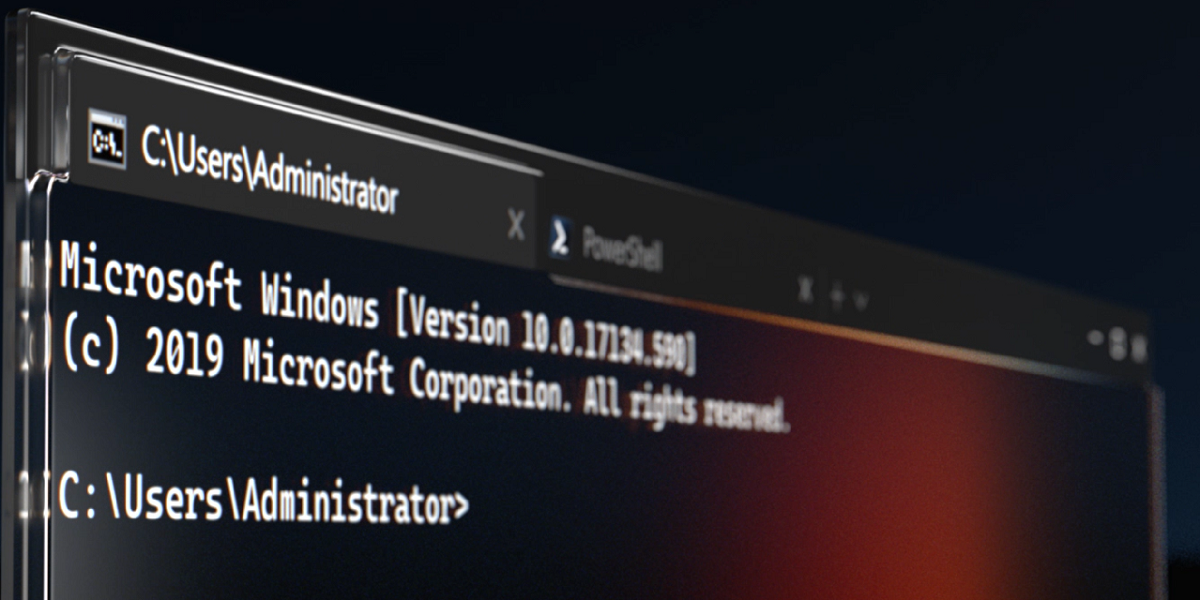
GitHub
The new Windows Terminal and the original Windows console host, all in the same place! - microsoft/terminal
much better
zinc moon
lets see
zealous bridge
check your start menu
zinc moon
 zealous bridge
it’s probably already installed
proper bison
Yes?
zinc moon
oh right
proper bison
zealous bridge
what version of fr gui
Latest
proper bison
zealous bridge
check your start menu
isnt there
proper bison
i think it just doesnt work with windows 8.1
proper bison
zealous bridge
are you a non-admin user
no
zealous bridge
as long as java supports win8.1 the gui should work
 lilac wren
Gm
proper bison
it just doesn’t work
zealous bridge
lilac wren
Gm
gm!
lilac wren
Tested on Windows 7 and Windows 10
zealous bridge
why is your msi installer so flaky lol
lilac wren
It should probably work on Win 8
I can do what blobsaver does, exe installer which literally is an exe that wraps the msi
proper bison
lilac wren
I can do what blobsaver does, exe installer which literally is an exe that wraps...
yes blobsaver works too
lilac wren
Ok I will test windows 8 sometime later, but it's not really a FR GUI issue if the installer crashes
zealous bridge
or where does it install too
lilac wren
Program files
zinc moon
@proper bisonuicache your computer 4head
zealous bridge
ik
zinc moon
watch him solve the issue
lilac wren
proper bison
but futurestore gui SOMEHOW doesnt
Try this? https://www.sevenforums.com/general-discussion/2349-windows-installer-cant-install-any-msi-package-8.html
Or this https://answers.microsoft.com/en-us/windows/forum/windows8_1-performance/windows-installer-crashes-when-running-msi-or-exe/8e1cfc2d-d38c-4194-9a37-ba7e254a2e15

Windows 7 Forums is the largest help and support community, providing friendly help and advice for Microsoft Windows 7 Computers such as Dell, HP, Acer, Asus or a custom build.

I'm having trouble installing and uninstalling programs. Every time I try to install or uninstall something, it will start the windows installer service (msiexec) and then after a few moments I get a
zinc moon
by waiting
zinc moon
run as admin @proper bison
proper bison
zinc moon
run as admin <@!561265554829082645>
already tried
lilac wren
I don't even create the installer lol, it's generated by jpackage. So if you can't get the installer to work it's not even really something I can do about it
Now if FR GUI was crashing that you could blame on me
proper bison
zinc moon
do you have access to another pc <@!561265554829082645>
no
zinc moon
you dead then
proper bison
ill use cli
zinc moon
yea use the cli
proper bison
or iRestore
lilac wren
Or try iRestore?
proper bison
yes iRestore works
proper bison
zinc moon
unrelated but how much does the m1 macbook cost
1000$
lilac wren
Like $1800? I'll look rn
zinc moon
i thought it was 1300
proper bison
Also when using iRestore should i rename my ipsw and blob?
lilac wren
Cheapest is 1300
zinc moon
the cheapest here is 1300 jod which is 1800 usd
proper bison
zinc moon
just do everything as normal
like i shouldn’t rename
zinc moon
why after an hour?
proper bison
i got something else to do
zinc moon
aight
zealous bridge
proper bison
already tried
now i know ur a troll, how tf do you run .msi’s as admin
lmaoooo
not physically possible
proper bison
its a exe and you right click it
celest basalt
zealous bridge
and a lot of brain cells
zinc moon
you know whats satisfiying
when someone tries to FR
and it works
with no erroers
for the first time
zealous bridge
it’s also very misleading
zinc moon
?
zealous bridge
zinc moon
for the first time
this is lucky
lol
so when someone does it for the first time with no errors
they think its so easy
zinc moon
right
proper bison
brooo
zinc moon
the process itself isnt hard, you just click a button
but
oh my god
the amount of errors
 meager sphinx
How to downgrade
zinc moon
@meager sphinx you got blobs?
lilac wren
Do the hokey pokey and you turn yourself around
proper bison
meager sphinx
What that
proper bison
whats blobs
zinc moon
ok you cant
lilac wren
meager sphinx
What that
You can start saving blobs now with TSS Saver but you can't downgrade then
zealous bridge
!t blobs
mystic axleBOT
zealous bridge
!t blobs
blobs
How to save blobs on jailbroken devices
Prerequisites:
- For unc0ver on iOS 14, update to 6.1.0 or newer and install libkrw from the Bingner repo.
- For Taurine, install libKernRW from the Odyssey repo.
Then install TSS Saver from https://repo.1conan.com/, open it and press Save Blobs.
On unjailbroken devices
For A11 and lower, you can also save blobs without jailbreak on https://tsssaver.1conan.com/v2/ by entering your ECID which you can get from iTunes by clicking the serial number twice.
To save blobs on an unjailbroken A12+ device, follow this guide.
Added by nyuszika7h#0001 | Used 91 times
·
meager sphinx
Ah
zinc moon
@meager sphinx what device are ya using?
zealous bridge
learn how to do it
meager sphinx
A12
zealous bridge
jailbroken?
meager sphinx
No
zealous bridge

reddit
192 votes and 66 comments so far on Reddit
zinc moon
@zealous bridge do peope who use a12+ and are using the tss saver app
have their apnonce set
meager sphinx
I can’t jailbreak my device so I want downgrade
zealous bridge
yes
zealous bridge
meager sphinx
I can’t jailbreak my device so I want downgrade
you cant downgrade
zinc moon
meager sphinx
I can’t jailbreak my device so I want downgrade
you need to jailbreak lool
meager sphinx
Rip
zinc moon
we should add a section in info and rules
for futurerestore info
how are you gonna come here and ask what a blob is wtf
meager sphinx
I found iOS 9.9.14.4.2
meager sphinx
Ahh
zinc moon
@zealous bridge oh yeah this never made sense to me, why does every phone has a 9.9.14.4.2 ota
zinc moon
even ones that never supported ios 9
meager sphinx
Ipad 8th generation
zealous bridge
zinc moon
<@!330016421817876490> oh yeah this never made sense to me, why does every phone...
because apple fucked up
meager sphinx
:(
zealous bridge
all the betas are 9.9.xx.x
meager sphinx
Fr
zealous bridge
i’ll explain it later gtg
meager sphinx
K
meager sphinx
zinc moon
what ios are you on
iOS 14.4.1
zinc moon
meager sphinx
iOS 14.4.1
ill see jist a sec
meager sphinx
K
meager sphinx
Ik
zealous bridge
meager sphinx
K
google the y2k bug
zinc moon
That’s related to this?
meager sphinx
zinc moon
Stay on 14.4.1
Ye I will
meager sphinx
zealous bridge
google the y2k bug
???
 maiden pewter
All can
celest basalt
proper bison
i dont need to rootfs before i futurestore right?
no
it doesnt matter
zinc moon
@celest basalt did it work for yo
celest basalt
FR?
zinc moon
yea
celest basalt
yes but i used the windows version
zinc moon
oh
 low summit
Manual specific?
celest basalt
yes
low summit
Lol
zealous bridge
@zinc moon the y2k bug is the reason all the betas have 9.9 at the start of them
celest basalt
i wouldnt recommend it but i just do it cuz why not
zealous bridge
well a more recent version of it
zinc moon
what will happen if all ots, except the weird 9 one, arent signed?
celest basalt
@zealous bridge how does fr even get the bb and sep?
zealous bridge
that wont ever happen
celest basalt
like how does it know ur model
low summit
Program?
zealous bridge
celest basalt
like how does it know ur model
reads from device
low summit
I mean some code
zealous bridge
and theres an api for sep and bb
celest basalt
if latest sep isnt compatible
low summit
Gui uses Java?
zealous bridge
celest basalt
if latest sep isnt compatible
if latest sep isnt compat then you cant restore
its not about manually specifying
celest basalt
you can restore, you just use an older sep thats still signed
zealous bridge
yes that sep will be compatible
low summit
So when they gonna fix use older sep and bb
zealous bridge
you said incompat
celest basalt
for instance if 14.4.2 sep changed, but the 14.4.1 one didnt you'd have to manually specify it
zealous bridge
low summit
So when they gonna fix use older sep and bb
they cant
zealous bridge
celest basalt
for instance if 14.4.2 sep changed, but the 14.4.1 one didnt you'd have to manua...
that never happens
celest basalt
it actually has a few times in the ios 12 days
zealous bridge
but yes in the rare occasion that it does for as long as .4.1 is signed you have to manually specify
yeah its a rarity nowadays
low summit
How apple make sep and bb signed too
celest basalt
true
zealous bridge
low summit
How apple make sep and bb signed too
tss servers? Lol
low summit
Fk lol
celest basalt
i remember in 2019 apple was signing random ios versions for like 8 hours then stopped
i got my 5 to 6.1.6 that day
zealous bridge
There are some otas that have always been signed
low summit
Back in the day old bb work on new ios
celest basalt
was kinda cool tbh
celest basalt
zealous bridge
There are some otas that have always been signed
no like they started signing versions
i think their servers were fucked or something
but in like april of 2019 for 1 night they randomly had a bunch of them signed
low summit
So if you could hack apple server then ur good
zealous bridge
low summit
So if you could hack apple server then ur good
gl
celest basalt
zealous bridge
lets just hope that happens to 14.3
i mean it kinda did for the rc
zealous bridge
true
celest basalt
i think the rc was signed for longer
low summit
Wait didn't they used to redirect to cydia server to downgrade
zealous bridge
but they forgot to unsign that
celest basalt
yea
low summit
Who
zinc moon
for everyone lol
zinc moon
cydia used to save shsh blobs
zealous bridge
prob the transition between shsh and shsh2
celest basalt
can you still use shsh files instead of shsh2
zinc moon
zealous bridge
prob the transition between shsh and shsh2
if coolstar and his team wanted to, could they make a shsh2 saver in sileo?
low summit
On legacy I think
zealous bridge
ofc they could
zinc moon
zealous bridge
prob the transition between shsh and shsh2
when was 2 introduced
celest basalt
2010?
low summit
What if they made a server
zinc moon
zealous bridge
ofc they could
that would be PERFECT
low summit
Downgrade be easier?
celest basalt
i mean it would be useless
zealous bridge
zinc moon
when was 2 introduced
ios 5
celest basalt
we already have tweaks to save blobs
low summit
Used to do it automatically
zealous bridge
more people install sileo than tss saver
low summit
Like everytime u jb
zinc moon
a lot ppl even jailbroken dont even know what shsh2 blobs or tss saver is
low summit
And u could grab them remotely instead of specific
zealous bridge
i dont think their servers could be able to handle that much traffic
zinc moon
if they create a system where it saves blobs for you more people would know what shsh2 blobs are
low summit
Get a new server lol
zealous bridge
a lot of people just dont care
zinc moon
howd they pay for the server?
low summit
Make fr auto grab blobs off of sileo server
zinc moon
how about it uses the same system tsssaver does
zealous bridge
theres like tens of thousands of people tryna jailbreak every second
zinc moon
and saves your blobs using the share thing
zealous bridge
thats not a feasible option
zealous bridge
low summit
How tf did cydia do it before lol
itd be a constant ddos
no
less people
zinc moon
low summit
How tf did cydia do it before lol
saurik lost thousands every month
low summit
Idk about less ppl lol
zinc moon
devs have learned from saurik
low summit
Some ppl quit jb
zealous bridge
low summit
Idk about less ppl lol
theres a Wikipedia page abt it somewhere
look it up
zinc moon
@zealous bridge what if it shows a menu where it shows your ECID, apnonce, etc and then it sends a request to 1conans tsssaver
to save blobs
low summit
Whole point of fr is to downgrade to jb lol
celest basalt
even if this sileo thing didnt exist, theres still no excuse to not save blobs
low summit
If apple didn't do this signing bs then we don't need this
zinc moon
correct but a whole lot more people would be introduced
celest basalt
zealous bridge
Double entangled nonce
then a15 doesnt get to save blobs for awhile
zinc moon
zealous bridge
Double entangled nonce
itd be a disaster i imagine
celest basalt
low summit
If apple didn't do this signing bs then we don't need this
i mean this issue wont go away so
zinc moon
apple will DEF add security measures to a15
 iron depot
so since my restore failed, is there no way for me to downgrade now since I need to set the nonce generator?
celest basalt
yea they are supposed to add mte
zealous bridge
celest basalt
then a15 doesnt get to save blobs for awhile
theres a way that apple can end us tryna hash nonces and such
celest basalt
infact the a14 devices have mte
zinc moon
iron depot
so since my restore failed, is there no way for me to downgrade now since I need...
what version are you on
rn
zealous bridge
iron depot
so since my restore failed, is there no way for me to downgrade now since I need...
what was the error
celest basalt
apple just hasent enabled mte
iron depot
zinc moon
rn
i was trying to restore to 14.3 but it failed and now im on the latest ios
low summit
Fk is mte
celest basalt
memory tagging extention
zealous bridge
@iron depot what was the error
celest basalt
its the new pac
zinc moon
i think for the first couple versions of a15 you wont be able to save blobs
zinc moon
iron depot
i was trying to restore to 14.3 but it failed and now im on the latest ios
ohh
zealous bridge
versions of a15
celest basalt
its a mitigation that will make jailbreaks harder
zealous bridge
Lol
low summit
There's always gonna be jb
iron depot
zealous bridge
<@182294132398489600> what was the error
i messed up and forgot to set the correct generator
low summit
Even if it's harder to make
zealous bridge
iron depot
i messed up and forgot to set the correct generator
are you using the gui
iron depot
zealous bridge
are you using the gui
no using cli, but i've used both
celest basalt
low summit
There's always gonna be jb
thats not the point, the point is we will go without a jb on a15 for awhile
zinc moon
@zealous bridge cant he set nonce using checkm8 nonce setter
iron depot
running iPhone XS Max fyi
celest basalt
whats wrong with checkm8 nonce setter?
low summit
Well don't got a15 so idc
zealous bridge
iron depot
no using cli, but i've used both
drag fr binary/exe in, and then type ––exit–recovery
zealous bridge
zinc moon
<@!330016421817876490> cant he set nonce using checkm8 nonce setter
not in recovery
needs to be in dfu
zinc moon
ok so can he go into dfu
low summit
He has xs tho
celest basalt
he has a12
zealous bridge
zinc moon
ok so can he go into dfu
and then what
celest basalt
he cant use checkm8
zealous bridge
you cant go back into recovery
low summit
Lol ^^
zealous bridge
celest basalt
he cant use checkm8
also that
zealous bridge
it wouldnt work anyway
zinc moon
low summit
Ur high <@!298765872317595648>
i just realized that he has an a12
iron depot
so im stuck on the latest iOS then. rip
zealous bridge
iron depot
so im stuck on the latest iOS then. rip
i just told you a fix
low summit
Without jb?
zealous bridge
he said he forgot to set nonce generator
So i assumed he was on a jailbreakable version
iron depot
no im on the latest ios now
zinc moon
@iron depot what verison of ios did you originally try futurerestore on
iron depot
14.3
zinc moon
no no
iron depot
oh to try and go to?
zinc moon
did you try first time on 14.4.2?
celest basalt
did he ever get his apnonce?
low summit
He did it wrong
low summit
Lol rip
zealous bridge
iron depot
no im on the latest ios now
Why did you restore
low summit
Dimentio is jb lol
zinc moon
if
zealous bridge
you couldve just exited recovery
zealous bridge
zinc moon
if dimentio was able to set nonce on non jb devices
That’s like saying if every non-JB device could jailbreak then everyone could jailbreak
celest basalt
also you need root access to even use the command so
celest basalt
even if you did somehow get it, u couldnt use it
zinc moon
aight
zealous bridge
or access to nvram
celest basalt
^
zealous bridge
yes
zealous bridge
14.3
low summit
Go back to 14.4.1 please
zealous bridge
🤷
zinc moon
bruh
low summit
Big L
zinc moon
then why did he update!!!
zealous bridge
restored
zinc moon
wtf
celest basalt
bruh
zealous bridge

low summit
And then went to 14.4.2
zinc moon
some people here TRY to ruin their chances of jailbreaking
low summit
Why he try to fr to 14.3
zealous bridge
low summit
And then fail
Exit recovery exists 
low summit
Big L then
celest basalt
wait he restored why
low summit
They don't know lol
celest basalt
im confused
zealous bridge
idk
low summit
Cause it failed and he didn't exit recovery
iron depot
zealous bridge
Why did you restore
honestly, just needed a working phone for work and crypt i think the guys name is didn't want to help, but in any case what happened was I was thinking kernbypass was working on 14.3, it doesn't so I figured I'd downgrade back to 13.7. I checked https://joshblah555.github.io/JoshTV/SEPCheckr.html and it said as long as SEP is compatible you could downgrade. So using the GUI version I extracted the ipsw for 13.7, had to manually assign the baseband which I assume was ICE19-1.06.00.Release.bbfw it failed so I just needed a working phone at the time and restored to the latest iOS. Guess for now all I can do is wait for a jailbreak so I can get the nonce again.

Find out if restoring is possible!
celest basalt
low summit
Cause it failed and he didn't exit recovery
so fr failed and he didnt exit recovery
so he just restored
zealous bridge
iron depot
honestly, just needed a working phone for work and crypt i think the guys name i...
Bro
celest basalt
zealous bridge
It literally says
low summit
It's not compatible
zinc moon
today i realized that if you used one of those bs softwares that allow you to get out of recovery mode for like 5 times then have to pay, you can just use futurerestore
low summit
zinc moon
today i realized that if you used one of those bs softwares that allow you to ge...
Or just a command lol
celest basalt
zealous bridge
BASEBAND IS NOT COMPATIBLE
who needs baseband tho 
zinc moon
zealous bridge
BASEBAND IS NOT COMPATIBLE
its literally in red
how would he have not seen it??
zealous bridge
celest basalt
who needs baseband tho <:thishowitis:817189359165374513>
apple dont let you restore without it
low summit
celest basalt
who needs baseband tho <:thishowitis:817189359165374513>
Apple require bb lol
zinc moon
low summit
Or just a command lol
greedy motherfuckers
low summit
Why u try to go from 14.3 to 13.7 just for pogo man
zinc moon
pay us 10 dollars a month to do something that a command can easily do for free!!!!
low summit
Pogo ain't worth
iron depot
sorry I don't know a ton about this? My assumption based on how the information was given to me was you could just assign an older baseband as long as sep was compatible
zealous bridge
iron depot
sorry I don't know a ton about this? My assumption based on how the information ...
lol what
why would you assume things
low summit
zinc moon
pay us 10 dollars a month to do something that a command can easily do for free!...
Gui is a bless
celest basalt
lemme fr to ios 7.1.2 real quick brb
zinc moon
low summit
Gui is a bless
frfr
zealous bridge
you know your device is at stake
low summit
Ya couldve asked before assume lol
iron depot
zealous bridge
why would you assume things
tried asking last night, but didn't get help. Honestly its not that big of a deal to me
low summit
Literally have a whole chat dedicated to this
zinc moon
im on the iphone 7, ill try to restore to ios 6.1.4!
zealous bridge
iron depot
tried asking last night, but didn't get help. Honestly its not that big of a dea...
well as long as you dont beat yourself up about it
low summit
U can't
low summit
7 dont go to 6
iron depot
no just the crypt guy
zinc moon
ik
zinc moon
i was joking
iron depot
it was like 8 1/2 hours ago
iron depot
he kept saying xyproblem so im banned from help
just wanted to know if i could downgrade or not
low summit
So don't fr when he didn't help lol
iron depot
again not to big of a deal, ill miss it but its fine
zinc moon
iron depot
honestly, just needed a working phone for work and crypt i think the guys name i...
@vivid nova josh, please, if it says BB isnt compatible, add text next to it saying you cant restore!!!
low summit
@zinc moon lol remember the sep debate we had wish ppl seen that so they don't go randomly fr
zealous bridge
iron depot
he kept saying xyproblem so im banned from help
tbh you were kinda xyprobleming
just ask if bb is compat or not
zinc moon
low summit
<@!298765872317595648> lol remember the sep debate we had wish ppl seen that so ...
FR!!!
some people just mess around with fr like its a toy
low summit
Like we had the convo yesterday lmao
iron depot
zealous bridge
tbh you were kinda xyprobleming
i mean yeah my goal was to get a working kernbypass, but also I just simply wanted to go back to 13.7 so yeah
low summit
Yea
zinc moon
i wanted to die bro
low summit
Kern bypass is only for pogo lol
zealous bridge
well if its not that big of a deal just forget abt it and dont do it again @iron depot
iron depot
low summit
Kern bypass is only for pogo lol
actually no i use it for another app as well
low summit
He did it just for pogo L
zealous bridge
and ask for help if ur not sure
low summit
Banking?
zinc moon
pogoOS?
iron depot
theres a local crafts shop that for w/e reason decided to add jailbreak detection and nothing worked besides kernbypass 0.0.5
low summit
Pokemon go
zinc moon
the project sandcastle thing?
iron depot
so again not a big deal
zinc moon
HE DID ALL THIS FOR POKEMON GO????
zinc moon
good
low summit
I tho he did
zealous bridge
And a local crafts shop
low summit
Pokemon go and local crafts shop
zinc moon
hes like 1/4 tang lmfao
zealous bridge
please dont bring cancer to this chat
low summit
OK did you try vnode bypass lol
zealous bridge
if u wanna talk abt tang go to #jailbreak
zinc moon
aight
low summit
Pretty sure that works
zinc moon
tan, if 14.4.2 for A12 is suddenly jailbroken
low summit
Fr is either a friend or it fks u up hard
zinc moon
he can fr right?
low summit
No go back to 14.4.1 lol
low summit
Why is he on.2
zinc moon
14.4.1 is signed why is he on 14.4.2
zealous bridge
sep wont be compat
low summit
Go to 14.4.1 please
low summit
Probably get jb faster
iron depot
I think they just want the idea of "the olde rthe better"
zinc moon
idk man what if a exploit isnt compatible
zealous bridge
did you see the CVE’s
low summit
Watch the jb come out for 14.4.1 before lol
low summit
OK to be granted there's no real difference
zinc moon
i havent
low summit
So I guess it's the same
zealous bridge
its one xss webkit exploit
zinc moon
yeah its not enough
zealous bridge
no jailbreak is coming out sooner
plus modern’s exp prolly hasnt been patched yet
zinc moon
eh
valid adder
That’s not how it works...
zealous bridge
lol
if he writes an exploit for 14.4.1
it’ll be there on 14.4.2 as well
because they havent patched it
its called a 0day
zealous bridge
^
low summit
Bruh
valid adder
Pwn twenty whined
low summit
All we do is wait I guess
 subtle stirrup
Alright thanks
 celest basalt
the built in odyssey?
proper bison
yes
celest basalt
someone had the same problem with it last night, use dimentio
proper bison
ok
zealous bridge
odyssey’s nonce setter is broken @proper bison
celest basalt
libkernrw depends on firmware
proper bison
zealous bridge
odyssey’s nonce setter is broken <@!561265554829082645>
oh k ill use dimentio
celest basalt
ios 13 isnt supported
zealous bridge
get dimentio from https://repo.1conan.com/
Open newterm or any terminal app then login as root by running su with the password as alpine
then run
dimentio <generator>
<generator> being the generator in your blobs
subtle stirrup
It shows iOS 14 for dimentio on website
celest basalt
get it from the conan repo
subtle stirrup
Does not supported
zealous bridge
wrong repo
celest basalt
subtle stirrup
Does not supported
conan repo
subtle stirrup
Going from 13.3 to 14.3
zealous bridge
gl to the both of you
zealous bridge
use dimentio
zealous bridge
lol
proper bison
i setter the nonce
lemme try again
i am still getting the same error
what the fuck
zealous bridge
alright
proper bison
i setted the generator
zealous bridge
can you send me a screenshot of the dimentio output
valid adder
What jailbreak
proper bison
valid adder
What jailbreak
odyssey
proper bison
valid adder
Remove libkrw and libkernrw
i dont have them i think
also blob file name
f43e74aa27523ee6e8064a2f926eb5f60b0dd011b30977f90f765cdf498076f0.shsh2
zealous bridge
zealous bridge
can you send me a screenshot of the dimentio output
this as well too
proper bison
 zealous bridge
why does everyone use shit blobsaver
zealous bridge
@proper bison are you sure that this blob had 0x1111....
proper bison
i used it to find my apnonce
zealous bridge
did you set generator before finding apnonce with blobsaber
zinc moon
Send the blobs please
proper bison
 proper bison
zealous bridge
did you set generator before finding apnonce with blobsaber
proper bison
zealous bridge
did you set generator before finding apnonce with blobsaber
no?
i think there is the mistake
zealous bridge
yep
proper bison
ohhh yes i should set a generator
zealous bridge
i have one more thing for you to try
proper bison
lemme try again
zealous bridge
no
you cant change your blob
lol
if you fucked up you fucked up
@proper bison try dimentio 0xbd34a880be0b53f3
then screenshot dimentio
proper bison
zealous bridge
<@!561265554829082645> try dimentio 0xbd34a880be0b53f3
Yes i was thinking of that
zealous bridge
do it then
zinc moon
2/3 of the mistakes here are so easily preventable
proper bison
 zealous bridge
fr should work now
proper bison
hope so
zealous bridge
it will
proper bison
yess it doesnt give that error now
proper bison
its here, should i wait
 zealous bridge
[[TSS Saver]]
proper bison
or is it stuck
mystic axleBOT

TSS Saver
A one-click tool to save blobs using TSSsaver.1conan.com
Author
Jamie Bishop
Version
1.2.0
Price
Free
Repo
Bundle ID
co.dynastic.tsssaver
More Info
 nullpixel's Repo • Page 1/3
·
zealous bridge
nullpixel's Repo • Page 1/3
·
zealous bridge
so this mistake doesnt happen again
zealous bridge
proper bison
its here, should i wait
looks fine
zealous bridge
proper bison
im waiting
for?
proper bison
futurestore
zealous bridge
ok
zinc moon
What does the phone screen look like
proper bison
im typing it wrong
zealous bridge
just let it do its thing
proper bison
zinc moon
What does the phone screen look like
recovery mode
zinc moon
proper bison
im typing it wrong
??
proper bison
its futurerestore
zinc moon
proper bison
recovery mode
Leave it alone then
zealous bridge
yeah its in the channel name
zealous bridge
alright
zealous bridge
poggers

 zealous bridge
woop woop
 bitter light
Another sorry fella here who's too dumb to upgrade his iPhone X from 13.7 to 14.3.
I followed the tutorial given on https://ios.cfw.guide/restoring-to-14-3
But when I run the process after downloading the files it says
"Found device in Normal mode
Entering recovery mode...
Entering recovery mode...
futurerestore: failed with exception:
[exception]:
what=Unable to place device into recovery mode from Normal mode"
zealous bridge
bitter light
Another sorry fella here who's too dumb to upgrade his iPhone X from 13.7 to 14....
run futurerestore again
from recovery mode
bitter light
mhm okay
Seems to work but now its giving me the APNonce error the previous user also had. Not being smarter, I also used blobsaver and got blobs with "0x1111.....". I tried changing that value to 0xbd34a880be0b53f3 as well but didn't help
zealous bridge
are you rebooting in between setting generator and using fr
and what are you using to set generator
bitter light
I used Dimentio to set the generator. Yes - i restored rootfs (since thats what one should do to avoid any issues, no?).
Soooo - I guess it gets reset again, hm?
Sorry - I'm not a native speaker 😄
zealous bridge
bitter light
I used Dimentio to set the generator. Yes - i restored rootfs (since thats what ...
yep
zealous bridge
bitter light
Sorry - I'm not a native speaker 😄
wait what
your english is pretty good lol
so, now set your generator and without restoring rootfs run futurerestore
nothing bad will happen
even if you use update
bitter light
Haha just tried to explain why it might take a but longer than usual for me to respond
Ah okay!
proper bison
hi(sorry for bad english)
zealous bridge
lol
bitter light
So theres no need to disable the "update" option in FR?
bitter light
Okido! I'll give it a try
zealous bridge
make sure to immediately run fr after setting generator
bitter light
mhm got it
Can I use Odyssey to set the genrator as well? Or are we advised to rather go for dimentio?
bitter light
Hahah okay! Thanks! I'll get back to you once I did so
zealous bridge
👍
steep sigil
Oddly enough odyssey worked for me just now. Doesnt prove anything though.
zealous bridge
taurine’s nonce setter works for me but doesnt for most other people
these things are just sketchy like that
its better to use a sure fire method
bitter light
Unfortunately same error. I used dimentio to set the generator to 0xbd34a880be0b53f3 and started FR right afterwards - again: Unable to place device into recovery mode from Normal mode
Restarted the FR process -> APNonce mismatch
zealous bridge
bitter light
Unfortunately same error. I used dimentio to set the generator to 0xbd34a880be0b...
what about 0x11111...?
bitter light
Damn I miss those times when you just had to create a custom IPSW to jailbreak, haha
 drowsy hatch
been getting the same error as well with 0xbd34a880.... gonna try using 0x111 with dimentio
does it matter if i rootFS or not
zealous bridge
no
you shouldnt be restoring rootfs
it'll change the generator
you should run fr immediately after setting generator with dimentio
proper bison
yes
bitter light
Okay I changed to 0x111... and it seems to continue now
its extracting filesystem form ipsw rn
zealous bridge
ok good
bitter light
Okay the phone got to that "updating screen". I was a bit worried since it took quite a while to show any progress at all and FR throwing lots of "timeout", "unable to proxy", etc. But as of now it seems to make some steady progress (approx. 25% yet) and i see some percentages in FRs debug console that seem to increase as well, haha
drowsy hatch

 zealous bridge
drowsy hatch
<:ds6:618896871708033025>
zealous bridge
drowsy hatch
<:ds6:618896871708033025>
send your blobs file name, a screenshot of dimentio when you set it to 0x111... and a screenshot of dimentio when you set it to 0xbd34...
and once again are you sure you're not rebooting inbetween setting the generator and fring
bitter light
Okay the phone completed the updating and tries to recover my data it seems (white screen, apple logo, progress bar saying "Trying to restore data"
bitter light
zealous bridge
Attempting data recovery?
Yes probably. I just tried to translate it, haha
drowsy hatch
zealous bridge
send your blobs file name, a screenshot of dimentio when you set it to 0x111... ...
i renamed my blob file name but i have the AP nonce and SEP nonce for it

 bitter light
Okay @zealous bridge . The restore worked, so did the jailbreak! Thank you so much for your help and patience! 🙂
zealous bridge
np glad i could help
drowsy hatch
 zealous bridge
yeah you saved blobs incorrectly
drowsy hatch
zealous bridge
from now on save blobs with the [[TSS Saver]] tweak
mystic axleBOT
TSS Saver
An awesome application!
Author
1Conan
Version
2.0.3
Price
Free
Repo
Bundle ID
com.1conan.tsssaver
More Info
1Conan • Page 2/3
·
drowsy hatch
sucks that all my blobs are invalid but thanks for the help
not too worried about updating im good on 13
celest basalt
[[Youtube Reborn]]
mystic axleBOT

YouTube Reborn
YouTube Customizer
Author
Ryan H
Version
2.1.1.0
Price
Free
Repo
Bundle ID
h.ryan.youtubereborn
More Info
 SarahH12099 Repo • Page 1/1
·
SarahH12099 Repo • Page 1/1
·
 unreal isle
FDR ERROR FİXED ?
zealous bridge
no
unreal isle
FOR IOS 14.4 TO 14.2
zealous bridge
no
unreal isle
OK THANKS
zealous bridge
turn off caps lock
unreal isle
some guy fixed fdr error this is true ?
celest basalt
no
zealous bridge
unreal isle
some guy fixed fdr error this is true ?
from 13.x to 14.2
not from 14.x
bitter light
Oh well maybe not. Sileo will not show up 😦 I restarted (and rejailbroke) multiple times now, including restoring rootfs. obviously i can not use ldrestart yet since I don't have NewTerm. Is there a possible solution?
unreal isle
zealous bridge
from 13.x to 14.2
ok my another device 13.5 but how ?
zealous bridge
bitter light
Oh well maybe not. Sileo will not show up 😦 I restarted (and rejailbroke) mult...
ssh
oh wait
openssh not installed
flip
bitter light
haha not gonna happen without openssh 😄
zealous bridge
unreal isle
ok my another device 13.5 but how ?
idk
they sign out of icloud
then tried again a week later
unreal isle
thanks
celest basalt
[[iSponsorBlock]]
mystic axleBOT

iSponsorBlock
SponsorBlock port for iOS
Author
Galactic Dev
Version
1.0-7
Price
Free
Repo
Bundle ID
com.galacticdev.isponsorblock
More Info
 GalacticDev • Page 1/1
·
zealous bridge
GalacticDev • Page 1/1
·
zealous bridge
@celest basalt can u pls do this in #bot-commands
celest basalt
theres no problem with using this command here
bitter light
zealous bridge
flip
pardon?
zealous bridge
yes there is
theres a channel specifically created for bot spam
so why would you use it
celest basalt
its not spam
celest basalt
finding a jailbreak tweak is off topic in #jailbreak ?
zealous bridge
celest basalt
theres no problem with using this command here
if i gave you a toilet and a frying pan to shit in why would you shit in the frying pan
zealous bridge
celest basalt
finding a jailbreak tweak is off topic in <#688122301975363591> ?
this isnt #jailbreak tho is it
celest basalt
its fr help
bitter light
Oh I apologize. I'll in the suitable channel regarding sileo not showing up 🙂 Thanks again for your help with FR!