#futurerestore-help
1 messages · Page 4 of 1
 potent axle
 shell girder
You basically don't want that as far as I read about it.
It breaks the restore as far as I know so I extracted them myself.
Just to be safe.
potent axle
Alright, I follow you then :p
shell girder
Ask away if you get stuck.
@ me so I can see the message since I'm writing the restore guide.
 cinder flume
just use the guide thats pinned herre
potent axle
@shell girder Got it working, booting up on 13.5 now :)
Couple tries, as it gave me a error 8 and 7
For the people: remove the iboot usb driver, when the iphone/etc is in recovery mode
shell girder
Sweet, enjoy 13.5. 😄
 woven granite
I've got a phone that itunes refuses to restore for some reason, I've got blobs and an ipsw file but I keep getting ```
[Error] Device ApNonce doesn't match APTicket nonce
To exit recovery mode, use --exit-recovery
this is an iphone 6 btw
idk what firmware it's on, it just auto boots into recovery mode
woven granite
I can't tho, the phone's bricked I think, it can boot into recovery/restore mode
cinder flume
then restore with itunes
woven granite
Itunes keeps failing
woven granite
loads of em
yes
first one nothing came up
I just got error 9 tho
aaand now ive got error 4013
@cinder flume any help?
cinder flume
did you update itunes to the latest version
woven granite
it should be at the latest
but gimme a sec ill check
aaaand ofc theres an update
cinder flume
if the update doesnt fix it, try a new cable and usb port if possible
cinder flume
try rebooting the computer
 celest basalt
uhh ima jus ask one last time
can futurerestore tether boot cause iirc i saw someone use the option --just-boot
 full osprey
Before anyone asks, 13.6 beta 2 SEP IS compatible with 13.5. Also yes you can restore to 13.5.1 without FR now that 13.5 is unsigned. Also yes FR will wipe your device and unc0ver is compatible with 13.5.5
 toxic relic
Is there a time limit on when to acquire/use this SEP? Is a SEP always necessary to have?
So FR wipes the device… is this the only way to upgrade to iOS 13.5 from iOS 11?
full osprey
To go to 13.5 from 11 you need a signed SEP to use thats compatible with the target ios. That being said 13.6 SEP is compatible with 13.5 so you could update to 13.5 whenever you want as long as thats true
 lusty musk
Hi
who's fork of fr should I choose for an A12 futurerestore?
and what about sep compatibility
s0uthwest
?
 mighty moon
Can i ask about irecovery here?
I'm getting a syntax error when doing a command using irecovery
It says ")" unexpected
celest basalt
if I do restore rootfs and then iCloud backup I can restore the backup after futurerestore, right?
celest basalt
which one do I use?
I guess 841 since my XR is N841AP
N104AP is iPhone 11, why is it in the XR's ipsw 
and the baseband? current version on 13.3 seems to be 2.03.07 so do I use 2.06.00?
yeah nvm jailbreak bot on Telegram confirmed it
uhh now it seems stuck here
my iPhone is showing the recovery mode screen
and nothing seems to be happening
it's showing the connect to computer screen
<@&355177530061357057> what do I do now
 tidal garnet
The SEP isn't compatible
tidal garnet
13.3 isn't with 13.5? Idrk if that has anything to do with it I am not a futurerestore user
celest basalt
I don't think that matters if I'm restoring to 13.5 with 13.5.1 SEP
full osprey
I used 13.6 beta SEP and it worked
tidal garnet
I think it does
But i am not sure
Anyways, is your iTunes updated to the latest version
celest basalt
I have iTunes 12.10.7.3
tried the deleting driver thing and now...
maybe it doesn't like the USB-C cable
celest basalt
ok will try that
tidal garnet
and then plug it in and let it install itself
celest basalt
ok, let's see
rebooted and using USB-A cable now just in case
same error, unable to send iBEC
errorcode -8
 celest basalt
ok trying now, did the uninstall and this time I unplugged and plugged back in after
still same error
and if I do the "repeat uninstall, DO NOT disconnect your device" then futurerestore just can't find the device
full osprey
Is this a 2.0 or 3.0 usb port?
celest basalt
2.0 I think, my external HDD Is in the 3.0 port
full osprey
Thats strange then im not sure of what the issue could be if its not drivers and everything was specified correctly
I would wait for snowball or maybe cryptic, hell anyone more knowledgeable in FR than me
I could be wrong
celest basalt
trying another suggestion I found on reddit now
welp, I guess I gotta disable secure boot first
that didn't work either
celest basalt
trying s0uthwest's futurerestore exe directly instead of iRestore, now I get this
not sure if this is normal but while it's extracting the ipsw my phone screen goes blank at some point, Apple logo, and then back to recovery
lusty musk
do I have to have device flair to reciIeve support?
receive***
if it's error -22 I recieved the same
celest basalt
it's not required, just say what device and version you have / what you're restoring to, but if you want to add flair do !adddevice in #bot-commands
lusty musk
I'm an iPhone Xs Max on iOS 13.5 restoring to iOS 13.5 using 13.6 b2's sep and baseband
I read this was possible
celest basalt
13.5 to 13.5? you could probably just use Succession
lusty musk
thank you again
celest basalt
I think I'm gonna try to do futurerestore on Linux
lusty musk
@celest basalt which fork?
Merc's?
--> also has linux, but even after running "sudo ldconfig" I still receive an error about libpng
don't I need xpwn?
potent axle
The error 8 you get
I got the same yesterday,
I got the iphone in recovery mode, removed the iboot driver
Did not reboot, used futurerestore (irestore)
Used a iphone se btw
celest basalt
I tried removing iBoot driver too but no luck
I was gonna try on Linux but compiling the dependencies is such a pain
I couldn't get xpwn to install properly
celest basalt
@cinder flume sorry for the ping but do you have any idea about my futurerestore error -8 (Unable to send iBEC) that I mentioned above? I've tried removing the driver already multiple times, this happens with both iRestore and the futurerestore.exe from s0uthwest (both seem to be v245)... and I also tried compiling futurerestore on Linux but I just keep running into random dependency errors there
cinder flume
use tihmstar's fork
celest basalt
is there an exe for Windows?
cinder flume
i thought there was but i guess not
celest basalt
@cinder flume futurerestore doesn't detect my device in Linux :/ https://pastebin.com/raw/QA9KY6WW
with sudo https://pastebin.com/raw/zrrVSCZh
might be too old?
gonna try compiling again, this time on Ubuntu 18.04...
if this doesn't work I might try using a Win7 VM, apparently Win10 is problematic
celest basalt
yeah pretty sure I tried multiple times
could recovery timeout cause error -8? like every 15 minutes it reboots and goes back into recovery, idk if that resets the nonce
haven't tried the exit recovery button, not sure if it would work/be safe at this point
I did try running futurerestore right after the recovery timeout kicking in to avoid being interrupted but still the same error
 valid adder
then u compiled it wrong
celest basalt
"futurerestore" received signal SIGSEGV, Segmentation fault. __strlen_avx2 () at ../sysdeps/x86_64/multiarch/strlen-avx2.S:62 62 ../sysdeps/x86_64/multiarch/strlen-avx2.S: No such file or directory.
apparently the gcc version used may be too new?
gcc 4.8 worked
praying https://i.imgur.com/2l6Z7cd.png
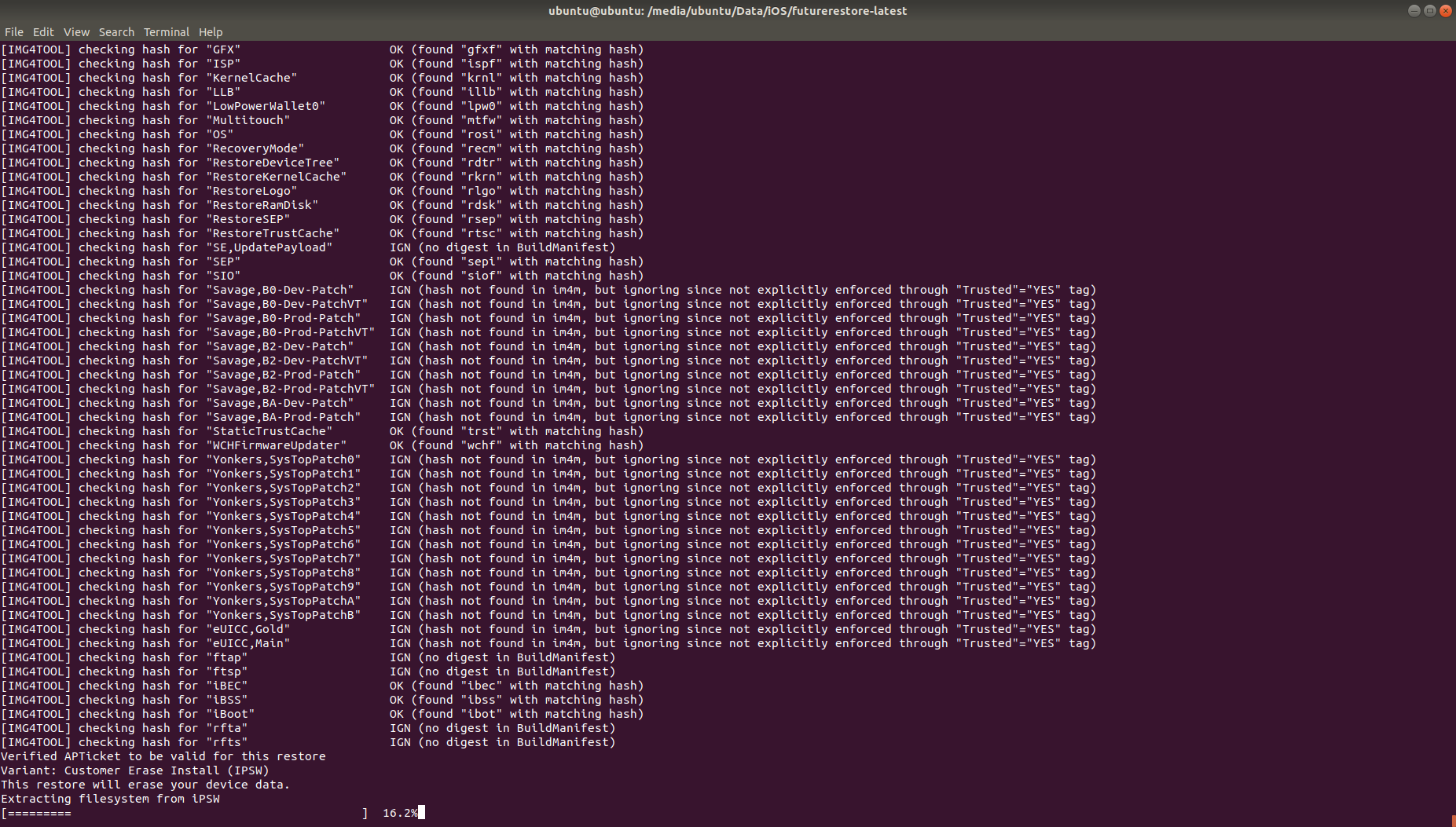
it says it should be green now but its not
"waiting for device to enter restore mode"
it's on Apple logo with a progress bar, not moving
valid adder
usb/usb driver issue
celest basalt
nice, it segfaulted again
valid adder
you shouldn't be segfaulting at all
 valid adder
I recommend restoring your os to stock

GitHub
The easiest way to reset your debian or ubuntu based linux back to stock - gaining/Resetter
celest basalt
it's a clean Ubuntu 18.04 LiveUSB
I have a feeling I might need to recompile all the dependencies of futurerestore with gcc 4.8
valid adder
make sure you have build-essential, and compiling all deps from source
especially latest libimobiledevice suite sources
celest basalt
yeah I compiled those, because it said the version in Ubuntu repos was too old
valid adder
not because
u should be compiling from source to begin with
libzip, openssl, and libcurl should be the devel apt packages
libplist, libusbmuxd, libirecovery, libimobiledevice, img4tool, liboffsetfinder64, libipatcher should all be compiled from source
celest basalt
I think I forgot liboffsetfinder64 and libipatcher... but xpwn is still giving me errors when trying to compile it
celest basalt
Windows 7 VM is doing something but it didn't turn green either
progress bar under Apple logo is actually moving now
it's at sending filesystem let's see
apparently green screen is only for 32 bit devices so I might be good?
it's so slow
ooh now it's verifying restore
going faster now
restore succeeded
finally
ok it booted and activating now
FaceID works too, good
 still summit
Can I have a full guide on how to downgrade with SHSH2 blobs?
celest basalt
@still summit what do you want to downgrade to? if your flair is up to date, there's no version you can downgrade to because of SEP incompatibility
celest basalt
13.5 would work, 13.4.1 SEP is incompatible
still summit
Nice, any guides?
celest basalt
check pinned messages
 celest basalt
you can use iRestore
you should read the full guide to be sure you don't miss anything but basically:
- install latest iTunes (not Microsoft Store)
- get iRestore
- download 13.5 and 13.5.1 IPSW
- extract BuildManifest.plist and SEP/baseband from 13.5.1 IPSW (/sepbb command of @rjailbreakbot on Telegram will tell you the right files)
- select the files in iRestore
still summit
Can I use blobs from Blobsaver?
celest basalt
yeah
still summit
Nice
celest basalt
in iRestore you need:
- 13.5 IPSW
- SEP from 13.5.1 IPSW
- BuildManifest from 13.5.1 IPSW
- 13.5 SHSH2 blob
- Baseband from 13.5.1 IPSW
and don't tick anything just click "Go"
still summit
Does it wipe everything?
celest basalt
yes
still summit
Oke
celest basalt
if you want to restore from backup, restore rootfs and make a new backup after that
otherwise it will have trouble with activation after restore
mine is restoring atm
celest basalt
- restore rootfs
- make iCloud backup
- futurerestore (will wipe data)
- then you can restore iCloud backup if device was rootfs'd before backup
still summit
So how do I root FS?
valid adder
You don’t have to rootfs anymore
celest basalt
oh you don't?
still summit
Oh ok nice!
celest basalt
well I did it just in case
valid adder
Nah
celest basalt
but anyway it's the "restore system" option in checkra1n
valid adder
The activation freeze stopped happening sometime into 12
valid adder
Hard reset
celest basalt
lol I started the hard reset sequence and it woke up
was only holding for 1 second
it says restore completed (iCloud), nice
cinder flume
you cant
cinder flume
no compatible SEP
cinder flume
You can only go to 13.5
celest basalt
dudes couldn't get buildmanifest of latest firmware error 22 win10
 tall siren
@cinder flume what guide do you use for FR these days
 vivid nova
yeah, you may have to use the buildmanifest from the ipsw @celest basalt
celest basalt
How I do that
tall siren
what ios are you even on
celest basalt
Rn 13.5.1
tall siren
what device?
celest basalt
XS
tall siren
your nonce has to be set
celest basalt
Fuck
tall siren
nonce entanglement things
celest basalt
Is there’re no other way
tall siren
you’d need someone to release a 13.5.1 supported nonce setter
celest basalt
damit
cinder flume
@tall siren the google doc still works but they have to use their brain a little bit
tall siren
are the DL links still valid to use?
tidal garnet

celest basalt
iOS 13.3.3 isn't a thing
 zinc tangle
Can i upgrade from iOS 12.2 to iOS 12.4? I have iOS 12.4 blobs, iPhone 6s
 zinc tangle
@vivid nova thats sad 😪
 austere cosmos
how do u save blobs
austere cosmos
yes
cinder flume
@austere cosmos what device
austere cosmos
iphone 8(10,4)
cinder flume
[[tsssaver]]
 real templeBOT

TSS Saver
Repo
Version
1.2.0
Price
FREE
BundleID
co.dynastic.tsssaver
Download
Description
A one-click tool to save blobs using TSSsaver.1conan.com
Provided by: tss-saver.cloud.tyk.io
·
tidal garnet
uh you cant save not signed blobs
 cedar onyx
@cinder flume is there futurerestore support for iPhone 11?
cinder flume
any version that works on A12 should work on a13
so just use tihmstar's fork
i put that link in the guide
cedar onyx
any version that works on A12 should work on a13
@cinder flume so s0uthwest is not good right?
I meant his version
cinder flume
i said use tihmstar's fork
cedar onyx
it gives me unable to get device mode, maybe it’s unrelate? s0uthwes should work tho
@cinder flume
Device model*
cinder flume
oh he might not have added the a13 device models
cinder flume
i think your best bet is to try and compile tihmstar's fork of futurerestore on linux
 lilac tinsel
Hi everyone, will futurestore work on A12 iPhone XS on iOS 13.5 ?
I have blobs just need to restore due to corrupt files.
 tribal rover
Is there anyway to access iphone 5s .. ios 9 ... its been ages since i used hence i forgot the keypad lock. is there anyway to access ?
vivid nova
@tribal rover if you're talking about bypassing passcodes.. No, that's rule 5
tribal rover
yea just checked that.... sorry about that
vivid nova
@lilac tinsel yes, it'll work but you need to be jailbroken prior.
lilac tinsel
@vivid nova yes that’s the problem.
vivid nova
what device do you have?
 hexed jasper
Hi I was wondering if future restore still had that problem where Touch ID stops working
vivid nova
no, that's only for incompatible SEP
hexed jasper
And also could someone point me in the direction of a future restore tutorial
How do you know if your sep is incompatible
vivid nova
13.5 is incompatible with anything lower
hexed jasper
What does that mean
vivid nova
means if you're on 13.5 and you're trying to get to 13.4 or 12.x.. no-go
hexed jasper
Ok I am on iOS 13.5.1 iPhone 8 and I have blobs for 13.5. Will that work
vivid nova
yes
vivid nova
but you don't need to downgrade when you can jailbreak via checkra1n
hexed jasper
I know but I prefer unc0ver because I rarely have access to a computer
vivid nova
okay, you still need a computer for u0 though
hexed jasper
Yeah I only get access like once a month at my grandmas
I just need a future restore tutorial please
vivid nova
do you have a mac or pc?
vivid nova
drag it into CMD
path/to/futurerestore -t 13.5.shsh path_to_13.5.ipsw --latest-sep --latest-baseband
hexed jasper
Do I replace latest sep and latest baseband with anything
vivid nova
no
hexed jasper
Ok thank you
lilac tinsel
@vivid nova iPhone XS
vivid nova
?
lilac tinsel
vivid nova
what iOS is it on now?
lilac tinsel
13.5 but I think some files are corrupt, cannot jailbreak.
vivid nova
what happens when you try to jb?
lilac tinsel
vivid nova
how'd you get unc0ver?
lilac tinsel
Tried that and many other things, I posted in #unc0ver but they suggested restore. Trouble is I can't restore without getting the jailbreak working. Catch 22
hexed jasper
When I try and run the command nothing happens
vivid nova
@hexed jasper screenshot?
hexed jasper
It won’t let me drag the future restore file into the cmd
vivid nova
then specify it inside CMD
vivid nova
did you set your nonce?
hexed jasper
No I did not how do I do that on iOS 13.5.1
hexed jasper
How do I set it once jailbroken
and do you have a pay pal I would like to give u something
vivid nova
install newterm in Cydia
once installed.. open the app
type su
Password: alpine
then type setgenerator 0x1111111111111111
press enter
then use futurerestore
vivid nova
screenshot?
vivid nova
you'll have to specify the baseband @hexed jasper
extract the ipsw and look for BuildManifest
then, use path/to/futurerestore -t 13.5.shsh path_to_13.5.ipsw --latest-sep -m /path/to/buildmanifest
vivid nova
13.5.1 baseband
extract the ipsw by changing .ipsw to .zip in windows
for mac, just open it in a zip app
hexed jasper
It now says error missing argument
 faint solstice
After i flash the usb i cant usb it help me
still summit
how do I get the sep from 13.5.1?
and the build manifest from ios 13.5.1?
and the baseband lmao
 sage briar
Extraxt ipsw file
valid adder



full osprey
Clever
valid adder

 spark tiger
Is there a tweak like boxy 4 but that works for iPad ?
(Neither boxy for or HomePlus beta/pro work)
sage briar
ask in #jailbreak this is futurerestore things related channel
full osprey
The user was helped and warned for multiple cross post
 broken nexus
I'm sorry I asked this in the wrong channel before: Hi, i'm trying to futurerestore IOS 13.5.1 . to 13.5, but it says my ECID doesn't match my phone's ECID even tho i get the files from tss saver, where i just entered my ECID as hexidecimal, anyone knows what to do?
sage briar
It is not the wrong channel, dont worry
vivid nova
@broken nexus what device do you have?
broken nexus
@vivid nova iPhone X
vivid nova
you don't need to downgrade
broken nexus
@modern phoenix i felt like i was annoying people by posting in the wrong channel
I know, but pokemon go and kernbypass only work with unc0ver, so if it would be possible i'd really like to use unc0ver instead
 modern phoenix
uh
you sure it cant work with check
well even then i wouldnt think all thats worth it for literally just one thing
broken nexus
yep, checkra1n puts uses some different files, and those exact files are the ones pokemon go jailbreak detection is looking for
I know, it might seem nerdy, but if it means not being able to play pogo, i'd rather not be jailbroken at all
cinder flume
 exotic veldt
@cinder flume I have tried this but it is still the same problem 😭
valid adder
then you did it completely wrong
also you need to not have microsoft store apple products
exotic veldt
@valid adder yes I remove iTunes from store and download it again for desktop and restart windows
exotic veldt
I will try this again, I am afraid that the problem is due to files for restoring the system to an earlier version
valid adder
No it’s not
exotic veldt
No it’s not
@valid adder I apologize for the language, but the device is up to my job
No it’s not
@valid adder I apologize for the language, but the device is up to my job
Can I use Windows 7 on vmware ?
celest basalt
I used Win7 in VirtualBox so VMware would probably work too

 vestal gust
btw if i have a device on 13.5.1 and have the blobs for 13.5,13.4,13.3
can i go back to any of those?
 jaunty nymph
only 13.5
vestal gust
because of sep
jaunty nymph
sep is only compatible with 13.5
vestal gust
then why do we save blobs it we can’t use them later
jaunty nymph
cause if the sep was compatible it could be restored to
vestal gust
how do i know if the sep compatibile
like it there a website or a person who knows that and tells u guys
like who is the source
jaunty nymph
there is a way to find out but I personally just ask others and see
vivid nova
The SEP works for tvOS.. therefore iOS as well 😉
I've got a tvOS checker
so it'll correspond with iOS
(in most cases)
jaunty nymph
well that's it
vestal gust
i just wanna learn so if people ask here i can tell them because my futurerestore knowledge is pretty much 0
vivid nova
i can help with that
vestal gust
great
so if i don’t have an apple tv
how do i know if a sep is compatible
like is there a website or do i need to check code
 vestal gust
ok this will help a lot thank you
celest basalt
only problem is iOS and tvOS versions don’t match up since 13.4.5
vivid nova
so it'll correspond with iOS
celest basalt
iOS 13.5 = tvOS 13.4.5
iOS 13.5.1 = tvOS 13.4.6
iOS 13.5.5/13.6 = tvOS 13.4.8
vestal gust
i see
celest basalt
Apple has been making basically every 13.x.0 version’s SEP incompatible with the previous since 13.4, though 13.6b2 is compatible with 13.5.x atm
we’ll see if 13.6 final is compatible, but earlier they didn’t change SEP that often
vestal gust
so before like an ios 12 sep was compatible with any ios 12 version
celest basalt
not any but it was changed more rarely
vivid nova
when 13 was released, it killed 12
vestal gust
then it’s 13.5.1 or 13.5.2 and soon
vestal gust
damn
apple sucks
and can the sep comeback someday in the future or is it like rooted
celest basalt
current SEP compatibility:
13.4-13.4.1 (all unsigned)
13.5-13.5.1-13.5.5b1-13.6b2
well, you would need an exploit to set sepnonce
vivid nova
if you have blobs for 13.5 (13.4.5) it'll work for 13.5.1 (13.4.6)
vestal gust
ok let’s say i have the blobs
vivid nova
anything lower; no-go
celest basalt
futurerestore is also good for upgrading, like I decided to stay on 13.3 for a bit because of Chimera13 but then I upgraded to 13.5
vivid nova
no, windows too
celest basalt
you can use iRestore on Windows
vivid nova
windows is just a tad more finicky
celest basalt
recommended to use Win7 as it may not work on Win10
I had to use Win7 in VirtualBox
you can set USB passthrough
celest basalt
reddit
r/jailbreak: iOS jailbreaking: tweaks, news, and more for jailbroken iPhones, iPads, iPod touches, and Apple TVs.
Installed anything great recently? Got an idea for a tweak? Wrote a cool tutorial? Curious about how something works? Let us know!
iRestore is just a GUI for futurerestore but it may be a bit easier to use
vestal gust
so i’m assuming i’ll be needing the ipsw, blobs file and anything else?
celest basalt
get both 13.5 and 13.5.1 IPSW
vestal gust
ok
celest basalt
you’ll need SEP and BB file from 13.5.1
vestal gust
ill get that from where
celest basalt
https://t.me/rjailbreakbot - /sepbb command tells you the right SEP/BB files to extract from the 13.5.1 IPSW for your device

Telegram
Tools for iOS and/or jailbreak.
Save SHSH2, get device info, firmware etc
Donate : https://donate.spydar007.com
 errant moth
Don’t you need to have your boot nonce or whatever set to what the nonce generator is from your shsh file?
tidal garnet
https://joshblah555.github.io/JoshTV/SEPCheckr.html
@vivid nova are you migrating to ghpages?
celest basalt
yes, you need to set nonce too
vestal gust
i see
thank you guys so much for opening my eyes
now i know how to help people here and myself
celest basalt
you give futurerestore/iRestore the 13.5 IPSW, 13.5 blobs, plus SEP/BB/BuildManifest extracted from 13.5.1 IPSW
vivid nova
now i know how to help people here and myself
@vestal gust not entirely, but nice to know you're inspired
😛
celest basalt
some IPSWs are for multiple devices which is why Telegram bot helps with the right SEP/BB file
like XR and 11 have the same IPSW
vestal gust
ok ill be adding the telegram bot then
errant moth
How exactly do you set your nonce with unc0ver on a non exploitable iOS version like 13.5.1 on a a12/13 phone? From what I understand you can’t but maybe I’m wrong.
errant moth
So downgrading with anything above an X is impossible?
celest basalt
you can still downgrade in some cases, but only if you're already on a jailbreakable version atm
right now you can only futurerestore to 13.5 and 13.5.5 beta
errant moth
So you’d have to be on 13.5.5 to downgrade to 13.5? Or are you talking about if you have the shsh file for either of those 2?
celest basalt
you need to be:
- on any jailbreakable version (13.5 or lower, or 13.5.5 beta)
- have blobs for the target version
- make sure there's a compatible signed SEP for the target version
vivid nova
IF someone made a noncesetter for stock iOS.. it may be possible with blobs..
but, since there isn't one made.. nope
celest basalt
so atm if you're on any jailbreakable version you can futurerestore to 13.5 and 13.5.5 beta with blobs, and then you can hop between those two versions too
errant moth
I don’t think that would be even possible to set nonce on stock anyways 🤔
celest basalt
well, Chimera had a noncesetter for 12.4 A12 and no JB, though u0 had JB
in general there aren't commonly noncesetters being released for non-jailbreakable iOS versions because it requires an exploit too
needs tfp0 afaik
I heard some legacy non-tfp0 jailbreaks can't set nonce I think
errant moth
I remember when downgrading was so much easier than all this
vivid nova
I remember when Apple didn't have SEP..
errant moth
When did Apple introduce sep?
celest basalt
in A7 apparently
vivid nova
in A7 apparently
@celest basalt "when"
 errant moth
So with the iPhone 5
vivid nova
SEP was made in 2012 but wasn't implemented till the year later
errant moth
Ah
 old halo
How does this work if I need to use it?
Or should I not worry about using it unless I need to
vivid nova
@old halo only if you need to
 versed inlet
this was before my ipad released?
cinder flume
what part of that are you stuck on
versed inlet
"if a12" is macOS
cinder flume
now continue the guide
versed inlet
no
versed inlet
im not
tidal garnet
yeah do that
versed inlet
ok
tidal garnet
well did you save your blobs on u0
cinder flume
nonce should still be set
versed inlet
alright im jailbroken
cinder flume
ok
cinder flume
your generator is already set
dont need to worry on a12
cuz you saved blobs for only 1 gen
tidal garnet
just type the path then
versed inlet
ok
cinder flume
dont run cmd as admin
cinder flume
you cant use latest
versed inlet
oh
versed inlet
ok
Download iPadOS 13.5 (17F75) for iPad Pro 3 (11-inch, WiFi)
this is the link i paste right?
versed inlet
versed inlet
/sepbb
versed inlet
nope
cinder flume
its another appp
vivid nova
buildmanifest.plist
valid adder
you need to manually specify on windows cuz v245 doesn't have zip64 libfragmentzip update 
celest basalt
I did future restore and it worked 13.5 on my XS and lost my eSIM? It got deleted. My carrier wont re activate
tidal garnet
futurerestore wipes phone
celest basalt
Guess I'll have no service on my iPhone.
I don't even use my physical sim anymore.
celest basalt
I did on iCloud and didn't bring back my eSIM.
did my other icloud restores nothing eSIM is gone. I guess my iPhone is now a iPod.
jaunty nymph
F
celest basalt
reddit
14 votes and 24 comments so far on Reddit
RIP eSIM
I blame Apple for this.
iPhone as iPod it is F
 main widget
RIP eSIM
@celest basalt
If you activate a physical sim on the line the esim is being used, it should deactivate and free up the esim
Someone on the comments said that
versed inlet
When I restore with futurerestore on my iPad with it still be signed into iCloud will there be an activation lock?
cinder flume
yeah but you can just put the password in after
cinder flume
i think its just the icloud pass
versed inlet
dad took phone
tidal garnet
oh rip
tidal garnet
sad
versed inlet
im fine if icloud.com doesn't give 2fa
made my dads phone a trusted number
whats the SEP for 13.5?
tidal garnet
why nto
tidal garnet
specify buildmanifest
celest basalt
@celest basalt
Someone on the comments said that
@main widget Nope doesn't work. T-Mobile can't even send me a temporary code to do authorizations to my account without it. So Physical can't work either. Feels like its permanent to me. I just give up using service on my iPhone. Either leave TForce for Verizon or AT&T. T-Mobile is confused why it wont fix itself for a reactivation for my eSIM. iPhone as a iPod.
main widget
Maybe call Apple and use your warranty?
celest basalt
On the phone with them. They don't even support me because they see I'm jailbroken.... Gave them my diag. lol They blame the jailbreak when its not.
main widget
I mean why would you tell them you are jailbroken
celest basalt
Yea still on hold so higher up probably gonna tell me its a carrier issue that they have to fix.
versed inlet
\
celest basalt
My iPhone is working fine.
versed inlet
i specified everything annnnd it didn't work
celest basalt
Verizon is a physical as pre-paid and it works just fine just lost all my eSIM for my post paid account. @main widget
vivid nova
@versed inlet wrong sep file
celest basalt
@versed inlet you also need to put the 13.5 IPSW as the last argument
or just use iRestore

reddit
364 votes and 187 comments so far on Reddit
vivid nova
@celest basalt no
celest basalt
k thanks
 rich sedge
can you use futurestore to downgrade to 13.5 from 13.5.1 on ip11pro?
main widget
If you have blobs
 hollow folio
Hello I'm trying to compile futurestore on Mac but I can't because there's some errors in the log
And I don't understand what it is complaining about
vivid nova
dunno why you're compiling it when its available to download pre-made @hollow folio
hollow folio
because the binary is expired
i have a zsh : killed
and southwest said it was expiring at june 19
hollow folio
ok i'll try thanks
hollow folio
still the same error
vivid nova
@hollow folio use bash
jaunty nymph
He means prefix the command you just ran with bash
hollow folio
Yeah ok i'll try this way. Didn't know that future restore didn't like zsh
jaunty nymph
zsh: killed is a crash
@hollow folio it's normally cause you've run out of memory
Try closing any web broswers
Or other demanding programs
hollow folio
i read on the net it was because of the fact that macos think it's a malware or something because of the signing (and also southwest said that the binary will expire in june 19 and won't be able to run after)

GitHub
After run sudo /path/to/SidecarPatcher and enter password, terminal write result: Killed: 9 in bash or zsh: killed in zsh
like there
vivid nova
ah, try disabling SIP
cinder flume
@hollow folio if you didnt restore already you should be using tihmstar's fork
hollow folio
Ok gonna switch to his
 atomic monolith
My iPhone X 13.5, can i futurerestore but stay at 13.5?
atomic monolith
if you have blobs yes
@tidal garnet i have blobs
otherwise use succession
@tidal garnet succseeion is not real restore.
tidal garnet
did i say it was?
i gave you your options
but how is it not a 'real restore'
it wipes the device
atomic monolith
some files and folders are stay there after i run succession
atomic monolith
some folders of tweaks that i install before
celest basalt
@atomic monolith they shouldn’t stick around, unless you enabled the “only restore system data“ option
atomic monolith
@atomic monolith they shouldn’t stick around, unless you enabled the “only restore system data“ option
@celest basalt im not stick anyting, just run it
 worthy rune
i was dumb and installed a bad tweak now im on 13.5.1
luckily i have an X so i can use checkra1n
but i would prefer to be on 13.5
could someone link a guide that would work, downgrading with shsh2 blobs?
_or give me a quick walkthrough 😄 _
jaunty nymph

Gist
A guide fully covering the process of using Futurerestore to upgrade, downgrade, or re-restore to an unsigned iOS firmware. - FuturerestoreGuide.md
worthy rune
thanks! pretty sure 13.5.1 is compatible, right?
jaunty nymph
yes
worthy rune
👍
 void echo
Hello , I want to upgrade my iPhone 6s+ from iOS 11.3 beta to iOS 13.2.3(latest jailbreakable blobs saved) is it possible?
 zealous wraith
Hello, I installed iOS 14 beta on my iPad Air 3 and I want to revert back to iOS 13.5 for unc0ver I have the APticket and .shsh2 file saved for iOS 13.5 but YouTube tutorials says I need to set nonce generator how do I do that If I can't get unc0ver working please help
full osprey
You cant
You need to be jailbroken to set it
Go to 13.5.1
read #common-issues next time
celest basalt
Hi
Hi so I just removed my jailbreak from my phone using the unc0ver restore root FS method and I checked of “disable software update” and now I am not able to software update my phone. Can anyone help me please. I read online that the only way to fix this is to restore my phone.
 fast moss
What am I doing wrong that keeps giving me "Failed to find matching buildidentity" I'm trying to diagnose a problem with my Jailbreak and just wanted to freshly reinstall 13.5
I'm running: ./futurerestore -t ./blob.shsh2 --latest-sep --latest-baseband ./135.ipsw
13.5.1's SEP and Baseband are compatible with 13.5, right?
cinder flume
you need a buildmanifest
fast moss
Okay, I gave it the build manifest from 13.5 previously, still same result.
Do I need to give it 13.5.1's because I'm using the SEP and BB from it?
cinder flume
yes
fast moss
I just gave it 13.5.1's Build Manifest and it still isn't working.
I'm running this: ./futurerestore -t ./135blob.shsh2 -m ./1351BM.plist --latest-sep --latest-baseband ./135.ipsw
"Failed to find matching buildidentity"
fast moss
Ah, so I need to give it the manifest for both the SEP and the BB.
vivid nova
@fast moss just extract them from the ipsw and use -m for buildmanifest and -s for sep im4v
fast moss
So the build manifest is located in the root of the IPSW file, right?
BuildManifest.plist correct?
Or am I looking for files the
ICE18-2.06.00.Release.plist
ICE18-2.06.00.Release.bbfw (This is BM for BB, right?)
and
sep-firmware.d331p.RELEASE.im4p
sep-firmware.d331p.RELEASE.plist (This is BM for SEP, right?)
TL;DR:
Am I Running ./futurerestore -t ./135blob.shsh2 -s ./1351sep.im4p -m ./1351BM.plist -b ./1351bb.bbfw -p ./1351BM.plist ./135.ipsw
Or am I running: ./futurerestore -t ./135blob.shsh2 -s ./1351sep.im4p -m ./1351sep.plist -b ./1351bb.bbfw -p ./1351bb.plist ./135.ipsw
fast moss
NVM guys, I used a FutureRestore GUI app, and it generated the correct commands for me to paste into terminal. Restoring to 13.5 now.
 sharp tangle
Holy shit, im glad i dont really have to use this
 zealous bridge
if im downgrading from 13.5.1 to 13.5, do i need both ipsw's?
celest basalt
@zealous bridge yes, but for 13.5.1 it’s enough to use partialzip to download BuildManifest/SEP/BB from the ipsw
zealous bridge
have no idea what that is but ok, have the 13.5.1 ipsw already downloaded, 13.5 ipsw is download'ing' and my phone is now on 13.5.1
sage briar


It was written when 13.3 was unsigned so analogically 13.3.1 files are your 13.5.1 and 13.3 is your 13.5, long story short
celest basalt
partialzip is just a way to download part of a zip file (also works on ipsw) without downloading the whole file
if you already have the 13.5.1 ipsw that’s fine
 bronze zealot
Im a little bit confuse what i really need to downgrade from 13.5.1 to 13.5? I have the shsh and ios 13.5. What more information i need to take from my device?
Because Im checking a tutorial for ios 12 and i dont know if the process its the same for ios 13.5 or i need to chage some things?
jaunty nymph
There are 2 tutorials pinned
sage briar
And the one I posted few posts above
 warm gull
i am also a little confused
I need to downgrade but it in the tutorial it says I need to set a nounce but in order to do that i need a unc0ver or checkra1n
but i'm at 13.5.1 I dont have jailbreak how can i set the nounce?
celest basalt
@warm gull which device?
hexed jasper
Hi. I am using future restore on my iPhone 8 from 13.5.1 to 13.5. I saw something that said: “[Warning] setting bgcolor to green! If you don’t see a green screen, then your device didn’t Boot iBEC correctly.” My devices screen never turned green but the restore is still going on. Am I ok?
vivid nova
Would love to see the output on your terminal @hexed jasper
cinder flume
@warm gull if you cant jailbreak you cant downgrade
hexed jasper
@vivid nova Ok the restore just finished and it said restoration succeeded which part of the command would you like to see
vivid nova
if it succeeded.. then wait for the device to start up and go through the initial setup
look up the iOS version to verify
hexed jasper
Ok I have just heard of things like Touch ID not working after the restore and I wanted to make sure that this wouldn’t cause that
bronze zealot
I got this
vivid nova
@bronze zealot what iOS firmware are you trying to go to?
@hexed jasper that will not be the case with 13.5...
warm gull
Oh shit
I’m at 13.5.1 now, no matter what I do I won’t be able to downgrade with shsh?
@celest basalt Iphone 11
Download a bad tweak and had to DFU restore, thinking that I can downgrade cuz I saved shsh
I’m a retard 😂
vivid nova
@warm gull do you have blobs?
bronze zealot
@bronze zealot what iOS firmware are you trying to go to?
@vivid nova ok i fixed that but know its waiting for the device this take to much or its an error it was waiting for the device like a minute
I did the fix for the error -8 uninstalling the driver and reconet and then succede but now i have that
what i should do wait or what
vivid nova
I love how you didn't even answer the question...
vivid nova
oh ok
bronze zealot
but the problem its that
But didnt reconnect
And itunes pup up a message to upgrade or restore
So what I should do
vivid nova
close out itunes
celest basalt
@warm gull yeah on iPhone 11 there’s no way to downgrade from 13.5.1 atm
bronze zealot
close out itunes
@vivid nova ok i fixed everything but i didnt saw the green screen and its now booting so its ok?
vivid nova
i guess?
bronze zealot
should i saw some green screen?
cinder flume
ive never seen the green screen
vivid nova
green screen works on Apple TV, maybe not iOS devices
as long as futurerestore doesn't error...
bronze zealot
for some reason my battery its full and i started the procces with 30% and i think i didnt satyed to long to full charge the iphone with a usb port
cinder flume
full error log in pastebin plz
 mossy breach
Found device iPhone8,4 n69ap
user specified to use latest signed SEP (WARNING, THIS CAN CAUSE A NON-WORKING RESTORE)
[TSSC] opening firmware.json
[DOWN] downloading file https://api.ipsw.me/v2.1/firmwares.json/condensed
[TSSC] selecting latest iOS: 13.5.1
[TSSC] got firmware URL for iOS 13.5.1 build 17F80
[TSSC] opening Buildmanifest for iPhone8,4_13.5.1
PK00C$?m?[Error] [LFZP] failed to open URL
[Error] couldn't get buildmanifest of latest firmware
[Error] Fail code=-22
Failed with errorcode=-22
cut off some of the beginning with my ecid
I can go and censor that if you really need it
cinder flume
can you post the command you used
mossy breach
../futurerestore -t [REDACTED]_iPhone8,4_n69ap_13.5-[REDACTED].shsh2 --latest-sep --latest-baseband iPhone_4.0_64bit_13.5_17F75_Restore.ipsw
cinder flume

Google Docs
=A9 can’t restore to 12 Lowest version you can restore to on iOS 13-compatible devices is 13.5 Part 1: General Notes (Please read all of these!!!) READ THE WHOLE GUIDE BEFORE BEGINNING READ PAGE ONE IF YOU DIDNT ALREADY if you have any questions, contact us on the r/jailbrea...
you need the build manifest
in there
mossy breach
build manifest
okay
where do I find that? It seems like this is something futurerestore would normally do itself
cinder flume
read the guide
mossy breach
do I need to manually specify the other parts or just the build manifest that it can't find on it's own?
cinder flume
read the guide
mossy breach
it doesn't say anything about using a manually specified build manifest with latest sep+bb
cinder flume
dont use latest it hasnt worked in a while
mossy breach
extract.me seems to be a bit slow. Is there an alternative I can run from the desktop?
cinder flume
Download it then unzip it
mossy breach
Oh, thank god.
bronze zealot
Do you need to change the nonce everytime you use featurestore?
versed inlet
can you upgrade to ios 14 and then downgrade to 13.5 w/ blobs or nah?
celest basalt
@versed inlet only on A11 and lower
celest basalt
@bronze zealot you need to set the generator first every time you restore, but you can use the same one
@versed inlet same I wanna try iOS 14 but my only device is A12
mossy breach
WARNING: FDR 0x7fbc1c580d20 received unknown packet 0xba55 of size 2
WARNING: FDR 0x7fbc1c580d20 received unknown packet 0x3e06 of size 2
WARNING: FDR 0x7fbc1c580d20 received unknown packet 0xb30a of size 2
WARNING: FDR 0x7fbc1c580d20 received unknown packet 0xb828 of size 2
WARNING: FDR 0x7fbc1c580d20 received unknown packet 0x8dc0 of size 2
WARNING: FDR 0x7fbc1c580d20 received unknown packet 0xeb87 of size 2
WARNING: FDR 0x7fbc1c580d20 received unknown packet 0x843d of size 2
ERROR: Unable to receive data from FDR
ERROR: FDR 0x7fbc1c580d20 could not receive plist command.
futurerestore log just got spammed with this but it is proceeding anyways
is it okay
versed inlet
my ipad is a12x and im fine without a jb
@mossy breach if it fails it'll fail safely
mossy breach
thank god
it hasn't failed
so
yeet
imma have to update my nick
god I can't wait to get the new iphone se
and ditch this old piece of crap
13.5 is fun tho
celest basalt
it would take me forever to get used to no JB again and Odyssey is coming soon so...
mossy breach
ITS WORKING
mossy breach
Maybe I can get a 2020 SE with 13.5
with the whole serial number thing
get a sympathetic apple genius to look for a specific SN
versed inlet
or get an apple genius that knows what jbing is and endorses it
versed inlet
@celest basalt at least there's succession
mossy breach
either way I'll go serial number first and not mention JB
if they ask if its because I want to JB ill tell the truth
wtf is stockholm and why is it updating
lmao
everything appears to be working
versed inlet
not for me
in cali
all the geniuses are just dumb
but on phone lines, you can get lucky with tech support and get free highest ranked apple care
celest basalt
@versed inlet how exactly does Succession help other than restoring to the current version without updating
mossy breach
Well yeah. Save money by hiring idiots where they're close enough to HQ for Apple to do damage control quickly if it goes tits up
versed inlet
i actually became friends with a tech support guy
versed inlet
@celest basalt it helps me so then i don't need to use shitty itunes to restore when i need to
versed inlet
one thing llith
mossy breach
i am fear
versed inlet
i haven't ever used futurerestore
mossy breach
oh no
oh god
oh fuck
i am still on stockholm
concern
oh nvm
it changed while i was typing
versed inlet
if it fails, it will fail safely
mossy breach
fixing up /var
versed inlet
snowball said it btw
mossy breach
baseband data
bar on phone is farther along too
system key bag
this is the part where i panic
even though nothing is wrong yet
ohgodohfuckohgodohfuck
it says restoring succeeded
and my phone rebooting
versed inlet
good job
mossy breach
cross fingies
versed inlet
your phone restored
mossy breach
it has another bar on my phone
futurerestore is done but iOS itself isn't apparentally
celest basalt
@versed inlet yeah Succession can be useful just not useful for iOS 14 in particular 😛
mossy breach
I know
versed inlet
yeah i was saying it was just useful for me @celest basalt
mossy breach
it's got to get moved into it's new home
my veritable crack den of a phone
like all the stuff is there
but it's all in boxes
you know?
HELLO SCREEN
HOLA SCREEN
HALLO SCREEN
 digital condor
Hi, somebody has experience restoring to iOS 13.5?
cinder flume
what do you need help with
digital condor
Im lost i've never restore with this tool
I just want to someone to guide me
or a video
I've installed a tweak that i have bugs with photos app to share or edit photos
And i have to restore my phone but obviously apple is nto signing anymore ios 13.5
cinder flume
theres a guide pinned here
digital condor
Gist
A guide fully covering the process of using Futurerestore to upgrade, downgrade, or re-restore to an unsigned iOS firmware. - FuturerestoreGuide.md
i think it is*
cinder flume
Google Docs
=A9 can’t restore to 12 Lowest version you can restore to on iOS 13-compatible devices is 13.5 Part 1: General Notes (Please read all of these!!!) READ THE WHOLE GUIDE BEFORE BEGINNING READ PAGE ONE IF YOU DIDNT ALREADY if you have any questions, contact us on the r/jailbrea...
digital condor
is not more updated is it?
https://gist.github.com/TheRealKeto/7c5191c7495fb750e79f8ce0f0cdcdaa i this it is
@digital condor
Gist
A guide fully covering the process of using Futurerestore to upgrade, downgrade, or re-restore to an unsigned iOS firmware. - FuturerestoreGuide.md
cinder flume
i updated the google doc 10 days ago