#legacy
1 messages · Page 25 of 1
 worldly pumice
 left kernel
Yes
worldly pumice
Ok lmao, I’ve never jailbroken so I thought it was a long lengthy process.
 hazy nebula
not today everything has become very routine now
 indigo owl
does anyone know what would cause an iphone 4 to be stuck in recovery mode, even after restoring ios almost 20 times? its been doing this since i tried to update from 6.1.3 to 7.1.2 through itunes
 cosmic echo
@indigo owl NAND fried
 zenith tulip
@worldly pumice It's actually pretty straightforward if you have a Windows 10 PC or a Mojave (or later) Mac
that's fun
 long cargo
altserverpatcher
Getting it working in less than an hour
indigo owl
I cant wait until I get a new battery for my 4s because its still on ios 6
 soft moon
What are the best tweaks/repos I should add on here
 hexed plaza
Now you need to use AltServer or AltDeploy to sideload
@left kernel
I dont think you need AltDeploy anymore to sideload. There is a new update (1.3) that lets you easily sideload with AltServer
 wraith night
@indigo owl um,did you used pluvia to downgrade to 6.1.3 or was it already stock?
@wraith night what iOS version
@cosmic echo 4.1 again
cosmic echo
@long cargo altserverpatcher works fine fuck you mean
@hexed plaza AltStore doesn't work on iOS below 12.2 though
that's why i still ""maintain"" altserverpatcher
hexed plaza
Oooh ok, didnt know that
wraith night
finally got geekgrade going on my 4 with no shit
indigo owl
I think I had used pluvia like last year or something
long cargo
altserverpatcher works fine fuck you mean
@cosmic echo I'm mostly referring to the altserver side of the equation but on my PC it took like an hour, had to patch, reboot, sign in to everything, and host the IPA on a local server in the end
On someone else's PC it just wouldn't work
I now have a newer device thankfully so I can just use altstore lol
indigo owl
@wraith night I dont think pluvia has anything to do with it idk maybe it does
wraith night
so did you have stock 6.1.3 or downgraded with pluvia?
indigo owl
downgraded
indigo owl
ah so i can fix this if i can get a hold of a mac?
wraith night
yes
indigo owl
i guess ill re hackintosh then
i think i still have my config for catalina
left kernel
@hexed plaza didn’t know that, that’s cool. Like IPG said tho, only useful for 12.2 and newer
hexed plaza
Oh didnt know it only works for 12.2
worldly pumice
When was the last fully untethered jailbreak released that’s available?
left kernel
last one was Pangu9 I think
worldly pumice
What iOS is that on?
worldly pumice
Is it possible to downgrade from iOS 9.3.5 to iOS 9.1?
iPhone 4s BTW
Oh I guess it doesn’t work on iPhone 4s
 silk wind
i miss ios 9.1 :(
left kernel
You can with blobs
wraith night
if you have blobs you can
otherwise for the 4s you have 2 choices for untethered jailbreak aka 8.4.1 and 6.1.3
 thorn bolt
@soft moon which ipad is? if is 32bit install coolbooter just now
soft moon
iPad 2
zenith tulip
i would recommend downgrading ios to a version with an untethered jailbreak tho
zenith tulip
@long cargo this included:
download of altserver, altserver patcher, itunes, icloud
installation of altserver, itunes, icloud
a trash usb wifi
a ~2011 computer with a celeron
a mechanical hard drive
delays due to user error/input
long cargo
I was using hyperbole but sure I guess
zenith tulip
lol ipad mini 1st gen
left kernel
rip nice looking leather case
zenith tulip
Trying to downgrade to 8.4.1, iPad Mini, help pls
zenith tulip
anyone got any recommendations
zenith tulip
ah got it working
 regal burrow
K
zenith tulip
@cosmic echo I'm trying to install a jailbreak utility for iOS 8.4.1, and I've tried both HomeDepot-8.4.1 and EtasonJB. EtasonJB gives "The app could not be found" and HomeDepot gives "WinHttpQueryDataAvailable: 12017: The operation has been canceled"
Is this an issue with AltServer? Do you know how to get around this?
cosmic echo
@zenith tulip disable Windows Security if you haven't already
etasonJB won't work because tihmstar won't remove the download restrictions
 pseudo basalt

 cosmic echo
if you're gonna use this as a testing ground
zenith tulip
@cosmic echo i did
cosmic echo
why not change the status to say "Discuss iOS 9 and lower jailbreaking"
zenith tulip
firewall, security, all of it
zenith tulip
only because it was so dang annoying
cosmic echo
because your idiot
 floral tapir
i didnt put it there
cosmic echo
also iOS doesn't age like it used to
recent 3 made sense when iOS made leaps with every version
pseudo basalt
neither do i
zenith tulip
iOS 11 shouldn't exist
cosmic echo
iOS 13 was a major change
iOS 9 was the last major change before that
iOS 8 was also considered a major change
cosmic echo
a lot of internals were changed
zenith tulip
slide to pwer off in 13 stink
 strange vessel
Yeah 13 isn’t a major change just added the dark mode
Hope to see few great changes in iOS 14
cosmic echo
you can at least listen to me when i say iOS 10 isn't legacy
i run deez streetz
ios does not age like it used to
splitting iOS 10 users from iOS 7 made sense
splitting iOS 10 users from iOS 13? how
strange vessel
Yes, I would agree on that @zenith tulip
cosmic echo
@hearty heron leave
cosmic echo
iOS 11 still sucks
 odd bronze
Look, I'm sorry I went to the wrong places. This is a big server and I am only trying to get help
Ok then
can I get help here? I am trying to get an ios 10 app on an ios 9.3.5
 honest flint
no worries
odd bronze
Please, I don't understand what I did
Been called a retard within two minutes of being here
I need to know what I have to do on my iPad to make this work, Cydia Impactor apparently broke around 2019
but I'm pretty sure there's a way to make this happen
...
Sigh
zenith tulip
@Danominator the Cozmo#1417 Install the app on a newer device on the same Apple ID, then install it from your purchased list.
@Danominator the Cozmo#1417
did he leave
bruh
 abstract smelt
Lol he basically did the same thing in #jailbreak
wraith night
hexed plaza

wraith night
why do I get this with no touch every time this goes to safe mode
wraith night
@hexed plaza just no sim card inserted which it should say
cosmic echo
@wraith night modern day safe mode is fucked on legacy iOS
compile a new one with /S/L/E added to the whitelist or downgrade to an older version
cosmic echo
an older one than that then
left kernel
@wraith night http://apt.saurik.com/debs/
@strong seal no, iOS 6 has literally no good tweaks
Check out this list to see all the bad tweaks on iOS 6
Wallpaper Link!!!! ➡️ http://crucl.co/2at8HkQ ⬅️
Here's my top 50+ Cydia tweaks for the iPhone, iPod Touch and iPad running iOS 6+. Hopefully you guys enjoy them as much as I do. Some of these tweaks are free and some are paid and they aren't in any specific order. If this v...
worldly pumice
Is it better to have my iPhone 4s running iOS 9 or iOS 5? I’m pretty sure I can downgrade it to iOS 5
thorn bolt
ios 5 lol
left kernel
Depends on how you define "better"
iOS 5 is the best performing, while iOS 9 is the most useful for modern day tasks
Also you can downgrade to iOS 5 but only if you have blobs, and if you have the 16 GB model or higher (8GB never had it)
left kernel
 oh ye
oh ye
worldly pumice
What do you think would work fluidly, but also support decent versions of basic apps like YouTube, Twitter, Instagram, that type of stuff?
iOS 5-9 on iPhone 4S
left kernel
Instagram is the problem
iOS 9 then
Use HideMe9 and hide some UI elements (especially underline label shadows), NoBlur, NoLiveClock, NoMotion. These tweaks will improve performance and the fluidity somewhat
Same if you go with iOS 8.4.1, just HideMe8 instead of 9
worldly pumice
Alright. And, does anyone have a tutorial for installing it? (I know I’m using the wrong terms this would be my first jail breaking experience.
worldly pumice
I can’t find the way to download Pheonix?
cosmic echo
@worldly pumice are you on Windows or Mac?
worldly pumice
Mac
Is pheonixpwn still working?
Oops I have an OLD ASS MAC
it’s running 10.7.5 lmao
Is there any installers for MACOS 10.7.5? (Or lower)
worldly pumice
it’s a old Mac
thorn bolt
which mac?
thorn bolt
oof
left kernel
how can i manually stash tweaks
worldly pumice
My device has to be running iOS 12.2 to run altstore???
 fast coyote
@worldly pumice Is there anything you can't do with your current OS X version?
Because if it is on OS X 10.7.5, there are ways to install 10.8.5 on it if there is an app that requires it. If you don't have an app that requires OS X 10.8.5, then I don't really think it is worth it for you to install the newer versions.
Also, installers only became a thing as of 10.8.5. Because before that, everything was on CD's and Apple never made earlier OS X versions available to download from the Mac AppStore.
@left kernel what iOS are you on?
worldly pumice
What are good tweaks to make iPhone 4S run better?
zenith tulip
I would say NoBlur, but that messed up my iPad Mini and you could just enable reduce transparency
indigo owl
Does anyone have a 7.1.2 ipsw patched with pluvia for the iphone 4?
fast coyote
@left kernel iOS 10.3.3 is the new APFS filesystem, which means that you don't need to stash your tweaks as the root filesystem is now the size of your entire storage capacity.
FWIW, all of your tweaks have been automatically stashed since iOS 10.3.
@indigo owl downgrade it to iOS 8.4.1?
@worldly pumice Also, why didn't you answer my questions?
🤦♂️
indigo owl
yeah i dont think downgrading an iphone 4 to 8.x.x is possible
left kernel
Posed it above earlier, HideMe7/8/9 and hide some UI elements (especially underline label shadows), NoBlur, NoLiveClock, NoMotion @worldly pumice
thorn bolt
@worldly pumice just downgrade or dual boot
worldly pumice
@worldly pumice Also, why didn't you answer my questions?
@fast coyote I’m sorry, I didn’t see it, but I can’t install ANYTHING on the Mac.
worldly pumice
I tried downgrading with iFile, this is happening. Should I undo what I did in ifile or is this a problem with my WiFi do you think?
hexed plaza
You have to unjailbreak in order to check updates
left kernel
The iFile and Filza method does'nt work anymore, try this

This video will show you how to downgrade the iPhone 4S, iPad 2, iPad 3, iPhone 5 and 5C to iOS 8.4.1 to bring a new life to your device.
Downgrade pack : https://mega.nz/folder/ymh01SoC#SCTvs9xlRTtYpm6PTdwJwg
Join my Discord server ! https://discord.gg/hCjMFwH
Have a gre...

This video will show you how to downgrade yhe iPhone 4S/iPad 2 from iOS 9.3.6 to iOS 6.1.3 with Beehind, a GUI of idevicerestore.
Download The downgrade pack here : https://mega.nz/folder/fvRD3ACK#HfZ6jsH8590mP_gICwItGQ
Join my Discord server ! https://discord.gg/hCjMFwH
...
left kernel
the iphone 5 is still 32bit jsyk so the filesystem never changed @fast coyote
so its still hfs
worldly pumice
What’s a good tweak that makes iOS 9 run better on 32 bits?
pseudo basalt
nothing
worldly pumice
Oof
left kernel
bruh
@worldly pumice I told you already, HideMe9 HideMeX and hide some UI elements (especially underline label shadows), NoBlur, NoLiveClock, NoMotion
 left kernel
It's X
worldly pumice
yeah
worldly pumice

hexed plaza

worldly pumice
What this
worldly pumice
I’m really dumb
worldly pumice
Is there a theme to make iOS 9.3.5 look like iOS 6
worldly pumice
Does it need like anemone
left kernel
Yes all themes need it
left kernel
ok
fast coyote
Did it work? @left kernel
left kernel
hang on a second lol
fast coyote
Wait I almost forgot. You need to install that tweak and then you have to add coolstars repo and then install the actual stashing tweak https://coolstar.org/publicrepo/

left kernel
but isnt coolstars only supported for 10.2
even though i have a repo where the only thing i have is his stashing tweak but edited for ios 10.3.3
and uhh
her stashing fix is for 8.4.1/9.3.5
fast coyote
Waittttttt a second
Wait so does that stashing tweak not work?
Because if you need more system space, you can just delete the language files via iCleaner Pro. @left kernel
left kernel
i dont know if the stashing tweak works im on ios 10.3.3
but if ur talking about the one that was edited to install on 10.3.3 devices
it works it just has the icleaner problem
well
icleaner and filza problem
fast coyote
So it doesn't stash iCleaner or Filza?
left kernel
i believe it does but both apps crash when opened
fast coyote
Because for the size of those apps, you could just delete the unneeded
Oh wait a second
Just reinstall them and they should work
Or
left kernel
i did that before
fast coyote
After you install stashing
Remove the stashing tweak and then install those two tweaks
left kernel
oh i dont install stashing first
fast coyote
if ever you need to stash more tweaks, you have to do the same procedure above
left kernel
i always install it after
fast coyote
Install stashing, remove it then install iCleaner and Filza
Ahhhhhhhh
That's probably why
I didn't know that 32bit devices don't get APFS....
damn
left kernel
yea cause not only that happened people always dont look at the fact hfs+ exists on 10.3.3
well
only for 32bit
fast coyote
Yeah
left kernel
and the fact we never got a proper stashing tweak
left kernel
i have a very weird feeling that if you uninstall stashing the tweaks that were stashed gets undone but thats prolly me
Yes that is the intended function
 left kernel
ah then i was right
left kernel
oh yeah i never had filza
k ill uninstall stashing
yea
nothing happened
root is at 97.3% since i have a 16gb iphone 5
fast coyote
Hmm
Then I'd remove stashing and then install iCleaner and then remove unneeded language files.
fast coyote
It's a setting in iCleaner Pro
Just open iCleaner Pro, click the "+" icon in the bottom left then go to languages, then languages to remove and select all of them except Japanese and English.
Or whatever other languages you speak
thorn bolt
how can i fusion the two partitions on my 5C
left kernel
then i just clean in icleaner
wait
regular icleaner or icleaner pro
nvm
just found the button
fast coyote
That's better, yeah?
@thorn bolt what iPhone and what iOS?
because if you are on the latest iOS for your iPhone 5c, you can just restore and rejailbreak.
worldly pumice
When I try to downgrade Youtube with app admin it keeps telling me to download last downloadable version? Do I need to be off of my Apple ID to downgrade?
fast coyote
@worldly pumice Wut
Click accept
Download whatever version it tells you to
Then downgrade it again with AppAdmin
@thorn bolt you DFU restored your iPhone, yet the partition is still there?
If that's the case, then use coolbooter to unshrink the partition?
@worldly pumice Also, we need to get you updated to 10.8.5 so you can actually use that fucking Mac lol
I have a 2009 MemeBook Pro, so I can help you create a bootable USB flash drive if you can't do it yourself
 wide field
Are there any ways to get the built in YouTube app to work
indigo owl

 gilded turtle
i just bought a 3rd gen ipad to use as a media device [netflix, hulu, youtube, emby] and only one of these apps is "compatible" what can i do to get functionality of these apps? ios 9.3.6 doesnt show that i can update any farther
gilded turtle
found a work around
i was able to go into the "my purchases" section of the app store and download older version of the apps i needed
to get older versions of apps i want but dont yet own, i need to sign into a newer apple device and download them. then go back to my ipad and to the purchases section and get the old version of the app
ezpz
this is my first idevice in probably 8 years
fast coyote
Erm
Just download iTunes Enterprise version and then buy the free apps in iTunes and then you can download them. @gilded turtle
Also, i'm not quite sure why you bought a third gen iPad, but I hope you got it for a great deal
gilded turtle
@fast coyote 45 usd shipped from ebay
literally only got it for video consumption. ex, netflix, hulu, youtube, and my emby server
gilded turtle
emby is cool. its basically your own personal netflix. i have a 4TB drive dedicated to rips of my blue rays and dvd's
 spice briar
That’s any server
worldly pumice
On the 4S?
I was able to get older Youtube but I really only use the phone for some OLD games, basic apps like Spotify sometimes, notes, and clock :/
If you’re talking about the iMac on 10.7.5, then I don’t have a flash drive :/
 turbid ferry
I have a iPhone 2G on 1.1.4 I wanted to downgrade to 1.0 but it’s stuck on waiting for iPhone so I want to get to 1.1.1 how do I do that?
Is the baseband already downgraded?
I have iTunes 7.5 and XP
indigo owl
how long has it been stuck at "waiting for iPhone"?
turbid ferry
Its already been past 20 minutes
@indigo owl
My sn is xx749xxxxxx
(49th week of 2007 which is early december)
What about downgrading to iPhoneOS 1.0.2
turbid ferry
Doing that is still getting stuck at “waiting for iPhone”
wraith night
@turbid ferry iTunes 7.5 and any windows 32 bit system/vm
indigo owl
I managed to pass through my iPhone 4 to a qemu kvm, maybe you could try that with macos or something
fast coyote
Erm what would iOS 1.0/iOS 1.1 accomplish that iOS 1.1.4 is unable to accomplish? @turbid ferry
left kernel
you can't flex that you have the original version of iPhoneOS I'm guesing
 proven jasper
if I have a 6S on iOS 9(Jailbroken), to update it to 13 I just DFU Restore, correct?
spice briar
Yes you can, remove the jailbreak first if possible
proven jasper
If I can't, can I still DFU & Restore?
left kernel
Yes, a restore even without DFU will format your storage and reinstall everything and there'll be no leftovers from the jailbreak
proven jasper
Alright, thanks.
hexed plaza
@tired yoke use the phoenix jailbreak 
 glad oyster
Or downgrade for an untethered jailbreak
glad oyster
I used beehind to downgrade my 4s to ios 6.1.3 p0sixspwn to jailbreak untethered coolbootercli to dualboot to ios9 🍰
soft moon
Apparently the iPod Nano 6G’s processor is the Samsung Exynos 3110, meaning that it is vulnerable to the Meltdown exploit which I think could grant root privileges for it.
Which means I could put together a jailbreak for it in a couple of days if it does, I will definitely love to see what people do with the iPod Nanos!
 warped sparrow
Meltdown and Spectre do not grant you any privilege escalation.
 opaque sail
Can someone help me. I’m trying to get the Phoenix jailbreak on my iPad mini 1 which is on iOS 9.3.5 but I keep getting the ‘upgrade to Xcode 7.3 or later’ error on Cydia impactor. I’m using a Mac and I have the latest version of Xcode installed.
opaque sail
anyone?
warped sparrow
soft moon
So considering that meltdown and spectre don’t grant any privilege escalation I would have to do more research, for all I know, the processor might not be a 3110 and be an A5
turbid ferry
@wraith night i have iTunes 7.5 on a Windows XP toshiba laptop
Would i need iTunes 7.4?
iPhoneOS 1.1.1 is the lowest my 2G will go to
1.0.2 is stuck on “Waiting for iPhone”
wraith night
might want to check some "bootloader downgrade" thing
turbid ferry
no response
ok
I already unlocked the baseband with the 3.6 and 4.9 files with redsn0w on 3.1.3
Then i went to 1.0 and it was stuck on “Waiting for iPhone”
I also did the method of going from 3.1.3 to 1.1.4 to 1.0 but nothing
So i went from 3.1.3 to 1.1.4 to 1.1.1 and that’s where im at right now
Im on baseband or modem 04.05.04_G and on SN XX749XXXXXX
 coarse onyx
Can anyone point me to a tutorial for an iOS 3.x downgrade for iPhone 3GS?
wraith night
@coarse onyx old bootrom use sn0wbreeze
new bootrom use alloc8 exploit
turbid ferry
whats your model name @coarse onyx
@tired yoke you can’t turn off find my iPhone without the previous owner and bypassing icloud is kind of no no here so just head to youtube or something
coarse onyx
It’s new bootrom guys sorry should have included that! I read the documentation on alloc8 and couldn’t get anywhere. I’m on Mac so I couldn’t use sn0wbreeze
coarse onyx
Ahaha
 placid badge
Caught!
thorn bolt
legacy is not a test camp 😭
placid badge

thorn bolt
use #palera1n instead
that is really dead
lol
btw
@floral tapir i wanna my test tweak 😠 😠 😭
 placid raptor
Should I use an iPhone 3g with cycorder or an iPod nano 5th gen to record old 2010 looking videos
thorn bolt
the iphone better
placid raptor
Ok
zenith tulip
if you want some 5th gen nano footage, take a look at DankPods' video @placid raptor, although keep in mind he has pretty nice lighting]
 formal fulcrum
What’s the best iOS 9.3.5 jailbreak?
I see a lot of Phoenix jailbreaks
But it looks sketchy with all the ads
Idk if that’s the 3rd party stores tho
Pls give me a ping if you know
formal fulcrum
Oh lol
formal fulcrum
Ah okay. Ty
left kernel

Phoenix Jailbreak for iOS 9.3.5-9.3.6 32-Bit
Semi-untethered jailbreak for 32-bit 9.3.5-9.3.6.
placid raptor
@zenith tulip I know
I’m a mod in his server
The 3g with cycorder and the iPod nano 5th gen both look pretty 2010 ish
wraith night
so uh i have a 3gs with toast power button and i just restored to 5.1.1 with blobs
now how do i hacktivate
@placid raptor inb4 you don't realize alphafox is there
zenith tulip
@placid raptor im just learning that now lmao
placid raptor
Bruh
worldly pumice
How do I downgrade 9.3.5 to 8? Or whatever can run decently on an iPhons 4S
Like, maybe iOS 6 or 7? Apps like YouTube and Spotify should work as older versions on there.
glad oyster
i used beehind
worldly pumice
Do I install that from cydia?
glad oyster
no pc
worldly pumice
Oh, is there a website to get that from?
glad oyster
yeah
worldly pumice
And, 1. Does it wipe all data? 2. I have tweaks and Pheonix installed. Will this interfere?
glad oyster
it will stitch a fresh 6.1.3ipsw
worldly pumice
Idk what a ipsw is
glad oyster
iphone software
worldly pumice
... so do I need to delete Pheonix?
worldly pumice
 I still have no idea. It wipes everything and installs iOS 6 onto it? Correct?
glad oyster
will be wiped clean to clean ios 6
worldly pumice
Ok
glad oyster
will be a tutorial on youtube
 queen stream
Hey guys, I have been out ot the jailbreak world for a few years. Is there a guide for catching up a device if possible?
I found an old iPad 4 I jailbreaked a long time ago.
iOS 7.0.4 w/ Cydia 1.1.26
I guess the main thing is can be used for anything other than pdf viewing at this point?
worldly pumice
Wait is this downgrade with behind tethered or untethered?
A tutorial page I saw said something about tethered and I’m confused
glad oyster
It will allow you to downgrade to 6.1.3 you can then jailbreak with p0sixpwn which is untethered
worldly pumice
But once downgraded, it’s done? Nothing else has to be done for it to work?
glad oyster
Need to be jailbroken 1st install kdfu then downgrade with the ipsw altered with beehind irc
worldly pumice
Ok, so I have my iPhone 4S. I need to install KDFU from cydia?
glad oyster
Yeah
 lapis stag
[[kdfu]]
 quaint trenchBOT
No Tweak found.
lapis stag
You need to find the repo for the kdfu first
glad oyster
wraith night
@worldly pumice if you have a Mac,there's a very easy tool
worldly pumice
I have an old iMac
 waxen dragon
Hi
zenith tulip
i used the odysseusota kit on high sierra
thorn bolt
@worldly pumice which mac
u might use vieux for downgrading
with vieux u can downgrade to ios 6
and into ios 6
u can ota update to ios 8
worldly pumice
I have lion on it. OLD
 queen barn
Hello everyone! I wanted to see if anyone knew how to jailbreak iOS 6.16 on a modern Mac or Windows 10 computer?
left kernel
ios 10 SSL CYDIA error fix anyone? );
worldly pumice
What iOS should I run on my iPhone 4S?
glad oyster
how much storage?
glad oyster
up to you but mines on 6.1.3 noticeably quicker than 9.3.5 but less compatibility from appstore
worldly pumice
Also which do I download
Does iOS 6.1.3 support old versions of YouTube and Spotify?
glad oyster
you can download youtube but you’ll get a message to update the app and it’ll exit youtube. i fixed mine with flex
not tried spotify yet
zenith tulip
@lofty trail try homedepot8.4.1
wraith night
disable windows defender real time protection
turbid ferry
I would go for 8.4.1 if you want speed and good app support but 6.1.3 if you care performance
But you’re gonna have to throw app support out the window
 humble plover
Worked last time I tried
thorn bolt
just
uninstall icloud
uninstall itunes
and uninstall altserver
and then install them again
from the apple page
not microsoft store
then open the altserverpatcher and select etasonjb
select patch
and plug ur phone
now
open altserver
click onto the icon
and select install altstore
select ur device
now
login with ur apple id and pass
and put the 2-step verification code
click onto accept
and u will have the ipa installed onto ur iphone
left kernel
~~so this is how cameren farms xp  ~~
~~
thorn bolt
bruh
wraith night
@left kernel ipad 2(minus 2,4)/iphone 4s can go to 6.1.3 and 8.4.1 from 9.3.x
anything else can go to 8.4.1 besides iphone 5c
A5/A6 stuff
 dense flame
how do i login to my apple id on iphone 4 ios 7.1.2? says for me to enter 2fa from my phone but never gives me pop up to enter it.
dense flame
uhh, you serious?
humble plover
try it
thorn bolt
@left kernel yeah boi
u can just downgrade to ios 8.4.1

GitHub
Vieux - A tool for 32/64 Bit iOS downgrades using OTA Blobs - MatthewPierson/Vieux
just use this
left kernel
anyone know why pangu never recognizes an ios 7.1.2 iphone 4? pangu 1.1 macos, says I didn't trust the computer, i did
wraith night
@left kernel try windows
left kernel
@left kernel try windows
@wraith night I don't have windows
left kernel
ah
dense flame
got discord installed on my iphone 4 with ios 7.1.2 but it crashes when i open it. i still get notifications and stuff. how do i get discord to work properly?
glad oyster
Try DiscOld [beta]
dense flame
which repo is that on?
glad oyster
dense flame
@glad oyster works-ish. doesn't crash anymore but text channels don't ever load
any other ideas?
thorn bolt
@left kernel u don't need blobs
glad oyster
I’ve never tested it don’t have a ios 7 device, i use discord classic on my 4s 6.1.3
long cargo
Tubefixer 2.0 RC2 from the beta repo on an iPad 1G running 5.1.1 with a custom API key gives me
TubeFixer Notification
API Key Error:
Bad Request
Never mind, why must google use I and L and 0 and O
if anyone needs a good mostly-secure way to get their API key to their iPad use https://file.io
dense flame
is there a way to downgrade iphone 4 ios 7.1.2 to 6.1.3 without blobs? ios 7 on an iphone 4 is horribly slow and laggy. not easy to optimise it.
 tender grove
Penis
dense flame
i saw it, but i only have linux and windows 10 pc.
and other tools are tethered which i do not want
wraith night
or go fuck yourself like me and tethered downgrade
dense flame
i'll just wait until i get a mac and use pluvia
wraith night
@left kernel@left kernel that's why I said (insert tool that uses de rebus antiquis here)
I can't remember the name anyway
zenith tulip
any ios 4 tweaks?
left kernel
Sorry sir iso 4 tweak are closed
 zenith trellis
Got a 3rd gen iPod (5.1.1) I’m looking to jailbreak. What site should I use?
zenith tulip
@strong seal what
zenith trellis
Is absinthe the correct software to use to jailbreak a 3rd gen ipod on 5.1.1?
left kernel
@zenith tulip my go-to video for iOS 4: https://youtu.be/3zhpyITNZTI

Oops! I forgot a few that I didn't have installed at the time of this video. Here they are:
24. biteSMS
25. DisplayRecorder
26. DisplayOut
Everything else:
- AT&T Carrier Logo for iPhone 4
- Barrel
- BytaFont
- CameraButtons
- Doodle Jump Hack v1.21
- Five Ic...
 oblique shoal
I'm using coolbooter to dualboot iOS 7.1.2 on my iPhone 4S, is that a good idea?
left kernel

left kernel
No idea
 fallow walrus
how can I make, so that the stock ios 6 weather app gets weather info from the weather channel instead of yahoo? I heard that you can somehow do it using ifile.
cosmic echo
you can't
left kernel

Another stupid nostalgia post

reddit
681 votes and 114 comments so far on Reddit
“Hey guys, look at the screenshot of this tweak that thousands of people still use, also I’m gonna write an essay in my title to make it more appealing to zoomers, please upvote my post now to boost my fragile ego”
placid raptor
dude who cares
also why you gotta bring zoomers into this
people just make nostalgia posts
get over it
left kernel
damn its jus a screenshot it aint that deep
left kernel
It’s annoying after the first 500 times
spice briar
It’s annoying in general
placid raptor
How do I reset my iPhone 5 on iOS 6 without losing the iOS version
left kernel
pog
 gaunt vessel
Does MailPatch work on iOS 6?
 sick moat
So, I redid my Coolbooted 6.1.3 install on an iPad Mini. It only had the default allocation for spece so I decided to give it 10GB. Everything went well until resetting up AppSync Unified (I have an archive of the applications I used back on my iPod Touch 1G that I cracked myself for ease of install later). Unified installed and I respringed afterwards, but it seems to have no affect. I still get verification failed when trying to install from ideviceinstaller for example. Any ideas as to why this wouldn't be working? This is the exact same setup I had prior to redoing it.
Ok got it working. Appsync Unified is missing a dependency... Cydia Substrate
Installed Substrate and reinstalled Appsync Unified and it's good now.

GitHub
Spent a good hour trying to diagnose AppSync not working. The Cydia package doesn't list Cydia Substrate as a dependency. This should be added to the deps. Thanks
left kernel
lol
i hate when tweaks expect you to already have a dependency installed
like
sorry i dont have libcolorpicker installed already
wraith night
how do i backup my activation records?
@placid raptor copy your lockdown folder
private/var/root/Library/Lockdown
placid raptor
Thanks
cosmic echo
@left kernel except when it's substrate
@sick moat HOW THE FUCK DO YOU NOT HAVE SUBSTRATE
also, it is in the dependencies
what repo did you install it from
sick moat
I explained what I saw on the other server.
And it didn't come bundled with coolbooters jailbreak I guess
So when I went to install that first and foremost it never pulled in substrate with it.
Maybe it's just something weird with Cydia and iOS 6? It's the old UI I don't know if it's actually an older code base
warped sparrow
does anyone know anyone with a 6s on iOS 9 they can't activate? I kinda want one
regal burrow
Anyone here with iOS 10 device? very urgently needed
left kernel
Anyone know a way to install compatible apps on a iOS 9.3.5 iPad
Kinda wish that answer would be pinned here
sick moat
So many old tweaks that I want to buy and just cant anymore :(
sick moat
Memory is real fuzzy, but wasnt there an edit that could be made to iTunesMetadata.plist that could force a universal iPad application into the phone layout?
warped sparrow
@regal burrow yes
left kernel
tr1 ded 
 cobalt valley
@sick moat substrate is an optional thing
sick moat
For Unified?
left kernel
No way it’s optional
AppSync used to queue Substrate for me, and it definitely used to depend on it. Maybe something changed recently
sick moat
This was linked showing it in the deps but doesnt all the | mean OR so it only matches the first firmware case https://github.com/angelXwind/AppSync/blob/master/control#L2
Aha yep
"In the Depends, Recommends, Suggests, Pre-Depends, Build-Depends, Build-Depends-Indep and Build-Depends-Arch control fields of the package, which declare dependencies on other packages, the package names listed may also include lists of alternative package names, separated by vertical bar (pipe) symbols |. In such a case, that part of the dependency can be satisfied by any one of the alternative packages."
So it basically sees firmware higher than or equal to 5.0 YES. Done and just ignores the rest.
If Im reading that right
I'm pretty sure the control file supports multiple depends lines and each dep is supposed to be on it's own line
With the | ORs being for alternates for the same dep
, acts as an AND
 thin plaza
what's a good battery benchmark app for ios 9??
left kernel
Geekbench 3
left kernel
i uninstalled my ios 9.1 os from coolbooter but i go into settings and
i dont think this supposed to be here so
how do i get rid of it
glad oyster
In the cli version the command to remove is coolbootercli -u
sick moat
Coolbooter doesn't use the root partition. That 9 gigabytes up top is what it lived in
That looks about right for the system partition for any normal iOS
sick moat
So on iOS 6 I had the activator and sbsettings icons on the home screen. I went into each application and told them to hide their icon. After a respring, I'm somehow missing a majority of my application icons. They are still installed but just refuse to show up. They don't even show up after a uicache. Any ideas?
Even turning both icons back on still doesn't show them all
And they're all missing from the home screen too I only have two pages instead of my 10
glad oyster
Do they reappear in safe mode?
sick moat
Aha forgot about that. Will check. I know they're still installed because the storage is taken up
The normal hold power for safe mode doesn't seem to work for coolbooter. unless I'm just holding it at completely the wrong place
Okay yeah they came up after the reboot. I don't even think I managed to get into safe mode successfully
Weird.
glad oyster
Think its volume up for safemode
 distant island
Does anyone know how I can get greenpois0n working on macOS Catalina?
 stable gorge
glad oyster
stable gorge
glad oyster
Depends what your problem is? You won’t be able to downgrade to 9/8/7 untethered but look into vieux for untethered downgrade to 10.3.3
sick moat
Is there a tweak that can add a device frame to the 1x scaling for iPhone applications on iPad?
Think it would be kinda neat
sick moat
@hearty heron Im on 6. Problem with Fullforce/Retinapad is the success rate for games is pretty low (Because bitmap graphics and they expect a small viewport). Too many hardcoded variables
Im fine with the scaling. I like the 2x. I just thought that would be a neat flair for the 1x
I wonder if that border is already an image somewhere on the device
I could bulk search for png since I know it has transparency
Hmm there's a bunch I cant view on the computer since theyre in a weird Apple format
libpng error: CgBI: unhandled critical chunk
org.kde.kdegraphics.gwenview.lib: QImageReader::read() using format hint "png" failed: "Unknown error"
org.kde.kdegraphics.gwenview.lib: A bad Qt image decoder moved the buffer to 24 in a call to canRead()! Rewinding.
org.kde.kdegraphics.gwenview.lib: Image format is actually "png" not "png"
libpng error: CgBI: unhandled critical chunk
org.kde.kdegraphics.gwenview.lib: Error decoding png file
[parker@stealth ipad]$ file pngs/ZipScalable~ipad.png
pngs/ZipScalable~ipad.png: PNG image data (CgBI), 320 x 320, 8-bit/color RGBA, non-interlaced
Its seems the pngcrush combined with "Remove Texture Metadata from PNG File" makes them unreadable everywhere else
I guess I just have to swipe through a bunch on the iPad itself gaah
I have all the pngs from recurisvely under /System/Library in a single folder and am just swiping through them looking for a match
Anyone know what that scaling mode is called interanlly?
sick moat
 glass forum
Hi guys on an ipad 2 which is faster ios 6 or 7?
left kernel
6
glass forum
Anyone know how to download the old youtube app on ios 6?
Or if there is any lightweight yt client
left kernel
The same way you download any app that requires a newer version, you use an Apple ID which already has it in its purchased, and you click the iCloud icon to download. The App Store will offer you an older version
Then install DisableYoutubeUpdates https://old.reddit.com/r/LegacyJailbreak/comments/esrdb9/tutorial_fix_youtube_app_on_ios_7_telling_you_to/ffcm65n/

reddit
23 votes and 13 comments so far on Reddit
thin plaza
So what's the current easiest way to install Pangu for 9.3.2?
left kernel
#common-issues AltDeploy probably
left kernel
@glad oyster i already did coolbootercli -u
 left kernel
ok
sick moat
@left kernel Problem is the lowest version for the YT app is iOS 7. I have it in my purchases but it stops at iOS 7
sick moat
Is there anything for Linux to do a full application backup from iOS 6? idevicebackup2 saves application settings but not the applications themselves
Aha
[parker@wolfcola ipad]$ ideviceinstaller -a com.melodis.midomi -o copy=./
Archive: TakingInstallLock (0%)
Archive: EmptyingApplication (2%)
Archive: ArchivingApplication (93%)
Archive: Complete
Copying 'ApplicationArchives/com.melodis.midomi.zip' --> './/com.melodis.midomi.ipa'... DONE.
for i in `ideviceinstaller -l | cut -d "," -f1`; do ideviceinstaller -a "$i" -o copy=./ -o remove; done
Must have changed something recently. Adowngrader will let you manually choose which version to install: https://h6nry.github.io/repo/
Versions are listed under iTunesMetadata.plist, at <key>softwareVersionExternalIdentifiers</key>
On my iOS 6 youtube app, the version given is 812033351
sick moat
@left kernel it won't even let me get that far. With the tweak installed, I still get "this app is incompatible with this iPad"
Unless this truly is the newer version and I never had the older one
I mean I wouldn't put it past them to use a completely different package identifier
left kernel
Try checkmate store from https://cydia.invoxiplaygames.uk/

InvoxiPlayGames's Cydia Repo
A Cydia (or iPhone OS APT, Sileo, Zebra, Icy, Installer 5, etc) repo for all my iOS tweaks and themes.
Should let you bypass any error
sick moat
So do I leave adowngrader installed
left kernel
Wait before you do, did you input anything in adowngrader?
sick moat
It never popped up
sick moat
Oh I didn't realize there was a toggle there thanks
left kernel
Again, the version identifier for my iOS 6 app is 812033351
sick moat
It still goes instantly to this app is incompatible
I made sure to force close the store just in case
I'm willing to bet this is a completely new package identifier for iOS 7 and above
left kernel
 try IPGs tweak then
sick moat
Are there any extra settings for checkmate store or is it automatic
glad oyster
Auto i think
sick moat
Aha checkmate store on its own worked
It offered to let me download an older version automatically
I didn't even have to use the Henry tweak
Sweet
@left kernel thank you a ton. This should help for a few other applications as well
Oh never mind
Okay there's some videos that come up with a splash screen saying you have to update the application
But only on some
glad oyster
sick moat
Very strange
left kernel
Might be Youtube red/premium
sick moat
I haven't even signed in yet
Oh I accidentally tapped one of the YouTube movies that was it
glad oyster
i'm unable to sign in
sick moat
Yeah the sign-in just crashes but that's a common Google thing
left kernel
I don't think you can anymore
sick moat
It crashes Safari as well
Oh now I get the update required dialog. @glad oyster what tweak is that that you screenshotted
glad oyster
I used flex to stop that update popup
sick moat
Flex 2?
glad oyster
Yeah
sick moat
I never bought it :/
left kernel
There's also a tweak I linked above
reddit
23 votes and 13 comments so far on Reddit
sick moat
Ah thanks
Is there anything even slightly better than mobile terminal for iOS 6. I can't stand the basic ass keyboard and terrible font rendering
I guess I could find an SSH application and just use localhost
sick moat
Speaking of the keyboard I know there were a few tweaks to do this back in the day but I can't remember any of them right off. Make the key labels lowercase
left kernel
[[ShowCase]]
quaint trenchBOT

ShowCase
Repo
Version
1.3.5-1
Price
FREE
BundleID
jp.ashikase.showcase
Download
Description
Make keyboard show current case.
Provided by: tss-saver.cloud.tyk.io
·
sick moat
Oh that is so much better.
👍
As for the terminal I ended up using Termius which in a past life was called Server Auditor
glad oyster
I used that to coolboot before i knew about way out
sick moat
Way out?
glad oyster
glad oyster
Mines the cli but commands wouldn’t work in terminal would just crash my device so either ssh or wayout
sick moat
I mean you can use the coolboot gui to load a cli install
At least that worked when I just did it a day ago
glad oyster
I’m on ios 6 host device, coolbooter requires atleast ios 7
sick moat
Ahhh
The one slightly annoying thing about server auditor is it's using some older SSH auth types so it can't connect to my current Linux computer. I think I can tweak the SSH config on the computer side to allow it but haven't been arsed to debug yet
sick moat
@cosmic echo Thanks that worked!
cosmic echo
glad it does
sick moat
Is there anything besides DisplayOut to customize the HDMI output on iOS 6?
Also heck yeah
And it even does 720p@60
sick moat
Also I forgot about the delay in normal screen mirroring :/ Its not terrible but its defintely there
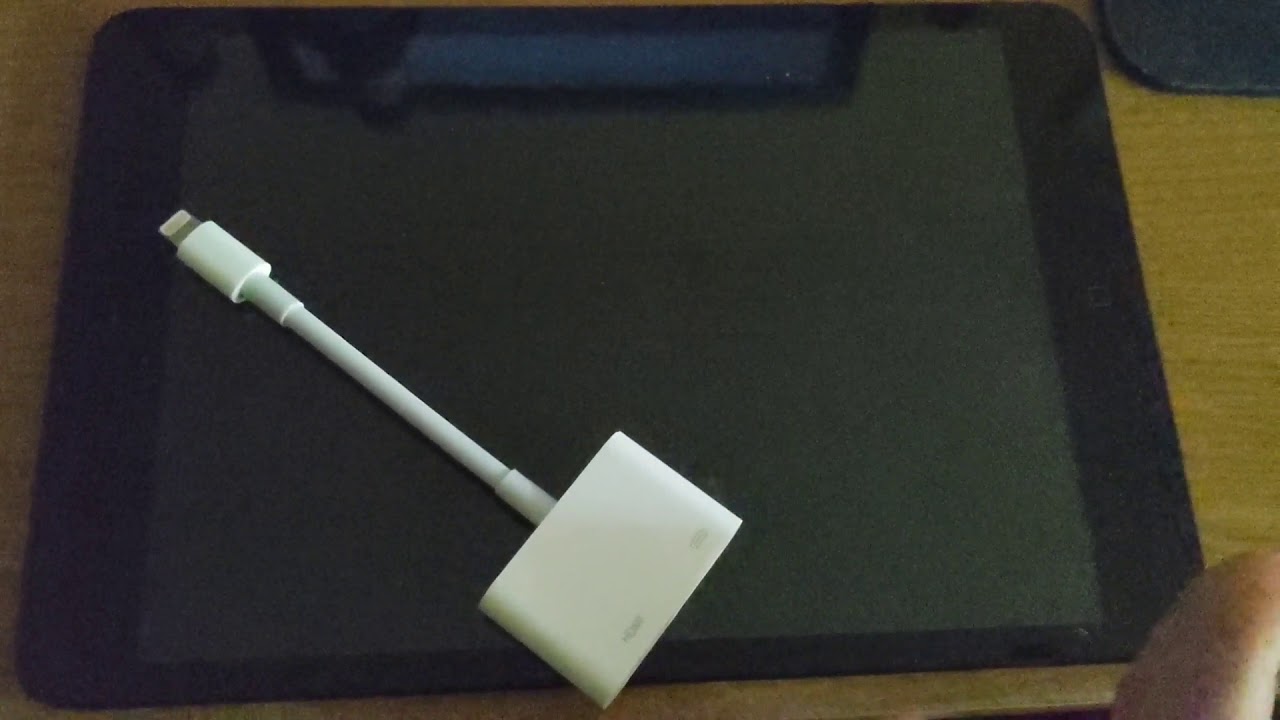
lol the adapter doesnt even work in iOS 7. gg. It says theres a firmware update its going to download but seemingly never does
Even plugging into iOS 12 it works and STILL doesnt work on iOS 7
Weird
That's plugging in and then hitting ok on the firmware downloading prompt
sick moat
Interesting piece of kit
Wait a second, I thought Rage HD had native video out? Or was that just for iPhone
It's only mirroring on iOS 6
"Id Software's Rage for iOS set a new benchmark for smartphone games in 2010, with graphics performance that belied its low asking price. The game's HD variant has now been upgraded to version 2.0, adding HDMI output via Apple's breakout cable and an assortment of new features and bug fixes. Higher-resolution models for players and weapons should up the graphics ante even further, while an in-app purchase store will give players additional episodes to chew on (the first two additions are available in a 99-cent bundle). The game now fully supports iOS 5, and refinements to video output via VGA and component video should make living room gaming with the app an even better experience. The minimum requirements are quite reasonable for Apple's mobile line, requiring just an iPhone 3GS, third generation iPod Touch, or original iPad, but the game's no lightweight: it weighs in at a whopping 1.19GB. If you've got the time for the download, it's available now for $1.99."
I wonder if that was only for the 30pin adapter :(
Im willing to bet 30 pin as the videos dont even scale here
Dammit, thats dissappointing
 left kernel
hello i have an ipad mini 9.3.5
i am about to jailbreak for the first time 🎵
Phoenix Jailbreak for iOS 9.3.5-9.3.6 32-Bit
Semi-untethered jailbreak for 32-bit 9.3.5-9.3.6.
yes im on my pc
should i plug the ipad into the usb
i do that after doing the jailbreak steps?
ok
(requires itunes installed on PC)
wew
(get it from microsoft)
wew
the apple.com itunes dl link takes me to microsoft.com 
Microsoft Store
Download this app from Microsoft Store for Windows 10. See screenshots, read the latest customer reviews, and compare ratings for iTunes.
honest flint
It's a windows "feature"
go to Settings > Apps & features > App execution aliases > turn off sliders for itunes
honest flint
yes the super secret link that's a single click in a relatively large link
left kernel
i love itunes, i love how it would format your whole phone and delete all your numbers
honest flint
??
left kernel
i know right
ok, got altserver installed and patched
installing icloud, ok im running through the list, thank you
restart your botnet
k
 ancient vessel
Yeah
left kernel
icloud vanilla wants me to sign in, do i sign into it before installing the altstore?
cosmic echo
yes
@strong seal no you don't, AltServerPatcher has it built in
you can't use it without the patcher
on iOS 12.1 or below
left kernel
im on the altserver steps
i don't have an option on my pc to "install altstore"
i think, maybe not
yes
its installed, and i justpatched it again
no taskbar program down there
how
(my bad it didnt show up at first)
ok, bud 😎
giving the altstore my botnet info
must be running IOS 12.2 or later
bruh
i missed that part ok
crikey which version from unc0ver do i download
k
so, don't do the unc0ver step in that checklist?
do i do cydia
the phoenix site gives me a list of instructions, one of them is to use the cydia impactor
which is throwing me errors so
wew lad
haha avg antivirus is also pitching a fit at the phoenix .ipa file and won't allow the download
shouldn't there be an altstore icon on my ipad now?
cosmic echo
oh my god
just
disable windows defender
click install altstore with your patched altserver
then it'll install Phoenix to your iPad
left kernel
hehe, it crashed i think
so yeah i told the diamond app to install altstore like you said and it crashes i think
"apps installed with allstore on your otherdevice will stop working" are you sure you want to continue YES
i mean OK
then... what happens
oh wait the fkker just showe dup on my desktop woot
-prepare for jailbreak
ok i clicked prepare for jailbreak, used provided offets, it restarted..
I opened the phonix app and it says my device is not jailbroken
is it because i didnt listen to the mixtape
ok it installed cydia on my phone without me saying it could
or maybb i did?
you may want to run apt-get upgrade
is there debian for ipad?
left kernel
lads, I think I'm on track
thank you so much
i have a torrent app, which downloaded the wolfenstein RPG app, and ive installed it
installing the fullforce app to run it in ipad mode
i recommend you all try Wolfenstein RPG it is a well done game given special love by carmack during his phone days
sick moat
Nice
sick moat
ancient vessel
@sick moat is this legit Debian or themed iOS
 tribal falcon
Heyo, i'm completely new to jailbreaking, got a ipad mini 2012 ios 9.3.6. How do i go about finding cercube? Do i add more repos?
glad oyster
[[cercube]]
quaint trenchBOT

Cercube for YouTube
Repo
Version
4.2.2.5
Price
FREE
BundleID
me.alfhaily.cercube
Download
Description
Download YouTube videos and more!
Provided by: tss-saver.cloud.tyk.io
·
tribal falcon
I've already got the bigboss repo but when i search in cydia it doesnt show up
tribal falcon
How do i use that link 
glad oyster
do you have safari plus?
glad oyster
yeah
tribal falcon
downloading 
Ah ok
Thanks!
How do i find top tweaks/extensions? Or repos?
ah ok
How come the cercube says its repo is bigboss but i had to add another to search for it?
What about the repo i added is it trusted and stuff? idk how much of a concern malware is on cydia tbh
quaint trenchBOT
No Tweak found.
pseudo basalt
bruh
 livid veldt


 whole heron
Got my 4s and I’m downgrading it to iOS 6
This was supposed to be done a couple of hours ago but ran into some problems and had to restore 3 times
whole heron
I bricked the first 2 time
And the tool didn’t work for the 3rd attempt
Then it finally work
 reef grail
Just saying, bricking is totally bricking the phone, like it can't be used no matter what anymore.
So you didn't brick it
honest flint
^
thorn bolt
u can do a softbrick
left kernel
Can someone with an armv6 (iPhone 2G and 3G) install cowsay from crkatri.github.io and tell me if it works?
left kernel
Got it
But I already figured out it wouldn’t work
Cowsay
But the full one
Bigboss one is missing a bunch of stuff
A command line command
It requires perl which isn’t available on Telesphoreo
cosmic echo
thanks
 ancient mantle

 urban swallow
can someone help me downgrade iphone 4s to 6.1.3?
left kernel
Do you have macOS or Windows?
urban swallow
i have macbook air and hp omen with 8.1
left kernel
Nice, sec
urban swallow
ok
left kernel

This is a video tutorial on how to downgrade an iPhone4s (or iPad2) from any version to iOS 6.1.3
This works because apple still signs 6.1.3 OTAblobs for these two devices. This method does not work on any other device or iOS version.
A jailbreak is required for downgrading.
...
urban swallow
its also not jailbroken and i didn't looked that 6.1.3 is not supported and updated to 8.4.1 😦
thx
works on catalina or no?
or i can even do it on windows?
@left kernel
ok ill try on windows
left kernel
No idea about Catalina, and yes, you can do it on Windows with beehind: https://www.youtube.com/watch?v=fUadpz6oI0E

Download original IPSWs: http://ipsw.me
Download Beehind: http://adf.ly/1UVhdq
========================================
Primo canale: http://www.youtube.com/blackgeektutorial
Sito Web: http://www.beiphone.it
Twitter: https://twitter.com/blackgeektuto
Instagram: @blackgeektut...
You need to be jailbroken to use, you can jailbreak 8.4.1 with HomeDepot or etasonjb. They can be sideloaded with AltServerPatcher on Windows: https://www.reddit.com/r/jailbreak/comments/ejbi1w/release_install_ipa_files_using_windows/

reddit
611 votes and 469 comments so far on Reddit
urban swallow
i have 9.3.6
left kernel
Same as above, use Phoenix jailbreak
urban swallow
where to get it?
left kernel
Phoenix Jailbreak for iOS 9.3.5-9.3.6 32-Bit
Semi-untethered jailbreak for 32-bit 9.3.5-9.3.6.
urban swallow
danke schon\
left kernel
np
left kernel

GitHub
A simple XPWN & kloader wrapper written in VB.NET. Contribute to BlackGeekTutorial/Beehind development by creating an account on GitHub.
urban swallow
thx
left kernel
wait
urban swallow
wat
left kernel
github just can't show them
urban swallow
ok
urban swallow
what is this
left kernel
You're supposed to click on releases and pick the one you want, not download the entire repository
GitHub
A simple XPWN & kloader wrapper written in VB.NET. Contribute to BlackGeekTutorial/Beehind development by creating an account on GitHub.
^ direct link
left kernel


installing IPA with free account on windows via patched altserver https://t.co/BL3NFAkRqj
Retweets
112
Likes
456
 Twitter
Make sure you're doing this
Except Phoenix instead of unc0ver
urban swallow
nice quality tbh
left kernel
Looks fine here, twitter just axed it on your end
left kernel
Well you can still basically see what buttons to press
Just select phoenix from the dropdown list
urban swallow
it says