#macos-support
1 messages · Page 14 of 1
 nimble vortex
 west cypress
cool, happen to have an M2 Ultra handy so will take a peek
nimble vortex
Oooh that is very handy 😄 appreciate that
From my testing my M2 Max macbook does it fine, so assumed it'd at least match on the Ultra
west cypress
yeah, its definitely an interesting data point
 silk sky
I use 2 computers for streaming have no information about screen sharing between the 2 stream In your information when I look at log stuff
 glossy night
I need help
 fading hareBOT
glossy night
I need help
fading hareBOT
glossy night
I need help
Welcome to the OBS community support channel. If you have a question, go ahead and ask it, and if someone is available to help they'll respond. Try to be detailed, and provide a log if you are having issues with streaming/recording (Help -> Log Files -> Upload Current Log). Please be patient if someone doesn't respond right away!
glossy night
I am in need to fix my obs
how do i post my obs log in here so it can display the issue?
oh i see the instructionbs
fading hareBOT
glossy night
https://obsproject.com/logs/3KBTmIbz52HMG9SS
ℹ️ Info
- macOS 12.7 (OK)
- No Output Session
Hardware Check
Intel Core i5-6500 @ 3.20GHz - Possible bottleneck / Radeon R9 M380 - Possible bottleneck
glossy night
is this an error? https://obsproject.com/logs/CHu0ccTE9O8OrOSS
there is still no output audio for discord buddies to speak into
fading hareBOT
glossy night
is this an error? https://obsproject.com/logs/CHu0ccTE9O8OrOSS
OBS Studio 30+ running on macOS 13 (Ventura) and later can capture desktop and app audio using the macOS Audio Capture source.
For previous versions of macOS and/or OBS Studio, see the macOS Desktop Audio Capture Guide.
glossy night
I tried the MacOS desktop
 white ember
Good afternoon!
macos, m1
Check on two machines - the problem persists.
Screen capture function does not work
When adding a frame with screen capture, a limited number of windows are available in tabs. All of them are either black or duplicate the desktop image without files, shortcuts and interface.
Please tell me what could be the problem?


 fading hareBOT
white ember
Good afternoon!
macos, m1
Check on two machines - the problem persists.
Screen ...
fading hareBOT
white ember
Good afternoon!
macos, m1
Check on two machines - the problem persists.
Screen ...
OBS Studio requires permissions from macOS to provide certain features. To grant them:
1. click on the OBS Studio menu → Review App Permissions
2. enable each of the permissions using the buttons on the right-hand side
- (a) click on OK/Allow for the microphone and camera prompts
- (b) grant Screen Recording and Accessibility permissions in System Preferences/Settings
3. restart OBS Studio
For more information, see the macOS Permissions Guide
 white ember

The problem is that I provided all the necessary permissions (or so I think).
доступ предоставлен - access granted


I really count on the community's help or support. We have been struggling with this problem for two months now. We looked for information on the Internet, read guides, and contacted experienced regional users. Everyone, everywhere, shrugs. The only hope left is for the officials) Unfortunately, at the moment it is possible to use the software only as a recording of a presentation prepared in advance in the form of a jpeg with an overlay of camera capture. We are unable to work with screen and mouse sharing due to an unknown error.
Noteworthy: on a machine with an old Intel chip, everything works correctly with exactly the same settings. I think the problem is in M1.
 grizzled night
!macresetpermissions
fading hareBOT
If OBS Studio reports that it does not have system permissions but they do show up in System Preferences/Settings, follow these steps to fully reset permissions for OBS Studio.
- Quit OBS Studio and System Preferences/Settings
- Open the Terminal app (located in
/Applications/Utilities) - Copy-paste this command then press Return:
sudo tccutil reset All com.obsproject.obs-studio - Type in your user password then press Return. Nothing will appear on screen while you do this.
- Open OBS Studio again, then set your permissions straight away in OBS the OBS Studio menu → Review App Permissions
Also, make sure you have only one copy of OBS Studio installed in /Applications. Multiple copies of the application causes issues with properly setting permissions.
grizzled night
white ember
I really count on the community's help or support. We have been struggling with ...
try above
 cedar pendant
Hi guys, i have some problem with OBS, to present slides, when i upload the pictures like 100 pages i setup everything and at the moment to present there is only 43, is like limited pages to present...anybody know how to solve this issue?
grizzled night
cedar pendant
Hi guys, i have some problem with OBS, to present slides, when i upload the pict...
use this resource instead, because the built in slide show source has a memory limit https://obsproject.com/forum/resources/browser-image-slideshow.852/
cedar pendant
grizzled night
use this resource instead, because the built in slide show source has a memory l...
Thanks dude, but there is no instruction to install the files into OBS, they say to do not open the zip with obs, so i don´t know now how to do that, i already have the files, thanks anyway
grizzled night
cedar pendant
Thanks dude, but there is no instruction to install the files into OBS, they say...
you right click your zip and extract all
 trail sonnet
Bonjour Je n'arrive pas à installer le plug-in eddieoz/OBS-live-translation
fading hareBOT
trail sonnet
Bonjour Je n'arrive pas à installer le plug-in eddieoz/OBS-live-translation
OBS Studio supports a variety of plugins that provide new kinds of sources, filters, and additional features.
- For a list of plugins, see OBS Studio Resources: Plugins
- To learn how to install or remove plugins, see the Plugins Guide
- To see if the plugins you use are available for the latest version of OBS Studio, see the OBS Studio 28 Plugin Compatibility table
trail sonnet
here is the error messageinvalid path "/ipfs/azure-imaginative-aphid-787.mypinata.cloud/translate.html": invalid CID: invalid cid: selected encoding not supported
can someone help me please ?
cedar pendant
grizzled night
you right click your zip and extract all
Yes i did, but how to execute to reflet into the obs, after open the zip i restart the obs and still same thing
grizzled night
cedar pendant
Yes i did, but how to execute to reflet into the obs, after open the zip i resta...
instructions are here
cedar pendant
grizzled night
https://github.com/dustymethod/BrowserImageSlideshow/tree/v2.0.1
thanks, i gonna check this out
 steady bramble
Anyone else has the problem with OBS 30 randomly freezing? Also what encoder and settings do you use? Macbook Pro M2 Max here.
nimble vortex
@west cypress interestingly I could manage 4x 1080p60 streams with two seperate windows without overloading LOL
 cedar pendant
Still the same problem with the limited slides, i have 70 there and just show 43.....
 grizzled night
cedar pendant
Still the same problem with the limited slides, i have 70 there and just show 43...
grizzled night
cedar pendant
Still the same problem with the limited slides, i have 70 there and just show 43...
you didn't follow the instructions
you're supposed to use a browser source
white ember
fading hare
Did everything as you said
The situation has not changed

People! Well, has anyone really encountered a similar problem? On Windows everything works as it should. On a Mac on Intel everything works as it should. On Mac on M1 - does not work. How to solve?
 viral walrus
I'm unsure of what you're trying to capture as I can only read english myself, but seeing the source you have selected shows some kind of window I don't know what that is, I use Mac OS Screen Capture for everything which works fine, but I also believe M1 and Intel would have different settings, although I've only ever used OBS on M1.
white ember
viral walrus
I'm unsure of what you're trying to capture as I can only read english myself, b...
Regardless of the language, the screenshot shows that the desktop is selected and it is clear that neither icons nor the interface are displayed on the desktop. This means there is a problem with screen capture
"some kind of window" - its desctop
 white ember
viral walrus
I'm unsure of what you're trying to capture as I can only read english myself, b...
white ember
viral walrus
I'm unsure of what you're trying to capture as I can only read english myself, b...
You say you used OBS on M1? Have you had any problems with screen capture?
I guess this is some kind of common problem because I have a similar problem on my wife's laptop, also on the M1
viral walrus
white ember
You say you used OBS on M1? Have you had any problems with screen capture?
I gue...
I haven't had any issues with Mac OS Screen Capture, but I also don't see desktop as a capture for me, I would have to use Mac OS Screen Capture and then pick my display to capture instead of an application, but that also has a different icon in OBS than what yours is showing
white ember
viral walrus
I haven't had any issues with Mac OS Screen Capture, but I also don't see deskto...
I'd be happy to show any other window: file folder, browser, video player
But I don't have any of this in the dropdown list...
in the screenshot you can see what options I have in screen capture

At the same time, I'll show you how many apps I actually have open on my Mac at the moment.

And none of them are selectable in OBS
I don't understand why and I'm already losing hope
 forest axle
that's not macOS screen capture
viral walrus
forest axle
that's not macOS screen capture
I didn't think it looked right
forest axle
that's a deprecated source, window capture, in the "deprecated" folder
i'm not sure how macOS screen capture is translated in your localization, but you're looking for this source @white ember
 white ember
forest axle
i'm not sure how macOS screen capture is translated in your localization, but yo...
white ember
forest axle
i'm not sure how macOS screen capture is translated in your localization, but yo...
I guess you're talking about this
 white ember
forest axle
i'm not sure how macOS screen capture is translated in your localization, but yo...
white ember
forest axle
i'm not sure how macOS screen capture is translated in your localization, but yo...
Yes, somewhere on the forms I heard that the usual window capture is outdated and no longer works. But for some reason you can’t work only on a Mac. Everything works fine on Windows and Intel. I can select the window I need and broadcast it.
I can't do this on M1?
forest axle
you can, with macOS screen capture
it seems like the russian translation took the "macOS" part out of that name
white ember
forest axle
it seems like the russian translation took the "macOS" part out of that name
It looks like it.
I think I've figured it out.
The problem is that window capture and screen capture are fundamentally different things.
In order to show a window, I don't need to switch from the obs interface to the desired window. I just need to open it inside obs itself and manage it directly in obs.
In the case of video capture, I will have to make a swipe on the desired screen, thereby losing the obs interface.
Or am I missing something?
forest axle
i'm not sure what you mean by the last two sentences
macOS screen capture has three modes. in the display capture mode, you can hide OBS from being captured, so you still have its interface available without being displayed
the window capture and application capture modes allow you to yes, only select some number of applications or windows to capture
white ember
forest axle
macOS screen capture has three modes. in the display capture mode, you can hide ...
This is an important clarification. In this case, I don’t understand how to switch between these three modes. Perhaps this is what will solve my problem. Please tell me.
forest axle
 white ember
Oh thats the problem) I have no this)

If I had these options, I would of course figure it out and not ask these stupid questions...
I have no method...
No method - no honey
forest axle
haha. that's ok. i arrived in the middle of this issue, so i didn't ask the most important question first, which is "what macOS version are you on?"
it looks like you're on big sur, so macOS screen capture isn't available
which means you should update macOS
white ember
me: big sur
my wife: sonoma
white ember
forest axle
i assume that's correct and you're on big sur?
big sur
looks like it. There is a possibility that my wife updated not so long ago, after OBS tests, and the problem is real. in that. more tests need to be done
forest axle
if your macOS is up to date, you will have no issue finding macOS screen capture. and since you're on m1, you should definitely update
white ember
forest axle
if your macOS is up to date, you will have no issue finding macOS screen capture...
I understand. Well, thank you. First, I’ll test it on my wife’s laptop with the new version. If everything is fine, I will update myself. Thanks a lot!
nimble vortex
interesting new find myself, prores is untouchable. 4k120hz, even managed 5x 1440p60 without overload. Very weird...
forest axle
yeah that's more in line with what one should expect from that chip
nimble vortex
Apple support said to basically return it as they have no idea 
forest axle
it seems like a platform issue, i imagine all m2 ultras are susceptible. could be introduced by a macOS update or could have just been there. hard to know without full information from apple's side. it sounds like they are looking into it and i would *imagine* it's fixable, at least just given the chip's capabilities, so the question is mostly whether you want to wait for that or not
i think there is a number for it, FB119279824? you might be able to use that to inquire via feedback assistant about the status? @west cypress is that correct?
nimble vortex
Yeah I'll have a debate in my head for the next week or so, cool machine but obviously not yet doing what I'm looking for... think I've tested all angles I can figure out for now 😄
glossy night
https://obsproject.com/logs/3KBTmIbz52HMG9SS please help
fading hareBOT
glossy night
https://obsproject.com/logs/3KBTmIbz52HMG9SS please help
ℹ️ Info
- macOS 12.7 (OK)
- No Output Session
Hardware Check
Intel Core i5-6500 @ 3.20GHz - Possible bottleneck / Radeon R9 M380 - Possible bottleneck
glossy night
I would love someone to assist me with this as I do have to stream a tourney today
 raw geode
Hey everyone, please someone help, I have been struggling to set my mirabox capture card and Sony zv-1 up with obs, I got them working together on streamlabs however my computer can't handle it so obs seams to take up less of my CPU, my capture card is set up and working but when I got to set up my camera it's showing up as a source but not displaying anything PLEASE HELP
I have installed the Sony imaging Webcam app so that is fine but as I say my computer can't handle streamlabs and now it won't show my camera on obs
 neon lily
raw geode
Hey everyone, please someone help, I have been struggling to set my mirabox capt...
neon lily
raw geode
Hey everyone, please someone help, I have been struggling to set my mirabox capt...
Best to check if you have given OBS Studio the necessary permission to capture
fading hareBOT
raw geode
Hey everyone, please someone help, I have been struggling to set my mirabox capt...
OBS Studio requires permissions from macOS to provide certain features. To grant them:
1. click on the OBS Studio menu → Review App Permissions
2. enable each of the permissions using the buttons on the right-hand side
- (a) click on OK/Allow for the microphone and camera prompts
- (b) grant Screen Recording and Accessibility permissions in System Preferences/Settings
3. restart OBS Studio
For more information, see the macOS Permissions Guide
raw geode
Yeah I tried that thanks, it didn't work tho and I can't find a solution anywhere, I'm just going to use my Macs webcam for now until I can find a solution
fading hareBOT
@raw geode
To help resolve your issue, we need to view a log file. Follow these instructions to upload your current log file:
- In OBS Studio, click the Help menu → Log Files → Upload Current Log File
- Click the Copy URL button
- Paste the URL into this Discord channel
 raw geode
Can I do this tomorrow as I need to stream right now thanks
neon lily
Sure, if you like
Although nothing stops you sending the log while you're streaming 🤷
Unless you're capturing the display, I guess
 plucky pewter
Hello. I’m trying to use two webcams for streaming but one of them starts stuttering when I plug in the other. Both webcams are of the same brand and model
I opened webcamtests on different windows to confirm and it’s the same issue. They’re both connected on one hub
neon lily
plucky pewter
I opened webcamtests on different windows to confirm and it’s the same issue. Th...
Don't have them connected on one hub
plucky pewter
I expected that to be the case. My issue is that I can’t connect the webcams otherwise, unless I get another hub
neon lily
That issue can't be worked around
 boreal pecan
🪲BUG REPORT -- OBS 30 VIRTUAL ZOOM & CROP ISSUE WHILE SHARING VIRTUAL CAM IN VDO NINJA**
Getting a strange crop and and zoom effect when trying to share my vertical OBS canvas in OBS 30.

 torpid axle
boreal pecan
🪲**BUG REPORT** -- **OBS 30 VIRTUAL ZOOM & CROP ISSUE WHILE SHARING VIRTUAL CAM...
torpid axle
boreal pecan
🪲**BUG REPORT** -- **OBS 30 VIRTUAL ZOOM & CROP ISSUE WHILE SHARING VIRTUAL CAM...
Click the Gear button next to "Stop Virtual Camera" - what's currently selected in that window?
boreal pecan
torpid axle
Click the Gear button next to "Stop Virtual Camera" - what's currently selected ...

program default
 iron kraken
Hey I have a problem with my audio tracks. So basically I have two different audios when I record, microphone one is my mic, while microphone 2 is the game audio. I know the audio is going through, because when the game makes a sound or plays music the bar moves, but after I end the recording and watch the footage, no game audio can be heard
Can anyone help me with this?
fading hareBOT
boreal pecan
To help resolve your issue, we need to view a log file. Follow these instructions to upload your current log file:
- In OBS Studio, click the Help menu → Log Files → Upload Current Log File
- Click the Copy URL button
- Paste the URL into this Discord channel
 grizzled night
iron kraken
Hey I have a problem with my audio tracks. So basically I have two different aud...
grizzled night
iron kraken
Hey I have a problem with my audio tracks. So basically I have two different aud...
multiple audio tracks are only useful if you're going to put it in video editors, because video players only play audio one at a time. if you want to be able to play the video without editing, in obs, combine all sources in track 1, and use the other tracks for splitting
iron kraken
grizzled night
multiple audio tracks are only useful if you're going to put it in video editors...
oml
you were right
i didnt know thats all i had to do
FOR THE PAST YEAR!
but seriously thank you!
grizzled night
you're welcome
fading hareBOT
glossy night
Can I get some help
Welcome to the OBS community support channel. If you have a question, go ahead and ask it, and if someone is available to help they'll respond. Try to be detailed, and provide a log if you are having issues with streaming/recording (Help -> Log Files -> Upload Current Log). Please be patient if someone doesn't respond right away!
 pseudo warren
Hello everyone!
My brother downloaded OBS on my brand new MAC M3 and i didnt really like it. Or i wasnt in need of obs.
I've deleted it from my computer and everything. No sign of obs on the files or on the drive. But still i have this werid thing that is clearly bothering me...
Look at pictures.
Its Purple and is just there for no reason. I'm a guy o deletes everything after i used it on the computer. Like my stuff being all together!
Plz help


 acoustic crow
Assuming you've already gone ahead and deleted OBS from your system I think a restart should fix that.
However that still appearing there even without OBS running is a known bug IIRC.
pseudo warren
Restart the computer or download obs again and delete it?
acoustic crow
Restarting should remove it however it can and will return getting stuck like that.
acoustic crow
So I take the off/on like windows won't work?
pseudo warren
Broooo, even if you do a fabric restart??
 sharp plover
Hello, first time in here. I have Catalina 10.15.7 and every time i try and connect my ReStream account, OBS 29.0.2 crashes when I get to the verification to allow access. Can anyone help me with this?
west cypress
forest axle
i think there is a number for it, FB119279824? you might be able to use that to ...
Yeah I'm looking into it, no they won't be able to tell you anything about it
west cypress
nimble vortex
Yeah I'll have a debate in my head for the next week or so, cool machine but obv...
did you try HEVC instead of H264? its interesting that ProRes would have no issue
nimble vortex
Yeah tried both but same result unfortunately
west cypress
😦
 vale gale
#HELP #HELP #HELP
I am using MacBook Air with Sonam new update. Last night I tried to update obs new version its done updating
But
Now while opening obs it’s only jumping in dock.
I also install lower version of the obs
It’s the same as jumping in a dock.
Restart the system many times, and reinstall obs many times but it doesn’t work
I want a solution please help
 blissful onyx
anyone know how to fix this?
 blissful onyx
help?
forest axle
blissful onyx
anyone know how to fix this?
can you reproduce this and then post the log?
!maclog
fading hareBOT
To help resolve your issue, we need to view a log file. Follow these instructions to upload your current log file:
- In OBS Studio, click the Help menu → Log Files → Upload Current Log File
- Click the Copy URL button
- Paste the URL into this Discord channel
fading hareBOT
blissful onyx
https://obsproject.com/logs/k5qQiggcanqSIfkN
⚠️ Warning
- Non-Standard Aspect Ratio
ℹ️ Info
- No Output Session
Hardware Check
Apple M1 Pro 8 Core 3200 MHz - OK! / Apple Apple M1 Pro (not in benchmark DB)
blissful onyx
Here is the previous one... https://obsproject.com/logs/ZJ8qtEXglMFEQz2O
fading hareBOT
blissful onyx
Here is the previous one... https://obsproject.com/logs/ZJ8qtEXglMFEQz2O
🛑 Critical
- MP4/MOV Recording
⚠️ Warning
- Non-Standard Aspect Ratio
Hardware Check
Apple M1 Pro 8 Core 3200 MHz - OK! / Apple Apple M1 Pro (not in benchmark DB)
 forest axle
according to the log, you're starting recording with a hotkey
i'd recommend checking your hotkeys
looks like output is starting up fine, it just can't be started up multiple times
blissful onyx
I dont even know where those are, its my first time using this
it was starting to record but then it stops and throws that error a few seconds later
itll give me like 9 seconds
forest axle
it would be under settings->hotkeys
blissful onyx
looks like my space bar was set to record
forest axle
that would do it
blissful onyx
but what would make this error pop up? I just updated mac OS to the newest version just now and it still does it
forest axle
according to your logs, there aren't any issues starting output, so i'm guessing that error was popping up if your hotkey was starting and stopping output too quickly
blissful onyx
hmmm let me try again
ok it seems to be working now!
Only problem I am having now is my audio is only coming out of my left speaker for some reason and not stereo
 signal otter
Aloha! I moved from an iMac to a Mac Studio. I saved my settings but somehow something didn't covert over -specifically having the audio track from zoom record separately than from my Rode mic. I can't recall how to adjust this. Any guru out there that can help. I'm sure its simple... I just don't recall. Mahalo! Jess
 plucky zenith
signal otter
Aloha! I moved from an iMac to a Mac Studio. I saved my settings but somehow som...
plucky zenith
signal otter
Aloha! I moved from an iMac to a Mac Studio. I saved my settings but somehow som...
you mean having them in different tracks in the recorded file?
 waxen nest
Ive tried adding a display capture and window capture in order to get discord audio to appear in my audio mixer but im not sure its working at all. I tried following the desktop audio capture guide but i cant seem to crack this.
Im able to capture the windows just fine but im unsure of what else to do or add in order to capture discord calls
plucky zenith
waxen nest
Ive tried adding a display capture and window capture in order to get discord au...
what version of macos are you on
neon lily
waxen nest
Ive tried adding a display capture and window capture in order to get discord au...
It's not Display Capture and Window Capture you need
Those don't capture audio
fading hareBOT
waxen nest
Ive tried adding a display capture and window capture in order to get discord au...
OBS Studio 30+ running on macOS 13 (Ventura) and later can capture desktop and app audio using the macOS Audio Capture source.
For previous versions of macOS and/or OBS Studio, see the macOS Desktop Audio Capture Guide.
neon lily
See the guide
glossy night
fading hareBOT
glossy night
https://obsproject.com/logs/fjGy03uJxTYZYjh5
🛑 Critical
- MP4/MOV Recording
ℹ️ Info
- macOS 12.7 (OK)
Hardware Check
Intel Core i5-6500 @ 3.20GHz - Possible bottleneck / Radeon R9 M380 - Possible bottleneck
glossy night
can someone pls help
I have a podcast microphone and headset for listening
its seperated
but its not working
 compact gust
fading hareBOT
compact gust
https://obsproject.com/logs/RYeLzTLNM5reQZI5
compact gust
fading hareBOT
compact gust
https://obsproject.com/logs/RYeLzTLNM5reQZI5
ℹ️ Info
- No Output Session
- Third-Party Plugins (2)
Hardware Check
Apple M1 (not in benchmark DB) / Apple Apple M1 (not in benchmark DB)
compact gust
fading hareBOT
compact gust
https://obsproject.com/logs/Qar3IjIweAvlPZhn
ℹ️ Info
- No Output Session
- Third-Party Plugins (2)
Hardware Check
Apple M1 (not in benchmark DB) / Apple Apple M1 (not in benchmark DB)
compact gust
YouTube API Error. Please see the log file for more information.'.
A detailed error description can be found at https://developers.google.com/youtube/v3/live/docs/errors
compact gust
fading hareBOT
compact gust
https://obsproject.com/logs/OcWPdACmNZh6YKxP
🛑 Critical
- 56.7% Encoder Overload
⚠️ Warning
- 3.3% Rendering Lag
ℹ️ Info
- Third-Party Plugins (2)
Hardware Check
Apple M1 (not in benchmark DB) / Apple Apple M1 (not in benchmark DB)
neon lily
compact gust
https://obsproject.com/logs/OcWPdACmNZh6YKxP
Your bit rate is very low for a 1080x1920@60fps stream. Make it higher, like 15,000 kbps
As for the YouTube API error, if you're still getting it: go to OBS Settings -> Stream, disconnect from YouTube, then connect again
If you don't need any assistance and you're just looking at the analyser, you don't need to post logs here. You can just use the analyser directly
fading hareBOT
If you would like to analyze a log created by OBS Studio, you can use the analyzer without the need to post a log to Discord:
1. In OBS Studio, click the Help menu → Log Files → Upload Current Log File
2. Click the Analyze button
Alternatively, you can paste a URL or upload a specific log file to the OBS Log Analyzer.
 compact gust
neon lily
Your bit rate is very low for a 1080x1920@60fps stream. Make it higher, like 15,...
compact gust
neon lily
Your bit rate is very low for a 1080x1920@60fps stream. Make it higher, like 15,...
oh really? dang most ive watched or read has suggested 8000kb lol. ill try the 15k doe. it hasnt been an issue in the past, just all of a sudden it was. Could be that using yellow duck as well interfered but im not certain.
neon lily
For YouTube, the limit is 50,000 kbps — but 15,000 is sufficient
compact gust
oh wow, pffffff I been slacking then lol
hmmm everytime I try to manage a broadcast and click ok after setting it up OBS crashes
then it appears in my existing broadcasts to select. is that normal?
compact gust
fading hareBOT
compact gust
https://obsproject.com/logs/TJcFE1nSpE5WOVTp
🛑 Critical
- MP4/MOV Recording
- 26.7% Rendering Lag
- 67.7% Encoder Overload
ℹ️ Info
- Third-Party Plugins (2)
Hardware Check
Apple M1 (not in benchmark DB) / Apple Apple M1 (not in benchmark DB)
 thin sentinel
fading hareBOT
thin sentinel
https://obsproject.com/logs/M8TwD0fzqFmDOmib
thin sentinel
fading hareBOT
thin sentinel
https://obsproject.com/logs/M8TwD0fzqFmDOmib
🛑 Critical
- MP4/MOV Recording
Hardware Check
Apple M1 (not in benchmark DB) / Apple Apple M1 (not in benchmark DB)
 blazing anchor
What is the easiest way to set up OBS for reaction type videos? So I can record the audio of the video clip and my voice over
thin sentinel
A very blurry effect happens mostly on the edges of my screen and I tried making the bitrate higher but it did not fix it, What can i do?
cedar pendant
Hi guys, can anyone tell me how to increase the capacity of slides on my OBS, i uploaded 70 images but when i go to make the presentation there is only 43
 potent lark
cedar pendant
Hi guys, can anyone tell me how to increase the capacity of slides on my OBS, i ...
potent lark
cedar pendant
Hi guys, can anyone tell me how to increase the capacity of slides on my OBS, i ...
The slideshow feature and the number of images is based on your available GPU memory, i believe. Each image is loaded, uncompressed and stored in GPU memory. This limits how many can be used at a time
cedar pendant
potent lark
The slideshow feature and the number of images is based on your available GPU me...
how to solve this problem, i have a macbool pro 14 inch silicon, new
potent lark
cedar pendant
how to solve this problem, i have a macbool pro 14 inch silicon, new
Nothing to solve really, outside of getting a different system with more gpu memory.
You just cant use the number of images you want using that feature. Its a hardware limitation.
cedar pendant
potent lark
Nothing to solve really, outside of getting a different system with more gpu mem...
i found a solution creating another cena with the others slides left and works, i don´t think this issue is about memory, if is that the obs dont accept me creat another cena with more slides....
 potent lark
cedar pendant
i found a solution creating another cena with the others slides left and works, ...
potent lark
cedar pendant
i found a solution creating another cena with the others slides left and works, ...
the image slideshow will be inactive if it is not in the current scene
It is a well known aspect of Image Slideshow
 teal brook
Sorry for the noob question, terms are too generic and having a hard time finding info. Is it possible to push video (rtmp) to obs? I have some cameras running streamlabs and would like to push the data from the cameras direct to a running instance of obs as an input. Or am I thinking about this incorrectly and should have some other rtmp server running on the same machine and just point obs to localhost to pull those streams off?
grizzled night
potent lark
Nothing to solve really, outside of getting a different system with more gpu mem...
This is an alternative to it. Instructions are in the github. https://obsproject.com/forum/resources/browser-image-slideshow.852/
@cedar pendant
potent lark
oh cool, didnt know about this one
neon lily
teal brook
Sorry for the noob question, terms are too generic and having a hard time findin...
The latter idea is correct, yes
 wispy tide
hello guys just wanna know how can i install OBS Studio on my MACOS mojave 10.14.6 ?
and which version will support?
 lilac topaz
Hi, I need help on a mac M1, I got an update to obs 30, so I updated and the Animated Lower Thirds add-on stopped working and it throws me some error message.. in a new window, can you help me, what should I do? I think it could work, but I don't know how to install it.. in PC win, it normally works for me with the older version of obs on mac too, and on the newer one there is an error, what to do with it.. does anyone know?


 scenic cedar
Hi, so I am a sports broadcaster for my school and I use NDI to feed the hockey video feed cameras from their broadcasting control room using 1 mac to my main mac in the press box which is where I do all my broadcasting with the graphics and overlays, etc. This place has 3 rinks with other multiple games going on so there is a good amount of traffic over the ethernet as they are all broadcasted. When I have the NDI too high it lags and it still hitches when it is still on the lowest but it is smoother. Also I have the NDI on the lowest latency so it syncs with the direct arena audio capture with my voice but it still has a 2-3 second delay from the audio. Any tips or help is appreciated for work arounds. Here is the stream I did for reference. https://www.youtube.com/watch?v=V3wohn8mz5Q&t=891s
 stray yacht
scenic cedar
Hi, so I am a sports broadcaster for my school and I use NDI to feed the hockey ...
stray yacht
scenic cedar
Hi, so I am a sports broadcaster for my school and I use NDI to feed the hockey ...
did you try vdo.ninja instead of NDI? it compresses the video and has nearly the same latency and you can easily add it to OBS
NDI needs a lot of network resources
in a LAN i don't expect packet loss, so that might be an option
the youtube video is also bad in video.... stutterting a lot
i'd recommend to use H265 compression as you're on a mac... 8MBit brings very good quality in a 1080p60 video
even old intel cpu macs support h265 encoding and decoding
 shy yew
I feel this question has been asked already, if not within this weekend. But i'm having an issue with screen capture where after 10-15min of recording i get an error that there is no available disk space. I currently have my Output routed to a 4Tb external SSD. The mkv file that is stored before this error can still be remuxed. Please let me know what additional detail or screenshots could be helpful.
scenic cedar
stray yacht
i'd recommend to use H265 compression as you're on a mac... 8MBit brings very go...
i do 1080p30 as it is more of a standard to a sports game
1080p60 is more for gaming
scenic cedar
stray yacht
i'd recommend to use H265 compression as you're on a mac... 8MBit brings very go...
My main M1 Pro can do H.265 most likely
but my old mac that was on the capture hard NDIing the video to my main is a 2015 13 inch which is dual core
stray yacht
scenic cedar
i do 1080p30 as it is more of a standard to a sports game
no, i stream football matches always in 1080p50, as it's broadcasted from SNG in 1080i50
scenic cedar
i also can use my 2012 15 inch which is quad core and has a GT 650M but the cpu is pre AVX
scenic cedar
stray yacht
no, i stream football matches always in 1080p50, as it's broadcasted from SNG in...
so NDI is heavier?
vdo.ninja is lighter but would it have lag?
stray yacht
NDI needs about 50MBIt(s , vdo with compression about 8MBit and it's fully synchronous
scenic cedar
stray yacht
NDI needs about 50MBIt(s , vdo with compression about 8MBit and it's fully synch...
ok i will test i am returning to that place tomorrow for the team's home opener
so this will help a lot on making my broadcasting better
how is the delay
ik there is always delay
but less than 1 sec would be so much better
over 3 seconds
scenic cedar
ill take that over 3 seconds
stray yacht
as i said... quite similar to NDI
scenic cedar
stray yacht
as i said... quite similar to NDI
thanks so the computer that captures the camera has its own scoreboard which looks like crap so i crop it off so i am still using OBS to capture card it and crop it off and instead of NDI or streaming it will just be a virtual camera being used that sends it to the vdo.ninja
stray yacht
yes
scenic cedar
stray yacht
yes
yeah and its lagging it says CPU overloaded on my 2015
is there something wrong im doing
or just its too underpowered
i own a couple 15 inch macbook pros that are quad core but are older
stray yacht
vdo.ninja is browser based so you have to be sure you use hardware encoding and decoding in browser
scenic cedar
stray yacht
vdo.ninja is browser based so you have to be sure you use hardware encoding and ...
yeah i think acceleration is off
lemme turn it on
oh its turned on
ima try safari over brave browser
cuz safari is lighter
stray yacht
i think safari always tries to use hardware accel by default
scenic cedar
stray yacht
i think safari always tries to use hardware accel by default
yeah switching to safari did the trick
i thought the hardware was too weak
i mean my 2015 13 inch isnt a crappy base model i have a nicer one
it isnt the i7 version
stray yacht
no... the old intel macs support h265 hw encoding
scenic cedar
but its the higher end mid tier 2.9ghz i5 over the base 2.7 ghz
and mine has 16gb of ram over 8gb
and i upgraded the stock 256gb ssd to a samsung 980 PRO 512gb
its a nice computer just sucks no quad core in 13 inch models until 2018
scenic cedar
my quad core macs are ancient
but my 2012 15 inch is a charm to have
2.3ghz quad core i7 16gb ram GT 650M 512mb GDDR5
samsung 1TB 860evo
and i removed the dvd drive for a 2nd hard drive bracket
and i have just a 1tb hdd
as extra storage
and it also has the nicer high res antiglare screen
and none of my old intels can support macos sonoma but there is a community run project called opencore legacy patcher that lets you patch the newest macos sonoma on macs as old as 2007
stray yacht
in my studio i have 2 pc's on linux... a AMD 12 core with nvidia 3070Ti and a AMD 8 core with intel arc380 for AV1 streaming
scenic cedar
and it runs good as long as u install an SSD and have at least 4-8gb of ram
teal brook
neon lily
The latter idea is correct, yes
Thanks! mediamtx ‘just worked’ fantastic, if anyone has other suggestions to do that let me know.
stray yacht
as i mostly do webradio, i have a 120TB RAID music database in FLAC and i broadcast in mp3, aac and FLAC 96/24
my hobby project i established 1995
about 10 yaers ago i started to also broadcast video
and now real time streaming is quite interesting. i get my signal from a transfer satellite, where the SNG broadcasts to... and i reach a over all latency of 2 seconds on ll-hls and 120ms in WebRTC and so i'm about 10 seconds faster than the pay tv provider who broadcasts via commercial satellite
and i don't need NDI to do the playout
get the signal from satellite via conventional satellite receiver, do the biss decoding, open as media source in obs, do the deinterlacing, make overlay and stream via rtmp or whip to server
 rose loom
hey how did u get this fixed?
 safe minnow
rose loom
hey how did u get this fixed?
safe minnow
rose loom
hey how did u get this fixed?
Well, I don’t remember. I eventually learned that my computer is just underpowered
rose loom
u mind helping me out a bit? i’m not getting any video from the ps5
fading hareBOT
rose loom
u mind helping me out a bit? i’m not getting any video from the ps5
To help resolve your issue, we need to view a log file. Follow these instructions to upload your current log file:
- In OBS Studio, click the Help menu → Log Files → Upload Current Log File
- Click the Copy URL button
- Paste the URL into this Discord channel
grizzled night
!maclog
fading hareBOT
To help resolve your issue, we need to view a log file. Follow these instructions to upload your current log file:
- In OBS Studio, click the Help menu → Log Files → Upload Current Log File
- Click the Copy URL button
- Paste the URL into this Discord channel
fading hareBOT
rose loom
https://obsproject.com/logs/oOTccO2o7Wx0H3KB
ℹ️ Info
- No Output Session
Hardware Check
Apple M1 (not in benchmark DB) / Apple Apple M1 (not in benchmark DB)
fading hareBOT
rose loom
https://obsproject.com/logs/oOTccO2o7Wx0H3KB
OBS Studio requires permissions from macOS to provide certain features. To grant them:
1. click on the OBS Studio menu → Review App Permissions
2. enable each of the permissions using the buttons on the right-hand side
- (a) click on OK/Allow for the microphone and camera prompts
- (b) grant Screen Recording and Accessibility permissions in System Preferences/Settings
3. restart OBS Studio
For more information, see the macOS Permissions Guide
fading hareBOT
rose loom
https://obsproject.com/logs/07MQOudVbuhrQugS
Hardware Check
Apple M1 (not in benchmark DB) / Apple Apple M1 (not in benchmark DB)
rose loom
does this mean my mac is not compatible ?
forest axle
what capture card are you using?
rose loom
evga xr1 lite
forest axle
can you take a screenshot of the source properties window for your capture card source?
rose loom
 forest axle
looks like the capture card feed is coming through fine, but for some reason it's outputting a copy protection watermark thing
what are you trying to capture?
rose loom
ps5
forest axle
i googled it and it sounds like you need to install some new firmware for it
which you can't do on a mac, it looks like
do you have access to a windows machine
rose loom
no im about to travel and was hoping to use my macbook as a monitor for my ps5
rose loom
its turned off
neon lily
ah
rose loom
thank you i appreciate it 🙂
forest axle
yeah unfortunately looks like a capture card issue. unless you have a windows machine you can use to update the card's firmware you may be out of luck
rose loom
i may be able to use someones windows pc when i get back. how do i update the firmware? just update to the latest version?
forest axle
all i did was google it, but it looks it an installer can be downloaded here https://www.evga.com/support/download/
rose loom
i found someone with windows pc and they were able to update it for me and now the hdcp lock is gone but the screen is still black
grizzled night
rose loom
i found someone with windows pc and they were able to update it for me and now t...
send a new log
rose loom
ooh nvm it works now
glossy night
hey I need help
I made small progress and now i want the discord call come through the stream
but its not doimng thast
 ember escarp
SOS
SOS
SOS
I have a project where i need to use green screen
so i imported my video and everything looks great
but idk how to download my video
with the green screen effects
@here
ember escarp
@everyone
plucky zenith
ember escarp
@everyone
first of all, don't do that, and second how is that related to obs?
that sounds more like something that'd be done in an editor
ember escarp
plucky zenith
first of all, don't do that, and second how is that related to obs?
sorry i was panicking
 trail gust
Hey, tried to update on 30.0.1. but it keeps crashing everytime I open the app.
30.0.0. works without any problems. I have Mac Studio M1 Max.
fading hareBOT
trail gust
Hey, tried to update on 30.0.1. but it keeps crashing everytime I open the app. ...
A crash log is required to investigate the cause of your issue. Please upload the most recent crash log.
- In Finder, click the Go menu
- Select Go To Folder, and type in
~/Library/Logs/DiagnosticReports/ - Upload the file prefixed
OBS_with the most recent date (format is year-month-day)
trail gust
fading hare
 pseudo arch
OBS is crashing on start. It seems to be trying to start the virtual camera, but I didn't set that up. It was working fine yesterday, but today. Wont start.
M2 Mac Mini.
fading hareBOT
pseudo arch
OBS is crashing on start. It seems to be trying to start the virtual camera, but...
A crash log is required to investigate the cause of your issue. Please upload the most recent crash log.
- In Finder, click the Go menu
- Select Go To Folder, and type in
~/Library/Logs/DiagnosticReports/ - Upload the file prefixed
OBS_with the most recent date (format is year-month-day)
pseudo arch
This is my log file. Think I got the right one
forest axle
seems like there may be something borked in 30.0.1. i would downgrade to 30 for the time being https://github.com/obsproject/obs-studio/releases/tag/30.0.0
pseudo arch
Lets hope this keeps my configs.??
forest axle
that shouldn't be an issue
pseudo arch
thanks, I'll get back to you.
trail gust
Yeah, 30.0.0 keeps everything saved, I haven’t lost a single thing
trail sonnet
hello, i update obs but i can't open it now , can someone help please ?
trail gust
trail sonnet
hello, i update obs but i can't open it now , can someone help please ?
Downgrade back to 30.0.0., I had the same problem, seems there is something broken in the newest version
trail sonnet
where can i downgrade ?
trail gust
trail sonnet
where can i downgrade ?
pseudo arch
Ok, mostly working but cant see the logitec camera anymore.
yes, camera is working but OBS is not seeing it anymore.
 warped mica
@trail gust @pseudo arch with the crash, are you logged into YouTube via OBS by any chance?
pseudo arch
No, nnot logged into anything at present
trail gust
warped mica
<@132546629155815424> <@255081543049936897> with the crash, are you logged into ...
Yeah, I'm
 warped mica
pseudo arch
No, nnot logged into anything at present
warped mica
pseudo arch
No, nnot logged into anything at present
have you been when it crashed?
pseudo arch
Ok, got it. I had the Properties set to auto select, so I set it to high and the camera came back.
The Properties Preset. Now set to High and the camera works. tricky.
Sorry, I accidentally answered someone elses Q
OK, So I'm on 3.0.0 and it's working fine again. Thanks for pointing out the downgrade.
 tropic valve
Eccuse me, but after upload the app on my Macbook Air, OBS crashed everytime, any answers?
pseudo arch
If I may offer a suggestion, I downgraded to v3.0.0 as shown above and now mine wirks fine again.
warped mica
tropic valve
Eccuse me, but after upload the app on my Macbook Air, OBS crashed everytime, an...
try to download https://github.com/obsproject/obs-studio/releases/tag/30.0.0 and use that

GitHub
Note: As previously announced, this release removes support for Ubuntu 20.04, Qt 5, and FFmpeg versions prior to 4.4.
If you would like to support the OBS Project, please consider contributing to o...
we're currently investigating a crash on launch
tropic valve
Thankyou🙏🏼🙏🏼
 nimble kindle
I need ASAP HELP, cant start obs on mac🤯🤯
 warped mica
nimble kindle
I need ASAP HELP, cant start obs on mac🤯🤯
warped mica
nimble kindle
I need ASAP HELP, cant start obs on mac🤯🤯
try to download https://github.com/obsproject/obs-studio/releases/tag/30.0.0 and use that, we're currently investigating a crash on launch on 30.0.1
GitHub
Note: As previously announced, this release removes support for Ubuntu 20.04, Qt 5, and FFmpeg versions prior to 4.4.
If you would like to support the OBS Project, please consider contributing to o...
pseudo arch
Where can I contribute... found it.. cool
 shadow bridge
warped mica
try to download https://github.com/obsproject/obs-studio/releases/tag/30.0.0 and...
shadow bridge
warped mica
try to download https://github.com/obsproject/obs-studio/releases/tag/30.0.0 and...
im also having a crash on launch, thanks for this roll back to 30.0.0
lilac topaz
Hello, can someone help me start animated name tags (Animated Lower Thirds) on an older version, it worked for me on windows too and suddenly in OBS 30 it doesn't work, it throws me this error and I don't know how to do it, please help... and it's different about this plugin link: https://obsproject.com/forum/resources/animated-lower-thirds-with-dockable-control-panel.1057/

 trail sonnet
can someone help me with a black screen around my capture , i am on imac
 tardy galleon
warped mica
try to download https://github.com/obsproject/obs-studio/releases/tag/30.0.0 and...
tardy galleon
warped mica
try to download https://github.com/obsproject/obs-studio/releases/tag/30.0.0 and...
I have the same issue. Just wanted to tag this comment to see when things get fixed 🙂
 winged jay
I just updated my OBS from 30.0.0 to 30.0.1 today and now it won't open. It will attempt to open, but then close and send an error message to Apple (see screenshot). I have also tried redownloading OBS from the website as well. I was planning on going live today, but now I had to delay my stream. Please help.
 warped mica
winged jay
I just updated my OBS from 30.0.0 to 30.0.1 today and now it won't open. It will...
warped mica
winged jay
I just updated my OBS from 30.0.0 to 30.0.1 today and now it won't open. It will...
try to download https://github.com/obsproject/obs-studio/releases/tag/30.0.0 and use that, we're currently investigating a crash on launch on 30.0.1
GitHub
Note: As previously announced, this release removes support for Ubuntu 20.04, Qt 5, and FFmpeg versions prior to 4.4.
If you would like to support the OBS Project, please consider contributing to o...
warped mica
tardy galleon
I have the same issue. Just wanted to tag this comment to see when things get fi...
being fixed as we speak
can't give an exact number but we want to get a fix out as fast as possible
winged jay
warped mica
try to download https://github.com/obsproject/obs-studio/releases/tag/30.0.0 and...
Thank you
 umbral vine
hello @warped mica . I need help about OBS studio. my OBS crashes as soon as I launch it. this happened when I did the update. can you help me? my mac version is MacBook Pro Ventura Version 13.2.1
tardy galleon
warped mica
can't give an exact number but we want to get a fix out as fast as possible
Thank you very much!
tardy galleon
umbral vine
hello <@416680742991429633> . I need help about OBS studio. my OBS crashes as s...
Hey @umbral vine! It's a known issue. Devs are working on it as we speak. See a couple of similar posts above. Hope that info helps. Cheers
warped mica
umbral vine
hello <@416680742991429633> . I need help about OBS studio. my OBS crashes as s...
try to download https://github.com/obsproject/obs-studio/releases/tag/30.0.0 and use that, we're currently investigating a crash on launch on 30.0.1
GitHub
Note: As previously announced, this release removes support for Ubuntu 20.04, Qt 5, and FFmpeg versions prior to 4.4.
If you would like to support the OBS Project, please consider contributing to o...
umbral vine
tardy galleon
Hey <@1088510209158287542>! It's a known issue. Devs are working on it as we spe...
ok. thanks you very much.
umbral vine
warped mica
try to download https://github.com/obsproject/obs-studio/releases/tag/30.0.0 and...
thank you very much.
meci beaucoup! my euphoria is at its peak! i'll be able to do my live. thanks again!!!!
 lunar rapids
Boa tarde.
Alguem fala Portugues aqui?
fading hareBOT
lunar rapids
Boa tarde.
Alguem fala Portugues aqui?
Welcome to the official OBS Community Discord server! Unfortunately, our support volunteers can only provide support in English. Most of our support documents and guides are also only in English. If you feel comfortable using a service like Google Translate, feel free to use that to send messages to us. We'll do our best to understand your intent, and we'll try to help you as much as we can.  Translate
lunar rapids
estou com esse problema, a tela fica piscando na parte inferior

I have this problem, the screen keeps blinking at the bottom
Failure at the bottom of the screens, they keep blinking
I'm using version 30.0.1 (64Bit) and at a certain point the lights start to flash at the bottom, both in the preview and on the broadcast screen, do you know what this error is?
*the screens
forest axle
i'm not sure, but this channel is for support if you're on macOS. that looks like windows, so you should head over to #windows-support
more likely that someone there will be able to help
lunar rapids
ok
 quiet lily
warped mica
try to download https://github.com/obsproject/obs-studio/releases/tag/30.0.0 and...
quiet lily
warped mica
try to download https://github.com/obsproject/obs-studio/releases/tag/30.0.0 and...
Downgrading to 30.0.0 worked for me, thanks so much!
 gentle crystal
v30.0.1 crashed when launched after installation on M1 Mac running OS v14.1.2. I submitted issue #9986 with Mac OS generated crash report.
warped mica
gentle crystal
v30.0.1 crashed when launched after installation on M1 Mac running OS v14.1.2. ...
try to download https://github.com/obsproject/obs-studio/releases/tag/30.0.0 and use that, we're currently investigating a crash on launch on 30.0.1
GitHub
Note: As previously announced, this release removes support for Ubuntu 20.04, Qt 5, and FFmpeg versions prior to 4.4.
If you would like to support the OBS Project, please consider contributing to o...
 light arch
fading hareBOT
light arch
https://obsproject.com/logs/1PRAc1npa3BF2D1f
light arch
fading hareBOT
light arch
https://obsproject.com/logs/1PRAc1npa3BF2D1f
ℹ️ Info
- macOS 13.5 (OK)
- No Output Session
Hardware Check
Apple M2 (not in benchmark DB) / Apple Apple M2 (not in benchmark DB)
light arch
warped mica
try to download https://github.com/obsproject/obs-studio/releases/tag/30.0.0 and...
Oh I should've read this first
 tacit blaze
Anyone having issues loading OBS 30.0.1 on Mac after update
grizzled night
tacit blaze
Anyone having issues loading OBS 30.0.1 on Mac after update
try to download https://github.com/obsproject/obs-studio/releases/tag/30.0.0 and use that
wait for 30.0.2
tacit blaze
What do I do download GitHub first?
grizzled night
tacit blaze
What do I do download GitHub first?
download either the apple or intel, depending on your cpu

 marble rover
every time I try to connect my obs with my twitch it cloes on me
warped mica
marble rover
every time I try to connect my obs with my twitch it cloes on me
are you on 30.0.1?
marble rover
yes
warped mica
try to download https://github.com/obsproject/obs-studio/releases/tag/30.0.0 and use that until 30.0.2 is released
GitHub
Note: As previously announced, this release removes support for Ubuntu 20.04, Qt 5, and FFmpeg versions prior to 4.4.
If you would like to support the OBS Project, please consider contributing to o...
marble rover
how do i work out which one I need for my mac?
 grizzled night
marble rover
how do i work out which one I need for my mac?
grizzled night
marble rover
how do i work out which one I need for my mac?
Press the apple logo in the top left of your screen, click About this Mac (or something like that) then screenshot
signal otter
plucky zenith
you mean having them in different tracks in the recorded file?
They could go onto different recorded tracks, or they could be combined into 1 (preferred), but what I'm really trying to do is to make sure I have two different sources of audio. Source 1: being my rode mic for my voice. Source 2: being the audio directly from zoom (instead of the zoom person's voice coming out of the speakers of my computer and then entering the rode mic). Make sense? When the audio comes out of the speakers and into the rode mic it is a. too low in volume and b. creates a loop (which I solved by adding a few faction of a second delay in the settings of OBS). But really, the issue is that it isn't loud enough to hear the person speaking on zoom.
fading hareBOT
signal otter
They could go onto different recorded tracks, or they could be combined into 1 (...
To help resolve your issue, we need to view a log file. Follow these instructions to upload your current log file:
- In OBS Studio, click the Help menu → Log Files → Upload Current Log File
- Click the Copy URL button
- Paste the URL into this Discord channel
 broken vector
Hey everyone! I seriously need help with the new update. After i updated obs and mac, I can no longer open up obs without it immediatley crashing. I did uninstall and reinstall but then it started doing the samething again. Any help would be appreciated.
When i unistalled I also deleted everything under library.
forest axle
yeah, there's currently an issue with the 30.0.1 hotfix release. you'll need to manually downgrade to 30.0.0 for the time being
broken vector
How do i do that
forest axle
check that, it looks like 30.0.2 just released, which addresses that. https://github.com/obsproject/obs-studio/releases/tag/30.0.2

GitHub
If you would like to support the OBS Project, please consider contributing to our Patreon or Open Collective!
30.0.2 Hotfix Changes
Fixed a CEF-related crash on macOS due to application bundle nam...
you'll want to scroll to the bottom and download the build for your architecture. OBS-Studio-30.0.2-macOS-Apple.dmg for M1 and beyond, and OBS-Studio-30.0.2-macOS-Intel.dmg if your machine is pre-M1
 forest axle
OBS-Studio-30.0.2-macOS-Apple.dmg
broken vector
forest axle
```OBS-Studio-30.0.2-macOS-Apple.dmg```
DUDE thank you so much you are legend
warped mica
If you're having crashes with 30.0.1
There is a problem with 30.0.1 that caused OBS to crash on launch. Go to https://obsproject.com/download to download 30.0.2, which fixes this issue.
Download OBS Studio for Windows, Mac or Linux
 unborn quiver
Confirmed that 30.0.2 fixes crash! Thanks.
 mystic swan
fading hareBOT
mystic swan
https://obsproject.com/logs/c8TQJKMWOYRvOq8f
mystic swan
fading hareBOT
mystic swan
https://obsproject.com/logs/c8TQJKMWOYRvOq8f
ℹ️ Info
- No Output Session
Hardware Check
Apple M1 (not in benchmark DB) / Apple Apple M1 (not in benchmark DB)
mystic swan
my souces keep disappearing on me idk why..
Im using a capture card and a Logitech BRIO webcam, everytime i start playing for a whole 40 mins then they disappear.. why is this happening?
They are now showing because I restarted my laptop, but they disapper within 40 mins..
 fading hareBOT
mystic swan
https://obsproject.com/logs/jgG5aqCFq4fkHC9F
fading hareBOT
mystic swan
https://obsproject.com/logs/jgG5aqCFq4fkHC9F
ℹ️ Info
- No Output Session
Hardware Check
Apple M1 (not in benchmark DB) / Apple Apple M1 (not in benchmark DB)
 mild sphinx
Hi guy's just wondering if someone can help me out. (This may be a little indepth but want to try cover everything)
Im running Apple M1 Pro - macOS Sonoma 14.1.1. which is running 2 usb hubs out of. 1 a caldigital hub & another display link. Audio interface is a UAD apollo twin. For the microphone i am using the elgato wave 3. Ive installed / setup blackhole and am Merle trying to record production video's but am not capturing any audio when i do so??? It was working fine a couple months ago?
Ive tried following youtube setup vids and seems as though everything is set correctly.
Is anyone able to point me in the right direction please 🙏
plucky zenith
mild sphinx
Hi guy's just wondering if someone can help me out. (*This may be a little indep...
!macaudio
to capture computer audio on macos 14, just use the macos audio capture source
fading hareBOT
mild sphinx
Hi guy's just wondering if someone can help me out. (*This may be a little indep...
OBS Studio 30+ running on macOS 13 (Ventura) and later can capture desktop and app audio using the macOS Audio Capture source.
For previous versions of macOS and/or OBS Studio, see the macOS Desktop Audio Capture Guide.
plucky zenith
no need for blackhole or merle
mild sphinx
plucky zenith
no need for blackhole or merle
I did previously have it set like this, But now am not able to get sound? I much of accidentally changed a setting or something?
fading hareBOT
mild sphinx
I did previously have it set like this, But now am not able to get sound? I much...
To help resolve your issue, we need to view a log file. Follow these instructions to upload your current log file:
- In OBS Studio, click the Help menu → Log Files → Upload Current Log File
- Click the Copy URL button
- Paste the URL into this Discord channel
mild sphinx
fading hareBOT
mild sphinx
https://obsproject.com/logs/G3LzwUFrB4ylHVx7
⚠️ Warning
- Custom FFMPEG Output
ℹ️ Info
- 0.2% Rendering Lag
- Third-Party Plugins (1)
Hardware Check
Apple M1 Pro 8 Core 3200 MHz - OK! / Apple Apple M1 Pro (not in benchmark DB)
plucky zenith
mild sphinx
https://obsproject.com/logs/G3LzwUFrB4ylHVx7
you don't have a macos audio capture source
fading hareBOT
To help resolve your issue, we need to view a log file. Follow these instructions to upload your current log file:
- In OBS Studio, click the Help menu → Log Files → Upload Current Log File
- Click the Copy URL button
- Paste the URL into this Discord channel
ℹ️ Info
- No Output Session
Hardware Check
Intel Core i7-8850H @ 2.60GHz - OK! / Radeon Pro 560X - OK!
plucky zenith
!new
there's a few video guides in here for beginner
fading hareBOT
✨ If you're new to OBS Studio:
- follow the Quick Start Guide to set up your first scene and get streaming/recording
- learn more about the interface in the Overview Guide
- follow the Stream Layout Tutorial series to create a stream-friendly layout, including setting up alerts and a chat box
🎞️ If you prefer to learn with videos, check out:
- our OBS Studio Tutorials video series presented by EposVox
- EposVox's OBS Studio Master Class series
- Nerd or Die's How to Stream with OBS Studio series
mild sphinx
plucky zenith
you don't have a macos audio capture source
Im sorry for being such a noob, But what do you mean "you don't have a macos audio capture source" exactly? As i have one set @ the top of sources. where am i suppose to have it set?
plucky zenith
mild sphinx
Im sorry for being such a noob, But what do you mean *"you don't have a macos au...
oh mb hadn't seen you had added it afterwards
can you show me how you set it up?
mild sphinx
plucky zenith
can you show me how you set it up?

 plucky zenith
no, the source itself
 plucky zenith
double click the source, show me what's there
 plucky zenith
mild sphinx
plucky zenith
mild sphinx
and just to make sure, you don't see the bars for that source moving in the mixer when there's sound playing on your computer?
mild sphinx
plucky zenith
and just to make sure, you don't see the bars for that source moving in the mixe...
No, i see sound. It's just none is recorded
plucky zenith
mild sphinx
No, i see sound. It's just none is recorded
aah.
Show me screenshots of edit > advanced audio properties
 plucky zenith
mild sphinx
plucky zenith
mild sphinx
!local
if you use the settings below, does it work?
fading hareBOT
mild sphinx
For high-quality, no fuss recordings, use the recording quality presets in Simple Mode:
- In OBS Settings → Output, set the Output Mode to Simple
- In the Recording section, choose Indistinguishable Quality as the Recording Quality
- Set your Video Encoder to a hardware encoder, if available
mild sphinx
plucky zenith
!local
if you use the settings below, does it work?
Mate!!! Thank you, thank you, THANK YOU!!
That has solved the issue 🙏
plucky zenith
👍
 fast robin
question i'm in the process of getting everything set up to start streaming soon and am trying to get things with obs set up i got it downloaded but when i got to connect my twitch in the obs settings it crashes; i've tried some different things like restarting my computer, i redownloaded obs, tried changing how many other programs i had open, made sure my os was up to date and nothing has helped and its still crashing every time. i was wondering if anyone has had a similar issue or has any insight on how to help
plucky zenith
fast robin
question i'm in the process of getting everything set up to start streaming soon...
that's an issue with obs 30.0.1, update to 30.0.2
fast robin
plucky zenith
that's an issue with obs 30.0.1, update to 30.0.2
i just downloaded obs today / how do i know what version im downloading?
plucky zenith
it's written on the top bar. 30.0.2 came out four hours ago
If you go there, you'll download 30.0.2
https://obsproject.com/download
fast robin
ok that makes more sense that its that new haha
plucky zenith
yeah, it was a very quick hotfix to 30.0.1 (which came out some 12 hours ago), specifically because of the issue you're facing
fast robin
that fully fixed it haha thank you for the help!!
plucky zenith
👍
 cunning minnow
fading hareBOT
cunning minnow
https://obsproject.com/logs/cvHBz3M35iTXeaBO
cunning minnow
fading hareBOT
cunning minnow
https://obsproject.com/logs/cvHBz3M35iTXeaBO
ℹ️ Info
- No Output Session
- Third-Party Plugins (1)
Hardware Check
Apple M2 (not in benchmark DB) / Apple Apple M2 (not in benchmark DB)
cunning minnow
fading hareBOT
cunning minnow
https://obsproject.com/logs/L2J1VEl5TSiy4vul
ℹ️ Info
- No Output Session
- Third-Party Plugins (1)
Hardware Check
Apple M2 (not in benchmark DB) / Apple Apple M2 (not in benchmark DB)
forest axle
you've posted this trace before, and i've asked, what are you doing when it crashes? is there a specific thing you can do to cause it to crash every time? and i have not been clear on the answer
cunning minnow
recently when i click on list. crash
wheni click choose any crash disappear

@forest axle
forest axle
selecting any scene causes a crash?
forest axle
ok, thanks. hmm
can you try going to the top menu and select help->restart in safe mode
and then after OBS restarts, see if it is still crashing?
forest axle
ok, so it's not crashing in safe mode? if you quit and restart in normal mode, is it back to crashing?
cunning minnow
ok i use any title i select any then

i try click select any name crash

i try any select crash other day not often
other day when i choose any
@forest axle
forest axle
gotcha. in safe mode though, no crashes?
cunning minnow
will try that turn on for safe mode if if happen same i will leave on safe mode if can then
recently today safe mode not crash ok i will leave on for tomorrow if again or anytime i will let youi know if not i dont know why
forest axle
sounds good. i will try to look into it a bit more as well, it could be a bug
thank you for the information!
 bronze stream
Hello.
It may crash the moment you start streaming.
I'm using an M1 iMac Sonoma.
fading hareBOT
bronze stream
Hello.
It may crash the moment you start streaming.
I'm using an M1 iMac Sonoma.
A crash log is required to investigate the cause of your issue. Please upload the most recent crash log.
- In Finder, click the Go menu
- Select Go To Folder, and type in
~/Library/Logs/DiagnosticReports/ - Upload the file prefixed
OBS_with the most recent date (format is year-month-day)
bronze stream
fading hare
here
fading hareBOT
bronze stream
here
ℹ️ Info
- No Output Session
Hardware Check
Apple M1 (not in benchmark DB) / Apple Apple M1 (not in benchmark DB)
glossy night
Can I get some help? Its been day 4 and nobody reached out to help me
forest axle
bronze stream
here
those aren't crash logs, did you read the bot message carefully?
forest axle
glossy night
Can I get some help? Its been day 4 and nobody reached out to help me
did no one already link this guide?
fading hareBOT
glossy night
Can I get some help? Its been day 4 and nobody reached out to help me
You can share your OBS Studio content over video call services such as Zoom, Skype, Discord, etc. by following the Video Call Streaming Tutorial.
bronze stream
forest axle
those aren't crash logs, did you read the bot message carefully?
Thank you, I'm looking for it again
bronze stream
fading hare
this ?
forest axle
if OBS is crashing, there should be a file that starts with just OBS_ and ends with .ips. is OBS actually crashing? what do you see when you start streaming?
plucky zenith
bronze stream
here
does it still crash if you update to 30.0.2?
forest axle
oh, they're on 30.0.1. yeah, definitely update to 30.0.2 either in OBS or from https://obsproject.com/download
Download OBS Studio for Windows, Mac or Linux
i'm not sure why that would lead to a crash when hitting start streaming, but good to do in any case
plucky zenith
youtube chat updating causing the crash maybe?
bronze stream
fading hare
Ah, it was reproduced on 30.0.2 earlier.
It was the same this morning
plucky zenith
bronze stream
Ah, it was reproduced on 30.0.2 earlier.
It was the same this morning
can you send a log from 30.0.2 where it happens?
bronze stream
plucky zenith
does it still crash if you update to 30.0.2?
It was an old log because I couldn't reproduce it well.
It's also happening on 30.0.2.
plucky zenith
bronze stream
It was an old log because I couldn't reproduce it well.
It's also happening on 3...
ok, please send a log from 30.0.2 where it happened
bronze stream
plucky zenith
ok, please send a log from 30.0.2 where it happened
I think the post at 15:25 is 30.0.2, is there something wrong with it?
plucky zenith
bronze stream
I think the post at 15:25 is 30.0.2, is there something wrong with it?
you didn't send that log here as far as I can see
bronze stream
plucky zenith
you didn't send that log here as far as I can see
OK, so here it is, the one from just now.
plucky zenith
bronze stream
OK, so here it is, the one from just now.
that is not an obs log
fading hareBOT
bronze stream
OK, so here it is, the one from just now.
Please manually upload your log file.
(Windows)
- Press WinKey+R to open the Run dialog
- Paste the following into the box and hit OK:
%APPDATA%\obs-studio\logs - Find the desired log file (usually the latest) and drag/drop it into this channel.
Linux logs: ~/.config/obs-studio/logs
macOS logs: ~/Library/Application Support/obs-studio/logs
bronze stream
plucky zenith
that is not an obs log
I'm sorry, but is this the case?
fading hareBOT
bronze stream
I'm sorry, but is this the case?
ℹ️ Info
- No Output Session
Hardware Check
Apple M1 (not in benchmark DB) / Apple Apple M1 (not in benchmark DB)
plucky zenith
this is not using 30.0.2
please install 30.0.2
bronze stream
plucky zenith
this is not using 30.0.2
please install 30.0.2
I did indeed download it from the official website this morning and confirmed that the version was 30.0.2, but the one I just started was the previous version.
I'm sorry for the inconvenience, but if it happens again, I may ask for your help again.
bronze stream
forest axle
if OBS is crashing, there should be a file that starts with just `OBS_` and ends...
It seems that you were trying on an earlier version due to this mistake, thank you very much.
plucky zenith
👍
bronze stream
Thank you everyone, I'll take a look at the situation again.

 fading hareBOT
glossy night
I have missing files
fading hareBOT
glossy night
I have missing files
To help resolve your issue, we need to view a log file. Follow these instructions to upload your current log file:
- In OBS Studio, click the Help menu → Log Files → Upload Current Log File
- Click the Copy URL button
- Paste the URL into this Discord channel
glossy night
Oh i see
Thanks yam
Also yam i want to talk about desktop audio with u if thats ok?
forest axle
sure, i linked the guide, if you're having trouble with something in it specifically we can help
glossy night
fading hareBOT
glossy night
https://obsproject.com/logs/tUu4iW6IfizcFgya
ℹ️ Info
- macOS 12.7 (OK)
- No Output Session
Hardware Check
Intel Core i5-6500 @ 3.20GHz - Possible bottleneck / Radeon R9 M380 - Possible bottleneck
glossy night
okay thanks yam
forest axle
if those files are missing it's because they just aren't at that location anymore. it's looking for them in, for example, /Users/{you}/Downloads/Neon Wall/Background/Background.mp4
glossy night
oh wow
forest axle
so i would go check at that location and see where they may have moved if you moved them
glossy night
hmm ok
i feel anxious about it ahah
i will be back
i may have accidently moved something to trash
i placed everything back
uh
it didnt work
will creating a new scene like remaking the whole thing can fix it?
forest axle
you can readd the media sources for those files
glossy night
Oh u are so correct
forest axle
i think you can also locate the files by hitting search directory in that missing files window, but i haven't had to do that in awhile
glossy night
You are right I had a confusion about it
I will be back
Maybe you can help me with desktop so for discord can work
i tried youtube but didnt work
But thanks yam
Is it okay if I ping u when i get back?
forest axle
yeah. im probably going to be asleep but if you ping me i'll respond whenever i have time
glossy night
Oh for sure
forest axle
i'd recommend looking closely at these two resources for desktop audio stuff though:
!macaudio
fading hareBOT
OBS Studio 30+ running on macOS 13 (Ventura) and later can capture desktop and app audio using the macOS Audio Capture source.
For previous versions of macOS and/or OBS Studio, see the macOS Desktop Audio Capture Guide.
forest axle
!videocall
fading hareBOT
You can share your OBS Studio content over video call services such as Zoom, Skype, Discord, etc. by following the Video Call Streaming Tutorial.
forest axle
for the first one, the stuff under previous macOS versions, and for discord specifically, the second one
glossy night
Alright
forest axle
those should cover everything you need if no one here can help you directly
glossy night
Yaay

Everything back to normal
Thank you yam
I will ping you tomorrow it is late dont want to bither you but I appreciate it alot
forest axle
no worries, yep, i'll check back whenever i have time
forest axle
you as well
compact gust
fading hareBOT
compact gust
https://obsproject.com/logs/6ckUDQFvcwVM7XEH
🛑 Critical
- 70.4% Encoder Overload
ℹ️ Info
- Third-Party Plugins (2)
Hardware Check
Apple M1 (not in benchmark DB) / Apple Apple M1 (not in benchmark DB)
compact gust
so confused as to why im suddenly getting an encoder overload
neon lily
I remember saying yesterday, your bit rate is too low
You've gone from 2500 to 3500, which I suggested you require 15000
compact gust
figured it out sorta. itsa when I use atiums Vertical plugin my encoding gets overloaded.
it would work fine before but post plugin update its been an issue
neon lily
Send a screenshot of the settings for the plugin
compact gust
 neon lily
Instagram's recommendation is 720x1280 @ 30fps with a bit rate of 6000 kbps

Today, we are announcing Instagram Live Producer. An integration with streaming platforms for expanded production features.
Set your bit rate to 6000 kbps on that screen, reduce the frame rate and resolution in the General tab
compact gust
yeah that instagram bitrate is what was fucking me up, appreciate the help mag
youtube resolution is a bit wonky for me but im unsure why. I had clearer definition at 6000-9000bitrate before. now theres a weird dip.
in the quality
compact gust
neon lily
[Instagram's recommendation](https://about.instagram.com/blog/tips-and-tricks/in...
🙏🏼🙏🏼
neon lily
YouTube, you can do 1080x1920 @ 60 with a bit rate of 15000
compact gust
fading hareBOT
compact gust
https://obsproject.com/logs/yhIY5XYAFUnK4ooY
🛑 Critical
- 45.8% Dropped Frames
- 70.4% Encoder Overload
ℹ️ Info
- 2.5% Rendering Lag
- Third-Party Plugins (2)
Hardware Check
Apple M1 (not in benchmark DB) / Apple Apple M1 (not in benchmark DB)
umbral vine
Hello ! Do you have a compatible version of OBS for MacBookPro High Sierra version 10.13.6?
fading hareBOT
If you need help or have questions about OBS, check out our #support-portal first!
umbral vine
umbral vine
Hello ! Do you have a compatible version of OBS for MacBookPro High Sierra versi...
@lofty lily
fading hareBOT
The currently-supported version of OBS Studio (30.0+) runs on macOS 11 (Big Sur) and higher on Intel and Apple Silicon.
Some features, such as the new macOS Screen Capture and macOS Audio Capture sources require macOS 13 (Ventura) or later.
For versions of OBS Studio compatible with prior versions of macOS, see the macOS Versions page.
umbral vine
forest axle
please don't ping people if you aren't already speaking with them
oh excuse me.
umbral vine
fading hare
thank you
silk sky
had go back 29.1.3 just use screen share without lag from obs
 short hawk
Have an old sony camcorder connected through a clearclick. The audio/Video is off majorly. Any easy way to test/fix?
neon lily
marble rover
no chat, no twtich info
OBS Settings -> Stream -> Disconnect then Reconnect
neon lily
short hawk
Have an old sony camcorder connected through a clearclick. The audio/Video is of...
If the audio is too early, you can add a delay in the Advanced Audio Properties window (from the Edit menu).
If the video is too early, you can add a render delay filter.
!filters
fading hareBOT
You can fine-tune your video and audio sources using filters. To access Filters, you can either:
- click on the Filters button on the source toolbar
OR - right click on your source (or click the Gear icon next to an audio source) and select Filters
See the Filters Guide for more information on what filters are available and how they work.
marble rover
neon lily
OBS Settings -> Stream -> Disconnect then Reconnect
👏
 tacit coral
Hello,
When I try to record, an error message appears stating: "There is not enough disk space to continue recording." I want to emphasize that I've checked the available space on my disk, and it is more than sufficient. I've also cleared the caches and performed all necessary updates on my Mac, but the issue persists.
To address this problem, I replaced version 30.0.2 with version 30.0.0, and I no longer encountered this problem. This leads me to believe that the issue is specific to the recent update.
I would appreciate it if you could look into this problem and provide a solution in upcoming updates.
Thank you!
plucky zenith
tacit coral
Hello,
When I try to record, an error message appears stating: "There is not en...
!cleanlog
to help with finding the issue, could you provide a log after making that error happen, and a screenshot showing the remaining space on disk, just to make sure
fading hareBOT
tacit coral
Hello,
When I try to record, an error message appears stating: "There is not en...
To help resolve your issue, we need to view a log file from a fresh launch of OBS Studio containing an output session. Follow these instructions to upload a clean log file:
- Restart OBS Studio first!
- Start your stream/recording replicating any issues (meaning having any games/apps open and captured, etc.)
- Stop your stream/recording after 30 seconds or after the issue has occurred
- Click the Help menu → Log Files → Upload Current Log File
- Paste the URL into this Discord channel

⚠️ Warning
- Browser Not Accelerated
- Non-Standard Framerate
ℹ️ Info
- No Output Session
- Third-Party Plugins (3)
Hardware Check
Apple M1 Max 10 Core 3200 MHz - OK! / Apple Apple M1 Max (not in benchmark DB)
tacit coral
fading hareBOT
tacit coral
https://obsproject.com/logs/Xt6UgT4ZlFIZXcAT
⚠️ Warning
- Browser Not Accelerated
- Non-Standard Framerate
ℹ️ Info
- No Output Session
- Third-Party Plugins (3)
Hardware Check
Apple M1 Max 10 Core 3200 MHz - OK! / Apple Apple M1 Max (not in benchmark DB)
forest axle
tacit coral
https://obsproject.com/logs/Xt6UgT4ZlFIZXcAT
if you open the stats dock in OBS, what's the value reported for disk space available?
winged jay
I'm having issues with the audio on my stream being delayed and I think it is because of my OBS settings. I am a newer OBS user and also a newer streamer. I have screen shots of my audio settings if that may help. Tried posting in #audio-support OBS 30.0.0 MacBook Pro (2020)
tacit coral
forest axle
if you open the stats dock in OBS, what's the value reported for disk space avai...
It displays 0.0 MB, whereas on version 30.0.0, I have 2.2 TB.
I record on my NAS server, which is an external volume. If I use an internal volume, it displays the storage correctly.
tacit coral
Yes, but on another volume of my NAS. I have multiple volumes on my NAS, and I back up my Mac on a different volume of my NAS.
forest axle
sorry just to make sure i'm not misunderstanding, i mean is the volume you're trying to record onto itself backed up with time machine? not your macOS volume but your recording volume
tacit coral
forest axle
sorry just to make sure i'm not misunderstanding, i mean is the volume you're tr...
No.
However, I just tested on an external volume like a hard drive, and the storage capacity is correct. The issue only occurs on the external volume of my local network
forest axle
hmm ok, does it occur with *any* networked volume?
tacit coral
I only have the NAS on the network; I cannot test with another volume. :/
forest axle
roger that
plucky zenith
but does it do that on every volume of the nas?
tacit coral
In the meantime, I will use version 30.0.0.
forest axle
there were indeed changes to how OBS calculates disk space on macOS between 30 and 30.0.2, and it seems like this may possibly have broken space reporting for networked volumes. will have to be looked into
but also yes, if you can check another volume on the NAS and see if they all report 0 mb free, that would be useful
thanks for the report in any case
tacit coral
So yes, on the NAS, I have other volumes, and they all exhibit the same behavior.
Thank you for your prompt response.
forest axle
just in case it's relevant, can you tell me, are the volumes on the NAS APFS? or something else?
glossy night
forest axle
you as well
hiii
forest axle
hi; are you having trouble with something
glossy night
forest axle
hi; are you having trouble with something
yes I am having trouble with the desktop audio
I wanted the discord coversation peek into the stream
forest axle
did you follow the instructions in the video call streaming guide?
glossy night
forest axle
did you follow the instructions in the video call streaming guide?
can u link it to me
i did have it but i lost it now
fading hareBOT
You can share your OBS Studio content over video call services such as Zoom, Skype, Discord, etc. by following the Video Call Streaming Tutorial.
 unique wolf
Hi, I'm am having some trouble. Chat and Twitch Alert docks stuck in maximized (full screen) state with no way to minimize. I've tried cmd-M, double-clicking on the title bar, and turning them on and off again (not joking).
boreal pecan
FWIW this is still happening - i imagine for anyone who uses virtual camera in vertical mode. #macos-support message
🪲BUG REPORT -- OBS 30 VIRTUAL ZOOM & CROP ISSUE WHILE SHARING VIRTUAL CAM IN VDO NINJA
Getting a strange crop and and zoom effect when trying to share my vertical OBS canvas in OBS 30.

this has happened before on a major OBS version update - i flag it each time, and eventually it gets resolved, but i use this feature every day and it's a major blocker to get anything done now
plucky zenith
boreal pecan
**🪲BUG REPORT -- OBS 30 VIRTUAL ZOOM & CROP ISSUE WHILE SHARING VIRTUAL CAM IN ...
you were asked for a log
fading hareBOT
boreal pecan
⚠️ Warning
- Non-Standard Aspect Ratio
ℹ️ Info
- No Output Session
- Third-Party Plugins (16)
Hardware Check
Apple M1 Ultra 20 Core - OK! / Apple Apple M1 Ultra (not in benchmark DB)
plucky zenith
boreal pecan
help > restart in safe mode
check if it still does the same
boreal pecan
unfortunately that did't make a difference
plucky zenith
boreal pecan
unfortunately that did't make a difference
ok, does the webcam still look the same if you use it on this site : https://webcamtests.com/
boreal pecan
it seems to me, that the virtual camera is outputting 1920x1080 16:9 video even though my canvas is 9:16
testing that site now
forest axle
i think you're correct, and the mac virtual camera extension always creates a 1920x1080 device
plucky zenith
boreal pecan
it seems to me, that the virtual camera is outputting 1920x1080 16:9 video even ...
nah as far as I can ee it's outputting 9:16
boreal pecan
 plucky zenith
oh ouki
forest axle
what i'm not sure is if it does that because that's a macOS limitation, or if OBS could provide other resolutions
forest axle
plucky zenith
nah as far as I can ee it's outputting 9:16
macOS does a goofy crop for vertical orientations; it works the same way in e.g. facetime, continuity camera
boreal pecan
in VDO.ninja there is a setting that lets you re-adjust the aspect ratio, so that's the output you were seeing earlier -- when i first load up the virtual cam on the site -- its 16:9
plucky zenith
boreal pecan
in VDO.ninja there is a setting that lets you re-adjust the aspect ratio, so tha...
oooh ok, makes more sense then
forest axle

GitHub
OBS Studio - Free and open source software for live streaming and screen recording - obsproject/obs-studio
again i just don't know if this is because macOS won't let you do something else, or if OBS could provide canvas res
plucky zenith
could try changing those, compiling and seeing if shit fucks up
boreal pecan
it used to be fine on previous OBS versions 29.1 etc. -- the recent version 30 introduced this change
plucky zenith
boreal pecan
it used to be fine on previous OBS versions 29.1 etc. -- the recent version 30 i...
because it introduced a new vcam
forest axle
cc @pearl yacht do you know why the mac virtualcam always does 1920x1080? is it allowed to change it or no? didn't see anything obvious in the docs
 pearl yacht
it's hardcoded to 1920x1080 because I couldn't figure out how to expose different possible resolutions to the subsystem
boreal pecan
based on the github link shared it looks like the aspect ratio is hardcoded in OBS
 forest axle
that's what i linked up there if you scroll :p
forest axle
pearl yacht
it's hardcoded to 1920x1080 because I couldn't figure out how to expose differen...
gotcha. if i have time maybe i'll try to investigate
pearl yacht
in theory something could be exposed via providerProperties in the provider source, but as I said I couldn't figure it out
you'd also have to add all the plumbing to rescale the sample buffers and react to config changes and all
usually a device uses the "best" resolution internally and macOS then rescales/resizes implicitly
boreal pecan
the vertical virtual cam worked well in 29.1 for me -- maybe there is a way to take reference from what was implemented back in that version
pearl yacht
the whole thing about selecting specific resolutions is not well supported and actually creates more issues
plucky zenith
boreal pecan
the vertical virtual cam worked well in 29.1 for me -- maybe there is a way to t...
they're using quite different systems
pearl yacht
yep there's no way to use that
we effectively shared an output texture directly with the virtual cam and the target process had to load it into its process space, which is why apple removed that
plucky zenith
(and if you're wondering why it had to be changed, because the way it was done stopped working in macos 14)
pearl yacht
in theory one might only need to provide different output formats for the host application to select
plucky zenith
but for that to work with any arbitrary resolution, that'd need providing a format for any resolution obs might support or am I misunderstanding?
pearl yacht
not necessarily
in theory if we provide a samplebuffers of a specific resolution, those should arrive unchanged in the target application
my hunch is that many applications don't implement that however and go by "device property" instead, which is wrong, but alas..
plucky zenith
tbh, I'd say that even ifyou don't implement vcam of any arbitrary resolution, there's probs a strong usecase for allowing to switch between 1920x1080 and 1080x1920
maybe just as a toggle in the vcam properties or smth like that
pearl yacht
as I said, that should be no issue
if you send a samplebuffer of 1080x1920, then that's what the camera should forward
but if the target app just sees "device has 1920x1080" and doesn't inspect the actual buffer dimensions, that won't work
device resolution is not equal to what an app gets as a sample buffer, that is more or less dynamic
you can set the device to 320x240 and might still get a 1920x1080p sample buffer
CMIO works in mysterious ways sometimes
plucky zenith
and you cannot dynamically change the device resolution?
pearl yacht
you can, but it won't change the resolution that you get from CMIO
sometimes it might, but it requires very specific order of setting up your capture session
and if you use AVCaptureVideoPreviewLayer you're not even diving that deep into the device settings
plucky zenith
ouki, am quite out of my depth, but basically even if you limit the usecase to sending two possible resolutions instead of any arbitrary ones, it does not simplify the issue that much?
pearl yacht
correct, because what you send is not what the target app will see or get
you can send 1080x1920 and under some circumstances the app will get pillarboxed 1920x1080
regardless of what the app might select
pearl yacht
and if you set the activeformat to - say - 720x1080, you might still get pillarboxed 1920x1080
the only way to avoid that is to never set a session preset for your capture session but only set the activeformat
the moment you select a prefix, device format and output format are more or less disconnected
and that's not for us to implement, but Zoom, Discord, etc.
plucky zenith
ouki
pearl yacht
it's worth testing though, I haven't done anything specific to the extension
I've wrote it all down here, was a bit of an adventure to figure it all out: https://github.com/obsproject/obs-studio/blob/a866368240ab64724e1aed1ae8a53dd4bb1b4b26/plugins/mac-avcapture/OBSAVCapture.h#L68
looks better in Xcode ofc but that's the target audience for those details

aaand a typo on the first line how deeply embarrassing
broken vector
When ever i switch to a my other scene collection OBS stops responding, any ideas why it would do this? I have to most updated OBS
neon lily
That may be because the other scene collection has a lot of things to load
The more scenes and sources, the longer it takes to load — which may look like a lock-up if it takes a while to complete
boreal pecan
pearl yacht
I've wrote it all down here, was a bit of an adventure to figure it all out: <ht...
so does it look like this will be fixable? any ballpark on a ship time?
pearl yacht
there is nothing to fix
if someone wants to figure out how to make other applications aware of different aspect ratios or some such then their PR would be welcome - I currently have no idea if that would even be possible
boreal pecan
got it, maybe i'm misunderstanding the issue -- is this behavior with the virtual camera due to OBS? MacOS? or the way VDO.Ninja is built?
west cypress
@nimble vortex Just following up, sat down with an M2 Ultra to try and reproduce your issue with the dropped frames. Tried the settings from your shared logs, see 3/5391 (0.1%) skipped frames due to encoding lag, so nothing like what you were seeing.
I can see all the AVE cores are lighting up and doing work too as expected.
You reported 2314/2839 (81.5%). Not sure whats going on difference wise between the configs, this was a clean fresh install of macOS 14.1.2 + OBS 30.0.0, so maybe take a look at additional software you might have installed?
west cypress
west cypress
<@197113982505451520> Just following up, sat down with an M2 Ultra to try and re...
Maybe something with the Elgato 4KX or some software it installs? Just fishing for some ideas
 versed forge
boreal pecan
got it, maybe i'm misunderstanding the issue -- is this behavior with the virtua...
versed forge
boreal pecan
got it, maybe i'm misunderstanding the issue -- is this behavior with the virtua...
I see a difference in behaviour between Windows and MacOS OBS virutal cameras. It tends to work okay on Windows PC, assuming you start the virtual camera before opening it in Chrome. On macOS however, it struggles to perform the same way.
forest axle
west cypress
<@197113982505451520> Just following up, sat down with an M2 Ultra to try and re...
can you attach the log from your attempted repro?
west cypress
forest axle
can you attach the log from your attempted repro?
👀 let me uh, check if I can do that 🙂
forest axle
if you upload with the built in menu, any occurrences of the username are censored
!maclog
fading hareBOT
To help resolve your issue, we need to view a log file. Follow these instructions to upload your current log file:
- In OBS Studio, click the Help menu → Log Files → Upload Current Log File
- Click the Copy URL button
- Paste the URL into this Discord channel
forest axle
shouldn't really be anything else sensitive in there
nimble vortex
west cypress
<@197113982505451520> Just following up, sat down with an M2 Ultra to try and re...
Was a fresh install too! No dedicated drivers for the card, had the same when unplugged too. Just hit encode overload with a 2x on a black canvas too
MacBook Pro M2 Max manages the task with no dropped frames at all was the confusing part to me!
nimble vortex
One other thing I noticed was my partners M3 Max performs the same as the M2 Ultra, my M2 Max seems to manage 2 streams of 1440p60, the M2 Ultra and M3 Max less than that 
forest axle
can you send a log reproducing the issue from the m3 max? that is very strange indeed
 sage swan
Since 30.0.2 update OBS is hoggin every resource available on my Mac and overloading my CPU. Constant encoder overload issues.
fading hareBOT
sage swan
Since 30.0.2 update OBS is hoggin every resource available on my Mac and overloa...
To help resolve your issue, we need to view a log file from a fresh launch of OBS Studio containing an output session. Follow these instructions to upload a clean log file:
- Restart OBS Studio first!
- Start your stream/recording replicating any issues (meaning having any games/apps open and captured, etc.)
- Stop your stream/recording after 30 seconds or after the issue has occurred
- Click the Help menu → Log Files → Upload Current Log File
- Paste the URL into this Discord channel
 fading hareBOT
sage swan
https://obsproject.com/logs/cCfPwA0WpEa3GBf9
fading hareBOT
sage swan
https://obsproject.com/logs/cCfPwA0WpEa3GBf9
ℹ️ Info
- 0.2% Rendering Lag
- Third-Party Plugins (3)
Hardware Check
Apple M1 (not in benchmark DB) / Apple Apple M1 (not in benchmark DB)
sage swan
but my cpu is maxed and I;m using x264 encofing so how does a GPU maxed make any sense?
forest axle
you did not stop output before uploading the log
can you stop all output and then upload the log again?
it seems like you have output set up through a plugin, and that plugin isn't using hardware encoding. if your machine is doing other cpu-intensive things it's very possible you could hit overload with x264 in that case
but without the complete log we won't know for sure if that's the source of the dropped frames
fading hareBOT
sage swan
https://obsproject.com/logs/yFnywsUJtEEsIIJl
⚠️ Warning
- Custom FFMPEG Output
- High Audio Buffering
- 8.3% CPU Encoder Overload
ℹ️ Info
- 0.2% Rendering Lag
- Third-Party Plugins (3)
Hardware Check
Apple M1 (not in benchmark DB) / Apple Apple M1 (not in benchmark DB)
 forest axle
scenic cedar
I updated from 30.0.0 to 30.0.2 and now my virtual camera doesnt work
forest axle
scenic cedar
I updated from 30.0.0 to 30.0.2 and now my virtual camera doesnt work
macOS issue. logging out and in should resolve it, or, failing that, restarting
scenic cedar
forest axle
macOS issue. logging out and in should resolve it, or, failing that, restarting
I just did that and it works now thanks
west cypress
nimble vortex
Was a fresh install too! No dedicated drivers for the card, had the same when un...
yeah, thats weird, the behavior of the underlying hardware is an abstraction to OBS so seems unlikely the issue would be here. Looking at M2 Ultra vs M2 Max for the same scenario, I see about a 25% uplift on the encode
pearl yacht
boreal pecan
got it, maybe i'm misunderstanding the issue -- is this behavior with the virtua...
just checked, the virtual cam automatically adjusts its size to the format you specify in OBS

at least Quicktime is fully reactive
facetime is not 😄
but that seems to be because facetime uses a fixed aspect ratio
Cameo works fine as well - so it looks like the virtual camera will use the resolution of the actual sample buffer we provide in the output, no additional tricks needed

 hybrid cliff
Hello everyone. I have a question. I use OBS to create documentation video's for all kind of things and since I upgraded my MAC last night I noticed something strange. Normally when I have a recording running of a window and I quickly switch to a different window to lookup something the windows all move to tiles and I can select a different window, but the recording keeps recording the selected window and all is fine. But now I suddenly see that the recording get black or get distorted and it looks like it looses connection to the recorded app window until there are no tiles anymore and all windows have settled in their previous positions on the screen.
The window that I'm recording can then be in the background, this is not an issue, als long as I don't minimize it because then the whole recording stops as if the application stops when minimized.
I have a MacBook Pro M1 Max and the OS is now Sonoma 14.2.
forest axle
hybrid cliff
Hello everyone. I have a question. I use OBS to create documentation video's for...
can you attach a recording that shows the issue?
hybrid cliff
Sure, but I have to make one that I can bring outside our company. One moment.
 hoary wolf
Hello everyone, I am running into some issues with my audio in OBS. I am currently using macOS Sonoma 14.1.2 and have the latest version of OBS. My trouble is that I am trying to capture audio from a DAW (Ableton) when I play my MIDI keyboard, and for some reason, no matter what I try, no audio is being picked up from my desktop, or any other source I set it to. I have tried methods like using the macOS MIDI package from the forums and that is now outdated/will not work in this version of OBS anymore. I also tried using the software from Black Hole to create a custom multi-media audio channel, as I found some guides on how to use that for this issue. Neither of these solutions have worked so I decided to join this Discord in hopes someone has had this problem before and can help. Thank you!
hybrid cliff
hybrid cliff
forest axle
can you attach a recording that shows the issue?
That one shows is perfectly well. The moment I move my mouse to the corner of the screen you see the video's move out of the recording focus window.
forest axle
and are those macOS screen capture window captures?
hybrid cliff
Method "Window Capture" and then I select a Google Chrome window in this case that has a youtube video running.
In the past tiling my windows would not effect the running recording.
forest axle
i don't know if i understand the complete picture here. are the windows tiled before you switch to a different window? or are they becoming tiled when you switch? and how are you switching to a different window? exposé or something else?
hybrid cliff
I just go with my mouse to the corner of the screen, which I have configured to tile my running windows and then I select a different window that I need at that moment.
All the time the recording of the window that I was recording would continu without any interference.
forest axle
ok. i haven't any experience with tiled windows myself, but in any case if this changed with 14.2 then it's a macOS regression and you'll have to file a feedback with apple
OBS is just using the captures that it gets from the underlying API, and if the behavior of those captures change, it's because something in macOS changed
pearl yacht
works fine here
except if you mean the capture during expose
also if you do app expose (only an app's windows) you'll get the sharing icon as a separate "window"
hybrid cliff
I don't know what you mean by expose, but if this is the tiled state, then this is where it is failing in my setup.
 hybrid cliff
Ah, yes indeed That is when in OBS it looses the window it is recording.
I think I'm to old for either one of those terms.
pearl yacht
ok, yeah when you do it for all windows, then it actually moves out of OBS into the place inside mission control
as if it's the same texture
similarly when you run mission control only for the app's windows, it vanishes
hybrid cliff
This all worked fine before the update to 14.2.
forest axle
window captures do remain stable during expose on 14.1.2, can confirm that
s/expose/mission control
pearl yacht
it works like before if the window is on another space
hybrid cliff
Ok. Then I'm not crazy at least. Nice to know 🙂
pearl yacht
did SCK capture windows on other screens in 14.1.2 already?
hybrid cliff
Don't think so.
forest axle
you mean non-visible ones in other spaces?
pearl yacht
yeah in general in other spaces, because it usually didn't render them
so SCK capture was still
seems to capture now in 14.2
forest axle
if it's visible it should always capture. 14 was supposed to keep updating captures if they weren't visible in other spaces from release
hybrid cliff
Here the capture on an other space is a still.
pearl yacht
ah ok, so not a regression just to enable that
forest axle
from reading here, it seems like up from 14.0 through 14.1.2, the answer was "usually" captures would continue updating when not visible in other spaces
pearl yacht
yeah you can create a new space and move it over there
if you then do mission control, it will not change in capture
as long as you do mission control on the other space
just click the plus icon in the top right of mission control
hybrid cliff
But on that other space rendering stops completely when I move away from that space.
pearl yacht
not in my testing
pearl yacht
have quicktime running in a second space and capture it fine
hybrid cliff
Google-Chrome.
pearl yacht
right, if the application itself stops rendering then you won't get any output
hybrid cliff
That makes sence.
forest axle
usually if the app stops rendering though its because macOS told it to, no?
glossy night
fading hare
@forest axle hey, I forgot to mention actually already have the VB cable and Black hole
pearl yacht
ah yeah chromium doesn't render
or more correctly, it stops a few seconds after switching the space
Safari keeps rendering
so that's probably chrome trying to save energy or something
forest axle
on my machine on 14.1.2, safari keeps rendering IF the mouse cursor is moving
but not if it isn't
pearl yacht
works fine here
forest axle
which OS?
pearl yacht
14.2
pearl yacht
you win some, you loose some
but I'd still report the texture sharing with mission control as a bug
oh wait
their own capture demo code is not affected
wtf
ah now it is
cursed
the first time I switch from desktop capture to window capture, it dutifully stays within the capture app's output, but after I changed the window, the bug occurs
hybrid cliff
So we all agree it is a bug on the Apple side of things?
forest axle
for some definition of bug. it's certainly a regression. how they would classify it is anyone's guess
hybrid cliff
Would it make sence if the OBS developers file a bug with Apple to see if they can get it fixed?
pearl yacht
but given that it's easily reproduced using their CaptureSample you can provide easy reproduction steps
forest axle
glossy night
I will wait
if you are having a *specific* issue with the guide, please say so in the channel and someone can try to help you. if we have no idea what your actual issue is, no one can help
glossy night
forest axle
if you are having a \*specific\* issue with the guide, please say so in the chan...
Ok
The discord audio is not going through the stream. I don’t know what it is, but I do have VB cable in Black hole. The desktop audio is not being picked up in the stream.
And obs
Its not being picked up
pearl yacht
discord has implemented SCK, there is no need for blackhole or some such now, if your macOS is recent enough
hybrid cliff
I have to get some sleep now so I won't do any bug filing this evening. Might come back for it tomorrow if I need some help from you guys.
forest axle
they're on an intel mac on 12.7
pearl yacht
womp
forest axle
glossy night
The discord audio is not going through the stream. I don’t know what it is, but ...
can you screenshot your multi-output device in audio MIDI setup that you set up?
glossy night
forest axle
can you screenshot your multi-output device in audio MIDI setup that you set up?
Yes
glossy night
forest axle
can you screenshot your multi-output device in audio MIDI setup that you set up?
Is that called the advanced audio properties?
forest axle
!macaudio
fading hareBOT
OBS Studio 30+ running on macOS 13 (Ventura) and later can capture desktop and app audio using the macOS Audio Capture source.
For previous versions of macOS and/or OBS Studio, see the macOS Desktop Audio Capture Guide.
forest axle
it's from this guide, that you were pointed toward previously
forest axle
if it's compatible with 13, that would be great
glossy night
Okay checking now as its updating
Thanks for helping me I will be back momentarily it updated
sage swan
forest axle
it seems like you have output set up through a plugin, and that plugin isn't usi...
I dropped this earlier but I think there was another question immediately after so it got missed. https://obsproject.com/logs/yFnywsUJtEEsIIJl
fading hareBOT
sage swan
I dropped this earlier but I think there was another question immediately after ...
⚠️ Warning
- Custom FFMPEG Output
- High Audio Buffering
- 8.3% CPU Encoder Overload
ℹ️ Info
- 0.2% Rendering Lag
- Third-Party Plugins (3)
Hardware Check
Apple M1 (not in benchmark DB) / Apple Apple M1 (not in benchmark DB)
glossy night
Its on macOs 12 monterey
Ok yea ur right
Its going to 12.7.1 to 12.7.2 updated
It will not go to 13
Now what can we do?
Hm this is troubling
forest axle
glossy night
Now what can we do?
it's fine, you just need to follow the steps in that guide still
forest axle
sage swan
I dropped this earlier but I think there was another question immediately after ...
yeah sorry that happens sometimes. you're using custom ffmpeg output
i'm not sure exactly what is doing output, is it the multi rtmp plugin?
if that has output options, you need to set it to use a hardware encoder rather than ffmpeg or x264
should be something like "apple hardware VT h264"
forest axle
be warned that the base m1 only has one hardware encoder, so it can't be used for too much. you may need to set your recording encoder settings to same as stream to avoid having two simultaneous encoder sessions
and i'm not sure how that works with multi rtmp
sage swan
Ok that makes sense
Main stream and record using x264 and 2nd stream using h264 harware
forest axle
given that you don't have that much lag, hopefully that configuration works for you, yeah
sage swan
Perfect thank you. It worked before 30.0.2 so it just seems weird
compact gust
fading hareBOT
compact gust
https://obsproject.com/logs/dTBOQWrpdgdZVORH
ℹ️ Info
- 3.3% Dropped Frames
- Third-Party Plugins (2)
Hardware Check
Apple M1 (not in benchmark DB) / Apple Apple M1 (not in benchmark DB)
compact gust
anyone care to share their obs settings for livestreaming to youtube? ive used 8k - 15k for bitrate. only until recently has my footage looked grainy. not sure whats changed.
my M1 has been great but just the last few days something has dipped in quality. also feel like more of my gpu has gone up in usage. any info would help, thanks
glossy night
@forest axle i tried but it didnt work
plucky zenith
glossy night
because that my computer is not at 13
follow the steps for previous versions of macos
plucky zenith
glossy night
because that my computer is not at 13
!macaudio
second link
fading hareBOT
glossy night
because that my computer is not at 13
OBS Studio 30+ running on macOS 13 (Ventura) and later can capture desktop and app audio using the macOS Audio Capture source.
For previous versions of macOS and/or OBS Studio, see the macOS Desktop Audio Capture Guide.
plucky zenith
which software did you use?
glossy night
plucky zenith
which software did you use?
vb cable
plucky zenith
ok, show me how you set it up?
glossy night
okay
glossy night
plucky zenith
ok, show me how you set it up?

 plucky zenith
what's wg1?
plucky zenith
glossy night
The desktop is copying the capture music now
what do you mean by that? the bars in the obs mixer are moving for "desktop audio"?
glossy night
yes
plucky zenith
so, what isn't working?
glossy night
But then
When I took out the capture card to blew it out it has the mixers moving

The computer added usb3
So maybe thats why
glossy night
Oh okay
Uhh
Im not smart
but i get it
So basically switch it?
No that couldnt work
The wg1 is the output
But i have wg2 as input
Hmm
plucky zenith
what are you trying to capture, the sound from the computer or the sound from the capture card?
glossy night
The sound from my computer
Im trying to caputre the vc from discord
It use to work before
The capture device for the game is fine
plucky zenith
then the capture card is irrelevant
if desktop audio bars are moving, that should be capturing sound from the computer
plucky zenith
show me edit > advanced audio properties and settings > output

 plucky zenith
glossy night
plucky zenith
glossy night
!screenshot
take actual screenshots of the whole thing
fading hareBOT
glossy night
How to take a screenshot - http://www.take-a-screenshot.org/
glossy night
ok
one sec
keyboard issues
its not taking a ss
maybe its because its low battery
one sec
i think its my settings
i was right
ok here it is


@plucky zenith
plucky zenith
show me the "recording" tab of settings > output

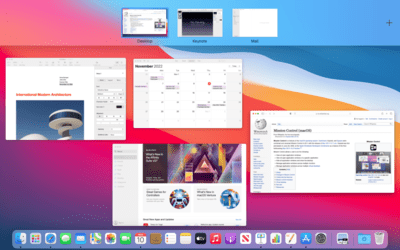 plucky zenith
glossy night
plucky zenith
glossy night
ok, make a short recording that should have desktop audio and send it here
glossy night