#technical-support
1 messages · Page 13 of 1
 wheat patio
 kindred hollow
probably knowing how locked down they have it
apparently you cant even check to see where your tips are being deposited with out submitting a ticket and waiting 3 days
i want to enjoy and use streamlabs so badly but everytime i try to use it i hit some silly road block thats been overlooked by their product management team
kindred hollow
wheat patio
So I'm trying to use Voicebot for my stream. I know it works with SLOBS. But I w...
you would use the twitch hotkeys
aka you would set up your hotkey to play a macro of those commands
wheat patio
kindred hollow
aka you would set up your hotkey to play a macro of those commands
Ok. So let's say I set up the hotkeys in Voicebot. How do I get them to work in Twitch? I don't see a place to create hotkeys there?
kindred hollow
wheat patio
Ok. So let's say I set up the hotkeys in Voicebot. How do I get them to work in ...
twitch commands are chat commands so it would be a TYPE: /emoteonly to turn on emotes only chat
wheat patio
So it looks like the first thing I need to do is make sure Voicsbot gets modded. Second, write a script using TYPE:/emoteonly. So I'm not using the PRIVMSG command? And how do I tell it to do this in Twitch?
kindred hollow
i mean i have never tried to control chat via voice so i have no clue beyond that if you can get voicebot to latch on to a specific window you can pop chat out of twitch and have it run through that
i use a stream deck to run all my commands
wheat patio
kindred hollow
i use a stream deck to run all my commands
I've got a virtual stream deck, so same. OK, I'm gonna try it and see what happens.
kindred hollow
you tube takes time to process the full vod
specially 9 hours worth
did you stream to twitch too or just YT
also why arent you recording your streams locally just incase
you are responsible for your content not any of the platforms. you should always record locally cause tech happens
 young schooner
guys any chance of pointing me in the right direction here please. Iv just switched from OBS to Streamlabs OBS which everything has gone very smooth so far. However i have issue which i can not work out at all.
I stream via Facebook gaming and can not get chat to load in the chat dock, It appears to take me when going live to the desktop web page within the chat dock.
my question is do i have to install a chat box widget to see chat within the chat dock on my end of Streamlabs obs or is there something am i doing wrong?
Additionally i am getting a message when going live from the chat dock saying the content isn't available right at the moment. I have checked all privacy and share settings on Facebook end so i really dont understand.
any help is really appreciated thanks
kindred hollow
you should always keep chat open live on the stream not in SLOBS (because of stream lag)
welcome to streaming on META
young schooner
okay so the bottom line is using chat dock is not worth it then for stable chat, il just run the FB page for chat
kindred hollow
whether Facebook/Twitch/YT doesnt matter always watch chat in real time
 fair valley
Hey guys. I’m new here. Where can I get technical support for the Streamlabs mobile app, having a problem with the video audio delay on IRL streams?
young schooner
kindred hollow
whether Facebook/Twitch/YT doesnt matter always watch chat in real time
nice one thank you that is a easy answer for me. thank you very much
kindred hollow
Are you using Mobile Data or WIFI
fair valley
I’m using mobile 4G but it looks like it’s very stabil.
kindred hollow
young schooner
nice one thank you that is a easy answer for me. thank you very much
Signal strength and Signal Quality are two very different things also make sure your keeping the number of apps running to the absolute minimum when streaming off mobile. The phone is doing all the heavy lifting so to many apps running can cause weird side effects
fair valley
I have one phone only for streaming. No other apps running only the Streamlabs mobile app. But the audio is still around 5 sec delay.
kindred hollow
are you using the phone microphone
kindred hollow
when was the last time you power cycled the phone
fair valley
Long time ago 😅
kindred hollow
start there
there is a reason its a tech support trope lol
you should power cycle computers every 3 days phones weekly
clear your browser cache weekly as well
fair valley
Okay I will try that first. Thanks for the help. 👌🏽
 lucid blade
Hello
 viral light
you guys know why i cant stream fifa 23 on game capture
 cosmic spindle
young schooner
guys any chance of pointing me in the right direction here please. Iv just switc...
cosmic spindle
young schooner
guys any chance of pointing me in the right direction here please. Iv just switc...
Make sure the chat dock profile is r stream profile or page not your main profile.
 quasi igloo
does anyone else have the issue of having to re-select their primary monitor for scenes when opening streamlabs? https://gyazo.com/0e273d284439faf7afaf06537792c077
i dont have any display capture selected in my main overlay scene because i use the same scene for different display captures (hopefully that makes sense)
young schooner
cosmic spindle
Make sure the chat dock profile is r stream profile or page not your main profi...
When I’m stream is says Facebook destination share to a page I manage then Facebook page my name / gaming creator. I can’t seam to see where I would allocate the chat dock to my page
 wispy latchBOT
@lean steeple
Please no advertising or self promotion in any channels or DMs with server members. Please see #rules for more details on our server guidelines.
 agile kernel
 valid forge
I have figured that when i connect my second monitor for streaming streamlabs crashes.is there a fix for this?
 patent dock
how to have streamlabs obs and not stramlabs deskop
 gritty isle
patent dock
how to have streamlabs obs and not stramlabs deskop
gritty isle
patent dock
how to have streamlabs obs and not stramlabs deskop
Streamlabs OBS was renamed to Streamlabs Desktop last year.
 obsidian fog
What up.. New to the group. I stream me day trading lol
 merry kestrel
How’s everyone doing this morning 🙌
 agile owl
Not so well you?
 upbeat flax
How can I have a valid rtmp name?
gritty isle
upbeat flax
How can I have a valid rtmp name?
You will have to elaborate on that. The RTMP URL is controlled by the end platform, like Twitch or YouTube. It’s not something the streamer can make up.
 haughty gulch
hey guys having an issue with facecam on my mobile phone using streamlabs app
was working fine all week, then suddenly yesterday it wouldnt let me switch to face cam
ive restarted my phone, reinstalled the app, tested face cam on my camera app and on prism live studio and they all work, just streamlabs
when i click flip camera it does nothingggggggg
 cold topaz
Guys is it possible to upload more than 45 MB to the gallery?
 little scarab
Help one sugest psl?
 sturdy jewel
anyone know much about credit card donations? We have the credit card hooked up, and the bank account says connected too. But when people use it, it never seems to come through.
 digital gazelle
I’m not sure where to ask this question but one of my mods bought merch I have on stream labs and their order got put on hold for some reason. Is there anything I can do or get ahold of anyone that could help
 tender steppe
can streamlabs redirect youtube chat to discord channel and discord channel chat to youtube live stream chat?
 scenic finch
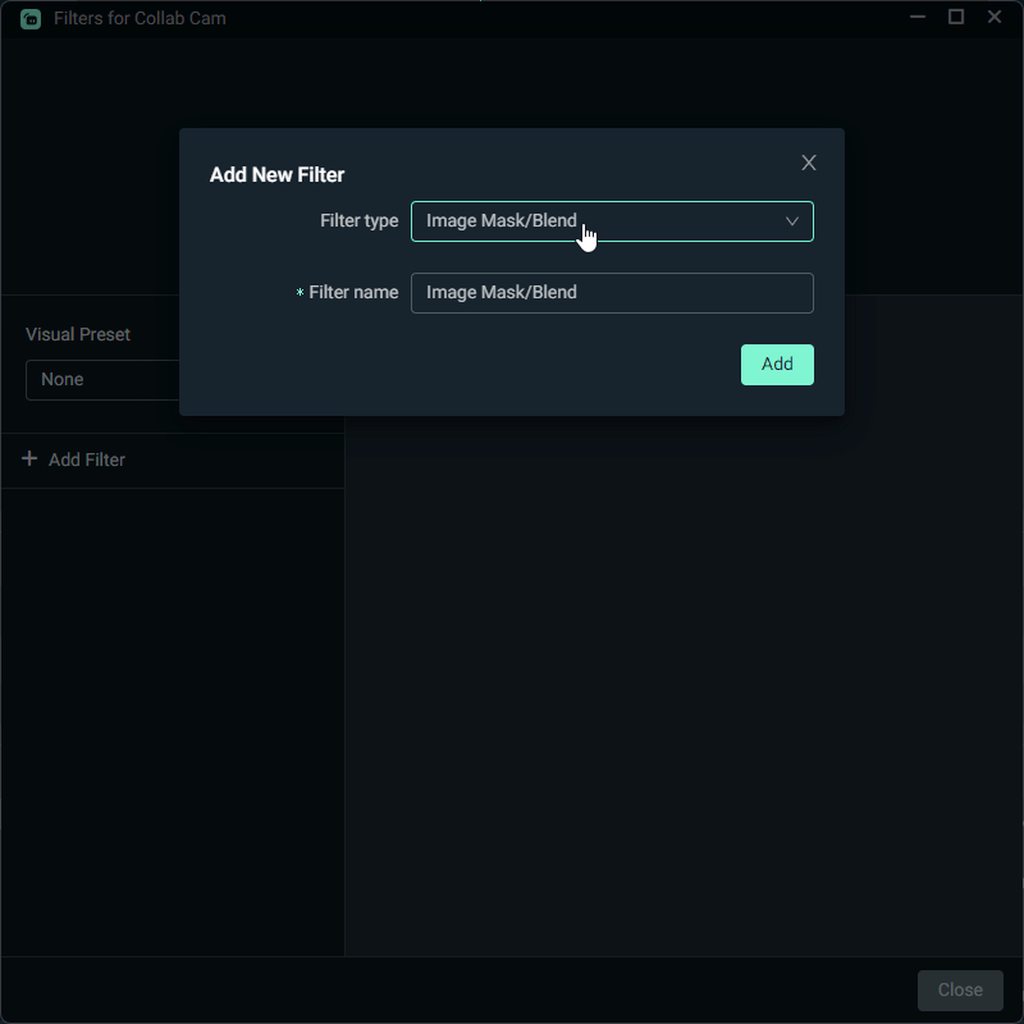
Hi, anyone can help me? collab cam failed to connect?
I'm using desktop, my collab is using an iphone
 tawdry berry
I need help
 fickle forum
Hello!
 desert briar
happy new year[early]
 humble flax
i can't log in to streamlabs site from my yt channel what can i do for this plz help me 
 fierce coral
I would like to request a refund for my subscription, i have had to many issues, can someone arrange this please?
 night crest
Anyone who could point me in the right direction?
Started streaming on twitch about 4 days ago, but thinking about swapping to YT live, how can I change my default streaming output in OBS DESK?
 pale brook
Hello how are you guys
im a new french streamer who used streamlabs, and everything was ok during ~1 weeks. But today i dont know why i have fps dro and Image lost during my stream. ( around 40@CPU/GPU use)
agile owl
Hello
pale brook
How are you ?
agile owl
Good yourself?
wispy latchBOT
{1}
:arrow_right: Non Support Related Chatter -> #technical-support
:arrow_right: Streamlabs Technical Support -> #known-issues -> #support-info
:arrow_right: Payment, Subscription or Merch issue please submit a ticket here: https://support.streamlabs.com/hc/en-us/requests/new
:arrow_right: #400132868682153986 :arrow_right: #440687097427525642 :arrow_right: #476851860842610709
pale brook
Good thanks except my problem on my computer/streamlabs….
desert briar
happy new year
 glass whale
Happy NYE!
 rocky dragon
Just wanna wish everyone a safe and healthy New Year!! Much luv 🎉🎊🫶🏽
desert briar
glass whale
Happy NYE!
Likewise, fam!
 peak birch
happy new year!!
merry kestrel
Happy new year guys! Let’s leave all the Negativity in 2022! 🙌❤️
 torpid rune
From Ireland. Happy new year guys!
 broken yoke
From the Netherlands I wish everybody en Happy New Year.
 sacred valley
yo does anyone have good recommends for a logo designer service?
 mental shoal
Hey, not sure where to ask this because it's related to Desmume, but the emulator starts lagging horribly when capture the window from StreamLabs and gives me white screen for the capture. Anybody have any experience with this and how to fix this??
 cloud basin
Do stream labels support Youtube subscriber count?
 native wadi
I can't wait to start streaming live
cloud basin
 oak cloud
yes
oak cloud
yes
Oh, I can't seem to find the option then 😅
oak cloud
cloud basin
Oh, I can't seem to find the option then 😅
If you need more help, i would suggest going to #support-info but you can search if you're using Streamlabs Desktop with sub and all the options will show up
 cloud basin
oak cloud
If you need more help, i would suggest going to <#1031985540817490010> but you c...
cloud basin
oak cloud
If you need more help, i would suggest going to <#1031985540817490010> but you c...
Oh, isn't that Twitch subs though?
oak cloud
cloud basin
Oh, isn't that Twitch subs though?
no, that was while logged into youtube
cloud basin
Oh, but what if I'm streaming to Twitch? Wouldn't that make it Twitch subs instead of YouTube subs?
oak cloud
@cloud basin instead of filling this chat which isn't supposed to be for troubleshooting if you can create a ticket in #support-info then i can answer your questions there 🙂
cloud basin
My apologies 🥺
 graceful maple
Happy new year everyone! 🥳🎆
 real finch
YOYOYO
 still ore
if you all need volunteer support to field questions like quality or features, Im around
gritty isle
Hi Pupper! 
 mint wyvern
Happy New Year East Coast! Hawaii gotta wait like 5 hours but all good…
wispy latchBOT
@pulsar kindle
Please no advertising or self promotion in any channels or DMs with server members. Please see #rules for more details on our server guidelines.
desert briar
On behalf of the Gaming Gamers Staff Team and Gaming Gamers Corporate Team, we would like to wish each and every one of you a very happy New Year!!!!! Thank you for sticking with us through this emotional and historic 2022 and we can not wait to see what 2023 brings!!!!
 tulip flicker
mint wyvern
Happy New Year East Coast! Hawaii gotta wait like 5 hours but all good…
tulip flicker
mint wyvern
Happy New Year East Coast! Hawaii gotta wait like 5 hours but all good…
Ikr I'm watching the NYE streams it's great to get a couple of New Years celebrations all in the same period haha
pale brook
Happy new years
 cobalt ravine
 frozen maple
 quasi wasp
Hi, may i know why my streamlabs do not show the stream chat at the right side , i already try to click Refresh Chat few times, but still i cannot read the chat while streaming...
wispy latchBOT
{1}
:arrow_right: Non Support Related Chatter -> #technical-support
:arrow_right: Streamlabs Technical Support -> #known-issues -> #support-info
:arrow_right: Payment, Subscription or Merch issue please submit a ticket here: https://support.streamlabs.com/hc/en-us/requests/new
:arrow_right: #400132868682153986 :arrow_right: #440687097427525642 :arrow_right: #476851860842610709
 hot barn
Hi all, if I connect my bank card for tips etc, is it safe?
 prime phoenix
i have a question, If I buy streamlabs ultra, can I use it on different youtube channels?
gritty isle
prime phoenix
i have a question, If I buy streamlabs ultra, can I use it on different youtube...
No as you can only merge on channel from each platform. You could use the other channel as a custom destination but note that the widgets like alert box, chat box, etc won’t work with custom destinations.
gritty isle
Rude. 
 stray citrus
@verbal quarry You need to speak to mods in this server respectfully. See #rules. Thanks.
gritty isle
Tsk Tsk. 👋🏻
 vague chasm
I just need my party chat to go through my streamlabs..
wispy latchBOT
@vague chasm
:arrow_right: Non Support Related Chatter -> #technical-support
:arrow_right: Streamlabs Technical Support -> #known-issues -> #support-info
:arrow_right: Payment, Subscription or Merch issue please submit a ticket here: https://support.streamlabs.com/hc/en-us/requests/new
:arrow_right: #400132868682153986 :arrow_right: #440687097427525642 :arrow_right: #476851860842610709
vague chasm
I've already submitted a ticket, just waiting for a response
 fiery dagger
Does anyone know how to get your stream key from TikTok
 polar cedar
Does anyone know how to get your stream key from TikTok
wispy latchBOT
{1}
:arrow_right: Non Support Related Chatter -> #technical-support
:arrow_right: Streamlabs Technical Support -> #known-issues -> #support-info
:arrow_right: Payment, Subscription or Merch issue please submit a ticket here: https://support.streamlabs.com/hc/en-us/requests/new
:arrow_right: #400132868682153986 :arrow_right: #440687097427525642 :arrow_right: #476851860842610709
desert briar
can someone help me
wispy latchBOT
{1}
:arrow_right: Non Support Related Chatter -> #technical-support
:arrow_right: Streamlabs Technical Support -> #known-issues -> #support-info
:arrow_right: Payment, Subscription or Merch issue please submit a ticket here: https://support.streamlabs.com/hc/en-us/requests/new
:arrow_right: #400132868682153986 :arrow_right: #440687097427525642 :arrow_right: #476851860842610709
 tawny echo
Hey guys, new to this, was wondering if someone could help me, 1st time using streamlabs,tried using YouTube for help, still nothing, I’m using iPad Pro 4th Gen, not sure if that’s relevant, I want to stream procreate onto twitch, it’s an art app, I followed the steps, not sure why it’s not working
 white ruin
i need help
 empty forum
I need help
wispy latchBOT
{1}
:arrow_right: Non Support Related Chatter -> #technical-support
:arrow_right: Streamlabs Technical Support -> #known-issues -> #support-info
:arrow_right: Payment, Subscription or Merch issue please submit a ticket here: https://support.streamlabs.com/hc/en-us/requests/new
:arrow_right: #400132868682153986 :arrow_right: #440687097427525642 :arrow_right: #476851860842610709
 cursive herald
If you have a technical support related issue you can fill out a ticket there and someone will be with you shortly!
empty forum
How u do that
cursive herald
There will be instructions in the channel! #support-info
empty forum
Can some one pls just help me
 ember gulch
bro i cant login
when i press login then youtube it just sends me to the website when i have the app and it wont log me in on the app just on the webapp
wispy latchBOT
@ember gulch
:arrow_right: Non Support Related Chatter -> #technical-support
:arrow_right: Streamlabs Technical Support -> #known-issues -> #support-info
:arrow_right: Payment, Subscription or Merch issue please submit a ticket here: https://support.streamlabs.com/hc/en-us/requests/new
:arrow_right: #400132868682153986 :arrow_right: #440687097427525642 :arrow_right: #476851860842610709
gritty isle
Good morning streamers! Dark and gloomy here with the threat of rain today. Getting some extra coffee to increase my motivation to get out and get some errands done. How’s everyone else today?
 hearty pagoda
I’m good
 coral marsh
What’s up everyone. Hope you all had a great New Year’s Eve. Had a audio question if someone can enlighten me for a moment. I stream on box using Streamlabs via the “Xbox remote play” option. (No capture card) Everything works great besides the fact that I can not figure out how to use my Xbox head set for audio. It only gives me the option on stream labs to use my camera mic, which is nowhere near the quality of my Xbox head set. Is there any way I can continue to run though stream labs but use my Xbox headset? Or am I better off just getting a headset that goes to the computer? Any info is much appreciated.
agile owl
gritty isle
Good morning streamers! Dark and gloomy here with the threat of rain today. Ge...
Doing good, freezing outside but warm and toasty inside, cleaning up some of these old boxes
desert briar
Good evening ❤️
 bleak crescent
If anybody is using the elgato HD60 X PLZZZZZZ help me get game audio into streamlabs
I cant for the life of me figure this out...
 plush sundial
So why did streamlabs reset and mess everything up?
bleak crescent
mine seems to be the same
plush sundial
Hours of time put into the set up of frames etc wasted from a streamlabs error. I go to sign in as normal and it acted as if I’ve never signed on. All of my screens are off center and not fit to screen. Just hours of life wasted
wispy latchBOT
{1}
:arrow_right: Non Support Related Chatter -> #technical-support
:arrow_right: Streamlabs Technical Support -> #known-issues -> #support-info
:arrow_right: Payment, Subscription or Merch issue please submit a ticket here: https://support.streamlabs.com/hc/en-us/requests/new
:arrow_right: #400132868682153986 :arrow_right: #440687097427525642 :arrow_right: #476851860842610709
@desert briar
Please no advertising or self promotion in any channels or DMs with server members. Please see #rules for more details on our server guidelines.
 static snow
Hopefully someone can help. When i try to login to Facebook through Streamlabs im getting an incorrect password message but ive changed the password 3 times in the last 2 days so i know its correct. I even opened my browser and logged into Facebook manually and it worked fine
wispy latchBOT
@static snow
:arrow_right: Non Support Related Chatter -> #technical-support
:arrow_right: Streamlabs Technical Support -> #known-issues -> #support-info
:arrow_right: Payment, Subscription or Merch issue please submit a ticket here: https://support.streamlabs.com/hc/en-us/requests/new
:arrow_right: #400132868682153986 :arrow_right: #440687097427525642 :arrow_right: #476851860842610709
 eager dome
For some reason, streamlabs has not been working for me for a while even though I linked my accounts. I stream off Twitch and YouTube, but there's nothing (I think the loyalty points work, but not the bot commands). A YT friend of mine also uses this bot service but his is messing up too.
wispy latchBOT
@eager dome
:arrow_right: Non Support Related Chatter -> #technical-support
:arrow_right: Streamlabs Technical Support -> #known-issues -> #support-info
:arrow_right: Payment, Subscription or Merch issue please submit a ticket here: https://support.streamlabs.com/hc/en-us/requests/new
:arrow_right: #400132868682153986 :arrow_right: #440687097427525642 :arrow_right: #476851860842610709
 rotund venture
Yo so I'm try to get my streaming to go good but I don't know how to set up everything
 queen hornet
wispy latchBOT
queen hornet
wispy latchBOT
{1}
Please no advertising or self promotion in any channels or DMs with server members. Please see #rules for more details on our server guidelines.
agile owl
Nope sorry
 pure perch
i have the issue when i stream gta 5 on display capture (cuz game capture is always black), i run it as administrator, but when i stream in more then 60hz it starts to stutter and my stream looks so broken. I know that i used to stream in like 120 fps on 144hz monitor and everything is fine, but now it isnt. I have rtx 3080 and 60mb/s upload speed so hardware and network arent the problem.
Also my base canvas is 1440p and output is 1080p 60 fps.
I googled it, but it always says that i need a capture card, but i know that i could stream games on higher refresh rate and fps before.
desert briar
ㅤ
 hexed crow
Hello in new here nice to meet y'all
 languid gorge
im wondering how to change the link to my loyalty store and if thats possible. is that something i would make a ticket for in #support-info?
 dusty ingot
@languid gorge Heya- yes you can submit a ticket for that and we'll be with you as soon as possible
languid gorge
okay
 dawn elbow
I just had some whacky thing go on today... When I logged in to my PC, it put up a really big Window telling me my PC is eligible for Windows 11 and I could get it for free. I wanted to decline at first, but it gave an insistive second message like saying "are you sure??? You could always go back" and I just accepted it.... Restarted my PC after the downloading process... But after some time of black screen and the PC itself just seeming like it was sitting there blankly, I got a bit worried that I had another issue with my PC since I legit recently got it back to working after a BIOs issue and Motherboard issue and just manually rebooted the PC. Things seem normal now, but it didn't actually bring me to Windows 11.... So I was just kinda looking for second opinions and wondering if what I just did was let a very round man with a neckbeard have access to my info...
 bold birch
hola.necesito vuestra ayuda¿Como puedo configurar streamlabs para que a traves de un comando se escuche el mensaje?
 inland hemlock
hello
i need help with an issue
im trying to go live from my mobile phone multistream to diff platforms and im finding huge problems streaming to facebook profile .
from the dashboard it doesnt seem to save my profile as a choice and when im authorizing the app from my iphone to stream to my profile nothing changes and the only available option is to create a page
i can multistream everywhere and to facebook successfully from a desktop but not from my mobile phone
wispy latchBOT
{1}
:arrow_right: Non Support Related Chatter -> #technical-support
:arrow_right: Streamlabs Technical Support -> #known-issues -> #support-info
:arrow_right: Payment, Subscription or Merch issue please submit a ticket here: https://support.streamlabs.com/hc/en-us/requests/new
:arrow_right: #400132868682153986 :arrow_right: #440687097427525642 :arrow_right: #476851860842610709
inland hemlock
but i cant speak there
listen there is no way this is acceptable im paying 20$ a month i deserve to have technicall support chat available 24/7 and not wasting so much time for no reason
 ocean roost
Press this button and you will start a live chat. Alternatively, you can use the live chat on the streamlabs dashboard (website). If you are an ultra member I would recommend that you head over here and connect your Discord so you get the ultra role and access to vip support: https://streamlabs.com/dashboard#/settings/integrations

 graceful pike
Hey can anyone tell me what currency the ultra subscription is charged in?
agile owl
US Dollars
graceful pike
ty
desert briar
🫡
agile owl
o.o
 junior sable
 hexed atlas
Streamlabs desktop is stuck in a constant welcome to streamlabs loop, any way to fix it?
wispy latchBOT
@hexed atlas
:arrow_right: Non Support Related Chatter -> #technical-support
:arrow_right: Streamlabs Technical Support -> #known-issues -> #support-info
:arrow_right: Payment, Subscription or Merch issue please submit a ticket here: https://support.streamlabs.com/hc/en-us/requests/new
:arrow_right: #400132868682153986 :arrow_right: #440687097427525642 :arrow_right: #476851860842610709
 manic raft
Hi desperate for some help after paying for ultra upgrade it will only stream to Facebook and not twitch I keep getting error message idk what to do
wispy latchBOT
@manic raft
:arrow_right: Non Support Related Chatter -> #technical-support
:arrow_right: Streamlabs Technical Support -> #known-issues -> #support-info
:arrow_right: Payment, Subscription or Merch issue please submit a ticket here: https://support.streamlabs.com/hc/en-us/requests/new
:arrow_right: #400132868682153986 :arrow_right: #440687097427525642 :arrow_right: #476851860842610709
manic raft
It won’t let me type in the other channels, why is customer support so hard to get a hold of
 jolly pine
@manic raft please click the Help Me button to fill out the help form:
 manic raft
I have
 cosmic oracle
err
 plucky oxide
is ther a way for me to trasnfer my main streamlabs account that has my donos on it too my youtube account
 pale trench
hey i need some help i use my points to get a free hoodie and a shirt i did it like a week or almost 2 weeks ago i havent go no info about if it ship or not i see that it been redeem on both but no info about it getting shipped out how can i check it
It ask for my address and all but nothing else no credit card to pay for shipping or nothing
wispy latchBOT
@pale trench
:arrow_right: Non Support Related Chatter -> #technical-support
:arrow_right: Streamlabs Technical Support -> #known-issues -> #support-info
:arrow_right: Payment, Subscription or Merch issue please submit a ticket here: https://support.streamlabs.com/hc/en-us/requests/new
:arrow_right: #400132868682153986 :arrow_right: #440687097427525642 :arrow_right: #476851860842610709
jolly pine
^ please submit a ticket at the merch link provided above.
cosmic oracle
^ these helpers are real great at wat they do 🙂
pale trench
i summit one but i didnt have all the info they was asking cause i never got a order comfarmaion or nothing about it and it going on almost 2 and a half weeks
jolly pine
@pale trench no worries! you will receive a response via email & they will assist you once they're able to locate the information necessary. we appreciate your patience!
pale trench
ok like i said i use my points for being a ultra memeber and everything
gritty isle
 vital iron
I can't find free themes
vital iron
I can't find free themes
Enter the word Free in the Search box. 😉
vital iron
got it thanks
gritty isle
You’re welcome!
 tiny lotus
I paid for Streamlabs Ultra and when trying to stream from my xbox, it's saying that I have to link a subscription to my account before I can broadcast. I need help!
wispy latchBOT
@tiny lotus
:arrow_right: Non Support Related Chatter -> #technical-support
:arrow_right: Streamlabs Technical Support -> #known-issues -> #support-info
:arrow_right: Payment, Subscription or Merch issue please submit a ticket here: https://support.streamlabs.com/hc/en-us/requests/new
:arrow_right: #400132868682153986 :arrow_right: #440687097427525642 :arrow_right: #476851860842610709
tiny lotus
I'm having issues streaming from Xbox x series #support-info
jolly pine
@tiny lotus please click the Help Me button to fill out the help form:
 gritty isle
desert briar
Sup
gritty isle
desert briar
Sup
Howdy! 👋🏻
agile owl
Hello there
 rustic garnet
Does anyone know if slobs supports av1 from the arc 380 yet
 short maple
so im just updating my tip methods and noticed paypal lite and paypal plus and was wondering what the difference was?
ocean roost
short maple
so im just updating my tip methods and noticed paypal lite and paypal plus and w...
You can read some information here: https://streamlabs.com/content-hub/post/how-to-setup-paypal-tipping-with-streamlabs
If you have further questions, please reach ou tto our tipping team through a ticket here: https://support.streamlabs.com/hc/en-us/requests/new
short maple
ohhh ok
because i tried to see what the plus would do and it said i needed a business account and now ik
thanks
 oblique seal
How do I get in contact with someone on an account I canceled and continue to be charged?
wispy latchBOT
{1}
:arrow_right: Non Support Related Chatter -> #technical-support
:arrow_right: Streamlabs Technical Support -> #known-issues -> #support-info
:arrow_right: Payment, Subscription or Merch issue please submit a ticket here: https://support.streamlabs.com/hc/en-us/requests/new
:arrow_right: #400132868682153986 :arrow_right: #440687097427525642 :arrow_right: #476851860842610709
 swift glade
Hi, is their an option to have Text-to-speech for your chat?? Streamlabs
ocean roost
Nothing provided by Streamlabs, unfortunately.
 silver vessel
Hi there, i get problems to put overlays on my stream, i need help... if there is a french person, i would prefer but english is good too
wispy latchBOT
@silver vessel
:arrow_right: Non Support Related Chatter -> #technical-support
:arrow_right: Streamlabs Technical Support -> #known-issues -> #support-info
:arrow_right: Payment, Subscription or Merch issue please submit a ticket here: https://support.streamlabs.com/hc/en-us/requests/new
:arrow_right: #400132868682153986 :arrow_right: #440687097427525642 :arrow_right: #476851860842610709
desert briar
swift glade
Hi, is their an option to have Text-to-speech for your chat?? Streamlabs
Иди нахуй
Чмоня ебливая,сука
 sharp gull
how long does it usually take for someone to respond to a ticket
gritty isle
sharp gull
how long does it usually take for someone to respond to a ticket
A ticket in the #support-info channel or a ticket opened via the Support site (email)? If the latter, those are answered in the order they are received; please be patient.
 crisp kayak
I've been helping alot of people set up there streamlabs console journey, how does one go about getting sponsored for this? Instead of just doing it for free would like to help people for a sponsor maybe
glass whale
crisp kayak
I've been helping alot of people set up there streamlabs console journey, how do...
Hi there! Please submit a ticket via the link below and send me the ticket number when that is completed. Streamlabs does not have Streamlabs Console sponsorship program I am aware of but would be glad to check on that for you.
https://support.streamlabs.com/hc/en-us/requests/new
crisp kayak
glass whale
Hi there! Please submit a ticket via the link below and send me the ticket numbe...
Thankyou all done, Do I send the ticket number here?
glass whale
crisp kayak
Thankyou all done, Do I send the ticket number here?
Yes, that would be great. Thanks!
crisp kayak
glass whale
Yes, that would be great. Thanks!
677361 thankyou for the help! Appreciate it alot
glass whale
crisp kayak
677361 thankyou for the help! Appreciate it alot
No problem! I'll bring this up with our team and connect with you via the ticket later. Have a nice rest of your day!
 full rivet
i got one for you all. im trying to stream without broadcasting my live discord for world od warcraft raids. any body have any suggestions on to how to do this.
agile owl
o.o
pale trench
do yall have a channel where i can post my streams or do yall not allow that in here
 lunar mantle
pale trench
do yall have a channel where i can post my streams or do yall not allow that in ...
lunar mantle
pale trench
do yall have a channel where i can post my streams or do yall not allow that in ...
At this moment in time we don't allow that here
pale trench
gotcha i understand i was just asking
jolly pine
@desert briar hey there! Streamlabs Console is available for Ultra members as an extra perk, or you can sign up for a membership (which has a 7-day trial) on the website. if you have any other questions, please reach out in #support-info.
pale trench
@jolly pine you mean for like xbox and playstation users
jolly pine
@pale trench this is for Xbox only. for PlayStation, you would need a capture card!
pale trench
ok kool so if i use streamlabs for xbox how would i set that up to show my overlays
wispy latchBOT
{1}
:arrow_right: Non Support Related Chatter -> #technical-support
:arrow_right: Streamlabs Technical Support -> #known-issues -> #support-info
:arrow_right: Payment, Subscription or Merch issue please submit a ticket here: https://support.streamlabs.com/hc/en-us/requests/new
:arrow_right: #400132868682153986 :arrow_right: #440687097427525642 :arrow_right: #476851860842610709
pale trench
how is everyone today
im trying to learn the ropes of streaming i dont stream that much cause when i stream i dont know what to talk about i dont know much about the games i play i just play and plus i dont get a lot of views so i really dont know how to get people to come in and view i got a webcam and headset and a second monitor to keep up with chat
agile owl
nah don't worry about all you just stream and it will all work out.
pale trench
i gotcha sometimes i do like a hour or more sometimes i just wish people would view me im not in it for the money i got my own money i make i just want to stream and meet new people and make new friends
agile owl
what games do you play
pale trench
anything from world of warcraft to all kinds of racing games i cant stick to one game cause i get bored real easy if i play it back to back to back so i float around to different games
agile owl
ah
pale trench
yea but i put more time into world of warcraft cause its a mmorpg im big into mmorpgs then i just from pc to xbox series x to my playstation 5
agile owl
keep at it, sure it's slow at first but you'll get the hang of it
pale trench
i gotcha cause i got plenty of time i dont work im on disabity so i got plenty of time to stream
 worldly tide
ive got an issue thats not in the Self Help Center, but i dont think its a Technical support question either, where do i go to ask
jolly pine
@worldly tide please reach out in #support-info.
worldly tide
i tried, but it wanted an error code, and this isnt an error
its just me not knowing how to do something
 shrewd finch
Go through our available information on Content Hub here https://streamlabs.com/content-hub if you don't find what you're looking for in the self help center
worldly tide
ok, i will try the link, but i alrdy tryd the self help
its not there
im having webcam issues
jolly pine
@worldly tide you would need to reach out in #support-info for assistance with that.
worldly tide
ok
 brisk spindle
Wassup
 tight snow
 lost shore
Word !
 wind minnow
Anyone here recommend me what my bitrate should be ?
Download speed 184 mbps
Upload 9.63 mbps
wispy latchBOT
{1}
:arrow_right: Non Support Related Chatter -> #technical-support
:arrow_right: Streamlabs Technical Support -> #known-issues -> #support-info
:arrow_right: Payment, Subscription or Merch issue please submit a ticket here: https://support.streamlabs.com/hc/en-us/requests/new
:arrow_right: #400132868682153986 :arrow_right: #440687097427525642 :arrow_right: #476851860842610709
 gleaming stone
Hey guys how’s it going
 teal geyser
https://streamlabs.com/content-hub/post/mobile-streaming-faq
This was posted 5 years ago, saying that ” Text To Speech is only availible to Android”
Is this still the case, can you still not have text to speech on IOS? 5 years later?
wispy latchBOT
@teal geyser
:arrow_right: Non Support Related Chatter -> #technical-support
:arrow_right: Streamlabs Technical Support -> #known-issues -> #support-info
:arrow_right: Payment, Subscription or Merch issue please submit a ticket here: https://support.streamlabs.com/hc/en-us/requests/new
:arrow_right: #400132868682153986 :arrow_right: #440687097427525642 :arrow_right: #476851860842610709
 silk viper
Hm
Has anyone had issues with Streamlabs and "freeze lag" or lagspikes recently?
Like either my game lagspikes, and the preview/stream/recording is fine, or it's the opposite. Where my game is fine and the footage i record or stream gets the lagspikes.
Trying the Sega emulator "Fusion" even shows how the fps dips to the 40s in quick but short intervals.
It only seems to happen to emulators as well. Regular games is totally fine. I'm on a beast PC as well.
 plucky ruin
hello every1
gleaming stone
Wassup
plucky ruin
any1 can help me whit some info pls ?
plucky ruin
mby u know something about webcams issue ....
my desktop streamlabs is online but my webcam dont show up ....
what need to do ?
wispy latchBOT
{1}
:arrow_right: Non Support Related Chatter -> #technical-support
:arrow_right: Streamlabs Technical Support -> #known-issues -> #support-info
:arrow_right: Payment, Subscription or Merch issue please submit a ticket here: https://support.streamlabs.com/hc/en-us/requests/new
:arrow_right: #400132868682153986 :arrow_right: #440687097427525642 :arrow_right: #476851860842610709
silk viper
Oh no. Still issues
Contacting support because i cant stream or capture emulator footage doesnt sound good either
silk viper
silk viper
Has anyone had issues with Streamlabs and "freeze lag" or lagspikes recently?
...
Talking about this
 rotund ravine
Sorry if this is a bad question but just joined, how do I go about trying to get some help with my streamlabs OBS issue?
 proper totem
@rotund ravine please go to #support-info to talk to our team
rotund ravine
proper totem
<@329816559617048576> please go to <#1031985540817490010> to talk to our team
It just tells me something went wrong and won’t allow me to submit anything
 white prairie
Does anyone here has 10k + tiktok followers
 latent venture
Someone to help me edit my twitch layout
proper totem
Hi All, quick update if anyone is having issues with Twitch:
You may experience issues when trying to go live, or with multiple features when streaming to Twitch
Status:  Twitch Investigating
Tweet: https://twitter.com/TwitchSupport/status/1611096199838277633?cxt=HHwWgoC9pabd4dssAAAA
Please follow Twitch Support for the latest updates.

🔧 We are aware of issues with the site and our teams are actively working on a resolution.
Thank you for your reports and patience whilst we work on it - we will keep you updated here 💜
Likes
171
 Twitter
·
Twitter
·
 lilac tusk
WHY is the Streamlabs SPIN WHEEL so effing broken?!
 vernal grove
Hey I’m having trouble with cloudbot in my YT chat right now
wispy latchBOT
{1}
:arrow_right: Non Support Related Chatter -> #technical-support
:arrow_right: Streamlabs Technical Support -> #known-issues -> #support-info
:arrow_right: Payment, Subscription or Merch issue please submit a ticket here: https://support.streamlabs.com/hc/en-us/requests/new
:arrow_right: #400132868682153986 :arrow_right: #440687097427525642 :arrow_right: #476851860842610709
 austere onyx
hey guys! i have a very specific question so i thought i'll ask over here cuz why not. is there something like dontation system but without the need to pay to be able to send the message to the streamer? thanks for any answer
silk viper
So there is no more Discord help like there was before i assume?
silk viper
silk viper
So there is no more Discord help like there was before i assume?
Feature is still here, thank god.
gritty isle
 hollow ruin
anyone heard of destream for donations?
hollow ruin
anyone heard of destream for donations?
I have not.
 fossil canopy
I was wondering how I should change my settings since my stream crashes when I play gta I never really had this problem until since it’s more Usage
 crimson mesa
 pure forge
hey i have enough followers and everything how do i get tiktok stream key and url because when i press the button on the app it does not work
gritty isle
pure forge
hey i have enough followers and everything how do i get tiktok stream key and ur...
You have to reach out to TikTok to get your stream key. TikTok alone approves and grants stream keys for their service.
pure forge
gritty isle
You have to reach out to TikTok to get your stream key. TikTok alone approves a...
how
 robust anvil
Guys where can I find the link for the streamlabs chatbot that you download on PC?
I had it but I think I lost that Discord
proper totem
robust anvil
Guys where can I find the link for the streamlabs chatbot that you download on P...
The chatbot discord invite is in the #welcome channel 😀
 fallow notch
hey guys
pale trench
@fallow notch how are you
wispy latchBOT
@fresh ember
Please no advertising or self promotion in any channels or DMs with server members. Please see #rules for more details on our server guidelines.
 narrow yarrow
Looking for people to joint pro am next gen
 plucky socket
Still waiting for the facebook chat to be solved
silk viper
Hey @dusty ingot
That issue i got help with you about yesterday. I fixed it. Would you wanna document it for the future? Because it was a local issue with another program
And it wasn't super obvious, as you can imagine
Ticket 3037
 dusky ocean
hello guys
 tulip yarrow
Hi
agile owl
hello
gritty isle
Happy Friday folks! 👋🏻 Hope everyone has had a good week and has awesome plans for the weekend! 


 last sphinx
they moved chat help?
Like, people helping through asking questions in a channel? From what I see it's been changed to a mod dm thingy
silk viper
last sphinx
Like, people helping through asking questions in a channel? From what I see it's...
Yeah sort of. Just fill in the form and you get help.
last sphinx
Gotcha, ty!
plucky socket
how long will it take to fix the issue with the facebook chat? been waiting for 2 months already 😦
stray citrus
plucky socket
how long will it take to fix the issue with the facebook chat? been waiting for ...
Hi there! Our team is still working towards a solution for this. I'm very sorry about that - we are having to partner with the team at Facebook in order to get it fixed. You can stay up to date with the progress in our #known-issues channel.
wispy latchBOT
{1}
If you are a Streamlabs Ultra Subscriber or All-Stars member
Link your Discord under integrations for access to our Ultra/VIP roles and private chats
:point_right: https://streamlabs.com/dashboard/#/settings/integrations
:star: upgrade to Ultra here: https://streamlabs.com/ultra?refl=discord
proper totem
 terse echo
where do i get color and interest roles and such like i see others have?
terse echo
where do i get color and interest roles and such like i see others have?
There are a lot of different roles in our Discord:
► Streamlabs Staff will have Purple or Aqua
► Volunteers (who help provide support) will have Orange
► Ultra (Streamlabs subscribers who get premium versions of all our Apps) will be Periwinkle
► All Stars members (Streamlabs loyalty program) will be different colors based on the level of loyalty they've achieved
► Charity Streamers (who are verified to be streaming to raise money for non-profits) will be Dark Violet
 sharp niche
Is streamlabs associated with sound alerts by chance
terse echo
i don’t think so
sharp niche
Figured so. That’s okay, I just wanted some integration to Kick
Could streamlabs add kick as a URL/stream key destination? B)
desert briar
howdy
silk viper
silk viper
Hey <@217859990592028682>
That issue i got help with you about yesterday. I fi...
Still extending this @dusty ingot
 cedar kite
How do I claim my ultra role?
glass whale
cedar kite
How do I claim my ultra role?
You can link your discord here https://streamlabs.com/dashboard#/settings/integrations
cedar kite
Just doing that now 🙂
 crimson brook
hi i need some help plz if anyone on?
wispy latchBOT
{1}
:arrow_right: Non Support Related Chatter -> #technical-support
:arrow_right: Streamlabs Technical Support -> #known-issues -> #support-info
:arrow_right: Payment, Subscription or Merch issue please submit a ticket here: https://support.streamlabs.com/hc/en-us/requests/new
:arrow_right: #400132868682153986 :arrow_right: #440687097427525642 :arrow_right: #476851860842610709
 rose ruin
anyone else loaded streamlabs and its randomly started playing dance tracks ?
 fiery folio
hey everyone evening
wonder if any 1 can help whats best settings for streamlabs to use i have an i5 12600k and a msi rtx 3060ti 8gb
along with a 1440p monitor
wispy latchBOT
@lunar jasper
Please no advertising or self promotion in any channels or DMs with server members. Please see #rules for more details on our server guidelines.
silk viper
@fiery folio Often depends on the game and how high graphics you use and framerate.
 dapper grove
Hello
It's my second day when my Streamlabs OBS is just freezing (after around 2 hours)
Before the last update, I don't have any issues.
Seems like after the last update, it's randomly freezing (yesterday after 1 hour and 52 minutes, today after 2 hours) - The stream disconnects (it enters in reconnecting, but since the streamlabs is freeze - the stream eventually stop)
Is there are known issues for this?
wispy latchBOT
{1}
:arrow_right: Non Support Related Chatter -> #technical-support
:arrow_right: Streamlabs Technical Support -> #known-issues -> #support-info
:arrow_right: Payment, Subscription or Merch issue please submit a ticket here: https://support.streamlabs.com/hc/en-us/requests/new
:arrow_right: #400132868682153986 :arrow_right: #440687097427525642 :arrow_right: #476851860842610709
silk viper
NEW NVENC, try 5000-5500 bitrate, preset on quality and @fiery folio put your base canvbas to 2560x1440, and output 1080p, 60 fps
fiery folio
@silk vipercheers bro appreciated
 hollow sandal
Happy New Year
 granite marten
Got a tip for high-quality webcams in your recordings! (Sorry for the kinda wall of text)
So a while back I popped in here with a conundrum: we want to record high resolution webcams along with our game footage so we can comp it together in Premiere, but we don't have fancy shmancy cameras with their own hard drives, so I asked in here if there was any possibility or hope of being able to record different video "angles"—like audio tracks, but video—and unfortunately that's not a supported thing and it's pretty niche so it's probably not gonna be high on the priority list if it's being considered at all, which I get.
That said, we still wanted to come up with a solution; we got something figured out and I thought I'd share what we came up with for anyone else who might be interested. It was really simple in retrospect actually: we just set our canvas size to 4K, and then we stick the 1080p game in the top left, and the two 1080p webcams in the bottom left and right. Then to make my life easier in editing I split it into three separate 1080p videos and import those into the Premiere project. The 4K file size is pretty chonky but it gives us much better looking cams in post and we didn't have to fork out for new cameras!
Hope this helps others doing offline recording!
 latent venture
That's a pretty neat solution, thanks for sharing
fiery folio
@silk viper it sort of worked the. Stream went bad again don't no what else to ry now either
 soft cobalt
Good morning ☀️
 teal pebble
i want a scene theme that will not be charity or pride and will be free goddamit
 sharp crater
hey i have a question how do i record whith stream labs?
gritty isle
sharp crater
hey i have a question how do i record whith stream labs?
Press the Rec button in the bottom right corner of Streamlabs Desktop.
sharp crater
ok thnx
 quaint scarab
Hey guys, I have an issue with my alerts
The audio still works, but the image doesn't show anymore. Nothing I try seems to work
They were showing just fine for about a year. Don't know what's happened. Any support will be appreciated, thanks
wispy latchBOT
{1}
:arrow_right: Non Support Related Chatter -> #technical-support
:arrow_right: Streamlabs Technical Support -> #known-issues -> #support-info
:arrow_right: Payment, Subscription or Merch issue please submit a ticket here: https://support.streamlabs.com/hc/en-us/requests/new
:arrow_right: #400132868682153986 :arrow_right: #440687097427525642 :arrow_right: #476851860842610709
gritty isle
sharp crater
ok thnx
You’re welcome.
desert briar
Hi!, new streamer here, how do I setup the follower goal to pop up on my video game stream?
 steel sky
@desert briar on your OBS scene click add source, scroll down to widgets and click follower goal and add source. You should now have a new screen called "Settings for follower goal" where you can adjust the goal, visuals and other settings..
Click start goal once setup and then done.
Make sure that source is above the game source and position it to where you need.
desert briar
steel sky
<@456226577798135808> on your OBS scene click add source, scroll down to widgets...
Thanks !
 bleak dawn
Hello everyone, is there a way to have different colors for the different event in the Event List (for exemple, pink for cheers, red for subs/subgift)
agile owl
Hello
 unkempt spoke
where do I go for help with issues relating to a streamers tip link? I'm trying to tip them through their donations page which is hosted by streamlabs but when I try to donate to them via credit card I get a pop up that something went wrong
shrewd finch
Hi @unkempt spoke For any payment related issues, this matter is handled privately and securely by our payments team through a ticketing system. Please submit a ticket here about your inquiry, thank you! Make sure to sign into the ticket platform top right when submitting as well https://support.streamlabs.com/hc/en-us/requests/new
unkempt spoke
shrewd finch
Hi <@241990523634712576> For any payment related issues, this matter is handled ...
I tried to sign in as you suggested but nothing happens the page just refreshes
shrewd finch
You don't have to sign in it's just a recommendation, fill the form out for support with this issue
unkempt spoke
oh okay
wispy latchBOT
@desert briar
Please no advertising or self promotion in any channels or DMs with server members. Please see #rules for more details on our server guidelines.
desert briar
Run it up
agile owl
What
 flat karma
why doen't stream labs have a chroma key filter for green screem/
shrewd finch
We do, it's just a bit hidden if you scroll too fast @flat karma https://i.imgur.com/cfjsx1T.gif
You have to select "add filter"
flat karma
thank you
 vestal fog
Does anyone know of a way to get streamlabs to run on macos 10.12.6?
agile owl
:o
 shadow anvil
does anyone know how to fix the gambling showing the wrong numbers, for example if i gamble all it says ' Hefner lost 100 points and now has 100 points'
 pallid niche
heyo
 royal crane
Hey is anyone else havin issues going live its randomly dropping my frames by 94% and spamming me with those notifications i found the settings that have worked for me for months and even tried downscaling for tonights stream but not getting results
pallid niche
i am about to find out lmao
royal crane
lmk im just tryna see if its a server thing or me
never had these issues and have been consistently streaming for months
if i down scale more i might as well go to my kitchen and stream on da airfryer lol
pallid niche
will do
 proven adder
Any tips on starting to stream? I've wanted to stream for a while but I dont know how to start.
 old rain
proven adder
Any tips on starting to stream? I've wanted to stream for a while but I dont kno...
old rain
proven adder
Any tips on starting to stream? I've wanted to stream for a while but I dont kno...
dont worry on how ppl are watching u bc im a starter and i litteraly stop bc no one is watching me. idk if that helped- sorry if it didnt.
agile owl
don't stop if no ones watching
 terse knot
I think I found a bug
if you set your stream 480p go live, then switch to 720 p, your screen is shifted down and there is a green bar ontop of the stream screen. I can post a picture if required.
if i set the resolution then go live it's fine, if i change the resolution while live then it's problematic.
terse knot
old rain
dont worry on how ppl are watching u bc im a starter and i litteraly stop bc no ...
don't pfoot it, just jump in headfirst. Be consistent and have a schedule, whether it's daily, weekly, bi-weekly people like to see consistency.
 vale widget
Love the new changes 😍, but I can't seem to find where to add my background music. 😔 The app refuses to capture both my Monstercat player and Spotify. Is there a way to add this? 🙂
 native iris
hey peeps i started a new job and that means i can start looking into capture cards now cause ps remote play is starting to suck so with that being said what would be best for a ps5 an external cap card or internal and if it would be internal what slot would it go in
 bright bough
can anyone explain me the meaning of the last line here, as i multi stream from SLOBS. are they talking about twitch streaming software or twitch platform?
The Affiliate Agreement
What do you mean by exclusivity for “Live Twitch Content”?
If the stream is embedded in another website in accordance with our Developer Services Agreement, this still counts as being on “Twitch” and is not a violation of this policy.
The exclusivity clause does not otherwise restrict Affiliates from using other streaming platforms to do live streaming. For instance, an Affiliate is permitted to start a stream on Twitch and, after ending that stream, immediately start a new, separate stream on another platform -- **assuming the Affiliate is not also using Twitch to broadcast that same content at the same time. **
 cosmic inlet
Why is all the audio tracks locked to "1"? I had mic set to 2 and desktop to 1, BUT it looks like this Stream Track ? 1 Rec. Tracks ? 1 2 Even if I select 2 it wont record audio
Just recorded for almost 3 hours with no mic cause of this....
When was it changed?
 quiet ibex
Why wont it let me log into my tiktok account on streamlabs
gritty isle
Do you get a message about too many attempts? If so, log in using the QR Code method.
quiet ibex
How do i do QR code method?
gritty isle
It should be one of the methods shown in the log in window as far as I understand it, I don't use TikTok personally.
quiet ibex
What method shown bc idk what u mean
gritty isle
This is all I can find on it https://www.tiktok.com/login/qrcode
You might be able to do this but I can't confirm it.
Go to your TikTok profile and click on the search icon at the bottom left on your screen.
Now, press the Scan button on the upper right corner. ...
Bring the scanner in front of the Tik Tok QR Code you want to scan.
Once the scanner detects the QR Code, it will lead you to the respective person's TikTok account.
Ik but how do i stream tiktok on streamlabs
gritty isle
Go ahead and click the Help Me! button in the #support-info channel to get more assistance with this. The staff will be able to assist you further with logging into TikTok via the QR Code method.
native iris
bright bough
can anyone explain me the meaning of the last line here, as i multi stream from ...
basically if you stream to say tik tok and twitch at the same time you cant do that if you are an affiliate but they also kind of updated it so if you do twitch and tik tok you can stream the game on twtich and still be live on tt but on tt you would to have just the cam on you with no gameplay or at least that is my understanding of it
 feral mason
Question about cloudbot. My stream is highly dependent on voting in polls. If I multistream does cloud bot read both chats to tally polls? Anyone have experience in this?
 still gale
Hello, I need help with stream key, i need for multistreaming from streamlabs and i cant find key. Thanks.
gritty isle
still gale
Hello, I need help with stream key, i need for multistreaming from streamlabs an...
You can find that information on the Streamlabs website https://streamlabs.com/dashboard#/multistream/settings.
still gale
i forgot to type tiktok streamkey so i can multistream from streamlabs to tiktok as well.
shrewd finch
Hey @still gale In order to obtain a stream key TikTok must issue one to you. Please reach out to TikTok support for further assistance with this: https://www.tiktok.com/about/contact?lang=en
dapper grove
Why does emoji's in Streamlabs OBS are not working? (Frankez, and 7TV ones)
(i have all 3 settings ticked) - Can someone check please?
 floral fog
 soft fern

stray citrus

gritty isle


 agile owl

desert briar
hello, is anyone else having problems with the streamlabs website?
wispy latchBOT
{1}
:arrow_right: Non Support Related Chatter -> #technical-support
:arrow_right: Streamlabs Technical Support -> #known-issues -> #support-info
:arrow_right: Payment, Subscription or Merch issue please submit a ticket here: https://support.streamlabs.com/hc/en-us/requests/new
:arrow_right: #400132868682153986 :arrow_right: #440687097427525642 :arrow_right: #476851860842610709
 stable acorn
If nobody has told this chat today, your all amazing 🥲
stray citrus

 merry grail
 silent barn
Samsung S22 can use streamlabs app streaming?
wispy latchBOT
@silent barn
:arrow_right: Non Support Related Chatter -> #technical-support
:arrow_right: Streamlabs Technical Support -> #known-issues -> #support-info
:arrow_right: Payment, Subscription or Merch issue please submit a ticket here: https://support.streamlabs.com/hc/en-us/requests/new
:arrow_right: #400132868682153986 :arrow_right: #440687097427525642 :arrow_right: #476851860842610709
terse knot
bright bough
can anyone explain me the meaning of the last line here, as i multi stream from ...
IANAL but to me that means it's Fine if your youtube or IG page has an embeded iframe that is pointing to twitch . tv/<yourchannel> BUT if you stream on twitch AND another streaming service, that's a paddlin'
 harsh vortex
Apoyenme porfa
 rotund cliff
Thanks @dusty ingot! Haven't had any dropped frames since you helped me!
 fervent plover
does someone know if i can see messages I've posted here months ago? I have a problem and I think I've asked it here before so I'm trying to find it here again
 dull cairn
morning everyone!
agile owl
afternoon
dapper grove
dapper grove
Why does emoji's in Streamlabs OBS are not working? (Frankez, and 7TV ones)
(i h...
Does anyone know about this?
Seems like it's only for 7Tv Emotes (but my setting for it is checked)
wispy latchBOT
@dapper grove
:arrow_right: Non Support Related Chatter -> #technical-support
:arrow_right: Streamlabs Technical Support -> #known-issues -> #support-info
:arrow_right: Payment, Subscription or Merch issue please submit a ticket here: https://support.streamlabs.com/hc/en-us/requests/new
:arrow_right: #400132868682153986 :arrow_right: #440687097427525642 :arrow_right: #476851860842610709
dapper grove
Solved it, disregard 😄
 crimson gulch
why did you guys make technical support tickets and instead of the old open channel, like it was much easier for it to be community focused so anyone could answer a question instead of waiting for someone to log in from the team and answer
gritty isle
crimson gulch
why did you guys make technical support tickets and instead of the old open chan...
If you just have a question and can't wait for a ticket, which isn't really that long, just ask your question here and maybe someone from the community will be able to answer it.
crimson gulch
I'm just looking for a way to make my streams volume quieter and my recordings volume louder
 scarlet ibex
hi,do you have a chat that i can use from my phone
 devout reef
hi
agile owl
hello
 frigid scaffold
Please fix something to turn off Discord Audio.
wispy latchBOT
🚫 Rufus, you need to wait 37 seconds to use that command again.
gritty isle
Oh geez. Thanks bot.
 terse pollen
hi
wispy latchBOT
@frigid scaffold ```md
Want to split your audio? Maybe you don't want the stream to hear your discord, music, etc..? This could be possible by using Virtual Audio Cables and/or VoiceMeeter Banana. See the link for various setup guides!
:link: <https://streamlabs.com/content-hub/post/advanced-audio-control-setups>I tried application audio capture (BETA) but it dont work as i want to. want to be able to keep music and game sound on at the same time, but not discord.. you got me rufus?
Yeah i tried VoiceMeeter banana aswell but just kinda messy and hard to understand.
gritty isle
VoiceMeeter is complicated for sure. The Application Audio Capture is still in beta. Please use the link below to submit a ticket and a staff person will get back to you via email as soon as possible. Tickets are answered in the order they are received so we can't offer an ETA.
The first email to come back from Streamlabs once you submit the ticket is an automated one just to inform you the ticket was created. Don't click any of the links in that email or the ticket will be prematurely closed.
Also, please be sure to click the SIGN IN button at the upper right of the Support site before starting your ticket.
👇
wispy latchBOT
@frigid scaffold If your issue has not been resolved yet, please try reaching out through our ticketing system and checking out our self help articles.
For our support bot or ticket submission, type /support
All payment issues must go through tickets :arrow_right: :e_mail: Ticket :link: https://support.streamlabs.com/hc/en-us/requests/new
Self help articles: https://streamlabs.com/content-hub/support
 wispy sandal
hello there
devout reef
streamlabs alert box not showing on screen donations not showing on screen
helpppppp meeeeeeeee
shrewd finch
You have a ticket in @devout reef please wait for a response to your ticket as we can't help on both Discord and through your submitted ticket.
 subtle whale
Hi, does anyone know how and where I can ask questions about the app on Android?
I want to know how the URL option works in the custom items of the mobile app, since when I put a video it doesn't play
wispy latchBOT
@subtle whale
:arrow_right: Non Support Related Chatter -> #technical-support
:arrow_right: Streamlabs Technical Support -> #known-issues -> #support-info
:arrow_right: Payment, Subscription or Merch issue please submit a ticket here: https://support.streamlabs.com/hc/en-us/requests/new
:arrow_right: #400132868682153986 :arrow_right: #440687097427525642 :arrow_right: #476851860842610709
gritty isle
subtle whale
I need help
Go to the #support-info channel, click the Help Me! button, fill out the short form, and someone will assist you as soon as possible.
subtle whale
@gritty isle I already looked at that tab but I don't have a problem with the app or something like that, I just don't understand how the URL option works in custom items in the mobile app and that tab is for code errors
gritty isle
subtle whale
<@301571565840236564> I already looked at that tab but I don't have a problem wi...
Are you essentially looking to add a media source hosted elsewhere?
subtle whale
Eeeee yes? I didn't understand very well but if you mean placing URLs in the mobile app then yes
wispy sandal
hello Rufus how are youuu?
gritty isle
subtle whale
Eeeee yes? I didn't understand very well but if you mean placing URLs in the mob...
Then I'd click the Help Me button. I'm not sure if you can add a media source that way in Streamlabs Mobile.
gritty isle
wispy sandal
hello Rufus how are youuu?
I'm good. Thinking  about lunch 🥪.
@subtle whale Sorry, but I can't assist via DM's.
subtle whale
A ok
@gritty isle s they are only photos, I just need to know in which channel they can teach me how to use that extension
 untold flume
Is the Streamlabs console site not working for anyone else?
shrewd finch
If the site isn't loading properly on your device @untold flume I would advise trying another device or clearing cache/cookies of your browser and trying a new browser. This site is functioning normally currently.
subtle whale
there is no channel to help me 😦
gritty isle
subtle whale
there is no channel to help me 😦
I've directed you to the #support-info channel. We tried with a video and it works but there was no audio and I tried with a image but that didn't work at all.
subtle whale
Ok thanks
wispy sandal
gritty isle
I'm good. Thinking <:PES_Think:639363477458255874> about lunch 🥪.
Niceeee
agile owl
o3o
gritty isle
subtle whale
Ok thanks
It seems that if you want to add an image on Streamlabs Mobile, use the Upload image from device option rather than Add a URL. I just tried with an image in my phone and it worked as expected.
agile owl
Got back into streaming and Twitch already decides to have a hissyfit xD
on the plus side had one of those "buy viewer bots here" people
gritty isle
Log out and back in. 😉
subtle whale
gritty isle
It seems that if you want to add an image on Streamlabs Mobile, use the *Upload ...
And can you also post videos? is that I want to place the home screen of my streams
agile owl
gritty isle
Log out and back in. 😉
But I did that before D:
gritty isle
subtle whale
And can you also post videos? is that I want to place the home screen of my stre...
You can try that method with a video but I can't guarantee it will work. It seems to be okay with images.
subtle whale
Ummmm ok man, i try
gritty isle
🤞
subtle whale
Congratulations 🥳 it didn't work XD
@gritty isle Maybe there is no option to put videos in the mobile app, that lowers my spirits 🥹
gritty isle
subtle whale
<@301571565840236564> Maybe there is no option to put videos in the mobile app, ...
Sorry about that. 
subtle whale
if you allow me I will continue with my old ugly streams and at most I will only use the chat screen 😓
 sterile garden
Any ideas on why my alert box would be constantly repeating notifications? Got JustGiving page linked, and it's repeating the donations constantly...
wispy latchBOT
@sterile garden
:arrow_right: Non Support Related Chatter -> #technical-support
:arrow_right: Streamlabs Technical Support -> #known-issues -> #support-info
:arrow_right: Payment, Subscription or Merch issue please submit a ticket here: https://support.streamlabs.com/hc/en-us/requests/new
:arrow_right: #400132868682153986 :arrow_right: #440687097427525642 :arrow_right: #476851860842610709
sterile garden
Not applicable bot
gritty isle
sterile garden
Not applicable bot
If you need technical support, click the Help Me! button in the #support-info channel, fill out the form, and someone will be with you as soon as possible.
wispy latchBOT
@shrewd sphinx
Please no advertising or self promotion in any channels or DMs with server members. Please see #rules for more details on our server guidelines.
 night shuttle
Quick question, I have an Xbox one and downloaded the app streamlabs. Does that mean I can only stream mobile games or is there a way to stream my Xbox games to twitch using SL?
shrewd finch
Hey @night shuttle we have a service called Streamlabs Console which allows you to use overlays and widgets on your direct Xbox stream. Here is a guide on that https://streamlabs.com/content-hub/post/how-to-get-started-using-streamlabs-console
subtle whale
@gritty isle
gritty isle
subtle whale
<@301571565840236564>
Uhhhhhhhhhhh? 
subtle whale
creators accept suggestions? In other words, to be able to suggest the videos, I would be very cool and innovative for the people of mobile, since we could do professional streams 😎😎😎
agile owl
o.o
gritty isle
subtle whale
creators accept suggestions? In other words, to be able to suggest the videos, I...
You can put in a ticket via the ticket 🎟️ link below from the bot to give your suggestion. I can’t guarantee that it will be implemented.
wispy latchBOT
@subtle whale If your issue has not been resolved yet, please try reaching out through our ticketing system and checking out our self help articles.
For our support bot or ticket submission, type /support
All payment issues must go through tickets :arrow_right: :e_mail: Ticket :link: https://support.streamlabs.com/hc/en-us/requests/new
Self help articles: https://streamlabs.com/content-hub/support
subtle whale
I will send it,
 tawdry compass
Does anyone know if I can separate the Alert Box Audio from Desktop Audio?
wispy latchBOT
{1}
:arrow_right: Non Support Related Chatter -> #technical-support
:arrow_right: Streamlabs Technical Support -> #known-issues -> #support-info
:arrow_right: Payment, Subscription or Merch issue please submit a ticket here: https://support.streamlabs.com/hc/en-us/requests/new
:arrow_right: #400132868682153986 :arrow_right: #440687097427525642 :arrow_right: #476851860842610709
{1}
:arrow_right: Non Support Related Chatter -> #technical-support
:arrow_right: Streamlabs Technical Support -> #known-issues -> #support-info
:arrow_right: Payment, Subscription or Merch issue please submit a ticket here: https://support.streamlabs.com/hc/en-us/requests/new
:arrow_right: #400132868682153986 :arrow_right: #440687097427525642 :arrow_right: #476851860842610709
cursive herald
If you need technical assistance please fill out a ticket in the #support-info channel.
@desert briar Please use respectful language in this discord. The instructions are for there for you in the #support-info channel. Please read or put N/A
dusty ingot
@desert briar Please stop spamming the channel and using random tags. This is your second warning #rules
gritty isle
tawdry compass
Does anyone know if I can separate the Alert Box Audio from Desktop Audio?
Yes. In the Properties of the Alert Box, on the Source tab, check the ‘Control Audio via OBS’ option the the Alert Box will be its own entry in the Mixer.
We’ve given you the steps to receive assistance. Just fill out the form in the #support-info channel and someone will be with you as soon as possible.
tawdry compass
gritty isle
Yes. In the Properties of the Alert Box, on the Source tab, check the ‘Control ...
I replied to the So I got it to its own audio channel, but now there's audio feedback from both Desktop Audio Channel and AlertBox Audio Channel
gritty isle
tawdry compass
I replied to the So I got it to its own audio channel, but now there's audio fee...
If you need specific assistance with that, click the Help Me button in the #support-info channel, fill out the form, and someone will be with you as soon as possible.
 late fulcrum
I want to have donation goal bar without any text in it can someone help me with this
 sacred zenith
Is it better for your internet to have your streamlabs run your stream on your cpu or gpu?
wispy latchBOT
@sacred zenith
:arrow_right: Non Support Related Chatter -> #technical-support
:arrow_right: Streamlabs Technical Support -> #known-issues -> #support-info
:arrow_right: Payment, Subscription or Merch issue please submit a ticket here: https://support.streamlabs.com/hc/en-us/requests/new
:arrow_right: #400132868682153986 :arrow_right: #440687097427525642 :arrow_right: #476851860842610709
 dense drum
how do i install obs teleport to streamlabs obs?
 fleet monolith
sacred zenith
Is it better for your internet to have your streamlabs run your stream on your c...
fleet monolith
sacred zenith
Is it better for your internet to have your streamlabs run your stream on your c...
it wont help your internet but it could help you stream quality if you pc specs are not top tier
fervent plover
fervent plover
does someone know if i can see messages I've posted here months ago? I have a pr...
i just remembered i fixed the error in LGHUB, not something with OBS :) it happened again due to a windows reinstall
 vapid garden
remember everyone. we're never down. we're either UP or GETTING UP
fervent plover
We're down to be up
wispy latchBOT
@timber moat
:arrow_right: Non Support Related Chatter -> #technical-support
:arrow_right: Streamlabs Technical Support -> #known-issues -> #support-info
:arrow_right: Payment, Subscription or Merch issue please submit a ticket here: https://support.streamlabs.com/hc/en-us/requests/new
:arrow_right: #400132868682153986 :arrow_right: #440687097427525642 :arrow_right: #476851860842610709
 timber moat
Was asking for some if they wanted to help not a bot. I read everything. Thank you.
oak cloud
We do like helping, in the correct channels 🙂
oak cloud
this isn't a channel to get help with, even from other users. We have our #support-info channel and eventually will have our community support forums back open and there you can ask users for help
but right now, the only way to get help is #support-info
oak cloud
If you are asking for help from other people, this isn't the channel, if you're asking if people stream with the mobile app and want to chat about that, that's fine. I hope that makes sense. But if you're specifically asking for help with something this isn't the channel for it regardless if it asking to general users
timber moat
oak cloud
this isn't a channel to get help with, even from other users. We have our <#103...
Okay, when will that be open again?
timber moat
that's very vague lol
oak cloud
Well it's not my decision on whether to open them or not, so I don't have any information on when
 turbid sky
hi, can anyone help me with finding my tiktok stream key? or how to get it? thanks
oak cloud
TikTok would need to give one to you. Please reach out to TikTok support for further assistance with this: https://www.tiktok.com/about/contact?lang=en
wispy latchBOT
{1}
:arrow_right: Non Support Related Chatter -> #technical-support
:arrow_right: Streamlabs Technical Support -> #known-issues -> #support-info
:arrow_right: Payment, Subscription or Merch issue please submit a ticket here: https://support.streamlabs.com/hc/en-us/requests/new
:arrow_right: #400132868682153986 :arrow_right: #440687097427525642 :arrow_right: #476851860842610709
 plucky ravine
is there anyone helping
shrewd finch
Please follow the bot information above for assistance ^
plucky ravine
Is there anyone to find a solution to the problem?
wispy latchBOT
@plucky ravine
:arrow_right: Non Support Related Chatter -> #technical-support
:arrow_right: Streamlabs Technical Support -> #known-issues -> #support-info
:arrow_right: Payment, Subscription or Merch issue please submit a ticket here: https://support.streamlabs.com/hc/en-us/requests/new
:arrow_right: #400132868682153986 :arrow_right: #440687097427525642 :arrow_right: #476851860842610709
shrewd finch
@plucky ravine If you need help, please fill out the form in #support-info as listed above from the bot. The channels you posted in don't offer support. Once you've filled out a form we can help you as soon as possible.
You can also file a ticket here as well to our team for email correspondence
wispy latchBOT
@plucky ravine If your issue has not been resolved yet, please try reaching out through our ticketing system and checking out our self help articles.
For our support bot or ticket submission, type /support
All payment issues must go through tickets :arrow_right: :e_mail: Ticket :link: https://support.streamlabs.com/hc/en-us/requests/new
Self help articles: https://streamlabs.com/content-hub/support
plucky ravine
I don't know english damn
shrewd finch
Submit a ticket here @plucky ravine https://support.streamlabs.com/hc/en-us/requests/new 👈
 mellow flame
For anyone in the U.S. or in an area that has "Hobby Lobby", they sell cheap ring lights and led strips that aren't amazing, but can get you a nice lighting upgrade for cheap. I think I spent $30 on a ring light and 2 8ft Led strips.
 odd salmon
hey, whenever i set up my stream labs, like chat box nd stuff like that. it’ll never pop up. and on my chat it always saying connecting to chat and never connects
i’ve uninstalled nd reinstalled, i don’t really know what’s the matter
wispy latchBOT
@odd salmon
:arrow_right: Non Support Related Chatter -> #technical-support
:arrow_right: Streamlabs Technical Support -> #known-issues -> #support-info
:arrow_right: Payment, Subscription or Merch issue please submit a ticket here: https://support.streamlabs.com/hc/en-us/requests/new
:arrow_right: #400132868682153986 :arrow_right: #440687097427525642 :arrow_right: #476851860842610709
odd salmon
sry
 split lily
Is the technical-support channel closed now?
gritty isle
split lily
Is the technical-support channel closed now?
Nope. Just go there and click the * Help Me! * button, fill out the short form, and someone will be with you as soon as possible.
😉 Posting directly in the #support-info channel isn’t permitted. After you fill out the form, the system creates a ticket and once someone picks up your ticket, a private channel for you and that someone is created.
split lily
gritty isle
Nope. Just go there and click the * Help Me! * button, fill out the short form,...
Ahh, of course! I simply forgot. I did submit a form earlier on today and got a ticket, but it got closed because I was busy.
Thank you.
gritty isle
split lily
Ahh, of course! I simply forgot. I did submit a form earlier on today and got a ...
Yes, we close tickets after a while if there is no further response just to keep the channels clean. It would be unmanageable to keep every ticket open forever. 😉
shrewd finch
You can also submit a ticket here if you'd like email correspondence
wispy latchBOT
{1} If your issue has not been resolved yet, please try reaching out through our ticketing system and checking out our self help articles.
For our support bot or ticket submission, type /support
All payment issues must go through tickets :arrow_right: :e_mail: Ticket :link: https://support.streamlabs.com/hc/en-us/requests/new
Self help articles: https://streamlabs.com/content-hub/support
split lily
Thank you, @gritty isle and @shrewd finch .
 tepid cargo
where in this discord may I ask a question about multiple instances of the same streamlabs?
shrewd finch
@tepid cargo Hi there, Streamlabs Desktop can only be opened once. We don't allow for Streamlabs Desktop to be opened multiple times and any outside use case of this would have to be researched online as we can't assist with this, sorry.
tepid cargo
what I mean by multiple instances is on 2 different laptops
shrewd finch
If you need assistance follow the guideline here from the bot
wispy latchBOT
{1}
:arrow_right: Non Support Related Chatter -> #technical-support
:arrow_right: Streamlabs Technical Support -> #known-issues -> #support-info
:arrow_right: Payment, Subscription or Merch issue please submit a ticket here: https://support.streamlabs.com/hc/en-us/requests/new
:arrow_right: #400132868682153986 :arrow_right: #440687097427525642 :arrow_right: #476851860842610709
 stable ibex
Hello 👋
tepid cargo
well thanks for listening to my question (no one cared to ask) before sending me off to other channels that are no help.
Thanks
wispy latchBOT
@shrewd sphinx
Please no advertising or self promotion in any channels or DMs with server members. Please see #rules for more details on our server guidelines.
stable ibex
There we go, got it figured out
desert briar
I’m stuck I just got a elgato hooked it up to my Xbox my game sound is playing but not my party chat from Xbox on stream labs
If anyone could help I would greatly appreciate it
fleet monolith
timber moat
Any streamers using Mobile only?
for twitch or yt?
desert briar
Twitch But it’s like my party chat for Xbox live is not recording the audio
fleet monolith
desert briar
Twitch But it’s like my party chat for Xbox live is not recording the audio
you need an elgato chat link
it will pick up all audio from your console
timber moat
fleet monolith
for twitch or yt?

desert briar
Even my party chat with other people ?
fleet monolith
timber moat
<:PlatformTwitch:450416513183383572>
sorry then. ive done it from yt alot but not twitch
fleet monolith
desert briar
Even my party chat with other people ?
yep, what elgato are you using?
desert briar
Hd60x I believe
fleet monolith
desert briar
Hd60x I believe
ok yep you need a chat link then you need to plug the chat link into your controller and the other end into your elgato and then plug you headphones into the chat link. you cant use Bluetooth headphones to do this btw. the chat link is like $10 on amazon
desert briar
Dude your a hero lol thank you
fleet monolith
desert briar
Dude your a hero lol thank you
happy to help
 edgy notch
yooooooo
 peak scarab
!race enter
 sand cargo
 fossil forge
if someone would be able to help me that would be pretty cool. im new to all this, im setting up my overlay and testing everything out before i do my first stream, and im having an issue where the game capture isnt capturing the game. im using nvidia broadcast to set up my camera, but i dont think that would affect anything. if i do a display capture, it works, but game capture just shows a black screen. ive tried changing the settings to display call of duty, but nothing seems to work, and the application has been crashing alot
wispy latchBOT
@fossil forge
:arrow_right: Non Support Related Chatter -> #technical-support
:arrow_right: Streamlabs Technical Support -> #known-issues -> #support-info
:arrow_right: Payment, Subscription or Merch issue please submit a ticket here: https://support.streamlabs.com/hc/en-us/requests/new
:arrow_right: #400132868682153986 :arrow_right: #440687097427525642 :arrow_right: #476851860842610709
 random plover
I have a small problem with the program, which is the presence of the Facebook page in place of the live chat. How do I fix this?
ocean roost
@lilac plume Please take a moment to lurk in our #rules channel and make sure you are familiar with them.
agile owl
:o
 supple sinew
Does a VOD need to be published before I can make a clip from it?
 storm river
supple sinew
Does a VOD need to be published before I can make a clip from it?
storm river
supple sinew
Does a VOD need to be published before I can make a clip from it?
It does yes
supple sinew
Thought as much, thanks!
storm river
supple sinew
Thought as much, thanks!
Normally I quickly publish, highlight my section I want and then unpublish main VOD
supple sinew
storm river
Normally I quickly publish, highlight my section I want and then unpublish main ...
That's what I'll do then, thank you 🙂
 willow crow
Does anyone have any tricks to put keys with bars back on a keyboard? Like a spacebar
desert briar
So I got the Elgato chat link but still can’t hear party audio any ideas ?
 pure void
yo
agile owl
hello
desert briar
hey
 copper parrot
hey guys
 echo dock
Anyone know when the AV1 streaming codec will land?
mellow flame
That's dependent on the platforms you are streaming to.
 exotic field
Hey sorry if im bothering, but yesterday I streamed and everything was fine! I tried streaming again today and i noticed a significant change with how laggy my stream became anyone know why it suddenly began to skip frames like crazh?
jolly pine
exotic field
Hey sorry if im bothering, but yesterday I streamed and everything was fine! I t...
hey there! someone will be right with you in #support-info.
stable ibex
Usually first thing I check is my internet speed if I have not changed anything from the previous time
 acoustic badger
Hey
Who knows how to make automatic scene change in stream labs?
 wary crypt
Yo
stable ibex
acoustic badger
Hey
Who knows how to make automatic scene change in stream labs?
Like timed? or with hotkeys?
 weak flint
I do it with a hotkey on my stream deck
acoustic badger
stable ibex
Like timed? or with hotkeys?
Like when league game opened it show's league
not launcher
stable ibex
I have the same issue with the Realm of the Mad God launcher, I am not sure if there are any solutions other than to change it manually
 cerulean plover
when I turn on my camera for twitch my game crashes what can I do
did it ever happen to u?
wispy latchBOT
{1}
:arrow_right: Non Support Related Chatter -> #technical-support
:arrow_right: Streamlabs Technical Support -> #known-issues -> #support-info
:arrow_right: Payment, Subscription or Merch issue please submit a ticket here: https://support.streamlabs.com/hc/en-us/requests/new
:arrow_right: #400132868682153986 :arrow_right: #440687097427525642 :arrow_right: #476851860842610709
 jolly delta
New to streaming.. how to put a theme and make my stream look kool
 crisp storm
Anyone know if you can use regular overlays if update from console to ultimate. I don't like a single console overlay
 spice mirage
hello everyone, is the facebook chat issue resolved?
 daring tundra
hey question for streamlabs, in other platform, they can have Multistream - 8 destinations, how many can streamlabs have if you an ultra subscriber?
 lofty river
Big Shout out to @ocean roost for helping me with my issue, even tho it was a small fix I'm glad to have it resolved and wanted to say thank you... also, @oak cloud I hope you have a good day as well, I didn't see your messages until now and wanted to make sure you knew I appreciate what you did for me! As a growing streamer, I'm sure I'll have more questions in the future lol
stray citrus
lofty river
Big Shout out to <@138741414166003712> for helping me with my issue, even tho it...
Hi there! Thank you so much for the kind words - we appreciate that so much. Please do reach out if we can ever assist you with anything else at all!
lofty river
stray citrus
Hi there! Thank you so much for the kind words - we appreciate that so much. Ple...
Oh it was you who responded instead of who I tagged lol my apologies I do really appreciate it and hope you have a great day
stable ibex
daring tundra
hey question for streamlabs, in other platform, they can have Multistream - 8 de...
As many as you need I believe, although I'm not sure of any people who would stream to more than four platforms at once maximum
Just keeping track of one chat is enough for me
daring tundra
ok thanks, yea I have restream, but it only lets me have 5 destions for the one plan and for the business plan, 8, same as streamyard but was wondering how many streamlabs has since I want to stream everywhere but not have to pay $50 a month which is what both of them charging for mulit-stream for them
stable ibex
That is quite a bit
oak cloud
daring tundra
ok thanks, yea I have restream, but it only lets me have 5 destions for the one ...
Natively in the Streamlabs Desktop app it allows the 4 main platforms plus 2 additional RTMPs. On Streamlabs.com > multistream you can add as many custom destinations as you would like, but then you need to add your stream url + stream key in your software
stable ibex
The expert ^^^
daring tundra
oh cool, yea I was thinking of switching since I am tight on money but don't want to lose my facebook fans, as was as my other fans that have started to following me, but Restream charges $50 a month for where I stream to
stable ibex
Facebook is one of the main platform options, you're set I think
oak cloud
also if you stream to multiple fb pages you can add them as custom destinations while also streaming to your main fb account as well if you want. lots of options for fb
but $50 is a lot 
stable ibex
The only other subscription that I can think of that beats that is the Creative cloud one
$80 a month
although it is worth it it still hurts 😔
 molten tulip
Does anyone know if it's possible to turn off the ability to see deleted/moderated messages in the mobile app stream chat? it's not easy moderating and deleting messages when the streamer is still able to see and read the messages
stable ibex
In order to read the deleted messages they have to manually click on it to see, otherwise it just shows <This message has been deleted by a moderator>
molten tulip
that's on computer yes, but in this case the streamer is using the phone as streaming media, and then uses the chat overlay through the app
stable ibex
Oooh I see
molten tulip
It's a bit annoying for us moderators when we try to delete and moderate, and the streamer is still able to read them
stable ibex
I'm not entirely sure if it is possible but you would probably need to make some custom code for that
But I haven't used the mobile streamlabs yet so I'm not too sure if you can even do that
molten tulip
haven't used it much either, it's just demotivating to even try moderate when you know the streamer is still able to see and read what you already have moderated
stable ibex
Yeah I'm not seeing anything, There is possibly the overlay feature but I don't think that would be on mobile
getting the app now just so I can know more
daring tundra
yes thanks for the help, I am going to try out streamlabs, I have try it before but not the muilt-streaming part since when they first did it, your chat was not able to be text back, yes you can see the chat box and talk to the people in the chat box, but when you try to link your things back to the other platforms, it would only link them to the main page that you are streaming to, which for me is twitch
spice mirage
hello guys. are you still getting the blank chat error for facebook streaming?
daring tundra
@spice mirage Facebook chat may appear blank
Status: Investigating
wispy sandal
does anyone know if streamlabs ships internationally?
 night lagoon
Can someone help me on streamlabs i do reaction videos and my window capture isn't moving when i switch to another window its stuck on the streamlabs screen
stable ibex
wispy sandal
does anyone know if streamlabs ships internationally?
How far? I know they ship from US to Canada
stable ibex
night lagoon
Can someone help me on streamlabs i do reaction videos and my window capture isn...
Are you trying to capture a specific window or one of your monitors
night lagoon
stable ibex
Are you trying to capture a specific window or one of your monitors
specific window
wispy sandal
stable ibex
How far? I know they ship from US to Canada
think more of within Africa?
night lagoon
stable ibex
Are you trying to capture a specific window or one of your monitors
just noticed i don't have the latest version could that be it?
wispy sandal
I am able to redeem a T-shirt
stable ibex
night lagoon
specific window
You have to change which specific window is being captured manually
stable ibex
night lagoon
just noticed i don't have the latest version could that be it?
Update for sure 💯
stable ibex
wispy sandal
I am able to redeem a T-shirt
Try putting in the shipping info and seeing if it works, you can always contact support if it doesn't
night lagoon
stable ibex
You have to change which specific window is being captured manually
i usually have it on streamlabs desktop window and i can usually see it record whatever screen i switch to
stable ibex
I'll have to experiment when I get home
wispy sandal
let me try that
stable ibex
I'm not even a staff member or support of any kind so take everything I say with a grain of salt 😭
Just been using streamlabs and twitch for a few years
storm river
I have a question and I was wondering if anyone else had experienced anything similar because I’m losing my mind trying to figure out where the audio issue lies.
I use streamlabs desktop, linked with the Elgato wave software. This issue is only happening recently and with the audio from my PS5 and specifically Call of Duty Warzone.
Every other game is clear and no problems but for some reason with CoD the audio is coming through every other second. And predominantly when my mic is open and I’m talking.
Any help before I weep
I have no wavelink audio effects or nvidia broadcast software installed
 compact spade
Does anyone know why when someone followed me, notifications don't work, it's about widgets. Even though the StreamLabs bot is live all the time, the source is definitely good. When I click the test widget it works but if someone follows it doesn't, I have the impression that somehow the accounts are not connected to each other but I don't know what to do.
 wicked torrent
My streamlabs is stucking,this is second time when I dont have sound in my vod,I do not have any isues or copyright claims,how to fix it?
wispy latchBOT
{1}
:arrow_right: Non Support Related Chatter -> #technical-support
:arrow_right: Streamlabs Technical Support -> #known-issues -> #support-info
:arrow_right: Payment, Subscription or Merch issue please submit a ticket here: https://support.streamlabs.com/hc/en-us/requests/new
:arrow_right: #400132868682153986 :arrow_right: #440687097427525642 :arrow_right: #476851860842610709
stable ibex
wicked torrent
My streamlabs is stucking,this is second time when I dont have sound in my vod,I...
VOD's are produced and controlled by twitch, not streamlabs
You might want to contact twitch support for that
stable ibex
Your audio is fine since the chat is interacting with you regularly, definitely a twitch issue
night lagoon
Still can’t figure this out
stable ibex
Neither can I, I'm not sure exactly how you have it set up
stable ibex
For any official Streamlabs folks who see this ^^^^ The issue has been resolved
 cloud cairn
anyone having an issue with streamlabs crashing after a W10 update?
stable ibex
Did you also update streamlabs?
You could try to uninstall/reinstall and see if you still have it crashing
cloud cairn
I'll try that
exotic field
D: Someone helped me yesterday with fixing skipped frames and now its back
 brittle stone
Hi all
I have Streamlabs on my actually Computer. If I i buy a new computer and reinstall Streamlabs on it and log in, do I automatically have all the settings, scenes, etc. on the new computer?
wispy latchBOT
@shrewd sphinx
Please no advertising or self promotion in any channels or DMs with server members. Please see #rules for more details on our server guidelines.
 dim falcon
Please help 🙏 😢 streamlabs desktop updated and now my base canvas has shrunk on all scenes, it is at 1920x1080 but it still shrank down every other option I choose makes it too big or too small I'm a daily streamer and I can't stream on twitch until I fix this please if you can help me with the settings I'm on the edge of my seat here lol
 weary dragon
new to streaming using yeti blue mic soungs great testing but when i watch replay of stream my voice breaks up and a little stacticky
 frail oyster
I need help. I failed merge acc with tik tok
proper totem
If anyone is needing help, please go to our #support-info channel and a Streamlabs team member will be happy to help.
 tardy flicker
did anyone's streamlabs settings get restored to default and had to re-log in? had to login for the first time in like a year
and fix my formatting and stuff, annoying
 dire thistle
Is there anyway to remote/control (or buddy mode) streamlabs mobile from a 2nd mobile device?
 dusty fjord
Uhh why can't i connect to youtube?
wispy latchBOT
{1} Need Help? 
 Check out our #1057658928365842512 to find guides on how to solve your problem
#known-issues is a great place to check out to see if it's an issue the team is currently working on
If you can't find what you need, join us in #support-info and click the Help Me button
Any Payment, Subscription or Merch issue please submit a ticket here: https://support.streamlabs.com/hc/en-us/requests/new
 humble fulcrum
hey
I haven't faced any problem over the past 2 months using streamlabs
then suddenly the past 3 days it's dropping frames for no reason
may someone help me ?
wispy latchBOT
@humble fulcrum Need Help?
Check out our #1057658928365842512 to find guides on how to solve your problem
#known-issues is a great place to check out to see if it's an issue the team is currently working on
If you can't find what you need, join us in #support-info and click the Help Me button
Any Payment, Subscription or Merch issue please submit a ticket here: https://support.streamlabs.com/hc/en-us/requests/new
 dapper lodge
anyone here good with mics? properties / noise suppression etc...
wispy sandal
hey @ocean roost quick question it shows I am able to redeem a T-shirt upon completing the delivery details it states that I must have an active subscription for 4 months?
 golden vector
Hello there! Happy new year 🥳! I had a question about SLOBS configurations. I have an ATEM mini pro ISO and a RODcaster pro II and I was wondering what setup people prefer. Direct video and audio to the ATEM for synchronization and then use SLOBS ? (Does that impact the audio quality coming out from the ROD mix table ?) Or inject separately video (ATEM) and audio (ROD) to SLOBS? (I heard with this configuration both media files might be out of synchronization, is that still the case ?)
 thorny glen
I need help, Streamlabs doesnt show the lates Followers etc.
 crystal musk
Hi I just upgraded after realizing that Streamlabs canned it's "Pro" features I paid for the year for to add a more expensive version but I guess I don't mind supporting the cause. Kinda peeved but I will get over losing about $50 worth a subscription
That said I don't even know how to use any of the new features I just like the themes selection.
lunar mantle
crystal musk
Hi I just upgraded after realizing that Streamlabs canned it's "Pro" features I ...
Hi there! Are you referring to your Prime subscription, which has been renamed to Ultra? If this is the case, we only added features to it to increase the value, I'd be happy to help clear anything up or assist you if necessary!
crystal musk
I would rather have this conversation privately but I was just wondering what happened to the people that paid for prime? If I paid for a year of prime was it suppossed to roll over to Ultra if the year wasn't up? Or am I just eating the difference? Not that big of deal but it means I spent money for a year of prime and didn't get a full year
 vapid relic
My StreamLabs fails me to connect to the streaming server Check your connection to help me
help me
@wispy latch
stable ibex
crystal musk
I would rather have this conversation privately but I was just wondering what ha...
It's the same product, the name was changed and they added stuff
lunar mantle
crystal musk
I would rather have this conversation privately but I was just wondering what ha...
Yes, your Prime would automatically roll into Ultra at no cost to you, if anything you gain value as you can now use all of our products and Streamlabs Prime. If you want more information or to discuss this further pop into #support-info and open up a ticket.
stable ibex
So you're trying to make it vertical?
wispy latchBOT
{1} Need Help?
Check out our #1057658928365842512 to find guides on how to solve your problem
#known-issues is a great place to check out to see if it's an issue the team is currently working on
If you can't find what you need, join us in #support-info and click the Help Me button
Any Payment, Subscription or Merch issue please submit a ticket here: https://support.streamlabs.com/hc/en-us/requests/new
 heady lodge
stable ibex
So you're trying to make it vertical?
heady lodge
stable ibex
So you're trying to make it vertical?
yes... normally i just go in and swap it in the video tab.. but it's not letting me now.. i literally did it as recently as yesterday
but it's not letting me use 1440x2560
nevermind i got it
dusty ingot
@heady lodge Heya- please don't tag anyone that isn't assisting you directly - I'm glad to hear you got it figured out though. If you need any further help, reach out in #support-info
stable ibex
My easiest attempt yet
 old mortar
if anyone want snow on their stream or something, add a browser source and add " https://twitch.center/snow?flakeCount=200&flakeColor=ffffff&size=2&speed=1&opacity=1&round=1&shadow=0&imageFlake=0&accumulate=0 ", edit values as u see fit 🙂
 glossy salmon
Hi! My streamlab desktop crash at open, it says has encountered a critical error
dusty ingot
@glossy salmon Hey there- I've responded to your ticket that you created a moment ago
 spare fiber
My streamlabs is crashing while playing league of legends… I did everything like uninstalling league and streamlabs and switching to an older version of windows
I even tried messing around with my settings and my graphics card and pc are up to date
It only happens when I play league of legends which is weird
wispy latchBOT
{1} Need Help?
Check out our #1057658928365842512 to find guides on how to solve your problem
#known-issues is a great place to check out to see if it's an issue the team is currently working on
If you can't find what you need, join us in #support-info and click the Help Me button
Any Payment, Subscription or Merch issue please submit a ticket here: https://support.streamlabs.com/hc/en-us/requests/new
spare fiber
I tried taking away the scenes I thought would make it crash
crystal musk
lunar mantle
Yes, your Prime would automatically roll into Ultra at no cost to you, if anythi...
Thanks you.
heady lodge
I’m having an issue with my tiktok live stream lagging when using streamlabs. I’m hoping I can get some help with this.
heady lodge
stable ibex
My easiest attempt yet
Lol thanks for the attempt. But maybe you can help me with the above issue. Thanks again
wispy latchBOT
{1} Need Help?
Check out our #1057658928365842512 to find guides on how to solve your problem
#known-issues is a great place to check out to see if it's an issue the team is currently working on
If you can't find what you need, join us in #support-info and click the Help Me button
Any Payment, Subscription or Merch issue please submit a ticket here: https://support.streamlabs.com/hc/en-us/requests/new
tardy flicker
2 days in a row i had to re-login on streamlabs desktop and it reset my layouts and such to default
never had this happen in probably 2-3 years
un-connects my twitch account also and forgets my chat display settings
 plush lake
You may want to ask for help in #support-info rather than this one
 hybrid haven
hey guys im in a super big hurry and i dont see a quick way to get an answer with tech support, does anyone know why you shouldnt share you widget links, i need a friend of mine to be able to hear my alert window from his computer so he can hear TTS in real time but the site says not to do that.
it says sensitive information but idk what that entails.
any other workarounds are appreciated just please ping me if you answer
 opal scroll
My stream is echoing
I've looked online for how to fix it, tried some things and nothing works.
I don't really know where to post this either, but I need help.
I've tried to uninstall Realtek audio but for some reason it won't let me.
pale trench
Good morning
 nimble iron
Hey guys!!
do anyone know how to reduce the bits emote size in alertbox? I'm using custom CSS/HTML
opal scroll
I'm looking for help but can't find the Streamlabs diagnostics report code
Anyone know where to find it?
opal scroll
The echo is caused by things coming through my headset it seems.
But I still can't work out why it's happening, nor can I fix it.
But if I turn off my audio output capture, my viewers will only hear me and not my gameplay.
 lethal cape
Hi how i can use the remote whit my Phone without pc in Xbox séries x, improvement are needed,, à desktop app, the problem is QR code we need desktop.i set my overlay in streamlab console on browser...
Thx for help
 slate mesa
e
wicked torrent
stable ibex
VOD's are produced and controlled by twitch, not streamlabs
well,you are wrong, I was trying to figure out it 3 days, by thinking that something is wrong with my pc,but acsually problem was with Streamlabs. With OBS i have sound in vods, explanation? Problem fixed
 unkempt hinge
can i gte helpo with my pc it has nothing to do with streamlabs so i didnt make ticket
gritty isle
unkempt hinge
can i gte helpo with my pc it has nothing to do with streamlabs so i didnt make ...
If you give more information, maybe someone might have a suggestion for you.
 unreal forge
Hey all is there anyone here who know about the streamlabs mobile app as I have questions about its latest update from december
unkempt hinge
when u go to settings it says my resolution is recommended to be low (1024 x 768) and i dont know how to make it 1980
without losing frames
if someone dms i can send a pic
stable ibex
wicked torrent
well,you are wrong, I was trying to figure out it 3 days, by thinking that somet...
Good for you
 empty turtle
Hi
agile owl
hello
stable ibex
heady lodge
Lol thanks for the attempt. But maybe you can help me with the above issue. Than...
Do you regularly stream to tiktok in a 2K resolution?
I'm assuming that's why you have it vertical
heady lodge
stable ibex
Do you regularly stream to tiktok in a 2K resolution?
Changed the output 1440x2560 to 1080x1920 and the stream lagging has stopped. I was live on TikTok for approximately 2hrs and not a single lag. So it seems to be fixed.
 vital oak
oh
stable ibex
heady lodge
Changed the output 1440x2560 to 1080x1920 and the stream lagging has stopped. I ...
Yeah, the higher resolution puts more strain on not only the hardware but also the network, nobody will see more than 1080p on tiktok anyways
 sharp ginkgo
I found a great flight promotion with p mobile app.I
I’m p
agile owl
err what
 sacred wolf
Can someone help me with a stream labs issue
When I put in a theme for my stream, I can’t put my camera and camera overlay stuff over my screen that I am broadcasting. Is there a way to move the screen I am trying to stream to the back?
Like bring to back
torpid rune
sacred wolf
When I put in a theme for my stream, I can’t put my camera and camera overlay st...
Click on the source and drag it so it appears in the list below the camera
 rocky badger
wispy latchBOT
rocky badger
wispy latchBOT
{1} Need Help?
Check out our #1057658928365842512 to find guides on how to solve your problem
#known-issues is a great place to check out to see if it's an issue the team is currently working on
If you can't find what you need, join us in #support-info and click the Help Me button
Any Payment, Subscription or Merch issue please submit a ticket here: https://support.streamlabs.com/hc/en-us/requests/new
 visual dagger
Is there anyone that could help me find the right upgrades for my gaming pc, I am streaming from 1 pc and I do have plenty of knowledge and experience with specs. I have had a 2nd pc for streaming before, but had to sell it. I am looking for a tech nerd who could help me upgrade my setup.
I am experiencing 'low frames' and 'inconsistant frames' while playing games. mostly between 50-250 frames
sacred wolf
torpid rune
Click on the source and drag it so it appears in the list below the camera
Thanks I got it, also is there a list of free scene themes?
And could you create multiple layouts so I can switch from theme to theme
gritty isle
sacred wolf
Thanks I got it, also is there a list of free scene themes?
Enter Free in the Search Box.
sacred wolf
sacred wolf
And could you create multiple layouts so I can switch from theme to theme
Instead of restarting and making a new one
 near patio
i have a question
i have my streamlabs ultra connected with my twitch.. if i wanted to make a new twitch how can i still use the ultra?
stable ibex
near patio
i have my streamlabs ultra connected with my twitch.. if i wanted to make a new ...
Open The streamlabs desktop app, at the bottom left corner you should see your twitch username with the logo.
Right beside that is an arrow with a line, click that to log out of your twitch account, you can log in with your new twitch
dapper grove
Hello
I encounter a problem since the last update
The Streamlabs is disconnecting from Twitch (randomly - usually when PC get a CPU spike [for example, when a new League of Legends match is loading or finishing (back to main client)]
The Streamlabs is still resonposive, i can use all the functionatily of it (but the preview remains freezed and the connection to Twitch gets cutted off, without any way to reconnect - it remains like this, until the reconnections settings runs out)
Any ideea what might cause this? 😄
Thanks.
dapper grove
dapper grove
Hello
I encounter a problem since the last update
The Streamlabs is disconnectin...
Seems similar to this problem.
#technical-support message
wispy latchBOT
{1} Need Help?
Check out our #1057658928365842512 to find guides on how to solve your problem
#known-issues is a great place to check out to see if it's an issue the team is currently working on
If you can't find what you need, join us in #support-info and click the Help Me button
Any Payment, Subscription or Merch issue please submit a ticket here: https://support.streamlabs.com/hc/en-us/requests/new
sacred wolf
can you create several pre-sets for different themes?
basically so someone can switch from theme to theme whenever you like.
or do you have to completely reset and make a new one from scratch.
 raven carbon
Hi guys
dapper grove
Disable "Dynamically change bitrate when dropping frames while streaming" and it should solve the problem 😄
desert briar
Hello everyone (or the people who see's this msg) I'm just wondering which/which one is the best free overlay. I just started streaming and wondering which one should I get?
 terse void
lethal cape
terse void
lethal cape
Help, how use remote for console, Always problem to connect, it's Never happen, how Multi stream, source on twitch set to streamlab on séries x but how diffuse on Facebook...?
 heady shell
Hello. I have access to TikTok live studio i can stream on TikTok with TikTok live studio program. Bu so lagging and freeze after the update. How can i get my stream key for streamlabs?
ocean roost
In order to obtain a stream key TikTok must issue one to you. Please reach out to TikTok support for further assistance with this: https://www.tiktok.com/about/contact?lang=en
gritty isle
lethal cape
Help, how use remote for console, Always problem to connect, it's Never happen, ...
The remote control app only works with Streamlabs Desktop. It is not compatible with Streamlabs Console.
near patio
stable ibex
Open The streamlabs desktop app, at the bottom left corner you should see your t...
Yea and when I do that it tells me to buy ultra again.
gritty isle
near patio
Yea and when I do that it tells me to buy ultra again.
If you log in with a different Twitch account, you have created a new Streamlabs account. If you want to transfer your Streamlabs Ultra subscription from the other Streamlabs account to this one, you would need to submit a ticket as we cannot assist with that in Discord. Use the link below from the bot to submit a ticket. 👇
wispy latchBOT
@near patio If your issue has not been resolved yet, please try reaching out through our ticketing system and checking out our self help articles.
For our support bot or ticket submission, type /support
All payment issues must go through tickets :arrow_right: :e_mail: Ticket :link: https://support.streamlabs.com/hc/en-us/requests/new
Self help articles: https://streamlabs.com/content-hub/support
 static light
Hey ! Do you guys know why streamlabs doesn't start even if I launch it with the administrator right ? 😦
gritty isle
static light
Hey ! Do you guys know why streamlabs doesn't start even if I launch it with the...
If you need technical assistance with that, please go over to the #support-info channel, click the Help Me! button, fill out the short form, and someone will be with you as soon as possible. If you can't supply any of the data the form asks for, like the Diagnostic Code, just put N/A.
desert briar
Hallo
gritty isle
Howdy!
 teal timber
can someone help me please I'm having an issue that might be related to Streamlabs
 polar hill
gritty isle
If you need technical assistance with that, please go over to the <#103198554081...
polar hill
gritty isle
If you need technical assistance with that, please go over to the <#103198554081...
Hi I opened a ticket and no one responded and they closed it
gritty isle
polar hill
Hi I opened a ticket and no one responded and they closed it
Checking the transcript, I see that you never responded when the ticket was worked. Please feel free to open a new ticket when you’re available to troubleshoot.
polar hill
gritty isle
Checking the transcript, I see that you never responded when the ticket was work...
I just opened it 30 mins ago no one gave me a chance to reply
gritty isle
polar hill
I just opened it 30 mins ago no one gave me a chance to reply
The ticket was opened at 13:52 and there was no response from you and it was closed at 14:28. We close tickets if there is no response to keep the system clean. Keeping all tickets open forever is unmanageable.
 modern brook
Hello
agile owl
Hello
 shell quartz
wispy latchBOT
shell quartz
wispy latchBOT
{1} Need Help?
Check out our #1057658928365842512 to find guides on how to solve your problem
#known-issues is a great place to check out to see if it's an issue the team is currently working on
If you can't find what you need, join us in #support-info and click the Help Me button
Any Payment, Subscription or Merch issue please submit a ticket here: https://support.streamlabs.com/hc/en-us/requests/new
 alpine estuary
static light
Hey ! Do you guys know why streamlabs doesn't start even if I launch it with the...
alpine estuary
static light
Hey ! Do you guys know why streamlabs doesn't start even if I launch it with the...
I'm having that issue also
wispy latchBOT
@alpine estuary Need Help?
Check out our #1057658928365842512 to find guides on how to solve your problem
#known-issues is a great place to check out to see if it's an issue the team is currently working on
If you can't find what you need, join us in #support-info and click the Help Me button
Any Payment, Subscription or Merch issue please submit a ticket here: https://support.streamlabs.com/hc/en-us/requests/new
 unborn linden
i need help with the stream delay
wispy latchBOT
@unborn linden Need Help?
Check out our #1057658928365842512 to find guides on how to solve your problem
#known-issues is a great place to check out to see if it's an issue the team is currently working on
If you can't find what you need, join us in #support-info and click the Help Me button
Any Payment, Subscription or Merch issue please submit a ticket here: https://support.streamlabs.com/hc/en-us/requests/new
 buoyant cradle
anyone know why the AMD encoder setting is no longer in the newest update
I only see AMD-HW H.264 now
 stone raptor
Hi
 normal agate
Anyone know any good shaderfliters plug-in that work in Streamlabs ? Trying to do a glitch effect
fleet monolith
static light
Hey ! Do you guys know why streamlabs doesn't start even if I launch it with the...
are you on windows 11?
fleet monolith
alpine estuary
I'm having that issue also
are you on windows 11?
 thick musk
Hi! I heard audio is taking some part of video bitrate also? Example if use 936p resolution with 6000 bitrates then strem will be little messy becouse there is no more space for audio bitrate.
Anyone know more abaut this?
thick musk
fleet monolith
are you on windows 11?
Im using win 11 and labs work perfectly
fleet monolith
thick musk
Im using win 11 and labs work perfectly
me too but when i first installed on my new computer i had the same issue
thick musk
Windows updates not completed?
fleet monolith
thick musk
Windows updates not completed?
yep
 carmine nexus
Anyone else deal with streamer chat not showing up in obs?
 lyric lava
hey everyone. i am having some issues with streamlabs desktop. can we post our issues in here is it in another channel? dont want to post in the wrong place 😂
desert briar
Срать
wispy latchBOT
@lyric lava Need Help?
Check out our #1057658928365842512 to find guides on how to solve your problem
#known-issues is a great place to check out to see if it's an issue the team is currently working on
If you can't find what you need, join us in #support-info and click the Help Me button
Any Payment, Subscription or Merch issue please submit a ticket here: https://support.streamlabs.com/hc/en-us/requests/new
 lusty oar
i dont know if someone know but this picture is from the London controller's twitch channel, by clicking on this discord logo he has you enter his discord server, this is something I want on my own twitch channel! does anyone know how i make these squares and how people can just press these boxes also they enter my discord sever
i cant uppload the picture, i dont know why
but in his description on twitch there are different boxes that you can press, everything from donate, to discord server to pc specs etc.
stable ibex
lusty oar
but in his description on twitch there are different boxes that you can press, e...
Those are twitch panels, you can edit them on your channel page in the "About" tab.
Flip the little switch that says "edit panels" and you can add them there
The max upload size is under 1MB, you can link websites or URL's to have users be sent to them by clicking on the panel
lusty oar
stable ibex
Those are twitch panels, you can edit them on your channel page in the "About" t...
thank you, i will try:))
lusty oar
stable ibex
Those are twitch panels, you can edit them on your channel page in the "About" t...
IT WORKS! thank you:))))) wiiii hahah
 leaden steppe
what happened to all the merch items being discontinued ??
oak cloud
@leaden steppe we didn't post this in #known-issues but we're looking into it.
leaden steppe
oak cloud
<@216461251541336064> we didn't post this in <#565232871955234846> but we're loo...
appreciate it!
 lean python
yo is the merch no longer going to be a thing?
stable ibex
It seems to be an error, they're working on it
gritty isle
lean python
yo is the merch no longer going to be a thing?
Streamlabs is investigating this. #known-issues message
 stiff mulch
What resolution should I stream in and bitrate twitch affiliate here i710700k 32 gb of 3600 ram and 12 gb RTX 3080?
 mighty falcon
stiff mulch
What resolution should I stream in and bitrate twitch affiliate here i710700k 32...
mighty falcon
stiff mulch
What resolution should I stream in and bitrate twitch affiliate here i710700k 32...
All depends on ur internet speed (upload speed) good luck.
You got this! 👍
stable ibex
If you have a decently fast internet speed and you stream in 1080p resolution, a bitrate of around 6000 is a safe bet
stable ibex
Sometimes you just have to experiment and see what works anyways
 brittle vapor
Hey I have a question maybe someone can help me with
I have pretzel rocks and would like to use it I’m streamlabs console, is there a way to do this using custom components?
stiff mulch
i have fiber internet
i just been streaming for 15 months with 1400 followers and my viewers went near 10 down to 1 or two these past couple months frustrating
should i lower my bitrate, output settings idk
 languid bronze
yoooooo wasssssup guys, who's from the states?
stiff mulch
me
desert briar
Why doesn't it let me get to dash board
languid bronze
stiff mulch
me
ay man add me
desert briar
Question: who owns the logo if we made it with the logo maker? Us or Streamlabs?
shrewd finch
desert briar
Question: who owns the logo if we made it with the logo maker? Us or Streamlabs?
You'd own it 🙂
desert briar
shrewd finch
You'd own it 🙂
Thanks for the heads-up! A bunch of graphics designers just started following me on Instagram so I'm gonna commission one. Eventually. When I have the money.
 sand cairn
hi
gritty isle
sand cairn
hi
Howdy! 👋
lusty oar
Hi! does anyone know why the screen on streamlabs that those watching the stream look at why it doesn't fit inside the square on streamlabs, either it's too big or it's too small! I can't paste pictures here, so I don't have any pictures to show, but I hope you enlarge them
 low merlin
I’ve had that issue also
It looks good on my end but when I go to twitch it’s zoomed in super far!
stable ibex
Is your stream output resolution the same as your canvas resolution?
low merlin
Hm I’m not sure. Where would I go to check the two?
Also, when your looking at the software on your end and you can make all the edits etc. is the only way to actually view your stream is to go to your twitch channel?
agile owl
o.o
stable ibex
low merlin
Hm I’m not sure. Where would I go to check the two?
Settings > video
desert briar
Is there an area for just chatting stream overlays? All the ones I can find are gaming related and I don't need that screen.
stray citrus
desert briar
Is there an area for just chatting stream overlays? All the ones I can find are ...
Hi! I don't know that there is a specific category for it, but most of the overlays that we have have "intermission" scenes which is what many just-chatting streamers use! It's a bigger webcam size, you can have your chat shown on screen, etc. 🙂
If you need any further assistance, feel free to hop into #support-info
 red knot
you deleted my pet pics and my game recomandation! you monsters!
😠 😡
i am bored
bye
terse knot
I don't see the channel#support-info
but i see it populate when I hit #, how do I join?
oak cloud
Discord implemented a new feature where you can add/remove channels so it's not overwhelming. you should be able to see if if you go to the top and there should be something like browse channels
 lethal crane
Does anyone know of you can/how you can hotkey camera/scene changes and stuff like that to a Razer Tartarus V2?
terse knot
I guess I can ask here and if it exists i'll find a way to get to there
I'm looking to use snapchat filters to obscure my identity on twitch, plenty of googlep ages showing you how to do this on desktop. I'm out in the field so I need to be able to do it mobile, on iOS
idk if the functionality exists for mobile streamers
cursive herald
terse knot
I'm looking to use snapchat filters to obscure my identity on twitch, plenty of ...
If you're unable to see the channel for technical support you should be able to click on the highlighted channel here: #support-info and it should take you there!
terse knot
oh that's the ticket opening thing
i thought there was like a general chat technical support thing
cursive herald
Not at this time, sorry about that!
terse knot
well
it's kinda pointless to open a ticket for a functionality that doesn't exist; if someone here can confirm or deny said functionalities existence that will let me know whether i should open a ticket or not
gritty isle
terse knot
it's kinda pointless to open a ticket for a functionality that doesn't exist; if...
If you would go ahead and ask your question someone might be able to answer. It sounds like you don't have the time to engage with the staff through a ticket.
terse knot
its not that I don't have the time it's that I don't want to waste technical supports resources time for a functionality that doesn't exist
gritty isle
Okay then, when you're ready to post your question, I'm sure someone will be able to respond with an answer. 👋
terse knot
I did, it was about using snapcam/chat filters on my twitch stream through streamlabs mobile iOS client
with no desktop/laptop in the equation
gritty isle
I just experimented with Streamlabs Mobile on my iPhone and I don't see a way to add an filters to the Camera source.
oak cloud
lethal crane
Does anyone know of you can/how you can hotkey camera/scene changes and stuff li...
Whatever the keybind is set to in the razer synapse should work. I mean i hotkey mine to 1-10 and such but you could probably do modifers like SHIFT + 1 and set up the hotkey wherever you're trying to set it up
 ocean marten
Just dropping in to say hi... I'm new 😛
agile owl
welcome
terse knot
gritty isle
I just experimented with Streamlabs Mobile on my iPhone and I don't see a way to...
where do you see the sources tab I don't have it available on my client
i guess I can't paste images here
gritty isle
terse knot
where do you see the sources tab I don't have it available on my client
Streamlabs Mobile is not designed the exact same way as Streamlabs Desktop.
To edit a scene in Streamlabs Mobile, click the hamburger menu (two lines, top left), then click Scenes.
terse knot
there is no hamburger icon
ah i see just the top two lines they are not hamburgers
yeah i don't see a .... next to cmaera source iether, but some sources say you're suppoed to be able to
brittle vapor
Guys I really need help
Can I put animated backgrounds and overlays in streamlabs console?
terse knot
as far as anyone here is aware, what I'm requesting isn't possible without lugging my macbook air into the field with me?
that's quite a big a deal, i minimize on the gear that's not water proof as I often stream in the rain, rather I stream everyday regardless of rain or not.
 vivid sedge
Anyone here good with computers? I need help with something and it’s not about streamlabs
desert briar
@vivid sedge okay shoot I have taken about 12 different classes lol
vivid sedge
desert briar
<@978811302782853202> okay shoot I have taken about 12 different classes lol
What?
desert briar
@vivid sedge you asked for help and it stated that it was a computer issue? And I was saying \I can more then likely help you out
vivid sedge
desert briar
<@978811302782853202> you asked for help and it stated that it was a computer is...
Ok, can I present pictures and tell you in DMs or in this chat?
desert briar
vivid sedge
Ok, can I present pictures and tell you in DMs or in this chat?
yeah sure either doesnt matter
brittle vapor
Anyone on
gritty isle
brittle vapor
Anyone on
If you need technical assistance with Streamlabs Desktop or other Streamlabs services like the Alert Box, Chat Box, or Event List, then head over to the #support-info channel, click the Help Me! button, fill out the short form, and someone will be with you as soon as possible.
If you don't feel comfortable doing that, you can submit a ticket via the secure support site by clicking here: https://support.streamlabs.com/hc/en-us/requests/new Note that these tickets are answered in the order they are received and we cannot offer an ETA.
If you're not looking for technical assistance, then just post your question or issue here and see if anyone in the community has an answer or suggestion for you.
 quiet musk
I emailed 'apisupport' last week, does anyone have knowledge of how long it takes to get a response? Cheers 🙂
shrewd finch
Hi @quiet musk do you have a ticket number I can check on?
quiet musk
shrewd finch
Hi <@202493714944360448> do you have a ticket number I can check on?
Nope, I just emailed directly, the API documentation said to do so. There was no auto-response or anything. I'll just keep waiting.
cursive herald
@worthy basalt No promo! Sorry, check the #rules
@desert briar Please do not post links without permission. check the #rules
dusty ingot
@frank minnow No promo! Sorry, check the rules
compact spade
When I click the test widget, a notification pops up in OBS, but if someone follows me, there is no notification anymore. HELP!!
wispy latchBOT
@compact spade Need Help?
Check out our #1057658928365842512 to find guides on how to solve your problem
#known-issues is a great place to check out to see if it's an issue the team is currently working on
If you can't find what you need, join us in #support-info and click the Help Me button
Any Payment, Subscription or Merch issue please submit a ticket here: https://support.streamlabs.com/hc/en-us/requests/new
 native valve
Fix
 dark thorn
does anyone know how i can make my chatters name bigger?
 vocal hinge
No puedo hacer streaming desde mi Xbox me dice que debo conectar una suscripción pero ya lo hice 😦
Ayuda por favor
low merlin
I had a usb camera plugged into my laptop to stream with streamlabs console. All worked fine. My stream stopped and then the webcam won’t work now. It says permission denied by system. Any ideas?
 grand pasture
 wispy latchBOT
{1} Need Help?
Check out our #1057658928365842512 to find guides on how to solve your problem
#known-issues is a great place to check out to see if it's an issue the team is currently working on
If you can't find what you need, join us in #support-info and click the Help Me button
Any Payment, Subscription or Merch issue please submit a ticket here: https://support.streamlabs.com/hc/en-us/requests/new
lusty oar
Hi! when it comes to streaming msfs 2020 on twitch, there are quite a few people who have 2 PCs, one for streaming and 1 for msfs, but for those of you who only have 1 pc, what do you do so that it doesn't lag when you stream , here are my pc specs, I may have forgotten to mention something but
do not know
I have my graphics settings on msfs on meduim
CPU AMD K19
RAM
32.0GB Dual-Channel DDR4 @ 1596MHz
Motherboard
ASUSTeK COMPUTER INC. ROG
Graphics
4095MB NVIDIA GeForce RTX 3080 Ti (MSI)
Storage
1863GB Western Digital WD Blue SN570 2TB (Unknown (SSD))
but in any case msfs 2020 lags when I stream, it lags most when I'm at the airports, so the question is, as I said, what can I do so that it doesn't lag 🙂
wispy latchBOT
@lusty oar Need Help?
Check out our #1057658928365842512 to find guides on how to solve your problem
#known-issues is a great place to check out to see if it's an issue the team is currently working on
If you can't find what you need, join us in #support-info and click the Help Me button
Any Payment, Subscription or Merch issue please submit a ticket here: https://support.streamlabs.com/hc/en-us/requests/new
agile owl
o.o
mighty falcon
lusty oar
Hi! when it comes to streaming msfs 2020 on twitch, there are quite a few people...
Get better internet?
lusty oar
mighty falcon
Get better internet?
Yes maby that is the problem! But that is not so easy to get better internett! That is how the internett is ther i live so yes
 dawn nymph
Hi
silk viper
Weird question maybe but
Is there a way to get like some kind of grid or something to help with centering stuff?
I have a ton of gif and pictures and just using my eyes i dont htink always is enough. Most people wont care, but i do a little bit lol
oak cloud
I know in the past I've actually downloaded a grid picture > added it > put my other sources on top > deleted/hid the grid. I know that's not the best solution but it's a work around. Definitely a good suggestion though!
silk viper
oak cloud
I know in the past I've actually downloaded a grid picture > added it > put my o...
I feel like, with a solution like that, i would need a tranparent grid picture that's the same resolution as my monitor? I cant just take a small one and make it larger or?