
#tech
1 messages · Page 84 of 1
 vivid ledge
Not rgb
 fierce cloak
LOL
vivid ledge
It's a sale
fierce cloak
 nova cradle
who uses royal style
nova cradle
who uses royal style
i didn’t say i was gonna use it
nova cradle
normal rgb ones are better
fierce cloak
ye
nova cradle
fierce cloak
i didn’t say i was gonna use it
good
vivid ledge
Ya I can't get this any cheaper, best I can do at 1200
You at least get rgb with the new case
fierce cloak
that was honestly good
i plan to buy the parts in early june so maybe these Gpu prices might go down a bit more
vivid ledge
Can't match it now for the price it has to be this if you do it now
vivid ledge
fierce cloak
i plan to buy the parts in early june so maybe these Gpu prices might go down a ...
Oh maybe
It might get a little better
vivid ledge
3060 was a ripoff day 1
If you find a 3060 ti for 80 more it's honestly worth like 150 more
fierce cloak
ye
vivid ledge
Bottleneck how
nova cradle
2.5ghz 6 cores
vivid ledge
A 12400f can handle a 3090
nova cradle
or am i underestimating this cpu?
vivid ledge
I don't see how this would
nova cradle
an i5 with a 3090??
vivid ledge
Hell at 4K a 12100 could handle a 3090
vivid ledge
nova cradle
an i5 with a 3090??
Yes
You just need to use it at the right resolution
12400F + 3060 TI = very high refresh 1080p/ mid-range 1440p
vivid ledge
Yup
nova cradle
at high for most games
vivid ledge
Lol, given enough time and things will keep getting more easy to get a decent one
nova cradle
k
vivid ledge
Just about anything modern will feel enormous over a 1060 3gb
nova cradle
i will maybe get a new gpu around christmas
nova cradle
vivid ledge
I've seen rx 6600's for around 250 usd
sheesh
thats a good price
i found my gtx 1060 like 6 months ago for 300
300 for a 1060
thats how bad it was
vivid ledge
Oh damn
nova cradle
i couldnt find a gpu
vivid ledge
That's gotta hurt looking now
nova cradle
vivid ledge
That's gotta hurt looking now
NO KIDDING
its been haunting me for months
i think i should get a refund
maybe
vivid ledge
Where'd you get it
nova cradle
amazon
vivid ledge
Return window prolly gone now
fierce cloak
@vivid ledge https://pcpartpicker.com/list/9Wmxgb
PC Builder - Intel Core i5-12400F, GeForce RTX 3060, NZXT H510 Flow ATX Mid Tower
Pretend it’s the time of early june and pretend the gpu is Ti
snipe it?
vivid ledge
Change the motherboard back to the gigabytes or the MSI b660m-a pro @fierce cloak
The asus prime actually sucks
It's a bad design
vivid ledge
fierce cloak
Pretend it’s the time of early june and pretend the gpu is **Ti**
But yes apart from the motherboard, yes
So like this https://pcpartpicker.com/list/7ZWrMb
PC Builder - Intel Core i5-12400F, GeForce RTX 3060, NZXT H510 Flow ATX Mid Tower
vivid ledge
I don't believe the bios needs an update
But if you're worried then this: https://pcpartpicker.com/list/BJBrMb
PC Builder - Intel Core i5-12400F, GeForce RTX 3060, NZXT H510 Flow ATX Mid Tower
nova cradle
https://www.amazon.com/dp/B08W6PSC52?tag=pcpapi-20&linkCode=ogi&th=1&psc=1
you guys think my motherboard was a good choice?

ASUS TUF Gaming B560M-Plus WiFi is designed for 24/7 unparalleled performance with upgraded power delivery and comprehensive cooling options to fuel the latest Intel® 11th gen CPUs. The TUF Gaming B560M-PLUS WiFi also provides faster memory and storage to be the perfect foundation for your next h...
vivid ledge
Tuf is usually a decent choice
Much better than prime at least
Historically speaking
vivid ledge
Wtf 9 on matx
nova cradle
9 usb ports
vivid ledge
That's almost as good as my unify 
nova cradle
vivid ledge
That's almost as good as my unify <:kek:573911326942822406>
your what
im confused
vivid ledge
My msi unify board
Only 10 on that
My gigglebit only 10 as well
I mean
only 10
Sure but like
nova cradle
only 10
 nova cradle
oh wait
fierce cloak
vivid ledge
But if you're worried then this: https://pcpartpicker.com/list/BJBrMb
i need USB adapters
nova cradle
u have a crapton of things plugged in dont you
idk how people use more than 4 usb ports
what are you doing with all that
vivid ledge
nova cradle
u have a crapton of things plugged in dont you
I have a streaming setup as well
vivid ledge
fierce cloak
i need USB adapters
Why lol
nova cradle
anyways i can always add more usb with pcie
vivid ledge
fierce cloak
read the notes
Silly notes. You don't need it
If you just plug in your peripherals like normal, it should work no problem
Usb 3 ones into the blue ports, usb 2 into the black ports
nova cradle
https://pcpartpicker.com/list/CcrMVw
what do you guys think about my first build
PC Builder - Intel Core i5-11600K, GeForce GTX 1060 3GB, Deepcool MATREXX 40 3FS MicroATX Mid Tower
its ok
i will upgrade it
remember the gtx 1060
this is in it
big mistake buying that thing
vivid ledge
The nh d15 is a bit overkill there, the ram you can also get rgb for cheaper
We talked about the gpu
But other than that
nova cradle
vivid ledge
The nh d15 is a bit overkill there, the ram you can also get rgb for cheaper
im overclocking
vivid ledge
It's good
nova cradle
alot
vivid ledge
Ok fair
nova cradle
i am doing alot of overclocking
not a little
im bringing it up to 80c
then i will stop overclocking it
vivid ledge
That ram isn't good value tho
nova cradle
can i find better ram for that price
vivid ledge
32gb gtznc's are more worth it if you wanted to OC g.skill
Or 32gb ballistix any speed
Ballistix is so good
vivid ledge
Ye crucial ballistix
3200MHz+
It's all pretty much micron E die which is ridiculously good for overclocking
nova cradle
alright i need 32gb
vivid ledge
And there's basically no binning to it either, 3200 sticks can be as good as ballistix max
Nah don't go buy it now
Just live with the g.skills
vivid ledge
Next ram you buy should be ddr5
When you change everything else in ur system
When that time comes it'll be likely SK Hynix sticks that are the ones to buy
nova cradle
ok
fierce cloak
vivid ledge
Usb 3 ones into the blue ports, usb 2 into the black ports
alr
nova cradle
what things should i look for in ram for overclocking?
vivid ledge
First is identifying the type of ram you got
You can do that by checking the label on the back of one of the sticks
vivid ledge
Oh
The information varies too much to say what's easy really
It's much easier to ask people who know in that moment
You'd be at it for days if you tried to adapt 
nova cradle
what
vivid ledge
If you tried adapting knowledge to ram you can get thrown off easily
Like for example
B die (best ddr4 ram) is identifiable by the timings
e.g 3200 14-14-14-34 1.35V
Is always b die
Similarly 3600 16-16-16-36 1.35V is also B die, but also isn't
There are hynix sticks that imitate b die timings
nova cradle
vivid ledge
e.g 3200 14-14-14-34 1.35V
so thats what i should get?
vivid ledge
I wouldn't get them now, they're also almost always hella expensive
Unless second hand ebay
nova cradle
i will look into it and see how much they are
vivid ledge
Wait
You had 11600K and b560 yes?
I completely missed this, how are you overclocking
Lol
nova cradle
i am overclocking the cpu
not the ram
does b560 support overclocking
it doesnt does it
nova cradle
then i am going to overclock the ram
vivid ledge
Look into what ram you got
G.skill likes Hynix and samsung chips
You might have an alright set for overclocking already
I leaned away from it before because usually 3200 CL16 can mean just about any type of ram
But you got it now, wouldn't take long to find out what you've got
Here's a guide btw: https://github.com/integralfx/MemTestHelper/blob/oc-guide/DDR4 OC Guide.md

GitHub
C# WPF to automate HCI MemTest. Contribute to integralfx/MemTestHelper development by creating an account on GitHub.
nova cradle
thanks
vivid ledge
Remember to back up your windows, I highly recommend macrium reflect free edition for backups and a lot of free time for the ram tuning
nova cradle
nova cradle
thanks
who keeps adding a reaction to my messages
vivid ledge
We're aware of that, you can ignore those for now
 vivid ledge
Yeah usually but it's also not cheap
nova cradle
i can save my money
vivid ledge
I really wouldn't buy it
You've already got ram
As I said, the stuff you got now might end up being really good hynix
vivid ledge
Oh
nova cradle
that pc isnt beinf done built
vivid ledge
Can you return the cpu or mobo
Cos I would
I would swap one or the other to z590/z490 or an 11600f
vivid ledge
What about the cpu
nova cradle
cpu was bought a month ago
vivid ledge
Could probably swap the cpu then
Get an 11600F
Luckily the nhd15 is still good for builds in the future
So no stress
nova cradle
vivid ledge
Get an 11600F
is it just as fast
nova cradle
vivid ledge
Luckily the nhd15 is still good for builds in the future
oh yeah i bought that for future builds too
vivid ledge
nova cradle
is it just as fast
On your motherboard yeah pretty much
nova cradle
i wouldnt
vivid ledge
Pocket it instead of leaving it unused
nova cradle
first i tried building the computer with out all the parts
vivid ledge
And even then 5 months ago the gpu choice makes sense
So like really just the cpu so far
And you can fix that so
No biggie
nova cradle
yeah
i fixed it
but i didnt take the cpu out of the socket
i have no clue how to
and now theres thermal paste on it
vivid ledge
Is the nhd15 on already
nova cradle
i took it apart
vivid ledge
Ok
nova cradle
because i realized it was a stupid decision
vivid ledge
All you need to do is carefully wipe that 11600K clean
nova cradle
vivid ledge
All you need to do is carefully wipe that 11600K clean
how
vivid ledge
👋
fierce cloak
bro it’s 2am for me
fierce cloak
vivid ledge
👋
are the motherboards from NZXT good?
vivid ledge
Generally no
 rain elm
fierce cloak
are the motherboards from NZXT good?
rain elm
fierce cloak
are the motherboards from NZXT good?
i have heard a lot of bad things.
fierce cloak
rain elm
i have heard a lot of bad things.
oh wow
 red spear
All right, looks like I'll be opting for a slightly different memory kit and PSU as the ones I had initially aren't in stock - here's the final look: https://ca.pcpartpicker.com/list/4mbwY9. Instead of the CORSAIR Vengeance RGB Pro 32GB (2x16GB) DDR4 3200MHz CL16 Black Desktop Memory Kit (CMW32GX4M2E3200C16) and Seasonic FOCUS Plus 850 Gold SSR-850FX 850W 80+ Gold ATX12V & EPS12V Full Modular 120mm FDB Fan Compact 140 mm Size Power Supply, I'll be going with Corsair Vengeance RGB RS 32 GB (2 x 16 GB) DDR4-3200 CL16 Memory and Corsair RM (2019) 850 W 80+ Gold Certified Fully Modular ATX Power Supply. Not sure difference between the Pro and RS, but, aside from that, to my untrained eye, they look the same; PSU does look to be more-or-less the same as well – aside from being just a tiny bit more expensive, it just looks like it may be a tad bigger, but should still fit (hopefully), and according to the PC Part Picker site, it has one less Molex 4-Pin Connector, and two extra SATA connectors – not sure that's much of an issue as such. Hoping to pick-up today at some point! 
 river jay
 nova cradle

Featuring a completely exposed light bar with vibrant RGB LEDs, merged with the award-winning Trident Z heatspreader designed, and constructed with the highest quality components, the Trident Z RGB DDR4 memory kit combines the most vivid RGB lighting with uncompromised performance.
fierce cloak
nova cradle
is this good ram
https://www.amazon.com/dp/B071VRMFDQ?tag=pcpapi-20&linkCode=ogi...
yes
but u need to ask urself if u need 32 or 16
fierce cloak
alr
vivid ledge
red spear
All right, looks like I'll be opting for a slightly different memory kit and PSU...
My guy you need to change that list, you're overpaying for a lot of things there
@red spear do a pc build more like this
https://ca.pcpartpicker.com/list/vcmFZw
PC Builder - Intel Core i7-12700F, Radeon RX 6900 XT, Deepcool MATREXX 55 MESH ATX Mid Tower
It's more powerful, cheaper and won't overheat from being in a H510
It's cheaper to use Intel, use a different brand AIO and mobo but it's all better quality for less
The Ram - never buy Corsair vengeance. Especially 3200 kits, they have problems with people even getting their PC's to turn on properly with 3200 kits
The gpu choice will be better elsewhere and an upgrade for cheaper, the HDD you don't need to be wd black - cheaper to just get a regular old seagate
The PSU was ok, both choices, but this one's just as good for cheaper
The H510 though is a hotbox. You actually lose like 5% performance because no heat can get out of that case, I've left a better case suggestion there I'd highly encourage trying
You should also look at a 1440p monitor like a Gigabyte M27Q or M27Q X to run the GPU's you had in mind. A 1080p 60 fps will run on an rx6600 super easily let alone a 6800 XT/6900 XT
But you can get a big bump in performance for 400 less, I hope you consider this list too @red spear 👍
vivid ledge
fierce cloak
or a nzxt psu
NZXT C series is ok
But is it as cheap as the evga
If not then no
fierce cloak
alr
red spear
Well, folks, I now have everything to upgrade my ca - uh, pardon me, system, lol! 🤣
It didn’t go quite as effortless and smooth as I had hoped - their terminal was down and took a long time to get everything processed, which royally pissed my mom off (like, I get her point of view, but she didn't have to make such a scene) - yet I managed to get it all, and am really excited! I'm looking forward to doing this build, but obviously want to make sure to take my time and do it right; as a result, I'll be reviewing some things quickly before simply diving straight in. 😇
 red spear
vivid ledge
But you can get a big bump in performance for 400 less, I hope you consider this...
red spear
vivid ledge
But you can get a big bump in performance for 400 less, I hope you consider this...
I actually didn't pay quite as much as the PC Parts Picker site suggests.
 red spear
The graphics card was actually closer to MSRP - was on sale for $1,099 (before taxes), so only about $100 higher.
vivid ledge
If you run into any issues with it turning on I'd immediately be sus of the ram lol
red spear
Thanks for the tip, and will keep that in mind!
If you're interested, by chance, was $3,003.47 all together, so not quite as much as what PC Part Picker has.
 red spear
Oh, yes, sorry, just looked over it now - by the time you put that together, had already gotten back from picking it all up, so apologize if it seems like I ignored ya, as it wasn't intentional.
 red spear
There were a couple things I wanted specifically, though, such as the build being fully AMD, and the case was actually free (minus duties) from a giveaway, so wanted to use that.
red spear
For what it's worth, this case is a huge upgrade for me.
red spear
:P
vivid ledge
Ok on that basis, the list, I would only consider a couple things instead
If anything to change at this point
One sec
red spear
Yeah, my HP Pavilion 500-189 is terrible in comparison (though it's like a decade old, lol). :D
For being a $500 gaming computer with no assembly, it has lasted pretty well, in my opinion.
vivid ledge
Just these few https://ca.pcpartpicker.com/list/TgfFZw
PC Builder - Radeon RX 6900 XT
The uh monitor I also believe 1080p 60Hz you won't even use like 50% of either gpu
Would def consider like a 1440p 144+fps screen
Or a 4K 60+ one (ideally 120+)
Those few I would consider if they work out to be cheaper, b550 for example is actually the best motherboard type and chipset for AMD
If the 6800XT was cheaper I wouldn't worry about the 6900XT
Then ofc the ram lol
fierce cloak
vivid ledge
Still would highly suggest swapping this ram though
💀
we all know why...
fierce cloak
red spear
Thanks for the tip, and will keep that in mind!
Please let me know if it works or not when your done.
Very curious about that specific ram.
As it is known to be one of the most popular rams with RGB out there.
 vale bear
Get another LGA1700 socket mobo. And the changes others have suggested.
vale bear
Wait till the future to go all out
 dim lantern
what is even your budget btw
 vapid yew
About 2-3k
vale bear
If you haven't built a computer I would look into prebuiltd
iBuyPower has stupid good deals
vapid yew
I have built one
 round hemlock
im not gonna go into a specific build, but u can drop down to a ddr4 mobo, and ddr4 ram, and in doing that, u can get a z690 ddr4 board for cheaper. and save money on the ram, and put the rest of that money and more if u like into a better gpu
or u can just plain go for a better gpu, cuz ur limit is higher than ur example build. its really up to u.
but i would go z690, even for just the m2 slots. and number of gen4 drives
vivid ledge
I built Bean several builds like that everyone but he wants an all-Razer setup
nova cradle
guys guess what
thres a razer themed motherboard
Asrock made it
apparently Asrock makes multiple razer motherboards
interesting
wonder if theyre any good
vivid ledge
Yes the razer editions
They're alright, they're rebranded asrock taichi's (so asrock's flagship motherboards)
red spear
Hey, have a couple quick questions if anyone could help. During the decontamination process, I came across a little cut-out on the CPU package (see photo) - can someone verify for sure this is NOT the actual CPU? I hit it with a clorox wipe (that's how I discovered it), and am slightly worried. The memory and SSD also have cut-outs like this, but I can tell they are in a clear see-through package inside, so wondering if that's the case with this CPU. The other question I have is related to bose speakers I got as a gift for my birthday yesterday: when I plug them in, I hear that static-like noise (until the cord is fully pushed in), so fairly confident they work, but am not getting sound, and they aren't appearing in my volume settings so I can switch from my headset to speakers. Wondering if this may be due to my Razer Blackwidow keyboard requiring two of the inputs in the back of my computer - have tried every other available input (including on the keyboard) for the Bose speakers, but nothing; can anyone advise me on this?
 red spear
Okay, good, glad to hear, lol!
vivid ledge
the bose speakers will be power related- wouldn't be related to the keyboard
it would appear as it's own separate input
red spear
Was startled when I hit it, and was thinking "Good grief, they wouldn't have put it there exposed like that, would they?"
vivid ledge
I'd worry if when you open it, all the pins on the bottom of the cpu aren't straight
otherwise they're pretty robust
red spear
Ah, yes, if they aren't, I'll definitely be annoyed.
fierce cloak
@vivid ledge Check this out

Dell
Elevate your gaming experience with Alienware's first Cryo-Tech™ enabled gaming desktop. Immerse yourself in the game powered by 12th Gen Intel processors.
$1900
PC Builder - Intel Core i5-12400F, GeForce RTX 3060, NZXT H510 Flow ATX Mid Tower
$1700
Thats maxed out parts I want as my dream PC
Not saying Im going to buy it
Just showing a comparison on it from alienware
@sour jackal Isn't this impressive?
red spear
Holy, BestBuy has a major issue on their Canadian site - the product code for Windows 11 is completely wrong, lol!
Costs almost $300, whereas the competition is like half that - almost makes ya wonder if someone instructed the website design team to input it wrong so they could avoid price matching. :O
 void void
what do you people say about the galaxy s22+
rain elm
void void
what do you people say about the galaxy s22+
if you drop it you need a whole neew screen
void void
hopefully that dosent happen
rain elm
ye
void void
otherwise though like cameras software and speakers how is it
rain elm
void void
otherwise though like cameras software and speakers how is it
the best ever on a phone
i dont have it but i know a lot of people who do
they say they never use the 100x zoom but it is cool to have
void void
ive heard that the 10x zoom on the s22 ultra is best in class
rain elm
yep
void void
and the s22+ is just a touch behind
rain elm
still better than almost evey phone you can buy
void void
ig
im looking at either that or the s21 fe
cus of the price
not spec
im not rich
rain elm
i would say get s21 fe, it is cheaper and amazin
also more stable
easier to reapir and confugure
void void
wdym more stable
rain elm
the s22 uses things that are not very stable and can chash a bit
it is bc it is being developed a bit more
fierce cloak
@rain elm can u help me choose ram
rain elm
fierce cloak
<@833771653195759616> can u help me choose ram
for pc?
 rain elm
fierce cloak
bc i plan to stream
rain elm
fierce cloak
bc i plan to stream
the one with rgb if good as well
make sure it is 32gb though
says me with an 8gb DDR3 laptop
fierce cloak
rain elm
the one with rgb if good as well
alr
rain elm
cya
void void
the 128gb s22 (unlocked) is going for 745 on amazon
 acoustic trout
yo, does anyone know where the razer basilisk ultimate has white buttons and palms?
Would like to get white caps for my keyboard and then also wanted the mouse to be consistent
nova cradle
acoustic trout
yo, does anyone know where the razer basilisk ultimate has white buttons and pal...
you mean somthing like this? [for keyboard]
https://www.razer.com/gaming-keyboards-accessories/Razer-PBT-Keycap-Coiled-Cable-Upgrade-Set/RC21-01490900-R3M1

Razer
Purchase Razer PBT Keycap + Coiled Cable Upgrade Set - Mercury White (gaming keyboards accessories), or browse through our extensive selection of gaming peripherals, and more at razer.com
void void
acoustic trout
yes, but for mouse
heres what
prompt razer to make a mercury basilisk ultimate
buy it
disassemble it
then put the parts you want on your regular basilisk
acoustic trout
Thats Smart..
nova cradle
acoustic trout
Thats Smart..
not cost effective
vivid ledge
Paint exists 🤷
fierce cloak
vivid ledge
Paint exists 🤷
yo alpha i got 2 things to say
fierce cloak
fierce cloak
<@101107951401455616> Check this out
1st is this
and then 2nd
is it me or is pcpartpicker tripping
look
 nova cradle
BRO
 nova cradle
fierce cloak
https://www.dell.com/en-us/shop/gaming-and-games/alienware-aurora-r13-gaming-des...
nova cradle
fierce cloak
https://www.dell.com/en-us/shop/gaming-and-games/alienware-aurora-r13-gaming-des...
BAD
BAD COMPUTER
fierce cloak
ik
nova cradle
that one overheats so bad
fierce cloak
but i still don’t understand why pcpartpicker is doing this to me
fierce cloak
nova cradle
its that alienware lineup
it’s the aurora
vivid ledge
fierce cloak
but i found it on amazon
🤷
nova cradle
aurora lineup must be avoided
vivid ledge
I'm all spent on pc talk today
nova cradle
going to build another computer in december
fierce cloak
wow
nova cradle
i will ask a "few" questions then
my current build is so weird
my cpu costs more than my gpu
vivid ledge
Yes
fierce cloak
oh alr
vivid ledge
Only flow is decent
 dire terrace
Or just don't get a H510 type case?
vivid ledge
Only the H510 flow is decent. Still more affordable choices but every other H510 is just a big nope
 glacial nova
mhm
 subtle breach
@glacial nova heyy
can u give me the list of items need to make a budget keyboard
just give me the list of the best budget items
pls
thank you
ping me
acoustic trout
nova cradle
not cost effective
i dont care about the Money ;-;
glacial nova
subtle breach
just give me the list of the best budget items
man idk, i only really works over $200
actually
check out “customer tech review”
he specialise in budget keyboards
subtle breach
glacial nova
man idk, i only really works over $200
actually
My budget is 150dollars
subtle breach
Or 200 dollars
glacial nova
glacial nova
check out “customer tech review”
check him out
a lot of keyboard reviews under 200
do remember
many boards comes in barebone kit meaning u won't have the switches or keycaps
which could be another $80 in total so remember that
fierce cloak
 weary cradle
DON'T GET THE H510 ELITE
weary cradle
DON'T GET THE H510 ELITE
are u slow
i’m not getting it
i was getting the flow
Flow is the best NZXT case
rest aren’t good as Alpha mentioned
subtle breach
glacial nova
check him out
tq
glacial nova
np
 nova cradle
fierce cloak
<@101107951401455616> Target Spotted 💀
nova cradle
fierce cloak
<@101107951401455616> Target Spotted 💀
doesnt corsair ram suck
fierce cloak
that’s what i mean
nova cradle
i see
 vivid ledge
fierce cloak
she’s talking abt the fans on the nzxt case
vivid ledge
fierce cloak
she’s talking abt the fans on the nzxt case
They could be 3 pin fans, not that it really matters, can still control those mostly the same as a 4 pin just set up a bit differently.
fierce cloak
vivid ledge
They could be 3 pin fans, not that it really matters, can still control those mo...
BRO
IS IT TRUE 3060TI GOT RESTOCKED AT BEST BUY?
vivid ledge
Idk
fierce cloak
FOUNDERS EDITION
vivid ledge
I live the other side of the world
vivid ledge
fierce cloak
what country?
SEA
I mean yeah though if they priced it good at best buy like, $480 or less then it'll be worth it
vivid ledge
🤷
 vivid ledge
Gotta be quick for low buys
fierce cloak
I was only a few hours late
fierce cloak
vivid ledge
Gotta be quick for low buys
i don’t even have my money with me anyways
so i shouldn’t be that disappointed
fierce cloak
vivid ledge
Gotta be quick for low buys
I finally went to a unbiased server (TechSource) and they gave me this build
(razer) isn’t biased
PC Builder - Intel Core i5-12400F, GeForce RTX 3060 Ti LHR, NZXT H510 Flow ATX Mid Tower
not too disappointed tbh 😱
vivid ledge
fierce cloak
https://pcpartpicker.com/list/4bLjnt
I believe liqmax are having slime problems with their aio's again
Enermax or whatever
vivid ledge
Go check it out I can't remember which ones but enermax has bad problems
The evga clc ones are on sale for cheaper and just better
fierce cloak
where would i check
vivid ledge
 vivid ledge
Yeah there we go its the one they recommended lol

In the news this week: GN is hiring, AMD has official Ryzen 7000 news for Dragon Range & Phoenix CPUs, DDR5 speed records broken, and Enermax is facing AIO gunk problems again.
Sponsor: Lexar Hades 32GB DDR4 RGB RAM https://geni.us/iDtEzA4 on Amazon
Learn more about the GN job openings here: https://store.gamersnexus.net/hiring
Additional cov...
@ 15:08
It's a really bad problem, and I would never recommend an enermax over a good tower cooler or an evga clc aio
fierce cloak
vivid ledge
It's a really bad problem, and I would never recommend an enermax over a good to...
they said this 💀

“only white ones”
vivid ledge
No it's white and black
Can-
Can we not do a back and forth with the other server please?
 vivid ledge
Anyway the lists you got from them (I've not heard the best things about Techsource but anyway) is basically the same as what I suggested
And if you look in most other places you'll end up with just about the same thing
Esp. when you want an aio and like the flow case
vivid ledge
Depends on the 3080 ti
Lol
That's the general consensus though yeah
Even better is you can overclock a 6900XT and be mostly better than a 3090
That's even cheaper
nova cradle
yeah
3090 is waste of money
question
does the b560 chipset support gpu overclocking?
vivid ledge
3090 is a waste for gaming, not for workstation lol
nova cradle
vivid ledge
3090 is a waste for gaming, not for workstation lol
that is true
vivid ledge
nova cradle
does the b560 chipset support gpu overclocking?
Yes. CPU only is locked
nova cradle
vivid ledge
Yes. CPU only is locked
ok
why is cpu locked
and can i unlock it
is there a workaround
vivid ledge
Because unlocking it is a feature intel wants you to pay for buy buying z490 or z590
And no
nova cradle
vivid ledge
Because unlocking it is a feature intel wants you to pay for buy buying z490 or ...
i see
nova cradle
ok
nova cradle
 neon spire
is this a tech help area
neon spire
is this a tech help area
yes
unfortanatly i have never used synapse
for reasons
neon spire
ohhh
nova cradle
mainly because i dont have a windows pc rn
neon spire
mmm
fierce cloak
vivid ledge
Still would highly suggest swapping this ram though
Legends have said that this was created from Alpha
 vivid ledge
DClaville I know them, wonder if they're still around
 stark forge

GeIL Launches the World’s First Active Cooling DDR5 Memory Equipped with Innovative RGB Dual Fans GeIL EVO V DDR5 RGB Hardcore Gaming Memory featured a ground-breaking dual-fan cooling system that combines RGB illumination and next-generation active cooling design into a one-piece molded heatshield. Frequencies from 4800MHz to 6600MHz and capaci...
red spear
Could someone verify this is right before I put the metal pin down to secure it?

 vivid ledge
red spear
Could someone verify this is right before I put the metal pin down to secure it?
vivid ledge
red spear
Could someone verify this is right before I put the metal pin down to secure it?
Did you line up both the little triangles on the mobo and cpu corners?
That orientation looks right but some am4 boards are different
 ripe wraith
hey, i got a razer viper mini ad tried to join synapse to change the dpi
but this is what it says

anyone jhave any ideas for why thi is happening
red spear
vivid ledge
Did you line up both the little triangles on the mobo and cpu corners?
Yup, I did. Doesn't move much, and pulled the metal pin down to secure it - no worrying sounds when I did.
ripe wraith
tried restarting and reinstalling
doesn't change anything
if anyone has any idea on what to do
that;d be great
because 1000 is like my ideal
red spear
With the memory (have two sticks), should it matter which two slots are picked, or does the only thing that matter is the gap in between?

 vivid ledge
Yes it does
fierce cloak
red spear
With the memory (have two sticks), should it matter which two slots are picked, ...
follow the 2nd picture with DIMMA2 And DIMMB2
they matter
if u have 2 it means dual channel
vivid ledge
Farthest slot from the CPU (#4) then 2nd closest slot (#2)
red spear
Okay, got 'em in right by the sound of things.

Thanks!
So going to get the cooler started. The little round metal thing I'm pretty sure is just that optional cap they mention that can be put on over the name - that being dropped about two to three feet shouldn't matter, correct? Also, is there a way to disconnect the heat sink from the tubing to get it on more easily? Also, I want it so the lettering faces up, correct?

 vivid ledge
red spear
Okay, got 'em in right by the sound of things.
vivid ledge
red spear
Okay, got 'em in right by the sound of things.
Make sure the ram is 'clicked' in, sometimes it requires a bit of force
Also
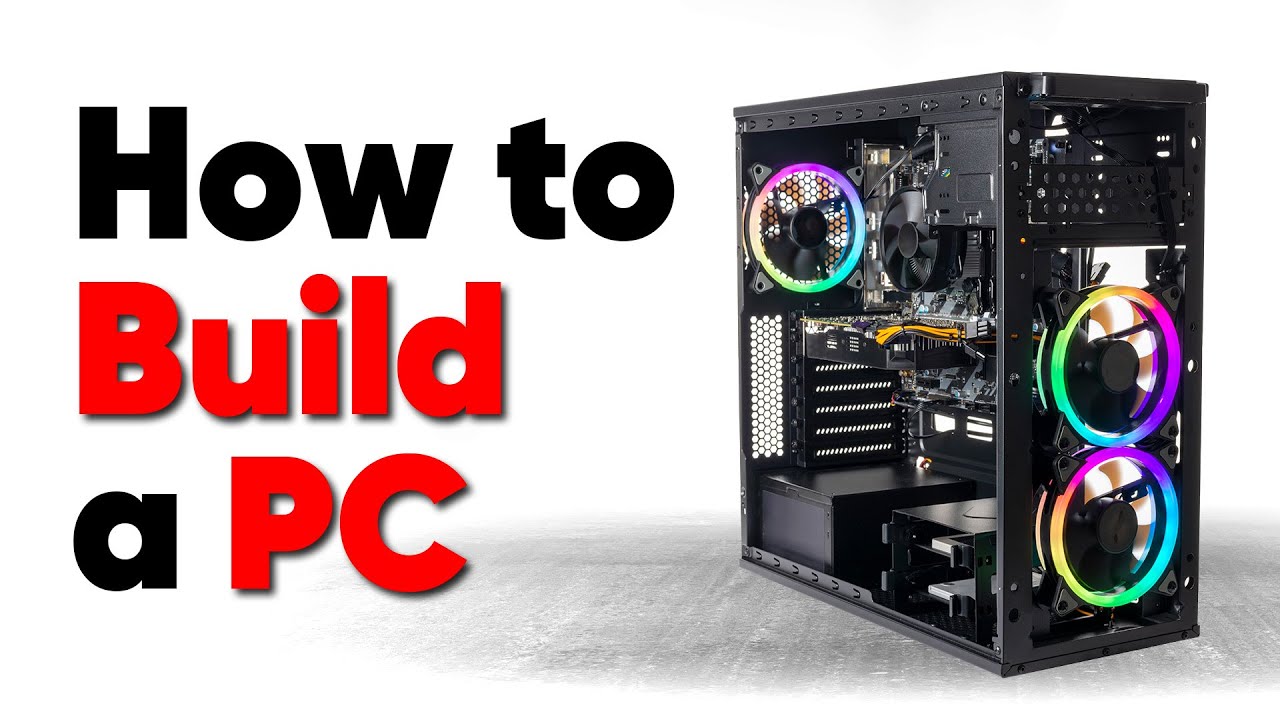
Thanks to Seasonic for sponsoring this video! Buy a Seasonic TX 1000 PSU today at https://geni.us/aryiquT
We’ve done plenty of build guides before – But now we’re taking it to the next level. Not only will you know how to build a PC, you’ll know how to build ANY PC – This is the LAST guide you’ll ever need!
Discuss on the forum: https://linust...
red spear
vivid ledge
Make sure the ram is 'clicked' in, sometimes it requires a bit of force
Yup, it clicked and the tabs on both sides locked it in.
vivid ledge
Have a watch of this, extremely descriptive, should tell you all you need to know
fierce cloak
vivid ledge
https://youtu.be/BL4DCEp7blY
most useful one bro
dude
do yk how many times
i literally watched it
like 3 times
but not the full 1 hour tho
just skipped all the bs that they were talking about
ngl half of it was bs talking but it is still helpful
red spear
Making progress!

Think everything I can assemble is in there!
Cooler, CPU, memory, and SSD!
SSD is in the 01 spot - that's what was recommended, so went with that.
Now I just want to get my fans on the cooler.
vivid ledge
👍
nova cradle
red spear
Making progress!
yo that looks sick
mine not so much
noctua coolers do not go with the rest of my computer
acoustic trout
I'm using the Razer Kraken Tournament Edition, and I'm having trouble with Razer Synapse 3 - I have to select Speaker - THX Spatial as a default device frequently since the software gets messed up and requires a full installation.
 proper mist
guys i have connected my mouse but why it showing this plz help
mouse razer viper mini
 red spear
Morning! I'll be getting back to my build in a while, and hope to actually get the motherboard into the case today (maybe finish even if that's possible)!
red spear
Well, my mom's jumping in to say I absolutely must/should upgrade monitor like immediately, and is offering to get it, but must be BenQ and I haven't done ANY monitor research since I figured that could be done a bit later. Anyway, could I get suggestions? One she's looking at is curved, and like $300 on sale ($150 off I think). Here's the build: https://ca.pcpartpicker.com/list/4mbwY9
PC Builder - AMD Ryzen 9 5900X, Radeon RX 6800 XT, NZXT H510 ATX Mid Tower
For what it's worth, I do like the BenQ I have, so brand is fine by me.
This is the one my mom came across, but don't see it listed on PC Part Picker, so may not be compatible? https://www.benq.com/en-us/monitor/gaming/ex2710r.html

BenQ
EX2710R comes with 1000R curved screen heightens intense imagery and deploys a sound field with 2.1 channel and DSP chip for your best gaming experience.
Also want to make sure it Utilizes the graphics card nicely, so like the 4K would be nice I guess. As I say, did no research, since it wasn't part of the initial build plan - was going to get it later.
nova cradle
red spear
This is the one my mom came across, but don't see it listed on PC Part Picker, s...
did you knoe 2k is less than 1440p
LMAO
pretty sure its barly better than 1080p
it says 2k uhd
what
thats not right
at all
2k UHD is saying 1080p and 4k at the same time
sketchy monitor
dont trust it
 wind field
vivid ledge
red spear
Well, my mom's jumping in to say I absolutely must/should upgrade monitor like i...
wind field
vivid ledge
red spear
Well, my mom's jumping in to say I absolutely must/should upgrade monitor like i...
Gigabyte M27Q or M27Q-X
G34QC are all really good options for your graphics card
4K is a waste for a computer monitor unless you use something huge like an FV43U since it's not possible to make out the difference between 1440p and 4K at a normal computer screen size
Samsung Odyssey G7 1440p 240Hz 27" is another good one
MSI Optix MAG274QRF-QD
Gigabyte M34WQ
M32Q if you want bigger
Asus swift PG329Q
Or PG279QM
MSI Optix G273QF
AOC Agon AG274QXM 27" or even the Alienware AW3423DW
For 4K I'd look at the FV43U or FO48U and really nothing else
Maybe an LG C1
Ultra premium would be an odyssey G9
 cinder field
 nova cradle
vivid ledge
nova cradle
vivid ledge
You know what I take it back, that price is mighty fine
Only alternative I would suggest is M27Q or G27Q
 muted cypress
anyone know what " net user Administrator /random " dose? in cmd
nova cradle
nova cradle
this monitor good?
https://www.newegg.com/27-g5-odyssey-gaming-monitor-with-1000...
can i get an answer to the question
vivid ledge
I answered it, it's a good price for the monitor
 gusty perch
acoustic trout
cinder field
gusty perch
acoustic trout
cinder field
bros downloading victoria’s secret
nova cradle
vivid ledge
Only alternative I would suggest is M27Q or G27Q
which one of the 3 are the best
nova cradle
cinder field
how do you have 62kbps
you must pay like 12 cents for wifi
vivid ledge
nova cradle
which one of the 3 are the best
M27Q
 paper torrent
... riddle me this. how does a USB dongle rip in half
fierce cloak
@vivid ledge rate this

Looking to build the Best Gaming PC for under $1000 in 2022? If so, this build guide will run you through the top part choices for playing the latest AAA titles - including Fortnite, Apex, Warzone, Vanguard, Valorant & more!
Check Out Our NEW Website! 👉 https://geekawhat.com/
Check Out Our Latest PC Builds! 👉 https://geekawhat.com/pc-builds
Am...
but instead of the corsair vengeance ram
we would replace it with the corsair dominator or the g.skill trident
cinder field
nova cradle
how do you have 62kbps
you must pay like 12 cents for wifi
I'm using a crappy adapter for wifi, my pc is in a tight space so it's basically suffocating
I need to be right by the router to get good internet using this adapter
nova cradle
cinder field
I need to be right by the router to get good internet using this adapter
have you tried wired internet
nova cradle
should i upgrade my computer or build a new one
vivid ledge
@nova cradle return your 11600k then get an 11400f and you're fine
nova cradle
vivid ledge
<@834599072559530034> return your 11600k then get an 11400f and you're fine
i already put it in the socket
vivid ledge
Your build is ok it's just the cpu
nova cradle
can i still sell it
vivid ledge
You can still take it back even when it's been in the socket
nova cradle
vivid ledge
You can still take it back even when it's been in the socket
it is time
vivid ledge
I've done that a few times
nova cradle
to do that
vivid ledge
Omg lol
nova cradle
should i flip it on ebay
vivid ledge
No just use it
nova cradle
ok
vivid ledge
The ROI on flipping that won't be worth it
nova cradle
i can fix it later when i upgrade
so should i upgrade the cpu or gpu first
i think i should get a 3060ti for christmas
that would be an upgrade
vivid ledge
Gpu obv
vivid ledge
3060ti would be good or RX6600XT/6700XT
The AMD ones will especially be cheaper I believe
nova cradle
vivid ledge
3060ti would be good or RX6600XT/6700XT
which one is better at ray tracing
vivid ledge
Neither are good at ray tracing
nova cradle
whats better in general
vivid ledge
6700XT
vivid ledge
Yes
nova cradle
whats ddu
vivid ledge

Want to directly support my work?
https://streamlabs.com/santiagosantiago11/tip
- If you want to support me:
Get Yakuza 0 and Tom Clancy's The Division for $12 on Humble Monthly:
https://www.humblebundle.com/monthly?partner=SantiagoSantiago (Affiliate Link)
Versión en español: https://www.youtube.com/watch?v=L7sPx1DfQ9Y
DDU Link: https://www...
You use this tool by cleaning the drivers then switching the system off, swapping the card over, then boot back into windows and install the AMD stuff
Basically the same as this video except before you turn it on the final time you switch the cards over and reinstall different software
vivid ledge
Uhh, yeah it probably could actually
At a bit of a push for a few games but shouldn't be too bad at 1440p
Should be quite nice actually
nova cradle
ok
vivid ledge
fierce cloak
<@101107951401455616> rate this
Change the motherboard, the ram and the ssd, better value choices
nova cradle
i know my next upgrade then
vivid ledge
fierce cloak
we would replace it with the corsair dominator or the g.skill trident
Dominator is not much better btw, it's not abysmal but I'd still never recommend it. Any G.skill is usually ok for ddr4 too
nova cradle
guys is the sn550 1tb good
nova cradle
vivid ledge
Get the mp33 1tb
alright
vivid ledge
Should maybe also consider selling the mobo and getting a cheap z590m maybe
Mobo don't really change much value at the low end so you should be ok for value
nova cradle
ok
nova cradle
now i need to find a z590m mobo for 170 or less
vivid ledge
Iirc asrock ones are $90
Oh wait
Not those
Those are bad
I almost had a brain fart
nova cradle
micro atx
nova cradle
ok
vivid ledge
Looks to be like the only choice
I forgot that asrock z590's throttle intel K chips
So they're kinda
Ew
Even 11600k
Big sadge
nova cradle

ASUS USA
ASUS Prime motherboards are expertly engineered to unleash the full potential of AMD and Intel processors. Boasting a robust power design, comprehensive cooling solutions and intelligent tuning options, these ASUS motherboards provide daily users and DIY PC builders a range of performance tuning options via intuitive software and firmware features.
oh my
no io
nevermind
i dont know which mobo to get
vivid ledge
Eh
nova cradle
vivid ledge
You will have more
oh yeah
forgor💀
then its fine
well ig the decision has been made
vivid ledge
Yeah and don't feel like it's the end of the world if you can't upgrade the mobo
Focus on the gpu first
You barely lose much by sticking with the b560
Like less than 10% on the cpu and that's being optimistic
Probably more like 5%
nova cradle
ok
ig 5% isnt worth 20$
ill stay with the mobo
but thanks for the advice on the ssd
 nova cradle
fierce cloak
nova cradle
fierce cloak
that looks small
fierce cloak
yea ik
nova cradle
depth perception or is it actually small
nova cradle
small but it looks nice
fierce cloak
nova cradle
small but it looks nice
i was gonna do a razer p-011 dynamic but it’s $200
nova cradle
fierce cloak
i was gonna do a razer p-011 dynamic but it’s $200
what is that
hold on
leme see
p011 looks nice
h510 looks better tho
vivid ledge
fierce cloak
ima do that color pattern
That colour patten uses fans which are bad value btw
Look up in-win sirius loops
Those are better value, fairly similar
nova cradle
what should i upgrade after my gpu
nova cradle
brb
nova cradle
vivid ledge
Probably PSU *before* gpu
650 is not good enough??
vivid ledge
Which 650 you got?
fierce cloak
vivid ledge
That colour patten uses fans which are bad value btw
nzxt fans ye
@vivid ledge 2 versions of Alpha
 nova cradle
vivid ledge
Which 650 you got?
nova cradle
vivid ledge
Which 650 you got?
i havnt bought it yet and im not sure if itll fit in my case
https://www.amazon.com/dp/B08PDV45F8?tag=pcpapi-20&linkCode=ogi&th=1&psc=1

The MPG gaming power supply is proudly backed by a 10-year limited warranty, guaranteeing long term reliable operation. Aiming for unwavering product quality and performance stability, the MPG gaming power supply comes with 100% Japanese 105° C capacitors and solid capacitors. Organizing cables i...
vivid ledge
Good, very good psu
nova cradle
idk if it will fit in my case
vivid ledge
mATX it will
vivid ledge
nova cradle
whats a good rx 6700 xt
Red Devil usually but whatever's cheapest wins
nova cradle
i did some research and the rog strix one is the best rx 6700 xt
vivid ledge
nova cradle
i did some research and the rog strix one is the best rx 6700 xt
Not
Strix tax is a thing
Red devil = no strix tax
vivid ledge
Yea
If you want asus
Get tuf 6700xt
It's a strix with no strix tax (for the most part)
 vivid ledge
Red Devil usually but whatever's cheapest wins
vivid ledge
vivid ledge
Red Devil usually but whatever's cheapest wins
.
nova cradle
yeah
vivid ledge
Whatever's cheapest wins
vivid ledge
 nova cradle
i want a good card
vivid ledge
But it'll be fine
nova cradle
is it better than the 3060ti
vivid ledge
Asrock challenger D would be probably the best value cos it's a 3 fan card
vivid ledge
nova cradle
is it better than the 3060ti
Yes
nova cradle
vivid ledge
Asrock challenger D would be probably the best value cos it's a 3 fan card
k
vivid ledge
Wait what
vivid ledge
nova cradle
yeah its about the price of an rtx 3070
No
nova cradle
vivid ledge
No
at msrp
vivid ledge
6700 XT is about the price of a 3060
nova cradle
vivid ledge
6700 XT is about the price of a 3060
then why is it 400 bucks
vivid ledge
3060 is 470 rn
nova cradle
whats the best gpu i can get fore 500
nova cradle
which one
vivid ledge
Red devils are the halo cards of each stack they're not the only choice
Pick the cheapest best value
nova cradle
vivid ledge
Pick the cheapest best value
which one is that
vivid ledge
The MSI mech is fine it's just a 2 fan cooler so it may be a little warm
Hence meh
Asrock challenger d you get 3 fan for 9$ more
And honestly for a normal person
nova cradle
vivid ledge
Asrock challenger d you get 3 fan for 9$ more
challenger d then?
vivid ledge
Challenger D is more than enough
nova cradle
alright
vivid ledge
nova cradle
you are giving me mixed messages
Because the definitions of what's being asked are different lol
vivid ledge
I mean you can't afford a 3060 Ti rn anyway let alone a 3070
3060 is way slower and it's under 500
nova cradle
vivid ledge
I mean you can't afford a 3060 Ti rn anyway let alone a 3070
alright
i have decided challenger d
vivid ledge
Maybe in 7 months it'll be better but 6700 XT will be better than a 60 Ti
vivid ledge
Can't predict prices in 7 months
vivid ledge
New gpu's will be out but who's to say we don't get another shortage
nova cradle
vivid ledge
New gpu's will be out but who's to say we don't get another shortage
true
"shortage" more like artificial shortage
💀
vivid ledge
Could be very real again
red spear
Well, went to take the plunge once I finished assembling my first build and - nothing. Won't power on at all! Have checked all connections and memory, but nothing. There's one click that seems to be coming from the PSU, but nothing happens. 😖
vivid ledge
Do a PSU test
Unplug it from everything
Then try this

You must unplug it from everything first
Then put the paperclip in the 24 pin cable
Then plug it into power and turn it on
gpuShack
This test will verify that your PSU is working outside of your system. If the PSU powers on, the issue you experience may be related to your system and/or configuration. Please use a known working power outlet for this test (you can test to make sure the outlet works, with a small lamp or similar item). Since some PSU cables are all-black, it is...
 frank prairie
hey I recently got the razer blackshark v2 pro and wanted to ask if it's normal if you turn up the volume on the headset that it starts to rush louder?
 daring cipher
what do you mean rush louder?
 remote skiff
What is this?
 nova cradle
should i buy a huntsman v2 or should i build my own keyboard
cinder field
remote skiff
What is this?
I think that's where you can configure your mouse for a certain mousepad but I'm not sure
cinder field
nova cradle
should i buy a huntsman v2 or should i build my own keyboard
I would build my own
nova cradle
cinder field
I would build my own
time to do research