#Understanding Zigbee topology and getting started with HomeAssistant + hardware recommendations

1 messages · Page 1 of 1 (latest)

prime fox
#

Hi. I'm about to create my first Home Assistant setup and am not sure if I understand ZigBee correctly.

My apartment is quite small, all sensors/actors should be within 10m(30ft) of the laptop with a CC2652 stick, so I'm pretty convinced a star topology should work... however, I've been told that "I think like wifi and zigBee doesn't work that way.". Am I missing essential non-optional components?

Additionally, I'd highly appreciate recommendations for hardware that will be a joy to use for not much more than the aliexpress trash. I might only use Hue bulbs, since I only need like a 4-pack of them.

I currently got the following ZigBee devices, (not knowing any better and?) thinking it's a standard so it shouldn't matter what vendor I get them from:

  • CC2652P USB dongle with a RP-SMA antenna
  • Aliexpress/Tuya vibration sensors (for doors)
  • Aliexpress/Tuya PIR motion sensors
  • Aliexpress/Tuya "scene switches" - round battery powered clicky ones
  • Aliexpres/Tuya "scene switches" - round battery powered ones with a rotary wheel for dimming function

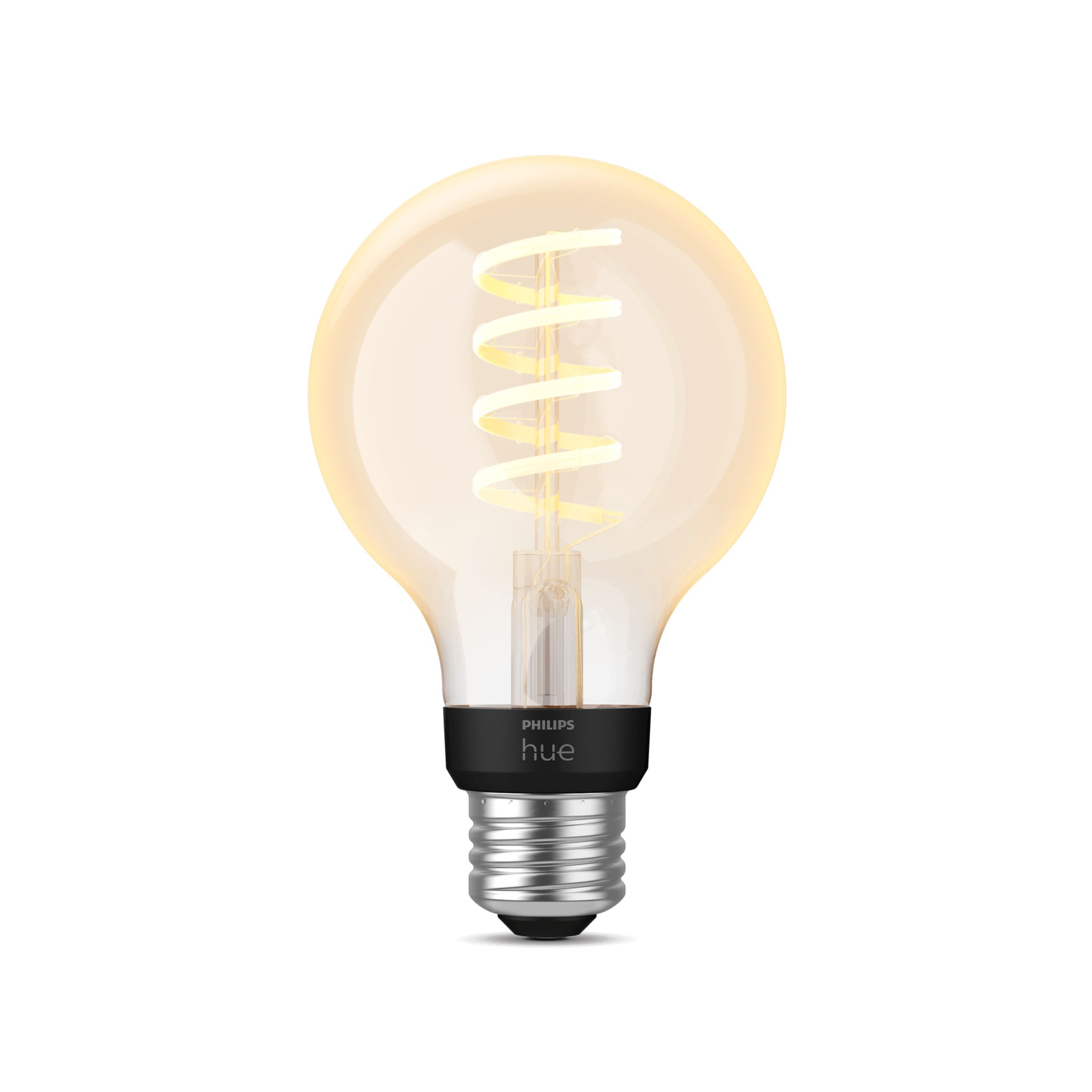
I also intend to buy some good quality non-flickering dimmable light bulbs and noticed that Philips Hue ones also support ZigBee... would those be the capable of being "routers"?

Do I also need to buy a gateway if I already have the zigbee2mqtt USB dongle and a PC with HomeAssistant?

#

@hard sequoia ping

hard sequoia
#

Your dongle is fine. That is your "gateway".

#

Where are you in the world? That will affect my reccomendations.

prime fox
#

I'm in EU/Austria

hard sequoia
#

Got it.

#

So, my first recommendation would be to get some Innr power plugs. IIRC, those are available in the EU and not too badly priced. 2-3 of them should be fine.

#

Even if you don't use them, they will become routers in your Zigbee mesh.

prime fox
#

I've got Sonoff s26 plugs but I guess it won't hurt

hard sequoia
#

The other devices should be fine. Also, the Hue bulbs... YES. 100%.

#

Are those Zigbee or WiFi?

prime fox
#

wifi

hard sequoia
#

Yeah, those won't work as routing devices in a Zigbee mesh.

prime fox
#

but migrating away from wifi would be a nice thing

hard sequoia
#

Eh, I have tons of both WiFi and Zigbee devices. Each has their own strengths/weaknesses.

prime fox
#

I may replace the wifi router/accesspoint soon and it would suck to have to re-configure each one of the plugs

hard sequoia
#

Yup. I tend to only keep bulbs and other "stuff" on WiFi. Sensors are all Zigbee.

prime fox
#

oh, I thought I'd use the zigbee philips hue's

copper void
#

if your automations, etc. are all using the 'entity id' in home assistant, you should be able to swap out the plugs and have them continue to work as-is by giving the new one the same entity id as the old one had.

hard sequoia
#

But I have 145 devices (25 hardwired, 120 WiFi) on my network. So, reconfiguring is a PAIN.

#

They don't have HA installed yet. lol

#

This is purely to get Zigbee setup "properly".

hard sequoia
#

Def include those.

#

They are the only bulbs I keep in my Zigbee mesh (aside from 2 Innr bulbs in my attic).

prime fox
#

does that add redundancy or why is it desirable?

hard sequoia
#

Yeah. Basically, end devices will connect to a single routing device. But, if that routing device goes offline, they will try to change to another one.

#

Well, Zigbee3.0 devices will. Zigbee1.2 devices will notoriously stick to a single routing device and will usually need to be re-paired to hop to another routing device.

#

It really depends on the manufacturer.

#

BUT... also, as your mesh grows (and it will grow), the more routing devices you have, the more stable your mesh will be.

prime fox
#

the wifi-router and laptop+dongle are gonna be located so that the dongle/gateway is at most 1 wall and up to 10m (30ft) away from the furthest node

#

there surely won't be any range issues

hard sequoia
#

Yeah, that's fine. As long as the dongle can communicate with the nearest routing device, you're fine.

prime fox
#

if it could communicate with the farthest one directly, will it? Do devices prioritize hops or RSSI?

copper void
#

another thing is that each zigbee routing device can generally only handle managing a limited number of battery powered / sleepy devices - with only a single coordinator you could eventually run into issues because of that.

hard sequoia
#

Also, on the subject, any reason why you're going with Zigbee2MQTT versus built-in ZHA?

hard sequoia
prime fox
hard sequoia
#

Zigbee3.0 simplified some of that logic. But, it's still largely a complicated mess. Matter was supposed to save us from that... but lol

copper void
#

zha is easier to set up and has fewer components to manage, so i'd recommend it if this is the first time you're using HA.

hard sequoia
copper void
#

hmm, yeah, i can't say i have experience with tuya stuff :(

#

(I'm personally using ZHA with ikea, philips, and thirdreality devices in north america)

prime fox
#

I got the tuya devices bc I'm not aware of what's good and worth the price difference

hard sequoia
#

Tuya is "fine" to start with... But, eventually you will want to move to better brands. Welcome to the world of home automation where the money never stops flowing out. lol

prime fox
#

if there's notoriously better devices for not much more, I'll just buy them

hard sequoia
#

I'm in the same boat as @copper void (except for the Ikea stuff). Personally, I love the Aqara products.

copper void
#

my stuff's a bit of a mess atm since i'm running both zigbee and thread (matter) side by side :)

hard sequoia
#

At least half (if not more) of my Zigbee mesh is made up of Aqara sensors and stuff.

#

lol why?!?!?!

#

Stop that. 😛

#

Yeah, 55 out of my 113 Zigbee devices are Aqara kit.

#

Damn... I feel like an Aqara fanboi now... lol

prime fox
#

looks like the cheaper Hue bulbs are wifi-only...

#

my bad, they mention zigbee! 45€ for a 4-pack, looks too good to be true

copper void
#

I believe all the "Hue" branded products do zigbee? Philips also makes Wiz bulbs, which are Wifi.

hard sequoia
#

Yup. Those are Zigbee.

#

Hue does Zigbee/BT. They do offer WiFi bulbs (the Wiz product line). I have lots and lots of Wiz bulbs as well. (Echoing @copper void it seems lol)

#

It would help if I read before I typed.

prime fox
#

ok, now, why would the star topology not be the best option if the range is sufficient?

#

if HA goes offline, nothing will work anyways(?), so that seems like an unavoidable point of failure. Using light bulbs and smart plugs as routers seem like adding additional possible points of failure

hard sequoia
#

Because that isn’t how zigbee works. Zigbee is specifically coded to be a mesh topology.

hard sequoia
#

And, having bulbs and switches as routing devices is actually a failsafe. If a bulb goes out or a switch, the end devices can switch to a different router.

prime fox
#

it would be interesting to see if having a hue lightbulb at the entrance would extend range into the mailbox on ground floor, but that I highly doubt

#

most likely, the CC2652P USB dongle will have best reception to the mailbox

hard sequoia
#

Yeah, the might be stretching it a bit. Zigbee uses the 2.4ghz spectrum (the same-ish as WiFi), so whatever range and limitation apply to WiFi also applies to Zigbee. Unless you can sneak a routing device closer to the mailbox.

prime fox
#

imagines replacing the corridor light bulb to hue

hard sequoia
prime fox
#

the corridor light bulb would be intermittently powered tho :p

#

doubt a mailbox sensor would care to re-transmit so many times and so frequently that it would reach the lightbulb that may be on for like a minute or two, unpredictably frequently

hard sequoia
#

Yup. It would drop off the mesh pretty quickly.

prime fox
#

replacing two corridor bulbs, one of them hardwired and having it only turn itself on when the intermittent one joins the network... that's... interesting thought experiment

hard sequoia
#

Doubtful you could actually do that though. Join events are largely up to the software and device itself. Some report quickly. Others can take hours. Plus, manually turning off routing devices is a bad idea. They need to be powered on at all times. Otherwise, the mesh has to spend time rebuilding itself.

#

WiFi bulbs are better for spots where you might need to physically cut power to them.

prime fox
#

do you have any control over zigbee router bulbs?

hard sequoia
#

Of course. They are still devices. They just have extra logic to handle routing messages.

prime fox
#

can you force them to be end nodes and will they only relay packets belonging to my network?

hard sequoia
#

No. That’s already built in. A Zigbee device can ever only be part of a single network.

#

So if your neighbor has a zigbee mesh, they can’t see your devices and vice versa.

prime fox
#

why would there be a limitation on how many sleepy devices can be handled by a central CC2652P dongle/gateway?

#

do all devices operate on the same frequency/channel?

hard sequoia
#

It’s a hardware limitation based upon the chipset.

#

Yea.

#

So, think of it like a WiFi router. Cheap consumer models have a small amount of ram/cpu power available. Because of that things like ARP tables and other functions are limited and can only handle a small amount of clients simultaneously. Zigbee coordinators are the same way. They maintain info on routes, routes and other data.

#

But, if you go up to something with more power and better specs, you can handle more devices. My current coordinator (MGM24) can technically handle more than 300 routing devices (and could probably do closer to 400 if pushed). But, the routing devices themselves can still only handle 5-10 end devices themselves.

#

In my mesh, I have around 50-ish routing devices and 60-ish end devices.

prime fox
#

what's a coordinator, is that what the PC with HAOS and CC2652P dongle will be? It's gonna be a low power old laptop with 8GB RAM, so it probably should be able to handle thousands of devices if pushed

hard sequoia
#

The coordinator is your CC2652 dongle.

#

The PC with zigbee2mqtt would be your software controller.

#

And yes, HA itself can handle thousands of devices, but not in the context of Zigbee. That’s all to do with your coordinator and routing devices. TBF, I’ve seen Hue bulbs handle like 15 end devices easily. Not optimal, but the mesh though it was. lol

prime fox
#

I kinda like the optic of the innr bulbs better than hue and would put 4 of them in a lamp... and likely always run them on either OFF or minimum brightness. Will they produce flicker etc.? How low can hue/innr go?

#

also, haven't found a name brand version of these switches yet

#

oh, "hue tap dial"... priceyyy

hard sequoia
prime fox
prime fox
hard sequoia
#

Both.

prime fox
#

...but overall you seem to be more of a fan of hue than innr, how so?

hard sequoia
#

Just personal experience. I like Philip's quality overall. Innr is also good, but I've only used a few of their products. Also, I've had my Hue stuff for years now with never any problems. I still have some of their motion sensors in my mesh that I bought over 6 years ago with the original batteries.

prime fox
#

neat

#

I kinda wanna remove the middle one (just need 1pc but they only sell packs of 2) and replace it with another innr globe, but fear that the filament hues might not be as good routers?

hard sequoia
#

All the Hue bulbs use the same hardware internally, so there's no risk of them being good or not good as routing devices.

prime fox
#

hah, how did they fit the same thing into filament bulbs

hard sequoia
#

The chips are in the base of the bulb 😉

prime fox
#

sure... still, less available volume

hard sequoia
#

You can find videos on YT of people tearing them down to expose the chips and such.

prime fox
#

thank you

hard sequoia
#

NP! Happy to help! Like I said, I'd rather you start with a good experience than a crappy one.

prime fox
#

Also, should I like, upload different firmware onto this than whatever came on it some half a year ago when I bought it?

#

Just procrastinating on installing haos until I know all components are ready for a smooth experience

#

Also yeah, I like to put extra capacitors on things

hard sequoia
#

lol you could. What firmware are you running on it now?

prime fox
#

Idk, never plugged it in

hard sequoia
#

You might want to do that. It’s probably a few revisions behind. Hard to say. What manufacturer is it? Your own build?

prime fox
#

I got the dongle off of aliexpress after googling for recommendations

#

The chips sure look like what it says on the tin

hard sequoia
#

Not sure why you added the extra capacitor to it. But… Lol

prime fox
#

I was thinking less conducted noise = better SNR = better range and reliability

hard sequoia
#

The blurred out images are super helpful. lol

#

Nope. Zigbee doesn’t work that way 🤣

prime fox
#

Blurred out?

hard sequoia
prime fox
#

Oof

hard sequoia
#

hahaha no worries. Anyhow, you might be able to flash the zstack firmware on it. Not entirely sure.

prime fox
#

What is zstack and how do you know this?

hard sequoia
#

That might work… MIGHT. This is one of those “try it and see” situations.

prime fox
#

Like, I'm missing background information necessary to know what it is I might want

hard sequoia
prime fox
#

Is it same firmware for zigbee2mqtt and the HA-native zigbee thing?

hard sequoia
#

It’s the firmware recommendation for Z2M (and ZHA too I think).

hard sequoia
prime fox
#

What do the terms Z2M and ZHA mean and where can I read (up-to-date info) about this?

hard sequoia
#

Z2M is shorthand for zigbee2mqtt and ZHA is shorthand for Zigbee Home Automation (what’s built into HA).

#

I’d start with the Z2M website docs and also the discussions on their GitHub. They get very in depth on things.

prime fox
#

Thank you

#

Why is there ZHA and Z2M and how do they differ?

hard sequoia
#

Hmmmm, to put it simply, ZHA is Python and while built into HA, isn’t quite as fully featured as Z2M is. Like, if you want to decouple your Zigbee stuff from HA and use MQTT, you have to use Z2M. ZHA uses quirks for devices and they can be difficult to write. Z2M is built in node.js and some people find that easier. In theory, both do the same thing, just slightly differently.

#

Z2M also usually has better support for more “edge” or “fringe” devices and typically adds new devices faster.

#

BUT, with all that said, there are plans to make ZHA more like Z2M (able to be decoupled from HA, MQTT support and other features as well). I’m really excited to see what ZHA will offer soon.

#

The main reason I use Z2M over ZHA is because I like to keep my Zigbee devices separate from HA in case HA goes down. I can still control my devices from Z2M should I need to.

prime fox
#

Ok, first impression, the filament hues weigh much less than the diffused cheaper hues

hard sequoia
#

Yup. The glass diffusers are HEAVY bois.

prime fox
#

glass diffusers?

#

no I mean the plastic ones are like super sturdy and potted inside

#

it's been noted that the zigbee/bt antenna in the filament bulbs is a bent piece of wire

hard sequoia
#

Right. The white ones (non-filament). They use actual glass. The filament ones are plastic.

copper void
#

I think you have that the other way around? The diffuser on the white ones is plastic, the bulb of the filament ones is glass.

prime fox
#

but the plastic ones like, feel quality

copper void
#

the white ones are quite hefty, tho most of the weight seems to be in the opaque section (some sort of ceramic heatsink?)

hard sequoia
#

They both are quality, tbh.

prime fox
hard sequoia
#

Most of the weight in the Hue bulbs are from the glass diffusers. Dunno why they went with glass on those, tbh.

prime fox
#

all filament bulbs use glass

copper void
#

i'd bet they're running fewer leds at hotter levels in the white ones, since they need multiple types of leds to do tunable white balance and rgb.

#

do they have a glass diffuser under the plastic diffuser? is that what you're saying?

prime fox
#

idk if they are tunable wb and rgb

copper void
#

they have some models of the white ones that are just single-color dimmable, but i suspect most people get the more colourful ones :)

prime fox
#

I don't even know if the filament hues are tunable color temp

#

the innr bulbs visibly have two spirals of CC/CW filaments but hue seems to have two identical spirals

copper void
#

they aren't. tunable color temp filament lamps will almost always have some visible differences in the filaments, since the phosphor coating for the two different color temp leds looks different

#

sometimes you see a single "filament" strip that's actually two rows of leds with different phosphor over each.

#

actually - the big globe in your picture looks like it might be?

#

i guess that's an innr bulb?

prime fox
#

the big globe (innr) has two different spirals, yes

copper void
#

huh, actually, all the philips bulbs in your picture appear to be the dimmable-only ones (no tunable color temp)

hard sequoia
#

I'm not sure if Hue has the tunable color temp filament bulbs (yet). I know the Wiz line just came out with them a couple of months ago.

prime fox
copper void
#

they have "white" (dimmable only), "white ambiance" (color temp control), and "white and color amiance" (color temp + rgb)

prime fox
#

yea mine are definitely "white", no ambiance

prime fox
#

but they are warm white that I'm sure will have a high WAF (woman acceptance factor)

hard sequoia
#

Been meaning to give these a try soon (way off topic, but whatevs)

copper void
#

that link's a wiz (wifi) bulb tho, not hue (zigbee)

prime fox
#

link text says it all tho

hard sequoia
#

??? lol

#

Weird.

#

Yeah, I said it was off-topic @copper void 😛

prime fox
#

that's a lot of spirals

copper void
#

but yeah, i have some non-smart philips filament bulbs in frosted glass which look basically identical to incandescent bulbs and have good reviews in terms of longevity. would be neat to get smart bulb versions of those.

hard sequoia
prime fox
#

anyway, on-topic, lemme see what to do about my dongle before I install HAOS

hard sequoia
#

Oh

#

Duh... I can read, I promise...

prime fox
copper void
#

hmm. now that i look at the hue catalog - they do actually have a fair number of "white ambiance" filament bulbs in various shapes.

prime fox
#

Looks like I've got all the tools but... why does this feel like hacking in order to just do a firmware upgrade. No pinout ehh

#

if there's a better dongle that's easier... wish I had known about it

hard sequoia
#

The SMLight lan coordinators/usb coordinators are WAY better.

#

But, the lan coordinator is WAY overkill for your small space.

prime fox
#

guess I should have bought the sonoff dongle

#

the ribbon "programming cable" cost extra but there's no pinout on it

#

huh... this dongle already has a usb-serial IC... couldn't they have... oh well...

#

wait...

#

so it is just a radio chip and a usb-serial ic

#

so it should be programmable with no external usb-serial

#

the extra "programming header" might be a jtag then, and most likely isn't needed to update zstack

hard sequoia
#

It shouldn't need that. I've done OTA programming on nearly every coordinator I've ever owned (except the old Nortek stick that I have).

prime fox
#

OTA? that's not over usb

#

oh gosh, and there are 3 unexplained buttons on the pcb

#

RST, K1, K2

#

ok, RST is self-explanatory enough

prime fox
prime fox
#

judging by the github contents, that aliexpress dongle may have been running a 2021 version before, upgraded to 2024

hard sequoia
#

Wouldn’t surprise me at all.

prime fox
#

so I just ran HAOS off of a USB stick and it... wait, that was the installation?

#

gonna repeat the process tomorrow with a real SSD

copper void
#

yeah, in almost all cases these coordinator devices can be updated through the same usb-serial adapter as is used to communicate with them in normal operation, by doing something to switch the bootloader to flash mode. The nicer ones usually support having the computer trigger the reboot into flash mode without you having to press any buttons or short any pads.

prime fox
#

yay, installed haos today and so far everything is working pretty amazingly

#

@hard sequoia are you able to drive the innr bulbs at really warm light at minimal overall light intensity? At minimum intensity mine seem to be driving both filaments about equally [solved, it can go all the way down to zero per filament]

#

the warm-only hues are much nicer and cost less heh

#

the warmth setting seems to have little or no effect on the innr bulbs [I wasn't actually setting temperature, solved it by making automations trigger scenes]

#

I'm currently setting motion-activated lights automations (minimum brightness maximum warmth for going to WC at night with eyes not used to light)

prime fox
#

damn the tuya switches are trash

#

for the record, I'm gonna get some ikea devices because tuya are highly problematic and inconsistent for not much less than the ikea cost

hard sequoia
#

Sorry!!! I've been slammed with work issues the past 2 days.

#

Huh, honestly, I never tried my Innr bulbs like that... I'm kinda curious now.

prime fox
#

hey don't be sorry, you've GREATLY helped me get started and it's great

hard sequoia
#

Yup... Tuya Zigbee is trash

#

That's good to hear. 🙂

prime fox
#

Those were the biggest disappointment. Great idea executed badly. ONLY 1 OF 3 WORKED

#

Those seem like great idea executed well, but they're like €40/pc

hard sequoia
#

I have one of the 1st gen Hue Taps and tbh, it's still rocking in my mesh (although it rarely ever gets used). I think it's like 9 years old now? Gotta hand it to Philips, their kit lasts FOREVER.

prime fox
#

Oh, I've just had success adding 2 "simple" tuya buttons after a restart of homeassistant. Looks like the button wasn't getting a response it expected in order to acknowledge that it got paired and so it kept disconnecting. Just a hypothesis.